Small ecommerce businesses now rely on AI shopping assistants to deliver the personalized, efficient, and multilingual experiences customers expect. But with limited resources and technical expertise, knowing which AI features truly matter for growth—not just hype—can be the key to higher conversions and customer satisfaction. This guide cuts through generic advice, focusing on essential AI shopping assistant features for ecommerce that address the unique needs and constraints of small online stores. Today’s customers expect instant answers, tailored suggestions, and seamless navigation, even from niche or boutique retailers. Without the right AI tools, small businesses risk falling behind larger competitors that can invest more heavily in custom solutions and advanced analytics.
Here, you’ll find a clear, evidence-backed framework to help you identify and prioritize the features that actually drive sales—like AI product recommendations, contextual product search, upsell prompts, seamless multilingual support, and real-time chatbots. We’ll show how platforms such as NextlerAI make these capabilities accessible for WordPress and WooCommerce sites, and why ease of integration and management is critical for small teams. The guide also addresses common technology pain points, such as budget constraints, limited IT support, and the need for tools that don’t disrupt site performance or customer trust.
By the end of this article, you’ll know how to select and implement the right mix of AI features, avoid common mistakes like poor integration or intrusive upselling, and measure the real impact on your store’s product discovery and customer experience. You’ll also access a practical comparison of leading solutions and a checklist for cost-effective deployment—empowering you to make confident, data-driven decisions for your ecommerce business. Whether you’re new to AI or seeking to optimize existing systems, this resource is designed for actionable steps and measurable results.
What Makes an AI Shopping Assistant Essential for Small Ecommerce?
An AI shopping assistant is a virtual agent that guides online shoppers through product discovery, selection, and purchasing using real-time conversation and data-driven personalization. Unlike basic chatbots—which only respond to preset queries—AI assistants analyze user intent, recommend products, answer detailed questions, and adapt responses to individual preferences and behaviors.
These assistants leverage advanced machine learning and natural language processing to understand complex inquiries and context, enabling them to provide nuanced guidance throughout the shopping journey. They can recall previous interactions, recognize patterns in user behavior, and learn from ongoing data, allowing for continuous improvement in accuracy and relevance. This makes them valuable not just for answering questions, but for proactively assisting customers in ways that mimic the attentiveness of an in-store associate.
Personalization engines: AI assistants use purchase history, browsing behavior, and contextual data to deliver tailored product recommendations.
Conversational commerce: These systems support natural language interactions for product search, upsell prompts, and cross-selling, making the process more intuitive than static menus or search bars.
Action facilitation: Unlike static help widgets, AI assistants can add products to carts, check order status, and even process returns directly within the chat interface.
Why Small Ecommerce Sites Need AI Assistants
For small online stores, resource constraints are a constant challenge. Hiring dedicated support or sales staff is often not feasible. Here, AI shopping assistants address three core needs:
They enable small teams to deliver responsive support around the clock, even outside traditional business hours. This helps mitigate the risk of losing customers who expect immediate assistance. Moreover, AI can rapidly surface relevant product information and handle routine inquiries, ensuring that human staff can focus on complex or high-value customer interactions. As customer expectations continue to rise—shaped by experiences with large online retailers—AI assistants provide small businesses with a practical way to keep pace and compete effectively.
Maximizing limited resources: AI assistants provide scalable support without additional headcount, handling multiple customer conversations simultaneously and freeing staff for high-value tasks.
Boosting conversions: With fewer visitors than large competitors, every interaction must count. AI-powered product search and recommendations help customers quickly find relevant items, reducing drop-off and increasing completed purchases.
Meeting rising expectations: Shoppers now expect instant, accurate answers and personalized guidance—standards set by major marketplaces. AI assistants help small businesses match these standards without massive investment.
Essential Features vs. Nice-to-Haves
Small ecommerce sites benefit most from features that directly impact product discovery, conversion, and customer satisfaction. Not every advanced capability is necessary or cost-effective at the outset. Key essential features include:
Choosing the right mix of features ensures a balance between customer experience and operational simplicity. Prioritizing core functions such as intelligent product search and tailored recommendations leads to more tangible business outcomes, while avoiding feature overload that could complicate setup and maintenance. As the business grows, additional tools—like advanced analytics or sentiment analysis—can be considered if they directly support strategic goals.
AI product recommendations: Personalized suggestions based on browsing and purchase data.
AI product search: Contextual, natural-language search that understands synonyms and customer intent.
AI upsell prompts: Smart, non-intrusive suggestions for higher-value or complementary products at checkout or in cart.
AI ecommerce chatbot functions: Real-time answers to FAQs, policies, and product details, reducing manual support load.
Multi-language AI assistant: Language detection and translation, expanding reach and accessibility for a broader customer base.
Features like sentiment analysis, advanced analytics dashboards, or voice-based shopping may be valuable for larger operations but are secondary for most small ecommerce businesses—especially where simplicity and low maintenance are priorities.
Distinguishing Platform Capabilities: The Example of NextlerAI
Platform choice matters. For instance, NextlerAI for WordPress and WooCommerce offers:
Successful implementation depends on how seamlessly the AI assistant integrates with existing store infrastructure and workflows. Native integration reduces setup friction and ensures that product, order, and customer data flow smoothly between systems. This is especially important for small business owners who may lack technical resources, as it minimizes the need for custom development and ongoing IT management. Choosing a solution that is purpose-built for the ecommerce platform in use results in faster deployment and a more consistent customer experience.
Contextual product search: AI parses queries in real time and connects shoppers to specific items in the store catalog.
Personalized suggestions: Recommendations adapt based on what users have viewed or purchased.
Real-time FAQ handling: The assistant draws on store data, policies, and product specs to answer customer questions instantly.
Native integration: NextlerAI links directly with WooCommerce product data and WordPress settings, minimizing setup complexity and ongoing management.
This focus on core capabilities enables small ecommerce teams to implement AI assistants that make a measurable difference in both user experience and business results—without unnecessary overhead or technical hurdles.
Feature Comparison: Leading AI Shopping Assistant Platforms
When comparing platforms, the WordPress Schema Markup Guide can help ensure your AI assistant integrates cleanly with structured data for better SEO.
Choosing an AI shopping assistant for a small ecommerce site requires a focused review of core features that directly influence product discovery, conversion, and operational simplicity. Below, a detailed table compares leading AI shopping assistant platforms (including NextlerAI) on capabilities that matter most for small business ecommerce.
Key Feature Comparison: AI Shopping Assistants for Small Ecommerce
Feature
NextlerAI (WordPress/Woo)
Platform B
Platform C
AI Product Search
Contextual, SKU-aware, leverages store data
Keyword-based, limited context
AI-powered, pattern recognition
Personalized Recommendations
Behavior-driven, real-time suggestions
Basic, rule-based
Dynamic, cross-session learning
Upsell/Cross-Sell Prompts
Native with smart triggers
Manual setup needed
Automated prompts, less configurable
Multi-Language Support
Yes, auto-detection for major languages
Limited (2-3 languages)
Wide, requires manual translation
FAQ Automation
Real-time, syncs with site content
Static FAQ, not AI-driven
AI-powered, but needs training
Integration Ease
1-click plugin for WordPress/WooCommerce
Requires API integration
Plugin available, setup complexity varies
Management Overhead
Minimal, dashboard-driven
Medium, ongoing tuning
High, frequent manual updates
Beyond the core features listed above, several differentiators can impact both short-term adoption and long-term value for small ecommerce businesses. For example, NextlerAI’s contextual AI search is designed to understand the nuances of customer queries by analyzing SKU-level data, which allows it to surface highly relevant products even in niche catalogs. Competitors relying on keyword-based search may miss these subtleties, potentially reducing conversion rates if customers struggle to find what they need. Personalized recommendations and upsell prompts also play a critical role in average order value. Real-time, behavior-driven suggestions (as offered by NextlerAI) are more effective than static or rule-based systems, enabling the assistant to adapt to browsing patterns on the fly. In contrast, platforms that require manual configuration for recommendations or cross-sells can increase staff workload and slow response to changing inventory or customer preferences.
Multi-language support is another essential consideration for ecommerce sites targeting diverse or international audiences. Automatic language detection can remove friction for shoppers, while solutions that demand manual translation might limit scalability. Similarly, real-time FAQ automation ensures shoppers get immediate, accurate answers drawn from current site content, whereas static or non-AI FAQs risk becoming outdated. Integration ease is particularly important for small teams with limited technical resources; a one-click plugin minimizes the need for custom development or complex API connections, letting businesses focus on growth rather than maintenance. Finally, management overhead can add hidden costs: platforms with dashboard-driven management and automatic data synchronization—such as NextlerAI—help small operations avoid the pitfalls of frequent manual updates and technical troubleshooting, streamlining daily workflows and supporting sustainable expansion. For more details on capabilities and integration, consult the official NextlerAI documentation or compare leading solutions as outlined in industry resources (InsiderOne, BlueConic).
Interpreting the Comparison for Small Business Use
Small ecommerce sites must weigh not just feature breadth, but practical fit and sustainability. NextlerAI stands out for its direct WordPress/WooCommerce integration, contextual AI product search, and multi-language support designed for minimal management. These advantages reduce technical hurdles and support international growth without extensive configuration or ongoing manual work. Platforms requiring API integration or frequent manual updates may suit larger teams, but introduce complexity and maintenance burdens for smaller operations.
Addressing Core Ecommerce Needs with AI Assistants
Core features—such as behavioral recommendations, AI product search, and upsell prompts—directly correlate with better product discovery and higher conversion rates, according to market evidence. For small businesses, the ability to automate FAQ responses and adapt language dynamically further supports customer engagement and satisfaction. Choosing a platform that synchronizes with store data (as with NextlerAI) ensures recommendations and search results are always up to date, limiting the risk of irrelevant or outdated suggestions.
Implementation Considerations
Beyond headline features, small businesses should assess:
Integration pathway: Can the assistant be deployed as a plugin or does it require custom development?
Management workflow: Does the system update itself with new products, FAQs, and languages, or does it demand ongoing manual input?
Scalability: Will the assistant remain efficient as the product catalog or customer base grows?
Localization: Is the multi-language support truly automatic, or dependent on manual translation uploads?
Small ecommerce teams benefit most from assistants that minimize manual setup and adapt to changes in product inventory or customer behavior. NextlerAI’s capabilities, particularly its real-time synchronization and minimal management overhead, are designed with these needs in mind. For further integration details, see the official NextlerAI for WordPress/WooCommerce documentation.
Actionable Steps: Implementing Essential AI Features
Start by auditing your ecommerce operations and identifying specific customer touchpoints where AI can add value. Use your platform’s analytics to discover friction points—such as high cart abandonment during checkout or frequent product search drop-off. Document your technical stack (for example, WordPress + WooCommerce) and note any integrations or plugins already in place. This groundwork ensures you choose AI features that solve real business bottlenecks rather than generic add-ons. Involving key stakeholders, such as customer service and marketing teams, can help uncover hidden pain points and opportunities for automation. Also, check for any regulatory or privacy requirements that could affect AI integration, ensuring compliance from the outset.
Match AI Features to Critical Customer Journeys
Pinpoint which AI capabilities directly enhance your customers’ most important journeys. For example, if shoppers often struggle to find products, prioritize AI-powered search and contextual product recommendations. If international visitors are common, multi-language support moves higher on your list. For stores with complex catalogs, AI-driven FAQ and product comparison tools should be shortlisted. Create a decision matrix that aligns these features with measurable business goals such as reduced support queries or higher conversion rates. Supplement this with user journey mapping to visualize where AI interventions can remove friction or drive engagement. Consider both high-impact quick wins and longer-term features that may require more advanced integration. Referencing case studies or real-world AI automation examples can help forecast potential benefits and set realistic expectations.
Shortlist and Compare Platforms Using Non-Negotiable Criteria
Evaluate AI assistant platforms for compatibility with your ecommerce stack. Focus on seamless integration (such as NextlerAI’s plug-and-play approach for WordPress/WooCommerce), transparent pricing, and responsive technical support. Review actual implementation mechanisms—does the tool use native WooCommerce product data for search and recommendations, or rely on external syncing? Check that multi-language support offers both automatic detection and manual override. Document your findings in a simple table to support team decision-making and avoid feature gaps. In addition, look for platforms that provide clear documentation, active user communities, and a track record of regular updates. Consider scalability—does the platform support your anticipated growth, or will you need to switch as your catalog or visitor volume increases?
Plan a Pilot Launch with Iterative Feedback
Deploy your selected AI assistant in a limited pilot, focusing on a single feature or customer journey. For instance, launch AI product recommendations on your bestseller category only. Monitor user interactions, conversion rates, and support ticket volumes. Request structured feedback from both staff and customers via surveys or site pop-ups. Use this data to refine assistant logic, adjust upsell prompt frequency, and identify edge cases—such as ambiguous product queries or language mix-ups. Iterate quickly to resolve issues before wider rollout. Establish clear success criteria for the pilot, such as a minimum improvement in click-through or a measurable drop in repetitive support queries. Schedule regular check-ins to review pilot data and capture qualitative insights from frontline staff. Document lessons learned to inform a smoother, more effective full-scale implementation.
Establish Maintenance and Ongoing Review Cycles
After full deployment, schedule regular performance reviews. Analyze metrics like recommendation click-through, abandoned cart recovery, and FAQ resolution rates. Update your product data and language models as your inventory expands or business priorities shift. Small businesses should document changes and maintain a direct line with the platform’s support team for troubleshooting. For guidance on issue resolution, see Troubleshooting Common AI Assistant Issues in WordPress & WooCommerce. This ensures your AI assistant continues to align with evolving customer needs and technical requirements. Proactively schedule AI feature and security updates to minimize downtime and maintain compliance. Encourage ongoing staff training to keep internal teams comfortable with new features and aware of how to escalate issues as they arise. Periodically revisit your business priorities to identify new opportunities for AI-driven improvements.
Further Implementation Resources
Automation & AI: Practical automation solutions for small ecommerce sites.
Website Updates, Improvements and New Feature Development: Support for ongoing AI assistant enhancements.
AI Automation Examples for Small Businesses: Real-world deployment scenarios and tips.
Data Table: Feature Adoption and Business Impact
Adoption and Impact of Key AI Shopping Assistant Features
Small ecommerce sites are increasingly adopting AI shopping assistant features to address limited resources and boost conversions. The table below consolidates available, source-backed data on adoption rates and reported business outcomes for core features. Where sources do not provide numeric details, a qualitative summary is included to help decision-makers understand current trends and practical implications.
While comprehensive, quantitative adoption data is limited, industry sources highlight a growing trend toward integrating AI features even among smaller retailers. Factors such as the availability of plug-and-play solutions, lower setup costs, and compatibility with popular ecommerce platforms are accelerating uptake. However, implementation success often hinges on the ability of small businesses to manage data quality and ensure a seamless customer experience. Early adopters report that investment in AI tools is most effective when paired with clear goals, such as improving conversion rates or reducing manual support workload, and when staff receive adequate training to leverage the technology’s full potential.
Adoption Rates and Business Impact of Essential AI Shopping Assistant Features (2024–2026)
Feature
Prevalence Among Small Ecommerce Sites
Reported Business Impact
Source
AI Product Recommendations
Widely adopted by small ecommerce platforms, often through third-party plugins or built-in assistant modules.
Consistent reports of increased conversion rates and higher average order value when recommendations are contextually personalized, but no universal percentage uplift is published for small businesses. Reduces manual merchandising workload.
insiderone.com, bigcommerce.com
AI Product Search
Rapidly growing adoption, especially on platforms like WooCommerce and Shopify as integration becomes easier.
Enables faster product discovery, reduces bounce rates, and supports customers with complex queries. Small sites benefit most when search is tied to real-time inventory and user behavior. Quantitative conversion lift is not published for small ecommerce.
insiderone.com, bigcommerce.com
AI Upsell/Cross-Sell Prompts
Implemented by a minority of small shops, often as part of larger assistant platforms rather than standalone tools.
When used contextually (not intrusively), upsell prompts drive measurable increases in order size. Poorly timed prompts can harm customer satisfaction. No small business-specific statistics disclosed.
bigcommerce.com
AI Ecommerce Chatbot / Conversational Support
Common among small stores aiming to reduce support workload. Adoption is accelerated by solutions like NextlerAI with native WooCommerce integration.
Reported reduction in repetitive support requests and improved customer self-service. No precise reduction percentages for small ecommerce contexts are published.
insiderone.com, bigcommerce.com
Multi-Language AI Assistant
Less prevalent, but adoption is rising in regions serving cross-border shoppers or multilingual communities. Still not standard on most small ecommerce sites.
Enables access to new markets and can increase satisfaction among non-English speaking customers. Impact on sales is context-dependent and not quantified for small businesses in available sources.
bigcommerce.com
Real-Time FAQ and Knowledgebase Handling
Frequently bundled with chatbots. Adoption depends on integration ease and accuracy of AI responses.
Reduces simple support tickets and helps maintain customer trust. Success depends on regularly updated product data and clear escalation paths.
insiderone.com
Interpreting the Data: Decision Framework for Small Businesses
Given the lack of precise, public adoption metrics for each feature, small ecommerce owners should prioritize features based on their immediate business needs, technical readiness, and integration ecosystem. Source-backed evidence shows the greatest impact comes from contextual recommendations and AI-powered search, while multi-language support opens new revenue streams in multilingual markets. Platforms like NextlerAI, with their focus on seamless integration and real-time data handling, are designed to lower adoption barriers for resource-constrained teams. When reviewing options, weigh the necessity of each feature against your store’s customer demographics, product range, and the ability to maintain accurate data for the assistant to leverage.
Common Mistakes and How to Fix Them
If you encounter technical challenges, refer to the Troubleshooting Common AI Assistant Issues in WordPress & WooCommerce guide for step-by-step solutions.
Generic Product Recommendations: Data and Training Pitfalls
One frequent mistake is deploying AI shopping assistants that deliver generic product recommendations. This usually stems from limited or poorly mapped product data, inadequate training on customer behavior, or failing to connect real-time store inventory to the assistant. As a result, users receive irrelevant or repetitive suggestions, undermining trust and conversion potential. Additionally, generic recommendations can overlook seasonal trends or customer preferences, further reducing engagement. Over time, this can negatively impact repeat business and customer loyalty, as shoppers may feel the AI does not “understand” their needs.
How to fix it: Audit your product database for completeness and structure. Ensure each item is tagged with attributes the AI can use (category, brand, usage, price range). Connect historical customer data where privacy-compliant. Iteratively test recommendations against real user queries and continuously refine the model’s data mapping. For WordPress/WooCommerce, confirm your assistant (such as NextlerAI) has direct, permissioned access to your product catalog and customer segments. Regularly update training datasets to reflect new products and evolving customer behaviors, and consider leveraging external product feeds to further enrich recommendations.
Intrusive Upselling: Balancing Conversion and Experience
Many small ecommerce sites configure their AI upsell prompts too aggressively, interrupting user flows or pushing irrelevant add-ons. This can frustrate shoppers, increase abandonment, and create negative sentiment around the brand.
How to fix it: Use behavior-triggered upsell logic that only activates when customers show purchase intent or dwell on related products. Test messaging frequency and placement through user feedback cycles. Limit prompts to high-relevance, value-adding suggestions. Employ A/B testing to find the right balance between conversion lift and user satisfaction. Document changes and monitor analytics for spike in bounce rates post-implementation.
Overlooking Multi-language and Accessibility Needs
Small ecommerce businesses often overlook the need for multi-language support and accessibility. This limits audience reach, excludes non-English speakers, and may put the site at compliance risk in certain markets. AI assistants without these features miss out on a significant portion of potential customers.
How to fix it: Prioritize multi-language capabilities when selecting an AI assistant. For WordPress/WooCommerce, confirm compatibility with popular translation plugins or integrated language models. Test all conversational flows for screen reader and keyboard navigation compatibility. Segment analytics by language and accessibility usage to identify gaps and opportunities for improvement.
Insufficient Store Data Integration
Another critical mistake is partial or delayed integration with store data. If the assistant cannot access up-to-date pricing, inventory, or customer-specific information, it may deliver outdated advice or incomplete product options. This erodes credibility and can lead to customer complaints.
How to fix it: Map data flows carefully during integration. Use native APIs or trusted connectors to keep product and inventory information constantly synced. For WooCommerce, verify that the assistant’s permissions are scoped appropriately to access necessary data fields—never more or less. Schedule regular integration health checks, especially after updates to your ecommerce platform or plugins.
Concrete Remediation: Testing and Ongoing Optimization
Small businesses sometimes set and forget their AI shopping assistant, missing out on iterative improvements. Without ongoing user testing and feedback collection, issues persist and the assistant’s value plateaus.
How to fix it: Establish a regular review cycle involving both team members and real users. Use session recordings, chat logs, and conversion analytics to spot friction points. Update training data or configuration based on findings. Document all changes, and consider periodic expert audits. For common troubleshooting in WordPress and WooCommerce environments, refer to published resources such as this troubleshooting guide for actionable, platform-specific solutions.
Visual Summary: Essential Features at a Glance
To complement your AI assistant’s feature showcase, consider using modern CSS pricing tables to clearly present product options and value.
Features Mapped to Business Outcomes
Not every AI shopping assistant feature delivers the same value at every stage of the buyer journey. The diagram below illustrates how each essential capability—like AI product recommendations, contextual product search, upsell prompts, AI ecommerce chatbots, and multi-language AI assistants—links to specific business goals for small ecommerce sites. These include improved product discovery, higher conversion rates, increased order value, and expanded reach to multilingual audiences.
Feature-to-Outcome Mapping for Small Ecommerce
Feature
Primary Business Outcome
Supporting Buyer Journey Stage
AI Product Recommendations
Boosts conversion by personalizing offers based on real-time data
Product discovery, consideration
AI Product Search
Enables fast, relevant results to reduce drop-off
Awareness, early research
AI Upsell Prompts
Increases average order value when contextually triggered
Decision, checkout
AI Ecommerce Chatbot
Delivers instant support and answers to FAQs
Throughout journey
Multi-language AI Assistant
Expands reach, reduces friction for non-native speakers
All stages, especially first contact
Integration with Store Data (e.g., NextlerAI)
Ensures recommendations and answers are accurate and up to date
Product discovery, support, checkout
Connecting Features to the Buyer Journey
For small ecommerce owners, the most effective AI assistants are those that align features with real customer needs at each stage of the journey. For example, contextual product search and multi-language support remove barriers during the first visit; personalized recommendations and FAQ automation help during product comparison; and timely, non-intrusive upsell prompts increase order value at checkout without disrupting user experience.
Mapping features to buyer journey stages enables store owners to identify where customers most frequently encounter friction. For instance, while AI product search addresses early-stage needs by surfacing relevant options quickly, chatbots are valuable throughout the journey by providing immediate responses to product or policy queries. Multi-language assistants further enhance accessibility, making the store more inclusive and approachable to a global audience. By considering the specific demands of each stage—such as the need for clarity during consideration or reassurance at checkout—store owners can deploy features that work in concert, reducing abandonment rates and fostering trust. This approach also helps small businesses allocate limited resources toward the most impactful technology investments, ensuring that every feature actively supports a measurable business goal.
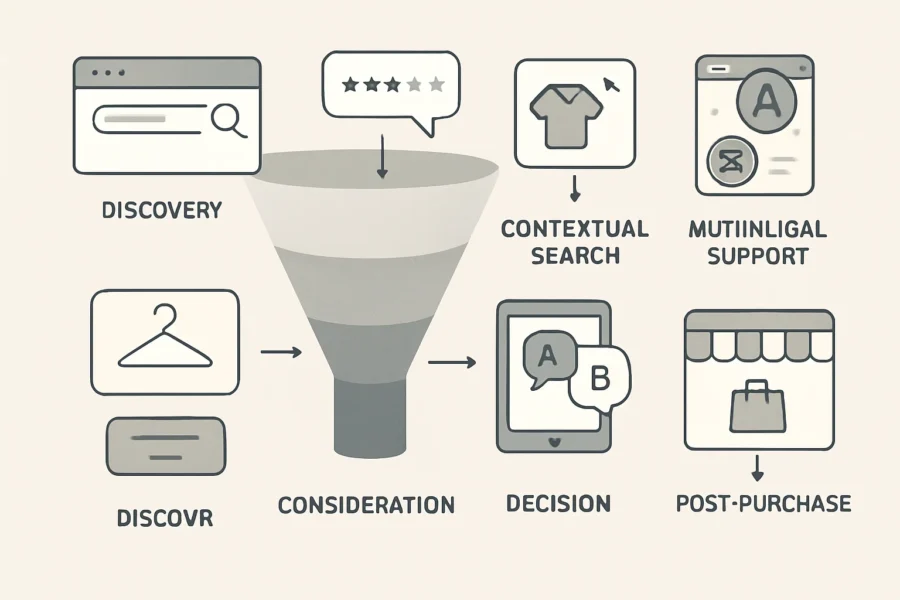
Visual Diagram: AI Assistant Features in the Ecommerce Funnel
Discovery: AI product search, multi-language support
Post-purchase: Automated order tracking, feedback collection via chatbot
Implementation Nuances for Small Ecommerce
Integrating these features is most impactful when they’re mapped to the store’s actual data and workflows. Platforms like NextlerAI, purpose-built for WordPress and WooCommerce, minimize manual configuration by syncing directly with product catalogs and customer data, which reduces technical barriers and ongoing management. Prioritizing features that require little technical intervention but deliver tangible business outcomes—such as multi-language support or contextual recommendations—can accelerate ROI for resource-limited teams.
It is also important for small ecommerce operators to consider scalability and ease of maintenance when selecting and implementing AI features. Leveraging solutions that offer automatic updates and require minimal manual input ensures the assistant remains accurate as product catalogs grow or inventory changes. Additionally, integrating features that offer analytics helps store owners track which stages and features drive the most value, allowing for continuous optimization. Considering privacy and data security is essential, especially when assistants access sensitive customer or order data; selecting tools with robust compliance protocols reduces operational risk. Ultimately, a phased rollout—starting with core features like search and chat, then layering on advanced options—can help small teams adapt without overwhelming resources or customers.
Checklist for Aligning Features and Business Goals
Identify which buyer journey stages are causing friction or drop-off.
Map available AI features to those pain points using the visual summary above.
Prioritize features offering the highest impact with the lowest integration overhead.
Ensure chosen solutions (e.g., NextlerAI) natively support your ecommerce stack and data sources.
Monitor business KPIs (conversion, order value, language coverage) post-implementation to validate outcomes.
Checklist: Selecting and Implementing Your AI Shopping Assistant
Step 1: Tie AI Assistant Selection to Clear Ecommerce Goals
Begin by clarifying what you want your AI shopping assistant to achieve. This could mean increasing product discovery for niche items, reducing cart abandonment, or improving support in multiple languages. Align these objectives with gaps in your current customer journey to ensure your investment addresses real commercial needs. Consider whether your primary goal is to drive more conversions, improve customer satisfaction, or streamline support operations. Setting specific, measurable targets—such as reducing average time to find a product or increasing upsell rates—will help you evaluate the assistant’s impact post-implementation and guide ongoing optimization.
Step 2: List Features Based on Actual Customer Pain Points
Document specific issues your shoppers encounter—such as struggling to find products, confusion about options, or language barriers. Translate these into non-negotiable features, for example, AI product search for complex catalogs or personalized recommendations that adapt to browsing behavior. Avoid generic requirements and focus on features proven to impact your customer base. Use customer support tickets, site analytics, and direct feedback to identify recurring friction points. Prioritize features that address high-impact issues, such as intelligent filtering for large inventories or proactive assistance during checkout, to ensure the assistant delivers tangible benefits.
Step 3: Assess Platform Compatibility and Integration
Check the technical prerequisites for integrating the assistant with your store. For WordPress or WooCommerce, shortlist solutions like NextlerAI that natively connect with your product catalog and order system, minimizing the need for custom development. Confirm the assistant can access live inventory, user accounts, and order status for real-time support. Review whether your other plugins, themes, or checkout systems might conflict with the assistant’s operation. Evaluate the quality of vendor documentation and support resources to ensure your team can manage updates or resolve issues efficiently. Consider future scalability—will the assistant accommodate catalog growth or new business channels without major rework?
Step 4: Verify Personalization and Multi-Language Capabilities
Ensure the assistant can segment customers and tailor suggestions dynamically, not just display static upsell prompts. For international or multilingual audiences, confirm support for all relevant languages—including UI, product data, and conversational flows. Test how the assistant handles language switching mid-session and whether custom translations are editable without code changes. Check if the assistant leverages customer history or behavior for deeper personalization, such as remembering preferences across sessions. If your store operates in regions with nuanced dialects or unique shopping habits, verify the AI can adapt responses accordingly and maintain accuracy in recommendations.
Step 5: Pilot-Test in Real Customer Journeys
Before rolling out sitewide, deploy the assistant on a limited product range or test store. Track how it responds to actual customer queries, especially for complex searches and multi-language interactions. Gather feedback on clarity, intrusiveness, and technical glitches. Adjust configurations based on this input—especially thresholds for upsell prompts and fallback options for unanswered questions. Use analytics to monitor user engagement and identify drop-off points. Include a diverse group of test users to surface edge cases, ensuring the assistant performs well for both new and returning customers. Document lessons learned to inform a smoother sitewide launch.
Implementation Checklist
Map business objectives directly to measurable AI assistant outcomes.
Prioritize features by matching each to a documented customer pain point.
Vet candidates for native integration with your ecommerce platform and minimal required maintenance.
Test personalization logic with real catalog data and multiple user profiles.
Validate end-to-end multi-language support, including product details and automated replies.
Run staged pilots and collect feedback before enabling across your full product set.
Monitor assistant impact on search, cart, and conversion metrics post-launch; iterate on feature use and configuration.
Prepare troubleshooting resources—see common AI assistant issues in WordPress & WooCommerce for practical steps.
Schedule periodic reviews to update assistant responses, product mappings, and language resources as your store evolves.
Decision-Making Notes
Many small ecommerce businesses overlook the complexity of integrating AI with fragmented product data or underestimate the need for fine-tuned configuration. Favor platforms with a track record of WordPress/WooCommerce compatibility and clear documentation on data syncing and customization. For stores with seasonal or fast-changing catalogs, prioritize assistants that update in real time and support admin-driven overrides. Additionally, factor in the vendor’s update policy and responsiveness to security issues, as ongoing maintenance is vital for long-term success. Engage stakeholders—including marketing, IT, and customer service—early in the process to ensure the assistant aligns with broader business strategies and operational workflows.
Decision Criteria: How to Choose the Right Assistant
Integration with Your Ecommerce Platform
Verify native compatibility with your current ecommerce stack before evaluating features. For WordPress and WooCommerce, prioritize assistants like NextlerAI that offer direct plugin installation, access to store product data, and seamless synchronization with existing checkout flows. Shopify and BigCommerce users should confirm API support and the ability to map assistant actions to their storefront workflows. Deep integration reduces manual setup and avoids ongoing maintenance conflicts, making it crucial for small teams with limited technical resources. Additionally, consider how well the assistant supports updates to your store, such as inventory changes or new product launches, to maintain a consistent customer experience without manual intervention.
Ease of Setup and Ongoing Management
Assess whether the assistant provides guided onboarding, low-code configuration, and clear documentation. Solutions designed for small ecommerce, such as those with plugin-based deployment, minimize disruptions during setup. Look for assistants that allow you to adjust AI product recommendations, upsell prompts, and multi-language support through a dashboard rather than code changes. Ongoing management should not require dedicated technical staff; routine updates, troubleshooting, and content adjustments must be accessible to non-developers. Consider platforms with robust troubleshooting resources if your store is built on WordPress or WooCommerce. Evaluate whether the assistant offers automated updates and self-service help centers, which can reduce downtime and empower your team to resolve common issues independently.
Feature Set Versus Business Needs
Map available features—such as AI product search, contextual recommendations, real-time FAQ handling, and multi-language support—against your specific sales funnel and customer base. For example, if you serve international customers, multi-language AI assistant capability is essential; if product discovery is a bottleneck, prioritize advanced AI product search and conversational discovery. Avoid over-investing in features unlikely to provide measurable benefit for your current scale. Focus on assistants that allow granular feature activation, so you can tailor the experience as your business evolves. It’s also important to assess the scalability of each feature, ensuring that your chosen assistant can grow with you and adapt to seasonal spikes or expansion into new product lines.
Vendor Support, Documentation, and Community
Evaluate the provider’s support model and documentation depth. Access to active support channels, up-to-date user guides, and a responsive user community can resolve issues quickly, helping avoid prolonged outages that impact sales. For platforms like WordPress, community-driven solutions often fill gaps in vendor support. Review how frequently documentation is updated, especially after major platform or plugin changes, to ensure long-term stability and compatibility. Look for providers who offer multiple support tiers or dedicated account managers if your business anticipates rapid growth or has unique integration requirements.
Total Cost of Ownership for Small Businesses
Calculate total cost by considering not just licensing or subscription fees, but also the time required for integration, staff training, and ongoing management. Some assistants charge based on usage or number of interactions, which can scale quickly as your store grows. Tools with transparent pricing and predictable upgrade paths are preferable for small ecommerce sites with tight budgets. Assess whether the assistant’s automation features (such as FAQ handling or AI product recommendations) demonstrably reduce support costs or increase conversion rates to justify the investment. Also, take into account hidden expenses such as additional plugin dependencies, payment processing changes, or periodic renewal fees that may affect your long-term budget.
Comparing and Shortlisting AI Shopping Assistants
Start by filtering options that natively integrate with your ecommerce platform and can be set up without advanced technical skills.
Shortlist based on feature alignment: prioritize platforms that offer tailored recommendations, AI product search, upsell prompts, and multi-language support if needed.
Request demo access or trial periods to validate ease of setup and feature usability.
Contact support before purchase to test responsiveness and clarity.
Review support forums and documentation update history for signs of active maintenance.
Model expected costs over 12–24 months, factoring in growth and potential changes in sales volume or product catalog size.
Gather feedback from other small business users or online communities to identify potential challenges or benefits in real-world scenarios.
Illustrative Scenario: Deploying AI Assistant Features in a Small Ecommerce Store
For more real-world inspiration, browse our website development portfolio to see small ecommerce sites that benefited from advanced AI features.
Scenario Overview: Local Apparel Shop Faces Growth Hurdles
A local online apparel shop, running on WordPress and WooCommerce, notices an uptick in abandoned carts and repetitive customer queries about sizing and product availability. With limited staff, the owner wants to boost conversions and streamline support without adding headcount or costly custom development.
Step 1: Needs Assessment—Mapping Pain Points to AI Capabilities
First, the owner analyzes store analytics and support tickets. Patterns emerge: shoppers struggle to find relevant products, especially in new arrivals, and often abandon carts when they cannot get quick answers about fit or shipping. The owner prioritizes resolving these friction points with automation that feels personal, not generic.
Key discovery: Most support questions fall into repeatable categories (size, stock, returns).
Product discovery is inconsistent: Site search yields too many irrelevant results, frustrating visitors.
Step 2: Feature Selection—Aligning Needs to AI Functions
The owner consults current best practices and platforms. Essential requirements are identified:
AI product recommendations: Personalized suggestions tailored to browsing behavior.
AI-powered product search: Contextual, typo-tolerant search for faster product discovery.
Upsell prompts: Relevant, non-intrusive suggestions at checkout.
Real-time FAQ automation: Automated, conversational replies to common questions.
Multi-language support: Ability to serve both English and local-language customers.
Integration simplicity and minimal ongoing management are set as non-negotiables, given the owner’s limited technical resources.
Step 3: Shortlisting—Evaluating Platform Fit and Practicality
The owner screens several AI assistant options, using criteria such as native WooCommerce compatibility, ease of setup, and depth of feature customization. Solutions requiring extensive data migration or custom coding are deprioritized in favor of plugins with direct store integration and guided onboarding flows.
NextlerAI Assistant is shortlisted due to its direct WordPress/WooCommerce integration, contextual product search, FAQ automation, and multi-language readiness, as described in its official documentation. The owner reviews user interface demos and checks for available support channels.
With staging site access, the owner deploys NextlerAI Assistant. Initial steps include:
Connecting the plugin to the WooCommerce product catalog, enabling up-to-date inventory and attribute access.
Configuring personalized recommendation logic (e.g., ‘customers also bought’ and browsing history triggers).
Setting up FAQ templates for sizing, returns, and delivery queries, mapped to real product data.
Activating language packs to test English and the shop’s secondary language.
During the two-week pilot, the owner observes workflow impacts: product search is more accurate, and shoppers receive instant answers to common questions—reducing staff intervention. Checkout upsell prompts are tuned to appear only when relevant, based on cart contents and previous purchases.
No attempt is made to measure conversion rate changes at this pilot stage, as the focus is operational fit and customer experience smoothness.
Step 5: Measuring Impact and Refinement
The owner uses built-in plugin analytics to monitor FAQ usage, search result accuracy, and multi-language session rates. Feedback from a small group of regular customers highlights improved product discovery, especially in search and cross-sell recommendations. Manual review of support tickets confirms a reduction in repetitive queries.
Early lessons include the importance of ongoing FAQ updates and the need to adjust recommendation algorithms for niche apparel categories. The owner notes that intrusive upselling is avoided by restricting prompts to relevant contexts, based on prior user feedback.
Lessons Learned for Similar Businesses
Thorough needs mapping prevents overbuying features that do not address core pain points.
Integration depth and ease matter as much as feature breadth—choose platforms aligned with your existing tech stack.
Continuous feedback loops—combining analytics with direct customer input—are vital to refine assistant behavior and avoid common pitfalls.
Multi-language support expands addressable market, but requires careful QA to ensure translation accuracy.
Prioritize assistants with guided onboarding and accessible support for smooth, low-risk adoption.
For a practical overview of deploying NextlerAI Assistant on WordPress/WooCommerce, see this detailed product page.
What features are essential in an AI shopping assistant for small ecommerce?
Small ecommerce sites require AI assistants with contextual product search, personalized recommendations, upsell and cross-sell prompts, automated FAQ handling, and multi-language support. These features directly address conversion, discovery, and service needs without excessive overhead. Prioritizing ease of integration and low maintenance is especially important, since small teams often lack dedicated technical resources. Further, robust analytics and reporting tools help merchants understand customer behavior and refine their product offerings. The ability to customize responses and recommendations to reflect brand voice or unique inventory is also valuable, ensuring the assistant aligns with business goals. Finally, built-in compliance with privacy standards, such as GDPR, can help small businesses avoid regulatory pitfalls while providing a secure customer experience.
How do AI assistants improve product discovery and conversions?
AI assistants use behavioral data and store catalogs to guide customers toward relevant products in real time. Contextual search and tailored recommendations surface items that match user intent, reducing friction. Upsell prompts that reference cart contents or browsing patterns drive higher average order values. Automated responses to product questions minimize drop-off during purchase, directly supporting higher conversion rates. Additionally, AI can identify patterns in customer queries and highlight trending or seasonal products, further optimizing discovery. The assistant’s ability to deliver instant, accurate responses also helps build customer confidence, encouraging them to complete their transactions.
How can a small business implement AI shopping assistants cost-effectively?
To control costs, small businesses should select AI assistants offering turnkey plugins or prebuilt integrations for their ecommerce platform (such as WordPress/WooCommerce). Limiting initial deployment to core features—like search, recommendations, and FAQ—reduces complexity and shortens setup time. Many platforms use usage-based pricing, so monitoring feature adoption and scaling gradually helps maintain budget alignment. Leveraging free trials or entry-level plans can allow testing before committing to long-term contracts. Investing in solutions with clear documentation and community support can lower the learning curve and reduce the need for outside technical help, ensuring the AI assistant delivers value without exceeding budget constraints.
What are the main risks and mistakes in deploying AI assistants?
Common pitfalls include using generic recommendation models that ignore store-specific data, failing to map AI outputs to the product catalog, neglecting multi-language capabilities in diverse markets, and configuring intrusive upsell logic. Over-automation can alienate customers if not balanced with human support. Insufficient ongoing testing may leave errors unresolved, especially after catalog updates or plugin changes. Small businesses should also be cautious about data privacy, as improper handling of customer information can lead to compliance issues. Regularly reviewing assistant performance and soliciting user feedback helps identify areas for improvement and prevent negative impacts on the shopping experience.
How do I compare AI shopping assistant platforms?
Effective comparison focuses on integration depth (with platforms like WooCommerce), data mapping flexibility, real-time analytics, multi-language handling, and vendor support responsiveness. Reviewing case studies and requesting live demos helps assess ease of use. For small sites, prioritize platforms that minimize manual setup and offer transparent pricing, as these factors affect both short-term ROI and long-term scalability. Also, consider the platform’s update frequency and security practices, as these will affect ongoing reliability. Checking for customer support channels, such as live chat or email, is important for resolving potential issues quickly. Community forums and documentation quality can further ease onboarding for smaller teams.
What limitations should small businesses consider?
Small ecommerce sites often face challenges with fragmented product data, limited technical support, and resource constraints for AI training or ongoing tuning. Some assistants may not support niche catalog structures or advanced language localization. It’s essential to verify that the chosen platform aligns with site complexity and to plan for periodic review as catalogs or customer segments evolve. AI models may also require periodic retraining to remain accurate, and third-party integrations can introduce compatibility issues during platform updates. Evaluating scalability and the potential need for manual intervention can help anticipate and mitigate operational bottlenecks.
How does multi-language support impact ecommerce sales?
Enabling multi-language interaction increases accessibility for international customers and unlocks new market segments. Research cited in the article indicates this feature remains rare, yet it’s a significant differentiator for small stores serving diverse audiences. AI assistants that dynamically switch context and accurately translate product details can reduce abandonment and build trust with non-native speakers. Additionally, effective multi-language support can improve SEO in international markets, helping attract a broader audience. Ensuring accurate translations and cultural relevance in automated responses is crucial to avoid misunderstandings or negative impressions that could impact conversion rates.
How do assistants like NextlerAI integrate with WordPress and WooCommerce?
NextlerAI offers direct plugin integration for WordPress and WooCommerce, mapping product data and customer interactions without custom development. Features such as contextual product search, personalized suggestions, and real-time FAQ are accessible from the admin dashboard. The assistant updates automatically with catalog changes and supports configuration for multi-language output via WordPress settings. This seamless integration minimizes setup time and technical hurdles, enabling small businesses to quickly deploy AI-powered features. Compatibility with common themes and plugins further streamlines the process, while ongoing updates ensure continued alignment with platform changes and security requirements.
Conclusion
Identifying and prioritizing essential AI shopping assistant features is a strategic decision that directly shapes your store’s customer experience and conversion potential. The feature mapping and decision frameworks presented here support small ecommerce owners in moving decisively from theory to practice, minimizing trial-and-error and resource waste.
With market evidence showing that assistants like NextlerAI combine integration simplicity with advanced contextual search and multilingual support, it becomes clear that the real differentiator for small stores is not feature quantity, but precise alignment with actual store workflows, technical capacity, and customer language needs. Rather than adopting every available capability, the most successful sites continuously validate which features measurably improve product discovery and reduce buyer friction in their unique environment.
It’s also important to remember that AI assistant effectiveness is not static. Customer expectations, product offerings, and technological capabilities evolve over time. Regularly reviewing feature performance—through customer feedback, analytics, and A/B testing—ensures your assistant remains relevant and impactful. Engage staff in the evaluation process, as frontline employees often spot usability gaps or recurring queries that technology alone may overlook. Additionally, consider how AI assistants can support accessibility, such as voice input or screen reader compatibility, to broaden your customer base and comply with best practices.
As a practical next action, choose one high-impact feature—such as contextual product recommendations or real-time FAQ automation—and pilot it on a core product or category page. Closely monitor both customer interactions and conversion metrics for tangible change. Use this data to inform the next iteration, expanding only when clear benefits are confirmed and management overhead remains sustainable.
If you encounter technical barriers or integration challenges with your AI assistant, reference our troubleshooting guide for WordPress & WooCommerce for actionable solutions. For more specialized support—including custom feature mapping or multilingual validation—consider requesting a tailored support or troubleshooting quote to address your store’s unique requirements.
Introduction
If your AI assistant in WordPress or WooCommerce malfunctions—refusing to answer questions, producing errors, or failing to interact with customers—you’re not alone. The most common root causes are plugin conflicts, misconfigured settings, outdated dependencies, or problems with third-party APIs such as OpenAI. For small businesses, these issues disrupt customer service and impact sales, so fast and accurate troubleshooting is essential. Even a brief outage or repeated technical hiccup can negatively affect customer trust and conversion rates, making it vital to resolve these issues promptly to maintain a seamless online experience.
This guide is designed for business owners and decision-makers who need to quickly diagnose and resolve technical, integration, and operational problems with AI customer service or shopping assistants on WordPress and WooCommerce. We’ll walk you through identifying plugin conflicts, interpreting system status and REST API reports, and recognizing when API authentication, rate limits, or unsupported endpoints are the culprit. You’ll also learn how to distinguish between plugin-level, API-level, and user experience issues, so you can apply the right solution the first time. This approach helps you avoid unnecessary downtime and ensures you address the root problem rather than just the symptoms.
By following the practical frameworks and step-by-step checklists in this article, you’ll be able to pinpoint the source of your AI assistant issues, avoid common mistakes like running overlapping plugins or neglecting updates, and make informed decisions about integration and support. Whether you manage a single store or multiple WordPress sites, you’ll come away with actionable troubleshooting skills tailored to your technical environment and business priorities. Effective troubleshooting not only restores functionality but also strengthens your site’s reliability and supports long-term growth by minimizing future disruptions.
Frequent AI Assistant Issues in WordPress & WooCommerce
Main Categories of AI Assistant Problems
Plugin Conflicts: Overlapping or incompatible plugins often disrupt AI assistant functionality, especially after updates or new installations.
API Errors: Authentication failures, endpoint mismatches, and exceeding rate limits are leading causes of breakdowns in AI integrations.
Misconfiguration: Incorrect settings, missing API keys, or unsupported options often prevent AI assistants from working as intended.
Rate Limits: Hitting provider-imposed quotas or request thresholds can cause the AI to become unavailable or slow to respond.
Customer Experience Problems: Failures in the AI workflow, such as unhandled errors or lost chat sessions, directly affect user satisfaction.
Plugin Conflicts and Outdated Dependencies
AI assistants in WordPress and WooCommerce rely on multiple plugins and libraries. When a core plugin or dependency is outdated, or when two plugins attempt to control similar features (like chat widgets or REST API access), conflicts can disable key functions. Routine plugin updates may change APIs or file structures, causing an AI assistant to fail unless it is also updated. The WordPress Plugin Handbook stresses the importance of monitoring plugin compatibility and using the system status report to pinpoint incompatibilities. For WooCommerce sites, the WooCommerce System Status Report provides a detailed snapshot of plugin versions and potential conflicts, supporting rapid diagnosis.
In practice, plugin conflicts can arise when two solutions attempt to modify or override the same hooks, scripts, or database entries. For example, if an AI assistant and a security plugin both modify REST API permissions, one may inadvertently block requests needed by the assistant. Outdated dependencies—such as an unmaintained JavaScript library or an old version of a PHP package—may also cause compatibility issues, particularly when core WordPress or WooCommerce updates introduce breaking changes. Proactive compatibility checks and regular review of plugin changelogs are recommended to reduce the risk of these issues. Many developers advise testing updates in a staging environment before applying them to a live store, minimizing the impact of unexpected conflicts on business operations.
API Authentication, Endpoint, and Rate Limit Failures
API integration issues are a primary source of AI assistant downtime. Common mistakes include using expired or incorrect API keys, or configuring endpoints that do not match the provider’s current specifications. If the AI assistant relies on OpenAI or another third-party API, exceeding rate limits may lead to connection errors or delayed responses. The OpenAI API documentation details specific quota limits and error codes; exceeding these will cause requests to fail until usage drops below the threshold. Similarly, WooCommerce’s REST API requires correct authentication and versioning to avoid endpoint mismatches, as described in its REST API documentation.
These problems often manifest as generic error messages or silent failures in the chat interface, making diagnosis challenging. Troubleshooting typically involves verifying that API credentials are valid, checking endpoint URLs against current documentation, and reviewing provider dashboards for usage spikes or rate limit alerts. In some cases, the AI assistant plugin may need to be reauthorized or updated to accommodate changes in the third-party API. For sites with high traffic or frequent API calls, monitoring usage patterns and planning for quota increases can help prevent service interruptions. Keeping documentation on API settings and recent changes streamlines recovery if issues recur.
Illustrative Scenario: Chatbot Down After Plugin Update
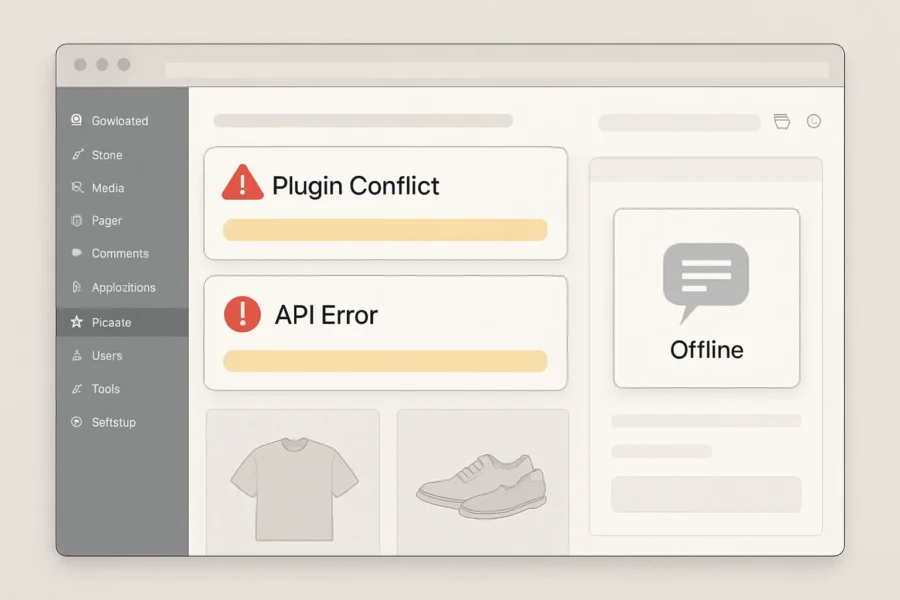
Illustrative: A small WooCommerce store updates several plugins, including its AI customer service assistant. Immediately after, customers report that the chatbot is offline. The site owner investigates the WooCommerce System Status Report and finds that the AI assistant plugin is now incompatible with the latest WooCommerce version. Reverting the update or seeking a plugin patch restores chatbot functionality, highlighting the impact of untested updates and the importance of a staging environment for plugin changes.
This scenario underlines the cascading effect a single update can have on dependent systems. In many small businesses, plugin updates may be scheduled automatically or applied without full review, increasing the risk of incompatibility. Regular backups, use of staging sites, and clear rollback procedures are recommended to limit business disruption. Documentation from plugin developers, changelogs, and community forums are key resources for identifying known issues and obtaining fixes when incompatibilities are discovered.
Checklist: Identifying and Fixing Common Issues
Check the WordPress and WooCommerce System Status Reports for plugin and API errors.
Confirm all related plugins, including the AI assistant and dependencies, are up-to-date and compatible with your current WordPress and WooCommerce versions.
Ensure API keys are valid and not expired; verify endpoint URLs match provider documentation.
Monitor API usage to avoid exceeding provider rate limits; if needed, request a quota increase from your provider.
Test all updates in a staging environment before deploying to your live site to prevent unexpected downtime.
Limit the number of overlapping AI or chat plugins to reduce the risk of conflicts.
Document any custom settings or integration steps to streamline troubleshooting and support.
Schedule regular reviews of plugin changelogs and compatibility notes prior to major updates.
Establish a backup and rollback plan for rapid recovery in case of critical failures.
Leverage community forums and official documentation to stay informed about known issues and best practices.
Comparing AI Assistant Problems: Symptoms, Causes, and Solutions
AI assistants in WordPress and WooCommerce can fail for a variety of reasons, but efficient troubleshooting requires mapping visible symptoms to their most likely causes and targeted solutions. The following table provides a clear reference for common AI assistant issues, explains how to distinguish between plugin, API, server, and user experience (UX) problems, and details the best initial steps for resolution. Understanding these distinctions is essential because similar symptoms can stem from very different sources, such as a misconfigured plugin versus an expired API key. By systematically evaluating the nature of each symptom, site owners can avoid unnecessary guesswork and reduce the time spent resolving issues. This approach also minimizes the risk of disrupting other site features during troubleshooting, especially when dealing with complex integrations like WooCommerce and third-party AI APIs. For developers and non-technical users alike, the ability to quickly pinpoint whether a problem is rooted in server performance, configuration errors, or external service dependencies helps maintain a stable and responsive user experience. The table below is designed as a practical, at-a-glance guide to streamline this process and assist both IT staff and business owners in addressing AI assistant challenges efficiently.
Common AI Assistant Issues in WordPress & WooCommerce: Symptom, Cause, and Solution Comparison
Symptom
Likely Cause
Issue Type
Initial Troubleshooting Step
AI chatbot not responding
API key missing, invalid, or expired; plugin deactivated; server connectivity issue
API / Plugin / Server
Check plugin activation status, confirm API key validity in plugin settings, and inspect server error logs
Unexpected error messages (e.g., 401, 429, 500)
Authentication failure, API rate limit exceeded, server misconfiguration
API / Server
Review the error code in detail; for 401, re-authenticate API; for 429, check API quota; for 500, review server logs
Slow performance or delayed responses
Server overload, network latency, inefficient plugin code, excessive concurrent requests
Server / Plugin
Monitor server resource usage, update plugins, and test response times on a staging site
Incorrect or irrelevant responses
Poor AI training data, misconfigured context settings, incorrect plugin setup
UX / Plugin
Review AI assistant configuration, update or retrain assistant with relevant content, and check plugin documentation
Assistant disappears from site
Theme or plugin conflict, JavaScript error, recent update incompatibility
Plugin / UX
Check browser console for errors, disable other plugins/themes one by one, and test in default theme
Duplicate or overlapping responses
Multiple AI plugins installed or shortcodes used simultaneously
Plugin
Deactivate redundant AI plugins and remove duplicate shortcodes
Product data not recognized
WooCommerce REST API integration missing or permissions error
API / Plugin
Verify REST API keys, review system status, and confirm correct permissions
Plugin update causes assistant failure
Version incompatibility, deprecated API endpoints, new dependencies
Plugin / API
Test updates on a staging environment and consult plugin changelog and compatibility notes
No response for specific user queries
Assistant context configuration too narrow or missing data source mapping
UX / Plugin
Expand context settings, re-index content, and ensure product/content mapping is complete
Frequent disconnects or session drops
Server timeout, unstable hosting environment, conflicting caching settings
Server / Plugin
Review hosting performance, adjust session settings, and exclude assistant endpoints from caching plugins
How to Use This Table for Targeted Troubleshooting
When an issue arises with your AI assistant, begin by identifying the symptom as it appears to users or admins. Match the symptom to the table to trace the most probable root cause and determine whether the issue is best addressed in plugin settings, API configuration, your server environment, or by adjusting user experience elements. This focused approach is more efficient than trial-and-error and limits site downtime.
Distinguishing Plugin, API, Server, and UX Issues
Understanding the source of a problem prevents wasted effort. Plugin issues often manifest after updates, conflicts, or when multiple AI tools overlap. API errors are usually linked to authentication failures, quota limits, or endpoint deprecation. Server issues appear as slow loading, disconnects, or errors in logs. UX problems are typically related to configuration of the assistant’s context, display, or data mapping.
Practical Recommendations for Small Business Sites
Test all major changes in a staging environment before deploying to your live site.
Use the WooCommerce System Status report and REST API logs to diagnose integration and permission issues.
Keep plugins, themes, and dependencies updated, but review changelogs for compatibility notes before updating.
Avoid installing multiple AI plugins that perform overlapping functions to reduce conflicts.
Monitor API usage and rate limits, especially with third-party providers such as OpenAI, to avoid service disruptions.
This structured approach enables faster, more confident troubleshooting of AI assistant issues in WordPress and WooCommerce environments, reducing customer friction and support overhead for small business teams.
Actionable Troubleshooting Steps for Common AI Assistant Problems
AI assistant issues in WordPress and WooCommerce often manifest as unresponsive chatbots, error messages, or broken integrations. Tackling these challenges requires a systematic, stepwise approach that distinguishes between plugin, API, and system-level problems. Applying a consistent troubleshooting workflow can prevent wasted time and minimize business disruption. Effective troubleshooting also involves clear communication with stakeholders and, when relevant, support teams—providing them with detailed logs and observations to expedite issue resolution. In addition to the steps below, consider the timing of updates and any recent changes to your environment, as issues may correlate with new deployments or configuration adjustments. Keeping your team informed and documenting procedures fosters knowledge sharing and reduces duplicated effort during future incidents.
Confirm Plugin and Extension Compatibility
Review your current AI assistant, WordPress, WooCommerce, and related plugins for compatibility. Incompatible or outdated extensions frequently cause failures. Use the WooCommerce System Status Report to identify version mismatches, unsupported PHP versions, and incomplete installations. Note any flagged issues or warnings as these may pinpoint the source of AI assistant errors. Pay special attention to minimum version requirements listed in plugin documentation, and verify that all required dependencies are installed and enabled.
Test API Credentials and Authentication
Verify all API keys and credentials for your AI provider (e.g., OpenAI). Invalid, expired, or misconfigured API settings are a primary reason for AI features failing to load or respond. Consult your provider’s integration documentation—such as the OpenAI API documentation—to confirm requirements for authentication, scopes, and supported endpoints. When troubleshooting, always check for specific error codes returned by the API, as these indicate whether the issue is with credentials, rate limits, or endpoint support. Ensure that API keys are stored securely, and avoid sharing them in logs or public channels.
Check for API Rate Limits and Quota Errors
Even if authentication succeeds, hitting rate limits or exceeding quotas can silently break AI chatbots or support tools. Identify whether your AI provider has imposed temporary limits by reviewing their quota dashboards and any returned error messages. OpenAI and similar providers supply quota and rate limit documentation; compare your site’s request volume to your current allowance. If you suspect throttling, temporarily reduce traffic or usage and retest. Also, consider setting up alerting or automated notifications for quota thresholds to proactively address usage spikes before they impact users.
Isolate Plugin Conflicts in a Staging Environment
Multiple overlapping AI plugins or extensions can interfere with each other and with WooCommerce. To isolate conflicts, deactivate all plugins except for WordPress, WooCommerce, and your chosen AI assistant in a staging environment. Gradually re-enable other plugins one by one, monitoring for the return of errors or broken functionality. This process helps pinpoint the exact plugin or theme conflict without risking your live storefront. Testing on staging allows safe experimentation with different configurations and helps ensure a smooth rollout of any fixes to production.
Update Plugins, WordPress Core, and API Keys
Outdated software is a frequent cause of technical issues. Update your AI assistant plugin, WooCommerce, WordPress core, and all associated extensions to their latest supported versions. Replace any deprecated API keys or endpoints following your provider’s migration guides. After updates, re-check all AI assistant features for stability and responsiveness. Regularly reviewing release notes can help anticipate upcoming changes that may affect your integrations.
Monitor Error Logs and Use REST API Debugging Tools
Examine your server, plugin, and WooCommerce error logs for detailed technical messages. Use REST API tools—such as those documented in the WordPress REST API Handbook—to simulate and analyze requests between your site and the AI provider. Look for patterns, such as repeated 401 (unauthorized) or 429 (rate limited) errors, which indicate persistent misconfiguration or quota issues. Logging and API trace tools can surface hidden integration problems not visible through the site’s frontend. For deeper diagnostics, enable debug mode and review network traffic to identify failed requests and their payloads.
Document All Changes and Establish a Rollback Plan
Maintain a detailed log of every change made during troubleshooting, including plugin activations, updates, and API key replacements. Documenting each step allows swift reversal if new issues arise. Before making major changes on your production site, create a full backup and test all modifications in a staging environment. For ongoing improvement and to avoid repeated downtime, establish a documented rollback and recovery procedure. For tailored update and improvement services, see the Website Updates, Improvements and New Feature Development page. Establishing a habit of thorough documentation not only aids recovery but also supports onboarding new team members and ensures compliance with organizational policies.
Key Decision Points and Prevention Tips
Always verify plugin and extension versions before troubleshooting API or server-level issues, as incompatibility is a common root cause.
Isolate plugin conflicts in a non-production environment to avoid disrupting live customer interactions or order processing.
Monitor usage and error logs continuously to catch rate limiting and authentication failures early, especially after major updates or integrations.
Establish written policies for plugin updates and API key management to reduce risk from human error or overlooked changes.
Schedule periodic reviews of your site’s integrations and dependencies to identify potential risks, and encourage proactive communication between technical and business teams to surface issues sooner.
Decision Framework: Choosing, Updating, or Replacing AI Assistants
For businesses considering a robust AI assistant integration, NextlerAI Assistant can be evaluated as a solution specifically designed for WordPress and WooCommerce.
Establishing Evaluation Criteria for AI Assistant Decisions
When troubleshooting does not resolve persistent issues with an AI assistant on WordPress or WooCommerce, an objective decision framework is essential. The following criteria help clarify when to update, escalate, or replace your AI solution to minimize business disruption and protect customer experience:
Issue Frequency and Severity: Track how often and how critically your AI assistant malfunctions. Repeated failures—such as weekly plugin conflicts, recurring API errors, or frequent downtime—signal systemic problems that quick fixes may not resolve. Documenting error logs and identifying whether issues are isolated or widespread can provide a clearer picture of root causes and urgency.
Support Quality and Responsiveness: Assess how promptly and effectively your current AI provider or plugin developer responds to support requests. Delayed or generic support increases operational risk, especially during peak business periods. Consider not only response times but also the depth of expertise shown in troubleshooting and resolution, as inadequate support often leads to prolonged outages and lost productivity.
Compatibility with Current Tech Stack: Review whether the AI assistant integrates smoothly with your current WordPress, WooCommerce, and core plugins. Persistent incompatibility after updates or reliance on unsupported API endpoints indicates a risk of future failures or security gaps. Regularly verify compatibility with major platform updates and check documentation for deprecated features or incompatibilities flagged by the developer.
Total Cost of Ownership (TCO): Calculate ongoing costs, including paid support, required third-party API usage, and time spent troubleshooting. If maintenance and update costs outweigh the benefits, replacement or consolidation may be justified. Include hidden costs such as downtime, lost sales, and staff retraining when comparing alternatives.
Expanding on these points, it is also important to establish clear performance benchmarks and success metrics for your AI assistant, such as average response time, customer satisfaction scores, and task completion rates. Setting up automated monitoring and periodic performance reviews can help you detect decline in service quality early. Additionally, keep detailed records of all incidents and resolutions to inform future decision-making and provide evidence when seeking vendor support or considering a switch.
Checklist: When to Escalate to Professional Support
Repeated plugin or API errors after all recommended updates and configuration checks.
Security warnings, unauthorized access attempts, or signs of data leakage involving your AI assistant, as flagged by WordPress plugin security standards.
Critical business functions (e.g., checkout, customer messaging) impacted or blocked by AI plugin conflicts.
API rate limit errors persist after adjusting usage or upgrading plan, especially with OpenAI or similar providers.
System Status Report or REST API diagnostics reveal unresolved integration failures or deprecated endpoints.
If any of these conditions are met, escalate to your plugin vendor, managed hosting provider, or a specialist with WordPress and AI API expertise before further on-site changes.
In addition, document all troubleshooting steps taken and collect relevant logs or screenshots. This will streamline communication with support teams and accelerate resolution. For security-related incidents, consider temporarily disabling the AI assistant or restricting access until the risk is assessed and mitigated, following best practices outlined in WordPress plugin security documentation.
Assessing Business-Critical Functionality and Customer Impact
Consider which customer interactions depend on your AI assistant. If the assistant manages key sales, support, or onboarding flows, unresolved failures can cause lost revenue or negative brand impact. Integrate regular user testing and error monitoring to detect issues before they reach customers. In cases where AI errors affect high-value customer journeys, prioritize rapid escalation or interim rollback to a stable version.
It is advisable to map out all touchpoints where the AI assistant interacts with customers, such as live chat, product recommendations, or automated order updates. Quantify the potential impact of outages—both in terms of immediate revenue loss and long-term reputation. Gathering customer feedback after incidents can help identify pain points and inform future improvements. For mission-critical operations, establish fallback procedures, such as manual support escalation or reverting to a previous plugin version, to maintain continuity while resolving AI issues.
Choosing to Update, Consolidate, or Replace
If troubleshooting and professional support do not restore reliable performance, analyze whether your current AI solution is sustainable. Multiple overlapping AI plugins often increase the chance of conflicts and higher maintenance costs. Consolidate features where possible. When selecting a replacement, prioritize:
Proven compatibility with your current WordPress and WooCommerce versions
Clear update and security policies
Transparent API usage, billing, and support commitments
Test any new solution in a staging environment, using real customer journeys and load scenarios, before deploying to production.
When reviewing replacement options, involve key stakeholders—such as customer support, sales, and IT—to ensure the new solution aligns with organizational needs. Compare available plugins by reviewing user feedback, update history, and public security disclosures. Consider the scalability of each solution, especially if your business is growing or expects increased traffic. Before finalizing your choice, create a rollback plan and back up your site to prevent data loss during migration.
Reference: Purpose-Built AI Assistants for WordPress and WooCommerce
For businesses that require a streamlined, compatible, and low-maintenance AI solution, purpose-built plugins such as NextlerAI Assistant can reduce integration risk. Such assistants are designed specifically for WordPress and WooCommerce and typically offer:
Direct integration with both content and product data
Support for leading AI providers and multilingual conversations
One-time licensing with ongoing update support
Switching to a solution aligned with your business platform and operational needs can help avoid recurring technical problems and improve customer satisfaction in the long term. Additionally, purpose-built assistants may simplify compliance with data privacy regulations and reduce the risk of plugin conflicts, as they are maintained with platform updates in mind. Always review the plugin’s roadmap and support commitments to ensure long-term viability.
Myth Versus Fact: AI Assistant Troubleshooting in WordPress
Myth 1: AI Assistants Always Work Seamlessly with Any Plugin Setup
Myth: “Once installed, an AI assistant automatically integrates with all WordPress or WooCommerce plugins.”
Fact: Real-world deployments frequently encounter compatibility problems, especially when multiple plugins interact with the same user data or site features. Plugin hooks, custom database tables, and REST API endpoints can clash unless each integration is deliberately configured and tested. According to the official WordPress Plugin Handbook, even experienced developers must account for unique site environments and plugin combinations when deploying advanced features like AI assistants. Careful attention to dependencies, update lifecycles, and explicit configuration is essential for reliable operation. Furthermore, AI assistants may rely on specific versions of plugins or WordPress core functions, making conflicts more likely when plugins modify default behaviors. Sometimes, plugins override or filter data in unexpected ways, affecting how AI-powered features interpret or display content. For example, custom checkout fields or third-party user management extensions can disrupt AI-driven chatbots or recommendation engines. Proactive troubleshooting often includes mapping out which plugins alter key workflows and confirming that the AI assistant’s integration points remain stable after updates. Consulting plugin documentation and community forums also helps identify known issues and recommended workarounds before complex problems arise.
Myth 2: AI Provider Outages Cause Most Errors
Myth: “If my AI assistant malfunctions, the problem is probably with the AI service itself.”
Fact: The majority of AI assistant failures on WordPress and WooCommerce sites are triggered locally. The most frequent causes are plugin conflicts, outdated extensions, or server misconfiguration—not provider downtime. For example, a WooCommerce plugin update may change an endpoint or alter the data structure, breaking the AI assistant’s access to product information. Similarly, local security plugins or firewalls might inadvertently block API requests. The Plugin Handbook underscores the importance of reviewing both update logs and server error reports before attributing issues to an external AI provider.
Myth 3: Troubleshooting Always Requires a Developer
Myth: “Non-technical users cannot diagnose or resolve AI assistant errors and must hire a developer.”
Fact: Many common issues can be identified—and even fixed—using built-in tools. WooCommerce’s System Status Report and WordPress’s Site Health diagnostics surface plugin conflicts, REST API failures, and outdated dependencies in a readable format. These tools provide actionable error messages and highlight misconfigurations in plugin settings or API credentials. By following a structured workflow—such as disabling plugins one by one, reviewing log files, and testing in a staging environment—site managers can resolve many issues without custom coding or external support. The official documentation provides clear guidance for interpreting these diagnostic tools and acting on their recommendations.
Myth 4: Any Plugin Update Will Fix Integration Issues
Myth: “Updating all plugins guarantees that my AI assistant will work properly.”
Fact: While keeping plugins up to date helps prevent known vulnerabilities and incompatibilities, updates can also introduce new issues if dependencies change or deprecated functions are removed. Successful troubleshooting means testing each update in a staging environment and verifying compatibility between the AI assistant, WooCommerce, and other critical plugins. It is also important to review change logs and plugin documentation to anticipate required configuration adjustments after an update.
Myth 5: Plugin Conflicts Are Always Obvious
Myth: “If a plugin is causing a problem, the error will clearly indicate which one.”
Fact: Symptoms of plugin conflicts—such as slow response times, incomplete chatbot conversations, or missing product recommendations—are often indirect. Detailed error messages may not appear in the dashboard. Effective troubleshooting involves using the System Status Report, examining server logs, and systematically isolating plugins to identify the root cause. This process is rarely automatic, but it is structured and can be managed in-house with the right workflow. Site owners should also be aware that certain issues, like intermittent AI assistant failures or degraded performance during peak traffic, may only manifest under specific conditions. Monitoring tools that track server resource usage, API response times, and user interaction logs can help detect subtle patterns linked to plugin incompatibilities. Establishing a baseline for expected AI assistant behavior and regularly reviewing deviations can make it easier to pinpoint and address hidden conflicts before they escalate.
Best Practices Moving Forward
Document all plugin updates and changes to the AI assistant’s configuration.
Test AI assistant features on a staging site before deploying changes to live environments.
Regularly use system status and health check tools to detect early signs of integration issues.
Avoid running multiple overlapping AI plugins unless they are explicitly designed to work together.
Review API rate limit documentation for each integrated provider to understand quota impacts and error patterns.
Establish a routine for backing up your site before making major plugin or AI assistant updates, enabling quick recovery from unintended conflicts.
Engage with plugin developer communities and support channels to stay informed about compatibility updates and known issues.
By replacing myths with operational facts, small business teams can troubleshoot AI assistant issues more quickly, reduce reliance on external developers, and maintain reliable WordPress and WooCommerce customer experiences. Developing a proactive approach to monitoring, documentation, and staged testing helps future-proof sites as new plugins and AI features are introduced.
Pros and Cons of AI Assistant Integration Approaches
Integrated Plugin-Based AI Assistants
WordPress and WooCommerce users can deploy AI assistants via pre-built plugins, which are designed for rapid installation and compatibility with the existing site ecosystem. These plugins leverage the WordPress plugin architecture, making them accessible for non-developers and small teams. They typically include built-in settings panels, update mechanisms, and vendor support channels.
Pros: Plugin-based AI assistants allow for fast deployment with minimal configuration. Regular updates from the plugin vendor can address compatibility with new WordPress or WooCommerce versions and resolve security issues. Vendor support means troubleshooting help is often available without in-house technical expertise. These plugins may also include user-friendly interfaces, making them suitable for teams without coding resources. Additionally, installation and removal are generally straightforward, minimizing risk to existing site functionality. Many plugins are designed to follow WordPress coding standards, which can improve stability across different site setups (WordPress Plugin Handbook).
Cons: Relying on multiple plugins can increase the risk of conflicts, especially when AI assistants interact with other plugins managing customer data, checkout, or chat functionality. According to the WordPress Plugin Handbook, plugin conflicts are a leading cause of functionality breakdowns and can be time-consuming to diagnose. Additionally, plugins may introduce security vulnerabilities if not regularly updated or if sourced from unverified vendors. Customization is often limited to the options exposed in the plugin interface, restricting advanced integrations or unique business logic. Over time, plugin bloat can slow down website performance, as each plugin may add scripts or database queries, potentially impacting user experience and SEO.
Custom API-Based AI Assistant Solutions
Some businesses opt to integrate AI assistants by directly connecting to external AI APIs, such as the OpenAI API, using custom code or middleware. This approach allows direct control over how the assistant interacts with site data, user sessions, and custom workflows.
Pros: Custom API integration enables high flexibility, allowing businesses to design unique conversational logic, access advanced AI features, and scale as needed. With direct API access, it is possible to embed the assistant into non-standard locations (e.g., custom checkout flows or support dashboards) and to orchestrate data between multiple systems. This method is favored when business requirements exceed the capabilities of off-the-shelf plugins or when strict control over data handling is needed. Custom integrations also allow for more granular security and compliance measures, which may be essential for regulated industries or organizations with specific privacy requirements (OpenAI API Platform Documentation).
Cons: API-based solutions require ongoing development and maintenance. Troubleshooting OpenAI API errors, handling rate limits, and ensuring compatibility with evolving platform APIs (per OpenAI API Platform Documentation) all demand technical expertise. Updates to WordPress or WooCommerce may necessitate custom code changes to maintain integration. Small businesses without dedicated technical staff may find the overhead prohibitive, both in terms of time and cost. Documentation and support are typically limited to the third-party API provider, rather than tailored to WordPress environments. In addition, robust monitoring and error handling systems are needed to ensure reliability, which can further increase resource requirements.
Small Business Implications: Matching Approach to Resources
For small businesses or teams with limited technical resources, the choice between plugin-based and custom API-based integration hinges on ongoing support, cost, and risk tolerance. Plugin-based solutions are generally more manageable for non-technical users, offering a lower barrier to entry and easier troubleshooting with vendor assistance. However, businesses must remain vigilant about plugin updates and compatibility, as unresolved conflicts can disrupt AI assistant functionality. Regular review of the plugin’s update history, compatibility notices, and support forums can help anticipate potential issues before they affect site performance. Backing up the website prior to major updates is also recommended to facilitate recovery from unforeseen problems.
Custom API-based integrations may deliver a competitive edge through tailored experiences, but they demand a sustained commitment to monitoring, maintenance, and troubleshooting. For many small operations, this level of investment is only justified if existing plugins cannot meet specific business requirements or if there are regulatory or data privacy demands that necessitate custom development. For organizations choosing this route, it’s important to budget for ongoing technical support, frequent testing in staging environments, and regular reviews of API documentation to stay ahead of breaking changes.
Decision Guidance
If fast deployment, minimal coding, and vendor support are priorities, plugin-based AI assistants are the practical choice—provided the plugin comes from a reputable source and is actively maintained.
If your business requires advanced customization, integration with proprietary systems, or precise control over data and workflows, and you have technical capacity, a custom API-based solution may be appropriate.
Regardless of approach, always test changes in a staging environment and monitor WooCommerce System Status and REST API logs for early detection of integration or compatibility issues.
Limitations of Current AI Assistant Troubleshooting Methods
When troubleshooting exceeds internal expertise, you can Contact us for technical support and custom troubleshooting solutions.
Recognizing Boundaries: When Troubleshooting Isn’t Enough
While structured troubleshooting workflows enable small business teams to address many routine AI assistant problems in WordPress and WooCommerce, some issues inherently exceed what end users and site administrators can resolve directly. Troubleshooting is effective for identifying plugin conflicts, API misconfigurations, and outdated dependencies, but it cannot repair problems rooted in vendor-side outages, undocumented API changes, or deep security flaws in commercial plugins.
Additionally, the complexity of modern AI integrations means that even experienced administrators may encounter scenarios where error messages are vague, logs are incomplete, or root causes are obscured by multiple interdependent systems. This lack of transparency can make diagnosis challenging and sometimes impossible without deeper access to vendor infrastructure or proprietary code. As AI technologies evolve, their reliance on external APIs and rapidly changing dependencies increases the chance that issues will fall outside the scope of user-level troubleshooting, further highlighting the need to recognize these boundaries early to avoid unnecessary downtime or disruption.
Vendor and API Support: A Necessary Escalation
Certain failures—such as persistent OpenAI API errors, unexpected rate limits that do not match dashboard settings, or broken integrations after provider updates—require escalation to plugin developers or API vendors. These scenarios typically result from changes or incidents outside your WordPress environment. Attempting to fix such problems independently can lead to wasted time or unintended data loss. Instead, focus on documenting error logs, system status outputs, and reproduction steps, then submit them to the relevant vendor’s official support channel for investigation.
Proactive communication with vendors can also expedite resolution. When submitting a support ticket, include precise timestamps, affected endpoints, and any recent system changes. Often, vendors maintain status pages or public incident logs; reviewing these resources may reveal active outages or known issues, saving time and avoiding duplicate reports. Remember that vendors may apply global fixes or require updated authentication tokens following an incident, so monitoring official updates is essential for timely recovery.
Security and Performance: Professional Assessment Required
Some of the most critical AI assistant problems relate to plugin security and site performance. According to official guidelines, plugin and API vulnerabilities, insecure credential storage, excessive permissions, and unoptimized AI queries can expose your site to attacks or degrade user experience. Addressing these risks often involves reviewing plugin code, configuring server-level protections, or updating authentication methods—tasks that should be performed by experienced WordPress professionals or security consultants. For a technical overview of common security practices and assessment criteria, refer to recognized WordPress plugin security resources.
Inadequate attention to security not only risks immediate breaches but may also result in compliance violations or reputational harm. For performance, AI-powered features may introduce significant server load, especially if queries are inefficient or not properly cached. Routine troubleshooting cannot substitute for in-depth audits of code efficiency, permission scopes, or authentication workflows. Consulting security professionals familiar with WordPress and AI integrations ensures that vulnerabilities are identified and remediated according to industry best practices. See the WordPress Plugin Security Handbook for authoritative guidance.
Advanced Data Handling and Structured Content
AI assistants that interpret business data, product catalogs, or customer queries may fail to deliver accurate results if structured content is missing or schema markup is incomplete. In such cases, troubleshooting plugin settings will not resolve the underlying data limitations. Instead, consider implementing specialized tools designed for structured data management. For example, EntitySchema Pro can help ensure consistent schema markup for products, services, and business information, improving both AI and search engine understanding. Evaluate whether your current AI assistant supports structured data or if an additional solution is needed to bridge the gap.
Lack of structured data can hinder both AI processing and search engine optimization, leading to missed opportunities for automation and discoverability. If your AI assistant routinely misinterprets catalog items or customer intents, review the underlying data structures and ensure they align with recognized schema standards. Upgrading to tools that automate schema markup or facilitate custom data modeling may provide long-term improvements that routine troubleshooting cannot achieve.
Criteria for Escalation or Alternative Solutions
Persistent, Unexplained Failures: If an AI assistant repeatedly malfunctions despite following documented troubleshooting and no updates are available, escalate to plugin or API support.
Security Incidents: Immediately consult a WordPress security specialist if you detect unauthorized access, data leakage, or plugin vulnerabilities affecting AI features.
Performance Degradation: If AI processing causes server slowdowns, increased memory usage, or downtime, schedule a professional site audit to identify and remediate resource bottlenecks.
Unsupported Business Needs: When current plugins cannot handle complex data structures or advanced content requirements, explore purpose-built tools or consider developing a custom AI integration.
Additional triggers for escalation include recurring API credential issues, plugin abandonment, or incompatibility with critical site updates. Monitoring plugin support forums and changelogs can provide early warning of emerging problems that may warrant migration to more actively maintained solutions.
Making Informed Decisions About Next Steps
Effective troubleshooting means knowing when to switch from internal problem-solving to expert intervention. Weigh the business impact, technical complexity, and available support resources before deciding to escalate or replace your AI solution. Document all troubleshooting steps and outcomes to streamline future support requests and reduce downtime. If recurring limitations are encountered, it may be more cost-effective to invest in a robust, dedicated AI assistant or consult with a WordPress development partner specializing in AI integrations.
Ultimately, balancing in-house efforts with professional support ensures business continuity and maximizes the value of your AI investments. Establishing clear escalation criteria and maintaining thorough documentation not only minimizes disruption but also accelerates resolution when outside expertise is required.
Engaging WordPress website development specialists can help remediate structural plugin issues and ensure AI assistant compatibility.
For a deeper understanding of how structured data influences AI assistant performance and search visibility, refer to the WordPress Schema Markup Guide.
To avoid common SEO mistakes that may impact both AI assistants and store visibility, consult the Ecommerce SEO for WooCommerce guide.
For those integrating AI assistants with WordPress or WooCommerce, the Microsoft Foundry documentation provides comprehensive guidance on common troubleshooting scenarios.
FAQ
What are the most common technical problems with AI assistants on WordPress and WooCommerce?
Typical technical problems include plugin conflicts—where multiple plugins attempt to use the same resources or hooks—API authentication failures, outdated plugin dependencies, and issues with unsupported or deprecated API endpoints. AI assistants also encounter errors when WordPress or WooCommerce core files are out of sync with plugin requirements, or when server configurations restrict outbound API connections essential for real-time AI responses.
How can I identify if a plugin conflict is causing AI assistant failures?
Plugin conflicts often show up as sudden loss of AI assistant functionality after updates or new plugin installations. Use the WooCommerce System Status Report to check for error messages, missing dependencies, or critical warnings. Temporarily deactivating non-essential plugins in a staging environment and re-testing the AI assistant helps pinpoint which plugin is at fault. Systematic reactivation, one at a time, can confirm the specific conflict without disrupting live site operations.
What steps should I take when my AI assistant stops responding or produces errors?
First, review error logs and system status reports for clues about failed API calls, permissions, or rate limits. Verify that your API keys are valid and have not expired. Check for recent plugin or theme changes and, if possible, roll back to a previous working configuration on a staging site. If the root cause remains unclear, enable debug mode in WordPress to capture more detailed error information before contacting the plugin or AI provider’s support team.
How do API rate limits affect AI assistant reliability?
API rate limits restrict the number of requests your AI assistant can make within a set period, which, if exceeded, leads to temporary service interruptions or delayed responses. Exceeding limits with providers like OpenAI triggers error messages or throttling. Monitor your usage dashboard provided by the API service to anticipate and adjust for peak loads, and configure your AI assistant to handle rate limit errors gracefully—such as by displaying a helpful message to users during periods of high demand.
What are the best practices to prevent future issues with AI assistants?
Maintain a regular update schedule for WordPress, WooCommerce, and all plugins, prioritizing security and compatibility fixes. Avoid using multiple AI plugins that may overlap in functionality. Always test major updates or new integrations in a staging environment to catch conflicts early. Document your configuration and dependencies, and set up monitoring for API quota usage and system health. Reviewing the WooCommerce System Status and REST API logs periodically helps spot emerging issues before they cause visible failures.
How can I minimize disruption when troubleshooting AI assistant problems?
Use a staging environment for all troubleshooting to avoid impacting live customer interactions. Implement rollback procedures so you can quickly restore a previous, stable version if new issues arise. Communicate planned maintenance or outages to your users in advance. If critical business operations rely on your AI assistant, consider redundancy—such as a fallback manual support channel—during extended troubleshooting or migration.
When should I escalate AI assistant issues to professional support?
Escalate when you encounter unresolved API errors, persistent plugin conflicts that cannot be isolated, or security warnings flagged by WooCommerce or WordPress. If troubleshooting in staging does not restore full functionality, or if the AI assistant is business-critical and downtime persists beyond your tolerance threshold, seek specialized help from your AI provider or a WordPress development expert. Provide detailed logs and a summary of steps already taken to speed up resolution.
Conclusion
Addressing AI assistant issues in WordPress and WooCommerce requires more than quick fixes—it demands a systematic approach aligned with your business’s operational priorities. Once you have identified the technical root cause, the next step is to create a repeatable incident response plan tailored to your environment. Document the diagnostic steps that led to resolution, including plugin versions, API credentials, and any system status anomalies, so future issues can be resolved faster and with less disruption.
For ongoing reliability, assign responsibility for regular plugin and API reviews to a team member or service provider, and schedule routine staging environment tests before deploying changes to your live site. This not only prevents recurrence of plugin conflicts and API quota errors, but also ensures business continuity during updates and integrations. By maintaining a clear change log and periodic system status exports, you create an audit trail that simplifies future troubleshooting and supports informed decision-making if you need to escalate to vendors or consider replacement solutions.
Beyond these technical measures, fostering a culture of continuous improvement around your AI integration is crucial. Encourage your team to stay informed about the latest updates and best practices in both WordPress and AI technologies. Regularly review user feedback and analytics to identify recurring pain points or opportunities for enhancement. This ongoing evaluation can reveal subtle issues that automated monitoring might miss, such as shifts in customer behavior or evolving plugin compatibility requirements. Proactively updating your documentation and training materials ensures all stakeholders understand the AI assistant’s capabilities and limitations, which helps manage expectations and reduces the learning curve for new team members.
Finally, if your team lacks the technical capacity to implement and maintain these workflows internally, consider partnering with a WordPress development provider experienced in AI support and troubleshooting. You can request a tailored support or troubleshooting quote to address your specific requirements and minimize disruption to your online store’s customer experience. This proactive approach not only resolves immediate problems but also lays the groundwork for scalable, future-proof AI assistant integration in your WordPress and WooCommerce environment.
Introduction
AI multilingual customer service for small businesses is changing how companies handle customer questions and support, no matter what language their customers speak. With the right multilingual AI assistant, small businesses can respond instantly in multiple languages, extend their reach, and reduce the workload on human staff—without sacrificing responsiveness or clarity. The growing availability of AI tools means that even businesses with limited resources can now offer consistent, 24/7 support to non-English-speaking customers, helping to improve satisfaction and build loyalty in today’s competitive environment.
This guide is designed for small business owners and managers who want to understand how AI-powered multilingual support works, what it can and cannot do, and how to make it a real asset for their team. You will learn how AI assistants process and answer customer questions in different languages, how various solution types compare, and what steps are needed for setup, from choosing a platform to ensuring language accuracy. We address both the technical basics and the human elements—such as adapting responses to cultural nuances and ensuring the AI aligns with your company’s tone of voice.
By reading on, you will gain a clear framework to evaluate multilingual AI support options, spot potential pitfalls, and avoid common mistakes that lead to poor customer experiences. This article also lays out actionable steps for integrating an AI chatbot for multilingual service into your existing customer support—whether you run a local shop, an online store, or a service business looking to better serve a diverse audience. The guide also covers practical considerations like ongoing maintenance, user feedback, and measuring the impact of AI integration on customer satisfaction.
Our approach avoids hype and generic promises, focusing instead on real-world limitations, practical fixes, and expert cautions relevant to small business realities. By the end, you will have the knowledge needed to compare solutions and confidently plan your own AI customer service setup.
How AI Assistants Enable Multilingual Customer Service
Key Terms for Understanding Multilingual AI Customer Support
AI Assistant: A software solution powered by artificial intelligence that automates tasks such as customer queries, information delivery, and support workflows.
Multilingual Chatbot: A conversational AI tool capable of interacting with users in two or more languages within the same interface.
Machine Translation: Automated technology, often based on neural networks, that translates text or speech from one language to another with minimal human input.
Language Model: An AI system trained on large datasets to understand, generate, and interpret human language, enabling nuanced responses in multiple tongues.
Mechanisms for Multilingual AI Customer Support
AI multilingual customer service for small business relies on a combination of natural language processing (NLP) and machine translation. NLP enables the AI assistant to understand the intent, context, and meaning of customer messages. Machine translation bridges language gaps by converting queries and responses between supported languages. This allows businesses to serve customers in their preferred language, even if staff are only fluent in one or two languages.
Three Approaches to Multilingual Support
Translation-Layer Bots: These use a real-time translation step between the customer and the AI’s main processing logic. The assistant receives the customer’s message, translates it to its native language for processing, generates a reply, then translates the reply back to the customer’s language before delivery. This approach is quick to set up and leverages the strengths of mature translation engines but may introduce errors or lose tone-specific nuances.
Native Multilingual Language Models: Some newer AI models are trained natively on data from multiple languages. This allows the assistant to process, understand, and respond directly in the customer’s language, often preserving context and subtle meaning better than translation-layer systems. However, the quality depends on how well the model was trained across the specific languages your customers use.
Rule-Based Systems: These rely on manually programmed language rules and scripts for each supported language. While highly controllable for simple queries, they require significant ongoing work to maintain and expand, and typically cannot handle complex or open-ended conversations as well as model-based systems.
Relevance and Benefits for Small Businesses
For small businesses, deploying an AI chatbot for multilingual service can be transformative. Without hiring staff fluent in every customer language, businesses can automate first-line support, FAQ responses, and even sales conversations. This opens new markets and improves satisfaction for non-native speakers. For example, a WordPress or WooCommerce shop can add a multilingual AI assistant—such as NextlerAI Assistant—to provide 24/7 support in visitors’ languages, relying on website content and product data as a knowledge base.
Implementation Considerations
Language Coverage: Choose a platform or AI provider that supports all customer languages relevant to your business. Not all models or translation services have equal performance across languages.
Integration: Ensure the assistant can access your business knowledge base, such as website FAQs, service descriptions, and product details. For WordPress and WooCommerce, integration with site content is crucial for accurate, up-to-date responses.
Fallback and Escalation: Set rules for when the assistant should escalate complex, sensitive, or unsupported queries to a human agent. This prevents misunderstandings and maintains service quality.
Quality Control: Regularly review conversation logs in all supported languages for translation errors, context loss, or inappropriate responses. Adjust the AI’s training data or translation engine as needed.
Common Mistakes and How to Avoid Them
Assuming all AI assistants handle every language equally well—always test languages critical to your customers.
Neglecting to update the assistant’s knowledge base, leading to outdated or inaccurate answers in all languages.
Failing to configure fallback rules, resulting in poor experiences when the AI cannot understand a query.
Expert Caution
While multilingual support automation can dramatically improve reach and responsiveness, overreliance on automation may lead to missed cultural nuances or privacy issues. Human oversight, moderation, and regular updates are essential to maintain service quality and compliance as your business grows.
Comparison Table: Multilingual AI Assistant Solutions
NextlerAI Assistant is an example of a WordPress-compatible AI assistant supporting multilingual conversations for small business websites.
Choosing the right AI multilingual customer service small business solution depends on more than just language coverage. The underlying technology shapes how the assistant integrates, how much control you retain over data, the quality of answers, and the practical effort required for setup and ongoing support. The table below compares three main types of multilingual AI assistants, with a real example of a WordPress-compatible assistant tailored for small businesses.
Comparison of Multilingual AI Assistant Solution Types for Small Businesses
Type
Language Coverage
Integration
Data Privacy
Ease of Setup
Ongoing Costs
Support Options
Example
Translation-Layer Bots
Supports many languages via real-time translation. May struggle with less common languages or dialects. Quality depends on translation engine.
Typically integrates with existing chat or helpdesk tools. Connects to a single-language AI and adds a translation step before/after processing queries.
User queries and responses routed through third-party translation services; data may be processed outside your control unless self-hosted options are used.
Setup requires connecting both the chatbot and translation APIs. Moderate technical effort, especially for accurate fallback rules.
Translation API usage adds ongoing variable costs. Requires monitoring for translation accuracy.
Usually community support or vendor support for each integration layer separately.
Custom setups combining AI chat and translation plugins for WordPress, Zendesk, or other platforms.
Native Multilingual Models
Processes queries and generates answers directly in multiple languages. Coverage depends on the model (e.g., OpenAI GPT, Google Gemini). High quality in supported languages, but uneven for niche or regional languages.
Integrates with websites or support tools via plugin or API. Typically requires a connection to a cloud AI provider.
Data sent to external AI providers. Privacy depends on provider policies. Some models allow fine-tuned privacy controls, but small businesses must review terms carefully.
Many plugins offer quick setup, especially for WordPress. Main effort is configuring which languages to enable and training the model on business data.
Ongoing AI API usage fees. No extra translation cost if the model is fully multilingual.
Plugin or cloud provider may offer documentation and user forums; commercial options may include basic support channels.
NextlerAI Assistant for WordPress & WooCommerce
Hybrid Approaches
Combines multilingual models with translation fallback for unsupported languages. Expands coverage but may introduce context loss for less common languages.
Integration is more complex, often requiring layered plugins or middleware to handle both native and fallback scenarios.
Data processed by multiple providers. Privacy controls are harder to manage and require careful review of each component’s policies.
Most complex to set up, as it involves configuring triggers for when to switch between native and translation-based processing. Requires testing across all supported languages.
Incurs both AI and translation API costs, plus ongoing support for updates and bug fixes.
Support often fragmented between plugin vendors, translation providers, and AI model platforms.
Custom enterprise setups or advanced open-source projects; not typical for off-the-shelf small business use.
Key Decision Points for Small Business Owners
Language Coverage: If your customer base spans languages not natively supported by leading AI models, a hybrid or translation-layer solution may be required—but prepare for higher complexity and potential accuracy trade-offs.
Integration: For WordPress, native multilingual plugins (such as NextlerAI Assistant) can minimize setup friction. For other platforms, review plugin compatibility and support for your preferred languages.
Data Privacy: Every solution requires sending customer queries to external providers unless you self-host both the AI and translation layers. Review data processing agreements and ensure compliance with your jurisdiction’s regulations.
Ongoing Maintenance: Translation accuracy and AI model updates require periodic review. Assign responsibility for monitoring and updating language packs, fallback rules, and data privacy settings.
Visualizing the Comparison
When evaluating an AI chatbot for multilingual service, small businesses should balance ease of setup, language needs, and control over customer data. While native multilingual solutions like NextlerAI Assistant offer streamlined deployment for WordPress and WooCommerce, hybrid or translation-layer bots may suit businesses with unique language demands or existing helpdesk infrastructure. However, these approaches typically involve more complex setup and monitoring requirements.
Benefits for Small Businesses Serving Diverse Audiences
Strong multilingual support often increases lead quality and engagement, so pairing it with website conversion optimization best practices can further improve results.
Pros: How Multilingual AI Assistants Give Small Businesses an Edge
Round-the-clock, Multilingual Responsiveness: AI multilingual customer service for small business operations offers 24/7 availability in multiple languages. This enables even microbusinesses to handle after-hours queries from non-English speakers without the cost or logistical complexity of staffing late shifts or maintaining a multilingual workforce. For example, a WordPress site with an AI chatbot for multilingual service ensures no customer is left waiting for a response due to language barriers or time zones.
Accessibility and Inclusivity for All Customers: Multilingual AI assistants make it possible to serve customers who may not be fluent in English or who prefer to communicate in their native language. This directly addresses a segment often underserved by traditional support, reducing friction and making your business more approachable to international visitors, recent immigrants, or local communities with diverse language needs.
Cost-Effective Scalability: The cost of hiring, training, and managing human agents for each required language can quickly exceed small business budgets. AI-powered multilingual support automation incurs a one-time setup and predictable ongoing costs. As your customer base diversifies, scaling up to add new languages is typically a matter of configuration, not recruitment, so you can respond flexibly to changing demographics or market expansion.
Seamless Integration with Existing Workflows: Solutions like the NextlerAI Assistant for WordPress & WooCommerce integrate native multilingual capabilities directly into your site. This lets you automate routine customer support in multiple languages without needing separate chat platforms or duplicate content for each language, reducing operational complexity and maintenance.
Consistent Knowledge Base Across Languages: AI assistants draw from the same underlying product and service data, ensuring that answers are consistent regardless of the customer’s language. This minimizes the risk of conflicting information that can occur when human agents interpret or translate answers differently.
Cons: Practical Limitations and Risks to Manage
Potential for Translation or Context Errors: Even advanced AI language models may misinterpret ambiguous queries or struggle with idiomatic expressions, especially in less common languages. This can lead to misunderstandings or unsatisfactory answers that may not be immediately obvious to monolingual staff. Regular review of multilingual conversation logs and targeted updates to training data can help mitigate these risks.
Limited Empathy and Nuance: AI chatbots for multilingual service may respond quickly, but they cannot replicate a human agent’s ability to detect emotional tone or adjust responses to sensitive situations. For issues involving complaints, confusion, or distress, a clear handoff protocol to human support is essential.
Privacy and Data Handling Concerns: Handling customer data in multiple languages raises privacy and compliance issues, especially if third-party translation services or external AI providers process conversations. Small business customer support AI setups should regularly review provider privacy policies and consider where customer data is stored and who can access it, particularly when using cloud-based tools.
Ongoing Maintenance Requirements: As your business evolves, products change, or new regulations arise, the AI’s multilingual responses and knowledge base must be updated. Failing to maintain language coverage or update content in all supported languages can lead to outdated or incorrect information being distributed.
Balancing Automation With Human Oversight
For small businesses, maximizing the benefits of multilingual support automation means not treating AI as a set-and-forget solution. Schedule regular multilingual transcript reviews, establish fallback rules for complex or sensitive queries, and ensure updates to your product or service information are reflected in every supported language. This balanced approach helps maintain trust, accuracy, and accessibility as your audience grows more diverse.
Actionable How-To Steps: Setting Up Multilingual AI Chat
Read more about automation and AI solutions for business process improvement in the Automation & AI section.
Small businesses ready to implement multilingual AI chat must move beyond general advice and address the real-world challenges unique to their audience, website, and support process. The following step-by-step process is designed to help you select, configure, and launch an AI-powered multilingual assistant tailored to your operations and customer base.
Identify Priority Customer Languages
Audit recent support chats, emails, and contact forms to pinpoint which languages your customers actually use. Combine this with website analytics and market data to avoid overextending your setup. Focus first on languages with the highest inquiry volume or strategic value, as each additional language increases maintenance demands and testing needs.
Select an AI Assistant Platform Suited to Your Stack
Choose a platform that fits your technical environment and business scale. For WordPress sites, consider solutions such as NextlerAI Assistant, which leverages your website and WooCommerce data for multilingual chat. SaaS options may provide broader integration, but require close review of language model coverage, privacy terms, and ongoing costs. Confirm native support for all required languages—some platforms rely on machine translation layers, while others use multilingual models trained on your target languages.
Integrate the AI Chat Assistant with Your Website or Channels
Follow the platform’s integration guide for your website CMS, ecommerce platform, or messaging channels. For WordPress, plugin-based assistants may only require API key configuration and content indexing. For SaaS or custom solutions, you may need to embed chat widgets or connect via API. If your business lacks in-house technical expertise, budget for a developer or certified partner to prevent setup errors and security gaps.
Configure Language Detection, Fallbacks, and Escalation Rules
Set up automatic language detection so the assistant greets users and answers in their preferred language when possible. Define fallback responses for unsupported languages or ambiguous queries—these should redirect users to human support or a clear help resource, rather than giving generic error messages. Establish escalation rules so unresolved or sensitive issues are promptly flagged for manual intervention, reducing the risk of miscommunication or customer frustration.
Test Extensively with Real Questions in Every Target Language
Recruit native speakers or use real historic inquiries to test the assistant’s performance in every supported language. Evaluate not just translation accuracy, but the assistant’s ability to handle local phrasing, context, and intent. Document misunderstandings or recurring errors, and adjust training data, prompt settings, or fallback rules as needed. Prioritize tests for high-traffic pages and key customer journeys, such as pre-sales questions and checkout support.
Train Staff for AI Oversight and Intervention
Educate your support team on how the multilingual AI assistant works, its limitations, and the process for taking over chats when automation falls short. Create clear protocols for monitoring flagged conversations, correcting errors, and updating AI training data. Encourage staff to log edge cases so future improvements are driven by real customer experience, not assumptions.
Schedule Regular Reviews and Language Updates
Multilingual customer needs change over time. Set a calendar reminder every quarter to review inquiry logs, language coverage, and assistant accuracy. Update content, product data, and fallback responses as your business evolves. If expanding into new markets, add languages incrementally, and repeat the testing and staff training process for each addition.
Practical Tip: Monitor for Context Loss and Ambiguous Queries
Machine translation and large language models can struggle with idioms, technical jargon, or context-specific requests. Use analytics from your assistant platform to identify where conversations break down, and regularly update prompts or escalation rules to minimize these risks.
Related Resource
For more on automating and improving customer support processes, see Automation & AI.
Illustrative Scenario: Implementing Multilingual AI Chat in a Small Business
Integrating multilingual chat with local SEO for WordPress websites helps ensure customers find support in their preferred language.
Background: A Retailer Facing Language Diversity
Imagine a mid-sized retail shop based in Tallinn. Their team receives daily website inquiries in Estonian, Russian, and English. While staff can handle each language, peak season brings delays and risks inconsistent answers. Hiring multilingual staff for all shifts is not practical due to budget limits and uneven inquiry volume. Serving a linguistically diverse customer base is vital for maintaining competitiveness, but traditional approaches to multilingual support often strain resources.
Decision to Add Multilingual AI Chat
After reviewing repeated questions—such as opening hours, delivery areas, and product availability—the manager identifies that over 70% of queries follow similar patterns. The business chooses to implement a multilingual AI assistant on its WordPress site, selecting a solution capable of handling Estonian, Russian, and English without requiring separate content for each language. This approach not only streamlines content management but also minimizes the risk of outdated or inconsistent information across languages. The manager considers compatibility with existing systems and the ability to expand to additional languages in the future.
Integration steps: The business installs an AI chatbot plugin that works with WordPress and WooCommerce, connects it to their existing FAQ and product database, and configures fallback rules to transfer complex conversations to human staff. Integration also includes customizing the chatbot’s greeting messages and ensuring privacy compliance for user data.
Language configuration: The assistant is set to automatically detect and switch languages based on the visitor’s browser or input, ensuring that Estonian, Russian, and English speakers receive relevant responses without manual selection. The team tests the language detection feature to confirm smooth user experience and tweaks response templates based on feedback.
How the Multilingual AI Assistant Handles Customer Queries
When a customer visits the online store, the AI chatbot greets them in their preferred language. If a question is asked in Russian, the assistant draws from the business’s Russian-language resources or applies real-time translation to provide an answer. For English and Estonian, it uses the corresponding content. For questions about order tracking, return policies, or product compatibility, the AI cross-references current inventory and support documents. The assistant can also clarify ambiguous requests by asking follow-up questions in the user’s language, reducing misunderstanding and unnecessary handovers.
If the AI detects an uncommon or sensitive issue—such as a complaint about a defective product—it triggers a handover to a staff member, providing an English summary of the conversation so the human agent can pick up without language barriers or repeated questions. This process maintains continuity and reduces friction for both the customer and staff. The assistant logs chat histories securely, enabling the business to review and refine responses over time.
Results: Improved Responsiveness Without More Staff
After launch, the business notices that customer wait times for basic questions drop substantially. While the AI handles routine topics in all three languages, staff can focus on complex cases or sales opportunities that require human judgment. The solution does not eliminate the need for multilingual staff, but it reduces after-hours workload and helps ensure that answers remain consistent, even as products and policies change. Customer feedback indicates greater satisfaction with response speed and clarity, particularly among users interacting in Russian, who previously experienced longer wait times.
Key Implementation Takeaways
The AI chatbot is only as effective as the resources and rules it is given; regular updates to FAQs and handoff processes are essential.
Testing in each supported language is required to catch translation errors or ambiguous instructions, especially for less common queries.
Staff remain involved for policy changes, feedback, and escalation, ensuring quality and mitigating misunderstandings from automated translations.
Ongoing analytics from chatbot interactions can reveal emerging customer concerns and inform future improvements to service and content.
This scenario illustrates how a small business can use a multilingual AI assistant to improve customer service for a diverse audience, without relying solely on human support or generic automation. It demonstrates the practical value of thoughtful integration, clear escalation paths, and ongoing oversight in real-world operations.
Common Mistakes in AI Multilingual Customer Service (and How to Fix Them)
Reviewing AI prompts for customer support can help small businesses refine multilingual chatbot responses and minimize misunderstandings.
Overreliance on Default Machine Translation
Small businesses often deploy a multilingual AI assistant and assume out-of-the-box translation is sufficient for all customer interactions. However, default machine translation can misinterpret industry terms, local idioms, or subtle context, especially when sourced from generic language models. These errors may lead to confusion, incorrect answers, or even reputational risks if sensitive topics are mishandled. Furthermore, automated translations may fail to capture the tone and formality appropriate for different cultures, potentially leading to unintended offense or diminished customer trust. In regulated industries, mistranslations can introduce compliance risks if legal or safety information is not conveyed with absolute precision. For companies expanding into new markets, even minor translation mistakes may signal a lack of commitment to local customers.
How to Fix
Identify business-critical queries—such as refund requests, legal disclaimers, or medical information—and require human review for those answers in each supported language.
Configure your multilingual AI assistant to fall back to human agents for ambiguous or high-stakes questions, instead of relying solely on automated responses.
Work with translators or localization experts to customize responses for specific markets, ensuring that translations reflect local usage and expectations.
Maintain a glossary of essential terms and brand-specific language in every supported language to ensure consistent, accurate translations across all interactions.
Inadequate Language Testing Across Supported Markets
Another frequent issue is launching a small business customer support AI in multiple languages without actually testing the assistant’s replies in each one. This can result in broken grammar, missing context, or technical jargon that makes sense in one language but not another. Businesses may not discover these issues until customers complain or disengage. Additionally, literal translations sometimes overlook cultural nuances or regional variations in vocabulary, making interactions feel unnatural. Inconsistent language quality can damage a brand’s reputation and reduce trust among non-native customers.
How to Fix
Run regular language audits using real customer queries in each target language. Include native speakers or professional reviewers in the process.
Test for accuracy, tone, and business-specific terminology, not just grammatical correctness.
Develop test scenarios that simulate real user journeys, including slang, abbreviations, and region-specific phrasing.
Collect and act on customer feedback in every language to continuously improve AI responses and service quality.
Unclear Escalation Paths for Sensitive or Unresolved Queries
AI chatbots for multilingual service can misinterpret nuanced or sensitive questions, such as complaints or complex service requests. If escalation rules are missing or poorly defined, customers may be left with unresolved issues and no way to reach a human. Unclear escalation can also lead to increased frustration if users feel trapped in an automated loop, especially when their concerns require empathy or nuanced decision-making. This gap can result in lost customers or negative reviews, particularly in situations involving billing errors, urgent requests, or policy disputes.
How to Fix
Establish clear triggers for escalation—such as negative sentiment, repeated questions, or specific keywords—and publish these rules internally for staff reference.
Ensure the AI assistant provides a visible, simple option to contact a human agent or request a callback in every supported language.
Monitor escalation frequency and patterns to identify gaps in automated responses and refine AI training accordingly.
Train staff to handle escalated cases consistently across all languages, ensuring no loss of information or context during handover.
Overlooking Privacy and Data Protection in Multilingual Contexts
Multilingual support automation sometimes collects personal data in several languages, but privacy policies and consent forms are only provided in the main language. This can create compliance gaps and erode customer trust, especially for EU-based businesses where GDPR requires clear, accessible information for all users. If customers cannot understand how their data is used or what rights they have, they may be less willing to engage or may file complaints. Data handling requirements and expectations also vary by country, so a one-size-fits-all approach can leave businesses exposed to regulatory penalties or reputational damage.
How to Fix
Translate privacy notices, consent requests, and data handling explanations into every supported language.
Regularly review your AI customer service setup to ensure data storage, access, and sharing practices match published policies across all languages.
Consult legal counsel or data protection experts with knowledge of local regulations to verify compliance in every market you serve.
Make it easy for customers to access, modify, or delete their data in their preferred language, supporting transparency and trust.
Establishing Ongoing Quality Control
Even with a robust setup, AI-driven multilingual support needs continuous monitoring. Language models and customer expectations both evolve. Without scheduled reviews, new errors or outdated information can persist unnoticed. Monitoring is also important as product offerings, promotions, and policies change over time. If quality control lapses, outdated or incorrect answers may undermine the customer experience and impact repeat business. Proactive management ensures your AI remains accurate, relevant, and aligned with your brand voice in every language.
How to Fix
Schedule recurring multilingual audits and update workflows to involve both technical and non-technical staff.
Document fixes and knowledge gaps so future AI training and staff onboarding address real-world issues, not just theoretical risks.
Utilize analytics to track customer satisfaction, query resolution rates, and language-specific trends over time.
Foster a feedback culture where staff and customers can report issues or suggest improvements in any supported language.
Limitations and Risks of AI Multilingual Customer Support
Translation Accuracy: Domain-Specific and Nuanced Queries
While multilingual AI assistants can process everyday questions in many languages, they frequently struggle with domain-specific terminology and subtle nuances. For example, technical support, legal compliance, or medical product queries often use specialized vocabulary that generic language models may mistranslate or oversimplify. This risk increases with jargon, abbreviations, or context-specific meanings. Businesses serving regulated industries should ensure that critical topics are flagged for human review, and that AI training data includes representative, domain-relevant content. Additionally, real-time updates to terminology and close collaboration with subject matter experts can improve translation reliability. Organizations should consider supplementing AI with glossaries or translation memories tailored to their unique products and services, further reducing the likelihood of miscommunication or costly errors.
Language Support Gaps and Uneven Accuracy
Not all languages are equally supported by AI platforms. Widely spoken languages such as English, Spanish, and French tend to have higher translation quality, while less common or low-resource languages may be unsupported or processed with lower accuracy. Some AI chatbots only cover a limited set of languages, and the quality of machine translation can degrade sharply with regional dialects or rare language pairs. Small businesses should verify the exact languages supported by their chosen platform and perform real-world testing with native speakers before launch. It is also important to regularly monitor updates from AI vendors, as language coverage and translation fidelity can change with new releases, potentially affecting service consistency for global customers.
Limits Detecting Emotional Tone and Cultural Context
AI is improving at recognizing basic sentiment, but it remains unreliable at detecting complex emotional tone, sarcasm, or cultural references—especially across languages. Automated replies may miss underlying frustration, urgency, or subtle cues, leading to responses that seem polite but fail to address the customer’s real concern. This can undermine trust or escalate simple issues. For sensitive topics, escalation to a trained human agent should be automatic based on rules, keywords, or customer signals. Companies should also ensure that cultural training is integrated into their AI models where possible, and establish clear guidelines for when human intervention is required to maintain customer satisfaction and brand reputation.
Heightened Compliance and Privacy Risks
Automated language processing introduces additional compliance and privacy considerations. For example, customer data processed through third-party AI services may cross borders, triggering GDPR or similar regulatory obligations. Businesses deploying multilingual AI chat must clarify which party (the business as controller, the AI provider as processor) is responsible for data handling and ensure explicit consent and secure data transfer are in place. Multilingual privacy notices and data retention policies should match the languages offered by the support system. Ongoing review of contractual agreements with AI vendors and regular data protection impact assessments can help organizations stay ahead of evolving legal requirements and avoid unintentional breaches.
AI Cannot Replace Human Judgment for Complex or Regulated Matters
Even the most advanced AI multilingual customer service systems cannot fully replace human expertise in complex, sensitive, or regulated scenarios. AI can misinterpret context, provide incomplete answers, or make inappropriate suggestions when rules, ethics, or local regulations are involved. Businesses should implement clear escalation triggers—such as the mention of legal, health, financial, or safety issues—to route these queries to qualified staff. Regular auditing of AI conversations helps identify when automation falls short and where human oversight is essential. Training frontline staff to recognize when to intervene and maintaining open channels for customer feedback are also crucial safeguards.
Practical Steps to Minimize Limitation Impact
Expand AI training with real customer transcripts and domain-specific content for all languages supported.
Set up human fallback for flagged topics, edge cases, and customer dissatisfaction signals.
Maintain an up-to-date list of supported languages and test new releases with native speakers.
Review and localize privacy notices and escalation policies for each language offered.
Monitor AI outputs for inappropriate, incomplete, or culturally insensitive translations.
Encourage ongoing feedback from both customers and support staff to identify recurring issues and guide future improvements.
Collaborate with language and compliance experts to refine processes and update guidelines as regulations and customer needs evolve.
Expert Caution: What Business Owners Should Watch For
Continuous Oversight: No “Set and Forget” for Sensitive Interactions
AI multilingual customer service for small business cannot run unattended, especially on topics involving legal, financial, or health information. Small changes in question phrasing or language context can lead to misunderstandings or inappropriate answers. Establish a routine to review conversation logs in all supported languages, focusing on edge cases and escalations. Assign responsibility for regular monitoring to a named team member who can identify patterns of error or unintended outputs before they impact customers or compliance. Additionally, create a feedback loop with your frontline staff and customers to report potential issues, which can help you spot emerging risks more quickly. Consider leveraging analytics tools to flag anomalies in conversation sentiment or unusual inquiry patterns, allowing proactive intervention. This process is especially important when introducing new product lines, policy updates, or expanding to new markets, as AI systems may struggle to adapt without human review.
Data Protection: Legal and Practical Controls for Multilingual Processing
When using a multilingual AI assistant, all customer data processed—including chat logs and translated content—can be subject to privacy regulations. In the EU, the General Data Protection Regulation (GDPR) imposes specific obligations: businesses deploying AI on their own website are typically the controller, while AI plugin or service providers may act as processors. Ensure your chosen AI customer service setup allows for data minimization, clear retention policies, and user access rights. If integrating with external AI APIs, confirm they process data within compliant jurisdictions and offer a Data Processing Agreement (DPA). Always provide multilingual privacy notices reflecting the actual data flows and processing locations. It is also advisable to periodically review your vendors’ compliance certifications and audit logs, ensuring that any sub-processors or third parties involved in translation or AI services maintain stringent security practices. Small businesses should consider consulting with a data protection officer or legal advisor to align their multilingual AI deployment with sector-specific legal requirements.
Human Escalation: Clear Triggers and Documented Handover
Even advanced AI chatbots for multilingual service will encounter ambiguous, emotional, or high-stakes queries they cannot resolve. Define explicit triggers for escalation—such as repeated misunderstandings, requests for account changes, or legal complaints. Make sure every language version of your support automation includes a visible, simple way to reach a human agent. Document the handover process so staff know how to pick up context from AI conversations and respond appropriately, reducing frustration for customers switching from bot to person. Train your human support staff on how to interpret AI-provided summaries and conversation histories to minimize repeated questions and ensure a smooth customer experience. Clearly communicate escalation policies in all supported languages so customers know what to expect if their issue requires human attention.
Bias, Drift, and Quality: Scheduled Data and Response Audits
Language models and translation systems can develop bias or lose accuracy as business information, user queries, and supported languages evolve. Schedule periodic reviews—at least quarterly—of training data and AI outputs. For each supported language, test the assistant with new customer scenarios, paying close attention to tone, appropriateness, and local norms. Update your training data to include recent FAQs, policy changes, and examples of both successful and problematic interactions. Involve staff with language expertise to catch subtle errors that automated QA may miss. Set benchmarks for acceptable error rates and review metrics such as customer satisfaction scores and resolution times in each language. This helps identify where further retraining or improvements are needed, ensuring your AI remains accurate and culturally sensitive across diverse audiences.
Practical Checklist for Ongoing Risk Control
Assign a monitoring lead to review logs and flagged cases weekly.
Map and document all data flows involving customer input, language processing, and storage.
Test escalation and human handoff paths monthly in each major supported language.
Audit AI responses for bias, outdated information, and compliance with current policies every quarter.
Ensure privacy notices and consent mechanisms accurately reflect your multilingual AI setup.
Establish a feedback process for staff and customers to report suspected errors or unclear translations, and act promptly on this input.
Regularly update escalation and data protection procedures as your business, technology, or regulations change.
By treating AI multilingual customer service for small business as an evolving process—with clear controls, accountable staff, and regular quality checks—you reduce the risk of costly missteps and maintain trust with diverse audiences.
Key Takeaways: Choosing and Using AI Multilingual Customer Service
Set Up for Success: Align Technology With Real Needs
AI multilingual customer service for small businesses offers the potential to reach new audiences and operate at lower cost, but results depend on fit and discipline. Instead of rushing to automate, assess where language barriers actually impact your customer journey and map them to your support channels, product types, and compliance context. Focus on solutions that support your top customer languages—not just the largest global set. Prioritize providers with transparent privacy controls and clear integration paths with your existing website, CRM, or e-commerce stack. Consider how language preferences may vary by region, product line, or customer segment. Engaging with customers in their preferred language can improve satisfaction, reduce misunderstandings, and increase conversion rates. Before investing, involve staff who regularly interact with customers to identify pain points and opportunities for AI support. Evaluate the readiness of your current workflows and data to support multilingual automation, and consider the training or onboarding requirements for your team.
Integration and Language Coverage: The Right Match Matters
Not all multilingual AI assistants are created equal. Rule-based systems may excel in highly structured queries but struggle with nuance. Translation-layer bots can quickly expand language coverage, but may introduce errors in complex or domain-specific topics. Native-language models offer better fluency, but require more careful data selection and often more advanced integration. For WordPress or WooCommerce, solutions like NextlerAI Assistant can reduce technical barriers, but always verify your most common customer languages are fully supported and test actual conversation flows from real customer scenarios. Also assess the platform’s ability to handle mixed-language inputs and its responsiveness to regional dialects or slang. Integration quality affects not just ease of setup but also how smoothly the AI assistant can access relevant data, personalize responses, and maintain consistency with your overall brand voice. Choose tools that offer robust documentation, support, and flexibility for future language expansion.
Testing, Monitoring, and Continuous Improvement
AI customer support is not a set-and-forget solution. After launch, schedule regular reviews of AI-generated responses in every supported language. Use real customer queries as test prompts and track escalation rates for each language. Update your assistant’s knowledge base as product details, policies, or FAQs change. Assign a staff member to own quality assurance and document recurring issues or gaps. Routinely review access logs and privacy compliance features—especially if your business operates in regulated sectors or serves customers in the EU or UK. Analyze feedback from customers to identify new language needs or recurring misunderstandings. Leverage analytics to understand patterns in AI performance, such as average response times or customer satisfaction by language. Continuous monitoring helps maintain accuracy and reveals when retraining or additional human support is needed to address evolving business requirements.
Human Oversight: Automation With Safeguards
Even advanced multilingual AI assistants require a clear handoff policy for complex, sensitive, or ambiguous queries. Define explicit triggers for human escalation (e.g. repeated failed answers, detected customer frustration, or legal questions). Train staff to review AI conversations in all supported languages, not just your primary one, and ensure privacy policies are localized and aligned with actual processing. Automation should free up staff for higher-value work, but never fully replace human judgement in edge cases or customer complaints. Establish clear accountability for handling escalations and document procedures for post-escalation follow-up. Encourage a collaborative approach where AI augments, rather than replaces, your team’s expertise. This not only protects against reputational risk but also supports ongoing learning as your business and technology evolve.
Next Steps: Building a Sustainable Multilingual Support System
Map customer language needs and select only those languages that match your real audience and business priorities.
Shortlist AI assistants that offer strong integration with your website and data sources, and support your required privacy standards.
Design clear testing, escalation, and review workflows for all supported languages before launch.
Regularly update your AI assistant’s knowledge base, review multilingual conversations, and adapt processes as your business and customer base evolve.
Monitor for quality, accuracy, and compliance—not just cost or automation rate—and adjust the balance of automation and human oversight accordingly.
Done well, multilingual AI customer service becomes an ongoing process of improvement, not a one-time project. For more on practical AI automation strategies, see Automation & AI. Consider scheduling periodic strategy reviews to reassess language priorities, technology performance, and customer feedback. This approach ensures your support system remains relevant, effective, and aligned with changing business goals and regulatory requirements.
How do AI assistants handle multiple languages in customer service?
AI assistants typically use a combination of automatic language detection and machine translation to process customer queries. Some solutions use a translation-layer approach, translating incoming messages into a primary language for processing, then translating responses back. More advanced platforms use multilingual language models that understand and generate responses natively in several languages, reducing reliance on translation and preserving more context and nuance. The choice of method impacts both the speed and accuracy of support.
What are the main benefits for small businesses using AI multilingual support?
AI-driven multilingual support allows small businesses to serve a larger, more diverse audience without hiring extra staff. This approach can extend service hours, reduce per-interaction costs, and provide faster response times in multiple languages. It also ensures that standard questions receive consistent answers across all supported languages, helping businesses maintain a uniform service standard and freeing human agents to focus on complex cases.
How does an AI assistant differ from human multilingual support?
Unlike human agents, AI assistants can simultaneously handle many conversations in different languages without fatigue or wait times. However, AI may struggle with cultural nuances, idioms, or complex, emotionally sensitive cases that require empathy. Human staff can adapt their communication style and clarify misunderstandings in real time, while AI follows predefined rules and models—making human oversight essential, especially for edge cases or complaints.
What practical steps are required to implement multilingual AI chat?
Deployment starts with auditing the languages spoken by your customers, then selecting an AI chatbot platform that supports those languages natively or via high-quality translation. Integration with your website or ecommerce system (like WordPress or WooCommerce) follows. Configure language detection, fallback rules, and escalation paths to human staff. Rigorous testing in every supported language is crucial before launch. Ongoing monitoring and periodic updates ensure that quality is maintained as customer needs evolve.
What limitations or risks should small businesses consider?
AI multilingual support can introduce errors in technical or sensitive topics due to imperfect translations or lack of context. Some languages may be less well-supported, leading to inconsistent quality. Privacy and data protection requirements may differ by region, so businesses must ensure that all language versions of their support maintain compliance. Overreliance on automation without human fallback can damage trust if misunderstandings escalate.
How can translation errors or misunderstandings be minimized?
To reduce errors, select platforms known for strong support in your key languages and test with real customer queries. Use domain-specific glossaries for terms unique to your business. Set up clear escalation to human staff for ambiguous or high-stakes questions. Regularly review chat transcripts from all language pairs to identify and correct recurring issues, and update AI training data as new product or policy information becomes available.
What are common mistakes when setting up multilingual AI support and how can they be fixed?
Common pitfalls include assuming default translations are sufficient, failing to test in every language, and not providing clear escalation paths. To fix these, involve native speakers in the testing phase, create explicit escalation and handoff rules, and periodically audit both AI translations and customer satisfaction across languages. Address privacy notices and consent requirements in every supported language to maintain legal compliance and customer trust.
Conclusion
Implementing an AI multilingual customer service solution in a small business is not a one-time project, but an ongoing process of adaptation and oversight. Each step—platform selection, integration, testing, and regular auditing—directly impacts the quality and reliability of your support in every language you serve. The real differentiator is not which tool you choose, but how you configure, monitor, and refine it for your unique audience and workflows.
To move forward, assign a responsible team member to own multilingual AI support quality. Ensure they have access to both customer feedback and platform analytics, and schedule regular reviews of conversation logs in all supported languages. Empower this role to adjust escalation rules and update answer content as customer needs and products evolve. Integrating your AI assistant with existing systems (such as WooCommerce or your CRM) will make answers more relevant and speed up customer resolution, but only if you keep your data sources accurate and up to date.
If you are ready to begin, consider piloting your setup with a focused language set and a clear escalation path to human staff. Once you have established a baseline, expand language coverage and automation only as your team gains confidence in reviewing AI responses. For WordPress or WooCommerce users, tools like NextlerAI Assistant can simplify integration and multilingual setup, but human oversight remains essential for customer trust and compliance.
Ultimately, the businesses that succeed with AI multilingual customer support are those that treat it as a living system—one that combines automation with real human judgment, adapts to feedback, and evolves alongside both technology and customer expectations.
As you refine your approach, seek input from staff who interact with customers in different languages and regularly review performance metrics, such as response accuracy and resolution times, across language groups. Establish a feedback loop where customers can easily report unclear or incorrect answers, helping you identify translation gaps or cultural nuances that automated systems may miss. By fostering collaboration between your AI platform, human staff, and real-world customer experiences, your business can build a more effective, trustworthy multilingual support system that grows with your needs.
Introduction
Small businesses are rapidly adopting AI chatbots to improve customer service and streamline operations, but common implementation mistakes can threaten data security, customer trust, and business outcomes. Understanding these AI chatbot implementation mistakes is crucial for anyone managing or considering chatbot deployment on a small business website. This guide addresses the most frequent errors—such as exposing sensitive data, poor integration, and lack of escalation paths—that can undermine your investment and reputation.
By reading this article, you will learn how to spot and avoid critical issues like uploading confidential business data without reviewing privacy controls, failing to maintain data quality for chatbot training, and neglecting to configure access permissions, as highlighted by industry experts (Bitdefender, DCR Inc.). You’ll also see how over-automation and missing escalation paths frustrate users and erode trust (Forbes).
Many small businesses underestimate the complexity involved in chatbot deployment—misjudging the importance of continuous monitoring, regular updates, and clear communication with customers about chatbot capabilities and limitations. Without a proactive approach, issues like ambiguous responses, inconsistent user experiences, or difficulty in handling edge cases can quickly surface. This can result in lost sales opportunities, negative brand perception, and potential compliance risks, especially as regulations around data privacy and AI transparency evolve. Recognizing these challenges early helps ensure your chatbot serves as a reliable extension of your team rather than a liability.
This guide goes beyond generic advice by mapping each mistake to its business impact and recommended remedy, integrating insights from the NIST AI Risk Management Framework. You’ll gain practical checklists, myth-busting facts, and real-world decision frameworks tailored for small business website environments—empowering you to deploy chatbots confidently, maximize ROI, and protect your customers and company from avoidable risks.
Defining AI Chatbot Implementation in Small Business Contexts
The video Most Small Businesses Are Using AI Wrong highlights that many small businesses misunderstand or misuse AI chatbots, which can lead to inefficient implementation.
Optimizing your site for local customers is often critical; the Local SEO for WordPress Websites guide provides relevant steps that complement chatbot deployment.
What Does “AI Chatbot Implementation” Mean for Small Businesses?
For small businesses, AI chatbot implementation refers to the complete process of selecting, configuring, deploying, and maintaining AI-driven conversational agents on their websites. Unlike large enterprises with dedicated IT teams, small businesses often approach this as a project managed by owners, managers, or a single digital consultant. The process involves:
Choosing an AI chatbot platform that fits operational needs and budget.
Setting up the chatbot to address specific tasks, such as answering FAQs, capturing leads, or providing basic support.
Integrating the chatbot with existing systems (e.g., CRM, email, or booking software).
Continuously monitoring performance and updating the chatbot to reflect changes in services or customer expectations.
AI Chatbots vs. Scripted Bots: Key Differences
It is important to distinguish between AI chatbots and traditional scripted bots. Scripted bots operate on pre-defined rules and decision trees—responding only to exact keywords or options. AI chatbots, by contrast, use natural language processing and can interpret a wider range of customer questions, learn from interactions, and provide more flexible responses. This flexibility introduces both opportunities and risks: AI chatbots can improve user satisfaction but may also generate unexpected or inaccurate answers if not properly configured and supervised (source).
Unique Small Business Considerations
Resource Constraints
Small businesses often lack dedicated IT or data science resources, which can lead to AI chatbot setup issues such as incomplete training, weak integration with business systems, or reliance on default configurations. Limited budgets mean that choices around chatbot platforms, support, and maintenance must be carefully weighed to avoid hidden costs or operational disruption.
Need for Rapid Return on Investment (ROI)
Unlike large organizations, small businesses typically require fast, measurable results from technology investments. Chatbot deployment must deliver clear value—such as reducing manual workload, increasing lead capture, or improving response times—within a short time frame. Overly complex or poorly targeted chatbots can quickly become a drain on resources rather than an asset (source).
Data Privacy and Security
Uploading or sharing sensitive business or customer data with an AI chatbot can create new risks. Small businesses must actively review privacy settings, connected applications, and data retention practices to prevent exposure of confidential information (source). Misunderstanding how data flows between chatbot providers, website hosts, and third-party integrations can lead to accidental data leaks. The NIST AI Risk Management Framework provides structured guidance for managing these risks, emphasizing the importance of clear roles and responsibilities among controller, processor, and technology provider.
Scoping AI Chatbot Projects for Small Business Needs
For small firms, the scope of AI chatbot implementation should be clearly defined and limited to high-impact use cases. Over-automation—where the chatbot replaces too many human interactions—can harm customer relationships and trust (source). A practical approach involves mapping chatbot capabilities to real business processes, setting clear escalation paths to human agents, and ensuring the bot is regularly updated based on actual customer feedback and support trends.
Summary Table: AI Chatbot Implementation Tasks vs. Small Business Constraints
Mapping Implementation Steps to Common Small Business Challenges
Implementation Step
Common Constraint
Risk if Neglected
Platform Selection
Budget, technical expertise
Incompatible or costly solution
Configuration & Training
Limited time, data quality
AI chatbot errors and bias
Integration
Few IT resources
Broken workflows, data exposure
Performance Monitoring
Ongoing attention required
Outdated or unhelpful responses
Privacy Control
Lack of compliance experience
Customer data leaks
In summary, implementing an AI chatbot in a small business setting is not just a technical task—it requires deliberate choices, risk management, and ongoing oversight tailored to the realities of small teams, limited budgets, and the high stakes of customer trust.
Comparison Table: Common Mistakes, Impacts, and Solutions
How Major AI Chatbot Implementation Mistakes Affect Small Businesses
Evidence from recent industry analysis (Bitdefender, DCR Inc., HRP.net) confirms that specific AI chatbot deployment mistakes expose small businesses to customer loss, data security risks, and regulatory scrutiny. The table below maps each critical error to its business impact and practical, actionable solution. Use this as a reference to audit, prioritize, and remediate your own chatbot setup.
Most Frequent AI Chatbot Implementation Mistakes in Small Businesses: Impacts and Solutions
Mistake
Business Impact
Recommended Solution
Poor Training Data (Outdated, Biased, or Incomplete)
Inaccurate or biased responses damage trust; misinformation can frustrate or mislead customers (HRP.net)
Improve data quality. Use recent, representative, and unbiased datasets. Validate chatbot responses regularly.
No Defined Escalation Path to Human Support
Customer frustration when the bot cannot resolve complex issues; lost sales or loyalty (DCR Inc.)
Set up clear escalation triggers. Integrate a seamless handoff to a human agent for unresolved queries.
Weak Privacy Controls / Data Upload Risks
Exposure of confidential business or customer data; risk of data breach and regulatory non-compliance (Bitdefender)
Review and enforce privacy settings. Remove sensitive data before uploading. Audit connected apps and permissions regularly.
Over-Automation (No Human Touch in Critical Flows)
Damaged customer relationships; reduced satisfaction for nuanced or high-value interactions (DCR Inc.)
Balance automation with human support. Reserve human intervention for complex or sensitive scenarios.
Lack of Ongoing Monitoring and Updates
Chatbot becomes outdated or fails to adapt to changing customer needs, causing rising support errors
Schedule regular performance reviews. Monitor logs for errors. Update chatbot training and workflows as needed.
Unintended data exposure via third-party apps; unauthorized access to sensitive information (Bitdefender)
Limit chatbot permissions to the minimum necessary. Regularly review integrated apps and access logs.
Insufficient AI Expertise or Unrealistic Expectations
Misconfiguration, poor system integration, or disappointment with chatbot performance
Invest in basic AI training for staff. Use vendor support, or consult third-party experts for setup and integration.
Assuming Data Deletion Is Universal
Residual sensitive data may remain in connected apps, risking privacy or compliance failures
Understand each provider’s deletion process. Verify removal from all integrated systems, not just the chatbot interface.
Using Personal Accounts for Chatbot Management
Blurs lines between business and personal data; increases risk of accidental data exposure
Always use dedicated business accounts for chatbot setup, data access, and administration.
Poor Business System Integration & Process Gaps
Broken workflows, missed leads, or incomplete customer records (DCR Inc.)
Map chatbot flows to existing business processes. Test integration points and document handoffs clearly.
Using the Table: Small Business Decision Framework
To avoid the most damaging AI chatbot implementation mistakes small business websites face, prioritize security and customer experience first. Quickly audit your chatbot for sensitive data exposure, escalation paths, and integration gaps. Reference the NIST AI Risk Management Framework for additional guidance on risk controls, and for practical automation strategies, see our in-depth guide on AI automation examples for small businesses.
It’s important to recognize that AI chatbot errors often stem from a lack of planning and insufficient understanding of both technical and customer-facing requirements. For example, failing to define chatbot objectives or neglecting user feedback can result in systems that don’t align with real business needs. Regularly soliciting customer input, performing scenario-based testing, and involving stakeholders from different departments can help small businesses close these gaps. Additionally, small businesses should avoid a “set-and-forget” mentality: AI chatbots require ongoing oversight to adapt to evolving regulations, customer expectations, and new security threats. Even after initial deployment, monitoring chatbot analytics—such as user satisfaction, error rates, and handoff frequency—can illuminate hidden issues and opportunities for improvement. By integrating these review practices with the solutions in the table above, businesses can foster a more reliable, secure, and effective chatbot presence.
Checklist: Actionable Steps to Avoid Chatbot Mistakes
If you need actionable AI prompts for website copywriting to improve chatbot responses and overall site messaging, refer to the guide on AI prompts for website copywriting.
For integrating smarter AI solutions for business, see the detailed guide on AI solutions for business.
Small business owners can significantly reduce AI chatbot implementation mistakes by following a prioritized, evidence-backed checklist. Each step below addresses a specific risk, with practical details to ensure safe and effective chatbot deployment on your website.
Audit and Cleanse Training Data
Before deploying any AI chatbot, systematically review all training data—especially documents, FAQs, support transcripts, and product details. Eliminate outdated, incorrect, or irrelevant entries. According to Bitdefender (source), including sensitive or confidential information in training sets risks data leaks through chatbot conversations. Assign responsibility for data quality to a staff member with both business context and basic data handling skills. Use versioning to track changes and ensure you can roll back errors, especially after major business updates.
Set Up Clear Escalation Paths to Human Support
Configure your chatbot to detect unresolved or complex user issues and escalate to a real person. This reduces frustration and protects customer trust, as highlighted by HRP (source). Build escalation rules based on keywords, sentiment, or repeated failed answers. Ensure the chatbot can transfer context (such as conversation transcripts) to the support team, so customers avoid repeating themselves. Document the escalation workflow for staff, and test it before launch.
Enable and Regularly Review Privacy and Access Controls
Activate all available privacy settings and restrict third-party integrations to only those needed. Bitdefender warns that neglecting privacy and access reviews can expose business data to unintended parties (source). Schedule quarterly audits of chatbot permissions, connected apps, and log access to identify changes or anomalies. Treat chatbot data retention and deletion policies separately from other business systems, since deleting data in one place often does not remove it everywhere. Limit which staff can grant or modify chatbot access.
Restrict Use of Personal Accounts for Chatbot Management
Never manage business chatbots through personal email or cloud accounts. Mixing personal and business credentials can compromise both sets of data if an account is breached. DCR (source) advises creating dedicated business accounts with strong authentication and role-based access control. Document who has access for transparency and accountability, and promptly remove permissions for staff who leave or change roles.
Integrate Chatbot Workflows with Existing Business Systems
Connect your chatbot to relevant business tools—such as your CRM, support inbox, or booking system—using supported, secure methods. Poor integration is a frequent cause of small business chatbot problems (DCR). Map out the customer journey and decide exactly when the chatbot should hand off to a human or trigger actions in other systems. Test all integrations in a non-production environment before going live. Keep a record of all connected apps and APIs to simplify troubleshooting and future upgrades. For practical integration approaches, see Automation & AI.
Schedule Regular Chatbot Performance Reviews and Updates
Evaluate chatbot accuracy, helpfulness, and user satisfaction at fixed intervals—at least every quarter, or more often after business changes. Update training data, escalation triggers, and response templates as needed. Do not rely on a “set it and forget it” approach. According to DCR, ongoing monitoring is essential to catch outdated information and new types of errors. Use analytics to identify common failure points, and involve staff in reviewing transcripts or flagged conversations to continuously improve quality.
Educate Staff on Safe AI Usage and Data Sharing
Train everyone who interacts with the chatbot or its data—managers, support staff, and admins—on privacy, security, and appropriate data sharing practices. Refer to NIST’s AI Risk Management Framework (source) for foundational policies suitable for small businesses. Emphasize that uploading sensitive business or customer information can have irreversible consequences if mishandled. Foster a culture of reporting suspected errors or privacy issues promptly.
Final Tip
Assign responsibility for each step to a named staff member, and track progress with a simple checklist. This ensures accountability and reduces the chance of critical oversights during AI chatbot deployment.
Myth Versus Fact: AI Chatbot Implementation in SMBs
Myth 1: “AI chatbots can replace all human customer service.”
This belief is common, but the reality is more nuanced. While AI chatbots can handle straightforward requests, they are not suited for every customer interaction—especially those involving emotion, nuance, or complex problem-solving. According to Forbes, over-automation frequently backfires for small businesses. When a customer faces a unique or sensitive issue, a chatbot lacking escalation procedures can lead to frustration, damaged trust, or lost business.
Furthermore, chatbots often struggle with context, slang, or ambiguous questions, making them less effective in situations that demand empathy or creative problem-solving. The inability to interpret subtle cues can result in generic or off-topic responses, which may leave customers feeling undervalued. While AI technology continues to advance, small businesses risk alienating customers if they rely on chatbots alone for support, especially in industries where personal touch is a competitive advantage. Successful SMBs recognize the importance of blending automation with authentic human interaction to deliver a seamless customer experience.
Implementation Detail: Human Escalation is Essential
Small businesses should design their chatbot workflows to automatically escalate unresolved or sensitive conversations to a human agent. This can involve keyword-based triggers (e.g., “complaint” or “refund”), sentiment analysis, or a simple “talk to human” command. Regular reviews of chatbot transcripts help refine escalation logic. The absence of these mechanisms is a leading cause of negative customer experiences, as noted in industry reporting.
Myth 2: “Deleting chatbot conversations removes all business data.”
This assumption creates a false sense of security. Deleting a conversation from a chatbot interface does not guarantee that all associated business data is erased from back-end systems or third-party integrations. Bitdefender warns that data may persist in logs, caches, or connected applications even after a user-facing deletion. Relying solely on the chatbot’s delete function can leave sensitive information exposed.
SMBs must audit where chatbot data is stored, processed, and shared. This includes reviewing the retention policies of both the chatbot provider and any connected apps. Privacy reviews should verify that deletion requests are propagated across all relevant systems. Where applicable, businesses should document data flows and confirm compliance with local data protection regulations. This reduces the risk of accidental disclosures or regulatory violations.
Myth 3: “Any employee can safely deploy and manage chatbots.”
While many chatbot platforms advertise ease of use, delegating deployment and management to untrained staff can create security and compliance gaps. Bitdefender highlights that uncoordinated deployments increase the risk of exposing confidential data, misconfiguring permissions, or failing to monitor integrations. Even minor oversights can result in business-critical data being shared with unauthorized parties.
Implementation Detail: Centralize Oversight and Assign Roles
Small businesses should appoint a responsible individual or a small, trained team to oversee chatbot deployment. This team should have a clear understanding of data privacy, access controls, and integration risks. Centralizing oversight reduces the likelihood of “shadow IT” deployments and ensures that security and compliance checks are consistently applied. Documenting who has administrative access and regularly auditing permissions are practical steps to maintain control.
Summary Table: Myths Versus Facts in SMB Chatbot Deployment
Key Misconceptions and Evidence-Backed Realities
Myth
Fact
Practical Action
Evidence Source
Chatbots can fully replace humans
Over-automation harms relationships; escalation is needed
Beyond the Myths: Building a Responsible AI Chatbot Program
Moving past these myths, small business leaders should recognize that responsible AI chatbot implementation is an ongoing process, not a one-time setup. Coordinated deployment, regular privacy reviews, and human oversight are not just technical best practices—they are essential to protect customer trust and business reputation. Consulting sector-specific compliance guidelines and using frameworks like the NIST AI Risk Management Framework can further strengthen your approach.
Visual Summary: AI Chatbot Mistakes and Prevention
Infographic-Style Map: Critical Mistakes and Solutions
AI Chatbot Mistake–Solution Pairs for Small Business Sites
Curate and validate data; remove bias; periodic retraining (DCR)
No human escalation path
User request exceeds chatbot scope
Define clear escalation triggers; route to human agent when needed (HRP)
Over-automation of critical touchpoints
Customer support and complaints
Limit automation for sensitive issues; preserve human interaction (Forbes)
Unreviewed access permissions
Integration with apps or CRM
Regularly audit permissions and integrations; apply least-privilege rules
Insufficient AI expertise
Initial configuration and ongoing setup
Engage qualified staff or consultants; implement training and knowledge transfer (DCR)
Failure to monitor chatbot performance
Live deployment
Set up usage analytics, review logs, update content and rules regularly
Assuming deleted data is fully erased
Post-chat or user data deletion
Confirm deletion across all connected systems; document retention policy
Using personal accounts for management
Admin login and chatbot control
Separate business and personal accounts; restrict admin roles
Integration issues with business systems
Data flow between chatbot and CRM, ticketing, or email
Map data flows visually; test integrations before launch; monitor for sync errors
Visualizing Data Flow and Risk Points
Input: Customer asks question or uploads file → Privacy checkpoint: Automated filters block sensitive data uploads.
Processing: AI chatbot interprets input using training data → Risk: Inaccurate or biased responses if data not validated.
Integration: Bot fetches information from CRM, knowledge base, or apps → Risk: Unauthorized access if permissions poorly configured.
Output: Chatbot returns answer or action → Escalation path: If issue unresolved, auto-escalate to human agent.
Data retention: Conversation and user data stored → Privacy checkpoint: Confirm policies and deletion procedures.
For small business owners, visualizing these data flows is essential to pinpointing where security or operational gaps may occur. A practical approach is to create a diagram that illustrates each stage of interaction, highlighting where data enters the system, how information is processed, and when it leaves or is stored. Marking risk points and privacy checkpoints in distinct colors helps teams quickly identify areas that require extra attention or regular monitoring. This level of visualization supports both technical and non-technical stakeholders in understanding how the chatbot fits within broader business processes. It can also serve as a communication tool during onboarding or compliance reviews, ensuring everyone knows their role in maintaining chatbot integrity.
Highlighting Escalation and Privacy Checkpoints
Escalation triggers: Define keywords, sentiment, or topic boundaries that signal the need for human support.
Human handoff protocol: Route chat transcript and context to the assigned staff member; notify user of the transition.
Privacy checkpoints: Insert checks at data entry, integration, and retention stages. Use automated filters to block uploads containing personal or financial details, as recommended by Bitdefender.
Audit trail: Maintain logs of all chatbot actions, escalations, and admin changes for accountability.
Apply NIST AI Risk Management Framework: Document risk impact, mitigation steps, and review intervals at each key process point (NIST).
Establishing clearly defined escalation and privacy checkpoints not only reduces potential errors but also builds customer trust. Small businesses should regularly review and update their escalation protocols to adapt to changing customer needs or regulatory requirements. Additionally, integrating automated alerts for privacy breaches or failed escalations can help catch issues before they become serious problems. By documenting these procedures and aligning them with recognized frameworks, such as NIST’s AI Risk Management Framework, businesses demonstrate a proactive stance on both operational excellence and data protection.
Practical Visualization Tips for Small Businesses
Draw a flowchart connecting user input, chatbot logic, integrations, escalation, and data retention. Mark risk points in red and privacy checkpoints in blue.
Assign escalation ownership to named staff, not generic roles.
Schedule quarterly risk reviews using checklists aligned with NIST AI guidance.
Use simple icons or color coding in your diagrams to make risk areas and checkpoints immediately visible, even to staff without technical backgrounds.
Include a legend or key explaining symbols and color codes so everyone understands the visualization.
Update your diagrams as your chatbot or integrations change, ensuring ongoing accuracy and value for training or compliance.
Consider digital tools (such as Lucidchart or Miro) to enable easy sharing and collaborative updates among your team.
For more AI automation ideas, see 30 AI automation examples for small businesses.
Illustrative Scenario: Avoiding a Data Privacy Breach with AI Chatbots
Scenario Overview: A Local Retailer Plans AI Chatbot Integration
Imagine “GreenSpace Florals,” a small urban flower shop with an online store and regular local customers. The owner, Emma, wants to install an AI chatbot to answer common questions about delivery times, bouquet options, and care instructions on the business website. She believes this will save time and improve customer service, especially during peak holidays.
Emma researches various chatbot providers and selects a platform that promises easy setup and seamless integration with her existing digital tools. Her primary goal is to automate repetitive inquiries, freeing up staff to focus on in-store customers and complex orders. Since her customer base values quick responses, Emma expects the chatbot to enhance overall satisfaction and efficiency.
Near-Miss: How Simple Oversight Almost Led to Data Exposure
Emma signs up for a popular AI chatbot platform. During setup, she uploads a spreadsheet with recent customer orders, hoping the bot can reference purchase history and personalize responses. She leaves most privacy settings at their defaults and quickly enables integrations with her email marketing tool and CRM, assuming these will streamline communications.
Within hours, the chatbot is live. However, Emma soon notices that the bot, when asked about “order issues,” sometimes reveals full names and delivery addresses from the uploaded spreadsheet in its responses. Fortunately, this is caught during an internal test run before real customers interact with the bot.
This mirrors documented business risks: uploading confidential data and failing to review privacy controls can inadvertently expose sensitive customer information to public web users or unauthorized staff, as highlighted by Bitdefender’s analysis of AI chatbot business data mistakes.
This near-miss highlights how easily privacy can be compromised through everyday actions, especially for small businesses without dedicated IT staff. Without thorough oversight, automated systems may inadvertently surface private data in customer chats, putting both the business and its clients at risk of exposure or even regulatory penalties. The incident underlines the importance of understanding what data is fed into AI tools and recognizing that default configurations may not offer adequate protection.
Checklist in Action: How Proactive Measures Prevented a Breach
Emma recalls the AI chatbot implementation checklist from her research. She decides to:
Audit Uploaded Data: Emma immediately removes the customer spreadsheet, replacing it with only product descriptions and generic FAQs. She ensures no personally identifiable information (PII) remains in chatbot training data.
Review Privacy Controls: She carefully checks the AI platform’s data retention settings, disables unnecessary integrations, and restricts the bot’s access to only public shop information. Permissions are updated so only senior staff can manage chatbot data.
Set Up an Escalation Path: Emma configures the chatbot to offer a “talk to a human” option whenever a query involves order status or account-sensitive issues. These are routed directly to her team’s secure helpdesk, ensuring no private information is handled by the AI unattended.
Implement Regular Monitoring: She schedules monthly audits of chatbot logs and privacy settings, looking for any signs of unintended data access, and checks that all content remains current and non-sensitive.
Train Staff Appropriately: Emma provides a short session for her team, showing how to handle data uploads, escalation triggers, and privacy controls, so no one accidentally repeats the original mistake.
Beyond these steps, Emma documents her process for future reference and makes sure her vendors are aware of her privacy expectations. She also sets up notifications for unusual chatbot behavior, such as repeated access to sensitive content, which allows her to respond quickly if issues arise. This ongoing vigilance ensures that GreenSpace Florals’ chatbot remains a helpful tool rather than a liability.
Outcome: Risk Averted, Trust Preserved
Because Emma caught the risk before the chatbot went public—and because she followed a structured review process—no customer data was exposed. The experience highlights how a small business, even with limited resources, can avoid serious AI chatbot implementation mistakes that would otherwise harm customer trust and potentially create legal or reputational fallout.
This scenario illustrates a core principle from the NIST AI Risk Management Framework: proactive risk identification and control are essential for safe AI deployment, regardless of business size or technical expertise.
For small businesses, the lesson is clear: never rely on default settings, always review data inputs and permissions, and ensure that escalation to a human is possible whenever sensitive or complex queries arise. Even in environments with limited IT support, applying a clear privacy and escalation checklist can prevent the most damaging AI chatbot errors.
Key Takeaways for Small Business Chatbot Success
Data Quality and Privacy: A Continuous Commitment
Small businesses must approach AI chatbot implementation with ongoing vigilance over data quality and privacy. Verified industry guidance stresses that uploading confidential business or customer data to an AI chatbot without first auditing for sensitive content or properly configuring privacy controls can expose information to unauthorized parties (Bitdefender). This includes reviewing privacy settings and any connected third-party applications before deployment and whenever integrations change. Data quality is equally critical: chatbots trained on incomplete, outdated, or biased datasets generate unreliable responses, eroding customer trust and introducing reputational risks (DCR Inc.).
To further strengthen privacy, businesses should implement clear policies on what data is permissible for chatbot access, limit data retention to only what is strictly necessary, and regularly review logs for any unusual access or sharing activity. It’s also advisable to clearly communicate privacy practices to customers, helping build trust and ensuring compliance with relevant regulations. Periodic re-evaluation of chatbot training data can help ensure responses remain accurate and free from unintended bias, supporting both ethical standards and business reputation. Additionally, integrating chatbot privacy controls with existing IT security protocols—such as regular password updates and multi-factor authentication—can reduce the risk of unauthorized access or data leaks.
Mandatory Human Escalation in Chatbot Workflows
Each AI chatbot workflow must include a clear, immediate path for users to reach a human agent when needed. Industry evidence demonstrates that failing to provide this option frustrates customers, increases complaint rates, and can lead to lost business (HRP.net). The escalation process should be visible, simple to trigger, and avoid placing users in endless loops or dead-ends. Regularly test escalation triggers and ensure support staff are prepared to handle hand-offs from the chatbot.
Best practice is to make the option to speak with a human readily accessible at any point in the conversation, not just after repeated failed responses. Escalation pathways should include clear language cues (such as “talk to an agent”) and backup options, like providing a phone number or email contact in case of technical issues. Training support staff to understand the context and history of chatbot interactions ensures smoother customer transitions and faster issue resolution. Documenting and periodically reviewing escalation outcomes can reveal workflow gaps, enabling continuous process improvement.
Performance Monitoring and Staff Education: Active, Not Passive
AI chatbot errors often stem from misconfiguration, outdated responses, or lack of staff familiarity with the system. Small businesses should establish a routine schedule for monitoring chatbot logs, reviewing conversation transcripts, and running test queries targeting known problem areas. Evidence suggests that most costly errors are preventable through periodic reviews and basic staff training on the chatbot’s capabilities and limitations (DCR Inc.). Ensure that responsibility for these tasks is assigned and that staff can update or flag problematic chatbot behaviors swiftly.
Staff education should extend beyond initial onboarding to include refresher sessions, especially when chatbot features or underlying data sources change. Encourage team members to report unusual chatbot behavior or customer feedback promptly, creating a culture of shared responsibility. Use performance dashboards, if available, to track key metrics such as response accuracy, resolution rates, and user satisfaction over time. Proactive monitoring not only prevents issues but also provides insights into evolving customer needs, which can inform future chatbot updates.
Simplicity and Security Over Novelty
For most small businesses, prioritizing a secure, user-friendly chatbot experience is more valuable than adopting every new AI feature. Over-automation—such as using AI to handle all customer communications or connect to every available data source—can undermine customer relationships and increase risk (DCR Inc.). Rely on features that directly improve customer experience, such as clear language, fast response times, and reliable escalation. Minimize data integrations and keep permissions restrictive unless a clear business case supports expansion.
When evaluating new chatbot features, consider their impact on operational complexity and security posture. Focus on incremental improvements that enhance usability or efficiency, rather than adopting unproven technologies for novelty’s sake. Secure configuration—such as restricting access to sensitive functions and regularly updating permissions—should be revisited after any major system change. Documenting rationale for each integration or feature addition ensures changes align with business objectives and risk tolerance, making it easier to scale or adapt as needs evolve.
Decision Criteria for Sustainable Chatbot Success
Pre-deployment: Audit data for sensitivity, review privacy and access controls, and verify training data quality.
Integration: Limit connected applications to only those essential for the chatbot’s function. Review permissions after any system change.
Escalation: Map all chatbot flows to a human fallback; test this regularly from the user’s perspective.
Monitoring: Schedule routine reviews of performance logs, customer feedback, and unresolved queries.
Staff: Train all relevant employees on both chatbot basics and incident response for data or workflow errors.
Updates: Adjust chatbot content, escalation paths, and privacy settings as your business and customer needs evolve.
Evidence-Based Reference Points
These takeaways are synthesized from verifiable industry sources, including guidance from DCR Inc., Bitdefender, and HRP.net. They reflect the specific operational and risk realities faced by small businesses deploying AI chatbots today.
Limitations and Risks: AI Chatbots in the Small Business Environment
AI Hallucinations and Misrepresentation: The Trust Gap
AI chatbots do not always provide reliable information. Even well-configured systems can “hallucinate”—fabricating answers or misrepresenting facts—due to limitations in their training data or model logic. According to HRP.net, such errors can directly erode customer trust, damage a business’s reputation, and create legal liability if incorrect advice or commitments are given. Unlike human agents, chatbots cannot self-correct subtle misunderstandings or clarify unstated context, increasing the risk of misleading customers if not closely monitored. Small businesses should establish review loops for chatbot outputs in high-stakes interactions and use clear disclaimers when responses are not guaranteed to be accurate.
Internal Expertise Gaps: Blind Spots in Deployment
Many small businesses lack in-house AI expertise. This can result in technical blind spots such as over-reliance on vendor settings, misunderstanding integration risks, or failing to identify subtle configuration errors. Without a dedicated specialist or ongoing technical support, small businesses may not notice when a chatbot’s performance drifts, when updates introduce regressions, or when new data sources create bias. Routine external audits and periodic staff training can help surface these blind spots before they impact customer experience or data security.
Compliance and Data Privacy: Evolving Regulatory Challenges
Data privacy regulations are not static and vary by jurisdiction. Integrating AI chatbots introduces new compliance burdens: businesses must consider whether they are acting as data controllers or processors, and clarify the responsibilities of any third-party chatbot providers. As privacy laws such as the GDPR (EU), CCPA (California), or UK GDPR evolve, small businesses must regularly review chatbot data flows, retention policies, and user consent mechanisms to ensure legal compliance. Failure to do so can result in regulatory penalties or forced removal of chatbot features. Compliance reviews should be scheduled at least annually, or whenever a significant change occurs in chatbot logic, provider terms, or privacy law in the business’s operating region.
Risk Management Frameworks: Practical Application for SMBs
While many small businesses lack formal risk management programs, frameworks like the NIST AI Risk Management Framework provide actionable guidelines for identifying, assessing, and mitigating AI-specific risks. For SMBs, this means mapping chatbot use cases to concrete risks—such as misrepresentation, bias, or unauthorized data access—and establishing clear roles and processes for monitoring and response. Adopting even a simplified version of the NIST framework can help prioritize which chatbot functions require the most oversight and which data types should never be handled by AI systems.
Unresolved Risks and Responsible Deployment
No AI chatbot deployment is risk-free. Unresolved issues include the potential for model drift (where chatbot responses become less relevant over time), difficulty auditing black-box AI decisions, and the challenge of ensuring that privacy and escalation mechanisms remain effective as both regulations and customer expectations change. Small businesses should document all chatbot-related decisions, maintain a clear escalation path to human support for sensitive queries, and keep their chatbot’s knowledge base limited to non-sensitive information when possible.
Summary Table: Common AI Chatbot Limitations in SMBs
Major Limitations and Mitigation Strategies
Limitation or Risk
Impact
Mitigation
Hallucinated or fabricated responses
Misinformation, loss of trust
Regular output reviews, disclaimers
Internal expertise gaps
Missed risks, poor configuration
External audits, staff training
Changing privacy laws
Non-compliance penalties
Annual compliance reviews
Unclear risk management
Unaddressed vulnerabilities
Apply NIST framework basics
Model drift
Degrading accuracy
Scheduled performance checks
Conclusion: Ongoing Diligence is Essential
AI chatbot implementation mistakes in small business settings often stem from underestimating the dynamic nature of both technology and regulation. The most effective mitigation is a continuous process of monitoring, education, and structured risk review—never a one-time setup. As frameworks like NIST evolve and privacy laws update, small businesses must adapt their chatbot oversight accordingly to maintain customer trust and regulatory compliance.
What are the most common mistakes small businesses make when implementing AI chatbots?
Frequent errors include integrating chatbots without aligning with real customer workflows, failing to limit chatbot permissions, and assuming that plug-and-play bots require little oversight. Many small businesses also neglect to audit connected apps, increasing the risk of leaking confidential data or giving bots access beyond their intended scope. Over-automation—such as removing all human contact points—can result in frustrated users and damaged trust. (Bitdefender, Forbes)
How can small businesses protect customer data when using AI chatbots?
To limit data exposure, review every data source and remove personal or sensitive information from training content before uploading it to any chatbot platform. Always verify privacy settings and connected integrations on each chatbot account. Assign business-only user accounts with the minimum necessary permissions. Establish regular reviews for data retention policies and confirm that deleting data in the chatbot tool aligns with your business’s actual data lifecycle practices. (Bitdefender)
What best practices can prevent AI chatbot errors or failures?
Go beyond initial configuration by setting up continuous monitoring for chatbot outputs and user feedback. Build clear fallback paths for when the chatbot cannot address an inquiry. Document all integration points with your website and business systems, and test them after any update. Train staff to recognize chatbot malfunctions and report them promptly. Periodically audit logs for unexpected behaviors or unauthorized data access. (HRP)
How should a small business design escalation paths from chatbot to human support?
Map out specific triggers—such as repeated failed responses, keyword detection, or customer requests for a human agent—that automatically route conversations to real staff. Ensure the transition is seamless by passing relevant chat history and context to the human support agent. Regularly test escalation flows and request user feedback to identify gaps. Escalation logic should be visible and adjustable, not embedded in hidden or generic settings. (Forbes)
What is the impact of poor training data on chatbot performance?
Low-quality or biased training data can cause AI chatbots to generate incorrect, irrelevant, or even inappropriate responses. This undermines user trust and may inadvertently reinforce stereotypes or expose confidential business details. To avoid these outcomes, vet all training materials for accuracy, diversity, and privacy before use. Regularly retrain or update chatbot models as your business data and customer needs evolve. (Diversified Computer Resources)
Are AI chatbots safe for handling sensitive business information?
AI chatbots are only as safe as their configuration and environment. Uploading confidential content to generic or third-party chatbots can create long-term data risks if privacy controls are not enforced. Before using a chatbot for sensitive information, confirm the provider’s data handling policies and limit sensitive uploads to systems with strict access controls. Never assume that deleting a chat erases all traces from every connected system. (Bitdefender)
How often should AI chatbots be updated or reviewed?
Review chatbot performance, logs, and integrations at least quarterly, or immediately after any significant platform change. Update training data as products, policies, or customer needs change. Promptly address any reported errors or security incidents. Neglecting regular reviews can lead to outdated, unhelpful, or even risky chatbot behavior. (Lorphic)
What is the NIST AI Risk Management Framework and is it relevant for SMBs?
The NIST AI Risk Management Framework provides structured guidance for managing AI-related risks, including privacy, security, and bias. While designed for organizations of all sizes, small businesses can use its checklists and controls to prioritize risk reviews, clarify roles, and document risk decisions throughout the chatbot lifecycle. This helps reduce blind spots common in rapid AI deployments and aligns with best practices for responsible AI use.
What are common myths about AI chatbot deployment in small businesses?
Widespread misconceptions include believing chatbots are fully autonomous and require no oversight, or that removing a chat deletes all data from every system. Other myths are that chatbots can replace all forms of human support, or that their deployment is “set and forget.” In reality, ongoing monitoring, human backup, and data privacy reviews are essential for safe and effective chatbot use in small businesses. (Forbes, Bitdefender)
Conclusion
Implementing an AI chatbot on a small business website is never a one-time project—it’s an ongoing discipline. The real differentiator is whether your business operationalizes risk checks, escalation, and continuous improvement as part of everyday website management, rather than relying on initial configuration or vendor defaults. This means assigning specific roles for privacy review, testing escalation logic after each major update, and documenting every integration or permission change for accountability.
One pivotal action to take next is to create a live risk register for your AI chatbot. List each system connection, data flow, and permission, and schedule quarterly reviews to verify that privacy controls, retention settings, and escalation paths remain both functional and up to date. This register should be accessible to both business decision-makers and technical staff, enabling cross-functional audits and rapid response if a risk emerges. Such documentation—recommended in the NIST AI Risk Management Framework—proves invaluable if compliance or customer trust is ever questioned.
Additionally, build a clear internal reporting channel for chatbot issues. Empower staff and customers to flag unexpected responses, access errors, or privacy concerns. Aggregate and review these reports monthly, using them not only for technical fixes but also for user experience improvements and further staff training.
To strengthen your operational resilience, consider simulating incident scenarios, such as data breaches or chatbot misbehavior, as part of your routine drills. These exercises can reveal gaps in your escalation paths and help clarify communication roles. Documenting lessons learned from such drills enhances your team’s preparedness and supports a culture of proactive risk management.
Finally, treat your AI chatbot as an extension of your core business process, not a replacement. Every automation should have a documented purpose and a defined limit—especially for sensitive data or customer-facing conversations. By anchoring chatbot management in transparency, shared responsibility, and regular, evidence-based review, small businesses can avoid the most damaging errors and deliver secure, trustworthy AI-powered customer experiences.
Introduction
AI customer service tools, like chatbots and automated helpdesks, are transforming how small businesses interact with customers. However, leveraging these technologies introduces both legal obligations and ethical dilemmas that can be complex to navigate. Small business owners and managers must understand not only which laws apply to AI-powered customer service, but also how to build trust with customers by addressing transparency, consent, and data protection. Additionally, the fast pace of AI innovation means that regulatory guidance may evolve, making it crucial to stay informed about changes that could affect business practices. Ignoring these responsibilities can result in reputational harm or legal penalties, even for small enterprises.
This article tackles the legal and ethical considerations for AI customer service in small business, separating common myths from fact and clarifying where legal requirements end and ethical best practices begin. You will find actionable answers to questions about compliance with privacy regulations such as GDPR, practical steps for protecting customer data, and real-world strategies for ensuring transparency when customers interact with AI systems. The guide also highlights how ultimate responsibility for AI compliance rests with the business itself, not just the AI vendor.
By the end, you’ll have a clear, step-by-step compliance checklist, a myth-versus-fact breakdown to inform your decisions, and a decision support framework tailored to the realities and constraints of small business. Whether you are just starting with AI customer service or want to improve your current setup, this resource will help you confidently reduce risk, meet your obligations, and strengthen customer trust in your AI solutions.
Introduction: Why Legal and Ethical Considerations Matter
Artificial intelligence (AI) is reshaping customer service for small businesses by making advanced automation available at an affordable scale. Tools such as chatbots and automated helpdesk assistants are now within reach for companies with limited IT budgets, enabling them to provide faster responses and improved customer experiences. However, as AI becomes more accessible, the risks associated with its use can be underestimated—especially where legal compliance and ethical integrity are concerned.
Resource Limitations Can Lead to Overlooked Risks
Unlike large enterprises with dedicated compliance teams, small business owners often juggle multiple roles, leaving less time and expertise for understanding the legal and ethical landscape of AI customer service. This reality increases the likelihood that critical requirements—such as data privacy, transparency, and consent—are inadvertently missed or implemented only partially. Even when AI solutions offer built-in compliance features, these are rarely exhaustive. The ultimate responsibility for legal and ethical compliance rests with the business adopting the technology, not the vendor.
Additionally, many small businesses may lack access to ongoing legal guidance or training about evolving regulations. This can create gaps in understanding new legal precedents, updates to privacy legislation, or sector-specific standards. Without dedicated resources, small businesses are also more likely to depend heavily on vendor claims about compliance, which may not address every risk relevant to their unique operations or customer base. A proactive approach, including regular review of internal policies and seeking external advice when needed, helps ensure that compliance is not left to chance.
Non-Compliance: The Stakes for Small Businesses
Failure to comply with data protection and privacy laws, such as the General Data Protection Regulation (GDPR) for EU residents, can have serious consequences. Legal penalties may include fines and mandatory corrective actions. Beyond legal action, reputational damage can disrupt customer relationships and reduce trust, potentially causing long-term business harm that far outweighs any short-term cost savings from rapid AI adoption. Customers are increasingly aware of how their data is collected and used, and expect clarity about when they are interacting with an AI rather than a human.
Why Ethics Go Beyond the Law
Legal compliance is not the only concern. Ethical issues—including algorithmic bias, lack of human oversight, and inadequate consent mechanisms—can impact customer satisfaction and trust even when no laws are broken. Small businesses may face unique challenges in addressing these risks, such as limited access to unbiased training data or technical expertise to audit AI behavior. However, proactively considering ethical risks can serve as a competitive advantage, helping to build a reputation for transparency and fairness in customer interactions.
Clarifying Obligations and Setting Priorities
It is essential for decision-makers to separate legal obligations from ethical best practices. Legal requirements, such as providing clear privacy policies and obtaining customer consent, are enforceable and non-negotiable. Ethical practices, like regularly reviewing AI decision-making for fairness or offering customers the option to escalate to a human, support legal compliance and can safeguard against unforeseen pitfalls. By establishing clear internal processes and staying informed about relevant laws and ethical standards, small businesses can minimize risk and maintain customer trust as they adopt AI-driven solutions.
Myth Versus Fact: Legal and Ethical Realities of AI Customer Service
AI Customer Service: Separating Common Myths from Legal and Ethical Facts
Misconceptions about AI customer service compliance can expose small businesses to legal and reputational harm. The table below clarifies what is mandatory, what is only best practice, and which myths may risk non-compliance. Many small business owners assume compliance is straightforward, yet regulations are evolving rapidly and enforcement has increased. Understanding these differences is essential for risk reduction and for building customer trust. By debunking prevalent myths, businesses can avoid costly penalties, data breaches, and loss of reputation. Proactive compliance also positions businesses more competitively as consumer expectations around privacy and ethics continue to grow.
AI Customer Service Compliance: Myths vs. Facts for Small Businesses
Myth
Fact
What Small Businesses Must Do
All AI customer service tools are compliant out-of-the-box.
Many tools lack full GDPR or local data protection compliance. Features may help, but responsibility stays with the business.
Audit every AI tool for compliance. Check privacy, security, and consent features before deployment.
Having a privacy policy is enough to meet legal requirements.
A written privacy policy is only the first step. True compliance requires practical implementation—actual data handling and consent processes must match the policy. See example privacy policy.
Regularly review and update policies. Train staff and configure AI systems to comply in practice.
AI bias is only a technical challenge, not a compliance issue.
Bias in AI customer service can violate anti-discrimination laws and cause reputational damage. Legal frameworks increasingly address biased automated decisions.
Test AI outputs for bias. Document mitigation steps. Allow human review and correction in sensitive cases.
Customers do not need to know when they are interacting with AI.
In some jurisdictions, transparency is a legal requirement. Ethically, clear disclosure builds trust and supports informed consent.
Clearly label AI interactions. Disclose data usage and provide opt-out where possible.
If the vendor claims compliance, the business is not liable.
Responsibility for compliance always remains with the business that collects and processes customer data, regardless of vendor assurances.
Demand written compliance documentation from vendors, but perform your own due diligence and risk assessment.
Practical Implementation: Beyond Written Policies
Small businesses must move compliance from policy documents into active processes. For example, publishing a privacy policy (such as this sample) is not sufficient unless internal practices, staff training, and AI system settings all enforce the same rules. Periodic audits help ensure what is stated matches daily operations. In practice, this means monitoring data flows, ensuring real-time consent management, and providing clear procedures for data breaches. Documented procedures and evidence of compliance activities can help demonstrate accountability during regulatory reviews or customer inquiries.
Addressing AI Bias: A Legal and Ethical Imperative
Unchecked AI bias can trigger legal complaints, especially if automated decisions affect customer outcomes. Small businesses should routinely test AI systems for bias, document outcomes, and provide clear escalation channels for customers to dispute or clarify responses. This approach not only reduces legal exposure but also strengthens reputation and customer trust. Regularly updating training data and involving diverse stakeholders in system reviews can further minimize the risk of perpetuating bias, ensuring fairer outcomes for all users.
Transparency: When Disclosure Is Mandatory
New regulations in some regions require businesses to notify customers when AI is involved in communication or decision-making. Even where not yet required by law, disclosing AI use and data handling practices supports ethical standards and can prevent misunderstandings. Transparent practices help small businesses build lasting relationships with customers based on trust and informed consent. Clear communication around AI involvement and data usage also empowers customers to make informed choices and improves the overall customer experience.
Pros and Cons of AI Customer Service in Small Business
If your customer base includes local clients, aligning your AI compliance principles with Local SEO for WordPress Websites can increase transparency and trust.
Advantages: Efficiency, Availability, and Growth
Cost Savings: Deploying AI in customer service can reduce labor costs by automating repetitive tasks, allowing small teams to handle more inquiries without hiring additional staff. This increases operational efficiency, especially during peak periods.
24/7 Availability: AI-powered chatbots and helpdesk assistants enable businesses to support customers outside regular office hours. This responsiveness can help meet customer expectations in an always-connected marketplace and reduce missed sales or support opportunities overnight or on weekends.
Faster Response Times: AI tools can instantly acknowledge customer requests, route tickets, and answer common questions, cutting wait times and improving perceived service quality. This can free human staff to focus on complex or sensitive issues requiring judgment.
Scalable Support: As customer volume rises, AI systems can handle more requests in parallel without sacrificing speed, letting small businesses adapt to growth or seasonal surges without immediate scaling of staff.
Consistent Interactions: AI-powered systems deliver standardized responses, reducing the risk of human error or inconsistent information. This consistency helps ensure every customer receives accurate, up-to-date answers, which can contribute to building a reliable brand reputation. Additionally, AI can gather and analyze customer feedback at scale, helping identify common issues and opportunities for service improvements more quickly than manual processes.
Disadvantages: Legal, Ethical, and Trust Risks
Potential Privacy Violations: AI systems often process sensitive customer data. Without robust privacy controls and regular audits, there is risk of mishandling personal information, exposing businesses to regulatory penalties and customer complaints.
Customer Distrust: Some customers may feel uncomfortable interacting with automated systems, especially if it is unclear whether they are communicating with a human or AI. Lack of transparency can erode trust and deter repeat business.
Regulatory Risks: Legal requirements around data protection (such as GDPR) apply to businesses of all sizes. Small businesses must ensure that AI tools comply with consent, data storage, and reporting obligations, regardless of vendor assurances. Non-compliance can result in fines or forced changes to operations.
AI Bias and Reduced Personal Touch: AI models can reflect or amplify biases present in data, potentially leading to unfair or inconsistent treatment of customers. Automated responses may also fail to recognize emotional cues or context, undermining the personal experience valued by many small business clients.
Technical Challenges and Maintenance: Implementing AI requires initial investment in setup and ongoing maintenance. Small businesses may face challenges integrating AI with legacy systems, and technical errors or outages can disrupt service. Continuous training and monitoring are necessary to ensure AI remains accurate and effective as products, policies, and customer needs evolve.
Weighing the Trade-offs
For small businesses, the decision to implement AI customer service is rarely all-or-nothing. Optimizing benefits means pairing automation with clear policies, transparent communication, and regular monitoring. Legal compliance cannot be fully outsourced to AI vendors: businesses remain responsible for privacy, consent, and fairness in every customer interaction.
To balance efficiency with trust, consider a hybrid approach: use AI for routine requests but ensure easy escalation to human staff for complex or sensitive issues. Regularly review AI performance for errors or bias, and update privacy processes as regulations evolve. By treating AI as a support tool—not a total replacement—small businesses can harness its strengths while maintaining compliance and customer loyalty. Evaluate your team’s technical capacity and budget for ongoing AI management, and ensure customers have clear channels for feedback and resolution if AI interactions fall short.
Illustrative Scenario: A Small Retailer Implements AI Chatbots
Deploying a Chatbot: The Initial Setup
Imagine a small online retailer seeking to improve its response times by integrating an AI chatbot for handling order-related inquiries. The business chooses a well-known chatbot platform that promises quick installation and a user-friendly interface, allowing customers to check order status, track deliveries, and ask about returns directly through the website. The integration process is straightforward: the retailer customizes the chatbot with frequently asked questions and branding, aiming to reduce the burden on human support staff. During setup, the business relies on default platform configurations, assuming these settings align with relevant privacy and data protection standards. However, no dedicated review of the chatbot’s data collection and storage practices takes place prior to launch.
Privacy Notice: A Partial Compliance Step
As part of the launch, the retailer adds a privacy notice to its website. The notice outlines that customer data may be processed by the chatbot and refers to the main privacy policy. However, the chatbot interface does not prompt customers for explicit consent prior to collecting or analyzing their queries and order details. The business assumes that the general site-wide privacy notice is sufficient, overlooking the difference between passive policy display and active consent—especially relevant if customers are in jurisdictions with strict data protection laws like the GDPR. Without an explicit consent mechanism within the chatbot itself, users may not be adequately informed at the point of data collection, which raises compliance concerns. Additionally, the privacy notice does not specify how chatbot interactions are stored, for how long, or how customers can request data deletion, leaving customers with limited transparency regarding their rights.
Customer Data Deletion Request: The Process Gap
Several weeks after launch, a customer contacts support with a request to have all their previous chatbot interactions and related personal data deleted. The business owner realizes there is no clear process for identifying, extracting, or erasing chatbot-specific data. The chatbot vendor offers some data export tools, but documentation is limited and does not address how to verify the data subject’s identity or how to handle partial deletion requests. The retailer is uncertain whether the chatbot logs are stored locally, in the cloud, or by the vendor, making it challenging to trace and verify the scope of data held. This lack of clarity delays the response and increases the risk of non-compliance, as the business cannot confidently fulfill the customer’s request within required legal timeframes.
Facing a Complaint: Urgent Compliance Review
The customer escalates their concern, filing a complaint about the handling of their data and the lack of a visible consent mechanism. The retailer is forced to conduct an urgent review of its AI customer service compliance. Key questions arise: Has explicit consent been obtained, or is legitimate interest being wrongly assumed? Are data retention policies clear and enforced for chatbot logs? Is there a documented procedure for fulfilling data subject access and deletion requests? The review uncovers that responsibilities for data governance are not clearly assigned, and that training for staff on privacy and AI-specific risks has not been conducted. These gaps highlight how quickly a well-intentioned digital upgrade can expose a business to regulatory and reputational threats if compliance is not fully integrated into AI deployment.
Decision Points and Practical Lessons
Active Consent: Relying solely on a privacy notice may not meet legal standards for consent, especially in jurisdictions that require opt-in for personal data processing by automated tools.
Data Subject Rights: Without clear mechanisms for locating and deleting chatbot data, fulfilling customer rights becomes operationally difficult and legally risky.
Vendor Limitations: While chatbot platforms may offer some compliance tools, ultimate responsibility for legal and ethical handling of customer data remains with the business—not the vendor.
Policy Enforcement: Compliance is not achieved by posting policies alone; businesses must implement, test, and update procedures for all data-handling scenarios AI may introduce.
This scenario highlights how practical compliance with legal and ethical standards for AI customer service requires more than technical setup or generic policy statements. Small businesses must proactively design and regularly review their data protection practices to avoid complaints, legal exposure, and reputational harm.
Comparison Table: Legal vs. Ethical Issues in AI Customer Service
Distinguishing Mandated Compliance from Best-Practice Ethics
For small businesses adopting AI customer service, it is crucial to separate requirements mandated by law from those considered ethical best practices. The following table clarifies which responsibilities are legally binding, which are guided by ethical standards, and which fall under both. This enables business owners to prioritize immediate compliance while planning for higher ethical trust and customer expectations.
Legal vs. Ethical Considerations in AI Customer Service for Small Businesses
Issue
Mandated by Law
Recommended by Ethics
Key Implementation Details
Privacy Policy
Yes (if personal data is collected or processed) See example
Yes
Publish a clear, accessible privacy policy detailing data collection, use, and sharing. Keep it updated and aligned with actual practices.
Data Consent
Yes (where required, e.g., under GDPR for EU citizens)
Yes
Implement explicit consent mechanisms before collecting personal data. Ensure users can withdraw consent easily.
Transparency (AI Disclosure)
Increasingly required (some jurisdictions mandate disclosure when interacting with AI)
Yes
Inform customers when AI is used in interactions and explain what data is collected and how it is used.
Bias Mitigation
Sometimes (if discrimination laws apply; varies by region)
Yes
Regularly audit AI outputs for bias, especially where decisions may affect customer access to services.
Human Oversight
No (not universally required)
Yes
Offer escalation to human support, particularly for complex or sensitive issues, to build trust and reduce error consequences.
Customer Recourse
Yes (right to access, correct, or delete data under regulations like GDPR)
Yes
Enable customers to submit data access requests and complaints; ensure processes for timely response and remediation.
Beyond the table, it is important to recognize that legal requirements in AI customer service can change rapidly as new regulations emerge. Laws such as the GDPR in Europe or the CCPA in California establish clear frameworks for privacy, consent, and data handling, but other regions may have different or evolving standards. Ethical recommendations often go further, encouraging businesses to consider the intent behind regulations and the broader impact on customer well-being. For example, regularly updating privacy policies and conducting bias audits—even when not strictly required—can help guard against reputational damage and foster long-term customer loyalty. Additionally, transparency in AI use not only fulfills some legal duties but also shows respect for customer autonomy, a key ethical principle. By understanding and communicating both legal obligations and ethical expectations, small businesses are better positioned to safeguard customer rights, adapt to regulatory shifts, and build a competitive reputation for responsible AI use.
How to Use This Table for Actionable Compliance
Small businesses should treat all legal mandates as non-negotiable and implement them first, starting with a transparent privacy policy and robust consent procedures. Ethical best practices—such as bias auditing and proactive human support—are not always legally required, but they help prevent issues, improve trust, and may soon become regulatory expectations. When vendor platforms offer compliance features, verify that your business’s actual practices match both legal and ethical standards, as ultimate responsibility remains with the business owner. Regular staff training, periodic policy reviews, and a culture of transparency can further strengthen compliance and ethical performance, ensuring your AI customer service meets both current requirements and future expectations.
Actionable How-To Steps for Compliance
Refer to the WordPress Schema Markup Guide to ensure your compliance, privacy, and transparency pages are structured for maximum visibility and legal clarity.
Organizing support and compliance resources using a clear WordPress Internal Linking Strategy can help users and search engines find your AI compliance pages efficiently.
Stepwise Checklist for Small Business AI Customer Service Compliance
Map Data Flows: Conduct a detailed review of every customer touchpoint where AI tools (such as chatbots or virtual assistants) access, store, or process personal data. Document which data fields are collected, where they are stored, how long they are retained, and who has access. Use this mapping to identify exposure to GDPR or local data protection laws, and to uncover any unintentional data transfers to third parties or external vendors. Additionally, update your data flow documentation whenever new AI features are introduced or significant changes occur. This proactive approach helps ensure ongoing compliance and readiness for regulatory inquiries or audits.
Update Privacy Policies for AI Use: Ensure your privacy policy explicitly mentions all AI-driven customer interactions and describes the types of data the AI collects, the purpose of processing, and any sharing with third parties. This is not just a one-time edit—update the policy whenever AI capabilities change, as required under GDPR. For guidance, review the structure and transparency of existing privacy statements such as this example. Consider adding a dedicated section on automated decision-making and profiling if your AI systems affect customer outcomes. Make your policy easily accessible on your website and notify customers of significant updates to maintain transparency.
Obtain Explicit Consent with Clear Opt-In Mechanisms: Implement clear, granular opt-in consent forms for any AI feature that processes personal or sensitive data. Avoid pre-ticked boxes. Present customers with unambiguous choices before activating AI features, and record consent for audit purposes. Consent must be as easy to withdraw as it is to give, supporting both compliance and customer trust. Routinely review your consent mechanisms to ensure they remain legally valid and function as intended across all platforms and devices.
Train Staff on AI Limitations and Escalation: All customer-facing staff must understand the scope and boundaries of your AI systems. Provide training on how to recognize when a conversation requires escalation to a human agent, especially for complex, sensitive, or unresolved issues. Establish and document a clear protocol for these handovers to ensure regulatory and ethical standards are met. Refresh training regularly and update materials to reflect any AI upgrades or new compliance requirements.
Regularly Review and Test AI for Bias and Accuracy: Schedule periodic audits of your AI system’s outputs. Analyze a sample of interactions for evidence of bias, misclassification, or accuracy failures that could affect customer outcomes or violate anti-discrimination regulations. Adjust AI prompts or retrain models based on findings. For practical prompt guidance, see this resource. Keep a record of tests performed and corrective actions taken to demonstrate accountability if questioned by regulators.
Provide Transparent Customer Information and Recourse: Clearly communicate to customers when they are interacting with AI, what data is being collected, and the purpose of data use. Offer accessible options for customers to request human support, access or delete their data, and submit complaints regarding AI interactions. Transparency is essential to satisfy both legal disclosure obligations and ethical best practices. Consider publishing a plain-language FAQ covering your AI’s role and customer rights to further support informed user decisions.
Implementation Tips
Assign a compliance lead—even if part-time—responsible for reviewing AI processes and policy updates.
Test opt-in mechanisms on real devices to ensure clarity and technical reliability.
Maintain a log of staff training sessions and customer escalation cases for future audits.
Document any changes in AI system design or deployment that affect data handling.
Stay updated on relevant regulations, such as GDPR or local laws, as compliance requirements may evolve with new legislation or guidance.
Visual Summary: AI Customer Service Compliance Framework
Compliance Framework at a Glance
For small businesses deploying AI in customer service, compliance is not a single step but a continuous cycle involving legal, ethical, and operational decisions. The following visual summary outlines a practical, flowchart-based approach that integrates key requirements and recommendations into a unified, actionable process.
This framework is designed to help businesses quickly visualize the major touchpoints where compliance is required and where ongoing monitoring is essential. By representing compliance as an iterative process, it emphasizes the importance of adaptability and responsiveness to both regulatory change and emerging best practices. The goal is to support decision-makers in balancing customer experience with regulatory obligations, reducing risk while maintaining agility. For example, the framework highlights where to embed safeguards such as automated alerts for consent expiration or triggers for human review of sensitive interactions. Visual elements—like flowcharts or diagrams—can also illustrate how responsibilities may be divided among team members, ensuring no critical step is overlooked. Additionally, the framework serves as a communication tool, clarifying to staff and stakeholders how compliance is embedded throughout the customer service lifecycle and not isolated to a single department or phase.
Framework Overview
Legal Foundation: Begin by identifying all data protection and privacy regulations relevant to your business location(s) and customer base. For example, GDPR applies if you handle personal data of EU citizens.
Policy Mapping: Catalogue all customer data flows through AI systems. Document what data is collected, its purpose, and storage duration. Map these details to your privacy policies.
Consent Mechanisms: Before activation, ensure explicit, opt-in consent is gathered from customers for any data collected or processed by AI tools.
Vendor Assessment: Evaluate AI vendors for built-in compliance features, but confirm their limitations and clarify that your business retains final responsibility for all legal and ethical outcomes.
Transparency Steps: Clearly disclose when customers are engaging with AI, not a human, and explain how their data will be used, stored, or shared.
Ongoing Human Oversight: Designate staff to monitor AI interactions, review escalation processes, and intervene when sensitive or ambiguous issues arise.
Bias and Accuracy Auditing: Regularly audit your AI systems for bias in automated replies and decision-making, updating training data and workflows as needed.
Documentation and Recourse: Maintain records of all compliance checks, customer consents, and incident responses. Offer clear channels for customers to request data access, correction, or deletion.
Continuous Review: Schedule regular reviews of AI compliance practices to adapt to changing laws, technology updates, and evolving ethical expectations.
Sample Flowchart (for Illustration)
Identify legal requirements →
Map AI data flows →
Update privacy policy and obtain consent →
Assess vendor compliance features →
Implement transparency and customer notification →
Assign human oversight and escalation procedures →
Audit for bias and legal adherence →
Document actions and enable customer recourse →
Review and update regularly
The sample flowchart can be adapted for different business sizes or regulatory environments by adding more detailed subprocesses or conditional steps. For instance, businesses serving multiple jurisdictions might include a decision branch for region-specific compliance, while those using multiple AI vendors could visualize parallel assessment workflows. The visual summary is intended as a living resource—one that grows with your business, can be updated as regulations evolve, and helps onboard new staff to compliance protocols more efficiently.
Implementation Tips
Assign a compliance lead responsible for documentation and ongoing review.
Use checklists for each stage to prevent overlooked steps.
Involve staff in escalation protocols and regular bias audits.
Communicate compliance measures transparently to customers for enhanced trust.
Leverage visual tools such as annotated diagrams or dashboards to track compliance status in real time and highlight areas needing attention.
Periodically review and update all visual materials to reflect new legal requirements or operational changes.
When evaluating AI customer service platforms, scrutinize how each tool addresses transparency around data collection, storage, and processing. Prioritize solutions that provide clear, accessible explanations for end-users about when AI is involved and how their data is used. Look for configurable notification banners, detailed logs of automated actions, and explicit statements about data retention periods. This makes your compliance efforts more robust and helps foster customer trust. Additionally, check whether the platform allows you to easily generate audit reports or export data activity records, which can be crucial during regulatory audits or customer information requests. Platforms that offer clear user-facing policies and disclosures, as well as the ability to display real-time status updates on data processing, can further enhance transparency and demonstrate your brand’s commitment to ethical AI use.
Privacy and Consent Features: Enabling User Control
Select tools that offer built-in consent management. This includes customizable opt-in messages, clear options for users to withdraw consent, and mechanisms for data access or deletion requests. Tools should enable easy integration of consent forms into chat or support flows, and allow you to update consent language as regulations or business practices evolve. These features are critical for aligning with regulations such as GDPR and for demonstrating ongoing respect for customer autonomy. Evaluate whether the platform supports granular consent settings, enabling users to choose which types of data they agree to share or which features they wish to enable. The ability to audit user consent history and generate compliance reports can also be valuable, especially for businesses operating across multiple jurisdictions.
Vendor Support for Compliance Documentation
Assess whether your shortlisted AI vendors supply comprehensive compliance documentation. This should include technical descriptions of data flows, third-party subprocessor lists, security certifications, and sample clauses for your privacy policy. Evaluate if the vendor provides guidance on your legal obligations and offers templates or checklists tailored to small businesses. Reliable documentation streamlines your own compliance review and helps you prepare for audits or customer inquiries. Always remember, however, that while vendors can support, the ultimate legal responsibility remains with your business. It is also beneficial to check if the vendor regularly updates its documentation in response to regulatory changes, and whether they offer customer support or training to help you interpret and implement compliance requirements effectively.
Balancing Cost, Features, and Compliance Risks
Small businesses must weigh the trade-offs between feature sets, subscription costs, and the level of compliance risk they are willing to accept. Some lower-cost tools may lack essential privacy safeguards or detailed audit trails, increasing your exposure to regulatory penalties or reputational harm. Conversely, premium tools with advanced compliance features may stretch your budget, but could reduce long-term risk and administrative burden. Consider not only the initial price but also the potential costs of non-compliance, such as fines or customer attrition. Make risk-aware decisions based on your business’s data practices, regulatory environment, and customer expectations. It can be helpful to project long-term costs, including licensing, maintenance, and any additional resources required for compliance management, to ensure the tool remains sustainable as your business grows.
Action Step: Build a Custom Decision Matrix
To support your selection, create a matrix listing your shortlisted tools against these criteria: transparency, consent management, documentation support, and cost-compliance balance. Score each tool based on your priorities. Involve both technical and non-technical stakeholders to ensure all perspectives are represented. Consider running pilot tests with your top candidates to gather real-world feedback on usability and compliance fit before making a final decision. For more on integrating AI automation responsibly in your business, see this resource.
Key Takeaways
1. Legal Accountability is Not Shared: Small Businesses Hold the Compliance Burden
When integrating AI customer service tools, small business owners remain solely responsible for legal and ethical compliance, regardless of any compliance features advertised by AI vendors. Vendor certifications or claims do not transfer regulatory risk away from the business. This means due diligence on how AI processes and stores customer data is essential before and after deployment. It is important to review relevant regulations, such as the GDPR or CCPA, and consult legal counsel familiar with data protection before finalizing any vendor agreement. This can help identify specific obligations—including data processing, breach notification, and cross-border data transfer requirements—that small businesses must meet, even if the AI vendor is located in a different jurisdiction.
2. Privacy Policies Must Be Updated and Enforced in Practice
It is not enough to display a generic privacy policy. Businesses must specifically describe AI usage and data flows, and ensure that real-world processes—such as customer consent collection and data deletion—match what is stated. Discrepancies between written policy and practice increase the risk of regulatory penalties and customer complaints. Regular policy reviews and staff training are recommended to ensure procedures are consistently followed, and that updates to AI tools trigger timely policy adjustments. This helps maintain legal alignment and builds customer trust.
3. Transparency Requires Proactive Communication and Customer Controls
Transparency extends beyond identifying the use of AI in customer interactions. Small businesses should clearly inform customers about what data is collected, how it is processed, and offer straightforward options for consent, data access, and opting out. Implementing a visible communication channel for customers to question or challenge AI decisions further demonstrates ethical commitment. Proactive FAQs, dedicated contact points, and clear explanations of AI logic can help demystify technology and empower customers to make informed choices about their data and interactions.
4. Bias and Oversight: Regular Auditing Is Crucial
Unchecked AI systems may introduce or perpetuate bias in customer service. Small businesses should implement cyclical reviews of AI decision outputs, document findings, and—where possible—include human oversight for escalated cases. This process should be standardized and assigned to a responsible individual or team, even if resources are limited. Using checklists or simple audit templates can make oversight manageable and help identify patterns of bias or unintended outcomes, supporting both fairness and continuous improvement.
5. Data Minimization and Security Are Ongoing, Not One-Time, Concerns
Minimizing the amount of customer data collected and retained by AI systems is a continuous responsibility. Regularly review AI data requirements, restrict access to sensitive data, and ensure all data transfers—whether to vendors, third parties, or backup systems—are secure and documented. This reduces both legal exposure and the impact of any potential breach. Security measures should be revisited often, including encryption, access logging, and periodic vulnerability assessments, to adapt to evolving threats and protect customer information.
6. Actionable Documentation Supports Both Compliance and Trust
Maintain an ongoing record of decisions, compliance checks, policy updates, and customer consent logs. This documentation is vital for demonstrating good-faith efforts in the event of a regulatory inquiry and can be a trust signal for customers. Make sure documentation is kept up to date as AI features or vendor relationships evolve. Establishing a routine documentation schedule—for example, quarterly reviews—can ensure records remain current and accessible when needed.
7. Continuous Learning and Adaptation Are Required
Laws and best practices for AI customer service are evolving. Assign responsibility for monitoring relevant legal updates, industry guidelines, and technology changes. Adapt policies and processes accordingly, and communicate updates transparently to both staff and customers to sustain compliance and trust. Subscription to regulatory newsletters or participation in industry associations can help businesses stay informed, while internal briefings ensure staff understand their ongoing responsibilities.
Further Reading on AI Implementation
For practical frameworks on selecting and managing AI tools, see our Automation & AI resource.
Limitations
Legal Uncertainty and Evolving Standards
Small businesses face ongoing legal uncertainty because AI-related regulations are still developing in many jurisdictions. Privacy and data protection laws, such as GDPR, may be updated to address new AI-driven risks. This means compliance cannot be treated as a one-time project. Business owners must commit to regular reviews of both legal requirements and their own practices, ensuring readiness for legislative changes that could expand their obligations or introduce new liabilities.
Vendor Promises vs. Real-World Controls
While many AI customer service platforms advertise compliance features, these are rarely a substitute for direct oversight by the small business itself. Platform-provided consent tools or privacy settings may not fully align with the specific legal requirements of your region or industry. Additionally, businesses remain liable if the vendor’s controls are misconfigured or insufficient. Regular verification—such as independent audits or thorough testing of consent flows and data deletion mechanisms—is needed to ensure compliance is not simply assumed based on marketing claims.
Transparency Challenges in Automated Interactions
Communicating to customers that they are interacting with AI, and explaining data usage, can be more complex than anticipated. Automated disclosures within chatbots may be overlooked, misunderstood, or bypassed, especially on fast-moving support channels. Achieving genuine transparency may require multi-layered approaches, such as persistent visual indicators, clear onboarding screens, and easy access to AI usage explanations. Small businesses should monitor for customer confusion or complaints as signals that transparency measures need adjustment.
Bias and Unintended Consequences
Efforts to reduce AI bias often rely on vendor tools or periodic audits, but these measures have limitations. Bias can emerge from the underlying training data, from the way the AI is configured, or from changes made during system updates. Small businesses typically lack the resources for deep technical audits or re-training of models. As a result, some biases or errors may persist undetected. Ongoing monitoring, paired with mechanisms for customers and staff to flag issues, is essential—but may still not catch every problem in real time.
Resource Constraints and Trade-Offs
Implementing robust AI customer service compliance frameworks requires time, money, and expertise that many small businesses do not have in abundance. Choices often involve trade-offs—such as prioritizing certain compliance areas over others or relying on less comprehensive but affordable solutions. These limitations mean that risk cannot be eliminated entirely. Owners should document decisions about resource allocation, so if a problem occurs, it is clear what constraints existed and what steps were chosen within those limits.
Limits of Ethical Best Practices
Ethical guidelines, such as maintaining human oversight and prioritizing fairness, are subject to interpretation and may not be fully enforceable in law. While following best practices builds trust, there is no universal standard or external audit for many ethical expectations. This means businesses must define—and periodically revisit—their own benchmarks for responsible AI use, recognizing that what is considered ethical may evolve alongside customer expectations and industry norms.
A well-planned website content structure for SEO can make your AI compliance resources more accessible and trustworthy to both users and regulators.
What privacy laws apply to AI customer service in small businesses?
The specific privacy laws depend on where your customers are located and what data you collect. For example, the General Data Protection Regulation (GDPR) applies if you process personal data of EU residents, regardless of your business’s location. In other regions, local regulations such as the UK’s Data Protection Act or state-level laws like the California Consumer Privacy Act (CCPA) may apply. Always determine which jurisdictions you serve and map your data flows to identify relevant obligations.
How can small businesses ensure AI customer service is transparent?
Transparency requires two key actions: notifying customers when they interact with AI and explaining how their data is processed. Place clear notices on chat interfaces and in your privacy policy, specifying when AI is used and the logic behind major decisions or automated replies. Offer a simple way for customers to request human intervention or clarification about AI-driven outcomes. Regularly review communication channels to verify that disclosures remain accurate as your systems evolve.
What are the main ethical risks of using AI for customer service?
Beyond legal compliance, ethical risks include automated responses that lack empathy, reinforcement of existing biases in training data, and over-reliance on AI without meaningful human oversight. Ethical pitfalls can also arise when AI makes decisions based on incomplete or outdated customer profiles. To address these, institute regular reviews of AI outputs for fairness, and empower staff to override or improve AI-generated responses when needed.
What compliance steps must small businesses take before deploying AI?
Before rollout, conduct a privacy impact assessment to identify and mitigate risks. Update your privacy policy to specify AI use and data handling practices. Secure explicit customer consent if required by law. Verify that your AI vendor’s features support your compliance requirements, but document your own procedures and keep records of all customer-facing disclosures, internal audits, and staff training sessions related to AI use.
How should customer data be protected when using AI systems?
Customer data protection involves more than encryption. Limit data collection to what is necessary, and implement role-based access controls to restrict who within your business can view sensitive information. Regularly review and delete data that is no longer required. If using third-party AI platforms, verify their data retention and deletion policies, and ensure contracts include obligations for secure data handling and breach notifications.
Who is responsible for AI compliance—the vendor or the business?
The business using the AI system is legally responsible for compliance, even if the vendor offers compliance features or guarantees. Vendors can assist by providing tools for consent management or audit trails, but ultimate accountability—including responding to data subject requests or breaches—rests with the business owner. Review vendor contracts for clarity on support and liability, and do not rely solely on marketing claims.
How can small businesses address AI bias in customer interactions?
To tackle bias, periodically audit AI outputs for patterns indicating unfair treatment or stereotyping. Use diverse and representative training data when possible. Solicit feedback from customers and staff to spot subtle issues that automated checks may miss. Document your auditing processes and corrective actions. Consider involving external advisers for independent bias assessments if resources allow.
What are the consequences of non-compliance with data protection laws?
Non-compliance can result in regulatory investigations, fines, mandatory audits, and public disclosure of violations. Legal penalties vary by jurisdiction and law but can be substantial even for small businesses. Beyond financial costs, breaches of trust may damage your reputation and customer relationships. Proactive compliance and transparent communication with customers can help minimize both legal and reputational risks.
Conclusion
Adopting AI customer service in small business is not a one-time task, but a continuous commitment to compliance and trust. After weighing legal and ethical frameworks, the next actionable step is to formalize ongoing monitoring and improvement processes. Assign a staff member or external advisor to routinely review relevant regulations and track updates from your AI vendors regarding privacy and compliance features. This ensures you are alerted to legal changes and that your practices remain current.
To reinforce transparency, consider publishing a clear summary on your website describing how AI is used in customer service, how customer data is processed, and how individuals can exercise their rights. This proactive disclosure not only fulfills many transparency requirements but also builds customer confidence by demonstrating your commitment to responsible AI use.
Document all internal decisions and risk assessments regarding AI customer service. Maintain a record of how compliance steps—such as consent collection, bias audits, and data deletion procedures—are implemented and periodically reviewed. This documentation is invaluable if you ever need to demonstrate due diligence to regulators or clients.
Additionally, regularly update your internal training programs to keep staff informed about evolving AI technologies and compliance obligations. Well-informed employees are better equipped to identify potential risks early, handle customer queries about AI responsibly, and recognize when escalation is necessary. Integrating this training into employee onboarding and ongoing professional development helps build a company culture of accountability and awareness, which supports long-term compliance and enhances overall service quality.
Finally, join industry or regional business groups focused on digital compliance, privacy, or AI ethics. These networks can provide practical updates, peer support, and interpretation of new requirements without the need for expensive legal consultations. By staying active in these communities, your business is better positioned to adapt your AI customer service approach as standards evolve.
For further guidance on integrating automation and AI responsibly in your business, visit our Automation & AI resource for practical tools and implementation support.
Introduction
Retail leaders face mounting pressure to modernize operations, improve customer experiences, and maintain profitability in a rapidly evolving marketplace. Automation has emerged as a vital strategic lever, offering the promise of streamlined workflows, reduced errors, and new efficiencies across inventory management, checkout, customer service, supply chain, and reporting. However, successful automation in retail is not simply about adopting the latest technology—it requires a disciplined, framework-driven approach, careful selection of solutions, and awareness of specific risks and decision factors unique to the retail sector.
This in-depth automation solutions case study article is designed for retail business owners, executives, and operations managers who want more than generic success stories. Instead, you’ll find a clear, actionable guide to evaluating, planning, and implementing automation in retail, supported by practical frameworks and comparison tables. We’ll demystify the main types of retail automation, such as point of sale (POS), inventory management, and workflow automation, explaining not just what they do, but how they fit into a holistic modernization strategy.
To meet your business goals, you’ll need to analyze your organization’s readiness, weigh retail automation pros and cons, and avoid common pitfalls. That’s why this article covers essential facts—like the limitations and risks of automation, from data security to staff adaptation—and provides decision criteria to guide your next steps. We’ll outline frameworks for assessing automation opportunities and planning implementation, as well as a checklist for making informed choices about which solutions to pursue.
Retail automation refers to the use of technology-driven systems and software that handle repetitive or complex retail tasks with minimal human intervention. These solutions can range from self-checkout terminals and automated inventory tracking to AI-powered customer service chatbots and advanced supply chain analytics. By leveraging automation, retailers can free staff to focus on higher-value activities, respond faster to market trends, and minimize costly errors. However, automation is not a one-size-fits-all solution. Factors such as business scale, existing IT infrastructure, regulatory requirements, and workforce skills all influence the suitability and return on investment of various automation tools.
Implementing automation in retail should be viewed as a strategic transformation rather than a quick fix. It demands a comprehensive analysis of current workflows, stakeholder buy-in, robust change management, and a clear understanding of how technology aligns with business objectives. Common challenges include ensuring data privacy and security, integrating new systems with legacy platforms, managing change among employees, and controlling upfront and ongoing costs. Retailers should also be mindful of potential impacts on customer satisfaction, as poorly implemented automation can lead to frustration or alienation among shoppers.
Throughout this resource, you can expect:
Clear definitions of key retail automation concepts and solution categories.
Evaluation frameworks to help you diagnose your current processes and readiness for automation.
A comparison table of leading automation solution types tailored for retail environments.
Step-by-step procedures for planning, piloting, and scaling automation in your business.
Analysis of common mistakes and practical measures to mitigate risk.
A balanced look at automation’s pros, cons, and limitations—enabling you to make well-informed, context-specific decisions.
A summary checklist and takeaway section you can use immediately in your next strategic planning meeting.
By the end of this article, you’ll have a grounded understanding of how automation can impact your retail business—both its promise and its pitfalls. You’ll be equipped with a reusable framework for automation implementation in retail, know the critical decision factors, and have the tools to avoid costly mistakes that often derail automation projects.
Whether you’re exploring automation for the first time or seeking to refine your approach, this guide is your practical roadmap. If you wish to explore more about automation and artificial intelligence in business, you may find additional insights at Automation & AI.
Ultimately, the goal is to help you move beyond hype and make strategic automation decisions that are tailored to your retail environment. By focusing on evidence-based frameworks and highlighting both opportunities and limitations, this article aims to provide clarity in an area often clouded by buzzwords and vendor promises. Whether your priority is reducing costs, enhancing customer engagement, or gaining operational agility, a thoughtful approach to automation can unlock significant advantages—if executed with care and insight.
Section Overview Table
Major Sections and Their Purpose in Retail Automation Decision-Making
Section
Primary Focus
Why It Matters
What Is Retail Automation?
Defines automation areas and terminology
Establishes a shared understanding among stakeholders
Frameworks for Evaluating Automation Readiness
Presents models to assess organizational preparedness
Facilitates informed selection based on business needs
Step-by-Step Automation Implementation Framework
Outlines practical steps for piloting and scaling
Guides structured, repeatable automation rollouts
Pros and Cons of Retail Automation
Balanced analysis of benefits and drawbacks
Supports realistic expectations and risk management
Common Mistakes and How to Avoid Them
Identifies frequent pitfalls and concrete solutions
Prevents costly errors during implementation
Practical Checklist for Automation Selection
Lists essential evaluation and decision points
Streamlines the solution selection process
This structure is designed to give retail leaders at-a-glance clarity on the content’s flow and utility. The table summarizes each section’s role, helping users prioritize what to read based on their stage in the automation journey. By combining both a clickable table of contents and a descriptive overview, the article aims to save time and reduce information overload, ensuring that users can quickly identify resources relevant to their current challenges or interests. For more on retail automation technologies and AI, visit our Automation & AI resource.
Definitions
For a broader overview of business process automation and AI solutions, the Automation & AI page provides additional context.
Clarity on key terms is essential for effective automation planning in retail. Below are the definitions and distinctions that retail decision-makers need to navigate the automation landscape with confidence. Understanding these concepts can help identify the most suitable technologies and strategies for specific business goals, and ensure seamless communication among stakeholders during planning and implementation.
Core Automation Terminology
Automation: The use of technology to perform tasks with minimal human intervention. In retail, this spans both physical and digital processes, aiming to boost efficiency, accuracy, and scalability. Automation can address repetitive tasks, freeing up staff for higher-value work and reducing operational costs over time.
Retail Automation: The application of automation within retail operations, including inventory tracking, order processing, checkout (point of sale), customer engagement, and reporting. Solutions range from self-checkout kiosks to automated inventory systems. Retail automation may also extend to personalized marketing and supply chain management, helping businesses respond rapidly to demand fluctuations.
Point of Sale (POS): Systems that facilitate retail transactions. Modern POS solutions increasingly integrate automation features such as real-time inventory updates and automated receipt generation, reducing manual workload and errors. Some advanced POS platforms can also connect with loyalty programs and provide sales analytics, supporting data-driven decision-making.
Workflow Automation: The orchestration and automation of multi-step business processes. For retail, this could mean automatically routing online orders to fulfillment, updating stock levels, and notifying customers—all without manual intervention. Workflow automation enhances consistency and reliability, minimizing delays and potential mistakes associated with manual handling.
Integration: The process of connecting disparate systems (such as e-commerce, accounting, and inventory platforms) so that data flows seamlessly between them. Successful integration is a critical factor in retail automation, as siloed systems can undermine efficiency gains. Integration enables a unified view of operations, supporting real-time decision-making and better customer experiences.
Pilot: A controlled, small-scale deployment of an automation solution used to evaluate its effectiveness, identify issues, and refine processes before full-scale implementation. Piloting is widely recommended as a risk mitigation step in retail automation projects. Pilots provide valuable feedback and measurable outcomes, informing whether and how to proceed with broader rollout.
Categories of Automation Solutions
Retail automation solutions can be grouped into three main categories, each with distinct characteristics and suitability depending on business needs. Choosing the appropriate type often depends on factors such as store size, budget, existing infrastructure, and strategic priorities. A thoughtful mix of these categories can unlock significant efficiencies and support scalable growth.
Types of Retail Automation Solutions
Category
Description
Typical Examples
Software
Digital tools that streamline processes, such as inventory management, sales analytics, or customer relationship management (CRM). Software-based solutions are generally easier to deploy and update, and can often be integrated with existing platforms for enhanced functionality.
Physical devices or equipment that automate in-store tasks. Hardware solutions typically require upfront investment and ongoing maintenance, but can significantly reduce manual labor for routine operations.
Self-checkout kiosks, RFID scanners, automated storage units.
Hybrid
Integrated solutions combining both hardware and software elements. Hybrid systems are designed to maximize automation benefits by connecting physical devices with digital platforms, enabling real-time data exchange and adaptive workflows.
Smart shelves with real-time monitoring, IoT-enabled POS systems.
Further Reading
For a deeper dive into automation and AI concepts relevant to retail, consult the dedicated Automation & AI resource.
Decision Criteria for Retail Automation
Retail Automation Readiness: A Practical Checklist
Before selecting or implementing an automation solution, retail leaders should systematically assess organizational readiness. Use this concise checklist to ensure all critical areas are considered:
Business Goals: Is automation aligned with your core objectives, such as reducing operational costs, improving customer experience, or enabling omnichannel sales?
Budget: What is your realistic budget for setup, integration, training, and ongoing maintenance? Factor in indirect costs such as change management.
Staff Readiness: Are employees prepared for new workflows and responsibilities? Have you identified areas where upskilling or role changes will be necessary?
Integration Requirements: Can the automation solution work seamlessly with your current POS, inventory, and reporting platforms? Are there technical barriers to data sharing or process alignment?
Compliance and Security: Does the solution meet industry regulations and protect sensitive data, such as payment information or customer profiles?
Scalability: Will the solution accommodate future growth, multi-location management, or evolving customer touchpoints?
Additionally, consider your organization’s culture and appetite for change. Assess whether leadership and frontline teams are open to process transformation and whether you have champions who can advocate for adoption. Evaluate readiness for pilot projects, and establish clear communication channels for feedback, as staff involvement is often critical to successful implementation. Finally, review your IT infrastructure for compatibility and flexibility, ensuring it can support both current and future automation needs.
Framework: Mapping Pain Points to Automation Benefits
An effective decision framework balances the costs and risks of change against measurable benefits. Start with a clear-eyed review of current operational pain points:
Identify Bottlenecks: Where are errors, delays, or resource drains most frequent (e.g., stockouts, manual checkout, reporting lags)?
Quantify Impact: Estimate the cost or lost opportunity of each pain point using available internal data.
Map to Automation Capabilities: Identify which automation features (such as real-time inventory tracking or automated checkout) address these gaps directly.
Score Solutions: Rate potential solutions by fit, ease of integration, projected return, and risk profile.
This structured approach helps retail decision-makers focus on solutions that create tangible value rather than following industry trends or vendor promises. Involving cross-functional stakeholders during this assessment can yield a more accurate understanding of pain points and priorities. Document findings and revisit them regularly to ensure alignment as business needs evolve and new automation technologies emerge.
Decision Criteria in Action
Sample Automation Solution Evaluation Matrix
Criterion
Weight
Solution A
Solution B
Integration with Existing Systems
High
✔️
❌
Data Security & Compliance
High
✔️
✔️
Staff Training Required
Medium
Moderate
Low
Scalability
Medium
✔️
✔️
Cost (Initial & Ongoing)
High
$$$
$$
Use a matrix like this to visually compare shortlisted solutions based on your weighted priorities. This not only clarifies trade-offs but also supports transparent, evidence-based decision-making across teams. For even greater accuracy, consider supplementing the matrix with qualitative feedback from pilot users or focus groups, and regularly update your evaluation as vendors release new features or pricing models.
Comparison Table: Retail Automation Solutions
Choosing the right automation approach in retail depends on business size, complexity, and strategic goals. The table below compares five key automation categories—POS automation, inventory automation, customer service chatbots, supply chain automation, and reporting tools—against essential decision factors. This analysis helps retail leaders quickly identify which solutions align best with their operational needs and resources. Each automation category addresses unique pain points, with some options providing rapid efficiency gains while others require more extensive planning and technological investment. Understanding these differences is crucial for optimizing workflows, controlling costs, and supporting both short- and long-term business objectives.
Side-by-Side Comparison of Core Retail Automation Solutions
Automation Category
Core Features
Implementation Complexity
Integration Needs
Relative Cost
Best-Fit Scenarios
POS Automation
Automated checkout, digital receipts, loyalty integration, multi-channel sales tracking
Medium
Requires integration with payment processors, inventory systems, and CRM
Varies: Low (standalone) to High (multi-store or ERP integration)
Often needs connection to POS, e-commerce, and supplier databases
Moderate to High
Retailers with complex or multi-site inventory, high stock turnover, or shrinkage concerns
Customer Service Chatbots
Automated FAQs, order tracking, appointment booking, multilingual support
Low to Medium
May require CRM, website, and social media integration
Low
Online stores and omnichannel retailers aiming to reduce support workload and improve response times
Supply Chain Automation
Supplier order management, shipment tracking, demand forecasting, document automation
High
Strong links needed with suppliers, logistics partners, and ERP systems
High
Large or multi-brand retailers managing complex procurement or global supply networks
Reporting & Analytics Tools
Automated sales, inventory, and customer analytics, dashboard generation, predictive insights
Medium
Aggregates data from multiple retail systems (POS, inventory, e-commerce)
Moderate
Retailers prioritizing data-driven decisions and performance tracking
How to Use This Table in Decision-Making
This comparison clarifies that not all automation categories offer the same benefits or implementation challenges. For example, POS and inventory automation often go hand in hand but may require more upfront integration compared to deploying a customer service chatbot. High-complexity solutions like supply chain automation are best suited for organizations with mature IT infrastructure and greater resources, while lighter tools like chatbots can deliver quick wins for customer interaction.
Retail leaders should map operational pain points to these categories, weigh integration and complexity against expected benefits, and pilot solutions in lower-risk areas before scaling. Additionally, consider the scalability of each approach as your business grows, and evaluate ongoing support requirements to ensure sustained value. For further guidance on aligning automation choices with your business strategy, see earlier sections on decision criteria and frameworks.
Illustrative Scenario: Retail Automation Rollout
Initial Context: Challenges and Objectives
A mid-sized retail store with two locations faces familiar pain points: inconsistent inventory tracking, slow manual checkouts, and rising labor costs. Management’s primary goals are to reduce errors, speed up transactions, and free staff for customer engagement—without disrupting daily operations or exceeding budget constraints.
After reviewing the decision criteria from earlier, leadership identifies inventory management and point of sale (POS) as priority areas. Key considerations include integration with existing systems, ease of staff adoption, compliance with data privacy, and scalability for future growth. The team also evaluates the store’s existing technology landscape, noting outdated scanners and fragmented software interfaces that contribute to inefficiencies. Leadership is mindful of balancing upfront investment with anticipated long-term cost savings, and seeks solutions that can be phased in with minimal downtime. They outline a change management plan to minimize resistance and ensure alignment across departments, recognizing that staff buy-in and clear communication will be critical for success.
Project Phases: From Planning to Rollout
Planning and Solution Selection
Stakeholders map operational pain points to automation benefits, using the provided evaluation framework.
A short list of automation vendors is created, focusing on those with proven retail integrations and transparent support policies.
Decision-makers use a weighted scorecard to compare options, prioritizing total cost of ownership, training requirements, and compatibility with existing checkout and inventory systems.
Piloting and Testing
A single store is selected for a pilot, implementing inventory automation and a new POS interface in parallel with legacy systems.
KPIs such as transaction time, error rates, and staff satisfaction are tracked. The team holds weekly check-ins to gather feedback and identify integration issues.
Staff Training and Change Management
All staff receive hands-on training, with clear documentation and support channels. Management addresses concerns about job roles and outlines new opportunities for customer-facing work.
Feedback from frontline employees is incorporated to refine system workflows and reduce resistance.
Full Rollout and Optimization
After pilot success, automation is deployed across both locations. Processes are standardized, and ongoing reviews ensure issues are addressed promptly.
Leaders revisit the original decision criteria at each stage to confirm that objectives are being met and to identify new areas for automation.
Key Decision Points in Practice
Readiness assessment highlights the importance of strong data infrastructure before automation.
Piloting ensures that unforeseen technical challenges and staff adaptation issues can be managed at a small scale.
Continuous measurement against clear KPIs supports data-driven decision-making throughout the process.
This scenario demonstrates the practical use of frameworks and criteria for automation implementation, emphasizing incremental change, stakeholder alignment, and risk mitigation—key factors for sustainable retail automation success.
Actionable How-To Steps
Successful retail automation is a structured process that mitigates risk and maximizes value. The following step-by-step framework integrates scenario insights and industry frameworks, providing a clear path from assessment to scaling. Each phase builds on the previous, ensuring issues are addressed early and benefits are realized incrementally. This approach supports smoother change management and helps teams adapt quickly to evolving technology and business needs.
Map Business Processes and Pain Points
Document your end-to-end retail operations, including inventory management, checkout, customer service, supply chain, and reporting. Identify bottlenecks, repetitive manual tasks, and areas where errors or delays impact customer experience or profitability. Engage cross-functional teams to ensure a complete view of operational challenges. Consider creating process flowcharts or heatmaps to visualize inefficiencies and quantify their impact, which can help prioritize areas for automation.
Identify Automation Opportunities and Set Measurable Goals
Match mapped pain points to automation categories such as POS, workflow automation, or inventory tracking. Use frameworks like the automation readiness checklist (business alignment, integration feasibility, resource availability) to prioritize opportunities. Define specific, measurable goals (e.g., reduce stockouts, increase transaction speed) and desired outcomes for each automation initiative. Establish baseline metrics to enable before-and-after comparison, and ensure goals are realistic, achievable, and directly linked to business value.
Evaluate and Shortlist Solutions Using Decision Criteria
Assess potential automation solutions against your established decision criteria, including integration capabilities, scalability, total cost of ownership, and ease of staff adoption. Use a comparison table to transparently score options. Involve key stakeholders from IT, operations, and front-line staff early in the review to surface practical concerns and requirements. Request product demos and references from vendors to gain deeper insight into real-world implementation challenges and support responsiveness.
Pilot and Gather Feedback
Implement the selected solution in a controlled environment or single location. Closely monitor for technical issues, process alignment, and staff adaptation challenges. Collect quantitative and qualitative feedback from users and affected departments. Document lessons learned and adjust configurations or processes as needed before full-scale rollout. Use pilot results to refine ROI projections and build a business case for broader adoption, reducing risk and increasing stakeholder buy-in.
Train Staff, Refine Processes, and Scale
Provide comprehensive training tailored to different staff roles and levels of technical comfort. Standardize updated workflows and clearly communicate new processes and escalation paths. Monitor ongoing performance against initial goals, using analytics and regular check-ins. Gradually expand automation to additional locations or departments, incorporating improvements from pilot feedback and ongoing measurement. Foster a culture of continuous improvement by encouraging staff to share insights and suggest further optimizations.
Key Considerations for Success
Align automation efforts with strategic business priorities to avoid wasted investment.
Plan for ongoing process refinement; automation is not a one-time project.
Address common risks such as integration complexity, staff resistance, and data security early in the process.
Use decision frameworks and evaluation matrices for transparent, data-driven solution selection.
Pros and Cons of Retail Automation
Key Advantages of Retail Automation
Efficiency Gains: Automation streamlines repetitive tasks such as inventory tracking, checkout, and reporting. This reduces manual workload, minimizes errors, and allows staff to focus on higher-value activities, ultimately accelerating operations. Automated scheduling and replenishment can also help maintain optimal stock levels and reduce downtime for employees.
Improved Accuracy: Automated systems reduce the risk of human error in areas like stock management and transaction processing. This leads to more reliable inventory data and fewer discrepancies at checkout. Enhanced accuracy contributes to better demand forecasting and helps prevent costly stockouts or overstock situations.
Scalability: Automation enables retailers to handle growing transaction volumes and business complexity without proportionally increasing labor costs. Solutions such as workflow automation and integrated POS platforms can adapt as the business expands. This flexibility supports multi-location operations and helps businesses respond quickly to market changes or seasonal demand spikes.
Consistent Customer Experience: Automated checkouts, digital signage, and customer service chatbots can provide uniform service and faster response times, contributing to overall satisfaction. Retailers can also use automation to personalize promotions and communications, enhancing engagement and loyalty.
Data-Driven Insights: Automated reporting and analytics tools offer timely, actionable insights, enabling better decision-making and more targeted business strategies. Access to real-time data allows for quick identification of trends, operational bottlenecks, or emerging opportunities, supporting continuous improvement.
Limitations and Challenges
Upfront Costs: Implementing retail automation typically involves significant initial investment in hardware, software, and integration services. For small and medium-sized businesses, this can be a substantial barrier. Budget constraints may limit the ability to adopt comprehensive solutions or upgrade legacy equipment.
Integration Complexity: Many retailers operate with legacy systems. Integrating new automation solutions with existing infrastructure may require custom development and can disrupt operations during transition periods. Compatibility issues may lead to data silos, requiring extra resources for troubleshooting and support.
Staff Adaptation: Employees may need retraining to work effectively with new automated systems. Resistance to change can impact adoption rates, especially if communication and training are insufficient. Effective change management and ongoing support are essential to help staff build confidence and maximize the benefits of automation.
Ongoing Maintenance: Automated tools require regular updates, security patching, and technical support. Lack of in-house expertise can lead to reliance on external vendors and additional costs. Unaddressed maintenance needs may increase the risk of system downtime or data breaches.
Potential for Over-Automation: Not all processes benefit equally from automation. Inappropriate or excessive automation can reduce personal interactions, which remain important for customer loyalty in many retail contexts. Maintaining a balance between efficiency and human touch is critical to customer satisfaction and brand reputation.
Balancing the Pros and Cons
The decision to automate should be based on a careful assessment of business needs, operational readiness, and the specific pain points identified earlier in this guide. Retail automation frameworks recommend piloting solutions in controlled environments before scaling, allowing time to address integration issues and staff adaptation. Regular evaluation of pilot outcomes can help identify where automation is most effective and where manual processes remain preferable.
Ultimately, while retail automation delivers measurable improvements in efficiency and accuracy, these benefits must be weighed against upfront investment, integration hurdles, and the ongoing need for staff engagement and process refinement. By applying structured decision criteria and following an incremental approach, retailers can maximize the advantages of automation while minimizing risks and unintended consequences. Ongoing feedback loops and flexibility in automation strategies further support successful adoption and long-term value creation.
Limitations of Automation Solutions in Retail
While automation offers significant advantages in retail, it is important to recognize its boundaries and the risks that persist even with robust planning. Understanding these limitations is essential for decision-makers to set realistic expectations and avoid common pitfalls during implementation.
Integration with Legacy Systems
One persistent challenge is integrating new automation solutions with existing legacy systems. Many retailers operate on established point-of-sale (POS) platforms, inventory databases, and custom software that may not natively connect with modern automation tools. Integration projects can introduce additional costs, require specialized technical expertise, and sometimes force compromises on the desired features. Incompatibility issues may delay rollout timelines or restrict the full value of automation investments.
Data Privacy and Security
Automation in retail often relies on customer data, transaction histories, and supply chain records. This increased data flow heightens the risk of privacy breaches and exposes sensitive business information to new vulnerabilities. Retailers must ensure that any automation initiative complies with relevant data protection laws and industry standards. Failure to address security risks can lead to regulatory penalties, loss of customer trust, and operational disruptions.
Staff Training and Cultural Adaptation
Automation does not eliminate the need for human oversight. Staff must adapt to new workflows, learn how to interact with automated systems, and sometimes shift to more analytical or supervisory roles. Insufficient training or lack of clear communication can lead to resistance, errors, and underutilization of new technologies. Leadership must actively manage change, provide ongoing support, and foster a culture that values continuous learning.
Vendor Lock-In and Cost Predictability
Automation solutions are often delivered as subscription-based services or as part of proprietary ecosystems. This can result in vendor lock-in, making it difficult to switch providers or integrate future technologies without significant additional investment. Long-term costs may be unpredictable, especially if pricing models change or new features are required. Retailers should scrutinize contract terms, evaluate open standards where possible, and plan for flexibility in their technology stack.
Summary Table: Key Limitations
Common Limitations of Retail Automation Solutions
Limitation
Impact
Mitigation
Integration with Legacy Systems
Delays, cost overruns, limited functionality
Assess compatibility, allocate integration resources early
Data Privacy & Security
Risk of breaches, compliance penalties
Follow data protection best practices, audit providers
Staff Training & Adaptation
Low adoption, errors, morale issues
Invest in training, communicate changes clearly
Vendor Lock-In & Costs
Reduced flexibility, escalating expenses
Negotiate contracts, prioritize open standards
Recognizing these limitations enables retail leaders to proactively address challenges and set the stage for sustainable, effective automation. A thoughtful approach—grounded in clear frameworks and practical planning—remains the best defense against common automation mistakes in retail.
Common Mistakes And Fixes
Even with robust frameworks and clear decision criteria, retail automation projects can stumble due to avoidable mistakes. Recognizing these pitfalls—and knowing how to address them—can make the difference between stalled initiatives and transformative results. Below are the most common missteps in retail automation, with targeted, actionable fixes for each.
1. Skipping the Process Mapping Phase
Mistake: Implementing automation tools before thoroughly documenting and analyzing current business processes. This often leads to automating inefficient workflows, missing improvement opportunities, or introducing technology that doesn’t fit business needs.
Fix: Begin every automation project with a detailed process mapping exercise. Involve frontline staff to identify pain points and process variations. Use these insights to target automation where it yields measurable value, ensuring solutions are tailored to real operational challenges.
2. Underestimating Integration Complexity
Mistake: Choosing automation solutions without evaluating how they will integrate with existing POS, inventory, or ERP systems. This can cause data silos, duplicate entry, and operational bottlenecks.
Fix: Assess integration requirements upfront. Work with IT or external consultants to map data flows and system dependencies. Favor solutions with open APIs and proven compatibility with your current technology stack. Plan for phased integration and allocate budget for technical support.
3. Neglecting Staff Training and Change Management
Mistake: Assuming staff will adapt to new systems automatically, or providing only minimal training. This leads to resistance, errors, and underutilization of automation investments.
Fix: Develop a structured training plan aligned with rollout phases. Communicate the goals and benefits of automation early and often. Offer hands-on support and feedback loops during pilot stages. Recognize and address staff concerns to build buy-in and confidence.
4. Setting Unclear Success Metrics
Mistake: Launching automation projects without defining what success looks like—whether in cost savings, error reduction, or customer experience improvements. This makes it difficult to measure ROI or make informed adjustments.
Fix: Establish clear, quantifiable goals for each automation initiative. Link these metrics to business outcomes (e.g., order accuracy, checkout speed, labor hours saved). Track progress during pilots and after rollout, and use data to drive continuous improvement.
5. Over-Automation Without Strategic Alignment
Mistake: Automating too many processes at once, or adopting technology because it’s trending rather than strategically justified. This can overwhelm staff, stretch budgets, and dilute focus.
Fix: Prioritize automation projects that align with core business objectives and deliver quick wins. Use a phased approach to scaling, and regularly review whether each automation effort supports broader business strategy. Be prepared to pause or adjust initiatives that do not show clear impact.
Summary Table: Mistakes and Practical Fixes
Common Retail Automation Mistakes and How to Fix Them
Mistake
Fix
Skipping process mapping
Document and analyze workflows before automating
Poor integration planning
Assess system compatibility and plan phased integration
Insufficient staff training
Implement structured training and change management
Unclear success criteria
Set and track measurable automation goals
Over-automation
Align projects with strategy and scale gradually
By proactively addressing these common mistakes, retail leaders can strengthen automation outcomes, reduce project risk, and ensure that technology investments deliver sustained value.
Key Takeaways
Explore more website case studies to see how technology transforms business operations in practice.
Retail Automation: What to Know at a Glance
Automation in Retail Has a Broad Scope: Solutions commonly cover inventory management, point of sale (POS), customer service (such as chatbots or kiosks), supply chain optimization, and real-time reporting. Understanding the operational needs of your business is critical to matching the right solution. Additionally, automation can extend to workforce scheduling, personalized marketing, and fraud detection, all of which help streamline processes and improve decision-making. As automation tools evolve, retailers are finding new ways to enhance customer experiences and reduce manual workloads, making it important to stay informed about the latest advancements and their practical applications across various retail functions.
Readiness Is the First Step: Use structured frameworks to assess business alignment, technical infrastructure, staff capabilities, and budget before committing to automation. Skipping this increases risk of misfit and wasted investment.
Decision-Making Requires Clear Criteria: Establish measurable goals, integration requirements, compliance needs, and scalability options as part of your evaluation framework. Mapping pain points directly to automation benefits ensures solutions address real problems.
Comparison Tools Save Time and Money: Utilize comparison tables to weigh the features, costs, and integration complexity of automation categories—such as POS, workflow automation, inventory tools, and customer service platforms. This structured approach prevents over-investment in unnecessary features.
Phased Implementation Is Key: Effective projects start with process mapping, pilot programs, and staff training. Rolling out automation in stages—while collecting feedback—minimizes disruption and fosters staff buy-in.
Pros and Cons Must Be Balanced: Automation can boost efficiency, accuracy, and scalability, but can also bring integration challenges, staff adaptation hurdles, and potential over-automation. Weighing both sides helps leaders set realistic expectations and plan risk mitigation.
Common Mistakes Are Preventable: Avoid skipping process analysis, underestimating integration, neglecting staff training, lacking clear metrics, and over-automating. Use documented checklists and real-world frameworks to keep projects on track.
Mitigate Limitations Proactively: Plan for legacy system integration, data security, vendor lock-in, and evolving costs. Regularly review solution performance and adapt as the retail environment changes.
Continuous Improvement Drives Success: Automation is not a one-time fix. Ongoing measurement, feedback, and process refinement ensure solutions remain valuable as your business grows.
Further Resources: For deeper guidance on retail automation strategies, visit Automation & AI.
Next Steps for Retail Leaders
Review your current operations to identify high-impact automation opportunities.
Apply a structured readiness and decision framework before investing.
Pilot solutions, collect feedback, and scale based on measurable outcomes.
Regularly revisit your automation strategy to stay aligned with business goals and industry changes.
FAQ
What are the main types of automation in retail?
Retail automation covers a wide spectrum of solutions designed to improve efficiency and accuracy. Key types include:
Point of Sale (POS) automation: Streamlines checkout, payment, and receipts.
Inventory management automation: Tracks stock levels, alerts for reordering, and reduces manual counting.
Customer service automation: Chatbots, automated email responses, and self-service kiosks support shoppers 24/7.
Supply chain automation: Automates order fulfillment, supplier communications, and logistics tracking.
Reporting and analytics automation: Generates sales, inventory, and performance reports with minimal manual effort.
Workflow automation: Connects different business systems and automates repetitive tasks, such as invoice processing or staff scheduling.
Additionally, retailers are increasingly adopting personalization automation, which leverages customer data to tailor promotions, product recommendations, and marketing communications in real time. Price optimization automation is another emerging area, using algorithms to adjust pricing dynamically based on demand, competition, and inventory levels. Some stores implement loss prevention automation, such as smart cameras and electronic article surveillance, to reduce theft and fraud. In physical locations, smart shelving and RFID tagging automate stock monitoring and replenishment, improving accuracy. Finally, human resource automation, including automated scheduling and digital onboarding, helps manage staffing needs efficiently. The right mix of automation depends on store size, product range, and customer expectations. Retailers should assess which areas offer the greatest potential for improved efficiency, customer satisfaction, and cost savings before investing in new technologies.
How can a retail business evaluate its readiness for automation?
Readiness evaluation involves a structured assessment of several key areas:
Business goals clarity: Are the objectives for automation well-defined and measurable?
Current process mapping: Has the business documented workflows and identified bottlenecks?
Available resources: Is there sufficient budget, staff time, and IT support?
Data quality: Are existing records (inventory, sales, customer) accurate and digital?
Change management capacity: Is leadership prepared to drive adoption and support staff training?
Conducting a readiness checklist or gap analysis enables leaders to prioritize focus areas before investing in automation. It is also helpful to evaluate the organization’s technology infrastructure, including hardware, software, and network reliability, as outdated systems may limit integration or performance. Engage key stakeholders from different departments early to gather diverse perspectives on pain points and opportunities. Assess employee openness to change, as staff buy-in often determines the success of automation projects. Consider running small-scale pilot projects to test assumptions and gather feedback before full-scale implementation. By thoroughly assessing these areas, retail businesses can identify potential obstacles and plan for a smoother transition to automation, minimizing disruption and maximizing return on investment.
What frameworks can guide automation decision-making?
Retailers benefit from using established frameworks to make structured decisions:
Fit-gap analysis: Compares current capabilities with desired outcomes to identify automation priorities.
Weighted decision matrices: Scores potential solutions against criteria such as cost, scalability, integration, and support.
Phased implementation model: Recommends piloting automation in one area, measuring results, and scaling based on feedback.
Risk assessment grid: Evaluates potential risks (e.g., data security, staff disruption) and their likelihood and impact.
These frameworks enable transparent, repeatable evaluation and reduce reliance on intuition or vendor promises. In addition, some retailers use return on investment (ROI) analysis to project financial benefits versus costs, helping prioritize projects that offer the most value. Stakeholder mapping can clarify who will be impacted, ensuring all voices are considered. Adopting a structured decision-making process helps avoid bias, ensures alignment with business strategy, and provides a clear rationale for automation investments. Regularly revisiting frameworks as business conditions evolve ensures that automation continues to deliver benefits and adapts to new challenges.
What are the most common mistakes in retail automation projects?
Several missteps frequently undermine automation efforts:
Skipping process mapping: Automating broken or undocumented workflows locks in inefficiencies.
Neglecting integration: Overlooking how new tools connect with existing systems leads to data silos.
Insufficient staff training: Employees unprepared for new systems face frustration and errors.
Lack of clear metrics: Without measurable goals, it’s difficult to assess success or course-correct.
Over-automation: Automating too much too quickly overwhelms teams and risks customer experience.
Other frequent mistakes include underestimating the ongoing maintenance and support required for automated systems, and failing to plan for updates or scaling as business needs change. Some retailers overlook the importance of involving end-users in the design and selection process, resulting in solutions that don’t fit real workflows. Ignoring regulatory requirements—such as data privacy laws—can also create compliance risks. To avoid these pitfalls, retailers should develop clear implementation plans, involve relevant stakeholders, and provide continuous support and training post-launch.
How can business owners mitigate risks in automation implementation?
Risk mitigation starts with proactive planning:
Pilot programs: Start with limited-scope pilots to identify challenges before full rollout.
Stakeholder involvement: Involve staff and managers early to build buy-in and surface concerns.
Vendor due diligence: Select partners with proven retail experience and transparent support terms.
Data security and compliance checks: Ensure solutions meet regulatory and privacy requirements.
Continuous feedback loops: Regularly collect feedback from users and adjust processes as needed.
Additional best practices include establishing clear escalation procedures for issues, documenting all system changes, and keeping backup plans in place to maintain business continuity if automation fails. Regular training and refreshers help staff stay competent as systems evolve. Periodically reviewing automation performance against goals and industry benchmarks can reveal emerging risks or opportunities. Finally, maintaining open communication with vendors and internal IT ensures security patches and updates are applied promptly, reducing vulnerability to cyber threats.
What are the measurable benefits and limitations of automation solutions in retail?
Measurable benefits include:
Faster transactions and reduced wait times at checkout.
Lower inventory errors and shrinkage.
Improved sales and inventory visibility via real-time reporting.
Reduced manual workload for staff, enabling focus on customer service.
Scalability of operations without proportional increase in headcount.
Limitations to consider:
Upfront and ongoing costs can be significant, especially for smaller retailers.
Integration with legacy systems may require custom development.
Staff resistance or insufficient training can slow adoption.
Potential data privacy and security vulnerabilities.
Vendor lock-in if solutions are not interoperable.
Other measurable benefits can include more accurate demand forecasting, improved customer personalization, and easier compliance reporting. However, limitations may also involve dependency on reliable internet connectivity and challenges adapting standardized automation tools to unique business models. Balanced evaluation helps retailers maximize value while managing constraints.
Which decision criteria should retail leaders use when selecting automation solutions?
Effective selection is grounded in transparent, business-aligned criteria, such as:
Alignment with strategic goals: Does the solution directly support business objectives?
Integration capability: Will it connect smoothly with existing hardware and software?
Usability and training: Is the learning curve reasonable for current staff?
Total cost of ownership: Consider both upfront and recurring expenses.
Vendor reputation and support: Are service, updates, and troubleshooting reliable?
Scalability and flexibility: Can the solution adapt as business needs evolve?
Compliance and data privacy: Does it meet necessary legal and industry standards?
Retail leaders may also consider factors like the solution’s track record in similar businesses, ease of customization, and availability of local support. Reviewing user reviews and case studies can provide additional insight into real-world performance. Applying these criteria within a structured decision matrix improves outcomes and ensures solutions are fit for purpose.
Further Reading
For more on automation and AI in retail, visit the Automation & AI resource page.
Conclusion
Retail automation is no longer reserved for industry giants or early adopters with deep pockets. As this automation solutions case study has shown, the path to successful implementation hinges on careful planning, transparent evaluation, and a willingness to adapt—not on chasing the latest technology trend. The frameworks, comparison tools, and decision checklists outlined throughout this guide provide structure, but their real value comes from tailoring them to your unique business context.
For retail leaders, the decision to automate should be treated as a strategic opportunity to strengthen your business, not simply to reduce costs or keep pace with competitors. The most effective automation projects emerge from a clear understanding of operational pain points and measurable goals. By mapping your current processes and involving stakeholders from the outset, you create a foundation for meaningful, sustainable improvements rather than short-lived fixes.
Equally important is the need to balance enthusiasm with a realistic assessment of your organization’s readiness. Automation can deliver significant efficiency, accuracy, and scalability gains, but only when it fits your workflows, integrates smoothly with existing systems, and has buy-in from staff. The risks—from integration setbacks to cultural resistance—are manageable with the frameworks and mitigation strategies discussed. A phased approach, starting with pilot programs and using clear metrics, allows you to build confidence, gather critical feedback, and scale up with reduced risk.
Your next step is to move from theory to practical action. Gather your leadership team and key stakeholders for a focused workshop. Start by reviewing your core business processes and identifying the specific pain points where automation could have the most impact. Use the decision criteria and comparison frameworks provided above to shortlist automation solutions that align with your goals, budget, and technical environment.
Once you have a prioritized shortlist, select a pilot project that is both meaningful and manageable—ideally, one that allows you to measure results and refine your approach before wider rollout. Throughout this process, maintain open communication with staff and provide training to ensure adoption. Plan to review pilot outcomes against your original objectives, and adjust both your implementation process and solution selection as needed.
Retail automation is a journey and not a one-off project. Continuous improvement—through regular measurement, feedback, and adaptation—ensures the benefits of automation grow over time. If you are ready to take the next step, consider leveraging specialist expertise or exploring solution portfolios tailored for retail. For further insights on integrating automation and AI in your business, visit our Automation & AI resource.
As you move forward, remember that successful automation projects often benefit from collaboration with technology partners who understand the retail sector’s challenges and regulatory environment. Involving IT, operations, and frontline staff early in the process can surface practical concerns and foster a sense of ownership, reducing resistance to change. It’s also wise to set up feedback loops—such as regular check-ins or surveys—to capture user experience and monitor key performance indicators over time. By embedding these practices into your automation strategy, you can ensure that improvements are sustained and aligned with evolving customer expectations and business objectives. Ultimately, retailers who approach automation with a combination of strategic planning, ongoing learning, and stakeholder engagement are best positioned to realize lasting value from their investment.
Website content structure for SEO is the plan that decides how your pages, categories, blog posts, service pages, product pages and internal links work together. A strong content structure helps search engines understand what each page is about, how topics connect and which pages are most important.
Many websites publish content without a clear structure. They create random blog posts, duplicate service pages, weak categories, overlapping keywords and internal links that do not guide users or search engines. Over time, this can create keyword cannibalization, thin content, poor navigation and pages that compete with each other instead of supporting each other.
In this guide, you will learn how to plan a website content structure for SEO using core pages, service pages, blog categories, topic clusters, keyword mapping, internal links, breadcrumbs, metadata and ongoing content maintenance. If you are still building the basic SEO foundation, start with our WordPress SEO checklist for small business websites. If your content structure already has many posts and service pages, also review the WordPress internal linking strategy.
Website content structure for SEO is the way you organize the content on a website so every important page has a clear role. It includes the homepage, core pages, service pages, product pages, category pages, blog categories, pillar guides, supporting articles, internal links, breadcrumbs and navigation.
A strong content structure makes it easier for users to find what they need and easier for search engines to understand your site. Instead of publishing disconnected pages, you build a planned system where each page targets a specific search intent and supports related pages.
For example, a small business website may have a homepage, about page, contact page, main service pages, local pages, blog categories and supporting guides. Each section should have a clear purpose. A service page should convert visitors. A blog post should answer a specific search question and link to the right commercial page. A category should group related content without becoming thin or confusing.
Core pages: homepage, about page, contact page and other essential business pages.
Service pages: commercial pages that target service keywords and generate enquiries.
Blog posts: informational content that answers questions and supports commercial pages.
Categories: topic groups that organize posts, products or services logically.
Topic clusters: groups of related pages connected around one main topic.
Internal links: links that guide users and search engines between related pages.
Good SEO content structure is not only about menus. It is also about keyword mapping, search intent, avoiding page overlap, planning categories, building topical authority and keeping every page connected to a larger strategy.
Why Website Content Structure Matters for Rankings and Conversions
Website content structure matters for rankings because search engines need to understand which pages are important, what each page targets and how topics relate to each other. A messy structure can make good content harder to discover, harder to crawl and harder to rank.
It also matters for conversions. A visitor may enter from a blog post, but the website should guide them toward a relevant service page, product category, contact page or quote request. If the content structure is weak, visitors may read one page and leave without finding the next useful step.
01
Clear page purpose
Every important page should have one main role, keyword, search intent and next step.
02
Better topical authority
Related pages support each other when they are planned around clear topic clusters.
03
Less cannibalization
Keyword mapping helps prevent multiple pages from competing for the same search query.
04
Stronger conversion paths
Content structure guides visitors from informational content to service pages and contact actions.
Use Google Search Console to understand which pages already receive impressions and which queries trigger them. Use Google Trends for topic direction and Google Keyword Planner for keyword research support. These tools can help you plan pages around real search demand instead of guessing.
Content structure also connects directly with performance, schema and conversion. Important pages should load well, have clear metadata, use useful internal links, support structured data where relevant and guide visitors toward a meaningful next step. For conversion paths, read the website conversion optimization guide.
Website Content Structure for SEO Checklist
This website content structure for SEO checklist is designed for small business websites, WordPress websites, service websites, ecommerce stores and SEO blogs that need a clear page hierarchy, better categories, stronger internal links and fewer competing pages.
The checklist covers the most important content architecture areas: website goals, page types, keyword mapping, hierarchy, topic clusters, cannibalization, internal links, blog categories, content gaps, navigation, schema, breadcrumbs, metadata and long-term maintenance.
Content Structure Checklist
12 areas to review before publishing more SEO content
Use this checklist to plan pages, categories, internal links, topic clusters and topical authority without creating competing content.
Before creating new pages or blog posts, build a simple content map. List your core business goals, main services, existing pages, planned categories, target keywords and internal link relationships. This prevents random publishing and helps every new piece of content support the full website growth strategy.
1. Define the Main Website Goals
Website content structure for SEO should start with business goals, not random keyword ideas. A small business website may need more quote requests, service enquiries, phone calls, bookings, ecommerce sales, local visibility, email leads or authority in a specific niche. The content structure should support those goals.
If the goal is lead generation, the website needs strong service pages, trust pages, contact paths and supporting blog content that sends visitors toward relevant services. If the goal is ecommerce growth, the structure needs clear categories, product pages, buying guides and internal links. If the goal is topical authority, the website needs planned topic clusters instead of disconnected articles.
Website goals
Build the content structure around real business outcomes
SEO content should support the pages and actions that matter most to the business.
Lead generation
Plan service pages, proof pages, contact pages and supporting guides that drive enquiries.
Local visibility
Plan location pages, local service content, reviews and Google Business Profile support.
Ecommerce sales
Plan categories, product pages, comparison guides and internal links to buying pages.
Topical authority
Plan pillar pages and supporting posts that cover one topic area deeply.
Conversion growth
Plan pages that move visitors from content to CTAs, forms, calls and quote requests.
Brand trust
Plan about pages, portfolio pages, testimonials, case studies and proof content.
Once the business goal is clear, every page should have a purpose. A page should either attract the right search traffic, explain an important offer, support trust, answer a real question, move visitors to another useful page or help create a conversion. Pages without a clear purpose usually become thin content or clutter.
Define the main business goal before planning content.
Decide whether the website needs more leads, sales, calls, bookings or authority.
Connect every important page to a business or SEO purpose.
Do not create pages only because a keyword exists.
Prioritize pages that support services, products, locations or conversions.
Use content structure to guide visitors toward the right next step.
2. Separate Core Pages, Service Pages and Blog Posts
A clean SEO content structure separates different page types. Core pages explain the business. Service pages target commercial search intent. Blog posts answer specific questions and support topic clusters. Product pages and category pages handle ecommerce search intent. Mixing all of these roles can create confusion.
For example, a service page should not be written like a general blog article. It should explain the service, benefits, proof, process, FAQs and contact action. A blog post should not try to target the same commercial keyword as the service page. It should support the service page with related informational content and internal links.
Page roles
Give every page type a separate SEO job
Clear page roles reduce overlap and help users move from information to action.
Core pages
Homepage, about page, contact page, portfolio and trust pages explain the business.
Service pages
Commercial pages target service keywords and guide visitors toward enquiries.
Blog posts
Informational posts answer questions and link to relevant service or category pages.
Category pages
Categories group related posts, products or resources around a useful topic.
Product pages
Product pages target specific product intent and support buying decisions.
Local pages
Location pages support real local search intent and local business context.
This separation is especially important when planning service pages. A service page should target the main commercial keyword, while supporting blog posts should target related questions, comparisons, examples, checklists or problems. For service page structure, use the WordPress service page SEO guide.
Separate core pages, service pages, blog posts, category pages and product pages.
Give commercial keywords to service or product pages where appropriate.
Use blog posts to answer supporting informational searches.
Do not make blog posts compete with important service pages.
Use categories to group real topics, not random posts.
Review whether each page type has the right CTA and internal links.
3. Map One Primary Keyword to Each Important Page
Keyword mapping means assigning one primary keyword or search intent to each important page. This helps prevent overlap and makes the content structure easier to manage. Each page can still include related keywords, but it should have one clear main target.
For example, one page can target “WordPress service page SEO”, another can target “WordPress internal linking strategy”, another can target “WordPress schema markup” and another can target “website content structure for SEO”. These pages support each other but do not target the same primary keyword.
Keyword mapping
Assign one main search intent to every important page
A clear keyword map helps avoid duplicate pages, weak targeting and internal competition.
Page typePrimary targetPage role
Service pageCommercial service keywordGenerate enquiries or quote requests
Blog postInformational long-tail keywordAnswer questions and support service pages
Category pageTopic or product group keywordOrganize related posts or products
Product pageSpecific product keywordSupport product discovery and sales
Keyword mapping should also guide SEO titles, H1 headings, H2 sections, slugs and meta descriptions. If the keyword map is clear, every page can have a specific snippet and structure. For snippet planning, use the SEO titles and meta descriptions for WordPress pages guide.
Assign one primary keyword or search intent to each important page.
Use related keywords as support, not as competing targets.
Map commercial terms to service, product or category pages.
Map informational questions to blog posts and supporting guides.
Keep the H1, SEO title, slug and headings aligned with the keyword map.
Review existing pages for overlap before publishing new content.
WordPress Schema Plugin
Clear structure helps users. Structured data helps define page context.
EntitySchema Pro helps you add entity-based structured data to WordPress, including page, organization, service, FAQ, breadcrumb and article context where it matches visible content.
A clear page and category hierarchy helps users and search engines understand the website structure. Important pages should not be buried randomly. The homepage should connect to the most important sections, service pages should be easy to find, blog categories should be meaningful and product categories should reflect real shopping intent.
Hierarchy is not only about URL depth. It is about relationships. Which pages are parent pages? Which pages support them? Which categories group related topics? Which blog posts should link to which services? Which pages deserve navigation links because they matter most to users and conversions?
Page hierarchy
Organize pages so the website structure is easy to understand
A good hierarchy makes important pages easier to find, crawl, link to and convert from.
Homepage
Connects to main services, products, categories and trust pages.
Main sections
Services, products, blog, about, contact and core conversion paths.
Subpages
Specific service pages, local pages, product categories and supporting pages.
Support content
Blog posts, guides, FAQs, case studies and comparison content.
Breadcrumbs and navigation should reflect the hierarchy. If categories are messy, breadcrumbs become confusing. If important pages are not linked from menus or related pages, users and search engines may not understand their importance. For structured breadcrumb context, read the WordPress schema markup guide.
Make important pages easy to reach from the homepage or main navigation.
Group related pages under logical parent sections or categories.
Use categories only when they help users and search engines understand topics.
Keep service pages and blog posts in separate roles.
Use breadcrumbs to support the real hierarchy.
Do not bury commercial pages under random blog or archive paths.
5. Plan Topic Clusters Around Main Services
Topic clusters help build topical authority by grouping related content around a main topic, service or category. Instead of writing unrelated blog posts, you create a planned cluster where supporting content answers related questions and links back to the main page.
For example, a main service page may target a commercial keyword. Supporting blog posts can answer questions about costs, examples, mistakes, comparisons, checklists and planning. Each supporting post should link back to the service page when relevant, and the service page can link to the most useful supporting resources.
Topic clusters
Build supporting content around your most important pages
Topic clusters help search engines and users understand depth, relevance and page relationships.
Main page
Primary service, category, pillar guide or commercial page.
Guide post
Explains the topic in detail and links to the main page.
Checklist post
Helps users review steps, tasks or requirements.
Comparison post
Supports users who are evaluating options.
FAQ post
Answers common questions and objections.
Case study
Shows proof, process and results for trust.
Topic clusters should be planned before publishing. If you create many similar posts without a cluster plan, they may compete with each other. The goal is to create one clear main page and several supporting pages with different search intents. For deeper linking strategy, use the WordPress internal linking strategy.
Choose the main page for each important topic cluster.
Create supporting posts that answer related but separate search intents.
Link supporting posts back to the main service, category or pillar page.
Use different titles, slugs and primary keywords for each supporting post.
Avoid writing several posts that answer the same exact query.
Update clusters as new services, products or questions appear.
6. Avoid Keyword Cannibalization Between Pages
Keyword cannibalization happens when multiple pages on the same website target the same keyword or search intent. This can confuse search engines and make pages compete with each other instead of building authority together.
Cannibalization is common when a website publishes too many similar blog posts, creates multiple service pages for the same offer, uses overlapping category pages or writes titles that target nearly identical keywords. A strong content structure prevents this by assigning each page a unique role.
Keyword cannibalization
Make pages support each other instead of competing internally
Each important page should have a distinct keyword, search intent, title and role in the content structure.
Duplicate blog topics
Several posts answer the same question with only slightly different wording.
Overlapping services
Multiple service pages target the same commercial keyword or offer.
Weak categories
Categories compete with posts or products instead of organizing them.
Similar SEO titles
Titles and meta descriptions are too close across several pages.
Unclear main page
No single page is clearly the primary page for the topic.
Missing internal links
Related pages do not link to the strongest main page for that topic.
Use Google Search Console to spot possible cannibalization. If the same query regularly shows different pages, review whether those pages have distinct roles. Sometimes you need to merge pages, redirect weak duplicates, update internal links or rewrite one page to target a different angle.
Assign one main keyword or intent to each important page.
Check whether similar pages target the same query.
Merge weak duplicate pages when one strong page would be better.
Rewrite overlapping pages to target different subtopics or intents.
Use internal links to show which page is the main page for a topic.
Review SEO titles, H1 headings and slugs for overlap before publishing.
7. Use Internal Links to Connect Related Content
Internal links are the connections between pages in your website content structure. They help users move from one useful page to another, and they help search engines understand which pages are related, which pages are important and how topics are grouped.
A strong internal linking plan should connect blog posts, service pages, product pages, category pages, pillar guides and conversion pages. Informational posts should link to relevant commercial pages when the user is ready for the next step. Service pages should link to supporting guides, FAQs, case studies and contact actions when they help the visitor decide.
Internal links
Connect related pages so users and search engines understand the structure
Internal links turn separate pages into a connected SEO system instead of isolated content.
Blog to service
Use informational posts to guide readers toward relevant service pages and next steps.
Service to support
Link service pages to guides, FAQs, portfolio examples and proof where helpful.
Cluster to pillar
Supporting posts should link back to the main page for the topic cluster.
Category to posts
Use categories to group related posts and make the topic structure clearer.
Product to guide
Product pages can link to buying guides, comparisons and related categories.
Contextual anchors
Use anchor text that describes the linked page naturally and accurately.
Internal links should be planned, not added randomly. When you publish a new post, decide which existing pages it should link to and which existing pages should link back to it. For a deeper linking workflow, use the WordPress internal linking strategy.
Link supporting posts to the main page for the topic.
Link commercial pages to supporting guides when they help users decide.
Use descriptive anchor text that matches the destination page.
Do not overload every page with unrelated links.
Update older posts when new important pages are published.
Use internal links to clarify which page is the main page for a keyword.
8. Organize Blog Categories Around Real Search Intent
Blog categories should help users and search engines understand the main topics on your website. A category should not exist only because one post needs a label. It should represent a real content group with enough related posts, a clear purpose and a reason to exist in the website structure.
Good blog categories are planned around search intent and business relevance. For example, categories such as Website Growth, JavaScript, CSS or AI can make sense when each category contains a focused series of posts. Weak categories such as Tips, News, Other or Updates often become too broad and unhelpful.
Weak categories
Random labels, one-post categories, vague names, overlapping topics and categories that do not help users navigate.
Better categories
Clear topic groups based on search intent, content series, user needs and internal linking opportunities.
Category pages can be useful, but only if they are managed well. A category page should not be a thin archive with no explanation, no useful order and no internal link value. Important categories can include a short intro, clear post list, topic explanation and links to the most important guides.
Create categories around real topics and search intent.
Avoid one-post categories unless the category is part of a planned series.
Do not create several categories that mean almost the same thing.
Use category names that are clear for users, not only internal team labels.
Add useful category descriptions where categories are important landing pages.
Review old categories and merge weak or duplicate categories when needed.
EntitySchema Pro
Support your content structure with clear page context
EntitySchema Pro helps you add entity-based structured data to WordPress, including page, organization, service, FAQ, breadcrumb and article context where it matches visible content.
Content gaps are missing topics that your website should cover to support users, rankings and conversions. A content gap might be a missing service page, missing FAQ, missing product guide, missing comparison article, missing local page, missing case study or missing supporting post in a topic cluster.
Content gaps should be found by reviewing search queries, customer questions, competitor coverage, service pages, internal links and existing content. The goal is not to copy competitors. The goal is to identify important questions or page types your website has not answered yet.
Content gaps
Fill missing topics that support the full website structure
New content should strengthen the existing structure instead of creating random extra pages.
Missing service pages
Create pages for important services that do not yet have a focused commercial page.
Missing FAQs
Add answers for repeated customer questions that affect decisions and conversions.
Missing guides
Create supporting guides for important informational searches around your services.
Missing comparisons
Support users who compare options, methods, products, services or providers.
Missing proof
Add case studies, testimonials, project examples and trust-building content.
Missing local content
Add real location or service area content when local search intent is important.
Use Google Search Console to find queries where your website gets impressions but the existing page does not fully match the intent. Sometimes you need to improve the existing page. Sometimes you need a new supporting page. Sometimes you need to merge weak pages instead of publishing more.
Review customer questions before planning new content.
Use Search Console queries to find missing search intents.
Create new pages only when the topic needs a separate page.
Improve existing pages when the topic already has a strong target page.
Add supporting posts to strengthen main service and category pages.
Do not fill gaps with thin content that adds no real value.
10. Connect Content Structure With Navigation and UX
Content structure should be visible in the user experience. If the structure exists only in a spreadsheet, users will not benefit from it. Navigation, menus, breadcrumbs, category pages, related links, sidebar links, footer links and CTA sections should help visitors understand where they are and where they should go next.
A good navigation system does not show everything at once. It highlights the most important paths. For a small business website, that may include services, portfolio, about, blog and contact. For ecommerce, it may include product categories, buying guides, support and cart actions. For a content-heavy site, it may include clear blog categories and pillar guides.
Navigation UX
Make the structure easy to use
Menus, breadcrumbs, related links and CTAs should guide users through the website.
Show the structure through navigation and page design
Use clear menu labels for main sections.
Keep important service pages easy to reach.
Add related links where they help users continue.
Use breadcrumbs for hierarchy clarity.
Connect blog posts to relevant next steps.
Make mobile navigation simple and conversion-focused.
Navigation and content structure also affect conversions. A visitor should be able to move from a blog post to a service page, from a service page to proof, from proof to contact and from contact to a simple action. For the conversion side, review the website conversion optimization for small businesses guide.
Make important sections visible in the main navigation.
Use clear menu labels that match user language.
Add breadcrumbs where they help explain hierarchy.
Use related links and CTA blocks to guide users to the next step.
Review mobile navigation separately from desktop navigation.
Do not make users search for important service, product or contact pages.
11. Review Schema, Breadcrumbs and Metadata
Schema, breadcrumbs and metadata help search engines understand the website content structure. They do not replace good pages, but they can support the structure when they match the visible content and hierarchy.
Metadata should show what each page targets. Breadcrumbs should show where the page belongs. Schema should describe the page, business, article, service, product, FAQ or breadcrumb context accurately. If these signals conflict, the website structure becomes less clear.
Structure signals
Align metadata, breadcrumbs and schema with the real page structure
SEO signals work best when they all describe the same page role and hierarchy.
SEO title
Should match the primary keyword, page role and search intent.
Meta description
Should explain the page value without targeting a competing page.
Slug
Should be short, readable and aligned with the page topic.
Breadcrumbs
Should show the page’s logical place inside the website hierarchy.
Schema markup
Should match visible content and the correct page type.
Canonical URL
Should point to the correct main version of the page.
Make SEO titles match the page’s primary keyword and role.
Write meta descriptions that do not overlap with competing pages.
Use breadcrumbs that match the real hierarchy.
Add schema only when it matches visible page content.
Check canonical URLs on important pages.
Retest schema and metadata after structural changes.
12. Maintain the Content Structure Over Time
Website content structure is not finished after the first plan. As the website grows, new services, products, categories, blog posts, landing pages and customer questions appear. Without maintenance, even a good structure can become messy again.
Maintenance means reviewing old pages, merging weak duplicates, updating internal links, improving categories, fixing outdated content, adding missing pages and removing content that no longer supports the website strategy. This keeps the structure strong as the website grows.
Content maintenance
Keep the structure clean as the website grows
SEO structure needs regular audits so new content does not create overlap, thin pages or broken paths.
Review old pages
Check whether old content still matches current services, keywords and user needs.
Merge duplicates
Combine weak overlapping pages when one stronger page would serve users better.
Update internal links
Add links from older posts to newer important guides, service pages and categories.
Clean categories
Merge, rename or remove weak categories that no longer help the site structure.
Refresh metadata
Update titles, descriptions and slugs when page roles change.
Track performance
Use Search Console to find pages that need updates, merges or clearer targeting.
Maintenance is where many websites win long term. Instead of always publishing new posts, review whether your existing content structure is still logical. Update the strongest pages, remove or merge weak pages and make sure every new page supports the planned hierarchy.
Audit content structure regularly as the website grows.
Merge or redirect weak duplicate pages when needed.
Update older posts with links to newer important pages.
Review categories and remove confusing topic overlap.
Refresh titles, descriptions and schema when page roles change.
Use Search Console to guide updates and content decisions.
Website Content Structure Best Practices
Website content structure for SEO works best when every page has a clear role, every category has a real purpose and every internal link supports a useful relationship. The goal is not to publish as many pages as possible. The goal is to build a clear content system where pages support rankings, topical authority, user experience and conversions.
A strong SEO content structure starts with business goals, then maps pages, keywords, categories, internal links and content gaps around those goals. Service pages should target commercial intent. Blog posts should support topic clusters and answer informational searches. Categories should group real topics. Internal links should guide users and search engines toward the most important pages.
Best practices
Build a clear SEO content structure before publishing more pages
Use these best practices to plan pages, categories, keywords, internal links, topic clusters and topical authority without creating overlap.
Start with goals
Plan content around leads, sales, bookings, local visibility, trust or topical authority.
Map page roles
Separate core pages, service pages, product pages, categories and supporting blog posts.
Use keyword mapping
Assign one primary keyword or search intent to each important page.
Build clusters
Create supporting posts around main services, categories, products or pillar topics.
Link intentionally
Use internal links to connect related content and show which page is most important.
Maintain structure
Update old pages, merge duplicates, clean categories and refresh internal links over time.
Plan content around business goals, not random keywords.
Separate core pages, service pages, product pages, category pages and blog posts.
Map one primary keyword or search intent to each important page.
Use service pages for commercial intent and blog posts for supporting informational intent.
Create topic clusters around important services, categories and pillar pages.
Use internal links to connect supporting posts with main pages.
Organize blog categories around real search intent and content groups.
Use breadcrumbs, metadata and schema to support the real hierarchy.
Use Google Search Console to identify content gaps, overlap and weak pages.
Maintain the structure by updating, merging, redirecting and improving content over time.
Common Website Content Structure Mistakes
Many SEO content structure mistakes happen because websites publish pages before planning how those pages fit together. A website can have many blog posts and still have weak SEO if the posts are disconnected, categories are messy and important service pages are not supported.
The biggest mistake is internal competition. If several pages target the same keyword, search engines may struggle to understand which page should rank. A strong content map prevents this by giving every important page a specific keyword, role and relationship to other pages.
Common mistakes
Avoid these SEO content structure problems
These mistakes can create keyword cannibalization, weak topical authority, poor navigation and confusing internal links.
Random publishing
New posts are created without a keyword map, cluster plan or clear internal link purpose.
Competing pages
Several pages target the same keyword or answer the same search intent.
Weak categories
Categories are vague, duplicated, too broad or created for only one random post.
Hidden service pages
Important commercial pages are not linked clearly from the homepage, menu or related posts.
No cluster strategy
Blog posts do not support main service, product, category or pillar pages.
No maintenance
Old pages, outdated links, thin posts and duplicate categories are never reviewed.
Publishing blog posts without checking existing content first.
Creating multiple pages for the same keyword or search intent.
Letting blog posts compete with commercial service pages.
Using vague categories such as Tips, News, Updates or Other without a clear purpose.
Creating category pages that have no useful description or content structure.
Forgetting to link supporting posts back to the main page.
Using internal links only at the end instead of placing contextual links inside content.
Not updating older posts when new important pages are published.
Ignoring breadcrumbs, metadata, canonical URLs and schema after changing structure.
Keeping outdated, thin or duplicate pages because they were published long ago.
Website Content Structure for SEO FAQ
Here are common questions about website content structure for SEO, page hierarchy, categories, keyword mapping, topic clusters, internal links, topical authority and keyword cannibalization.
Website content structure for SEO is the way you organize pages, categories, blog posts, service pages, products and internal links so search engines and users understand the website clearly.
Content structure matters because it helps search engines understand page roles, topic relationships, internal importance and search intent. A clear structure can reduce cannibalization and support topical authority.
Start with business goals, list the main page types, map one primary keyword to each important page, build a clear hierarchy, plan topic clusters, add internal links and review content gaps before publishing more pages.
Keyword mapping means assigning one primary keyword or search intent to each important page. It helps keep titles, headings, slugs, descriptions and internal links aligned while avoiding internal competition.
Topic clusters help SEO by connecting a main page with supporting pages that cover related subtopics. This makes the website look more complete, useful and organized around a topic.
Avoid keyword cannibalization by giving each important page a unique primary keyword or search intent. Merge weak duplicates, rewrite overlapping pages and use internal links to show which page is the main page for a topic.
Important blog categories can support SEO when they represent real topics, contain enough useful posts, have clear descriptions and help users navigate. Weak one-post or vague categories should usually be merged or removed.
Internal links connect related pages, guide users to the next step and help search engines understand which pages are related and important. Supporting posts should link to the main page for the topic.
Audit the content structure whenever the website grows significantly, services change, categories become messy, rankings drop or Search Console shows overlapping queries. Many small business websites benefit from a review every few months.
Conclusion
Website content structure for SEO helps every page on your website work as part of a clear system. Instead of publishing disconnected pages, you plan core pages, service pages, blog posts, categories, internal links, metadata, breadcrumbs and schema around real business goals and search intent.
Start by defining the website goals. Separate page types. Map one primary keyword to each important page. Build a clear hierarchy. Plan topic clusters. Avoid keyword cannibalization. Use internal links to connect related content. Organize categories around real search intent and maintain the structure as the website grows.
A strong content structure makes SEO easier because every page has a job. Search engines can understand the site better, users can move through the website more easily and important pages can receive more internal support from the content around them.
WordPress Schema Plugin
Want clearer page context across your WordPress website?
EntitySchema Pro helps you add entity-based structured data to WordPress, including page, organization, service, FAQ, breadcrumb and article context where it matches your visible content structure.
This website content structure for SEO guide completes the Website Growth series. The related guides below help you improve WordPress SEO, service pages, performance, local visibility, internal linking, WooCommerce SEO, snippets, conversions and schema without making the posts compete for the same keyword.
WordPress schema markup helps search engines understand what your website pages are about, who your business is, what services or products you offer, where you are located, how your content is structured and which information is important. It does not replace good content, SEO titles, internal links or page speed, but it can give Google clearer structured context about your WordPress website.
Many WordPress websites either do not use structured data at all or use schema markup incorrectly. Some pages have missing Organization schema, weak LocalBusiness data, broken Product schema, FAQ schema that does not match visible content, duplicate schema from multiple plugins or breadcrumb data that does not reflect the real site structure.
In this WordPress schema markup guide, you will learn how to use Organization, LocalBusiness, Service, Product, FAQ, Breadcrumb, Article, WebSite and SearchAction structured data correctly. You will also learn how to match schema with visible content, avoid conflicting markup, test schema with free tools and connect structured data with SEO strategy. If you are building the full SEO foundation first, start with our WordPress SEO checklist for small business websites.
WordPress schema markup is structured data added to a WordPress website to describe page content in a machine-readable format. It helps search engines understand entities, relationships and page details such as the business name, location, services, products, articles, FAQs, breadcrumbs, reviews and website structure.
Schema markup is usually added as JSON-LD structured data in the page source. Visitors do not normally see this code directly, but search engines can read it. The schema should describe the same information that appears on the visible page. If the page says one thing and the schema says another, the markup becomes unreliable.
For WordPress websites, schema markup can support many page types. A homepage can use Organization or LocalBusiness schema. A service page can use Service schema where the service is clearly visible. A WooCommerce product page can use Product schema. A blog post can use Article schema. FAQ sections can use FAQ schema only when the questions and answers are visible on the page.
Organization schema: describes the business, brand or company entity.
LocalBusiness schema: supports local business details, address and service area context.
Service schema: describes a visible service offered on a service page.
Product schema: describes product data such as name, image, price and availability.
FAQ schema: supports visible question and answer sections.
Breadcrumb schema: describes the page’s place in the website hierarchy.
Schema markup should not be treated as a magic ranking trick. It is a structured explanation layer. It works best when the website already has strong content, clear page structure, useful internal links, accurate SEO titles and good user experience.
Why Structured Data Matters for WordPress SEO
Structured data matters for WordPress SEO because it helps clarify meaning. A search engine may be able to read your visible content, but schema markup can explicitly define important entities and page details. This can help Google understand whether a page is about a business, local service, product, article, FAQ, breadcrumb path or another structured element.
Schema markup can also support eligible rich result features when the page meets Google’s requirements. For example, Product schema can support product-related search result information, FAQ schema can support FAQ understanding when used correctly, and Breadcrumb schema can help describe the site path. Eligibility depends on the content, markup quality and Google’s systems.
01
Entity clarity
Schema helps define the business, page, service, product, article or local entity more clearly.
02
Page context
Structured data helps connect visible content with machine-readable page meaning.
03
Rich result support
Some schema types can support eligible enhanced search result features when requirements are met.
04
SEO consistency
Schema works best when it matches headings, content, internal links and visible page details.
Structured data should be tested with official tools. Use the free Google Rich Results Test to check eligibility for supported rich results and use the Schema Markup Validator to inspect schema.org structured data more broadly. Google’s structured data documentation explains how structured data works in Google Search.
Schema markup is most effective when it supports the rest of the SEO system. If your page has weak content, poor internal links, missing service details or unclear headings, schema alone will not fix the page. For the full foundation, use the WordPress SEO checklist.
WordPress Schema Markup Checklist
This WordPress schema markup checklist is designed for business websites, service websites, local business websites, WooCommerce stores and SEO blogs that need clean structured data without duplicate or conflicting schema.
The checklist covers the most important structured data areas: matching schema with visible content, Organization schema, LocalBusiness schema, Service schema, Product schema, FAQ schema, Breadcrumb schema, Article schema, WebSite and SearchAction schema, duplicate schema issues, testing and long-term maintenance.
Schema Markup Checklist
12 areas to review on WordPress websites
Use this checklist to improve structured data, entity context, rich result eligibility and schema consistency.
Start by deciding which schema types truly match each page. A homepage may need Organization or LocalBusiness schema. A service page may need Service schema. A product page may need Product schema. A blog post may need Article schema. A page with visible FAQs may need FAQ schema. Do not add schema only because a plugin offers the option.
1. Match Schema Markup With Visible Page Content
The most important WordPress schema markup rule is simple: structured data should match the visible page content. If the schema describes a service, product, FAQ, review, offer, price, business location or contact detail, that information should also be visible and accurate on the page.
Schema markup should not be used to hide extra keywords, fake reviews, fake ratings, incorrect prices or services that the page does not actually explain. Search engines use structured data to understand content, but the markup becomes risky when it says something different from the page users can see.
Visible content rule
Schema should describe what users can already see
Structured data is safest and most useful when it supports the real page content instead of replacing it.
Visible business details
Business name, logo, contact details, address and social links should be accurate and consistent.
Visible service details
Service schema should match a real service explained on the page.
Visible product data
Product schema should match product name, price, image, availability and visible product content.
Visible FAQs
FAQ schema should only be used when the same questions and answers appear on the page.
Visible breadcrumbs
Breadcrumb schema should reflect the real page hierarchy shown or implied by the site structure.
Visible proof
Reviews, ratings and claims should be real, accurate and visible before they are marked up.
Before adding schema, review the page like a user. Can the user see the service, product, FAQ, business detail or breadcrumb path that the schema describes? If not, improve the visible page first. Schema markup should support content quality, not cover up weak or missing content.
Only add schema that matches real visible page content.
Do not add fake reviews, ratings, prices or service claims.
Keep schema details consistent with headings, page copy and contact information.
Make sure FAQ schema matches visible FAQ questions and answers.
Make sure Product schema matches the WooCommerce product page.
Update schema when visible content changes.
2. Add Organization Schema for the Business Entity
Organization schema helps define the business or brand behind the website. For many WordPress business websites, this is one of the most important structured data types because it connects the website with the company name, logo, URL, contact information and official profiles.
Organization schema is usually most relevant on the homepage, about page or sitewide entity layer. It should describe the main business entity, not every individual page as a different organization. The business name, logo and URL should be consistent across the website and other official profiles.
Organization schema
Define the business entity behind the WordPress website
Organization schema helps connect the website with the company, brand, logo and official contact context.
Business name
Use the official company, brand or website name consistently.
Logo
Use a clear logo URL that represents the same business entity.
Website URL
Connect the organization with the correct canonical website URL.
Contact details
Add accurate contact context where it matches the business website.
SameAs profiles
Link official social profiles or entity profiles when they are real and maintained.
Business identity
Keep organization data consistent with the about page, footer and business profiles.
Organization schema should work together with your about page, footer, contact page and brand consistency. If your business name is different across the website, Google Business Profile, social profiles and schema, clean up the visible business information first.
Add Organization schema for the main business or brand entity.
Use the official business name, logo and website URL.
Use sameAs only for real official profiles.
Keep the business identity consistent across the website.
Do not create separate Organization schema for every normal page.
Test the structured data after implementation.
3. Use LocalBusiness Schema for Local SEO Pages
LocalBusiness schema helps describe a business with local context. It can include details such as business name, address, phone number, opening hours, service area, location, business type and other information when that information is accurate and visible.
LocalBusiness schema is especially relevant for local service businesses, shops, offices, clinics, restaurants, contractors and other businesses that serve a geographic area. It should support local SEO pages and business profile consistency, not replace real local content.
LocalBusiness schema
Connect local business details with visible local content
Local structured data should match the address, service area, phone number, opening hours and local trust signals users can see.
Name
Use the same business name that appears on the website and official profiles.
Address
Use accurate address details only when they are real and appropriate to display.
Phone
Use a real business phone number that matches visible contact information.
Opening hours
Add opening hours when they are relevant and kept up to date.
Service area
Use service area context when the business serves defined regions or cities.
Local proof
Support local schema with visible reviews, location content and Google Business Profile consistency.
LocalBusiness schema should be connected with real local SEO work: Google Business Profile, reviews, local pages, service area details and consistent contact information. For the full local workflow, read the local SEO for WordPress websites guide and keep your Google Business Profile information consistent.
Use LocalBusiness schema only when local business context is real.
Keep name, address and phone details consistent.
Add opening hours only when they are accurate and maintained.
Use service area details when the business serves specific regions.
Support local schema with visible local content and reviews.
Do not use fake addresses or misleading local data.
WordPress Schema Plugin
Structured data works best when it matches visible content.
EntitySchema Pro helps you add entity-based structured data to WordPress, including Organization, LocalBusiness, Service, Product, FAQ, Breadcrumb and page context where it matches your real page content.
Service schema can help describe a service offered on a WordPress service page. It is useful when the page clearly explains the service, who it is for, what problem it solves, what the process looks like and how visitors can contact the business.
Service schema should not be added to pages that do not actually describe a service. It should match the visible page content, service title, service description, provider, area served and other details where relevant. The service page itself still needs strong headings, content, CTAs and trust signals.
Service schema
Describe real services shown on WordPress service pages
Service schema works best when the service page already has clear content, proof, FAQs and conversion paths.
Service name
Use the same service name or close phrase that appears in the H1 and page copy.
Description
Summarize the visible service offer without adding hidden claims.
Provider
Connect the service to the correct business or organization entity.
Area served
Add service area only when the business actually serves those locations.
Service page URL
Connect the schema to the correct canonical service page.
Supporting FAQs
Add FAQ schema only when service questions and answers are visible on the page.
Service schema should be part of a stronger service page SEO system. The page should already have a focused H1, clear service sections, trust signals, FAQs and a conversion path. For the full service page workflow, use the WordPress service page SEO guide and the website conversion optimization guide.
Add Service schema only to pages that clearly describe a service.
Match the service name with the visible H1 and page copy.
Connect the service to the correct business provider.
Use area served only when it is accurate and relevant.
Do not add hidden service claims that users cannot see.
Test the schema after adding or updating service page markup.
5. Use Product Schema for WooCommerce Products
Product schema is important for WooCommerce product pages because it can describe product details in a structured way. This may include product name, image, description, SKU, brand, offers, price, currency, availability, reviews and ratings when those details are accurate and visible.
Product schema should match the WooCommerce product page. If the page shows one price but the schema shows another price, the markup is inconsistent. If the page uses review schema without visible real reviews, the markup becomes misleading. Product schema should reflect the actual product page experience.
Product schema
Use accurate structured data for WooCommerce product pages
Product schema should match visible product information, offers, availability, images and real review data.
Product identity
Name, image, description, SKU and brand should match the product page.
Offer details
Price, currency, availability and condition should be accurate and updated.
Images
Product image references should support real visible product images.
Reviews
Ratings and reviews should only be marked up when real reviews are visible.
Variations
Variation details should be handled carefully so products do not send conflicting data.
Testing
Use Google Rich Results Test to check Product schema and eligibility warnings.
Product schema works best when WooCommerce SEO is already strong. Product pages should have useful product descriptions, clear images, accurate prices, availability, trust signals and internal links. For the full ecommerce workflow, use the WooCommerce ecommerce SEO guide.
Use Product schema on real product pages.
Keep product name, image, price and availability accurate.
Use review markup only when real reviews are visible.
Check product variation data for conflicts.
Update Product schema when product prices or availability change.
Test important product pages with Google Rich Results Test.
6. Add FAQ Schema Only for Visible FAQs
FAQ schema should only be used when the same questions and answers are visible on the page. It can help search engines understand a structured FAQ section, but it should not be used to add hidden keyword content or invisible answers that users cannot read.
FAQ schema is useful for service pages, local pages, product pages and blog posts when the FAQs answer real user questions. The questions should be clear, the answers should be accurate and the visible page content should match the structured data exactly or very closely.
Wrong FAQ schema
Questions and answers are hidden, keyword-stuffed, fake, misleading or different from the visible page content.
Better FAQ schema
Questions and answers are visible, useful, accurate, relevant to the page and written for real users.
FAQ schema should also support the page’s search intent. A service page FAQ can answer price, process, timeline and support questions. A product FAQ can answer sizing, compatibility, delivery and return questions. A blog post FAQ can answer follow-up questions related to the guide topic.
Use FAQ schema only when the FAQ content is visible on the page.
Make questions and answers useful for real users.
Do not add hidden FAQs only for search engines.
Do not use FAQ schema for unrelated keyword stuffing.
Keep FAQ answers accurate and aligned with page content.
Update FAQ schema when FAQ content changes.
7. Use Breadcrumb Schema for Site Structure
Breadcrumb schema helps describe where a page sits inside the website structure. It can support search engines in understanding the hierarchy between the homepage, categories, service pages, product categories, blog categories and individual pages.
Breadcrumb schema should match the real site structure. If the visible breadcrumbs show Home → Blog → Website Growth → WordPress Schema Markup Guide, the structured data should describe the same logical path. Do not create artificial breadcrumb paths only to force keywords into structured data.
Breadcrumb schema
Use breadcrumb markup to clarify website hierarchy
Breadcrumb schema works best when it reflects a real, logical and user-friendly site structure.
Home
Main website entry point.
Blog
Main content section.
Website Growth
Relevant topic category.
Schema Guide
Current page or post.
Breadcrumb schema also supports internal linking clarity. If your site categories, service pages and blog posts are connected with a clean structure, breadcrumbs can reinforce that structure. For a broader linking system, use the WordPress internal linking strategy.
Use BreadcrumbList schema for logical page hierarchy.
Keep breadcrumb markup consistent with visible breadcrumbs or site structure.
Do not create fake breadcrumb paths for keyword stuffing.
Use clear category and page relationships.
Check breadcrumbs on blog posts, service pages and WooCommerce products.
Test breadcrumb structured data after theme or permalink changes.
8. Add Article Schema for Blog Posts
Article schema helps describe blog posts, news articles, guides and other editorial content. For WordPress blog posts, Article schema can include details such as headline, description, author, date published, date modified, image, publisher and main entity of page.
Article schema should match the visible post. The headline should match the post title or SEO title closely, the author should be real, the dates should be accurate and the featured image should represent the post. If the article is updated, the modified date should reflect that update accurately.
Article schema
Describe WordPress blog posts with accurate article data
Article structured data should match the visible post title, author, dates, image and publisher context.
Headline
Use the article title or a close version that matches the visible post topic.
Author
Use a real author or organization context that matches the website setup.
Published date
Use the real date when the article was first published.
Modified date
Update this only when the article has actually been meaningfully changed.
Image
Use a relevant featured image that represents the article content.
Publisher
Connect the article to the correct organization or website entity.
Article schema should also support the content structure. A strong blog post should have a clear H1, useful headings, internal links, accurate dates and a topic that does not cannibalize another post. For snippet alignment, use the SEO titles and meta descriptions for WordPress pages guide.
Use Article schema for real blog posts and editorial content.
Keep the headline aligned with the visible post title.
Use accurate published and modified dates.
Use a relevant featured image for the article.
Connect the article to the correct publisher entity.
Do not use Article schema to hide unrelated keywords.
EntitySchema Pro
Add entity-based schema markup to WordPress pages
EntitySchema Pro helps you add structured data for Organization, LocalBusiness, Service, Product, FAQ, Breadcrumb, Article and page context where it matches visible content.
WebSite schema can describe the website entity, while SearchAction schema can describe a site search feature when the website has a real search function. These schema types can be useful, but they should be implemented carefully and should not conflict with other sitewide structured data.
SearchAction schema should only be used when the website has a real internal search feature that works properly. If the site search is disabled, broken, blocked or not useful, adding SearchAction markup is not helpful. The search target URL should match the real search URL pattern used by the WordPress website.
WebSite schema
Use website-level schema only when it reflects real site features
WebSite and SearchAction schema should describe the website and search behavior accurately.
Website name
Use the real website or brand name that users see on the site.
Website URL
Connect the schema to the correct canonical homepage URL.
SearchAction
Use only when the site has a working internal search feature.
Search target
Make sure the search URL pattern matches the actual WordPress search URL.
Sitewide consistency
Do not create conflicting WebSite schema from multiple plugins.
Testing
Check the page source and validators to confirm the markup is clean.
WebSite schema should not conflict with Organization schema. The website is the digital property, while the organization is the business or brand behind it. These entities can be connected, but they should not be confused or duplicated by several plugins at the same time.
Use WebSite schema to describe the website entity.
Use SearchAction only when the website has working internal search.
Make the search URL pattern accurate.
Keep WebSite schema consistent with Organization schema.
Check for duplicate WebSite schema from multiple plugins.
Do not add SearchAction markup for a broken or unused search feature.
10. Avoid Duplicate or Conflicting Schema
Duplicate or conflicting schema is one of the most common WordPress structured data problems. It often happens when a website uses several SEO plugins, schema plugins, WooCommerce extensions, theme schema, page builder schema and custom code at the same time.
More schema is not always better. If multiple tools output different Organization, Product, Breadcrumb, Article or FAQ schema for the same page, the result can become confusing. The goal is clean, accurate and consistent structured data that matches the page.
Duplicate schema
Keep structured data clean instead of stacking plugins
Conflicting schema can make a page harder to understand and harder to debug.
Multiple SEO plugins
Several SEO plugins may output overlapping Organization, Article or Breadcrumb schema.
Theme schema
The WordPress theme may already add basic structured data in the page source.
WooCommerce schema
WooCommerce and product plugins may output Product schema automatically.
Page builder blocks
FAQ, review or breadcrumb widgets may add extra markup without clear control.
Custom code
Manual JSON-LD can conflict with plugin-generated schema if not managed carefully.
Old settings
Previous schema settings can remain active after plugin or theme changes.
When you audit schema, inspect the page source and use testing tools. Look for multiple versions of the same schema type, mismatched business names, wrong URLs, duplicate breadcrumbs, old product prices or FAQ markup that no longer matches the page.
Check whether multiple plugins output the same schema type.
Avoid duplicate Organization, Product, Article, FAQ and Breadcrumb schema.
Remove old schema settings after changing plugins or themes.
Keep one clean source of truth for important structured data.
Check WooCommerce product pages for conflicting Product schema.
Retest schema after plugin, theme or page builder updates.
11. Test Schema With Google Rich Results Test
After adding or editing WordPress schema markup, test the page. Testing helps you find invalid fields, missing recommended data, duplicate schema, unsupported markup, Product schema warnings, FAQ issues and breadcrumb problems before they become long-term SEO problems.
Google Rich Results Test checks whether a page is eligible for supported rich result types. Schema Markup Validator checks schema.org structured data more broadly. Google Search Console can also report structured data enhancements and issues for indexed pages over time.
Schema testing workflow
Test before and after publishing important pages
Use testing tools to confirm that structured data is valid, consistent and aligned with visible content.
Free testing tools
Google Rich Results Test for Google-supported rich result eligibility.
Schema Markup Validator for broader schema.org validation.
Google Search Console for ongoing structured data reports.
Page source inspection to find duplicate plugin output.
Manual page review to confirm visible content matches schema.
Look for duplicate structured data from plugins or themes.
Monitor Google Search Console for structured data issues.
Retest after theme, plugin, WooCommerce or content updates.
12. Keep Schema Markup Updated Over Time
WordPress schema markup should be maintained over time. Business details, services, products, prices, availability, FAQs, opening hours, authors, categories and page structure can change. If structured data is not updated, it can become inaccurate even if it was correct when first added.
Schema maintenance should be part of your SEO workflow. When you update a service page, product page, FAQ section, business address, phone number, opening hours, category structure or plugin setup, check the schema output as well.
Schema maintenance
Update structured data when the website changes
Schema markup should stay aligned with the current business, content, products and page structure.
Business changes
Update schema when business name, logo, phone, address or profiles change.
Service changes
Update Service schema when service names, descriptions or areas served change.
Product changes
Update Product schema when prices, stock, images or offers change.
FAQ changes
Update FAQ schema when visible questions or answers are edited.
Structure changes
Update Breadcrumb schema after category, permalink or hierarchy changes.
Plugin changes
Retest schema when SEO, WooCommerce, theme or schema plugin settings change.
Schema updates are especially important for WooCommerce products, local businesses and service websites. Product availability, local details, service areas and FAQs can change often, so structured data should not be left unchecked for years.
Review schema after major content updates.
Update Organization and LocalBusiness schema when business details change.
Update Product schema when price, stock or offer data changes.
Update FAQ schema when visible FAQ content changes.
Retest schema after plugin, theme or WooCommerce updates.
Schedule schema audits as part of regular SEO maintenance.
WordPress Schema Markup Best Practices
WordPress schema markup works best when it is accurate, visible, consistent and connected to the real page purpose. Structured data should support the content, not replace it. A page with weak service copy, missing product details, unclear business information or hidden FAQs will not become strong just because schema markup is added.
The best schema strategy starts with the page type. A homepage may need Organization or LocalBusiness schema. A service page may need Service schema. A WooCommerce product page may need Product schema. A blog post may need Article schema. A page with visible FAQs may need FAQ schema. Sitewide navigation may use Breadcrumb schema. Each schema type should match the page and the visible content.
Best practices
Use structured data to support real WordPress page content
Use these best practices to keep WordPress schema markup accurate, useful, testable and aligned with SEO strategy.
Match visible content
Only mark up information that users can see or reasonably verify on the page.
Use the right schema type
Choose Organization, LocalBusiness, Service, Product, FAQ, Article or Breadcrumb based on the page.
Avoid conflicts
Do not let multiple plugins output different schema for the same entity or page.
Keep data current
Update prices, availability, business details, FAQs, opening hours and service details.
Test important pages
Use Google Rich Results Test, Schema Markup Validator and Google Search Console.
Connect SEO context
Schema should support headings, page copy, internal links, breadcrumbs and page intent.
Use schema markup only when it matches visible page content.
Choose schema types based on the page purpose and search intent.
Use Organization schema for the main business or brand entity.
Use LocalBusiness schema only when local business context is accurate.
Use Service schema only on pages that clearly describe a service.
Use Product schema only for real products with accurate visible product details.
Use FAQ schema only when the same FAQs are visible on the page.
Use Breadcrumb schema to reflect real website hierarchy.
Test schema with Google Rich Results Test and Schema Markup Validator.
Retest schema after plugin, theme, WooCommerce or content updates.
Common WordPress Schema Markup Mistakes
Many WordPress schema markup mistakes happen because structured data is added automatically without checking whether it matches the page. A plugin can output schema, but the website owner still needs to make sure the data is accurate, visible, consistent and not duplicated by another plugin.
The biggest mistake is treating schema markup as a shortcut. Schema can help search engines understand content, but it cannot make fake reviews real, weak product pages complete, thin service pages useful or outdated business details accurate. Structured data must support real content quality.
Common mistakes
Avoid these WordPress structured data problems
These mistakes can create confusing, misleading or invalid schema markup on WordPress websites.
Hidden schema content
The schema describes FAQs, reviews, prices or services that users cannot see on the page.
Duplicate schema
Several plugins output the same schema type with different or conflicting data.
Fake reviews
Review or rating markup is used without real visible customer reviews.
Wrong page type
Product, Service, FAQ or LocalBusiness schema is added to pages where it does not fit.
Outdated data
Prices, availability, opening hours, addresses or services are no longer accurate.
No testing
Schema is published without checking validators, errors, warnings or page source output.
Adding FAQ schema when the questions and answers are not visible.
Using fake review, rating or aggregateRating markup.
Adding Product schema to pages that are not real product pages.
Using LocalBusiness schema with fake or inconsistent location details.
Letting multiple plugins output duplicate Organization or Breadcrumb schema.
Adding Service schema to a page that does not clearly describe a service.
Forgetting to update Product schema when prices or availability change.
Using old business logos, phone numbers, addresses or social profiles.
Ignoring warnings and errors in structured data testing tools.
Assuming schema alone can fix weak SEO content or poor page structure.
WordPress Schema Markup FAQ
Here are common questions about WordPress schema markup, structured data, Organization schema, LocalBusiness schema, Product schema, FAQ schema, Breadcrumb schema and testing tools.
WordPress schema markup is structured data added to a WordPress website to describe page content in a machine-readable format. It can describe businesses, services, products, articles, FAQs, breadcrumbs and other page details.
Schema markup can support WordPress SEO by helping search engines understand page context and by supporting eligible rich result features. It does not replace strong content, clear headings, internal links, page speed or accurate SEO titles.
The right schema types depend on the page. Common types include Organization, LocalBusiness, Service, Product, FAQ, Breadcrumb, Article and WebSite schema. Each type should match the visible page content and page purpose.
Yes. Schema markup should match visible page content. Do not use structured data to add fake reviews, hidden FAQs, incorrect prices, fake locations or services that the page does not actually explain.
Organization schema describes the business, brand or company entity behind the website. It can include the business name, logo, URL, contact details and official profiles when those details are accurate.
LocalBusiness schema describes a business with local context, such as name, address, phone number, opening hours, business type and service area. It should match real local business information and visible website content.
No. FAQ schema should only be used when the page has visible questions and answers. The structured data should match the visible FAQ content and should not be used for hidden keyword stuffing.
Use Google Rich Results Test to check Google-supported rich result eligibility, Schema Markup Validator to inspect schema.org structured data and Google Search Console to monitor structured data issues over time.
One of the biggest mistakes is adding schema that does not match visible content. Duplicate schema from multiple plugins, fake reviews, hidden FAQs and outdated product or business data are also common problems.
Conclusion
WordPress schema markup helps search engines understand the structure and meaning of your website pages. It can describe your organization, local business details, services, products, FAQs, breadcrumbs, articles and website context in a structured format.
Start with the visible content. Make sure the page clearly explains the business, service, product, FAQ, article or breadcrumb path before adding schema. Then choose the schema type that matches the page, avoid duplicate plugin output, test the result and keep structured data updated as the website changes.
The strongest schema markup is not hidden SEO decoration. It is accurate structured context that supports real content, real business information, real products, real services and real user-facing page structure.
WordPress Schema Plugin
Want to add structured data to WordPress more easily?
EntitySchema Pro helps you add entity-based structured data to WordPress, including Organization, LocalBusiness, Service, Product, FAQ, Breadcrumb, Article and page context where it matches visible content.
This WordPress schema markup guide is part of the Website Growth series. The related guides below help you improve WordPress SEO, service pages, performance, local visibility, internal linking, WooCommerce SEO, snippets, conversions and content structure without making the posts compete for the same keyword.
Website conversion optimization for small businesses is the process of turning more website visitors into real leads, calls, form submissions, quote requests, bookings and customers. SEO can bring people to your website, but conversion optimization decides whether those visitors actually contact you, trust you and take the next step.
Many small business websites get traffic but still generate very few enquiries. The problem is often not only rankings. The page may not explain the offer clearly, the call to action may be weak, the form may ask too much, the phone number may be hard to find, the trust signals may be missing, or the mobile experience may make contacting the business difficult.
In this guide, you will learn how to improve website conversion optimization for small businesses using clearer goals, better CTAs, easier forms, stronger trust signals, service page conversion paths, reviews, mobile improvements, tracking and ongoing testing. If you are still building your SEO foundation, start with our WordPress SEO checklist for small business websites. If you want to improve service pages specifically, also read the WordPress service page SEO guide.
What Is Website Conversion Optimization for Small Businesses?
Website conversion optimization for small businesses means improving a website so more visitors take a valuable action. That action may be submitting a contact form, requesting a quote, calling the business, booking a consultation, sending an email, asking for a service estimate, downloading a guide or buying a product.
Conversion optimization is not only about changing button colors. It is about making the page easier to understand, easier to trust and easier to act on. A visitor should quickly understand what you offer, who it is for, why it matters, why they can trust you and what they should do next.
For small businesses, conversions are often more important than raw traffic. A website with 500 targeted visitors and 25 good enquiries can be more valuable than a website with 5,000 visitors and almost no leads. SEO brings the opportunity. Conversion optimization turns that opportunity into business results.
Lead conversion: turning visitors into form submissions, quote requests or calls.
CTA optimization: making the next step clear and easy to take.
Form optimization: reducing friction in contact, booking and quote forms.
Trust optimization: using proof, reviews, guarantees, credentials and clear information.
Mobile conversion: making calls, forms and CTAs easy on phones.
Tracking: measuring which pages and channels generate real leads.
A good conversion strategy should match the page type. A homepage needs a clear business overview and paths to key services. A service page needs a stronger offer and proof. A blog post needs internal links and relevant CTAs. A local landing page needs location trust. A WooCommerce product page needs product clarity and a smooth buying path.
Why Conversion Optimization Matters After SEO
Conversion optimization matters after SEO because ranking is only the first step. If a page receives organic traffic but does not guide visitors toward a meaningful action, the business may still get very little value from that traffic.
For example, a service page may rank for the right keyword, but visitors may leave because the offer is vague, the CTA is hidden, the form feels too long, the page loads slowly on mobile or there is no proof that the company can be trusted. In that case, the SEO problem has become a conversion problem.
01
SEO brings visitors
Search visibility creates the opportunity, but the page still needs to turn visitors into actions.
02
Clarity builds trust
Visitors convert faster when they understand the offer, process, proof and next step.
03
Friction loses leads
Long forms, unclear CTAs, slow mobile pages and weak trust signals can reduce enquiries.
04
Tracking shows value
Lead tracking helps you see which pages, keywords and campaigns create real business results.
Conversion optimization also helps you get more value from existing traffic before spending more on SEO, ads or content. If your website already gets visitors from Google, social media, referrals or paid campaigns, improving the conversion path can create more leads without increasing traffic first.
Website Conversion Optimization Checklist for Small Businesses
This website conversion optimization checklist for small businesses is designed for service websites, local business websites, WordPress websites, lead generation pages and small ecommerce sites that need more enquiries from existing traffic.
The checklist covers the most important conversion areas: conversion goals, page next steps, above-the-fold clarity, CTAs, contact forms, trust signals, service page conversion paths, testimonials, mobile conversion, friction reduction, tracking and ongoing testing.
Conversion Optimization Checklist
12 areas to review on small business websites
Use this checklist to turn more SEO traffic into leads, calls, quote requests, bookings and customers.
Start with the conversion goal before changing page design. A page cannot be optimized properly if you do not know what action it should create. For a small business website, the goal may be a contact form submission, quote request, phone call, booking, email click, newsletter signup, consultation request or product purchase.
1. Define the Main Conversion Goal
Website conversion optimization for small businesses starts with one clear question: what should this page make the visitor do next? Without a defined conversion goal, the page can easily become unfocused. It may have multiple buttons, unclear messaging, too many options and no strong path toward a real business result.
A conversion goal should be specific. “Get more leads” is too broad for page-level optimization. A better goal is “get quote requests from service page visitors”, “increase phone calls from local search visitors”, “increase form submissions from the contact page” or “increase booking requests from mobile users”.
Conversion goal
Choose one primary action for each important page
Small business websites convert better when every page has a clear purpose and a focused next step.
Contact form
Best for general enquiries, service questions and longer messages.
Quote request
Best when the visitor needs pricing, scope or a custom estimate.
Phone call
Best for urgent local services, quick questions and high-intent visitors.
Booking
Best for consultations, appointments, meetings and scheduled services.
Email click
Best for visitors who need direct contact but are not ready for a form.
Product action
Best for ecommerce pages where the goal is add-to-cart, checkout or purchase.
Different pages can have different goals. A homepage may guide visitors to service pages. A service page may push quote requests. A blog post may guide readers to a relevant service page. A local landing page may focus on phone calls and Google Business Profile trust. A product page may focus on cart actions or product enquiries.
Define one primary conversion goal for each important page.
Choose a secondary goal only when it supports the main goal.
Match the conversion goal with the page’s search intent.
Do not give visitors too many unrelated next steps at once.
Track the goal with analytics or event tracking where possible.
Review whether the page design, copy and CTA support the same goal.
2. Match Each Page With the Right Next Step
Every page should have a next step that matches the visitor’s intent. A person reading an educational blog post may not be ready to request a quote immediately, but they may be ready to read a related service page. A visitor on a service page may be ready to contact you, compare options or request pricing.
Conversion optimization becomes stronger when internal links, CTAs and forms are placed according to the user journey. This is also where SEO and conversion strategy connect. The WordPress internal linking strategy should guide visitors from informational pages to commercial pages without forcing the wrong action too early.
Next step strategy
Match the CTA with the page type and visitor intent
The best next step feels natural because it helps the visitor continue from where they are.
Homepage
Guide visitors to services, proof, contact options and the most important business paths.
Link to related guides, service pages or helpful next steps based on the topic.
Local page
Highlight local trust, reviews, phone calls, directions and service area relevance.
Product page
Guide shoppers toward add-to-cart, quote request, related products or checkout.
Contact page
Make the final enquiry action simple, trustworthy and easy to complete.
A strong page does not only ask users to “contact us”. It explains why that next step makes sense. For example, a service page can say “Request a quote” after explaining the service, showing proof, answering objections and reducing risk. A blog post can say “Need this built for your business?” after solving part of the problem.
Match each page with a realistic visitor next step.
Use blog posts to guide users toward related service pages.
Use service pages to guide users toward quote requests, calls or bookings.
Use contact pages to make the final action simple and trustworthy.
Do not use the same CTA on every page if the intent is different.
Place the next step after enough context, proof and clarity.
3. Improve Above-the-Fold Clarity
The top section of a small business website page must explain the offer quickly. Visitors should understand what the business does, who it helps, what problem it solves and what action they should take next. If the hero section is vague, visitors may leave before reading the rest of the page.
Above-the-fold clarity is especially important on service pages, homepages and landing pages. The first screen should not waste space with generic slogans, unclear headlines or decorative elements that do not help the visitor decide. The page should make the value obvious fast.
Weak hero section
Generic headline, no clear offer, vague CTA, no proof and no reason to trust the business.
Stronger hero section
Clear service, target customer, main benefit, trust signal and one visible quote or contact CTA.
The hero section should also match the SEO promise. If a visitor clicks from a search result about a specific service, the top of the page should immediately confirm that they landed in the right place. This is why SEO titles, H1 headings and conversion copy should support the same intent. For snippet alignment, read the SEO titles and meta descriptions for WordPress pages guide.
Make the headline specific and easy to understand.
Explain who the service or offer is for.
State the main benefit or problem solved.
Show one clear primary CTA above the fold.
Add a trust signal near the CTA when possible.
Make sure the top section matches the SEO title and H1.
WordPress SEO Plugin
Clear offers convert better. Structured data helps define page context.
EntitySchema Pro helps you add entity-based structured data to WordPress, including organization, local business, service, FAQ, breadcrumb and page context where it matches visible content.
A call to action tells the visitor what to do next. Weak CTAs often use vague text such as “Submit”, “Learn More” or “Click Here”. Stronger CTAs explain the action and the outcome, such as “Request a Quote”, “Book a Consultation”, “Get Website Help” or “Ask for a Free Estimate”.
For small business websites, CTA wording should match the service, the page intent and the level of commitment. A visitor may not be ready to “Buy Now”, but they may be ready to “Request a Quote” or “Ask a Question”. The CTA should feel like a helpful next step, not a pressure tactic.
Calls to action
Make the next action clear, specific and low-friction
Better CTA copy helps visitors understand what will happen after they click.
Request a Quote
Best for custom pricing, project-based work and service estimates.
Book a Consultation
Best for services where the first step is a meeting or discovery call.
Call Now
Best for urgent local services and visitors who need a fast answer.
Ask a Question
Best when visitors need advice before they are ready to commit.
Get Website Help
Best when the CTA should feel problem-focused instead of sales-focused.
Start Your Project
Best for creative, technical or longer service projects.
CTA placement matters too. A page should usually have a CTA near the top, after key explanation sections, near proof sections and at the end of the page. But CTAs should not be placed so aggressively that the page feels spammy. The visitor needs enough context to feel confident before acting.
Use CTA text that explains the action clearly.
Match the CTA with the visitor’s level of readiness.
Use one primary CTA style consistently on important pages.
Add secondary CTAs only when they support the main action.
Place CTAs after explanation, proof and objection-handling sections.
Avoid generic CTA text when a specific action would be clearer.
5. Make Contact and Quote Forms Easier to Complete
Contact forms and quote forms are often the final step before a lead. If the form feels long, confusing or risky, visitors may abandon it. Form conversion optimization means asking only for the information you truly need at that stage and making the process feel simple.
A small business contact form does not always need every detail immediately. If the visitor is asking for a first conversation, name, email, phone, service interest and message may be enough. If the form is a quote request, then project details, timeline, budget range or file upload may be useful, but only when they help the business respond better.
High-friction form
Too many required fields, unclear labels, no privacy note, no response expectation and no mobile-friendly layout.
Better lead form
Clear fields, simple labels, short first step, trust note, response time and only necessary required information.
Good forms also explain what happens after submission. A short note such as “We usually reply within one business day” or “Send project details and we will prepare the next step” can reduce uncertainty. Privacy reassurance can also help when the form asks for contact details.
Ask only for information needed at the first conversion step.
Use clear labels instead of vague placeholders.
Make required fields obvious and reasonable.
Add a short note about response time or next steps.
Make forms easy to complete on mobile.
Track form submissions as conversion events.
6. Add Trust Signals Near Decision Points
Trust signals help visitors feel safer before they contact, call, request a quote or buy. They are especially important near decision points: beside CTA buttons, above contact forms, inside service pages, near pricing sections, close to testimonials and before checkout or quote request actions.
Trust signals should be real and specific. Generic claims such as “best quality” or “trusted experts” are weaker than visible reviews, portfolio examples, case studies, company details, guarantees, certifications, transparent process, response time, project examples or real customer testimonials.
Trust signals
Place proof close to the moment of action
Visitors are more likely to convert when the page answers trust questions before the final click.
Reviews
Use real customer reviews that describe the service, result or experience.
Portfolio
Show examples of completed work so visitors can judge quality and fit.
Process
Explain what happens after contact so the next step feels predictable.
Company details
Show business name, contact details, location, team or company background.
Guarantees
Use guarantees, support terms or risk reduction only when they are accurate.
Response time
Tell visitors when they can expect a reply, call or quote follow-up.
Trust signals should also match the page. A local service page may need Google Business Profile reviews and local proof. A WordPress service page may need portfolio examples and process details. A WooCommerce product page may need reviews, delivery details and return information. For local trust, use the local SEO for WordPress websites guide.
Add trust signals close to CTA buttons and forms.
Use real reviews, testimonials and proof instead of vague claims.
Explain the process so visitors know what happens after contact.
Show company details, contact information and relevant credentials.
Use portfolio examples or case studies when service quality matters.
Do not add fake reviews, fake badges or unsupported guarantees.
7. Improve Service Page Conversion Paths
Service pages are often the most important conversion pages on a small business website. A service page should not only describe what you do. It should guide the visitor from problem awareness to trust, proof, objection handling and a clear contact action.
A strong service page conversion path usually includes a clear headline, short offer explanation, visible CTA, service benefits, proof, process, FAQs, pricing or quote context, trust signals and repeated contact opportunities. For SEO structure, use the WordPress service page SEO guide.
Service page conversion
Move visitors from interest to enquiry with a clear page path
Service pages convert better when every section answers a question and supports the next action.
Clear offer
Explain the service, who it helps and what result the visitor can expect.
Visible CTA
Give a clear action such as request a quote, book a call or ask a question.
Proof
Show reviews, results, portfolio examples, case studies or real customer feedback.
Process
Explain what happens after contact so the visitor knows the next steps.
FAQ
Answer objections about price, timing, scope, support, delivery or requirements.
Final action
End the page with a strong CTA and a simple way to contact the business.
Service page conversion paths should also connect with internal links. A blog post can send visitors to a relevant service page. A service page can link to supporting guides, case studies, FAQs and contact options. This creates a smoother path from SEO traffic to enquiry.
Make the service offer clear near the top of the page.
Add a relevant CTA after the offer explanation.
Use proof before asking for a higher-commitment action.
Explain the process so visitors know what happens after contact.
Answer common objections with FAQs and supporting sections.
Repeat the CTA naturally after important decision sections.
8. Use Reviews, Testimonials and Proof
Reviews, testimonials and proof help small business websites convert because visitors want evidence before they contact a company. A strong page does not only say that the business is reliable. It shows proof through real customer feedback, portfolio examples, project results, before-and-after examples, case studies, ratings or recognizable clients.
Proof should be placed where it supports the decision. A testimonial near a contact form can reduce doubt. A portfolio example on a service page can prove quality. A review section on a local page can support trust. A case study can help visitors understand the result and process.
Reviews and proof
Use evidence that makes the visitor feel safer before contacting you
Proof works best when it is specific, real and placed close to important conversion points.
Testimonials
Use real customer quotes that describe the problem, experience and result.
Reviews
Show review ratings or review snippets when they are accurate and visible.
Portfolio examples
Use completed work to show quality, style, industry fit or technical skill.
Case studies
Explain the challenge, solution and outcome for higher-value services.
Numbers
Use real metrics such as years in business, completed projects or response time.
Visual proof
Use screenshots, project images, logos or before-and-after examples where relevant.
Do not use fake proof. Fake reviews, fake badges and unsupported claims can damage trust. It is better to use fewer real proof elements than many vague claims. If structured data is used for reviews, ratings or FAQs, it should match visible and accurate content.
Use real testimonials and reviews from real customers.
Place proof near CTAs, forms and decision sections.
Show portfolio examples on service pages where quality matters.
Use specific proof instead of vague claims like “best quality”.
Use case studies for complex or high-value services.
Never use fake reviews, fake trust badges or unsupported numbers.
EntitySchema Pro
Trust signals work best when page context is clear
EntitySchema Pro helps you add entity-based structured data to WordPress, including organization, local business, service, FAQ, breadcrumb and page context where it matches visible content.
Mobile conversion is critical for small business websites because many visitors browse, compare and contact businesses from phones. A page can look good on desktop but still lose leads on mobile if the CTA is hard to tap, the form is too long, the phone number is hidden, the page loads slowly or the layout shifts while the visitor is trying to act.
Mobile visitors often need faster decisions. They may want to call, check location, request a quote, send a quick message or compare service details. The mobile version of the page should make those actions simple.
Mobile conversion
Make contact actions easy on phones
Visible CTA, tap-friendly buttons, clear phone links and simple forms improve mobile lead flow.
Mobile conversion is also connected to performance. Slow pages and layout shifts can hurt both SEO and conversions. Use PageSpeed Insights to check important service pages, contact pages and landing pages. For deeper speed work, read the WordPress Core Web Vitals guide.
Make phone numbers clickable on mobile.
Use large tap-friendly CTA buttons.
Keep contact forms short and easy to complete.
Check that trust signals are visible on small screens.
Test service pages and contact pages on real mobile devices.
Improve speed, layout stability and form usability for mobile visitors.
10. Reduce Friction Before the Contact Action
Friction is anything that makes the visitor hesitate, work harder or feel uncertain before contacting the business. Some friction is obvious, such as a broken form or slow page. Other friction is more subtle, such as unclear pricing, no response time, no explanation of the process, missing trust signals or vague service details.
Small business websites convert better when they answer important questions before the visitor reaches the final action. The goal is not to remove every detail. The goal is to remove unnecessary uncertainty and make the next step feel safe.
Friction reduction
Answer doubts before the visitor abandons the page
Every unanswered question can become a reason not to contact the business.
Unclear pricing
Explain pricing factors, quote process or starting points when exact prices are not possible.
Unknown process
Show what happens after the visitor submits the form or calls.
Too many fields
Ask only for what is needed for the first step of the conversation.
No trust proof
Add reviews, testimonials, project examples or company details near the action.
Hidden contact options
Make phone, email, contact form and quote request options easy to find.
Slow page experience
Improve speed and layout stability before users reach the CTA or form.
Friction reduction should be based on real user behavior when possible. If people visit a service page but do not contact you, review the page from their point of view. Are the offer, process, proof, pricing context and next step clear enough?
Explain what happens after the visitor contacts you.
Reduce unnecessary required fields in forms.
Show response time, process and service expectations.
Add trust proof near the final action.
Make contact options easy to find on desktop and mobile.
Fix slow or unstable pages that interrupt the conversion path.
11. Track Leads, Calls, Forms and Quote Requests
Website conversion optimization becomes much stronger when you track real lead actions. Without tracking, you may know how many people visited the website, but you may not know which pages generated calls, forms, quote requests, bookings or sales enquiries.
Small businesses should track the actions that matter most: contact form submissions, quote request submissions, phone number clicks, email clicks, booking starts, completed bookings, cart actions, checkout starts and product enquiries. The exact events depend on the business model.
Lead tracking
Measure the actions that create real business value
Conversion tracking shows which pages and traffic sources actually produce leads.
Form submissions
Track contact forms, quote requests, consultation forms and booking forms.
Phone clicks
Track mobile tap-to-call actions and phone links on important pages.
Email clicks
Track email link clicks when email is a common contact method.
CTA clicks
Track important buttons such as request a quote, book a call or contact us.
Page sources
Compare which landing pages, keywords and channels create conversions.
Sales actions
For ecommerce, track add-to-cart, checkout starts, purchases and product enquiries.
Track key CTA button clicks on service and landing pages.
Compare conversion rates by landing page and traffic source.
Connect organic traffic data with lead actions where possible.
Do not judge conversion optimization by pageviews alone.
12. Test and Improve Conversion Pages Over Time
Conversion optimization is not a one-time task. A page can always be improved as you collect more data, publish new proof, receive new reviews, change services, learn from customer questions or identify pages with high traffic but low lead volume.
Small businesses do not always need complex A/B testing to start. Many improvements come from reviewing analytics, checking form submissions, listening to sales questions, updating page copy, improving CTAs, adding proof, reducing form friction and making mobile actions easier.
Testing and improvement
Improve conversion pages with data, questions and real feedback
Small changes can improve lead quality when they are based on real visitor behavior and business goals.
Review analytics
Find pages with traffic, weak engagement or low conversion actions.
Check form quality
Review whether leads are useful, complete and connected to the right services.
Update CTAs
Test clearer CTA wording based on the visitor’s readiness and page intent.
Add proof
Use new reviews, testimonials, projects and case studies to strengthen trust.
Reduce friction
Remove unnecessary fields, confusing sections and unclear next steps.
Improve mobile
Test the full contact path on mobile devices, not only desktop screens.
When you test changes, avoid changing everything at once unless the page is clearly weak. Start with high-impact elements: headline clarity, CTA wording, form length, trust proof, mobile contact options and page speed. Then measure whether leads, calls, quote requests or bookings improve.
Review pages with traffic but few conversion actions.
Improve one important page section at a time where possible.
Use customer questions to update copy and FAQs.
Add new reviews, proof and portfolio examples regularly.
Test mobile forms and CTA buttons after every major change.
Measure lead quality, not only lead quantity.
Website Conversion Optimization Best Practices
Website conversion optimization for small businesses works best when every important page has a clear goal, a clear next step, strong trust signals and a simple way to contact the business. The goal is not to pressure visitors. The goal is to remove confusion, reduce friction and make the right action easier.
A strong conversion strategy connects SEO traffic with business outcomes. If a page ranks but does not create leads, calls, quote requests or bookings, the page still needs work. The best pages match search intent, explain the offer clearly, show proof, answer objections and make the contact action easy on desktop and mobile.
Best practices
Turn small business website traffic into real leads
Use these best practices to improve CTAs, forms, trust signals, mobile actions, service page paths and lead tracking.
Define one goal
Give each important page one primary conversion goal, such as quote request, call or booking.
Match page intent
Use different CTAs for service pages, blog posts, local pages, products and contact pages.
Make CTAs specific
Use clear action text such as request a quote, book a consultation or ask a question.
Reduce form friction
Ask only for the information needed for the first step of the conversation.
Add proof near action
Place reviews, testimonials, portfolio examples and trust notes close to CTAs and forms.
Track lead actions
Measure form submissions, phone clicks, email clicks, quote requests and bookings.
Define one primary conversion goal for every important page.
Match the CTA with the page type and visitor intent.
Make the hero section clear, specific and action-focused.
Use CTA copy that explains the action and outcome.
Keep forms simple, clear and mobile-friendly.
Add trust signals near CTA buttons and contact forms.
Use real reviews, testimonials, portfolio examples and proof.
Make phone numbers, email links and forms easy to use on mobile.
Reduce uncertainty before asking for contact details.
Track leads, calls, quote requests and bookings as conversion events.
Common Website Conversion Mistakes
Many small business website conversion mistakes happen because the page is built around design instead of the visitor’s decision process. A page can look modern but still fail if the offer is unclear, the CTA is vague, the form is too long or the page does not create enough trust.
The biggest mistake is expecting visitors to figure everything out themselves. A conversion-focused page should guide the visitor. It should explain the offer, answer doubts, show proof, make contact simple and tell the visitor what happens next.
Common mistakes
Avoid these small business website conversion problems
These mistakes can reduce enquiries, calls, quote requests and bookings even when the website gets traffic.
Unclear offer
Visitors cannot quickly understand what the business does, who it helps or why it matters.
Weak CTA text
Generic buttons like submit or learn more do not explain the next action clearly.
Long forms
Too many required fields can stop visitors before they send the first enquiry.
Missing trust proof
No reviews, testimonials, examples or process details can make the business feel risky.
Poor mobile path
Hidden phone links, small buttons and slow mobile pages can lose high-intent visitors.
No lead tracking
Without tracking, it is hard to know which pages and channels produce real leads.
Using a vague hero headline that does not explain the offer.
Having too many competing CTAs on one page.
Using generic CTA text such as “Submit” or “Learn More”.
Asking for too much information in the first contact form.
Hiding phone numbers or contact options on mobile.
Placing trust signals too far away from decision points.
Using fake reviews, fake badges or unsupported claims.
Sending blog traffic nowhere useful after the article.
Not tracking form submissions, phone clicks or quote requests.
Only measuring traffic instead of leads and lead quality.
Website Conversion Optimization FAQ
Here are common questions about website conversion optimization for small businesses, CTAs, forms, trust signals, service pages, mobile conversion and lead tracking.
Website conversion optimization for small businesses is the process of improving a website so more visitors take useful actions, such as submitting a form, requesting a quote, calling, booking a consultation or becoming a customer.
A good conversion goal is specific and connected to business value. Examples include contact form submissions, quote requests, phone calls, bookings, email clicks, consultation requests, add-to-cart actions or purchases.
A small business can get more leads by improving offer clarity, adding stronger CTAs, simplifying forms, showing trust signals, improving service page structure, making mobile contact easier and tracking which pages create enquiries.
A good call to action is clear, specific and matched to the visitor’s intent. Examples include Request a Quote, Book a Consultation, Call Now, Ask a Question or Start Your Project.
A contact form should ask only for the information needed at the first step. For many small businesses, name, email, phone, service interest and message are enough. Quote forms can ask more, but only when those fields help prepare a better response.
Trust signals should be placed near important decision points, such as hero CTAs, contact forms, pricing sections, service explanations, testimonials, quote request blocks and checkout or booking actions.
Many visitors browse and contact small businesses from phones. Mobile conversion improves when phone links are clickable, buttons are tap-friendly, forms are short, pages load quickly and the next step is easy to complete on a small screen.
You can track website conversions with tools such as Google Analytics and Google Tag Manager. Track important actions like form submissions, phone clicks, email clicks, quote request buttons, bookings, checkout starts and purchases.
One of the biggest mistakes is unclear messaging. If visitors cannot quickly understand what the business offers, why they should trust it and what to do next, they are less likely to contact or request a quote.
Conclusion
Website conversion optimization for small businesses helps turn traffic into real business results. SEO can bring visitors to the website, but conversion optimization helps those visitors understand the offer, trust the business and take the next step.
Start with one clear conversion goal for each important page. Match the page with the right next step. Improve above-the-fold clarity, write stronger CTAs, simplify contact forms, add trust signals, improve service page conversion paths, make mobile contact easier and track lead actions properly.
The best conversion improvements are not always complicated. A clearer headline, a better CTA, a shorter form, a real testimonial, a visible phone link or a stronger service page path can make the website easier to trust and easier to act on.
WordPress SEO Plugin
Want clearer structured data for your business website?
EntitySchema Pro helps you add entity-based structured data to WordPress, including organization, local business, service, FAQ, breadcrumb and page context where it matches your visible content.
This website conversion optimization guide is part of the Website Growth series. The related guides below help you improve WordPress SEO, service pages, performance, local visibility, internal linking, WooCommerce SEO, snippets, schema markup and content structure without making the posts compete for the same keyword.
Create a Small Business Website from a Simple AI Prompt
Looking for an AI website builder that can turn a short business description into a real website?
In this guide, we compare five AI website builders for small businesses, beginners, landing pages,
service websites and AI-powered MVPs: Pineapple Builder, Durable, Butternut AI, Mixo and Lovable.
Disclosure: Some links in this article are affiliate links.
If you buy through these links, we may earn a commission at no extra cost to you.
We only recommend tools that are relevant to building websites, landing pages or web projects with AI.
Quick Answer: Which AI Website Builder Should You Choose?
If you want the simplest AI website builder for a normal small business website,
start with Pineapple Builder. It is a strong choice for beginners who want to describe
a business and get a website structure, copy and design quickly.
If you want an AI website builder focused on local service businesses and business tools, Durable is one of the strongest options. If you want a fast prompt-to-website
experience, Butternut AI is worth testing. For landing pages and startup ideas, Mixo is a good fit. If you want to build web apps or MVPs instead of a simple
business website, Lovable belongs in a different but important category.
Best overall simple AI website builder
Best for beginners and small business websites.
Best for local service businesses
Good for businesses that want a website plus business tools.
Best prompt-to-website builder
Good for fast AI-generated website drafts.
Best AI landing page builder
Best for startup pages, idea validation and waitlists.
Best for AI web apps and MVPs
Better for apps and prototypes than basic business websites.
AI website builders are changing how small businesses start online. Instead of opening a blank page,
choosing a template, writing every headline and guessing what sections a website needs, you can now
describe your business in a prompt and let AI create a first version for you.
That does not mean every AI website builder is equal. Some tools are better for simple service
websites. Some are better for landing pages. Some generate better copy. Some make editing easier.
Some are closer to web app builders than traditional website builders. The goal of this guide is to
help you choose the right tool before you spend money or time on the wrong platform.
We are comparing these tools from a practical small business point of view. The main question is not
“Which tool has the most features?” The real question is: which AI website builder helps a
normal person create a usable website from a prompt with the least confusion?
An AI website builder is a tool that uses artificial intelligence to generate a website draft from
a prompt, short business description or guided questionnaire. Instead of starting with a blank
template, the user explains what kind of website they need, and the AI creates a first version with
page sections, text, structure, colors, images or layout suggestions.
A traditional website builder usually starts with a template. You pick a design and then replace
the text, images and sections yourself. An AI website builder starts with your business idea. You
describe what you need, and the tool tries to create the first version of the website for you.
For small businesses, this can save time in the early planning stage. A cleaning company, contractor,
consultant, restaurant or local service provider may not know what pages, sections or calls to action
a website should include. A good AI website builder can create a starting point with a homepage,
services, pricing, testimonials, FAQ and contact section.
Important: AI website builders are best used as a starting point, not as a magic
replacement for strategy. You still need to review the copy, check the SEO basics, adjust the design,
add your real services and make sure the website matches your business.
How to Choose the Right AI Website Builder
Before comparing the tools, it helps to understand what actually matters. Many AI website builders
look impressive in demos, but the real test is whether a normal user can create a useful website
without getting stuck.
1. Prompt Quality
The tool should understand a simple business description and turn it into relevant sections,
not generic filler. A good AI website builder should know that a service business needs services,
trust signals, contact details and calls to action.
2. Editing Experience
AI can create the first draft, but you still need to edit it. The best tools make editing simple,
even if the user has no design or coding experience.
3. Website Type
Some tools are better for small business websites. Some are better for one-page landing pages.
Some are better for web apps or MVPs. Choosing the wrong category can waste time.
4. SEO Basics
A website should not only look good. It also needs page titles, headings, readable copy, fast
loading, mobile-friendly sections and basic SEO controls.
5. Publishing Options
Check whether the tool includes hosting, custom domains, SSL, forms and publishing controls.
Some tools are quick to start but limited when you want to grow.
6. Real Business Fit
The best AI website builder is not always the most advanced one. For many small businesses,
the best option is the tool that creates a clear, trustworthy website quickly.
Want the Fastest Starting Point?
If you want to test the simplest AI website builder from this list first, start with Pineapple Builder.
It is a strong fit for beginners who want to create a small business website from a prompt.
The fastest way to choose an AI website builder is to compare the tools by use case.
A small business owner does not need the same tool as a startup founder, designer or developer.
The comparison below shows where each platform fits best.
1 Very easy
Pineapple Builder
Best overall simple AI website builder
Best for
Beginners, freelancers, local businesses and small service websites.
Why it stands out
Good balance of AI generation, simplicity and small business fit.
Note: Durable, Mixo and Lovable currently use placeholder links in this article.
They can be replaced with affiliate links later.
Our Top Picks
If you only want a quick recommendation, use the list below. These picks are based on the most common
reason people search for an AI website builder: they want a tool that can create a useful website
from a prompt without needing to code or design everything manually.
Best overall
Pineapple Builder – Best Overall Simple AI Website Builder
Pineapple Builder is the best starting point if you want a simple AI website builder for a small
business website. It fits the exact search intent of someone who wants to describe a business and
get a usable website draft without dealing with technical setup first.
It is especially useful for beginners, freelancers, consultants and service providers who need
a clean website structure, homepage sections, basic copy and a simple way to move from idea to
published page.
Durable – Best AI Website Builder for Local Service Businesses
Durable is one of the strongest choices for small local businesses because it is built around
a practical business website workflow.
This makes Durable a good fit for cleaning companies, contractors, consultants, home services,
repair businesses and other local service providers that need a fast website with clear contact
and lead generation sections.
Butternut AI is a strong option if your main goal is speed. It is positioned around generating
websites quickly from a business idea.
It can be a good match for small business owners who want a fast first version and then improve
the website with better copy, more specific sections and stronger calls to action.
Mixo is best when you do not need a full multi-page business website. It is a better fit for
landing pages, product ideas, waitlists and startup validation pages.
For example, a startup founder could use Mixo to create a landing page for an app idea, collect
emails and validate demand before building the full product.
To make this comparison useful, we did not look at these tools only as “AI tools”.
We looked at them from the perspective of a small business owner who wants a real website,
not just a nice demo screen.
A good AI website builder should help with more than design. It should understand the business,
suggest the right sections, create clear website copy, make editing easy and give the user a realistic
path to publish the website.
The Main Test Prompt
We used the same practical small business prompt as the main benchmark. The goal was to see how each
tool handles a normal local service business website.
Prompt:
Create a modern website for a small cleaning company in Tallinn. The website should include a homepage,
services section, pricing, testimonials, FAQ, contact form, SEO-friendly copy and a clear call to action.
This prompt is simple enough for a normal user, but specific enough to reveal whether the AI understands
real website structure. A weak AI website builder will create generic copy. A better one will create
useful sections, stronger service descriptions and clearer conversion elements.
1
Prompt Understanding
We looked at whether the tool understood the business type, location, website purpose and requested
sections. The best tools should not create a random generic page. They should understand that a
cleaning company needs services, trust signals, pricing, testimonials and a clear contact path.
2
Website Structure
We checked whether the generated website had a useful structure: hero section, services, benefits,
proof, pricing, FAQ and contact section. A good AI website builder should create a page that already
feels close to a real business website.
3
Copy Quality
We reviewed how useful the AI-generated copy was. Strong copy should explain the service clearly,
speak to the customer’s problem and include calls to action. Weak copy sounds generic and could fit
almost any business.
4
Design Quality
We looked at whether the generated layout felt modern, readable and suitable for a small business.
The design does not need to be perfect, but it should look trustworthy enough to use as a starting
point.
5
Editing Experience
AI creates the first draft, but the user still needs to edit the website. We considered whether a
beginner could change text, sections, colors, layout and calls to action without needing developer
knowledge.
6
Publishing and SEO Basics
We checked whether the tool gives a realistic path to publish the website and whether it covers
basic SEO needs such as readable headings, page copy, mobile-friendly structure and clear page
sections.
What a Good AI Website Builder Should Create
A good AI website builder should not only create something that looks nice. It should create a website
that helps a business get found, explain its offer and convert visitors into leads or customers.
A Clear Homepage
The homepage should immediately explain what the business does, who it helps and what the visitor
should do next. For a local service business, this usually means a clear headline, service area,
main services and a contact or quote button.
Useful Service Sections
The AI should not only say “we offer quality services”. It should create specific service sections,
explain what is included and help the visitor understand why they should contact the business.
Trust Signals
A small business website needs trust. The best AI-generated drafts include testimonials, benefits,
process sections, guarantees, review-style copy or proof points that make the business feel more
credible.
Strong Calls to Action
The website should guide the visitor toward a next step. This could be “Get a free quote”, “Book a
consultation”, “Contact us today”, “Join the waitlist” or “Start your project”.
Second Test Prompt: AI Landing Page
Because not every user needs a full business website, we also considered how these tools fit a landing
page use case. This is especially important for Mixo and Lovable, because their strongest users may be
startup founders, product builders and people validating ideas.
Prompt:
Create a landing page for a new AI productivity app. The page should include a hero section,
benefits, features, pricing, FAQ, social proof and an email signup form for a waitlist.
This prompt helps separate normal AI website builders from AI landing page and AI app builders.
A landing page does not need the same structure as a local service website. It needs a sharper offer,
stronger product positioning, benefit-focused copy and a clear conversion goal.
What We Did Not Judge Only by
AI tool comparisons can become misleading if they focus only on one impressive demo. For this guide,
we did not choose the best tool only by how futuristic the interface looks.
We did not rank tools only by:
How impressive the homepage marketing copy sounds.
How many AI buzzwords the platform uses.
Whether the tool says it can create a website “in seconds”.
Whether the design looks good in a single screenshot.
Whether the platform has the most advanced features for developers.
The main focus is practical value. A small business owner needs a website that is clear, editable,
trustworthy and good enough to publish after real business details have been added.
Important: AI Website Builders Still Need Human Editing
Even the best AI website builder should not be treated as a one-click final website. AI can create a
strong starting point, but the final website still needs human review.
Check the Copy
AI-generated copy often needs editing. Replace generic claims with real services, real locations,
real benefits and real proof.
Add Real Images
Stock-style visuals can help with a draft, but a real business website should use real project
photos, team photos, product images or brand visuals when possible.
Improve SEO
AI can help with headings and copy, but you still need to review meta titles, descriptions, internal
links, service keywords, local SEO and page structure.
Need better website copy after AI builds the first draft?
After you generate the first website version, the next step is improving the copy, SEO structure and
calls to action. You can also use AI prompts to improve your website text before publishing.
Pineapple Builder is the strongest first choice in this comparison for a normal small business owner
who wants to create a website from a prompt. It fits the simplest version of the problem: describe
your business, let AI generate a first website draft and then edit the result into something you can
publish.
The reason Pineapple Builder ranks first is not that it is the most complex AI platform. It ranks first
because it is easy to understand. For many beginners, the best AI website builder is not the tool with
the most technical power. It is the tool that helps them get from idea to website draft with the least
confusion.
Pineapple Builder focuses on helping users start a website from a simple business idea.
A generated page preview helps users move from prompt to website structure faster.
Who Pineapple Builder Is Best For
Pineapple Builder is best for people who want a clear and beginner-friendly AI website creation flow.
It is a strong fit for small business owners, consultants, freelancers, local service providers and
anyone who wants a website draft without starting from a blank template.
Beginners
It is a good starting point for users who know what kind of business they have, but do not know
what sections, copy or page structure a website should include.
Service Businesses
Pineapple Builder works well for service-based businesses that need a homepage, services,
benefits, testimonials, FAQ and contact call to action.
Simple Landing Pages
It can also be useful when you need a simple landing page for a product, offer, personal brand,
lead magnet or early business idea.
What Pineapple Builder Does Well
Pineapple Builder works best when the user needs a guided path from business idea to website draft.
The biggest advantage is that it reduces the number of decisions a beginner has to make at the start.
Instead of choosing a blank layout, writing every headline and deciding every section manually, the
user can begin with an AI-generated structure.
Strength
Simple starting workflow
Pineapple Builder is easy to understand because the user starts with a business idea instead of a
blank design canvas.
Strength
Good for website structure
It is useful for creating a logical website draft with sections such as services, benefits,
calls to action and supporting content.
Strength
Strong beginner fit
It is a good choice for people who want AI help without feeling like they are using a developer
tool or a complex design platform.
Pineapple Builder Pros and Cons
Pros
Very beginner-friendly AI website builder experience.
Good fit for small business websites and simple service pages.
Helps users avoid starting from a blank template.
Useful for creating an initial website structure quickly.
Good first tool to test if you are new to AI website builders.
Cons
The AI-generated copy should still be edited before publishing.
Not the best choice for complex web apps or advanced MVPs.
Design flexibility may not satisfy users who want full creative control.
Businesses with advanced SEO needs may still need manual optimization.
Best results require a clear and specific prompt.
Best Pineapple Builder Prompt to Start With
To get a better first website draft, do not write a vague prompt like “make me a website”.
Give the AI context about the business, target customer, services and conversion goal.
Prompt:
Create a modern website for a local service business. The website should include a homepage,
service sections, benefits, customer testimonials, FAQ, pricing or package options, contact form
and a clear call to action for getting a free quote.
This prompt gives Pineapple Builder enough direction to create a practical website draft. After the
draft is generated, replace generic text with real service details, real customer benefits and a more
specific call to action.
Pineapple Builder Verdict
Pineapple Builder is the best first tool to test if your goal is a simple AI-generated website for
a small business. It is beginner-friendly, practical and easier to understand than more advanced
AI app builders.
It is not a replacement for final editing, real brand assets or SEO review. But as a fast way to
move from idea to first website draft, it is one of the strongest choices in this list.
Durable is one of the strongest AI website builders for local service businesses. It is especially
useful for business owners who want to create a website quickly and care more about getting leads
than building a highly customized design from scratch.
The main reason Durable ranks highly in this guide is its small business focus. It feels less like a
generic design tool and more like a platform built for people who need a practical website for a real
business. That makes it a strong option for service businesses, home service companies, consultants,
repair businesses and other local companies that need a fast online presence.
Durable starts by asking simple business questions before generating a website draft.
Durable also focuses on AI-generated website content and business-friendly copy.
Who Durable Is Best For
Durable is best for small businesses that need a website quickly and do not want to spend too much
time choosing templates, writing every section or building a page manually. It is especially strong
for local businesses where the website has one clear job: explain the service and get the visitor to
contact the business.
Local Service Companies
Durable is a strong fit for businesses such as cleaning companies, plumbers, electricians,
contractors, repair services, landscaping businesses and other service providers.
Lead Generation Websites
It works well when the website’s main goal is to generate calls, quote requests, booking inquiries
or contact form submissions.
Busy Business Owners
Durable is useful for people who want a website draft quickly and do not want to spend weeks
planning page structure, content and layout from scratch.
What Durable Does Well
Durable’s biggest strength is how directly it speaks to small business website needs. Many AI website
builders focus on the design demo. Durable focuses more on the practical path: answer a few questions,
generate the website and then improve the business copy and sections.
Strength
Small business focus
Durable is clearly built around the needs of small businesses that want a website quickly, not
around advanced design experimentation.
Strength
Fast website draft
It can help users move quickly from “I need a website” to a first draft with sections, copy and
a more complete structure.
Strength
Lead-focused structure
Durable is a good match for websites that need contact buttons, quote requests, service sections
and simple conversion paths.
Durable Pros and Cons
Pros
Excellent fit for local service businesses.
Fast AI website setup for non-technical users.
Good option for lead generation websites.
Practical website structure for real businesses.
Useful for business owners who want speed and simplicity.
Cons
May feel less flexible for users who want full design control.
Not the best match for complex web apps or SaaS MVPs.
AI-generated copy still needs review and editing.
Advanced SEO work may require additional manual optimization.
Placeholder link is used here until an affiliate link is added.
Best Durable Prompt to Start With
Durable works best when the prompt is practical and business-focused. Give it enough detail about the
service, target customer and desired action.
Prompt:
Create a professional website for a local home service business. The website should explain the
main services, show why customers should trust the business, include service area information,
display testimonials, answer common questions and encourage visitors to request a free quote.
This type of prompt gives Durable the right context for a practical lead-generation website. After
generating the first draft, the business owner should add real service details, real proof, real
contact information and stronger local SEO content.
Durable vs Pineapple Builder
Durable and Pineapple Builder are the two strongest simple choices in this guide. The difference is
mainly the angle. Pineapple Builder is the better first test if you want the simplest overall AI
website builder experience. Durable is stronger if your website is clearly for a local service business
and the main goal is lead generation.
Choose Pineapple Builder for simplicity
Choose Pineapple Builder if you want the most beginner-friendly way to describe your business and
create a simple website draft.
Choose Durable for local leads
Choose Durable if your main goal is a practical service business website that explains services,
builds trust and encourages people to contact you.
Durable Verdict
Durable is one of the best AI website builders for local service businesses. It is practical,
beginner-friendly and focused on helping business owners get a useful website online quickly.
It is not the best option for complex web apps, advanced design systems or highly customized digital
products. But for service businesses that need a fast, clear and lead-focused website, Durable is
one of the strongest choices in this comparison.
Butternut AI is a strong choice for users who want a fast prompt-to-website experience. It is designed
for people who want to describe a website idea and quickly generate a usable website draft, rather
than manually choosing every section, writing every headline and building the structure from scratch.
In this comparison, Butternut AI ranks highly because it matches the direct intent behind many AI
website builder searches: the user wants to give AI a short description and receive a complete first
version of a website. It is especially interesting for users who care about speed, simple website
creation and AI-generated website features.
Butternut AI includes website features that are useful after the first website draft is generated.
AI-powered website features can help turn a simple website into a more interactive experience.
Who Butternut AI Is Best For
Butternut AI is best for users who want speed. It is not the best match for someone who wants to spend
days carefully designing every section manually. It is a better fit for people who want AI to generate
a complete starting point that they can review, edit and improve.
Fast Website Drafts
Butternut AI is a good fit when you want to turn a short idea into a website draft quickly and
then improve the details later.
Simple Business Websites
It can be useful for simple business websites that need basic structure, page copy, service
sections and website features without complex setup.
Idea Testing
Butternut AI is useful when you want to test a business idea, service offer or small project
before investing in a fully custom website.
What Butternut AI Does Well
Butternut AI is strongest when the user’s priority is getting a complete website draft fast. It works
well as an AI-first website creation tool because the starting point is the prompt, not a blank design
canvas.
Strength
Fast prompt-based creation
Butternut AI is built for users who want to describe what they need and receive a generated
website draft quickly.
Strength
Useful feature direction
The platform is interesting because it is not only about generating a static page. It also points
toward useful website features such as SEO, content and interactive tools.
Strength
Good first draft tool
It can help users avoid the slowest part of website building: deciding what to put on the page
and how to organize the first version.
Butternut AI Pros and Cons
Pros
Strong match for prompt-to-website search intent.
Good option for fast website drafts.
Useful for users testing a business idea or simple offer.
Interesting website features beyond basic page generation.
Good alternative to Pineapple Builder and Durable for speed-focused users.
Cons
Generated copy and page structure still need manual review.
May not be the best option for advanced design customization.
Not as focused on startup landing pages as Mixo.
Not the right choice for complex AI web apps compared with Lovable.
Best results depend on writing a clear and specific prompt.
Best Butternut AI Prompt to Start With
Butternut AI works best when you write a prompt that explains what kind of website you need, who the
audience is and what action the visitor should take.
Prompt:
Create a clean and modern website for a small service business. Include a strong hero section,
service descriptions, benefits, customer proof, frequently asked questions, contact form and a
clear call to action for booking or requesting a quote.
This prompt gives Butternut AI enough structure to create a practical first version. After that,
edit the copy to match the real business, add real images and improve the SEO details before publishing.
Butternut AI vs Pineapple Builder vs Durable
Butternut AI sits between Pineapple Builder and Durable in this comparison. Pineapple Builder is the
simplest overall first test for beginners. Durable is stronger for local service business websites.
Butternut AI is most interesting when the user wants the fastest prompt-to-website experience.
Choose Pineapple Builder for simplicity
Pineapple Builder is the better first choice when you want the simplest and most beginner-friendly
AI website builder experience.
Choose Durable for service businesses
Durable is a stronger fit when your website is clearly for a local or service-based business and
lead generation matters most.
Choose Butternut AI for speed
Butternut AI is a good choice when your main goal is to generate a complete starting point from
a short prompt as quickly as possible.
Butternut AI Verdict
Butternut AI is a strong option if you want a fast AI website builder that starts from a prompt.
It is especially useful for users who want a first website draft quickly and are willing to edit
the result before publishing.
It is not the best option for complex apps or highly custom design systems. But for speed-focused
website creation and prompt-to-website workflows, it deserves a place near the top of this list.
Mixo is different from the general AI website builders in this guide. It is strongest when the user
needs a landing page, waitlist page or quick idea validation page. That makes it a very good fit for
startup founders, product ideas, early offers and simple one-page projects.
If your goal is to build a complete small business website with multiple service sections, Pineapple
Builder or Durable may be a better starting point. But if your goal is to launch a page quickly, explain
one idea and collect emails or leads, Mixo is one of the most focused tools in this comparison.
Mixo is focused on fast landing page creation for ideas, startups and validation pages.
Mixo is best when the website goal is simple: explain the offer and capture interest.
Who Mixo Is Best For
Mixo is best for people who want to launch quickly with one focused page. This makes it useful for
founders, creators, marketers and small teams that want to validate an idea before investing in a full
website, product build or custom design project.
Startup Founders
Mixo is a good fit for founders who need to test whether people are interested in an idea before
spending time and money building the full product.
Waitlist Pages
It works well when the main conversion goal is to collect email signups, early access requests
or pre-launch interest.
Simple Product Pages
Mixo is useful for a simple product, digital offer, early app idea, community, course, newsletter
or lightweight campaign page.
What Mixo Does Well
Mixo’s biggest strength is focus. It does not try to be the best tool for every type of website.
It is strongest when the page has one clear purpose: explain an idea and get the visitor to take
one action.
Strength
Fast landing page generation
Mixo is useful when you want to create a landing page quickly without planning every section from
scratch.
Strength
Good for validation
It is a strong choice when you want to collect signups, measure interest or test a product idea
before building the full version.
Strength
Simple conversion goal
Mixo works best when the page has one main action, such as joining a waitlist, signing up for
early access or requesting more information.
Mixo Pros and Cons
Pros
Excellent for AI-generated landing pages.
Strong fit for startup ideas and waitlists.
Good for fast validation before building a full product.
Simple and focused use case.
Useful when the goal is collecting leads or email signups.
Cons
Not the best choice for full multi-page business websites.
Less suitable for local service businesses than Durable or Pineapple Builder.
Not the right platform for complex AI web apps.
Landing page copy still needs manual editing.
Placeholder link is used here until an affiliate link is added.
Best Mixo Prompt to Start With
Mixo works best when your prompt explains one clear offer and one clear conversion goal. Avoid asking
for a huge website. Instead, focus on a landing page that explains one idea well.
Prompt:
Create a landing page for a new productivity app. The page should explain the main problem,
show the product benefits, include three key features, add social proof, answer common questions
and invite visitors to join an early access waitlist.
This type of prompt gives Mixo the right direction. The page should be focused, conversion-driven
and built around one offer. After the first draft is generated, improve the headline, proof points
and call to action.
Mixo vs Pineapple Builder
Mixo and Pineapple Builder can both help users launch quickly, but they are not the same type of tool.
Pineapple Builder is better for a normal small business website. Mixo is better for a focused landing
page where the main goal is to validate an idea or collect signups.
Choose Pineapple Builder for websites
Choose Pineapple Builder if you need a more complete business website with services, trust
sections, calls to action and broader website structure.
Choose Mixo for landing pages
Choose Mixo if you need a one-page website, startup page, product validation page or waitlist
page with one clear conversion goal.
Mixo Verdict
Mixo is the best choice in this guide for AI-generated landing pages. It is focused, fast and useful
when the goal is to validate an idea or collect leads with a one-page website.
It is not the best option for a full local business website or complex web app. But for startup
ideas, waitlists and simple landing pages, Mixo is one of the most relevant tools in this list.
Lovable is different from the other tools in this guide. It is not the most natural choice for a
basic small business website, but it becomes much more interesting when the project is closer to a
web app, SaaS MVP, prototype or interactive product.
That is why Lovable ranks fifth in this comparison. It is powerful, popular and useful, but it does
not match the same beginner website-builder intent as Pineapple Builder, Durable, Butternut AI or
Mixo. For a normal business website, it may be more advanced than necessary. For a founder building
an MVP, it may be exactly the type of AI builder to test.
Lovable is built around describing an idea and turning it into an app or interactive project.
Lovable is stronger for app-like projects, prototypes and MVP workflows than basic static websites.
Who Lovable Is Best For
Lovable is best for users who want to build more than a normal website. It is most relevant when the
project needs interactive functionality, app-like structure or a prototype that behaves more like a
product than a simple landing page.
Startup Founders
Lovable is useful for founders who want to turn an app idea into a working prototype or early MVP
before hiring a full development team.
Product Builders
It is a better fit for people who think in terms of product screens, app logic, dashboards,
workflows and interactive user experiences.
Technical Creators
Lovable is more relevant for users who are comfortable with a more advanced building workflow
and want AI to help create something closer to software.
What Lovable Does Well
Lovable’s biggest strength is that it is not limited to a basic marketing page. It is more ambitious
than a traditional AI website builder, which makes it useful for people who want to create a digital
product, not just a homepage.
Strength
App-like project creation
Lovable is better suited to projects that need screens, flows, interactive elements and product
logic instead of only static website sections.
Strength
Useful for MVP thinking
It can help founders think through the first version of a product, including the interface,
user journey and core app structure.
Strength
More advanced than simple builders
For users who want more than a brochure website, Lovable gives a more product-oriented AI building
experience.
Lovable Pros and Cons
Pros
Strong fit for web apps, MVPs and interactive prototypes.
More advanced than basic AI website builders.
Useful for startup founders and product builders.
Good option when the project needs app-like functionality.
Can help turn an idea into a more complete product direction.
Cons
Not the simplest choice for a normal business website.
May feel too advanced for non-technical beginners.
Less focused on basic service websites than Pineapple Builder or Durable.
Not as focused on simple landing pages as Mixo.
Placeholder link is used here until an affiliate link is added.
Best Lovable Prompt to Start With
Lovable works best when the prompt describes a product or app idea, not only a normal static website.
Explain the user, the main action, the key screens and the first version of the product.
Prompt:
Create a simple web app MVP for managing client projects. The app should include a dashboard,
project list, task status, client notes, simple navigation, empty states and a clean interface
for a small team.
This prompt works better for Lovable than a generic “make a website” request. The more clearly you
describe the product workflow, the better the AI can create something that feels like a real app or
prototype.
Lovable vs Other AI Website Builders
Lovable should not be judged the same way as Pineapple Builder, Durable, Butternut AI or Mixo. Those
tools are better aligned with website creation. Lovable is better aligned with app creation.
Choose Pineapple or Durable for websites
If your goal is a standard business website, Pineapple Builder or Durable will usually be easier
to understand and more practical.
Choose Mixo for landing pages
If your goal is a waitlist, early-access page or product validation landing page, Mixo is usually
more focused.
Choose Lovable for MVPs
If your goal is an app-like product, SaaS prototype or interactive MVP, Lovable is the more
relevant tool to test.
Lovable Verdict
Lovable is not the best choice for a simple small business website, but it is one of the most
interesting tools in this list for AI-assisted app building and MVP creation.
If you want a static website, start with Pineapple Builder, Durable or Butternut AI. If you want
to create an app-like project from a prompt, Lovable becomes much more relevant.
The best AI website builder depends on what you want to create. A simple service website, a startup
landing page and an app prototype all need different tools. Use the guide below to choose the right
platform based on the type of website or project you need.
Small Business
Best for Small Business Websites
Choose Pineapple Builder if you want the simplest starting point for a small business website.
Choose Durable if your website is mainly for a local or service business and the goal is to generate leads.
Recommended tools: Pineapple Builder, Durable and Butternut AI.
For service businesses, the website needs to explain services, build trust and make it easy to request
a quote or contact the business. Durable is strong here, while Pineapple Builder is a simpler alternative.
Beginners should avoid tools that feel like developer platforms unless they are building an app.
Pineapple Builder is the best first test because the workflow is easier to understand.
Recommended tools: Pineapple Builder, Durable and Butternut AI.
If you only need a one-page website for an idea, product, waitlist or simple offer, Mixo is the most
focused option. Pineapple Builder can also work if you want a broader website structure.
Lovable is the best fit when the goal is not a static website but an app-like product, prototype or MVP.
It is more advanced, but also more relevant for product builders.
If your main goal is to get a first version quickly, Butternut AI is worth testing. It is a good
prompt-to-website option when speed matters more than deep customization.
Recommended tools: Butternut AI and Pineapple Builder.
The quality of the website you get from an AI website builder depends heavily on the prompt. A vague
prompt usually creates a generic website. A specific prompt gives the AI better context and usually
creates a stronger first draft.
Prompt for a Local Service Business
Create a professional website for a local service business. Include a homepage, service sections,
benefits, customer testimonials, FAQ, service area information, contact form and a clear call to
action for requesting a free quote.
Best tools: Pineapple Builder, Durable, Butternut AI.
Create a modern website for a contractor business. Include a strong hero section, services,
project examples, process steps, customer reviews, trust badges, FAQ and a call to action for
booking an estimate.
Create a stylish website for a restaurant. Include a homepage, menu preview, opening hours,
location section, reservation call to action, photo-focused layout, customer reviews and FAQ.
Create a landing page for a new productivity app. Include a hero section, problem statement,
benefits, features, pricing preview, FAQ, social proof and an email signup form for a waitlist.
Create a professional website for an independent consultant. Include a clear positioning
statement, services, client outcomes, testimonials, process, FAQ and a call to action for booking
a consultation.
Create a simple web app MVP for managing customer requests. Include a dashboard, request list,
status filters, detail view, notes section, empty states, simple navigation and a clean interface
for a small team.
AI website builders can help with SEO, but they do not automatically create a fully optimized website.
They are useful for generating a first draft, page sections and basic copy. The final SEO quality still
depends on how well you edit the content, structure the page and optimize the important details before publishing.
What AI Can Help With
Creating a first page structure.
Writing draft homepage copy.
Generating service descriptions.
Suggesting FAQ questions.
Creating call-to-action ideas.
What You Still Need to Edit
Meta titles and meta descriptions.
Service keywords and page intent.
Real business proof and testimonials.
Internal links and supporting pages.
Specific landing pages for important services.
What to Check Before Publishing
Does every section have a clear purpose?
Does the page explain the offer quickly?
Is there a clear call to action?
Does the page load well on mobile?
Is the content specific, not generic?
SEO Tip
Treat the AI-generated website as a first draft. Before publishing, improve the headings, page title,
meta description, service copy, FAQ, internal links and calls to action. AI can speed up the process,
but the best results come from combining AI output with real business details and proper SEO review.
Related Guides to Improve Your AI-Generated Website
After you create the first website draft with an AI website builder, the next step is improving the copy,
landing page structure, SEO snippets and overall website quality. These related guides can help.
Copywriting
AI Prompts for Website Copywriting
Use AI to improve homepage copy, service sections, CTAs and website messaging.
FAQ: Best AI Website Builders for Small Businesses
These are the most common questions people ask before choosing an AI website builder for a small
business, landing page or AI-generated website project.
What is the best AI website builder for small businesses?
The best overall AI website builder for small businesses in this comparison is Pineapple Builder,
because it is simple, beginner-friendly and suitable for creating a website draft from a prompt.
Durable is also a strong choice for local service businesses that want a practical lead-focused
website.
Can AI build a complete website from a prompt?
Yes, many AI website builders can create a first website draft from a prompt. However, the result
should still be reviewed and edited before publishing. You should improve the copy, add real
business details, check SEO settings, replace generic images and make sure the website matches the
actual offer.
Which AI website builder is best for beginners?
Pineapple Builder is the best beginner-friendly option in this list. It is easier to understand than
more advanced AI app builders and is a good starting point for people who want to describe a business
and generate a simple website draft.
Which AI website builder is best for local service businesses?
Durable is one of the strongest choices for local service businesses because it is practical,
beginner-friendly and focused on helping small businesses create lead-generation websites quickly.
Pineapple Builder is also a strong option if you want a simpler overall website builder experience.
Which AI website builder is best for landing pages?
Mixo is the best option in this comparison for AI-generated landing pages, startup validation pages
and waitlist pages. It is more focused on one-page conversion pages than full multi-page business
websites.
Is Lovable an AI website builder?
Lovable can be used to create web projects, but it is better described as an AI app builder or AI
MVP builder than a simple website builder. It is more relevant for founders and builders who want
to create app-like projects, prototypes or SaaS MVPs.
Are AI website builders good for SEO?
AI website builders can help create SEO-friendly page structure, headings, draft copy and FAQ
sections. However, they do not automatically replace SEO work. You should still review meta titles,
meta descriptions, service keywords, page speed, internal links, schema and content quality before
publishing.
Can I use an AI website builder without coding?
Yes. Tools like Pineapple Builder, Durable, Butternut AI and Mixo are designed to help non-technical
users create website drafts without writing code. Lovable is more advanced and may feel closer to
app building, but the other tools are better suited to no-code website creation.
Should I publish the AI-generated website immediately?
No. The AI-generated version should be treated as a first draft. Before publishing, edit the copy,
add real images, check contact details, improve the calls to action, review SEO settings and test
the website on mobile.
Which tool should I test first?
Most small business users should test Pineapple Builder first because it is the simplest overall
option in this comparison. If your website is for a local service business, also test Durable. If
you want a fast prompt-to-website draft, test Butternut AI. If you need a landing page, test Mixo.
Conclusion: Which AI Website Builder Should You Use?
The best AI website builder depends on what you want to build. If you need a simple small business
website, Pineapple Builder is the best first tool to test. It is beginner-friendly,
practical and closely matches the idea of creating a website from a prompt.
If you run a local or service-based business and want a practical website that can help generate leads, Durable is also a strong option. If your main goal is speed and you want a fast
prompt-to-website draft, Butternut AI is worth testing.
For one-page startup landing pages, product validation pages and waitlists, Mixo is the
most focused option. For app-like projects, SaaS prototypes and MVPs, Lovable is the
better fit, but it is not the simplest choice for a normal business website.
Final Recommendation
Start with Pineapple Builder if you want the simplest AI website builder for a small business.
It is the best first test for most readers because it is easy to understand, focused on website creation
and suitable for small business websites, service pages and simple landing pages.
The smartest approach is to test one or two tools with the same prompt. Compare the generated structure,
copy, design and editing experience. Then choose the platform that gives you the best starting point for
your actual website goal.