A WordPress internal linking strategy helps search engines and users understand which pages are most important, how your topics connect, and where visitors should go next. Without a clear internal linking structure, even good blog posts and service pages can stay isolated, compete with each other, or fail to support real business goals.
Many WordPress websites publish blog posts one by one, but never connect them properly. A post may mention a service, but not link to the service page. A service page may need supporting guides, but the guides do not point back. A pillar guide may exist, but related posts are not grouped into a useful topic cluster.
In this guide, you will learn how to build a WordPress internal linking strategy using topic clusters, pillar pages, service pages, blog posts, category pages, breadcrumbs, contextual links and descriptive anchor text. If you are improving the full SEO foundation first, start with our WordPress SEO checklist for small business websites. If your goal is to make service pages convert better, also read our WordPress service page SEO guide.
Table of Contents
- What Is a WordPress Internal Linking Strategy?
- Why Internal Links Matter for WordPress SEO
- WordPress Internal Linking Strategy Checklist
- 1. Start With Your Most Important Pages
- 2. Build Topic Clusters Around Pillar Pages
- 3. Link Blog Posts to Service Pages
- 4. Use Descriptive Anchor Text
- 5. Link From Old Posts to New Posts
- 6. Avoid Keyword Cannibalization
- 7. Add Contextual Links Inside Content
- 8. Use Related Posts Carefully
- 9. Connect Category Pages, Guides and Services
- 10. Use Breadcrumbs and Navigation Links
- 11. Track Internal Link Opportunities
- 12. Keep Internal Links Updated
- WordPress Internal Linking Best Practices
- Common Internal Linking Mistakes
- WordPress Internal Linking Strategy FAQ
- Conclusion
- Related Website Growth Guides
What Is a WordPress Internal Linking Strategy?
A WordPress internal linking strategy is a planned way of connecting pages and posts inside the same website. The goal is to help users move from one useful page to another, while also helping search engines understand page importance, topic relationships and content hierarchy.
Internal links are not only navigation menu links. They include links inside paragraphs, table of contents links, related guides, category links, breadcrumbs, service page links, blog-to-blog links, blog-to-service links, homepage links and CTA links. The strongest internal links usually appear naturally inside useful content where the next page helps the reader.
For example, a WordPress SEO checklist can link to deeper guides about service page SEO, Core Web Vitals, local SEO, internal linking, WooCommerce SEO, schema markup and conversion optimization. Each deeper guide can then link back to the pillar guide and sideways to related pages.
- Pillar pages explain a broad topic and link to deeper guides.
- Cluster posts cover specific subtopics and link back to the pillar page.
- Service pages explain commercial offers and receive links from related guides.
- Blog posts answer questions and support relevant service or product pages.
- Category pages group related posts and help users browse the topic.
- Breadcrumbs show page hierarchy and help users move back through the site.
A good internal linking strategy should not create random links everywhere. It should connect pages based on search intent, topic relevance, user journey and business value. The reader should always understand why the next link is useful.
Why Internal Links Matter for WordPress SEO
Internal links matter for WordPress SEO because they help search engines discover pages, understand relationships, identify important pages and follow the structure of your website. They also help users move from informational content to service pages, contact pages, product pages and deeper guides.
For small business websites, internal links are especially important because blog traffic should support real business goals. A blog post that gets organic traffic should not end as a dead end. It should guide the reader toward a related service, a more detailed guide, a useful checklist, a contact page or another relevant next step.
Discovery
Internal links help search engines and users find deeper pages that may not be visible from the main menu.
Relevance
Links between related pages help clarify which posts, guides and services belong to the same topic.
Priority
Important pages should receive more useful internal links from relevant areas of the website.
Conversions
Internal links can move visitors from educational content to service pages, quote requests and contact actions.
Internal linking also helps prevent content from becoming isolated. If you publish a strong guide but never link to it from older posts, category pages or related service pages, it may not receive enough internal support. This is why internal linking should be part of your publishing workflow, not something you only do once.
You can use Google Search Console to find pages that already get impressions and decide where better internal links could help users reach the right next page. For example, a blog post with impressions for service-related questions may be a good place to link to a relevant service page.
WordPress Internal Linking Strategy Checklist
This WordPress internal linking strategy checklist is designed for small business websites, service websites, blogs, ecommerce stores and content-heavy WordPress sites that need a clearer SEO structure. Use it to connect pillar pages, topic clusters, service pages, product pages, blog posts, category pages and conversion paths.
The checklist covers the most important internal linking areas: important pages, topic clusters, blog-to-service links, anchor text, old post updates, keyword cannibalization, contextual links, related posts, category connections, breadcrumbs, link opportunities and ongoing maintenance.
12 areas to review on WordPress websites
Use this checklist to make your content structure clearer, improve topic clusters and guide visitors toward important pages.
Start with the pages that matter most. Internal linking is not only about adding links to every post. It is about making sure the right pages receive the right links from the right context. A small business website should usually support its homepage, service pages, contact page, pillar guides, high-value blog posts and important conversion pages first.
1. Start With Your Most Important Pages
A WordPress internal linking strategy should start with your most important pages. These are the pages that matter most for business, SEO, trust and conversions. They usually include the homepage, main service pages, contact page, quote request page, product category pages, key product pages, pillar guides and important location pages.
Many websites link heavily to random blog posts but forget the pages that actually generate leads or sales. A strong internal linking structure should support the pages that explain your services, bring enquiries, answer commercial questions and guide visitors toward the next step.
Identify the pages that should receive the strongest internal support
Important pages should receive useful contextual links from related posts, guides, categories and navigation areas.
The main entry point that links to the most important services, guides and conversion paths.
Commercial pages that explain what you offer and should receive links from related blog posts.
Broad guides that organize a topic and link to deeper cluster posts.
Useful local pages that support real local search intent and service areas.
Important ecommerce pages that need support from categories, guides and related products.
Conversion pages that should be easy to reach from service pages and high-intent content.
Make a list of priority pages before adding links. For this Website Growth series, the main pillar guide is the WordPress SEO checklist. Supporting guides include service page SEO, Core Web Vitals, local SEO, internal linking, schema markup, WooCommerce SEO, meta titles, conversion optimization and content structure.
- List the pages that matter most for leads, sales, trust and SEO.
- Check whether important pages receive contextual links from related posts.
- Link from informational content to relevant service pages.
- Support pillar guides with links from cluster posts.
- Make contact and quote pages easy to reach from high-intent pages.
- Do not give every page the same internal link priority.
2. Build Topic Clusters Around Pillar Pages
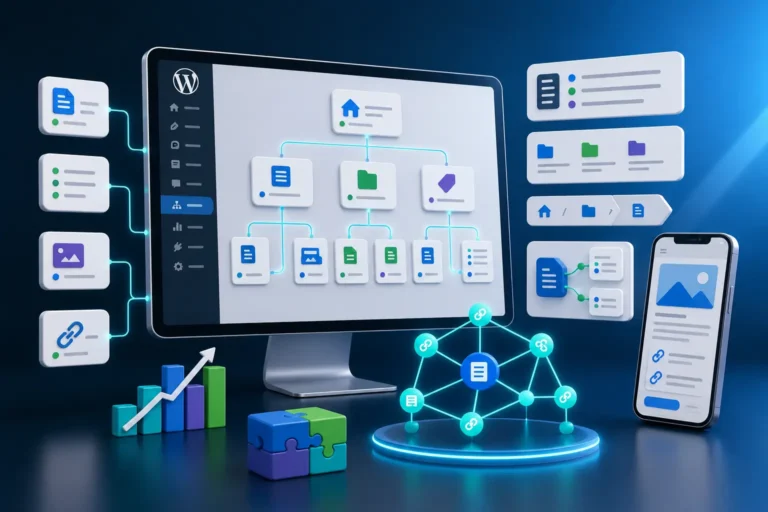
Topic clusters help organize WordPress content around a main topic. A pillar page covers the broad topic, while cluster posts cover specific subtopics. Internal links connect the pillar page and the cluster posts so users and search engines can understand the relationship between them.
For example, a broad WordPress SEO checklist can act as a pillar guide. Deeper cluster posts can then explain service page SEO, Core Web Vitals, local SEO, internal linking, schema markup, WooCommerce SEO, SEO titles, conversion optimization and website content structure.
Connect one broad pillar guide with focused supporting posts
A topic cluster makes your WordPress content structure easier to understand and prevents related posts from floating alone.
A broad guide that introduces the full topic and links to focused cluster posts.
Focused posts that answer specific questions and link back to the pillar guide.
Commercial pages that receive support from relevant informational content.
A content hub that groups related posts and helps users browse the topic.
Sideways links between closely related guides that help the reader continue learning.
A contact, quote, booking or product page used when the reader is ready to act.
Every cluster post should link back to the pillar page. The pillar page should also link out to each cluster post. When relevant, cluster posts can link sideways to related cluster posts. For example, a guide about local SEO for WordPress websites can link to schema markup, service page SEO, Core Web Vitals and internal linking when those topics help the reader.
- Create one broad pillar guide for the main topic.
- Create focused cluster posts for specific subtopics.
- Link every cluster post back to the pillar guide.
- Link the pillar guide to all important cluster posts.
- Use sideways links between closely related cluster posts.
- Do not create many posts that target the same keyword and intent.
3. Link Blog Posts to Service Pages
Blog posts should not only educate. They should also support the pages that generate enquiries, calls, bookings, quote requests or sales. If a blog post answers a problem that your service solves, it should usually include a natural link to the relevant service page.
For example, a guide about WordPress service page SEO can link to a website development or SEO service page. A guide about Core Web Vitals can link to a speed optimization service page. A guide about local SEO can link to a local SEO service page or contact page when the reader may need help.
Turn informational traffic into useful conversion paths
Internal links should help readers move from learning to action when the next step is relevant.
Answers a problem, teaches a topic or explains a process.
Gives deeper context and keeps the visitor inside the topic cluster.
Explains the commercial offer connected to the problem.
Shows portfolio examples, testimonials, reviews or case studies.
Lets the visitor ask for help, request a quote or book a call.
The link should feel useful, not forced. If the post explains a problem and your service solves that problem, the link is natural. If the post is only loosely related, it may be better to link to another guide first and let that guide connect to the service page.
- Link from educational posts to relevant service pages.
- Use service links when the reader may need help solving the problem.
- Add links to proof pages, testimonials or portfolio examples where useful.
- Use contact page links near high-intent CTA sections.
- Do not add service links randomly if they do not match the reader’s intent.
- Review old blog posts and add missing service links where relevant.
4. Use Descriptive Anchor Text
Anchor text is the clickable text used in a link. Descriptive anchor text helps users understand what they will get after clicking. It also helps search engines understand the topic of the linked page. In WordPress SEO, anchor text should be clear, natural and relevant to the destination page.
Weak anchor text such as “click here” or “read more” does not explain the destination. Stronger anchor text describes the linked page, such as “WordPress service page SEO guide”, “local SEO for WordPress websites”, “WordPress Core Web Vitals guide” or “WordPress SEO checklist”.
Click here, read more, this article, learn more, here, more info.
WordPress internal linking strategy, service page SEO guide, Core Web Vitals checklist, local SEO for WordPress websites.
Anchor text should not be over-optimized. Do not use the exact same keyword phrase every time you link to the same page. Use natural variations that still describe the destination clearly. This makes the content more readable and reduces the risk of unnatural internal linking patterns.
- Use anchor text that describes the linked page.
- Avoid generic anchors such as “click here” when context matters.
- Use natural variations instead of repeating the exact same keyword everywhere.
- Make sure the linked page matches the promise of the anchor text.
- Use commercial anchors carefully when linking to service pages.
- Keep anchor text useful for readers first.
Internal links show relationships. Schema helps define them.
EntitySchema Pro helps you add entity-based structured data to WordPress, including page, FAQ, breadcrumb and organization context that supports a clearer website structure.
5. Link From Old Posts to New Posts
Every time you publish a new WordPress post, look for older related posts that can link to it. This is one of the easiest ways to help new content become part of the existing website structure. New posts often stay weak when they only link out but receive no internal links back from older content.
For example, after publishing this internal linking guide, older Website Growth posts should link to it where internal links are discussed. The WordPress SEO checklist, service page SEO guide, local SEO guide and content structure guide can all connect to this post naturally.
Do not let new posts start with zero internal support
After publishing, update older related posts so the new guide receives links from relevant existing content.
Search your existing posts for terms connected to the new guide.
Place the link inside a paragraph where it helps the reader continue.
Add the new post to related guide sections where it fits the topic.
Make sure the new post is linked from the correct pillar page or hub.
Write anchor text that describes the new post without sounding forced.
Keep internal linking as part of the content publishing checklist.
- Search old posts for terms related to the new post.
- Add links from old posts to the new post where they help the reader.
- Update pillar pages and related guide sections.
- Add the new post to relevant category or hub pages.
- Do not wait months before connecting new content.
- Make internal link updates part of every publishing workflow.
6. Avoid Keyword Cannibalization
Keyword cannibalization happens when multiple pages on the same website target the same keyword and search intent too closely. Internal links can either help solve this problem or make it worse. If several pages all compete for the same topic, search engines may have a harder time understanding which page should rank.
A good WordPress internal linking strategy gives each important page a unique role. One page may be the broad pillar guide. Another page may focus on service page SEO. Another may focus on Core Web Vitals. Another may focus on local SEO. They can link to each other, but each should have a different primary keyword and search intent.
Give every page a clear job before linking them together
Internal links work best when each page has a distinct keyword, search intent and purpose.
Targets the broad topic and links to focused supporting guides.
Targets one subtopic with a different keyword and more focused intent.
Targets commercial intent and explains the service offer clearly.
Targets comparison intent without duplicating the main service page.
Answers a specific question and links to the broader guide or service page.
Targets real local intent and should not duplicate the main service page exactly.
Internal links should reinforce the main role of each page. If two posts are too similar, decide which one is the main page. Then link the weaker or more specific page to the stronger main page, update the content, merge pages if needed, or change the target keyword so the pages serve different intents.
- Define a unique primary keyword for each important page.
- Check that similar posts have different search intent.
- Use internal links to point toward the main page for a topic.
- Merge or rewrite pages that compete too closely.
- Avoid creating multiple posts with the same H1 and keyword target.
- Use Search Console to check which pages show for similar queries.
7. Add Contextual Links Inside Content
Contextual links are links placed naturally inside the main content of a page or post. These are often stronger than random sidebar or footer links because they appear where the reader is already learning about a related topic.
A contextual internal link should help the reader continue. If a paragraph explains local SEO, a link to a local SEO for WordPress websites guide makes sense. If a paragraph explains slow pages, a link to a WordPress Core Web Vitals guide is useful. If a paragraph explains service pages, a link to a WordPress service page SEO guide fits naturally.
Place internal links where they help the reader most
The best internal links appear inside relevant content, not only in menus, footers or automatic widgets.
Add links where the next page expands on the current sentence or section.
Link to a deeper guide when an example mentions a related SEO problem.
Connect checklist items to detailed tutorials or service pages.
Link FAQ answers to related guides when the user needs more detail.
Use links to move high-intent visitors toward contact, quote or service pages.
Add selected links at the end of the post to continue the topic journey.
Contextual links should not interrupt the content. Avoid adding too many links in one paragraph. A good link should feel like a useful next step, not like a forced SEO trick.
- Add internal links inside relevant paragraphs.
- Link to deeper guides when the current section introduces a related topic.
- Use contextual links to support service pages and pillar guides.
- Avoid adding too many links close together.
- Make sure the anchor text matches the linked page.
- Remove links that do not help the reader continue.
8. Use Related Posts Carefully
Related posts can help users discover more content, but they should not replace manual internal links. Automatic related post blocks often choose posts based on category, tags or simple matching, but they may not always choose the most useful next page for SEO or conversions.
A related posts section works best when it is curated. Choose guides that genuinely support the current topic. For a WordPress internal linking strategy guide, related posts should include WordPress SEO checklist, website content structure, schema markup, service page SEO and conversion optimization rather than random posts from the whole blog.
- Use manual related links for important SEO series.
- Show posts that match the same topic cluster.
- Do not rely only on automatic related post widgets.
- Keep related posts updated when new guides are published.
- Use related links to connect pillar pages and cluster posts.
- Avoid unrelated posts that distract from the reader’s intent.
9. Connect Category Pages, Guides and Services
WordPress category pages can support internal linking when they are useful. A category page should not only be a basic archive with a list of posts. It can act as a content hub that introduces the topic, links to pillar guides, highlights important posts and connects users to related services.
For a Website Growth category, the category page can link to the WordPress SEO checklist as the main guide, then to deeper guides about service pages, Core Web Vitals, local SEO, internal linking, WooCommerce SEO, schema markup and content structure. This helps users understand the series as a connected resource.
Make category pages part of the internal linking structure
Useful category pages can connect pillar guides, cluster posts, service pages and conversion paths.
Explain the topic and help users understand what the category covers.
Highlight the main broad guide for the category.
Link to important supporting posts in a logical order.
Connect the category to relevant services when readers may need help.
Show the newest guides without hiding the most important evergreen pages.
Use categories to help readers move through a topic, not only browse by date.
Service pages can also link back to guides where useful. For example, a WordPress SEO service page can link to the WordPress SEO checklist, a service page SEO guide, a Core Web Vitals guide and a schema markup guide. This helps visitors who need more information before contacting you.
- Improve important category pages so they act like topic hubs.
- Link category pages to pillar guides and key cluster posts.
- Connect service pages with supporting guides.
- Use category pages to help users browse by topic, not only by publish date.
- Keep important evergreen guides visible inside category pages.
- Avoid category pages that show only a generic post archive with no explanation.

Support your internal linking structure with structured data
EntitySchema Pro helps you add entity-based structured data to WordPress, including breadcrumbs, pages, FAQs and organization context that can support a clearer content structure.
10. Use Breadcrumbs and Navigation Links
Breadcrumbs and navigation links help users understand where they are on the website. They also support internal linking because they connect posts, categories, parent pages and site sections in a consistent way.
Breadcrumbs are especially useful on blogs, ecommerce stores, service websites with subpages, documentation areas and websites with large content libraries. They give users a simple path back to the category, parent page or homepage.
Navigation links should also be intentional. Your main menu should not include every page. It should highlight the most important areas: services, products, blog, portfolio, contact or key landing pages. Footer links can support important business pages, contact details, legal pages and useful category links.
- Use breadcrumbs on blogs, categories, ecommerce stores and deeper page structures.
- Make sure breadcrumbs match the real website hierarchy.
- Use navigation menus to highlight the most important user paths.
- Do not overload the main menu with too many links.
- Use footer links for important business, contact and category pages.
- Consider BreadcrumbList schema when the breadcrumbs are visible and accurate.
11. Track Internal Link Opportunities
Internal linking opportunities appear every time you publish new content, update an old post, create a service page, add a category, write a case study or publish a new guide. If you do not track these opportunities, internal links become random over time.
You can use a simple spreadsheet, content map or editorial checklist. Track each post, its primary keyword, search intent, related posts, related service page, pillar page and planned internal links. This helps prevent keyword cannibalization and keeps the website structure clean.
Keep a simple content map for important pages
A content map helps you see which pages need links, which pages already support each other and where the structure has gaps.
Track the main keyword so posts do not compete for the same target.
Define what the page should answer and why it exists.
Connect each cluster post to the correct broad guide or hub.
List nearby guides that should link sideways to each other.
Map which informational posts should support each commercial page.
Record which old posts need new links after publishing.
Google Search Console can also help you find opportunities. Look for pages with impressions but weak click-through, posts that rank for related queries, and pages that deserve stronger internal support. Then add links from relevant pages where they help the user.
- Track each post’s primary keyword and search intent.
- Map each post to a pillar page or topic cluster.
- List related posts that should link to each other.
- Map informational posts to relevant service pages.
- Use Google Search Console to find pages that deserve more support.
- Review link opportunities after publishing every new post.
12. Keep Internal Links Updated
Internal links need maintenance. A link that was useful last year may point to an outdated post today. A new guide may be better than an older one. A service page may change URL. A deleted page can create broken links. A new topic cluster may need older posts to be updated.
For WordPress websites, internal link maintenance should be part of SEO updates. Review important posts regularly, update related guide sections, fix broken links, add new links to fresh posts and remove links that no longer help the reader.
Internal linking should improve as the website grows
Every new post, service page and guide creates new linking opportunities that should be added to older content.
Update or remove links that lead to deleted pages, changed URLs or redirects.
Add new related posts to older guides when they support the same topic.
Rewrite weak anchor text when the destination page is important.
Remove links that distract readers or point to less relevant pages.
Add links from older posts to new posts after publishing.
Check that pillar pages, cluster posts and service pages still connect properly.
Internal linking becomes stronger over time when every new post improves the existing structure. Instead of publishing isolated content, each new guide should make the whole topic cluster more useful.
- Check important pages for broken or outdated internal links.
- Update related guide sections after publishing new posts.
- Add links from old posts to new posts.
- Remove links that no longer help the reader.
- Review pillar pages and topic clusters regularly.
- Keep internal linking aligned with your current SEO strategy.
WordPress Internal Linking Best Practices
A strong WordPress internal linking strategy should make the website easier to understand, not more confusing. Every important page should have a clear role, a unique search intent, relevant supporting links and a logical place inside the wider website structure.
The best internal links are useful for users first. They guide readers from one helpful page to another, connect related topics, support important service pages and make the full content cluster stronger. When internal links are added only for SEO without helping the reader, the page can feel messy and forced.
Build internal links around topics, intent and user journeys
Use these best practices to connect WordPress posts, service pages, pillar guides, categories and conversion pages in a useful way.
Know which pages are pillar guides, cluster posts, service pages, location pages or conversion pages.
Connect broad guides with focused supporting posts so the topic structure is clear.
Link from relevant blog posts and guides to commercial pages when the reader may need help.
Use descriptive anchor text that explains the destination page naturally.
Add links from older related posts whenever a new important guide is published.
Give each post a unique keyword and search intent so internal links do not support competing pages.
- Define the main role of every important page before linking.
- Use one clear primary keyword and search intent for each post.
- Build topic clusters around pillar pages and supporting guides.
- Link blog posts to relevant service pages when the intent fits.
- Use descriptive anchor text instead of generic “click here” links.
- Add contextual links inside paragraphs, examples, checklists and FAQs.
- Update older posts after publishing new guides.
- Use category pages as useful topic hubs where possible.
- Use breadcrumbs and navigation links to support hierarchy.
- Keep internal links updated as the website grows.
Common Internal Linking Mistakes
Many WordPress internal linking mistakes happen because links are added randomly instead of strategically. A page may have many links, but still fail to support the right topic, service page or user journey. More internal links do not automatically mean better SEO.
The biggest mistake is publishing isolated content. If blog posts do not link to related guides, service pages, pillar pages or contact paths, the content may bring traffic but fail to support business goals. Another common problem is keyword cannibalization, where several posts target the same keyword and internal links do not make the main page clear.
Avoid these WordPress internal linking problems
These mistakes can make the website harder to understand, reduce topic clarity and weaken conversion paths.
Adding links without topic relevance can distract readers and weaken the page structure.
Informational posts should support relevant service pages when the reader may need help.
Anchors like “click here” do not explain the destination page clearly.
New posts stay weak when older related posts never link back to them.
Similar posts with the same intent can confuse the structure and compete with each other.
Old related post sections can point to weaker or outdated pages instead of the best current guide.
- Adding internal links only at the end of the post.
- Using too many links in one paragraph or section.
- Using “click here” instead of descriptive anchor text.
- Publishing new posts without links from older related posts.
- Linking to irrelevant pages only because they need more traffic.
- Forgetting to link blog posts to relevant service pages.
- Creating several posts with the same primary keyword and search intent.
- Not linking cluster posts back to the pillar guide.
- Using automatic related posts as the whole internal linking strategy.
- Leaving broken, outdated or redirected internal links untouched.
WordPress Internal Linking Strategy FAQ
Here are common questions about WordPress internal linking strategy, topic clusters, anchor text, service page links and internal link maintenance.
A WordPress internal linking strategy is a planned system for connecting pages and posts inside the same website. It helps users and search engines understand topic relationships, page hierarchy, important pages and useful next steps.
There is no fixed number. A post should include as many internal links as are useful for the reader. A long guide may naturally include more links, while a short post may need fewer. Relevance and user value matter more than a specific count.
Yes, when the link fits the reader’s intent. If a blog post explains a problem that your service solves, a contextual link to the relevant service page can help turn informational traffic into enquiries, calls, quote requests or bookings.
A topic cluster is a group of related pages connected by internal links. Usually one pillar page covers the broad topic, while cluster posts cover specific subtopics and link back to the pillar guide.
Use descriptive anchor text that explains the destination page naturally. Avoid generic anchors such as “click here” when the linked page needs context. Also avoid repeating the exact same keyword anchor every time.
Internal links help service pages receive support from related blog posts, guides, case studies, FAQs and category pages. This can help users find the service page when they are ready to act and help search engines understand its importance.
Internal links do not usually cause cannibalization by themselves, but they can make confusion worse if multiple pages target the same keyword and intent. Each important page should have a unique primary keyword, clear role and distinct search intent.
Automatic related posts can help discovery, but they should not replace manual internal links. Important SEO series and service pages need curated contextual links that match topic relevance, search intent and conversion paths.
Update internal links whenever you publish a new important post, change a service page, create a new topic cluster, update old content or find broken links. Internal linking should be part of your normal WordPress publishing workflow.
Conclusion
A WordPress internal linking strategy helps your website grow as a connected system instead of a collection of isolated pages. It connects pillar guides, cluster posts, service pages, category pages, breadcrumbs, contact pages and conversion paths in a way that helps both users and search engines.
Start with your most important pages. Build topic clusters around pillar guides. Link blog posts to relevant service pages. Use descriptive anchor text. Update older posts after publishing new content. Avoid keyword cannibalization by giving every page a unique keyword, role and search intent.
The best internal linking strategy is simple: every important page should have a reason to exist, every link should help the reader, and every post should support the wider topic structure instead of competing with it.
Want to support your content structure with schema?
EntitySchema Pro helps you add entity-based structured data to WordPress, including organization, page, FAQ and breadcrumb context that supports a clearer website structure.
Related Website Growth Guides
This internal linking strategy guide is part of the Website Growth series. The related guides below help you improve WordPress SEO, service pages, performance, local visibility, WooCommerce SEO, schema markup, content structure and conversions without making the posts compete for the same keyword.