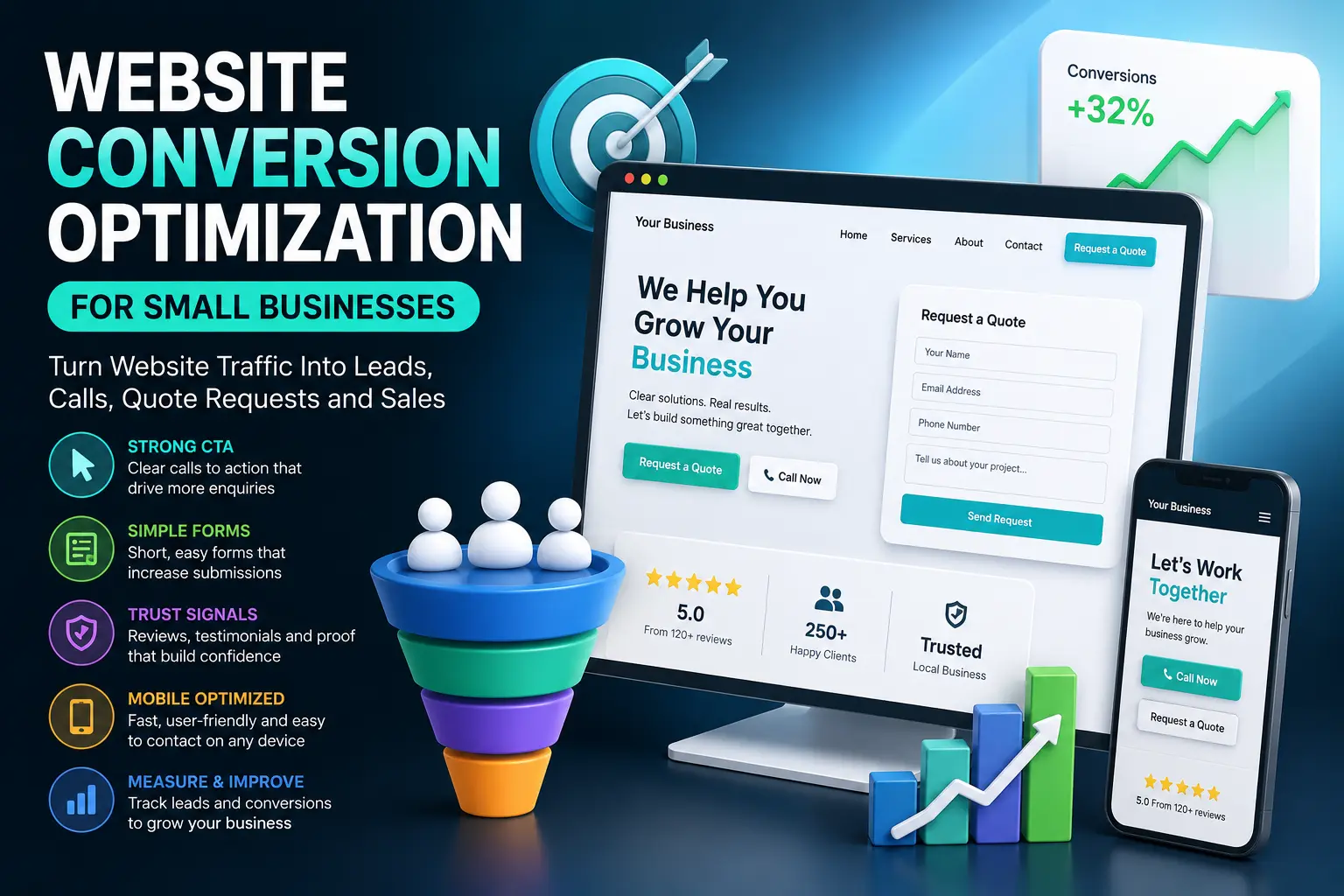
Website conversion optimization for small businesses is the process of turning more website visitors into real leads, calls, form submissions, quote requests, bookings and customers. SEO can bring people to your website, but conversion optimization decides whether those visitors actually contact you, trust you and take the next step.
Many small business websites get traffic but still generate very few enquiries. The problem is often not only rankings. The page may not explain the offer clearly, the call to action may be weak, the form may ask too much, the phone number may be hard to find, the trust signals may be missing, or the mobile experience may make contacting the business difficult.
In this guide, you will learn how to improve website conversion optimization for small businesses using clearer goals, better CTAs, easier forms, stronger trust signals, service page conversion paths, reviews, mobile improvements, tracking and ongoing testing. If you are still building your SEO foundation, start with our WordPress SEO checklist for small business websites. If you want to improve service pages specifically, also read the WordPress service page SEO guide.
Table of Contents
- What Is Website Conversion Optimization for Small Businesses?
- Why Conversion Optimization Matters After SEO
- Website Conversion Optimization Checklist for Small Businesses
- 1. Define the Main Conversion Goal
- 2. Match Each Page With the Right Next Step
- 3. Improve Above-the-Fold Clarity
- 4. Write Stronger Calls to Action
- 5. Make Contact and Quote Forms Easier to Complete
- 6. Add Trust Signals Near Decision Points
- 7. Improve Service Page Conversion Paths
- 8. Use Reviews, Testimonials and Proof
- 9. Make Mobile Conversion Easier
- 10. Reduce Friction Before the Contact Action
- 11. Track Leads, Calls, Forms and Quote Requests
- 12. Test and Improve Conversion Pages Over Time
- Website Conversion Optimization Best Practices
- Common Website Conversion Mistakes
- Website Conversion Optimization FAQ
- Conclusion
- Related Website Growth Guides
What Is Website Conversion Optimization for Small Businesses?
Website conversion optimization for small businesses means improving a website so more visitors take a valuable action. That action may be submitting a contact form, requesting a quote, calling the business, booking a consultation, sending an email, asking for a service estimate, downloading a guide or buying a product.
Conversion optimization is not only about changing button colors. It is about making the page easier to understand, easier to trust and easier to act on. A visitor should quickly understand what you offer, who it is for, why it matters, why they can trust you and what they should do next.
For small businesses, conversions are often more important than raw traffic. A website with 500 targeted visitors and 25 good enquiries can be more valuable than a website with 5,000 visitors and almost no leads. SEO brings the opportunity. Conversion optimization turns that opportunity into business results.
- Lead conversion: turning visitors into form submissions, quote requests or calls.
- CTA optimization: making the next step clear and easy to take.
- Form optimization: reducing friction in contact, booking and quote forms.
- Trust optimization: using proof, reviews, guarantees, credentials and clear information.
- Mobile conversion: making calls, forms and CTAs easy on phones.
- Tracking: measuring which pages and channels generate real leads.
A good conversion strategy should match the page type. A homepage needs a clear business overview and paths to key services. A service page needs a stronger offer and proof. A blog post needs internal links and relevant CTAs. A local landing page needs location trust. A WooCommerce product page needs product clarity and a smooth buying path.
Why Conversion Optimization Matters After SEO
Conversion optimization matters after SEO because ranking is only the first step. If a page receives organic traffic but does not guide visitors toward a meaningful action, the business may still get very little value from that traffic.
For example, a service page may rank for the right keyword, but visitors may leave because the offer is vague, the CTA is hidden, the form feels too long, the page loads slowly on mobile or there is no proof that the company can be trusted. In that case, the SEO problem has become a conversion problem.
SEO brings visitors
Search visibility creates the opportunity, but the page still needs to turn visitors into actions.
Clarity builds trust
Visitors convert faster when they understand the offer, process, proof and next step.
Friction loses leads
Long forms, unclear CTAs, slow mobile pages and weak trust signals can reduce enquiries.
Tracking shows value
Lead tracking helps you see which pages, keywords and campaigns create real business results.
Conversion optimization also helps you get more value from existing traffic before spending more on SEO, ads or content. If your website already gets visitors from Google, social media, referrals or paid campaigns, improving the conversion path can create more leads without increasing traffic first.
Useful free tools for conversion improvement include Google Analytics for traffic and events, Google Tag Manager for tracking lead actions, Google Search Console for organic queries and landing pages, and PageSpeed Insights for mobile speed and user experience checks.
Website Conversion Optimization Checklist for Small Businesses
This website conversion optimization checklist for small businesses is designed for service websites, local business websites, WordPress websites, lead generation pages and small ecommerce sites that need more enquiries from existing traffic.
The checklist covers the most important conversion areas: conversion goals, page next steps, above-the-fold clarity, CTAs, contact forms, trust signals, service page conversion paths, testimonials, mobile conversion, friction reduction, tracking and ongoing testing.
12 areas to review on small business websites
Use this checklist to turn more SEO traffic into leads, calls, quote requests, bookings and customers.
Start with the conversion goal before changing page design. A page cannot be optimized properly if you do not know what action it should create. For a small business website, the goal may be a contact form submission, quote request, phone call, booking, email click, newsletter signup, consultation request or product purchase.
1. Define the Main Conversion Goal
Website conversion optimization for small businesses starts with one clear question: what should this page make the visitor do next? Without a defined conversion goal, the page can easily become unfocused. It may have multiple buttons, unclear messaging, too many options and no strong path toward a real business result.
A conversion goal should be specific. “Get more leads” is too broad for page-level optimization. A better goal is “get quote requests from service page visitors”, “increase phone calls from local search visitors”, “increase form submissions from the contact page” or “increase booking requests from mobile users”.
Choose one primary action for each important page
Small business websites convert better when every page has a clear purpose and a focused next step.
Best for general enquiries, service questions and longer messages.
Best when the visitor needs pricing, scope or a custom estimate.
Best for urgent local services, quick questions and high-intent visitors.
Best for consultations, appointments, meetings and scheduled services.
Best for visitors who need direct contact but are not ready for a form.
Best for ecommerce pages where the goal is add-to-cart, checkout or purchase.
Different pages can have different goals. A homepage may guide visitors to service pages. A service page may push quote requests. A blog post may guide readers to a relevant service page. A local landing page may focus on phone calls and Google Business Profile trust. A product page may focus on cart actions or product enquiries.
- Define one primary conversion goal for each important page.
- Choose a secondary goal only when it supports the main goal.
- Match the conversion goal with the page’s search intent.
- Do not give visitors too many unrelated next steps at once.
- Track the goal with analytics or event tracking where possible.
- Review whether the page design, copy and CTA support the same goal.
2. Match Each Page With the Right Next Step
Every page should have a next step that matches the visitor’s intent. A person reading an educational blog post may not be ready to request a quote immediately, but they may be ready to read a related service page. A visitor on a service page may be ready to contact you, compare options or request pricing.
Conversion optimization becomes stronger when internal links, CTAs and forms are placed according to the user journey. This is also where SEO and conversion strategy connect. The WordPress internal linking strategy should guide visitors from informational pages to commercial pages without forcing the wrong action too early.
A strong page does not only ask users to “contact us”. It explains why that next step makes sense. For example, a service page can say “Request a quote” after explaining the service, showing proof, answering objections and reducing risk. A blog post can say “Need this built for your business?” after solving part of the problem.
- Match each page with a realistic visitor next step.
- Use blog posts to guide users toward related service pages.
- Use service pages to guide users toward quote requests, calls or bookings.
- Use contact pages to make the final action simple and trustworthy.
- Do not use the same CTA on every page if the intent is different.
- Place the next step after enough context, proof and clarity.
3. Improve Above-the-Fold Clarity
The top section of a small business website page must explain the offer quickly. Visitors should understand what the business does, who it helps, what problem it solves and what action they should take next. If the hero section is vague, visitors may leave before reading the rest of the page.
Above-the-fold clarity is especially important on service pages, homepages and landing pages. The first screen should not waste space with generic slogans, unclear headlines or decorative elements that do not help the visitor decide. The page should make the value obvious fast.
Generic headline, no clear offer, vague CTA, no proof and no reason to trust the business.
Clear service, target customer, main benefit, trust signal and one visible quote or contact CTA.
The hero section should also match the SEO promise. If a visitor clicks from a search result about a specific service, the top of the page should immediately confirm that they landed in the right place. This is why SEO titles, H1 headings and conversion copy should support the same intent. For snippet alignment, read the SEO titles and meta descriptions for WordPress pages guide.
- Make the headline specific and easy to understand.
- Explain who the service or offer is for.
- State the main benefit or problem solved.
- Show one clear primary CTA above the fold.
- Add a trust signal near the CTA when possible.
- Make sure the top section matches the SEO title and H1.
Clear offers convert better. Structured data helps define page context.
EntitySchema Pro helps you add entity-based structured data to WordPress, including organization, local business, service, FAQ, breadcrumb and page context where it matches visible content.
4. Write Stronger Calls to Action
A call to action tells the visitor what to do next. Weak CTAs often use vague text such as “Submit”, “Learn More” or “Click Here”. Stronger CTAs explain the action and the outcome, such as “Request a Quote”, “Book a Consultation”, “Get Website Help” or “Ask for a Free Estimate”.
For small business websites, CTA wording should match the service, the page intent and the level of commitment. A visitor may not be ready to “Buy Now”, but they may be ready to “Request a Quote” or “Ask a Question”. The CTA should feel like a helpful next step, not a pressure tactic.
Make the next action clear, specific and low-friction
Better CTA copy helps visitors understand what will happen after they click.
Best for custom pricing, project-based work and service estimates.
Best for services where the first step is a meeting or discovery call.
Best for urgent local services and visitors who need a fast answer.
Best when visitors need advice before they are ready to commit.
Best when the CTA should feel problem-focused instead of sales-focused.
Best for creative, technical or longer service projects.
CTA placement matters too. A page should usually have a CTA near the top, after key explanation sections, near proof sections and at the end of the page. But CTAs should not be placed so aggressively that the page feels spammy. The visitor needs enough context to feel confident before acting.
- Use CTA text that explains the action clearly.
- Match the CTA with the visitor’s level of readiness.
- Use one primary CTA style consistently on important pages.
- Add secondary CTAs only when they support the main action.
- Place CTAs after explanation, proof and objection-handling sections.
- Avoid generic CTA text when a specific action would be clearer.
5. Make Contact and Quote Forms Easier to Complete
Contact forms and quote forms are often the final step before a lead. If the form feels long, confusing or risky, visitors may abandon it. Form conversion optimization means asking only for the information you truly need at that stage and making the process feel simple.
A small business contact form does not always need every detail immediately. If the visitor is asking for a first conversation, name, email, phone, service interest and message may be enough. If the form is a quote request, then project details, timeline, budget range or file upload may be useful, but only when they help the business respond better.
Too many required fields, unclear labels, no privacy note, no response expectation and no mobile-friendly layout.
Clear fields, simple labels, short first step, trust note, response time and only necessary required information.
Good forms also explain what happens after submission. A short note such as “We usually reply within one business day” or “Send project details and we will prepare the next step” can reduce uncertainty. Privacy reassurance can also help when the form asks for contact details.
- Ask only for information needed at the first conversion step.
- Use clear labels instead of vague placeholders.
- Make required fields obvious and reasonable.
- Add a short note about response time or next steps.
- Make forms easy to complete on mobile.
- Track form submissions as conversion events.
6. Add Trust Signals Near Decision Points
Trust signals help visitors feel safer before they contact, call, request a quote or buy. They are especially important near decision points: beside CTA buttons, above contact forms, inside service pages, near pricing sections, close to testimonials and before checkout or quote request actions.
Trust signals should be real and specific. Generic claims such as “best quality” or “trusted experts” are weaker than visible reviews, portfolio examples, case studies, company details, guarantees, certifications, transparent process, response time, project examples or real customer testimonials.
Place proof close to the moment of action
Visitors are more likely to convert when the page answers trust questions before the final click.
Use real customer reviews that describe the service, result or experience.
Show examples of completed work so visitors can judge quality and fit.
Explain what happens after contact so the next step feels predictable.
Show business name, contact details, location, team or company background.
Use guarantees, support terms or risk reduction only when they are accurate.
Tell visitors when they can expect a reply, call or quote follow-up.
Trust signals should also match the page. A local service page may need Google Business Profile reviews and local proof. A WordPress service page may need portfolio examples and process details. A WooCommerce product page may need reviews, delivery details and return information. For local trust, use the local SEO for WordPress websites guide.
- Add trust signals close to CTA buttons and forms.
- Use real reviews, testimonials and proof instead of vague claims.
- Explain the process so visitors know what happens after contact.
- Show company details, contact information and relevant credentials.
- Use portfolio examples or case studies when service quality matters.
- Do not add fake reviews, fake badges or unsupported guarantees.
7. Improve Service Page Conversion Paths
Service pages are often the most important conversion pages on a small business website. A service page should not only describe what you do. It should guide the visitor from problem awareness to trust, proof, objection handling and a clear contact action.
A strong service page conversion path usually includes a clear headline, short offer explanation, visible CTA, service benefits, proof, process, FAQs, pricing or quote context, trust signals and repeated contact opportunities. For SEO structure, use the WordPress service page SEO guide.
Move visitors from interest to enquiry with a clear page path
Service pages convert better when every section answers a question and supports the next action.
Explain the service, who it helps and what result the visitor can expect.
Give a clear action such as request a quote, book a call or ask a question.
Show reviews, results, portfolio examples, case studies or real customer feedback.
Explain what happens after contact so the visitor knows the next steps.
Answer objections about price, timing, scope, support, delivery or requirements.
End the page with a strong CTA and a simple way to contact the business.
Service page conversion paths should also connect with internal links. A blog post can send visitors to a relevant service page. A service page can link to supporting guides, case studies, FAQs and contact options. This creates a smoother path from SEO traffic to enquiry.
- Make the service offer clear near the top of the page.
- Add a relevant CTA after the offer explanation.
- Use proof before asking for a higher-commitment action.
- Explain the process so visitors know what happens after contact.
- Answer common objections with FAQs and supporting sections.
- Repeat the CTA naturally after important decision sections.
8. Use Reviews, Testimonials and Proof
Reviews, testimonials and proof help small business websites convert because visitors want evidence before they contact a company. A strong page does not only say that the business is reliable. It shows proof through real customer feedback, portfolio examples, project results, before-and-after examples, case studies, ratings or recognizable clients.
Proof should be placed where it supports the decision. A testimonial near a contact form can reduce doubt. A portfolio example on a service page can prove quality. A review section on a local page can support trust. A case study can help visitors understand the result and process.
Use evidence that makes the visitor feel safer before contacting you
Proof works best when it is specific, real and placed close to important conversion points.
Use real customer quotes that describe the problem, experience and result.
Show review ratings or review snippets when they are accurate and visible.
Use completed work to show quality, style, industry fit or technical skill.
Explain the challenge, solution and outcome for higher-value services.
Use real metrics such as years in business, completed projects or response time.
Use screenshots, project images, logos or before-and-after examples where relevant.
Do not use fake proof. Fake reviews, fake badges and unsupported claims can damage trust. It is better to use fewer real proof elements than many vague claims. If structured data is used for reviews, ratings or FAQs, it should match visible and accurate content.
- Use real testimonials and reviews from real customers.
- Place proof near CTAs, forms and decision sections.
- Show portfolio examples on service pages where quality matters.
- Use specific proof instead of vague claims like “best quality”.
- Use case studies for complex or high-value services.
- Never use fake reviews, fake trust badges or unsupported numbers.

Trust signals work best when page context is clear
EntitySchema Pro helps you add entity-based structured data to WordPress, including organization, local business, service, FAQ, breadcrumb and page context where it matches visible content.
9. Make Mobile Conversion Easier
Mobile conversion is critical for small business websites because many visitors browse, compare and contact businesses from phones. A page can look good on desktop but still lose leads on mobile if the CTA is hard to tap, the form is too long, the phone number is hidden, the page loads slowly or the layout shifts while the visitor is trying to act.
Mobile visitors often need faster decisions. They may want to call, check location, request a quote, send a quick message or compare service details. The mobile version of the page should make those actions simple.
Make contact actions easy on phones
Visible CTA, tap-friendly buttons, clear phone links and simple forms improve mobile lead flow.
Track LeadsRemove mobile friction before visitors leave
- Use tap-friendly buttons and form fields.
- Make phone numbers clickable.
- Keep the primary CTA visible and clear.
- Shorten forms for mobile visitors.
- Test page speed and layout stability.
- Make trust signals easy to see on small screens.
Mobile conversion is also connected to performance. Slow pages and layout shifts can hurt both SEO and conversions. Use PageSpeed Insights to check important service pages, contact pages and landing pages. For deeper speed work, read the WordPress Core Web Vitals guide.
- Make phone numbers clickable on mobile.
- Use large tap-friendly CTA buttons.
- Keep contact forms short and easy to complete.
- Check that trust signals are visible on small screens.
- Test service pages and contact pages on real mobile devices.
- Improve speed, layout stability and form usability for mobile visitors.
10. Reduce Friction Before the Contact Action
Friction is anything that makes the visitor hesitate, work harder or feel uncertain before contacting the business. Some friction is obvious, such as a broken form or slow page. Other friction is more subtle, such as unclear pricing, no response time, no explanation of the process, missing trust signals or vague service details.
Small business websites convert better when they answer important questions before the visitor reaches the final action. The goal is not to remove every detail. The goal is to remove unnecessary uncertainty and make the next step feel safe.
Answer doubts before the visitor abandons the page
Every unanswered question can become a reason not to contact the business.
Explain pricing factors, quote process or starting points when exact prices are not possible.
Show what happens after the visitor submits the form or calls.
Ask only for what is needed for the first step of the conversation.
Add reviews, testimonials, project examples or company details near the action.
Make phone, email, contact form and quote request options easy to find.
Improve speed and layout stability before users reach the CTA or form.
Friction reduction should be based on real user behavior when possible. If people visit a service page but do not contact you, review the page from their point of view. Are the offer, process, proof, pricing context and next step clear enough?
- Explain what happens after the visitor contacts you.
- Reduce unnecessary required fields in forms.
- Show response time, process and service expectations.
- Add trust proof near the final action.
- Make contact options easy to find on desktop and mobile.
- Fix slow or unstable pages that interrupt the conversion path.
11. Track Leads, Calls, Forms and Quote Requests
Website conversion optimization becomes much stronger when you track real lead actions. Without tracking, you may know how many people visited the website, but you may not know which pages generated calls, forms, quote requests, bookings or sales enquiries.
Small businesses should track the actions that matter most: contact form submissions, quote request submissions, phone number clicks, email clicks, booking starts, completed bookings, cart actions, checkout starts and product enquiries. The exact events depend on the business model.
Measure the actions that create real business value
Conversion tracking shows which pages and traffic sources actually produce leads.
Track contact forms, quote requests, consultation forms and booking forms.
Track mobile tap-to-call actions and phone links on important pages.
Track email link clicks when email is a common contact method.
Track important buttons such as request a quote, book a call or contact us.
Compare which landing pages, keywords and channels create conversions.
For ecommerce, track add-to-cart, checkout starts, purchases and product enquiries.
Use Google Analytics to measure visitor behavior and conversion events, Google Tag Manager to set up event tracking and Google Search Console to see which organic queries and landing pages create opportunities.
- Track contact form and quote request submissions.
- Track phone number clicks and email link clicks.
- Track key CTA button clicks on service and landing pages.
- Compare conversion rates by landing page and traffic source.
- Connect organic traffic data with lead actions where possible.
- Do not judge conversion optimization by pageviews alone.
12. Test and Improve Conversion Pages Over Time
Conversion optimization is not a one-time task. A page can always be improved as you collect more data, publish new proof, receive new reviews, change services, learn from customer questions or identify pages with high traffic but low lead volume.
Small businesses do not always need complex A/B testing to start. Many improvements come from reviewing analytics, checking form submissions, listening to sales questions, updating page copy, improving CTAs, adding proof, reducing form friction and making mobile actions easier.
Improve conversion pages with data, questions and real feedback
Small changes can improve lead quality when they are based on real visitor behavior and business goals.
Find pages with traffic, weak engagement or low conversion actions.
Review whether leads are useful, complete and connected to the right services.
Test clearer CTA wording based on the visitor’s readiness and page intent.
Use new reviews, testimonials, projects and case studies to strengthen trust.
Remove unnecessary fields, confusing sections and unclear next steps.
Test the full contact path on mobile devices, not only desktop screens.
When you test changes, avoid changing everything at once unless the page is clearly weak. Start with high-impact elements: headline clarity, CTA wording, form length, trust proof, mobile contact options and page speed. Then measure whether leads, calls, quote requests or bookings improve.
- Review pages with traffic but few conversion actions.
- Improve one important page section at a time where possible.
- Use customer questions to update copy and FAQs.
- Add new reviews, proof and portfolio examples regularly.
- Test mobile forms and CTA buttons after every major change.
- Measure lead quality, not only lead quantity.
Website Conversion Optimization Best Practices
Website conversion optimization for small businesses works best when every important page has a clear goal, a clear next step, strong trust signals and a simple way to contact the business. The goal is not to pressure visitors. The goal is to remove confusion, reduce friction and make the right action easier.
A strong conversion strategy connects SEO traffic with business outcomes. If a page ranks but does not create leads, calls, quote requests or bookings, the page still needs work. The best pages match search intent, explain the offer clearly, show proof, answer objections and make the contact action easy on desktop and mobile.
Turn small business website traffic into real leads
Use these best practices to improve CTAs, forms, trust signals, mobile actions, service page paths and lead tracking.
Give each important page one primary conversion goal, such as quote request, call or booking.
Use different CTAs for service pages, blog posts, local pages, products and contact pages.
Use clear action text such as request a quote, book a consultation or ask a question.
Ask only for the information needed for the first step of the conversation.
Place reviews, testimonials, portfolio examples and trust notes close to CTAs and forms.
Measure form submissions, phone clicks, email clicks, quote requests and bookings.
- Define one primary conversion goal for every important page.
- Match the CTA with the page type and visitor intent.
- Make the hero section clear, specific and action-focused.
- Use CTA copy that explains the action and outcome.
- Keep forms simple, clear and mobile-friendly.
- Add trust signals near CTA buttons and contact forms.
- Use real reviews, testimonials, portfolio examples and proof.
- Make phone numbers, email links and forms easy to use on mobile.
- Reduce uncertainty before asking for contact details.
- Track leads, calls, quote requests and bookings as conversion events.
Common Website Conversion Mistakes
Many small business website conversion mistakes happen because the page is built around design instead of the visitor’s decision process. A page can look modern but still fail if the offer is unclear, the CTA is vague, the form is too long or the page does not create enough trust.
The biggest mistake is expecting visitors to figure everything out themselves. A conversion-focused page should guide the visitor. It should explain the offer, answer doubts, show proof, make contact simple and tell the visitor what happens next.
Avoid these small business website conversion problems
These mistakes can reduce enquiries, calls, quote requests and bookings even when the website gets traffic.
Visitors cannot quickly understand what the business does, who it helps or why it matters.
Generic buttons like submit or learn more do not explain the next action clearly.
Too many required fields can stop visitors before they send the first enquiry.
No reviews, testimonials, examples or process details can make the business feel risky.
Hidden phone links, small buttons and slow mobile pages can lose high-intent visitors.
Without tracking, it is hard to know which pages and channels produce real leads.
- Using a vague hero headline that does not explain the offer.
- Having too many competing CTAs on one page.
- Using generic CTA text such as “Submit” or “Learn More”.
- Asking for too much information in the first contact form.
- Hiding phone numbers or contact options on mobile.
- Placing trust signals too far away from decision points.
- Using fake reviews, fake badges or unsupported claims.
- Sending blog traffic nowhere useful after the article.
- Not tracking form submissions, phone clicks or quote requests.
- Only measuring traffic instead of leads and lead quality.
Website Conversion Optimization FAQ
Here are common questions about website conversion optimization for small businesses, CTAs, forms, trust signals, service pages, mobile conversion and lead tracking.
Website conversion optimization for small businesses is the process of improving a website so more visitors take useful actions, such as submitting a form, requesting a quote, calling, booking a consultation or becoming a customer.
A good conversion goal is specific and connected to business value. Examples include contact form submissions, quote requests, phone calls, bookings, email clicks, consultation requests, add-to-cart actions or purchases.
A small business can get more leads by improving offer clarity, adding stronger CTAs, simplifying forms, showing trust signals, improving service page structure, making mobile contact easier and tracking which pages create enquiries.
A good call to action is clear, specific and matched to the visitor’s intent. Examples include Request a Quote, Book a Consultation, Call Now, Ask a Question or Start Your Project.
A contact form should ask only for the information needed at the first step. For many small businesses, name, email, phone, service interest and message are enough. Quote forms can ask more, but only when those fields help prepare a better response.
Trust signals should be placed near important decision points, such as hero CTAs, contact forms, pricing sections, service explanations, testimonials, quote request blocks and checkout or booking actions.
Many visitors browse and contact small businesses from phones. Mobile conversion improves when phone links are clickable, buttons are tap-friendly, forms are short, pages load quickly and the next step is easy to complete on a small screen.
You can track website conversions with tools such as Google Analytics and Google Tag Manager. Track important actions like form submissions, phone clicks, email clicks, quote request buttons, bookings, checkout starts and purchases.
One of the biggest mistakes is unclear messaging. If visitors cannot quickly understand what the business offers, why they should trust it and what to do next, they are less likely to contact or request a quote.
Conclusion
Website conversion optimization for small businesses helps turn traffic into real business results. SEO can bring visitors to the website, but conversion optimization helps those visitors understand the offer, trust the business and take the next step.
Start with one clear conversion goal for each important page. Match the page with the right next step. Improve above-the-fold clarity, write stronger CTAs, simplify contact forms, add trust signals, improve service page conversion paths, make mobile contact easier and track lead actions properly.
The best conversion improvements are not always complicated. A clearer headline, a better CTA, a shorter form, a real testimonial, a visible phone link or a stronger service page path can make the website easier to trust and easier to act on.
Want clearer structured data for your business website?
EntitySchema Pro helps you add entity-based structured data to WordPress, including organization, local business, service, FAQ, breadcrumb and page context where it matches your visible content.
Related Website Growth Guides
This website conversion optimization guide is part of the Website Growth series. The related guides below help you improve WordPress SEO, service pages, performance, local visibility, internal linking, WooCommerce SEO, snippets, schema markup and content structure without making the posts compete for the same keyword.