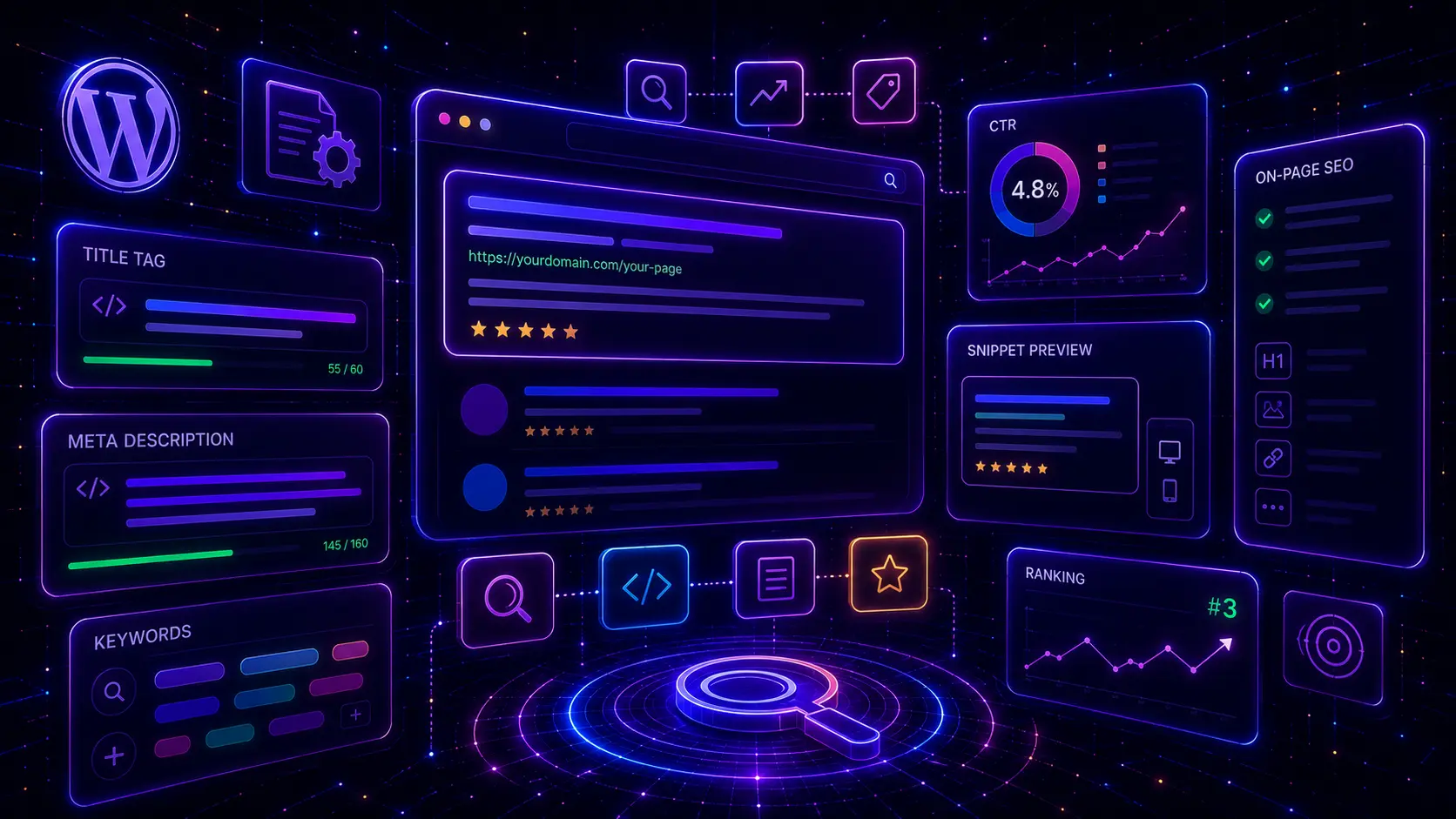
SEO titles and meta descriptions for WordPress pages help shape how your pages appear in Google search results. A strong SEO title can make the result clearer, more relevant and more clickable, while a strong meta description can explain why the searcher should visit your page instead of another result.
Many WordPress websites lose clicks because their title tags are too vague, too long, duplicated, keyword-stuffed or disconnected from the real page content. Meta descriptions are often missing, automatically generated, too generic or written like a summary instead of a reason to click.
In this guide, you will learn how to write SEO titles and meta descriptions for WordPress pages, service pages, blog posts, WooCommerce products and category pages. You will also learn how to match search intent, use keywords naturally, improve CTR, avoid duplicate snippets and use Google Search Console data to update weak pages. If you are improving the full SEO foundation first, start with our WordPress SEO checklist for small business websites.
Table of Contents
- What Are SEO Titles and Meta Descriptions in WordPress?
- Why SEO Titles and Meta Descriptions Matter for CTR
- SEO Titles and Meta Descriptions for WordPress Pages Checklist
- 1. Match the SEO Title With Search Intent
- 2. Include the Primary Keyword Naturally
- 3. Keep SEO Titles Clear and Clickable
- 4. Write Meta Descriptions That Sell the Click
- 5. Use Different Snippets for Service Pages, Blog Posts and Products
- 6. Avoid Duplicate SEO Titles and Meta Descriptions
- 7. Improve Existing Snippets With Google Search Console Data
- 8. Write Better Snippets for WordPress Service Pages
- 9. Optimize Blog Post Titles Without Clickbait
- 10. Optimize WooCommerce Product and Category Snippets
- 11. Test How Snippets Look Before Publishing
- 12. Keep SEO Titles and Meta Descriptions Updated
- SEO Title and Meta Description Best Practices
- Common SEO Title and Meta Description Mistakes
- SEO Titles and Meta Descriptions WordPress FAQ
- Conclusion
- Related Website Growth Guides
What Are SEO Titles and Meta Descriptions in WordPress?
SEO titles and meta descriptions in WordPress are page-level metadata fields that help describe a page for search results. The SEO title is usually used as the title link in Google results, while the meta description can be used as the snippet text under the title when Google decides it is relevant to the search.
The SEO title is different from the visible H1 in WordPress, although they should usually be closely connected. The H1 is the main on-page heading users see after opening the page. The SEO title is written for search results and should match the same topic, keyword and intent. A mismatch between the H1 and SEO title can make the page feel confusing.
The meta description is not a place to stuff keywords. It should summarize the page’s value and give the searcher a reason to click. A good meta description often explains the problem, the benefit and the type of page the user will find after clicking.
- H1: the main visible page heading inside the WordPress page or post.
- SEO title: the title tag search engines may use as the clickable result title.
- Meta description: the snippet text search engines may show below the result title.
- Slug: the URL part that should support the page topic and primary keyword.
- Search intent: the reason someone searches and what they expect to find.
- CTR: click-through rate, or how often searchers click your result after seeing it.
For maximum SEO clarity, the WordPress page title, H1, SEO title, meta description, slug and main headings should all support the same primary topic. They do not need to be identical, but they should not target different keywords or different search intent.
Why SEO Titles and Meta Descriptions Matter for CTR
SEO titles and meta descriptions matter because they influence how your page looks before the user clicks. A page can rank well but still receive weak traffic if the title is unclear, the snippet does not match intent, or the result looks less useful than competing pages.
CTR is important because search traffic depends on both visibility and clicks. If many people see your result but few click it, the page may need a clearer title, more relevant meta description, stronger value proposition or better alignment with the keyword.
Search intent
The title and description should show that the page matches what the searcher wants.
Keyword clarity
A natural primary keyword helps users understand the page topic before clicking.
Click value
The snippet should explain why this result is useful, specific or better than a generic page.
Page consistency
The search result should match the H1, content, headings and real page promise.
Google may rewrite title links and snippets when it thinks another version better matches the query. This means you cannot fully control every search result, but you can still write strong titles, meta descriptions and page content that make the preferred snippet more likely to be useful. You can also review Google’s official documentation about title links and snippets.
Use Google Search Console to find pages with impressions but weak clicks. Those pages may already have visibility, but their SEO title, meta description, search intent match or content promise may need improvement.
SEO Titles and Meta Descriptions for WordPress Pages Checklist
This SEO titles and meta descriptions for WordPress pages checklist is designed for service pages, blog posts, WooCommerce products, categories, local pages and landing pages. Use it to make every important page clearer in search results and better aligned with its real content.
The checklist covers the most important snippet optimization areas: search intent, primary keyword placement, clear SEO titles, click-focused meta descriptions, page-type differences, duplicate snippets, Search Console data, service pages, blog posts, WooCommerce snippets, snippet previews and ongoing updates.
12 areas to review for WordPress titles and meta descriptions
Use this checklist to improve title tags, meta descriptions, Google snippets, CTR and keyword alignment on important WordPress pages.
Before writing any SEO title or meta description, define the page’s primary keyword, search intent and page type. A service page, blog post, ecommerce product and category page should not use the same snippet formula, because searchers expect different outcomes from each page type.
1. Match the SEO Title With Search Intent
The SEO title should match the search intent behind the keyword. A searcher looking for a checklist expects a checklist. A searcher looking for a guide expects a complete guide. A searcher looking for a service expects a service page. If the SEO title promises the wrong page type, the result may get fewer clicks or disappoint visitors after they land on the page.
Before writing an SEO title, decide what the searcher wants to do. Do they want to learn, compare, buy, hire, fix a problem, choose a product, request a quote or check a local business? The title should make the page type and value clear before the click.
Write the SEO title for the page the searcher expects
Strong WordPress SEO titles match the keyword, the page type and the user’s next step.
Use words like guide, checklist, tutorial, examples or steps when the page teaches something.
Make the service, outcome and business value clear when the page targets leads.
Use product type, feature, category, brand, size or buying detail when the page targets shoppers.
Add local relevance only when the page is actually about a location, area or local service.
Use compare, best, alternatives, vs or choosing language when the searcher is evaluating options.
Use fix, improve, optimize or solve when the page helps users repair or improve something.
For example, a page targeting “WordPress service page SEO” should not use a generic title like “Our Web Design Services”. The searcher wants a guide about optimizing service pages, so the SEO title should clearly say that. For service page structure, use the WordPress service page SEO guide.
- Identify whether the page is informational, commercial, local, product-focused or comparison-focused.
- Make the page type clear in the SEO title.
- Do not promise a checklist if the page is not a checklist.
- Do not use a service-style title for an educational blog post.
- Match the SEO title with the H1 and main page content.
- Check Google Search Console later to see whether the title attracts clicks.
2. Include the Primary Keyword Naturally
The primary keyword should usually appear naturally in the SEO title, especially for important WordPress pages. It should also be supported by the H1, slug, meta description, intro, H2 sections and page content. This creates a clear topic signal without keyword stuffing.
The goal is not to repeat the exact keyword everywhere. The goal is to make the main topic obvious. If the primary keyword is “SEO titles and meta descriptions WordPress”, the H1 can use a natural version such as “SEO Titles and Meta Descriptions for WordPress Pages”. The meaning is clear and readable.
Connect the keyword with the title, H1, slug and headings
Maximum SEO clarity comes from using the same topic across the search snippet and the page structure.
Use the main keyword or a close natural phrase near the start when possible.
Keep the visible post title closely aligned with the SEO title and keyword.
Use a short URL that supports the keyword without unnecessary words.
Include the topic naturally and explain why the page is worth clicking.
Use related terms that support the keyword cluster and search intent.
Write complete content that proves the page actually satisfies the keyword.
Keyword alignment is especially important in a content series. If one post targets “WordPress SEO checklist”, another targets “WordPress internal linking strategy” and another targets “SEO titles and meta descriptions WordPress”, each post should have a separate H1, SEO title, meta description and search intent. This helps avoid keyword cannibalization.
- Use the primary keyword or a close phrase in the SEO title.
- Make the H1 clearly match the same topic.
- Keep the slug short and keyword-relevant.
- Use related keywords in H2 and H3 headings.
- Do not stuff the exact keyword into every heading.
- Make sure the page content fully satisfies the keyword promise.
3. Keep SEO Titles Clear and Clickable
A good SEO title should be clear before it is clever. Searchers scan results quickly, so the title must explain the topic, page type and value in a few words. If the title is vague, too branded, too clever or too long, users may skip it even if the page ranks.
For WordPress pages, a clickable SEO title often combines the keyword, the page type and a useful benefit. It should not sound like spam. It should not promise something the page does not deliver. It should make the page feel like the right result for the query.
Home, Services, Blog Post, Best Guide Ever, Click Here, Everything You Need to Know.
SEO Titles and Meta Descriptions for WordPress Pages – Snippets, CTR & Keywords.
Long titles can be cut off in search results. Instead of writing every keyword into the title, prioritize the main keyword and the main reason to click. Supporting keywords can appear in the H2/H3 structure, intro and body content.
- Place the main topic near the start of the SEO title.
- Make the page type obvious: guide, checklist, examples, service, product or category.
- Use a benefit only if the page actually delivers it.
- Avoid vague titles such as “Services” or “Blog”.
- Avoid keyword stuffing and repeated phrases.
- Keep the SEO title readable when shown in search results.
Titles and descriptions shape the snippet. Schema helps define the page context.
EntitySchema Pro helps you add entity-based structured data to WordPress, including page, FAQ, breadcrumb, organization and product context where it matches the visible content.
4. Write Meta Descriptions That Sell the Click
A meta description should sell the click without misleading the searcher. It should explain what the page offers, who it helps and why it is useful. A strong meta description is not just a summary. It is a short search result pitch that connects the user’s problem with the page’s answer.
Google may rewrite meta descriptions based on the query, but writing a good description is still useful. It gives search engines and users a clear page summary, and it can appear in search results when it matches the user’s search intent.
Explain the value of the page before the click
A useful meta description connects the keyword, the searcher’s problem and the reason to visit the page.
Show that the page understands what the searcher is trying to solve.
Explain what the reader will learn, get, compare, fix or understand.
Make clear whether it is a guide, checklist, service page, product or category.
Use the main topic naturally so the snippet feels relevant.
Mention concrete elements like snippets, CTR, titles, descriptions, products or services.
Use a natural action phrase when it fits, such as learn, compare, optimize or improve.
A good meta description should be specific enough to stand out. For example, “Learn SEO tips for WordPress” is too generic. A stronger description says what the page covers: SEO titles, meta descriptions, snippets, CTR, keywords, service pages, blog posts and WooCommerce products.
- Write a unique meta description for every important page.
- Include the main topic naturally without keyword stuffing.
- Explain the page value in a clear sentence or two.
- Use specific terms that match the page content.
- Avoid generic descriptions that could fit any page.
- Do not promise something the page does not deliver.
5. Use Different Snippets for Service Pages, Blog Posts and Products
Different WordPress page types need different snippet strategies. A service page should build trust and lead intent. A blog post should explain the question or guide value. A WooCommerce product page should make the product, buying details and differentiators clear. A category page should help shoppers understand the product group.
Using the same title and meta description style across all pages can make the website look generic in search results. Snippets should match the job of the page and the reason someone would click it.
Write snippets based on what the page needs to achieve
Service pages, blog posts, products and categories should not use the same SEO title formula.
Focus on the service, problem, result, trust and conversion action.
Focus on the question, guide value, checklist, examples or learning outcome.
Focus on product type, model, feature, use case, price or buying detail.
Focus on product group, selection, comparison and shopping intent.
Focus on service area, local relevance, trust and contact action.
Focus on the broad topic, complete coverage and links to deeper sections.
For example, a service page snippet should not read like a blog guide. It should explain the service and conversion value. A WooCommerce product snippet should not read like a general article. It should help the shopper understand the product or category. For ecommerce snippets, use the WooCommerce ecommerce SEO guide.
- Use a different snippet strategy for service pages, blog posts and products.
- Make service page snippets lead-focused and trust-focused.
- Make blog post snippets educational and specific.
- Make product snippets clear for buying intent.
- Make category snippets useful for product group searches.
- Do not use the same generic meta description template everywhere.
6. Avoid Duplicate SEO Titles and Meta Descriptions
Duplicate SEO titles and meta descriptions make it harder for users and search engines to understand how pages differ. If many WordPress pages use the same title or description, search results can look repetitive and unclear. Duplicate snippets are especially common on service pages, product pages, category pages and paginated archives.
Every important page should have a unique SEO title and meta description. Similar pages can use a consistent structure, but the keyword, page type, benefit and content promise should be different enough to match the actual page.
Make every important page snippet unique and specific
Duplicate SEO titles and meta descriptions can weaken search clarity and make similar pages compete with each other.
Each service page needs a unique service keyword, result and conversion promise.
Each post needs a unique title that matches its exact guide topic and search intent.
Each important product should have a title and description that identify the product clearly.
Each category should target a specific product group or shopping intent.
Each local page needs real location value, not only the same snippet with a city name changed.
Low-value archives, tags or filtered pages should not create uncontrolled duplicate snippets.
Duplicate snippets can also increase cannibalization risk when similar pages target similar keywords. If two pages have almost the same SEO title, meta description, H1 and content intent, decide which page should be the main page and adjust the other page’s role. For internal page relationships, review the WordPress internal linking strategy.
- Write unique SEO titles for all important WordPress pages.
- Write unique meta descriptions for service pages, products, categories and pillar posts.
- Do not reuse the same description template across many pages without real variation.
- Check similar pages for overlapping keywords and search intent.
- Avoid creating many location or product pages with only one word changed.
- Update duplicate snippets during content audits.
7. Improve Existing Snippets With Google Search Console Data
Google Search Console can help you find WordPress pages that already appear in search but do not get enough clicks. These pages may have impressions, but the SEO title, meta description, search intent match or snippet promise may not be strong enough to attract the click.
This is one of the best ways to improve SEO titles and meta descriptions because you are not guessing. You can see which queries already show your pages, which pages get impressions, which pages have weak CTR and where the snippet may need a better keyword, clearer value or stronger page promise.
Find pages with impressions but weak clicks
Use real query and page data to improve WordPress SEO titles, meta descriptions and snippet relevance.
Find pages that appear often in search but do not receive enough clicks.
Review pages where the search result may not look useful, specific or clickable enough.
Check whether the page is showing for queries that do not match the current title.
Rewrite titles that are too generic, too long or disconnected from search intent.
Improve descriptions that only summarize the page instead of giving a reason to click.
If the query shows missing intent, update the page content before rewriting the snippet.
Open Google Search Console, review the Performance report, filter by page and compare queries, impressions, clicks and CTR. If the page appears for a keyword that is not reflected in the title or description, rewrite the snippet only if the page content also satisfies that search intent.
- Find pages with high impressions and low CTR.
- Check which queries trigger each page.
- Compare the query intent with the current SEO title and H1.
- Rewrite titles that do not clearly match the searcher’s intent.
- Rewrite meta descriptions that do not explain the page value.
- Update the page content when the query reveals a missing section.
8. Write Better Snippets for WordPress Service Pages
WordPress service pages need SEO titles and meta descriptions that clearly explain the service, the target customer, the result and the reason to contact the business. A service page snippet should not sound like a blog post. It should help the searcher understand what service is offered and why the business is relevant.
A strong service page SEO title usually includes the service keyword and a clear value angle. The meta description should explain the problem solved, the service outcome and the next action. For deeper service page structure, use the WordPress service page SEO guide.
Make the service, outcome and next step clear
Service page snippets should attract users who need help, not readers looking only for a general article.
Use the main service phrase naturally in the title or close to the start.
Make it clear who the service is for when that improves relevance.
Explain what the service helps the customer achieve or improve.
Use experience, specialization, process or proof where it fits naturally.
Add local terms only when the page truly targets a location or service area.
Use contact, quote, consultation or booking language when the page is lead-focused.
For example, “Website Design Services” is too broad. A stronger SEO title could clarify the audience and value, such as “WordPress Website Design Services for Small Businesses”. The meta description can then explain the service, outcome and quote request action.
- Use the service keyword naturally in the SEO title.
- Make the title sound like a service page, not a blog post.
- Explain the result, problem or business value in the meta description.
- Add local relevance only when the page is truly local.
- Use a natural conversion phrase when appropriate.
- Keep the H1, SEO title and service page content aligned.
9. Optimize Blog Post Titles Without Clickbait
Blog post SEO titles should attract clicks, but they should not use clickbait that the content does not deliver. A strong blog post title should make the topic, format and value clear. If the post is a checklist, say checklist. If it is a guide, say guide. If it includes examples, say examples.
Clickbait can create short-term curiosity, but it can damage trust when the page does not match the promise. For SEO content, the better strategy is specific value: what the reader will learn, what problem the guide solves and what page type they will get.
This One SEO Trick Will Change Everything About Your WordPress Website.
SEO Titles and Meta Descriptions for WordPress Pages – Snippets, CTR & Keywords.
Blog titles should also avoid competing with other posts in the same series. If one post targets “WordPress SEO checklist”, another should not use almost the same title unless it has a different search intent. For a clean series structure, connect blog posts with a strong WordPress internal linking strategy.
- Make the blog post format clear in the SEO title.
- Use the primary keyword naturally without stuffing.
- Avoid exaggerated clickbait that the content does not support.
- Use specific value instead of vague curiosity.
- Keep the SEO title and H1 closely aligned.
- Make sure the blog title does not compete with another post’s keyword.

Support your snippets with structured page context
EntitySchema Pro helps you add entity-based structured data to WordPress, including page, FAQ, breadcrumb, organization, product and service context where it matches visible content.
10. Optimize WooCommerce Product and Category Snippets
WooCommerce product and category snippets should match shopping intent. A product page title should help shoppers identify the product clearly. A category page title should help shoppers understand the product group, selection or buying context.
For product pages, include useful product identifiers such as product type, model, size, material, brand, feature or use case when relevant. For category pages, focus on the product group and buying intent. Do not make every product title look identical if the products target different searches.
Make product and category search results useful for shoppers
Ecommerce snippets should help users understand the product, category, buying detail and next step before clicking.
Include the product type so shoppers immediately understand what the page is.
Add model, material, size, color, compatibility or feature where it affects search intent.
Use category titles for broader product group searches and shopping comparison.
Mention delivery, selection, price range or availability only when useful and accurate.
Use accurate structured data when product details are visible and true.
Make important products and categories specific enough to avoid duplicate snippet problems.
WooCommerce snippets should connect with product page content, category SEO, image SEO and Product schema. For a deeper ecommerce workflow, use the WooCommerce ecommerce SEO guide.
- Use specific product titles for important product pages.
- Use category titles for broader product group searches.
- Add product identifiers when they help shoppers search and choose.
- Write unique descriptions for important products and categories.
- Do not use the same title template for every product if it creates duplicates.
- Keep Product schema accurate and aligned with visible product data.
11. Test How Snippets Look Before Publishing
Before publishing a WordPress page, preview how the SEO title, slug and meta description may look as a search result. A snippet preview can help you catch titles that are too long, descriptions that are too vague, missing keywords, duplicated phrases or search results that do not clearly match the page content.
A preview is not a guarantee that Google will show the exact title or description, but it is still useful for editing. It helps you see whether the snippet feels clear, clickable and aligned with the page promise.
SEO Titles and Meta Descriptions for WordPress Pages
veebilehed24.ee › en › blog › website-growth › seo-titles-meta-descriptions-wordpressLearn how to write SEO titles and meta descriptions for WordPress pages. Improve snippets, CTR, keywords, service pages, blog posts and ecommerce SEO.
- Does the title include the main topic?
- Does the title match the H1?
- Does the description explain the page value?
- Does the snippet match search intent?
- Is the slug short and readable?
Also test structured data where it affects search appearance. Use the free Google Rich Results Test for pages with FAQ, Product, Breadcrumb or other structured data that supports the search result.
- Preview the SEO title, slug and meta description before publishing.
- Check whether the title is too long or unclear.
- Check whether the meta description gives a real reason to click.
- Make sure the snippet matches the H1 and content.
- Test structured data with Google Rich Results Test when relevant.
- Remember that Google may still rewrite title links or snippets.
12. Keep SEO Titles and Meta Descriptions Updated
SEO titles and meta descriptions should not be written once and forgotten forever. Search intent can change, competitors can improve their snippets, Google may show the page for new queries, and the content itself may be updated with new sections, examples or services.
When you update a WordPress page, review the SEO title and meta description at the same time. If the page is now more complete, the snippet should reflect that. If the page is targeting a clearer keyword, the title and description should support that keyword without creating cannibalization.
Review snippets when pages, rankings or search intent change
WordPress snippets should improve as the page becomes stronger and the search data becomes clearer.
Rewrite the snippet when the page gains new sections, examples, FAQs or stronger value.
Update titles and descriptions when the primary keyword or search intent becomes clearer.
Improve snippets for pages with impressions but weak clicks in Search Console.
Rewrite snippets when duplicate or competing pages are merged into one stronger page.
Update service page snippets when offers, locations, pricing or CTAs change.
Update ecommerce snippets when product names, availability, features or categories change.
Snippet updates should be part of a wider SEO maintenance process. When you update internal links, add new sections, improve service pages, publish related guides or change product content, check whether the search result still represents the page correctly.
- Review snippets after major content updates.
- Use Search Console to find pages with weak CTR.
- Update snippets when the page’s primary keyword changes.
- Rewrite snippets after merging duplicate or competing pages.
- Keep service, product and category snippets aligned with current offers.
- Do not change successful snippets without a clear reason.
SEO Title and Meta Description Best Practices
SEO titles and meta descriptions for WordPress pages work best when they match the real page content, search intent, H1, slug, headings and user expectation. A strong snippet should make the page topic clear before the click and then deliver exactly what the searcher expected after the click.
The best WordPress snippets are not only keyword-focused. They are also user-focused. They explain the page type, the value, the problem solved and the reason to click. A service page, blog post, WooCommerce product and category page should each have a snippet that matches its own role.
Write WordPress snippets around keywords, intent and click value
Use these best practices to improve SEO titles, meta descriptions, Google snippets, CTR and page-level keyword alignment.
Keep the SEO title closely aligned with the visible post title and main page promise.
Add the primary keyword or a close phrase without forcing it into every sentence.
Make the snippet match whether the page is a guide, service page, product or category.
Use clear value, page type and specificity instead of vague or generic titles.
Use the meta description to explain what the reader gets and why it is useful.
Use Google Search Console to improve pages with impressions but weak CTR.
- Make the post title, H1, SEO title, slug and meta description support the same primary keyword.
- Use the primary keyword naturally in the SEO title and meta description.
- Write a unique SEO title for every important WordPress page.
- Write a unique meta description for every important service page, blog post, product and category.
- Make the page type clear: guide, checklist, service, product, category or local page.
- Use specific value instead of vague phrases like “learn more” or “best solutions”.
- Avoid keyword stuffing, duplicate snippets and misleading clickbait.
- Use Google Search Console to find pages with impressions but low CTR.
- Update snippets when the page content, keyword or search intent changes.
- Check structured data with Google Rich Results Test when schema supports the page.
Common SEO Title and Meta Description Mistakes
Many WordPress SEO title and meta description mistakes happen because snippets are treated as small technical fields instead of search result copy. A weak snippet can make a strong page look generic. A misleading snippet can get clicks but disappoint users. A duplicated snippet can make similar pages look like they all serve the same purpose.
The most common problem is poor alignment. The SEO title says one thing, the H1 says another, the meta description targets a third idea and the page content does not fully support the promise. For maximum SEO clarity, all of these elements should point to the same primary topic and search intent.
Avoid these WordPress SEO snippet problems
These mistakes can reduce CTR, confuse search intent and make important pages look weaker in search results.
The title does not clearly show the main topic or primary keyword.
The SEO title, H1 and content promise do not support the same search intent.
The meta description could fit any page and gives no strong reason to click.
Multiple pages use the same or nearly identical SEO titles and descriptions.
The title or description repeats keywords unnaturally and looks spammy.
The snippet promises something the page does not actually deliver.
- Using the same SEO title and meta description on many pages.
- Writing a title that does not include the primary keyword or main topic.
- Making the H1 different from the SEO title in a confusing way.
- Writing meta descriptions that are too generic or too short.
- Adding keyword lists instead of readable search result copy.
- Promising a checklist, guide, service or product detail that the page does not provide.
- Using the same snippet formula for service pages, blog posts and products.
- Ignoring Search Console data after the page starts getting impressions.
- Changing snippets too often without tracking performance.
- Forgetting to update snippets after major content updates.
SEO Titles and Meta Descriptions WordPress FAQ
Here are common questions about SEO titles and meta descriptions for WordPress pages, snippets, CTR, keywords, H1 headings and Google search results.
SEO titles and meta descriptions are page-level metadata fields that help describe a WordPress page in search results. The SEO title may appear as the clickable result title, while the meta description may appear as the snippet text below it.
They do not need to be exactly the same, but they should be closely aligned. The SEO title, H1, slug, meta description and headings should support the same primary keyword and search intent.
There is no perfect fixed length because search results can vary. A good SEO title should be clear, readable and not overloaded. Put the main topic near the start and avoid stuffing multiple keyword variations into one title.
A meta description should be long enough to explain the page value clearly, usually one or two concise sentences. The exact display length can vary, so focus on clarity, search intent and click value instead of only character count.
No. Google may rewrite snippets based on the search query and page content. Still, writing a strong meta description is useful because it gives a clear page summary and can be used when it matches the search intent.
Yes, include the primary keyword or a close natural phrase when it fits. Do not stuff keywords. The title and description should read naturally and match the page content.
They can improve CTR by making the search result clearer, more relevant and more useful to the searcher. A good title shows the topic and page type, while a good meta description explains the value before the click.
Use Google Search Console to find pages with impressions but low CTR. Compare the queries, title, H1 and meta description to see whether the snippet matches search intent and gives a strong reason to click.
Every important page should have a unique meta description. Similar pages can follow a consistent structure, but the description should still match the specific page, keyword, value and search intent.
Conclusion
SEO titles and meta descriptions for WordPress pages help connect your page content with the search result. A strong SEO title makes the topic, keyword and page type clear. A strong meta description explains the value and gives the searcher a reason to click.
Start by matching the SEO title with search intent. Include the primary keyword naturally. Keep the H1, SEO title, slug, meta description and headings aligned. Write different snippets for service pages, blog posts, WooCommerce products, categories and local pages. Avoid duplicate snippets and use Google Search Console to improve pages that already get impressions.
The goal is not to trick users into clicking. The goal is to make the search result honest, clear and more useful than competing results. When your snippet matches the page and the page delivers on the promise, WordPress SEO becomes stronger and more trustworthy.
Want structured data to support your WordPress snippets?
EntitySchema Pro helps you add entity-based structured data to WordPress, including page, organization, FAQ, breadcrumb and product context where it matches your visible content.
Related Website Growth Guides
This SEO titles and meta descriptions guide is part of the Website Growth series. The related guides below help you improve WordPress SEO, service pages, performance, local visibility, internal linking, WooCommerce SEO, schema markup, content structure and conversions without making the posts compete for the same keyword.