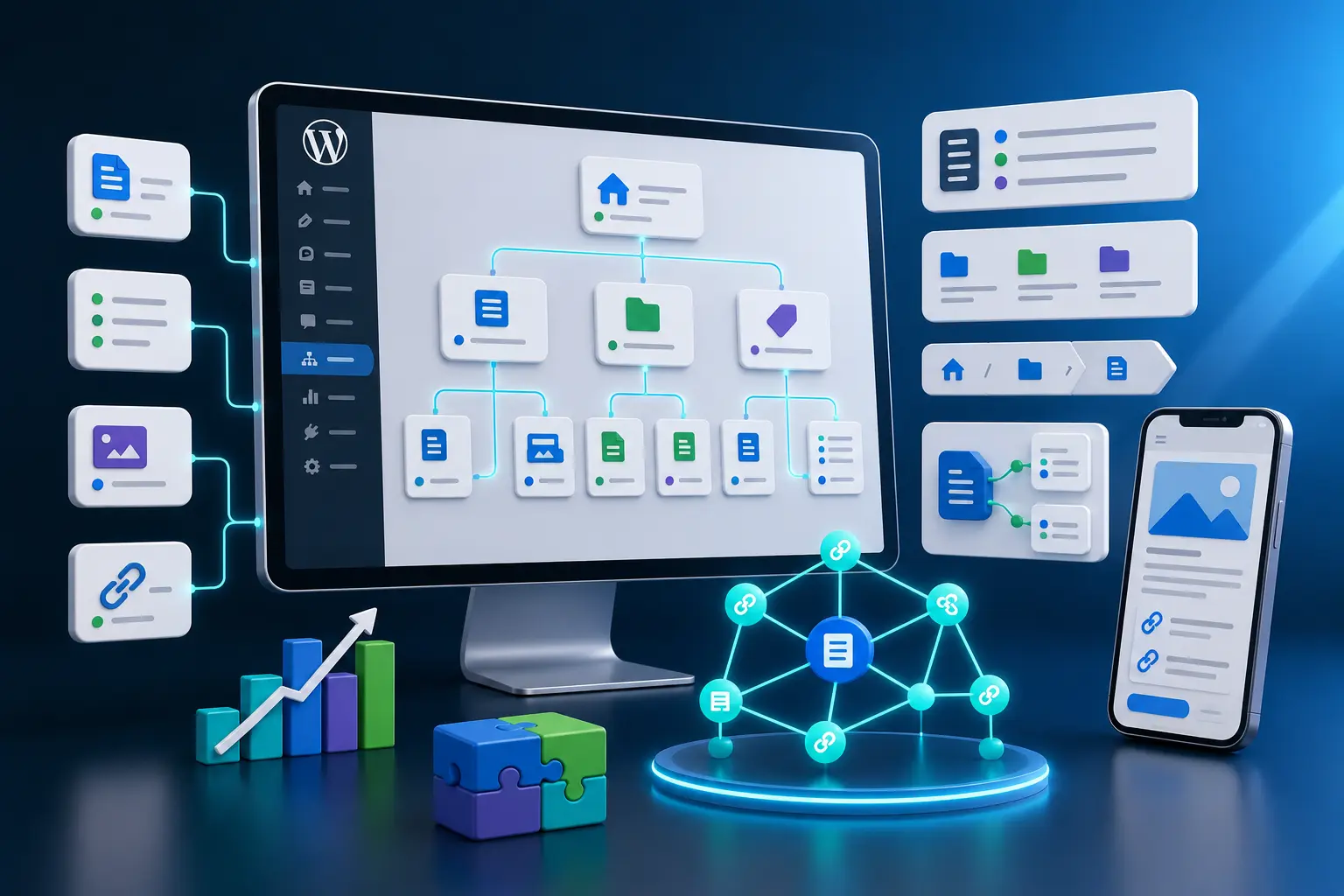
Website content structure for SEO is the plan that decides how your pages, categories, blog posts, service pages, product pages and internal links work together. A strong content structure helps search engines understand what each page is about, how topics connect and which pages are most important.
Many websites publish content without a clear structure. They create random blog posts, duplicate service pages, weak categories, overlapping keywords and internal links that do not guide users or search engines. Over time, this can create keyword cannibalization, thin content, poor navigation and pages that compete with each other instead of supporting each other.
In this guide, you will learn how to plan a website content structure for SEO using core pages, service pages, blog categories, topic clusters, keyword mapping, internal links, breadcrumbs, metadata and ongoing content maintenance. If you are still building the basic SEO foundation, start with our WordPress SEO checklist for small business websites. If your content structure already has many posts and service pages, also review the WordPress internal linking strategy.
Table of Contents
- What Is Website Content Structure for SEO?
- Why Website Content Structure Matters for Rankings and Conversions
- Website Content Structure for SEO Checklist
- 1. Define the Main Website Goals
- 2. Separate Core Pages, Service Pages and Blog Posts
- 3. Map One Primary Keyword to Each Important Page
- 4. Build a Clear Page and Category Hierarchy
- 5. Plan Topic Clusters Around Main Services
- 6. Avoid Keyword Cannibalization Between Pages
- 7. Use Internal Links to Connect Related Content
- 8. Organize Blog Categories Around Real Search Intent
- 9. Add Supporting Content for Content Gaps
- 10. Connect Content Structure With Navigation and UX
- 11. Review Schema, Breadcrumbs and Metadata
- 12. Maintain the Content Structure Over Time
- Website Content Structure Best Practices
- Common Website Content Structure Mistakes
- Website Content Structure for SEO FAQ
- Conclusion
- Related Website Growth Guides
What Is Website Content Structure for SEO?
Website content structure for SEO is the way you organize the content on a website so every important page has a clear role. It includes the homepage, core pages, service pages, product pages, category pages, blog categories, pillar guides, supporting articles, internal links, breadcrumbs and navigation.
A strong content structure makes it easier for users to find what they need and easier for search engines to understand your site. Instead of publishing disconnected pages, you build a planned system where each page targets a specific search intent and supports related pages.
For example, a small business website may have a homepage, about page, contact page, main service pages, local pages, blog categories and supporting guides. Each section should have a clear purpose. A service page should convert visitors. A blog post should answer a specific search question and link to the right commercial page. A category should group related content without becoming thin or confusing.
- Core pages: homepage, about page, contact page and other essential business pages.
- Service pages: commercial pages that target service keywords and generate enquiries.
- Blog posts: informational content that answers questions and supports commercial pages.
- Categories: topic groups that organize posts, products or services logically.
- Topic clusters: groups of related pages connected around one main topic.
- Internal links: links that guide users and search engines between related pages.
Good SEO content structure is not only about menus. It is also about keyword mapping, search intent, avoiding page overlap, planning categories, building topical authority and keeping every page connected to a larger strategy.
Why Website Content Structure Matters for Rankings and Conversions
Website content structure matters for rankings because search engines need to understand which pages are important, what each page targets and how topics relate to each other. A messy structure can make good content harder to discover, harder to crawl and harder to rank.
It also matters for conversions. A visitor may enter from a blog post, but the website should guide them toward a relevant service page, product category, contact page or quote request. If the content structure is weak, visitors may read one page and leave without finding the next useful step.
Clear page purpose
Every important page should have one main role, keyword, search intent and next step.
Better topical authority
Related pages support each other when they are planned around clear topic clusters.
Less cannibalization
Keyword mapping helps prevent multiple pages from competing for the same search query.
Stronger conversion paths
Content structure guides visitors from informational content to service pages and contact actions.
Use Google Search Console to understand which pages already receive impressions and which queries trigger them. Use Google Trends for topic direction and Google Keyword Planner for keyword research support. These tools can help you plan pages around real search demand instead of guessing.
Content structure also connects directly with performance, schema and conversion. Important pages should load well, have clear metadata, use useful internal links, support structured data where relevant and guide visitors toward a meaningful next step. For conversion paths, read the website conversion optimization guide.
Website Content Structure for SEO Checklist
This website content structure for SEO checklist is designed for small business websites, WordPress websites, service websites, ecommerce stores and SEO blogs that need a clear page hierarchy, better categories, stronger internal links and fewer competing pages.
The checklist covers the most important content architecture areas: website goals, page types, keyword mapping, hierarchy, topic clusters, cannibalization, internal links, blog categories, content gaps, navigation, schema, breadcrumbs, metadata and long-term maintenance.
12 areas to review before publishing more SEO content
Use this checklist to plan pages, categories, internal links, topic clusters and topical authority without creating competing content.
Before creating new pages or blog posts, build a simple content map. List your core business goals, main services, existing pages, planned categories, target keywords and internal link relationships. This prevents random publishing and helps every new piece of content support the full website growth strategy.
1. Define the Main Website Goals
Website content structure for SEO should start with business goals, not random keyword ideas. A small business website may need more quote requests, service enquiries, phone calls, bookings, ecommerce sales, local visibility, email leads or authority in a specific niche. The content structure should support those goals.
If the goal is lead generation, the website needs strong service pages, trust pages, contact paths and supporting blog content that sends visitors toward relevant services. If the goal is ecommerce growth, the structure needs clear categories, product pages, buying guides and internal links. If the goal is topical authority, the website needs planned topic clusters instead of disconnected articles.
Build the content structure around real business outcomes
SEO content should support the pages and actions that matter most to the business.
Plan service pages, proof pages, contact pages and supporting guides that drive enquiries.
Plan location pages, local service content, reviews and Google Business Profile support.
Plan categories, product pages, comparison guides and internal links to buying pages.
Plan pillar pages and supporting posts that cover one topic area deeply.
Plan pages that move visitors from content to CTAs, forms, calls and quote requests.
Plan about pages, portfolio pages, testimonials, case studies and proof content.
Once the business goal is clear, every page should have a purpose. A page should either attract the right search traffic, explain an important offer, support trust, answer a real question, move visitors to another useful page or help create a conversion. Pages without a clear purpose usually become thin content or clutter.
- Define the main business goal before planning content.
- Decide whether the website needs more leads, sales, calls, bookings or authority.
- Connect every important page to a business or SEO purpose.
- Do not create pages only because a keyword exists.
- Prioritize pages that support services, products, locations or conversions.
- Use content structure to guide visitors toward the right next step.
2. Separate Core Pages, Service Pages and Blog Posts
A clean SEO content structure separates different page types. Core pages explain the business. Service pages target commercial search intent. Blog posts answer specific questions and support topic clusters. Product pages and category pages handle ecommerce search intent. Mixing all of these roles can create confusion.
For example, a service page should not be written like a general blog article. It should explain the service, benefits, proof, process, FAQs and contact action. A blog post should not try to target the same commercial keyword as the service page. It should support the service page with related informational content and internal links.
Give every page type a separate SEO job
Clear page roles reduce overlap and help users move from information to action.
Homepage, about page, contact page, portfolio and trust pages explain the business.
Commercial pages target service keywords and guide visitors toward enquiries.
Informational posts answer questions and link to relevant service or category pages.
Categories group related posts, products or resources around a useful topic.
Product pages target specific product intent and support buying decisions.
Location pages support real local search intent and local business context.
This separation is especially important when planning service pages. A service page should target the main commercial keyword, while supporting blog posts should target related questions, comparisons, examples, checklists or problems. For service page structure, use the WordPress service page SEO guide.
- Separate core pages, service pages, blog posts, category pages and product pages.
- Give commercial keywords to service or product pages where appropriate.
- Use blog posts to answer supporting informational searches.
- Do not make blog posts compete with important service pages.
- Use categories to group real topics, not random posts.
- Review whether each page type has the right CTA and internal links.
3. Map One Primary Keyword to Each Important Page
Keyword mapping means assigning one primary keyword or search intent to each important page. This helps prevent overlap and makes the content structure easier to manage. Each page can still include related keywords, but it should have one clear main target.
For example, one page can target “WordPress service page SEO”, another can target “WordPress internal linking strategy”, another can target “WordPress schema markup” and another can target “website content structure for SEO”. These pages support each other but do not target the same primary keyword.
Assign one main search intent to every important page
A clear keyword map helps avoid duplicate pages, weak targeting and internal competition.
Keyword mapping should also guide SEO titles, H1 headings, H2 sections, slugs and meta descriptions. If the keyword map is clear, every page can have a specific snippet and structure. For snippet planning, use the SEO titles and meta descriptions for WordPress pages guide.
- Assign one primary keyword or search intent to each important page.
- Use related keywords as support, not as competing targets.
- Map commercial terms to service, product or category pages.
- Map informational questions to blog posts and supporting guides.
- Keep the H1, SEO title, slug and headings aligned with the keyword map.
- Review existing pages for overlap before publishing new content.
Clear structure helps users. Structured data helps define page context.
EntitySchema Pro helps you add entity-based structured data to WordPress, including page, organization, service, FAQ, breadcrumb and article context where it matches visible content.
4. Build a Clear Page and Category Hierarchy
A clear page and category hierarchy helps users and search engines understand the website structure. Important pages should not be buried randomly. The homepage should connect to the most important sections, service pages should be easy to find, blog categories should be meaningful and product categories should reflect real shopping intent.
Hierarchy is not only about URL depth. It is about relationships. Which pages are parent pages? Which pages support them? Which categories group related topics? Which blog posts should link to which services? Which pages deserve navigation links because they matter most to users and conversions?
Organize pages so the website structure is easy to understand
A good hierarchy makes important pages easier to find, crawl, link to and convert from.
Connects to main services, products, categories and trust pages.
Services, products, blog, about, contact and core conversion paths.
Specific service pages, local pages, product categories and supporting pages.
Blog posts, guides, FAQs, case studies and comparison content.
Breadcrumbs and navigation should reflect the hierarchy. If categories are messy, breadcrumbs become confusing. If important pages are not linked from menus or related pages, users and search engines may not understand their importance. For structured breadcrumb context, read the WordPress schema markup guide.
- Make important pages easy to reach from the homepage or main navigation.
- Group related pages under logical parent sections or categories.
- Use categories only when they help users and search engines understand topics.
- Keep service pages and blog posts in separate roles.
- Use breadcrumbs to support the real hierarchy.
- Do not bury commercial pages under random blog or archive paths.
5. Plan Topic Clusters Around Main Services
Topic clusters help build topical authority by grouping related content around a main topic, service or category. Instead of writing unrelated blog posts, you create a planned cluster where supporting content answers related questions and links back to the main page.
For example, a main service page may target a commercial keyword. Supporting blog posts can answer questions about costs, examples, mistakes, comparisons, checklists and planning. Each supporting post should link back to the service page when relevant, and the service page can link to the most useful supporting resources.
Build supporting content around your most important pages
Topic clusters help search engines and users understand depth, relevance and page relationships.
Primary service, category, pillar guide or commercial page.
Explains the topic in detail and links to the main page.
Helps users review steps, tasks or requirements.
Supports users who are evaluating options.
Answers common questions and objections.
Shows proof, process and results for trust.
Topic clusters should be planned before publishing. If you create many similar posts without a cluster plan, they may compete with each other. The goal is to create one clear main page and several supporting pages with different search intents. For deeper linking strategy, use the WordPress internal linking strategy.
- Choose the main page for each important topic cluster.
- Create supporting posts that answer related but separate search intents.
- Link supporting posts back to the main service, category or pillar page.
- Use different titles, slugs and primary keywords for each supporting post.
- Avoid writing several posts that answer the same exact query.
- Update clusters as new services, products or questions appear.
6. Avoid Keyword Cannibalization Between Pages
Keyword cannibalization happens when multiple pages on the same website target the same keyword or search intent. This can confuse search engines and make pages compete with each other instead of building authority together.
Cannibalization is common when a website publishes too many similar blog posts, creates multiple service pages for the same offer, uses overlapping category pages or writes titles that target nearly identical keywords. A strong content structure prevents this by assigning each page a unique role.
Make pages support each other instead of competing internally
Each important page should have a distinct keyword, search intent, title and role in the content structure.
Several posts answer the same question with only slightly different wording.
Multiple service pages target the same commercial keyword or offer.
Categories compete with posts or products instead of organizing them.
Titles and meta descriptions are too close across several pages.
No single page is clearly the primary page for the topic.
Related pages do not link to the strongest main page for that topic.
Use Google Search Console to spot possible cannibalization. If the same query regularly shows different pages, review whether those pages have distinct roles. Sometimes you need to merge pages, redirect weak duplicates, update internal links or rewrite one page to target a different angle.
- Assign one main keyword or intent to each important page.
- Check whether similar pages target the same query.
- Merge weak duplicate pages when one strong page would be better.
- Rewrite overlapping pages to target different subtopics or intents.
- Use internal links to show which page is the main page for a topic.
- Review SEO titles, H1 headings and slugs for overlap before publishing.
7. Use Internal Links to Connect Related Content
Internal links are the connections between pages in your website content structure. They help users move from one useful page to another, and they help search engines understand which pages are related, which pages are important and how topics are grouped.
A strong internal linking plan should connect blog posts, service pages, product pages, category pages, pillar guides and conversion pages. Informational posts should link to relevant commercial pages when the user is ready for the next step. Service pages should link to supporting guides, FAQs, case studies and contact actions when they help the visitor decide.
Connect related pages so users and search engines understand the structure
Internal links turn separate pages into a connected SEO system instead of isolated content.
Use informational posts to guide readers toward relevant service pages and next steps.
Link service pages to guides, FAQs, portfolio examples and proof where helpful.
Supporting posts should link back to the main page for the topic cluster.
Use categories to group related posts and make the topic structure clearer.
Product pages can link to buying guides, comparisons and related categories.
Use anchor text that describes the linked page naturally and accurately.
Internal links should be planned, not added randomly. When you publish a new post, decide which existing pages it should link to and which existing pages should link back to it. For a deeper linking workflow, use the WordPress internal linking strategy.
- Link supporting posts to the main page for the topic.
- Link commercial pages to supporting guides when they help users decide.
- Use descriptive anchor text that matches the destination page.
- Do not overload every page with unrelated links.
- Update older posts when new important pages are published.
- Use internal links to clarify which page is the main page for a keyword.
8. Organize Blog Categories Around Real Search Intent
Blog categories should help users and search engines understand the main topics on your website. A category should not exist only because one post needs a label. It should represent a real content group with enough related posts, a clear purpose and a reason to exist in the website structure.
Good blog categories are planned around search intent and business relevance. For example, categories such as Website Growth, JavaScript, CSS or AI can make sense when each category contains a focused series of posts. Weak categories such as Tips, News, Other or Updates often become too broad and unhelpful.
Random labels, one-post categories, vague names, overlapping topics and categories that do not help users navigate.
Clear topic groups based on search intent, content series, user needs and internal linking opportunities.
Category pages can be useful, but only if they are managed well. A category page should not be a thin archive with no explanation, no useful order and no internal link value. Important categories can include a short intro, clear post list, topic explanation and links to the most important guides.
- Create categories around real topics and search intent.
- Avoid one-post categories unless the category is part of a planned series.
- Do not create several categories that mean almost the same thing.
- Use category names that are clear for users, not only internal team labels.
- Add useful category descriptions where categories are important landing pages.
- Review old categories and merge weak or duplicate categories when needed.

Support your content structure with clear page context
EntitySchema Pro helps you add entity-based structured data to WordPress, including page, organization, service, FAQ, breadcrumb and article context where it matches visible content.
9. Add Supporting Content for Content Gaps
Content gaps are missing topics that your website should cover to support users, rankings and conversions. A content gap might be a missing service page, missing FAQ, missing product guide, missing comparison article, missing local page, missing case study or missing supporting post in a topic cluster.
Content gaps should be found by reviewing search queries, customer questions, competitor coverage, service pages, internal links and existing content. The goal is not to copy competitors. The goal is to identify important questions or page types your website has not answered yet.
Fill missing topics that support the full website structure
New content should strengthen the existing structure instead of creating random extra pages.
Create pages for important services that do not yet have a focused commercial page.
Add answers for repeated customer questions that affect decisions and conversions.
Create supporting guides for important informational searches around your services.
Support users who compare options, methods, products, services or providers.
Add case studies, testimonials, project examples and trust-building content.
Add real location or service area content when local search intent is important.
Use Google Search Console to find queries where your website gets impressions but the existing page does not fully match the intent. Sometimes you need to improve the existing page. Sometimes you need a new supporting page. Sometimes you need to merge weak pages instead of publishing more.
- Review customer questions before planning new content.
- Use Search Console queries to find missing search intents.
- Create new pages only when the topic needs a separate page.
- Improve existing pages when the topic already has a strong target page.
- Add supporting posts to strengthen main service and category pages.
- Do not fill gaps with thin content that adds no real value.
10. Connect Content Structure With Navigation and UX
Content structure should be visible in the user experience. If the structure exists only in a spreadsheet, users will not benefit from it. Navigation, menus, breadcrumbs, category pages, related links, sidebar links, footer links and CTA sections should help visitors understand where they are and where they should go next.
A good navigation system does not show everything at once. It highlights the most important paths. For a small business website, that may include services, portfolio, about, blog and contact. For ecommerce, it may include product categories, buying guides, support and cart actions. For a content-heavy site, it may include clear blog categories and pillar guides.
Make the structure easy to use
Menus, breadcrumbs, related links and CTAs should guide users through the website.
Review StructureShow the structure through navigation and page design
- Use clear menu labels for main sections.
- Keep important service pages easy to reach.
- Add related links where they help users continue.
- Use breadcrumbs for hierarchy clarity.
- Connect blog posts to relevant next steps.
- Make mobile navigation simple and conversion-focused.
Navigation and content structure also affect conversions. A visitor should be able to move from a blog post to a service page, from a service page to proof, from proof to contact and from contact to a simple action. For the conversion side, review the website conversion optimization for small businesses guide.
- Make important sections visible in the main navigation.
- Use clear menu labels that match user language.
- Add breadcrumbs where they help explain hierarchy.
- Use related links and CTA blocks to guide users to the next step.
- Review mobile navigation separately from desktop navigation.
- Do not make users search for important service, product or contact pages.
11. Review Schema, Breadcrumbs and Metadata
Schema, breadcrumbs and metadata help search engines understand the website content structure. They do not replace good pages, but they can support the structure when they match the visible content and hierarchy.
Metadata should show what each page targets. Breadcrumbs should show where the page belongs. Schema should describe the page, business, article, service, product, FAQ or breadcrumb context accurately. If these signals conflict, the website structure becomes less clear.
Use the Google Rich Results Test when structured data is important, and review metadata with the same keyword map you use for page planning. For structured data details, use the WordPress schema markup guide. For metadata writing, use the SEO titles and meta descriptions guide.
- Make SEO titles match the page’s primary keyword and role.
- Write meta descriptions that do not overlap with competing pages.
- Use breadcrumbs that match the real hierarchy.
- Add schema only when it matches visible page content.
- Check canonical URLs on important pages.
- Retest schema and metadata after structural changes.
12. Maintain the Content Structure Over Time
Website content structure is not finished after the first plan. As the website grows, new services, products, categories, blog posts, landing pages and customer questions appear. Without maintenance, even a good structure can become messy again.
Maintenance means reviewing old pages, merging weak duplicates, updating internal links, improving categories, fixing outdated content, adding missing pages and removing content that no longer supports the website strategy. This keeps the structure strong as the website grows.
Keep the structure clean as the website grows
SEO structure needs regular audits so new content does not create overlap, thin pages or broken paths.
Check whether old content still matches current services, keywords and user needs.
Combine weak overlapping pages when one stronger page would serve users better.
Add links from older posts to newer important guides, service pages and categories.
Merge, rename or remove weak categories that no longer help the site structure.
Update titles, descriptions and slugs when page roles change.
Use Search Console to find pages that need updates, merges or clearer targeting.
Maintenance is where many websites win long term. Instead of always publishing new posts, review whether your existing content structure is still logical. Update the strongest pages, remove or merge weak pages and make sure every new page supports the planned hierarchy.
- Audit content structure regularly as the website grows.
- Merge or redirect weak duplicate pages when needed.
- Update older posts with links to newer important pages.
- Review categories and remove confusing topic overlap.
- Refresh titles, descriptions and schema when page roles change.
- Use Search Console to guide updates and content decisions.
Website Content Structure Best Practices
Website content structure for SEO works best when every page has a clear role, every category has a real purpose and every internal link supports a useful relationship. The goal is not to publish as many pages as possible. The goal is to build a clear content system where pages support rankings, topical authority, user experience and conversions.
A strong SEO content structure starts with business goals, then maps pages, keywords, categories, internal links and content gaps around those goals. Service pages should target commercial intent. Blog posts should support topic clusters and answer informational searches. Categories should group real topics. Internal links should guide users and search engines toward the most important pages.
Build a clear SEO content structure before publishing more pages
Use these best practices to plan pages, categories, keywords, internal links, topic clusters and topical authority without creating overlap.
Plan content around leads, sales, bookings, local visibility, trust or topical authority.
Separate core pages, service pages, product pages, categories and supporting blog posts.
Assign one primary keyword or search intent to each important page.
Create supporting posts around main services, categories, products or pillar topics.
Use internal links to connect related content and show which page is most important.
Update old pages, merge duplicates, clean categories and refresh internal links over time.
- Plan content around business goals, not random keywords.
- Separate core pages, service pages, product pages, category pages and blog posts.
- Map one primary keyword or search intent to each important page.
- Use service pages for commercial intent and blog posts for supporting informational intent.
- Create topic clusters around important services, categories and pillar pages.
- Use internal links to connect supporting posts with main pages.
- Organize blog categories around real search intent and content groups.
- Use breadcrumbs, metadata and schema to support the real hierarchy.
- Use Google Search Console to identify content gaps, overlap and weak pages.
- Maintain the structure by updating, merging, redirecting and improving content over time.
Common Website Content Structure Mistakes
Many SEO content structure mistakes happen because websites publish pages before planning how those pages fit together. A website can have many blog posts and still have weak SEO if the posts are disconnected, categories are messy and important service pages are not supported.
The biggest mistake is internal competition. If several pages target the same keyword, search engines may struggle to understand which page should rank. A strong content map prevents this by giving every important page a specific keyword, role and relationship to other pages.
Avoid these SEO content structure problems
These mistakes can create keyword cannibalization, weak topical authority, poor navigation and confusing internal links.
New posts are created without a keyword map, cluster plan or clear internal link purpose.
Several pages target the same keyword or answer the same search intent.
Categories are vague, duplicated, too broad or created for only one random post.
Important commercial pages are not linked clearly from the homepage, menu or related posts.
Blog posts do not support main service, product, category or pillar pages.
Old pages, outdated links, thin posts and duplicate categories are never reviewed.
- Publishing blog posts without checking existing content first.
- Creating multiple pages for the same keyword or search intent.
- Letting blog posts compete with commercial service pages.
- Using vague categories such as Tips, News, Updates or Other without a clear purpose.
- Creating category pages that have no useful description or content structure.
- Forgetting to link supporting posts back to the main page.
- Using internal links only at the end instead of placing contextual links inside content.
- Not updating older posts when new important pages are published.
- Ignoring breadcrumbs, metadata, canonical URLs and schema after changing structure.
- Keeping outdated, thin or duplicate pages because they were published long ago.
Website Content Structure for SEO FAQ
Here are common questions about website content structure for SEO, page hierarchy, categories, keyword mapping, topic clusters, internal links, topical authority and keyword cannibalization.
Website content structure for SEO is the way you organize pages, categories, blog posts, service pages, products and internal links so search engines and users understand the website clearly.
Content structure matters because it helps search engines understand page roles, topic relationships, internal importance and search intent. A clear structure can reduce cannibalization and support topical authority.
Start with business goals, list the main page types, map one primary keyword to each important page, build a clear hierarchy, plan topic clusters, add internal links and review content gaps before publishing more pages.
Keyword mapping means assigning one primary keyword or search intent to each important page. It helps keep titles, headings, slugs, descriptions and internal links aligned while avoiding internal competition.
Topic clusters help SEO by connecting a main page with supporting pages that cover related subtopics. This makes the website look more complete, useful and organized around a topic.
Avoid keyword cannibalization by giving each important page a unique primary keyword or search intent. Merge weak duplicates, rewrite overlapping pages and use internal links to show which page is the main page for a topic.
Important blog categories can support SEO when they represent real topics, contain enough useful posts, have clear descriptions and help users navigate. Weak one-post or vague categories should usually be merged or removed.
Internal links connect related pages, guide users to the next step and help search engines understand which pages are related and important. Supporting posts should link to the main page for the topic.
Audit the content structure whenever the website grows significantly, services change, categories become messy, rankings drop or Search Console shows overlapping queries. Many small business websites benefit from a review every few months.
Conclusion
Website content structure for SEO helps every page on your website work as part of a clear system. Instead of publishing disconnected pages, you plan core pages, service pages, blog posts, categories, internal links, metadata, breadcrumbs and schema around real business goals and search intent.
Start by defining the website goals. Separate page types. Map one primary keyword to each important page. Build a clear hierarchy. Plan topic clusters. Avoid keyword cannibalization. Use internal links to connect related content. Organize categories around real search intent and maintain the structure as the website grows.
A strong content structure makes SEO easier because every page has a job. Search engines can understand the site better, users can move through the website more easily and important pages can receive more internal support from the content around them.
Want clearer page context across your WordPress website?
EntitySchema Pro helps you add entity-based structured data to WordPress, including page, organization, service, FAQ, breadcrumb and article context where it matches your visible content structure.
Related Website Growth Guides
This website content structure for SEO guide completes the Website Growth series. The related guides below help you improve WordPress SEO, service pages, performance, local visibility, internal linking, WooCommerce SEO, snippets, conversions and schema without making the posts compete for the same keyword.