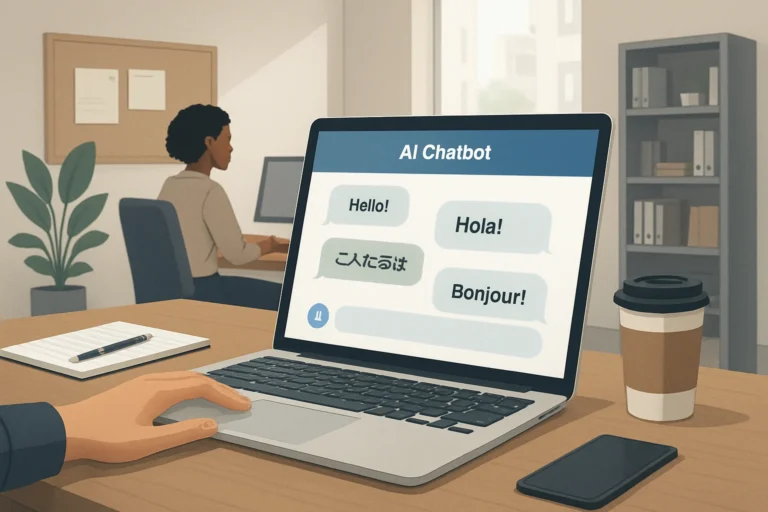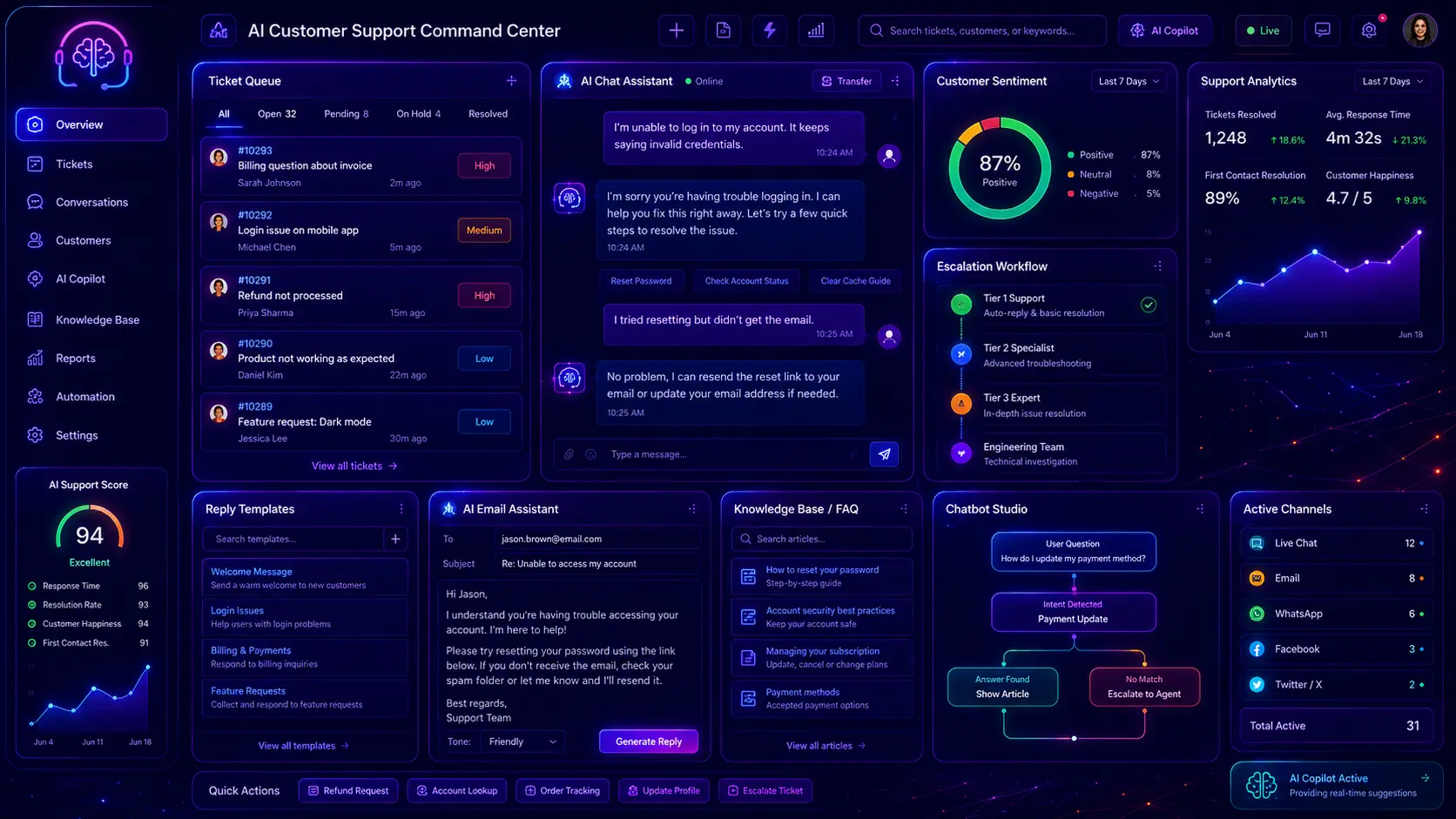
Customer support is one of the best practical uses for AI because the work is repetitive, time-sensitive, and communication-heavy. A weak AI prompt usually creates robotic replies that sound polite but do not solve the customer’s problem. A strong customer support prompt gives AI the customer message, issue type, product or service context, support policy, tone, urgency, desired outcome, and clear rules about what must not be promised.
This guide gives you 30 professional AI prompts for customer support. These prompts are built for real support workflows: help desk replies, angry customer messages, refund requests, delivery problems, technical support, SaaS support, ecommerce support, chatbot answers, support email rewrites, escalation replies, cancellation replies, support macros, FAQ answers, onboarding support, and customer support quality checks.
This post focuses only on customer support prompts. It does not replace broader website copywriting, landing page copy, ecommerce product descriptions, WordPress planning, or SEO writing. For those tasks, use our related guides: AI prompts for website copywriting, AI prompts for landing pages, AI prompts for ecommerce product descriptions, ChatGPT prompts for WordPress websites, and ChatGPT prompts for SEO content writing.
Table of Contents
- What Are AI Prompts for Customer Support?
- Why Customer Support Prompts Matter
- How to Use These Customer Support Prompts
- What Should a Good Support Prompt Include?
- 30 AI Prompts for Customer Support
- Customer Support Prompt Best Practices
- Common Customer Support AI Mistakes
- AI Customer Support Prompts FAQ
- Conclusion
- Related AI, Support, Business and SEO Guides

What Are AI Prompts for Customer Support?
AI prompts for customer support are structured instructions that help AI write useful replies, summarize tickets, classify issues, rewrite support emails, prepare chatbot answers, create help desk macros, and improve customer communication. A good support prompt tells AI what the customer said, what the actual issue is, what the company can or cannot do, what policy applies, and what tone should be used.
A weak prompt might say, “reply to this customer.” A stronger prompt says, “Act as a calm customer support agent. Reply to this customer who is angry about a delayed order. Apologize, acknowledge the frustration, explain only the confirmed status, do not promise compensation unless policy allows it, ask for any missing order details, and end with a clear next step.” The second prompt gives AI enough context to write a useful support reply instead of a generic apology.
Why Customer Support Prompts Matter
Customer support is not only about being polite. It is about solving the right problem, giving accurate information, reducing frustration, protecting the company from false promises, and keeping the conversation moving forward. AI can help support teams reply faster, but only when the prompt includes the right guardrails.
- They improve reply quality: Good prompts help AI write clear, specific, and helpful support replies.
- They reduce risky promises: Prompts can tell AI not to invent refunds, delivery dates, discounts, legal claims, or guarantees.
- They save support time: AI can summarize tickets, create replies, classify issues, and draft macros faster.
- They improve tone: Prompts can make replies calm, human, professional, friendly, or direct depending on the situation.
- They support consistency: Support teams can use shared prompt templates for refunds, delays, technical problems, and escalations.
How to Use These Customer Support Prompts
Replace the bracketed fields such as [customer message], [issue type], [policy], [order details], , [tone], [next step], and [support channel]. Add real policy information whenever possible. If you use these replies in ecommerce, connect them with AI prompts for ecommerce product descriptions. If you need website copy for support or contact pages, use AI prompts for website copywriting.
What Should a Good Support Prompt Include?
Customer message
Paste the customer’s real message so AI understands the issue, emotion, missing details, and request.
Policy and limits
Tell AI what can be offered, what cannot be offered, and what should be escalated to a human.
Tone
Choose calm, professional, friendly, empathetic, direct, formal, or concise depending on the support situation.
Next step
Define what the reply should ask or do next: collect details, explain status, offer help, escalate, or close the ticket.
30 AI Prompts for Customer Support
Below are 30 professional AI prompts for customer support. Each prompt is focused on one practical support task, from help desk replies and refund requests to angry customers, chatbot answers, technical troubleshooting, support macros, escalation messages, and quality checks.
1. Complete Customer Support Reply Prompt
This prompt creates a complete customer support reply that is helpful, accurate, polite, and clear about the next step.
How to customize it: Add real policy and confirmed facts. This prevents AI from making promises your support team cannot keep.
2. Angry Customer Response Prompt
This prompt helps reply to frustrated or angry customers without sounding defensive, robotic, or dismissive.
Why it works: Angry customers usually need acknowledgement, clarity, and a next step — not a long generic apology.
3. Refund Request Reply Prompt
This prompt creates refund request replies that stay polite while following the company’s actual refund policy.
How to use it: Always paste the real refund policy. AI should not guess refund rules.
4. Shipping or Delivery Delay Reply Prompt
This prompt creates replies for delayed orders, missing packages, delivery tracking problems, and shipping questions.
Why it works: Delivery replies need confirmed tracking facts. Guessing dates creates more support problems later.
5. Technical Support Troubleshooting Prompt
This prompt creates step-by-step technical support replies for software, websites, accounts, apps, plugins, dashboards, or digital tools.
How to use it: Add environment details. Technical replies are much better when AI knows the browser, device, version, plugin, or account context.
6. Help Desk Ticket Triage Prompt
This prompt classifies support tickets by issue type, urgency, sentiment, missing details, and the best next action.
Why it works: Triage prompts save time because support teams can quickly see what the issue is, how urgent it is, and who should handle it.
Need better support replies and help desk workflows?
If your customer support replies are slow, inconsistent, too generic, or missing clear next steps, we can help build better support templates, chatbot flows, FAQs, and help desk content.
Improve My Customer Support7. Chatbot Knowledge Base Answer Prompt
This prompt creates chatbot answers based only on approved knowledge base content, so the bot does not invent policy or product details.
How to use it: This is ideal for chatbot training, FAQ-based bots, support widgets, and AI assistants that must stay grounded in approved content.
8. Support Email Rewrite Prompt
This prompt rewrites a rough support email into a clearer, calmer, more professional customer reply.
Why it works: Many support drafts contain useful facts but need better structure, tone, and customer-friendly wording.
9. Customer Support FAQ Answer Prompt
This prompt turns support questions into clear FAQ answers for help centers, knowledge bases, contact pages, and chatbot training.
How to use it: Support FAQs should answer real customer questions, not generic filler questions.
10. SaaS Customer Support Reply Prompt
This prompt creates SaaS support replies for login issues, subscriptions, feature questions, billing, bugs, onboarding, and account problems.
Why it works: SaaS support needs clarity, safe troubleshooting, account context, and careful language around plans and billing.
11. Ecommerce Customer Support Reply Prompt
This prompt creates ecommerce support replies for orders, products, returns, shipping, damaged items, missing items, and product questions.
Related: For product page content, use AI prompts for ecommerce product descriptions.
12. Customer Complaint Summary Prompt
This prompt summarizes long customer complaints into clear issue summaries, emotional tone, root cause, and next action.
How to use it: This is useful when long complaints need to be understood quickly before a support agent replies.
Need support content that saves time?
We can help create customer support templates, help center articles, chatbot answers, ecommerce support replies, and internal support workflows that make customer communication faster and clearer.
Build Better Support Content13. Escalation Reply Prompt
This prompt creates a customer-facing reply when an issue must be escalated to a specialist, manager, technical team, or billing team.
Why it works: Escalation replies should reduce uncertainty without making promises that the support team cannot control.
14. Cancellation Request Reply Prompt
This prompt creates cancellation replies for subscriptions, services, memberships, appointments, orders, or accounts.
How to use it: Cancellation replies should be clear and respectful. Forced retention language can damage trust.
15. Billing Support Reply Prompt
This prompt creates replies for invoices, failed payments, duplicate charges, subscription renewals, payment methods, and billing questions.
Why it works: Billing replies must be accurate and careful because small wording mistakes can create legal, trust, or accounting issues.
16. Feature Request Reply Prompt
This prompt creates replies to feature requests without promising roadmap dates or future functionality.
How to use it: This is useful for SaaS, WordPress plugins, apps, digital products, and customer feedback systems.
17. Support Macro Creation Prompt
This prompt creates reusable help desk macros for common support situations, so replies stay consistent and fast.
Why it works: Support macros improve consistency, but they must be flexible enough for real customer situations.
18. Customer Onboarding Support Prompt
This prompt creates helpful onboarding replies for new customers who need guidance after purchase, signup, or installation.
How to use it: Onboarding support should help new users get their first successful result as quickly as possible.
Want support templates that your team can reuse?
We can help create reusable support macros, onboarding replies, billing templates, ecommerce support replies, chatbot answers, and help center content for your business.
Create Support Templates19. Customer Apology Reply Prompt
This prompt writes apology replies that sound human and responsible without overpromising compensation or outcomes.
Why it works: A good apology should be specific, honest, and connected to action.
20. Negative Review Response Prompt
This prompt creates public replies to negative reviews without arguing, exposing private details, or sounding defensive.
How to use it: Public review replies are for reputation and trust. Detailed problem-solving should move to a private support channel.
21. Positive Review Reply Prompt
This prompt creates natural replies to positive reviews, testimonials, feedback messages, and customer compliments.
Why it works: Specific replies to positive reviews feel more human than repeated “thank you for your feedback” templates.
22. Support Chat Reply Prompt
This prompt creates short live chat replies that are clear, quick, and easy for customers to follow in real time.
How to use it: Live chat works best when replies are short and the customer gets one clear next step at a time.
23. Support Tone Adjustment Prompt
This prompt rewrites a support reply into different tone versions, such as warmer, shorter, more formal, or more empathetic.
Why it works: Tone matters because the same facts can sound helpful, cold, defensive, or confusing depending on wording.
24. Customer Support Quality Check Prompt
This prompt reviews a support reply before sending and checks clarity, tone, accuracy, risk, and next-step quality.
How to use it: This is useful before sending sensitive replies about refunds, billing, complaints, technical issues, or angry customers.
Need better support quality and consistency?
We can help improve your customer support replies, chatbot answers, help desk macros, support email templates, FAQ content, and quality review process.
Improve Support Quality25. Support Article Outline Prompt
This prompt creates help center article outlines for common support topics, troubleshooting guides, policies, and setup instructions.
Why it works: Good help articles reduce repeated tickets because customers can solve common problems without contacting support.
26. Customer Support Chatbot Flow Prompt
This prompt creates a chatbot conversation flow for common customer support issues, with fallback and escalation paths.
How to use it: This helps create chatbot flows that are safer than open-ended bots because they include fallback and escalation rules.
27. Customer Sentiment Analysis Prompt
This prompt analyzes customer sentiment and helps decide whether a ticket is calm, confused, frustrated, urgent, angry, or high-risk.
Why it works: Support tone should change depending on whether the customer is confused, angry, urgent, or simply asking a normal question.
28. Customer Support Internal Note Prompt
This prompt creates clean internal notes for support teams, so the next agent understands the issue without reading the whole thread.
How to use it: Internal notes are especially useful for escalations, shift handoffs, billing issues, and long support threads.
29. Customer Support SEO Metadata Prompt
This prompt creates SEO metadata for help center articles, support pages, chatbot guides, FAQ pages, and customer support resources.
Related: For deeper snippet work, use AI prompts for meta titles and descriptions.
30. Complete Customer Support Workflow Prompt
This prompt creates a full AI-assisted customer support workflow for replies, triage, macros, chatbot answers, FAQs, and quality checks.
Why it works: Customer support AI works best as a controlled workflow with policy, human review, escalation, and quality checks.
Need a complete AI customer support workflow?
If you want faster replies, better help desk templates, chatbot answers, FAQ content, support macros, escalation rules, and quality checks, we can help build a practical AI-assisted customer support system.
Contact UsCustomer Support Prompt Best Practices
AI can make customer support faster, but it should not guess policies, invent facts, or make promises. A strong customer support prompt should include the customer message, issue type, known facts, policy, allowed solution, limits, tone, and the desired next step. This helps AI create replies that are helpful without creating new problems.
- Give AI the real customer message: The tone, urgency, and missing details are usually inside the customer’s exact wording.
- Include policy: Refunds, delivery, billing, cancellation, and account replies must follow real policy.
- Separate facts from assumptions: AI should know what is confirmed and what still needs to be checked.
- Use clear guardrails: Tell AI what not to promise, such as exact delivery dates, refunds, discounts, or roadmap features.
- Keep sensitive decisions human-reviewed: Refunds, legal issues, account closures, billing disputes, and high-risk complaints should not be fully automated.
- Make the next step clear: Every support reply should tell the customer what happens next or what information is needed.
Common Customer Support AI Mistakes
The most common mistake is using AI to write a reply without giving it the actual policy or confirmed facts. This can create polite but inaccurate replies. In customer support, accuracy is more important than sounding friendly. A reply that promises the wrong thing can create refunds, complaints, chargebacks, or trust problems.
- Inventing policy: AI should never guess refund rules, shipping rules, cancellation rules, or billing decisions.
- Over-apologizing: Long apology text can sound fake and does not solve the issue.
- No next step: A polite reply without a clear next action leaves the customer stuck.
- Asking for sensitive data: Support replies should not ask for passwords, full card numbers, secret keys, or unnecessary private data.
- Using one tone for every situation: Angry customers, confused users, billing issues, and feature requests need different wording.
- No human escalation: AI should know when to send a ticket to a human agent, manager, billing team, or technical specialist.
AI Customer Support Prompts FAQ
Can AI write customer support replies?
Yes, AI can draft customer support replies when you provide the customer message, known facts, policy, tone, and next step. Sensitive replies should still be reviewed by a human before sending.
What is the best AI prompt for customer support?
The best AI customer support prompt includes the customer message, issue type, product or service context, confirmed facts, relevant policy, what can be offered, what must not be promised, tone, and required next step.
Can AI handle angry customer messages?
AI can help draft calm and respectful replies to angry customers, but it should not argue, blame, over-apologize, or promise compensation unless policy allows it.
Can AI be used for support chatbots?
Yes, AI can help create chatbot answers and chatbot flows. The safest approach is to base answers on an approved knowledge base and escalate to human support when the answer is not available or confidence is low.
Should AI approve refunds or billing decisions?
No. AI can draft a reply based on a confirmed decision and policy, but refund approvals, billing disputes, account closures, and sensitive decisions should be handled or reviewed by a human.
How do I stop AI from inventing support answers?
Include clear rules in every prompt: use only confirmed facts, follow the provided policy, do not invent refunds, discounts, delivery dates, guarantees, features, links, or account status, and escalate when information is missing.
Conclusion
AI can make customer support faster and more consistent, but only when prompts include enough context and strong guardrails. A good customer support prompt gives AI the customer message, issue type, known facts, policy, allowed solution, limits, tone, and next step. This creates replies that are helpful, accurate, and safer to use.
Use these 30 AI prompts as a practical customer support workflow. Start with ticket triage, draft replies, rewrite support emails, create help desk macros, build chatbot answers, write FAQ content, handle angry customers carefully, and review sensitive replies before sending. For related business workflows, use AI prompts for website copywriting, AI prompts for landing pages, and AI automation examples for small businesses.
Related AI, Support, Business and SEO Guides
- 30 ChatGPT Prompts for SEO Content Writing
- 30 ChatGPT Prompts for Keyword Research
- 30 AI Prompts for Meta Titles and Meta Descriptions
- 30 AI Prompts for Social Media Posts
- 30 AI Prompts for Ecommerce Product Descriptions
- 30 ChatGPT Prompts for WordPress Websites
- 30 AI Prompts for Website Copywriting
- 30 AI Prompts for Landing Pages
- 30 AI Automation Examples for Small Businesses
- 30 Modern CSS Forms for Websites