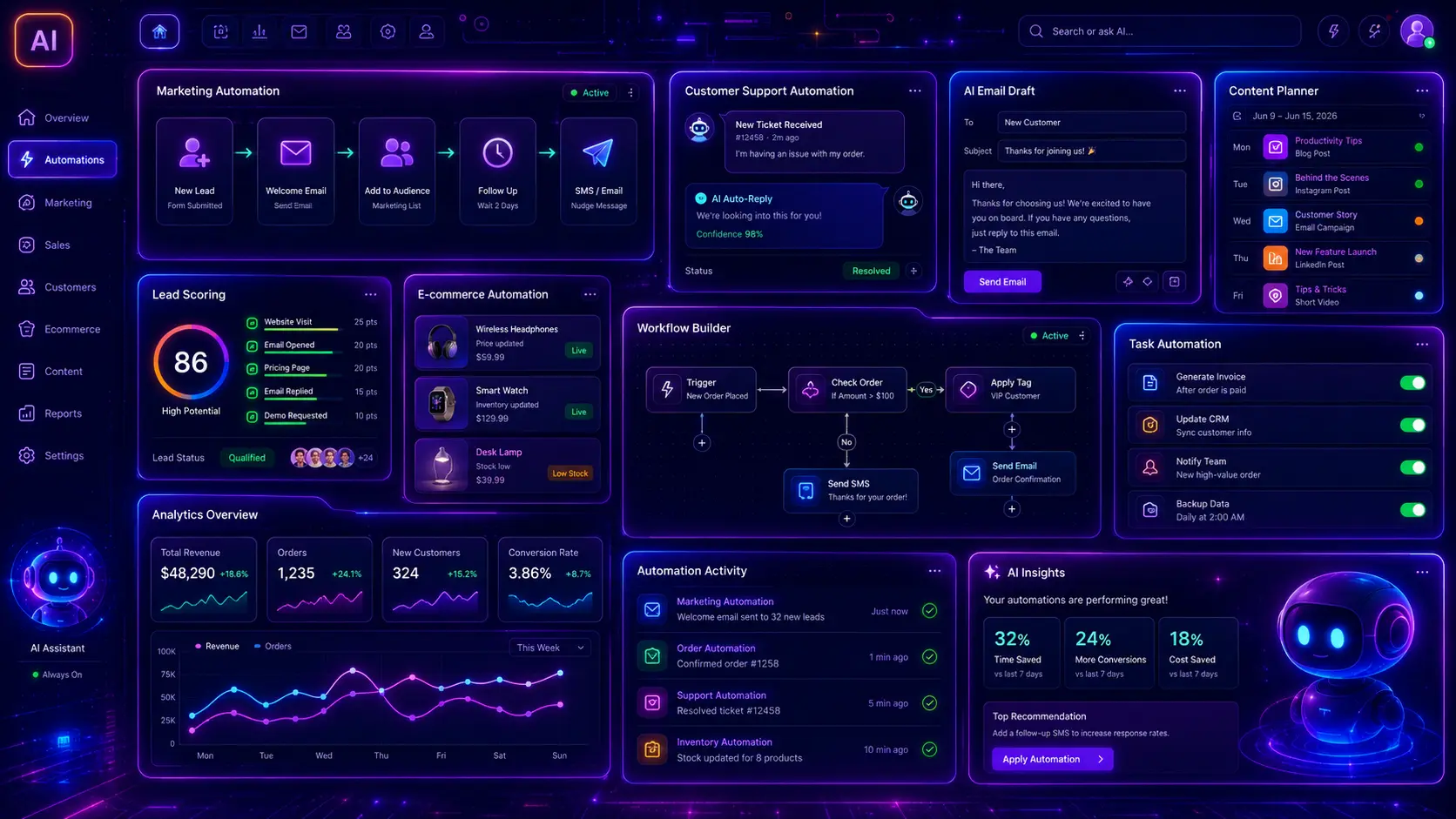
Small businesses often lose time on repeated work: answering the same customer questions, writing social posts, creating product descriptions, checking leads, preparing emails, summarizing requests, updating website content, and organizing daily tasks. AI automation can help with those workflows, but only when it is built around a real business process. A weak AI automation is just “send everything to AI.” A strong AI automation has a clear trigger, input, AI task, human review rule, output, and safety limit.
This guide gives you 30 practical AI automation examples for small businesses. These examples are built for real workflows: marketing automation, customer support automation, content planning, SEO tasks, lead handling, quote requests, ecommerce product content, social media repurposing, email replies, chatbot support, internal summaries, review replies, and business process improvement.
This post focuses on AI automation ideas and workflows. It does not replace dedicated prompt collections for SEO content, keyword research, metadata, social media, product descriptions, WordPress websites, website copywriting, landing pages, or customer support. For those topics, use our related guides: ChatGPT prompts for SEO content writing, ChatGPT prompts for keyword research, AI prompts for social media posts, AI prompts for customer support, and AI prompts for landing pages.
Table of Contents
- What Is AI Automation for Small Businesses?
- Why AI Automation Matters for Small Businesses
- How to Use These AI Automation Examples
- What Should a Good AI Automation Include?
- 30 AI Automation Examples for Small Businesses
- AI Automation Best Practices
- Common AI Automation Mistakes
- AI Automation Examples FAQ
- Conclusion
- Related AI, Business and SEO Guides

What Is AI Automation for Small Businesses?
AI automation for small businesses means using AI inside a repeatable workflow to complete or assist a business task. It can summarize form submissions, draft customer replies, create content briefs, rewrite product descriptions, classify leads, generate social posts, create FAQ answers, analyze reviews, prepare reports, and suggest next actions. The goal is not to remove all human work. The goal is to reduce repetitive work and make human review faster.
A simple automation might look like this: a customer fills out a quote request form, AI summarizes the request, classifies the project type, drafts a reply email, and sends the summary to the business owner for approval. A stronger automation adds safety rules: AI must not promise a price, must not confirm availability, must not send the email without approval, and must ask for missing project details when needed.
Why AI Automation Matters for Small Businesses
Small businesses usually do not have large marketing, support, sales, and operations teams. One person may handle website updates, emails, customer questions, social media, quotes, invoices, and follow-ups. AI automation can reduce repeated manual work, but it must be designed carefully so it does not create wrong information, poor customer experiences, or risky promises.
- It saves time: AI can draft, summarize, classify, rewrite, and organize repeated tasks faster than doing everything manually.
- It improves consistency: Reusable workflows help keep customer replies, content, and internal notes more consistent.
- It supports faster response times: AI can prepare replies and summaries before a human reviews them.
- It helps small teams do more: A small business can manage more content, leads, support tickets, and follow-ups.
- It creates better systems: Good automation forces the business to define triggers, inputs, outputs, rules, and review steps.
How to Use These AI Automation Examples
Use each example as a workflow idea, not as a blind automation. Replace the bracketed fields such as [trigger], [input], [AI task], [review rule], [output], and [tool]. For marketing tasks, connect these ideas with AI prompts for social media posts. For support workflows, use AI prompts for customer support. For website and SEO workflows, use ChatGPT prompts for WordPress websites and ChatGPT prompts for SEO content writing.
What Should a Good AI Automation Include?
Trigger
Define what starts the automation: form submission, new order, support ticket, blog idea, review, email, or scheduled task.
Input
Tell AI what information it can use: customer message, product data, policy, CRM fields, page content, or approved knowledge base.
Human review
Decide when a human must approve the output before it is published, sent, or saved.
Safety rules
Tell AI what not to invent: prices, refunds, delivery dates, guarantees, legal claims, medical claims, or account decisions.
30 AI Automation Examples for Small Businesses
Below are 30 AI automation examples for small businesses. Each example includes the business use case, trigger, AI task, human review rule, output, and a copy-paste workflow prompt you can adapt for your own tools and processes.
1. Quote Request Summary Automation
This automation summarizes incoming quote requests, extracts important project details, identifies missing information, and drafts a reply for human review.
Best use: This is useful for service businesses, contractors, agencies, web developers, repair companies, and any business that gets custom quote requests.
2. Customer Support Ticket Triage Automation
This automation classifies support tickets by category, urgency, sentiment, missing information, and whether the issue needs escalation.
Related: For more reply templates, use AI prompts for customer support.
3. Blog Topic Gap Automation
This automation reviews existing blog topics and suggests new post ideas that do not directly compete with content already published.
Related: For content creation, use ChatGPT prompts for SEO content writing and ChatGPT prompts for keyword research.
4. SEO Content Brief Automation
This automation turns a keyword or topic into a structured SEO content brief with search intent, headings, questions, examples, and internal link ideas.
Best use: This is useful when you publish content regularly and want each post to solve one clear search intent.
5. Social Media Repurposing Automation
This automation turns a blog post, product page, case study, or offer into platform-specific social media posts.
Related: For more post templates, use AI prompts for social media posts.
6. Product Description Update Automation
This automation rewrites weak product descriptions into clearer product copy with benefits, specifications, FAQs, and metadata suggestions.
Related: For deeper product content workflows, use AI prompts for ecommerce product descriptions.
Need AI automations for your website or business?
If your business wastes time on repeated emails, content, support replies, quote requests, product text, or manual workflows, we can help build practical AI-assisted automations with human review and safe rules.
Plan My AI Automation7. Customer Review Reply Automation
This automation helps small businesses reply to positive, neutral, and negative reviews without sounding generic or defensive.
Best use: This works well for local businesses, ecommerce stores, service companies, agencies, clinics, restaurants, and online products.
8. Lead Qualification Automation
This automation scores incoming leads, identifies fit, extracts important details, and suggests the best follow-up action.
Best use: Use this for quote requests, service inquiries, demo requests, consultation forms, agency leads, and B2B contact forms.
9. Landing Page Improvement Automation
This automation reviews a landing page and suggests improvements for hero copy, offer clarity, CTAs, proof, FAQs, and form flow.
Related: For landing page prompts, use AI prompts for landing pages.
10. Support FAQ Creation Automation
This automation turns repeated support questions into clear FAQ answers for a website, help center, chatbot, or support page.
Best use: Use this when customers keep asking the same questions by email, chat, phone, or contact form.
11. Internal Meeting Summary Automation
This automation turns meeting notes or transcripts into clear decisions, tasks, owners, deadlines, risks, and follow-up messages.
Best use: This is useful for small teams where meetings create tasks but nobody has time to write proper notes afterward.
12. Email Reply Draft Automation
This automation drafts business email replies from incoming messages while keeping sensitive decisions under human control.
Best use: This is useful for daily business inboxes, quote requests, partnership emails, customer questions, and follow-ups.
Want AI to reduce repeated admin work?
We can help build automations for quote requests, support tickets, emails, meeting summaries, FAQs, product content, and website workflows with safe human review.
Build My AI Workflow13. Website SEO Metadata Automation
This automation creates SEO titles, meta descriptions, image alt text, social titles, and focus keywords for new or updated pages.
Related: For deeper metadata examples, use AI prompts for meta titles and descriptions.
14. Weekly Social Content Calendar Automation
This automation turns business goals, offers, posts, products, and customer questions into a weekly social media calendar.
Best use: Use this to make social media consistent without writing every post manually from zero.
15. New Customer Welcome Automation
This automation creates welcome messages, onboarding steps, useful links, and next actions for new customers or subscribers.
Best use: This is useful for ecommerce, SaaS, service businesses, memberships, online courses, agencies, and downloadable products.
16. Abandoned Cart Email Automation
This automation drafts abandoned cart emails that remind customers about products without using fake urgency or misleading discounts.
Best use: Use this for WooCommerce, Shopify, digital product stores, and small ecommerce shops.
17. Invoice Reminder Automation
This automation creates polite invoice reminders for overdue, upcoming, or unpaid invoices while keeping the tone professional.
Best use: This helps freelancers, agencies, service companies, B2B businesses, and small shops handle payment follow-ups consistently.
18. CRM Note Automation
This automation summarizes customer conversations into CRM notes with next steps, lead status, risks, and follow-up reminders.
Best use: Use this after calls, discovery meetings, sales emails, consultations, or long chat conversations.
Need AI workflows for sales, support, or marketing?
We can help connect AI with your website forms, CRM, support inbox, product content, blog workflow, and customer communication so repeated tasks become faster and easier to manage.
Automate My Business Workflow19. Website Content Update Automation
This automation reviews old page content and suggests updates for clarity, SEO, internal links, CTAs, FAQs, and outdated sections.
Best use: This helps small businesses keep important website pages fresh instead of only publishing new content.
20. Local SEO Review Automation
This automation reviews local service pages, Google Business Profile content, reviews, and location-based copy for improvement ideas.
Best use: Use this for local service businesses, contractors, repair companies, clinics, consultants, and agencies.
21. Proposal Draft Automation
This automation turns project details into a proposal draft with scope, goals, deliverables, assumptions, exclusions, and next steps.
Best use: Use this for web design, marketing, construction, consulting, custom products, B2B services, and project-based work.
22. Customer Feedback Analysis Automation
This automation analyzes customer feedback, support tickets, reviews, and surveys to find repeated problems and improvement opportunities.
Best use: This helps small businesses understand what customers repeatedly ask, praise, dislike, or misunderstand.
23. Competitor Content Monitoring Automation
This automation reviews competitor pages or content summaries and suggests useful content gaps without copying competitors.
Best use: Use this to expand a blog, service content library, ecommerce guide section, or niche resource hub.
24. Daily Task Prioritization Automation
This automation turns a messy list of tasks, messages, deadlines, and projects into a prioritized daily action plan.
Best use: Use this for freelancers, agencies, small shops, service businesses, and founders managing many tasks alone.
Want a smarter daily workflow?
We can help turn repeated admin, marketing, support, sales, and website tasks into AI-assisted workflows that save time without losing human control.
Create My AI Workflow25. Newsletter Draft Automation
This automation turns recent blog posts, offers, products, updates, or tips into a useful newsletter draft.
Best use: This helps small businesses send newsletters consistently from existing content instead of starting from a blank page.
26. Job Application Screening Automation
This automation summarizes job applications, checks requirements, highlights strengths, and flags missing information for human review.
Best use: Use this only as an assistant for organizing information. Final hiring decisions should stay human-reviewed.
27. Standard Operating Procedure Automation
This automation turns repeated business tasks into step-by-step SOPs that employees or contractors can follow.
Best use: This helps small businesses document tasks that are currently stored only in one person’s head.
28. Monthly Business Report Automation
This automation turns sales, traffic, leads, support, content, and marketing data into a clear monthly business summary.
Best use: This helps founders and small teams understand the month without manually writing a report from scratch.
29. AI Automation Risk Check
This automation checks whether a proposed AI workflow is safe, useful, and ready for human-reviewed implementation.
Best use: Use this before connecting AI to email sending, payments, customer accounts, public publishing, refunds, or sensitive workflows.
30. Complete Small Business AI Automation Plan
This automation planning prompt creates a complete AI workflow roadmap for a small business, including marketing, support, sales, content, and operations.
Best use: Use this before building automations so the business chooses useful workflows instead of automating random tasks.
Need a practical AI automation roadmap?
If you want to automate quote requests, support replies, content planning, social posts, product descriptions, email drafts, reports, or website workflows, we can help plan and build safe AI automations for your business.
Start My AI Automation PlanAI Automation Best Practices
AI automation works best when it starts with a real business problem, not with a tool. Before automating anything, define what starts the workflow, what input AI receives, what AI should produce, who reviews the result, and what the automation must never do. This keeps the workflow useful, safer, and easier to improve over time.
- Start with repeated tasks: Good automation candidates happen often and follow a similar structure.
- Keep humans in control: Use human review for replies, refunds, public posts, legal text, pricing, and sensitive customer issues.
- Use approved inputs: Give AI real product data, policy, customer messages, page content, and business rules.
- Add safety limits: Tell AI what it must not invent, confirm, publish, send, or decide.
- Measure the result: Track time saved, reply quality, lead response speed, conversion quality, and error rate.
- Improve gradually: Start with drafts and summaries before moving to more advanced automation.
Common AI Automation Mistakes
The biggest mistake is automating too much too early. Small businesses should usually begin with AI-assisted workflows, where AI prepares drafts, summaries, or recommendations and a human approves the final action. Fully automated sending, publishing, refunding, billing decisions, or customer account decisions can create problems if there are no review rules.
- No clear trigger: The automation starts at the wrong time or with incomplete information.
- No human review: AI sends or publishes content before a person checks it.
- Weak input data: AI receives vague information and creates generic or inaccurate output.
- Invented promises: AI guesses prices, deadlines, refunds, discounts, guarantees, or availability.
- No escalation rules: Sensitive support, billing, legal, or customer issues are handled like normal tasks.
- No measurement: The business does not check whether the automation saves time or improves quality.
AI Automation Examples FAQ
What is AI automation for small businesses?
AI automation for small businesses means using AI inside repeatable workflows to draft, summarize, classify, rewrite, analyze, or prepare business tasks such as emails, support tickets, content, leads, reports, and customer messages.
What small business tasks can be automated with AI?
Small businesses can use AI to assist with customer support replies, quote request summaries, blog planning, SEO briefs, social posts, product descriptions, review replies, lead qualification, meeting summaries, CRM notes, newsletters, reports, and SOPs.
Should AI automations send customer replies automatically?
Usually not at first. It is safer to let AI draft replies and let a human approve them, especially for refunds, billing, complaints, technical issues, delivery promises, legal questions, or sensitive customer data.
What is the safest way to start with AI automation?
Start with low-risk workflows such as summaries, drafts, content briefs, FAQ drafts, internal notes, and task lists. Add human review before anything is published, sent, or saved to customer records.
Can AI automation help with SEO content?
Yes. AI can help create content briefs, topic gap reports, metadata drafts, internal link suggestions, content update plans, and social repurposing drafts. A human should still check accuracy and search intent.
What should AI never decide alone?
AI should not make final decisions about refunds, legal issues, hiring, account closures, billing disputes, medical advice, financial decisions, public crisis responses, or sensitive customer data without human review.
Conclusion
AI automation can help small businesses save time, reply faster, create content more consistently, organize leads, improve support, and reduce repeated manual work. The best automations are not random AI tricks. They are structured workflows with a trigger, input, AI task, human review rule, output, and safety limits.
Start with simple AI-assisted workflows: quote summaries, support ticket triage, blog topic gaps, social repurposing, product description updates, review replies, meeting summaries, and email drafts. Then improve each workflow step by step. For related workflows, use AI prompts for customer support, AI prompts for social media posts, AI prompts for landing pages, and ChatGPT prompts for WordPress websites.
Related AI, Business and SEO Guides
- 30 ChatGPT Prompts for SEO Content Writing
- 30 ChatGPT Prompts for Keyword Research
- 30 AI Prompts for Meta Titles and Meta Descriptions
- 30 AI Prompts for Social Media Posts
- 30 AI Prompts for Ecommerce Product Descriptions
- 30 ChatGPT Prompts for WordPress Websites
- 30 AI Prompts for Website Copywriting
- 30 AI Prompts for Landing Pages
- 30 AI Prompts for Customer Support
- 30 Modern CSS Forms for Websites