Introduction
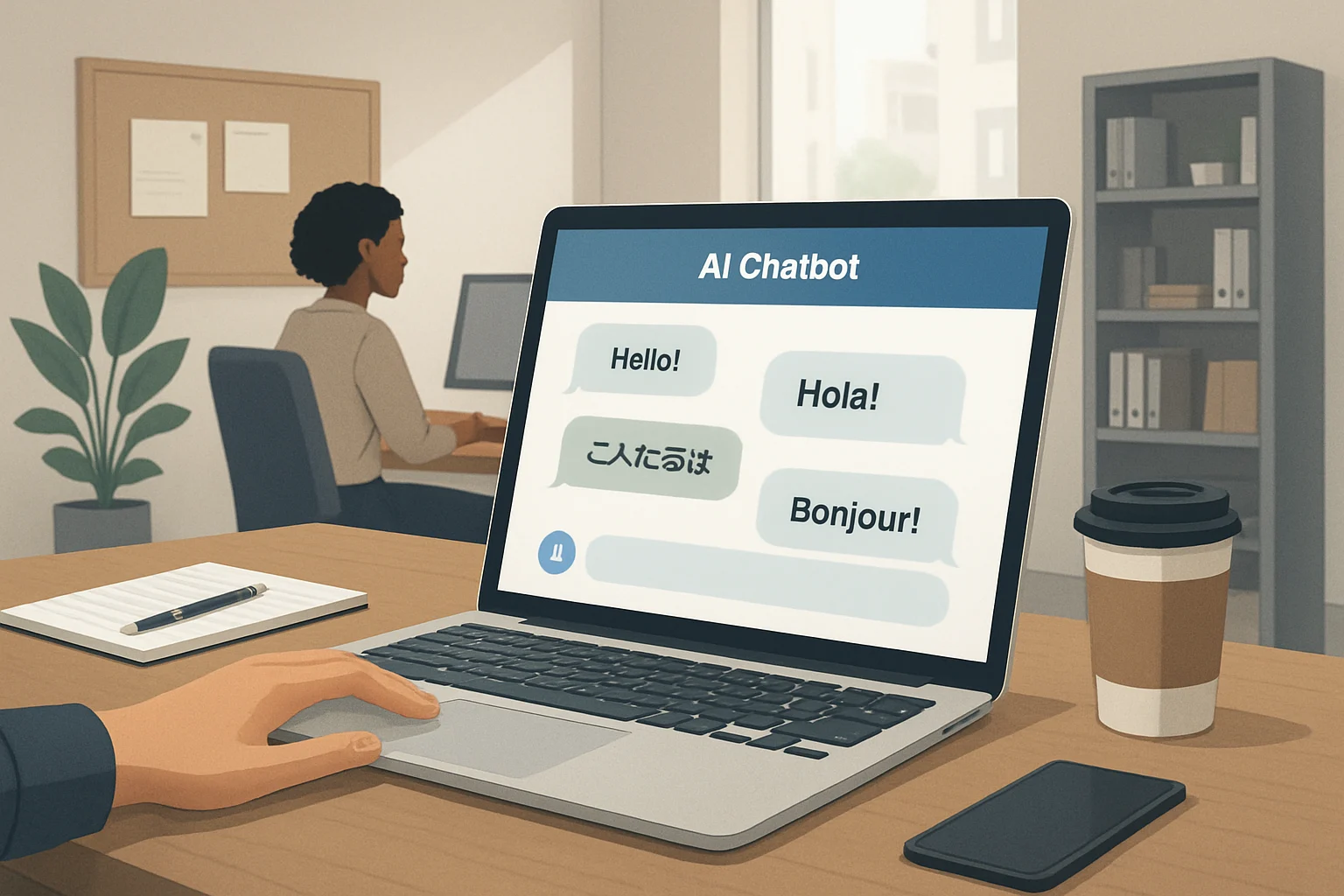
AI multilingual customer service for small businesses is changing how companies handle customer questions and support, no matter what language their customers speak. With the right multilingual AI assistant, small businesses can respond instantly in multiple languages, extend their reach, and reduce the workload on human staff—without sacrificing responsiveness or clarity. The growing availability of AI tools means that even businesses with limited resources can now offer consistent, 24/7 support to non-English-speaking customers, helping to improve satisfaction and build loyalty in today’s competitive environment.
This guide is designed for small business owners and managers who want to understand how AI-powered multilingual support works, what it can and cannot do, and how to make it a real asset for their team. You will learn how AI assistants process and answer customer questions in different languages, how various solution types compare, and what steps are needed for setup, from choosing a platform to ensuring language accuracy. We address both the technical basics and the human elements—such as adapting responses to cultural nuances and ensuring the AI aligns with your company’s tone of voice.
By reading on, you will gain a clear framework to evaluate multilingual AI support options, spot potential pitfalls, and avoid common mistakes that lead to poor customer experiences. This article also lays out actionable steps for integrating an AI chatbot for multilingual service into your existing customer support—whether you run a local shop, an online store, or a service business looking to better serve a diverse audience. The guide also covers practical considerations like ongoing maintenance, user feedback, and measuring the impact of AI integration on customer satisfaction.
Our approach avoids hype and generic promises, focusing instead on real-world limitations, practical fixes, and expert cautions relevant to small business realities. By the end, you will have the knowledge needed to compare solutions and confidently plan your own AI customer service setup.

How AI Assistants Enable Multilingual Customer Service
Key Terms for Understanding Multilingual AI Customer Support
- AI Assistant: A software solution powered by artificial intelligence that automates tasks such as customer queries, information delivery, and support workflows.
- Multilingual Chatbot: A conversational AI tool capable of interacting with users in two or more languages within the same interface.
- Machine Translation: Automated technology, often based on neural networks, that translates text or speech from one language to another with minimal human input.
- Language Model: An AI system trained on large datasets to understand, generate, and interpret human language, enabling nuanced responses in multiple tongues.
Mechanisms for Multilingual AI Customer Support
AI multilingual customer service for small business relies on a combination of natural language processing (NLP) and machine translation. NLP enables the AI assistant to understand the intent, context, and meaning of customer messages. Machine translation bridges language gaps by converting queries and responses between supported languages. This allows businesses to serve customers in their preferred language, even if staff are only fluent in one or two languages.
Three Approaches to Multilingual Support
- Translation-Layer Bots: These use a real-time translation step between the customer and the AI’s main processing logic. The assistant receives the customer’s message, translates it to its native language for processing, generates a reply, then translates the reply back to the customer’s language before delivery. This approach is quick to set up and leverages the strengths of mature translation engines but may introduce errors or lose tone-specific nuances.
- Native Multilingual Language Models: Some newer AI models are trained natively on data from multiple languages. This allows the assistant to process, understand, and respond directly in the customer’s language, often preserving context and subtle meaning better than translation-layer systems. However, the quality depends on how well the model was trained across the specific languages your customers use.
- Rule-Based Systems: These rely on manually programmed language rules and scripts for each supported language. While highly controllable for simple queries, they require significant ongoing work to maintain and expand, and typically cannot handle complex or open-ended conversations as well as model-based systems.
Relevance and Benefits for Small Businesses
For small businesses, deploying an AI chatbot for multilingual service can be transformative. Without hiring staff fluent in every customer language, businesses can automate first-line support, FAQ responses, and even sales conversations. This opens new markets and improves satisfaction for non-native speakers. For example, a WordPress or WooCommerce shop can add a multilingual AI assistant—such as NextlerAI Assistant—to provide 24/7 support in visitors’ languages, relying on website content and product data as a knowledge base.
Implementation Considerations
- Language Coverage: Choose a platform or AI provider that supports all customer languages relevant to your business. Not all models or translation services have equal performance across languages.
- Integration: Ensure the assistant can access your business knowledge base, such as website FAQs, service descriptions, and product details. For WordPress and WooCommerce, integration with site content is crucial for accurate, up-to-date responses.
- Fallback and Escalation: Set rules for when the assistant should escalate complex, sensitive, or unsupported queries to a human agent. This prevents misunderstandings and maintains service quality.
- Quality Control: Regularly review conversation logs in all supported languages for translation errors, context loss, or inappropriate responses. Adjust the AI’s training data or translation engine as needed.
Common Mistakes and How to Avoid Them
- Assuming all AI assistants handle every language equally well—always test languages critical to your customers.
- Neglecting to update the assistant’s knowledge base, leading to outdated or inaccurate answers in all languages.
- Failing to configure fallback rules, resulting in poor experiences when the AI cannot understand a query.
Expert Caution
While multilingual support automation can dramatically improve reach and responsiveness, overreliance on automation may lead to missed cultural nuances or privacy issues. Human oversight, moderation, and regular updates are essential to maintain service quality and compliance as your business grows.
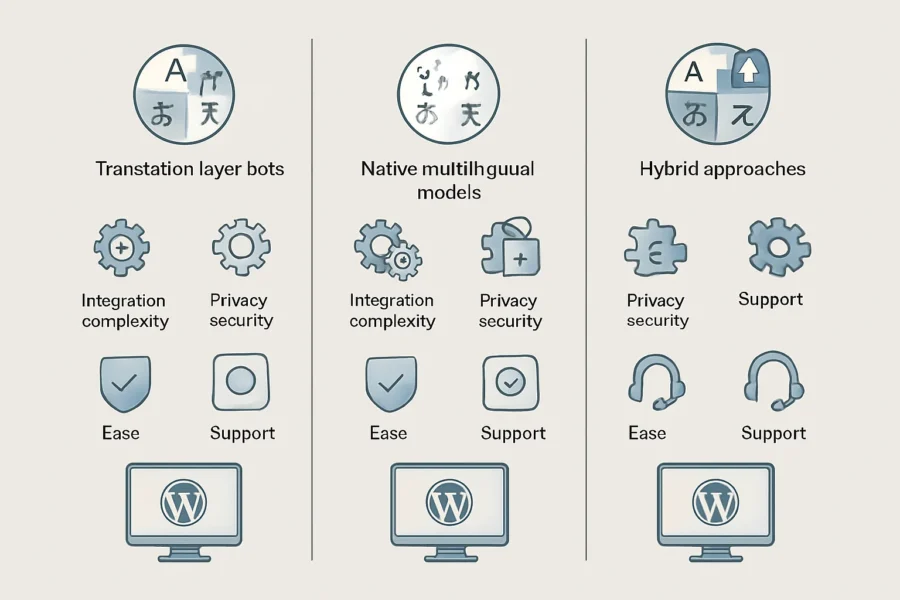
Comparison Table: Multilingual AI Assistant Solutions
NextlerAI Assistant is an example of a WordPress-compatible AI assistant supporting multilingual conversations for small business websites.
Choosing the right AI multilingual customer service small business solution depends on more than just language coverage. The underlying technology shapes how the assistant integrates, how much control you retain over data, the quality of answers, and the practical effort required for setup and ongoing support. The table below compares three main types of multilingual AI assistants, with a real example of a WordPress-compatible assistant tailored for small businesses.
| Type | Language Coverage | Integration | Data Privacy | Ease of Setup | Ongoing Costs | Support Options | Example |
|---|---|---|---|---|---|---|---|
| Translation-Layer Bots | Supports many languages via real-time translation. May struggle with less common languages or dialects. Quality depends on translation engine. | Typically integrates with existing chat or helpdesk tools. Connects to a single-language AI and adds a translation step before/after processing queries. | User queries and responses routed through third-party translation services; data may be processed outside your control unless self-hosted options are used. | Setup requires connecting both the chatbot and translation APIs. Moderate technical effort, especially for accurate fallback rules. | Translation API usage adds ongoing variable costs. Requires monitoring for translation accuracy. | Usually community support or vendor support for each integration layer separately. | Custom setups combining AI chat and translation plugins for WordPress, Zendesk, or other platforms. |
| Native Multilingual Models | Processes queries and generates answers directly in multiple languages. Coverage depends on the model (e.g., OpenAI GPT, Google Gemini). High quality in supported languages, but uneven for niche or regional languages. | Integrates with websites or support tools via plugin or API. Typically requires a connection to a cloud AI provider. | Data sent to external AI providers. Privacy depends on provider policies. Some models allow fine-tuned privacy controls, but small businesses must review terms carefully. | Many plugins offer quick setup, especially for WordPress. Main effort is configuring which languages to enable and training the model on business data. | Ongoing AI API usage fees. No extra translation cost if the model is fully multilingual. | Plugin or cloud provider may offer documentation and user forums; commercial options may include basic support channels. | NextlerAI Assistant for WordPress & WooCommerce |
| Hybrid Approaches | Combines multilingual models with translation fallback for unsupported languages. Expands coverage but may introduce context loss for less common languages. | Integration is more complex, often requiring layered plugins or middleware to handle both native and fallback scenarios. | Data processed by multiple providers. Privacy controls are harder to manage and require careful review of each component’s policies. | Most complex to set up, as it involves configuring triggers for when to switch between native and translation-based processing. Requires testing across all supported languages. | Incurs both AI and translation API costs, plus ongoing support for updates and bug fixes. | Support often fragmented between plugin vendors, translation providers, and AI model platforms. | Custom enterprise setups or advanced open-source projects; not typical for off-the-shelf small business use. |
Key Decision Points for Small Business Owners
- Language Coverage: If your customer base spans languages not natively supported by leading AI models, a hybrid or translation-layer solution may be required—but prepare for higher complexity and potential accuracy trade-offs.
- Integration: For WordPress, native multilingual plugins (such as NextlerAI Assistant) can minimize setup friction. For other platforms, review plugin compatibility and support for your preferred languages.
- Data Privacy: Every solution requires sending customer queries to external providers unless you self-host both the AI and translation layers. Review data processing agreements and ensure compliance with your jurisdiction’s regulations.
- Ongoing Maintenance: Translation accuracy and AI model updates require periodic review. Assign responsibility for monitoring and updating language packs, fallback rules, and data privacy settings.
Visualizing the Comparison
When evaluating an AI chatbot for multilingual service, small businesses should balance ease of setup, language needs, and control over customer data. While native multilingual solutions like NextlerAI Assistant offer streamlined deployment for WordPress and WooCommerce, hybrid or translation-layer bots may suit businesses with unique language demands or existing helpdesk infrastructure. However, these approaches typically involve more complex setup and monitoring requirements.
Benefits for Small Businesses Serving Diverse Audiences
Strong multilingual support often increases lead quality and engagement, so pairing it with website conversion optimization best practices can further improve results.
Exploring AI automation examples for small businesses reveals how multilingual support can be integrated alongside other automated workflows.
Pros: How Multilingual AI Assistants Give Small Businesses an Edge
- Round-the-clock, Multilingual Responsiveness: AI multilingual customer service for small business operations offers 24/7 availability in multiple languages. This enables even microbusinesses to handle after-hours queries from non-English speakers without the cost or logistical complexity of staffing late shifts or maintaining a multilingual workforce. For example, a WordPress site with an AI chatbot for multilingual service ensures no customer is left waiting for a response due to language barriers or time zones.
- Accessibility and Inclusivity for All Customers: Multilingual AI assistants make it possible to serve customers who may not be fluent in English or who prefer to communicate in their native language. This directly addresses a segment often underserved by traditional support, reducing friction and making your business more approachable to international visitors, recent immigrants, or local communities with diverse language needs.
- Cost-Effective Scalability: The cost of hiring, training, and managing human agents for each required language can quickly exceed small business budgets. AI-powered multilingual support automation incurs a one-time setup and predictable ongoing costs. As your customer base diversifies, scaling up to add new languages is typically a matter of configuration, not recruitment, so you can respond flexibly to changing demographics or market expansion.
- Seamless Integration with Existing Workflows: Solutions like the NextlerAI Assistant for WordPress & WooCommerce integrate native multilingual capabilities directly into your site. This lets you automate routine customer support in multiple languages without needing separate chat platforms or duplicate content for each language, reducing operational complexity and maintenance.
- Consistent Knowledge Base Across Languages: AI assistants draw from the same underlying product and service data, ensuring that answers are consistent regardless of the customer’s language. This minimizes the risk of conflicting information that can occur when human agents interpret or translate answers differently.
Cons: Practical Limitations and Risks to Manage
- Potential for Translation or Context Errors: Even advanced AI language models may misinterpret ambiguous queries or struggle with idiomatic expressions, especially in less common languages. This can lead to misunderstandings or unsatisfactory answers that may not be immediately obvious to monolingual staff. Regular review of multilingual conversation logs and targeted updates to training data can help mitigate these risks.
- Limited Empathy and Nuance: AI chatbots for multilingual service may respond quickly, but they cannot replicate a human agent’s ability to detect emotional tone or adjust responses to sensitive situations. For issues involving complaints, confusion, or distress, a clear handoff protocol to human support is essential.
- Privacy and Data Handling Concerns: Handling customer data in multiple languages raises privacy and compliance issues, especially if third-party translation services or external AI providers process conversations. Small business customer support AI setups should regularly review provider privacy policies and consider where customer data is stored and who can access it, particularly when using cloud-based tools.
- Ongoing Maintenance Requirements: As your business evolves, products change, or new regulations arise, the AI’s multilingual responses and knowledge base must be updated. Failing to maintain language coverage or update content in all supported languages can lead to outdated or incorrect information being distributed.
Balancing Automation With Human Oversight
For small businesses, maximizing the benefits of multilingual support automation means not treating AI as a set-and-forget solution. Schedule regular multilingual transcript reviews, establish fallback rules for complex or sensitive queries, and ensure updates to your product or service information are reflected in every supported language. This balanced approach helps maintain trust, accuracy, and accessibility as your audience grows more diverse.
Actionable How-To Steps: Setting Up Multilingual AI Chat
Read more about automation and AI solutions for business process improvement in the Automation & AI section.
Small businesses ready to implement multilingual AI chat must move beyond general advice and address the real-world challenges unique to their audience, website, and support process. The following step-by-step process is designed to help you select, configure, and launch an AI-powered multilingual assistant tailored to your operations and customer base.
-
Identify Priority Customer Languages
Audit recent support chats, emails, and contact forms to pinpoint which languages your customers actually use. Combine this with website analytics and market data to avoid overextending your setup. Focus first on languages with the highest inquiry volume or strategic value, as each additional language increases maintenance demands and testing needs.
-
Select an AI Assistant Platform Suited to Your Stack
Choose a platform that fits your technical environment and business scale. For WordPress sites, consider solutions such as NextlerAI Assistant, which leverages your website and WooCommerce data for multilingual chat. SaaS options may provide broader integration, but require close review of language model coverage, privacy terms, and ongoing costs. Confirm native support for all required languages—some platforms rely on machine translation layers, while others use multilingual models trained on your target languages.
-
Integrate the AI Chat Assistant with Your Website or Channels
Follow the platform’s integration guide for your website CMS, ecommerce platform, or messaging channels. For WordPress, plugin-based assistants may only require API key configuration and content indexing. For SaaS or custom solutions, you may need to embed chat widgets or connect via API. If your business lacks in-house technical expertise, budget for a developer or certified partner to prevent setup errors and security gaps.
-
Configure Language Detection, Fallbacks, and Escalation Rules
Set up automatic language detection so the assistant greets users and answers in their preferred language when possible. Define fallback responses for unsupported languages or ambiguous queries—these should redirect users to human support or a clear help resource, rather than giving generic error messages. Establish escalation rules so unresolved or sensitive issues are promptly flagged for manual intervention, reducing the risk of miscommunication or customer frustration.
-
Test Extensively with Real Questions in Every Target Language
Recruit native speakers or use real historic inquiries to test the assistant’s performance in every supported language. Evaluate not just translation accuracy, but the assistant’s ability to handle local phrasing, context, and intent. Document misunderstandings or recurring errors, and adjust training data, prompt settings, or fallback rules as needed. Prioritize tests for high-traffic pages and key customer journeys, such as pre-sales questions and checkout support.
-
Train Staff for AI Oversight and Intervention
Educate your support team on how the multilingual AI assistant works, its limitations, and the process for taking over chats when automation falls short. Create clear protocols for monitoring flagged conversations, correcting errors, and updating AI training data. Encourage staff to log edge cases so future improvements are driven by real customer experience, not assumptions.
-
Schedule Regular Reviews and Language Updates
Multilingual customer needs change over time. Set a calendar reminder every quarter to review inquiry logs, language coverage, and assistant accuracy. Update content, product data, and fallback responses as your business evolves. If expanding into new markets, add languages incrementally, and repeat the testing and staff training process for each addition.
Practical Tip: Monitor for Context Loss and Ambiguous Queries
Machine translation and large language models can struggle with idioms, technical jargon, or context-specific requests. Use analytics from your assistant platform to identify where conversations break down, and regularly update prompts or escalation rules to minimize these risks.
Related Resource
For more on automating and improving customer support processes, see Automation & AI.
Illustrative Scenario: Implementing Multilingual AI Chat in a Small Business
Integrating multilingual chat with local SEO for WordPress websites helps ensure customers find support in their preferred language.
Background: A Retailer Facing Language Diversity
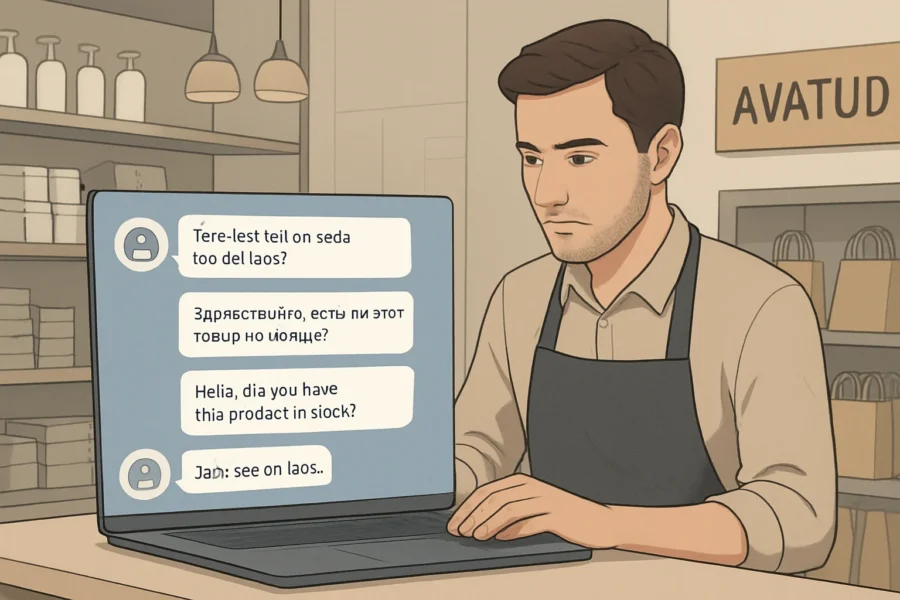
Imagine a mid-sized retail shop based in Tallinn. Their team receives daily website inquiries in Estonian, Russian, and English. While staff can handle each language, peak season brings delays and risks inconsistent answers. Hiring multilingual staff for all shifts is not practical due to budget limits and uneven inquiry volume. Serving a linguistically diverse customer base is vital for maintaining competitiveness, but traditional approaches to multilingual support often strain resources.
Decision to Add Multilingual AI Chat
After reviewing repeated questions—such as opening hours, delivery areas, and product availability—the manager identifies that over 70% of queries follow similar patterns. The business chooses to implement a multilingual AI assistant on its WordPress site, selecting a solution capable of handling Estonian, Russian, and English without requiring separate content for each language. This approach not only streamlines content management but also minimizes the risk of outdated or inconsistent information across languages. The manager considers compatibility with existing systems and the ability to expand to additional languages in the future.
- Integration steps: The business installs an AI chatbot plugin that works with WordPress and WooCommerce, connects it to their existing FAQ and product database, and configures fallback rules to transfer complex conversations to human staff. Integration also includes customizing the chatbot’s greeting messages and ensuring privacy compliance for user data.
- Language configuration: The assistant is set to automatically detect and switch languages based on the visitor’s browser or input, ensuring that Estonian, Russian, and English speakers receive relevant responses without manual selection. The team tests the language detection feature to confirm smooth user experience and tweaks response templates based on feedback.
How the Multilingual AI Assistant Handles Customer Queries
When a customer visits the online store, the AI chatbot greets them in their preferred language. If a question is asked in Russian, the assistant draws from the business’s Russian-language resources or applies real-time translation to provide an answer. For English and Estonian, it uses the corresponding content. For questions about order tracking, return policies, or product compatibility, the AI cross-references current inventory and support documents. The assistant can also clarify ambiguous requests by asking follow-up questions in the user’s language, reducing misunderstanding and unnecessary handovers.
If the AI detects an uncommon or sensitive issue—such as a complaint about a defective product—it triggers a handover to a staff member, providing an English summary of the conversation so the human agent can pick up without language barriers or repeated questions. This process maintains continuity and reduces friction for both the customer and staff. The assistant logs chat histories securely, enabling the business to review and refine responses over time.
Results: Improved Responsiveness Without More Staff
After launch, the business notices that customer wait times for basic questions drop substantially. While the AI handles routine topics in all three languages, staff can focus on complex cases or sales opportunities that require human judgment. The solution does not eliminate the need for multilingual staff, but it reduces after-hours workload and helps ensure that answers remain consistent, even as products and policies change. Customer feedback indicates greater satisfaction with response speed and clarity, particularly among users interacting in Russian, who previously experienced longer wait times.
Key Implementation Takeaways
- The AI chatbot is only as effective as the resources and rules it is given; regular updates to FAQs and handoff processes are essential.
- Testing in each supported language is required to catch translation errors or ambiguous instructions, especially for less common queries.
- Staff remain involved for policy changes, feedback, and escalation, ensuring quality and mitigating misunderstandings from automated translations.
- Ongoing analytics from chatbot interactions can reveal emerging customer concerns and inform future improvements to service and content.
This scenario illustrates how a small business can use a multilingual AI assistant to improve customer service for a diverse audience, without relying solely on human support or generic automation. It demonstrates the practical value of thoughtful integration, clear escalation paths, and ongoing oversight in real-world operations.
Common Mistakes in AI Multilingual Customer Service (and How to Fix Them)
Reviewing AI prompts for customer support can help small businesses refine multilingual chatbot responses and minimize misunderstandings.
Overreliance on Default Machine Translation
Small businesses often deploy a multilingual AI assistant and assume out-of-the-box translation is sufficient for all customer interactions. However, default machine translation can misinterpret industry terms, local idioms, or subtle context, especially when sourced from generic language models. These errors may lead to confusion, incorrect answers, or even reputational risks if sensitive topics are mishandled. Furthermore, automated translations may fail to capture the tone and formality appropriate for different cultures, potentially leading to unintended offense or diminished customer trust. In regulated industries, mistranslations can introduce compliance risks if legal or safety information is not conveyed with absolute precision. For companies expanding into new markets, even minor translation mistakes may signal a lack of commitment to local customers.
How to Fix
- Identify business-critical queries—such as refund requests, legal disclaimers, or medical information—and require human review for those answers in each supported language.
- Configure your multilingual AI assistant to fall back to human agents for ambiguous or high-stakes questions, instead of relying solely on automated responses.
- Work with translators or localization experts to customize responses for specific markets, ensuring that translations reflect local usage and expectations.
- Maintain a glossary of essential terms and brand-specific language in every supported language to ensure consistent, accurate translations across all interactions.
Inadequate Language Testing Across Supported Markets
Another frequent issue is launching a small business customer support AI in multiple languages without actually testing the assistant’s replies in each one. This can result in broken grammar, missing context, or technical jargon that makes sense in one language but not another. Businesses may not discover these issues until customers complain or disengage. Additionally, literal translations sometimes overlook cultural nuances or regional variations in vocabulary, making interactions feel unnatural. Inconsistent language quality can damage a brand’s reputation and reduce trust among non-native customers.
How to Fix
- Run regular language audits using real customer queries in each target language. Include native speakers or professional reviewers in the process.
- Test for accuracy, tone, and business-specific terminology, not just grammatical correctness.
- Develop test scenarios that simulate real user journeys, including slang, abbreviations, and region-specific phrasing.
- Collect and act on customer feedback in every language to continuously improve AI responses and service quality.
Unclear Escalation Paths for Sensitive or Unresolved Queries
AI chatbots for multilingual service can misinterpret nuanced or sensitive questions, such as complaints or complex service requests. If escalation rules are missing or poorly defined, customers may be left with unresolved issues and no way to reach a human. Unclear escalation can also lead to increased frustration if users feel trapped in an automated loop, especially when their concerns require empathy or nuanced decision-making. This gap can result in lost customers or negative reviews, particularly in situations involving billing errors, urgent requests, or policy disputes.
How to Fix
- Establish clear triggers for escalation—such as negative sentiment, repeated questions, or specific keywords—and publish these rules internally for staff reference.
- Ensure the AI assistant provides a visible, simple option to contact a human agent or request a callback in every supported language.
- Monitor escalation frequency and patterns to identify gaps in automated responses and refine AI training accordingly.
- Train staff to handle escalated cases consistently across all languages, ensuring no loss of information or context during handover.
Overlooking Privacy and Data Protection in Multilingual Contexts
Multilingual support automation sometimes collects personal data in several languages, but privacy policies and consent forms are only provided in the main language. This can create compliance gaps and erode customer trust, especially for EU-based businesses where GDPR requires clear, accessible information for all users. If customers cannot understand how their data is used or what rights they have, they may be less willing to engage or may file complaints. Data handling requirements and expectations also vary by country, so a one-size-fits-all approach can leave businesses exposed to regulatory penalties or reputational damage.
How to Fix
- Translate privacy notices, consent requests, and data handling explanations into every supported language.
- Regularly review your AI customer service setup to ensure data storage, access, and sharing practices match published policies across all languages.
- Consult legal counsel or data protection experts with knowledge of local regulations to verify compliance in every market you serve.
- Make it easy for customers to access, modify, or delete their data in their preferred language, supporting transparency and trust.
Establishing Ongoing Quality Control
Even with a robust setup, AI-driven multilingual support needs continuous monitoring. Language models and customer expectations both evolve. Without scheduled reviews, new errors or outdated information can persist unnoticed. Monitoring is also important as product offerings, promotions, and policies change over time. If quality control lapses, outdated or incorrect answers may undermine the customer experience and impact repeat business. Proactive management ensures your AI remains accurate, relevant, and aligned with your brand voice in every language.
How to Fix
- Schedule recurring multilingual audits and update workflows to involve both technical and non-technical staff.
- Document fixes and knowledge gaps so future AI training and staff onboarding address real-world issues, not just theoretical risks.
- Utilize analytics to track customer satisfaction, query resolution rates, and language-specific trends over time.
- Foster a feedback culture where staff and customers can report issues or suggest improvements in any supported language.
Limitations and Risks of AI Multilingual Customer Support
Translation Accuracy: Domain-Specific and Nuanced Queries
While multilingual AI assistants can process everyday questions in many languages, they frequently struggle with domain-specific terminology and subtle nuances. For example, technical support, legal compliance, or medical product queries often use specialized vocabulary that generic language models may mistranslate or oversimplify. This risk increases with jargon, abbreviations, or context-specific meanings. Businesses serving regulated industries should ensure that critical topics are flagged for human review, and that AI training data includes representative, domain-relevant content. Additionally, real-time updates to terminology and close collaboration with subject matter experts can improve translation reliability. Organizations should consider supplementing AI with glossaries or translation memories tailored to their unique products and services, further reducing the likelihood of miscommunication or costly errors.
Language Support Gaps and Uneven Accuracy
Not all languages are equally supported by AI platforms. Widely spoken languages such as English, Spanish, and French tend to have higher translation quality, while less common or low-resource languages may be unsupported or processed with lower accuracy. Some AI chatbots only cover a limited set of languages, and the quality of machine translation can degrade sharply with regional dialects or rare language pairs. Small businesses should verify the exact languages supported by their chosen platform and perform real-world testing with native speakers before launch. It is also important to regularly monitor updates from AI vendors, as language coverage and translation fidelity can change with new releases, potentially affecting service consistency for global customers.
Limits Detecting Emotional Tone and Cultural Context
AI is improving at recognizing basic sentiment, but it remains unreliable at detecting complex emotional tone, sarcasm, or cultural references—especially across languages. Automated replies may miss underlying frustration, urgency, or subtle cues, leading to responses that seem polite but fail to address the customer’s real concern. This can undermine trust or escalate simple issues. For sensitive topics, escalation to a trained human agent should be automatic based on rules, keywords, or customer signals. Companies should also ensure that cultural training is integrated into their AI models where possible, and establish clear guidelines for when human intervention is required to maintain customer satisfaction and brand reputation.
Heightened Compliance and Privacy Risks
Automated language processing introduces additional compliance and privacy considerations. For example, customer data processed through third-party AI services may cross borders, triggering GDPR or similar regulatory obligations. Businesses deploying multilingual AI chat must clarify which party (the business as controller, the AI provider as processor) is responsible for data handling and ensure explicit consent and secure data transfer are in place. Multilingual privacy notices and data retention policies should match the languages offered by the support system. Ongoing review of contractual agreements with AI vendors and regular data protection impact assessments can help organizations stay ahead of evolving legal requirements and avoid unintentional breaches.
AI Cannot Replace Human Judgment for Complex or Regulated Matters
Even the most advanced AI multilingual customer service systems cannot fully replace human expertise in complex, sensitive, or regulated scenarios. AI can misinterpret context, provide incomplete answers, or make inappropriate suggestions when rules, ethics, or local regulations are involved. Businesses should implement clear escalation triggers—such as the mention of legal, health, financial, or safety issues—to route these queries to qualified staff. Regular auditing of AI conversations helps identify when automation falls short and where human oversight is essential. Training frontline staff to recognize when to intervene and maintaining open channels for customer feedback are also crucial safeguards.
Practical Steps to Minimize Limitation Impact
- Expand AI training with real customer transcripts and domain-specific content for all languages supported.
- Set up human fallback for flagged topics, edge cases, and customer dissatisfaction signals.
- Maintain an up-to-date list of supported languages and test new releases with native speakers.
- Review and localize privacy notices and escalation policies for each language offered.
- Monitor AI outputs for inappropriate, incomplete, or culturally insensitive translations.
- Encourage ongoing feedback from both customers and support staff to identify recurring issues and guide future improvements.
- Collaborate with language and compliance experts to refine processes and update guidelines as regulations and customer needs evolve.
Expert Caution: What Business Owners Should Watch For
Continuous Oversight: No “Set and Forget” for Sensitive Interactions
AI multilingual customer service for small business cannot run unattended, especially on topics involving legal, financial, or health information. Small changes in question phrasing or language context can lead to misunderstandings or inappropriate answers. Establish a routine to review conversation logs in all supported languages, focusing on edge cases and escalations. Assign responsibility for regular monitoring to a named team member who can identify patterns of error or unintended outputs before they impact customers or compliance. Additionally, create a feedback loop with your frontline staff and customers to report potential issues, which can help you spot emerging risks more quickly. Consider leveraging analytics tools to flag anomalies in conversation sentiment or unusual inquiry patterns, allowing proactive intervention. This process is especially important when introducing new product lines, policy updates, or expanding to new markets, as AI systems may struggle to adapt without human review.
Data Protection: Legal and Practical Controls for Multilingual Processing
When using a multilingual AI assistant, all customer data processed—including chat logs and translated content—can be subject to privacy regulations. In the EU, the General Data Protection Regulation (GDPR) imposes specific obligations: businesses deploying AI on their own website are typically the controller, while AI plugin or service providers may act as processors. Ensure your chosen AI customer service setup allows for data minimization, clear retention policies, and user access rights. If integrating with external AI APIs, confirm they process data within compliant jurisdictions and offer a Data Processing Agreement (DPA). Always provide multilingual privacy notices reflecting the actual data flows and processing locations. It is also advisable to periodically review your vendors’ compliance certifications and audit logs, ensuring that any sub-processors or third parties involved in translation or AI services maintain stringent security practices. Small businesses should consider consulting with a data protection officer or legal advisor to align their multilingual AI deployment with sector-specific legal requirements.
Human Escalation: Clear Triggers and Documented Handover
Even advanced AI chatbots for multilingual service will encounter ambiguous, emotional, or high-stakes queries they cannot resolve. Define explicit triggers for escalation—such as repeated misunderstandings, requests for account changes, or legal complaints. Make sure every language version of your support automation includes a visible, simple way to reach a human agent. Document the handover process so staff know how to pick up context from AI conversations and respond appropriately, reducing frustration for customers switching from bot to person. Train your human support staff on how to interpret AI-provided summaries and conversation histories to minimize repeated questions and ensure a smooth customer experience. Clearly communicate escalation policies in all supported languages so customers know what to expect if their issue requires human attention.
Bias, Drift, and Quality: Scheduled Data and Response Audits
Language models and translation systems can develop bias or lose accuracy as business information, user queries, and supported languages evolve. Schedule periodic reviews—at least quarterly—of training data and AI outputs. For each supported language, test the assistant with new customer scenarios, paying close attention to tone, appropriateness, and local norms. Update your training data to include recent FAQs, policy changes, and examples of both successful and problematic interactions. Involve staff with language expertise to catch subtle errors that automated QA may miss. Set benchmarks for acceptable error rates and review metrics such as customer satisfaction scores and resolution times in each language. This helps identify where further retraining or improvements are needed, ensuring your AI remains accurate and culturally sensitive across diverse audiences.
Practical Checklist for Ongoing Risk Control
- Assign a monitoring lead to review logs and flagged cases weekly.
- Map and document all data flows involving customer input, language processing, and storage.
- Test escalation and human handoff paths monthly in each major supported language.
- Audit AI responses for bias, outdated information, and compliance with current policies every quarter.
- Ensure privacy notices and consent mechanisms accurately reflect your multilingual AI setup.
- Establish a feedback process for staff and customers to report suspected errors or unclear translations, and act promptly on this input.
- Regularly update escalation and data protection procedures as your business, technology, or regulations change.
By treating AI multilingual customer service for small business as an evolving process—with clear controls, accountable staff, and regular quality checks—you reduce the risk of costly missteps and maintain trust with diverse audiences.
Key Takeaways: Choosing and Using AI Multilingual Customer Service
Set Up for Success: Align Technology With Real Needs
AI multilingual customer service for small businesses offers the potential to reach new audiences and operate at lower cost, but results depend on fit and discipline. Instead of rushing to automate, assess where language barriers actually impact your customer journey and map them to your support channels, product types, and compliance context. Focus on solutions that support your top customer languages—not just the largest global set. Prioritize providers with transparent privacy controls and clear integration paths with your existing website, CRM, or e-commerce stack. Consider how language preferences may vary by region, product line, or customer segment. Engaging with customers in their preferred language can improve satisfaction, reduce misunderstandings, and increase conversion rates. Before investing, involve staff who regularly interact with customers to identify pain points and opportunities for AI support. Evaluate the readiness of your current workflows and data to support multilingual automation, and consider the training or onboarding requirements for your team.
Integration and Language Coverage: The Right Match Matters
Not all multilingual AI assistants are created equal. Rule-based systems may excel in highly structured queries but struggle with nuance. Translation-layer bots can quickly expand language coverage, but may introduce errors in complex or domain-specific topics. Native-language models offer better fluency, but require more careful data selection and often more advanced integration. For WordPress or WooCommerce, solutions like NextlerAI Assistant can reduce technical barriers, but always verify your most common customer languages are fully supported and test actual conversation flows from real customer scenarios. Also assess the platform’s ability to handle mixed-language inputs and its responsiveness to regional dialects or slang. Integration quality affects not just ease of setup but also how smoothly the AI assistant can access relevant data, personalize responses, and maintain consistency with your overall brand voice. Choose tools that offer robust documentation, support, and flexibility for future language expansion.
Testing, Monitoring, and Continuous Improvement
AI customer support is not a set-and-forget solution. After launch, schedule regular reviews of AI-generated responses in every supported language. Use real customer queries as test prompts and track escalation rates for each language. Update your assistant’s knowledge base as product details, policies, or FAQs change. Assign a staff member to own quality assurance and document recurring issues or gaps. Routinely review access logs and privacy compliance features—especially if your business operates in regulated sectors or serves customers in the EU or UK. Analyze feedback from customers to identify new language needs or recurring misunderstandings. Leverage analytics to understand patterns in AI performance, such as average response times or customer satisfaction by language. Continuous monitoring helps maintain accuracy and reveals when retraining or additional human support is needed to address evolving business requirements.
Human Oversight: Automation With Safeguards
Even advanced multilingual AI assistants require a clear handoff policy for complex, sensitive, or ambiguous queries. Define explicit triggers for human escalation (e.g. repeated failed answers, detected customer frustration, or legal questions). Train staff to review AI conversations in all supported languages, not just your primary one, and ensure privacy policies are localized and aligned with actual processing. Automation should free up staff for higher-value work, but never fully replace human judgement in edge cases or customer complaints. Establish clear accountability for handling escalations and document procedures for post-escalation follow-up. Encourage a collaborative approach where AI augments, rather than replaces, your team’s expertise. This not only protects against reputational risk but also supports ongoing learning as your business and technology evolve.
Next Steps: Building a Sustainable Multilingual Support System
- Map customer language needs and select only those languages that match your real audience and business priorities.
- Shortlist AI assistants that offer strong integration with your website and data sources, and support your required privacy standards.
- Design clear testing, escalation, and review workflows for all supported languages before launch.
- Regularly update your AI assistant’s knowledge base, review multilingual conversations, and adapt processes as your business and customer base evolve.
- Monitor for quality, accuracy, and compliance—not just cost or automation rate—and adjust the balance of automation and human oversight accordingly.
Done well, multilingual AI customer service becomes an ongoing process of improvement, not a one-time project. For more on practical AI automation strategies, see Automation & AI. Consider scheduling periodic strategy reviews to reassess language priorities, technology performance, and customer feedback. This approach ensures your support system remains relevant, effective, and aligned with changing business goals and regulatory requirements.
FAQ
How do AI assistants handle multiple languages in customer service?
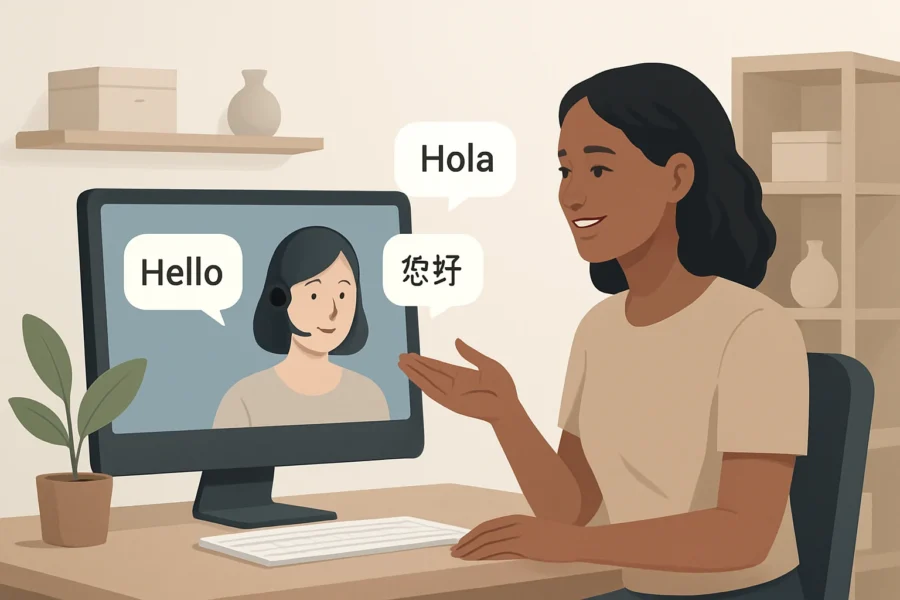
AI assistants typically use a combination of automatic language detection and machine translation to process customer queries. Some solutions use a translation-layer approach, translating incoming messages into a primary language for processing, then translating responses back. More advanced platforms use multilingual language models that understand and generate responses natively in several languages, reducing reliance on translation and preserving more context and nuance. The choice of method impacts both the speed and accuracy of support.
What are the main benefits for small businesses using AI multilingual support?
AI-driven multilingual support allows small businesses to serve a larger, more diverse audience without hiring extra staff. This approach can extend service hours, reduce per-interaction costs, and provide faster response times in multiple languages. It also ensures that standard questions receive consistent answers across all supported languages, helping businesses maintain a uniform service standard and freeing human agents to focus on complex cases.
How does an AI assistant differ from human multilingual support?
Unlike human agents, AI assistants can simultaneously handle many conversations in different languages without fatigue or wait times. However, AI may struggle with cultural nuances, idioms, or complex, emotionally sensitive cases that require empathy. Human staff can adapt their communication style and clarify misunderstandings in real time, while AI follows predefined rules and models—making human oversight essential, especially for edge cases or complaints.
What practical steps are required to implement multilingual AI chat?
Deployment starts with auditing the languages spoken by your customers, then selecting an AI chatbot platform that supports those languages natively or via high-quality translation. Integration with your website or ecommerce system (like WordPress or WooCommerce) follows. Configure language detection, fallback rules, and escalation paths to human staff. Rigorous testing in every supported language is crucial before launch. Ongoing monitoring and periodic updates ensure that quality is maintained as customer needs evolve.
What limitations or risks should small businesses consider?
AI multilingual support can introduce errors in technical or sensitive topics due to imperfect translations or lack of context. Some languages may be less well-supported, leading to inconsistent quality. Privacy and data protection requirements may differ by region, so businesses must ensure that all language versions of their support maintain compliance. Overreliance on automation without human fallback can damage trust if misunderstandings escalate.
How can translation errors or misunderstandings be minimized?
To reduce errors, select platforms known for strong support in your key languages and test with real customer queries. Use domain-specific glossaries for terms unique to your business. Set up clear escalation to human staff for ambiguous or high-stakes questions. Regularly review chat transcripts from all language pairs to identify and correct recurring issues, and update AI training data as new product or policy information becomes available.
What are common mistakes when setting up multilingual AI support and how can they be fixed?
Common pitfalls include assuming default translations are sufficient, failing to test in every language, and not providing clear escalation paths. To fix these, involve native speakers in the testing phase, create explicit escalation and handoff rules, and periodically audit both AI translations and customer satisfaction across languages. Address privacy notices and consent requirements in every supported language to maintain legal compliance and customer trust.
Conclusion
Implementing an AI multilingual customer service solution in a small business is not a one-time project, but an ongoing process of adaptation and oversight. Each step—platform selection, integration, testing, and regular auditing—directly impacts the quality and reliability of your support in every language you serve. The real differentiator is not which tool you choose, but how you configure, monitor, and refine it for your unique audience and workflows.
To move forward, assign a responsible team member to own multilingual AI support quality. Ensure they have access to both customer feedback and platform analytics, and schedule regular reviews of conversation logs in all supported languages. Empower this role to adjust escalation rules and update answer content as customer needs and products evolve. Integrating your AI assistant with existing systems (such as WooCommerce or your CRM) will make answers more relevant and speed up customer resolution, but only if you keep your data sources accurate and up to date.
If you are ready to begin, consider piloting your setup with a focused language set and a clear escalation path to human staff. Once you have established a baseline, expand language coverage and automation only as your team gains confidence in reviewing AI responses. For WordPress or WooCommerce users, tools like NextlerAI Assistant can simplify integration and multilingual setup, but human oversight remains essential for customer trust and compliance.
Ultimately, the businesses that succeed with AI multilingual customer support are those that treat it as a living system—one that combines automation with real human judgment, adapts to feedback, and evolves alongside both technology and customer expectations.
As you refine your approach, seek input from staff who interact with customers in different languages and regularly review performance metrics, such as response accuracy and resolution times, across language groups. Establish a feedback loop where customers can easily report unclear or incorrect answers, helping you identify translation gaps or cultural nuances that automated systems may miss. By fostering collaboration between your AI platform, human staff, and real-world customer experiences, your business can build a more effective, trustworthy multilingual support system that grows with your needs.