ChatGPT can help you write SEO content faster, but the quality of the result depends on the quality of the prompt. A weak prompt creates a generic article. A strong prompt gives AI a clear role, search intent, target audience, content goal, structure, examples, quality rules, and a useful output format.
This guide gives you 30 professional ChatGPT prompts for SEO content writing. These prompts are built for real content workflows: SEO content briefs, blog outlines, search intent analysis, article introductions, H2 and H3 sections, practical examples, FAQ creation, internal linking, content gap analysis, article refreshes, readability improvement, and final quality checks.
The goal is not to publish generic AI text. The goal is to use AI as a professional content assistant that helps you plan better, write better, edit better, and create content that actually solves the reader’s problem. If you are building a full AI SEO workflow, you can connect this guide with our ChatGPT prompts for keyword research, AI prompts for meta titles and descriptions, AI prompts for website copywriting, and ChatGPT prompts for WordPress websites.
Table of Contents
- What Are ChatGPT SEO Content Writing Prompts?
- Why Good AI Prompts Matter for SEO Content
- How to Use These SEO Writing Prompts
- What Should a Good SEO Content Prompt Include?
- 30 ChatGPT Prompts for SEO Content Writing
- SEO Content Writing Prompt Best Practices
- Common AI SEO Content Mistakes
- ChatGPT SEO Content Writing FAQ
- Conclusion
- Related AI, SEO and Content Guides

What Are ChatGPT SEO Content Writing Prompts?
ChatGPT SEO content writing prompts are structured instructions that help AI produce useful content planning, writing, and editing outputs for search-focused pages. A good prompt explains the task, the target reader, the search intent, the desired output, and the rules the AI must follow.
A basic prompt might say, “Write a blog post about SEO.” A professional prompt says, “Act as an SEO content strategist, create a content brief for a blog post targeting this keyword, match this search intent, include H2 sections, reader pain points, internal link ideas, examples, FAQ questions, and a quality checklist.” The difference is huge.
These prompts are designed for people who want better work from AI. They are useful for SEO writers, bloggers, content marketers, WordPress website owners, agencies, freelancers, affiliate website owners, and businesses that want to publish helpful content without starting every article from a blank page.
Why Good AI Prompts Matter for SEO Content
Good AI prompts matter because SEO content is not only about writing words. A useful article must match search intent, answer real reader questions, explain the topic clearly, avoid unnecessary filler, provide examples, include helpful internal links, and guide the reader toward the next useful action.
- They improve planning: You can create content briefs, topic boundaries, outlines, and content clusters before writing.
- They improve structure: AI can help organize H2 and H3 headings in a logical way.
- They improve usefulness: Strong prompts ask for examples, steps, warnings, checklists, and practical explanations.
- They improve editing: AI can review drafts for content gaps, repetition, readability, and missing sections.
- They reduce generic output: Specific prompts help avoid vague AI text that sounds good but does not solve the reader’s problem.
How to Use These SEO Writing Prompts
Each prompt below is copy-paste ready. Replace the bracketed parts such as [topic], [primary keyword], [audience], [business goal], and [existing draft]. The more specific your input is, the better the AI output will be.
Do not use every prompt for every article. Choose the prompt that matches your current task. If you are planning a new article, start with the content brief or outline prompt. If you already have a draft, use the content gap, readability, internal linking, FAQ, or quality review prompt.
What Should a Good SEO Content Prompt Include?
Clear AI role
Tell ChatGPT whether it should act as an SEO strategist, editor, writer, content auditor, or conversion copywriter.
Search intent
Explain whether the reader wants information, examples, a tutorial, a comparison, a checklist, or help making a decision.
Output format
Ask for a brief, outline, table, checklist, draft section, FAQ list, comparison, or content improvement plan.
Quality rules
Tell AI to avoid fluff, repetition, fake facts, keyword stuffing, unsupported claims, and generic advice.
30 ChatGPT Prompts for SEO Content Writing
Below are 30 professional ChatGPT prompts for SEO content writing. Each prompt is built for one specific task, so you can use AI more like a content strategist, editor, and workflow assistant instead of just a generic text generator.
1. SEO Content Brief Prompt
This prompt helps you create a complete SEO content brief before writing. It is best used when you know the topic but need a professional plan for the article.
How to customize it: Replace the bracketed parts with your real article topic, audience, keyword focus, and business goal. Add competitor URLs if you want ChatGPT to identify gaps, but do not ask it to copy their structure.
2. Search Intent Matching Prompt
This prompt helps you check what the searcher really wants before writing. It prevents you from targeting the right keyword with the wrong type of article.
Why it works: SEO content fails when it answers the wrong problem. This prompt forces ChatGPT to define the reader’s goal before creating the article structure.
3. SEO Blog Outline Prompt
Use this prompt when you need a strong outline with H2 and H3 sections. It is ideal for long-form blog posts, tutorials, examples posts, and practical guides.
How to use it: Use the outline as a planning document. Edit the structure manually before writing, especially if you know your audience better than the AI does.
4. Helpful Introduction Prompt
This prompt creates a direct, useful introduction that gets to the point. It avoids the common AI problem of starting with generic filler.
Why it works: A strong intro confirms that the reader is in the right place. This prompt tells AI to focus on the problem and article promise first.
5. H2 Section Expansion Prompt
This prompt helps you write one section at a time. It usually creates better content than asking ChatGPT to write the whole article in one answer.
How to customize it: Paste one section at a time. This keeps the article more controlled and makes editing easier.
6. Practical Examples Prompt
This prompt helps you add useful examples to a content section. It is ideal for tutorials, AI guides, SEO guides, WordPress posts, and marketing articles.
Why it works: Useful examples make SEO content more practical and more valuable. This prompt asks AI to explain when and why each example should be used.
Need SEO content that is planned, written, and optimized properly?
If you cannot build a strong content workflow yourself, we can help you create SEO-focused website content, blog structures, AI-assisted workflows, internal linking systems, and WordPress content sections that are built for real users and search engines.
Contact Us7. Content Gap Analysis Prompt
This prompt helps you find what is missing from an existing draft. Use it before publishing or when updating an article that does not perform well.
How to use it: Paste the full draft or one long section. Use the output as an editing plan, not as automatic publishing content.
8. Readability Improvement Prompt
This prompt improves clarity without making the text shallow. It is useful for long articles, technical content, and AI-generated drafts that sound heavy.
Why it works: Readable content helps readers stay on the page and understand the advice faster. This prompt improves clarity without deleting important meaning.
9. Internal Link Suggestions Prompt
This prompt helps you connect a new article with existing posts. It is useful for building topical authority and improving user navigation.
How to use it: Paste your real URL list. For this AI category, connect SEO writing, keyword research, meta descriptions, WordPress prompts, website copywriting, and landing page prompts carefully.
10. FAQ Section Prompt
This prompt creates helpful FAQ questions and answers that support the article without repeating the main content too much.
Why it works: It creates FAQs based on the article’s real purpose instead of random keyword variations.
11. Content Refresh Prompt
This prompt helps update older content. Use it when a post is outdated, missing examples, too thin, or losing visibility.
How to use it: Use this for articles that already have impressions but low clicks or posts that rank but do not convert.
12. Originality and Differentiation Prompt
This prompt helps make an article more useful than generic search results. It is valuable when the topic is competitive and many pages look similar.
Why it works: It pushes AI away from generic writing and helps you add useful material that readers cannot get from every other article.
Want better content, not just more content?
Good SEO content needs structure, search intent, internal links, useful examples, and a real conversion path. If you need help turning AI-assisted drafts into professional WordPress content, we can help.
Request Help13. Blog Post Angle Prompt
This prompt helps you choose the best article angle before writing. It is useful when one topic can be approached in several ways.
How to use it: This is useful before creating a content calendar. It helps avoid publishing several posts with nearly the same intent.
14. Topic Boundary Prompt
This prompt defines what should and should not be included in an article. It is especially important when building a content cluster.
Why it works: It keeps one post from becoming too broad and protects your other articles from direct overlap.
15. Content Cluster Prompt
This prompt helps plan a group of related posts that support each other without targeting the same search intent.
How to customize it: Add your existing posts, so ChatGPT can avoid suggesting content that overlaps too closely.
16. Section Summary Prompt
This prompt shortens long sections without losing important meaning. Use it when a draft becomes repetitive or too heavy.
Why it works: It makes content easier to read while still showing what changed, so you stay in control of the edit.
17. Expert Review Simulation Prompt
This prompt asks AI to review your article from different viewpoints. It helps find SEO, expertise, and beginner clarity problems.
How to use it: Use this after the first full draft. It helps you see whether the article works for search engines, experts, and normal readers.
18. AI Draft Quality Check Prompt
This prompt helps you evaluate whether an AI-assisted draft is truly useful or just polished but generic.
Why it works: The scoring format makes problems easier to understand and helps you decide what to fix before publishing.
Need a full AI-assisted SEO content system?
We can help plan content clusters, create article structures, build WordPress content layouts, improve internal linking, and create workflows where AI supports quality instead of producing generic text.
Build My Content System19. Content Rewrite for Search Intent Prompt
This prompt rewrites a section so it better answers what the searcher actually wants.
How to use it: Use it section by section. This keeps the rewrite controlled and easier to review.
20. Comparison Section Prompt
This prompt creates useful comparison sections for articles where readers need to choose between options.
Why it works: Comparison sections help readers make decisions, especially in tutorials, tool guides, SEO workflows, and business content.
21. Step-by-Step Tutorial Prompt
This prompt creates a practical tutorial section instead of a vague explanation. It is useful for how-to SEO content.
How to use it: This works well for WordPress, SEO, JavaScript, CSS, AI workflows, content publishing, and website optimization guides.
22. Content Checklist Prompt
This prompt creates a checklist readers can use after reading the article. It makes content more actionable.
Why it works: Checklists help readers turn advice into action and make your post more useful.
23. Content Improvement Table Prompt
This prompt turns editing feedback into a clear table. It is useful when you need a structured improvement plan.
How to customize it: Add your target keyword and audience if you want the feedback to be more SEO-specific.
24. Featured Snippet Answer Prompt
This prompt creates concise answer blocks for important questions inside an article.
Why it works: It gives you several answer formats, so you can choose the one that best fits the article section.
Want your blog posts to turn readers into leads?
SEO content should not only bring traffic. It should also guide readers toward the next step. We can help you build service pages, blog content, calls to action, and internal linking paths that support your business goals.
Improve My Website Content25. Content Tone and Brand Voice Prompt
This prompt helps make AI-written content sound closer to your brand instead of generic AI text.
How to use it: Create one reusable brand voice description and use it in all AI content prompts for consistency.
26. Content Repurposing Prompt
This prompt turns one SEO article into supporting content assets without creating duplicate blog posts.
Why it works: It helps you use one strong article across multiple channels while keeping the main blog post focused.
27. Blog Conclusion Prompt
This prompt creates a conclusion that summarizes the value and guides readers to the next step.
How to use it: Choose the version that fits your article. Edit the CTA so it matches your business goal.
28. Content Cannibalization Check Prompt
This prompt helps check whether a new article idea overlaps too much with existing content on your website.
Why it works: It protects your site from publishing several similar articles that compete for the same search intent.
29. Human Editing Checklist Prompt
This prompt creates a final checklist for reviewing AI-assisted content before publishing.
How to use it: This is a final quality control step. It helps keep AI content useful, accurate, and publishable.
30. Complete SEO Article Workflow Prompt
This prompt creates a complete workflow for planning, writing, editing, and publishing one SEO article.
Why it works: It turns AI into part of a repeatable editorial workflow instead of using it only for one-off content generation.
Need help building SEO content with AI the right way?
If you want blog posts, website copy, WordPress content, AI workflows, or SEO structures that are useful and professionally built, we can help you create a system that supports real content quality.
Contact UsSEO Content Writing Prompt Best Practices
ChatGPT works best for SEO content when you use it as part of a controlled workflow. Start with search intent, create a content brief, build an outline, write section by section, add examples, check content gaps, improve readability, add internal links, create FAQs, and complete a human review before publishing.
- Use one prompt for one task. Do not ask for keyword research, an outline, a full article, FAQs, and meta descriptions in one messy prompt.
- Give clear context. Include the audience, topic, keyword, business goal, search intent, and article boundaries.
- Ask for structure. Tables, outlines, checklists, and content briefs are easier to edit than long unstructured text.
- Write section by section. This gives you more control and usually produces better content.
- Add human expertise. Include real examples, screenshots, product knowledge, opinions, case studies, or experience.
- Fact-check carefully. Do not publish AI-generated claims, statistics, pricing, legal advice, medical advice, or technical instructions without checking them.
- Avoid keyword stuffing. Use keywords naturally where they help the reader understand the topic.
- Use internal links carefully. Link to related content only when it helps the reader continue the task.
Common AI SEO Content Mistakes
The biggest mistake is thinking that longer AI content is automatically better. A long article can still fail if it repeats ideas, ignores search intent, lacks examples, gives unsupported advice, or competes with another article on the same website.
- Writing before planning: Always create a brief or outline before drafting.
- Using generic prompts: “Write an article about…” usually creates weak content.
- Ignoring search intent: A post can include the right keyword but answer the wrong question.
- Publishing without editing: AI drafts need human review, fact-checking, and improvement.
- Creating overlapping posts: Separate SEO content writing, keyword research, meta descriptions, landing pages, and product descriptions into different articles.
- Not adding examples: Practical examples make AI-assisted content more useful and less generic.
ChatGPT SEO Content Writing FAQ
Can ChatGPT write SEO content?
Yes, ChatGPT can help write SEO content, but it works best when used for planning, outlining, drafting sections, improving readability, creating FAQs, and checking content gaps. Human editing and fact-checking are still important.
What is the best ChatGPT prompt for SEO writing?
The best prompt depends on the task. For a new article, start with an SEO content brief prompt. For an existing draft, use a content gap analysis prompt, readability prompt, or quality check prompt.
Should I ask ChatGPT to write a full article at once?
Usually no. Better results come from creating a brief first, then an outline, then writing one section at a time. This gives you more control and makes the final article easier to edit.
How do I make AI content less generic?
Use specific prompts, add real examples, include expert insights, define your audience, give content boundaries, and edit the output. Do not publish the first draft without improving it.
How many prompts should I use for one article?
For a strong SEO article, you may use several prompts: one for search intent, one for the brief, one for the outline, one for section drafting, one for FAQ ideas, and one for final quality review.
Can these prompts be used for WordPress blog posts?
Yes. These prompts are especially useful for WordPress blogs because they help plan headings, internal links, FAQs, content sections, calls to action, and article updates before publishing.
Conclusion
ChatGPT can be a powerful SEO content writing assistant when you use it with clear prompts, strong structure, and human review. The best prompts do not simply ask AI to write more words. They help you understand search intent, create content briefs, build useful outlines, improve weak sections, add examples, check gaps, refresh old content, and publish stronger articles.
Use these 30 ChatGPT prompts as a practical SEO writing workflow. Start with planning prompts, move into section-level writing prompts, then use editing, internal linking, FAQ, and quality review prompts before publishing. This approach helps you create better content and avoid the common problem of generic AI articles that look complete but do not truly help the reader.
Related AI, SEO and Content Guides
- 30 ChatGPT Prompts for Keyword Research
- 30 AI Prompts for Meta Titles and Meta Descriptions
- 30 AI Prompts for Website Copywriting
- 30 AI Prompts for Landing Pages
- 30 ChatGPT Prompts for WordPress Websites
- JavaScript Form Validation Examples
- JavaScript localStorage Examples
- Modern CSS Form Examples
Image SEO
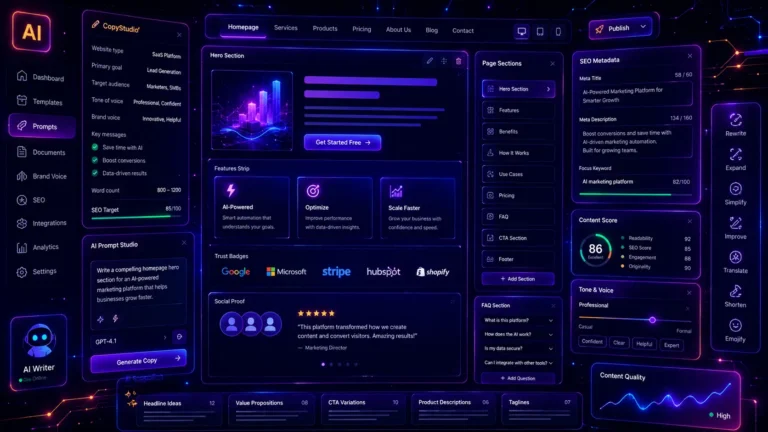
Featured image alt text: AI content writing dashboard with SEO prompts, blog outline cards, keyword sections, and structured content workflow interface.
Featured image title: ChatGPT Prompts for SEO Content Writing
SEO Metadata
SEO title: 30 ChatGPT Prompts for SEO Content Writing – Blog Posts, Outlines & Optimization
Meta description: Use these 30 professional ChatGPT prompts for SEO content writing, blog outlines, content briefs, introductions, FAQs, internal links, and article optimization.
Focus keyword: ChatGPT prompts for SEO content writing
Secondary keywords: AI prompts for SEO writing, SEO content writing prompts, ChatGPT SEO prompts, AI blog writing prompts, ChatGPT prompts for blog posts, SEO article prompts, content optimization prompts, AI content writing workflow