WordPress websites need more than a nice design. A good WordPress site needs clear content, strong SEO structure, useful service pages, optimized product pages, fast loading, clean navigation, better internal links, conversion-focused calls to action, reliable plugins, and regular improvements. ChatGPT can help with all of this, but only when the prompt gives enough context about the website, audience, goal, page type, SEO keyword, business model, and technical limits.
This guide gives you 30 professional ChatGPT prompts for WordPress websites. These prompts are built for real WordPress workflows: website content planning, homepage copy, service pages, blog ideas, SEO improvements, internal linking, WooCommerce product pages, plugin planning, UX audits, speed optimization ideas, schema planning, FAQ creation, navigation improvements, and conversion-focused website updates.
This post focuses only on WordPress website improvements. It does not replace deeper topic-specific guides. For related workflows, use our guides about ChatGPT prompts for SEO content writing, ChatGPT prompts for keyword research, AI prompts for meta titles and descriptions, AI prompts for social media posts, and AI prompts for ecommerce product descriptions.
Table of Contents
- What Are ChatGPT Prompts for WordPress Websites?
- Why WordPress Prompts Matter
- How to Use These WordPress Prompts
- What Should a Good WordPress Prompt Include?
- 30 ChatGPT Prompts for WordPress Websites
- WordPress Prompt Best Practices
- Common WordPress AI Prompt Mistakes
- ChatGPT WordPress Prompts FAQ
- Conclusion
- Related AI, WordPress and SEO Guides

What Are ChatGPT Prompts for WordPress Websites?
ChatGPT prompts for WordPress websites are structured instructions that help AI produce useful website content, SEO recommendations, plugin ideas, page improvements, UX suggestions, and technical planning for WordPress projects. A good prompt tells ChatGPT what type of WordPress website you have, who the site is for, what page or feature you want to improve, what goal you want to achieve, and what output format you need.
A weak prompt might say, “improve my WordPress website.” A strong prompt says, “Act as a WordPress SEO and UX consultant. Review this homepage structure for a local service business, suggest content sections, internal links, CTA improvements, FAQ ideas, schema opportunities, and practical changes that can be implemented in WordPress without changing the whole theme.” The second prompt gives AI a real task and a usable output.
Why WordPress Prompts Matter
WordPress is flexible, but that also means many websites become messy over time. Pages get added without structure, plugins are installed without a clear reason, blog posts do not link to service pages, product pages miss useful FAQs, and SEO settings are often copied from the first paragraph. ChatGPT can help organize these problems when your prompt gives it clear context.
- They improve website structure: Prompts can help plan pages, sections, menus, content clusters, and internal links.
- They support SEO work: ChatGPT can suggest metadata, FAQ ideas, schema opportunities, headings, and content gaps.
- They help with WordPress decisions: Prompts can compare plugin needs, custom code needs, and theme limitations.
- They make content more useful: AI can help improve service pages, product pages, blog posts, landing pages, and FAQs.
- They reduce random changes: Good prompts help focus on business goals instead of adding unnecessary design elements or plugins.
How to Use These WordPress Prompts
Replace the bracketed parts such as [website type], [target audience], [page URL], [main goal], [primary keyword], [current issue], and [plugins used]. Add real information from your WordPress site whenever possible. If you are improving SEO content, use keyword data from ChatGPT prompts for keyword research. If you need product descriptions, use AI prompts for ecommerce product descriptions.
What Should a Good WordPress Prompt Include?
Website type
Tell ChatGPT whether the site is a service business, blog, WooCommerce store, SaaS site, portfolio, or landing page.
Page goal
Explain whether the page should generate leads, sell products, improve SEO, build trust, or support users.
WordPress context
Mention the theme, builder, plugins, post type, WooCommerce setup, or technical limitation when relevant.
Output format
Ask for a checklist, table, Gutenberg structure, SEO metadata, content outline, audit, or implementation plan.
30 ChatGPT Prompts for WordPress Websites
Below are 30 professional ChatGPT prompts for WordPress websites. Each prompt is focused on one practical website task, from improving content and SEO to planning plugins, auditing UX, building service pages, improving WooCommerce, and creating a better website improvement workflow.
1. WordPress Website Audit Prompt
This prompt helps review a WordPress website from content, SEO, UX, conversion, and technical improvement angles.
How to customize it: Add page URLs, plugin list, and current problems. This makes the audit much more specific.
2. WordPress Homepage Improvement Prompt
This prompt improves homepage structure, messaging, CTA placement, trust signals, and SEO sections.
Why it works: WordPress homepages often fail because they look nice but do not explain the offer quickly enough.
3. WordPress Service Page Prompt
This prompt creates or improves a WordPress service page for local businesses, agencies, consultants, and professional services.
How to use it: Use this for roofing, web design, SEO, legal, construction, consulting, repair, beauty, health, or any service page.
4. WordPress Blog Topic Plan Prompt
This prompt creates blog ideas that support SEO and do not directly compete with existing posts.
Why it works: This prompt is useful when you want content growth without creating competing WordPress posts.
5. WordPress Internal Linking Prompt
This prompt helps connect WordPress pages and posts with useful internal links.
How to use it: Paste your real URLs. Internal links work best when they connect pages by search intent and user journey.
6. WordPress SEO Metadata Prompt
This prompt creates SEO title, meta description, focus keyword, secondary keywords, social metadata, and image SEO for WordPress pages.
Why it works: WordPress SEO plugins often pull the first paragraph. This prompt creates cleaner snippet-ready metadata.
Need a better WordPress content and SEO structure?
If your WordPress website has weak pages, missing internal links, unclear CTAs, or SEO content gaps, we can help improve the structure, content, metadata, and conversion path.
Improve My WordPress Website7. WordPress FAQ Section Prompt
This prompt creates useful FAQ sections for service pages, product pages, blog posts, and landing pages.
How to use it: Add real customer questions when possible. FAQs should answer doubts, not just fill space.
8. WordPress Plugin Planning Prompt
This prompt helps decide whether a feature should use a plugin, custom code, theme settings, or a simpler content solution.
Why it works: WordPress sites often become slow because every small issue is solved with another plugin.
9. WordPress Speed Improvement Prompt
This prompt creates a practical WordPress speed improvement checklist without guessing server access or plugin settings.
How to use it: Paste PageSpeed recommendations for a more specific result.
10. WordPress Navigation Improvement Prompt
This prompt improves menus, header links, footer links, category structure, and user path clarity.
Why it works: Better WordPress navigation helps SEO, UX, and conversions at the same time.
11. WordPress Content Gap Prompt
This prompt finds missing pages, sections, topics, FAQs, and internal links on a WordPress website.
How to use it: Paste the real page and post list. This makes content gap analysis much more accurate.
12. WordPress WooCommerce Improvement Prompt
This prompt reviews WooCommerce product pages, category pages, checkout flow, trust signals, and ecommerce SEO.
Related: For product copy itself, use AI prompts for ecommerce product descriptions.
Want a cleaner WordPress site that converts better?
We can help improve homepage structure, service pages, WooCommerce pages, menus, internal links, metadata, and technical WordPress issues without filling your site with unnecessary plugins.
Get WordPress Help13. WordPress Schema Planning Prompt
This prompt helps plan structured data opportunities for WordPress pages, posts, products, FAQs, local businesses, and services.
Why it works: Schema should describe real page content. It should not be used to fake information that is not visible to users.
14. WordPress Gutenberg Layout Prompt
This prompt creates a Gutenberg-friendly page structure with sections, headings, copy notes, CTA blocks, and FAQ ideas.
How to use it: Use this before building pages in WordPress so the content and structure are planned first.
15. WordPress Landing Page Prompt
This prompt creates a conversion-focused WordPress landing page plan for ads, campaigns, services, or offers.
Related: For deeper landing page copy, use AI prompts for landing pages.
16. WordPress About Page Prompt
This prompt helps create a stronger WordPress About page that builds trust, explains the business, and supports conversions.
Why it works: A strong About page should build trust and guide visitors toward the next step, not only tell a generic company story.
17. WordPress Contact Page Prompt
This prompt improves a WordPress Contact page so users know how to reach you, what to expect, and what information to send.
How to use it: Use this when your contact page only has a form and no explanation, trust text, or user guidance.
18. WordPress CTA Improvement Prompt
This prompt improves calls to action across WordPress pages, buttons, forms, banners, popups, and service sections.
Why it works: Many WordPress websites have weak CTA text like “Submit” or “Learn More.” Strong CTAs explain the next step clearly.
Need WordPress pages that actually bring inquiries?
We can help improve your homepage, About page, Contact page, service pages, CTAs, internal links, and SEO metadata so your WordPress website works better as a business tool.
Improve My WordPress Pages19. WordPress Blog Post Update Prompt
This prompt helps update old WordPress blog posts with better structure, internal links, FAQs, metadata, and fresh usefulness.
Related: For full article creation, use ChatGPT prompts for SEO content writing.
20. WordPress Category Page Prompt
This prompt improves WordPress category pages for blogs, WooCommerce categories, resource hubs, and topic archives.
Why it works: WordPress category pages often rank better when they explain the topic and guide users to the best posts or products.
21. WordPress Tag Cleanup Prompt
This prompt helps review WordPress tags, remove useless tag clutter, and create a cleaner taxonomy structure.
How to use it: This is useful when tags were added randomly and do not help users or SEO.
22. WordPress Image SEO Prompt
This prompt creates better file names, alt text, image titles, and image placement notes for WordPress media.
Why it works: WordPress image SEO should help accessibility and context, not just repeat keywords.
23. WordPress Local SEO Page Prompt
This prompt creates a local SEO page plan for service areas, city pages, location pages, and local business websites.
How to use it: Use this for real service areas only. Thin duplicate city pages can hurt quality.
24. WordPress Website Redesign Prompt
This prompt helps plan a WordPress redesign without losing important SEO pages, content, internal links, and conversion elements.
Why it works: A WordPress redesign can damage SEO when URLs, metadata, content, headings, and internal links are changed without a plan.
Planning a WordPress redesign or SEO cleanup?
We can help plan your WordPress redesign, protect important SEO pages, improve content structure, clean up tags and categories, and make the new website easier to use.
Plan My WordPress Redesign25. WordPress Security Checklist Prompt
This prompt creates a basic WordPress security checklist for site owners, admins, and small businesses.
How to use it: This is a defensive checklist prompt for better maintenance, not a replacement for professional security work.
26. WordPress Accessibility Prompt
This prompt helps review a WordPress page for readability, headings, buttons, forms, images, contrast, and keyboard usability.
Why it works: Accessibility improvements often also improve UX, readability, and conversions.
27. WordPress Form Improvement Prompt
This prompt improves WordPress contact forms, quote forms, lead forms, booking forms, and checkout-related forms.
Related: For UI examples, use modern CSS forms and JavaScript form validation examples.
28. WordPress Portfolio Page Prompt
This prompt helps create stronger portfolio, case study, project, or client work pages for WordPress websites.
Why it works: Portfolio pages should prove capability and guide similar clients toward contacting you.
29. WordPress Maintenance Plan Prompt
This prompt creates a practical WordPress maintenance workflow for updates, backups, SEO checks, content improvements, and testing.
How to use it: This helps avoid the common WordPress problem where sites are published and then never maintained properly.
30. Complete WordPress Website Improvement Workflow Prompt
This prompt creates a full AI-assisted workflow for improving a WordPress website step by step.
Why it works: WordPress improvements work best as a system: audit, content, SEO, UX, conversion, speed, internal links, and maintenance.
Need a full WordPress improvement plan?
If you want a clearer WordPress website, better SEO structure, stronger service pages, cleaner internal linking, faster pages, and better conversion flow, we can help plan and build the improvements.
Contact UsWordPress Prompt Best Practices
ChatGPT can help with WordPress websites, but the quality of the result depends on the context you provide. A strong WordPress prompt should include the website type, target audience, page goal, current problem, WordPress setup, SEO keyword, and expected output format. This helps ChatGPT create useful recommendations instead of generic advice.
- Give real WordPress context: Mention your theme, builder, plugins, page type, and website goal when relevant.
- Use one task per prompt: A homepage audit, plugin plan, metadata task, and speed checklist should be separate prompts.
- Ask for implementation notes: Make ChatGPT explain how the result can be applied in WordPress.
- Protect SEO pages: Before redesigning or deleting content, identify pages with traffic and backlinks.
- Avoid random plugin advice: Ask whether a plugin, custom code, theme setting, or content change is the best solution.
- Review before publishing: AI can help draft and organize, but WordPress content, metadata, and technical changes should be checked by a human.
Common WordPress AI Prompt Mistakes
The biggest mistake is asking ChatGPT to improve a WordPress website without giving enough detail. WordPress websites can be blogs, service sites, WooCommerce stores, membership websites, portfolios, or landing pages. Each type needs a different structure, content plan, plugin strategy, and SEO approach.
- Asking too broadly: “Improve my site” is too vague. Ask for a homepage audit, internal link plan, metadata review, or plugin decision.
- Letting AI invent facts: Do not allow ChatGPT to invent reviews, business history, pricing, guarantees, or technical details.
- Adding too many plugins: Not every WordPress problem needs a plugin. Some are better solved with content, theme settings, or custom code.
- Ignoring internal links: WordPress posts and pages should support each other with useful internal links.
- Forgetting mobile users: Menus, forms, CTAs, and layouts should be planned for mobile as well as desktop.
- Publishing without review: AI output should be checked for accuracy, SEO alignment, layout fit, and WordPress implementation limits.
ChatGPT WordPress Prompts FAQ
Can ChatGPT help improve a WordPress website?
Yes. ChatGPT can help plan content, SEO, metadata, service pages, blog topics, internal links, plugin decisions, UX improvements, and maintenance workflows. The prompt must include real website context.
What is the best ChatGPT prompt for WordPress?
The best prompt depends on the task. A good WordPress prompt includes the website type, page goal, audience, current problem, WordPress setup, SEO keyword, and requested output format.
Can ChatGPT write WordPress pages?
Yes. ChatGPT can draft homepage sections, service pages, About pages, Contact pages, FAQs, landing pages, and blog posts. The final content should be reviewed for accuracy and brand voice.
Can ChatGPT choose WordPress plugins?
ChatGPT can help compare plugin, custom code, theme setting, and no-code solutions. You should still check plugin quality, updates, reviews, compatibility, and performance before installing anything.
Can ChatGPT help with WordPress SEO?
Yes. ChatGPT can help with keyword mapping, metadata, heading structure, internal links, FAQ ideas, schema planning, content gaps, and page improvement plans. Important SEO data should still be verified with tools.
Should I let ChatGPT make technical WordPress changes directly?
No. ChatGPT can suggest technical steps, but code, plugin, theme, database, redirect, and performance changes should be tested on staging and reviewed by someone who understands WordPress.
Conclusion
ChatGPT can be very useful for WordPress websites when you use it with clear, specific prompts. Instead of asking for generic website advice, give ChatGPT the website type, page goal, audience, SEO keyword, current problem, WordPress setup, and expected output format. This helps AI produce practical recommendations that can actually be implemented in WordPress.
Use these 30 ChatGPT prompts as a WordPress improvement workflow. Start with a website audit, then improve homepage structure, service pages, metadata, internal links, FAQs, WooCommerce pages, navigation, forms, speed, accessibility, and maintenance. For deeper content and SEO work, connect this guide with ChatGPT prompts for SEO content writing, ChatGPT prompts for keyword research, AI prompts for meta titles and descriptions, and AI prompts for ecommerce product descriptions.
Related AI, WordPress and SEO Guides
- 30 ChatGPT Prompts for SEO Content Writing
- 30 ChatGPT Prompts for Keyword Research
- 30 AI Prompts for Meta Titles and Meta Descriptions
- 30 AI Prompts for Social Media Posts
- 30 AI Prompts for Ecommerce Product Descriptions
- 30 AI Prompts for Website Copywriting
- 30 AI Prompts for Landing Pages
- 30 AI Prompts for Customer Support
- 30 Modern CSS Forms for Websites
- 30 JavaScript Form Validation Examples
Image SEO
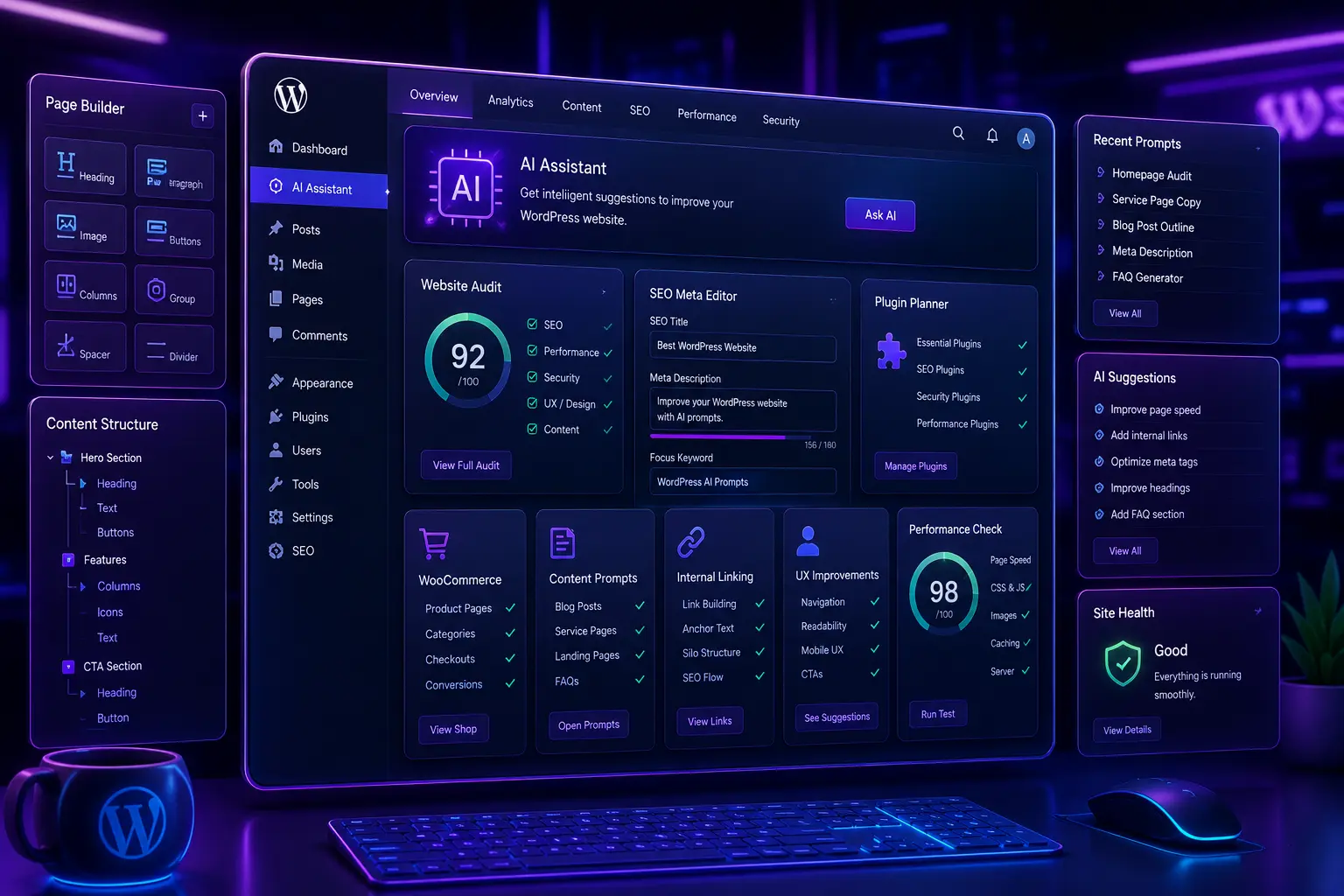
Featured image alt text: Futuristic WordPress AI dashboard with website audit panel, SEO metadata editor, plugin planner, Gutenberg layout blocks, WooCommerce cards, performance checklist, and neon UI design.
Featured image title: ChatGPT Prompts for WordPress Websites
SEO Metadata
SEO title: 30 ChatGPT Prompts for WordPress Websites
Meta description: Use 30 ChatGPT prompts for WordPress websites, SEO, content, plugins, WooCommerce, service pages, speed, UX, and website improvements.
Focus keyword: ChatGPT prompts for WordPress websites
Secondary keywords: WordPress ChatGPT prompts, AI prompts for WordPress, WordPress SEO prompts, WordPress content prompts, WordPress plugin prompts, WooCommerce prompts, WordPress website improvement prompts, ChatGPT prompts for website content, WordPress audit prompts, WordPress UX prompts