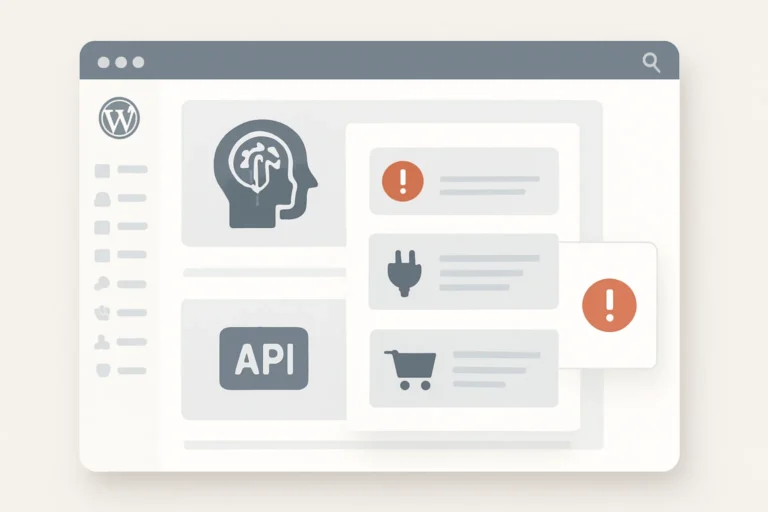
WordPress schema markup helps search engines understand what your website pages are about, who your business is, what services or products you offer, where you are located, how your content is structured and which information is important. It does not replace good content, SEO titles, internal links or page speed, but it can give Google clearer structured context about your WordPress website.
Many WordPress websites either do not use structured data at all or use schema markup incorrectly. Some pages have missing Organization schema, weak LocalBusiness data, broken Product schema, FAQ schema that does not match visible content, duplicate schema from multiple plugins or breadcrumb data that does not reflect the real site structure.
In this WordPress schema markup guide, you will learn how to use Organization, LocalBusiness, Service, Product, FAQ, Breadcrumb, Article, WebSite and SearchAction structured data correctly. You will also learn how to match schema with visible content, avoid conflicting markup, test schema with free tools and connect structured data with SEO strategy. If you are building the full SEO foundation first, start with our WordPress SEO checklist for small business websites.
Table of Contents
- What Is WordPress Schema Markup?
- Why Structured Data Matters for WordPress SEO
- WordPress Schema Markup Checklist
- 1. Match Schema Markup With Visible Page Content
- 2. Add Organization Schema for the Business Entity
- 3. Use LocalBusiness Schema for Local SEO Pages
- 4. Add Service Schema for Service Pages
- 5. Use Product Schema for WooCommerce Products
- 6. Add FAQ Schema Only for Visible FAQs
- 7. Use Breadcrumb Schema for Site Structure
- 8. Add Article Schema for Blog Posts
- 9. Use WebSite and SearchAction Schema Carefully
- 10. Avoid Duplicate or Conflicting Schema
- 11. Test Schema With Google Rich Results Test
- 12. Keep Schema Markup Updated Over Time
- WordPress Schema Markup Best Practices
- Common WordPress Schema Markup Mistakes
- WordPress Schema Markup FAQ
- Conclusion
- Related Website Growth Guides
What Is WordPress Schema Markup?
WordPress schema markup is structured data added to a WordPress website to describe page content in a machine-readable format. It helps search engines understand entities, relationships and page details such as the business name, location, services, products, articles, FAQs, breadcrumbs, reviews and website structure.
Schema markup is usually added as JSON-LD structured data in the page source. Visitors do not normally see this code directly, but search engines can read it. The schema should describe the same information that appears on the visible page. If the page says one thing and the schema says another, the markup becomes unreliable.
For WordPress websites, schema markup can support many page types. A homepage can use Organization or LocalBusiness schema. A service page can use Service schema where the service is clearly visible. A WooCommerce product page can use Product schema. A blog post can use Article schema. FAQ sections can use FAQ schema only when the questions and answers are visible on the page.
- Organization schema: describes the business, brand or company entity.
- LocalBusiness schema: supports local business details, address and service area context.
- Service schema: describes a visible service offered on a service page.
- Product schema: describes product data such as name, image, price and availability.
- FAQ schema: supports visible question and answer sections.
- Breadcrumb schema: describes the page’s place in the website hierarchy.
Schema markup should not be treated as a magic ranking trick. It is a structured explanation layer. It works best when the website already has strong content, clear page structure, useful internal links, accurate SEO titles and good user experience.
Why Structured Data Matters for WordPress SEO
Structured data matters for WordPress SEO because it helps clarify meaning. A search engine may be able to read your visible content, but schema markup can explicitly define important entities and page details. This can help Google understand whether a page is about a business, local service, product, article, FAQ, breadcrumb path or another structured element.
Schema markup can also support eligible rich result features when the page meets Google’s requirements. For example, Product schema can support product-related search result information, FAQ schema can support FAQ understanding when used correctly, and Breadcrumb schema can help describe the site path. Eligibility depends on the content, markup quality and Google’s systems.
Entity clarity
Schema helps define the business, page, service, product, article or local entity more clearly.
Page context
Structured data helps connect visible content with machine-readable page meaning.
Rich result support
Some schema types can support eligible enhanced search result features when requirements are met.
SEO consistency
Schema works best when it matches headings, content, internal links and visible page details.
Structured data should be tested with official tools. Use the free Google Rich Results Test to check eligibility for supported rich results and use the Schema Markup Validator to inspect schema.org structured data more broadly. Google’s structured data documentation explains how structured data works in Google Search.
Schema markup is most effective when it supports the rest of the SEO system. If your page has weak content, poor internal links, missing service details or unclear headings, schema alone will not fix the page. For the full foundation, use the WordPress SEO checklist.
WordPress Schema Markup Checklist
This WordPress schema markup checklist is designed for business websites, service websites, local business websites, WooCommerce stores and SEO blogs that need clean structured data without duplicate or conflicting schema.
The checklist covers the most important structured data areas: matching schema with visible content, Organization schema, LocalBusiness schema, Service schema, Product schema, FAQ schema, Breadcrumb schema, Article schema, WebSite and SearchAction schema, duplicate schema issues, testing and long-term maintenance.
12 areas to review on WordPress websites
Use this checklist to improve structured data, entity context, rich result eligibility and schema consistency.
Start by deciding which schema types truly match each page. A homepage may need Organization or LocalBusiness schema. A service page may need Service schema. A product page may need Product schema. A blog post may need Article schema. A page with visible FAQs may need FAQ schema. Do not add schema only because a plugin offers the option.
1. Match Schema Markup With Visible Page Content
The most important WordPress schema markup rule is simple: structured data should match the visible page content. If the schema describes a service, product, FAQ, review, offer, price, business location or contact detail, that information should also be visible and accurate on the page.
Schema markup should not be used to hide extra keywords, fake reviews, fake ratings, incorrect prices or services that the page does not actually explain. Search engines use structured data to understand content, but the markup becomes risky when it says something different from the page users can see.
Schema should describe what users can already see
Structured data is safest and most useful when it supports the real page content instead of replacing it.
Business name, logo, contact details, address and social links should be accurate and consistent.
Service schema should match a real service explained on the page.
Product schema should match product name, price, image, availability and visible product content.
FAQ schema should only be used when the same questions and answers appear on the page.
Breadcrumb schema should reflect the real page hierarchy shown or implied by the site structure.
Reviews, ratings and claims should be real, accurate and visible before they are marked up.
Before adding schema, review the page like a user. Can the user see the service, product, FAQ, business detail or breadcrumb path that the schema describes? If not, improve the visible page first. Schema markup should support content quality, not cover up weak or missing content.
- Only add schema that matches real visible page content.
- Do not add fake reviews, ratings, prices or service claims.
- Keep schema details consistent with headings, page copy and contact information.
- Make sure FAQ schema matches visible FAQ questions and answers.
- Make sure Product schema matches the WooCommerce product page.
- Update schema when visible content changes.
2. Add Organization Schema for the Business Entity
Organization schema helps define the business or brand behind the website. For many WordPress business websites, this is one of the most important structured data types because it connects the website with the company name, logo, URL, contact information and official profiles.
Organization schema is usually most relevant on the homepage, about page or sitewide entity layer. It should describe the main business entity, not every individual page as a different organization. The business name, logo and URL should be consistent across the website and other official profiles.
Define the business entity behind the WordPress website
Organization schema helps connect the website with the company, brand, logo and official contact context.
Use the official company, brand or website name consistently.
Use a clear logo URL that represents the same business entity.
Connect the organization with the correct canonical website URL.
Add accurate contact context where it matches the business website.
Link official social profiles or entity profiles when they are real and maintained.
Keep organization data consistent with the about page, footer and business profiles.
Organization schema should work together with your about page, footer, contact page and brand consistency. If your business name is different across the website, Google Business Profile, social profiles and schema, clean up the visible business information first.
- Add Organization schema for the main business or brand entity.
- Use the official business name, logo and website URL.
- Use sameAs only for real official profiles.
- Keep the business identity consistent across the website.
- Do not create separate Organization schema for every normal page.
- Test the structured data after implementation.
3. Use LocalBusiness Schema for Local SEO Pages
LocalBusiness schema helps describe a business with local context. It can include details such as business name, address, phone number, opening hours, service area, location, business type and other information when that information is accurate and visible.
LocalBusiness schema is especially relevant for local service businesses, shops, offices, clinics, restaurants, contractors and other businesses that serve a geographic area. It should support local SEO pages and business profile consistency, not replace real local content.
Connect local business details with visible local content
Local structured data should match the address, service area, phone number, opening hours and local trust signals users can see.
Use the same business name that appears on the website and official profiles.
Use accurate address details only when they are real and appropriate to display.
Use a real business phone number that matches visible contact information.
Add opening hours when they are relevant and kept up to date.
Use service area context when the business serves defined regions or cities.
Support local schema with visible reviews, location content and Google Business Profile consistency.
LocalBusiness schema should be connected with real local SEO work: Google Business Profile, reviews, local pages, service area details and consistent contact information. For the full local workflow, read the local SEO for WordPress websites guide and keep your Google Business Profile information consistent.
- Use LocalBusiness schema only when local business context is real.
- Keep name, address and phone details consistent.
- Add opening hours only when they are accurate and maintained.
- Use service area details when the business serves specific regions.
- Support local schema with visible local content and reviews.
- Do not use fake addresses or misleading local data.
Structured data works best when it matches visible content.
EntitySchema Pro helps you add entity-based structured data to WordPress, including Organization, LocalBusiness, Service, Product, FAQ, Breadcrumb and page context where it matches your real page content.
4. Add Service Schema for Service Pages
Service schema can help describe a service offered on a WordPress service page. It is useful when the page clearly explains the service, who it is for, what problem it solves, what the process looks like and how visitors can contact the business.
Service schema should not be added to pages that do not actually describe a service. It should match the visible page content, service title, service description, provider, area served and other details where relevant. The service page itself still needs strong headings, content, CTAs and trust signals.
Describe real services shown on WordPress service pages
Service schema works best when the service page already has clear content, proof, FAQs and conversion paths.
Use the same service name or close phrase that appears in the H1 and page copy.
Summarize the visible service offer without adding hidden claims.
Connect the service to the correct business or organization entity.
Add service area only when the business actually serves those locations.
Connect the schema to the correct canonical service page.
Add FAQ schema only when service questions and answers are visible on the page.
Service schema should be part of a stronger service page SEO system. The page should already have a focused H1, clear service sections, trust signals, FAQs and a conversion path. For the full service page workflow, use the WordPress service page SEO guide and the website conversion optimization guide.
- Add Service schema only to pages that clearly describe a service.
- Match the service name with the visible H1 and page copy.
- Connect the service to the correct business provider.
- Use area served only when it is accurate and relevant.
- Do not add hidden service claims that users cannot see.
- Test the schema after adding or updating service page markup.
5. Use Product Schema for WooCommerce Products
Product schema is important for WooCommerce product pages because it can describe product details in a structured way. This may include product name, image, description, SKU, brand, offers, price, currency, availability, reviews and ratings when those details are accurate and visible.
Product schema should match the WooCommerce product page. If the page shows one price but the schema shows another price, the markup is inconsistent. If the page uses review schema without visible real reviews, the markup becomes misleading. Product schema should reflect the actual product page experience.
Use accurate structured data for WooCommerce product pages
Product schema should match visible product information, offers, availability, images and real review data.
Name, image, description, SKU and brand should match the product page.
Price, currency, availability and condition should be accurate and updated.
Product image references should support real visible product images.
Ratings and reviews should only be marked up when real reviews are visible.
Variation details should be handled carefully so products do not send conflicting data.
Use Google Rich Results Test to check Product schema and eligibility warnings.
Product schema works best when WooCommerce SEO is already strong. Product pages should have useful product descriptions, clear images, accurate prices, availability, trust signals and internal links. For the full ecommerce workflow, use the WooCommerce ecommerce SEO guide.
- Use Product schema on real product pages.
- Keep product name, image, price and availability accurate.
- Use review markup only when real reviews are visible.
- Check product variation data for conflicts.
- Update Product schema when product prices or availability change.
- Test important product pages with Google Rich Results Test.
6. Add FAQ Schema Only for Visible FAQs
FAQ schema should only be used when the same questions and answers are visible on the page. It can help search engines understand a structured FAQ section, but it should not be used to add hidden keyword content or invisible answers that users cannot read.
FAQ schema is useful for service pages, local pages, product pages and blog posts when the FAQs answer real user questions. The questions should be clear, the answers should be accurate and the visible page content should match the structured data exactly or very closely.
Questions and answers are hidden, keyword-stuffed, fake, misleading or different from the visible page content.
Questions and answers are visible, useful, accurate, relevant to the page and written for real users.
FAQ schema should also support the page’s search intent. A service page FAQ can answer price, process, timeline and support questions. A product FAQ can answer sizing, compatibility, delivery and return questions. A blog post FAQ can answer follow-up questions related to the guide topic.
- Use FAQ schema only when the FAQ content is visible on the page.
- Make questions and answers useful for real users.
- Do not add hidden FAQs only for search engines.
- Do not use FAQ schema for unrelated keyword stuffing.
- Keep FAQ answers accurate and aligned with page content.
- Update FAQ schema when FAQ content changes.
7. Use Breadcrumb Schema for Site Structure
Breadcrumb schema helps describe where a page sits inside the website structure. It can support search engines in understanding the hierarchy between the homepage, categories, service pages, product categories, blog categories and individual pages.
Breadcrumb schema should match the real site structure. If the visible breadcrumbs show Home → Blog → Website Growth → WordPress Schema Markup Guide, the structured data should describe the same logical path. Do not create artificial breadcrumb paths only to force keywords into structured data.
Breadcrumb schema also supports internal linking clarity. If your site categories, service pages and blog posts are connected with a clean structure, breadcrumbs can reinforce that structure. For a broader linking system, use the WordPress internal linking strategy.
- Use BreadcrumbList schema for logical page hierarchy.
- Keep breadcrumb markup consistent with visible breadcrumbs or site structure.
- Do not create fake breadcrumb paths for keyword stuffing.
- Use clear category and page relationships.
- Check breadcrumbs on blog posts, service pages and WooCommerce products.
- Test breadcrumb structured data after theme or permalink changes.
8. Add Article Schema for Blog Posts
Article schema helps describe blog posts, news articles, guides and other editorial content. For WordPress blog posts, Article schema can include details such as headline, description, author, date published, date modified, image, publisher and main entity of page.
Article schema should match the visible post. The headline should match the post title or SEO title closely, the author should be real, the dates should be accurate and the featured image should represent the post. If the article is updated, the modified date should reflect that update accurately.
Describe WordPress blog posts with accurate article data
Article structured data should match the visible post title, author, dates, image and publisher context.
Use the article title or a close version that matches the visible post topic.
Use a real author or organization context that matches the website setup.
Use the real date when the article was first published.
Update this only when the article has actually been meaningfully changed.
Use a relevant featured image that represents the article content.
Connect the article to the correct organization or website entity.
Article schema should also support the content structure. A strong blog post should have a clear H1, useful headings, internal links, accurate dates and a topic that does not cannibalize another post. For snippet alignment, use the SEO titles and meta descriptions for WordPress pages guide.
- Use Article schema for real blog posts and editorial content.
- Keep the headline aligned with the visible post title.
- Use accurate published and modified dates.
- Use a relevant featured image for the article.
- Connect the article to the correct publisher entity.
- Do not use Article schema to hide unrelated keywords.

Add entity-based schema markup to WordPress pages
EntitySchema Pro helps you add structured data for Organization, LocalBusiness, Service, Product, FAQ, Breadcrumb, Article and page context where it matches visible content.
9. Use WebSite and SearchAction Schema Carefully
WebSite schema can describe the website entity, while SearchAction schema can describe a site search feature when the website has a real search function. These schema types can be useful, but they should be implemented carefully and should not conflict with other sitewide structured data.
SearchAction schema should only be used when the website has a real internal search feature that works properly. If the site search is disabled, broken, blocked or not useful, adding SearchAction markup is not helpful. The search target URL should match the real search URL pattern used by the WordPress website.
Use website-level schema only when it reflects real site features
WebSite and SearchAction schema should describe the website and search behavior accurately.
Use the real website or brand name that users see on the site.
Connect the schema to the correct canonical homepage URL.
Use only when the site has a working internal search feature.
Make sure the search URL pattern matches the actual WordPress search URL.
Do not create conflicting WebSite schema from multiple plugins.
Check the page source and validators to confirm the markup is clean.
WebSite schema should not conflict with Organization schema. The website is the digital property, while the organization is the business or brand behind it. These entities can be connected, but they should not be confused or duplicated by several plugins at the same time.
- Use WebSite schema to describe the website entity.
- Use SearchAction only when the website has working internal search.
- Make the search URL pattern accurate.
- Keep WebSite schema consistent with Organization schema.
- Check for duplicate WebSite schema from multiple plugins.
- Do not add SearchAction markup for a broken or unused search feature.
10. Avoid Duplicate or Conflicting Schema
Duplicate or conflicting schema is one of the most common WordPress structured data problems. It often happens when a website uses several SEO plugins, schema plugins, WooCommerce extensions, theme schema, page builder schema and custom code at the same time.
More schema is not always better. If multiple tools output different Organization, Product, Breadcrumb, Article or FAQ schema for the same page, the result can become confusing. The goal is clean, accurate and consistent structured data that matches the page.
Keep structured data clean instead of stacking plugins
Conflicting schema can make a page harder to understand and harder to debug.
Several SEO plugins may output overlapping Organization, Article or Breadcrumb schema.
The WordPress theme may already add basic structured data in the page source.
WooCommerce and product plugins may output Product schema automatically.
FAQ, review or breadcrumb widgets may add extra markup without clear control.
Manual JSON-LD can conflict with plugin-generated schema if not managed carefully.
Previous schema settings can remain active after plugin or theme changes.
When you audit schema, inspect the page source and use testing tools. Look for multiple versions of the same schema type, mismatched business names, wrong URLs, duplicate breadcrumbs, old product prices or FAQ markup that no longer matches the page.
- Check whether multiple plugins output the same schema type.
- Avoid duplicate Organization, Product, Article, FAQ and Breadcrumb schema.
- Remove old schema settings after changing plugins or themes.
- Keep one clean source of truth for important structured data.
- Check WooCommerce product pages for conflicting Product schema.
- Retest schema after plugin, theme or page builder updates.
11. Test Schema With Google Rich Results Test
After adding or editing WordPress schema markup, test the page. Testing helps you find invalid fields, missing recommended data, duplicate schema, unsupported markup, Product schema warnings, FAQ issues and breadcrumb problems before they become long-term SEO problems.
Google Rich Results Test checks whether a page is eligible for supported rich result types. Schema Markup Validator checks schema.org structured data more broadly. Google Search Console can also report structured data enhancements and issues for indexed pages over time.
Test before and after publishing important pages
Use testing tools to confirm that structured data is valid, consistent and aligned with visible content.
- Google Rich Results Test for Google-supported rich result eligibility.
- Schema Markup Validator for broader schema.org validation.
- Google Search Console for ongoing structured data reports.
- Page source inspection to find duplicate plugin output.
- Manual page review to confirm visible content matches schema.
Use the free Google Rich Results Test, Schema Markup Validator and Google Search Console to test and monitor structured data. Testing should be done after publishing, after plugin updates and after major page changes.
- Test important pages after adding schema markup.
- Check both errors and warnings in testing tools.
- Compare schema output with visible page content.
- Look for duplicate structured data from plugins or themes.
- Monitor Google Search Console for structured data issues.
- Retest after theme, plugin, WooCommerce or content updates.
12. Keep Schema Markup Updated Over Time
WordPress schema markup should be maintained over time. Business details, services, products, prices, availability, FAQs, opening hours, authors, categories and page structure can change. If structured data is not updated, it can become inaccurate even if it was correct when first added.
Schema maintenance should be part of your SEO workflow. When you update a service page, product page, FAQ section, business address, phone number, opening hours, category structure or plugin setup, check the schema output as well.
Update structured data when the website changes
Schema markup should stay aligned with the current business, content, products and page structure.
Update schema when business name, logo, phone, address or profiles change.
Update Service schema when service names, descriptions or areas served change.
Update Product schema when prices, stock, images or offers change.
Update FAQ schema when visible questions or answers are edited.
Update Breadcrumb schema after category, permalink or hierarchy changes.
Retest schema when SEO, WooCommerce, theme or schema plugin settings change.
Schema updates are especially important for WooCommerce products, local businesses and service websites. Product availability, local details, service areas and FAQs can change often, so structured data should not be left unchecked for years.
- Review schema after major content updates.
- Update Organization and LocalBusiness schema when business details change.
- Update Product schema when price, stock or offer data changes.
- Update FAQ schema when visible FAQ content changes.
- Retest schema after plugin, theme or WooCommerce updates.
- Schedule schema audits as part of regular SEO maintenance.
WordPress Schema Markup Best Practices
WordPress schema markup works best when it is accurate, visible, consistent and connected to the real page purpose. Structured data should support the content, not replace it. A page with weak service copy, missing product details, unclear business information or hidden FAQs will not become strong just because schema markup is added.
The best schema strategy starts with the page type. A homepage may need Organization or LocalBusiness schema. A service page may need Service schema. A WooCommerce product page may need Product schema. A blog post may need Article schema. A page with visible FAQs may need FAQ schema. Sitewide navigation may use Breadcrumb schema. Each schema type should match the page and the visible content.
Use structured data to support real WordPress page content
Use these best practices to keep WordPress schema markup accurate, useful, testable and aligned with SEO strategy.
Only mark up information that users can see or reasonably verify on the page.
Choose Organization, LocalBusiness, Service, Product, FAQ, Article or Breadcrumb based on the page.
Do not let multiple plugins output different schema for the same entity or page.
Update prices, availability, business details, FAQs, opening hours and service details.
Use Google Rich Results Test, Schema Markup Validator and Google Search Console.
Schema should support headings, page copy, internal links, breadcrumbs and page intent.
- Use schema markup only when it matches visible page content.
- Choose schema types based on the page purpose and search intent.
- Use Organization schema for the main business or brand entity.
- Use LocalBusiness schema only when local business context is accurate.
- Use Service schema only on pages that clearly describe a service.
- Use Product schema only for real products with accurate visible product details.
- Use FAQ schema only when the same FAQs are visible on the page.
- Use Breadcrumb schema to reflect real website hierarchy.
- Test schema with Google Rich Results Test and Schema Markup Validator.
- Retest schema after plugin, theme, WooCommerce or content updates.
Common WordPress Schema Markup Mistakes
Many WordPress schema markup mistakes happen because structured data is added automatically without checking whether it matches the page. A plugin can output schema, but the website owner still needs to make sure the data is accurate, visible, consistent and not duplicated by another plugin.
The biggest mistake is treating schema markup as a shortcut. Schema can help search engines understand content, but it cannot make fake reviews real, weak product pages complete, thin service pages useful or outdated business details accurate. Structured data must support real content quality.
Avoid these WordPress structured data problems
These mistakes can create confusing, misleading or invalid schema markup on WordPress websites.
The schema describes FAQs, reviews, prices or services that users cannot see on the page.
Several plugins output the same schema type with different or conflicting data.
Review or rating markup is used without real visible customer reviews.
Product, Service, FAQ or LocalBusiness schema is added to pages where it does not fit.
Prices, availability, opening hours, addresses or services are no longer accurate.
Schema is published without checking validators, errors, warnings or page source output.
- Adding FAQ schema when the questions and answers are not visible.
- Using fake review, rating or aggregateRating markup.
- Adding Product schema to pages that are not real product pages.
- Using LocalBusiness schema with fake or inconsistent location details.
- Letting multiple plugins output duplicate Organization or Breadcrumb schema.
- Adding Service schema to a page that does not clearly describe a service.
- Forgetting to update Product schema when prices or availability change.
- Using old business logos, phone numbers, addresses or social profiles.
- Ignoring warnings and errors in structured data testing tools.
- Assuming schema alone can fix weak SEO content or poor page structure.
WordPress Schema Markup FAQ
Here are common questions about WordPress schema markup, structured data, Organization schema, LocalBusiness schema, Product schema, FAQ schema, Breadcrumb schema and testing tools.
WordPress schema markup is structured data added to a WordPress website to describe page content in a machine-readable format. It can describe businesses, services, products, articles, FAQs, breadcrumbs and other page details.
Schema markup can support WordPress SEO by helping search engines understand page context and by supporting eligible rich result features. It does not replace strong content, clear headings, internal links, page speed or accurate SEO titles.
The right schema types depend on the page. Common types include Organization, LocalBusiness, Service, Product, FAQ, Breadcrumb, Article and WebSite schema. Each type should match the visible page content and page purpose.
Yes. Schema markup should match visible page content. Do not use structured data to add fake reviews, hidden FAQs, incorrect prices, fake locations or services that the page does not actually explain.
Organization schema describes the business, brand or company entity behind the website. It can include the business name, logo, URL, contact details and official profiles when those details are accurate.
LocalBusiness schema describes a business with local context, such as name, address, phone number, opening hours, business type and service area. It should match real local business information and visible website content.
No. FAQ schema should only be used when the page has visible questions and answers. The structured data should match the visible FAQ content and should not be used for hidden keyword stuffing.
Use Google Rich Results Test to check Google-supported rich result eligibility, Schema Markup Validator to inspect schema.org structured data and Google Search Console to monitor structured data issues over time.
One of the biggest mistakes is adding schema that does not match visible content. Duplicate schema from multiple plugins, fake reviews, hidden FAQs and outdated product or business data are also common problems.
Conclusion
WordPress schema markup helps search engines understand the structure and meaning of your website pages. It can describe your organization, local business details, services, products, FAQs, breadcrumbs, articles and website context in a structured format.
Start with the visible content. Make sure the page clearly explains the business, service, product, FAQ, article or breadcrumb path before adding schema. Then choose the schema type that matches the page, avoid duplicate plugin output, test the result and keep structured data updated as the website changes.
The strongest schema markup is not hidden SEO decoration. It is accurate structured context that supports real content, real business information, real products, real services and real user-facing page structure.
Want to add structured data to WordPress more easily?
EntitySchema Pro helps you add entity-based structured data to WordPress, including Organization, LocalBusiness, Service, Product, FAQ, Breadcrumb, Article and page context where it matches visible content.
Related Website Growth Guides
This WordPress schema markup guide is part of the Website Growth series. The related guides below help you improve WordPress SEO, service pages, performance, local visibility, internal linking, WooCommerce SEO, snippets, conversions and content structure without making the posts compete for the same keyword.