WordPress SEO is one of the most important parts of a small business website. A good-looking website is not enough if Google cannot understand it, users cannot find the right pages, the site loads slowly, or visitors do not know what to do next.
Many small business owners install an SEO plugin and think the job is done. In reality, WordPress SEO includes page structure, keyword targeting, service pages, titles, headings, internal links, website speed, Core Web Vitals, schema markup, local SEO, image optimization, technical settings, and conversion-focused content.
In this WordPress SEO checklist for small business websites, you will learn how to build a stronger SEO foundation, plan the right website pages, optimize your homepage and service pages, improve content quality, add internal links, speed up your website, use structured data, improve local SEO, and turn more visitors into real leads. For deeper related topics, you can also explore our upcoming WordPress schema markup guide, WordPress Core Web Vitals guide, and local SEO for WordPress websites guide.
Table of Contents
- What Is WordPress SEO for Small Business Websites?
- Why Small Business SEO Is Different
- WordPress SEO Checklist
- 1. Set the Right SEO Foundation
- 2. Plan the Main Website Pages
- 3. Optimize Homepage SEO
- 4. Optimize Service Page SEO
- 5. Use SEO-Friendly Headings
- 6. Write Strong Titles and Meta Descriptions
- 7. Improve Website Content Quality
- 8. Add Internal Links Between Pages
- 9. Optimize Images for SEO
- 10. Improve WordPress Speed and Core Web Vitals
- 11. Make the Website Mobile-Friendly
- 12. Add Schema Markup
- 13. Set Up Local SEO
- 14. Connect Search Console and Analytics
- 15. Fix Technical SEO Problems
- 16. Improve Conversion Elements
- WordPress SEO Best Practices
- Common WordPress SEO Mistakes
- WordPress SEO FAQ
- Conclusion
- Related Website Growth Guides
What Is WordPress SEO for Small Business Websites?
WordPress SEO for small business websites is the process of making your website easier to find, easier to understand, and easier to use. It helps search engines understand what your business does, which pages matter, which services you offer, where you work, and why your website should appear for relevant searches.
For a small business, SEO is not only about getting more visitors. The real goal is to get the right visitors: people who are looking for your service, product, location, price range, solution, or expertise. A good WordPress SEO setup should support leads, phone calls, quote requests, bookings, purchases, and long-term website growth.
Strong WordPress SEO usually includes three main areas: technical SEO, content SEO, and conversion-focused website structure. Technical SEO helps Google crawl and index your website. Content SEO helps pages match real search intent. Conversion structure helps visitors move from reading to taking action.
- Technical SEO includes index settings, sitemaps, redirects, page speed, Core Web Vitals, mobile usability, HTTPS, schema markup, and clean website structure.
- Content SEO includes service pages, homepage copy, blog topics, headings, keyword targeting, internal links, image alt text, FAQs, and helpful explanations.
- Conversion SEO includes clear calls to action, contact forms, trust signals, pricing guidance, testimonials, case studies, service benefits, and simple navigation.
The biggest mistake is treating SEO as a single plugin setting. SEO plugins are useful, but they cannot automatically fix weak page structure, thin content, slow loading, missing service pages, poor internal links, unclear offers, or a website that does not explain what the business actually does.
Why Small Business SEO Is Different
Small business SEO is different from large brand SEO because most small businesses do not need to rank for every broad keyword in their industry. They need to rank for specific services, local searches, customer problems, product categories, and buying-intent searches that can become real leads.
A small business website should not try to compete with huge websites on generic keywords only. Instead, it should build strong pages around practical searches that match what customers actually need. These can include service-based keywords, location-based keywords, comparison searches, pricing searches, problem searches, and “near me” searches.
For example, a small business website may get better results from a focused service page than from one broad homepage. A page about “WordPress website maintenance for small businesses” is usually clearer than a homepage that only says “professional digital solutions”. A page about “playground rubber mats for schools” is more useful than a generic product page that does not explain use cases, safety, installation, or benefits.
Service intent matters
Small business SEO should match the services people are ready to buy, compare, request, book, or discuss with a real company.
Local visibility matters
Many small businesses need to appear in city, region, service area, and Google Business Profile related searches.
Trust matters fast
Visitors should quickly see what you do, who you help, why they should trust you, and how they can contact you.
Conversions matter
Traffic alone is not enough. The website should guide users toward contact forms, calls, quote requests, bookings, or purchases.
This is why a small business SEO strategy should start with the website structure. Before writing blog posts or changing plugin settings, you need to know which pages your website needs, which searches each page should target, how those pages connect, and what action the visitor should take after reading.
WordPress SEO Checklist
This WordPress SEO checklist is designed for small business websites that need better visibility, stronger pages, faster loading, clearer structure, and more useful content. You can use it when launching a new website, improving an existing WordPress website, rebuilding a service business website, or checking why your current website is not getting enough organic traffic.
The checklist covers the most important areas of small business SEO: foundation settings, page planning, homepage optimization, service page SEO, headings, titles, meta descriptions, content quality, internal linking, images, speed, mobile usability, schema markup, local SEO, analytics, technical SEO, and conversion elements.
16 areas to review on your WordPress website
Use this checklist to find weak pages, missing SEO basics, technical issues, content gaps, and conversion problems.
Start with the basics first. A website with weak technical settings, unclear pages, missing service content, slow loading, and no internal links will usually struggle, even if it has a good design. Once the foundation is strong, blog content, schema, conversion improvements, and ongoing SEO work become much more effective.
1. Set the Right SEO Foundation
The first step in any WordPress SEO checklist is the foundation. Before you improve content, write blog posts, add schema, or change page layouts, you need to make sure search engines can crawl, index, and understand the website correctly.
A weak SEO foundation can block the entire website from performing well. A page may have good content, but if the site is accidentally set to noindex, the sitemap is broken, HTTPS is not configured correctly, redirects are messy, or Google Search Console is not connected, the website may struggle to get organic visibility.
Start with the technical basics
Review these settings before making deeper SEO changes to your WordPress website.
Your website should load securely with HTTPS on every page.
Redirect all versions to one main version, such as https://example.com or https://www.example.com.
Make sure WordPress is not blocking search engines from indexing the website.
Use readable URLs that describe the page topic instead of random IDs or dates.
Your sitemap should include important public pages and exclude unnecessary thin pages.
Google Search Console helps you check indexing, search queries, errors, and page performance.
In WordPress, also check Settings → Reading and make sure the option “Discourage search engines from indexing this site” is not enabled on a live website. This setting is useful during development, but it can hurt visibility badly if it is left active after launch.
You should also review your permalink structure under Settings → Permalinks. For most small business websites, a clean post name structure is easier to understand than URLs with numbers, dates, or unnecessary folders. A clear URL like /web-design-services/ is better than /?p=123.
- Make sure the website uses HTTPS.
- Choose one preferred domain version and redirect the others.
- Check that important pages are indexable.
- Use clean, readable WordPress permalinks.
- Create and submit an XML sitemap.
- Connect Google Search Console.
- Remove test pages, demo pages, duplicate pages, and old drafts from public indexing.
- Check that important pages are not blocked by robots.txt or noindex tags.
2. Plan the Main Website Pages
A small business website needs a clear page structure before it can perform well in search. Many WordPress websites fail because they try to rank one homepage for everything. The homepage becomes too broad, service pages are missing, and Google has no clear page to match with specific searches.
Instead, each important service, product category, location, or business goal should have a dedicated page. This makes the website easier for search engines to understand and easier for visitors to use. A visitor who searches for a specific service should land on a page that talks about that service in detail, not on a generic homepage that only gives a short overview.
A good small business WordPress website usually needs a homepage, individual service pages, an about page, a contact page, conversion-focused landing pages, helpful blog posts, and sometimes location pages, portfolio pages, case studies, pricing pages, or product category pages.
Plan pages around search intent
Each important topic should have a clear page with a clear purpose, keyword focus, internal links, and call to action.
Explains the business, main offer, target audience, services, trust signals, and main CTA.
Target specific services, problems, benefits, process, FAQs, proof, and conversion actions.
Useful for local businesses that serve different cities, regions, or service areas.
Answer informational searches and support service pages with internal links.
Show real work, results, project details, before-after improvements, and trust signals.
Makes it easy to call, email, request a quote, book a meeting, or send a form.
Planning pages this way also helps with internal linking. Your homepage can link to the most important service pages. Service pages can link to related services, case studies, and supporting blog posts. Blog posts can link back to service pages when the reader may need help.
For a deeper content structure process, you can use our upcoming website content structure for SEO guide.
3. Optimize Homepage SEO
Your homepage is usually the most important page on a small business website. It introduces the business, explains the main offer, sends visitors to key service pages, builds trust, and guides people toward the next action.
Homepage SEO should not be vague. Many websites start with generic lines like “We create digital solutions” or “Quality services for modern businesses”. These phrases sound nice, but they do not clearly explain what the company does, who it helps, or why someone should continue reading.
A stronger homepage should clearly answer three questions in the first screen: what do you offer, who is it for, and what should the visitor do next? This is important for both SEO and conversions because users decide quickly whether the website matches their needs.
- Use one clear H1 that explains the main service or business category.
- Add a short hero paragraph that explains the value and target audience.
- Place a strong call to action above the fold.
- Link to your most important service pages.
- Show trust signals such as reviews, project examples, years of experience, or client logos.
- Explain the process so visitors know what happens after they contact you.
- Add a short FAQ section if customers often ask the same questions.
- End the page with another clear contact or quote request CTA.
We provide high-quality digital solutions for modern businesses.
WordPress website design and SEO setup for small businesses that need more leads, faster pages, and a clearer online presence.
Your homepage does not need to target every keyword. It should target the main business category and then guide users to more specific pages. For example, a web design company homepage can target WordPress website design, while separate pages can target website maintenance, WooCommerce development, SEO setup, landing page design, and website speed optimization.
4. Optimize Service Page SEO
Service pages are where many small business websites can win better search visibility. A service page gives one specific offer enough room to rank, explain the problem, show the process, answer objections, and convert visitors into leads.
If your website lists ten services only on the homepage, each service may get only a short paragraph. That is usually not enough for strong SEO. A dedicated service page can target a clearer keyword, explain the service in more detail, include FAQs, show examples, and link to related services.
A good WordPress service page should be written around search intent. Think about what the customer is trying to understand before they contact you. They may want to know what the service includes, how long it takes, what it costs, whether it fits their business, and what happens after they request a quote.
- Use the service keyword in the SEO title, H1, intro, and relevant H2 headings.
- Explain the customer problem before describing the solution.
- Show what the service includes.
- Add a process section so visitors know what to expect.
- Include proof such as examples, reviews, portfolio items, or before-after improvements.
- Add FAQs that answer real customer questions.
- Use internal links to related services and supporting blog posts.
- Include a strong CTA near the top and at the end of the page.
For example, a “WordPress website design” service page should not only say that you build websites. It should explain who the service is for, what kind of WordPress websites you build, whether SEO setup is included, whether the design is custom, how the quote process works, how long the project takes, and why the client should choose your company.
We will cover this in more detail in the upcoming guide on how to optimize a WordPress service page for SEO.
5. Use SEO-Friendly Headings
Headings help users and search engines understand the structure of a page. A good heading structure makes the content easier to scan, easier to read, and easier to connect with the search intent behind the page.
Every important page should have one clear H1. The H1 should describe the main topic of the page. After that, use H2 headings for main sections and H3 headings for supporting subsections. Do not use headings only because you want bigger text. Use headings to organize meaning.
Use headings to organize meaning
A clear heading hierarchy helps people scan the page and helps search engines understand the main topics.
WordPress SEO Services for Small Businesses
What Is Included in Our WordPress SEO Service?
Technical SEO Setup
Service Page Optimization
Who Is This Service For?
WordPress SEO FAQ
Question-based headings can also work well because many searches are written as questions. For example, a service page can include headings like “How much does WordPress SEO cost?”, “How long does SEO take?”, “Do small business websites need schema markup?”, or “What is included in a WordPress SEO setup?”
- Use one H1 per page.
- Use H2 headings for main sections.
- Use H3 headings for smaller subsections inside H2 sections.
- Make headings useful and descriptive.
- Include natural keywords where they fit.
- Do not use headings only for visual styling.
- Do not skip from H2 to H5 without a reason.
6. Write Strong Titles and Meta Descriptions
SEO titles and meta descriptions are important because they help users decide whether to click your result in search. A title should clearly describe the page and give the searcher a reason to visit. A meta description should summarize the value of the page in a natural, useful way.
For small business websites, a good SEO title usually includes the service, business type, location, result, or target audience. It should not be stuffed with repeated keywords. It should read like a clear search result written for a real person.
Here are a few examples of stronger SEO titles for small business WordPress pages:
- Weak: Home | Example Company
- Better: WordPress Website Design for Small Businesses | Example Company
- Weak: Services
- Better: WooCommerce Development Services for Growing Online Stores
- Weak: SEO
- Better: WordPress SEO Setup for Small Business Websites
We will cover this topic in more detail in the upcoming guide to SEO titles and meta descriptions for WordPress pages.
Make your website easier for search engines and AI systems to understand
EntitySchema Pro helps you add entity-based structured data to WordPress, improve semantic clarity, and build a stronger SEO foundation without creating schema manually for every important page.
7. Improve Website Content Quality
Content quality is one of the biggest differences between a weak small business website and a strong one. Many business websites use short, generic, interchangeable text that could apply to almost any company. That kind of content rarely builds trust or gives search engines enough information to understand the page deeply.
Good SEO content should answer real customer questions. It should explain the service clearly, show what is included, describe the process, address objections, and help the visitor make a decision. It should not be written only for search engines, and it should not repeat the same keyword in every sentence.
For small business websites, helpful content often includes practical details that customers actually care about: what the service includes, who it is for, what problems it solves, how long it takes, what affects the price, what results are realistic, and what the next step looks like.
- Explain the problem before presenting the service.
- Write for the customer, not only for the search engine.
- Use examples, use cases, process steps, and FAQs.
- Show what makes your service different.
- Avoid empty phrases like “best quality”, “modern solutions”, and “professional service” without proof.
- Add real details about your work, experience, process, pricing logic, or results.
- Use internal links where they naturally help the reader.
- Keep paragraphs readable and avoid huge walls of text.
We offer professional SEO services for businesses. Contact us for more information.
We improve WordPress SEO by reviewing your website structure, service pages, internal links, schema markup, speed, titles, meta descriptions, local SEO signals, and conversion paths. This helps small business websites become easier to understand, easier to find, and easier to use.
Better content also supports internal linking. A detailed service page can link to blog posts that explain related topics. A blog post can link back to the service page when the reader may need help. This creates a stronger topic cluster and helps important pages receive more internal authority.
8. Add Internal Links Between Pages
Internal links help users and search engines move through your website. They show which pages are related, which pages are important, and how different topics connect. For small business SEO, internal linking is especially useful because it can connect blog content, service pages, homepage sections, case studies, and conversion pages into one stronger website structure.
A common mistake is publishing blog posts without linking them to service pages. This creates informational content that may get traffic but does not support business goals. A better approach is to use blog posts as supporting content that explains problems, answers questions, and then links naturally to the relevant service page.
Connect pages into a topic cluster
Important pages should not stand alone. Use internal links to connect related guides, services, categories, and conversion pages.
Links to the most important services, trust sections, and contact page.
Link to related services, FAQs, case studies, and supporting guides.
Answer questions and link back to relevant service or product pages.
Show proof and link to the service used in the project.
Receives links from pages where users may be ready to take action.
Use descriptive anchor text when adding internal links. Instead of linking the words “click here”, link a phrase that explains the destination, such as WordPress internal linking strategy, WordPress Core Web Vitals guide, or WordPress schema markup guide.
- Link from the homepage to important service pages.
- Link from service pages to related services and supporting blog posts.
- Link from blog posts back to the relevant service pages.
- Link between related blog posts in the same topic cluster.
- Use clear anchor text that describes the linked page.
- Update older posts when new related guides are published.
- Avoid orphan pages that have no internal links pointing to them.
- Do not force too many links into a paragraph if they do not help the reader.
Internal linking is especially important for this Website Growth series. This checklist acts as the pillar guide, and the related guides will expand individual topics such as service page SEO, Core Web Vitals, local SEO, internal linking, WooCommerce SEO, meta titles, conversions, schema markup, and website content structure.
9. Optimize Images for SEO
Images are important for small business websites because they support trust, explain services, show products, display project examples, and make pages more engaging. But images can also hurt SEO if they are too large, badly named, missing alt text, or loaded in a way that slows down the website.
Image SEO is not only about adding keywords to alt text. It is about helping search engines and users understand the image while keeping the page fast and accessible. A good image should have a useful filename, suitable dimensions, compressed file size, descriptive alt text, and a clear purpose on the page.
Make images useful, fast and descriptive
Good image optimization improves accessibility, page speed, user experience and search engine understanding.
Use names like wordpress-seo-checklist.webp instead of IMG_4938.jpg.
Describe the image naturally when the image adds meaning to the page.
Reduce file size before uploading so images do not slow down the website.
WebP is often a good option for WordPress images because it can reduce file size.
Do not upload huge images if the page only displays them in a small container.
Important text should be written as real HTML text, not only inside an image.
For alt text, keep it natural. If the image shows a finished website project, describe what is shown. If the image is decorative and does not add meaning, it may not need detailed alt text. If the image is a product image, describe the product clearly. Do not stuff alt text with a long list of keywords.
- Rename image files before uploading them to WordPress.
- Use alt text that describes the image when the image is meaningful.
- Compress large images before they slow down important pages.
- Use WebP or other efficient formats where possible.
- Use lazy loading for images that appear lower on the page.
- Do not put important SEO text only inside images.
- Check featured image alt text for important blog posts and landing pages.
10. Improve WordPress Speed and Core Web Vitals
Website speed is a major part of WordPress SEO because slow pages create a worse user experience. If a small business website takes too long to load, visitors may leave before they read the offer, open the service page, fill in the form, or contact the company.
Core Web Vitals are especially important because they focus on real user experience signals such as loading performance, interaction responsiveness, and visual stability. For small business WordPress websites, the most common speed problems are oversized images, too many plugins, heavy page builders, slow hosting, render-blocking scripts, unused CSS, third-party tracking scripts, and poorly optimized fonts.
Speed affects users before they read anything
Fast pages help visitors reach your content, forms, service pages and calls to action without friction.
Improve the largest visible element, often a hero image, heading block or banner area.
Reduce heavy JavaScript and slow event handling so the page responds faster.
Prevent layout shifts from images, ads, fonts, embeds and late-loading elements.
Start speed optimization by checking the homepage, main service pages, product category pages, and important landing pages. These are the pages that usually matter most for SEO and conversions. A blog post can be slightly slower than a main service page, but important commercial pages should be as clean and fast as possible.
- Use good hosting instead of relying only on optimization plugins.
- Compress and resize images before uploading them.
- Use caching where it fits your WordPress setup.
- Remove plugins that are not needed.
- Reduce heavy third-party scripts and unnecessary tracking tools.
- Optimize fonts and avoid loading too many font weights.
- Set image dimensions to reduce layout shifts.
- Check important pages with performance testing tools.
We will go deeper into this topic in the upcoming WordPress Core Web Vitals guide.
11. Make the Website Mobile-Friendly
A small business website must work well on mobile devices. Many visitors will open the website from search results, Google Business Profile, social media, email, or ads on a phone. If the mobile experience is difficult, the website can lose leads even when the SEO traffic is good.
Mobile-friendly SEO is not only about making the layout shrink. The page should be easy to read, easy to navigate, easy to contact from, and easy to understand without zooming. Buttons should be large enough, forms should be simple, menus should be clear, and important content should not be hidden behind broken layouts.
Clear service + CTA
Short intro, readable text, visible button and simple contact flow.
Request a QuoteReview the page on a real phone
- Is the first screen clear?
- Is the menu easy to open and use?
- Are buttons large enough to tap?
- Is text readable without zooming?
- Can users call or contact you easily?
- Do images and sections fit the screen?
Do not only check the homepage on mobile. Review service pages, contact forms, product pages, quote request pages, blog posts, and important landing pages. The mobile version should have the same business clarity as the desktop version.
- Make the navigation simple on mobile.
- Keep CTA buttons visible and easy to tap.
- Make phone numbers and email addresses easy to use.
- Use short paragraphs and readable font sizes.
- Avoid layout sections that break on small screens.
- Test contact forms on a real phone.
- Check that sticky bars, popups, ads, and banners do not block important content.
12. Add Schema Markup
Schema markup is structured data that helps search engines understand the meaning of your website content. For small business WordPress websites, schema can describe the organization, local business details, breadcrumbs, products, FAQs, website search, articles, reviews, and other important entities.
Schema does not replace good content, but it can make your website clearer to search engines. A page should still have useful visible content, strong headings, internal links, and clear information. Schema supports that content by adding machine-readable context.
Use schema to describe important website entities
Schema markup can help connect your business, website, pages, products, locations, articles and breadcrumbs into a clearer structure.
Useful for business identity, logo, name, website and sameAs profiles.
Useful for local companies with address, opening hours, phone, area and business type.
Helps describe the page path and website structure.
Defines the website entity and can support search-related structured data.
Useful for blog posts, guides, tutorials and editorial content.
Useful for WooCommerce products when price, availability and product details are correct.
For small business websites, the most useful schema types are often Organization, LocalBusiness, BreadcrumbList, WebSite, Article, FAQPage, Product, and sometimes Service-related structured data depending on the page and the implementation. The important part is accuracy. Structured data should match the visible page content and should not claim information that is not actually present on the page.
We will cover this topic in more detail in the upcoming WordPress schema markup guide.

Add structured data to WordPress without building everything manually
EntitySchema Pro helps you create entity-based structured data for WordPress, so your website is easier for search engines and AI systems to understand.
13. Set Up Local SEO
Local SEO is important for small businesses that serve a city, region, or local service area. Even if your website is built with WordPress, local visibility often depends on more than the website alone. You also need a strong Google Business Profile, consistent business details, local landing pages where needed, reviews, local content, and clear contact information.
Your website should clearly show your business name, location, service area, phone number, contact options, opening hours if relevant, and the services you provide. This information should be easy to find on the contact page, homepage, footer, and relevant local service pages.
Help local customers understand where and how you work
Local SEO connects your website, business profile, contact details, service areas and local trust signals.
Keep business name, categories, services, photos, opening hours and contact details updated.
Use consistent name, address and phone details where they are relevant.
Create helpful city or region pages only when they provide real local value.
Collect real customer reviews and display trust signals on important pages.
- Set up or update your Google Business Profile.
- Use consistent business details across your website and important profiles.
- Add local information to your homepage and contact page where relevant.
- Create location pages only when they are genuinely useful and not duplicated doorway pages.
- Add LocalBusiness schema when it matches the business type and visible content.
- Show reviews, testimonials, project examples, and local trust signals.
- Make phone, email, contact form, address and opening hours easy to find.
We will cover this in detail in the upcoming local SEO for WordPress websites guide.
14. Connect Search Console and Analytics
You cannot improve WordPress SEO properly if you do not measure what is happening. Google Search Console and analytics tools help you understand which pages are indexed, which queries bring impressions and clicks, which pages get traffic, and which visits turn into real actions.
For small business websites, it is important to track more than traffic. You should also track contact form submissions, phone clicks, email clicks, quote requests, booking actions, product actions, and important page visits. SEO should support business goals, not only page views.
Search visibility data
Use Search Console to review indexing, clicks, impressions, search queries, page performance and technical issues.
User behavior data
Use analytics to understand traffic sources, landing pages, engagement, conversions and important user actions.
Business result data
Track forms, calls, email clicks, quote requests, bookings, purchases and other actions that matter.
- Connect Google Search Console.
- Submit and monitor your XML sitemap.
- Check which pages are indexed.
- Review search queries, impressions, clicks and average position.
- Connect analytics to understand visitor behavior.
- Track contact form submissions and other conversion actions.
- Review top landing pages and improve pages that get impressions but low clicks.
- Use data to choose which pages need better titles, content, links or conversion elements.
15. Fix Technical SEO Problems
Technical SEO problems can quietly reduce the performance of a WordPress website. Some issues are obvious, such as broken pages or slow loading. Others are harder to notice, such as duplicate titles, orphan pages, redirect chains, canonical problems, noindex mistakes, sitemap errors, or thin archive pages.
A small business website does not need to be technically complicated, but it should be clean. Important pages should be indexable, linked internally, fast enough, mobile-friendly, and free from obvious technical issues. Old demo pages, test posts, duplicate landing pages, and outdated service pages should be removed, redirected, or improved.
Fix issues that block growth
Technical cleanup helps search engines crawl the right pages and helps users avoid broken or confusing experiences.
Fix links that lead to missing pages or incorrect destinations.
Redirect removed pages when there is a relevant replacement.
Give important pages unique, descriptive SEO titles.
Add internal links to important pages that have no links pointing to them.
Check that important live pages are not accidentally blocked.
Reduce unnecessary redirects that slow down crawling and loading.
Improve, merge or remove pages that provide almost no value.
Make sure the sitemap includes the right public pages.
- Fix broken internal links.
- Redirect old URLs when pages are moved or removed.
- Remove or noindex low-value pages when appropriate.
- Check duplicate titles and duplicate meta descriptions.
- Make sure important pages are linked internally.
- Clean up old demo content, unused landing pages and outdated posts.
- Review canonical tags if multiple similar pages exist.
- Check sitemap and indexing reports in Search Console.
16. Improve Conversion Elements
SEO brings people to your website, but conversion elements help turn those visitors into leads, calls, bookings, quote requests or customers. A small business website can get traffic and still fail if the offer is unclear, the CTA is weak, the contact form is hidden, or visitors do not trust the company enough to take action.
Conversion-focused SEO means every important page should help the visitor take the next step. The homepage should guide users to services and contact options. Service pages should explain the offer and include calls to action. Blog posts should link to relevant service pages or contact pages when the reader may need help.
Traffic is useful only when visitors know what to do next
Use clear calls to action, trust signals, forms and contact options to turn SEO visibility into real business results.
Use direct buttons such as Request a Quote, Book a Call, Contact Us or View Services.
Ask only for the information you need to start the conversation.
Show reviews, testimonials, project examples, guarantees, experience and real company details.
Use portfolio items, case studies, before-after examples or screenshots where possible.
Explain what affects pricing or add starting prices if it helps visitors decide.
Make it easy to call, email, request a quote or open the contact page on mobile.
Good conversion elements should feel natural, not aggressive. A visitor reading about WordPress SEO may need a checklist, a service page, a plugin, or a contact option. A visitor reading a local service page may need reviews, a map, a phone number, and a simple quote form. The page should match the user’s stage and intent.
- Add a clear CTA above the fold on important pages.
- Repeat the CTA near the end of service pages and landing pages.
- Keep contact forms short and easy to complete.
- Show reviews, testimonials, case studies and trust signals.
- Make phone and email links clickable.
- Use internal links to guide visitors from blog content to service pages.
- Explain what happens after someone contacts you.
- Review mobile conversion flow separately from desktop.
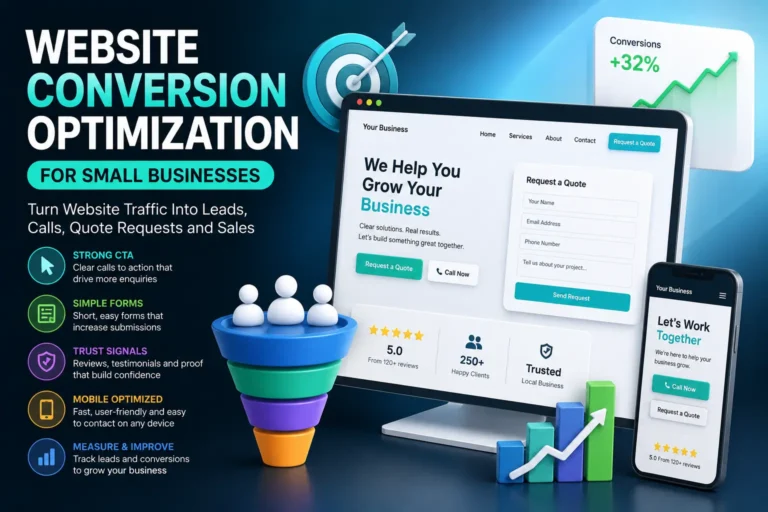
We will cover this topic in more detail in the upcoming website conversion optimization guide for small businesses.
WordPress SEO Best Practices
WordPress SEO works best when it is handled as a complete website system, not as a single plugin setting. A small business website needs clear pages, useful content, strong internal links, fast loading, structured data, mobile usability, and conversion-focused page design.
The most effective SEO improvements usually come from fixing the basics first. If the website has no dedicated service pages, weak titles, missing internal links, oversized images, poor mobile layout, slow loading, and unclear calls to action, advanced tactics will not solve the main problem.
Build a WordPress website that is clear, useful and easy to understand
Use these best practices to make your website stronger for users, search engines and long-term business growth.
Create dedicated pages for important services, products, locations and business goals.
Match each page to what the visitor wants to understand, compare, buy or request.
Connect related pages, service pages, guides, case studies and contact pages.
Optimize images, hosting, plugins, scripts, fonts and important page templates.
Use accurate schema markup to describe your business, pages, products and content.
Track forms, calls, quote requests, bookings, purchases and important user actions.
- Build one clear page for every important service, product category or location.
- Use one main keyword focus per important page.
- Write titles and meta descriptions that match real search intent.
- Use H1, H2 and H3 headings to organize the page naturally.
- Add internal links between related services, guides, case studies and conversion pages.
- Compress images and avoid heavy page sections on important commercial pages.
- Add accurate schema markup that matches visible page content.
- Review mobile usability before publishing major changes.
- Track search visibility, clicks and business conversions.
- Update important pages when services, prices, examples or customer questions change.
Common WordPress SEO Mistakes
Many small business WordPress websites do not fail because of one big SEO problem. They fail because of many small problems that add up: unclear pages, weak content, missing links, slow loading, poor mobile layout, duplicate titles, no measurement, and a lack of conversion-focused structure.
Avoid these WordPress SEO problems
These issues can make a website harder to understand, harder to rank and harder to convert.
An SEO plugin helps, but it cannot replace good pages, useful content and a clear website structure.
Important services often need their own dedicated pages to match specific search intent.
A short page with only a few generic sentences usually does not answer enough customer questions.
Pages without internal links are harder for users and search engines to discover and understand.
Large uncompressed images can slow down important pages and hurt user experience.
SEO traffic is wasted if visitors do not know how to contact you, request a quote or take the next step.
- Installing an SEO plugin but not improving the actual pages.
- Using vague homepage copy that does not explain the business clearly.
- Putting all services on one page instead of creating dedicated service pages.
- Writing duplicate titles and meta descriptions across multiple pages.
- Publishing blog posts without linking them to service pages.
- Using huge images that slow down important pages.
- Ignoring mobile layout and mobile contact flow.
- Adding schema markup that does not match the visible content.
- Not tracking conversions from organic traffic.
- Leaving old demo pages, test pages or thin pages indexed.
WordPress SEO FAQ
Here are common questions small business owners, marketers and WordPress website managers ask when improving SEO.
The most important step is building a clear website structure with dedicated pages for your main services, products, locations or business goals. After that, improve titles, headings, content, internal links, speed, schema markup and conversion elements.
An SEO plugin is useful because it can help with titles, meta descriptions, sitemaps, schema and technical settings. However, an SEO plugin cannot replace strong content, service pages, internal links, fast loading and a clear conversion structure.
WordPress can be very good for SEO when it is set up correctly. The result depends on your theme, hosting, plugins, page structure, content quality, speed, schema markup and ongoing maintenance.
A small business website should usually have a homepage, service pages, about page, contact page, and supporting content. The exact number depends on how many services, locations, products and customer questions need their own clear pages.
Website speed is important because it affects user experience, mobile usability and conversions. Slow WordPress pages can make visitors leave before they read the content or contact the business.
Schema markup can help search engines understand your website more clearly. It should be accurate, match the visible page content, and support important entities such as your organization, local business, breadcrumbs, products, articles and FAQs.
Important services should usually have their own pages. A dedicated service page can target clearer search intent, explain the offer in more detail, answer questions, show proof and include a stronger call to action.
Important pages should be reviewed whenever services, pricing, examples, customer questions or business goals change. It is also useful to review SEO performance monthly or quarterly using Search Console and analytics data.
Yes, in some local or lower-competition niches, a small business website can get visibility with strong page structure, useful content, local SEO, internal links and technical quality. In more competitive markets, trusted external links and brand signals can become more important.
Conclusion
A strong WordPress SEO setup for a small business website is not built from one setting, one keyword or one plugin. It is built from a complete website structure that helps users and search engines understand your business clearly.
Start with the foundation: make sure the website is indexable, secure, fast enough and connected to Search Console. Then plan the right pages, improve the homepage, create dedicated service pages, write useful content, add internal links, optimize images, improve mobile usability, add accurate schema markup, and track the actions that matter to your business.
The goal is not just to get more traffic. The goal is to attract the right visitors and help them take the next step. A small business website should explain the offer clearly, answer real questions, build trust, and make it easy to request a quote, call, book, buy or contact the company.
Want to improve your WordPress structured data?
EntitySchema Pro helps you add entity-based structured data to WordPress, improve semantic clarity, and make your website easier for search engines and AI systems to understand.
Related Website Growth Guides
This WordPress SEO checklist is the main pillar guide for the Website Growth series. The related guides below go deeper into individual SEO, structure, performance, schema, ecommerce, conversion and content planning topics.