Social media content is easy to create, but difficult to make useful, consistent, and connected to a real business goal. A weak AI prompt usually creates generic captions, random hashtags, and posts that sound like every other brand. A strong social media prompt gives AI the platform, audience, offer, tone, message, content angle, call to action, and the exact format you need.
This guide gives you 30 professional AI prompts for social media posts. These prompts are built for real content workflows: Facebook posts, LinkedIn posts, X posts, Instagram captions, content repurposing, product announcements, blog promotion, service promotion, carousel ideas, short video scripts, engagement posts, launch posts, personal brand posts, and social media content calendars.
This post focuses only on social media content ideas and post creation. It does not replace SEO content writing, keyword research, or meta snippet optimization. For those tasks, use our related guides: ChatGPT prompts for SEO content writing, ChatGPT prompts for keyword research, AI prompts for meta titles and descriptions, and AI prompts for website copywriting.

What Are AI Prompts for Social Media Posts?
AI prompts for social media posts are structured instructions that help ChatGPT or another AI tool create better captions, hooks, post ideas, content calendars, carousel concepts, promotional posts, and platform-specific social media content. A good prompt explains the platform, target audience, post goal, tone, offer, format, and call to action.
A basic prompt might say, “write a Facebook post about my blog post.” A professional prompt says, “Act as a social media strategist, create a Facebook company page post for this blog article, target website owners, use a helpful tone, write a short hook, explain the value, add a clear CTA, and avoid hype.” The second prompt gives AI enough context to produce something usable.
These prompts are useful for small businesses, agencies, freelancers, content marketers, bloggers, ecommerce stores, WordPress website owners, SaaS teams, and service businesses that need consistent social media content without publishing generic posts that do not support the brand.
Why Social Media Prompts Matter
Social media prompts matter because each platform has a different style, audience expectation, and content rhythm. A LinkedIn post usually needs a different tone than an Instagram caption. A Facebook company page post should not sound the same as a personal brand story. A post promoting a blog article should not read like a sales page.
- They improve platform fit: AI can adapt content for Facebook, LinkedIn, X, Instagram, and other platforms.
- They reduce generic captions: Specific prompts prevent empty phrases like “check out our latest post.”
- They support content strategy: Prompts can turn one idea into posts, hooks, carousels, and short video scripts.
- They improve consistency: Brand voice, CTA style, and message structure can stay more consistent.
- They save time: AI can create drafts faster, while you still edit for accuracy and brand tone.
How to Use These Social Media Prompts
Each prompt below is copy-paste ready. Replace the bracketed parts such as [topic], [platform], [audience], [offer], [link], [tone], and [CTA]. The more specific your input is, the better the post will be.
Use these prompts after you know what the post should achieve. For example, a post can promote a blog article, explain a service, announce a product, start a conversation, build trust, repurpose an article, or bring people to a landing page. If you need the landing page copy first, use AI prompts for landing pages. If you need website text, use AI prompts for website copywriting.
What Should a Good Social Media Prompt Include?
30 AI Prompts for Social Media Posts
Below are 30 professional AI prompts for social media posts. Each prompt is focused on one specific task, so you can create better posts for different platforms, content goals, and business use cases.
1. Facebook Company Page Post Prompt
This prompt creates a professional Facebook post for a business page. It is useful for promoting blog posts, services, products, announcements, and helpful resources.
How to customize it: Add the exact post URL and the real reader benefit. This prevents generic “check out our latest article” style posts.
2. LinkedIn Post Prompt
This prompt creates a LinkedIn post with a more professional angle. It is useful for B2B content, agency updates, educational posts, and service-related insights.
Why it works: LinkedIn posts need a stronger point of view than normal promotional captions. This prompt asks for insight, not only promotion.
3. X Post Thread Prompt
This prompt turns a topic into a short X thread. It is useful when one idea needs several short posts instead of one long caption.
How to use it: Use this for educational topics, SEO tips, AI workflows, product lessons, and practical business advice.
4. Instagram Caption Prompt
This prompt creates Instagram captions that feel more natural and less like generic AI text. It works for product posts, service updates, carousels, and educational content.
Why it works: Instagram captions should support the visual. This prompt asks for the image context before writing.
5. Blog Post Promotion Prompt
This prompt promotes a blog post across social media without making the post sound like a boring link drop.
How to customize it: Add the real article benefit. For example, “copy-paste prompts,” “working code examples,” or “SEO checklist.”
6. Service Promotion Post Prompt
This prompt creates social posts for promoting a service without sounding too aggressive or sales-heavy.
Why it works: Service posts work better when they focus on the customer problem and the result, not only “we offer this service.”
Need social media posts that support your website goals?
If you cannot turn your blog posts, services, products, or landing pages into strong social media content, we can help create a content workflow that connects social posts with your website and SEO strategy.
Contact Us7. Product Announcement Prompt
This prompt creates product announcement posts for new products, digital products, tools, plugins, templates, or ecommerce items.
How to customize it: Add the strongest product benefit, not only the feature list.
8. Ecommerce Product Post Prompt
This prompt creates social media posts for ecommerce product promotion without turning every caption into a hard sell.
Why it works: Ecommerce posts should connect the product with a real use case, not only list features.
9. Educational Social Post Prompt
This prompt creates educational posts that teach one useful idea. It is ideal for building authority without directly selling.
How to use it: Use this for SEO tips, WordPress advice, website design lessons, AI workflows, and business education posts.
10. Engagement Question Prompt
This prompt creates posts designed to start real comments and conversations without using empty engagement bait.
Why it works: Good engagement posts ask questions that are useful for both the audience and the business.
11. Carousel Post Idea Prompt
This prompt turns one topic into a carousel structure for LinkedIn, Instagram, or Facebook.
How to use it: Use this to turn blog sections, checklists, tutorials, and service explanations into visual posts.
12. Short Video Script Prompt
This prompt creates a short video script for Reels, Shorts, TikTok, LinkedIn video, or Facebook video.
Why it works: Short video needs fast structure. This prompt separates hook, script, visuals, and caption.
Want to turn one idea into many social media formats?
We can help repurpose your blog posts, website pages, service content, and product pages into platform-specific posts, carousels, short videos, and content calendars.
Build My Content Workflow13. Content Repurposing Prompt
This prompt turns one blog article, page, newsletter, or video into multiple social media posts.
How to customize it: Paste the original content or a summary. This is useful after publishing SEO articles.
14. Personal Brand Post Prompt
This prompt creates personal brand posts that share a lesson, opinion, process, or experience without sounding fake.
Why it works: Personal brand posts should be based on real experience. This prompt tells AI not to invent stories.
15. Case Study Social Post Prompt
This prompt creates social posts from a completed project, customer result, portfolio item, or case study.
How to use it: This is useful for web design, SEO, WordPress, ecommerce, app, and service project portfolios.
16. Testimonial Post Prompt
This prompt turns a customer review or testimonial into a social media post without making it sound exaggerated.
Why it works: Testimonials are strongest when they stay believable and specific.
17. Event or Webinar Post Prompt
This prompt creates posts for promoting an event, webinar, workshop, live stream, or online session.
How to customize it: Add real agenda points and speaker details. Avoid letting AI invent event information.
18. Offer or Sale Post Prompt
This prompt creates promotional posts for real offers, discounts, seasonal campaigns, or limited-time deals.
Why it works: Promotional posts should be clear and honest. This prompt prevents fake urgency and overpromising.
Need social content that builds trust, not only noise?
We can help create social content from real projects, customer reviews, campaigns, offers, and website content so your posts support both trust and conversions.
Improve My Social Content19. Content Calendar Prompt
This prompt creates a practical social media content calendar for a week, month, or campaign period.
How to use it: Use this to plan your social posts around new blog posts, products, services, and seasonal campaigns.
20. Brand Voice Social Prompt
This prompt rewrites social posts so they match your brand voice instead of sounding like generic AI text.
Why it works: Brand voice editing is one of the easiest ways to make AI social posts feel more human and consistent.
21. Hashtag Research Prompt
This prompt creates relevant hashtag ideas without stuffing every post with broad, useless tags.
How to use it: Hashtags should support discovery, not replace a clear post message.
22. Hook Generator Prompt
This prompt creates opening hooks for posts, captions, threads, carousels, and short videos.
Why it works: A strong hook helps the post get read, but it must still match the real content.
23. CTA Generator Prompt
This prompt creates natural calls to action for different post goals without sounding forced.
How to use it: Match the CTA to the page destination. A blog post CTA should not sound like a hard sales pitch.
24. Social Media Post Audit Prompt
This prompt reviews a social media post before publishing and suggests improvements.
Why it works: AI can help edit social content, but the best result comes when you ask it to critique before rewriting.
Want better hooks, CTAs, and platform-specific posts?
We can help create repeatable social media templates, post structures, content calendars, and repurposing workflows for your website content and business offers.
Create My Social Workflow25. Social Media A/B Test Prompt
This prompt creates multiple post variations for testing different hooks, angles, and CTAs.
How to use it: Test different angles over time instead of posting the same message repeatedly.
26. Social Media Campaign Prompt
This prompt creates a campaign plan for launching a product, promoting a service, or driving traffic to a page.
Why it works: Campaigns need a sequence, not random isolated posts.
27. AI Prompt for Social Media Post Ideas
This prompt generates social media content ideas for a business or niche without writing the posts yet.
How to use it: Use this before building a content calendar or asking AI to write full post drafts.
28. Multi-Platform Adaptation Prompt
This prompt adapts one post idea into several platform-specific versions.
Why it works: One idea can be used across platforms, but each platform needs its own style and format.
29. Social Media Reporting Prompt
This prompt helps analyze social media performance and turn the results into content improvement ideas.
How to use it: Use real post performance data to make the next content calendar better.
30. Complete Social Media Workflow Prompt
This prompt creates a complete repeatable workflow for planning, writing, adapting, publishing, and reviewing social media content.
Why it works: Social media works better as a system. This prompt connects ideas, posts, platforms, CTAs, publishing, and performance review.
Need a full AI-assisted social media content system?
If you want social media posts, content calendars, blog repurposing, platform-specific captions, product posts, or campaign workflows that support your business goals, we can help.
Contact UsSocial Media Prompt Best Practices
AI can create social media posts quickly, but the best results come from specific instructions and human editing. A good social prompt should define the platform, audience, post goal, tone, CTA, and the exact message you want to communicate. Without that context, AI often creates generic captions that sound polished but do not help your business.
- Write for one platform at a time: Facebook, LinkedIn, X, and Instagram need different styles.
- Give AI the post goal: A click post, comment post, trust post, and sales post should not sound the same.
- Add real context: Include the blog link, product details, service benefit, project result, or testimonial.
- Keep brand voice consistent: Use a brand voice prompt to remove generic AI wording.
- Do not publish fake urgency: Only mention deadlines, offers, or scarcity when they are real.
- Repurpose intelligently: One blog post can become many posts, but every platform needs a native format.
- Review performance: Use real data to improve future social media prompts and content calendars.
Common AI Social Media Mistakes
The biggest mistake is asking AI to write social media posts without platform, audience, or goal. The result may look clean, but it often feels empty. Good social media content needs a clear reason to exist: teaching something, starting a conversation, promoting a useful offer, building trust, or guiding people to a relevant page.
- Using the same post everywhere: A LinkedIn post should not be copied directly to Instagram or X.
- Writing without a CTA: The reader should know what to do next, even if the CTA is soft.
- Overusing hashtags: Too many hashtags can make business posts look spammy.
- Making unsupported claims: AI may exaggerate results unless you give strict rules.
- Posting only promotional content: Balance education, trust, engagement, and offers.
- Ignoring the visual: Captions should match the image, carousel, video, or link preview.
AI Social Media Posts FAQ
Can AI write social media posts?
Yes, AI can write social media posts, captions, hooks, carousels, content calendars, and short video scripts. The quality depends on how specific the prompt is and how carefully the result is edited before publishing.
What is the best AI prompt for social media posts?
The best prompt includes the platform, audience, post goal, topic, brand tone, CTA, link, and any important details the post must mention or avoid.
Should I use the same AI post on every platform?
No. One idea can be adapted across platforms, but the wording, length, hook, CTA, and style should be changed for Facebook, LinkedIn, X, Instagram, or other channels.
Can AI create a social media content calendar?
Yes. AI can help create content calendars with post topics, platforms, goals, hooks, CTAs, and publishing order. You should still adjust the calendar based on your business priorities and available content assets.
How do I make AI social media posts less generic?
Add real context, examples, audience details, brand voice, platform rules, product benefits, customer problems, and clear quality instructions. Then edit the output manually before publishing.
Can AI repurpose blog posts into social media posts?
Yes. AI is very useful for turning blog posts into Facebook posts, LinkedIn posts, X threads, Instagram captions, carousel ideas, and short video scripts.
Conclusion
AI can help you create better social media posts when you use it with clear, platform-specific prompts. Instead of asking for random captions, give AI the platform, audience, goal, tone, message, CTA, and real context. This makes the output more useful, more specific, and easier to edit.
Use these 30 AI prompts as a practical social media workflow. Start with post ideas, adapt them to each platform, write stronger hooks, create CTAs, repurpose blog posts, plan content calendars, and review performance. For stronger website and SEO alignment, connect your social content with ChatGPT prompts for SEO content writing, AI prompts for website copywriting, and AI prompts for landing pages.
Related AI, SEO and Content Guides
- 30 ChatGPT Prompts for SEO Content Writing
- 30 ChatGPT Prompts for Keyword Research
- 30 AI Prompts for Meta Titles and Meta Descriptions
- 30 AI Prompts for Ecommerce Product Descriptions
- 30 ChatGPT Prompts for WordPress Websites
- 30 AI Prompts for Website Copywriting
- 30 AI Prompts for Landing Pages
- 30 AI Prompts for Customer Support
- JavaScript Toast Notification Examples
- Modern CSS Banner Examples
Image SEO
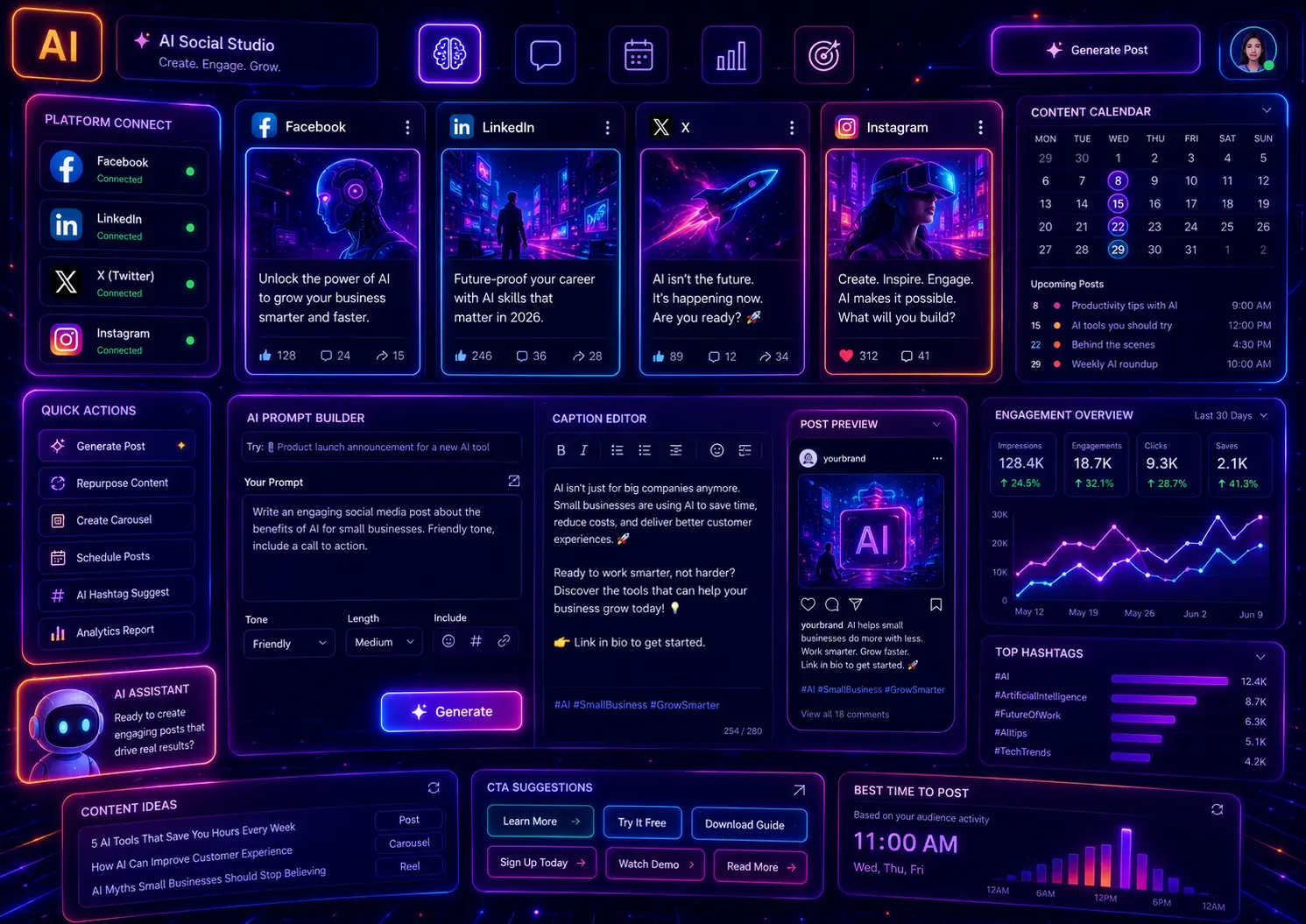
Featured image alt text: Futuristic AI social media content dashboard with Facebook, LinkedIn, X and Instagram post cards, caption editor, content calendar, engagement charts, and neon prompt generator interface.
Featured image title: AI Prompts for Social Media Posts
SEO Metadata
SEO title: 30 AI Prompts for Social Media Posts
Meta description: Use 30 AI prompts for social media posts, Facebook, LinkedIn, X, Instagram captions, content calendars, hooks, CTAs, and post ideas.
Focus keyword: AI prompts for social media posts
Secondary keywords: social media prompts, AI social media prompts, ChatGPT prompts for social media, Facebook post prompts, LinkedIn post prompts, Instagram caption prompts, X post prompts, social media content ideas, AI prompts for content calendars, social media post ideas