
Update homepage hero section
Refresh CTA copy and mobile spacing.
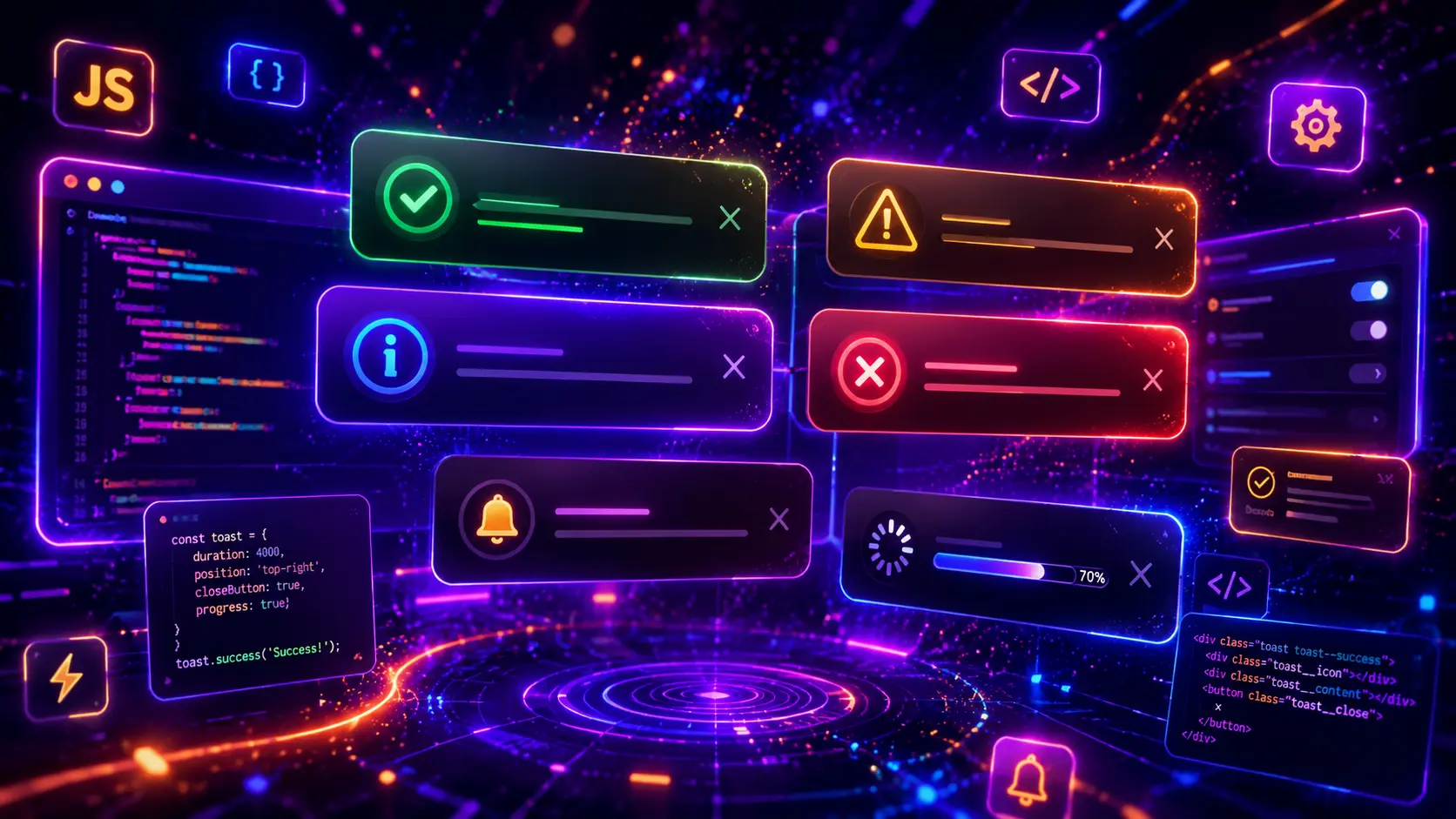
JavaScript toast notifications are useful interactive UI components for alerts, success messages, error messages, warning messages, save confirmations, ecommerce cart updates, dashboard actions, form feedback, upload states, app messages, cookie notices, and real-time interface updates. They help show short messages without sending users to a new page or blocking the entire layout.
In this guide, you will find 30 JavaScript toast notification examples for real website projects, including success toast messages, error alerts, warning notifications, info popups, stacked toasts, bottom-right notifications, top-center alerts, ecommerce cart messages, form validation feedback, dashboard notifications, undo action toasts, progress toasts, promise-based notifications, copy confirmation messages, offline alerts, and reusable vanilla JavaScript toast systems.
This post focuses on JavaScript toast notification logic, dynamic message creation, auto-dismiss timers, close buttons, progress bars, queue handling, stacked notification containers, action buttons, accessibility basics, keyboard behavior, responsive toast layouts, UI message design, and copy-paste-ready JavaScript, HTML, and CSS examples. For related UI components, you can also explore our JavaScript countdown timer examples, JavaScript accordion examples, JavaScript search filter examples, and JavaScript dropdown menu examples.
On this page
Table of Contents
- What Is a JavaScript Toast Notification?
- Why Toast Notifications Matter
- JavaScript Toast Notification Types
- What Should a Good Toast Notification Include?
- 30 JavaScript Toast Notification Examples
- JavaScript Toast Notification Best Practices
- Responsive Toast Notification Design Tips
- Common JavaScript Toast Notification Mistakes
- JavaScript Toast Notification FAQ
- Conclusion
- Related JavaScript and CSS Guides
What Is a JavaScript Toast Notification?
A JavaScript toast notification is a small temporary message that appears on top of the page interface after a user action or system event. Toast messages are commonly used to show success confirmations, error alerts, warning messages, information updates, saved changes, copied text, uploaded files, form feedback, cart updates, or completed tasks.
The main purpose of a toast notification is to give quick feedback without interrupting the full user experience. Instead of redirecting users to another page or opening a large modal, a toast message can appear in a corner, near the top of the page, inside a dashboard area, or close to the action that triggered it.
A JavaScript toast notification can be very simple or highly advanced. A basic toast may show one message for a few seconds and then disappear. A more advanced toast system may support multiple message types, stacked notifications, queues, progress bars, action buttons, undo actions, promise states, keyboard dismissal, ARIA live regions, local storage, or dynamic messages created from real interface events.
Why Toast Notifications Matter
Toast notifications matter because users need clear feedback after they interact with a website or application. When someone submits a form, saves settings, adds a product to the cart, copies a code snippet, uploads a file, deletes an item, or completes a task, a toast notification can confirm what happened immediately.
- They confirm user actions by showing success, error, warning, or info messages after an interaction.
- They keep users on the same page because feedback appears without a full page reload or disruptive modal window.
- They improve app-style interfaces by making dashboards, tools, forms, and ecommerce flows feel faster and more responsive.
- They reduce confusion by explaining whether an action was completed, failed, delayed, or needs attention.
- They support modern UI patterns such as undo actions, upload progress, cart confirmations, system alerts, and real-time messages.
Toast notifications should be used carefully. They work best for short, helpful messages that do not require long reading time. A toast should support the user journey, not cover important content, hide form fields, or disappear before the user can understand what happened.
JavaScript Toast Notification Types
There are many different types of JavaScript toast notifications. Some toasts are simple success messages, while others include icons, close buttons, action links, progress indicators, queue handling, different screen positions, or dynamic content from user actions.
The right toast notification depends on the interface goal. A form toast should clearly show whether the submission worked. An ecommerce toast should confirm that an item was added to the cart. A dashboard toast may need a compact layout with action buttons. A warning toast should stand out enough to be noticed without feeling like a blocking error page.
- Success toast notifications confirm completed actions such as saved settings, sent forms, uploaded files, or added products.
- Error toast notifications explain failed actions, missing fields, network issues, invalid input, or blocked requests.
- Warning toast notifications highlight important but non-blocking problems, such as unsaved changes or limited availability.
- Info toast notifications share neutral updates, tips, announcements, status changes, or background system messages.
- Action toast notifications include buttons such as Undo, Retry, View Cart, Refresh, Restore, or Details.
- Progress toast notifications show loading, upload progress, processing states, download status, or promise-based task results.
This guide focuses on JavaScript toast notification examples, so every demo will include visible JavaScript, HTML, and CSS code. The examples are designed to be copy-paste friendly, easy to customize, and different in layout, purpose, visual style, notification behavior, event handling, and JavaScript logic.
What Should a Good Toast Notification Include?
A good JavaScript toast notification should be clear, short, responsive, and connected to the action that triggered it. Users should quickly understand what happened, whether the action succeeded or failed, and whether they need to do anything next.
Clear message type
The toast should make it obvious whether the message is a success, error, warning, info update, progress state, or action confirmation.
Short readable text
Toast messages should be quick to scan, with direct text that explains what happened without forcing the user to read a long paragraph.
Useful behavior
JavaScript should handle showing, hiding, dismissing, stacking, updating, or replacing toast messages in a predictable way.
Responsive placement
The toast should stay readable on desktop, tablet, and mobile screens without covering important buttons, forms, or navigation areas.
Before building a toast notification, decide when the message should appear, how long it should stay visible, whether users can close it manually, whether it needs an action button, and what should happen if multiple notifications are triggered quickly. This behavior is important because a toast notification is not only a visual element — it is part of the user interaction flow.
- Use clear message labels so users can instantly understand success, error, warning, or info states.
- Keep toast text short because notifications are temporary and should be easy to scan.
- Add a close button when the message may need manual dismissal.
- Use auto-dismiss carefully so important messages do not disappear too quickly.
- Support stacked messages when several actions can happen in a short time.
- Use action buttons only when useful such as Undo, Retry, View Cart, Restore, or Details.
- Keep JavaScript scoped so multiple examples or components can work on the same page.
- Consider accessibility with readable contrast, focus behavior, and ARIA live regions when needed.
- Avoid covering important UI especially on mobile screens where space is limited.
- Match the toast style to the message so errors, success messages, and warnings feel visually distinct.
You can combine JavaScript toast notifications with many other website UI patterns. Form success and error messages work well with modern CSS forms, dashboard notifications can pair with modern CSS layouts, ecommerce cart messages can support modern CSS cards, and app-style notification areas can be used together with JavaScript modal examples.
30 JavaScript Toast Notification Examples
Now let’s look at 30 JavaScript toast notification examples for real website projects. Each example uses a different notification layout, visual style, message type, trigger pattern, dismiss behavior, queue strategy, progress system, action button, app interaction, or JavaScript logic, so you can build professional UI message components with visible JavaScript, HTML, and CSS code.
1. Basic Success Toast Notification
A basic success toast notification is useful for simple confirmations such as saved settings, completed actions, successful form submissions, copied messages, or completed dashboard updates. It gives users quick feedback without opening a modal or redirecting them to another page.
This example uses a clean success toast that appears after a button click, animates into view, stays visible for a short time, and then disappears automatically. The JavaScript creates the toast dynamically, prevents duplicate active messages, and removes the notification from the DOM after the exit animation finishes.
- Basic success toast notification
- Dynamic JavaScript-created toast
- Auto-dismiss behavior
- Duplicate toast prevention
- Professional responsive UI message layout
Example 01
Basic Success Toast Notification
Click the button to show a clean success toast notification that confirms a completed action and disappears automatically.
JavaScript
(function () {
  const demo = document.querySelector(".vb-toast-one-demo");
  if (!demo) return;

  const button = demo.querySelector("[data-vb-toast-one-trigger]");
  const area = demo.querySelector("[data-vb-toast-one-area]");
  let activeToast = null;
  let removeTimer = null;

  function createSuccessToast() {
    if (activeToast) {
      activeToast.classList.add("is-leaving");
      clearTimeout(removeTimer);

      setTimeout(function () {
        if (activeToast && activeToast.parentNode) {
          activeToast.parentNode.removeChild(activeToast);
        }

        activeToast = null;
        showToast();
      }, 220);

      return;
    }

    showToast();
  }

  function showToast() {
    const toast = document.createElement("div");
    toast.className = "vb-toast-one-message";
    toast.setAttribute("role", "status");

    toast.innerHTML = `
      <div class="vb-toast-one-icon">✓</div>
      <div>
        <strong>Changes saved successfully</strong>
        <span>Your settings were updated and the page is ready to continue.</span>
      </div>
    `;

    area.appendChild(toast);
    activeToast = toast;

    removeTimer = setTimeout(function () {
      toast.classList.add("is-leaving");

      setTimeout(function () {
        if (toast.parentNode) {
          toast.parentNode.removeChild(toast);
        }

        if (activeToast === toast) {
          activeToast = null;
        }
      }, 260);
    }, 3200);
  }

  button.addEventListener("click", createSuccessToast);
})();
HTML
<div class="vb-toast-one-demo">
  <div class="vb-toast-one-card">
    <div class="vb-toast-one-content">
      <span class="vb-toast-one-kicker">Example 01</span>
      <h3>Basic Success Toast Notification</h3>
      <p>Click the button to show a clean success toast notification that confirms a completed action and disappears automatically.</p>

      <button class="vb-toast-one-button" type="button" data-vb-toast-one-trigger>
        Save Changes
      </button>
    </div>

    <div class="vb-toast-one-preview">
      <div class="vb-toast-one-browser">
        <div class="vb-toast-one-browser-top">
          <span></span>
          <span></span>
          <span></span>
        </div>

        <div class="vb-toast-one-browser-body">
          <div class="vb-toast-one-dashboard-line"></div>
          <div class="vb-toast-one-dashboard-grid">
            <span></span>
            <span></span>
            <span></span>
          </div>
          <div class="vb-toast-one-dashboard-panel"></div>
        </div>
      </div>
    </div>
  </div>

  <div class="vb-toast-one-area" data-vb-toast-one-area aria-live="polite" aria-atomic="true"></div>
</div>
CSS
.vb-toast-one-demo,
.vb-toast-one-demo * {
  box-sizing: border-box;
}

.vb-toast-one-demo {
  position: relative;
  margin: 28px 0;
  padding: clamp(18px, 4vw, 38px);
  overflow: hidden;
  border-radius: clamp(26px, 4vw, 42px);
  background:
    radial-gradient(circle at 14% 18%, rgba(34, 197, 94, 0.18), transparent 34%),
    radial-gradient(circle at 86% 18%, rgba(20, 184, 166, 0.18), transparent 34%),
    linear-gradient(135deg, #ecfdf5 0%, #f0fdfa 48%, #ffffff 100%) !important;
  border: 1px solid rgba(34, 197, 94, 0.22);
  box-shadow: 0 28px 80px rgba(15, 23, 42, 0.10);
}

.vb-toast-one-card {
  display: grid;
  grid-template-columns: minmax(0, 0.92fr) minmax(0, 1.08fr);
  gap: clamp(22px, 4vw, 34px);
  align-items: center;
  max-width: 1160px;
  margin: 0 auto;
  padding: clamp(22px, 4vw, 36px);
  border-radius: clamp(24px, 4vw, 34px);
  background:
    radial-gradient(circle at 18% 14%, rgba(255,255,255,0.20), transparent 36%),
    linear-gradient(135deg, #052e2b 0%, #065f46 52%, #10b981 100%) !important;
  box-shadow: 0 30px 90px rgba(6, 78, 59, 0.24);
}

.vb-toast-one-content {
  min-width: 0;
}

.vb-toast-one-kicker {
  display: inline-flex;
  margin-bottom: 18px;
  padding: 8px 12px;
  border-radius: 999px;
  background: rgba(255,255,255,0.13);
  border: 1px solid rgba(255,255,255,0.18);
  color: #a7f3d0 !important;
  -webkit-text-fill-color: #a7f3d0 !important;
  font-size: 12px;
  font-weight: 950;
  letter-spacing: 0.13em;
  text-transform: uppercase;
}

.vb-toast-one-content h3 {
  margin: 0 0 16px !important;
  color: #ffffff !important;
  -webkit-text-fill-color: #ffffff !important;
  font-size: clamp(34px, 5.5vw, 68px) !important;
  line-height: 0.94 !important;
  font-weight: 950 !important;
  letter-spacing: -0.075em;
  overflow-wrap: anywhere;
}

.vb-toast-one-content p {
  max-width: 560px;
  margin: 0 0 24px !important;
  color: #d1fae5 !important;
  -webkit-text-fill-color: #d1fae5 !important;
  font-size: 16px;
  line-height: 1.75;
  font-weight: 650;
}

.vb-toast-one-button {
  display: inline-flex;
  align-items: center;
  justify-content: center;
  min-height: 50px;
  padding: 13px 20px;
  border: 0;
  border-radius: 999px;
  background: linear-gradient(135deg, #34d399, #14b8a6);
  color: #042f2e !important;
  -webkit-text-fill-color: #042f2e !important;
  font-size: 14px;
  font-weight: 950;
  line-height: 1;
  cursor: pointer;
  box-shadow: 0 18px 42px rgba(20, 184, 166, 0.34);
  transition: transform 0.2s ease, box-shadow 0.2s ease, filter 0.2s ease;
}

.vb-toast-one-button:hover {
  transform: translateY(-2px);
  filter: saturate(1.08);
  box-shadow: 0 22px 54px rgba(20, 184, 166, 0.42);
}

.vb-toast-one-preview {
  min-width: 0;
}

.vb-toast-one-browser {
  overflow: hidden;
  border-radius: 28px;
  background: #ffffff;
  border: 1px solid rgba(255,255,255,0.18);
  box-shadow: 0 24px 70px rgba(2, 6, 23, 0.24);
}

.vb-toast-one-browser-top {
  display: flex;
  gap: 8px;
  padding: 16px;
  background: #f8fafc;
  border-bottom: 1px solid #e5e7eb;
}

.vb-toast-one-browser-top span {
  width: 11px;
  height: 11px;
  border-radius: 999px;
  background: #cbd5e1;
}

.vb-toast-one-browser-body {
  padding: clamp(20px, 4vw, 34px);
}

.vb-toast-one-dashboard-line {
  width: 72%;
  height: 22px;
  margin-bottom: 22px;
  border-radius: 999px;
  background: linear-gradient(90deg, #d1fae5, #ccfbf1);
}

.vb-toast-one-dashboard-grid {
  display: grid;
  grid-template-columns: repeat(3, minmax(0, 1fr));
  gap: 14px;
  margin-bottom: 18px;
}

.vb-toast-one-dashboard-grid span {
  min-height: 86px;
  border-radius: 20px;
  background:
    radial-gradient(circle at 22% 18%, rgba(16, 185, 129, 0.16), transparent 32%),
    linear-gradient(135deg, #f8fafc, #ecfdf5);
  border: 1px solid #e5e7eb;
}

.vb-toast-one-dashboard-panel {
  min-height: 116px;
  border-radius: 24px;
  background:
    linear-gradient(90deg, rgba(16, 185, 129, 0.10) 1px, transparent 1px),
    linear-gradient(0deg, rgba(16, 185, 129, 0.10) 1px, transparent 1px),
    #f8fafc;
  background-size: 24px 24px;
  border: 1px solid #e5e7eb;
}

.vb-toast-one-area {
  position: absolute;
  z-index: 10;
  right: clamp(26px, 5vw, 54px);
  top: clamp(26px, 5vw, 54px);
  display: grid;
  gap: 12px;
  width: min(360px, calc(100% - 40px));
  pointer-events: none;
}

.vb-toast-one-message {
  display: grid;
  grid-template-columns: 42px minmax(0, 1fr);
  gap: 13px;
  align-items: start;
  padding: 15px 16px;
  border-radius: 20px;
  background: rgba(255,255,255,0.96);
  border: 1px solid rgba(16, 185, 129, 0.26);
  box-shadow: 0 24px 70px rgba(15, 23, 42, 0.22);
  transform: translateY(-12px) scale(0.96);
  opacity: 0;
  animation: vbToastOneIn 0.32s ease forwards;
  backdrop-filter: blur(14px);
}

.vb-toast-one-message.is-leaving {
  animation: vbToastOneOut 0.26s ease forwards;
}

.vb-toast-one-icon {
  display: grid;
  place-items: center;
  width: 42px;
  height: 42px;
  border-radius: 15px;
  background: linear-gradient(135deg, #22c55e, #14b8a6);
  color: #ffffff !important;
  -webkit-text-fill-color: #ffffff !important;
  font-size: 20px;
  font-weight: 950;
  box-shadow: 0 12px 30px rgba(20, 184, 166, 0.28);
}

.vb-toast-one-message strong {
  display: block;
  margin: 1px 0 4px;
  color: #064e3b !important;
  -webkit-text-fill-color: #064e3b !important;
  font-size: 15px;
  line-height: 1.25;
  font-weight: 950;
}

.vb-toast-one-message span {
  display: block;
  color: #475569 !important;
  -webkit-text-fill-color: #475569 !important;
  font-size: 13px;
  line-height: 1.45;
  font-weight: 650;
}

@keyframes vbToastOneIn {
  to {
    transform: translateY(0) scale(1);
    opacity: 1;
  }
}

@keyframes vbToastOneOut {
  to {
    transform: translateY(-10px) scale(0.97);
    opacity: 0;
  }
}

@media (max-width: 900px) {
  .vb-toast-one-card {
    grid-template-columns: 1fr;
  }
}

@media (max-width: 640px) {
  .vb-toast-one-card {
    padding: 22px;
    border-radius: 24px;
  }

  .vb-toast-one-content h3 {
    font-size: 38px !important;
    letter-spacing: -0.06em;
  }

  .vb-toast-one-button {
    width: 100%;
  }

  .vb-toast-one-dashboard-grid {
    grid-template-columns: 1fr;
  }

  .vb-toast-one-area {
    position: fixed;
    top: auto;
    right: 14px;
    bottom: 14px;
    left: 14px;
    width: auto;
  }

  .vb-toast-one-message {
    grid-template-columns: 38px minmax(0, 1fr);
    padding: 14px;
  }

  .vb-toast-one-icon {
    width: 38px;
    height: 38px;
  }
}
This basic success toast notification is useful for settings pages, account dashboards, admin panels, contact forms, checkout confirmations, and small UI actions where users need fast positive feedback.
2. Error Alert Toast Notification
An error alert toast notification is useful when a website needs to tell users that something failed, such as an invalid form field, failed upload, blocked request, missing payment detail, unavailable network response, or account update problem.
This example uses a stronger error-focused toast that stays visible until the user closes it or until a longer timeout expires. Unlike the first example, this JavaScript does not simply replace one success message. It validates a simulated form field, shows different error messages depending on the input state, adds a manual close button, and uses a shake animation when the same error is triggered again.
- Error alert toast notification
- Input validation before showing the message
- Different error text based on user input
- Manual close button
- Shake animation for repeated errors
Example 02
Error Alert Toast Notification
Try submitting an empty or invalid email address. The JavaScript validates the field and shows a clear error toast with manual close behavior.
JavaScript
(function () {
  const demo = document.querySelector(".vb-toast-two-demo");
  if (!demo) return;

  const form = demo.querySelector("[data-vb-toast-two-form]");
  const emailInput = demo.querySelector("[data-vb-toast-two-email]");
  const area = demo.querySelector("[data-vb-toast-two-area]");
  let currentToast = null;
  let autoRemoveTimer = null;

  function isValidEmail(value) {
    return /^[^\s@]+@[^\s@]+\.[^\s@]+$/.test(value);
  }

  function getErrorMessage(value) {
    if (!value.trim()) {
      return {
        title: "Email address is required",
        text: "Please enter an email address before sending the invite."
      };
    }

    if (!isValidEmail(value)) {
      return {
        title: "Invalid email format",
        text: "Use a valid email address such as name@example.com."
      };
    }

    return null;
  }

  function removeToast() {
    if (!currentToast) return;

    currentToast.classList.add("is-leaving");
    clearTimeout(autoRemoveTimer);

    const toastToRemove = currentToast;

    setTimeout(function () {
      if (toastToRemove.parentNode) {
        toastToRemove.parentNode.removeChild(toastToRemove);
      }

      if (currentToast === toastToRemove) {
        currentToast = null;
      }
    }, 240);
  }

  function showErrorToast(message) {
    if (currentToast) {
      const title = currentToast.querySelector("[data-vb-toast-two-title]");
      const text = currentToast.querySelector("[data-vb-toast-two-text]");

      title.textContent = message.title;
      text.textContent = message.text;

      currentToast.classList.remove("is-shaking");
      void currentToast.offsetWidth;
      currentToast.classList.add("is-shaking");

      clearTimeout(autoRemoveTimer);
      autoRemoveTimer = setTimeout(removeToast, 7000);
      return;
    }

    const toast = document.createElement("div");
    toast.className = "vb-toast-two-message";
    toast.setAttribute("role", "alert");

    toast.innerHTML = `
      <div class="vb-toast-two-icon">!</div>
      <div>
        <strong data-vb-toast-two-title>${message.title}</strong>
        <span data-vb-toast-two-text>${message.text}</span>
      </div>
      <button class="vb-toast-two-close" type="button" aria-label="Close notification">×</button>
      <div class="vb-toast-two-timebar"></div>
    `;

    area.appendChild(toast);
    currentToast = toast;

    const closeButton = toast.querySelector(".vb-toast-two-close");
    closeButton.addEventListener("click", removeToast);

    autoRemoveTimer = setTimeout(removeToast, 7000);
  }

  form.addEventListener("submit", function (event) {
    event.preventDefault();

    const value = emailInput.value;
    const errorMessage = getErrorMessage(value);

    if (errorMessage) {
      showErrorToast(errorMessage);
      emailInput.focus();
      return;
    }

    emailInput.value = "";
    showErrorToast({
      title: "Demo uses error toast only",
      text: "This example focuses on invalid states, manual close behavior, and repeated error handling."
    });
  });
})();
HTML
<div class="vb-toast-two-demo">
  <div class="vb-toast-two-panel">
    <div class="vb-toast-two-copy">
      <span class="vb-toast-two-kicker">Example 02</span>
      <h3>Error Alert Toast Notification</h3>
      <p>Try submitting an empty or invalid email address. The JavaScript validates the field and shows a clear error toast with manual close behavior.</p>
    </div>

    <form class="vb-toast-two-form" data-vb-toast-two-form novalidate>
      <label for="vb-toast-two-email">Email address</label>
      <div class="vb-toast-two-field-row">
        <input id="vb-toast-two-email" type="email" placeholder="name@example.com" data-vb-toast-two-email>
        <button type="submit">Send Invite</button>
      </div>
      <p>Use this pattern for form errors, failed requests, upload problems, or invalid account actions.</p>
    </form>
  </div>

  <div class="vb-toast-two-area" data-vb-toast-two-area aria-live="assertive" aria-atomic="true"></div>
</div>
CSS
.vb-toast-two-demo,
.vb-toast-two-demo * {
  box-sizing: border-box;
}

.vb-toast-two-demo {
  position: relative;
  margin: 28px 0;
  padding: clamp(18px, 4vw, 38px);
  overflow: hidden;
  border-radius: 18px;
  background:
    linear-gradient(90deg, rgba(239, 68, 68, 0.08) 1px, transparent 1px),
    linear-gradient(0deg, rgba(239, 68, 68, 0.08) 1px, transparent 1px),
    linear-gradient(135deg, #fff7ed 0%, #fef2f2 52%, #ffffff 100%) !important;
  background-size: 28px 28px, 28px 28px, auto !important;
  border: 1px solid rgba(239, 68, 68, 0.22);
  box-shadow: 0 28px 80px rgba(127, 29, 29, 0.10);
}

.vb-toast-two-panel {
  display: grid;
  grid-template-columns: minmax(0, 0.95fr) minmax(0, 1.05fr);
  gap: clamp(22px, 4vw, 34px);
  align-items: center;
  max-width: 1160px;
  margin: 0 auto;
  padding: clamp(22px, 4vw, 36px);
  border-radius: 12px;
  background:
    radial-gradient(circle at 18% 14%, rgba(248, 113, 113, 0.18), transparent 34%),
    radial-gradient(circle at 86% 22%, rgba(251, 146, 60, 0.16), transparent 34%),
    linear-gradient(135deg, #111827 0%, #7f1d1d 54%, #b91c1c 100%) !important;
  box-shadow: 0 30px 90px rgba(127, 29, 29, 0.22);
}

.vb-toast-two-copy {
  min-width: 0;
}

.vb-toast-two-kicker {
  display: inline-flex;
  margin-bottom: 18px;
  padding: 8px 12px;
  border-radius: 8px;
  background: rgba(255,255,255,0.13);
  border: 1px solid rgba(255,255,255,0.18);
  color: #fecaca !important;
  -webkit-text-fill-color: #fecaca !important;
  font-size: 12px;
  font-weight: 950;
  letter-spacing: 0.13em;
  text-transform: uppercase;
}

.vb-toast-two-copy h3 {
  margin: 0 0 16px !important;
  color: #ffffff !important;
  -webkit-text-fill-color: #ffffff !important;
  font-size: clamp(34px, 5.5vw, 68px) !important;
  line-height: 0.94 !important;
  font-weight: 950 !important;
  letter-spacing: -0.075em;
  overflow-wrap: anywhere;
}

.vb-toast-two-copy p {
  max-width: 560px;
  margin: 0 !important;
  color: #fee2e2 !important;
  -webkit-text-fill-color: #fee2e2 !important;
  font-size: 16px;
  line-height: 1.75;
  font-weight: 650;
}

.vb-toast-two-form {
  display: grid;
  gap: 14px;
  min-width: 0;
  padding: clamp(18px, 3vw, 26px);
  border-radius: 18px;
  background: rgba(255,255,255,0.10);
  border: 1px solid rgba(255,255,255,0.16);
  backdrop-filter: blur(12px);
}

.vb-toast-two-form label {
  color: #ffffff !important;
  -webkit-text-fill-color: #ffffff !important;
  font-size: 14px;
  line-height: 1.2;
  font-weight: 900;
}

.vb-toast-two-field-row {
  display: grid;
  grid-template-columns: minmax(0, 1fr) auto;
  gap: 10px;
}

.vb-toast-two-field-row input {
  width: 100%;
  min-height: 52px;
  padding: 0 15px;
  border: 1px solid rgba(255,255,255,0.18);
  border-radius: 12px;
  outline: none;
  background: rgba(255,255,255,0.96);
  color: #111827 !important;
  -webkit-text-fill-color: #111827 !important;
  font-size: 15px;
  font-weight: 700;
}

.vb-toast-two-field-row input:focus {
  border-color: rgba(254, 202, 202, 0.95);
  box-shadow: 0 0 0 4px rgba(254, 202, 202, 0.20);
}

.vb-toast-two-field-row button {
  min-height: 52px;
  padding: 0 18px;
  border: 0;
  border-radius: 12px;
  background: linear-gradient(135deg, #f97316, #ef4444);
  color: #ffffff !important;
  -webkit-text-fill-color: #ffffff !important;
  font-size: 14px;
  font-weight: 950;
  cursor: pointer;
  white-space: nowrap;
  box-shadow: 0 16px 38px rgba(239, 68, 68, 0.30);
  transition: transform 0.2s ease, filter 0.2s ease;
}

.vb-toast-two-field-row button:hover {
  transform: translateY(-2px);
  filter: saturate(1.08);
}

.vb-toast-two-form p {
  margin: 0 !important;
  color: #fecaca !important;
  -webkit-text-fill-color: #fecaca !important;
  font-size: 13px;
  line-height: 1.55;
  font-weight: 650;
}

.vb-toast-two-area {
  position: absolute;
  z-index: 10;
  right: clamp(26px, 5vw, 54px);
  bottom: clamp(26px, 5vw, 54px);
  display: grid;
  gap: 12px;
  width: min(410px, calc(100% - 40px));
}

.vb-toast-two-message {
  position: relative;
  display: grid;
  grid-template-columns: 46px minmax(0, 1fr) 34px;
  gap: 13px;
  align-items: start;
  overflow: hidden;
  padding: 16px;
  border-radius: 18px;
  background: rgba(255,255,255,0.97);
  border: 1px solid rgba(239, 68, 68, 0.28);
  box-shadow: 0 24px 70px rgba(127, 29, 29, 0.24);
  transform: translateX(18px);
  opacity: 0;
  animation: vbToastTwoIn 0.32s ease forwards;
  backdrop-filter: blur(14px);
}

.vb-toast-two-message.is-shaking {
  animation: vbToastTwoShake 0.34s ease;
}

.vb-toast-two-message.is-leaving {
  animation: vbToastTwoOut 0.24s ease forwards;
}

.vb-toast-two-icon {
  display: grid;
  place-items: center;
  width: 46px;
  height: 46px;
  border-radius: 14px;
  background: linear-gradient(135deg, #ef4444, #f97316);
  color: #ffffff !important;
  -webkit-text-fill-color: #ffffff !important;
  font-size: 22px;
  font-weight: 950;
  box-shadow: 0 12px 30px rgba(239, 68, 68, 0.28);
}

.vb-toast-two-message strong {
  display: block;
  margin: 1px 0 4px;
  color: #7f1d1d !important;
  -webkit-text-fill-color: #7f1d1d !important;
  font-size: 15px;
  line-height: 1.25;
  font-weight: 950;
}

.vb-toast-two-message span {
  display: block;
  color: #475569 !important;
  -webkit-text-fill-color: #475569 !important;
  font-size: 13px;
  line-height: 1.45;
  font-weight: 650;
}

.vb-toast-two-close {
  display: grid;
  place-items: center;
  width: 34px;
  height: 34px;
  padding: 0;
  border: 0;
  border-radius: 999px;
  background: #fee2e2;
  color: #991b1b !important;
  -webkit-text-fill-color: #991b1b !important;
  font-size: 18px;
  line-height: 1;
  font-weight: 950;
  cursor: pointer;
}

.vb-toast-two-timebar {
  position: absolute;
  left: 0;
  bottom: 0;
  height: 4px;
  width: 100%;
  background: linear-gradient(90deg, #ef4444, #f97316);
  transform-origin: left center;
  animation: vbToastTwoBar 7000ms linear forwards;
}

@keyframes vbToastTwoIn {
  to {
    transform: translateX(0);
    opacity: 1;
  }
}

@keyframes vbToastTwoOut {
  to {
    transform: translateX(18px);
    opacity: 0;
  }
}

@keyframes vbToastTwoShake {
  0%, 100% {
    transform: translateX(0);
  }

  25% {
    transform: translateX(-7px);
  }

  50% {
    transform: translateX(7px);
  }

  75% {
    transform: translateX(-4px);
  }
}

@keyframes vbToastTwoBar {
  to {
    transform: scaleX(0);
  }
}

@media (max-width: 900px) {
  .vb-toast-two-panel {
    grid-template-columns: 1fr;
  }
}

@media (max-width: 640px) {
  .vb-toast-two-panel {
    padding: 22px;
  }

  .vb-toast-two-copy h3 {
    font-size: 38px !important;
    letter-spacing: -0.06em;
  }

  .vb-toast-two-field-row {
    grid-template-columns: 1fr;
  }

  .vb-toast-two-field-row button {
    width: 100%;
  }

  .vb-toast-two-area {
    position: fixed;
    right: 14px;
    bottom: 14px;
    left: 14px;
    width: auto;
  }

  .vb-toast-two-message {
    grid-template-columns: 40px minmax(0, 1fr) 32px;
    padding: 14px;
  }

  .vb-toast-two-icon {
    width: 40px;
    height: 40px;
  }
}
This error alert toast notification is useful for form validation, failed uploads, invalid checkout details, account update errors, dashboard warnings, login errors, and app-style interfaces where users need clear failure feedback without leaving the page.
3. Warning Toast with Confirm Action
A warning toast with a confirm action is useful when a user does something that may need attention, such as leaving unsaved changes, deleting a draft, changing account settings, removing a product, or continuing without completing a required step.
This example uses a warning toast with two actions: “Review” and “Ignore”. The JavaScript tracks an unsaved state, updates the interface when the user edits the text area, shows a warning toast only when needed, and changes the status message depending on which action the user chooses.
- Warning toast notification
- Unsaved changes detection
- Confirm action button
- Ignore action button
- State-based JavaScript logic
Example 03
Warning Toast with Confirm Action
Edit the message field, then click “Continue”. The JavaScript detects unsaved changes and shows a warning toast with action buttons.
No unsaved changes detected.
JavaScript
(function () {
  const demo = document.querySelector(".vb-toast-three-demo");
  if (!demo) return;

  const input = demo.querySelector("[data-vb-toast-three-input]");
  const saveButton = demo.querySelector("[data-vb-toast-three-save]");
  const continueButton = demo.querySelector("[data-vb-toast-three-continue]");
  const status = demo.querySelector("[data-vb-toast-three-status]");
  const area = demo.querySelector("[data-vb-toast-three-area]");

  let savedValue = input.value;
  let warningToast = null;

  function hasUnsavedChanges() {
    return input.value !== savedValue;
  }

  function updateStatus() {
    if (hasUnsavedChanges()) {
      status.textContent = "Unsaved changes detected.";
      status.style.background = "rgba(251, 191, 36, 0.20)";
      return;
    }

    status.textContent = "No unsaved changes detected.";
    status.style.background = "rgba(255,255,255,0.12)";
  }

  function closeWarningToast() {
    if (!warningToast) return;

    const toastToRemove = warningToast;
    toastToRemove.classList.add("is-leaving");

    setTimeout(function () {
      if (toastToRemove.parentNode) {
        toastToRemove.parentNode.removeChild(toastToRemove);
      }

      if (warningToast === toastToRemove) {
        warningToast = null;
      }
    }, 240);
  }

  function showWarningToast() {
    if (warningToast) return;

    const toast = document.createElement("div");
    toast.className = "vb-toast-three-message";
    toast.setAttribute("role", "status");

    toast.innerHTML = `
      <div class="vb-toast-three-icon">!</div>
      <div class="vb-toast-three-body">
        <strong>Unsaved changes</strong>
        <span>You edited the message but have not saved the draft yet.</span>
        <div class="vb-toast-three-buttons">
          <button type="button" class="vb-toast-three-review" data-vb-toast-three-review>Review changes</button>
          <button type="button" class="vb-toast-three-ignore" data-vb-toast-three-ignore>Ignore warning</button>
        </div>
      </div>
    `;

    area.appendChild(toast);
    warningToast = toast;

    toast.querySelector("[data-vb-toast-three-review]").addEventListener("click", function () {
      input.focus();
      status.textContent = "Reviewing unsaved draft changes.";
      closeWarningToast();
    });

    toast.querySelector("[data-vb-toast-three-ignore]").addEventListener("click", function () {
      status.textContent = "Warning ignored. You can continue, but the draft is still unsaved.";
      closeWarningToast();
    });
  }

  input.addEventListener("input", updateStatus);

  saveButton.addEventListener("click", function () {
    savedValue = input.value;
    updateStatus();
    closeWarningToast();
    status.textContent = "Draft saved successfully.";
  });

  continueButton.addEventListener("click", function () {
    if (hasUnsavedChanges()) {
      showWarningToast();
      return;
    }

    status.textContent = "No warning needed. Continuing to the next step.";
  });
})();
HTML
<div class="vb-toast-three-demo">
  <div class="vb-toast-three-shell">
    <div class="vb-toast-three-copy">
      <span class="vb-toast-three-kicker">Example 03</span>
      <h3>Warning Toast with Confirm Action</h3>
      <p>Edit the message field, then click “Continue”. The JavaScript detects unsaved changes and shows a warning toast with action buttons.</p>

      <div class="vb-toast-three-status" data-vb-toast-three-status>
        No unsaved changes detected.
      </div>
    </div>

    <div class="vb-toast-three-editor">
      <label for="vb-toast-three-message">Campaign message</label>
      <textarea id="vb-toast-three-message" data-vb-toast-three-input>Launch email draft for the new product update.</textarea>

      <div class="vb-toast-three-actions">
        <button type="button" class="vb-toast-three-secondary" data-vb-toast-three-save>Save Draft</button>
        <button type="button" class="vb-toast-three-primary" data-vb-toast-three-continue>Continue</button>
      </div>
    </div>
  </div>

  <div class="vb-toast-three-area" data-vb-toast-three-area aria-live="polite" aria-atomic="true"></div>
</div>
CSS
.vb-toast-three-demo,
.vb-toast-three-demo * {
  box-sizing: border-box;
}

.vb-toast-three-demo {
  position: relative;
  margin: 28px 0;
  padding: clamp(18px, 4vw, 38px);
  overflow: hidden;
  border-radius: clamp(22px, 4vw, 38px);
  background:
    radial-gradient(circle at 16% 18%, rgba(245, 158, 11, 0.18), transparent 34%),
    radial-gradient(circle at 86% 14%, rgba(217, 119, 6, 0.14), transparent 34%),
    linear-gradient(135deg, #fffbeb 0%, #fff7ed 52%, #ffffff 100%) !important;
  border: 1px solid rgba(245, 158, 11, 0.25);
  box-shadow: 0 28px 80px rgba(120, 53, 15, 0.10);
}

.vb-toast-three-shell {
  display: grid;
  grid-template-columns: minmax(0, 0.9fr) minmax(0, 1.1fr);
  gap: clamp(22px, 4vw, 34px);
  align-items: stretch;
  max-width: 1160px;
  margin: 0 auto;
  padding: clamp(22px, 4vw, 36px);
  border-radius: clamp(20px, 4vw, 32px);
  background:
    radial-gradient(circle at 18% 14%, rgba(255,255,255,0.18), transparent 36%),
    linear-gradient(135deg, #1c1917 0%, #78350f 52%, #d97706 100%) !important;
  box-shadow: 0 30px 90px rgba(120, 53, 15, 0.22);
}

.vb-toast-three-copy {
  display: flex;
  flex-direction: column;
  justify-content: center;
  min-width: 0;
}

.vb-toast-three-kicker {
  display: inline-flex;
  align-self: flex-start;
  margin-bottom: 18px;
  padding: 8px 12px;
  border-radius: 999px;
  background: rgba(255,255,255,0.13);
  border: 1px solid rgba(255,255,255,0.18);
  color: #fde68a !important;
  -webkit-text-fill-color: #fde68a !important;
  font-size: 12px;
  font-weight: 950;
  letter-spacing: 0.13em;
  text-transform: uppercase;
}

.vb-toast-three-copy h3 {
  margin: 0 0 16px !important;
  color: #ffffff !important;
  -webkit-text-fill-color: #ffffff !important;
  font-size: clamp(34px, 5.5vw, 68px) !important;
  line-height: 0.94 !important;
  font-weight: 950 !important;
  letter-spacing: -0.075em;
  overflow-wrap: anywhere;
}

.vb-toast-three-copy p {
  max-width: 560px;
  margin: 0 0 22px !important;
  color: #ffedd5 !important;
  -webkit-text-fill-color: #ffedd5 !important;
  font-size: 16px;
  line-height: 1.75;
  font-weight: 650;
}

.vb-toast-three-status {
  display: inline-flex;
  align-self: flex-start;
  padding: 12px 14px;
  border-radius: 16px;
  background: rgba(255,255,255,0.12);
  border: 1px solid rgba(255,255,255,0.16);
  color: #fef3c7 !important;
  -webkit-text-fill-color: #fef3c7 !important;
  font-size: 13px;
  line-height: 1.35;
  font-weight: 850;
}

.vb-toast-three-editor {
  display: grid;
  gap: 14px;
  min-width: 0;
  padding: clamp(18px, 3vw, 26px);
  border-radius: 26px;
  background: rgba(255,255,255,0.12);
  border: 1px solid rgba(255,255,255,0.16);
  backdrop-filter: blur(12px);
}

.vb-toast-three-editor label {
  color: #ffffff !important;
  -webkit-text-fill-color: #ffffff !important;
  font-size: 14px;
  line-height: 1.2;
  font-weight: 900;
}

.vb-toast-three-editor textarea {
  width: 100%;
  min-height: 168px;
  resize: vertical;
  padding: 16px;
  border: 1px solid rgba(255,255,255,0.20);
  border-radius: 20px;
  outline: none;
  background: rgba(255,255,255,0.96);
  color: #111827 !important;
  -webkit-text-fill-color: #111827 !important;
  font-size: 15px;
  line-height: 1.65;
  font-weight: 700;
}

.vb-toast-three-editor textarea:focus {
  border-color: rgba(251, 191, 36, 0.95);
  box-shadow: 0 0 0 4px rgba(251, 191, 36, 0.20);
}

.vb-toast-three-actions {
  display: flex;
  flex-wrap: wrap;
  gap: 10px;
}

.vb-toast-three-actions button {
  min-height: 48px;
  padding: 12px 17px;
  border: 0;
  border-radius: 999px;
  font-size: 14px;
  font-weight: 950;
  cursor: pointer;
  transition: transform 0.2s ease, filter 0.2s ease;
}

.vb-toast-three-actions button:hover {
  transform: translateY(-2px);
  filter: saturate(1.08);
}

.vb-toast-three-primary {
  background: linear-gradient(135deg, #f59e0b, #f97316);
  color: #ffffff !important;
  -webkit-text-fill-color: #ffffff !important;
  box-shadow: 0 16px 38px rgba(249, 115, 22, 0.30);
}

.vb-toast-three-secondary {
  background: rgba(255,255,255,0.92);
  color: #78350f !important;
  -webkit-text-fill-color: #78350f !important;
}

.vb-toast-three-area {
  position: absolute;
  z-index: 10;
  left: 50%;
  bottom: clamp(24px, 4vw, 44px);
  display: grid;
  gap: 12px;
  width: min(520px, calc(100% - 40px));
  transform: translateX(-50%);
}

.vb-toast-three-message {
  display: grid;
  grid-template-columns: 48px minmax(0, 1fr);
  gap: 14px;
  padding: 16px;
  border-radius: 22px;
  background: rgba(255,255,255,0.97);
  border: 1px solid rgba(245, 158, 11, 0.30);
  box-shadow: 0 24px 70px rgba(120, 53, 15, 0.22);
  transform: translateY(16px) scale(0.98);
  opacity: 0;
  animation: vbToastThreeIn 0.32s ease forwards;
  backdrop-filter: blur(14px);
}

.vb-toast-three-message.is-leaving {
  animation: vbToastThreeOut 0.24s ease forwards;
}

.vb-toast-three-icon {
  display: grid;
  place-items: center;
  width: 48px;
  height: 48px;
  border-radius: 18px;
  background: linear-gradient(135deg, #f59e0b, #f97316);
  color: #ffffff !important;
  -webkit-text-fill-color: #ffffff !important;
  font-size: 24px;
  font-weight: 950;
  box-shadow: 0 14px 32px rgba(249, 115, 22, 0.28);
}

.vb-toast-three-body strong {
  display: block;
  margin: 2px 0 4px;
  color: #78350f !important;
  -webkit-text-fill-color: #78350f !important;
  font-size: 16px;
  line-height: 1.25;
  font-weight: 950;
}

.vb-toast-three-body span {
  display: block;
  color: #57534e !important;
  -webkit-text-fill-color: #57534e !important;
  font-size: 13px;
  line-height: 1.45;
  font-weight: 650;
}

.vb-toast-three-buttons {
  display: flex;
  flex-wrap: wrap;
  gap: 8px;
  margin-top: 12px;
}

.vb-toast-three-buttons button {
  min-height: 36px;
  padding: 9px 12px;
  border: 0;
  border-radius: 999px;
  font-size: 12px;
  font-weight: 950;
  cursor: pointer;
}

.vb-toast-three-review {
  background: linear-gradient(135deg, #f59e0b, #f97316);
  color: #ffffff !important;
  -webkit-text-fill-color: #ffffff !important;
}

.vb-toast-three-ignore {
  background: #fef3c7;
  color: #78350f !important;
  -webkit-text-fill-color: #78350f !important;
}

@keyframes vbToastThreeIn {
  to {
    transform: translateY(0) scale(1);
    opacity: 1;
  }
}

@keyframes vbToastThreeOut {
  to {
    transform: translateY(12px) scale(0.98);
    opacity: 0;
  }
}

@media (max-width: 900px) {
  .vb-toast-three-shell {
    grid-template-columns: 1fr;
  }
}

@media (max-width: 640px) {
  .vb-toast-three-shell {
    padding: 22px;
    border-radius: 24px;
  }

  .vb-toast-three-copy h3 {
    font-size: 38px !important;
    letter-spacing: -0.06em;
  }

  .vb-toast-three-actions button,
  .vb-toast-three-buttons button {
    width: 100%;
  }

  .vb-toast-three-area {
    position: fixed;
    right: 14px;
    bottom: 14px;
    left: 14px;
    width: auto;
    transform: none;
  }

  .vb-toast-three-message {
    grid-template-columns: 42px minmax(0, 1fr);
    padding: 14px;
  }

  .vb-toast-three-icon {
    width: 42px;
    height: 42px;
  }
}
This warning toast with confirm action is useful for unsaved changes, draft editors, checkout warnings, dashboard settings, delete confirmations, account changes, and multi-step flows where users may need to review an action before continuing.
4. Info Toast Notification Bar
An info toast notification bar is useful for neutral updates, product tips, feature announcements, interface hints, maintenance messages, dashboard notices, or lightweight system information that should be visible without blocking the page.
This example uses a top-center information toast bar. The JavaScript changes the toast content based on the selected topic, updates the icon and message dynamically, resets the auto-hide timer on every new notification, and keeps the latest message visible when users switch between topics quickly.
- Top-center info toast bar
- Dynamic message switching
- Topic-based JavaScript object data
- Auto-hide timer reset
- Compact responsive notification layout
Example 04
Info Toast Notification Bar
Choose a topic to show a dynamic information toast bar. Each button loads different text from a JavaScript message object.
Project Dashboard
Website status, feature updates, and helpful notices appear here.
Live Messages
The toast bar above the demo updates without reloading the page.
UI Feedback
Use this pattern for non-critical app messages and interface tips.
JavaScript
(function () {
  const demo = document.querySelector(".vb-toast-four-demo");
  if (!demo) return;

  const buttons = demo.querySelectorAll("[data-vb-toast-four-topic]");
  const area = demo.querySelector("[data-vb-toast-four-area]");
  let currentToast = null;
  let hideTimer = null;

  const messages = {
    feature: {
      icon: "✨",
      title: "New feature available",
      text: "You can now organize project notes with saved notification groups.",
      label: "Feature"
    },
    maintenance: {
      icon: "🛠",
      title: "Scheduled maintenance",
      text: "Dashboard reports may refresh slower during the next update window.",
      label: "System"
    },
    tip: {
      icon: "i",
      title: "Quick interface tip",
      text: "Use toast messages for short feedback, not long instructions.",
      label: "Tip"
    },
    security: {
      icon: "✓",
      title: "Security notice",
      text: "Two-step verification is recommended for all admin accounts.",
      label: "Security"
    }
  };

  function setActiveButton(topic) {
    buttons.forEach(function (button) {
      button.classList.toggle(
        "is-active",
        button.getAttribute("data-vb-toast-four-topic") === topic
      );
    });
  }

  function hideToast() {
    if (!currentToast) return;

    const toastToRemove = currentToast;
    toastToRemove.classList.add("is-leaving");

    setTimeout(function () {
      if (toastToRemove.parentNode) {
        toastToRemove.parentNode.removeChild(toastToRemove);
      }

      if (currentToast === toastToRemove) {
        currentToast = null;
      }
    }, 240);
  }

  function showInfoToast(topic) {
    const message = messages[topic];
    if (!message) return;

    clearTimeout(hideTimer);
    setActiveButton(topic);

    if (currentToast) {
      currentToast.querySelector("[data-vb-toast-four-icon]").textContent = message.icon;
      currentToast.querySelector("[data-vb-toast-four-title]").textContent = message.title;
      currentToast.querySelector("[data-vb-toast-four-text]").textContent = message.text;
      currentToast.querySelector("[data-vb-toast-four-label]").textContent = message.label;

      currentToast.classList.remove("is-leaving");
      currentToast.animate(
        [
          { transform: "translateY(-4px) scale(0.99)" },
          { transform: "translateY(0) scale(1)" }
        ],
        { duration: 180, easing: "ease-out" }
      );
    } else {
      const toast = document.createElement("div");
      toast.className = "vb-toast-four-message";
      toast.setAttribute("role", "status");

      toast.innerHTML = `
        <div class="vb-toast-four-icon" data-vb-toast-four-icon>${message.icon}</div>
        <div class="vb-toast-four-text">
          <strong data-vb-toast-four-title>${message.title}</strong>
          <span data-vb-toast-four-text>${message.text}</span>
        </div>
        <span class="vb-toast-four-pill" data-vb-toast-four-label>${message.label}</span>
      `;

      area.appendChild(toast);
      currentToast = toast;
    }

    hideTimer = setTimeout(hideToast, 4600);
  }

  buttons.forEach(function (button) {
    button.addEventListener("click", function () {
      showInfoToast(button.getAttribute("data-vb-toast-four-topic"));
    });
  });
})();
HTML
<div class="vb-toast-four-demo">
  <div class="vb-toast-four-board">
    <div class="vb-toast-four-header">
      <span class="vb-toast-four-kicker">Example 04</span>
      <h3>Info Toast Notification Bar</h3>
      <p>Choose a topic to show a dynamic information toast bar. Each button loads different text from a JavaScript message object.</p>
    </div>

    <div class="vb-toast-four-buttons">
      <button type="button" data-vb-toast-four-topic="feature">New Feature</button>
      <button type="button" data-vb-toast-four-topic="maintenance">Maintenance</button>
      <button type="button" data-vb-toast-four-topic="tip">Quick Tip</button>
      <button type="button" data-vb-toast-four-topic="security">Security Notice</button>
    </div>

    <div class="vb-toast-four-ui">
      <div class="vb-toast-four-card">
        <strong>Project Dashboard</strong>
        <span>Website status, feature updates, and helpful notices appear here.</span>
      </div>
      <div class="vb-toast-four-card">
        <strong>Live Messages</strong>
        <span>The toast bar above the demo updates without reloading the page.</span>
      </div>
      <div class="vb-toast-four-card">
        <strong>UI Feedback</strong>
        <span>Use this pattern for non-critical app messages and interface tips.</span>
      </div>
    </div>
  </div>

  <div class="vb-toast-four-area" data-vb-toast-four-area aria-live="polite" aria-atomic="true"></div>
</div>
CSS
.vb-toast-four-demo,
.vb-toast-four-demo * {
  box-sizing: border-box;
}

.vb-toast-four-demo {
  position: relative;
  margin: 28px 0;
  padding: clamp(18px, 4vw, 38px);
  overflow: hidden;
  border-radius: 34px 10px 34px 10px;
  background:
    linear-gradient(90deg, rgba(59, 130, 246, 0.08) 1px, transparent 1px),
    linear-gradient(0deg, rgba(59, 130, 246, 0.08) 1px, transparent 1px),
    linear-gradient(135deg, #eff6ff 0%, #eef2ff 52%, #ffffff 100%) !important;
  background-size: 30px 30px, 30px 30px, auto !important;
  border: 1px solid rgba(59, 130, 246, 0.22);
  box-shadow: 0 28px 80px rgba(30, 64, 175, 0.10);
}

.vb-toast-four-board {
  max-width: 1160px;
  margin: 0 auto;
  padding: clamp(22px, 4vw, 36px);
  border-radius: 28px 8px 28px 8px;
  background:
    radial-gradient(circle at 14% 10%, rgba(59, 130, 246, 0.24), transparent 34%),
    radial-gradient(circle at 90% 18%, rgba(124, 58, 237, 0.18), transparent 34%),
    linear-gradient(135deg, #0f172a 0%, #1e3a8a 52%, #312e81 100%) !important;
  box-shadow: 0 30px 90px rgba(30, 64, 175, 0.24);
}

.vb-toast-four-header {
  max-width: 760px;
  margin-bottom: 24px;
}

.vb-toast-four-kicker {
  display: inline-flex;
  margin-bottom: 18px;
  padding: 8px 12px;
  border-radius: 8px 18px 8px 18px;
  background: rgba(255,255,255,0.13);
  border: 1px solid rgba(255,255,255,0.18);
  color: #bfdbfe !important;
  -webkit-text-fill-color: #bfdbfe !important;
  font-size: 12px;
  font-weight: 950;
  letter-spacing: 0.13em;
  text-transform: uppercase;
}

.vb-toast-four-header h3 {
  margin: 0 0 16px !important;
  color: #ffffff !important;
  -webkit-text-fill-color: #ffffff !important;
  font-size: clamp(34px, 5.5vw, 68px) !important;
  line-height: 0.94 !important;
  font-weight: 950 !important;
  letter-spacing: -0.075em;
  overflow-wrap: anywhere;
}

.vb-toast-four-header p {
  margin: 0 !important;
  color: #dbeafe !important;
  -webkit-text-fill-color: #dbeafe !important;
  font-size: 16px;
  line-height: 1.75;
  font-weight: 650;
}

.vb-toast-four-buttons {
  display: flex;
  flex-wrap: wrap;
  gap: 10px;
  margin-bottom: 22px;
}

.vb-toast-four-buttons button {
  min-height: 46px;
  padding: 12px 16px;
  border: 1px solid rgba(255,255,255,0.16);
  border-radius: 999px;
  background: rgba(255,255,255,0.11);
  color: #ffffff !important;
  -webkit-text-fill-color: #ffffff !important;
  font-size: 13px;
  font-weight: 950;
  cursor: pointer;
  backdrop-filter: blur(10px);
  transition: transform 0.2s ease, background 0.2s ease, border-color 0.2s ease;
}

.vb-toast-four-buttons button:hover,
.vb-toast-four-buttons button.is-active {
  transform: translateY(-2px);
  border-color: rgba(147, 197, 253, 0.82);
  background: rgba(37, 99, 235, 0.34);
}

.vb-toast-four-ui {
  display: grid;
  grid-template-columns: repeat(3, minmax(0, 1fr));
  gap: 14px;
}

.vb-toast-four-card {
  min-width: 0;
  min-height: 150px;
  padding: 20px;
  border-radius: 22px 6px 22px 6px;
  background: rgba(255,255,255,0.10);
  border: 1px solid rgba(255,255,255,0.14);
  box-shadow: inset 0 1px 0 rgba(255,255,255,0.06);
}

.vb-toast-four-card strong {
  display: block;
  margin-bottom: 9px;
  color: #ffffff !important;
  -webkit-text-fill-color: #ffffff !important;
  font-size: 18px;
  line-height: 1.25;
  font-weight: 950;
}

.vb-toast-four-card span {
  display: block;
  color: #dbeafe !important;
  -webkit-text-fill-color: #dbeafe !important;
  font-size: 14px;
  line-height: 1.55;
  font-weight: 650;
}

.vb-toast-four-area {
  position: absolute;
  z-index: 10;
  top: clamp(24px, 4vw, 42px);
  left: 50%;
  width: min(620px, calc(100% - 40px));
  transform: translateX(-50%);
  pointer-events: none;
}

.vb-toast-four-message {
  display: grid;
  grid-template-columns: 42px minmax(0, 1fr) auto;
  gap: 13px;
  align-items: center;
  padding: 14px 15px;
  border-radius: 999px;
  background: rgba(255,255,255,0.97);
  border: 1px solid rgba(59, 130, 246, 0.24);
  box-shadow: 0 24px 70px rgba(30, 64, 175, 0.22);
  transform: translateY(-14px) scale(0.97);
  opacity: 0;
  animation: vbToastFourIn 0.28s ease forwards;
  backdrop-filter: blur(14px);
}

.vb-toast-four-message.is-leaving {
  animation: vbToastFourOut 0.24s ease forwards;
}

.vb-toast-four-icon {
  display: grid;
  place-items: center;
  width: 42px;
  height: 42px;
  border-radius: 999px;
  background: linear-gradient(135deg, #2563eb, #7c3aed);
  color: #ffffff !important;
  -webkit-text-fill-color: #ffffff !important;
  font-size: 18px;
  font-weight: 950;
}

.vb-toast-four-text {
  min-width: 0;
}

.vb-toast-four-text strong {
  display: block;
  color: #1e3a8a !important;
  -webkit-text-fill-color: #1e3a8a !important;
  font-size: 14px;
  line-height: 1.25;
  font-weight: 950;
}

.vb-toast-four-text span {
  display: block;
  color: #475569 !important;
  -webkit-text-fill-color: #475569 !important;
  font-size: 13px;
  line-height: 1.35;
  font-weight: 650;
}

.vb-toast-four-pill {
  display: inline-flex;
  padding: 7px 10px;
  border-radius: 999px;
  background: #eff6ff;
  color: #1d4ed8 !important;
  -webkit-text-fill-color: #1d4ed8 !important;
  font-size: 11px;
  line-height: 1;
  font-weight: 950;
  text-transform: uppercase;
  letter-spacing: 0.08em;
}

@keyframes vbToastFourIn {
  to {
    transform: translateY(0) scale(1);
    opacity: 1;
  }
}

@keyframes vbToastFourOut {
  to {
    transform: translateY(-12px) scale(0.98);
    opacity: 0;
  }
}

@media (max-width: 900px) {
  .vb-toast-four-ui {
    grid-template-columns: 1fr;
  }
}

@media (max-width: 640px) {
  .vb-toast-four-board {
    padding: 22px;
    border-radius: 24px 8px 24px 8px;
  }

  .vb-toast-four-header h3 {
    font-size: 38px !important;
    letter-spacing: -0.06em;
  }

  .vb-toast-four-buttons button {
    width: 100%;
  }

  .vb-toast-four-area {
    position: fixed;
    top: 14px;
    right: 14px;
    left: 14px;
    width: auto;
    transform: none;
  }

  .vb-toast-four-message {
    grid-template-columns: 38px minmax(0, 1fr);
    border-radius: 22px;
  }

  .vb-toast-four-pill {
    grid-column: 1 / -1;
    justify-self: start;
    margin-left: 51px;
  }

  .vb-toast-four-icon {
    width: 38px;
    height: 38px;
  }
}
This info toast notification bar is useful for product updates, dashboard notices, feature announcements, quick tips, maintenance messages, security reminders, and app-style interfaces where neutral information needs to be shown clearly.
5. Stacked Toast Notifications
Stacked toast notifications are useful when multiple actions can happen close together, such as saving several items, adding products to a cart, receiving dashboard alerts, processing form steps, or showing several app messages without replacing the previous notification.
This example creates multiple toast notifications and stacks them inside the same notification area. The JavaScript uses a message type map, creates every toast dynamically, gives each toast its own close button, automatically removes each message after its own timer, and limits the stack so the interface stays clean.
- Stacked toast notifications
- Multiple notification types
- Individual close buttons
- Per-toast auto-dismiss timers
- Stack limit JavaScript logic
Example 05
Stacked Toast Notifications
Click different actions to create multiple toast messages. The JavaScript stacks them, limits the visible amount, and removes each notification separately.
Action Log
0 notifications created
Stack Limit
Maximum 4 visible messages
Behavior
Each toast closes independently
JavaScript
(function () {
  const demo = document.querySelector(".vb-toast-five-demo");
  if (!demo) return;

  const buttons = demo.querySelectorAll("[data-vb-toast-five-type]");
  const stack = demo.querySelector("[data-vb-toast-five-stack]");
  const countText = demo.querySelector("[data-vb-toast-five-count]");
  let createdCount = 0;
  const maxVisibleToasts = 4;

  const toastData = {
    success: {
      icon: "✓",
      title: "Action completed",
      text: "Your update was saved successfully."
    },
    error: {
      icon: "!",
      title: "Action failed",
      text: "The request could not be completed."
    },
    warning: {
      icon: "!",
      title: "Check this item",
      text: "This action may need your attention."
    },
    info: {
      icon: "i",
      title: "New information",
      text: "A new dashboard message is available."
    }
  };

  function removeToast(toast) {
    if (!toast || toast.classList.contains("is-leaving")) return;

    toast.classList.add("is-leaving");

    setTimeout(function () {
      if (toast.parentNode) {
        toast.parentNode.removeChild(toast);
      }
    }, 240);
  }

  function trimStack() {
    const visibleToasts = stack.querySelectorAll(".vb-toast-five-message");

    if (visibleToasts.length > maxVisibleToasts) {
      removeToast(visibleToasts[0]);
    }
  }

  function createStackedToast(type) {
    const data = toastData[type] || toastData.info;
    createdCount += 1;
    countText.textContent = createdCount + " notifications created";

    const toast = document.createElement("div");
    toast.className = "vb-toast-five-message";
    toast.dataset.type = type;
    toast.setAttribute("role", type === "error" ? "alert" : "status");

    toast.innerHTML = `
      <div class="vb-toast-five-icon">${data.icon}</div>
      <div class="vb-toast-five-content">
        <strong>${data.title}</strong>
        <span>${data.text} Message #${createdCount}.</span>
      </div>
      <button class="vb-toast-five-close" type="button" aria-label="Close notification">×</button>
    `;

    stack.appendChild(toast);
    trimStack();

    toast.querySelector(".vb-toast-five-close").addEventListener("click", function () {
      removeToast(toast);
    });

    setTimeout(function () {
      removeToast(toast);
    }, 5200);
  }

  buttons.forEach(function (button) {
    button.addEventListener("click", function () {
      createStackedToast(button.getAttribute("data-vb-toast-five-type"));
    });
  });
})();
HTML
<div class="vb-toast-five-demo">
  <div class="vb-toast-five-shell">
    <div class="vb-toast-five-copy">
      <span class="vb-toast-five-kicker">Example 05</span>
      <h3>Stacked Toast Notifications</h3>
      <p>Click different actions to create multiple toast messages. The JavaScript stacks them, limits the visible amount, and removes each notification separately.</p>
    </div>

    <div class="vb-toast-five-controls">
      <button type="button" data-vb-toast-five-type="success">Success Toast</button>
      <button type="button" data-vb-toast-five-type="error">Error Toast</button>
      <button type="button" data-vb-toast-five-type="warning">Warning Toast</button>
      <button type="button" data-vb-toast-five-type="info">Info Toast</button>
    </div>

    <div class="vb-toast-five-preview">
      <div>
        <strong>Action Log</strong>
        <span data-vb-toast-five-count>0 notifications created</span>
      </div>
      <div>
        <strong>Stack Limit</strong>
        <span>Maximum 4 visible messages</span>
      </div>
      <div>
        <strong>Behavior</strong>
        <span>Each toast closes independently</span>
      </div>
    </div>
  </div>

  <div class="vb-toast-five-stack" data-vb-toast-five-stack aria-live="polite" aria-atomic="false"></div>
</div>
CSS
.vb-toast-five-demo,
.vb-toast-five-demo * {
  box-sizing: border-box;
}

.vb-toast-five-demo {
  position: relative;
  margin: 28px 0;
  padding: clamp(18px, 4vw, 38px);
  overflow: hidden;
  border-radius: clamp(26px, 4vw, 44px);
  background:
    radial-gradient(circle at 12% 18%, rgba(14, 165, 233, 0.16), transparent 34%),
    radial-gradient(circle at 86% 18%, rgba(168, 85, 247, 0.16), transparent 34%),
    linear-gradient(135deg, #f8fafc 0%, #f0f9ff 48%, #ffffff 100%) !important;
  border: 1px solid rgba(14, 165, 233, 0.22);
  box-shadow: 0 28px 80px rgba(15, 23, 42, 0.10);
}

.vb-toast-five-shell {
  max-width: 1160px;
  margin: 0 auto;
  padding: clamp(22px, 4vw, 36px);
  border-radius: clamp(24px, 4vw, 36px);
  background:
    radial-gradient(circle at 18% 14%, rgba(255,255,255,0.18), transparent 36%),
    linear-gradient(135deg, #020617 0%, #075985 48%, #6d28d9 100%) !important;
  box-shadow: 0 30px 90px rgba(30, 41, 59, 0.26);
}

.vb-toast-five-copy {
  max-width: 780px;
  margin-bottom: 24px;
}

.vb-toast-five-kicker {
  display: inline-flex;
  margin-bottom: 18px;
  padding: 8px 12px;
  border-radius: 999px;
  background: rgba(255,255,255,0.13);
  border: 1px solid rgba(255,255,255,0.18);
  color: #bae6fd !important;
  -webkit-text-fill-color: #bae6fd !important;
  font-size: 12px;
  font-weight: 950;
  letter-spacing: 0.13em;
  text-transform: uppercase;
}

.vb-toast-five-copy h3 {
  margin: 0 0 16px !important;
  color: #ffffff !important;
  -webkit-text-fill-color: #ffffff !important;
  font-size: clamp(34px, 5.5vw, 68px) !important;
  line-height: 0.94 !important;
  font-weight: 950 !important;
  letter-spacing: -0.075em;
  overflow-wrap: anywhere;
}

.vb-toast-five-copy p {
  max-width: 680px;
  margin: 0 !important;
  color: #dbeafe !important;
  -webkit-text-fill-color: #dbeafe !important;
  font-size: 16px;
  line-height: 1.75;
  font-weight: 650;
}

.vb-toast-five-controls {
  display: flex;
  flex-wrap: wrap;
  gap: 10px;
  margin-bottom: 22px;
}

.vb-toast-five-controls button {
  min-height: 48px;
  padding: 12px 16px;
  border: 1px solid rgba(255,255,255,0.16);
  border-radius: 999px;
  background: rgba(255,255,255,0.11);
  color: #ffffff !important;
  -webkit-text-fill-color: #ffffff !important;
  font-size: 13px;
  font-weight: 950;
  cursor: pointer;
  backdrop-filter: blur(10px);
  transition: transform 0.2s ease, background 0.2s ease;
}

.vb-toast-five-controls button:hover {
  transform: translateY(-2px);
  background: rgba(255,255,255,0.18);
}

.vb-toast-five-preview {
  display: grid;
  grid-template-columns: repeat(3, minmax(0, 1fr));
  gap: 14px;
}

.vb-toast-five-preview div {
  min-height: 126px;
  padding: 20px;
  border-radius: 24px;
  background: rgba(255,255,255,0.10);
  border: 1px solid rgba(255,255,255,0.14);
}

.vb-toast-five-preview strong {
  display: block;
  margin-bottom: 8px;
  color: #ffffff !important;
  -webkit-text-fill-color: #ffffff !important;
  font-size: 18px;
  font-weight: 950;
}

.vb-toast-five-preview span {
  display: block;
  color: #dbeafe !important;
  -webkit-text-fill-color: #dbeafe !important;
  font-size: 14px;
  line-height: 1.55;
  font-weight: 650;
}

.vb-toast-five-stack {
  position: absolute;
  z-index: 10;
  right: clamp(26px, 5vw, 54px);
  top: clamp(26px, 5vw, 54px);
  display: flex;
  flex-direction: column-reverse;
  gap: 12px;
  width: min(390px, calc(100% - 40px));
}

.vb-toast-five-message {
  display: grid;
  grid-template-columns: 44px minmax(0, 1fr) 34px;
  gap: 13px;
  align-items: start;
  padding: 15px;
  border-radius: 20px;
  background: rgba(255,255,255,0.97);
  border: 1px solid rgba(148, 163, 184, 0.22);
  box-shadow: 0 22px 64px rgba(15, 23, 42, 0.20);
  transform: translateX(20px) scale(0.98);
  opacity: 0;
  animation: vbToastFiveIn 0.3s ease forwards;
  backdrop-filter: blur(14px);
}

.vb-toast-five-message.is-leaving {
  animation: vbToastFiveOut 0.24s ease forwards;
}

.vb-toast-five-icon {
  display: grid;
  place-items: center;
  width: 44px;
  height: 44px;
  border-radius: 16px;
  color: #ffffff !important;
  -webkit-text-fill-color: #ffffff !important;
  font-size: 19px;
  font-weight: 950;
}

.vb-toast-five-message[data-type="success"] .vb-toast-five-icon {
  background: linear-gradient(135deg, #22c55e, #14b8a6);
}

.vb-toast-five-message[data-type="error"] .vb-toast-five-icon {
  background: linear-gradient(135deg, #ef4444, #f97316);
}

.vb-toast-five-message[data-type="warning"] .vb-toast-five-icon {
  background: linear-gradient(135deg, #f59e0b, #eab308);
}

.vb-toast-five-message[data-type="info"] .vb-toast-five-icon {
  background: linear-gradient(135deg, #2563eb, #7c3aed);
}

.vb-toast-five-content strong {
  display: block;
  margin: 1px 0 4px;
  color: #0f172a !important;
  -webkit-text-fill-color: #0f172a !important;
  font-size: 15px;
  line-height: 1.25;
  font-weight: 950;
}

.vb-toast-five-content span {
  display: block;
  color: #475569 !important;
  -webkit-text-fill-color: #475569 !important;
  font-size: 13px;
  line-height: 1.45;
  font-weight: 650;
}

.vb-toast-five-close {
  display: grid;
  place-items: center;
  width: 34px;
  height: 34px;
  padding: 0;
  border: 0;
  border-radius: 999px;
  background: #f1f5f9;
  color: #334155 !important;
  -webkit-text-fill-color: #334155 !important;
  font-size: 18px;
  line-height: 1;
  font-weight: 950;
  cursor: pointer;
}

@keyframes vbToastFiveIn {
  to {
    transform: translateX(0) scale(1);
    opacity: 1;
  }
}

@keyframes vbToastFiveOut {
  to {
    transform: translateX(20px) scale(0.98);
    opacity: 0;
  }
}

@media (max-width: 900px) {
  .vb-toast-five-preview {
    grid-template-columns: 1fr;
  }
}

@media (max-width: 640px) {
  .vb-toast-five-shell {
    padding: 22px;
    border-radius: 24px;
  }

  .vb-toast-five-copy h3 {
    font-size: 38px !important;
    letter-spacing: -0.06em;
  }

  .vb-toast-five-controls button {
    width: 100%;
  }

  .vb-toast-five-stack {
    position: fixed;
    right: 14px;
    top: auto;
    bottom: 14px;
    left: 14px;
    width: auto;
  }

  .vb-toast-five-message {
    grid-template-columns: 40px minmax(0, 1fr) 32px;
    padding: 14px;
  }

  .vb-toast-five-icon {
    width: 40px;
    height: 40px;
  }
}
This stacked toast notification system is useful for dashboards, ecommerce interfaces, admin panels, real-time apps, task managers, upload tools, and any interface where several short messages may appear close together.
6. Toast Notification Queue System
A toast notification queue system is useful when many messages can be triggered quickly but the interface should only show one notification at a time. This keeps the page clean and prevents users from being overwhelmed by too many popups at once.
This example uses a real queue. The JavaScript stores messages in an array, processes them one by one, shows the next toast only after the current toast is finished, and includes a queue counter so users can see how many messages are waiting.
- Toast queue system
- One toast visible at a time
- Array-based JavaScript queue
- Queue counter UI
- Sequential notification processing
Example 06
Toast Notification Queue System
Add several notifications quickly. The JavaScript queues every message and displays them one by one instead of stacking them.
Queue Status
0 waiting
Queue is empty. Add messages to start.
JavaScript
(function () {
  const demo = document.querySelector(".vb-toast-six-demo");
  if (!demo) return;

  const buttons = demo.querySelectorAll("[data-vb-toast-six-add]");
  const stage = demo.querySelector("[data-vb-toast-six-stage]");
  const queueCount = demo.querySelector("[data-vb-toast-six-queue-count]");
  const list = demo.querySelector("[data-vb-toast-six-list]");

  const queue = [];
  let isShowing = false;
  let messageId = 0;

  const messageTypes = {
    backup: {
      icon: "B",
      title: "Backup completed",
      text: "Project files were backed up successfully."
    },
    sync: {
      icon: "S",
      title: "Sync finished",
      text: "The latest dashboard data has been synchronized."
    },
    report: {
      icon: "R",
      title: "Report generated",
      text: "A fresh analytics report is ready to review."
    }
  };

  function updateQueueUI() {
    queueCount.textContent = queue.length + " waiting";
    list.innerHTML = "";

    if (queue.length === 0) {
      const empty = document.createElement("div");
      empty.textContent = isShowing ? "Current message is being shown." : "Queue is empty. Add messages to start.";
      list.appendChild(empty);
      return;
    }

    queue.forEach(function (item, index) {
      const row = document.createElement("div");
      row.textContent = "#" + (index + 1) + " — " + item.title;
      list.appendChild(row);
    });
  }

  function showNextToast() {
    if (isShowing || queue.length === 0) {
      updateQueueUI();
      return;
    }

    isShowing = true;
    const item = queue.shift();
    updateQueueUI();

    const toast = document.createElement("div");
    toast.className = "vb-toast-six-message";
    toast.setAttribute("role", "status");

    toast.innerHTML = `
      <div class="vb-toast-six-icon">${item.icon}</div>
      <div>
        <strong>${item.title}</strong>
        <span>${item.text}</span>
      </div>
      <div class="vb-toast-six-progress"></div>
    `;

    stage.appendChild(toast);

    setTimeout(function () {
      toast.classList.add("is-leaving");

      setTimeout(function () {
        if (toast.parentNode) {
          toast.parentNode.removeChild(toast);
        }

        isShowing = false;
        showNextToast();
      }, 240);
    }, 3600);
  }

  function addToQueue(type) {
    const data = messageTypes[type] || messageTypes.backup;
    messageId += 1;

    queue.push({
      icon: data.icon,
      title: data.title + " #" + messageId,
      text: data.text
    });

    updateQueueUI();
    showNextToast();
  }

  buttons.forEach(function (button) {
    button.addEventListener("click", function () {
      addToQueue(button.getAttribute("data-vb-toast-six-add"));
    });
  });

  updateQueueUI();
})();
HTML
<div class="vb-toast-six-demo">
  <div class="vb-toast-six-console">
    <div class="vb-toast-six-left">
      <span class="vb-toast-six-kicker">Example 06</span>
      <h3>Toast Notification Queue System</h3>
      <p>Add several notifications quickly. The JavaScript queues every message and displays them one by one instead of stacking them.</p>

      <div class="vb-toast-six-buttons">
        <button type="button" data-vb-toast-six-add="backup">Add Backup Message</button>
        <button type="button" data-vb-toast-six-add="sync">Add Sync Message</button>
        <button type="button" data-vb-toast-six-add="report">Add Report Message</button>
      </div>
    </div>

    <div class="vb-toast-six-right">
      <div class="vb-toast-six-meter">
        <span>Queue Status</span>
        <strong data-vb-toast-six-queue-count>0 waiting</strong>
      </div>

      <div class="vb-toast-six-list" data-vb-toast-six-list>
        <div>Queue is empty. Add messages to start.</div>
      </div>
    </div>
  </div>

  <div class="vb-toast-six-stage" data-vb-toast-six-stage aria-live="polite" aria-atomic="true"></div>
</div>
CSS
.vb-toast-six-demo,
.vb-toast-six-demo * {
  box-sizing: border-box;
}

.vb-toast-six-demo {
  position: relative;
  margin: 28px 0;
  padding: clamp(18px, 4vw, 38px);
  overflow: hidden;
  border-radius: 10px 42px 10px 42px;
  background:
    radial-gradient(circle at 14% 18%, rgba(99, 102, 241, 0.16), transparent 34%),
    radial-gradient(circle at 86% 18%, rgba(14, 165, 233, 0.14), transparent 34%),
    linear-gradient(135deg, #eef2ff 0%, #f0f9ff 48%, #ffffff 100%) !important;
  border: 1px solid rgba(99, 102, 241, 0.22);
  box-shadow: 0 28px 80px rgba(30, 41, 59, 0.10);
}

.vb-toast-six-console {
  display: grid;
  grid-template-columns: minmax(0, 1.08fr) minmax(0, 0.92fr);
  gap: clamp(22px, 4vw, 34px);
  align-items: stretch;
  max-width: 1160px;
  margin: 0 auto;
  padding: clamp(22px, 4vw, 36px);
  border-radius: 8px 34px 8px 34px;
  background:
    linear-gradient(90deg, rgba(255,255,255,0.06) 1px, transparent 1px),
    linear-gradient(0deg, rgba(255,255,255,0.06) 1px, transparent 1px),
    linear-gradient(135deg, #111827 0%, #312e81 50%, #075985 100%) !important;
  background-size: 26px 26px, 26px 26px, auto !important;
  box-shadow: 0 30px 90px rgba(30, 41, 59, 0.28);
}

.vb-toast-six-left {
  display: flex;
  flex-direction: column;
  justify-content: center;
  min-width: 0;
}

.vb-toast-six-kicker {
  display: inline-flex;
  align-self: flex-start;
  margin-bottom: 18px;
  padding: 8px 12px;
  border-radius: 8px 18px 8px 18px;
  background: rgba(255,255,255,0.13);
  border: 1px solid rgba(255,255,255,0.18);
  color: #c7d2fe !important;
  -webkit-text-fill-color: #c7d2fe !important;
  font-size: 12px;
  font-weight: 950;
  letter-spacing: 0.13em;
  text-transform: uppercase;
}

.vb-toast-six-left h3 {
  margin: 0 0 16px !important;
  color: #ffffff !important;
  -webkit-text-fill-color: #ffffff !important;
  font-size: clamp(34px, 5.5vw, 68px) !important;
  line-height: 0.94 !important;
  font-weight: 950 !important;
  letter-spacing: -0.075em;
  overflow-wrap: anywhere;
}

.vb-toast-six-left p {
  max-width: 620px;
  margin: 0 0 24px !important;
  color: #dbeafe !important;
  -webkit-text-fill-color: #dbeafe !important;
  font-size: 16px;
  line-height: 1.75;
  font-weight: 650;
}

.vb-toast-six-buttons {
  display: flex;
  flex-wrap: wrap;
  gap: 10px;
}

.vb-toast-six-buttons button {
  min-height: 48px;
  padding: 12px 16px;
  border: 1px solid rgba(255,255,255,0.16);
  border-radius: 14px;
  background: rgba(255,255,255,0.12);
  color: #ffffff !important;
  -webkit-text-fill-color: #ffffff !important;
  font-size: 13px;
  font-weight: 950;
  cursor: pointer;
  backdrop-filter: blur(10px);
  transition: transform 0.2s ease, background 0.2s ease;
}

.vb-toast-six-buttons button:hover {
  transform: translateY(-2px);
  background: rgba(37, 99, 235, 0.34);
}

.vb-toast-six-right {
  display: grid;
  gap: 14px;
  min-width: 0;
}

.vb-toast-six-meter,
.vb-toast-six-list {
  border: 1px solid rgba(255,255,255,0.15);
  background: rgba(255,255,255,0.10);
  backdrop-filter: blur(12px);
}

.vb-toast-six-meter {
  display: grid;
  gap: 8px;
  padding: 20px;
  border-radius: 24px 8px 24px 8px;
}

.vb-toast-six-meter span {
  color: #bfdbfe !important;
  -webkit-text-fill-color: #bfdbfe !important;
  font-size: 13px;
  font-weight: 900;
  letter-spacing: 0.10em;
  text-transform: uppercase;
}

.vb-toast-six-meter strong {
  color: #ffffff !important;
  -webkit-text-fill-color: #ffffff !important;
  font-size: clamp(28px, 4vw, 44px);
  line-height: 1;
  font-weight: 950;
  letter-spacing: -0.05em;
}

.vb-toast-six-list {
  display: grid;
  align-content: start;
  gap: 9px;
  min-height: 220px;
  padding: 18px;
  border-radius: 8px 24px 8px 24px;
}

.vb-toast-six-list div {
  padding: 11px 12px;
  border-radius: 12px;
  background: rgba(255,255,255,0.11);
  color: #e0f2fe !important;
  -webkit-text-fill-color: #e0f2fe !important;
  font-size: 13px;
  line-height: 1.35;
  font-weight: 750;
}

.vb-toast-six-stage {
  position: absolute;
  z-index: 10;
  left: clamp(26px, 5vw, 54px);
  bottom: clamp(26px, 5vw, 54px);
  width: min(430px, calc(100% - 40px));
}

.vb-toast-six-message {
  position: relative;
  overflow: hidden;
  display: grid;
  grid-template-columns: 46px minmax(0, 1fr);
  gap: 14px;
  padding: 16px;
  border-radius: 22px;
  background: rgba(255,255,255,0.97);
  border: 1px solid rgba(99, 102, 241, 0.26);
  box-shadow: 0 24px 70px rgba(30, 41, 59, 0.24);
  transform: translateY(18px) scale(0.98);
  opacity: 0;
  animation: vbToastSixIn 0.32s ease forwards;
  backdrop-filter: blur(14px);
}

.vb-toast-six-message.is-leaving {
  animation: vbToastSixOut 0.24s ease forwards;
}

.vb-toast-six-icon {
  display: grid;
  place-items: center;
  width: 46px;
  height: 46px;
  border-radius: 17px;
  background: linear-gradient(135deg, #4f46e5, #0ea5e9);
  color: #ffffff !important;
  -webkit-text-fill-color: #ffffff !important;
  font-size: 19px;
  font-weight: 950;
}

.vb-toast-six-message strong {
  display: block;
  margin: 2px 0 4px;
  color: #1e1b4b !important;
  -webkit-text-fill-color: #1e1b4b !important;
  font-size: 16px;
  line-height: 1.25;
  font-weight: 950;
}

.vb-toast-six-message span {
  display: block;
  color: #475569 !important;
  -webkit-text-fill-color: #475569 !important;
  font-size: 13px;
  line-height: 1.45;
  font-weight: 650;
}

.vb-toast-six-progress {
  position: absolute;
  left: 0;
  bottom: 0;
  height: 4px;
  width: 100%;
  background: linear-gradient(90deg, #4f46e5, #0ea5e9);
  transform-origin: left center;
  animation: vbToastSixProgress 3600ms linear forwards;
}

@keyframes vbToastSixIn {
  to {
    transform: translateY(0) scale(1);
    opacity: 1;
  }
}

@keyframes vbToastSixOut {
  to {
    transform: translateY(16px) scale(0.98);
    opacity: 0;
  }
}

@keyframes vbToastSixProgress {
  to {
    transform: scaleX(0);
  }
}

@media (max-width: 900px) {
  .vb-toast-six-console {
    grid-template-columns: 1fr;
  }
}

@media (max-width: 640px) {
  .vb-toast-six-console {
    padding: 22px;
    border-radius: 8px 24px 8px 24px;
  }

  .vb-toast-six-left h3 {
    font-size: 38px !important;
    letter-spacing: -0.06em;
  }

  .vb-toast-six-buttons button {
    width: 100%;
  }

  .vb-toast-six-stage {
    position: fixed;
    right: 14px;
    bottom: 14px;
    left: 14px;
    width: auto;
  }

  .vb-toast-six-message {
    grid-template-columns: 40px minmax(0, 1fr);
    padding: 14px;
  }

  .vb-toast-six-icon {
    width: 40px;
    height: 40px;
  }
}
This toast notification queue system is useful for admin dashboards, backup tools, reporting interfaces, upload processors, task apps, SaaS panels, and systems where notifications should be processed in a controlled order.
7. Auto-Dismiss Toast with Progress Bar
An auto-dismiss toast with a progress bar is useful when a notification should disappear automatically but users still need to understand how long the message will stay visible. This pattern works well for saved changes, cart updates, short confirmations, dashboard messages, and lightweight app feedback.
This example uses a progress bar that is controlled by JavaScript instead of only CSS animation. The toast pauses its timer when the user hovers over it, resumes when the mouse leaves, updates the remaining progress visually, and can also be closed manually.
- Auto-dismiss toast notification
- JavaScript-controlled progress bar
- Pause timer on hover
- Resume timer after hover
- Manual close button
Example 07
Auto-Dismiss Toast with Progress Bar
Show a toast with a JavaScript-controlled progress bar. Hover over the toast to pause the timer, then move away to continue.
Timer Behavior
Waiting
Auto Hide
6 seconds
Hover
Pauses timer
Progress
JS updated
JavaScript
(function () {
  const demo = document.querySelector(".vb-toast-seven-demo");
  if (!demo) return;

  const trigger = demo.querySelector("[data-vb-toast-seven-trigger]");
  const area = demo.querySelector("[data-vb-toast-seven-area]");
  const state = demo.querySelector("[data-vb-toast-seven-state]");

  let currentToast = null;
  let animationFrame = null;
  let startedAt = 0;
  let elapsedBeforePause = 0;
  let isPaused = false;
  const duration = 6000;

  function setState(text) {
    state.textContent = text;
  }

  function removeCurrentToast() {
    if (!currentToast) return;

    cancelAnimationFrame(animationFrame);
    currentToast.classList.add("is-leaving");
    setState("Closed");

    const toastToRemove = currentToast;

    setTimeout(function () {
      if (toastToRemove.parentNode) {
        toastToRemove.parentNode.removeChild(toastToRemove);
      }

      if (currentToast === toastToRemove) {
        currentToast = null;
        setState("Waiting");
      }
    }, 240);
  }

  function updateProgress(timestamp) {
    if (!currentToast || isPaused) return;

    if (!startedAt) {
      startedAt = timestamp;
    }

    const elapsed = elapsedBeforePause + (timestamp - startedAt);
    const remainingRatio = Math.max(0, 1 - elapsed / duration);
    const fill = currentToast.querySelector("[data-vb-toast-seven-progress]");

    fill.style.transform = "scaleX(" + remainingRatio + ")";

    if (elapsed >= duration) {
      removeCurrentToast();
      return;
    }

    animationFrame = requestAnimationFrame(updateProgress);
  }

  function pauseTimer() {
    if (!currentToast || isPaused) return;

    isPaused = true;
    elapsedBeforePause += performance.now() - startedAt;
    startedAt = 0;
    cancelAnimationFrame(animationFrame);
    setState("Paused");
  }

  function resumeTimer() {
    if (!currentToast || !isPaused) return;

    isPaused = false;
    startedAt = 0;
    setState("Running");
    animationFrame = requestAnimationFrame(updateProgress);
  }

  function showToast() {
    removeCurrentToast();

    setTimeout(function () {
      const toast = document.createElement("div");
      toast.className = "vb-toast-seven-message";
      toast.setAttribute("role", "status");

      toast.innerHTML = `
        <div class="vb-toast-seven-icon">✓</div>
        <div>
          <strong>Autosave completed</strong>
          <span>This toast will close automatically. Hover to pause the timer.</span>
        </div>
        <button class="vb-toast-seven-close" type="button" aria-label="Close notification">×</button>
        <div class="vb-toast-seven-progress-track">
          <div class="vb-toast-seven-progress-fill" data-vb-toast-seven-progress></div>
        </div>
      `;

      area.appendChild(toast);
      currentToast = toast;
      startedAt = 0;
      elapsedBeforePause = 0;
      isPaused = false;
      setState("Running");

      toast.addEventListener("mouseenter", pauseTimer);
      toast.addEventListener("mouseleave", resumeTimer);
      toast.querySelector(".vb-toast-seven-close").addEventListener("click", removeCurrentToast);

      animationFrame = requestAnimationFrame(updateProgress);
    }, currentToast ? 260 : 0);
  }

  trigger.addEventListener("click", showToast);
})();
HTML
<div class="vb-toast-seven-demo">
  <div class="vb-toast-seven-shell">
    <div class="vb-toast-seven-copy">
      <span class="vb-toast-seven-kicker">Example 07</span>
      <h3>Auto-Dismiss Toast with Progress Bar</h3>
      <p>Show a toast with a JavaScript-controlled progress bar. Hover over the toast to pause the timer, then move away to continue.</p>

      <button type="button" class="vb-toast-seven-trigger" data-vb-toast-seven-trigger>
        Show Progress Toast
      </button>
    </div>

    <div class="vb-toast-seven-preview">
      <div class="vb-toast-seven-preview-top">
        <span>Timer Behavior</span>
        <strong data-vb-toast-seven-state>Waiting</strong>
      </div>

      <div class="vb-toast-seven-preview-grid">
        <div>
          <strong>Auto Hide</strong>
          <span>6 seconds</span>
        </div>
        <div>
          <strong>Hover</strong>
          <span>Pauses timer</span>
        </div>
        <div>
          <strong>Progress</strong>
          <span>JS updated</span>
        </div>
      </div>
    </div>
  </div>

  <div class="vb-toast-seven-area" data-vb-toast-seven-area aria-live="polite" aria-atomic="true"></div>
</div>
CSS
.vb-toast-seven-demo,
.vb-toast-seven-demo * {
  box-sizing: border-box;
}

.vb-toast-seven-demo {
  position: relative;
  margin: 28px 0;
  padding: clamp(18px, 4vw, 38px);
  overflow: hidden;
  border-radius: clamp(24px, 4vw, 42px);
  background:
    radial-gradient(circle at 16% 18%, rgba(56, 189, 248, 0.18), transparent 34%),
    radial-gradient(circle at 88% 18%, rgba(34, 211, 238, 0.16), transparent 34%),
    linear-gradient(135deg, #ecfeff 0%, #f0f9ff 48%, #ffffff 100%) !important;
  border: 1px solid rgba(14, 165, 233, 0.22);
  box-shadow: 0 28px 80px rgba(8, 47, 73, 0.10);
}

.vb-toast-seven-shell {
  display: grid;
  grid-template-columns: minmax(0, 0.95fr) minmax(0, 1.05fr);
  gap: clamp(22px, 4vw, 34px);
  align-items: stretch;
  max-width: 1160px;
  margin: 0 auto;
  padding: clamp(22px, 4vw, 36px);
  border-radius: clamp(22px, 4vw, 34px);
  background:
    radial-gradient(circle at 18% 14%, rgba(255,255,255,0.18), transparent 36%),
    linear-gradient(135deg, #082f49 0%, #0369a1 50%, #0891b2 100%) !important;
  box-shadow: 0 30px 90px rgba(8, 47, 73, 0.25);
}

.vb-toast-seven-copy {
  display: flex;
  flex-direction: column;
  justify-content: center;
  min-width: 0;
}

.vb-toast-seven-kicker {
  display: inline-flex;
  align-self: flex-start;
  margin-bottom: 18px;
  padding: 8px 12px;
  border-radius: 999px;
  background: rgba(255,255,255,0.13);
  border: 1px solid rgba(255,255,255,0.18);
  color: #a5f3fc !important;
  -webkit-text-fill-color: #a5f3fc !important;
  font-size: 12px;
  font-weight: 950;
  letter-spacing: 0.13em;
  text-transform: uppercase;
}

.vb-toast-seven-copy h3 {
  margin: 0 0 16px !important;
  color: #ffffff !important;
  -webkit-text-fill-color: #ffffff !important;
  font-size: clamp(34px, 5.5vw, 68px) !important;
  line-height: 0.94 !important;
  font-weight: 950 !important;
  letter-spacing: -0.075em;
  overflow-wrap: anywhere;
}

.vb-toast-seven-copy p {
  max-width: 580px;
  margin: 0 0 24px !important;
  color: #cffafe !important;
  -webkit-text-fill-color: #cffafe !important;
  font-size: 16px;
  line-height: 1.75;
  font-weight: 650;
}

.vb-toast-seven-trigger {
  display: inline-flex;
  align-self: flex-start;
  align-items: center;
  justify-content: center;
  min-height: 50px;
  padding: 13px 20px;
  border: 0;
  border-radius: 999px;
  background: linear-gradient(135deg, #22d3ee, #38bdf8);
  color: #082f49 !important;
  -webkit-text-fill-color: #082f49 !important;
  font-size: 14px;
  font-weight: 950;
  cursor: pointer;
  box-shadow: 0 18px 42px rgba(34, 211, 238, 0.30);
  transition: transform 0.2s ease, filter 0.2s ease;
}

.vb-toast-seven-trigger:hover {
  transform: translateY(-2px);
  filter: saturate(1.08);
}

.vb-toast-seven-preview {
  display: grid;
  gap: 14px;
  min-width: 0;
  padding: clamp(18px, 3vw, 26px);
  border-radius: 28px;
  background: rgba(255,255,255,0.11);
  border: 1px solid rgba(255,255,255,0.16);
  backdrop-filter: blur(12px);
}

.vb-toast-seven-preview-top {
  display: flex;
  align-items: center;
  justify-content: space-between;
  gap: 14px;
  padding: 18px;
  border-radius: 22px;
  background: rgba(255,255,255,0.12);
}

.vb-toast-seven-preview-top span {
  color: #cffafe !important;
  -webkit-text-fill-color: #cffafe !important;
  font-size: 13px;
  font-weight: 900;
  letter-spacing: 0.10em;
  text-transform: uppercase;
}

.vb-toast-seven-preview-top strong {
  color: #ffffff !important;
  -webkit-text-fill-color: #ffffff !important;
  font-size: 22px;
  line-height: 1;
  font-weight: 950;
}

.vb-toast-seven-preview-grid {
  display: grid;
  grid-template-columns: repeat(3, minmax(0, 1fr));
  gap: 12px;
}

.vb-toast-seven-preview-grid div {
  min-height: 138px;
  padding: 18px;
  border-radius: 20px;
  background: rgba(255,255,255,0.10);
  border: 1px solid rgba(255,255,255,0.13);
}

.vb-toast-seven-preview-grid strong {
  display: block;
  margin-bottom: 8px;
  color: #ffffff !important;
  -webkit-text-fill-color: #ffffff !important;
  font-size: 17px;
  font-weight: 950;
}

.vb-toast-seven-preview-grid span {
  display: block;
  color: #cffafe !important;
  -webkit-text-fill-color: #cffafe !important;
  font-size: 13px;
  line-height: 1.45;
  font-weight: 650;
}

.vb-toast-seven-area {
  position: absolute;
  z-index: 10;
  right: clamp(26px, 5vw, 54px);
  bottom: clamp(26px, 5vw, 54px);
  width: min(430px, calc(100% - 40px));
}

.vb-toast-seven-message {
  position: relative;
  overflow: hidden;
  display: grid;
  grid-template-columns: 46px minmax(0, 1fr) 34px;
  gap: 14px;
  align-items: start;
  padding: 16px;
  border-radius: 22px;
  background: rgba(255,255,255,0.97);
  border: 1px solid rgba(14, 165, 233, 0.26);
  box-shadow: 0 24px 70px rgba(8, 47, 73, 0.24);
  transform: translateY(18px) scale(0.98);
  opacity: 0;
  animation: vbToastSevenIn 0.32s ease forwards;
  backdrop-filter: blur(14px);
}

.vb-toast-seven-message.is-leaving {
  animation: vbToastSevenOut 0.24s ease forwards;
}

.vb-toast-seven-icon {
  display: grid;
  place-items: center;
  width: 46px;
  height: 46px;
  border-radius: 17px;
  background: linear-gradient(135deg, #0891b2, #22d3ee);
  color: #ffffff !important;
  -webkit-text-fill-color: #ffffff !important;
  font-size: 20px;
  font-weight: 950;
}

.vb-toast-seven-message strong {
  display: block;
  margin: 2px 0 4px;
  color: #164e63 !important;
  -webkit-text-fill-color: #164e63 !important;
  font-size: 16px;
  line-height: 1.25;
  font-weight: 950;
}

.vb-toast-seven-message span {
  display: block;
  color: #475569 !important;
  -webkit-text-fill-color: #475569 !important;
  font-size: 13px;
  line-height: 1.45;
  font-weight: 650;
}

.vb-toast-seven-close {
  display: grid;
  place-items: center;
  width: 34px;
  height: 34px;
  padding: 0;
  border: 0;
  border-radius: 999px;
  background: #ecfeff;
  color: #155e75 !important;
  -webkit-text-fill-color: #155e75 !important;
  font-size: 18px;
  line-height: 1;
  font-weight: 950;
  cursor: pointer;
}

.vb-toast-seven-progress-track {
  position: absolute;
  left: 0;
  bottom: 0;
  width: 100%;
  height: 5px;
  background: rgba(14, 165, 233, 0.13);
}

.vb-toast-seven-progress-fill {
  width: 100%;
  height: 100%;
  background: linear-gradient(90deg, #0891b2, #22d3ee);
  transform-origin: left center;
  transform: scaleX(1);
}

@keyframes vbToastSevenIn {
  to {
    transform: translateY(0) scale(1);
    opacity: 1;
  }
}

@keyframes vbToastSevenOut {
  to {
    transform: translateY(16px) scale(0.98);
    opacity: 0;
  }
}

@media (max-width: 900px) {
  .vb-toast-seven-shell {
    grid-template-columns: 1fr;
  }
}

@media (max-width: 640px) {
  .vb-toast-seven-shell {
    padding: 22px;
    border-radius: 24px;
  }

  .vb-toast-seven-copy h3 {
    font-size: 38px !important;
    letter-spacing: -0.06em;
  }

  .vb-toast-seven-trigger {
    width: 100%;
  }

  .vb-toast-seven-preview-grid {
    grid-template-columns: 1fr;
  }

  .vb-toast-seven-area {
    position: fixed;
    right: 14px;
    bottom: 14px;
    left: 14px;
    width: auto;
  }

  .vb-toast-seven-message {
    grid-template-columns: 40px minmax(0, 1fr) 32px;
    padding: 14px;
  }

  .vb-toast-seven-icon {
    width: 40px;
    height: 40px;
  }
}
This auto-dismiss toast with progress bar is useful for autosave messages, settings confirmations, lightweight dashboard feedback, cart updates, upload confirmations, and app-style notifications where users should see how much time remains before the toast disappears.
8. Manual Close Toast Notification
A manual close toast notification is useful for important messages that should not disappear automatically. This pattern works well for account notices, billing warnings, security reminders, required actions, compliance messages, and dashboard alerts that users need to read before dismissing.
This example does not use auto-dismiss. The JavaScript creates a persistent toast, disables duplicate messages while it is open, updates the interface state, and only removes the notification when the user clicks the close button or the “Mark as read” action.
- Manual close toast notification
- No auto-dismiss timer
- Duplicate notification prevention
- Mark as read action
- Persistent alert state logic
Example 08
Manual Close Toast Notification
Show a persistent toast that stays visible until the user closes it or marks it as read. This is better for important notices than short auto-hide messages.
Notice Status
Not shown
The notification has not been opened yet.
JavaScript
(function () {
  const demo = document.querySelector(".vb-toast-eight-demo");
  if (!demo) return;

  const showButton = demo.querySelector("[data-vb-toast-eight-show]");
  const resetButton = demo.querySelector("[data-vb-toast-eight-reset]");
  const area = demo.querySelector("[data-vb-toast-eight-area]");
  const status = demo.querySelector("[data-vb-toast-eight-status]");
  const helper = demo.querySelector("[data-vb-toast-eight-helper]");

  let persistentToast = null;
  let noticeRead = false;

  function updateStatus(text, helperText) {
    status.textContent = text;
    helper.textContent = helperText;
  }

  function closeToast(markRead) {
    if (!persistentToast) return;

    if (markRead) {
      noticeRead = true;
      updateStatus("Read", "The important notice has been marked as read.");
    } else {
      updateStatus("Closed", "The notice was closed manually but not marked as read.");
    }

    const toastToRemove = persistentToast;
    toastToRemove.classList.add("is-leaving");

    setTimeout(function () {
      if (toastToRemove.parentNode) {
        toastToRemove.parentNode.removeChild(toastToRemove);
      }

      if (persistentToast === toastToRemove) {
        persistentToast = null;
      }
    }, 240);
  }

  function showPersistentToast() {
    if (noticeRead) {
      updateStatus("Already read", "Reset the notice state if you want to show it again.");
      return;
    }

    if (persistentToast) {
      persistentToast.animate(
        [
          { transform: "translateX(-5px) scale(1)" },
          { transform: "translateX(5px) scale(1)" },
          { transform: "translateX(0) scale(1)" }
        ],
        { duration: 260, easing: "ease-out" }
      );

      updateStatus("Still open", "The persistent toast is already visible.");
      return;
    }

    const toast = document.createElement("div");
    toast.className = "vb-toast-eight-message";
    toast.setAttribute("role", "alert");

    toast.innerHTML = `
      <div class="vb-toast-eight-icon">!</div>
      <div class="vb-toast-eight-body">
        <strong>Important account notice</strong>
        <span>Your billing contact should be reviewed before the next invoice cycle.</span>
        <button type="button" class="vb-toast-eight-mark" data-vb-toast-eight-mark>Mark as read</button>
      </div>
      <button type="button" class="vb-toast-eight-close" aria-label="Close notification">×</button>
    `;

    area.appendChild(toast);
    persistentToast = toast;
    updateStatus("Open", "The notice is visible and will not close automatically.");

    toast.querySelector(".vb-toast-eight-close").addEventListener("click", function () {
      closeToast(false);
    });

    toast.querySelector("[data-vb-toast-eight-mark]").addEventListener("click", function () {
      closeToast(true);
    });
  }

  showButton.addEventListener("click", showPersistentToast);

  resetButton.addEventListener("click", function () {
    noticeRead = false;

    if (persistentToast) {
      closeToast(false);
    }

    updateStatus("Reset", "The notice can now be shown again.");
  });
})();
HTML
<div class="vb-toast-eight-demo">
  <div class="vb-toast-eight-shell">
    <div class="vb-toast-eight-notice-panel">
      <span class="vb-toast-eight-kicker">Example 08</span>
      <h3>Manual Close Toast Notification</h3>
      <p>Show a persistent toast that stays visible until the user closes it or marks it as read. This is better for important notices than short auto-hide messages.</p>

      <div class="vb-toast-eight-actions">
        <button type="button" data-vb-toast-eight-show>Show Important Notice</button>
        <button type="button" data-vb-toast-eight-reset>Reset Notice State</button>
      </div>
    </div>

    <div class="vb-toast-eight-status-card">
      <span>Notice Status</span>
      <strong data-vb-toast-eight-status>Not shown</strong>
      <p data-vb-toast-eight-helper>The notification has not been opened yet.</p>
    </div>
  </div>

  <div class="vb-toast-eight-area" data-vb-toast-eight-area aria-live="assertive" aria-atomic="true"></div>
</div>
CSS
.vb-toast-eight-demo,
.vb-toast-eight-demo * {
  box-sizing: border-box;
}

.vb-toast-eight-demo {
  position: relative;
  margin: 28px 0;
  padding: clamp(18px, 4vw, 38px);
  overflow: hidden;
  border-radius: clamp(26px, 4vw, 44px);
  background:
    radial-gradient(circle at 16% 18%, rgba(124, 58, 237, 0.16), transparent 34%),
    radial-gradient(circle at 86% 18%, rgba(236, 72, 153, 0.14), transparent 34%),
    linear-gradient(135deg, #faf5ff 0%, #fdf2f8 48%, #ffffff 100%) !important;
  border: 1px solid rgba(124, 58, 237, 0.20);
  box-shadow: 0 28px 80px rgba(88, 28, 135, 0.10);
}

.vb-toast-eight-shell {
  display: grid;
  grid-template-columns: minmax(0, 1fr) minmax(280px, 0.42fr);
  gap: clamp(22px, 4vw, 34px);
  align-items: stretch;
  max-width: 1160px;
  margin: 0 auto;
  padding: clamp(22px, 4vw, 36px);
  border-radius: clamp(24px, 4vw, 36px);
  background:
    radial-gradient(circle at 18% 14%, rgba(255,255,255,0.18), transparent 36%),
    linear-gradient(135deg, #1e1b4b 0%, #581c87 52%, #9d174d 100%) !important;
  box-shadow: 0 30px 90px rgba(88, 28, 135, 0.24);
}

.vb-toast-eight-notice-panel {
  display: flex;
  flex-direction: column;
  justify-content: center;
  min-width: 0;
}

.vb-toast-eight-kicker {
  display: inline-flex;
  align-self: flex-start;
  margin-bottom: 18px;
  padding: 8px 12px;
  border-radius: 999px;
  background: rgba(255,255,255,0.13);
  border: 1px solid rgba(255,255,255,0.18);
  color: #f5d0fe !important;
  -webkit-text-fill-color: #f5d0fe !important;
  font-size: 12px;
  font-weight: 950;
  letter-spacing: 0.13em;
  text-transform: uppercase;
}

.vb-toast-eight-notice-panel h3 {
  margin: 0 0 16px !important;
  color: #ffffff !important;
  -webkit-text-fill-color: #ffffff !important;
  font-size: clamp(34px, 5.5vw, 68px) !important;
  line-height: 0.94 !important;
  font-weight: 950 !important;
  letter-spacing: -0.075em;
  overflow-wrap: anywhere;
}

.vb-toast-eight-notice-panel p {
  max-width: 660px;
  margin: 0 0 24px !important;
  color: #fae8ff !important;
  -webkit-text-fill-color: #fae8ff !important;
  font-size: 16px;
  line-height: 1.75;
  font-weight: 650;
}

.vb-toast-eight-actions {
  display: flex;
  flex-wrap: wrap;
  gap: 10px;
}

.vb-toast-eight-actions button {
  min-height: 50px;
  padding: 13px 18px;
  border: 1px solid rgba(255,255,255,0.16);
  border-radius: 999px;
  font-size: 14px;
  font-weight: 950;
  cursor: pointer;
  transition: transform 0.2s ease, filter 0.2s ease, background 0.2s ease;
}

.vb-toast-eight-actions button:hover {
  transform: translateY(-2px);
  filter: saturate(1.08);
}

.vb-toast-eight-actions button:first-child {
  background: linear-gradient(135deg, #a855f7, #ec4899);
  color: #ffffff !important;
  -webkit-text-fill-color: #ffffff !important;
  box-shadow: 0 18px 42px rgba(236, 72, 153, 0.30);
}

.vb-toast-eight-actions button:last-child {
  background: rgba(255,255,255,0.12);
  color: #ffffff !important;
  -webkit-text-fill-color: #ffffff !important;
}

.vb-toast-eight-status-card {
  display: grid;
  align-content: center;
  gap: 11px;
  min-width: 0;
  padding: clamp(20px, 3vw, 28px);
  border-radius: 28px;
  background: rgba(255,255,255,0.11);
  border: 1px solid rgba(255,255,255,0.16);
  backdrop-filter: blur(12px);
}

.vb-toast-eight-status-card span {
  color: #f5d0fe !important;
  -webkit-text-fill-color: #f5d0fe !important;
  font-size: 13px;
  font-weight: 900;
  letter-spacing: 0.10em;
  text-transform: uppercase;
}

.vb-toast-eight-status-card strong {
  color: #ffffff !important;
  -webkit-text-fill-color: #ffffff !important;
  font-size: clamp(28px, 4vw, 46px);
  line-height: 1;
  font-weight: 950;
  letter-spacing: -0.05em;
}

.vb-toast-eight-status-card p {
  margin: 0 !important;
  color: #fae8ff !important;
  -webkit-text-fill-color: #fae8ff !important;
  font-size: 14px;
  line-height: 1.55;
  font-weight: 650;
}

.vb-toast-eight-area {
  position: absolute;
  z-index: 10;
  right: clamp(26px, 5vw, 54px);
  top: 50%;
  width: min(440px, calc(100% - 40px));
  transform: translateY(-50%);
}

.vb-toast-eight-message {
  display: grid;
  grid-template-columns: 48px minmax(0, 1fr) 34px;
  gap: 14px;
  align-items: start;
  padding: 16px;
  border-radius: 24px;
  background: rgba(255,255,255,0.97);
  border: 1px solid rgba(168, 85, 247, 0.26);
  box-shadow: 0 26px 76px rgba(88, 28, 135, 0.24);
  transform: translateX(18px) scale(0.98);
  opacity: 0;
  animation: vbToastEightIn 0.32s ease forwards;
  backdrop-filter: blur(14px);
}

.vb-toast-eight-message.is-leaving {
  animation: vbToastEightOut 0.24s ease forwards;
}

.vb-toast-eight-icon {
  display: grid;
  place-items: center;
  width: 48px;
  height: 48px;
  border-radius: 18px;
  background: linear-gradient(135deg, #7c3aed, #ec4899);
  color: #ffffff !important;
  -webkit-text-fill-color: #ffffff !important;
  font-size: 20px;
  font-weight: 950;
}

.vb-toast-eight-body strong {
  display: block;
  margin: 2px 0 5px;
  color: #581c87 !important;
  -webkit-text-fill-color: #581c87 !important;
  font-size: 16px;
  line-height: 1.25;
  font-weight: 950;
}

.vb-toast-eight-body span {
  display: block;
  color: #475569 !important;
  -webkit-text-fill-color: #475569 !important;
  font-size: 13px;
  line-height: 1.45;
  font-weight: 650;
}

.vb-toast-eight-close {
  display: grid;
  place-items: center;
  width: 34px;
  height: 34px;
  padding: 0;
  border: 0;
  border-radius: 999px;
  background: #faf5ff;
  color: #6b21a8 !important;
  -webkit-text-fill-color: #6b21a8 !important;
  font-size: 18px;
  line-height: 1;
  font-weight: 950;
  cursor: pointer;
}

.vb-toast-eight-mark {
  display: inline-flex;
  align-items: center;
  justify-content: center;
  min-height: 38px;
  margin-top: 12px;
  padding: 9px 13px;
  border: 0;
  border-radius: 999px;
  background: linear-gradient(135deg, #7c3aed, #ec4899);
  color: #ffffff !important;
  -webkit-text-fill-color: #ffffff !important;
  font-size: 12px;
  font-weight: 950;
  cursor: pointer;
}

@keyframes vbToastEightIn {
  to {
    transform: translateX(0) scale(1);
    opacity: 1;
  }
}

@keyframes vbToastEightOut {
  to {
    transform: translateX(18px) scale(0.98);
    opacity: 0;
  }
}

@media (max-width: 900px) {
  .vb-toast-eight-shell {
    grid-template-columns: 1fr;
  }
}

@media (max-width: 640px) {
  .vb-toast-eight-shell {
    padding: 22px;
    border-radius: 24px;
  }

  .vb-toast-eight-notice-panel h3 {
    font-size: 38px !important;
    letter-spacing: -0.06em;
  }

  .vb-toast-eight-actions button {
    width: 100%;
  }

  .vb-toast-eight-area {
    position: fixed;
    right: 14px;
    top: auto;
    bottom: 14px;
    left: 14px;
    width: auto;
    transform: none;
  }

  .vb-toast-eight-message {
    grid-template-columns: 42px minmax(0, 1fr) 32px;
    padding: 14px;
  }

  .vb-toast-eight-icon {
    width: 42px;
    height: 42px;
  }

  .vb-toast-eight-mark {
    width: 100%;
  }
}
This manual close toast notification is useful for billing notices, security reminders, account warnings, dashboard alerts, important admin messages, compliance notifications, and any toast message that should remain visible until the user dismisses it.
9. Undo Action Toast Notification
An undo action toast notification is useful when users delete, archive, remove, hide, or change something and may need a quick way to reverse the action. This pattern is common in dashboards, email apps, task managers, ecommerce carts, admin panels, and content editing interfaces.
This example uses a mini inbox layout where the user can remove a task card. The JavaScript stores the deleted item data, removes the item from the interface, shows an undo toast, restores the exact item if the user clicks “Undo”, and permanently clears the undo state when the toast expires.
- Undo action toast notification
- Deleted item restore logic
- Temporary JavaScript state storage
- Toast action button
- Permanent delete after timeout
Task Board
Client Website Updates
Review SEO meta descriptions
Check keyword alignment and internal links.
Test contact form messages
Confirm success and error UI states.
JavaScript
(function () {
  const demo = document.querySelector(".vb-toast-nine-demo");
  if (!demo) return;

  const list = demo.querySelector("[data-vb-toast-nine-list]");
  const area = demo.querySelector("[data-vb-toast-nine-area]");
  const countEl = demo.querySelector("[data-vb-toast-nine-count]");
  const stateEl = demo.querySelector("[data-vb-toast-nine-state]");

  let lastDeleted = null;
  let undoToast = null;
  let undoTimer = null;

  function updateCount() {
    countEl.textContent = list.querySelectorAll(".vb-toast-nine-task").length;
  }

  function setState(text) {
    stateEl.textContent = text;
  }

  function closeUndoToast() {
    if (!undoToast) return;

    const toastToRemove = undoToast;
    toastToRemove.classList.add("is-leaving");
    clearTimeout(undoTimer);

    setTimeout(function () {
      if (toastToRemove.parentNode) {
        toastToRemove.parentNode.removeChild(toastToRemove);
      }

      if (undoToast === toastToRemove) {
        undoToast = null;
      }
    }, 240);
  }

  function showUndoToast(taskTitle) {
    closeUndoToast();

    const toast = document.createElement("div");
    toast.className = "vb-toast-nine-toast";
    toast.setAttribute("role", "status");

    toast.innerHTML = `
      <div class="vb-toast-nine-toast-icon">↩</div>
      <div>
        <strong>Task removed</strong>
        <span>${taskTitle} was removed from the board.</span>
      </div>
      <button type="button" class="vb-toast-nine-undo">Undo</button>
    `;

    area.appendChild(toast);
    undoToast = toast;
    setState("Undo available");

    toast.querySelector(".vb-toast-nine-undo").addEventListener("click", function () {
      if (!lastDeleted) return;

      if (lastDeleted.nextSibling && lastDeleted.nextSibling.parentNode === list) {
        list.insertBefore(lastDeleted.element, lastDeleted.nextSibling);
      } else {
        list.appendChild(lastDeleted.element);
      }

      lastDeleted.element.classList.remove("is-removing");
      lastDeleted = null;
      updateCount();
      setState("Restored");
      closeUndoToast();
    });

    undoTimer = setTimeout(function () {
      lastDeleted = null;
      setState("Expired");
      closeUndoToast();
    }, 6000);
  }

  list.addEventListener("click", function (event) {
    const button = event.target.closest("[data-vb-toast-nine-delete]");
    if (!button) return;

    const task = button.closest(".vb-toast-nine-task");
    const taskTitle = task.querySelector("strong").textContent;

    lastDeleted = {
      element: task,
      nextSibling: task.nextElementSibling
    };

    task.classList.add("is-removing");

    setTimeout(function () {
      if (task.parentNode) {
        task.parentNode.removeChild(task);
      }

      updateCount();
      showUndoToast(taskTitle);
    }, 200);
  });

  updateCount();
})();
HTML
<div class="vb-toast-nine-demo">
  <div class="vb-toast-nine-app">
    <aside class="vb-toast-nine-sidebar">
      <span class="vb-toast-nine-kicker">Example 09</span>
      <h3>Undo Action Toast Notification</h3>
      <p>Remove a task from the board. The toast keeps the deleted item in memory for a few seconds so it can be restored with Undo.</p>

      <div class="vb-toast-nine-stats">
        <div>
          <strong data-vb-toast-nine-count>3</strong>
          <span>Active tasks</span>
        </div>
        <div>
          <strong data-vb-toast-nine-state>Ready</strong>
          <span>Undo state</span>
        </div>
      </div>
    </aside>

    <main class="vb-toast-nine-board">
      <div class="vb-toast-nine-board-head">
        <span>Task Board</span>
        <strong>Client Website Updates</strong>
      </div>

      <div class="vb-toast-nine-list" data-vb-toast-nine-list>
        <article class="vb-toast-nine-task" data-task-id="hero">
          <div>
            <strong>Update homepage hero section</strong>
            <span>Refresh CTA copy and mobile spacing.</span>
          </div>
          <button type="button" data-vb-toast-nine-delete>Remove</button>
        </article>

        <article class="vb-toast-nine-task" data-task-id="seo">
          <div>
            <strong>Review SEO meta descriptions</strong>
            <span>Check keyword alignment and internal links.</span>
          </div>
          <button type="button" data-vb-toast-nine-delete>Remove</button>
        </article>

        <article class="vb-toast-nine-task" data-task-id="forms">
          <div>
            <strong>Test contact form messages</strong>
            <span>Confirm success and error UI states.</span>
          </div>
          <button type="button" data-vb-toast-nine-delete>Remove</button>
        </article>
      </div>
    </main>
  </div>

  <div class="vb-toast-nine-area" data-vb-toast-nine-area aria-live="polite" aria-atomic="true"></div>
</div>
CSS
/* CSS is included in the live preview above. */
This undo action toast notification is useful for task boards, email-style apps, ecommerce cart item removal, admin dashboards, content editors, archive actions, and any interface where users need a short chance to reverse a destructive action.
10. Retry Action Error Toast
A retry action error toast is useful when an upload, sync, API request, payment check, file process, or form submission fails and the user should be able to try again without restarting the whole page flow.
This example uses a futuristic upload console layout. The JavaScript simulates a failed upload on the first attempt, shows an error toast with a “Retry” button, runs a second attempt when Retry is clicked, updates the upload console state, and replaces the error toast with a success state when the retry completes.
- Retry action error toast
- Simulated failed upload logic
- Retry button inside toast
- Stateful request attempt counter
- Error-to-success toast replacement
Retry Action Error Toast
This demo simulates an upload request. The first attempt fails, then the toast lets the user retry the action and complete the process.
Upload Status
Idle
toast-notification-demo.zip
Ready to upload
System ready.
JavaScript
(function () {
  const demo = document.querySelector(".vb-toast-ten-demo");
  if (!demo) return;

  const startButton = demo.querySelector("[data-vb-toast-ten-start]");
  const status = demo.querySelector("[data-vb-toast-ten-status]");
  const meta = demo.querySelector("[data-vb-toast-ten-meta]");
  const progress = demo.querySelector("[data-vb-toast-ten-progress]");
  const log = demo.querySelector("[data-vb-toast-ten-log]");
  const area = demo.querySelector("[data-vb-toast-ten-area]");

  let attempt = 0;
  let activeToast = null;

  function addLog(message) {
    const line = document.createElement("span");
    line.textContent = "> " + message;
    log.appendChild(line);
    log.scrollTop = log.scrollHeight;
  }

  function clearToast() {
    if (!activeToast) return;

    const toastToRemove = activeToast;
    toastToRemove.classList.add("is-leaving");

    setTimeout(function () {
      if (toastToRemove.parentNode) {
        toastToRemove.parentNode.removeChild(toastToRemove);
      }

      if (activeToast === toastToRemove) {
        activeToast = null;
      }
    }, 240);
  }

  function showToast(type, title, text, withRetry) {
    clearToast();

    setTimeout(function () {
      const toast = document.createElement("div");
      toast.className = "vb-toast-ten-toast" + (type === "success" ? " is-success" : "");
      toast.setAttribute("role", type === "error" ? "alert" : "status");

      toast.innerHTML = `
        <div class="vb-toast-ten-icon">${type === "success" ? "✓" : "!"}</div>
        <div>
          <strong>${title}</strong>
          <span>${text}</span>
          ${withRetry ? '<button type="button" class="vb-toast-ten-retry">Retry upload</button>' : ""}
        </div>
      `;

      area.appendChild(toast);
      activeToast = toast;

      const retryButton = toast.querySelector(".vb-toast-ten-retry");
      if (retryButton) {
        retryButton.addEventListener("click", runUpload);
      }

      if (type === "success") {
        setTimeout(clearToast, 4200);
      }
    }, activeToast ? 260 : 0);
  }

  function setProgress(value) {
    progress.style.width = value + "%";
  }

  function runUpload() {
    attempt += 1;
    startButton.disabled = true;
    status.textContent = "Uploading";
    meta.textContent = "Attempt " + attempt + " in progress";
    setProgress(18);
    addLog("Starting upload attempt " + attempt + "...");

    clearToast();

    setTimeout(function () {
      setProgress(48);
      addLog("Connecting to upload endpoint...");
    }, 450);

    setTimeout(function () {
      setProgress(73);
      addLog("Transferring package data...");
    }, 900);

    setTimeout(function () {
      if (attempt === 1) {
        status.textContent = "Failed";
        meta.textContent = "Network timeout on attempt 1";
        setProgress(32);
        addLog("Upload failed: simulated timeout.");
        showToast(
          "error",
          "Upload failed",
          "The upload stopped because the request timed out. Retry without leaving the page.",
          true
        );
        startButton.disabled = false;
        return;
      }

      status.textContent = "Completed";
      meta.textContent = "Upload completed on retry";
      setProgress(100);
      addLog("Upload completed successfully on retry.");
      showToast(
        "success",
        "Upload completed",
        "The file was uploaded successfully after retrying the request.",
        false
      );
      startButton.disabled = false;
    }, 1450);
  }

  startButton.addEventListener("click", function () {
    attempt = 0;
    log.innerHTML = "<span>> New upload session created.</span>";
    setProgress(0);
    runUpload();
  });
})();
HTML
<div class="vb-toast-ten-demo">
  <div class="vb-toast-ten-terminal">
    <div class="vb-toast-ten-topbar">
      <span></span>
      <span></span>
      <span></span>
      <strong>upload-console.js</strong>
    </div>

    <div class="vb-toast-ten-grid">
      <section class="vb-toast-ten-code">
        <span class="vb-toast-ten-kicker">Example 10</span>
        <h3>Retry Action Error Toast</h3>
        <p>This demo simulates an upload request. The first attempt fails, then the toast lets the user retry the action and complete the process.</p>

        <button type="button" class="vb-toast-ten-start" data-vb-toast-ten-start>
          Start Upload
        </button>
      </section>

      <section class="vb-toast-ten-monitor">
        <div class="vb-toast-ten-upload-card">
          <div class="vb-toast-ten-upload-head">
            <span>Upload Status</span>
            <strong data-vb-toast-ten-status>Idle</strong>
          </div>

          <div class="vb-toast-ten-file">
            <div class="vb-toast-ten-file-icon">JS</div>
            <div>
              <strong>toast-notification-demo.zip</strong>
              <span data-vb-toast-ten-meta>Ready to upload</span>
            </div>
          </div>

          <div class="vb-toast-ten-progress">
            <div data-vb-toast-ten-progress></div>
          </div>

          <div class="vb-toast-ten-log" data-vb-toast-ten-log>
            <span>System ready.</span>
          </div>
        </div>
      </section>
    </div>
  </div>

  <div class="vb-toast-ten-area" data-vb-toast-ten-area aria-live="assertive" aria-atomic="true"></div>
</div>
CSS
/* CSS is included in the live preview above. */
This retry action error toast is useful for upload interfaces, API request retries, failed payment checks, sync tools, dashboard processors, file importers, SaaS apps, and any interface where users need a direct way to retry a failed action.
11. Ecommerce Add to Cart Toast
An ecommerce add to cart toast is useful when customers add a product to the cart and need quick confirmation without leaving the product grid. This pattern is common in online stores, product cards, quick-shop sections, wishlist flows, and WooCommerce-style interfaces.
This example uses a product shelf layout with cart state logic. The JavaScript reads product data from each button, updates the cart quantity, calculates the subtotal, changes the mini cart panel, and shows a custom product toast with the selected product name, price, quantity, and a “View cart” action.
- Ecommerce add to cart toast
- Product data from button attributes
- Cart quantity and subtotal state
- Mini cart panel update
- Product-specific toast message
Example 11
Ecommerce Add to Cart Toast
Add products to the cart. The JavaScript updates cart state, subtotal, item count, and shows a product-specific toast notification.
UI Kit
Notification UI Pack
$29
Template
SaaS Dashboard Blocks
$49
Component
Checkout Alert System
$39
JavaScript
(function () {
  const demo = document.querySelector(".vb-toast-eleven-demo");
  if (!demo) return;

  const productButtons = demo.querySelectorAll("[data-product-name]");
  const countEl = demo.querySelector("[data-vb-toast-eleven-count]");
  const totalEl = demo.querySelector("[data-vb-toast-eleven-total]");
  const area = demo.querySelector("[data-vb-toast-eleven-area]");

  const cart = {
    items: [],
    total: 0
  };

  let activeToast = null;
  let toastTimer = null;

  function formatMoney(value) {
    return "$" + value.toFixed(0);
  }

  function updateCartPanel() {
    const quantity = cart.items.reduce(function (sum, item) {
      return sum + item.quantity;
    }, 0);

    countEl.textContent = quantity + (quantity === 1 ? " item" : " items");
    totalEl.textContent = "Subtotal: " + formatMoney(cart.total);
  }

  function addProductToCart(name, price) {
    const existing = cart.items.find(function (item) {
      return item.name === name;
    });

    if (existing) {
      existing.quantity += 1;
    } else {
      cart.items.push({
        name: name,
        price: price,
        quantity: 1
      });
    }

    cart.total += price;
    updateCartPanel();

    const currentItem = cart.items.find(function (item) {
      return item.name === name;
    });

    showCartToast(name, price, currentItem.quantity);
  }

  function removeActiveToast() {
    if (!activeToast) return;

    const toastToRemove = activeToast;
    toastToRemove.classList.add("is-leaving");
    clearTimeout(toastTimer);

    setTimeout(function () {
      if (toastToRemove.parentNode) {
        toastToRemove.parentNode.removeChild(toastToRemove);
      }

      if (activeToast === toastToRemove) {
        activeToast = null;
      }
    }, 240);
  }

  function showCartToast(name, price, quantity) {
    removeActiveToast();

    setTimeout(function () {
      const toast = document.createElement("div");
      toast.className = "vb-toast-eleven-toast";
      toast.setAttribute("role", "status");

      toast.innerHTML = `
        <div class="vb-toast-eleven-toast-icon">+</div>
        <div>
          <strong>Added to cart</strong>
          <span>${name} — ${formatMoney(price)} · Quantity: ${quantity}</span>
          <a class="vb-toast-eleven-view-cart" href="#cart">View cart</a>
        </div>
      `;

      area.appendChild(toast);
      activeToast = toast;

      toastTimer = setTimeout(removeActiveToast, 4300);
    }, activeToast ? 260 : 0);
  }

  productButtons.forEach(function (button) {
    button.addEventListener("click", function () {
      const name = button.getAttribute("data-product-name");
      const price = Number(button.getAttribute("data-product-price")) || 0;
      addProductToCart(name, price);
    });
  });

  updateCartPanel();
})();
HTML
<div class="vb-toast-eleven-demo">
  <div class="vb-toast-eleven-shop">
    <div class="vb-toast-eleven-head">
      <div>
        <span class="vb-toast-eleven-kicker">Example 11</span>
        <h3>Ecommerce Add to Cart Toast</h3>
        <p>Add products to the cart. The JavaScript updates cart state, subtotal, item count, and shows a product-specific toast notification.</p>
      </div>

      <aside class="vb-toast-eleven-cart">
        <span>Mini Cart</span>
        <strong data-vb-toast-eleven-count>0 items</strong>
        <p data-vb-toast-eleven-total>Subtotal: $0</p>
      </aside>
    </div>

    <div class="vb-toast-eleven-products">
      <article class="vb-toast-eleven-product">
        <div class="vb-toast-eleven-product-art vb-toast-eleven-art-one"></div>
        <div>
          <span>UI Kit</span>
          <strong>Notification UI Pack</strong>
          <p>$29</p>
        </div>
        <button type="button" data-product-name="Notification UI Pack" data-product-price="29">Add to cart</button>
      </article>

      <article class="vb-toast-eleven-product">
        <div class="vb-toast-eleven-product-art vb-toast-eleven-art-two"></div>
        <div>
          <span>Template</span>
          <strong>SaaS Dashboard Blocks</strong>
          <p>$49</p>
        </div>
        <button type="button" data-product-name="SaaS Dashboard Blocks" data-product-price="49">Add to cart</button>
      </article>

      <article class="vb-toast-eleven-product">
        <div class="vb-toast-eleven-product-art vb-toast-eleven-art-three"></div>
        <div>
          <span>Component</span>
          <strong>Checkout Alert System</strong>
          <p>$39</p>
        </div>
        <button type="button" data-product-name="Checkout Alert System" data-product-price="39">Add to cart</button>
      </article>
    </div>
  </div>

  <div class="vb-toast-eleven-area" data-vb-toast-eleven-area aria-live="polite" aria-atomic="true"></div>
</div>
CSS
/* CSS is included in the live preview above. */
This ecommerce add to cart toast is useful for product grids, WooCommerce-style shops, quick-shop cards, digital product stores, cart previews, wishlist flows, and ecommerce interfaces where customers need instant cart feedback without leaving the page.
12. Form Submit Toast Feedback
Form submit toast feedback is useful when a form needs to show success or error messages after checking user input. This pattern works well for contact forms, newsletter forms, quote request forms, login forms, signup forms, booking forms, and support ticket forms.
This example uses a split-screen form layout with validation logic. The JavaScript checks multiple fields, collects validation errors, highlights invalid inputs, shows an error toast with the first problem, and shows a success toast only when all fields pass validation.
- Form submit toast feedback
- Multiple field validation
- Invalid input highlighting
- Error toast with first problem
- Success toast after valid submission
Form Submit Toast Feedback
Submit the form with missing or invalid fields to see error toast feedback. Fill everything correctly to show the success toast.
Validation
Live errors
Success state
JavaScript
(function () {
  const demo = document.querySelector(".vb-toast-twelve-demo");
  if (!demo) return;

  const form = demo.querySelector("[data-vb-toast-twelve-form]");
  const area = demo.querySelector("[data-vb-toast-twelve-area]");
  let activeToast = null;
  let toastTimer = null;

  function isEmail(value) {
    return /^[^\s@]+@[^\s@]+\.[^\s@]+$/.test(value);
  }

  function getField(name) {
    return form.querySelector('[data-vb-field="' + name + '"]');
  }

  function setInvalid(element, isInvalid) {
    const wrapper = element.closest(".vb-toast-twelve-field") || element.closest(".vb-toast-twelve-check");
    if (wrapper) {
      wrapper.classList.toggle("is-invalid", isInvalid);
    }
  }

  function validateForm() {
    const name = getField("name");
    const email = getField("email");
    const message = getField("message");
    const terms = getField("terms");

    const errors = [];

    setInvalid(name, false);
    setInvalid(email, false);
    setInvalid(message, false);
    setInvalid(terms, false);

    if (name.value.trim().length < 2) {
      errors.push("Please enter your full name.");
      setInvalid(name, true);
    }

    if (!isEmail(email.value.trim())) {
      errors.push("Please enter a valid email address.");
      setInvalid(email, true);
    }

    if (message.value.trim().length < 12) {
      errors.push("Project message must be at least 12 characters.");
      setInvalid(message, true);
    }

    if (!terms.checked) {
      errors.push("Please accept the demo validation agreement.");
      setInvalid(terms, true);
    }

    return errors;
  }

  function removeToast() {
    if (!activeToast) return;

    const toastToRemove = activeToast;
    toastToRemove.classList.add("is-leaving");
    clearTimeout(toastTimer);

    setTimeout(function () {
      if (toastToRemove.parentNode) {
        toastToRemove.parentNode.removeChild(toastToRemove);
      }

      if (activeToast === toastToRemove) {
        activeToast = null;
      }
    }, 240);
  }

  function showToast(type, title, text) {
    removeToast();

    setTimeout(function () {
      const toast = document.createElement("div");
      toast.className = "vb-toast-twelve-toast" + (type === "success" ? " is-success" : "");
      toast.setAttribute("role", type === "success" ? "status" : "alert");

      toast.innerHTML = `
        <div class="vb-toast-twelve-toast-icon">${type === "success" ? "✓" : "!"}</div>
        <div>
          <strong>${title}</strong>
          <span>${text}</span>
        </div>
      `;

      area.appendChild(toast);
      activeToast = toast;
      toastTimer = setTimeout(removeToast, 4600);
    }, activeToast ? 260 : 0);
  }

  form.addEventListener("submit", function (event) {
    event.preventDefault();

    const errors = validateForm();

    if (errors.length > 0) {
      showToast("error", errors.length + " form issue" + (errors.length > 1 ? "s" : ""), errors[0]);
      return;
    }

    showToast("success", "Request submitted", "Your form passed validation and the demo request is ready.");
    form.reset();

    form.querySelectorAll(".is-invalid").forEach(function (item) {
      item.classList.remove("is-invalid");
    });
  });
})();
HTML
<div class="vb-toast-twelve-demo">
  <div class="vb-toast-twelve-form-card">
    <section class="vb-toast-twelve-art">
      <span class="vb-toast-twelve-kicker">Example 12</span>
      <h3>Form Submit Toast Feedback</h3>
      <p>Submit the form with missing or invalid fields to see error toast feedback. Fill everything correctly to show the success toast.</p>

      <div class="vb-toast-twelve-badges">
        <span>Validation</span>
        <span>Live errors</span>
        <span>Success state</span>
      </div>
    </section>

    <form class="vb-toast-twelve-form" data-vb-toast-twelve-form novalidate>
      <div class="vb-toast-twelve-field">
        <label for="vb-toast-twelve-name">Full name</label>
        <input id="vb-toast-twelve-name" type="text" data-vb-field="name" placeholder="Sarah Johnson">
      </div>

      <div class="vb-toast-twelve-field">
        <label for="vb-toast-twelve-email">Email address</label>
        <input id="vb-toast-twelve-email" type="email" data-vb-field="email" placeholder="sarah@example.com">
      </div>

      <div class="vb-toast-twelve-field">
        <label for="vb-toast-twelve-message">Project message</label>
        <textarea id="vb-toast-twelve-message" data-vb-field="message" placeholder="Tell us what kind of project you need..."></textarea>
      </div>

      <label class="vb-toast-twelve-check">
        <input type="checkbox" data-vb-field="terms">
        <span>I agree that this demo form can validate my input.</span>
      </label>

      <button type="submit">Submit Request</button>
    </form>
  </div>

  <div class="vb-toast-twelve-area" data-vb-toast-twelve-area aria-live="assertive" aria-atomic="true"></div>
</div>
CSS
/* CSS is included in the live preview above. */
This form submit toast feedback pattern is useful for contact forms, quote request forms, newsletter signup forms, account forms, checkout forms, booking forms, support ticket forms, and any interface where validation should be shown without a page reload.
13. Copy to Clipboard Toast
A copy to clipboard toast is useful when users copy coupon codes, API keys, embed codes, short links, color values, command snippets, sharing links, or reusable text. It gives immediate confirmation that the clipboard action worked.
This example uses the Clipboard API. The JavaScript copies a selected code snippet, changes the button label temporarily, handles success and error states, and shows a toast notification with the copied value. If the Clipboard API is unavailable, the demo shows a fallback error toast instead of pretending the action worked.
- Copy to clipboard toast
- Uses the Clipboard API
- Success and fallback error states
- Button label reset logic
- Copied code shown inside the toast
Example 13
Copy to Clipboard Toast
Click one of the copy buttons. The JavaScript copies the code with the Clipboard API and shows a toast with the copied value.
WELCOME20
npm install toast-ui-kit
https://example.com/share/demo
Clipboard Ready
Nothing copied yet
JavaScript
(function () {
  const demo = document.querySelector(".vb-toast-thirteen-demo");
  if (!demo) return;

  const buttons = demo.querySelectorAll("[data-vb-toast-thirteen-copy]");
  const area = demo.querySelector("[data-vb-toast-thirteen-area]");
  const lastCopied = demo.querySelector("[data-vb-toast-thirteen-last]");
  let activeToast = null;
  let toastTimer = null;

  function removeToast() {
    if (!activeToast) return;

    const toastToRemove = activeToast;
    toastToRemove.classList.add("is-leaving");
    clearTimeout(toastTimer);

    setTimeout(function () {
      if (toastToRemove.parentNode) {
        toastToRemove.parentNode.removeChild(toastToRemove);
      }

      if (activeToast === toastToRemove) {
        activeToast = null;
      }
    }, 240);
  }

  function showToast(type, title, text) {
    removeToast();

    setTimeout(function () {
      const toast = document.createElement("div");
      toast.className = "vb-toast-thirteen-toast" + (type === "error" ? " is-error" : "");
      toast.setAttribute("role", type === "error" ? "alert" : "status");

      toast.innerHTML = `
        <div class="vb-toast-thirteen-toast-icon">${type === "error" ? "!" : "✓"}</div>
        <div>
          <strong>${title}</strong>
          <span>${text}</span>
        </div>
      `;

      area.appendChild(toast);
      activeToast = toast;
      toastTimer = setTimeout(removeToast, 4200);
    }, activeToast ? 260 : 0);
  }

  async function copyValue(button) {
    const row = button.closest(".vb-toast-thirteen-code-row");
    const code = row.querySelector("[data-copy-value]");
    const value = code.getAttribute("data-copy-value");

    if (!navigator.clipboard || !navigator.clipboard.writeText) {
      showToast("error", "Clipboard unavailable", "Your browser does not support Clipboard API access in this context.");
      return;
    }

    try {
      await navigator.clipboard.writeText(value);
      lastCopied.textContent = value;
      button.textContent = "Copied";
      button.disabled = true;
      showToast("success", "Copied to clipboard", value);

      setTimeout(function () {
        button.textContent = button.textContent === "Copied" ? "Copy again" : button.textContent;
        button.disabled = false;
      }, 1500);
    } catch (error) {
      showToast("error", "Copy failed", "Permission was blocked or the clipboard action could not be completed.");
    }
  }

  buttons.forEach(function (button) {
    button.addEventListener("click", function () {
      copyValue(button);
    });
  });
})();
HTML
<div class="vb-toast-thirteen-demo">
  <div class="vb-toast-thirteen-copybox">
    <div class="vb-toast-thirteen-left">
      <span class="vb-toast-thirteen-kicker">Example 13</span>
      <h3>Copy to Clipboard Toast</h3>
      <p>Click one of the copy buttons. The JavaScript copies the code with the Clipboard API and shows a toast with the copied value.</p>

      <div class="vb-toast-thirteen-code-list">
        <div class="vb-toast-thirteen-code-row">
          <code data-copy-value="WELCOME20">WELCOME20</code>
          <button type="button" data-vb-toast-thirteen-copy>Copy coupon</button>
        </div>

        <div class="vb-toast-thirteen-code-row">
          <code data-copy-value="npm install toast-ui-kit">npm install toast-ui-kit</code>
          <button type="button" data-vb-toast-thirteen-copy>Copy command</button>
        </div>

        <div class="vb-toast-thirteen-code-row">
          <code data-copy-value="https://example.com/share/demo">https://example.com/share/demo</code>
          <button type="button" data-vb-toast-thirteen-copy>Copy link</button>
        </div>
      </div>
    </div>

    <div class="vb-toast-thirteen-right">
      <div class="vb-toast-thirteen-clipboard">
        <div class="vb-toast-thirteen-paperclip"></div>
        <strong>Clipboard Ready</strong>
        <span data-vb-toast-thirteen-last>Nothing copied yet</span>
      </div>
    </div>
  </div>

  <div class="vb-toast-thirteen-area" data-vb-toast-thirteen-area aria-live="polite" aria-atomic="true"></div>
</div>
CSS
/* Full CSS is included in the live preview above. */
This copy to clipboard toast is useful for coupon codes, API keys, install commands, share links, embed codes, color tokens, dashboard shortcuts, and documentation pages where users need confirmation after copying content.
14. File Upload Progress Toast
A file upload progress toast is useful when users upload documents, images, videos, invoices, profile files, support attachments, or import packages and need a compact progress update while staying on the same page.
This example uses a custom file picker and a simulated upload timeline. The JavaScript reads the selected file name and size, updates a progress toast in real time, changes the interface from selecting to uploading to complete, and prevents a second upload from starting while the current one is running.
- File upload progress toast
- Reads selected file name and size
- Simulated upload interval
- Live progress toast updates
- Prevents duplicate upload runs
Example 14
File Upload Progress Toast
Select a file and start the upload. The toast updates live with percentage progress, file metadata, and final completion state.
Status
Waiting for file
JavaScript
(function () {
  const demo = document.querySelector(".vb-toast-fourteen-demo");
  if (!demo) return;

  const fileInput = demo.querySelector("[data-vb-toast-fourteen-file]");
  const fileName = demo.querySelector("[data-vb-toast-fourteen-file-name]");
  const fileSize = demo.querySelector("[data-vb-toast-fourteen-file-size]");
  const startButton = demo.querySelector("[data-vb-toast-fourteen-start]");
  const status = demo.querySelector("[data-vb-toast-fourteen-status]");
  const area = demo.querySelector("[data-vb-toast-fourteen-area]");

  let selectedFile = null;
  let isUploading = false;
  let toast = null;
  let uploadInterval = null;

  function formatSize(bytes) {
    if (!bytes) return "Unknown size";
    if (bytes < 1024 * 1024) return Math.round(bytes / 1024) + " KB";
    return (bytes / (1024 * 1024)).toFixed(1) + " MB";
  }

  function createProgressToast() {
    removeToast();

    toast = document.createElement("div");
    toast.className = "vb-toast-fourteen-toast";
    toast.setAttribute("role", "status");

    toast.innerHTML = `
      <div class="vb-toast-fourteen-toast-top">
        <div class="vb-toast-fourteen-toast-icon">↑</div>
        <div>
          <strong data-upload-title>${selectedFile.name}</strong>
          <span data-upload-text>Preparing upload · ${formatSize(selectedFile.size)}</span>
        </div>
        <div class="vb-toast-fourteen-percent" data-upload-percent>0%</div>
      </div>
      <div class="vb-toast-fourteen-toast-bar">
        <div data-upload-bar></div>
      </div>
    `;

    area.appendChild(toast);
  }

  function removeToast() {
    if (!toast) return;

    const toastToRemove = toast;
    toastToRemove.classList.add("is-leaving");

    setTimeout(function () {
      if (toastToRemove.parentNode) {
        toastToRemove.parentNode.removeChild(toastToRemove);
      }

      if (toast === toastToRemove) {
        toast = null;
      }
    }, 240);
  }

  function updateProgress(percent) {
    if (!toast) return;

    toast.querySelector("[data-upload-percent]").textContent = percent + "%";
    toast.querySelector("[data-upload-bar]").style.width = percent + "%";

    if (percent < 100) {
      toast.querySelector("[data-upload-text]").textContent = "Uploading file · " + formatSize(selectedFile.size);
    } else {
      toast.querySelector("[data-upload-text]").textContent = "Upload completed successfully";
      toast.querySelector(".vb-toast-fourteen-toast-icon").textContent = "✓";
    }
  }

  function startUpload() {
    if (isUploading) return;

    if (!selectedFile) {
      status.textContent = "Please select a file first";
      return;
    }

    isUploading = true;
    startButton.disabled = true;
    status.textContent = "Uploading";
    createProgressToast();

    let progress = 0;

    uploadInterval = setInterval(function () {
      progress += Math.floor(Math.random() * 14) + 7;

      if (progress >= 100) {
        progress = 100;
        clearInterval(uploadInterval);
        isUploading = false;
        startButton.disabled = false;
        status.textContent = "Upload complete";
        updateProgress(progress);

        setTimeout(removeToast, 3800);
        return;
      }

      updateProgress(progress);
    }, 420);
  }

  fileInput.addEventListener("change", function () {
    selectedFile = fileInput.files[0] || null;

    if (!selectedFile) {
      fileName.textContent = "Select a file";
      fileSize.textContent = "No file selected yet";
      status.textContent = "Waiting for file";
      return;
    }

    fileName.textContent = selectedFile.name;
    fileSize.textContent = formatSize(selectedFile.size);
    status.textContent = "File selected";
  });

  startButton.addEventListener("click", startUpload);
})();
HTML
<div class="vb-toast-fourteen-demo">
  <div class="vb-toast-fourteen-uploader">
    <div class="vb-toast-fourteen-hero">
      <span class="vb-toast-fourteen-kicker">Example 14</span>
      <h3>File Upload Progress Toast</h3>
      <p>Select a file and start the upload. The toast updates live with percentage progress, file metadata, and final completion state.</p>
    </div>

    <div class="vb-toast-fourteen-dropzone">
      <input id="vb-toast-fourteen-file" type="file" data-vb-toast-fourteen-file>
      <label for="vb-toast-fourteen-file">
        <span class="vb-toast-fourteen-upload-icon">↑</span>
        <strong data-vb-toast-fourteen-file-name>Select a file</strong>
        <small data-vb-toast-fourteen-file-size>No file selected yet</small>
      </label>

      <button type="button" data-vb-toast-fourteen-start>Start Upload</button>

      <div class="vb-toast-fourteen-status">
        <span>Status</span>
        <strong data-vb-toast-fourteen-status>Waiting for file</strong>
      </div>
    </div>
  </div>

  <div class="vb-toast-fourteen-area" data-vb-toast-fourteen-area aria-live="polite" aria-atomic="true"></div>
</div>
CSS
/* Full CSS is included in the live preview above. */
This file upload progress toast is useful for profile uploads, document forms, support attachments, quote request files, dashboard imports, image uploads, video upload tools, and app interfaces where progress feedback should stay compact and visible.
15. Promise-Based Toast Notification
A promise-based toast notification is useful when an action has a loading state before it becomes successful or fails. This pattern works well for API requests, save actions, payment checks, account updates, AI generation tools, file processing, and dashboard operations.
This example uses real Promise-style logic. The JavaScript creates a loading toast first, waits for a simulated async request, then updates the same toast into either a success or error state. The result can be switched between success and failure so the same component demonstrates both outcomes.
- Promise-based toast notification
- Loading, success, and error states
- Same toast updates dynamically
- Simulated async request
- Success/failure mode switch
Promise-Based Toast Notification
Run a simulated async request. The toast starts as loading, then updates into success or error based on the selected result mode.
Idle
Promise system waiting.
JavaScript
(function () {
  const demo = document.querySelector(".vb-toast-fifteen-demo");
  if (!demo) return;

  const modeButtons = demo.querySelectorAll("[data-vb-toast-fifteen-mode]");
  const runButton = demo.querySelector("[data-vb-toast-fifteen-run]");
  const status = demo.querySelector("[data-vb-toast-fifteen-status]");
  const log = demo.querySelector("[data-vb-toast-fifteen-log]");
  const area = demo.querySelector("[data-vb-toast-fifteen-area]");

  let mode = "success";
  let activeToast = null;

  function addLog(text) {
    const line = document.createElement("span");
    line.textContent = text;
    log.appendChild(line);
  }

  function setMode(nextMode) {
    mode = nextMode;

    modeButtons.forEach(function (button) {
      button.classList.toggle("is-active", button.getAttribute("data-vb-toast-fifteen-mode") === mode);
    });

    status.textContent = mode === "success" ? "Success" : "Error";
    addLog("Mode changed to " + mode + ".");
  }

  function createToast() {
    if (activeToast && activeToast.parentNode) {
      activeToast.parentNode.removeChild(activeToast);
    }

    const toast = document.createElement("div");
    toast.className = "vb-toast-fifteen-toast is-loading";
    toast.setAttribute("role", "status");

    toast.innerHTML = `
      <div class="vb-toast-fifteen-icon" data-toast-icon>↻</div>
      <div>
        <strong data-toast-title>Processing request</strong>
        <span data-toast-text>Please wait while the async action is running.</span>
      </div>
    `;

    area.appendChild(toast);
    activeToast = toast;
    return toast;
  }

  function updateToast(toast, type, title, text, icon) {
    toast.classList.remove("is-loading", "is-success", "is-error");
    toast.classList.add("is-" + type);
    toast.querySelector("[data-toast-icon]").textContent = icon;
    toast.querySelector("[data-toast-title]").textContent = title;
    toast.querySelector("[data-toast-text]").textContent = text;
  }

  function fakeRequest() {
    return new Promise(function (resolve, reject) {
      setTimeout(function () {
        if (mode === "success") {
          resolve("The async action completed successfully.");
        } else {
          reject(new Error("The async action failed. Try changing the result mode."));
        }
      }, 1700);
    });
  }

  async function runAsyncAction() {
    runButton.disabled = true;
    status.textContent = "Loading";
    addLog("Async request started.");

    const toast = createToast();

    try {
      const message = await fakeRequest();
      status.textContent = "Success";
      addLog("Promise resolved.");
      updateToast(toast, "success", "Request completed", message, "✓");
    } catch (error) {
      status.textContent = "Error";
      addLog("Promise rejected.");
      updateToast(toast, "error", "Request failed", error.message, "!");
    } finally {
      runButton.disabled = false;

      setTimeout(function () {
        if (!toast.parentNode) return;

        toast.classList.add("is-leaving");

        setTimeout(function () {
          if (toast.parentNode) {
            toast.parentNode.removeChild(toast);
          }

          if (activeToast === toast) {
            activeToast = null;
          }
        }, 240);
      }, 4200);
    }
  }

  modeButtons.forEach(function (button) {
    button.addEventListener("click", function () {
      setMode(button.getAttribute("data-vb-toast-fifteen-mode"));
    });
  });

  runButton.addEventListener("click", runAsyncAction);
})();
HTML
<div class="vb-toast-fifteen-demo">
  <div class="vb-toast-fifteen-lab">
    <section class="vb-toast-fifteen-console">
      <span class="vb-toast-fifteen-kicker">Example 15</span>
      <h3>Promise-Based Toast Notification</h3>
      <p>Run a simulated async request. The toast starts as loading, then updates into success or error based on the selected result mode.</p>

      <div class="vb-toast-fifteen-switch">
        <button type="button" class="is-active" data-vb-toast-fifteen-mode="success">Success mode</button>
        <button type="button" data-vb-toast-fifteen-mode="error">Error mode</button>
      </div>

      <button type="button" class="vb-toast-fifteen-run" data-vb-toast-fifteen-run>
        Run Async Action
      </button>
    </section>

    <section class="vb-toast-fifteen-response">
      <div class="vb-toast-fifteen-orbit">
        <span></span>
        <span></span>
        <span></span>
        <strong data-vb-toast-fifteen-status>Idle</strong>
      </div>

      <div class="vb-toast-fifteen-log" data-vb-toast-fifteen-log>
        <span>Promise system waiting.</span>
      </div>
    </section>
  </div>

  <div class="vb-toast-fifteen-area" data-vb-toast-fifteen-area aria-live="polite" aria-atomic="true"></div>
</div>
CSS
/* Full CSS is included in the live preview above. */
This promise-based toast notification is useful for API requests, save actions, checkout checks, AI content generation, file processing, dashboard updates, account changes, and async user interface operations that need loading, success, and error feedback.
16. Network Status Toast Notification
A network status toast notification is useful when a web app needs to tell users that the connection changed. This pattern works well for dashboards, editors, online tools, booking systems, ecommerce checkouts, SaaS apps, and offline-aware interfaces.
This example listens for online and offline state changes. The JavaScript uses the browser’s online and offline events, updates the connection badge, shows different toast messages, and also includes demo buttons that simulate connection changes without needing to disconnect the real internet connection.
- Network status toast notification
- Online and offline event listeners
- Connection state badge
- Offline warning toast
- Online restored toast
Example 16
Network Status Toast Notification
Simulate online and offline changes. The JavaScript updates the app state and shows the correct connection toast.
Connection active
Your app is connected and live updates are available.
JavaScript
(function () {
  const demo = document.querySelector(".vb-toast-sixteen-demo");
  if (!demo) return;

  const signal = demo.querySelector("[data-vb-toast-sixteen-signal]");
  const radar = demo.querySelector("[data-vb-toast-sixteen-radar]");
  const card = demo.querySelector(".vb-toast-sixteen-connection-card");
  const title = demo.querySelector("[data-vb-toast-sixteen-title]");
  const text = demo.querySelector("[data-vb-toast-sixteen-text]");
  const buttons = demo.querySelectorAll("[data-vb-toast-sixteen-simulate]");
  const area = demo.querySelector("[data-vb-toast-sixteen-area]");

  let activeToast = null;
  let toastTimer = null;

  function removeToast() {
    if (!activeToast) return;

    const toastToRemove = activeToast;
    toastToRemove.classList.add("is-leaving");
    clearTimeout(toastTimer);

    setTimeout(function () {
      if (toastToRemove.parentNode) {
        toastToRemove.parentNode.removeChild(toastToRemove);
      }

      if (activeToast === toastToRemove) {
        activeToast = null;
      }
    }, 240);
  }

  function showNetworkToast(state) {
    const isOffline = state === "offline";
    removeToast();

    setTimeout(function () {
      const toast = document.createElement("div");
      toast.className = "vb-toast-sixteen-toast" + (isOffline ? " is-offline" : "");
      toast.setAttribute("role", isOffline ? "alert" : "status");

      toast.innerHTML = `
        <div class="vb-toast-sixteen-toast-icon">${isOffline ? "!" : "✓"}</div>
        <div>
          <strong>${isOffline ? "You are offline" : "Connection restored"}</strong>
          <span>${isOffline ? "Live updates are paused until the connection returns." : "Your app is back online and live updates can continue."}</span>
        </div>
      `;

      area.appendChild(toast);
      activeToast = toast;
      toastTimer = setTimeout(removeToast, isOffline ? 6200 : 4200);
    }, activeToast ? 260 : 0);
  }

  function applyNetworkState(state, shouldToast) {
    const isOffline = state === "offline";

    signal.textContent = isOffline ? "Offline" : "Online";
    signal.classList.toggle("is-offline", isOffline);
    radar.classList.toggle("is-offline", isOffline);
    card.classList.toggle("is-offline", isOffline);

    title.textContent = isOffline ? "Connection interrupted" : "Connection active";
    text.textContent = isOffline
      ? "Your app is offline. Changes may need to sync later."
      : "Your app is connected and live updates are available.";

    if (shouldToast) {
      showNetworkToast(state);
    }
  }

  buttons.forEach(function (button) {
    button.addEventListener("click", function () {
      applyNetworkState(button.getAttribute("data-vb-toast-sixteen-simulate"), true);
    });
  });

  window.addEventListener("online", function () {
    applyNetworkState("online", true);
  });

  window.addEventListener("offline", function () {
    applyNetworkState("offline", true);
  });

  applyNetworkState(navigator.onLine ? "online" : "offline", false);
})();
HTML
<div class="vb-toast-sixteen-demo">
  <div class="vb-toast-sixteen-phone">
    <div class="vb-toast-sixteen-screen">
      <div class="vb-toast-sixteen-statusbar">
        <span>9:41</span>
        <strong data-vb-toast-sixteen-signal>Online</strong>
      </div>

      <div class="vb-toast-sixteen-app-head">
        <span class="vb-toast-sixteen-kicker">Example 16</span>
        <h3>Network Status Toast Notification</h3>
        <p>Simulate online and offline changes. The JavaScript updates the app state and shows the correct connection toast.</p>
      </div>

      <div class="vb-toast-sixteen-connection-card">
        <div class="vb-toast-sixteen-radar" data-vb-toast-sixteen-radar>
          <span></span>
          <span></span>
          <span></span>
        </div>

        <div>
          <strong data-vb-toast-sixteen-title>Connection active</strong>
          <p data-vb-toast-sixteen-text>Your app is connected and live updates are available.</p>
        </div>
      </div>

      <div class="vb-toast-sixteen-actions">
        <button type="button" data-vb-toast-sixteen-simulate="offline">Simulate Offline</button>
        <button type="button" data-vb-toast-sixteen-simulate="online">Simulate Online</button>
      </div>
    </div>
  </div>

  <div class="vb-toast-sixteen-area" data-vb-toast-sixteen-area aria-live="assertive" aria-atomic="true"></div>
</div>
CSS
/* Full CSS is included in the live preview above. */
This network status toast notification is useful for offline-aware apps, dashboards, editors, booking tools, checkout pages, SaaS interfaces, collaboration tools, and any website where users should know when the connection changes.
17. Cookie Consent Mini Toast
A cookie consent mini toast is useful for small cookie notices, preference reminders, privacy messages, or lightweight consent prompts. Instead of showing the same message again and again, the JavaScript can save the user’s choice in localStorage.
This example uses localStorage logic. The toast appears only when no previous choice has been saved, lets the user accept or reject, updates the preview state, and includes a reset button so the demo can be tested again.
- Cookie consent mini toast
- localStorage saved preference
- Accept and reject actions
- Saved state preview
- Reset preference demo button
Cookie Consent Mini Toast
This mini toast saves the selected cookie preference in localStorage. Refreshing the page would keep the saved state in a real browser environment.
JavaScript
(function () {
  const demo = document.querySelector(".vb-toast-seventeen-demo");
  if (!demo) return;

  const showButton = demo.querySelector("[data-vb-toast-seventeen-show]");
  const resetButton = demo.querySelector("[data-vb-toast-seventeen-reset]");
  const area = demo.querySelector("[data-vb-toast-seventeen-area]");
  const status = demo.querySelector("[data-vb-toast-seventeen-status]");
  const helper = demo.querySelector("[data-vb-toast-seventeen-helper]");
  const storageKey = "vbToastCookiePreferenceDemo";
  let activeToast = null;

  function getPreference() {
    try {
      return localStorage.getItem(storageKey);
    } catch (error) {
      return null;
    }
  }

  function setPreference(value) {
    try {
      localStorage.setItem(storageKey, value);
    } catch (error) {
      status.textContent = "Storage blocked";
      helper.textContent = "localStorage is not available in this browser context.";
    }
  }

  function removePreference() {
    try {
      localStorage.removeItem(storageKey);
    } catch (error) {}
  }

  function updatePreview() {
    const preference = getPreference();

    if (!preference) {
      status.textContent = "Not saved";
      helper.textContent = "No cookie preference has been stored yet.";
      return;
    }

    status.textContent = preference === "accepted" ? "Accepted" : "Rejected";
    helper.textContent = "Saved in localStorage as: " + preference;
  }

  function closeToast() {
    if (!activeToast) return;

    const toastToRemove = activeToast;
    toastToRemove.classList.add("is-leaving");

    setTimeout(function () {
      if (toastToRemove.parentNode) {
        toastToRemove.parentNode.removeChild(toastToRemove);
      }

      if (activeToast === toastToRemove) {
        activeToast = null;
      }
    }, 240);
  }

  function showCookieToast() {
    updatePreview();

    if (getPreference()) {
      helper.textContent = "Preference already saved. Reset it to show the toast again.";
      return;
    }

    if (activeToast) return;

    const toast = document.createElement("div");
    toast.className = "vb-toast-seventeen-toast";
    toast.setAttribute("role", "status");

    toast.innerHTML = `
      <div class="vb-toast-seventeen-toast-top">
        <div class="vb-toast-seventeen-icon">C</div>
        <div>
          <strong>Cookie preferences</strong>
          <span>This demo saves your choice locally with localStorage.</span>
        </div>
      </div>
      <div class="vb-toast-seventeen-toast-actions">
        <button type="button" class="vb-toast-seventeen-accept" data-cookie-choice="accepted">Accept</button>
        <button type="button" class="vb-toast-seventeen-reject" data-cookie-choice="rejected">Reject</button>
      </div>
    `;

    area.appendChild(toast);
    activeToast = toast;

    toast.querySelectorAll("[data-cookie-choice]").forEach(function (button) {
      button.addEventListener("click", function () {
        setPreference(button.getAttribute("data-cookie-choice"));
        updatePreview();
        closeToast();
      });
    });
  }

  showButton.addEventListener("click", showCookieToast);

  resetButton.addEventListener("click", function () {
    removePreference();
    updatePreview();
    closeToast();
  });

  updatePreview();
})();
HTML
<div class="vb-toast-seventeen-demo">
  <div class="vb-toast-seventeen-page">
    <section class="vb-toast-seventeen-content">
      <span class="vb-toast-seventeen-kicker">Example 17</span>
      <h3>Cookie Consent Mini Toast</h3>
      <p>This mini toast saves the selected cookie preference in localStorage. Refreshing the page would keep the saved state in a real browser environment.</p>

      <div class="vb-toast-seventeen-actions">
        <button type="button" data-vb-toast-seventeen-show>Show Cookie Toast</button>
        <button type="button" data-vb-toast-seventeen-reset>Reset Preference</button>
      </div>
    </section>

    <aside class="vb-toast-seventeen-preferences">
      <span>Saved Preference</span>
      <strong data-vb-toast-seventeen-status>Not checked</strong>
      <p data-vb-toast-seventeen-helper>Click “Show Cookie Toast” to check the saved state.</p>
    </aside>
  </div>

  <div class="vb-toast-seventeen-area" data-vb-toast-seventeen-area aria-live="polite" aria-atomic="true"></div>
</div>
CSS
/* Full CSS is included in the live preview above. */
This cookie consent mini toast is useful for privacy notices, small consent prompts, preference reminders, localStorage examples, cookie banners, and lightweight website messages that should not appear repeatedly after the user has made a choice.
18. Dashboard Save Settings Toast
A dashboard save settings toast is useful when users change options in an admin panel, profile settings page, SaaS dashboard, plugin settings screen, or account preferences area. The toast should only appear when there are real changes to save.
This example uses dirty-state tracking. The JavaScript compares current settings against the last saved settings, enables the save button only when something changed, simulates a save request, updates the saved state, and shows a toast with a summary of which settings were changed.
- Dashboard save settings toast
- Dirty-state change tracking
- Save button enable and disable logic
- Simulated save request
- Changed settings summary inside toast
Example 18
Dashboard Save Settings Toast
Change the dashboard settings. JavaScript tracks unsaved changes and shows a toast summary after saving.
JavaScript
(function () {
  const demo = document.querySelector(".vb-toast-eighteen-demo");
  if (!demo) return;

  const form = demo.querySelector("[data-vb-toast-eighteen-form]");
  const saveButton = demo.querySelector("[data-vb-toast-eighteen-save]");
  const stateBadge = demo.querySelector("[data-vb-toast-eighteen-state]");
  const area = demo.querySelector("[data-vb-toast-eighteen-area]");

  let savedSettings = getCurrentSettings();
  let activeToast = null;
  let toastTimer = null;

  function getCurrentSettings() {
    return {
      emailAlerts: form.elements.emailAlerts.checked,
      weeklyReport: form.elements.weeklyReport.checked,
      density: form.elements.density.value
    };
  }

  function getChangedSettings() {
    const current = getCurrentSettings();
    const changed = [];

    Object.keys(current).forEach(function (key) {
      if (current[key] !== savedSettings[key]) {
        changed.push(key);
      }
    });

    return changed;
  }

  function formatSettingName(key) {
    const names = {
      emailAlerts: "Email alerts",
      weeklyReport: "Weekly report",
      density: "Dashboard density"
    };

    return names[key] || key;
  }

  function updateDirtyState() {
    const changed = getChangedSettings();
    const isDirty = changed.length > 0;

    saveButton.disabled = !isDirty;
    stateBadge.textContent = isDirty ? changed.length + " changed" : "Saved";
    stateBadge.classList.toggle("is-dirty", isDirty);
  }

  function removeToast() {
    if (!activeToast) return;

    const toastToRemove = activeToast;
    toastToRemove.classList.add("is-leaving");
    clearTimeout(toastTimer);

    setTimeout(function () {
      if (toastToRemove.parentNode) {
        toastToRemove.parentNode.removeChild(toastToRemove);
      }

      if (activeToast === toastToRemove) {
        activeToast = null;
      }
    }, 240);
  }

  function showSaveToast(changed) {
    removeToast();

    setTimeout(function () {
      const toast = document.createElement("div");
      toast.className = "vb-toast-eighteen-toast";
      toast.setAttribute("role", "status");

      const summary = changed.map(function (key) {
        return "<em>" + formatSettingName(key) + "</em>";
      }).join("");

      toast.innerHTML = `
        <div class="vb-toast-eighteen-toast-top">
          <div class="vb-toast-eighteen-icon">✓</div>
          <div>
            <strong>Settings saved</strong>
            <span>${changed.length} setting${changed.length === 1 ? "" : "s"} updated successfully.</span>
          </div>
        </div>
        <div class="vb-toast-eighteen-summary">${summary}</div>
      `;

      area.appendChild(toast);
      activeToast = toast;
      toastTimer = setTimeout(removeToast, 4600);
    }, activeToast ? 260 : 0);
  }

  form.addEventListener("input", updateDirtyState);
  form.addEventListener("change", updateDirtyState);

  form.addEventListener("submit", function (event) {
    event.preventDefault();

    const changed = getChangedSettings();
    if (changed.length === 0) return;

    saveButton.disabled = true;
    saveButton.textContent = "Saving...";
    stateBadge.textContent = "Saving";
    stateBadge.classList.add("is-dirty");

    setTimeout(function () {
      savedSettings = getCurrentSettings();
      saveButton.textContent = "Save Settings";
      updateDirtyState();
      showSaveToast(changed);
    }, 900);
  });

  updateDirtyState();
})();
HTML
<div class="vb-toast-eighteen-demo">
  <div class="vb-toast-eighteen-dashboard">
    <aside class="vb-toast-eighteen-nav">
      <span class="vb-toast-eighteen-dot"></span>
      <strong>Settings</strong>
      <span data-vb-toast-eighteen-state>Saved</span>
    </aside>

    <section class="vb-toast-eighteen-main">
      <div class="vb-toast-eighteen-head">
        <span class="vb-toast-eighteen-kicker">Example 18</span>
        <h3>Dashboard Save Settings Toast</h3>
        <p>Change the dashboard settings. JavaScript tracks unsaved changes and shows a toast summary after saving.</p>
      </div>

      <form class="vb-toast-eighteen-form" data-vb-toast-eighteen-form>
        <label class="vb-toast-eighteen-toggle">
          <input type="checkbox" name="emailAlerts" checked>
          <span></span>
          <div>
            <strong>Email alerts</strong>
            <small>Send email when important dashboard events happen.</small>
          </div>
        </label>

        <label class="vb-toast-eighteen-toggle">
          <input type="checkbox" name="weeklyReport">
          <span></span>
          <div>
            <strong>Weekly report</strong>
            <small>Generate a weekly summary report automatically.</small>
          </div>
        </label>

        <label class="vb-toast-eighteen-select">
          <span>Dashboard density</span>
          <select name="density">
            <option value="comfortable">Comfortable</option>
            <option value="compact">Compact</option>
            <option value="spacious">Spacious</option>
          </select>
        </label>

        <button type="submit" data-vb-toast-eighteen-save disabled>Save Settings</button>
      </form>
    </section>
  </div>

  <div class="vb-toast-eighteen-area" data-vb-toast-eighteen-area aria-live="polite" aria-atomic="true"></div>
</div>
CSS
/* Full CSS is included in the live preview above. */
This dashboard save settings toast is useful for SaaS dashboards, plugin settings pages, account preferences, WordPress admin screens, profile settings, notification settings, and any interface where users need confirmation after saving changed options.
19. Notification Center Toast System
A notification center toast system is useful when short toast messages should also be saved into a visible notification history. This pattern works well for dashboards, admin panels, SaaS apps, task systems, CRM interfaces, ecommerce admin screens, and project management tools.
This example uses two connected systems: temporary toast messages and a permanent notification center. The JavaScript creates a toast, adds the same message to the notification history, updates the unread count, lets users mark all messages as read, and clears the notification center when needed.
- Toast notification center
- Notification history panel
- Unread count state
- Mark all as read action
- Clear notification history
Notification Center Toast System
Create dashboard notifications. Each action shows a toast and also saves the message into the notification center.
JavaScript
(function () {
  const demo = document.querySelector(".vb-toast-nineteen-demo");
  if (!demo) return;

  const buttons = demo.querySelectorAll("[data-vb-toast-nineteen-type]");
  const area = demo.querySelector("[data-vb-toast-nineteen-area]");
  const list = demo.querySelector("[data-vb-toast-nineteen-list]");
  const count = demo.querySelector("[data-vb-toast-nineteen-count]");
  const readButton = demo.querySelector("[data-vb-toast-nineteen-read]");
  const clearButton = demo.querySelector("[data-vb-toast-nineteen-clear]");

  const notificationTypes = {
    order: {
      icon: "$",
      title: "New order received",
      text: "A customer completed a checkout request."
    },
    comment: {
      icon: "C",
      title: "New comment pending",
      text: "A new comment is waiting for review."
    },
    system: {
      icon: "!",
      title: "System alert",
      text: "A background task needs attention."
    }
  };

  let notifications = [];
  let notificationId = 0;

  function updateCenter() {
    list.innerHTML = "";

    const unread = notifications.filter(function (item) {
      return !item.read;
    }).length;

    count.textContent = unread;

    if (notifications.length === 0) {
      const empty = document.createElement("div");
      empty.className = "vb-toast-nineteen-empty";
      empty.textContent = "No notifications yet.";
      list.appendChild(empty);
      return;
    }

    notifications.forEach(function (item) {
      const row = document.createElement("div");
      row.className = "vb-toast-nineteen-item" + (item.read ? " is-read" : "");
      row.innerHTML = `
        <div class="vb-toast-nineteen-item-icon">${item.icon}</div>
        <div>
          <strong>${item.title}</strong>
          <span>${item.text}</span>
        </div>
      `;
      list.appendChild(row);
    });
  }

  function removeToast(toast) {
    if (!toast) return;

    toast.classList.add("is-leaving");

    setTimeout(function () {
      if (toast.parentNode) {
        toast.parentNode.removeChild(toast);
      }
    }, 240);
  }

  function showToast(item) {
    const toast = document.createElement("div");
    toast.className = "vb-toast-nineteen-toast";
    toast.setAttribute("role", "status");

    toast.innerHTML = `
      <div class="vb-toast-nineteen-toast-icon">${item.icon}</div>
      <div>
        <strong>${item.title}</strong>
        <span>${item.text}</span>
      </div>
    `;

    area.appendChild(toast);

    setTimeout(function () {
      removeToast(toast);
    }, 3600);
  }

  function addNotification(type) {
    const data = notificationTypes[type] || notificationTypes.system;
    notificationId += 1;

    const item = {
      id: notificationId,
      icon: data.icon,
      title: data.title,
      text: data.text,
      read: false
    };

    notifications.unshift(item);
    notifications = notifications.slice(0, 8);

    updateCenter();
    showToast(item);
  }

  buttons.forEach(function (button) {
    button.addEventListener("click", function () {
      addNotification(button.getAttribute("data-vb-toast-nineteen-type"));
    });
  });

  readButton.addEventListener("click", function () {
    notifications = notifications.map(function (item) {
      return Object.assign({}, item, { read: true });
    });

    updateCenter();
  });

  clearButton.addEventListener("click", function () {
    notifications = [];
    updateCenter();
  });

  updateCenter();
})();
HTML
<div class="vb-toast-nineteen-demo">
  <div class="vb-toast-nineteen-app">
    <section class="vb-toast-nineteen-content">
      <span class="vb-toast-nineteen-kicker">Example 19</span>
      <h3>Notification Center Toast System</h3>
      <p>Create dashboard notifications. Each action shows a toast and also saves the message into the notification center.</p>

      <div class="vb-toast-nineteen-actions">
        <button type="button" data-vb-toast-nineteen-type="order">New Order</button>
        <button type="button" data-vb-toast-nineteen-type="comment">New Comment</button>
        <button type="button" data-vb-toast-nineteen-type="system">System Alert</button>
      </div>
    </section>

    <aside class="vb-toast-nineteen-center">
      <div class="vb-toast-nineteen-center-head">
        <div>
          <span>Notification Center</span>
          <strong><em data-vb-toast-nineteen-count>0</em> unread</strong>
        </div>
        <div class="vb-toast-nineteen-center-buttons">
          <button type="button" data-vb-toast-nineteen-read>Mark read</button>
          <button type="button" data-vb-toast-nineteen-clear>Clear</button>
        </div>
      </div>

      <div class="vb-toast-nineteen-list" data-vb-toast-nineteen-list>
        <div class="vb-toast-nineteen-empty">No notifications yet.</div>
      </div>
    </aside>
  </div>

  <div class="vb-toast-nineteen-area" data-vb-toast-nineteen-area aria-live="polite" aria-atomic="false"></div>
</div>
CSS
/* Full CSS is included in the live preview above. */
This notification center toast system is useful for SaaS dashboards, order management screens, comment moderation panels, CRM tools, project management apps, admin dashboards, and interfaces where temporary messages should also be stored as notification history.
20. Keyboard Dismiss Toast Notification
A keyboard dismiss toast notification is useful when users should be able to close active messages without using the mouse. This pattern improves keyboard usability in dashboards, web apps, admin tools, form flows, and accessibility-focused interfaces.
This example listens for the Escape key. The JavaScript shows one active toast at a time, focuses the close button when the toast opens, updates the keyboard status panel, and lets users close the message either by clicking the close button or pressing Escape.
- Keyboard dismiss toast
- Escape key listener
- Focuses close button on open
- One active toast at a time
- Keyboard status UI
Example 20
Keyboard Dismiss Toast Notification
Open the toast, then press Escape to close it. The JavaScript also focuses the close button for keyboard-friendly dismissal.
Esc
Waiting
Open a toast and press Escape.
JavaScript
(function () {
  const demo = document.querySelector(".vb-toast-twenty-demo");
  if (!demo) return;

  const openButton = demo.querySelector("[data-vb-toast-twenty-open]");
  const area = demo.querySelector("[data-vb-toast-twenty-area]");
  const status = demo.querySelector("[data-vb-toast-twenty-status]");
  const help = demo.querySelector("[data-vb-toast-twenty-help]");
  let activeToast = null;

  function setKeyboardStatus(title, text) {
    status.textContent = title;
    help.textContent = text;
  }

  function closeToast(reason) {
    if (!activeToast) return;

    const toastToRemove = activeToast;
    toastToRemove.classList.add("is-leaving");

    setKeyboardStatus(reason === "keyboard" ? "Esc pressed" : "Closed", reason === "keyboard" ? "The toast was dismissed with the keyboard." : "The toast was closed with the button.");

    setTimeout(function () {
      if (toastToRemove.parentNode) {
        toastToRemove.parentNode.removeChild(toastToRemove);
      }

      if (activeToast === toastToRemove) {
        activeToast = null;
        openButton.focus();
      }
    }, 240);
  }

  function openToast() {
    if (activeToast) {
      setKeyboardStatus("Already open", "Press Escape or use the close button.");
      return;
    }

    const toast = document.createElement("div");
    toast.className = "vb-toast-twenty-toast";
    toast.setAttribute("role", "status");

    toast.innerHTML = `
      <div class="vb-toast-twenty-icon">K</div>
      <div>
        <strong>Keyboard dismiss enabled</strong>
        <span>Press Escape to close this toast or use the focused close button.</span>
      </div>
      <button type="button" class="vb-toast-twenty-close" aria-label="Close notification">×</button>
    `;

    area.appendChild(toast);
    activeToast = toast;
    setKeyboardStatus("Toast open", "Press Escape to dismiss the message.");

    const closeButton = toast.querySelector(".vb-toast-twenty-close");
    closeButton.addEventListener("click", function () {
      closeToast("button");
    });

    setTimeout(function () {
      closeButton.focus();
    }, 80);
  }

  openButton.addEventListener("click", openToast);

  document.addEventListener("keydown", function (event) {
    if (event.key === "Escape" && activeToast) {
      closeToast("keyboard");
    }
  });
})();
HTML
<div class="vb-toast-twenty-demo">
  <div class="vb-toast-twenty-stage">
    <div class="vb-toast-twenty-card">
      <span class="vb-toast-twenty-kicker">Example 20</span>
      <h3>Keyboard Dismiss Toast Notification</h3>
      <p>Open the toast, then press Escape to close it. The JavaScript also focuses the close button for keyboard-friendly dismissal.</p>

      <button type="button" class="vb-toast-twenty-open" data-vb-toast-twenty-open>
        Open Keyboard Toast
      </button>
    </div>

    <div class="vb-toast-twenty-keyboard">
      <div class="vb-toast-twenty-key">Esc</div>
      <div>
        <strong data-vb-toast-twenty-status>Waiting</strong>
        <span data-vb-toast-twenty-help>Open a toast and press Escape.</span>
      </div>
    </div>
  </div>

  <div class="vb-toast-twenty-area" data-vb-toast-twenty-area aria-live="polite" aria-atomic="true"></div>
</div>
CSS
/* Full CSS is included in the live preview above. */
This keyboard dismiss toast notification is useful for accessible dashboards, admin panels, app messages, keyboard-first interfaces, notification systems, settings pages, and any toast component that should support Escape key dismissal.
21. Toast with Custom Duration Control
A toast with custom duration control is useful when users or developers need to test different notification timing options. This pattern works well for admin panels, UI kits, app settings, notification builders, accessibility testing, and design systems.
This example uses a range slider to control how long the toast stays visible. The JavaScript reads the selected duration, updates the preview value, creates a toast with that custom timeout, and animates the progress bar based on the selected number of seconds.
- Custom toast duration control
- Range slider duration input
- Dynamic timeout value
- Progress bar duration sync
- Developer-friendly toast testing UI
Toast with Custom Duration Control
Choose how many seconds the toast should stay visible. The JavaScript uses the selected duration for both the timeout and the progress bar.
4s
Short
2–3 seconds for quick feedback.
Medium
4–6 seconds for readable messages.
Long
7–10 seconds for important notices.
JavaScript
(function () {
  const demo = document.querySelector(".vb-toast-twentyone-demo");
  if (!demo) return;

  const range = demo.querySelector("[data-vb-toast-twentyone-range]");
  const value = demo.querySelector("[data-vb-toast-twentyone-value]");
  const preview = demo.querySelector("[data-vb-toast-twentyone-preview]");
  const button = demo.querySelector("[data-vb-toast-twentyone-show]");
  const area = demo.querySelector("[data-vb-toast-twentyone-area]");

  let activeToast = null;
  let toastTimer = null;

  function updateDurationPreview() {
    value.textContent = range.value;
    preview.textContent = range.value + "s";
  }

  function removeToast() {
    if (!activeToast) return;

    const toastToRemove = activeToast;
    toastToRemove.classList.add("is-leaving");
    clearTimeout(toastTimer);

    setTimeout(function () {
      if (toastToRemove.parentNode) {
        toastToRemove.parentNode.removeChild(toastToRemove);
      }

      if (activeToast === toastToRemove) {
        activeToast = null;
      }
    }, 240);
  }

  function showCustomDurationToast() {
    const seconds = Number(range.value);
    const duration = seconds * 1000;

    removeToast();

    setTimeout(function () {
      const toast = document.createElement("div");
      toast.className = "vb-toast-twentyone-toast";
      toast.setAttribute("role", "status");

      toast.innerHTML = `
        <div class="vb-toast-twentyone-toast-main">
          <div class="vb-toast-twentyone-toast-icon">T</div>
          <div>
            <strong>Custom duration toast</strong>
            <span>This message will stay visible for the selected duration.</span>
          </div>
          <div class="vb-toast-twentyone-toast-time">${seconds}s</div>
        </div>
        <div class="vb-toast-twentyone-progress">
          <div style="animation-duration:${duration}ms"></div>
        </div>
      `;

      area.appendChild(toast);
      activeToast = toast;

      toastTimer = setTimeout(removeToast, duration);
    }, activeToast ? 260 : 0);
  }

  range.addEventListener("input", updateDurationPreview);
  button.addEventListener("click", showCustomDurationToast);

  updateDurationPreview();
})();
HTML
<div class="vb-toast-twentyone-demo">
  <div class="vb-toast-twentyone-panel">
    <section class="vb-toast-twentyone-control">
      <span class="vb-toast-twentyone-kicker">Example 21</span>
      <h3>Toast with Custom Duration Control</h3>
      <p>Choose how many seconds the toast should stay visible. The JavaScript uses the selected duration for both the timeout and the progress bar.</p>

      <div class="vb-toast-twentyone-slider-card">
        <label for="vb-toast-twentyone-range">Toast duration</label>
        <div class="vb-toast-twentyone-duration">
          <strong data-vb-toast-twentyone-value>4</strong>
          <span>seconds</span>
        </div>
        <input id="vb-toast-twentyone-range" type="range" min="2" max="10" value="4" step="1" data-vb-toast-twentyone-range>
      </div>

      <button type="button" class="vb-toast-twentyone-button" data-vb-toast-twentyone-show>
        Show Timed Toast
      </button>
    </section>

    <section class="vb-toast-twentyone-preview">
      <div class="vb-toast-twentyone-clock">
        <span></span>
        <strong data-vb-toast-twentyone-preview>4s</strong>
      </div>

      <div class="vb-toast-twentyone-notes">
        <div>
          <strong>Short</strong>
          <span>2–3 seconds for quick feedback.</span>
        </div>
        <div>
          <strong>Medium</strong>
          <span>4–6 seconds for readable messages.</span>
        </div>
        <div>
          <strong>Long</strong>
          <span>7–10 seconds for important notices.</span>
        </div>
      </div>
    </section>
  </div>

  <div class="vb-toast-twentyone-area" data-vb-toast-twentyone-area aria-live="polite" aria-atomic="true"></div>
</div>
CSS
.vb-toast-twentyone-demo,
.vb-toast-twentyone-demo * {
  box-sizing: border-box;
}

.vb-toast-twentyone-demo {
  position: relative;
  margin: 28px 0;
  padding: clamp(16px, 4vw, 36px);
  overflow: hidden;
  border-radius: 52px 18px 52px 18px;
  background:
    radial-gradient(circle at 14% 18%, rgba(99, 102, 241, 0.16), transparent 34%),
    radial-gradient(circle at 88% 78%, rgba(236, 72, 153, 0.13), transparent 34%),
    linear-gradient(135deg, #eef2ff 0%, #fdf2f8 52%, #ffffff 100%) !important;
  border: 1px solid rgba(99, 102, 241, 0.20);
  box-shadow: 0 28px 90px rgba(67, 56, 202, 0.10);
}

.vb-toast-twentyone-panel {
  display: grid;
  grid-template-columns: minmax(0, 0.94fr) minmax(320px, 1.06fr);
  gap: clamp(18px, 4vw, 30px);
  max-width: 1160px;
  margin: 0 auto;
  padding: clamp(24px, 5vw, 44px);
  border-radius: 42px 14px 42px 14px;
  background:
    radial-gradient(circle at 20% 18%, rgba(255,255,255,0.18), transparent 34%),
    linear-gradient(135deg, #1e1b4b 0%, #4338ca 48%, #be185d 100%) !important;
  box-shadow: 0 34px 100px rgba(67, 56, 202, 0.28);
}

.vb-toast-twentyone-control {
  min-width: 0;
}

.vb-toast-twentyone-kicker {
  display: inline-flex;
  margin-bottom: 18px;
  padding: 8px 12px;
  border-radius: 999px;
  background: rgba(255,255,255,0.13);
  border: 1px solid rgba(255,255,255,0.18);
  color: #c7d2fe !important;
  -webkit-text-fill-color: #c7d2fe !important;
  font-size: 12px;
  font-weight: 950;
  letter-spacing: 0.13em;
  text-transform: uppercase;
}

.vb-toast-twentyone-control h3 {
  margin: 0 0 16px !important;
  color: #ffffff !important;
  -webkit-text-fill-color: #ffffff !important;
  font-size: clamp(34px, 5vw, 64px) !important;
  line-height: 0.95 !important;
  font-weight: 950 !important;
  letter-spacing: -0.075em;
}

.vb-toast-twentyone-control p {
  max-width: 620px;
  margin: 0 0 24px !important;
  color: #ede9fe !important;
  -webkit-text-fill-color: #ede9fe !important;
  font-size: 16px;
  line-height: 1.75;
  font-weight: 650;
}

.vb-toast-twentyone-slider-card {
  display: grid;
  gap: 13px;
  margin-bottom: 14px;
  padding: 20px;
  border-radius: 26px 10px 26px 10px;
  background: rgba(255,255,255,0.12);
  border: 1px solid rgba(255,255,255,0.16);
  backdrop-filter: blur(12px);
}

.vb-toast-twentyone-slider-card label {
  color: #ffffff !important;
  -webkit-text-fill-color: #ffffff !important;
  font-size: 14px;
  font-weight: 950;
}

.vb-toast-twentyone-duration {
  display: flex;
  align-items: end;
  gap: 8px;
}

.vb-toast-twentyone-duration strong {
  color: #ffffff !important;
  -webkit-text-fill-color: #ffffff !important;
  font-size: 56px;
  line-height: 0.9;
  font-weight: 950;
  letter-spacing: -0.08em;
}

.vb-toast-twentyone-duration span {
  color: #ede9fe !important;
  -webkit-text-fill-color: #ede9fe !important;
  font-size: 14px;
  font-weight: 800;
}

.vb-toast-twentyone-slider-card input[type="range"] {
  width: 100%;
  accent-color: #f472b6;
}

.vb-toast-twentyone-button {
  min-height: 52px;
  padding: 13px 20px;
  border: 0;
  border-radius: 999px;
  background: linear-gradient(135deg, #f472b6, #818cf8);
  color: #ffffff !important;
  -webkit-text-fill-color: #ffffff !important;
  font-size: 14px;
  font-weight: 950;
  cursor: pointer;
  box-shadow: 0 18px 44px rgba(236, 72, 153, 0.28);
}

.vb-toast-twentyone-preview {
  display: grid;
  gap: 16px;
  min-width: 0;
  padding: clamp(20px, 4vw, 30px);
  border-radius: 34px 10px 34px 10px;
  background: rgba(255,255,255,0.11);
  border: 1px solid rgba(255,255,255,0.16);
  backdrop-filter: blur(12px);
}

.vb-toast-twentyone-clock {
  position: relative;
  display: grid;
  place-items: center;
  min-height: 260px;
  border-radius: 30px 8px 30px 8px;
  background:
    radial-gradient(circle at center, rgba(255,255,255,0.18), transparent 34%),
    rgba(2, 6, 23, 0.34);
}

.vb-toast-twentyone-clock span {
  position: absolute;
  width: 170px;
  height: 170px;
  border-radius: 999px;
  border: 14px solid rgba(255,255,255,0.12);
  border-top-color: #f472b6;
  animation: vbToastTwentyoneSpin 4s linear infinite;
}

.vb-toast-twentyone-clock strong {
  position: relative;
  z-index: 2;
  color: #ffffff !important;
  -webkit-text-fill-color: #ffffff !important;
  font-size: 58px;
  line-height: 1;
  font-weight: 950;
  letter-spacing: -0.08em;
}

.vb-toast-twentyone-notes {
  display: grid;
  grid-template-columns: repeat(3, minmax(0, 1fr));
  gap: 10px;
}

.vb-toast-twentyone-notes div {
  padding: 14px;
  border-radius: 18px;
  background: rgba(255,255,255,0.10);
  border: 1px solid rgba(255,255,255,0.12);
}

.vb-toast-twentyone-notes strong {
  display: block;
  margin-bottom: 6px;
  color: #ffffff !important;
  -webkit-text-fill-color: #ffffff !important;
  font-size: 15px;
  font-weight: 950;
}

.vb-toast-twentyone-notes span {
  display: block;
  color: #ede9fe !important;
  -webkit-text-fill-color: #ede9fe !important;
  font-size: 12px;
  line-height: 1.45;
  font-weight: 650;
}

.vb-toast-twentyone-area {
  position: absolute;
  z-index: 10;
  right: clamp(26px, 5vw, 54px);
  bottom: clamp(26px, 5vw, 54px);
  width: min(450px, calc(100% - 40px));
}

.vb-toast-twentyone-toast {
  overflow: hidden;
  padding: 16px;
  border-radius: 26px 10px 26px 10px;
  background: rgba(255,255,255,0.98);
  border: 1px solid rgba(129, 140, 248, 0.28);
  box-shadow: 0 26px 80px rgba(67, 56, 202, 0.23);
  transform: translateY(16px) scale(0.98);
  opacity: 0;
  animation: vbToastTwentyoneIn 0.32s ease forwards;
  backdrop-filter: blur(14px);
}

.vb-toast-twentyone-toast.is-leaving {
  animation: vbToastTwentyoneOut 0.24s ease forwards;
}

.vb-toast-twentyone-toast-main {
  display: grid;
  grid-template-columns: 48px minmax(0, 1fr) auto;
  gap: 13px;
  align-items: center;
  margin-bottom: 13px;
}

.vb-toast-twentyone-toast-icon {
  display: grid;
  place-items: center;
  width: 48px;
  height: 48px;
  border-radius: 16px 6px 16px 6px;
  background: linear-gradient(135deg, #818cf8, #f472b6);
  color: #ffffff !important;
  -webkit-text-fill-color: #ffffff !important;
  font-size: 20px;
  font-weight: 950;
}

.vb-toast-twentyone-toast strong {
  display: block;
  margin-bottom: 4px;
  color: #312e81 !important;
  -webkit-text-fill-color: #312e81 !important;
  font-size: 16px;
  line-height: 1.25;
  font-weight: 950;
}

.vb-toast-twentyone-toast span {
  display: block;
  color: #475569 !important;
  -webkit-text-fill-color: #475569 !important;
  font-size: 13px;
  line-height: 1.45;
  font-weight: 650;
}

.vb-toast-twentyone-toast-time {
  color: #be185d !important;
  -webkit-text-fill-color: #be185d !important;
  font-size: 20px;
  font-weight: 950;
}

.vb-toast-twentyone-progress {
  height: 7px;
  overflow: hidden;
  border-radius: 999px;
  background: #ede9fe;
}

.vb-toast-twentyone-progress div {
  width: 100%;
  height: 100%;
  background: linear-gradient(90deg, #818cf8, #f472b6);
  transform-origin: left center;
  animation-name: vbToastTwentyoneBar;
  animation-timing-function: linear;
  animation-fill-mode: forwards;
}

@keyframes vbToastTwentyoneSpin {
  to {
    transform: rotate(360deg);
  }
}

@keyframes vbToastTwentyoneBar {
  to {
    transform: scaleX(0);
  }
}

@keyframes vbToastTwentyoneIn {
  to {
    transform: translateY(0) scale(1);
    opacity: 1;
  }
}

@keyframes vbToastTwentyoneOut {
  to {
    transform: translateY(14px) scale(0.98);
    opacity: 0;
  }
}

@media (max-width: 900px) {
  .vb-toast-twentyone-panel {
    grid-template-columns: 1fr;
  }

  .vb-toast-twentyone-notes {
    grid-template-columns: 1fr;
  }
}

@media (max-width: 640px) {
  .vb-toast-twentyone-panel {
    padding: 22px;
    border-radius: 32px 12px 32px 12px;
  }

  .vb-toast-twentyone-control h3 {
    font-size: 38px !important;
    letter-spacing: -0.06em;
  }

  .vb-toast-twentyone-button {
    width: 100%;
  }

  .vb-toast-twentyone-area {
    position: fixed;
    right: 14px;
    bottom: 14px;
    left: 14px;
    width: auto;
  }

  .vb-toast-twentyone-toast-main {
    grid-template-columns: 42px minmax(0, 1fr);
  }

  .vb-toast-twentyone-toast-icon {
    width: 42px;
    height: 42px;
  }

  .vb-toast-twentyone-toast-time {
    grid-column: 1 / -1;
    justify-self: end;
  }
}
This toast with custom duration control is useful for notification builders, design systems, UI testing tools, admin panels, SaaS settings screens, and any interface where notification timing needs to be adjusted or demonstrated clearly.
22. Position Switcher Toast Notification
A position switcher toast notification is useful when a UI needs flexible notification placement. Different websites may need toast messages in the top-right, bottom-right, top-left, bottom-left, top-center, or bottom-center position depending on layout and device size.
This example uses position state logic. The JavaScript updates the selected position, moves the toast container with position classes, highlights the selected placement in a visual layout grid, and creates a toast in the chosen screen area.
- Toast position switcher
- Six selectable toast positions
- Dynamic container class changes
- Visual position grid
- Placement-specific toast preview
Position Switcher Toast Notification
Select a position, then show the toast. The JavaScript moves the notification container to the selected screen area.
Current position: top-right
JavaScript
(function () {
  const demo = document.querySelector(".vb-toast-twentytwo-demo");
  if (!demo) return;

  const positionButtons = demo.querySelectorAll("[data-vb-toast-twentytwo-position]");
  const showButton = demo.querySelector("[data-vb-toast-twentytwo-show]");
  const area = demo.querySelector("[data-vb-toast-twentytwo-area]");
  const currentText = demo.querySelector("[data-vb-toast-twentytwo-current]");
  const positionDots = demo.querySelectorAll("[data-position-dot]");

  let selectedPosition = "top-right";
  let activeToast = null;
  let toastTimer = null;

  function setPosition(position) {
    selectedPosition = position;
    currentText.textContent = position;

    area.className = "vb-toast-twentytwo-area is-" + position;

    positionButtons.forEach(function (button) {
      button.classList.toggle("is-active", button.getAttribute("data-vb-toast-twentytwo-position") === position);
    });

    positionDots.forEach(function (dot) {
      dot.classList.toggle("is-active", dot.getAttribute("data-position-dot") === position);
    });
  }

  function removeToast() {
    if (!activeToast) return;

    const toastToRemove = activeToast;
    toastToRemove.classList.add("is-leaving");
    clearTimeout(toastTimer);

    setTimeout(function () {
      if (toastToRemove.parentNode) {
        toastToRemove.parentNode.removeChild(toastToRemove);
      }

      if (activeToast === toastToRemove) {
        activeToast = null;
      }
    }, 240);
  }

  function showPositionedToast() {
    removeToast();

    setTimeout(function () {
      const toast = document.createElement("div");
      toast.className = "vb-toast-twentytwo-toast";
      toast.setAttribute("role", "status");

      toast.innerHTML = `
        <div class="vb-toast-twentytwo-icon">P</div>
        <div>
          <strong>Toast position changed</strong>
          <span>This toast is currently displayed in the ${selectedPosition} position.</span>
        </div>
      `;

      area.appendChild(toast);
      activeToast = toast;
      toastTimer = setTimeout(removeToast, 4200);
    }, activeToast ? 260 : 0);
  }

  positionButtons.forEach(function (button) {
    button.addEventListener("click", function () {
      setPosition(button.getAttribute("data-vb-toast-twentytwo-position"));
    });
  });

  showButton.addEventListener("click", showPositionedToast);
})();
HTML
<div class="vb-toast-twentytwo-demo">
  <div class="vb-toast-twentytwo-builder">
    <section class="vb-toast-twentytwo-copy">
      <span class="vb-toast-twentytwo-kicker">Example 22</span>
      <h3>Position Switcher Toast Notification</h3>
      <p>Select a position, then show the toast. The JavaScript moves the notification container to the selected screen area.</p>

      <div class="vb-toast-twentytwo-buttons">
        <button type="button" class="is-active" data-vb-toast-twentytwo-position="top-right">Top Right</button>
        <button type="button" data-vb-toast-twentytwo-position="top-left">Top Left</button>
        <button type="button" data-vb-toast-twentytwo-position="top-center">Top Center</button>
        <button type="button" data-vb-toast-twentytwo-position="bottom-right">Bottom Right</button>
        <button type="button" data-vb-toast-twentytwo-position="bottom-left">Bottom Left</button>
        <button type="button" data-vb-toast-twentytwo-position="bottom-center">Bottom Center</button>
      </div>

      <button type="button" class="vb-toast-twentytwo-show" data-vb-toast-twentytwo-show>
        Show Positioned Toast
      </button>
    </section>

    <section class="vb-toast-twentytwo-map">
      <div class="vb-toast-twentytwo-screen">
        <span data-position-dot="top-left"></span>
        <span data-position-dot="top-center"></span>
        <span data-position-dot="top-right" class="is-active"></span>
        <span data-position-dot="bottom-left"></span>
        <span data-position-dot="bottom-center"></span>
        <span data-position-dot="bottom-right"></span>
      </div>

      <div class="vb-toast-twentytwo-current">
        Current position: <strong data-vb-toast-twentytwo-current>top-right</strong>
      </div>
    </section>
  </div>

  <div class="vb-toast-twentytwo-area is-top-right" data-vb-toast-twentytwo-area aria-live="polite" aria-atomic="true"></div>
</div>
CSS
.vb-toast-twentytwo-demo,
.vb-toast-twentytwo-demo * {
  box-sizing: border-box;
}

.vb-toast-twentytwo-demo {
  position: relative;
  margin: 28px 0;
  padding: clamp(16px, 4vw, 36px);
  overflow: hidden;
  border-radius: 14px 56px 14px 56px;
  background:
    linear-gradient(90deg, rgba(14, 165, 233, 0.08) 1px, transparent 1px),
    linear-gradient(0deg, rgba(14, 165, 233, 0.08) 1px, transparent 1px),
    linear-gradient(135deg, #f0f9ff 0%, #f8fafc 52%, #ffffff 100%) !important;
  background-size: 30px 30px, 30px 30px, auto !important;
  border: 1px solid rgba(14, 165, 233, 0.20);
  box-shadow: 0 28px 90px rgba(12, 74, 110, 0.10);
}

.vb-toast-twentytwo-builder {
  display: grid;
  grid-template-columns: minmax(0, 0.96fr) minmax(320px, 1.04fr);
  gap: clamp(18px, 4vw, 30px);
  max-width: 1160px;
  min-height: 620px;
  margin: 0 auto;
  padding: clamp(24px, 5vw, 44px);
  border-radius: 12px 44px 12px 44px;
  background:
    radial-gradient(circle at 20% 18%, rgba(255,255,255,0.16), transparent 34%),
    linear-gradient(135deg, #082f49 0%, #0369a1 52%, #0f172a 100%) !important;
  box-shadow: 0 34px 100px rgba(12, 74, 110, 0.30);
}

.vb-toast-twentytwo-copy {
  min-width: 0;
}

.vb-toast-twentytwo-kicker {
  display: inline-flex;
  margin-bottom: 18px;
  padding: 8px 12px;
  border-radius: 8px;
  background: rgba(255,255,255,0.13);
  border: 1px solid rgba(255,255,255,0.18);
  color: #bae6fd !important;
  -webkit-text-fill-color: #bae6fd !important;
  font-size: 12px;
  font-weight: 950;
  letter-spacing: 0.13em;
  text-transform: uppercase;
}

.vb-toast-twentytwo-copy h3 {
  margin: 0 0 16px !important;
  color: #ffffff !important;
  -webkit-text-fill-color: #ffffff !important;
  font-size: clamp(34px, 5vw, 64px) !important;
  line-height: 0.95 !important;
  font-weight: 950 !important;
  letter-spacing: -0.075em;
}

.vb-toast-twentytwo-copy p {
  max-width: 650px;
  margin: 0 0 24px !important;
  color: #e0f2fe !important;
  -webkit-text-fill-color: #e0f2fe !important;
  font-size: 16px;
  line-height: 1.75;
  font-weight: 650;
}

.vb-toast-twentytwo-buttons {
  display: grid;
  grid-template-columns: repeat(2, minmax(0, 1fr));
  gap: 9px;
  margin-bottom: 14px;
}

.vb-toast-twentytwo-buttons button {
  min-height: 44px;
  padding: 10px 12px;
  border: 1px solid rgba(255,255,255,0.15);
  border-radius: 12px;
  background: rgba(255,255,255,0.10);
  color: #ffffff !important;
  -webkit-text-fill-color: #ffffff !important;
  font-size: 12px;
  font-weight: 950;
  cursor: pointer;
}

.vb-toast-twentytwo-buttons button.is-active {
  background: #ffffff;
  color: #075985 !important;
  -webkit-text-fill-color: #075985 !important;
}

.vb-toast-twentytwo-show {
  min-height: 52px;
  padding: 13px 20px;
  border: 0;
  border-radius: 12px;
  background: linear-gradient(135deg, #38bdf8, #22d3ee);
  color: #082f49 !important;
  -webkit-text-fill-color: #082f49 !important;
  font-size: 14px;
  font-weight: 950;
  cursor: pointer;
  box-shadow: 0 18px 44px rgba(56, 189, 248, 0.28);
}

.vb-toast-twentytwo-map {
  display: grid;
  gap: 16px;
  align-content: center;
  min-width: 0;
  padding: clamp(20px, 4vw, 30px);
  border-radius: 34px;
  background: rgba(255,255,255,0.11);
  border: 1px solid rgba(255,255,255,0.16);
  backdrop-filter: blur(12px);
}

.vb-toast-twentytwo-screen {
  position: relative;
  min-height: 360px;
  border-radius: 28px;
  background:
    linear-gradient(90deg, rgba(255,255,255,0.07) 1px, transparent 1px),
    linear-gradient(0deg, rgba(255,255,255,0.07) 1px, transparent 1px),
    rgba(2, 6, 23, 0.42);
  background-size: 24px 24px;
  border: 1px solid rgba(255,255,255,0.12);
}

.vb-toast-twentytwo-screen span {
  position: absolute;
  display: grid;
  place-items: center;
  width: 74px;
  height: 42px;
  border-radius: 999px;
  background: rgba(255,255,255,0.14);
  border: 1px solid rgba(255,255,255,0.20);
}

.vb-toast-twentytwo-screen span::after {
  content: "";
  width: 38px;
  height: 10px;
  border-radius: 999px;
  background: rgba(255,255,255,0.34);
}

.vb-toast-twentytwo-screen span.is-active {
  background: linear-gradient(135deg, #38bdf8, #22d3ee);
  box-shadow: 0 16px 36px rgba(34, 211, 238, 0.26);
}

.vb-toast-twentytwo-screen span.is-active::after {
  background: #ffffff;
}

.vb-toast-twentytwo-screen [data-position-dot="top-left"] {
  top: 22px;
  left: 22px;
}

.vb-toast-twentytwo-screen [data-position-dot="top-center"] {
  top: 22px;
  left: 50%;
  transform: translateX(-50%);
}

.vb-toast-twentytwo-screen [data-position-dot="top-right"] {
  top: 22px;
  right: 22px;
}

.vb-toast-twentytwo-screen [data-position-dot="bottom-left"] {
  bottom: 22px;
  left: 22px;
}

.vb-toast-twentytwo-screen [data-position-dot="bottom-center"] {
  bottom: 22px;
  left: 50%;
  transform: translateX(-50%);
}

.vb-toast-twentytwo-screen [data-position-dot="bottom-right"] {
  right: 22px;
  bottom: 22px;
}

.vb-toast-twentytwo-current {
  padding: 14px 16px;
  border-radius: 16px;
  background: rgba(255,255,255,0.12);
  color: #e0f2fe !important;
  -webkit-text-fill-color: #e0f2fe !important;
  font-size: 14px;
  font-weight: 750;
}

.vb-toast-twentytwo-current strong {
  color: #ffffff !important;
  -webkit-text-fill-color: #ffffff !important;
  font-weight: 950;
}

.vb-toast-twentytwo-area {
  position: absolute;
  z-index: 10;
  display: grid;
  gap: 10px;
  width: min(390px, calc(100% - 40px));
  pointer-events: none;
}

.vb-toast-twentytwo-area.is-top-right {
  top: clamp(26px, 5vw, 54px);
  right: clamp(26px, 5vw, 54px);
}

.vb-toast-twentytwo-area.is-top-left {
  top: clamp(26px, 5vw, 54px);
  left: clamp(26px, 5vw, 54px);
}

.vb-toast-twentytwo-area.is-top-center {
  top: clamp(26px, 5vw, 54px);
  left: 50%;
  transform: translateX(-50%);
}

.vb-toast-twentytwo-area.is-bottom-right {
  right: clamp(26px, 5vw, 54px);
  bottom: clamp(26px, 5vw, 54px);
}

.vb-toast-twentytwo-area.is-bottom-left {
  left: clamp(26px, 5vw, 54px);
  bottom: clamp(26px, 5vw, 54px);
}

.vb-toast-twentytwo-area.is-bottom-center {
  bottom: clamp(26px, 5vw, 54px);
  left: 50%;
  transform: translateX(-50%);
}

.vb-toast-twentytwo-toast {
  display: grid;
  grid-template-columns: 46px minmax(0, 1fr);
  gap: 13px;
  padding: 15px;
  border-radius: 18px;
  background: rgba(255,255,255,0.98);
  border: 1px solid rgba(14, 165, 233, 0.30);
  box-shadow: 0 24px 74px rgba(12, 74, 110, 0.22);
  transform: scale(0.96);
  opacity: 0;
  animation: vbToastTwentytwoIn 0.3s ease forwards;
  backdrop-filter: blur(14px);
}

.vb-toast-twentytwo-toast.is-leaving {
  animation: vbToastTwentytwoOut 0.24s ease forwards;
}

.vb-toast-twentytwo-icon {
  display: grid;
  place-items: center;
  width: 46px;
  height: 46px;
  border-radius: 14px;
  background: linear-gradient(135deg, #0ea5e9, #22d3ee);
  color: #ffffff !important;
  -webkit-text-fill-color: #ffffff !important;
  font-size: 19px;
  font-weight: 950;
}

.vb-toast-twentytwo-toast strong {
  display: block;
  margin: 2px 0 4px;
  color: #075985 !important;
  -webkit-text-fill-color: #075985 !important;
  font-size: 15px;
  line-height: 1.25;
  font-weight: 950;
}

.vb-toast-twentytwo-toast span {
  display: block;
  color: #475569 !important;
  -webkit-text-fill-color: #475569 !important;
  font-size: 13px;
  line-height: 1.45;
  font-weight: 650;
}

@keyframes vbToastTwentytwoIn {
  to {
    transform: scale(1);
    opacity: 1;
  }
}

@keyframes vbToastTwentytwoOut {
  to {
    transform: scale(0.96);
    opacity: 0;
  }
}

@media (max-width: 900px) {
  .vb-toast-twentytwo-builder {
    grid-template-columns: 1fr;
  }
}

@media (max-width: 640px) {
  .vb-toast-twentytwo-builder {
    min-height: auto;
    padding: 22px;
    border-radius: 12px 34px 12px 34px;
  }

  .vb-toast-twentytwo-copy h3 {
    font-size: 38px !important;
    letter-spacing: -0.06em;
  }

  .vb-toast-twentytwo-buttons {
    grid-template-columns: 1fr;
  }

  .vb-toast-twentytwo-show {
    width: 100%;
  }

  .vb-toast-twentytwo-screen {
    min-height: 300px;
  }

  .vb-toast-twentytwo-area,
  .vb-toast-twentytwo-area.is-top-right,
  .vb-toast-twentytwo-area.is-top-left,
  .vb-toast-twentytwo-area.is-top-center,
  .vb-toast-twentytwo-area.is-bottom-right,
  .vb-toast-twentytwo-area.is-bottom-left,
  .vb-toast-twentytwo-area.is-bottom-center {
    position: fixed;
    top: auto;
    right: 14px;
    bottom: 14px;
    left: 14px;
    width: auto;
    transform: none;
  }

  .vb-toast-twentytwo-toast {
    grid-template-columns: 42px minmax(0, 1fr);
  }

  .vb-toast-twentytwo-icon {
    width: 42px;
    height: 42px;
  }
}
This position switcher toast notification is useful for UI kits, SaaS dashboards, design systems, admin panels, app settings, layout testing, and notification components that need flexible placement across different screen sizes.
23. Toast Notification with Sound Toggle
A toast notification with sound toggle is useful when notifications may need an optional audio cue. This pattern works well for dashboards, live order screens, admin panels, support tools, chat systems, monitoring apps, and real-time interfaces.
This example uses a sound preference system. The JavaScript stores whether sound is enabled, creates a short beep with the Web Audio API when notifications appear, lets users mute or unmute alerts, and shows the current sound state in the interface.
- Toast notification with sound
- Mute and unmute toggle
- Web Audio API beep
- Sound state tracking
- Audio-enabled notification feedback
Toast Notification with Sound Toggle
Turn notification sound on or off, then trigger an alert. The JavaScript plays a short generated beep only when sound is enabled.
Audio State
Sound enabled
A short beep will play when a toast appears.
JavaScript
(function () {
  const demo = document.querySelector(".vb-toast-twentythree-demo");
  if (!demo) return;

  const toggleButton = demo.querySelector("[data-vb-toast-twentythree-toggle]");
  const alertButton = demo.querySelector("[data-vb-toast-twentythree-alert]");
  const status = demo.querySelector("[data-vb-toast-twentythree-status]");
  const help = demo.querySelector("[data-vb-toast-twentythree-help]");
  const speaker = demo.querySelector("[data-vb-toast-twentythree-speaker]");
  const area = demo.querySelector("[data-vb-toast-twentythree-area]");

  let soundEnabled = true;
  let activeToast = null;
  let toastTimer = null;
  let audioContext = null;

  function updateSoundUI() {
    toggleButton.textContent = soundEnabled ? "Sound: On" : "Sound: Off";
    status.textContent = soundEnabled ? "Sound enabled" : "Muted";
    help.textContent = soundEnabled
      ? "A short beep will play when a toast appears."
      : "Toasts will appear silently until sound is enabled again.";
    speaker.classList.toggle("is-muted", !soundEnabled);
  }

  function playBeep() {
    if (!soundEnabled) return;

    try {
      audioContext = audioContext || new (window.AudioContext || window.webkitAudioContext)();
      const oscillator = audioContext.createOscillator();
      const gain = audioContext.createGain();

      oscillator.type = "sine";
      oscillator.frequency.value = 720;
      gain.gain.setValueAtTime(0.0001, audioContext.currentTime);
      gain.gain.exponentialRampToValueAtTime(0.12, audioContext.currentTime + 0.02);
      gain.gain.exponentialRampToValueAtTime(0.0001, audioContext.currentTime + 0.18);

      oscillator.connect(gain);
      gain.connect(audioContext.destination);
      oscillator.start();
      oscillator.stop(audioContext.currentTime + 0.2);

      speaker.classList.remove("is-playing");
      void speaker.offsetWidth;
      speaker.classList.add("is-playing");
    } catch (error) {
      help.textContent = "Audio could not be played in this browser context.";
    }
  }

  function removeToast() {
    if (!activeToast) return;

    const toastToRemove = activeToast;
    toastToRemove.classList.add("is-leaving");
    clearTimeout(toastTimer);

    setTimeout(function () {
      if (toastToRemove.parentNode) {
        toastToRemove.parentNode.removeChild(toastToRemove);
      }

      if (activeToast === toastToRemove) {
        activeToast = null;
      }
    }, 240);
  }

  function showSoundToast() {
    removeToast();
    playBeep();

    setTimeout(function () {
      const toast = document.createElement("div");
      toast.className = "vb-toast-twentythree-toast" + (!soundEnabled ? " is-muted" : "");
      toast.setAttribute("role", "status");

      toast.innerHTML = `
        <div class="vb-toast-twentythree-icon">${soundEnabled ? "♪" : "×"}</div>
        <div>
          <strong>${soundEnabled ? "Sound alert sent" : "Silent toast"}</strong>
          <span>${soundEnabled ? "This toast played a short generated sound cue." : "Sound is muted, so the toast appeared without audio."}</span>
        </div>
      `;

      area.appendChild(toast);
      activeToast = toast;
      toastTimer = setTimeout(removeToast, 4200);
    }, activeToast ? 260 : 0);
  }

  toggleButton.addEventListener("click", function () {
    soundEnabled = !soundEnabled;
    updateSoundUI();
  });

  alertButton.addEventListener("click", showSoundToast);

  updateSoundUI();
})();
HTML
<div class="vb-toast-twentythree-demo">
  <div class="vb-toast-twentythree-studio">
    <section class="vb-toast-twentythree-copy">
      <span class="vb-toast-twentythree-kicker">Example 23</span>
      <h3>Toast Notification with Sound Toggle</h3>
      <p>Turn notification sound on or off, then trigger an alert. The JavaScript plays a short generated beep only when sound is enabled.</p>

      <div class="vb-toast-twentythree-controls">
        <button type="button" class="vb-toast-twentythree-toggle" data-vb-toast-twentythree-toggle>
          Sound: On
        </button>
        <button type="button" class="vb-toast-twentythree-alert" data-vb-toast-twentythree-alert>
          Trigger Alert Toast
        </button>
      </div>
    </section>

    <section class="vb-toast-twentythree-speaker">
      <div class="vb-toast-twentythree-speaker-box" data-vb-toast-twentythree-speaker>
        <span></span>
        <span></span>
        <span></span>
      </div>

      <div class="vb-toast-twentythree-status">
        <span>Audio State</span>
        <strong data-vb-toast-twentythree-status>Sound enabled</strong>
        <p data-vb-toast-twentythree-help>A short beep will play when a toast appears.</p>
      </div>
    </section>
  </div>

  <div class="vb-toast-twentythree-area" data-vb-toast-twentythree-area aria-live="polite" aria-atomic="true"></div>
</div>
CSS
.vb-toast-twentythree-demo,
.vb-toast-twentythree-demo * {
  box-sizing: border-box;
}

.vb-toast-twentythree-demo {
  position: relative;
  margin: 28px 0;
  padding: clamp(16px, 4vw, 36px);
  overflow: hidden;
  border-radius: 34px 10px 34px 10px;
  background:
    radial-gradient(circle at 16% 18%, rgba(244, 63, 94, 0.16), transparent 34%),
    radial-gradient(circle at 88% 78%, rgba(251, 191, 36, 0.16), transparent 34%),
    linear-gradient(135deg, #fff1f2 0%, #fffbeb 52%, #ffffff 100%) !important;
  border: 1px solid rgba(244, 63, 94, 0.20);
  box-shadow: 0 28px 90px rgba(136, 19, 55, 0.10);
}

.vb-toast-twentythree-studio {
  display: grid;
  grid-template-columns: minmax(0, 0.95fr) minmax(320px, 1.05fr);
  gap: clamp(18px, 4vw, 30px);
  max-width: 1160px;
  margin: 0 auto;
  padding: clamp(24px, 5vw, 44px);
  border-radius: 28px 8px 28px 8px;
  background:
    radial-gradient(circle at 18% 16%, rgba(255,255,255,0.16), transparent 34%),
    linear-gradient(135deg, #4c0519 0%, #be123c 48%, #92400e 100%) !important;
  box-shadow: 0 34px 100px rgba(136, 19, 55, 0.28);
}

.vb-toast-twentythree-copy {
  min-width: 0;
  align-self: center;
}

.vb-toast-twentythree-kicker {
  display: inline-flex;
  margin-bottom: 18px;
  padding: 8px 12px;
  border-radius: 999px;
  background: rgba(255,255,255,0.13);
  border: 1px solid rgba(255,255,255,0.18);
  color: #ffe4e6 !important;
  -webkit-text-fill-color: #ffe4e6 !important;
  font-size: 12px;
  font-weight: 950;
  letter-spacing: 0.13em;
  text-transform: uppercase;
}

.vb-toast-twentythree-copy h3 {
  margin: 0 0 16px !important;
  color: #ffffff !important;
  -webkit-text-fill-color: #ffffff !important;
  font-size: clamp(34px, 5vw, 64px) !important;
  line-height: 0.95 !important;
  font-weight: 950 !important;
  letter-spacing: -0.075em;
}

.vb-toast-twentythree-copy p {
  max-width: 650px;
  margin: 0 0 24px !important;
  color: #ffe4e6 !important;
  -webkit-text-fill-color: #ffe4e6 !important;
  font-size: 16px;
  line-height: 1.75;
  font-weight: 650;
}

.vb-toast-twentythree-controls {
  display: flex;
  flex-wrap: wrap;
  gap: 10px;
}

.vb-toast-twentythree-controls button {
  min-height: 52px;
  padding: 13px 18px;
  border: 1px solid rgba(255,255,255,0.16);
  border-radius: 999px;
  font-size: 14px;
  font-weight: 950;
  cursor: pointer;
  transition: transform 0.2s ease, filter 0.2s ease;
}

.vb-toast-twentythree-controls button:hover {
  transform: translateY(-2px);
  filter: saturate(1.08);
}

.vb-toast-twentythree-toggle {
  background: rgba(255,255,255,0.12);
  color: #ffffff !important;
  -webkit-text-fill-color: #ffffff !important;
}

.vb-toast-twentythree-alert {
  background: linear-gradient(135deg, #fb7185, #fbbf24);
  color: #4c0519 !important;
  -webkit-text-fill-color: #4c0519 !important;
  box-shadow: 0 18px 44px rgba(251, 191, 36, 0.28);
}

.vb-toast-twentythree-speaker {
  display: grid;
  gap: 16px;
  min-width: 0;
  padding: clamp(20px, 4vw, 30px);
  border-radius: 26px 8px 26px 8px;
  background: rgba(255,255,255,0.11);
  border: 1px solid rgba(255,255,255,0.16);
  backdrop-filter: blur(12px);
}

.vb-toast-twentythree-speaker-box {
  position: relative;
  display: grid;
  place-items: center;
  min-height: 280px;
  overflow: hidden;
  border-radius: 24px 8px 24px 8px;
  background:
    radial-gradient(circle at center, rgba(255,255,255,0.18), transparent 34%),
    rgba(2, 6, 23, 0.34);
}

.vb-toast-twentythree-speaker-box::before {
  content: "";
  width: 118px;
  height: 118px;
  border-radius: 34px;
  background: linear-gradient(135deg, #fff7ed, #fed7aa);
  box-shadow: 0 24px 64px rgba(2, 6, 23, 0.28);
}

.vb-toast-twentythree-speaker-box::after {
  content: "";
  position: absolute;
  width: 54px;
  height: 54px;
  border-radius: 999px;
  background: linear-gradient(135deg, #be123c, #f59e0b);
  box-shadow: inset 0 0 0 10px rgba(255,255,255,0.20);
}

.vb-toast-twentythree-speaker-box span {
  position: absolute;
  width: 160px;
  height: 160px;
  border: 2px solid rgba(255, 255, 255, 0.18);
  border-radius: 999px;
  opacity: 0;
}

.vb-toast-twentythree-speaker-box.is-playing span {
  animation: vbToastTwentythreeWave 900ms ease-out forwards;
}

.vb-toast-twentythree-speaker-box.is-playing span:nth-child(2) {
  animation-delay: 120ms;
}

.vb-toast-twentythree-speaker-box.is-playing span:nth-child(3) {
  animation-delay: 240ms;
}

.vb-toast-twentythree-speaker-box.is-muted {
  filter: grayscale(1);
  opacity: 0.72;
}

.vb-toast-twentythree-status {
  padding: 16px;
  border-radius: 18px;
  background: rgba(255,255,255,0.12);
  border: 1px solid rgba(255,255,255,0.13);
}

.vb-toast-twentythree-status span {
  display: block;
  margin-bottom: 7px;
  color: #fecdd3 !important;
  -webkit-text-fill-color: #fecdd3 !important;
  font-size: 12px;
  font-weight: 950;
  letter-spacing: 0.12em;
  text-transform: uppercase;
}

.vb-toast-twentythree-status strong {
  display: block;
  margin-bottom: 6px;
  color: #ffffff !important;
  -webkit-text-fill-color: #ffffff !important;
  font-size: 28px;
  line-height: 1;
  font-weight: 950;
  letter-spacing: -0.05em;
}

.vb-toast-twentythree-status p {
  margin: 0 !important;
  color: #ffe4e6 !important;
  -webkit-text-fill-color: #ffe4e6 !important;
  font-size: 14px;
  line-height: 1.5;
  font-weight: 650;
}

.vb-toast-twentythree-area {
  position: absolute;
  z-index: 10;
  right: clamp(26px, 5vw, 54px);
  bottom: clamp(26px, 5vw, 54px);
  width: min(440px, calc(100% - 40px));
}

.vb-toast-twentythree-toast {
  display: grid;
  grid-template-columns: 50px minmax(0, 1fr);
  gap: 14px;
  padding: 16px;
  border-radius: 24px 8px 24px 8px;
  background: rgba(255,255,255,0.98);
  border: 1px solid rgba(244, 63, 94, 0.28);
  box-shadow: 0 26px 80px rgba(136, 19, 55, 0.22);
  transform: translateY(16px) scale(0.98);
  opacity: 0;
  animation: vbToastTwentythreeIn 0.32s ease forwards;
  backdrop-filter: blur(14px);
}

.vb-toast-twentythree-toast.is-muted {
  border-color: rgba(148, 163, 184, 0.28);
}

.vb-toast-twentythree-toast.is-leaving {
  animation: vbToastTwentythreeOut 0.24s ease forwards;
}

.vb-toast-twentythree-icon {
  display: grid;
  place-items: center;
  width: 50px;
  height: 50px;
  border-radius: 18px 6px 18px 6px;
  background: linear-gradient(135deg, #be123c, #f59e0b);
  color: #ffffff !important;
  -webkit-text-fill-color: #ffffff !important;
  font-size: 20px;
  font-weight: 950;
}

.vb-toast-twentythree-toast.is-muted .vb-toast-twentythree-icon {
  background: linear-gradient(135deg, #64748b, #94a3b8);
}

.vb-toast-twentythree-toast strong {
  display: block;
  margin: 2px 0 5px;
  color: #881337 !important;
  -webkit-text-fill-color: #881337 !important;
  font-size: 16px;
  line-height: 1.25;
  font-weight: 950;
}

.vb-toast-twentythree-toast.is-muted strong {
  color: #334155 !important;
  -webkit-text-fill-color: #334155 !important;
}

.vb-toast-twentythree-toast span {
  display: block;
  color: #475569 !important;
  -webkit-text-fill-color: #475569 !important;
  font-size: 13px;
  line-height: 1.45;
  font-weight: 650;
}

@keyframes vbToastTwentythreeWave {
  0% {
    transform: scale(0.2);
    opacity: 0.8;
  }

  100% {
    transform: scale(1.55);
    opacity: 0;
  }
}

@keyframes vbToastTwentythreeIn {
  to {
    transform: translateY(0) scale(1);
    opacity: 1;
  }
}

@keyframes vbToastTwentythreeOut {
  to {
    transform: translateY(14px) scale(0.98);
    opacity: 0;
  }
}

@media (max-width: 900px) {
  .vb-toast-twentythree-studio {
    grid-template-columns: 1fr;
  }
}

@media (max-width: 640px) {
  .vb-toast-twentythree-studio {
    padding: 22px;
    border-radius: 24px 8px 24px 8px;
  }

  .vb-toast-twentythree-copy h3 {
    font-size: 38px !important;
    letter-spacing: -0.06em;
  }

  .vb-toast-twentythree-controls button {
    width: 100%;
  }

  .vb-toast-twentythree-area {
    position: fixed;
    right: 14px;
    bottom: 14px;
    left: 14px;
    width: auto;
  }

  .vb-toast-twentythree-toast {
    grid-template-columns: 44px minmax(0, 1fr);
  }

  .vb-toast-twentythree-icon {
    width: 44px;
    height: 44px;
  }
}
This toast notification with sound toggle is useful for live dashboards, ecommerce order screens, support panels, chat apps, moderation tools, monitoring interfaces, and notification systems where audio feedback should be optional and user-controlled.
24. Rate Limited Toast Notification
A rate limited toast notification is useful when users can trigger the same action repeatedly and the interface should prevent notification spam. This pattern works well for forms, save buttons, dashboards, API tools, product filters, search panels, and admin actions.
This example uses rate limit logic. The JavaScript allows one toast within a short cooldown window, blocks repeated clicks during the cooldown, updates a visual countdown, and shows a different blocked-state message when the user clicks too fast.
- Rate limited toast notification
- Cooldown timer logic
- Blocks repeated toast spam
- Visual cooldown countdown
- Different allowed and blocked messages
Rate Limited Toast Notification
Click the action several times quickly. The JavaScript allows one toast, then blocks repeated notifications until the cooldown ends.
Ready
JavaScript
(function () {
  const demo = document.querySelector(".vb-toast-twentyfour-demo");
  if (!demo) return;

  const actionButton = demo.querySelector("[data-vb-toast-twentyfour-action]");
  const countdown = demo.querySelector("[data-vb-toast-twentyfour-countdown]");
  const status = demo.querySelector("[data-vb-toast-twentyfour-status]");
  const help = demo.querySelector("[data-vb-toast-twentyfour-help]");
  const ring = demo.querySelector("[data-vb-toast-twentyfour-ring]");
  const area = demo.querySelector("[data-vb-toast-twentyfour-area]");

  const cooldownMs = 5000;
  let lastAllowedTime = 0;
  let countdownInterval = null;
  let activeToast = null;
  let toastTimer = null;

  function removeToast() {
    if (!activeToast) return;

    const toastToRemove = activeToast;
    toastToRemove.classList.add("is-leaving");
    clearTimeout(toastTimer);

    setTimeout(function () {
      if (toastToRemove.parentNode) {
        toastToRemove.parentNode.removeChild(toastToRemove);
      }

      if (activeToast === toastToRemove) {
        activeToast = null;
      }
    }, 240);
  }

  function showToast(type, title, text) {
    removeToast();

    setTimeout(function () {
      const toast = document.createElement("div");
      toast.className = "vb-toast-twentyfour-toast" + (type === "blocked" ? " is-blocked" : "");
      toast.setAttribute("role", type === "blocked" ? "alert" : "status");

      toast.innerHTML = `
        <div class="vb-toast-twentyfour-icon">${type === "blocked" ? "×" : "✓"}</div>
        <div>
          <strong>${title}</strong>
          <span>${text}</span>
        </div>
      `;

      area.appendChild(toast);
      activeToast = toast;
      toastTimer = setTimeout(removeToast, 3600);
    }, activeToast ? 260 : 0);
  }

  function updateCooldownUI() {
    const remaining = Math.max(0, cooldownMs - (Date.now() - lastAllowedTime));
    const remainingSeconds = Math.ceil(remaining / 1000);

    if (remaining > 0) {
      countdown.textContent = remainingSeconds + "s";
      status.textContent = "Cooldown active";
      help.textContent = "Please wait before triggering another notification.";
      ring.classList.add("is-cooling");
      return;
    }

    countdown.textContent = "Ready";
    status.textContent = "No cooldown";
    help.textContent = "One notification can be triggered immediately.";
    ring.classList.remove("is-cooling");
    clearInterval(countdownInterval);
    countdownInterval = null;
  }

  function startCooldown() {
    updateCooldownUI();

    if (countdownInterval) {
      clearInterval(countdownInterval);
    }

    countdownInterval = setInterval(updateCooldownUI, 250);
  }

  function handleProtectedAction() {
    const now = Date.now();
    const remaining = cooldownMs - (now - lastAllowedTime);

    if (remaining > 0) {
      showToast(
        "blocked",
        "Too many notifications",
        "Please wait " + Math.ceil(remaining / 1000) + " more seconds before trying again."
      );
      updateCooldownUI();
      return;
    }

    lastAllowedTime = now;
    showToast(
      "allowed",
      "Notification allowed",
      "This toast was shown because the cooldown window was clear."
    );
    startCooldown();
  }

  actionButton.addEventListener("click", handleProtectedAction);
  updateCooldownUI();
})();
HTML
<div class="vb-toast-twentyfour-demo">
  <div class="vb-toast-twentyfour-guard">
    <section class="vb-toast-twentyfour-left">
      <span class="vb-toast-twentyfour-kicker">Example 24</span>
      <h3>Rate Limited Toast Notification</h3>
      <p>Click the action several times quickly. The JavaScript allows one toast, then blocks repeated notifications until the cooldown ends.</p>

      <button type="button" class="vb-toast-twentyfour-action" data-vb-toast-twentyfour-action>
        Trigger Protected Toast
      </button>
    </section>

    <section class="vb-toast-twentyfour-cooldown">
      <div class="vb-toast-twentyfour-ring" data-vb-toast-twentyfour-ring>
        <strong data-vb-toast-twentyfour-countdown>Ready</strong>
      </div>

      <div class="vb-toast-twentyfour-meta">
        <span>Rate Limit Status</span>
        <strong data-vb-toast-twentyfour-status>No cooldown</strong>
        <p data-vb-toast-twentyfour-help>One notification can be triggered immediately.</p>
      </div>
    </section>
  </div>

  <div class="vb-toast-twentyfour-area" data-vb-toast-twentyfour-area aria-live="polite" aria-atomic="true"></div>
</div>
CSS
.vb-toast-twentyfour-demo,
.vb-toast-twentyfour-demo * {
  box-sizing: border-box;
}

.vb-toast-twentyfour-demo {
  position: relative;
  margin: 28px 0;
  padding: clamp(16px, 4vw, 36px);
  overflow: hidden;
  border-radius: 16px;
  background:
    radial-gradient(circle at 16% 18%, rgba(239, 68, 68, 0.15), transparent 34%),
    radial-gradient(circle at 88% 78%, rgba(148, 163, 184, 0.18), transparent 34%),
    linear-gradient(135deg, #fef2f2 0%, #f8fafc 52%, #ffffff 100%) !important;
  border: 1px solid rgba(239, 68, 68, 0.18);
  box-shadow: 0 28px 90px rgba(127, 29, 29, 0.10);
}

.vb-toast-twentyfour-guard {
  display: grid;
  grid-template-columns: minmax(0, 0.98fr) minmax(320px, 1.02fr);
  gap: clamp(18px, 4vw, 30px);
  max-width: 1160px;
  margin: 0 auto;
  padding: clamp(24px, 5vw, 44px);
  border-radius: 14px;
  background:
    linear-gradient(90deg, rgba(255,255,255,0.06) 1px, transparent 1px),
    linear-gradient(0deg, rgba(255,255,255,0.06) 1px, transparent 1px),
    linear-gradient(135deg, #111827 0%, #7f1d1d 52%, #334155 100%) !important;
  background-size: 26px 26px, 26px 26px, auto !important;
  box-shadow: 0 34px 100px rgba(15, 23, 42, 0.30);
}

.vb-toast-twentyfour-left {
  min-width: 0;
  align-self: center;
}

.vb-toast-twentyfour-kicker {
  display: inline-flex;
  margin-bottom: 18px;
  padding: 8px 12px;
  border-radius: 6px;
  background: rgba(255,255,255,0.13);
  border: 1px solid rgba(255,255,255,0.18);
  color: #fecaca !important;
  -webkit-text-fill-color: #fecaca !important;
  font-size: 12px;
  font-weight: 950;
  letter-spacing: 0.13em;
  text-transform: uppercase;
}

.vb-toast-twentyfour-left h3 {
  margin: 0 0 16px !important;
  color: #ffffff !important;
  -webkit-text-fill-color: #ffffff !important;
  font-size: clamp(34px, 5vw, 64px) !important;
  line-height: 0.95 !important;
  font-weight: 950 !important;
  letter-spacing: -0.075em;
}

.vb-toast-twentyfour-left p {
  max-width: 650px;
  margin: 0 0 24px !important;
  color: #fee2e2 !important;
  -webkit-text-fill-color: #fee2e2 !important;
  font-size: 16px;
  line-height: 1.75;
  font-weight: 650;
}

.vb-toast-twentyfour-action {
  min-height: 52px;
  padding: 13px 20px;
  border: 0;
  border-radius: 10px;
  background: linear-gradient(135deg, #ef4444, #f97316);
  color: #ffffff !important;
  -webkit-text-fill-color: #ffffff !important;
  font-size: 14px;
  font-weight: 950;
  cursor: pointer;
  box-shadow: 0 18px 44px rgba(239, 68, 68, 0.28);
  transition: transform 0.2s ease, filter 0.2s ease;
}

.vb-toast-twentyfour-action:hover {
  transform: translateY(-2px);
  filter: saturate(1.08);
}

.vb-toast-twentyfour-cooldown {
  display: grid;
  gap: 18px;
  min-width: 0;
  padding: clamp(20px, 4vw, 30px);
  border-radius: 14px;
  background: rgba(255,255,255,0.10);
  border: 1px solid rgba(255,255,255,0.16);
  backdrop-filter: blur(12px);
}

.vb-toast-twentyfour-ring {
  position: relative;
  display: grid;
  place-items: center;
  min-height: 280px;
  border-radius: 12px;
  background: rgba(2, 6, 23, 0.36);
  overflow: hidden;
}

.vb-toast-twentyfour-ring::before {
  content: "";
  position: absolute;
  width: 180px;
  height: 180px;
  border-radius: 999px;
  border: 16px solid rgba(255,255,255,0.12);
  border-top-color: #ef4444;
  border-right-color: #f97316;
  transform: rotate(0deg);
}

.vb-toast-twentyfour-ring.is-cooling::before {
  animation: vbToastTwentyfourSpin 1s linear infinite;
}

.vb-toast-twentyfour-ring strong {
  position: relative;
  z-index: 2;
  display: grid;
  place-items: center;
  width: 132px;
  height: 132px;
  border-radius: 999px;
  background: #ffffff;
  color: #7f1d1d !important;
  -webkit-text-fill-color: #7f1d1d !important;
  font-size: 25px;
  line-height: 1;
  font-weight: 950;
  letter-spacing: -0.05em;
  text-align: center;
  box-shadow: 0 20px 54px rgba(2, 6, 23, 0.28);
}

.vb-toast-twentyfour-meta {
  padding: 16px;
  border-radius: 14px;
  background: rgba(255,255,255,0.12);
  border: 1px solid rgba(255,255,255,0.13);
}

.vb-toast-twentyfour-meta span {
  display: block;
  margin-bottom: 7px;
  color: #fecaca !important;
  -webkit-text-fill-color: #fecaca !important;
  font-size: 12px;
  font-weight: 950;
  letter-spacing: 0.12em;
  text-transform: uppercase;
}

.vb-toast-twentyfour-meta strong {
  display: block;
  margin-bottom: 6px;
  color: #ffffff !important;
  -webkit-text-fill-color: #ffffff !important;
  font-size: 26px;
  line-height: 1;
  font-weight: 950;
  letter-spacing: -0.05em;
}

.vb-toast-twentyfour-meta p {
  margin: 0 !important;
  color: #fee2e2 !important;
  -webkit-text-fill-color: #fee2e2 !important;
  font-size: 14px;
  line-height: 1.5;
  font-weight: 650;
}

.vb-toast-twentyfour-area {
  position: absolute;
  z-index: 10;
  left: clamp(26px, 5vw, 54px);
  bottom: clamp(26px, 5vw, 54px);
  width: min(440px, calc(100% - 40px));
}

.vb-toast-twentyfour-toast {
  display: grid;
  grid-template-columns: 50px minmax(0, 1fr);
  gap: 14px;
  padding: 16px;
  border-radius: 14px;
  background: rgba(255,255,255,0.98);
  border: 1px solid rgba(239, 68, 68, 0.28);
  box-shadow: 0 26px 80px rgba(127, 29, 29, 0.22);
  transform: translateY(16px);
  opacity: 0;
  animation: vbToastTwentyfourIn 0.32s ease forwards;
  backdrop-filter: blur(14px);
}

.vb-toast-twentyfour-toast.is-blocked {
  border-color: rgba(100, 116, 139, 0.30);
  box-shadow: 0 26px 80px rgba(15, 23, 42, 0.18);
}

.vb-toast-twentyfour-toast.is-leaving {
  animation: vbToastTwentyfourOut 0.24s ease forwards;
}

.vb-toast-twentyfour-icon {
  display: grid;
  place-items: center;
  width: 50px;
  height: 50px;
  border-radius: 12px;
  background: linear-gradient(135deg, #ef4444, #f97316);
  color: #ffffff !important;
  -webkit-text-fill-color: #ffffff !important;
  font-size: 20px;
  font-weight: 950;
}

.vb-toast-twentyfour-toast.is-blocked .vb-toast-twentyfour-icon {
  background: linear-gradient(135deg, #475569, #94a3b8);
}

.vb-toast-twentyfour-toast strong {
  display: block;
  margin: 2px 0 5px;
  color: #7f1d1d !important;
  -webkit-text-fill-color: #7f1d1d !important;
  font-size: 16px;
  line-height: 1.25;
  font-weight: 950;
}

.vb-toast-twentyfour-toast.is-blocked strong {
  color: #334155 !important;
  -webkit-text-fill-color: #334155 !important;
}

.vb-toast-twentyfour-toast span {
  display: block;
  color: #475569 !important;
  -webkit-text-fill-color: #475569 !important;
  font-size: 13px;
  line-height: 1.45;
  font-weight: 650;
}

@keyframes vbToastTwentyfourSpin {
  to {
    transform: rotate(360deg);
  }
}

@keyframes vbToastTwentyfourIn {
  to {
    transform: translateY(0);
    opacity: 1;
  }
}

@keyframes vbToastTwentyfourOut {
  to {
    transform: translateY(14px);
    opacity: 0;
  }
}

@media (max-width: 900px) {
  .vb-toast-twentyfour-guard {
    grid-template-columns: 1fr;
  }
}

@media (max-width: 640px) {
  .vb-toast-twentyfour-guard {
    padding: 22px;
    border-radius: 12px;
  }

  .vb-toast-twentyfour-left h3 {
    font-size: 38px !important;
    letter-spacing: -0.06em;
  }

  .vb-toast-twentyfour-action {
    width: 100%;
  }

  .vb-toast-twentyfour-area {
    position: fixed;
    right: 14px;
    bottom: 14px;
    left: 14px;
    width: auto;
  }

  .vb-toast-twentyfour-toast {
    grid-template-columns: 44px minmax(0, 1fr);
  }

  .vb-toast-twentyfour-icon {
    width: 44px;
    height: 44px;
  }
}
This rate limited toast notification is useful for save buttons, search filters, API actions, form submissions, dashboard controls, admin tools, ecommerce filters, and any repeated action where notification spam should be prevented.
25. Grouped Toast Notification
A grouped toast notification is useful when several similar events happen close together and the interface should avoid showing too many separate popups. Instead of displaying one toast for every event, JavaScript can group them into one summarized notification.
This example groups multiple activity events into one toast. The JavaScript collects events inside a short batching window, updates the activity feed immediately, then shows one grouped toast with the total number of new activities and the latest event summary.
- Grouped toast notification
- Batch window logic
- Multiple events summarized into one toast
- Live activity feed update
- Prevents notification overload
Grouped Toast Notification
Trigger several activities quickly. The JavaScript groups events into one summarized toast instead of showing a separate popup for every action.
Activity Feed
0 events
No activity yet. Click the action buttons to create grouped notifications.
JavaScript
(function () {
  const demo = document.querySelector(".vb-toast-twentyfive-demo");
  if (!demo) return;

  const buttons = demo.querySelectorAll("[data-vb-toast-twentyfive-event]");
  const feed = demo.querySelector("[data-vb-toast-twentyfive-feed]");
  const total = demo.querySelector("[data-vb-toast-twentyfive-total]");
  const area = demo.querySelector("[data-vb-toast-twentyfive-area]");

  let activityCount = 0;
  let batch = [];
  let batchTimer = null;
  let activeToast = null;
  let toastTimer = null;

  function updateTotal() {
    total.textContent = activityCount + (activityCount === 1 ? " event" : " events");
  }

  function addFeedItem(message) {
    const empty = feed.querySelector(".vb-toast-twentyfive-empty");
    if (empty) empty.remove();

    activityCount += 1;
    updateTotal();

    const item = document.createElement("div");
    item.className = "vb-toast-twentyfive-item";
    item.innerHTML = `
      <div class="vb-toast-twentyfive-item-icon">A</div>
      <div>
        <strong>${message}</strong>
        <span>Activity event added to the dashboard feed.</span>
      </div>
      <em>#${activityCount}</em>
    `;

    feed.prepend(item);
  }

  function removeToast() {
    if (!activeToast) return;

    const toastToRemove = activeToast;
    toastToRemove.classList.add("is-leaving");
    clearTimeout(toastTimer);

    setTimeout(function () {
      if (toastToRemove.parentNode) {
        toastToRemove.parentNode.removeChild(toastToRemove);
      }

      if (activeToast === toastToRemove) {
        activeToast = null;
      }
    }, 240);
  }

  function showGroupedToast(events) {
    removeToast();

    setTimeout(function () {
      const latest = events[events.length - 1];
      const toast = document.createElement("div");
      toast.className = "vb-toast-twentyfive-toast";
      toast.setAttribute("role", "status");

      toast.innerHTML = `
        <div class="vb-toast-twentyfive-toast-icon">${events.length}</div>
        <div>
          <strong>${events.length} grouped notification${events.length === 1 ? "" : "s"}</strong>
          <span>Latest event: ${latest}</span>
          <small>Grouped inside one toast</small>
        </div>
      `;

      area.appendChild(toast);
      activeToast = toast;
      toastTimer = setTimeout(removeToast, 4600);
    }, activeToast ? 260 : 0);
  }

  function queueGroupedEvent(message) {
    batch.push(message);
    addFeedItem(message);

    if (batchTimer) {
      clearTimeout(batchTimer);
    }

    batchTimer = setTimeout(function () {
      const eventsToShow = batch.slice();
      batch = [];
      showGroupedToast(eventsToShow);
    }, 900);
  }

  buttons.forEach(function (button) {
    button.addEventListener("click", function () {
      queueGroupedEvent(button.getAttribute("data-vb-toast-twentyfive-event"));
    });
  });

  updateTotal();
})();
HTML
<div class="vb-toast-twentyfive-demo">
  <div class="vb-toast-twentyfive-workspace">
    <section class="vb-toast-twentyfive-copy">
      <span class="vb-toast-twentyfive-kicker">Example 25</span>
      <h3>Grouped Toast Notification</h3>
      <p>Trigger several activities quickly. The JavaScript groups events into one summarized toast instead of showing a separate popup for every action.</p>

      <div class="vb-toast-twentyfive-actions">
        <button type="button" data-vb-toast-twentyfive-event="New lead added">Add Lead</button>
        <button type="button" data-vb-toast-twentyfive-event="Invoice viewed">View Invoice</button>
        <button type="button" data-vb-toast-twentyfive-event="Message received">Receive Message</button>
        <button type="button" data-vb-toast-twentyfive-event="Task completed">Complete Task</button>
      </div>
    </section>

    <section class="vb-toast-twentyfive-feed">
      <div class="vb-toast-twentyfive-feed-head">
        <span>Activity Feed</span>
        <strong data-vb-toast-twentyfive-total>0 events</strong>
      </div>

      <div class="vb-toast-twentyfive-feed-list" data-vb-toast-twentyfive-feed>
        <div class="vb-toast-twentyfive-empty">No activity yet. Click the action buttons to create grouped notifications.</div>
      </div>
    </section>
  </div>

  <div class="vb-toast-twentyfive-area" data-vb-toast-twentyfive-area aria-live="polite" aria-atomic="true"></div>
</div>
CSS
.vb-toast-twentyfive-demo,
.vb-toast-twentyfive-demo * {
  box-sizing: border-box;
}

.vb-toast-twentyfive-demo {
  position: relative;
  margin: 28px 0;
  padding: clamp(16px, 4vw, 36px);
  overflow: hidden;
  border-radius: 18px 54px 18px 54px;
  background:
    radial-gradient(circle at 14% 18%, rgba(16, 185, 129, 0.16), transparent 34%),
    radial-gradient(circle at 88% 78%, rgba(99, 102, 241, 0.14), transparent 34%),
    linear-gradient(135deg, #ecfdf5 0%, #eef2ff 52%, #ffffff 100%) !important;
  border: 1px solid rgba(16, 185, 129, 0.20);
  box-shadow: 0 28px 90px rgba(6, 78, 59, 0.10);
}

.vb-toast-twentyfive-workspace {
  display: grid;
  grid-template-columns: minmax(0, 0.92fr) minmax(340px, 1.08fr);
  gap: clamp(18px, 4vw, 30px);
  max-width: 1160px;
  margin: 0 auto;
  padding: clamp(24px, 5vw, 44px);
  border-radius: 14px 42px 14px 42px;
  background:
    radial-gradient(circle at 18% 16%, rgba(255,255,255,0.16), transparent 34%),
    linear-gradient(135deg, #064e3b 0%, #0f766e 44%, #312e81 100%) !important;
  box-shadow: 0 34px 100px rgba(6, 78, 59, 0.28);
}

.vb-toast-twentyfive-copy {
  min-width: 0;
  align-self: center;
}

.vb-toast-twentyfive-kicker {
  display: inline-flex;
  margin-bottom: 18px;
  padding: 8px 12px;
  border-radius: 999px;
  background: rgba(255,255,255,0.13);
  border: 1px solid rgba(255,255,255,0.18);
  color: #a7f3d0 !important;
  -webkit-text-fill-color: #a7f3d0 !important;
  font-size: 12px;
  font-weight: 950;
  letter-spacing: 0.13em;
  text-transform: uppercase;
}

.vb-toast-twentyfive-copy h3 {
  margin: 0 0 16px !important;
  color: #ffffff !important;
  -webkit-text-fill-color: #ffffff !important;
  font-size: clamp(34px, 5vw, 64px) !important;
  line-height: 0.95 !important;
  font-weight: 950 !important;
  letter-spacing: -0.075em;
}

.vb-toast-twentyfive-copy p {
  max-width: 660px;
  margin: 0 0 24px !important;
  color: #d1fae5 !important;
  -webkit-text-fill-color: #d1fae5 !important;
  font-size: 16px;
  line-height: 1.75;
  font-weight: 650;
}

.vb-toast-twentyfive-actions {
  display: grid;
  grid-template-columns: repeat(2, minmax(0, 1fr));
  gap: 10px;
}

.vb-toast-twentyfive-actions button {
  min-height: 50px;
  padding: 12px 14px;
  border: 1px solid rgba(255,255,255,0.16);
  border-radius: 16px 6px 16px 6px;
  background: rgba(255,255,255,0.12);
  color: #ffffff !important;
  -webkit-text-fill-color: #ffffff !important;
  font-size: 13px;
  font-weight: 950;
  cursor: pointer;
  transition: transform 0.2s ease, background 0.2s ease;
}

.vb-toast-twentyfive-actions button:hover {
  transform: translateY(-2px);
  background: rgba(16, 185, 129, 0.34);
}

.vb-toast-twentyfive-feed {
  min-width: 0;
  overflow: hidden;
  border-radius: 28px 10px 28px 10px;
  background: rgba(255,255,255,0.96);
  border: 1px solid rgba(255,255,255,0.22);
  box-shadow: 0 24px 70px rgba(2, 6, 23, 0.22);
}

.vb-toast-twentyfive-feed-head {
  display: flex;
  justify-content: space-between;
  align-items: center;
  gap: 14px;
  padding: 20px;
  border-bottom: 1px solid #e2e8f0;
  background:
    linear-gradient(90deg, rgba(16, 185, 129, 0.08) 1px, transparent 1px),
    #f8fafc;
  background-size: 24px 24px;
}

.vb-toast-twentyfive-feed-head span {
  color: #047857 !important;
  -webkit-text-fill-color: #047857 !important;
  font-size: 12px;
  font-weight: 950;
  letter-spacing: 0.12em;
  text-transform: uppercase;
}

.vb-toast-twentyfive-feed-head strong {
  color: #0f172a !important;
  -webkit-text-fill-color: #0f172a !important;
  font-size: 18px;
  line-height: 1;
  font-weight: 950;
}

.vb-toast-twentyfive-feed-list {
  display: grid;
  gap: 10px;
  max-height: 360px;
  overflow: auto;
  padding: 16px;
}

.vb-toast-twentyfive-empty {
  padding: 18px;
  border-radius: 18px;
  background: #f8fafc;
  color: #64748b !important;
  -webkit-text-fill-color: #64748b !important;
  font-size: 14px;
  font-weight: 750;
  text-align: center;
}

.vb-toast-twentyfive-item {
  display: grid;
  grid-template-columns: 42px minmax(0, 1fr) auto;
  gap: 12px;
  align-items: center;
  padding: 13px;
  border-radius: 18px 6px 18px 6px;
  background: #ecfdf5;
  border: 1px solid #bbf7d0;
}

.vb-toast-twentyfive-item-icon {
  display: grid;
  place-items: center;
  width: 42px;
  height: 42px;
  border-radius: 14px 5px 14px 5px;
  background: linear-gradient(135deg, #10b981, #6366f1);
  color: #ffffff !important;
  -webkit-text-fill-color: #ffffff !important;
  font-size: 18px;
  font-weight: 950;
}

.vb-toast-twentyfive-item strong {
  display: block;
  margin-bottom: 3px;
  color: #064e3b !important;
  -webkit-text-fill-color: #064e3b !important;
  font-size: 14px;
  line-height: 1.25;
  font-weight: 950;
}

.vb-toast-twentyfive-item span {
  display: block;
  color: #475569 !important;
  -webkit-text-fill-color: #475569 !important;
  font-size: 12px;
  line-height: 1.4;
  font-weight: 650;
}

.vb-toast-twentyfive-item em {
  font-style: normal;
  color: #6366f1 !important;
  -webkit-text-fill-color: #6366f1 !important;
  font-size: 12px;
  font-weight: 950;
}

.vb-toast-twentyfive-area {
  position: absolute;
  z-index: 10;
  right: clamp(26px, 5vw, 54px);
  top: clamp(26px, 5vw, 54px);
  width: min(450px, calc(100% - 40px));
}

.vb-toast-twentyfive-toast {
  display: grid;
  grid-template-columns: 52px minmax(0, 1fr);
  gap: 14px;
  padding: 16px;
  border-radius: 24px 8px 24px 8px;
  background: rgba(255,255,255,0.98);
  border: 1px solid rgba(16, 185, 129, 0.30);
  box-shadow: 0 26px 80px rgba(6, 78, 59, 0.23);
  transform: translateY(-16px) scale(0.98);
  opacity: 0;
  animation: vbToastTwentyfiveIn 0.32s ease forwards;
  backdrop-filter: blur(14px);
}

.vb-toast-twentyfive-toast.is-leaving {
  animation: vbToastTwentyfiveOut 0.24s ease forwards;
}

.vb-toast-twentyfive-toast-icon {
  display: grid;
  place-items: center;
  width: 52px;
  height: 52px;
  border-radius: 18px 6px 18px 6px;
  background: linear-gradient(135deg, #10b981, #6366f1);
  color: #ffffff !important;
  -webkit-text-fill-color: #ffffff !important;
  font-size: 20px;
  font-weight: 950;
}

.vb-toast-twentyfive-toast strong {
  display: block;
  margin: 2px 0 5px;
  color: #064e3b !important;
  -webkit-text-fill-color: #064e3b !important;
  font-size: 16px;
  line-height: 1.25;
  font-weight: 950;
}

.vb-toast-twentyfive-toast span {
  display: block;
  color: #475569 !important;
  -webkit-text-fill-color: #475569 !important;
  font-size: 13px;
  line-height: 1.45;
  font-weight: 650;
}

.vb-toast-twentyfive-toast small {
  display: inline-flex;
  margin-top: 10px;
  padding: 7px 9px;
  border-radius: 999px;
  background: #eef2ff;
  color: #4338ca !important;
  -webkit-text-fill-color: #4338ca !important;
  font-size: 11px;
  font-weight: 950;
}

@keyframes vbToastTwentyfiveIn {
  to {
    transform: translateY(0) scale(1);
    opacity: 1;
  }
}

@keyframes vbToastTwentyfiveOut {
  to {
    transform: translateY(-14px) scale(0.98);
    opacity: 0;
  }
}

@media (max-width: 900px) {
  .vb-toast-twentyfive-workspace {
    grid-template-columns: 1fr;
  }
}

@media (max-width: 640px) {
  .vb-toast-twentyfive-workspace {
    padding: 22px;
    border-radius: 14px 30px 14px 30px;
  }

  .vb-toast-twentyfive-copy h3 {
    font-size: 38px !important;
    letter-spacing: -0.06em;
  }

  .vb-toast-twentyfive-actions {
    grid-template-columns: 1fr;
  }

  .vb-toast-twentyfive-area {
    position: fixed;
    right: 14px;
    top: 14px;
    left: 14px;
    width: auto;
  }

  .vb-toast-twentyfive-toast {
    grid-template-columns: 46px minmax(0, 1fr);
  }

  .vb-toast-twentyfive-toast-icon {
    width: 46px;
    height: 46px;
  }

  .vb-toast-twentyfive-item {
    grid-template-columns: 40px minmax(0, 1fr);
  }

  .vb-toast-twentyfive-item em {
    grid-column: 2;
  }
}
This grouped toast notification is useful for dashboards, activity feeds, CRM updates, order systems, project tools, analytics apps, notification-heavy admin panels, and any interface where multiple quick events should be summarized instead of shown one by one.
26. Toast Queue Notification System
A toast queue notification system is useful when several messages are triggered at the same time but should be shown one after another. This pattern keeps the interface clean and prevents multiple toast cards from covering the screen at once.
This example uses a real queue. The JavaScript adds messages to an array, updates the visible queue count, shows only one toast at a time, waits until the active toast closes, then automatically shows the next message from the queue.
- Toast queue system
- One active toast at a time
- Array-based message queue
- Automatic next-toast processing
- Visible queued message count
Toast Queue Notification System
Add several messages to the queue. The JavaScript processes them one by one, so only one toast appears at a time.
Queue
0
No messages waiting.
Queue is empty
JavaScript
(function () {
  const demo = document.querySelector(".vb-toast-twentysix-demo");
  if (!demo) return;

  const buttons = demo.querySelectorAll("[data-vb-toast-twentysix-message]");
  const count = demo.querySelector("[data-vb-toast-twentysix-count]");
  const state = demo.querySelector("[data-vb-toast-twentysix-state]");
  const rail = demo.querySelector("[data-vb-toast-twentysix-rail]");
  const area = demo.querySelector("[data-vb-toast-twentysix-area]");

  let queue = [];
  let isProcessing = false;
  let messageId = 0;

  function updateQueueUI() {
    count.textContent = queue.length;
    state.textContent = queue.length === 0
      ? "No messages waiting."
      : queue.length + " message" + (queue.length === 1 ? "" : "s") + " waiting.";

    rail.innerHTML = "";

    if (queue.length === 0) {
      const empty = document.createElement("div");
      empty.className = "vb-toast-twentysix-rail-empty";
      empty.textContent = "Queue is empty";
      rail.appendChild(empty);
      return;
    }

    queue.forEach(function (item) {
      const row = document.createElement("div");
      row.className = "vb-toast-twentysix-queued-item";
      row.textContent = item.message;
      rail.appendChild(row);
    });
  }

  function showToast(item, onComplete) {
    const toast = document.createElement("div");
    toast.className = "vb-toast-twentysix-toast";
    toast.setAttribute("role", "status");

    toast.innerHTML = `
      <div class="vb-toast-twentysix-toast-icon">Q</div>
      <div>
        <strong>Queued toast #${item.id}</strong>
        <span>${item.message}</span>
        <small>Processing one toast at a time</small>
      </div>
    `;

    area.appendChild(toast);

    setTimeout(function () {
      toast.classList.add("is-leaving");

      setTimeout(function () {
        if (toast.parentNode) {
          toast.parentNode.removeChild(toast);
        }

        onComplete();
      }, 240);
    }, 3000);
  }

  function processQueue() {
    if (isProcessing) return;

    if (queue.length === 0) {
      isProcessing = false;
      updateQueueUI();
      return;
    }

    isProcessing = true;
    const nextItem = queue.shift();
    updateQueueUI();

    showToast(nextItem, function () {
      isProcessing = false;
      processQueue();
    });
  }

  function addToQueue(message) {
    messageId += 1;

    queue.push({
      id: messageId,
      message: message
    });

    updateQueueUI();
    processQueue();
  }

  buttons.forEach(function (button) {
    button.addEventListener("click", function () {
      addToQueue(button.getAttribute("data-vb-toast-twentysix-message"));
    });
  });

  updateQueueUI();
})();
HTML
<div class="vb-toast-twentysix-demo">
  <div class="vb-toast-twentysix-machine">
    <section class="vb-toast-twentysix-copy">
      <span class="vb-toast-twentysix-kicker">Example 26</span>
      <h3>Toast Queue Notification System</h3>
      <p>Add several messages to the queue. The JavaScript processes them one by one, so only one toast appears at a time.</p>

      <div class="vb-toast-twentysix-actions">
        <button type="button" data-vb-toast-twentysix-message="Profile saved successfully">Queue Save Toast</button>
        <button type="button" data-vb-toast-twentysix-message="Report exported as CSV">Queue Export Toast</button>
        <button type="button" data-vb-toast-twentysix-message="Team member invited">Queue Invite Toast</button>
      </div>
    </section>

    <section class="vb-toast-twentysix-queue">
      <div class="vb-toast-twentysix-counter">
        <span>Queue</span>
        <strong data-vb-toast-twentysix-count>0</strong>
        <p data-vb-toast-twentysix-state>No messages waiting.</p>
      </div>

      <div class="vb-toast-twentysix-rail" data-vb-toast-twentysix-rail>
        <div class="vb-toast-twentysix-rail-empty">Queue is empty</div>
      </div>
    </section>
  </div>

  <div class="vb-toast-twentysix-area" data-vb-toast-twentysix-area aria-live="polite" aria-atomic="true"></div>
</div>
CSS
.vb-toast-twentysix-demo,
.vb-toast-twentysix-demo * {
  box-sizing: border-box;
}

.vb-toast-twentysix-demo {
  position: relative;
  margin: 28px 0;
  padding: clamp(16px, 4vw, 36px);
  overflow: hidden;
  border-radius: 44px;
  background:
    radial-gradient(circle at 12% 18%, rgba(14, 165, 233, 0.16), transparent 34%),
    radial-gradient(circle at 86% 78%, rgba(168, 85, 247, 0.14), transparent 34%),
    linear-gradient(135deg, #f0f9ff 0%, #faf5ff 52%, #ffffff 100%) !important;
  border: 1px solid rgba(14, 165, 233, 0.20);
  box-shadow: 0 28px 90px rgba(12, 74, 110, 0.10);
}

.vb-toast-twentysix-machine {
  display: grid;
  grid-template-columns: minmax(0, 0.95fr) minmax(330px, 1.05fr);
  gap: clamp(18px, 4vw, 30px);
  max-width: 1160px;
  margin: 0 auto;
  padding: clamp(24px, 5vw, 44px);
  border-radius: 34px;
  background:
    linear-gradient(90deg, rgba(255,255,255,0.06) 1px, transparent 1px),
    linear-gradient(0deg, rgba(255,255,255,0.06) 1px, transparent 1px),
    linear-gradient(135deg, #0c4a6e 0%, #1e1b4b 52%, #581c87 100%) !important;
  background-size: 26px 26px, 26px 26px, auto !important;
  box-shadow: 0 34px 100px rgba(12, 74, 110, 0.30);
}

.vb-toast-twentysix-copy {
  min-width: 0;
  align-self: center;
}

.vb-toast-twentysix-kicker {
  display: inline-flex;
  margin-bottom: 18px;
  padding: 8px 12px;
  border-radius: 999px;
  background: rgba(255,255,255,0.13);
  border: 1px solid rgba(255,255,255,0.18);
  color: #bae6fd !important;
  -webkit-text-fill-color: #bae6fd !important;
  font-size: 12px;
  font-weight: 950;
  letter-spacing: 0.13em;
  text-transform: uppercase;
}

.vb-toast-twentysix-copy h3 {
  margin: 0 0 16px !important;
  color: #ffffff !important;
  -webkit-text-fill-color: #ffffff !important;
  font-size: clamp(34px, 5vw, 64px) !important;
  line-height: 0.95 !important;
  font-weight: 950 !important;
  letter-spacing: -0.075em;
}

.vb-toast-twentysix-copy p {
  max-width: 650px;
  margin: 0 0 24px !important;
  color: #e0f2fe !important;
  -webkit-text-fill-color: #e0f2fe !important;
  font-size: 16px;
  line-height: 1.75;
  font-weight: 650;
}

.vb-toast-twentysix-actions {
  display: grid;
  gap: 10px;
  max-width: 440px;
}

.vb-toast-twentysix-actions button {
  min-height: 50px;
  padding: 12px 14px;
  border: 1px solid rgba(255,255,255,0.16);
  border-radius: 999px;
  background: rgba(255,255,255,0.12);
  color: #ffffff !important;
  -webkit-text-fill-color: #ffffff !important;
  font-size: 13px;
  font-weight: 950;
  cursor: pointer;
  transition: transform 0.2s ease, background 0.2s ease;
}

.vb-toast-twentysix-actions button:hover {
  transform: translateY(-2px);
  background: rgba(14, 165, 233, 0.34);
}

.vb-toast-twentysix-queue {
  display: grid;
  gap: 16px;
  min-width: 0;
  padding: clamp(20px, 4vw, 30px);
  border-radius: 28px;
  background: rgba(255,255,255,0.11);
  border: 1px solid rgba(255,255,255,0.16);
  backdrop-filter: blur(12px);
}

.vb-toast-twentysix-counter {
  display: grid;
  justify-items: center;
  gap: 8px;
  padding: 24px;
  border-radius: 24px;
  background: rgba(2, 6, 23, 0.34);
  text-align: center;
}

.vb-toast-twentysix-counter span {
  color: #bae6fd !important;
  -webkit-text-fill-color: #bae6fd !important;
  font-size: 12px;
  font-weight: 950;
  letter-spacing: 0.13em;
  text-transform: uppercase;
}

.vb-toast-twentysix-counter strong {
  display: grid;
  place-items: center;
  width: 118px;
  height: 118px;
  border-radius: 999px;
  background: #ffffff;
  color: #0c4a6e !important;
  -webkit-text-fill-color: #0c4a6e !important;
  font-size: 58px;
  line-height: 1;
  font-weight: 950;
  letter-spacing: -0.08em;
  box-shadow: 0 20px 54px rgba(2, 6, 23, 0.26);
}

.vb-toast-twentysix-counter p {
  margin: 0 !important;
  color: #e0f2fe !important;
  -webkit-text-fill-color: #e0f2fe !important;
  font-size: 14px;
  line-height: 1.45;
  font-weight: 650;
}

.vb-toast-twentysix-rail {
  display: grid;
  gap: 9px;
  min-height: 150px;
  max-height: 220px;
  overflow: auto;
  padding: 12px;
  border-radius: 22px;
  background: rgba(255,255,255,0.10);
  border: 1px solid rgba(255,255,255,0.12);
}

.vb-toast-twentysix-rail-empty {
  display: grid;
  place-items: center;
  min-height: 110px;
  color: #bae6fd !important;
  -webkit-text-fill-color: #bae6fd !important;
  font-size: 14px;
  font-weight: 750;
  text-align: center;
}

.vb-toast-twentysix-queued-item {
  padding: 12px;
  border-radius: 16px;
  background: rgba(255,255,255,0.14);
  border: 1px solid rgba(255,255,255,0.14);
  color: #ffffff !important;
  -webkit-text-fill-color: #ffffff !important;
  font-size: 13px;
  font-weight: 800;
}

.vb-toast-twentysix-area {
  position: absolute;
  z-index: 10;
  right: clamp(26px, 5vw, 54px);
  bottom: clamp(26px, 5vw, 54px);
  width: min(430px, calc(100% - 40px));
}

.vb-toast-twentysix-toast {
  display: grid;
  grid-template-columns: 52px minmax(0, 1fr);
  gap: 14px;
  padding: 16px;
  border-radius: 26px;
  background: rgba(255,255,255,0.98);
  border: 1px solid rgba(14, 165, 233, 0.30);
  box-shadow: 0 26px 80px rgba(12, 74, 110, 0.23);
  transform: translateX(18px) scale(0.98);
  opacity: 0;
  animation: vbToastTwentysixIn 0.32s ease forwards;
  backdrop-filter: blur(14px);
}

.vb-toast-twentysix-toast.is-leaving {
  animation: vbToastTwentysixOut 0.24s ease forwards;
}

.vb-toast-twentysix-toast-icon {
  display: grid;
  place-items: center;
  width: 52px;
  height: 52px;
  border-radius: 18px;
  background: linear-gradient(135deg, #0ea5e9, #a855f7);
  color: #ffffff !important;
  -webkit-text-fill-color: #ffffff !important;
  font-size: 20px;
  font-weight: 950;
}

.vb-toast-twentysix-toast strong {
  display: block;
  margin: 2px 0 5px;
  color: #0c4a6e !important;
  -webkit-text-fill-color: #0c4a6e !important;
  font-size: 16px;
  line-height: 1.25;
  font-weight: 950;
}

.vb-toast-twentysix-toast span {
  display: block;
  color: #475569 !important;
  -webkit-text-fill-color: #475569 !important;
  font-size: 13px;
  line-height: 1.45;
  font-weight: 650;
}

.vb-toast-twentysix-toast small {
  display: inline-flex;
  margin-top: 10px;
  padding: 7px 9px;
  border-radius: 999px;
  background: #f0f9ff;
  color: #0369a1 !important;
  -webkit-text-fill-color: #0369a1 !important;
  font-size: 11px;
  font-weight: 950;
}

@keyframes vbToastTwentysixIn {
  to {
    transform: translateX(0) scale(1);
    opacity: 1;
  }
}

@keyframes vbToastTwentysixOut {
  to {
    transform: translateX(18px) scale(0.98);
    opacity: 0;
  }
}

@media (max-width: 900px) {
  .vb-toast-twentysix-machine {
    grid-template-columns: 1fr;
  }
}

@media (max-width: 640px) {
  .vb-toast-twentysix-machine {
    padding: 22px;
    border-radius: 28px;
  }

  .vb-toast-twentysix-copy h3 {
    font-size: 38px !important;
    letter-spacing: -0.06em;
  }

  .vb-toast-twentysix-area {
    position: fixed;
    right: 14px;
    bottom: 14px;
    left: 14px;
    width: auto;
  }

  .vb-toast-twentysix-toast {
    grid-template-columns: 46px minmax(0, 1fr);
  }

  .vb-toast-twentysix-toast-icon {
    width: 46px;
    height: 46px;
  }
}
This toast queue notification system is useful for admin dashboards, bulk actions, file processors, notification-heavy apps, onboarding flows, SaaS tools, and interfaces where several messages may be triggered together but should be displayed one at a time.
27. Accessible ARIA Live Toast Notification
An accessible ARIA live toast notification is useful when notification messages should be announced properly to assistive technologies. Toasts should not only look good visually — they should also communicate important state changes to users who rely on screen readers.
This example uses accessibility-focused JavaScript logic. The user can switch between polite and assertive announcement modes, choose the message type, and trigger a toast. The JavaScript updates the ARIA live region, changes the toast role, and logs the exact accessibility announcement mode being used.
- Accessible toast notification
- ARIA live region mode switching
- Polite and assertive announcements
- Toast role changes by message type
- Accessibility announcement log
Accessible ARIA Live Toast Notification
Choose the announcement mode and message type. The JavaScript updates the ARIA live region and creates an accessible toast message.
Screen Reader Log
No announcement has been triggered yet.
ARIA live region is ready.
JavaScript
(function () {
  const demo = document.querySelector(".vb-toast-twentyseven-demo");
  if (!demo) return;

  const modeSelect = demo.querySelector("[data-vb-toast-twentyseven-mode]");
  const typeSelect = demo.querySelector("[data-vb-toast-twentyseven-type]");
  const trigger = demo.querySelector("[data-vb-toast-twentyseven-trigger]");
  const area = demo.querySelector("[data-vb-toast-twentyseven-area]");
  const readerTitle = demo.querySelector("[data-vb-toast-twentyseven-reader-title]");
  const readerText = demo.querySelector("[data-vb-toast-twentyseven-reader-text]");
  const log = demo.querySelector("[data-vb-toast-twentyseven-log]");

  let activeToast = null;
  let toastTimer = null;
  let announcementNumber = 0;

  const messages = {
    success: {
      icon: "✓",
      title: "Action completed",
      text: "Your accessible toast was announced successfully."
    },
    warning: {
      icon: "!",
      title: "Review recommended",
      text: "This warning toast uses the selected live region mode."
    },
    error: {
      icon: "×",
      title: "Action failed",
      text: "This error toast uses alert behavior for urgent feedback."
    }
  };

  function addLog(text) {
    const line = document.createElement("span");
    line.textContent = text;
    log.prepend(line);
  }

  function removeToast() {
    if (!activeToast) return;

    const toastToRemove = activeToast;
    toastToRemove.classList.add("is-leaving");
    clearTimeout(toastTimer);

    setTimeout(function () {
      if (toastToRemove.parentNode) {
        toastToRemove.parentNode.removeChild(toastToRemove);
      }

      if (activeToast === toastToRemove) {
        activeToast = null;
      }
    }, 240);
  }

  function announceToast() {
    const mode = modeSelect.value;
    const type = typeSelect.value;
    const message = messages[type];

    announcementNumber += 1;

    area.setAttribute("aria-live", mode);
    area.setAttribute("aria-atomic", "true");

    removeToast();

    setTimeout(function () {
      const toast = document.createElement("div");
      toast.className = "vb-toast-twentyseven-toast is-" + type;
      toast.setAttribute("role", type === "error" ? "alert" : "status");

      toast.innerHTML = `
        <div class="vb-toast-twentyseven-icon">${message.icon}</div>
        <div>
          <strong>${message.title}</strong>
          <span>${message.text}</span>
          <small>aria-live="${mode}" · role="${type === "error" ? "alert" : "status"}"</small>
        </div>
      `;

      area.appendChild(toast);
      activeToast = toast;

      readerTitle.textContent = "Announcement #" + announcementNumber;
      readerText.textContent = message.title + " — " + message.text;
      addLog("Announcement #" + announcementNumber + ": " + type + " toast using aria-live=" + mode + ".");

      toastTimer = setTimeout(removeToast, 5200);
    }, activeToast ? 260 : 0);
  }

  trigger.addEventListener("click", announceToast);
})();
HTML
<div class="vb-toast-twentyseven-demo">
  <div class="vb-toast-twentyseven-shell">
    <section class="vb-toast-twentyseven-copy">
      <span class="vb-toast-twentyseven-kicker">Example 27</span>
      <h3>Accessible ARIA Live Toast Notification</h3>
      <p>Choose the announcement mode and message type. The JavaScript updates the ARIA live region and creates an accessible toast message.</p>

      <div class="vb-toast-twentyseven-controls">
        <label>
          <span>Announcement mode</span>
          <select data-vb-toast-twentyseven-mode>
            <option value="polite">Polite</option>
            <option value="assertive">Assertive</option>
          </select>
        </label>

        <label>
          <span>Message type</span>
          <select data-vb-toast-twentyseven-type>
            <option value="success">Success</option>
            <option value="warning">Warning</option>
            <option value="error">Error</option>
          </select>
        </label>
      </div>

      <button type="button" class="vb-toast-twentyseven-trigger" data-vb-toast-twentyseven-trigger>
        Announce Toast
      </button>
    </section>

    <section class="vb-toast-twentyseven-accessibility">
      <div class="vb-toast-twentyseven-reader">
        <span class="vb-toast-twentyseven-reader-top"></span>
        <strong data-vb-toast-twentyseven-reader-title>Screen Reader Log</strong>
        <p data-vb-toast-twentyseven-reader-text>No announcement has been triggered yet.</p>
      </div>

      <div class="vb-toast-twentyseven-log" data-vb-toast-twentyseven-log>
        <span>ARIA live region is ready.</span>
      </div>
    </section>
  </div>

  <div class="vb-toast-twentyseven-area" data-vb-toast-twentyseven-area aria-live="polite" aria-atomic="true"></div>
</div>
CSS
.vb-toast-twentyseven-demo,
.vb-toast-twentyseven-demo * {
  box-sizing: border-box;
}

.vb-toast-twentyseven-demo {
  position: relative;
  margin: 28px 0;
  padding: clamp(16px, 4vw, 36px);
  overflow: hidden;
  border-radius: 20px 20px 64px 20px;
  background:
    radial-gradient(circle at 16% 18%, rgba(124, 58, 237, 0.16), transparent 34%),
    radial-gradient(circle at 88% 78%, rgba(20, 184, 166, 0.14), transparent 34%),
    linear-gradient(135deg, #f5f3ff 0%, #f0fdfa 52%, #ffffff 100%) !important;
  border: 1px solid rgba(124, 58, 237, 0.20);
  box-shadow: 0 28px 90px rgba(76, 29, 149, 0.10);
}

.vb-toast-twentyseven-shell {
  display: grid;
  grid-template-columns: minmax(0, 0.95fr) minmax(330px, 1.05fr);
  gap: clamp(18px, 4vw, 30px);
  max-width: 1160px;
  margin: 0 auto;
  padding: clamp(24px, 5vw, 44px);
  border-radius: 16px 16px 52px 16px;
  background:
    radial-gradient(circle at 18% 16%, rgba(255,255,255,0.16), transparent 34%),
    linear-gradient(135deg, #2e1065 0%, #5b21b6 48%, #0f766e 100%) !important;
  box-shadow: 0 34px 100px rgba(76, 29, 149, 0.28);
}

.vb-toast-twentyseven-copy {
  min-width: 0;
  align-self: center;
}

.vb-toast-twentyseven-kicker {
  display: inline-flex;
  margin-bottom: 18px;
  padding: 8px 12px;
  border-radius: 999px;
  background: rgba(255,255,255,0.13);
  border: 1px solid rgba(255,255,255,0.18);
  color: #ddd6fe !important;
  -webkit-text-fill-color: #ddd6fe !important;
  font-size: 12px;
  font-weight: 950;
  letter-spacing: 0.13em;
  text-transform: uppercase;
}

.vb-toast-twentyseven-copy h3 {
  margin: 0 0 16px !important;
  color: #ffffff !important;
  -webkit-text-fill-color: #ffffff !important;
  font-size: clamp(34px, 5vw, 64px) !important;
  line-height: 0.95 !important;
  font-weight: 950 !important;
  letter-spacing: -0.075em;
}

.vb-toast-twentyseven-copy p {
  max-width: 660px;
  margin: 0 0 24px !important;
  color: #ede9fe !important;
  -webkit-text-fill-color: #ede9fe !important;
  font-size: 16px;
  line-height: 1.75;
  font-weight: 650;
}

.vb-toast-twentyseven-controls {
  display: grid;
  grid-template-columns: repeat(2, minmax(0, 1fr));
  gap: 12px;
  margin-bottom: 14px;
}

.vb-toast-twentyseven-controls label {
  display: grid;
  gap: 7px;
  padding: 15px;
  border-radius: 18px;
  background: rgba(255,255,255,0.12);
  border: 1px solid rgba(255,255,255,0.15);
}

.vb-toast-twentyseven-controls span {
  color: #ddd6fe !important;
  -webkit-text-fill-color: #ddd6fe !important;
  font-size: 12px;
  font-weight: 950;
  letter-spacing: 0.10em;
  text-transform: uppercase;
}

.vb-toast-twentyseven-controls select {
  width: 100%;
  min-height: 44px;
  border: 0;
  border-radius: 12px;
  padding: 0 12px;
  background: #ffffff;
  color: #2e1065 !important;
  -webkit-text-fill-color: #2e1065 !important;
  font-size: 14px;
  font-weight: 850;
}

.vb-toast-twentyseven-trigger {
  min-height: 52px;
  padding: 13px 20px;
  border: 0;
  border-radius: 14px;
  background: linear-gradient(135deg, #8b5cf6, #14b8a6);
  color: #ffffff !important;
  -webkit-text-fill-color: #ffffff !important;
  font-size: 14px;
  font-weight: 950;
  cursor: pointer;
  box-shadow: 0 18px 44px rgba(139, 92, 246, 0.28);
}

.vb-toast-twentyseven-accessibility {
  display: grid;
  gap: 16px;
  min-width: 0;
  padding: clamp(20px, 4vw, 30px);
  border-radius: 34px 34px 46px 16px;
  background: rgba(255,255,255,0.11);
  border: 1px solid rgba(255,255,255,0.16);
  backdrop-filter: blur(12px);
}

.vb-toast-twentyseven-reader {
  position: relative;
  display: grid;
  place-items: center;
  align-content: center;
  min-height: 280px;
  padding: 26px;
  border-radius: 28px 28px 38px 12px;
  background:
    linear-gradient(90deg, rgba(255,255,255,0.08) 1px, transparent 1px),
    linear-gradient(0deg, rgba(255,255,255,0.08) 1px, transparent 1px),
    rgba(2, 6, 23, 0.36);
  background-size: 24px 24px;
  text-align: center;
  overflow: hidden;
}

.vb-toast-twentyseven-reader-top {
  position: absolute;
  top: 18px;
  left: 18px;
  right: 18px;
  height: 10px;
  border-radius: 999px;
  background: linear-gradient(90deg, #8b5cf6, #14b8a6);
}

.vb-toast-twentyseven-reader strong {
  display: block;
  margin-bottom: 10px;
  color: #ffffff !important;
  -webkit-text-fill-color: #ffffff !important;
  font-size: 30px;
  line-height: 1;
  font-weight: 950;
  letter-spacing: -0.05em;
}

.vb-toast-twentyseven-reader p {
  max-width: 360px;
  margin: 0 !important;
  color: #ccfbf1 !important;
  -webkit-text-fill-color: #ccfbf1 !important;
  font-size: 14px;
  line-height: 1.55;
  font-weight: 650;
}

.vb-toast-twentyseven-log {
  display: grid;
  gap: 8px;
  max-height: 160px;
  overflow: auto;
  padding: 14px;
  border-radius: 18px;
  background: rgba(2, 6, 23, 0.34);
  border: 1px solid rgba(255,255,255,0.12);
}

.vb-toast-twentyseven-log span {
  color: #ede9fe !important;
  -webkit-text-fill-color: #ede9fe !important;
  font-size: 13px;
  line-height: 1.45;
  font-weight: 700;
}

.vb-toast-twentyseven-area {
  position: absolute;
  z-index: 10;
  right: clamp(26px, 5vw, 54px);
  bottom: clamp(26px, 5vw, 54px);
  width: min(460px, calc(100% - 40px));
}

.vb-toast-twentyseven-toast {
  display: grid;
  grid-template-columns: 52px minmax(0, 1fr);
  gap: 14px;
  padding: 16px;
  border-radius: 24px 24px 34px 10px;
  background: rgba(255,255,255,0.98);
  border: 1px solid rgba(124, 58, 237, 0.28);
  box-shadow: 0 26px 80px rgba(76, 29, 149, 0.22);
  transform: translateY(16px) scale(0.98);
  opacity: 0;
  animation: vbToastTwentysevenIn 0.32s ease forwards;
  backdrop-filter: blur(14px);
}

.vb-toast-twentyseven-toast.is-warning {
  border-color: rgba(245, 158, 11, 0.30);
}

.vb-toast-twentyseven-toast.is-error {
  border-color: rgba(239, 68, 68, 0.30);
}

.vb-toast-twentyseven-toast.is-leaving {
  animation: vbToastTwentysevenOut 0.24s ease forwards;
}

.vb-toast-twentyseven-icon {
  display: grid;
  place-items: center;
  width: 52px;
  height: 52px;
  border-radius: 18px 18px 24px 6px;
  background: linear-gradient(135deg, #8b5cf6, #14b8a6);
  color: #ffffff !important;
  -webkit-text-fill-color: #ffffff !important;
  font-size: 20px;
  font-weight: 950;
}

.vb-toast-twentyseven-toast.is-warning .vb-toast-twentyseven-icon {
  background: linear-gradient(135deg, #f59e0b, #f97316);
}

.vb-toast-twentyseven-toast.is-error .vb-toast-twentyseven-icon {
  background: linear-gradient(135deg, #ef4444, #be123c);
}

.vb-toast-twentyseven-toast strong {
  display: block;
  margin: 2px 0 5px;
  color: #2e1065 !important;
  -webkit-text-fill-color: #2e1065 !important;
  font-size: 16px;
  line-height: 1.25;
  font-weight: 950;
}

.vb-toast-twentyseven-toast span {
  display: block;
  color: #475569 !important;
  -webkit-text-fill-color: #475569 !important;
  font-size: 13px;
  line-height: 1.45;
  font-weight: 650;
}

.vb-toast-twentyseven-toast small {
  display: inline-flex;
  margin-top: 9px;
  padding: 7px 9px;
  border-radius: 999px;
  background: #f5f3ff;
  color: #6d28d9 !important;
  -webkit-text-fill-color: #6d28d9 !important;
  font-size: 11px;
  font-weight: 950;
}

@keyframes vbToastTwentysevenIn {
  to {
    transform: translateY(0) scale(1);
    opacity: 1;
  }
}

@keyframes vbToastTwentysevenOut {
  to {
    transform: translateY(14px) scale(0.98);
    opacity: 0;
  }
}

@media (max-width: 900px) {
  .vb-toast-twentyseven-shell {
    grid-template-columns: 1fr;
  }
}

@media (max-width: 640px) {
  .vb-toast-twentyseven-shell {
    padding: 22px;
    border-radius: 16px 16px 36px 16px;
  }

  .vb-toast-twentyseven-copy h3 {
    font-size: 38px !important;
    letter-spacing: -0.06em;
  }

  .vb-toast-twentyseven-controls {
    grid-template-columns: 1fr;
  }

  .vb-toast-twentyseven-trigger {
    width: 100%;
  }

  .vb-toast-twentyseven-area {
    position: fixed;
    right: 14px;
    bottom: 14px;
    left: 14px;
    width: auto;
  }

  .vb-toast-twentyseven-toast {
    grid-template-columns: 46px minmax(0, 1fr);
  }

  .vb-toast-twentyseven-icon {
    width: 46px;
    height: 46px;
  }
}
This accessible ARIA live toast notification is useful for forms, dashboards, admin panels, web apps, accessibility-focused components, design systems, and any interface where toast messages should communicate clearly to both visual users and assistive technologies.
28. Multi-Step Onboarding Toast
A multi-step onboarding toast is useful when users need short guided tips while learning a dashboard, product, admin panel, or SaaS interface. Instead of showing one static message, the toast works like a mini walkthrough.
This example uses step-based onboarding logic. The JavaScript stores multiple onboarding steps, updates the toast title and message, moves forward and backward through the tips, updates the progress indicator, and closes the onboarding sequence when the final step is completed.
- Multi-step onboarding toast
- Next and previous step controls
- Step progress indicator
- Dynamic title and message updates
- Final completion state
Multi-Step Onboarding Toast
Start the product tour. The JavaScript opens a guided toast and lets users move through multiple onboarding steps.
Visitors
24.8k
Conversion
8.4%
Revenue
$18.2k
JavaScript
(function () {
  const demo = document.querySelector(".vb-toast-twentyeight-demo");
  if (!demo) return;

  const startButton = demo.querySelector("[data-vb-toast-twentyeight-start]");
  const area = demo.querySelector("[data-vb-toast-twentyeight-area]");

  const steps = [
    {
      icon: "1",
      title: "Welcome to your dashboard",
      text: "This quick tour explains the most important dashboard areas."
    },
    {
      icon: "2",
      title: "Track your metrics",
      text: "The top cards show visitors, conversion rate, and revenue."
    },
    {
      icon: "3",
      title: "Review performance trends",
      text: "The chart section helps you compare activity over time."
    },
    {
      icon: "4",
      title: "You are ready",
      text: "The onboarding tour is complete. You can now explore the dashboard."
    }
  ];

  let currentStep = 0;
  let activeToast = null;

  function closeTour() {
    if (!activeToast) return;

    const toastToRemove = activeToast;
    toastToRemove.classList.add("is-leaving");

    setTimeout(function () {
      if (toastToRemove.parentNode) {
        toastToRemove.parentNode.removeChild(toastToRemove);
      }

      if (activeToast === toastToRemove) {
        activeToast = null;
      }
    }, 240);
  }

  function renderTourToast() {
    const step = steps[currentStep];

    if (!activeToast) {
      activeToast = document.createElement("div");
      activeToast.className = "vb-toast-twentyeight-toast";
      activeToast.setAttribute("role", "status");
      area.appendChild(activeToast);
    }

    const progress = steps.map(function (_, index) {
      return '<span class="' + (index <= currentStep ? "is-active" : "") + '"></span>';
    }).join("");

    activeToast.innerHTML = `
      <div class="vb-toast-twentyeight-toast-top">
        <div class="vb-toast-twentyeight-icon">${step.icon}</div>
        <div>
          <strong>${step.title}</strong>
          <span>${step.text}</span>
        </div>
      </div>
      <div class="vb-toast-twentyeight-progress">${progress}</div>
      <div class="vb-toast-twentyeight-buttons">
        <button type="button" class="vb-toast-twentyeight-prev" ${currentStep === 0 ? "disabled" : ""}>Previous</button>
        <button type="button" class="vb-toast-twentyeight-next">${currentStep === steps.length - 1 ? "Finish" : "Next"}</button>
      </div>
    `;

    activeToast.querySelector(".vb-toast-twentyeight-prev").addEventListener("click", function () {
      if (currentStep === 0) return;
      currentStep -= 1;
      renderTourToast();
    });

    activeToast.querySelector(".vb-toast-twentyeight-next").addEventListener("click", function () {
      if (currentStep === steps.length - 1) {
        closeTour();
        return;
      }

      currentStep += 1;
      renderTourToast();
    });
  }

  startButton.addEventListener("click", function () {
    currentStep = 0;
    closeTour();

    setTimeout(function () {
      renderTourToast();
    }, activeToast ? 260 : 0);
  });
})();
HTML
<div class="vb-toast-twentyeight-demo">
  <div class="vb-toast-twentyeight-product">
    <section class="vb-toast-twentyeight-hero">
      <span class="vb-toast-twentyeight-kicker">Example 28</span>
      <h3>Multi-Step Onboarding Toast</h3>
      <p>Start the product tour. The JavaScript opens a guided toast and lets users move through multiple onboarding steps.</p>

      <button type="button" class="vb-toast-twentyeight-start" data-vb-toast-twentyeight-start>
        Start Onboarding Tour
      </button>
    </section>

    <section class="vb-toast-twentyeight-dashboard">
      <div class="vb-toast-twentyeight-metric">
        <span>Visitors</span>
        <strong>24.8k</strong>
      </div>
      <div class="vb-toast-twentyeight-metric">
        <span>Conversion</span>
        <strong>8.4%</strong>
      </div>
      <div class="vb-toast-twentyeight-metric">
        <span>Revenue</span>
        <strong>$18.2k</strong>
      </div>
      <div class="vb-toast-twentyeight-chart">
        <span></span>
        <span></span>
        <span></span>
        <span></span>
      </div>
    </section>
  </div>

  <div class="vb-toast-twentyeight-area" data-vb-toast-twentyeight-area aria-live="polite" aria-atomic="true"></div>
</div>
CSS
.vb-toast-twentyeight-demo,
.vb-toast-twentyeight-demo * {
  box-sizing: border-box;
}

.vb-toast-twentyeight-demo {
  position: relative;
  margin: 28px 0;
  padding: clamp(16px, 4vw, 36px);
  overflow: hidden;
  border-radius: 58px 58px 18px 18px;
  background:
    radial-gradient(circle at 16% 18%, rgba(37, 99, 235, 0.16), transparent 34%),
    radial-gradient(circle at 88% 78%, rgba(245, 158, 11, 0.14), transparent 34%),
    linear-gradient(135deg, #eff6ff 0%, #fffbeb 52%, #ffffff 100%) !important;
  border: 1px solid rgba(37, 99, 235, 0.20);
  box-shadow: 0 28px 90px rgba(30, 64, 175, 0.10);
}

.vb-toast-twentyeight-product {
  display: grid;
  grid-template-columns: minmax(0, 0.92fr) minmax(340px, 1.08fr);
  gap: clamp(18px, 4vw, 30px);
  max-width: 1160px;
  min-height: 620px;
  margin: 0 auto;
  padding: clamp(24px, 5vw, 44px);
  border-radius: 46px 46px 14px 14px;
  background:
    radial-gradient(circle at 18% 16%, rgba(255,255,255,0.16), transparent 34%),
    linear-gradient(135deg, #172554 0%, #1d4ed8 48%, #92400e 100%) !important;
  box-shadow: 0 34px 100px rgba(30, 64, 175, 0.28);
}

.vb-toast-twentyeight-hero {
  min-width: 0;
  align-self: center;
}

.vb-toast-twentyeight-kicker {
  display: inline-flex;
  margin-bottom: 18px;
  padding: 8px 12px;
  border-radius: 999px;
  background: rgba(255,255,255,0.13);
  border: 1px solid rgba(255,255,255,0.18);
  color: #bfdbfe !important;
  -webkit-text-fill-color: #bfdbfe !important;
  font-size: 12px;
  font-weight: 950;
  letter-spacing: 0.13em;
  text-transform: uppercase;
}

.vb-toast-twentyeight-hero h3 {
  margin: 0 0 16px !important;
  color: #ffffff !important;
  -webkit-text-fill-color: #ffffff !important;
  font-size: clamp(34px, 5vw, 64px) !important;
  line-height: 0.95 !important;
  font-weight: 950 !important;
  letter-spacing: -0.075em;
}

.vb-toast-twentyeight-hero p {
  max-width: 660px;
  margin: 0 0 24px !important;
  color: #dbeafe !important;
  -webkit-text-fill-color: #dbeafe !important;
  font-size: 16px;
  line-height: 1.75;
  font-weight: 650;
}

.vb-toast-twentyeight-start {
  min-height: 52px;
  padding: 13px 20px;
  border: 0;
  border-radius: 999px;
  background: linear-gradient(135deg, #60a5fa, #f59e0b);
  color: #172554 !important;
  -webkit-text-fill-color: #172554 !important;
  font-size: 14px;
  font-weight: 950;
  cursor: pointer;
  box-shadow: 0 18px 44px rgba(96, 165, 250, 0.28);
}

.vb-toast-twentyeight-dashboard {
  display: grid;
  grid-template-columns: repeat(3, minmax(0, 1fr));
  grid-template-rows: auto 1fr;
  gap: 12px;
  min-width: 0;
  padding: clamp(20px, 4vw, 30px);
  border-radius: 34px 34px 12px 12px;
  background: rgba(255,255,255,0.12);
  border: 1px solid rgba(255,255,255,0.16);
  backdrop-filter: blur(12px);
}

.vb-toast-twentyeight-metric {
  min-width: 0;
  padding: 16px;
  border-radius: 20px;
  background: rgba(255,255,255,0.96);
  border: 1px solid rgba(255,255,255,0.18);
}

.vb-toast-twentyeight-metric span {
  display: block;
  margin-bottom: 8px;
  color: #2563eb !important;
  -webkit-text-fill-color: #2563eb !important;
  font-size: 11px;
  font-weight: 950;
  letter-spacing: 0.10em;
  text-transform: uppercase;
}

.vb-toast-twentyeight-metric strong {
  display: block;
  color: #0f172a !important;
  -webkit-text-fill-color: #0f172a !important;
  font-size: 26px;
  line-height: 1;
  font-weight: 950;
  letter-spacing: -0.05em;
}

.vb-toast-twentyeight-chart {
  grid-column: 1 / -1;
  display: flex;
  align-items: end;
  gap: 14px;
  min-height: 310px;
  padding: 22px;
  border-radius: 28px 28px 10px 10px;
  background:
    linear-gradient(90deg, rgba(255,255,255,0.08) 1px, transparent 1px),
    linear-gradient(0deg, rgba(255,255,255,0.08) 1px, transparent 1px),
    rgba(2, 6, 23, 0.34);
  background-size: 24px 24px;
}

.vb-toast-twentyeight-chart span {
  flex: 1;
  border-radius: 999px 999px 10px 10px;
  background: linear-gradient(180deg, #60a5fa, #f59e0b);
  min-height: 72px;
  box-shadow: 0 18px 34px rgba(2, 6, 23, 0.22);
}

.vb-toast-twentyeight-chart span:nth-child(1) {
  height: 38%;
}

.vb-toast-twentyeight-chart span:nth-child(2) {
  height: 68%;
}

.vb-toast-twentyeight-chart span:nth-child(3) {
  height: 52%;
}

.vb-toast-twentyeight-chart span:nth-child(4) {
  height: 84%;
}

.vb-toast-twentyeight-area {
  position: absolute;
  z-index: 10;
  right: clamp(26px, 5vw, 54px);
  bottom: clamp(26px, 5vw, 54px);
  width: min(480px, calc(100% - 40px));
}

.vb-toast-twentyeight-toast {
  padding: 16px;
  border-radius: 28px 28px 10px 10px;
  background: rgba(255,255,255,0.98);
  border: 1px solid rgba(37, 99, 235, 0.28);
  box-shadow: 0 26px 80px rgba(30, 64, 175, 0.23);
  transform: translateY(16px) scale(0.98);
  opacity: 0;
  animation: vbToastTwentyeightIn 0.32s ease forwards;
  backdrop-filter: blur(14px);
}

.vb-toast-twentyeight-toast.is-leaving {
  animation: vbToastTwentyeightOut 0.24s ease forwards;
}

.vb-toast-twentyeight-toast-top {
  display: grid;
  grid-template-columns: 54px minmax(0, 1fr);
  gap: 14px;
  align-items: start;
  margin-bottom: 14px;
}

.vb-toast-twentyeight-icon {
  display: grid;
  place-items: center;
  width: 54px;
  height: 54px;
  border-radius: 20px 20px 8px 8px;
  background: linear-gradient(135deg, #2563eb, #f59e0b);
  color: #ffffff !important;
  -webkit-text-fill-color: #ffffff !important;
  font-size: 20px;
  font-weight: 950;
}

.vb-toast-twentyeight-toast strong {
  display: block;
  margin: 2px 0 5px;
  color: #172554 !important;
  -webkit-text-fill-color: #172554 !important;
  font-size: 17px;
  line-height: 1.25;
  font-weight: 950;
}

.vb-toast-twentyeight-toast span {
  display: block;
  color: #475569 !important;
  -webkit-text-fill-color: #475569 !important;
  font-size: 13px;
  line-height: 1.45;
  font-weight: 650;
}

.vb-toast-twentyeight-progress {
  display: grid;
  grid-template-columns: repeat(4, 1fr);
  gap: 7px;
  margin-bottom: 14px;
}

.vb-toast-twentyeight-progress span {
  height: 8px;
  border-radius: 999px;
  background: #dbeafe;
}

.vb-toast-twentyeight-progress span.is-active {
  background: linear-gradient(90deg, #2563eb, #f59e0b);
}

.vb-toast-twentyeight-buttons {
  display: flex;
  justify-content: space-between;
  gap: 8px;
}

.vb-toast-twentyeight-buttons button {
  min-height: 38px;
  padding: 9px 12px;
  border: 0;
  border-radius: 999px;
  font-size: 12px;
  font-weight: 950;
  cursor: pointer;
}

.vb-toast-twentyeight-prev {
  background: #eff6ff;
  color: #1d4ed8 !important;
  -webkit-text-fill-color: #1d4ed8 !important;
}

.vb-toast-twentyeight-next {
  background: #172554;
  color: #ffffff !important;
  -webkit-text-fill-color: #ffffff !important;
}

.vb-toast-twentyeight-prev:disabled {
  opacity: 0.45;
  cursor: not-allowed;
}

@keyframes vbToastTwentyeightIn {
  to {
    transform: translateY(0) scale(1);
    opacity: 1;
  }
}

@keyframes vbToastTwentyeightOut {
  to {
    transform: translateY(14px) scale(0.98);
    opacity: 0;
  }
}

@media (max-width: 900px) {
  .vb-toast-twentyeight-product {
    grid-template-columns: 1fr;
  }
}

@media (max-width: 640px) {
  .vb-toast-twentyeight-product {
    min-height: auto;
    padding: 22px;
    border-radius: 32px 32px 12px 12px;
  }

  .vb-toast-twentyeight-hero h3 {
    font-size: 38px !important;
    letter-spacing: -0.06em;
  }

  .vb-toast-twentyeight-start {
    width: 100%;
  }

  .vb-toast-twentyeight-dashboard {
    grid-template-columns: 1fr;
  }

  .vb-toast-twentyeight-chart {
    min-height: 240px;
  }

  .vb-toast-twentyeight-area {
    position: fixed;
    right: 14px;
    bottom: 14px;
    left: 14px;
    width: auto;
  }

  .vb-toast-twentyeight-toast-top {
    grid-template-columns: 48px minmax(0, 1fr);
  }

  .vb-toast-twentyeight-icon {
    width: 48px;
    height: 48px;
  }
}
This multi-step onboarding toast is useful for SaaS dashboards, admin panels, onboarding flows, product tours, analytics tools, app walkthroughs, and interfaces where users need short guided tips without leaving the current screen.
29. Undo Action Toast Notification
An undo action toast notification is useful when users perform a reversible action such as deleting an item, archiving a message, removing a card, clearing a task, or changing a setting. Instead of asking for confirmation first, the interface can perform the action and give users a short time to undo it.
This example uses undo-state logic. The JavaScript removes a task from the visible list, stores the removed task temporarily, shows an undo toast, restores the item if the user clicks Undo, and permanently confirms the action when the toast expires.
- Undo action toast notification
- Temporary deleted-item storage
- Undo button inside toast
- Task list state update
- Permanent action after timeout
Undo Action Toast Notification
Remove a task from the list. The JavaScript shows an undo toast so the item can be restored before the action becomes final.
Task board
4 active tasks
Review checkout UI
Improve validation feedback and button states.
Publish blog update
Check SEO title, headings, links, and schema.
Export analytics report
Prepare weekly metrics for the dashboard.
Update product cards
Adjust card spacing, badges, and mobile layout.
JavaScript
(function () {
  const demo = document.querySelector(".vb-toast-twentynine-demo");
  if (!demo) return;

  const list = demo.querySelector("[data-vb-toast-twentynine-list]");
  const count = demo.querySelector("[data-vb-toast-twentynine-count]");
  const area = demo.querySelector("[data-vb-toast-twentynine-area]");

  let activeToast = null;
  let undoTimer = null;
  let removedTask = null;

  function updateTaskCount() {
    const total = list.querySelectorAll(".vb-toast-twentynine-task").length;
    count.textContent = total + " active task" + (total === 1 ? "" : "s");
  }

  function removeActiveToast() {
    if (!activeToast) return;

    const toastToRemove = activeToast;
    toastToRemove.classList.add("is-leaving");
    clearTimeout(undoTimer);

    setTimeout(function () {
      if (toastToRemove.parentNode) {
        toastToRemove.parentNode.removeChild(toastToRemove);
      }

      if (activeToast === toastToRemove) {
        activeToast = null;
      }
    }, 240);
  }

  function restoreTask() {
    if (!removedTask) return;

    if (removedTask.nextSibling && removedTask.nextSibling.parentNode === list) {
      list.insertBefore(removedTask.element, removedTask.nextSibling);
    } else {
      list.appendChild(removedTask.element);
    }

    removedTask.element.classList.remove("is-removing");
    removedTask = null;
    updateTaskCount();
    removeActiveToast();
  }

  function confirmRemoval() {
    removedTask = null;
    removeActiveToast();
  }

  function showUndoToast(taskTitle) {
    removeActiveToast();

    setTimeout(function () {
      const toast = document.createElement("div");
      toast.className = "vb-toast-twentynine-toast";
      toast.setAttribute("role", "status");

      toast.innerHTML = `
        <div class="vb-toast-twentynine-toast-top">
          <div class="vb-toast-twentynine-icon">↶</div>
          <div>
            <strong>Task removed</strong>
            <span>${taskTitle} was removed from the board.</span>
          </div>
        </div>
        <div class="vb-toast-twentynine-actions">
          <button type="button" class="vb-toast-twentynine-undo">Undo</button>
          <button type="button" class="vb-toast-twentynine-dismiss">Dismiss</button>
        </div>
        <div class="vb-toast-twentynine-timer"><div></div></div>
      `;

      area.appendChild(toast);
      activeToast = toast;

      toast.querySelector(".vb-toast-twentynine-undo").addEventListener("click", restoreTask);
      toast.querySelector(".vb-toast-twentynine-dismiss").addEventListener("click", confirmRemoval);

      undoTimer = setTimeout(function () {
        removedTask = null;
        removeActiveToast();
      }, 6000);
    }, activeToast ? 260 : 0);
  }

  function removeTask(task) {
    const title = task.querySelector("strong").textContent;
    const nextSibling = task.nextElementSibling;

    if (removedTask) {
      removedTask = null;
    }

    removedTask = {
      element: task,
      nextSibling: nextSibling
    };

    task.classList.add("is-removing");

    setTimeout(function () {
      if (task.parentNode === list) {
        list.removeChild(task);
      }

      updateTaskCount();
      showUndoToast(title);
    }, 250);
  }

  list.addEventListener("click", function (event) {
    const button = event.target.closest("[data-vb-toast-twentynine-delete]");
    if (!button) return;

    const task = button.closest(".vb-toast-twentynine-task");
    if (!task) return;

    removeTask(task);
  });

  updateTaskCount();
})();
HTML
<div class="vb-toast-twentynine-demo">
  <div class="vb-toast-twentynine-board">
    <section class="vb-toast-twentynine-copy">
      <span class="vb-toast-twentynine-kicker">Example 29</span>
      <h3>Undo Action Toast Notification</h3>
      <p>Remove a task from the list. The JavaScript shows an undo toast so the item can be restored before the action becomes final.</p>

      <div class="vb-toast-twentynine-status">
        <span>Task board</span>
        <strong data-vb-toast-twentynine-count>4 active tasks</strong>
      </div>
    </section>

    <section class="vb-toast-twentynine-tasks" data-vb-toast-twentynine-list>
      <article class="vb-toast-twentynine-task" data-task-id="task-1">
        <div>
          <strong>Review checkout UI</strong>
          <span>Improve validation feedback and button states.</span>
        </div>
        <button type="button" data-vb-toast-twentynine-delete>Remove</button>
      </article>

      <article class="vb-toast-twentynine-task" data-task-id="task-2">
        <div>
          <strong>Publish blog update</strong>
          <span>Check SEO title, headings, links, and schema.</span>
        </div>
        <button type="button" data-vb-toast-twentynine-delete>Remove</button>
      </article>

      <article class="vb-toast-twentynine-task" data-task-id="task-3">
        <div>
          <strong>Export analytics report</strong>
          <span>Prepare weekly metrics for the dashboard.</span>
        </div>
        <button type="button" data-vb-toast-twentynine-delete>Remove</button>
      </article>

      <article class="vb-toast-twentynine-task" data-task-id="task-4">
        <div>
          <strong>Update product cards</strong>
          <span>Adjust card spacing, badges, and mobile layout.</span>
        </div>
        <button type="button" data-vb-toast-twentynine-delete>Remove</button>
      </article>
    </section>
  </div>

  <div class="vb-toast-twentynine-area" data-vb-toast-twentynine-area aria-live="polite" aria-atomic="true"></div>
</div>
CSS
.vb-toast-twentynine-demo,
.vb-toast-twentynine-demo * {
  box-sizing: border-box;
}

.vb-toast-twentynine-demo {
  position: relative;
  margin: 28px 0;
  padding: clamp(16px, 4vw, 36px);
  overflow: hidden;
  border-radius: 16px 48px 48px 16px;
  background:
    radial-gradient(circle at 14% 18%, rgba(249, 115, 22, 0.16), transparent 34%),
    radial-gradient(circle at 88% 78%, rgba(15, 23, 42, 0.10), transparent 34%),
    linear-gradient(135deg, #fff7ed 0%, #f8fafc 52%, #ffffff 100%) !important;
  border: 1px solid rgba(249, 115, 22, 0.20);
  box-shadow: 0 28px 90px rgba(124, 45, 18, 0.10);
}

.vb-toast-twentynine-board {
  display: grid;
  grid-template-columns: minmax(0, 0.88fr) minmax(340px, 1.12fr);
  gap: clamp(18px, 4vw, 30px);
  max-width: 1160px;
  margin: 0 auto;
  padding: clamp(24px, 5vw, 44px);
  border-radius: 12px 38px 38px 12px;
  background:
    linear-gradient(90deg, rgba(255,255,255,0.06) 1px, transparent 1px),
    linear-gradient(0deg, rgba(255,255,255,0.06) 1px, transparent 1px),
    linear-gradient(135deg, #431407 0%, #9a3412 48%, #111827 100%) !important;
  background-size: 26px 26px, 26px 26px, auto !important;
  box-shadow: 0 34px 100px rgba(67, 20, 7, 0.30);
}

.vb-toast-twentynine-copy {
  min-width: 0;
  align-self: center;
}

.vb-toast-twentynine-kicker {
  display: inline-flex;
  margin-bottom: 18px;
  padding: 8px 12px;
  border-radius: 999px;
  background: rgba(255,255,255,0.13);
  border: 1px solid rgba(255,255,255,0.18);
  color: #fed7aa !important;
  -webkit-text-fill-color: #fed7aa !important;
  font-size: 12px;
  font-weight: 950;
  letter-spacing: 0.13em;
  text-transform: uppercase;
}

.vb-toast-twentynine-copy h3 {
  margin: 0 0 16px !important;
  color: #ffffff !important;
  -webkit-text-fill-color: #ffffff !important;
  font-size: clamp(34px, 5vw, 64px) !important;
  line-height: 0.95 !important;
  font-weight: 950 !important;
  letter-spacing: -0.075em;
}

.vb-toast-twentynine-copy p {
  max-width: 650px;
  margin: 0 0 24px !important;
  color: #ffedd5 !important;
  -webkit-text-fill-color: #ffedd5 !important;
  font-size: 16px;
  line-height: 1.75;
  font-weight: 650;
}

.vb-toast-twentynine-status {
  display: inline-grid;
  gap: 8px;
  min-width: min(100%, 320px);
  padding: 18px;
  border-radius: 22px 8px 22px 8px;
  background: rgba(255,255,255,0.12);
  border: 1px solid rgba(255,255,255,0.16);
  backdrop-filter: blur(12px);
}

.vb-toast-twentynine-status span {
  color: #fed7aa !important;
  -webkit-text-fill-color: #fed7aa !important;
  font-size: 12px;
  font-weight: 950;
  letter-spacing: 0.12em;
  text-transform: uppercase;
}

.vb-toast-twentynine-status strong {
  color: #ffffff !important;
  -webkit-text-fill-color: #ffffff !important;
  font-size: 26px;
  line-height: 1;
  font-weight: 950;
  letter-spacing: -0.05em;
}

.vb-toast-twentynine-tasks {
  display: grid;
  gap: 12px;
  min-width: 0;
  padding: clamp(18px, 4vw, 28px);
  border-radius: 28px 10px 28px 10px;
  background: rgba(255,255,255,0.12);
  border: 1px solid rgba(255,255,255,0.16);
  backdrop-filter: blur(12px);
}

.vb-toast-twentynine-task {
  display: grid;
  grid-template-columns: minmax(0, 1fr) auto;
  gap: 14px;
  align-items: center;
  padding: 16px;
  border-radius: 20px 8px 20px 8px;
  background: rgba(255,255,255,0.96);
  border: 1px solid rgba(255,255,255,0.22);
  box-shadow: 0 16px 42px rgba(2, 6, 23, 0.14);
  transition: transform 0.25s ease, opacity 0.25s ease;
}

.vb-toast-twentynine-task.is-removing {
  transform: translateX(18px) scale(0.98);
  opacity: 0;
}

.vb-toast-twentynine-task strong {
  display: block;
  margin-bottom: 5px;
  color: #0f172a !important;
  -webkit-text-fill-color: #0f172a !important;
  font-size: 17px;
  line-height: 1.25;
  font-weight: 950;
}

.vb-toast-twentynine-task span {
  display: block;
  color: #64748b !important;
  -webkit-text-fill-color: #64748b !important;
  font-size: 13px;
  line-height: 1.45;
  font-weight: 650;
}

.vb-toast-twentynine-task button {
  min-height: 40px;
  padding: 9px 12px;
  border: 0;
  border-radius: 999px;
  background: #ffedd5;
  color: #9a3412 !important;
  -webkit-text-fill-color: #9a3412 !important;
  font-size: 12px;
  font-weight: 950;
  cursor: pointer;
}

.vb-toast-twentynine-area {
  position: absolute;
  z-index: 10;
  right: clamp(26px, 5vw, 54px);
  bottom: clamp(26px, 5vw, 54px);
  width: min(480px, calc(100% - 40px));
}

.vb-toast-twentynine-toast {
  padding: 16px;
  border-radius: 24px 8px 24px 8px;
  background: rgba(255,255,255,0.98);
  border: 1px solid rgba(249, 115, 22, 0.30);
  box-shadow: 0 26px 80px rgba(124, 45, 18, 0.23);
  transform: translateY(16px) scale(0.98);
  opacity: 0;
  animation: vbToastTwentynineIn 0.32s ease forwards;
  backdrop-filter: blur(14px);
}

.vb-toast-twentynine-toast.is-leaving {
  animation: vbToastTwentynineOut 0.24s ease forwards;
}

.vb-toast-twentynine-toast-top {
  display: grid;
  grid-template-columns: 52px minmax(0, 1fr);
  gap: 14px;
  align-items: start;
  margin-bottom: 14px;
}

.vb-toast-twentynine-icon {
  display: grid;
  place-items: center;
  width: 52px;
  height: 52px;
  border-radius: 18px 6px 18px 6px;
  background: linear-gradient(135deg, #f97316, #111827);
  color: #ffffff !important;
  -webkit-text-fill-color: #ffffff !important;
  font-size: 20px;
  font-weight: 950;
}

.vb-toast-twentynine-toast strong {
  display: block;
  margin: 2px 0 5px;
  color: #7c2d12 !important;
  -webkit-text-fill-color: #7c2d12 !important;
  font-size: 16px;
  line-height: 1.25;
  font-weight: 950;
}

.vb-toast-twentynine-toast span {
  display: block;
  color: #475569 !important;
  -webkit-text-fill-color: #475569 !important;
  font-size: 13px;
  line-height: 1.45;
  font-weight: 650;
}

.vb-toast-twentynine-actions {
  display: flex;
  flex-wrap: wrap;
  justify-content: space-between;
  gap: 10px;
  padding-left: 66px;
}

.vb-toast-twentynine-undo,
.vb-toast-twentynine-dismiss {
  min-height: 38px;
  padding: 9px 13px;
  border: 0;
  border-radius: 999px;
  font-size: 12px;
  font-weight: 950;
  cursor: pointer;
}

.vb-toast-twentynine-undo {
  background: #111827;
  color: #ffffff !important;
  -webkit-text-fill-color: #ffffff !important;
}

.vb-toast-twentynine-dismiss {
  background: #ffedd5;
  color: #9a3412 !important;
  -webkit-text-fill-color: #9a3412 !important;
}

.vb-toast-twentynine-timer {
  height: 7px;
  overflow: hidden;
  border-radius: 999px;
  background: #ffedd5;
  margin-top: 14px;
}

.vb-toast-twentynine-timer div {
  width: 100%;
  height: 100%;
  background: linear-gradient(90deg, #f97316, #111827);
  transform-origin: left center;
  animation: vbToastTwentynineTimer 6s linear forwards;
}

@keyframes vbToastTwentynineIn {
  to {
    transform: translateY(0) scale(1);
    opacity: 1;
  }
}

@keyframes vbToastTwentynineOut {
  to {
    transform: translateY(14px) scale(0.98);
    opacity: 0;
  }
}

@keyframes vbToastTwentynineTimer {
  to {
    transform: scaleX(0);
  }
}

@media (max-width: 900px) {
  .vb-toast-twentynine-board {
    grid-template-columns: 1fr;
  }
}

@media (max-width: 640px) {
  .vb-toast-twentynine-board {
    padding: 22px;
    border-radius: 12px 30px 30px 12px;
  }

  .vb-toast-twentynine-copy h3 {
    font-size: 38px !important;
    letter-spacing: -0.06em;
  }

  .vb-toast-twentynine-task {
    grid-template-columns: 1fr;
  }

  .vb-toast-twentynine-task button {
    width: 100%;
  }

  .vb-toast-twentynine-area {
    position: fixed;
    right: 14px;
    bottom: 14px;
    left: 14px;
    width: auto;
  }

  .vb-toast-twentynine-toast-top {
    grid-template-columns: 46px minmax(0, 1fr);
  }

  .vb-toast-twentynine-icon {
    width: 46px;
    height: 46px;
  }

  .vb-toast-twentynine-actions {
    padding-left: 0;
  }

  .vb-toast-twentynine-undo,
  .vb-toast-twentynine-dismiss {
    flex: 1;
  }
}
This undo action toast notification is useful for task boards, admin dashboards, email apps, archive actions, delete actions, ecommerce carts, file managers, and any interface where users should be able to quickly reverse a recent action.
30. Complete Responsive Toast Notification Section
A complete responsive toast notification section combines several practical toast ideas into one polished interface. It includes different message types, responsive layout behavior, mobile-friendly positioning, active toast state, and a reusable JavaScript structure.
This final example uses a reusable toast controller. The JavaScript stores toast presets, creates the selected message type, supports success, warning, error, and info states, allows manual closing, updates the preview dashboard, and keeps the toast responsive across desktop, tablet, and mobile screens.
- Complete responsive toast section
- Reusable toast controller
- Success, warning, error, and info states
- Manual close button
- Responsive desktop and mobile layout
Complete Responsive Toast Notification Section
Trigger different toast notification types. The reusable JavaScript controller creates success, warning, error, and info messages with responsive behavior.
JavaScript
(function () {
  const demo = document.querySelector(".vb-toast-thirty-demo");
  if (!demo) return;

  const buttons = demo.querySelectorAll("[data-vb-toast-thirty-type]");
  const area = demo.querySelector("[data-vb-toast-thirty-area]");
  const total = demo.querySelector("[data-vb-toast-thirty-total]");
  const last = demo.querySelector("[data-vb-toast-thirty-last]");

  let activeToast = null;
  let toastTimer = null;
  let toastCount = 0;

  const presets = {
    success: {
      icon: "✓",
      title: "Success notification",
      text: "Your action was completed and the interface is now updated."
    },
    warning: {
      icon: "!",
      title: "Warning notification",
      text: "This action may need your attention before you continue."
    },
    error: {
      icon: "×",
      title: "Error notification",
      text: "Something went wrong. Review the message and try again."
    },
    info: {
      icon: "i",
      title: "Info notification",
      text: "Here is a helpful update about the current interface state."
    }
  };

  function updateStats(type) {
    toastCount += 1;
    total.textContent = toastCount;
    last.textContent = type.charAt(0).toUpperCase() + type.slice(1);
  }

  function closeToast() {
    if (!activeToast) return;

    const toastToRemove = activeToast;
    toastToRemove.classList.add("is-leaving");
    clearTimeout(toastTimer);

    setTimeout(function () {
      if (toastToRemove.parentNode) {
        toastToRemove.parentNode.removeChild(toastToRemove);
      }

      if (activeToast === toastToRemove) {
        activeToast = null;
      }
    }, 240);
  }

  function createToast(type) {
    const preset = presets[type] || presets.info;

    closeToast();

    setTimeout(function () {
      const toast = document.createElement("div");
      toast.className = "vb-toast-thirty-toast is-" + type;
      toast.setAttribute("role", type === "error" ? "alert" : "status");

      toast.innerHTML = `
        <div class="vb-toast-thirty-icon">${preset.icon}</div>
        <div>
          <strong>${preset.title}</strong>
          <span>${preset.text}</span>
        </div>
        <button type="button" class="vb-toast-thirty-close" aria-label="Close notification">×</button>
        <div class="vb-toast-thirty-progress"><div></div></div>
      `;

      area.appendChild(toast);
      activeToast = toast;
      updateStats(type);

      toast.querySelector(".vb-toast-thirty-close").addEventListener("click", closeToast);
      toastTimer = setTimeout(closeToast, 5000);
    }, activeToast ? 260 : 0);
  }

  buttons.forEach(function (button) {
    button.addEventListener("click", function () {
      createToast(button.getAttribute("data-vb-toast-thirty-type"));
    });
  });
})();
HTML
<div class="vb-toast-thirty-demo">
  <div class="vb-toast-thirty-section">
    <section class="vb-toast-thirty-intro">
      <span class="vb-toast-thirty-kicker">Example 30</span>
      <h3>Complete Responsive Toast Notification Section</h3>
      <p>Trigger different toast notification types. The reusable JavaScript controller creates success, warning, error, and info messages with responsive behavior.</p>

      <div class="vb-toast-thirty-actions">
        <button type="button" data-vb-toast-thirty-type="success">Success Toast</button>
        <button type="button" data-vb-toast-thirty-type="warning">Warning Toast</button>
        <button type="button" data-vb-toast-thirty-type="error">Error Toast</button>
        <button type="button" data-vb-toast-thirty-type="info">Info Toast</button>
      </div>
    </section>

    <section class="vb-toast-thirty-preview">
      <div class="vb-toast-thirty-device">
        <div class="vb-toast-thirty-device-top">
          <span></span>
          <span></span>
          <span></span>
        </div>

        <div class="vb-toast-thirty-cards">
          <article>
            <span>Total messages</span>
            <strong data-vb-toast-thirty-total>0</strong>
          </article>
          <article>
            <span>Last type</span>
            <strong data-vb-toast-thirty-last>None</strong>
          </article>
        </div>

        <div class="vb-toast-thirty-lines">
          <span></span>
          <span></span>
          <span></span>
        </div>
      </div>
    </section>
  </div>

  <div class="vb-toast-thirty-area" data-vb-toast-thirty-area aria-live="polite" aria-atomic="true"></div>
</div>
CSS
.vb-toast-thirty-demo,
.vb-toast-thirty-demo * {
  box-sizing: border-box;
}

.vb-toast-thirty-demo {
  position: relative;
  margin: 28px 0;
  padding: clamp(16px, 4vw, 36px);
  overflow: hidden;
  border-radius: 42px;
  background:
    radial-gradient(circle at 12% 18%, rgba(34, 197, 94, 0.14), transparent 32%),
    radial-gradient(circle at 88% 22%, rgba(59, 130, 246, 0.14), transparent 32%),
    radial-gradient(circle at 76% 82%, rgba(244, 63, 94, 0.12), transparent 34%),
    linear-gradient(135deg, #f8fafc 0%, #ffffff 100%) !important;
  border: 1px solid rgba(148, 163, 184, 0.20);
  box-shadow: 0 28px 90px rgba(15, 23, 42, 0.10);
}

.vb-toast-thirty-section {
  display: grid;
  grid-template-columns: minmax(0, 0.98fr) minmax(330px, 1.02fr);
  gap: clamp(18px, 4vw, 30px);
  max-width: 1160px;
  min-height: 640px;
  margin: 0 auto;
  padding: clamp(24px, 5vw, 44px);
  border-radius: 32px;
  background:
    linear-gradient(90deg, rgba(255,255,255,0.06) 1px, transparent 1px),
    linear-gradient(0deg, rgba(255,255,255,0.06) 1px, transparent 1px),
    linear-gradient(135deg, #020617 0%, #0f172a 46%, #1e293b 100%) !important;
  background-size: 28px 28px, 28px 28px, auto !important;
  box-shadow: 0 34px 100px rgba(2, 6, 23, 0.34);
}

.vb-toast-thirty-intro {
  min-width: 0;
  align-self: center;
}

.vb-toast-thirty-kicker {
  display: inline-flex;
  margin-bottom: 18px;
  padding: 8px 12px;
  border-radius: 999px;
  background: rgba(255,255,255,0.12);
  border: 1px solid rgba(255,255,255,0.18);
  color: #cbd5e1 !important;
  -webkit-text-fill-color: #cbd5e1 !important;
  font-size: 12px;
  font-weight: 950;
  letter-spacing: 0.13em;
  text-transform: uppercase;
}

.vb-toast-thirty-intro h3 {
  margin: 0 0 16px !important;
  color: #ffffff !important;
  -webkit-text-fill-color: #ffffff !important;
  font-size: clamp(34px, 5vw, 66px) !important;
  line-height: 0.95 !important;
  font-weight: 950 !important;
  letter-spacing: -0.075em;
}

.vb-toast-thirty-intro p {
  max-width: 660px;
  margin: 0 0 24px !important;
  color: #cbd5e1 !important;
  -webkit-text-fill-color: #cbd5e1 !important;
  font-size: 16px;
  line-height: 1.75;
  font-weight: 650;
}

.vb-toast-thirty-actions {
  display: grid;
  grid-template-columns: repeat(2, minmax(0, 1fr));
  gap: 10px;
  max-width: 520px;
}

.vb-toast-thirty-actions button {
  min-height: 50px;
  padding: 12px 14px;
  border: 1px solid rgba(255,255,255,0.14);
  border-radius: 16px;
  color: #ffffff !important;
  -webkit-text-fill-color: #ffffff !important;
  font-size: 13px;
  font-weight: 950;
  cursor: pointer;
  transition: transform 0.2s ease, filter 0.2s ease;
}

.vb-toast-thirty-actions button:hover {
  transform: translateY(-2px);
  filter: saturate(1.08);
}

.vb-toast-thirty-actions button[data-vb-toast-thirty-type="success"] {
  background: linear-gradient(135deg, #16a34a, #14b8a6);
}

.vb-toast-thirty-actions button[data-vb-toast-thirty-type="warning"] {
  background: linear-gradient(135deg, #f59e0b, #f97316);
}

.vb-toast-thirty-actions button[data-vb-toast-thirty-type="error"] {
  background: linear-gradient(135deg, #ef4444, #be123c);
}

.vb-toast-thirty-actions button[data-vb-toast-thirty-type="info"] {
  background: linear-gradient(135deg, #2563eb, #0ea5e9);
}

.vb-toast-thirty-preview {
  display: grid;
  place-items: center;
  min-width: 0;
  padding: clamp(20px, 4vw, 30px);
  border-radius: 30px;
  background: rgba(255,255,255,0.10);
  border: 1px solid rgba(255,255,255,0.16);
  backdrop-filter: blur(12px);
}

.vb-toast-thirty-device {
  width: min(360px, 100%);
  min-height: 500px;
  padding: 16px;
  border-radius: 34px;
  background: #f8fafc;
  box-shadow:
    0 30px 80px rgba(2, 6, 23, 0.28),
    inset 0 0 0 1px rgba(15, 23, 42, 0.08);
}

.vb-toast-thirty-device-top {
  display: flex;
  gap: 7px;
  margin-bottom: 18px;
}

.vb-toast-thirty-device-top span {
  width: 12px;
  height: 12px;
  border-radius: 999px;
  background: #cbd5e1;
}

.vb-toast-thirty-device-top span:nth-child(1) {
  background: #ef4444;
}

.vb-toast-thirty-device-top span:nth-child(2) {
  background: #f59e0b;
}

.vb-toast-thirty-device-top span:nth-child(3) {
  background: #22c55e;
}

.vb-toast-thirty-cards {
  display: grid;
  grid-template-columns: 1fr 1fr;
  gap: 10px;
  margin-bottom: 16px;
}

.vb-toast-thirty-cards article {
  min-width: 0;
  padding: 14px;
  border-radius: 18px;
  background: #ffffff;
  border: 1px solid #e2e8f0;
  box-shadow: 0 12px 28px rgba(15, 23, 42, 0.06);
}

.vb-toast-thirty-cards span {
  display: block;
  margin-bottom: 8px;
  color: #64748b !important;
  -webkit-text-fill-color: #64748b !important;
  font-size: 11px;
  font-weight: 950;
  letter-spacing: 0.08em;
  text-transform: uppercase;
}

.vb-toast-thirty-cards strong {
  display: block;
  overflow-wrap: anywhere;
  color: #0f172a !important;
  -webkit-text-fill-color: #0f172a !important;
  font-size: 26px;
  line-height: 1;
  font-weight: 950;
  letter-spacing: -0.05em;
}

.vb-toast-thirty-lines {
  display: grid;
  gap: 12px;
  padding: 18px;
  border-radius: 22px;
  background: #ffffff;
  border: 1px solid #e2e8f0;
}

.vb-toast-thirty-lines span {
  display: block;
  height: 52px;
  border-radius: 16px;
  background:
    linear-gradient(90deg, #e2e8f0 0 32%, transparent 32%),
    linear-gradient(90deg, transparent 0 38%, #f1f5f9 38% 100%);
}

.vb-toast-thirty-lines span:nth-child(2) {
  width: 88%;
}

.vb-toast-thirty-lines span:nth-child(3) {
  width: 72%;
}

.vb-toast-thirty-area {
  position: absolute;
  z-index: 10;
  right: clamp(26px, 5vw, 54px);
  bottom: clamp(26px, 5vw, 54px);
  width: min(460px, calc(100% - 40px));
}

.vb-toast-thirty-toast {
  display: grid;
  grid-template-columns: 52px minmax(0, 1fr) 38px;
  gap: 14px;
  align-items: start;
  padding: 16px;
  border-radius: 24px;
  background: rgba(255,255,255,0.98);
  border: 1px solid rgba(148, 163, 184, 0.24);
  box-shadow: 0 26px 80px rgba(15, 23, 42, 0.24);
  transform: translateY(16px) scale(0.98);
  opacity: 0;
  animation: vbToastThirtyIn 0.32s ease forwards;
  backdrop-filter: blur(14px);
}

.vb-toast-thirty-toast.is-success {
  border-color: rgba(34, 197, 94, 0.32);
}

.vb-toast-thirty-toast.is-warning {
  border-color: rgba(245, 158, 11, 0.32);
}

.vb-toast-thirty-toast.is-error {
  border-color: rgba(239, 68, 68, 0.32);
}

.vb-toast-thirty-toast.is-info {
  border-color: rgba(59, 130, 246, 0.32);
}

.vb-toast-thirty-toast.is-leaving {
  animation: vbToastThirtyOut 0.24s ease forwards;
}

.vb-toast-thirty-icon {
  display: grid;
  place-items: center;
  width: 52px;
  height: 52px;
  border-radius: 18px;
  color: #ffffff !important;
  -webkit-text-fill-color: #ffffff !important;
  font-size: 20px;
  font-weight: 950;
}

.vb-toast-thirty-toast.is-success .vb-toast-thirty-icon {
  background: linear-gradient(135deg, #16a34a, #14b8a6);
}

.vb-toast-thirty-toast.is-warning .vb-toast-thirty-icon {
  background: linear-gradient(135deg, #f59e0b, #f97316);
}

.vb-toast-thirty-toast.is-error .vb-toast-thirty-icon {
  background: linear-gradient(135deg, #ef4444, #be123c);
}

.vb-toast-thirty-toast.is-info .vb-toast-thirty-icon {
  background: linear-gradient(135deg, #2563eb, #0ea5e9);
}

.vb-toast-thirty-toast strong {
  display: block;
  margin: 2px 0 5px;
  color: #0f172a !important;
  -webkit-text-fill-color: #0f172a !important;
  font-size: 16px;
  line-height: 1.25;
  font-weight: 950;
}

.vb-toast-thirty-toast span {
  display: block;
  color: #475569 !important;
  -webkit-text-fill-color: #475569 !important;
  font-size: 13px;
  line-height: 1.45;
  font-weight: 650;
}

.vb-toast-thirty-close {
  display: grid;
  place-items: center;
  width: 38px;
  height: 38px;
  padding: 0;
  border: 0;
  border-radius: 999px;
  background: #f1f5f9;
  color: #334155 !important;
  -webkit-text-fill-color: #334155 !important;
  font-size: 18px;
  line-height: 1;
  font-weight: 950;
  cursor: pointer;
}

.vb-toast-thirty-close:focus {
  outline: 3px solid rgba(59, 130, 246, 0.35);
  outline-offset: 3px;
}

.vb-toast-thirty-progress {
  grid-column: 1 / -1;
  height: 7px;
  overflow: hidden;
  border-radius: 999px;
  background: #e2e8f0;
}

.vb-toast-thirty-progress div {
  width: 100%;
  height: 100%;
  transform-origin: left center;
  animation: vbToastThirtyProgress 5s linear forwards;
}

.vb-toast-thirty-toast.is-success .vb-toast-thirty-progress div {
  background: linear-gradient(90deg, #16a34a, #14b8a6);
}

.vb-toast-thirty-toast.is-warning .vb-toast-thirty-progress div {
  background: linear-gradient(90deg, #f59e0b, #f97316);
}

.vb-toast-thirty-toast.is-error .vb-toast-thirty-progress div {
  background: linear-gradient(90deg, #ef4444, #be123c);
}

.vb-toast-thirty-toast.is-info .vb-toast-thirty-progress div {
  background: linear-gradient(90deg, #2563eb, #0ea5e9);
}

@keyframes vbToastThirtyIn {
  to {
    transform: translateY(0) scale(1);
    opacity: 1;
  }
}

@keyframes vbToastThirtyOut {
  to {
    transform: translateY(14px) scale(0.98);
    opacity: 0;
  }
}

@keyframes vbToastThirtyProgress {
  to {
    transform: scaleX(0);
  }
}

@media (max-width: 900px) {
  .vb-toast-thirty-section {
    grid-template-columns: 1fr;
  }
}

@media (max-width: 640px) {
  .vb-toast-thirty-section {
    min-height: auto;
    padding: 22px;
    border-radius: 28px;
  }

  .vb-toast-thirty-intro h3 {
    font-size: 38px !important;
    letter-spacing: -0.06em;
  }

  .vb-toast-thirty-actions {
    grid-template-columns: 1fr;
    max-width: none;
  }

  .vb-toast-thirty-device {
    min-height: 420px;
  }

  .vb-toast-thirty-cards {
    grid-template-columns: 1fr;
  }

  .vb-toast-thirty-area {
    position: fixed;
    right: 14px;
    bottom: 14px;
    left: 14px;
    width: auto;
  }

  .vb-toast-thirty-toast {
    grid-template-columns: 46px minmax(0, 1fr) 36px;
  }

  .vb-toast-thirty-icon {
    width: 46px;
    height: 46px;
  }

  .vb-toast-thirty-close {
    width: 36px;
    height: 36px;
  }
}
This complete responsive toast notification section is useful for design systems, SaaS dashboards, admin panels, app interfaces, notification components, UI pattern libraries, and production-ready toast systems that need several message types and responsive behavior.
JavaScript Toast Notification Best Practices
JavaScript toast notifications work best when they are short, clear, and connected to a real user action. A toast should confirm what happened, explain what went wrong, or guide the user toward the next step without interrupting the whole page.
The most important rule is simple: do not use toast messages as decoration. Use them for real feedback. If a form was submitted, a setting was saved, a product was added to the cart, a file upload finished, or a network request failed, a toast can make the interface feel faster and more reliable.
01
Keep messages short
Use one clear sentence whenever possible. A toast is temporary, so users should understand it quickly.
02
Match the message type
Success, warning, error, and info toasts should look visually different so users understand the status instantly.
03
Use actions carefully
Add buttons like Undo, Retry, Restore, or View Cart only when they are genuinely useful.
04
Control timing
Auto-dismiss works well for simple feedback, but important messages should stay longer or include a close button.
- Use scoped JavaScript so multiple toast examples or components can work on the same page without conflicts.
- Do not overload the screen with too many notifications at once. Use stacking, grouping, or queue logic when needed.
- Give errors enough time because users may need to read and understand what went wrong.
- Use ARIA live regions for important interface feedback, especially in app-like dashboards and form flows.
- Keep buttons large enough on mobile so close, undo, retry, and action controls are easy to tap.
- Use progress bars only when helpful because a progress bar should communicate timing or loading state, not just decoration.
- Use consistent placement so users know where to look for notifications.
- Test repeated clicks because real users may trigger the same action several times quickly.
If your interface uses many interactive components, combine toast notifications with clean form validation, accessible modals, useful accordions, and responsive layouts. For example, a contact form can use JavaScript form validation examples, a product page can use JavaScript modal examples, and a help page can use JavaScript accordion examples.
Responsive Toast Notification Design Tips
Responsive toast notification design is important because a message that looks good on desktop can easily cover important content on mobile. A toast should stay readable, tappable, and visually balanced across desktop, tablet, and phone screens.
On desktop, bottom-right and top-right toast placement usually works well because it feels familiar and does not block the main reading flow. On mobile, a bottom fixed toast often feels natural, but it should not cover sticky navigation, checkout buttons, cookie banners, or form submit buttons.
Desktop
Use compact cards, right-side placement, enough spacing from the edge, and readable message hierarchy.
Tablet
Keep the toast width flexible, avoid giant notification boxes, and test landscape and portrait layouts.
Mobile
Use full-width or near-full-width cards, larger tap targets, and safe spacing from sticky UI elements.
- Use max-width on desktop so toast cards do not become too wide on large screens.
- Switch to fixed mobile positioning when the example or component needs to stay visible near the bottom of the screen.
- Use readable font sizes for titles, descriptions, and action buttons.
- Avoid covering CTA buttons especially on checkout, cart, contact, and signup pages.
- Test long text because real error messages can be longer than demo messages.
- Use flexible grid rules when the toast includes icons, buttons, progress bars, or secondary actions.
For full responsive page structure, you can pair these toast components with examples from modern CSS layouts, modern website hero sections, and modern CSS navigation menus.
Common JavaScript Toast Notification Mistakes
Many toast notification problems come from poor timing, unclear messaging, weak mobile behavior, or JavaScript that does not handle repeated user actions. A toast can look good in a demo but still fail in a real project if it does not handle edge cases.
- Making messages too long so the toast becomes hard to read before it disappears.
- Using the same style for every state so success, warning, error, and info messages look too similar.
- Auto-dismissing errors too quickly before users understand what needs to be fixed.
- Not supporting repeated clicks which can create duplicate messages or broken UI states.
- Covering important mobile controls such as sticky checkout buttons, navigation bars, or form submit buttons.
- Ignoring accessibility by not using readable contrast, focus states, or ARIA live regions for important messages.
- Using fake progress without explaining that it is simulated, especially in upload or processing demos.
- Not clearing timers which can cause broken animations, delayed removals, or unexpected state changes.
- Using global class names that conflict with other components on the same page.
- Showing too many toasts at once instead of grouping, limiting, or queueing notifications.
The safest approach is to treat a toast notification as a small state system, not just a floating box. Decide how it opens, closes, updates, stacks, queues, announces, and responds to repeated user actions before using it in a production interface.
JavaScript Toast Notification FAQ
Here are common questions about JavaScript toast notifications, including when to use them, how long they should stay visible, how they compare to modals, and how to make them more accessible.
A JavaScript toast notification is a small temporary message that appears after a user action or system event. It can show success, error, warning, info, progress, undo, retry, upload, cart, or dashboard feedback without opening a full modal.
Use a toast for short feedback that does not require the user to stop everything. Use a modal when the user must make a decision, confirm an important action, fill out a form, or focus on a larger piece of content.
Simple success and info toasts can stay visible for about three to five seconds. Warnings and errors should usually stay longer or include a close button because users may need more time to read and understand the message.
Close buttons are useful when the toast contains important information, stays visible for more than a few seconds, includes an action button, or may cover part of the interface. Very short success confirmations can sometimes auto-dismiss without a close button.
Use readable contrast, clear text, keyboard-friendly close buttons, visible focus states, and ARIA live regions such as aria-live=”polite” for normal feedback or role=”alert” for urgent errors. Avoid disappearing important messages too quickly.
Yes. You can stack toasts, group them, limit the number of visible messages, or use a queue system. For larger apps, a queue or grouped notification system usually creates a cleaner user experience than showing too many messages at once.
Yes. All examples in this guide use vanilla JavaScript, HTML, and CSS. You can build toast notifications without React, Vue, jQuery, Bootstrap, or any external plugin if the interaction is simple enough.
Conclusion
JavaScript toast notifications are useful for websites and web apps where users need fast feedback. They can improve forms, ecommerce carts, dashboards, profile settings, admin panels, file uploads, onboarding flows, copy buttons, live alerts, cookie notices, and full responsive app-style interfaces.
The best toast notification is not just a floating message. It has a clear purpose, short readable text, useful timing, proper state handling, responsive placement, accessible behavior, and JavaScript logic that handles repeated clicks, close buttons, queues, grouped messages, progress states, and undo actions when needed.
You can use the examples in this guide as starting points for WordPress projects, SaaS dashboards, ecommerce websites, landing pages, admin interfaces, web apps, product pages, form flows, and UI component libraries. Customize the colors, spacing, icons, placement, timers, action buttons, and JavaScript behavior to match your own website design.
Related JavaScript and CSS Guides
Continue building better interactive UI components with these related JavaScript and CSS guides. These posts work well together when building full landing pages, dashboards, forms, menus, filters, modals, accordions, cards, and responsive website layouts.