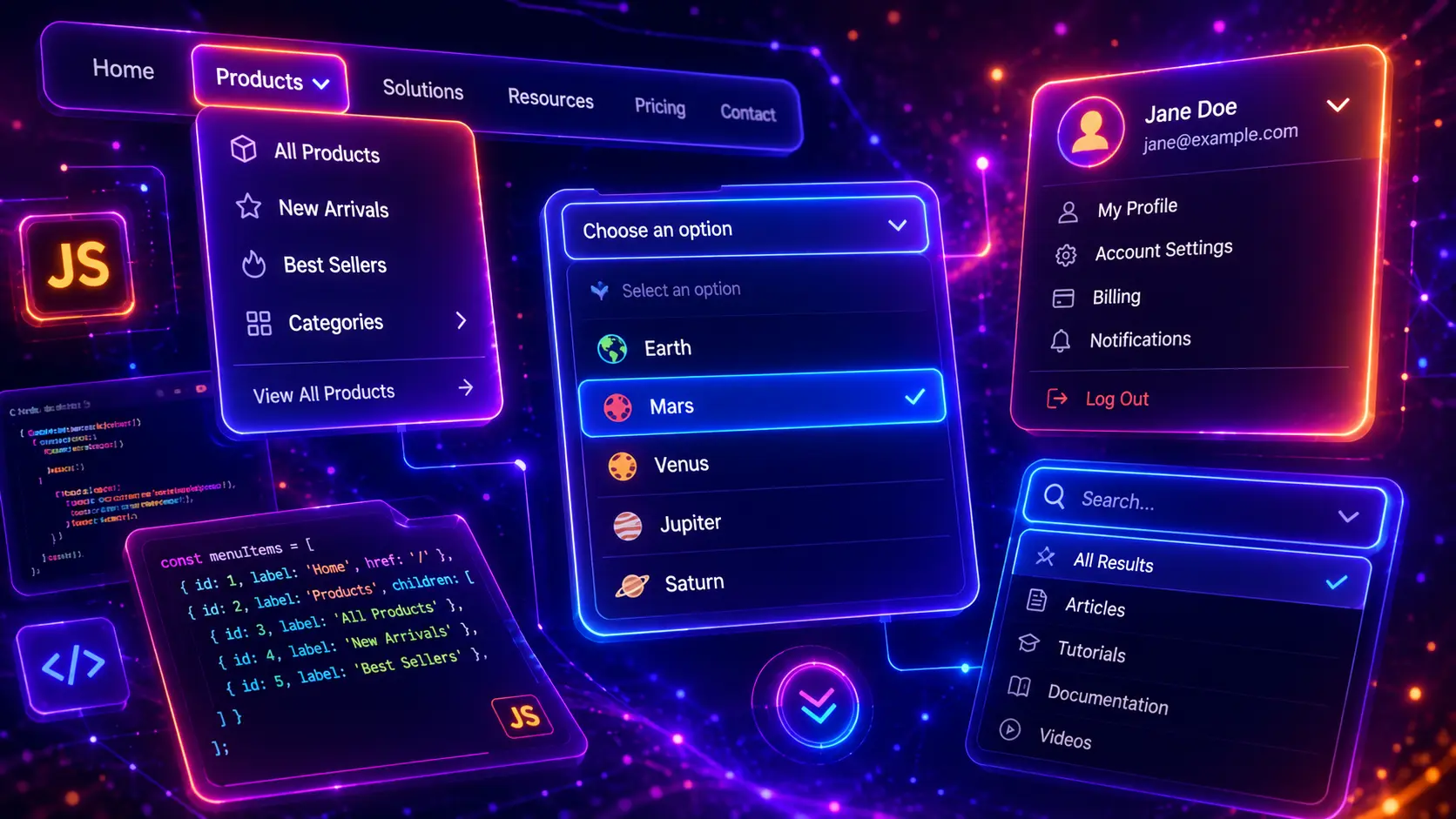
JavaScript dropdown menus are one of the most common interactive UI components on modern websites. They help users open navigation menus, select options, filter content, access profile actions, switch languages, browse categories, choose product variations, and reveal hidden interface controls without loading a new page.
In this guide, you will find 30 JavaScript dropdown menu examples for modern websites, including basic dropdowns, click dropdowns, custom select menus, searchable dropdowns, multi-select dropdowns, profile menus, notification dropdowns, ecommerce dropdowns, mega dropdowns, mobile navigation dropdowns, animated dropdowns, accessible dropdowns, and complete responsive dropdown UI patterns you can customize for your own projects.
This post focuses on dropdown functionality, JavaScript interaction, open and close logic, outside click behavior, keyboard-friendly controls, responsive design, and reusable UI patterns. If you need related design inspiration, you can also explore our modern CSS navigation menus, modern CSS tabs, modern CSS accordions, and JavaScript modal examples.
Table of Contents
- What Is a JavaScript Dropdown Menu?
- Why JavaScript Dropdowns Matter
- Dropdown Menu vs Select Menu vs Mega Menu
- What Should a Good JavaScript Dropdown Include?
- 30 JavaScript Dropdown Menu Examples
- JavaScript Dropdown Best Practices
- Responsive Dropdown Design Tips
- Common JavaScript Dropdown Mistakes
- JavaScript Dropdown FAQ
- Conclusion
- Related JavaScript and CSS Guides

What Is a JavaScript Dropdown Menu?
A JavaScript dropdown menu is an interactive component that reveals hidden options, links, actions, filters, or content when a user clicks, taps, hovers, focuses, or selects a trigger element. Dropdowns are used in navigation bars, custom select fields, profile menus, ecommerce filters, language switchers, category menus, dashboard controls, and compact mobile interfaces.
Unlike a static list, a dropdown responds to user interaction. JavaScript can open and close the menu, update active states, close the dropdown when users click outside, support keyboard navigation, filter options, select multiple values, animate the panel, or connect the selected option to another part of the interface.
The best JavaScript dropdown menu examples are not only visually polished. They should be easy to use, predictable, responsive, accessible, and simple to customize. A good dropdown makes the interface feel cleaner while still keeping important options easy to find.
Why JavaScript Dropdowns Matter
JavaScript dropdowns matter because they help websites organize actions and choices without overwhelming the user. Instead of placing every link, filter, language, account action, or product option directly on the screen, a dropdown can reveal the right choices only when they are needed.
- They save interface space by grouping related links, actions, filters, or controls into one compact trigger.
- They improve navigation by making menus, submenus, categories, and account actions easier to scan.
- They support ecommerce UX by powering filters, sorting, product options, cart dropdowns, and category menus.
- They help forms feel cleaner by replacing long option lists with custom select menus or searchable dropdowns.
- They improve mobile layouts when large desktop menus need to become tap-friendly dropdown panels.
Dropdowns work especially well when users need to choose from a controlled set of options or access a small group of related actions. For example, a profile dropdown can show account settings, a notification dropdown can show recent alerts, a product filter dropdown can improve ecommerce browsing, and a navigation dropdown can keep a website header clean.
Dropdown Menu vs Select Menu vs Mega Menu
The terms dropdown menu, select menu, and mega menu are often used together, but they describe different interface patterns. A dropdown menu usually reveals links or actions. A select menu lets users choose one or more values. A mega menu is a larger dropdown used mainly in website navigation, often with columns, categories, icons, images, or promotional blocks.
In real website projects, these patterns often overlap. Many users search for JavaScript dropdown examples when they also mean custom select dropdown, navigation dropdown, multi-level menu, category dropdown, profile dropdown, filter dropdown, or responsive mobile menu. That is why this guide includes several dropdown types instead of focusing on only one narrow pattern.
- Use a dropdown menu when you want to reveal links, profile actions, settings, notifications, or small groups of interface controls.
- Use a custom select dropdown when users need to choose one option from a list but the native select field is too limited for the design.
- Use a searchable dropdown when the option list is long and users need to find items quickly.
- Use a multi-select dropdown when users need to select several filters, tags, categories, features, or preferences.
- Use a mega menu when a website has many navigation links that need structure, columns, and visual grouping.
What Should a Good JavaScript Dropdown Include?
A good JavaScript dropdown should make the interface easier to use, not more confusing. The trigger should be clear, the dropdown panel should open in a predictable place, active states should be visible, important options should be easy to scan, and the menu should close in a way users expect.
Clear trigger
The button, select field, icon, or menu item should clearly show that it opens a dropdown panel.
Predictable close logic
The dropdown should close when users select an item, click outside, press Escape, or open another dropdown.
Responsive behavior
The menu should fit mobile screens, avoid viewport overflow, and remain easy to tap on small devices.
Accessible controls
Use buttons, ARIA attributes, focus states, keyboard support, and readable labels where the pattern needs them.
Before building a dropdown, decide what the component should actually do. A navigation dropdown may need link groups and mobile behavior. A custom select dropdown may need selected value updates. A searchable dropdown may need filtering logic. A multi-select dropdown may need checkbox states. A profile dropdown may only need a small action menu with outside click closing.
- Use a button as the trigger when the dropdown opens actions, links, or a custom menu.
- Show active state clearly so users know when the dropdown is open.
- Close the dropdown on outside click to avoid panels staying open after the user moves away.
- Support the Escape key for better keyboard interaction.
- Keep menu items large enough for mobile tapping and touch interaction.
- Prevent viewport overflow so the dropdown does not disappear off the edge of the screen.
- Avoid hiding critical actions inside dropdowns that users may not notice.
- Use unique class names to prevent conflicts when multiple examples or dropdowns exist on the same page.
- Keep JavaScript reusable so the same pattern can support several dropdown instances.
- Test on mobile because dropdowns often behave differently on touch screens than desktop screens.
You can combine JavaScript dropdowns with many other website sections. A dropdown navigation can support ideas from our modern CSS navigation menus, a filter dropdown can work with card layouts, a product dropdown can improve ecommerce sections, and dropdown actions can be paired with polished buttons from our modern CSS buttons guide.
30 JavaScript Dropdown Menu Examples
Now let’s look at 30 JavaScript dropdown menu examples for real website projects. Each example uses a different dropdown layout, trigger style, interaction pattern, animation, content type, or responsive UI approach, so you can build custom select menus, navigation dropdowns, profile dropdowns, mega menus, searchable dropdowns, multi-select filters, ecommerce dropdowns, and complete responsive JavaScript dropdown sections with visible JavaScript, HTML, and CSS code.
1. Basic JavaScript Dropdown Menu
A basic JavaScript dropdown menu is the best starting point for understanding how dropdown interaction works. This example uses a clean card-style trigger, a floating menu panel, active state styling, outside click closing, and Escape key support. It is simple enough for beginners but polished enough to use in real website interfaces.
This dropdown pattern is useful for account menus, dashboard actions, small navigation menus, settings panels, quick links, and compact UI controls. The JavaScript is lightweight and easy to reuse on other dropdown components.
- Simple vanilla JavaScript dropdown
- Click to open and close
- Closes when clicking outside the menu
- Supports Escape key closing
- Professional card-style UI
Basic Dropdown Menu
Click the button to open a clean JavaScript dropdown menu with links, icons, and smooth UI behavior.
JavaScript
(function () {
  const dropdown = document.querySelector("[data-vb-dropdown-one]");
  if (!dropdown) return;

  const trigger = dropdown.querySelector("[data-vb-dropdown-one-trigger]");

  function closeDropdown() {
    dropdown.classList.remove("is-open");
    trigger.setAttribute("aria-expanded", "false");
  }

  function toggleDropdown() {
    const isOpen = dropdown.classList.toggle("is-open");
    trigger.setAttribute("aria-expanded", String(isOpen));
  }

  trigger.addEventListener("click", function (event) {
    event.stopPropagation();
    toggleDropdown();
  });

  document.addEventListener("click", function (event) {
    if (!dropdown.contains(event.target)) {
      closeDropdown();
    }
  });

  document.addEventListener("keydown", function (event) {
    if (event.key === "Escape") {
      closeDropdown();
    }
  });
})();
HTML
<div class="vb-dropdown-one-demo">
  <div class="vb-dropdown-one-card" data-vb-dropdown-one>
    <div class="vb-dropdown-one-header">
      <span class="vb-dropdown-one-kicker">Example 01</span>
      <h3>Basic Dropdown Menu</h3>
      <p>Click the button to open a clean JavaScript dropdown menu with links, icons, and smooth UI behavior.</p>
    </div>

    <div class="vb-dropdown-one-menu-wrap">
      <button class="vb-dropdown-one-trigger" type="button" data-vb-dropdown-one-trigger aria-expanded="false">
        <span class="vb-dropdown-one-trigger-icon">☰</span>
        <span>Open menu</span>
        <span class="vb-dropdown-one-chevron">⌄</span>
      </button>

      <div class="vb-dropdown-one-panel" data-vb-dropdown-one-panel>
        <a href="#javascript-dropdown-menu-examples">
          <span>📁</span>
          <strong>View examples</strong>
          <small>Browse all dropdown patterns</small>
        </a>

        <a href="#what-is-a-javascript-dropdown-menu">
          <span>⚡</span>
          <strong>Learn basics</strong>
          <small>Understand dropdown logic</small>
        </a>

        <a href="#javascript-dropdown-best-practices">
          <span>✅</span>
          <strong>Best practices</strong>
          <small>Build better dropdown UX</small>
        </a>

        <a href="#related-javascript-and-css-guides">
          <span>🔗</span>
          <strong>Related guides</strong>
          <small>Explore more UI examples</small>
        </a>
      </div>
    </div>
  </div>
</div>
CSS
.vb-dropdown-one-demo,
.vb-dropdown-one-demo * {
  box-sizing: border-box;
}

.vb-dropdown-one-demo {
  margin: 28px 0;
  padding: 34px;
  border-radius: 30px;
  background:
    radial-gradient(circle at 12% 16%, rgba(14, 165, 233, 0.24), transparent 34%),
    radial-gradient(circle at 88% 14%, rgba(124, 58, 237, 0.22), transparent 34%),
    linear-gradient(135deg, #0f172a 0%, #111827 100%) !important;
  border: 1px solid rgba(148, 163, 184, 0.24);
  box-shadow: 0 24px 70px rgba(15, 23, 42, 0.22);
}

.vb-dropdown-one-card {
  position: relative;
  max-width: 760px;
  min-height: 430px;
  margin: 0 auto;
  padding: 34px;
  border-radius: 28px;
  background: rgba(255, 255, 255, 0.08);
  border: 1px solid rgba(255, 255, 255, 0.14);
  box-shadow: inset 0 1px 0 rgba(255,255,255,0.08);
}

.vb-dropdown-one-header {
  max-width: 540px;
  margin-bottom: 34px;
}

.vb-dropdown-one-kicker {
  display: inline-flex;
  margin-bottom: 14px;
  padding: 8px 12px;
  border-radius: 999px;
  background: rgba(14, 165, 233, 0.18);
  border: 1px solid rgba(125, 211, 252, 0.30);
  color: #bae6fd !important;
  -webkit-text-fill-color: #bae6fd !important;
  font-size: 13px;
  font-weight: 900;
  letter-spacing: 0.1em;
  text-transform: uppercase;
}

.vb-dropdown-one-header h3 {
  margin: 0 0 14px !important;
  color: #ffffff !important;
  -webkit-text-fill-color: #ffffff !important;
  font-size: clamp(32px, 5vw, 56px) !important;
  line-height: 1.02 !important;
  font-weight: 950 !important;
  letter-spacing: -0.06em;
}

.vb-dropdown-one-header p {
  margin: 0 !important;
  color: #cbd5e1 !important;
  -webkit-text-fill-color: #cbd5e1 !important;
  font-size: 16px;
  line-height: 1.75;
  font-weight: 650;
}

.vb-dropdown-one-menu-wrap {
  position: relative;
  width: min(100%, 360px);
}

.vb-dropdown-one-trigger {
  display: flex;
  align-items: center;
  justify-content: space-between;
  gap: 14px;
  width: 100%;
  min-height: 58px;
  padding: 14px 16px;
  border: 1px solid rgba(255,255,255,0.18);
  border-radius: 18px;
  background: linear-gradient(135deg, #06b6d4, #2563eb 56%, #7c3aed);
  color: #ffffff !important;
  -webkit-text-fill-color: #ffffff !important;
  font-size: 15px;
  font-weight: 900;
  line-height: 1;
  cursor: pointer;
  box-shadow: 0 18px 44px rgba(37, 99, 235, 0.32);
  transition: transform 0.22s ease, box-shadow 0.22s ease, filter 0.22s ease;
}

.vb-dropdown-one-trigger:hover {
  transform: translateY(-2px);
  filter: saturate(1.08);
  box-shadow: 0 22px 54px rgba(37, 99, 235, 0.42);
}

.vb-dropdown-one-trigger-icon,
.vb-dropdown-one-chevron {
  display: inline-flex;
  align-items: center;
  justify-content: center;
  flex: 0 0 auto;
  width: 30px;
  height: 30px;
  border-radius: 999px;
  background: rgba(255,255,255,0.16);
  color: #ffffff !important;
  -webkit-text-fill-color: #ffffff !important;
}

.vb-dropdown-one-chevron {
  transition: transform 0.22s ease;
}

.vb-dropdown-one-card.is-open .vb-dropdown-one-chevron {
  transform: rotate(180deg);
}

.vb-dropdown-one-panel {
  position: absolute;
  z-index: 10;
  top: calc(100% + 12px);
  left: 0;
  width: 100%;
  padding: 10px;
  border-radius: 20px;
  background: #ffffff;
  border: 1px solid rgba(148, 163, 184, 0.26);
  box-shadow: 0 24px 70px rgba(15, 23, 42, 0.30);
  opacity: 0;
  visibility: hidden;
  transform: translateY(10px) scale(0.98);
  transform-origin: top;
  transition: opacity 0.2s ease, visibility 0.2s ease, transform 0.2s ease;
}

.vb-dropdown-one-card.is-open .vb-dropdown-one-panel {
  opacity: 1;
  visibility: visible;
  transform: translateY(0) scale(1);
}

.vb-dropdown-one-panel a {
  display: grid;
  grid-template-columns: 38px minmax(0, 1fr);
  gap: 12px;
  align-items: center;
  padding: 13px;
  border-radius: 15px;
  text-decoration: none !important;
  transition: background 0.18s ease, transform 0.18s ease;
}

.vb-dropdown-one-panel a:hover {
  background: #f1f5f9;
  transform: translateX(2px);
}

.vb-dropdown-one-panel a span {
  grid-row: span 2;
  display: inline-flex;
  align-items: center;
  justify-content: center;
  width: 38px;
  height: 38px;
  border-radius: 14px;
  background: #eff6ff;
  font-size: 18px;
}

.vb-dropdown-one-panel a strong {
  display: block;
  color: #0f172a !important;
  -webkit-text-fill-color: #0f172a !important;
  font-size: 15px;
  line-height: 1.2;
  font-weight: 900;
}

.vb-dropdown-one-panel a small {
  display: block;
  margin-top: 3px;
  color: #64748b !important;
  -webkit-text-fill-color: #64748b !important;
  font-size: 13px;
  line-height: 1.35;
  font-weight: 650;
}

@media (max-width: 640px) {
  .vb-dropdown-one-demo {
    padding: 18px;
    border-radius: 24px;
  }

  .vb-dropdown-one-card {
    min-height: 460px;
    padding: 22px;
    border-radius: 22px;
  }

  .vb-dropdown-one-header h3 {
    font-size: 34px !important;
  }

  .vb-dropdown-one-menu-wrap {
    width: 100%;
  }
}
This basic JavaScript dropdown menu gives you a reusable foundation for many website components. You can adapt the same logic for profile menus, action menus, compact navigation panels, settings dropdowns, dashboard controls, and simple link menus.
2. Custom Select Dropdown with JavaScript
A custom select dropdown replaces a standard select field with a more flexible and visually polished interface. This example lets users choose a website project type from a styled dropdown panel, updates the selected value, closes the menu after selection, and includes outside click and Escape key behavior.
This pattern is useful for forms, quote request pages, onboarding screens, product configuration tools, booking forms, pricing pages, dashboards, and any interface where the native browser select field feels too limited for the design.
- Custom select dropdown UI
- Updates selected value with JavaScript
- Different visual style from the first example
- Works without external libraries
- Good for forms, filters, and project selection
Choose a project type
This custom JavaScript select dropdown is designed for forms, quote requests, filters, and onboarding screens.
JavaScript
(function () {
  const dropdown = document.querySelector("[data-vb-dropdown-two]");
  if (!dropdown) return;

  const trigger = dropdown.querySelector("[data-vb-dropdown-two-trigger]");
  const triggerText = dropdown.querySelector("[data-vb-dropdown-two-text]");
  const triggerMeta = dropdown.querySelector(".vb-dropdown-two-trigger-meta");
  const preview = dropdown.querySelector("[data-vb-dropdown-two-preview]");
  const options = dropdown.querySelectorAll("[data-vb-dropdown-two-option]");

  function closeDropdown() {
    dropdown.classList.remove("is-open");
    trigger.setAttribute("aria-expanded", "false");
  }

  function toggleDropdown() {
    const isOpen = dropdown.classList.toggle("is-open");
    trigger.setAttribute("aria-expanded", String(isOpen));
  }

  trigger.addEventListener("click", function (event) {
    event.stopPropagation();
    toggleDropdown();
  });

  options.forEach(function (option) {
    option.addEventListener("click", function () {
      const value = option.getAttribute("data-vb-dropdown-two-option");
      const meta = option.getAttribute("data-meta");

      triggerText.textContent = value;
      triggerMeta.textContent = meta;
      preview.textContent = value;

      options.forEach(function (item) {
        item.classList.remove("is-selected");
      });

      option.classList.add("is-selected");
      closeDropdown();
    });
  });

  document.addEventListener("click", function (event) {
    if (!dropdown.contains(event.target)) {
      closeDropdown();
    }
  });

  document.addEventListener("keydown", function (event) {
    if (event.key === "Escape") {
      closeDropdown();
    }
  });
})();
HTML
<div class="vb-dropdown-two-demo">
  <div class="vb-dropdown-two-layout" data-vb-dropdown-two>
    <div class="vb-dropdown-two-copy">
      <span>Example 02</span>
      <h3>Choose a project type</h3>
      <p>This custom JavaScript select dropdown is designed for forms, quote requests, filters, and onboarding screens.</p>

      <div class="vb-dropdown-two-selected-preview">
        <small>Selected option</small>
        <strong data-vb-dropdown-two-preview>Business Website</strong>
      </div>
    </div>

    <div class="vb-dropdown-two-select-wrap">
      <label class="vb-dropdown-two-label" for="vb-dropdown-two-trigger">Project category</label>

      <button class="vb-dropdown-two-trigger" id="vb-dropdown-two-trigger" type="button" data-vb-dropdown-two-trigger aria-expanded="false">
        <span class="vb-dropdown-two-trigger-text" data-vb-dropdown-two-text>Business Website</span>
        <span class="vb-dropdown-two-trigger-meta">Most popular</span>
        <span class="vb-dropdown-two-arrow">⌄</span>
      </button>

      <div class="vb-dropdown-two-panel" data-vb-dropdown-two-panel>
        <button type="button" class="is-selected" data-vb-dropdown-two-option="Business Website" data-meta="Most popular">
          <span class="vb-dropdown-two-option-icon">🏢</span>
          <span>
            <strong>Business Website</strong>
            <small>Company page, service website, or local business site</small>
          </span>
        </button>

        <button type="button" data-vb-dropdown-two-option="Online Store" data-meta="Ecommerce">
          <span class="vb-dropdown-two-option-icon">🛒</span>
          <span>
            <strong>Online Store</strong>
            <small>WooCommerce, product catalog, or checkout flow</small>
          </span>
        </button>

        <button type="button" data-vb-dropdown-two-option="Landing Page" data-meta="Fast launch">
          <span class="vb-dropdown-two-option-icon">🚀</span>
          <span>
            <strong>Landing Page</strong>
            <small>Campaign page, lead generation, or product launch</small>
          </span>
        </button>

        <button type="button" data-vb-dropdown-two-option="Web App UI" data-meta="Advanced">
          <span class="vb-dropdown-two-option-icon">⚙️</span>
          <span>
            <strong>Web App UI</strong>
            <small>Dashboard, SaaS interface, or interactive product</small>
          </span>
        </button>
      </div>
    </div>
  </div>
</div>
CSS
.vb-dropdown-two-demo,
.vb-dropdown-two-demo * {
  box-sizing: border-box;
}

.vb-dropdown-two-demo {
  margin: 28px 0;
  padding: 34px;
  border-radius: 30px;
  background:
    linear-gradient(135deg, #f8fafc 0%, #eef2ff 52%, #ecfeff 100%) !important;
  border: 1px solid rgba(148, 163, 184, 0.22);
  box-shadow: 0 24px 70px rgba(15, 23, 42, 0.12);
}

.vb-dropdown-two-layout {
  position: relative;
  display: grid;
  grid-template-columns: minmax(0, 0.9fr) minmax(320px, 0.75fr);
  gap: 28px;
  align-items: center;
  min-height: 470px;
  max-width: 980px;
  margin: 0 auto;
  padding: 34px;
  border-radius: 28px;
  background: #ffffff;
  border: 1px solid rgba(148, 163, 184, 0.20);
  box-shadow: 0 20px 60px rgba(15, 23, 42, 0.10);
  overflow: visible;
}

.vb-dropdown-two-layout::before {
  content: "";
  position: absolute;
  inset: auto auto -58px -58px;
  width: 190px;
  height: 190px;
  border-radius: 999px;
  background: linear-gradient(135deg, rgba(14, 165, 233, 0.22), rgba(124, 58, 237, 0.18));
  filter: blur(4px);
}

.vb-dropdown-two-copy {
  position: relative;
  z-index: 2;
}

.vb-dropdown-two-copy > span {
  display: inline-flex;
  margin-bottom: 14px;
  padding: 8px 12px;
  border-radius: 999px;
  background: #e0f2fe;
  color: #0369a1 !important;
  -webkit-text-fill-color: #0369a1 !important;
  font-size: 13px;
  font-weight: 950;
  letter-spacing: 0.1em;
  text-transform: uppercase;
}

.vb-dropdown-two-copy h3 {
  margin: 0 0 14px !important;
  color: #0f172a !important;
  -webkit-text-fill-color: #0f172a !important;
  font-size: clamp(34px, 5vw, 62px) !important;
  line-height: 1 !important;
  font-weight: 950 !important;
  letter-spacing: -0.07em;
}

.vb-dropdown-two-copy p {
  max-width: 520px;
  margin: 0 0 26px !important;
  color: #475569 !important;
  -webkit-text-fill-color: #475569 !important;
  font-size: 16px;
  line-height: 1.75;
  font-weight: 650;
}

.vb-dropdown-two-selected-preview {
  width: min(100%, 340px);
  padding: 18px;
  border-radius: 20px;
  background: linear-gradient(135deg, #0f172a, #1e293b);
  box-shadow: 0 18px 44px rgba(15, 23, 42, 0.22);
}

.vb-dropdown-two-selected-preview small {
  display: block;
  margin-bottom: 6px;
  color: #bae6fd !important;
  -webkit-text-fill-color: #bae6fd !important;
  font-size: 12px;
  font-weight: 900;
  letter-spacing: 0.08em;
  text-transform: uppercase;
}

.vb-dropdown-two-selected-preview strong {
  display: block;
  color: #ffffff !important;
  -webkit-text-fill-color: #ffffff !important;
  font-size: 24px;
  line-height: 1.1;
  font-weight: 950;
}

.vb-dropdown-two-select-wrap {
  position: relative;
  z-index: 20;
  align-self: center;
  width: 100%;
}

.vb-dropdown-two-label {
  display: block;
  margin: 0 0 10px;
  color: #334155 !important;
  -webkit-text-fill-color: #334155 !important;
  font-size: 13px;
  font-weight: 900;
  letter-spacing: 0.08em;
  text-transform: uppercase;
}

.vb-dropdown-two-trigger {
  position: relative;
  display: grid;
  grid-template-columns: minmax(0, 1fr) auto 34px;
  gap: 10px;
  align-items: center;
  width: 100%;
  min-height: 66px;
  padding: 13px 14px 13px 18px;
  border: 1px solid rgba(37, 99, 235, 0.24);
  border-radius: 20px;
  background: #ffffff;
  color: #0f172a !important;
  -webkit-text-fill-color: #0f172a !important;
  box-shadow: 0 16px 38px rgba(37, 99, 235, 0.12);
  cursor: pointer;
}

.vb-dropdown-two-trigger-text {
  overflow: hidden;
  color: #0f172a !important;
  -webkit-text-fill-color: #0f172a !important;
  font-size: 16px;
  font-weight: 950;
  line-height: 1.2;
  text-align: left;
  white-space: nowrap;
  text-overflow: ellipsis;
}

.vb-dropdown-two-trigger-meta {
  display: inline-flex;
  justify-content: center;
  padding: 7px 10px;
  border-radius: 999px;
  background: #eef2ff;
  color: #4338ca !important;
  -webkit-text-fill-color: #4338ca !important;
  font-size: 12px;
  font-weight: 900;
  white-space: nowrap;
}

.vb-dropdown-two-arrow {
  display: inline-flex;
  align-items: center;
  justify-content: center;
  width: 34px;
  height: 34px;
  border-radius: 999px;
  background: linear-gradient(135deg, #06b6d4, #2563eb);
  color: #ffffff !important;
  -webkit-text-fill-color: #ffffff !important;
  font-size: 18px;
  transition: transform 0.22s ease;
}

.vb-dropdown-two-layout.is-open .vb-dropdown-two-arrow {
  transform: rotate(180deg);
}

.vb-dropdown-two-panel {
  position: absolute;
  z-index: 30;
  top: calc(100% + 12px);
  left: 0;
  right: 0;
  display: grid;
  gap: 8px;
  padding: 10px;
  border-radius: 22px;
  background: #ffffff;
  border: 1px solid rgba(148, 163, 184, 0.28);
  box-shadow: 0 28px 70px rgba(15, 23, 42, 0.22);
  opacity: 0;
  visibility: hidden;
  transform: translateY(12px);
  transition: opacity 0.2s ease, visibility 0.2s ease, transform 0.2s ease;
}

.vb-dropdown-two-layout.is-open .vb-dropdown-two-panel {
  opacity: 1;
  visibility: visible;
  transform: translateY(0);
}

.vb-dropdown-two-panel button {
  display: grid;
  grid-template-columns: 46px minmax(0, 1fr);
  gap: 12px;
  align-items: center;
  width: 100%;
  padding: 12px;
  border: 0;
  border-radius: 16px;
  background: transparent;
  cursor: pointer;
  text-align: left;
  transition: background 0.18s ease, transform 0.18s ease;
}

.vb-dropdown-two-panel button:hover,
.vb-dropdown-two-panel button.is-selected {
  background: #f1f5f9;
  transform: translateX(2px);
}

.vb-dropdown-two-option-icon {
  display: inline-flex;
  align-items: center;
  justify-content: center;
  width: 46px;
  height: 46px;
  border-radius: 16px;
  background: linear-gradient(135deg, #dbeafe, #e0f2fe);
  font-size: 21px;
}

.vb-dropdown-two-panel strong {
  display: block;
  color: #0f172a !important;
  -webkit-text-fill-color: #0f172a !important;
  font-size: 15px;
  line-height: 1.2;
  font-weight: 950;
}

.vb-dropdown-two-panel small {
  display: block;
  margin-top: 4px;
  color: #64748b !important;
  -webkit-text-fill-color: #64748b !important;
  font-size: 13px;
  line-height: 1.35;
  font-weight: 650;
}

@media (max-width: 860px) {
  .vb-dropdown-two-layout {
    grid-template-columns: 1fr;
  }
}

@media (max-width: 640px) {
  .vb-dropdown-two-demo {
    padding: 18px;
    border-radius: 24px;
  }

  .vb-dropdown-two-layout {
    min-height: 620px;
    padding: 22px;
    border-radius: 22px;
  }

  .vb-dropdown-two-copy h3 {
    font-size: 36px !important;
  }

  .vb-dropdown-two-trigger {
    grid-template-columns: minmax(0, 1fr) 34px;
  }

  .vb-dropdown-two-trigger-meta {
    display: none;
  }

  .vb-dropdown-two-panel {
    max-height: 310px;
    overflow-y: auto;
  }
}
This custom select dropdown gives a form or interface more visual control than a native select field. You can reuse the same structure for quote request forms, product filters, category selectors, onboarding screens, pricing calculators, booking forms, and dashboard settings.
3. Searchable JavaScript Dropdown
A searchable JavaScript dropdown is useful when a normal dropdown list becomes too long. Instead of forcing users to scroll through many options, this example lets visitors type into a search field and filter matching items instantly inside the dropdown panel.
This pattern works well for country selectors, product categories, documentation sections, service lists, dashboard filters, tag pickers, location search fields, and any interface where users need to find one option quickly from a longer list.
- Search input inside the dropdown
- Filters options with vanilla JavaScript
- Updates selected value after clicking an option
- Shows empty state when no result is found
- Useful for long lists, filters, and search-style menus
Searchable Dropdown
Type inside the dropdown to filter categories instantly. This keeps large option lists clean, fast, and easier to use.
No matching topic found.
JavaScript
(function () {
  const dropdown = document.querySelector("[data-vb-dropdown-three]");
  if (!dropdown) return;

  const trigger = dropdown.querySelector("[data-vb-dropdown-three-trigger]");
  const triggerText = dropdown.querySelector("[data-vb-dropdown-three-text]");
  const preview = dropdown.querySelector("[data-vb-dropdown-three-preview]");
  const search = dropdown.querySelector("[data-vb-dropdown-three-search]");
  const options = dropdown.querySelectorAll("[data-vb-dropdown-three-option], [data-value]");
  const empty = dropdown.querySelector("[data-vb-dropdown-three-empty]");

  function closeDropdown() {
    dropdown.classList.remove("is-open");
    trigger.setAttribute("aria-expanded", "false");
  }

  function openDropdown() {
    dropdown.classList.add("is-open");
    trigger.setAttribute("aria-expanded", "true");
    setTimeout(function () {
      search.focus();
    }, 80);
  }

  function toggleDropdown() {
    if (dropdown.classList.contains("is-open")) {
      closeDropdown();
    } else {
      openDropdown();
    }
  }

  function filterOptions() {
    const query = search.value.toLowerCase().trim();
    let visibleCount = 0;

    options.forEach(function (option) {
      const text = option.getAttribute("data-value").toLowerCase();
      const isVisible = text.includes(query);
      option.style.display = isVisible ? "block" : "none";

      if (isVisible) {
        visibleCount += 1;
      }
    });

    empty.classList.toggle("is-visible", visibleCount === 0);
  }

  trigger.addEventListener("click", function (event) {
    event.stopPropagation();
    toggleDropdown();
  });

  search.addEventListener("input", filterOptions);

  options.forEach(function (option) {
    option.addEventListener("click", function () {
      const value = option.getAttribute("data-value");

      triggerText.textContent = value;
      preview.textContent = value;

      options.forEach(function (item) {
        item.classList.remove("is-selected");
      });

      option.classList.add("is-selected");
      search.value = "";
      filterOptions();
      closeDropdown();
    });
  });

  document.addEventListener("click", function (event) {
    if (!dropdown.contains(event.target)) {
      closeDropdown();
    }
  });

  document.addEventListener("keydown", function (event) {
    if (event.key === "Escape") {
      closeDropdown();
    }
  });
})();
HTML
<div class="vb-dropdown-three-demo">
  <div class="vb-dropdown-three-shell" data-vb-dropdown-three>
    <div class="vb-dropdown-three-visual">
      <span class="vb-dropdown-three-kicker">Example 03</span>
      <h3>Searchable Dropdown</h3>
      <p>Type inside the dropdown to filter categories instantly. This keeps large option lists clean, fast, and easier to use.</p>

      <div class="vb-dropdown-three-result-card">
        <small>Selected category</small>
        <strong data-vb-dropdown-three-preview>JavaScript Components</strong>
      </div>
    </div>

    <div class="vb-dropdown-three-control">
      <label>Choose topic</label>

      <button type="button" class="vb-dropdown-three-trigger" data-vb-dropdown-three-trigger aria-expanded="false">
        <span data-vb-dropdown-three-text>JavaScript Components</span>
        <span class="vb-dropdown-three-arrow">⌄</span>
      </button>

      <div class="vb-dropdown-three-panel" data-vb-dropdown-three-panel>
        <div class="vb-dropdown-three-search-wrap">
          <input type="text" data-vb-dropdown-three-search placeholder="Search topics..." aria-label="Search dropdown options">
        </div>

        <div class="vb-dropdown-three-options" data-vb-dropdown-three-options>
          <button type="button" class="is-selected" data-value="JavaScript Components">JavaScript Components</button>
          <button type="button" data-value="Responsive Navigation">Responsive Navigation</button>
          <button type="button" data-value="Form Validation">Form Validation</button>
          <button type="button" data-value="Modal Windows">Modal Windows</button>
          <button type="button" data-value="Image Sliders">Image Sliders</button>
          <button type="button" data-value="Dropdown Menus">Dropdown Menus</button>
          <button type="button" data-value="Tabs and Accordions">Tabs and Accordions</button>
          <button type="button" data-value="Product Filters">Product Filters</button>
          <button type="button" data-value="Dashboard UI">Dashboard UI</button>
          <button type="button" data-value="Mobile Interfaces">Mobile Interfaces</button>
        </div>

        <p class="vb-dropdown-three-empty" data-vb-dropdown-three-empty>No matching topic found.</p>
      </div>
    </div>
  </div>
</div>
CSS
.vb-dropdown-three-demo,
.vb-dropdown-three-demo * {
  box-sizing: border-box;
}

.vb-dropdown-three-demo {
  margin: 28px 0;
  padding: 34px;
  border-radius: 32px;
  background:
    radial-gradient(circle at 16% 18%, rgba(16, 185, 129, 0.22), transparent 34%),
    radial-gradient(circle at 86% 16%, rgba(34, 211, 238, 0.22), transparent 34%),
    linear-gradient(135deg, #022c22 0%, #064e3b 45%, #0f172a 100%) !important;
  border: 1px solid rgba(167, 243, 208, 0.20);
  box-shadow: 0 24px 70px rgba(15, 23, 42, 0.24);
}

.vb-dropdown-three-shell {
  position: relative;
  display: grid;
  grid-template-columns: minmax(0, 0.95fr) minmax(320px, 0.75fr);
  gap: 30px;
  align-items: center;
  max-width: 980px;
  min-height: 520px;
  margin: 0 auto;
  padding: 38px;
  border-radius: 30px;
  background: rgba(255,255,255,0.09);
  border: 1px solid rgba(255,255,255,0.15);
  overflow: visible;
}

.vb-dropdown-three-visual {
  position: relative;
  z-index: 2;
}

.vb-dropdown-three-kicker {
  display: inline-flex;
  margin-bottom: 16px;
  padding: 8px 12px;
  border-radius: 999px;
  background: rgba(20, 184, 166, 0.20);
  border: 1px solid rgba(94, 234, 212, 0.34);
  color: #ccfbf1 !important;
  -webkit-text-fill-color: #ccfbf1 !important;
  font-size: 13px;
  font-weight: 950;
  letter-spacing: 0.1em;
  text-transform: uppercase;
}

.vb-dropdown-three-visual h3 {
  margin: 0 0 16px !important;
  color: #ffffff !important;
  -webkit-text-fill-color: #ffffff !important;
  font-size: clamp(36px, 5vw, 68px) !important;
  line-height: 0.98 !important;
  font-weight: 950 !important;
  letter-spacing: -0.07em;
}

.vb-dropdown-three-visual p {
  max-width: 540px;
  margin: 0 0 26px !important;
  color: #d1fae5 !important;
  -webkit-text-fill-color: #d1fae5 !important;
  font-size: 16px;
  line-height: 1.75;
  font-weight: 650;
}

.vb-dropdown-three-result-card {
  width: min(100%, 360px);
  padding: 18px;
  border-radius: 22px;
  background: rgba(15, 23, 42, 0.58);
  border: 1px solid rgba(255,255,255,0.16);
  box-shadow: 0 22px 54px rgba(2, 6, 23, 0.26);
}

.vb-dropdown-three-result-card small {
  display: block;
  margin-bottom: 7px;
  color: #99f6e4 !important;
  -webkit-text-fill-color: #99f6e4 !important;
  font-size: 12px;
  font-weight: 900;
  letter-spacing: 0.08em;
  text-transform: uppercase;
}

.vb-dropdown-three-result-card strong {
  color: #ffffff !important;
  -webkit-text-fill-color: #ffffff !important;
  font-size: 23px;
  line-height: 1.15;
  font-weight: 950;
}

.vb-dropdown-three-control {
  position: relative;
  z-index: 20;
  width: 100%;
  padding: 22px;
  border-radius: 28px;
  background: #ffffff;
  box-shadow: 0 26px 70px rgba(2, 6, 23, 0.26);
}

.vb-dropdown-three-control label {
  display: block;
  margin: 0 0 10px;
  color: #0f172a !important;
  -webkit-text-fill-color: #0f172a !important;
  font-size: 13px;
  font-weight: 950;
  letter-spacing: 0.08em;
  text-transform: uppercase;
}

.vb-dropdown-three-trigger {
  display: flex;
  align-items: center;
  justify-content: space-between;
  gap: 14px;
  width: 100%;
  min-height: 62px;
  padding: 14px 16px;
  border: 1px solid rgba(15, 118, 110, 0.20);
  border-radius: 18px;
  background: #f8fafc;
  color: #0f172a !important;
  -webkit-text-fill-color: #0f172a !important;
  font-size: 16px;
  font-weight: 950;
  text-align: left;
  cursor: pointer;
}

.vb-dropdown-three-arrow {
  display: inline-flex;
  align-items: center;
  justify-content: center;
  flex: 0 0 auto;
  width: 34px;
  height: 34px;
  border-radius: 999px;
  background: linear-gradient(135deg, #10b981, #0f766e);
  color: #ffffff !important;
  -webkit-text-fill-color: #ffffff !important;
  transition: transform 0.22s ease;
}

.vb-dropdown-three-shell.is-open .vb-dropdown-three-arrow {
  transform: rotate(180deg);
}

.vb-dropdown-three-panel {
  position: absolute;
  z-index: 30;
  top: calc(100% + 12px);
  left: 22px;
  right: 22px;
  padding: 12px;
  border-radius: 22px;
  background: #ffffff;
  border: 1px solid rgba(148, 163, 184, 0.26);
  box-shadow: 0 28px 70px rgba(15, 23, 42, 0.24);
  opacity: 0;
  visibility: hidden;
  transform: translateY(12px);
  transition: opacity 0.2s ease, visibility 0.2s ease, transform 0.2s ease;
}

.vb-dropdown-three-shell.is-open .vb-dropdown-three-panel {
  opacity: 1;
  visibility: visible;
  transform: translateY(0);
}

.vb-dropdown-three-search-wrap {
  margin-bottom: 10px;
}

.vb-dropdown-three-search-wrap input {
  width: 100%;
  min-height: 48px;
  padding: 12px 14px;
  border: 1px solid rgba(15, 118, 110, 0.20);
  border-radius: 15px;
  background: #f8fafc;
  color: #0f172a !important;
  -webkit-text-fill-color: #0f172a !important;
  font-size: 15px;
  font-weight: 700;
  outline: none;
}

.vb-dropdown-three-search-wrap input:focus {
  border-color: rgba(20, 184, 166, 0.70);
  box-shadow: 0 0 0 4px rgba(20, 184, 166, 0.13);
}

.vb-dropdown-three-options {
  display: grid;
  gap: 7px;
  max-height: 280px;
  overflow-y: auto;
  padding-right: 4px;
}

.vb-dropdown-three-options button {
  width: 100%;
  padding: 12px 13px;
  border: 0;
  border-radius: 14px;
  background: transparent;
  color: #0f172a !important;
  -webkit-text-fill-color: #0f172a !important;
  font-size: 14px;
  font-weight: 850;
  text-align: left;
  cursor: pointer;
  transition: background 0.18s ease, transform 0.18s ease;
}

.vb-dropdown-three-options button:hover,
.vb-dropdown-three-options button.is-selected {
  background: #ecfdf5;
  transform: translateX(2px);
}

.vb-dropdown-three-empty {
  display: none;
  margin: 10px 0 0 !important;
  padding: 12px;
  border-radius: 14px;
  background: #fef2f2;
  color: #991b1b !important;
  -webkit-text-fill-color: #991b1b !important;
  font-size: 14px;
  line-height: 1.4;
  font-weight: 800;
}

.vb-dropdown-three-empty.is-visible {
  display: block;
}

@media (max-width: 860px) {
  .vb-dropdown-three-shell {
    grid-template-columns: 1fr;
  }
}

@media (max-width: 640px) {
  .vb-dropdown-three-demo {
    padding: 18px;
    border-radius: 24px;
  }

  .vb-dropdown-three-shell {
    min-height: 680px;
    padding: 22px;
    border-radius: 22px;
  }

  .vb-dropdown-three-visual h3 {
    font-size: 38px !important;
  }

  .vb-dropdown-three-control {
    padding: 16px;
    border-radius: 22px;
  }

  .vb-dropdown-three-panel {
    left: 16px;
    right: 16px;
  }
}
This searchable JavaScript dropdown is a strong pattern for longer option lists because users can type and narrow the results immediately. You can adapt it for country selectors, category filters, documentation search, product filters, dashboard menus, or tag pickers.
4. Profile Action Dropdown Menu
A profile action dropdown menu is commonly used in dashboards, SaaS apps, membership websites, ecommerce accounts, admin interfaces, and web applications. It gives users quick access to account settings, billing, notifications, saved items, help, and sign-out actions without taking up much space in the header.
This example uses a compact app-style interface with an avatar trigger, account preview, action links, notification badges, and a separate danger-style sign-out item. The design is intentionally different from the earlier dropdowns so the article has more visual variety.
- Profile avatar dropdown
- Dashboard-style action menu
- Notification badge and account preview
- Outside click and Escape key support
- Useful for SaaS dashboards, member areas, and ecommerce accounts
JavaScript
(function () {
  const dropdown = document.querySelector("[data-vb-dropdown-four]");
  if (!dropdown) return;

  const trigger = dropdown.querySelector("[data-vb-dropdown-four-trigger]");

  function closeDropdown() {
    dropdown.classList.remove("is-open");
    trigger.setAttribute("aria-expanded", "false");
  }

  function toggleDropdown() {
    const isOpen = dropdown.classList.toggle("is-open");
    trigger.setAttribute("aria-expanded", String(isOpen));
  }

  trigger.addEventListener("click", function (event) {
    event.stopPropagation();
    toggleDropdown();
  });

  document.addEventListener("click", function (event) {
    if (!dropdown.contains(event.target)) {
      closeDropdown();
    }
  });

  document.addEventListener("keydown", function (event) {
    if (event.key === "Escape") {
      closeDropdown();
    }
  });
})();
HTML
<div class="vb-dropdown-four-demo">
  <div class="vb-dropdown-four-appbar" data-vb-dropdown-four>
    <div class="vb-dropdown-four-brand">
      <span>JS</span>
      <div>
        <strong>Dropdown UI</strong>
        <small>Example 04</small>
      </div>
    </div>

    <nav class="vb-dropdown-four-nav" aria-label="Demo navigation">
      <a href="#javascript-dropdown-menu-examples">Examples</a>
      <a href="#javascript-dropdown-best-practices">Best Practices</a>
      <a href="#javascript-dropdown-faq">FAQ</a>
    </nav>

    <div class="vb-dropdown-four-profile-wrap">
      <button type="button" class="vb-dropdown-four-profile" data-vb-dropdown-four-trigger aria-expanded="false" aria-label="Open profile menu">
        <span class="vb-dropdown-four-avatar">JD</span>
        <span class="vb-dropdown-four-profile-text">
          <strong>John Designer</strong>
          <small>Pro account</small>
        </span>
        <span class="vb-dropdown-four-caret">⌄</span>
      </button>

      <div class="vb-dropdown-four-panel" data-vb-dropdown-four-panel>
        <div class="vb-dropdown-four-user">
          <span class="vb-dropdown-four-user-avatar">JD</span>
          <div>
            <strong>John Designer</strong>
            <small>john@example.com</small>
          </div>
        </div>

        <div class="vb-dropdown-four-links">
          <a href="#javascript-dropdown-menu-examples">
            <span>👤</span>
            <strong>Account overview</strong>
          </a>

          <a href="#what-should-a-good-javascript-dropdown-include">
            <span>⚙️</span>
            <strong>Interface settings</strong>
          </a>

          <a href="#responsive-dropdown-design-tips">
            <span>📱</span>
            <strong>Mobile preferences</strong>
          </a>

          <a href="#common-javascript-dropdown-mistakes">
            <span>🔔</span>
            <strong>Notifications</strong>
            <em>3</em>
          </a>
        </div>

        <div class="vb-dropdown-four-divider"></div>

        <a class="vb-dropdown-four-danger" href="#javascript-dropdown-conclusion">
          <span>↪</span>
          <strong>Sign out</strong>
        </a>
      </div>
    </div>
  </div>
</div>
CSS
.vb-dropdown-four-demo,
.vb-dropdown-four-demo * {
  box-sizing: border-box;
}

.vb-dropdown-four-demo {
  margin: 28px 0;
  padding: 34px;
  border-radius: 30px;
  background:
    radial-gradient(circle at 22% 16%, rgba(248, 113, 113, 0.22), transparent 32%),
    radial-gradient(circle at 78% 20%, rgba(251, 191, 36, 0.18), transparent 34%),
    linear-gradient(135deg, #1f2937 0%, #111827 55%, #020617 100%) !important;
  border: 1px solid rgba(148, 163, 184, 0.24);
  box-shadow: 0 24px 70px rgba(15, 23, 42, 0.24);
  overflow: visible;
}

.vb-dropdown-four-appbar {
  position: relative;
  z-index: 2;
  display: grid;
  grid-template-columns: auto minmax(0, 1fr) auto;
  gap: 24px;
  align-items: center;
  max-width: 1040px;
  min-height: 410px;
  margin: 0 auto;
  padding: 32px;
  border-radius: 30px;
  background:
    linear-gradient(135deg, rgba(255,255,255,0.12), rgba(255,255,255,0.06)) !important;
  border: 1px solid rgba(255,255,255,0.16);
  box-shadow: inset 0 1px 0 rgba(255,255,255,0.08);
  overflow: visible;
}

.vb-dropdown-four-brand {
  align-self: start;
  display: flex;
  align-items: center;
  gap: 12px;
}

.vb-dropdown-four-brand > span {
  display: inline-flex;
  align-items: center;
  justify-content: center;
  width: 48px;
  height: 48px;
  border-radius: 16px;
  background: linear-gradient(135deg, #fb923c, #ef4444);
  color: #ffffff !important;
  -webkit-text-fill-color: #ffffff !important;
  font-size: 16px;
  font-weight: 950;
  box-shadow: 0 16px 36px rgba(239, 68, 68, 0.26);
}

.vb-dropdown-four-brand strong {
  display: block;
  color: #ffffff !important;
  -webkit-text-fill-color: #ffffff !important;
  font-size: 16px;
  line-height: 1.2;
  font-weight: 950;
}

.vb-dropdown-four-brand small {
  display: block;
  margin-top: 3px;
  color: #fed7aa !important;
  -webkit-text-fill-color: #fed7aa !important;
  font-size: 12px;
  font-weight: 800;
}

.vb-dropdown-four-nav {
  align-self: start;
  display: flex;
  justify-content: center;
  gap: 10px;
}

.vb-dropdown-four-nav a {
  display: inline-flex;
  align-items: center;
  min-height: 42px;
  padding: 10px 13px;
  border-radius: 999px;
  background: rgba(255,255,255,0.08);
  color: #e5e7eb !important;
  -webkit-text-fill-color: #e5e7eb !important;
  font-size: 13px;
  line-height: 1;
  font-weight: 850;
  text-decoration: none !important;
  border: 1px solid rgba(255,255,255,0.10);
}

.vb-dropdown-four-profile-wrap {
  position: relative;
  align-self: start;
}

.vb-dropdown-four-profile {
  display: flex;
  align-items: center;
  gap: 11px;
  min-height: 58px;
  padding: 8px 10px 8px 8px;
  border: 1px solid rgba(255,255,255,0.16);
  border-radius: 999px;
  background: rgba(255,255,255,0.10);
  cursor: pointer;
  box-shadow: 0 16px 38px rgba(2, 6, 23, 0.20);
}

.vb-dropdown-four-avatar,
.vb-dropdown-four-user-avatar {
  display: inline-flex;
  align-items: center;
  justify-content: center;
  flex: 0 0 auto;
  width: 42px;
  height: 42px;
  border-radius: 999px;
  background: linear-gradient(135deg, #f97316, #db2777);
  color: #ffffff !important;
  -webkit-text-fill-color: #ffffff !important;
  font-size: 13px;
  font-weight: 950;
}

.vb-dropdown-four-profile-text {
  display: grid;
  text-align: left;
}

.vb-dropdown-four-profile-text strong {
  color: #ffffff !important;
  -webkit-text-fill-color: #ffffff !important;
  font-size: 13px;
  line-height: 1.15;
  font-weight: 950;
}

.vb-dropdown-four-profile-text small {
  margin-top: 3px;
  color: #fecaca !important;
  -webkit-text-fill-color: #fecaca !important;
  font-size: 12px;
  line-height: 1;
  font-weight: 750;
}

.vb-dropdown-four-caret {
  display: inline-flex;
  align-items: center;
  justify-content: center;
  width: 28px;
  height: 28px;
  border-radius: 999px;
  background: rgba(255,255,255,0.12);
  color: #ffffff !important;
  -webkit-text-fill-color: #ffffff !important;
  transition: transform 0.22s ease;
}

.vb-dropdown-four-appbar.is-open .vb-dropdown-four-caret {
  transform: rotate(180deg);
}

.vb-dropdown-four-panel {
  position: absolute;
  z-index: 40;
  top: calc(100% + 14px);
  right: 0;
  width: 330px;
  padding: 12px;
  border-radius: 24px;
  background: #ffffff;
  border: 1px solid rgba(148, 163, 184, 0.26);
  box-shadow: 0 30px 80px rgba(2, 6, 23, 0.34);
  opacity: 0;
  visibility: hidden;
  transform: translateY(12px) scale(0.98);
  transform-origin: top right;
  transition: opacity 0.2s ease, visibility 0.2s ease, transform 0.2s ease;
}

.vb-dropdown-four-appbar.is-open .vb-dropdown-four-panel {
  opacity: 1;
  visibility: visible;
  transform: translateY(0) scale(1);
}

.vb-dropdown-four-user {
  display: flex;
  gap: 12px;
  align-items: center;
  padding: 12px;
  border-radius: 18px;
  background: #fff7ed;
  border: 1px solid rgba(251, 146, 60, 0.22);
}

.vb-dropdown-four-user strong {
  display: block;
  color: #111827 !important;
  -webkit-text-fill-color: #111827 !important;
  font-size: 15px;
  line-height: 1.2;
  font-weight: 950;
}

.vb-dropdown-four-user small {
  display: block;
  margin-top: 3px;
  color: #9a3412 !important;
  -webkit-text-fill-color: #9a3412 !important;
  font-size: 13px;
  line-height: 1.2;
  font-weight: 700;
}

.vb-dropdown-four-links {
  display: grid;
  gap: 6px;
  margin-top: 10px;
}

.vb-dropdown-four-links a,
.vb-dropdown-four-danger {
  display: grid;
  grid-template-columns: 38px minmax(0, 1fr) auto;
  gap: 10px;
  align-items: center;
  min-height: 48px;
  padding: 10px;
  border-radius: 16px;
  color: #111827 !important;
  -webkit-text-fill-color: #111827 !important;
  text-decoration: none !important;
  transition: background 0.18s ease, transform 0.18s ease;
}

.vb-dropdown-four-links a:hover,
.vb-dropdown-four-danger:hover {
  background: #f8fafc;
  transform: translateX(2px);
}

.vb-dropdown-four-links a span,
.vb-dropdown-four-danger span {
  display: inline-flex;
  align-items: center;
  justify-content: center;
  width: 38px;
  height: 38px;
  border-radius: 14px;
  background: #f1f5f9;
  font-size: 17px;
}

.vb-dropdown-four-links a strong,
.vb-dropdown-four-danger strong {
  color: #111827 !important;
  -webkit-text-fill-color: #111827 !important;
  font-size: 14px;
  line-height: 1.2;
  font-weight: 900;
}

.vb-dropdown-four-links a em {
  display: inline-flex;
  align-items: center;
  justify-content: center;
  min-width: 24px;
  height: 24px;
  padding: 0 7px;
  border-radius: 999px;
  background: #ef4444;
  color: #ffffff !important;
  -webkit-text-fill-color: #ffffff !important;
  font-size: 12px;
  font-style: normal;
  font-weight: 950;
}

.vb-dropdown-four-divider {
  height: 1px;
  margin: 10px 0;
  background: #e5e7eb;
}

.vb-dropdown-four-danger {
  color: #991b1b !important;
  -webkit-text-fill-color: #991b1b !important;
}

.vb-dropdown-four-danger span {
  background: #fef2f2;
}

.vb-dropdown-four-danger strong {
  color: #991b1b !important;
  -webkit-text-fill-color: #991b1b !important;
}

@media (max-width: 880px) {
  .vb-dropdown-four-appbar {
    grid-template-columns: 1fr;
    align-items: start;
  }

  .vb-dropdown-four-nav {
    justify-content: flex-start;
    flex-wrap: wrap;
  }

  .vb-dropdown-four-profile-wrap {
    width: min(100%, 360px);
  }

  .vb-dropdown-four-profile {
    width: 100%;
    justify-content: space-between;
  }

  .vb-dropdown-four-panel {
    left: 0;
    right: auto;
    width: min(100%, 330px);
    transform-origin: top left;
  }
}

@media (max-width: 640px) {
  .vb-dropdown-four-demo {
    padding: 18px;
    border-radius: 24px;
  }

  .vb-dropdown-four-appbar {
    min-height: 560px;
    padding: 22px;
    border-radius: 22px;
  }

  .vb-dropdown-four-nav {
    display: grid;
    width: 100%;
  }

  .vb-dropdown-four-nav a {
    justify-content: center;
  }

  .vb-dropdown-four-profile-text {
    display: none;
  }

  .vb-dropdown-four-panel {
    width: 100%;
  }
}
This profile action dropdown is a practical pattern for real web apps and membership websites. You can use the same structure for SaaS dashboards, WordPress user areas, ecommerce account pages, admin panels, client portals, and application headers.
5. Notification Dropdown Menu
A notification dropdown menu is useful for dashboards, SaaS products, ecommerce accounts, admin panels, learning platforms, project tools, and membership websites. It lets users quickly see recent alerts without leaving the current page.
This example includes a bell trigger, unread badge, notification cards, read/unread states, a “mark all as read” button, outside click closing, and Escape key support. The design uses a clean dashboard layout with soft shadows and a light interface style.
- Notification bell dropdown
- Unread count badge
- Mark all notifications as read
- Read and unread visual states
- Good for dashboards, apps, ecommerce accounts, and admin interfaces
Notification Dropdown
Use this JavaScript dropdown pattern to show recent alerts, messages, order updates, or dashboard notifications.
JavaScript
(function () {
  const dropdown = document.querySelector("[data-vb-dropdown-five]");
  if (!dropdown) return;

  const trigger = dropdown.querySelector("[data-vb-dropdown-five-trigger]");
  const readButton = dropdown.querySelector("[data-vb-dropdown-five-read]");
  const badge = dropdown.querySelector("[data-vb-dropdown-five-count]");
  const countText = dropdown.querySelector("[data-vb-dropdown-five-count-text]");
  const panelCount = dropdown.querySelector("[data-vb-dropdown-five-panel-count]");
  const unreadItems = dropdown.querySelectorAll(".vb-dropdown-five-item.is-unread");

  function closeDropdown() {
    dropdown.classList.remove("is-open");
    trigger.setAttribute("aria-expanded", "false");
  }

  function toggleDropdown() {
    const isOpen = dropdown.classList.toggle("is-open");
    trigger.setAttribute("aria-expanded", String(isOpen));
  }

  function markAllAsRead() {
    unreadItems.forEach(function (item) {
      item.classList.remove("is-unread");
    });

    badge.classList.add("is-hidden");
    badge.textContent = "0";
    countText.textContent = "0";
    panelCount.textContent = "No unread messages";
  }

  trigger.addEventListener("click", function (event) {
    event.stopPropagation();
    toggleDropdown();
  });

  readButton.addEventListener("click", function (event) {
    event.stopPropagation();
    markAllAsRead();
  });

  document.addEventListener("click", function (event) {
    if (!dropdown.contains(event.target)) {
      closeDropdown();
    }
  });

  document.addEventListener("keydown", function (event) {
    if (event.key === "Escape") {
      closeDropdown();
    }
  });
})();
HTML
<div class="vb-dropdown-five-demo">
  <div class="vb-dropdown-five-board" data-vb-dropdown-five>
    <div class="vb-dropdown-five-content">
      <span class="vb-dropdown-five-kicker">Example 05</span>
      <h3>Notification Dropdown</h3>
      <p>Use this JavaScript dropdown pattern to show recent alerts, messages, order updates, or dashboard notifications.</p>

      <div class="vb-dropdown-five-stats">
        <div>
          <strong data-vb-dropdown-five-count-text>3</strong>
          <span>Unread alerts</span>
        </div>
        <div>
          <strong>12</strong>
          <span>Total today</span>
        </div>
      </div>
    </div>

    <div class="vb-dropdown-five-widget">
      <div class="vb-dropdown-five-topbar">
        <div>
          <strong>Dashboard</strong>
          <small>Notification center</small>
        </div>

        <div class="vb-dropdown-five-bell-wrap">
          <button class="vb-dropdown-five-bell" type="button" data-vb-dropdown-five-trigger aria-expanded="false" aria-label="Open notifications">
            <span>🔔</span>
            <em data-vb-dropdown-five-count>3</em>
          </button>

          <div class="vb-dropdown-five-panel" data-vb-dropdown-five-panel>
            <div class="vb-dropdown-five-panel-head">
              <div>
                <strong>Notifications</strong>
                <small data-vb-dropdown-five-panel-count>3 unread messages</small>
              </div>
              <button type="button" data-vb-dropdown-five-read>Mark all read</button>
            </div>

            <div class="vb-dropdown-five-list">
              <a href="#javascript-dropdown-menu-examples" class="vb-dropdown-five-item is-unread">
                <span class="vb-dropdown-five-icon">📦</span>
                <span>
                  <strong>New order received</strong>
                  <small>Order #2048 was placed 3 minutes ago.</small>
                </span>
              </a>

              <a href="#what-is-a-javascript-dropdown-menu" class="vb-dropdown-five-item is-unread">
                <span class="vb-dropdown-five-icon">💬</span>
                <span>
                  <strong>New support message</strong>
                  <small>A customer asked about dropdown UI examples.</small>
                </span>
              </a>

              <a href="#javascript-dropdown-best-practices" class="vb-dropdown-five-item is-unread">
                <span class="vb-dropdown-five-icon">⚡</span>
                <span>
                  <strong>Performance alert</strong>
                  <small>Your latest JavaScript component loaded successfully.</small>
                </span>
              </a>

              <a href="#responsive-dropdown-design-tips" class="vb-dropdown-five-item">
                <span class="vb-dropdown-five-icon">📱</span>
                <span>
                  <strong>Mobile test complete</strong>
                  <small>Dropdown layout passed responsive preview.</small>
                </span>
              </a>
            </div>

            <a class="vb-dropdown-five-footer" href="#javascript-dropdown-faq">View all notifications</a>
          </div>
        </div>
      </div>

      <div class="vb-dropdown-five-preview">
        <div class="vb-dropdown-five-card">
          <span></span>
          <strong>Revenue update</strong>
          <p>Your dashboard can use notification dropdowns for important user actions.</p>
        </div>
        <div class="vb-dropdown-five-card">
          <span></span>
          <strong>Account activity</strong>
          <p>Show alerts, reminders, status updates, and new messages in one compact place.</p>
        </div>
      </div>
    </div>
  </div>
</div>
CSS
.vb-dropdown-five-demo,
.vb-dropdown-five-demo * {
  box-sizing: border-box;
}

.vb-dropdown-five-demo {
  margin: 28px 0;
  padding: 34px;
  border-radius: 32px;
  background:
    radial-gradient(circle at 12% 18%, rgba(59, 130, 246, 0.18), transparent 34%),
    radial-gradient(circle at 84% 16%, rgba(14, 165, 233, 0.18), transparent 34%),
    linear-gradient(135deg, #f8fafc 0%, #e0f2fe 48%, #eef2ff 100%) !important;
  border: 1px solid rgba(148, 163, 184, 0.22);
  box-shadow: 0 24px 70px rgba(15, 23, 42, 0.12);
}

.vb-dropdown-five-board {
  position: relative;
  display: grid;
  grid-template-columns: minmax(0, 0.8fr) minmax(360px, 1fr);
  gap: 30px;
  align-items: center;
  max-width: 1050px;
  min-height: 520px;
  margin: 0 auto;
  padding: 34px;
  border-radius: 30px;
  background: rgba(255,255,255,0.74);
  border: 1px solid rgba(148, 163, 184, 0.20);
  box-shadow: 0 22px 66px rgba(15, 23, 42, 0.10);
  overflow: visible;
}

.vb-dropdown-five-kicker {
  display: inline-flex;
  margin-bottom: 16px;
  padding: 8px 12px;
  border-radius: 999px;
  background: #dbeafe;
  color: #1d4ed8 !important;
  -webkit-text-fill-color: #1d4ed8 !important;
  font-size: 13px;
  font-weight: 950;
  letter-spacing: 0.1em;
  text-transform: uppercase;
}

.vb-dropdown-five-content h3 {
  margin: 0 0 16px !important;
  color: #0f172a !important;
  -webkit-text-fill-color: #0f172a !important;
  font-size: clamp(34px, 5vw, 64px) !important;
  line-height: 0.98 !important;
  font-weight: 950 !important;
  letter-spacing: -0.07em;
}

.vb-dropdown-five-content p {
  max-width: 500px;
  margin: 0 0 26px !important;
  color: #475569 !important;
  -webkit-text-fill-color: #475569 !important;
  font-size: 16px;
  line-height: 1.75;
  font-weight: 650;
}

.vb-dropdown-five-stats {
  display: grid;
  grid-template-columns: repeat(2, minmax(0, 150px));
  gap: 14px;
}

.vb-dropdown-five-stats div {
  padding: 16px;
  border-radius: 20px;
  background: #ffffff;
  border: 1px solid rgba(148, 163, 184, 0.22);
  box-shadow: 0 14px 34px rgba(15, 23, 42, 0.08);
}

.vb-dropdown-five-stats strong {
  display: block;
  color: #0f172a !important;
  -webkit-text-fill-color: #0f172a !important;
  font-size: 30px;
  line-height: 1;
  font-weight: 950;
}

.vb-dropdown-five-stats span {
  display: block;
  margin-top: 6px;
  color: #64748b !important;
  -webkit-text-fill-color: #64748b !important;
  font-size: 13px;
  font-weight: 800;
}

.vb-dropdown-five-widget {
  position: relative;
  z-index: 20;
  padding: 20px;
  border-radius: 28px;
  background: #0f172a;
  box-shadow: 0 30px 80px rgba(15, 23, 42, 0.28);
}

.vb-dropdown-five-topbar {
  position: relative;
  z-index: 30;
  display: flex;
  align-items: center;
  justify-content: space-between;
  gap: 16px;
  margin-bottom: 18px;
  padding: 14px;
  border-radius: 22px;
  background: rgba(255,255,255,0.08);
  border: 1px solid rgba(255,255,255,0.12);
}

.vb-dropdown-five-topbar strong {
  display: block;
  color: #ffffff !important;
  -webkit-text-fill-color: #ffffff !important;
  font-size: 16px;
  line-height: 1.2;
  font-weight: 950;
}

.vb-dropdown-five-topbar small {
  display: block;
  margin-top: 4px;
  color: #bae6fd !important;
  -webkit-text-fill-color: #bae6fd !important;
  font-size: 13px;
  font-weight: 700;
}

.vb-dropdown-five-bell-wrap {
  position: relative;
}

.vb-dropdown-five-bell {
  position: relative;
  display: inline-flex;
  align-items: center;
  justify-content: center;
  width: 52px;
  height: 52px;
  border: 1px solid rgba(255,255,255,0.18);
  border-radius: 18px;
  background: linear-gradient(135deg, #2563eb, #06b6d4);
  cursor: pointer;
  box-shadow: 0 16px 38px rgba(37, 99, 235, 0.34);
}

.vb-dropdown-five-bell span {
  font-size: 21px;
}

.vb-dropdown-five-bell em {
  position: absolute;
  top: -7px;
  right: -7px;
  display: inline-flex;
  align-items: center;
  justify-content: center;
  min-width: 24px;
  height: 24px;
  padding: 0 7px;
  border-radius: 999px;
  background: #ef4444;
  color: #ffffff !important;
  -webkit-text-fill-color: #ffffff !important;
  font-size: 12px;
  font-style: normal;
  font-weight: 950;
  border: 2px solid #0f172a;
}

.vb-dropdown-five-bell em.is-hidden {
  display: none;
}

.vb-dropdown-five-panel {
  position: absolute;
  z-index: 50;
  top: calc(100% + 14px);
  right: 0;
  width: 360px;
  padding: 12px;
  border-radius: 24px;
  background: #ffffff;
  border: 1px solid rgba(148, 163, 184, 0.26);
  box-shadow: 0 30px 80px rgba(2, 6, 23, 0.36);
  opacity: 0;
  visibility: hidden;
  transform: translateY(12px) scale(0.98);
  transform-origin: top right;
  transition: opacity 0.2s ease, visibility 0.2s ease, transform 0.2s ease;
}

.vb-dropdown-five-board.is-open .vb-dropdown-five-panel {
  opacity: 1;
  visibility: visible;
  transform: translateY(0) scale(1);
}

.vb-dropdown-five-panel-head {
  display: flex;
  align-items: center;
  justify-content: space-between;
  gap: 14px;
  padding: 10px 10px 12px;
}

.vb-dropdown-five-panel-head strong {
  color: #0f172a !important;
  -webkit-text-fill-color: #0f172a !important;
  font-size: 17px;
  font-weight: 950;
}

.vb-dropdown-five-panel-head small {
  color: #64748b !important;
  -webkit-text-fill-color: #64748b !important;
  font-size: 13px;
  font-weight: 700;
}

.vb-dropdown-five-panel-head button {
  padding: 8px 10px;
  border: 0;
  border-radius: 999px;
  background: #eff6ff;
  color: #1d4ed8 !important;
  -webkit-text-fill-color: #1d4ed8 !important;
  font-size: 12px;
  font-weight: 900;
  cursor: pointer;
}

.vb-dropdown-five-list {
  display: grid;
  gap: 7px;
}

.vb-dropdown-five-item {
  position: relative;
  display: grid;
  grid-template-columns: 42px minmax(0, 1fr);
  gap: 11px;
  align-items: center;
  padding: 11px;
  border-radius: 17px;
  color: #0f172a !important;
  -webkit-text-fill-color: #0f172a !important;
  text-decoration: none !important;
  transition: background 0.18s ease, transform 0.18s ease;
}

.vb-dropdown-five-item:hover {
  background: #f8fafc;
  transform: translateX(2px);
}

.vb-dropdown-five-item.is-unread {
  background: #eff6ff;
}

.vb-dropdown-five-item.is-unread::after {
  content: "";
  position: absolute;
  top: 17px;
  right: 13px;
  width: 8px;
  height: 8px;
  border-radius: 999px;
  background: #2563eb;
}

.vb-dropdown-five-icon {
  display: inline-flex;
  align-items: center;
  justify-content: center;
  width: 42px;
  height: 42px;
  border-radius: 15px;
  background: #dbeafe;
  font-size: 18px;
}

.vb-dropdown-five-item strong {
  display: block;
  padding-right: 14px;
  color: #0f172a !important;
  -webkit-text-fill-color: #0f172a !important;
  font-size: 14px;
  line-height: 1.25;
  font-weight: 950;
}

.vb-dropdown-five-item small {
  display: block;
  margin-top: 4px;
  color: #64748b !important;
  -webkit-text-fill-color: #64748b !important;
  font-size: 13px;
  line-height: 1.35;
  font-weight: 650;
}

.vb-dropdown-five-footer {
  display: flex;
  align-items: center;
  justify-content: center;
  min-height: 42px;
  margin-top: 10px;
  border-radius: 15px;
  background: #0f172a;
  color: #ffffff !important;
  -webkit-text-fill-color: #ffffff !important;
  font-size: 13px;
  font-weight: 900;
  text-decoration: none !important;
}

.vb-dropdown-five-preview {
  display: grid;
  grid-template-columns: repeat(2, minmax(0, 1fr));
  gap: 14px;
}

.vb-dropdown-five-card {
  padding: 18px;
  border-radius: 22px;
  background: rgba(255,255,255,0.08);
  border: 1px solid rgba(255,255,255,0.12);
}

.vb-dropdown-five-card span {
  display: block;
  width: 46px;
  height: 8px;
  margin-bottom: 18px;
  border-radius: 999px;
  background: linear-gradient(135deg, #38bdf8, #2563eb);
}

.vb-dropdown-five-card strong {
  display: block;
  margin-bottom: 8px;
  color: #ffffff !important;
  -webkit-text-fill-color: #ffffff !important;
  font-size: 16px;
  font-weight: 950;
}

.vb-dropdown-five-card p {
  margin: 0 !important;
  color: #cbd5e1 !important;
  -webkit-text-fill-color: #cbd5e1 !important;
  font-size: 13px;
  line-height: 1.55;
  font-weight: 650;
}

@media (max-width: 900px) {
  .vb-dropdown-five-board {
    grid-template-columns: 1fr;
  }
}

@media (max-width: 640px) {
  .vb-dropdown-five-demo {
    padding: 18px;
    border-radius: 24px;
  }

  .vb-dropdown-five-board {
    min-height: 700px;
    padding: 22px;
    border-radius: 22px;
  }

  .vb-dropdown-five-content h3 {
    font-size: 36px !important;
  }

  .vb-dropdown-five-preview {
    grid-template-columns: 1fr;
  }

  .vb-dropdown-five-panel {
    right: -10px;
    width: min(86vw, 360px);
  }

  .vb-dropdown-five-panel-head {
    align-items: flex-start;
    flex-direction: column;
  }
}
This notification dropdown is a practical UI component for real product dashboards and user accounts. You can adapt the same structure for order alerts, customer messages, admin updates, SaaS notifications, system warnings, or member activity feeds.
6. Multi-Select Filter Dropdown
A multi-select filter dropdown lets users choose several options from one compact menu. This is especially useful for ecommerce filters, blog category filters, portfolio tags, job boards, product comparison tools, dashboards, and listing pages where users need to combine multiple criteria.
This example uses checkbox-style filter chips, a live selected count, removable selected tags, a clear button, and JavaScript state updates. The layout feels more like a modern product filter panel than a simple menu dropdown.
- Multi-select dropdown with checkboxes
- Live selected filter count
- Selected tags displayed below the trigger
- Clear all selected filters button
- Useful for ecommerce, blogs, portfolios, directories, and dashboards
Multi-Select Filter Dropdown
Select several product filters from one dropdown and show active filter tags instantly.
Use filters to narrow product collections and improve browsing.
Multi-select dropdowns are useful for complex listing pages.
Selected tags help users see which filters are active.
JavaScript
(function () {
  const dropdown = document.querySelector("[data-vb-dropdown-six]");
  if (!dropdown) return;

  const trigger = dropdown.querySelector("[data-vb-dropdown-six-trigger]");
  const checkboxes = dropdown.querySelectorAll(".vb-dropdown-six-option input");
  const summary = dropdown.querySelector("[data-vb-dropdown-six-summary]");
  const tags = dropdown.querySelector("[data-vb-dropdown-six-tags]");
  const clearButton = dropdown.querySelector("[data-vb-dropdown-six-clear]");

  function closeDropdown() {
    dropdown.classList.remove("is-open");
    trigger.setAttribute("aria-expanded", "false");
  }

  function toggleDropdown() {
    const isOpen = dropdown.classList.toggle("is-open");
    trigger.setAttribute("aria-expanded", String(isOpen));
  }

  function getSelectedValues() {
    return Array.from(checkboxes)
      .filter(function (checkbox) {
        return checkbox.checked;
      })
      .map(function (checkbox) {
        return checkbox.value;
      });
  }

  function updateSelectedTags() {
    const selectedValues = getSelectedValues();

    summary.textContent = selectedValues.length === 1
      ? "1 filter selected"
      : selectedValues.length + " filters selected";

    tags.innerHTML = "";

    if (selectedValues.length === 0) {
      const empty = document.createElement("span");
      empty.textContent = "No active filters yet";
      tags.appendChild(empty);
      return;
    }

    selectedValues.forEach(function (value) {
      const tag = document.createElement("button");
      tag.type = "button";
      tag.textContent = value;
      tag.setAttribute("data-remove-filter", value);
      tags.appendChild(tag);
    });
  }

  trigger.addEventListener("click", function (event) {
    event.stopPropagation();
    toggleDropdown();
  });

  checkboxes.forEach(function (checkbox) {
    checkbox.addEventListener("change", updateSelectedTags);
  });

  clearButton.addEventListener("click", function (event) {
    event.stopPropagation();

    checkboxes.forEach(function (checkbox) {
      checkbox.checked = false;
    });

    updateSelectedTags();
  });

  tags.addEventListener("click", function (event) {
    const button = event.target.closest("[data-remove-filter]");
    if (!button) return;

    const value = button.getAttribute("data-remove-filter");

    checkboxes.forEach(function (checkbox) {
      if (checkbox.value === value) {
        checkbox.checked = false;
      }
    });

    updateSelectedTags();
  });

  document.addEventListener("click", function (event) {
    if (!dropdown.contains(event.target)) {
      closeDropdown();
    }
  });

  document.addEventListener("keydown", function (event) {
    if (event.key === "Escape") {
      closeDropdown();
    }
  });

  updateSelectedTags();
})();
HTML
<div class="vb-dropdown-six-demo">
  <div class="vb-dropdown-six-shop" data-vb-dropdown-six>
    <div class="vb-dropdown-six-header">
      <span>Example 06</span>
      <h3>Multi-Select Filter Dropdown</h3>
      <p>Select several product filters from one dropdown and show active filter tags instantly.</p>
    </div>

    <div class="vb-dropdown-six-products">
      <div class="vb-dropdown-six-filterbar">
        <div class="vb-dropdown-six-filter-wrap">
          <button type="button" class="vb-dropdown-six-trigger" data-vb-dropdown-six-trigger aria-expanded="false">
            <span>
              <strong>Product filters</strong>
              <small data-vb-dropdown-six-summary>0 filters selected</small>
            </span>
            <em>⌄</em>
          </button>

          <div class="vb-dropdown-six-panel" data-vb-dropdown-six-panel>
            <div class="vb-dropdown-six-panel-head">
              <strong>Filter products</strong>
              <button type="button" data-vb-dropdown-six-clear>Clear all</button>
            </div>

            <label class="vb-dropdown-six-option">
              <input type="checkbox" value="Bestseller">
              <span>Bestseller</span>
            </label>

            <label class="vb-dropdown-six-option">
              <input type="checkbox" value="Discount">
              <span>Discount</span>
            </label>

            <label class="vb-dropdown-six-option">
              <input type="checkbox" value="New Arrival">
              <span>New Arrival</span>
            </label>

            <label class="vb-dropdown-six-option">
              <input type="checkbox" value="Free Shipping">
              <span>Free Shipping</span>
            </label>

            <label class="vb-dropdown-six-option">
              <input type="checkbox" value="Premium">
              <span>Premium</span>
            </label>

            <label class="vb-dropdown-six-option">
              <input type="checkbox" value="In Stock">
              <span>In Stock</span>
            </label>
          </div>
        </div>
      </div>

      <div class="vb-dropdown-six-tags" data-vb-dropdown-six-tags>
        <span>No active filters yet</span>
      </div>

      <div class="vb-dropdown-six-grid">
        <div>
          <small>Product Card</small>
          <strong>Smart UI Kit</strong>
          <p>Use filters to narrow product collections and improve browsing.</p>
        </div>

        <div>
          <small>Product Card</small>
          <strong>Dashboard Pack</strong>
          <p>Multi-select dropdowns are useful for complex listing pages.</p>
        </div>

        <div>
          <small>Product Card</small>
          <strong>Component Bundle</strong>
          <p>Selected tags help users see which filters are active.</p>
        </div>
      </div>
    </div>
  </div>
</div>
CSS
.vb-dropdown-six-demo,
.vb-dropdown-six-demo * {
  box-sizing: border-box;
}

.vb-dropdown-six-demo {
  margin: 28px 0;
  padding: 34px;
  border-radius: 32px;
  background:
    radial-gradient(circle at 18% 16%, rgba(168, 85, 247, 0.20), transparent 34%),
    radial-gradient(circle at 86% 18%, rgba(236, 72, 153, 0.18), transparent 34%),
    linear-gradient(135deg, #faf5ff 0%, #fdf2f8 50%, #fff7ed 100%) !important;
  border: 1px solid rgba(216, 180, 254, 0.34);
  box-shadow: 0 24px 70px rgba(88, 28, 135, 0.12);
}

.vb-dropdown-six-shop {
  position: relative;
  max-width: 1040px;
  min-height: 560px;
  margin: 0 auto;
  padding: 34px;
  border-radius: 30px;
  background: #ffffff;
  border: 1px solid rgba(216, 180, 254, 0.30);
  box-shadow: 0 24px 70px rgba(88, 28, 135, 0.14);
  overflow: visible;
}

.vb-dropdown-six-header {
  max-width: 760px;
  margin-bottom: 28px;
}

.vb-dropdown-six-header > span {
  display: inline-flex;
  margin-bottom: 14px;
  padding: 8px 12px;
  border-radius: 999px;
  background: #f3e8ff;
  color: #7e22ce !important;
  -webkit-text-fill-color: #7e22ce !important;
  font-size: 13px;
  font-weight: 950;
  letter-spacing: 0.1em;
  text-transform: uppercase;
}

.vb-dropdown-six-header h3 {
  margin: 0 0 14px !important;
  color: #111827 !important;
  -webkit-text-fill-color: #111827 !important;
  font-size: clamp(34px, 5vw, 64px) !important;
  line-height: 0.98 !important;
  font-weight: 950 !important;
  letter-spacing: -0.07em;
}

.vb-dropdown-six-header p {
  max-width: 600px;
  margin: 0 !important;
  color: #6b7280 !important;
  -webkit-text-fill-color: #6b7280 !important;
  font-size: 16px;
  line-height: 1.75;
  font-weight: 650;
}

.vb-dropdown-six-products {
  position: relative;
  z-index: 20;
  padding: 22px;
  border-radius: 28px;
  background: #f9fafb;
  border: 1px solid rgba(148, 163, 184, 0.20);
}

.vb-dropdown-six-filterbar {
  display: flex;
  align-items: center;
  justify-content: space-between;
  gap: 16px;
  margin-bottom: 16px;
}

.vb-dropdown-six-filter-wrap {
  position: relative;
  width: min(100%, 360px);
}

.vb-dropdown-six-trigger {
  display: flex;
  align-items: center;
  justify-content: space-between;
  gap: 16px;
  width: 100%;
  min-height: 68px;
  padding: 13px 14px 13px 18px;
  border: 1px solid rgba(168, 85, 247, 0.24);
  border-radius: 20px;
  background: #ffffff;
  box-shadow: 0 16px 38px rgba(88, 28, 135, 0.10);
  cursor: pointer;
  text-align: left;
}

.vb-dropdown-six-trigger strong {
  display: block;
  color: #111827 !important;
  -webkit-text-fill-color: #111827 !important;
  font-size: 15px;
  line-height: 1.2;
  font-weight: 950;
}

.vb-dropdown-six-trigger small {
  display: block;
  margin-top: 5px;
  color: #7e22ce !important;
  -webkit-text-fill-color: #7e22ce !important;
  font-size: 13px;
  line-height: 1.2;
  font-weight: 850;
}

.vb-dropdown-six-trigger em {
  display: inline-flex;
  align-items: center;
  justify-content: center;
  flex: 0 0 auto;
  width: 38px;
  height: 38px;
  border-radius: 999px;
  background: linear-gradient(135deg, #a855f7, #ec4899);
  color: #ffffff !important;
  -webkit-text-fill-color: #ffffff !important;
  font-style: normal;
  font-weight: 950;
  transition: transform 0.22s ease;
}

.vb-dropdown-six-shop.is-open .vb-dropdown-six-trigger em {
  transform: rotate(180deg);
}

.vb-dropdown-six-panel {
  position: absolute;
  z-index: 40;
  top: calc(100% + 12px);
  left: 0;
  width: 100%;
  padding: 12px;
  border-radius: 22px;
  background: #ffffff;
  border: 1px solid rgba(216, 180, 254, 0.45);
  box-shadow: 0 28px 70px rgba(88, 28, 135, 0.24);
  opacity: 0;
  visibility: hidden;
  transform: translateY(12px);
  transition: opacity 0.2s ease, visibility 0.2s ease, transform 0.2s ease;
}

.vb-dropdown-six-shop.is-open .vb-dropdown-six-panel {
  opacity: 1;
  visibility: visible;
  transform: translateY(0);
}

.vb-dropdown-six-panel-head {
  display: flex;
  align-items: center;
  justify-content: space-between;
  gap: 14px;
  margin-bottom: 10px;
  padding: 4px 4px 10px;
  border-bottom: 1px solid #f3e8ff;
}

.vb-dropdown-six-panel-head strong {
  color: #111827 !important;
  -webkit-text-fill-color: #111827 !important;
  font-size: 15px;
  font-weight: 950;
}

.vb-dropdown-six-panel-head button {
  border: 0;
  border-radius: 999px;
  background: #f3e8ff;
  color: #7e22ce !important;
  -webkit-text-fill-color: #7e22ce !important;
  padding: 8px 10px;
  font-size: 12px;
  font-weight: 900;
  cursor: pointer;
}

.vb-dropdown-six-option {
  display: flex;
  align-items: center;
  gap: 10px;
  min-height: 44px;
  padding: 10px;
  border-radius: 14px;
  cursor: pointer;
  transition: background 0.18s ease;
}

.vb-dropdown-six-option:hover {
  background: #faf5ff;
}

.vb-dropdown-six-option input {
  width: 18px;
  height: 18px;
  accent-color: #a855f7;
}

.vb-dropdown-six-option span {
  color: #111827 !important;
  -webkit-text-fill-color: #111827 !important;
  font-size: 14px;
  font-weight: 850;
}

.vb-dropdown-six-tags {
  display: flex;
  flex-wrap: wrap;
  gap: 9px;
  min-height: 42px;
  margin-bottom: 18px;
}

.vb-dropdown-six-tags span,
.vb-dropdown-six-tags button {
  display: inline-flex;
  align-items: center;
  min-height: 34px;
  padding: 8px 11px;
  border-radius: 999px;
  background: #ffffff;
  border: 1px solid rgba(216, 180, 254, 0.55);
  color: #7e22ce !important;
  -webkit-text-fill-color: #7e22ce !important;
  font-size: 13px;
  font-weight: 850;
}

.vb-dropdown-six-tags button {
  cursor: pointer;
}

.vb-dropdown-six-tags button::after {
  content: "×";
  margin-left: 8px;
  font-size: 16px;
  line-height: 1;
  font-weight: 950;
}

.vb-dropdown-six-grid {
  display: grid;
  grid-template-columns: repeat(3, minmax(0, 1fr));
  gap: 14px;
}

.vb-dropdown-six-grid div {
  min-height: 160px;
  padding: 18px;
  border-radius: 22px;
  background:
    radial-gradient(circle at 20% 14%, rgba(236, 72, 153, 0.14), transparent 34%),
    linear-gradient(135deg, #ffffff, #faf5ff) !important;
  border: 1px solid rgba(216, 180, 254, 0.35);
  box-shadow: 0 16px 40px rgba(88, 28, 135, 0.08);
}

.vb-dropdown-six-grid small {
  display: inline-flex;
  margin-bottom: 18px;
  color: #a21caf !important;
  -webkit-text-fill-color: #a21caf !important;
  font-size: 12px;
  font-weight: 950;
  text-transform: uppercase;
  letter-spacing: 0.08em;
}

.vb-dropdown-six-grid strong {
  display: block;
  margin-bottom: 8px;
  color: #111827 !important;
  -webkit-text-fill-color: #111827 !important;
  font-size: 18px;
  font-weight: 950;
}

.vb-dropdown-six-grid p {
  margin: 0 !important;
  color: #6b7280 !important;
  -webkit-text-fill-color: #6b7280 !important;
  font-size: 14px;
  line-height: 1.55;
  font-weight: 650;
}

@media (max-width: 860px) {
  .vb-dropdown-six-grid {
    grid-template-columns: 1fr;
  }
}

@media (max-width: 640px) {
  .vb-dropdown-six-demo {
    padding: 18px;
    border-radius: 24px;
  }

  .vb-dropdown-six-shop {
    min-height: 780px;
    padding: 22px;
    border-radius: 22px;
  }

  .vb-dropdown-six-header h3 {
    font-size: 36px !important;
  }

  .vb-dropdown-six-products {
    padding: 16px;
  }

  .vb-dropdown-six-filter-wrap {
    width: 100%;
  }
}
This multi-select filter dropdown is ideal for ecommerce and listing interfaces because it keeps many filters inside one compact control. You can reuse it for product categories, blog tags, portfolio filters, job board requirements, dashboard segments, or directory search filters.
7. Multi-Level Navigation Dropdown
A multi-level navigation dropdown is useful when a website has nested pages, service groups, product categories, documentation sections, or deeper navigation paths. Instead of showing every link at once, the dropdown lets users move through organized levels step by step.
This example uses a polished navigation bar, a services dropdown, a second-level submenu, active hover states, click-based submenu switching, outside click closing, and Escape key support. It is designed for business websites, SaaS websites, ecommerce category menus, agency pages, and documentation-style navigation.
- Multi-level dropdown navigation
- Click-based submenu switching
- Second-level category panel
- Outside click and Escape key support
- Useful for business websites, ecommerce stores, SaaS sites, and documentation menus
Multi-Level Navigation Dropdown
This menu uses JavaScript to switch between second-level dropdown content panels while keeping the navigation clean and structured.
JavaScript
(function () {
  const menu = document.querySelector("[data-vb-dropdown-seven]");
  if (!menu) return;

  const trigger = menu.querySelector("[data-vb-dropdown-seven-trigger]");
  const tabs = menu.querySelectorAll("[data-vb-dropdown-seven-tab]");
  const contents = menu.querySelectorAll("[data-vb-dropdown-seven-content]");

  function closeMenu() {
    menu.classList.remove("is-open");
    trigger.setAttribute("aria-expanded", "false");
  }

  function toggleMenu() {
    const isOpen = menu.classList.toggle("is-open");
    trigger.setAttribute("aria-expanded", String(isOpen));
  }

  function showTab(tabName) {
    tabs.forEach(function (tab) {
      tab.classList.toggle("is-active", tab.getAttribute("data-vb-dropdown-seven-tab") === tabName);
    });

    contents.forEach(function (content) {
      content.classList.toggle("is-active", content.getAttribute("data-vb-dropdown-seven-content") === tabName);
    });
  }

  trigger.addEventListener("click", function (event) {
    event.stopPropagation();
    toggleMenu();
  });

  tabs.forEach(function (tab) {
    tab.addEventListener("click", function (event) {
      event.stopPropagation();
      showTab(tab.getAttribute("data-vb-dropdown-seven-tab"));
    });
  });

  document.addEventListener("click", function (event) {
    if (!menu.contains(event.target)) {
      closeMenu();
    }
  });

  document.addEventListener("keydown", function (event) {
    if (event.key === "Escape") {
      closeMenu();
    }
  });
})();
HTML
<div class="vb-dropdown-seven-demo">
  <div class="vb-dropdown-seven-site" data-vb-dropdown-seven>
    <header class="vb-dropdown-seven-nav">
      <a class="vb-dropdown-seven-logo" href="#javascript-dropdown-menu-examples">
        <span>V</span>
        <strong>Vertex UI</strong>
      </a>

      <nav class="vb-dropdown-seven-links" aria-label="Example navigation">
        <a href="#what-is-a-javascript-dropdown-menu">Home</a>

        <div class="vb-dropdown-seven-menu-wrap">
          <button type="button" class="vb-dropdown-seven-trigger" data-vb-dropdown-seven-trigger aria-expanded="false">
            Services
            <span>⌄</span>
          </button>

          <div class="vb-dropdown-seven-panel" data-vb-dropdown-seven-panel>
            <div class="vb-dropdown-seven-primary">
              <button type="button" class="is-active" data-vb-dropdown-seven-tab="websites">
                <span>🌐</span>
                <strong>Websites</strong>
                <small>Design and development</small>
              </button>

              <button type="button" data-vb-dropdown-seven-tab="marketing">
                <span>📣</span>
                <strong>Marketing</strong>
                <small>SEO and campaigns</small>
              </button>

              <button type="button" data-vb-dropdown-seven-tab="apps">
                <span>⚙️</span>
                <strong>Apps</strong>
                <small>Dashboards and tools</small>
              </button>
            </div>

            <div class="vb-dropdown-seven-secondary">
              <div class="vb-dropdown-seven-sub is-active" data-vb-dropdown-seven-content="websites">
                <div class="vb-dropdown-seven-sub-head">
                  <strong>Website services</strong>
                  <small>Build pages that convert visitors into customers.</small>
                </div>

                <a href="#javascript-dropdown-menu-examples">
                  <span>01</span>
                  <strong>Business Website</strong>
                  <small>Modern company websites and service pages</small>
                </a>

                <a href="#why-javascript-dropdowns-matter">
                  <span>02</span>
                  <strong>Landing Page</strong>
                  <small>Campaign pages, lead forms, and product launches</small>
                </a>

                <a href="#responsive-dropdown-design-tips">
                  <span>03</span>
                  <strong>Responsive Redesign</strong>
                  <small>Mobile-first layout and UI improvements</small>
                </a>
              </div>

              <div class="vb-dropdown-seven-sub" data-vb-dropdown-seven-content="marketing">
                <div class="vb-dropdown-seven-sub-head">
                  <strong>Marketing services</strong>
                  <small>Improve visibility, content structure, and conversions.</small>
                </div>

                <a href="#javascript-dropdown-best-practices">
                  <span>01</span>
                  <strong>SEO Strategy</strong>
                  <small>Technical SEO, content planning, and structure</small>
                </a>

                <a href="#common-javascript-dropdown-mistakes">
                  <span>02</span>
                  <strong>Conversion Audit</strong>
                  <small>Improve CTA placement and user journeys</small>
                </a>

                <a href="#related-javascript-and-css-guides">
                  <span>03</span>
                  <strong>Content System</strong>
                  <small>Reusable guides, posts, and landing content</small>
                </a>
              </div>

              <div class="vb-dropdown-seven-sub" data-vb-dropdown-seven-content="apps">
                <div class="vb-dropdown-seven-sub-head">
                  <strong>App services</strong>
                  <small>Create interactive tools, dashboards, and custom UI.</small>
                </div>

                <a href="#dropdown-menu-vs-select-menu-vs-mega-menu">
                  <span>01</span>
                  <strong>Dashboard UI</strong>
                  <small>Admin panels, SaaS dashboards, and analytics</small>
                </a>

                <a href="#what-should-a-good-javascript-dropdown-include">
                  <span>02</span>
                  <strong>Custom Components</strong>
                  <small>Dropdowns, modals, filters, sliders, and forms</small>
                </a>

                <a href="#javascript-dropdown-faq">
                  <span>03</span>
                  <strong>Automation Tools</strong>
                  <small>Internal tools and workflow systems</small>
                </a>
              </div>
            </div>
          </div>
        </div>

        <a href="#javascript-dropdown-best-practices">Work</a>
        <a href="#javascript-dropdown-faq">FAQ</a>
      </nav>

      <a class="vb-dropdown-seven-cta" href="#javascript-dropdown-menu-examples">Get Started</a>
    </header>

    <section class="vb-dropdown-seven-hero">
      <span>Example 07</span>
      <h3>Multi-Level Navigation Dropdown</h3>
      <p>This menu uses JavaScript to switch between second-level dropdown content panels while keeping the navigation clean and structured.</p>
    </section>
  </div>
</div>
CSS
.vb-dropdown-seven-demo,
.vb-dropdown-seven-demo * {
  box-sizing: border-box;
}

.vb-dropdown-seven-demo {
  margin: 28px 0;
  padding: 34px;
  border-radius: 32px;
  background:
    radial-gradient(circle at 14% 18%, rgba(14, 165, 233, 0.20), transparent 34%),
    radial-gradient(circle at 88% 18%, rgba(59, 130, 246, 0.20), transparent 34%),
    linear-gradient(135deg, #e0f2fe 0%, #eff6ff 48%, #ffffff 100%) !important;
  border: 1px solid rgba(147, 197, 253, 0.34);
  box-shadow: 0 24px 70px rgba(15, 23, 42, 0.12);
}

.vb-dropdown-seven-site {
  position: relative;
  max-width: 1080px;
  min-height: 560px;
  margin: 0 auto;
  padding: 24px;
  border-radius: 30px;
  background:
    linear-gradient(135deg, #ffffff 0%, #f8fafc 100%) !important;
  border: 1px solid rgba(148, 163, 184, 0.20);
  box-shadow: 0 24px 70px rgba(15, 23, 42, 0.12);
  overflow: visible;
}

.vb-dropdown-seven-nav {
  position: relative;
  z-index: 40;
  display: grid;
  grid-template-columns: auto minmax(0, 1fr) auto;
  gap: 22px;
  align-items: center;
  padding: 14px;
  border-radius: 24px;
  background: #0f172a;
  box-shadow: 0 20px 50px rgba(15, 23, 42, 0.24);
}

.vb-dropdown-seven-logo {
  display: inline-flex;
  align-items: center;
  gap: 10px;
  text-decoration: none !important;
}

.vb-dropdown-seven-logo span {
  display: inline-flex;
  align-items: center;
  justify-content: center;
  width: 42px;
  height: 42px;
  border-radius: 15px;
  background: linear-gradient(135deg, #06b6d4, #2563eb);
  color: #ffffff !important;
  -webkit-text-fill-color: #ffffff !important;
  font-size: 16px;
  font-weight: 950;
}

.vb-dropdown-seven-logo strong {
  color: #ffffff !important;
  -webkit-text-fill-color: #ffffff !important;
  font-size: 16px;
  font-weight: 950;
  white-space: nowrap;
}

.vb-dropdown-seven-links {
  display: flex;
  align-items: center;
  justify-content: center;
  gap: 6px;
}

.vb-dropdown-seven-links > a,
.vb-dropdown-seven-trigger {
  display: inline-flex;
  align-items: center;
  gap: 7px;
  min-height: 42px;
  padding: 10px 13px;
  border: 0;
  border-radius: 999px;
  background: transparent;
  color: #e5e7eb !important;
  -webkit-text-fill-color: #e5e7eb !important;
  font-size: 14px;
  line-height: 1;
  font-weight: 850;
  text-decoration: none !important;
  cursor: pointer;
  transition: background 0.18s ease, color 0.18s ease;
}

.vb-dropdown-seven-links > a:hover,
.vb-dropdown-seven-trigger:hover,
.vb-dropdown-seven-site.is-open .vb-dropdown-seven-trigger {
  background: rgba(255,255,255,0.10);
  color: #ffffff !important;
  -webkit-text-fill-color: #ffffff !important;
}

.vb-dropdown-seven-trigger span {
  transition: transform 0.2s ease;
}

.vb-dropdown-seven-site.is-open .vb-dropdown-seven-trigger span {
  transform: rotate(180deg);
}

.vb-dropdown-seven-menu-wrap {
  position: relative;
}

.vb-dropdown-seven-panel {
  position: absolute;
  z-index: 50;
  top: calc(100% + 16px);
  left: 50%;
  display: grid;
  grid-template-columns: 280px minmax(360px, 1fr);
  gap: 12px;
  width: min(760px, 88vw);
  padding: 12px;
  border-radius: 26px;
  background: #ffffff;
  border: 1px solid rgba(148, 163, 184, 0.26);
  box-shadow: 0 34px 90px rgba(2, 6, 23, 0.30);
  opacity: 0;
  visibility: hidden;
  transform: translate(-50%, 12px) scale(0.98);
  transform-origin: top;
  transition: opacity 0.2s ease, visibility 0.2s ease, transform 0.2s ease;
}

.vb-dropdown-seven-site.is-open .vb-dropdown-seven-panel {
  opacity: 1;
  visibility: visible;
  transform: translate(-50%, 0) scale(1);
}

.vb-dropdown-seven-primary {
  display: grid;
  gap: 8px;
  padding: 8px;
  border-radius: 20px;
  background: #f8fafc;
}

.vb-dropdown-seven-primary button {
  display: grid;
  grid-template-columns: 42px minmax(0, 1fr);
  gap: 11px;
  align-items: center;
  width: 100%;
  padding: 12px;
  border: 0;
  border-radius: 16px;
  background: transparent;
  text-align: left;
  cursor: pointer;
  transition: background 0.18s ease, transform 0.18s ease;
}

.vb-dropdown-seven-primary button:hover,
.vb-dropdown-seven-primary button.is-active {
  background: #ffffff;
  transform: translateX(2px);
  box-shadow: 0 12px 28px rgba(15, 23, 42, 0.08);
}

.vb-dropdown-seven-primary button span {
  grid-row: span 2;
  display: inline-flex;
  align-items: center;
  justify-content: center;
  width: 42px;
  height: 42px;
  border-radius: 15px;
  background: #dbeafe;
  font-size: 19px;
}

.vb-dropdown-seven-primary button strong {
  color: #0f172a !important;
  -webkit-text-fill-color: #0f172a !important;
  font-size: 14px;
  line-height: 1.2;
  font-weight: 950;
}

.vb-dropdown-seven-primary button small {
  display: block;
  margin-top: 3px;
  color: #64748b !important;
  -webkit-text-fill-color: #64748b !important;
  font-size: 12px;
  line-height: 1.3;
  font-weight: 700;
}

.vb-dropdown-seven-secondary {
  position: relative;
  min-height: 290px;
  padding: 18px;
  border-radius: 20px;
  background:
    radial-gradient(circle at 16% 12%, rgba(14, 165, 233, 0.13), transparent 32%),
    linear-gradient(135deg, #f8fafc, #eff6ff) !important;
  overflow: hidden;
}

.vb-dropdown-seven-sub {
  display: none;
}

.vb-dropdown-seven-sub.is-active {
  display: block;
}

.vb-dropdown-seven-sub-head {
  margin-bottom: 14px;
}

.vb-dropdown-seven-sub-head strong {
  display: block;
  color: #0f172a !important;
  -webkit-text-fill-color: #0f172a !important;
  font-size: 20px;
  line-height: 1.2;
  font-weight: 950;
}

.vb-dropdown-seven-sub-head small {
  display: block;
  margin-top: 6px;
  color: #475569 !important;
  -webkit-text-fill-color: #475569 !important;
  font-size: 14px;
  line-height: 1.45;
  font-weight: 650;
}

.vb-dropdown-seven-sub a {
  display: grid;
  grid-template-columns: 38px minmax(0, 1fr);
  gap: 12px;
  align-items: center;
  padding: 12px;
  border-radius: 16px;
  text-decoration: none !important;
  transition: background 0.18s ease, transform 0.18s ease;
}

.vb-dropdown-seven-sub a:hover {
  background: #ffffff;
  transform: translateX(2px);
}

.vb-dropdown-seven-sub a span {
  grid-row: span 2;
  display: inline-flex;
  align-items: center;
  justify-content: center;
  width: 38px;
  height: 38px;
  border-radius: 14px;
  background: #0f172a;
  color: #ffffff !important;
  -webkit-text-fill-color: #ffffff !important;
  font-size: 12px;
  font-weight: 950;
}

.vb-dropdown-seven-sub a strong {
  color: #0f172a !important;
  -webkit-text-fill-color: #0f172a !important;
  font-size: 14px;
  line-height: 1.2;
  font-weight: 950;
}

.vb-dropdown-seven-sub a small {
  display: block;
  margin-top: 3px;
  color: #64748b !important;
  -webkit-text-fill-color: #64748b !important;
  font-size: 12px;
  line-height: 1.35;
  font-weight: 650;
}

.vb-dropdown-seven-cta {
  display: inline-flex;
  align-items: center;
  justify-content: center;
  min-height: 42px;
  padding: 10px 15px;
  border-radius: 999px;
  background: linear-gradient(135deg, #06b6d4, #2563eb);
  color: #ffffff !important;
  -webkit-text-fill-color: #ffffff !important;
  font-size: 13px;
  font-weight: 950;
  text-decoration: none !important;
  box-shadow: 0 16px 34px rgba(37, 99, 235, 0.30);
  white-space: nowrap;
}

.vb-dropdown-seven-hero {
  display: flex;
  flex-direction: column;
  justify-content: flex-end;
  min-height: 420px;
  padding: 44px 18px 18px;
}

.vb-dropdown-seven-hero > span {
  display: inline-flex;
  width: fit-content;
  margin-bottom: 14px;
  padding: 8px 12px;
  border-radius: 999px;
  background: #dbeafe;
  color: #1d4ed8 !important;
  -webkit-text-fill-color: #1d4ed8 !important;
  font-size: 13px;
  font-weight: 950;
  letter-spacing: 0.1em;
  text-transform: uppercase;
}

.vb-dropdown-seven-hero h3 {
  max-width: 720px;
  margin: 0 0 14px !important;
  color: #0f172a !important;
  -webkit-text-fill-color: #0f172a !important;
  font-size: clamp(36px, 6vw, 72px) !important;
  line-height: 0.98 !important;
  font-weight: 950 !important;
  letter-spacing: -0.08em;
}

.vb-dropdown-seven-hero p {
  max-width: 640px;
  margin: 0 !important;
  color: #475569 !important;
  -webkit-text-fill-color: #475569 !important;
  font-size: 16px;
  line-height: 1.75;
  font-weight: 650;
}

@media (max-width: 900px) {
  .vb-dropdown-seven-nav {
    grid-template-columns: 1fr;
    align-items: start;
  }

  .vb-dropdown-seven-links {
    justify-content: flex-start;
    flex-wrap: wrap;
  }

  .vb-dropdown-seven-panel {
    left: 0;
    grid-template-columns: 1fr;
    width: min(90vw, 640px);
    transform: translate(0, 12px) scale(0.98);
  }

  .vb-dropdown-seven-site.is-open .vb-dropdown-seven-panel {
    transform: translate(0, 0) scale(1);
  }
}

@media (max-width: 640px) {
  .vb-dropdown-seven-demo {
    padding: 18px;
    border-radius: 24px;
  }

  .vb-dropdown-seven-site {
    min-height: 760px;
    padding: 18px;
    border-radius: 22px;
  }

  .vb-dropdown-seven-nav {
    padding: 12px;
    border-radius: 20px;
  }

  .vb-dropdown-seven-links {
    display: grid;
    width: 100%;
  }

  .vb-dropdown-seven-links > a,
  .vb-dropdown-seven-trigger,
  .vb-dropdown-seven-cta {
    width: 100%;
    justify-content: center;
  }

  .vb-dropdown-seven-menu-wrap {
    width: 100%;
  }

  .vb-dropdown-seven-panel {
    width: 100%;
    max-height: 470px;
    overflow-y: auto;
  }

  .vb-dropdown-seven-hero h3 {
    font-size: 38px !important;
  }
}
This multi-level navigation dropdown is a useful pattern for websites with deeper page structures. You can adapt it for service menus, product categories, documentation sections, resource hubs, ecommerce departments, or SaaS feature navigation.
8. Shopping Cart Dropdown
A shopping cart dropdown gives ecommerce users a fast way to preview selected products without leaving the current page. It can show product names, prices, quantities, subtotal information, checkout links, and quick item controls inside a compact header dropdown.
This example includes a cart button, item count badge, product rows, quantity controls, removable items, subtotal calculation, empty cart state, outside click closing, and Escape key support. It is useful for ecommerce stores, product landing pages, WooCommerce-style interfaces, and custom checkout flows.
- Shopping cart dropdown preview
- Quantity increase and decrease buttons
- Remove product from dropdown cart
- Live subtotal and item count updates
- Useful for ecommerce stores, product pages, and checkout interfaces
Shopping Cart Dropdown
Preview cart items, update quantities, remove products, and calculate subtotal with JavaScript.
JavaScript
(function () {
  const cart = document.querySelector("[data-vb-dropdown-eight]");
  if (!cart) return;

  const trigger = cart.querySelector("[data-vb-dropdown-eight-trigger]");
  const itemsWrap = cart.querySelector("[data-vb-dropdown-eight-items]");
  const count = cart.querySelector("[data-vb-dropdown-eight-count]");
  const summary = cart.querySelector("[data-vb-dropdown-eight-summary]");
  const total = cart.querySelector("[data-vb-dropdown-eight-total]");
  const empty = cart.querySelector("[data-vb-dropdown-eight-empty]");

  function closeCart() {
    cart.classList.remove("is-open");
    trigger.setAttribute("aria-expanded", "false");
  }

  function toggleCart() {
    const isOpen = cart.classList.toggle("is-open");
    trigger.setAttribute("aria-expanded", String(isOpen));
  }

  function updateCart() {
    const items = itemsWrap.querySelectorAll(".vb-dropdown-eight-item");
    let itemCount = 0;
    let subtotal = 0;

    items.forEach(function (item) {
      const price = Number(item.getAttribute("data-price"));
      const qty = Number(item.getAttribute("data-qty"));
      const qtyLabel = item.querySelector("[data-qty-label]");

      itemCount += qty;
      subtotal += price * qty;
      qtyLabel.textContent = qty;
    });

    count.textContent = itemCount;
    summary.textContent = itemCount === 1 ? "1 item selected" : itemCount + " items selected";
    total.textContent = "€" + subtotal;

    count.classList.toggle("is-hidden", itemCount === 0);
    empty.classList.toggle("is-visible", itemCount === 0);
    itemsWrap.style.display = itemCount === 0 ? "none" : "grid";
  }

  trigger.addEventListener("click", function (event) {
    event.stopPropagation();
    toggleCart();
  });

  itemsWrap.addEventListener("click", function (event) {
    const button = event.target.closest("button");
    if (!button) return;

    const item = button.closest(".vb-dropdown-eight-item");
    if (!item) return;

    const action = button.getAttribute("data-action");
    let qty = Number(item.getAttribute("data-qty"));

    if (action === "plus") {
      qty += 1;
      item.setAttribute("data-qty", String(qty));
    }

    if (action === "minus") {
      qty = Math.max(1, qty - 1);
      item.setAttribute("data-qty", String(qty));
    }

    if (action === "remove") {
      item.remove();
    }

    updateCart();
  });

  document.addEventListener("click", function (event) {
    if (!cart.contains(event.target)) {
      closeCart();
    }
  });

  document.addEventListener("keydown", function (event) {
    if (event.key === "Escape") {
      closeCart();
    }
  });

  updateCart();
})();
HTML
<div class="vb-dropdown-eight-demo">
  <div class="vb-dropdown-eight-store" data-vb-dropdown-eight>
    <div class="vb-dropdown-eight-top">
      <div class="vb-dropdown-eight-brand">
        <span>SHOP</span>
        <div>
          <strong>Nova Store</strong>
          <small>Example 08</small>
        </div>
      </div>

      <div class="vb-dropdown-eight-cart-wrap">
        <button type="button" class="vb-dropdown-eight-cart-button" data-vb-dropdown-eight-trigger aria-expanded="false">
          <span>🛒</span>
          <strong>Cart</strong>
          <em data-vb-dropdown-eight-count>3</em>
        </button>

        <div class="vb-dropdown-eight-panel" data-vb-dropdown-eight-panel>
          <div class="vb-dropdown-eight-panel-head">
            <div>
              <strong>Your cart</strong>
              <small data-vb-dropdown-eight-summary>3 items selected</small>
            </div>
          </div>

          <div class="vb-dropdown-eight-items" data-vb-dropdown-eight-items>
            <div class="vb-dropdown-eight-item" data-price="49" data-qty="1">
              <div class="vb-dropdown-eight-thumb vb-dropdown-eight-thumb-a"></div>
              <div class="vb-dropdown-eight-info">
                <strong>Dropdown UI Kit</strong>
                <small>€49 each</small>
                <div class="vb-dropdown-eight-qty">
                  <button type="button" data-action="minus">−</button>
                  <span data-qty-label>1</span>
                  <button type="button" data-action="plus">+</button>
                </div>
              </div>
              <button type="button" class="vb-dropdown-eight-remove" data-action="remove">×</button>
            </div>

            <div class="vb-dropdown-eight-item" data-price="29" data-qty="1">
              <div class="vb-dropdown-eight-thumb vb-dropdown-eight-thumb-b"></div>
              <div class="vb-dropdown-eight-info">
                <strong>Component Pack</strong>
                <small>€29 each</small>
                <div class="vb-dropdown-eight-qty">
                  <button type="button" data-action="minus">−</button>
                  <span data-qty-label>1</span>
                  <button type="button" data-action="plus">+</button>
                </div>
              </div>
              <button type="button" class="vb-dropdown-eight-remove" data-action="remove">×</button>
            </div>

            <div class="vb-dropdown-eight-item" data-price="19" data-qty="1">
              <div class="vb-dropdown-eight-thumb vb-dropdown-eight-thumb-c"></div>
              <div class="vb-dropdown-eight-info">
                <strong>Micro Animation Set</strong>
                <small>€19 each</small>
                <div class="vb-dropdown-eight-qty">
                  <button type="button" data-action="minus">−</button>
                  <span data-qty-label>1</span>
                  <button type="button" data-action="plus">+</button>
                </div>
              </div>
              <button type="button" class="vb-dropdown-eight-remove" data-action="remove">×</button>
            </div>
          </div>

          <div class="vb-dropdown-eight-empty" data-vb-dropdown-eight-empty>
            <strong>Your cart is empty</strong>
            <small>Add products to see them here.</small>
          </div>

          <div class="vb-dropdown-eight-total">
            <span>Subtotal</span>
            <strong data-vb-dropdown-eight-total>€97</strong>
          </div>

          <div class="vb-dropdown-eight-actions">
            <a href="#javascript-dropdown-menu-examples">View Cart</a>
            <a href="#javascript-dropdown-conclusion">Checkout</a>
          </div>
        </div>
      </div>
    </div>

    <section class="vb-dropdown-eight-hero">
      <div>
        <span>Ecommerce UI</span>
        <h3>Shopping Cart Dropdown</h3>
        <p>Preview cart items, update quantities, remove products, and calculate subtotal with JavaScript.</p>
      </div>

      <div class="vb-dropdown-eight-product-grid">
        <article>
          <span></span>
          <strong>UI Kit</strong>
          <small>€49</small>
        </article>
        <article>
          <span></span>
          <strong>Components</strong>
          <small>€29</small>
        </article>
        <article>
          <span></span>
          <strong>Animations</strong>
          <small>€19</small>
        </article>
      </div>
    </section>
  </div>
</div>
CSS
.vb-dropdown-eight-demo,
.vb-dropdown-eight-demo * {
  box-sizing: border-box;
}

.vb-dropdown-eight-demo {
  margin: 28px 0;
  padding: 34px;
  border-radius: 32px;
  background:
    radial-gradient(circle at 16% 16%, rgba(251, 146, 60, 0.22), transparent 34%),
    radial-gradient(circle at 86% 18%, rgba(244, 63, 94, 0.18), transparent 34%),
    linear-gradient(135deg, #fff7ed 0%, #fff1f2 52%, #ffffff 100%) !important;
  border: 1px solid rgba(251, 146, 60, 0.30);
  box-shadow: 0 24px 70px rgba(124, 45, 18, 0.12);
}

.vb-dropdown-eight-store {
  position: relative;
  max-width: 1080px;
  min-height: 560px;
  margin: 0 auto;
  padding: 24px;
  border-radius: 30px;
  background: #ffffff;
  border: 1px solid rgba(251, 146, 60, 0.24);
  box-shadow: 0 24px 70px rgba(124, 45, 18, 0.12);
  overflow: visible;
}

.vb-dropdown-eight-top {
  position: relative;
  z-index: 40;
  display: flex;
  align-items: center;
  justify-content: space-between;
  gap: 18px;
  padding: 14px;
  border-radius: 24px;
  background: #111827;
  box-shadow: 0 20px 50px rgba(15, 23, 42, 0.24);
}

.vb-dropdown-eight-brand {
  display: flex;
  align-items: center;
  gap: 12px;
}

.vb-dropdown-eight-brand > span {
  display: inline-flex;
  align-items: center;
  justify-content: center;
  min-width: 58px;
  height: 42px;
  padding: 0 12px;
  border-radius: 15px;
  background: linear-gradient(135deg, #fb923c, #f43f5e);
  color: #ffffff !important;
  -webkit-text-fill-color: #ffffff !important;
  font-size: 12px;
  font-weight: 950;
  letter-spacing: 0.08em;
}

.vb-dropdown-eight-brand strong {
  display: block;
  color: #ffffff !important;
  -webkit-text-fill-color: #ffffff !important;
  font-size: 16px;
  line-height: 1.2;
  font-weight: 950;
}

.vb-dropdown-eight-brand small {
  display: block;
  margin-top: 3px;
  color: #fed7aa !important;
  -webkit-text-fill-color: #fed7aa !important;
  font-size: 12px;
  line-height: 1;
  font-weight: 750;
}

.vb-dropdown-eight-cart-wrap {
  position: relative;
}

.vb-dropdown-eight-cart-button {
  position: relative;
  display: inline-flex;
  align-items: center;
  gap: 9px;
  min-height: 48px;
  padding: 10px 14px;
  border: 1px solid rgba(255,255,255,0.16);
  border-radius: 999px;
  background: rgba(255,255,255,0.10);
  cursor: pointer;
}

.vb-dropdown-eight-cart-button span,
.vb-dropdown-eight-cart-button strong {
  color: #ffffff !important;
  -webkit-text-fill-color: #ffffff !important;
}

.vb-dropdown-eight-cart-button strong {
  font-size: 14px;
  font-weight: 950;
}

.vb-dropdown-eight-cart-button em {
  position: absolute;
  top: -8px;
  right: -6px;
  display: inline-flex;
  align-items: center;
  justify-content: center;
  min-width: 24px;
  height: 24px;
  padding: 0 7px;
  border-radius: 999px;
  background: #f43f5e;
  color: #ffffff !important;
  -webkit-text-fill-color: #ffffff !important;
  font-size: 12px;
  font-style: normal;
  font-weight: 950;
  border: 2px solid #111827;
}

.vb-dropdown-eight-cart-button em.is-hidden {
  display: none;
}

.vb-dropdown-eight-panel {
  position: absolute;
  z-index: 50;
  top: calc(100% + 14px);
  right: 0;
  width: 390px;
  padding: 14px;
  border-radius: 26px;
  background: #ffffff;
  border: 1px solid rgba(148, 163, 184, 0.26);
  box-shadow: 0 34px 90px rgba(2, 6, 23, 0.32);
  opacity: 0;
  visibility: hidden;
  transform: translateY(12px) scale(0.98);
  transform-origin: top right;
  transition: opacity 0.2s ease, visibility 0.2s ease, transform 0.2s ease;
}

.vb-dropdown-eight-store.is-open .vb-dropdown-eight-panel {
  opacity: 1;
  visibility: visible;
  transform: translateY(0) scale(1);
}

.vb-dropdown-eight-panel-head {
  display: flex;
  align-items: center;
  justify-content: space-between;
  gap: 14px;
  padding: 8px 8px 12px;
}

.vb-dropdown-eight-panel-head strong {
  display: block;
  color: #111827 !important;
  -webkit-text-fill-color: #111827 !important;
  font-size: 18px;
  font-weight: 950;
}

.vb-dropdown-eight-panel-head small {
  display: block;
  margin-top: 4px;
  color: #64748b !important;
  -webkit-text-fill-color: #64748b !important;
  font-size: 13px;
  font-weight: 700;
}

.vb-dropdown-eight-items {
  display: grid;
  gap: 10px;
  max-height: 330px;
  overflow-y: auto;
  padding-right: 4px;
}

.vb-dropdown-eight-item {
  position: relative;
  display: grid;
  grid-template-columns: 56px minmax(0, 1fr) 32px;
  gap: 12px;
  align-items: center;
  padding: 10px;
  border-radius: 18px;
  background: #f8fafc;
  border: 1px solid rgba(148, 163, 184, 0.18);
}

.vb-dropdown-eight-thumb {
  width: 56px;
  height: 56px;
  border-radius: 17px;
}

.vb-dropdown-eight-thumb-a {
  background: linear-gradient(135deg, #fb923c, #f43f5e);
}

.vb-dropdown-eight-thumb-b {
  background: linear-gradient(135deg, #06b6d4, #2563eb);
}

.vb-dropdown-eight-thumb-c {
  background: linear-gradient(135deg, #a855f7, #ec4899);
}

.vb-dropdown-eight-info strong {
  display: block;
  color: #111827 !important;
  -webkit-text-fill-color: #111827 !important;
  font-size: 14px;
  line-height: 1.25;
  font-weight: 950;
}

.vb-dropdown-eight-info small {
  display: block;
  margin-top: 4px;
  color: #64748b !important;
  -webkit-text-fill-color: #64748b !important;
  font-size: 12px;
  font-weight: 750;
}

.vb-dropdown-eight-qty {
  display: inline-flex;
  align-items: center;
  gap: 8px;
  margin-top: 9px;
  padding: 5px;
  border-radius: 999px;
  background: #ffffff;
  border: 1px solid rgba(148, 163, 184, 0.20);
}

.vb-dropdown-eight-qty button,
.vb-dropdown-eight-remove {
  display: inline-flex;
  align-items: center;
  justify-content: center;
  border: 0;
  cursor: pointer;
}

.vb-dropdown-eight-qty button {
  width: 24px;
  height: 24px;
  border-radius: 999px;
  background: #111827;
  color: #ffffff !important;
  -webkit-text-fill-color: #ffffff !important;
  font-size: 15px;
  font-weight: 950;
}

.vb-dropdown-eight-qty span {
  min-width: 18px;
  color: #111827 !important;
  -webkit-text-fill-color: #111827 !important;
  font-size: 13px;
  font-weight: 950;
  text-align: center;
}

.vb-dropdown-eight-remove {
  width: 30px;
  height: 30px;
  border-radius: 999px;
  background: #fee2e2;
  color: #991b1b !important;
  -webkit-text-fill-color: #991b1b !important;
  font-size: 18px;
  font-weight: 950;
}

.vb-dropdown-eight-empty {
  display: none;
  padding: 28px 16px;
  border-radius: 20px;
  background: #f8fafc;
  text-align: center;
}

.vb-dropdown-eight-empty.is-visible {
  display: block;
}

.vb-dropdown-eight-empty strong {
  display: block;
  color: #111827 !important;
  -webkit-text-fill-color: #111827 !important;
  font-size: 17px;
  font-weight: 950;
}

.vb-dropdown-eight-empty small {
  display: block;
  margin-top: 5px;
  color: #64748b !important;
  -webkit-text-fill-color: #64748b !important;
  font-size: 13px;
  font-weight: 700;
}

.vb-dropdown-eight-total {
  display: flex;
  align-items: center;
  justify-content: space-between;
  gap: 14px;
  margin-top: 12px;
  padding: 14px;
  border-radius: 18px;
  background: #111827;
}

.vb-dropdown-eight-total span,
.vb-dropdown-eight-total strong {
  color: #ffffff !important;
  -webkit-text-fill-color: #ffffff !important;
}

.vb-dropdown-eight-total span {
  font-size: 13px;
  font-weight: 850;
}

.vb-dropdown-eight-total strong {
  font-size: 22px;
  line-height: 1;
  font-weight: 950;
}

.vb-dropdown-eight-actions {
  display: grid;
  grid-template-columns: 1fr 1fr;
  gap: 10px;
  margin-top: 10px;
}

.vb-dropdown-eight-actions a {
  display: inline-flex;
  align-items: center;
  justify-content: center;
  min-height: 44px;
  border-radius: 999px;
  font-size: 13px;
  font-weight: 950;
  text-decoration: none !important;
}

.vb-dropdown-eight-actions a:first-child {
  background: #f8fafc;
  color: #111827 !important;
  -webkit-text-fill-color: #111827 !important;
  border: 1px solid rgba(148, 163, 184, 0.22);
}

.vb-dropdown-eight-actions a:last-child {
  background: linear-gradient(135deg, #fb923c, #f43f5e);
  color: #ffffff !important;
  -webkit-text-fill-color: #ffffff !important;
}

.vb-dropdown-eight-hero {
  display: grid;
  grid-template-columns: minmax(0, 0.9fr) minmax(320px, 0.9fr);
  gap: 28px;
  align-items: end;
  min-height: 430px;
  padding: 52px 12px 12px;
}

.vb-dropdown-eight-hero > div:first-child > span {
  display: inline-flex;
  margin-bottom: 14px;
  padding: 8px 12px;
  border-radius: 999px;
  background: #ffedd5;
  color: #c2410c !important;
  -webkit-text-fill-color: #c2410c !important;
  font-size: 13px;
  font-weight: 950;
  letter-spacing: 0.1em;
  text-transform: uppercase;
}

.vb-dropdown-eight-hero h3 {
  max-width: 620px;
  margin: 0 0 14px !important;
  color: #111827 !important;
  -webkit-text-fill-color: #111827 !important;
  font-size: clamp(36px, 6vw, 72px) !important;
  line-height: 0.98 !important;
  font-weight: 950 !important;
  letter-spacing: -0.08em;
}

.vb-dropdown-eight-hero p {
  max-width: 560px;
  margin: 0 !important;
  color: #64748b !important;
  -webkit-text-fill-color: #64748b !important;
  font-size: 16px;
  line-height: 1.75;
  font-weight: 650;
}

.vb-dropdown-eight-product-grid {
  display: grid;
  grid-template-columns: repeat(3, minmax(0, 1fr));
  gap: 12px;
}

.vb-dropdown-eight-product-grid article {
  min-height: 170px;
  padding: 16px;
  border-radius: 22px;
  background: #f8fafc;
  border: 1px solid rgba(148, 163, 184, 0.20);
  box-shadow: 0 16px 40px rgba(15, 23, 42, 0.08);
}

.vb-dropdown-eight-product-grid article span {
  display: block;
  width: 100%;
  height: 72px;
  margin-bottom: 14px;
  border-radius: 16px;
  background: linear-gradient(135deg, #fb923c, #f43f5e);
}

.vb-dropdown-eight-product-grid article:nth-child(2) span {
  background: linear-gradient(135deg, #06b6d4, #2563eb);
}

.vb-dropdown-eight-product-grid article:nth-child(3) span {
  background: linear-gradient(135deg, #a855f7, #ec4899);
}

.vb-dropdown-eight-product-grid strong {
  display: block;
  color: #111827 !important;
  -webkit-text-fill-color: #111827 !important;
  font-size: 15px;
  line-height: 1.2;
  font-weight: 950;
}

.vb-dropdown-eight-product-grid small {
  display: block;
  margin-top: 6px;
  color: #f43f5e !important;
  -webkit-text-fill-color: #f43f5e !important;
  font-size: 13px;
  font-weight: 950;
}

@media (max-width: 900px) {
  .vb-dropdown-eight-hero {
    grid-template-columns: 1fr;
  }

  .vb-dropdown-eight-product-grid {
    max-width: 520px;
  }
}

@media (max-width: 640px) {
  .vb-dropdown-eight-demo {
    padding: 18px;
    border-radius: 24px;
  }

  .vb-dropdown-eight-store {
    min-height: 820px;
    padding: 18px;
    border-radius: 22px;
  }

  .vb-dropdown-eight-top {
    align-items: flex-start;
    flex-direction: column;
  }

  .vb-dropdown-eight-cart-wrap {
    width: 100%;
  }

  .vb-dropdown-eight-cart-button {
    width: 100%;
    justify-content: center;
  }

  .vb-dropdown-eight-panel {
    left: 0;
    right: auto;
    width: 100%;
    transform-origin: top left;
  }

  .vb-dropdown-eight-product-grid {
    grid-template-columns: 1fr;
  }

  .vb-dropdown-eight-hero h3 {
    font-size: 38px !important;
  }
}
This shopping cart dropdown is a useful ecommerce pattern because it gives visitors a quick cart preview without interrupting their browsing flow. You can adapt it for WooCommerce-style mini carts, custom product pages, checkout previews, digital product stores, and landing pages with product bundles.
9. Language Selector Dropdown
A language selector dropdown is useful for multilingual websites, SaaS products, ecommerce stores, documentation platforms, travel websites, international service pages, and global landing pages. It lets users switch the visible interface language from a compact dropdown in the header.
This example uses a premium glass-style header card, flag-style language options, selected language preview, active state styling, outside click closing, and Escape key support. The JavaScript updates the selected language text and highlights the active option.
- Language selector dropdown
- Updates selected language with JavaScript
- Flag-style option layout
- Outside click and Escape key support
- Useful for multilingual websites, SaaS apps, ecommerce stores, and documentation pages
Language Selector Dropdown
This JavaScript dropdown updates the selected language and gives users a polished way to switch between localized website versions.
JavaScript
(function () {
  const dropdown = document.querySelector("[data-vb-dropdown-nine]");
  if (!dropdown) return;

  const trigger = dropdown.querySelector("[data-vb-dropdown-nine-trigger]");
  const text = dropdown.querySelector("[data-vb-dropdown-nine-text]");
  const flag = dropdown.querySelector("[data-vb-dropdown-nine-flag]");
  const preview = dropdown.querySelector("[data-vb-dropdown-nine-preview]");
  const options = dropdown.querySelectorAll("[data-lang]");

  function closeDropdown() {
    dropdown.classList.remove("is-open");
    trigger.setAttribute("aria-expanded", "false");
  }

  function toggleDropdown() {
    const isOpen = dropdown.classList.toggle("is-open");
    trigger.setAttribute("aria-expanded", String(isOpen));
  }

  trigger.addEventListener("click", function (event) {
    event.stopPropagation();
    toggleDropdown();
  });

  options.forEach(function (option) {
    option.addEventListener("click", function () {
      const selectedLanguage = option.getAttribute("data-lang");
      const selectedFlag = option.getAttribute("data-flag");

      text.textContent = selectedLanguage;
      flag.textContent = selectedFlag;
      preview.textContent = selectedFlag + " " + selectedLanguage;

      options.forEach(function (item) {
        item.classList.remove("is-active");
      });

      option.classList.add("is-active");
      closeDropdown();
    });
  });

  document.addEventListener("click", function (event) {
    if (!dropdown.contains(event.target)) {
      closeDropdown();
    }
  });

  document.addEventListener("keydown", function (event) {
    if (event.key === "Escape") {
      closeDropdown();
    }
  });
})();
HTML
<div class="vb-dropdown-nine-demo">
  <div class="vb-dropdown-nine-panel" data-vb-dropdown-nine>
    <div class="vb-dropdown-nine-bg-shape vb-dropdown-nine-bg-one"></div>
    <div class="vb-dropdown-nine-bg-shape vb-dropdown-nine-bg-two"></div>

    <header class="vb-dropdown-nine-header">
      <a class="vb-dropdown-nine-brand" href="#javascript-dropdown-menu-examples">
        <span>G</span>
        <strong>Global UI</strong>
      </a>

      <nav class="vb-dropdown-nine-nav" aria-label="Demo navigation">
        <a href="#what-is-a-javascript-dropdown-menu">Product</a>
        <a href="#javascript-dropdown-best-practices">Resources</a>
        <a href="#javascript-dropdown-faq">Support</a>
      </nav>

      <div class="vb-dropdown-nine-lang-wrap">
        <button type="button" class="vb-dropdown-nine-trigger" data-vb-dropdown-nine-trigger aria-expanded="false">
          <span class="vb-dropdown-nine-flag" data-vb-dropdown-nine-flag>🇺🇸</span>
          <span data-vb-dropdown-nine-text>English</span>
          <em>⌄</em>
        </button>

        <div class="vb-dropdown-nine-menu" data-vb-dropdown-nine-menu>
          <button type="button" class="is-active" data-lang="English" data-flag="🇺🇸">
            <span>🇺🇸</span>
            <strong>English</strong>
            <small>United States</small>
          </button>

          <button type="button" data-lang="Deutsch" data-flag="🇩🇪">
            <span>🇩🇪</span>
            <strong>Deutsch</strong>
            <small>Germany</small>
          </button>

          <button type="button" data-lang="Français" data-flag="🇫🇷">
            <span>🇫🇷</span>
            <strong>Français</strong>
            <small>France</small>
          </button>

          <button type="button" data-lang="Español" data-flag="🇪🇸">
            <span>🇪🇸</span>
            <strong>Español</strong>
            <small>Spain</small>
          </button>

          <button type="button" data-lang="Eesti" data-flag="🇪🇪">
            <span>🇪🇪</span>
            <strong>Eesti</strong>
            <small>Estonia</small>
          </button>
        </div>
      </div>
    </header>

    <section class="vb-dropdown-nine-hero">
      <span>Example 09</span>
      <h3>Language Selector Dropdown</h3>
      <p>This JavaScript dropdown updates the selected language and gives users a polished way to switch between localized website versions.</p>

      <div class="vb-dropdown-nine-current">
        <small>Current language</small>
        <strong data-vb-dropdown-nine-preview>🇺🇸 English</strong>
      </div>
    </section>
  </div>
</div>
CSS
.vb-dropdown-nine-demo,
.vb-dropdown-nine-demo * {
  box-sizing: border-box;
}

.vb-dropdown-nine-demo {
  margin: 28px 0;
  padding: 34px;
  border-radius: 32px;
  background:
    radial-gradient(circle at 14% 16%, rgba(56, 189, 248, 0.22), transparent 34%),
    radial-gradient(circle at 86% 18%, rgba(129, 140, 248, 0.22), transparent 34%),
    linear-gradient(135deg, #020617 0%, #0f172a 48%, #1e1b4b 100%) !important;
  border: 1px solid rgba(125, 211, 252, 0.20);
  box-shadow: 0 24px 70px rgba(15, 23, 42, 0.26);
}

.vb-dropdown-nine-panel {
  position: relative;
  max-width: 1080px;
  min-height: 560px;
  margin: 0 auto;
  padding: 24px;
  border-radius: 30px;
  background: rgba(255,255,255,0.08);
  border: 1px solid rgba(255,255,255,0.14);
  overflow: visible;
  box-shadow: inset 0 1px 0 rgba(255,255,255,0.08);
}

.vb-dropdown-nine-bg-shape {
  position: absolute;
  border-radius: 999px;
  filter: blur(6px);
  opacity: 0.8;
  pointer-events: none;
}

.vb-dropdown-nine-bg-one {
  top: 110px;
  right: 90px;
  width: 170px;
  height: 170px;
  background: rgba(14, 165, 233, 0.26);
}

.vb-dropdown-nine-bg-two {
  left: 70px;
  bottom: 70px;
  width: 220px;
  height: 220px;
  background: rgba(168, 85, 247, 0.20);
}

.vb-dropdown-nine-header {
  position: relative;
  z-index: 40;
  display: grid;
  grid-template-columns: auto minmax(0, 1fr) auto;
  gap: 22px;
  align-items: center;
  padding: 14px;
  border-radius: 24px;
  background: rgba(15, 23, 42, 0.72);
  border: 1px solid rgba(255,255,255,0.12);
  backdrop-filter: blur(16px);
  box-shadow: 0 24px 60px rgba(2, 6, 23, 0.28);
}

.vb-dropdown-nine-brand {
  display: inline-flex;
  align-items: center;
  gap: 10px;
  text-decoration: none !important;
}

.vb-dropdown-nine-brand span {
  display: inline-flex;
  align-items: center;
  justify-content: center;
  width: 42px;
  height: 42px;
  border-radius: 15px;
  background: linear-gradient(135deg, #38bdf8, #6366f1);
  color: #ffffff !important;
  -webkit-text-fill-color: #ffffff !important;
  font-size: 16px;
  font-weight: 950;
}

.vb-dropdown-nine-brand strong {
  color: #ffffff !important;
  -webkit-text-fill-color: #ffffff !important;
  font-size: 16px;
  font-weight: 950;
  white-space: nowrap;
}

.vb-dropdown-nine-nav {
  display: flex;
  justify-content: center;
  gap: 8px;
}

.vb-dropdown-nine-nav a {
  display: inline-flex;
  align-items: center;
  min-height: 40px;
  padding: 10px 13px;
  border-radius: 999px;
  color: #cbd5e1 !important;
  -webkit-text-fill-color: #cbd5e1 !important;
  font-size: 13px;
  line-height: 1;
  font-weight: 850;
  text-decoration: none !important;
}

.vb-dropdown-nine-nav a:hover {
  background: rgba(255,255,255,0.10);
  color: #ffffff !important;
  -webkit-text-fill-color: #ffffff !important;
}

.vb-dropdown-nine-lang-wrap {
  position: relative;
}

.vb-dropdown-nine-trigger {
  display: inline-flex;
  align-items: center;
  gap: 9px;
  min-height: 46px;
  padding: 9px 12px;
  border: 1px solid rgba(255,255,255,0.14);
  border-radius: 999px;
  background: rgba(255,255,255,0.10);
  color: #ffffff !important;
  -webkit-text-fill-color: #ffffff !important;
  cursor: pointer;
}

.vb-dropdown-nine-trigger span {
  color: #ffffff !important;
  -webkit-text-fill-color: #ffffff !important;
  font-size: 14px;
  font-weight: 900;
}

.vb-dropdown-nine-flag {
  font-size: 19px !important;
}

.vb-dropdown-nine-trigger em {
  display: inline-flex;
  align-items: center;
  justify-content: center;
  width: 25px;
  height: 25px;
  border-radius: 999px;
  background: rgba(255,255,255,0.12);
  color: #ffffff !important;
  -webkit-text-fill-color: #ffffff !important;
  font-style: normal;
  transition: transform 0.2s ease;
}

.vb-dropdown-nine-panel.is-open .vb-dropdown-nine-trigger em {
  transform: rotate(180deg);
}

.vb-dropdown-nine-menu {
  position: absolute;
  z-index: 50;
  top: calc(100% + 14px);
  right: 0;
  display: grid;
  gap: 7px;
  width: 280px;
  padding: 10px;
  border-radius: 22px;
  background: #ffffff;
  border: 1px solid rgba(148, 163, 184, 0.26);
  box-shadow: 0 30px 80px rgba(2, 6, 23, 0.34);
  opacity: 0;
  visibility: hidden;
  transform: translateY(12px) scale(0.98);
  transform-origin: top right;
  transition: opacity 0.2s ease, visibility 0.2s ease, transform 0.2s ease;
}

.vb-dropdown-nine-panel.is-open .vb-dropdown-nine-menu {
  opacity: 1;
  visibility: visible;
  transform: translateY(0) scale(1);
}

.vb-dropdown-nine-menu button {
  display: grid;
  grid-template-columns: 42px minmax(0, 1fr);
  gap: 11px;
  align-items: center;
  width: 100%;
  padding: 11px;
  border: 0;
  border-radius: 16px;
  background: transparent;
  cursor: pointer;
  text-align: left;
  transition: background 0.18s ease, transform 0.18s ease;
}

.vb-dropdown-nine-menu button:hover,
.vb-dropdown-nine-menu button.is-active {
  background: #eff6ff;
  transform: translateX(2px);
}

.vb-dropdown-nine-menu button > span {
  grid-row: span 2;
  display: inline-flex;
  align-items: center;
  justify-content: center;
  width: 42px;
  height: 42px;
  border-radius: 15px;
  background: #f8fafc;
  font-size: 22px;
}

.vb-dropdown-nine-menu strong {
  color: #0f172a !important;
  -webkit-text-fill-color: #0f172a !important;
  font-size: 14px;
  line-height: 1.2;
  font-weight: 950;
}

.vb-dropdown-nine-menu small {
  display: block;
  margin-top: 3px;
  color: #64748b !important;
  -webkit-text-fill-color: #64748b !important;
  font-size: 12px;
  line-height: 1.3;
  font-weight: 700;
}

.vb-dropdown-nine-hero {
  position: relative;
  z-index: 2;
  display: flex;
  flex-direction: column;
  justify-content: flex-end;
  min-height: 430px;
  padding: 52px 18px 18px;
}

.vb-dropdown-nine-hero > span {
  display: inline-flex;
  width: fit-content;
  margin-bottom: 14px;
  padding: 8px 12px;
  border-radius: 999px;
  background: rgba(14, 165, 233, 0.18);
  border: 1px solid rgba(125, 211, 252, 0.28);
  color: #bae6fd !important;
  -webkit-text-fill-color: #bae6fd !important;
  font-size: 13px;
  font-weight: 950;
  letter-spacing: 0.1em;
  text-transform: uppercase;
}

.vb-dropdown-nine-hero h3 {
  max-width: 720px;
  margin: 0 0 14px !important;
  color: #ffffff !important;
  -webkit-text-fill-color: #ffffff !important;
  font-size: clamp(38px, 6vw, 78px) !important;
  line-height: 0.96 !important;
  font-weight: 950 !important;
  letter-spacing: -0.08em;
}

.vb-dropdown-nine-hero p {
  max-width: 660px;
  margin: 0 0 24px !important;
  color: #dbeafe !important;
  -webkit-text-fill-color: #dbeafe !important;
  font-size: 16px;
  line-height: 1.75;
  font-weight: 650;
}

.vb-dropdown-nine-current {
  width: min(100%, 320px);
  padding: 18px;
  border-radius: 22px;
  background: rgba(255,255,255,0.11);
  border: 1px solid rgba(255,255,255,0.14);
}

.vb-dropdown-nine-current small {
  display: block;
  margin-bottom: 6px;
  color: #bae6fd !important;
  -webkit-text-fill-color: #bae6fd !important;
  font-size: 12px;
  font-weight: 950;
  letter-spacing: 0.08em;
  text-transform: uppercase;
}

.vb-dropdown-nine-current strong {
  color: #ffffff !important;
  -webkit-text-fill-color: #ffffff !important;
  font-size: 24px;
  line-height: 1.1;
  font-weight: 950;
}

@media (max-width: 900px) {
  .vb-dropdown-nine-header {
    grid-template-columns: 1fr;
    align-items: start;
  }

  .vb-dropdown-nine-nav {
    justify-content: flex-start;
    flex-wrap: wrap;
  }

  .vb-dropdown-nine-lang-wrap {
    width: min(100%, 320px);
  }

  .vb-dropdown-nine-trigger {
    width: 100%;
    justify-content: space-between;
  }

  .vb-dropdown-nine-menu {
    left: 0;
    right: auto;
    transform-origin: top left;
  }
}

@media (max-width: 640px) {
  .vb-dropdown-nine-demo {
    padding: 18px;
    border-radius: 24px;
  }

  .vb-dropdown-nine-panel {
    min-height: 740px;
    padding: 18px;
    border-radius: 22px;
  }

  .vb-dropdown-nine-nav {
    display: grid;
    width: 100%;
  }

  .vb-dropdown-nine-nav a {
    justify-content: center;
    background: rgba(255,255,255,0.06);
  }

  .vb-dropdown-nine-menu {
    width: 100%;
  }

  .vb-dropdown-nine-hero h3 {
    font-size: 38px !important;
  }
}
This language selector dropdown is a useful pattern for international websites because it keeps localization controls visible without taking up too much space. You can adapt it for multilingual blogs, documentation sites, SaaS apps, ecommerce stores, booking platforms, and global landing pages.
10. Currency Selector Dropdown
A currency selector dropdown helps ecommerce stores, travel websites, booking platforms, SaaS pricing pages, digital product shops, and marketplace interfaces display pricing in a way that feels more relevant to international users.
This example uses a compact pricing card, currency options, live product price conversion, selected currency preview, outside click closing, and Escape key support. It is a demo conversion pattern, but the same UI can be connected to real exchange rates or ecommerce pricing logic.
- Currency selector dropdown
- Updates selected currency with JavaScript
- Demo price conversion logic
- Clean pricing card layout
- Useful for ecommerce, pricing pages, booking sites, and global product pages
Currency Selector Dropdown
Select a currency and update the product price instantly. This is useful for international ecommerce stores and pricing pages.
JavaScript
(function () {
  const dropdown = document.querySelector("[data-vb-dropdown-ten]");
  if (!dropdown) return;

  const trigger = dropdown.querySelector("[data-vb-dropdown-ten-trigger]");
  const code = dropdown.querySelector("[data-vb-dropdown-ten-code]");
  const price = dropdown.querySelector("[data-vb-dropdown-ten-price]");
  const options = dropdown.querySelectorAll("[data-code]");
  const basePrice = 49;

  function closeDropdown() {
    dropdown.classList.remove("is-open");
    trigger.setAttribute("aria-expanded", "false");
  }

  function toggleDropdown() {
    const isOpen = dropdown.classList.toggle("is-open");
    trigger.setAttribute("aria-expanded", String(isOpen));
  }

  function updateCurrency(option) {
    const selectedCode = option.getAttribute("data-code");
    const selectedSymbol = option.getAttribute("data-symbol");
    const selectedRate = Number(option.getAttribute("data-rate"));
    const convertedPrice = Math.round(basePrice * selectedRate);

    code.textContent = selectedCode;
    price.textContent = selectedSymbol + convertedPrice;

    options.forEach(function (item) {
      item.classList.remove("is-active");
    });

    option.classList.add("is-active");
    closeDropdown();
  }

  trigger.addEventListener("click", function (event) {
    event.stopPropagation();
    toggleDropdown();
  });

  options.forEach(function (option) {
    option.addEventListener("click", function () {
      updateCurrency(option);
    });
  });

  document.addEventListener("click", function (event) {
    if (!dropdown.contains(event.target)) {
      closeDropdown();
    }
  });

  document.addEventListener("keydown", function (event) {
    if (event.key === "Escape") {
      closeDropdown();
    }
  });
})();
HTML
<div class="vb-dropdown-ten-demo">
  <div class="vb-dropdown-ten-pricing" data-vb-dropdown-ten>
    <div class="vb-dropdown-ten-copy">
      <span>Example 10</span>
      <h3>Currency Selector Dropdown</h3>
      <p>Select a currency and update the product price instantly. This is useful for international ecommerce stores and pricing pages.</p>
    </div>

    <div class="vb-dropdown-ten-card">
      <div class="vb-dropdown-ten-card-top">
        <div>
          <small>Digital Product</small>
          <strong>JavaScript UI Bundle</strong>
        </div>

        <div class="vb-dropdown-ten-select-wrap">
          <button type="button" class="vb-dropdown-ten-trigger" data-vb-dropdown-ten-trigger aria-expanded="false">
            <span data-vb-dropdown-ten-code>EUR</span>
            <em>⌄</em>
          </button>

          <div class="vb-dropdown-ten-menu" data-vb-dropdown-ten-menu>
            <button type="button" class="is-active" data-code="EUR" data-symbol="€" data-rate="1">
              <span>€</span>
              <strong>EUR</strong>
              <small>Euro</small>
            </button>

            <button type="button" data-code="USD" data-symbol="$" data-rate="1.09">
              <span>$</span>
              <strong>USD</strong>
              <small>US Dollar</small>
            </button>

            <button type="button" data-code="GBP" data-symbol="£" data-rate="0.86">
              <span>£</span>
              <strong>GBP</strong>
              <small>British Pound</small>
            </button>

            <button type="button" data-code="CAD" data-symbol="C$" data-rate="1.48">
              <span>C$</span>
              <strong>CAD</strong>
              <small>Canadian Dollar</small>
            </button>
          </div>
        </div>
      </div>

      <div class="vb-dropdown-ten-price">
        <small>Current price</small>
        <strong data-vb-dropdown-ten-price>€49</strong>
      </div>

      <div class="vb-dropdown-ten-features">
        <span>Reusable dropdown components</span>
        <span>Copy-paste ready code examples</span>
        <span>Responsive UI patterns</span>
      </div>

      <a href="#javascript-dropdown-menu-examples">View examples</a>
    </div>
  </div>
</div>
CSS
.vb-dropdown-ten-demo,
.vb-dropdown-ten-demo * {
  box-sizing: border-box;
}

.vb-dropdown-ten-demo {
  margin: 28px 0;
  padding: 34px;
  border-radius: 32px;
  background:
    radial-gradient(circle at 18% 14%, rgba(34, 197, 94, 0.20), transparent 34%),
    radial-gradient(circle at 84% 16%, rgba(250, 204, 21, 0.18), transparent 34%),
    linear-gradient(135deg, #f7fee7 0%, #ecfdf5 52%, #ffffff 100%) !important;
  border: 1px solid rgba(187, 247, 208, 0.50);
  box-shadow: 0 24px 70px rgba(21, 128, 61, 0.12);
}

.vb-dropdown-ten-pricing {
  position: relative;
  display: grid;
  grid-template-columns: minmax(0, 0.9fr) minmax(330px, 0.72fr);
  gap: 32px;
  align-items: center;
  max-width: 1040px;
  min-height: 560px;
  margin: 0 auto;
  padding: 38px;
  border-radius: 30px;
  background: #ffffff;
  border: 1px solid rgba(187, 247, 208, 0.60);
  box-shadow: 0 24px 70px rgba(21, 128, 61, 0.12);
  overflow: visible;
}

.vb-dropdown-ten-copy > span {
  display: inline-flex;
  margin-bottom: 16px;
  padding: 8px 12px;
  border-radius: 999px;
  background: #dcfce7;
  color: #15803d !important;
  -webkit-text-fill-color: #15803d !important;
  font-size: 13px;
  font-weight: 950;
  letter-spacing: 0.1em;
  text-transform: uppercase;
}

.vb-dropdown-ten-copy h3 {
  max-width: 680px;
  margin: 0 0 16px !important;
  color: #111827 !important;
  -webkit-text-fill-color: #111827 !important;
  font-size: clamp(36px, 5vw, 68px) !important;
  line-height: 0.98 !important;
  font-weight: 950 !important;
  letter-spacing: -0.08em;
}

.vb-dropdown-ten-copy p {
  max-width: 560px;
  margin: 0 !important;
  color: #4b5563 !important;
  -webkit-text-fill-color: #4b5563 !important;
  font-size: 16px;
  line-height: 1.75;
  font-weight: 650;
}

.vb-dropdown-ten-card {
  position: relative;
  z-index: 30;
  padding: 22px;
  border-radius: 30px;
  background:
    radial-gradient(circle at 20% 16%, rgba(34, 197, 94, 0.16), transparent 34%),
    linear-gradient(135deg, #0f172a 0%, #14532d 100%) !important;
  box-shadow: 0 30px 80px rgba(20, 83, 45, 0.28);
}

.vb-dropdown-ten-card-top {
  position: relative;
  z-index: 40;
  display: flex;
  align-items: flex-start;
  justify-content: space-between;
  gap: 18px;
  margin-bottom: 28px;
}

.vb-dropdown-ten-card-top small {
  display: block;
  margin-bottom: 6px;
  color: #bbf7d0 !important;
  -webkit-text-fill-color: #bbf7d0 !important;
  font-size: 12px;
  font-weight: 950;
  letter-spacing: 0.08em;
  text-transform: uppercase;
}

.vb-dropdown-ten-card-top strong {
  display: block;
  color: #ffffff !important;
  -webkit-text-fill-color: #ffffff !important;
  font-size: 23px;
  line-height: 1.12;
  font-weight: 950;
  letter-spacing: -0.04em;
}

.vb-dropdown-ten-select-wrap {
  position: relative;
  flex: 0 0 auto;
}

.vb-dropdown-ten-trigger {
  display: inline-flex;
  align-items: center;
  gap: 8px;
  min-height: 42px;
  padding: 8px 10px 8px 13px;
  border: 1px solid rgba(255,255,255,0.16);
  border-radius: 999px;
  background: rgba(255,255,255,0.12);
  cursor: pointer;
}

.vb-dropdown-ten-trigger span {
  color: #ffffff !important;
  -webkit-text-fill-color: #ffffff !important;
  font-size: 13px;
  font-weight: 950;
}

.vb-dropdown-ten-trigger em {
  display: inline-flex;
  align-items: center;
  justify-content: center;
  width: 24px;
  height: 24px;
  border-radius: 999px;
  background: rgba(255,255,255,0.14);
  color: #ffffff !important;
  -webkit-text-fill-color: #ffffff !important;
  font-style: normal;
  transition: transform 0.2s ease;
}

.vb-dropdown-ten-pricing.is-open .vb-dropdown-ten-trigger em {
  transform: rotate(180deg);
}

.vb-dropdown-ten-menu {
  position: absolute;
  z-index: 60;
  top: calc(100% + 12px);
  right: 0;
  display: grid;
  gap: 7px;
  width: 230px;
  padding: 9px;
  border-radius: 20px;
  background: #ffffff;
  border: 1px solid rgba(148, 163, 184, 0.26);
  box-shadow: 0 30px 80px rgba(2, 6, 23, 0.34);
  opacity: 0;
  visibility: hidden;
  transform: translateY(12px) scale(0.98);
  transform-origin: top right;
  transition: opacity 0.2s ease, visibility 0.2s ease, transform 0.2s ease;
}

.vb-dropdown-ten-pricing.is-open .vb-dropdown-ten-menu {
  opacity: 1;
  visibility: visible;
  transform: translateY(0) scale(1);
}

.vb-dropdown-ten-menu button {
  display: grid;
  grid-template-columns: 42px minmax(0, 1fr);
  gap: 10px;
  align-items: center;
  width: 100%;
  padding: 10px;
  border: 0;
  border-radius: 15px;
  background: transparent;
  cursor: pointer;
  text-align: left;
  transition: background 0.18s ease, transform 0.18s ease;
}

.vb-dropdown-ten-menu button:hover,
.vb-dropdown-ten-menu button.is-active {
  background: #f0fdf4;
  transform: translateX(2px);
}

.vb-dropdown-ten-menu button > span {
  grid-row: span 2;
  display: inline-flex;
  align-items: center;
  justify-content: center;
  width: 42px;
  height: 42px;
  border-radius: 15px;
  background: #dcfce7;
  color: #166534 !important;
  -webkit-text-fill-color: #166534 !important;
  font-size: 14px;
  font-weight: 950;
}

.vb-dropdown-ten-menu strong {
  color: #111827 !important;
  -webkit-text-fill-color: #111827 !important;
  font-size: 14px;
  line-height: 1.2;
  font-weight: 950;
}

.vb-dropdown-ten-menu small {
  display: block;
  margin-top: 3px;
  color: #64748b !important;
  -webkit-text-fill-color: #64748b !important;
  font-size: 12px;
  line-height: 1.3;
  font-weight: 700;
}

.vb-dropdown-ten-price {
  margin-bottom: 24px;
  padding: 22px;
  border-radius: 24px;
  background: rgba(255,255,255,0.10);
  border: 1px solid rgba(255,255,255,0.14);
}

.vb-dropdown-ten-price small {
  display: block;
  margin-bottom: 8px;
  color: #bbf7d0 !important;
  -webkit-text-fill-color: #bbf7d0 !important;
  font-size: 12px;
  font-weight: 950;
  letter-spacing: 0.08em;
  text-transform: uppercase;
}

.vb-dropdown-ten-price strong {
  display: block;
  color: #ffffff !important;
  -webkit-text-fill-color: #ffffff !important;
  font-size: 58px;
  line-height: 1;
  font-weight: 950;
  letter-spacing: -0.08em;
}

.vb-dropdown-ten-features {
  display: grid;
  gap: 10px;
  margin-bottom: 18px;
}

.vb-dropdown-ten-features span {
  display: flex;
  align-items: center;
  gap: 9px;
  color: #dcfce7 !important;
  -webkit-text-fill-color: #dcfce7 !important;
  font-size: 14px;
  line-height: 1.4;
  font-weight: 750;
}

.vb-dropdown-ten-features span::before {
  content: "✓";
  display: inline-flex;
  align-items: center;
  justify-content: center;
  flex: 0 0 auto;
  width: 22px;
  height: 22px;
  border-radius: 999px;
  background: rgba(34, 197, 94, 0.24);
  color: #bbf7d0 !important;
  -webkit-text-fill-color: #bbf7d0 !important;
  font-size: 12px;
  font-weight: 950;
}

.vb-dropdown-ten-card > a {
  display: flex;
  align-items: center;
  justify-content: center;
  min-height: 48px;
  border-radius: 999px;
  background: linear-gradient(135deg, #22c55e, #84cc16);
  color: #ffffff !important;
  -webkit-text-fill-color: #ffffff !important;
  font-size: 14px;
  font-weight: 950;
  text-decoration: none !important;
  box-shadow: 0 18px 40px rgba(34, 197, 94, 0.26);
}

@media (max-width: 860px) {
  .vb-dropdown-ten-pricing {
    grid-template-columns: 1fr;
  }

  .vb-dropdown-ten-card {
    max-width: 440px;
  }
}

@media (max-width: 640px) {
  .vb-dropdown-ten-demo {
    padding: 18px;
    border-radius: 24px;
  }

  .vb-dropdown-ten-pricing {
    min-height: 700px;
    padding: 22px;
    border-radius: 22px;
  }

  .vb-dropdown-ten-copy h3 {
    font-size: 38px !important;
  }

  .vb-dropdown-ten-card {
    padding: 18px;
    border-radius: 24px;
  }

  .vb-dropdown-ten-card-top {
    flex-direction: column;
  }

  .vb-dropdown-ten-select-wrap {
    width: 100%;
  }

  .vb-dropdown-ten-trigger {
    width: 100%;
    justify-content: space-between;
  }

  .vb-dropdown-ten-menu {
    left: 0;
    right: auto;
    width: 100%;
    transform-origin: top left;
  }

  .vb-dropdown-ten-price strong {
    font-size: 48px;
  }
}
This currency selector dropdown is useful for global ecommerce and pricing interfaces. You can connect the same UI to real exchange rates, WooCommerce currency switchers, SaaS pricing plans, travel booking forms, or international product landing pages.
11. Icon Action Dropdown Menu
An icon action dropdown menu is useful when a card, table row, dashboard widget, product item, or project panel needs compact actions without taking up too much space. Instead of showing every action as a visible button, users can open a small menu from a three-dot icon.
This example uses a modern project card layout with a three-dot trigger, floating action menu, active status change, small feedback message, outside click closing, and Escape key support. It works well for admin panels, SaaS dashboards, project management tools, file managers, content lists, and ecommerce product rows.
- Three-dot icon dropdown
- Compact action menu for cards and rows
- JavaScript updates the visible project status
- Outside click and Escape key support
- Useful for dashboards, project cards, tables, file managers, and admin screens
Icon Action Dropdown
Use a three-dot dropdown when each card or table row needs compact actions such as edit, duplicate, archive, share, or delete.
Dropdown Component System
A reusable JavaScript dropdown menu system for modern website cards, admin rows, and dashboard actions.
JavaScript
(function () {
  const dropdown = document.querySelector("[data-vb-dropdown-eleven]");
  if (!dropdown) return;

  const trigger = dropdown.querySelector("[data-vb-dropdown-eleven-trigger]");
  const actionButtons = dropdown.querySelectorAll("[data-vb-dropdown-eleven-action]");
  const feedback = dropdown.querySelector("[data-vb-dropdown-eleven-feedback]");
  const status = dropdown.querySelector("[data-vb-dropdown-eleven-status]");

  function closeDropdown() {
    dropdown.classList.remove("is-open");
    trigger.setAttribute("aria-expanded", "false");
  }

  function toggleDropdown() {
    const isOpen = dropdown.classList.toggle("is-open");
    trigger.setAttribute("aria-expanded", String(isOpen));
  }

  trigger.addEventListener("click", function (event) {
    event.stopPropagation();
    toggleDropdown();
  });

  actionButtons.forEach(function (button) {
    button.addEventListener("click", function () {
      const action = button.getAttribute("data-vb-dropdown-eleven-action");
      feedback.textContent = "Selected action: " + action + ".";
      status.textContent = action;
      closeDropdown();
    });
  });

  document.addEventListener("click", function (event) {
    if (!dropdown.contains(event.target)) {
      closeDropdown();
    }
  });

  document.addEventListener("keydown", function (event) {
    if (event.key === "Escape") {
      closeDropdown();
    }
  });
})();
HTML
<div class="vb-dropdown-eleven-demo">
  <div class="vb-dropdown-eleven-workspace" data-vb-dropdown-eleven>
    <div class="vb-dropdown-eleven-intro">
      <span>Example 11</span>
      <h3>Icon Action Dropdown</h3>
      <p>Use a three-dot dropdown when each card or table row needs compact actions such as edit, duplicate, archive, share, or delete.</p>
    </div>

    <div class="vb-dropdown-eleven-card">
      <div class="vb-dropdown-eleven-card-top">
        <div class="vb-dropdown-eleven-icon">UI</div>

        <div class="vb-dropdown-eleven-menu-wrap">
          <button type="button" class="vb-dropdown-eleven-trigger" data-vb-dropdown-eleven-trigger aria-expanded="false" aria-label="Open card actions">
            <span></span>
            <span></span>
            <span></span>
          </button>

          <div class="vb-dropdown-eleven-menu" data-vb-dropdown-eleven-menu>
            <button type="button" data-vb-dropdown-eleven-action="Edit project">
              <span>✏️</span>
              <strong>Edit project</strong>
            </button>

            <button type="button" data-vb-dropdown-eleven-action="Duplicate project">
              <span>📄</span>
              <strong>Duplicate</strong>
            </button>

            <button type="button" data-vb-dropdown-eleven-action="Shared project">
              <span>🔗</span>
              <strong>Share link</strong>
            </button>

            <button type="button" data-vb-dropdown-eleven-action="Archived project">
              <span>📦</span>
              <strong>Archive</strong>
            </button>

            <button type="button" class="vb-dropdown-eleven-danger" data-vb-dropdown-eleven-action="Delete option opened">
              <span>🗑️</span>
              <strong>Delete</strong>
            </button>
          </div>
        </div>
      </div>

      <div class="vb-dropdown-eleven-body">
        <small>Active project</small>
        <h4>Dropdown Component System</h4>
        <p>A reusable JavaScript dropdown menu system for modern website cards, admin rows, and dashboard actions.</p>

        <div class="vb-dropdown-eleven-meta">
          <span>Status: <strong data-vb-dropdown-eleven-status>Ready</strong></span>
          <span>Updated today</span>
        </div>

        <div class="vb-dropdown-eleven-feedback" data-vb-dropdown-eleven-feedback>
          Choose an action from the dropdown menu.
        </div>
      </div>
    </div>
  </div>
</div>
CSS
.vb-dropdown-eleven-demo,
.vb-dropdown-eleven-demo * {
  box-sizing: border-box;
}

.vb-dropdown-eleven-demo {
  margin: 28px 0;
  padding: 34px;
  border-radius: 32px;
  background:
    radial-gradient(circle at 14% 16%, rgba(99, 102, 241, 0.22), transparent 34%),
    radial-gradient(circle at 86% 18%, rgba(217, 70, 239, 0.18), transparent 34%),
    linear-gradient(135deg, #eef2ff 0%, #faf5ff 52%, #ffffff 100%) !important;
  border: 1px solid rgba(199, 210, 254, 0.50);
  box-shadow: 0 24px 70px rgba(67, 56, 202, 0.12);
}

.vb-dropdown-eleven-workspace {
  position: relative;
  display: grid;
  grid-template-columns: minmax(0, 0.9fr) minmax(340px, 0.72fr);
  gap: 32px;
  align-items: center;
  max-width: 1040px;
  min-height: 560px;
  margin: 0 auto;
  padding: 38px;
  border-radius: 30px;
  background: #ffffff;
  border: 1px solid rgba(199, 210, 254, 0.44);
  box-shadow: 0 24px 70px rgba(67, 56, 202, 0.12);
  overflow: visible;
}

.vb-dropdown-eleven-intro > span {
  display: inline-flex;
  margin-bottom: 16px;
  padding: 8px 12px;
  border-radius: 999px;
  background: #e0e7ff;
  color: #4338ca !important;
  -webkit-text-fill-color: #4338ca !important;
  font-size: 13px;
  font-weight: 950;
  letter-spacing: 0.1em;
  text-transform: uppercase;
}

.vb-dropdown-eleven-intro h3 {
  max-width: 660px;
  margin: 0 0 16px !important;
  color: #111827 !important;
  -webkit-text-fill-color: #111827 !important;
  font-size: clamp(36px, 5vw, 68px) !important;
  line-height: 0.98 !important;
  font-weight: 950 !important;
  letter-spacing: -0.08em;
}

.vb-dropdown-eleven-intro p {
  max-width: 560px;
  margin: 0 !important;
  color: #4b5563 !important;
  -webkit-text-fill-color: #4b5563 !important;
  font-size: 16px;
  line-height: 1.75;
  font-weight: 650;
}

.vb-dropdown-eleven-card {
  position: relative;
  z-index: 20;
  padding: 22px;
  border-radius: 30px;
  background:
    radial-gradient(circle at 18% 14%, rgba(129, 140, 248, 0.16), transparent 34%),
    linear-gradient(135deg, #111827 0%, #312e81 100%) !important;
  box-shadow: 0 30px 80px rgba(49, 46, 129, 0.28);
}

.vb-dropdown-eleven-card-top {
  position: relative;
  z-index: 40;
  display: flex;
  align-items: flex-start;
  justify-content: space-between;
  gap: 16px;
  margin-bottom: 52px;
}

.vb-dropdown-eleven-icon {
  display: inline-flex;
  align-items: center;
  justify-content: center;
  width: 58px;
  height: 58px;
  border-radius: 20px;
  background: linear-gradient(135deg, #818cf8, #d946ef);
  color: #ffffff !important;
  -webkit-text-fill-color: #ffffff !important;
  font-size: 16px;
  font-weight: 950;
  box-shadow: 0 18px 42px rgba(129, 140, 248, 0.30);
}

.vb-dropdown-eleven-menu-wrap {
  position: relative;
}

.vb-dropdown-eleven-trigger {
  display: inline-grid;
  place-items: center;
  gap: 4px;
  width: 46px;
  height: 46px;
  padding: 12px;
  border: 1px solid rgba(255,255,255,0.16);
  border-radius: 16px;
  background: rgba(255,255,255,0.12);
  cursor: pointer;
}

.vb-dropdown-eleven-trigger span {
  display: block;
  width: 5px;
  height: 5px;
  border-radius: 999px;
  background: #ffffff;
}

.vb-dropdown-eleven-menu {
  position: absolute;
  z-index: 60;
  top: calc(100% + 12px);
  right: 0;
  display: grid;
  gap: 6px;
  width: 230px;
  padding: 9px;
  border-radius: 20px;
  background: #ffffff;
  border: 1px solid rgba(148, 163, 184, 0.26);
  box-shadow: 0 30px 80px rgba(2, 6, 23, 0.34);
  opacity: 0;
  visibility: hidden;
  transform: translateY(12px) scale(0.98);
  transform-origin: top right;
  transition: opacity 0.2s ease, visibility 0.2s ease, transform 0.2s ease;
}

.vb-dropdown-eleven-workspace.is-open .vb-dropdown-eleven-menu {
  opacity: 1;
  visibility: visible;
  transform: translateY(0) scale(1);
}

.vb-dropdown-eleven-menu button {
  display: grid;
  grid-template-columns: 38px minmax(0, 1fr);
  gap: 10px;
  align-items: center;
  width: 100%;
  min-height: 46px;
  padding: 9px;
  border: 0;
  border-radius: 15px;
  background: transparent;
  cursor: pointer;
  text-align: left;
  transition: background 0.18s ease, transform 0.18s ease;
}

.vb-dropdown-eleven-menu button:hover {
  background: #f8fafc;
  transform: translateX(2px);
}

.vb-dropdown-eleven-menu button span {
  display: inline-flex;
  align-items: center;
  justify-content: center;
  width: 38px;
  height: 38px;
  border-radius: 14px;
  background: #eef2ff;
  font-size: 17px;
}

.vb-dropdown-eleven-menu button strong {
  color: #111827 !important;
  -webkit-text-fill-color: #111827 !important;
  font-size: 14px;
  line-height: 1.2;
  font-weight: 900;
}

.vb-dropdown-eleven-menu .vb-dropdown-eleven-danger:hover {
  background: #fef2f2;
}

.vb-dropdown-eleven-menu .vb-dropdown-eleven-danger span {
  background: #fee2e2;
}

.vb-dropdown-eleven-menu .vb-dropdown-eleven-danger strong {
  color: #991b1b !important;
  -webkit-text-fill-color: #991b1b !important;
}

.vb-dropdown-eleven-body small {
  display: inline-flex;
  margin-bottom: 12px;
  color: #c7d2fe !important;
  -webkit-text-fill-color: #c7d2fe !important;
  font-size: 12px;
  font-weight: 950;
  letter-spacing: 0.08em;
  text-transform: uppercase;
}

.vb-dropdown-eleven-body h4 {
  margin: 0 0 12px !important;
  color: #ffffff !important;
  -webkit-text-fill-color: #ffffff !important;
  font-size: 32px !important;
  line-height: 1.05 !important;
  font-weight: 950 !important;
  letter-spacing: -0.05em;
}

.vb-dropdown-eleven-body p {
  margin: 0 0 18px !important;
  color: #ddd6fe !important;
  -webkit-text-fill-color: #ddd6fe !important;
  font-size: 15px;
  line-height: 1.65;
  font-weight: 650;
}

.vb-dropdown-eleven-meta {
  display: flex;
  flex-wrap: wrap;
  gap: 9px;
  margin-bottom: 14px;
}

.vb-dropdown-eleven-meta span {
  display: inline-flex;
  align-items: center;
  min-height: 34px;
  padding: 8px 10px;
  border-radius: 999px;
  background: rgba(255,255,255,0.10);
  color: #ede9fe !important;
  -webkit-text-fill-color: #ede9fe !important;
  font-size: 12px;
  line-height: 1;
  font-weight: 850;
}

.vb-dropdown-eleven-meta strong {
  margin-left: 4px;
  color: #ffffff !important;
  -webkit-text-fill-color: #ffffff !important;
}

.vb-dropdown-eleven-feedback {
  padding: 13px;
  border-radius: 16px;
  background: rgba(255,255,255,0.10);
  border: 1px solid rgba(255,255,255,0.14);
  color: #e0e7ff !important;
  -webkit-text-fill-color: #e0e7ff !important;
  font-size: 13px;
  line-height: 1.45;
  font-weight: 750;
}

@media (max-width: 860px) {
  .vb-dropdown-eleven-workspace {
    grid-template-columns: 1fr;
  }

  .vb-dropdown-eleven-card {
    max-width: 430px;
  }
}

@media (max-width: 640px) {
  .vb-dropdown-eleven-demo {
    padding: 18px;
    border-radius: 24px;
  }

  .vb-dropdown-eleven-workspace {
    min-height: 700px;
    padding: 22px;
    border-radius: 22px;
  }

  .vb-dropdown-eleven-intro h3 {
    font-size: 38px !important;
  }

  .vb-dropdown-eleven-card {
    padding: 18px;
    border-radius: 24px;
  }

  .vb-dropdown-eleven-menu {
    right: -8px;
    width: min(82vw, 230px);
  }
}
This icon action dropdown is a practical pattern for modern admin interfaces because it keeps actions available without cluttering the UI. You can reuse it in content tables, dashboard cards, product lists, project boards, media libraries, file managers, and user management screens.
12. Dropdown Menu with Images
A dropdown menu with images is useful when menu options need stronger visual context. Instead of using only text labels, this dropdown uses image-style thumbnails, titles, descriptions, and selected preview content to make each option easier to understand.
This pattern works well for portfolio categories, product collections, destination selectors, service packages, template libraries, featured content menus, gallery filters, and visual navigation sections. The JavaScript updates the preview card whenever a dropdown option is selected.
- Dropdown options with image-style thumbnails
- Selected option updates the preview card
- Strong visual navigation layout
- Outside click and Escape key support
- Useful for product collections, portfolios, galleries, destinations, and template libraries
Portfolio Templates
Choose a visual category from the image dropdown and update the selected preview card instantly.
JavaScript
(function () {
  const dropdown = document.querySelector("[data-vb-dropdown-twelve]");
  if (!dropdown) return;

  const trigger = dropdown.querySelector("[data-vb-dropdown-twelve-trigger]");
  const current = dropdown.querySelector("[data-vb-dropdown-twelve-current]");
  const title = dropdown.querySelector("[data-vb-dropdown-twelve-title]");
  const desc = dropdown.querySelector("[data-vb-dropdown-twelve-desc]");
  const image = dropdown.querySelector("[data-vb-dropdown-twelve-image]");
  const options = dropdown.querySelectorAll("[data-title]");

  function closeDropdown() {
    dropdown.classList.remove("is-open");
    trigger.setAttribute("aria-expanded", "false");
  }

  function toggleDropdown() {
    const isOpen = dropdown.classList.toggle("is-open");
    trigger.setAttribute("aria-expanded", String(isOpen));
  }

  function updatePreview(option) {
    const selectedTitle = option.getAttribute("data-title");
    const selectedDesc = option.getAttribute("data-desc");
    const selectedImage = option.getAttribute("data-image");

    current.textContent = selectedTitle;
    title.textContent = selectedTitle;
    desc.textContent = selectedDesc;

    image.className = "vb-dropdown-twelve-image vb-dropdown-twelve-image-" + selectedImage;

    options.forEach(function (item) {
      item.classList.remove("is-active");
    });

    option.classList.add("is-active");
    closeDropdown();
  }

  trigger.addEventListener("click", function (event) {
    event.stopPropagation();
    toggleDropdown();
  });

  options.forEach(function (option) {
    option.addEventListener("click", function () {
      updatePreview(option);
    });
  });

  document.addEventListener("click", function (event) {
    if (!dropdown.contains(event.target)) {
      closeDropdown();
    }
  });

  document.addEventListener("keydown", function (event) {
    if (event.key === "Escape") {
      closeDropdown();
    }
  });
})();
HTML
<div class="vb-dropdown-twelve-demo">
  <div class="vb-dropdown-twelve-gallery" data-vb-dropdown-twelve>
    <div class="vb-dropdown-twelve-preview">
      <div class="vb-dropdown-twelve-image vb-dropdown-twelve-image-a" data-vb-dropdown-twelve-image></div>

      <div class="vb-dropdown-twelve-preview-content">
        <span>Example 12</span>
        <h3 data-vb-dropdown-twelve-title>Portfolio Templates</h3>
        <p data-vb-dropdown-twelve-desc>Choose a visual category from the image dropdown and update the selected preview card instantly.</p>
      </div>
    </div>

    <div class="vb-dropdown-twelve-control">
      <label>Choose collection</label>

      <button type="button" class="vb-dropdown-twelve-trigger" data-vb-dropdown-twelve-trigger aria-expanded="false">
        <span data-vb-dropdown-twelve-current>Portfolio Templates</span>
        <em>⌄</em>
      </button>

      <div class="vb-dropdown-twelve-menu" data-vb-dropdown-twelve-menu>
        <button type="button" class="is-active" data-title="Portfolio Templates" data-desc="Choose a visual category from the image dropdown and update the selected preview card instantly." data-image="a">
          <span class="vb-dropdown-twelve-thumb vb-dropdown-twelve-thumb-a"></span>
          <span>
            <strong>Portfolio Templates</strong>
            <small>Creative layouts for designers and agencies</small>
          </span>
        </button>

        <button type="button" data-title="Product Collections" data-desc="Use image dropdowns to help users browse ecommerce collections with more visual context." data-image="b">
          <span class="vb-dropdown-twelve-thumb vb-dropdown-twelve-thumb-b"></span>
          <span>
            <strong>Product Collections</strong>
            <small>Visual ecommerce categories and featured items</small>
          </span>
        </button>

        <button type="button" data-title="Travel Destinations" data-desc="Image dropdowns are useful when users choose destinations, hotels, tours, or travel packages." data-image="c">
          <span class="vb-dropdown-twelve-thumb vb-dropdown-twelve-thumb-c"></span>
          <span>
            <strong>Travel Destinations</strong>
            <small>Destination cards, booking filters, and trip ideas</small>
          </span>
        </button>

        <button type="button" data-title="SaaS UI Sections" data-desc="Use visual dropdown options for template libraries, dashboard sections, and component pickers." data-image="d">
          <span class="vb-dropdown-twelve-thumb vb-dropdown-twelve-thumb-d"></span>
          <span>
            <strong>SaaS UI Sections</strong>
            <small>Dashboard blocks, app screens, and UI components</small>
          </span>
        </button>
      </div>
    </div>
  </div>
</div>
CSS
.vb-dropdown-twelve-demo,
.vb-dropdown-twelve-demo * {
  box-sizing: border-box;
}

.vb-dropdown-twelve-demo {
  margin: 28px 0;
  padding: 34px;
  border-radius: 32px;
  background:
    radial-gradient(circle at 16% 18%, rgba(236, 72, 153, 0.20), transparent 34%),
    radial-gradient(circle at 86% 16%, rgba(251, 146, 60, 0.18), transparent 34%),
    linear-gradient(135deg, #fff1f2 0%, #fff7ed 52%, #ffffff 100%) !important;
  border: 1px solid rgba(251, 207, 232, 0.50);
  box-shadow: 0 24px 70px rgba(190, 24, 93, 0.12);
}

.vb-dropdown-twelve-gallery {
  position: relative;
  display: grid;
  grid-template-columns: minmax(0, 0.95fr) minmax(330px, 0.72fr);
  gap: 32px;
  align-items: center;
  max-width: 1040px;
  min-height: 580px;
  margin: 0 auto;
  padding: 38px;
  border-radius: 30px;
  background: #ffffff;
  border: 1px solid rgba(251, 207, 232, 0.55);
  box-shadow: 0 24px 70px rgba(190, 24, 93, 0.12);
  overflow: visible;
}

.vb-dropdown-twelve-preview {
  overflow: hidden;
  border-radius: 30px;
  background: #111827;
  box-shadow: 0 30px 80px rgba(15, 23, 42, 0.20);
}

.vb-dropdown-twelve-image {
  min-height: 310px;
  position: relative;
  overflow: hidden;
}

.vb-dropdown-twelve-image::before,
.vb-dropdown-twelve-image::after {
  content: "";
  position: absolute;
  border-radius: 999px;
  background: rgba(255,255,255,0.24);
}

.vb-dropdown-twelve-image::before {
  width: 170px;
  height: 170px;
  top: 42px;
  left: 42px;
}

.vb-dropdown-twelve-image::after {
  width: 220px;
  height: 220px;
  right: -40px;
  bottom: -50px;
}

.vb-dropdown-twelve-image-a {
  background: linear-gradient(135deg, #ec4899, #8b5cf6 55%, #2563eb) !important;
}

.vb-dropdown-twelve-image-b {
  background: linear-gradient(135deg, #fb923c, #f43f5e 55%, #7c2d12) !important;
}

.vb-dropdown-twelve-image-c {
  background: linear-gradient(135deg, #14b8a6, #06b6d4 55%, #1d4ed8) !important;
}

.vb-dropdown-twelve-image-d {
  background: linear-gradient(135deg, #0f172a, #4338ca 55%, #a855f7) !important;
}

.vb-dropdown-twelve-preview-content {
  padding: 28px;
}

.vb-dropdown-twelve-preview-content span {
  display: inline-flex;
  margin-bottom: 14px;
  padding: 8px 12px;
  border-radius: 999px;
  background: rgba(236, 72, 153, 0.16);
  color: #fbcfe8 !important;
  -webkit-text-fill-color: #fbcfe8 !important;
  font-size: 13px;
  font-weight: 950;
  letter-spacing: 0.1em;
  text-transform: uppercase;
}

.vb-dropdown-twelve-preview-content h3 {
  margin: 0 0 14px !important;
  color: #ffffff !important;
  -webkit-text-fill-color: #ffffff !important;
  font-size: clamp(32px, 5vw, 54px) !important;
  line-height: 1 !important;
  font-weight: 950 !important;
  letter-spacing: -0.07em;
}

.vb-dropdown-twelve-preview-content p {
  margin: 0 !important;
  color: #e5e7eb !important;
  -webkit-text-fill-color: #e5e7eb !important;
  font-size: 15px;
  line-height: 1.7;
  font-weight: 650;
}

.vb-dropdown-twelve-control {
  position: relative;
  z-index: 30;
  width: 100%;
}

.vb-dropdown-twelve-control label {
  display: block;
  margin: 0 0 10px;
  color: #9f1239 !important;
  -webkit-text-fill-color: #9f1239 !important;
  font-size: 13px;
  font-weight: 950;
  letter-spacing: 0.08em;
  text-transform: uppercase;
}

.vb-dropdown-twelve-trigger {
  display: flex;
  align-items: center;
  justify-content: space-between;
  gap: 14px;
  width: 100%;
  min-height: 64px;
  padding: 14px 16px;
  border: 1px solid rgba(244, 114, 182, 0.34);
  border-radius: 20px;
  background: #ffffff;
  color: #111827 !important;
  -webkit-text-fill-color: #111827 !important;
  box-shadow: 0 18px 44px rgba(190, 24, 93, 0.12);
  cursor: pointer;
  text-align: left;
}

.vb-dropdown-twelve-trigger span {
  overflow: hidden;
  color: #111827 !important;
  -webkit-text-fill-color: #111827 !important;
  font-size: 16px;
  font-weight: 950;
  white-space: nowrap;
  text-overflow: ellipsis;
}

.vb-dropdown-twelve-trigger em {
  display: inline-flex;
  align-items: center;
  justify-content: center;
  flex: 0 0 auto;
  width: 36px;
  height: 36px;
  border-radius: 999px;
  background: linear-gradient(135deg, #ec4899, #fb923c);
  color: #ffffff !important;
  -webkit-text-fill-color: #ffffff !important;
  font-style: normal;
  transition: transform 0.2s ease;
}

.vb-dropdown-twelve-gallery.is-open .vb-dropdown-twelve-trigger em {
  transform: rotate(180deg);
}

.vb-dropdown-twelve-menu {
  position: absolute;
  z-index: 60;
  top: calc(100% + 12px);
  left: 0;
  right: 0;
  display: grid;
  gap: 8px;
  padding: 10px;
  border-radius: 22px;
  background: #ffffff;
  border: 1px solid rgba(244, 114, 182, 0.32);
  box-shadow: 0 30px 80px rgba(190, 24, 93, 0.24);
  opacity: 0;
  visibility: hidden;
  transform: translateY(12px);
  transition: opacity 0.2s ease, visibility 0.2s ease, transform 0.2s ease;
}

.vb-dropdown-twelve-gallery.is-open .vb-dropdown-twelve-menu {
  opacity: 1;
  visibility: visible;
  transform: translateY(0);
}

.vb-dropdown-twelve-menu button {
  display: grid;
  grid-template-columns: 64px minmax(0, 1fr);
  gap: 12px;
  align-items: center;
  width: 100%;
  padding: 10px;
  border: 0;
  border-radius: 17px;
  background: transparent;
  text-align: left;
  cursor: pointer;
  transition: background 0.18s ease, transform 0.18s ease;
}

.vb-dropdown-twelve-menu button:hover,
.vb-dropdown-twelve-menu button.is-active {
  background: #fff1f2;
  transform: translateX(2px);
}

.vb-dropdown-twelve-thumb {
  display: block;
  width: 64px;
  height: 54px;
  border-radius: 16px;
  box-shadow: inset 0 1px 0 rgba(255,255,255,0.24);
}

.vb-dropdown-twelve-thumb-a {
  background: linear-gradient(135deg, #ec4899, #8b5cf6);
}

.vb-dropdown-twelve-thumb-b {
  background: linear-gradient(135deg, #fb923c, #f43f5e);
}

.vb-dropdown-twelve-thumb-c {
  background: linear-gradient(135deg, #14b8a6, #06b6d4);
}

.vb-dropdown-twelve-thumb-d {
  background: linear-gradient(135deg, #0f172a, #a855f7);
}

.vb-dropdown-twelve-menu strong {
  display: block;
  color: #111827 !important;
  -webkit-text-fill-color: #111827 !important;
  font-size: 14px;
  line-height: 1.2;
  font-weight: 950;
}

.vb-dropdown-twelve-menu small {
  display: block;
  margin-top: 4px;
  color: #64748b !important;
  -webkit-text-fill-color: #64748b !important;
  font-size: 12px;
  line-height: 1.35;
  font-weight: 700;
}

@media (max-width: 860px) {
  .vb-dropdown-twelve-gallery {
    grid-template-columns: 1fr;
  }

  .vb-dropdown-twelve-control {
    max-width: 440px;
  }
}

@media (max-width: 640px) {
  .vb-dropdown-twelve-demo {
    padding: 18px;
    border-radius: 24px;
  }

  .vb-dropdown-twelve-gallery {
    min-height: 760px;
    padding: 22px;
    border-radius: 22px;
  }

  .vb-dropdown-twelve-preview-content {
    padding: 22px;
  }

  .vb-dropdown-twelve-image {
    min-height: 240px;
  }

  .vb-dropdown-twelve-menu {
    max-height: 360px;
    overflow-y: auto;
  }
}
This dropdown with images makes selection more visual and easier to understand. You can adapt it for template libraries, ecommerce collections, portfolio categories, travel destinations, visual filters, gallery menus, and service package selectors.
13. Category Filter Dropdown
A category filter dropdown is useful for blogs, portfolios, ecommerce sections, resource libraries, documentation hubs, tutorials, case studies, and card-based content grids. It lets users choose one category from a dropdown and instantly filter the visible items.
This example includes a category dropdown, active category state, live result count, filtered content cards, outside click closing, and Escape key support. It uses JavaScript to show only the cards that match the selected category.
- Category filter dropdown
- Filters visible cards with JavaScript
- Updates selected category and result count
- Works without external libraries
- Useful for blogs, portfolios, product grids, resource libraries, and case study sections
Category Filter Dropdown
Choose a content category and filter the visible cards instantly with vanilla JavaScript.
Dropdown Menu Logic
Build click, outside close, and Escape key behavior for dropdown components.
Modern Card Layout
Create responsive card sections with spacing, shadows, and flexible grids.
Dashboard Interface
Design clean dashboard cards, actions, controls, and visual hierarchy.
Structured Content
Plan article sections, headings, internal links, and search-friendly content.
Filter Components
Use data attributes to show and hide cards based on selected category.
Responsive Grid
Make content cards adapt from desktop grids to mobile-friendly layouts.
JavaScript
(function () {
  const dropdown = document.querySelector("[data-vb-dropdown-thirteen]");
  if (!dropdown) return;

  const trigger = dropdown.querySelector("[data-vb-dropdown-thirteen-trigger]");
  const current = dropdown.querySelector("[data-vb-dropdown-thirteen-current]");
  const buttons = dropdown.querySelectorAll("[data-filter]");
  const cards = dropdown.querySelectorAll("[data-category]");
  const count = dropdown.querySelector("[data-vb-dropdown-thirteen-count]");

  function closeDropdown() {
    dropdown.classList.remove("is-open");
    trigger.setAttribute("aria-expanded", "false");
  }

  function toggleDropdown() {
    const isOpen = dropdown.classList.toggle("is-open");
    trigger.setAttribute("aria-expanded", String(isOpen));
  }

  function filterCards(filterValue, label) {
    let visibleCount = 0;

    cards.forEach(function (card) {
      const category = card.getAttribute("data-category");
      const shouldShow = filterValue === "all" || category === filterValue;

      card.classList.toggle("is-hidden", !shouldShow);

      if (shouldShow) {
        visibleCount += 1;
      }
    });

    count.textContent = visibleCount;
    current.textContent = label;
  }

  trigger.addEventListener("click", function (event) {
    event.stopPropagation();
    toggleDropdown();
  });

  buttons.forEach(function (button) {
    button.addEventListener("click", function () {
      const filterValue = button.getAttribute("data-filter");
      const label = button.textContent.trim();

      buttons.forEach(function (item) {
        item.classList.remove("is-active");
      });

      button.classList.add("is-active");
      filterCards(filterValue, label);
      closeDropdown();
    });
  });

  document.addEventListener("click", function (event) {
    if (!dropdown.contains(event.target)) {
      closeDropdown();
    }
  });

  document.addEventListener("keydown", function (event) {
    if (event.key === "Escape") {
      closeDropdown();
    }
  });
})();
HTML
<div class="vb-dropdown-thirteen-demo">
  <div class="vb-dropdown-thirteen-board" data-vb-dropdown-thirteen>
    <div class="vb-dropdown-thirteen-head">
      <div>
        <span>Example 13</span>
        <h3>Category Filter Dropdown</h3>
        <p>Choose a content category and filter the visible cards instantly with vanilla JavaScript.</p>
      </div>

      <div class="vb-dropdown-thirteen-control">
        <button type="button" class="vb-dropdown-thirteen-trigger" data-vb-dropdown-thirteen-trigger aria-expanded="false">
          <span data-vb-dropdown-thirteen-current>All categories</span>
          <em>⌄</em>
        </button>

        <div class="vb-dropdown-thirteen-menu" data-vb-dropdown-thirteen-menu>
          <button type="button" class="is-active" data-filter="all">All categories</button>
          <button type="button" data-filter="javascript">JavaScript</button>
          <button type="button" data-filter="css">CSS</button>
          <button type="button" data-filter="ui">UI Design</button>
          <button type="button" data-filter="seo">SEO</button>
        </div>
      </div>
    </div>

    <div class="vb-dropdown-thirteen-count">
      <strong data-vb-dropdown-thirteen-count>6</strong>
      <span>items visible</span>
    </div>

    <div class="vb-dropdown-thirteen-grid" data-vb-dropdown-thirteen-grid>
      <article data-category="javascript">
        <small>JavaScript</small>
        <h4>Dropdown Menu Logic</h4>
        <p>Build click, outside close, and Escape key behavior for dropdown components.</p>
      </article>

      <article data-category="css">
        <small>CSS</small>
        <h4>Modern Card Layout</h4>
        <p>Create responsive card sections with spacing, shadows, and flexible grids.</p>
      </article>

      <article data-category="ui">
        <small>UI Design</small>
        <h4>Dashboard Interface</h4>
        <p>Design clean dashboard cards, actions, controls, and visual hierarchy.</p>
      </article>

      <article data-category="seo">
        <small>SEO</small>
        <h4>Structured Content</h4>
        <p>Plan article sections, headings, internal links, and search-friendly content.</p>
      </article>

      <article data-category="javascript">
        <small>JavaScript</small>
        <h4>Filter Components</h4>
        <p>Use data attributes to show and hide cards based on selected category.</p>
      </article>

      <article data-category="css">
        <small>CSS</small>
        <h4>Responsive Grid</h4>
        <p>Make content cards adapt from desktop grids to mobile-friendly layouts.</p>
      </article>
    </div>
  </div>
</div>
CSS
.vb-dropdown-thirteen-demo,
.vb-dropdown-thirteen-demo * {
  box-sizing: border-box;
}

.vb-dropdown-thirteen-demo {
  margin: 28px 0;
  padding: 34px;
  border-radius: 32px;
  background:
    radial-gradient(circle at 14% 18%, rgba(59, 130, 246, 0.18), transparent 34%),
    radial-gradient(circle at 86% 16%, rgba(20, 184, 166, 0.18), transparent 34%),
    linear-gradient(135deg, #f8fafc 0%, #ecfeff 52%, #ffffff 100%) !important;
  border: 1px solid rgba(125, 211, 252, 0.36);
  box-shadow: 0 24px 70px rgba(15, 23, 42, 0.11);
}

.vb-dropdown-thirteen-board {
  position: relative;
  max-width: 1080px;
  min-height: 620px;
  margin: 0 auto;
  padding: 34px;
  border-radius: 30px;
  background: #ffffff;
  border: 1px solid rgba(148, 163, 184, 0.20);
  box-shadow: 0 24px 70px rgba(15, 23, 42, 0.10);
  overflow: visible;
}

.vb-dropdown-thirteen-head {
  position: relative;
  z-index: 40;
  display: grid;
  grid-template-columns: minmax(0, 1fr) minmax(260px, 320px);
  gap: 28px;
  align-items: end;
  margin-bottom: 22px;
}

.vb-dropdown-thirteen-head span {
  display: inline-flex;
  margin-bottom: 14px;
  padding: 8px 12px;
  border-radius: 999px;
  background: #cffafe;
  color: #0e7490 !important;
  -webkit-text-fill-color: #0e7490 !important;
  font-size: 13px;
  font-weight: 950;
  letter-spacing: 0.1em;
  text-transform: uppercase;
}

.vb-dropdown-thirteen-head h3 {
  max-width: 720px;
  margin: 0 0 14px !important;
  color: #0f172a !important;
  -webkit-text-fill-color: #0f172a !important;
  font-size: clamp(36px, 5vw, 68px) !important;
  line-height: 0.98 !important;
  font-weight: 950 !important;
  letter-spacing: -0.08em;
}

.vb-dropdown-thirteen-head p {
  max-width: 640px;
  margin: 0 !important;
  color: #475569 !important;
  -webkit-text-fill-color: #475569 !important;
  font-size: 16px;
  line-height: 1.75;
  font-weight: 650;
}

.vb-dropdown-thirteen-control {
  position: relative;
  z-index: 50;
  width: 100%;
}

.vb-dropdown-thirteen-trigger {
  display: flex;
  align-items: center;
  justify-content: space-between;
  gap: 14px;
  width: 100%;
  min-height: 62px;
  padding: 14px 16px;
  border: 1px solid rgba(14, 116, 144, 0.20);
  border-radius: 20px;
  background: #f8fafc;
  color: #0f172a !important;
  -webkit-text-fill-color: #0f172a !important;
  box-shadow: 0 16px 38px rgba(14, 116, 144, 0.10);
  cursor: pointer;
  text-align: left;
}

.vb-dropdown-thirteen-trigger span {
  color: #0f172a !important;
  -webkit-text-fill-color: #0f172a !important;
  font-size: 15px;
  font-weight: 950;
}

.vb-dropdown-thirteen-trigger em {
  display: inline-flex;
  align-items: center;
  justify-content: center;
  flex: 0 0 auto;
  width: 36px;
  height: 36px;
  border-radius: 999px;
  background: linear-gradient(135deg, #06b6d4, #0f766e);
  color: #ffffff !important;
  -webkit-text-fill-color: #ffffff !important;
  font-style: normal;
  transition: transform 0.2s ease;
}

.vb-dropdown-thirteen-board.is-open .vb-dropdown-thirteen-trigger em {
  transform: rotate(180deg);
}

.vb-dropdown-thirteen-menu {
  position: absolute;
  z-index: 60;
  top: calc(100% + 12px);
  left: 0;
  right: 0;
  display: grid;
  gap: 7px;
  padding: 10px;
  border-radius: 22px;
  background: #ffffff;
  border: 1px solid rgba(148, 163, 184, 0.26);
  box-shadow: 0 30px 80px rgba(15, 23, 42, 0.22);
  opacity: 0;
  visibility: hidden;
  transform: translateY(12px);
  transition: opacity 0.2s ease, visibility 0.2s ease, transform 0.2s ease;
}

.vb-dropdown-thirteen-board.is-open .vb-dropdown-thirteen-menu {
  opacity: 1;
  visibility: visible;
  transform: translateY(0);
}

.vb-dropdown-thirteen-menu button {
  width: 100%;
  min-height: 44px;
  padding: 10px 12px;
  border: 0;
  border-radius: 14px;
  background: transparent;
  color: #0f172a !important;
  -webkit-text-fill-color: #0f172a !important;
  font-size: 14px;
  font-weight: 850;
  text-align: left;
  cursor: pointer;
  transition: background 0.18s ease, transform 0.18s ease;
}

.vb-dropdown-thirteen-menu button:hover,
.vb-dropdown-thirteen-menu button.is-active {
  background: #ecfeff;
  transform: translateX(2px);
}

.vb-dropdown-thirteen-count {
  display: inline-flex;
  align-items: baseline;
  gap: 8px;
  margin-bottom: 18px;
  padding: 11px 14px;
  border-radius: 999px;
  background: #0f172a;
}

.vb-dropdown-thirteen-count strong,
.vb-dropdown-thirteen-count span {
  color: #ffffff !important;
  -webkit-text-fill-color: #ffffff !important;
}

.vb-dropdown-thirteen-count strong {
  font-size: 20px;
  line-height: 1;
  font-weight: 950;
}

.vb-dropdown-thirteen-count span {
  font-size: 13px;
  font-weight: 850;
}

.vb-dropdown-thirteen-grid {
  display: grid;
  grid-template-columns: repeat(3, minmax(0, 1fr));
  gap: 14px;
}

.vb-dropdown-thirteen-grid article {
  min-height: 190px;
  padding: 20px;
  border-radius: 24px;
  background:
    radial-gradient(circle at 16% 14%, rgba(14, 165, 233, 0.12), transparent 34%),
    linear-gradient(135deg, #ffffff, #f8fafc) !important;
  border: 1px solid rgba(148, 163, 184, 0.22);
  box-shadow: 0 16px 40px rgba(15, 23, 42, 0.08);
  transition: transform 0.2s ease, opacity 0.2s ease;
}

.vb-dropdown-thirteen-grid article.is-hidden {
  display: none;
}

.vb-dropdown-thirteen-grid small {
  display: inline-flex;
  margin-bottom: 18px;
  padding: 7px 10px;
  border-radius: 999px;
  background: #ecfeff;
  color: #0e7490 !important;
  -webkit-text-fill-color: #0e7490 !important;
  font-size: 12px;
  line-height: 1;
  font-weight: 950;
  letter-spacing: 0.06em;
  text-transform: uppercase;
}

.vb-dropdown-thirteen-grid h4 {
  margin: 0 0 10px !important;
  color: #0f172a !important;
  -webkit-text-fill-color: #0f172a !important;
  font-size: 21px !important;
  line-height: 1.15 !important;
  font-weight: 950 !important;
  letter-spacing: -0.04em;
}

.vb-dropdown-thirteen-grid p {
  margin: 0 !important;
  color: #64748b !important;
  -webkit-text-fill-color: #64748b !important;
  font-size: 14px;
  line-height: 1.6;
  font-weight: 650;
}

@media (max-width: 900px) {
  .vb-dropdown-thirteen-head {
    grid-template-columns: 1fr;
  }

  .vb-dropdown-thirteen-control {
    max-width: 360px;
  }

  .vb-dropdown-thirteen-grid {
    grid-template-columns: repeat(2, minmax(0, 1fr));
  }
}

@media (max-width: 640px) {
  .vb-dropdown-thirteen-demo {
    padding: 18px;
    border-radius: 24px;
  }

  .vb-dropdown-thirteen-board {
    min-height: 780px;
    padding: 22px;
    border-radius: 22px;
  }

  .vb-dropdown-thirteen-head h3 {
    font-size: 38px !important;
  }

  .vb-dropdown-thirteen-control,
  .vb-dropdown-thirteen-grid {
    width: 100%;
  }

  .vb-dropdown-thirteen-grid {
    grid-template-columns: 1fr;
  }
}
This category filter dropdown is useful for any page where visitors need to browse grouped content without reloading the page. You can adapt it for blog categories, portfolio filters, ecommerce collections, case studies, resource cards, tutorials, and documentation hubs.
14. Sort By Dropdown Menu
A sort by dropdown menu helps users reorder visible items based on price, popularity, rating, date, or alphabetical order. It is one of the most useful dropdown patterns for ecommerce stores, directories, job boards, blog archives, marketplace pages, and product comparison sections.
This example uses a product-style listing layout with a sort dropdown, active option state, live sorting, updated label text, outside click closing, and Escape key support. The JavaScript reorders product cards based on data attributes.
- Sort by dropdown for listing pages
- Sorts cards by price, rating, and name
- Updates selected sort label
- Uses data attributes for simple JavaScript sorting
- Useful for ecommerce, directories, blogs, job boards, and marketplace interfaces
Sort By Dropdown
Sort product cards by price, rating, or name using a compact JavaScript dropdown menu.
Analytics Dashboard
Booking UI Kit
Checkout Components
Dropdown Bundle
JavaScript
(function () {
  const dropdown = document.querySelector("[data-vb-dropdown-fourteen]");
  if (!dropdown) return;

  const trigger = dropdown.querySelector("[data-vb-dropdown-fourteen-trigger]");
  const current = dropdown.querySelector("[data-vb-dropdown-fourteen-current]");
  const menuButtons = dropdown.querySelectorAll("[data-sort]");
  const productWrap = dropdown.querySelector("[data-vb-dropdown-fourteen-products]");
  const originalItems = Array.from(productWrap.querySelectorAll("article"));

  function closeDropdown() {
    dropdown.classList.remove("is-open");
    trigger.setAttribute("aria-expanded", "false");
  }

  function toggleDropdown() {
    const isOpen = dropdown.classList.toggle("is-open");
    trigger.setAttribute("aria-expanded", String(isOpen));
  }

  function sortProducts(sortType) {
    const items = Array.from(productWrap.querySelectorAll("article"));

    items.sort(function (a, b) {
      if (sortType === "price-low") {
        return Number(a.dataset.price) - Number(b.dataset.price);
      }

      if (sortType === "price-high") {
        return Number(b.dataset.price) - Number(a.dataset.price);
      }

      if (sortType === "rating") {
        return Number(b.dataset.rating) - Number(a.dataset.rating);
      }

      if (sortType === "name") {
        return a.dataset.name.localeCompare(b.dataset.name);
      }

      return Number(a.dataset.featured) - Number(b.dataset.featured);
    });

    if (sortType === "featured") {
      originalItems.forEach(function (item) {
        productWrap.appendChild(item);
      });
      return;
    }

    items.forEach(function (item) {
      productWrap.appendChild(item);
    });
  }

  trigger.addEventListener("click", function (event) {
    event.stopPropagation();
    toggleDropdown();
  });

  menuButtons.forEach(function (button) {
    button.addEventListener("click", function () {
      const sortType = button.getAttribute("data-sort");
      const label = button.textContent.trim();

      menuButtons.forEach(function (item) {
        item.classList.remove("is-active");
      });

      button.classList.add("is-active");
      current.textContent = "Sort: " + label;
      sortProducts(sortType);
      closeDropdown();
    });
  });

  document.addEventListener("click", function (event) {
    if (!dropdown.contains(event.target)) {
      closeDropdown();
    }
  });

  document.addEventListener("keydown", function (event) {
    if (event.key === "Escape") {
      closeDropdown();
    }
  });
})();
HTML
<div class="vb-dropdown-fourteen-demo">
  <div class="vb-dropdown-fourteen-listing" data-vb-dropdown-fourteen>
    <div class="vb-dropdown-fourteen-top">
      <div>
        <span>Example 14</span>
        <h3>Sort By Dropdown</h3>
        <p>Sort product cards by price, rating, or name using a compact JavaScript dropdown menu.</p>
      </div>

      <div class="vb-dropdown-fourteen-sort-wrap">
        <button type="button" class="vb-dropdown-fourteen-trigger" data-vb-dropdown-fourteen-trigger aria-expanded="false">
          <span data-vb-dropdown-fourteen-current>Sort: Featured</span>
          <em>⌄</em>
        </button>

        <div class="vb-dropdown-fourteen-menu" data-vb-dropdown-fourteen-menu>
          <button type="button" class="is-active" data-sort="featured">Featured</button>
          <button type="button" data-sort="price-low">Price: Low to High</button>
          <button type="button" data-sort="price-high">Price: High to Low</button>
          <button type="button" data-sort="rating">Highest Rated</button>
          <button type="button" data-sort="name">Name A–Z</button>
        </div>
      </div>
    </div>

    <div class="vb-dropdown-fourteen-products" data-vb-dropdown-fourteen-products>
      <article data-name="Analytics Dashboard" data-price="79" data-rating="4.9" data-featured="1">
        <div class="vb-dropdown-fourteen-product-art vb-dropdown-fourteen-art-a"></div>
        <small>Dashboard</small>
        <h4>Analytics Dashboard</h4>
        <div class="vb-dropdown-fourteen-product-meta">
          <strong>€79</strong>
          <span>4.9 rating</span>
        </div>
      </article>

      <article data-name="Booking UI Kit" data-price="49" data-rating="4.7" data-featured="2">
        <div class="vb-dropdown-fourteen-product-art vb-dropdown-fourteen-art-b"></div>
        <small>UI Kit</small>
        <h4>Booking UI Kit</h4>
        <div class="vb-dropdown-fourteen-product-meta">
          <strong>€49</strong>
          <span>4.7 rating</span>
        </div>
      </article>

      <article data-name="Checkout Components" data-price="39" data-rating="4.8" data-featured="3">
        <div class="vb-dropdown-fourteen-product-art vb-dropdown-fourteen-art-c"></div>
        <small>Ecommerce</small>
        <h4>Checkout Components</h4>
        <div class="vb-dropdown-fourteen-product-meta">
          <strong>€39</strong>
          <span>4.8 rating</span>
        </div>
      </article>

      <article data-name="Dropdown Bundle" data-price="29" data-rating="4.6" data-featured="4">
        <div class="vb-dropdown-fourteen-product-art vb-dropdown-fourteen-art-d"></div>
        <small>Components</small>
        <h4>Dropdown Bundle</h4>
        <div class="vb-dropdown-fourteen-product-meta">
          <strong>€29</strong>
          <span>4.6 rating</span>
        </div>
      </article>
    </div>
  </div>
</div>
CSS
.vb-dropdown-fourteen-demo,
.vb-dropdown-fourteen-demo * {
  box-sizing: border-box;
}

.vb-dropdown-fourteen-demo {
  margin: 28px 0;
  padding: 34px;
  border-radius: 32px;
  background:
    radial-gradient(circle at 15% 17%, rgba(251, 146, 60, 0.20), transparent 34%),
    radial-gradient(circle at 86% 16%, rgba(234, 179, 8, 0.18), transparent 34%),
    linear-gradient(135deg, #fffbeb 0%, #fff7ed 52%, #ffffff 100%) !important;
  border: 1px solid rgba(253, 186, 116, 0.42);
  box-shadow: 0 24px 70px rgba(124, 45, 18, 0.11);
}

.vb-dropdown-fourteen-listing {
  position: relative;
  max-width: 1080px;
  min-height: 620px;
  margin: 0 auto;
  padding: 34px;
  border-radius: 30px;
  background: #ffffff;
  border: 1px solid rgba(253, 186, 116, 0.30);
  box-shadow: 0 24px 70px rgba(124, 45, 18, 0.12);
  overflow: visible;
}

.vb-dropdown-fourteen-top {
  position: relative;
  z-index: 40;
  display: grid;
  grid-template-columns: minmax(0, 1fr) minmax(260px, 320px);
  gap: 28px;
  align-items: end;
  margin-bottom: 24px;
}

.vb-dropdown-fourteen-top span {
  display: inline-flex;
  margin-bottom: 14px;
  padding: 8px 12px;
  border-radius: 999px;
  background: #ffedd5;
  color: #c2410c !important;
  -webkit-text-fill-color: #c2410c !important;
  font-size: 13px;
  font-weight: 950;
  letter-spacing: 0.1em;
  text-transform: uppercase;
}

.vb-dropdown-fourteen-top h3 {
  max-width: 720px;
  margin: 0 0 14px !important;
  color: #111827 !important;
  -webkit-text-fill-color: #111827 !important;
  font-size: clamp(36px, 5vw, 68px) !important;
  line-height: 0.98 !important;
  font-weight: 950 !important;
  letter-spacing: -0.08em;
}

.vb-dropdown-fourteen-top p {
  max-width: 640px;
  margin: 0 !important;
  color: #6b7280 !important;
  -webkit-text-fill-color: #6b7280 !important;
  font-size: 16px;
  line-height: 1.75;
  font-weight: 650;
}

.vb-dropdown-fourteen-sort-wrap {
  position: relative;
  z-index: 50;
  width: 100%;
}

.vb-dropdown-fourteen-trigger {
  display: flex;
  align-items: center;
  justify-content: space-between;
  gap: 14px;
  width: 100%;
  min-height: 62px;
  padding: 14px 16px;
  border: 1px solid rgba(249, 115, 22, 0.24);
  border-radius: 20px;
  background: #fff7ed;
  box-shadow: 0 16px 38px rgba(249, 115, 22, 0.12);
  cursor: pointer;
  text-align: left;
}

.vb-dropdown-fourteen-trigger span {
  color: #111827 !important;
  -webkit-text-fill-color: #111827 !important;
  font-size: 15px;
  font-weight: 950;
}

.vb-dropdown-fourteen-trigger em {
  display: inline-flex;
  align-items: center;
  justify-content: center;
  flex: 0 0 auto;
  width: 36px;
  height: 36px;
  border-radius: 999px;
  background: linear-gradient(135deg, #fb923c, #f59e0b);
  color: #ffffff !important;
  -webkit-text-fill-color: #ffffff !important;
  font-style: normal;
  transition: transform 0.2s ease;
}

.vb-dropdown-fourteen-listing.is-open .vb-dropdown-fourteen-trigger em {
  transform: rotate(180deg);
}

.vb-dropdown-fourteen-menu {
  position: absolute;
  z-index: 60;
  top: calc(100% + 12px);
  left: 0;
  right: 0;
  display: grid;
  gap: 7px;
  padding: 10px;
  border-radius: 22px;
  background: #ffffff;
  border: 1px solid rgba(253, 186, 116, 0.42);
  box-shadow: 0 30px 80px rgba(124, 45, 18, 0.22);
  opacity: 0;
  visibility: hidden;
  transform: translateY(12px);
  transition: opacity 0.2s ease, visibility 0.2s ease, transform 0.2s ease;
}

.vb-dropdown-fourteen-listing.is-open .vb-dropdown-fourteen-menu {
  opacity: 1;
  visibility: visible;
  transform: translateY(0);
}

.vb-dropdown-fourteen-menu button {
  width: 100%;
  min-height: 44px;
  padding: 10px 12px;
  border: 0;
  border-radius: 14px;
  background: transparent;
  color: #111827 !important;
  -webkit-text-fill-color: #111827 !important;
  font-size: 14px;
  font-weight: 850;
  text-align: left;
  cursor: pointer;
  transition: background 0.18s ease, transform 0.18s ease;
}

.vb-dropdown-fourteen-menu button:hover,
.vb-dropdown-fourteen-menu button.is-active {
  background: #fff7ed;
  transform: translateX(2px);
}

.vb-dropdown-fourteen-products {
  display: grid;
  grid-template-columns: repeat(4, minmax(0, 1fr));
  gap: 14px;
}

.vb-dropdown-fourteen-products article {
  min-height: 300px;
  padding: 16px;
  border-radius: 24px;
  background: #f9fafb;
  border: 1px solid rgba(148, 163, 184, 0.20);
  box-shadow: 0 16px 40px rgba(15, 23, 42, 0.08);
  transition: transform 0.2s ease;
}

.vb-dropdown-fourteen-products article:hover {
  transform: translateY(-3px);
}

.vb-dropdown-fourteen-product-art {
  height: 130px;
  margin-bottom: 16px;
  border-radius: 19px;
  position: relative;
  overflow: hidden;
}

.vb-dropdown-fourteen-product-art::before,
.vb-dropdown-fourteen-product-art::after {
  content: "";
  position: absolute;
  border-radius: 999px;
  background: rgba(255,255,255,0.26);
}

.vb-dropdown-fourteen-product-art::before {
  width: 70px;
  height: 70px;
  top: 22px;
  left: 18px;
}

.vb-dropdown-fourteen-product-art::after {
  width: 110px;
  height: 110px;
  right: -28px;
  bottom: -28px;
}

.vb-dropdown-fourteen-art-a {
  background: linear-gradient(135deg, #0f172a, #2563eb) !important;
}

.vb-dropdown-fourteen-art-b {
  background: linear-gradient(135deg, #fb923c, #f43f5e) !important;
}

.vb-dropdown-fourteen-art-c {
  background: linear-gradient(135deg, #14b8a6, #0f766e) !important;
}

.vb-dropdown-fourteen-art-d {
  background: linear-gradient(135deg, #8b5cf6, #ec4899) !important;
}

.vb-dropdown-fourteen-products small {
  display: inline-flex;
  margin-bottom: 12px;
  color: #c2410c !important;
  -webkit-text-fill-color: #c2410c !important;
  font-size: 12px;
  font-weight: 950;
  text-transform: uppercase;
  letter-spacing: 0.08em;
}

.vb-dropdown-fourteen-products h4 {
  margin: 0 0 14px !important;
  color: #111827 !important;
  -webkit-text-fill-color: #111827 !important;
  font-size: 19px !important;
  line-height: 1.16 !important;
  font-weight: 950 !important;
  letter-spacing: -0.04em;
}

.vb-dropdown-fourteen-product-meta {
  display: flex;
  align-items: center;
  justify-content: space-between;
  gap: 12px;
  margin-top: auto;
}

.vb-dropdown-fourteen-product-meta strong {
  color: #111827 !important;
  -webkit-text-fill-color: #111827 !important;
  font-size: 22px;
  line-height: 1;
  font-weight: 950;
}

.vb-dropdown-fourteen-product-meta span {
  color: #f59e0b !important;
  -webkit-text-fill-color: #f59e0b !important;
  font-size: 13px;
  font-weight: 900;
}

@media (max-width: 980px) {
  .vb-dropdown-fourteen-products {
    grid-template-columns: repeat(2, minmax(0, 1fr));
  }

  .vb-dropdown-fourteen-top {
    grid-template-columns: 1fr;
  }

  .vb-dropdown-fourteen-sort-wrap {
    max-width: 360px;
  }
}

@media (max-width: 640px) {
  .vb-dropdown-fourteen-demo {
    padding: 18px;
    border-radius: 24px;
  }

  .vb-dropdown-fourteen-listing {
    min-height: 900px;
    padding: 22px;
    border-radius: 22px;
  }

  .vb-dropdown-fourteen-top h3 {
    font-size: 38px !important;
  }

  .vb-dropdown-fourteen-products {
    grid-template-columns: 1fr;
  }

  .vb-dropdown-fourteen-sort-wrap {
    width: 100%;
  }
}
This sort by dropdown is a practical listing-page pattern because it lets users control how items are ordered. You can adapt it for WooCommerce product grids, blog archives, job listings, directories, marketplaces, course libraries, and comparison pages.
15. Mega Dropdown Menu
A mega dropdown menu is useful for websites that have many important navigation links but still need a clean header. Instead of showing a long vertical dropdown, a mega menu can organize links into columns, feature blocks, categories, icons, and highlighted calls to action.
This example uses a wide JavaScript mega dropdown with columns, featured sections, link groups, a promotional card, outside click closing, and Escape key support. It is a practical pattern for SaaS websites, ecommerce stores, agencies, documentation hubs, and content-heavy websites.
- Large mega dropdown menu
- Column-based navigation layout
- Featured card inside the dropdown
- Outside click and Escape key support
- Useful for SaaS websites, ecommerce stores, agencies, directories, and resource hubs
Mega Dropdown Menu
A wide dropdown menu for websites that need columns, grouped links, featured blocks, and strong navigation structure.
JavaScript
(function () {
  const dropdown = document.querySelector("[data-vb-dropdown-fifteen]");
  if (!dropdown) return;

  const trigger = dropdown.querySelector("[data-vb-dropdown-fifteen-trigger]");

  function closeDropdown() {
    dropdown.classList.remove("is-open");
    trigger.setAttribute("aria-expanded", "false");
  }

  function toggleDropdown() {
    const isOpen = dropdown.classList.toggle("is-open");
    trigger.setAttribute("aria-expanded", String(isOpen));
  }

  trigger.addEventListener("click", function (event) {
    event.stopPropagation();
    toggleDropdown();
  });

  document.addEventListener("click", function (event) {
    if (!dropdown.contains(event.target)) {
      closeDropdown();
    }
  });

  document.addEventListener("keydown", function (event) {
    if (event.key === "Escape") {
      closeDropdown();
    }
  });
})();
HTML
<div class="vb-dropdown-fifteen-demo">
  <div class="vb-dropdown-fifteen-page" data-vb-dropdown-fifteen>
    <header class="vb-dropdown-fifteen-header">
      <a class="vb-dropdown-fifteen-logo" href="#javascript-dropdown-menu-examples">
        <span>M</span>
        <strong>MegaFlow</strong>
      </a>

      <nav class="vb-dropdown-fifteen-nav" aria-label="Mega menu demo navigation">
        <a href="#what-is-a-javascript-dropdown-menu">Home</a>

        <div class="vb-dropdown-fifteen-wrap">
          <button type="button" class="vb-dropdown-fifteen-trigger" data-vb-dropdown-fifteen-trigger aria-expanded="false">
            Solutions
            <span>⌄</span>
          </button>

          <div class="vb-dropdown-fifteen-menu" data-vb-dropdown-fifteen-menu>
            <div class="vb-dropdown-fifteen-column">
              <h4>Build</h4>
              <a href="#javascript-dropdown-menu-examples">
                <span>⚡</span>
                <strong>JavaScript Components</strong>
                <small>Dropdowns, modals, sliders, and UI logic</small>
              </a>
              <a href="#why-javascript-dropdowns-matter">
                <span>🎨</span>
                <strong>Frontend Design</strong>
                <small>Responsive layouts and polished interfaces</small>
              </a>
              <a href="#what-should-a-good-javascript-dropdown-include">
                <span>🧩</span>
                <strong>Reusable UI Blocks</strong>
                <small>Components for real website projects</small>
              </a>
            </div>

            <div class="vb-dropdown-fifteen-column">
              <h4>Grow</h4>
              <a href="#javascript-dropdown-best-practices">
                <span>📈</span>
                <strong>SEO Content</strong>
                <small>Guides, structure, headings, and internal links</small>
              </a>
              <a href="#common-javascript-dropdown-mistakes">
                <span>🛒</span>
                <strong>Ecommerce UX</strong>
                <small>Product filters, carts, sorting, and menus</small>
              </a>
              <a href="#responsive-dropdown-design-tips">
                <span>📱</span>
                <strong>Mobile Experience</strong>
                <small>Touch-friendly dropdowns and navigation</small>
              </a>
            </div>

            <div class="vb-dropdown-fifteen-feature">
              <span>Featured</span>
              <h4>Complete dropdown UI system</h4>
              <p>Use mega dropdowns when your header needs more structure than a small menu can provide.</p>
              <a href="#javascript-dropdown-faq">Explore guide</a>
            </div>
          </div>
        </div>

        <a href="#javascript-dropdown-best-practices">Resources</a>
        <a href="#javascript-dropdown-faq">FAQ</a>
      </nav>

      <a class="vb-dropdown-fifteen-cta" href="#javascript-dropdown-menu-examples">View Examples</a>
    </header>

    <section class="vb-dropdown-fifteen-hero">
      <span>Example 15</span>
      <h3>Mega Dropdown Menu</h3>
      <p>A wide dropdown menu for websites that need columns, grouped links, featured blocks, and strong navigation structure.</p>
    </section>
  </div>
</div>
CSS
.vb-dropdown-fifteen-demo,
.vb-dropdown-fifteen-demo * {
  box-sizing: border-box;
}

.vb-dropdown-fifteen-demo {
  margin: 28px 0;
  padding: 34px;
  border-radius: 32px;
  background:
    radial-gradient(circle at 14% 18%, rgba(168, 85, 247, 0.20), transparent 34%),
    radial-gradient(circle at 86% 16%, rgba(14, 165, 233, 0.18), transparent 34%),
    linear-gradient(135deg, #f5f3ff 0%, #ecfeff 52%, #ffffff 100%) !important;
  border: 1px solid rgba(196, 181, 253, 0.40);
  box-shadow: 0 24px 70px rgba(76, 29, 149, 0.12);
}

.vb-dropdown-fifteen-page {
  position: relative;
  max-width: 1120px;
  min-height: 600px;
  margin: 0 auto;
  padding: 24px;
  border-radius: 30px;
  background:
    radial-gradient(circle at 80% 80%, rgba(14, 165, 233, 0.12), transparent 32%),
    linear-gradient(135deg, #ffffff 0%, #f8fafc 100%) !important;
  border: 1px solid rgba(148, 163, 184, 0.20);
  box-shadow: 0 24px 70px rgba(15, 23, 42, 0.10);
  overflow: visible;
}

.vb-dropdown-fifteen-header {
  position: relative;
  z-index: 50;
  display: grid;
  grid-template-columns: auto minmax(0, 1fr) auto;
  gap: 22px;
  align-items: center;
  padding: 14px;
  border-radius: 24px;
  background: #ffffff;
  border: 1px solid rgba(148, 163, 184, 0.22);
  box-shadow: 0 20px 50px rgba(15, 23, 42, 0.12);
}

.vb-dropdown-fifteen-logo {
  display: inline-flex;
  align-items: center;
  gap: 10px;
  text-decoration: none !important;
}

.vb-dropdown-fifteen-logo span {
  display: inline-flex;
  align-items: center;
  justify-content: center;
  width: 42px;
  height: 42px;
  border-radius: 15px;
  background: linear-gradient(135deg, #7c3aed, #06b6d4);
  color: #ffffff !important;
  -webkit-text-fill-color: #ffffff !important;
  font-size: 16px;
  font-weight: 950;
}

.vb-dropdown-fifteen-logo strong {
  color: #0f172a !important;
  -webkit-text-fill-color: #0f172a !important;
  font-size: 16px;
  font-weight: 950;
  white-space: nowrap;
}

.vb-dropdown-fifteen-nav {
  display: flex;
  align-items: center;
  justify-content: center;
  gap: 6px;
}

.vb-dropdown-fifteen-nav > a,
.vb-dropdown-fifteen-trigger {
  display: inline-flex;
  align-items: center;
  gap: 7px;
  min-height: 42px;
  padding: 10px 13px;
  border: 0;
  border-radius: 999px;
  background: transparent;
  color: #334155 !important;
  -webkit-text-fill-color: #334155 !important;
  font-size: 14px;
  line-height: 1;
  font-weight: 850;
  text-decoration: none !important;
  cursor: pointer;
  transition: background 0.18s ease, color 0.18s ease;
}

.vb-dropdown-fifteen-nav > a:hover,
.vb-dropdown-fifteen-trigger:hover,
.vb-dropdown-fifteen-page.is-open .vb-dropdown-fifteen-trigger {
  background: #f1f5f9;
  color: #0f172a !important;
  -webkit-text-fill-color: #0f172a !important;
}

.vb-dropdown-fifteen-trigger span {
  transition: transform 0.2s ease;
}

.vb-dropdown-fifteen-page.is-open .vb-dropdown-fifteen-trigger span {
  transform: rotate(180deg);
}

.vb-dropdown-fifteen-wrap {
  position: relative;
}

.vb-dropdown-fifteen-menu {
  position: absolute;
  z-index: 70;
  top: calc(100% + 16px);
  left: 50%;
  display: grid;
  grid-template-columns: 1fr 1fr 280px;
  gap: 14px;
  width: min(900px, 90vw);
  padding: 14px;
  border-radius: 28px;
  background: #ffffff;
  border: 1px solid rgba(148, 163, 184, 0.24);
  box-shadow: 0 34px 90px rgba(15, 23, 42, 0.24);
  opacity: 0;
  visibility: hidden;
  transform: translate(-50%, 14px) scale(0.98);
  transform-origin: top;
  transition: opacity 0.2s ease, visibility 0.2s ease, transform 0.2s ease;
}

.vb-dropdown-fifteen-page.is-open .vb-dropdown-fifteen-menu {
  opacity: 1;
  visibility: visible;
  transform: translate(-50%, 0) scale(1);
}

.vb-dropdown-fifteen-column {
  padding: 12px;
  border-radius: 22px;
  background: #f8fafc;
}

.vb-dropdown-fifteen-column h4 {
  margin: 0 0 10px !important;
  padding: 0 4px;
  color: #4c1d95 !important;
  -webkit-text-fill-color: #4c1d95 !important;
  font-size: 13px !important;
  font-weight: 950 !important;
  letter-spacing: 0.08em;
  text-transform: uppercase;
}

.vb-dropdown-fifteen-column a {
  display: grid;
  grid-template-columns: 42px minmax(0, 1fr);
  gap: 11px;
  align-items: center;
  padding: 12px;
  border-radius: 17px;
  text-decoration: none !important;
  transition: background 0.18s ease, transform 0.18s ease;
}

.vb-dropdown-fifteen-column a:hover {
  background: #ffffff;
  transform: translateX(2px);
  box-shadow: 0 12px 28px rgba(15, 23, 42, 0.08);
}

.vb-dropdown-fifteen-column a span {
  grid-row: span 2;
  display: inline-flex;
  align-items: center;
  justify-content: center;
  width: 42px;
  height: 42px;
  border-radius: 15px;
  background: #ede9fe;
  font-size: 18px;
}

.vb-dropdown-fifteen-column a strong {
  color: #0f172a !important;
  -webkit-text-fill-color: #0f172a !important;
  font-size: 14px;
  line-height: 1.2;
  font-weight: 950;
}

.vb-dropdown-fifteen-column a small {
  display: block;
  margin-top: 3px;
  color: #64748b !important;
  -webkit-text-fill-color: #64748b !important;
  font-size: 12px;
  line-height: 1.35;
  font-weight: 650;
}

.vb-dropdown-fifteen-feature {
  padding: 22px;
  border-radius: 24px;
  background:
    radial-gradient(circle at 16% 18%, rgba(255,255,255,0.18), transparent 34%),
    linear-gradient(135deg, #4c1d95, #1d4ed8 58%, #0e7490) !important;
  box-shadow: 0 22px 54px rgba(29, 78, 216, 0.20);
}

.vb-dropdown-fifteen-feature > span {
  display: inline-flex;
  margin-bottom: 18px;
  padding: 7px 10px;
  border-radius: 999px;
  background: rgba(255,255,255,0.16);
  color: #e0f2fe !important;
  -webkit-text-fill-color: #e0f2fe !important;
  font-size: 12px;
  font-weight: 950;
  letter-spacing: 0.08em;
  text-transform: uppercase;
}

.vb-dropdown-fifteen-feature h4 {
  margin: 0 0 10px !important;
  color: #ffffff !important;
  -webkit-text-fill-color: #ffffff !important;
  font-size: 25px !important;
  line-height: 1.05 !important;
  font-weight: 950 !important;
  letter-spacing: -0.05em;
}

.vb-dropdown-fifteen-feature p {
  margin: 0 0 18px !important;
  color: #dbeafe !important;
  -webkit-text-fill-color: #dbeafe !important;
  font-size: 13px;
  line-height: 1.6;
  font-weight: 650;
}

.vb-dropdown-fifteen-feature a {
  display: inline-flex;
  align-items: center;
  justify-content: center;
  min-height: 42px;
  padding: 10px 14px;
  border-radius: 999px;
  background: #ffffff;
  color: #1d4ed8 !important;
  -webkit-text-fill-color: #1d4ed8 !important;
  font-size: 13px;
  font-weight: 950;
  text-decoration: none !important;
}

.vb-dropdown-fifteen-cta {
  display: inline-flex;
  align-items: center;
  justify-content: center;
  min-height: 42px;
  padding: 10px 15px;
  border-radius: 999px;
  background: linear-gradient(135deg, #7c3aed, #06b6d4);
  color: #ffffff !important;
  -webkit-text-fill-color: #ffffff !important;
  font-size: 13px;
  font-weight: 950;
  text-decoration: none !important;
  white-space: nowrap;
  box-shadow: 0 16px 34px rgba(124, 58, 237, 0.24);
}

.vb-dropdown-fifteen-hero {
  display: flex;
  flex-direction: column;
  justify-content: flex-end;
  min-height: 450px;
  padding: 54px 18px 18px;
}

.vb-dropdown-fifteen-hero > span {
  display: inline-flex;
  width: fit-content;
  margin-bottom: 14px;
  padding: 8px 12px;
  border-radius: 999px;
  background: #ede9fe;
  color: #6d28d9 !important;
  -webkit-text-fill-color: #6d28d9 !important;
  font-size: 13px;
  font-weight: 950;
  letter-spacing: 0.1em;
  text-transform: uppercase;
}

.vb-dropdown-fifteen-hero h3 {
  max-width: 740px;
  margin: 0 0 14px !important;
  color: #0f172a !important;
  -webkit-text-fill-color: #0f172a !important;
  font-size: clamp(38px, 6vw, 76px) !important;
  line-height: 0.96 !important;
  font-weight: 950 !important;
  letter-spacing: -0.08em;
}

.vb-dropdown-fifteen-hero p {
  max-width: 640px;
  margin: 0 !important;
  color: #475569 !important;
  -webkit-text-fill-color: #475569 !important;
  font-size: 16px;
  line-height: 1.75;
  font-weight: 650;
}

@media (max-width: 960px) {
  .vb-dropdown-fifteen-header {
    grid-template-columns: 1fr;
    align-items: start;
  }

  .vb-dropdown-fifteen-nav {
    justify-content: flex-start;
    flex-wrap: wrap;
  }

  .vb-dropdown-fifteen-menu {
    left: 0;
    grid-template-columns: 1fr;
    width: min(90vw, 620px);
    max-height: 520px;
    overflow-y: auto;
    transform: translate(0, 14px) scale(0.98);
  }

  .vb-dropdown-fifteen-page.is-open .vb-dropdown-fifteen-menu {
    transform: translate(0, 0) scale(1);
  }
}

@media (max-width: 640px) {
  .vb-dropdown-fifteen-demo {
    padding: 18px;
    border-radius: 24px;
  }

  .vb-dropdown-fifteen-page {
    min-height: 780px;
    padding: 18px;
    border-radius: 22px;
  }

  .vb-dropdown-fifteen-nav {
    display: grid;
    width: 100%;
  }

  .vb-dropdown-fifteen-wrap,
  .vb-dropdown-fifteen-trigger,
  .vb-dropdown-fifteen-nav > a,
  .vb-dropdown-fifteen-cta {
    width: 100%;
    justify-content: center;
  }

  .vb-dropdown-fifteen-menu {
    width: 100%;
  }

  .vb-dropdown-fifteen-hero h3 {
    font-size: 38px !important;
  }
}
This mega dropdown menu is a strong pattern for websites that need more navigation depth without overwhelming the header. You can adapt it for SaaS features, ecommerce departments, agency services, documentation sections, course libraries, product categories, and resource hubs.
16. Mobile Hamburger Dropdown Navigation
A mobile hamburger dropdown navigation is one of the most common JavaScript menu patterns for responsive websites. It lets small screens keep a clean header while still giving users access to important links, account actions, and call-to-action buttons.
This example uses a mobile-style phone preview, animated hamburger button, slide-down navigation panel, active menu state, CTA button, outside click closing, and Escape key support. It is useful for business websites, portfolios, SaaS landing pages, ecommerce stores, and WordPress themes.
- Mobile hamburger dropdown menu
- Animated open and close state
- Slide-down navigation panel
- Outside click and Escape key support
- Useful for responsive websites, landing pages, ecommerce stores, and WordPress themes
Mobile Hamburger Dropdown
Open the hamburger button to reveal a responsive dropdown navigation panel inside a mobile website header.
Responsive menu with JavaScript
This dropdown navigation keeps small screens clean while still giving users quick access to important links.
JavaScript
(function () {
  const menu = document.querySelector("[data-vb-dropdown-sixteen]");
  if (!menu) return;

  const trigger = menu.querySelector("[data-vb-dropdown-sixteen-trigger]");

  function closeMenu() {
    menu.classList.remove("is-open");
    trigger.setAttribute("aria-expanded", "false");
  }

  function toggleMenu() {
    const isOpen = menu.classList.toggle("is-open");
    trigger.setAttribute("aria-expanded", String(isOpen));
  }

  trigger.addEventListener("click", function (event) {
    event.stopPropagation();
    toggleMenu();
  });

  document.addEventListener("click", function (event) {
    if (!menu.contains(event.target)) {
      closeMenu();
    }
  });

  document.addEventListener("keydown", function (event) {
    if (event.key === "Escape") {
      closeMenu();
    }
  });
})();
HTML
<div class="vb-dropdown-sixteen-demo">
  <div class="vb-dropdown-sixteen-stage" data-vb-dropdown-sixteen>
    <div class="vb-dropdown-sixteen-copy">
      <span>Example 16</span>
      <h3>Mobile Hamburger Dropdown</h3>
      <p>Open the hamburger button to reveal a responsive dropdown navigation panel inside a mobile website header.</p>
    </div>

    <div class="vb-dropdown-sixteen-phone">
      <header class="vb-dropdown-sixteen-phone-header">
        <a class="vb-dropdown-sixteen-phone-logo" href="#javascript-dropdown-menu-examples">FlowApp</a>

        <button type="button" class="vb-dropdown-sixteen-hamburger" data-vb-dropdown-sixteen-trigger aria-expanded="false" aria-label="Open mobile menu">
          <span></span>
          <span></span>
          <span></span>
        </button>
      </header>

      <nav class="vb-dropdown-sixteen-menu" data-vb-dropdown-sixteen-menu aria-label="Mobile dropdown navigation">
        <a href="#what-is-a-javascript-dropdown-menu">
          <span>01</span>
          <strong>Overview</strong>
        </a>

        <a href="#javascript-dropdown-menu-examples">
          <span>02</span>
          <strong>Examples</strong>
        </a>

        <a href="#javascript-dropdown-best-practices">
          <span>03</span>
          <strong>Best Practices</strong>
        </a>

        <a href="#responsive-dropdown-design-tips">
          <span>04</span>
          <strong>Responsive Tips</strong>
        </a>

        <a class="vb-dropdown-sixteen-menu-cta" href="#javascript-dropdown-faq">Read FAQ</a>
      </nav>

      <section class="vb-dropdown-sixteen-screen">
        <span>Mobile UI</span>
        <h4>Responsive menu with JavaScript</h4>
        <p>This dropdown navigation keeps small screens clean while still giving users quick access to important links.</p>

        <div class="vb-dropdown-sixteen-dots">
          <span></span>
          <span></span>
          <span></span>
        </div>
      </section>
    </div>
  </div>
</div>
CSS
.vb-dropdown-sixteen-demo,
.vb-dropdown-sixteen-demo * {
  box-sizing: border-box;
}

.vb-dropdown-sixteen-demo {
  margin: 28px 0;
  padding: 34px;
  border-radius: 32px;
  background:
    radial-gradient(circle at 18% 16%, rgba(244, 63, 94, 0.18), transparent 34%),
    radial-gradient(circle at 86% 18%, rgba(59, 130, 246, 0.18), transparent 34%),
    linear-gradient(135deg, #fff1f2 0%, #eff6ff 52%, #ffffff 100%) !important;
  border: 1px solid rgba(251, 207, 232, 0.42);
  box-shadow: 0 24px 70px rgba(136, 19, 55, 0.11);
}

.vb-dropdown-sixteen-stage {
  position: relative;
  display: grid;
  grid-template-columns: minmax(0, 0.9fr) minmax(320px, 390px);
  gap: 34px;
  align-items: center;
  max-width: 1040px;
  min-height: 650px;
  margin: 0 auto;
  padding: 38px;
  border-radius: 30px;
  background: #ffffff;
  border: 1px solid rgba(251, 207, 232, 0.46);
  box-shadow: 0 24px 70px rgba(136, 19, 55, 0.10);
  overflow: visible;
}

.vb-dropdown-sixteen-copy > span {
  display: inline-flex;
  margin-bottom: 16px;
  padding: 8px 12px;
  border-radius: 999px;
  background: #ffe4e6;
  color: #be123c !important;
  -webkit-text-fill-color: #be123c !important;
  font-size: 13px;
  font-weight: 950;
  letter-spacing: 0.1em;
  text-transform: uppercase;
}

.vb-dropdown-sixteen-copy h3 {
  max-width: 680px;
  margin: 0 0 16px !important;
  color: #111827 !important;
  -webkit-text-fill-color: #111827 !important;
  font-size: clamp(36px, 5vw, 70px) !important;
  line-height: 0.96 !important;
  font-weight: 950 !important;
  letter-spacing: -0.08em;
}

.vb-dropdown-sixteen-copy p {
  max-width: 560px;
  margin: 0 !important;
  color: #4b5563 !important;
  -webkit-text-fill-color: #4b5563 !important;
  font-size: 16px;
  line-height: 1.75;
  font-weight: 650;
}

.vb-dropdown-sixteen-phone {
  position: relative;
  z-index: 20;
  min-height: 560px;
  padding: 16px;
  border-radius: 38px;
  background: #111827;
  border: 8px solid #020617;
  box-shadow: 0 34px 90px rgba(2, 6, 23, 0.32);
  overflow: visible;
}

.vb-dropdown-sixteen-phone-header {
  position: relative;
  z-index: 60;
  display: flex;
  align-items: center;
  justify-content: space-between;
  gap: 14px;
  padding: 14px;
  border-radius: 25px;
  background: rgba(255,255,255,0.08);
  border: 1px solid rgba(255,255,255,0.12);
}

.vb-dropdown-sixteen-phone-logo {
  color: #ffffff !important;
  -webkit-text-fill-color: #ffffff !important;
  font-size: 16px;
  line-height: 1;
  font-weight: 950;
  text-decoration: none !important;
}

.vb-dropdown-sixteen-hamburger {
  display: inline-flex;
  flex-direction: column;
  justify-content: center;
  gap: 5px;
  width: 44px;
  height: 44px;
  padding: 0 12px;
  border: 0;
  border-radius: 16px;
  background: linear-gradient(135deg, #f43f5e, #3b82f6);
  cursor: pointer;
}

.vb-dropdown-sixteen-hamburger span {
  display: block;
  width: 100%;
  height: 2px;
  border-radius: 999px;
  background: #ffffff;
  transition: transform 0.22s ease, opacity 0.22s ease;
}

.vb-dropdown-sixteen-stage.is-open .vb-dropdown-sixteen-hamburger span:nth-child(1) {
  transform: translateY(7px) rotate(45deg);
}

.vb-dropdown-sixteen-stage.is-open .vb-dropdown-sixteen-hamburger span:nth-child(2) {
  opacity: 0;
}

.vb-dropdown-sixteen-stage.is-open .vb-dropdown-sixteen-hamburger span:nth-child(3) {
  transform: translateY(-7px) rotate(-45deg);
}

.vb-dropdown-sixteen-menu {
  position: absolute;
  z-index: 50;
  top: 86px;
  left: 16px;
  right: 16px;
  display: grid;
  gap: 8px;
  padding: 12px;
  border-radius: 26px;
  background: #ffffff;
  border: 1px solid rgba(148, 163, 184, 0.22);
  box-shadow: 0 30px 80px rgba(2, 6, 23, 0.34);
  opacity: 0;
  visibility: hidden;
  transform: translateY(-12px) scale(0.98);
  transform-origin: top;
  transition: opacity 0.22s ease, visibility 0.22s ease, transform 0.22s ease;
}

.vb-dropdown-sixteen-stage.is-open .vb-dropdown-sixteen-menu {
  opacity: 1;
  visibility: visible;
  transform: translateY(0) scale(1);
}

.vb-dropdown-sixteen-menu a {
  display: grid;
  grid-template-columns: 40px minmax(0, 1fr);
  gap: 11px;
  align-items: center;
  min-height: 52px;
  padding: 10px;
  border-radius: 17px;
  text-decoration: none !important;
  transition: background 0.18s ease, transform 0.18s ease;
}

.vb-dropdown-sixteen-menu a:hover {
  background: #f8fafc;
  transform: translateX(2px);
}

.vb-dropdown-sixteen-menu a span {
  display: inline-flex;
  align-items: center;
  justify-content: center;
  width: 40px;
  height: 40px;
  border-radius: 15px;
  background: #ffe4e6;
  color: #be123c !important;
  -webkit-text-fill-color: #be123c !important;
  font-size: 12px;
  font-weight: 950;
}

.vb-dropdown-sixteen-menu a strong {
  color: #111827 !important;
  -webkit-text-fill-color: #111827 !important;
  font-size: 15px;
  line-height: 1.2;
  font-weight: 950;
}

.vb-dropdown-sixteen-menu .vb-dropdown-sixteen-menu-cta {
  display: flex;
  justify-content: center;
  min-height: 46px;
  margin-top: 4px;
  border-radius: 999px;
  background: linear-gradient(135deg, #f43f5e, #3b82f6);
  color: #ffffff !important;
  -webkit-text-fill-color: #ffffff !important;
  font-size: 14px;
  font-weight: 950;
}

.vb-dropdown-sixteen-screen {
  display: flex;
  flex-direction: column;
  justify-content: flex-end;
  min-height: 430px;
  padding: 34px 14px 14px;
}

.vb-dropdown-sixteen-screen > span {
  display: inline-flex;
  width: fit-content;
  margin-bottom: 12px;
  padding: 7px 10px;
  border-radius: 999px;
  background: rgba(244, 63, 94, 0.18);
  color: #fecdd3 !important;
  -webkit-text-fill-color: #fecdd3 !important;
  font-size: 12px;
  font-weight: 950;
  letter-spacing: 0.08em;
  text-transform: uppercase;
}

.vb-dropdown-sixteen-screen h4 {
  margin: 0 0 12px !important;
  color: #ffffff !important;
  -webkit-text-fill-color: #ffffff !important;
  font-size: 34px !important;
  line-height: 1 !important;
  font-weight: 950 !important;
  letter-spacing: -0.06em;
}

.vb-dropdown-sixteen-screen p {
  margin: 0 0 22px !important;
  color: #dbeafe !important;
  -webkit-text-fill-color: #dbeafe !important;
  font-size: 14px;
  line-height: 1.65;
  font-weight: 650;
}

.vb-dropdown-sixteen-dots {
  display: flex;
  gap: 8px;
}

.vb-dropdown-sixteen-dots span {
  width: 42px;
  height: 8px;
  border-radius: 999px;
  background: rgba(255,255,255,0.18);
}

.vb-dropdown-sixteen-dots span:first-child {
  background: linear-gradient(135deg, #f43f5e, #3b82f6);
}

@media (max-width: 860px) {
  .vb-dropdown-sixteen-stage {
    grid-template-columns: 1fr;
  }

  .vb-dropdown-sixteen-phone {
    max-width: 390px;
  }
}

@media (max-width: 640px) {
  .vb-dropdown-sixteen-demo {
    padding: 18px;
    border-radius: 24px;
  }

  .vb-dropdown-sixteen-stage {
    min-height: 820px;
    padding: 22px;
    border-radius: 22px;
  }

  .vb-dropdown-sixteen-copy h3 {
    font-size: 38px !important;
  }

  .vb-dropdown-sixteen-phone {
    width: 100%;
    min-height: 540px;
    border-width: 6px;
    border-radius: 30px;
  }
}
This mobile hamburger dropdown is one of the most reusable responsive navigation patterns. You can adapt it for WordPress themes, landing pages, ecommerce stores, SaaS sites, portfolio websites, and mobile-first web apps.
17. Autocomplete Search Dropdown
An autocomplete search dropdown helps users find pages, products, categories, documentation entries, services, or search suggestions faster. As the user types, JavaScript filters the available suggestions and displays matching results inside a dropdown panel.
This example includes a search input, live suggestion filtering, result count, selected result preview, empty state, keyboard-friendly Escape closing, and outside click closing. It is useful for search bars, ecommerce product search, documentation search, dashboard command search, and website navigation.
- Autocomplete dropdown search
- Filters suggestions while typing
- Updates selected result preview
- Shows empty state when no matches exist
- Useful for website search, product search, docs search, and app navigation
Autocomplete Search Dropdown
Start typing inside the search field and JavaScript will filter the dropdown suggestions instantly.
JavaScript
(function () {
  const dropdown = document.querySelector("[data-vb-dropdown-seventeen]");
  if (!dropdown) return;

  const input = dropdown.querySelector("[data-vb-dropdown-seventeen-input]");
  const results = dropdown.querySelectorAll("[data-search-title]");
  const count = dropdown.querySelector("[data-vb-dropdown-seventeen-count]");
  const empty = dropdown.querySelector("[data-vb-dropdown-seventeen-empty]");
  const selected = dropdown.querySelector("[data-vb-dropdown-seventeen-selected]");

  function openDropdown() {
    dropdown.classList.add("is-open");
  }

  function closeDropdown() {
    dropdown.classList.remove("is-open");
  }

  function filterResults() {
    const query = input.value.toLowerCase().trim();
    let visibleCount = 0;

    results.forEach(function (result) {
      const title = result.getAttribute("data-search-title").toLowerCase();
      const category = result.getAttribute("data-search-category").toLowerCase();
      const match = title.includes(query) || category.includes(query);

      result.classList.toggle("is-hidden", !match);

      if (match) {
        visibleCount += 1;
      }
    });

    count.textContent = visibleCount === 1 ? "1 result" : visibleCount + " results";
    empty.classList.toggle("is-visible", visibleCount === 0);
  }

  input.addEventListener("focus", function () {
    openDropdown();
    filterResults();
  });

  input.addEventListener("input", function () {
    openDropdown();
    filterResults();
  });

  results.forEach(function (result) {
    result.addEventListener("click", function () {
      const title = result.getAttribute("data-search-title");
      const category = result.getAttribute("data-search-category");

      input.value = title;
      selected.textContent = title + " — " + category;
      closeDropdown();
    });
  });

  document.addEventListener("click", function (event) {
    if (!dropdown.contains(event.target)) {
      closeDropdown();
    }
  });

  document.addEventListener("keydown", function (event) {
    if (event.key === "Escape") {
      closeDropdown();
      input.blur();
    }
  });
})();
HTML
<div class="vb-dropdown-seventeen-demo">
  <div class="vb-dropdown-seventeen-search" data-vb-dropdown-seventeen>
    <div class="vb-dropdown-seventeen-copy">
      <span>Example 17</span>
      <h3>Autocomplete Search Dropdown</h3>
      <p>Start typing inside the search field and JavaScript will filter the dropdown suggestions instantly.</p>

      <div class="vb-dropdown-seventeen-selected">
        <small>Selected result</small>
        <strong data-vb-dropdown-seventeen-selected>No result selected yet</strong>
      </div>
    </div>

    <div class="vb-dropdown-seventeen-box">
      <label for="vb-dropdown-seventeen-input">Search components</label>

      <div class="vb-dropdown-seventeen-input-wrap">
        <span>⌕</span>
        <input id="vb-dropdown-seventeen-input" type="text" data-vb-dropdown-seventeen-input placeholder="Try typing: dropdown, modal, slider..." autocomplete="off">
      </div>

      <div class="vb-dropdown-seventeen-panel" data-vb-dropdown-seventeen-panel>
        <div class="vb-dropdown-seventeen-panel-head">
          <strong>Suggestions</strong>
          <small data-vb-dropdown-seventeen-count>6 results</small>
        </div>

        <div class="vb-dropdown-seventeen-results" data-vb-dropdown-seventeen-results>
          <button type="button" data-search-title="Dropdown Menu" data-search-category="JavaScript UI">
            <span>DM</span>
            <strong>Dropdown Menu</strong>
            <small>JavaScript UI</small>
          </button>

          <button type="button" data-search-title="Modal Window" data-search-category="JavaScript Component">
            <span>MW</span>
            <strong>Modal Window</strong>
            <small>JavaScript Component</small>
          </button>

          <button type="button" data-search-title="Image Slider" data-search-category="Carousel UI">
            <span>IS</span>
            <strong>Image Slider</strong>
            <small>Carousel UI</small>
          </button>

          <button type="button" data-search-title="Form Validation" data-search-category="Form UX">
            <span>FV</span>
            <strong>Form Validation</strong>
            <small>Form UX</small>
          </button>

          <button type="button" data-search-title="Product Filter" data-search-category="Ecommerce UI">
            <span>PF</span>
            <strong>Product Filter</strong>
            <small>Ecommerce UI</small>
          </button>

          <button type="button" data-search-title="Mobile Navigation" data-search-category="Responsive Menu">
            <span>MN</span>
            <strong>Mobile Navigation</strong>
            <small>Responsive Menu</small>
          </button>
        </div>

        <div class="vb-dropdown-seventeen-empty" data-vb-dropdown-seventeen-empty>
          <strong>No results found</strong>
          <small>Try another keyword or search term.</small>
        </div>
      </div>
    </div>
  </div>
</div>
CSS
.vb-dropdown-seventeen-demo,
.vb-dropdown-seventeen-demo * {
  box-sizing: border-box;
}

.vb-dropdown-seventeen-demo {
  margin: 28px 0;
  padding: 34px;
  border-radius: 32px;
  background:
    radial-gradient(circle at 14% 18%, rgba(14, 165, 233, 0.22), transparent 34%),
    radial-gradient(circle at 86% 18%, rgba(99, 102, 241, 0.20), transparent 34%),
    linear-gradient(135deg, #eff6ff 0%, #eef2ff 52%, #ffffff 100%) !important;
  border: 1px solid rgba(147, 197, 253, 0.46);
  box-shadow: 0 24px 70px rgba(30, 64, 175, 0.12);
}

.vb-dropdown-seventeen-search {
  position: relative;
  display: grid;
  grid-template-columns: minmax(0, 0.9fr) minmax(340px, 0.78fr);
  gap: 34px;
  align-items: center;
  max-width: 1040px;
  min-height: 620px;
  margin: 0 auto;
  padding: 38px;
  border-radius: 30px;
  background: #ffffff;
  border: 1px solid rgba(147, 197, 253, 0.34);
  box-shadow: 0 24px 70px rgba(30, 64, 175, 0.12);
  overflow: visible;
}

.vb-dropdown-seventeen-copy > span {
  display: inline-flex;
  margin-bottom: 16px;
  padding: 8px 12px;
  border-radius: 999px;
  background: #dbeafe;
  color: #1d4ed8 !important;
  -webkit-text-fill-color: #1d4ed8 !important;
  font-size: 13px;
  font-weight: 950;
  letter-spacing: 0.1em;
  text-transform: uppercase;
}

.vb-dropdown-seventeen-copy h3 {
  max-width: 680px;
  margin: 0 0 16px !important;
  color: #111827 !important;
  -webkit-text-fill-color: #111827 !important;
  font-size: clamp(36px, 5vw, 70px) !important;
  line-height: 0.96 !important;
  font-weight: 950 !important;
  letter-spacing: -0.08em;
}

.vb-dropdown-seventeen-copy p {
  max-width: 560px;
  margin: 0 0 26px !important;
  color: #4b5563 !important;
  -webkit-text-fill-color: #4b5563 !important;
  font-size: 16px;
  line-height: 1.75;
  font-weight: 650;
}

.vb-dropdown-seventeen-selected {
  width: min(100%, 380px);
  padding: 18px;
  border-radius: 22px;
  background: #0f172a;
  box-shadow: 0 22px 54px rgba(15, 23, 42, 0.22);
}

.vb-dropdown-seventeen-selected small {
  display: block;
  margin-bottom: 7px;
  color: #bfdbfe !important;
  -webkit-text-fill-color: #bfdbfe !important;
  font-size: 12px;
  font-weight: 950;
  letter-spacing: 0.08em;
  text-transform: uppercase;
}

.vb-dropdown-seventeen-selected strong {
  color: #ffffff !important;
  -webkit-text-fill-color: #ffffff !important;
  font-size: 22px;
  line-height: 1.15;
  font-weight: 950;
}

.vb-dropdown-seventeen-box {
  position: relative;
  z-index: 30;
  padding: 22px;
  border-radius: 30px;
  background:
    radial-gradient(circle at 18% 16%, rgba(59, 130, 246, 0.14), transparent 34%),
    linear-gradient(135deg, #0f172a, #1e3a8a) !important;
  box-shadow: 0 30px 80px rgba(30, 64, 175, 0.28);
}

.vb-dropdown-seventeen-box label {
  display: block;
  margin: 0 0 10px;
  color: #bfdbfe !important;
  -webkit-text-fill-color: #bfdbfe !important;
  font-size: 13px;
  font-weight: 950;
  letter-spacing: 0.08em;
  text-transform: uppercase;
}

.vb-dropdown-seventeen-input-wrap {
  display: grid;
  grid-template-columns: 42px minmax(0, 1fr);
  gap: 10px;
  align-items: center;
  min-height: 62px;
  padding: 9px 14px 9px 10px;
  border-radius: 20px;
  background: rgba(255,255,255,0.12);
  border: 1px solid rgba(255,255,255,0.16);
}

.vb-dropdown-seventeen-input-wrap span {
  display: inline-flex;
  align-items: center;
  justify-content: center;
  width: 42px;
  height: 42px;
  border-radius: 15px;
  background: rgba(255,255,255,0.14);
  color: #ffffff !important;
  -webkit-text-fill-color: #ffffff !important;
  font-size: 20px;
  font-weight: 950;
}

.vb-dropdown-seventeen-input-wrap input {
  width: 100%;
  border: 0;
  outline: none;
  background: transparent;
  color: #ffffff !important;
  -webkit-text-fill-color: #ffffff !important;
  font-size: 15px;
  font-weight: 850;
}

.vb-dropdown-seventeen-input-wrap input::placeholder {
  color: rgba(255,255,255,0.68);
  -webkit-text-fill-color: rgba(255,255,255,0.68);
}

.vb-dropdown-seventeen-panel {
  position: absolute;
  z-index: 60;
  top: calc(100% + 12px);
  left: 22px;
  right: 22px;
  padding: 12px;
  border-radius: 24px;
  background: #ffffff;
  border: 1px solid rgba(148, 163, 184, 0.26);
  box-shadow: 0 30px 80px rgba(2, 6, 23, 0.34);
  opacity: 0;
  visibility: hidden;
  transform: translateY(12px) scale(0.98);
  transform-origin: top;
  transition: opacity 0.2s ease, visibility 0.2s ease, transform 0.2s ease;
}

.vb-dropdown-seventeen-search.is-open .vb-dropdown-seventeen-panel {
  opacity: 1;
  visibility: visible;
  transform: translateY(0) scale(1);
}

.vb-dropdown-seventeen-panel-head {
  display: flex;
  align-items: center;
  justify-content: space-between;
  gap: 14px;
  padding: 8px 8px 12px;
  border-bottom: 1px solid #e5e7eb;
  margin-bottom: 8px;
}

.vb-dropdown-seventeen-panel-head strong {
  color: #111827 !important;
  -webkit-text-fill-color: #111827 !important;
  font-size: 15px;
  font-weight: 950;
}

.vb-dropdown-seventeen-panel-head small {
  color: #2563eb !important;
  -webkit-text-fill-color: #2563eb !important;
  font-size: 12px;
  font-weight: 900;
}

.vb-dropdown-seventeen-results {
  display: grid;
  gap: 7px;
  max-height: 310px;
  overflow-y: auto;
  padding-right: 4px;
}

.vb-dropdown-seventeen-results button {
  display: grid;
  grid-template-columns: 42px minmax(0, 1fr);
  gap: 11px;
  align-items: center;
  width: 100%;
  padding: 10px;
  border: 0;
  border-radius: 16px;
  background: transparent;
  cursor: pointer;
  text-align: left;
  transition: background 0.18s ease, transform 0.18s ease;
}

.vb-dropdown-seventeen-results button:hover {
  background: #eff6ff;
  transform: translateX(2px);
}

.vb-dropdown-seventeen-results button span {
  grid-row: span 2;
  display: inline-flex;
  align-items: center;
  justify-content: center;
  width: 42px;
  height: 42px;
  border-radius: 15px;
  background: #dbeafe;
  color: #1d4ed8 !important;
  -webkit-text-fill-color: #1d4ed8 !important;
  font-size: 12px;
  font-weight: 950;
}

.vb-dropdown-seventeen-results button strong {
  display: block;
  color: #111827 !important;
  -webkit-text-fill-color: #111827 !important;
  font-size: 14px;
  line-height: 1.2;
  font-weight: 950;
}

.vb-dropdown-seventeen-results button small {
  display: block;
  margin-top: 4px;
  color: #64748b !important;
  -webkit-text-fill-color: #64748b !important;
  font-size: 12px;
  line-height: 1.3;
  font-weight: 700;
}

.vb-dropdown-seventeen-results button.is-hidden {
  display: none;
}

.vb-dropdown-seventeen-empty {
  display: none;
  padding: 22px 14px;
  border-radius: 18px;
  background: #f8fafc;
  text-align: center;
}

.vb-dropdown-seventeen-empty.is-visible {
  display: block;
}

.vb-dropdown-seventeen-empty strong {
  display: block;
  color: #111827 !important;
  -webkit-text-fill-color: #111827 !important;
  font-size: 16px;
  font-weight: 950;
}

.vb-dropdown-seventeen-empty small {
  display: block;
  margin-top: 5px;
  color: #64748b !important;
  -webkit-text-fill-color: #64748b !important;
  font-size: 13px;
  font-weight: 700;
}

@media (max-width: 860px) {
  .vb-dropdown-seventeen-search {
    grid-template-columns: 1fr;
  }

  .vb-dropdown-seventeen-box {
    max-width: 460px;
  }
}

@media (max-width: 640px) {
  .vb-dropdown-seventeen-demo {
    padding: 18px;
    border-radius: 24px;
  }

  .vb-dropdown-seventeen-search {
    min-height: 760px;
    padding: 22px;
    border-radius: 22px;
  }

  .vb-dropdown-seventeen-copy h3 {
    font-size: 38px !important;
  }

  .vb-dropdown-seventeen-box {
    padding: 18px;
    border-radius: 24px;
  }

  .vb-dropdown-seventeen-panel {
    left: 18px;
    right: 18px;
  }
}
This autocomplete dropdown is a strong pattern for search-heavy interfaces. You can adapt it for product search, blog search, documentation search, app navigation, location search, service search, and dashboard quick find tools.
18. Command Palette Dropdown
A command palette dropdown is a modern app-style menu that lets users quickly run actions, navigate sections, open settings, or search interface commands. It is common in SaaS products, dashboards, admin panels, developer tools, productivity apps, and advanced web applications.
This example uses a keyboard-style trigger button, command search input, filtered command list, selected command feedback, empty state, outside click closing, and Escape key support. The design is intentionally darker and more app-like to create variety from the previous examples.
- Modern command palette dropdown
- Searchable command list
- Updates selected command feedback
- Dark app-style interface
- Useful for dashboards, SaaS apps, admin panels, developer tools, and productivity interfaces
Command Palette Dropdown
Open a searchable command menu and select an action from the dropdown list.
JavaScript
(function () {
  const app = document.querySelector("[data-vb-dropdown-eighteen]");
  if (!app) return;

  const trigger = app.querySelector("[data-vb-dropdown-eighteen-trigger]");
  const overlay = app.querySelector("[data-vb-dropdown-eighteen-overlay]");
  const palette = app.querySelector("[data-vb-dropdown-eighteen-palette]");
  const input = app.querySelector("[data-vb-dropdown-eighteen-input]");
  const commands = app.querySelectorAll("[data-command]");
  const empty = app.querySelector("[data-vb-dropdown-eighteen-empty]");
  const status = app.querySelector("[data-vb-dropdown-eighteen-status]");

  function openPalette() {
    app.classList.add("is-open");
    trigger.setAttribute("aria-expanded", "true");

    setTimeout(function () {
      input.focus();
    }, 80);
  }

  function closePalette() {
    app.classList.remove("is-open");
    trigger.setAttribute("aria-expanded", "false");
    input.value = "";
    filterCommands();
  }

  function filterCommands() {
    const query = input.value.toLowerCase().trim();
    let visibleCount = 0;

    commands.forEach(function (command) {
      const keywords = command.getAttribute("data-keyword").toLowerCase();
      const title = command.getAttribute("data-command").toLowerCase();
      const match = title.includes(query) || keywords.includes(query);

      command.classList.toggle("is-hidden", !match);

      if (match) {
        visibleCount += 1;
      }
    });

    empty.classList.toggle("is-visible", visibleCount === 0);
  }

  trigger.addEventListener("click", function (event) {
    event.stopPropagation();
    openPalette();
  });

  input.addEventListener("input", filterCommands);

  commands.forEach(function (command) {
    command.addEventListener("click", function () {
      status.textContent = command.getAttribute("data-command");
      closePalette();
    });
  });

  overlay.addEventListener("click", function (event) {
    if (!palette.contains(event.target)) {
      closePalette();
    }
  });

  document.addEventListener("keydown", function (event) {
    if ((event.ctrlKey || event.metaKey) && event.key.toLowerCase() === "k") {
      event.preventDefault();
      openPalette();
    }

    if (event.key === "Escape") {
      closePalette();
    }
  });
})();
HTML
<div class="vb-dropdown-eighteen-demo">
  <div class="vb-dropdown-eighteen-app" data-vb-dropdown-eighteen>
    <div class="vb-dropdown-eighteen-sidebar">
      <span>APP</span>
      <a href="#javascript-dropdown-menu-examples">Dashboard</a>
      <a href="#javascript-dropdown-best-practices">Projects</a>
      <a href="#responsive-dropdown-design-tips">Settings</a>
    </div>

    <main class="vb-dropdown-eighteen-main">
      <div class="vb-dropdown-eighteen-top">
        <div>
          <span>Example 18</span>
          <h3>Command Palette Dropdown</h3>
          <p>Open a searchable command menu and select an action from the dropdown list.</p>
        </div>

        <button type="button" class="vb-dropdown-eighteen-open" data-vb-dropdown-eighteen-trigger aria-expanded="false">
          <span>⌘</span>
          Open commands
          <em>K</em>
        </button>
      </div>

      <div class="vb-dropdown-eighteen-status">
        <small>Last selected command</small>
        <strong data-vb-dropdown-eighteen-status>No command selected yet</strong>
      </div>
    </main>

    <div class="vb-dropdown-eighteen-overlay" data-vb-dropdown-eighteen-overlay>
      <div class="vb-dropdown-eighteen-palette" data-vb-dropdown-eighteen-palette>
        <div class="vb-dropdown-eighteen-search">
          <span>⌕</span>
          <input type="text" data-vb-dropdown-eighteen-input placeholder="Search commands..." autocomplete="off">
        </div>

        <div class="vb-dropdown-eighteen-list" data-vb-dropdown-eighteen-list>
          <button type="button" data-command="Create new project" data-keyword="create project new">
            <span>+</span>
            <strong>Create new project</strong>
            <small>Start a new workspace item</small>
          </button>

          <button type="button" data-command="Open dashboard" data-keyword="open dashboard analytics">
            <span>⌂</span>
            <strong>Open dashboard</strong>
            <small>Go to dashboard overview</small>
          </button>

          <button type="button" data-command="Search documentation" data-keyword="search docs documentation help">
            <span>?</span>
            <strong>Search documentation</strong>
            <small>Find guides and answers</small>
          </button>

          <button type="button" data-command="Toggle dark mode" data-keyword="toggle dark mode theme">
            <span>◐</span>
            <strong>Toggle dark mode</strong>
            <small>Switch interface appearance</small>
          </button>

          <button type="button" data-command="Invite team member" data-keyword="invite team member user">
            <span>👥</span>
            <strong>Invite team member</strong>
            <small>Add someone to this workspace</small>
          </button>

          <button type="button" data-command="Open account settings" data-keyword="settings account profile">
            <span>⚙</span>
            <strong>Open account settings</strong>
            <small>Manage profile and preferences</small>
          </button>
        </div>

        <div class="vb-dropdown-eighteen-empty" data-vb-dropdown-eighteen-empty>
          <strong>No command found</strong>
          <small>Try another keyword.</small>
        </div>
      </div>
    </div>
  </div>
</div>
CSS
.vb-dropdown-eighteen-demo,
.vb-dropdown-eighteen-demo * {
  box-sizing: border-box;
}

.vb-dropdown-eighteen-demo {
  margin: 28px 0;
  padding: 34px;
  border-radius: 32px;
  background:
    radial-gradient(circle at 18% 16%, rgba(34, 211, 238, 0.18), transparent 34%),
    radial-gradient(circle at 86% 18%, rgba(168, 85, 247, 0.20), transparent 34%),
    linear-gradient(135deg, #020617 0%, #111827 52%, #1e1b4b 100%) !important;
  border: 1px solid rgba(148, 163, 184, 0.18);
  box-shadow: 0 24px 70px rgba(2, 6, 23, 0.28);
}

.vb-dropdown-eighteen-app {
  position: relative;
  display: grid;
  grid-template-columns: 210px minmax(0, 1fr);
  gap: 18px;
  max-width: 1080px;
  min-height: 620px;
  margin: 0 auto;
  padding: 18px;
  border-radius: 30px;
  background: rgba(255,255,255,0.07);
  border: 1px solid rgba(255,255,255,0.12);
  overflow: hidden;
  box-shadow: inset 0 1px 0 rgba(255,255,255,0.08);
}

.vb-dropdown-eighteen-sidebar {
  display: flex;
  flex-direction: column;
  gap: 8px;
  padding: 18px;
  border-radius: 24px;
  background: rgba(15, 23, 42, 0.72);
  border: 1px solid rgba(255,255,255,0.10);
}

.vb-dropdown-eighteen-sidebar > span {
  display: inline-flex;
  width: fit-content;
  margin-bottom: 12px;
  padding: 8px 10px;
  border-radius: 999px;
  background: rgba(34, 211, 238, 0.16);
  color: #a5f3fc !important;
  -webkit-text-fill-color: #a5f3fc !important;
  font-size: 12px;
  font-weight: 950;
  letter-spacing: 0.1em;
}

.vb-dropdown-eighteen-sidebar a {
  display: flex;
  align-items: center;
  min-height: 42px;
  padding: 10px 12px;
  border-radius: 14px;
  color: #cbd5e1 !important;
  -webkit-text-fill-color: #cbd5e1 !important;
  font-size: 14px;
  font-weight: 850;
  text-decoration: none !important;
}

.vb-dropdown-eighteen-sidebar a:hover {
  background: rgba(255,255,255,0.08);
  color: #ffffff !important;
  -webkit-text-fill-color: #ffffff !important;
}

.vb-dropdown-eighteen-main {
  position: relative;
  padding: 30px;
  border-radius: 24px;
  background:
    radial-gradient(circle at 80% 15%, rgba(34, 211, 238, 0.12), transparent 34%),
    linear-gradient(135deg, rgba(15, 23, 42, 0.86), rgba(30, 41, 59, 0.58)) !important;
  border: 1px solid rgba(255,255,255,0.10);
}

.vb-dropdown-eighteen-top {
  display: flex;
  justify-content: space-between;
  gap: 24px;
  align-items: flex-start;
}

.vb-dropdown-eighteen-top > div > span {
  display: inline-flex;
  margin-bottom: 16px;
  padding: 8px 12px;
  border-radius: 999px;
  background: rgba(168, 85, 247, 0.18);
  color: #e9d5ff !important;
  -webkit-text-fill-color: #e9d5ff !important;
  font-size: 13px;
  font-weight: 950;
  letter-spacing: 0.1em;
  text-transform: uppercase;
}

.vb-dropdown-eighteen-top h3 {
  max-width: 660px;
  margin: 0 0 16px !important;
  color: #ffffff !important;
  -webkit-text-fill-color: #ffffff !important;
  font-size: clamp(36px, 5vw, 70px) !important;
  line-height: 0.96 !important;
  font-weight: 950 !important;
  letter-spacing: -0.08em;
}

.vb-dropdown-eighteen-top p {
  max-width: 560px;
  margin: 0 !important;
  color: #cbd5e1 !important;
  -webkit-text-fill-color: #cbd5e1 !important;
  font-size: 16px;
  line-height: 1.75;
  font-weight: 650;
}

.vb-dropdown-eighteen-open {
  display: inline-flex;
  align-items: center;
  gap: 9px;
  min-height: 48px;
  padding: 9px 12px;
  border: 1px solid rgba(255,255,255,0.16);
  border-radius: 999px;
  background: rgba(255,255,255,0.10);
  color: #ffffff !important;
  -webkit-text-fill-color: #ffffff !important;
  font-size: 14px;
  font-weight: 900;
  cursor: pointer;
  white-space: nowrap;
}

.vb-dropdown-eighteen-open span,
.vb-dropdown-eighteen-open em {
  display: inline-flex;
  align-items: center;
  justify-content: center;
  width: 28px;
  height: 28px;
  border-radius: 999px;
  background: rgba(255,255,255,0.14);
  color: #ffffff !important;
  -webkit-text-fill-color: #ffffff !important;
  font-style: normal;
  font-weight: 950;
}

.vb-dropdown-eighteen-status {
  position: absolute;
  left: 30px;
  right: 30px;
  bottom: 30px;
  padding: 20px;
  border-radius: 22px;
  background: rgba(255,255,255,0.10);
  border: 1px solid rgba(255,255,255,0.12);
}

.vb-dropdown-eighteen-status small {
  display: block;
  margin-bottom: 6px;
  color: #a5f3fc !important;
  -webkit-text-fill-color: #a5f3fc !important;
  font-size: 12px;
  font-weight: 950;
  letter-spacing: 0.08em;
  text-transform: uppercase;
}

.vb-dropdown-eighteen-status strong {
  color: #ffffff !important;
  -webkit-text-fill-color: #ffffff !important;
  font-size: 22px;
  line-height: 1.2;
  font-weight: 950;
}

.vb-dropdown-eighteen-overlay {
  position: absolute;
  z-index: 80;
  inset: 0;
  display: flex;
  align-items: flex-start;
  justify-content: center;
  padding: 70px 22px 22px;
  background: rgba(2, 6, 23, 0.62);
  backdrop-filter: blur(12px);
  opacity: 0;
  visibility: hidden;
  transition: opacity 0.22s ease, visibility 0.22s ease;
}

.vb-dropdown-eighteen-app.is-open .vb-dropdown-eighteen-overlay {
  opacity: 1;
  visibility: visible;
}

.vb-dropdown-eighteen-palette {
  width: min(100%, 620px);
  padding: 14px;
  border-radius: 26px;
  background: #0f172a;
  border: 1px solid rgba(255,255,255,0.14);
  box-shadow: 0 40px 100px rgba(2, 6, 23, 0.56);
  transform: translateY(16px) scale(0.98);
  transition: transform 0.22s ease;
}

.vb-dropdown-eighteen-app.is-open .vb-dropdown-eighteen-palette {
  transform: translateY(0) scale(1);
}

.vb-dropdown-eighteen-search {
  display: grid;
  grid-template-columns: 42px minmax(0, 1fr);
  gap: 10px;
  align-items: center;
  min-height: 58px;
  padding: 8px 12px 8px 8px;
  border-radius: 20px;
  background: rgba(255,255,255,0.08);
  border: 1px solid rgba(255,255,255,0.12);
  margin-bottom: 10px;
}

.vb-dropdown-eighteen-search span {
  display: inline-flex;
  align-items: center;
  justify-content: center;
  width: 42px;
  height: 42px;
  border-radius: 15px;
  background: rgba(34, 211, 238, 0.14);
  color: #a5f3fc !important;
  -webkit-text-fill-color: #a5f3fc !important;
  font-size: 19px;
  font-weight: 950;
}

.vb-dropdown-eighteen-search input {
  width: 100%;
  border: 0;
  outline: none;
  background: transparent;
  color: #ffffff !important;
  -webkit-text-fill-color: #ffffff !important;
  font-size: 15px;
  font-weight: 850;
}

.vb-dropdown-eighteen-search input::placeholder {
  color: rgba(255,255,255,0.62);
  -webkit-text-fill-color: rgba(255,255,255,0.62);
}

.vb-dropdown-eighteen-list {
  display: grid;
  gap: 7px;
  max-height: 360px;
  overflow-y: auto;
  padding-right: 4px;
}

.vb-dropdown-eighteen-list button {
  display: grid;
  grid-template-columns: 42px minmax(0, 1fr);
  gap: 11px;
  align-items: center;
  width: 100%;
  padding: 11px;
  border: 0;
  border-radius: 17px;
  background: transparent;
  cursor: pointer;
  text-align: left;
  transition: background 0.18s ease, transform 0.18s ease;
}

.vb-dropdown-eighteen-list button:hover {
  background: rgba(255,255,255,0.08);
  transform: translateX(2px);
}

.vb-dropdown-eighteen-list button.is-hidden {
  display: none;
}

.vb-dropdown-eighteen-list button span {
  grid-row: span 2;
  display: inline-flex;
  align-items: center;
  justify-content: center;
  width: 42px;
  height: 42px;
  border-radius: 15px;
  background: rgba(255,255,255,0.10);
  color: #ffffff !important;
  -webkit-text-fill-color: #ffffff !important;
  font-size: 16px;
  font-weight: 950;
}

.vb-dropdown-eighteen-list button strong {
  display: block;
  color: #ffffff !important;
  -webkit-text-fill-color: #ffffff !important;
  font-size: 14px;
  line-height: 1.2;
  font-weight: 950;
}

.vb-dropdown-eighteen-list button small {
  display: block;
  margin-top: 4px;
  color: #94a3b8 !important;
  -webkit-text-fill-color: #94a3b8 !important;
  font-size: 12px;
  line-height: 1.35;
  font-weight: 700;
}

.vb-dropdown-eighteen-empty {
  display: none;
  padding: 24px 14px;
  border-radius: 18px;
  background: rgba(255,255,255,0.07);
  text-align: center;
}

.vb-dropdown-eighteen-empty.is-visible {
  display: block;
}

.vb-dropdown-eighteen-empty strong {
  display: block;
  color: #ffffff !important;
  -webkit-text-fill-color: #ffffff !important;
  font-size: 16px;
  font-weight: 950;
}

.vb-dropdown-eighteen-empty small {
  display: block;
  margin-top: 5px;
  color: #94a3b8 !important;
  -webkit-text-fill-color: #94a3b8 !important;
  font-size: 13px;
  font-weight: 700;
}

@media (max-width: 860px) {
  .vb-dropdown-eighteen-app {
    grid-template-columns: 1fr;
  }

  .vb-dropdown-eighteen-sidebar {
    display: none;
  }

  .vb-dropdown-eighteen-main {
    min-height: 560px;
  }

  .vb-dropdown-eighteen-top {
    flex-direction: column;
  }
}

@media (max-width: 640px) {
  .vb-dropdown-eighteen-demo {
    padding: 18px;
    border-radius: 24px;
  }

  .vb-dropdown-eighteen-app {
    min-height: 700px;
    border-radius: 22px;
  }

  .vb-dropdown-eighteen-main {
    padding: 22px;
    border-radius: 20px;
  }

  .vb-dropdown-eighteen-top h3 {
    font-size: 38px !important;
  }

  .vb-dropdown-eighteen-status {
    left: 22px;
    right: 22px;
    bottom: 22px;
  }

  .vb-dropdown-eighteen-overlay {
    padding-top: 40px;
  }
}
This command palette dropdown is a modern pattern for advanced web applications. You can adapt it for SaaS dashboards, admin panels, developer tools, productivity apps, WordPress plugin interfaces, CRM systems, and internal business tools.
19. User Profile Dropdown Menu
A user profile dropdown menu is a common pattern for dashboards, SaaS apps, ecommerce accounts, membership websites, admin panels, and logged-in user interfaces. It gives users fast access to profile settings, billing, saved items, notifications, and logout actions.
This example includes an avatar trigger, account links, plan status, selected action feedback, outside click closing, and Escape key support. The design uses a polished dark dashboard style with a compact floating account menu.
- User avatar dropdown menu
- Account, billing, settings, and logout links
- Selected action feedback with JavaScript
- Outside click and Escape key support
- Useful for SaaS apps, dashboards, ecommerce accounts, and membership websites
User Profile Dropdown
Open the avatar menu to display account actions inside a compact JavaScript dropdown.
JavaScript
(function () {
  const dropdown = document.querySelector("[data-vb-dropdown-nineteen]");
  if (!dropdown) return;

  const trigger = dropdown.querySelector("[data-vb-dropdown-nineteen-trigger]");
  const actions = dropdown.querySelectorAll("[data-profile-action]");
  const feedback = dropdown.querySelector("[data-vb-dropdown-nineteen-feedback]");

  function closeDropdown() {
    dropdown.classList.remove("is-open");
    trigger.setAttribute("aria-expanded", "false");
  }

  function toggleDropdown() {
    const isOpen = dropdown.classList.toggle("is-open");
    trigger.setAttribute("aria-expanded", String(isOpen));
  }

  trigger.addEventListener("click", function (event) {
    event.stopPropagation();
    toggleDropdown();
  });

  actions.forEach(function (action) {
    action.addEventListener("click", function () {
      feedback.textContent = action.getAttribute("data-profile-action");
      closeDropdown();
    });
  });

  document.addEventListener("click", function (event) {
    if (!dropdown.contains(event.target)) {
      closeDropdown();
    }
  });

  document.addEventListener("keydown", function (event) {
    if (event.key === "Escape") {
      closeDropdown();
    }
  });
})();
HTML
<div class="vb-dropdown-nineteen-demo">
  <div class="vb-dropdown-nineteen-dashboard" data-vb-dropdown-nineteen>
    <aside class="vb-dropdown-nineteen-sidebar">
      <span>USER</span>
      <a href="#javascript-dropdown-menu-examples">Overview</a>
      <a href="#javascript-dropdown-best-practices">Projects</a>
      <a href="#responsive-dropdown-design-tips">Settings</a>
    </aside>

    <main class="vb-dropdown-nineteen-main">
      <header class="vb-dropdown-nineteen-header">
        <div>
          <span>Example 19</span>
          <h3>User Profile Dropdown</h3>
        </div>

        <div class="vb-dropdown-nineteen-profile-wrap">
          <button type="button" class="vb-dropdown-nineteen-trigger" data-vb-dropdown-nineteen-trigger aria-expanded="false" aria-label="Open profile menu">
            <span>JD</span>
            <strong>Jordan</strong>
            <em>⌄</em>
          </button>

          <div class="vb-dropdown-nineteen-menu" data-vb-dropdown-nineteen-menu>
            <div class="vb-dropdown-nineteen-user">
              <span>JD</span>
              <div>
                <strong>Jordan Davis</strong>
                <small>jordan@example.com</small>
              </div>
            </div>

            <div class="vb-dropdown-nineteen-plan">
              <small>Current plan</small>
              <strong>Pro Workspace</strong>
            </div>

            <button type="button" data-profile-action="Open profile settings">
              <span>👤</span>
              <strong>Profile settings</strong>
            </button>

            <button type="button" data-profile-action="Open billing page">
              <span>💳</span>
              <strong>Billing</strong>
            </button>

            <button type="button" data-profile-action="Open saved items">
              <span>⭐</span>
              <strong>Saved items</strong>
            </button>

            <button type="button" data-profile-action="Open notifications">
              <span>🔔</span>
              <strong>Notifications</strong>
            </button>

            <button type="button" class="vb-dropdown-nineteen-danger" data-profile-action="Logout selected">
              <span>↪</span>
              <strong>Logout</strong>
            </button>
          </div>
        </div>
      </header>

      <section class="vb-dropdown-nineteen-content">
        <p>Open the avatar menu to display account actions inside a compact JavaScript dropdown.</p>

        <div class="vb-dropdown-nineteen-feedback">
          <small>Selected action</small>
          <strong data-vb-dropdown-nineteen-feedback>No action selected yet</strong>
        </div>
      </section>
    </main>
  </div>
</div>
CSS
.vb-dropdown-nineteen-demo,
.vb-dropdown-nineteen-demo * {
  box-sizing: border-box;
}

.vb-dropdown-nineteen-demo {
  margin: 28px 0;
  padding: 34px;
  border-radius: 32px;
  background:
    radial-gradient(circle at 14% 18%, rgba(56, 189, 248, 0.20), transparent 34%),
    radial-gradient(circle at 86% 16%, rgba(168, 85, 247, 0.18), transparent 34%),
    linear-gradient(135deg, #020617 0%, #111827 52%, #312e81 100%) !important;
  border: 1px solid rgba(148, 163, 184, 0.18);
  box-shadow: 0 24px 70px rgba(2, 6, 23, 0.30);
}

.vb-dropdown-nineteen-dashboard {
  position: relative;
  display: grid;
  grid-template-columns: 210px minmax(0, 1fr);
  gap: 18px;
  max-width: 1080px;
  min-height: 620px;
  margin: 0 auto;
  padding: 18px;
  border-radius: 30px;
  background: rgba(255,255,255,0.08);
  border: 1px solid rgba(255,255,255,0.12);
  overflow: visible;
}

.vb-dropdown-nineteen-sidebar {
  display: flex;
  flex-direction: column;
  gap: 8px;
  padding: 18px;
  border-radius: 24px;
  background: rgba(15, 23, 42, 0.78);
  border: 1px solid rgba(255,255,255,0.10);
}

.vb-dropdown-nineteen-sidebar > span {
  width: fit-content;
  margin-bottom: 12px;
  padding: 8px 10px;
  border-radius: 999px;
  background: rgba(56, 189, 248, 0.16);
  color: #bae6fd !important;
  -webkit-text-fill-color: #bae6fd !important;
  font-size: 12px;
  font-weight: 950;
  letter-spacing: 0.1em;
}

.vb-dropdown-nineteen-sidebar a {
  display: flex;
  align-items: center;
  min-height: 42px;
  padding: 10px 12px;
  border-radius: 14px;
  color: #cbd5e1 !important;
  -webkit-text-fill-color: #cbd5e1 !important;
  font-size: 14px;
  font-weight: 850;
  text-decoration: none !important;
}

.vb-dropdown-nineteen-sidebar a:hover {
  background: rgba(255,255,255,0.08);
  color: #ffffff !important;
  -webkit-text-fill-color: #ffffff !important;
}

.vb-dropdown-nineteen-main {
  position: relative;
  padding: 24px;
  border-radius: 24px;
  background:
    radial-gradient(circle at 80% 15%, rgba(56, 189, 248, 0.12), transparent 34%),
    linear-gradient(135deg, rgba(15, 23, 42, 0.90), rgba(30, 41, 59, 0.68)) !important;
  border: 1px solid rgba(255,255,255,0.10);
  overflow: visible;
}

.vb-dropdown-nineteen-header {
  position: relative;
  z-index: 50;
  display: flex;
  align-items: flex-start;
  justify-content: space-between;
  gap: 20px;
}

.vb-dropdown-nineteen-header > div:first-child > span {
  display: inline-flex;
  margin-bottom: 14px;
  padding: 8px 12px;
  border-radius: 999px;
  background: rgba(168, 85, 247, 0.18);
  color: #e9d5ff !important;
  -webkit-text-fill-color: #e9d5ff !important;
  font-size: 13px;
  font-weight: 950;
  letter-spacing: 0.1em;
  text-transform: uppercase;
}

.vb-dropdown-nineteen-header h3 {
  max-width: 660px;
  margin: 0 !important;
  color: #ffffff !important;
  -webkit-text-fill-color: #ffffff !important;
  font-size: clamp(36px, 5vw, 70px) !important;
  line-height: 0.96 !important;
  font-weight: 950 !important;
  letter-spacing: -0.08em;
}

.vb-dropdown-nineteen-profile-wrap {
  position: relative;
  z-index: 70;
}

.vb-dropdown-nineteen-trigger {
  display: inline-flex;
  align-items: center;
  gap: 9px;
  min-height: 52px;
  padding: 8px 12px 8px 8px;
  border: 1px solid rgba(255,255,255,0.16);
  border-radius: 999px;
  background: rgba(255,255,255,0.10);
  cursor: pointer;
}

.vb-dropdown-nineteen-trigger span {
  display: inline-flex;
  align-items: center;
  justify-content: center;
  width: 38px;
  height: 38px;
  border-radius: 999px;
  background: linear-gradient(135deg, #38bdf8, #a855f7);
  color: #ffffff !important;
  -webkit-text-fill-color: #ffffff !important;
  font-size: 13px;
  font-weight: 950;
}

.vb-dropdown-nineteen-trigger strong {
  color: #ffffff !important;
  -webkit-text-fill-color: #ffffff !important;
  font-size: 14px;
  font-weight: 950;
}

.vb-dropdown-nineteen-trigger em {
  color: #ffffff !important;
  -webkit-text-fill-color: #ffffff !important;
  font-style: normal;
  transition: transform 0.2s ease;
}

.vb-dropdown-nineteen-dashboard.is-open .vb-dropdown-nineteen-trigger em {
  transform: rotate(180deg);
}

.vb-dropdown-nineteen-menu {
  position: absolute;
  z-index: 80;
  top: calc(100% + 12px);
  right: 0;
  display: grid;
  gap: 7px;
  width: 300px;
  padding: 12px;
  border-radius: 24px;
  background: #ffffff;
  border: 1px solid rgba(148, 163, 184, 0.24);
  box-shadow: 0 34px 90px rgba(2, 6, 23, 0.38);
  opacity: 0;
  visibility: hidden;
  transform: translateY(12px) scale(0.98);
  transform-origin: top right;
  transition: opacity 0.2s ease, visibility 0.2s ease, transform 0.2s ease;
}

.vb-dropdown-nineteen-dashboard.is-open .vb-dropdown-nineteen-menu {
  opacity: 1;
  visibility: visible;
  transform: translateY(0) scale(1);
}

.vb-dropdown-nineteen-user {
  display: grid;
  grid-template-columns: 48px minmax(0, 1fr);
  gap: 12px;
  align-items: center;
  padding: 10px;
  border-radius: 18px;
  background: #f8fafc;
}

.vb-dropdown-nineteen-user > span {
  display: inline-flex;
  align-items: center;
  justify-content: center;
  width: 48px;
  height: 48px;
  border-radius: 17px;
  background: linear-gradient(135deg, #38bdf8, #a855f7);
  color: #ffffff !important;
  -webkit-text-fill-color: #ffffff !important;
  font-size: 14px;
  font-weight: 950;
}

.vb-dropdown-nineteen-user strong,
.vb-dropdown-nineteen-plan strong,
.vb-dropdown-nineteen-menu button strong {
  color: #111827 !important;
  -webkit-text-fill-color: #111827 !important;
}

.vb-dropdown-nineteen-user strong {
  display: block;
  font-size: 14px;
  line-height: 1.2;
  font-weight: 950;
}

.vb-dropdown-nineteen-user small {
  display: block;
  margin-top: 4px;
  color: #64748b !important;
  -webkit-text-fill-color: #64748b !important;
  font-size: 12px;
  font-weight: 700;
}

.vb-dropdown-nineteen-plan {
  padding: 13px;
  border-radius: 18px;
  background: #eef2ff;
}

.vb-dropdown-nineteen-plan small {
  display: block;
  margin-bottom: 5px;
  color: #4338ca !important;
  -webkit-text-fill-color: #4338ca !important;
  font-size: 12px;
  font-weight: 950;
  letter-spacing: 0.08em;
  text-transform: uppercase;
}

.vb-dropdown-nineteen-plan strong {
  font-size: 15px;
  font-weight: 950;
}

.vb-dropdown-nineteen-menu button {
  display: grid;
  grid-template-columns: 38px minmax(0, 1fr);
  gap: 10px;
  align-items: center;
  width: 100%;
  min-height: 46px;
  padding: 9px;
  border: 0;
  border-radius: 15px;
  background: transparent;
  cursor: pointer;
  text-align: left;
  transition: background 0.18s ease, transform 0.18s ease;
}

.vb-dropdown-nineteen-menu button:hover {
  background: #f8fafc;
  transform: translateX(2px);
}

.vb-dropdown-nineteen-menu button span {
  display: inline-flex;
  align-items: center;
  justify-content: center;
  width: 38px;
  height: 38px;
  border-radius: 14px;
  background: #eef2ff;
  font-size: 16px;
}

.vb-dropdown-nineteen-menu button strong {
  font-size: 14px;
  font-weight: 900;
}

.vb-dropdown-nineteen-menu .vb-dropdown-nineteen-danger:hover {
  background: #fef2f2;
}

.vb-dropdown-nineteen-menu .vb-dropdown-nineteen-danger span {
  background: #fee2e2;
}

.vb-dropdown-nineteen-menu .vb-dropdown-nineteen-danger strong {
  color: #991b1b !important;
  -webkit-text-fill-color: #991b1b !important;
}

.vb-dropdown-nineteen-content {
  position: absolute;
  left: 24px;
  right: 24px;
  bottom: 24px;
}

.vb-dropdown-nineteen-content p {
  max-width: 560px;
  margin: 0 0 22px !important;
  color: #cbd5e1 !important;
  -webkit-text-fill-color: #cbd5e1 !important;
  font-size: 16px;
  line-height: 1.7;
  font-weight: 650;
}

.vb-dropdown-nineteen-feedback {
  padding: 20px;
  border-radius: 22px;
  background: rgba(255,255,255,0.10);
  border: 1px solid rgba(255,255,255,0.12);
}

.vb-dropdown-nineteen-feedback small {
  display: block;
  margin-bottom: 6px;
  color: #bae6fd !important;
  -webkit-text-fill-color: #bae6fd !important;
  font-size: 12px;
  font-weight: 950;
  letter-spacing: 0.08em;
  text-transform: uppercase;
}

.vb-dropdown-nineteen-feedback strong {
  color: #ffffff !important;
  -webkit-text-fill-color: #ffffff !important;
  font-size: 22px;
  line-height: 1.2;
  font-weight: 950;
}

@media (max-width: 860px) {
  .vb-dropdown-nineteen-dashboard {
    grid-template-columns: 1fr;
  }

  .vb-dropdown-nineteen-sidebar {
    display: none;
  }

  .vb-dropdown-nineteen-main {
    min-height: 560px;
  }

  .vb-dropdown-nineteen-header {
    flex-direction: column;
  }
}

@media (max-width: 640px) {
  .vb-dropdown-nineteen-demo {
    padding: 18px;
    border-radius: 24px;
  }

  .vb-dropdown-nineteen-dashboard {
    min-height: 700px;
    border-radius: 22px;
  }

  .vb-dropdown-nineteen-main {
    padding: 20px;
    border-radius: 20px;
  }

  .vb-dropdown-nineteen-header h3 {
    font-size: 38px !important;
  }

  .vb-dropdown-nineteen-menu {
    left: 0;
    right: auto;
    width: min(100%, 300px);
    transform-origin: top left;
  }

  .vb-dropdown-nineteen-content {
    left: 20px;
    right: 20px;
    bottom: 20px;
  }
}
This user profile dropdown is a practical account menu pattern for logged-in interfaces. You can adapt it for WordPress dashboards, SaaS apps, ecommerce customer accounts, membership websites, learning platforms, and admin panels.
20. Date Picker Dropdown
A date picker dropdown is useful for booking forms, event pages, appointment systems, hotel websites, travel platforms, dashboards, content scheduling tools, and ecommerce delivery date selectors. It lets users choose a date from a compact calendar panel.
This example includes a date dropdown trigger, mini calendar grid, selected date preview, active day styling, clear date button, outside click closing, and Escape key support. The calendar is a simplified static demo, but the same pattern can be extended into a full dynamic date picker.
- Mini date picker dropdown
- Clickable calendar day buttons
- Selected date preview
- Clear date option
- Useful for booking forms, appointment tools, dashboards, delivery dates, and scheduling interfaces
Date Picker Dropdown
Choose a date from a compact dropdown calendar and update the selected booking date instantly.
JavaScript
(function () {
  const picker = document.querySelector("[data-vb-dropdown-twenty]");
  if (!picker) return;

  const trigger = picker.querySelector("[data-vb-dropdown-twenty-trigger]");
  const selectedText = picker.querySelector("[data-vb-dropdown-twenty-selected]");
  const triggerText = picker.querySelector("[data-vb-dropdown-twenty-trigger-text]");
  const dateButtons = picker.querySelectorAll("[data-date]");
  const clearButton = picker.querySelector("[data-vb-dropdown-twenty-clear]");

  function closePicker() {
    picker.classList.remove("is-open");
    trigger.setAttribute("aria-expanded", "false");
  }

  function togglePicker() {
    const isOpen = picker.classList.toggle("is-open");
    trigger.setAttribute("aria-expanded", String(isOpen));
  }

  trigger.addEventListener("click", function (event) {
    event.stopPropagation();
    togglePicker();
  });

  dateButtons.forEach(function (button) {
    button.addEventListener("click", function () {
      const date = button.getAttribute("data-date");

      dateButtons.forEach(function (item) {
        item.classList.remove("is-selected");
      });

      button.classList.add("is-selected");
      selectedText.textContent = date;
      triggerText.textContent = date;
      closePicker();
    });
  });

  clearButton.addEventListener("click", function (event) {
    event.stopPropagation();

    dateButtons.forEach(function (item) {
      item.classList.remove("is-selected");
    });

    selectedText.textContent = "No date selected";
    triggerText.textContent = "Select a date";
    closePicker();
  });

  document.addEventListener("click", function (event) {
    if (!picker.contains(event.target)) {
      closePicker();
    }
  });

  document.addEventListener("keydown", function (event) {
    if (event.key === "Escape") {
      closePicker();
    }
  });
})();
HTML
<div class="vb-dropdown-twenty-demo">
  <div class="vb-dropdown-twenty-booking" data-vb-dropdown-twenty>
    <div class="vb-dropdown-twenty-copy">
      <span>Example 20</span>
      <h3>Date Picker Dropdown</h3>
      <p>Choose a date from a compact dropdown calendar and update the selected booking date instantly.</p>
    </div>

    <div class="vb-dropdown-twenty-card">
      <div class="vb-dropdown-twenty-card-head">
        <small>Booking date</small>
        <strong data-vb-dropdown-twenty-selected>No date selected</strong>
      </div>

      <div class="vb-dropdown-twenty-control">
        <button type="button" class="vb-dropdown-twenty-trigger" data-vb-dropdown-twenty-trigger aria-expanded="false">
          <span data-vb-dropdown-twenty-trigger-text>Select a date</span>
          <em>⌄</em>
        </button>

        <div class="vb-dropdown-twenty-menu" data-vb-dropdown-twenty-menu>
          <div class="vb-dropdown-twenty-month">
            <strong>June 2026</strong>
            <button type="button" data-vb-dropdown-twenty-clear>Clear</button>
          </div>

          <div class="vb-dropdown-twenty-weekdays">
            <span>Mo</span>
            <span>Tu</span>
            <span>We</span>
            <span>Th</span>
            <span>Fr</span>
            <span>Sa</span>
            <span>Su</span>
          </div>

          <div class="vb-dropdown-twenty-days">
            <button type="button" data-date="June 1, 2026">1</button>
            <button type="button" data-date="June 2, 2026">2</button>
            <button type="button" data-date="June 3, 2026">3</button>
            <button type="button" data-date="June 4, 2026">4</button>
            <button type="button" data-date="June 5, 2026">5</button>
            <button type="button" data-date="June 6, 2026">6</button>
            <button type="button" data-date="June 7, 2026">7</button>
            <button type="button" data-date="June 8, 2026">8</button>
            <button type="button" data-date="June 9, 2026">9</button>
            <button type="button" data-date="June 10, 2026">10</button>
            <button type="button" data-date="June 11, 2026">11</button>
            <button type="button" data-date="June 12, 2026">12</button>
            <button type="button" data-date="June 13, 2026">13</button>
            <button type="button" data-date="June 14, 2026">14</button>
            <button type="button" data-date="June 15, 2026">15</button>
            <button type="button" data-date="June 16, 2026">16</button>
            <button type="button" data-date="June 17, 2026">17</button>
            <button type="button" data-date="June 18, 2026">18</button>
            <button type="button" data-date="June 19, 2026">19</button>
            <button type="button" data-date="June 20, 2026">20</button>
            <button type="button" data-date="June 21, 2026">21</button>
          </div>
        </div>
      </div>

      <div class="vb-dropdown-twenty-details">
        <div>
          <small>Service</small>
          <strong>Consultation Call</strong>
        </div>
        <div>
          <small>Duration</small>
          <strong>45 minutes</strong>
        </div>
      </div>
    </div>
  </div>
</div>
CSS
.vb-dropdown-twenty-demo,
.vb-dropdown-twenty-demo * {
  box-sizing: border-box;
}

.vb-dropdown-twenty-demo {
  margin: 28px 0;
  padding: 34px;
  border-radius: 32px;
  background:
    radial-gradient(circle at 14% 18%, rgba(34, 197, 94, 0.20), transparent 34%),
    radial-gradient(circle at 86% 18%, rgba(20, 184, 166, 0.18), transparent 34%),
    linear-gradient(135deg, #ecfdf5 0%, #f0fdfa 52%, #ffffff 100%) !important;
  border: 1px solid rgba(187, 247, 208, 0.48);
  box-shadow: 0 24px 70px rgba(21, 128, 61, 0.12);
}

.vb-dropdown-twenty-booking {
  position: relative;
  display: grid;
  grid-template-columns: minmax(0, 0.9fr) minmax(330px, 0.75fr);
  gap: 34px;
  align-items: center;
  max-width: 1040px;
  min-height: 600px;
  margin: 0 auto;
  padding: 38px;
  border-radius: 30px;
  background: #ffffff;
  border: 1px solid rgba(187, 247, 208, 0.52);
  box-shadow: 0 24px 70px rgba(21, 128, 61, 0.12);
  overflow: visible;
}

.vb-dropdown-twenty-copy > span {
  display: inline-flex;
  margin-bottom: 16px;
  padding: 8px 12px;
  border-radius: 999px;
  background: #dcfce7;
  color: #15803d !important;
  -webkit-text-fill-color: #15803d !important;
  font-size: 13px;
  font-weight: 950;
  letter-spacing: 0.1em;
  text-transform: uppercase;
}

.vb-dropdown-twenty-copy h3 {
  max-width: 680px;
  margin: 0 0 16px !important;
  color: #111827 !important;
  -webkit-text-fill-color: #111827 !important;
  font-size: clamp(36px, 5vw, 70px) !important;
  line-height: 0.96 !important;
  font-weight: 950 !important;
  letter-spacing: -0.08em;
}

.vb-dropdown-twenty-copy p {
  max-width: 560px;
  margin: 0 !important;
  color: #4b5563 !important;
  -webkit-text-fill-color: #4b5563 !important;
  font-size: 16px;
  line-height: 1.75;
  font-weight: 650;
}

.vb-dropdown-twenty-card {
  position: relative;
  z-index: 30;
  padding: 22px;
  border-radius: 30px;
  background:
    radial-gradient(circle at 18% 16%, rgba(34, 197, 94, 0.18), transparent 34%),
    linear-gradient(135deg, #064e3b, #0f766e) !important;
  box-shadow: 0 30px 80px rgba(15, 118, 110, 0.28);
  overflow: visible;
}

.vb-dropdown-twenty-card-head {
  margin-bottom: 20px;
  padding: 20px;
  border-radius: 24px;
  background: rgba(255,255,255,0.12);
  border: 1px solid rgba(255,255,255,0.14);
}

.vb-dropdown-twenty-card-head small {
  display: block;
  margin-bottom: 8px;
  color: #bbf7d0 !important;
  -webkit-text-fill-color: #bbf7d0 !important;
  font-size: 12px;
  font-weight: 950;
  letter-spacing: 0.08em;
  text-transform: uppercase;
}

.vb-dropdown-twenty-card-head strong {
  color: #ffffff !important;
  -webkit-text-fill-color: #ffffff !important;
  font-size: 28px;
  line-height: 1.12;
  font-weight: 950;
  letter-spacing: -0.04em;
}

.vb-dropdown-twenty-control {
  position: relative;
  z-index: 50;
  margin-bottom: 18px;
}

.vb-dropdown-twenty-trigger {
  display: flex;
  align-items: center;
  justify-content: space-between;
  gap: 14px;
  width: 100%;
  min-height: 60px;
  padding: 13px 14px 13px 16px;
  border: 1px solid rgba(255,255,255,0.16);
  border-radius: 20px;
  background: rgba(255,255,255,0.12);
  cursor: pointer;
  text-align: left;
}

.vb-dropdown-twenty-trigger span {
  color: #ffffff !important;
  -webkit-text-fill-color: #ffffff !important;
  font-size: 15px;
  font-weight: 950;
}

.vb-dropdown-twenty-trigger em {
  display: inline-flex;
  align-items: center;
  justify-content: center;
  flex: 0 0 auto;
  width: 34px;
  height: 34px;
  border-radius: 999px;
  background: rgba(255,255,255,0.14);
  color: #ffffff !important;
  -webkit-text-fill-color: #ffffff !important;
  font-style: normal;
  transition: transform 0.2s ease;
}

.vb-dropdown-twenty-booking.is-open .vb-dropdown-twenty-trigger em {
  transform: rotate(180deg);
}

.vb-dropdown-twenty-menu {
  position: absolute;
  z-index: 80;
  top: calc(100% + 12px);
  left: 0;
  right: 0;
  padding: 14px;
  border-radius: 24px;
  background: #ffffff;
  border: 1px solid rgba(148, 163, 184, 0.24);
  box-shadow: 0 34px 90px rgba(2, 6, 23, 0.34);
  opacity: 0;
  visibility: hidden;
  transform: translateY(12px) scale(0.98);
  transform-origin: top;
  transition: opacity 0.2s ease, visibility 0.2s ease, transform 0.2s ease;
}

.vb-dropdown-twenty-booking.is-open .vb-dropdown-twenty-menu {
  opacity: 1;
  visibility: visible;
  transform: translateY(0) scale(1);
}

.vb-dropdown-twenty-month {
  display: flex;
  align-items: center;
  justify-content: space-between;
  gap: 14px;
  margin-bottom: 12px;
}

.vb-dropdown-twenty-month strong {
  color: #111827 !important;
  -webkit-text-fill-color: #111827 !important;
  font-size: 16px;
  font-weight: 950;
}

.vb-dropdown-twenty-month button {
  border: 0;
  border-radius: 999px;
  background: #dcfce7;
  color: #15803d !important;
  -webkit-text-fill-color: #15803d !important;
  padding: 8px 10px;
  font-size: 12px;
  font-weight: 900;
  cursor: pointer;
}

.vb-dropdown-twenty-weekdays,
.vb-dropdown-twenty-days {
  display: grid;
  grid-template-columns: repeat(7, 1fr);
  gap: 6px;
}

.vb-dropdown-twenty-weekdays {
  margin-bottom: 7px;
}

.vb-dropdown-twenty-weekdays span {
  display: inline-flex;
  align-items: center;
  justify-content: center;
  min-height: 28px;
  color: #64748b !important;
  -webkit-text-fill-color: #64748b !important;
  font-size: 11px;
  font-weight: 950;
  text-transform: uppercase;
}

.vb-dropdown-twenty-days button {
  display: inline-flex;
  align-items: center;
  justify-content: center;
  min-height: 38px;
  border: 0;
  border-radius: 13px;
  background: #f8fafc;
  color: #111827 !important;
  -webkit-text-fill-color: #111827 !important;
  font-size: 13px;
  font-weight: 900;
  cursor: pointer;
  transition: background 0.18s ease, color 0.18s ease, transform 0.18s ease;
}

.vb-dropdown-twenty-days button:hover {
  background: #dcfce7;
  color: #15803d !important;
  -webkit-text-fill-color: #15803d !important;
  transform: translateY(-1px);
}

.vb-dropdown-twenty-days button.is-selected {
  background: linear-gradient(135deg, #22c55e, #0f766e);
  color: #ffffff !important;
  -webkit-text-fill-color: #ffffff !important;
  box-shadow: 0 10px 24px rgba(15, 118, 110, 0.22);
}

.vb-dropdown-twenty-details {
  display: grid;
  gap: 10px;
}

.vb-dropdown-twenty-details div {
  padding: 14px;
  border-radius: 18px;
  background: rgba(255,255,255,0.11);
  border: 1px solid rgba(255,255,255,0.12);
}

.vb-dropdown-twenty-details small {
  display: block;
  margin-bottom: 5px;
  color: #bbf7d0 !important;
  -webkit-text-fill-color: #bbf7d0 !important;
  font-size: 11px;
  font-weight: 950;
  letter-spacing: 0.08em;
  text-transform: uppercase;
}

.vb-dropdown-twenty-details strong {
  color: #ffffff !important;
  -webkit-text-fill-color: #ffffff !important;
  font-size: 15px;
  font-weight: 950;
}

@media (max-width: 860px) {
  .vb-dropdown-twenty-booking {
    grid-template-columns: 1fr;
  }

  .vb-dropdown-twenty-card {
    max-width: 440px;
  }
}

@media (max-width: 640px) {
  .vb-dropdown-twenty-demo {
    padding: 18px;
    border-radius: 24px;
  }

  .vb-dropdown-twenty-booking {
    min-height: 760px;
    padding: 22px;
    border-radius: 22px;
  }

  .vb-dropdown-twenty-copy h3 {
    font-size: 38px !important;
  }

  .vb-dropdown-twenty-card {
    padding: 18px;
    border-radius: 24px;
  }

  .vb-dropdown-twenty-card-head strong {
    font-size: 23px;
  }

  .vb-dropdown-twenty-days button {
    min-height: 34px;
    border-radius: 10px;
  }
}
This date picker dropdown is useful for interfaces where users need to select a date without leaving the current form. You can adapt it for booking calendars, appointment forms, delivery selectors, content scheduling tools, hotel booking pages, and dashboard filters.
21. Notification Dropdown Menu
A notification dropdown menu is useful for dashboards, SaaS apps, ecommerce accounts, admin panels, social platforms, membership websites, and project management tools. It lets users quickly see recent updates without leaving the current page.
This example includes a notification bell, unread badge, dropdown panel, notification list, mark all as read button, active unread state, outside click closing, and Escape key support. The JavaScript updates the badge and changes unread notifications into read items.
- Notification bell dropdown
- Unread badge counter
- Mark all as read action
- Outside click and Escape key support
- Useful for dashboards, SaaS apps, ecommerce accounts, and admin panels
A visitor commented on your JavaScript dropdown article.
2 minutes agoYour digital UI bundle received a new purchase.
18 minutes agoA new dashboard component update is available.
1 hour agoYour weekly analytics report is ready to review.
YesterdayNotification Dropdown Menu
Open the notification bell to show recent updates, unread states, and a mark all as read action.
JavaScript
(function () {
  const dropdown = document.querySelector("[data-vb-dropdown-twentyone]");
  if (!dropdown) return;

  const trigger = dropdown.querySelector("[data-vb-dropdown-twentyone-trigger]");
  const count = dropdown.querySelector("[data-vb-dropdown-twentyone-count]");
  const summary = dropdown.querySelector("[data-vb-dropdown-twentyone-summary]");
  const stat = dropdown.querySelector("[data-vb-dropdown-twentyone-stat]");
  const readButton = dropdown.querySelector("[data-vb-dropdown-twentyone-read]");
  const list = dropdown.querySelector("[data-vb-dropdown-twentyone-list]");

  function closeDropdown() {
    dropdown.classList.remove("is-open");
    trigger.setAttribute("aria-expanded", "false");
  }

  function toggleDropdown() {
    const isOpen = dropdown.classList.toggle("is-open");
    trigger.setAttribute("aria-expanded", String(isOpen));
  }

  function updateUnreadCount() {
    const unreadItems = list.querySelectorAll(".is-unread");
    const unreadCount = unreadItems.length;

    count.textContent = unreadCount;
    stat.textContent = unreadCount;
    summary.textContent = unreadCount === 1 ? "1 unread update" : unreadCount + " unread updates";
    count.classList.toggle("is-hidden", unreadCount === 0);
  }

  trigger.addEventListener("click", function (event) {
    event.stopPropagation();
    toggleDropdown();
  });

  readButton.addEventListener("click", function (event) {
    event.stopPropagation();

    list.querySelectorAll(".is-unread").forEach(function (item) {
      item.classList.remove("is-unread");
    });

    updateUnreadCount();
  });

  document.addEventListener("click", function (event) {
    if (!dropdown.contains(event.target)) {
      closeDropdown();
    }
  });

  document.addEventListener("keydown", function (event) {
    if (event.key === "Escape") {
      closeDropdown();
    }
  });

  updateUnreadCount();
})();
HTML
<div class="vb-dropdown-twentyone-demo">
  <div class="vb-dropdown-twentyone-app" data-vb-dropdown-twentyone>
    <header class="vb-dropdown-twentyone-header">
      <a href="#javascript-dropdown-menu-examples" class="vb-dropdown-twentyone-logo">
        <span>N</span>
        <strong>NotifyHub</strong>
      </a>

      <div class="vb-dropdown-twentyone-bell-wrap">
        <button type="button" class="vb-dropdown-twentyone-bell" data-vb-dropdown-twentyone-trigger aria-expanded="false" aria-label="Open notifications">
          <span>🔔</span>
          <em data-vb-dropdown-twentyone-count>3</em>
        </button>

        <div class="vb-dropdown-twentyone-panel" data-vb-dropdown-twentyone-panel>
          <div class="vb-dropdown-twentyone-panel-head">
            <div>
              <strong>Notifications</strong>
              <small data-vb-dropdown-twentyone-summary>3 unread updates</small>
            </div>

            <button type="button" data-vb-dropdown-twentyone-read>Mark all read</button>
          </div>

          <div class="vb-dropdown-twentyone-list" data-vb-dropdown-twentyone-list>
            <article class="is-unread">
              <span>💬</span>
              <div>
                <strong>New comment received</strong>
                <p>A visitor commented on your JavaScript dropdown article.</p>
                <small>2 minutes ago</small>
              </div>
            </article>

            <article class="is-unread">
              <span>🛒</span>
              <div>
                <strong>New product order</strong>
                <p>Your digital UI bundle received a new purchase.</p>
                <small>18 minutes ago</small>
              </div>
            </article>

            <article class="is-unread">
              <span>⚙️</span>
              <div>
                <strong>System update ready</strong>
                <p>A new dashboard component update is available.</p>
                <small>1 hour ago</small>
              </div>
            </article>

            <article>
              <span>📈</span>
              <div>
                <strong>Traffic report generated</strong>
                <p>Your weekly analytics report is ready to review.</p>
                <small>Yesterday</small>
              </div>
            </article>
          </div>
        </div>
      </div>
    </header>

    <section class="vb-dropdown-twentyone-hero">
      <span>Example 21</span>
      <h3>Notification Dropdown Menu</h3>
      <p>Open the notification bell to show recent updates, unread states, and a mark all as read action.</p>

      <div class="vb-dropdown-twentyone-stats">
        <div>
          <small>Unread</small>
          <strong data-vb-dropdown-twentyone-stat>3</strong>
        </div>
        <div>
          <small>Total updates</small>
          <strong>4</strong>
        </div>
      </div>
    </section>
  </div>
</div>
CSS
.vb-dropdown-twentyone-demo,
.vb-dropdown-twentyone-demo * {
  box-sizing: border-box;
}

.vb-dropdown-twentyone-demo {
  margin: 28px 0;
  padding: 34px;
  border-radius: 32px;
  background:
    radial-gradient(circle at 16% 18%, rgba(245, 158, 11, 0.20), transparent 34%),
    radial-gradient(circle at 86% 18%, rgba(239, 68, 68, 0.18), transparent 34%),
    linear-gradient(135deg, #fffbeb 0%, #fff1f2 52%, #ffffff 100%) !important;
  border: 1px solid rgba(251, 191, 36, 0.34);
  box-shadow: 0 24px 70px rgba(120, 53, 15, 0.12);
}

.vb-dropdown-twentyone-app {
  position: relative;
  max-width: 1080px;
  min-height: 600px;
  margin: 0 auto;
  padding: 24px;
  border-radius: 30px;
  background:
    radial-gradient(circle at 78% 74%, rgba(245, 158, 11, 0.10), transparent 34%),
    linear-gradient(135deg, #ffffff, #f8fafc) !important;
  border: 1px solid rgba(148, 163, 184, 0.20);
  box-shadow: 0 24px 70px rgba(15, 23, 42, 0.10);
  overflow: visible;
}

.vb-dropdown-twentyone-header {
  position: relative;
  z-index: 50;
  display: flex;
  align-items: center;
  justify-content: space-between;
  gap: 18px;
  padding: 14px;
  border-radius: 24px;
  background: #111827;
  box-shadow: 0 20px 50px rgba(15, 23, 42, 0.22);
}

.vb-dropdown-twentyone-logo {
  display: inline-flex;
  align-items: center;
  gap: 10px;
  text-decoration: none !important;
}

.vb-dropdown-twentyone-logo span {
  display: inline-flex;
  align-items: center;
  justify-content: center;
  width: 42px;
  height: 42px;
  border-radius: 15px;
  background: linear-gradient(135deg, #f59e0b, #ef4444);
  color: #ffffff !important;
  -webkit-text-fill-color: #ffffff !important;
  font-size: 16px;
  font-weight: 950;
}

.vb-dropdown-twentyone-logo strong {
  color: #ffffff !important;
  -webkit-text-fill-color: #ffffff !important;
  font-size: 16px;
  font-weight: 950;
}

.vb-dropdown-twentyone-bell-wrap {
  position: relative;
}

.vb-dropdown-twentyone-bell {
  position: relative;
  display: inline-flex;
  align-items: center;
  justify-content: center;
  width: 48px;
  height: 48px;
  border: 1px solid rgba(255,255,255,0.16);
  border-radius: 17px;
  background: rgba(255,255,255,0.10);
  cursor: pointer;
}

.vb-dropdown-twentyone-bell > span {
  font-size: 20px;
}

.vb-dropdown-twentyone-bell em {
  position: absolute;
  top: -7px;
  right: -7px;
  display: inline-flex;
  align-items: center;
  justify-content: center;
  min-width: 24px;
  height: 24px;
  padding: 0 7px;
  border-radius: 999px;
  background: #ef4444;
  border: 2px solid #111827;
  color: #ffffff !important;
  -webkit-text-fill-color: #ffffff !important;
  font-size: 12px;
  font-style: normal;
  font-weight: 950;
}

.vb-dropdown-twentyone-bell em.is-hidden {
  display: none;
}

.vb-dropdown-twentyone-panel {
  position: absolute;
  z-index: 80;
  top: calc(100% + 14px);
  right: 0;
  width: 390px;
  padding: 14px;
  border-radius: 26px;
  background: #ffffff;
  border: 1px solid rgba(148, 163, 184, 0.26);
  box-shadow: 0 34px 90px rgba(2, 6, 23, 0.32);
  opacity: 0;
  visibility: hidden;
  transform: translateY(12px) scale(0.98);
  transform-origin: top right;
  transition: opacity 0.2s ease, visibility 0.2s ease, transform 0.2s ease;
}

.vb-dropdown-twentyone-app.is-open .vb-dropdown-twentyone-panel {
  opacity: 1;
  visibility: visible;
  transform: translateY(0) scale(1);
}

.vb-dropdown-twentyone-panel-head {
  display: flex;
  align-items: flex-start;
  justify-content: space-between;
  gap: 14px;
  padding: 8px 8px 12px;
  border-bottom: 1px solid #e5e7eb;
  margin-bottom: 10px;
}

.vb-dropdown-twentyone-panel-head strong {
  display: block;
  color: #111827 !important;
  -webkit-text-fill-color: #111827 !important;
  font-size: 18px;
  font-weight: 950;
}

.vb-dropdown-twentyone-panel-head small {
  display: block;
  margin-top: 4px;
  color: #64748b !important;
  -webkit-text-fill-color: #64748b !important;
  font-size: 13px;
  font-weight: 750;
}

.vb-dropdown-twentyone-panel-head button {
  border: 0;
  border-radius: 999px;
  background: #ffedd5;
  color: #c2410c !important;
  -webkit-text-fill-color: #c2410c !important;
  padding: 8px 10px;
  font-size: 12px;
  font-weight: 950;
  cursor: pointer;
  white-space: nowrap;
}

.vb-dropdown-twentyone-list {
  display: grid;
  gap: 8px;
  max-height: 350px;
  overflow-y: auto;
  padding-right: 4px;
}

.vb-dropdown-twentyone-list article {
  position: relative;
  display: grid;
  grid-template-columns: 44px minmax(0, 1fr);
  gap: 12px;
  padding: 12px;
  border-radius: 18px;
  background: #f8fafc;
  border: 1px solid rgba(148, 163, 184, 0.18);
}

.vb-dropdown-twentyone-list article.is-unread {
  background: #fff7ed;
  border-color: rgba(251, 146, 60, 0.32);
}

.vb-dropdown-twentyone-list article.is-unread::after {
  content: "";
  position: absolute;
  top: 17px;
  right: 15px;
  width: 9px;
  height: 9px;
  border-radius: 999px;
  background: #ef4444;
}

.vb-dropdown-twentyone-list article > span {
  display: inline-flex;
  align-items: center;
  justify-content: center;
  width: 44px;
  height: 44px;
  border-radius: 16px;
  background: #ffffff;
  font-size: 18px;
  box-shadow: 0 10px 24px rgba(15, 23, 42, 0.08);
}

.vb-dropdown-twentyone-list strong {
  display: block;
  padding-right: 16px;
  color: #111827 !important;
  -webkit-text-fill-color: #111827 !important;
  font-size: 14px;
  line-height: 1.25;
  font-weight: 950;
}

.vb-dropdown-twentyone-list p {
  margin: 5px 0 6px !important;
  color: #64748b !important;
  -webkit-text-fill-color: #64748b !important;
  font-size: 12px;
  line-height: 1.45;
  font-weight: 650;
}

.vb-dropdown-twentyone-list small {
  color: #f59e0b !important;
  -webkit-text-fill-color: #f59e0b !important;
  font-size: 11px;
  font-weight: 900;
}

.vb-dropdown-twentyone-hero {
  display: flex;
  flex-direction: column;
  justify-content: flex-end;
  min-height: 470px;
  padding: 56px 18px 18px;
}

.vb-dropdown-twentyone-hero > span {
  display: inline-flex;
  width: fit-content;
  margin-bottom: 14px;
  padding: 8px 12px;
  border-radius: 999px;
  background: #ffedd5;
  color: #c2410c !important;
  -webkit-text-fill-color: #c2410c !important;
  font-size: 13px;
  font-weight: 950;
  letter-spacing: 0.1em;
  text-transform: uppercase;
}

.vb-dropdown-twentyone-hero h3 {
  max-width: 760px;
  margin: 0 0 14px !important;
  color: #111827 !important;
  -webkit-text-fill-color: #111827 !important;
  font-size: clamp(38px, 6vw, 78px) !important;
  line-height: 0.96 !important;
  font-weight: 950 !important;
  letter-spacing: -0.08em;
}

.vb-dropdown-twentyone-hero p {
  max-width: 640px;
  margin: 0 0 24px !important;
  color: #4b5563 !important;
  -webkit-text-fill-color: #4b5563 !important;
  font-size: 16px;
  line-height: 1.75;
  font-weight: 650;
}

.vb-dropdown-twentyone-stats {
  display: grid;
  grid-template-columns: repeat(2, minmax(0, 170px));
  gap: 12px;
}

.vb-dropdown-twentyone-stats div {
  padding: 16px;
  border-radius: 20px;
  background: #ffffff;
  border: 1px solid rgba(148, 163, 184, 0.20);
  box-shadow: 0 14px 34px rgba(15, 23, 42, 0.08);
}

.vb-dropdown-twentyone-stats small {
  display: block;
  margin-bottom: 6px;
  color: #64748b !important;
  -webkit-text-fill-color: #64748b !important;
  font-size: 12px;
  font-weight: 950;
  text-transform: uppercase;
  letter-spacing: 0.08em;
}

.vb-dropdown-twentyone-stats strong {
  color: #111827 !important;
  -webkit-text-fill-color: #111827 !important;
  font-size: 32px;
  line-height: 1;
  font-weight: 950;
}

@media (max-width: 640px) {
  .vb-dropdown-twentyone-demo {
    padding: 18px;
    border-radius: 24px;
  }

  .vb-dropdown-twentyone-app {
    min-height: 740px;
    padding: 18px;
    border-radius: 22px;
  }

  .vb-dropdown-twentyone-panel {
    right: -4px;
    width: min(86vw, 390px);
  }

  .vb-dropdown-twentyone-hero h3 {
    font-size: 38px !important;
  }

  .vb-dropdown-twentyone-stats {
    grid-template-columns: 1fr;
    max-width: 260px;
  }
}
This notification dropdown is a strong dashboard pattern because it keeps alerts visible without taking the user away from the current screen. You can adapt it for SaaS apps, ecommerce order updates, admin notifications, membership dashboards, CRM systems, and project management tools.
22. Multi-Select Tags Dropdown
A multi-select tags dropdown helps users choose several options from one compact control. It is useful for filters, blog tags, product attributes, user interests, project labels, skill selectors, CRM segments, and dashboard search controls.
This example includes a dropdown trigger, selectable tag options, selected chips, remove buttons, clear all action, active option states, outside click closing, and Escape key support. The JavaScript keeps selected tags synchronized between the dropdown and the chip preview area.
- Multi-select dropdown with tags
- Selected chips with remove buttons
- Clear all selected options
- Active option styling
- Useful for filters, product attributes, blog tags, skills, labels, and dashboard search
Multi-Select Tags Dropdown
Select multiple tags from the dropdown and display them as removable chips below the control.
JavaScript
(function () {
  const dropdown = document.querySelector("[data-vb-dropdown-twentytwo]");
  if (!dropdown) return;

  const trigger = dropdown.querySelector("[data-vb-dropdown-twentytwo-trigger]");
  const label = dropdown.querySelector("[data-vb-dropdown-twentytwo-label]");
  const tagButtons = dropdown.querySelectorAll("[data-tag]");
  const chipsWrap = dropdown.querySelector("[data-vb-dropdown-twentytwo-chips]");
  const clearButton = dropdown.querySelector("[data-vb-dropdown-twentytwo-clear]");
  let selectedTags = [];

  function closeDropdown() {
    dropdown.classList.remove("is-open");
    trigger.setAttribute("aria-expanded", "false");
  }

  function toggleDropdown() {
    const isOpen = dropdown.classList.toggle("is-open");
    trigger.setAttribute("aria-expanded", String(isOpen));
  }

  function renderTags() {
    chipsWrap.innerHTML = "";

    if (selectedTags.length === 0) {
      const empty = document.createElement("span");
      empty.className = "vb-dropdown-twentytwo-empty";
      empty.textContent = "No tags selected yet.";
      chipsWrap.appendChild(empty);
      label.textContent = "Select tags";
    } else {
      label.textContent = selectedTags.length === 1 ? "1 tag selected" : selectedTags.length + " tags selected";

      selectedTags.forEach(function (tag) {
        const chip = document.createElement("span");
        chip.className = "vb-dropdown-twentytwo-chip";
        chip.textContent = tag;

        const removeButton = document.createElement("button");
        removeButton.type = "button";
        removeButton.textContent = "×";
        removeButton.setAttribute("aria-label", "Remove " + tag);

        removeButton.addEventListener("click", function () {
          selectedTags = selectedTags.filter(function (item) {
            return item !== tag;
          });
          syncButtons();
          renderTags();
        });

        chip.appendChild(removeButton);
        chipsWrap.appendChild(chip);
      });
    }
  }

  function syncButtons() {
    tagButtons.forEach(function (button) {
      const tag = button.getAttribute("data-tag");
      button.classList.toggle("is-selected", selectedTags.includes(tag));
    });
  }

  trigger.addEventListener("click", function (event) {
    event.stopPropagation();
    toggleDropdown();
  });

  tagButtons.forEach(function (button) {
    button.addEventListener("click", function () {
      const tag = button.getAttribute("data-tag");

      if (selectedTags.includes(tag)) {
        selectedTags = selectedTags.filter(function (item) {
          return item !== tag;
        });
      } else {
        selectedTags.push(tag);
      }

      syncButtons();
      renderTags();
    });
  });

  clearButton.addEventListener("click", function (event) {
    event.stopPropagation();
    selectedTags = [];
    syncButtons();
    renderTags();
  });

  document.addEventListener("click", function (event) {
    if (!dropdown.contains(event.target)) {
      closeDropdown();
    }
  });

  document.addEventListener("keydown", function (event) {
    if (event.key === "Escape") {
      closeDropdown();
    }
  });

  renderTags();
})();
HTML
<div class="vb-dropdown-twentytwo-demo">
  <div class="vb-dropdown-twentytwo-filter" data-vb-dropdown-twentytwo>
    <div class="vb-dropdown-twentytwo-copy">
      <span>Example 22</span>
      <h3>Multi-Select Tags Dropdown</h3>
      <p>Select multiple tags from the dropdown and display them as removable chips below the control.</p>
    </div>

    <div class="vb-dropdown-twentytwo-card">
      <div class="vb-dropdown-twentytwo-card-head">
        <small>Content filters</small>
        <strong>Choose topics</strong>
      </div>

      <div class="vb-dropdown-twentytwo-control">
        <button type="button" class="vb-dropdown-twentytwo-trigger" data-vb-dropdown-twentytwo-trigger aria-expanded="false">
          <span data-vb-dropdown-twentytwo-label>Select tags</span>
          <em>⌄</em>
        </button>

        <div class="vb-dropdown-twentytwo-menu" data-vb-dropdown-twentytwo-menu>
          <div class="vb-dropdown-twentytwo-menu-head">
            <strong>Available tags</strong>
            <button type="button" data-vb-dropdown-twentytwo-clear>Clear all</button>
          </div>

          <button type="button" data-tag="JavaScript">JavaScript</button>
          <button type="button" data-tag="Dropdown UI">Dropdown UI</button>
          <button type="button" data-tag="Ecommerce">Ecommerce</button>
          <button type="button" data-tag="Dashboard">Dashboard</button>
          <button type="button" data-tag="Forms">Forms</button>
          <button type="button" data-tag="Navigation">Navigation</button>
          <button type="button" data-tag="Accessibility">Accessibility</button>
        </div>
      </div>

      <div class="vb-dropdown-twentytwo-selected">
        <small>Selected tags</small>
        <div class="vb-dropdown-twentytwo-chips" data-vb-dropdown-twentytwo-chips>
          <span class="vb-dropdown-twentytwo-empty">No tags selected yet.</span>
        </div>
      </div>
    </div>
  </div>
</div>
CSS
.vb-dropdown-twentytwo-demo,
.vb-dropdown-twentytwo-demo * {
  box-sizing: border-box;
}

.vb-dropdown-twentytwo-demo {
  margin: 28px 0;
  padding: 34px;
  border-radius: 32px;
  background:
    radial-gradient(circle at 14% 18%, rgba(168, 85, 247, 0.20), transparent 34%),
    radial-gradient(circle at 86% 18%, rgba(236, 72, 153, 0.18), transparent 34%),
    linear-gradient(135deg, #faf5ff 0%, #fdf2f8 52%, #ffffff 100%) !important;
  border: 1px solid rgba(216, 180, 254, 0.42);
  box-shadow: 0 24px 70px rgba(107, 33, 168, 0.12);
}

.vb-dropdown-twentytwo-filter {
  position: relative;
  display: grid;
  grid-template-columns: minmax(0, 0.9fr) minmax(330px, 0.75fr);
  gap: 34px;
  align-items: center;
  max-width: 1040px;
  min-height: 600px;
  margin: 0 auto;
  padding: 38px;
  border-radius: 30px;
  background: #ffffff;
  border: 1px solid rgba(216, 180, 254, 0.42);
  box-shadow: 0 24px 70px rgba(107, 33, 168, 0.12);
  overflow: visible;
}

.vb-dropdown-twentytwo-copy > span {
  display: inline-flex;
  margin-bottom: 16px;
  padding: 8px 12px;
  border-radius: 999px;
  background: #f3e8ff;
  color: #7e22ce !important;
  -webkit-text-fill-color: #7e22ce !important;
  font-size: 13px;
  font-weight: 950;
  letter-spacing: 0.1em;
  text-transform: uppercase;
}

.vb-dropdown-twentytwo-copy h3 {
  max-width: 680px;
  margin: 0 0 16px !important;
  color: #111827 !important;
  -webkit-text-fill-color: #111827 !important;
  font-size: clamp(36px, 5vw, 70px) !important;
  line-height: 0.96 !important;
  font-weight: 950 !important;
  letter-spacing: -0.08em;
}

.vb-dropdown-twentytwo-copy p {
  max-width: 560px;
  margin: 0 !important;
  color: #4b5563 !important;
  -webkit-text-fill-color: #4b5563 !important;
  font-size: 16px;
  line-height: 1.75;
  font-weight: 650;
}

.vb-dropdown-twentytwo-card {
  position: relative;
  z-index: 30;
  padding: 22px;
  border-radius: 30px;
  background:
    radial-gradient(circle at 16% 14%, rgba(236, 72, 153, 0.16), transparent 34%),
    linear-gradient(135deg, #581c87, #be185d) !important;
  box-shadow: 0 30px 80px rgba(107, 33, 168, 0.28);
  overflow: visible;
}

.vb-dropdown-twentytwo-card-head {
  margin-bottom: 20px;
}

.vb-dropdown-twentytwo-card-head small {
  display: block;
  margin-bottom: 8px;
  color: #f5d0fe !important;
  -webkit-text-fill-color: #f5d0fe !important;
  font-size: 12px;
  font-weight: 950;
  letter-spacing: 0.08em;
  text-transform: uppercase;
}

.vb-dropdown-twentytwo-card-head strong {
  color: #ffffff !important;
  -webkit-text-fill-color: #ffffff !important;
  font-size: 34px;
  line-height: 1;
  font-weight: 950;
  letter-spacing: -0.05em;
}

.vb-dropdown-twentytwo-control {
  position: relative;
  z-index: 50;
  margin-bottom: 18px;
}

.vb-dropdown-twentytwo-trigger {
  display: flex;
  align-items: center;
  justify-content: space-between;
  gap: 14px;
  width: 100%;
  min-height: 60px;
  padding: 13px 14px 13px 16px;
  border: 1px solid rgba(255,255,255,0.16);
  border-radius: 20px;
  background: rgba(255,255,255,0.12);
  cursor: pointer;
  text-align: left;
}

.vb-dropdown-twentytwo-trigger span {
  color: #ffffff !important;
  -webkit-text-fill-color: #ffffff !important;
  font-size: 15px;
  font-weight: 950;
}

.vb-dropdown-twentytwo-trigger em {
  display: inline-flex;
  align-items: center;
  justify-content: center;
  flex: 0 0 auto;
  width: 34px;
  height: 34px;
  border-radius: 999px;
  background: rgba(255,255,255,0.14);
  color: #ffffff !important;
  -webkit-text-fill-color: #ffffff !important;
  font-style: normal;
  transition: transform 0.2s ease;
}

.vb-dropdown-twentytwo-filter.is-open .vb-dropdown-twentytwo-trigger em {
  transform: rotate(180deg);
}

.vb-dropdown-twentytwo-menu {
  position: absolute;
  z-index: 80;
  top: calc(100% + 12px);
  left: 0;
  right: 0;
  display: grid;
  gap: 7px;
  padding: 12px;
  border-radius: 24px;
  background: #ffffff;
  border: 1px solid rgba(148, 163, 184, 0.24);
  box-shadow: 0 34px 90px rgba(2, 6, 23, 0.34);
  opacity: 0;
  visibility: hidden;
  transform: translateY(12px) scale(0.98);
  transform-origin: top;
  transition: opacity 0.2s ease, visibility 0.2s ease, transform 0.2s ease;
}

.vb-dropdown-twentytwo-filter.is-open .vb-dropdown-twentytwo-menu {
  opacity: 1;
  visibility: visible;
  transform: translateY(0) scale(1);
}

.vb-dropdown-twentytwo-menu-head {
  display: flex;
  align-items: center;
  justify-content: space-between;
  gap: 14px;
  padding: 4px 4px 8px;
  border-bottom: 1px solid #e5e7eb;
  margin-bottom: 4px;
}

.vb-dropdown-twentytwo-menu-head strong {
  color: #111827 !important;
  -webkit-text-fill-color: #111827 !important;
  font-size: 14px;
  font-weight: 950;
}

.vb-dropdown-twentytwo-menu-head button {
  border: 0;
  border-radius: 999px;
  background: #f3e8ff;
  color: #7e22ce !important;
  -webkit-text-fill-color: #7e22ce !important;
  padding: 7px 9px;
  font-size: 12px;
  font-weight: 950;
  cursor: pointer;
}

.vb-dropdown-twentytwo-menu > button[data-tag] {
  width: 100%;
  min-height: 44px;
  padding: 10px 12px;
  border: 0;
  border-radius: 15px;
  background: transparent;
  color: #111827 !important;
  -webkit-text-fill-color: #111827 !important;
  font-size: 14px;
  font-weight: 850;
  text-align: left;
  cursor: pointer;
  transition: background 0.18s ease, transform 0.18s ease;
}

.vb-dropdown-twentytwo-menu > button[data-tag]:hover,
.vb-dropdown-twentytwo-menu > button[data-tag].is-selected {
  background: #fdf2f8;
  transform: translateX(2px);
}

.vb-dropdown-twentytwo-menu > button[data-tag].is-selected {
  color: #be185d !important;
  -webkit-text-fill-color: #be185d !important;
}

.vb-dropdown-twentytwo-selected {
  padding: 16px;
  border-radius: 22px;
  background: rgba(255,255,255,0.12);
  border: 1px solid rgba(255,255,255,0.14);
}

.vb-dropdown-twentytwo-selected > small {
  display: block;
  margin-bottom: 10px;
  color: #f5d0fe !important;
  -webkit-text-fill-color: #f5d0fe !important;
  font-size: 12px;
  font-weight: 950;
  letter-spacing: 0.08em;
  text-transform: uppercase;
}

.vb-dropdown-twentytwo-chips {
  display: flex;
  flex-wrap: wrap;
  gap: 8px;
  min-height: 42px;
  align-items: center;
}

.vb-dropdown-twentytwo-chip {
  display: inline-flex;
  align-items: center;
  gap: 8px;
  min-height: 34px;
  padding: 7px 8px 7px 11px;
  border-radius: 999px;
  background: #ffffff;
  color: #581c87 !important;
  -webkit-text-fill-color: #581c87 !important;
  font-size: 13px;
  font-weight: 950;
}

.vb-dropdown-twentytwo-chip button {
  display: inline-flex;
  align-items: center;
  justify-content: center;
  width: 22px;
  height: 22px;
  border: 0;
  border-radius: 999px;
  background: #fce7f3;
  color: #be185d !important;
  -webkit-text-fill-color: #be185d !important;
  font-size: 14px;
  font-weight: 950;
  cursor: pointer;
}

.vb-dropdown-twentytwo-empty {
  color: #fce7f3 !important;
  -webkit-text-fill-color: #fce7f3 !important;
  font-size: 13px;
  font-weight: 750;
}

@media (max-width: 860px) {
  .vb-dropdown-twentytwo-filter {
    grid-template-columns: 1fr;
  }

  .vb-dropdown-twentytwo-card {
    max-width: 440px;
  }
}

@media (max-width: 640px) {
  .vb-dropdown-twentytwo-demo {
    padding: 18px;
    border-radius: 24px;
  }

  .vb-dropdown-twentytwo-filter {
    min-height: 760px;
    padding: 22px;
    border-radius: 22px;
  }

  .vb-dropdown-twentytwo-copy h3 {
    font-size: 38px !important;
  }

  .vb-dropdown-twentytwo-card {
    padding: 18px;
    border-radius: 24px;
  }
}
This multi-select tags dropdown is useful when users need to choose more than one option from a clean control. You can adapt it for product filters, blog tags, topic selectors, user interests, skill filters, CRM labels, project tags, and admin search panels.
23. Payment Method Dropdown
A payment method dropdown is useful for checkout pages, SaaS billing screens, subscription forms, donation pages, marketplace accounts, and ecommerce payment settings. It lets users choose a payment option from a compact dropdown and instantly updates the selected payment preview.
This example includes a payment dropdown trigger, card-style payment options, selected payment preview, active option styling, checkout summary update, outside click closing, and Escape key support. The JavaScript updates the selected method and highlights the active payment option.
- Payment method dropdown
- Updates selected payment method with JavaScript
- Card, PayPal, Apple Pay, and bank transfer options
- Active state and checkout preview
- Useful for ecommerce checkout, SaaS billing, subscriptions, donations, and payment settings
Payment Method Dropdown
Choose a payment method from a compact dropdown and update the checkout summary instantly.
Pay securely with Visa, Mastercard, or debit card.
JavaScript
(function () {
  const dropdown = document.querySelector("[data-vb-dropdown-twentythree]");
  if (!dropdown) return;

  const trigger = dropdown.querySelector("[data-vb-dropdown-twentythree-trigger]");
  const triggerIcon = dropdown.querySelector("[data-vb-dropdown-twentythree-icon]");
  const current = dropdown.querySelector("[data-vb-dropdown-twentythree-current]");
  const selected = dropdown.querySelector("[data-vb-dropdown-twentythree-selected]");
  const note = dropdown.querySelector("[data-vb-dropdown-twentythree-note]");
  const options = dropdown.querySelectorAll("[data-payment]");

  function closeDropdown() {
    dropdown.classList.remove("is-open");
    trigger.setAttribute("aria-expanded", "false");
  }

  function toggleDropdown() {
    const isOpen = dropdown.classList.toggle("is-open");
    trigger.setAttribute("aria-expanded", String(isOpen));
  }

  trigger.addEventListener("click", function (event) {
    event.stopPropagation();
    toggleDropdown();
  });

  options.forEach(function (option) {
    option.addEventListener("click", function () {
      const payment = option.getAttribute("data-payment");
      const icon = option.getAttribute("data-icon");
      const paymentNote = option.getAttribute("data-note");

      triggerIcon.textContent = icon;
      current.textContent = payment;
      selected.textContent = icon + " " + payment;
      note.textContent = paymentNote;

      options.forEach(function (item) {
        item.classList.remove("is-active");
      });

      option.classList.add("is-active");
      closeDropdown();
    });
  });

  document.addEventListener("click", function (event) {
    if (!dropdown.contains(event.target)) {
      closeDropdown();
    }
  });

  document.addEventListener("keydown", function (event) {
    if (event.key === "Escape") {
      closeDropdown();
    }
  });
})();
HTML
<div class="vb-dropdown-twentythree-demo">
<div class="vb-dropdown-twentythree-checkout" data-vb-dropdown-twentythree>
<div class="vb-dropdown-twentythree-copy">
<span>Example 23</span>
<h3>Payment Method Dropdown</h3>
<p>Choose a payment method from a compact dropdown and update the checkout summary instantly.</p>
</div>
<div class="vb-dropdown-twentythree-card">
<div class="vb-dropdown-twentythree-summary">
<small>Checkout summary</small>
<strong>UI Component Bundle</strong>
<div class="vb-dropdown-twentythree-price">
<span>Total</span>
<b>€79.00</b>
</div>
</div>
<div class="vb-dropdown-twentythree-control">
<label>Payment method</label>
<button type="button" class="vb-dropdown-twentythree-trigger" data-vb-dropdown-twentythree-trigger aria-expanded="false">
<span data-vb-dropdown-twentythree-icon>💳</span>
<strong data-vb-dropdown-twentythree-current>Credit Card</strong>
<em>⌄</em>
</button>
<div class="vb-dropdown-twentythree-menu" data-vb-dropdown-twentythree-menu>
<button type="button" class="is-active" data-payment="Credit Card" data-icon="💳" data-note="Pay securely with Visa, Mastercard, or debit card.">
<span>💳</span>
<strong>Credit Card</strong>
<small>Visa, Mastercard, debit card</small>
</button>
<button type="button" data-payment="PayPal" data-icon="🅿️" data-note="Continue to PayPal and confirm your payment securely.">
<span>🅿️</span>
<strong>PayPal</strong>
<small>Fast wallet checkout</small>
</button>
<button type="button" data-payment="Apple Pay" data-icon="" data-note="Use Apple Pay for a quick wallet-based checkout.">
<span></span>
<strong>Apple Pay</strong>
<small>One-tap mobile payment</small>
</button>
<button type="button" data-payment="Bank Transfer" data-icon="🏦" data-note="Use manual bank transfer after receiving payment details.">
<span>🏦</span>
<strong>Bank Transfer</strong>
<small>Manual payment option</small>
</button>
</div>
</div>
<div class="vb-dropdown-twentythree-selected">
<small>Selected payment</small>
<strong data-vb-dropdown-twentythree-selected>💳 Credit Card</strong>
<p data-vb-dropdown-twentythree-note>Pay securely with Visa, Mastercard, or debit card.</p>
</div>
<a href="#javascript-dropdown-menu-examples">Continue checkout</a>
</div>
</div>
</div>
CSS
.vb-dropdown-twentythree-demo,
.vb-dropdown-twentythree-demo * {
  box-sizing: border-box;
}

.vb-dropdown-twentythree-demo {
  margin: 28px 0;
  padding: 34px;
  border-radius: 32px;
  background:
    radial-gradient(circle at 14% 18%, rgba(59, 130, 246, 0.20), transparent 34%),
    radial-gradient(circle at 86% 16%, rgba(34, 197, 94, 0.18), transparent 34%),
    linear-gradient(135deg, #eff6ff 0%, #ecfdf5 52%, #ffffff 100%) !important;
  border: 1px solid rgba(147, 197, 253, 0.44);
  box-shadow: 0 24px 70px rgba(30, 64, 175, 0.12);
}

.vb-dropdown-twentythree-checkout {
  position: relative;
  display: grid;
  grid-template-columns: minmax(0, 0.9fr) minmax(330px, 0.75fr);
  gap: 34px;
  align-items: center;
  max-width: 1040px;
  min-height: 620px;
  margin: 0 auto;
  padding: 38px;
  border-radius: 30px;
  background: #ffffff;
  border: 1px solid rgba(147, 197, 253, 0.34);
  box-shadow: 0 24px 70px rgba(30, 64, 175, 0.12);
  overflow: visible;
}

.vb-dropdown-twentythree-copy > span {
  display: inline-flex;
  margin-bottom: 16px;
  padding: 8px 12px;
  border-radius: 999px;
  background: #dbeafe;
  color: #1d4ed8 !important;
  -webkit-text-fill-color: #1d4ed8 !important;
  font-size: 13px;
  font-weight: 950;
  letter-spacing: 0.1em;
  text-transform: uppercase;
}

.vb-dropdown-twentythree-copy h3 {
  max-width: 680px;
  margin: 0 0 16px !important;
  color: #111827 !important;
  -webkit-text-fill-color: #111827 !important;
  font-size: clamp(36px, 5vw, 70px) !important;
  line-height: 0.96 !important;
  font-weight: 950 !important;
  letter-spacing: -0.08em;
}

.vb-dropdown-twentythree-copy p {
  max-width: 560px;
  margin: 0 !important;
  color: #4b5563 !important;
  -webkit-text-fill-color: #4b5563 !important;
  font-size: 16px;
  line-height: 1.75;
  font-weight: 650;
}

.vb-dropdown-twentythree-card {
  position: relative;
  z-index: 30;
  padding: 22px;
  border-radius: 30px;
  background:
    radial-gradient(circle at 16% 14%, rgba(34, 197, 94, 0.16), transparent 34%),
    linear-gradient(135deg, #0f172a, #1d4ed8) !important;
  box-shadow: 0 30px 80px rgba(30, 64, 175, 0.28);
  overflow: visible;
}

.vb-dropdown-twentythree-summary {
  margin-bottom: 18px;
  padding: 20px;
  border-radius: 24px;
  background: rgba(255,255,255,0.11);
  border: 1px solid rgba(255,255,255,0.14);
}

.vb-dropdown-twentythree-summary small,
.vb-dropdown-twentythree-selected small,
.vb-dropdown-twentythree-control label {
  display: block;
  margin-bottom: 8px;
  color: #bfdbfe !important;
  -webkit-text-fill-color: #bfdbfe !important;
  font-size: 12px;
  font-weight: 950;
  letter-spacing: 0.08em;
  text-transform: uppercase;
}

.vb-dropdown-twentythree-summary > strong {
  display: block;
  margin-bottom: 18px;
  color: #ffffff !important;
  -webkit-text-fill-color: #ffffff !important;
  font-size: 24px;
  line-height: 1.15;
  font-weight: 950;
  letter-spacing: -0.04em;
}

.vb-dropdown-twentythree-price {
  display: flex;
  align-items: center;
  justify-content: space-between;
  gap: 16px;
  padding-top: 14px;
  border-top: 1px solid rgba(255,255,255,0.12);
}

.vb-dropdown-twentythree-price span {
  color: #dbeafe !important;
  -webkit-text-fill-color: #dbeafe !important;
  font-size: 14px;
  font-weight: 850;
}

.vb-dropdown-twentythree-price b {
  color: #ffffff !important;
  -webkit-text-fill-color: #ffffff !important;
  font-size: 28px;
  line-height: 1;
  font-weight: 950;
}

.vb-dropdown-twentythree-control {
  position: relative;
  z-index: 50;
  margin-bottom: 18px;
}

.vb-dropdown-twentythree-trigger {
  display: grid;
  grid-template-columns: 42px minmax(0, 1fr) 34px;
  gap: 11px;
  align-items: center;
  width: 100%;
  min-height: 62px;
  padding: 10px 12px;
  border: 1px solid rgba(255,255,255,0.16);
  border-radius: 20px;
  background: rgba(255,255,255,0.12);
  cursor: pointer;
  text-align: left;
}

.vb-dropdown-twentythree-trigger span {
  display: inline-flex;
  align-items: center;
  justify-content: center;
  width: 42px;
  height: 42px;
  border-radius: 15px;
  background: rgba(255,255,255,0.14);
  color: #ffffff !important;
  -webkit-text-fill-color: #ffffff !important;
  font-size: 18px;
}

.vb-dropdown-twentythree-trigger strong {
  color: #ffffff !important;
  -webkit-text-fill-color: #ffffff !important;
  font-size: 15px;
  font-weight: 950;
}

.vb-dropdown-twentythree-trigger em {
  display: inline-flex;
  align-items: center;
  justify-content: center;
  width: 34px;
  height: 34px;
  border-radius: 999px;
  background: rgba(255,255,255,0.14);
  color: #ffffff !important;
  -webkit-text-fill-color: #ffffff !important;
  font-style: normal;
  transition: transform 0.2s ease;
}

.vb-dropdown-twentythree-checkout.is-open .vb-dropdown-twentythree-trigger em {
  transform: rotate(180deg);
}

.vb-dropdown-twentythree-menu {
  position: absolute;
  z-index: 80;
  top: calc(100% + 12px);
  left: 0;
  right: 0;
  display: grid;
  gap: 8px;
  padding: 12px;
  border-radius: 24px;
  background: #ffffff;
  border: 1px solid rgba(148, 163, 184, 0.24);
  box-shadow: 0 34px 90px rgba(2, 6, 23, 0.34);
  opacity: 0;
  visibility: hidden;
  transform: translateY(12px) scale(0.98);
  transform-origin: top;
  transition: opacity 0.2s ease, visibility 0.2s ease, transform 0.2s ease;
}

.vb-dropdown-twentythree-checkout.is-open .vb-dropdown-twentythree-menu {
  opacity: 1;
  visibility: visible;
  transform: translateY(0) scale(1);
}

.vb-dropdown-twentythree-menu button {
  display: grid;
  grid-template-columns: 42px minmax(0, 1fr);
  gap: 11px;
  align-items: center;
  width: 100%;
  padding: 10px;
  border: 0;
  border-radius: 16px;
  background: transparent;
  cursor: pointer;
  text-align: left;
  transition: background 0.18s ease, transform 0.18s ease;
}

.vb-dropdown-twentythree-menu button:hover,
.vb-dropdown-twentythree-menu button.is-active {
  background: #eff6ff;
  transform: translateX(2px);
}

.vb-dropdown-twentythree-menu button > span {
  grid-row: span 2;
  display: inline-flex;
  align-items: center;
  justify-content: center;
  width: 42px;
  height: 42px;
  border-radius: 15px;
  background: #dbeafe;
  color: #1d4ed8 !important;
  -webkit-text-fill-color: #1d4ed8 !important;
  font-size: 18px;
  font-weight: 950;
}

.vb-dropdown-twentythree-menu button strong {
  display: block;
  color: #111827 !important;
  -webkit-text-fill-color: #111827 !important;
  font-size: 14px;
  line-height: 1.2;
  font-weight: 950;
}

.vb-dropdown-twentythree-menu button small {
  display: block;
  margin-top: 4px;
  color: #64748b !important;
  -webkit-text-fill-color: #64748b !important;
  font-size: 12px;
  line-height: 1.35;
  font-weight: 700;
}

.vb-dropdown-twentythree-selected {
  margin-bottom: 18px;
  padding: 17px;
  border-radius: 22px;
  background: rgba(255,255,255,0.11);
  border: 1px solid rgba(255,255,255,0.14);
}

.vb-dropdown-twentythree-selected strong {
  display: block;
  margin-bottom: 7px;
  color: #ffffff !important;
  -webkit-text-fill-color: #ffffff !important;
  font-size: 21px;
  font-weight: 950;
}

.vb-dropdown-twentythree-selected p {
  margin: 0 !important;
  color: #dbeafe !important;
  -webkit-text-fill-color: #dbeafe !important;
  font-size: 13px;
  line-height: 1.55;
  font-weight: 650;
}

.vb-dropdown-twentythree-card > a {
  display: flex;
  align-items: center;
  justify-content: center;
  min-height: 48px;
  border-radius: 999px;
  background: linear-gradient(135deg, #22c55e, #3b82f6);
  color: #ffffff !important;
  -webkit-text-fill-color: #ffffff !important;
  font-size: 14px;
  font-weight: 950;
  text-decoration: none !important;
  box-shadow: 0 18px 40px rgba(59, 130, 246, 0.24);
}

@media (max-width: 860px) {
  .vb-dropdown-twentythree-checkout {
    grid-template-columns: 1fr;
  }

  .vb-dropdown-twentythree-card {
    max-width: 440px;
  }
}

@media (max-width: 640px) {
  .vb-dropdown-twentythree-demo {
    padding: 18px;
    border-radius: 24px;
  }

  .vb-dropdown-twentythree-checkout {
    min-height: 780px;
    padding: 22px;
    border-radius: 22px;
  }

  .vb-dropdown-twentythree-copy h3 {
    font-size: 38px !important;
  }

  .vb-dropdown-twentythree-card {
    padding: 18px;
    border-radius: 24px;
  }
}
This payment method dropdown is a useful checkout pattern because it keeps the payment section compact while still showing clear options. You can adapt it for ecommerce checkout pages, subscription billing, customer account settings, donation forms, SaaS plans, and marketplace payment screens.
24. Shipping Option Dropdown
A shipping option dropdown helps ecommerce customers choose delivery speed, shipping cost, pickup options, or fulfillment methods without cluttering the checkout page. It is useful for product stores, delivery apps, quote forms, order forms, and WooCommerce-style checkout interfaces.
This example includes a shipping dropdown, delivery option cards, price and delivery time preview, selected shipping summary, active state styling, outside click closing, and Escape key support. The JavaScript updates the visible shipping method, delivery estimate, and order total.
- Shipping option dropdown
- Updates delivery method, price, and order total
- Standard, express, pickup, and freight options
- Active option styling
- Useful for ecommerce checkout, delivery apps, quote forms, order forms, and WooCommerce interfaces
Shipping Option Dropdown
Select a delivery method and update the order total, delivery estimate, and selected shipping summary.
JavaScript
(function () {
  const dropdown = document.querySelector("[data-vb-dropdown-twentyfour]");
  if (!dropdown) return;

  const trigger = dropdown.querySelector("[data-vb-dropdown-twentyfour-trigger]");
  const current = dropdown.querySelector("[data-vb-dropdown-twentyfour-current]");
  const selected = dropdown.querySelector("[data-vb-dropdown-twentyfour-selected]");
  const time = dropdown.querySelector("[data-vb-dropdown-twentyfour-time]");
  const price = dropdown.querySelector("[data-vb-dropdown-twentyfour-price]");
  const total = dropdown.querySelector("[data-vb-dropdown-twentyfour-total]");
  const options = dropdown.querySelectorAll("[data-shipping]");
  const subtotal = 119;

  function formatPrice(value) {
    return "€" + value.toFixed(2);
  }

  function closeDropdown() {
    dropdown.classList.remove("is-open");
    trigger.setAttribute("aria-expanded", "false");
  }

  function toggleDropdown() {
    const isOpen = dropdown.classList.toggle("is-open");
    trigger.setAttribute("aria-expanded", String(isOpen));
  }

  trigger.addEventListener("click", function (event) {
    event.stopPropagation();
    toggleDropdown();
  });

  options.forEach(function (option) {
    option.addEventListener("click", function () {
      const shippingName = option.getAttribute("data-shipping");
      const shippingPrice = Number(option.getAttribute("data-price"));
      const shippingTime = option.getAttribute("data-time");

      current.textContent = shippingName;
      selected.textContent = shippingName;
      time.textContent = shippingTime;
      price.textContent = shippingPrice === 0 ? "Free" : formatPrice(shippingPrice);
      total.textContent = formatPrice(subtotal + shippingPrice);

      options.forEach(function (item) {
        item.classList.remove("is-active");
      });

      option.classList.add("is-active");
      closeDropdown();
    });
  });

  document.addEventListener("click", function (event) {
    if (!dropdown.contains(event.target)) {
      closeDropdown();
    }
  });

  document.addEventListener("keydown", function (event) {
    if (event.key === "Escape") {
      closeDropdown();
    }
  });
})();
HTML
<div class="vb-dropdown-twentyfour-demo">
  <div class="vb-dropdown-twentyfour-order" data-vb-dropdown-twentyfour>
    <div class="vb-dropdown-twentyfour-panel">
      <span>Example 24</span>
      <h3>Shipping Option Dropdown</h3>
      <p>Select a delivery method and update the order total, delivery estimate, and selected shipping summary.</p>

      <div class="vb-dropdown-twentyfour-total">
        <small>Order total</small>
        <strong data-vb-dropdown-twentyfour-total>€128.00</strong>
      </div>
    </div>

    <div class="vb-dropdown-twentyfour-card">
      <div class="vb-dropdown-twentyfour-product">
        <div class="vb-dropdown-twentyfour-art"></div>
        <div>
          <small>Product</small>
          <strong>Premium Website Kit</strong>
          <span>Subtotal: €119.00</span>
        </div>
      </div>

      <div class="vb-dropdown-twentyfour-control">
        <label>Shipping method</label>

        <button type="button" class="vb-dropdown-twentyfour-trigger" data-vb-dropdown-twentyfour-trigger aria-expanded="false">
          <span data-vb-dropdown-twentyfour-current>Standard Delivery</span>
          <em>⌄</em>
        </button>

        <div class="vb-dropdown-twentyfour-menu" data-vb-dropdown-twentyfour-menu>
          <button type="button" class="is-active" data-shipping="Standard Delivery" data-price="9" data-time="3–5 business days">
            <span>🚚</span>
            <strong>Standard Delivery</strong>
            <small>€9.00 · 3–5 business days</small>
          </button>

          <button type="button" data-shipping="Express Delivery" data-price="19" data-time="1–2 business days">
            <span>⚡</span>
            <strong>Express Delivery</strong>
            <small>€19.00 · 1–2 business days</small>
          </button>

          <button type="button" data-shipping="Local Pickup" data-price="0" data-time="Ready today">
            <span>📍</span>
            <strong>Local Pickup</strong>
            <small>Free · Ready today</small>
          </button>

          <button type="button" data-shipping="Freight Delivery" data-price="39" data-time="5–8 business days">
            <span>🏗️</span>
            <strong>Freight Delivery</strong>
            <small>€39.00 · 5–8 business days</small>
          </button>
        </div>
      </div>

      <div class="vb-dropdown-twentyfour-selected">
        <div>
          <small>Selected shipping</small>
          <strong data-vb-dropdown-twentyfour-selected>Standard Delivery</strong>
        </div>
        <div>
          <small>Delivery estimate</small>
          <strong data-vb-dropdown-twentyfour-time>3–5 business days</strong>
        </div>
        <div>
          <small>Shipping cost</small>
          <strong data-vb-dropdown-twentyfour-price>€9.00</strong>
        </div>
      </div>
    </div>
  </div>
</div>
CSS
.vb-dropdown-twentyfour-demo,
.vb-dropdown-twentyfour-demo * {
  box-sizing: border-box;
}

.vb-dropdown-twentyfour-demo {
  margin: 28px 0;
  padding: 34px;
  border-radius: 32px;
  background:
    radial-gradient(circle at 15% 16%, rgba(249, 115, 22, 0.20), transparent 34%),
    radial-gradient(circle at 86% 18%, rgba(234, 179, 8, 0.18), transparent 34%),
    linear-gradient(135deg, #fff7ed 0%, #fffbeb 52%, #ffffff 100%) !important;
  border: 1px solid rgba(253, 186, 116, 0.44);
  box-shadow: 0 24px 70px rgba(124, 45, 18, 0.12);
}

.vb-dropdown-twentyfour-order {
  position: relative;
  display: grid;
  grid-template-columns: minmax(0, 0.9fr) minmax(330px, 0.78fr);
  gap: 34px;
  align-items: center;
  max-width: 1040px;
  min-height: 620px;
  margin: 0 auto;
  padding: 38px;
  border-radius: 30px;
  background: #ffffff;
  border: 1px solid rgba(253, 186, 116, 0.34);
  box-shadow: 0 24px 70px rgba(124, 45, 18, 0.12);
  overflow: visible;
}

.vb-dropdown-twentyfour-panel > span {
  display: inline-flex;
  margin-bottom: 16px;
  padding: 8px 12px;
  border-radius: 999px;
  background: #ffedd5;
  color: #c2410c !important;
  -webkit-text-fill-color: #c2410c !important;
  font-size: 13px;
  font-weight: 950;
  letter-spacing: 0.1em;
  text-transform: uppercase;
}

.vb-dropdown-twentyfour-panel h3 {
  max-width: 680px;
  margin: 0 0 16px !important;
  color: #111827 !important;
  -webkit-text-fill-color: #111827 !important;
  font-size: clamp(36px, 5vw, 70px) !important;
  line-height: 0.96 !important;
  font-weight: 950 !important;
  letter-spacing: -0.08em;
}

.vb-dropdown-twentyfour-panel p {
  max-width: 560px;
  margin: 0 0 26px !important;
  color: #4b5563 !important;
  -webkit-text-fill-color: #4b5563 !important;
  font-size: 16px;
  line-height: 1.75;
  font-weight: 650;
}

.vb-dropdown-twentyfour-total {
  width: min(100%, 330px);
  padding: 20px;
  border-radius: 24px;
  background: #111827;
  box-shadow: 0 22px 54px rgba(15, 23, 42, 0.20);
}

.vb-dropdown-twentyfour-total small {
  display: block;
  margin-bottom: 8px;
  color: #fed7aa !important;
  -webkit-text-fill-color: #fed7aa !important;
  font-size: 12px;
  font-weight: 950;
  letter-spacing: 0.08em;
  text-transform: uppercase;
}

.vb-dropdown-twentyfour-total strong {
  color: #ffffff !important;
  -webkit-text-fill-color: #ffffff !important;
  font-size: 38px;
  line-height: 1;
  font-weight: 950;
  letter-spacing: -0.06em;
}

.vb-dropdown-twentyfour-card {
  position: relative;
  z-index: 30;
  padding: 22px;
  border-radius: 30px;
  background:
    radial-gradient(circle at 16% 14%, rgba(249, 115, 22, 0.18), transparent 34%),
    linear-gradient(135deg, #7c2d12, #ea580c) !important;
  box-shadow: 0 30px 80px rgba(234, 88, 12, 0.25);
  overflow: visible;
}

.vb-dropdown-twentyfour-product {
  display: grid;
  grid-template-columns: 82px minmax(0, 1fr);
  gap: 14px;
  align-items: center;
  margin-bottom: 18px;
  padding: 14px;
  border-radius: 22px;
  background: rgba(255,255,255,0.11);
  border: 1px solid rgba(255,255,255,0.14);
}

.vb-dropdown-twentyfour-art {
  height: 82px;
  border-radius: 20px;
  background:
    radial-gradient(circle at 35% 30%, rgba(255,255,255,0.26), transparent 32%),
    linear-gradient(135deg, #fbbf24, #f97316) !important;
}

.vb-dropdown-twentyfour-product small,
.vb-dropdown-twentyfour-selected small,
.vb-dropdown-twentyfour-control label {
  display: block;
  margin-bottom: 6px;
  color: #fed7aa !important;
  -webkit-text-fill-color: #fed7aa !important;
  font-size: 12px;
  font-weight: 950;
  letter-spacing: 0.08em;
  text-transform: uppercase;
}

.vb-dropdown-twentyfour-product strong {
  display: block;
  color: #ffffff !important;
  -webkit-text-fill-color: #ffffff !important;
  font-size: 19px;
  line-height: 1.15;
  font-weight: 950;
}

.vb-dropdown-twentyfour-product span {
  display: block;
  margin-top: 6px;
  color: #ffedd5 !important;
  -webkit-text-fill-color: #ffedd5 !important;
  font-size: 13px;
  font-weight: 750;
}

.vb-dropdown-twentyfour-control {
  position: relative;
  z-index: 50;
  margin-bottom: 18px;
}

.vb-dropdown-twentyfour-trigger {
  display: flex;
  align-items: center;
  justify-content: space-between;
  gap: 14px;
  width: 100%;
  min-height: 60px;
  padding: 13px 14px 13px 16px;
  border: 1px solid rgba(255,255,255,0.16);
  border-radius: 20px;
  background: rgba(255,255,255,0.12);
  cursor: pointer;
  text-align: left;
}

.vb-dropdown-twentyfour-trigger span {
  color: #ffffff !important;
  -webkit-text-fill-color: #ffffff !important;
  font-size: 15px;
  font-weight: 950;
}

.vb-dropdown-twentyfour-trigger em {
  display: inline-flex;
  align-items: center;
  justify-content: center;
  flex: 0 0 auto;
  width: 34px;
  height: 34px;
  border-radius: 999px;
  background: rgba(255,255,255,0.14);
  color: #ffffff !important;
  -webkit-text-fill-color: #ffffff !important;
  font-style: normal;
  transition: transform 0.2s ease;
}

.vb-dropdown-twentyfour-order.is-open .vb-dropdown-twentyfour-trigger em {
  transform: rotate(180deg);
}

.vb-dropdown-twentyfour-menu {
  position: absolute;
  z-index: 80;
  top: calc(100% + 12px);
  left: 0;
  right: 0;
  display: grid;
  gap: 8px;
  padding: 12px;
  border-radius: 24px;
  background: #ffffff;
  border: 1px solid rgba(148, 163, 184, 0.24);
  box-shadow: 0 34px 90px rgba(2, 6, 23, 0.34);
  opacity: 0;
  visibility: hidden;
  transform: translateY(12px) scale(0.98);
  transform-origin: top;
  transition: opacity 0.2s ease, visibility 0.2s ease, transform 0.2s ease;
}

.vb-dropdown-twentyfour-order.is-open .vb-dropdown-twentyfour-menu {
  opacity: 1;
  visibility: visible;
  transform: translateY(0) scale(1);
}

.vb-dropdown-twentyfour-menu button {
  display: grid;
  grid-template-columns: 42px minmax(0, 1fr);
  gap: 11px;
  align-items: center;
  width: 100%;
  padding: 10px;
  border: 0;
  border-radius: 16px;
  background: transparent;
  cursor: pointer;
  text-align: left;
  transition: background 0.18s ease, transform 0.18s ease;
}

.vb-dropdown-twentyfour-menu button:hover,
.vb-dropdown-twentyfour-menu button.is-active {
  background: #fff7ed;
  transform: translateX(2px);
}

.vb-dropdown-twentyfour-menu button > span {
  grid-row: span 2;
  display: inline-flex;
  align-items: center;
  justify-content: center;
  width: 42px;
  height: 42px;
  border-radius: 15px;
  background: #ffedd5;
  font-size: 18px;
}

.vb-dropdown-twentyfour-menu button strong {
  display: block;
  color: #111827 !important;
  -webkit-text-fill-color: #111827 !important;
  font-size: 14px;
  line-height: 1.2;
  font-weight: 950;
}

.vb-dropdown-twentyfour-menu button small {
  display: block;
  margin-top: 4px;
  color: #64748b !important;
  -webkit-text-fill-color: #64748b !important;
  font-size: 12px;
  line-height: 1.35;
  font-weight: 700;
}

.vb-dropdown-twentyfour-selected {
  display: grid;
  gap: 10px;
}

.vb-dropdown-twentyfour-selected div {
  padding: 14px;
  border-radius: 18px;
  background: rgba(255,255,255,0.11);
  border: 1px solid rgba(255,255,255,0.12);
}

.vb-dropdown-twentyfour-selected strong {
  color: #ffffff !important;
  -webkit-text-fill-color: #ffffff !important;
  font-size: 15px;
  line-height: 1.2;
  font-weight: 950;
}

@media (max-width: 860px) {
  .vb-dropdown-twentyfour-order {
    grid-template-columns: 1fr;
  }

  .vb-dropdown-twentyfour-card {
    max-width: 460px;
  }
}

@media (max-width: 640px) {
  .vb-dropdown-twentyfour-demo {
    padding: 18px;
    border-radius: 24px;
  }

  .vb-dropdown-twentyfour-order {
    min-height: 800px;
    padding: 22px;
    border-radius: 22px;
  }

  .vb-dropdown-twentyfour-panel h3 {
    font-size: 38px !important;
  }

  .vb-dropdown-twentyfour-card {
    padding: 18px;
    border-radius: 24px;
  }
}
This shipping option dropdown is useful for checkout pages where delivery options affect cost and timing. You can adapt it for WooCommerce checkouts, delivery forms, booking requests, order forms, marketplace shipping, local pickup, and freight quote interfaces.
25. Language Selector Dropdown
A language selector dropdown is useful for multilingual websites, SaaS apps, ecommerce stores, booking platforms, documentation sites, and international landing pages. It lets users switch the visible interface language from a compact dropdown menu.
This example includes a language dropdown trigger, flag-style labels, active language state, translated preview text, outside click closing, and Escape key support. The JavaScript updates the selected language, interface heading, description, and active menu item.
- Language selector dropdown
- Updates preview text with JavaScript
- Active language option styling
- Outside click and Escape key support
- Useful for multilingual websites, ecommerce stores, SaaS apps, documentation, and international landing pages
Build better dropdown menus
Create modern JavaScript dropdown components for real websites and applications.
JavaScript
(function () {
  const dropdown = document.querySelector("[data-vb-dropdown-twentyfive]");
  if (!dropdown) return;

  const trigger = dropdown.querySelector("[data-vb-dropdown-twentyfive-trigger]");
  const current = dropdown.querySelector("[data-vb-dropdown-twentyfive-current]");
  const flag = dropdown.querySelector("[data-vb-dropdown-twentyfive-flag]");
  const title = dropdown.querySelector("[data-vb-dropdown-twentyfive-title]");
  const desc = dropdown.querySelector("[data-vb-dropdown-twentyfive-desc]");
  const selected = dropdown.querySelector("[data-vb-dropdown-twentyfive-selected]");
  const options = dropdown.querySelectorAll("[data-lang]");

  function closeDropdown() {
    dropdown.classList.remove("is-open");
    trigger.setAttribute("aria-expanded", "false");
  }

  function toggleDropdown() {
    const isOpen = dropdown.classList.toggle("is-open");
    trigger.setAttribute("aria-expanded", String(isOpen));
  }

  trigger.addEventListener("click", function (event) {
    event.stopPropagation();
    toggleDropdown();
  });

  options.forEach(function (option) {
    option.addEventListener("click", function () {
      const language = option.getAttribute("data-lang");
      const languageFlag = option.getAttribute("data-flag");

      current.textContent = language;
      flag.textContent = languageFlag;
      selected.textContent = languageFlag + " " + language;
      title.textContent = option.getAttribute("data-title");
      desc.textContent = option.getAttribute("data-desc");

      options.forEach(function (item) {
        item.classList.remove("is-active");
      });

      option.classList.add("is-active");
      closeDropdown();
    });
  });

  document.addEventListener("click", function (event) {
    if (!dropdown.contains(event.target)) {
      closeDropdown();
    }
  });

  document.addEventListener("keydown", function (event) {
    if (event.key === "Escape") {
      closeDropdown();
    }
  });
})();
HTML
<div class="vb-dropdown-twentyfive-demo">
  <div class="vb-dropdown-twentyfive-site" data-vb-dropdown-twentyfive>
    <header class="vb-dropdown-twentyfive-header">
      <a href="#javascript-dropdown-menu-examples" class="vb-dropdown-twentyfive-logo">
        <span>G</span>
        <strong>GlobalUI</strong>
      </a>

      <div class="vb-dropdown-twentyfive-wrap">
        <button type="button" class="vb-dropdown-twentyfive-trigger" data-vb-dropdown-twentyfive-trigger aria-expanded="false">
          <span data-vb-dropdown-twentyfive-flag>🇬🇧</span>
          <strong data-vb-dropdown-twentyfive-current>English</strong>
          <em>⌄</em>
        </button>

        <div class="vb-dropdown-twentyfive-menu" data-vb-dropdown-twentyfive-menu>
          <button type="button" class="is-active" data-lang="English" data-flag="🇬🇧" data-title="Build better dropdown menus" data-desc="Create modern JavaScript dropdown components for real websites and applications.">
            <span>🇬🇧</span>
            <strong>English</strong>
            <small>Default language</small>
          </button>

          <button type="button" data-lang="Deutsch" data-flag="🇩🇪" data-title="Bessere Dropdown-Menüs erstellen" data-desc="Erstelle moderne JavaScript-Dropdown-Komponenten für echte Websites und Anwendungen.">
            <span>🇩🇪</span>
            <strong>Deutsch</strong>
            <small>German interface</small>
          </button>

          <button type="button" data-lang="Français" data-flag="🇫🇷" data-title="Créer de meilleurs menus déroulants" data-desc="Créez des composants dropdown JavaScript modernes pour des sites web et applications.">
            <span>🇫🇷</span>
            <strong>Français</strong>
            <small>French interface</small>
          </button>

          <button type="button" data-lang="Eesti" data-flag="🇪🇪" data-title="Ehita paremaid rippmenüüsid" data-desc="Loo moderne JavaScripti dropdown komponente päris veebilehtede ja rakenduste jaoks.">
            <span>🇪🇪</span>
            <strong>Eesti</strong>
            <small>Estonian interface</small>
          </button>
        </div>
      </div>
    </header>

    <section class="vb-dropdown-twentyfive-hero">
      <span>Example 25</span>
      <h3 data-vb-dropdown-twentyfive-title>Build better dropdown menus</h3>
      <p data-vb-dropdown-twentyfive-desc>Create modern JavaScript dropdown components for real websites and applications.</p>

      <div class="vb-dropdown-twentyfive-selected">
        <small>Selected language</small>
        <strong data-vb-dropdown-twentyfive-selected>🇬🇧 English</strong>
      </div>
    </section>
  </div>
</div>
CSS
.vb-dropdown-twentyfive-demo,
.vb-dropdown-twentyfive-demo * {
  box-sizing: border-box;
}

.vb-dropdown-twentyfive-demo {
  margin: 28px 0;
  padding: 34px;
  border-radius: 32px;
  background:
    radial-gradient(circle at 14% 18%, rgba(14, 165, 233, 0.18), transparent 34%),
    radial-gradient(circle at 86% 16%, rgba(99, 102, 241, 0.18), transparent 34%),
    linear-gradient(135deg, #f0f9ff 0%, #eef2ff 52%, #ffffff 100%) !important;
  border: 1px solid rgba(125, 211, 252, 0.38);
  box-shadow: 0 24px 70px rgba(30, 64, 175, 0.11);
}

.vb-dropdown-twentyfive-site {
  position: relative;
  max-width: 1080px;
  min-height: 600px;
  margin: 0 auto;
  padding: 24px;
  border-radius: 30px;
  background:
    radial-gradient(circle at 80% 76%, rgba(99, 102, 241, 0.12), transparent 34%),
    linear-gradient(135deg, #ffffff, #f8fafc) !important;
  border: 1px solid rgba(148, 163, 184, 0.20);
  box-shadow: 0 24px 70px rgba(15, 23, 42, 0.10);
  overflow: visible;
}

.vb-dropdown-twentyfive-header {
  position: relative;
  z-index: 50;
  display: flex;
  align-items: center;
  justify-content: space-between;
  gap: 18px;
  padding: 14px;
  border-radius: 24px;
  background: #ffffff;
  border: 1px solid rgba(148, 163, 184, 0.22);
  box-shadow: 0 20px 50px rgba(15, 23, 42, 0.12);
}

.vb-dropdown-twentyfive-logo {
  display: inline-flex;
  align-items: center;
  gap: 10px;
  text-decoration: none !important;
}

.vb-dropdown-twentyfive-logo span {
  display: inline-flex;
  align-items: center;
  justify-content: center;
  width: 42px;
  height: 42px;
  border-radius: 15px;
  background: linear-gradient(135deg, #0284c7, #4f46e5);
  color: #ffffff !important;
  -webkit-text-fill-color: #ffffff !important;
  font-size: 16px;
  font-weight: 950;
}

.vb-dropdown-twentyfive-logo strong {
  color: #0f172a !important;
  -webkit-text-fill-color: #0f172a !important;
  font-size: 16px;
  font-weight: 950;
}

.vb-dropdown-twentyfive-wrap {
  position: relative;
}

.vb-dropdown-twentyfive-trigger {
  display: grid;
  grid-template-columns: 36px minmax(0, 1fr) 30px;
  gap: 9px;
  align-items: center;
  min-width: 170px;
  min-height: 50px;
  padding: 8px 10px;
  border: 1px solid rgba(148, 163, 184, 0.24);
  border-radius: 999px;
  background: #f8fafc;
  cursor: pointer;
  text-align: left;
}

.vb-dropdown-twentyfive-trigger > span {
  display: inline-flex;
  align-items: center;
  justify-content: center;
  width: 36px;
  height: 36px;
  border-radius: 999px;
  background: #ffffff;
  font-size: 18px;
  box-shadow: 0 8px 20px rgba(15, 23, 42, 0.08);
}

.vb-dropdown-twentyfive-trigger strong {
  color: #0f172a !important;
  -webkit-text-fill-color: #0f172a !important;
  font-size: 14px;
  font-weight: 950;
}

.vb-dropdown-twentyfive-trigger em {
  display: inline-flex;
  align-items: center;
  justify-content: center;
  width: 30px;
  height: 30px;
  border-radius: 999px;
  background: #e0f2fe;
  color: #0369a1 !important;
  -webkit-text-fill-color: #0369a1 !important;
  font-style: normal;
  transition: transform 0.2s ease;
}

.vb-dropdown-twentyfive-site.is-open .vb-dropdown-twentyfive-trigger em {
  transform: rotate(180deg);
}

.vb-dropdown-twentyfive-menu {
  position: absolute;
  z-index: 80;
  top: calc(100% + 12px);
  right: 0;
  display: grid;
  gap: 8px;
  width: 300px;
  padding: 12px;
  border-radius: 24px;
  background: #ffffff;
  border: 1px solid rgba(148, 163, 184, 0.24);
  box-shadow: 0 34px 90px rgba(2, 6, 23, 0.24);
  opacity: 0;
  visibility: hidden;
  transform: translateY(12px) scale(0.98);
  transform-origin: top right;
  transition: opacity 0.2s ease, visibility 0.2s ease, transform 0.2s ease;
}

.vb-dropdown-twentyfive-site.is-open .vb-dropdown-twentyfive-menu {
  opacity: 1;
  visibility: visible;
  transform: translateY(0) scale(1);
}

.vb-dropdown-twentyfive-menu button {
  display: grid;
  grid-template-columns: 44px minmax(0, 1fr);
  gap: 11px;
  align-items: center;
  width: 100%;
  padding: 10px;
  border: 0;
  border-radius: 16px;
  background: transparent;
  cursor: pointer;
  text-align: left;
  transition: background 0.18s ease, transform 0.18s ease;
}

.vb-dropdown-twentyfive-menu button:hover,
.vb-dropdown-twentyfive-menu button.is-active {
  background: #f0f9ff;
  transform: translateX(2px);
}

.vb-dropdown-twentyfive-menu button > span {
  grid-row: span 2;
  display: inline-flex;
  align-items: center;
  justify-content: center;
  width: 44px;
  height: 44px;
  border-radius: 16px;
  background: #f8fafc;
  font-size: 20px;
}

.vb-dropdown-twentyfive-menu button strong {
  display: block;
  color: #0f172a !important;
  -webkit-text-fill-color: #0f172a !important;
  font-size: 14px;
  line-height: 1.2;
  font-weight: 950;
}

.vb-dropdown-twentyfive-menu button small {
  display: block;
  margin-top: 4px;
  color: #64748b !important;
  -webkit-text-fill-color: #64748b !important;
  font-size: 12px;
  line-height: 1.35;
  font-weight: 700;
}

.vb-dropdown-twentyfive-hero {
  display: flex;
  flex-direction: column;
  justify-content: flex-end;
  min-height: 470px;
  padding: 56px 18px 18px;
}

.vb-dropdown-twentyfive-hero > span {
  display: inline-flex;
  width: fit-content;
  margin-bottom: 14px;
  padding: 8px 12px;
  border-radius: 999px;
  background: #dbeafe;
  color: #1d4ed8 !important;
  -webkit-text-fill-color: #1d4ed8 !important;
  font-size: 13px;
  font-weight: 950;
  letter-spacing: 0.1em;
  text-transform: uppercase;
}

.vb-dropdown-twentyfive-hero h3 {
  max-width: 760px;
  min-height: 150px;
  margin: 0 0 14px !important;
  color: #0f172a !important;
  -webkit-text-fill-color: #0f172a !important;
  font-size: clamp(38px, 6vw, 78px) !important;
  line-height: 0.96 !important;
  font-weight: 950 !important;
  letter-spacing: -0.08em;
}

.vb-dropdown-twentyfive-hero p {
  max-width: 640px;
  margin: 0 0 24px !important;
  color: #475569 !important;
  -webkit-text-fill-color: #475569 !important;
  font-size: 16px;
  line-height: 1.75;
  font-weight: 650;
}

.vb-dropdown-twentyfive-selected {
  width: min(100%, 320px);
  padding: 18px;
  border-radius: 22px;
  background: #0f172a;
  box-shadow: 0 22px 54px rgba(15, 23, 42, 0.18);
}

.vb-dropdown-twentyfive-selected small {
  display: block;
  margin-bottom: 7px;
  color: #bfdbfe !important;
  -webkit-text-fill-color: #bfdbfe !important;
  font-size: 12px;
  font-weight: 950;
  letter-spacing: 0.08em;
  text-transform: uppercase;
}

.vb-dropdown-twentyfive-selected strong {
  color: #ffffff !important;
  -webkit-text-fill-color: #ffffff !important;
  font-size: 22px;
  line-height: 1.15;
  font-weight: 950;
}

@media (max-width: 640px) {
  .vb-dropdown-twentyfive-demo {
    padding: 18px;
    border-radius: 24px;
  }

  .vb-dropdown-twentyfive-site {
    min-height: 740px;
    padding: 18px;
    border-radius: 22px;
  }

  .vb-dropdown-twentyfive-header {
    align-items: flex-start;
    flex-direction: column;
  }

  .vb-dropdown-twentyfive-wrap,
  .vb-dropdown-twentyfive-trigger {
    width: 100%;
  }

  .vb-dropdown-twentyfive-menu {
    left: 0;
    right: auto;
    width: 100%;
    transform-origin: top left;
  }

  .vb-dropdown-twentyfive-hero h3 {
    min-height: auto;
    font-size: 38px !important;
  }
}
This language selector dropdown is useful for websites where visitors need to switch between localized versions of the interface. You can adapt it for multilingual WordPress sites, ecommerce stores, SaaS dashboards, documentation hubs, travel websites, booking platforms, and international landing pages.
26. Currency Selector Dropdown
A currency selector dropdown is useful for ecommerce stores, SaaS pricing pages, marketplaces, booking platforms, international product pages, and subscription checkout screens. It lets users choose their preferred currency and instantly updates the visible prices.
This example includes a currency dropdown, active option styling, price conversion preview, selected currency badge, outside click closing, and Escape key support. The JavaScript updates the visible price cards based on simple demo conversion values.
- Currency selector dropdown
- Updates pricing cards with JavaScript
- Active currency option state
- Selected currency preview
- Useful for ecommerce stores, pricing pages, marketplaces, booking platforms, and international checkout screens
Currency Selector Dropdown
Select a currency and update the pricing cards instantly with JavaScript.
Basic
€19Good for small projects and simple UI experiments.
Pro
€49Best for growing websites, components, and client work.
Business
€99Advanced plan for teams, agencies, and dashboards.
JavaScript
(function () {
  const dropdown = document.querySelector("[data-vb-dropdown-twentysix]");
  if (!dropdown) return;

  const trigger = dropdown.querySelector("[data-vb-dropdown-twentysix-trigger]");
  const current = dropdown.querySelector("[data-vb-dropdown-twentysix-current]");
  const triggerSymbol = dropdown.querySelector("[data-vb-dropdown-twentysix-symbol]");
  const selected = dropdown.querySelector("[data-vb-dropdown-twentysix-selected]");
  const basic = dropdown.querySelector("[data-vb-dropdown-twentysix-basic]");
  const pro = dropdown.querySelector("[data-vb-dropdown-twentysix-pro]");
  const business = dropdown.querySelector("[data-vb-dropdown-twentysix-business]");
  const basicSymbol = dropdown.querySelector("[data-vb-dropdown-twentysix-basic-symbol]");
  const proSymbol = dropdown.querySelector("[data-vb-dropdown-twentysix-pro-symbol]");
  const businessSymbol = dropdown.querySelector("[data-vb-dropdown-twentysix-business-symbol]");
  const options = dropdown.querySelectorAll("[data-currency]");

  function closeDropdown() {
    dropdown.classList.remove("is-open");
    trigger.setAttribute("aria-expanded", "false");
  }

  function toggleDropdown() {
    const isOpen = dropdown.classList.toggle("is-open");
    trigger.setAttribute("aria-expanded", String(isOpen));
  }

  function updatePrices(option) {
    const currency = option.getAttribute("data-currency");
    const symbol = option.getAttribute("data-symbol");

    current.textContent = currency;
    triggerSymbol.textContent = symbol;
    selected.textContent = currency + " · " + option.querySelector("small").textContent;

    basic.textContent = option.getAttribute("data-basic");
    pro.textContent = option.getAttribute("data-pro");
    business.textContent = option.getAttribute("data-business");

    basicSymbol.textContent = symbol;
    proSymbol.textContent = symbol;
    businessSymbol.textContent = symbol;

    options.forEach(function (item) {
      item.classList.remove("is-active");
    });

    option.classList.add("is-active");
    closeDropdown();
  }

  trigger.addEventListener("click", function (event) {
    event.stopPropagation();
    toggleDropdown();
  });

  options.forEach(function (option) {
    option.addEventListener("click", function () {
      updatePrices(option);
    });
  });

  document.addEventListener("click", function (event) {
    if (!dropdown.contains(event.target)) {
      closeDropdown();
    }
  });

  document.addEventListener("keydown", function (event) {
    if (event.key === "Escape") {
      closeDropdown();
    }
  });
})();
HTML
<div class="vb-dropdown-twentysix-demo">
  <div class="vb-dropdown-twentysix-pricing" data-vb-dropdown-twentysix>
    <div class="vb-dropdown-twentysix-top">
      <div>
        <span>Example 26</span>
        <h3>Currency Selector Dropdown</h3>
        <p>Select a currency and update the pricing cards instantly with JavaScript.</p>
      </div>

      <div class="vb-dropdown-twentysix-control">
        <button type="button" class="vb-dropdown-twentysix-trigger" data-vb-dropdown-twentysix-trigger aria-expanded="false">
          <span data-vb-dropdown-twentysix-symbol>€</span>
          <strong data-vb-dropdown-twentysix-current>EUR</strong>
          <em>⌄</em>
        </button>

        <div class="vb-dropdown-twentysix-menu" data-vb-dropdown-twentysix-menu>
          <button type="button" class="is-active" data-currency="EUR" data-symbol="€" data-basic="19" data-pro="49" data-business="99">
            <span>€</span>
            <strong>EUR</strong>
            <small>Euro pricing</small>
          </button>

          <button type="button" data-currency="USD" data-symbol="$" data-basic="21" data-pro="53" data-business="107">
            <span>$</span>
            <strong>USD</strong>
            <small>US dollar pricing</small>
          </button>

          <button type="button" data-currency="GBP" data-symbol="£" data-basic="16" data-pro="42" data-business="84">
            <span>£</span>
            <strong>GBP</strong>
            <small>British pound pricing</small>
          </button>

          <button type="button" data-currency="SEK" data-symbol="kr" data-basic="215" data-pro="555" data-business="1120">
            <span>kr</span>
            <strong>SEK</strong>
            <small>Swedish krona pricing</small>
          </button>
        </div>
      </div>
    </div>

    <div class="vb-dropdown-twentysix-selected">
      <small>Selected currency</small>
      <strong data-vb-dropdown-twentysix-selected>EUR · Euro pricing</strong>
    </div>

    <div class="vb-dropdown-twentysix-cards">
      <article>
        <small>Starter</small>
        <h4>Basic</h4>
        <strong><span data-vb-dropdown-twentysix-basic-symbol>€</span><b data-vb-dropdown-twentysix-basic>19</b></strong>
        <p>Good for small projects and simple UI experiments.</p>
      </article>

      <article class="is-featured">
        <small>Popular</small>
        <h4>Pro</h4>
        <strong><span data-vb-dropdown-twentysix-pro-symbol>€</span><b data-vb-dropdown-twentysix-pro>49</b></strong>
        <p>Best for growing websites, components, and client work.</p>
      </article>

      <article>
        <small>Scale</small>
        <h4>Business</h4>
        <strong><span data-vb-dropdown-twentysix-business-symbol>€</span><b data-vb-dropdown-twentysix-business>99</b></strong>
        <p>Advanced plan for teams, agencies, and dashboards.</p>
      </article>
    </div>
  </div>
</div>
CSS
.vb-dropdown-twentysix-demo,
.vb-dropdown-twentysix-demo * {
  box-sizing: border-box;
}

.vb-dropdown-twentysix-demo {
  margin: 28px 0;
  padding: 34px;
  border-radius: 32px;
  background:
    radial-gradient(circle at 14% 18%, rgba(16, 185, 129, 0.20), transparent 34%),
    radial-gradient(circle at 86% 16%, rgba(20, 184, 166, 0.18), transparent 34%),
    linear-gradient(135deg, #ecfdf5 0%, #f0fdfa 52%, #ffffff 100%) !important;
  border: 1px solid rgba(167, 243, 208, 0.46);
  box-shadow: 0 24px 70px rgba(6, 95, 70, 0.12);
}

.vb-dropdown-twentysix-pricing {
  position: relative;
  max-width: 1080px;
  min-height: 640px;
  margin: 0 auto;
  padding: 38px;
  border-radius: 30px;
  background: #ffffff;
  border: 1px solid rgba(167, 243, 208, 0.50);
  box-shadow: 0 24px 70px rgba(6, 95, 70, 0.12);
  overflow: visible;
}

.vb-dropdown-twentysix-top {
  position: relative;
  z-index: 50;
  display: grid;
  grid-template-columns: minmax(0, 1fr) minmax(230px, 280px);
  gap: 28px;
  align-items: end;
  margin-bottom: 18px;
}

.vb-dropdown-twentysix-top > div:first-child > span {
  display: inline-flex;
  margin-bottom: 16px;
  padding: 8px 12px;
  border-radius: 999px;
  background: #d1fae5;
  color: #047857 !important;
  -webkit-text-fill-color: #047857 !important;
  font-size: 13px;
  font-weight: 950;
  letter-spacing: 0.1em;
  text-transform: uppercase;
}

.vb-dropdown-twentysix-top h3 {
  max-width: 760px;
  margin: 0 0 14px !important;
  color: #0f172a !important;
  -webkit-text-fill-color: #0f172a !important;
  font-size: clamp(36px, 5vw, 70px) !important;
  line-height: 0.96 !important;
  font-weight: 950 !important;
  letter-spacing: -0.08em;
}

.vb-dropdown-twentysix-top p {
  max-width: 640px;
  margin: 0 !important;
  color: #475569 !important;
  -webkit-text-fill-color: #475569 !important;
  font-size: 16px;
  line-height: 1.75;
  font-weight: 650;
}

.vb-dropdown-twentysix-control {
  position: relative;
  z-index: 60;
}

.vb-dropdown-twentysix-trigger {
  display: grid;
  grid-template-columns: 42px minmax(0, 1fr) 34px;
  gap: 11px;
  align-items: center;
  width: 100%;
  min-height: 62px;
  padding: 10px 12px;
  border: 1px solid rgba(5, 150, 105, 0.22);
  border-radius: 20px;
  background: #ecfdf5;
  cursor: pointer;
  text-align: left;
  box-shadow: 0 16px 38px rgba(6, 95, 70, 0.10);
}

.vb-dropdown-twentysix-trigger > span {
  display: inline-flex;
  align-items: center;
  justify-content: center;
  width: 42px;
  height: 42px;
  border-radius: 15px;
  background: #ffffff;
  color: #047857 !important;
  -webkit-text-fill-color: #047857 !important;
  font-size: 17px;
  font-weight: 950;
  box-shadow: 0 8px 20px rgba(6, 95, 70, 0.08);
}

.vb-dropdown-twentysix-trigger strong {
  color: #0f172a !important;
  -webkit-text-fill-color: #0f172a !important;
  font-size: 15px;
  font-weight: 950;
}

.vb-dropdown-twentysix-trigger em {
  display: inline-flex;
  align-items: center;
  justify-content: center;
  width: 34px;
  height: 34px;
  border-radius: 999px;
  background: #d1fae5;
  color: #047857 !important;
  -webkit-text-fill-color: #047857 !important;
  font-style: normal;
  transition: transform 0.2s ease;
}

.vb-dropdown-twentysix-pricing.is-open .vb-dropdown-twentysix-trigger em {
  transform: rotate(180deg);
}

.vb-dropdown-twentysix-menu {
  position: absolute;
  z-index: 90;
  top: calc(100% + 12px);
  left: 0;
  right: 0;
  display: grid;
  gap: 8px;
  padding: 12px;
  border-radius: 24px;
  background: #ffffff;
  border: 1px solid rgba(148, 163, 184, 0.24);
  box-shadow: 0 34px 90px rgba(2, 6, 23, 0.24);
  opacity: 0;
  visibility: hidden;
  transform: translateY(12px) scale(0.98);
  transform-origin: top;
  transition: opacity 0.2s ease, visibility 0.2s ease, transform 0.2s ease;
}

.vb-dropdown-twentysix-pricing.is-open .vb-dropdown-twentysix-menu {
  opacity: 1;
  visibility: visible;
  transform: translateY(0) scale(1);
}

.vb-dropdown-twentysix-menu button {
  display: grid;
  grid-template-columns: 42px minmax(0, 1fr);
  gap: 11px;
  align-items: center;
  width: 100%;
  padding: 10px;
  border: 0;
  border-radius: 16px;
  background: transparent;
  cursor: pointer;
  text-align: left;
  transition: background 0.18s ease, transform 0.18s ease;
}

.vb-dropdown-twentysix-menu button:hover,
.vb-dropdown-twentysix-menu button.is-active {
  background: #ecfdf5;
  transform: translateX(2px);
}

.vb-dropdown-twentysix-menu button > span {
  grid-row: span 2;
  display: inline-flex;
  align-items: center;
  justify-content: center;
  width: 42px;
  height: 42px;
  border-radius: 15px;
  background: #d1fae5;
  color: #047857 !important;
  -webkit-text-fill-color: #047857 !important;
  font-size: 15px;
  font-weight: 950;
}

.vb-dropdown-twentysix-menu button strong {
  display: block;
  color: #0f172a !important;
  -webkit-text-fill-color: #0f172a !important;
  font-size: 14px;
  line-height: 1.2;
  font-weight: 950;
}

.vb-dropdown-twentysix-menu button small {
  display: block;
  margin-top: 4px;
  color: #64748b !important;
  -webkit-text-fill-color: #64748b !important;
  font-size: 12px;
  line-height: 1.35;
  font-weight: 700;
}

.vb-dropdown-twentysix-selected {
  width: fit-content;
  margin-bottom: 22px;
  padding: 13px 15px;
  border-radius: 999px;
  background: #0f172a;
}

.vb-dropdown-twentysix-selected small {
  display: inline-flex;
  margin-right: 8px;
  color: #a7f3d0 !important;
  -webkit-text-fill-color: #a7f3d0 !important;
  font-size: 12px;
  font-weight: 950;
  text-transform: uppercase;
  letter-spacing: 0.08em;
}

.vb-dropdown-twentysix-selected strong {
  color: #ffffff !important;
  -webkit-text-fill-color: #ffffff !important;
  font-size: 13px;
  font-weight: 950;
}

.vb-dropdown-twentysix-cards {
  display: grid;
  grid-template-columns: repeat(3, minmax(0, 1fr));
  gap: 14px;
}

.vb-dropdown-twentysix-cards article {
  min-height: 280px;
  padding: 22px;
  border-radius: 26px;
  background:
    radial-gradient(circle at 20% 16%, rgba(16, 185, 129, 0.12), transparent 34%),
    linear-gradient(135deg, #ffffff, #f8fafc) !important;
  border: 1px solid rgba(148, 163, 184, 0.22);
  box-shadow: 0 16px 40px rgba(15, 23, 42, 0.08);
}

.vb-dropdown-twentysix-cards article.is-featured {
  background:
    radial-gradient(circle at 20% 16%, rgba(255,255,255,0.18), transparent 34%),
    linear-gradient(135deg, #064e3b, #047857) !important;
  transform: translateY(-8px);
  box-shadow: 0 30px 70px rgba(6, 95, 70, 0.24);
}

.vb-dropdown-twentysix-cards small {
  display: inline-flex;
  margin-bottom: 18px;
  padding: 7px 10px;
  border-radius: 999px;
  background: #d1fae5;
  color: #047857 !important;
  -webkit-text-fill-color: #047857 !important;
  font-size: 12px;
  line-height: 1;
  font-weight: 950;
  letter-spacing: 0.06em;
  text-transform: uppercase;
}

.vb-dropdown-twentysix-cards .is-featured small {
  background: rgba(255,255,255,0.14);
  color: #d1fae5 !important;
  -webkit-text-fill-color: #d1fae5 !important;
}

.vb-dropdown-twentysix-cards h4 {
  margin: 0 0 14px !important;
  color: #0f172a !important;
  -webkit-text-fill-color: #0f172a !important;
  font-size: 28px !important;
  line-height: 1 !important;
  font-weight: 950 !important;
  letter-spacing: -0.05em;
}

.vb-dropdown-twentysix-cards .is-featured h4 {
  color: #ffffff !important;
  -webkit-text-fill-color: #ffffff !important;
}

.vb-dropdown-twentysix-cards article > strong {
  display: block;
  margin-bottom: 16px;
  color: #0f172a !important;
  -webkit-text-fill-color: #0f172a !important;
  font-size: 42px;
  line-height: 1;
  font-weight: 950;
  letter-spacing: -0.06em;
}

.vb-dropdown-twentysix-cards .is-featured > strong {
  color: #ffffff !important;
  -webkit-text-fill-color: #ffffff !important;
}

.vb-dropdown-twentysix-cards article > strong span {
  margin-right: 2px;
  font-size: 28px;
}

.vb-dropdown-twentysix-cards p {
  margin: 0 !important;
  color: #64748b !important;
  -webkit-text-fill-color: #64748b !important;
  font-size: 14px;
  line-height: 1.6;
  font-weight: 650;
}

.vb-dropdown-twentysix-cards .is-featured p {
  color: #d1fae5 !important;
  -webkit-text-fill-color: #d1fae5 !important;
}

@media (max-width: 900px) {
  .vb-dropdown-twentysix-top {
    grid-template-columns: 1fr;
  }

  .vb-dropdown-twentysix-control {
    max-width: 280px;
  }

  .vb-dropdown-twentysix-cards {
    grid-template-columns: 1fr;
  }

  .vb-dropdown-twentysix-cards article.is-featured {
    transform: none;
  }
}

@media (max-width: 640px) {
  .vb-dropdown-twentysix-demo {
    padding: 18px;
    border-radius: 24px;
  }

  .vb-dropdown-twentysix-pricing {
    min-height: 900px;
    padding: 22px;
    border-radius: 22px;
  }

  .vb-dropdown-twentysix-top h3 {
    font-size: 38px !important;
  }

  .vb-dropdown-twentysix-control,
  .vb-dropdown-twentysix-trigger {
    width: 100%;
    max-width: none;
  }

  .vb-dropdown-twentysix-selected {
    width: 100%;
    border-radius: 18px;
  }

  .vb-dropdown-twentysix-selected small {
    display: block;
    margin: 0 0 6px;
  }
}
This currency selector dropdown is useful for international pricing and checkout experiences. You can adapt it for WooCommerce stores, SaaS pricing tables, marketplaces, booking platforms, product pages, subscription plans, and digital product sales pages.
27. Color Theme Dropdown
A color theme dropdown is useful for dashboards, SaaS products, admin panels, profile settings, website builders, and design tools. It lets users switch the visible interface style from one compact dropdown control.
This example includes a theme dropdown trigger, multiple theme options, active state styling, live theme preview, selected theme text, outside click closing, and Escape key support. JavaScript updates the main demo card by changing the active theme class.
- Color theme selector dropdown
- Updates interface theme with JavaScript
- Active selected option styling
- Live preview card changes instantly
- Useful for dashboards, admin panels, SaaS settings, website builders, and profile preferences
Color Theme Dropdown
Choose a theme from the dropdown and update the interface preview instantly.
This preview card changes its accent color when a different dropdown option is selected.
JavaScript
(function () {
  const panel = document.querySelector("[data-vb-dropdown-twentyseven]");
  if (!panel) return;

  const trigger = panel.querySelector("[data-vb-dropdown-twentyseven-trigger]");
  const current = panel.querySelector("[data-vb-dropdown-twentyseven-current]");
  const selected = panel.querySelector("[data-vb-dropdown-twentyseven-selected]");
  const options = panel.querySelectorAll("[data-theme]");
  const themeClasses = ["theme-ocean", "theme-sunset", "theme-forest", "theme-cosmic"];

  function closeDropdown() {
    panel.classList.remove("is-open");
    trigger.setAttribute("aria-expanded", "false");
  }

  function toggleDropdown() {
    const isOpen = panel.classList.toggle("is-open");
    trigger.setAttribute("aria-expanded", String(isOpen));
  }

  function applyTheme(option) {
    const theme = option.getAttribute("data-theme");
    const label = option.getAttribute("data-theme-label");

    themeClasses.forEach(function (themeClass) {
      panel.classList.remove(themeClass);
    });

    panel.classList.add(theme);
    current.textContent = label;
    selected.textContent = label;

    options.forEach(function (item) {
      item.classList.remove("is-active");
    });

    option.classList.add("is-active");
    closeDropdown();
  }

  trigger.addEventListener("click", function (event) {
    event.stopPropagation();
    toggleDropdown();
  });

  options.forEach(function (option) {
    option.addEventListener("click", function () {
      applyTheme(option);
    });
  });

  document.addEventListener("click", function (event) {
    if (!panel.contains(event.target)) {
      closeDropdown();
    }
  });

  document.addEventListener("keydown", function (event) {
    if (event.key === "Escape") {
      closeDropdown();
    }
  });
})();
HTML
<div class="vb-dropdown-twentyseven-demo">
  <div class="vb-dropdown-twentyseven-panel theme-ocean" data-vb-dropdown-twentyseven>
    <div class="vb-dropdown-twentyseven-top">
      <div>
        <span>Example 27</span>
        <h3>Color Theme Dropdown</h3>
        <p>Choose a theme from the dropdown and update the interface preview instantly.</p>
      </div>

      <div class="vb-dropdown-twentyseven-control">
        <button type="button" class="vb-dropdown-twentyseven-trigger" data-vb-dropdown-twentyseven-trigger aria-expanded="false">
          <span data-vb-dropdown-twentyseven-dot></span>
          <strong data-vb-dropdown-twentyseven-current>Ocean Theme</strong>
          <em>⌄</em>
        </button>

        <div class="vb-dropdown-twentyseven-menu" data-vb-dropdown-twentyseven-menu>
          <button type="button" class="is-active" data-theme="theme-ocean" data-theme-label="Ocean Theme">
            <span class="vb-dropdown-twentyseven-swatch ocean"></span>
            <strong>Ocean Theme</strong>
            <small>Blue and cyan interface</small>
          </button>

          <button type="button" data-theme="theme-sunset" data-theme-label="Sunset Theme">
            <span class="vb-dropdown-twentyseven-swatch sunset"></span>
            <strong>Sunset Theme</strong>
            <small>Orange and pink interface</small>
          </button>

          <button type="button" data-theme="theme-forest" data-theme-label="Forest Theme">
            <span class="vb-dropdown-twentyseven-swatch forest"></span>
            <strong>Forest Theme</strong>
            <small>Green and emerald interface</small>
          </button>

          <button type="button" data-theme="theme-cosmic" data-theme-label="Cosmic Theme">
            <span class="vb-dropdown-twentyseven-swatch cosmic"></span>
            <strong>Cosmic Theme</strong>
            <small>Purple and indigo interface</small>
          </button>
        </div>
      </div>
    </div>

    <div class="vb-dropdown-twentyseven-preview">
      <div class="vb-dropdown-twentyseven-window">
        <div class="vb-dropdown-twentyseven-window-top">
          <span></span>
          <span></span>
          <span></span>
        </div>

        <div class="vb-dropdown-twentyseven-window-body">
          <small>Selected theme</small>
          <strong data-vb-dropdown-twentyseven-selected>Ocean Theme</strong>
          <p>This preview card changes its accent color when a different dropdown option is selected.</p>

          <div class="vb-dropdown-twentyseven-bars">
            <i></i>
            <i></i>
            <i></i>
          </div>
        </div>
      </div>
    </div>
  </div>
</div>
CSS
.vb-dropdown-twentyseven-demo,
.vb-dropdown-twentyseven-demo * {
  box-sizing: border-box;
}

.vb-dropdown-twentyseven-demo {
  margin: 28px 0;
  padding: 34px;
  border-radius: 32px;
  background:
    radial-gradient(circle at 14% 18%, rgba(59, 130, 246, 0.18), transparent 34%),
    radial-gradient(circle at 86% 16%, rgba(168, 85, 247, 0.16), transparent 34%),
    linear-gradient(135deg, #f8fafc 0%, #eef2ff 52%, #ffffff 100%) !important;
  border: 1px solid rgba(191, 219, 254, 0.44);
  box-shadow: 0 24px 70px rgba(30, 64, 175, 0.11);
}

.vb-dropdown-twentyseven-panel {
  --theme-a: #0284c7;
  --theme-b: #06b6d4;
  --theme-soft: #e0f2fe;
  --theme-text: #0369a1;
  position: relative;
  max-width: 1080px;
  min-height: 640px;
  margin: 0 auto;
  padding: 38px;
  border-radius: 30px;
  background:
    radial-gradient(circle at 82% 74%, color-mix(in srgb, var(--theme-a) 18%, transparent), transparent 34%),
    linear-gradient(135deg, #ffffff, #f8fafc) !important;
  border: 1px solid rgba(148, 163, 184, 0.20);
  box-shadow: 0 24px 70px rgba(15, 23, 42, 0.10);
  overflow: visible;
}

.vb-dropdown-twentyseven-panel.theme-sunset {
  --theme-a: #f97316;
  --theme-b: #ec4899;
  --theme-soft: #ffedd5;
  --theme-text: #c2410c;
}

.vb-dropdown-twentyseven-panel.theme-forest {
  --theme-a: #16a34a;
  --theme-b: #0f766e;
  --theme-soft: #dcfce7;
  --theme-text: #15803d;
}

.vb-dropdown-twentyseven-panel.theme-cosmic {
  --theme-a: #7c3aed;
  --theme-b: #4f46e5;
  --theme-soft: #ede9fe;
  --theme-text: #6d28d9;
}

.vb-dropdown-twentyseven-top {
  position: relative;
  z-index: 50;
  display: grid;
  grid-template-columns: minmax(0, 1fr) minmax(260px, 310px);
  gap: 28px;
  align-items: end;
  margin-bottom: 28px;
}

.vb-dropdown-twentyseven-top > div:first-child > span {
  display: inline-flex;
  margin-bottom: 16px;
  padding: 8px 12px;
  border-radius: 999px;
  background: var(--theme-soft);
  color: var(--theme-text) !important;
  -webkit-text-fill-color: var(--theme-text) !important;
  font-size: 13px;
  font-weight: 950;
  letter-spacing: 0.1em;
  text-transform: uppercase;
}

.vb-dropdown-twentyseven-top h3 {
  max-width: 760px;
  margin: 0 0 14px !important;
  color: #0f172a !important;
  -webkit-text-fill-color: #0f172a !important;
  font-size: clamp(36px, 5vw, 70px) !important;
  line-height: 0.96 !important;
  font-weight: 950 !important;
  letter-spacing: -0.08em;
}

.vb-dropdown-twentyseven-top p {
  max-width: 640px;
  margin: 0 !important;
  color: #475569 !important;
  -webkit-text-fill-color: #475569 !important;
  font-size: 16px;
  line-height: 1.75;
  font-weight: 650;
}

.vb-dropdown-twentyseven-control {
  position: relative;
  z-index: 60;
}

.vb-dropdown-twentyseven-trigger {
  display: grid;
  grid-template-columns: 42px minmax(0, 1fr) 34px;
  gap: 11px;
  align-items: center;
  width: 100%;
  min-height: 62px;
  padding: 10px 12px;
  border: 1px solid rgba(148, 163, 184, 0.24);
  border-radius: 20px;
  background: #ffffff;
  cursor: pointer;
  text-align: left;
  box-shadow: 0 16px 38px rgba(15, 23, 42, 0.08);
}

.vb-dropdown-twentyseven-trigger > span {
  display: inline-flex;
  width: 42px;
  height: 42px;
  border-radius: 15px;
  background: linear-gradient(135deg, var(--theme-a), var(--theme-b));
  box-shadow: 0 10px 24px color-mix(in srgb, var(--theme-a) 22%, transparent);
}

.vb-dropdown-twentyseven-trigger strong {
  color: #0f172a !important;
  -webkit-text-fill-color: #0f172a !important;
  font-size: 15px;
  font-weight: 950;
}

.vb-dropdown-twentyseven-trigger em {
  display: inline-flex;
  align-items: center;
  justify-content: center;
  width: 34px;
  height: 34px;
  border-radius: 999px;
  background: var(--theme-soft);
  color: var(--theme-text) !important;
  -webkit-text-fill-color: var(--theme-text) !important;
  font-style: normal;
  transition: transform 0.2s ease;
}

.vb-dropdown-twentyseven-panel.is-open .vb-dropdown-twentyseven-trigger em {
  transform: rotate(180deg);
}

.vb-dropdown-twentyseven-menu {
  position: absolute;
  z-index: 90;
  top: calc(100% + 12px);
  left: 0;
  right: 0;
  display: grid;
  gap: 8px;
  padding: 12px;
  border-radius: 24px;
  background: #ffffff;
  border: 1px solid rgba(148, 163, 184, 0.24);
  box-shadow: 0 34px 90px rgba(2, 6, 23, 0.24);
  opacity: 0;
  visibility: hidden;
  transform: translateY(12px) scale(0.98);
  transform-origin: top;
  transition: opacity 0.2s ease, visibility 0.2s ease, transform 0.2s ease;
}

.vb-dropdown-twentyseven-panel.is-open .vb-dropdown-twentyseven-menu {
  opacity: 1;
  visibility: visible;
  transform: translateY(0) scale(1);
}

.vb-dropdown-twentyseven-menu button {
  display: grid;
  grid-template-columns: 42px minmax(0, 1fr);
  gap: 11px;
  align-items: center;
  width: 100%;
  padding: 10px;
  border: 0;
  border-radius: 16px;
  background: transparent;
  cursor: pointer;
  text-align: left;
  transition: background 0.18s ease, transform 0.18s ease;
}

.vb-dropdown-twentyseven-menu button:hover,
.vb-dropdown-twentyseven-menu button.is-active {
  background: #f8fafc;
  transform: translateX(2px);
}

.vb-dropdown-twentyseven-swatch {
  grid-row: span 2;
  display: inline-flex;
  width: 42px;
  height: 42px;
  border-radius: 15px;
}

.vb-dropdown-twentyseven-swatch.ocean {
  background: linear-gradient(135deg, #0284c7, #06b6d4);
}

.vb-dropdown-twentyseven-swatch.sunset {
  background: linear-gradient(135deg, #f97316, #ec4899);
}

.vb-dropdown-twentyseven-swatch.forest {
  background: linear-gradient(135deg, #16a34a, #0f766e);
}

.vb-dropdown-twentyseven-swatch.cosmic {
  background: linear-gradient(135deg, #7c3aed, #4f46e5);
}

.vb-dropdown-twentyseven-menu button strong {
  display: block;
  color: #0f172a !important;
  -webkit-text-fill-color: #0f172a !important;
  font-size: 14px;
  line-height: 1.2;
  font-weight: 950;
}

.vb-dropdown-twentyseven-menu button small {
  display: block;
  margin-top: 4px;
  color: #64748b !important;
  -webkit-text-fill-color: #64748b !important;
  font-size: 12px;
  line-height: 1.35;
  font-weight: 700;
}

.vb-dropdown-twentyseven-preview {
  display: flex;
  align-items: center;
  justify-content: center;
  min-height: 390px;
  border-radius: 28px;
  background:
    radial-gradient(circle at 30% 20%, color-mix(in srgb, var(--theme-a) 22%, transparent), transparent 30%),
    linear-gradient(135deg, #0f172a, #111827) !important;
  box-shadow: inset 0 1px 0 rgba(255,255,255,0.08);
}

.vb-dropdown-twentyseven-window {
  width: min(100%, 560px);
  border-radius: 26px;
  overflow: hidden;
  background: #ffffff;
  box-shadow: 0 34px 90px rgba(2, 6, 23, 0.28);
}

.vb-dropdown-twentyseven-window-top {
  display: flex;
  gap: 7px;
  padding: 14px;
  background: #f8fafc;
  border-bottom: 1px solid #e5e7eb;
}

.vb-dropdown-twentyseven-window-top span {
  width: 11px;
  height: 11px;
  border-radius: 999px;
  background: var(--theme-a);
}

.vb-dropdown-twentyseven-window-body {
  padding: 28px;
}

.vb-dropdown-twentyseven-window-body small {
  display: inline-flex;
  margin-bottom: 12px;
  padding: 7px 10px;
  border-radius: 999px;
  background: var(--theme-soft);
  color: var(--theme-text) !important;
  -webkit-text-fill-color: var(--theme-text) !important;
  font-size: 12px;
  font-weight: 950;
  letter-spacing: 0.08em;
  text-transform: uppercase;
}

.vb-dropdown-twentyseven-window-body strong {
  display: block;
  margin-bottom: 12px;
  color: #0f172a !important;
  -webkit-text-fill-color: #0f172a !important;
  font-size: 34px;
  line-height: 1;
  font-weight: 950;
  letter-spacing: -0.06em;
}

.vb-dropdown-twentyseven-window-body p {
  max-width: 430px;
  margin: 0 0 22px !important;
  color: #64748b !important;
  -webkit-text-fill-color: #64748b !important;
  font-size: 14px;
  line-height: 1.65;
  font-weight: 650;
}

.vb-dropdown-twentyseven-bars {
  display: grid;
  gap: 10px;
}

.vb-dropdown-twentyseven-bars i {
  display: block;
  height: 12px;
  border-radius: 999px;
  background: linear-gradient(135deg, var(--theme-a), var(--theme-b));
}

.vb-dropdown-twentyseven-bars i:nth-child(1) {
  width: 76%;
}

.vb-dropdown-twentyseven-bars i:nth-child(2) {
  width: 58%;
  opacity: 0.76;
}

.vb-dropdown-twentyseven-bars i:nth-child(3) {
  width: 86%;
  opacity: 0.52;
}

@media (max-width: 900px) {
  .vb-dropdown-twentyseven-top {
    grid-template-columns: 1fr;
  }

  .vb-dropdown-twentyseven-control {
    max-width: 320px;
  }
}

@media (max-width: 640px) {
  .vb-dropdown-twentyseven-demo {
    padding: 18px;
    border-radius: 24px;
  }

  .vb-dropdown-twentyseven-panel {
    min-height: 780px;
    padding: 22px;
    border-radius: 22px;
  }

  .vb-dropdown-twentyseven-top h3 {
    font-size: 38px !important;
  }

  .vb-dropdown-twentyseven-control,
  .vb-dropdown-twentyseven-trigger {
    width: 100%;
    max-width: none;
  }

  .vb-dropdown-twentyseven-preview {
    min-height: 360px;
    padding: 16px;
  }
}
This color theme dropdown is useful for user preference settings and customizable interfaces. You can adapt it for SaaS dashboards, admin panels, website builders, profile settings, white-label tools, design systems, and WordPress plugin interfaces.
28. File Action Dropdown Menu
A file action dropdown menu is useful for dashboards, cloud storage interfaces, document managers, media libraries, admin panels, project tools, and file upload systems. It keeps common actions hidden until the user needs them.
This example includes a file card, action dropdown button, menu actions, selected action feedback, danger action styling, outside click closing, and Escape key support. JavaScript updates the visible activity message when a file action is selected.
- File actions dropdown menu
- Download, rename, duplicate, share, and delete actions
- Selected action feedback with JavaScript
- Danger action styling
- Useful for dashboards, media libraries, document managers, file upload tools, and admin panels
File Action Dropdown Menu
Open the action menu on the file card and choose a file operation from the dropdown.
project-brief.pdf
Updated 12 minutes ago · 2.4 MB
JavaScript
(function () {
  const manager = document.querySelector("[data-vb-dropdown-twentyeight]");
  if (!manager) return;

  const trigger = manager.querySelector("[data-vb-dropdown-twentyeight-trigger]");
  const actions = manager.querySelectorAll("[data-file-action]");
  const log = manager.querySelector("[data-vb-dropdown-twentyeight-log]");

  function closeDropdown() {
    manager.classList.remove("is-open");
    trigger.setAttribute("aria-expanded", "false");
  }

  function toggleDropdown() {
    const isOpen = manager.classList.toggle("is-open");
    trigger.setAttribute("aria-expanded", String(isOpen));
  }

  trigger.addEventListener("click", function (event) {
    event.stopPropagation();
    toggleDropdown();
  });

  actions.forEach(function (action) {
    action.addEventListener("click", function () {
      log.textContent = action.getAttribute("data-file-action");
      closeDropdown();
    });
  });

  document.addEventListener("click", function (event) {
    if (!manager.contains(event.target)) {
      closeDropdown();
    }
  });

  document.addEventListener("keydown", function (event) {
    if (event.key === "Escape") {
      closeDropdown();
    }
  });
})();
HTML
<div class="vb-dropdown-twentyeight-demo">
  <div class="vb-dropdown-twentyeight-manager" data-vb-dropdown-twentyeight>
    <div class="vb-dropdown-twentyeight-copy">
      <span>Example 28</span>
      <h3>File Action Dropdown Menu</h3>
      <p>Open the action menu on the file card and choose a file operation from the dropdown.</p>

      <div class="vb-dropdown-twentyeight-log">
        <small>Latest action</small>
        <strong data-vb-dropdown-twentyeight-log>No action selected yet</strong>
      </div>
    </div>

    <div class="vb-dropdown-twentyeight-file">
      <div class="vb-dropdown-twentyeight-file-top">
        <div class="vb-dropdown-twentyeight-icon">PDF</div>

        <div class="vb-dropdown-twentyeight-action-wrap">
          <button type="button" class="vb-dropdown-twentyeight-trigger" data-vb-dropdown-twentyeight-trigger aria-expanded="false" aria-label="Open file actions">
            ⋯
          </button>

          <div class="vb-dropdown-twentyeight-menu" data-vb-dropdown-twentyeight-menu>
            <button type="button" data-file-action="Downloaded project-brief.pdf">
              <span>⬇</span>
              <strong>Download</strong>
            </button>

            <button type="button" data-file-action="Renamed project-brief.pdf">
              <span>✎</span>
              <strong>Rename</strong>
            </button>

            <button type="button" data-file-action="Duplicated project-brief.pdf">
              <span>⧉</span>
              <strong>Duplicate</strong>
            </button>

            <button type="button" data-file-action="Created share link for project-brief.pdf">
              <span>↗</span>
              <strong>Share link</strong>
            </button>

            <button type="button" class="is-danger" data-file-action="Moved project-brief.pdf to trash">
              <span>×</span>
              <strong>Delete file</strong>
            </button>
          </div>
        </div>
      </div>

      <div class="vb-dropdown-twentyeight-file-body">
        <small>Design document</small>
        <h4>project-brief.pdf</h4>
        <p>Updated 12 minutes ago · 2.4 MB</p>
      </div>

      <div class="vb-dropdown-twentyeight-meta">
        <div>
          <small>Status</small>
          <strong>Ready</strong>
        </div>
        <div>
          <small>Shared</small>
          <strong>Team</strong>
        </div>
      </div>
    </div>
  </div>
</div>
CSS
.vb-dropdown-twentyeight-demo,
.vb-dropdown-twentyeight-demo * {
  box-sizing: border-box;
}

.vb-dropdown-twentyeight-demo {
  margin: 28px 0;
  padding: 34px;
  border-radius: 32px;
  background:
    radial-gradient(circle at 14% 18%, rgba(239, 68, 68, 0.18), transparent 34%),
    radial-gradient(circle at 86% 16%, rgba(99, 102, 241, 0.18), transparent 34%),
    linear-gradient(135deg, #fff1f2 0%, #eef2ff 52%, #ffffff 100%) !important;
  border: 1px solid rgba(254, 205, 211, 0.46);
  box-shadow: 0 24px 70px rgba(136, 19, 55, 0.11);
}

.vb-dropdown-twentyeight-manager {
  position: relative;
  display: grid;
  grid-template-columns: minmax(0, 0.9fr) minmax(330px, 0.7fr);
  gap: 34px;
  align-items: center;
  max-width: 1040px;
  min-height: 620px;
  margin: 0 auto;
  padding: 38px;
  border-radius: 30px;
  background: #ffffff;
  border: 1px solid rgba(254, 205, 211, 0.40);
  box-shadow: 0 24px 70px rgba(136, 19, 55, 0.10);
  overflow: visible;
}

.vb-dropdown-twentyeight-copy > span {
  display: inline-flex;
  margin-bottom: 16px;
  padding: 8px 12px;
  border-radius: 999px;
  background: #ffe4e6;
  color: #be123c !important;
  -webkit-text-fill-color: #be123c !important;
  font-size: 13px;
  font-weight: 950;
  letter-spacing: 0.1em;
  text-transform: uppercase;
}

.vb-dropdown-twentyeight-copy h3 {
  max-width: 700px;
  margin: 0 0 16px !important;
  color: #111827 !important;
  -webkit-text-fill-color: #111827 !important;
  font-size: clamp(36px, 5vw, 70px) !important;
  line-height: 0.96 !important;
  font-weight: 950 !important;
  letter-spacing: -0.08em;
}

.vb-dropdown-twentyeight-copy p {
  max-width: 560px;
  margin: 0 0 26px !important;
  color: #4b5563 !important;
  -webkit-text-fill-color: #4b5563 !important;
  font-size: 16px;
  line-height: 1.75;
  font-weight: 650;
}

.vb-dropdown-twentyeight-log {
  width: min(100%, 390px);
  padding: 18px;
  border-radius: 22px;
  background: #111827;
  box-shadow: 0 22px 54px rgba(15, 23, 42, 0.18);
}

.vb-dropdown-twentyeight-log small {
  display: block;
  margin-bottom: 7px;
  color: #fecdd3 !important;
  -webkit-text-fill-color: #fecdd3 !important;
  font-size: 12px;
  font-weight: 950;
  letter-spacing: 0.08em;
  text-transform: uppercase;
}

.vb-dropdown-twentyeight-log strong {
  color: #ffffff !important;
  -webkit-text-fill-color: #ffffff !important;
  font-size: 19px;
  line-height: 1.2;
  font-weight: 950;
}

.vb-dropdown-twentyeight-file {
  position: relative;
  z-index: 30;
  padding: 22px;
  border-radius: 32px;
  background:
    radial-gradient(circle at 18% 16%, rgba(255,255,255,0.14), transparent 34%),
    linear-gradient(135deg, #be123c, #4f46e5) !important;
  box-shadow: 0 30px 80px rgba(79, 70, 229, 0.25);
  overflow: visible;
}

.vb-dropdown-twentyeight-file-top {
  position: relative;
  z-index: 50;
  display: flex;
  justify-content: space-between;
  gap: 16px;
  align-items: flex-start;
  margin-bottom: 64px;
}

.vb-dropdown-twentyeight-icon {
  display: inline-flex;
  align-items: center;
  justify-content: center;
  width: 82px;
  height: 104px;
  border-radius: 24px;
  background: #ffffff;
  color: #be123c !important;
  -webkit-text-fill-color: #be123c !important;
  font-size: 20px;
  font-weight: 950;
  box-shadow: 0 22px 50px rgba(2, 6, 23, 0.22);
}

.vb-dropdown-twentyeight-action-wrap {
  position: relative;
  z-index: 70;
}

.vb-dropdown-twentyeight-trigger {
  display: inline-flex;
  align-items: center;
  justify-content: center;
  width: 48px;
  height: 48px;
  border: 1px solid rgba(255,255,255,0.16);
  border-radius: 17px;
  background: rgba(255,255,255,0.14);
  color: #ffffff !important;
  -webkit-text-fill-color: #ffffff !important;
  font-size: 30px;
  line-height: 1;
  font-weight: 950;
  cursor: pointer;
}

.vb-dropdown-twentyeight-menu {
  position: absolute;
  z-index: 90;
  top: calc(100% + 12px);
  right: 0;
  display: grid;
  gap: 7px;
  width: 230px;
  padding: 10px;
  border-radius: 22px;
  background: #ffffff;
  border: 1px solid rgba(148, 163, 184, 0.24);
  box-shadow: 0 34px 90px rgba(2, 6, 23, 0.32);
  opacity: 0;
  visibility: hidden;
  transform: translateY(12px) scale(0.98);
  transform-origin: top right;
  transition: opacity 0.2s ease, visibility 0.2s ease, transform 0.2s ease;
}

.vb-dropdown-twentyeight-manager.is-open .vb-dropdown-twentyeight-menu {
  opacity: 1;
  visibility: visible;
  transform: translateY(0) scale(1);
}

.vb-dropdown-twentyeight-menu button {
  display: grid;
  grid-template-columns: 36px minmax(0, 1fr);
  gap: 10px;
  align-items: center;
  width: 100%;
  min-height: 42px;
  padding: 8px;
  border: 0;
  border-radius: 14px;
  background: transparent;
  cursor: pointer;
  text-align: left;
  transition: background 0.18s ease, transform 0.18s ease;
}

.vb-dropdown-twentyeight-menu button:hover {
  background: #f8fafc;
  transform: translateX(2px);
}

.vb-dropdown-twentyeight-menu button span {
  display: inline-flex;
  align-items: center;
  justify-content: center;
  width: 36px;
  height: 36px;
  border-radius: 13px;
  background: #eef2ff;
  color: #4f46e5 !important;
  -webkit-text-fill-color: #4f46e5 !important;
  font-size: 15px;
  font-weight: 950;
}

.vb-dropdown-twentyeight-menu button strong {
  color: #111827 !important;
  -webkit-text-fill-color: #111827 !important;
  font-size: 14px;
  line-height: 1.2;
  font-weight: 900;
}

.vb-dropdown-twentyeight-menu button.is-danger:hover {
  background: #fff1f2;
}

.vb-dropdown-twentyeight-menu button.is-danger span {
  background: #ffe4e6;
  color: #be123c !important;
  -webkit-text-fill-color: #be123c !important;
}

.vb-dropdown-twentyeight-menu button.is-danger strong {
  color: #be123c !important;
  -webkit-text-fill-color: #be123c !important;
}

.vb-dropdown-twentyeight-file-body {
  margin-bottom: 18px;
}

.vb-dropdown-twentyeight-file-body small {
  display: inline-flex;
  margin-bottom: 12px;
  padding: 7px 10px;
  border-radius: 999px;
  background: rgba(255,255,255,0.14);
  color: #fecdd3 !important;
  -webkit-text-fill-color: #fecdd3 !important;
  font-size: 12px;
  font-weight: 950;
  letter-spacing: 0.08em;
  text-transform: uppercase;
}

.vb-dropdown-twentyeight-file-body h4 {
  margin: 0 0 10px !important;
  color: #ffffff !important;
  -webkit-text-fill-color: #ffffff !important;
  font-size: 34px !important;
  line-height: 1 !important;
  font-weight: 950 !important;
  letter-spacing: -0.06em;
}

.vb-dropdown-twentyeight-file-body p {
  margin: 0 !important;
  color: #e0e7ff !important;
  -webkit-text-fill-color: #e0e7ff !important;
  font-size: 14px;
  line-height: 1.5;
  font-weight: 700;
}

.vb-dropdown-twentyeight-meta {
  display: grid;
  grid-template-columns: 1fr 1fr;
  gap: 10px;
}

.vb-dropdown-twentyeight-meta div {
  padding: 14px;
  border-radius: 18px;
  background: rgba(255,255,255,0.12);
  border: 1px solid rgba(255,255,255,0.13);
}

.vb-dropdown-twentyeight-meta small {
  display: block;
  margin-bottom: 5px;
  color: #fecdd3 !important;
  -webkit-text-fill-color: #fecdd3 !important;
  font-size: 11px;
  font-weight: 950;
  letter-spacing: 0.08em;
  text-transform: uppercase;
}

.vb-dropdown-twentyeight-meta strong {
  color: #ffffff !important;
  -webkit-text-fill-color: #ffffff !important;
  font-size: 15px;
  font-weight: 950;
}

@media (max-width: 860px) {
  .vb-dropdown-twentyeight-manager {
    grid-template-columns: 1fr;
  }

  .vb-dropdown-twentyeight-file {
    max-width: 440px;
  }
}

@media (max-width: 640px) {
  .vb-dropdown-twentyeight-demo {
    padding: 18px;
    border-radius: 24px;
  }

  .vb-dropdown-twentyeight-manager {
    min-height: 760px;
    padding: 22px;
    border-radius: 22px;
  }

  .vb-dropdown-twentyeight-copy h3 {
    font-size: 38px !important;
  }

  .vb-dropdown-twentyeight-file {
    padding: 18px;
    border-radius: 24px;
  }

  .vb-dropdown-twentyeight-file-body h4 {
    font-size: 28px !important;
  }
}
This file action dropdown is a practical pattern for interfaces where each item has several secondary actions. You can adapt it for media libraries, document managers, cloud storage dashboards, file upload tools, project boards, admin tables, and WordPress-style content lists.
29. Keyboard Shortcuts Dropdown
A keyboard shortcuts dropdown is useful for SaaS dashboards, admin panels, developer tools, productivity apps, content editors, design tools, and advanced web applications. It gives users a quick overview of available shortcuts without opening a separate help page.
This example includes a shortcut help button, dropdown panel, grouped shortcut rows, selected shortcut feedback, outside click closing, and Escape key support. JavaScript opens and closes the shortcut dropdown and updates the activity message when a shortcut row is clicked.
- Keyboard shortcuts dropdown
- Grouped shortcut list
- Clickable shortcut rows
- Selected action feedback
- Useful for SaaS apps, dashboards, editors, productivity tools, and admin panels
Keyboard Shortcuts Dropdown
Open the shortcuts menu to show helpful keyboard commands inside a compact dropdown panel.
Shortcut dropdowns are helpful when an application has many fast actions, panels, and navigation commands.
JavaScript
(function () {
  const app = document.querySelector("[data-vb-dropdown-twentynine]");
  if (!app) return;

  const trigger = app.querySelector("[data-vb-dropdown-twentynine-trigger]");
  const shortcutButtons = app.querySelectorAll("[data-shortcut-action]");
  const status = app.querySelector("[data-vb-dropdown-twentynine-status]");

  function closeDropdown() {
    app.classList.remove("is-open");
    trigger.setAttribute("aria-expanded", "false");
  }

  function toggleDropdown() {
    const isOpen = app.classList.toggle("is-open");
    trigger.setAttribute("aria-expanded", String(isOpen));
  }

  trigger.addEventListener("click", function (event) {
    event.stopPropagation();
    toggleDropdown();
  });

  shortcutButtons.forEach(function (button) {
    button.addEventListener("click", function () {
      status.textContent = button.getAttribute("data-shortcut-action");
      closeDropdown();
    });
  });

  document.addEventListener("click", function (event) {
    if (!app.contains(event.target)) {
      closeDropdown();
    }
  });

  document.addEventListener("keydown", function (event) {
    if (event.key === "Escape") {
      closeDropdown();
    }
  });
})();
HTML
<div class="vb-dropdown-twentynine-demo">
  <div class="vb-dropdown-twentynine-app" data-vb-dropdown-twentynine>
    <div class="vb-dropdown-twentynine-main">
      <div class="vb-dropdown-twentynine-top">
        <div>
          <span>Example 29</span>
          <h3>Keyboard Shortcuts Dropdown</h3>
          <p>Open the shortcuts menu to show helpful keyboard commands inside a compact dropdown panel.</p>
        </div>

        <div class="vb-dropdown-twentynine-wrap">
          <button type="button" class="vb-dropdown-twentynine-trigger" data-vb-dropdown-twentynine-trigger aria-expanded="false">
            <span>⌘</span>
            Shortcuts
            <em>?</em>
          </button>

          <div class="vb-dropdown-twentynine-menu" data-vb-dropdown-twentynine-menu>
            <div class="vb-dropdown-twentynine-head">
              <strong>Keyboard shortcuts</strong>
              <small>Click a command to preview the action.</small>
            </div>

            <div class="vb-dropdown-twentynine-group">
              <h4>Navigation</h4>

              <button type="button" data-shortcut-action="Opened dashboard overview">
                <span>Open dashboard</span>
                <kbd>G</kbd><kbd>D</kbd>
              </button>

              <button type="button" data-shortcut-action="Opened project search">
                <span>Search projects</span>
                <kbd>⌘</kbd><kbd>K</kbd>
              </button>

              <button type="button" data-shortcut-action="Opened notifications">
                <span>View notifications</span>
                <kbd>N</kbd>
              </button>
            </div>

            <div class="vb-dropdown-twentynine-group">
              <h4>Actions</h4>

              <button type="button" data-shortcut-action="Created a new document">
                <span>New document</span>
                <kbd>⌘</kbd><kbd>N</kbd>
              </button>

              <button type="button" data-shortcut-action="Saved current changes">
                <span>Save changes</span>
                <kbd>⌘</kbd><kbd>S</kbd>
              </button>

              <button type="button" data-shortcut-action="Opened settings panel">
                <span>Open settings</span>
                <kbd>⌘</kbd><kbd>,</kbd>
              </button>
            </div>
          </div>
        </div>
      </div>

      <div class="vb-dropdown-twentynine-terminal">
        <div class="vb-dropdown-twentynine-terminal-top">
          <i></i>
          <i></i>
          <i></i>
        </div>

        <div class="vb-dropdown-twentynine-terminal-body">
          <small>Latest shortcut action</small>
          <strong data-vb-dropdown-twentynine-status>No shortcut selected yet</strong>
          <p>Shortcut dropdowns are helpful when an application has many fast actions, panels, and navigation commands.</p>
        </div>
      </div>
    </div>
  </div>
</div>
CSS
.vb-dropdown-twentynine-demo,
.vb-dropdown-twentynine-demo * {
  box-sizing: border-box;
}

.vb-dropdown-twentynine-demo {
  margin: 28px 0;
  padding: 34px;
  border-radius: 32px;
  background:
    radial-gradient(circle at 16% 18%, rgba(34, 211, 238, 0.18), transparent 34%),
    radial-gradient(circle at 86% 16%, rgba(99, 102, 241, 0.20), transparent 34%),
    linear-gradient(135deg, #020617 0%, #111827 52%, #1e1b4b 100%) !important;
  border: 1px solid rgba(148, 163, 184, 0.18);
  box-shadow: 0 24px 70px rgba(2, 6, 23, 0.30);
}

.vb-dropdown-twentynine-app {
  max-width: 1080px;
  min-height: 640px;
  margin: 0 auto;
  padding: 18px;
  border-radius: 30px;
  background: rgba(255,255,255,0.07);
  border: 1px solid rgba(255,255,255,0.12);
  box-shadow: inset 0 1px 0 rgba(255,255,255,0.08);
  overflow: visible;
}

.vb-dropdown-twentynine-main {
  position: relative;
  min-height: 604px;
  padding: 34px;
  border-radius: 24px;
  background:
    radial-gradient(circle at 80% 16%, rgba(34, 211, 238, 0.14), transparent 34%),
    linear-gradient(135deg, rgba(15, 23, 42, 0.94), rgba(30, 41, 59, 0.72)) !important;
  border: 1px solid rgba(255,255,255,0.10);
  overflow: visible;
}

.vb-dropdown-twentynine-top {
  position: relative;
  z-index: 60;
  display: grid;
  grid-template-columns: minmax(0, 1fr) minmax(230px, 270px);
  gap: 28px;
  align-items: start;
}

.vb-dropdown-twentynine-top > div:first-child > span {
  display: inline-flex;
  margin-bottom: 16px;
  padding: 8px 12px;
  border-radius: 999px;
  background: rgba(34, 211, 238, 0.16);
  color: #a5f3fc !important;
  -webkit-text-fill-color: #a5f3fc !important;
  font-size: 13px;
  font-weight: 950;
  letter-spacing: 0.1em;
  text-transform: uppercase;
}

.vb-dropdown-twentynine-top h3 {
  max-width: 760px;
  margin: 0 0 14px !important;
  color: #ffffff !important;
  -webkit-text-fill-color: #ffffff !important;
  font-size: clamp(36px, 5vw, 70px) !important;
  line-height: 0.96 !important;
  font-weight: 950 !important;
  letter-spacing: -0.08em;
}

.vb-dropdown-twentynine-top p {
  max-width: 620px;
  margin: 0 !important;
  color: #cbd5e1 !important;
  -webkit-text-fill-color: #cbd5e1 !important;
  font-size: 16px;
  line-height: 1.75;
  font-weight: 650;
}

.vb-dropdown-twentynine-wrap {
  position: relative;
  z-index: 70;
}

.vb-dropdown-twentynine-trigger {
  display: grid;
  grid-template-columns: 38px minmax(0, 1fr) 34px;
  gap: 10px;
  align-items: center;
  width: 100%;
  min-height: 58px;
  padding: 10px 12px;
  border: 1px solid rgba(255,255,255,0.16);
  border-radius: 20px;
  background: rgba(255,255,255,0.10);
  color: #ffffff !important;
  -webkit-text-fill-color: #ffffff !important;
  font-size: 14px;
  font-weight: 950;
  cursor: pointer;
  text-align: left;
}

.vb-dropdown-twentynine-trigger span,
.vb-dropdown-twentynine-trigger em {
  display: inline-flex;
  align-items: center;
  justify-content: center;
  height: 34px;
  border-radius: 13px;
  background: rgba(255,255,255,0.13);
  color: #ffffff !important;
  -webkit-text-fill-color: #ffffff !important;
  font-style: normal;
  font-weight: 950;
}

.vb-dropdown-twentynine-trigger span {
  width: 38px;
}

.vb-dropdown-twentynine-trigger em {
  width: 34px;
}

.vb-dropdown-twentynine-menu {
  position: absolute;
  z-index: 90;
  top: calc(100% + 12px);
  right: 0;
  width: 360px;
  padding: 14px;
  border-radius: 26px;
  background: #0f172a;
  border: 1px solid rgba(255,255,255,0.14);
  box-shadow: 0 40px 100px rgba(2, 6, 23, 0.56);
  opacity: 0;
  visibility: hidden;
  transform: translateY(12px) scale(0.98);
  transform-origin: top right;
  transition: opacity 0.22s ease, visibility 0.22s ease, transform 0.22s ease;
}

.vb-dropdown-twentynine-app.is-open .vb-dropdown-twentynine-menu {
  opacity: 1;
  visibility: visible;
  transform: translateY(0) scale(1);
}

.vb-dropdown-twentynine-head {
  padding: 8px 8px 14px;
  border-bottom: 1px solid rgba(255,255,255,0.10);
  margin-bottom: 12px;
}

.vb-dropdown-twentynine-head strong {
  display: block;
  margin-bottom: 5px;
  color: #ffffff !important;
  -webkit-text-fill-color: #ffffff !important;
  font-size: 18px;
  font-weight: 950;
}

.vb-dropdown-twentynine-head small {
  display: block;
  color: #94a3b8 !important;
  -webkit-text-fill-color: #94a3b8 !important;
  font-size: 13px;
  font-weight: 700;
}

.vb-dropdown-twentynine-group {
  display: grid;
  gap: 7px;
  margin-bottom: 12px;
}

.vb-dropdown-twentynine-group:last-child {
  margin-bottom: 0;
}

.vb-dropdown-twentynine-group h4 {
  margin: 0 0 4px !important;
  padding: 0 8px;
  color: #a5f3fc !important;
  -webkit-text-fill-color: #a5f3fc !important;
  font-size: 12px !important;
  font-weight: 950 !important;
  letter-spacing: 0.08em;
  text-transform: uppercase;
}

.vb-dropdown-twentynine-group button {
  display: grid;
  grid-template-columns: minmax(0, 1fr) auto auto;
  gap: 7px;
  align-items: center;
  width: 100%;
  min-height: 46px;
  padding: 8px 9px 8px 11px;
  border: 0;
  border-radius: 15px;
  background: transparent;
  cursor: pointer;
  text-align: left;
  transition: background 0.18s ease, transform 0.18s ease;
}

.vb-dropdown-twentynine-group button:hover {
  background: rgba(255,255,255,0.08);
  transform: translateX(2px);
}

.vb-dropdown-twentynine-group button span {
  color: #ffffff !important;
  -webkit-text-fill-color: #ffffff !important;
  font-size: 14px;
  font-weight: 850;
}

.vb-dropdown-twentynine-group kbd {
  display: inline-flex;
  align-items: center;
  justify-content: center;
  min-width: 30px;
  height: 30px;
  padding: 0 8px;
  border-radius: 10px;
  background: rgba(255,255,255,0.10);
  border: 1px solid rgba(255,255,255,0.12);
  color: #e0f2fe !important;
  -webkit-text-fill-color: #e0f2fe !important;
  font-family: inherit;
  font-size: 12px;
  font-weight: 950;
}

.vb-dropdown-twentynine-terminal {
  position: absolute;
  left: 34px;
  right: 34px;
  bottom: 34px;
  border-radius: 26px;
  overflow: hidden;
  background: #020617;
  border: 1px solid rgba(255,255,255,0.10);
  box-shadow: 0 30px 80px rgba(2, 6, 23, 0.40);
}

.vb-dropdown-twentynine-terminal-top {
  display: flex;
  gap: 8px;
  padding: 14px;
  background: rgba(255,255,255,0.06);
  border-bottom: 1px solid rgba(255,255,255,0.10);
}

.vb-dropdown-twentynine-terminal-top i {
  width: 11px;
  height: 11px;
  border-radius: 999px;
  background: #22d3ee;
}

.vb-dropdown-twentynine-terminal-top i:nth-child(2) {
  background: #818cf8;
}

.vb-dropdown-twentynine-terminal-top i:nth-child(3) {
  background: #a78bfa;
}

.vb-dropdown-twentynine-terminal-body {
  padding: 24px;
}

.vb-dropdown-twentynine-terminal-body small {
  display: inline-flex;
  margin-bottom: 10px;
  color: #a5f3fc !important;
  -webkit-text-fill-color: #a5f3fc !important;
  font-size: 12px;
  font-weight: 950;
  letter-spacing: 0.08em;
  text-transform: uppercase;
}

.vb-dropdown-twentynine-terminal-body strong {
  display: block;
  margin-bottom: 10px;
  color: #ffffff !important;
  -webkit-text-fill-color: #ffffff !important;
  font-size: 26px;
  line-height: 1.1;
  font-weight: 950;
}

.vb-dropdown-twentynine-terminal-body p {
  max-width: 620px;
  margin: 0 !important;
  color: #94a3b8 !important;
  -webkit-text-fill-color: #94a3b8 !important;
  font-size: 14px;
  line-height: 1.65;
  font-weight: 650;
}

@media (max-width: 860px) {
  .vb-dropdown-twentynine-top {
    grid-template-columns: 1fr;
  }

  .vb-dropdown-twentynine-wrap {
    max-width: 320px;
  }
}

@media (max-width: 640px) {
  .vb-dropdown-twentynine-demo {
    padding: 18px;
    border-radius: 24px;
  }

  .vb-dropdown-twentynine-app {
    min-height: 780px;
    border-radius: 22px;
  }

  .vb-dropdown-twentynine-main {
    min-height: 744px;
    padding: 22px;
    border-radius: 20px;
  }

  .vb-dropdown-twentynine-top h3 {
    font-size: 38px !important;
  }

  .vb-dropdown-twentynine-wrap,
  .vb-dropdown-twentynine-trigger {
    width: 100%;
    max-width: none;
  }

  .vb-dropdown-twentynine-menu {
    left: 0;
    right: auto;
    width: 100%;
    transform-origin: top left;
  }

  .vb-dropdown-twentynine-terminal {
    left: 22px;
    right: 22px;
    bottom: 22px;
  }
}
This keyboard shortcuts dropdown is a useful help pattern for advanced interfaces. You can adapt it for SaaS dashboards, editors, project tools, admin panels, developer apps, CRM systems, and productivity platforms where users need quick access to commands.
30. Complete Responsive Dropdown Navigation
A complete responsive dropdown navigation combines desktop dropdown behavior with a mobile menu pattern. This is one of the most practical JavaScript dropdown examples because real websites often need desktop navigation, dropdown submenus, mobile hamburger controls, and clear call-to-action links in one component.
This final example includes a desktop dropdown, mobile hamburger menu, service links, active states, responsive layout, outside click closing, Escape key support, and a selected navigation feedback message. It is a complete pattern for business websites, agencies, SaaS landing pages, ecommerce stores, and WordPress themes.
- Complete responsive dropdown navigation
- Desktop dropdown and mobile hamburger menu
- Service submenu with CTA link
- Selected navigation feedback
- Useful for business websites, SaaS sites, agencies, ecommerce stores, and WordPress themes
Complete Responsive Dropdown Navigation
This final example combines a desktop dropdown, mobile hamburger navigation, service submenu, CTA link, and JavaScript-powered state management.
JavaScript
(function () {
  const site = document.querySelector("[data-vb-dropdown-thirty]");
  if (!site) return;

  const mobileButton = site.querySelector("[data-vb-dropdown-thirty-mobile]");
  const dropdownTrigger = site.querySelector("[data-vb-dropdown-thirty-trigger]");
  const dropdownItem = dropdownTrigger.closest(".vb-dropdown-thirty-item");
  const navActions = site.querySelectorAll("[data-nav-action]");
  const status = site.querySelector("[data-vb-dropdown-thirty-status]");

  function closeDropdown() {
    dropdownItem.classList.remove("is-open");
    dropdownTrigger.setAttribute("aria-expanded", "false");
  }

  function closeMobileNav() {
    site.classList.remove("is-mobile-open");
    mobileButton.setAttribute("aria-expanded", "false");
  }

  function toggleDropdown() {
    const isOpen = dropdownItem.classList.toggle("is-open");
    dropdownTrigger.setAttribute("aria-expanded", String(isOpen));
  }

  function toggleMobileNav() {
    const isOpen = site.classList.toggle("is-mobile-open");
    mobileButton.setAttribute("aria-expanded", String(isOpen));
  }

  mobileButton.addEventListener("click", function (event) {
    event.stopPropagation();
    toggleMobileNav();
  });

  dropdownTrigger.addEventListener("click", function (event) {
    event.stopPropagation();
    toggleDropdown();
  });

  navActions.forEach(function (link) {
    link.addEventListener("click", function () {
      status.textContent = link.getAttribute("data-nav-action");
      closeDropdown();
      closeMobileNav();
    });
  });

  document.addEventListener("click", function (event) {
    if (!site.contains(event.target)) {
      closeDropdown();
      closeMobileNav();
    }
  });

  document.addEventListener("keydown", function (event) {
    if (event.key === "Escape") {
      closeDropdown();
      closeMobileNav();
    }
  });
})();
HTML
<div class="vb-dropdown-thirty-demo">
  <div class="vb-dropdown-thirty-site" data-vb-dropdown-thirty>
    <header class="vb-dropdown-thirty-header">
      <a href="#javascript-dropdown-menu-examples" class="vb-dropdown-thirty-logo">
        <span>D</span>
        <strong>DropStudio</strong>
      </a>

      <button type="button" class="vb-dropdown-thirty-mobile" data-vb-dropdown-thirty-mobile aria-expanded="false" aria-label="Open mobile navigation">
        <i></i>
        <i></i>
        <i></i>
      </button>

      <nav class="vb-dropdown-thirty-nav" data-vb-dropdown-thirty-nav aria-label="Complete responsive dropdown navigation">
        <a href="#what-is-a-javascript-dropdown-menu" data-nav-action="Opened Home section">Home</a>

        <div class="vb-dropdown-thirty-item">
          <button type="button" data-vb-dropdown-thirty-trigger aria-expanded="false">
            Services
            <span>⌄</span>
          </button>

          <div class="vb-dropdown-thirty-menu" data-vb-dropdown-thirty-menu>
            <a href="#javascript-dropdown-menu-examples" data-nav-action="Opened UI Components service">
              <span>⚙</span>
              <strong>UI Components</strong>
              <small>Dropdowns, modals, sliders, and app widgets</small>
            </a>

            <a href="#javascript-dropdown-best-practices" data-nav-action="Opened Website Systems service">
              <span>🌐</span>
              <strong>Website Systems</strong>
              <small>Responsive layouts and conversion-focused pages</small>
            </a>

            <a href="#responsive-dropdown-design-tips" data-nav-action="Opened Mobile UX service">
              <span>📱</span>
              <strong>Mobile UX</strong>
              <small>Touch-friendly navigation and interface patterns</small>
            </a>

            <a href="#javascript-dropdown-faq" class="vb-dropdown-thirty-feature" data-nav-action="Opened JavaScript Dropdown FAQ">
              <strong>Need a complete dropdown guide?</strong>
              <small>Jump to the FAQ section</small>
            </a>
          </div>
        </div>

        <a href="#common-javascript-dropdown-mistakes" data-nav-action="Opened Mistakes section">Mistakes</a>
        <a href="#javascript-dropdown-faq" data-nav-action="Opened FAQ section">FAQ</a>
      </nav>

      <a class="vb-dropdown-thirty-cta" href="#javascript-dropdown-menu-examples" data-nav-action="Opened Examples section">View Examples</a>
    </header>

    <section class="vb-dropdown-thirty-hero">
      <span>Example 30</span>
      <h3>Complete Responsive Dropdown Navigation</h3>
      <p>This final example combines a desktop dropdown, mobile hamburger navigation, service submenu, CTA link, and JavaScript-powered state management.</p>

      <div class="vb-dropdown-thirty-status">
        <small>Navigation action</small>
        <strong data-vb-dropdown-thirty-status>No navigation item selected yet</strong>
      </div>
    </section>
  </div>
</div>
CSS
.vb-dropdown-thirty-demo,
.vb-dropdown-thirty-demo * {
  box-sizing: border-box;
}

.vb-dropdown-thirty-demo {
  margin: 28px 0;
  padding: 34px;
  border-radius: 32px;
  background:
    radial-gradient(circle at 14% 18%, rgba(79, 70, 229, 0.20), transparent 34%),
    radial-gradient(circle at 86% 16%, rgba(14, 165, 233, 0.18), transparent 34%),
    linear-gradient(135deg, #eef2ff 0%, #ecfeff 52%, #ffffff 100%) !important;
  border: 1px solid rgba(199, 210, 254, 0.46);
  box-shadow: 0 24px 70px rgba(67, 56, 202, 0.12);
}

.vb-dropdown-thirty-site {
  position: relative;
  max-width: 1120px;
  min-height: 660px;
  margin: 0 auto;
  padding: 24px;
  border-radius: 30px;
  background:
    radial-gradient(circle at 80% 75%, rgba(14, 165, 233, 0.12), transparent 34%),
    linear-gradient(135deg, #ffffff, #f8fafc) !important;
  border: 1px solid rgba(148, 163, 184, 0.20);
  box-shadow: 0 24px 70px rgba(15, 23, 42, 0.10);
  overflow: visible;
}

.vb-dropdown-thirty-header {
  position: relative;
  z-index: 80;
  display: grid;
  grid-template-columns: auto minmax(0, 1fr) auto;
  gap: 18px;
  align-items: center;
  padding: 14px;
  border-radius: 24px;
  background: #111827;
  box-shadow: 0 22px 60px rgba(15, 23, 42, 0.24);
}

.vb-dropdown-thirty-logo {
  display: inline-flex;
  align-items: center;
  gap: 10px;
  text-decoration: none !important;
}

.vb-dropdown-thirty-logo span {
  display: inline-flex;
  align-items: center;
  justify-content: center;
  width: 42px;
  height: 42px;
  border-radius: 15px;
  background: linear-gradient(135deg, #4f46e5, #06b6d4);
  color: #ffffff !important;
  -webkit-text-fill-color: #ffffff !important;
  font-size: 16px;
  font-weight: 950;
}

.vb-dropdown-thirty-logo strong {
  color: #ffffff !important;
  -webkit-text-fill-color: #ffffff !important;
  font-size: 16px;
  font-weight: 950;
}

.vb-dropdown-thirty-nav {
  display: flex;
  align-items: center;
  justify-content: center;
  gap: 6px;
}

.vb-dropdown-thirty-nav > a,
.vb-dropdown-thirty-item > button {
  display: inline-flex;
  align-items: center;
  gap: 7px;
  min-height: 42px;
  padding: 10px 13px;
  border: 0;
  border-radius: 999px;
  background: transparent;
  color: #e5e7eb !important;
  -webkit-text-fill-color: #e5e7eb !important;
  font-size: 14px;
  line-height: 1;
  font-weight: 850;
  text-decoration: none !important;
  cursor: pointer;
  transition: background 0.18s ease, color 0.18s ease;
}

.vb-dropdown-thirty-nav > a:hover,
.vb-dropdown-thirty-item > button:hover,
.vb-dropdown-thirty-item.is-open > button {
  background: rgba(255,255,255,0.10);
  color: #ffffff !important;
  -webkit-text-fill-color: #ffffff !important;
}

.vb-dropdown-thirty-item {
  position: relative;
}

.vb-dropdown-thirty-item > button span {
  transition: transform 0.2s ease;
}

.vb-dropdown-thirty-item.is-open > button span {
  transform: rotate(180deg);
}

.vb-dropdown-thirty-menu {
  position: absolute;
  z-index: 100;
  top: calc(100% + 14px);
  left: 50%;
  display: grid;
  gap: 8px;
  width: 380px;
  padding: 12px;
  border-radius: 24px;
  background: #ffffff;
  border: 1px solid rgba(148, 163, 184, 0.24);
  box-shadow: 0 34px 90px rgba(2, 6, 23, 0.32);
  opacity: 0;
  visibility: hidden;
  transform: translate(-50%, 12px) scale(0.98);
  transform-origin: top;
  transition: opacity 0.2s ease, visibility 0.2s ease, transform 0.2s ease;
}

.vb-dropdown-thirty-item.is-open .vb-dropdown-thirty-menu {
  opacity: 1;
  visibility: visible;
  transform: translate(-50%, 0) scale(1);
}

.vb-dropdown-thirty-menu a {
  display: grid;
  grid-template-columns: 44px minmax(0, 1fr);
  gap: 11px;
  align-items: center;
  padding: 11px;
  border-radius: 17px;
  text-decoration: none !important;
  transition: background 0.18s ease, transform 0.18s ease;
}

.vb-dropdown-thirty-menu a:hover {
  background: #f8fafc;
  transform: translateX(2px);
}

.vb-dropdown-thirty-menu a > span {
  grid-row: span 2;
  display: inline-flex;
  align-items: center;
  justify-content: center;
  width: 44px;
  height: 44px;
  border-radius: 16px;
  background: #eef2ff;
  font-size: 18px;
}

.vb-dropdown-thirty-menu a strong {
  display: block;
  color: #0f172a !important;
  -webkit-text-fill-color: #0f172a !important;
  font-size: 14px;
  line-height: 1.2;
  font-weight: 950;
}

.vb-dropdown-thirty-menu a small {
  display: block;
  margin-top: 4px;
  color: #64748b !important;
  -webkit-text-fill-color: #64748b !important;
  font-size: 12px;
  line-height: 1.35;
  font-weight: 700;
}

.vb-dropdown-thirty-menu .vb-dropdown-thirty-feature {
  display: block;
  padding: 16px;
  background: linear-gradient(135deg, #4f46e5, #06b6d4) !important;
}

.vb-dropdown-thirty-menu .vb-dropdown-thirty-feature strong,
.vb-dropdown-thirty-menu .vb-dropdown-thirty-feature small {
  color: #ffffff !important;
  -webkit-text-fill-color: #ffffff !important;
}

.vb-dropdown-thirty-menu .vb-dropdown-thirty-feature small {
  opacity: 0.86;
}

.vb-dropdown-thirty-cta {
  display: inline-flex;
  align-items: center;
  justify-content: center;
  min-height: 42px;
  padding: 10px 15px;
  border-radius: 999px;
  background: linear-gradient(135deg, #4f46e5, #06b6d4);
  color: #ffffff !important;
  -webkit-text-fill-color: #ffffff !important;
  font-size: 13px;
  font-weight: 950;
  text-decoration: none !important;
  white-space: nowrap;
  box-shadow: 0 16px 34px rgba(79, 70, 229, 0.24);
}

.vb-dropdown-thirty-mobile {
  display: none;
  width: 46px;
  height: 46px;
  border: 1px solid rgba(255,255,255,0.16);
  border-radius: 16px;
  background: rgba(255,255,255,0.10);
  cursor: pointer;
}

.vb-dropdown-thirty-mobile i {
  display: block;
  width: 20px;
  height: 2px;
  margin: 4px auto;
  border-radius: 999px;
  background: #ffffff;
  transition: transform 0.2s ease, opacity 0.2s ease;
}

.vb-dropdown-thirty-site.is-mobile-open .vb-dropdown-thirty-mobile i:nth-child(1) {
  transform: translateY(6px) rotate(45deg);
}

.vb-dropdown-thirty-site.is-mobile-open .vb-dropdown-thirty-mobile i:nth-child(2) {
  opacity: 0;
}

.vb-dropdown-thirty-site.is-mobile-open .vb-dropdown-thirty-mobile i:nth-child(3) {
  transform: translateY(-6px) rotate(-45deg);
}

.vb-dropdown-thirty-hero {
  display: flex;
  flex-direction: column;
  justify-content: flex-end;
  min-height: 520px;
  padding: 62px 18px 18px;
}

.vb-dropdown-thirty-hero > span {
  display: inline-flex;
  width: fit-content;
  margin-bottom: 14px;
  padding: 8px 12px;
  border-radius: 999px;
  background: #eef2ff;
  color: #4f46e5 !important;
  -webkit-text-fill-color: #4f46e5 !important;
  font-size: 13px;
  font-weight: 950;
  letter-spacing: 0.1em;
  text-transform: uppercase;
}

.vb-dropdown-thirty-hero h3 {
  max-width: 860px;
  margin: 0 0 14px !important;
  color: #0f172a !important;
  -webkit-text-fill-color: #0f172a !important;
  font-size: clamp(38px, 6vw, 78px) !important;
  line-height: 0.96 !important;
  font-weight: 950 !important;
  letter-spacing: -0.08em;
}

.vb-dropdown-thirty-hero p {
  max-width: 680px;
  margin: 0 0 24px !important;
  color: #475569 !important;
  -webkit-text-fill-color: #475569 !important;
  font-size: 16px;
  line-height: 1.75;
  font-weight: 650;
}

.vb-dropdown-thirty-status {
  width: min(100%, 430px);
  padding: 18px;
  border-radius: 22px;
  background: #0f172a;
  box-shadow: 0 22px 54px rgba(15, 23, 42, 0.18);
}

.vb-dropdown-thirty-status small {
  display: block;
  margin-bottom: 7px;
  color: #a5f3fc !important;
  -webkit-text-fill-color: #a5f3fc !important;
  font-size: 12px;
  font-weight: 950;
  letter-spacing: 0.08em;
  text-transform: uppercase;
}

.vb-dropdown-thirty-status strong {
  color: #ffffff !important;
  -webkit-text-fill-color: #ffffff !important;
  font-size: 19px;
  line-height: 1.2;
  font-weight: 950;
}

@media (max-width: 900px) {
  .vb-dropdown-thirty-header {
    grid-template-columns: auto auto;
  }

  .vb-dropdown-thirty-mobile {
    display: inline-block;
    justify-self: end;
  }

  .vb-dropdown-thirty-nav {
    position: absolute;
    top: calc(100% + 12px);
    left: 14px;
    right: 14px;
    display: grid;
    justify-content: stretch;
    gap: 8px;
    padding: 12px;
    border-radius: 22px;
    background: #ffffff;
    border: 1px solid rgba(148, 163, 184, 0.24);
    box-shadow: 0 34px 90px rgba(2, 6, 23, 0.26);
    opacity: 0;
    visibility: hidden;
    transform: translateY(12px) scale(0.98);
    transform-origin: top;
    transition: opacity 0.2s ease, visibility 0.2s ease, transform 0.2s ease;
  }

  .vb-dropdown-thirty-site.is-mobile-open .vb-dropdown-thirty-nav {
    opacity: 1;
    visibility: visible;
    transform: translateY(0) scale(1);
  }

  .vb-dropdown-thirty-nav > a,
  .vb-dropdown-thirty-item > button {
    justify-content: space-between;
    width: 100%;
    border-radius: 16px;
    color: #0f172a !important;
    -webkit-text-fill-color: #0f172a !important;
  }

  .vb-dropdown-thirty-nav > a:hover,
  .vb-dropdown-thirty-item > button:hover,
  .vb-dropdown-thirty-item.is-open > button {
    background: #f8fafc;
    color: #0f172a !important;
    -webkit-text-fill-color: #0f172a !important;
  }

  .vb-dropdown-thirty-item {
    width: 100%;
  }

  .vb-dropdown-thirty-menu {
    position: static;
    width: 100%;
    box-shadow: none;
    border-radius: 18px;
    margin-top: 8px;
    opacity: 1;
    visibility: visible;
    display: none;
    transform: none;
    border-color: rgba(148, 163, 184, 0.18);
  }

  .vb-dropdown-thirty-item.is-open .vb-dropdown-thirty-menu {
    display: grid;
    transform: none;
  }

  .vb-dropdown-thirty-cta {
    grid-column: 1 / -1;
    justify-self: stretch;
    margin-top: 8px;
  }
}

@media (max-width: 640px) {
  .vb-dropdown-thirty-demo {
    padding: 18px;
    border-radius: 24px;
  }

  .vb-dropdown-thirty-site {
    min-height: 780px;
    padding: 18px;
    border-radius: 22px;
  }

  .vb-dropdown-thirty-header {
    border-radius: 20px;
  }

  .vb-dropdown-thirty-hero {
    min-height: 610px;
    padding-top: 72px;
  }

  .vb-dropdown-thirty-hero h3 {
    font-size: 38px !important;
  }
}
This complete responsive dropdown navigation is a strong final pattern because it combines multiple real website needs in one example. You can adapt it for business websites, SaaS landing pages, agency websites, ecommerce stores, documentation hubs, portfolio sites, and WordPress themes.

JavaScript Dropdown Best Practices
JavaScript dropdown menus are simple in theory, but they need careful structure to feel professional. A good dropdown should open quickly, close predictably, work on mobile, support keyboard interaction, show active states, and keep the user focused on the next action. Whether you are building a navigation dropdown, custom select menu, profile menu, notification panel, ecommerce filter, or responsive mobile dropdown, usability should always come before decoration.
The most important rule is to make dropdown behavior obvious. Users should understand what opens the menu, where the menu appears, which option is selected, and how to close it. This is especially important for mobile dropdown menus, custom select fields, multi-select filters, and mega menus because they often contain many interactive items in a small space.
Use real buttons for triggers
A dropdown trigger should usually be a button, not a plain div. Buttons are easier to access, focus, label, and control with JavaScript.
Show clear open states
Change the trigger background, rotate the arrow, or highlight the active option so users know the dropdown is open.
Close on outside click
Dropdowns should close when visitors click outside the component. This prevents panels from staying open unnecessarily.
Support Escape key closing
Keyboard users expect Escape to close overlays, menus, dialogs, dropdowns, and temporary interface panels.
Keep tap targets large
Mobile dropdown items should be comfortable to tap. Avoid tiny links, cramped spacing, and menus that sit too close to the screen edge.
Use reusable JavaScript
When possible, write dropdown code that can work with multiple components instead of hardcoding one specific menu.
For SEO and user experience, dropdowns should support the page goal instead of hiding important content. A dropdown navigation can organize service links, but the most important landing pages should still be easy to find. A product filter dropdown can improve browsing, but users should still understand what filters are active. A custom select dropdown can improve design, but it should not be harder to use than a normal select field.
- Use descriptive labels so visitors know what the dropdown controls before opening it.
- Keep dropdown content focused instead of placing unrelated links, actions, and form controls together.
- Use one active state so the selected option or open menu is easy to identify.
- Do not rely only on hover because touch devices do not work like desktop mouse interfaces.
- Keep JavaScript lightweight when the component only needs simple open, close, and selected-state logic.
- Test multiple dropdowns on one page to make sure one open menu does not break another menu.
- Use unique class names when adding examples to WordPress posts or Gutenberg blocks.
- Check keyboard behavior for Escape, Tab, focus states, and screen reader labels.
Responsive Dropdown Design Tips
Responsive dropdown design is important because the same menu may need to work as a compact desktop dropdown, a full-width mobile panel, a hamburger menu, a filter drawer, or a tap-friendly custom select field. A dropdown that looks good on a large desktop screen can easily become difficult to use on a phone if the panel is too wide, too close to the edge, or filled with tiny links.
On mobile screens, dropdown menus should prioritize spacing, touch targets, readable labels, and clear close behavior. If the menu contains many links, a full-width dropdown panel or mobile drawer often works better than a small floating menu. If the dropdown is part of a navigation header, the desktop dropdown may need to become a stacked mobile menu with collapsible sections.
Use floating dropdown panels
Desktop menus can use compact floating panels, mega dropdowns, account menus, category menus, and hover-assisted visual states as long as click and keyboard support still work.
Avoid edge overflow
Tablet layouts need enough space around dropdown panels. Use max-width values, left/right alignment checks, and flexible wrapping for larger dropdown content.
Use full-width controls
Mobile dropdowns should often become full-width panels with larger links, better spacing, and clear touch-friendly buttons.
- Use full-width dropdowns on mobile when the content has several links or long labels.
- Keep dropdown panels inside the viewport by testing left, right, top, and bottom alignment.
- Increase item height on touch screens so every option is easy to tap.
- Stack menu content on smaller screens instead of forcing multi-column dropdowns into narrow layouts.
- Use media queries for navigation dropdowns so desktop menus can become mobile hamburger menus.
- Test dropdowns inside WordPress content because themes can add extra spacing, z-index layers, or inherited styles.
Common JavaScript Dropdown Mistakes
Many dropdown problems come from small details: the menu does not close, the z-index is too low, the mobile panel overflows, the selected state is unclear, or the JavaScript only works for one dropdown instance. These issues can make a polished design feel broken, especially on ecommerce pages, navigation headers, dashboards, and mobile interfaces.
The easiest way to avoid dropdown mistakes is to test the component as a real user would use it. Open it, close it, click outside it, press Escape, select several options, resize the browser, test it on mobile, and place more than one dropdown on the same page. A dropdown should remain predictable in all of those situations.
Only building for desktop hover
Hover-only dropdowns can fail on touch devices. Use click or tap behavior for important menus.
Forgetting outside click closing
If users cannot close the dropdown naturally, the menu can block content and make the interface feel unfinished.
Using weak z-index values
Dropdowns often sit inside headers, cards, sliders, forms, and Gutenberg blocks. Make sure the panel appears above nearby content.
Making mobile menus too small
A tiny floating dropdown can look good on desktop but feel cramped on phones. Mobile menus need more space.
Hiding important links
Do not hide critical conversion links inside dropdowns that users may not notice or open.
Hardcoding one dropdown only
If the same page needs several dropdowns, reusable JavaScript and scoped selectors prevent conflicts.
JavaScript Dropdown FAQ
Here are common questions about JavaScript dropdown menus, custom select menus, mega dropdowns, mobile dropdown navigation, and reusable dropdown UI patterns.
What is a JavaScript dropdown menu?
A JavaScript dropdown menu is an interactive UI component that opens hidden links, actions, filters, settings, or selectable options when a user clicks, taps, focuses, or triggers a control. It is commonly used in navigation menus, custom selects, profile menus, ecommerce filters, account actions, and dashboard controls.
Should a dropdown open on click or hover?
For most modern websites, click or tap behavior is safer than hover-only behavior because it works better on mobile and touch screens. Hover can still be used as a visual enhancement on desktop, but important dropdown functionality should not rely only on hover.
How do I close a JavaScript dropdown when clicking outside?
You can add a document-level click listener and check whether the click target is outside the dropdown container. If the click happens outside, remove the open class and update the trigger attribute, such as aria-expanded=”false”.
What is the difference between a dropdown menu and a select menu?
A dropdown menu usually reveals links or actions, while a select menu is used to choose one or more values from a list. A custom select dropdown often uses JavaScript to update the selected value, active state, and visible label.
Are custom JavaScript dropdowns bad for accessibility?
They are not automatically bad, but they need careful markup. Use button triggers, clear labels, visible focus states, keyboard support, Escape key closing, readable menu items, and ARIA attributes where needed. If a native select field is enough, it may be the better choice for simple forms.
Can I use these JavaScript dropdown examples in WordPress?
Yes. These examples are written with visible HTML, CSS, and vanilla JavaScript, so they can be adapted for Gutenberg blocks, custom WordPress themes, landing pages, plugin admin screens, WooCommerce filters, and frontend UI sections. Use unique class names to avoid conflicts with your theme styles.
How can I make a dropdown menu responsive?
Use media queries to change the dropdown layout on smaller screens. A desktop dropdown can become a full-width mobile panel, a stacked menu, a hamburger navigation, or a drawer-style control. Make links larger, keep spacing comfortable, and prevent the menu from overflowing the viewport.
Do dropdown menus affect SEO?
Dropdowns do not automatically hurt SEO, but important internal links should remain crawlable and accessible in the HTML. Avoid hiding essential page links only behind complex JavaScript. A clear navigation structure and useful internal linking can support both users and search engines.
Conclusion
JavaScript dropdown menus are one of the most flexible UI patterns for modern websites. They can power navigation menus, custom select fields, profile menus, notification panels, searchable filters, ecommerce controls, mega menus, settings panels, language selectors, currency switchers, and complete responsive header layouts.
The key is to use dropdowns where they improve clarity. A strong JavaScript dropdown should be easy to open, easy to close, readable, responsive, keyboard-friendly, visually polished, and simple to customize. It should help users find the right option faster instead of hiding important content or making the interface harder to understand.
If you are building a WordPress website, SaaS dashboard, ecommerce store, service website, portfolio, landing page, admin panel, or custom frontend component, you can start with one of these 30 JavaScript dropdown examples and adapt the markup, CSS, and JavaScript for your own project.
Related JavaScript and CSS Guides
Continue with these related JavaScript and CSS guides. These internal links help connect dropdown menus with other modern UI patterns, including sliders, modals, form validation, navigation menus, cards, accordions, tabs, pricing sections, banners, footers, testimonials, hero sections, and responsive layouts.