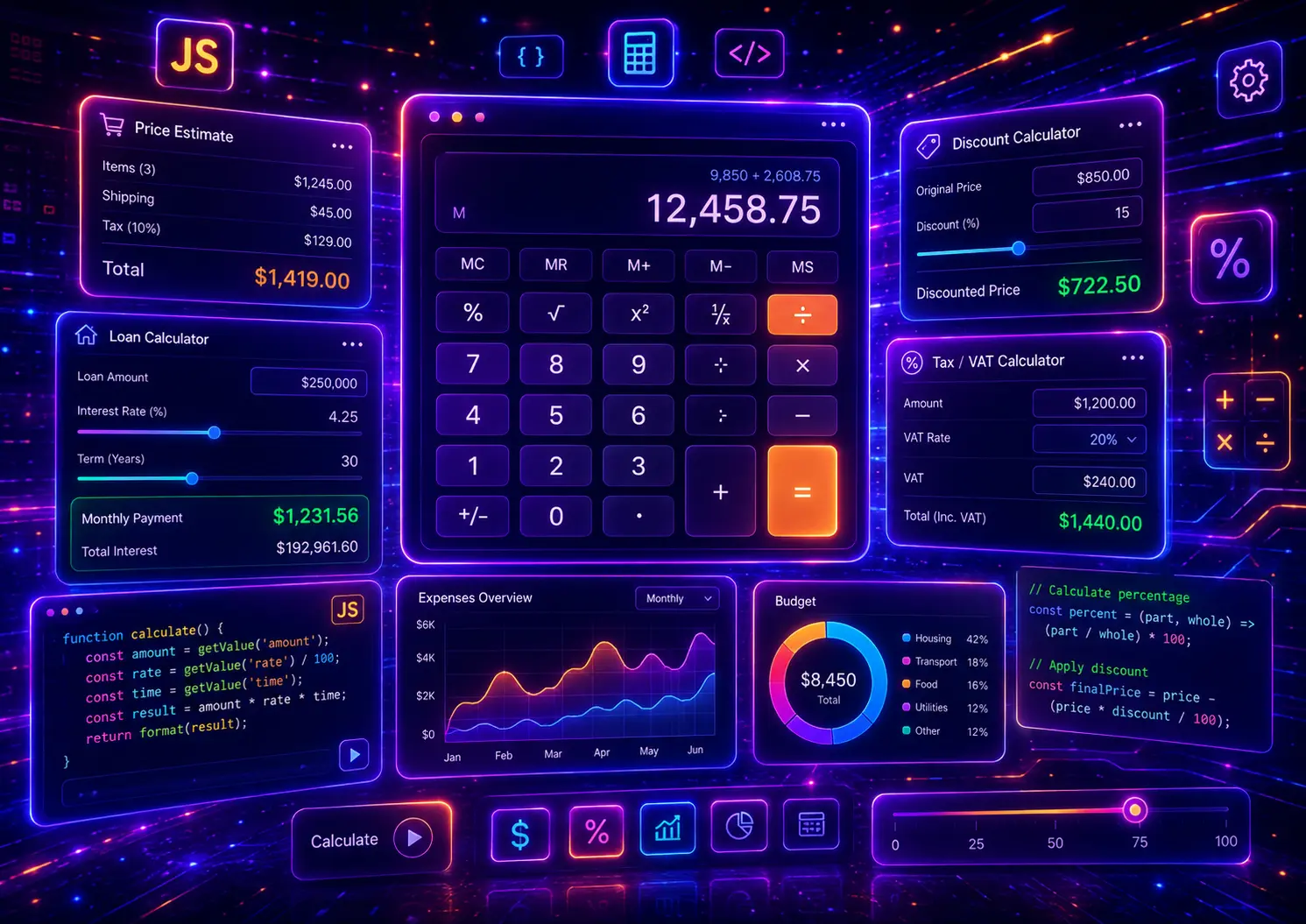
JavaScript calculators are useful interactive website tools for price estimates, loan payments, mortgage calculations, BMI results, discount prices, VAT calculations, shipping costs, quote forms, savings goals, tip amounts, ROI estimates, subscription pricing, and many other real-time calculations. They help users get instant answers without reloading the page or contacting support for every small question.
In this guide, you will find 30 JavaScript calculator examples for real website projects, including price calculators, loan calculators, BMI calculators, discount calculators, mortgage calculators, tip calculators, VAT calculators, shipping calculators, quote request calculators, calorie calculators, savings calculators, subscription calculators, ecommerce total calculators, and reusable form-based calculator systems.
This post focuses on practical JavaScript calculator logic, input handling, number formatting, live results, form validation, percentage calculations, range sliders, dropdown-based formulas, real-time totals, reset buttons, responsive layouts, and copy-paste-ready JavaScript, HTML, and CSS examples. For related JavaScript UI patterns, you can also explore our JavaScript form validation examples, JavaScript search filter examples, JavaScript dropdown menu examples, and JavaScript countdown timer examples.
Table of Contents
- What Is a JavaScript Calculator?
- Why JavaScript Calculators Matter
- JavaScript Calculator Types
- What Should a Good JavaScript Calculator Include?
- 30 JavaScript Calculator Examples
- JavaScript Calculator Best Practices
- Responsive Calculator Design Tips
- Common JavaScript Calculator Mistakes
- JavaScript Calculator FAQ
- Conclusion
- Related JavaScript Guides

What Is a JavaScript Calculator?
A JavaScript calculator is an interactive website tool that takes user input, applies a calculation formula, and shows the result directly on the page. JavaScript calculators can be simple, such as a basic tip calculator, or more advanced, such as a loan payment calculator, price estimate calculator, mortgage calculator, BMI calculator, discount calculator, VAT calculator, or multi-step quote calculator.
The main purpose of a JavaScript calculator is to help users get instant answers. Instead of asking visitors to manually calculate totals, percentages, monthly payments, tax amounts, shipping costs, price estimates, or form-based values, the website can calculate the result automatically when users type, select options, move sliders, or click a button.
A good JavaScript calculator is not only about math. It also needs clear input fields, helpful labels, formatted results, validation, responsive design, useful error messages, and JavaScript logic that is easy to understand and customize. That is why every example in this guide includes visible JavaScript, HTML, and CSS code.
Why JavaScript Calculators Matter
JavaScript calculators matter because they turn static pages into useful interactive tools. A calculator can help users compare prices, estimate costs, understand loan payments, check body measurements, calculate discounts, estimate project budgets, or make faster buying decisions without leaving the page.
- They increase user engagement by giving visitors something useful to interact with instead of only reading static content.
- They improve lead generation because quote calculators, price estimators, mortgage calculators, and cost calculators can help users move closer to sending a request.
- They reduce confusion by showing totals, percentages, payments, and estimates clearly before the user submits a form.
- They support ecommerce decisions with discount calculators, shipping calculators, cart total calculators, subscription price calculators, and product option totals.
- They make forms smarter by calculating results from inputs, dropdowns, checkboxes, range sliders, and selected options.
JavaScript calculators are especially useful for service websites, ecommerce stores, financial tools, SaaS pricing pages, fitness websites, real estate websites, landing pages, lead forms, admin dashboards, and educational projects. They can be lightweight, fast, and fully custom without requiring a large JavaScript framework.
JavaScript Calculator Types
There are many different types of JavaScript calculators. Some calculators use one simple formula, while others combine several inputs, dynamic fields, selectable options, conditional logic, sliders, currency formatting, percentages, and live result updates.
The right calculator type depends on the user goal. A price calculator should make cost estimation simple. A loan calculator should clearly show monthly payment values. A BMI calculator should explain the result category. A discount calculator should show original price, discount amount, and final price. A quote calculator should guide users through options and return a useful estimate.
- Price calculators estimate product, service, subscription, installation, or project costs from selected options.
- Loan calculators calculate monthly payments, interest estimates, payment totals, or repayment values.
- BMI calculators calculate body mass index from height and weight inputs and return a result category.
- Discount calculators calculate sale price, saved amount, percentage discount, or final checkout value.
- VAT and tax calculators add or remove tax amounts from product prices, invoices, or service totals.
- Shipping calculators estimate shipping cost based on weight, distance, delivery method, or cart value.
- Quote calculators combine multiple form fields to create a quick estimate for service-based websites.
- Financial calculators calculate savings goals, ROI, interest, mortgage payments, or investment-related values.
- Health calculators calculate BMI, calories, water intake, fitness goals, or nutrition-related estimates.
- Utility calculators handle unit conversion, time estimates, percentage formulas, totals, and everyday calculations.
This guide focuses on practical JavaScript calculator examples, so every demo will include visible JavaScript, HTML, and CSS code. The examples are designed to be copy-paste friendly, easy to customize, and different in formula type, layout, input behavior, validation logic, result formatting, and user interaction.
What Should a Good JavaScript Calculator Include?
A good JavaScript calculator should be accurate, easy to use, responsive, and clear. Users should understand which values they need to enter, what the calculator is doing, and how the final result is calculated. The interface should feel simple even when the formula behind it is more advanced.
Clear inputs
Each field should explain what the user needs to enter, such as price, percentage, height, loan amount, interest rate, term, quantity, or selected option.
Accurate formula
The JavaScript should use a clear calculation formula, handle empty values, avoid invalid results, and format numbers in a readable way.
Instant result
The result should update quickly after typing, selecting options, moving sliders, or clicking the calculate button.
Helpful feedback
The calculator should show clear messages when required values are missing, invalid, too low, too high, or impossible to calculate.
Before building a calculator, decide which formula it needs, which fields are required, how the result should be formatted, whether the result should update live, and what should happen when users enter invalid values. This planning is important because a calculator is not only a visual form — it is a functional JavaScript tool.
- Use clear field labels so users understand what values they need to enter.
- Validate all inputs because empty, negative, missing, or unrealistic values can create broken results.
- Format results properly with currency symbols, percentage signs, decimal control, units, or result categories.
- Use live updates carefully when instant feedback is helpful, and use a calculate button when the formula needs more control.
- Show helpful error messages instead of returning NaN, Infinity, empty values, or confusing results.
- Keep JavaScript scoped so multiple calculator examples or components can work on the same page.
- Make the layout responsive because many users will calculate prices, loans, discounts, or quotes on mobile screens.
- Separate formula logic from UI logic so the calculator is easier to edit and reuse later.
- Use accessible form markup with labels, focus states, readable contrast, and keyboard-friendly controls.
- Explain the result when needed, especially for BMI, loan, mortgage, ROI, savings, or quote calculators.
You can combine JavaScript calculators with many other website features. A price calculator can improve a service landing page, a quote calculator can support a modern CSS form, a savings calculator can work inside a dashboard layout, and an ecommerce discount calculator can pair well with product cards, checkout forms, and interactive UI components. For more JavaScript functionality, you can also explore our form validation examples and search filter examples.
30 JavaScript Calculator Examples
Now let’s look at 30 JavaScript calculator examples for real website projects. Each example uses a different formula, input system, result layout, validation pattern, calculation method, responsive design, or JavaScript behavior, so you can build practical calculators for ecommerce, finance, health, service websites, forms, dashboards, landing pages, and everyday UI tools.
1. Price Estimate Calculator
A price estimate calculator is one of the most useful JavaScript calculators for service websites, landing pages, product configurators, quote forms, and ecommerce pages. It helps users estimate a price instantly by selecting a package, quantity, and extra options.
This example uses live input calculation, package pricing, add-on checkboxes, quantity logic, currency formatting, and a reset button. The JavaScript updates the total immediately whenever the user changes any option.
- Live service price calculator
- Package dropdown and quantity input
- Checkbox add-ons
- Currency formatting with JavaScript
- Reset button and dynamic summary
Price Estimate Calculator
Select a package, add extras, choose quantity, and see the estimated project price update instantly.
Choose options to calculate your estimate.
JavaScript
(function () {
  const demo = document.querySelector(".vb-calc-one-demo");
  if (!demo) return;

  const packageSelect = demo.querySelector("[data-vb-calc-one-package]");
  const pagesInput = demo.querySelector("[data-vb-calc-one-pages]");
  const extras = demo.querySelectorAll("[data-vb-calc-one-extra]");
  const totalOutput = demo.querySelector("[data-vb-calc-one-total]");
  const summaryOutput = demo.querySelector("[data-vb-calc-one-summary]");
  const resetButton = demo.querySelector("[data-vb-calc-one-reset]");

  const formatter = new Intl.NumberFormat("en-US", {
    style: "currency",
    currency: "EUR",
    maximumFractionDigits: 0
  });

  function calculatePrice() {
    const basePrice = Number(packageSelect.value);
    const pages = Math.max(Number(pagesInput.value) || 1, 1);
    const extraPages = Math.max(pages - 5, 0) * 45;

    let extrasTotal = 0;
    let selectedExtras = 0;

    extras.forEach(function (extra) {
      if (extra.checked) {
        extrasTotal += Number(extra.value);
        selectedExtras += 1;
      }
    });

    const total = basePrice + extraPages + extrasTotal;

    totalOutput.textContent = formatter.format(total);
    summaryOutput.textContent = pages + " page(s), " + selectedExtras + " extra option(s), including extra page cost if needed.";
  }

  function resetCalculator() {
    packageSelect.value = "299";
    pagesInput.value = "5";

    extras.forEach(function (extra) {
      extra.checked = false;
    });

    calculatePrice();
  }

  packageSelect.addEventListener("change", calculatePrice);
  pagesInput.addEventListener("input", calculatePrice);

  extras.forEach(function (extra) {
    extra.addEventListener("change", calculatePrice);
  });

  resetButton.addEventListener("click", resetCalculator);

  calculatePrice();
})();
HTML
<div class="vb-calc-one-demo">
  <div class="vb-calc-one-card">
    <div class="vb-calc-one-copy">
      <span class="vb-calc-one-kicker">Example 01</span>
      <h3>Price Estimate Calculator</h3>
      <p>Select a package, add extras, choose quantity, and see the estimated project price update instantly.</p>
    </div>

    <div class="vb-calc-one-tool">
      <label>
        Service package
        <select data-vb-calc-one-package>
          <option value="299">Starter Website - 299€</option>
          <option value="599">Business Website - 599€</option>
          <option value="999">Premium Website - 999€</option>
        </select>
      </label>

      <label>
        Number of pages
        <input type="number" min="1" value="5" data-vb-calc-one-pages>
      </label>

      <div class="vb-calc-one-options">
        <label>
          <input type="checkbox" value="120" data-vb-calc-one-extra>
          SEO setup
        </label>

        <label>
          <input type="checkbox" value="180" data-vb-calc-one-extra>
          Booking form
        </label>

        <label>
          <input type="checkbox" value="250" data-vb-calc-one-extra>
          Ecommerce setup
        </label>
      </div>

      <div class="vb-calc-one-result">
        <span>Estimated price</span>
        <strong data-vb-calc-one-total>0€</strong>
        <p data-vb-calc-one-summary>Choose options to calculate your estimate.</p>
      </div>

      <button type="button" data-vb-calc-one-reset>Reset Calculator</button>
    </div>
  </div>
</div>
CSS
.vb-calc-one-demo,
.vb-calc-one-demo * {
  box-sizing: border-box;
}

.vb-calc-one-demo {
  margin: 28px 0;
  padding: clamp(18px, 4vw, 38px);
  border-radius: 34px;
  background:
    radial-gradient(circle at 16% 18%, rgba(34, 197, 94, 0.20), transparent 32%),
    radial-gradient(circle at 84% 12%, rgba(6, 182, 212, 0.18), transparent 34%),
    linear-gradient(135deg, #ecfdf5 0%, #f0fdfa 48%, #ffffff 100%) !important;
  border: 1px solid rgba(34, 197, 94, 0.20);
  box-shadow: 0 28px 80px rgba(15, 23, 42, 0.10);
}

.vb-calc-one-card {
  display: grid;
  grid-template-columns: minmax(0, 0.95fr) minmax(0, 1.05fr);
  gap: 28px;
  max-width: 1120px;
  margin: 0 auto;
  align-items: center;
  padding: clamp(22px, 4vw, 34px);
  border-radius: 28px;
  background: linear-gradient(135deg, #052e2b 0%, #065f46 52%, #0f766e 100%) !important;
  box-shadow: 0 30px 90px rgba(6, 78, 59, 0.24);
}

.vb-calc-one-kicker {
  display: inline-flex;
  margin-bottom: 16px;
  padding: 8px 12px;
  border-radius: 999px;
  background: rgba(255,255,255,0.13);
  color: #a7f3d0 !important;
  -webkit-text-fill-color: #a7f3d0 !important;
  font-size: 12px;
  font-weight: 950;
  letter-spacing: 0.12em;
  text-transform: uppercase;
}

.vb-calc-one-copy h3 {
  margin: 0 0 16px !important;
  color: #ffffff !important;
  -webkit-text-fill-color: #ffffff !important;
  font-size: clamp(36px, 5vw, 64px) !important;
  line-height: 0.95 !important;
  font-weight: 950 !important;
  letter-spacing: -0.07em;
}

.vb-calc-one-copy p {
  margin: 0 !important;
  max-width: 520px;
  color: #d1fae5 !important;
  -webkit-text-fill-color: #d1fae5 !important;
  font-size: 16px;
  line-height: 1.7;
  font-weight: 650;
}

.vb-calc-one-tool {
  display: grid;
  gap: 16px;
  padding: clamp(18px, 3vw, 26px);
  border-radius: 24px;
  background: rgba(255,255,255,0.12);
  border: 1px solid rgba(255,255,255,0.18);
  backdrop-filter: blur(14px);
}

.vb-calc-one-tool label {
  display: grid;
  gap: 8px;
  color: #ffffff !important;
  -webkit-text-fill-color: #ffffff !important;
  font-size: 14px;
  font-weight: 850;
}

.vb-calc-one-tool select,
.vb-calc-one-tool input[type="number"] {
  width: 100%;
  min-height: 48px;
  padding: 0 14px;
  border: 1px solid rgba(255,255,255,0.22);
  border-radius: 14px;
  background: #ffffff;
  color: #0f172a !important;
  -webkit-text-fill-color: #0f172a !important;
  font-size: 15px;
  font-weight: 750;
  outline: none;
}

.vb-calc-one-options {
  display: grid;
  gap: 10px;
  padding: 14px;
  border-radius: 18px;
  background: rgba(255,255,255,0.09);
}

.vb-calc-one-options label {
  display: flex;
  align-items: center;
  gap: 10px;
}

.vb-calc-one-options input {
  width: 18px;
  height: 18px;
  accent-color: #22c55e;
}

.vb-calc-one-result {
  padding: 18px;
  border-radius: 20px;
  background: #ffffff;
  border: 1px solid rgba(34, 197, 94, 0.22);
}

.vb-calc-one-result span {
  display: block;
  margin-bottom: 5px;
  color: #475569 !important;
  -webkit-text-fill-color: #475569 !important;
  font-size: 13px;
  font-weight: 850;
  text-transform: uppercase;
  letter-spacing: 0.08em;
}

.vb-calc-one-result strong {
  display: block;
  color: #065f46 !important;
  -webkit-text-fill-color: #065f46 !important;
  font-size: 42px;
  line-height: 1;
  font-weight: 950;
  letter-spacing: -0.05em;
}

.vb-calc-one-result p {
  margin: 9px 0 0 !important;
  color: #475569 !important;
  -webkit-text-fill-color: #475569 !important;
  font-size: 14px;
  line-height: 1.45;
  font-weight: 650;
}

.vb-calc-one-tool button {
  min-height: 48px;
  border: 0;
  border-radius: 999px;
  background: linear-gradient(135deg, #22c55e, #06b6d4);
  color: #052e2b !important;
  -webkit-text-fill-color: #052e2b !important;
  font-size: 14px;
  font-weight: 950;
  cursor: pointer;
  box-shadow: 0 16px 38px rgba(34, 197, 94, 0.26);
}

@media (max-width: 900px) {
  .vb-calc-one-card {
    grid-template-columns: 1fr;
  }
}

@media (max-width: 640px) {
  .vb-calc-one-card {
    padding: 22px;
    border-radius: 24px;
  }

  .vb-calc-one-copy h3 {
    font-size: 38px !important;
  }
}
This price estimate calculator is useful for agency websites, website design services, local service businesses, product configurators, quote request pages, and landing pages where visitors need a fast cost estimate before contacting the business.
2. Loan Payment Calculator
A loan payment calculator is useful for finance websites, banking pages, car loan forms, mortgage previews, credit calculators, and comparison tools. It helps users estimate a monthly payment based on loan amount, interest rate, and repayment term.
This example uses a real amortized loan payment formula, number validation, slider-based term selection, live monthly payment calculation, total repayment output, and total interest output.
- Monthly loan payment calculator
- Real amortization formula
- Range slider for loan term
- Total repayment and interest summary
- Validation for missing or invalid values
Loan Payment Calculator
Calculate estimated monthly payments, total repayment, and total interest using loan amount, interest rate, and term.
JavaScript
(function () {
  const demo = document.querySelector(".vb-calc-two-demo");
  if (!demo) return;

  const amountInput = demo.querySelector("[data-vb-calc-two-amount]");
  const rateInput = demo.querySelector("[data-vb-calc-two-rate]");
  const yearsInput = demo.querySelector("[data-vb-calc-two-years]");
  const yearsLabel = demo.querySelector("[data-vb-calc-two-years-label]");
  const paymentOutput = demo.querySelector("[data-vb-calc-two-payment]");
  const totalOutput = demo.querySelector("[data-vb-calc-two-total]");
  const interestOutput = demo.querySelector("[data-vb-calc-two-interest]");
  const errorOutput = demo.querySelector("[data-vb-calc-two-error]");

  const money = new Intl.NumberFormat("en-US", {
    style: "currency",
    currency: "EUR",
    maximumFractionDigits: 0
  });

  function calculateLoan() {
    const amount = Number(amountInput.value);
    const annualRate = Number(rateInput.value);
    const years = Number(yearsInput.value);
    const months = years * 12;

    yearsLabel.textContent = years + (years === 1 ? " year" : " years");

    if (amount <= 0 || annualRate < 0 || years <= 0) {
      errorOutput.textContent = "Enter a valid loan amount, rate, and term.";
      paymentOutput.textContent = "€0";
      totalOutput.textContent = "€0";
      interestOutput.textContent = "€0";
      return;
    }

    errorOutput.textContent = "";

    const monthlyRate = annualRate / 100 / 12;
    let monthlyPayment;

    if (monthlyRate === 0) {
      monthlyPayment = amount / months;
    } else {
      monthlyPayment = amount * monthlyRate * Math.pow(1 + monthlyRate, months) / (Math.pow(1 + monthlyRate, months) - 1);
    }

    const totalRepayment = monthlyPayment * months;
    const totalInterest = totalRepayment - amount;

    paymentOutput.textContent = money.format(monthlyPayment);
    totalOutput.textContent = money.format(totalRepayment);
    interestOutput.textContent = money.format(totalInterest);
  }

  amountInput.addEventListener("input", calculateLoan);
  rateInput.addEventListener("input", calculateLoan);
  yearsInput.addEventListener("input", calculateLoan);

  calculateLoan();
})();
HTML
<div class="vb-calc-two-demo">
  <div class="vb-calc-two-shell">
    <div class="vb-calc-two-header">
      <span>Example 02</span>
      <h3>Loan Payment Calculator</h3>
      <p>Calculate estimated monthly payments, total repayment, and total interest using loan amount, interest rate, and term.</p>
    </div>

    <div class="vb-calc-two-grid">
      <div class="vb-calc-two-form">
        <label>
          Loan amount
          <input type="number" min="1" value="15000" data-vb-calc-two-amount>
        </label>

        <label>
          Annual interest rate (%)
          <input type="number" min="0" step="0.1" value="6.5" data-vb-calc-two-rate>
        </label>

        <label>
          Loan term: <strong data-vb-calc-two-years-label>5 years</strong>
          <input type="range" min="1" max="30" value="5" data-vb-calc-two-years>
        </label>

        <div class="vb-calc-two-error" data-vb-calc-two-error></div>
      </div>

      <div class="vb-calc-two-results">
        <div>
          <span>Monthly payment</span>
          <strong data-vb-calc-two-payment>€0</strong>
        </div>

        <div>
          <span>Total repayment</span>
          <strong data-vb-calc-two-total>€0</strong>
        </div>

        <div>
          <span>Total interest</span>
          <strong data-vb-calc-two-interest>€0</strong>
        </div>
      </div>
    </div>
  </div>
</div>
CSS
.vb-calc-two-demo,
.vb-calc-two-demo * {
  box-sizing: border-box;
}

.vb-calc-two-demo {
  margin: 28px 0;
  padding: clamp(18px, 4vw, 40px);
  border-radius: 24px;
  background:
    linear-gradient(90deg, rgba(37, 99, 235, 0.08) 1px, transparent 1px),
    linear-gradient(0deg, rgba(37, 99, 235, 0.08) 1px, transparent 1px),
    linear-gradient(135deg, #eff6ff 0%, #eef2ff 56%, #ffffff 100%) !important;
  background-size: 26px 26px, 26px 26px, auto !important;
  border: 1px solid rgba(37, 99, 235, 0.20);
}

.vb-calc-two-shell {
  max-width: 1120px;
  margin: 0 auto;
  overflow: hidden;
  border-radius: 28px;
  background: #ffffff;
  box-shadow: 0 28px 80px rgba(30, 64, 175, 0.15);
  border: 1px solid rgba(148, 163, 184, 0.22);
}

.vb-calc-two-header {
  padding: clamp(24px, 4vw, 38px);
  background: linear-gradient(135deg, #1e3a8a, #2563eb 55%, #06b6d4) !important;
}

.vb-calc-two-header span {
  display: inline-flex;
  margin-bottom: 14px;
  padding: 8px 12px;
  border-radius: 999px;
  background: rgba(255,255,255,0.16);
  color: #dbeafe !important;
  -webkit-text-fill-color: #dbeafe !important;
  font-size: 12px;
  font-weight: 950;
  letter-spacing: 0.12em;
  text-transform: uppercase;
}

.vb-calc-two-header h3 {
  margin: 0 0 12px !important;
  color: #ffffff !important;
  -webkit-text-fill-color: #ffffff !important;
  font-size: clamp(34px, 5vw, 62px) !important;
  line-height: 0.96 !important;
  font-weight: 950 !important;
  letter-spacing: -0.07em;
}

.vb-calc-two-header p {
  max-width: 720px;
  margin: 0 !important;
  color: #dbeafe !important;
  -webkit-text-fill-color: #dbeafe !important;
  font-size: 16px;
  line-height: 1.7;
  font-weight: 650;
}

.vb-calc-two-grid {
  display: grid;
  grid-template-columns: minmax(0, 1fr) 360px;
  gap: 0;
}

.vb-calc-two-form {
  display: grid;
  gap: 18px;
  padding: clamp(22px, 4vw, 34px);
}

.vb-calc-two-form label {
  display: grid;
  gap: 8px;
  color: #1e3a8a !important;
  -webkit-text-fill-color: #1e3a8a !important;
  font-size: 14px;
  font-weight: 900;
}

.vb-calc-two-form input[type="number"] {
  width: 100%;
  min-height: 50px;
  padding: 0 14px;
  border: 1px solid #bfdbfe;
  border-radius: 14px;
  outline: none;
  background: #f8fafc;
  color: #0f172a !important;
  -webkit-text-fill-color: #0f172a !important;
  font-size: 16px;
  font-weight: 750;
}

.vb-calc-two-form input[type="range"] {
  width: 100%;
  accent-color: #2563eb;
}

.vb-calc-two-error {
  min-height: 22px;
  color: #dc2626 !important;
  -webkit-text-fill-color: #dc2626 !important;
  font-size: 14px;
  font-weight: 800;
}

.vb-calc-two-results {
  display: grid;
  gap: 14px;
  padding: clamp(22px, 4vw, 34px);
  background: #f8fafc;
  border-left: 1px solid #e5e7eb;
}

.vb-calc-two-results div {
  padding: 18px;
  border-radius: 20px;
  background: #ffffff;
  border: 1px solid #dbeafe;
  box-shadow: 0 14px 34px rgba(30, 64, 175, 0.08);
}

.vb-calc-two-results span {
  display: block;
  margin-bottom: 8px;
  color: #64748b !important;
  -webkit-text-fill-color: #64748b !important;
  font-size: 12px;
  font-weight: 950;
  text-transform: uppercase;
  letter-spacing: 0.08em;
}

.vb-calc-two-results strong {
  display: block;
  color: #1e3a8a !important;
  -webkit-text-fill-color: #1e3a8a !important;
  font-size: 32px;
  line-height: 1;
  font-weight: 950;
  letter-spacing: -0.04em;
}

@media (max-width: 900px) {
  .vb-calc-two-grid {
    grid-template-columns: 1fr;
  }

  .vb-calc-two-results {
    border-left: 0;
    border-top: 1px solid #e5e7eb;
  }
}

@media (max-width: 640px) {
  .vb-calc-two-header h3 {
    font-size: 38px !important;
  }

  .vb-calc-two-results strong {
    font-size: 28px;
  }
}
This loan payment calculator is useful for finance websites, bank landing pages, credit calculators, car loan pages, real estate tools, and comparison pages where users need a quick payment estimate before applying or requesting more information.
3. BMI Calculator
A BMI calculator is one of the most searched JavaScript calculator examples for health, fitness, wellness, nutrition, coaching, and medical-style websites. It calculates body mass index from height and weight, then shows a result category.
This example uses metric inputs, validation, a BMI formula, dynamic category labels, color-coded result states, and a simple health-style summary. The JavaScript changes the result message depending on the calculated BMI range.
- Metric BMI calculator
- Height and weight validation
- Dynamic BMI category result
- Color-coded status output
- Useful health and fitness calculator pattern
BMI Calculator
Enter height and weight to calculate BMI and see a simple category result.
Enter your details to calculate BMI.
JavaScript
(function () {
  const demo = document.querySelector(".vb-calc-three-demo");
  if (!demo) return;

  const heightInput = demo.querySelector("[data-vb-calc-three-height]");
  const weightInput = demo.querySelector("[data-vb-calc-three-weight]");
  const button = demo.querySelector("[data-vb-calc-three-button]");
  const resultBox = demo.querySelector("[data-vb-calc-three-result]");
  const valueOutput = demo.querySelector("[data-vb-calc-three-value]");
  const messageOutput = demo.querySelector("[data-vb-calc-three-message]");
  const meter = demo.querySelector("[data-vb-calc-three-meter]");

  function getBmiCategory(bmi) {
    if (bmi < 18.5) {
      return {
        className: "is-low",
        message: "Underweight range. This result is only a simple calculator estimate.",
        meter: 28
      };
    }

    if (bmi < 25) {
      return {
        className: "is-normal",
        message: "Normal range. This result is only a simple calculator estimate.",
        meter: 52
      };
    }

    if (bmi < 30) {
      return {
        className: "is-high",
        message: "Overweight range. This result is only a simple calculator estimate.",
        meter: 72
      };
    }

    return {
      className: "is-very-high",
      message: "Obesity range. This result is only a simple calculator estimate.",
      meter: 92
    };
  }

  function calculateBmi() {
    const heightCm = Number(heightInput.value);
    const weightKg = Number(weightInput.value);

    resultBox.classList.remove("is-low", "is-normal", "is-high", "is-very-high");

    if (heightCm <= 0 || weightKg <= 0) {
      valueOutput.textContent = "0.0";
      messageOutput.textContent = "Enter valid height and weight values.";
      meter.style.width = "0%";
      return;
    }

    const heightM = heightCm / 100;
    const bmi = weightKg / (heightM * heightM);
    const category = getBmiCategory(bmi);

    valueOutput.textContent = bmi.toFixed(1);
    messageOutput.textContent = category.message;
    meter.style.width = category.meter + "%";
    resultBox.classList.add(category.className);
  }

  button.addEventListener("click", calculateBmi);
  heightInput.addEventListener("input", calculateBmi);
  weightInput.addEventListener("input", calculateBmi);

  calculateBmi();
})();
HTML
<div class="vb-calc-three-demo">
  <div class="vb-calc-three-card">
    <div class="vb-calc-three-visual">
      <span>Example 03</span>
      <h3>BMI Calculator</h3>
      <p>Enter height and weight to calculate BMI and see a simple category result.</p>

      <div class="vb-calc-three-meter">
        <div data-vb-calc-three-meter></div>
      </div>
    </div>

    <div class="vb-calc-three-form">
      <label>
        Height in centimeters
        <input type="number" min="80" max="250" value="175" data-vb-calc-three-height>
      </label>

      <label>
        Weight in kilograms
        <input type="number" min="20" max="300" value="72" data-vb-calc-three-weight>
      </label>

      <button type="button" data-vb-calc-three-button>Calculate BMI</button>

      <div class="vb-calc-three-result" data-vb-calc-three-result>
        <span>BMI Result</span>
        <strong data-vb-calc-three-value>0.0</strong>
        <p data-vb-calc-three-message>Enter your details to calculate BMI.</p>
      </div>
    </div>
  </div>
</div>
CSS
.vb-calc-three-demo,
.vb-calc-three-demo * {
  box-sizing: border-box;
}

.vb-calc-three-demo {
  margin: 28px 0;
  padding: clamp(18px, 4vw, 38px);
  border-radius: 38px;
  background:
    radial-gradient(circle at 12% 18%, rgba(14, 165, 233, 0.18), transparent 32%),
    radial-gradient(circle at 88% 14%, rgba(168, 85, 247, 0.16), transparent 34%),
    linear-gradient(135deg, #f0f9ff 0%, #faf5ff 52%, #ffffff 100%) !important;
  border: 1px solid rgba(14, 165, 233, 0.18);
  box-shadow: 0 28px 80px rgba(15, 23, 42, 0.09);
}

.vb-calc-three-card {
  display: grid;
  grid-template-columns: minmax(0, 0.95fr) minmax(0, 1.05fr);
  gap: 24px;
  max-width: 1120px;
  margin: 0 auto;
}

.vb-calc-three-visual,
.vb-calc-three-form {
  padding: clamp(22px, 4vw, 34px);
  border-radius: 30px;
}

.vb-calc-three-visual {
  display: flex;
  flex-direction: column;
  justify-content: center;
  background:
    radial-gradient(circle at 18% 18%, rgba(255,255,255,0.18), transparent 34%),
    linear-gradient(135deg, #0f172a, #0369a1 58%, #7c3aed) !important;
  box-shadow: 0 30px 90px rgba(3, 105, 161, 0.22);
}

.vb-calc-three-visual span {
  display: inline-flex;
  width: fit-content;
  margin-bottom: 15px;
  padding: 8px 12px;
  border-radius: 999px;
  background: rgba(255,255,255,0.14);
  color: #bae6fd !important;
  -webkit-text-fill-color: #bae6fd !important;
  font-size: 12px;
  font-weight: 950;
  letter-spacing: 0.12em;
  text-transform: uppercase;
}

.vb-calc-three-visual h3 {
  margin: 0 0 14px !important;
  color: #ffffff !important;
  -webkit-text-fill-color: #ffffff !important;
  font-size: clamp(38px, 5.2vw, 68px) !important;
  line-height: 0.94 !important;
  font-weight: 950 !important;
  letter-spacing: -0.07em;
}

.vb-calc-three-visual p {
  margin: 0 0 24px !important;
  color: #e0f2fe !important;
  -webkit-text-fill-color: #e0f2fe !important;
  font-size: 16px;
  line-height: 1.7;
  font-weight: 650;
}

.vb-calc-three-meter {
  height: 16px;
  overflow: hidden;
  border-radius: 999px;
  background: rgba(255,255,255,0.18);
}

.vb-calc-three-meter div {
  width: 0%;
  height: 100%;
  border-radius: inherit;
  background: linear-gradient(90deg, #22c55e, #facc15, #ef4444);
  transition: width 0.25s ease;
}

.vb-calc-three-form {
  display: grid;
  gap: 16px;
  background: #ffffff;
  border: 1px solid rgba(148, 163, 184, 0.22);
  box-shadow: 0 24px 70px rgba(15, 23, 42, 0.10);
}

.vb-calc-three-form label {
  display: grid;
  gap: 8px;
  color: #334155 !important;
  -webkit-text-fill-color: #334155 !important;
  font-size: 14px;
  font-weight: 900;
}

.vb-calc-three-form input {
  width: 100%;
  min-height: 50px;
  padding: 0 14px;
  border: 1px solid #cbd5e1;
  border-radius: 16px;
  outline: none;
  background: #f8fafc;
  color: #0f172a !important;
  -webkit-text-fill-color: #0f172a !important;
  font-size: 16px;
  font-weight: 750;
}

.vb-calc-three-form button {
  min-height: 50px;
  border: 0;
  border-radius: 999px;
  background: linear-gradient(135deg, #0ea5e9, #7c3aed);
  color: #ffffff !important;
  -webkit-text-fill-color: #ffffff !important;
  font-size: 14px;
  font-weight: 950;
  cursor: pointer;
  box-shadow: 0 16px 38px rgba(124, 58, 237, 0.25);
}

.vb-calc-three-result {
  padding: 20px;
  border-radius: 22px;
  background: #f8fafc;
  border: 1px solid #e2e8f0;
}

.vb-calc-three-result span {
  display: block;
  margin-bottom: 6px;
  color: #64748b !important;
  -webkit-text-fill-color: #64748b !important;
  font-size: 12px;
  font-weight: 950;
  text-transform: uppercase;
  letter-spacing: 0.08em;
}

.vb-calc-three-result strong {
  display: block;
  color: #0f172a !important;
  -webkit-text-fill-color: #0f172a !important;
  font-size: 46px;
  line-height: 1;
  font-weight: 950;
  letter-spacing: -0.05em;
}

.vb-calc-three-result p {
  margin: 8px 0 0 !important;
  color: #475569 !important;
  -webkit-text-fill-color: #475569 !important;
  font-size: 14px;
  line-height: 1.55;
  font-weight: 650;
}

.vb-calc-three-result.is-low {
  border-color: rgba(14, 165, 233, 0.35);
  background: #f0f9ff;
}

.vb-calc-three-result.is-normal {
  border-color: rgba(34, 197, 94, 0.35);
  background: #f0fdf4;
}

.vb-calc-three-result.is-high {
  border-color: rgba(250, 204, 21, 0.55);
  background: #fefce8;
}

.vb-calc-three-result.is-very-high {
  border-color: rgba(239, 68, 68, 0.35);
  background: #fef2f2;
}

@media (max-width: 900px) {
  .vb-calc-three-card {
    grid-template-columns: 1fr;
  }
}

@media (max-width: 640px) {
  .vb-calc-three-visual h3 {
    font-size: 40px !important;
  }
}
This BMI calculator is useful for fitness websites, nutrition blogs, wellness landing pages, personal trainer websites, health tools, and educational projects that need a simple interactive body mass index calculator.
4. Discount Calculator
A discount calculator is useful for ecommerce stores, pricing pages, sale banners, product pages, checkout tools, and marketing landing pages. It helps users calculate the final price, saved amount, and discount percentage instantly.
This example uses original price input, discount percentage input, live calculation, formatted currency output, a visual savings badge, and validation for invalid numbers. The JavaScript updates the final price and saved amount as the user types.
- Live discount price calculator
- Original price and discount percentage inputs
- Saved amount and final price output
- Input validation for negative values
- Ecommerce sale calculator layout
Discount Calculator
Calculate a sale price, saved amount, and final checkout value from an original price and discount percentage.
Sale price calculated automatically.
JavaScript
(function () {
  const demo = document.querySelector(".vb-calc-four-demo");
  if (!demo) return;

  const priceInput = demo.querySelector("[data-vb-calc-four-price]");
  const discountInput = demo.querySelector("[data-vb-calc-four-discount]");
  const finalOutput = demo.querySelector("[data-vb-calc-four-final]");
  const saveOutput = demo.querySelector("[data-vb-calc-four-save]");
  const messageOutput = demo.querySelector("[data-vb-calc-four-message]");

  const money = new Intl.NumberFormat("en-US", {
    style: "currency",
    currency: "EUR",
    minimumFractionDigits: 2,
    maximumFractionDigits: 2
  });

  function calculateDiscount() {
    const price = Number(priceInput.value);
    const discount = Number(discountInput.value);

    if (price < 0 || discount < 0 || discount > 100 || Number.isNaN(price) || Number.isNaN(discount)) {
      finalOutput.textContent = "€0.00";
      saveOutput.textContent = "€0.00";
      messageOutput.textContent = "Enter a valid price and a discount between 0 and 100%.";
      return;
    }

    const savedAmount = price * (discount / 100);
    const finalPrice = price - savedAmount;

    finalOutput.textContent = money.format(finalPrice);
    saveOutput.textContent = money.format(savedAmount);
    messageOutput.textContent = "The customer saves " + discount.toFixed(0) + "% from the original price.";
  }

  priceInput.addEventListener("input", calculateDiscount);
  discountInput.addEventListener("input", calculateDiscount);

  calculateDiscount();
})();
HTML
<div class="vb-calc-four-demo">
  <div class="vb-calc-four-wrap">
    <div class="vb-calc-four-left">
      <span class="vb-calc-four-kicker">Example 04</span>
      <h3>Discount Calculator</h3>
      <p>Calculate a sale price, saved amount, and final checkout value from an original price and discount percentage.</p>
    </div>

    <div class="vb-calc-four-box">
      <div class="vb-calc-four-fields">
        <label>
          Original price
          <input type="number" min="0" value="129" data-vb-calc-four-price>
        </label>

        <label>
          Discount percentage
          <input type="number" min="0" max="100" value="25" data-vb-calc-four-discount>
        </label>
      </div>

      <div class="vb-calc-four-ticket">
        <div>
          <span>Final price</span>
          <strong data-vb-calc-four-final>€0.00</strong>
        </div>

        <div>
          <span>You save</span>
          <strong data-vb-calc-four-save>€0.00</strong>
        </div>

        <p data-vb-calc-four-message>Sale price calculated automatically.</p>
      </div>
    </div>
  </div>
</div>
CSS
.vb-calc-four-demo,
.vb-calc-four-demo * {
  box-sizing: border-box;
}

.vb-calc-four-demo {
  margin: 28px 0;
  padding: clamp(18px, 4vw, 38px);
  border-radius: 32px;
  background:
    radial-gradient(circle at 14% 18%, rgba(244, 63, 94, 0.18), transparent 32%),
    radial-gradient(circle at 86% 12%, rgba(251, 146, 60, 0.18), transparent 34%),
    linear-gradient(135deg, #fff7ed 0%, #fff1f2 50%, #ffffff 100%) !important;
  border: 1px solid rgba(244, 63, 94, 0.18);
  box-shadow: 0 28px 80px rgba(15, 23, 42, 0.09);
}

.vb-calc-four-wrap {
  display: grid;
  grid-template-columns: minmax(0, 0.9fr) minmax(0, 1.1fr);
  gap: 26px;
  max-width: 1120px;
  margin: 0 auto;
  align-items: stretch;
}

.vb-calc-four-left {
  display: flex;
  flex-direction: column;
  justify-content: center;
  padding: clamp(22px, 4vw, 36px);
  border-radius: 28px;
  background:
    radial-gradient(circle at 20% 18%, rgba(255,255,255,0.20), transparent 34%),
    linear-gradient(135deg, #7f1d1d 0%, #e11d48 54%, #fb923c 100%) !important;
  box-shadow: 0 30px 90px rgba(190, 18, 60, 0.22);
}

.vb-calc-four-kicker {
  display: inline-flex;
  width: fit-content;
  margin-bottom: 15px;
  padding: 8px 12px;
  border-radius: 999px;
  background: rgba(255,255,255,0.15);
  color: #ffe4e6 !important;
  -webkit-text-fill-color: #ffe4e6 !important;
  font-size: 12px;
  font-weight: 950;
  letter-spacing: 0.12em;
  text-transform: uppercase;
}

.vb-calc-four-left h3 {
  margin: 0 0 14px !important;
  color: #ffffff !important;
  -webkit-text-fill-color: #ffffff !important;
  font-size: clamp(38px, 5.2vw, 68px) !important;
  line-height: 0.94 !important;
  font-weight: 950 !important;
  letter-spacing: -0.075em;
}

.vb-calc-four-left p {
  margin: 0 !important;
  color: #ffe4e6 !important;
  -webkit-text-fill-color: #ffe4e6 !important;
  font-size: 16px;
  line-height: 1.75;
  font-weight: 650;
}

.vb-calc-four-box {
  display: grid;
  gap: 18px;
  padding: clamp(20px, 4vw, 34px);
  border-radius: 28px;
  background: #ffffff;
  border: 1px solid rgba(148, 163, 184, 0.22);
  box-shadow: 0 24px 70px rgba(15, 23, 42, 0.10);
}

.vb-calc-four-fields {
  display: grid;
  grid-template-columns: repeat(2, minmax(0, 1fr));
  gap: 14px;
}

.vb-calc-four-fields label {
  display: grid;
  gap: 8px;
  color: #881337 !important;
  -webkit-text-fill-color: #881337 !important;
  font-size: 14px;
  font-weight: 900;
}

.vb-calc-four-fields input {
  width: 100%;
  min-height: 52px;
  padding: 0 15px;
  border: 1px solid #fecdd3;
  border-radius: 16px;
  background: #fff7f7;
  color: #111827 !important;
  -webkit-text-fill-color: #111827 !important;
  font-size: 16px;
  font-weight: 800;
  outline: none;
}

.vb-calc-four-ticket {
  position: relative;
  display: grid;
  grid-template-columns: repeat(2, minmax(0, 1fr));
  gap: 14px;
  padding: 20px;
  border-radius: 24px;
  background:
    linear-gradient(90deg, rgba(244, 63, 94, 0.10) 1px, transparent 1px),
    linear-gradient(0deg, rgba(244, 63, 94, 0.10) 1px, transparent 1px),
    #fff1f2;
  background-size: 24px 24px;
  border: 1px dashed rgba(225, 29, 72, 0.35);
}

.vb-calc-four-ticket div {
  padding: 16px;
  border-radius: 18px;
  background: rgba(255,255,255,0.84);
}

.vb-calc-four-ticket span {
  display: block;
  margin-bottom: 7px;
  color: #9f1239 !important;
  -webkit-text-fill-color: #9f1239 !important;
  font-size: 12px;
  font-weight: 950;
  text-transform: uppercase;
  letter-spacing: 0.08em;
}

.vb-calc-four-ticket strong {
  display: block;
  color: #be123c !important;
  -webkit-text-fill-color: #be123c !important;
  font-size: 34px;
  line-height: 1;
  font-weight: 950;
  letter-spacing: -0.05em;
}

.vb-calc-four-ticket p {
  grid-column: 1 / -1;
  margin: 0 !important;
  color: #7f1d1d !important;
  -webkit-text-fill-color: #7f1d1d !important;
  font-size: 14px;
  line-height: 1.5;
  font-weight: 750;
}

@media (max-width: 900px) {
  .vb-calc-four-wrap {
    grid-template-columns: 1fr;
  }
}

@media (max-width: 640px) {
  .vb-calc-four-fields,
  .vb-calc-four-ticket {
    grid-template-columns: 1fr;
  }

  .vb-calc-four-left h3 {
    font-size: 40px !important;
  }
}
This discount calculator is useful for ecommerce product pages, sale campaigns, Black Friday landing pages, pricing sections, checkout pages, and marketing websites where users want to quickly understand the final price and saved amount.
5. Mortgage Calculator
A mortgage calculator is useful for real estate websites, property listing pages, home loan landing pages, broker websites, and financial comparison tools. It helps users estimate a monthly mortgage payment based on home price, down payment, interest rate, and loan term.
This example uses a multi-field mortgage formula, percentage-based down payment calculation, dynamic loan amount summary, number formatting, and a clean split dashboard layout. The JavaScript recalculates everything when any input changes.
- Mortgage monthly payment calculator
- Home price and down payment logic
- Interest rate and loan term inputs
- Dynamic loan amount summary
- Real estate calculator layout
Mortgage Calculator
Estimate a monthly mortgage payment from property price, down payment, interest rate, and repayment years.
Change the values to estimate a different home loan scenario.
JavaScript
(function () {
  const demo = document.querySelector(".vb-calc-five-demo");
  if (!demo) return;

  const priceInput = demo.querySelector("[data-vb-calc-five-price]");
  const downInput = demo.querySelector("[data-vb-calc-five-down]");
  const rateInput = demo.querySelector("[data-vb-calc-five-rate]");
  const termSelect = demo.querySelector("[data-vb-calc-five-term]");
  const paymentOutput = demo.querySelector("[data-vb-calc-five-payment]");
  const loanOutput = demo.querySelector("[data-vb-calc-five-loan]");
  const downValueOutput = demo.querySelector("[data-vb-calc-five-down-value]");
  const interestOutput = demo.querySelector("[data-vb-calc-five-interest]");
  const noteOutput = demo.querySelector("[data-vb-calc-five-note]");

  const money = new Intl.NumberFormat("en-US", {
    style: "currency",
    currency: "EUR",
    maximumFractionDigits: 0
  });

  function calculateMortgage() {
    const homePrice = Number(priceInput.value);
    const downPercent = Number(downInput.value);
    const annualRate = Number(rateInput.value);
    const years = Number(termSelect.value);

    if (homePrice <= 0 || downPercent < 0 || downPercent > 100 || annualRate < 0 || years <= 0) {
      paymentOutput.textContent = "€0";
      loanOutput.textContent = "€0";
      downValueOutput.textContent = "€0";
      interestOutput.textContent = "€0";
      noteOutput.textContent = "Enter a valid price, down payment, interest rate, and loan term.";
      return;
    }

    const downPayment = homePrice * (downPercent / 100);
    const loanAmount = homePrice - downPayment;
    const months = years * 12;
    const monthlyRate = annualRate / 100 / 12;

    let monthlyPayment;

    if (monthlyRate === 0) {
      monthlyPayment = loanAmount / months;
    } else {
      monthlyPayment = loanAmount * monthlyRate * Math.pow(1 + monthlyRate, months) / (Math.pow(1 + monthlyRate, months) - 1);
    }

    const totalPaid = monthlyPayment * months;
    const totalInterest = totalPaid - loanAmount;

    paymentOutput.textContent = money.format(monthlyPayment);
    loanOutput.textContent = money.format(loanAmount);
    downValueOutput.textContent = money.format(downPayment);
    interestOutput.textContent = money.format(totalInterest);
    noteOutput.textContent = "Estimated for a " + years + "-year mortgage with " + downPercent + "% down payment.";
  }

  [priceInput, downInput, rateInput, termSelect].forEach(function (field) {
    field.addEventListener("input", calculateMortgage);
    field.addEventListener("change", calculateMortgage);
  });

  calculateMortgage();
})();
HTML
<div class="vb-calc-five-demo">
  <div class="vb-calc-five-panel">
    <div class="vb-calc-five-top">
      <span>Example 05</span>
      <h3>Mortgage Calculator</h3>
      <p>Estimate a monthly mortgage payment from property price, down payment, interest rate, and repayment years.</p>
    </div>

    <div class="vb-calc-five-body">
      <div class="vb-calc-five-controls">
        <label>
          Home price
          <input type="number" min="1" value="285000" data-vb-calc-five-price>
        </label>

        <label>
          Down payment (%)
          <input type="number" min="0" max="100" value="15" data-vb-calc-five-down>
        </label>

        <label>
          Interest rate (%)
          <input type="number" min="0" step="0.1" value="4.8" data-vb-calc-five-rate>
        </label>

        <label>
          Loan term
          <select data-vb-calc-five-term>
            <option value="15">15 years</option>
            <option value="20">20 years</option>
            <option value="25">25 years</option>
            <option value="30" selected>30 years</option>
          </select>
        </label>
      </div>

      <div class="vb-calc-five-results">
        <div class="vb-calc-five-big">
          <span>Estimated monthly payment</span>
          <strong data-vb-calc-five-payment>€0</strong>
        </div>

        <div class="vb-calc-five-mini-grid">
          <div>
            <span>Loan amount</span>
            <strong data-vb-calc-five-loan>€0</strong>
          </div>

          <div>
            <span>Down payment</span>
            <strong data-vb-calc-five-down-value>€0</strong>
          </div>

          <div>
            <span>Total interest</span>
            <strong data-vb-calc-five-interest>€0</strong>
          </div>
        </div>

        <p data-vb-calc-five-note>Change the values to estimate a different home loan scenario.</p>
      </div>
    </div>
  </div>
</div>
CSS
.vb-calc-five-demo,
.vb-calc-five-demo * {
  box-sizing: border-box;
}

.vb-calc-five-demo {
  margin: 28px 0;
  padding: clamp(18px, 4vw, 38px);
  border-radius: 34px;
  background:
    radial-gradient(circle at 12% 16%, rgba(14, 165, 233, 0.18), transparent 32%),
    radial-gradient(circle at 90% 14%, rgba(34, 197, 94, 0.16), transparent 34%),
    linear-gradient(135deg, #f0f9ff 0%, #f0fdf4 54%, #ffffff 100%) !important;
  border: 1px solid rgba(14, 165, 233, 0.18);
}

.vb-calc-five-panel {
  max-width: 1120px;
  margin: 0 auto;
  overflow: hidden;
  border-radius: 30px;
  background: #ffffff;
  border: 1px solid rgba(148, 163, 184, 0.22);
  box-shadow: 0 30px 90px rgba(15, 23, 42, 0.12);
}

.vb-calc-five-top {
  padding: clamp(24px, 4vw, 38px);
  background:
    radial-gradient(circle at 18% 20%, rgba(255,255,255,0.20), transparent 34%),
    linear-gradient(135deg, #0f172a 0%, #075985 52%, #047857 100%) !important;
}

.vb-calc-five-top span {
  display: inline-flex;
  margin-bottom: 14px;
  padding: 8px 12px;
  border-radius: 999px;
  background: rgba(255,255,255,0.14);
  color: #bbf7d0 !important;
  -webkit-text-fill-color: #bbf7d0 !important;
  font-size: 12px;
  font-weight: 950;
  letter-spacing: 0.12em;
  text-transform: uppercase;
}

.vb-calc-five-top h3 {
  margin: 0 0 14px !important;
  color: #ffffff !important;
  -webkit-text-fill-color: #ffffff !important;
  font-size: clamp(36px, 5vw, 66px) !important;
  line-height: 0.95 !important;
  font-weight: 950 !important;
  letter-spacing: -0.075em;
}

.vb-calc-five-top p {
  max-width: 740px;
  margin: 0 !important;
  color: #d1fae5 !important;
  -webkit-text-fill-color: #d1fae5 !important;
  font-size: 16px;
  line-height: 1.7;
  font-weight: 650;
}

.vb-calc-five-body {
  display: grid;
  grid-template-columns: minmax(0, 0.9fr) minmax(0, 1.1fr);
  gap: 0;
}

.vb-calc-five-controls {
  display: grid;
  gap: 16px;
  padding: clamp(22px, 4vw, 34px);
  background: #f8fafc;
  border-right: 1px solid #e5e7eb;
}

.vb-calc-five-controls label {
  display: grid;
  gap: 8px;
  color: #134e4a !important;
  -webkit-text-fill-color: #134e4a !important;
  font-size: 14px;
  font-weight: 900;
}

.vb-calc-five-controls input,
.vb-calc-five-controls select {
  width: 100%;
  min-height: 50px;
  padding: 0 14px;
  border: 1px solid #bae6fd;
  border-radius: 15px;
  background: #ffffff;
  color: #0f172a !important;
  -webkit-text-fill-color: #0f172a !important;
  font-size: 16px;
  font-weight: 780;
  outline: none;
}

.vb-calc-five-results {
  display: grid;
  gap: 16px;
  padding: clamp(22px, 4vw, 34px);
}

.vb-calc-five-big {
  padding: 22px;
  border-radius: 24px;
  background: linear-gradient(135deg, #ecfeff, #f0fdf4) !important;
  border: 1px solid rgba(20, 184, 166, 0.24);
}

.vb-calc-five-big span,
.vb-calc-five-mini-grid span {
  display: block;
  margin-bottom: 8px;
  color: #64748b !important;
  -webkit-text-fill-color: #64748b !important;
  font-size: 12px;
  font-weight: 950;
  text-transform: uppercase;
  letter-spacing: 0.08em;
}

.vb-calc-five-big strong {
  display: block;
  color: #0f766e !important;
  -webkit-text-fill-color: #0f766e !important;
  font-size: clamp(38px, 5vw, 56px);
  line-height: 1;
  font-weight: 950;
  letter-spacing: -0.06em;
}

.vb-calc-five-mini-grid {
  display: grid;
  grid-template-columns: repeat(3, minmax(0, 1fr));
  gap: 12px;
}

.vb-calc-five-mini-grid div {
  padding: 16px;
  border-radius: 18px;
  background: #f8fafc;
  border: 1px solid #e2e8f0;
}

.vb-calc-five-mini-grid strong {
  display: block;
  color: #0f172a !important;
  -webkit-text-fill-color: #0f172a !important;
  font-size: 21px;
  line-height: 1.1;
  font-weight: 950;
  letter-spacing: -0.04em;
}

.vb-calc-five-results p {
  margin: 0 !important;
  color: #475569 !important;
  -webkit-text-fill-color: #475569 !important;
  font-size: 14px;
  line-height: 1.55;
  font-weight: 700;
}

@media (max-width: 900px) {
  .vb-calc-five-body {
    grid-template-columns: 1fr;
  }

  .vb-calc-five-controls {
    border-right: 0;
    border-bottom: 1px solid #e5e7eb;
  }
}

@media (max-width: 640px) {
  .vb-calc-five-top h3 {
    font-size: 40px !important;
  }

  .vb-calc-five-mini-grid {
    grid-template-columns: 1fr;
  }
}
This mortgage calculator is useful for real estate websites, property portals, home loan pages, mortgage broker websites, property landing pages, and financial calculators that need a fast monthly payment estimate.
6. VAT and Tax Calculator
A VAT and tax calculator is useful for ecommerce stores, invoice tools, pricing pages, checkout interfaces, accounting websites, and business dashboards. It helps users add tax to a net price or remove tax from a gross price.
This example uses a calculation mode switch, tax rate dropdown, live net/gross/tax output, number formatting, and conditional formula logic. The JavaScript changes the calculation depending on whether the user wants to add tax or remove tax.
- VAT and sales tax calculator
- Add tax or remove tax modes
- Tax rate dropdown
- Net price, tax amount, and gross price output
- Conditional JavaScript formula logic
VAT and Tax Calculator
Add tax to a net price or remove tax from a gross price using a selected tax rate.
Tax calculation updates automatically.
JavaScript
(function () {
  const demo = document.querySelector(".vb-calc-six-demo");
  if (!demo) return;

  const modeButtons = demo.querySelectorAll("[data-vb-calc-six-mode]");
  const priceInput = demo.querySelector("[data-vb-calc-six-price]");
  const rateSelect = demo.querySelector("[data-vb-calc-six-rate]");
  const netOutput = demo.querySelector("[data-vb-calc-six-net]");
  const taxOutput = demo.querySelector("[data-vb-calc-six-tax]");
  const grossOutput = demo.querySelector("[data-vb-calc-six-gross]");
  const messageOutput = demo.querySelector("[data-vb-calc-six-message]");

  let activeMode = "add";

  const money = new Intl.NumberFormat("en-US", {
    style: "currency",
    currency: "EUR",
    minimumFractionDigits: 2,
    maximumFractionDigits: 2
  });

  function setMode(mode) {
    activeMode = mode;

    modeButtons.forEach(function (button) {
      button.classList.toggle("is-active", button.dataset.vbCalcSixMode === mode);
    });

    calculateTax();
  }

  function calculateTax() {
    const price = Number(priceInput.value);
    const rate = Number(rateSelect.value) / 100;

    if (price < 0 || Number.isNaN(price)) {
      netOutput.textContent = "€0.00";
      taxOutput.textContent = "€0.00";
      grossOutput.textContent = "€0.00";
      messageOutput.textContent = "Enter a valid positive price amount.";
      return;
    }

    let net;
    let tax;
    let gross;

    if (activeMode === "add") {
      net = price;
      tax = net * rate;
      gross = net + tax;
      messageOutput.textContent = "Tax added to net price at " + (rate * 100).toFixed(0) + "%.";
    } else {
      gross = price;
      net = gross / (1 + rate);
      tax = gross - net;
      messageOutput.textContent = "Tax removed from gross price at " + (rate * 100).toFixed(0) + "%.";
    }

    netOutput.textContent = money.format(net);
    taxOutput.textContent = money.format(tax);
    grossOutput.textContent = money.format(gross);
  }

  modeButtons.forEach(function (button) {
    button.addEventListener("click", function () {
      setMode(button.dataset.vbCalcSixMode);
    });
  });

  priceInput.addEventListener("input", calculateTax);
  rateSelect.addEventListener("change", calculateTax);

  calculateTax();
})();
HTML
<div class="vb-calc-six-demo">
  <div class="vb-calc-six-card">
    <div class="vb-calc-six-title">
      <span>Example 06</span>
      <h3>VAT and Tax Calculator</h3>
      <p>Add tax to a net price or remove tax from a gross price using a selected tax rate.</p>
    </div>

    <div class="vb-calc-six-tool">
      <div class="vb-calc-six-mode">
        <button type="button" class="is-active" data-vb-calc-six-mode="add">Add tax</button>
        <button type="button" data-vb-calc-six-mode="remove">Remove tax</button>
      </div>

      <label>
        Price amount
        <input type="number" min="0" value="100" data-vb-calc-six-price>
      </label>

      <label>
        Tax rate
        <select data-vb-calc-six-rate>
          <option value="10">10%</option>
          <option value="20" selected>20%</option>
          <option value="22">22%</option>
          <option value="24">24%</option>
        </select>
      </label>

      <div class="vb-calc-six-results">
        <div>
          <span>Net price</span>
          <strong data-vb-calc-six-net>€0.00</strong>
        </div>

        <div>
          <span>Tax amount</span>
          <strong data-vb-calc-six-tax>€0.00</strong>
        </div>

        <div>
          <span>Gross price</span>
          <strong data-vb-calc-six-gross>€0.00</strong>
        </div>
      </div>

      <p data-vb-calc-six-message>Tax calculation updates automatically.</p>
    </div>
  </div>
</div>
CSS
.vb-calc-six-demo,
.vb-calc-six-demo * {
  box-sizing: border-box;
}

.vb-calc-six-demo {
  margin: 28px 0;
  padding: clamp(18px, 4vw, 38px);
  border-radius: 30px;
  background:
    linear-gradient(135deg, #f8fafc 0%, #ecfeff 48%, #f0fdf4 100%) !important;
  border: 1px solid rgba(20, 184, 166, 0.18);
  box-shadow: 0 28px 80px rgba(15, 23, 42, 0.08);
}

.vb-calc-six-card {
  display: grid;
  grid-template-columns: minmax(0, 0.86fr) minmax(0, 1.14fr);
  gap: 24px;
  max-width: 1120px;
  margin: 0 auto;
}

.vb-calc-six-title {
  padding: clamp(22px, 4vw, 36px);
  border-radius: 28px;
  background:
    linear-gradient(90deg, rgba(255,255,255,0.10) 1px, transparent 1px),
    linear-gradient(0deg, rgba(255,255,255,0.10) 1px, transparent 1px),
    linear-gradient(135deg, #042f2e 0%, #0f766e 56%, #14b8a6 100%) !important;
  background-size: 26px 26px, 26px 26px, auto !important;
  box-shadow: 0 30px 90px rgba(15, 118, 110, 0.22);
}

.vb-calc-six-title span {
  display: inline-flex;
  margin-bottom: 15px;
  padding: 8px 12px;
  border-radius: 999px;
  background: rgba(255,255,255,0.13);
  color: #ccfbf1 !important;
  -webkit-text-fill-color: #ccfbf1 !important;
  font-size: 12px;
  font-weight: 950;
  letter-spacing: 0.12em;
  text-transform: uppercase;
}

.vb-calc-six-title h3 {
  margin: 0 0 14px !important;
  color: #ffffff !important;
  -webkit-text-fill-color: #ffffff !important;
  font-size: clamp(36px, 5.2vw, 66px) !important;
  line-height: 0.95 !important;
  font-weight: 950 !important;
  letter-spacing: -0.075em;
}

.vb-calc-six-title p {
  margin: 0 !important;
  color: #ccfbf1 !important;
  -webkit-text-fill-color: #ccfbf1 !important;
  font-size: 16px;
  line-height: 1.7;
  font-weight: 650;
}

.vb-calc-six-tool {
  display: grid;
  gap: 16px;
  padding: clamp(20px, 4vw, 34px);
  border-radius: 28px;
  background: #ffffff;
  border: 1px solid rgba(148, 163, 184, 0.22);
  box-shadow: 0 24px 70px rgba(15, 23, 42, 0.10);
}

.vb-calc-six-mode {
  display: grid;
  grid-template-columns: repeat(2, minmax(0, 1fr));
  gap: 10px;
  padding: 6px;
  border-radius: 999px;
  background: #f1f5f9;
}

.vb-calc-six-mode button {
  min-height: 44px;
  border: 0;
  border-radius: 999px;
  background: transparent;
  color: #475569 !important;
  -webkit-text-fill-color: #475569 !important;
  font-size: 14px;
  font-weight: 950;
  cursor: pointer;
}

.vb-calc-six-mode button.is-active {
  background: linear-gradient(135deg, #14b8a6, #22c55e);
  color: #ffffff !important;
  -webkit-text-fill-color: #ffffff !important;
  box-shadow: 0 12px 28px rgba(20, 184, 166, 0.26);
}

.vb-calc-six-tool label {
  display: grid;
  gap: 8px;
  color: #134e4a !important;
  -webkit-text-fill-color: #134e4a !important;
  font-size: 14px;
  font-weight: 900;
}

.vb-calc-six-tool input,
.vb-calc-six-tool select {
  width: 100%;
  min-height: 50px;
  padding: 0 14px;
  border: 1px solid #99f6e4;
  border-radius: 16px;
  outline: none;
  background: #f8fafc;
  color: #0f172a !important;
  -webkit-text-fill-color: #0f172a !important;
  font-size: 16px;
  font-weight: 800;
}

.vb-calc-six-results {
  display: grid;
  grid-template-columns: repeat(3, minmax(0, 1fr));
  gap: 12px;
}

.vb-calc-six-results div {
  padding: 16px;
  border-radius: 18px;
  background: linear-gradient(135deg, #ecfeff, #f8fafc) !important;
  border: 1px solid #ccfbf1;
}

.vb-calc-six-results span {
  display: block;
  margin-bottom: 7px;
  color: #64748b !important;
  -webkit-text-fill-color: #64748b !important;
  font-size: 12px;
  font-weight: 950;
  text-transform: uppercase;
  letter-spacing: 0.08em;
}

.vb-calc-six-results strong {
  display: block;
  color: #0f766e !important;
  -webkit-text-fill-color: #0f766e !important;
  font-size: 22px;
  line-height: 1.1;
  font-weight: 950;
  letter-spacing: -0.04em;
}

.vb-calc-six-tool p {
  margin: 0 !important;
  color: #475569 !important;
  -webkit-text-fill-color: #475569 !important;
  font-size: 14px;
  line-height: 1.55;
  font-weight: 700;
}

@media (max-width: 900px) {
  .vb-calc-six-card {
    grid-template-columns: 1fr;
  }
}

@media (max-width: 640px) {
  .vb-calc-six-title h3 {
    font-size: 40px !important;
  }

  .vb-calc-six-results {
    grid-template-columns: 1fr;
  }
}
This VAT and tax calculator is useful for ecommerce stores, checkout pages, invoice generators, pricing pages, accounting tools, business dashboards, and service websites that need to show net price, tax amount, and gross price clearly.
7. Tip Calculator
A tip calculator is useful for restaurant websites, bill splitting tools, travel apps, food delivery interfaces, and simple finance utilities. It helps users calculate a tip amount, total bill, and cost per person.
This example uses bill amount input, quick tip percentage buttons, custom split count, active button states, live calculation, and formatted money output. The JavaScript updates the total whenever the user changes the bill, tip percentage, or number of people.
- Restaurant tip calculator
- Quick percentage buttons
- Bill split between people
- Active button state with JavaScript
- Live formatted result output
Tip Calculator
Calculate tip amount, total bill, and cost per person with quick tip buttons and split logic.
JavaScript
(function () {
  const demo = document.querySelector(".vb-calc-seven-demo");
  if (!demo) return;

  const billInput = demo.querySelector("[data-vb-calc-seven-bill]");
  const peopleInput = demo.querySelector("[data-vb-calc-seven-people]");
  const tipButtons = demo.querySelectorAll("[data-vb-calc-seven-tip]");
  const tipOutput = demo.querySelector("[data-vb-calc-seven-tip-output]");
  const totalOutput = demo.querySelector("[data-vb-calc-seven-total-output]");
  const personOutput = demo.querySelector("[data-vb-calc-seven-person-output]");

  let activeTip = 15;

  const money = new Intl.NumberFormat("en-US", {
    style: "currency",
    currency: "EUR",
    minimumFractionDigits: 2,
    maximumFractionDigits: 2
  });

  function calculateTip() {
    const bill = Math.max(Number(billInput.value) || 0, 0);
    const people = Math.max(Number(peopleInput.value) || 1, 1);
    const tipAmount = bill * (activeTip / 100);
    const total = bill + tipAmount;
    const perPerson = total / people;

    tipOutput.textContent = money.format(tipAmount);
    totalOutput.textContent = money.format(total);
    personOutput.textContent = money.format(perPerson);
  }

  tipButtons.forEach(function (button) {
    button.addEventListener("click", function () {
      activeTip = Number(button.dataset.vbCalcSevenTip);

      tipButtons.forEach(function (item) {
        item.classList.remove("is-active");
      });

      button.classList.add("is-active");
      calculateTip();
    });
  });

  billInput.addEventListener("input", calculateTip);
  peopleInput.addEventListener("input", calculateTip);

  calculateTip();
})();
HTML
<div class="vb-calc-seven-demo">
  <div class="vb-calc-seven-card">
    <div class="vb-calc-seven-copy">
      <span>Example 07</span>
      <h3>Tip Calculator</h3>
      <p>Calculate tip amount, total bill, and cost per person with quick tip buttons and split logic.</p>
    </div>

    <div class="vb-calc-seven-tool">
      <label>
        Bill amount
        <input type="number" min="0" value="86.50" data-vb-calc-seven-bill>
      </label>

      <div class="vb-calc-seven-tip-group">
        <span>Tip percentage</span>
        <div>
          <button type="button" data-vb-calc-seven-tip="10">10%</button>
          <button type="button" class="is-active" data-vb-calc-seven-tip="15">15%</button>
          <button type="button" data-vb-calc-seven-tip="20">20%</button>
          <button type="button" data-vb-calc-seven-tip="25">25%</button>
        </div>
      </div>

      <label>
        Split between people
        <input type="number" min="1" value="3" data-vb-calc-seven-people>
      </label>

      <div class="vb-calc-seven-results">
        <div>
          <span>Tip amount</span>
          <strong data-vb-calc-seven-tip-output>€0.00</strong>
        </div>
        <div>
          <span>Total bill</span>
          <strong data-vb-calc-seven-total-output>€0.00</strong>
        </div>
        <div class="vb-calc-seven-main-result">
          <span>Each person pays</span>
          <strong data-vb-calc-seven-person-output>€0.00</strong>
        </div>
      </div>
    </div>
  </div>
</div>
CSS
.vb-calc-seven-demo,
.vb-calc-seven-demo * {
  box-sizing: border-box;
}

.vb-calc-seven-demo {
  margin: 28px 0;
  padding: clamp(18px, 4vw, 38px);
  border-radius: 36px;
  background:
    radial-gradient(circle at 12% 16%, rgba(245, 158, 11, 0.20), transparent 32%),
    radial-gradient(circle at 88% 14%, rgba(236, 72, 153, 0.16), transparent 34%),
    linear-gradient(135deg, #fffbeb 0%, #fdf2f8 52%, #ffffff 100%) !important;
  border: 1px solid rgba(245, 158, 11, 0.20);
  box-shadow: 0 28px 80px rgba(15, 23, 42, 0.09);
}

.vb-calc-seven-card {
  display: grid;
  grid-template-columns: minmax(0, 0.88fr) minmax(0, 1.12fr);
  gap: 24px;
  max-width: 1120px;
  margin: 0 auto;
}

.vb-calc-seven-copy {
  padding: clamp(22px, 4vw, 36px);
  border-radius: 30px;
  background:
    radial-gradient(circle at 18% 18%, rgba(255,255,255,0.18), transparent 34%),
    linear-gradient(135deg, #78350f 0%, #d97706 52%, #db2777 100%) !important;
  box-shadow: 0 30px 90px rgba(180, 83, 9, 0.22);
}

.vb-calc-seven-copy span {
  display: inline-flex;
  margin-bottom: 15px;
  padding: 8px 12px;
  border-radius: 999px;
  background: rgba(255,255,255,0.14);
  color: #fef3c7 !important;
  -webkit-text-fill-color: #fef3c7 !important;
  font-size: 12px;
  font-weight: 950;
  letter-spacing: 0.12em;
  text-transform: uppercase;
}

.vb-calc-seven-copy h3 {
  margin: 0 0 14px !important;
  color: #ffffff !important;
  -webkit-text-fill-color: #ffffff !important;
  font-size: clamp(38px, 5.2vw, 68px) !important;
  line-height: 0.94 !important;
  font-weight: 950 !important;
  letter-spacing: -0.075em;
}

.vb-calc-seven-copy p {
  margin: 0 !important;
  color: #fef3c7 !important;
  -webkit-text-fill-color: #fef3c7 !important;
  font-size: 16px;
  line-height: 1.7;
  font-weight: 650;
}

.vb-calc-seven-tool {
  display: grid;
  gap: 16px;
  padding: clamp(20px, 4vw, 34px);
  border-radius: 30px;
  background: #ffffff;
  border: 1px solid rgba(148, 163, 184, 0.22);
  box-shadow: 0 24px 70px rgba(15, 23, 42, 0.10);
}

.vb-calc-seven-tool label,
.vb-calc-seven-tip-group > span {
  display: grid;
  gap: 8px;
  color: #78350f !important;
  -webkit-text-fill-color: #78350f !important;
  font-size: 14px;
  font-weight: 900;
}

.vb-calc-seven-tool input {
  width: 100%;
  min-height: 50px;
  padding: 0 14px;
  border: 1px solid #fde68a;
  border-radius: 16px;
  background: #fffbeb;
  color: #111827 !important;
  -webkit-text-fill-color: #111827 !important;
  font-size: 16px;
  font-weight: 800;
  outline: none;
}

.vb-calc-seven-tip-group {
  display: grid;
  gap: 10px;
}

.vb-calc-seven-tip-group div {
  display: grid;
  grid-template-columns: repeat(4, minmax(0, 1fr));
  gap: 10px;
}

.vb-calc-seven-tip-group button {
  min-height: 46px;
  border: 1px solid #fcd34d;
  border-radius: 16px;
  background: #fffbeb;
  color: #92400e !important;
  -webkit-text-fill-color: #92400e !important;
  font-size: 14px;
  font-weight: 950;
  cursor: pointer;
}

.vb-calc-seven-tip-group button.is-active {
  background: linear-gradient(135deg, #f59e0b, #db2777);
  color: #ffffff !important;
  -webkit-text-fill-color: #ffffff !important;
  border-color: transparent;
  box-shadow: 0 14px 34px rgba(219, 39, 119, 0.20);
}

.vb-calc-seven-results {
  display: grid;
  grid-template-columns: repeat(2, minmax(0, 1fr));
  gap: 12px;
}

.vb-calc-seven-results div {
  padding: 16px;
  border-radius: 18px;
  background: #fffbeb;
  border: 1px solid #fde68a;
}

.vb-calc-seven-main-result {
  grid-column: 1 / -1;
  background: linear-gradient(135deg, #fff7ed, #fdf2f8) !important;
}

.vb-calc-seven-results span {
  display: block;
  margin-bottom: 7px;
  color: #92400e !important;
  -webkit-text-fill-color: #92400e !important;
  font-size: 12px;
  font-weight: 950;
  text-transform: uppercase;
  letter-spacing: 0.08em;
}

.vb-calc-seven-results strong {
  display: block;
  color: #9d174d !important;
  -webkit-text-fill-color: #9d174d !important;
  font-size: 30px;
  line-height: 1;
  font-weight: 950;
  letter-spacing: -0.05em;
}

.vb-calc-seven-main-result strong {
  font-size: 42px;
}

@media (max-width: 900px) {
  .vb-calc-seven-card {
    grid-template-columns: 1fr;
  }
}

@media (max-width: 640px) {
  .vb-calc-seven-copy h3 {
    font-size: 40px !important;
  }

  .vb-calc-seven-tip-group div,
  .vb-calc-seven-results {
    grid-template-columns: 1fr;
  }
}
This tip calculator is useful for restaurant websites, food delivery pages, travel apps, bill splitting tools, personal finance websites, and simple JavaScript practice projects.
8. Shipping Cost Calculator
A shipping cost calculator is useful for ecommerce stores, delivery services, checkout pages, logistics websites, and product order forms. It helps users estimate shipping cost based on weight, delivery zone, and selected shipping method.
This example uses dropdown pricing rules, package weight input, zone multipliers, delivery method multipliers, free shipping logic, and a dynamic summary message. The JavaScript applies different formulas depending on user selections.
- Ecommerce shipping cost calculator
- Weight-based pricing
- Delivery zone multiplier
- Standard and express shipping options
- Free shipping threshold logic
Shipping Cost Calculator
Estimate delivery cost from cart value, parcel weight, shipping zone, and delivery method.
Shipping cost updates automatically.
JavaScript
(function () {
  const demo = document.querySelector(".vb-calc-eight-demo");
  if (!demo) return;

  const cartInput = demo.querySelector("[data-vb-calc-eight-cart]");
  const weightInput = demo.querySelector("[data-vb-calc-eight-weight]");
  const zoneSelect = demo.querySelector("[data-vb-calc-eight-zone]");
  const methodSelect = demo.querySelector("[data-vb-calc-eight-method]");
  const totalOutput = demo.querySelector("[data-vb-calc-eight-total]");
  const messageOutput = demo.querySelector("[data-vb-calc-eight-message]");

  const money = new Intl.NumberFormat("en-US", {
    style: "currency",
    currency: "EUR",
    minimumFractionDigits: 2,
    maximumFractionDigits: 2
  });

  function calculateShipping() {
    const cartValue = Math.max(Number(cartInput.value) || 0, 0);
    const weight = Math.max(Number(weightInput.value) || 0, 0);
    const zoneMultiplier = Number(zoneSelect.value);
    const methodMultiplier = Number(methodSelect.value);

    if (cartValue >= 150) {
      totalOutput.textContent = money.format(0);
      messageOutput.textContent = "Free shipping unlocked because the cart value is at least €150.";
      return;
    }

    const baseFee = 5.9;
    const weightFee = weight * 2.4;
    const shipping = (baseFee + weightFee) * zoneMultiplier * methodMultiplier;

    totalOutput.textContent = money.format(shipping);
    messageOutput.textContent = "Shipping includes base fee, weight fee, zone multiplier, and selected delivery method.";
  }

  [cartInput, weightInput, zoneSelect, methodSelect].forEach(function (field) {
    field.addEventListener("input", calculateShipping);
    field.addEventListener("change", calculateShipping);
  });

  calculateShipping();
})();
HTML
<div class="vb-calc-eight-demo">
  <div class="vb-calc-eight-panel">
    <div class="vb-calc-eight-header">
      <span>Example 08</span>
      <h3>Shipping Cost Calculator</h3>
      <p>Estimate delivery cost from cart value, parcel weight, shipping zone, and delivery method.</p>
    </div>

    <div class="vb-calc-eight-body">
      <label>
        Cart value
        <input type="number" min="0" value="84" data-vb-calc-eight-cart>
      </label>

      <label>
        Package weight in kg
        <input type="number" min="0.1" step="0.1" value="2.5" data-vb-calc-eight-weight>
      </label>

      <label>
        Shipping zone
        <select data-vb-calc-eight-zone>
          <option value="1">Local zone</option>
          <option value="1.35">National zone</option>
          <option value="1.8">International zone</option>
        </select>
      </label>

      <label>
        Delivery method
        <select data-vb-calc-eight-method>
          <option value="1">Standard delivery</option>
          <option value="1.75">Express delivery</option>
          <option value="2.4">Priority courier</option>
        </select>
      </label>

      <div class="vb-calc-eight-result">
        <span>Shipping estimate</span>
        <strong data-vb-calc-eight-total>€0.00</strong>
        <p data-vb-calc-eight-message>Shipping cost updates automatically.</p>
      </div>
    </div>
  </div>
</div>
CSS
.vb-calc-eight-demo,
.vb-calc-eight-demo * {
  box-sizing: border-box;
}

.vb-calc-eight-demo {
  margin: 28px 0;
  padding: clamp(18px, 4vw, 38px);
  border-radius: 34px;
  background:
    radial-gradient(circle at 14% 16%, rgba(59, 130, 246, 0.18), transparent 32%),
    radial-gradient(circle at 86% 12%, rgba(168, 85, 247, 0.16), transparent 34%),
    linear-gradient(135deg, #eff6ff 0%, #faf5ff 54%, #ffffff 100%) !important;
  border: 1px solid rgba(59, 130, 246, 0.18);
}

.vb-calc-eight-panel {
  max-width: 1120px;
  margin: 0 auto;
  display: grid;
  grid-template-columns: minmax(0, 0.95fr) minmax(0, 1.05fr);
  overflow: hidden;
  border-radius: 30px;
  background: #ffffff;
  border: 1px solid rgba(148, 163, 184, 0.22);
  box-shadow: 0 30px 90px rgba(15, 23, 42, 0.12);
}

.vb-calc-eight-header {
  display: flex;
  flex-direction: column;
  justify-content: center;
  padding: clamp(24px, 4vw, 38px);
  background:
    linear-gradient(90deg, rgba(255,255,255,0.08) 1px, transparent 1px),
    linear-gradient(0deg, rgba(255,255,255,0.08) 1px, transparent 1px),
    linear-gradient(135deg, #172554 0%, #2563eb 52%, #7c3aed 100%) !important;
  background-size: 26px 26px, 26px 26px, auto !important;
}

.vb-calc-eight-header span {
  display: inline-flex;
  width: fit-content;
  margin-bottom: 15px;
  padding: 8px 12px;
  border-radius: 999px;
  background: rgba(255,255,255,0.14);
  color: #dbeafe !important;
  -webkit-text-fill-color: #dbeafe !important;
  font-size: 12px;
  font-weight: 950;
  letter-spacing: 0.12em;
  text-transform: uppercase;
}

.vb-calc-eight-header h3 {
  margin: 0 0 14px !important;
  color: #ffffff !important;
  -webkit-text-fill-color: #ffffff !important;
  font-size: clamp(36px, 5vw, 66px) !important;
  line-height: 0.95 !important;
  font-weight: 950 !important;
  letter-spacing: -0.075em;
}

.vb-calc-eight-header p {
  margin: 0 !important;
  color: #dbeafe !important;
  -webkit-text-fill-color: #dbeafe !important;
  font-size: 16px;
  line-height: 1.7;
  font-weight: 650;
}

.vb-calc-eight-body {
  display: grid;
  gap: 15px;
  padding: clamp(22px, 4vw, 34px);
}

.vb-calc-eight-body label {
  display: grid;
  gap: 8px;
  color: #1e3a8a !important;
  -webkit-text-fill-color: #1e3a8a !important;
  font-size: 14px;
  font-weight: 900;
}

.vb-calc-eight-body input,
.vb-calc-eight-body select {
  width: 100%;
  min-height: 50px;
  padding: 0 14px;
  border: 1px solid #bfdbfe;
  border-radius: 16px;
  background: #f8fafc;
  color: #0f172a !important;
  -webkit-text-fill-color: #0f172a !important;
  font-size: 16px;
  font-weight: 800;
  outline: none;
}

.vb-calc-eight-result {
  margin-top: 4px;
  padding: 20px;
  border-radius: 24px;
  background:
    radial-gradient(circle at 18% 18%, rgba(59, 130, 246, 0.10), transparent 34%),
    linear-gradient(135deg, #eff6ff, #f5f3ff) !important;
  border: 1px solid #dbeafe;
}

.vb-calc-eight-result span {
  display: block;
  margin-bottom: 7px;
  color: #475569 !important;
  -webkit-text-fill-color: #475569 !important;
  font-size: 12px;
  font-weight: 950;
  text-transform: uppercase;
  letter-spacing: 0.08em;
}

.vb-calc-eight-result strong {
  display: block;
  color: #3730a3 !important;
  -webkit-text-fill-color: #3730a3 !important;
  font-size: 44px;
  line-height: 1;
  font-weight: 950;
  letter-spacing: -0.055em;
}

.vb-calc-eight-result p {
  margin: 9px 0 0 !important;
  color: #475569 !important;
  -webkit-text-fill-color: #475569 !important;
  font-size: 14px;
  line-height: 1.55;
  font-weight: 700;
}

@media (max-width: 900px) {
  .vb-calc-eight-panel {
    grid-template-columns: 1fr;
  }
}

@media (max-width: 640px) {
  .vb-calc-eight-header h3 {
    font-size: 40px !important;
  }
}
This shipping cost calculator is useful for ecommerce checkout pages, delivery estimate tools, online stores, logistics websites, quote request forms, and product pages where customers want to estimate delivery cost before checkout.
9. Quote Request Calculator
A quote request calculator is useful for service businesses, agencies, construction companies, repair services, cleaning companies, roofing websites, design studios, and local business landing pages. It helps users estimate a project cost before sending a request.
This example uses package cards, selected service type, extras, urgency multiplier, and a dynamic estimate range. The JavaScript reads selected options, applies a multiplier, and returns both a low and high estimate instead of one fixed price.
- Service quote calculator
- Clickable package cards
- Extras and urgency multiplier
- Estimated price range output
- Lead generation calculator logic
Quote Request Calculator
Choose a service type, optional extras, and urgency level to generate a realistic project estimate range.
Select options to calculate a project range.
JavaScript
(function () {
  const demo = document.querySelector(".vb-calc-nine-demo");
  if (!demo) return;

  const serviceButtons = demo.querySelectorAll("[data-vb-calc-nine-service]");
  const extras = demo.querySelectorAll("[data-vb-calc-nine-extra]");
  const urgencySelect = demo.querySelector("[data-vb-calc-nine-urgency]");
  const rangeOutput = demo.querySelector("[data-vb-calc-nine-range]");
  const summaryOutput = demo.querySelector("[data-vb-calc-nine-summary]");

  let basePrice = 450;

  const money = new Intl.NumberFormat("en-US", {
    style: "currency",
    currency: "EUR",
    maximumFractionDigits: 0
  });

  function calculateQuote() {
    let extrasTotal = 0;
    let selectedExtras = 0;

    extras.forEach(function (extra) {
      if (extra.checked) {
        extrasTotal += Number(extra.value);
        selectedExtras += 1;
      }
    });

    const urgency = Number(urgencySelect.value);
    const estimatedBase = (basePrice + extrasTotal) * urgency;
    const lowEstimate = estimatedBase * 0.9;
    const highEstimate = estimatedBase * 1.18;

    rangeOutput.textContent = money.format(lowEstimate) + " - " + money.format(highEstimate);
    summaryOutput.textContent = selectedExtras + " extra option(s) selected. Estimate includes urgency multiplier and a realistic range buffer.";
  }

  serviceButtons.forEach(function (button) {
    button.addEventListener("click", function () {
      basePrice = Number(button.dataset.vbCalcNineService);

      serviceButtons.forEach(function (item) {
        item.classList.remove("is-selected");
      });

      button.classList.add("is-selected");
      calculateQuote();
    });
  });

  extras.forEach(function (extra) {
    extra.addEventListener("change", calculateQuote);
  });

  urgencySelect.addEventListener("change", calculateQuote);

  calculateQuote();
})();
HTML
<div class="vb-calc-nine-demo">
  <div class="vb-calc-nine-shell">
    <div class="vb-calc-nine-heading">
      <span>Example 09</span>
      <h3>Quote Request Calculator</h3>
      <p>Choose a service type, optional extras, and urgency level to generate a realistic project estimate range.</p>
    </div>

    <div class="vb-calc-nine-content">
      <div class="vb-calc-nine-services">
        <button type="button" class="is-selected" data-vb-calc-nine-service="450">
          <strong>Basic Service</strong>
          <span>Small request or simple task</span>
        </button>

        <button type="button" data-vb-calc-nine-service="950">
          <strong>Business Service</strong>
          <span>Medium project with more details</span>
        </button>

        <button type="button" data-vb-calc-nine-service="1800">
          <strong>Premium Project</strong>
          <span>Advanced work with custom logic</span>
        </button>
      </div>

      <div class="vb-calc-nine-options">
        <label>
          <input type="checkbox" value="180" data-vb-calc-nine-extra>
          Extra consultation
        </label>

        <label>
          <input type="checkbox" value="260" data-vb-calc-nine-extra>
          Priority support
        </label>

        <label>
          <input type="checkbox" value="340" data-vb-calc-nine-extra>
          Advanced setup
        </label>

        <label>
          Urgency level
          <select data-vb-calc-nine-urgency>
            <option value="1">Normal timeline</option>
            <option value="1.18">Fast delivery</option>
            <option value="1.35">Urgent request</option>
          </select>
        </label>
      </div>

      <div class="vb-calc-nine-result">
        <span>Estimated quote range</span>
        <strong data-vb-calc-nine-range>€0 - €0</strong>
        <p data-vb-calc-nine-summary>Select options to calculate a project range.</p>
      </div>
    </div>
  </div>
</div>
CSS
.vb-calc-nine-demo,
.vb-calc-nine-demo * {
  box-sizing: border-box;
}

.vb-calc-nine-demo {
  margin: 28px 0;
  padding: clamp(18px, 4vw, 38px);
  border-radius: 34px;
  background:
    radial-gradient(circle at 12% 16%, rgba(99, 102, 241, 0.18), transparent 32%),
    radial-gradient(circle at 88% 12%, rgba(14, 165, 233, 0.16), transparent 34%),
    linear-gradient(135deg, #eef2ff 0%, #f0f9ff 54%, #ffffff 100%) !important;
  border: 1px solid rgba(99, 102, 241, 0.18);
}

.vb-calc-nine-shell {
  max-width: 1120px;
  margin: 0 auto;
  overflow: hidden;
  border-radius: 30px;
  background: #ffffff;
  border: 1px solid rgba(148, 163, 184, 0.22);
  box-shadow: 0 30px 90px rgba(15, 23, 42, 0.12);
}

.vb-calc-nine-heading {
  padding: clamp(24px, 4vw, 38px);
  background:
    radial-gradient(circle at 18% 18%, rgba(255,255,255,0.18), transparent 34%),
    linear-gradient(135deg, #312e81 0%, #4f46e5 54%, #0ea5e9 100%) !important;
}

.vb-calc-nine-heading span {
  display: inline-flex;
  margin-bottom: 14px;
  padding: 8px 12px;
  border-radius: 999px;
  background: rgba(255,255,255,0.14);
  color: #e0e7ff !important;
  -webkit-text-fill-color: #e0e7ff !important;
  font-size: 12px;
  font-weight: 950;
  letter-spacing: 0.12em;
  text-transform: uppercase;
}

.vb-calc-nine-heading h3 {
  margin: 0 0 14px !important;
  color: #ffffff !important;
  -webkit-text-fill-color: #ffffff !important;
  font-size: clamp(36px, 5vw, 66px) !important;
  line-height: 0.95 !important;
  font-weight: 950 !important;
  letter-spacing: -0.075em;
}

.vb-calc-nine-heading p {
  max-width: 760px;
  margin: 0 !important;
  color: #e0f2fe !important;
  -webkit-text-fill-color: #e0f2fe !important;
  font-size: 16px;
  line-height: 1.7;
  font-weight: 650;
}

.vb-calc-nine-content {
  display: grid;
  grid-template-columns: minmax(0, 1fr) minmax(280px, 0.8fr);
  gap: 22px;
  padding: clamp(22px, 4vw, 34px);
}

.vb-calc-nine-services,
.vb-calc-nine-options {
  display: grid;
  gap: 12px;
}

.vb-calc-nine-services button {
  width: 100%;
  padding: 18px;
  border: 1px solid #c7d2fe;
  border-radius: 20px;
  background: #f8fafc;
  text-align: left;
  cursor: pointer;
  transition: transform 0.2s ease, border-color 0.2s ease, background 0.2s ease;
}

.vb-calc-nine-services button:hover {
  transform: translateY(-2px);
}

.vb-calc-nine-services button.is-selected {
  border-color: #4f46e5;
  background: linear-gradient(135deg, #eef2ff, #e0f2fe) !important;
  box-shadow: 0 16px 40px rgba(79, 70, 229, 0.12);
}

.vb-calc-nine-services strong {
  display: block;
  margin-bottom: 5px;
  color: #312e81 !important;
  -webkit-text-fill-color: #312e81 !important;
  font-size: 17px;
  font-weight: 950;
}

.vb-calc-nine-services span {
  display: block;
  color: #64748b !important;
  -webkit-text-fill-color: #64748b !important;
  font-size: 14px;
  line-height: 1.45;
  font-weight: 650;
}

.vb-calc-nine-options {
  padding: 18px;
  border-radius: 22px;
  background: #f8fafc;
  border: 1px solid #e2e8f0;
}

.vb-calc-nine-options label {
  display: flex;
  align-items: center;
  gap: 10px;
  color: #334155 !important;
  -webkit-text-fill-color: #334155 !important;
  font-size: 14px;
  font-weight: 850;
}

.vb-calc-nine-options label:has(select) {
  display: grid;
  gap: 8px;
}

.vb-calc-nine-options input {
  width: 18px;
  height: 18px;
  accent-color: #4f46e5;
}

.vb-calc-nine-options select {
  min-height: 48px;
  padding: 0 14px;
  border: 1px solid #c7d2fe;
  border-radius: 15px;
  background: #ffffff;
  color: #0f172a !important;
  -webkit-text-fill-color: #0f172a !important;
  font-size: 15px;
  font-weight: 800;
}

.vb-calc-nine-result {
  grid-column: 1 / -1;
  padding: 22px;
  border-radius: 24px;
  background: linear-gradient(135deg, #eef2ff, #f0f9ff) !important;
  border: 1px solid #c7d2fe;
}

.vb-calc-nine-result span {
  display: block;
  margin-bottom: 8px;
  color: #475569 !important;
  -webkit-text-fill-color: #475569 !important;
  font-size: 12px;
  font-weight: 950;
  text-transform: uppercase;
  letter-spacing: 0.08em;
}

.vb-calc-nine-result strong {
  display: block;
  color: #3730a3 !important;
  -webkit-text-fill-color: #3730a3 !important;
  font-size: clamp(34px, 5vw, 52px);
  line-height: 1;
  font-weight: 950;
  letter-spacing: -0.055em;
}

.vb-calc-nine-result p {
  margin: 9px 0 0 !important;
  color: #475569 !important;
  -webkit-text-fill-color: #475569 !important;
  font-size: 14px;
  line-height: 1.55;
  font-weight: 700;
}

@media (max-width: 900px) {
  .vb-calc-nine-content {
    grid-template-columns: 1fr;
  }
}

@media (max-width: 640px) {
  .vb-calc-nine-heading h3 {
    font-size: 40px !important;
  }
}
This quote request calculator is useful for agency websites, construction companies, roofing services, repair businesses, cleaning companies, service landing pages, and lead generation forms where users need an estimated price range before sending a request.
10. Subscription Pricing Calculator
A subscription pricing calculator is useful for SaaS websites, membership platforms, software pricing pages, hosting services, online tools, and productized service websites. It helps users estimate monthly or yearly pricing based on plan, users, and billing cycle.
This example uses plan selection cards, a monthly/yearly billing toggle, user quantity input, yearly discount logic, and a dynamic pricing summary. The JavaScript applies different pricing rules depending on the selected plan and billing mode.
- SaaS subscription pricing calculator
- Monthly and yearly billing toggle
- Clickable plan cards
- User quantity pricing
- Yearly discount calculation
Subscription Pricing Calculator
Choose a plan, number of users, and billing cycle to calculate a SaaS subscription price.
Subscription price updates automatically.
JavaScript
(function () {
  const demo = document.querySelector(".vb-calc-ten-demo");
  if (!demo) return;

  const planButtons = demo.querySelectorAll("[data-vb-calc-ten-plan]");
  const billingButtons = demo.querySelectorAll("[data-vb-calc-ten-billing]");
  const usersInput = demo.querySelector("[data-vb-calc-ten-users]");
  const planLabel = demo.querySelector("[data-vb-calc-ten-plan-label]");
  const totalOutput = demo.querySelector("[data-vb-calc-ten-total]");
  const summaryOutput = demo.querySelector("[data-vb-calc-ten-summary]");

  let planPrice = 19;
  let planName = "Starter";
  let billing = "monthly";

  const money = new Intl.NumberFormat("en-US", {
    style: "currency",
    currency: "EUR",
    maximumFractionDigits: 0
  });

  function calculateSubscription() {
    const users = Math.max(Number(usersInput.value) || 1, 1);
    const monthlyTotal = planPrice * users;

    if (billing === "monthly") {
      planLabel.textContent = planName + " plan";
      totalOutput.textContent = money.format(monthlyTotal) + "/mo";
      summaryOutput.textContent = users + " user(s) billed monthly with no yearly discount.";
      return;
    }

    const yearlyTotal = monthlyTotal * 12 * 0.8;

    planLabel.textContent = planName + " plan";
    totalOutput.textContent = money.format(yearlyTotal) + "/yr";
    summaryOutput.textContent = users + " user(s) billed yearly with a 20% discount applied.";
  }

  planButtons.forEach(function (button) {
    button.addEventListener("click", function () {
      planPrice = Number(button.dataset.vbCalcTenPlan);
      planName = button.dataset.vbCalcTenName;

      planButtons.forEach(function (item) {
        item.classList.remove("is-selected");
      });

      button.classList.add("is-selected");
      calculateSubscription();
    });
  });

  billingButtons.forEach(function (button) {
    button.addEventListener("click", function () {
      billing = button.dataset.vbCalcTenBilling;

      billingButtons.forEach(function (item) {
        item.classList.remove("is-active");
      });

      button.classList.add("is-active");
      calculateSubscription();
    });
  });

  usersInput.addEventListener("input", calculateSubscription);

  calculateSubscription();
})();
HTML
<div class="vb-calc-ten-demo">
  <div class="vb-calc-ten-shell">
    <div class="vb-calc-ten-header">
      <span>Example 10</span>
      <h3>Subscription Pricing Calculator</h3>
      <p>Choose a plan, number of users, and billing cycle to calculate a SaaS subscription price.</p>
    </div>

    <div class="vb-calc-ten-body">
      <div class="vb-calc-ten-plans">
        <button type="button" class="is-selected" data-vb-calc-ten-plan="19" data-vb-calc-ten-name="Starter">
          <strong>Starter</strong>
          <span>€19 per user/month</span>
        </button>

        <button type="button" data-vb-calc-ten-plan="39" data-vb-calc-ten-name="Business">
          <strong>Business</strong>
          <span>€39 per user/month</span>
        </button>

        <button type="button" data-vb-calc-ten-plan="79" data-vb-calc-ten-name="Scale">
          <strong>Scale</strong>
          <span>€79 per user/month</span>
        </button>
      </div>

      <div class="vb-calc-ten-controls">
        <label>
          Team users
          <input type="number" min="1" value="6" data-vb-calc-ten-users>
        </label>

        <div class="vb-calc-ten-toggle">
          <button type="button" class="is-active" data-vb-calc-ten-billing="monthly">Monthly</button>
          <button type="button" data-vb-calc-ten-billing="yearly">Yearly - Save 20%</button>
        </div>

        <div class="vb-calc-ten-result">
          <span data-vb-calc-ten-plan-label>Starter plan</span>
          <strong data-vb-calc-ten-total>€0</strong>
          <p data-vb-calc-ten-summary>Subscription price updates automatically.</p>
        </div>
      </div>
    </div>
  </div>
</div>
CSS
.vb-calc-ten-demo,
.vb-calc-ten-demo * {
  box-sizing: border-box;
}

.vb-calc-ten-demo {
  margin: 28px 0;
  padding: clamp(18px, 4vw, 38px);
  border-radius: 34px;
  background:
    radial-gradient(circle at 12% 16%, rgba(124, 58, 237, 0.18), transparent 32%),
    radial-gradient(circle at 88% 12%, rgba(6, 182, 212, 0.16), transparent 34%),
    linear-gradient(135deg, #faf5ff 0%, #ecfeff 54%, #ffffff 100%) !important;
  border: 1px solid rgba(124, 58, 237, 0.18);
}

.vb-calc-ten-shell {
  max-width: 1120px;
  margin: 0 auto;
  overflow: hidden;
  border-radius: 30px;
  background: #ffffff;
  border: 1px solid rgba(148, 163, 184, 0.22);
  box-shadow: 0 30px 90px rgba(15, 23, 42, 0.12);
}

.vb-calc-ten-header {
  padding: clamp(24px, 4vw, 38px);
  background:
    radial-gradient(circle at 18% 18%, rgba(255,255,255,0.18), transparent 34%),
    linear-gradient(135deg, #3b0764 0%, #7c3aed 52%, #0891b2 100%) !important;
}

.vb-calc-ten-header span {
  display: inline-flex;
  margin-bottom: 14px;
  padding: 8px 12px;
  border-radius: 999px;
  background: rgba(255,255,255,0.14);
  color: #f3e8ff !important;
  -webkit-text-fill-color: #f3e8ff !important;
  font-size: 12px;
  font-weight: 950;
  letter-spacing: 0.12em;
  text-transform: uppercase;
}

.vb-calc-ten-header h3 {
  margin: 0 0 14px !important;
  color: #ffffff !important;
  -webkit-text-fill-color: #ffffff !important;
  font-size: clamp(36px, 5vw, 66px) !important;
  line-height: 0.95 !important;
  font-weight: 950 !important;
  letter-spacing: -0.075em;
}

.vb-calc-ten-header p {
  max-width: 760px;
  margin: 0 !important;
  color: #e0f2fe !important;
  -webkit-text-fill-color: #e0f2fe !important;
  font-size: 16px;
  line-height: 1.7;
  font-weight: 650;
}

.vb-calc-ten-body {
  display: grid;
  grid-template-columns: minmax(0, 1fr) 360px;
  gap: 22px;
  padding: clamp(22px, 4vw, 34px);
}

.vb-calc-ten-plans {
  display: grid;
  gap: 14px;
}

.vb-calc-ten-plans button {
  width: 100%;
  padding: 20px;
  border: 1px solid #ddd6fe;
  border-radius: 22px;
  background: #f8fafc;
  text-align: left;
  cursor: pointer;
  transition: transform 0.2s ease, border-color 0.2s ease, background 0.2s ease;
}

.vb-calc-ten-plans button:hover {
  transform: translateY(-2px);
}

.vb-calc-ten-plans button.is-selected {
  border-color: #7c3aed;
  background: linear-gradient(135deg, #faf5ff, #ecfeff) !important;
  box-shadow: 0 16px 40px rgba(124, 58, 237, 0.12);
}

.vb-calc-ten-plans strong {
  display: block;
  margin-bottom: 6px;
  color: #4c1d95 !important;
  -webkit-text-fill-color: #4c1d95 !important;
  font-size: 20px;
  line-height: 1.1;
  font-weight: 950;
}

.vb-calc-ten-plans span {
  color: #64748b !important;
  -webkit-text-fill-color: #64748b !important;
  font-size: 14px;
  font-weight: 700;
}

.vb-calc-ten-controls {
  display: grid;
  gap: 16px;
  padding: 18px;
  border-radius: 24px;
  background: #f8fafc;
  border: 1px solid #e2e8f0;
}

.vb-calc-ten-controls label {
  display: grid;
  gap: 8px;
  color: #4c1d95 !important;
  -webkit-text-fill-color: #4c1d95 !important;
  font-size: 14px;
  font-weight: 900;
}

.vb-calc-ten-controls input {
  min-height: 50px;
  padding: 0 14px;
  border: 1px solid #ddd6fe;
  border-radius: 16px;
  background: #ffffff;
  color: #0f172a !important;
  -webkit-text-fill-color: #0f172a !important;
  font-size: 16px;
  font-weight: 800;
  outline: none;
}

.vb-calc-ten-toggle {
  display: grid;
  gap: 8px;
}

.vb-calc-ten-toggle button {
  min-height: 46px;
  border: 1px solid #ddd6fe;
  border-radius: 999px;
  background: #ffffff;
  color: #5b21b6 !important;
  -webkit-text-fill-color: #5b21b6 !important;
  font-size: 14px;
  font-weight: 950;
  cursor: pointer;
}

.vb-calc-ten-toggle button.is-active {
  border-color: transparent;
  background: linear-gradient(135deg, #7c3aed, #06b6d4);
  color: #ffffff !important;
  -webkit-text-fill-color: #ffffff !important;
  box-shadow: 0 14px 34px rgba(124, 58, 237, 0.22);
}

.vb-calc-ten-result {
  padding: 20px;
  border-radius: 22px;
  background: linear-gradient(135deg, #faf5ff, #ecfeff) !important;
  border: 1px solid #ddd6fe;
}

.vb-calc-ten-result span {
  display: block;
  margin-bottom: 8px;
  color: #64748b !important;
  -webkit-text-fill-color: #64748b !important;
  font-size: 12px;
  font-weight: 950;
  text-transform: uppercase;
  letter-spacing: 0.08em;
}

.vb-calc-ten-result strong {
  display: block;
  color: #5b21b6 !important;
  -webkit-text-fill-color: #5b21b6 !important;
  font-size: 46px;
  line-height: 1;
  font-weight: 950;
  letter-spacing: -0.055em;
}

.vb-calc-ten-result p {
  margin: 9px 0 0 !important;
  color: #475569 !important;
  -webkit-text-fill-color: #475569 !important;
  font-size: 14px;
  line-height: 1.55;
  font-weight: 700;
}

@media (max-width: 900px) {
  .vb-calc-ten-body {
    grid-template-columns: 1fr;
  }
}

@media (max-width: 640px) {
  .vb-calc-ten-header h3 {
    font-size: 40px !important;
  }
}
This subscription pricing calculator is useful for SaaS pricing pages, hosting websites, membership platforms, software tools, agency retainers, and productized services where users need to compare monthly and yearly pricing.
11. ROI Calculator
An ROI calculator is useful for marketing websites, investment tools, SaaS landing pages, advertising dashboards, ecommerce campaigns, and business planning pages. It helps users calculate return on investment from revenue and cost values.
This example uses investment cost, revenue generated, profit calculation, ROI percentage formula, dynamic positive or negative status, and visual result styling. The JavaScript changes the result message depending on whether the return is profitable or negative.
- Return on investment calculator
- Revenue, cost, and profit calculation
- ROI percentage formula
- Positive or negative status state
- Business and marketing calculator layout
ROI Calculator
Calculate profit and return on investment from campaign cost and generated revenue.
ROI result updates automatically.
JavaScript
(function () {
  const demo = document.querySelector(".vb-calc-eleven-demo");
  if (!demo) return;

  const costInput = demo.querySelector("[data-vb-calc-eleven-cost]");
  const revenueInput = demo.querySelector("[data-vb-calc-eleven-revenue]");
  const resultsBox = demo.querySelector("[data-vb-calc-eleven-results]");
  const profitOutput = demo.querySelector("[data-vb-calc-eleven-profit]");
  const roiOutput = demo.querySelector("[data-vb-calc-eleven-roi]");
  const messageOutput = demo.querySelector("[data-vb-calc-eleven-message]");

  const money = new Intl.NumberFormat("en-US", {
    style: "currency",
    currency: "EUR",
    maximumFractionDigits: 0
  });

  function calculateRoi() {
    const cost = Math.max(Number(costInput.value) || 0, 0);
    const revenue = Math.max(Number(revenueInput.value) || 0, 0);

    if (cost === 0) {
      profitOutput.textContent = "€0";
      roiOutput.textContent = "0%";
      messageOutput.textContent = "Enter an investment cost greater than zero.";
      resultsBox.classList.remove("is-negative");
      return;
    }

    const profit = revenue - cost;
    const roi = (profit / cost) * 100;

    profitOutput.textContent = money.format(profit);
    roiOutput.textContent = roi.toFixed(1) + "%";

    if (profit < 0) {
      resultsBox.classList.add("is-negative");
      messageOutput.textContent = "The campaign is currently negative compared with the investment cost.";
    } else {
      resultsBox.classList.remove("is-negative");
      messageOutput.textContent = "The campaign returned more revenue than the original investment cost.";
    }
  }

  costInput.addEventListener("input", calculateRoi);
  revenueInput.addEventListener("input", calculateRoi);

  calculateRoi();
})();
HTML
<div class="vb-calc-eleven-demo">
  <div class="vb-calc-eleven-card">
    <div class="vb-calc-eleven-copy">
      <span>Example 11</span>
      <h3>ROI Calculator</h3>
      <p>Calculate profit and return on investment from campaign cost and generated revenue.</p>
    </div>

    <div class="vb-calc-eleven-tool">
      <label>
        Investment cost
        <input type="number" min="0" value="2500" data-vb-calc-eleven-cost>
      </label>

      <label>
        Revenue generated
        <input type="number" min="0" value="6800" data-vb-calc-eleven-revenue>
      </label>

      <div class="vb-calc-eleven-results" data-vb-calc-eleven-results>
        <div>
          <span>Profit</span>
          <strong data-vb-calc-eleven-profit>€0</strong>
        </div>

        <div>
          <span>ROI</span>
          <strong data-vb-calc-eleven-roi>0%</strong>
        </div>

        <p data-vb-calc-eleven-message>ROI result updates automatically.</p>
      </div>
    </div>
  </div>
</div>
CSS
.vb-calc-eleven-demo,
.vb-calc-eleven-demo * {
  box-sizing: border-box;
}

.vb-calc-eleven-demo {
  margin: 28px 0;
  padding: clamp(18px, 4vw, 38px);
  border-radius: 34px;
  background:
    radial-gradient(circle at 12% 16%, rgba(34, 197, 94, 0.18), transparent 32%),
    radial-gradient(circle at 88% 12%, rgba(59, 130, 246, 0.16), transparent 34%),
    linear-gradient(135deg, #f0fdf4 0%, #eff6ff 54%, #ffffff 100%) !important;
  border: 1px solid rgba(34, 197, 94, 0.18);
}

.vb-calc-eleven-card {
  display: grid;
  grid-template-columns: minmax(0, 0.9fr) minmax(0, 1.1fr);
  gap: 24px;
  max-width: 1120px;
  margin: 0 auto;
}

.vb-calc-eleven-copy {
  display: flex;
  flex-direction: column;
  justify-content: center;
  padding: clamp(22px, 4vw, 36px);
  border-radius: 30px;
  background:
    radial-gradient(circle at 18% 18%, rgba(255,255,255,0.18), transparent 34%),
    linear-gradient(135deg, #052e16 0%, #16a34a 54%, #2563eb 100%) !important;
  box-shadow: 0 30px 90px rgba(22, 163, 74, 0.22);
}

.vb-calc-eleven-copy span {
  display: inline-flex;
  width: fit-content;
  margin-bottom: 15px;
  padding: 8px 12px;
  border-radius: 999px;
  background: rgba(255,255,255,0.14);
  color: #dcfce7 !important;
  -webkit-text-fill-color: #dcfce7 !important;
  font-size: 12px;
  font-weight: 950;
  letter-spacing: 0.12em;
  text-transform: uppercase;
}

.vb-calc-eleven-copy h3 {
  margin: 0 0 14px !important;
  color: #ffffff !important;
  -webkit-text-fill-color: #ffffff !important;
  font-size: clamp(40px, 5.2vw, 70px) !important;
  line-height: 0.94 !important;
  font-weight: 950 !important;
  letter-spacing: -0.075em;
}

.vb-calc-eleven-copy p {
  margin: 0 !important;
  color: #dcfce7 !important;
  -webkit-text-fill-color: #dcfce7 !important;
  font-size: 16px;
  line-height: 1.7;
  font-weight: 650;
}

.vb-calc-eleven-tool {
  display: grid;
  gap: 16px;
  padding: clamp(20px, 4vw, 34px);
  border-radius: 30px;
  background: #ffffff;
  border: 1px solid rgba(148, 163, 184, 0.22);
  box-shadow: 0 24px 70px rgba(15, 23, 42, 0.10);
}

.vb-calc-eleven-tool label {
  display: grid;
  gap: 8px;
  color: #166534 !important;
  -webkit-text-fill-color: #166534 !important;
  font-size: 14px;
  font-weight: 900;
}

.vb-calc-eleven-tool input {
  width: 100%;
  min-height: 52px;
  padding: 0 14px;
  border: 1px solid #bbf7d0;
  border-radius: 16px;
  background: #f8fafc;
  color: #0f172a !important;
  -webkit-text-fill-color: #0f172a !important;
  font-size: 16px;
  font-weight: 800;
  outline: none;
}

.vb-calc-eleven-results {
  display: grid;
  grid-template-columns: repeat(2, minmax(0, 1fr));
  gap: 12px;
  padding: 18px;
  border-radius: 24px;
  background: #f0fdf4;
  border: 1px solid #bbf7d0;
}

.vb-calc-eleven-results.is-negative {
  background: #fef2f2;
  border-color: #fecaca;
}

.vb-calc-eleven-results div {
  padding: 16px;
  border-radius: 18px;
  background: rgba(255,255,255,0.82);
}

.vb-calc-eleven-results span {
  display: block;
  margin-bottom: 7px;
  color: #64748b !important;
  -webkit-text-fill-color: #64748b !important;
  font-size: 12px;
  font-weight: 950;
  text-transform: uppercase;
  letter-spacing: 0.08em;
}

.vb-calc-eleven-results strong {
  display: block;
  color: #15803d !important;
  -webkit-text-fill-color: #15803d !important;
  font-size: 34px;
  line-height: 1;
  font-weight: 950;
  letter-spacing: -0.05em;
}

.vb-calc-eleven-results.is-negative strong {
  color: #dc2626 !important;
  -webkit-text-fill-color: #dc2626 !important;
}

.vb-calc-eleven-results p {
  grid-column: 1 / -1;
  margin: 0 !important;
  color: #166534 !important;
  -webkit-text-fill-color: #166534 !important;
  font-size: 14px;
  line-height: 1.55;
  font-weight: 750;
}

.vb-calc-eleven-results.is-negative p {
  color: #991b1b !important;
  -webkit-text-fill-color: #991b1b !important;
}

@media (max-width: 900px) {
  .vb-calc-eleven-card {
    grid-template-columns: 1fr;
  }
}

@media (max-width: 640px) {
  .vb-calc-eleven-copy h3 {
    font-size: 42px !important;
  }

  .vb-calc-eleven-results {
    grid-template-columns: 1fr;
  }
}
This ROI calculator is useful for marketing agencies, ecommerce campaign pages, SaaS ROI pages, ad spend tools, investment calculators, startup landing pages, and business dashboards.
12. Savings Goal Calculator
A savings goal calculator is useful for personal finance websites, banking tools, budgeting apps, student finance pages, investment blogs, and dashboard interfaces. It helps users estimate how long it will take to reach a financial goal.
This example uses goal amount, current savings, monthly contribution, progress percentage, remaining amount, estimated months, and a visual progress bar. The JavaScript calculates both progress and time remaining from user inputs.
- Savings goal calculator
- Current progress percentage
- Remaining amount calculation
- Estimated months to goal
- Dynamic progress bar
Savings Goal Calculator
Estimate how much is left to save and how many months it will take to reach a financial goal.
Goal estimate updates automatically.
JavaScript
(function () {
  const demo = document.querySelector(".vb-calc-twelve-demo");
  if (!demo) return;

  const goalInput = demo.querySelector("[data-vb-calc-twelve-goal]");
  const currentInput = demo.querySelector("[data-vb-calc-twelve-current]");
  const monthlyInput = demo.querySelector("[data-vb-calc-twelve-monthly]");
  const bar = demo.querySelector("[data-vb-calc-twelve-bar]");
  const progressOutput = demo.querySelector("[data-vb-calc-twelve-progress]");
  const remainingOutput = demo.querySelector("[data-vb-calc-twelve-remaining]");
  const monthsOutput = demo.querySelector("[data-vb-calc-twelve-months]");
  const messageOutput = demo.querySelector("[data-vb-calc-twelve-message]");

  const money = new Intl.NumberFormat("en-US", {
    style: "currency",
    currency: "EUR",
    maximumFractionDigits: 0
  });

  function calculateSavings() {
    const goal = Math.max(Number(goalInput.value) || 0, 0);
    const current = Math.max(Number(currentInput.value) || 0, 0);
    const monthly = Math.max(Number(monthlyInput.value) || 0, 0);

    if (goal <= 0) {
      progressOutput.textContent = "0%";
      remainingOutput.textContent = "€0";
      monthsOutput.textContent = "0 months";
      bar.style.width = "0%";
      messageOutput.textContent = "Enter a savings goal greater than zero.";
      return;
    }

    const remaining = Math.max(goal - current, 0);
    const progress = Math.min((current / goal) * 100, 100);
    const months = monthly > 0 ? Math.ceil(remaining / monthly) : 0;

    progressOutput.textContent = progress.toFixed(1) + "%";
    remainingOutput.textContent = money.format(remaining);
    monthsOutput.textContent = remaining === 0 ? "Goal reached" : months + (months === 1 ? " month" : " months");
    bar.style.width = progress + "%";

    if (remaining === 0) {
      messageOutput.textContent = "Savings goal reached. You have already saved enough.";
    } else if (monthly === 0) {
      messageOutput.textContent = "Enter a monthly saving amount to estimate time needed.";
    } else {
      messageOutput.textContent = "At this pace, you can reach the goal in about " + months + " month(s).";
    }
  }

  [goalInput, currentInput, monthlyInput].forEach(function (field) {
    field.addEventListener("input", calculateSavings);
  });

  calculateSavings();
})();
HTML
<div class="vb-calc-twelve-demo">
  <div class="vb-calc-twelve-shell">
    <div class="vb-calc-twelve-left">
      <span>Example 12</span>
      <h3>Savings Goal Calculator</h3>
      <p>Estimate how much is left to save and how many months it will take to reach a financial goal.</p>

      <div class="vb-calc-twelve-progress">
        <div data-vb-calc-twelve-bar></div>
      </div>
    </div>

    <div class="vb-calc-twelve-right">
      <div class="vb-calc-twelve-fields">
        <label>
          Goal amount
          <input type="number" min="1" value="10000" data-vb-calc-twelve-goal>
        </label>

        <label>
          Current savings
          <input type="number" min="0" value="2600" data-vb-calc-twelve-current>
        </label>

        <label>
          Monthly saving
          <input type="number" min="1" value="450" data-vb-calc-twelve-monthly>
        </label>
      </div>

      <div class="vb-calc-twelve-results">
        <div>
          <span>Progress</span>
          <strong data-vb-calc-twelve-progress>0%</strong>
        </div>

        <div>
          <span>Remaining</span>
          <strong data-vb-calc-twelve-remaining>€0</strong>
        </div>

        <div>
          <span>Time needed</span>
          <strong data-vb-calc-twelve-months>0 months</strong>
        </div>
      </div>

      <p data-vb-calc-twelve-message>Goal estimate updates automatically.</p>
    </div>
  </div>
</div>
CSS
.vb-calc-twelve-demo,
.vb-calc-twelve-demo * {
  box-sizing: border-box;
}

.vb-calc-twelve-demo {
  margin: 28px 0;
  padding: clamp(18px, 4vw, 38px);
  border-radius: 36px;
  background:
    radial-gradient(circle at 12% 16%, rgba(20, 184, 166, 0.18), transparent 32%),
    radial-gradient(circle at 88% 12%, rgba(132, 204, 22, 0.16), transparent 34%),
    linear-gradient(135deg, #f0fdfa 0%, #f7fee7 54%, #ffffff 100%) !important;
  border: 1px solid rgba(20, 184, 166, 0.18);
}

.vb-calc-twelve-shell {
  display: grid;
  grid-template-columns: minmax(0, 0.92fr) minmax(0, 1.08fr);
  gap: 24px;
  max-width: 1120px;
  margin: 0 auto;
}

.vb-calc-twelve-left,
.vb-calc-twelve-right {
  padding: clamp(22px, 4vw, 36px);
  border-radius: 30px;
}

.vb-calc-twelve-left {
  display: flex;
  flex-direction: column;
  justify-content: center;
  background:
    radial-gradient(circle at 18% 18%, rgba(255,255,255,0.18), transparent 34%),
    linear-gradient(135deg, #064e3b 0%, #0f766e 54%, #65a30d 100%) !important;
  box-shadow: 0 30px 90px rgba(15, 118, 110, 0.22);
}

.vb-calc-twelve-left span {
  display: inline-flex;
  width: fit-content;
  margin-bottom: 15px;
  padding: 8px 12px;
  border-radius: 999px;
  background: rgba(255,255,255,0.14);
  color: #ccfbf1 !important;
  -webkit-text-fill-color: #ccfbf1 !important;
  font-size: 12px;
  font-weight: 950;
  letter-spacing: 0.12em;
  text-transform: uppercase;
}

.vb-calc-twelve-left h3 {
  margin: 0 0 14px !important;
  color: #ffffff !important;
  -webkit-text-fill-color: #ffffff !important;
  font-size: clamp(36px, 5.2vw, 66px) !important;
  line-height: 0.95 !important;
  font-weight: 950 !important;
  letter-spacing: -0.075em;
}

.vb-calc-twelve-left p {
  margin: 0 0 24px !important;
  color: #dcfce7 !important;
  -webkit-text-fill-color: #dcfce7 !important;
  font-size: 16px;
  line-height: 1.7;
  font-weight: 650;
}

.vb-calc-twelve-progress {
  height: 18px;
  overflow: hidden;
  border-radius: 999px;
  background: rgba(255,255,255,0.18);
}

.vb-calc-twelve-progress div {
  width: 0%;
  height: 100%;
  border-radius: inherit;
  background: linear-gradient(90deg, #bef264, #22c55e, #14b8a6);
  transition: width 0.25s ease;
}

.vb-calc-twelve-right {
  display: grid;
  gap: 16px;
  background: #ffffff;
  border: 1px solid rgba(148, 163, 184, 0.22);
  box-shadow: 0 24px 70px rgba(15, 23, 42, 0.10);
}

.vb-calc-twelve-fields {
  display: grid;
  gap: 14px;
}

.vb-calc-twelve-fields label {
  display: grid;
  gap: 8px;
  color: #166534 !important;
  -webkit-text-fill-color: #166534 !important;
  font-size: 14px;
  font-weight: 900;
}

.vb-calc-twelve-fields input {
  min-height: 50px;
  padding: 0 14px;
  border: 1px solid #bbf7d0;
  border-radius: 16px;
  background: #f8fafc;
  color: #0f172a !important;
  -webkit-text-fill-color: #0f172a !important;
  font-size: 16px;
  font-weight: 800;
  outline: none;
}

.vb-calc-twelve-results {
  display: grid;
  grid-template-columns: repeat(3, minmax(0, 1fr));
  gap: 12px;
}

.vb-calc-twelve-results div {
  padding: 16px;
  border-radius: 18px;
  background: linear-gradient(135deg, #f0fdfa, #f7fee7) !important;
  border: 1px solid #bbf7d0;
}

.vb-calc-twelve-results span {
  display: block;
  margin-bottom: 7px;
  color: #64748b !important;
  -webkit-text-fill-color: #64748b !important;
  font-size: 12px;
  font-weight: 950;
  text-transform: uppercase;
  letter-spacing: 0.08em;
}

.vb-calc-twelve-results strong {
  display: block;
  color: #15803d !important;
  -webkit-text-fill-color: #15803d !important;
  font-size: 22px;
  line-height: 1.12;
  font-weight: 950;
  letter-spacing: -0.04em;
}

.vb-calc-twelve-right p {
  margin: 0 !important;
  color: #475569 !important;
  -webkit-text-fill-color: #475569 !important;
  font-size: 14px;
  line-height: 1.55;
  font-weight: 700;
}

@media (max-width: 900px) {
  .vb-calc-twelve-shell {
    grid-template-columns: 1fr;
  }
}

@media (max-width: 640px) {
  .vb-calc-twelve-left h3 {
    font-size: 40px !important;
  }

  .vb-calc-twelve-results {
    grid-template-columns: 1fr;
  }
}
This savings goal calculator is useful for personal finance blogs, bank websites, budgeting tools, savings apps, financial dashboards, student finance pages, and investment education websites.
13. Calorie Calculator
A calorie calculator is useful for fitness websites, nutrition blogs, personal trainer pages, meal planning apps, health dashboards, and wellness tools. It helps users estimate daily calorie needs based on age, gender, height, weight, and activity level.
This example uses the Mifflin-St Jeor style BMR formula, gender-based calculation logic, activity multipliers, input validation, and a daily calorie estimate. The JavaScript changes the result depending on selected gender and activity level.
- Daily calorie calculator
- Gender-based BMR formula
- Activity level multiplier
- Input validation
- Health and fitness calculator layout
Calorie Calculator
Estimate daily calorie needs from body details and activity level using JavaScript formula logic.
Calorie estimate updates automatically.
JavaScript
(function () {
  const demo = document.querySelector(".vb-calc-thirteen-demo");
  if (!demo) return;

  const genderInput = demo.querySelector("[data-vb-calc-thirteen-gender]");
  const ageInput = demo.querySelector("[data-vb-calc-thirteen-age]");
  const heightInput = demo.querySelector("[data-vb-calc-thirteen-height]");
  const weightInput = demo.querySelector("[data-vb-calc-thirteen-weight]");
  const activityInput = demo.querySelector("[data-vb-calc-thirteen-activity]");
  const caloriesOutput = demo.querySelector("[data-vb-calc-thirteen-calories]");
  const messageOutput = demo.querySelector("[data-vb-calc-thirteen-message]");

  function calculateCalories() {
    const gender = genderInput.value;
    const age = Number(ageInput.value);
    const height = Number(heightInput.value);
    const weight = Number(weightInput.value);
    const activity = Number(activityInput.value);

    if (age <= 0 || height <= 0 || weight <= 0) {
      caloriesOutput.textContent = "0 kcal";
      messageOutput.textContent = "Enter valid age, height, and weight values.";
      return;
    }

    let bmr;

    if (gender === "male") {
      bmr = 10 * weight + 6.25 * height - 5 * age + 5;
    } else {
      bmr = 10 * weight + 6.25 * height - 5 * age - 161;
    }

    const calories = Math.round(bmr * activity);

    caloriesOutput.textContent = calories.toLocaleString("en-US") + " kcal";
    messageOutput.textContent = "Estimated maintenance calories based on selected activity level.";
  }

  [genderInput, ageInput, heightInput, weightInput, activityInput].forEach(function (field) {
    field.addEventListener("input", calculateCalories);
    field.addEventListener("change", calculateCalories);
  });

  calculateCalories();
})();
HTML
<div class="vb-calc-thirteen-demo">
  <div class="vb-calc-thirteen-shell">
    <div class="vb-calc-thirteen-info">
      <span>Example 13</span>
      <h3>Calorie Calculator</h3>
      <p>Estimate daily calorie needs from body details and activity level using JavaScript formula logic.</p>
    </div>

    <div class="vb-calc-thirteen-tool">
      <div class="vb-calc-thirteen-grid">
        <label>
          Gender
          <select data-vb-calc-thirteen-gender>
            <option value="male">Male</option>
            <option value="female">Female</option>
          </select>
        </label>

        <label>
          Age
          <input type="number" min="10" max="100" value="32" data-vb-calc-thirteen-age>
        </label>

        <label>
          Height cm
          <input type="number" min="100" max="230" value="178" data-vb-calc-thirteen-height>
        </label>

        <label>
          Weight kg
          <input type="number" min="30" max="250" value="78" data-vb-calc-thirteen-weight>
        </label>
      </div>

      <label>
        Activity level
        <select data-vb-calc-thirteen-activity>
          <option value="1.2">Sedentary</option>
          <option value="1.375">Light activity</option>
          <option value="1.55" selected>Moderate activity</option>
          <option value="1.725">Very active</option>
          <option value="1.9">Athlete level</option>
        </select>
      </label>

      <div class="vb-calc-thirteen-result">
        <span>Estimated daily calories</span>
        <strong data-vb-calc-thirteen-calories>0 kcal</strong>
        <p data-vb-calc-thirteen-message>Calorie estimate updates automatically.</p>
      </div>
    </div>
  </div>
</div>
CSS
.vb-calc-thirteen-demo,
.vb-calc-thirteen-demo * {
  box-sizing: border-box;
}

.vb-calc-thirteen-demo {
  margin: 28px 0;
  padding: clamp(18px, 4vw, 38px);
  border-radius: 36px;
  background:
    radial-gradient(circle at 12% 16%, rgba(249, 115, 22, 0.18), transparent 32%),
    radial-gradient(circle at 88% 12%, rgba(34, 197, 94, 0.16), transparent 34%),
    linear-gradient(135deg, #fff7ed 0%, #f0fdf4 54%, #ffffff 100%) !important;
  border: 1px solid rgba(249, 115, 22, 0.18);
}

.vb-calc-thirteen-shell {
  display: grid;
  grid-template-columns: minmax(0, 0.9fr) minmax(0, 1.1fr);
  gap: 24px;
  max-width: 1120px;
  margin: 0 auto;
}

.vb-calc-thirteen-info {
  display: flex;
  flex-direction: column;
  justify-content: center;
  padding: clamp(22px, 4vw, 36px);
  border-radius: 30px;
  background:
    radial-gradient(circle at 20% 18%, rgba(255,255,255,0.18), transparent 34%),
    linear-gradient(135deg, #7c2d12 0%, #ea580c 52%, #16a34a 100%) !important;
  box-shadow: 0 30px 90px rgba(234, 88, 12, 0.22);
}

.vb-calc-thirteen-info span {
  display: inline-flex;
  width: fit-content;
  margin-bottom: 15px;
  padding: 8px 12px;
  border-radius: 999px;
  background: rgba(255,255,255,0.14);
  color: #ffedd5 !important;
  -webkit-text-fill-color: #ffedd5 !important;
  font-size: 12px;
  font-weight: 950;
  letter-spacing: 0.12em;
  text-transform: uppercase;
}

.vb-calc-thirteen-info h3 {
  margin: 0 0 14px !important;
  color: #ffffff !important;
  -webkit-text-fill-color: #ffffff !important;
  font-size: clamp(38px, 5.2vw, 68px) !important;
  line-height: 0.94 !important;
  font-weight: 950 !important;
  letter-spacing: -0.075em;
}

.vb-calc-thirteen-info p {
  margin: 0 !important;
  color: #ffedd5 !important;
  -webkit-text-fill-color: #ffedd5 !important;
  font-size: 16px;
  line-height: 1.7;
  font-weight: 650;
}

.vb-calc-thirteen-tool {
  display: grid;
  gap: 16px;
  padding: clamp(20px, 4vw, 34px);
  border-radius: 30px;
  background: #ffffff;
  border: 1px solid rgba(148, 163, 184, 0.22);
  box-shadow: 0 24px 70px rgba(15, 23, 42, 0.10);
}

.vb-calc-thirteen-grid {
  display: grid;
  grid-template-columns: repeat(2, minmax(0, 1fr));
  gap: 14px;
}

.vb-calc-thirteen-tool label {
  display: grid;
  gap: 8px;
  color: #9a3412 !important;
  -webkit-text-fill-color: #9a3412 !important;
  font-size: 14px;
  font-weight: 900;
}

.vb-calc-thirteen-tool input,
.vb-calc-thirteen-tool select {
  width: 100%;
  min-height: 50px;
  padding: 0 14px;
  border: 1px solid #fed7aa;
  border-radius: 16px;
  background: #fff7ed;
  color: #111827 !important;
  -webkit-text-fill-color: #111827 !important;
  font-size: 16px;
  font-weight: 800;
  outline: none;
}

.vb-calc-thirteen-result {
  padding: 22px;
  border-radius: 24px;
  background: linear-gradient(135deg, #fff7ed, #f0fdf4) !important;
  border: 1px solid #fed7aa;
}

.vb-calc-thirteen-result span {
  display: block;
  margin-bottom: 8px;
  color: #64748b !important;
  -webkit-text-fill-color: #64748b !important;
  font-size: 12px;
  font-weight: 950;
  text-transform: uppercase;
  letter-spacing: 0.08em;
}

.vb-calc-thirteen-result strong {
  display: block;
  color: #c2410c !important;
  -webkit-text-fill-color: #c2410c !important;
  font-size: clamp(36px, 5vw, 52px);
  line-height: 1;
  font-weight: 950;
  letter-spacing: -0.055em;
}

.vb-calc-thirteen-result p {
  margin: 9px 0 0 !important;
  color: #475569 !important;
  -webkit-text-fill-color: #475569 !important;
  font-size: 14px;
  line-height: 1.55;
  font-weight: 700;
}

@media (max-width: 900px) {
  .vb-calc-thirteen-shell {
    grid-template-columns: 1fr;
  }
}

@media (max-width: 640px) {
  .vb-calc-thirteen-info h3 {
    font-size: 40px !important;
  }

  .vb-calc-thirteen-grid {
    grid-template-columns: 1fr;
  }
}
This calorie calculator is useful for fitness websites, nutrition blogs, meal planning tools, personal trainer pages, wellness dashboards, and health-focused JavaScript calculator projects.
14. Water Intake Calculator
A water intake calculator is useful for health websites, fitness apps, wellness blogs, nutrition tools, habit trackers, and personal dashboards. It helps users estimate daily water intake based on weight, activity time, and climate conditions.
This example uses weight-based hydration logic, extra water for exercise, a hot climate option, liters and cups output, and dynamic recommendation text. The JavaScript combines several conditions into a simple wellness calculator.
- Daily water intake calculator
- Weight-based hydration estimate
- Exercise time adjustment
- Hot climate checkbox
- Liters and cups output
Water Intake Calculator
Estimate daily hydration needs from weight, activity time, and climate conditions.
Hydration estimate updates automatically.
JavaScript
(function () {
  const demo = document.querySelector(".vb-calc-fourteen-demo");
  if (!demo) return;

  const weightInput = demo.querySelector("[data-vb-calc-fourteen-weight]");
  const exerciseInput = demo.querySelector("[data-vb-calc-fourteen-exercise]");
  const climateInput = demo.querySelector("[data-vb-calc-fourteen-climate]");
  const litersOutput = demo.querySelector("[data-vb-calc-fourteen-liters]");
  const cupsOutput = demo.querySelector("[data-vb-calc-fourteen-cups]");
  const messageOutput = demo.querySelector("[data-vb-calc-fourteen-message]");
  const fill = demo.querySelector("[data-vb-calc-fourteen-fill]");

  function calculateWater() {
    const weight = Math.max(Number(weightInput.value) || 0, 0);
    const exercise = Math.max(Number(exerciseInput.value) || 0, 0);
    const climateBonus = climateInput.checked ? 0.5 : 0;

    if (weight <= 0) {
      litersOutput.textContent = "0 L";
      cupsOutput.textContent = "0 cups";
      messageOutput.textContent = "Enter a valid body weight.";
      fill.style.height = "0%";
      return;
    }

    const baseLiters = weight * 0.033;
    const exerciseLiters = exercise * 0.012;
    const totalLiters = baseLiters + exerciseLiters + climateBonus;
    const cups = totalLiters / 0.24;
    const fillHeight = Math.min((totalLiters / 5) * 100, 100);

    litersOutput.textContent = totalLiters.toFixed(1) + " L";
    cupsOutput.textContent = Math.round(cups) + " cups";
    fill.style.height = fillHeight + "%";
    messageOutput.textContent = "Estimate includes weight, exercise minutes, and optional climate adjustment.";
  }

  [weightInput, exerciseInput, climateInput].forEach(function (field) {
    field.addEventListener("input", calculateWater);
    field.addEventListener("change", calculateWater);
  });

  calculateWater();
})();
HTML
<div class="vb-calc-fourteen-demo">
  <div class="vb-calc-fourteen-card">
    <div class="vb-calc-fourteen-visual">
      <span>Example 14</span>
      <h3>Water Intake Calculator</h3>
      <p>Estimate daily hydration needs from weight, activity time, and climate conditions.</p>
      <div class="vb-calc-fourteen-water">
        <div data-vb-calc-fourteen-fill></div>
      </div>
    </div>

    <div class="vb-calc-fourteen-tool">
      <label>
        Body weight kg
        <input type="number" min="20" max="250" value="82" data-vb-calc-fourteen-weight>
      </label>

      <label>
        Exercise minutes per day
        <input type="number" min="0" max="300" value="45" data-vb-calc-fourteen-exercise>
      </label>

      <label class="vb-calc-fourteen-check">
        <input type="checkbox" data-vb-calc-fourteen-climate>
        Hot climate or heavy sweating
      </label>

      <div class="vb-calc-fourteen-result">
        <div>
          <span>Liters per day</span>
          <strong data-vb-calc-fourteen-liters>0 L</strong>
        </div>

        <div>
          <span>Approx. cups</span>
          <strong data-vb-calc-fourteen-cups>0 cups</strong>
        </div>

        <p data-vb-calc-fourteen-message>Hydration estimate updates automatically.</p>
      </div>
    </div>
  </div>
</div>
CSS
.vb-calc-fourteen-demo,
.vb-calc-fourteen-demo * {
  box-sizing: border-box;
}

.vb-calc-fourteen-demo {
  margin: 28px 0;
  padding: clamp(18px, 4vw, 38px);
  border-radius: 36px;
  background:
    radial-gradient(circle at 12% 16%, rgba(14, 165, 233, 0.20), transparent 32%),
    radial-gradient(circle at 88% 12%, rgba(6, 182, 212, 0.18), transparent 34%),
    linear-gradient(135deg, #f0f9ff 0%, #ecfeff 54%, #ffffff 100%) !important;
  border: 1px solid rgba(14, 165, 233, 0.18);
}

.vb-calc-fourteen-card {
  display: grid;
  grid-template-columns: minmax(0, 0.92fr) minmax(0, 1.08fr);
  gap: 24px;
  max-width: 1120px;
  margin: 0 auto;
}

.vb-calc-fourteen-visual,
.vb-calc-fourteen-tool {
  padding: clamp(22px, 4vw, 36px);
  border-radius: 30px;
}

.vb-calc-fourteen-visual {
  background:
    radial-gradient(circle at 18% 18%, rgba(255,255,255,0.20), transparent 34%),
    linear-gradient(135deg, #083344 0%, #0284c7 52%, #06b6d4 100%) !important;
  box-shadow: 0 30px 90px rgba(2, 132, 199, 0.22);
}

.vb-calc-fourteen-visual span {
  display: inline-flex;
  margin-bottom: 15px;
  padding: 8px 12px;
  border-radius: 999px;
  background: rgba(255,255,255,0.14);
  color: #cffafe !important;
  -webkit-text-fill-color: #cffafe !important;
  font-size: 12px;
  font-weight: 950;
  letter-spacing: 0.12em;
  text-transform: uppercase;
}

.vb-calc-fourteen-visual h3 {
  margin: 0 0 14px !important;
  color: #ffffff !important;
  -webkit-text-fill-color: #ffffff !important;
  font-size: clamp(36px, 5.2vw, 66px) !important;
  line-height: 0.95 !important;
  font-weight: 950 !important;
  letter-spacing: -0.075em;
}

.vb-calc-fourteen-visual p {
  margin: 0 0 24px !important;
  color: #cffafe !important;
  -webkit-text-fill-color: #cffafe !important;
  font-size: 16px;
  line-height: 1.7;
  font-weight: 650;
}

.vb-calc-fourteen-water {
  height: 130px;
  overflow: hidden;
  border-radius: 28px;
  background: rgba(255,255,255,0.16);
  border: 1px solid rgba(255,255,255,0.18);
  position: relative;
}

.vb-calc-fourteen-water div {
  position: absolute;
  left: 0;
  right: 0;
  bottom: 0;
  height: 40%;
  background:
    linear-gradient(135deg, rgba(255,255,255,0.20), transparent),
    linear-gradient(135deg, #67e8f9, #0ea5e9);
  transition: height 0.25s ease;
}

.vb-calc-fourteen-tool {
  display: grid;
  gap: 16px;
  background: #ffffff;
  border: 1px solid rgba(148, 163, 184, 0.22);
  box-shadow: 0 24px 70px rgba(15, 23, 42, 0.10);
}

.vb-calc-fourteen-tool label {
  display: grid;
  gap: 8px;
  color: #075985 !important;
  -webkit-text-fill-color: #075985 !important;
  font-size: 14px;
  font-weight: 900;
}

.vb-calc-fourteen-tool input[type="number"] {
  min-height: 50px;
  padding: 0 14px;
  border: 1px solid #bae6fd;
  border-radius: 16px;
  background: #f8fafc;
  color: #0f172a !important;
  -webkit-text-fill-color: #0f172a !important;
  font-size: 16px;
  font-weight: 800;
  outline: none;
}

.vb-calc-fourteen-check {
  display: flex !important;
  align-items: center;
  gap: 10px !important;
  padding: 14px;
  border-radius: 18px;
  background: #f0f9ff;
  border: 1px solid #bae6fd;
}

.vb-calc-fourteen-check input {
  width: 18px;
  height: 18px;
  accent-color: #0284c7;
}

.vb-calc-fourteen-result {
  display: grid;
  grid-template-columns: repeat(2, minmax(0, 1fr));
  gap: 12px;
  padding: 18px;
  border-radius: 24px;
  background: linear-gradient(135deg, #f0f9ff, #ecfeff) !important;
  border: 1px solid #bae6fd;
}

.vb-calc-fourteen-result div {
  padding: 15px;
  border-radius: 18px;
  background: rgba(255,255,255,0.82);
}

.vb-calc-fourteen-result span {
  display: block;
  margin-bottom: 7px;
  color: #64748b !important;
  -webkit-text-fill-color: #64748b !important;
  font-size: 12px;
  font-weight: 950;
  text-transform: uppercase;
  letter-spacing: 0.08em;
}

.vb-calc-fourteen-result strong {
  display: block;
  color: #0369a1 !important;
  -webkit-text-fill-color: #0369a1 !important;
  font-size: 30px;
  line-height: 1;
  font-weight: 950;
  letter-spacing: -0.05em;
}

.vb-calc-fourteen-result p {
  grid-column: 1 / -1;
  margin: 0 !important;
  color: #075985 !important;
  -webkit-text-fill-color: #075985 !important;
  font-size: 14px;
  line-height: 1.55;
  font-weight: 750;
}

@media (max-width: 900px) {
  .vb-calc-fourteen-card {
    grid-template-columns: 1fr;
  }
}

@media (max-width: 640px) {
  .vb-calc-fourteen-visual h3 {
    font-size: 40px !important;
  }

  .vb-calc-fourteen-result {
    grid-template-columns: 1fr;
  }
}
This water intake calculator is useful for wellness blogs, fitness apps, habit trackers, personal dashboards, nutrition websites, health tools, and lifestyle JavaScript calculator examples.
15. Unit Converter Calculator
A unit converter calculator is useful for educational websites, utility tools, ecommerce product pages, measurement guides, recipe websites, engineering pages, and everyday calculator apps. It helps users convert values between common units quickly.
This example uses a reusable JavaScript conversion object, unit dropdowns, category switching, live result updates, and number formatting. The calculator changes available units when the user selects a different conversion category.
- Reusable unit converter calculator
- Length, weight, and temperature categories
- Dynamic unit dropdowns
- Conversion object in JavaScript
- Live formatted result output
Unit Converter Calculator
Convert length, weight, and temperature values with dynamic JavaScript conversion logic.
Choose units to convert the value.
JavaScript
(function () {
  const demo = document.querySelector(".vb-calc-fifteen-demo");
  if (!demo) return;

  const categoryInput = demo.querySelector("[data-vb-calc-fifteen-category]");
  const valueInput = demo.querySelector("[data-vb-calc-fifteen-value]");
  const fromInput = demo.querySelector("[data-vb-calc-fifteen-from]");
  const toInput = demo.querySelector("[data-vb-calc-fifteen-to]");
  const resultOutput = demo.querySelector("[data-vb-calc-fifteen-result]");
  const messageOutput = demo.querySelector("[data-vb-calc-fifteen-message]");

  const units = {
    length: {
      meter: 1,
      kilometer: 1000,
      centimeter: 0.01,
      mile: 1609.34,
      foot: 0.3048
    },
    weight: {
      kilogram: 1,
      gram: 0.001,
      pound: 0.453592,
      ounce: 0.0283495
    },
    temperature: {
      celsius: "c",
      fahrenheit: "f",
      kelvin: "k"
    }
  };

  function toTitle(text) {
    return text.charAt(0).toUpperCase() + text.slice(1);
  }

  function fillUnitOptions() {
    const category = categoryInput.value;
    const keys = Object.keys(units[category]);

    fromInput.innerHTML = "";
    toInput.innerHTML = "";

    keys.forEach(function (unit, index) {
      const fromOption = document.createElement("option");
      const toOption = document.createElement("option");

      fromOption.value = unit;
      fromOption.textContent = toTitle(unit);

      toOption.value = unit;
      toOption.textContent = toTitle(unit);

      fromInput.appendChild(fromOption);
      toInput.appendChild(toOption);

      if (index === 1) {
        toOption.selected = true;
      }
    });

    calculateConversion();
  }

  function convertTemperature(value, from, to) {
    let celsius;

    if (from === "celsius") celsius = value;
    if (from === "fahrenheit") celsius = (value - 32) * 5 / 9;
    if (from === "kelvin") celsius = value - 273.15;

    if (to === "celsius") return celsius;
    if (to === "fahrenheit") return celsius * 9 / 5 + 32;
    if (to === "kelvin") return celsius + 273.15;

    return value;
  }

  function calculateConversion() {
    const category = categoryInput.value;
    const value = Number(valueInput.value);
    const from = fromInput.value;
    const to = toInput.value;

    if (Number.isNaN(value)) {
      resultOutput.textContent = "0";
      messageOutput.textContent = "Enter a valid number.";
      return;
    }

    let result;

    if (category === "temperature") {
      result = convertTemperature(value, from, to);
    } else {
      const baseValue = value * units[category][from];
      result = baseValue / units[category][to];
    }

    resultOutput.textContent = Number(result.toFixed(4)).toLocaleString("en-US") + " " + toTitle(to);
    messageOutput.textContent = "Converted from " + toTitle(from) + " to " + toTitle(to) + ".";
  }

  categoryInput.addEventListener("change", fillUnitOptions);
  valueInput.addEventListener("input", calculateConversion);
  fromInput.addEventListener("change", calculateConversion);
  toInput.addEventListener("change", calculateConversion);

  fillUnitOptions();
})();
HTML
<div class="vb-calc-fifteen-demo">
  <div class="vb-calc-fifteen-shell">
    <div class="vb-calc-fifteen-header">
      <span>Example 15</span>
      <h3>Unit Converter Calculator</h3>
      <p>Convert length, weight, and temperature values with dynamic JavaScript conversion logic.</p>
    </div>

    <div class="vb-calc-fifteen-tool">
      <label>
        Conversion category
        <select data-vb-calc-fifteen-category>
          <option value="length">Length</option>
          <option value="weight">Weight</option>
          <option value="temperature">Temperature</option>
        </select>
      </label>

      <div class="vb-calc-fifteen-row">
        <label>
          Value
          <input type="number" value="10" data-vb-calc-fifteen-value>
        </label>

        <label>
          From
          <select data-vb-calc-fifteen-from></select>
        </label>

        <label>
          To
          <select data-vb-calc-fifteen-to></select>
        </label>
      </div>

      <div class="vb-calc-fifteen-result">
        <span>Converted result</span>
        <strong data-vb-calc-fifteen-result>0</strong>
        <p data-vb-calc-fifteen-message>Choose units to convert the value.</p>
      </div>
    </div>
  </div>
</div>
CSS
.vb-calc-fifteen-demo,
.vb-calc-fifteen-demo * {
  box-sizing: border-box;
}

.vb-calc-fifteen-demo {
  margin: 28px 0;
  padding: clamp(18px, 4vw, 38px);
  border-radius: 34px;
  background:
    radial-gradient(circle at 12% 16%, rgba(99, 102, 241, 0.18), transparent 32%),
    radial-gradient(circle at 88% 12%, rgba(20, 184, 166, 0.16), transparent 34%),
    linear-gradient(135deg, #eef2ff 0%, #f0fdfa 54%, #ffffff 100%) !important;
  border: 1px solid rgba(99, 102, 241, 0.18);
}

.vb-calc-fifteen-shell {
  max-width: 1120px;
  margin: 0 auto;
  overflow: hidden;
  border-radius: 30px;
  background: #ffffff;
  border: 1px solid rgba(148, 163, 184, 0.22);
  box-shadow: 0 30px 90px rgba(15, 23, 42, 0.12);
}

.vb-calc-fifteen-header {
  padding: clamp(24px, 4vw, 38px);
  background:
    linear-gradient(90deg, rgba(255,255,255,0.08) 1px, transparent 1px),
    linear-gradient(0deg, rgba(255,255,255,0.08) 1px, transparent 1px),
    linear-gradient(135deg, #312e81 0%, #4f46e5 52%, #0f766e 100%) !important;
  background-size: 26px 26px, 26px 26px, auto !important;
}

.vb-calc-fifteen-header span {
  display: inline-flex;
  margin-bottom: 14px;
  padding: 8px 12px;
  border-radius: 999px;
  background: rgba(255,255,255,0.14);
  color: #e0e7ff !important;
  -webkit-text-fill-color: #e0e7ff !important;
  font-size: 12px;
  font-weight: 950;
  letter-spacing: 0.12em;
  text-transform: uppercase;
}

.vb-calc-fifteen-header h3 {
  margin: 0 0 14px !important;
  color: #ffffff !important;
  -webkit-text-fill-color: #ffffff !important;
  font-size: clamp(36px, 5vw, 66px) !important;
  line-height: 0.95 !important;
  font-weight: 950 !important;
  letter-spacing: -0.075em;
}

.vb-calc-fifteen-header p {
  max-width: 780px;
  margin: 0 !important;
  color: #ccfbf1 !important;
  -webkit-text-fill-color: #ccfbf1 !important;
  font-size: 16px;
  line-height: 1.7;
  font-weight: 650;
}

.vb-calc-fifteen-tool {
  display: grid;
  gap: 16px;
  padding: clamp(22px, 4vw, 34px);
}

.vb-calc-fifteen-row {
  display: grid;
  grid-template-columns: minmax(0, 1fr) minmax(0, 0.8fr) minmax(0, 0.8fr);
  gap: 14px;
}

.vb-calc-fifteen-tool label {
  display: grid;
  gap: 8px;
  color: #312e81 !important;
  -webkit-text-fill-color: #312e81 !important;
  font-size: 14px;
  font-weight: 900;
}

.vb-calc-fifteen-tool input,
.vb-calc-fifteen-tool select {
  min-height: 50px;
  padding: 0 14px;
  border: 1px solid #c7d2fe;
  border-radius: 16px;
  background: #f8fafc;
  color: #0f172a !important;
  -webkit-text-fill-color: #0f172a !important;
  font-size: 16px;
  font-weight: 800;
  outline: none;
}

.vb-calc-fifteen-result {
  padding: 22px;
  border-radius: 24px;
  background: linear-gradient(135deg, #eef2ff, #f0fdfa) !important;
  border: 1px solid #c7d2fe;
}

.vb-calc-fifteen-result span {
  display: block;
  margin-bottom: 8px;
  color: #64748b !important;
  -webkit-text-fill-color: #64748b !important;
  font-size: 12px;
  font-weight: 950;
  text-transform: uppercase;
  letter-spacing: 0.08em;
}

.vb-calc-fifteen-result strong {
  display: block;
  color: #3730a3 !important;
  -webkit-text-fill-color: #3730a3 !important;
  font-size: clamp(34px, 5vw, 52px);
  line-height: 1;
  font-weight: 950;
  letter-spacing: -0.055em;
}

.vb-calc-fifteen-result p {
  margin: 9px 0 0 !important;
  color: #475569 !important;
  -webkit-text-fill-color: #475569 !important;
  font-size: 14px;
  line-height: 1.55;
  font-weight: 700;
}

@media (max-width: 900px) {
  .vb-calc-fifteen-row {
    grid-template-columns: 1fr;
  }
}

@media (max-width: 640px) {
  .vb-calc-fifteen-header h3 {
    font-size: 40px !important;
  }
}
This unit converter calculator is useful for education websites, utility pages, product measurement guides, engineering tools, recipe calculators, shipping guides, and practical JavaScript conversion projects.
16. Currency Style Price Converter
A currency style price converter is useful for ecommerce stores, pricing pages, travel websites, booking forms, international product pages, and business tools. It helps users convert a price with a custom exchange rate and display the result in a clean formatted way.
This example uses a custom exchange rate, source amount, currency dropdowns, live conversion, formatted output, and swap button logic. The JavaScript swaps currency labels, reverses the exchange rate, and recalculates the converted value instantly.
- Currency style price converter
- Custom exchange rate input
- Swap currencies button
- Formatted money output
- Live conversion logic
Currency Style Price Converter
Convert product prices using a custom exchange rate and swap currencies with JavaScript.
Conversion updates automatically.
JavaScript
(function () {
  const demo = document.querySelector(".vb-calc-sixteen-demo");
  if (!demo) return;

  const amountInput = demo.querySelector("[data-vb-calc-sixteen-amount]");
  const rateInput = demo.querySelector("[data-vb-calc-sixteen-rate]");
  const fromInput = demo.querySelector("[data-vb-calc-sixteen-from]");
  const toInput = demo.querySelector("[data-vb-calc-sixteen-to]");
  const swapButton = demo.querySelector("[data-vb-calc-sixteen-swap]");
  const resultOutput = demo.querySelector("[data-vb-calc-sixteen-result]");
  const messageOutput = demo.querySelector("[data-vb-calc-sixteen-message]");

  function formatMoney(value, currency) {
    return new Intl.NumberFormat("en-US", {
      style: "currency",
      currency: currency,
      minimumFractionDigits: 2,
      maximumFractionDigits: 2
    }).format(value);
  }

  function calculateCurrency() {
    const amount = Math.max(Number(amountInput.value) || 0, 0);
    const rate = Number(rateInput.value);

    if (rate <= 0 || Number.isNaN(rate)) {
      resultOutput.textContent = formatMoney(0, toInput.value);
      messageOutput.textContent = "Enter a valid exchange rate greater than zero.";
      return;
    }

    const converted = amount * rate;
    resultOutput.textContent = formatMoney(converted, toInput.value);
    messageOutput.textContent = amount + " " + fromInput.value + " converted to " + toInput.value + " using rate " + rate + ".";
  }

  function swapCurrencies() {
    const oldFrom = fromInput.value;
    fromInput.value = toInput.value;
    toInput.value = oldFrom;

    const currentRate = Number(rateInput.value);
    if (currentRate > 0) {
      rateInput.value = (1 / currentRate).toFixed(4);
    }

    calculateCurrency();
  }

  [amountInput, rateInput, fromInput, toInput].forEach(function (field) {
    field.addEventListener("input", calculateCurrency);
    field.addEventListener("change", calculateCurrency);
  });

  swapButton.addEventListener("click", swapCurrencies);

  calculateCurrency();
})();
HTML
<div class="vb-calc-sixteen-demo">
  <div class="vb-calc-sixteen-card">
    <div class="vb-calc-sixteen-copy">
      <span>Example 16</span>
      <h3>Currency Style Price Converter</h3>
      <p>Convert product prices using a custom exchange rate and swap currencies with JavaScript.</p>
    </div>

    <div class="vb-calc-sixteen-tool">
      <div class="vb-calc-sixteen-grid">
        <label>
          Amount
          <input type="number" min="0" step="0.01" value="149" data-vb-calc-sixteen-amount>
        </label>

        <label>
          Exchange rate
          <input type="number" min="0.0001" step="0.0001" value="1.08" data-vb-calc-sixteen-rate>
        </label>
      </div>

      <div class="vb-calc-sixteen-currencies">
        <select data-vb-calc-sixteen-from>
          <option value="EUR" selected>EUR</option>
          <option value="USD">USD</option>
          <option value="GBP">GBP</option>
        </select>

        <button type="button" data-vb-calc-sixteen-swap>Swap</button>

        <select data-vb-calc-sixteen-to>
          <option value="EUR">EUR</option>
          <option value="USD" selected>USD</option>
          <option value="GBP">GBP</option>
        </select>
      </div>

      <div class="vb-calc-sixteen-result">
        <span>Converted price</span>
        <strong data-vb-calc-sixteen-result>$0.00</strong>
        <p data-vb-calc-sixteen-message>Conversion updates automatically.</p>
      </div>
    </div>
  </div>
</div>
CSS
.vb-calc-sixteen-demo,
.vb-calc-sixteen-demo * {
  box-sizing: border-box;
}

.vb-calc-sixteen-demo {
  margin: 28px 0;
  padding: clamp(18px, 4vw, 38px);
  border-radius: 34px;
  background:
    radial-gradient(circle at 12% 16%, rgba(34, 197, 94, 0.18), transparent 32%),
    radial-gradient(circle at 88% 12%, rgba(250, 204, 21, 0.16), transparent 34%),
    linear-gradient(135deg, #f0fdf4 0%, #fefce8 54%, #ffffff 100%) !important;
  border: 1px solid rgba(34, 197, 94, 0.18);
}

.vb-calc-sixteen-card {
  display: grid;
  grid-template-columns: minmax(0, 0.9fr) minmax(0, 1.1fr);
  gap: 24px;
  max-width: 1120px;
  margin: 0 auto;
}

.vb-calc-sixteen-copy {
  padding: clamp(22px, 4vw, 36px);
  border-radius: 30px;
  background:
    radial-gradient(circle at 18% 18%, rgba(255,255,255,0.18), transparent 34%),
    linear-gradient(135deg, #14532d 0%, #16a34a 52%, #ca8a04 100%) !important;
  box-shadow: 0 30px 90px rgba(22, 163, 74, 0.22);
}

.vb-calc-sixteen-copy span {
  display: inline-flex;
  margin-bottom: 15px;
  padding: 8px 12px;
  border-radius: 999px;
  background: rgba(255,255,255,0.14);
  color: #dcfce7 !important;
  -webkit-text-fill-color: #dcfce7 !important;
  font-size: 12px;
  font-weight: 950;
  letter-spacing: 0.12em;
  text-transform: uppercase;
}

.vb-calc-sixteen-copy h3 {
  margin: 0 0 14px !important;
  color: #ffffff !important;
  -webkit-text-fill-color: #ffffff !important;
  font-size: clamp(36px, 5.2vw, 66px) !important;
  line-height: 0.95 !important;
  font-weight: 950 !important;
  letter-spacing: -0.075em;
}

.vb-calc-sixteen-copy p {
  margin: 0 !important;
  color: #fef9c3 !important;
  -webkit-text-fill-color: #fef9c3 !important;
  font-size: 16px;
  line-height: 1.7;
  font-weight: 650;
}

.vb-calc-sixteen-tool {
  display: grid;
  gap: 16px;
  padding: clamp(20px, 4vw, 34px);
  border-radius: 30px;
  background: #ffffff;
  border: 1px solid rgba(148, 163, 184, 0.22);
  box-shadow: 0 24px 70px rgba(15, 23, 42, 0.10);
}

.vb-calc-sixteen-grid,
.vb-calc-sixteen-currencies {
  display: grid;
  grid-template-columns: repeat(2, minmax(0, 1fr));
  gap: 14px;
}

.vb-calc-sixteen-tool label {
  display: grid;
  gap: 8px;
  color: #166534 !important;
  -webkit-text-fill-color: #166534 !important;
  font-size: 14px;
  font-weight: 900;
}

.vb-calc-sixteen-tool input,
.vb-calc-sixteen-tool select {
  min-height: 50px;
  padding: 0 14px;
  border: 1px solid #bbf7d0;
  border-radius: 16px;
  background: #f8fafc;
  color: #0f172a !important;
  -webkit-text-fill-color: #0f172a !important;
  font-size: 16px;
  font-weight: 800;
  outline: none;
}

.vb-calc-sixteen-currencies {
  grid-template-columns: minmax(0, 1fr) auto minmax(0, 1fr);
  align-items: center;
}

.vb-calc-sixteen-currencies button {
  min-height: 48px;
  padding: 0 18px;
  border: 0;
  border-radius: 999px;
  background: linear-gradient(135deg, #22c55e, #eab308);
  color: #052e16 !important;
  -webkit-text-fill-color: #052e16 !important;
  font-size: 14px;
  font-weight: 950;
  cursor: pointer;
}

.vb-calc-sixteen-result {
  padding: 22px;
  border-radius: 24px;
  background: linear-gradient(135deg, #f0fdf4, #fefce8) !important;
  border: 1px solid #bbf7d0;
}

.vb-calc-sixteen-result span {
  display: block;
  margin-bottom: 8px;
  color: #64748b !important;
  -webkit-text-fill-color: #64748b !important;
  font-size: 12px;
  font-weight: 950;
  text-transform: uppercase;
  letter-spacing: 0.08em;
}

.vb-calc-sixteen-result strong {
  display: block;
  color: #15803d !important;
  -webkit-text-fill-color: #15803d !important;
  font-size: clamp(36px, 5vw, 52px);
  line-height: 1;
  font-weight: 950;
  letter-spacing: -0.055em;
}

.vb-calc-sixteen-result p {
  margin: 9px 0 0 !important;
  color: #475569 !important;
  -webkit-text-fill-color: #475569 !important;
  font-size: 14px;
  line-height: 1.55;
  font-weight: 700;
}

@media (max-width: 900px) {
  .vb-calc-sixteen-card {
    grid-template-columns: 1fr;
  }
}

@media (max-width: 640px) {
  .vb-calc-sixteen-copy h3 {
    font-size: 40px !important;
  }

  .vb-calc-sixteen-grid,
  .vb-calc-sixteen-currencies {
    grid-template-columns: 1fr;
  }
}
This currency style price converter is useful for international ecommerce stores, pricing pages, booking websites, travel tools, landing pages, and simple business dashboards that need custom currency conversion.
17. Ecommerce Cart Total Calculator
An ecommerce cart total calculator is useful for online stores, checkout pages, product bundles, order forms, cart previews, and ecommerce UI examples. It calculates subtotal, coupon discount, shipping, tax, and final checkout total.
This example uses an array of product data, quantity inputs, coupon code validation, subtotal calculation, tax calculation, shipping threshold logic, and a dynamic cart summary. The JavaScript loops through cart items and updates totals automatically.
- Ecommerce cart total calculator
- Product array and quantity inputs
- Coupon code validation
- Tax and shipping calculation
- Dynamic checkout summary
Ecommerce Cart Total Calculator
Calculate subtotal, coupon discount, shipping, tax, and final cart total from product quantities.
Use SAVE10 for 10% off or FREESHIP for free shipping.
JavaScript
(function () {
  const demo = document.querySelector(".vb-calc-seventeen-demo");
  if (!demo) return;

  const qtyInputs = demo.querySelectorAll("[data-vb-calc-seventeen-qty]");
  const couponInput = demo.querySelector("[data-vb-calc-seventeen-coupon]");
  const subtotalOutput = demo.querySelector("[data-vb-calc-seventeen-subtotal]");
  const discountOutput = demo.querySelector("[data-vb-calc-seventeen-discount]");
  const shippingOutput = demo.querySelector("[data-vb-calc-seventeen-shipping]");
  const taxOutput = demo.querySelector("[data-vb-calc-seventeen-tax]");
  const totalOutput = demo.querySelector("[data-vb-calc-seventeen-total]");
  const messageOutput = demo.querySelector("[data-vb-calc-seventeen-message]");

  const money = new Intl.NumberFormat("en-US", {
    style: "currency",
    currency: "EUR",
    maximumFractionDigits: 2
  });

  function calculateCart() {
    let subtotal = 0;

    qtyInputs.forEach(function (input) {
      const price = Number(input.dataset.price);
      const qty = Math.max(Number(input.value) || 0, 0);
      subtotal += price * qty;
    });

    const coupon = couponInput.value.trim().toUpperCase();
    let discount = 0;
    let shipping = subtotal >= 150 ? 0 : 12;

    if (coupon === "SAVE10") {
      discount = subtotal * 0.1;
      messageOutput.textContent = "SAVE10 coupon applied for 10% discount.";
    } else if (coupon === "FREESHIP") {
      shipping = 0;
      messageOutput.textContent = "FREESHIP coupon applied. Shipping removed.";
    } else if (coupon.length > 0) {
      messageOutput.textContent = "Unknown coupon. Use SAVE10 or FREESHIP.";
    } else {
      messageOutput.textContent = "Use SAVE10 for 10% off or FREESHIP for free shipping.";
    }

    const taxable = Math.max(subtotal - discount, 0);
    const tax = taxable * 0.2;
    const total = taxable + tax + shipping;

    subtotalOutput.textContent = money.format(subtotal);
    discountOutput.textContent = "-" + money.format(discount);
    shippingOutput.textContent = money.format(shipping);
    taxOutput.textContent = money.format(tax);
    totalOutput.textContent = money.format(total);
  }

  qtyInputs.forEach(function (input) {
    input.addEventListener("input", calculateCart);
  });

  couponInput.addEventListener("input", calculateCart);

  calculateCart();
})();
HTML
<div class="vb-calc-seventeen-demo">
  <div class="vb-calc-seventeen-shell">
    <div class="vb-calc-seventeen-header">
      <span>Example 17</span>
      <h3>Ecommerce Cart Total Calculator</h3>
      <p>Calculate subtotal, coupon discount, shipping, tax, and final cart total from product quantities.</p>
    </div>

    <div class="vb-calc-seventeen-body">
      <div class="vb-calc-seventeen-items">
        <label>
          Website Template <small>€49 each</small>
          <input type="number" min="0" value="1" data-vb-calc-seventeen-qty data-price="49">
        </label>

        <label>
          Plugin License <small>€89 each</small>
          <input type="number" min="0" value="2" data-vb-calc-seventeen-qty data-price="89">
        </label>

        <label>
          Support Add-on <small>€29 each</small>
          <input type="number" min="0" value="1" data-vb-calc-seventeen-qty data-price="29">
        </label>

        <label>
          Coupon code
          <input type="text" value="SAVE10" data-vb-calc-seventeen-coupon>
        </label>
      </div>

      <div class="vb-calc-seventeen-summary">
        <div><span>Subtotal</span><strong data-vb-calc-seventeen-subtotal>€0</strong></div>
        <div><span>Discount</span><strong data-vb-calc-seventeen-discount>€0</strong></div>
        <div><span>Shipping</span><strong data-vb-calc-seventeen-shipping>€0</strong></div>
        <div><span>Tax</span><strong data-vb-calc-seventeen-tax>€0</strong></div>

        <div class="vb-calc-seventeen-total">
          <span>Final total</span>
          <strong data-vb-calc-seventeen-total>€0</strong>
        </div>

        <p data-vb-calc-seventeen-message>Use SAVE10 for 10% off or FREESHIP for free shipping.</p>
      </div>
    </div>
  </div>
</div>
CSS
.vb-calc-seventeen-demo,
.vb-calc-seventeen-demo * {
  box-sizing: border-box;
}

.vb-calc-seventeen-demo {
  margin: 28px 0;
  padding: clamp(18px, 4vw, 38px);
  border-radius: 34px;
  background:
    radial-gradient(circle at 12% 16%, rgba(236, 72, 153, 0.18), transparent 32%),
    radial-gradient(circle at 88% 12%, rgba(59, 130, 246, 0.16), transparent 34%),
    linear-gradient(135deg, #fdf2f8 0%, #eff6ff 54%, #ffffff 100%) !important;
  border: 1px solid rgba(236, 72, 153, 0.18);
}

.vb-calc-seventeen-shell {
  max-width: 1120px;
  margin: 0 auto;
  overflow: hidden;
  border-radius: 30px;
  background: #ffffff;
  border: 1px solid rgba(148, 163, 184, 0.22);
  box-shadow: 0 30px 90px rgba(15, 23, 42, 0.12);
}

.vb-calc-seventeen-header {
  padding: clamp(24px, 4vw, 38px);
  background:
    radial-gradient(circle at 18% 18%, rgba(255,255,255,0.18), transparent 34%),
    linear-gradient(135deg, #831843 0%, #db2777 54%, #2563eb 100%) !important;
}

.vb-calc-seventeen-header span {
  display: inline-flex;
  margin-bottom: 14px;
  padding: 8px 12px;
  border-radius: 999px;
  background: rgba(255,255,255,0.14);
  color: #fce7f3 !important;
  -webkit-text-fill-color: #fce7f3 !important;
  font-size: 12px;
  font-weight: 950;
  letter-spacing: 0.12em;
  text-transform: uppercase;
}

.vb-calc-seventeen-header h3 {
  margin: 0 0 14px !important;
  color: #ffffff !important;
  -webkit-text-fill-color: #ffffff !important;
  font-size: clamp(34px, 5vw, 64px) !important;
  line-height: 0.95 !important;
  font-weight: 950 !important;
  letter-spacing: -0.075em;
}

.vb-calc-seventeen-header p {
  max-width: 760px;
  margin: 0 !important;
  color: #dbeafe !important;
  -webkit-text-fill-color: #dbeafe !important;
  font-size: 16px;
  line-height: 1.7;
  font-weight: 650;
}

.vb-calc-seventeen-body {
  display: grid;
  grid-template-columns: minmax(0, 1fr) 360px;
  gap: 22px;
  padding: clamp(22px, 4vw, 34px);
}

.vb-calc-seventeen-items {
  display: grid;
  gap: 14px;
}

.vb-calc-seventeen-items label {
  display: grid;
  grid-template-columns: minmax(0, 1fr) 120px;
  gap: 14px;
  align-items: center;
  padding: 16px;
  border-radius: 20px;
  background: #f8fafc;
  border: 1px solid #e2e8f0;
  color: #831843 !important;
  -webkit-text-fill-color: #831843 !important;
  font-size: 15px;
  font-weight: 950;
}

.vb-calc-seventeen-items small {
  display: block;
  margin-top: 4px;
  color: #64748b !important;
  -webkit-text-fill-color: #64748b !important;
  font-size: 13px;
  font-weight: 700;
}

.vb-calc-seventeen-items input {
  width: 100%;
  min-height: 46px;
  padding: 0 12px;
  border: 1px solid #fbcfe8;
  border-radius: 14px;
  background: #ffffff;
  color: #0f172a !important;
  -webkit-text-fill-color: #0f172a !important;
  font-size: 15px;
  font-weight: 800;
  outline: none;
}

.vb-calc-seventeen-summary {
  display: grid;
  gap: 10px;
  padding: 18px;
  border-radius: 24px;
  background: #f8fafc;
  border: 1px solid #e2e8f0;
}

.vb-calc-seventeen-summary div {
  display: flex;
  justify-content: space-between;
  gap: 14px;
  padding: 12px 0;
  border-bottom: 1px solid #e2e8f0;
}

.vb-calc-seventeen-summary span {
  color: #64748b !important;
  -webkit-text-fill-color: #64748b !important;
  font-size: 13px;
  font-weight: 900;
}

.vb-calc-seventeen-summary strong {
  color: #831843 !important;
  -webkit-text-fill-color: #831843 !important;
  font-size: 18px;
  font-weight: 950;
}

.vb-calc-seventeen-total {
  display: block !important;
  padding: 18px !important;
  border: 0 !important;
  border-radius: 20px;
  background: linear-gradient(135deg, #fdf2f8, #eff6ff) !important;
}

.vb-calc-seventeen-total span {
  display: block;
  margin-bottom: 8px;
}

.vb-calc-seventeen-total strong {
  display: block;
  color: #be185d !important;
  -webkit-text-fill-color: #be185d !important;
  font-size: 38px;
  line-height: 1;
  letter-spacing: -0.055em;
}

.vb-calc-seventeen-summary p {
  margin: 0 !important;
  color: #475569 !important;
  -webkit-text-fill-color: #475569 !important;
  font-size: 14px;
  line-height: 1.55;
  font-weight: 700;
}

@media (max-width: 900px) {
  .vb-calc-seventeen-body {
    grid-template-columns: 1fr;
  }
}

@media (max-width: 640px) {
  .vb-calc-seventeen-header h3 {
    font-size: 38px !important;
  }

  .vb-calc-seventeen-items label {
    grid-template-columns: 1fr;
  }
}
This ecommerce cart total calculator is useful for checkout pages, product bundles, online stores, order forms, pricing widgets, coupon demos, and JavaScript ecommerce UI examples.
18. Freelance Hourly Rate Calculator
A freelance hourly rate calculator is useful for freelancers, consultants, agencies, designers, developers, writers, coaches, and service providers. It helps calculate a target hourly rate from income goal, expenses, vacation time, and billable hours.
This example uses annual income goal, yearly expenses, weeks off, billable hours per week, and a recommended hourly rate formula. The JavaScript calculates available working weeks, billable hours, required yearly revenue, and hourly rate.
- Freelance hourly rate calculator
- Income goal and expense logic
- Vacation weeks adjustment
- Billable hours calculation
- Consultant pricing calculator layout
Freelance Hourly Rate Calculator
Calculate a recommended hourly rate from income goal, expenses, time off, and billable hours.
Hourly rate updates automatically.
JavaScript
(function () {
  const demo = document.querySelector(".vb-calc-eighteen-demo");
  if (!demo) return;

  const incomeInput = demo.querySelector("[data-vb-calc-eighteen-income]");
  const expensesInput = demo.querySelector("[data-vb-calc-eighteen-expenses]");
  const weeksInput = demo.querySelector("[data-vb-calc-eighteen-weeks]");
  const hoursInput = demo.querySelector("[data-vb-calc-eighteen-hours]");
  const rateOutput = demo.querySelector("[data-vb-calc-eighteen-rate]");
  const yearHoursOutput = demo.querySelector("[data-vb-calc-eighteen-year-hours]");
  const targetOutput = demo.querySelector("[data-vb-calc-eighteen-target]");
  const messageOutput = demo.querySelector("[data-vb-calc-eighteen-message]");

  const money = new Intl.NumberFormat("en-US", {
    style: "currency",
    currency: "EUR",
    maximumFractionDigits: 0
  });

  function calculateRate() {
    const income = Math.max(Number(incomeInput.value) || 0, 0);
    const expenses = Math.max(Number(expensesInput.value) || 0, 0);
    const weeksOff = Math.min(Math.max(Number(weeksInput.value) || 0, 0), 52);
    const hoursPerWeek = Math.max(Number(hoursInput.value) || 0, 0);

    const workingWeeks = Math.max(52 - weeksOff, 0);
    const billableHours = workingWeeks * hoursPerWeek;
    const revenueTarget = income + expenses;

    if (billableHours <= 0) {
      rateOutput.textContent = "€0/hr";
      yearHoursOutput.textContent = "0";
      targetOutput.textContent = money.format(revenueTarget);
      messageOutput.textContent = "Enter billable hours greater than zero.";
      return;
    }

    const hourlyRate = revenueTarget / billableHours;

    rateOutput.textContent = money.format(hourlyRate) + "/hr";
    yearHoursOutput.textContent = Math.round(billableHours).toLocaleString("en-US");
    targetOutput.textContent = money.format(revenueTarget);
    messageOutput.textContent = "Rate based on " + workingWeeks + " working weeks and " + hoursPerWeek + " billable hours per week.";
  }

  [incomeInput, expensesInput, weeksInput, hoursInput].forEach(function (field) {
    field.addEventListener("input", calculateRate);
  });

  calculateRate();
})();
HTML
<div class="vb-calc-eighteen-demo">
  <div class="vb-calc-eighteen-card">
    <div class="vb-calc-eighteen-title">
      <span>Example 18</span>
      <h3>Freelance Hourly Rate Calculator</h3>
      <p>Calculate a recommended hourly rate from income goal, expenses, time off, and billable hours.</p>
    </div>

    <div class="vb-calc-eighteen-tool">
      <div class="vb-calc-eighteen-grid">
        <label>
          Desired annual income
          <input type="number" min="0" value="60000" data-vb-calc-eighteen-income>
        </label>

        <label>
          Annual business expenses
          <input type="number" min="0" value="12000" data-vb-calc-eighteen-expenses>
        </label>

        <label>
          Weeks off per year
          <input type="number" min="0" max="30" value="5" data-vb-calc-eighteen-weeks>
        </label>

        <label>
          Billable hours per week
          <input type="number" min="1" max="80" value="25" data-vb-calc-eighteen-hours>
        </label>
      </div>

      <div class="vb-calc-eighteen-result">
        <div class="vb-calc-eighteen-main">
          <span>Recommended hourly rate</span>
          <strong data-vb-calc-eighteen-rate>€0/hr</strong>
        </div>

        <div class="vb-calc-eighteen-mini">
          <div>
            <span>Billable hours/year</span>
            <strong data-vb-calc-eighteen-year-hours>0</strong>
          </div>
          <div>
            <span>Revenue target</span>
            <strong data-vb-calc-eighteen-target>€0</strong>
          </div>
        </div>

        <p data-vb-calc-eighteen-message>Hourly rate updates automatically.</p>
      </div>
    </div>
  </div>
</div>
CSS
.vb-calc-eighteen-demo,
.vb-calc-eighteen-demo * {
  box-sizing: border-box;
}

.vb-calc-eighteen-demo {
  margin: 28px 0;
  padding: clamp(18px, 4vw, 38px);
  border-radius: 34px;
  background:
    radial-gradient(circle at 12% 16%, rgba(99, 102, 241, 0.18), transparent 32%),
    radial-gradient(circle at 88% 12%, rgba(244, 63, 94, 0.14), transparent 34%),
    linear-gradient(135deg, #eef2ff 0%, #fff1f2 54%, #ffffff 100%) !important;
  border: 1px solid rgba(99, 102, 241, 0.18);
}

.vb-calc-eighteen-card {
  display: grid;
  grid-template-columns: minmax(0, 0.9fr) minmax(0, 1.1fr);
  gap: 24px;
  max-width: 1120px;
  margin: 0 auto;
}

.vb-calc-eighteen-title {
  padding: clamp(22px, 4vw, 36px);
  border-radius: 30px;
  background:
    radial-gradient(circle at 18% 18%, rgba(255,255,255,0.18), transparent 34%),
    linear-gradient(135deg, #312e81 0%, #4f46e5 54%, #be123c 100%) !important;
  box-shadow: 0 30px 90px rgba(79, 70, 229, 0.22);
}

.vb-calc-eighteen-title span {
  display: inline-flex;
  margin-bottom: 15px;
  padding: 8px 12px;
  border-radius: 999px;
  background: rgba(255,255,255,0.14);
  color: #e0e7ff !important;
  -webkit-text-fill-color: #e0e7ff !important;
  font-size: 12px;
  font-weight: 950;
  letter-spacing: 0.12em;
  text-transform: uppercase;
}

.vb-calc-eighteen-title h3 {
  margin: 0 0 14px !important;
  color: #ffffff !important;
  -webkit-text-fill-color: #ffffff !important;
  font-size: clamp(34px, 5vw, 64px) !important;
  line-height: 0.95 !important;
  font-weight: 950 !important;
  letter-spacing: -0.075em;
}

.vb-calc-eighteen-title p {
  margin: 0 !important;
  color: #ffe4e6 !important;
  -webkit-text-fill-color: #ffe4e6 !important;
  font-size: 16px;
  line-height: 1.7;
  font-weight: 650;
}

.vb-calc-eighteen-tool {
  display: grid;
  gap: 16px;
  padding: clamp(20px, 4vw, 34px);
  border-radius: 30px;
  background: #ffffff;
  border: 1px solid rgba(148, 163, 184, 0.22);
  box-shadow: 0 24px 70px rgba(15, 23, 42, 0.10);
}

.vb-calc-eighteen-grid {
  display: grid;
  grid-template-columns: repeat(2, minmax(0, 1fr));
  gap: 14px;
}

.vb-calc-eighteen-tool label {
  display: grid;
  gap: 8px;
  color: #312e81 !important;
  -webkit-text-fill-color: #312e81 !important;
  font-size: 14px;
  font-weight: 900;
}

.vb-calc-eighteen-tool input {
  min-height: 50px;
  padding: 0 14px;
  border: 1px solid #c7d2fe;
  border-radius: 16px;
  background: #f8fafc;
  color: #0f172a !important;
  -webkit-text-fill-color: #0f172a !important;
  font-size: 16px;
  font-weight: 800;
  outline: none;
}

.vb-calc-eighteen-result {
  display: grid;
  gap: 12px;
  padding: 18px;
  border-radius: 24px;
  background: linear-gradient(135deg, #eef2ff, #fff1f2) !important;
  border: 1px solid #c7d2fe;
}

.vb-calc-eighteen-main {
  padding: 20px;
  border-radius: 20px;
  background: #ffffff;
}

.vb-calc-eighteen-main span,
.vb-calc-eighteen-mini span {
  display: block;
  margin-bottom: 7px;
  color: #64748b !important;
  -webkit-text-fill-color: #64748b !important;
  font-size: 12px;
  font-weight: 950;
  text-transform: uppercase;
  letter-spacing: 0.08em;
}

.vb-calc-eighteen-main strong {
  display: block;
  color: #be123c !important;
  -webkit-text-fill-color: #be123c !important;
  font-size: clamp(38px, 5vw, 54px);
  line-height: 1;
  font-weight: 950;
  letter-spacing: -0.055em;
}

.vb-calc-eighteen-mini {
  display: grid;
  grid-template-columns: repeat(2, minmax(0, 1fr));
  gap: 12px;
}

.vb-calc-eighteen-mini div {
  padding: 16px;
  border-radius: 18px;
  background: rgba(255,255,255,0.82);
}

.vb-calc-eighteen-mini strong {
  color: #3730a3 !important;
  -webkit-text-fill-color: #3730a3 !important;
  font-size: 22px;
  font-weight: 950;
}

.vb-calc-eighteen-result p {
  margin: 0 !important;
  color: #475569 !important;
  -webkit-text-fill-color: #475569 !important;
  font-size: 14px;
  line-height: 1.55;
  font-weight: 700;
}

@media (max-width: 900px) {
  .vb-calc-eighteen-card {
    grid-template-columns: 1fr;
  }
}

@media (max-width: 640px) {
  .vb-calc-eighteen-title h3 {
    font-size: 38px !important;
  }

  .vb-calc-eighteen-grid,
  .vb-calc-eighteen-mini {
    grid-template-columns: 1fr;
  }
}
This freelance hourly rate calculator is useful for freelancer websites, consultant landing pages, agency tools, pricing strategy guides, business blogs, and service provider dashboards.
19. Project Timeline Calculator
A project timeline calculator is useful for agencies, developers, consultants, construction companies, freelancers, project managers, and service websites. It helps estimate how many working days a project may take based on task count, hours per task, team size, and daily work capacity.
This example uses task-based estimation, team capacity logic, working day calculation, delivery date projection, and dynamic warnings. The JavaScript calculates total work hours, daily capacity, estimated working days, and an approximate completion date.
- Project deadline calculator
- Total work hour estimation
- Team capacity calculation
- Working days and delivery date output
- Project management calculator logic
Project Timeline Calculator
Estimate project duration from task count, hours per task, team size, and daily work capacity.
Timeline estimate updates automatically.
JavaScript
(function () {
  const demo = document.querySelector(".vb-calc-nineteen-demo");
  if (!demo) return;

  const tasksInput = demo.querySelector("[data-vb-calc-nineteen-tasks]");
  const hoursInput = demo.querySelector("[data-vb-calc-nineteen-hours]");
  const teamInput = demo.querySelector("[data-vb-calc-nineteen-team]");
  const dailyInput = demo.querySelector("[data-vb-calc-nineteen-daily]");
  const totalHoursOutput = demo.querySelector("[data-vb-calc-nineteen-total-hours]");
  const daysOutput = demo.querySelector("[data-vb-calc-nineteen-days]");
  const dateOutput = demo.querySelector("[data-vb-calc-nineteen-date]");
  const messageOutput = demo.querySelector("[data-vb-calc-nineteen-message]");

  function addWorkingDays(startDate, days) {
    const date = new Date(startDate);
    let added = 0;

    while (added < days) {
      date.setDate(date.getDate() + 1);
      const day = date.getDay();

      if (day !== 0 && day !== 6) {
        added += 1;
      }
    }

    return date;
  }

  function calculateTimeline() {
    const tasks = Math.max(Number(tasksInput.value) || 0, 0);
    const hours = Math.max(Number(hoursInput.value) || 0, 0);
    const team = Math.max(Number(teamInput.value) || 1, 1);
    const daily = Math.max(Number(dailyInput.value) || 0, 0);

    const totalHours = tasks * hours;
    const dailyCapacity = team * daily;

    if (dailyCapacity <= 0 || totalHours <= 0) {
      totalHoursOutput.textContent = "0 h";
      daysOutput.textContent = "0 days";
      dateOutput.textContent = "—";
      messageOutput.textContent = "Enter valid task and capacity values.";
      return;
    }

    const workingDays = Math.ceil(totalHours / dailyCapacity);
    const finishDate = addWorkingDays(new Date(), workingDays);

    totalHoursOutput.textContent = totalHours.toFixed(1) + " h";
    daysOutput.textContent = workingDays + (workingDays === 1 ? " day" : " days");
    dateOutput.textContent = finishDate.toLocaleDateString("en-US", {
      month: "short",
      day: "numeric",
      year: "numeric"
    });

    messageOutput.textContent = "Based on " + dailyCapacity + " productive team hour(s) per working day.";
  }

  [tasksInput, hoursInput, teamInput, dailyInput].forEach(function (field) {
    field.addEventListener("input", calculateTimeline);
  });

  calculateTimeline();
})();
HTML
<div class="vb-calc-nineteen-demo">
  <div class="vb-calc-nineteen-shell">
    <div class="vb-calc-nineteen-header">
      <span>Example 19</span>
      <h3>Project Timeline Calculator</h3>
      <p>Estimate project duration from task count, hours per task, team size, and daily work capacity.</p>
    </div>

    <div class="vb-calc-nineteen-body">
      <div class="vb-calc-nineteen-fields">
        <label>
          Number of tasks
          <input type="number" min="1" value="42" data-vb-calc-nineteen-tasks>
        </label>

        <label>
          Average hours per task
          <input type="number" min="0.5" step="0.5" value="3" data-vb-calc-nineteen-hours>
        </label>

        <label>
          Team members
          <input type="number" min="1" value="3" data-vb-calc-nineteen-team>
        </label>

        <label>
          Productive hours per person/day
          <input type="number" min="1" max="12" value="5" data-vb-calc-nineteen-daily>
        </label>
      </div>

      <div class="vb-calc-nineteen-results">
        <div>
          <span>Total work</span>
          <strong data-vb-calc-nineteen-total-hours>0 h</strong>
        </div>

        <div>
          <span>Working days</span>
          <strong data-vb-calc-nineteen-days>0 days</strong>
        </div>

        <div class="vb-calc-nineteen-date">
          <span>Estimated finish</span>
          <strong data-vb-calc-nineteen-date>—</strong>
        </div>

        <p data-vb-calc-nineteen-message>Timeline estimate updates automatically.</p>
      </div>
    </div>
  </div>
</div>
CSS
.vb-calc-nineteen-demo,
.vb-calc-nineteen-demo * {
  box-sizing: border-box;
}

.vb-calc-nineteen-demo {
  margin: 28px 0;
  padding: clamp(18px, 4vw, 38px);
  border-radius: 34px;
  background:
    radial-gradient(circle at 12% 16%, rgba(14, 165, 233, 0.18), transparent 32%),
    radial-gradient(circle at 88% 12%, rgba(99, 102, 241, 0.16), transparent 34%),
    linear-gradient(135deg, #f0f9ff 0%, #eef2ff 54%, #ffffff 100%) !important;
  border: 1px solid rgba(14, 165, 233, 0.18);
}

.vb-calc-nineteen-shell {
  max-width: 1120px;
  margin: 0 auto;
  overflow: hidden;
  border-radius: 30px;
  background: #ffffff;
  border: 1px solid rgba(148, 163, 184, 0.22);
  box-shadow: 0 30px 90px rgba(15, 23, 42, 0.12);
}

.vb-calc-nineteen-header {
  padding: clamp(24px, 4vw, 38px);
  background:
    linear-gradient(90deg, rgba(255,255,255,0.08) 1px, transparent 1px),
    linear-gradient(0deg, rgba(255,255,255,0.08) 1px, transparent 1px),
    linear-gradient(135deg, #082f49 0%, #0284c7 52%, #4f46e5 100%) !important;
  background-size: 26px 26px, 26px 26px, auto !important;
}

.vb-calc-nineteen-header span {
  display: inline-flex;
  margin-bottom: 14px;
  padding: 8px 12px;
  border-radius: 999px;
  background: rgba(255,255,255,0.14);
  color: #e0f2fe !important;
  -webkit-text-fill-color: #e0f2fe !important;
  font-size: 12px;
  font-weight: 950;
  letter-spacing: 0.12em;
  text-transform: uppercase;
}

.vb-calc-nineteen-header h3 {
  margin: 0 0 14px !important;
  color: #ffffff !important;
  -webkit-text-fill-color: #ffffff !important;
  font-size: clamp(34px, 5vw, 64px) !important;
  line-height: 0.95 !important;
  font-weight: 950 !important;
  letter-spacing: -0.075em;
}

.vb-calc-nineteen-header p {
  max-width: 760px;
  margin: 0 !important;
  color: #e0e7ff !important;
  -webkit-text-fill-color: #e0e7ff !important;
  font-size: 16px;
  line-height: 1.7;
  font-weight: 650;
}

.vb-calc-nineteen-body {
  display: grid;
  grid-template-columns: minmax(0, 1fr) 370px;
  gap: 22px;
  padding: clamp(22px, 4vw, 34px);
}

.vb-calc-nineteen-fields {
  display: grid;
  grid-template-columns: repeat(2, minmax(0, 1fr));
  gap: 14px;
}

.vb-calc-nineteen-fields label {
  display: grid;
  gap: 8px;
  color: #075985 !important;
  -webkit-text-fill-color: #075985 !important;
  font-size: 14px;
  font-weight: 900;
}

.vb-calc-nineteen-fields input {
  min-height: 50px;
  padding: 0 14px;
  border: 1px solid #bae6fd;
  border-radius: 16px;
  background: #f8fafc;
  color: #0f172a !important;
  -webkit-text-fill-color: #0f172a !important;
  font-size: 16px;
  font-weight: 800;
  outline: none;
}

.vb-calc-nineteen-results {
  display: grid;
  gap: 12px;
  padding: 18px;
  border-radius: 24px;
  background: #f8fafc;
  border: 1px solid #e2e8f0;
}

.vb-calc-nineteen-results div {
  padding: 16px;
  border-radius: 18px;
  background: linear-gradient(135deg, #f0f9ff, #eef2ff) !important;
  border: 1px solid #bae6fd;
}

.vb-calc-nineteen-results span {
  display: block;
  margin-bottom: 7px;
  color: #64748b !important;
  -webkit-text-fill-color: #64748b !important;
  font-size: 12px;
  font-weight: 950;
  text-transform: uppercase;
  letter-spacing: 0.08em;
}

.vb-calc-nineteen-results strong {
  display: block;
  color: #1d4ed8 !important;
  -webkit-text-fill-color: #1d4ed8 !important;
  font-size: 26px;
  line-height: 1.1;
  font-weight: 950;
  letter-spacing: -0.04em;
}

.vb-calc-nineteen-date strong {
  font-size: 30px;
}

.vb-calc-nineteen-results p {
  margin: 0 !important;
  color: #475569 !important;
  -webkit-text-fill-color: #475569 !important;
  font-size: 14px;
  line-height: 1.55;
  font-weight: 700;
}

@media (max-width: 900px) {
  .vb-calc-nineteen-body {
    grid-template-columns: 1fr;
  }
}

@media (max-width: 640px) {
  .vb-calc-nineteen-header h3 {
    font-size: 38px !important;
  }

  .vb-calc-nineteen-fields {
    grid-template-columns: 1fr;
  }
}
This project timeline calculator is useful for project management websites, agency quote pages, developer portfolios, construction service pages, consulting websites, and internal planning dashboards.
20. Fuel Cost Calculator
A fuel cost calculator is useful for travel websites, car blogs, logistics tools, delivery services, road trip planners, vehicle comparison pages, and transport dashboards. It estimates trip fuel cost from distance, fuel consumption, and fuel price.
This example uses distance input, consumption per 100 km, fuel price, passengers, total fuel cost, liters needed, and cost per passenger. The JavaScript combines travel and cost formulas into one useful calculator.
- Trip fuel cost calculator
- Distance and consumption formula
- Fuel price calculation
- Cost split per passenger
- Travel and transport calculator UI
Fuel Cost Calculator
Estimate total fuel cost, liters needed, and cost per passenger for a trip.
JavaScript
(function () {
  const demo = document.querySelector(".vb-calc-twenty-demo");
  if (!demo) return;

  const distanceInput = demo.querySelector("[data-vb-calc-twenty-distance]");
  const consumptionInput = demo.querySelector("[data-vb-calc-twenty-consumption]");
  const priceInput = demo.querySelector("[data-vb-calc-twenty-price]");
  const passengersInput = demo.querySelector("[data-vb-calc-twenty-passengers]");
  const litersOutput = demo.querySelector("[data-vb-calc-twenty-liters]");
  const totalOutput = demo.querySelector("[data-vb-calc-twenty-total]");
  const personOutput = demo.querySelector("[data-vb-calc-twenty-person]");

  const money = new Intl.NumberFormat("en-US", {
    style: "currency",
    currency: "EUR",
    minimumFractionDigits: 2,
    maximumFractionDigits: 2
  });

  function calculateFuel() {
    const distance = Math.max(Number(distanceInput.value) || 0, 0);
    const consumption = Math.max(Number(consumptionInput.value) || 0, 0);
    const price = Math.max(Number(priceInput.value) || 0, 0);
    const passengers = Math.max(Number(passengersInput.value) || 1, 1);

    const liters = distance * consumption / 100;
    const total = liters * price;
    const perPerson = total / passengers;

    litersOutput.textContent = liters.toFixed(1) + " L";
    totalOutput.textContent = money.format(total);
    personOutput.textContent = money.format(perPerson);
  }

  [distanceInput, consumptionInput, priceInput, passengersInput].forEach(function (field) {
    field.addEventListener("input", calculateFuel);
  });

  calculateFuel();
})();
HTML
<div class="vb-calc-twenty-demo">
  <div class="vb-calc-twenty-card">
    <div class="vb-calc-twenty-copy">
      <span>Example 20</span>
      <h3>Fuel Cost Calculator</h3>
      <p>Estimate total fuel cost, liters needed, and cost per passenger for a trip.</p>
    </div>

    <div class="vb-calc-twenty-tool">
      <div class="vb-calc-twenty-grid">
        <label>
          Distance km
          <input type="number" min="1" value="320" data-vb-calc-twenty-distance>
        </label>

        <label>
          Consumption L/100km
          <input type="number" min="1" step="0.1" value="6.8" data-vb-calc-twenty-consumption>
        </label>

        <label>
          Fuel price / liter
          <input type="number" min="0" step="0.01" value="1.72" data-vb-calc-twenty-price>
        </label>

        <label>
          Passengers
          <input type="number" min="1" value="4" data-vb-calc-twenty-passengers>
        </label>
      </div>

      <div class="vb-calc-twenty-results">
        <div>
          <span>Liters needed</span>
          <strong data-vb-calc-twenty-liters>0 L</strong>
        </div>

        <div>
          <span>Total fuel cost</span>
          <strong data-vb-calc-twenty-total>€0</strong>
        </div>

        <div class="vb-calc-twenty-wide">
          <span>Cost per passenger</span>
          <strong data-vb-calc-twenty-person>€0</strong>
        </div>
      </div>
    </div>
  </div>
</div>
CSS
.vb-calc-twenty-demo,
.vb-calc-twenty-demo * {
  box-sizing: border-box;
}

.vb-calc-twenty-demo {
  margin: 28px 0;
  padding: clamp(18px, 4vw, 38px);
  border-radius: 34px;
  background:
    radial-gradient(circle at 12% 16%, rgba(239, 68, 68, 0.16), transparent 32%),
    radial-gradient(circle at 88% 12%, rgba(245, 158, 11, 0.18), transparent 34%),
    linear-gradient(135deg, #fef2f2 0%, #fffbeb 54%, #ffffff 100%) !important;
  border: 1px solid rgba(239, 68, 68, 0.16);
}

.vb-calc-twenty-card {
  display: grid;
  grid-template-columns: minmax(0, 0.9fr) minmax(0, 1.1fr);
  gap: 24px;
  max-width: 1120px;
  margin: 0 auto;
}

.vb-calc-twenty-copy {
  padding: clamp(22px, 4vw, 36px);
  border-radius: 30px;
  background:
    radial-gradient(circle at 18% 18%, rgba(255,255,255,0.18), transparent 34%),
    linear-gradient(135deg, #7f1d1d 0%, #dc2626 50%, #f59e0b 100%) !important;
  box-shadow: 0 30px 90px rgba(220, 38, 38, 0.20);
}

.vb-calc-twenty-copy span {
  display: inline-flex;
  margin-bottom: 15px;
  padding: 8px 12px;
  border-radius: 999px;
  background: rgba(255,255,255,0.14);
  color: #fee2e2 !important;
  -webkit-text-fill-color: #fee2e2 !important;
  font-size: 12px;
  font-weight: 950;
  letter-spacing: 0.12em;
  text-transform: uppercase;
}

.vb-calc-twenty-copy h3 {
  margin: 0 0 14px !important;
  color: #ffffff !important;
  -webkit-text-fill-color: #ffffff !important;
  font-size: clamp(38px, 5.2vw, 68px) !important;
  line-height: 0.94 !important;
  font-weight: 950 !important;
  letter-spacing: -0.075em;
}

.vb-calc-twenty-copy p {
  margin: 0 !important;
  color: #ffedd5 !important;
  -webkit-text-fill-color: #ffedd5 !important;
  font-size: 16px;
  line-height: 1.7;
  font-weight: 650;
}

.vb-calc-twenty-tool {
  display: grid;
  gap: 16px;
  padding: clamp(20px, 4vw, 34px);
  border-radius: 30px;
  background: #ffffff;
  border: 1px solid rgba(148, 163, 184, 0.22);
  box-shadow: 0 24px 70px rgba(15, 23, 42, 0.10);
}

.vb-calc-twenty-grid {
  display: grid;
  grid-template-columns: repeat(2, minmax(0, 1fr));
  gap: 14px;
}

.vb-calc-twenty-tool label {
  display: grid;
  gap: 8px;
  color: #991b1b !important;
  -webkit-text-fill-color: #991b1b !important;
  font-size: 14px;
  font-weight: 900;
}

.vb-calc-twenty-tool input {
  min-height: 50px;
  padding: 0 14px;
  border: 1px solid #fecaca;
  border-radius: 16px;
  background: #fff7ed;
  color: #0f172a !important;
  -webkit-text-fill-color: #0f172a !important;
  font-size: 16px;
  font-weight: 800;
  outline: none;
}

.vb-calc-twenty-results {
  display: grid;
  grid-template-columns: repeat(2, minmax(0, 1fr));
  gap: 12px;
}

.vb-calc-twenty-results div {
  padding: 18px;
  border-radius: 20px;
  background: linear-gradient(135deg, #fef2f2, #fffbeb) !important;
  border: 1px solid #fecaca;
}

.vb-calc-twenty-wide {
  grid-column: 1 / -1;
}

.vb-calc-twenty-results span {
  display: block;
  margin-bottom: 7px;
  color: #64748b !important;
  -webkit-text-fill-color: #64748b !important;
  font-size: 12px;
  font-weight: 950;
  text-transform: uppercase;
  letter-spacing: 0.08em;
}

.vb-calc-twenty-results strong {
  display: block;
  color: #b91c1c !important;
  -webkit-text-fill-color: #b91c1c !important;
  font-size: 34px;
  line-height: 1;
  font-weight: 950;
  letter-spacing: -0.05em;
}

.vb-calc-twenty-wide strong {
  font-size: 42px;
}

@media (max-width: 900px) {
  .vb-calc-twenty-card {
    grid-template-columns: 1fr;
  }
}

@media (max-width: 640px) {
  .vb-calc-twenty-copy h3 {
    font-size: 40px !important;
  }

  .vb-calc-twenty-grid,
  .vb-calc-twenty-results {
    grid-template-columns: 1fr;
  }

  .vb-calc-twenty-wide {
    grid-column: auto;
  }
}
This fuel cost calculator is useful for travel blogs, road trip planners, car websites, delivery calculators, transport dashboards, logistics tools, and vehicle cost comparison pages.
21. Electricity Cost Calculator
An electricity cost calculator is useful for energy websites, smart home blogs, appliance pages, solar websites, utility calculators, and cost-saving guides. It estimates electricity cost from wattage, daily usage hours, energy price, and number of days.
This example uses watt-to-kilowatt conversion, daily usage logic, monthly cost estimation, yearly projection, and dynamic result cards. The JavaScript calculates energy consumption in kWh and formats the cost clearly.
- Electricity usage cost calculator
- Watts to kWh conversion
- Daily, monthly, and yearly estimate
- Energy price input
- Smart home and appliance calculator
Electricity Cost Calculator
Estimate appliance electricity cost from watts, daily hours, energy price, and usage period.
JavaScript
(function () {
  const demo = document.querySelector(".vb-calc-twentyone-demo");
  if (!demo) return;

  const wattsInput = demo.querySelector("[data-vb-calc-twentyone-watts]");
  const hoursInput = demo.querySelector("[data-vb-calc-twentyone-hours]");
  const priceInput = demo.querySelector("[data-vb-calc-twentyone-price]");
  const daysInput = demo.querySelector("[data-vb-calc-twentyone-days]");
  const kwhOutput = demo.querySelector("[data-vb-calc-twentyone-kwh]");
  const costOutput = demo.querySelector("[data-vb-calc-twentyone-cost]");
  const yearOutput = demo.querySelector("[data-vb-calc-twentyone-year]");

  const money = new Intl.NumberFormat("en-US", {
    style: "currency",
    currency: "EUR",
    minimumFractionDigits: 2,
    maximumFractionDigits: 2
  });

  function calculateElectricity() {
    const watts = Math.max(Number(wattsInput.value) || 0, 0);
    const hours = Math.min(Math.max(Number(hoursInput.value) || 0, 0), 24);
    const price = Math.max(Number(priceInput.value) || 0, 0);
    const days = Math.max(Number(daysInput.value) || 0, 0);

    const kwh = watts / 1000 * hours * days;
    const cost = kwh * price;
    const dailyCost = days > 0 ? cost / days : 0;
    const yearly = dailyCost * 365;

    kwhOutput.textContent = kwh.toFixed(2) + " kWh";
    costOutput.textContent = money.format(cost);
    yearOutput.textContent = money.format(yearly);
  }

  [wattsInput, hoursInput, priceInput, daysInput].forEach(function (field) {
    field.addEventListener("input", calculateElectricity);
  });

  calculateElectricity();
})();
HTML
<div class="vb-calc-twentyone-demo">
  <div class="vb-calc-twentyone-shell">
    <div class="vb-calc-twentyone-header">
      <span>Example 21</span>
      <h3>Electricity Cost Calculator</h3>
      <p>Estimate appliance electricity cost from watts, daily hours, energy price, and usage period.</p>
    </div>

    <div class="vb-calc-twentyone-body">
      <div class="vb-calc-twentyone-fields">
        <label>
          Appliance power watts
          <input type="number" min="1" value="1200" data-vb-calc-twentyone-watts>
        </label>

        <label>
          Hours used per day
          <input type="number" min="0" max="24" step="0.5" value="3.5" data-vb-calc-twentyone-hours>
        </label>

        <label>
          Price per kWh
          <input type="number" min="0" step="0.01" value="0.22" data-vb-calc-twentyone-price>
        </label>

        <label>
          Days used
          <input type="number" min="1" value="30" data-vb-calc-twentyone-days>
        </label>
      </div>

      <div class="vb-calc-twentyone-results">
        <div>
          <span>Energy used</span>
          <strong data-vb-calc-twentyone-kwh>0 kWh</strong>
        </div>

        <div>
          <span>Period cost</span>
          <strong data-vb-calc-twentyone-cost>€0</strong>
        </div>

        <div>
          <span>Yearly projection</span>
          <strong data-vb-calc-twentyone-year>€0</strong>
        </div>
      </div>
    </div>
  </div>
</div>
CSS
.vb-calc-twentyone-demo,
.vb-calc-twentyone-demo * {
  box-sizing: border-box;
}

.vb-calc-twentyone-demo {
  margin: 28px 0;
  padding: clamp(18px, 4vw, 38px);
  border-radius: 34px;
  background:
    radial-gradient(circle at 12% 16%, rgba(250, 204, 21, 0.22), transparent 32%),
    radial-gradient(circle at 88% 12%, rgba(34, 197, 94, 0.16), transparent 34%),
    linear-gradient(135deg, #fefce8 0%, #f0fdf4 54%, #ffffff 100%) !important;
  border: 1px solid rgba(250, 204, 21, 0.24);
}

.vb-calc-twentyone-shell {
  max-width: 1120px;
  margin: 0 auto;
  overflow: hidden;
  border-radius: 30px;
  background: #ffffff;
  border: 1px solid rgba(148, 163, 184, 0.22);
  box-shadow: 0 30px 90px rgba(15, 23, 42, 0.12);
}

.vb-calc-twentyone-header {
  padding: clamp(24px, 4vw, 38px);
  background:
    radial-gradient(circle at 18% 18%, rgba(255,255,255,0.18), transparent 34%),
    linear-gradient(135deg, #713f12 0%, #ca8a04 52%, #16a34a 100%) !important;
}

.vb-calc-twentyone-header span {
  display: inline-flex;
  margin-bottom: 14px;
  padding: 8px 12px;
  border-radius: 999px;
  background: rgba(255,255,255,0.14);
  color: #fef9c3 !important;
  -webkit-text-fill-color: #fef9c3 !important;
  font-size: 12px;
  font-weight: 950;
  letter-spacing: 0.12em;
  text-transform: uppercase;
}

.vb-calc-twentyone-header h3 {
  margin: 0 0 14px !important;
  color: #ffffff !important;
  -webkit-text-fill-color: #ffffff !important;
  font-size: clamp(34px, 5vw, 64px) !important;
  line-height: 0.95 !important;
  font-weight: 950 !important;
  letter-spacing: -0.075em;
}

.vb-calc-twentyone-header p {
  max-width: 760px;
  margin: 0 !important;
  color: #fef9c3 !important;
  -webkit-text-fill-color: #fef9c3 !important;
  font-size: 16px;
  line-height: 1.7;
  font-weight: 650;
}

.vb-calc-twentyone-body {
  display: grid;
  grid-template-columns: minmax(0, 1fr) 370px;
  gap: 22px;
  padding: clamp(22px, 4vw, 34px);
}

.vb-calc-twentyone-fields {
  display: grid;
  grid-template-columns: repeat(2, minmax(0, 1fr));
  gap: 14px;
}

.vb-calc-twentyone-fields label {
  display: grid;
  gap: 8px;
  color: #854d0e !important;
  -webkit-text-fill-color: #854d0e !important;
  font-size: 14px;
  font-weight: 900;
}

.vb-calc-twentyone-fields input {
  min-height: 50px;
  padding: 0 14px;
  border: 1px solid #fde68a;
  border-radius: 16px;
  background: #fffdf2;
  color: #0f172a !important;
  -webkit-text-fill-color: #0f172a !important;
  font-size: 16px;
  font-weight: 800;
  outline: none;
}

.vb-calc-twentyone-results {
  display: grid;
  gap: 12px;
  padding: 18px;
  border-radius: 24px;
  background: #fefce8;
  border: 1px solid #fde68a;
}

.vb-calc-twentyone-results div {
  padding: 16px;
  border-radius: 18px;
  background: rgba(255,255,255,0.82);
}

.vb-calc-twentyone-results span {
  display: block;
  margin-bottom: 7px;
  color: #64748b !important;
  -webkit-text-fill-color: #64748b !important;
  font-size: 12px;
  font-weight: 950;
  text-transform: uppercase;
  letter-spacing: 0.08em;
}

.vb-calc-twentyone-results strong {
  display: block;
  color: #a16207 !important;
  -webkit-text-fill-color: #a16207 !important;
  font-size: 28px;
  line-height: 1.1;
  font-weight: 950;
  letter-spacing: -0.04em;
}

@media (max-width: 900px) {
  .vb-calc-twentyone-body {
    grid-template-columns: 1fr;
  }
}

@media (max-width: 640px) {
  .vb-calc-twentyone-header h3 {
    font-size: 38px !important;
  }

  .vb-calc-twentyone-fields {
    grid-template-columns: 1fr;
  }
}
This electricity cost calculator is useful for energy-saving blogs, smart home websites, appliance pages, solar energy websites, utility calculators, and JavaScript cost estimation examples.
22. Room Paint Calculator
A room paint calculator is useful for interior design websites, painting service pages, DIY blogs, renovation tools, construction quote forms, and home improvement calculators. It helps users estimate how many liters of paint they need for a room.
This example uses wall area calculation, door and window deduction, coat count, paint coverage per liter, waste percentage, and a rounded paint amount. The JavaScript combines room dimensions and surface deductions into a practical calculator.
- Room paint amount calculator
- Wall area calculation
- Door and window deduction
- Paint coats and coverage logic
- Rounded liters needed output
Room Paint Calculator
Estimate paint liters from room dimensions, doors, windows, coats, and paint coverage.
Paint estimate updates automatically.
JavaScript
(function () {
  const demo = document.querySelector(".vb-calc-twentytwo-demo");
  if (!demo) return;

  const lengthInput = demo.querySelector("[data-vb-calc-twentytwo-length]");
  const widthInput = demo.querySelector("[data-vb-calc-twentytwo-width]");
  const heightInput = demo.querySelector("[data-vb-calc-twentytwo-height]");
  const doorsInput = demo.querySelector("[data-vb-calc-twentytwo-doors]");
  const windowsInput = demo.querySelector("[data-vb-calc-twentytwo-windows]");
  const coatsInput = demo.querySelector("[data-vb-calc-twentytwo-coats]");
  const coverageInput = demo.querySelector("[data-vb-calc-twentytwo-coverage]");
  const wasteInput = demo.querySelector("[data-vb-calc-twentytwo-waste]");
  const litersOutput = demo.querySelector("[data-vb-calc-twentytwo-liters]");
  const areaOutput = demo.querySelector("[data-vb-calc-twentytwo-area]");
  const coatAreaOutput = demo.querySelector("[data-vb-calc-twentytwo-coat-area]");
  const messageOutput = demo.querySelector("[data-vb-calc-twentytwo-message]");

  function calculatePaint() {
    const length = Math.max(Number(lengthInput.value) || 0, 0);
    const width = Math.max(Number(widthInput.value) || 0, 0);
    const height = Math.max(Number(heightInput.value) || 0, 0);
    const doors = Math.max(Number(doorsInput.value) || 0, 0);
    const windows = Math.max(Number(windowsInput.value) || 0, 0);
    const coats = Math.max(Number(coatsInput.value) || 1, 1);
    const coverage = Math.max(Number(coverageInput.value) || 0, 0);
    const waste = Math.max(Number(wasteInput.value) || 0, 0);

    const wallArea = 2 * (length + width) * height;
    const deduction = doors * 1.9 + windows * 1.4;
    const paintableArea = Math.max(wallArea - deduction, 0);
    const totalCoatArea = paintableArea * coats;
    const liters = coverage > 0 ? totalCoatArea / coverage * (1 + waste / 100) : 0;

    areaOutput.textContent = paintableArea.toFixed(1) + " m²";
    coatAreaOutput.textContent = totalCoatArea.toFixed(1) + " m²";
    litersOutput.textContent = Math.ceil(liters) + " L";
    messageOutput.textContent = "Estimate includes doors, windows, coats, coverage, and waste percentage.";
  }

  [lengthInput, widthInput, heightInput, doorsInput, windowsInput, coatsInput, coverageInput, wasteInput].forEach(function (field) {
    field.addEventListener("input", calculatePaint);
  });

  calculatePaint();
})();
HTML
<div class="vb-calc-twentytwo-demo">
  <div class="vb-calc-twentytwo-shell">
    <div class="vb-calc-twentytwo-header">
      <span>Example 22</span>
      <h3>Room Paint Calculator</h3>
      <p>Estimate paint liters from room dimensions, doors, windows, coats, and paint coverage.</p>
    </div>

    <div class="vb-calc-twentytwo-body">
      <div class="vb-calc-twentytwo-fields">
        <label>Room length m<input type="number" min="0.1" step="0.1" value="5" data-vb-calc-twentytwo-length></label>
        <label>Room width m<input type="number" min="0.1" step="0.1" value="4" data-vb-calc-twentytwo-width></label>
        <label>Wall height m<input type="number" min="0.1" step="0.1" value="2.6" data-vb-calc-twentytwo-height></label>
        <label>Number of doors<input type="number" min="0" value="1" data-vb-calc-twentytwo-doors></label>
        <label>Number of windows<input type="number" min="0" value="2" data-vb-calc-twentytwo-windows></label>
        <label>Number of coats<input type="number" min="1" value="2" data-vb-calc-twentytwo-coats></label>
        <label>Coverage m² per liter<input type="number" min="1" step="0.5" value="10" data-vb-calc-twentytwo-coverage></label>
        <label>Waste percentage<input type="number" min="0" max="50" value="10" data-vb-calc-twentytwo-waste></label>
      </div>

      <div class="vb-calc-twentytwo-result">
        <div class="vb-calc-twentytwo-main">
          <span>Paint needed</span>
          <strong data-vb-calc-twentytwo-liters>0 L</strong>
        </div>

        <div class="vb-calc-twentytwo-mini">
          <div><span>Paintable area</span><strong data-vb-calc-twentytwo-area>0 m²</strong></div>
          <div><span>Total coat area</span><strong data-vb-calc-twentytwo-coat-area>0 m²</strong></div>
        </div>

        <p data-vb-calc-twentytwo-message>Paint estimate updates automatically.</p>
      </div>
    </div>
  </div>
</div>
CSS
.vb-calc-twentytwo-demo,
.vb-calc-twentytwo-demo * {
  box-sizing: border-box;
}

.vb-calc-twentytwo-demo {
  margin: 28px 0;
  padding: clamp(18px, 4vw, 38px);
  border-radius: 34px;
  background:
    radial-gradient(circle at 12% 16%, rgba(168, 85, 247, 0.18), transparent 32%),
    radial-gradient(circle at 88% 12%, rgba(236, 72, 153, 0.14), transparent 34%),
    linear-gradient(135deg, #faf5ff 0%, #fdf2f8 54%, #ffffff 100%) !important;
  border: 1px solid rgba(168, 85, 247, 0.18);
  overflow: hidden;
}

.vb-calc-twentytwo-shell {
  max-width: 1120px;
  margin: 0 auto;
  overflow: hidden;
  border-radius: 30px;
  background: #ffffff;
  border: 1px solid rgba(148, 163, 184, 0.22);
  box-shadow: 0 30px 90px rgba(15, 23, 42, 0.12);
}

.vb-calc-twentytwo-header {
  padding: clamp(24px, 4vw, 38px);
  background:
    radial-gradient(circle at 18% 18%, rgba(255,255,255,0.18), transparent 34%),
    linear-gradient(135deg, #581c87 0%, #9333ea 52%, #db2777 100%) !important;
}

.vb-calc-twentytwo-header span {
  display: inline-flex;
  margin-bottom: 14px;
  padding: 8px 12px;
  border-radius: 999px;
  background: rgba(255,255,255,0.14);
  color: #f3e8ff !important;
  -webkit-text-fill-color: #f3e8ff !important;
  font-size: 12px;
  font-weight: 950;
  letter-spacing: 0.12em;
  text-transform: uppercase;
}

.vb-calc-twentytwo-header h3 {
  max-width: 100%;
  margin: 0 0 14px !important;
  color: #ffffff !important;
  -webkit-text-fill-color: #ffffff !important;
  font-size: clamp(34px, 5vw, 64px) !important;
  line-height: 0.96 !important;
  font-weight: 950 !important;
  letter-spacing: -0.07em;
  overflow-wrap: anywhere;
}

.vb-calc-twentytwo-header p {
  max-width: 760px;
  margin: 0 !important;
  color: #fce7f3 !important;
  -webkit-text-fill-color: #fce7f3 !important;
  font-size: 16px;
  line-height: 1.7;
  font-weight: 650;
}

.vb-calc-twentytwo-body {
  display: grid;
  grid-template-columns: minmax(0, 1fr) minmax(300px, 370px);
  gap: 22px;
  padding: clamp(22px, 4vw, 34px);
  min-width: 0;
}

.vb-calc-twentytwo-fields {
  display: grid;
  grid-template-columns: repeat(2, minmax(0, 1fr));
  gap: 14px;
  min-width: 0;
}

.vb-calc-twentytwo-fields label {
  display: grid;
  min-width: 0;
  gap: 8px;
  color: #6b21a8 !important;
  -webkit-text-fill-color: #6b21a8 !important;
  font-size: 14px;
  font-weight: 900;
}

.vb-calc-twentytwo-fields input {
  width: 100%;
  min-width: 0;
  min-height: 50px;
  padding: 0 14px;
  border: 1px solid #e9d5ff;
  border-radius: 16px;
  background: #faf5ff;
  color: #0f172a !important;
  -webkit-text-fill-color: #0f172a !important;
  font-size: 16px;
  font-weight: 800;
  outline: none;
}

.vb-calc-twentytwo-result {
  display: grid;
  min-width: 0;
  gap: 12px;
  padding: 18px;
  border-radius: 24px;
  background: #faf5ff;
  border: 1px solid #e9d5ff;
}

.vb-calc-twentytwo-main,
.vb-calc-twentytwo-mini div {
  min-width: 0;
  padding: 16px;
  border-radius: 18px;
  background: rgba(255,255,255,0.86);
}

.vb-calc-twentytwo-main span,
.vb-calc-twentytwo-mini span {
  display: block;
  margin-bottom: 7px;
  color: #64748b !important;
  -webkit-text-fill-color: #64748b !important;
  font-size: 12px;
  font-weight: 950;
  text-transform: uppercase;
  letter-spacing: 0.08em;
}

.vb-calc-twentytwo-main strong {
  display: block;
  color: #9333ea !important;
  -webkit-text-fill-color: #9333ea !important;
  font-size: clamp(34px, 5vw, 48px);
  line-height: 1;
  font-weight: 950;
  letter-spacing: -0.05em;
  overflow-wrap: anywhere;
}

.vb-calc-twentytwo-mini {
  display: grid;
  grid-template-columns: 1fr;
  gap: 12px;
  min-width: 0;
}

.vb-calc-twentytwo-mini strong {
  display: block;
  color: #701a75 !important;
  -webkit-text-fill-color: #701a75 !important;
  font-size: clamp(20px, 3vw, 26px);
  line-height: 1.1;
  font-weight: 950;
  overflow-wrap: anywhere;
}

.vb-calc-twentytwo-result p {
  margin: 0 !important;
  color: #475569 !important;
  -webkit-text-fill-color: #475569 !important;
  font-size: 14px;
  line-height: 1.55;
  font-weight: 700;
  overflow-wrap: anywhere;
}

@media (max-width: 900px) {
  .vb-calc-twentytwo-body {
    grid-template-columns: 1fr;
  }
}

@media (max-width: 640px) {
  .vb-calc-twentytwo-header h3 {
    font-size: 38px !important;
    letter-spacing: -0.045em;
  }

  .vb-calc-twentytwo-fields {
    grid-template-columns: 1fr;
  }
}
This room paint calculator is useful for painting service websites, renovation blogs, interior design pages, home improvement tools, DIY guides, construction calculators, and quote request forms.
23. Flooring Cost Calculator
A flooring cost calculator is useful for flooring stores, renovation companies, construction websites, interior design tools, product pages, and quote request forms. It helps users estimate material cost, waste amount, installation cost, and total flooring project price.
This example uses room area, material price, waste percentage, installation price, and optional underlayment. The JavaScript calculates material area with waste, material cost, labor cost, underlayment cost, and final project estimate.
- Flooring project cost calculator
- Area and waste percentage logic
- Material and labor cost calculation
- Optional underlayment checkbox
- Home renovation calculator UI
Flooring Cost Calculator
Estimate flooring material, installation, waste, and optional underlayment costs.
JavaScript
(function () {
  const demo = document.querySelector(".vb-calc-twentythree-demo");
  if (!demo) return;

  const areaInput = demo.querySelector("[data-vb-calc-twentythree-area]");
  const materialInput = demo.querySelector("[data-vb-calc-twentythree-material]");
  const laborInput = demo.querySelector("[data-vb-calc-twentythree-labor]");
  const wasteInput = demo.querySelector("[data-vb-calc-twentythree-waste]");
  const underlayInput = demo.querySelector("[data-vb-calc-twentythree-underlay]");
  const totalAreaOutput = demo.querySelector("[data-vb-calc-twentythree-total-area]");
  const materialCostOutput = demo.querySelector("[data-vb-calc-twentythree-material-cost]");
  const laborCostOutput = demo.querySelector("[data-vb-calc-twentythree-labor-cost]");
  const totalOutput = demo.querySelector("[data-vb-calc-twentythree-total]");

  const money = new Intl.NumberFormat("en-US", {
    style: "currency",
    currency: "EUR",
    maximumFractionDigits: 2
  });

  function calculateFlooring() {
    const area = Math.max(Number(areaInput.value) || 0, 0);
    const materialPrice = Math.max(Number(materialInput.value) || 0, 0);
    const laborPrice = Math.max(Number(laborInput.value) || 0, 0);
    const waste = Math.max(Number(wasteInput.value) || 0, 0);

    const materialArea = area * (1 + waste / 100);
    const materialCost = materialArea * materialPrice;
    const laborCost = area * laborPrice;
    const underlayCost = underlayInput.checked ? materialArea * 3.5 : 0;
    const total = materialCost + laborCost + underlayCost;

    totalAreaOutput.textContent = materialArea.toFixed(1) + " m²";
    materialCostOutput.textContent = money.format(materialCost);
    laborCostOutput.textContent = money.format(laborCost);
    totalOutput.textContent = money.format(total);
  }

  [areaInput, materialInput, laborInput, wasteInput, underlayInput].forEach(function (field) {
    field.addEventListener("input", calculateFlooring);
    field.addEventListener("change", calculateFlooring);
  });

  calculateFlooring();
})();
HTML
<div class="vb-calc-twentythree-demo">
  <div class="vb-calc-twentythree-card">
    <div class="vb-calc-twentythree-title">
      <span>Example 23</span>
      <h3>Flooring Cost Calculator</h3>
      <p>Estimate flooring material, installation, waste, and optional underlayment costs.</p>
    </div>

    <div class="vb-calc-twentythree-tool">
      <div class="vb-calc-twentythree-grid">
        <label>Room area m²<input type="number" min="1" value="38" data-vb-calc-twentythree-area></label>
        <label>Material price / m²<input type="number" min="0" step="0.01" value="24.90" data-vb-calc-twentythree-material></label>
        <label>Installation price / m²<input type="number" min="0" step="0.01" value="14" data-vb-calc-twentythree-labor></label>
        <label>Waste percentage<input type="number" min="0" max="40" value="8" data-vb-calc-twentythree-waste></label>
      </div>

      <label class="vb-calc-twentythree-check">
        <input type="checkbox" checked data-vb-calc-twentythree-underlay>
        Add underlayment at €3.50 / m²
      </label>

      <div class="vb-calc-twentythree-result">
        <div><span>Material area</span><strong data-vb-calc-twentythree-total-area>0 m²</strong></div>
        <div><span>Material cost</span><strong data-vb-calc-twentythree-material-cost>€0</strong></div>
        <div><span>Labor cost</span><strong data-vb-calc-twentythree-labor-cost>€0</strong></div>
        <div class="vb-calc-twentythree-total"><span>Total estimate</span><strong data-vb-calc-twentythree-total>€0</strong></div>
      </div>
    </div>
  </div>
</div>
CSS
.vb-calc-twentythree-demo,
.vb-calc-twentythree-demo * {
  box-sizing: border-box;
}

.vb-calc-twentythree-demo {
  margin: 28px 0;
  padding: clamp(18px, 4vw, 38px);
  border-radius: 34px;
  background:
    radial-gradient(circle at 12% 16%, rgba(120, 113, 108, 0.18), transparent 32%),
    radial-gradient(circle at 88% 12%, rgba(217, 119, 6, 0.16), transparent 34%),
    linear-gradient(135deg, #fafaf9 0%, #fffbeb 54%, #ffffff 100%) !important;
  border: 1px solid rgba(120, 113, 108, 0.18);
  overflow: hidden;
}

.vb-calc-twentythree-card {
  display: grid;
  grid-template-columns: minmax(0, 0.9fr) minmax(0, 1.1fr);
  gap: 24px;
  max-width: 1120px;
  margin: 0 auto;
  min-width: 0;
}

.vb-calc-twentythree-title {
  min-width: 0;
  padding: clamp(22px, 4vw, 36px);
  border-radius: 30px;
  background:
    radial-gradient(circle at 18% 18%, rgba(255,255,255,0.18), transparent 34%),
    linear-gradient(135deg, #292524 0%, #78716c 52%, #d97706 100%) !important;
  box-shadow: 0 30px 90px rgba(120, 113, 108, 0.22);
}

.vb-calc-twentythree-title span {
  display: inline-flex;
  margin-bottom: 15px;
  padding: 8px 12px;
  border-radius: 999px;
  background: rgba(255,255,255,0.14);
  color: #fef3c7 !important;
  -webkit-text-fill-color: #fef3c7 !important;
  font-size: 12px;
  font-weight: 950;
  letter-spacing: 0.12em;
  text-transform: uppercase;
}

.vb-calc-twentythree-title h3 {
  max-width: 100%;
  margin: 0 0 14px !important;
  color: #ffffff !important;
  -webkit-text-fill-color: #ffffff !important;
  font-size: clamp(34px, 5vw, 64px) !important;
  line-height: 0.96 !important;
  font-weight: 950 !important;
  letter-spacing: -0.07em;
  overflow-wrap: anywhere;
}

.vb-calc-twentythree-title p {
  margin: 0 !important;
  color: #fef3c7 !important;
  -webkit-text-fill-color: #fef3c7 !important;
  font-size: 16px;
  line-height: 1.7;
  font-weight: 650;
  overflow-wrap: anywhere;
}

.vb-calc-twentythree-tool {
  display: grid;
  min-width: 0;
  gap: 16px;
  padding: clamp(20px, 4vw, 34px);
  border-radius: 30px;
  background: #ffffff;
  border: 1px solid rgba(148, 163, 184, 0.22);
  box-shadow: 0 24px 70px rgba(15, 23, 42, 0.10);
}

.vb-calc-twentythree-grid {
  display: grid;
  grid-template-columns: repeat(2, minmax(0, 1fr));
  gap: 14px;
  min-width: 0;
}

.vb-calc-twentythree-grid label {
  display: grid;
  min-width: 0;
  gap: 8px;
  color: #57534e !important;
  -webkit-text-fill-color: #57534e !important;
  font-size: 14px;
  font-weight: 900;
}

.vb-calc-twentythree-grid input {
  width: 100%;
  min-width: 0;
  min-height: 50px;
  padding: 0 14px;
  border: 1px solid #e7e5e4;
  border-radius: 16px;
  background: #fafaf9;
  color: #0f172a !important;
  -webkit-text-fill-color: #0f172a !important;
  font-size: 16px;
  font-weight: 800;
  outline: none;
}

.vb-calc-twentythree-check {
  display: flex;
  align-items: center;
  min-width: 0;
  gap: 10px;
  padding: 14px;
  border-radius: 18px;
  background: #fffbeb;
  border: 1px solid #fde68a;
  color: #92400e !important;
  -webkit-text-fill-color: #92400e !important;
  font-size: 14px;
  font-weight: 850;
  overflow-wrap: anywhere;
}

.vb-calc-twentythree-check input {
  flex: 0 0 auto;
  width: 18px;
  height: 18px;
  accent-color: #d97706;
}

.vb-calc-twentythree-result {
  display: grid;
  grid-template-columns: repeat(2, minmax(0, 1fr));
  gap: 12px;
  min-width: 0;
}

.vb-calc-twentythree-result div {
  min-width: 0;
  padding: 16px;
  border-radius: 18px;
  background: linear-gradient(135deg, #fafaf9, #fffbeb) !important;
  border: 1px solid #e7e5e4;
}

.vb-calc-twentythree-total {
  grid-column: 1 / -1;
  background: linear-gradient(135deg, #fffbeb, #fef3c7) !important;
}

.vb-calc-twentythree-result span {
  display: block;
  margin-bottom: 7px;
  color: #64748b !important;
  -webkit-text-fill-color: #64748b !important;
  font-size: 12px;
  font-weight: 950;
  text-transform: uppercase;
  letter-spacing: 0.08em;
}

.vb-calc-twentythree-result strong {
  display: block;
  color: #92400e !important;
  -webkit-text-fill-color: #92400e !important;
  font-size: clamp(20px, 3.2vw, 28px);
  line-height: 1.08;
  font-weight: 950;
  letter-spacing: -0.04em;
  overflow-wrap: anywhere;
}

.vb-calc-twentythree-total strong {
  font-size: clamp(32px, 5vw, 46px);
}

@media (max-width: 900px) {
  .vb-calc-twentythree-card {
    grid-template-columns: 1fr;
  }
}

@media (max-width: 640px) {
  .vb-calc-twentythree-title h3 {
    font-size: 38px !important;
    letter-spacing: -0.045em;
  }

  .vb-calc-twentythree-grid,
  .vb-calc-twentythree-result {
    grid-template-columns: 1fr;
  }

  .vb-calc-twentythree-total {
    grid-column: auto;
  }
}
This flooring cost calculator is useful for flooring stores, renovation companies, product pages, construction quote tools, interior design websites, home improvement blogs, and service price estimators.
24. Restaurant Order Calculator
A restaurant order calculator is useful for food ordering pages, menu websites, restaurant demos, takeaway forms, catering quote pages, and checkout interfaces. It calculates order subtotal, service fee, delivery fee, and final total from menu item quantities.
This example uses menu item data stored in JavaScript, dynamic rendering, quantity buttons, order subtotal, service fee, delivery fee, and final price calculation. The JavaScript creates the menu rows automatically and updates totals when users change quantities.
- Restaurant order total calculator
- JavaScript menu data array
- Dynamic item rendering
- Quantity plus and minus buttons
- Service fee and delivery fee calculation
Restaurant Order Calculator
Build a dynamic menu order calculator with item quantities, fees, and final total.
Add menu items to calculate the order.
JavaScript
(function () {
  const demo = document.querySelector(".vb-calc-twentyfour-demo");
  if (!demo) return;

  const menuContainer = demo.querySelector("[data-vb-calc-twentyfour-menu]");
  const subtotalOutput = demo.querySelector("[data-vb-calc-twentyfour-subtotal]");
  const serviceOutput = demo.querySelector("[data-vb-calc-twentyfour-service]");
  const deliveryOutput = demo.querySelector("[data-vb-calc-twentyfour-delivery]");
  const totalOutput = demo.querySelector("[data-vb-calc-twentyfour-total]");
  const messageOutput = demo.querySelector("[data-vb-calc-twentyfour-message]");

  const items = [
    { name: "Margherita Pizza", note: "Classic tomato and mozzarella", price: 11.9, qty: 1 },
    { name: "Caesar Salad", note: "Crisp salad with dressing", price: 8.5, qty: 0 },
    { name: "Pasta Bowl", note: "Creamy pasta with herbs", price: 12.4, qty: 1 },
    { name: "Fresh Lemonade", note: "Cold house drink", price: 3.8, qty: 2 }
  ];

  const money = new Intl.NumberFormat("en-US", {
    style: "currency",
    currency: "EUR",
    maximumFractionDigits: 2
  });

  function renderMenu() {
    menuContainer.innerHTML = "";

    items.forEach(function (item, index) {
      const row = document.createElement("div");
      row.className = "vb-calc-twentyfour-item";

      row.innerHTML =
        '<div class="vb-calc-twentyfour-item-info">' +
          '<strong>' + item.name + '</strong>' +
          '<span>' + item.note + ' · ' + money.format(item.price) + '</span>' +
        '</div>' +
        '<div class="vb-calc-twentyfour-qty">' +
          '<button type="button" data-action="minus" data-index="' + index + '">−</button>' +
          '<span>' + item.qty + '</span>' +
          '<button type="button" data-action="plus" data-index="' + index + '">+</button>' +
        '</div>';

      menuContainer.appendChild(row);
    });
  }

  function calculateOrder() {
    const subtotal = items.reduce(function (sum, item) {
      return sum + item.price * item.qty;
    }, 0);

    const serviceFee = subtotal * 0.08;
    const deliveryFee = subtotal >= 35 || subtotal === 0 ? 0 : 4.9;
    const total = subtotal + serviceFee + deliveryFee;
    const itemCount = items.reduce(function (sum, item) {
      return sum + item.qty;
    }, 0);

    subtotalOutput.textContent = money.format(subtotal);
    serviceOutput.textContent = money.format(serviceFee);
    deliveryOutput.textContent = money.format(deliveryFee);
    totalOutput.textContent = money.format(total);
    messageOutput.textContent = itemCount + " item(s) selected. Delivery is free from €35.";
  }

  menuContainer.addEventListener("click", function (event) {
    const button = event.target.closest("button[data-action]");
    if (!button) return;

    const index = Number(button.dataset.index);
    const action = button.dataset.action;

    if (action === "plus") {
      items[index].qty += 1;
    }

    if (action === "minus") {
      items[index].qty = Math.max(items[index].qty - 1, 0);
    }

    renderMenu();
    calculateOrder();
  });

  renderMenu();
  calculateOrder();
})();
HTML
<div class="vb-calc-twentyfour-demo">
  <div class="vb-calc-twentyfour-shell">
    <div class="vb-calc-twentyfour-header">
      <span>Example 24</span>
      <h3>Restaurant Order Calculator</h3>
      <p>Build a dynamic menu order calculator with item quantities, fees, and final total.</p>
    </div>

    <div class="vb-calc-twentyfour-body">
      <div class="vb-calc-twentyfour-menu" data-vb-calc-twentyfour-menu></div>

      <div class="vb-calc-twentyfour-summary">
        <div><span>Subtotal</span><strong data-vb-calc-twentyfour-subtotal>€0</strong></div>
        <div><span>Service fee</span><strong data-vb-calc-twentyfour-service>€0</strong></div>
        <div><span>Delivery</span><strong data-vb-calc-twentyfour-delivery>€0</strong></div>

        <div class="vb-calc-twentyfour-total">
          <span>Total order</span>
          <strong data-vb-calc-twentyfour-total>€0</strong>
        </div>

        <p data-vb-calc-twentyfour-message>Add menu items to calculate the order.</p>
      </div>
    </div>
  </div>
</div>
CSS
.vb-calc-twentyfour-demo,
.vb-calc-twentyfour-demo * {
  box-sizing: border-box;
}

.vb-calc-twentyfour-demo {
  margin: 28px 0;
  padding: clamp(18px, 4vw, 38px);
  border-radius: 34px;
  background:
    radial-gradient(circle at 12% 16%, rgba(239, 68, 68, 0.16), transparent 32%),
    radial-gradient(circle at 88% 12%, rgba(251, 146, 60, 0.18), transparent 34%),
    linear-gradient(135deg, #fff7ed 0%, #fef2f2 54%, #ffffff 100%) !important;
  border: 1px solid rgba(239, 68, 68, 0.16);
  overflow: hidden;
}

.vb-calc-twentyfour-shell {
  max-width: 1120px;
  margin: 0 auto;
  overflow: hidden;
  border-radius: 30px;
  background: #ffffff;
  border: 1px solid rgba(148, 163, 184, 0.22);
  box-shadow: 0 30px 90px rgba(15, 23, 42, 0.12);
}

.vb-calc-twentyfour-header {
  padding: clamp(24px, 4vw, 38px);
  background:
    radial-gradient(circle at 18% 18%, rgba(255,255,255,0.18), transparent 34%),
    linear-gradient(135deg, #7f1d1d 0%, #dc2626 52%, #f97316 100%) !important;
}

.vb-calc-twentyfour-header span {
  display: inline-flex;
  margin-bottom: 14px;
  padding: 8px 12px;
  border-radius: 999px;
  background: rgba(255,255,255,0.14);
  color: #ffedd5 !important;
  -webkit-text-fill-color: #ffedd5 !important;
  font-size: 12px;
  font-weight: 950;
  letter-spacing: 0.12em;
  text-transform: uppercase;
}

.vb-calc-twentyfour-header h3 {
  max-width: 100%;
  margin: 0 0 14px !important;
  color: #ffffff !important;
  -webkit-text-fill-color: #ffffff !important;
  font-size: clamp(34px, 5vw, 64px) !important;
  line-height: 0.96 !important;
  font-weight: 950 !important;
  letter-spacing: -0.07em;
  overflow-wrap: anywhere;
}

.vb-calc-twentyfour-header p {
  max-width: 760px;
  margin: 0 !important;
  color: #ffedd5 !important;
  -webkit-text-fill-color: #ffedd5 !important;
  font-size: 16px;
  line-height: 1.7;
  font-weight: 650;
}

.vb-calc-twentyfour-body {
  display: grid;
  grid-template-columns: minmax(0, 1fr) minmax(290px, 350px);
  gap: 22px;
  padding: clamp(22px, 4vw, 34px);
  min-width: 0;
}

.vb-calc-twentyfour-menu {
  display: grid;
  gap: 12px;
  min-width: 0;
}

.vb-calc-twentyfour-item {
  display: grid;
  grid-template-columns: minmax(0, 1fr) auto;
  gap: 14px;
  align-items: center;
  min-width: 0;
  padding: 16px;
  border-radius: 20px;
  background: #fff7ed;
  border: 1px solid #fed7aa;
}

.vb-calc-twentyfour-item-info {
  min-width: 0;
}

.vb-calc-twentyfour-item-info strong {
  display: block;
  color: #9a3412 !important;
  -webkit-text-fill-color: #9a3412 !important;
  font-size: 16px;
  line-height: 1.2;
  font-weight: 950;
  overflow-wrap: anywhere;
}

.vb-calc-twentyfour-item-info span {
  display: block;
  margin-top: 4px;
  color: #64748b !important;
  -webkit-text-fill-color: #64748b !important;
  font-size: 13px;
  line-height: 1.35;
  font-weight: 700;
}

.vb-calc-twentyfour-qty {
  display: inline-flex;
  align-items: center;
  gap: 8px;
  min-width: 0;
  white-space: nowrap;
}

.vb-calc-twentyfour-qty button {
  display: inline-flex;
  align-items: center;
  justify-content: center;
  flex: 0 0 auto;
  width: 34px;
  height: 34px;
  border: 0;
  border-radius: 999px;
  background: #ea580c;
  color: #ffffff !important;
  -webkit-text-fill-color: #ffffff !important;
  font-size: 18px;
  font-weight: 950;
  cursor: pointer;
}

.vb-calc-twentyfour-qty span {
  display: inline-flex;
  justify-content: center;
  min-width: 24px;
  color: #7f1d1d !important;
  -webkit-text-fill-color: #7f1d1d !important;
  font-size: 16px;
  font-weight: 950;
}

.vb-calc-twentyfour-summary {
  display: grid;
  min-width: 0;
  gap: 10px;
  padding: 18px;
  border-radius: 24px;
  background: #fff7ed;
  border: 1px solid #fed7aa;
  align-self: start;
}

.vb-calc-twentyfour-summary div {
  display: flex;
  justify-content: space-between;
  gap: 12px;
  min-width: 0;
  padding: 11px 0;
  border-bottom: 1px solid rgba(251, 146, 60, 0.28);
}

.vb-calc-twentyfour-summary span {
  color: #64748b !important;
  -webkit-text-fill-color: #64748b !important;
  font-size: 13px;
  font-weight: 900;
  overflow-wrap: anywhere;
}

.vb-calc-twentyfour-summary strong {
  color: #9a3412 !important;
  -webkit-text-fill-color: #9a3412 !important;
  font-size: 17px;
  font-weight: 950;
  overflow-wrap: anywhere;
}

.vb-calc-twentyfour-total {
  display: block !important;
  padding: 18px !important;
  border: 0 !important;
  border-radius: 20px;
  background: linear-gradient(135deg, #ffedd5, #fee2e2) !important;
}

.vb-calc-twentyfour-total span {
  display: block;
  margin-bottom: 8px;
}

.vb-calc-twentyfour-total strong {
  display: block;
  color: #dc2626 !important;
  -webkit-text-fill-color: #dc2626 !important;
  font-size: clamp(34px, 5vw, 46px);
  line-height: 1;
  letter-spacing: -0.05em;
}

.vb-calc-twentyfour-summary p {
  margin: 0 !important;
  color: #7f1d1d !important;
  -webkit-text-fill-color: #7f1d1d !important;
  font-size: 14px;
  line-height: 1.55;
  font-weight: 700;
  overflow-wrap: anywhere;
}

@media (max-width: 900px) {
  .vb-calc-twentyfour-body {
    grid-template-columns: 1fr;
  }
}

@media (max-width: 640px) {
  .vb-calc-twentyfour-header h3 {
    font-size: 38px !important;
    letter-spacing: -0.045em;
  }

  .vb-calc-twentyfour-item {
    grid-template-columns: 1fr;
  }

  .vb-calc-twentyfour-qty {
    justify-content: flex-start;
  }
}
This restaurant order calculator is useful for restaurant websites, food delivery demos, takeaway forms, menu calculators, catering quote pages, checkout UI examples, and JavaScript dynamic rendering practice.
25. Event Ticket Price Calculator
An event ticket price calculator is useful for conference websites, event landing pages, workshop pages, festival websites, booking forms, and ticket checkout interfaces. It helps users calculate ticket totals with ticket types, quantity, fees, discount codes, and group pricing.
This example uses ticket type selection, quantity input, discount code logic, service fee calculation, and group discount rules. The JavaScript applies different ticket prices and automatically updates the final booking total.
- Event ticket price calculator
- Ticket type price selection
- Quantity and group discount logic
- Promo code validation
- Service fee and final total output
Event Ticket Price Calculator
Calculate ticket totals with ticket type, quantity, service fee, promo code, and group discount.
Use EVENT10 for 10% off. Groups of 5+ get an extra 5% discount.
JavaScript
(function () {
  const demo = document.querySelector(".vb-calc-twentyfive-demo");
  if (!demo) return;

  const ticketInput = demo.querySelector("[data-vb-calc-twentyfive-ticket]");
  const quantityInput = demo.querySelector("[data-vb-calc-twentyfive-quantity]");
  const codeInput = demo.querySelector("[data-vb-calc-twentyfive-code]");
  const feeInput = demo.querySelector("[data-vb-calc-twentyfive-fee]");
  const subtotalOutput = demo.querySelector("[data-vb-calc-twentyfive-subtotal]");
  const discountOutput = demo.querySelector("[data-vb-calc-twentyfive-discount]");
  const feeOutput = demo.querySelector("[data-vb-calc-twentyfive-fee-output]");
  const totalOutput = demo.querySelector("[data-vb-calc-twentyfive-total]");
  const messageOutput = demo.querySelector("[data-vb-calc-twentyfive-message]");

  const money = new Intl.NumberFormat("en-US", {
    style: "currency",
    currency: "EUR",
    maximumFractionDigits: 2
  });

  function calculateTickets() {
    const ticketPrice = Number(ticketInput.value);
    const quantity = Math.max(Number(quantityInput.value) || 1, 1);
    const code = codeInput.value.trim().toUpperCase();

    const subtotal = ticketPrice * quantity;
    let discountRate = 0;

    if (code === "EVENT10") {
      discountRate += 0.1;
    }

    if (quantity >= 5) {
      discountRate += 0.05;
    }

    const discount = subtotal * discountRate;
    const afterDiscount = subtotal - discount;
    const serviceFee = feeInput.checked ? afterDiscount * 0.04 : 0;
    const total = afterDiscount + serviceFee;

    subtotalOutput.textContent = money.format(subtotal);
    discountOutput.textContent = "-" + money.format(discount);
    feeOutput.textContent = money.format(serviceFee);
    totalOutput.textContent = money.format(total);

    if (discountRate > 0) {
      messageOutput.textContent = "Discount applied: " + Math.round(discountRate * 100) + "% off.";
    } else {
      messageOutput.textContent = "Use EVENT10 or buy 5+ tickets to unlock discounts.";
    }
  }

  [ticketInput, quantityInput, codeInput, feeInput].forEach(function (field) {
    field.addEventListener("input", calculateTickets);
    field.addEventListener("change", calculateTickets);
  });

  calculateTickets();
})();
HTML
<div class="vb-calc-twentyfive-demo">
  <div class="vb-calc-twentyfive-shell">
    <div class="vb-calc-twentyfive-header">
      <span>Example 25</span>
      <h3>Event Ticket Price Calculator</h3>
      <p>Calculate ticket totals with ticket type, quantity, service fee, promo code, and group discount.</p>
    </div>

    <div class="vb-calc-twentyfive-body">
      <div class="vb-calc-twentyfive-controls">
        <label>
          Ticket type
          <select data-vb-calc-twentyfive-ticket>
            <option value="49">Standard Ticket - €49</option>
            <option value="89" selected>Business Ticket - €89</option>
            <option value="149">VIP Ticket - €149</option>
          </select>
        </label>

        <label>Number of tickets<input type="number" min="1" value="4" data-vb-calc-twentyfive-quantity></label>
        <label>Promo code<input type="text" value="EVENT10" data-vb-calc-twentyfive-code></label>

        <label class="vb-calc-twentyfive-check">
          <input type="checkbox" checked data-vb-calc-twentyfive-fee>
          Add 4% service fee
        </label>
      </div>

      <div class="vb-calc-twentyfive-summary">
        <div><span>Ticket subtotal</span><strong data-vb-calc-twentyfive-subtotal>€0</strong></div>
        <div><span>Discount</span><strong data-vb-calc-twentyfive-discount>€0</strong></div>
        <div><span>Service fee</span><strong data-vb-calc-twentyfive-fee-output>€0</strong></div>

        <div class="vb-calc-twentyfive-total">
          <span>Total booking</span>
          <strong data-vb-calc-twentyfive-total>€0</strong>
        </div>

        <p data-vb-calc-twentyfive-message>Use EVENT10 for 10% off. Groups of 5+ get an extra 5% discount.</p>
      </div>
    </div>
  </div>
</div>
CSS
.vb-calc-twentyfive-demo,
.vb-calc-twentyfive-demo * {
  box-sizing: border-box;
}

.vb-calc-twentyfive-demo {
  margin: 28px 0;
  padding: clamp(18px, 4vw, 38px);
  border-radius: 34px;
  background:
    radial-gradient(circle at 12% 16%, rgba(79, 70, 229, 0.18), transparent 32%),
    radial-gradient(circle at 88% 12%, rgba(14, 165, 233, 0.16), transparent 34%),
    linear-gradient(135deg, #eef2ff 0%, #f0f9ff 54%, #ffffff 100%) !important;
  border: 1px solid rgba(79, 70, 229, 0.18);
  overflow: hidden;
}

.vb-calc-twentyfive-shell {
  max-width: 1120px;
  margin: 0 auto;
  overflow: hidden;
  border-radius: 30px;
  background: #ffffff;
  border: 1px solid rgba(148, 163, 184, 0.22);
  box-shadow: 0 30px 90px rgba(15, 23, 42, 0.12);
}

.vb-calc-twentyfive-header {
  padding: clamp(24px, 4vw, 38px);
  background:
    radial-gradient(circle at 18% 18%, rgba(255,255,255,0.18), transparent 34%),
    linear-gradient(135deg, #312e81 0%, #4f46e5 54%, #0284c7 100%) !important;
}

.vb-calc-twentyfive-header span {
  display: inline-flex;
  margin-bottom: 14px;
  padding: 8px 12px;
  border-radius: 999px;
  background: rgba(255,255,255,0.14);
  color: #e0e7ff !important;
  -webkit-text-fill-color: #e0e7ff !important;
  font-size: 12px;
  font-weight: 950;
  letter-spacing: 0.12em;
  text-transform: uppercase;
}

.vb-calc-twentyfive-header h3 {
  max-width: 100%;
  margin: 0 0 14px !important;
  color: #ffffff !important;
  -webkit-text-fill-color: #ffffff !important;
  font-size: clamp(34px, 5vw, 64px) !important;
  line-height: 0.96 !important;
  font-weight: 950 !important;
  letter-spacing: -0.07em;
  overflow-wrap: anywhere;
}

.vb-calc-twentyfive-header p {
  max-width: 780px;
  margin: 0 !important;
  color: #e0f2fe !important;
  -webkit-text-fill-color: #e0f2fe !important;
  font-size: 16px;
  line-height: 1.7;
  font-weight: 650;
  overflow-wrap: anywhere;
}

.vb-calc-twentyfive-body {
  display: grid;
  grid-template-columns: minmax(0, 1fr) minmax(290px, 360px);
  gap: 22px;
  padding: clamp(22px, 4vw, 34px);
  min-width: 0;
}

.vb-calc-twentyfive-controls {
  display: grid;
  gap: 14px;
  min-width: 0;
}

.vb-calc-twentyfive-controls label {
  display: grid;
  min-width: 0;
  gap: 8px;
  color: #3730a3 !important;
  -webkit-text-fill-color: #3730a3 !important;
  font-size: 14px;
  font-weight: 900;
}

.vb-calc-twentyfive-controls input,
.vb-calc-twentyfive-controls select {
  width: 100%;
  min-width: 0;
  min-height: 50px;
  padding: 0 14px;
  border: 1px solid #c7d2fe;
  border-radius: 16px;
  background: #f8fafc;
  color: #0f172a !important;
  -webkit-text-fill-color: #0f172a !important;
  font-size: 16px;
  font-weight: 800;
  outline: none;
}

.vb-calc-twentyfive-check {
  display: flex !important;
  align-items: center;
  gap: 10px !important;
  padding: 14px;
  border-radius: 18px;
  background: #eef2ff;
  border: 1px solid #c7d2fe;
  overflow-wrap: anywhere;
}

.vb-calc-twentyfive-check input {
  flex: 0 0 auto;
  width: 18px;
  height: 18px;
  accent-color: #4f46e5;
}

.vb-calc-twentyfive-summary {
  display: grid;
  min-width: 0;
  gap: 10px;
  padding: 18px;
  border-radius: 24px;
  background: #eef2ff;
  border: 1px solid #c7d2fe;
  align-self: start;
}

.vb-calc-twentyfive-summary div {
  display: flex;
  justify-content: space-between;
  gap: 12px;
  min-width: 0;
  padding: 11px 0;
  border-bottom: 1px solid rgba(99, 102, 241, 0.24);
}

.vb-calc-twentyfive-summary span {
  color: #64748b !important;
  -webkit-text-fill-color: #64748b !important;
  font-size: 13px;
  font-weight: 900;
  overflow-wrap: anywhere;
}

.vb-calc-twentyfive-summary strong {
  color: #3730a3 !important;
  -webkit-text-fill-color: #3730a3 !important;
  font-size: 17px;
  font-weight: 950;
  overflow-wrap: anywhere;
}

.vb-calc-twentyfive-total {
  display: block !important;
  padding: 18px !important;
  border: 0 !important;
  border-radius: 20px;
  background: linear-gradient(135deg, #e0e7ff, #e0f2fe) !important;
}

.vb-calc-twentyfive-total span {
  display: block;
  margin-bottom: 8px;
}

.vb-calc-twentyfive-total strong {
  display: block;
  color: #1d4ed8 !important;
  -webkit-text-fill-color: #1d4ed8 !important;
  font-size: clamp(34px, 5vw, 46px);
  line-height: 1;
  letter-spacing: -0.05em;
}

.vb-calc-twentyfive-summary p {
  margin: 0 !important;
  color: #334155 !important;
  -webkit-text-fill-color: #334155 !important;
  font-size: 14px;
  line-height: 1.55;
  font-weight: 700;
  overflow-wrap: anywhere;
}

@media (max-width: 900px) {
  .vb-calc-twentyfive-body {
    grid-template-columns: 1fr;
  }
}

@media (max-width: 640px) {
  .vb-calc-twentyfive-header h3 {
    font-size: 38px !important;
    letter-spacing: -0.045em;
  }
}
This event ticket price calculator is useful for conference websites, event landing pages, online workshops, ticket checkout forms, festival pages, webinar pages, and booking UI examples.
26. Product Profit Margin Calculator
A product profit margin calculator is useful for ecommerce sellers, online stores, marketplace vendors, dropshipping pages, pricing tools, and business dashboards. It helps users calculate profit, markup, and margin from product cost and selling price.
This example uses product cost, selling price, shipping cost, platform fee percentage, ad cost, and quantity. The JavaScript calculates net profit per item, total profit, margin percentage, and markup percentage with clear positive or negative status.
- Product profit margin calculator
- Cost, sale price, and fee logic
- Ad cost and shipping cost included
- Margin and markup percentages
- Positive or negative profit state
Product Profit Margin Calculator
Calculate product profit, margin, markup, and total profit after fees and extra costs.
Profit estimate updates automatically.
JavaScript
(function () {
  const demo = document.querySelector(".vb-calc-twentysix-demo");
  if (!demo) return;

  const costInput = demo.querySelector("[data-vb-calc-twentysix-cost]");
  const priceInput = demo.querySelector("[data-vb-calc-twentysix-price]");
  const shippingInput = demo.querySelector("[data-vb-calc-twentysix-shipping]");
  const feeInput = demo.querySelector("[data-vb-calc-twentysix-fee]");
  const adInput = demo.querySelector("[data-vb-calc-twentysix-ad]");
  const quantityInput = demo.querySelector("[data-vb-calc-twentysix-quantity]");
  const resultBox = demo.querySelector("[data-vb-calc-twentysix-result-box]");
  const profitOutput = demo.querySelector("[data-vb-calc-twentysix-profit]");
  const totalOutput = demo.querySelector("[data-vb-calc-twentysix-total]");
  const marginOutput = demo.querySelector("[data-vb-calc-twentysix-margin]");
  const markupOutput = demo.querySelector("[data-vb-calc-twentysix-markup]");
  const messageOutput = demo.querySelector("[data-vb-calc-twentysix-message]");

  const money = new Intl.NumberFormat("en-US", {
    style: "currency",
    currency: "EUR",
    maximumFractionDigits: 2
  });

  function calculateProfit() {
    const cost = Math.max(Number(costInput.value) || 0, 0);
    const price = Math.max(Number(priceInput.value) || 0, 0);
    const shipping = Math.max(Number(shippingInput.value) || 0, 0);
    const feeRate = Math.max(Number(feeInput.value) || 0, 0) / 100;
    const adCost = Math.max(Number(adInput.value) || 0, 0);
    const quantity = Math.max(Number(quantityInput.value) || 1, 1);

    const platformFee = price * feeRate;
    const totalCostPerItem = cost + shipping + platformFee + adCost;
    const profitPerItem = price - totalCostPerItem;
    const totalProfit = profitPerItem * quantity;
    const margin = price > 0 ? profitPerItem / price * 100 : 0;
    const markup = totalCostPerItem > 0 ? profitPerItem / totalCostPerItem * 100 : 0;

    profitOutput.textContent = money.format(profitPerItem);
    totalOutput.textContent = money.format(totalProfit);
    marginOutput.textContent = margin.toFixed(1) + "%";
    markupOutput.textContent = markup.toFixed(1) + "%";

    resultBox.classList.toggle("is-negative", profitPerItem < 0);
    messageOutput.textContent = profitPerItem >= 0
      ? "Product is profitable after shipping, platform fee, and ad cost."
      : "Product is losing money after costs and fees.";
  }

  [costInput, priceInput, shippingInput, feeInput, adInput, quantityInput].forEach(function (field) {
    field.addEventListener("input", calculateProfit);
  });

  calculateProfit();
})();
HTML
<div class="vb-calc-twentysix-demo">
  <div class="vb-calc-twentysix-card">
    <div class="vb-calc-twentysix-copy">
      <span>Example 26</span>
      <h3>Product Profit Margin Calculator</h3>
      <p>Calculate product profit, margin, markup, and total profit after fees and extra costs.</p>
    </div>

    <div class="vb-calc-twentysix-tool">
      <div class="vb-calc-twentysix-grid">
        <label>Product cost<input type="number" min="0" step="0.01" value="18" data-vb-calc-twentysix-cost></label>
        <label>Selling price<input type="number" min="0" step="0.01" value="49" data-vb-calc-twentysix-price></label>
        <label>Shipping cost<input type="number" min="0" step="0.01" value="4.5" data-vb-calc-twentysix-shipping></label>
        <label>Platform fee %<input type="number" min="0" max="60" value="8" data-vb-calc-twentysix-fee></label>
        <label>Ad cost per sale<input type="number" min="0" step="0.01" value="6" data-vb-calc-twentysix-ad></label>
        <label>Quantity sold<input type="number" min="1" value="25" data-vb-calc-twentysix-quantity></label>
      </div>

      <div class="vb-calc-twentysix-result" data-vb-calc-twentysix-result-box>
        <div><span>Profit per item</span><strong data-vb-calc-twentysix-profit>€0</strong></div>
        <div><span>Total profit</span><strong data-vb-calc-twentysix-total>€0</strong></div>
        <div><span>Margin</span><strong data-vb-calc-twentysix-margin>0%</strong></div>
        <div><span>Markup</span><strong data-vb-calc-twentysix-markup>0%</strong></div>
        <p data-vb-calc-twentysix-message>Profit estimate updates automatically.</p>
      </div>
    </div>
  </div>
</div>
CSS
.vb-calc-twentysix-demo,
.vb-calc-twentysix-demo * {
  box-sizing: border-box;
}

.vb-calc-twentysix-demo {
  margin: 28px 0;
  padding: clamp(18px, 4vw, 38px);
  border-radius: 34px;
  background:
    radial-gradient(circle at 12% 16%, rgba(34, 197, 94, 0.18), transparent 32%),
    radial-gradient(circle at 88% 12%, rgba(20, 184, 166, 0.16), transparent 34%),
    linear-gradient(135deg, #f0fdf4 0%, #f0fdfa 54%, #ffffff 100%) !important;
  border: 1px solid rgba(34, 197, 94, 0.18);
  overflow: hidden;
}

.vb-calc-twentysix-card {
  display: grid;
  grid-template-columns: minmax(0, 0.88fr) minmax(0, 1.12fr);
  gap: 24px;
  max-width: 1120px;
  margin: 0 auto;
  min-width: 0;
}

.vb-calc-twentysix-copy {
  min-width: 0;
  padding: clamp(22px, 4vw, 36px);
  border-radius: 30px;
  background:
    radial-gradient(circle at 18% 18%, rgba(255,255,255,0.18), transparent 34%),
    linear-gradient(135deg, #052e16 0%, #16a34a 54%, #0f766e 100%) !important;
  box-shadow: 0 30px 90px rgba(22, 163, 74, 0.22);
}

.vb-calc-twentysix-copy span {
  display: inline-flex;
  margin-bottom: 15px;
  padding: 8px 12px;
  border-radius: 999px;
  background: rgba(255,255,255,0.14);
  color: #dcfce7 !important;
  -webkit-text-fill-color: #dcfce7 !important;
  font-size: 12px;
  font-weight: 950;
  letter-spacing: 0.12em;
  text-transform: uppercase;
}

.vb-calc-twentysix-copy h3 {
  max-width: 100%;
  margin: 0 0 14px !important;
  color: #ffffff !important;
  -webkit-text-fill-color: #ffffff !important;
  font-size: clamp(34px, 5vw, 64px) !important;
  line-height: 0.96 !important;
  font-weight: 950 !important;
  letter-spacing: -0.07em;
  overflow-wrap: anywhere;
}

.vb-calc-twentysix-copy p {
  margin: 0 !important;
  color: #ccfbf1 !important;
  -webkit-text-fill-color: #ccfbf1 !important;
  font-size: 16px;
  line-height: 1.7;
  font-weight: 650;
  overflow-wrap: anywhere;
}

.vb-calc-twentysix-tool {
  display: grid;
  min-width: 0;
  gap: 16px;
  padding: clamp(20px, 4vw, 34px);
  border-radius: 30px;
  background: #ffffff;
  border: 1px solid rgba(148, 163, 184, 0.22);
  box-shadow: 0 24px 70px rgba(15, 23, 42, 0.10);
}

.vb-calc-twentysix-grid {
  display: grid;
  grid-template-columns: repeat(2, minmax(0, 1fr));
  gap: 14px;
  min-width: 0;
}

.vb-calc-twentysix-grid label {
  display: grid;
  min-width: 0;
  gap: 8px;
  color: #166534 !important;
  -webkit-text-fill-color: #166534 !important;
  font-size: 14px;
  font-weight: 900;
}

.vb-calc-twentysix-grid input {
  width: 100%;
  min-width: 0;
  min-height: 50px;
  padding: 0 14px;
  border: 1px solid #bbf7d0;
  border-radius: 16px;
  background: #f8fafc;
  color: #0f172a !important;
  -webkit-text-fill-color: #0f172a !important;
  font-size: 16px;
  font-weight: 800;
  outline: none;
}

.vb-calc-twentysix-result {
  display: grid;
  grid-template-columns: repeat(2, minmax(0, 1fr));
  gap: 12px;
  min-width: 0;
  padding: 18px;
  border-radius: 24px;
  background: #f0fdf4;
  border: 1px solid #bbf7d0;
}

.vb-calc-twentysix-result.is-negative {
  background: #fef2f2;
  border-color: #fecaca;
}

.vb-calc-twentysix-result div {
  min-width: 0;
  padding: 16px;
  border-radius: 18px;
  background: rgba(255,255,255,0.86);
}

.vb-calc-twentysix-result span {
  display: block;
  margin-bottom: 7px;
  color: #64748b !important;
  -webkit-text-fill-color: #64748b !important;
  font-size: 12px;
  font-weight: 950;
  text-transform: uppercase;
  letter-spacing: 0.08em;
}

.vb-calc-twentysix-result strong {
  display: block;
  color: #15803d !important;
  -webkit-text-fill-color: #15803d !important;
  font-size: clamp(22px, 3.5vw, 32px);
  line-height: 1.08;
  font-weight: 950;
  letter-spacing: -0.04em;
  overflow-wrap: anywhere;
}

.vb-calc-twentysix-result.is-negative strong {
  color: #dc2626 !important;
  -webkit-text-fill-color: #dc2626 !important;
}

.vb-calc-twentysix-result p {
  grid-column: 1 / -1;
  margin: 0 !important;
  color: #166534 !important;
  -webkit-text-fill-color: #166534 !important;
  font-size: 14px;
  line-height: 1.55;
  font-weight: 750;
  overflow-wrap: anywhere;
}

.vb-calc-twentysix-result.is-negative p {
  color: #991b1b !important;
  -webkit-text-fill-color: #991b1b !important;
}

@media (max-width: 900px) {
  .vb-calc-twentysix-card {
    grid-template-columns: 1fr;
  }
}

@media (max-width: 640px) {
  .vb-calc-twentysix-copy h3 {
    font-size: 38px !important;
    letter-spacing: -0.045em;
  }

  .vb-calc-twentysix-grid,
  .vb-calc-twentysix-result {
    grid-template-columns: 1fr;
  }

  .vb-calc-twentysix-result p {
    grid-column: auto;
  }
}
This product profit margin calculator is useful for ecommerce sellers, online stores, dropshipping pages, marketplace vendors, pricing tools, business dashboards, and product profitability calculators.
27. Grade Average Calculator
A grade average calculator is useful for education websites, student tools, school dashboards, course platforms, learning apps, and academic planning pages. It helps users calculate weighted grade averages from assignments, tests, and exam scores.
This example uses dynamic rows, score and weight inputs, add-row functionality, weighted average calculation, pass/fail status, and grade letter mapping. The JavaScript lets users add new grade rows and recalculates the final grade instantly.
- Weighted grade average calculator
- Dynamic grade rows
- Add assignment button
- Score and weight calculation
- Letter grade and status output
Grade Average Calculator
Calculate a weighted grade average with dynamic assignment rows and letter grade output.
Add scores and weights to calculate the final grade.
JavaScript
(function () {
  const demo = document.querySelector(".vb-calc-twentyseven-demo");
  if (!demo) return;

  const rowsContainer = demo.querySelector("[data-vb-calc-twentyseven-rows]");
  const addButton = demo.querySelector("[data-vb-calc-twentyseven-add]");
  const resultBox = demo.querySelector("[data-vb-calc-twentyseven-result-box]");
  const averageOutput = demo.querySelector("[data-vb-calc-twentyseven-average]");
  const letterOutput = demo.querySelector("[data-vb-calc-twentyseven-letter]");
  const weightOutput = demo.querySelector("[data-vb-calc-twentyseven-weight]");
  const messageOutput = demo.querySelector("[data-vb-calc-twentyseven-message]");

  let grades = [
    { name: "Assignment", score: 88, weight: 30 },
    { name: "Midterm", score: 76, weight: 30 },
    { name: "Final Exam", score: 92, weight: 40 }
  ];

  function getLetterGrade(score) {
    if (score >= 90) return "A";
    if (score >= 80) return "B";
    if (score >= 70) return "C";
    if (score >= 60) return "D";
    return "F";
  }

  function renderRows() {
    rowsContainer.innerHTML = "";

    grades.forEach(function (grade, index) {
      const row = document.createElement("div");
      row.className = "vb-calc-twentyseven-row";
      row.innerHTML =
        '<label>Name<input type="text" value="' + grade.name + '" data-field="name" data-index="' + index + '"></label>' +
        '<label>Score %<input type="number" min="0" max="100" value="' + grade.score + '" data-field="score" data-index="' + index + '"></label>' +
        '<label>Weight %<input type="number" min="0" max="100" value="' + grade.weight + '" data-field="weight" data-index="' + index + '"></label>' +
        '<button type="button" data-remove="' + index + '">×</button>';

      rowsContainer.appendChild(row);
    });
  }

  function calculateGrade() {
    let weightedScore = 0;
    let totalWeight = 0;

    grades.forEach(function (grade) {
      const score = Math.min(Math.max(Number(grade.score) || 0, 0), 100);
      const weight = Math.max(Number(grade.weight) || 0, 0);

      weightedScore += score * weight;
      totalWeight += weight;
    });

    const average = totalWeight > 0 ? weightedScore / totalWeight : 0;
    const letter = getLetterGrade(average);

    averageOutput.textContent = average.toFixed(1) + "%";
    letterOutput.textContent = letter;
    weightOutput.textContent = totalWeight.toFixed(0) + "%";

    resultBox.classList.toggle("is-pass", average >= 60);
    resultBox.classList.toggle("is-fail", average < 60);

    messageOutput.textContent = totalWeight === 100
      ? "Weights add up to 100%. Final grade is ready."
      : "Current weights add up to " + totalWeight.toFixed(0) + "%. Adjust if needed.";
  }

  rowsContainer.addEventListener("input", function (event) {
    const input = event.target.closest("input[data-field]");
    if (!input) return;

    const index = Number(input.dataset.index);
    const field = input.dataset.field;

    grades[index][field] = field === "name" ? input.value : Number(input.value);
    calculateGrade();
  });

  rowsContainer.addEventListener("click", function (event) {
    const button = event.target.closest("button[data-remove]");
    if (!button) return;

    const index = Number(button.dataset.remove);
    grades.splice(index, 1);
    renderRows();
    calculateGrade();
  });

  addButton.addEventListener("click", function () {
    grades.push({ name: "New grade", score: 80, weight: 10 });
    renderRows();
    calculateGrade();
  });

  renderRows();
  calculateGrade();
})();
HTML
<div class="vb-calc-twentyseven-demo">
  <div class="vb-calc-twentyseven-shell">
    <div class="vb-calc-twentyseven-header">
      <span>Example 27</span>
      <h3>Grade Average Calculator</h3>
      <p>Calculate a weighted grade average with dynamic assignment rows and letter grade output.</p>
    </div>

    <div class="vb-calc-twentyseven-body">
      <div class="vb-calc-twentyseven-table">
        <div class="vb-calc-twentyseven-rows" data-vb-calc-twentyseven-rows></div>
        <button type="button" data-vb-calc-twentyseven-add>Add another grade</button>
      </div>

      <div class="vb-calc-twentyseven-result" data-vb-calc-twentyseven-result-box>
        <div class="vb-calc-twentyseven-main">
          <span>Weighted average</span>
          <strong data-vb-calc-twentyseven-average>0%</strong>
        </div>

        <div><span>Letter grade</span><strong data-vb-calc-twentyseven-letter>—</strong></div>
        <div><span>Total weight</span><strong data-vb-calc-twentyseven-weight>0%</strong></div>

        <p data-vb-calc-twentyseven-message>Add scores and weights to calculate the final grade.</p>
      </div>
    </div>
  </div>
</div>
CSS
.vb-calc-twentyseven-demo,
.vb-calc-twentyseven-demo * {
  box-sizing: border-box;
}

.vb-calc-twentyseven-demo {
  margin: 28px 0;
  padding: clamp(18px, 4vw, 38px);
  border-radius: 34px;
  background:
    radial-gradient(circle at 12% 16%, rgba(59, 130, 246, 0.18), transparent 32%),
    radial-gradient(circle at 88% 12%, rgba(168, 85, 247, 0.14), transparent 34%),
    linear-gradient(135deg, #eff6ff 0%, #faf5ff 54%, #ffffff 100%) !important;
  border: 1px solid rgba(59, 130, 246, 0.18);
  overflow: hidden;
}

.vb-calc-twentyseven-shell {
  max-width: 1120px;
  margin: 0 auto;
  overflow: hidden;
  border-radius: 30px;
  background: #ffffff;
  border: 1px solid rgba(148, 163, 184, 0.22);
  box-shadow: 0 30px 90px rgba(15, 23, 42, 0.12);
}

.vb-calc-twentyseven-header {
  padding: clamp(24px, 4vw, 38px);
  background:
    linear-gradient(90deg, rgba(255,255,255,0.08) 1px, transparent 1px),
    linear-gradient(0deg, rgba(255,255,255,0.08) 1px, transparent 1px),
    linear-gradient(135deg, #1e3a8a 0%, #2563eb 52%, #9333ea 100%) !important;
  background-size: 26px 26px, 26px 26px, auto !important;
}

.vb-calc-twentyseven-header span {
  display: inline-flex;
  margin-bottom: 14px;
  padding: 8px 12px;
  border-radius: 999px;
  background: rgba(255,255,255,0.14);
  color: #dbeafe !important;
  -webkit-text-fill-color: #dbeafe !important;
  font-size: 12px;
  font-weight: 950;
  letter-spacing: 0.12em;
  text-transform: uppercase;
}

.vb-calc-twentyseven-header h3 {
  max-width: 100%;
  margin: 0 0 14px !important;
  color: #ffffff !important;
  -webkit-text-fill-color: #ffffff !important;
  font-size: clamp(34px, 5vw, 64px) !important;
  line-height: 0.96 !important;
  font-weight: 950 !important;
  letter-spacing: -0.07em;
  overflow-wrap: anywhere;
}

.vb-calc-twentyseven-header p {
  max-width: 780px;
  margin: 0 !important;
  color: #f3e8ff !important;
  -webkit-text-fill-color: #f3e8ff !important;
  font-size: 16px;
  line-height: 1.7;
  font-weight: 650;
  overflow-wrap: anywhere;
}

.vb-calc-twentyseven-body {
  display: grid;
  grid-template-columns: minmax(0, 1fr) minmax(290px, 350px);
  gap: 22px;
  padding: clamp(22px, 4vw, 34px);
  min-width: 0;
}

.vb-calc-twentyseven-table,
.vb-calc-twentyseven-rows {
  display: grid;
  min-width: 0;
  gap: 12px;
}

.vb-calc-twentyseven-row {
  display: grid;
  grid-template-columns: minmax(0, 1.2fr) minmax(0, 0.8fr) minmax(0, 0.8fr) auto;
  gap: 10px;
  align-items: end;
  min-width: 0;
  padding: 14px;
  border-radius: 18px;
  background: #eff6ff;
  border: 1px solid #bfdbfe;
}

.vb-calc-twentyseven-row label {
  display: grid;
  min-width: 0;
  gap: 7px;
  color: #1e3a8a !important;
  -webkit-text-fill-color: #1e3a8a !important;
  font-size: 12px;
  font-weight: 950;
  text-transform: uppercase;
  letter-spacing: 0.06em;
}

.vb-calc-twentyseven-row input {
  width: 100%;
  min-width: 0;
  min-height: 44px;
  padding: 0 12px;
  border: 1px solid #bfdbfe;
  border-radius: 14px;
  background: #ffffff;
  color: #0f172a !important;
  -webkit-text-fill-color: #0f172a !important;
  font-size: 15px;
  font-weight: 800;
  outline: none;
}

.vb-calc-twentyseven-row button,
.vb-calc-twentyseven-table > button {
  border: 0;
  cursor: pointer;
  font-weight: 950;
}

.vb-calc-twentyseven-row button {
  width: 44px;
  height: 44px;
  border-radius: 14px;
  background: #dbeafe;
  color: #1d4ed8 !important;
  -webkit-text-fill-color: #1d4ed8 !important;
  font-size: 18px;
}

.vb-calc-twentyseven-table > button {
  min-height: 48px;
  border-radius: 999px;
  background: linear-gradient(135deg, #2563eb, #9333ea);
  color: #ffffff !important;
  -webkit-text-fill-color: #ffffff !important;
  font-size: 14px;
}

.vb-calc-twentyseven-result {
  display: grid;
  min-width: 0;
  gap: 12px;
  padding: 18px;
  border-radius: 24px;
  background: #eff6ff;
  border: 1px solid #bfdbfe;
  align-self: start;
}

.vb-calc-twentyseven-result.is-pass {
  background: #f0fdf4;
  border-color: #bbf7d0;
}

.vb-calc-twentyseven-result.is-fail {
  background: #fef2f2;
  border-color: #fecaca;
}

.vb-calc-twentyseven-result div {
  min-width: 0;
  padding: 16px;
  border-radius: 18px;
  background: rgba(255,255,255,0.86);
}

.vb-calc-twentyseven-result span {
  display: block;
  margin-bottom: 7px;
  color: #64748b !important;
  -webkit-text-fill-color: #64748b !important;
  font-size: 12px;
  font-weight: 950;
  text-transform: uppercase;
  letter-spacing: 0.08em;
}

.vb-calc-twentyseven-result strong {
  display: block;
  color: #1d4ed8 !important;
  -webkit-text-fill-color: #1d4ed8 !important;
  font-size: clamp(24px, 4vw, 34px);
  line-height: 1;
  font-weight: 950;
  letter-spacing: -0.04em;
  overflow-wrap: anywhere;
}

.vb-calc-twentyseven-main strong {
  font-size: clamp(36px, 5vw, 50px);
}

.vb-calc-twentyseven-result.is-pass strong {
  color: #15803d !important;
  -webkit-text-fill-color: #15803d !important;
}

.vb-calc-twentyseven-result.is-fail strong {
  color: #dc2626 !important;
  -webkit-text-fill-color: #dc2626 !important;
}

.vb-calc-twentyseven-result p {
  margin: 0 !important;
  color: #334155 !important;
  -webkit-text-fill-color: #334155 !important;
  font-size: 14px;
  line-height: 1.55;
  font-weight: 700;
  overflow-wrap: anywhere;
}

@media (max-width: 900px) {
  .vb-calc-twentyseven-body {
    grid-template-columns: 1fr;
  }
}

@media (max-width: 720px) {
  .vb-calc-twentyseven-row {
    grid-template-columns: 1fr;
  }

  .vb-calc-twentyseven-row button {
    width: 100%;
  }
}

@media (max-width: 640px) {
  .vb-calc-twentyseven-header h3 {
    font-size: 38px !important;
    letter-spacing: -0.045em;
  }
}
This grade average calculator is useful for education websites, student dashboards, school tools, course platforms, learning apps, academic planning pages, and practical JavaScript form calculation examples.
28. Tax and VAT Calculator
A tax and VAT calculator is useful for ecommerce checkout pages, invoice tools, accounting dashboards, pricing pages, business forms, and online stores. It helps users calculate tax amount, price before tax, price after tax, and reverse tax values.
This example uses calculation mode switching, tax rate input, net and gross price logic, formatted money output, and clear status messages. The JavaScript changes the formula depending on whether the user wants to add tax or extract tax from a gross price.
- Tax and VAT calculator
- Add tax or extract tax mode
- Net price and gross price calculation
- Tax amount output
- Invoice and checkout calculator logic
Tax and VAT Calculator
Calculate tax amount, net price, and gross price with add-tax or reverse-tax logic.
Tax calculation updates automatically.
JavaScript
(function () {
  const demo = document.querySelector(".vb-calc-twentyeight-demo");
  if (!demo) return;

  const modeInput = demo.querySelector("[data-vb-calc-twentyeight-mode]");
  const priceInput = demo.querySelector("[data-vb-calc-twentyeight-price]");
  const rateInput = demo.querySelector("[data-vb-calc-twentyeight-rate]");
  const netOutput = demo.querySelector("[data-vb-calc-twentyeight-net]");
  const taxOutput = demo.querySelector("[data-vb-calc-twentyeight-tax]");
  const grossOutput = demo.querySelector("[data-vb-calc-twentyeight-gross]");
  const messageOutput = demo.querySelector("[data-vb-calc-twentyeight-message]");

  const money = new Intl.NumberFormat("en-US", {
    style: "currency",
    currency: "EUR",
    maximumFractionDigits: 2
  });

  function calculateTax() {
    const mode = modeInput.value;
    const price = Math.max(Number(priceInput.value) || 0, 0);
    const rate = Math.max(Number(rateInput.value) || 0, 0) / 100;

    let net;
    let tax;
    let gross;

    if (mode === "add") {
      net = price;
      tax = net * rate;
      gross = net + tax;
      messageOutput.textContent = "Tax was added to the net price.";
    } else {
      gross = price;
      net = rate > 0 ? gross / (1 + rate) : gross;
      tax = gross - net;
      messageOutput.textContent = "Tax was extracted from the gross price.";
    }

    netOutput.textContent = money.format(net);
    taxOutput.textContent = money.format(tax);
    grossOutput.textContent = money.format(gross);
  }

  [modeInput, priceInput, rateInput].forEach(function (field) {
    field.addEventListener("input", calculateTax);
    field.addEventListener("change", calculateTax);
  });

  calculateTax();
})();
HTML
<div class="vb-calc-twentyeight-demo">
  <div class="vb-calc-twentyeight-shell">
    <div class="vb-calc-twentyeight-header">
      <span>Example 28</span>
      <h3>Tax and VAT Calculator</h3>
      <p>Calculate tax amount, net price, and gross price with add-tax or reverse-tax logic.</p>
    </div>

    <div class="vb-calc-twentyeight-body">
      <div class="vb-calc-twentyeight-controls">
        <label>
          Calculation mode
          <select data-vb-calc-twentyeight-mode>
            <option value="add" selected>Add tax to net price</option>
            <option value="extract">Extract tax from gross price</option>
          </select>
        </label>

        <label>Price amount<input type="number" min="0" step="0.01" value="120" data-vb-calc-twentyeight-price></label>
        <label>Tax rate %<input type="number" min="0" max="100" step="0.1" value="22" data-vb-calc-twentyeight-rate></label>
      </div>

      <div class="vb-calc-twentyeight-result">
        <div><span>Net price</span><strong data-vb-calc-twentyeight-net>€0</strong></div>
        <div><span>Tax amount</span><strong data-vb-calc-twentyeight-tax>€0</strong></div>

        <div class="vb-calc-twentyeight-total">
          <span>Gross price</span>
          <strong data-vb-calc-twentyeight-gross>€0</strong>
        </div>

        <p data-vb-calc-twentyeight-message>Tax calculation updates automatically.</p>
      </div>
    </div>
  </div>
</div>
CSS
.vb-calc-twentyeight-demo,
.vb-calc-twentyeight-demo * {
  box-sizing: border-box;
}

.vb-calc-twentyeight-demo {
  margin: 28px 0;
  padding: clamp(18px, 4vw, 38px);
  border-radius: 34px;
  background:
    radial-gradient(circle at 12% 16%, rgba(14, 165, 233, 0.18), transparent 32%),
    radial-gradient(circle at 88% 12%, rgba(34, 197, 94, 0.16), transparent 34%),
    linear-gradient(135deg, #f0f9ff 0%, #f0fdf4 54%, #ffffff 100%) !important;
  border: 1px solid rgba(14, 165, 233, 0.18);
  overflow: hidden;
}

.vb-calc-twentyeight-shell {
  max-width: 1120px;
  margin: 0 auto;
  overflow: hidden;
  border-radius: 30px;
  background: #ffffff;
  border: 1px solid rgba(148, 163, 184, 0.22);
  box-shadow: 0 30px 90px rgba(15, 23, 42, 0.12);
}

.vb-calc-twentyeight-header {
  padding: clamp(24px, 4vw, 38px);
  background:
    linear-gradient(90deg, rgba(255,255,255,0.08) 1px, transparent 1px),
    linear-gradient(0deg, rgba(255,255,255,0.08) 1px, transparent 1px),
    linear-gradient(135deg, #082f49 0%, #0284c7 52%, #16a34a 100%) !important;
  background-size: 26px 26px, 26px 26px, auto !important;
}

.vb-calc-twentyeight-header span {
  display: inline-flex;
  margin-bottom: 14px;
  padding: 8px 12px;
  border-radius: 999px;
  background: rgba(255,255,255,0.14);
  color: #e0f2fe !important;
  -webkit-text-fill-color: #e0f2fe !important;
  font-size: 12px;
  font-weight: 950;
  letter-spacing: 0.12em;
  text-transform: uppercase;
}

.vb-calc-twentyeight-header h3 {
  max-width: 100%;
  margin: 0 0 14px !important;
  color: #ffffff !important;
  -webkit-text-fill-color: #ffffff !important;
  font-size: clamp(34px, 5vw, 64px) !important;
  line-height: 0.96 !important;
  font-weight: 950 !important;
  letter-spacing: -0.07em;
  overflow-wrap: anywhere;
}

.vb-calc-twentyeight-header p {
  max-width: 780px;
  margin: 0 !important;
  color: #dcfce7 !important;
  -webkit-text-fill-color: #dcfce7 !important;
  font-size: 16px;
  line-height: 1.7;
  font-weight: 650;
  overflow-wrap: anywhere;
}

.vb-calc-twentyeight-body {
  display: grid;
  grid-template-columns: minmax(0, 1fr) minmax(290px, 360px);
  gap: 22px;
  padding: clamp(22px, 4vw, 34px);
  min-width: 0;
}

.vb-calc-twentyeight-controls {
  display: grid;
  gap: 14px;
  min-width: 0;
}

.vb-calc-twentyeight-controls label {
  display: grid;
  min-width: 0;
  gap: 8px;
  color: #075985 !important;
  -webkit-text-fill-color: #075985 !important;
  font-size: 14px;
  font-weight: 900;
}

.vb-calc-twentyeight-controls input,
.vb-calc-twentyeight-controls select {
  width: 100%;
  min-width: 0;
  min-height: 50px;
  padding: 0 14px;
  border: 1px solid #bae6fd;
  border-radius: 16px;
  background: #f8fafc;
  color: #0f172a !important;
  -webkit-text-fill-color: #0f172a !important;
  font-size: 16px;
  font-weight: 800;
  outline: none;
}

.vb-calc-twentyeight-result {
  display: grid;
  min-width: 0;
  gap: 12px;
  padding: 18px;
  border-radius: 24px;
  background: #f0f9ff;
  border: 1px solid #bae6fd;
  align-self: start;
}

.vb-calc-twentyeight-result div {
  min-width: 0;
  padding: 16px;
  border-radius: 18px;
  background: rgba(255,255,255,0.86);
}

.vb-calc-twentyeight-total {
  background: linear-gradient(135deg, #e0f2fe, #dcfce7) !important;
}

.vb-calc-twentyeight-result span {
  display: block;
  margin-bottom: 7px;
  color: #64748b !important;
  -webkit-text-fill-color: #64748b !important;
  font-size: 12px;
  font-weight: 950;
  text-transform: uppercase;
  letter-spacing: 0.08em;
}

.vb-calc-twentyeight-result strong {
  display: block;
  color: #0369a1 !important;
  -webkit-text-fill-color: #0369a1 !important;
  font-size: clamp(24px, 4vw, 34px);
  line-height: 1.08;
  font-weight: 950;
  letter-spacing: -0.04em;
  overflow-wrap: anywhere;
}

.vb-calc-twentyeight-total strong {
  color: #15803d !important;
  -webkit-text-fill-color: #15803d !important;
  font-size: clamp(34px, 5vw, 46px);
}

.vb-calc-twentyeight-result p {
  margin: 0 !important;
  color: #334155 !important;
  -webkit-text-fill-color: #334155 !important;
  font-size: 14px;
  line-height: 1.55;
  font-weight: 700;
  overflow-wrap: anywhere;
}

@media (max-width: 900px) {
  .vb-calc-twentyeight-body {
    grid-template-columns: 1fr;
  }
}

@media (max-width: 640px) {
  .vb-calc-twentyeight-header h3 {
    font-size: 38px !important;
    letter-spacing: -0.045em;
  }
}
This tax and VAT calculator is useful for invoice tools, ecommerce checkout pages, accounting dashboards, pricing pages, online stores, order forms, and JavaScript business calculator examples.
29. Time Duration Calculator
A time duration calculator is useful for productivity apps, timesheet tools, payroll dashboards, booking systems, project tracking pages, workout apps, and scheduling tools. It calculates the time between a start time and an end time, including overnight shifts.
This example uses time inputs, break duration, overnight calculation logic, decimal hours, formatted hours and minutes, and billable cost output. The JavaScript handles cases where the end time is on the next day.
- Time duration calculator
- Start and end time inputs
- Break time deduction
- Overnight shift support
- Billable cost calculation
Time Duration Calculator
Calculate work duration, decimal hours, and billable cost from start and end times.
Time duration updates automatically.
JavaScript
(function () {
  const demo = document.querySelector(".vb-calc-twentynine-demo");
  if (!demo) return;

  const startInput = demo.querySelector("[data-vb-calc-twentynine-start]");
  const endInput = demo.querySelector("[data-vb-calc-twentynine-end]");
  const breakInput = demo.querySelector("[data-vb-calc-twentynine-break]");
  const rateInput = demo.querySelector("[data-vb-calc-twentynine-rate]");
  const durationOutput = demo.querySelector("[data-vb-calc-twentynine-duration]");
  const decimalOutput = demo.querySelector("[data-vb-calc-twentynine-decimal]");
  const costOutput = demo.querySelector("[data-vb-calc-twentynine-cost]");
  const messageOutput = demo.querySelector("[data-vb-calc-twentynine-message]");

  const money = new Intl.NumberFormat("en-US", {
    style: "currency",
    currency: "EUR",
    maximumFractionDigits: 2
  });

  function timeToMinutes(time) {
    const parts = time.split(":");
    return Number(parts[0]) * 60 + Number(parts[1]);
  }

  function calculateDuration() {
    if (!startInput.value || !endInput.value) {
      durationOutput.textContent = "0h 0m";
      decimalOutput.textContent = "0.00";
      costOutput.textContent = money.format(0);
      messageOutput.textContent = "Choose start and end times.";
      return;
    }

    const start = timeToMinutes(startInput.value);
    let end = timeToMinutes(endInput.value);
    const breakMinutes = Math.max(Number(breakInput.value) || 0, 0);
    const hourlyRate = Math.max(Number(rateInput.value) || 0, 0);

    let overnight = false;

    if (end < start) {
      end += 24 * 60;
      overnight = true;
    }

    const rawMinutes = Math.max(end - start - breakMinutes, 0);
    const hours = Math.floor(rawMinutes / 60);
    const minutes = rawMinutes % 60;
    const decimalHours = rawMinutes / 60;
    const cost = decimalHours * hourlyRate;

    durationOutput.textContent = hours + "h " + minutes + "m";
    decimalOutput.textContent = decimalHours.toFixed(2);
    costOutput.textContent = money.format(cost);
    messageOutput.textContent = overnight
      ? "Overnight shift detected. End time was counted as the next day."
      : "Duration calculated from same-day start and end time.";
  }

  [startInput, endInput, breakInput, rateInput].forEach(function (field) {
    field.addEventListener("input", calculateDuration);
    field.addEventListener("change", calculateDuration);
  });

  calculateDuration();
})();
HTML
<div class="vb-calc-twentynine-demo">
  <div class="vb-calc-twentynine-card">
    <div class="vb-calc-twentynine-copy">
      <span>Example 29</span>
      <h3>Time Duration Calculator</h3>
      <p>Calculate work duration, decimal hours, and billable cost from start and end times.</p>
    </div>

    <div class="vb-calc-twentynine-tool">
      <div class="vb-calc-twentynine-grid">
        <label>Start time<input type="time" value="22:30" data-vb-calc-twentynine-start></label>
        <label>End time<input type="time" value="06:15" data-vb-calc-twentynine-end></label>
        <label>Break minutes<input type="number" min="0" value="30" data-vb-calc-twentynine-break></label>
        <label>Hourly rate<input type="number" min="0" step="0.01" value="35" data-vb-calc-twentynine-rate></label>
      </div>

      <div class="vb-calc-twentynine-result">
        <div class="vb-calc-twentynine-main">
          <span>Total duration</span>
          <strong data-vb-calc-twentynine-duration>0h 0m</strong>
        </div>

        <div><span>Decimal hours</span><strong data-vb-calc-twentynine-decimal>0.00</strong></div>
        <div><span>Billable cost</span><strong data-vb-calc-twentynine-cost>€0</strong></div>

        <p data-vb-calc-twentynine-message>Time duration updates automatically.</p>
      </div>
    </div>
  </div>
</div>
CSS
.vb-calc-twentynine-demo,
.vb-calc-twentynine-demo * {
  box-sizing: border-box;
}

.vb-calc-twentynine-demo {
  margin: 28px 0;
  padding: clamp(18px, 4vw, 38px);
  border-radius: 34px;
  background:
    radial-gradient(circle at 12% 16%, rgba(99, 102, 241, 0.18), transparent 32%),
    radial-gradient(circle at 88% 12%, rgba(15, 23, 42, 0.10), transparent 34%),
    linear-gradient(135deg, #eef2ff 0%, #f8fafc 54%, #ffffff 100%) !important;
  border: 1px solid rgba(99, 102, 241, 0.18);
  overflow: hidden;
}

.vb-calc-twentynine-card {
  display: grid;
  grid-template-columns: minmax(0, 0.9fr) minmax(0, 1.1fr);
  gap: 24px;
  max-width: 1120px;
  margin: 0 auto;
  min-width: 0;
}

.vb-calc-twentynine-copy {
  min-width: 0;
  padding: clamp(22px, 4vw, 36px);
  border-radius: 30px;
  background:
    radial-gradient(circle at 18% 18%, rgba(255,255,255,0.16), transparent 34%),
    linear-gradient(135deg, #111827 0%, #4f46e5 54%, #0284c7 100%) !important;
  box-shadow: 0 30px 90px rgba(79, 70, 229, 0.20);
}

.vb-calc-twentynine-copy span {
  display: inline-flex;
  margin-bottom: 15px;
  padding: 8px 12px;
  border-radius: 999px;
  background: rgba(255,255,255,0.14);
  color: #dbeafe !important;
  -webkit-text-fill-color: #dbeafe !important;
  font-size: 12px;
  font-weight: 950;
  letter-spacing: 0.12em;
  text-transform: uppercase;
}

.vb-calc-twentynine-copy h3 {
  max-width: 100%;
  margin: 0 0 14px !important;
  color: #ffffff !important;
  -webkit-text-fill-color: #ffffff !important;
  font-size: clamp(34px, 5vw, 64px) !important;
  line-height: 0.96 !important;
  font-weight: 950 !important;
  letter-spacing: -0.07em;
  overflow-wrap: anywhere;
}

.vb-calc-twentynine-copy p {
  margin: 0 !important;
  color: #e0e7ff !important;
  -webkit-text-fill-color: #e0e7ff !important;
  font-size: 16px;
  line-height: 1.7;
  font-weight: 650;
  overflow-wrap: anywhere;
}

.vb-calc-twentynine-tool {
  display: grid;
  min-width: 0;
  gap: 16px;
  padding: clamp(20px, 4vw, 34px);
  border-radius: 30px;
  background: #ffffff;
  border: 1px solid rgba(148, 163, 184, 0.22);
  box-shadow: 0 24px 70px rgba(15, 23, 42, 0.10);
}

.vb-calc-twentynine-grid {
  display: grid;
  grid-template-columns: repeat(2, minmax(0, 1fr));
  gap: 14px;
  min-width: 0;
}

.vb-calc-twentynine-grid label {
  display: grid;
  min-width: 0;
  gap: 8px;
  color: #3730a3 !important;
  -webkit-text-fill-color: #3730a3 !important;
  font-size: 14px;
  font-weight: 900;
}

.vb-calc-twentynine-grid input {
  width: 100%;
  min-width: 0;
  min-height: 50px;
  padding: 0 14px;
  border: 1px solid #c7d2fe;
  border-radius: 16px;
  background: #f8fafc;
  color: #0f172a !important;
  -webkit-text-fill-color: #0f172a !important;
  font-size: 16px;
  font-weight: 800;
  outline: none;
}

.vb-calc-twentynine-result {
  display: grid;
  min-width: 0;
  grid-template-columns: repeat(2, minmax(0, 1fr));
  gap: 12px;
  padding: 18px;
  border-radius: 24px;
  background: #eef2ff;
  border: 1px solid #c7d2fe;
}

.vb-calc-twentynine-result div {
  min-width: 0;
  padding: 16px;
  border-radius: 18px;
  background: rgba(255,255,255,0.86);
}

.vb-calc-twentynine-main {
  grid-column: 1 / -1;
  background: linear-gradient(135deg, #e0e7ff, #e0f2fe) !important;
}

.vb-calc-twentynine-result span {
  display: block;
  margin-bottom: 7px;
  color: #64748b !important;
  -webkit-text-fill-color: #64748b !important;
  font-size: 12px;
  font-weight: 950;
  text-transform: uppercase;
  letter-spacing: 0.08em;
}

.vb-calc-twentynine-result strong {
  display: block;
  color: #3730a3 !important;
  -webkit-text-fill-color: #3730a3 !important;
  font-size: clamp(24px, 4vw, 34px);
  line-height: 1.08;
  font-weight: 950;
  letter-spacing: -0.04em;
  overflow-wrap: anywhere;
}

.vb-calc-twentynine-main strong {
  color: #1d4ed8 !important;
  -webkit-text-fill-color: #1d4ed8 !important;
  font-size: clamp(36px, 5vw, 50px);
}

.vb-calc-twentynine-result p {
  grid-column: 1 / -1;
  margin: 0 !important;
  color: #334155 !important;
  -webkit-text-fill-color: #334155 !important;
  font-size: 14px;
  line-height: 1.55;
  font-weight: 700;
  overflow-wrap: anywhere;
}

@media (max-width: 900px) {
  .vb-calc-twentynine-card {
    grid-template-columns: 1fr;
  }
}

@media (max-width: 640px) {
  .vb-calc-twentynine-copy h3 {
    font-size: 38px !important;
    letter-spacing: -0.045em;
  }

  .vb-calc-twentynine-grid,
  .vb-calc-twentynine-result {
    grid-template-columns: 1fr;
  }

  .vb-calc-twentynine-main,
  .vb-calc-twentynine-result p {
    grid-column: auto;
  }
}
This time duration calculator is useful for timesheet tools, payroll dashboards, productivity apps, booking systems, project trackers, freelancer billing pages, and shift duration calculators.
30. Custom Formula Calculator
A custom formula calculator is useful for dashboards, internal business tools, education pages, admin panels, pricing tools, and no-code calculator demos. It lets users enter values and calculate a result from a selected formula.
This example uses predefined formulas, variable inputs, formula switching, safe calculation logic, result formatting, and dynamic explanation text. The JavaScript maps each formula to a specific calculation function instead of using unsafe raw eval.
- Custom formula calculator
- Formula selector dropdown
- Dynamic variable labels
- No unsafe eval usage
- Reusable JavaScript formula map
Custom Formula Calculator
Select a formula, enter values, and calculate the result with reusable JavaScript formula logic.
Choose a formula and enter values.
JavaScript
(function () {
  const demo = document.querySelector(".vb-calc-thirty-demo");
  if (!demo) return;

  const formulaInput = demo.querySelector("[data-vb-calc-thirty-formula]");
  const inputA = demo.querySelector("[data-vb-calc-thirty-a]");
  const inputB = demo.querySelector("[data-vb-calc-thirty-b]");
  const labelA = demo.querySelector("[data-vb-calc-thirty-label-a]");
  const labelB = demo.querySelector("[data-vb-calc-thirty-label-b]");
  const resultOutput = demo.querySelector("[data-vb-calc-thirty-result]");
  const formulaTextOutput = demo.querySelector("[data-vb-calc-thirty-formula-text]");
  const messageOutput = demo.querySelector("[data-vb-calc-thirty-message]");

  const formulas = {
    rectangle: {
      labelA: "Width",
      labelB: "Height",
      text: "Width × Height",
      suffix: " square units",
      calculate: function (a, b) {
        return a * b;
      }
    },
    circle: {
      labelA: "Radius",
      labelB: "Unused",
      text: "π × Radius²",
      suffix: " square units",
      calculate: function (a) {
        return Math.PI * a * a;
      }
    },
    percentage: {
      labelA: "Number",
      labelB: "Percentage %",
      text: "Number × Percentage ÷ 100",
      suffix: "",
      calculate: function (a, b) {
        return a * b / 100;
      }
    },
    growth: {
      labelA: "Old value",
      labelB: "New value",
      text: "(New − Old) ÷ Old × 100",
      suffix: "%",
      calculate: function (a, b) {
        return a !== 0 ? (b - a) / a * 100 : 0;
      }
    }
  };

  function updateLabels() {
    const formula = formulas[formulaInput.value];
    labelA.textContent = formula.labelA;
    labelB.textContent = formula.labelB;
    formulaTextOutput.textContent = formula.text;

    if (formulaInput.value === "circle") {
      inputB.disabled = true;
      inputB.value = 0;
    } else {
      inputB.disabled = false;
      if (Number(inputB.value) === 0) {
        inputB.value = 8;
      }
    }
  }

  function calculateFormula() {
    const formulaKey = formulaInput.value;
    const formula = formulas[formulaKey];
    const a = Number(inputA.value) || 0;
    const b = Number(inputB.value) || 0;
    const result = formula.calculate(a, b);

    const cleanResult = Number(result.toFixed(3)).toLocaleString("en-US");
    resultOutput.textContent = cleanResult + formula.suffix;
    messageOutput.textContent = "Calculated with formula: " + formula.text + ".";
  }

  formulaInput.addEventListener("change", function () {
    updateLabels();
    calculateFormula();
  });

  [inputA, inputB].forEach(function (field) {
    field.addEventListener("input", calculateFormula);
  });

  updateLabels();
  calculateFormula();
})();
HTML
<div class="vb-calc-thirty-demo">
  <div class="vb-calc-thirty-shell">
    <div class="vb-calc-thirty-header">
      <span>Example 30</span>
      <h3>Custom Formula Calculator</h3>
      <p>Select a formula, enter values, and calculate the result with reusable JavaScript formula logic.</p>
    </div>

    <div class="vb-calc-thirty-body">
      <div class="vb-calc-thirty-controls">
        <label>
          Formula type
          <select data-vb-calc-thirty-formula>
            <option value="rectangle" selected>Rectangle area</option>
            <option value="circle">Circle area</option>
            <option value="percentage">Percentage of number</option>
            <option value="growth">Growth percentage</option>
          </select>
        </label>

        <div class="vb-calc-thirty-inputs">
          <label><span data-vb-calc-thirty-label-a>Width</span><input type="number" step="0.01" value="12" data-vb-calc-thirty-a></label>
          <label><span data-vb-calc-thirty-label-b>Height</span><input type="number" step="0.01" value="8" data-vb-calc-thirty-b></label>
        </div>
      </div>

      <div class="vb-calc-thirty-result">
        <div class="vb-calc-thirty-main">
          <span>Calculated result</span>
          <strong data-vb-calc-thirty-result>0</strong>
        </div>

        <div><span>Formula</span><strong data-vb-calc-thirty-formula-text>—</strong></div>

        <p data-vb-calc-thirty-message>Choose a formula and enter values.</p>
      </div>
    </div>
  </div>
</div>
CSS
.vb-calc-thirty-demo,
.vb-calc-thirty-demo * {
  box-sizing: border-box;
}

.vb-calc-thirty-demo {
  margin: 28px 0;
  padding: clamp(18px, 4vw, 38px);
  border-radius: 34px;
  background:
    radial-gradient(circle at 12% 16%, rgba(168, 85, 247, 0.18), transparent 32%),
    radial-gradient(circle at 88% 12%, rgba(236, 72, 153, 0.14), transparent 34%),
    linear-gradient(135deg, #faf5ff 0%, #fdf2f8 54%, #ffffff 100%) !important;
  border: 1px solid rgba(168, 85, 247, 0.18);
  overflow: hidden;
}

.vb-calc-thirty-shell {
  max-width: 1120px;
  margin: 0 auto;
  overflow: hidden;
  border-radius: 30px;
  background: #ffffff;
  border: 1px solid rgba(148, 163, 184, 0.22);
  box-shadow: 0 30px 90px rgba(15, 23, 42, 0.12);
}

.vb-calc-thirty-header {
  padding: clamp(24px, 4vw, 38px);
  background:
    radial-gradient(circle at 18% 18%, rgba(255,255,255,0.18), transparent 34%),
    linear-gradient(135deg, #581c87 0%, #9333ea 52%, #db2777 100%) !important;
}

.vb-calc-thirty-header span {
  display: inline-flex;
  margin-bottom: 14px;
  padding: 8px 12px;
  border-radius: 999px;
  background: rgba(255,255,255,0.14);
  color: #f3e8ff !important;
  -webkit-text-fill-color: #f3e8ff !important;
  font-size: 12px;
  font-weight: 950;
  letter-spacing: 0.12em;
  text-transform: uppercase;
}

.vb-calc-thirty-header h3 {
  max-width: 100%;
  margin: 0 0 14px !important;
  color: #ffffff !important;
  -webkit-text-fill-color: #ffffff !important;
  font-size: clamp(34px, 5vw, 64px) !important;
  line-height: 0.96 !important;
  font-weight: 950 !important;
  letter-spacing: -0.07em;
  overflow-wrap: anywhere;
}

.vb-calc-thirty-header p {
  max-width: 780px;
  margin: 0 !important;
  color: #fce7f3 !important;
  -webkit-text-fill-color: #fce7f3 !important;
  font-size: 16px;
  line-height: 1.7;
  font-weight: 650;
  overflow-wrap: anywhere;
}

.vb-calc-thirty-body {
  display: grid;
  grid-template-columns: minmax(0, 1fr) minmax(290px, 370px);
  gap: 22px;
  padding: clamp(22px, 4vw, 34px);
  min-width: 0;
}

.vb-calc-thirty-controls,
.vb-calc-thirty-inputs {
  display: grid;
  gap: 14px;
  min-width: 0;
}

.vb-calc-thirty-inputs {
  grid-template-columns: repeat(2, minmax(0, 1fr));
}

.vb-calc-thirty-controls label {
  display: grid;
  min-width: 0;
  gap: 8px;
  color: #6b21a8 !important;
  -webkit-text-fill-color: #6b21a8 !important;
  font-size: 14px;
  font-weight: 900;
}

.vb-calc-thirty-controls label span {
  color: #6b21a8 !important;
  -webkit-text-fill-color: #6b21a8 !important;
}

.vb-calc-thirty-controls input,
.vb-calc-thirty-controls select {
  width: 100%;
  min-width: 0;
  min-height: 50px;
  padding: 0 14px;
  border: 1px solid #e9d5ff;
  border-radius: 16px;
  background: #faf5ff;
  color: #0f172a !important;
  -webkit-text-fill-color: #0f172a !important;
  font-size: 16px;
  font-weight: 800;
  outline: none;
}

.vb-calc-thirty-result {
  display: grid;
  min-width: 0;
  gap: 12px;
  padding: 18px;
  border-radius: 24px;
  background: #faf5ff;
  border: 1px solid #e9d5ff;
  align-self: start;
}

.vb-calc-thirty-result div {
  min-width: 0;
  padding: 16px;
  border-radius: 18px;
  background: rgba(255,255,255,0.86);
}

.vb-calc-thirty-main {
  background: linear-gradient(135deg, #f3e8ff, #fce7f3) !important;
}

.vb-calc-thirty-result span {
  display: block;
  margin-bottom: 7px;
  color: #64748b !important;
  -webkit-text-fill-color: #64748b !important;
  font-size: 12px;
  font-weight: 950;
  text-transform: uppercase;
  letter-spacing: 0.08em;
}

.vb-calc-thirty-result strong {
  display: block;
  color: #7e22ce !important;
  -webkit-text-fill-color: #7e22ce !important;
  font-size: clamp(22px, 3.5vw, 32px);
  line-height: 1.1;
  font-weight: 950;
  letter-spacing: -0.04em;
  overflow-wrap: anywhere;
}

.vb-calc-thirty-main strong {
  color: #db2777 !important;
  -webkit-text-fill-color: #db2777 !important;
  font-size: clamp(36px, 5vw, 50px);
}

.vb-calc-thirty-result p {
  margin: 0 !important;
  color: #475569 !important;
  -webkit-text-fill-color: #475569 !important;
  font-size: 14px;
  line-height: 1.55;
  font-weight: 700;
  overflow-wrap: anywhere;
}

@media (max-width: 900px) {
  .vb-calc-thirty-body {
    grid-template-columns: 1fr;
  }
}

@media (max-width: 640px) {
  .vb-calc-thirty-header h3 {
    font-size: 38px !important;
    letter-spacing: -0.045em;
  }

  .vb-calc-thirty-inputs {
    grid-template-columns: 1fr;
  }
}
This custom formula calculator is useful for dashboards, admin tools, education pages, pricing calculators, internal business tools, no-code calculator demos, and reusable JavaScript formula examples.
JavaScript Calculator Best Practices
JavaScript calculators work best when the formula is clear, the inputs are easy to understand, and the result updates in a predictable way. A good calculator should not only return a number — it should explain what the number means, format it properly, and prevent confusing outputs such as NaN, Infinity, empty values, or broken totals.
For website projects, calculators can improve landing pages, ecommerce pages, quote request forms, SaaS pricing pages, financial tools, health tools, education pages, dashboards, and service websites. They are especially useful when users need a quick estimate before contacting a company, buying a product, submitting a form, or comparing options.
Keep the formula visible in your code
Use named variables and clear functions so the calculator can be edited later without guessing what each number means.
Validate every input
Handle empty fields, negative numbers, zero division, unrealistic values, disabled fields, and missing selections before showing the final result.
Format the result properly
Use currency symbols, percentages, units, decimals, thousands separators, and short result explanations when needed.
Keep JavaScript scoped
Wrap each calculator in its own function or component scope so multiple examples can work on the same page without conflicts.
When you build your own JavaScript calculator, start with the user goal. A price calculator should help users understand cost. A loan calculator should show payment values clearly. A BMI calculator should include a readable category. A VAT calculator should explain whether tax was added or extracted. A quote calculator should guide the user toward the next action.
- Use semantic form labels so every input is understandable and accessible.
- Use
Number()carefully and always provide fallback values for empty inputs. - Avoid unsafe
eval()for custom formulas. Use mapped functions instead. - Use
Intl.NumberFormatfor currency, decimal, and localized number formatting. - Separate formula logic from UI logic so formulas are easier to test, reuse, and maintain.
- Show helper text when a result needs explanation, such as loan payments, health ranges, tax logic, or margins.
- Keep results readable with large numbers, short labels, and enough spacing around the final value.
- Test edge cases such as zero values, high values, missing values, and very small mobile screens.
Responsive Calculator Design Tips
A JavaScript calculator must work well on mobile because many users will calculate prices, discounts, payments, shipping costs, BMI values, tips, tax amounts, or quote estimates directly from a phone. The design should stay readable, the input fields should be easy to tap, and the result should not overflow its container.
For responsive calculator layouts, avoid fixed-width elements inside narrow containers. Use minmax(0, 1fr) for grid columns, add min-width: 0 to grid children, use clamp() for large result numbers, and switch multi-column layouts to one column on small screens.
- Use one-column layouts on mobile so form fields and results remain readable.
- Keep tap targets large enough for sliders, buttons, checkboxes, radio buttons, dropdowns, and quantity controls.
- Prevent result overflow with
overflow-wrap: anywhere,min-width: 0, and responsive font sizes. - Make final totals easy to scan with strong contrast, short labels, and enough whitespace.
- Avoid hiding important inputs behind tabs or tiny controls if the calculator needs quick interaction.
- Test long values such as large currency totals, long formulas, long labels, and percentage values.
Many calculators are part of a bigger website experience. A price calculator may sit inside a service page, a discount calculator may appear on an ecommerce landing page, a loan calculator may support a financial article, and a quote calculator may work together with a contact form. For form layout ideas, see our modern CSS forms guide.
Common JavaScript Calculator Mistakes
The most common JavaScript calculator mistakes are not only design issues. Many broken calculators fail because they do not validate inputs, do not handle zero values, use confusing formulas, display too many decimals, or let the result overflow on mobile screens.
Showing broken results
A calculator should never show NaN, Infinity, empty totals, or unreadable values. Always validate the input before updating the result.
Using unclear labels
Labels like “Amount” or “Value” are often too vague. Use specific labels such as “Loan amount”, “Tax rate %”, “Monthly income”, or “Price per item”.
Forgetting mobile layout
Large totals, long labels, and two-column form grids can easily break on mobile. Use responsive CSS and test narrow screens.
Mixing formulas and UI code
When formulas are buried inside event handlers, calculators become harder to edit. Use named functions and clear calculation steps.
- Do not trust user input blindly because users can enter empty, negative, extremely high, or unexpected values.
- Do not use too many decimals unless the calculator needs technical precision.
- Do not make the result hard to find. The final value should be visually clear.
- Do not rely only on placeholder text. Labels should remain visible after users start typing.
- Do not use fake estimates. If a calculator is only approximate, explain that clearly.
- Do not forget accessibility. Use real labels, keyboard-friendly buttons, readable contrast, and clear focus states.
JavaScript Calculator FAQ
Here are common questions about building JavaScript calculators for websites, landing pages, ecommerce projects, dashboards, service pages, and interactive forms.
A JavaScript calculator is an interactive website component that takes user input, applies a formula, and displays a result directly on the page without reloading. It can calculate prices, loan payments, discounts, BMI values, tax amounts, shipping costs, quote estimates, margins, time duration, and many other values.
Yes. These examples are written with HTML, CSS, and vanilla JavaScript, so they can be used inside Gutenberg custom HTML blocks, WordPress templates, landing pages, custom themes, or plugin layouts. For production use, it is better to move repeated CSS and JavaScript into theme or plugin files.
Live updates are useful for simple calculators such as price estimates, discounts, BMI, tips, unit conversion, and totals. A button can be better for complex calculators where users need to enter many values before seeing a final result.
Convert input values with care, provide fallback values, validate required fields, prevent division by zero, and check for invalid numbers before displaying the result. A calculator should show a helpful message instead of showing broken output.
Yes, they can support SEO when the page also has useful written content, clear headings, internal links, fast loading, responsive design, and helpful examples. A calculator can improve engagement and make a page more useful, but it should not replace explanatory content.
Price estimate calculators, quote calculators, ROI calculators, tax calculators, shipping calculators, subscription calculators, loan calculators, savings calculators, profit margin calculators, and ecommerce cart total calculators are especially useful for business websites.
Conclusion
JavaScript calculators are one of the most practical interactive tools you can add to a website. They help users calculate prices, discounts, loan payments, BMI values, VAT, shipping costs, quote estimates, margins, savings goals, subscription totals, time duration, and many other useful values directly on the page.
The best JavaScript calculators are simple to use, accurate, responsive, and easy to understand. They use clear labels, reliable formulas, validation, formatted results, helpful messages, and scoped JavaScript that does not conflict with other components on the same page.
You can use the examples in this guide as starting points for WordPress projects, ecommerce stores, landing pages, SaaS dashboards, service websites, quote request forms, educational tools, financial pages, health calculators, and business websites. Customize the formulas, colors, fields, result cards, validation messages, and layout to match your own project.
If you want a complete business website with custom calculators, quote forms, landing pages, service sections, and SEO-friendly structure, you can also explore our website development service.
Related JavaScript Guides
Continue building practical JavaScript functionality with these related guides. These posts work well together when creating interactive websites, business tools, forms, dashboards, search interfaces, menus, sliders, modals, accordions, and complete UI systems.