Waiting for request
The fetched JSON result will appear here.
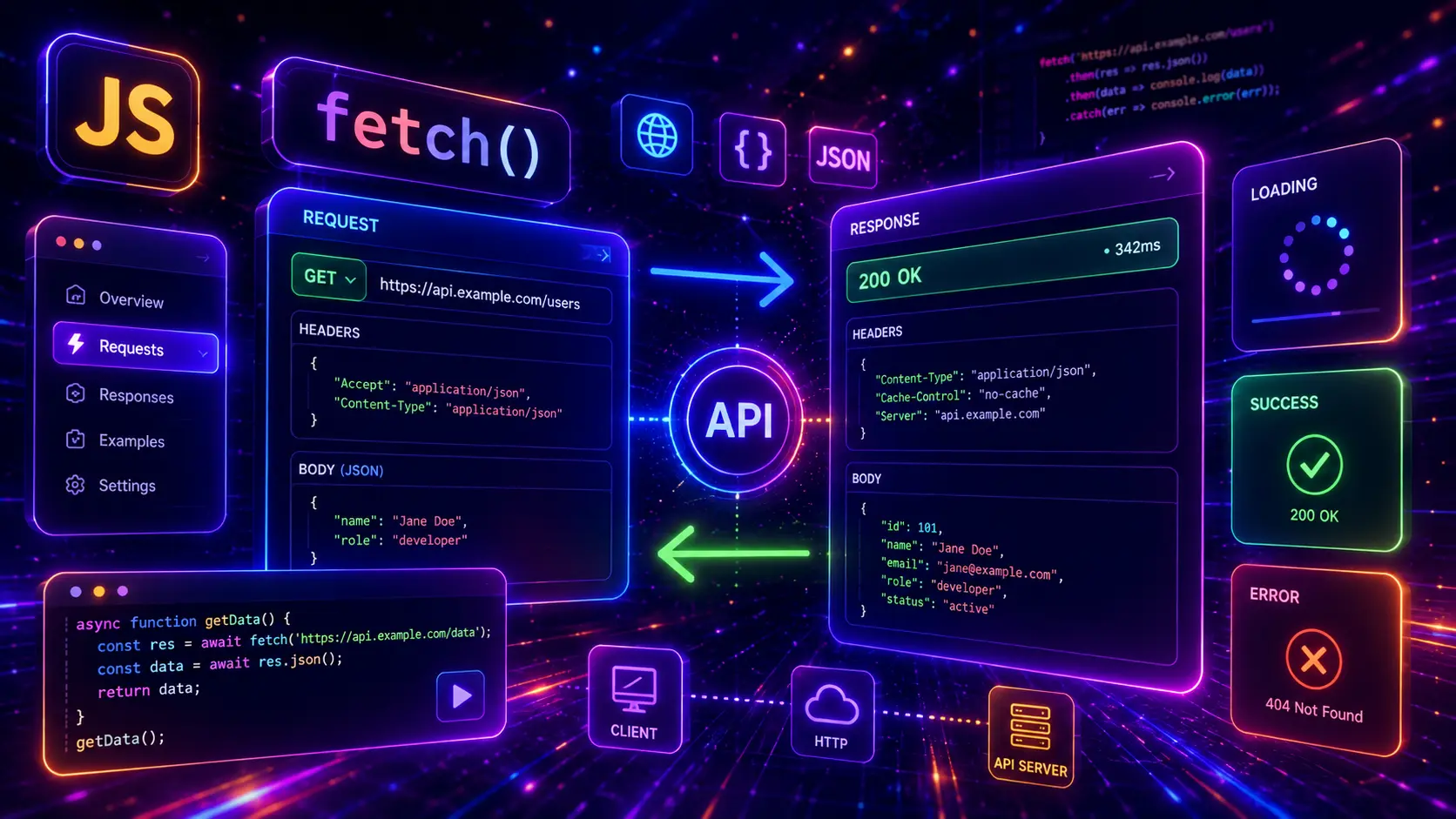
The JavaScript Fetch API is one of the most important tools for building modern interactive websites, dashboards, forms, search interfaces, ecommerce tools, admin panels, and real-time web applications. It lets you request data from APIs, send form data, load JSON, submit POST requests, update records, delete items, handle errors, show loading states, cancel requests, and connect the frontend to real backend data.
In this guide, you will find 30 JavaScript Fetch API examples for real website projects, including GET requests, POST JSON requests, form submissions, PUT updates, PATCH updates, DELETE requests, search requests, debounce search, pagination, load more buttons, infinite scroll, query parameters, async/await, promises, timeout handling, request cancellation, retry logic, authorization headers, FormData uploads, and complete API dashboard patterns.
This post focuses on practical Fetch API logic, not only design. Every example uses vanilla JavaScript, visible HTML, visible CSS, and copy-paste-ready code. You will learn how to fetch JSON data, render API results, handle failed requests, prevent broken UI states, work with headers, send data to a server, and build real JavaScript API request patterns. For related JavaScript functionality, you can also explore our JavaScript form validation examples, JavaScript search filter examples, JavaScript dropdown menu examples, and JavaScript calculator examples.
The JavaScript Fetch API is a built-in browser feature that allows JavaScript to make HTTP requests. With fetch(), you can request data from an API, load JSON, send form data, post new records, update existing records, delete items, and connect your frontend interface to a backend service.
A basic Fetch API request often starts with a URL and returns a Response object. From that response, you can read JSON with response.json(), check if the request succeeded with response.ok, and then use the returned data to update the page. This makes Fetch API useful for search results, product lists, user dashboards, contact forms, checkout forms, admin panels, and interactive web apps.
Fetch API is commonly used with async and await because that structure makes asynchronous requests easier to read. It can also be used with .then() and .catch(). Both styles are included in this guide so you can understand real JavaScript API request patterns.
Fetch API matters because most modern websites do not only show static content. They load data, submit forms, validate information, update dashboards, search records, filter results, save preferences, refresh product data, connect to third-party services, and communicate with backend APIs without reloading the page.
Fetch API is especially important for developers who build WordPress integrations, custom plugins, SaaS dashboards, API-connected landing pages, ecommerce features, admin tools, search interfaces, and JavaScript apps. Even simple website features become more powerful when they can communicate with real API endpoints.
Fetch API can be used for many different request types. A simple GET request loads data. A POST request sends new data. A PUT request usually replaces an existing record. A PATCH request updates part of a record. A DELETE request removes a record. Query parameters can be used for search, filters, pagination, sorting, and API options.
The most useful Fetch API examples are not only about calling an endpoint. A real website also needs loading states, error messages, retry buttons, validation, request cancellation, response handling, safe rendering, and clear feedback for users.
Authorization when an API requires a token or login session.This guide includes different Fetch API techniques so the examples do not repeat the same request pattern. Some examples focus on rendering data, some focus on request methods, some focus on errors, some focus on performance, and some focus on real UI behavior such as search, pagination, load more, cancel, retry, and dashboard refresh.
A good Fetch API example should show the full request flow: user action, request start, loading state, response handling, error handling, data rendering, and final UI feedback. This is important because real API requests can fail, return empty results, take longer than expected, or return data in a different shape than expected.
The example should show what the request is doing, such as loading posts, submitting a form, updating a user, deleting a record, or searching API data.
Users should know when data is loading, when no results are found, and when a request completed successfully.
The code should check response.ok, catch failed requests, and show useful messages instead of leaving the UI broken.
API data should be rendered carefully with clean DOM updates, readable formatting, and fallback values for missing fields.
Before building a Fetch API feature, decide what endpoint you need, which HTTP method is correct, what data should be sent, what response you expect, what should happen while loading, and what the user should see if the request fails. This planning prevents many common API bugs.
async/await for readable request logic when the example has multiple request steps.response.ok because Fetch API does not automatically throw an error for HTTP status codes like 404 or 500.try/catch to catch network errors, failed JSON parsing, aborted requests, and unexpected failures.URLSearchParams instead of manually building long URLs.AbortController for timeout logic and cancel buttons when needed.You can combine Fetch API with many other JavaScript patterns. A form validation script can validate data before sending a POST request. A search filter can request matching results from an API. A dropdown menu can change request parameters. A calculator can submit quote data to a backend. A dashboard can refresh API data on button click or interval. For more practical JavaScript UI logic, see our JavaScript form validation examples, JavaScript search filter examples, and JavaScript dropdown menu examples.
Now let’s look at 30 JavaScript Fetch API examples for real website projects. Each example focuses on a different API request pattern, such as GET, POST, PUT, PATCH, DELETE, JSON rendering, loading states, error handling, search, debounce, pagination, load more, infinite scroll, query parameters, timeout, cancel, retry, authorization headers, FormData upload, multiple requests, sequential requests, and complete dashboard behavior.
A basic Fetch GET request is the first Fetch API pattern every JavaScript developer should understand. It loads data from an API endpoint, checks whether the response was successful, converts the response to JSON, and displays the result in the browser.
This example uses async, await, fetch(), response.ok, response.json(), loading text, success state, and error handling. It fetches one post from a public JSON API and renders the result inside a card.
response.okClick the button to fetch one JSON record from an API and display it in the result card.
The fetched JSON result will appear here.
(function () {
  const demo = document.querySelector(".vb-fetch-01-demo");
  if (!demo) return;

  const button = demo.querySelector("[data-vb-fetch-01-button]");
  const status = demo.querySelector("[data-vb-fetch-01-status]");
  const result = demo.querySelector("[data-vb-fetch-01-result]");

  async function fetchPost() {
    button.disabled = true;
    status.className = "vb-fetch-01-status";
    status.textContent = "Loading API data...";

    result.innerHTML =
      "<span>Loading</span>" +
      "<h4>Please wait</h4>" +
      "<p>The GET request is running.</p>";

    try {
      const response = await fetch("https://jsonplaceholder.typicode.com/posts/1");

      if (!response.ok) {
        throw new Error("HTTP status " + response.status);
      }

      const post = await response.json();

      status.className = "vb-fetch-01-status is-success";
      status.textContent = "Success. API data loaded.";

      result.innerHTML =
        "<span>Post ID #" + post.id + "</span>" +
        "<h4>" + post.title + "</h4>" +
        "<p>" + post.body + "</p>";
    } catch (error) {
      status.className = "vb-fetch-01-status is-error";
      status.textContent = "Request failed: " + error.message;

      result.innerHTML =
        "<span>Error</span>" +
        "<h4>Could not load API data</h4>" +
        "<p>Check the endpoint URL or network connection and try again.</p>";
    } finally {
      button.disabled = false;
    }
  }

  button.addEventListener("click", fetchPost);
})();
<div class="vb-fetch-01-demo">
  <div class="vb-fetch-01-layout">
    <div class="vb-fetch-01-info">
      <span>Example 01</span>
      <h3>Basic Fetch GET Request</h3>
      <p>Click the button to fetch one JSON record from an API and display it in the result card.</p>
    </div>

    <div class="vb-fetch-01-app">
      <button type="button" data-vb-fetch-01-button>Fetch Post</button>

      <div class="vb-fetch-01-status" data-vb-fetch-01-status>
        Ready. Click the button to start the GET request.
      </div>

      <article class="vb-fetch-01-result" data-vb-fetch-01-result>
        <span>No API data yet</span>
        <h4>Waiting for request</h4>
        <p>The fetched JSON result will appear here.</p>
      </article>
    </div>
  </div>
</div>
.vb-fetch-01-demo,
.vb-fetch-01-demo * {
  box-sizing: border-box;
}

.vb-fetch-01-demo {
  margin: 28px 0;
  padding: clamp(18px, 4vw, 38px);
  border-radius: 34px;
  background:
    radial-gradient(circle at 12% 16%, rgba(6, 182, 212, 0.18), transparent 32%),
    radial-gradient(circle at 88% 12%, rgba(37, 99, 235, 0.18), transparent 34%),
    linear-gradient(135deg, #ecfeff 0%, #eff6ff 54%, #ffffff 100%) !important;
  border: 1px solid rgba(6, 182, 212, 0.20);
  overflow: hidden;
}

.vb-fetch-01-layout {
  display: grid;
  grid-template-columns: minmax(0, 0.9fr) minmax(0, 1.1fr);
  gap: 24px;
  max-width: 1120px;
  margin: 0 auto;
  min-width: 0;
}

.vb-fetch-01-info {
  min-width: 0;
  padding: clamp(22px, 4vw, 36px);
  border-radius: 30px;
  background:
    linear-gradient(90deg, rgba(255,255,255,0.08) 1px, transparent 1px),
    linear-gradient(0deg, rgba(255,255,255,0.08) 1px, transparent 1px),
    linear-gradient(135deg, #083344 0%, #0891b2 52%, #1d4ed8 100%) !important;
  background-size: 24px 24px, 24px 24px, auto !important;
  box-shadow: 0 30px 90px rgba(8, 145, 178, 0.22);
}

.vb-fetch-01-info span {
  display: inline-flex;
  margin-bottom: 15px;
  padding: 8px 12px;
  border-radius: 999px;
  background: rgba(255,255,255,0.14);
  color: #cffafe !important;
  -webkit-text-fill-color: #cffafe !important;
  font-size: 12px;
  font-weight: 950;
  letter-spacing: 0.12em;
  text-transform: uppercase;
}

.vb-fetch-01-info h3 {
  max-width: 100%;
  margin: 0 0 14px !important;
  color: #ffffff !important;
  -webkit-text-fill-color: #ffffff !important;
  font-size: clamp(34px, 5vw, 64px) !important;
  line-height: 0.96 !important;
  font-weight: 950 !important;
  letter-spacing: -0.07em;
  overflow-wrap: anywhere;
}

.vb-fetch-01-info p {
  margin: 0 !important;
  color: #dbeafe !important;
  -webkit-text-fill-color: #dbeafe !important;
  font-size: 16px;
  line-height: 1.7;
  font-weight: 650;
}

.vb-fetch-01-app {
  display: grid;
  gap: 16px;
  min-width: 0;
  padding: clamp(20px, 4vw, 34px);
  border-radius: 30px;
  background: #ffffff;
  border: 1px solid rgba(148, 163, 184, 0.22);
  box-shadow: 0 24px 70px rgba(15, 23, 42, 0.10);
}

.vb-fetch-01-app button {
  min-height: 50px;
  border: 0;
  border-radius: 999px;
  background: linear-gradient(135deg, #06b6d4, #2563eb);
  color: #ffffff !important;
  -webkit-text-fill-color: #ffffff !important;
  font-size: 15px;
  font-weight: 950;
  cursor: pointer;
  box-shadow: 0 16px 38px rgba(37, 99, 235, 0.24);
}

.vb-fetch-01-app button:disabled {
  opacity: 0.65;
  cursor: not-allowed;
}

.vb-fetch-01-status {
  min-width: 0;
  padding: 13px 15px;
  border-radius: 16px;
  background: #f0f9ff;
  border: 1px solid #bae6fd;
  color: #075985 !important;
  -webkit-text-fill-color: #075985 !important;
  font-size: 14px;
  line-height: 1.45;
  font-weight: 800;
  overflow-wrap: anywhere;
}

.vb-fetch-01-status.is-success {
  background: #f0fdf4;
  border-color: #bbf7d0;
  color: #166534 !important;
  -webkit-text-fill-color: #166534 !important;
}

.vb-fetch-01-status.is-error {
  background: #fef2f2;
  border-color: #fecaca;
  color: #b91c1c !important;
  -webkit-text-fill-color: #b91c1c !important;
}

.vb-fetch-01-result {
  min-width: 0;
  margin: 0;
  padding: 22px;
  border-radius: 22px;
  background:
    radial-gradient(circle at 14% 12%, rgba(34, 211, 238, 0.12), transparent 34%),
    linear-gradient(135deg, #f8fafc, #ffffff) !important;
  border: 1px solid #e2e8f0;
}

.vb-fetch-01-result span {
  display: inline-flex;
  margin-bottom: 12px;
  padding: 7px 10px;
  border-radius: 999px;
  background: #dbeafe;
  color: #1d4ed8 !important;
  -webkit-text-fill-color: #1d4ed8 !important;
  font-size: 11px;
  font-weight: 950;
  letter-spacing: 0.08em;
  text-transform: uppercase;
}

.vb-fetch-01-result h4 {
  margin: 0 0 10px !important;
  color: #0f172a !important;
  -webkit-text-fill-color: #0f172a !important;
  font-size: clamp(22px, 3vw, 30px) !important;
  line-height: 1.18 !important;
  font-weight: 950 !important;
  overflow-wrap: anywhere;
}

.vb-fetch-01-result p {
  margin: 0 !important;
  color: #475569 !important;
  -webkit-text-fill-color: #475569 !important;
  font-size: 15px;
  line-height: 1.65;
  font-weight: 650;
  overflow-wrap: anywhere;
}

@media (max-width: 900px) {
  .vb-fetch-01-layout {
    grid-template-columns: 1fr;
  }
}

@media (max-width: 640px) {
  .vb-fetch-01-info h3 {
    font-size: 38px !important;
    letter-spacing: -0.045em;
  }
}
This basic Fetch GET request example is useful for learning how to request API data, parse JSON, handle request status, show loading feedback, and render a result in the browser.
Fetching JSON and rendering cards is a common pattern for blogs, product grids, user directories, dashboards, services, portfolios, and search result pages. The Fetch API loads an array of objects, and JavaScript turns each object into a visible UI card.
This example fetches a list of posts, limits the result count, loops through the JSON array with map(), and creates a responsive card grid. It also includes a clear button, loading state, empty state, success message, and error message.
map() to create card markupLoad a JSON array from an API and render the returned items as responsive cards.
(function () {
  const demo = document.querySelector(".vb-fetch-02-demo");
  if (!demo) return;

  const loadButton = demo.querySelector("[data-vb-fetch-02-load]");
  const clearButton = demo.querySelector("[data-vb-fetch-02-clear]");
  const message = demo.querySelector("[data-vb-fetch-02-message]");
  const grid = demo.querySelector("[data-vb-fetch-02-grid]");

  function setMessage(text, type) {
    message.className = "vb-fetch-02-message";

    if (type === "success") {
      message.classList.add("is-success");
    }

    if (type === "error") {
      message.classList.add("is-error");
    }

    message.textContent = text;
  }

  function renderCards(posts) {
    if (!posts.length) {
      grid.innerHTML = "";
      setMessage("The API returned no results.", "error");
      return;
    }

    grid.innerHTML = posts.map(function (post) {
      return (
        '<article class="vb-fetch-02-card">' +
          '<span>Post #' + post.id + '</span>' +
          '<h4>' + post.title + '</h4>' +
          '<p>' + post.body + '</p>' +
        '</article>'
      );
    }).join("");
  }

  async function loadCards() {
    loadButton.disabled = true;
    grid.innerHTML = "";
    setMessage("Loading JSON array from API...", "");

    try {
      const response = await fetch("https://jsonplaceholder.typicode.com/posts?_limit=6");

      if (!response.ok) {
        throw new Error("HTTP status " + response.status);
      }

      const posts = await response.json();

      renderCards(posts);
      setMessage("Success. " + posts.length + " cards were rendered from API data.", "success");
    } catch (error) {
      grid.innerHTML = "";
      setMessage("Request failed: " + error.message, "error");
    } finally {
      loadButton.disabled = false;
    }
  }

  function clearCards() {
    grid.innerHTML = "";
    setMessage("Cards cleared. Click “Load Cards” to fetch JSON data again.", "");
  }

  loadButton.addEventListener("click", loadCards);
  clearButton.addEventListener("click", clearCards);
})();
<div class="vb-fetch-02-demo">
  <div class="vb-fetch-02-shell">
    <div class="vb-fetch-02-header">
      <span>Example 02</span>
      <h3>Fetch JSON and Render Cards</h3>
      <p>Load a JSON array from an API and render the returned items as responsive cards.</p>
    </div>

    <div class="vb-fetch-02-toolbar">
      <button type="button" data-vb-fetch-02-load>Load Cards</button>
      <button type="button" data-vb-fetch-02-clear>Clear Cards</button>
    </div>

    <div class="vb-fetch-02-message" data-vb-fetch-02-message>
      Click “Load Cards” to fetch JSON data.
    </div>

    <div class="vb-fetch-02-grid" data-vb-fetch-02-grid></div>
  </div>
</div>
.vb-fetch-02-demo,
.vb-fetch-02-demo * {
  box-sizing: border-box;
}

.vb-fetch-02-demo {
  margin: 28px 0;
  padding: clamp(18px, 4vw, 38px);
  border-radius: 34px;
  background:
    radial-gradient(circle at 12% 16%, rgba(168, 85, 247, 0.16), transparent 32%),
    radial-gradient(circle at 88% 12%, rgba(14, 165, 233, 0.18), transparent 34%),
    linear-gradient(135deg, #faf5ff 0%, #f0f9ff 54%, #ffffff 100%) !important;
  border: 1px solid rgba(168, 85, 247, 0.16);
  overflow: hidden;
}

.vb-fetch-02-shell {
  max-width: 1120px;
  margin: 0 auto;
  overflow: hidden;
  border-radius: 30px;
  background: #ffffff;
  border: 1px solid rgba(148, 163, 184, 0.22);
  box-shadow: 0 30px 90px rgba(15, 23, 42, 0.12);
}

.vb-fetch-02-header {
  padding: clamp(24px, 4vw, 38px);
  background:
    radial-gradient(circle at 18% 18%, rgba(255,255,255,0.18), transparent 34%),
    linear-gradient(135deg, #581c87 0%, #7c3aed 52%, #0284c7 100%) !important;
}

.vb-fetch-02-header span {
  display: inline-flex;
  margin-bottom: 14px;
  padding: 8px 12px;
  border-radius: 999px;
  background: rgba(255,255,255,0.14);
  color: #f3e8ff !important;
  -webkit-text-fill-color: #f3e8ff !important;
  font-size: 12px;
  font-weight: 950;
  letter-spacing: 0.12em;
  text-transform: uppercase;
}

.vb-fetch-02-header h3 {
  margin: 0 0 14px !important;
  color: #ffffff !important;
  -webkit-text-fill-color: #ffffff !important;
  font-size: clamp(34px, 5vw, 64px) !important;
  line-height: 0.96 !important;
  font-weight: 950 !important;
  letter-spacing: -0.07em;
  overflow-wrap: anywhere;
}

.vb-fetch-02-header p {
  max-width: 760px;
  margin: 0 !important;
  color: #e0f2fe !important;
  -webkit-text-fill-color: #e0f2fe !important;
  font-size: 16px;
  line-height: 1.7;
  font-weight: 650;
}

.vb-fetch-02-toolbar {
  display: flex;
  flex-wrap: wrap;
  gap: 12px;
  padding: clamp(20px, 4vw, 28px) clamp(20px, 4vw, 34px) 0;
}

.vb-fetch-02-toolbar button {
  min-height: 48px;
  padding: 0 18px;
  border: 0;
  border-radius: 999px;
  color: #ffffff !important;
  -webkit-text-fill-color: #ffffff !important;
  font-size: 14px;
  font-weight: 950;
  cursor: pointer;
}

.vb-fetch-02-toolbar button:first-child {
  background: linear-gradient(135deg, #7c3aed, #0284c7);
  box-shadow: 0 16px 38px rgba(124, 58, 237, 0.22);
}

.vb-fetch-02-toolbar button:last-child {
  background: #0f172a;
}

.vb-fetch-02-toolbar button:disabled {
  opacity: 0.65;
  cursor: not-allowed;
}

.vb-fetch-02-message {
  margin: 16px clamp(20px, 4vw, 34px) 0;
  min-width: 0;
  padding: 13px 15px;
  border-radius: 16px;
  background: #f5f3ff;
  border: 1px solid #ddd6fe;
  color: #5b21b6 !important;
  -webkit-text-fill-color: #5b21b6 !important;
  font-size: 14px;
  line-height: 1.45;
  font-weight: 800;
  overflow-wrap: anywhere;
}

.vb-fetch-02-message.is-success {
  background: #f0fdf4;
  border-color: #bbf7d0;
  color: #166534 !important;
  -webkit-text-fill-color: #166534 !important;
}

.vb-fetch-02-message.is-error {
  background: #fef2f2;
  border-color: #fecaca;
  color: #b91c1c !important;
  -webkit-text-fill-color: #b91c1c !important;
}

.vb-fetch-02-grid {
  display: grid;
  grid-template-columns: repeat(3, minmax(0, 1fr));
  gap: 16px;
  min-width: 0;
  padding: clamp(20px, 4vw, 34px);
}

.vb-fetch-02-card {
  min-width: 0;
  padding: 20px;
  border-radius: 22px;
  background:
    radial-gradient(circle at 14% 12%, rgba(124, 58, 237, 0.10), transparent 34%),
    linear-gradient(135deg, #ffffff, #f8fafc) !important;
  border: 1px solid rgba(148, 163, 184, 0.24);
  box-shadow: 0 16px 42px rgba(15, 23, 42, 0.07);
}

.vb-fetch-02-card span {
  display: inline-flex;
  margin-bottom: 12px;
  padding: 7px 10px;
  border-radius: 999px;
  background: #e0f2fe;
  color: #0369a1 !important;
  -webkit-text-fill-color: #0369a1 !important;
  font-size: 11px;
  font-weight: 950;
  letter-spacing: 0.08em;
  text-transform: uppercase;
}

.vb-fetch-02-card h4 {
  margin: 0 0 10px !important;
  color: #0f172a !important;
  -webkit-text-fill-color: #0f172a !important;
  font-size: 18px !important;
  line-height: 1.28 !important;
  font-weight: 950 !important;
  overflow-wrap: anywhere;
}

.vb-fetch-02-card p {
  margin: 0 !important;
  color: #475569 !important;
  -webkit-text-fill-color: #475569 !important;
  font-size: 14px;
  line-height: 1.6;
  font-weight: 650;
  overflow-wrap: anywhere;
}

@media (max-width: 980px) {
  .vb-fetch-02-grid {
    grid-template-columns: repeat(2, minmax(0, 1fr));
  }
}

@media (max-width: 640px) {
  .vb-fetch-02-header h3 {
    font-size: 38px !important;
    letter-spacing: -0.045em;
  }

  .vb-fetch-02-grid {
    grid-template-columns: 1fr;
  }

  .vb-fetch-02-toolbar button {
    width: 100%;
  }
}
This Fetch JSON card rendering example is useful for blog feeds, product cards, service grids, user directories, dashboard records, search results, and API-powered content sections.
A Fetch API loading state is important because users need feedback while an API request is running. Without a loading state, the interface can feel broken, frozen, or unclear when the request takes time to finish.
This example simulates a slower request by delaying the rendering after the API response. It shows a loading spinner, disables the button during the request, displays success feedback, and catches failed requests with a clear error state.
Show users that the API request is running before the returned data appears.
Click the button above to fetch a user profile.
(function () {
  const demo = document.querySelector(".vb-fetch-03-demo");
  if (!demo) return;

  const button = demo.querySelector("[data-vb-fetch-03-load]");
  const loader = demo.querySelector("[data-vb-fetch-03-loader]");
  const profile = demo.querySelector("[data-vb-fetch-03-profile]");
  const message = demo.querySelector("[data-vb-fetch-03-message]");

  function wait(milliseconds) {
    return new Promise(function (resolve) {
      setTimeout(resolve, milliseconds);
    });
  }

  async function loadProfile() {
    button.disabled = true;
    loader.hidden = false;
    message.className = "vb-fetch-03-message";
    message.textContent = "Request started. Waiting for API response...";

    profile.innerHTML =
      '<div class="vb-fetch-03-avatar">...</div>' +
      '<div>' +
        '<span>Loading</span>' +
        '<h4>Fetching profile</h4>' +
        '<p>The profile will appear after the request finishes.</p>' +
      '</div>';

    try {
      const response = await fetch("https://jsonplaceholder.typicode.com/users/1");

      if (!response.ok) {
        throw new Error("HTTP status " + response.status);
      }

      const user = await response.json();

      await wait(900);

      profile.innerHTML =
        '<div class="vb-fetch-03-avatar">' + user.name.slice(0, 2).toUpperCase() + '</div>' +
        '<div>' +
          '<span>' + user.company.name + '</span>' +
          '<h4>' + user.name + '</h4>' +
          '<p>' + user.email + ' · ' + user.address.city + '</p>' +
        '</div>';

      message.textContent = "Success. Profile loaded after visible loading state.";
    } catch (error) {
      message.className = "vb-fetch-03-message is-error";
      message.textContent = "Request failed: " + error.message;

      profile.innerHTML =
        '<div class="vb-fetch-03-avatar">!</div>' +
        '<div>' +
          '<span>Error</span>' +
          '<h4>Profile unavailable</h4>' +
          '<p>The API request failed. Try again later.</p>' +
        '</div>';
    } finally {
      loader.hidden = true;
      button.disabled = false;
    }
  }

  button.addEventListener("click", loadProfile);
})();
<div class="vb-fetch-03-demo">
  <div class="vb-fetch-03-card">
    <div class="vb-fetch-03-top">
      <span>Example 03</span>
      <h3>Fetch API with Loading State</h3>
      <p>Show users that the API request is running before the returned data appears.</p>
    </div>

    <div class="vb-fetch-03-app">
      <button type="button" data-vb-fetch-03-load>Load User Profile</button>

      <div class="vb-fetch-03-loader" data-vb-fetch-03-loader hidden>
        <div></div>
        <span>Loading profile from API...</span>
      </div>

      <div class="vb-fetch-03-profile" data-vb-fetch-03-profile>
        <div class="vb-fetch-03-avatar">API</div>
        <div>
          <span>Waiting</span>
          <h4>No profile loaded</h4>
          <p>Click the button above to fetch a user profile.</p>
        </div>
      </div>

      <div class="vb-fetch-03-message" data-vb-fetch-03-message>
        Ready to run the request.
      </div>
    </div>
  </div>
</div>
.vb-fetch-03-demo,
.vb-fetch-03-demo * {
  box-sizing: border-box;
}

.vb-fetch-03-demo {
  margin: 28px 0;
  padding: clamp(18px, 4vw, 38px);
  border-radius: 34px;
  background:
    radial-gradient(circle at 12% 16%, rgba(34, 197, 94, 0.16), transparent 32%),
    radial-gradient(circle at 88% 12%, rgba(6, 182, 212, 0.18), transparent 34%),
    linear-gradient(135deg, #f0fdf4 0%, #ecfeff 54%, #ffffff 100%) !important;
  border: 1px solid rgba(34, 197, 94, 0.18);
  overflow: hidden;
}

.vb-fetch-03-card {
  max-width: 1120px;
  margin: 0 auto;
  overflow: hidden;
  border-radius: 30px;
  background: #ffffff;
  border: 1px solid rgba(148, 163, 184, 0.22);
  box-shadow: 0 30px 90px rgba(15, 23, 42, 0.12);
}

.vb-fetch-03-top {
  padding: clamp(24px, 4vw, 38px);
  background:
    linear-gradient(90deg, rgba(255,255,255,0.08) 1px, transparent 1px),
    linear-gradient(0deg, rgba(255,255,255,0.08) 1px, transparent 1px),
    linear-gradient(135deg, #064e3b 0%, #059669 52%, #0891b2 100%) !important;
  background-size: 24px 24px, 24px 24px, auto !important;
}

.vb-fetch-03-top span {
  display: inline-flex;
  margin-bottom: 14px;
  padding: 8px 12px;
  border-radius: 999px;
  background: rgba(255,255,255,0.14);
  color: #d1fae5 !important;
  -webkit-text-fill-color: #d1fae5 !important;
  font-size: 12px;
  font-weight: 950;
  letter-spacing: 0.12em;
  text-transform: uppercase;
}

.vb-fetch-03-top h3 {
  margin: 0 0 14px !important;
  color: #ffffff !important;
  -webkit-text-fill-color: #ffffff !important;
  font-size: clamp(34px, 5vw, 64px) !important;
  line-height: 0.96 !important;
  font-weight: 950 !important;
  letter-spacing: -0.07em;
  overflow-wrap: anywhere;
}

.vb-fetch-03-top p {
  max-width: 760px;
  margin: 0 !important;
  color: #cffafe !important;
  -webkit-text-fill-color: #cffafe !important;
  font-size: 16px;
  line-height: 1.7;
  font-weight: 650;
}

.vb-fetch-03-app {
  display: grid;
  gap: 16px;
  min-width: 0;
  padding: clamp(20px, 4vw, 34px);
}

.vb-fetch-03-app button {
  width: fit-content;
  min-height: 50px;
  padding: 0 20px;
  border: 0;
  border-radius: 999px;
  background: linear-gradient(135deg, #10b981, #06b6d4);
  color: #ffffff !important;
  -webkit-text-fill-color: #ffffff !important;
  font-size: 15px;
  font-weight: 950;
  cursor: pointer;
  box-shadow: 0 16px 38px rgba(6, 182, 212, 0.24);
}

.vb-fetch-03-app button:disabled {
  opacity: 0.65;
  cursor: not-allowed;
}

.vb-fetch-03-loader {
  display: flex;
  align-items: center;
  gap: 12px;
  min-width: 0;
  padding: 14px 16px;
  border-radius: 18px;
  background: #ecfeff;
  border: 1px solid #a5f3fc;
}

.vb-fetch-03-loader[hidden] {
  display: none;
}

.vb-fetch-03-loader div {
  width: 22px;
  height: 22px;
  border: 3px solid #bae6fd;
  border-top-color: #0891b2;
  border-radius: 999px;
  animation: vbFetch03Spin 0.8s linear infinite;
}

.vb-fetch-03-loader span {
  color: #0e7490 !important;
  -webkit-text-fill-color: #0e7490 !important;
  font-size: 14px;
  line-height: 1.4;
  font-weight: 850;
}

@keyframes vbFetch03Spin {
  to {
    transform: rotate(360deg);
  }
}

.vb-fetch-03-profile {
  display: grid;
  grid-template-columns: auto minmax(0, 1fr);
  gap: 16px;
  align-items: center;
  min-width: 0;
  padding: 22px;
  border-radius: 24px;
  background:
    radial-gradient(circle at 12% 12%, rgba(34, 197, 94, 0.12), transparent 34%),
    linear-gradient(135deg, #ffffff, #f8fafc) !important;
  border: 1px solid #e2e8f0;
}

.vb-fetch-03-avatar {
  display: flex;
  width: 72px;
  height: 72px;
  align-items: center;
  justify-content: center;
  border-radius: 24px;
  background: linear-gradient(135deg, #10b981, #06b6d4);
  color: #ffffff !important;
  -webkit-text-fill-color: #ffffff !important;
  font-size: 18px;
  font-weight: 950;
  letter-spacing: -0.04em;
  box-shadow: 0 14px 34px rgba(6, 182, 212, 0.24);
}

.vb-fetch-03-profile span {
  display: inline-flex;
  margin-bottom: 7px;
  color: #0f766e !important;
  -webkit-text-fill-color: #0f766e !important;
  font-size: 12px;
  font-weight: 950;
  letter-spacing: 0.08em;
  text-transform: uppercase;
}

.vb-fetch-03-profile h4 {
  margin: 0 0 6px !important;
  color: #0f172a !important;
  -webkit-text-fill-color: #0f172a !important;
  font-size: clamp(22px, 3vw, 32px) !important;
  line-height: 1.12 !important;
  font-weight: 950 !important;
  overflow-wrap: anywhere;
}

.vb-fetch-03-profile p {
  margin: 0 !important;
  color: #475569 !important;
  -webkit-text-fill-color: #475569 !important;
  font-size: 15px;
  line-height: 1.6;
  font-weight: 650;
  overflow-wrap: anywhere;
}

.vb-fetch-03-message {
  min-width: 0;
  padding: 13px 15px;
  border-radius: 16px;
  background: #f0fdf4;
  border: 1px solid #bbf7d0;
  color: #166534 !important;
  -webkit-text-fill-color: #166534 !important;
  font-size: 14px;
  line-height: 1.45;
  font-weight: 800;
  overflow-wrap: anywhere;
}

.vb-fetch-03-message.is-error {
  background: #fef2f2;
  border-color: #fecaca;
  color: #b91c1c !important;
  -webkit-text-fill-color: #b91c1c !important;
}

@media (max-width: 640px) {
  .vb-fetch-03-top h3 {
    font-size: 38px !important;
    letter-spacing: -0.045em;
  }

  .vb-fetch-03-app button {
    width: 100%;
  }

  .vb-fetch-03-profile {
    grid-template-columns: 1fr;
  }
}
This Fetch API loading state example is useful for dashboards, profile cards, product loading sections, search results, API widgets, admin panels, and any interface where users need clear feedback while data is loading.
Fetch API error handling is important because fetch() does not automatically throw an error for HTTP status codes like 404 or 500. You need to check response.ok, throw your own error, and show a useful message in the interface.
This example intentionally includes buttons for a successful request and a failed request. It demonstrates try/catch, response.ok, custom error messages, error UI, success UI, and safe fallback rendering.
response.okTest successful and failed API requests with clear error messages and safe UI feedback.
Choose a request type above to test Fetch API error handling.
(function () {
  const demo = document.querySelector(".vb-fetch-04-demo");
  if (!demo) return;

  const successButton = demo.querySelector("[data-vb-fetch-04-success]");
  const errorButton = demo.querySelector("[data-vb-fetch-04-error]");
  const result = demo.querySelector("[data-vb-fetch-04-result]");

  function setLoading() {
    successButton.disabled = true;
    errorButton.disabled = true;
    result.className = "vb-fetch-04-result";
    result.innerHTML =
      '<span>Loading</span>' +
      '<h4>Request running</h4>' +
      '<p>The Fetch API request is waiting for a response.</p>';
  }

  function setFinished() {
    successButton.disabled = false;
    errorButton.disabled = false;
  }

  async function runRequest(url) {
    setLoading();

    try {
      const response = await fetch(url);

      if (!response.ok) {
        throw new Error("API returned HTTP status " + response.status);
      }

      const data = await response.json();

      result.className = "vb-fetch-04-result is-success";
      result.innerHTML =
        '<span>Success</span>' +
        '<h4>' + data.title + '</h4>' +
        '<p>The request succeeded and the API returned valid JSON data.</p>';
    } catch (error) {
      result.className = "vb-fetch-04-result is-error";
      result.innerHTML =
        '<span>Error handled</span>' +
        '<h4>Request failed safely</h4>' +
        '<p>' + error.message + '. The UI did not break because the error was caught with try/catch.</p>';
    } finally {
      setFinished();
    }
  }

  successButton.addEventListener("click", function () {
    runRequest("https://jsonplaceholder.typicode.com/posts/1");
  });

  errorButton.addEventListener("click", function () {
    runRequest("https://jsonplaceholder.typicode.com/posts/999999");
  });
})();
<div class="vb-fetch-04-demo">
  <div class="vb-fetch-04-shell">
    <div class="vb-fetch-04-header">
      <span>Example 04</span>
      <h3>Fetch API Error Handling</h3>
      <p>Test successful and failed API requests with clear error messages and safe UI feedback.</p>
    </div>

    <div class="vb-fetch-04-body">
      <div class="vb-fetch-04-actions">
        <button type="button" data-vb-fetch-04-success>Run Successful Request</button>
        <button type="button" data-vb-fetch-04-error>Run Failed Request</button>
      </div>

      <div class="vb-fetch-04-result" data-vb-fetch-04-result>
        <span>Ready</span>
        <h4>No request yet</h4>
        <p>Choose a request type above to test Fetch API error handling.</p>
      </div>
    </div>
  </div>
</div>
.vb-fetch-04-demo,
.vb-fetch-04-demo * {
  box-sizing: border-box;
}

.vb-fetch-04-demo {
  margin: 28px 0;
  padding: clamp(18px, 4vw, 38px);
  border-radius: 34px;
  background:
    radial-gradient(circle at 12% 16%, rgba(239, 68, 68, 0.15), transparent 32%),
    radial-gradient(circle at 88% 12%, rgba(34, 197, 94, 0.16), transparent 34%),
    linear-gradient(135deg, #fef2f2 0%, #f0fdf4 54%, #ffffff 100%) !important;
  border: 1px solid rgba(239, 68, 68, 0.16);
  overflow: hidden;
}

.vb-fetch-04-shell {
  max-width: 1120px;
  margin: 0 auto;
  overflow: hidden;
  border-radius: 30px;
  background: #ffffff;
  border: 1px solid rgba(148, 163, 184, 0.22);
  box-shadow: 0 30px 90px rgba(15, 23, 42, 0.12);
}

.vb-fetch-04-header {
  padding: clamp(24px, 4vw, 38px);
  background:
    radial-gradient(circle at 18% 18%, rgba(255,255,255,0.16), transparent 34%),
    linear-gradient(135deg, #7f1d1d 0%, #dc2626 48%, #16a34a 100%) !important;
}

.vb-fetch-04-header span {
  display: inline-flex;
  margin-bottom: 14px;
  padding: 8px 12px;
  border-radius: 999px;
  background: rgba(255,255,255,0.14);
  color: #fee2e2 !important;
  -webkit-text-fill-color: #fee2e2 !important;
  font-size: 12px;
  font-weight: 950;
  letter-spacing: 0.12em;
  text-transform: uppercase;
}

.vb-fetch-04-header h3 {
  margin: 0 0 14px !important;
  color: #ffffff !important;
  -webkit-text-fill-color: #ffffff !important;
  font-size: clamp(34px, 5vw, 64px) !important;
  line-height: 0.96 !important;
  font-weight: 950 !important;
  letter-spacing: -0.07em;
  overflow-wrap: anywhere;
}

.vb-fetch-04-header p {
  max-width: 760px;
  margin: 0 !important;
  color: #dcfce7 !important;
  -webkit-text-fill-color: #dcfce7 !important;
  font-size: 16px;
  line-height: 1.7;
  font-weight: 650;
}

.vb-fetch-04-body {
  display: grid;
  gap: 18px;
  min-width: 0;
  padding: clamp(20px, 4vw, 34px);
}

.vb-fetch-04-actions {
  display: flex;
  flex-wrap: wrap;
  gap: 12px;
  min-width: 0;
}

.vb-fetch-04-actions button {
  min-height: 50px;
  padding: 0 18px;
  border: 0;
  border-radius: 999px;
  color: #ffffff !important;
  -webkit-text-fill-color: #ffffff !important;
  font-size: 14px;
  font-weight: 950;
  cursor: pointer;
}

.vb-fetch-04-actions button:first-child {
  background: linear-gradient(135deg, #16a34a, #06b6d4);
  box-shadow: 0 16px 38px rgba(22, 163, 74, 0.22);
}

.vb-fetch-04-actions button:last-child {
  background: linear-gradient(135deg, #dc2626, #f97316);
  box-shadow: 0 16px 38px rgba(220, 38, 38, 0.22);
}

.vb-fetch-04-actions button:disabled {
  opacity: 0.65;
  cursor: not-allowed;
}

.vb-fetch-04-result {
  min-width: 0;
  padding: 24px;
  border-radius: 24px;
  background:
    radial-gradient(circle at 14% 12%, rgba(100, 116, 139, 0.10), transparent 34%),
    linear-gradient(135deg, #f8fafc, #ffffff) !important;
  border: 1px solid #e2e8f0;
}

.vb-fetch-04-result.is-success {
  background:
    radial-gradient(circle at 14% 12%, rgba(34, 197, 94, 0.16), transparent 34%),
    linear-gradient(135deg, #f0fdf4, #ffffff) !important;
  border-color: #bbf7d0;
}

.vb-fetch-04-result.is-error {
  background:
    radial-gradient(circle at 14% 12%, rgba(239, 68, 68, 0.16), transparent 34%),
    linear-gradient(135deg, #fef2f2, #ffffff) !important;
  border-color: #fecaca;
}

.vb-fetch-04-result span {
  display: inline-flex;
  margin-bottom: 12px;
  padding: 7px 10px;
  border-radius: 999px;
  background: #e2e8f0;
  color: #334155 !important;
  -webkit-text-fill-color: #334155 !important;
  font-size: 11px;
  font-weight: 950;
  letter-spacing: 0.08em;
  text-transform: uppercase;
}

.vb-fetch-04-result.is-success span {
  background: #dcfce7;
  color: #166534 !important;
  -webkit-text-fill-color: #166534 !important;
}

.vb-fetch-04-result.is-error span {
  background: #fee2e2;
  color: #b91c1c !important;
  -webkit-text-fill-color: #b91c1c !important;
}

.vb-fetch-04-result h4 {
  margin: 0 0 10px !important;
  color: #0f172a !important;
  -webkit-text-fill-color: #0f172a !important;
  font-size: clamp(24px, 4vw, 38px) !important;
  line-height: 1.1 !important;
  font-weight: 950 !important;
  overflow-wrap: anywhere;
}

.vb-fetch-04-result p {
  margin: 0 !important;
  color: #475569 !important;
  -webkit-text-fill-color: #475569 !important;
  font-size: 15px;
  line-height: 1.7;
  font-weight: 650;
  overflow-wrap: anywhere;
}

@media (max-width: 640px) {
  .vb-fetch-04-header h3 {
    font-size: 38px !important;
    letter-spacing: -0.045em;
  }

  .vb-fetch-04-actions button {
    width: 100%;
  }
}
This Fetch API error handling example is useful for dashboards, admin tools, API widgets, form submissions, search interfaces, and any JavaScript project where failed requests must not break the UI.
A Fetch API POST JSON request is used when JavaScript needs to send structured data to a server. This is common for contact forms, signup forms, checkout forms, admin settings, support tickets, comments, orders, and dashboard actions.
This example sends JSON with method: "POST", Content-Type: application/json, and JSON.stringify(). It uses a demo API endpoint and displays the created response object returned by the server.
method: "POST"Content-Type: application/json headerJSON.stringify()Send a JavaScript object to an API endpoint as JSON and show the returned response.
{}
(function () {
  const demo = document.querySelector(".vb-fetch-05-demo");
  if (!demo) return;

  const titleInput = demo.querySelector("[data-vb-fetch-05-title]");
  const bodyInput = demo.querySelector("[data-vb-fetch-05-body]");
  const sendButton = demo.querySelector("[data-vb-fetch-05-send]");
  const output = demo.querySelector("[data-vb-fetch-05-output]");

  async function sendPostRequest() {
    const payload = {
      title: titleInput.value.trim(),
      body: bodyInput.value.trim(),
      userId: 1
    };

    sendButton.disabled = true;
    output.className = "vb-fetch-05-output";
    output.innerHTML =
      '<span>Sending</span>' +
      '<h4>POST request running</h4>' +
      '<pre>' + JSON.stringify(payload, null, 2) + '</pre>';

    try {
      const response = await fetch("https://jsonplaceholder.typicode.com/posts", {
        method: "POST",
        headers: {
          "Content-Type": "application/json"
        },
        body: JSON.stringify(payload)
      });

      if (!response.ok) {
        throw new Error("HTTP status " + response.status);
      }

      const createdPost = await response.json();

      output.className = "vb-fetch-05-output is-success";
      output.innerHTML =
        '<span>Created</span>' +
        '<h4>JSON was sent successfully</h4>' +
        '<pre>' + JSON.stringify(createdPost, null, 2) + '</pre>';
    } catch (error) {
      output.className = "vb-fetch-05-output is-error";
      output.innerHTML =
        '<span>Error</span>' +
        '<h4>POST request failed</h4>' +
        '<pre>' + error.message + '</pre>';
    } finally {
      sendButton.disabled = false;
    }
  }

  sendButton.addEventListener("click", sendPostRequest);
})();
<div class="vb-fetch-05-demo">
  <div class="vb-fetch-05-layout">
    <div class="vb-fetch-05-panel">
      <span>Example 05</span>
      <h3>Fetch API POST JSON Request</h3>
      <p>Send a JavaScript object to an API endpoint as JSON and show the returned response.</p>
    </div>

    <div class="vb-fetch-05-formbox">
      <label>
        Title
        <input type="text" value="New API post" data-vb-fetch-05-title>
      </label>

      <label>
        Message
        <textarea data-vb-fetch-05-body>Created with a Fetch API POST JSON request.</textarea>
      </label>

      <button type="button" data-vb-fetch-05-send>Send POST Request</button>

      <div class="vb-fetch-05-output" data-vb-fetch-05-output>
        <span>Waiting</span>
        <h4>No POST request sent yet</h4>
        <pre>{}</pre>
      </div>
    </div>
  </div>
</div>
.vb-fetch-05-demo,
.vb-fetch-05-demo * {
  box-sizing: border-box;
}

.vb-fetch-05-demo {
  margin: 28px 0;
  padding: clamp(18px, 4vw, 38px);
  border-radius: 34px;
  background:
    radial-gradient(circle at 12% 16%, rgba(249, 115, 22, 0.16), transparent 32%),
    radial-gradient(circle at 88% 12%, rgba(168, 85, 247, 0.16), transparent 34%),
    linear-gradient(135deg, #fff7ed 0%, #faf5ff 54%, #ffffff 100%) !important;
  border: 1px solid rgba(249, 115, 22, 0.16);
  overflow: hidden;
}

.vb-fetch-05-layout {
  display: grid;
  grid-template-columns: minmax(0, 0.88fr) minmax(0, 1.12fr);
  gap: 24px;
  max-width: 1120px;
  margin: 0 auto;
  min-width: 0;
}

.vb-fetch-05-panel {
  min-width: 0;
  padding: clamp(22px, 4vw, 36px);
  border-radius: 30px;
  background:
    radial-gradient(circle at 18% 18%, rgba(255,255,255,0.16), transparent 34%),
    linear-gradient(135deg, #7c2d12 0%, #ea580c 52%, #7e22ce 100%) !important;
  box-shadow: 0 30px 90px rgba(249, 115, 22, 0.20);
}

.vb-fetch-05-panel span {
  display: inline-flex;
  margin-bottom: 15px;
  padding: 8px 12px;
  border-radius: 999px;
  background: rgba(255,255,255,0.14);
  color: #ffedd5 !important;
  -webkit-text-fill-color: #ffedd5 !important;
  font-size: 12px;
  font-weight: 950;
  letter-spacing: 0.12em;
  text-transform: uppercase;
}

.vb-fetch-05-panel h3 {
  margin: 0 0 14px !important;
  color: #ffffff !important;
  -webkit-text-fill-color: #ffffff !important;
  font-size: clamp(34px, 5vw, 64px) !important;
  line-height: 0.96 !important;
  font-weight: 950 !important;
  letter-spacing: -0.07em;
  overflow-wrap: anywhere;
}

.vb-fetch-05-panel p {
  margin: 0 !important;
  color: #f3e8ff !important;
  -webkit-text-fill-color: #f3e8ff !important;
  font-size: 16px;
  line-height: 1.7;
  font-weight: 650;
}

.vb-fetch-05-formbox {
  display: grid;
  gap: 14px;
  min-width: 0;
  padding: clamp(20px, 4vw, 34px);
  border-radius: 30px;
  background: #ffffff;
  border: 1px solid rgba(148, 163, 184, 0.22);
  box-shadow: 0 24px 70px rgba(15, 23, 42, 0.10);
}

.vb-fetch-05-formbox label {
  display: grid;
  gap: 8px;
  min-width: 0;
  color: #9a3412 !important;
  -webkit-text-fill-color: #9a3412 !important;
  font-size: 14px;
  font-weight: 900;
}

.vb-fetch-05-formbox input,
.vb-fetch-05-formbox textarea {
  width: 100%;
  min-width: 0;
  border: 1px solid #fed7aa;
  border-radius: 16px;
  background: #fff7ed;
  color: #0f172a !important;
  -webkit-text-fill-color: #0f172a !important;
  font-size: 15px;
  font-weight: 750;
  outline: none;
}

.vb-fetch-05-formbox input {
  min-height: 50px;
  padding: 0 14px;
}

.vb-fetch-05-formbox textarea {
  min-height: 105px;
  padding: 14px;
  resize: vertical;
}

.vb-fetch-05-formbox button {
  min-height: 50px;
  border: 0;
  border-radius: 999px;
  background: linear-gradient(135deg, #ea580c, #7e22ce);
  color: #ffffff !important;
  -webkit-text-fill-color: #ffffff !important;
  font-size: 15px;
  font-weight: 950;
  cursor: pointer;
  box-shadow: 0 16px 38px rgba(234, 88, 12, 0.22);
}

.vb-fetch-05-formbox button:disabled {
  opacity: 0.65;
  cursor: not-allowed;
}

.vb-fetch-05-output {
  min-width: 0;
  padding: 18px;
  border-radius: 22px;
  background: #fff7ed;
  border: 1px solid #fed7aa;
}

.vb-fetch-05-output.is-success {
  background: #f0fdf4;
  border-color: #bbf7d0;
}

.vb-fetch-05-output.is-error {
  background: #fef2f2;
  border-color: #fecaca;
}

.vb-fetch-05-output span {
  display: inline-flex;
  margin-bottom: 10px;
  padding: 7px 10px;
  border-radius: 999px;
  background: #ffedd5;
  color: #9a3412 !important;
  -webkit-text-fill-color: #9a3412 !important;
  font-size: 11px;
  font-weight: 950;
  letter-spacing: 0.08em;
  text-transform: uppercase;
}

.vb-fetch-05-output h4 {
  margin: 0 0 12px !important;
  color: #0f172a !important;
  -webkit-text-fill-color: #0f172a !important;
  font-size: 22px !important;
  line-height: 1.2 !important;
  font-weight: 950 !important;
  overflow-wrap: anywhere;
}

.vb-fetch-05-output pre {
  max-width: 100%;
  max-height: 210px;
  overflow: auto;
  margin: 0 !important;
  padding: 14px;
  border-radius: 16px;
  background: #0f172a;
  color: #d1fae5 !important;
  -webkit-text-fill-color: #d1fae5 !important;
  font-size: 13px;
  line-height: 1.55;
  white-space: pre-wrap;
  overflow-wrap: anywhere;
}

@media (max-width: 900px) {
  .vb-fetch-05-layout {
    grid-template-columns: 1fr;
  }
}

@media (max-width: 640px) {
  .vb-fetch-05-panel h3 {
    font-size: 38px !important;
    letter-spacing: -0.045em;
  }
}
This Fetch API POST JSON request example is useful for contact forms, signup forms, comment forms, order forms, settings panels, support tickets, admin dashboards, and any JavaScript feature that needs to send JSON data to an API.
A Fetch API form submit example shows how to submit form data with JavaScript without reloading the page. This pattern is useful for contact forms, newsletter forms, quote request forms, booking forms, support forms, surveys, and lead generation pages.
This example prevents the default form submit, collects values with FormData, converts the data into a plain object, sends it as JSON with fetch(), and displays a success or error message after the API responds.
event.preventDefault()FormDataSubmit form data as JSON with Fetch API and show the response without reloading the page.
The response message will appear here after the Fetch API form submit.
(function () {
  const demo = document.querySelector(".vb-fetch-06-demo");
  if (!demo) return;

  const form = demo.querySelector("[data-vb-fetch-06-form]");
  const submitButton = demo.querySelector("[data-vb-fetch-06-submit]");
  const responseBox = demo.querySelector("[data-vb-fetch-06-response]");

  form.addEventListener("submit", async function (event) {
    event.preventDefault();

    const formData = new FormData(form);
    const payload = Object.fromEntries(formData.entries());

    submitButton.disabled = true;
    submitButton.textContent = "Submitting...";

    responseBox.className = "vb-fetch-06-response";
    responseBox.innerHTML =
      '<span>Sending</span>' +
      '<h4>Submitting form data</h4>' +
      '<p>The form values are being sent as JSON with Fetch API.</p>';

    try {
      const response = await fetch("https://jsonplaceholder.typicode.com/posts", {
        method: "POST",
        headers: {
          "Content-Type": "application/json"
        },
        body: JSON.stringify(payload)
      });

      if (!response.ok) {
        throw new Error("HTTP status " + response.status);
      }

      const result = await response.json();

      responseBox.className = "vb-fetch-06-response is-success";
      responseBox.innerHTML =
        '<span>Success</span>' +
        '<h4>Form submitted without reload</h4>' +
        '<p>API returned demo ID #' + result.id + '. Submitted request type: ' + payload.requestType + '.</p>';
    } catch (error) {
      responseBox.className = "vb-fetch-06-response is-error";
      responseBox.innerHTML =
        '<span>Error</span>' +
        '<h4>Form submit failed</h4>' +
        '<p>' + error.message + '</p>';
    } finally {
      submitButton.disabled = false;
      submitButton.textContent = "Submit Form with Fetch";
    }
  });
})();
<div class="vb-fetch-06-demo">
  <div class="vb-fetch-06-shell">
    <div class="vb-fetch-06-header">
      <span>Example 06</span>
      <h3>Fetch API Form Submit</h3>
      <p>Submit form data as JSON with Fetch API and show the response without reloading the page.</p>
    </div>

    <form class="vb-fetch-06-form" data-vb-fetch-06-form>
      <div class="vb-fetch-06-grid">
        <label>
          Name
          <input type="text" name="name" value="Alex Johnson" required>
        </label>

        <label>
          Email
          <input type="email" name="email" value="alex@example.com" required>
        </label>
      </div>

      <label>
        Request type
        <select name="requestType">
          <option value="Website project">Website project</option>
          <option value="API integration">API integration</option>
          <option value="Custom dashboard">Custom dashboard</option>
        </select>
      </label>

      <label>
        Message
        <textarea name="message" required>I want to build a website with API-connected forms and dynamic content.</textarea>
      </label>

      <button type="submit" data-vb-fetch-06-submit>Submit Form with Fetch</button>
    </form>

    <div class="vb-fetch-06-response" data-vb-fetch-06-response>
      <span>Ready</span>
      <h4>Form has not been submitted yet</h4>
      <p>The response message will appear here after the Fetch API form submit.</p>
    </div>
  </div>
</div>
.vb-fetch-06-demo,
.vb-fetch-06-demo * {
  box-sizing: border-box;
}

.vb-fetch-06-demo {
  margin: 28px 0;
  padding: clamp(18px, 4vw, 38px);
  border-radius: 34px;
  background:
    radial-gradient(circle at 12% 16%, rgba(37, 99, 235, 0.16), transparent 32%),
    radial-gradient(circle at 88% 12%, rgba(34, 197, 94, 0.16), transparent 34%),
    linear-gradient(135deg, #eff6ff 0%, #f0fdf4 54%, #ffffff 100%) !important;
  border: 1px solid rgba(37, 99, 235, 0.16);
  overflow: hidden;
}

.vb-fetch-06-shell {
  max-width: 1120px;
  margin: 0 auto;
  overflow: hidden;
  border-radius: 30px;
  background: #ffffff;
  border: 1px solid rgba(148, 163, 184, 0.22);
  box-shadow: 0 30px 90px rgba(15, 23, 42, 0.12);
}

.vb-fetch-06-header {
  padding: clamp(24px, 4vw, 38px);
  background:
    linear-gradient(90deg, rgba(255,255,255,0.08) 1px, transparent 1px),
    linear-gradient(0deg, rgba(255,255,255,0.08) 1px, transparent 1px),
    linear-gradient(135deg, #1e3a8a 0%, #2563eb 52%, #16a34a 100%) !important;
  background-size: 24px 24px, 24px 24px, auto !important;
}

.vb-fetch-06-header span {
  display: inline-flex;
  margin-bottom: 14px;
  padding: 8px 12px;
  border-radius: 999px;
  background: rgba(255,255,255,0.14);
  color: #dbeafe !important;
  -webkit-text-fill-color: #dbeafe !important;
  font-size: 12px;
  font-weight: 950;
  letter-spacing: 0.12em;
  text-transform: uppercase;
}

.vb-fetch-06-header h3 {
  margin: 0 0 14px !important;
  color: #ffffff !important;
  -webkit-text-fill-color: #ffffff !important;
  font-size: clamp(34px, 5vw, 64px) !important;
  line-height: 0.96 !important;
  font-weight: 950 !important;
  letter-spacing: -0.07em;
  overflow-wrap: anywhere;
}

.vb-fetch-06-header p {
  max-width: 760px;
  margin: 0 !important;
  color: #dcfce7 !important;
  -webkit-text-fill-color: #dcfce7 !important;
  font-size: 16px;
  line-height: 1.7;
  font-weight: 650;
}

.vb-fetch-06-form {
  display: grid;
  gap: 14px;
  min-width: 0;
  padding: clamp(20px, 4vw, 34px);
  border-bottom: 1px solid rgba(148, 163, 184, 0.18);
}

.vb-fetch-06-grid {
  display: grid;
  grid-template-columns: repeat(2, minmax(0, 1fr));
  gap: 14px;
  min-width: 0;
}

.vb-fetch-06-form label {
  display: grid;
  gap: 8px;
  min-width: 0;
  color: #1d4ed8 !important;
  -webkit-text-fill-color: #1d4ed8 !important;
  font-size: 14px;
  font-weight: 900;
}

.vb-fetch-06-form input,
.vb-fetch-06-form select,
.vb-fetch-06-form textarea {
  width: 100%;
  min-width: 0;
  border: 1px solid #bfdbfe;
  border-radius: 16px;
  background: #f8fafc;
  color: #0f172a !important;
  -webkit-text-fill-color: #0f172a !important;
  font-size: 15px;
  font-weight: 750;
  outline: none;
}

.vb-fetch-06-form input,
.vb-fetch-06-form select {
  min-height: 50px;
  padding: 0 14px;
}

.vb-fetch-06-form textarea {
  min-height: 110px;
  padding: 14px;
  resize: vertical;
}

.vb-fetch-06-form button {
  width: fit-content;
  min-height: 50px;
  padding: 0 20px;
  border: 0;
  border-radius: 999px;
  background: linear-gradient(135deg, #2563eb, #16a34a);
  color: #ffffff !important;
  -webkit-text-fill-color: #ffffff !important;
  font-size: 15px;
  font-weight: 950;
  cursor: pointer;
  box-shadow: 0 16px 38px rgba(37, 99, 235, 0.24);
}

.vb-fetch-06-form button:disabled {
  opacity: 0.65;
  cursor: not-allowed;
}

.vb-fetch-06-response {
  min-width: 0;
  margin: clamp(20px, 4vw, 34px);
  padding: 22px;
  border-radius: 24px;
  background: #eff6ff;
  border: 1px solid #bfdbfe;
}

.vb-fetch-06-response.is-success {
  background: #f0fdf4;
  border-color: #bbf7d0;
}

.vb-fetch-06-response.is-error {
  background: #fef2f2;
  border-color: #fecaca;
}

.vb-fetch-06-response span {
  display: inline-flex;
  margin-bottom: 10px;
  padding: 7px 10px;
  border-radius: 999px;
  background: #dbeafe;
  color: #1d4ed8 !important;
  -webkit-text-fill-color: #1d4ed8 !important;
  font-size: 11px;
  font-weight: 950;
  letter-spacing: 0.08em;
  text-transform: uppercase;
}

.vb-fetch-06-response h4 {
  margin: 0 0 10px !important;
  color: #0f172a !important;
  -webkit-text-fill-color: #0f172a !important;
  font-size: clamp(23px, 4vw, 34px) !important;
  line-height: 1.15 !important;
  font-weight: 950 !important;
  overflow-wrap: anywhere;
}

.vb-fetch-06-response p {
  margin: 0 !important;
  color: #475569 !important;
  -webkit-text-fill-color: #475569 !important;
  font-size: 15px;
  line-height: 1.7;
  font-weight: 650;
  overflow-wrap: anywhere;
}

@media (max-width: 700px) {
  .vb-fetch-06-grid {
    grid-template-columns: 1fr;
  }

  .vb-fetch-06-form button {
    width: 100%;
  }
}

@media (max-width: 640px) {
  .vb-fetch-06-header h3 {
    font-size: 38px !important;
    letter-spacing: -0.045em;
  }
}
This Fetch API form submit example is useful for contact forms, lead forms, newsletter forms, booking forms, quote request forms, support forms, surveys, and custom WordPress AJAX-style form interfaces.
A Fetch API PUT update request is used when JavaScript needs to replace an existing record with a full updated object. This is common in admin dashboards, profile editors, CMS tools, product editors, settings pages, and account management screens.
This example sends a complete updated post object to a demo API endpoint with method: "PUT". It collects field values, sends JSON, checks response.ok, parses the returned response, and updates the UI after the request succeeds.
Replace an existing API record with a complete updated JSON object using a PUT request.
The updated API response will appear here after the PUT request.
{}
(function () {
  const demo = document.querySelector(".vb-fetch-07-demo");
  if (!demo) return;

  const titleInput = demo.querySelector("[data-vb-fetch-07-title]");
  const bodyInput = demo.querySelector("[data-vb-fetch-07-body-input]");
  const userInput = demo.querySelector("[data-vb-fetch-07-user]");
  const button = demo.querySelector("[data-vb-fetch-07-update]");
  const resultBox = demo.querySelector("[data-vb-fetch-07-result]");

  async function updateRecord() {
    const payload = {
      id: 1,
      title: titleInput.value.trim(),
      body: bodyInput.value.trim(),
      userId: Number(userInput.value) || 1
    };

    button.disabled = true;
    resultBox.className = "vb-fetch-07-result";
    resultBox.innerHTML =
      '<span>Updating</span>' +
      '<h4>PUT request running</h4>' +
      '<p>Sending the complete replacement object to the API.</p>' +
      '<pre>' + JSON.stringify(payload, null, 2) + '</pre>';

    try {
      const response = await fetch("https://jsonplaceholder.typicode.com/posts/1", {
        method: "PUT",
        headers: {
          "Content-Type": "application/json"
        },
        body: JSON.stringify(payload)
      });

      if (!response.ok) {
        throw new Error("HTTP status " + response.status);
      }

      const updated = await response.json();

      resultBox.className = "vb-fetch-07-result is-success";
      resultBox.innerHTML =
        '<span>Updated</span>' +
        '<h4>Record replaced successfully</h4>' +
        '<p>The demo API returned the updated object from the PUT request.</p>' +
        '<pre>' + JSON.stringify(updated, null, 2) + '</pre>';
    } catch (error) {
      resultBox.className = "vb-fetch-07-result is-error";
      resultBox.innerHTML =
        '<span>Error</span>' +
        '<h4>PUT request failed</h4>' +
        '<p>' + error.message + '</p>' +
        '<pre>{}</pre>';
    } finally {
      button.disabled = false;
    }
  }

  button.addEventListener("click", updateRecord);
})();
<div class="vb-fetch-07-demo">
  <div class="vb-fetch-07-shell">
    <div class="vb-fetch-07-header">
      <span>Example 07</span>
      <h3>Fetch API PUT Update Request</h3>
      <p>Replace an existing API record with a complete updated JSON object using a PUT request.</p>
    </div>

    <div class="vb-fetch-07-body">
      <div class="vb-fetch-07-form">
        <label>
          Post title
          <input type="text" value="Updated dashboard announcement" data-vb-fetch-07-title>
        </label>

        <label>
          Post body
          <textarea data-vb-fetch-07-body-input>This full record was updated with a JavaScript Fetch API PUT request.</textarea>
        </label>

        <label>
          User ID
          <input type="number" min="1" value="1" data-vb-fetch-07-user>
        </label>

        <button type="button" data-vb-fetch-07-update>Send PUT Update</button>
      </div>

      <div class="vb-fetch-07-result" data-vb-fetch-07-result>
        <span>Waiting</span>
        <h4>No update sent yet</h4>
        <p>The updated API response will appear here after the PUT request.</p>
        <pre>{}</pre>
      </div>
    </div>
  </div>
</div>
.vb-fetch-07-demo,
.vb-fetch-07-demo * {
  box-sizing: border-box;
}

.vb-fetch-07-demo {
  margin: 28px 0;
  padding: clamp(18px, 4vw, 38px);
  border-radius: 34px;
  background:
    radial-gradient(circle at 12% 16%, rgba(59, 130, 246, 0.18), transparent 32%),
    radial-gradient(circle at 88% 12%, rgba(99, 102, 241, 0.18), transparent 34%),
    linear-gradient(135deg, #eff6ff 0%, #eef2ff 54%, #ffffff 100%) !important;
  border: 1px solid rgba(59, 130, 246, 0.18);
  overflow: hidden;
}

.vb-fetch-07-shell {
  max-width: 1120px;
  margin: 0 auto;
  overflow: hidden;
  border-radius: 30px;
  background: #ffffff;
  border: 1px solid rgba(148, 163, 184, 0.22);
  box-shadow: 0 30px 90px rgba(15, 23, 42, 0.12);
}

.vb-fetch-07-header {
  padding: clamp(24px, 4vw, 38px);
  background:
    linear-gradient(90deg, rgba(255,255,255,0.08) 1px, transparent 1px),
    linear-gradient(0deg, rgba(255,255,255,0.08) 1px, transparent 1px),
    linear-gradient(135deg, #1e3a8a 0%, #2563eb 52%, #4f46e5 100%) !important;
  background-size: 24px 24px, 24px 24px, auto !important;
}

.vb-fetch-07-header span {
  display: inline-flex;
  margin-bottom: 14px;
  padding: 8px 12px;
  border-radius: 999px;
  background: rgba(255,255,255,0.14);
  color: #dbeafe !important;
  -webkit-text-fill-color: #dbeafe !important;
  font-size: 12px;
  font-weight: 950;
  letter-spacing: 0.12em;
  text-transform: uppercase;
}

.vb-fetch-07-header h3 {
  max-width: 100%;
  margin: 0 0 14px !important;
  color: #ffffff !important;
  -webkit-text-fill-color: #ffffff !important;
  font-size: clamp(34px, 5vw, 64px) !important;
  line-height: 0.96 !important;
  font-weight: 950 !important;
  letter-spacing: -0.07em;
  overflow-wrap: anywhere;
}

.vb-fetch-07-header p {
  max-width: 760px;
  margin: 0 !important;
  color: #e0e7ff !important;
  -webkit-text-fill-color: #e0e7ff !important;
  font-size: 16px;
  line-height: 1.7;
  font-weight: 650;
  overflow-wrap: anywhere;
}

.vb-fetch-07-body {
  display: grid;
  grid-template-columns: minmax(0, 0.95fr) minmax(0, 1.05fr);
  gap: 22px;
  padding: clamp(20px, 4vw, 34px);
  min-width: 0;
}

.vb-fetch-07-form {
  display: grid;
  gap: 14px;
  min-width: 0;
  padding: 20px;
  border-radius: 24px;
  background: #eff6ff;
  border: 1px solid #bfdbfe;
}

.vb-fetch-07-form label {
  display: grid;
  gap: 8px;
  min-width: 0;
  color: #1d4ed8 !important;
  -webkit-text-fill-color: #1d4ed8 !important;
  font-size: 14px;
  font-weight: 900;
}

.vb-fetch-07-form input,
.vb-fetch-07-form textarea {
  width: 100%;
  min-width: 0;
  border: 1px solid #bfdbfe;
  border-radius: 16px;
  background: #ffffff;
  color: #0f172a !important;
  -webkit-text-fill-color: #0f172a !important;
  font-size: 15px;
  font-weight: 750;
  outline: none;
}

.vb-fetch-07-form input {
  min-height: 50px;
  padding: 0 14px;
}

.vb-fetch-07-form textarea {
  min-height: 120px;
  padding: 14px;
  resize: vertical;
}

.vb-fetch-07-form button {
  min-height: 50px;
  border: 0;
  border-radius: 999px;
  background: linear-gradient(135deg, #2563eb, #4f46e5);
  color: #ffffff !important;
  -webkit-text-fill-color: #ffffff !important;
  font-size: 15px;
  font-weight: 950;
  cursor: pointer;
  box-shadow: 0 16px 38px rgba(37, 99, 235, 0.24);
}

.vb-fetch-07-form button:disabled {
  opacity: 0.65;
  cursor: not-allowed;
}

.vb-fetch-07-result {
  min-width: 0;
  padding: 20px;
  border-radius: 24px;
  background:
    radial-gradient(circle at 14% 12%, rgba(37, 99, 235, 0.12), transparent 34%),
    linear-gradient(135deg, #f8fafc, #ffffff) !important;
  border: 1px solid #e2e8f0;
}

.vb-fetch-07-result.is-success {
  background: #f0fdf4;
  border-color: #bbf7d0;
}

.vb-fetch-07-result.is-error {
  background: #fef2f2;
  border-color: #fecaca;
}

.vb-fetch-07-result span {
  display: inline-flex;
  margin-bottom: 10px;
  padding: 7px 10px;
  border-radius: 999px;
  background: #dbeafe;
  color: #1d4ed8 !important;
  -webkit-text-fill-color: #1d4ed8 !important;
  font-size: 11px;
  font-weight: 950;
  letter-spacing: 0.08em;
  text-transform: uppercase;
}

.vb-fetch-07-result.is-success span {
  background: #dcfce7;
  color: #166534 !important;
  -webkit-text-fill-color: #166534 !important;
}

.vb-fetch-07-result.is-error span {
  background: #fee2e2;
  color: #b91c1c !important;
  -webkit-text-fill-color: #b91c1c !important;
}

.vb-fetch-07-result h4 {
  margin: 0 0 10px !important;
  color: #0f172a !important;
  -webkit-text-fill-color: #0f172a !important;
  font-size: clamp(23px, 4vw, 34px) !important;
  line-height: 1.15 !important;
  font-weight: 950 !important;
  overflow-wrap: anywhere;
}

.vb-fetch-07-result p {
  margin: 0 0 14px !important;
  color: #475569 !important;
  -webkit-text-fill-color: #475569 !important;
  font-size: 15px;
  line-height: 1.7;
  font-weight: 650;
  overflow-wrap: anywhere;
}

.vb-fetch-07-result pre {
  max-width: 100%;
  max-height: 230px;
  overflow: auto;
  margin: 0 !important;
  padding: 14px;
  border-radius: 16px;
  background: #0f172a;
  color: #dbeafe !important;
  -webkit-text-fill-color: #dbeafe !important;
  font-size: 13px;
  line-height: 1.55;
  white-space: pre-wrap;
  overflow-wrap: anywhere;
}

@media (max-width: 900px) {
  .vb-fetch-07-body {
    grid-template-columns: 1fr;
  }
}

@media (max-width: 640px) {
  .vb-fetch-07-header h3 {
    font-size: 38px !important;
    letter-spacing: -0.045em;
  }
}
This PUT update example is useful for profile editors, admin dashboards, CMS edit screens, product management tools, settings pages, and any JavaScript interface that replaces an existing API record.
A Fetch API PATCH request updates only part of an existing record instead of replacing the entire object. This is useful for toggling status, changing a title, updating a quantity, saving a preference, marking a task complete, or changing one field in a dashboard.
This example updates only the completion status of a todo item. It sends a small JSON payload with method: "PATCH", renders the returned result, and changes the UI state based on the updated value.
Toggle a task status and send only the changed field to the API with PATCH.
Complete the JavaScript Fetch API lesson
{ "completed": false }
(function () {
  const demo = document.querySelector(".vb-fetch-08-demo");
  if (!demo) return;

  const taskBox = demo.querySelector("[data-vb-fetch-08-task]");
  const badge = demo.querySelector("[data-vb-fetch-08-badge]");
  const button = demo.querySelector("[data-vb-fetch-08-toggle]");
  const output = demo.querySelector("[data-vb-fetch-08-output]");

  let completed = false;

  function renderState(data) {
    completed = Boolean(data.completed);
    taskBox.classList.toggle("is-complete", completed);
    badge.textContent = completed ? "Complete" : "Incomplete";
    button.textContent = completed ? "Mark as Incomplete" : "Mark as Complete";
    output.textContent = JSON.stringify(data, null, 2);
  }

  async function patchTask() {
    const nextStatus = !completed;
    const payload = {
      completed: nextStatus
    };

    button.disabled = true;
    output.textContent = "Sending PATCH request...\n" + JSON.stringify(payload, null, 2);

    try {
      const response = await fetch("https://jsonplaceholder.typicode.com/todos/1", {
        method: "PATCH",
        headers: {
          "Content-Type": "application/json"
        },
        body: JSON.stringify(payload)
      });

      if (!response.ok) {
        throw new Error("HTTP status " + response.status);
      }

      const updatedTask = await response.json();
      renderState(updatedTask);
    } catch (error) {
      output.textContent = "PATCH request failed: " + error.message;
    } finally {
      button.disabled = false;
    }
  }

  button.addEventListener("click", patchTask);
  renderState({ id: 1, title: "Complete the JavaScript Fetch API lesson", completed: completed });
})();
<div class="vb-fetch-08-demo">
  <div class="vb-fetch-08-card">
    <div class="vb-fetch-08-copy">
      <span>Example 08</span>
      <h3>Fetch API PATCH Partial Update</h3>
      <p>Toggle a task status and send only the changed field to the API with PATCH.</p>
    </div>

    <div class="vb-fetch-08-task" data-vb-fetch-08-task>
      <div class="vb-fetch-08-task-top">
        <span data-vb-fetch-08-badge>Incomplete</span>
        <strong>API task #1</strong>
      </div>

      <p>Complete the JavaScript Fetch API lesson</p>

      <button type="button" data-vb-fetch-08-toggle>Mark as Complete</button>

      <pre data-vb-fetch-08-output>{ "completed": false }</pre>
    </div>
  </div>
</div>
.vb-fetch-08-demo,
.vb-fetch-08-demo * {
  box-sizing: border-box;
}

.vb-fetch-08-demo {
  margin: 28px 0;
  padding: clamp(18px, 4vw, 38px);
  border-radius: 34px;
  background:
    radial-gradient(circle at 12% 16%, rgba(34, 197, 94, 0.18), transparent 32%),
    radial-gradient(circle at 88% 12%, rgba(20, 184, 166, 0.16), transparent 34%),
    linear-gradient(135deg, #f0fdf4 0%, #f0fdfa 54%, #ffffff 100%) !important;
  border: 1px solid rgba(34, 197, 94, 0.18);
  overflow: hidden;
}

.vb-fetch-08-card {
  display: grid;
  grid-template-columns: minmax(0, 0.92fr) minmax(0, 1.08fr);
  gap: 24px;
  max-width: 1120px;
  margin: 0 auto;
  min-width: 0;
}

.vb-fetch-08-copy {
  min-width: 0;
  padding: clamp(22px, 4vw, 36px);
  border-radius: 30px;
  background:
    radial-gradient(circle at 18% 18%, rgba(255,255,255,0.16), transparent 34%),
    linear-gradient(135deg, #052e16 0%, #16a34a 54%, #0f766e 100%) !important;
  box-shadow: 0 30px 90px rgba(22, 163, 74, 0.22);
}

.vb-fetch-08-copy span {
  display: inline-flex;
  margin-bottom: 15px;
  padding: 8px 12px;
  border-radius: 999px;
  background: rgba(255,255,255,0.14);
  color: #dcfce7 !important;
  -webkit-text-fill-color: #dcfce7 !important;
  font-size: 12px;
  font-weight: 950;
  letter-spacing: 0.12em;
  text-transform: uppercase;
}

.vb-fetch-08-copy h3 {
  margin: 0 0 14px !important;
  color: #ffffff !important;
  -webkit-text-fill-color: #ffffff !important;
  font-size: clamp(34px, 5vw, 64px) !important;
  line-height: 0.96 !important;
  font-weight: 950 !important;
  letter-spacing: -0.07em;
  overflow-wrap: anywhere;
}

.vb-fetch-08-copy p {
  margin: 0 !important;
  color: #ccfbf1 !important;
  -webkit-text-fill-color: #ccfbf1 !important;
  font-size: 16px;
  line-height: 1.7;
  font-weight: 650;
  overflow-wrap: anywhere;
}

.vb-fetch-08-task {
  display: grid;
  gap: 16px;
  min-width: 0;
  padding: clamp(20px, 4vw, 34px);
  border-radius: 30px;
  background: #ffffff;
  border: 1px solid rgba(148, 163, 184, 0.22);
  box-shadow: 0 24px 70px rgba(15, 23, 42, 0.10);
}

.vb-fetch-08-task.is-complete {
  background: #f0fdf4;
  border-color: #bbf7d0;
}

.vb-fetch-08-task-top {
  display: flex;
  flex-wrap: wrap;
  gap: 10px;
  align-items: center;
  justify-content: space-between;
  min-width: 0;
}

.vb-fetch-08-task-top span {
  display: inline-flex;
  padding: 8px 11px;
  border-radius: 999px;
  background: #fef3c7;
  color: #92400e !important;
  -webkit-text-fill-color: #92400e !important;
  font-size: 12px;
  font-weight: 950;
  text-transform: uppercase;
  letter-spacing: 0.08em;
}

.vb-fetch-08-task.is-complete .vb-fetch-08-task-top span {
  background: #dcfce7;
  color: #166534 !important;
  -webkit-text-fill-color: #166534 !important;
}

.vb-fetch-08-task-top strong {
  color: #0f172a !important;
  -webkit-text-fill-color: #0f172a !important;
  font-size: 16px;
  font-weight: 950;
}

.vb-fetch-08-task p {
  margin: 0 !important;
  color: #0f172a !important;
  -webkit-text-fill-color: #0f172a !important;
  font-size: clamp(24px, 4vw, 40px);
  line-height: 1.08;
  font-weight: 950;
  letter-spacing: -0.05em;
  overflow-wrap: anywhere;
}

.vb-fetch-08-task button {
  min-height: 50px;
  border: 0;
  border-radius: 999px;
  background: linear-gradient(135deg, #16a34a, #0f766e);
  color: #ffffff !important;
  -webkit-text-fill-color: #ffffff !important;
  font-size: 15px;
  font-weight: 950;
  cursor: pointer;
  box-shadow: 0 16px 38px rgba(22, 163, 74, 0.22);
}

.vb-fetch-08-task button:disabled {
  opacity: 0.65;
  cursor: not-allowed;
}

.vb-fetch-08-task pre {
  max-width: 100%;
  max-height: 220px;
  overflow: auto;
  margin: 0 !important;
  padding: 14px;
  border-radius: 16px;
  background: #0f172a;
  color: #bbf7d0 !important;
  -webkit-text-fill-color: #bbf7d0 !important;
  font-size: 13px;
  line-height: 1.55;
  white-space: pre-wrap;
  overflow-wrap: anywhere;
}

@media (max-width: 900px) {
  .vb-fetch-08-card {
    grid-template-columns: 1fr;
  }
}

@media (max-width: 640px) {
  .vb-fetch-08-copy h3 {
    font-size: 38px !important;
    letter-spacing: -0.045em;
  }
}
This PATCH partial update example is useful for task apps, admin dashboards, status toggles, user settings, ecommerce quantity changes, notification preferences, and any API interface that updates only one field.
A Fetch API DELETE request is used when JavaScript needs to remove an existing resource from an API. This pattern is common in admin dashboards, user management screens, cart items, todo apps, saved lists, comments, messages, and product management tools.
This example renders a small list of demo records and lets users delete one item. The JavaScript sends a DELETE request to the API, waits for a successful response, and removes the item from the local UI.
Send a DELETE request and remove the deleted item from the interface after success.
(function () {
  const demo = document.querySelector(".vb-fetch-09-demo");
  if (!demo) return;

  const list = demo.querySelector("[data-vb-fetch-09-list]");
  const status = demo.querySelector("[data-vb-fetch-09-status]");

  async function deleteItem(item) {
    const id = item.dataset.id;
    const button = item.querySelector("button");

    button.disabled = true;
    button.textContent = "Deleting...";
    item.classList.add("is-removing");
    status.className = "vb-fetch-09-status";
    status.textContent = "Sending DELETE request for item #" + id + "...";

    try {
      const response = await fetch("https://jsonplaceholder.typicode.com/posts/" + id, {
        method: "DELETE"
      });

      if (!response.ok) {
        throw new Error("HTTP status " + response.status);
      }

      item.remove();
      status.className = "vb-fetch-09-status is-success";
      status.textContent = "Item #" + id + " was deleted successfully and removed from the UI.";

      if (!list.querySelector(".vb-fetch-09-item")) {
        status.textContent = "All demo items were deleted successfully.";
      }
    } catch (error) {
      item.classList.remove("is-removing");
      button.disabled = false;
      button.textContent = "Delete";
      status.className = "vb-fetch-09-status is-error";
      status.textContent = "DELETE request failed: " + error.message;
    }
  }

  list.addEventListener("click", function (event) {
    const button = event.target.closest("button");
    if (!button) return;

    const item = button.closest(".vb-fetch-09-item");
    if (!item) return;

    deleteItem(item);
  });
})();
<div class="vb-fetch-09-demo">
  <div class="vb-fetch-09-shell">
    <div class="vb-fetch-09-header">
      <span>Example 09</span>
      <h3>Fetch API DELETE Request</h3>
      <p>Send a DELETE request and remove the deleted item from the interface after success.</p>
    </div>

    <div class="vb-fetch-09-status" data-vb-fetch-09-status>
      Choose an item to delete. The demo API will confirm the request.
    </div>

    <div class="vb-fetch-09-list" data-vb-fetch-09-list>
      <div class="vb-fetch-09-item" data-id="1">
        <div>
          <strong>API record #1</strong>
          <span>Demo dashboard item</span>
        </div>
        <button type="button">Delete</button>
      </div>

      <div class="vb-fetch-09-item" data-id="2">
        <div>
          <strong>API record #2</strong>
          <span>Demo saved message</span>
        </div>
        <button type="button">Delete</button>
      </div>

      <div class="vb-fetch-09-item" data-id="3">
        <div>
          <strong>API record #3</strong>
          <span>Demo product note</span>
        </div>
        <button type="button">Delete</button>
      </div>
    </div>
  </div>
</div>
.vb-fetch-09-demo,
.vb-fetch-09-demo * {
  box-sizing: border-box;
}

.vb-fetch-09-demo {
  margin: 28px 0;
  padding: clamp(18px, 4vw, 38px);
  border-radius: 34px;
  background:
    radial-gradient(circle at 12% 16%, rgba(244, 63, 94, 0.16), transparent 32%),
    radial-gradient(circle at 88% 12%, rgba(15, 23, 42, 0.12), transparent 34%),
    linear-gradient(135deg, #fff1f2 0%, #f8fafc 54%, #ffffff 100%) !important;
  border: 1px solid rgba(244, 63, 94, 0.16);
  overflow: hidden;
}

.vb-fetch-09-shell {
  max-width: 1120px;
  margin: 0 auto;
  overflow: hidden;
  border-radius: 30px;
  background: #ffffff;
  border: 1px solid rgba(148, 163, 184, 0.22);
  box-shadow: 0 30px 90px rgba(15, 23, 42, 0.12);
}

.vb-fetch-09-header {
  padding: clamp(24px, 4vw, 38px);
  background:
    radial-gradient(circle at 18% 18%, rgba(255,255,255,0.16), transparent 34%),
    linear-gradient(135deg, #7f1d1d 0%, #e11d48 52%, #0f172a 100%) !important;
}

.vb-fetch-09-header span {
  display: inline-flex;
  margin-bottom: 14px;
  padding: 8px 12px;
  border-radius: 999px;
  background: rgba(255,255,255,0.14);
  color: #ffe4e6 !important;
  -webkit-text-fill-color: #ffe4e6 !important;
  font-size: 12px;
  font-weight: 950;
  letter-spacing: 0.12em;
  text-transform: uppercase;
}

.vb-fetch-09-header h3 {
  margin: 0 0 14px !important;
  color: #ffffff !important;
  -webkit-text-fill-color: #ffffff !important;
  font-size: clamp(34px, 5vw, 64px) !important;
  line-height: 0.96 !important;
  font-weight: 950 !important;
  letter-spacing: -0.07em;
  overflow-wrap: anywhere;
}

.vb-fetch-09-header p {
  max-width: 760px;
  margin: 0 !important;
  color: #e2e8f0 !important;
  -webkit-text-fill-color: #e2e8f0 !important;
  font-size: 16px;
  line-height: 1.7;
  font-weight: 650;
}

.vb-fetch-09-status {
  margin: clamp(20px, 4vw, 34px) clamp(20px, 4vw, 34px) 0;
  min-width: 0;
  padding: 14px 16px;
  border-radius: 18px;
  background: #fff1f2;
  border: 1px solid #fecdd3;
  color: #9f1239 !important;
  -webkit-text-fill-color: #9f1239 !important;
  font-size: 14px;
  line-height: 1.5;
  font-weight: 850;
  overflow-wrap: anywhere;
}

.vb-fetch-09-status.is-success {
  background: #f0fdf4;
  border-color: #bbf7d0;
  color: #166534 !important;
  -webkit-text-fill-color: #166534 !important;
}

.vb-fetch-09-status.is-error {
  background: #fef2f2;
  border-color: #fecaca;
  color: #b91c1c !important;
  -webkit-text-fill-color: #b91c1c !important;
}

.vb-fetch-09-list {
  display: grid;
  gap: 14px;
  min-width: 0;
  padding: clamp(20px, 4vw, 34px);
}

.vb-fetch-09-item {
  display: grid;
  grid-template-columns: minmax(0, 1fr) auto;
  gap: 16px;
  align-items: center;
  min-width: 0;
  padding: 18px;
  border-radius: 22px;
  background:
    radial-gradient(circle at 12% 12%, rgba(244, 63, 94, 0.10), transparent 34%),
    linear-gradient(135deg, #ffffff, #f8fafc) !important;
  border: 1px solid rgba(148, 163, 184, 0.22);
  box-shadow: 0 14px 34px rgba(15, 23, 42, 0.06);
}

.vb-fetch-09-item.is-removing {
  opacity: 0.65;
}

.vb-fetch-09-item strong {
  display: block;
  margin-bottom: 4px;
  color: #0f172a !important;
  -webkit-text-fill-color: #0f172a !important;
  font-size: 18px;
  line-height: 1.25;
  font-weight: 950;
  overflow-wrap: anywhere;
}

.vb-fetch-09-item span {
  display: block;
  color: #64748b !important;
  -webkit-text-fill-color: #64748b !important;
  font-size: 14px;
  line-height: 1.45;
  font-weight: 700;
  overflow-wrap: anywhere;
}

.vb-fetch-09-item button {
  min-height: 42px;
  padding: 0 16px;
  border: 0;
  border-radius: 999px;
  background: linear-gradient(135deg, #e11d48, #7f1d1d);
  color: #ffffff !important;
  -webkit-text-fill-color: #ffffff !important;
  font-size: 13px;
  font-weight: 950;
  cursor: pointer;
}

.vb-fetch-09-item button:disabled {
  opacity: 0.65;
  cursor: not-allowed;
}

@media (max-width: 640px) {
  .vb-fetch-09-header h3 {
    font-size: 38px !important;
    letter-spacing: -0.045em;
  }

  .vb-fetch-09-item {
    grid-template-columns: 1fr;
  }

  .vb-fetch-09-item button {
    width: 100%;
  }
}
This Fetch API DELETE request example is useful for admin dashboards, todo apps, user management tools, comment systems, saved lists, shopping carts, CRM notes, and any interface where JavaScript removes an item after an API request.
A Fetch API search request is useful when users type a keyword and JavaScript requests matching data from an API. This pattern is common in blog search, product search, user search, documentation search, support center search, and dashboard filters.
This example uses a search input, a search button, URLSearchParams, a Fetch API GET request, result filtering, loading feedback, empty state, and error handling. The API is a demo endpoint, but the same pattern works with real search APIs.
Search API data with a keyword, build query parameters, and render matching results.
(function () {
  const demo = document.querySelector(".vb-fetch-10-demo");
  if (!demo) return;

  const input = demo.querySelector("[data-vb-fetch-10-input]");
  const button = demo.querySelector("[data-vb-fetch-10-button]");
  const status = demo.querySelector("[data-vb-fetch-10-status]");
  const results = demo.querySelector("[data-vb-fetch-10-results]");

  function setStatus(text, type) {
    status.className = "vb-fetch-10-status";

    if (type === "success") {
      status.classList.add("is-success");
    }

    if (type === "error") {
      status.classList.add("is-error");
    }

    status.textContent = text;
  }

  function renderResults(posts) {
    if (!posts.length) {
      results.innerHTML = "";
      setStatus("No matching posts found. Try another keyword.", "error");
      return;
    }

    results.innerHTML = posts.map(function (post) {
      return (
        '<article class="vb-fetch-10-result-card">' +
          '<span>Post #' + post.id + '</span>' +
          '<h4>' + post.title + '</h4>' +
          '<p>' + post.body + '</p>' +
        '</article>'
      );
    }).join("");

    setStatus("Found " + posts.length + " matching API results.", "success");
  }

  async function searchApi() {
    const keyword = input.value.trim().toLowerCase();

    if (!keyword) {
      results.innerHTML = "";
      setStatus("Please enter a search keyword.", "error");
      return;
    }

    const params = new URLSearchParams({
      _limit: "20"
    });

    button.disabled = true;
    results.innerHTML = "";
    setStatus("Searching API for “" + keyword + "”...", "");

    try {
      const response = await fetch("https://jsonplaceholder.typicode.com/posts?" + params.toString());

      if (!response.ok) {
        throw new Error("HTTP status " + response.status);
      }

      const posts = await response.json();
      const filtered = posts.filter(function (post) {
        return post.title.toLowerCase().includes(keyword) || post.body.toLowerCase().includes(keyword);
      });

      renderResults(filtered.slice(0, 6));
    } catch (error) {
      results.innerHTML = "";
      setStatus("Search request failed: " + error.message, "error");
    } finally {
      button.disabled = false;
    }
  }

  button.addEventListener("click", searchApi);

  input.addEventListener("keydown", function (event) {
    if (event.key === "Enter") {
      searchApi();
    }
  });
})();
<div class="vb-fetch-10-demo">
  <div class="vb-fetch-10-shell">
    <div class="vb-fetch-10-header">
      <span>Example 10</span>
      <h3>Fetch API Search Request</h3>
      <p>Search API data with a keyword, build query parameters, and render matching results.</p>
    </div>

    <div class="vb-fetch-10-search">
      <label>
        Search posts
        <input type="search" value="qui" placeholder="Try: qui, sunt, autem" data-vb-fetch-10-input>
      </label>
      <button type="button" data-vb-fetch-10-button>Search API</button>
    </div>

    <div class="vb-fetch-10-status" data-vb-fetch-10-status>
      Enter a keyword and click “Search API”.
    </div>

    <div class="vb-fetch-10-results" data-vb-fetch-10-results></div>
  </div>
</div>
.vb-fetch-10-demo,
.vb-fetch-10-demo * {
  box-sizing: border-box;
}

.vb-fetch-10-demo {
  margin: 28px 0;
  padding: clamp(18px, 4vw, 38px);
  border-radius: 34px;
  background:
    radial-gradient(circle at 12% 16%, rgba(14, 165, 233, 0.18), transparent 32%),
    radial-gradient(circle at 88% 12%, rgba(34, 197, 94, 0.16), transparent 34%),
    linear-gradient(135deg, #f0f9ff 0%, #f0fdf4 54%, #ffffff 100%) !important;
  border: 1px solid rgba(14, 165, 233, 0.18);
  overflow: hidden;
}

.vb-fetch-10-shell {
  max-width: 1120px;
  margin: 0 auto;
  overflow: hidden;
  border-radius: 30px;
  background: #ffffff;
  border: 1px solid rgba(148, 163, 184, 0.22);
  box-shadow: 0 30px 90px rgba(15, 23, 42, 0.12);
}

.vb-fetch-10-header {
  padding: clamp(24px, 4vw, 38px);
  background:
    linear-gradient(90deg, rgba(255,255,255,0.08) 1px, transparent 1px),
    linear-gradient(0deg, rgba(255,255,255,0.08) 1px, transparent 1px),
    linear-gradient(135deg, #075985 0%, #0284c7 52%, #16a34a 100%) !important;
  background-size: 24px 24px, 24px 24px, auto !important;
}

.vb-fetch-10-header span {
  display: inline-flex;
  margin-bottom: 14px;
  padding: 8px 12px;
  border-radius: 999px;
  background: rgba(255,255,255,0.14);
  color: #e0f2fe !important;
  -webkit-text-fill-color: #e0f2fe !important;
  font-size: 12px;
  font-weight: 950;
  letter-spacing: 0.12em;
  text-transform: uppercase;
}

.vb-fetch-10-header h3 {
  max-width: 100%;
  margin: 0 0 14px !important;
  color: #ffffff !important;
  -webkit-text-fill-color: #ffffff !important;
  font-size: clamp(34px, 5vw, 64px) !important;
  line-height: 0.96 !important;
  font-weight: 950 !important;
  letter-spacing: -0.07em;
  overflow-wrap: anywhere;
}

.vb-fetch-10-header p {
  max-width: 780px;
  margin: 0 !important;
  color: #dcfce7 !important;
  -webkit-text-fill-color: #dcfce7 !important;
  font-size: 16px;
  line-height: 1.7;
  font-weight: 650;
}

.vb-fetch-10-search {
  display: grid;
  grid-template-columns: minmax(0, 1fr) auto;
  gap: 14px;
  align-items: end;
  padding: clamp(20px, 4vw, 34px) clamp(20px, 4vw, 34px) 0;
  min-width: 0;
}

.vb-fetch-10-search label {
  display: grid;
  gap: 8px;
  min-width: 0;
  color: #075985 !important;
  -webkit-text-fill-color: #075985 !important;
  font-size: 14px;
  font-weight: 900;
}

.vb-fetch-10-search input {
  width: 100%;
  min-width: 0;
  min-height: 52px;
  padding: 0 16px;
  border: 1px solid #bae6fd;
  border-radius: 18px;
  background: #f8fafc;
  color: #0f172a !important;
  -webkit-text-fill-color: #0f172a !important;
  font-size: 16px;
  font-weight: 800;
  outline: none;
}

.vb-fetch-10-search button {
  min-height: 52px;
  padding: 0 20px;
  border: 0;
  border-radius: 999px;
  background: linear-gradient(135deg, #0284c7, #16a34a);
  color: #ffffff !important;
  -webkit-text-fill-color: #ffffff !important;
  font-size: 15px;
  font-weight: 950;
  cursor: pointer;
  box-shadow: 0 16px 38px rgba(14, 165, 233, 0.22);
}

.vb-fetch-10-search button:disabled {
  opacity: 0.65;
  cursor: not-allowed;
}

.vb-fetch-10-status {
  margin: 16px clamp(20px, 4vw, 34px) 0;
  min-width: 0;
  padding: 14px 16px;
  border-radius: 18px;
  background: #f0f9ff;
  border: 1px solid #bae6fd;
  color: #075985 !important;
  -webkit-text-fill-color: #075985 !important;
  font-size: 14px;
  line-height: 1.5;
  font-weight: 850;
  overflow-wrap: anywhere;
}

.vb-fetch-10-status.is-success {
  background: #f0fdf4;
  border-color: #bbf7d0;
  color: #166534 !important;
  -webkit-text-fill-color: #166534 !important;
}

.vb-fetch-10-status.is-error {
  background: #fef2f2;
  border-color: #fecaca;
  color: #b91c1c !important;
  -webkit-text-fill-color: #b91c1c !important;
}

.vb-fetch-10-results {
  display: grid;
  grid-template-columns: repeat(2, minmax(0, 1fr));
  gap: 14px;
  min-width: 0;
  padding: clamp(20px, 4vw, 34px);
}

.vb-fetch-10-result-card {
  min-width: 0;
  padding: 20px;
  border-radius: 22px;
  background:
    radial-gradient(circle at 14% 12%, rgba(14, 165, 233, 0.10), transparent 34%),
    linear-gradient(135deg, #ffffff, #f8fafc) !important;
  border: 1px solid rgba(148, 163, 184, 0.22);
  box-shadow: 0 14px 34px rgba(15, 23, 42, 0.06);
}

.vb-fetch-10-result-card span {
  display: inline-flex;
  margin-bottom: 10px;
  padding: 7px 10px;
  border-radius: 999px;
  background: #e0f2fe;
  color: #0369a1 !important;
  -webkit-text-fill-color: #0369a1 !important;
  font-size: 11px;
  font-weight: 950;
  letter-spacing: 0.08em;
  text-transform: uppercase;
}

.vb-fetch-10-result-card h4 {
  margin: 0 0 9px !important;
  color: #0f172a !important;
  -webkit-text-fill-color: #0f172a !important;
  font-size: 19px !important;
  line-height: 1.25 !important;
  font-weight: 950 !important;
  overflow-wrap: anywhere;
}

.vb-fetch-10-result-card p {
  margin: 0 !important;
  color: #475569 !important;
  -webkit-text-fill-color: #475569 !important;
  font-size: 14px;
  line-height: 1.6;
  font-weight: 650;
  overflow-wrap: anywhere;
}

@media (max-width: 760px) {
  .vb-fetch-10-search,
  .vb-fetch-10-results {
    grid-template-columns: 1fr;
  }

  .vb-fetch-10-search button {
    width: 100%;
  }
}

@media (max-width: 640px) {
  .vb-fetch-10-header h3 {
    font-size: 38px !important;
    letter-spacing: -0.045em;
  }
}
This Fetch API search request example is useful for blog search, product search, user directories, documentation search, support center search, dashboard filtering, and API-powered result pages.
A Fetch API live search with debounce prevents too many API requests while the user is typing. Instead of sending a request on every keypress, JavaScript waits until the user stops typing for a short moment.
This example uses a debounce function, automatic search, minimum keyword length, loading state, request cancellation with AbortController, and dynamic result rendering. It is a useful pattern for autocomplete search, product search, dashboard search, and API search forms.
Type a keyword and let JavaScript wait before sending a Fetch API search request.
(function () {
  const demo = document.querySelector(".vb-fetch-11-demo");
  if (!demo) return;

  const input = demo.querySelector("[data-vb-fetch-11-input]");
  const meta = demo.querySelector("[data-vb-fetch-11-meta]");
  const results = demo.querySelector("[data-vb-fetch-11-results]");

  let debounceTimer = null;
  let controller = null;

  function setMeta(text, type) {
    meta.className = "vb-fetch-11-meta";

    if (type === "success") {
      meta.classList.add("is-success");
    }

    if (type === "error") {
      meta.classList.add("is-error");
    }

    meta.textContent = text;
  }

  function renderItems(items) {
    if (!items.length) {
      results.innerHTML = '<div class="vb-fetch-11-empty">No results found.</div>';
      setMeta("No matching results.", "error");
      return;
    }

    results.innerHTML = items.map(function (item) {
      return (
        '<div class="vb-fetch-11-item">' +
          '<strong>' + item.title + '</strong>' +
          '<span>Post ID #' + item.id + '</span>' +
        '</div>'
      );
    }).join("");

    setMeta("Showing " + items.length + " debounced API results.", "success");
  }

  async function runLiveSearch(query) {
    if (controller) {
      controller.abort();
    }

    controller = new AbortController();

    setMeta("Searching API for “" + query + "”...", "");
    results.innerHTML = '<div class="vb-fetch-11-empty">Loading results...</div>';

    try {
      const response = await fetch("https://jsonplaceholder.typicode.com/posts?_limit=30", {
        signal: controller.signal
      });

      if (!response.ok) {
        throw new Error("HTTP status " + response.status);
      }

      const posts = await response.json();
      const filtered = posts.filter(function (post) {
        return post.title.toLowerCase().includes(query) || post.body.toLowerCase().includes(query);
      }).slice(0, 7);

      renderItems(filtered);
    } catch (error) {
      if (error.name === "AbortError") {
        return;
      }

      results.innerHTML = '<div class="vb-fetch-11-empty">Request failed.</div>';
      setMeta("Live search failed: " + error.message, "error");
    }
  }

  input.addEventListener("input", function () {
    const query = input.value.trim().toLowerCase();

    clearTimeout(debounceTimer);

    if (query.length < 3) {
      if (controller) {
        controller.abort();
      }

      results.innerHTML = '<div class="vb-fetch-11-empty">Type at least 3 characters to search.</div>';
      setMeta("Waiting for at least 3 characters.", "");
      return;
    }

    setMeta("Typing detected. Waiting 500ms before request...", "");

    debounceTimer = setTimeout(function () {
      runLiveSearch(query);
    }, 500);
  });
})();
<div class="vb-fetch-11-demo">
  <div class="vb-fetch-11-layout">
    <div class="vb-fetch-11-copy">
      <span>Example 11</span>
      <h3>Live Search with Debounce</h3>
      <p>Type a keyword and let JavaScript wait before sending a Fetch API search request.</p>
    </div>

    <div class="vb-fetch-11-app">
      <label>
        Live search posts
        <input type="search" value="" placeholder="Type at least 3 characters..." data-vb-fetch-11-input>
      </label>

      <div class="vb-fetch-11-meta" data-vb-fetch-11-meta>
        Waiting for input.
      </div>

      <div class="vb-fetch-11-results" data-vb-fetch-11-results>
        <div class="vb-fetch-11-empty">Start typing to search API data.</div>
      </div>
    </div>
  </div>
</div>
.vb-fetch-11-demo,
.vb-fetch-11-demo * {
  box-sizing: border-box;
}

.vb-fetch-11-demo {
  margin: 28px 0;
  padding: clamp(18px, 4vw, 38px);
  border-radius: 34px;
  background:
    radial-gradient(circle at 12% 16%, rgba(168, 85, 247, 0.17), transparent 32%),
    radial-gradient(circle at 88% 12%, rgba(6, 182, 212, 0.17), transparent 34%),
    linear-gradient(135deg, #faf5ff 0%, #ecfeff 54%, #ffffff 100%) !important;
  border: 1px solid rgba(168, 85, 247, 0.16);
  overflow: hidden;
}

.vb-fetch-11-layout {
  display: grid;
  grid-template-columns: minmax(0, 0.85fr) minmax(0, 1.15fr);
  gap: 24px;
  max-width: 1120px;
  margin: 0 auto;
  min-width: 0;
}

.vb-fetch-11-copy {
  min-width: 0;
  padding: clamp(22px, 4vw, 36px);
  border-radius: 30px;
  background:
    radial-gradient(circle at 18% 18%, rgba(255,255,255,0.16), transparent 34%),
    linear-gradient(135deg, #581c87 0%, #9333ea 52%, #0891b2 100%) !important;
  box-shadow: 0 30px 90px rgba(147, 51, 234, 0.20);
}

.vb-fetch-11-copy span {
  display: inline-flex;
  margin-bottom: 15px;
  padding: 8px 12px;
  border-radius: 999px;
  background: rgba(255,255,255,0.14);
  color: #f3e8ff !important;
  -webkit-text-fill-color: #f3e8ff !important;
  font-size: 12px;
  font-weight: 950;
  letter-spacing: 0.12em;
  text-transform: uppercase;
}

.vb-fetch-11-copy h3 {
  max-width: 100%;
  margin: 0 0 14px !important;
  color: #ffffff !important;
  -webkit-text-fill-color: #ffffff !important;
  font-size: clamp(34px, 5vw, 64px) !important;
  line-height: 0.96 !important;
  font-weight: 950 !important;
  letter-spacing: -0.07em;
  overflow-wrap: anywhere;
}

.vb-fetch-11-copy p {
  margin: 0 !important;
  color: #cffafe !important;
  -webkit-text-fill-color: #cffafe !important;
  font-size: 16px;
  line-height: 1.7;
  font-weight: 650;
}

.vb-fetch-11-app {
  display: grid;
  gap: 14px;
  min-width: 0;
  padding: clamp(20px, 4vw, 34px);
  border-radius: 30px;
  background: #ffffff;
  border: 1px solid rgba(148, 163, 184, 0.22);
  box-shadow: 0 24px 70px rgba(15, 23, 42, 0.10);
}

.vb-fetch-11-app label {
  display: grid;
  gap: 8px;
  min-width: 0;
  color: #6b21a8 !important;
  -webkit-text-fill-color: #6b21a8 !important;
  font-size: 14px;
  font-weight: 900;
}

.vb-fetch-11-app input {
  width: 100%;
  min-width: 0;
  min-height: 54px;
  padding: 0 16px;
  border: 1px solid #e9d5ff;
  border-radius: 18px;
  background: #faf5ff;
  color: #0f172a !important;
  -webkit-text-fill-color: #0f172a !important;
  font-size: 16px;
  font-weight: 800;
  outline: none;
}

.vb-fetch-11-meta {
  min-width: 0;
  padding: 13px 15px;
  border-radius: 16px;
  background: #f5f3ff;
  border: 1px solid #ddd6fe;
  color: #5b21b6 !important;
  -webkit-text-fill-color: #5b21b6 !important;
  font-size: 14px;
  line-height: 1.45;
  font-weight: 850;
  overflow-wrap: anywhere;
}

.vb-fetch-11-meta.is-success {
  background: #f0fdf4;
  border-color: #bbf7d0;
  color: #166534 !important;
  -webkit-text-fill-color: #166534 !important;
}

.vb-fetch-11-meta.is-error {
  background: #fef2f2;
  border-color: #fecaca;
  color: #b91c1c !important;
  -webkit-text-fill-color: #b91c1c !important;
}

.vb-fetch-11-results {
  display: grid;
  gap: 10px;
  min-width: 0;
  max-height: 360px;
  overflow: auto;
  padding: 4px;
}

.vb-fetch-11-item,
.vb-fetch-11-empty {
  min-width: 0;
  padding: 16px;
  border-radius: 18px;
  background:
    radial-gradient(circle at 14% 12%, rgba(168, 85, 247, 0.10), transparent 34%),
    linear-gradient(135deg, #ffffff, #f8fafc) !important;
  border: 1px solid rgba(148, 163, 184, 0.20);
}

.vb-fetch-11-item strong {
  display: block;
  margin-bottom: 5px;
  color: #0f172a !important;
  -webkit-text-fill-color: #0f172a !important;
  font-size: 16px;
  line-height: 1.3;
  font-weight: 950;
  overflow-wrap: anywhere;
}

.vb-fetch-11-item span,
.vb-fetch-11-empty {
  color: #64748b !important;
  -webkit-text-fill-color: #64748b !important;
  font-size: 14px;
  line-height: 1.5;
  font-weight: 700;
  overflow-wrap: anywhere;
}

@media (max-width: 900px) {
  .vb-fetch-11-layout {
    grid-template-columns: 1fr;
  }
}

@media (max-width: 640px) {
  .vb-fetch-11-copy h3 {
    font-size: 38px !important;
    letter-spacing: -0.045em;
  }
}
This Fetch API live search with debounce example is useful for autocomplete interfaces, product search, dashboard search, documentation search, support center search, and API-powered instant search fields.
Fetch API pagination is used when an API returns data in pages instead of loading everything at once. This is important for blogs, products, orders, comments, users, tickets, dashboards, and any large dataset.
This example uses page state, previous and next buttons, query parameters, loading state, disabled button logic, and API result rendering. It loads different result pages with _page and _limit query parameters.
Load paginated API results with previous and next buttons using query parameters.
(function () {
  const demo = document.querySelector(".vb-fetch-12-demo");
  if (!demo) return;

  const prevButton = demo.querySelector("[data-vb-fetch-12-prev]");
  const nextButton = demo.querySelector("[data-vb-fetch-12-next]");
  const pageLabel = demo.querySelector("[data-vb-fetch-12-page]");
  const status = demo.querySelector("[data-vb-fetch-12-status]");
  const list = demo.querySelector("[data-vb-fetch-12-list]");

  let currentPage = 1;
  const limit = 4;
  const maxPage = 5;

  function setStatus(text, type) {
    status.className = "vb-fetch-12-status";

    if (type === "success") {
      status.classList.add("is-success");
    }

    if (type === "error") {
      status.classList.add("is-error");
    }

    status.textContent = text;
  }

  function updateButtons() {
    prevButton.disabled = currentPage <= 1;
    nextButton.disabled = currentPage >= maxPage;
    pageLabel.textContent = "Page " + currentPage + " of " + maxPage;
  }

  function renderPage(posts) {
    list.innerHTML = posts.map(function (post) {
      return (
        '<article class="vb-fetch-12-row">' +
          '<span>' + post.id + '</span>' +
          '<div>' +
            '<strong>' + post.title + '</strong>' +
            '<p>' + post.body + '</p>' +
          '</div>' +
        '</article>'
      );
    }).join("");
  }

  async function loadPage() {
    updateButtons();
    list.innerHTML = "";
    setStatus("Loading page " + currentPage + "...", "");

    const params = new URLSearchParams({
      _page: String(currentPage),
      _limit: String(limit)
    });

    try {
      const response = await fetch("https://jsonplaceholder.typicode.com/posts?" + params.toString());

      if (!response.ok) {
        throw new Error("HTTP status " + response.status);
      }

      const posts = await response.json();

      renderPage(posts);
      setStatus("Loaded " + posts.length + " records for page " + currentPage + ".", "success");
    } catch (error) {
      list.innerHTML = "";
      setStatus("Pagination request failed: " + error.message, "error");
    }

    updateButtons();
  }

  prevButton.addEventListener("click", function () {
    if (currentPage > 1) {
      currentPage -= 1;
      loadPage();
    }
  });

  nextButton.addEventListener("click", function () {
    if (currentPage < maxPage) {
      currentPage += 1;
      loadPage();
    }
  });

  loadPage();
})();
<div class="vb-fetch-12-demo">
  <div class="vb-fetch-12-shell">
    <div class="vb-fetch-12-header">
      <span>Example 12</span>
      <h3>Fetch API Pagination</h3>
      <p>Load paginated API results with previous and next buttons using query parameters.</p>
    </div>

    <div class="vb-fetch-12-controls">
      <button type="button" data-vb-fetch-12-prev>Previous</button>
      <div data-vb-fetch-12-page>Page 1</div>
      <button type="button" data-vb-fetch-12-next>Next</button>
    </div>

    <div class="vb-fetch-12-status" data-vb-fetch-12-status>
      Loading first page...
    </div>

    <div class="vb-fetch-12-list" data-vb-fetch-12-list></div>
  </div>
</div>
.vb-fetch-12-demo,
.vb-fetch-12-demo * {
  box-sizing: border-box;
}

.vb-fetch-12-demo {
  margin: 28px 0;
  padding: clamp(18px, 4vw, 38px);
  border-radius: 34px;
  background:
    radial-gradient(circle at 12% 16%, rgba(245, 158, 11, 0.16), transparent 32%),
    radial-gradient(circle at 88% 12%, rgba(37, 99, 235, 0.16), transparent 34%),
    linear-gradient(135deg, #fffbeb 0%, #eff6ff 54%, #ffffff 100%) !important;
  border: 1px solid rgba(245, 158, 11, 0.16);
  overflow: hidden;
}

.vb-fetch-12-shell {
  max-width: 1120px;
  margin: 0 auto;
  overflow: hidden;
  border-radius: 30px;
  background: #ffffff;
  border: 1px solid rgba(148, 163, 184, 0.22);
  box-shadow: 0 30px 90px rgba(15, 23, 42, 0.12);
}

.vb-fetch-12-header {
  padding: clamp(24px, 4vw, 38px);
  background:
    radial-gradient(circle at 18% 18%, rgba(255,255,255,0.16), transparent 34%),
    linear-gradient(135deg, #78350f 0%, #f59e0b 52%, #2563eb 100%) !important;
}

.vb-fetch-12-header span {
  display: inline-flex;
  margin-bottom: 14px;
  padding: 8px 12px;
  border-radius: 999px;
  background: rgba(255,255,255,0.16);
  color: #fef3c7 !important;
  -webkit-text-fill-color: #fef3c7 !important;
  font-size: 12px;
  font-weight: 950;
  letter-spacing: 0.12em;
  text-transform: uppercase;
}

.vb-fetch-12-header h3 {
  max-width: 100%;
  margin: 0 0 14px !important;
  color: #ffffff !important;
  -webkit-text-fill-color: #ffffff !important;
  font-size: clamp(34px, 5vw, 64px) !important;
  line-height: 0.96 !important;
  font-weight: 950 !important;
  letter-spacing: -0.07em;
  overflow-wrap: anywhere;
}

.vb-fetch-12-header p {
  max-width: 780px;
  margin: 0 !important;
  color: #dbeafe !important;
  -webkit-text-fill-color: #dbeafe !important;
  font-size: 16px;
  line-height: 1.7;
  font-weight: 650;
}

.vb-fetch-12-controls {
  display: grid;
  grid-template-columns: auto minmax(0, 1fr) auto;
  gap: 12px;
  align-items: center;
  padding: clamp(20px, 4vw, 34px) clamp(20px, 4vw, 34px) 0;
  min-width: 0;
}

.vb-fetch-12-controls button {
  min-height: 48px;
  padding: 0 18px;
  border: 0;
  border-radius: 999px;
  background: linear-gradient(135deg, #f59e0b, #2563eb);
  color: #ffffff !important;
  -webkit-text-fill-color: #ffffff !important;
  font-size: 14px;
  font-weight: 950;
  cursor: pointer;
  box-shadow: 0 16px 38px rgba(245, 158, 11, 0.20);
}

.vb-fetch-12-controls button:disabled {
  opacity: 0.5;
  cursor: not-allowed;
}

.vb-fetch-12-controls div {
  min-width: 0;
  min-height: 48px;
  display: flex;
  align-items: center;
  justify-content: center;
  padding: 0 16px;
  border-radius: 999px;
  background: #fffbeb;
  border: 1px solid #fde68a;
  color: #92400e !important;
  -webkit-text-fill-color: #92400e !important;
  font-size: 14px;
  font-weight: 950;
}

.vb-fetch-12-status {
  margin: 16px clamp(20px, 4vw, 34px) 0;
  min-width: 0;
  padding: 14px 16px;
  border-radius: 18px;
  background: #fffbeb;
  border: 1px solid #fde68a;
  color: #92400e !important;
  -webkit-text-fill-color: #92400e !important;
  font-size: 14px;
  line-height: 1.5;
  font-weight: 850;
  overflow-wrap: anywhere;
}

.vb-fetch-12-status.is-success {
  background: #f0fdf4;
  border-color: #bbf7d0;
  color: #166534 !important;
  -webkit-text-fill-color: #166534 !important;
}

.vb-fetch-12-status.is-error {
  background: #fef2f2;
  border-color: #fecaca;
  color: #b91c1c !important;
  -webkit-text-fill-color: #b91c1c !important;
}

.vb-fetch-12-list {
  display: grid;
  gap: 12px;
  min-width: 0;
  padding: clamp(20px, 4vw, 34px);
}

.vb-fetch-12-row {
  display: grid;
  grid-template-columns: auto minmax(0, 1fr);
  gap: 14px;
  align-items: start;
  min-width: 0;
  padding: 18px;
  border-radius: 22px;
  background:
    radial-gradient(circle at 12% 12%, rgba(245, 158, 11, 0.10), transparent 34%),
    linear-gradient(135deg, #ffffff, #f8fafc) !important;
  border: 1px solid rgba(148, 163, 184, 0.22);
}

.vb-fetch-12-row span {
  display: flex;
  width: 42px;
  height: 42px;
  align-items: center;
  justify-content: center;
  border-radius: 15px;
  background: linear-gradient(135deg, #f59e0b, #2563eb);
  color: #ffffff !important;
  -webkit-text-fill-color: #ffffff !important;
  font-size: 13px;
  font-weight: 950;
}

.vb-fetch-12-row strong {
  display: block;
  margin-bottom: 5px;
  color: #0f172a !important;
  -webkit-text-fill-color: #0f172a !important;
  font-size: 17px;
  line-height: 1.3;
  font-weight: 950;
  overflow-wrap: anywhere;
}

.vb-fetch-12-row p {
  margin: 0 !important;
  color: #64748b !important;
  -webkit-text-fill-color: #64748b !important;
  font-size: 14px;
  line-height: 1.55;
  font-weight: 650;
  overflow-wrap: anywhere;
}

@media (max-width: 640px) {
  .vb-fetch-12-header h3 {
    font-size: 38px !important;
    letter-spacing: -0.045em;
  }

  .vb-fetch-12-controls {
    grid-template-columns: 1fr;
  }

  .vb-fetch-12-controls button,
  .vb-fetch-12-controls div {
    width: 100%;
  }
}
This Fetch API pagination example is useful for blog lists, product catalogs, order tables, user directories, comment systems, dashboard records, support tickets, and API result pages with many records.
A Fetch API load more button is useful when you want to load API results in smaller batches instead of showing everything at once. This pattern is common in blog feeds, product lists, portfolios, comments, dashboards, user lists, and search results.
This example keeps track of the current page, requests the next batch with query parameters, appends new results to the existing list, disables the button while loading, and hides the button when there are no more demo pages.
Load the next batch of API records and append them to the existing list.
(function () {
  const demo = document.querySelector(".vb-fetch-13-demo");
  if (!demo) return;

  const status = demo.querySelector("[data-vb-fetch-13-status]");
  const grid = demo.querySelector("[data-vb-fetch-13-grid]");
  const button = demo.querySelector("[data-vb-fetch-13-load]");

  let page = 0;
  const limit = 3;
  const maxPage = 4;

  function renderCards(posts) {
    const markup = posts.map(function (post) {
      return (
        '<article class="vb-fetch-13-card">' +
          '<span>Post #' + post.id + '</span>' +
          '<h4>' + post.title + '</h4>' +
          '<p>' + post.body + '</p>' +
        '</article>'
      );
    }).join("");

    grid.insertAdjacentHTML("beforeend", markup);
  }

  async function loadMore() {
    if (page >= maxPage) return;

    page += 1;
    button.disabled = true;
    button.textContent = "Loading...";
    status.className = "vb-fetch-13-status";
    status.textContent = "Loading batch " + page + " from the API...";

    const params = new URLSearchParams({
      _page: String(page),
      _limit: String(limit)
    });

    try {
      const response = await fetch("https://jsonplaceholder.typicode.com/posts?" + params.toString());

      if (!response.ok) {
        throw new Error("HTTP status " + response.status);
      }

      const posts = await response.json();
      renderCards(posts);

      status.textContent = "Batch " + page + " loaded. Total visible cards: " + grid.children.length + ".";

      if (page >= maxPage) {
        button.textContent = "No More Results";
        button.disabled = true;
      } else {
        button.textContent = "Load More";
        button.disabled = false;
      }
    } catch (error) {
      page -= 1;
      status.className = "vb-fetch-13-status is-error";
      status.textContent = "Load more request failed: " + error.message;
      button.textContent = "Try Again";
      button.disabled = false;
    }
  }

  button.addEventListener("click", loadMore);
})();
<div class="vb-fetch-13-demo">
  <div class="vb-fetch-13-shell">
    <div class="vb-fetch-13-header">
      <span>Example 13</span>
      <h3>Fetch API Load More Button</h3>
      <p>Load the next batch of API records and append them to the existing list.</p>
    </div>

    <div class="vb-fetch-13-status" data-vb-fetch-13-status>
      Click “Load More” to request the first batch.
    </div>

    <div class="vb-fetch-13-grid" data-vb-fetch-13-grid></div>

    <div class="vb-fetch-13-footer">
      <button type="button" data-vb-fetch-13-load>Load More</button>
    </div>
  </div>
</div>
.vb-fetch-13-demo,
.vb-fetch-13-demo * {
  box-sizing: border-box;
}

.vb-fetch-13-demo {
  margin: 28px 0;
  padding: clamp(18px, 4vw, 38px);
  border-radius: 34px;
  background:
    radial-gradient(circle at 12% 16%, rgba(34, 197, 94, 0.16), transparent 32%),
    radial-gradient(circle at 88% 12%, rgba(245, 158, 11, 0.16), transparent 34%),
    linear-gradient(135deg, #f0fdf4 0%, #fffbeb 54%, #ffffff 100%) !important;
  border: 1px solid rgba(34, 197, 94, 0.18);
  overflow: hidden;
}

.vb-fetch-13-shell {
  max-width: 1120px;
  margin: 0 auto;
  overflow: hidden;
  border-radius: 30px;
  background: #ffffff;
  border: 1px solid rgba(148, 163, 184, 0.22);
  box-shadow: 0 30px 90px rgba(15, 23, 42, 0.12);
}

.vb-fetch-13-header {
  padding: clamp(24px, 4vw, 38px);
  background:
    linear-gradient(90deg, rgba(255,255,255,0.08) 1px, transparent 1px),
    linear-gradient(0deg, rgba(255,255,255,0.08) 1px, transparent 1px),
    linear-gradient(135deg, #14532d 0%, #16a34a 52%, #f59e0b 100%) !important;
  background-size: 24px 24px, 24px 24px, auto !important;
}

.vb-fetch-13-header span {
  display: inline-flex;
  margin-bottom: 14px;
  padding: 8px 12px;
  border-radius: 999px;
  background: rgba(255,255,255,0.14);
  color: #dcfce7 !important;
  -webkit-text-fill-color: #dcfce7 !important;
  font-size: 12px;
  font-weight: 950;
  letter-spacing: 0.12em;
  text-transform: uppercase;
}

.vb-fetch-13-header h3 {
  max-width: 100%;
  margin: 0 0 14px !important;
  color: #ffffff !important;
  -webkit-text-fill-color: #ffffff !important;
  font-size: clamp(34px, 5vw, 64px) !important;
  line-height: 0.96 !important;
  font-weight: 950 !important;
  letter-spacing: -0.07em;
  overflow-wrap: anywhere;
}

.vb-fetch-13-header p {
  max-width: 780px;
  margin: 0 !important;
  color: #fef3c7 !important;
  -webkit-text-fill-color: #fef3c7 !important;
  font-size: 16px;
  line-height: 1.7;
  font-weight: 650;
}

.vb-fetch-13-status {
  margin: clamp(20px, 4vw, 34px) clamp(20px, 4vw, 34px) 0;
  min-width: 0;
  padding: 14px 16px;
  border-radius: 18px;
  background: #f0fdf4;
  border: 1px solid #bbf7d0;
  color: #166534 !important;
  -webkit-text-fill-color: #166534 !important;
  font-size: 14px;
  line-height: 1.5;
  font-weight: 850;
  overflow-wrap: anywhere;
}

.vb-fetch-13-status.is-error {
  background: #fef2f2;
  border-color: #fecaca;
  color: #b91c1c !important;
  -webkit-text-fill-color: #b91c1c !important;
}

.vb-fetch-13-grid {
  display: grid;
  grid-template-columns: repeat(3, minmax(0, 1fr));
  gap: 14px;
  min-width: 0;
  padding: clamp(20px, 4vw, 34px);
}

.vb-fetch-13-card {
  min-width: 0;
  padding: 20px;
  border-radius: 22px;
  background:
    radial-gradient(circle at 14% 12%, rgba(34, 197, 94, 0.10), transparent 34%),
    linear-gradient(135deg, #ffffff, #f8fafc) !important;
  border: 1px solid rgba(148, 163, 184, 0.22);
  box-shadow: 0 14px 34px rgba(15, 23, 42, 0.06);
}

.vb-fetch-13-card span {
  display: inline-flex;
  margin-bottom: 10px;
  padding: 7px 10px;
  border-radius: 999px;
  background: #dcfce7;
  color: #166534 !important;
  -webkit-text-fill-color: #166534 !important;
  font-size: 11px;
  font-weight: 950;
  letter-spacing: 0.08em;
  text-transform: uppercase;
}

.vb-fetch-13-card h4 {
  margin: 0 0 9px !important;
  color: #0f172a !important;
  -webkit-text-fill-color: #0f172a !important;
  font-size: 18px !important;
  line-height: 1.28 !important;
  font-weight: 950 !important;
  overflow-wrap: anywhere;
}

.vb-fetch-13-card p {
  margin: 0 !important;
  color: #475569 !important;
  -webkit-text-fill-color: #475569 !important;
  font-size: 14px;
  line-height: 1.6;
  font-weight: 650;
  overflow-wrap: anywhere;
}

.vb-fetch-13-footer {
  display: flex;
  justify-content: center;
  padding: 0 clamp(20px, 4vw, 34px) clamp(20px, 4vw, 34px);
}

.vb-fetch-13-footer button {
  min-height: 52px;
  padding: 0 26px;
  border: 0;
  border-radius: 999px;
  background: linear-gradient(135deg, #16a34a, #f59e0b);
  color: #ffffff !important;
  -webkit-text-fill-color: #ffffff !important;
  font-size: 15px;
  font-weight: 950;
  cursor: pointer;
  box-shadow: 0 16px 38px rgba(34, 197, 94, 0.22);
}

.vb-fetch-13-footer button:disabled {
  opacity: 0.6;
  cursor: not-allowed;
}

@media (max-width: 980px) {
  .vb-fetch-13-grid {
    grid-template-columns: repeat(2, minmax(0, 1fr));
  }
}

@media (max-width: 640px) {
  .vb-fetch-13-header h3 {
    font-size: 38px !important;
    letter-spacing: -0.045em;
  }

  .vb-fetch-13-grid {
    grid-template-columns: 1fr;
  }

  .vb-fetch-13-footer button {
    width: 100%;
  }
}
This Fetch API load more button example is useful for blog feeds, product lists, portfolio grids, comment sections, user directories, dashboard records, and API-powered result pages.
Fetch API infinite scroll loads more data automatically when the user reaches the bottom of a list. This pattern is common in social feeds, product feeds, article lists, image feeds, dashboards, and mobile-first browsing experiences.
This example uses IntersectionObserver to watch a sentinel element. When the sentinel becomes visible, JavaScript requests the next API page and appends new items to the feed.
Automatically load more API data when the scroll sentinel becomes visible.
(function () {
  const demo = document.querySelector(".vb-fetch-14-demo");
  if (!demo) return;

  const shell = demo.querySelector(".vb-fetch-14-shell");
  const feed = demo.querySelector("[data-vb-fetch-14-feed]");
  const sentinel = demo.querySelector("[data-vb-fetch-14-sentinel]");

  let page = 0;
  const limit = 4;
  const maxPage = 4;
  let loading = false;

  function renderItems(items) {
    const html = items.map(function (item) {
      return (
        '<article class="vb-fetch-14-item">' +
          '<div class="vb-fetch-14-number">' + item.id + '</div>' +
          '<div>' +
            '<strong>' + item.title + '</strong>' +
            '<p>' + item.body + '</p>' +
          '</div>' +
        '</article>'
      );
    }).join("");

    feed.insertAdjacentHTML("beforeend", html);
  }

  async function loadNextPage() {
    if (loading || page >= maxPage) return;

    loading = true;
    page += 1;
    sentinel.className = "vb-fetch-14-sentinel";
    sentinel.textContent = "Loading page " + page + "...";

    const params = new URLSearchParams({
      _page: String(page),
      _limit: String(limit)
    });

    try {
      const response = await fetch("https://jsonplaceholder.typicode.com/posts?" + params.toString());

      if (!response.ok) {
        throw new Error("HTTP status " + response.status);
      }

      const items = await response.json();
      renderItems(items);

      if (page >= maxPage) {
        sentinel.className = "vb-fetch-14-sentinel is-done";
        sentinel.textContent = "All demo pages loaded.";
        observer.disconnect();
      } else {
        sentinel.textContent = "Scroll here to load more API items...";
      }
    } catch (error) {
      page -= 1;
      sentinel.className = "vb-fetch-14-sentinel is-error";
      sentinel.textContent = "Infinite scroll request failed: " + error.message;
    } finally {
      loading = false;
    }
  }

  const observer = new IntersectionObserver(function (entries) {
    if (entries[0].isIntersecting) {
      loadNextPage();
    }
  }, {
    root: shell,
    threshold: 0.6
  });

  observer.observe(sentinel);
  loadNextPage();
})();
<div class="vb-fetch-14-demo">
  <div class="vb-fetch-14-shell">
    <div class="vb-fetch-14-header">
      <span>Example 14</span>
      <h3>Fetch API Infinite Scroll</h3>
      <p>Automatically load more API data when the scroll sentinel becomes visible.</p>
    </div>

    <div class="vb-fetch-14-feed" data-vb-fetch-14-feed></div>

    <div class="vb-fetch-14-sentinel" data-vb-fetch-14-sentinel>
      Scroll here to load more API items...
    </div>
  </div>
</div>
.vb-fetch-14-demo,
.vb-fetch-14-demo * {
  box-sizing: border-box;
}

.vb-fetch-14-demo {
  margin: 28px 0;
  padding: clamp(18px, 4vw, 38px);
  border-radius: 34px;
  background:
    radial-gradient(circle at 12% 16%, rgba(99, 102, 241, 0.17), transparent 32%),
    radial-gradient(circle at 88% 12%, rgba(236, 72, 153, 0.14), transparent 34%),
    linear-gradient(135deg, #eef2ff 0%, #fdf2f8 54%, #ffffff 100%) !important;
  border: 1px solid rgba(99, 102, 241, 0.16);
  overflow: hidden;
}

.vb-fetch-14-shell {
  max-width: 1120px;
  max-height: 720px;
  margin: 0 auto;
  overflow: auto;
  border-radius: 30px;
  background: #ffffff;
  border: 1px solid rgba(148, 163, 184, 0.22);
  box-shadow: 0 30px 90px rgba(15, 23, 42, 0.12);
}

.vb-fetch-14-header {
  position: sticky;
  top: 0;
  z-index: 2;
  padding: clamp(24px, 4vw, 38px);
  background:
    radial-gradient(circle at 18% 18%, rgba(255,255,255,0.16), transparent 34%),
    linear-gradient(135deg, #312e81 0%, #6366f1 52%, #db2777 100%) !important;
}

.vb-fetch-14-header span {
  display: inline-flex;
  margin-bottom: 14px;
  padding: 8px 12px;
  border-radius: 999px;
  background: rgba(255,255,255,0.14);
  color: #e0e7ff !important;
  -webkit-text-fill-color: #e0e7ff !important;
  font-size: 12px;
  font-weight: 950;
  letter-spacing: 0.12em;
  text-transform: uppercase;
}

.vb-fetch-14-header h3 {
  max-width: 100%;
  margin: 0 0 14px !important;
  color: #ffffff !important;
  -webkit-text-fill-color: #ffffff !important;
  font-size: clamp(34px, 5vw, 60px) !important;
  line-height: 0.96 !important;
  font-weight: 950 !important;
  letter-spacing: -0.07em;
  overflow-wrap: anywhere;
}

.vb-fetch-14-header p {
  max-width: 780px;
  margin: 0 !important;
  color: #fce7f3 !important;
  -webkit-text-fill-color: #fce7f3 !important;
  font-size: 16px;
  line-height: 1.7;
  font-weight: 650;
}

.vb-fetch-14-feed {
  display: grid;
  gap: 14px;
  min-width: 0;
  padding: clamp(20px, 4vw, 34px);
}

.vb-fetch-14-item {
  display: grid;
  grid-template-columns: auto minmax(0, 1fr);
  gap: 14px;
  min-width: 0;
  padding: 18px;
  border-radius: 22px;
  background:
    radial-gradient(circle at 12% 12%, rgba(99, 102, 241, 0.10), transparent 34%),
    linear-gradient(135deg, #ffffff, #f8fafc) !important;
  border: 1px solid rgba(148, 163, 184, 0.22);
  box-shadow: 0 14px 34px rgba(15, 23, 42, 0.06);
}

.vb-fetch-14-number {
  display: flex;
  width: 46px;
  height: 46px;
  align-items: center;
  justify-content: center;
  border-radius: 16px;
  background: linear-gradient(135deg, #6366f1, #db2777);
  color: #ffffff !important;
  -webkit-text-fill-color: #ffffff !important;
  font-size: 13px;
  font-weight: 950;
}

.vb-fetch-14-item strong {
  display: block;
  margin-bottom: 6px;
  color: #0f172a !important;
  -webkit-text-fill-color: #0f172a !important;
  font-size: 17px;
  line-height: 1.3;
  font-weight: 950;
  overflow-wrap: anywhere;
}

.vb-fetch-14-item p {
  margin: 0 !important;
  color: #64748b !important;
  -webkit-text-fill-color: #64748b !important;
  font-size: 14px;
  line-height: 1.55;
  font-weight: 650;
  overflow-wrap: anywhere;
}

.vb-fetch-14-sentinel {
  margin: 0 clamp(20px, 4vw, 34px) clamp(20px, 4vw, 34px);
  min-height: 58px;
  display: flex;
  align-items: center;
  justify-content: center;
  border-radius: 18px;
  background: #eef2ff;
  border: 1px dashed #a5b4fc;
  color: #4338ca !important;
  -webkit-text-fill-color: #4338ca !important;
  font-size: 14px;
  line-height: 1.5;
  font-weight: 900;
  text-align: center;
}

.vb-fetch-14-sentinel.is-done {
  background: #f0fdf4;
  border-color: #bbf7d0;
  color: #166534 !important;
  -webkit-text-fill-color: #166534 !important;
}

.vb-fetch-14-sentinel.is-error {
  background: #fef2f2;
  border-color: #fecaca;
  color: #b91c1c !important;
  -webkit-text-fill-color: #b91c1c !important;
}

@media (max-width: 640px) {
  .vb-fetch-14-header h3 {
    font-size: 36px !important;
    letter-spacing: -0.045em;
  }

  .vb-fetch-14-item {
    grid-template-columns: 1fr;
  }
}
This Fetch API infinite scroll example is useful for social feeds, product feeds, blog lists, dashboard activity feeds, image feeds, mobile browsing interfaces, and API-powered content streams.
A Fetch API filter dropdown lets users change the API request based on a selected option. This pattern is useful for product categories, post types, user roles, order status, task status, support tickets, locations, and dashboard filters.
This example uses a dropdown to choose a user ID, builds query parameters with URLSearchParams, sends a Fetch API request, and renders only the records that match the selected filter.
Select a filter option and load matching API records with query parameters.
(function () {
  const demo = document.querySelector(".vb-fetch-15-demo");
  if (!demo) return;

  const select = demo.querySelector("[data-vb-fetch-15-select]");
  const status = demo.querySelector("[data-vb-fetch-15-status]");
  const grid = demo.querySelector("[data-vb-fetch-15-grid]");

  function setStatus(text, type) {
    status.className = "vb-fetch-15-status";

    if (type === "success") {
      status.classList.add("is-success");
    }

    if (type === "error") {
      status.classList.add("is-error");
    }

    status.textContent = text;
  }

  function renderCards(posts) {
    grid.innerHTML = posts.map(function (post) {
      return (
        '<article class="vb-fetch-15-card">' +
          '<span>User #' + post.userId + ' · Post #' + post.id + '</span>' +
          '<h4>' + post.title + '</h4>' +
          '<p>' + post.body + '</p>' +
        '</article>'
      );
    }).join("");
  }

  async function loadFilteredPosts() {
    const userId = select.value;

    grid.innerHTML = "";
    setStatus("Loading posts for user #" + userId + "...", "");

    const params = new URLSearchParams({
      userId: userId,
      _limit: "6"
    });

    try {
      const response = await fetch("https://jsonplaceholder.typicode.com/posts?" + params.toString());

      if (!response.ok) {
        throw new Error("HTTP status " + response.status);
      }

      const posts = await response.json();

      renderCards(posts);
      setStatus("Loaded " + posts.length + " filtered posts for user #" + userId + ".", "success");
    } catch (error) {
      grid.innerHTML = "";
      setStatus("Filter request failed: " + error.message, "error");
    }
  }

  select.addEventListener("change", loadFilteredPosts);
  loadFilteredPosts();
})();
<div class="vb-fetch-15-demo">
  <div class="vb-fetch-15-shell">
    <div class="vb-fetch-15-header">
      <span>Example 15</span>
      <h3>Fetch API Filter Dropdown</h3>
      <p>Select a filter option and load matching API records with query parameters.</p>
    </div>

    <div class="vb-fetch-15-filter">
      <label>
        Filter posts by user
        <select data-vb-fetch-15-select>
          <option value="1">User 1</option>
          <option value="2">User 2</option>
          <option value="3">User 3</option>
          <option value="4">User 4</option>
        </select>
      </label>
    </div>

    <div class="vb-fetch-15-status" data-vb-fetch-15-status>
      Loading filtered results...
    </div>

    <div class="vb-fetch-15-grid" data-vb-fetch-15-grid></div>
  </div>
</div>
.vb-fetch-15-demo,
.vb-fetch-15-demo * {
  box-sizing: border-box;
}

.vb-fetch-15-demo {
  margin: 28px 0;
  padding: clamp(18px, 4vw, 38px);
  border-radius: 34px;
  background:
    radial-gradient(circle at 12% 16%, rgba(20, 184, 166, 0.16), transparent 32%),
    radial-gradient(circle at 88% 12%, rgba(59, 130, 246, 0.16), transparent 34%),
    linear-gradient(135deg, #f0fdfa 0%, #eff6ff 54%, #ffffff 100%) !important;
  border: 1px solid rgba(20, 184, 166, 0.16);
  overflow: hidden;
}

.vb-fetch-15-shell {
  max-width: 1120px;
  margin: 0 auto;
  overflow: hidden;
  border-radius: 30px;
  background: #ffffff;
  border: 1px solid rgba(148, 163, 184, 0.22);
  box-shadow: 0 30px 90px rgba(15, 23, 42, 0.12);
}

.vb-fetch-15-header {
  padding: clamp(24px, 4vw, 38px);
  background:
    linear-gradient(90deg, rgba(255,255,255,0.08) 1px, transparent 1px),
    linear-gradient(0deg, rgba(255,255,255,0.08) 1px, transparent 1px),
    linear-gradient(135deg, #115e59 0%, #14b8a6 52%, #2563eb 100%) !important;
  background-size: 24px 24px, 24px 24px, auto !important;
}

.vb-fetch-15-header span {
  display: inline-flex;
  margin-bottom: 14px;
  padding: 8px 12px;
  border-radius: 999px;
  background: rgba(255,255,255,0.14);
  color: #ccfbf1 !important;
  -webkit-text-fill-color: #ccfbf1 !important;
  font-size: 12px;
  font-weight: 950;
  letter-spacing: 0.12em;
  text-transform: uppercase;
}

.vb-fetch-15-header h3 {
  max-width: 100%;
  margin: 0 0 14px !important;
  color: #ffffff !important;
  -webkit-text-fill-color: #ffffff !important;
  font-size: clamp(34px, 5vw, 64px) !important;
  line-height: 0.96 !important;
  font-weight: 950 !important;
  letter-spacing: -0.07em;
  overflow-wrap: anywhere;
}

.vb-fetch-15-header p {
  max-width: 780px;
  margin: 0 !important;
  color: #dbeafe !important;
  -webkit-text-fill-color: #dbeafe !important;
  font-size: 16px;
  line-height: 1.7;
  font-weight: 650;
}

.vb-fetch-15-filter {
  padding: clamp(20px, 4vw, 34px) clamp(20px, 4vw, 34px) 0;
}

.vb-fetch-15-filter label {
  display: grid;
  max-width: 420px;
  gap: 8px;
  color: #0f766e !important;
  -webkit-text-fill-color: #0f766e !important;
  font-size: 14px;
  font-weight: 900;
}

.vb-fetch-15-filter select {
  width: 100%;
  min-height: 52px;
  padding: 0 16px;
  border: 1px solid #99f6e4;
  border-radius: 18px;
  background: #f0fdfa;
  color: #0f172a !important;
  -webkit-text-fill-color: #0f172a !important;
  font-size: 16px;
  font-weight: 850;
  outline: none;
}

.vb-fetch-15-status {
  margin: 16px clamp(20px, 4vw, 34px) 0;
  min-width: 0;
  padding: 14px 16px;
  border-radius: 18px;
  background: #f0fdfa;
  border: 1px solid #99f6e4;
  color: #0f766e !important;
  -webkit-text-fill-color: #0f766e !important;
  font-size: 14px;
  line-height: 1.5;
  font-weight: 850;
  overflow-wrap: anywhere;
}

.vb-fetch-15-status.is-success {
  background: #f0fdf4;
  border-color: #bbf7d0;
  color: #166534 !important;
  -webkit-text-fill-color: #166534 !important;
}

.vb-fetch-15-status.is-error {
  background: #fef2f2;
  border-color: #fecaca;
  color: #b91c1c !important;
  -webkit-text-fill-color: #b91c1c !important;
}

.vb-fetch-15-grid {
  display: grid;
  grid-template-columns: repeat(2, minmax(0, 1fr));
  gap: 14px;
  min-width: 0;
  padding: clamp(20px, 4vw, 34px);
}

.vb-fetch-15-card {
  min-width: 0;
  padding: 20px;
  border-radius: 22px;
  background:
    radial-gradient(circle at 14% 12%, rgba(20, 184, 166, 0.10), transparent 34%),
    linear-gradient(135deg, #ffffff, #f8fafc) !important;
  border: 1px solid rgba(148, 163, 184, 0.22);
  box-shadow: 0 14px 34px rgba(15, 23, 42, 0.06);
}

.vb-fetch-15-card span {
  display: inline-flex;
  margin-bottom: 10px;
  padding: 7px 10px;
  border-radius: 999px;
  background: #ccfbf1;
  color: #0f766e !important;
  -webkit-text-fill-color: #0f766e !important;
  font-size: 11px;
  font-weight: 950;
  letter-spacing: 0.08em;
  text-transform: uppercase;
}

.vb-fetch-15-card h4 {
  margin: 0 0 9px !important;
  color: #0f172a !important;
  -webkit-text-fill-color: #0f172a !important;
  font-size: 19px !important;
  line-height: 1.25 !important;
  font-weight: 950 !important;
  overflow-wrap: anywhere;
}

.vb-fetch-15-card p {
  margin: 0 !important;
  color: #475569 !important;
  -webkit-text-fill-color: #475569 !important;
  font-size: 14px;
  line-height: 1.6;
  font-weight: 650;
  overflow-wrap: anywhere;
}

@media (max-width: 760px) {
  .vb-fetch-15-grid {
    grid-template-columns: 1fr;
  }

  .vb-fetch-15-filter label {
    max-width: 100%;
  }
}

@media (max-width: 640px) {
  .vb-fetch-15-header h3 {
    font-size: 38px !important;
    letter-spacing: -0.045em;
  }
}
This Fetch API filter dropdown example is useful for product categories, user roles, order statuses, support tickets, dashboard records, task filters, location filters, and API-powered admin screens.
Fetch API query parameters are used when you need to send options through the URL, such as search keywords, page numbers, result limits, categories, sorting values, filters, or user IDs. The cleanest way to build these URLs in JavaScript is with URLSearchParams.
This example lets users choose a user ID and result limit. JavaScript builds the API URL with URLSearchParams, sends the Fetch API request, shows the final generated URL, and renders the matching records.
URLSearchParamsBuild a dynamic API URL with URLSearchParams and load filtered results.
(function () {
  const demo = document.querySelector(".vb-fetch-16-demo");
  if (!demo) return;

  const userSelect = demo.querySelector("[data-vb-fetch-16-user]");
  const limitSelect = demo.querySelector("[data-vb-fetch-16-limit]");
  const button = demo.querySelector("[data-vb-fetch-16-load]");
  const urlBox = demo.querySelector("[data-vb-fetch-16-url]");
  const status = demo.querySelector("[data-vb-fetch-16-status]");
  const grid = demo.querySelector("[data-vb-fetch-16-grid]");

  function setStatus(text, type) {
    status.className = "vb-fetch-16-status";

    if (type === "success") {
      status.classList.add("is-success");
    }

    if (type === "error") {
      status.classList.add("is-error");
    }

    status.textContent = text;
  }

  function renderPosts(posts) {
    grid.innerHTML = posts.map(function (post) {
      return (
        '<article class="vb-fetch-16-card">' +
          '<span>User #' + post.userId + ' · ID #' + post.id + '</span>' +
          '<h4>' + post.title + '</h4>' +
          '<p>' + post.body + '</p>' +
        '</article>'
      );
    }).join("");
  }

  async function loadWithParams() {
    const params = new URLSearchParams({
      userId: userSelect.value,
      _limit: limitSelect.value
    });

    const url = "https://jsonplaceholder.typicode.com/posts?" + params.toString();

    button.disabled = true;
    urlBox.textContent = url;
    grid.innerHTML = "";
    setStatus("Loading API data with query parameters...", "");

    try {
      const response = await fetch(url);

      if (!response.ok) {
        throw new Error("HTTP status " + response.status);
      }

      const posts = await response.json();

      renderPosts(posts);
      setStatus("Loaded " + posts.length + " records using URLSearchParams.", "success");
    } catch (error) {
      setStatus("Query parameter request failed: " + error.message, "error");
    } finally {
      button.disabled = false;
    }
  }

  button.addEventListener("click", loadWithParams);
  loadWithParams();
})();
<div class="vb-fetch-16-demo">
  <div class="vb-fetch-16-shell">
    <div class="vb-fetch-16-header">
      <span>Example 16</span>
      <h3>Fetch API with Query Parameters</h3>
      <p>Build a dynamic API URL with URLSearchParams and load filtered results.</p>
    </div>

    <div class="vb-fetch-16-controls">
      <label>
        User ID
        <select data-vb-fetch-16-user>
          <option value="1">User 1</option>
          <option value="2">User 2</option>
          <option value="3">User 3</option>
          <option value="4">User 4</option>
        </select>
      </label>

      <label>
        Result limit
        <select data-vb-fetch-16-limit>
          <option value="3">3 results</option>
          <option value="5" selected>5 results</option>
          <option value="8">8 results</option>
        </select>
      </label>

      <button type="button" data-vb-fetch-16-load>Load Results</button>
    </div>

    <div class="vb-fetch-16-url" data-vb-fetch-16-url>
      Generated URL will appear here.
    </div>

    <div class="vb-fetch-16-status" data-vb-fetch-16-status>
      Choose parameters and load API data.
    </div>

    <div class="vb-fetch-16-grid" data-vb-fetch-16-grid></div>
  </div>
</div>
.vb-fetch-16-demo,
.vb-fetch-16-demo * {
  box-sizing: border-box;
}

.vb-fetch-16-demo {
  margin: 28px 0;
  padding: clamp(18px, 4vw, 38px);
  border-radius: 34px;
  background:
    radial-gradient(circle at 12% 16%, rgba(37, 99, 235, 0.16), transparent 32%),
    radial-gradient(circle at 88% 12%, rgba(14, 165, 233, 0.17), transparent 34%),
    linear-gradient(135deg, #eff6ff 0%, #ecfeff 54%, #ffffff 100%) !important;
  border: 1px solid rgba(37, 99, 235, 0.16);
  overflow: hidden;
}

.vb-fetch-16-shell {
  max-width: 1120px;
  margin: 0 auto;
  overflow: hidden;
  border-radius: 30px;
  background: #ffffff;
  border: 1px solid rgba(148, 163, 184, 0.22);
  box-shadow: 0 30px 90px rgba(15, 23, 42, 0.12);
}

.vb-fetch-16-header {
  padding: clamp(24px, 4vw, 38px);
  background:
    linear-gradient(90deg, rgba(255,255,255,0.08) 1px, transparent 1px),
    linear-gradient(0deg, rgba(255,255,255,0.08) 1px, transparent 1px),
    linear-gradient(135deg, #1e3a8a 0%, #2563eb 52%, #0891b2 100%) !important;
  background-size: 24px 24px, 24px 24px, auto !important;
}

.vb-fetch-16-header span {
  display: inline-flex;
  margin-bottom: 14px;
  padding: 8px 12px;
  border-radius: 999px;
  background: rgba(255,255,255,0.14);
  color: #dbeafe !important;
  -webkit-text-fill-color: #dbeafe !important;
  font-size: 12px;
  font-weight: 950;
  letter-spacing: 0.12em;
  text-transform: uppercase;
}

.vb-fetch-16-header h3 {
  max-width: 100%;
  margin: 0 0 14px !important;
  color: #ffffff !important;
  -webkit-text-fill-color: #ffffff !important;
  font-size: clamp(34px, 5vw, 64px) !important;
  line-height: 0.96 !important;
  font-weight: 950 !important;
  letter-spacing: -0.07em;
  overflow-wrap: anywhere;
}

.vb-fetch-16-header p {
  max-width: 780px;
  margin: 0 !important;
  color: #cffafe !important;
  -webkit-text-fill-color: #cffafe !important;
  font-size: 16px;
  line-height: 1.7;
  font-weight: 650;
}

.vb-fetch-16-controls {
  display: grid;
  grid-template-columns: repeat(2, minmax(0, 1fr)) auto;
  gap: 14px;
  align-items: end;
  padding: clamp(20px, 4vw, 34px) clamp(20px, 4vw, 34px) 0;
  min-width: 0;
}

.vb-fetch-16-controls label {
  display: grid;
  gap: 8px;
  min-width: 0;
  color: #1d4ed8 !important;
  -webkit-text-fill-color: #1d4ed8 !important;
  font-size: 14px;
  font-weight: 900;
}

.vb-fetch-16-controls select {
  width: 100%;
  min-width: 0;
  min-height: 52px;
  padding: 0 14px;
  border: 1px solid #bfdbfe;
  border-radius: 18px;
  background: #f8fafc;
  color: #0f172a !important;
  -webkit-text-fill-color: #0f172a !important;
  font-size: 15px;
  font-weight: 850;
  outline: none;
}

.vb-fetch-16-controls button {
  min-height: 52px;
  padding: 0 20px;
  border: 0;
  border-radius: 999px;
  background: linear-gradient(135deg, #2563eb, #0891b2);
  color: #ffffff !important;
  -webkit-text-fill-color: #ffffff !important;
  font-size: 15px;
  font-weight: 950;
  cursor: pointer;
  box-shadow: 0 16px 38px rgba(37, 99, 235, 0.24);
}

.vb-fetch-16-controls button:disabled {
  opacity: 0.65;
  cursor: not-allowed;
}

.vb-fetch-16-url,
.vb-fetch-16-status {
  margin: 16px clamp(20px, 4vw, 34px) 0;
  min-width: 0;
  padding: 14px 16px;
  border-radius: 18px;
  font-size: 14px;
  line-height: 1.5;
  font-weight: 850;
  overflow-wrap: anywhere;
}

.vb-fetch-16-url {
  background: #0f172a;
  border: 1px solid #1e293b;
  color: #bfdbfe !important;
  -webkit-text-fill-color: #bfdbfe !important;
  font-family: ui-monospace, SFMono-Regular, Menlo, Monaco, Consolas, monospace;
}

.vb-fetch-16-status {
  background: #eff6ff;
  border: 1px solid #bfdbfe;
  color: #1d4ed8 !important;
  -webkit-text-fill-color: #1d4ed8 !important;
}

.vb-fetch-16-status.is-success {
  background: #f0fdf4;
  border-color: #bbf7d0;
  color: #166534 !important;
  -webkit-text-fill-color: #166534 !important;
}

.vb-fetch-16-status.is-error {
  background: #fef2f2;
  border-color: #fecaca;
  color: #b91c1c !important;
  -webkit-text-fill-color: #b91c1c !important;
}

.vb-fetch-16-grid {
  display: grid;
  grid-template-columns: repeat(2, minmax(0, 1fr));
  gap: 14px;
  min-width: 0;
  padding: clamp(20px, 4vw, 34px);
}

.vb-fetch-16-card {
  min-width: 0;
  padding: 20px;
  border-radius: 22px;
  background:
    radial-gradient(circle at 14% 12%, rgba(37, 99, 235, 0.10), transparent 34%),
    linear-gradient(135deg, #ffffff, #f8fafc) !important;
  border: 1px solid rgba(148, 163, 184, 0.22);
  box-shadow: 0 14px 34px rgba(15, 23, 42, 0.06);
}

.vb-fetch-16-card span {
  display: inline-flex;
  margin-bottom: 10px;
  padding: 7px 10px;
  border-radius: 999px;
  background: #dbeafe;
  color: #1d4ed8 !important;
  -webkit-text-fill-color: #1d4ed8 !important;
  font-size: 11px;
  font-weight: 950;
  letter-spacing: 0.08em;
  text-transform: uppercase;
}

.vb-fetch-16-card h4 {
  margin: 0 0 9px !important;
  color: #0f172a !important;
  -webkit-text-fill-color: #0f172a !important;
  font-size: 19px !important;
  line-height: 1.25 !important;
  font-weight: 950 !important;
  overflow-wrap: anywhere;
}

.vb-fetch-16-card p {
  margin: 0 !important;
  color: #475569 !important;
  -webkit-text-fill-color: #475569 !important;
  font-size: 14px;
  line-height: 1.6;
  font-weight: 650;
  overflow-wrap: anywhere;
}

@media (max-width: 820px) {
  .vb-fetch-16-controls,
  .vb-fetch-16-grid {
    grid-template-columns: 1fr;
  }

  .vb-fetch-16-controls button {
    width: 100%;
  }
}

@media (max-width: 640px) {
  .vb-fetch-16-header h3 {
    font-size: 38px !important;
    letter-spacing: -0.045em;
  }
}
This Fetch API query parameters example is useful for search pages, product filters, blog archives, dashboards, user directories, order filters, category pages, and paginated API result interfaces.
A Fetch API weather card shows how API data can be transformed into a user-friendly widget. Many real weather APIs require API keys, so this demo uses a local mock weather API function with the same async Fetch API-style flow.
This example focuses on request-like behavior: selecting a city, showing loading state, waiting for async data, handling invalid city values, rendering weather details, and updating the card UI based on the returned response object.
Load weather-style API data and render a polished weather dashboard card.
Select a city and load weather data.
(function () {
  const demo = document.querySelector(".vb-fetch-17-demo");
  if (!demo) return;

  const citySelect = demo.querySelector("[data-vb-fetch-17-city]");
  const button = demo.querySelector("[data-vb-fetch-17-load]");
  const card = demo.querySelector("[data-vb-fetch-17-card]");

  const weatherData = {
    Tallinn: { temp: 18, humidity: 61, wind: 14, condition: "Cloudy with light wind" },
    London: { temp: 16, humidity: 72, wind: 18, condition: "Light rain expected" },
    "New York": { temp: 24, humidity: 58, wind: 11, condition: "Bright and partly sunny" },
    Tokyo: { temp: 28, humidity: 66, wind: 9, condition: "Warm evening weather" }
  };

  function fakeWeatherFetch(city) {
    return new Promise(function (resolve, reject) {
      setTimeout(function () {
        if (!weatherData[city]) {
          reject(new Error("City not found"));
          return;
        }

        resolve({
          ok: true,
          json: function () {
            return Promise.resolve({
              city: city,
              current: weatherData[city]
            });
          }
        });
      }, 850);
    });
  }

  function renderWeather(data) {
    const weather = data.current;

    card.className = "vb-fetch-17-card";
    card.innerHTML =
      '<span>Weather API</span>' +
      '<h4>' + data.city + '</h4>' +
      '<p>' + weather.condition + '</p>' +
      '<div class="vb-fetch-17-stats">' +
        '<div><strong>' + weather.temp + '°C</strong><small>Temperature</small></div>' +
        '<div><strong>' + weather.humidity + '%</strong><small>Humidity</small></div>' +
        '<div><strong>' + weather.wind + ' km/h</strong><small>Wind</small></div>' +
      '</div>';
  }

  async function loadWeather() {
    const city = citySelect.value;

    button.disabled = true;
    button.textContent = "Loading...";

    card.className = "vb-fetch-17-card";
    card.innerHTML =
      '<span>Loading</span>' +
      '<h4>' + city + '</h4>' +
      '<p>Requesting weather-style API data...</p>' +
      '<div class="vb-fetch-17-stats">' +
        '<div><strong>--°</strong><small>Temperature</small></div>' +
        '<div><strong>--%</strong><small>Humidity</small></div>' +
        '<div><strong>-- km/h</strong><small>Wind</small></div>' +
      '</div>';

    try {
      const response = await fakeWeatherFetch(city);

      if (!response.ok) {
        throw new Error("Weather API request failed");
      }

      const data = await response.json();
      renderWeather(data);
    } catch (error) {
      card.className = "vb-fetch-17-card is-error";
      card.innerHTML =
        '<span>Error</span>' +
        '<h4>Weather unavailable</h4>' +
        '<p>' + error.message + '</p>' +
        '<div class="vb-fetch-17-stats">' +
          '<div><strong>--</strong><small>No data</small></div>' +
          '<div><strong>--</strong><small>No data</small></div>' +
          '<div><strong>--</strong><small>No data</small></div>' +
        '</div>';
    } finally {
      button.disabled = false;
      button.textContent = "Load Weather";
    }
  }

  button.addEventListener("click", loadWeather);
})();
<div class="vb-fetch-17-demo">
  <div class="vb-fetch-17-shell">
    <div class="vb-fetch-17-header">
      <span>Example 17</span>
      <h3>Fetch API Weather Card</h3>
      <p>Load weather-style API data and render a polished weather dashboard card.</p>
    </div>

    <div class="vb-fetch-17-body">
      <div class="vb-fetch-17-controls">
        <label>
          Choose city
          <select data-vb-fetch-17-city>
            <option value="Tallinn">Tallinn</option>
            <option value="London">London</option>
            <option value="New York">New York</option>
            <option value="Tokyo">Tokyo</option>
          </select>
        </label>

        <button type="button" data-vb-fetch-17-load>Load Weather</button>
      </div>

      <div class="vb-fetch-17-card" data-vb-fetch-17-card>
        <span>Weather API</span>
        <h4>Ready to load</h4>
        <p>Select a city and load weather data.</p>
        <div class="vb-fetch-17-stats">
          <div><strong>--°</strong><small>Temperature</small></div>
          <div><strong>--%</strong><small>Humidity</small></div>
          <div><strong>-- km/h</strong><small>Wind</small></div>
        </div>
      </div>
    </div>
  </div>
</div>
.vb-fetch-17-demo,
.vb-fetch-17-demo * {
  box-sizing: border-box;
}

.vb-fetch-17-demo {
  margin: 28px 0;
  padding: clamp(18px, 4vw, 38px);
  border-radius: 34px;
  background:
    radial-gradient(circle at 12% 16%, rgba(14, 165, 233, 0.18), transparent 32%),
    radial-gradient(circle at 88% 12%, rgba(234, 179, 8, 0.16), transparent 34%),
    linear-gradient(135deg, #f0f9ff 0%, #fefce8 54%, #ffffff 100%) !important;
  border: 1px solid rgba(14, 165, 233, 0.16);
  overflow: hidden;
}

.vb-fetch-17-shell {
  max-width: 1120px;
  margin: 0 auto;
  overflow: hidden;
  border-radius: 30px;
  background: #ffffff;
  border: 1px solid rgba(148, 163, 184, 0.22);
  box-shadow: 0 30px 90px rgba(15, 23, 42, 0.12);
}

.vb-fetch-17-header {
  padding: clamp(24px, 4vw, 38px);
  background:
    radial-gradient(circle at 18% 18%, rgba(255,255,255,0.18), transparent 34%),
    linear-gradient(135deg, #075985 0%, #0284c7 52%, #eab308 100%) !important;
}

.vb-fetch-17-header span {
  display: inline-flex;
  margin-bottom: 14px;
  padding: 8px 12px;
  border-radius: 999px;
  background: rgba(255,255,255,0.16);
  color: #e0f2fe !important;
  -webkit-text-fill-color: #e0f2fe !important;
  font-size: 12px;
  font-weight: 950;
  letter-spacing: 0.12em;
  text-transform: uppercase;
}

.vb-fetch-17-header h3 {
  max-width: 100%;
  margin: 0 0 14px !important;
  color: #ffffff !important;
  -webkit-text-fill-color: #ffffff !important;
  font-size: clamp(34px, 5vw, 64px) !important;
  line-height: 0.96 !important;
  font-weight: 950 !important;
  letter-spacing: -0.07em;
  overflow-wrap: anywhere;
}

.vb-fetch-17-header p {
  max-width: 780px;
  margin: 0 !important;
  color: #fef9c3 !important;
  -webkit-text-fill-color: #fef9c3 !important;
  font-size: 16px;
  line-height: 1.7;
  font-weight: 650;
}

.vb-fetch-17-body {
  display: grid;
  grid-template-columns: minmax(260px, 0.8fr) minmax(0, 1.2fr);
  gap: 22px;
  padding: clamp(20px, 4vw, 34px);
  min-width: 0;
}

.vb-fetch-17-controls {
  display: grid;
  align-content: start;
  gap: 14px;
  min-width: 0;
  padding: 20px;
  border-radius: 24px;
  background: #f0f9ff;
  border: 1px solid #bae6fd;
}

.vb-fetch-17-controls label {
  display: grid;
  gap: 8px;
  min-width: 0;
  color: #0369a1 !important;
  -webkit-text-fill-color: #0369a1 !important;
  font-size: 14px;
  font-weight: 900;
}

.vb-fetch-17-controls select {
  width: 100%;
  min-height: 52px;
  padding: 0 14px;
  border: 1px solid #bae6fd;
  border-radius: 18px;
  background: #ffffff;
  color: #0f172a !important;
  -webkit-text-fill-color: #0f172a !important;
  font-size: 15px;
  font-weight: 850;
  outline: none;
}

.vb-fetch-17-controls button {
  min-height: 52px;
  border: 0;
  border-radius: 999px;
  background: linear-gradient(135deg, #0284c7, #eab308);
  color: #ffffff !important;
  -webkit-text-fill-color: #ffffff !important;
  font-size: 15px;
  font-weight: 950;
  cursor: pointer;
  box-shadow: 0 16px 38px rgba(14, 165, 233, 0.22);
}

.vb-fetch-17-controls button:disabled {
  opacity: 0.65;
  cursor: not-allowed;
}

.vb-fetch-17-card {
  min-width: 0;
  padding: clamp(22px, 4vw, 34px);
  border-radius: 28px;
  background:
    radial-gradient(circle at 16% 14%, rgba(255,255,255,0.28), transparent 34%),
    linear-gradient(135deg, #0284c7 0%, #06b6d4 50%, #facc15 100%) !important;
  color: #ffffff !important;
  -webkit-text-fill-color: #ffffff !important;
  box-shadow: 0 24px 70px rgba(14, 165, 233, 0.22);
}

.vb-fetch-17-card.is-error {
  background: linear-gradient(135deg, #991b1b, #ef4444) !important;
}

.vb-fetch-17-card span {
  display: inline-flex;
  margin-bottom: 14px;
  padding: 8px 12px;
  border-radius: 999px;
  background: rgba(15, 23, 42, 0.18);
  color: #ffffff !important;
  -webkit-text-fill-color: #ffffff !important;
  font-size: 12px;
  font-weight: 950;
  letter-spacing: 0.09em;
  text-transform: uppercase;
}

.vb-fetch-17-card h4 {
  margin: 0 0 10px !important;
  color: #ffffff !important;
  -webkit-text-fill-color: #ffffff !important;
  font-size: clamp(32px, 5vw, 58px) !important;
  line-height: 0.98 !important;
  font-weight: 950 !important;
  letter-spacing: -0.06em;
  overflow-wrap: anywhere;
}

.vb-fetch-17-card p {
  margin: 0 0 22px !important;
  color: #f8fafc !important;
  -webkit-text-fill-color: #f8fafc !important;
  font-size: 16px;
  line-height: 1.6;
  font-weight: 750;
  overflow-wrap: anywhere;
}

.vb-fetch-17-stats {
  display: grid;
  grid-template-columns: repeat(3, minmax(0, 1fr));
  gap: 12px;
}

.vb-fetch-17-stats div {
  min-width: 0;
  padding: 16px;
  border-radius: 20px;
  background: rgba(255,255,255,0.18);
  border: 1px solid rgba(255,255,255,0.20);
  backdrop-filter: blur(10px);
}

.vb-fetch-17-stats strong {
  display: block;
  margin-bottom: 5px;
  color: #ffffff !important;
  -webkit-text-fill-color: #ffffff !important;
  font-size: 26px;
  line-height: 1;
  font-weight: 950;
  overflow-wrap: anywhere;
}

.vb-fetch-17-stats small {
  display: block;
  color: #f8fafc !important;
  -webkit-text-fill-color: #f8fafc !important;
  font-size: 12px;
  line-height: 1.3;
  font-weight: 800;
}

@media (max-width: 840px) {
  .vb-fetch-17-body {
    grid-template-columns: 1fr;
  }
}

@media (max-width: 640px) {
  .vb-fetch-17-header h3 {
    font-size: 38px !important;
    letter-spacing: -0.045em;
  }

  .vb-fetch-17-stats {
    grid-template-columns: 1fr;
  }
}
This weather card example is useful for API widgets, dashboard cards, weather-style layouts, location widgets, async UI states, and frontend components that need to transform API data into a clean visual card.
A Fetch API product list is a practical pattern for ecommerce interfaces, product catalogs, price lists, dashboards, inventory tools, and API-powered landing pages. JavaScript loads product data, renders product cards, and shows useful product details in the UI.
This example uses a local mock product API with the same async structure as a real Fetch API request. It includes loading state, product cards, category labels, price formatting with Intl.NumberFormat, and a refresh button.
Intl.NumberFormatLoad product-style API data and render ecommerce cards with formatted prices.
(function () {
  const demo = document.querySelector(".vb-fetch-18-demo");
  if (!demo) return;

  const button = demo.querySelector("[data-vb-fetch-18-load]");
  const status = demo.querySelector("[data-vb-fetch-18-status]");
  const grid = demo.querySelector("[data-vb-fetch-18-grid]");

  const formatter = new Intl.NumberFormat("en-US", {
    style: "currency",
    currency: "USD"
  });

  const products = [
    { name: "API Dashboard Kit", category: "SaaS", price: 79, stock: 12, description: "Reusable dashboard UI for API data." },
    { name: "Product Feed Template", category: "Ecommerce", price: 49, stock: 22, description: "Card layout for dynamic product lists." },
    { name: "Search API Module", category: "Tools", price: 39, stock: 8, description: "Frontend search block for API projects." },
    { name: "Admin Panel Starter", category: "Admin", price: 99, stock: 5, description: "Clean admin interface with API states." },
    { name: "Landing API Widget", category: "Marketing", price: 29, stock: 31, description: "Small API-powered widget for landing pages." },
    { name: "Inventory Grid UI", category: "Business", price: 59, stock: 16, description: "Product grid for internal inventory tools." }
  ];

  function fakeProductFetch() {
    return new Promise(function (resolve) {
      setTimeout(function () {
        resolve({
          ok: true,
          json: function () {
            return Promise.resolve(products);
          }
        });
      }, 750);
    });
  }

  function setStatus(text, type) {
    status.className = "";

    if (type === "success") {
      status.classList.add("is-success");
    }

    if (type === "error") {
      status.classList.add("is-error");
    }

    status.textContent = text;
  }

  function renderProducts(items) {
    grid.innerHTML = items.map(function (product, index) {
      return (
        '<article class="vb-fetch-18-product">' +
          '<div class="vb-fetch-18-image"></div>' +
          '<div class="vb-fetch-18-product-body">' +
            '<span>' + product.category + '</span>' +
            '<h4>' + product.name + '</h4>' +
            '<p>' + product.description + '</p>' +
            '<div class="vb-fetch-18-price">' +
              '<strong>' + formatter.format(product.price) + '</strong>' +
              '<small>' + product.stock + ' in stock</small>' +
            '</div>' +
          '</div>' +
        '</article>'
      );
    }).join("");
  }

  async function loadProducts() {
    button.disabled = true;
    button.textContent = "Loading...";
    grid.innerHTML = "";
    setStatus("Loading product API data...", "");

    try {
      const response = await fakeProductFetch();

      if (!response.ok) {
        throw new Error("Product API request failed");
      }

      const data = await response.json();

      renderProducts(data);
      setStatus("Loaded " + data.length + " product cards from async API-style data.", "success");
    } catch (error) {
      grid.innerHTML = "";
      setStatus("Product list failed: " + error.message, "error");
    } finally {
      button.disabled = false;
      button.textContent = "Load Products";
    }
  }

  button.addEventListener("click", loadProducts);
})();
<div class="vb-fetch-18-demo">
  <div class="vb-fetch-18-shell">
    <div class="vb-fetch-18-header">
      <span>Example 18</span>
      <h3>Fetch API Product List</h3>
      <p>Load product-style API data and render ecommerce cards with formatted prices.</p>
    </div>

    <div class="vb-fetch-18-toolbar">
      <button type="button" data-vb-fetch-18-load>Load Products</button>
      <div data-vb-fetch-18-status>Ready to load product data.</div>
    </div>

    <div class="vb-fetch-18-grid" data-vb-fetch-18-grid></div>
  </div>
</div>
.vb-fetch-18-demo,
.vb-fetch-18-demo * {
  box-sizing: border-box;
}

.vb-fetch-18-demo {
  margin: 28px 0;
  padding: clamp(18px, 4vw, 38px);
  border-radius: 34px;
  background:
    radial-gradient(circle at 12% 16%, rgba(236, 72, 153, 0.15), transparent 32%),
    radial-gradient(circle at 88% 12%, rgba(34, 197, 94, 0.16), transparent 34%),
    linear-gradient(135deg, #fdf2f8 0%, #f0fdf4 54%, #ffffff 100%) !important;
  border: 1px solid rgba(236, 72, 153, 0.14);
  overflow: hidden;
}

.vb-fetch-18-shell {
  max-width: 1120px;
  margin: 0 auto;
  overflow: hidden;
  border-radius: 30px;
  background: #ffffff;
  border: 1px solid rgba(148, 163, 184, 0.22);
  box-shadow: 0 30px 90px rgba(15, 23, 42, 0.12);
}

.vb-fetch-18-header {
  padding: clamp(24px, 4vw, 38px);
  background:
    linear-gradient(90deg, rgba(255,255,255,0.08) 1px, transparent 1px),
    linear-gradient(0deg, rgba(255,255,255,0.08) 1px, transparent 1px),
    linear-gradient(135deg, #831843 0%, #db2777 52%, #16a34a 100%) !important;
  background-size: 24px 24px, 24px 24px, auto !important;
}

.vb-fetch-18-header span {
  display: inline-flex;
  margin-bottom: 14px;
  padding: 8px 12px;
  border-radius: 999px;
  background: rgba(255,255,255,0.14);
  color: #fce7f3 !important;
  -webkit-text-fill-color: #fce7f3 !important;
  font-size: 12px;
  font-weight: 950;
  letter-spacing: 0.12em;
  text-transform: uppercase;
}

.vb-fetch-18-header h3 {
  max-width: 100%;
  margin: 0 0 14px !important;
  color: #ffffff !important;
  -webkit-text-fill-color: #ffffff !important;
  font-size: clamp(34px, 5vw, 64px) !important;
  line-height: 0.96 !important;
  font-weight: 950 !important;
  letter-spacing: -0.07em;
  overflow-wrap: anywhere;
}

.vb-fetch-18-header p {
  max-width: 780px;
  margin: 0 !important;
  color: #dcfce7 !important;
  -webkit-text-fill-color: #dcfce7 !important;
  font-size: 16px;
  line-height: 1.7;
  font-weight: 650;
}

.vb-fetch-18-toolbar {
  display: grid;
  grid-template-columns: auto minmax(0, 1fr);
  gap: 14px;
  align-items: center;
  padding: clamp(20px, 4vw, 34px) clamp(20px, 4vw, 34px) 0;
}

.vb-fetch-18-toolbar button {
  min-height: 52px;
  padding: 0 20px;
  border: 0;
  border-radius: 999px;
  background: linear-gradient(135deg, #db2777, #16a34a);
  color: #ffffff !important;
  -webkit-text-fill-color: #ffffff !important;
  font-size: 15px;
  font-weight: 950;
  cursor: pointer;
  box-shadow: 0 16px 38px rgba(219, 39, 119, 0.20);
}

.vb-fetch-18-toolbar button:disabled {
  opacity: 0.65;
  cursor: not-allowed;
}

.vb-fetch-18-toolbar div {
  min-width: 0;
  padding: 14px 16px;
  border-radius: 18px;
  background: #fdf2f8;
  border: 1px solid #fbcfe8;
  color: #be185d !important;
  -webkit-text-fill-color: #be185d !important;
  font-size: 14px;
  line-height: 1.5;
  font-weight: 850;
  overflow-wrap: anywhere;
}

.vb-fetch-18-toolbar div.is-success {
  background: #f0fdf4;
  border-color: #bbf7d0;
  color: #166534 !important;
  -webkit-text-fill-color: #166534 !important;
}

.vb-fetch-18-toolbar div.is-error {
  background: #fef2f2;
  border-color: #fecaca;
  color: #b91c1c !important;
  -webkit-text-fill-color: #b91c1c !important;
}

.vb-fetch-18-grid {
  display: grid;
  grid-template-columns: repeat(3, minmax(0, 1fr));
  gap: 16px;
  min-width: 0;
  padding: clamp(20px, 4vw, 34px);
}

.vb-fetch-18-product {
  min-width: 0;
  overflow: hidden;
  border-radius: 24px;
  background: #ffffff;
  border: 1px solid rgba(148, 163, 184, 0.22);
  box-shadow: 0 18px 44px rgba(15, 23, 42, 0.08);
}

.vb-fetch-18-image {
  min-height: 150px;
  background:
    radial-gradient(circle at 30% 25%, rgba(255,255,255,0.38), transparent 34%),
    linear-gradient(135deg, #db2777, #16a34a) !important;
}

.vb-fetch-18-product-body {
  padding: 18px;
}

.vb-fetch-18-product-body span {
  display: inline-flex;
  margin-bottom: 10px;
  padding: 7px 10px;
  border-radius: 999px;
  background: #dcfce7;
  color: #166534 !important;
  -webkit-text-fill-color: #166534 !important;
  font-size: 11px;
  font-weight: 950;
  letter-spacing: 0.08em;
  text-transform: uppercase;
}

.vb-fetch-18-product-body h4 {
  margin: 0 0 8px !important;
  color: #0f172a !important;
  -webkit-text-fill-color: #0f172a !important;
  font-size: 20px !important;
  line-height: 1.2 !important;
  font-weight: 950 !important;
  overflow-wrap: anywhere;
}

.vb-fetch-18-product-body p {
  margin: 0 0 14px !important;
  color: #64748b !important;
  -webkit-text-fill-color: #64748b !important;
  font-size: 14px;
  line-height: 1.55;
  font-weight: 650;
  overflow-wrap: anywhere;
}

.vb-fetch-18-price {
  display: flex;
  align-items: center;
  justify-content: space-between;
  gap: 12px;
}

.vb-fetch-18-price strong {
  color: #be185d !important;
  -webkit-text-fill-color: #be185d !important;
  font-size: 24px;
  line-height: 1;
  font-weight: 950;
}

.vb-fetch-18-price small {
  color: #16a34a !important;
  -webkit-text-fill-color: #16a34a !important;
  font-size: 12px;
  font-weight: 950;
}

@media (max-width: 980px) {
  .vb-fetch-18-grid {
    grid-template-columns: repeat(2, minmax(0, 1fr));
  }
}

@media (max-width: 720px) {
  .vb-fetch-18-toolbar {
    grid-template-columns: 1fr;
  }

  .vb-fetch-18-toolbar button {
    width: 100%;
  }

  .vb-fetch-18-grid {
    grid-template-columns: 1fr;
  }
}

@media (max-width: 640px) {
  .vb-fetch-18-header h3 {
    font-size: 38px !important;
    letter-spacing: -0.045em;
  }
}
This Fetch API product list example is useful for ecommerce product grids, price lists, inventory dashboards, landing page products, SaaS plan lists, catalog interfaces, and API-powered shop sections.
A Fetch API user profile dashboard is useful when a website or app needs to load account data, profile details, company information, address data, and contact fields from an API. This pattern is common in SaaS dashboards, admin panels, CRM tools, user portals, and account pages.
This example loads a user profile from a public JSON API, extracts nested object data, renders a dashboard card, and displays company, email, phone, website, and address information in a clean layout.
Load a user profile from an API and render nested contact, company, and address data.
The user profile dashboard will appear here.
(function () {
  const demo = document.querySelector(".vb-fetch-19-demo");
  if (!demo) return;

  const userSelect = demo.querySelector("[data-vb-fetch-19-user]");
  const button = demo.querySelector("[data-vb-fetch-19-load]");
  const status = demo.querySelector("[data-vb-fetch-19-status]");
  const profile = demo.querySelector("[data-vb-fetch-19-profile]");

  function setStatus(text, type) {
    status.className = "vb-fetch-19-status";

    if (type === "success") {
      status.classList.add("is-success");
    }

    if (type === "error") {
      status.classList.add("is-error");
    }

    status.textContent = text;
  }

  function getInitials(name) {
    return name.split(" ").map(function (part) {
      return part.charAt(0);
    }).join("").slice(0, 2).toUpperCase();
  }

  function renderProfile(user) {
    profile.innerHTML =
      '<div class="vb-fetch-19-avatar">' + getInitials(user.name) + '</div>' +
      '<div class="vb-fetch-19-main">' +
        '<span>' + user.company.name + '</span>' +
        '<h4>' + user.name + '</h4>' +
        '<p>' + user.company.catchPhrase + '</p>' +
        '<div class="vb-fetch-19-info-grid">' +
          '<div><strong>Email</strong><small>' + user.email + '</small></div>' +
          '<div><strong>Phone</strong><small>' + user.phone + '</small></div>' +
          '<div><strong>Website</strong><small>' + user.website + '</small></div>' +
          '<div><strong>Address</strong><small>' + user.address.street + ', ' + user.address.city + '</small></div>' +
        '</div>' +
      '</div>';
  }

  async function loadProfile() {
    const userId = userSelect.value;

    button.disabled = true;
    setStatus("Loading user profile #" + userId + "...", "");

    profile.innerHTML =
      '<div class="vb-fetch-19-avatar">...</div>' +
      '<div class="vb-fetch-19-main">' +
        '<span>Loading</span>' +
        '<h4>Fetching profile</h4>' +
        '<p>Waiting for API response...</p>' +
      '</div>';

    try {
      const response = await fetch("https://jsonplaceholder.typicode.com/users/" + userId);

      if (!response.ok) {
        throw new Error("HTTP status " + response.status);
      }

      const user = await response.json();

      renderProfile(user);
      setStatus("User profile #" + userId + " loaded successfully.", "success");
    } catch (error) {
      setStatus("Profile request failed: " + error.message, "error");
      profile.innerHTML =
        '<div class="vb-fetch-19-avatar">!</div>' +
        '<div class="vb-fetch-19-main">' +
          '<span>Error</span>' +
          '<h4>Profile unavailable</h4>' +
          '<p>The API request failed. Try again later.</p>' +
        '</div>';
    } finally {
      button.disabled = false;
    }
  }

  button.addEventListener("click", loadProfile);
})();
<div class="vb-fetch-19-demo">
  <div class="vb-fetch-19-shell">
    <div class="vb-fetch-19-header">
      <span>Example 19</span>
      <h3>Fetch API User Profile Dashboard</h3>
      <p>Load a user profile from an API and render nested contact, company, and address data.</p>
    </div>

    <div class="vb-fetch-19-controls">
      <label>
        Choose user
        <select data-vb-fetch-19-user>
          <option value="1">User 1</option>
          <option value="2">User 2</option>
          <option value="3">User 3</option>
          <option value="4">User 4</option>
        </select>
      </label>

      <button type="button" data-vb-fetch-19-load>Load Profile</button>
    </div>

    <div class="vb-fetch-19-status" data-vb-fetch-19-status>
      Choose a user and load profile data.
    </div>

    <div class="vb-fetch-19-profile" data-vb-fetch-19-profile>
      <div class="vb-fetch-19-avatar">API</div>
      <div class="vb-fetch-19-main">
        <span>No profile loaded</span>
        <h4>Waiting for API request</h4>
        <p>The user profile dashboard will appear here.</p>
      </div>
    </div>
  </div>
</div>
.vb-fetch-19-demo,
.vb-fetch-19-demo * {
  box-sizing: border-box;
}

.vb-fetch-19-demo {
  margin: 28px 0;
  padding: clamp(18px, 4vw, 38px);
  border-radius: 34px;
  background:
    radial-gradient(circle at 12% 16%, rgba(79, 70, 229, 0.16), transparent 32%),
    radial-gradient(circle at 88% 12%, rgba(14, 165, 233, 0.16), transparent 34%),
    linear-gradient(135deg, #eef2ff 0%, #f0f9ff 54%, #ffffff 100%) !important;
  border: 1px solid rgba(79, 70, 229, 0.16);
  overflow: hidden;
}

.vb-fetch-19-shell {
  max-width: 1120px;
  margin: 0 auto;
  overflow: hidden;
  border-radius: 30px;
  background: #ffffff;
  border: 1px solid rgba(148, 163, 184, 0.22);
  box-shadow: 0 30px 90px rgba(15, 23, 42, 0.12);
}

.vb-fetch-19-header {
  padding: clamp(24px, 4vw, 38px);
  background:
    linear-gradient(90deg, rgba(255,255,255,0.08) 1px, transparent 1px),
    linear-gradient(0deg, rgba(255,255,255,0.08) 1px, transparent 1px),
    linear-gradient(135deg, #312e81 0%, #4f46e5 52%, #0284c7 100%) !important;
  background-size: 24px 24px, 24px 24px, auto !important;
}

.vb-fetch-19-header span {
  display: inline-flex;
  margin-bottom: 14px;
  padding: 8px 12px;
  border-radius: 999px;
  background: rgba(255,255,255,0.14);
  color: #e0e7ff !important;
  -webkit-text-fill-color: #e0e7ff !important;
  font-size: 12px;
  font-weight: 950;
  letter-spacing: 0.12em;
  text-transform: uppercase;
}

.vb-fetch-19-header h3 {
  max-width: 100%;
  margin: 0 0 14px !important;
  color: #ffffff !important;
  -webkit-text-fill-color: #ffffff !important;
  font-size: clamp(34px, 5vw, 64px) !important;
  line-height: 0.96 !important;
  font-weight: 950 !important;
  letter-spacing: -0.07em;
  overflow-wrap: anywhere;
}

.vb-fetch-19-header p {
  max-width: 780px;
  margin: 0 !important;
  color: #e0f2fe !important;
  -webkit-text-fill-color: #e0f2fe !important;
  font-size: 16px;
  line-height: 1.7;
  font-weight: 650;
}

.vb-fetch-19-controls {
  display: grid;
  grid-template-columns: minmax(0, 1fr) auto;
  gap: 14px;
  align-items: end;
  padding: clamp(20px, 4vw, 34px) clamp(20px, 4vw, 34px) 0;
  min-width: 0;
}

.vb-fetch-19-controls label {
  display: grid;
  gap: 8px;
  min-width: 0;
  color: #4338ca !important;
  -webkit-text-fill-color: #4338ca !important;
  font-size: 14px;
  font-weight: 900;
}

.vb-fetch-19-controls select {
  width: 100%;
  min-height: 52px;
  padding: 0 14px;
  border: 1px solid #c7d2fe;
  border-radius: 18px;
  background: #f8fafc;
  color: #0f172a !important;
  -webkit-text-fill-color: #0f172a !important;
  font-size: 15px;
  font-weight: 850;
  outline: none;
}

.vb-fetch-19-controls button {
  min-height: 52px;
  padding: 0 20px;
  border: 0;
  border-radius: 999px;
  background: linear-gradient(135deg, #4f46e5, #0284c7);
  color: #ffffff !important;
  -webkit-text-fill-color: #ffffff !important;
  font-size: 15px;
  font-weight: 950;
  cursor: pointer;
  box-shadow: 0 16px 38px rgba(79, 70, 229, 0.22);
}

.vb-fetch-19-controls button:disabled {
  opacity: 0.65;
  cursor: not-allowed;
}

.vb-fetch-19-status {
  margin: 16px clamp(20px, 4vw, 34px) 0;
  min-width: 0;
  padding: 14px 16px;
  border-radius: 18px;
  background: #eef2ff;
  border: 1px solid #c7d2fe;
  color: #4338ca !important;
  -webkit-text-fill-color: #4338ca !important;
  font-size: 14px;
  line-height: 1.5;
  font-weight: 850;
  overflow-wrap: anywhere;
}

.vb-fetch-19-status.is-success {
  background: #f0fdf4;
  border-color: #bbf7d0;
  color: #166534 !important;
  -webkit-text-fill-color: #166534 !important;
}

.vb-fetch-19-status.is-error {
  background: #fef2f2;
  border-color: #fecaca;
  color: #b91c1c !important;
  -webkit-text-fill-color: #b91c1c !important;
}

.vb-fetch-19-profile {
  display: grid;
  grid-template-columns: auto minmax(0, 1fr);
  gap: 20px;
  min-width: 0;
  margin: clamp(20px, 4vw, 34px);
  padding: clamp(20px, 4vw, 32px);
  border-radius: 28px;
  background:
    radial-gradient(circle at 14% 12%, rgba(79, 70, 229, 0.10), transparent 34%),
    linear-gradient(135deg, #ffffff, #f8fafc) !important;
  border: 1px solid rgba(148, 163, 184, 0.22);
  box-shadow: 0 18px 48px rgba(15, 23, 42, 0.08);
}

.vb-fetch-19-avatar {
  display: flex;
  width: 86px;
  height: 86px;
  align-items: center;
  justify-content: center;
  border-radius: 28px;
  background: linear-gradient(135deg, #4f46e5, #0284c7);
  color: #ffffff !important;
  -webkit-text-fill-color: #ffffff !important;
  font-size: 24px;
  font-weight: 950;
  letter-spacing: -0.05em;
  box-shadow: 0 18px 42px rgba(79, 70, 229, 0.22);
}

.vb-fetch-19-main {
  min-width: 0;
}

.vb-fetch-19-main > span {
  display: inline-flex;
  margin-bottom: 9px;
  padding: 7px 10px;
  border-radius: 999px;
  background: #e0e7ff;
  color: #4338ca !important;
  -webkit-text-fill-color: #4338ca !important;
  font-size: 11px;
  font-weight: 950;
  letter-spacing: 0.08em;
  text-transform: uppercase;
}

.vb-fetch-19-main h4 {
  margin: 0 0 8px !important;
  color: #0f172a !important;
  -webkit-text-fill-color: #0f172a !important;
  font-size: clamp(28px, 5vw, 48px) !important;
  line-height: 1.02 !important;
  font-weight: 950 !important;
  letter-spacing: -0.06em;
  overflow-wrap: anywhere;
}

.vb-fetch-19-main p {
  margin: 0 0 18px !important;
  color: #475569 !important;
  -webkit-text-fill-color: #475569 !important;
  font-size: 15px;
  line-height: 1.6;
  font-weight: 650;
  overflow-wrap: anywhere;
}

.vb-fetch-19-info-grid {
  display: grid;
  grid-template-columns: repeat(2, minmax(0, 1fr));
  gap: 12px;
}

.vb-fetch-19-info-grid div {
  min-width: 0;
  padding: 14px;
  border-radius: 18px;
  background: #f8fafc;
  border: 1px solid rgba(148, 163, 184, 0.22);
}

.vb-fetch-19-info-grid strong {
  display: block;
  margin-bottom: 4px;
  color: #0f172a !important;
  -webkit-text-fill-color: #0f172a !important;
  font-size: 13px;
  font-weight: 950;
}

.vb-fetch-19-info-grid small {
  display: block;
  color: #64748b !important;
  -webkit-text-fill-color: #64748b !important;
  font-size: 13px;
  line-height: 1.45;
  font-weight: 700;
  overflow-wrap: anywhere;
}

@media (max-width: 760px) {
  .vb-fetch-19-controls,
  .vb-fetch-19-profile,
  .vb-fetch-19-info-grid {
    grid-template-columns: 1fr;
  }

  .vb-fetch-19-controls button {
    width: 100%;
  }
}

@media (max-width: 640px) {
  .vb-fetch-19-header h3 {
    font-size: 38px !important;
    letter-spacing: -0.045em;
  }

  .vb-fetch-19-avatar {
    width: 72px;
    height: 72px;
  }
}
This Fetch API user profile dashboard example is useful for SaaS dashboards, CRM tools, profile pages, account areas, admin panels, client portals, and interfaces that display nested API user data.
A Fetch API comments loader is useful when a page needs to load related comments, reviews, replies, notes, or messages after the main content is already visible. This keeps the page lighter and loads secondary data only when needed.
This example loads comments for a selected post ID, uses query parameters, renders email and message data, and includes loading, empty, success, and error states.
Load related comments from an API and render them in a clean discussion layout.
(function () {
  const demo = document.querySelector(".vb-fetch-20-demo");
  if (!demo) return;

  const postSelect = demo.querySelector("[data-vb-fetch-20-post]");
  const button = demo.querySelector("[data-vb-fetch-20-load]");
  const status = demo.querySelector("[data-vb-fetch-20-status]");
  const list = demo.querySelector("[data-vb-fetch-20-list]");

  function setStatus(text, type) {
    status.className = "vb-fetch-20-status";

    if (type === "success") {
      status.classList.add("is-success");
    }

    if (type === "error") {
      status.classList.add("is-error");
    }

    status.textContent = text;
  }

  function initials(email) {
    return email.slice(0, 2).toUpperCase();
  }

  function renderComments(comments) {
    if (!comments.length) {
      list.innerHTML = "";
      setStatus("No comments found for this post.", "error");
      return;
    }

    list.innerHTML = comments.map(function (comment) {
      return (
        '<article class="vb-fetch-20-comment">' +
          '<div class="vb-fetch-20-avatar">' + initials(comment.email) + '</div>' +
          '<div>' +
            '<strong>' + comment.name + '</strong>' +
            '<small>' + comment.email + '</small>' +
            '<p>' + comment.body + '</p>' +
          '</div>' +
        '</article>'
      );
    }).join("");
  }

  async function loadComments() {
    const postId = postSelect.value;
    const params = new URLSearchParams({
      postId: postId
    });

    button.disabled = true;
    list.innerHTML = "";
    setStatus("Loading comments for post #" + postId + "...", "");

    try {
      const response = await fetch("https://jsonplaceholder.typicode.com/comments?" + params.toString());

      if (!response.ok) {
        throw new Error("HTTP status " + response.status);
      }

      const comments = await response.json();

      renderComments(comments.slice(0, 5));
      setStatus("Loaded " + Math.min(comments.length, 5) + " comments for post #" + postId + ".", "success");
    } catch (error) {
      list.innerHTML = "";
      setStatus("Comments request failed: " + error.message, "error");
    } finally {
      button.disabled = false;
    }
  }

  button.addEventListener("click", loadComments);
})();
<div class="vb-fetch-20-demo">
  <div class="vb-fetch-20-shell">
    <div class="vb-fetch-20-header">
      <span>Example 20</span>
      <h3>Fetch API Comments Loader</h3>
      <p>Load related comments from an API and render them in a clean discussion layout.</p>
    </div>

    <div class="vb-fetch-20-controls">
      <label>
        Post ID
        <select data-vb-fetch-20-post>
          <option value="1">Post 1</option>
          <option value="2">Post 2</option>
          <option value="3">Post 3</option>
        </select>
      </label>

      <button type="button" data-vb-fetch-20-load>Load Comments</button>
    </div>

    <div class="vb-fetch-20-status" data-vb-fetch-20-status>
      Select a post and load related comments.
    </div>

    <div class="vb-fetch-20-list" data-vb-fetch-20-list></div>
  </div>
</div>
.vb-fetch-20-demo,
.vb-fetch-20-demo * {
  box-sizing: border-box;
}

.vb-fetch-20-demo {
  margin: 28px 0;
  padding: clamp(18px, 4vw, 38px);
  border-radius: 34px;
  background:
    radial-gradient(circle at 12% 16%, rgba(249, 115, 22, 0.15), transparent 32%),
    radial-gradient(circle at 88% 12%, rgba(168, 85, 247, 0.15), transparent 34%),
    linear-gradient(135deg, #fff7ed 0%, #faf5ff 54%, #ffffff 100%) !important;
  border: 1px solid rgba(249, 115, 22, 0.16);
  overflow: hidden;
}

.vb-fetch-20-shell {
  max-width: 1120px;
  margin: 0 auto;
  overflow: hidden;
  border-radius: 30px;
  background: #ffffff;
  border: 1px solid rgba(148, 163, 184, 0.22);
  box-shadow: 0 30px 90px rgba(15, 23, 42, 0.12);
}

.vb-fetch-20-header {
  padding: clamp(24px, 4vw, 38px);
  background:
    radial-gradient(circle at 18% 18%, rgba(255,255,255,0.16), transparent 34%),
    linear-gradient(135deg, #7c2d12 0%, #f97316 52%, #7e22ce 100%) !important;
}

.vb-fetch-20-header span {
  display: inline-flex;
  margin-bottom: 14px;
  padding: 8px 12px;
  border-radius: 999px;
  background: rgba(255,255,255,0.14);
  color: #ffedd5 !important;
  -webkit-text-fill-color: #ffedd5 !important;
  font-size: 12px;
  font-weight: 950;
  letter-spacing: 0.12em;
  text-transform: uppercase;
}

.vb-fetch-20-header h3 {
  max-width: 100%;
  margin: 0 0 14px !important;
  color: #ffffff !important;
  -webkit-text-fill-color: #ffffff !important;
  font-size: clamp(34px, 5vw, 64px) !important;
  line-height: 0.96 !important;
  font-weight: 950 !important;
  letter-spacing: -0.07em;
  overflow-wrap: anywhere;
}

.vb-fetch-20-header p {
  max-width: 780px;
  margin: 0 !important;
  color: #f3e8ff !important;
  -webkit-text-fill-color: #f3e8ff !important;
  font-size: 16px;
  line-height: 1.7;
  font-weight: 650;
}

.vb-fetch-20-controls {
  display: grid;
  grid-template-columns: minmax(0, 1fr) auto;
  gap: 14px;
  align-items: end;
  padding: clamp(20px, 4vw, 34px) clamp(20px, 4vw, 34px) 0;
  min-width: 0;
}

.vb-fetch-20-controls label {
  display: grid;
  gap: 8px;
  min-width: 0;
  color: #c2410c !important;
  -webkit-text-fill-color: #c2410c !important;
  font-size: 14px;
  font-weight: 900;
}

.vb-fetch-20-controls select {
  width: 100%;
  min-height: 52px;
  padding: 0 14px;
  border: 1px solid #fed7aa;
  border-radius: 18px;
  background: #fff7ed;
  color: #0f172a !important;
  -webkit-text-fill-color: #0f172a !important;
  font-size: 15px;
  font-weight: 850;
  outline: none;
}

.vb-fetch-20-controls button {
  min-height: 52px;
  padding: 0 20px;
  border: 0;
  border-radius: 999px;
  background: linear-gradient(135deg, #f97316, #7e22ce);
  color: #ffffff !important;
  -webkit-text-fill-color: #ffffff !important;
  font-size: 15px;
  font-weight: 950;
  cursor: pointer;
  box-shadow: 0 16px 38px rgba(249, 115, 22, 0.22);
}

.vb-fetch-20-controls button:disabled {
  opacity: 0.65;
  cursor: not-allowed;
}

.vb-fetch-20-status {
  margin: 16px clamp(20px, 4vw, 34px) 0;
  min-width: 0;
  padding: 14px 16px;
  border-radius: 18px;
  background: #fff7ed;
  border: 1px solid #fed7aa;
  color: #c2410c !important;
  -webkit-text-fill-color: #c2410c !important;
  font-size: 14px;
  line-height: 1.5;
  font-weight: 850;
  overflow-wrap: anywhere;
}

.vb-fetch-20-status.is-success {
  background: #f0fdf4;
  border-color: #bbf7d0;
  color: #166534 !important;
  -webkit-text-fill-color: #166534 !important;
}

.vb-fetch-20-status.is-error {
  background: #fef2f2;
  border-color: #fecaca;
  color: #b91c1c !important;
  -webkit-text-fill-color: #b91c1c !important;
}

.vb-fetch-20-list {
  display: grid;
  gap: 14px;
  min-width: 0;
  padding: clamp(20px, 4vw, 34px);
}

.vb-fetch-20-comment {
  display: grid;
  grid-template-columns: auto minmax(0, 1fr);
  gap: 14px;
  min-width: 0;
  padding: 18px;
  border-radius: 22px;
  background:
    radial-gradient(circle at 12% 12%, rgba(249, 115, 22, 0.10), transparent 34%),
    linear-gradient(135deg, #ffffff, #f8fafc) !important;
  border: 1px solid rgba(148, 163, 184, 0.22);
  box-shadow: 0 14px 34px rgba(15, 23, 42, 0.06);
}

.vb-fetch-20-avatar {
  display: flex;
  width: 48px;
  height: 48px;
  align-items: center;
  justify-content: center;
  border-radius: 16px;
  background: linear-gradient(135deg, #f97316, #7e22ce);
  color: #ffffff !important;
  -webkit-text-fill-color: #ffffff !important;
  font-size: 14px;
  font-weight: 950;
  text-transform: uppercase;
}

.vb-fetch-20-comment strong {
  display: block;
  margin-bottom: 4px;
  color: #0f172a !important;
  -webkit-text-fill-color: #0f172a !important;
  font-size: 16px;
  line-height: 1.3;
  font-weight: 950;
  overflow-wrap: anywhere;
}

.vb-fetch-20-comment small {
  display: block;
  margin-bottom: 8px;
  color: #7e22ce !important;
  -webkit-text-fill-color: #7e22ce !important;
  font-size: 13px;
  line-height: 1.4;
  font-weight: 800;
  overflow-wrap: anywhere;
}

.vb-fetch-20-comment p {
  margin: 0 !important;
  color: #64748b !important;
  -webkit-text-fill-color: #64748b !important;
  font-size: 14px;
  line-height: 1.6;
  font-weight: 650;
  overflow-wrap: anywhere;
}

@media (max-width: 720px) {
  .vb-fetch-20-controls,
  .vb-fetch-20-comment {
    grid-template-columns: 1fr;
  }

  .vb-fetch-20-controls button {
    width: 100%;
  }
}

@media (max-width: 640px) {
  .vb-fetch-20-header h3 {
    font-size: 38px !important;
    letter-spacing: -0.045em;
  }
}
This Fetch API comments loader example is useful for comment sections, review lists, support replies, message feeds, notes panels, discussion blocks, and any page that loads related API data after the main content.
A Fetch API retry pattern lets users try again when an API request fails. This is useful for unstable networks, temporary server errors, rate limits, loading widgets, checkout actions, admin dashboards, and API-powered forms.
This example intentionally alternates between a failed request and a successful request so the retry workflow is easy to test. It shows an error card, retry count, disabled button states, and successful recovery after retry.
Show a failed API request state and let users retry until the request succeeds.
Click the button to test the retry workflow.
(function () {
  const demo = document.querySelector(".vb-fetch-21-demo");
  if (!demo) return;

  const card = demo.querySelector("[data-vb-fetch-21-card]");
  let attempts = 0;

  function fakeUnstableFetch() {
    attempts += 1;

    return new Promise(function (resolve, reject) {
      setTimeout(function () {
        if (attempts % 2 === 1) {
          reject(new Error("Temporary API error on attempt #" + attempts));
          return;
        }

        resolve({
          ok: true,
          json: function () {
            return Promise.resolve({
              id: 1,
              title: "Recovered API response",
              attempt: attempts,
              status: "success"
            });
          }
        });
      }, 800);
    });
  }

  function renderState(type, title, message, buttonText, data) {
    card.className = "vb-fetch-21-card";

    if (type) {
      card.classList.add(type);
    }

    card.innerHTML =
      '<span>' + (type ? type.replace("is-", "") : "Ready") + '</span>' +
      '<h4>' + title + '</h4>' +
      '<p>' + message + '</p>' +
      '<div class="vb-fetch-21-actions">' +
        '<button type="button" data-vb-fetch-21-run>' + buttonText + '</button>' +
      '</div>' +
      (data ? '<pre class="vb-fetch-21-json">' + JSON.stringify(data, null, 2) + '</pre>' : '');

    card.querySelector("[data-vb-fetch-21-run]").addEventListener("click", runRequest);
  }

  async function runRequest() {
    renderState("is-loading", "Request running", "Trying API request attempt #" + (attempts + 1) + "...", "Please wait");

    const activeButton = card.querySelector("[data-vb-fetch-21-run]");
    activeButton.disabled = true;

    try {
      const response = await fakeUnstableFetch();

      if (!response.ok) {
        throw new Error("HTTP request failed");
      }

      const data = await response.json();

      renderState(
        "is-success",
        "Request recovered",
        "The retry workflow succeeded on attempt #" + data.attempt + ".",
        "Run Again",
        data
      );
    } catch (error) {
      renderState(
        "is-error",
        "Request failed",
        error.message + ". Click retry to run the request again.",
        "Retry Request"
      );
    }
  }

  card.querySelector("[data-vb-fetch-21-run]").addEventListener("click", runRequest);
})();
<div class="vb-fetch-21-demo">
  <div class="vb-fetch-21-shell">
    <div class="vb-fetch-21-header">
      <span>Example 21</span>
      <h3>Fetch API Retry Failed Request</h3>
      <p>Show a failed API request state and let users retry until the request succeeds.</p>
    </div>

    <div class="vb-fetch-21-card" data-vb-fetch-21-card>
      <span>Ready</span>
      <h4>No request started</h4>
      <p>Click the button to test the retry workflow.</p>
      <div class="vb-fetch-21-actions">
        <button type="button" data-vb-fetch-21-run>Run Request</button>
      </div>
    </div>
  </div>
</div>
.vb-fetch-21-demo,
.vb-fetch-21-demo * {
  box-sizing: border-box;
}

.vb-fetch-21-demo {
  margin: 28px 0;
  padding: clamp(18px, 4vw, 38px);
  border-radius: 34px;
  background:
    radial-gradient(circle at 12% 16%, rgba(239, 68, 68, 0.15), transparent 32%),
    radial-gradient(circle at 88% 12%, rgba(34, 197, 94, 0.16), transparent 34%),
    linear-gradient(135deg, #fef2f2 0%, #f0fdf4 54%, #ffffff 100%) !important;
  border: 1px solid rgba(239, 68, 68, 0.16);
  overflow: hidden;
}

.vb-fetch-21-shell {
  max-width: 1120px;
  margin: 0 auto;
  overflow: hidden;
  border-radius: 30px;
  background: #ffffff;
  border: 1px solid rgba(148, 163, 184, 0.22);
  box-shadow: 0 30px 90px rgba(15, 23, 42, 0.12);
}

.vb-fetch-21-header {
  padding: clamp(24px, 4vw, 38px);
  background:
    radial-gradient(circle at 18% 18%, rgba(255,255,255,0.16), transparent 34%),
    linear-gradient(135deg, #7f1d1d 0%, #ef4444 48%, #16a34a 100%) !important;
}

.vb-fetch-21-header span {
  display: inline-flex;
  margin-bottom: 14px;
  padding: 8px 12px;
  border-radius: 999px;
  background: rgba(255,255,255,0.14);
  color: #fee2e2 !important;
  -webkit-text-fill-color: #fee2e2 !important;
  font-size: 12px;
  font-weight: 950;
  letter-spacing: 0.12em;
  text-transform: uppercase;
}

.vb-fetch-21-header h3 {
  max-width: 100%;
  margin: 0 0 14px !important;
  color: #ffffff !important;
  -webkit-text-fill-color: #ffffff !important;
  font-size: clamp(34px, 5vw, 64px) !important;
  line-height: 0.96 !important;
  font-weight: 950 !important;
  letter-spacing: -0.07em;
  overflow-wrap: anywhere;
}

.vb-fetch-21-header p {
  max-width: 780px;
  margin: 0 !important;
  color: #dcfce7 !important;
  -webkit-text-fill-color: #dcfce7 !important;
  font-size: 16px;
  line-height: 1.7;
  font-weight: 650;
}

.vb-fetch-21-card {
  min-width: 0;
  margin: clamp(20px, 4vw, 34px);
  padding: clamp(22px, 4vw, 34px);
  border-radius: 28px;
  background:
    radial-gradient(circle at 14% 12%, rgba(148, 163, 184, 0.12), transparent 34%),
    linear-gradient(135deg, #ffffff, #f8fafc) !important;
  border: 1px solid rgba(148, 163, 184, 0.22);
  box-shadow: 0 18px 48px rgba(15, 23, 42, 0.08);
}

.vb-fetch-21-card.is-loading {
  background: #fffbeb;
  border-color: #fde68a;
}

.vb-fetch-21-card.is-error {
  background: #fef2f2;
  border-color: #fecaca;
}

.vb-fetch-21-card.is-success {
  background: #f0fdf4;
  border-color: #bbf7d0;
}

.vb-fetch-21-card span {
  display: inline-flex;
  margin-bottom: 12px;
  padding: 8px 11px;
  border-radius: 999px;
  background: #e2e8f0;
  color: #334155 !important;
  -webkit-text-fill-color: #334155 !important;
  font-size: 12px;
  font-weight: 950;
  letter-spacing: 0.08em;
  text-transform: uppercase;
}

.vb-fetch-21-card.is-loading span {
  background: #fef3c7;
  color: #92400e !important;
  -webkit-text-fill-color: #92400e !important;
}

.vb-fetch-21-card.is-error span {
  background: #fee2e2;
  color: #b91c1c !important;
  -webkit-text-fill-color: #b91c1c !important;
}

.vb-fetch-21-card.is-success span {
  background: #dcfce7;
  color: #166534 !important;
  -webkit-text-fill-color: #166534 !important;
}

.vb-fetch-21-card h4 {
  margin: 0 0 10px !important;
  color: #0f172a !important;
  -webkit-text-fill-color: #0f172a !important;
  font-size: clamp(30px, 5vw, 52px) !important;
  line-height: 1.02 !important;
  font-weight: 950 !important;
  letter-spacing: -0.06em;
  overflow-wrap: anywhere;
}

.vb-fetch-21-card p {
  max-width: 760px;
  margin: 0 0 20px !important;
  color: #475569 !important;
  -webkit-text-fill-color: #475569 !important;
  font-size: 16px;
  line-height: 1.65;
  font-weight: 650;
  overflow-wrap: anywhere;
}

.vb-fetch-21-actions {
  display: flex;
  flex-wrap: wrap;
  gap: 12px;
}

.vb-fetch-21-actions button {
  min-height: 50px;
  padding: 0 20px;
  border: 0;
  border-radius: 999px;
  background: linear-gradient(135deg, #ef4444, #16a34a);
  color: #ffffff !important;
  -webkit-text-fill-color: #ffffff !important;
  font-size: 15px;
  font-weight: 950;
  cursor: pointer;
  box-shadow: 0 16px 38px rgba(239, 68, 68, 0.20);
}

.vb-fetch-21-actions button:disabled {
  opacity: 0.65;
  cursor: not-allowed;
}

.vb-fetch-21-json {
  max-width: 100%;
  max-height: 220px;
  overflow: auto;
  margin: 14px 0 0 !important;
  padding: 14px;
  border-radius: 16px;
  background: #0f172a;
  color: #bbf7d0 !important;
  -webkit-text-fill-color: #bbf7d0 !important;
  font-size: 13px;
  line-height: 1.55;
  white-space: pre-wrap;
  overflow-wrap: anywhere;
}

@media (max-width: 640px) {
  .vb-fetch-21-header h3 {
    font-size: 38px !important;
    letter-spacing: -0.045em;
  }

  .vb-fetch-21-actions button {
    width: 100%;
  }
}
This Fetch API retry failed request example is useful for resilient dashboards, checkout actions, form submissions, widgets, API cards, admin tools, and any JavaScript interface that needs a safe retry workflow after a request fails.
A Fetch API timeout is useful when a request takes too long and the interface should not wait forever. JavaScript can use AbortController together with setTimeout() to cancel slow requests and show a clear timeout message.
This example simulates a slow API request, starts a timeout timer, cancels the request if it takes too long, and gives users a controlled error state instead of a frozen loading screen.
Cancel a slow API request after a timeout and show a safe UI error state.
Run a fast request or a slow request to test timeout handling with AbortController.
{}
(function () {
  const demo = document.querySelector(".vb-fetch-22-demo");
  if (!demo) return;

  const panel = demo.querySelector("[data-vb-fetch-22-panel]");
  const output = demo.querySelector("[data-vb-fetch-22-output]");
  const fastButton = demo.querySelector("[data-vb-fetch-22-fast]");
  const slowButton = demo.querySelector("[data-vb-fetch-22-slow]");

  function fakeFetchWithAbort(delay, signal) {
    return new Promise(function (resolve, reject) {
      const timer = setTimeout(function () {
        resolve({
          ok: true,
          json: function () {
            return Promise.resolve({
              id: 22,
              delay: delay,
              message: "Request completed before timeout."
            });
          }
        });
      }, delay);

      signal.addEventListener("abort", function () {
        clearTimeout(timer);
        reject(new DOMException("Request timeout reached", "AbortError"));
      });
    });
  }

  function setPanel(type, label, title, message, data) {
    panel.className = "vb-fetch-22-panel";

    if (type) {
      panel.classList.add(type);
    }

    panel.querySelector("span").textContent = label;
    panel.querySelector("h4").textContent = title;
    panel.querySelector("p").textContent = message;
    output.textContent = JSON.stringify(data || {}, null, 2);
  }

  function setButtons(disabled) {
    fastButton.disabled = disabled;
    slowButton.disabled = disabled;
  }

  async function runRequest(delay) {
    const controller = new AbortController();
    const timeoutMs = 1200;

    setButtons(true);
    setPanel("is-loading", "Loading", "Request running", "Timeout is set to " + timeoutMs + "ms.", {
      delay: delay,
      timeout: timeoutMs
    });

    const timeoutId = setTimeout(function () {
      controller.abort();
    }, timeoutMs);

    try {
      const response = await fakeFetchWithAbort(delay, controller.signal);

      if (!response.ok) {
        throw new Error("HTTP request failed");
      }

      const data = await response.json();

      clearTimeout(timeoutId);
      setPanel("is-success", "Success", "Request completed", "The API-style request completed before timeout.", data);
    } catch (error) {
      clearTimeout(timeoutId);

      if (error.name === "AbortError") {
        setPanel("is-error", "Timeout", "Request cancelled", "The request took too long and was aborted safely.", {
          error: error.message,
          timeout: timeoutMs
        });
      } else {
        setPanel("is-error", "Error", "Request failed", error.message, {
          error: error.message
        });
      }
    } finally {
      setButtons(false);
    }
  }

  fastButton.addEventListener("click", function () {
    runRequest(600);
  });

  slowButton.addEventListener("click", function () {
    runRequest(2200);
  });
})();
<div class="vb-fetch-22-demo">
  <div class="vb-fetch-22-shell">
    <div class="vb-fetch-22-header">
      <span>Example 22</span>
      <h3>Fetch API Timeout with AbortController</h3>
      <p>Cancel a slow API request after a timeout and show a safe UI error state.</p>
    </div>

    <div class="vb-fetch-22-panel" data-vb-fetch-22-panel>
      <span>Ready</span>
      <h4>No request running</h4>
      <p>Run a fast request or a slow request to test timeout handling with AbortController.</p>

      <div class="vb-fetch-22-actions">
        <button type="button" data-vb-fetch-22-fast>Run Fast Request</button>
        <button type="button" data-vb-fetch-22-slow>Run Slow Timeout</button>
      </div>

      <pre data-vb-fetch-22-output>{}</pre>
    </div>
  </div>
</div>
.vb-fetch-22-demo,
.vb-fetch-22-demo * {
  box-sizing: border-box;
}

.vb-fetch-22-demo {
  margin: 28px 0;
  padding: clamp(18px, 4vw, 38px);
  border-radius: 34px;
  background:
    radial-gradient(circle at 12% 16%, rgba(37, 99, 235, 0.17), transparent 32%),
    radial-gradient(circle at 88% 12%, rgba(239, 68, 68, 0.15), transparent 34%),
    linear-gradient(135deg, #eff6ff 0%, #fef2f2 54%, #ffffff 100%) !important;
  border: 1px solid rgba(37, 99, 235, 0.16);
  overflow: hidden;
}

.vb-fetch-22-shell {
  max-width: 1120px;
  margin: 0 auto;
  overflow: hidden;
  border-radius: 30px;
  background: #ffffff;
  border: 1px solid rgba(148, 163, 184, 0.22);
  box-shadow: 0 30px 90px rgba(15, 23, 42, 0.12);
}

.vb-fetch-22-header {
  padding: clamp(24px, 4vw, 38px);
  background:
    linear-gradient(90deg, rgba(255,255,255,0.08) 1px, transparent 1px),
    linear-gradient(0deg, rgba(255,255,255,0.08) 1px, transparent 1px),
    linear-gradient(135deg, #1e3a8a 0%, #2563eb 48%, #dc2626 100%) !important;
  background-size: 24px 24px, 24px 24px, auto !important;
}

.vb-fetch-22-header span {
  display: inline-flex;
  margin-bottom: 14px;
  padding: 8px 12px;
  border-radius: 999px;
  background: rgba(255,255,255,0.14);
  color: #dbeafe !important;
  -webkit-text-fill-color: #dbeafe !important;
  font-size: 12px;
  font-weight: 950;
  letter-spacing: 0.12em;
  text-transform: uppercase;
}

.vb-fetch-22-header h3 {
  max-width: 100%;
  margin: 0 0 14px !important;
  color: #ffffff !important;
  -webkit-text-fill-color: #ffffff !important;
  font-size: clamp(34px, 5vw, 64px) !important;
  line-height: 0.96 !important;
  font-weight: 950 !important;
  letter-spacing: -0.07em;
  overflow-wrap: anywhere;
}

.vb-fetch-22-header p {
  max-width: 780px;
  margin: 0 !important;
  color: #fee2e2 !important;
  -webkit-text-fill-color: #fee2e2 !important;
  font-size: 16px;
  line-height: 1.7;
  font-weight: 650;
}

.vb-fetch-22-panel {
  min-width: 0;
  margin: clamp(20px, 4vw, 34px);
  padding: clamp(22px, 4vw, 34px);
  border-radius: 28px;
  background:
    radial-gradient(circle at 14% 12%, rgba(37, 99, 235, 0.10), transparent 34%),
    linear-gradient(135deg, #ffffff, #f8fafc) !important;
  border: 1px solid rgba(148, 163, 184, 0.22);
  box-shadow: 0 18px 48px rgba(15, 23, 42, 0.08);
}

.vb-fetch-22-panel.is-loading {
  background: #fffbeb;
  border-color: #fde68a;
}

.vb-fetch-22-panel.is-success {
  background: #f0fdf4;
  border-color: #bbf7d0;
}

.vb-fetch-22-panel.is-error {
  background: #fef2f2;
  border-color: #fecaca;
}

.vb-fetch-22-panel span {
  display: inline-flex;
  margin-bottom: 12px;
  padding: 8px 11px;
  border-radius: 999px;
  background: #dbeafe;
  color: #1d4ed8 !important;
  -webkit-text-fill-color: #1d4ed8 !important;
  font-size: 12px;
  font-weight: 950;
  letter-spacing: 0.08em;
  text-transform: uppercase;
}

.vb-fetch-22-panel.is-loading span {
  background: #fef3c7;
  color: #92400e !important;
  -webkit-text-fill-color: #92400e !important;
}

.vb-fetch-22-panel.is-success span {
  background: #dcfce7;
  color: #166534 !important;
  -webkit-text-fill-color: #166534 !important;
}

.vb-fetch-22-panel.is-error span {
  background: #fee2e2;
  color: #b91c1c !important;
  -webkit-text-fill-color: #b91c1c !important;
}

.vb-fetch-22-panel h4 {
  margin: 0 0 10px !important;
  color: #0f172a !important;
  -webkit-text-fill-color: #0f172a !important;
  font-size: clamp(30px, 5vw, 52px) !important;
  line-height: 1.02 !important;
  font-weight: 950 !important;
  letter-spacing: -0.06em;
  overflow-wrap: anywhere;
}

.vb-fetch-22-panel p {
  max-width: 780px;
  margin: 0 0 20px !important;
  color: #475569 !important;
  -webkit-text-fill-color: #475569 !important;
  font-size: 16px;
  line-height: 1.65;
  font-weight: 650;
  overflow-wrap: anywhere;
}

.vb-fetch-22-actions {
  display: flex;
  flex-wrap: wrap;
  gap: 12px;
  margin-bottom: 16px;
}

.vb-fetch-22-actions button {
  min-height: 50px;
  padding: 0 20px;
  border: 0;
  border-radius: 999px;
  color: #ffffff !important;
  -webkit-text-fill-color: #ffffff !important;
  font-size: 15px;
  font-weight: 950;
  cursor: pointer;
}

.vb-fetch-22-actions button:first-child {
  background: linear-gradient(135deg, #2563eb, #16a34a);
  box-shadow: 0 16px 38px rgba(37, 99, 235, 0.20);
}

.vb-fetch-22-actions button:last-child {
  background: linear-gradient(135deg, #dc2626, #f97316);
  box-shadow: 0 16px 38px rgba(220, 38, 38, 0.20);
}

.vb-fetch-22-actions button:disabled {
  opacity: 0.65;
  cursor: not-allowed;
}

.vb-fetch-22-panel pre {
  max-width: 100%;
  max-height: 230px;
  overflow: auto;
  margin: 0 !important;
  padding: 14px;
  border-radius: 16px;
  background: #0f172a;
  color: #dbeafe !important;
  -webkit-text-fill-color: #dbeafe !important;
  font-size: 13px;
  line-height: 1.55;
  white-space: pre-wrap;
  overflow-wrap: anywhere;
}

@media (max-width: 640px) {
  .vb-fetch-22-header h3 {
    font-size: 38px !important;
    letter-spacing: -0.045em;
  }

  .vb-fetch-22-actions button {
    width: 100%;
  }
}
This Fetch API timeout example is useful for slow API widgets, admin dashboards, checkout steps, forms, search interfaces, external integrations, and any JavaScript request that needs safe cancellation.
Fetch API multiple requests are useful when a page needs several pieces of data at the same time. Instead of waiting for one request and then starting the next, JavaScript can run them in parallel with Promise.all().
This example loads a user profile, posts, and todos at the same time. When all requests finish, it renders a combined dashboard summary from multiple API endpoints.
Promise.all()Load several API endpoints in parallel and combine the results into one dashboard.
(function () {
  const demo = document.querySelector(".vb-fetch-23-demo");
  if (!demo) return;

  const userSelect = demo.querySelector("[data-vb-fetch-23-user]");
  const button = demo.querySelector("[data-vb-fetch-23-load]");
  const status = demo.querySelector("[data-vb-fetch-23-status]");
  const summary = demo.querySelector("[data-vb-fetch-23-summary]");
  const output = demo.querySelector("[data-vb-fetch-23-output]");

  function setStatus(text, type) {
    status.className = "vb-fetch-23-status";

    if (type === "success") {
      status.classList.add("is-success");
    }

    if (type === "error") {
      status.classList.add("is-error");
    }

    status.textContent = text;
  }

  function renderDashboard(user, posts, todos) {
    const completedTodos = todos.filter(function (todo) {
      return todo.completed;
    }).length;

    summary.innerHTML =
      '<div><span>User</span><strong>' + user.name + '</strong></div>' +
      '<div><span>Posts</span><strong>' + posts.length + '</strong></div>' +
      '<div><span>Done Todos</span><strong>' + completedTodos + '/' + todos.length + '</strong></div>';

    output.innerHTML =
      '<article class="vb-fetch-23-card">' +
        '<span>Profile endpoint</span>' +
        '<h4>' + user.company.name + '</h4>' +
        '<p>' + user.email + ' · ' + user.website + '</p>' +
      '</article>' +
      posts.slice(0, 3).map(function (post) {
        return (
          '<article class="vb-fetch-23-card">' +
            '<span>Post #' + post.id + '</span>' +
            '<h4>' + post.title + '</h4>' +
            '<p>' + post.body + '</p>' +
          '</article>'
        );
      }).join("");
  }

  async function loadDashboard() {
    const userId = userSelect.value;

    button.disabled = true;
    output.innerHTML = "";
    setStatus("Loading user, posts, and todos in parallel...", "");

    try {
      const urls = [
        "https://jsonplaceholder.typicode.com/users/" + userId,
        "https://jsonplaceholder.typicode.com/posts?userId=" + userId,
        "https://jsonplaceholder.typicode.com/todos?userId=" + userId
      ];

      const responses = await Promise.all(urls.map(function (url) {
        return fetch(url);
      }));

      responses.forEach(function (response) {
        if (!response.ok) {
          throw new Error("One request failed with HTTP status " + response.status);
        }
      });

      const data = await Promise.all(responses.map(function (response) {
        return response.json();
      }));

      renderDashboard(data[0], data[1], data[2]);
      setStatus("All 3 API requests finished successfully with Promise.all().", "success");
    } catch (error) {
      setStatus("Multiple request workflow failed: " + error.message, "error");
    } finally {
      button.disabled = false;
    }
  }

  button.addEventListener("click", loadDashboard);
})();
<div class="vb-fetch-23-demo">
  <div class="vb-fetch-23-shell">
    <div class="vb-fetch-23-header">
      <span>Example 23</span>
      <h3>Multiple Fetch Requests with Promise.all</h3>
      <p>Load several API endpoints in parallel and combine the results into one dashboard.</p>
    </div>

    <div class="vb-fetch-23-controls">
      <label>
        Dashboard user
        <select data-vb-fetch-23-user>
          <option value="1">User 1</option>
          <option value="2">User 2</option>
          <option value="3">User 3</option>
        </select>
      </label>

      <button type="button" data-vb-fetch-23-load>Load Dashboard</button>
    </div>

    <div class="vb-fetch-23-status" data-vb-fetch-23-status>
      Load multiple endpoints to build the dashboard.
    </div>

    <div class="vb-fetch-23-summary" data-vb-fetch-23-summary>
      <div>
        <span>User</span>
        <strong>--</strong>
      </div>
      <div>
        <span>Posts</span>
        <strong>--</strong>
      </div>
      <div>
        <span>Todos</span>
        <strong>--</strong>
      </div>
    </div>

    <div class="vb-fetch-23-output" data-vb-fetch-23-output></div>
  </div>
</div>
.vb-fetch-23-demo,
.vb-fetch-23-demo * {
  box-sizing: border-box;
}

.vb-fetch-23-demo {
  margin: 28px 0;
  padding: clamp(18px, 4vw, 38px);
  border-radius: 34px;
  background:
    radial-gradient(circle at 12% 16%, rgba(124, 58, 237, 0.16), transparent 32%),
    radial-gradient(circle at 88% 12%, rgba(34, 197, 94, 0.16), transparent 34%),
    linear-gradient(135deg, #f5f3ff 0%, #f0fdf4 54%, #ffffff 100%) !important;
  border: 1px solid rgba(124, 58, 237, 0.16);
  overflow: hidden;
}

.vb-fetch-23-shell {
  max-width: 1120px;
  margin: 0 auto;
  overflow: hidden;
  border-radius: 30px;
  background: #ffffff;
  border: 1px solid rgba(148, 163, 184, 0.22);
  box-shadow: 0 30px 90px rgba(15, 23, 42, 0.12);
}

.vb-fetch-23-header {
  padding: clamp(24px, 4vw, 38px);
  background:
    radial-gradient(circle at 18% 18%, rgba(255,255,255,0.16), transparent 34%),
    linear-gradient(135deg, #4c1d95 0%, #7c3aed 52%, #16a34a 100%) !important;
}

.vb-fetch-23-header span {
  display: inline-flex;
  margin-bottom: 14px;
  padding: 8px 12px;
  border-radius: 999px;
  background: rgba(255,255,255,0.14);
  color: #ede9fe !important;
  -webkit-text-fill-color: #ede9fe !important;
  font-size: 12px;
  font-weight: 950;
  letter-spacing: 0.12em;
  text-transform: uppercase;
}

.vb-fetch-23-header h3 {
  max-width: 100%;
  margin: 0 0 14px !important;
  color: #ffffff !important;
  -webkit-text-fill-color: #ffffff !important;
  font-size: clamp(32px, 5vw, 62px) !important;
  line-height: 0.96 !important;
  font-weight: 950 !important;
  letter-spacing: -0.07em;
  overflow-wrap: anywhere;
}

.vb-fetch-23-header p {
  max-width: 780px;
  margin: 0 !important;
  color: #dcfce7 !important;
  -webkit-text-fill-color: #dcfce7 !important;
  font-size: 16px;
  line-height: 1.7;
  font-weight: 650;
}

.vb-fetch-23-controls {
  display: grid;
  grid-template-columns: minmax(0, 1fr) auto;
  gap: 14px;
  align-items: end;
  padding: clamp(20px, 4vw, 34px) clamp(20px, 4vw, 34px) 0;
  min-width: 0;
}

.vb-fetch-23-controls label {
  display: grid;
  gap: 8px;
  color: #6d28d9 !important;
  -webkit-text-fill-color: #6d28d9 !important;
  font-size: 14px;
  font-weight: 900;
}

.vb-fetch-23-controls select {
  width: 100%;
  min-height: 52px;
  padding: 0 14px;
  border: 1px solid #ddd6fe;
  border-radius: 18px;
  background: #faf5ff;
  color: #0f172a !important;
  -webkit-text-fill-color: #0f172a !important;
  font-size: 15px;
  font-weight: 850;
  outline: none;
}

.vb-fetch-23-controls button {
  min-height: 52px;
  padding: 0 20px;
  border: 0;
  border-radius: 999px;
  background: linear-gradient(135deg, #7c3aed, #16a34a);
  color: #ffffff !important;
  -webkit-text-fill-color: #ffffff !important;
  font-size: 15px;
  font-weight: 950;
  cursor: pointer;
  box-shadow: 0 16px 38px rgba(124, 58, 237, 0.22);
}

.vb-fetch-23-controls button:disabled {
  opacity: 0.65;
  cursor: not-allowed;
}

.vb-fetch-23-status {
  margin: 16px clamp(20px, 4vw, 34px) 0;
  min-width: 0;
  padding: 14px 16px;
  border-radius: 18px;
  background: #f5f3ff;
  border: 1px solid #ddd6fe;
  color: #6d28d9 !important;
  -webkit-text-fill-color: #6d28d9 !important;
  font-size: 14px;
  line-height: 1.5;
  font-weight: 850;
  overflow-wrap: anywhere;
}

.vb-fetch-23-status.is-success {
  background: #f0fdf4;
  border-color: #bbf7d0;
  color: #166534 !important;
  -webkit-text-fill-color: #166534 !important;
}

.vb-fetch-23-status.is-error {
  background: #fef2f2;
  border-color: #fecaca;
  color: #b91c1c !important;
  -webkit-text-fill-color: #b91c1c !important;
}

.vb-fetch-23-summary {
  display: grid;
  grid-template-columns: repeat(3, minmax(0, 1fr));
  gap: 14px;
  padding: clamp(20px, 4vw, 34px) clamp(20px, 4vw, 34px) 0;
}

.vb-fetch-23-summary div {
  min-width: 0;
  padding: 20px;
  border-radius: 22px;
  background:
    radial-gradient(circle at 14% 12%, rgba(124, 58, 237, 0.10), transparent 34%),
    linear-gradient(135deg, #ffffff, #f8fafc) !important;
  border: 1px solid rgba(148, 163, 184, 0.22);
}

.vb-fetch-23-summary span {
  display: block;
  margin-bottom: 8px;
  color: #64748b !important;
  -webkit-text-fill-color: #64748b !important;
  font-size: 12px;
  font-weight: 950;
  text-transform: uppercase;
  letter-spacing: 0.08em;
}

.vb-fetch-23-summary strong {
  display: block;
  color: #0f172a !important;
  -webkit-text-fill-color: #0f172a !important;
  font-size: clamp(28px, 4vw, 44px);
  line-height: 1;
  font-weight: 950;
  overflow-wrap: anywhere;
}

.vb-fetch-23-output {
  display: grid;
  grid-template-columns: repeat(2, minmax(0, 1fr));
  gap: 14px;
  min-width: 0;
  padding: clamp(20px, 4vw, 34px);
}

.vb-fetch-23-card {
  min-width: 0;
  padding: 18px;
  border-radius: 22px;
  background: #f8fafc;
  border: 1px solid rgba(148, 163, 184, 0.22);
}

.vb-fetch-23-card span {
  display: inline-flex;
  margin-bottom: 9px;
  padding: 7px 10px;
  border-radius: 999px;
  background: #ede9fe;
  color: #6d28d9 !important;
  -webkit-text-fill-color: #6d28d9 !important;
  font-size: 11px;
  font-weight: 950;
  letter-spacing: 0.08em;
  text-transform: uppercase;
}

.vb-fetch-23-card h4 {
  margin: 0 0 8px !important;
  color: #0f172a !important;
  -webkit-text-fill-color: #0f172a !important;
  font-size: 18px !important;
  line-height: 1.25 !important;
  font-weight: 950 !important;
  overflow-wrap: anywhere;
}

.vb-fetch-23-card p {
  margin: 0 !important;
  color: #64748b !important;
  -webkit-text-fill-color: #64748b !important;
  font-size: 14px;
  line-height: 1.55;
  font-weight: 650;
  overflow-wrap: anywhere;
}

@media (max-width: 800px) {
  .vb-fetch-23-controls,
  .vb-fetch-23-summary,
  .vb-fetch-23-output {
    grid-template-columns: 1fr;
  }

  .vb-fetch-23-controls button {
    width: 100%;
  }
}

@media (max-width: 640px) {
  .vb-fetch-23-header h3 {
    font-size: 36px !important;
    letter-spacing: -0.045em;
  }
}
This Fetch API multiple requests example is useful for dashboards, SaaS home screens, analytics panels, account pages, CRM overviews, admin tools, and any interface that needs several API resources at once.
Fetch API dependent requests are used when one API request depends on data from another request. For example, JavaScript may first load a user, then use that user ID to load posts, orders, invoices, comments, or related records.
This example first loads a user profile, then automatically loads that user’s posts. The second request depends on the result of the first request, which makes this a useful pattern for real connected data workflows.
Load one API resource first, then use its data to request related records.
The first request loads user data.
The second request uses the user ID.
(function () {
  const demo = document.querySelector(".vb-fetch-24-demo");
  if (!demo) return;

  const userSelect = demo.querySelector("[data-vb-fetch-24-user]");
  const button = demo.querySelector("[data-vb-fetch-24-load]");
  const flow = demo.querySelector("[data-vb-fetch-24-flow]");
  const results = demo.querySelector("[data-vb-fetch-24-results]");

  function renderStep(index, state, title, message) {
    const step = flow.children[index];

    step.className = "vb-fetch-24-step";

    if (state) {
      step.classList.add(state);
    }

    step.querySelector("strong").textContent = title;
    step.querySelector("p").textContent = message;
  }

  function renderResults(user, posts) {
    results.innerHTML =
      '<article class="vb-fetch-24-user-card">' +
        '<span>First request result</span>' +
        '<h4>' + user.name + '</h4>' +
        '<p>' + user.email + ' · ' + user.company.name + '</p>' +
      '</article>' +
      posts.slice(0, 4).map(function (post) {
        return (
          '<article class="vb-fetch-24-post-card">' +
            '<span>Related post #' + post.id + '</span>' +
            '<h4>' + post.title + '</h4>' +
            '<p>' + post.body + '</p>' +
          '</article>'
        );
      }).join("");
  }

  async function loadDependentData() {
    const userId = userSelect.value;

    button.disabled = true;
    results.innerHTML = "";
    renderStep(0, "is-loading", "Loading user", "Requesting user #" + userId + " first.");
    renderStep(1, "", "Waiting for user data", "Posts request starts after user data is loaded.");

    try {
      const userResponse = await fetch("https://jsonplaceholder.typicode.com/users/" + userId);

      if (!userResponse.ok) {
        throw new Error("User request failed with HTTP status " + userResponse.status);
      }

      const user = await userResponse.json();

      renderStep(0, "is-success", "User loaded", "User ID " + user.id + " was loaded successfully.");
      renderStep(1, "is-loading", "Loading related posts", "Using user ID " + user.id + " for the second request.");

      const postsResponse = await fetch("https://jsonplaceholder.typicode.com/posts?userId=" + user.id);

      if (!postsResponse.ok) {
        throw new Error("Posts request failed with HTTP status " + postsResponse.status);
      }

      const posts = await postsResponse.json();

      renderStep(1, "is-success", "Related posts loaded", "Loaded " + posts.length + " posts for user ID " + user.id + ".");
      renderResults(user, posts);
    } catch (error) {
      renderStep(0, "is-error", "Workflow failed", error.message);
      renderStep(1, "is-error", "Stopped", "The second request did not run or did not complete.");
      results.innerHTML = "";
    } finally {
      button.disabled = false;
    }
  }

  button.addEventListener("click", loadDependentData);
})();
<div class="vb-fetch-24-demo">
  <div class="vb-fetch-24-shell">
    <div class="vb-fetch-24-header">
      <span>Example 24</span>
      <h3>Fetch API Dependent Requests</h3>
      <p>Load one API resource first, then use its data to request related records.</p>
    </div>

    <div class="vb-fetch-24-controls">
      <label>
        Start with user ID
        <select data-vb-fetch-24-user>
          <option value="1">User 1</option>
          <option value="2">User 2</option>
          <option value="3">User 3</option>
        </select>
      </label>

      <button type="button" data-vb-fetch-24-load>Load User + Posts</button>
    </div>

    <div class="vb-fetch-24-flow" data-vb-fetch-24-flow>
      <div class="vb-fetch-24-step">
        <span>Step 1</span>
        <strong>Waiting for user request</strong>
        <p>The first request loads user data.</p>
      </div>
      <div class="vb-fetch-24-step">
        <span>Step 2</span>
        <strong>Waiting for posts request</strong>
        <p>The second request uses the user ID.</p>
      </div>
    </div>

    <div class="vb-fetch-24-results" data-vb-fetch-24-results></div>
  </div>
</div>
.vb-fetch-24-demo,
.vb-fetch-24-demo * {
  box-sizing: border-box;
}

.vb-fetch-24-demo {
  margin: 28px 0;
  padding: clamp(18px, 4vw, 38px);
  border-radius: 34px;
  background:
    radial-gradient(circle at 12% 16%, rgba(20, 184, 166, 0.16), transparent 32%),
    radial-gradient(circle at 88% 12%, rgba(245, 158, 11, 0.15), transparent 34%),
    linear-gradient(135deg, #f0fdfa 0%, #fffbeb 54%, #ffffff 100%) !important;
  border: 1px solid rgba(20, 184, 166, 0.16);
  overflow: hidden;
}

.vb-fetch-24-shell {
  max-width: 1120px;
  margin: 0 auto;
  overflow: hidden;
  border-radius: 30px;
  background: #ffffff;
  border: 1px solid rgba(148, 163, 184, 0.22);
  box-shadow: 0 30px 90px rgba(15, 23, 42, 0.12);
}

.vb-fetch-24-header {
  padding: clamp(24px, 4vw, 38px);
  background:
    linear-gradient(90deg, rgba(255,255,255,0.08) 1px, transparent 1px),
    linear-gradient(0deg, rgba(255,255,255,0.08) 1px, transparent 1px),
    linear-gradient(135deg, #115e59 0%, #14b8a6 52%, #f59e0b 100%) !important;
  background-size: 24px 24px, 24px 24px, auto !important;
}

.vb-fetch-24-header span {
  display: inline-flex;
  margin-bottom: 14px;
  padding: 8px 12px;
  border-radius: 999px;
  background: rgba(255,255,255,0.14);
  color: #ccfbf1 !important;
  -webkit-text-fill-color: #ccfbf1 !important;
  font-size: 12px;
  font-weight: 950;
  letter-spacing: 0.12em;
  text-transform: uppercase;
}

.vb-fetch-24-header h3 {
  max-width: 100%;
  margin: 0 0 14px !important;
  color: #ffffff !important;
  -webkit-text-fill-color: #ffffff !important;
  font-size: clamp(34px, 5vw, 64px) !important;
  line-height: 0.96 !important;
  font-weight: 950 !important;
  letter-spacing: -0.07em;
  overflow-wrap: anywhere;
}

.vb-fetch-24-header p {
  max-width: 780px;
  margin: 0 !important;
  color: #fef3c7 !important;
  -webkit-text-fill-color: #fef3c7 !important;
  font-size: 16px;
  line-height: 1.7;
  font-weight: 650;
}

.vb-fetch-24-controls {
  display: grid;
  grid-template-columns: minmax(0, 1fr) auto;
  gap: 14px;
  align-items: end;
  padding: clamp(20px, 4vw, 34px) clamp(20px, 4vw, 34px) 0;
  min-width: 0;
}

.vb-fetch-24-controls label {
  display: grid;
  gap: 8px;
  min-width: 0;
  color: #0f766e !important;
  -webkit-text-fill-color: #0f766e !important;
  font-size: 14px;
  font-weight: 900;
}

.vb-fetch-24-controls select {
  width: 100%;
  min-height: 52px;
  padding: 0 14px;
  border: 1px solid #99f6e4;
  border-radius: 18px;
  background: #f0fdfa;
  color: #0f172a !important;
  -webkit-text-fill-color: #0f172a !important;
  font-size: 15px;
  font-weight: 850;
  outline: none;
}

.vb-fetch-24-controls button {
  min-height: 52px;
  padding: 0 20px;
  border: 0;
  border-radius: 999px;
  background: linear-gradient(135deg, #14b8a6, #f59e0b);
  color: #ffffff !important;
  -webkit-text-fill-color: #ffffff !important;
  font-size: 15px;
  font-weight: 950;
  cursor: pointer;
  box-shadow: 0 16px 38px rgba(20, 184, 166, 0.22);
}

.vb-fetch-24-controls button:disabled {
  opacity: 0.65;
  cursor: not-allowed;
}

.vb-fetch-24-flow {
  display: grid;
  grid-template-columns: repeat(2, minmax(0, 1fr));
  gap: 14px;
  padding: clamp(20px, 4vw, 34px) clamp(20px, 4vw, 34px) 0;
}

.vb-fetch-24-step {
  min-width: 0;
  padding: 18px;
  border-radius: 22px;
  background: #f8fafc;
  border: 1px solid rgba(148, 163, 184, 0.22);
}

.vb-fetch-24-step.is-loading {
  background: #fffbeb;
  border-color: #fde68a;
}

.vb-fetch-24-step.is-success {
  background: #f0fdf4;
  border-color: #bbf7d0;
}

.vb-fetch-24-step.is-error {
  background: #fef2f2;
  border-color: #fecaca;
}

.vb-fetch-24-step span {
  display: inline-flex;
  margin-bottom: 9px;
  padding: 7px 10px;
  border-radius: 999px;
  background: #ccfbf1;
  color: #0f766e !important;
  -webkit-text-fill-color: #0f766e !important;
  font-size: 11px;
  font-weight: 950;
  letter-spacing: 0.08em;
  text-transform: uppercase;
}

.vb-fetch-24-step strong {
  display: block;
  margin-bottom: 7px;
  color: #0f172a !important;
  -webkit-text-fill-color: #0f172a !important;
  font-size: 18px;
  line-height: 1.25;
  font-weight: 950;
  overflow-wrap: anywhere;
}

.vb-fetch-24-step p {
  margin: 0 !important;
  color: #64748b !important;
  -webkit-text-fill-color: #64748b !important;
  font-size: 14px;
  line-height: 1.55;
  font-weight: 650;
  overflow-wrap: anywhere;
}

.vb-fetch-24-results {
  display: grid;
  gap: 14px;
  min-width: 0;
  padding: clamp(20px, 4vw, 34px);
}

.vb-fetch-24-user-card,
.vb-fetch-24-post-card {
  min-width: 0;
  padding: 18px;
  border-radius: 22px;
  background:
    radial-gradient(circle at 14% 12%, rgba(20, 184, 166, 0.10), transparent 34%),
    linear-gradient(135deg, #ffffff, #f8fafc) !important;
  border: 1px solid rgba(148, 163, 184, 0.22);
}

.vb-fetch-24-user-card span,
.vb-fetch-24-post-card span {
  display: inline-flex;
  margin-bottom: 9px;
  padding: 7px 10px;
  border-radius: 999px;
  background: #fef3c7;
  color: #92400e !important;
  -webkit-text-fill-color: #92400e !important;
  font-size: 11px;
  font-weight: 950;
  letter-spacing: 0.08em;
  text-transform: uppercase;
}

.vb-fetch-24-user-card h4,
.vb-fetch-24-post-card h4 {
  margin: 0 0 8px !important;
  color: #0f172a !important;
  -webkit-text-fill-color: #0f172a !important;
  font-size: 20px !important;
  line-height: 1.22 !important;
  font-weight: 950 !important;
  overflow-wrap: anywhere;
}

.vb-fetch-24-user-card p,
.vb-fetch-24-post-card p {
  margin: 0 !important;
  color: #64748b !important;
  -webkit-text-fill-color: #64748b !important;
  font-size: 14px;
  line-height: 1.55;
  font-weight: 650;
  overflow-wrap: anywhere;
}

@media (max-width: 800px) {
  .vb-fetch-24-controls,
  .vb-fetch-24-flow {
    grid-template-columns: 1fr;
  }

  .vb-fetch-24-controls button {
    width: 100%;
  }
}

@media (max-width: 640px) {
  .vb-fetch-24-header h3 {
    font-size: 38px !important;
    letter-spacing: -0.045em;
  }
}
This Fetch API dependent requests example is useful for user portals, ecommerce account pages, CRM records, order details, invoice lists, project dashboards, and any JavaScript workflow where one API request depends on another.
A Fetch API form submission is one of the most common JavaScript API use cases. It lets a form validate user input, send JSON data to an API, show loading feedback, handle errors, and display a success message without reloading the page.
This example validates a contact-style form, prevents empty fields, sends the data as a JSON POST request, disables the button while loading, and renders the API response after the request succeeds.
Validate form fields, submit JSON with Fetch API, and show a clean success response.
Fill the form and send a JSON POST request.
{}
(function () {
  const demo = document.querySelector(".vb-fetch-25-demo");
  if (!demo) return;

  const form = demo.querySelector("[data-vb-fetch-25-form]");
  const nameInput = demo.querySelector("[data-vb-fetch-25-name]");
  const emailInput = demo.querySelector("[data-vb-fetch-25-email]");
  const messageInput = demo.querySelector("[data-vb-fetch-25-message]");
  const submitButton = demo.querySelector("[data-vb-fetch-25-submit]");
  const responseBox = demo.querySelector("[data-vb-fetch-25-response]");

  function setError(field, message) {
    const error = demo.querySelector('[data-vb-fetch-25-error="' + field + '"]');
    if (error) {
      error.textContent = message;
    }
  }

  function clearErrors() {
    setError("name", "");
    setError("email", "");
    setError("message", "");
  }

  function validateForm(payload) {
    let valid = true;
    clearErrors();

    if (payload.name.length < 2) {
      setError("name", "Name must be at least 2 characters.");
      valid = false;
    }

    if (!/^[^\s@]+@[^\s@]+\.[^\s@]+$/.test(payload.email)) {
      setError("email", "Enter a valid email address.");
      valid = false;
    }

    if (payload.message.length < 10) {
      setError("message", "Message must be at least 10 characters.");
      valid = false;
    }

    return valid;
  }

  function renderResponse(type, title, message, data) {
    responseBox.className = "vb-fetch-25-response";

    if (type) {
      responseBox.classList.add(type);
    }

    responseBox.innerHTML =
      '<span>' + (type === "is-success" ? "Success" : type === "is-error" ? "Error" : "Status") + '</span>' +
      '<h4>' + title + '</h4>' +
      '<p>' + message + '</p>' +
      '<pre>' + JSON.stringify(data || {}, null, 2) + '</pre>';
  }

  form.addEventListener("submit", async function (event) {
    event.preventDefault();

    const payload = {
      title: nameInput.value.trim(),
      body: messageInput.value.trim(),
      email: emailInput.value.trim(),
      userId: 1
    };

    const validationPayload = {
      name: payload.title,
      email: payload.email,
      message: payload.body
    };

    if (!validateForm(validationPayload)) {
      renderResponse("is-error", "Validation failed", "Fix the form errors before sending the Fetch API request.", validationPayload);
      return;
    }

    submitButton.disabled = true;
    submitButton.textContent = "Submitting...";
    renderResponse("", "Sending request", "Posting JSON form data to the API...", payload);

    try {
      const response = await fetch("https://jsonplaceholder.typicode.com/posts", {
        method: "POST",
        headers: {
          "Content-Type": "application/json"
        },
        body: JSON.stringify(payload)
      });

      if (!response.ok) {
        throw new Error("HTTP status " + response.status);
      }

      const data = await response.json();

      renderResponse("is-success", "Form submitted", "The API returned a successful JSON response.", data);
      form.reset();
      clearErrors();
    } catch (error) {
      renderResponse("is-error", "Submission failed", error.message, payload);
    } finally {
      submitButton.disabled = false;
      submitButton.textContent = "Submit with Fetch";
    }
  });
})();
<div class="vb-fetch-25-demo">
  <div class="vb-fetch-25-shell">
    <div class="vb-fetch-25-header">
      <span>Example 25</span>
      <h3>Fetch API Form Submission with Validation</h3>
      <p>Validate form fields, submit JSON with Fetch API, and show a clean success response.</p>
    </div>

    <div class="vb-fetch-25-body">
      <form class="vb-fetch-25-form" data-vb-fetch-25-form>
        <label>
          Full name
          <input type="text" data-vb-fetch-25-name placeholder="Jane Developer">
          <small data-vb-fetch-25-error="name"></small>
        </label>

        <label>
          Email address
          <input type="email" data-vb-fetch-25-email placeholder="jane@example.com">
          <small data-vb-fetch-25-error="email"></small>
        </label>

        <label>
          Message
          <textarea data-vb-fetch-25-message placeholder="Tell us what you need..."></textarea>
          <small data-vb-fetch-25-error="message"></small>
        </label>

        <button type="submit" data-vb-fetch-25-submit>Submit with Fetch</button>
      </form>

      <div class="vb-fetch-25-response" data-vb-fetch-25-response>
        <span>Waiting</span>
        <h4>No form submitted yet</h4>
        <p>Fill the form and send a JSON POST request.</p>
        <pre>{}</pre>
      </div>
    </div>
  </div>
</div>
.vb-fetch-25-demo,
.vb-fetch-25-demo * {
  box-sizing: border-box;
}

.vb-fetch-25-demo {
  margin: 28px 0;
  padding: clamp(18px, 4vw, 38px);
  border-radius: 34px;
  background:
    radial-gradient(circle at 12% 16%, rgba(59, 130, 246, 0.16), transparent 32%),
    radial-gradient(circle at 88% 12%, rgba(168, 85, 247, 0.16), transparent 34%),
    linear-gradient(135deg, #eff6ff 0%, #faf5ff 54%, #ffffff 100%) !important;
  border: 1px solid rgba(59, 130, 246, 0.16);
  overflow: hidden;
}

.vb-fetch-25-shell {
  max-width: 1120px;
  margin: 0 auto;
  overflow: hidden;
  border-radius: 30px;
  background: #ffffff;
  border: 1px solid rgba(148, 163, 184, 0.22);
  box-shadow: 0 30px 90px rgba(15, 23, 42, 0.12);
}

.vb-fetch-25-header {
  padding: clamp(24px, 4vw, 38px);
  background:
    linear-gradient(90deg, rgba(255,255,255,0.08) 1px, transparent 1px),
    linear-gradient(0deg, rgba(255,255,255,0.08) 1px, transparent 1px),
    linear-gradient(135deg, #1e3a8a 0%, #2563eb 50%, #9333ea 100%) !important;
  background-size: 24px 24px, 24px 24px, auto !important;
}

.vb-fetch-25-header span {
  display: inline-flex;
  margin-bottom: 14px;
  padding: 8px 12px;
  border-radius: 999px;
  background: rgba(255,255,255,0.14);
  color: #dbeafe !important;
  -webkit-text-fill-color: #dbeafe !important;
  font-size: 12px;
  font-weight: 950;
  letter-spacing: 0.12em;
  text-transform: uppercase;
}

.vb-fetch-25-header h3 {
  max-width: 100%;
  margin: 0 0 14px !important;
  color: #ffffff !important;
  -webkit-text-fill-color: #ffffff !important;
  font-size: clamp(32px, 5vw, 62px) !important;
  line-height: 0.96 !important;
  font-weight: 950 !important;
  letter-spacing: -0.07em;
  overflow-wrap: anywhere;
}

.vb-fetch-25-header p {
  max-width: 780px;
  margin: 0 !important;
  color: #f3e8ff !important;
  -webkit-text-fill-color: #f3e8ff !important;
  font-size: 16px;
  line-height: 1.7;
  font-weight: 650;
}

.vb-fetch-25-body {
  display: grid;
  grid-template-columns: minmax(0, 0.95fr) minmax(0, 1.05fr);
  gap: 22px;
  padding: clamp(20px, 4vw, 34px);
  min-width: 0;
}

.vb-fetch-25-form {
  display: grid;
  gap: 14px;
  min-width: 0;
  padding: 20px;
  border-radius: 24px;
  background: #eff6ff;
  border: 1px solid #bfdbfe;
}

.vb-fetch-25-form label {
  display: grid;
  gap: 8px;
  min-width: 0;
  color: #1d4ed8 !important;
  -webkit-text-fill-color: #1d4ed8 !important;
  font-size: 14px;
  font-weight: 900;
}

.vb-fetch-25-form input,
.vb-fetch-25-form textarea {
  width: 100%;
  min-width: 0;
  border: 1px solid #bfdbfe;
  border-radius: 16px;
  background: #ffffff;
  color: #0f172a !important;
  -webkit-text-fill-color: #0f172a !important;
  font-size: 15px;
  font-weight: 750;
  outline: none;
}

.vb-fetch-25-form input {
  min-height: 50px;
  padding: 0 14px;
}

.vb-fetch-25-form textarea {
  min-height: 130px;
  padding: 14px;
  resize: vertical;
}

.vb-fetch-25-form small {
  min-height: 17px;
  color: #dc2626 !important;
  -webkit-text-fill-color: #dc2626 !important;
  font-size: 12px;
  line-height: 1.35;
  font-weight: 850;
}

.vb-fetch-25-form button {
  min-height: 52px;
  border: 0;
  border-radius: 999px;
  background: linear-gradient(135deg, #2563eb, #9333ea);
  color: #ffffff !important;
  -webkit-text-fill-color: #ffffff !important;
  font-size: 15px;
  font-weight: 950;
  cursor: pointer;
  box-shadow: 0 16px 38px rgba(37, 99, 235, 0.24);
}

.vb-fetch-25-form button:disabled {
  opacity: 0.65;
  cursor: not-allowed;
}

.vb-fetch-25-response {
  min-width: 0;
  padding: 20px;
  border-radius: 24px;
  background:
    radial-gradient(circle at 14% 12%, rgba(147, 51, 234, 0.10), transparent 34%),
    linear-gradient(135deg, #ffffff, #f8fafc) !important;
  border: 1px solid rgba(148, 163, 184, 0.22);
}

.vb-fetch-25-response.is-success {
  background: #f0fdf4;
  border-color: #bbf7d0;
}

.vb-fetch-25-response.is-error {
  background: #fef2f2;
  border-color: #fecaca;
}

.vb-fetch-25-response span {
  display: inline-flex;
  margin-bottom: 10px;
  padding: 7px 10px;
  border-radius: 999px;
  background: #e0e7ff;
  color: #4338ca !important;
  -webkit-text-fill-color: #4338ca !important;
  font-size: 11px;
  font-weight: 950;
  letter-spacing: 0.08em;
  text-transform: uppercase;
}

.vb-fetch-25-response.is-success span {
  background: #dcfce7;
  color: #166534 !important;
  -webkit-text-fill-color: #166534 !important;
}

.vb-fetch-25-response.is-error span {
  background: #fee2e2;
  color: #b91c1c !important;
  -webkit-text-fill-color: #b91c1c !important;
}

.vb-fetch-25-response h4 {
  margin: 0 0 10px !important;
  color: #0f172a !important;
  -webkit-text-fill-color: #0f172a !important;
  font-size: clamp(26px, 4vw, 42px) !important;
  line-height: 1.05 !important;
  font-weight: 950 !important;
  letter-spacing: -0.05em;
  overflow-wrap: anywhere;
}

.vb-fetch-25-response p {
  margin: 0 0 14px !important;
  color: #475569 !important;
  -webkit-text-fill-color: #475569 !important;
  font-size: 15px;
  line-height: 1.65;
  font-weight: 650;
  overflow-wrap: anywhere;
}

.vb-fetch-25-response pre {
  max-width: 100%;
  max-height: 240px;
  overflow: auto;
  margin: 0 !important;
  padding: 14px;
  border-radius: 16px;
  background: #0f172a;
  color: #dbeafe !important;
  -webkit-text-fill-color: #dbeafe !important;
  font-size: 13px;
  line-height: 1.55;
  white-space: pre-wrap;
  overflow-wrap: anywhere;
}

@media (max-width: 900px) {
  .vb-fetch-25-body {
    grid-template-columns: 1fr;
  }
}

@media (max-width: 640px) {
  .vb-fetch-25-header h3 {
    font-size: 36px !important;
    letter-spacing: -0.045em;
  }
}
This Fetch API form submission example is useful for contact forms, quote request forms, signup forms, lead forms, support forms, feedback forms, and any JavaScript form that sends JSON data to an API.
A file upload UI is a common API feature for dashboards, profile pages, document portals, support tickets, admin panels, and SaaS tools. Native fetch() does not provide upload progress events in all browsers the same way XMLHttpRequest does, so this demo uses a Fetch-style async upload simulation to show the complete UI workflow safely without sending files to a real server.
This example validates the selected file, shows file name and size, animates a progress bar, handles success and error states, and keeps the demo safe because it does not upload anything to your server.
Select a file, validate it, and simulate a safe API upload progress workflow.
Choose a file to prepare the upload UI.
{}
(function () {
  const demo = document.querySelector(".vb-fetch-26-demo");
  if (!demo) return;

  const fileInput = demo.querySelector("[data-vb-fetch-26-file]");
  const uploadButton = demo.querySelector("[data-vb-fetch-26-upload]");
  const statusBox = demo.querySelector("[data-vb-fetch-26-status]");
  const progressBar = demo.querySelector("[data-vb-fetch-26-bar]");
  const output = demo.querySelector("[data-vb-fetch-26-output]");

  let selectedFile = null;
  let uploading = false;

  function formatSize(bytes) {
    if (bytes < 1024) return bytes + " B";
    if (bytes < 1024 * 1024) return Math.round(bytes / 1024) + " KB";
    return (bytes / 1024 / 1024).toFixed(2) + " MB";
  }

  function setStatus(type, label, title, message, data, progress) {
    statusBox.className = "vb-fetch-26-status";

    if (type) {
      statusBox.classList.add(type);
    }

    statusBox.querySelector("span").textContent = label;
    statusBox.querySelector("h4").textContent = title;
    statusBox.querySelector("p").textContent = message;
    output.textContent = JSON.stringify(data || {}, null, 2);
    progressBar.style.width = (progress || 0) + "%";
  }

  function validateFile(file) {
    if (!file) {
      return "Choose a file first.";
    }

    if (file.size > 2 * 1024 * 1024) {
      return "File is too large. Maximum size is 2 MB.";
    }

    return "";
  }

  fileInput.addEventListener("change", function () {
    selectedFile = fileInput.files[0] || null;
    const error = validateFile(selectedFile);

    if (error) {
      setStatus("is-error", "Invalid", "File not accepted", error, {}, 0);
      return;
    }

    setStatus(
      "",
      "Selected",
      selectedFile.name,
      "Ready to simulate upload. File size: " + formatSize(selectedFile.size) + ".",
      {
        name: selectedFile.name,
        type: selectedFile.type || "unknown",
        size: formatSize(selectedFile.size)
      },
      0
    );
  });

  uploadButton.addEventListener("click", function () {
    if (uploading) return;

    const error = validateFile(selectedFile);

    if (error) {
      setStatus("is-error", "Error", "Upload blocked", error, {}, 0);
      return;
    }

    uploading = true;
    uploadButton.disabled = true;
    uploadButton.textContent = "Uploading...";

    let progress = 0;

    setStatus(
      "",
      "Uploading",
      selectedFile.name,
      "Simulating Fetch-style file upload progress...",
      {
        name: selectedFile.name,
        size: formatSize(selectedFile.size),
        note: "Demo only. No file is sent to a server."
      },
      progress
    );

    const timer = setInterval(function () {
      progress += Math.floor(Math.random() * 16) + 8;

      if (progress >= 100) {
        progress = 100;
        clearInterval(timer);

        setStatus(
          "is-success",
          "Complete",
          "Upload UI completed",
          "The file upload workflow finished successfully in the demo UI.",
          {
            file: selectedFile.name,
            uploaded: true,
            progress: "100%",
            server: "No real server upload in this safe demo"
          },
          progress
        );

        uploading = false;
        uploadButton.disabled = false;
        uploadButton.textContent = "Start Upload";
        return;
      }

      setStatus(
        "",
        "Uploading",
        selectedFile.name,
        "Upload progress: " + progress + "%",
        {
          file: selectedFile.name,
          progress: progress + "%"
        },
        progress
      );
    }, 280);
  });
})();
<div class="vb-fetch-26-demo">
  <div class="vb-fetch-26-shell">
    <div class="vb-fetch-26-header">
      <span>Example 26</span>
      <h3>Fetch API File Upload Progress UI</h3>
      <p>Select a file, validate it, and simulate a safe API upload progress workflow.</p>
    </div>

    <div class="vb-fetch-26-body">
      <div class="vb-fetch-26-uploader">
        <label class="vb-fetch-26-drop">
          <input type="file" data-vb-fetch-26-file>
          <strong>Choose a file</strong>
          <span>Max 2 MB. Demo does not upload to a server.</span>
        </label>

        <button type="button" data-vb-fetch-26-upload>Start Upload</button>
      </div>

      <div class="vb-fetch-26-status" data-vb-fetch-26-status>
        <span>Waiting</span>
        <h4>No file selected</h4>
        <p>Choose a file to prepare the upload UI.</p>

        <div class="vb-fetch-26-progress">
          <div data-vb-fetch-26-bar></div>
        </div>

        <pre data-vb-fetch-26-output>{}</pre>
      </div>
    </div>
  </div>
</div>
.vb-fetch-26-demo,
.vb-fetch-26-demo * {
  box-sizing: border-box;
}

.vb-fetch-26-demo {
  margin: 28px 0;
  padding: clamp(18px, 4vw, 38px);
  border-radius: 34px;
  background:
    radial-gradient(circle at 12% 16%, rgba(20, 184, 166, 0.16), transparent 32%),
    radial-gradient(circle at 88% 12%, rgba(59, 130, 246, 0.16), transparent 34%),
    linear-gradient(135deg, #f0fdfa 0%, #eff6ff 54%, #ffffff 100%) !important;
  border: 1px solid rgba(20, 184, 166, 0.16);
  overflow: hidden;
}

.vb-fetch-26-shell {
  max-width: 1120px;
  margin: 0 auto;
  overflow: hidden;
  border-radius: 30px;
  background: #ffffff;
  border: 1px solid rgba(148, 163, 184, 0.22);
  box-shadow: 0 30px 90px rgba(15, 23, 42, 0.12);
}

.vb-fetch-26-header {
  padding: clamp(24px, 4vw, 38px);
  background:
    radial-gradient(circle at 18% 18%, rgba(255,255,255,0.16), transparent 34%),
    linear-gradient(135deg, #115e59 0%, #14b8a6 52%, #2563eb 100%) !important;
}

.vb-fetch-26-header span {
  display: inline-flex;
  margin-bottom: 14px;
  padding: 8px 12px;
  border-radius: 999px;
  background: rgba(255,255,255,0.14);
  color: #ccfbf1 !important;
  -webkit-text-fill-color: #ccfbf1 !important;
  font-size: 12px;
  font-weight: 950;
  letter-spacing: 0.12em;
  text-transform: uppercase;
}

.vb-fetch-26-header h3 {
  max-width: 100%;
  margin: 0 0 14px !important;
  color: #ffffff !important;
  -webkit-text-fill-color: #ffffff !important;
  font-size: clamp(32px, 5vw, 62px) !important;
  line-height: 0.96 !important;
  font-weight: 950 !important;
  letter-spacing: -0.07em;
  overflow-wrap: anywhere;
}

.vb-fetch-26-header p {
  max-width: 780px;
  margin: 0 !important;
  color: #dbeafe !important;
  -webkit-text-fill-color: #dbeafe !important;
  font-size: 16px;
  line-height: 1.7;
  font-weight: 650;
}

.vb-fetch-26-body {
  display: grid;
  grid-template-columns: minmax(0, 0.85fr) minmax(0, 1.15fr);
  gap: 22px;
  padding: clamp(20px, 4vw, 34px);
  min-width: 0;
}

.vb-fetch-26-uploader {
  display: grid;
  align-content: start;
  gap: 14px;
  min-width: 0;
  padding: 20px;
  border-radius: 24px;
  background: #f0fdfa;
  border: 1px solid #99f6e4;
}

.vb-fetch-26-drop {
  display: grid;
  place-items: center;
  min-height: 220px;
  gap: 10px;
  padding: 24px;
  border-radius: 22px;
  background:
    radial-gradient(circle at 18% 16%, rgba(20, 184, 166, 0.12), transparent 34%),
    linear-gradient(135deg, #ffffff, #f8fafc) !important;
  border: 2px dashed #5eead4;
  text-align: center;
  cursor: pointer;
}

.vb-fetch-26-drop input {
  width: 1px;
  height: 1px;
  opacity: 0;
  position: absolute;
  pointer-events: none;
}

.vb-fetch-26-drop strong {
  color: #0f766e !important;
  -webkit-text-fill-color: #0f766e !important;
  font-size: 24px;
  line-height: 1.1;
  font-weight: 950;
}

.vb-fetch-26-drop span {
  color: #64748b !important;
  -webkit-text-fill-color: #64748b !important;
  font-size: 14px;
  line-height: 1.55;
  font-weight: 750;
}

.vb-fetch-26-uploader button {
  min-height: 52px;
  border: 0;
  border-radius: 999px;
  background: linear-gradient(135deg, #14b8a6, #2563eb);
  color: #ffffff !important;
  -webkit-text-fill-color: #ffffff !important;
  font-size: 15px;
  font-weight: 950;
  cursor: pointer;
  box-shadow: 0 16px 38px rgba(20, 184, 166, 0.22);
}

.vb-fetch-26-uploader button:disabled {
  opacity: 0.65;
  cursor: not-allowed;
}

.vb-fetch-26-status {
  min-width: 0;
  padding: 20px;
  border-radius: 24px;
  background:
    radial-gradient(circle at 14% 12%, rgba(37, 99, 235, 0.10), transparent 34%),
    linear-gradient(135deg, #ffffff, #f8fafc) !important;
  border: 1px solid rgba(148, 163, 184, 0.22);
}

.vb-fetch-26-status.is-success {
  background: #f0fdf4;
  border-color: #bbf7d0;
}

.vb-fetch-26-status.is-error {
  background: #fef2f2;
  border-color: #fecaca;
}

.vb-fetch-26-status span {
  display: inline-flex;
  margin-bottom: 10px;
  padding: 7px 10px;
  border-radius: 999px;
  background: #ccfbf1;
  color: #0f766e !important;
  -webkit-text-fill-color: #0f766e !important;
  font-size: 11px;
  font-weight: 950;
  letter-spacing: 0.08em;
  text-transform: uppercase;
}

.vb-fetch-26-status.is-success span {
  background: #dcfce7;
  color: #166534 !important;
  -webkit-text-fill-color: #166534 !important;
}

.vb-fetch-26-status.is-error span {
  background: #fee2e2;
  color: #b91c1c !important;
  -webkit-text-fill-color: #b91c1c !important;
}

.vb-fetch-26-status h4 {
  margin: 0 0 10px !important;
  color: #0f172a !important;
  -webkit-text-fill-color: #0f172a !important;
  font-size: clamp(28px, 5vw, 48px) !important;
  line-height: 1.02 !important;
  font-weight: 950 !important;
  letter-spacing: -0.06em;
  overflow-wrap: anywhere;
}

.vb-fetch-26-status p {
  margin: 0 0 16px !important;
  color: #475569 !important;
  -webkit-text-fill-color: #475569 !important;
  font-size: 15px;
  line-height: 1.65;
  font-weight: 650;
  overflow-wrap: anywhere;
}

.vb-fetch-26-progress {
  width: 100%;
  height: 16px;
  overflow: hidden;
  margin: 0 0 16px;
  border-radius: 999px;
  background: #e2e8f0;
}

.vb-fetch-26-progress div {
  width: 0%;
  height: 100%;
  border-radius: 999px;
  background: linear-gradient(135deg, #14b8a6, #2563eb);
  transition: width 0.25s ease;
}

.vb-fetch-26-status pre {
  max-width: 100%;
  max-height: 220px;
  overflow: auto;
  margin: 0 !important;
  padding: 14px;
  border-radius: 16px;
  background: #0f172a;
  color: #ccfbf1 !important;
  -webkit-text-fill-color: #ccfbf1 !important;
  font-size: 13px;
  line-height: 1.55;
  white-space: pre-wrap;
  overflow-wrap: anywhere;
}

@media (max-width: 860px) {
  .vb-fetch-26-body {
    grid-template-columns: 1fr;
  }
}

@media (max-width: 640px) {
  .vb-fetch-26-header h3 {
    font-size: 36px !important;
    letter-spacing: -0.045em;
  }
}
This file upload progress UI example is useful for upload forms, profile image uploaders, document portals, support ticket attachments, admin dashboards, client portals, and SaaS file management interfaces.
Fetch API caching with localStorage helps reduce repeated API requests and makes small interfaces feel faster. JavaScript can save API data locally, reuse it for a limited time, and refresh it when the cache expires or when the user clicks a refresh button.
This example loads posts from an API, stores the response in localStorage with a timestamp, shows whether data came from cache or network, and lets users clear or refresh the cache manually.
Cache API results locally, reuse fresh data, and refresh the cache when needed.
(function () {
  const demo = document.querySelector(".vb-fetch-27-demo");
  if (!demo) return;

  const loadButton = demo.querySelector("[data-vb-fetch-27-load]");
  const refreshButton = demo.querySelector("[data-vb-fetch-27-refresh]");
  const clearButton = demo.querySelector("[data-vb-fetch-27-clear]");
  const status = demo.querySelector("[data-vb-fetch-27-status]");
  const grid = demo.querySelector("[data-vb-fetch-27-grid]");

  const cacheKey = "vb_fetch_27_posts_cache";
  const cacheTimeKey = "vb_fetch_27_posts_cache_time";
  const maxAge = 60 * 1000;

  function setStatus(text, type) {
    status.className = "vb-fetch-27-status";

    if (type) {
      status.classList.add(type);
    }

    status.textContent = text;
  }

  function setButtons(disabled) {
    loadButton.disabled = disabled;
    refreshButton.disabled = disabled;
    clearButton.disabled = disabled;
  }

  function renderPosts(posts) {
    grid.innerHTML = posts.slice(0, 6).map(function (post) {
      return (
        '<article class="vb-fetch-27-card">' +
          '<span>Post #' + post.id + '</span>' +
          '<h4>' + post.title + '</h4>' +
          '<p>' + post.body + '</p>' +
        '</article>'
      );
    }).join("");
  }

  function getCachedPosts() {
    const cached = localStorage.getItem(cacheKey);
    const cachedTime = Number(localStorage.getItem(cacheTimeKey) || 0);
    const fresh = cached && Date.now() - cachedTime < maxAge;

    if (!fresh) {
      return null;
    }

    return {
      posts: JSON.parse(cached),
      age: Math.round((Date.now() - cachedTime) / 1000)
    };
  }

  async function fetchPostsFromNetwork() {
    const response = await fetch("https://jsonplaceholder.typicode.com/posts?_limit=6");

    if (!response.ok) {
      throw new Error("HTTP status " + response.status);
    }

    const posts = await response.json();

    localStorage.setItem(cacheKey, JSON.stringify(posts));
    localStorage.setItem(cacheTimeKey, String(Date.now()));

    return posts;
  }

  async function loadPosts(forceRefresh) {
    setButtons(true);
    grid.innerHTML = "";

    try {
      if (!forceRefresh) {
        const cached = getCachedPosts();

        if (cached) {
          renderPosts(cached.posts);
          setStatus("Loaded from localStorage cache. Cache age: " + cached.age + " seconds.", "");
          setButtons(false);
          return;
        }
      }

      setStatus("Fetching fresh data from network and updating cache...", "is-network");
      const posts = await fetchPostsFromNetwork();
      renderPosts(posts);
      setStatus("Loaded fresh API data and saved it to localStorage cache.", "is-network");
    } catch (error) {
      setStatus("Cache workflow failed: " + error.message, "is-error");
    } finally {
      setButtons(false);
    }
  }

  loadButton.addEventListener("click", function () {
    loadPosts(false);
  });

  refreshButton.addEventListener("click", function () {
    loadPosts(true);
  });

  clearButton.addEventListener("click", function () {
    localStorage.removeItem(cacheKey);
    localStorage.removeItem(cacheTimeKey);
    grid.innerHTML = "";
    setStatus("Cache cleared. Next load will fetch fresh API data.", "is-network");
  });
})();
<div class="vb-fetch-27-demo">
  <div class="vb-fetch-27-shell">
    <div class="vb-fetch-27-header">
      <span>Example 27</span>
      <h3>Fetch API Cache with LocalStorage</h3>
      <p>Cache API results locally, reuse fresh data, and refresh the cache when needed.</p>
    </div>

    <div class="vb-fetch-27-toolbar">
      <button type="button" data-vb-fetch-27-load>Load Cached Data</button>
      <button type="button" data-vb-fetch-27-refresh>Force Refresh</button>
      <button type="button" data-vb-fetch-27-clear>Clear Cache</button>
    </div>

    <div class="vb-fetch-27-status" data-vb-fetch-27-status>
      Cache is ready. Click load to check localStorage first.
    </div>

    <div class="vb-fetch-27-grid" data-vb-fetch-27-grid></div>
  </div>
</div>
.vb-fetch-27-demo,
.vb-fetch-27-demo * {
  box-sizing: border-box;
}

.vb-fetch-27-demo {
  margin: 28px 0;
  padding: clamp(18px, 4vw, 38px);
  border-radius: 34px;
  background:
    radial-gradient(circle at 12% 16%, rgba(34, 197, 94, 0.16), transparent 32%),
    radial-gradient(circle at 88% 12%, rgba(14, 165, 233, 0.16), transparent 34%),
    linear-gradient(135deg, #f0fdf4 0%, #f0f9ff 54%, #ffffff 100%) !important;
  border: 1px solid rgba(34, 197, 94, 0.16);
  overflow: hidden;
}

.vb-fetch-27-shell {
  max-width: 1120px;
  margin: 0 auto;
  overflow: hidden;
  border-radius: 30px;
  background: #ffffff;
  border: 1px solid rgba(148, 163, 184, 0.22);
  box-shadow: 0 30px 90px rgba(15, 23, 42, 0.12);
}

.vb-fetch-27-header {
  padding: clamp(24px, 4vw, 38px);
  background:
    linear-gradient(90deg, rgba(255,255,255,0.08) 1px, transparent 1px),
    linear-gradient(0deg, rgba(255,255,255,0.08) 1px, transparent 1px),
    linear-gradient(135deg, #14532d 0%, #16a34a 52%, #0284c7 100%) !important;
  background-size: 24px 24px, 24px 24px, auto !important;
}

.vb-fetch-27-header span {
  display: inline-flex;
  margin-bottom: 14px;
  padding: 8px 12px;
  border-radius: 999px;
  background: rgba(255,255,255,0.14);
  color: #dcfce7 !important;
  -webkit-text-fill-color: #dcfce7 !important;
  font-size: 12px;
  font-weight: 950;
  letter-spacing: 0.12em;
  text-transform: uppercase;
}

.vb-fetch-27-header h3 {
  max-width: 100%;
  margin: 0 0 14px !important;
  color: #ffffff !important;
  -webkit-text-fill-color: #ffffff !important;
  font-size: clamp(32px, 5vw, 62px) !important;
  line-height: 0.96 !important;
  font-weight: 950 !important;
  letter-spacing: -0.07em;
  overflow-wrap: anywhere;
}

.vb-fetch-27-header p {
  max-width: 780px;
  margin: 0 !important;
  color: #e0f2fe !important;
  -webkit-text-fill-color: #e0f2fe !important;
  font-size: 16px;
  line-height: 1.7;
  font-weight: 650;
}

.vb-fetch-27-toolbar {
  display: flex;
  flex-wrap: wrap;
  gap: 12px;
  padding: clamp(20px, 4vw, 34px) clamp(20px, 4vw, 34px) 0;
}

.vb-fetch-27-toolbar button {
  min-height: 50px;
  padding: 0 18px;
  border: 0;
  border-radius: 999px;
  color: #ffffff !important;
  -webkit-text-fill-color: #ffffff !important;
  font-size: 14px;
  font-weight: 950;
  cursor: pointer;
}

.vb-fetch-27-toolbar button:nth-child(1) {
  background: linear-gradient(135deg, #16a34a, #0284c7);
  box-shadow: 0 16px 38px rgba(34, 197, 94, 0.20);
}

.vb-fetch-27-toolbar button:nth-child(2) {
  background: linear-gradient(135deg, #2563eb, #7c3aed);
  box-shadow: 0 16px 38px rgba(37, 99, 235, 0.20);
}

.vb-fetch-27-toolbar button:nth-child(3) {
  background: linear-gradient(135deg, #dc2626, #f97316);
  box-shadow: 0 16px 38px rgba(220, 38, 38, 0.18);
}

.vb-fetch-27-toolbar button:disabled {
  opacity: 0.65;
  cursor: not-allowed;
}

.vb-fetch-27-status {
  margin: 16px clamp(20px, 4vw, 34px) 0;
  min-width: 0;
  padding: 14px 16px;
  border-radius: 18px;
  background: #f0fdf4;
  border: 1px solid #bbf7d0;
  color: #166534 !important;
  -webkit-text-fill-color: #166534 !important;
  font-size: 14px;
  line-height: 1.5;
  font-weight: 850;
  overflow-wrap: anywhere;
}

.vb-fetch-27-status.is-network {
  background: #eff6ff;
  border-color: #bfdbfe;
  color: #1d4ed8 !important;
  -webkit-text-fill-color: #1d4ed8 !important;
}

.vb-fetch-27-status.is-error {
  background: #fef2f2;
  border-color: #fecaca;
  color: #b91c1c !important;
  -webkit-text-fill-color: #b91c1c !important;
}

.vb-fetch-27-grid {
  display: grid;
  grid-template-columns: repeat(3, minmax(0, 1fr));
  gap: 14px;
  min-width: 0;
  padding: clamp(20px, 4vw, 34px);
}

.vb-fetch-27-card {
  min-width: 0;
  padding: 20px;
  border-radius: 22px;
  background:
    radial-gradient(circle at 14% 12%, rgba(34, 197, 94, 0.10), transparent 34%),
    linear-gradient(135deg, #ffffff, #f8fafc) !important;
  border: 1px solid rgba(148, 163, 184, 0.22);
  box-shadow: 0 14px 34px rgba(15, 23, 42, 0.06);
}

.vb-fetch-27-card span {
  display: inline-flex;
  margin-bottom: 10px;
  padding: 7px 10px;
  border-radius: 999px;
  background: #dcfce7;
  color: #166534 !important;
  -webkit-text-fill-color: #166534 !important;
  font-size: 11px;
  font-weight: 950;
  letter-spacing: 0.08em;
  text-transform: uppercase;
}

.vb-fetch-27-card h4 {
  margin: 0 0 8px !important;
  color: #0f172a !important;
  -webkit-text-fill-color: #0f172a !important;
  font-size: 18px !important;
  line-height: 1.25 !important;
  font-weight: 950 !important;
  overflow-wrap: anywhere;
}

.vb-fetch-27-card p {
  margin: 0 !important;
  color: #64748b !important;
  -webkit-text-fill-color: #64748b !important;
  font-size: 14px;
  line-height: 1.55;
  font-weight: 650;
  overflow-wrap: anywhere;
}

@media (max-width: 980px) {
  .vb-fetch-27-grid {
    grid-template-columns: repeat(2, minmax(0, 1fr));
  }
}

@media (max-width: 700px) {
  .vb-fetch-27-grid {
    grid-template-columns: 1fr;
  }

  .vb-fetch-27-toolbar button {
    width: 100%;
  }
}

@media (max-width: 640px) {
  .vb-fetch-27-header h3 {
    font-size: 36px !important;
    letter-spacing: -0.045em;
  }
}
This Fetch API localStorage cache example is useful for dashboards, small widgets, repeated API data, blog previews, product previews, user panels, settings pages, and frontend apps where cached API data improves speed.
Fetch API JSON error handling is important because a request can fail in more than one way. The server can return an HTTP error, the response can contain invalid JSON, the network can fail, or the API can return a custom error object.
This example lets users test success, HTTP error, invalid JSON, and API error states. It uses try...catch, checks response.ok, safely parses JSON, and shows a readable UI message for each failure type.
Test different API response states and show clean user-friendly error messages.
Choose a response type to test Fetch API error handling.
{}
(function () {
  const demo = document.querySelector(".vb-fetch-28-demo");
  if (!demo) return;

  const buttons = demo.querySelectorAll("[data-vb-fetch-28-mode]");
  const result = demo.querySelector("[data-vb-fetch-28-result]");

  function fakeResponse(mode) {
    return new Promise(function (resolve) {
      setTimeout(function () {
        if (mode === "success") {
          resolve({
            ok: true,
            status: 200,
            text: function () {
              return Promise.resolve(JSON.stringify({
                id: 28,
                status: "success",
                message: "Valid JSON response parsed successfully."
              }));
            }
          });
          return;
        }

        if (mode === "http") {
          resolve({
            ok: false,
            status: 500,
            text: function () {
              return Promise.resolve(JSON.stringify({
                error: "Internal server error",
                code: "SERVER_ERROR"
              }));
            }
          });
          return;
        }

        if (mode === "invalid") {
          resolve({
            ok: true,
            status: 200,
            text: function () {
              return Promise.resolve("{ invalid json response");
            }
          });
          return;
        }

        resolve({
          ok: true,
          status: 200,
          text: function () {
            return Promise.resolve(JSON.stringify({
              success: false,
              error: "API rejected the request",
              field: "email"
            }));
          }
        });
      }, 700);
    });
  }

  async function safeJson(response) {
    const text = await response.text();

    try {
      return {
        data: JSON.parse(text),
        raw: text
      };
    } catch (error) {
      throw new Error("Invalid JSON response: " + error.message);
    }
  }

  function render(type, label, title, message, data) {
    result.className = "vb-fetch-28-result";

    if (type) {
      result.classList.add(type);
    }

    result.innerHTML =
      '<span>' + label + '</span>' +
      '<h4>' + title + '</h4>' +
      '<p>' + message + '</p>' +
      '<pre>' + JSON.stringify(data || {}, null, 2) + '</pre>';
  }

  async function runMode(mode) {
    buttons.forEach(function (button) {
      button.disabled = true;
    });

    render("", "Loading", "Checking response", "Testing the " + mode + " response mode...", {
      mode: mode
    });

    try {
      const response = await fakeResponse(mode);
      const parsed = await safeJson(response);

      if (!response.ok) {
        throw new Error("HTTP " + response.status + ": " + (parsed.data.error || "Request failed"));
      }

      if (parsed.data.success === false) {
        throw new Error(parsed.data.error || "API returned a custom error object");
      }

      render("is-success", "Success", "JSON handled correctly", "The response was parsed and accepted.", parsed.data);
    } catch (error) {
      render("is-error", "Error", "Request handled safely", error.message, {
        mode: mode,
        error: error.message
      });
    } finally {
      buttons.forEach(function (button) {
        button.disabled = false;
      });
    }
  }

  buttons.forEach(function (button) {
    button.addEventListener("click", function () {
      runMode(button.dataset.vbFetch28Mode);
    });
  });
})();
<div class="vb-fetch-28-demo">
  <div class="vb-fetch-28-shell">
    <div class="vb-fetch-28-header">
      <span>Example 28</span>
      <h3>Fetch API JSON Error Handling</h3>
      <p>Test different API response states and show clean user-friendly error messages.</p>
    </div>

    <div class="vb-fetch-28-buttons">
      <button type="button" data-vb-fetch-28-mode="success">Success JSON</button>
      <button type="button" data-vb-fetch-28-mode="http">HTTP Error</button>
      <button type="button" data-vb-fetch-28-mode="invalid">Invalid JSON</button>
      <button type="button" data-vb-fetch-28-mode="api">API Error Object</button>
    </div>

    <div class="vb-fetch-28-result" data-vb-fetch-28-result>
      <span>Waiting</span>
      <h4>No request tested yet</h4>
      <p>Choose a response type to test Fetch API error handling.</p>
      <pre>{}</pre>
    </div>
  </div>
</div>
.vb-fetch-28-demo,
.vb-fetch-28-demo * {
  box-sizing: border-box;
}

.vb-fetch-28-demo {
  margin: 28px 0;
  padding: clamp(18px, 4vw, 38px);
  border-radius: 34px;
  background:
    radial-gradient(circle at 12% 16%, rgba(239, 68, 68, 0.14), transparent 32%),
    radial-gradient(circle at 88% 12%, rgba(59, 130, 246, 0.16), transparent 34%),
    linear-gradient(135deg, #fef2f2 0%, #eff6ff 54%, #ffffff 100%) !important;
  border: 1px solid rgba(239, 68, 68, 0.15);
  overflow: hidden;
}

.vb-fetch-28-shell {
  max-width: 1120px;
  margin: 0 auto;
  overflow: hidden;
  border-radius: 30px;
  background: #ffffff;
  border: 1px solid rgba(148, 163, 184, 0.22);
  box-shadow: 0 30px 90px rgba(15, 23, 42, 0.12);
}

.vb-fetch-28-header {
  padding: clamp(24px, 4vw, 38px);
  background:
    linear-gradient(90deg, rgba(255,255,255,0.08) 1px, transparent 1px),
    linear-gradient(0deg, rgba(255,255,255,0.08) 1px, transparent 1px),
    linear-gradient(135deg, #7f1d1d 0%, #ef4444 48%, #2563eb 100%) !important;
  background-size: 24px 24px, 24px 24px, auto !important;
}

.vb-fetch-28-header span {
  display: inline-flex;
  margin-bottom: 14px;
  padding: 8px 12px;
  border-radius: 999px;
  background: rgba(255,255,255,0.14);
  color: #fee2e2 !important;
  -webkit-text-fill-color: #fee2e2 !important;
  font-size: 12px;
  font-weight: 950;
  letter-spacing: 0.12em;
  text-transform: uppercase;
}

.vb-fetch-28-header h3 {
  max-width: 100%;
  margin: 0 0 14px !important;
  color: #ffffff !important;
  -webkit-text-fill-color: #ffffff !important;
  font-size: clamp(32px, 5vw, 62px) !important;
  line-height: 0.96 !important;
  font-weight: 950 !important;
  letter-spacing: -0.07em;
  overflow-wrap: anywhere;
}

.vb-fetch-28-header p {
  max-width: 780px;
  margin: 0 !important;
  color: #dbeafe !important;
  -webkit-text-fill-color: #dbeafe !important;
  font-size: 16px;
  line-height: 1.7;
  font-weight: 650;
}

.vb-fetch-28-buttons {
  display: grid;
  grid-template-columns: repeat(4, minmax(0, 1fr));
  gap: 12px;
  padding: clamp(20px, 4vw, 34px) clamp(20px, 4vw, 34px) 0;
}

.vb-fetch-28-buttons button {
  min-height: 50px;
  padding: 0 14px;
  border: 0;
  border-radius: 999px;
  background: linear-gradient(135deg, #ef4444, #2563eb);
  color: #ffffff !important;
  -webkit-text-fill-color: #ffffff !important;
  font-size: 14px;
  font-weight: 950;
  cursor: pointer;
  box-shadow: 0 16px 38px rgba(239, 68, 68, 0.18);
}

.vb-fetch-28-buttons button:disabled {
  opacity: 0.65;
  cursor: not-allowed;
}

.vb-fetch-28-result {
  min-width: 0;
  margin: clamp(20px, 4vw, 34px);
  padding: clamp(20px, 4vw, 32px);
  border-radius: 28px;
  background:
    radial-gradient(circle at 14% 12%, rgba(59, 130, 246, 0.10), transparent 34%),
    linear-gradient(135deg, #ffffff, #f8fafc) !important;
  border: 1px solid rgba(148, 163, 184, 0.22);
  box-shadow: 0 18px 48px rgba(15, 23, 42, 0.08);
}

.vb-fetch-28-result.is-success {
  background: #f0fdf4;
  border-color: #bbf7d0;
}

.vb-fetch-28-result.is-error {
  background: #fef2f2;
  border-color: #fecaca;
}

.vb-fetch-28-result span {
  display: inline-flex;
  margin-bottom: 12px;
  padding: 8px 11px;
  border-radius: 999px;
  background: #dbeafe;
  color: #1d4ed8 !important;
  -webkit-text-fill-color: #1d4ed8 !important;
  font-size: 12px;
  font-weight: 950;
  letter-spacing: 0.08em;
  text-transform: uppercase;
}

.vb-fetch-28-result.is-success span {
  background: #dcfce7;
  color: #166534 !important;
  -webkit-text-fill-color: #166534 !important;
}

.vb-fetch-28-result.is-error span {
  background: #fee2e2;
  color: #b91c1c !important;
  -webkit-text-fill-color: #b91c1c !important;
}

.vb-fetch-28-result h4 {
  margin: 0 0 10px !important;
  color: #0f172a !important;
  -webkit-text-fill-color: #0f172a !important;
  font-size: clamp(30px, 5vw, 52px) !important;
  line-height: 1.02 !important;
  font-weight: 950 !important;
  letter-spacing: -0.06em;
  overflow-wrap: anywhere;
}

.vb-fetch-28-result p {
  max-width: 780px;
  margin: 0 0 16px !important;
  color: #475569 !important;
  -webkit-text-fill-color: #475569 !important;
  font-size: 16px;
  line-height: 1.65;
  font-weight: 650;
  overflow-wrap: anywhere;
}

.vb-fetch-28-result pre {
  max-width: 100%;
  max-height: 260px;
  overflow: auto;
  margin: 0 !important;
  padding: 14px;
  border-radius: 16px;
  background: #0f172a;
  color: #dbeafe !important;
  -webkit-text-fill-color: #dbeafe !important;
  font-size: 13px;
  line-height: 1.55;
  white-space: pre-wrap;
  overflow-wrap: anywhere;
}

@media (max-width: 900px) {
  .vb-fetch-28-buttons {
    grid-template-columns: repeat(2, minmax(0, 1fr));
  }
}

@media (max-width: 640px) {
  .vb-fetch-28-header h3 {
    font-size: 36px !important;
    letter-spacing: -0.045em;
  }

  .vb-fetch-28-buttons {
    grid-template-columns: 1fr;
  }
}
This Fetch API JSON error handling example is useful for production API forms, dashboards, widgets, checkout actions, admin panels, integrations, and any JavaScript interface that needs reliable error messages.
Fetch API authentication headers are used when JavaScript needs to send a token, API key, session value, or authorization string with a request. In real projects, secrets should be stored securely on the backend, but frontend demos can still show how headers are attached to a request.
This example builds a safe demo request with an authorization header, shows the generated header preview, masks the token in the UI, and sends a public API request. The token is fake and only used to demonstrate the structure.
Send a request with a demo authorization header and display a safe masked token preview.
Enter a demo token and send a request with custom headers.
{}
(function () {
  const demo = document.querySelector(".vb-fetch-29-demo");
  if (!demo) return;

  const tokenInput = demo.querySelector("[data-vb-fetch-29-token]");
  const clientInput = demo.querySelector("[data-vb-fetch-29-client]");
  const button = demo.querySelector("[data-vb-fetch-29-send]");
  const result = demo.querySelector("[data-vb-fetch-29-result]");

  function maskToken(token) {
    if (token.length <= 8) {
      return "********";
    }

    return token.slice(0, 4) + "..." + token.slice(-4);
  }

  function render(type, label, title, message, data) {
    result.className = "vb-fetch-29-result";

    if (type) {
      result.classList.add(type);
    }

    result.innerHTML =
      '<span>' + label + '</span>' +
      '<h4>' + title + '</h4>' +
      '<p>' + message + '</p>' +
      '<pre>' + JSON.stringify(data || {}, null, 2) + '</pre>';
  }

  async function sendAuthRequest() {
    const token = tokenInput.value.trim();
    const client = clientInput.value.trim();

    if (!token || !client) {
      render("is-error", "Error", "Missing header data", "Enter both a demo token and client name.", {});
      return;
    }

    const headersPreview = {
      Authorization: "Bearer " + maskToken(token),
      "X-Client-Name": client,
      "Content-Type": "application/json"
    };

    button.disabled = true;

    render("", "Loading", "Sending header request", "The request includes Authorization and custom client headers.", headersPreview);

    try {
      const response = await fetch("https://jsonplaceholder.typicode.com/posts/1", {
        method: "GET",
        headers: {
          Authorization: "Bearer " + token,
          "X-Client-Name": client,
          "Content-Type": "application/json"
        }
      });

      if (!response.ok) {
        throw new Error("HTTP status " + response.status);
      }

      const data = await response.json();

      render("is-success", "Success", "Auth-style request sent", "The demo request completed. Token is masked in the UI preview.", {
        sentHeaders: headersPreview,
        apiResponse: data
      });
    } catch (error) {
      render("is-error", "Error", "Request failed", error.message, {
        sentHeaders: headersPreview
      });
    } finally {
      button.disabled = false;
    }
  }

  button.addEventListener("click", sendAuthRequest);
})();
<div class="vb-fetch-29-demo">
  <div class="vb-fetch-29-shell">
    <div class="vb-fetch-29-header">
      <span>Example 29</span>
      <h3>Fetch API Authentication Header</h3>
      <p>Send a request with a demo authorization header and display a safe masked token preview.</p>
    </div>

    <div class="vb-fetch-29-body">
      <div class="vb-fetch-29-form">
        <label>
          Demo bearer token
          <input type="text" value="demo_token_123456789" data-vb-fetch-29-token>
        </label>

        <label>
          Custom client name
          <input type="text" value="website-demo-client" data-vb-fetch-29-client>
        </label>

        <button type="button" data-vb-fetch-29-send>Send Auth Request</button>
      </div>

      <div class="vb-fetch-29-result" data-vb-fetch-29-result>
        <span>Waiting</span>
        <h4>No auth request sent</h4>
        <p>Enter a demo token and send a request with custom headers.</p>
        <pre>{}</pre>
      </div>
    </div>
  </div>
</div>
.vb-fetch-29-demo,
.vb-fetch-29-demo * {
  box-sizing: border-box;
}

.vb-fetch-29-demo {
  margin: 28px 0;
  padding: clamp(18px, 4vw, 38px);
  border-radius: 34px;
  background:
    radial-gradient(circle at 12% 16%, rgba(15, 23, 42, 0.12), transparent 32%),
    radial-gradient(circle at 88% 12%, rgba(99, 102, 241, 0.17), transparent 34%),
    linear-gradient(135deg, #f8fafc 0%, #eef2ff 54%, #ffffff 100%) !important;
  border: 1px solid rgba(15, 23, 42, 0.10);
  overflow: hidden;
}

.vb-fetch-29-shell {
  max-width: 1120px;
  margin: 0 auto;
  overflow: hidden;
  border-radius: 30px;
  background: #ffffff;
  border: 1px solid rgba(148, 163, 184, 0.22);
  box-shadow: 0 30px 90px rgba(15, 23, 42, 0.12);
}

.vb-fetch-29-header {
  padding: clamp(24px, 4vw, 38px);
  background:
    radial-gradient(circle at 18% 18%, rgba(255,255,255,0.12), transparent 34%),
    linear-gradient(135deg, #020617 0%, #334155 45%, #4f46e5 100%) !important;
}

.vb-fetch-29-header span {
  display: inline-flex;
  margin-bottom: 14px;
  padding: 8px 12px;
  border-radius: 999px;
  background: rgba(255,255,255,0.14);
  color: #e2e8f0 !important;
  -webkit-text-fill-color: #e2e8f0 !important;
  font-size: 12px;
  font-weight: 950;
  letter-spacing: 0.12em;
  text-transform: uppercase;
}

.vb-fetch-29-header h3 {
  max-width: 100%;
  margin: 0 0 14px !important;
  color: #ffffff !important;
  -webkit-text-fill-color: #ffffff !important;
  font-size: clamp(32px, 5vw, 62px) !important;
  line-height: 0.96 !important;
  font-weight: 950 !important;
  letter-spacing: -0.07em;
  overflow-wrap: anywhere;
}

.vb-fetch-29-header p {
  max-width: 780px;
  margin: 0 !important;
  color: #e0e7ff !important;
  -webkit-text-fill-color: #e0e7ff !important;
  font-size: 16px;
  line-height: 1.7;
  font-weight: 650;
}

.vb-fetch-29-body {
  display: grid;
  grid-template-columns: minmax(0, 0.9fr) minmax(0, 1.1fr);
  gap: 22px;
  padding: clamp(20px, 4vw, 34px);
  min-width: 0;
}

.vb-fetch-29-form {
  display: grid;
  align-content: start;
  gap: 14px;
  min-width: 0;
  padding: 20px;
  border-radius: 24px;
  background: #f8fafc;
  border: 1px solid #e2e8f0;
}

.vb-fetch-29-form label {
  display: grid;
  gap: 8px;
  color: #334155 !important;
  -webkit-text-fill-color: #334155 !important;
  font-size: 14px;
  font-weight: 900;
}

.vb-fetch-29-form input {
  width: 100%;
  min-width: 0;
  min-height: 52px;
  padding: 0 14px;
  border: 1px solid #cbd5e1;
  border-radius: 18px;
  background: #ffffff;
  color: #0f172a !important;
  -webkit-text-fill-color: #0f172a !important;
  font-size: 15px;
  font-weight: 800;
  outline: none;
}

.vb-fetch-29-form button {
  min-height: 52px;
  border: 0;
  border-radius: 999px;
  background: linear-gradient(135deg, #334155, #4f46e5);
  color: #ffffff !important;
  -webkit-text-fill-color: #ffffff !important;
  font-size: 15px;
  font-weight: 950;
  cursor: pointer;
  box-shadow: 0 16px 38px rgba(51, 65, 85, 0.22);
}

.vb-fetch-29-form button:disabled {
  opacity: 0.65;
  cursor: not-allowed;
}

.vb-fetch-29-result {
  min-width: 0;
  padding: 20px;
  border-radius: 24px;
  background:
    radial-gradient(circle at 14% 12%, rgba(79, 70, 229, 0.10), transparent 34%),
    linear-gradient(135deg, #ffffff, #f8fafc) !important;
  border: 1px solid rgba(148, 163, 184, 0.22);
}

.vb-fetch-29-result.is-success {
  background: #f0fdf4;
  border-color: #bbf7d0;
}

.vb-fetch-29-result.is-error {
  background: #fef2f2;
  border-color: #fecaca;
}

.vb-fetch-29-result span {
  display: inline-flex;
  margin-bottom: 10px;
  padding: 7px 10px;
  border-radius: 999px;
  background: #e0e7ff;
  color: #4338ca !important;
  -webkit-text-fill-color: #4338ca !important;
  font-size: 11px;
  font-weight: 950;
  letter-spacing: 0.08em;
  text-transform: uppercase;
}

.vb-fetch-29-result.is-success span {
  background: #dcfce7;
  color: #166534 !important;
  -webkit-text-fill-color: #166534 !important;
}

.vb-fetch-29-result.is-error span {
  background: #fee2e2;
  color: #b91c1c !important;
  -webkit-text-fill-color: #b91c1c !important;
}

.vb-fetch-29-result h4 {
  margin: 0 0 10px !important;
  color: #0f172a !important;
  -webkit-text-fill-color: #0f172a !important;
  font-size: clamp(26px, 4vw, 44px) !important;
  line-height: 1.05 !important;
  font-weight: 950 !important;
  letter-spacing: -0.05em;
  overflow-wrap: anywhere;
}

.vb-fetch-29-result p {
  margin: 0 0 14px !important;
  color: #475569 !important;
  -webkit-text-fill-color: #475569 !important;
  font-size: 15px;
  line-height: 1.65;
  font-weight: 650;
  overflow-wrap: anywhere;
}

.vb-fetch-29-result pre {
  max-width: 100%;
  max-height: 260px;
  overflow: auto;
  margin: 0 !important;
  padding: 14px;
  border-radius: 16px;
  background: #0f172a;
  color: #e0e7ff !important;
  -webkit-text-fill-color: #e0e7ff !important;
  font-size: 13px;
  line-height: 1.55;
  white-space: pre-wrap;
  overflow-wrap: anywhere;
}

@media (max-width: 860px) {
  .vb-fetch-29-body {
    grid-template-columns: 1fr;
  }
}

@media (max-width: 640px) {
  .vb-fetch-29-header h3 {
    font-size: 36px !important;
    letter-spacing: -0.045em;
  }
}
This Fetch API authentication header example is useful for protected endpoints, SaaS dashboards, backend integrations, API clients, admin tools, user portals, and any JavaScript request that needs custom headers.
A complete responsive Fetch API dashboard combines several common API patterns into one practical section: loading data, search, filtering, refresh, status cards, error handling, and responsive result rendering.
This final example loads API data, stores it in local state, lets users search and filter the visible cards, refresh the API data, and shows a full responsive dashboard layout that can be adapted for real admin panels and SaaS interfaces.
Load API data, search it, filter it, refresh it, and render a complete dashboard section.
(function () {
  const demo = document.querySelector(".vb-fetch-30-demo");
  if (!demo) return;

  const refreshButton = demo.querySelector("[data-vb-fetch-30-refresh]");
  const searchInput = demo.querySelector("[data-vb-fetch-30-search]");
  const userSelect = demo.querySelector("[data-vb-fetch-30-user]");
  const status = demo.querySelector("[data-vb-fetch-30-status]");
  const stats = demo.querySelector("[data-vb-fetch-30-stats]");
  const grid = demo.querySelector("[data-vb-fetch-30-grid]");

  let posts = [];

  function setStatus(text, type) {
    status.className = "vb-fetch-30-status";

    if (type) {
      status.classList.add(type);
    }

    status.textContent = text;
  }

  function updateStats(visiblePosts) {
    const activeUser = userSelect.value === "all" ? "All" : "User " + userSelect.value;

    stats.innerHTML =
      '<div><span>Total posts</span><strong>' + posts.length + '</strong></div>' +
      '<div><span>Visible cards</span><strong>' + visiblePosts.length + '</strong></div>' +
      '<div><span>Active user</span><strong>' + activeUser + '</strong></div>';
  }

  function renderCards(visiblePosts) {
    if (!visiblePosts.length) {
      grid.innerHTML = '<div class="vb-fetch-30-empty">No matching dashboard records found. Try another search or filter.</div>';
      return;
    }

    grid.innerHTML = visiblePosts.slice(0, 9).map(function (post) {
      return (
        '<article class="vb-fetch-30-card">' +
          '<span>User #' + post.userId + ' · Post #' + post.id + '</span>' +
          '<h4>' + post.title + '</h4>' +
          '<p>' + post.body + '</p>' +
        '</article>'
      );
    }).join("");
  }

  function applyFilters() {
    const query = searchInput.value.trim().toLowerCase();
    const user = userSelect.value;

    const visiblePosts = posts.filter(function (post) {
      const matchesUser = user === "all" || String(post.userId) === user;
      const matchesSearch = !query || post.title.toLowerCase().includes(query) || post.body.toLowerCase().includes(query);

      return matchesUser && matchesSearch;
    });

    updateStats(visiblePosts);
    renderCards(visiblePosts);

    if (posts.length) {
      setStatus("Showing " + Math.min(visiblePosts.length, 9) + " of " + visiblePosts.length + " matching records.", "is-success");
    }
  }

  async function loadDashboardData() {
    refreshButton.disabled = true;
    grid.innerHTML = "";
    setStatus("Loading dashboard API data...", "");

    try {
      const response = await fetch("https://jsonplaceholder.typicode.com/posts?_limit=30");

      if (!response.ok) {
        throw new Error("HTTP status " + response.status);
      }

      posts = await response.json();

      applyFilters();
      setStatus("Dashboard loaded " + posts.length + " API records successfully.", "is-success");
    } catch (error) {
      posts = [];
      updateStats([]);
      grid.innerHTML = "";
      setStatus("Dashboard request failed: " + error.message, "is-error");
    } finally {
      refreshButton.disabled = false;
    }
  }

  refreshButton.addEventListener("click", loadDashboardData);
  searchInput.addEventListener("input", applyFilters);
  userSelect.addEventListener("change", applyFilters);

  loadDashboardData();
})();
<div class="vb-fetch-30-demo">
  <div class="vb-fetch-30-shell">
    <div class="vb-fetch-30-hero">
      <div>
        <span>Example 30</span>
        <h3>Complete Responsive Fetch API Dashboard</h3>
        <p>Load API data, search it, filter it, refresh it, and render a complete dashboard section.</p>
      </div>

      <button type="button" data-vb-fetch-30-refresh>Refresh API Data</button>
    </div>

    <div class="vb-fetch-30-stats" data-vb-fetch-30-stats>
      <div><span>Total posts</span><strong>--</strong></div>
      <div><span>Visible cards</span><strong>--</strong></div>
      <div><span>Active user</span><strong>All</strong></div>
    </div>

    <div class="vb-fetch-30-controls">
      <label>
        Search dashboard data
        <input type="search" placeholder="Search titles or content..." data-vb-fetch-30-search>
      </label>

      <label>
        Filter by user
        <select data-vb-fetch-30-user>
          <option value="all">All users</option>
          <option value="1">User 1</option>
          <option value="2">User 2</option>
          <option value="3">User 3</option>
        </select>
      </label>
    </div>

    <div class="vb-fetch-30-status" data-vb-fetch-30-status>
      Dashboard is ready. Loading API data...
    </div>

    <div class="vb-fetch-30-grid" data-vb-fetch-30-grid></div>
  </div>
</div>
.vb-fetch-30-demo,
.vb-fetch-30-demo * {
  box-sizing: border-box;
}

.vb-fetch-30-demo {
  margin: 28px 0;
  padding: clamp(18px, 4vw, 38px);
  border-radius: 34px;
  background:
    radial-gradient(circle at 12% 16%, rgba(99, 102, 241, 0.17), transparent 32%),
    radial-gradient(circle at 88% 12%, rgba(34, 197, 94, 0.16), transparent 34%),
    linear-gradient(135deg, #eef2ff 0%, #f0fdf4 54%, #ffffff 100%) !important;
  border: 1px solid rgba(99, 102, 241, 0.16);
  overflow: hidden;
}

.vb-fetch-30-shell {
  max-width: 1120px;
  margin: 0 auto;
  overflow: hidden;
  border-radius: 30px;
  background: #ffffff;
  border: 1px solid rgba(148, 163, 184, 0.22);
  box-shadow: 0 30px 90px rgba(15, 23, 42, 0.12);
}

.vb-fetch-30-hero {
  display: grid;
  grid-template-columns: minmax(0, 1fr) auto;
  gap: 20px;
  align-items: end;
  padding: clamp(24px, 4vw, 38px);
  background:
    linear-gradient(90deg, rgba(255,255,255,0.08) 1px, transparent 1px),
    linear-gradient(0deg, rgba(255,255,255,0.08) 1px, transparent 1px),
    linear-gradient(135deg, #312e81 0%, #6366f1 50%, #16a34a 100%) !important;
  background-size: 24px 24px, 24px 24px, auto !important;
}

.vb-fetch-30-hero span {
  display: inline-flex;
  margin-bottom: 14px;
  padding: 8px 12px;
  border-radius: 999px;
  background: rgba(255,255,255,0.14);
  color: #e0e7ff !important;
  -webkit-text-fill-color: #e0e7ff !important;
  font-size: 12px;
  font-weight: 950;
  letter-spacing: 0.12em;
  text-transform: uppercase;
}

.vb-fetch-30-hero h3 {
  max-width: 100%;
  margin: 0 0 14px !important;
  color: #ffffff !important;
  -webkit-text-fill-color: #ffffff !important;
  font-size: clamp(32px, 5vw, 62px) !important;
  line-height: 0.96 !important;
  font-weight: 950 !important;
  letter-spacing: -0.07em;
  overflow-wrap: anywhere;
}

.vb-fetch-30-hero p {
  max-width: 780px;
  margin: 0 !important;
  color: #dcfce7 !important;
  -webkit-text-fill-color: #dcfce7 !important;
  font-size: 16px;
  line-height: 1.7;
  font-weight: 650;
}

.vb-fetch-30-hero button {
  min-height: 52px;
  padding: 0 20px;
  border: 0;
  border-radius: 999px;
  background: #ffffff;
  color: #4338ca !important;
  -webkit-text-fill-color: #4338ca !important;
  font-size: 15px;
  font-weight: 950;
  cursor: pointer;
  box-shadow: 0 16px 38px rgba(15, 23, 42, 0.18);
}

.vb-fetch-30-hero button:disabled {
  opacity: 0.7;
  cursor: not-allowed;
}

.vb-fetch-30-stats {
  display: grid;
  grid-template-columns: repeat(3, minmax(0, 1fr));
  gap: 14px;
  padding: clamp(20px, 4vw, 34px) clamp(20px, 4vw, 34px) 0;
}

.vb-fetch-30-stats div {
  min-width: 0;
  padding: 20px;
  border-radius: 22px;
  background:
    radial-gradient(circle at 14% 12%, rgba(99, 102, 241, 0.10), transparent 34%),
    linear-gradient(135deg, #ffffff, #f8fafc) !important;
  border: 1px solid rgba(148, 163, 184, 0.22);
  box-shadow: 0 14px 34px rgba(15, 23, 42, 0.06);
}

.vb-fetch-30-stats span {
  display: block;
  margin-bottom: 8px;
  color: #64748b !important;
  -webkit-text-fill-color: #64748b !important;
  font-size: 12px;
  font-weight: 950;
  text-transform: uppercase;
  letter-spacing: 0.08em;
}

.vb-fetch-30-stats strong {
  display: block;
  color: #0f172a !important;
  -webkit-text-fill-color: #0f172a !important;
  font-size: clamp(28px, 4vw, 44px);
  line-height: 1;
  font-weight: 950;
  overflow-wrap: anywhere;
}

.vb-fetch-30-controls {
  display: grid;
  grid-template-columns: minmax(0, 1.2fr) minmax(220px, 0.8fr);
  gap: 14px;
  padding: clamp(20px, 4vw, 34px) clamp(20px, 4vw, 34px) 0;
  min-width: 0;
}

.vb-fetch-30-controls label {
  display: grid;
  gap: 8px;
  min-width: 0;
  color: #4338ca !important;
  -webkit-text-fill-color: #4338ca !important;
  font-size: 14px;
  font-weight: 900;
}

.vb-fetch-30-controls input,
.vb-fetch-30-controls select {
  width: 100%;
  min-width: 0;
  min-height: 52px;
  padding: 0 14px;
  border: 1px solid #c7d2fe;
  border-radius: 18px;
  background: #f8fafc;
  color: #0f172a !important;
  -webkit-text-fill-color: #0f172a !important;
  font-size: 15px;
  font-weight: 800;
  outline: none;
}

.vb-fetch-30-status {
  margin: 16px clamp(20px, 4vw, 34px) 0;
  min-width: 0;
  padding: 14px 16px;
  border-radius: 18px;
  background: #eef2ff;
  border: 1px solid #c7d2fe;
  color: #4338ca !important;
  -webkit-text-fill-color: #4338ca !important;
  font-size: 14px;
  line-height: 1.5;
  font-weight: 850;
  overflow-wrap: anywhere;
}

.vb-fetch-30-status.is-success {
  background: #f0fdf4;
  border-color: #bbf7d0;
  color: #166534 !important;
  -webkit-text-fill-color: #166534 !important;
}

.vb-fetch-30-status.is-error {
  background: #fef2f2;
  border-color: #fecaca;
  color: #b91c1c !important;
  -webkit-text-fill-color: #b91c1c !important;
}

.vb-fetch-30-grid {
  display: grid;
  grid-template-columns: repeat(3, minmax(0, 1fr));
  gap: 14px;
  min-width: 0;
  padding: clamp(20px, 4vw, 34px);
}

.vb-fetch-30-card {
  min-width: 0;
  padding: 20px;
  border-radius: 22px;
  background:
    radial-gradient(circle at 14% 12%, rgba(99, 102, 241, 0.10), transparent 34%),
    linear-gradient(135deg, #ffffff, #f8fafc) !important;
  border: 1px solid rgba(148, 163, 184, 0.22);
  box-shadow: 0 14px 34px rgba(15, 23, 42, 0.06);
}

.vb-fetch-30-card span {
  display: inline-flex;
  margin-bottom: 10px;
  padding: 7px 10px;
  border-radius: 999px;
  background: #e0e7ff;
  color: #4338ca !important;
  -webkit-text-fill-color: #4338ca !important;
  font-size: 11px;
  font-weight: 950;
  letter-spacing: 0.08em;
  text-transform: uppercase;
}

.vb-fetch-30-card h4 {
  margin: 0 0 8px !important;
  color: #0f172a !important;
  -webkit-text-fill-color: #0f172a !important;
  font-size: 18px !important;
  line-height: 1.25 !important;
  font-weight: 950 !important;
  overflow-wrap: anywhere;
}

.vb-fetch-30-card p {
  margin: 0 !important;
  color: #64748b !important;
  -webkit-text-fill-color: #64748b !important;
  font-size: 14px;
  line-height: 1.55;
  font-weight: 650;
  overflow-wrap: anywhere;
}

.vb-fetch-30-empty {
  grid-column: 1 / -1;
  padding: 22px;
  border-radius: 22px;
  background: #fef2f2;
  border: 1px solid #fecaca;
  color: #b91c1c !important;
  -webkit-text-fill-color: #b91c1c !important;
  font-size: 15px;
  line-height: 1.55;
  font-weight: 850;
  text-align: center;
}

@media (max-width: 980px) {
  .vb-fetch-30-grid {
    grid-template-columns: repeat(2, minmax(0, 1fr));
  }

  .vb-fetch-30-hero {
    grid-template-columns: 1fr;
  }

  .vb-fetch-30-hero button {
    width: 100%;
  }
}

@media (max-width: 760px) {
  .vb-fetch-30-stats,
  .vb-fetch-30-controls,
  .vb-fetch-30-grid {
    grid-template-columns: 1fr;
  }
}

@media (max-width: 640px) {
  .vb-fetch-30-hero h3 {
    font-size: 36px !important;
    letter-spacing: -0.045em;
  }
}
This complete responsive Fetch API dashboard section is useful for admin panels, SaaS dashboards, API data tools, user portals, content dashboards, CRM overviews, and production-style frontend interfaces that combine loading, filtering, searching, and rendering API data.
Good Fetch API code is not only about making a request. A real website needs reliable loading states, safe error handling, readable response parsing, clear UI feedback, and request logic that does not break when the API returns an unexpected result. These best practices help you build Fetch API features that work better in production websites, WordPress integrations, SaaS dashboards, ecommerce tools, and custom admin panels.
Fetch does not automatically throw an error for HTTP status codes like 404 or 500. Check response.ok before parsing and rendering data.
Disable buttons, show progress text, and let users know that data is being requested. This prevents duplicate clicks and confusing UI states.
Use unique class names, data attributes, and local variables so multiple Fetch API demos or widgets can run on the same page without conflicts.
Never expose real private API keys inside frontend JavaScript. Use a backend endpoint, proxy route, or server-side integration for sensitive credentials.
When you build a real Fetch API feature, think about the full user journey. What happens before the request starts? What should the user see while waiting? What happens if the request fails? What should happen if the response is empty? What should happen if the user clicks twice, changes a filter, or leaves the page? A strong Fetch API implementation handles these details instead of only showing the happy path.
async/await when the code has several steps and needs to stay readable.try/catch around request logic so network errors and JSON parsing errors do not break the page.URLSearchParams for query parameters instead of manually joining strings.AbortController when a request should be cancelled, timed out, or replaced by a newer request.Error handling is one of the most important parts of a good Fetch API example. Many beginners expect fetch() to automatically fail when an API returns a 404, 500, or validation error, but Fetch only rejects on network-level failures. That means you must check the response status yourself and decide what message to show to the user.
A professional Fetch API feature should handle at least four types of problems: network errors, HTTP status errors, invalid JSON responses, and API-level error objects. It should also explain the issue in plain language so users are not left looking at a broken form, empty dashboard, or frozen loading screen.
async function getApiData(url) {
  try {
    const response = await fetch(url);

    if (!response.ok) {
      throw new Error("Request failed with status " + response.status);
    }

    const data = await response.json();

    return {
      success: true,
      data: data
    };
  } catch (error) {
    return {
      success: false,
      message: error.message
    };
  }
}
For user-facing interfaces, avoid showing raw technical errors only. A developer console can contain detailed logs, but the page itself should show a clean message such as “Could not load products. Please try again.” or “Your message could not be sent. Check the form and try again.” This makes the interface feel stable even when the API fails.
Most Fetch API bugs happen because the code only handles the perfect response. Real APIs can be slow, unavailable, empty, protected, rate-limited, or formatted differently than expected. Avoiding the following mistakes will make your JavaScript API examples and production code much stronger.
response.ok before using response.json().Content-Type: application/json when sending JSON data.A good rule is simple: every Fetch API feature should answer what happens when the request succeeds, fails, returns no data, takes too long, or gets triggered again before the first request is finished.
The JavaScript Fetch API is used to make HTTP requests from the browser. It can load JSON data, submit forms, send POST requests, update records, delete items, request search results, connect to backend endpoints, and power dynamic dashboards or API-connected website features.
Fetch API is usually easier to read and more modern than XMLHttpRequest, especially when used with promises and async/await. XMLHttpRequest can still be useful for upload progress events, but Fetch API is the standard choice for many modern JSON and API request workflows.
No. Fetch API only rejects automatically for network-level failures. For HTTP errors like 404 or 500, you should check response.ok or response.status and throw your own error when needed.
Yes. Fetch API can send JSON data, regular form data, and FormData objects. For JSON requests, use JSON.stringify() and the Content-Type: application/json header. For file uploads or multipart forms, use FormData.
Yes. Fetch API works well with WordPress REST API endpoints, custom plugin endpoints, admin AJAX routes, form handlers, product data, search features, dashboards, and frontend tools. For protected requests, use nonces and backend validation.
No. Real private API keys should not be stored in frontend JavaScript because visitors can inspect the code. Use a backend endpoint, server-side proxy, WordPress plugin setting, or secure server environment variable instead.
The JavaScript Fetch API is one of the most useful skills for building modern interactive websites. Once you understand GET requests, POST requests, JSON handling, form submissions, headers, error states, query parameters, request cancellation, caching, retry logic, and dashboard rendering, you can connect almost any frontend interface to real backend data.
The examples in this guide are designed to be practical and reusable. You can adapt them for WordPress plugins, custom forms, ecommerce product feeds, quote request systems, SaaS dashboards, admin panels, search interfaces, user portals, API widgets, and real business websites. The most important part is not only making the request, but handling the entire request lifecycle in a way that feels stable for the user.
For best results, start with a simple GET request, then add loading states, error handling, validation, filtering, caching, and safe rendering step by step. This approach keeps your JavaScript easier to debug and makes your Fetch API features more reliable in real projects.