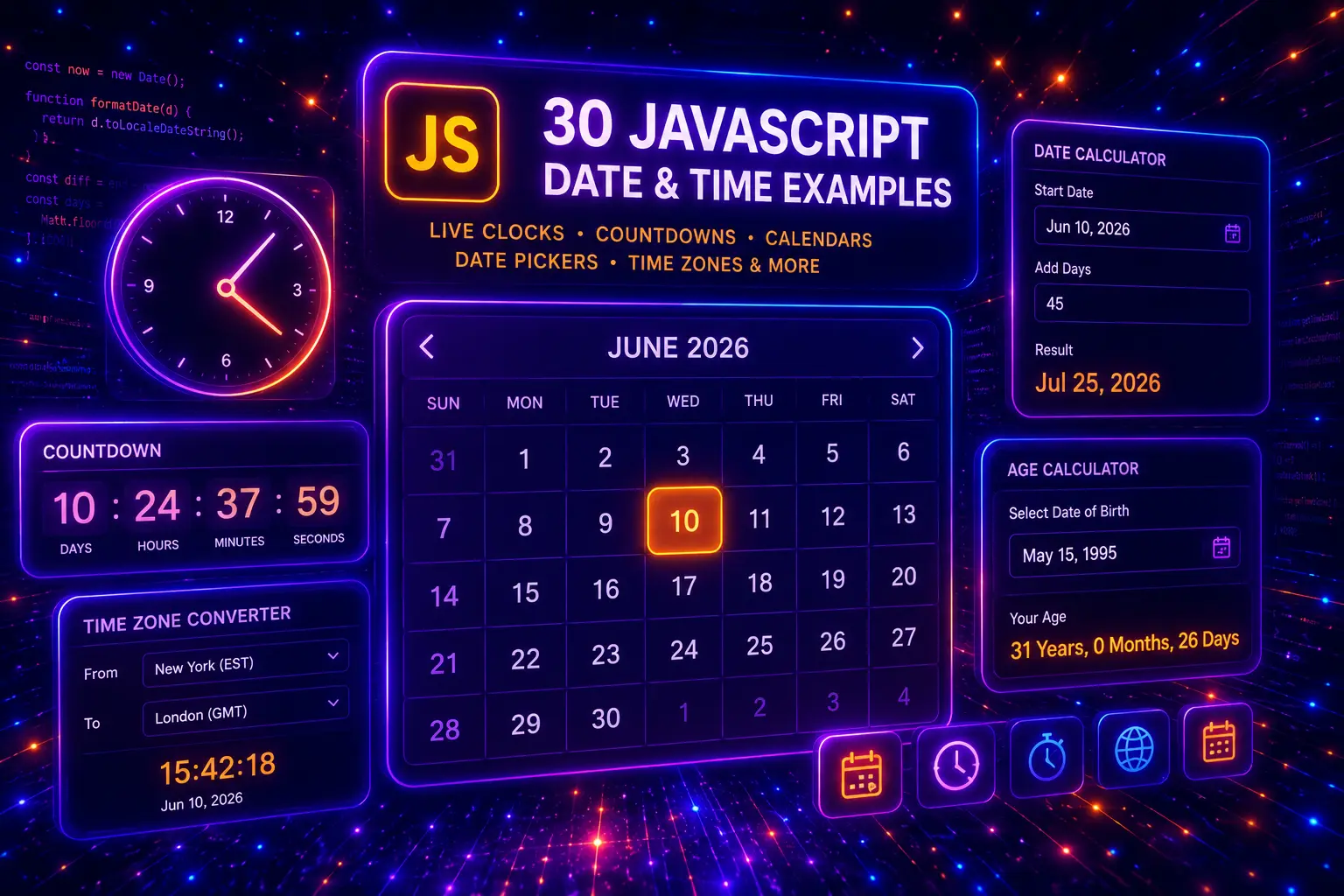
JavaScript date and time features are used in almost every practical website or web app. They can format dates, display live clocks, calculate countdowns, show booking times, compare deadlines, create calendar widgets, convert time zones, validate date inputs, generate timestamps, and make dashboards, forms, ecommerce pages, event pages, and booking systems feel more useful.
In this guide, you will find 30 JavaScript date and time examples for real website projects, including live clocks, countdown timers, date formatters, time zone converters, event countdowns, booking date pickers, delivery date calculators, working hour checkers, age calculators, calendar cards, deadline trackers, relative time labels, and reusable vanilla JavaScript date components.
This post focuses on practical JavaScript date and time logic, including the Date object, timestamps, Intl.DateTimeFormat, date formatting, time differences, countdown intervals, timezone display, weekday calculations, deadline checks, form date validation, calendar UI patterns, and copy-paste-ready HTML, CSS, and JavaScript examples. For related JavaScript UI features, you can also explore our JavaScript countdown timer examples, JavaScript form validation examples, JavaScript localStorage examples, and JavaScript calculator examples.
On this page
Table of Contents
- What Is JavaScript Date and Time?
- Why Date and Time Features Matter
- JavaScript Date and Time Use Cases
- What Should a Good Date Time Component Include?
- 30 JavaScript Date and Time Examples
- JavaScript Date and Time Best Practices
- Responsive Date and Time UI Tips
- Common JavaScript Date and Time Mistakes
- JavaScript Date and Time FAQ
- Conclusion
- Related JavaScript and CSS Guides

What Is JavaScript Date and Time?
JavaScript date and time refers to the browser-based logic used to create, read, format, compare, and update dates and times on a website. The most common starting point is the built-in Date object, which can represent the current time, a selected date, a future deadline, a past timestamp, or a custom date value entered by the user.
Date and time features are important because websites often need to show information that changes with time. A landing page may need an event countdown, an ecommerce page may need a delivery estimate, a dashboard may need a live clock, a booking form may need date validation, and a blog or app interface may need relative labels like “today”, “yesterday”, or “3 days ago”.
JavaScript can also format dates for different languages and regions, calculate the difference between two dates, show weekdays, detect working hours, display local time, convert basic time zone views, and keep timers updating automatically. These small features can make a simple page feel more interactive, useful, and professional.
Why Date and Time Features Matter
Date and time features matter because users often make decisions based on timing. They want to know when a sale ends, when an event starts, how long delivery may take, whether a business is open, how much time remains before a deadline, or what date they selected in a form.
- They improve user experience by showing live clocks, readable dates, countdowns, deadlines, and helpful time labels.
- They support conversions by creating urgency for sales, events, limited offers, bookings, and product launches.
- They make forms smarter by validating dates, checking minimum dates, calculating age, and preventing invalid booking choices.
- They help ecommerce pages by showing estimated delivery dates, sale countdowns, pickup times, and order deadlines.
- They teach real JavaScript logic because date features often use intervals, calculations, formatting, DOM updates, conditions, and reusable functions.
Date and time logic should still be handled carefully. Time zones, daylight saving time, invalid date inputs, browser differences, and formatting expectations can create mistakes if the logic is too simple. For most website UI components, the best approach is to keep the feature clear, test realistic dates, and display results in a format users understand immediately.
JavaScript Date and Time Use Cases
There are many practical JavaScript date and time use cases for websites, landing pages, ecommerce stores, dashboards, booking systems, blogs, and web apps. Some are small UI helpers, while others can become full interactive tools.
A simple date feature may only show the current year in the footer. A more advanced feature may calculate delivery dates, update a countdown every second, compare selected booking dates, generate a mini calendar, or display multiple time zones for an international audience.
- Live clock components show the current time in dashboards, admin panels, event pages, or support widgets.
- Date formatting tools convert raw date values into readable formats for users in different regions.
- Countdown timers create urgency for sales, webinars, launches, bookings, and limited-time offers.
- Booking date validation prevents users from selecting past dates, unavailable days, or invalid time slots.
- Delivery date calculators estimate shipping, pickup, production, or service dates based on business rules.
- Time zone displays help international visitors compare local times, meeting times, and remote support hours.
- Relative time labels show human-friendly text such as “just now”, “2 hours ago”, “yesterday”, or “next week”.
- Deadline trackers help dashboards, task apps, CRM tools, and project pages show remaining time clearly.
This guide focuses on JavaScript date and time examples, so every demo will include visible JavaScript, HTML, and CSS code. The examples are designed to be copy-paste friendly, practical for real websites, and different in layout, logic, interface style, time calculation, UI behavior, and responsive design.
What Should a Good Date Time Component Include?
A good date and time component should be accurate, readable, and useful. Users should understand what the time means, the display should update when needed, and the interface should avoid confusing date formats or hidden assumptions.
Clear date purpose
The component should have a clear reason to show time, such as a deadline, event date, booking slot, delivery estimate, live clock, or relative timestamp.
Readable formatting
Dates should be displayed in a format users understand quickly, instead of raw timestamps or confusing numeric-only values.
Reliable time logic
The component should handle updates, expired states, invalid inputs, selected dates, and time differences in a predictable way.
Responsive UI design
Date cards, countdowns, calendars, and time panels should stay readable on mobile, tablet, and desktop screens.
Before building a JavaScript date or time feature, decide what the user needs to know. Is the goal to show the current time, count down to an event, calculate a date range, format an input, compare two dates, show available booking days, or create urgency for a sale? A clear purpose makes the code simpler and the interface more useful.
- Use readable date formats so users do not need to guess whether a date means month/day/year or day/month/year.
- Use
Intl.DateTimeFormatwhere possible for cleaner locale-aware date and time formatting. - Validate user date input before calculating deadlines, age, booking dates, or delivery estimates.
- Handle expired states so countdowns and deadlines do not keep showing negative time.
- Update live components carefully using intervals only when a component really needs real-time updates.
- Keep time zone labels visible when showing international meeting times or support hours.
- Test edge cases such as today’s date, tomorrow, month endings, leap years, and invalid inputs.
- Use unique class names and scoped JavaScript so multiple examples can work on the same WordPress page.
- Make date UI mobile friendly because calendars, timers, and time cards can easily become cramped on small screens.
- Do not overcomplicate simple features when a clear date label or small helper function is enough.
You can combine JavaScript date and time features with many other website patterns. Countdown logic works well with JavaScript countdown timers, date validation can improve JavaScript form validation, saved date preferences can be combined with JavaScript localStorage, and date-based calculators can support examples from our JavaScript calculator examples guide.
30 JavaScript Date and Time Examples
Now let’s look at 30 JavaScript date and time examples for real website projects. Each example uses a different time-related purpose, layout style, interface pattern, date calculation, formatting method, live update behavior, validation rule, deadline state, time zone display, or responsive UI approach, so you can build practical browser-based date and time features with visible JavaScript, HTML, and CSS code.
1. Live Digital Clock with Date and Weekday
A live digital clock is one of the most useful JavaScript date and time examples for dashboards, admin panels, booking systems, event pages, support widgets, and modern website headers. It shows the current time, date, and weekday in real time.
This example uses the JavaScript Date object and updates the interface every second with setInterval(). It also uses Intl.DateTimeFormat to create readable date and weekday labels.
- Live updating digital clock
- Shows current time, date, and weekday
- Uses JavaScript Date object
- Updates every second
- Good for dashboards, booking pages, and admin UI
Example 01
Live Digital Clock
This clock updates every second and displays the current time, weekday, and full date using JavaScript.
00:00:00
Loading weekday…
Loading date…
JavaScript
(function () {
  const clock = document.querySelector("[data-vb-date-one]");
  if (!clock) return;

  const timeElement = clock.querySelector("[data-clock-time]");
  const weekdayElement = clock.querySelector("[data-clock-weekday]");
  const dateElement = clock.querySelector("[data-clock-date]");

  function updateClock() {
    const now = new Date();

    timeElement.textContent = new Intl.DateTimeFormat("en", {
      hour: "2-digit",
      minute: "2-digit",
      second: "2-digit"
    }).format(now);

    weekdayElement.textContent = new Intl.DateTimeFormat("en", {
      weekday: "long"
    }).format(now);

    dateElement.textContent = new Intl.DateTimeFormat("en", {
      month: "long",
      day: "numeric",
      year: "numeric"
    }).format(now);
  }

  updateClock();
  setInterval(updateClock, 1000);
})();
HTML
<div class="vb-date-one-demo">
  <div class="vb-date-one-card" data-vb-date-one>
    <div class="vb-date-one-orbit">
      <span></span>
      <span></span>
      <span></span>
    </div>

    <div class="vb-date-one-content">
      <span class="vb-date-one-kicker">Example 01</span>
      <h3>Live Digital Clock</h3>
      <p>This clock updates every second and displays the current time, weekday, and full date using JavaScript.</p>

      <div class="vb-date-one-clock">
        <strong data-clock-time>00:00:00</strong>
        <span data-clock-weekday>Loading weekday...</span>
        <small data-clock-date>Loading date...</small>
      </div>
    </div>
  </div>
</div>
CSS
.vb-date-one-demo,
.vb-date-one-demo * {
  box-sizing: border-box;
}

.vb-date-one-demo {
  margin: 28px 0;
  padding: clamp(18px, 4vw, 42px);
  border-radius: 36px;
  background:
    radial-gradient(circle at 15% 18%, rgba(37, 99, 235, 0.22), transparent 34%),
    radial-gradient(circle at 88% 12%, rgba(249, 115, 22, 0.22), transparent 36%),
    linear-gradient(135deg, #eff6ff 0%, #fff7ed 58%, #ffffff 100%) !important;
  border: 1px solid rgba(148, 163, 184, 0.22);
  box-shadow: 0 28px 80px rgba(15, 23, 42, 0.10);
}

.vb-date-one-card {
  position: relative;
  max-width: 980px;
  margin: 0 auto;
  min-height: 440px;
  display: grid;
  place-items: center;
  overflow: hidden;
  border-radius: 34px;
  background:
    radial-gradient(circle at center, rgba(59, 130, 246, 0.28), transparent 36%),
    linear-gradient(135deg, #0f172a 0%, #1e1b4b 50%, #7c2d12 100%);
  border: 1px solid rgba(255,255,255,0.12);
  box-shadow: 0 30px 90px rgba(15, 23, 42, 0.32);
}

.vb-date-one-orbit {
  position: absolute;
  inset: 0;
  pointer-events: none;
}

.vb-date-one-orbit span {
  position: absolute;
  border-radius: 999px;
  border: 1px solid rgba(255,255,255,0.14);
  animation: vbDateOneFloat 8s ease-in-out infinite;
}

.vb-date-one-orbit span:nth-child(1) {
  width: 310px;
  height: 310px;
  left: -80px;
  top: -80px;
}

.vb-date-one-orbit span:nth-child(2) {
  width: 420px;
  height: 420px;
  right: -120px;
  bottom: -150px;
  animation-delay: -2s;
}

.vb-date-one-orbit span:nth-child(3) {
  width: 180px;
  height: 180px;
  right: 18%;
  top: 12%;
  animation-delay: -4s;
}

@keyframes vbDateOneFloat {
  0%, 100% {
    transform: translateY(0) scale(1);
    opacity: 0.55;
  }

  50% {
    transform: translateY(-16px) scale(1.04);
    opacity: 0.95;
  }
}

.vb-date-one-content {
  position: relative;
  z-index: 2;
  width: min(100%, 720px);
  padding: clamp(22px, 5vw, 54px);
  text-align: center;
}

.vb-date-one-kicker {
  display: inline-flex;
  margin-bottom: 18px;
  padding: 8px 13px;
  border-radius: 999px;
  background: rgba(255,255,255,0.10);
  border: 1px solid rgba(255,255,255,0.18);
  color: #fed7aa !important;
  -webkit-text-fill-color: #fed7aa !important;
  font-size: 12px;
  font-weight: 950;
  letter-spacing: 0.14em;
  text-transform: uppercase;
}

.vb-date-one-content h3 {
  margin: 0 0 14px !important;
  color: #ffffff !important;
  -webkit-text-fill-color: #ffffff !important;
  font-size: clamp(38px, 7vw, 78px) !important;
  line-height: 0.94 !important;
  font-weight: 950 !important;
  letter-spacing: -0.075em;
}

.vb-date-one-content p {
  max-width: 580px;
  margin: 0 auto 26px !important;
  color: #dbeafe !important;
  -webkit-text-fill-color: #dbeafe !important;
  font-size: 16px;
  line-height: 1.75;
  font-weight: 650;
}

.vb-date-one-clock {
  display: grid;
  gap: 10px;
  justify-items: center;
  max-width: 560px;
  margin: 0 auto;
  padding: clamp(18px, 4vw, 32px);
  border-radius: 28px;
  background: rgba(255,255,255,0.10);
  border: 1px solid rgba(255,255,255,0.16);
  box-shadow: inset 0 1px 0 rgba(255,255,255,0.10);
  backdrop-filter: blur(16px);
}

.vb-date-one-clock strong {
  color: #ffffff !important;
  -webkit-text-fill-color: #ffffff !important;
  font-size: clamp(48px, 9vw, 96px);
  line-height: 0.95;
  font-weight: 950;
  letter-spacing: -0.06em;
  font-variant-numeric: tabular-nums;
}

.vb-date-one-clock span {
  color: #fed7aa !important;
  -webkit-text-fill-color: #fed7aa !important;
  font-size: clamp(20px, 3vw, 30px);
  font-weight: 900;
}

.vb-date-one-clock small {
  color: #bfdbfe !important;
  -webkit-text-fill-color: #bfdbfe !important;
  font-size: 15px;
  line-height: 1.5;
  font-weight: 750;
}

@media (max-width: 560px) {
  .vb-date-one-card {
    min-height: 390px;
    border-radius: 26px;
  }

  .vb-date-one-clock {
    border-radius: 22px;
  }

  .vb-date-one-clock strong {
    font-size: 50px;
  }
}
This live JavaScript clock example is useful for admin dashboards, SaaS interfaces, booking systems, event websites, support pages, internal tools, and landing pages where real-time date and time information improves the user experience.
2. Date Formatter Tool with Multiple Output Styles
A JavaScript date formatter tool helps users convert a selected date into different readable formats. This is useful for dashboards, content tools, booking systems, CRM notes, invoices, event pages, and any interface where raw date input should become human-friendly text.
This example uses an HTML date input and formats the selected date into long date, short date, weekday, ISO-style date, and a custom friendly label. It uses Intl.DateTimeFormat for clean browser-based date formatting.
- Formats selected date instantly
- Shows multiple date output styles
- Uses Intl.DateTimeFormat
- Includes long date, short date, weekday, and ISO output
- Useful for tools, dashboards, forms, and CMS interfaces
Example 02
Date Formatter Tool
Select a date and JavaScript will format it into several useful output styles.
Long date
Choose a date
Short date
Choose a date
Weekday
Choose a date
ISO style
Choose a date
Friendly label
Choose a date to create a readable label.
JavaScript
(function () {
  const formatter = document.querySelector("[data-vb-date-two]");
  if (!formatter) return;

  const input = formatter.querySelector("[data-date-input]");
  const todayButton = formatter.querySelector("[data-today-button]");

  const outputLong = formatter.querySelector("[data-output-long]");
  const outputShort = formatter.querySelector("[data-output-short]");
  const outputWeekday = formatter.querySelector("[data-output-weekday]");
  const outputIso = formatter.querySelector("[data-output-iso]");
  const outputFriendly = formatter.querySelector("[data-output-friendly]");

  function createLocalDate(value) {
    const parts = value.split("-");
    return new Date(Number(parts[0]), Number(parts[1]) - 1, Number(parts[2]));
  }

  function formatDate() {
    if (!input.value) {
      outputLong.textContent = "Choose a date";
      outputShort.textContent = "Choose a date";
      outputWeekday.textContent = "Choose a date";
      outputIso.textContent = "Choose a date";
      outputFriendly.textContent = "Choose a date to create a readable label.";
      return;
    }

    const selectedDate = createLocalDate(input.value);

    outputLong.textContent = new Intl.DateTimeFormat("en", {
      month: "long",
      day: "numeric",
      year: "numeric"
    }).format(selectedDate);

    outputShort.textContent = new Intl.DateTimeFormat("en", {
      month: "short",
      day: "numeric",
      year: "numeric"
    }).format(selectedDate);

    outputWeekday.textContent = new Intl.DateTimeFormat("en", {
      weekday: "long"
    }).format(selectedDate);

    outputIso.textContent = input.value;

    outputFriendly.textContent =
      "Selected date is " +
      outputWeekday.textContent +
      ", " +
      outputLong.textContent +
      ".";
  }

  function setToday() {
    const today = new Date();
    const year = today.getFullYear();
    const month = String(today.getMonth() + 1).padStart(2, "0");
    const day = String(today.getDate()).padStart(2, "0");

    input.value = year + "-" + month + "-" + day;
    formatDate();
  }

  input.addEventListener("change", formatDate);
  todayButton.addEventListener("click", setToday);

  setToday();
})();
HTML
<div class="vb-date-two-demo">
  <div class="vb-date-two-shell" data-vb-date-two>
    <div class="vb-date-two-panel">
      <span class="vb-date-two-kicker">Example 02</span>
      <h3>Date Formatter Tool</h3>
      <p>Select a date and JavaScript will format it into several useful output styles.</p>

      <label class="vb-date-two-input-wrap">
        <span>Choose a date</span>
        <input type="date" data-date-input>
      </label>

      <button type="button" data-today-button>Use Today</button>
    </div>

    <div class="vb-date-two-results">
      <div class="vb-date-two-result-card">
        <span>Long date</span>
        <strong data-output-long>Choose a date</strong>
      </div>

      <div class="vb-date-two-result-card">
        <span>Short date</span>
        <strong data-output-short>Choose a date</strong>
      </div>

      <div class="vb-date-two-result-card">
        <span>Weekday</span>
        <strong data-output-weekday>Choose a date</strong>
      </div>

      <div class="vb-date-two-result-card">
        <span>ISO style</span>
        <strong data-output-iso>Choose a date</strong>
      </div>

      <div class="vb-date-two-result-card vb-date-two-wide">
        <span>Friendly label</span>
        <strong data-output-friendly>Choose a date to create a readable label.</strong>
      </div>
    </div>
  </div>
</div>
CSS
.vb-date-two-demo,
.vb-date-two-demo * {
  box-sizing: border-box;
}

.vb-date-two-demo {
  margin: 28px 0;
  padding: clamp(18px, 4vw, 40px);
  border-radius: 38px;
  background:
    radial-gradient(circle at 12% 16%, rgba(14, 165, 233, 0.18), transparent 34%),
    radial-gradient(circle at 86% 18%, rgba(236, 72, 153, 0.16), transparent 34%),
    linear-gradient(135deg, #f8fafc 0%, #fdf2f8 52%, #eff6ff 100%) !important;
  border: 1px solid rgba(148, 163, 184, 0.22);
  box-shadow: 0 28px 80px rgba(15, 23, 42, 0.09);
}

.vb-date-two-shell {
  display: grid;
  grid-template-columns: minmax(280px, 0.8fr) minmax(0, 1.2fr);
  gap: 20px;
  max-width: 1120px;
  margin: 0 auto;
}

.vb-date-two-panel {
  display: flex;
  flex-direction: column;
  justify-content: center;
  padding: clamp(22px, 4vw, 34px);
  border-radius: 30px;
  background: #ffffff;
  border: 1px solid rgba(148, 163, 184, 0.22);
  box-shadow: 0 22px 70px rgba(15, 23, 42, 0.10);
}

.vb-date-two-kicker {
  display: inline-flex;
  align-self: flex-start;
  margin-bottom: 16px;
  padding: 8px 12px;
  border-radius: 999px;
  background: #e0f2fe;
  color: #0369a1 !important;
  -webkit-text-fill-color: #0369a1 !important;
  font-size: 12px;
  font-weight: 950;
  letter-spacing: 0.13em;
  text-transform: uppercase;
}

.vb-date-two-panel h3 {
  margin: 0 0 14px !important;
  color: #0f172a !important;
  -webkit-text-fill-color: #0f172a !important;
  font-size: clamp(34px, 5vw, 62px) !important;
  line-height: 0.96 !important;
  font-weight: 950 !important;
  letter-spacing: -0.07em;
}

.vb-date-two-panel p {
  margin: 0 0 22px !important;
  color: #475569 !important;
  -webkit-text-fill-color: #475569 !important;
  font-size: 16px;
  line-height: 1.72;
  font-weight: 650;
}

.vb-date-two-input-wrap {
  display: grid;
  gap: 8px;
  margin-bottom: 14px;
}

.vb-date-two-input-wrap span {
  color: #334155 !important;
  -webkit-text-fill-color: #334155 !important;
  font-size: 13px;
  font-weight: 900;
}

.vb-date-two-input-wrap input {
  width: 100%;
  min-height: 52px;
  padding: 0 15px;
  border: 1px solid rgba(148, 163, 184, 0.36);
  border-radius: 17px;
  background: #f8fafc;
  color: #0f172a !important;
  -webkit-text-fill-color: #0f172a !important;
  font-size: 15px;
  font-weight: 750;
  outline: none;
}

.vb-date-two-input-wrap input:focus {
  border-color: rgba(14, 165, 233, 0.8);
  box-shadow: 0 0 0 4px rgba(14, 165, 233, 0.12);
}

.vb-date-two-panel button {
  display: inline-flex;
  align-self: flex-start;
  align-items: center;
  justify-content: center;
  min-height: 46px;
  padding: 12px 16px;
  border: 0;
  border-radius: 999px;
  background: linear-gradient(135deg, #0ea5e9, #2563eb);
  color: #ffffff !important;
  -webkit-text-fill-color: #ffffff !important;
  font-size: 13px;
  font-weight: 950;
  cursor: pointer;
  box-shadow: 0 14px 34px rgba(14, 165, 233, 0.22);
}

.vb-date-two-results {
  display: grid;
  grid-template-columns: repeat(2, minmax(0, 1fr));
  gap: 14px;
}

.vb-date-two-result-card {
  display: grid;
  gap: 10px;
  min-height: 150px;
  align-content: center;
  padding: 22px;
  border-radius: 26px;
  background:
    linear-gradient(135deg, rgba(255,255,255,0.90), rgba(255,255,255,0.70)),
    radial-gradient(circle at top right, rgba(14, 165, 233, 0.18), transparent 42%);
  border: 1px solid rgba(148, 163, 184, 0.22);
  box-shadow: 0 20px 60px rgba(15, 23, 42, 0.08);
}

.vb-date-two-result-card span {
  color: #64748b !important;
  -webkit-text-fill-color: #64748b !important;
  font-size: 12px;
  font-weight: 950;
  text-transform: uppercase;
  letter-spacing: 0.10em;
}

.vb-date-two-result-card strong {
  color: #0f172a !important;
  -webkit-text-fill-color: #0f172a !important;
  font-size: clamp(20px, 3vw, 30px);
  line-height: 1.12;
  font-weight: 950;
  letter-spacing: -0.045em;
  word-break: break-word;
}

.vb-date-two-wide {
  grid-column: 1 / -1;
  min-height: 130px;
  background:
    radial-gradient(circle at 8% 20%, rgba(236, 72, 153, 0.16), transparent 34%),
    linear-gradient(135deg, #0f172a, #1e1b4b) !important;
}

.vb-date-two-wide span {
  color: #fbcfe8 !important;
  -webkit-text-fill-color: #fbcfe8 !important;
}

.vb-date-two-wide strong {
  color: #ffffff !important;
  -webkit-text-fill-color: #ffffff !important;
}

@media (max-width: 880px) {
  .vb-date-two-shell {
    grid-template-columns: 1fr;
  }
}

@media (max-width: 560px) {
  .vb-date-two-results {
    grid-template-columns: 1fr;
  }

  .vb-date-two-panel,
  .vb-date-two-result-card {
    border-radius: 22px;
  }

  .vb-date-two-panel button {
    width: 100%;
  }
}
This JavaScript date formatter example is useful for admin tools, date input previews, booking forms, CMS interfaces, content scheduling tools, invoice dashboards, and any website feature where selected dates should become readable immediately.
3. Event Countdown Timer with Expired State
An event countdown timer is a practical JavaScript date and time component for webinars, product launches, limited offers, online events, course starts, booking deadlines, and landing pages. It shows how much time remains until a future date.
This example calculates the difference between the current time and a target event date. It updates every second and changes the interface when the countdown reaches zero, so the timer never shows confusing negative values.
- Countdown to a future event
- Shows days, hours, minutes, and seconds
- Updates every second
- Includes expired state
- Useful for launches, webinars, sales, and booking pages
Example 03
Event Countdown
JavaScript calculates the remaining time until the event date and updates the countdown every second.
00
Days
00
Hours
00
Minutes
00
Seconds
JavaScript
(function () {
  const countdown = document.querySelector("[data-vb-date-three]");
  if (!countdown) return;

  const eventDateValue = countdown.getAttribute("data-event-date");
  const eventDate = new Date(eventDateValue).getTime();

  const daysElement = countdown.querySelector("[data-days]");
  const hoursElement = countdown.querySelector("[data-hours]");
  const minutesElement = countdown.querySelector("[data-minutes]");
  const secondsElement = countdown.querySelector("[data-seconds]");
  const statusElement = countdown.querySelector("[data-event-status]");

  function padNumber(number) {
    return String(number).padStart(2, "0");
  }

  function updateCountdown() {
    const now = new Date().getTime();
    const distance = eventDate - now;

    if (distance <= 0) {
      daysElement.textContent = "00";
      hoursElement.textContent = "00";
      minutesElement.textContent = "00";
      secondsElement.textContent = "00";
      statusElement.textContent = "Event has started";
      countdown.classList.add("is-expired");
      return;
    }

    const days = Math.floor(distance / (1000 * 60 * 60 * 24));
    const hours = Math.floor((distance / (1000 * 60 * 60)) % 24);
    const minutes = Math.floor((distance / (1000 * 60)) % 60);
    const seconds = Math.floor((distance / 1000) % 60);

    daysElement.textContent = padNumber(days);
    hoursElement.textContent = padNumber(hours);
    minutesElement.textContent = padNumber(minutes);
    secondsElement.textContent = padNumber(seconds);
    statusElement.textContent = "Countdown is active";
    countdown.classList.remove("is-expired");
  }

  updateCountdown();
  setInterval(updateCountdown, 1000);
})();
HTML
<div class="vb-date-three-demo">
  <div class="vb-date-three-card" data-vb-date-three data-event-date="2026-12-31T23:59:59">
    <div class="vb-date-three-top">
      <span class="vb-date-three-kicker">Example 03</span>
      <h3>Event Countdown</h3>
      <p>JavaScript calculates the remaining time until the event date and updates the countdown every second.</p>
    </div>

    <div class="vb-date-three-countdown" data-countdown-wrap>
      <div class="vb-date-three-time-box">
        <strong data-days>00</strong>
        <span>Days</span>
      </div>

      <div class="vb-date-three-time-box">
        <strong data-hours>00</strong>
        <span>Hours</span>
      </div>

      <div class="vb-date-three-time-box">
        <strong data-minutes>00</strong>
        <span>Minutes</span>
      </div>

      <div class="vb-date-three-time-box">
        <strong data-seconds>00</strong>
        <span>Seconds</span>
      </div>
    </div>

    <div class="vb-date-three-footer">
      <span data-event-label>Event date: December 31, 2026</span>
      <strong data-event-status>Countdown is active</strong>
    </div>
  </div>
</div>
CSS
.vb-date-three-demo,
.vb-date-three-demo * {
  box-sizing: border-box;
}

.vb-date-three-demo {
  margin: 28px 0;
  padding: clamp(18px, 4vw, 40px);
  border-radius: 40px;
  background:
    radial-gradient(circle at 18% 16%, rgba(248, 113, 113, 0.18), transparent 34%),
    radial-gradient(circle at 86% 18%, rgba(251, 191, 36, 0.18), transparent 34%),
    linear-gradient(135deg, #fff7ed 0%, #fef2f2 52%, #ffffff 100%) !important;
  border: 1px solid rgba(248, 113, 113, 0.18);
  box-shadow: 0 28px 80px rgba(127, 29, 29, 0.08);
}

.vb-date-three-card {
  max-width: 1080px;
  margin: 0 auto;
  padding: clamp(22px, 5vw, 46px);
  border-radius: 34px;
  background:
    radial-gradient(circle at 12% 14%, rgba(251, 146, 60, 0.22), transparent 34%),
    radial-gradient(circle at 92% 18%, rgba(244, 63, 94, 0.20), transparent 34%),
    linear-gradient(135deg, #111827 0%, #7f1d1d 55%, #9a3412 100%);
  border: 1px solid rgba(255,255,255,0.13);
  box-shadow: 0 30px 90px rgba(127, 29, 29, 0.28);
  overflow: hidden;
}

.vb-date-three-top {
  display: grid;
  gap: 13px;
  max-width: 760px;
  margin-bottom: 28px;
}

.vb-date-three-kicker {
  display: inline-flex;
  justify-self: start;
  padding: 8px 12px;
  border-radius: 999px;
  background: rgba(255,255,255,0.10);
  border: 1px solid rgba(255,255,255,0.16);
  color: #fed7aa !important;
  -webkit-text-fill-color: #fed7aa !important;
  font-size: 12px;
  font-weight: 950;
  letter-spacing: 0.13em;
  text-transform: uppercase;
}

.vb-date-three-top h3 {
  margin: 0 !important;
  color: #ffffff !important;
  -webkit-text-fill-color: #ffffff !important;
  font-size: clamp(38px, 7vw, 76px) !important;
  line-height: 0.94 !important;
  font-weight: 950 !important;
  letter-spacing: -0.075em;
}

.vb-date-three-top p {
  max-width: 640px;
  margin: 0 !important;
  color: #fee2e2 !important;
  -webkit-text-fill-color: #fee2e2 !important;
  font-size: 16px;
  line-height: 1.75;
  font-weight: 650;
}

.vb-date-three-countdown {
  display: grid;
  grid-template-columns: repeat(4, minmax(0, 1fr));
  gap: 14px;
  margin-bottom: 22px;
}

.vb-date-three-time-box {
  display: grid;
  gap: 9px;
  justify-items: center;
  min-height: 165px;
  align-content: center;
  padding: 18px;
  border-radius: 26px;
  background: rgba(255,255,255,0.11);
  border: 1px solid rgba(255,255,255,0.16);
  box-shadow: inset 0 1px 0 rgba(255,255,255,0.10);
  backdrop-filter: blur(12px);
}

.vb-date-three-time-box strong {
  color: #ffffff !important;
  -webkit-text-fill-color: #ffffff !important;
  font-size: clamp(42px, 7vw, 74px);
  line-height: 0.95;
  font-weight: 950;
  letter-spacing: -0.065em;
  font-variant-numeric: tabular-nums;
}

.vb-date-three-time-box span {
  color: #fed7aa !important;
  -webkit-text-fill-color: #fed7aa !important;
  font-size: 12px;
  font-weight: 950;
  letter-spacing: 0.12em;
  text-transform: uppercase;
}

.vb-date-three-footer {
  display: flex;
  align-items: center;
  justify-content: space-between;
  gap: 14px;
  flex-wrap: wrap;
  padding: 16px 18px;
  border-radius: 22px;
  background: rgba(255,255,255,0.10);
  border: 1px solid rgba(255,255,255,0.14);
}

.vb-date-three-footer span {
  color: #ffedd5 !important;
  -webkit-text-fill-color: #ffedd5 !important;
  font-size: 14px;
  font-weight: 750;
}

.vb-date-three-footer strong {
  display: inline-flex;
  padding: 8px 11px;
  border-radius: 999px;
  background: rgba(34, 197, 94, 0.18);
  border: 1px solid rgba(74, 222, 128, 0.28);
  color: #bbf7d0 !important;
  -webkit-text-fill-color: #bbf7d0 !important;
  font-size: 12px;
  font-weight: 950;
}

.vb-date-three-card.is-expired .vb-date-three-footer strong {
  background: rgba(248, 113, 113, 0.20);
  border-color: rgba(248, 113, 113, 0.34);
  color: #fecaca !important;
  -webkit-text-fill-color: #fecaca !important;
}

@media (max-width: 760px) {
  .vb-date-three-countdown {
    grid-template-columns: repeat(2, minmax(0, 1fr));
  }

  .vb-date-three-time-box {
    min-height: 140px;
  }
}

@media (max-width: 480px) {
  .vb-date-three-countdown {
    grid-template-columns: 1fr;
  }

  .vb-date-three-card {
    border-radius: 26px;
  }

  .vb-date-three-time-box {
    min-height: 120px;
    border-radius: 22px;
  }
}
This JavaScript event countdown example is useful for webinar landing pages, product launches, event websites, ecommerce sale pages, online course registrations, booking deadlines, and limited-time promotional sections.
4. Time Zone Converter Cards
A JavaScript time zone converter is useful for international websites, remote teams, online meetings, support pages, event platforms, and booking interfaces. It helps visitors compare the same selected time across different regions.
This example lets the user choose a meeting date and time, then JavaScript displays the matching time in New York, London, Tallinn, Tokyo, and Sydney. It uses Intl.DateTimeFormat with different timeZone values.
- Converts one selected time into multiple time zones
- Uses Intl.DateTimeFormat with timeZone options
- Includes date and time input
- Responsive card layout
- Useful for meeting planners, event pages, and support teams
Example 04
Time Zone Converter
Select one meeting time and instantly compare it across major time zones.
JavaScript
(function () {
  const converter = document.querySelector("[data-vb-date-four]");
  if (!converter) return;

  const input = converter.querySelector("[data-timezone-input]");
  const nowButton = converter.querySelector("[data-timezone-now]");
  const outputs = converter.querySelectorAll("[data-zone-output]");

  function getLocalDateTimeValue(date) {
    const year = date.getFullYear();
    const month = String(date.getMonth() + 1).padStart(2, "0");
    const day = String(date.getDate()).padStart(2, "0");
    const hours = String(date.getHours()).padStart(2, "0");
    const minutes = String(date.getMinutes()).padStart(2, "0");

    return year + "-" + month + "-" + day + "T" + hours + ":" + minutes;
  }

  function updateZones() {
    if (!input.value) return;

    const selectedDate = new Date(input.value);

    outputs.forEach(function (output) {
      const zone = output.getAttribute("data-zone-output");

      output.textContent = new Intl.DateTimeFormat("en", {
        timeZone: zone,
        weekday: "short",
        month: "short",
        day: "numeric",
        hour: "2-digit",
        minute: "2-digit"
      }).format(selectedDate);
    });
  }

  function useCurrentTime() {
    input.value = getLocalDateTimeValue(new Date());
    updateZones();
  }

  input.addEventListener("change", updateZones);
  nowButton.addEventListener("click", useCurrentTime);

  useCurrentTime();
})();
HTML
<div class="vb-date-four-demo">
  <div class="vb-date-four-shell" data-vb-date-four>
    <div class="vb-date-four-intro">
      <span class="vb-date-four-kicker">Example 04</span>
      <h3>Time Zone Converter</h3>
      <p>Select one meeting time and instantly compare it across major time zones.</p>

      <label>
        <span>Meeting date and time</span>
        <input type="datetime-local" data-timezone-input>
      </label>

      <button type="button" data-timezone-now>Use Current Time</button>
    </div>

    <div class="vb-date-four-grid">
      <article class="vb-date-four-zone">
        <span>New York</span>
        <strong data-zone-output="America/New_York">--:--</strong>
        <small>America/New York</small>
      </article>

      <article class="vb-date-four-zone">
        <span>London</span>
        <strong data-zone-output="Europe/London">--:--</strong>
        <small>Europe/London</small>
      </article>

      <article class="vb-date-four-zone">
        <span>Tallinn</span>
        <strong data-zone-output="Europe/Tallinn">--:--</strong>
        <small>Europe/Tallinn</small>
      </article>

      <article class="vb-date-four-zone">
        <span>Tokyo</span>
        <strong data-zone-output="Asia/Tokyo">--:--</strong>
        <small>Asia/Tokyo</small>
      </article>

      <article class="vb-date-four-zone vb-date-four-wide">
        <span>Sydney</span>
        <strong data-zone-output="Australia/Sydney">--:--</strong>
        <small>Australia/Sydney</small>
      </article>
    </div>
  </div>
</div>
CSS
.vb-date-four-demo,
.vb-date-four-demo * {
  box-sizing: border-box;
}

.vb-date-four-demo {
  margin: 28px 0;
  padding: clamp(18px, 4vw, 40px);
  border-radius: 38px;
  background:
    radial-gradient(circle at 14% 16%, rgba(37, 99, 235, 0.18), transparent 34%),
    radial-gradient(circle at 88% 18%, rgba(20, 184, 166, 0.18), transparent 34%),
    linear-gradient(135deg, #eff6ff 0%, #ecfeff 55%, #ffffff 100%) !important;
  border: 1px solid rgba(37, 99, 235, 0.18);
  box-shadow: 0 28px 80px rgba(15, 23, 42, 0.09);
}

.vb-date-four-shell {
  display: grid;
  grid-template-columns: minmax(280px, 0.85fr) minmax(0, 1.15fr);
  gap: 20px;
  max-width: 1140px;
  margin: 0 auto;
}

.vb-date-four-intro {
  min-width: 0;
  padding: clamp(22px, 4vw, 34px);
  border-radius: 30px;
  background:
    radial-gradient(circle at top left, rgba(96, 165, 250, 0.20), transparent 38%),
    linear-gradient(135deg, #0f172a 0%, #164e63 100%) !important;
  border: 1px solid rgba(255,255,255,0.14);
  box-shadow: 0 24px 70px rgba(15, 23, 42, 0.22);
}

.vb-date-four-kicker {
  display: inline-flex;
  margin-bottom: 16px;
  padding: 8px 12px;
  border-radius: 999px;
  background: rgba(255,255,255,0.10);
  border: 1px solid rgba(255,255,255,0.16);
  color: #a5f3fc !important;
  -webkit-text-fill-color: #a5f3fc !important;
  font-size: 12px;
  font-weight: 950;
  letter-spacing: 0.13em;
  text-transform: uppercase;
}

.vb-date-four-intro h3 {
  margin: 0 0 14px !important;
  color: #ffffff !important;
  -webkit-text-fill-color: #ffffff !important;
  font-size: clamp(34px, 5vw, 64px) !important;
  line-height: 0.96 !important;
  font-weight: 950 !important;
  letter-spacing: -0.075em;
}

.vb-date-four-intro p {
  margin: 0 0 22px !important;
  color: #dbeafe !important;
  -webkit-text-fill-color: #dbeafe !important;
  font-size: 16px;
  line-height: 1.75;
  font-weight: 650;
}

.vb-date-four-intro label {
  display: grid;
  gap: 8px;
  margin-bottom: 14px;
}

.vb-date-four-intro label span {
  color: #cffafe !important;
  -webkit-text-fill-color: #cffafe !important;
  font-size: 13px;
  font-weight: 900;
}

.vb-date-four-intro input {
  width: 100%;
  min-height: 52px;
  padding: 0 14px;
  border: 1px solid rgba(255,255,255,0.20);
  border-radius: 17px;
  background: rgba(255,255,255,0.10);
  color: #ffffff !important;
  -webkit-text-fill-color: #ffffff !important;
  font-size: 15px;
  font-weight: 750;
  outline: none;
}

.vb-date-four-intro input::-webkit-calendar-picker-indicator {
  filter: invert(1);
  opacity: 0.9;
}

.vb-date-four-intro input:focus {
  border-color: rgba(103, 232, 249, 0.85);
  box-shadow: 0 0 0 4px rgba(103, 232, 249, 0.14);
}

.vb-date-four-intro button {
  display: inline-flex;
  align-items: center;
  justify-content: center;
  min-height: 46px;
  padding: 12px 16px;
  border: 0;
  border-radius: 999px;
  background: linear-gradient(135deg, #06b6d4, #2563eb);
  color: #ffffff !important;
  -webkit-text-fill-color: #ffffff !important;
  font-size: 13px;
  font-weight: 950;
  cursor: pointer;
  box-shadow: 0 14px 34px rgba(6, 182, 212, 0.24);
}

.vb-date-four-grid {
  display: grid;
  grid-template-columns: repeat(2, minmax(0, 1fr));
  gap: 14px;
  min-width: 0;
}

.vb-date-four-zone {
  display: grid;
  align-content: center;
  gap: 10px;
  min-width: 0;
  min-height: 168px;
  padding: 22px;
  border-radius: 26px;
  background: #ffffff;
  border: 1px solid rgba(148, 163, 184, 0.22);
  box-shadow: 0 20px 60px rgba(15, 23, 42, 0.08);
}

.vb-date-four-zone span {
  color: #0891b2 !important;
  -webkit-text-fill-color: #0891b2 !important;
  font-size: 13px;
  font-weight: 950;
  letter-spacing: 0.10em;
  text-transform: uppercase;
}

.vb-date-four-zone strong {
  color: #0f172a !important;
  -webkit-text-fill-color: #0f172a !important;
  font-size: clamp(24px, 4vw, 42px);
  line-height: 1.05;
  font-weight: 950;
  letter-spacing: -0.055em;
  font-variant-numeric: tabular-nums;
  overflow-wrap: anywhere;
}

.vb-date-four-zone small {
  color: #64748b !important;
  -webkit-text-fill-color: #64748b !important;
  font-size: 13px;
  line-height: 1.35;
  font-weight: 750;
  overflow-wrap: anywhere;
}

.vb-date-four-wide {
  grid-column: 1 / -1;
  min-height: 138px;
  background:
    radial-gradient(circle at 10% 20%, rgba(20, 184, 166, 0.14), transparent 34%),
    linear-gradient(135deg, #f8fafc, #ecfeff) !important;
}

@media (max-width: 900px) {
  .vb-date-four-shell {
    grid-template-columns: 1fr;
  }
}

@media (max-width: 580px) {
  .vb-date-four-grid {
    grid-template-columns: 1fr;
  }

  .vb-date-four-intro,
  .vb-date-four-zone {
    border-radius: 22px;
  }

  .vb-date-four-intro button {
    width: 100%;
  }

  .vb-date-four-zone {
    min-height: 130px;
  }
}
This JavaScript time zone converter example is useful for remote team pages, event registration pages, international booking forms, webinar landing pages, SaaS dashboards, and support pages that serve users in different countries.
5. Working Hours Open or Closed Checker
A working hours checker is a practical JavaScript date and time example for business websites, support widgets, restaurants, clinics, agencies, ecommerce stores, and local service pages. It tells visitors whether the business is currently open or closed.
This example checks the current day and hour in JavaScript. It shows an open or closed status, displays today’s working hours, and explains when the business is available. The layout is responsive and works well inside WordPress content blocks.
- Checks current day and hour
- Shows open or closed status
- Displays today’s working hours
- Includes weekly schedule cards
- Useful for local businesses, support teams, and service websites
Example 05
Business Hours Checker
JavaScript checks the current day and time, then displays whether the business is open or closed.
Checking...
Please wait while JavaScript checks the current time.
Today
Loading...
Mon09:00 - 17:00
Tue09:00 - 17:00
Wed09:00 - 17:00
Thu09:00 - 17:00
Fri09:00 - 16:00
SatClosed
SunClosed
JavaScript
(function () {
  const checker = document.querySelector("[data-vb-date-five]");
  if (!checker) return;

  const statusBox = checker.querySelector("[data-status-box]");
  const statusText = checker.querySelector("[data-open-status]");
  const messageText = checker.querySelector("[data-open-message]");
  const todayHours = checker.querySelector("[data-today-hours]");
  const dayRows = checker.querySelectorAll("[data-day-row]");

  const schedule = {
    0: null,
    1: { open: 9, close: 17, label: "09:00 - 17:00" },
    2: { open: 9, close: 17, label: "09:00 - 17:00" },
    3: { open: 9, close: 17, label: "09:00 - 17:00" },
    4: { open: 9, close: 17, label: "09:00 - 17:00" },
    5: { open: 9, close: 16, label: "09:00 - 16:00" },
    6: null
  };

  function checkBusinessHours() {
    const now = new Date();
    const day = now.getDay();
    const hour = now.getHours();
    const todaySchedule = schedule[day];

    dayRows.forEach(function (row) {
      row.classList.toggle("is-today", Number(row.getAttribute("data-day-row")) === day);
    });

    todayHours.textContent = todaySchedule ? todaySchedule.label : "Closed";

    statusBox.classList.remove("is-open", "is-closed");

    if (todaySchedule && hour >= todaySchedule.open && hour < todaySchedule.close) {
      statusBox.classList.add("is-open");
      statusText.textContent = "We are open now";
      messageText.textContent = "Today’s working hours are " + todaySchedule.label + ". You can contact us during business hours.";
    } else {
      statusBox.classList.add("is-closed");
      statusText.textContent = "We are closed now";

      if (todaySchedule) {
        messageText.textContent = "Today’s working hours are " + todaySchedule.label + ". Please contact us during the next open period.";
      } else {
        messageText.textContent = "The business is closed today. Please check the weekly schedule for the next open day.";
      }
    }
  }

  checkBusinessHours();
})();
HTML
<div class="vb-date-five-demo">
  <div class="vb-date-five-card" data-vb-date-five>
    <div class="vb-date-five-main">
      <span class="vb-date-five-kicker">Example 05</span>
      <h3>Business Hours Checker</h3>
      <p>JavaScript checks the current day and time, then displays whether the business is open or closed.</p>

      <div class="vb-date-five-status" data-status-box>
        <strong data-open-status>Checking...</strong>
        <span data-open-message>Please wait while JavaScript checks the current time.</span>
      </div>
    </div>

    <div class="vb-date-five-side">
      <div class="vb-date-five-today">
        <span>Today</span>
        <strong data-today-hours>Loading...</strong>
      </div>

      <div class="vb-date-five-schedule">
        <div data-day-row="1"><span>Mon</span><strong>09:00 - 17:00</strong></div>
        <div data-day-row="2"><span>Tue</span><strong>09:00 - 17:00</strong></div>
        <div data-day-row="3"><span>Wed</span><strong>09:00 - 17:00</strong></div>
        <div data-day-row="4"><span>Thu</span><strong>09:00 - 17:00</strong></div>
        <div data-day-row="5"><span>Fri</span><strong>09:00 - 16:00</strong></div>
        <div data-day-row="6"><span>Sat</span><strong>Closed</strong></div>
        <div data-day-row="0"><span>Sun</span><strong>Closed</strong></div>
      </div>
    </div>
  </div>
</div>
CSS
.vb-date-five-demo,
.vb-date-five-demo * {
  box-sizing: border-box;
}

.vb-date-five-demo {
  margin: 28px 0;
  padding: clamp(18px, 4vw, 40px);
  border-radius: 38px;
  background:
    radial-gradient(circle at 12% 16%, rgba(34, 197, 94, 0.18), transparent 34%),
    radial-gradient(circle at 86% 18%, rgba(59, 130, 246, 0.16), transparent 34%),
    linear-gradient(135deg, #f0fdf4 0%, #eff6ff 54%, #ffffff 100%) !important;
  border: 1px solid rgba(34, 197, 94, 0.18);
  box-shadow: 0 28px 80px rgba(15, 23, 42, 0.08);
}

.vb-date-five-card {
  display: grid;
  grid-template-columns: minmax(0, 1fr) minmax(280px, 380px);
  gap: 20px;
  max-width: 1120px;
  margin: 0 auto;
  padding: clamp(20px, 4vw, 34px);
  border-radius: 34px;
  background: #ffffff;
  border: 1px solid rgba(148, 163, 184, 0.22);
  box-shadow: 0 26px 80px rgba(15, 23, 42, 0.10);
}

.vb-date-five-main {
  display: grid;
  align-content: center;
  min-width: 0;
  padding: clamp(4px, 2vw, 14px);
}

.vb-date-five-kicker {
  display: inline-flex;
  justify-self: start;
  margin-bottom: 16px;
  padding: 8px 12px;
  border-radius: 999px;
  background: #dcfce7;
  color: #15803d !important;
  -webkit-text-fill-color: #15803d !important;
  font-size: 12px;
  font-weight: 950;
  letter-spacing: 0.13em;
  text-transform: uppercase;
}

.vb-date-five-main h3 {
  margin: 0 0 14px !important;
  color: #0f172a !important;
  -webkit-text-fill-color: #0f172a !important;
  font-size: clamp(34px, 6vw, 68px) !important;
  line-height: 0.96 !important;
  font-weight: 950 !important;
  letter-spacing: -0.075em;
}

.vb-date-five-main p {
  max-width: 620px;
  margin: 0 0 24px !important;
  color: #475569 !important;
  -webkit-text-fill-color: #475569 !important;
  font-size: 16px;
  line-height: 1.75;
  font-weight: 650;
}

.vb-date-five-status {
  display: grid;
  gap: 8px;
  max-width: 620px;
  padding: 20px;
  border-radius: 24px;
  background: #f8fafc;
  border: 1px solid rgba(148, 163, 184, 0.22);
}

.vb-date-five-status strong {
  color: #0f172a !important;
  -webkit-text-fill-color: #0f172a !important;
  font-size: clamp(26px, 4vw, 42px);
  line-height: 1.05;
  font-weight: 950;
  letter-spacing: -0.055em;
}

.vb-date-five-status span {
  color: #64748b !important;
  -webkit-text-fill-color: #64748b !important;
  font-size: 15px;
  line-height: 1.55;
  font-weight: 750;
}

.vb-date-five-status.is-open {
  background: #ecfdf5;
  border-color: rgba(34, 197, 94, 0.28);
}

.vb-date-five-status.is-open strong {
  color: #047857 !important;
  -webkit-text-fill-color: #047857 !important;
}

.vb-date-five-status.is-closed {
  background: #fef2f2;
  border-color: rgba(248, 113, 113, 0.30);
}

.vb-date-five-status.is-closed strong {
  color: #b91c1c !important;
  -webkit-text-fill-color: #b91c1c !important;
}

.vb-date-five-side {
  display: grid;
  gap: 14px;
  min-width: 0;
}

.vb-date-five-today {
  display: grid;
  gap: 8px;
  padding: 20px;
  border-radius: 24px;
  background:
    radial-gradient(circle at top right, rgba(34, 197, 94, 0.18), transparent 42%),
    linear-gradient(135deg, #0f172a, #14532d) !important;
  border: 1px solid rgba(255,255,255,0.12);
}

.vb-date-five-today span {
  color: #bbf7d0 !important;
  -webkit-text-fill-color: #bbf7d0 !important;
  font-size: 12px;
  font-weight: 950;
  text-transform: uppercase;
  letter-spacing: 0.12em;
}

.vb-date-five-today strong {
  color: #ffffff !important;
  -webkit-text-fill-color: #ffffff !important;
  font-size: clamp(24px, 4vw, 38px);
  line-height: 1.05;
  font-weight: 950;
  letter-spacing: -0.055em;
}

.vb-date-five-schedule {
  display: grid;
  gap: 8px;
}

.vb-date-five-schedule div {
  display: flex;
  align-items: center;
  justify-content: space-between;
  gap: 14px;
  min-width: 0;
  padding: 12px 14px;
  border-radius: 16px;
  background: #f8fafc;
  border: 1px solid rgba(148, 163, 184, 0.18);
}

.vb-date-five-schedule div.is-today {
  background: #eff6ff;
  border-color: rgba(37, 99, 235, 0.28);
}

.vb-date-five-schedule span {
  color: #334155 !important;
  -webkit-text-fill-color: #334155 !important;
  font-size: 13px;
  font-weight: 950;
}

.vb-date-five-schedule strong {
  color: #0f172a !important;
  -webkit-text-fill-color: #0f172a !important;
  font-size: 13px;
  font-weight: 850;
  text-align: right;
}

@media (max-width: 900px) {
  .vb-date-five-card {
    grid-template-columns: 1fr;
  }
}

@media (max-width: 560px) {
  .vb-date-five-card,
  .vb-date-five-status,
  .vb-date-five-today {
    border-radius: 22px;
  }

  .vb-date-five-schedule div {
    align-items: flex-start;
    flex-direction: column;
    gap: 5px;
  }

  .vb-date-five-schedule strong {
    text-align: left;
  }
}
This JavaScript working hours checker is useful for local business websites, contact pages, live chat widgets, support teams, restaurants, clinics, agencies, service companies, and ecommerce stores that want to show availability clearly.
6. Delivery Date Calculator with Business Days
A delivery date calculator is a highly practical JavaScript date and time example for ecommerce websites, quote forms, shipping pages, product pages, service bookings, and order dashboards. It helps users understand when they can expect delivery or completion.
This example adds business days to the selected order date and skips weekends. The user can choose a processing speed, and JavaScript calculates the estimated delivery date with a clean responsive result card.
- Calculates estimated delivery date
- Skips Saturday and Sunday
- Includes standard, express, and priority options
- Uses JavaScript date calculations
- Useful for ecommerce, product pages, shipping pages, and quote forms
Example 06
Delivery Date Calculator
Select an order date and delivery speed. JavaScript calculates the estimated delivery date while skipping weekends.
Estimated result
Weekday
Select order date
Your estimated delivery date will appear here.
Order
--
Business days
--
Weekend rule
Skipped
JavaScript
(function () {
  const calculator = document.querySelector("[data-vb-date-six]");
  if (!calculator) return;

  const orderInput = calculator.querySelector("[data-order-date]");
  const speedSelect = calculator.querySelector("[data-delivery-speed]");
  const calculateButton = calculator.querySelector("[data-calculate-delivery]");

  const resultWeekday = calculator.querySelector("[data-result-weekday]");
  const resultDate = calculator.querySelector("[data-result-date]");
  const resultMessage = calculator.querySelector("[data-result-message]");
  const stepOrder = calculator.querySelector("[data-step-order]");
  const stepDays = calculator.querySelector("[data-step-days]");

  function formatInputDate(date) {
    const year = date.getFullYear();
    const month = String(date.getMonth() + 1).padStart(2, "0");
    const day = String(date.getDate()).padStart(2, "0");

    return year + "-" + month + "-" + day;
  }

  function createLocalDate(value) {
    const parts = value.split("-");
    return new Date(Number(parts[0]), Number(parts[1]) - 1, Number(parts[2]));
  }

  function addBusinessDays(startDate, businessDays) {
    const result = new Date(startDate);
    let addedDays = 0;

    while (addedDays < businessDays) {
      result.setDate(result.getDate() + 1);

      const day = result.getDay();
      const isWeekend = day === 0 || day === 6;

      if (!isWeekend) {
        addedDays += 1;
      }
    }

    return result;
  }

  function formatLongDate(date) {
    return new Intl.DateTimeFormat("en", {
      month: "long",
      day: "numeric",
      year: "numeric"
    }).format(date);
  }

  function calculateDeliveryDate() {
    if (!orderInput.value) {
      resultWeekday.textContent = "Missing order date";
      resultDate.textContent = "Select order date";
      resultMessage.textContent = "Please select an order date before calculating the estimated delivery date.";
      stepOrder.textContent = "--";
      stepDays.textContent = "--";
      return;
    }

    const orderDate = createLocalDate(orderInput.value);
    const businessDays = Number(speedSelect.value);
    const deliveryDate = addBusinessDays(orderDate, businessDays);

    resultWeekday.textContent = new Intl.DateTimeFormat("en", {
      weekday: "long"
    }).format(deliveryDate);

    resultDate.textContent = formatLongDate(deliveryDate);
    resultMessage.textContent = "Estimated delivery is " + businessDays + " business days after the selected order date. Weekends are skipped automatically.";

    stepOrder.textContent = formatLongDate(orderDate);
    stepDays.textContent = businessDays + " days";
  }

  function setToday() {
    orderInput.value = formatInputDate(new Date());
    calculateDeliveryDate();
  }

  calculateButton.addEventListener("click", calculateDeliveryDate);
  speedSelect.addEventListener("change", calculateDeliveryDate);
  orderInput.addEventListener("change", calculateDeliveryDate);

  setToday();
})();
HTML
<div class="vb-date-six-demo">
  <div class="vb-date-six-shell" data-vb-date-six>
    <div class="vb-date-six-form-card">
      <span class="vb-date-six-kicker">Example 06</span>
      <h3>Delivery Date Calculator</h3>
      <p>Select an order date and delivery speed. JavaScript calculates the estimated delivery date while skipping weekends.</p>

      <div class="vb-date-six-controls">
        <label>
          <span>Order date</span>
          <input type="date" data-order-date>
        </label>

        <label>
          <span>Delivery speed</span>
          <select data-delivery-speed>
            <option value="7">Standard delivery - 7 business days</option>
            <option value="4">Express delivery - 4 business days</option>
            <option value="2">Priority delivery - 2 business days</option>
          </select>
        </label>
      </div>

      <button type="button" data-calculate-delivery>Calculate Delivery Date</button>
    </div>

    <div class="vb-date-six-result-card">
      <div class="vb-date-six-badge">Estimated result</div>

      <div class="vb-date-six-date">
        <span data-result-weekday>Weekday</span>
        <strong data-result-date>Select order date</strong>
      </div>

      <p data-result-message>Your estimated delivery date will appear here.</p>

      <div class="vb-date-six-steps">
        <div>
          <span>Order</span>
          <strong data-step-order>--</strong>
        </div>
        <div>
          <span>Business days</span>
          <strong data-step-days>--</strong>
        </div>
        <div>
          <span>Weekend rule</span>
          <strong>Skipped</strong>
        </div>
      </div>
    </div>
  </div>
</div>
CSS
.vb-date-six-demo,
.vb-date-six-demo * {
  box-sizing: border-box;
}

.vb-date-six-demo {
  margin: 28px 0;
  padding: clamp(18px, 4vw, 40px);
  border-radius: 40px;
  background:
    radial-gradient(circle at 15% 18%, rgba(124, 58, 237, 0.18), transparent 34%),
    radial-gradient(circle at 88% 16%, rgba(245, 158, 11, 0.18), transparent 34%),
    linear-gradient(135deg, #faf5ff 0%, #fffbeb 55%, #ffffff 100%) !important;
  border: 1px solid rgba(124, 58, 237, 0.18);
  box-shadow: 0 28px 80px rgba(15, 23, 42, 0.09);
}

.vb-date-six-shell {
  display: grid;
  grid-template-columns: minmax(0, 1fr) minmax(300px, 430px);
  gap: 20px;
  max-width: 1120px;
  margin: 0 auto;
}

.vb-date-six-form-card,
.vb-date-six-result-card {
  min-width: 0;
  border-radius: 34px;
  border: 1px solid rgba(148, 163, 184, 0.22);
  box-shadow: 0 24px 76px rgba(15, 23, 42, 0.10);
}

.vb-date-six-form-card {
  padding: clamp(22px, 4vw, 38px);
  background: #ffffff;
}

.vb-date-six-kicker {
  display: inline-flex;
  margin-bottom: 16px;
  padding: 8px 12px;
  border-radius: 999px;
  background: #ede9fe;
  color: #6d28d9 !important;
  -webkit-text-fill-color: #6d28d9 !important;
  font-size: 12px;
  font-weight: 950;
  letter-spacing: 0.13em;
  text-transform: uppercase;
}

.vb-date-six-form-card h3 {
  margin: 0 0 14px !important;
  color: #0f172a !important;
  -webkit-text-fill-color: #0f172a !important;
  font-size: clamp(34px, 6vw, 66px) !important;
  line-height: 0.96 !important;
  font-weight: 950 !important;
  letter-spacing: -0.075em;
}

.vb-date-six-form-card p {
  max-width: 640px;
  margin: 0 0 24px !important;
  color: #475569 !important;
  -webkit-text-fill-color: #475569 !important;
  font-size: 16px;
  line-height: 1.75;
  font-weight: 650;
}

.vb-date-six-controls {
  display: grid;
  grid-template-columns: repeat(2, minmax(0, 1fr));
  gap: 14px;
  margin-bottom: 16px;
}

.vb-date-six-controls label {
  display: grid;
  gap: 8px;
  min-width: 0;
}

.vb-date-six-controls label span {
  color: #334155 !important;
  -webkit-text-fill-color: #334155 !important;
  font-size: 13px;
  font-weight: 900;
}

.vb-date-six-controls input,
.vb-date-six-controls select {
  width: 100%;
  min-height: 52px;
  padding: 0 14px;
  border: 1px solid rgba(148, 163, 184, 0.36);
  border-radius: 17px;
  background: #f8fafc;
  color: #0f172a !important;
  -webkit-text-fill-color: #0f172a !important;
  font-size: 14px;
  font-weight: 750;
  outline: none;
}

.vb-date-six-controls input:focus,
.vb-date-six-controls select:focus {
  border-color: rgba(124, 58, 237, 0.78);
  box-shadow: 0 0 0 4px rgba(124, 58, 237, 0.12);
}

.vb-date-six-form-card button {
  display: inline-flex;
  align-items: center;
  justify-content: center;
  min-height: 48px;
  padding: 12px 18px;
  border: 0;
  border-radius: 999px;
  background: linear-gradient(135deg, #7c3aed, #f97316);
  color: #ffffff !important;
  -webkit-text-fill-color: #ffffff !important;
  font-size: 13px;
  font-weight: 950;
  cursor: pointer;
  box-shadow: 0 16px 38px rgba(124, 58, 237, 0.24);
}

.vb-date-six-result-card {
  display: grid;
  align-content: center;
  gap: 18px;
  padding: clamp(22px, 4vw, 34px);
  background:
    radial-gradient(circle at 18% 14%, rgba(253, 186, 116, 0.20), transparent 34%),
    linear-gradient(135deg, #111827 0%, #312e81 52%, #7c2d12 100%) !important;
  overflow: hidden;
}

.vb-date-six-badge {
  display: inline-flex;
  justify-self: start;
  padding: 8px 12px;
  border-radius: 999px;
  background: rgba(255,255,255,0.11);
  border: 1px solid rgba(255,255,255,0.16);
  color: #fed7aa !important;
  -webkit-text-fill-color: #fed7aa !important;
  font-size: 12px;
  font-weight: 950;
  letter-spacing: 0.12em;
  text-transform: uppercase;
}

.vb-date-six-date {
  display: grid;
  gap: 8px;
}

.vb-date-six-date span {
  color: #c4b5fd !important;
  -webkit-text-fill-color: #c4b5fd !important;
  font-size: 15px;
  font-weight: 900;
}

.vb-date-six-date strong {
  color: #ffffff !important;
  -webkit-text-fill-color: #ffffff !important;
  font-size: clamp(34px, 6vw, 58px);
  line-height: 0.98;
  font-weight: 950;
  letter-spacing: -0.065em;
  overflow-wrap: anywhere;
}

.vb-date-six-result-card p {
  margin: 0 !important;
  color: #e0e7ff !important;
  -webkit-text-fill-color: #e0e7ff !important;
  font-size: 15px;
  line-height: 1.65;
  font-weight: 650;
}

.vb-date-six-steps {
  display: grid;
  grid-template-columns: repeat(3, minmax(0, 1fr));
  gap: 10px;
}

.vb-date-six-steps div {
  min-width: 0;
  padding: 13px;
  border-radius: 17px;
  background: rgba(255,255,255,0.10);
  border: 1px solid rgba(255,255,255,0.13);
}

.vb-date-six-steps span {
  display: block;
  margin-bottom: 5px;
  color: #fed7aa !important;
  -webkit-text-fill-color: #fed7aa !important;
  font-size: 11px;
  font-weight: 950;
  text-transform: uppercase;
  letter-spacing: 0.08em;
}

.vb-date-six-steps strong {
  color: #ffffff !important;
  -webkit-text-fill-color: #ffffff !important;
  font-size: 13px;
  line-height: 1.25;
  font-weight: 850;
  overflow-wrap: anywhere;
}

@media (max-width: 900px) {
  .vb-date-six-shell {
    grid-template-columns: 1fr;
  }
}

@media (max-width: 640px) {
  .vb-date-six-controls,
  .vb-date-six-steps {
    grid-template-columns: 1fr;
  }

  .vb-date-six-form-card,
  .vb-date-six-result-card {
    border-radius: 24px;
  }

  .vb-date-six-form-card button {
    width: 100%;
  }
}
This JavaScript delivery date calculator is useful for ecommerce product pages, shipping estimate widgets, quote request forms, service booking systems, production timelines, order dashboards, and checkout helper sections.
Need a custom JavaScript feature?
Contact Us
Can’t build this yourself? We can create it for your website.
If you need a custom calculator, booking tool, countdown, date picker, dashboard widget, or interactive JavaScript component, our team can build a responsive and professional solution for your website.
7. Age Calculator from Birth Date
A JavaScript age calculator is a practical date and time example for signup forms, health calculators, education websites, membership platforms, booking forms, insurance pages, and profile dashboards. It calculates a person’s age from a selected birth date.
This example calculates years, months, and days from the selected date of birth. It also shows the next birthday countdown and prevents future birth dates from being used.
- Calculates age from birth date
- Shows years, months, and days
- Includes next birthday countdown
- Prevents future date mistakes
- Useful for forms, calculators, profiles, and dashboards
Example 07
Age Calculator
Select a birth date and JavaScript calculates the exact age and next birthday countdown.
Your age
--
Select a birth date to calculate age.
Years
--
Months
--
Days
--
Next birthday
--
JavaScript
(function () {
  const calculator = document.querySelector("[data-vb-date-seven]");
  if (!calculator) return;

  const input = calculator.querySelector("[data-birth-date]");
  const button = calculator.querySelector("[data-age-calculate]");
  const error = calculator.querySelector("[data-age-error]");

  const ageMain = calculator.querySelector("[data-age-main]");
  const ageDetail = calculator.querySelector("[data-age-detail]");
  const yearsOutput = calculator.querySelector("[data-age-years]");
  const monthsOutput = calculator.querySelector("[data-age-months]");
  const daysOutput = calculator.querySelector("[data-age-days]");
  const birthdayOutput = calculator.querySelector("[data-birthday-countdown]");

  function createLocalDate(value) {
    const parts = value.split("-");
    return new Date(Number(parts[0]), Number(parts[1]) - 1, Number(parts[2]));
  }

  function calculateAge() {
    error.textContent = "";

    if (!input.value) {
      error.textContent = "Please select a birth date.";
      return;
    }

    const birthDate = createLocalDate(input.value);
    const today = new Date();

    birthDate.setHours(0, 0, 0, 0);
    today.setHours(0, 0, 0, 0);

    if (birthDate > today) {
      error.textContent = "Birth date cannot be in the future.";
      ageMain.textContent = "--";
      ageDetail.textContent = "Select a valid birth date.";
      yearsOutput.textContent = "--";
      monthsOutput.textContent = "--";
      daysOutput.textContent = "--";
      birthdayOutput.textContent = "--";
      return;
    }

    let years = today.getFullYear() - birthDate.getFullYear();
    let months = today.getMonth() - birthDate.getMonth();
    let days = today.getDate() - birthDate.getDate();

    if (days < 0) {
      months -= 1;
      const previousMonth = new Date(today.getFullYear(), today.getMonth(), 0);
      days += previousMonth.getDate();
    }

    if (months < 0) {
      years -= 1;
      months += 12;
    }

    const nextBirthday = new Date(today.getFullYear(), birthDate.getMonth(), birthDate.getDate());

    if (nextBirthday < today) {
      nextBirthday.setFullYear(today.getFullYear() + 1);
    }

    const birthdayDiff = nextBirthday - today;
    const birthdayDays = Math.ceil(birthdayDiff / (1000 * 60 * 60 * 24));

    ageMain.textContent = years + " years";
    ageDetail.textContent = "You are " + years + " years, " + months + " months, and " + days + " days old.";
    yearsOutput.textContent = years;
    monthsOutput.textContent = months;
    daysOutput.textContent = days;
    birthdayOutput.textContent = birthdayDays === 0 ? "Today" : birthdayDays + " days";
  }

  button.addEventListener("click", calculateAge);
  input.addEventListener("change", calculateAge);
})();
HTML
<div class="vb-date-seven-demo">
  <div class="vb-date-seven-shell" data-vb-date-seven>
    <div class="vb-date-seven-form">
      <span class="vb-date-seven-kicker">Example 07</span>
      <h3>Age Calculator</h3>
      <p>Select a birth date and JavaScript calculates the exact age and next birthday countdown.</p>

      <label>
        <span>Date of birth</span>
        <input type="date" data-birth-date>
      </label>

      <button type="button" data-age-calculate>Calculate Age</button>
      <small data-age-error></small>
    </div>

    <div class="vb-date-seven-results">
      <div class="vb-date-seven-age-card">
        <span>Your age</span>
        <strong data-age-main>--</strong>
        <small data-age-detail>Select a birth date to calculate age.</small>
      </div>

      <div class="vb-date-seven-mini-grid">
        <div>
          <span>Years</span>
          <strong data-age-years>--</strong>
        </div>
        <div>
          <span>Months</span>
          <strong data-age-months>--</strong>
        </div>
        <div>
          <span>Days</span>
          <strong data-age-days>--</strong>
        </div>
      </div>

      <div class="vb-date-seven-birthday">
        <span>Next birthday</span>
        <strong data-birthday-countdown>--</strong>
      </div>
    </div>
  </div>
</div>
CSS
.vb-date-seven-demo,
.vb-date-seven-demo * {
  box-sizing: border-box;
}

.vb-date-seven-demo {
  margin: 28px 0;
  padding: clamp(18px, 4vw, 40px);
  border-radius: 40px;
  background:
    radial-gradient(circle at 12% 16%, rgba(236, 72, 153, 0.16), transparent 34%),
    radial-gradient(circle at 86% 18%, rgba(99, 102, 241, 0.18), transparent 34%),
    linear-gradient(135deg, #fdf2f8 0%, #eef2ff 55%, #ffffff 100%) !important;
  border: 1px solid rgba(236, 72, 153, 0.18);
  box-shadow: 0 28px 80px rgba(15, 23, 42, 0.08);
}

.vb-date-seven-shell {
  display: grid;
  grid-template-columns: minmax(280px, 0.82fr) minmax(0, 1.18fr);
  gap: 20px;
  max-width: 1120px;
  margin: 0 auto;
}

.vb-date-seven-form,
.vb-date-seven-results {
  min-width: 0;
  border-radius: 34px;
  border: 1px solid rgba(148, 163, 184, 0.22);
  box-shadow: 0 24px 76px rgba(15, 23, 42, 0.10);
}

.vb-date-seven-form {
  display: grid;
  align-content: center;
  padding: clamp(22px, 4vw, 36px);
  background: #ffffff;
}

.vb-date-seven-kicker {
  display: inline-flex;
  justify-self: start;
  margin-bottom: 16px;
  padding: 8px 12px;
  border-radius: 999px;
  background: #fce7f3;
  color: #be185d !important;
  -webkit-text-fill-color: #be185d !important;
  font-size: 12px;
  font-weight: 950;
  letter-spacing: 0.13em;
  text-transform: uppercase;
}

.vb-date-seven-form h3 {
  margin: 0 0 14px !important;
  color: #111827 !important;
  -webkit-text-fill-color: #111827 !important;
  font-size: clamp(34px, 6vw, 66px) !important;
  line-height: 0.96 !important;
  font-weight: 950 !important;
  letter-spacing: -0.075em;
}

.vb-date-seven-form p {
  margin: 0 0 22px !important;
  color: #4b5563 !important;
  -webkit-text-fill-color: #4b5563 !important;
  font-size: 16px;
  line-height: 1.72;
  font-weight: 650;
}

.vb-date-seven-form label {
  display: grid;
  gap: 8px;
  margin-bottom: 14px;
}

.vb-date-seven-form label span {
  color: #374151 !important;
  -webkit-text-fill-color: #374151 !important;
  font-size: 13px;
  font-weight: 900;
}

.vb-date-seven-form input {
  width: 100%;
  min-height: 52px;
  padding: 0 14px;
  border: 1px solid rgba(148, 163, 184, 0.36);
  border-radius: 17px;
  background: #f9fafb;
  color: #111827 !important;
  -webkit-text-fill-color: #111827 !important;
  font-size: 15px;
  font-weight: 750;
  outline: none;
}

.vb-date-seven-form input:focus {
  border-color: rgba(236, 72, 153, 0.78);
  box-shadow: 0 0 0 4px rgba(236, 72, 153, 0.12);
}

.vb-date-seven-form button {
  min-height: 48px;
  padding: 12px 18px;
  border: 0;
  border-radius: 999px;
  background: linear-gradient(135deg, #db2777, #4f46e5);
  color: #ffffff !important;
  -webkit-text-fill-color: #ffffff !important;
  font-size: 13px;
  font-weight: 950;
  cursor: pointer;
  box-shadow: 0 16px 38px rgba(219, 39, 119, 0.22);
}

.vb-date-seven-form small {
  display: block;
  min-height: 20px;
  margin-top: 10px;
  color: #b91c1c !important;
  -webkit-text-fill-color: #b91c1c !important;
  font-size: 13px;
  line-height: 1.4;
  font-weight: 750;
}

.vb-date-seven-results {
  display: grid;
  gap: 14px;
  padding: clamp(20px, 4vw, 30px);
  background:
    radial-gradient(circle at 12% 16%, rgba(236, 72, 153, 0.18), transparent 34%),
    radial-gradient(circle at 86% 18%, rgba(99, 102, 241, 0.24), transparent 34%),
    linear-gradient(135deg, #111827 0%, #312e81 52%, #831843 100%) !important;
}

.vb-date-seven-age-card,
.vb-date-seven-birthday {
  min-width: 0;
  padding: 22px;
  border-radius: 26px;
  background: rgba(255,255,255,0.10);
  border: 1px solid rgba(255,255,255,0.14);
}

.vb-date-seven-age-card {
  display: grid;
  gap: 9px;
}

.vb-date-seven-age-card span,
.vb-date-seven-birthday span,
.vb-date-seven-mini-grid span {
  color: #fbcfe8 !important;
  -webkit-text-fill-color: #fbcfe8 !important;
  font-size: 12px;
  font-weight: 950;
  letter-spacing: 0.12em;
  text-transform: uppercase;
}

.vb-date-seven-age-card strong {
  color: #ffffff !important;
  -webkit-text-fill-color: #ffffff !important;
  font-size: clamp(40px, 7vw, 76px);
  line-height: 0.95;
  font-weight: 950;
  letter-spacing: -0.075em;
}

.vb-date-seven-age-card small {
  color: #e0e7ff !important;
  -webkit-text-fill-color: #e0e7ff !important;
  font-size: 15px;
  line-height: 1.55;
  font-weight: 650;
}

.vb-date-seven-mini-grid {
  display: grid;
  grid-template-columns: repeat(3, minmax(0, 1fr));
  gap: 12px;
}

.vb-date-seven-mini-grid div {
  min-width: 0;
  display: grid;
  gap: 7px;
  padding: 18px;
  border-radius: 22px;
  background: rgba(255,255,255,0.09);
  border: 1px solid rgba(255,255,255,0.13);
}

.vb-date-seven-mini-grid strong,
.vb-date-seven-birthday strong {
  color: #ffffff !important;
  -webkit-text-fill-color: #ffffff !important;
  font-size: clamp(22px, 4vw, 34px);
  line-height: 1.05;
  font-weight: 950;
  letter-spacing: -0.05em;
  overflow-wrap: anywhere;
}

.vb-date-seven-birthday {
  display: grid;
  gap: 8px;
}

@media (max-width: 900px) {
  .vb-date-seven-shell {
    grid-template-columns: 1fr;
  }
}

@media (max-width: 620px) {
  .vb-date-seven-mini-grid {
    grid-template-columns: 1fr;
  }

  .vb-date-seven-form,
  .vb-date-seven-results,
  .vb-date-seven-age-card,
  .vb-date-seven-birthday {
    border-radius: 24px;
  }

  .vb-date-seven-form button {
    width: 100%;
  }
}
This JavaScript age calculator example is useful for signup forms, profile pages, membership websites, school forms, health calculators, booking systems, insurance forms, and any feature where age must be calculated from a birth date.
8. Date Difference Calculator Between Two Dates
A date difference calculator is useful for project dashboards, rental forms, booking websites, event planning tools, travel pages, service estimates, subscription dashboards, and deadline tracking. It calculates how much time exists between two selected dates.
This example lets users choose a start date and an end date. JavaScript calculates the total number of days, weeks, and approximate months between them, then shows a clear summary card.
- Calculates difference between two dates
- Shows days, weeks, and approximate months
- Validates end date against start date
- Responsive dashboard-style layout
- Useful for rentals, projects, bookings, and deadlines
Example 08
Date Difference Calculator
Select two dates and calculate the duration between them in days, weeks, and approximate months.
Total duration
-- days
Select a start and end date.
Weeks
--
Months
--
Range
--
JavaScript
(function () {
  const calculator = document.querySelector("[data-vb-date-eight]");
  if (!calculator) return;

  const startInput = calculator.querySelector("[data-start-date]");
  const endInput = calculator.querySelector("[data-end-date]");
  const button = calculator.querySelector("[data-difference-calculate]");
  const error = calculator.querySelector("[data-difference-error]");

  const daysOutput = calculator.querySelector("[data-total-days]");
  const weeksOutput = calculator.querySelector("[data-total-weeks]");
  const monthsOutput = calculator.querySelector("[data-total-months]");
  const rangeOutput = calculator.querySelector("[data-range-type]");
  const labelOutput = calculator.querySelector("[data-duration-label]");

  function formatInputDate(date) {
    const year = date.getFullYear();
    const month = String(date.getMonth() + 1).padStart(2, "0");
    const day = String(date.getDate()).padStart(2, "0");

    return year + "-" + month + "-" + day;
  }

  function createLocalDate(value) {
    const parts = value.split("-");
    return new Date(Number(parts[0]), Number(parts[1]) - 1, Number(parts[2]));
  }

  function calculateDifference() {
    error.textContent = "";

    if (!startInput.value || !endInput.value) {
      error.textContent = "Please select both dates.";
      return;
    }

    const startDate = createLocalDate(startInput.value);
    const endDate = createLocalDate(endInput.value);

    if (endDate < startDate) {
      error.textContent = "End date must be after the start date.";
      daysOutput.textContent = "-- days";
      weeksOutput.textContent = "--";
      monthsOutput.textContent = "--";
      rangeOutput.textContent = "--";
      labelOutput.textContent = "Please fix the selected date range.";
      return;
    }

    const differenceMs = endDate - startDate;
    const totalDays = Math.round(differenceMs / (1000 * 60 * 60 * 24));
    const weeks = Math.floor(totalDays / 7);
    const months = (totalDays / 30.44).toFixed(1);

    daysOutput.textContent = totalDays + " days";
    weeksOutput.textContent = weeks + " weeks";
    monthsOutput.textContent = months;
    rangeOutput.textContent = totalDays === 0 ? "Same day" : "Date range";
    labelOutput.textContent = "The selected range is " + totalDays + " day" + (totalDays === 1 ? "" : "s") + " long.";
  }

  function setDefaultDates() {
    const today = new Date();
    const nextWeek = new Date();
    nextWeek.setDate(today.getDate() + 7);

    startInput.value = formatInputDate(today);
    endInput.value = formatInputDate(nextWeek);
    calculateDifference();
  }

  button.addEventListener("click", calculateDifference);
  startInput.addEventListener("change", calculateDifference);
  endInput.addEventListener("change", calculateDifference);

  setDefaultDates();
})();
HTML
<div class="vb-date-eight-demo">
  <div class="vb-date-eight-card" data-vb-date-eight>
    <div class="vb-date-eight-header">
      <span class="vb-date-eight-kicker">Example 08</span>
      <h3>Date Difference Calculator</h3>
      <p>Select two dates and calculate the duration between them in days, weeks, and approximate months.</p>
    </div>

    <div class="vb-date-eight-body">
      <div class="vb-date-eight-inputs">
        <label>
          <span>Start date</span>
          <input type="date" data-start-date>
        </label>

        <label>
          <span>End date</span>
          <input type="date" data-end-date>
        </label>

        <button type="button" data-difference-calculate>Calculate Difference</button>

        <small data-difference-error></small>
      </div>

      <div class="vb-date-eight-results">
        <div class="vb-date-eight-main-result">
          <span>Total duration</span>
          <strong data-total-days>-- days</strong>
          <small data-duration-label>Select a start and end date.</small>
        </div>

        <div class="vb-date-eight-metrics">
          <div>
            <span>Weeks</span>
            <strong data-total-weeks>--</strong>
          </div>
          <div>
            <span>Months</span>
            <strong data-total-months>--</strong>
          </div>
          <div>
            <span>Range</span>
            <strong data-range-type>--</strong>
          </div>
        </div>
      </div>
    </div>
  </div>
</div>
CSS
.vb-date-eight-demo,
.vb-date-eight-demo * {
  box-sizing: border-box;
}

.vb-date-eight-demo {
  margin: 28px 0;
  padding: clamp(18px, 4vw, 40px);
  border-radius: 40px;
  background:
    radial-gradient(circle at 14% 18%, rgba(59, 130, 246, 0.18), transparent 34%),
    radial-gradient(circle at 86% 14%, rgba(16, 185, 129, 0.18), transparent 34%),
    linear-gradient(135deg, #eff6ff 0%, #ecfdf5 55%, #ffffff 100%) !important;
  border: 1px solid rgba(59, 130, 246, 0.18);
  box-shadow: 0 28px 80px rgba(15, 23, 42, 0.08);
}

.vb-date-eight-card {
  max-width: 1120px;
  margin: 0 auto;
  padding: clamp(22px, 4vw, 36px);
  border-radius: 34px;
  background: #ffffff;
  border: 1px solid rgba(148, 163, 184, 0.22);
  box-shadow: 0 26px 80px rgba(15, 23, 42, 0.10);
}

.vb-date-eight-header {
  max-width: 760px;
  margin-bottom: 22px;
}

.vb-date-eight-kicker {
  display: inline-flex;
  margin-bottom: 16px;
  padding: 8px 12px;
  border-radius: 999px;
  background: #dbeafe;
  color: #1d4ed8 !important;
  -webkit-text-fill-color: #1d4ed8 !important;
  font-size: 12px;
  font-weight: 950;
  letter-spacing: 0.13em;
  text-transform: uppercase;
}

.vb-date-eight-header h3 {
  margin: 0 0 14px !important;
  color: #0f172a !important;
  -webkit-text-fill-color: #0f172a !important;
  font-size: clamp(34px, 6vw, 66px) !important;
  line-height: 0.96 !important;
  font-weight: 950 !important;
  letter-spacing: -0.075em;
}

.vb-date-eight-header p {
  margin: 0 !important;
  color: #475569 !important;
  -webkit-text-fill-color: #475569 !important;
  font-size: 16px;
  line-height: 1.72;
  font-weight: 650;
}

.vb-date-eight-body {
  display: grid;
  grid-template-columns: minmax(280px, 0.82fr) minmax(0, 1.18fr);
  gap: 18px;
}

.vb-date-eight-inputs {
  display: grid;
  align-content: start;
  gap: 14px;
  min-width: 0;
  padding: 20px;
  border-radius: 26px;
  background: #f8fafc;
  border: 1px solid rgba(148, 163, 184, 0.20);
}

.vb-date-eight-inputs label {
  display: grid;
  gap: 8px;
}

.vb-date-eight-inputs label span {
  color: #334155 !important;
  -webkit-text-fill-color: #334155 !important;
  font-size: 13px;
  font-weight: 900;
}

.vb-date-eight-inputs input {
  width: 100%;
  min-height: 52px;
  padding: 0 14px;
  border: 1px solid rgba(148, 163, 184, 0.36);
  border-radius: 17px;
  background: #ffffff;
  color: #0f172a !important;
  -webkit-text-fill-color: #0f172a !important;
  font-size: 15px;
  font-weight: 750;
  outline: none;
}

.vb-date-eight-inputs input:focus {
  border-color: rgba(37, 99, 235, 0.78);
  box-shadow: 0 0 0 4px rgba(37, 99, 235, 0.12);
}

.vb-date-eight-inputs button {
  min-height: 48px;
  padding: 12px 16px;
  border: 0;
  border-radius: 999px;
  background: linear-gradient(135deg, #2563eb, #10b981);
  color: #ffffff !important;
  -webkit-text-fill-color: #ffffff !important;
  font-size: 13px;
  font-weight: 950;
  cursor: pointer;
  box-shadow: 0 16px 38px rgba(37, 99, 235, 0.22);
}

.vb-date-eight-inputs small {
  min-height: 20px;
  color: #b91c1c !important;
  -webkit-text-fill-color: #b91c1c !important;
  font-size: 13px;
  line-height: 1.4;
  font-weight: 750;
}

.vb-date-eight-results {
  display: grid;
  gap: 14px;
  min-width: 0;
}

.vb-date-eight-main-result {
  display: grid;
  gap: 9px;
  min-width: 0;
  padding: clamp(22px, 4vw, 32px);
  border-radius: 28px;
  background:
    radial-gradient(circle at 12% 18%, rgba(96, 165, 250, 0.20), transparent 34%),
    linear-gradient(135deg, #0f172a 0%, #064e3b 100%) !important;
  border: 1px solid rgba(255,255,255,0.12);
}

.vb-date-eight-main-result span,
.vb-date-eight-metrics span {
  color: #a7f3d0 !important;
  -webkit-text-fill-color: #a7f3d0 !important;
  font-size: 12px;
  font-weight: 950;
  letter-spacing: 0.12em;
  text-transform: uppercase;
}

.vb-date-eight-main-result strong {
  color: #ffffff !important;
  -webkit-text-fill-color: #ffffff !important;
  font-size: clamp(36px, 6vw, 64px);
  line-height: 0.98;
  font-weight: 950;
  letter-spacing: -0.065em;
  overflow-wrap: anywhere;
}

.vb-date-eight-main-result small {
  color: #dbeafe !important;
  -webkit-text-fill-color: #dbeafe !important;
  font-size: 15px;
  line-height: 1.5;
  font-weight: 650;
}

.vb-date-eight-metrics {
  display: grid;
  grid-template-columns: repeat(3, minmax(0, 1fr));
  gap: 12px;
}

.vb-date-eight-metrics div {
  min-width: 0;
  display: grid;
  gap: 7px;
  padding: 18px;
  border-radius: 22px;
  background: #f8fafc;
  border: 1px solid rgba(148, 163, 184, 0.20);
}

.vb-date-eight-metrics span {
  color: #2563eb !important;
  -webkit-text-fill-color: #2563eb !important;
}

.vb-date-eight-metrics strong {
  color: #0f172a !important;
  -webkit-text-fill-color: #0f172a !important;
  font-size: clamp(20px, 3vw, 32px);
  line-height: 1.05;
  font-weight: 950;
  letter-spacing: -0.045em;
  overflow-wrap: anywhere;
}

@media (max-width: 900px) {
  .vb-date-eight-body {
    grid-template-columns: 1fr;
  }
}

@media (max-width: 640px) {
  .vb-date-eight-card,
  .vb-date-eight-inputs,
  .vb-date-eight-main-result {
    border-radius: 24px;
  }

  .vb-date-eight-metrics {
    grid-template-columns: 1fr;
  }

  .vb-date-eight-inputs button {
    width: 100%;
  }
}
This JavaScript date difference calculator is useful for rental calculators, travel planning tools, project timelines, subscription dashboards, booking ranges, event planning pages, service estimates, and deadline tracking components.
9. Relative Time Label Generator
A relative time label generator makes dates easier to understand by turning timestamps into labels like “just now”, “5 minutes ago”, “yesterday”, or “3 days ago”. This is useful for blogs, comments, notifications, dashboards, activity feeds, and message lists.
This example uses JavaScript to compare each timestamp with the current time. It automatically generates human-friendly relative time labels and refreshes them every minute.
- Creates human-friendly relative time labels
- Works with multiple activity items
- Updates every minute
- Uses timestamp comparison
- Useful for comments, notifications, dashboards, and activity feeds
Example 09
Relative Time Labels
JavaScript converts timestamps into friendly labels that are easier to scan inside activity feeds.
New lead submitted a quote request
Website project request received from the contact form.
Loading...User updated booking details
The appointment date was changed inside the dashboard.
Loading...System saved draft automatically
Local browser data was saved for the unfinished form.
Loading...Message was sent to the client
The project update email was delivered successfully.
Loading...JavaScript
(function () {
  const feed = document.querySelector("[data-vb-date-nine]");
  if (!feed) return;

  const items = feed.querySelectorAll("[data-relative-time]");

  function getRelativeLabel(date) {
    const now = new Date();
    const diffMs = now - date;
    const diffSeconds = Math.floor(diffMs / 1000);
    const diffMinutes = Math.floor(diffSeconds / 60);
    const diffHours = Math.floor(diffMinutes / 60);
    const diffDays = Math.floor(diffHours / 24);

    if (diffSeconds < 60) {
      return "just now";
    }

    if (diffMinutes < 60) {
      return diffMinutes + " minute" + (diffMinutes === 1 ? "" : "s") + " ago";
    }

    if (diffHours < 24) {
      return diffHours + " hour" + (diffHours === 1 ? "" : "s") + " ago";
    }

    if (diffDays === 1) {
      return "yesterday";
    }

    return diffDays + " days ago";
  }

  function updateRelativeTimes() {
    items.forEach(function (item) {
      const offsetMinutes = Number(item.getAttribute("data-time-offset"));
      const itemDate = new Date(Date.now() - offsetMinutes * 60 * 1000);
      const label = item.querySelector("span");

      label.textContent = getRelativeLabel(itemDate);
    });
  }

  updateRelativeTimes();
  setInterval(updateRelativeTimes, 60000);
})();
HTML
<div class="vb-date-nine-demo">
  <div class="vb-date-nine-shell" data-vb-date-nine>
    <div class="vb-date-nine-header">
      <span class="vb-date-nine-kicker">Example 09</span>
      <h3>Relative Time Labels</h3>
      <p>JavaScript converts timestamps into friendly labels that are easier to scan inside activity feeds.</p>
    </div>

    <div class="vb-date-nine-feed">
      <article data-relative-time data-time-offset="2">
        <div class="vb-date-nine-icon">N</div>
        <div>
          <h4>New lead submitted a quote request</h4>
          <p>Website project request received from the contact form.</p>
          <span>Loading...</span>
        </div>
      </article>

      <article data-relative-time data-time-offset="18">
        <div class="vb-date-nine-icon">U</div>
        <div>
          <h4>User updated booking details</h4>
          <p>The appointment date was changed inside the dashboard.</p>
          <span>Loading...</span>
        </div>
      </article>

      <article data-relative-time data-time-offset="180">
        <div class="vb-date-nine-icon">S</div>
        <div>
          <h4>System saved draft automatically</h4>
          <p>Local browser data was saved for the unfinished form.</p>
          <span>Loading...</span>
        </div>
      </article>

      <article data-relative-time data-time-offset="1440">
        <div class="vb-date-nine-icon">M</div>
        <div>
          <h4>Message was sent to the client</h4>
          <p>The project update email was delivered successfully.</p>
          <span>Loading...</span>
        </div>
      </article>
    </div>
  </div>
</div>
CSS
.vb-date-nine-demo,
.vb-date-nine-demo * {
  box-sizing: border-box;
}

.vb-date-nine-demo {
  margin: 28px 0;
  padding: clamp(18px, 4vw, 40px);
  border-radius: 40px;
  background:
    radial-gradient(circle at 14% 16%, rgba(14, 165, 233, 0.18), transparent 34%),
    radial-gradient(circle at 88% 18%, rgba(168, 85, 247, 0.18), transparent 34%),
    linear-gradient(135deg, #ecfeff 0%, #faf5ff 55%, #ffffff 100%) !important;
  border: 1px solid rgba(14, 165, 233, 0.18);
  box-shadow: 0 28px 80px rgba(15, 23, 42, 0.08);
}

.vb-date-nine-shell {
  display: grid;
  grid-template-columns: minmax(280px, 0.78fr) minmax(0, 1.22fr);
  gap: 20px;
  max-width: 1120px;
  margin: 0 auto;
}

.vb-date-nine-header {
  min-width: 0;
  display: grid;
  align-content: center;
  padding: clamp(22px, 4vw, 36px);
  border-radius: 34px;
  background:
    radial-gradient(circle at 18% 18%, rgba(34, 211, 238, 0.18), transparent 34%),
    linear-gradient(135deg, #0f172a 0%, #581c87 100%) !important;
  border: 1px solid rgba(255,255,255,0.14);
  box-shadow: 0 24px 76px rgba(15, 23, 42, 0.22);
}

.vb-date-nine-kicker {
  display: inline-flex;
  justify-self: start;
  margin-bottom: 16px;
  padding: 8px 12px;
  border-radius: 999px;
  background: rgba(255,255,255,0.10);
  border: 1px solid rgba(255,255,255,0.16);
  color: #a5f3fc !important;
  -webkit-text-fill-color: #a5f3fc !important;
  font-size: 12px;
  font-weight: 950;
  letter-spacing: 0.13em;
  text-transform: uppercase;
}

.vb-date-nine-header h3 {
  margin: 0 0 14px !important;
  color: #ffffff !important;
  -webkit-text-fill-color: #ffffff !important;
  font-size: clamp(34px, 6vw, 68px) !important;
  line-height: 0.96 !important;
  font-weight: 950 !important;
  letter-spacing: -0.075em;
}

.vb-date-nine-header p {
  margin: 0 !important;
  color: #e0e7ff !important;
  -webkit-text-fill-color: #e0e7ff !important;
  font-size: 16px;
  line-height: 1.75;
  font-weight: 650;
}

.vb-date-nine-feed {
  display: grid;
  gap: 12px;
  min-width: 0;
}

.vb-date-nine-feed article {
  display: grid;
  grid-template-columns: 58px minmax(0, 1fr);
  gap: 14px;
  align-items: start;
  min-width: 0;
  padding: 16px;
  border-radius: 24px;
  background: #ffffff;
  border: 1px solid rgba(148, 163, 184, 0.22);
  box-shadow: 0 18px 54px rgba(15, 23, 42, 0.08);
}

.vb-date-nine-icon {
  display: grid;
  place-items: center;
  width: 58px;
  height: 58px;
  border-radius: 20px;
  background: linear-gradient(135deg, #06b6d4, #7c3aed);
  color: #ffffff !important;
  -webkit-text-fill-color: #ffffff !important;
  font-size: 18px;
  font-weight: 950;
  box-shadow: 0 14px 34px rgba(124, 58, 237, 0.20);
}

.vb-date-nine-feed h4 {
  margin: 0 0 6px !important;
  color: #0f172a !important;
  -webkit-text-fill-color: #0f172a !important;
  font-size: 17px !important;
  line-height: 1.25 !important;
  font-weight: 900 !important;
  overflow-wrap: anywhere;
}

.vb-date-nine-feed p {
  margin: 0 0 9px !important;
  color: #64748b !important;
  -webkit-text-fill-color: #64748b !important;
  font-size: 14px;
  line-height: 1.55;
  font-weight: 650;
}

.vb-date-nine-feed span {
  display: inline-flex;
  padding: 7px 10px;
  border-radius: 999px;
  background: #ecfeff;
  color: #0891b2 !important;
  -webkit-text-fill-color: #0891b2 !important;
  font-size: 12px;
  line-height: 1.2;
  font-weight: 950;
}

@media (max-width: 900px) {
  .vb-date-nine-shell {
    grid-template-columns: 1fr;
  }
}

@media (max-width: 560px) {
  .vb-date-nine-header,
  .vb-date-nine-feed article {
    border-radius: 24px;
  }

  .vb-date-nine-feed article {
    grid-template-columns: 1fr;
  }

  .vb-date-nine-icon {
    width: 52px;
    height: 52px;
    border-radius: 18px;
  }
}
This JavaScript relative time label example is useful for comment sections, notification panels, activity feeds, message lists, blog post metadata, user dashboards, CRM timelines, and SaaS admin interfaces.
10. Meeting Time Slot Generator
A meeting time slot generator is a useful JavaScript date and time example for booking pages, consultation forms, appointment systems, agency websites, support calendars, and service scheduling tools. It creates selectable time slots between a start and end time.
This example lets users choose a meeting date and generate 30-minute time slots between 09:00 and 17:00. JavaScript builds the available slots dynamically and lets the visitor select one option.
- Generates meeting time slots dynamically
- Uses selected date and fixed working hours
- Creates 30-minute booking slots
- Includes selected slot summary
- Useful for booking pages, consultation forms, and appointment tools
Example 10
Meeting Time Slots
Select a date and JavaScript generates available 30-minute meeting slots for that day.
Selected meeting
No slot selected
Choose a date to generate available time slots.
JavaScript
(function () {
  const generator = document.querySelector("[data-vb-date-ten]");
  if (!generator) return;

  const dateInput = generator.querySelector("[data-slot-date]");
  const generateButton = generator.querySelector("[data-generate-slots]");
  const slotList = generator.querySelector("[data-slot-list]");
  const selectedSlot = generator.querySelector("[data-selected-slot]");

  function formatInputDate(date) {
    const year = date.getFullYear();
    const month = String(date.getMonth() + 1).padStart(2, "0");
    const day = String(date.getDate()).padStart(2, "0");

    return year + "-" + month + "-" + day;
  }

  function formatReadableDate(value) {
    const parts = value.split("-");
    const date = new Date(Number(parts[0]), Number(parts[1]) - 1, Number(parts[2]));

    return new Intl.DateTimeFormat("en", {
      month: "short",
      day: "numeric",
      year: "numeric"
    }).format(date);
  }

  function generateSlots() {
    slotList.innerHTML = "";

    if (!dateInput.value) {
      slotList.innerHTML = "<p>Please choose a date first.</p>";
      selectedSlot.textContent = "No slot selected";
      return;
    }

    const slots = [];
    let hour = 9;
    let minute = 0;

    while (hour < 17) {
      const time = String(hour).padStart(2, "0") + ":" + String(minute).padStart(2, "0");
      slots.push(time);

      minute += 30;

      if (minute === 60) {
        minute = 0;
        hour += 1;
      }
    }

    slots.forEach(function (slot) {
      const button = document.createElement("button");
      button.type = "button";
      button.className = "vb-date-ten-slot";
      button.textContent = slot;

      button.addEventListener("click", function () {
        generator.querySelectorAll(".vb-date-ten-slot").forEach(function (item) {
          item.classList.remove("is-selected");
        });

        button.classList.add("is-selected");
        selectedSlot.textContent = formatReadableDate(dateInput.value) + " at " + slot;
      });

      slotList.appendChild(button);
    });
  }

  dateInput.value = formatInputDate(new Date());
  generateButton.addEventListener("click", generateSlots);
  dateInput.addEventListener("change", generateSlots);

  generateSlots();
})();
HTML
<div class="vb-date-ten-demo">
  <div class="vb-date-ten-shell" data-vb-date-ten>
    <div class="vb-date-ten-left">
      <span class="vb-date-ten-kicker">Example 10</span>
      <h3>Meeting Time Slots</h3>
      <p>Select a date and JavaScript generates available 30-minute meeting slots for that day.</p>

      <label>
        <span>Meeting date</span>
        <input type="date" data-slot-date>
      </label>

      <button type="button" data-generate-slots>Generate Slots</button>
    </div>

    <div class="vb-date-ten-right">
      <div class="vb-date-ten-summary">
        <span>Selected meeting</span>
        <strong data-selected-slot>No slot selected</strong>
      </div>

      <div class="vb-date-ten-slots" data-slot-list>
        <p>Choose a date to generate available time slots.</p>
      </div>
    </div>
  </div>
</div>
CSS
.vb-date-ten-demo,
.vb-date-ten-demo * {
  box-sizing: border-box;
}

.vb-date-ten-demo {
  margin: 28px 0;
  padding: clamp(18px, 4vw, 40px);
  border-radius: 40px;
  background:
    radial-gradient(circle at 12% 18%, rgba(34, 197, 94, 0.16), transparent 34%),
    radial-gradient(circle at 88% 16%, rgba(14, 165, 233, 0.18), transparent 34%),
    linear-gradient(135deg, #ecfdf5 0%, #eff6ff 55%, #ffffff 100%) !important;
  border: 1px solid rgba(34, 197, 94, 0.18);
  box-shadow: 0 28px 80px rgba(15, 23, 42, 0.08);
}

.vb-date-ten-shell {
  display: grid;
  grid-template-columns: minmax(280px, 0.78fr) minmax(0, 1.22fr);
  gap: 20px;
  max-width: 1120px;
  margin: 0 auto;
}

.vb-date-ten-left,
.vb-date-ten-right {
  min-width: 0;
  border-radius: 34px;
  border: 1px solid rgba(148, 163, 184, 0.22);
  box-shadow: 0 24px 76px rgba(15, 23, 42, 0.10);
}

.vb-date-ten-left {
  display: grid;
  align-content: center;
  padding: clamp(22px, 4vw, 36px);
  background: #ffffff;
}

.vb-date-ten-kicker {
  display: inline-flex;
  justify-self: start;
  margin-bottom: 16px;
  padding: 8px 12px;
  border-radius: 999px;
  background: #dcfce7;
  color: #15803d !important;
  -webkit-text-fill-color: #15803d !important;
  font-size: 12px;
  font-weight: 950;
  letter-spacing: 0.13em;
  text-transform: uppercase;
}

.vb-date-ten-left h3 {
  margin: 0 0 14px !important;
  color: #0f172a !important;
  -webkit-text-fill-color: #0f172a !important;
  font-size: clamp(34px, 6vw, 66px) !important;
  line-height: 0.96 !important;
  font-weight: 950 !important;
  letter-spacing: -0.075em;
}

.vb-date-ten-left p {
  margin: 0 0 22px !important;
  color: #475569 !important;
  -webkit-text-fill-color: #475569 !important;
  font-size: 16px;
  line-height: 1.72;
  font-weight: 650;
}

.vb-date-ten-left label {
  display: grid;
  gap: 8px;
  margin-bottom: 14px;
}

.vb-date-ten-left label span {
  color: #334155 !important;
  -webkit-text-fill-color: #334155 !important;
  font-size: 13px;
  font-weight: 900;
}

.vb-date-ten-left input {
  width: 100%;
  min-height: 52px;
  padding: 0 14px;
  border: 1px solid rgba(148, 163, 184, 0.36);
  border-radius: 17px;
  background: #f8fafc;
  color: #0f172a !important;
  -webkit-text-fill-color: #0f172a !important;
  font-size: 15px;
  font-weight: 750;
  outline: none;
}

.vb-date-ten-left input:focus {
  border-color: rgba(34, 197, 94, 0.78);
  box-shadow: 0 0 0 4px rgba(34, 197, 94, 0.12);
}

.vb-date-ten-left button {
  min-height: 48px;
  padding: 12px 18px;
  border: 0;
  border-radius: 999px;
  background: linear-gradient(135deg, #16a34a, #0ea5e9);
  color: #ffffff !important;
  -webkit-text-fill-color: #ffffff !important;
  font-size: 13px;
  font-weight: 950;
  cursor: pointer;
  box-shadow: 0 16px 38px rgba(14, 165, 233, 0.22);
}

.vb-date-ten-right {
  display: grid;
  gap: 14px;
  padding: clamp(20px, 4vw, 30px);
  background:
    radial-gradient(circle at 18% 16%, rgba(34, 197, 94, 0.18), transparent 34%),
    linear-gradient(135deg, #0f172a 0%, #164e63 100%) !important;
}

.vb-date-ten-summary {
  display: grid;
  gap: 8px;
  padding: 20px;
  border-radius: 24px;
  background: rgba(255,255,255,0.10);
  border: 1px solid rgba(255,255,255,0.14);
}

.vb-date-ten-summary span {
  color: #a7f3d0 !important;
  -webkit-text-fill-color: #a7f3d0 !important;
  font-size: 12px;
  font-weight: 950;
  letter-spacing: 0.12em;
  text-transform: uppercase;
}

.vb-date-ten-summary strong {
  color: #ffffff !important;
  -webkit-text-fill-color: #ffffff !important;
  font-size: clamp(24px, 4vw, 40px);
  line-height: 1.05;
  font-weight: 950;
  letter-spacing: -0.05em;
  overflow-wrap: anywhere;
}

.vb-date-ten-slots {
  display: grid;
  grid-template-columns: repeat(3, minmax(0, 1fr));
  gap: 10px;
  min-width: 0;
}

.vb-date-ten-slots p {
  grid-column: 1 / -1;
  margin: 0 !important;
  padding: 18px;
  border-radius: 20px;
  background: rgba(255,255,255,0.10);
  border: 1px dashed rgba(255,255,255,0.20);
  color: #e0f2fe !important;
  -webkit-text-fill-color: #e0f2fe !important;
  font-size: 14px;
  line-height: 1.55;
  font-weight: 750;
}

.vb-date-ten-slot {
  min-width: 0;
  min-height: 44px;
  padding: 10px 12px;
  border: 1px solid rgba(255,255,255,0.16);
  border-radius: 999px;
  background: rgba(255,255,255,0.10);
  color: #ffffff !important;
  -webkit-text-fill-color: #ffffff !important;
  font-size: 13px;
  line-height: 1.2;
  font-weight: 900;
  cursor: pointer;
  transition: transform 0.2s ease, background 0.2s ease, border-color 0.2s ease;
}

.vb-date-ten-slot:hover,
.vb-date-ten-slot.is-selected {
  transform: translateY(-2px);
  background: rgba(34, 197, 94, 0.24);
  border-color: rgba(134, 239, 172, 0.55);
}

@media (max-width: 900px) {
  .vb-date-ten-shell {
    grid-template-columns: 1fr;
  }
}

@media (max-width: 640px) {
  .vb-date-ten-left,
  .vb-date-ten-right,
  .vb-date-ten-summary {
    border-radius: 24px;
  }

  .vb-date-ten-left button {
    width: 100%;
  }

  .vb-date-ten-slots {
    grid-template-columns: repeat(2, minmax(0, 1fr));
  }
}

@media (max-width: 420px) {
  .vb-date-ten-slots {
    grid-template-columns: 1fr;
  }
}
This JavaScript meeting time slot generator is useful for appointment booking forms, agency consultation pages, service scheduling tools, support call pages, coaching websites, and custom WordPress booking interfaces.
11. Simple Monthly Calendar Generator
A monthly calendar generator is a useful JavaScript date and time example for event websites, booking interfaces, dashboards, content planners, appointment systems, and project tools. It creates a visual calendar grid from JavaScript date calculations.
This example generates the current month automatically, highlights today, and lets users move between previous and next months. The calendar grid is responsive and avoids overflow on small screens.
- Generates a monthly calendar with JavaScript
- Highlights the current day
- Includes previous and next month controls
- Responsive 7-column layout
- Useful for dashboards, event pages, and booking interfaces
Example 11
Monthly Calendar
Loading month...
Mon
Tue
Wed
Thu
Fri
Sat
Sun
JavaScript
(function () {
  const calendar = document.querySelector("[data-vb-date-eleven]");
  if (!calendar) return;

  const monthLabel = calendar.querySelector("[data-current-month]");
  const grid = calendar.querySelector("[data-calendar-grid]");
  const prevButton = calendar.querySelector("[data-prev-month]");
  const nextButton = calendar.querySelector("[data-next-month]");

  let visibleDate = new Date();

  function renderCalendar() {
    grid.innerHTML = "";

    const year = visibleDate.getFullYear();
    const month = visibleDate.getMonth();

    const firstDay = new Date(year, month, 1);
    const lastDay = new Date(year, month + 1, 0);
    const today = new Date();

    monthLabel.textContent = new Intl.DateTimeFormat("en", {
      month: "long",
      year: "numeric"
    }).format(firstDay);

    const firstWeekday = (firstDay.getDay() + 6) % 7;
    const daysInMonth = lastDay.getDate();

    for (let i = 0; i < firstWeekday; i += 1) {
      const emptyDay = document.createElement("div");
      emptyDay.className = "vb-date-eleven-day is-empty";
      grid.appendChild(emptyDay);
    }

    for (let day = 1; day <= daysInMonth; day += 1) {
      const dayElement = document.createElement("div");
      dayElement.className = "vb-date-eleven-day";
      dayElement.textContent = day;

      const isToday =
        day === today.getDate() &&
        month === today.getMonth() &&
        year === today.getFullYear();

      if (isToday) {
        dayElement.classList.add("is-today");
      }

      grid.appendChild(dayElement);
    }
  }

  prevButton.addEventListener("click", function () {
    visibleDate.setMonth(visibleDate.getMonth() - 1);
    renderCalendar();
  });

  nextButton.addEventListener("click", function () {
    visibleDate.setMonth(visibleDate.getMonth() + 1);
    renderCalendar();
  });

  renderCalendar();
})();
HTML
<div class="vb-date-eleven-demo">
  <div class="vb-date-eleven-calendar" data-vb-date-eleven>
    <div class="vb-date-eleven-top">
      <div>
        <span class="vb-date-eleven-kicker">Example 11</span>
        <h3>Monthly Calendar</h3>
      </div>

      <div class="vb-date-eleven-controls">
        <button type="button" data-prev-month>Prev</button>
        <button type="button" data-next-month>Next</button>
      </div>
    </div>

    <div class="vb-date-eleven-month" data-current-month>Loading month...</div>

    <div class="vb-date-eleven-weekdays">
      <span>Mon</span>
      <span>Tue</span>
      <span>Wed</span>
      <span>Thu</span>
      <span>Fri</span>
      <span>Sat</span>
      <span>Sun</span>
    </div>

    <div class="vb-date-eleven-grid" data-calendar-grid></div>
  </div>
</div>
CSS
.vb-date-eleven-demo,
.vb-date-eleven-demo * {
  box-sizing: border-box;
}

.vb-date-eleven-demo {
  margin: 28px 0;
  padding: clamp(18px, 4vw, 40px);
  border-radius: 40px;
  background:
    radial-gradient(circle at 14% 16%, rgba(245, 158, 11, 0.18), transparent 34%),
    radial-gradient(circle at 88% 18%, rgba(239, 68, 68, 0.14), transparent 34%),
    linear-gradient(135deg, #fffbeb 0%, #fef2f2 55%, #ffffff 100%) !important;
  border: 1px solid rgba(245, 158, 11, 0.18);
  box-shadow: 0 28px 80px rgba(15, 23, 42, 0.08);
}

.vb-date-eleven-calendar {
  max-width: 980px;
  margin: 0 auto;
  padding: clamp(20px, 4vw, 34px);
  border-radius: 34px;
  background:
    radial-gradient(circle at 18% 14%, rgba(251, 191, 36, 0.18), transparent 34%),
    linear-gradient(135deg, #111827 0%, #7c2d12 100%) !important;
  border: 1px solid rgba(255,255,255,0.14);
  box-shadow: 0 28px 90px rgba(124, 45, 18, 0.24);
  overflow: hidden;
}

.vb-date-eleven-top {
  display: flex;
  justify-content: space-between;
  gap: 16px;
  align-items: flex-start;
  margin-bottom: 18px;
}

.vb-date-eleven-kicker {
  display: inline-flex;
  margin-bottom: 12px;
  padding: 8px 12px;
  border-radius: 999px;
  background: rgba(255,255,255,0.10);
  border: 1px solid rgba(255,255,255,0.16);
  color: #fed7aa !important;
  -webkit-text-fill-color: #fed7aa !important;
  font-size: 12px;
  font-weight: 950;
  letter-spacing: 0.13em;
  text-transform: uppercase;
}

.vb-date-eleven-top h3 {
  margin: 0 !important;
  color: #ffffff !important;
  -webkit-text-fill-color: #ffffff !important;
  font-size: clamp(34px, 6vw, 66px) !important;
  line-height: 0.96 !important;
  font-weight: 950 !important;
  letter-spacing: -0.075em;
}

.vb-date-eleven-controls {
  display: flex;
  gap: 8px;
  flex-wrap: wrap;
  justify-content: flex-end;
}

.vb-date-eleven-controls button {
  min-height: 42px;
  padding: 10px 14px;
  border: 1px solid rgba(255,255,255,0.16);
  border-radius: 999px;
  background: rgba(255,255,255,0.10);
  color: #ffffff !important;
  -webkit-text-fill-color: #ffffff !important;
  font-size: 13px;
  font-weight: 950;
  cursor: pointer;
}

.vb-date-eleven-month {
  margin: 0 0 16px;
  padding: 16px 18px;
  border-radius: 22px;
  background: rgba(255,255,255,0.10);
  border: 1px solid rgba(255,255,255,0.14);
  color: #ffffff !important;
  -webkit-text-fill-color: #ffffff !important;
  font-size: clamp(22px, 4vw, 34px);
  line-height: 1.1;
  font-weight: 950;
  letter-spacing: -0.04em;
}

.vb-date-eleven-weekdays,
.vb-date-eleven-grid {
  display: grid;
  grid-template-columns: repeat(7, minmax(0, 1fr));
  gap: 8px;
  min-width: 0;
}

.vb-date-eleven-weekdays {
  margin-bottom: 8px;
}

.vb-date-eleven-weekdays span {
  min-width: 0;
  padding: 10px 4px;
  border-radius: 14px;
  background: rgba(255,255,255,0.08);
  color: #fed7aa !important;
  -webkit-text-fill-color: #fed7aa !important;
  font-size: 12px;
  line-height: 1.1;
  font-weight: 950;
  text-align: center;
}

.vb-date-eleven-day {
  min-width: 0;
  min-height: 70px;
  padding: 10px;
  border: 1px solid rgba(255,255,255,0.12);
  border-radius: 18px;
  background: rgba(255,255,255,0.08);
  color: #ffffff !important;
  -webkit-text-fill-color: #ffffff !important;
  font-size: 15px;
  font-weight: 900;
  text-align: left;
}

.vb-date-eleven-day.is-empty {
  opacity: 0.35;
}

.vb-date-eleven-day.is-today {
  background: linear-gradient(135deg, #f97316, #ef4444);
  border-color: rgba(255,255,255,0.32);
  box-shadow: 0 14px 34px rgba(249, 115, 22, 0.28);
}

@media (max-width: 680px) {
  .vb-date-eleven-top {
    flex-direction: column;
  }

  .vb-date-eleven-controls {
    width: 100%;
    justify-content: stretch;
  }

  .vb-date-eleven-controls button {
    flex: 1;
  }

  .vb-date-eleven-weekdays,
  .vb-date-eleven-grid {
    gap: 5px;
  }

  .vb-date-eleven-weekdays span {
    font-size: 10px;
    padding: 8px 2px;
    border-radius: 10px;
  }

  .vb-date-eleven-day {
    min-height: 48px;
    padding: 7px;
    border-radius: 12px;
    font-size: 12px;
  }
}

@media (max-width: 420px) {
  .vb-date-eleven-calendar {
    border-radius: 24px;
  }

  .vb-date-eleven-day {
    min-height: 42px;
    padding: 6px 4px;
    text-align: center;
  }
}
This JavaScript monthly calendar generator is useful for event calendars, appointment systems, dashboard widgets, content planners, booking interfaces, project tools, and WordPress pages that need a simple dynamic calendar component.
12. Countdown Progress Bar with Deadline Percentage
A countdown progress bar combines date calculation with visual progress. It is useful for project deadlines, limited-time offers, campaign timers, course enrollment pages, fundraising goals, event registration, and dashboard widgets.
This example compares a start date and deadline date. JavaScript calculates how much time has passed, how much time remains, and updates a progress bar percentage without letting the UI overflow.
- Calculates deadline progress
- Shows percentage completed
- Displays remaining days
- Includes safe progress bar width
- Useful for dashboards, campaigns, projects, and landing pages
Example 12
Deadline Progress
JavaScript calculates progress between a start date and deadline, then updates a visual progress bar.
Progress
--%
Remaining
--
Total days
--
Select dates to calculate deadline progress.
JavaScript
(function () {
  const progress = document.querySelector("[data-vb-date-twelve]");
  if (!progress) return;

  const startInput = progress.querySelector("[data-progress-start]");
  const endInput = progress.querySelector("[data-progress-end]");
  const button = progress.querySelector("[data-progress-calculate]");
  const error = progress.querySelector("[data-progress-error]");

  const percentOutput = progress.querySelector("[data-progress-percent]");
  const bar = progress.querySelector("[data-progress-bar]");
  const daysLeftOutput = progress.querySelector("[data-days-left]");
  const totalRangeOutput = progress.querySelector("[data-total-range]");
  const message = progress.querySelector("[data-progress-message]");

  function formatInputDate(date) {
    const year = date.getFullYear();
    const month = String(date.getMonth() + 1).padStart(2, "0");
    const day = String(date.getDate()).padStart(2, "0");

    return year + "-" + month + "-" + day;
  }

  function createLocalDate(value) {
    const parts = value.split("-");
    return new Date(Number(parts[0]), Number(parts[1]) - 1, Number(parts[2]));
  }

  function updateProgress() {
    error.textContent = "";

    if (!startInput.value || !endInput.value) {
      error.textContent = "Please select both dates.";
      return;
    }

    const startDate = createLocalDate(startInput.value);
    const endDate = createLocalDate(endInput.value);
    const today = new Date();

    startDate.setHours(0, 0, 0, 0);
    endDate.setHours(0, 0, 0, 0);
    today.setHours(0, 0, 0, 0);

    if (endDate <= startDate) {
      error.textContent = "Deadline must be after the start date.";
      return;
    }

    const totalMs = endDate - startDate;
    const passedMs = today - startDate;
    const remainingMs = endDate - today;

    const totalDays = Math.round(totalMs / (1000 * 60 * 60 * 24));
    const daysLeft = Math.max(0, Math.ceil(remainingMs / (1000 * 60 * 60 * 24)));

    let percent = Math.round((passedMs / totalMs) * 100);
    percent = Math.max(0, Math.min(100, percent));

    percentOutput.textContent = percent + "%";
    bar.style.width = percent + "%";
    daysLeftOutput.textContent = daysLeft + " days";
    totalRangeOutput.textContent = totalDays + " days";

    if (percent >= 100) {
      message.textContent = "The deadline has been reached or passed.";
    } else if (percent === 0) {
      message.textContent = "The timeline has not started yet.";
    } else {
      message.textContent = percent + "% of the timeline has passed. There are " + daysLeft + " days remaining.";
    }
  }

  function setDefaultDates() {
    const start = new Date();
    const end = new Date();

    start.setDate(start.getDate() - 7);
    end.setDate(end.getDate() + 21);

    startInput.value = formatInputDate(start);
    endInput.value = formatInputDate(end);

    updateProgress();
  }

  button.addEventListener("click", updateProgress);
  startInput.addEventListener("change", updateProgress);
  endInput.addEventListener("change", updateProgress);

  setDefaultDates();
})();
HTML
<div class="vb-date-twelve-demo">
  <div class="vb-date-twelve-card" data-vb-date-twelve>
    <div class="vb-date-twelve-content">
      <span class="vb-date-twelve-kicker">Example 12</span>
      <h3>Deadline Progress</h3>
      <p>JavaScript calculates progress between a start date and deadline, then updates a visual progress bar.</p>

      <div class="vb-date-twelve-inputs">
        <label>
          <span>Start date</span>
          <input type="date" data-progress-start>
        </label>

        <label>
          <span>Deadline</span>
          <input type="date" data-progress-end>
        </label>
      </div>

      <button type="button" data-progress-calculate>Update Progress</button>
      <small data-progress-error></small>
    </div>

    <div class="vb-date-twelve-panel">
      <div class="vb-date-twelve-number">
        <span>Progress</span>
        <strong data-progress-percent>--%</strong>
      </div>

      <div class="vb-date-twelve-bar">
        <span data-progress-bar></span>
      </div>

      <div class="vb-date-twelve-stats">
        <div>
          <span>Remaining</span>
          <strong data-days-left>--</strong>
        </div>
        <div>
          <span>Total days</span>
          <strong data-total-range>--</strong>
        </div>
      </div>

      <p data-progress-message>Select dates to calculate deadline progress.</p>
    </div>
  </div>
</div>
CSS
.vb-date-twelve-demo,
.vb-date-twelve-demo * {
  box-sizing: border-box;
}

.vb-date-twelve-demo {
  margin: 28px 0;
  padding: clamp(18px, 4vw, 40px);
  border-radius: 40px;
  background:
    radial-gradient(circle at 12% 16%, rgba(124, 58, 237, 0.18), transparent 34%),
    radial-gradient(circle at 88% 18%, rgba(6, 182, 212, 0.18), transparent 34%),
    linear-gradient(135deg, #f5f3ff 0%, #ecfeff 55%, #ffffff 100%) !important;
  border: 1px solid rgba(124, 58, 237, 0.18);
  box-shadow: 0 28px 80px rgba(15, 23, 42, 0.08);
}

.vb-date-twelve-card {
  display: grid;
  grid-template-columns: minmax(0, 1fr) minmax(300px, 430px);
  gap: 20px;
  max-width: 1120px;
  margin: 0 auto;
}

.vb-date-twelve-content,
.vb-date-twelve-panel {
  min-width: 0;
  border-radius: 34px;
  border: 1px solid rgba(148, 163, 184, 0.22);
  box-shadow: 0 24px 76px rgba(15, 23, 42, 0.10);
}

.vb-date-twelve-content {
  display: grid;
  align-content: center;
  padding: clamp(22px, 4vw, 36px);
  background: #ffffff;
}

.vb-date-twelve-kicker {
  display: inline-flex;
  justify-self: start;
  margin-bottom: 16px;
  padding: 8px 12px;
  border-radius: 999px;
  background: #ede9fe;
  color: #6d28d9 !important;
  -webkit-text-fill-color: #6d28d9 !important;
  font-size: 12px;
  font-weight: 950;
  letter-spacing: 0.13em;
  text-transform: uppercase;
}

.vb-date-twelve-content h3 {
  margin: 0 0 14px !important;
  color: #0f172a !important;
  -webkit-text-fill-color: #0f172a !important;
  font-size: clamp(34px, 6vw, 66px) !important;
  line-height: 0.96 !important;
  font-weight: 950 !important;
  letter-spacing: -0.075em;
}

.vb-date-twelve-content p {
  margin: 0 0 22px !important;
  color: #475569 !important;
  -webkit-text-fill-color: #475569 !important;
  font-size: 16px;
  line-height: 1.72;
  font-weight: 650;
}

.vb-date-twelve-inputs {
  display: grid;
  grid-template-columns: repeat(2, minmax(0, 1fr));
  gap: 14px;
  margin-bottom: 14px;
}

.vb-date-twelve-inputs label {
  display: grid;
  gap: 8px;
  min-width: 0;
}

.vb-date-twelve-inputs label span {
  color: #334155 !important;
  -webkit-text-fill-color: #334155 !important;
  font-size: 13px;
  font-weight: 900;
}

.vb-date-twelve-inputs input {
  width: 100%;
  min-height: 52px;
  padding: 0 14px;
  border: 1px solid rgba(148, 163, 184, 0.36);
  border-radius: 17px;
  background: #f8fafc;
  color: #0f172a !important;
  -webkit-text-fill-color: #0f172a !important;
  font-size: 15px;
  font-weight: 750;
  outline: none;
}

.vb-date-twelve-inputs input:focus {
  border-color: rgba(124, 58, 237, 0.78);
  box-shadow: 0 0 0 4px rgba(124, 58, 237, 0.12);
}

.vb-date-twelve-content button {
  display: inline-flex;
  justify-content: center;
  align-items: center;
  min-height: 48px;
  padding: 12px 18px;
  border: 0;
  border-radius: 999px;
  background: linear-gradient(135deg, #7c3aed, #06b6d4);
  color: #ffffff !important;
  -webkit-text-fill-color: #ffffff !important;
  font-size: 13px;
  font-weight: 950;
  cursor: pointer;
  box-shadow: 0 16px 38px rgba(124, 58, 237, 0.22);
}

.vb-date-twelve-content small {
  display: block;
  min-height: 20px;
  margin-top: 10px;
  color: #b91c1c !important;
  -webkit-text-fill-color: #b91c1c !important;
  font-size: 13px;
  line-height: 1.4;
  font-weight: 750;
}

.vb-date-twelve-panel {
  display: grid;
  align-content: center;
  gap: 18px;
  padding: clamp(22px, 4vw, 34px);
  background:
    radial-gradient(circle at 14% 16%, rgba(34, 211, 238, 0.22), transparent 34%),
    linear-gradient(135deg, #0f172a 0%, #312e81 100%) !important;
  overflow: hidden;
}

.vb-date-twelve-number {
  display: grid;
  gap: 7px;
}

.vb-date-twelve-number span,
.vb-date-twelve-stats span {
  color: #a5f3fc !important;
  -webkit-text-fill-color: #a5f3fc !important;
  font-size: 12px;
  font-weight: 950;
  letter-spacing: 0.12em;
  text-transform: uppercase;
}

.vb-date-twelve-number strong {
  color: #ffffff !important;
  -webkit-text-fill-color: #ffffff !important;
  font-size: clamp(54px, 9vw, 92px);
  line-height: 0.9;
  font-weight: 950;
  letter-spacing: -0.075em;
}

.vb-date-twelve-bar {
  width: 100%;
  height: 18px;
  overflow: hidden;
  border-radius: 999px;
  background: rgba(255,255,255,0.12);
  border: 1px solid rgba(255,255,255,0.14);
}

.vb-date-twelve-bar span {
  display: block;
  width: 0%;
  max-width: 100%;
  height: 100%;
  border-radius: inherit;
  background: linear-gradient(135deg, #22d3ee, #7c3aed);
  transition: width 0.35s ease;
}

.vb-date-twelve-stats {
  display: grid;
  grid-template-columns: repeat(2, minmax(0, 1fr));
  gap: 12px;
}

.vb-date-twelve-stats div {
  min-width: 0;
  padding: 15px;
  border-radius: 18px;
  background: rgba(255,255,255,0.10);
  border: 1px solid rgba(255,255,255,0.13);
}

.vb-date-twelve-stats strong {
  display: block;
  margin-top: 5px;
  color: #ffffff !important;
  -webkit-text-fill-color: #ffffff !important;
  font-size: 22px;
  line-height: 1.1;
  font-weight: 950;
  overflow-wrap: anywhere;
}

.vb-date-twelve-panel p {
  margin: 0 !important;
  color: #e0e7ff !important;
  -webkit-text-fill-color: #e0e7ff !important;
  font-size: 15px;
  line-height: 1.6;
  font-weight: 650;
}

@media (max-width: 900px) {
  .vb-date-twelve-card {
    grid-template-columns: 1fr;
  }
}

@media (max-width: 620px) {
  .vb-date-twelve-inputs,
  .vb-date-twelve-stats {
    grid-template-columns: 1fr;
  }

  .vb-date-twelve-content,
  .vb-date-twelve-panel {
    border-radius: 24px;
  }

  .vb-date-twelve-content button {
    width: 100%;
  }
}
This JavaScript deadline progress bar is useful for project dashboards, campaign trackers, limited-time offers, event registrations, course enrollment pages, project management tools, and custom website status widgets.
Need a custom JavaScript date, calendar, booking, or calculator feature for your website?
Contact us13. Date Input Validator with Minimum and Maximum Dates
A JavaScript date input validator is useful for booking forms, appointment systems, registration pages, delivery forms, event signups, rental calculators, and checkout flows. It prevents users from selecting invalid dates before they submit a form.
This example validates a selected date against a minimum and maximum allowed date range. JavaScript shows a success or error message immediately, making the form easier to understand and safer to use.
- Validates selected date instantly
- Checks minimum and maximum dates
- Shows clear success and error states
- Responsive form card layout
- Useful for bookings, rentals, events, and checkout forms
Example 13
Date Validator
Select a booking date. JavaScript checks whether the date is inside the allowed booking window.
Minimum date
--
Maximum date
--
Choose a date
Your validation result will appear here.
JavaScript
(function () {
  const validator = document.querySelector("[data-vb-date-thirteen]");
  if (!validator) return;

  const input = validator.querySelector("[data-booking-date]");
  const button = validator.querySelector("[data-validate-date]");
  const result = validator.querySelector("[data-date-result]");
  const minLabel = validator.querySelector("[data-min-label]");
  const maxLabel = validator.querySelector("[data-max-label]");

  const today = new Date();
  const minDate = new Date();
  const maxDate = new Date();

  minDate.setDate(today.getDate() + 2);
  maxDate.setDate(today.getDate() + 45);

  function formatInputDate(date) {
    const year = date.getFullYear();
    const month = String(date.getMonth() + 1).padStart(2, "0");
    const day = String(date.getDate()).padStart(2, "0");

    return year + "-" + month + "-" + day;
  }

  function createLocalDate(value) {
    const parts = value.split("-");
    return new Date(Number(parts[0]), Number(parts[1]) - 1, Number(parts[2]));
  }

  function formatReadableDate(date) {
    return new Intl.DateTimeFormat("en", {
      month: "long",
      day: "numeric",
      year: "numeric"
    }).format(date);
  }

  function setResult(title, text, valid) {
    result.classList.remove("is-valid", "is-invalid");
    result.classList.add(valid ? "is-valid" : "is-invalid");

    result.querySelector("strong").textContent = title;
    result.querySelector("p").textContent = text;
  }

  function validateDate() {
    if (!input.value) {
      setResult("Date missing", "Please choose a booking date before validating.", false);
      return;
    }

    const selectedDate = createLocalDate(input.value);

    selectedDate.setHours(0, 0, 0, 0);
    minDate.setHours(0, 0, 0, 0);
    maxDate.setHours(0, 0, 0, 0);

    if (selectedDate < minDate) {
      setResult(
        "Too early",
        "The selected date is before the minimum allowed booking date.",
        false
      );
      return;
    }

    if (selectedDate > maxDate) {
      setResult(
        "Too late",
        "The selected date is outside the maximum allowed booking window.",
        false
      );
      return;
    }

    setResult(
      "Date accepted",
      "The selected booking date is inside the allowed date range.",
      true
    );
  }

  minLabel.textContent = formatReadableDate(minDate);
  maxLabel.textContent = formatReadableDate(maxDate);
  input.min = formatInputDate(minDate);
  input.max = formatInputDate(maxDate);
  input.value = formatInputDate(minDate);

  button.addEventListener("click", validateDate);
  input.addEventListener("change", validateDate);

  validateDate();
})();
HTML
<div class="vb-date-thirteen-demo">
  <div class="vb-date-thirteen-card" data-vb-date-thirteen>
    <div class="vb-date-thirteen-info">
      <span class="vb-date-thirteen-kicker">Example 13</span>
      <h3>Date Validator</h3>
      <p>Select a booking date. JavaScript checks whether the date is inside the allowed booking window.</p>

      <div class="vb-date-thirteen-rules">
        <div>
          <span>Minimum date</span>
          <strong data-min-label>--</strong>
        </div>
        <div>
          <span>Maximum date</span>
          <strong data-max-label>--</strong>
        </div>
      </div>
    </div>

    <div class="vb-date-thirteen-form">
      <label>
        <span>Booking date</span>
        <input type="date" data-booking-date>
      </label>

      <button type="button" data-validate-date>Validate Date</button>

      <div class="vb-date-thirteen-result" data-date-result>
        <strong>Choose a date</strong>
        <p>Your validation result will appear here.</p>
      </div>
    </div>
  </div>
</div>
CSS
.vb-date-thirteen-demo,
.vb-date-thirteen-demo * {
  box-sizing: border-box;
}

.vb-date-thirteen-demo {
  margin: 28px 0;
  padding: clamp(18px, 4vw, 40px);
  border-radius: 40px;
  background:
    radial-gradient(circle at 12% 18%, rgba(59, 130, 246, 0.18), transparent 34%),
    radial-gradient(circle at 88% 18%, rgba(34, 197, 94, 0.16), transparent 34%),
    linear-gradient(135deg, #eff6ff 0%, #f0fdf4 55%, #ffffff 100%) !important;
  border: 1px solid rgba(59, 130, 246, 0.18);
  box-shadow: 0 28px 80px rgba(15, 23, 42, 0.08);
}

.vb-date-thirteen-card {
  display: grid;
  grid-template-columns: minmax(0, 1fr) minmax(280px, 410px);
  gap: 20px;
  max-width: 1120px;
  margin: 0 auto;
}

.vb-date-thirteen-info,
.vb-date-thirteen-form {
  min-width: 0;
  border-radius: 34px;
  border: 1px solid rgba(148, 163, 184, 0.22);
  box-shadow: 0 24px 76px rgba(15, 23, 42, 0.10);
}

.vb-date-thirteen-info {
  display: grid;
  align-content: center;
  padding: clamp(22px, 4vw, 38px);
  background: #ffffff;
}

.vb-date-thirteen-kicker {
  display: inline-flex;
  justify-self: start;
  margin-bottom: 16px;
  padding: 8px 12px;
  border-radius: 999px;
  background: #dbeafe;
  color: #1d4ed8 !important;
  -webkit-text-fill-color: #1d4ed8 !important;
  font-size: 12px;
  font-weight: 950;
  letter-spacing: 0.13em;
  text-transform: uppercase;
}

.vb-date-thirteen-info h3 {
  margin: 0 0 14px !important;
  color: #0f172a !important;
  -webkit-text-fill-color: #0f172a !important;
  font-size: clamp(34px, 6vw, 66px) !important;
  line-height: 0.96 !important;
  font-weight: 950 !important;
  letter-spacing: -0.075em;
}

.vb-date-thirteen-info p {
  max-width: 650px;
  margin: 0 0 22px !important;
  color: #475569 !important;
  -webkit-text-fill-color: #475569 !important;
  font-size: 16px;
  line-height: 1.72;
  font-weight: 650;
}

.vb-date-thirteen-rules {
  display: grid;
  grid-template-columns: repeat(2, minmax(0, 1fr));
  gap: 12px;
}

.vb-date-thirteen-rules div {
  min-width: 0;
  padding: 16px;
  border-radius: 20px;
  background: #f8fafc;
  border: 1px solid rgba(148, 163, 184, 0.22);
}

.vb-date-thirteen-rules span {
  display: block;
  margin-bottom: 6px;
  color: #2563eb !important;
  -webkit-text-fill-color: #2563eb !important;
  font-size: 12px;
  font-weight: 950;
  text-transform: uppercase;
  letter-spacing: 0.10em;
}

.vb-date-thirteen-rules strong {
  color: #0f172a !important;
  -webkit-text-fill-color: #0f172a !important;
  font-size: 17px;
  line-height: 1.25;
  font-weight: 950;
  overflow-wrap: anywhere;
}

.vb-date-thirteen-form {
  display: grid;
  align-content: center;
  gap: 14px;
  padding: clamp(22px, 4vw, 34px);
  background:
    radial-gradient(circle at 18% 16%, rgba(34, 197, 94, 0.18), transparent 34%),
    linear-gradient(135deg, #0f172a 0%, #064e3b 100%) !important;
}

.vb-date-thirteen-form label {
  display: grid;
  gap: 8px;
  min-width: 0;
}

.vb-date-thirteen-form label span {
  color: #bbf7d0 !important;
  -webkit-text-fill-color: #bbf7d0 !important;
  font-size: 13px;
  font-weight: 900;
}

.vb-date-thirteen-form input {
  width: 100%;
  min-height: 52px;
  padding: 0 14px;
  border: 1px solid rgba(255,255,255,0.18);
  border-radius: 17px;
  background: rgba(255,255,255,0.10);
  color: #ffffff !important;
  -webkit-text-fill-color: #ffffff !important;
  font-size: 15px;
  font-weight: 750;
  outline: none;
}

.vb-date-thirteen-form input::-webkit-calendar-picker-indicator {
  filter: invert(1);
  opacity: 0.9;
}

.vb-date-thirteen-form input:focus {
  border-color: rgba(134, 239, 172, 0.85);
  box-shadow: 0 0 0 4px rgba(134, 239, 172, 0.14);
}

.vb-date-thirteen-form button {
  min-height: 48px;
  padding: 12px 18px;
  border: 0;
  border-radius: 999px;
  background: linear-gradient(135deg, #22c55e, #2563eb);
  color: #ffffff !important;
  -webkit-text-fill-color: #ffffff !important;
  font-size: 13px;
  font-weight: 950;
  cursor: pointer;
  box-shadow: 0 16px 38px rgba(34, 197, 94, 0.22);
}

.vb-date-thirteen-result {
  display: grid;
  gap: 7px;
  min-width: 0;
  padding: 18px;
  border-radius: 22px;
  background: rgba(255,255,255,0.10);
  border: 1px solid rgba(255,255,255,0.14);
}

.vb-date-thirteen-result strong {
  color: #ffffff !important;
  -webkit-text-fill-color: #ffffff !important;
  font-size: 24px;
  line-height: 1.1;
  font-weight: 950;
  letter-spacing: -0.04em;
  overflow-wrap: anywhere;
}

.vb-date-thirteen-result p {
  margin: 0 !important;
  color: #dbeafe !important;
  -webkit-text-fill-color: #dbeafe !important;
  font-size: 14px;
  line-height: 1.55;
  font-weight: 650;
}

.vb-date-thirteen-result.is-valid {
  background: rgba(34, 197, 94, 0.20);
  border-color: rgba(134, 239, 172, 0.42);
}

.vb-date-thirteen-result.is-invalid {
  background: rgba(248, 113, 113, 0.18);
  border-color: rgba(248, 113, 113, 0.36);
}

@media (max-width: 900px) {
  .vb-date-thirteen-card {
    grid-template-columns: 1fr;
  }
}

@media (max-width: 620px) {
  .vb-date-thirteen-info,
  .vb-date-thirteen-form,
  .vb-date-thirteen-result {
    border-radius: 24px;
  }

  .vb-date-thirteen-rules {
    grid-template-columns: 1fr;
  }

  .vb-date-thirteen-form button {
    width: 100%;
  }
}
This JavaScript date validator is useful for appointment booking, rental date selection, event registration, delivery scheduling, checkout forms, reservation systems, and any form that should only allow dates inside a specific range.
14. Weekend Detector for Selected Date
A weekend detector is a simple but practical JavaScript date example for booking systems, delivery calculators, business forms, support availability widgets, calendar tools, and service request pages. It checks whether a selected date falls on a weekday or weekend.
This example reads a selected date, detects the weekday, and displays whether the date is a business day or weekend. It also shows a visual day card for all seven weekdays.
- Detects weekday or weekend
- Highlights selected weekday
- Uses JavaScript getDay()
- Includes clear business day message
- Useful for bookings, delivery rules, and service forms
Example 14
Weekend Detector
Choose a date and JavaScript checks whether it is a weekday or weekend.
Weekday
Select a date
Your result will appear here.
Mon
Tue
Wed
Thu
Fri
Sat
Sun
JavaScript
(function () {
  const detector = document.querySelector("[data-vb-date-fourteen]");
  if (!detector) return;

  const input = detector.querySelector("[data-weekend-date]");
  const button = detector.querySelector("[data-check-weekend]");
  const statusBox = detector.querySelector("[data-weekend-status]");
  const weekdayName = detector.querySelector("[data-weekday-name]");
  const result = detector.querySelector("[data-weekend-result]");
  const message = detector.querySelector("[data-weekend-message]");
  const dayBoxes = detector.querySelectorAll("[data-day-index]");

  const weekdayNames = [
    "Sunday",
    "Monday",
    "Tuesday",
    "Wednesday",
    "Thursday",
    "Friday",
    "Saturday"
  ];

  function formatInputDate(date) {
    const year = date.getFullYear();
    const month = String(date.getMonth() + 1).padStart(2, "0");
    const day = String(date.getDate()).padStart(2, "0");

    return year + "-" + month + "-" + day;
  }

  function createLocalDate(value) {
    const parts = value.split("-");
    return new Date(Number(parts[0]), Number(parts[1]) - 1, Number(parts[2]));
  }

  function checkWeekend() {
    if (!input.value) return;

    const selectedDate = createLocalDate(input.value);
    const dayIndex = selectedDate.getDay();
    const isWeekend = dayIndex === 0 || dayIndex === 6;

    dayBoxes.forEach(function (box) {
      box.classList.toggle("is-active", Number(box.getAttribute("data-day-index")) === dayIndex);
    });

    statusBox.classList.remove("is-weekend", "is-business");
    statusBox.classList.add(isWeekend ? "is-weekend" : "is-business");

    weekdayName.textContent = weekdayNames[dayIndex];

    if (isWeekend) {
      result.textContent = "Weekend";
      message.textContent = "The selected date falls on a weekend. You may need a different business day.";
    } else {
      result.textContent = "Business day";
      message.textContent = "The selected date is a weekday and can be used for business-day logic.";
    }
  }

  input.value = formatInputDate(new Date());
  button.addEventListener("click", checkWeekend);
  input.addEventListener("change", checkWeekend);

  checkWeekend();
})();
HTML
<div class="vb-date-fourteen-demo">
  <div class="vb-date-fourteen-shell" data-vb-date-fourteen>
    <div class="vb-date-fourteen-panel">
      <span class="vb-date-fourteen-kicker">Example 14</span>
      <h3>Weekend Detector</h3>
      <p>Choose a date and JavaScript checks whether it is a weekday or weekend.</p>

      <label>
        <span>Select date</span>
        <input type="date" data-weekend-date>
      </label>

      <button type="button" data-check-weekend>Check Date</button>
    </div>

    <div class="vb-date-fourteen-result">
      <div class="vb-date-fourteen-status" data-weekend-status>
        <span data-weekday-name>Weekday</span>
        <strong data-weekend-result>Select a date</strong>
        <p data-weekend-message>Your result will appear here.</p>
      </div>

      <div class="vb-date-fourteen-days">
        <div data-day-index="1">Mon</div>
        <div data-day-index="2">Tue</div>
        <div data-day-index="3">Wed</div>
        <div data-day-index="4">Thu</div>
        <div data-day-index="5">Fri</div>
        <div data-day-index="6">Sat</div>
        <div data-day-index="0">Sun</div>
      </div>
    </div>
  </div>
</div>
CSS
.vb-date-fourteen-demo,
.vb-date-fourteen-demo * {
  box-sizing: border-box;
}

.vb-date-fourteen-demo {
  margin: 28px 0;
  padding: clamp(18px, 4vw, 40px);
  border-radius: 40px;
  background:
    radial-gradient(circle at 12% 16%, rgba(245, 158, 11, 0.18), transparent 34%),
    radial-gradient(circle at 86% 18%, rgba(34, 197, 94, 0.16), transparent 34%),
    linear-gradient(135deg, #fffbeb 0%, #f0fdf4 55%, #ffffff 100%) !important;
  border: 1px solid rgba(245, 158, 11, 0.18);
  box-shadow: 0 28px 80px rgba(15, 23, 42, 0.08);
}

.vb-date-fourteen-shell {
  display: grid;
  grid-template-columns: minmax(280px, 0.8fr) minmax(0, 1.2fr);
  gap: 20px;
  max-width: 1120px;
  margin: 0 auto;
}

.vb-date-fourteen-panel,
.vb-date-fourteen-result {
  min-width: 0;
  border-radius: 34px;
  border: 1px solid rgba(148, 163, 184, 0.22);
  box-shadow: 0 24px 76px rgba(15, 23, 42, 0.10);
}

.vb-date-fourteen-panel {
  display: grid;
  align-content: center;
  padding: clamp(22px, 4vw, 36px);
  background: #ffffff;
}

.vb-date-fourteen-kicker {
  display: inline-flex;
  justify-self: start;
  margin-bottom: 16px;
  padding: 8px 12px;
  border-radius: 999px;
  background: #fef3c7;
  color: #b45309 !important;
  -webkit-text-fill-color: #b45309 !important;
  font-size: 12px;
  font-weight: 950;
  letter-spacing: 0.13em;
  text-transform: uppercase;
}

.vb-date-fourteen-panel h3 {
  margin: 0 0 14px !important;
  color: #0f172a !important;
  -webkit-text-fill-color: #0f172a !important;
  font-size: clamp(34px, 6vw, 66px) !important;
  line-height: 0.96 !important;
  font-weight: 950 !important;
  letter-spacing: -0.075em;
}

.vb-date-fourteen-panel p {
  margin: 0 0 22px !important;
  color: #475569 !important;
  -webkit-text-fill-color: #475569 !important;
  font-size: 16px;
  line-height: 1.72;
  font-weight: 650;
}

.vb-date-fourteen-panel label {
  display: grid;
  gap: 8px;
  margin-bottom: 14px;
}

.vb-date-fourteen-panel label span {
  color: #334155 !important;
  -webkit-text-fill-color: #334155 !important;
  font-size: 13px;
  font-weight: 900;
}

.vb-date-fourteen-panel input {
  width: 100%;
  min-height: 52px;
  padding: 0 14px;
  border: 1px solid rgba(148, 163, 184, 0.36);
  border-radius: 17px;
  background: #f8fafc;
  color: #0f172a !important;
  -webkit-text-fill-color: #0f172a !important;
  font-size: 15px;
  font-weight: 750;
  outline: none;
}

.vb-date-fourteen-panel input:focus {
  border-color: rgba(245, 158, 11, 0.78);
  box-shadow: 0 0 0 4px rgba(245, 158, 11, 0.12);
}

.vb-date-fourteen-panel button {
  min-height: 48px;
  padding: 12px 18px;
  border: 0;
  border-radius: 999px;
  background: linear-gradient(135deg, #f59e0b, #16a34a);
  color: #ffffff !important;
  -webkit-text-fill-color: #ffffff !important;
  font-size: 13px;
  font-weight: 950;
  cursor: pointer;
  box-shadow: 0 16px 38px rgba(245, 158, 11, 0.22);
}

.vb-date-fourteen-result {
  display: grid;
  align-content: center;
  gap: 16px;
  padding: clamp(20px, 4vw, 32px);
  background:
    radial-gradient(circle at 16% 12%, rgba(251, 191, 36, 0.18), transparent 34%),
    linear-gradient(135deg, #111827 0%, #365314 100%) !important;
}

.vb-date-fourteen-status {
  display: grid;
  gap: 9px;
  min-width: 0;
  padding: 22px;
  border-radius: 26px;
  background: rgba(255,255,255,0.10);
  border: 1px solid rgba(255,255,255,0.14);
}

.vb-date-fourteen-status span {
  color: #fef3c7 !important;
  -webkit-text-fill-color: #fef3c7 !important;
  font-size: 13px;
  font-weight: 950;
  letter-spacing: 0.12em;
  text-transform: uppercase;
}

.vb-date-fourteen-status strong {
  color: #ffffff !important;
  -webkit-text-fill-color: #ffffff !important;
  font-size: clamp(34px, 6vw, 60px);
  line-height: 0.98;
  font-weight: 950;
  letter-spacing: -0.065em;
  overflow-wrap: anywhere;
}

.vb-date-fourteen-status p {
  margin: 0 !important;
  color: #dcfce7 !important;
  -webkit-text-fill-color: #dcfce7 !important;
  font-size: 15px;
  line-height: 1.6;
  font-weight: 650;
}

.vb-date-fourteen-status.is-weekend {
  background: rgba(248, 113, 113, 0.18);
  border-color: rgba(248, 113, 113, 0.34);
}

.vb-date-fourteen-status.is-business {
  background: rgba(34, 197, 94, 0.18);
  border-color: rgba(134, 239, 172, 0.34);
}

.vb-date-fourteen-days {
  display: grid;
  grid-template-columns: repeat(7, minmax(0, 1fr));
  gap: 8px;
}

.vb-date-fourteen-days div {
  min-width: 0;
  min-height: 48px;
  display: grid;
  place-items: center;
  border-radius: 16px;
  background: rgba(255,255,255,0.09);
  border: 1px solid rgba(255,255,255,0.13);
  color: #ffffff !important;
  -webkit-text-fill-color: #ffffff !important;
  font-size: 12px;
  font-weight: 950;
}

.vb-date-fourteen-days div.is-active {
  background: linear-gradient(135deg, #f59e0b, #22c55e);
  border-color: rgba(255,255,255,0.34);
  box-shadow: 0 14px 34px rgba(245, 158, 11, 0.22);
}

@media (max-width: 900px) {
  .vb-date-fourteen-shell {
    grid-template-columns: 1fr;
  }
}

@media (max-width: 620px) {
  .vb-date-fourteen-panel,
  .vb-date-fourteen-result,
  .vb-date-fourteen-status {
    border-radius: 24px;
  }

  .vb-date-fourteen-panel button {
    width: 100%;
  }

  .vb-date-fourteen-days {
    grid-template-columns: repeat(4, minmax(0, 1fr));
  }
}

@media (max-width: 420px) {
  .vb-date-fourteen-days {
    grid-template-columns: repeat(2, minmax(0, 1fr));
  }
}
This JavaScript weekend detector is useful for business-day calculators, booking systems, delivery tools, service request forms, checkout date validation, appointment pages, and calendar widgets.
15. Time Until Next Business Day
A time until next business day widget is useful for contact pages, customer support widgets, ecommerce stores, quote request pages, agencies, clinics, and service businesses. It tells visitors when the business will be available again.
This example checks whether the current time is outside business hours and calculates the time remaining until the next business day starts. It updates every minute and handles weekends safely.
- Calculates time until the next business opening
- Handles weekends and after-hours periods
- Updates automatically every minute
- Includes clear open and closed states
- Useful for support widgets, contact pages, and service businesses
Example 15
Next Business Day
JavaScript calculates how long until the next available business opening time.
Checking status
--
Loading current business availability...
Business hours
Mon-Fri, 09:00-17:00
Current time
--:--
Next opening
--
JavaScript
(function () {
  const widget = document.querySelector("[data-vb-date-fifteen]");
  if (!widget) return;

  const statusBox = widget.querySelector("[data-business-status]");
  const statusLabel = widget.querySelector("[data-status-label]");
  const countdownLabel = widget.querySelector("[data-countdown-label]");
  const message = widget.querySelector("[data-business-message]");
  const currentTime = widget.querySelector("[data-current-time]");
  const nextOpening = widget.querySelector("[data-next-opening]");

  const openHour = 9;
  const closeHour = 17;

  function isBusinessDay(date) {
    const day = date.getDay();
    return day >= 1 && day <= 5;
  }

  function isOpenNow(date) {
    return isBusinessDay(date) && date.getHours() >= openHour && date.getHours() < closeHour;
  }

  function getNextOpening(date) {
    const next = new Date(date);
    next.setMinutes(0, 0, 0);

    if (isBusinessDay(next) && next.getHours() < openHour) {
      next.setHours(openHour);
      return next;
    }

    next.setDate(next.getDate() + 1);
    next.setHours(openHour, 0, 0, 0);

    while (!isBusinessDay(next)) {
      next.setDate(next.getDate() + 1);
    }

    return next;
  }

  function formatDuration(milliseconds) {
    const totalMinutes = Math.max(0, Math.ceil(milliseconds / (1000 * 60)));
    const days = Math.floor(totalMinutes / 1440);
    const hours = Math.floor((totalMinutes % 1440) / 60);
    const minutes = totalMinutes % 60;

    if (days > 0) {
      return days + "d " + hours + "h";
    }

    return hours + "h " + minutes + "m";
  }

  function formatDateTime(date) {
    return new Intl.DateTimeFormat("en", {
      weekday: "short",
      month: "short",
      day: "numeric",
      hour: "2-digit",
      minute: "2-digit"
    }).format(date);
  }

  function updateBusinessCountdown() {
    const now = new Date();

    currentTime.textContent = new Intl.DateTimeFormat("en", {
      hour: "2-digit",
      minute: "2-digit"
    }).format(now);

    statusBox.classList.remove("is-open", "is-closed");

    if (isOpenNow(now)) {
      statusBox.classList.add("is-open");
      statusLabel.textContent = "Open now";
      countdownLabel.textContent = "Available";
      message.textContent = "The business is currently open. Visitors can contact the team during working hours.";
      nextOpening.textContent = "Open now";
      return;
    }

    const openingDate = getNextOpening(now);
    const remainingTime = openingDate - now;

    statusBox.classList.add("is-closed");
    statusLabel.textContent = "Closed now";
    countdownLabel.textContent = formatDuration(remainingTime);
    message.textContent = "Time remaining until the next business opening.";
    nextOpening.textContent = formatDateTime(openingDate);
  }

  updateBusinessCountdown();
  setInterval(updateBusinessCountdown, 60000);
})();
HTML
<div class="vb-date-fifteen-demo">
  <div class="vb-date-fifteen-card" data-vb-date-fifteen>
    <div class="vb-date-fifteen-top">
      <span class="vb-date-fifteen-kicker">Example 15</span>
      <h3>Next Business Day</h3>
      <p>JavaScript calculates how long until the next available business opening time.</p>
    </div>

    <div class="vb-date-fifteen-status" data-business-status>
      <span data-status-label>Checking status</span>
      <strong data-countdown-label>--</strong>
      <p data-business-message>Loading current business availability...</p>
    </div>

    <div class="vb-date-fifteen-info-grid">
      <div>
        <span>Business hours</span>
        <strong>Mon-Fri, 09:00-17:00</strong>
      </div>
      <div>
        <span>Current time</span>
        <strong data-current-time>--:--</strong>
      </div>
      <div>
        <span>Next opening</span>
        <strong data-next-opening>--</strong>
      </div>
    </div>
  </div>
</div>
CSS
.vb-date-fifteen-demo,
.vb-date-fifteen-demo * {
  box-sizing: border-box;
}

.vb-date-fifteen-demo {
  margin: 28px 0;
  padding: clamp(18px, 4vw, 40px);
  border-radius: 40px;
  background:
    radial-gradient(circle at 12% 18%, rgba(14, 165, 233, 0.18), transparent 34%),
    radial-gradient(circle at 88% 16%, rgba(34, 197, 94, 0.16), transparent 34%),
    linear-gradient(135deg, #ecfeff 0%, #f0fdf4 55%, #ffffff 100%) !important;
  border: 1px solid rgba(14, 165, 233, 0.18);
  box-shadow: 0 28px 80px rgba(15, 23, 42, 0.08);
}

.vb-date-fifteen-card {
  max-width: 1040px;
  margin: 0 auto;
  padding: clamp(22px, 5vw, 44px);
  border-radius: 34px;
  background:
    radial-gradient(circle at 12% 16%, rgba(34, 211, 238, 0.20), transparent 34%),
    radial-gradient(circle at 88% 18%, rgba(34, 197, 94, 0.18), transparent 34%),
    linear-gradient(135deg, #0f172a 0%, #064e3b 100%) !important;
  border: 1px solid rgba(255,255,255,0.14);
  box-shadow: 0 30px 90px rgba(15, 23, 42, 0.28);
  overflow: hidden;
}

.vb-date-fifteen-top {
  max-width: 760px;
  margin-bottom: 24px;
}

.vb-date-fifteen-kicker {
  display: inline-flex;
  margin-bottom: 16px;
  padding: 8px 12px;
  border-radius: 999px;
  background: rgba(255,255,255,0.10);
  border: 1px solid rgba(255,255,255,0.16);
  color: #a7f3d0 !important;
  -webkit-text-fill-color: #a7f3d0 !important;
  font-size: 12px;
  font-weight: 950;
  letter-spacing: 0.13em;
  text-transform: uppercase;
}

.vb-date-fifteen-top h3 {
  margin: 0 0 14px !important;
  color: #ffffff !important;
  -webkit-text-fill-color: #ffffff !important;
  font-size: clamp(38px, 7vw, 76px) !important;
  line-height: 0.94 !important;
  font-weight: 950 !important;
  letter-spacing: -0.075em;
}

.vb-date-fifteen-top p {
  margin: 0 !important;
  color: #dbeafe !important;
  -webkit-text-fill-color: #dbeafe !important;
  font-size: 16px;
  line-height: 1.75;
  font-weight: 650;
}

.vb-date-fifteen-status {
  display: grid;
  gap: 10px;
  min-width: 0;
  margin-bottom: 16px;
  padding: clamp(20px, 4vw, 32px);
  border-radius: 28px;
  background: rgba(255,255,255,0.10);
  border: 1px solid rgba(255,255,255,0.14);
}

.vb-date-fifteen-status span {
  color: #a7f3d0 !important;
  -webkit-text-fill-color: #a7f3d0 !important;
  font-size: 13px;
  font-weight: 950;
  letter-spacing: 0.12em;
  text-transform: uppercase;
}

.vb-date-fifteen-status strong {
  color: #ffffff !important;
  -webkit-text-fill-color: #ffffff !important;
  font-size: clamp(36px, 7vw, 74px);
  line-height: 0.95;
  font-weight: 950;
  letter-spacing: -0.075em;
  overflow-wrap: anywhere;
  font-variant-numeric: tabular-nums;
}

.vb-date-fifteen-status p {
  margin: 0 !important;
  color: #e0f2fe !important;
  -webkit-text-fill-color: #e0f2fe !important;
  font-size: 15px;
  line-height: 1.6;
  font-weight: 650;
}

.vb-date-fifteen-status.is-open {
  background: rgba(34, 197, 94, 0.18);
  border-color: rgba(134, 239, 172, 0.34);
}

.vb-date-fifteen-status.is-closed {
  background: rgba(14, 165, 233, 0.16);
  border-color: rgba(125, 211, 252, 0.30);
}

.vb-date-fifteen-info-grid {
  display: grid;
  grid-template-columns: repeat(3, minmax(0, 1fr));
  gap: 12px;
}

.vb-date-fifteen-info-grid div {
  min-width: 0;
  padding: 16px;
  border-radius: 20px;
  background: rgba(255,255,255,0.09);
  border: 1px solid rgba(255,255,255,0.13);
}

.vb-date-fifteen-info-grid span {
  display: block;
  margin-bottom: 6px;
  color: #bae6fd !important;
  -webkit-text-fill-color: #bae6fd !important;
  font-size: 11px;
  font-weight: 950;
  text-transform: uppercase;
  letter-spacing: 0.09em;
}

.vb-date-fifteen-info-grid strong {
  color: #ffffff !important;
  -webkit-text-fill-color: #ffffff !important;
  font-size: 14px;
  line-height: 1.3;
  font-weight: 850;
  overflow-wrap: anywhere;
}

@media (max-width: 760px) {
  .vb-date-fifteen-info-grid {
    grid-template-columns: 1fr;
  }
}

@media (max-width: 520px) {
  .vb-date-fifteen-card,
  .vb-date-fifteen-status {
    border-radius: 24px;
  }

  .vb-date-fifteen-status strong {
    font-size: 40px;
  }
}
This JavaScript next business day widget is useful for contact pages, support availability sections, local business websites, ecommerce customer service widgets, quote request forms, agency websites, and booking interfaces.
16. Custom Date Range Picker Summary
A custom date range picker summary is useful for booking forms, hotel reservations, rental websites, dashboards, analytics filters, project planners, and ecommerce reports. It lets users select a start and end date, then JavaScript creates a clear range summary.
This example validates the selected range, calculates the total number of nights or days, and updates a clean summary card. The layout is fully responsive and keeps all text inside the cards on small screens.
- Selects start and end dates
- Validates date order
- Calculates total range length
- Shows readable range summary
- Useful for bookings, rentals, dashboards, and filters
Example 16
Date Range Summary
Select a start and end date. JavaScript validates the range and creates a readable booking-style summary.
Selected range
Select dates
Your date range summary will appear here.
Start
--
End
--
Total
--
JavaScript
(function () {
  const picker = document.querySelector("[data-vb-date-sixteen]");
  if (!picker) return;

  const startInput = picker.querySelector("[data-range-start]");
  const endInput = picker.querySelector("[data-range-end]");
  const button = picker.querySelector("[data-range-update]");
  const error = picker.querySelector("[data-range-error]");

  const title = picker.querySelector("[data-range-title]");
  const text = picker.querySelector("[data-range-text]");
  const startLabel = picker.querySelector("[data-range-start-label]");
  const endLabel = picker.querySelector("[data-range-end-label]");
  const totalLabel = picker.querySelector("[data-range-total]");

  function formatInputDate(date) {
    return date.getFullYear() + "-" +
      String(date.getMonth() + 1).padStart(2, "0") + "-" +
      String(date.getDate()).padStart(2, "0");
  }

  function createLocalDate(value) {
    const parts = value.split("-");
    return new Date(Number(parts[0]), Number(parts[1]) - 1, Number(parts[2]));
  }

  function formatReadableDate(date) {
    return new Intl.DateTimeFormat("en", {
      month: "short",
      day: "numeric",
      year: "numeric"
    }).format(date);
  }

  function updateRange() {
    error.textContent = "";

    if (!startInput.value || !endInput.value) {
      error.textContent = "Please select both start and end dates.";
      return;
    }

    const startDate = createLocalDate(startInput.value);
    const endDate = createLocalDate(endInput.value);

    if (endDate < startDate) {
      error.textContent = "End date must be after the start date.";
      title.textContent = "Invalid range";
      text.textContent = "Please choose an end date that comes after the start date.";
      startLabel.textContent = "--";
      endLabel.textContent = "--";
      totalLabel.textContent = "--";
      return;
    }

    const diffMs = endDate - startDate;
    const totalDays = Math.round(diffMs / (1000 * 60 * 60 * 24));

    title.textContent = totalDays + " day" + (totalDays === 1 ? "" : "s");
    text.textContent = "Your selected range runs from " + formatReadableDate(startDate) + " to " + formatReadableDate(endDate) + ".";
    startLabel.textContent = formatReadableDate(startDate);
    endLabel.textContent = formatReadableDate(endDate);
    totalLabel.textContent = totalDays + " days";
  }

  function setDefaultDates() {
    const start = new Date();
    const end = new Date();
    end.setDate(start.getDate() + 5);

    startInput.value = formatInputDate(start);
    endInput.value = formatInputDate(end);

    updateRange();
  }

  button.addEventListener("click", updateRange);
  startInput.addEventListener("change", updateRange);
  endInput.addEventListener("change", updateRange);

  setDefaultDates();
})();
HTML
<div class="vb-date-sixteen-demo">
  <div class="vb-date-sixteen-card" data-vb-date-sixteen>
    <div class="vb-date-sixteen-form">
      <span class="vb-date-sixteen-kicker">Example 16</span>
      <h3>Date Range Summary</h3>
      <p>Select a start and end date. JavaScript validates the range and creates a readable booking-style summary.</p>

      <div class="vb-date-sixteen-inputs">
        <label>
          <span>Start date</span>
          <input type="date" data-range-start>
        </label>

        <label>
          <span>End date</span>
          <input type="date" data-range-end>
        </label>
      </div>

      <button type="button" data-range-update>Update Range</button>
      <small data-range-error></small>
    </div>

    <div class="vb-date-sixteen-summary">
      <div class="vb-date-sixteen-main">
        <span>Selected range</span>
        <strong data-range-title>Select dates</strong>
        <p data-range-text>Your date range summary will appear here.</p>
      </div>

      <div class="vb-date-sixteen-metrics">
        <div>
          <span>Start</span>
          <strong data-range-start-label>--</strong>
        </div>
        <div>
          <span>End</span>
          <strong data-range-end-label>--</strong>
        </div>
        <div>
          <span>Total</span>
          <strong data-range-total>--</strong>
        </div>
      </div>
    </div>
  </div>
</div>
CSS
.vb-date-sixteen-demo,
.vb-date-sixteen-demo * {
  box-sizing: border-box;
}

.vb-date-sixteen-demo {
  margin: 28px 0;
  padding: clamp(18px, 4vw, 40px);
  border-radius: 40px;
  background:
    radial-gradient(circle at 12% 18%, rgba(37, 99, 235, 0.16), transparent 34%),
    radial-gradient(circle at 88% 18%, rgba(168, 85, 247, 0.16), transparent 34%),
    linear-gradient(135deg, #eff6ff 0%, #faf5ff 56%, #ffffff 100%) !important;
  border: 1px solid rgba(37, 99, 235, 0.18);
  box-shadow: 0 28px 80px rgba(15, 23, 42, 0.08);
}

.vb-date-sixteen-card {
  display: grid;
  grid-template-columns: minmax(0, 1fr) minmax(310px, 430px);
  gap: 20px;
  max-width: 1120px;
  margin: 0 auto;
}

.vb-date-sixteen-form,
.vb-date-sixteen-summary {
  min-width: 0;
  border-radius: 34px;
  border: 1px solid rgba(148, 163, 184, 0.22);
  box-shadow: 0 24px 76px rgba(15, 23, 42, 0.10);
}

.vb-date-sixteen-form {
  display: grid;
  align-content: center;
  padding: clamp(22px, 4vw, 38px);
  background: #ffffff;
}

.vb-date-sixteen-kicker {
  display: inline-flex;
  justify-self: start;
  margin-bottom: 16px;
  padding: 8px 12px;
  border-radius: 999px;
  background: #dbeafe;
  color: #1d4ed8 !important;
  -webkit-text-fill-color: #1d4ed8 !important;
  font-size: 12px;
  font-weight: 950;
  letter-spacing: 0.13em;
  text-transform: uppercase;
}

.vb-date-sixteen-form h3 {
  margin: 0 0 14px !important;
  color: #0f172a !important;
  -webkit-text-fill-color: #0f172a !important;
  font-size: clamp(34px, 6vw, 66px) !important;
  line-height: 0.96 !important;
  font-weight: 950 !important;
  letter-spacing: -0.075em;
}

.vb-date-sixteen-form p {
  margin: 0 0 22px !important;
  color: #475569 !important;
  -webkit-text-fill-color: #475569 !important;
  font-size: 16px;
  line-height: 1.72;
  font-weight: 650;
}

.vb-date-sixteen-inputs {
  display: grid;
  grid-template-columns: repeat(2, minmax(0, 1fr));
  gap: 14px;
  margin-bottom: 14px;
}

.vb-date-sixteen-inputs label {
  display: grid;
  gap: 8px;
  min-width: 0;
}

.vb-date-sixteen-inputs span {
  color: #334155 !important;
  -webkit-text-fill-color: #334155 !important;
  font-size: 13px;
  font-weight: 900;
}

.vb-date-sixteen-inputs input {
  width: 100%;
  min-height: 52px;
  padding: 0 14px;
  border: 1px solid rgba(148, 163, 184, 0.36);
  border-radius: 17px;
  background: #f8fafc;
  color: #0f172a !important;
  -webkit-text-fill-color: #0f172a !important;
  font-size: 15px;
  font-weight: 750;
  outline: none;
}

.vb-date-sixteen-inputs input:focus {
  border-color: rgba(37, 99, 235, 0.78);
  box-shadow: 0 0 0 4px rgba(37, 99, 235, 0.12);
}

.vb-date-sixteen-form button {
  min-height: 48px;
  padding: 12px 18px;
  border: 0;
  border-radius: 999px;
  background: linear-gradient(135deg, #2563eb, #7c3aed);
  color: #ffffff !important;
  -webkit-text-fill-color: #ffffff !important;
  font-size: 13px;
  font-weight: 950;
  cursor: pointer;
  box-shadow: 0 16px 38px rgba(37, 99, 235, 0.22);
}

.vb-date-sixteen-form small {
  display: block;
  min-height: 20px;
  margin-top: 10px;
  color: #b91c1c !important;
  -webkit-text-fill-color: #b91c1c !important;
  font-size: 13px;
  line-height: 1.4;
  font-weight: 750;
}

.vb-date-sixteen-summary {
  display: grid;
  gap: 14px;
  padding: clamp(20px, 4vw, 32px);
  background:
    radial-gradient(circle at 12% 16%, rgba(129, 140, 248, 0.20), transparent 34%),
    linear-gradient(135deg, #0f172a 0%, #312e81 100%) !important;
}

.vb-date-sixteen-main {
  display: grid;
  gap: 9px;
  min-width: 0;
  padding: 22px;
  border-radius: 26px;
  background: rgba(255,255,255,0.10);
  border: 1px solid rgba(255,255,255,0.14);
}

.vb-date-sixteen-main span,
.vb-date-sixteen-metrics span {
  color: #c4b5fd !important;
  -webkit-text-fill-color: #c4b5fd !important;
  font-size: 12px;
  font-weight: 950;
  letter-spacing: 0.12em;
  text-transform: uppercase;
}

.vb-date-sixteen-main strong {
  color: #ffffff !important;
  -webkit-text-fill-color: #ffffff !important;
  font-size: clamp(30px, 5vw, 52px);
  line-height: 1;
  font-weight: 950;
  letter-spacing: -0.06em;
  overflow-wrap: anywhere;
}

.vb-date-sixteen-main p {
  margin: 0 !important;
  color: #e0e7ff !important;
  -webkit-text-fill-color: #e0e7ff !important;
  font-size: 15px;
  line-height: 1.6;
  font-weight: 650;
}

.vb-date-sixteen-metrics {
  display: grid;
  grid-template-columns: 1fr;
  gap: 10px;
}

.vb-date-sixteen-metrics div {
  min-width: 0;
  padding: 14px;
  border-radius: 18px;
  background: rgba(255,255,255,0.09);
  border: 1px solid rgba(255,255,255,0.13);
}

.vb-date-sixteen-metrics strong {
  display: block;
  margin-top: 5px;
  color: #ffffff !important;
  -webkit-text-fill-color: #ffffff !important;
  font-size: 16px;
  line-height: 1.3;
  font-weight: 850;
  overflow-wrap: anywhere;
}

@media (max-width: 900px) {
  .vb-date-sixteen-card {
    grid-template-columns: 1fr;
  }
}

@media (max-width: 620px) {
  .vb-date-sixteen-inputs {
    grid-template-columns: 1fr;
  }

  .vb-date-sixteen-form,
  .vb-date-sixteen-summary,
  .vb-date-sixteen-main {
    border-radius: 24px;
  }

  .vb-date-sixteen-form button {
    width: 100%;
  }
}
This JavaScript date range summary example is useful for hotel bookings, rental forms, dashboard filters, analytics date ranges, reporting tools, travel planners, project timelines, and reservation interfaces.
17. Event Schedule Timeline by Date
An event schedule timeline is useful for conference websites, webinar pages, course schedules, launch events, workshops, festival pages, and internal dashboards. It organizes time-based events in a clean visual timeline.
This example uses a small JavaScript event array and renders a schedule timeline automatically. Users can filter between all events, today’s events, and upcoming events.
- Renders events from a JavaScript array
- Shows event date and time
- Includes filter buttons
- Responsive timeline layout
- Useful for conferences, courses, webinars, and launch pages
Example 17
Event Timeline
JavaScript renders a schedule timeline from event data and filters events by date status.
JavaScript
(function () {
  const timeline = document.querySelector("[data-vb-date-seventeen]");
  if (!timeline) return;

  const list = timeline.querySelector("[data-timeline-list]");
  const filters = timeline.querySelectorAll("[data-filter]");

  const today = new Date();
  today.setHours(0, 0, 0, 0);

  const events = [
    {
      title: "Opening Keynote",
      description: "A practical introduction to the event topic and main schedule.",
      offset: 0,
      time: "10:00"
    },
    {
      title: "JavaScript Workshop",
      description: "Hands-on session with date, form, and UI examples.",
      offset: 1,
      time: "13:30"
    },
    {
      title: "Client Demo Review",
      description: "Review the interface and timeline with the project team.",
      offset: 3,
      time: "15:00"
    },
    {
      title: "Final Q&A Session",
      description: "Live questions, feedback, and next steps.",
      offset: 7,
      time: "11:00"
    }
  ];

  function getEventDate(offset) {
    const date = new Date(today);
    date.setDate(today.getDate() + offset);
    return date;
  }

  function renderEvents(filter) {
    list.innerHTML = "";

    const visibleEvents = events.filter(function (event) {
      if (filter === "today") return event.offset === 0;
      if (filter === "upcoming") return event.offset > 0;
      return true;
    });

    if (visibleEvents.length === 0) {
      list.innerHTML = '<p class="vb-date-seventeen-empty">No events found for this filter.</p>';
      return;
    }

    visibleEvents.forEach(function (event) {
      const eventDate = getEventDate(event.offset);
      const day = new Intl.DateTimeFormat("en", { day: "2-digit" }).format(eventDate);
      const month = new Intl.DateTimeFormat("en", { month: "short" }).format(eventDate);

      const item = document.createElement("article");
      item.className = "vb-date-seventeen-item";

      item.innerHTML =
        '<div class="vb-date-seventeen-date">' +
          '<strong>' + day + '</strong>' +
          '<span>' + month + '</span>' +
        '</div>' +
        '<div class="vb-date-seventeen-content">' +
          '<small>' + event.time + '</small>' +
          '<h4>' + event.title + '</h4>' +
          '<p>' + event.description + '</p>' +
        '</div>';

      list.appendChild(item);
    });
  }

  filters.forEach(function (button) {
    button.addEventListener("click", function () {
      filters.forEach(function (item) {
        item.classList.remove("is-active");
      });

      button.classList.add("is-active");
      renderEvents(button.getAttribute("data-filter"));
    });
  });

  filters[0].classList.add("is-active");
  renderEvents("all");
})();
HTML
<div class="vb-date-seventeen-demo">
  <div class="vb-date-seventeen-shell" data-vb-date-seventeen>
    <div class="vb-date-seventeen-header">
      <span class="vb-date-seventeen-kicker">Example 17</span>
      <h3>Event Timeline</h3>
      <p>JavaScript renders a schedule timeline from event data and filters events by date status.</p>

      <div class="vb-date-seventeen-filters">
        <button type="button" data-filter="all">All</button>
        <button type="button" data-filter="today">Today</button>
        <button type="button" data-filter="upcoming">Upcoming</button>
      </div>
    </div>

    <div class="vb-date-seventeen-list" data-timeline-list></div>
  </div>
</div>
CSS
.vb-date-seventeen-demo,
.vb-date-seventeen-demo * {
  box-sizing: border-box;
}

.vb-date-seventeen-demo {
  margin: 28px 0;
  padding: clamp(18px, 4vw, 40px);
  border-radius: 40px;
  background:
    radial-gradient(circle at 12% 18%, rgba(249, 115, 22, 0.16), transparent 34%),
    radial-gradient(circle at 88% 18%, rgba(236, 72, 153, 0.15), transparent 34%),
    linear-gradient(135deg, #fff7ed 0%, #fdf2f8 55%, #ffffff 100%) !important;
  border: 1px solid rgba(249, 115, 22, 0.18);
  box-shadow: 0 28px 80px rgba(15, 23, 42, 0.08);
}

.vb-date-seventeen-shell {
  display: grid;
  grid-template-columns: minmax(280px, 0.82fr) minmax(0, 1.18fr);
  gap: 20px;
  max-width: 1120px;
  margin: 0 auto;
}

.vb-date-seventeen-header,
.vb-date-seventeen-list {
  min-width: 0;
  border-radius: 34px;
  border: 1px solid rgba(148, 163, 184, 0.22);
  box-shadow: 0 24px 76px rgba(15, 23, 42, 0.10);
}

.vb-date-seventeen-header {
  display: grid;
  align-content: center;
  padding: clamp(22px, 4vw, 36px);
  background:
    radial-gradient(circle at 16% 14%, rgba(251, 146, 60, 0.18), transparent 34%),
    linear-gradient(135deg, #111827 0%, #7c2d12 100%) !important;
}

.vb-date-seventeen-kicker {
  display: inline-flex;
  justify-self: start;
  margin-bottom: 16px;
  padding: 8px 12px;
  border-radius: 999px;
  background: rgba(255,255,255,0.10);
  border: 1px solid rgba(255,255,255,0.16);
  color: #fed7aa !important;
  -webkit-text-fill-color: #fed7aa !important;
  font-size: 12px;
  font-weight: 950;
  letter-spacing: 0.13em;
  text-transform: uppercase;
}

.vb-date-seventeen-header h3 {
  margin: 0 0 14px !important;
  color: #ffffff !important;
  -webkit-text-fill-color: #ffffff !important;
  font-size: clamp(34px, 6vw, 68px) !important;
  line-height: 0.96 !important;
  font-weight: 950 !important;
  letter-spacing: -0.075em;
}

.vb-date-seventeen-header p {
  margin: 0 0 22px !important;
  color: #ffedd5 !important;
  -webkit-text-fill-color: #ffedd5 !important;
  font-size: 16px;
  line-height: 1.72;
  font-weight: 650;
}

.vb-date-seventeen-filters {
  display: flex;
  gap: 8px;
  flex-wrap: wrap;
}

.vb-date-seventeen-filters button {
  min-height: 42px;
  padding: 10px 14px;
  border: 1px solid rgba(255,255,255,0.16);
  border-radius: 999px;
  background: rgba(255,255,255,0.10);
  color: #ffffff !important;
  -webkit-text-fill-color: #ffffff !important;
  font-size: 13px;
  font-weight: 950;
  cursor: pointer;
}

.vb-date-seventeen-filters button.is-active {
  background: linear-gradient(135deg, #f97316, #db2777);
  border-color: rgba(255,255,255,0.32);
}

.vb-date-seventeen-list {
  display: grid;
  gap: 12px;
  padding: clamp(18px, 4vw, 28px);
  background: #ffffff;
}

.vb-date-seventeen-item {
  display: grid;
  grid-template-columns: 88px minmax(0, 1fr);
  gap: 14px;
  min-width: 0;
  padding: 16px;
  border-radius: 24px;
  background: #f8fafc;
  border: 1px solid rgba(148, 163, 184, 0.20);
}

.vb-date-seventeen-date {
  display: grid;
  place-items: center;
  align-content: center;
  min-height: 86px;
  padding: 10px;
  border-radius: 20px;
  background: linear-gradient(135deg, #f97316, #db2777);
  color: #ffffff !important;
  -webkit-text-fill-color: #ffffff !important;
}

.vb-date-seventeen-date strong {
  color: #ffffff !important;
  -webkit-text-fill-color: #ffffff !important;
  font-size: 26px;
  line-height: 1;
  font-weight: 950;
}

.vb-date-seventeen-date span {
  color: #ffffff !important;
  -webkit-text-fill-color: #ffffff !important;
  font-size: 12px;
  font-weight: 950;
  text-transform: uppercase;
  letter-spacing: 0.08em;
}

.vb-date-seventeen-content {
  min-width: 0;
  display: grid;
  align-content: center;
  gap: 6px;
}

.vb-date-seventeen-content h4 {
  margin: 0 !important;
  color: #0f172a !important;
  -webkit-text-fill-color: #0f172a !important;
  font-size: 18px !important;
  line-height: 1.25 !important;
  font-weight: 900 !important;
  overflow-wrap: anywhere;
}

.vb-date-seventeen-content p {
  margin: 0 !important;
  color: #64748b !important;
  -webkit-text-fill-color: #64748b !important;
  font-size: 14px;
  line-height: 1.55;
  font-weight: 650;
}

.vb-date-seventeen-content small {
  color: #ea580c !important;
  -webkit-text-fill-color: #ea580c !important;
  font-size: 12px;
  font-weight: 950;
}

.vb-date-seventeen-empty {
  margin: 0 !important;
  padding: 20px;
  border-radius: 22px;
  background: #f8fafc;
  border: 1px dashed rgba(148, 163, 184, 0.45);
  color: #64748b !important;
  -webkit-text-fill-color: #64748b !important;
  font-size: 15px;
  line-height: 1.55;
  font-weight: 750;
}

@media (max-width: 900px) {
  .vb-date-seventeen-shell {
    grid-template-columns: 1fr;
  }
}

@media (max-width: 620px) {
  .vb-date-seventeen-header,
  .vb-date-seventeen-list,
  .vb-date-seventeen-item {
    border-radius: 24px;
  }

  .vb-date-seventeen-item {
    grid-template-columns: 1fr;
  }

  .vb-date-seventeen-date {
    width: 100%;
    min-height: 70px;
  }

  .vb-date-seventeen-filters button {
    flex: 1;
  }
}
This JavaScript event schedule timeline is useful for webinar pages, conference schedules, workshop pages, launch timelines, course schedules, dashboard event lists, and content planning interfaces.
18. Time-Based Greeting Message
A time-based greeting message is a simple but effective JavaScript date and time feature for dashboards, hero sections, membership areas, customer portals, admin panels, and landing pages. It changes the message based on the visitor’s current time.
This example detects morning, afternoon, evening, and night with JavaScript. It then updates the greeting text, helper message, and visual state automatically.
- Changes greeting based on current hour
- Detects morning, afternoon, evening, and night
- Updates message and visual status
- Responsive hero-style card
- Useful for dashboards, portals, admin panels, and landing pages
Example 18
Loading greeting...
JavaScript is checking the current time.
Current local time
--:--
Time period
●
JavaScript
(function () {
  const greeting = document.querySelector("[data-vb-date-eighteen]");
  if (!greeting) return;

  const title = greeting.querySelector("[data-greeting-title]");
  const message = greeting.querySelector("[data-greeting-message]");
  const time = greeting.querySelector("[data-greeting-time]");
  const period = greeting.querySelector("[data-greeting-period]");
  const icon = greeting.querySelector("[data-greeting-icon]");

  function updateGreeting() {
    const now = new Date();
    const hour = now.getHours();

    greeting.classList.remove("is-morning", "is-afternoon", "is-evening", "is-night");

    time.textContent = new Intl.DateTimeFormat("en", {
      hour: "2-digit",
      minute: "2-digit"
    }).format(now);

    if (hour >= 5 && hour < 12) {
      greeting.classList.add("is-morning");
      title.textContent = "Good morning";
      message.textContent = "Start the day with a clear schedule, fresh tasks, and updated website data.";
      period.textContent = "Morning";
      icon.textContent = "☀";
      return;
    }

    if (hour >= 12 && hour < 17) {
      greeting.classList.add("is-afternoon");
      title.textContent = "Good afternoon";
      message.textContent = "A smart dashboard can show time-based messages, tasks, reminders, and useful user context.";
      period.textContent = "Afternoon";
      icon.textContent = "●";
      return;
    }

    if (hour >= 17 && hour < 22) {
      greeting.classList.add("is-evening");
      title.textContent = "Good evening";
      message.textContent = "Use JavaScript time checks to personalize landing pages, portals, and customer dashboards.";
      period.textContent = "Evening";
      icon.textContent = "◐";
      return;
    }

    greeting.classList.add("is-night");
    title.textContent = "Good night";
    message.textContent = "Night mode messages can help dashboards feel more personal and context-aware.";
    period.textContent = "Night";
    icon.textContent = "☾";
  }

  updateGreeting();
  setInterval(updateGreeting, 60000);
})();
HTML
<div class="vb-date-eighteen-demo">
  <div class="vb-date-eighteen-card" data-vb-date-eighteen>
    <div class="vb-date-eighteen-glow"></div>

    <div class="vb-date-eighteen-content">
      <span class="vb-date-eighteen-kicker">Example 18</span>
      <h3 data-greeting-title>Loading greeting...</h3>
      <p data-greeting-message>JavaScript is checking the current time.</p>

      <div class="vb-date-eighteen-time">
        <span>Current local time</span>
        <strong data-greeting-time>--:--</strong>
      </div>
    </div>

    <div class="vb-date-eighteen-status">
      <span data-greeting-period>Time period</span>
      <strong data-greeting-icon>●</strong>
    </div>
  </div>
</div>
CSS
.vb-date-eighteen-demo,
.vb-date-eighteen-demo * {
  box-sizing: border-box;
}

.vb-date-eighteen-demo {
  margin: 28px 0;
  padding: clamp(18px, 4vw, 40px);
  border-radius: 40px;
  background:
    radial-gradient(circle at 12% 18%, rgba(14, 165, 233, 0.16), transparent 34%),
    radial-gradient(circle at 88% 18%, rgba(245, 158, 11, 0.16), transparent 34%),
    linear-gradient(135deg, #ecfeff 0%, #fffbeb 55%, #ffffff 100%) !important;
  border: 1px solid rgba(14, 165, 233, 0.18);
  box-shadow: 0 28px 80px rgba(15, 23, 42, 0.08);
}

.vb-date-eighteen-card {
  position: relative;
  display: grid;
  grid-template-columns: minmax(0, 1fr) minmax(180px, 260px);
  gap: 18px;
  max-width: 1060px;
  margin: 0 auto;
  overflow: hidden;
  padding: clamp(24px, 5vw, 48px);
  border-radius: 34px;
  background:
    radial-gradient(circle at 16% 14%, rgba(34, 211, 238, 0.18), transparent 34%),
    linear-gradient(135deg, #0f172a 0%, #1e3a8a 100%) !important;
  border: 1px solid rgba(255,255,255,0.14);
  box-shadow: 0 30px 90px rgba(15, 23, 42, 0.28);
}

.vb-date-eighteen-glow {
  position: absolute;
  right: -90px;
  top: -90px;
  width: 280px;
  height: 280px;
  border-radius: 999px;
  background: rgba(34, 211, 238, 0.22);
  filter: blur(8px);
  pointer-events: none;
}

.vb-date-eighteen-card.is-morning {
  background:
    radial-gradient(circle at 16% 14%, rgba(253, 186, 116, 0.24), transparent 34%),
    linear-gradient(135deg, #0f172a 0%, #7c2d12 100%) !important;
}

.vb-date-eighteen-card.is-afternoon {
  background:
    radial-gradient(circle at 16% 14%, rgba(96, 165, 250, 0.24), transparent 34%),
    linear-gradient(135deg, #0f172a 0%, #1e40af 100%) !important;
}

.vb-date-eighteen-card.is-evening {
  background:
    radial-gradient(circle at 16% 14%, rgba(168, 85, 247, 0.24), transparent 34%),
    linear-gradient(135deg, #0f172a 0%, #581c87 100%) !important;
}

.vb-date-eighteen-card.is-night {
  background:
    radial-gradient(circle at 16% 14%, rgba(148, 163, 184, 0.20), transparent 34%),
    linear-gradient(135deg, #020617 0%, #111827 100%) !important;
}

.vb-date-eighteen-content {
  position: relative;
  z-index: 2;
  min-width: 0;
}

.vb-date-eighteen-kicker {
  display: inline-flex;
  margin-bottom: 16px;
  padding: 8px 12px;
  border-radius: 999px;
  background: rgba(255,255,255,0.10);
  border: 1px solid rgba(255,255,255,0.16);
  color: #bfdbfe !important;
  -webkit-text-fill-color: #bfdbfe !important;
  font-size: 12px;
  font-weight: 950;
  letter-spacing: 0.13em;
  text-transform: uppercase;
}

.vb-date-eighteen-content h3 {
  margin: 0 0 14px !important;
  color: #ffffff !important;
  -webkit-text-fill-color: #ffffff !important;
  font-size: clamp(38px, 7vw, 78px) !important;
  line-height: 0.94 !important;
  font-weight: 950 !important;
  letter-spacing: -0.075em;
  overflow-wrap: anywhere;
}

.vb-date-eighteen-content p {
  max-width: 660px;
  margin: 0 0 24px !important;
  color: #dbeafe !important;
  -webkit-text-fill-color: #dbeafe !important;
  font-size: 16px;
  line-height: 1.75;
  font-weight: 650;
}

.vb-date-eighteen-time {
  display: inline-grid;
  gap: 7px;
  min-width: min(100%, 260px);
  padding: 16px 18px;
  border-radius: 22px;
  background: rgba(255,255,255,0.10);
  border: 1px solid rgba(255,255,255,0.14);
}

.vb-date-eighteen-time span {
  color: #bfdbfe !important;
  -webkit-text-fill-color: #bfdbfe !important;
  font-size: 12px;
  font-weight: 950;
  letter-spacing: 0.10em;
  text-transform: uppercase;
}

.vb-date-eighteen-time strong {
  color: #ffffff !important;
  -webkit-text-fill-color: #ffffff !important;
  font-size: 28px;
  line-height: 1;
  font-weight: 950;
  font-variant-numeric: tabular-nums;
}

.vb-date-eighteen-status {
  position: relative;
  z-index: 2;
  align-self: stretch;
  display: grid;
  place-items: center;
  align-content: center;
  gap: 14px;
  min-width: 0;
  padding: 20px;
  border-radius: 28px;
  background: rgba(255,255,255,0.10);
  border: 1px solid rgba(255,255,255,0.14);
}

.vb-date-eighteen-status span {
  color: #dbeafe !important;
  -webkit-text-fill-color: #dbeafe !important;
  font-size: 13px;
  font-weight: 950;
  text-transform: uppercase;
  letter-spacing: 0.10em;
  text-align: center;
}

.vb-date-eighteen-status strong {
  display: grid;
  place-items: center;
  width: 88px;
  height: 88px;
  border-radius: 999px;
  background: linear-gradient(135deg, #22d3ee, #2563eb);
  color: #ffffff !important;
  -webkit-text-fill-color: #ffffff !important;
  font-size: 36px;
  line-height: 1;
  font-weight: 950;
  box-shadow: 0 18px 42px rgba(37, 99, 235, 0.30);
}

@media (max-width: 820px) {
  .vb-date-eighteen-card {
    grid-template-columns: 1fr;
  }

  .vb-date-eighteen-status {
    min-height: 160px;
  }
}

@media (max-width: 520px) {
  .vb-date-eighteen-card,
  .vb-date-eighteen-status {
    border-radius: 24px;
  }

  .vb-date-eighteen-time {
    width: 100%;
  }
}
This JavaScript time-based greeting example is useful for dashboards, user portals, SaaS apps, admin panels, homepage hero sections, membership websites, and personalized landing pages.
Need a custom JavaScript date, calendar, booking, or calculator feature for your website?
Contact us19. Auto-Renewing Daily Deal Countdown
An auto-renewing daily deal countdown is useful for ecommerce stores, landing pages, promo banners, SaaS offers, course pages, and campaign sections. Unlike a fixed countdown, this timer never permanently ends because it automatically resets for the next day.
This example counts down to midnight. When the day ends, JavaScript automatically starts the next daily cycle, updates the date label, and keeps the countdown running forever without needing a manual date change.
- Counts down to the next midnight
- Automatically renews every day
- Never ends permanently
- Shows hours, minutes, and seconds
- Useful for daily deals, banners, ecommerce offers, and landing pages
Example 19
Daily Deal Countdown
This countdown automatically resets every day at midnight, so the example keeps working forever.
Current deal cycle
Loading...
00
Hours
00
Minutes
00
Seconds
JavaScript
(function () {
  const countdown = document.querySelector("[data-vb-date-nineteen]");
  if (!countdown) return;

  const hoursElement = countdown.querySelector("[data-hours]");
  const minutesElement = countdown.querySelector("[data-minutes]");
  const secondsElement = countdown.querySelector("[data-seconds]");
  const cycleLabel = countdown.querySelector("[data-cycle-label]");

  function pad(value) {
    return String(value).padStart(2, "0");
  }

  function getNextMidnight(now) {
    const midnight = new Date(now);
    midnight.setDate(now.getDate() + 1);
    midnight.setHours(0, 0, 0, 0);
    return midnight;
  }

  function updateCountdown() {
    const now = new Date();
    const nextMidnight = getNextMidnight(now);
    const remaining = nextMidnight - now;

    const totalSeconds = Math.max(0, Math.floor(remaining / 1000));
    const hours = Math.floor(totalSeconds / 3600);
    const minutes = Math.floor((totalSeconds % 3600) / 60);
    const seconds = totalSeconds % 60;

    hoursElement.textContent = pad(hours);
    minutesElement.textContent = pad(minutes);
    secondsElement.textContent = pad(seconds);

    cycleLabel.textContent = "Ends today, renews tomorrow automatically";
  }

  updateCountdown();
  setInterval(updateCountdown, 1000);
})();
HTML
<div class="vb-date-nineteen-demo">
  <div class="vb-date-nineteen-card" data-vb-date-nineteen>
    <div class="vb-date-nineteen-left">
      <span class="vb-date-nineteen-kicker">Example 19</span>
      <h3>Daily Deal Countdown</h3>
      <p>This countdown automatically resets every day at midnight, so the example keeps working forever.</p>

      <div class="vb-date-nineteen-label">
        <span>Current deal cycle</span>
        <strong data-cycle-label>Loading...</strong>
      </div>
    </div>

    <div class="vb-date-nineteen-timer">
      <div>
        <strong data-hours>00</strong>
        <span>Hours</span>
      </div>
      <div>
        <strong data-minutes>00</strong>
        <span>Minutes</span>
      </div>
      <div>
        <strong data-seconds>00</strong>
        <span>Seconds</span>
      </div>
    </div>
  </div>
</div>
CSS
.vb-date-nineteen-demo,
.vb-date-nineteen-demo * {
  box-sizing: border-box;
}

.vb-date-nineteen-demo {
  margin: 28px 0;
  padding: clamp(18px, 4vw, 40px);
  border-radius: 40px;
  background:
    radial-gradient(circle at 14% 16%, rgba(248, 113, 113, 0.18), transparent 34%),
    radial-gradient(circle at 88% 18%, rgba(245, 158, 11, 0.18), transparent 34%),
    linear-gradient(135deg, #fef2f2 0%, #fffbeb 55%, #ffffff 100%) !important;
  border: 1px solid rgba(248, 113, 113, 0.18);
  box-shadow: 0 28px 80px rgba(15, 23, 42, 0.08);
}

.vb-date-nineteen-card {
  display: grid;
  grid-template-columns: minmax(0, 1fr) minmax(320px, 480px);
  gap: 22px;
  max-width: 1120px;
  margin: 0 auto;
  padding: clamp(22px, 5vw, 44px);
  border-radius: 34px;
  background:
    radial-gradient(circle at 12% 16%, rgba(251, 146, 60, 0.22), transparent 34%),
    radial-gradient(circle at 86% 18%, rgba(239, 68, 68, 0.22), transparent 34%),
    linear-gradient(135deg, #111827 0%, #7f1d1d 58%, #9a3412 100%) !important;
  border: 1px solid rgba(255,255,255,0.14);
  box-shadow: 0 30px 90px rgba(127, 29, 29, 0.28);
  overflow: hidden;
}

.vb-date-nineteen-left {
  display: grid;
  align-content: center;
  min-width: 0;
}

.vb-date-nineteen-kicker {
  display: inline-flex;
  justify-self: start;
  margin-bottom: 16px;
  padding: 8px 12px;
  border-radius: 999px;
  background: rgba(255,255,255,0.10);
  border: 1px solid rgba(255,255,255,0.16);
  color: #fed7aa !important;
  -webkit-text-fill-color: #fed7aa !important;
  font-size: 12px;
  font-weight: 950;
  letter-spacing: 0.13em;
  text-transform: uppercase;
}

.vb-date-nineteen-left h3 {
  margin: 0 0 14px !important;
  color: #ffffff !important;
  -webkit-text-fill-color: #ffffff !important;
  font-size: clamp(36px, 7vw, 76px) !important;
  line-height: 0.94 !important;
  font-weight: 950 !important;
  letter-spacing: -0.075em;
  overflow-wrap: anywhere;
}

.vb-date-nineteen-left p {
  max-width: 620px;
  margin: 0 0 22px !important;
  color: #fee2e2 !important;
  -webkit-text-fill-color: #fee2e2 !important;
  font-size: 16px;
  line-height: 1.75;
  font-weight: 650;
}

.vb-date-nineteen-label {
  display: inline-grid;
  gap: 7px;
  max-width: 100%;
  padding: 16px 18px;
  border-radius: 22px;
  background: rgba(255,255,255,0.10);
  border: 1px solid rgba(255,255,255,0.14);
}

.vb-date-nineteen-label span {
  color: #fed7aa !important;
  -webkit-text-fill-color: #fed7aa !important;
  font-size: 12px;
  font-weight: 950;
  text-transform: uppercase;
  letter-spacing: 0.10em;
}

.vb-date-nineteen-label strong {
  color: #ffffff !important;
  -webkit-text-fill-color: #ffffff !important;
  font-size: 18px;
  line-height: 1.25;
  font-weight: 900;
  overflow-wrap: anywhere;
}

.vb-date-nineteen-timer {
  display: grid;
  grid-template-columns: repeat(3, minmax(0, 1fr));
  gap: 12px;
  min-width: 0;
  align-content: center;
}

.vb-date-nineteen-timer div {
  display: grid;
  place-items: center;
  gap: 9px;
  min-width: 0;
  min-height: 170px;
  padding: 18px 12px;
  border-radius: 26px;
  background: rgba(255,255,255,0.11);
  border: 1px solid rgba(255,255,255,0.16);
  box-shadow: inset 0 1px 0 rgba(255,255,255,0.10);
}

.vb-date-nineteen-timer strong {
  color: #ffffff !important;
  -webkit-text-fill-color: #ffffff !important;
  font-size: clamp(40px, 7vw, 70px);
  line-height: 0.95;
  font-weight: 950;
  letter-spacing: -0.065em;
  font-variant-numeric: tabular-nums;
}

.vb-date-nineteen-timer span {
  color: #fed7aa !important;
  -webkit-text-fill-color: #fed7aa !important;
  font-size: 12px;
  font-weight: 950;
  text-transform: uppercase;
  letter-spacing: 0.10em;
}

@media (max-width: 920px) {
  .vb-date-nineteen-card {
    grid-template-columns: 1fr;
  }
}

@media (max-width: 620px) {
  .vb-date-nineteen-card,
  .vb-date-nineteen-timer div {
    border-radius: 24px;
  }

  .vb-date-nineteen-timer {
    grid-template-columns: 1fr;
  }

  .vb-date-nineteen-timer div {
    min-height: 110px;
  }
}
This JavaScript daily deal countdown is useful for ecommerce banners, promo sections, landing pages, SaaS offers, daily campaigns, course promotions, and any timer that should automatically renew instead of permanently ending.
20. Auto-Rolling Weekly Event Countdown
An auto-rolling weekly event countdown is useful for recurring webinars, weekly meetings, live streams, online classes, community events, and support sessions. It does not use a fixed one-time deadline, so it keeps working week after week.
This example counts down to the next Monday at 10:00. After that time passes, JavaScript automatically targets the following Monday, keeping the countdown active forever.
- Counts down to the next weekly event
- Automatically rolls to the following week
- Never permanently expires
- Shows days, hours, minutes, and seconds
- Useful for recurring webinars, classes, streams, and meetings
Example 20
Weekly Event Countdown
This countdown always targets the next Monday event and automatically rolls forward every week.
Next session
Loading...
00
Days
00
Hours
00
Minutes
00
Seconds
JavaScript
(function () {
  const countdown = document.querySelector("[data-vb-date-twenty]");
  if (!countdown) return;

  const nextSession = countdown.querySelector("[data-next-session]");
  const daysElement = countdown.querySelector("[data-days]");
  const hoursElement = countdown.querySelector("[data-hours]");
  const minutesElement = countdown.querySelector("[data-minutes]");
  const secondsElement = countdown.querySelector("[data-seconds]");

  const targetWeekday = 1;
  const targetHour = 10;

  function pad(value) {
    return String(value).padStart(2, "0");
  }

  function getNextWeeklyEvent(now) {
    const target = new Date(now);
    target.setHours(targetHour, 0, 0, 0);

    const currentDay = now.getDay();
    let daysUntilTarget = (targetWeekday - currentDay + 7) % 7;

    if (daysUntilTarget === 0 && target <= now) {
      daysUntilTarget = 7;
    }

    target.setDate(now.getDate() + daysUntilTarget);
    return target;
  }

  function updateCountdown() {
    const now = new Date();
    const target = getNextWeeklyEvent(now);
    const distance = target - now;

    const totalSeconds = Math.max(0, Math.floor(distance / 1000));
    const days = Math.floor(totalSeconds / 86400);
    const hours = Math.floor((totalSeconds % 86400) / 3600);
    const minutes = Math.floor((totalSeconds % 3600) / 60);
    const seconds = totalSeconds % 60;

    daysElement.textContent = pad(days);
    hoursElement.textContent = pad(hours);
    minutesElement.textContent = pad(minutes);
    secondsElement.textContent = pad(seconds);

    nextSession.textContent = new Intl.DateTimeFormat("en", {
      weekday: "long",
      month: "long",
      day: "numeric",
      hour: "2-digit",
      minute: "2-digit"
    }).format(target);
  }

  updateCountdown();
  setInterval(updateCountdown, 1000);
})();
HTML
<div class="vb-date-twenty-demo">
  <div class="vb-date-twenty-card" data-vb-date-twenty>
    <div class="vb-date-twenty-header">
      <span class="vb-date-twenty-kicker">Example 20</span>
      <h3>Weekly Event Countdown</h3>
      <p>This countdown always targets the next Monday event and automatically rolls forward every week.</p>
    </div>

    <div class="vb-date-twenty-next">
      <span>Next session</span>
      <strong data-next-session>Loading...</strong>
    </div>

    <div class="vb-date-twenty-grid">
      <div>
        <strong data-days>00</strong>
        <span>Days</span>
      </div>
      <div>
        <strong data-hours>00</strong>
        <span>Hours</span>
      </div>
      <div>
        <strong data-minutes>00</strong>
        <span>Minutes</span>
      </div>
      <div>
        <strong data-seconds>00</strong>
        <span>Seconds</span>
      </div>
    </div>
  </div>
</div>
CSS
.vb-date-twenty-demo,
.vb-date-twenty-demo * {
  box-sizing: border-box;
}

.vb-date-twenty-demo {
  margin: 28px 0;
  padding: clamp(18px, 4vw, 40px);
  border-radius: 40px;
  background:
    radial-gradient(circle at 14% 16%, rgba(37, 99, 235, 0.18), transparent 34%),
    radial-gradient(circle at 88% 18%, rgba(14, 165, 233, 0.16), transparent 34%),
    linear-gradient(135deg, #eff6ff 0%, #ecfeff 55%, #ffffff 100%) !important;
  border: 1px solid rgba(37, 99, 235, 0.18);
  box-shadow: 0 28px 80px rgba(15, 23, 42, 0.08);
}

.vb-date-twenty-card {
  max-width: 1080px;
  margin: 0 auto;
  padding: clamp(22px, 5vw, 44px);
  border-radius: 34px;
  background:
    radial-gradient(circle at 14% 16%, rgba(56, 189, 248, 0.20), transparent 34%),
    linear-gradient(135deg, #0f172a 0%, #1e3a8a 58%, #164e63 100%) !important;
  border: 1px solid rgba(255,255,255,0.14);
  box-shadow: 0 30px 90px rgba(15, 23, 42, 0.28);
  overflow: hidden;
}

.vb-date-twenty-header {
  max-width: 760px;
  margin-bottom: 20px;
}

.vb-date-twenty-kicker {
  display: inline-flex;
  margin-bottom: 16px;
  padding: 8px 12px;
  border-radius: 999px;
  background: rgba(255,255,255,0.10);
  border: 1px solid rgba(255,255,255,0.16);
  color: #bae6fd !important;
  -webkit-text-fill-color: #bae6fd !important;
  font-size: 12px;
  font-weight: 950;
  letter-spacing: 0.13em;
  text-transform: uppercase;
}

.vb-date-twenty-header h3 {
  margin: 0 0 14px !important;
  color: #ffffff !important;
  -webkit-text-fill-color: #ffffff !important;
  font-size: clamp(36px, 7vw, 76px) !important;
  line-height: 0.94 !important;
  font-weight: 950 !important;
  letter-spacing: -0.075em;
  overflow-wrap: anywhere;
}

.vb-date-twenty-header p {
  margin: 0 !important;
  color: #dbeafe !important;
  -webkit-text-fill-color: #dbeafe !important;
  font-size: 16px;
  line-height: 1.75;
  font-weight: 650;
}

.vb-date-twenty-next {
  display: grid;
  gap: 7px;
  margin-bottom: 16px;
  padding: 18px;
  border-radius: 24px;
  background: rgba(255,255,255,0.10);
  border: 1px solid rgba(255,255,255,0.14);
}

.vb-date-twenty-next span {
  color: #bae6fd !important;
  -webkit-text-fill-color: #bae6fd !important;
  font-size: 12px;
  font-weight: 950;
  letter-spacing: 0.12em;
  text-transform: uppercase;
}

.vb-date-twenty-next strong {
  color: #ffffff !important;
  -webkit-text-fill-color: #ffffff !important;
  font-size: clamp(22px, 4vw, 36px);
  line-height: 1.1;
  font-weight: 950;
  letter-spacing: -0.04em;
  overflow-wrap: anywhere;
}

.vb-date-twenty-grid {
  display: grid;
  grid-template-columns: repeat(4, minmax(0, 1fr));
  gap: 12px;
}

.vb-date-twenty-grid div {
  display: grid;
  place-items: center;
  gap: 9px;
  min-width: 0;
  min-height: 155px;
  padding: 18px 10px;
  border-radius: 24px;
  background: rgba(255,255,255,0.11);
  border: 1px solid rgba(255,255,255,0.15);
}

.vb-date-twenty-grid strong {
  color: #ffffff !important;
  -webkit-text-fill-color: #ffffff !important;
  font-size: clamp(34px, 6vw, 64px);
  line-height: 0.95;
  font-weight: 950;
  letter-spacing: -0.06em;
  font-variant-numeric: tabular-nums;
}

.vb-date-twenty-grid span {
  color: #bfdbfe !important;
  -webkit-text-fill-color: #bfdbfe !important;
  font-size: 12px;
  font-weight: 950;
  letter-spacing: 0.10em;
  text-transform: uppercase;
}

@media (max-width: 760px) {
  .vb-date-twenty-grid {
    grid-template-columns: repeat(2, minmax(0, 1fr));
  }

  .vb-date-twenty-grid div {
    min-height: 130px;
  }
}

@media (max-width: 460px) {
  .vb-date-twenty-card,
  .vb-date-twenty-grid div {
    border-radius: 24px;
  }

  .vb-date-twenty-grid {
    grid-template-columns: 1fr;
  }

  .vb-date-twenty-grid div {
    min-height: 105px;
  }
}
This JavaScript weekly countdown is useful for recurring webinars, weekly live streams, online classes, community events, support sessions, coaching calls, and recurring appointment pages.
21. Infinite Rotating Date Quote Widget
An infinite rotating date quote widget is a simple JavaScript time-based component that keeps changing content forever. It is useful for dashboards, homepages, blog sidebars, daily motivation sections, learning platforms, and member portals.
This example selects a quote based on the current day number. Because the calculation uses the current date dynamically, the widget keeps rotating through the list forever without needing fixed dates.
- Changes quote based on the current date
- Cycles forever through a JavaScript array
- Uses dynamic day calculation
- Shows current date label
- Useful for dashboards, homepages, portals, and content widgets
Today
Loading date...
Example 21
Daily Rotating Quote
Loading quote...
This widget changes automatically based on the current date and keeps cycling forever.
JavaScript
(function () {
  const widget = document.querySelector("[data-vb-date-twentyone]");
  if (!widget) return;

  const dateLabel = widget.querySelector("[data-date-label]");
  const quote = widget.querySelector("[data-daily-quote]");
  const note = widget.querySelector("[data-daily-note]");

  const quotes = [
    "Small improvements become powerful systems when they repeat every day.",
    "A useful website remembers context, time, and user intent.",
    "Good JavaScript turns static pages into practical tools.",
    "Responsive details matter because real users visit from every screen size.",
    "The best interface is clear, fast, and helpful at the right moment.",
    "Automation is most valuable when it keeps working without manual updates.",
    "A simple time-based feature can make a website feel much smarter."
  ];

  function getDayNumber(date) {
    const start = new Date(date.getFullYear(), 0, 0);
    const difference = date - start;
    return Math.floor(difference / (1000 * 60 * 60 * 24));
  }

  function updateDailyQuote() {
    const now = new Date();
    const dayNumber = getDayNumber(now);
    const quoteIndex = dayNumber % quotes.length;

    dateLabel.textContent = new Intl.DateTimeFormat("en", {
      weekday: "long",
      month: "long",
      day: "numeric"
    }).format(now);

    quote.textContent = quotes[quoteIndex];
    note.textContent = "Quote " + (quoteIndex + 1) + " of " + quotes.length + " is selected automatically from the current date.";
  }

  updateDailyQuote();
  setInterval(updateDailyQuote, 60000);
})();
HTML
<div class="vb-date-twentyone-demo">
  <div class="vb-date-twentyone-card" data-vb-date-twentyone>
    <div class="vb-date-twentyone-date">
      <span>Today</span>
      <strong data-date-label>Loading date...</strong>
    </div>

    <div class="vb-date-twentyone-content">
      <span class="vb-date-twentyone-kicker">Example 21</span>
      <h3>Daily Rotating Quote</h3>
      <blockquote data-daily-quote>Loading quote...</blockquote>
      <p data-daily-note>This widget changes automatically based on the current date and keeps cycling forever.</p>
    </div>
  </div>
</div>
CSS
.vb-date-twentyone-demo,
.vb-date-twentyone-demo * {
  box-sizing: border-box;
}

.vb-date-twentyone-demo {
  margin: 28px 0;
  padding: clamp(18px, 4vw, 40px);
  border-radius: 40px;
  background:
    radial-gradient(circle at 14% 16%, rgba(168, 85, 247, 0.18), transparent 34%),
    radial-gradient(circle at 88% 18%, rgba(34, 211, 238, 0.16), transparent 34%),
    linear-gradient(135deg, #faf5ff 0%, #ecfeff 55%, #ffffff 100%) !important;
  border: 1px solid rgba(168, 85, 247, 0.18);
  box-shadow: 0 28px 80px rgba(15, 23, 42, 0.08);
}

.vb-date-twentyone-card {
  display: grid;
  grid-template-columns: minmax(240px, 320px) minmax(0, 1fr);
  gap: 20px;
  max-width: 1060px;
  margin: 0 auto;
  padding: clamp(22px, 5vw, 44px);
  border-radius: 34px;
  background:
    radial-gradient(circle at 14% 16%, rgba(168, 85, 247, 0.20), transparent 34%),
    radial-gradient(circle at 88% 18%, rgba(34, 211, 238, 0.18), transparent 34%),
    linear-gradient(135deg, #0f172a 0%, #312e81 58%, #164e63 100%) !important;
  border: 1px solid rgba(255,255,255,0.14);
  box-shadow: 0 30px 90px rgba(15, 23, 42, 0.28);
  overflow: hidden;
}

.vb-date-twentyone-date {
  display: grid;
  align-content: center;
  gap: 10px;
  min-width: 0;
  padding: 22px;
  border-radius: 28px;
  background: rgba(255,255,255,0.10);
  border: 1px solid rgba(255,255,255,0.14);
}

.vb-date-twentyone-date span {
  color: #c4b5fd !important;
  -webkit-text-fill-color: #c4b5fd !important;
  font-size: 12px;
  font-weight: 950;
  letter-spacing: 0.12em;
  text-transform: uppercase;
}

.vb-date-twentyone-date strong {
  color: #ffffff !important;
  -webkit-text-fill-color: #ffffff !important;
  font-size: clamp(28px, 5vw, 48px);
  line-height: 1;
  font-weight: 950;
  letter-spacing: -0.055em;
  overflow-wrap: anywhere;
}

.vb-date-twentyone-content {
  display: grid;
  align-content: center;
  min-width: 0;
}

.vb-date-twentyone-kicker {
  display: inline-flex;
  justify-self: start;
  margin-bottom: 16px;
  padding: 8px 12px;
  border-radius: 999px;
  background: rgba(255,255,255,0.10);
  border: 1px solid rgba(255,255,255,0.16);
  color: #a5f3fc !important;
  -webkit-text-fill-color: #a5f3fc !important;
  font-size: 12px;
  font-weight: 950;
  letter-spacing: 0.13em;
  text-transform: uppercase;
}

.vb-date-twentyone-content h3 {
  margin: 0 0 16px !important;
  color: #ffffff !important;
  -webkit-text-fill-color: #ffffff !important;
  font-size: clamp(34px, 6vw, 66px) !important;
  line-height: 0.96 !important;
  font-weight: 950 !important;
  letter-spacing: -0.075em;
}

.vb-date-twentyone-content blockquote {
  max-width: 720px;
  margin: 0 0 18px !important;
  padding: 0;
  border: 0;
  color: #ffffff !important;
  -webkit-text-fill-color: #ffffff !important;
  font-size: clamp(24px, 4vw, 42px);
  line-height: 1.12;
  font-weight: 850;
  letter-spacing: -0.045em;
  overflow-wrap: anywhere;
}

.vb-date-twentyone-content p {
  max-width: 680px;
  margin: 0 !important;
  color: #dbeafe !important;
  -webkit-text-fill-color: #dbeafe !important;
  font-size: 15px;
  line-height: 1.65;
  font-weight: 650;
}

@media (max-width: 820px) {
  .vb-date-twentyone-card {
    grid-template-columns: 1fr;
  }
}

@media (max-width: 520px) {
  .vb-date-twentyone-card,
  .vb-date-twentyone-date {
    border-radius: 24px;
  }
}
This JavaScript daily rotating quote widget is useful for homepages, dashboards, blog sidebars, member areas, learning platforms, admin panels, and any website section that should update automatically without fixed end dates.
22. Auto-Renewing Monthly Goal Tracker
An auto-renewing monthly goal tracker is useful for dashboards, fitness apps, habit trackers, sales goals, subscription platforms, project dashboards, and business reports. It shows month progress and automatically resets every new month.
This example calculates how far the current month has progressed. Because it uses the current month dynamically, it keeps working forever and automatically starts a new cycle every month.
- Calculates current month progress
- Automatically resets every month
- Never permanently expires
- Shows days passed and days remaining
- Useful for dashboards, goals, habits, and reports
Example 22
Monthly Goal Tracker
JavaScript calculates the current month progress and automatically starts a new cycle every month.
Current month
Loading...
Month progress
--%
Passed
--
Remaining
--
Total
--
JavaScript
(function () {
  const tracker = document.querySelector("[data-vb-date-twentytwo]");
  if (!tracker) return;

  const monthLabel = tracker.querySelector("[data-month-label]");
  const percentLabel = tracker.querySelector("[data-month-percent]");
  const progressBar = tracker.querySelector("[data-month-bar]");
  const daysPassed = tracker.querySelector("[data-days-passed]");
  const daysRemaining = tracker.querySelector("[data-days-remaining]");
  const daysTotal = tracker.querySelector("[data-days-total]");

  function updateMonthProgress() {
    const now = new Date();
    const year = now.getFullYear();
    const month = now.getMonth();

    const firstDay = new Date(year, month, 1);
    const nextMonth = new Date(year, month + 1, 1);
    const lastDay = new Date(year, month + 1, 0);

    const totalDays = lastDay.getDate();
    const passed = now.getDate();
    const remaining = Math.max(0, totalDays - passed);

    const percent = Math.max(0, Math.min(100, Math.round(((now - firstDay) / (nextMonth - firstDay)) * 100)));

    monthLabel.textContent = new Intl.DateTimeFormat("en", {
      month: "long",
      year: "numeric"
    }).format(now);

    percentLabel.textContent = percent + "%";
    progressBar.style.width = percent + "%";
    daysPassed.textContent = passed;
    daysRemaining.textContent = remaining;
    daysTotal.textContent = totalDays;
  }

  updateMonthProgress();
  setInterval(updateMonthProgress, 60000);
})();
HTML
<div class="vb-date-twentytwo-demo">
  <div class="vb-date-twentytwo-card" data-vb-date-twentytwo>
    <div class="vb-date-twentytwo-left">
      <span class="vb-date-twentytwo-kicker">Example 22</span>
      <h3>Monthly Goal Tracker</h3>
      <p>JavaScript calculates the current month progress and automatically starts a new cycle every month.</p>

      <div class="vb-date-twentytwo-month">
        <span>Current month</span>
        <strong data-month-label>Loading...</strong>
      </div>
    </div>

    <div class="vb-date-twentytwo-right">
      <div class="vb-date-twentytwo-percent">
        <span>Month progress</span>
        <strong data-month-percent>--%</strong>
      </div>

      <div class="vb-date-twentytwo-bar">
        <span data-month-bar></span>
      </div>

      <div class="vb-date-twentytwo-stats">
        <div>
          <span>Passed</span>
          <strong data-days-passed>--</strong>
        </div>
        <div>
          <span>Remaining</span>
          <strong data-days-remaining>--</strong>
        </div>
        <div>
          <span>Total</span>
          <strong data-days-total>--</strong>
        </div>
      </div>
    </div>
  </div>
</div>
CSS
.vb-date-twentytwo-demo,
.vb-date-twentytwo-demo * {
  box-sizing: border-box;
}

.vb-date-twentytwo-demo {
  margin: 28px 0;
  padding: clamp(18px, 4vw, 40px);
  border-radius: 40px;
  background:
    radial-gradient(circle at 12% 16%, rgba(34, 197, 94, 0.16), transparent 34%),
    radial-gradient(circle at 88% 18%, rgba(59, 130, 246, 0.16), transparent 34%),
    linear-gradient(135deg, #f0fdf4 0%, #eff6ff 55%, #ffffff 100%) !important;
  border: 1px solid rgba(34, 197, 94, 0.18);
  box-shadow: 0 28px 80px rgba(15, 23, 42, 0.08);
}

.vb-date-twentytwo-card {
  display: grid;
  grid-template-columns: minmax(0, 0.9fr) minmax(320px, 1.1fr);
  gap: 20px;
  max-width: 1120px;
  margin: 0 auto;
  padding: clamp(22px, 5vw, 44px);
  border-radius: 34px;
  background:
    radial-gradient(circle at 14% 16%, rgba(34, 197, 94, 0.18), transparent 34%),
    radial-gradient(circle at 88% 18%, rgba(59, 130, 246, 0.18), transparent 34%),
    linear-gradient(135deg, #0f172a 0%, #14532d 55%, #1e3a8a 100%) !important;
  border: 1px solid rgba(255,255,255,0.14);
  box-shadow: 0 30px 90px rgba(15, 23, 42, 0.28);
  overflow: hidden;
}

.vb-date-twentytwo-left,
.vb-date-twentytwo-right {
  min-width: 0;
}

.vb-date-twentytwo-left {
  display: grid;
  align-content: center;
}

.vb-date-twentytwo-kicker {
  display: inline-flex;
  justify-self: start;
  margin-bottom: 16px;
  padding: 8px 12px;
  border-radius: 999px;
  background: rgba(255,255,255,0.10);
  border: 1px solid rgba(255,255,255,0.16);
  color: #bbf7d0 !important;
  -webkit-text-fill-color: #bbf7d0 !important;
  font-size: 12px;
  font-weight: 950;
  letter-spacing: 0.13em;
  text-transform: uppercase;
}

.vb-date-twentytwo-left h3 {
  margin: 0 0 14px !important;
  color: #ffffff !important;
  -webkit-text-fill-color: #ffffff !important;
  font-size: clamp(36px, 7vw, 74px) !important;
  line-height: 0.94 !important;
  font-weight: 950 !important;
  letter-spacing: -0.075em;
  overflow-wrap: anywhere;
}

.vb-date-twentytwo-left p {
  max-width: 620px;
  margin: 0 0 22px !important;
  color: #dbeafe !important;
  -webkit-text-fill-color: #dbeafe !important;
  font-size: 16px;
  line-height: 1.75;
  font-weight: 650;
}

.vb-date-twentytwo-month {
  display: inline-grid;
  gap: 7px;
  max-width: 100%;
  padding: 16px 18px;
  border-radius: 22px;
  background: rgba(255,255,255,0.10);
  border: 1px solid rgba(255,255,255,0.14);
}

.vb-date-twentytwo-month span,
.vb-date-twentytwo-percent span,
.vb-date-twentytwo-stats span {
  color: #bbf7d0 !important;
  -webkit-text-fill-color: #bbf7d0 !important;
  font-size: 12px;
  font-weight: 950;
  letter-spacing: 0.11em;
  text-transform: uppercase;
}

.vb-date-twentytwo-month strong {
  color: #ffffff !important;
  -webkit-text-fill-color: #ffffff !important;
  font-size: 20px;
  line-height: 1.25;
  font-weight: 900;
  overflow-wrap: anywhere;
}

.vb-date-twentytwo-right {
  display: grid;
  align-content: center;
  gap: 18px;
  padding: clamp(20px, 4vw, 30px);
  border-radius: 28px;
  background: rgba(255,255,255,0.09);
  border: 1px solid rgba(255,255,255,0.13);
}

.vb-date-twentytwo-percent {
  display: grid;
  gap: 8px;
}

.vb-date-twentytwo-percent strong {
  color: #ffffff !important;
  -webkit-text-fill-color: #ffffff !important;
  font-size: clamp(58px, 10vw, 98px);
  line-height: 0.9;
  font-weight: 950;
  letter-spacing: -0.08em;
}

.vb-date-twentytwo-bar {
  width: 100%;
  height: 18px;
  overflow: hidden;
  border-radius: 999px;
  background: rgba(255,255,255,0.13);
  border: 1px solid rgba(255,255,255,0.14);
}

.vb-date-twentytwo-bar span {
  display: block;
  width: 0%;
  max-width: 100%;
  height: 100%;
  border-radius: inherit;
  background: linear-gradient(135deg, #22c55e, #3b82f6);
  transition: width 0.35s ease;
}

.vb-date-twentytwo-stats {
  display: grid;
  grid-template-columns: repeat(3, minmax(0, 1fr));
  gap: 10px;
}

.vb-date-twentytwo-stats div {
  min-width: 0;
  padding: 14px;
  border-radius: 18px;
  background: rgba(255,255,255,0.09);
  border: 1px solid rgba(255,255,255,0.12);
}

.vb-date-twentytwo-stats strong {
  display: block;
  margin-top: 6px;
  color: #ffffff !important;
  -webkit-text-fill-color: #ffffff !important;
  font-size: 20px;
  line-height: 1.1;
  font-weight: 950;
}

@media (max-width: 920px) {
  .vb-date-twentytwo-card {
    grid-template-columns: 1fr;
  }
}

@media (max-width: 620px) {
  .vb-date-twentytwo-card,
  .vb-date-twentytwo-right {
    border-radius: 24px;
  }

  .vb-date-twentytwo-stats {
    grid-template-columns: 1fr;
  }
}
This JavaScript monthly goal tracker is useful for dashboards, goal apps, sales reports, habit trackers, analytics widgets, business reports, subscription portals, and any monthly cycle that should automatically renew forever.
23. Infinite Pomodoro Work Timer
An infinite Pomodoro work timer is useful for productivity apps, learning platforms, dashboards, focus tools, online courses, and time management widgets. It keeps switching between work and break sessions automatically.
This example uses a repeating 25-minute work session and 5-minute break session. When one session reaches zero, JavaScript immediately starts the next session, so the timer keeps running forever.
- Alternates between work and break sessions
- Automatically restarts after every session
- Never permanently stops
- Includes start, pause, and reset buttons
- Useful for productivity tools, learning apps, and dashboards
Example 23
Infinite Pomodoro Timer
This timer automatically alternates between work and break sessions, so it keeps working forever.
Work session
25:00
Focus mode is ready.
JavaScript
(function () {
  const pomodoro = document.querySelector("[data-vb-date-twentythree]");
  if (!pomodoro) return;

  const timerBox = pomodoro.querySelector(".vb-date-twentythree-timer");
  const sessionLabel = pomodoro.querySelector("[data-session-label]");
  const timeLeft = pomodoro.querySelector("[data-time-left]");
  const sessionNote = pomodoro.querySelector("[data-session-note]");

  const startButton = pomodoro.querySelector("[data-start-timer]");
  const pauseButton = pomodoro.querySelector("[data-pause-timer]");
  const resetButton = pomodoro.querySelector("[data-reset-timer]");

  const workSeconds = 25 * 60;
  const breakSeconds = 5 * 60;

  let mode = "work";
  let remainingSeconds = workSeconds;
  let interval = null;

  function formatTime(seconds) {
    const minutes = Math.floor(seconds / 60);
    const restSeconds = seconds % 60;

    return String(minutes).padStart(2, "0") + ":" + String(restSeconds).padStart(2, "0");
  }

  function renderTimer() {
    timerBox.setAttribute("data-mode", mode);
    timeLeft.textContent = formatTime(remainingSeconds);

    if (mode === "work") {
      sessionLabel.textContent = "Work session";
      sessionNote.textContent = "Focus mode is active. The timer will switch to break automatically.";
    } else {
      sessionLabel.textContent = "Break session";
      sessionNote.textContent = "Break mode is active. The timer will switch back to work automatically.";
    }
  }

  function switchSession() {
    if (mode === "work") {
      mode = "break";
      remainingSeconds = breakSeconds;
    } else {
      mode = "work";
      remainingSeconds = workSeconds;
    }

    renderTimer();
  }

  function tick() {
    remainingSeconds -= 1;

    if (remainingSeconds <= 0) {
      switchSession();
      return;
    }

    renderTimer();
  }

  function startTimer() {
    if (interval) return;
    interval = setInterval(tick, 1000);
  }

  function pauseTimer() {
    clearInterval(interval);
    interval = null;
  }

  function resetTimer() {
    pauseTimer();
    mode = "work";
    remainingSeconds = workSeconds;
    renderTimer();
  }

  startButton.addEventListener("click", startTimer);
  pauseButton.addEventListener("click", pauseTimer);
  resetButton.addEventListener("click", resetTimer);

  renderTimer();
})();
HTML
<div class="vb-date-twentythree-demo">
  <div class="vb-date-twentythree-card" data-vb-date-twentythree>
    <div class="vb-date-twentythree-header">
      <span class="vb-date-twentythree-kicker">Example 23</span>
      <h3>Infinite Pomodoro Timer</h3>
      <p>This timer automatically alternates between work and break sessions, so it keeps working forever.</p>
    </div>

    <div class="vb-date-twentythree-timer" data-mode="work">
      <span data-session-label>Work session</span>
      <strong data-time-left>25:00</strong>
      <p data-session-note>Focus mode is ready.</p>
    </div>

    <div class="vb-date-twentythree-controls">
      <button type="button" data-start-timer>Start</button>
      <button type="button" data-pause-timer>Pause</button>
      <button type="button" data-reset-timer>Reset</button>
    </div>
  </div>
</div>
CSS
.vb-date-twentythree-demo,
.vb-date-twentythree-demo * {
  box-sizing: border-box;
}

.vb-date-twentythree-demo {
  margin: 28px 0;
  padding: clamp(18px, 4vw, 40px);
  border-radius: 40px;
  background:
    radial-gradient(circle at 14% 16%, rgba(236, 72, 153, 0.16), transparent 34%),
    radial-gradient(circle at 88% 18%, rgba(124, 58, 237, 0.16), transparent 34%),
    linear-gradient(135deg, #fdf2f8 0%, #f5f3ff 55%, #ffffff 100%) !important;
  border: 1px solid rgba(236, 72, 153, 0.18);
  box-shadow: 0 28px 80px rgba(15, 23, 42, 0.08);
}

.vb-date-twentythree-card {
  max-width: 980px;
  margin: 0 auto;
  padding: clamp(22px, 5vw, 46px);
  border-radius: 34px;
  background:
    radial-gradient(circle at 18% 16%, rgba(236, 72, 153, 0.22), transparent 34%),
    radial-gradient(circle at 86% 18%, rgba(124, 58, 237, 0.20), transparent 34%),
    linear-gradient(135deg, #0f172a 0%, #581c87 100%) !important;
  border: 1px solid rgba(255,255,255,0.14);
  box-shadow: 0 30px 90px rgba(88, 28, 135, 0.26);
  overflow: hidden;
}

.vb-date-twentythree-header {
  max-width: 760px;
  margin-bottom: 22px;
}

.vb-date-twentythree-kicker {
  display: inline-flex;
  margin-bottom: 16px;
  padding: 8px 12px;
  border-radius: 999px;
  background: rgba(255,255,255,0.10);
  border: 1px solid rgba(255,255,255,0.16);
  color: #fbcfe8 !important;
  -webkit-text-fill-color: #fbcfe8 !important;
  font-size: 12px;
  font-weight: 950;
  letter-spacing: 0.13em;
  text-transform: uppercase;
}

.vb-date-twentythree-header h3 {
  margin: 0 0 14px !important;
  color: #ffffff !important;
  -webkit-text-fill-color: #ffffff !important;
  font-size: clamp(36px, 7vw, 76px) !important;
  line-height: 0.94 !important;
  font-weight: 950 !important;
  letter-spacing: -0.075em;
  overflow-wrap: anywhere;
}

.vb-date-twentythree-header p {
  margin: 0 !important;
  color: #e9d5ff !important;
  -webkit-text-fill-color: #e9d5ff !important;
  font-size: 16px;
  line-height: 1.75;
  font-weight: 650;
}

.vb-date-twentythree-timer {
  display: grid;
  place-items: center;
  gap: 12px;
  min-width: 0;
  min-height: 300px;
  margin-bottom: 16px;
  padding: 24px;
  border-radius: 30px;
  background: rgba(255,255,255,0.10);
  border: 1px solid rgba(255,255,255,0.14);
}

.vb-date-twentythree-timer[data-mode="break"] {
  background: rgba(34, 197, 94, 0.14);
  border-color: rgba(134, 239, 172, 0.32);
}

.vb-date-twentythree-timer span {
  color: #fbcfe8 !important;
  -webkit-text-fill-color: #fbcfe8 !important;
  font-size: 13px;
  font-weight: 950;
  letter-spacing: 0.12em;
  text-transform: uppercase;
}

.vb-date-twentythree-timer strong {
  color: #ffffff !important;
  -webkit-text-fill-color: #ffffff !important;
  font-size: clamp(72px, 15vw, 150px);
  line-height: 0.88;
  font-weight: 950;
  letter-spacing: -0.08em;
  font-variant-numeric: tabular-nums;
}

.vb-date-twentythree-timer p {
  max-width: 520px;
  margin: 0 !important;
  color: #e9d5ff !important;
  -webkit-text-fill-color: #e9d5ff !important;
  font-size: 15px;
  line-height: 1.55;
  font-weight: 650;
  text-align: center;
}

.vb-date-twentythree-controls {
  display: flex;
  gap: 10px;
  flex-wrap: wrap;
}

.vb-date-twentythree-controls button {
  flex: 1;
  min-width: 130px;
  min-height: 48px;
  padding: 12px 16px;
  border: 1px solid rgba(255,255,255,0.16);
  border-radius: 999px;
  background: rgba(255,255,255,0.10);
  color: #ffffff !important;
  -webkit-text-fill-color: #ffffff !important;
  font-size: 13px;
  font-weight: 950;
  cursor: pointer;
}

.vb-date-twentythree-controls button:first-child {
  background: linear-gradient(135deg, #db2777, #7c3aed);
  border-color: rgba(255,255,255,0.24);
}

@media (max-width: 560px) {
  .vb-date-twentythree-card,
  .vb-date-twentythree-timer {
    border-radius: 24px;
  }

  .vb-date-twentythree-timer {
    min-height: 230px;
  }

  .vb-date-twentythree-controls button {
    min-width: 100%;
  }
}
This infinite JavaScript Pomodoro timer is useful for productivity apps, focus dashboards, study tools, learning platforms, time management widgets, online courses, and personal workflow pages.
24. Always-Current Year Progress Tracker
An always-current year progress tracker is useful for dashboards, yearly goals, habit apps, financial reports, project planning pages, business dashboards, and productivity widgets. It automatically uses the current year and resets every January.
This example calculates how much of the current year has passed. It does not need a fixed year value, so it stays accurate forever as the calendar moves forward.
- Tracks progress through the current year
- Automatically resets every January
- Never needs manual year updates
- Shows percentage, passed days, and remaining days
- Useful for yearly goals, dashboards, and reports
Example 24
Year Progress Tracker
JavaScript calculates the current year progress dynamically and automatically resets every new year.
--%
Current year
Days passed
--
Days remaining
--
Total days
--
JavaScript
(function () {
  const tracker = document.querySelector("[data-vb-date-twentyfour]");
  if (!tracker) return;

  const percent = tracker.querySelector("[data-year-percent]");
  const yearLabel = tracker.querySelector("[data-year-label]");
  const passed = tracker.querySelector("[data-year-passed]");
  const remaining = tracker.querySelector("[data-year-remaining]");
  const total = tracker.querySelector("[data-year-total]");

  function updateYearProgress() {
    const now = new Date();
    const year = now.getFullYear();

    const start = new Date(year, 0, 1);
    const end = new Date(year + 1, 0, 1);

    const totalDays = Math.round((end - start) / (1000 * 60 * 60 * 24));
    const passedDays = Math.floor((now - start) / (1000 * 60 * 60 * 24)) + 1;
    const remainingDays = Math.max(0, totalDays - passedDays);

    const progressPercent = Math.max(0, Math.min(100, Math.round(((now - start) / (end - start)) * 100)));

    percent.textContent = progressPercent + "%";
    yearLabel.textContent = "Year " + year;
    passed.textContent = passedDays;
    remaining.textContent = remainingDays;
    total.textContent = totalDays;
  }

  updateYearProgress();
  setInterval(updateYearProgress, 60000);
})();
HTML
<div class="vb-date-twentyfour-demo">
  <div class="vb-date-twentyfour-card" data-vb-date-twentyfour>
    <div class="vb-date-twentyfour-top">
      <span class="vb-date-twentyfour-kicker">Example 24</span>
      <h3>Year Progress Tracker</h3>
      <p>JavaScript calculates the current year progress dynamically and automatically resets every new year.</p>
    </div>

    <div class="vb-date-twentyfour-main">
      <div class="vb-date-twentyfour-circle">
        <strong data-year-percent>--%</strong>
        <span data-year-label>Current year</span>
      </div>

      <div class="vb-date-twentyfour-details">
        <div>
          <span>Days passed</span>
          <strong data-year-passed>--</strong>
        </div>
        <div>
          <span>Days remaining</span>
          <strong data-year-remaining>--</strong>
        </div>
        <div>
          <span>Total days</span>
          <strong data-year-total>--</strong>
        </div>
      </div>
    </div>
  </div>
</div>
CSS
.vb-date-twentyfour-demo,
.vb-date-twentyfour-demo * {
  box-sizing: border-box;
}

.vb-date-twentyfour-demo {
  margin: 28px 0;
  padding: clamp(18px, 4vw, 40px);
  border-radius: 40px;
  background:
    radial-gradient(circle at 12% 16%, rgba(20, 184, 166, 0.16), transparent 34%),
    radial-gradient(circle at 88% 18%, rgba(99, 102, 241, 0.16), transparent 34%),
    linear-gradient(135deg, #f0fdfa 0%, #eef2ff 55%, #ffffff 100%) !important;
  border: 1px solid rgba(20, 184, 166, 0.18);
  box-shadow: 0 28px 80px rgba(15, 23, 42, 0.08);
}

.vb-date-twentyfour-card {
  max-width: 1080px;
  margin: 0 auto;
  padding: clamp(22px, 5vw, 46px);
  border-radius: 34px;
  background:
    radial-gradient(circle at 14% 16%, rgba(45, 212, 191, 0.20), transparent 34%),
    radial-gradient(circle at 88% 18%, rgba(129, 140, 248, 0.18), transparent 34%),
    linear-gradient(135deg, #0f172a 0%, #134e4a 55%, #312e81 100%) !important;
  border: 1px solid rgba(255,255,255,0.14);
  box-shadow: 0 30px 90px rgba(15, 23, 42, 0.28);
  overflow: hidden;
}

.vb-date-twentyfour-top {
  max-width: 780px;
  margin-bottom: 24px;
}

.vb-date-twentyfour-kicker {
  display: inline-flex;
  margin-bottom: 16px;
  padding: 8px 12px;
  border-radius: 999px;
  background: rgba(255,255,255,0.10);
  border: 1px solid rgba(255,255,255,0.16);
  color: #99f6e4 !important;
  -webkit-text-fill-color: #99f6e4 !important;
  font-size: 12px;
  font-weight: 950;
  letter-spacing: 0.13em;
  text-transform: uppercase;
}

.vb-date-twentyfour-top h3 {
  margin: 0 0 14px !important;
  color: #ffffff !important;
  -webkit-text-fill-color: #ffffff !important;
  font-size: clamp(36px, 7vw, 76px) !important;
  line-height: 0.94 !important;
  font-weight: 950 !important;
  letter-spacing: -0.075em;
}

.vb-date-twentyfour-top p {
  margin: 0 !important;
  color: #dbeafe !important;
  -webkit-text-fill-color: #dbeafe !important;
  font-size: 16px;
  line-height: 1.75;
  font-weight: 650;
}

.vb-date-twentyfour-main {
  display: grid;
  grid-template-columns: minmax(260px, 360px) minmax(0, 1fr);
  gap: 20px;
  align-items: stretch;
}

.vb-date-twentyfour-circle {
  display: grid;
  place-items: center;
  align-content: center;
  gap: 8px;
  min-width: 0;
  min-height: 280px;
  padding: 24px;
  border-radius: 32px;
  background:
    radial-gradient(circle at center, rgba(45, 212, 191, 0.24), transparent 52%),
    rgba(255,255,255,0.10);
  border: 1px solid rgba(255,255,255,0.15);
}

.vb-date-twentyfour-circle strong {
  color: #ffffff !important;
  -webkit-text-fill-color: #ffffff !important;
  font-size: clamp(64px, 12vw, 118px);
  line-height: 0.9;
  font-weight: 950;
  letter-spacing: -0.085em;
}

.vb-date-twentyfour-circle span,
.vb-date-twentyfour-details span {
  color: #99f6e4 !important;
  -webkit-text-fill-color: #99f6e4 !important;
  font-size: 12px;
  font-weight: 950;
  letter-spacing: 0.12em;
  text-transform: uppercase;
}

.vb-date-twentyfour-details {
  display: grid;
  gap: 12px;
  min-width: 0;
}

.vb-date-twentyfour-details div {
  display: grid;
  align-content: center;
  min-width: 0;
  min-height: 86px;
  padding: 18px;
  border-radius: 22px;
  background: rgba(255,255,255,0.10);
  border: 1px solid rgba(255,255,255,0.13);
}

.vb-date-twentyfour-details strong {
  display: block;
  margin-top: 7px;
  color: #ffffff !important;
  -webkit-text-fill-color: #ffffff !important;
  font-size: clamp(24px, 4vw, 38px);
  line-height: 1.05;
  font-weight: 950;
  letter-spacing: -0.05em;
}

@media (max-width: 820px) {
  .vb-date-twentyfour-main {
    grid-template-columns: 1fr;
  }

  .vb-date-twentyfour-circle {
    min-height: 230px;
  }
}

@media (max-width: 520px) {
  .vb-date-twentyfour-card,
  .vb-date-twentyfour-circle,
  .vb-date-twentyfour-details div {
    border-radius: 24px;
  }
}
This JavaScript year progress tracker is useful for yearly goal dashboards, business reports, productivity apps, financial planning widgets, personal trackers, project timelines, and admin panels that should always stay current without manual updates.
Need a custom JavaScript date, calendar, booking, or calculator feature for your website?
Contact us25. JavaScript Time Zone Converter
A JavaScript time zone converter is one of the most useful date and time examples for booking systems, international websites, remote teams, webinar pages, dashboards, and event tools. It helps users convert one selected time into different time zones.
This example lets users choose a date and time, then JavaScript converts it into New York, London, Tallinn, Tokyo, and Sydney times using Intl.DateTimeFormat.
- Converts selected date and time into multiple time zones
- Uses JavaScript Intl.DateTimeFormat
- Useful for webinars, meetings, dashboards, and international websites
- Responsive card layout
- Does not depend on a fixed old date
Example 25
Time Zone Converter
Select one date and time, then convert it into multiple international time zones.
New York
--
London
--
Tallinn
--
Tokyo
--
Sydney
--
JavaScript
(function () {
  const converter = document.querySelector("[data-vb-date-twentyfive]");
  if (!converter) return;

  const input = converter.querySelector("[data-timezone-input]");
  const button = converter.querySelector("[data-convert-timezones]");

  const outputs = {
    newyork: converter.querySelector("[data-zone-newyork]"),
    london: converter.querySelector("[data-zone-london]"),
    tallinn: converter.querySelector("[data-zone-tallinn]"),
    tokyo: converter.querySelector("[data-zone-tokyo]"),
    sydney: converter.querySelector("[data-zone-sydney]")
  };

  const zones = {
    newyork: "America/New_York",
    london: "Europe/London",
    tallinn: "Europe/Tallinn",
    tokyo: "Asia/Tokyo",
    sydney: "Australia/Sydney"
  };

  function getLocalDateTimeValue(date) {
    const year = date.getFullYear();
    const month = String(date.getMonth() + 1).padStart(2, "0");
    const day = String(date.getDate()).padStart(2, "0");
    const hours = String(date.getHours()).padStart(2, "0");
    const minutes = String(date.getMinutes()).padStart(2, "0");

    return year + "-" + month + "-" + day + "T" + hours + ":" + minutes;
  }

  function formatZoneTime(date, timeZone) {
    return new Intl.DateTimeFormat("en", {
      timeZone: timeZone,
      weekday: "short",
      month: "short",
      day: "numeric",
      year: "numeric",
      hour: "2-digit",
      minute: "2-digit"
    }).format(date);
  }

  function convertTimeZones() {
    if (!input.value) return;

    const selectedDate = new Date(input.value);

    Object.keys(zones).forEach(function (key) {
      outputs[key].textContent = formatZoneTime(selectedDate, zones[key]);
    });
  }

  input.value = getLocalDateTimeValue(new Date());
  button.addEventListener("click", convertTimeZones);
  input.addEventListener("change", convertTimeZones);

  convertTimeZones();
})();
HTML
<div class="vb-date-twentyfive-demo">
  <div class="vb-date-twentyfive-card" data-vb-date-twentyfive>
    <div class="vb-date-twentyfive-form">
      <span class="vb-date-twentyfive-kicker">Example 25</span>
      <h3>Time Zone Converter</h3>
      <p>Select one date and time, then convert it into multiple international time zones.</p>

      <label>
        <span>Select date and time</span>
        <input type="datetime-local" data-timezone-input>
      </label>

      <button type="button" data-convert-timezones>Convert Time Zones</button>
    </div>

    <div class="vb-date-twentyfive-results">
      <div>
        <span>New York</span>
        <strong data-zone-newyork>--</strong>
      </div>
      <div>
        <span>London</span>
        <strong data-zone-london>--</strong>
      </div>
      <div>
        <span>Tallinn</span>
        <strong data-zone-tallinn>--</strong>
      </div>
      <div>
        <span>Tokyo</span>
        <strong data-zone-tokyo>--</strong>
      </div>
      <div>
        <span>Sydney</span>
        <strong data-zone-sydney>--</strong>
      </div>
    </div>
  </div>
</div>
CSS
.vb-date-twentyfive-demo,
.vb-date-twentyfive-demo * {
  box-sizing: border-box;
}

.vb-date-twentyfive-demo {
  margin: 28px 0;
  padding: clamp(18px, 4vw, 40px);
  border-radius: 40px;
  background:
    radial-gradient(circle at 12% 18%, rgba(14, 165, 233, 0.18), transparent 34%),
    radial-gradient(circle at 88% 18%, rgba(99, 102, 241, 0.16), transparent 34%),
    linear-gradient(135deg, #ecfeff 0%, #eef2ff 55%, #ffffff 100%) !important;
  border: 1px solid rgba(14, 165, 233, 0.18);
  box-shadow: 0 28px 80px rgba(15, 23, 42, 0.08);
}

.vb-date-twentyfive-card {
  display: grid;
  grid-template-columns: minmax(280px, 0.85fr) minmax(0, 1.15fr);
  gap: 20px;
  max-width: 1120px;
  margin: 0 auto;
}

.vb-date-twentyfive-form,
.vb-date-twentyfive-results {
  min-width: 0;
  border-radius: 34px;
  border: 1px solid rgba(148, 163, 184, 0.22);
  box-shadow: 0 24px 76px rgba(15, 23, 42, 0.10);
}

.vb-date-twentyfive-form {
  display: grid;
  align-content: center;
  padding: clamp(22px, 4vw, 38px);
  background: #ffffff;
}

.vb-date-twentyfive-kicker {
  display: inline-flex;
  justify-self: start;
  margin-bottom: 16px;
  padding: 8px 12px;
  border-radius: 999px;
  background: #dbeafe;
  color: #1d4ed8 !important;
  -webkit-text-fill-color: #1d4ed8 !important;
  font-size: 12px;
  font-weight: 950;
  letter-spacing: 0.13em;
  text-transform: uppercase;
}

.vb-date-twentyfive-form h3 {
  margin: 0 0 14px !important;
  color: #0f172a !important;
  -webkit-text-fill-color: #0f172a !important;
  font-size: clamp(34px, 6vw, 66px) !important;
  line-height: 0.96 !important;
  font-weight: 950 !important;
  letter-spacing: -0.075em;
}

.vb-date-twentyfive-form p {
  margin: 0 0 22px !important;
  color: #475569 !important;
  -webkit-text-fill-color: #475569 !important;
  font-size: 16px;
  line-height: 1.72;
  font-weight: 650;
}

.vb-date-twentyfive-form label {
  display: grid;
  gap: 8px;
  margin-bottom: 14px;
}

.vb-date-twentyfive-form label span {
  color: #334155 !important;
  -webkit-text-fill-color: #334155 !important;
  font-size: 13px;
  font-weight: 900;
}

.vb-date-twentyfive-form input {
  width: 100%;
  min-height: 52px;
  padding: 0 14px;
  border: 1px solid rgba(148, 163, 184, 0.36);
  border-radius: 17px;
  background: #f8fafc;
  color: #0f172a !important;
  -webkit-text-fill-color: #0f172a !important;
  font-size: 15px;
  font-weight: 750;
  outline: none;
}

.vb-date-twentyfive-form button {
  min-height: 48px;
  padding: 12px 18px;
  border: 0;
  border-radius: 999px;
  background: linear-gradient(135deg, #2563eb, #06b6d4);
  color: #ffffff !important;
  -webkit-text-fill-color: #ffffff !important;
  font-size: 13px;
  font-weight: 950;
  cursor: pointer;
}

.vb-date-twentyfive-results {
  display: grid;
  gap: 12px;
  padding: clamp(20px, 4vw, 30px);
  background:
    radial-gradient(circle at 16% 14%, rgba(34, 211, 238, 0.20), transparent 34%),
    linear-gradient(135deg, #0f172a 0%, #1e3a8a 100%) !important;
}

.vb-date-twentyfive-results div {
  min-width: 0;
  display: grid;
  gap: 7px;
  padding: 16px;
  border-radius: 20px;
  background: rgba(255,255,255,0.10);
  border: 1px solid rgba(255,255,255,0.14);
}

.vb-date-twentyfive-results span {
  color: #bae6fd !important;
  -webkit-text-fill-color: #bae6fd !important;
  font-size: 12px;
  font-weight: 950;
  letter-spacing: 0.10em;
  text-transform: uppercase;
}

.vb-date-twentyfive-results strong {
  color: #ffffff !important;
  -webkit-text-fill-color: #ffffff !important;
  font-size: clamp(18px, 3vw, 26px);
  line-height: 1.25;
  font-weight: 950;
  overflow-wrap: anywhere;
}

@media (max-width: 900px) {
  .vb-date-twentyfive-card {
    grid-template-columns: 1fr;
  }
}

@media (max-width: 620px) {
  .vb-date-twentyfive-form,
  .vb-date-twentyfive-results,
  .vb-date-twentyfive-results div {
    border-radius: 24px;
  }

  .vb-date-twentyfive-form button {
    width: 100%;
  }
}
This JavaScript time zone converter is useful for webinar pages, international booking systems, remote team dashboards, event pages, calendar tools, meeting planners, and SaaS applications with global users.
26. JavaScript Business Days Calculator
A JavaScript business days calculator is highly practical for delivery estimates, project timelines, invoice due dates, support response times, HR tools, booking systems, and admin dashboards. It calculates weekdays between two selected dates while excluding Saturdays and Sundays.
This example lets users select a start date and an end date. JavaScript calculates total calendar days, business days, and weekend days.
- Calculates business days between two dates
- Excludes weekends automatically
- Shows total days, business days, and weekend days
- Useful for delivery, projects, invoices, and support tools
- Responsive and safe for mobile screens
Example 26
Business Days Calculator
Select a start and end date to calculate business days, weekends, and total calendar days.
Business days
--
Total days
--
Weekend days
--
Select dates to calculate the business day range.
JavaScript
(function () {
  const calculator = document.querySelector("[data-vb-date-twentysix]");
  if (!calculator) return;

  const startInput = calculator.querySelector("[data-business-start]");
  const endInput = calculator.querySelector("[data-business-end]");
  const button = calculator.querySelector("[data-calculate-business-days]");
  const error = calculator.querySelector("[data-business-error]");

  const businessOutput = calculator.querySelector("[data-business-days]");
  const totalOutput = calculator.querySelector("[data-total-days]");
  const weekendOutput = calculator.querySelector("[data-weekend-days]");
  const summary = calculator.querySelector("[data-business-summary]");

  function formatInputDate(date) {
    return date.getFullYear() + "-" +
      String(date.getMonth() + 1).padStart(2, "0") + "-" +
      String(date.getDate()).padStart(2, "0");
  }

  function createLocalDate(value) {
    const parts = value.split("-");
    return new Date(Number(parts[0]), Number(parts[1]) - 1, Number(parts[2]));
  }

  function calculateBusinessDays() {
    error.textContent = "";

    if (!startInput.value || !endInput.value) {
      error.textContent = "Please select both dates.";
      return;
    }

    const startDate = createLocalDate(startInput.value);
    const endDate = createLocalDate(endInput.value);

    if (endDate < startDate) {
      error.textContent = "End date must be after the start date.";
      return;
    }

    let current = new Date(startDate);
    let totalDays = 0;
    let businessDays = 0;
    let weekendDays = 0;

    while (current <= endDate) {
      const day = current.getDay();

      totalDays += 1;

      if (day === 0 || day === 6) {
        weekendDays += 1;
      } else {
        businessDays += 1;
      }

      current.setDate(current.getDate() + 1);
    }

    businessOutput.textContent = businessDays;
    totalOutput.textContent = totalDays;
    weekendOutput.textContent = weekendDays;
    summary.textContent = "This range includes " + businessDays + " business days and " + weekendDays + " weekend days.";
  }

  function setDefaultDates() {
    const start = new Date();
    const end = new Date();

    end.setDate(start.getDate() + 14);

    startInput.value = formatInputDate(start);
    endInput.value = formatInputDate(end);

    calculateBusinessDays();
  }

  button.addEventListener("click", calculateBusinessDays);
  startInput.addEventListener("change", calculateBusinessDays);
  endInput.addEventListener("change", calculateBusinessDays);

  setDefaultDates();
})();
HTML
<div class="vb-date-twentysix-demo">
  <div class="vb-date-twentysix-card" data-vb-date-twentysix>
    <div class="vb-date-twentysix-form">
      <span class="vb-date-twentysix-kicker">Example 26</span>
      <h3>Business Days Calculator</h3>
      <p>Select a start and end date to calculate business days, weekends, and total calendar days.</p>

      <div class="vb-date-twentysix-inputs">
        <label>
          <span>Start date</span>
          <input type="date" data-business-start>
        </label>

        <label>
          <span>End date</span>
          <input type="date" data-business-end>
        </label>
      </div>

      <button type="button" data-calculate-business-days>Calculate Business Days</button>
      <small data-business-error></small>
    </div>

    <div class="vb-date-twentysix-results">
      <div class="vb-date-twentysix-main">
        <span>Business days</span>
        <strong data-business-days>--</strong>
      </div>

      <div class="vb-date-twentysix-stats">
        <div>
          <span>Total days</span>
          <strong data-total-days>--</strong>
        </div>
        <div>
          <span>Weekend days</span>
          <strong data-weekend-days>--</strong>
        </div>
      </div>

      <p data-business-summary>Select dates to calculate the business day range.</p>
    </div>
  </div>
</div>
CSS
.vb-date-twentysix-demo,
.vb-date-twentysix-demo * {
  box-sizing: border-box;
}

.vb-date-twentysix-demo {
  margin: 28px 0;
  padding: clamp(18px, 4vw, 40px);
  border-radius: 40px;
  background:
    radial-gradient(circle at 12% 18%, rgba(34, 197, 94, 0.16), transparent 34%),
    radial-gradient(circle at 88% 18%, rgba(245, 158, 11, 0.16), transparent 34%),
    linear-gradient(135deg, #f0fdf4 0%, #fffbeb 55%, #ffffff 100%) !important;
  border: 1px solid rgba(34, 197, 94, 0.18);
  box-shadow: 0 28px 80px rgba(15, 23, 42, 0.08);
}

.vb-date-twentysix-card {
  display: grid;
  grid-template-columns: minmax(0, 1fr) minmax(300px, 420px);
  gap: 20px;
  max-width: 1120px;
  margin: 0 auto;
}

.vb-date-twentysix-form,
.vb-date-twentysix-results {
  min-width: 0;
  border-radius: 34px;
  border: 1px solid rgba(148, 163, 184, 0.22);
  box-shadow: 0 24px 76px rgba(15, 23, 42, 0.10);
}

.vb-date-twentysix-form {
  display: grid;
  align-content: center;
  padding: clamp(22px, 4vw, 38px);
  background: #ffffff;
}

.vb-date-twentysix-kicker {
  display: inline-flex;
  justify-self: start;
  margin-bottom: 16px;
  padding: 8px 12px;
  border-radius: 999px;
  background: #dcfce7;
  color: #15803d !important;
  -webkit-text-fill-color: #15803d !important;
  font-size: 12px;
  font-weight: 950;
  letter-spacing: 0.13em;
  text-transform: uppercase;
}

.vb-date-twentysix-form h3 {
  margin: 0 0 14px !important;
  color: #0f172a !important;
  -webkit-text-fill-color: #0f172a !important;
  font-size: clamp(34px, 6vw, 66px) !important;
  line-height: 0.96 !important;
  font-weight: 950 !important;
  letter-spacing: -0.075em;
}

.vb-date-twentysix-form p {
  margin: 0 0 22px !important;
  color: #475569 !important;
  -webkit-text-fill-color: #475569 !important;
  font-size: 16px;
  line-height: 1.72;
  font-weight: 650;
}

.vb-date-twentysix-inputs {
  display: grid;
  grid-template-columns: repeat(2, minmax(0, 1fr));
  gap: 14px;
  margin-bottom: 14px;
}

.vb-date-twentysix-inputs label {
  display: grid;
  gap: 8px;
  min-width: 0;
}

.vb-date-twentysix-inputs span {
  color: #334155 !important;
  -webkit-text-fill-color: #334155 !important;
  font-size: 13px;
  font-weight: 900;
}

.vb-date-twentysix-inputs input {
  width: 100%;
  min-height: 52px;
  padding: 0 14px;
  border: 1px solid rgba(148, 163, 184, 0.36);
  border-radius: 17px;
  background: #f8fafc;
  color: #0f172a !important;
  -webkit-text-fill-color: #0f172a !important;
  font-size: 15px;
  font-weight: 750;
  outline: none;
}

.vb-date-twentysix-form button {
  min-height: 48px;
  padding: 12px 18px;
  border: 0;
  border-radius: 999px;
  background: linear-gradient(135deg, #16a34a, #f59e0b);
  color: #ffffff !important;
  -webkit-text-fill-color: #ffffff !important;
  font-size: 13px;
  font-weight: 950;
  cursor: pointer;
}

.vb-date-twentysix-form small {
  display: block;
  min-height: 20px;
  margin-top: 10px;
  color: #b91c1c !important;
  -webkit-text-fill-color: #b91c1c !important;
  font-size: 13px;
  line-height: 1.4;
  font-weight: 750;
}

.vb-date-twentysix-results {
  display: grid;
  align-content: center;
  gap: 14px;
  padding: clamp(20px, 4vw, 30px);
  background:
    radial-gradient(circle at 16% 14%, rgba(34, 197, 94, 0.18), transparent 34%),
    linear-gradient(135deg, #0f172a 0%, #365314 100%) !important;
}

.vb-date-twentysix-main,
.vb-date-twentysix-stats div {
  min-width: 0;
  padding: 18px;
  border-radius: 22px;
  background: rgba(255,255,255,0.10);
  border: 1px solid rgba(255,255,255,0.14);
}

.vb-date-twentysix-main span,
.vb-date-twentysix-stats span {
  color: #bbf7d0 !important;
  -webkit-text-fill-color: #bbf7d0 !important;
  font-size: 12px;
  font-weight: 950;
  letter-spacing: 0.10em;
  text-transform: uppercase;
}

.vb-date-twentysix-main strong {
  display: block;
  margin-top: 8px;
  color: #ffffff !important;
  -webkit-text-fill-color: #ffffff !important;
  font-size: clamp(58px, 10vw, 96px);
  line-height: 0.9;
  font-weight: 950;
  letter-spacing: -0.08em;
}

.vb-date-twentysix-stats {
  display: grid;
  grid-template-columns: repeat(2, minmax(0, 1fr));
  gap: 12px;
}

.vb-date-twentysix-stats strong {
  display: block;
  margin-top: 7px;
  color: #ffffff !important;
  -webkit-text-fill-color: #ffffff !important;
  font-size: 28px;
  line-height: 1;
  font-weight: 950;
}

.vb-date-twentysix-results p {
  margin: 0 !important;
  color: #dcfce7 !important;
  -webkit-text-fill-color: #dcfce7 !important;
  font-size: 15px;
  line-height: 1.6;
  font-weight: 650;
}

@media (max-width: 900px) {
  .vb-date-twentysix-card {
    grid-template-columns: 1fr;
  }
}

@media (max-width: 620px) {
  .vb-date-twentysix-inputs,
  .vb-date-twentysix-stats {
    grid-template-columns: 1fr;
  }

  .vb-date-twentysix-form,
  .vb-date-twentysix-results,
  .vb-date-twentysix-main,
  .vb-date-twentysix-stats div {
    border-radius: 24px;
  }

  .vb-date-twentysix-form button {
    width: 100%;
  }
}
This JavaScript business days calculator is useful for delivery estimates, invoice due dates, project timelines, HR tools, support response calculators, booking systems, and admin dashboards.
27. Add or Subtract Days from a Date
A JavaScript add days to date calculator is one of the most searched and practical date examples. It is useful for delivery date calculators, warranty estimators, invoice due dates, trial period calculators, subscription renewals, booking systems, and project planning tools.
This example lets users select a base date, enter a number of days, and choose whether to add or subtract days. JavaScript calculates the final date instantly.
- Adds days to a selected date
- Subtracts days from a selected date
- Shows final date in readable and ISO formats
- Useful for delivery, invoices, subscriptions, warranties, and project tools
- Responsive calculator layout
Example 27
Add or Subtract Days
Select a base date, enter a number of days, and calculate the final date.
Final date
--
ISO format
--
Operation
--
JavaScript
(function () {
  const calculator = document.querySelector("[data-vb-date-twentyseven]");
  if (!calculator) return;

  const baseInput = calculator.querySelector("[data-base-date]");
  const amountInput = calculator.querySelector("[data-day-amount]");
  const addButton = calculator.querySelector("[data-add-days]");
  const subtractButton = calculator.querySelector("[data-subtract-days]");

  const readableOutput = calculator.querySelector("[data-final-readable]");
  const isoOutput = calculator.querySelector("[data-final-iso]");
  const operationOutput = calculator.querySelector("[data-final-operation]");

  function formatInputDate(date) {
    return date.getFullYear() + "-" +
      String(date.getMonth() + 1).padStart(2, "0") + "-" +
      String(date.getDate()).padStart(2, "0");
  }

  function createLocalDate(value) {
    const parts = value.split("-");
    return new Date(Number(parts[0]), Number(parts[1]) - 1, Number(parts[2]));
  }

  function formatReadableDate(date) {
    return new Intl.DateTimeFormat("en", {
      weekday: "long",
      month: "long",
      day: "numeric",
      year: "numeric"
    }).format(date);
  }

  function calculateDate(direction) {
    if (!baseInput.value) return;

    const amount = Math.max(0, Number(amountInput.value || 0));
    const baseDate = createLocalDate(baseInput.value);
    const resultDate = new Date(baseDate);

    if (direction === "add") {
      resultDate.setDate(resultDate.getDate() + amount);
      operationOutput.textContent = "+" + amount + " days";
    } else {
      resultDate.setDate(resultDate.getDate() - amount);
      operationOutput.textContent = "-" + amount + " days";
    }

    readableOutput.textContent = formatReadableDate(resultDate);
    isoOutput.textContent = formatInputDate(resultDate);
  }

  baseInput.value = formatInputDate(new Date());

  addButton.addEventListener("click", function () {
    calculateDate("add");
  });

  subtractButton.addEventListener("click", function () {
    calculateDate("subtract");
  });

  baseInput.addEventListener("change", function () {
    calculateDate("add");
  });

  amountInput.addEventListener("input", function () {
    calculateDate("add");
  });

  calculateDate("add");
})();
HTML
<div class="vb-date-twentyseven-demo">
  <div class="vb-date-twentyseven-card" data-vb-date-twentyseven>
    <div class="vb-date-twentyseven-form">
      <span class="vb-date-twentyseven-kicker">Example 27</span>
      <h3>Add or Subtract Days</h3>
      <p>Select a base date, enter a number of days, and calculate the final date.</p>

      <label>
        <span>Base date</span>
        <input type="date" data-base-date>
      </label>

      <label>
        <span>Number of days</span>
        <input type="number" min="0" value="30" data-day-amount>
      </label>

      <div class="vb-date-twentyseven-actions">
        <button type="button" data-add-days>Add Days</button>
        <button type="button" data-subtract-days>Subtract Days</button>
      </div>
    </div>

    <div class="vb-date-twentyseven-result">
      <div class="vb-date-twentyseven-main">
        <span>Final date</span>
        <strong data-final-readable>--</strong>
      </div>

      <div class="vb-date-twentyseven-mini">
        <div>
          <span>ISO format</span>
          <strong data-final-iso>--</strong>
        </div>
        <div>
          <span>Operation</span>
          <strong data-final-operation>--</strong>
        </div>
      </div>
    </div>
  </div>
</div>
CSS
.vb-date-twentyseven-demo,
.vb-date-twentyseven-demo * {
  box-sizing: border-box;
}

.vb-date-twentyseven-demo {
  margin: 28px 0;
  padding: clamp(18px, 4vw, 40px);
  border-radius: 40px;
  background:
    radial-gradient(circle at 12% 18%, rgba(236, 72, 153, 0.16), transparent 34%),
    radial-gradient(circle at 88% 18%, rgba(124, 58, 237, 0.16), transparent 34%),
    linear-gradient(135deg, #fdf2f8 0%, #f5f3ff 55%, #ffffff 100%) !important;
  border: 1px solid rgba(236, 72, 153, 0.18);
  box-shadow: 0 28px 80px rgba(15, 23, 42, 0.08);
}

.vb-date-twentyseven-card {
  display: grid;
  grid-template-columns: minmax(280px, 0.85fr) minmax(0, 1.15fr);
  gap: 20px;
  max-width: 1120px;
  margin: 0 auto;
}

.vb-date-twentyseven-form,
.vb-date-twentyseven-result {
  min-width: 0;
  border-radius: 34px;
  border: 1px solid rgba(148, 163, 184, 0.22);
  box-shadow: 0 24px 76px rgba(15, 23, 42, 0.10);
}

.vb-date-twentyseven-form {
  display: grid;
  align-content: center;
  gap: 14px;
  padding: clamp(22px, 4vw, 38px);
  background: #ffffff;
}

.vb-date-twentyseven-kicker {
  display: inline-flex;
  justify-self: start;
  padding: 8px 12px;
  border-radius: 999px;
  background: #fce7f3;
  color: #be185d !important;
  -webkit-text-fill-color: #be185d !important;
  font-size: 12px;
  font-weight: 950;
  letter-spacing: 0.13em;
  text-transform: uppercase;
}

.vb-date-twentyseven-form h3 {
  margin: 0 !important;
  color: #0f172a !important;
  -webkit-text-fill-color: #0f172a !important;
  font-size: clamp(34px, 6vw, 66px) !important;
  line-height: 0.96 !important;
  font-weight: 950 !important;
  letter-spacing: -0.075em;
}

.vb-date-twentyseven-form p {
  margin: 0 0 8px !important;
  color: #475569 !important;
  -webkit-text-fill-color: #475569 !important;
  font-size: 16px;
  line-height: 1.72;
  font-weight: 650;
}

.vb-date-twentyseven-form label {
  display: grid;
  gap: 8px;
  min-width: 0;
}

.vb-date-twentyseven-form label span {
  color: #334155 !important;
  -webkit-text-fill-color: #334155 !important;
  font-size: 13px;
  font-weight: 900;
}

.vb-date-twentyseven-form input {
  width: 100%;
  min-height: 52px;
  padding: 0 14px;
  border: 1px solid rgba(148, 163, 184, 0.36);
  border-radius: 17px;
  background: #f8fafc;
  color: #0f172a !important;
  -webkit-text-fill-color: #0f172a !important;
  font-size: 15px;
  font-weight: 750;
  outline: none;
}

.vb-date-twentyseven-actions {
  display: flex;
  gap: 10px;
  flex-wrap: wrap;
}

.vb-date-twentyseven-actions button {
  flex: 1;
  min-width: 140px;
  min-height: 48px;
  padding: 12px 16px;
  border: 0;
  border-radius: 999px;
  color: #ffffff !important;
  -webkit-text-fill-color: #ffffff !important;
  font-size: 13px;
  font-weight: 950;
  cursor: pointer;
}

.vb-date-twentyseven-actions button:first-child {
  background: linear-gradient(135deg, #db2777, #7c3aed);
}

.vb-date-twentyseven-actions button:last-child {
  background: linear-gradient(135deg, #0f172a, #475569);
}

.vb-date-twentyseven-result {
  display: grid;
  align-content: center;
  gap: 14px;
  padding: clamp(20px, 4vw, 30px);
  background:
    radial-gradient(circle at 16% 14%, rgba(236, 72, 153, 0.22), transparent 34%),
    linear-gradient(135deg, #0f172a 0%, #831843 100%) !important;
}

.vb-date-twentyseven-main,
.vb-date-twentyseven-mini div {
  min-width: 0;
  padding: 18px;
  border-radius: 22px;
  background: rgba(255,255,255,0.10);
  border: 1px solid rgba(255,255,255,0.14);
}

.vb-date-twentyseven-main span,
.vb-date-twentyseven-mini span {
  color: #fbcfe8 !important;
  -webkit-text-fill-color: #fbcfe8 !important;
  font-size: 12px;
  font-weight: 950;
  letter-spacing: 0.10em;
  text-transform: uppercase;
}

.vb-date-twentyseven-main strong {
  display: block;
  margin-top: 8px;
  color: #ffffff !important;
  -webkit-text-fill-color: #ffffff !important;
  font-size: clamp(30px, 5vw, 54px);
  line-height: 1;
  font-weight: 950;
  letter-spacing: -0.06em;
  overflow-wrap: anywhere;
}

.vb-date-twentyseven-mini {
  display: grid;
  grid-template-columns: repeat(2, minmax(0, 1fr));
  gap: 12px;
}

.vb-date-twentyseven-mini strong {
  display: block;
  margin-top: 7px;
  color: #ffffff !important;
  -webkit-text-fill-color: #ffffff !important;
  font-size: 18px;
  line-height: 1.25;
  font-weight: 950;
  overflow-wrap: anywhere;
}

@media (max-width: 900px) {
  .vb-date-twentyseven-card {
    grid-template-columns: 1fr;
  }
}

@media (max-width: 620px) {
  .vb-date-twentyseven-form,
  .vb-date-twentyseven-result,
  .vb-date-twentyseven-main,
  .vb-date-twentyseven-mini div {
    border-radius: 24px;
  }

  .vb-date-twentyseven-actions,
  .vb-date-twentyseven-mini {
    grid-template-columns: 1fr;
    display: grid;
  }

  .vb-date-twentyseven-actions button {
    width: 100%;
    min-width: 0;
  }
}
This JavaScript add or subtract days calculator is useful for delivery date calculators, invoice due date tools, warranty calculators, subscription renewal dates, booking systems, trial period calculators, and project planning dashboards.
28. JavaScript Age Calculator from Date of Birth
A JavaScript age calculator is one of the most practical date examples for forms, registration pages, profile tools, healthcare forms, insurance calculators, HR systems, and user dashboards. It calculates a user’s exact age from their date of birth.
This example lets users select a birth date and calculates years, months, and days. JavaScript also validates that the selected date is not in the future.
- Calculates age from date of birth
- Shows years, months, and days
- Validates future dates
- Useful for forms, profiles, registration pages, and calculators
- Responsive card layout
Example 28
Age Calculator
Select a date of birth and JavaScript calculates the exact age in years, months, and days.
Calculated age
--
Years
--
Months
--
Days
--
JavaScript
(function () {
  const calculator = document.querySelector("[data-vb-date-twentyeight]");
  if (!calculator) return;

  const birthInput = calculator.querySelector("[data-birth-date]");
  const button = calculator.querySelector("[data-calculate-age]");
  const error = calculator.querySelector("[data-age-error]");

  const summary = calculator.querySelector("[data-age-summary]");
  const yearsOutput = calculator.querySelector("[data-age-years]");
  const monthsOutput = calculator.querySelector("[data-age-months]");
  const daysOutput = calculator.querySelector("[data-age-days]");

  function formatInputDate(date) {
    return date.getFullYear() + "-" +
      String(date.getMonth() + 1).padStart(2, "0") + "-" +
      String(date.getDate()).padStart(2, "0");
  }

  function createLocalDate(value) {
    const parts = value.split("-");
    return new Date(Number(parts[0]), Number(parts[1]) - 1, Number(parts[2]));
  }

  function calculateAge() {
    error.textContent = "";

    if (!birthInput.value) {
      error.textContent = "Please select a date of birth.";
      return;
    }

    const birthDate = createLocalDate(birthInput.value);
    const today = new Date();

    birthDate.setHours(0, 0, 0, 0);
    today.setHours(0, 0, 0, 0);

    if (birthDate > today) {
      error.textContent = "Birth date cannot be in the future.";
      return;
    }

    let years = today.getFullYear() - birthDate.getFullYear();
    let months = today.getMonth() - birthDate.getMonth();
    let days = today.getDate() - birthDate.getDate();

    if (days < 0) {
      months -= 1;
      const previousMonth = new Date(today.getFullYear(), today.getMonth(), 0);
      days += previousMonth.getDate();
    }

    if (months < 0) {
      years -= 1;
      months += 12;
    }

    yearsOutput.textContent = years;
    monthsOutput.textContent = months;
    daysOutput.textContent = days;
    summary.textContent = years + " years, " + months + " months, " + days + " days";
  }

  const defaultDate = new Date();
  defaultDate.setFullYear(defaultDate.getFullYear() - 25);
  birthInput.value = formatInputDate(defaultDate);

  button.addEventListener("click", calculateAge);
  birthInput.addEventListener("change", calculateAge);

  calculateAge();
})();
HTML
<div class="vb-date-twentyeight-demo">
  <div class="vb-date-twentyeight-card" data-vb-date-twentyeight>
    <div class="vb-date-twentyeight-form">
      <span class="vb-date-twentyeight-kicker">Example 28</span>
      <h3>Age Calculator</h3>
      <p>Select a date of birth and JavaScript calculates the exact age in years, months, and days.</p>

      <label>
        <span>Date of birth</span>
        <input type="date" data-birth-date>
      </label>

      <button type="button" data-calculate-age>Calculate Age</button>
      <small data-age-error></small>
    </div>

    <div class="vb-date-twentyeight-results">
      <div class="vb-date-twentyeight-main">
        <span>Calculated age</span>
        <strong data-age-summary>--</strong>
      </div>

      <div class="vb-date-twentyeight-grid">
        <div>
          <span>Years</span>
          <strong data-age-years>--</strong>
        </div>
        <div>
          <span>Months</span>
          <strong data-age-months>--</strong>
        </div>
        <div>
          <span>Days</span>
          <strong data-age-days>--</strong>
        </div>
      </div>
    </div>
  </div>
</div>
CSS
.vb-date-twentyeight-demo,
.vb-date-twentyeight-demo * {
  box-sizing: border-box;
}

.vb-date-twentyeight-demo {
  margin: 28px 0;
  padding: clamp(18px, 4vw, 40px);
  border-radius: 40px;
  background:
    radial-gradient(circle at 12% 18%, rgba(59, 130, 246, 0.16), transparent 34%),
    radial-gradient(circle at 88% 18%, rgba(34, 197, 94, 0.16), transparent 34%),
    linear-gradient(135deg, #eff6ff 0%, #f0fdf4 55%, #ffffff 100%) !important;
  border: 1px solid rgba(59, 130, 246, 0.18);
  box-shadow: 0 28px 80px rgba(15, 23, 42, 0.08);
}

.vb-date-twentyeight-card {
  display: grid;
  grid-template-columns: minmax(280px, 0.85fr) minmax(0, 1.15fr);
  gap: 20px;
  max-width: 1120px;
  margin: 0 auto;
}

.vb-date-twentyeight-form,
.vb-date-twentyeight-results {
  min-width: 0;
  border-radius: 34px;
  border: 1px solid rgba(148, 163, 184, 0.22);
  box-shadow: 0 24px 76px rgba(15, 23, 42, 0.10);
}

.vb-date-twentyeight-form {
  display: grid;
  align-content: center;
  gap: 14px;
  padding: clamp(22px, 4vw, 38px);
  background: #ffffff;
}

.vb-date-twentyeight-kicker {
  display: inline-flex;
  justify-self: start;
  padding: 8px 12px;
  border-radius: 999px;
  background: #dbeafe;
  color: #1d4ed8 !important;
  -webkit-text-fill-color: #1d4ed8 !important;
  font-size: 12px;
  font-weight: 950;
  letter-spacing: 0.13em;
  text-transform: uppercase;
}

.vb-date-twentyeight-form h3 {
  margin: 0 !important;
  color: #0f172a !important;
  -webkit-text-fill-color: #0f172a !important;
  font-size: clamp(34px, 6vw, 66px) !important;
  line-height: 0.96 !important;
  font-weight: 950 !important;
  letter-spacing: -0.075em;
}

.vb-date-twentyeight-form p {
  margin: 0 0 8px !important;
  color: #475569 !important;
  -webkit-text-fill-color: #475569 !important;
  font-size: 16px;
  line-height: 1.72;
  font-weight: 650;
}

.vb-date-twentyeight-form label {
  display: grid;
  gap: 8px;
  min-width: 0;
}

.vb-date-twentyeight-form label span {
  color: #334155 !important;
  -webkit-text-fill-color: #334155 !important;
  font-size: 13px;
  font-weight: 900;
}

.vb-date-twentyeight-form input {
  width: 100%;
  min-height: 52px;
  padding: 0 14px;
  border: 1px solid rgba(148, 163, 184, 0.36);
  border-radius: 17px;
  background: #f8fafc;
  color: #0f172a !important;
  -webkit-text-fill-color: #0f172a !important;
  font-size: 15px;
  font-weight: 750;
  outline: none;
}

.vb-date-twentyeight-form button {
  min-height: 48px;
  padding: 12px 18px;
  border: 0;
  border-radius: 999px;
  background: linear-gradient(135deg, #2563eb, #16a34a);
  color: #ffffff !important;
  -webkit-text-fill-color: #ffffff !important;
  font-size: 13px;
  font-weight: 950;
  cursor: pointer;
}

.vb-date-twentyeight-form small {
  min-height: 20px;
  color: #b91c1c !important;
  -webkit-text-fill-color: #b91c1c !important;
  font-size: 13px;
  line-height: 1.4;
  font-weight: 750;
}

.vb-date-twentyeight-results {
  display: grid;
  align-content: center;
  gap: 14px;
  padding: clamp(20px, 4vw, 30px);
  background:
    radial-gradient(circle at 16% 14%, rgba(34, 197, 94, 0.20), transparent 34%),
    linear-gradient(135deg, #0f172a 0%, #14532d 100%) !important;
}

.vb-date-twentyeight-main,
.vb-date-twentyeight-grid div {
  min-width: 0;
  padding: 18px;
  border-radius: 22px;
  background: rgba(255,255,255,0.10);
  border: 1px solid rgba(255,255,255,0.14);
}

.vb-date-twentyeight-main span,
.vb-date-twentyeight-grid span {
  color: #bbf7d0 !important;
  -webkit-text-fill-color: #bbf7d0 !important;
  font-size: 12px;
  font-weight: 950;
  letter-spacing: 0.10em;
  text-transform: uppercase;
}

.vb-date-twentyeight-main strong {
  display: block;
  margin-top: 8px;
  color: #ffffff !important;
  -webkit-text-fill-color: #ffffff !important;
  font-size: clamp(30px, 5vw, 54px);
  line-height: 1;
  font-weight: 950;
  letter-spacing: -0.06em;
  overflow-wrap: anywhere;
}

.vb-date-twentyeight-grid {
  display: grid;
  grid-template-columns: repeat(3, minmax(0, 1fr));
  gap: 12px;
}

.vb-date-twentyeight-grid strong {
  display: block;
  margin-top: 7px;
  color: #ffffff !important;
  -webkit-text-fill-color: #ffffff !important;
  font-size: 32px;
  line-height: 1;
  font-weight: 950;
}

@media (max-width: 900px) {
  .vb-date-twentyeight-card {
    grid-template-columns: 1fr;
  }
}

@media (max-width: 620px) {
  .vb-date-twentyeight-form,
  .vb-date-twentyeight-results,
  .vb-date-twentyeight-main,
  .vb-date-twentyeight-grid div {
    border-radius: 24px;
  }

  .vb-date-twentyeight-grid {
    grid-template-columns: 1fr;
  }

  .vb-date-twentyeight-form button {
    width: 100%;
  }
}
This JavaScript age calculator is useful for signup forms, profile pages, HR tools, insurance calculators, healthcare forms, registration pages, user dashboards, and date of birth validation examples.
29. JavaScript Relative Time Formatter
A JavaScript relative time formatter is a highly practical date and time example for blogs, comments, notifications, dashboards, activity feeds, chat apps, and social interfaces. It turns dates into readable labels like “5 minutes ago” or “in 2 days”.
This example lets users select a date and time, then JavaScript calculates whether that time is in the past or future and formats it as a human-friendly relative time label.
- Formats dates as relative time
- Supports past and future dates
- Uses minutes, hours, days, weeks, months, and years
- Useful for comments, posts, notifications, and dashboards
- Responsive UI with live output
Example 29
Relative Time Formatter
Select a date and time to convert it into a human-friendly relative time label.
Relative time
--
Select a date and time to generate a relative time label.
JavaScript
(function () {
  const formatter = document.querySelector("[data-vb-date-twentynine]");
  if (!formatter) return;

  const input = formatter.querySelector("[data-relative-input]");
  const button = formatter.querySelector("[data-format-relative]");
  const label = formatter.querySelector("[data-relative-label]");
  const details = formatter.querySelector("[data-relative-details]");

  function getLocalDateTimeValue(date) {
    return date.getFullYear() + "-" +
      String(date.getMonth() + 1).padStart(2, "0") + "-" +
      String(date.getDate()).padStart(2, "0") + "T" +
      String(date.getHours()).padStart(2, "0") + ":" +
      String(date.getMinutes()).padStart(2, "0");
  }

  function getRelativeTime(date) {
    const now = new Date();
    const diffSeconds = Math.round((date - now) / 1000);
    const absSeconds = Math.abs(diffSeconds);

    const units = [
      { name: "year", seconds: 31536000 },
      { name: "month", seconds: 2592000 },
      { name: "week", seconds: 604800 },
      { name: "day", seconds: 86400 },
      { name: "hour", seconds: 3600 },
      { name: "minute", seconds: 60 },
      { name: "second", seconds: 1 }
    ];

    for (let i = 0; i < units.length; i += 1) {
      const unit = units[i];

      if (absSeconds >= unit.seconds || unit.name === "second") {
        const value = Math.round(diffSeconds / unit.seconds);
        return new Intl.RelativeTimeFormat("en", { numeric: "auto" }).format(value, unit.name);
      }
    }
  }

  function formatRelativeTime() {
    if (!input.value) return;

    const selectedDate = new Date(input.value);
    const readableDate = new Intl.DateTimeFormat("en", {
      month: "long",
      day: "numeric",
      year: "numeric",
      hour: "2-digit",
      minute: "2-digit"
    }).format(selectedDate);

    label.textContent = getRelativeTime(selectedDate);
    details.textContent = "Selected date: " + readableDate;
  }

  const defaultDate = new Date();
  defaultDate.setHours(defaultDate.getHours() - 3);

  input.value = getLocalDateTimeValue(defaultDate);

  button.addEventListener("click", formatRelativeTime);
  input.addEventListener("change", formatRelativeTime);

  formatRelativeTime();
})();
HTML
<div class="vb-date-twentynine-demo">
  <div class="vb-date-twentynine-card" data-vb-date-twentynine>
    <div class="vb-date-twentynine-form">
      <span class="vb-date-twentynine-kicker">Example 29</span>
      <h3>Relative Time Formatter</h3>
      <p>Select a date and time to convert it into a human-friendly relative time label.</p>

      <label>
        <span>Date and time</span>
        <input type="datetime-local" data-relative-input>
      </label>

      <button type="button" data-format-relative>Format Relative Time</button>
    </div>

    <div class="vb-date-twentynine-output">
      <div>
        <span>Relative time</span>
        <strong data-relative-label>--</strong>
      </div>

      <p data-relative-details>Select a date and time to generate a relative time label.</p>
    </div>
  </div>
</div>
CSS
.vb-date-twentynine-demo,
.vb-date-twentynine-demo * {
  box-sizing: border-box;
}

.vb-date-twentynine-demo {
  margin: 28px 0;
  padding: clamp(18px, 4vw, 40px);
  border-radius: 40px;
  background:
    radial-gradient(circle at 12% 18%, rgba(168, 85, 247, 0.16), transparent 34%),
    radial-gradient(circle at 88% 18%, rgba(14, 165, 233, 0.16), transparent 34%),
    linear-gradient(135deg, #faf5ff 0%, #ecfeff 55%, #ffffff 100%) !important;
  border: 1px solid rgba(168, 85, 247, 0.18);
  box-shadow: 0 28px 80px rgba(15, 23, 42, 0.08);
}

.vb-date-twentynine-card {
  display: grid;
  grid-template-columns: minmax(280px, 0.9fr) minmax(0, 1.1fr);
  gap: 20px;
  max-width: 1120px;
  margin: 0 auto;
}

.vb-date-twentynine-form,
.vb-date-twentynine-output {
  min-width: 0;
  border-radius: 34px;
  border: 1px solid rgba(148, 163, 184, 0.22);
  box-shadow: 0 24px 76px rgba(15, 23, 42, 0.10);
}

.vb-date-twentynine-form {
  display: grid;
  align-content: center;
  gap: 14px;
  padding: clamp(22px, 4vw, 38px);
  background: #ffffff;
}

.vb-date-twentynine-kicker {
  display: inline-flex;
  justify-self: start;
  padding: 8px 12px;
  border-radius: 999px;
  background: #ede9fe;
  color: #6d28d9 !important;
  -webkit-text-fill-color: #6d28d9 !important;
  font-size: 12px;
  font-weight: 950;
  letter-spacing: 0.13em;
  text-transform: uppercase;
}

.vb-date-twentynine-form h3 {
  margin: 0 !important;
  color: #0f172a !important;
  -webkit-text-fill-color: #0f172a !important;
  font-size: clamp(34px, 6vw, 66px) !important;
  line-height: 0.96 !important;
  font-weight: 950 !important;
  letter-spacing: -0.075em;
}

.vb-date-twentynine-form p {
  margin: 0 0 8px !important;
  color: #475569 !important;
  -webkit-text-fill-color: #475569 !important;
  font-size: 16px;
  line-height: 1.72;
  font-weight: 650;
}

.vb-date-twentynine-form label {
  display: grid;
  gap: 8px;
  min-width: 0;
}

.vb-date-twentynine-form label span {
  color: #334155 !important;
  -webkit-text-fill-color: #334155 !important;
  font-size: 13px;
  font-weight: 900;
}

.vb-date-twentynine-form input {
  width: 100%;
  min-height: 52px;
  padding: 0 14px;
  border: 1px solid rgba(148, 163, 184, 0.36);
  border-radius: 17px;
  background: #f8fafc;
  color: #0f172a !important;
  -webkit-text-fill-color: #0f172a !important;
  font-size: 15px;
  font-weight: 750;
  outline: none;
}

.vb-date-twentynine-form button {
  min-height: 48px;
  padding: 12px 18px;
  border: 0;
  border-radius: 999px;
  background: linear-gradient(135deg, #7c3aed, #06b6d4);
  color: #ffffff !important;
  -webkit-text-fill-color: #ffffff !important;
  font-size: 13px;
  font-weight: 950;
  cursor: pointer;
}

.vb-date-twentynine-output {
  display: grid;
  align-content: center;
  gap: 14px;
  padding: clamp(20px, 4vw, 30px);
  background:
    radial-gradient(circle at 16% 14%, rgba(168, 85, 247, 0.22), transparent 34%),
    linear-gradient(135deg, #0f172a 0%, #312e81 100%) !important;
}

.vb-date-twentynine-output div {
  min-width: 0;
  padding: 22px;
  border-radius: 24px;
  background: rgba(255,255,255,0.10);
  border: 1px solid rgba(255,255,255,0.14);
}

.vb-date-twentynine-output span {
  color: #c4b5fd !important;
  -webkit-text-fill-color: #c4b5fd !important;
  font-size: 12px;
  font-weight: 950;
  letter-spacing: 0.10em;
  text-transform: uppercase;
}

.vb-date-twentynine-output strong {
  display: block;
  margin-top: 8px;
  color: #ffffff !important;
  -webkit-text-fill-color: #ffffff !important;
  font-size: clamp(34px, 6vw, 66px);
  line-height: 1;
  font-weight: 950;
  letter-spacing: -0.065em;
  overflow-wrap: anywhere;
}

.vb-date-twentynine-output p {
  margin: 0 !important;
  color: #e0e7ff !important;
  -webkit-text-fill-color: #e0e7ff !important;
  font-size: 15px;
  line-height: 1.6;
  font-weight: 650;
}

@media (max-width: 900px) {
  .vb-date-twentynine-card {
    grid-template-columns: 1fr;
  }
}

@media (max-width: 620px) {
  .vb-date-twentynine-form,
  .vb-date-twentynine-output,
  .vb-date-twentynine-output div {
    border-radius: 24px;
  }

  .vb-date-twentynine-form button {
    width: 100%;
  }
}
This JavaScript relative time formatter is useful for blogs, comment sections, notification systems, activity feeds, chat interfaces, admin dashboards, social UI components, and content timestamps.
30. JavaScript Week Number Calculator
A JavaScript week number calculator is useful for project planning, work schedules, reporting dashboards, booking systems, content calendars, payroll tools, logistics tools, and business applications. It calculates the ISO week number for a selected date.
This example lets users select any date and JavaScript calculates the ISO week number, year, weekday, and readable date label.
- Calculates ISO week number
- Shows selected weekday and ISO year
- Useful for planning, logistics, dashboards, and reporting
- Responsive result layout
- Practical JavaScript date calculation example
Example 30
Week Number Calculator
Select a date and JavaScript calculates the ISO week number and related date details.
ISO week number
--
ISO year
--
Weekday
--
Select a date to calculate its week number.
JavaScript
(function () {
  const calculator = document.querySelector("[data-vb-date-thirty]");
  if (!calculator) return;

  const input = calculator.querySelector("[data-week-date]");
  const button = calculator.querySelector("[data-calculate-week]");

  const weekNumber = calculator.querySelector("[data-week-number]");
  const weekYear = calculator.querySelector("[data-week-year]");
  const weekdayName = calculator.querySelector("[data-weekday-name]");
  const summary = calculator.querySelector("[data-week-summary]");

  function formatInputDate(date) {
    return date.getFullYear() + "-" +
      String(date.getMonth() + 1).padStart(2, "0") + "-" +
      String(date.getDate()).padStart(2, "0");
  }

  function createLocalDate(value) {
    const parts = value.split("-");
    return new Date(Number(parts[0]), Number(parts[1]) - 1, Number(parts[2]));
  }

  function getISOWeekData(date) {
    const target = new Date(Date.UTC(date.getFullYear(), date.getMonth(), date.getDate()));
    const dayNumber = target.getUTCDay() || 7;

    target.setUTCDate(target.getUTCDate() + 4 - dayNumber);

    const isoYear = target.getUTCFullYear();
    const yearStart = new Date(Date.UTC(isoYear, 0, 1));
    const isoWeek = Math.ceil((((target - yearStart) / 86400000) + 1) / 7);

    return {
      week: isoWeek,
      year: isoYear
    };
  }

  function calculateWeekNumber() {
    if (!input.value) return;

    const selectedDate = createLocalDate(input.value);
    const weekData = getISOWeekData(selectedDate);

    weekNumber.textContent = weekData.week;
    weekYear.textContent = weekData.year;

    weekdayName.textContent = new Intl.DateTimeFormat("en", {
      weekday: "long"
    }).format(selectedDate);

    summary.textContent = "The selected date is in ISO week " + weekData.week + " of " + weekData.year + ".";
  }

  input.value = formatInputDate(new Date());

  button.addEventListener("click", calculateWeekNumber);
  input.addEventListener("change", calculateWeekNumber);

  calculateWeekNumber();
})();
HTML
<div class="vb-date-thirty-demo">
  <div class="vb-date-thirty-card" data-vb-date-thirty>
    <div class="vb-date-thirty-form">
      <span class="vb-date-thirty-kicker">Example 30</span>
      <h3>Week Number Calculator</h3>
      <p>Select a date and JavaScript calculates the ISO week number and related date details.</p>

      <label>
        <span>Select date</span>
        <input type="date" data-week-date>
      </label>

      <button type="button" data-calculate-week>Calculate Week Number</button>
    </div>

    <div class="vb-date-thirty-results">
      <div class="vb-date-thirty-main">
        <span>ISO week number</span>
        <strong data-week-number>--</strong>
      </div>

      <div class="vb-date-thirty-grid">
        <div>
          <span>ISO year</span>
          <strong data-week-year>--</strong>
        </div>
        <div>
          <span>Weekday</span>
          <strong data-weekday-name>--</strong>
        </div>
      </div>

      <p data-week-summary>Select a date to calculate its week number.</p>
    </div>
  </div>
</div>
CSS
.vb-date-thirty-demo,
.vb-date-thirty-demo * {
  box-sizing: border-box;
}

.vb-date-thirty-demo {
  margin: 28px 0;
  padding: clamp(18px, 4vw, 40px);
  border-radius: 40px;
  background:
    radial-gradient(circle at 12% 18%, rgba(245, 158, 11, 0.16), transparent 34%),
    radial-gradient(circle at 88% 18%, rgba(239, 68, 68, 0.14), transparent 34%),
    linear-gradient(135deg, #fffbeb 0%, #fef2f2 55%, #ffffff 100%) !important;
  border: 1px solid rgba(245, 158, 11, 0.18);
  box-shadow: 0 28px 80px rgba(15, 23, 42, 0.08);
}

.vb-date-thirty-card {
  display: grid;
  grid-template-columns: minmax(280px, 0.85fr) minmax(0, 1.15fr);
  gap: 20px;
  max-width: 1120px;
  margin: 0 auto;
}

.vb-date-thirty-form,
.vb-date-thirty-results {
  min-width: 0;
  border-radius: 34px;
  border: 1px solid rgba(148, 163, 184, 0.22);
  box-shadow: 0 24px 76px rgba(15, 23, 42, 0.10);
}

.vb-date-thirty-form {
  display: grid;
  align-content: center;
  gap: 14px;
  padding: clamp(22px, 4vw, 38px);
  background: #ffffff;
}

.vb-date-thirty-kicker {
  display: inline-flex;
  justify-self: start;
  padding: 8px 12px;
  border-radius: 999px;
  background: #fef3c7;
  color: #b45309 !important;
  -webkit-text-fill-color: #b45309 !important;
  font-size: 12px;
  font-weight: 950;
  letter-spacing: 0.13em;
  text-transform: uppercase;
}

.vb-date-thirty-form h3 {
  margin: 0 !important;
  color: #0f172a !important;
  -webkit-text-fill-color: #0f172a !important;
  font-size: clamp(34px, 6vw, 66px) !important;
  line-height: 0.96 !important;
  font-weight: 950 !important;
  letter-spacing: -0.075em;
}

.vb-date-thirty-form p {
  margin: 0 0 8px !important;
  color: #475569 !important;
  -webkit-text-fill-color: #475569 !important;
  font-size: 16px;
  line-height: 1.72;
  font-weight: 650;
}

.vb-date-thirty-form label {
  display: grid;
  gap: 8px;
  min-width: 0;
}

.vb-date-thirty-form label span {
  color: #334155 !important;
  -webkit-text-fill-color: #334155 !important;
  font-size: 13px;
  font-weight: 900;
}

.vb-date-thirty-form input {
  width: 100%;
  min-height: 52px;
  padding: 0 14px;
  border: 1px solid rgba(148, 163, 184, 0.36);
  border-radius: 17px;
  background: #f8fafc;
  color: #0f172a !important;
  -webkit-text-fill-color: #0f172a !important;
  font-size: 15px;
  font-weight: 750;
  outline: none;
}

.vb-date-thirty-form button {
  min-height: 48px;
  padding: 12px 18px;
  border: 0;
  border-radius: 999px;
  background: linear-gradient(135deg, #f59e0b, #ef4444);
  color: #ffffff !important;
  -webkit-text-fill-color: #ffffff !important;
  font-size: 13px;
  font-weight: 950;
  cursor: pointer;
}

.vb-date-thirty-results {
  display: grid;
  align-content: center;
  gap: 14px;
  padding: clamp(20px, 4vw, 30px);
  background:
    radial-gradient(circle at 16% 14%, rgba(251, 191, 36, 0.20), transparent 34%),
    linear-gradient(135deg, #111827 0%, #7c2d12 100%) !important;
}

.vb-date-thirty-main,
.vb-date-thirty-grid div {
  min-width: 0;
  padding: 18px;
  border-radius: 22px;
  background: rgba(255,255,255,0.10);
  border: 1px solid rgba(255,255,255,0.14);
}

.vb-date-thirty-main span,
.vb-date-thirty-grid span {
  color: #fed7aa !important;
  -webkit-text-fill-color: #fed7aa !important;
  font-size: 12px;
  font-weight: 950;
  letter-spacing: 0.10em;
  text-transform: uppercase;
}

.vb-date-thirty-main strong {
  display: block;
  margin-top: 8px;
  color: #ffffff !important;
  -webkit-text-fill-color: #ffffff !important;
  font-size: clamp(70px, 12vw, 120px);
  line-height: 0.9;
  font-weight: 950;
  letter-spacing: -0.08em;
}

.vb-date-thirty-grid {
  display: grid;
  grid-template-columns: repeat(2, minmax(0, 1fr));
  gap: 12px;
}

.vb-date-thirty-grid strong {
  display: block;
  margin-top: 7px;
  color: #ffffff !important;
  -webkit-text-fill-color: #ffffff !important;
  font-size: 24px;
  line-height: 1.15;
  font-weight: 950;
  overflow-wrap: anywhere;
}

.vb-date-thirty-results p {
  margin: 0 !important;
  color: #ffedd5 !important;
  -webkit-text-fill-color: #ffedd5 !important;
  font-size: 15px;
  line-height: 1.6;
  font-weight: 650;
}

@media (max-width: 900px) {
  .vb-date-thirty-card {
    grid-template-columns: 1fr;
  }
}

@media (max-width: 620px) {
  .vb-date-thirty-form,
  .vb-date-thirty-results,
  .vb-date-thirty-main,
  .vb-date-thirty-grid div {
    border-radius: 24px;
  }

  .vb-date-thirty-grid {
    grid-template-columns: 1fr;
  }

  .vb-date-thirty-form button {
    width: 100%;
  }
}
This JavaScript week number calculator is useful for reporting dashboards, payroll tools, logistics systems, booking calendars, project planning pages, content calendars, work schedules, and business applications.
JavaScript Date and Time Best Practices
JavaScript date and time examples can look simple, but real website features need careful planning. A good date component should display clear information, handle invalid input, work across devices, and avoid confusing users with unclear date formats or broken countdown states.
The most important rule is to make the result understandable. Users should not need to guess whether a date means month/day/year or day/month/year, whether a countdown is based on their local time, whether a booking date is valid, or why a deadline has already expired.
- Use readable date labels instead of only numeric formats when the result is shown to normal website visitors.
- Use
Intl.DateTimeFormatfor clean formatting, weekday names, month names, and locale-friendly output. - Validate input dates before calculating age, delivery dates, business days, booking windows, or date ranges.
- Handle past and expired states so countdowns, deadlines, and event widgets do not show confusing negative values.
- Keep timezone context visible when showing international times, meeting times, event times, or support hours.
- Test month endings because adding days, calculating date ranges, and checking deadlines can behave differently near the end of a month.
- Check leap years when building age calculators, year progress trackers, date difference tools, and calendar logic.
- Scope JavaScript selectors so multiple examples can work on the same WordPress page without affecting each other.
- Use unique CSS class names for each example to avoid theme conflicts and repeated styles.
- Keep interactive controls accessible by using real buttons, labels, inputs, and clear focus states.
For simple website features, vanilla JavaScript is often enough. You can create date formatters, countdowns, delivery date calculators, business day tools, age calculators, relative time labels, timestamp converters, and week number calculators without a large framework. For larger booking systems or international scheduling tools, server-side validation and timezone-safe backend logic may also be needed.
Responsive Date and Time UI Tips
Date and time components often include big numbers, multiple cards, form inputs, buttons, countdown blocks, and result panels. These layouts can look good on desktop but break quickly on mobile if the grid is not planned correctly.
Use flexible grids
Countdown cards, date result panels, and calculator sections should collapse into one column on smaller screens.
Prevent text overflow
Long timezone names, formatted dates, and relative time labels should use wrapping rules so they stay inside the card.
Keep inputs full width
Date inputs, datetime fields, select boxes, and number fields are easier to use on mobile when they stretch to the card width.
Reduce oversized numbers
Large countdown digits and week numbers should use responsive font sizes with clamp() instead of fixed desktop sizes.
Responsive design is especially important for date pickers, calculators, and dashboards because users often interact with them from mobile devices. A delivery date calculator, booking form, age calculator, or countdown timer should remain readable and usable even when the screen is narrow.
- Use
grid-template-columns: 1fron mobile for form and result layouts. - Use
minmax(0, 1fr)in grid columns to prevent child elements from forcing overflow. - Add
overflow-wrap: anywhereto long date labels, timezone names, and generated output text. - Make buttons full width on small screens when they sit below form inputs.
- Keep live previews scroll-safe if a demo has many cards or a large calendar-style layout.
- Use enough spacing between date inputs so touch users can select values comfortably.
Common JavaScript Date and Time Mistakes
Many JavaScript date problems come from small assumptions. A developer may assume every month has the same number of days, forget that JavaScript months are zero-based, show unclear numeric formats, or build a countdown that breaks when the date passes.
These mistakes can make forms, booking systems, dashboards, ecommerce pages, and countdown sections feel unreliable. Always test realistic user scenarios before publishing a date or time feature.
- Forgetting that JavaScript months start at 0 when creating dates manually with
new Date(year, month, day). - Using unclear date formats such as
03/04/2026without context because users may read it differently by region. - Not checking invalid inputs before calculating age, date differences, delivery estimates, or booking windows.
- Letting countdowns go negative instead of showing an expired, complete, or next-cycle state.
- Ignoring time zones on international event pages, webinar pages, and remote meeting tools.
- Using fixed old dates in examples when the demo should stay useful for future visitors.
- Not testing leap years in age calculators, year progress widgets, and date difference examples.
- Running too many intervals when the component only needs to update once per minute or after user input.
- Using global selectors carelessly when multiple demos or widgets exist on the same page.
- Forgetting mobile layout when countdown numbers, date cards, or formatted output become too wide.
A professional JavaScript date component should be predictable. If the selected date is invalid, show a clear message. If a deadline has passed, show a complete state. If the output depends on local time, make that clear. If the feature is part of a real booking, payment, legal, or business system, validate the final result on the server too.
JavaScript Date and Time FAQ
Here are common questions about building JavaScript date and time components for websites, dashboards, ecommerce pages, forms, calculators, booking tools, and practical UI examples.
What is the JavaScript Date object?
The JavaScript Date object is the built-in browser object used to create, read, compare, and format dates and times. It can represent the current moment, a selected user date, a future deadline, or a custom timestamp.
How do I format a date in JavaScript?
You can format dates with Intl.DateTimeFormat, manual helper functions, or methods like toLocaleDateString(). For readable website UI, Intl.DateTimeFormat is usually cleaner because it supports weekdays, month names, years, hours, minutes, and locale-aware formatting.
How do I calculate the difference between two dates?
Convert both dates to milliseconds by subtracting one Date object from another. Then divide the difference by the number of milliseconds in a day, hour, or minute depending on what you need to calculate.
How do I create a JavaScript countdown timer?
Create a target date, compare it with the current date, calculate the remaining milliseconds, convert that value into days, hours, minutes, and seconds, then update the HTML with setInterval().
How can I stop a countdown from breaking when it expires?
Check whether the remaining time is less than or equal to zero. Then show an expired state, complete message, hidden button, or a new dynamic target date instead of allowing negative values to appear.
How do I validate a date input with JavaScript?
Read the input value, convert it into a local Date object, then compare it with your minimum date, maximum date, current date, or other business rules. Always show a clear error message when the selected date is not allowed.
How do I calculate business days in JavaScript?
Loop through the date range one day at a time and count only days where getDay() is not Saturday or Sunday. For real business systems, you may also need to exclude holidays from a custom list.
Should I handle time zones in JavaScript?
JavaScript can display time in different time zones using Intl.DateTimeFormat with a timeZone option. For serious booking, payment, or scheduling systems, store important times on the server in a reliable format and use JavaScript mainly for display.
Why do JavaScript months start at 0?
When creating dates with new Date(year, month, day), JavaScript uses zero-based months. January is 0, February is 1, and December is 11. This is one of the most common beginner mistakes in JavaScript date examples.
Can I use these JavaScript date examples in WordPress?
Yes. These examples are written as vanilla JavaScript, HTML, and CSS, so they can be placed in a Gutenberg Custom HTML block, a custom theme template, a plugin, or a static HTML page. For WordPress posts, keep class names unique so examples do not conflict with theme styles.
Conclusion
JavaScript date and time features are some of the most useful small tools you can add to a website. They help users understand deadlines, compare dates, calculate delivery times, validate forms, check business days, convert timestamps, display time zones, and interact with dashboards, booking systems, ecommerce pages, event pages, and productivity tools.
The 30 examples in this guide show how flexible vanilla JavaScript can be. You can build live clocks, countdowns, date formatters, age calculators, booking validators, business day calculators, timestamp converters, timezone displays, relative time labels, and week number tools with simple HTML, CSS, and JavaScript.
For best results, keep every date component clear and practical. Use readable formats, handle invalid input, avoid broken expired states, test mobile layouts, and make sure the user understands exactly what the date or time result means. When a feature affects real bookings, payments, schedules, or business rules, combine the front-end JavaScript with reliable server-side validation.
Related JavaScript and CSS Guides
Continue with these related guides if you want more practical JavaScript examples, UI components, calculators, form logic, saved browser state, and responsive front-end patterns.