Business Website
Clean company websites for service businesses, consultants, and local brands.
Website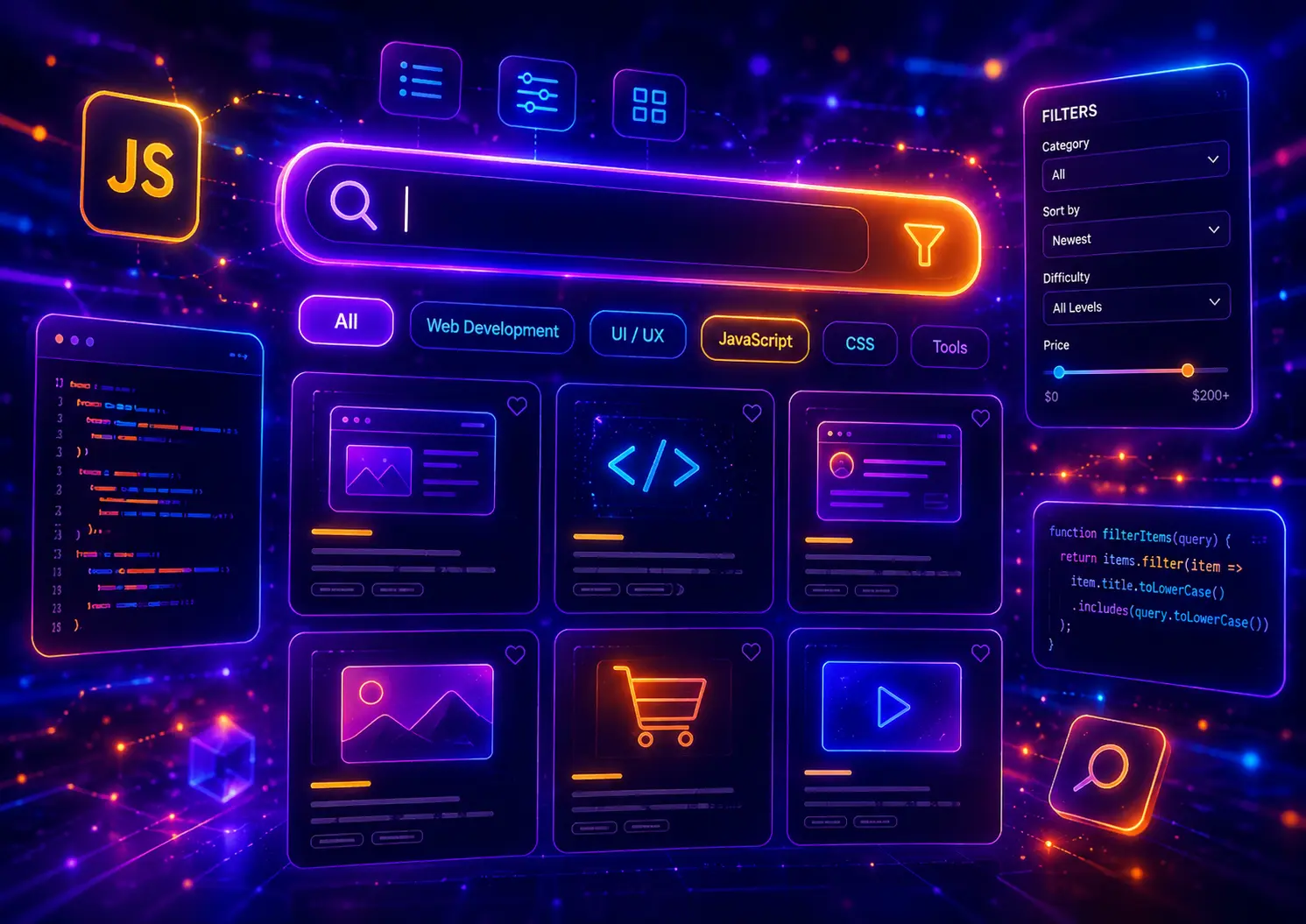
JavaScript search filters are one of the most useful interactive features for modern websites, ecommerce stores, dashboards, directories, portfolios, blogs, documentation pages, and content-heavy user interfaces. They help users quickly find matching items by typing a keyword, choosing a category, clicking a filter button, selecting tags, or combining multiple filter controls without reloading the page.
In this guide, you will find 30 JavaScript search filter examples for real website projects, including live search, product filters, card filters, table filters, category filters, tag filters, portfolio filters, FAQ search, blog post filters, dashboard search panels, ecommerce filtering, multi-filter layouts, and responsive UI filtering patterns you can customize for your own work.
This post focuses on filtering logic, visible JavaScript behavior, search input handling, matching text content, filtering cards, updating results, empty states, responsive filter layouts, and reusable UI patterns. For related components, you can also explore our JavaScript dropdown menu examples, JavaScript slider examples, JavaScript form validation examples, and JavaScript modal examples.
A JavaScript search filter is an interactive feature that shows, hides, sorts, or updates visible content based on what a user searches or selects. Instead of sending the visitor to a new page, JavaScript reads the current input, compares it with page content, and instantly displays the matching results.
Search filters can be simple or advanced. A basic live search may filter a list of names as the user types. A product filter may combine category buttons, price ranges, ratings, tags, and search keywords. A dashboard filter may narrow down table rows, cards, orders, users, tasks, or analytics widgets. The goal is always the same: help users find the right content faster.
The best JavaScript search filter examples are easy to understand, fast to use, and clear when no results are found. They should make large content sections feel smaller, more organized, and more useful without forcing the user to refresh the page or open a separate search results screen.
Live search filtering matters because websites often contain more content than users want to scan manually. Product grids, blog archives, FAQ sections, pricing features, support documents, portfolio items, team directories, admin tables, and card layouts become easier to use when visitors can narrow the content instantly.
Search filters are especially valuable when the user already knows what they are looking for. Someone searching a product catalog may type a material, brand, size, or feature. Someone using a dashboard may search for a customer name, status, invoice number, or project label. A good JavaScript filter turns that intent into visible results immediately.
Search filtering, dropdown filtering, and sorting are related, but they solve different user experience problems. A search filter lets users type a keyword and match visible content. A dropdown filter lets users choose from a controlled set of categories or values. Sorting changes the order of visible results, such as newest first, lowest price, highest rating, or alphabetical order.
In real projects, these patterns often work together. A product page may include a search input, category buttons, price filters, rating filters, and sorting controls. A blog archive may let users search by title, choose a category, filter by tag, and sort recent posts. A dashboard may combine text search with status filters and table sorting.
This guide focuses on JavaScript search filter interfaces rather than dropdown menu behavior. Some examples may still include buttons, tabs, dropdowns, checkboxes, tags, or sorting controls, but the main goal is filtering visible content based on user input or selected filter rules.
A good JavaScript filter should make a page easier to explore. The search input should be visible, the filter controls should be understandable, the matching results should update quickly, and the empty state should tell users what happened. If the filter changes a product grid, card layout, table, FAQ section, or blog archive, the user should always know which filters are active.
The input should explain what users can search for, such as products, posts, names, tags, services, or table rows.
Users should immediately see which cards, rows, products, FAQ items, or content blocks match their search.
If no results match the filter, show a message instead of leaving the section blank or confusing.
Filter controls should stay usable on mobile, especially when several buttons, tags, categories, or inputs are included.
Before writing JavaScript, decide what the filter should compare. A card filter may compare titles, categories, and tags stored in data attributes. A table filter may compare row text. A product filter may compare price, brand, size, category, stock status, or rating. A FAQ filter may compare questions and answers. Choosing the right content source keeps the JavaScript simple and predictable.
You can combine JavaScript filters with many other UI patterns. Product filters can work with modern CSS card layouts, search inputs can pair with modern CSS forms, filter controls can use ideas from our JavaScript dropdown menu examples, and filtered result sections can be placed inside responsive layouts from our modern CSS layouts guide.
Now let’s look at 30 JavaScript search filter examples for real website projects. Each example uses a different filtering layout, search input style, result type, category system, product grid, table pattern, card UI, tag filter, empty state, or responsive filtering approach, so you can build live search sections, ecommerce product filters, dashboard filters, portfolio filters, FAQ search components, blog filters, and complete JavaScript filtering interfaces with visible JavaScript, HTML, and CSS code.
A basic live search filter is the simplest way to filter visible content with JavaScript. Users type a keyword into the search field, and matching cards stay visible while non-matching cards are hidden instantly.
This example filters service cards by title, description, and category text. It also updates the result count and shows a no-results message when nothing matches the search query.
Type a keyword to filter website service cards instantly with vanilla JavaScript.
Clean company websites for service businesses, consultants, and local brands.
WebsiteProduct catalogs, ecommerce layouts, cart flows, and modern shop interfaces.
EcommerceSearch-focused landing pages built for leads, ranking, and conversions.
SEOModern admin screens, SaaS panels, metrics cards, and app layouts.
DashboardFilterable work sections for designers, developers, agencies, and creators.
PortfolioProduct-focused sections for mobile apps, SaaS launches, and startups.
AppTry another keyword such as website, shop, SEO, dashboard, app, or portfolio.
(function () {
  const filter = document.querySelector("[data-vb-filter-one]");
  if (!filter) return;

  const input = filter.querySelector("[data-vb-filter-one-input]");
  const clearButton = filter.querySelector("[data-vb-filter-one-clear]");
  const count = filter.querySelector("[data-vb-filter-one-count]");
  const empty = filter.querySelector("[data-vb-filter-one-empty]");
  const cards = Array.from(filter.querySelectorAll("[data-filter-text]"));

  function updateFilter() {
    const searchValue = input.value.trim().toLowerCase();
    let visibleCount = 0;

    cards.forEach(function (card) {
      const text = card.getAttribute("data-filter-text").toLowerCase();
      const title = card.querySelector("h4").textContent.toLowerCase();
      const description = card.querySelector("p").textContent.toLowerCase();
      const match = text.includes(searchValue) || title.includes(searchValue) || description.includes(searchValue);

      card.classList.toggle("is-hidden", !match);

      if (match) {
        visibleCount += 1;
      }
    });

    count.textContent = visibleCount === 1 ? "1 result found" : visibleCount + " results found";
    empty.classList.toggle("is-visible", visibleCount === 0);
  }

  input.addEventListener("input", updateFilter);

  clearButton.addEventListener("click", function () {
    input.value = "";
    input.focus();
    updateFilter();
  });

  updateFilter();
})();
<div class="vb-filter-one-demo">
  <div class="vb-filter-one-shell" data-vb-filter-one>
    <div class="vb-filter-one-header">
      <span>Example 01</span>
      <h3>Basic Live Search Filter</h3>
      <p>Type a keyword to filter website service cards instantly with vanilla JavaScript.</p>
    </div>

    <div class="vb-filter-one-search">
      <label for="vb-filter-one-input">Search services</label>
      <div class="vb-filter-one-input-wrap">
        <span>⌕</span>
        <input id="vb-filter-one-input" type="search" placeholder="Try website, shop, SEO, dashboard..." data-vb-filter-one-input>
      </div>
    </div>

    <div class="vb-filter-one-meta">
      <strong data-vb-filter-one-count>6 results found</strong>
      <button type="button" data-vb-filter-one-clear>Clear search</button>
    </div>

    <div class="vb-filter-one-grid" data-vb-filter-one-grid>
      <article data-filter-text="business website company service local brand">
        <span>🏢</span>
        <h4>Business Website</h4>
        <p>Clean company websites for service businesses, consultants, and local brands.</p>
        <small>Website</small>
      </article>

      <article data-filter-text="online store ecommerce product catalog woocommerce shop">
        <span>🛒</span>
        <h4>Online Store</h4>
        <p>Product catalogs, ecommerce layouts, cart flows, and modern shop interfaces.</p>
        <small>Ecommerce</small>
      </article>

      <article data-filter-text="seo landing page content optimization search engine">
        <span>📈</span>
        <h4>SEO Landing Page</h4>
        <p>Search-focused landing pages built for leads, ranking, and conversions.</p>
        <small>SEO</small>
      </article>

      <article data-filter-text="dashboard web app interface saas admin panel">
        <span>⚙️</span>
        <h4>Web App Dashboard</h4>
        <p>Modern admin screens, SaaS panels, metrics cards, and app layouts.</p>
        <small>Dashboard</small>
      </article>

      <article data-filter-text="portfolio creative gallery case studies designer developer">
        <span>🎨</span>
        <h4>Portfolio Gallery</h4>
        <p>Filterable work sections for designers, developers, agencies, and creators.</p>
        <small>Portfolio</small>
      </article>

      <article data-filter-text="mobile app landing startup product launch application">
        <span>📱</span>
        <h4>App Landing Page</h4>
        <p>Product-focused sections for mobile apps, SaaS launches, and startups.</p>
        <small>App</small>
      </article>
    </div>

    <div class="vb-filter-one-empty" data-vb-filter-one-empty>
      <strong>No matching services found.</strong>
      <p>Try another keyword such as website, shop, SEO, dashboard, app, or portfolio.</p>
    </div>
  </div>
</div>
.vb-filter-one-demo,
.vb-filter-one-demo * {
  box-sizing: border-box;
}

.vb-filter-one-demo {
  margin: 28px 0;
  padding: 34px;
  border-radius: 32px;
  background:
    radial-gradient(circle at 14% 18%, rgba(16, 185, 129, 0.22), transparent 34%),
    radial-gradient(circle at 86% 16%, rgba(14, 165, 233, 0.20), transparent 34%),
    linear-gradient(135deg, #ecfdf5 0%, #f0f9ff 52%, #ffffff 100%) !important;
  border: 1px solid rgba(167, 243, 208, 0.48);
  box-shadow: 0 24px 70px rgba(6, 95, 70, 0.12);
}

.vb-filter-one-shell {
  max-width: 1080px;
  margin: 0 auto;
  padding: 34px;
  border-radius: 30px;
  background: #ffffff;
  border: 1px solid rgba(148, 163, 184, 0.22);
  box-shadow: 0 24px 70px rgba(15, 23, 42, 0.10);
}

.vb-filter-one-header {
  max-width: 760px;
  margin-bottom: 24px;
}

.vb-filter-one-header > span {
  display: inline-flex;
  margin-bottom: 14px;
  padding: 8px 12px;
  border-radius: 999px;
  background: #d1fae5;
  color: #047857 !important;
  -webkit-text-fill-color: #047857 !important;
  font-size: 13px;
  font-weight: 950;
  letter-spacing: 0.1em;
  text-transform: uppercase;
}

.vb-filter-one-header h3 {
  margin: 0 0 14px !important;
  color: #0f172a !important;
  -webkit-text-fill-color: #0f172a !important;
  font-size: clamp(36px, 5vw, 68px) !important;
  line-height: 0.98 !important;
  font-weight: 950 !important;
  letter-spacing: -0.075em;
}

.vb-filter-one-header p {
  max-width: 620px;
  margin: 0 !important;
  color: #475569 !important;
  -webkit-text-fill-color: #475569 !important;
  font-size: 16px;
  line-height: 1.75;
  font-weight: 650;
}

.vb-filter-one-search {
  margin-bottom: 16px;
}

.vb-filter-one-search label {
  display: block;
  margin-bottom: 9px;
  color: #0f172a !important;
  -webkit-text-fill-color: #0f172a !important;
  font-size: 13px;
  font-weight: 950;
  letter-spacing: 0.08em;
  text-transform: uppercase;
}

.vb-filter-one-input-wrap {
  display: grid;
  grid-template-columns: 52px minmax(0, 1fr);
  align-items: center;
  min-height: 64px;
  border-radius: 22px;
  background: #f8fafc;
  border: 1px solid rgba(148, 163, 184, 0.28);
  overflow: hidden;
}

.vb-filter-one-input-wrap span {
  display: flex;
  align-items: center;
  justify-content: center;
  height: 100%;
  color: #059669 !important;
  -webkit-text-fill-color: #059669 !important;
  font-size: 24px;
  font-weight: 950;
}

.vb-filter-one-input-wrap input {
  width: 100%;
  min-height: 64px;
  border: 0;
  outline: 0;
  background: transparent;
  color: #111827 !important;
  -webkit-text-fill-color: #111827 !important;
  font-size: 16px;
  font-weight: 750;
}

.vb-filter-one-input-wrap input::placeholder {
  color: #94a3b8;
  -webkit-text-fill-color: #94a3b8;
}

.vb-filter-one-meta {
  display: flex;
  align-items: center;
  justify-content: space-between;
  gap: 16px;
  margin-bottom: 22px;
}

.vb-filter-one-meta strong {
  color: #0f172a !important;
  -webkit-text-fill-color: #0f172a !important;
  font-size: 15px;
  font-weight: 950;
}

.vb-filter-one-meta button {
  min-height: 40px;
  padding: 9px 13px;
  border: 0;
  border-radius: 999px;
  background: #d1fae5;
  color: #047857 !important;
  -webkit-text-fill-color: #047857 !important;
  font-size: 13px;
  font-weight: 950;
  cursor: pointer;
}

.vb-filter-one-grid {
  display: grid;
  grid-template-columns: repeat(3, minmax(0, 1fr));
  gap: 14px;
}

.vb-filter-one-grid article {
  padding: 20px;
  border-radius: 24px;
  background:
    radial-gradient(circle at 18% 12%, rgba(16, 185, 129, 0.10), transparent 34%),
    linear-gradient(135deg, #ffffff, #f8fafc) !important;
  border: 1px solid rgba(148, 163, 184, 0.22);
  box-shadow: 0 16px 40px rgba(15, 23, 42, 0.08);
}

.vb-filter-one-grid article.is-hidden {
  display: none;
}

.vb-filter-one-grid article > span {
  display: inline-flex;
  align-items: center;
  justify-content: center;
  width: 46px;
  height: 46px;
  margin-bottom: 16px;
  border-radius: 16px;
  background: #ecfdf5;
  font-size: 21px;
}

.vb-filter-one-grid h4 {
  margin: 0 0 9px !important;
  color: #111827 !important;
  -webkit-text-fill-color: #111827 !important;
  font-size: 21px !important;
  line-height: 1.15 !important;
  font-weight: 950 !important;
  letter-spacing: -0.04em;
}

.vb-filter-one-grid p {
  margin: 0 0 14px !important;
  color: #475569 !important;
  -webkit-text-fill-color: #475569 !important;
  font-size: 14px;
  line-height: 1.6;
  font-weight: 650;
}

.vb-filter-one-grid small {
  display: inline-flex;
  padding: 7px 10px;
  border-radius: 999px;
  background: #d1fae5;
  color: #047857 !important;
  -webkit-text-fill-color: #047857 !important;
  font-size: 12px;
  font-weight: 950;
}

.vb-filter-one-empty {
  display: none;
  margin-top: 18px;
  padding: 22px;
  border-radius: 22px;
  background: #fff7ed;
  border: 1px solid rgba(251, 146, 60, 0.30);
}

.vb-filter-one-empty.is-visible {
  display: block;
}

.vb-filter-one-empty strong {
  display: block;
  margin-bottom: 7px;
  color: #9a3412 !important;
  -webkit-text-fill-color: #9a3412 !important;
  font-size: 19px;
  font-weight: 950;
}

.vb-filter-one-empty p {
  margin: 0 !important;
  color: #7c2d12 !important;
  -webkit-text-fill-color: #7c2d12 !important;
  font-size: 15px;
  line-height: 1.6;
}

@media (max-width: 900px) {
  .vb-filter-one-grid {
    grid-template-columns: repeat(2, minmax(0, 1fr));
  }
}

@media (max-width: 640px) {
  .vb-filter-one-demo {
    padding: 18px;
    border-radius: 24px;
  }

  .vb-filter-one-shell {
    padding: 22px;
    border-radius: 22px;
  }

  .vb-filter-one-header h3 {
    font-size: 38px !important;
  }

  .vb-filter-one-grid {
    grid-template-columns: 1fr;
  }

  .vb-filter-one-meta {
    align-items: stretch;
    flex-direction: column;
  }

  .vb-filter-one-meta button {
    width: 100%;
  }
}
This basic live search filter is a useful foundation for many website sections. You can adapt it for service cards, small directories, blog previews, team members, portfolio items, feature lists, and resource grids.
A product grid search filter helps customers narrow ecommerce items without refreshing the page. Instead of browsing every product manually, users can search by product name, category, material, or feature and instantly see matching product cards.
This example uses a bold ecommerce-style layout with a search bar, product cards, price labels, stock badges, result count, and an empty state. The JavaScript checks product data attributes and filters the visible grid in real time.
Adjustable office lamp with a compact modern base.
Comfort-focused office chair with breathable mesh.
Minimal wooden desk for clean home office setups.
Compact cabinet for files, supplies, and accessories.
Aluminum riser for screens, laptops, and desk space.
Smooth desk mat for keyboards, mice, and writing.
Open shelving unit for books, decor, and office items.
Minimal charging pad for phones and desk setups.
Try searching for chair, desk, lamp, storage, accessory, or tech.
(function () {
  const store = document.querySelector("[data-vb-filter-two]");
  if (!store) return;

  const input = store.querySelector("[data-vb-filter-two-input]");
  const count = store.querySelector("[data-vb-filter-two-count]");
  const clearButton = store.querySelector("[data-vb-filter-two-clear]");
  const empty = store.querySelector("[data-vb-filter-two-empty]");
  const products = Array.from(store.querySelectorAll("[data-product-text]"));

  function filterProducts() {
    const query = input.value.trim().toLowerCase();
    let visible = 0;

    products.forEach(function (product) {
      const keywords = product.getAttribute("data-product-text").toLowerCase();
      const title = product.querySelector("h4").textContent.toLowerCase();
      const description = product.querySelector("p").textContent.toLowerCase();
      const category = product.querySelector(".vb-filter-two-info > span").textContent.toLowerCase();

      const isMatch =
        keywords.includes(query) ||
        title.includes(query) ||
        description.includes(query) ||
        category.includes(query);

      product.classList.toggle("is-hidden", !isMatch);

      if (isMatch) {
        visible += 1;
      }
    });

    count.textContent = visible === 1 ? "1 product found" : visible + " products found";
    empty.classList.toggle("is-visible", visible === 0);
  }

  input.addEventListener("input", filterProducts);

  clearButton.addEventListener("click", function () {
    input.value = "";
    input.focus();
    filterProducts();
  });

  filterProducts();
})();
<div class="vb-filter-two-demo">
  <div class="vb-filter-two-store" data-vb-filter-two>
    <div class="vb-filter-two-sidebar">
      <span>Example 02</span>
      <h3>Product Grid Search Filter</h3>
      <p>Search the product catalog and show only matching ecommerce cards.</p>

      <div class="vb-filter-two-search">
        <label for="vb-filter-two-input">Search products</label>
        <input id="vb-filter-two-input" type="search" placeholder="Search lamp, chair, desk, storage..." data-vb-filter-two-input>
      </div>

      <div class="vb-filter-two-summary">
        <strong data-vb-filter-two-count>8 products found</strong>
        <button type="button" data-vb-filter-two-clear>Reset</button>
      </div>
    </div>

    <div class="vb-filter-two-content">
      <div class="vb-filter-two-grid">
        <article data-product-text="modern desk lamp lighting office black adjustable">
          <div class="vb-filter-two-art lamp"></div>
          <div class="vb-filter-two-info">
            <span>Lighting</span>
            <h4>Modern Desk Lamp</h4>
            <p>Adjustable office lamp with a compact modern base.</p>
            <div><strong>€49</strong><small>In stock</small></div>
          </div>
        </article>

        <article data-product-text="ergonomic chair office furniture mesh black comfort">
          <div class="vb-filter-two-art chair"></div>
          <div class="vb-filter-two-info">
            <span>Furniture</span>
            <h4>Ergonomic Chair</h4>
            <p>Comfort-focused office chair with breathable mesh.</p>
            <div><strong>€189</strong><small>In stock</small></div>
          </div>
        </article>

        <article data-product-text="wooden desk table workspace oak minimal office">
          <div class="vb-filter-two-art desk"></div>
          <div class="vb-filter-two-info">
            <span>Workspace</span>
            <h4>Oak Work Desk</h4>
            <p>Minimal wooden desk for clean home office setups.</p>
            <div><strong>€299</strong><small>Low stock</small></div>
          </div>
        </article>

        <article data-product-text="storage cabinet organizer shelves home office white">
          <div class="vb-filter-two-art storage"></div>
          <div class="vb-filter-two-info">
            <span>Storage</span>
            <h4>Storage Cabinet</h4>
            <p>Compact cabinet for files, supplies, and accessories.</p>
            <div><strong>€129</strong><small>In stock</small></div>
          </div>
        </article>

        <article data-product-text="monitor stand laptop riser aluminum desk accessory">
          <div class="vb-filter-two-art stand"></div>
          <div class="vb-filter-two-info">
            <span>Accessory</span>
            <h4>Monitor Stand</h4>
            <p>Aluminum riser for screens, laptops, and desk space.</p>
            <div><strong>€59</strong><small>In stock</small></div>
          </div>
        </article>

        <article data-product-text="desk mat leather large workspace black accessory">
          <div class="vb-filter-two-art mat"></div>
          <div class="vb-filter-two-info">
            <span>Accessory</span>
            <h4>Large Desk Mat</h4>
            <p>Smooth desk mat for keyboards, mice, and writing.</p>
            <div><strong>€39</strong><small>In stock</small></div>
          </div>
        </article>

        <article data-product-text="bookshelf storage furniture wood shelves living office">
          <div class="vb-filter-two-art shelf"></div>
          <div class="vb-filter-two-info">
            <span>Furniture</span>
            <h4>Wood Bookshelf</h4>
            <p>Open shelving unit for books, decor, and office items.</p>
            <div><strong>€159</strong><small>In stock</small></div>
          </div>
        </article>

        <article data-product-text="wireless charger desk accessory phone charging pad">
          <div class="vb-filter-two-art charger"></div>
          <div class="vb-filter-two-info">
            <span>Tech</span>
            <h4>Wireless Charger</h4>
            <p>Minimal charging pad for phones and desk setups.</p>
            <div><strong>€34</strong><small>In stock</small></div>
          </div>
        </article>
      </div>

      <div class="vb-filter-two-empty" data-vb-filter-two-empty>
        <strong>No products matched your search.</strong>
        <p>Try searching for chair, desk, lamp, storage, accessory, or tech.</p>
      </div>
    </div>
  </div>
</div>
.vb-filter-two-demo,
.vb-filter-two-demo * {
  box-sizing: border-box;
}

.vb-filter-two-demo {
  margin: 28px 0;
  padding: 34px;
  border-radius: 34px;
  background:
    radial-gradient(circle at 12% 18%, rgba(251, 146, 60, 0.22), transparent 34%),
    radial-gradient(circle at 88% 20%, rgba(236, 72, 153, 0.18), transparent 34%),
    linear-gradient(135deg, #fff7ed 0%, #fdf2f8 52%, #ffffff 100%) !important;
  border: 1px solid rgba(253, 186, 116, 0.46);
  box-shadow: 0 24px 70px rgba(124, 45, 18, 0.12);
}

.vb-filter-two-store {
  display: grid;
  grid-template-columns: 320px minmax(0, 1fr);
  gap: 22px;
  max-width: 1120px;
  margin: 0 auto;
  padding: 18px;
  border-radius: 30px;
  background: #111827;
  box-shadow: 0 30px 90px rgba(15, 23, 42, 0.24);
}

.vb-filter-two-sidebar {
  padding: 26px;
  border-radius: 24px;
  background:
    radial-gradient(circle at 20% 14%, rgba(251, 146, 60, 0.20), transparent 32%),
    linear-gradient(135deg, #7c2d12, #be123c) !important;
  min-height: 640px;
}

.vb-filter-two-sidebar > span {
  display: inline-flex;
  margin-bottom: 15px;
  padding: 8px 12px;
  border-radius: 999px;
  background: rgba(255,255,255,0.13);
  color: #ffedd5 !important;
  -webkit-text-fill-color: #ffedd5 !important;
  font-size: 13px;
  font-weight: 950;
  letter-spacing: 0.1em;
  text-transform: uppercase;
}

.vb-filter-two-sidebar h3 {
  margin: 0 0 14px !important;
  color: #ffffff !important;
  -webkit-text-fill-color: #ffffff !important;
  font-size: clamp(34px, 4vw, 56px) !important;
  line-height: 0.98 !important;
  font-weight: 950 !important;
  letter-spacing: -0.075em;
}

.vb-filter-two-sidebar p {
  margin: 0 0 28px !important;
  color: #ffedd5 !important;
  -webkit-text-fill-color: #ffedd5 !important;
  font-size: 15px;
  line-height: 1.7;
  font-weight: 650;
}

.vb-filter-two-search {
  margin-bottom: 18px;
}

.vb-filter-two-search label {
  display: block;
  margin-bottom: 9px;
  color: #fed7aa !important;
  -webkit-text-fill-color: #fed7aa !important;
  font-size: 12px;
  font-weight: 950;
  letter-spacing: 0.08em;
  text-transform: uppercase;
}

.vb-filter-two-search input {
  width: 100%;
  min-height: 58px;
  padding: 0 16px;
  border: 1px solid rgba(255,255,255,0.18);
  border-radius: 18px;
  outline: 0;
  background: rgba(255,255,255,0.13);
  color: #ffffff !important;
  -webkit-text-fill-color: #ffffff !important;
  font-size: 15px;
  font-weight: 800;
}

.vb-filter-two-search input::placeholder {
  color: rgba(255,255,255,0.62);
  -webkit-text-fill-color: rgba(255,255,255,0.62);
}

.vb-filter-two-summary {
  padding: 16px;
  border-radius: 20px;
  background: rgba(255,255,255,0.12);
  border: 1px solid rgba(255,255,255,0.14);
}

.vb-filter-two-summary strong {
  display: block;
  margin-bottom: 12px;
  color: #ffffff !important;
  -webkit-text-fill-color: #ffffff !important;
  font-size: 19px;
  font-weight: 950;
}

.vb-filter-two-summary button {
  width: 100%;
  min-height: 44px;
  border: 0;
  border-radius: 999px;
  background: #ffffff;
  color: #be123c !important;
  -webkit-text-fill-color: #be123c !important;
  font-size: 13px;
  font-weight: 950;
  cursor: pointer;
}

.vb-filter-two-content {
  padding: 10px;
}

.vb-filter-two-grid {
  display: grid;
  grid-template-columns: repeat(2, minmax(0, 1fr));
  gap: 14px;
}

.vb-filter-two-grid article {
  overflow: hidden;
  border-radius: 24px;
  background: #ffffff;
  border: 1px solid rgba(255,255,255,0.12);
  box-shadow: 0 18px 50px rgba(2, 6, 23, 0.18);
}

.vb-filter-two-grid article.is-hidden {
  display: none;
}

.vb-filter-two-art {
  min-height: 150px;
  background:
    radial-gradient(circle at 30% 24%, rgba(255,255,255,0.40), transparent 32%),
    linear-gradient(135deg, #fb923c, #ec4899) !important;
}

.vb-filter-two-art.chair {
  background:
    radial-gradient(circle at 30% 24%, rgba(255,255,255,0.36), transparent 32%),
    linear-gradient(135deg, #6366f1, #06b6d4) !important;
}

.vb-filter-two-art.desk {
  background:
    radial-gradient(circle at 30% 24%, rgba(255,255,255,0.36), transparent 32%),
    linear-gradient(135deg, #92400e, #f59e0b) !important;
}

.vb-filter-two-art.storage {
  background:
    radial-gradient(circle at 30% 24%, rgba(255,255,255,0.36), transparent 32%),
    linear-gradient(135deg, #0f766e, #22c55e) !important;
}

.vb-filter-two-art.stand {
  background:
    radial-gradient(circle at 30% 24%, rgba(255,255,255,0.36), transparent 32%),
    linear-gradient(135deg, #475569, #94a3b8) !important;
}

.vb-filter-two-art.mat {
  background:
    radial-gradient(circle at 30% 24%, rgba(255,255,255,0.36), transparent 32%),
    linear-gradient(135deg, #111827, #4b5563) !important;
}

.vb-filter-two-art.shelf {
  background:
    radial-gradient(circle at 30% 24%, rgba(255,255,255,0.36), transparent 32%),
    linear-gradient(135deg, #78350f, #d97706) !important;
}

.vb-filter-two-art.charger {
  background:
    radial-gradient(circle at 30% 24%, rgba(255,255,255,0.36), transparent 32%),
    linear-gradient(135deg, #2563eb, #7c3aed) !important;
}

.vb-filter-two-info {
  padding: 18px;
}

.vb-filter-two-info > span {
  display: inline-flex;
  margin-bottom: 10px;
  padding: 6px 9px;
  border-radius: 999px;
  background: #fff7ed;
  color: #c2410c !important;
  -webkit-text-fill-color: #c2410c !important;
  font-size: 11px;
  font-weight: 950;
  letter-spacing: 0.06em;
  text-transform: uppercase;
}

.vb-filter-two-info h4 {
  margin: 0 0 8px !important;
  color: #111827 !important;
  -webkit-text-fill-color: #111827 !important;
  font-size: 22px !important;
  line-height: 1.15 !important;
  font-weight: 950 !important;
  letter-spacing: -0.04em;
}

.vb-filter-two-info p {
  margin: 0 0 15px !important;
  color: #4b5563 !important;
  -webkit-text-fill-color: #4b5563 !important;
  font-size: 14px;
  line-height: 1.55;
  font-weight: 650;
}

.vb-filter-two-info div {
  display: flex;
  align-items: center;
  justify-content: space-between;
  gap: 12px;
}

.vb-filter-two-info strong {
  color: #111827 !important;
  -webkit-text-fill-color: #111827 !important;
  font-size: 25px;
  line-height: 1;
  font-weight: 950;
  letter-spacing: -0.04em;
}

.vb-filter-two-info small {
  padding: 7px 9px;
  border-radius: 999px;
  background: #dcfce7;
  color: #15803d !important;
  -webkit-text-fill-color: #15803d !important;
  font-size: 11px;
  font-weight: 950;
}

.vb-filter-two-empty {
  display: none;
  margin-top: 16px;
  padding: 22px;
  border-radius: 22px;
  background: #ffffff;
  border: 1px solid rgba(251, 146, 60, 0.32);
}

.vb-filter-two-empty.is-visible {
  display: block;
}

.vb-filter-two-empty strong {
  display: block;
  margin-bottom: 7px;
  color: #111827 !important;
  -webkit-text-fill-color: #111827 !important;
  font-size: 20px;
  font-weight: 950;
}

.vb-filter-two-empty p {
  margin: 0 !important;
  color: #4b5563 !important;
  -webkit-text-fill-color: #4b5563 !important;
  font-size: 15px;
  line-height: 1.65;
}

@media (max-width: 960px) {
  .vb-filter-two-store {
    grid-template-columns: 1fr;
  }

  .vb-filter-two-sidebar {
    min-height: auto;
  }
}

@media (max-width: 640px) {
  .vb-filter-two-demo {
    padding: 18px;
    border-radius: 24px;
  }

  .vb-filter-two-store {
    padding: 12px;
    border-radius: 24px;
  }

  .vb-filter-two-sidebar {
    padding: 22px;
    border-radius: 20px;
  }

  .vb-filter-two-sidebar h3 {
    font-size: 38px !important;
  }

  .vb-filter-two-grid {
    grid-template-columns: 1fr;
  }
}
This product grid search filter is useful for ecommerce pages, small catalogs, product landing pages, digital product sections, and WooCommerce-style layouts where visitors need to find matching products quickly.
A category button filter lets users narrow visible items by clicking predefined category buttons. This is useful for portfolios, blog grids, product sections, service lists, resource libraries, and gallery pages where visitors may not want to type a search keyword.
This example filters project cards by category. The active button updates visually, the visible result count changes automatically, and a clean reset option brings all cards back.
Click a category button to filter the project cards instantly.
Modern service website layout with sections for work, trust, and conversion.
Responsive shop grid with product cards, badges, and filter-friendly content.
Admin-style metrics interface for reports, charts, and activity widgets.
Visual identity cards for colors, typography, logo usage, and UI tone.
Landing page structure with hero content, benefits, pricing, and CTA blocks.
Clean checkout section with order summary, form controls, and payment areas.
Project board interface with task cards, status chips, and team activity.
Reusable social graphics, content blocks, and visual campaign assets.
Case study layout for showing creative work, client results, and services.
(function () {
  const board = document.querySelector("[data-vb-filter-three]");
  if (!board) return;

  const buttons = board.querySelectorAll("[data-category]");
  const cards = board.querySelectorAll("[data-category-card]");
  const count = board.querySelector("[data-vb-filter-three-count]");

  function updateCategory(category) {
    let visible = 0;

    cards.forEach(function (card) {
      const cardCategory = card.getAttribute("data-category-card");
      const shouldShow = category === "all" || cardCategory === category;

      card.classList.toggle("is-hidden", !shouldShow);

      if (shouldShow) {
        visible += 1;
      }
    });

    count.textContent = visible === 1 ? "1 project shown" : visible + " projects shown";
  }

  buttons.forEach(function (button) {
    button.addEventListener("click", function () {
      const category = button.getAttribute("data-category");

      buttons.forEach(function (item) {
        item.classList.remove("is-active");
      });

      button.classList.add("is-active");
      updateCategory(category);
    });
  });

  updateCategory("all");
})();
<div class="vb-filter-three-demo">
  <div class="vb-filter-three-board" data-vb-filter-three>
    <div class="vb-filter-three-head">
      <div>
        <span>Example 03</span>
        <h3>Category Button Filter</h3>
        <p>Click a category button to filter the project cards instantly.</p>
      </div>

      <strong data-vb-filter-three-count>9 projects shown</strong>
    </div>

    <div class="vb-filter-three-controls" data-vb-filter-three-controls>
      <button type="button" class="is-active" data-category="all">All Projects</button>
      <button type="button" data-category="website">Websites</button>
      <button type="button" data-category="ecommerce">Ecommerce</button>
      <button type="button" data-category="dashboard">Dashboards</button>
      <button type="button" data-category="branding">Branding</button>
    </div>

    <div class="vb-filter-three-grid">
      <article data-category-card="website">
        <div class="vb-filter-three-visual visual-one"></div>
        <small>Website</small>
        <h4>Agency Homepage</h4>
        <p>Modern service website layout with sections for work, trust, and conversion.</p>
      </article>

      <article data-category-card="ecommerce">
        <div class="vb-filter-three-visual visual-two"></div>
        <small>Ecommerce</small>
        <h4>Product Grid</h4>
        <p>Responsive shop grid with product cards, badges, and filter-friendly content.</p>
      </article>

      <article data-category-card="dashboard">
        <div class="vb-filter-three-visual visual-three"></div>
        <small>Dashboard</small>
        <h4>Analytics Panel</h4>
        <p>Admin-style metrics interface for reports, charts, and activity widgets.</p>
      </article>

      <article data-category-card="branding">
        <div class="vb-filter-three-visual visual-four"></div>
        <small>Branding</small>
        <h4>Brand System</h4>
        <p>Visual identity cards for colors, typography, logo usage, and UI tone.</p>
      </article>

      <article data-category-card="website">
        <div class="vb-filter-three-visual visual-five"></div>
        <small>Website</small>
        <h4>Startup Landing</h4>
        <p>Landing page structure with hero content, benefits, pricing, and CTA blocks.</p>
      </article>

      <article data-category-card="ecommerce">
        <div class="vb-filter-three-visual visual-six"></div>
        <small>Ecommerce</small>
        <h4>Checkout UI</h4>
        <p>Clean checkout section with order summary, form controls, and payment areas.</p>
      </article>

      <article data-category-card="dashboard">
        <div class="vb-filter-three-visual visual-seven"></div>
        <small>Dashboard</small>
        <h4>Task Manager</h4>
        <p>Project board interface with task cards, status chips, and team activity.</p>
      </article>

      <article data-category-card="branding">
        <div class="vb-filter-three-visual visual-eight"></div>
        <small>Branding</small>
        <h4>Social Kit</h4>
        <p>Reusable social graphics, content blocks, and visual campaign assets.</p>
      </article>

      <article data-category-card="website">
        <div class="vb-filter-three-visual visual-nine"></div>
        <small>Website</small>
        <h4>Portfolio Page</h4>
        <p>Case study layout for showing creative work, client results, and services.</p>
      </article>
    </div>
  </div>
</div>
.vb-filter-three-demo,
.vb-filter-three-demo * {
  box-sizing: border-box;
}

.vb-filter-three-demo {
  margin: 28px 0;
  padding: 34px;
  border-radius: 34px;
  background:
    radial-gradient(circle at 16% 18%, rgba(129, 140, 248, 0.22), transparent 34%),
    radial-gradient(circle at 84% 14%, rgba(45, 212, 191, 0.18), transparent 34%),
    linear-gradient(135deg, #eef2ff 0%, #f0fdfa 52%, #ffffff 100%) !important;
  border: 1px solid rgba(199, 210, 254, 0.50);
  box-shadow: 0 24px 70px rgba(67, 56, 202, 0.12);
}

.vb-filter-three-board {
  max-width: 1120px;
  margin: 0 auto;
  padding: 34px;
  border-radius: 30px;
  background: #ffffff;
  border: 1px solid rgba(148, 163, 184, 0.22);
  box-shadow: 0 24px 70px rgba(15, 23, 42, 0.10);
}

.vb-filter-three-head {
  display: grid;
  grid-template-columns: minmax(0, 1fr) auto;
  gap: 22px;
  align-items: end;
  margin-bottom: 24px;
}

.vb-filter-three-head span {
  display: inline-flex;
  margin-bottom: 14px;
  padding: 8px 12px;
  border-radius: 999px;
  background: #e0e7ff;
  color: #4338ca !important;
  -webkit-text-fill-color: #4338ca !important;
  font-size: 13px;
  font-weight: 950;
  letter-spacing: 0.1em;
  text-transform: uppercase;
}

.vb-filter-three-head h3 {
  margin: 0 0 12px !important;
  color: #0f172a !important;
  -webkit-text-fill-color: #0f172a !important;
  font-size: clamp(36px, 5vw, 68px) !important;
  line-height: 0.98 !important;
  font-weight: 950 !important;
  letter-spacing: -0.075em;
}

.vb-filter-three-head p {
  max-width: 620px;
  margin: 0 !important;
  color: #475569 !important;
  -webkit-text-fill-color: #475569 !important;
  font-size: 16px;
  line-height: 1.7;
  font-weight: 650;
}

.vb-filter-three-head > strong {
  display: inline-flex;
  align-items: center;
  justify-content: center;
  min-height: 48px;
  padding: 12px 16px;
  border-radius: 999px;
  background: #0f172a;
  color: #ffffff !important;
  -webkit-text-fill-color: #ffffff !important;
  font-size: 14px;
  font-weight: 950;
  white-space: nowrap;
}

.vb-filter-three-controls {
  display: flex;
  flex-wrap: wrap;
  gap: 10px;
  margin-bottom: 24px;
  padding: 10px;
  border-radius: 22px;
  background: #f8fafc;
  border: 1px solid rgba(148, 163, 184, 0.20);
}

.vb-filter-three-controls button {
  min-height: 44px;
  padding: 10px 15px;
  border: 0;
  border-radius: 999px;
  background: #ffffff;
  color: #334155 !important;
  -webkit-text-fill-color: #334155 !important;
  font-size: 14px;
  font-weight: 850;
  cursor: pointer;
  box-shadow: 0 8px 20px rgba(15, 23, 42, 0.06);
  transition: transform 0.18s ease, background 0.18s ease, color 0.18s ease;
}

.vb-filter-three-controls button:hover,
.vb-filter-three-controls button.is-active {
  transform: translateY(-1px);
  background: linear-gradient(135deg, #4f46e5, #14b8a6);
  color: #ffffff !important;
  -webkit-text-fill-color: #ffffff !important;
}

.vb-filter-three-grid {
  display: grid;
  grid-template-columns: repeat(3, minmax(0, 1fr));
  gap: 14px;
}

.vb-filter-three-grid article {
  overflow: hidden;
  border-radius: 24px;
  background: #ffffff;
  border: 1px solid rgba(148, 163, 184, 0.22);
  box-shadow: 0 16px 42px rgba(15, 23, 42, 0.08);
}

.vb-filter-three-grid article.is-hidden {
  display: none;
}

.vb-filter-three-visual {
  min-height: 130px;
  background:
    radial-gradient(circle at 30% 20%, rgba(255,255,255,0.44), transparent 32%),
    linear-gradient(135deg, #4f46e5, #14b8a6) !important;
}

.vb-filter-three-visual.visual-two {
  background:
    radial-gradient(circle at 30% 20%, rgba(255,255,255,0.44), transparent 32%),
    linear-gradient(135deg, #f97316, #ec4899) !important;
}

.vb-filter-three-visual.visual-three {
  background:
    radial-gradient(circle at 30% 20%, rgba(255,255,255,0.44), transparent 32%),
    linear-gradient(135deg, #0f172a, #2563eb) !important;
}

.vb-filter-three-visual.visual-four {
  background:
    radial-gradient(circle at 30% 20%, rgba(255,255,255,0.44), transparent 32%),
    linear-gradient(135deg, #7c3aed, #db2777) !important;
}

.vb-filter-three-visual.visual-five {
  background:
    radial-gradient(circle at 30% 20%, rgba(255,255,255,0.44), transparent 32%),
    linear-gradient(135deg, #06b6d4, #2563eb) !important;
}

.vb-filter-three-visual.visual-six {
  background:
    radial-gradient(circle at 30% 20%, rgba(255,255,255,0.44), transparent 32%),
    linear-gradient(135deg, #16a34a, #f59e0b) !important;
}

.vb-filter-three-visual.visual-seven {
  background:
    radial-gradient(circle at 30% 20%, rgba(255,255,255,0.44), transparent 32%),
    linear-gradient(135deg, #1e293b, #64748b) !important;
}

.vb-filter-three-visual.visual-eight {
  background:
    radial-gradient(circle at 30% 20%, rgba(255,255,255,0.44), transparent 32%),
    linear-gradient(135deg, #be123c, #fb7185) !important;
}

.vb-filter-three-visual.visual-nine {
  background:
    radial-gradient(circle at 30% 20%, rgba(255,255,255,0.44), transparent 32%),
    linear-gradient(135deg, #0f766e, #84cc16) !important;
}

.vb-filter-three-grid small {
  display: inline-flex;
  margin: 18px 18px 10px;
  padding: 6px 9px;
  border-radius: 999px;
  background: #eef2ff;
  color: #4338ca !important;
  -webkit-text-fill-color: #4338ca !important;
  font-size: 11px;
  font-weight: 950;
  letter-spacing: 0.06em;
  text-transform: uppercase;
}

.vb-filter-three-grid h4 {
  margin: 0 18px 9px !important;
  color: #111827 !important;
  -webkit-text-fill-color: #111827 !important;
  font-size: 22px !important;
  line-height: 1.15 !important;
  font-weight: 950 !important;
  letter-spacing: -0.04em;
}

.vb-filter-three-grid p {
  margin: 0 18px 20px !important;
  color: #475569 !important;
  -webkit-text-fill-color: #475569 !important;
  font-size: 14px;
  line-height: 1.6;
  font-weight: 650;
}

@media (max-width: 900px) {
  .vb-filter-three-head {
    grid-template-columns: 1fr;
  }

  .vb-filter-three-grid {
    grid-template-columns: repeat(2, minmax(0, 1fr));
  }

  .vb-filter-three-head > strong {
    width: fit-content;
  }
}

@media (max-width: 640px) {
  .vb-filter-three-demo {
    padding: 18px;
    border-radius: 24px;
  }

  .vb-filter-three-board {
    padding: 22px;
    border-radius: 22px;
  }

  .vb-filter-three-head h3 {
    font-size: 38px !important;
  }

  .vb-filter-three-controls {
    display: grid;
    grid-template-columns: 1fr;
  }

  .vb-filter-three-grid {
    grid-template-columns: 1fr;
  }
}
This category button filter is useful when users need quick visual filtering without typing. You can adapt it for portfolio grids, blog category sections, product collections, service pages, gallery layouts, and resource hubs.
A searchable FAQ filter helps users find answers faster on support pages, documentation sections, product help centers, and service websites. Instead of scrolling through every question, users can type a keyword and only matching FAQ items remain visible.
This example combines a live search input with expandable FAQ items. The JavaScript filters questions and answers, updates the count, and displays a friendly no-results message when no FAQ item matches the query.
Search common questions and instantly show only matching FAQ answers.
Upload the plugin ZIP file inside WordPress, activate it, and open the plugin settings page to complete the setup.
The plugin can use a one-time license, yearly license, or sale price depending on the product setup.
Support can be provided through email, contact forms, documentation, or a support ticket system.
Yes, licensed users can receive updates when new improvements, compatibility fixes, or features are released.
That depends on the license plan. Some plans are for one domain, while agency plans may support multiple websites.
Most modern plugins and UI components include settings for colors, layout, labels, spacing, and display options.
A refund policy should explain eligibility, time limits, support requirements, and how users can request a refund.
Try searching for setup, pricing, license, support, updates, or design.
(function () {
  const faq = document.querySelector("[data-vb-filter-four]");
  if (!faq) return;

  const input = faq.querySelector("[data-vb-filter-four-input]");
  const clearButton = faq.querySelector("[data-vb-filter-four-clear]");
  const count = faq.querySelector("[data-vb-filter-four-count]");
  const empty = faq.querySelector("[data-vb-filter-four-empty]");
  const items = Array.from(faq.querySelectorAll("[data-faq-text]"));

  function updateFaqFilter() {
    const query = input.value.trim().toLowerCase();
    let visible = 0;

    items.forEach(function (item) {
      const keywords = item.getAttribute("data-faq-text").toLowerCase();
      const question = item.querySelector("summary").textContent.toLowerCase();
      const answer = item.querySelector("p").textContent.toLowerCase();
      const match = keywords.includes(query) || question.includes(query) || answer.includes(query);

      item.classList.toggle("is-hidden", !match);

      if (match) {
        visible += 1;
      }
    });

    count.textContent = visible === 1 ? "1 answer found" : visible + " answers found";
    empty.classList.toggle("is-visible", visible === 0);
  }

  input.addEventListener("input", updateFaqFilter);

  clearButton.addEventListener("click", function () {
    input.value = "";
    input.focus();
    updateFaqFilter();
  });

  updateFaqFilter();
})();
<div class="vb-filter-four-demo">
  <div class="vb-filter-four-help" data-vb-filter-four>
    <div class="vb-filter-four-hero">
      <span>Example 04</span>
      <h3>Searchable FAQ Filter</h3>
      <p>Search common questions and instantly show only matching FAQ answers.</p>

      <div class="vb-filter-four-search">
        <input type="search" placeholder="Search setup, pricing, support, license..." data-vb-filter-four-input>
        <button type="button" data-vb-filter-four-clear>Clear</button>
      </div>

      <strong data-vb-filter-four-count>7 answers found</strong>
    </div>

    <div class="vb-filter-four-list">
      <details data-faq-text="setup install installation plugin wordpress start">
        <summary>How do I install the plugin?</summary>
        <div>
          <p>Upload the plugin ZIP file inside WordPress, activate it, and open the plugin settings page to complete the setup.</p>
        </div>
      </details>

      <details data-faq-text="pricing price cost license payment sale">
        <summary>How does pricing work?</summary>
        <div>
          <p>The plugin can use a one-time license, yearly license, or sale price depending on the product setup.</p>
        </div>
      </details>

      <details data-faq-text="support help contact ticket email response">
        <summary>Do you offer support?</summary>
        <div>
          <p>Support can be provided through email, contact forms, documentation, or a support ticket system.</p>
        </div>
      </details>

      <details data-faq-text="updates update version compatibility wordpress">
        <summary>Will I receive updates?</summary>
        <div>
          <p>Yes, licensed users can receive updates when new improvements, compatibility fixes, or features are released.</p>
        </div>
      </details>

      <details data-faq-text="license activation domain website sites">
        <summary>Can I use one license on multiple websites?</summary>
        <div>
          <p>That depends on the license plan. Some plans are for one domain, while agency plans may support multiple websites.</p>
        </div>
      </details>

      <details data-faq-text="customize settings design colors layout">
        <summary>Can I customize the design?</summary>
        <div>
          <p>Most modern plugins and UI components include settings for colors, layout, labels, spacing, and display options.</p>
        </div>
      </details>

      <details data-faq-text="refund money back cancel purchase">
        <summary>Is there a refund policy?</summary>
        <div>
          <p>A refund policy should explain eligibility, time limits, support requirements, and how users can request a refund.</p>
        </div>
      </details>

      <div class="vb-filter-four-empty" data-vb-filter-four-empty>
        <strong>No FAQ answers found.</strong>
        <p>Try searching for setup, pricing, license, support, updates, or design.</p>
      </div>
    </div>
  </div>
</div>
.vb-filter-four-demo,
.vb-filter-four-demo * {
  box-sizing: border-box;
}

.vb-filter-four-demo {
  margin: 28px 0;
  padding: 34px;
  border-radius: 34px;
  background:
    radial-gradient(circle at 14% 16%, rgba(245, 158, 11, 0.22), transparent 34%),
    radial-gradient(circle at 86% 20%, rgba(239, 68, 68, 0.16), transparent 34%),
    linear-gradient(135deg, #fffbeb 0%, #fff1f2 52%, #ffffff 100%) !important;
  border: 1px solid rgba(253, 230, 138, 0.54);
  box-shadow: 0 24px 70px rgba(120, 53, 15, 0.12);
}

.vb-filter-four-help {
  display: grid;
  grid-template-columns: minmax(300px, 0.85fr) minmax(0, 1.15fr);
  gap: 22px;
  max-width: 1100px;
  margin: 0 auto;
  padding: 18px;
  border-radius: 30px;
  background: #ffffff;
  border: 1px solid rgba(148, 163, 184, 0.20);
  box-shadow: 0 24px 70px rgba(15, 23, 42, 0.10);
}

.vb-filter-four-hero {
  position: sticky;
  top: 20px;
  align-self: start;
  padding: 28px;
  border-radius: 26px;
  background:
    radial-gradient(circle at 20% 14%, rgba(255,255,255,0.24), transparent 34%),
    linear-gradient(135deg, #92400e, #dc2626) !important;
  box-shadow: 0 28px 70px rgba(185, 28, 28, 0.20);
}

.vb-filter-four-hero > span {
  display: inline-flex;
  margin-bottom: 15px;
  padding: 8px 12px;
  border-radius: 999px;
  background: rgba(255,255,255,0.14);
  color: #fef3c7 !important;
  -webkit-text-fill-color: #fef3c7 !important;
  font-size: 13px;
  font-weight: 950;
  letter-spacing: 0.1em;
  text-transform: uppercase;
}

.vb-filter-four-hero h3 {
  margin: 0 0 14px !important;
  color: #ffffff !important;
  -webkit-text-fill-color: #ffffff !important;
  font-size: clamp(34px, 4vw, 56px) !important;
  line-height: 0.98 !important;
  font-weight: 950 !important;
  letter-spacing: -0.075em;
}

.vb-filter-four-hero p {
  margin: 0 0 24px !important;
  color: #ffedd5 !important;
  -webkit-text-fill-color: #ffedd5 !important;
  font-size: 15px;
  line-height: 1.7;
  font-weight: 650;
}

.vb-filter-four-search {
  display: grid;
  grid-template-columns: minmax(0, 1fr) auto;
  gap: 8px;
  margin-bottom: 18px;
}

.vb-filter-four-search input {
  min-height: 54px;
  width: 100%;
  padding: 0 15px;
  border: 1px solid rgba(255,255,255,0.18);
  border-radius: 17px;
  outline: 0;
  background: rgba(255,255,255,0.14);
  color: #ffffff !important;
  -webkit-text-fill-color: #ffffff !important;
  font-size: 14px;
  font-weight: 800;
}

.vb-filter-four-search input::placeholder {
  color: rgba(255,255,255,0.66);
  -webkit-text-fill-color: rgba(255,255,255,0.66);
}

.vb-filter-four-search button {
  min-height: 54px;
  padding: 0 14px;
  border: 0;
  border-radius: 17px;
  background: #ffffff;
  color: #b91c1c !important;
  -webkit-text-fill-color: #b91c1c !important;
  font-size: 13px;
  font-weight: 950;
  cursor: pointer;
}

.vb-filter-four-hero > strong {
  display: inline-flex;
  min-height: 42px;
  align-items: center;
  padding: 10px 13px;
  border-radius: 999px;
  background: rgba(255,255,255,0.14);
  color: #ffffff !important;
  -webkit-text-fill-color: #ffffff !important;
  font-size: 14px;
  font-weight: 950;
}

.vb-filter-four-list {
  display: grid;
  gap: 12px;
  align-self: start;
}

.vb-filter-four-list details {
  overflow: hidden;
  border-radius: 20px;
  background: #ffffff;
  border: 1px solid rgba(148, 163, 184, 0.22);
  box-shadow: 0 14px 36px rgba(15, 23, 42, 0.07);
}

.vb-filter-four-list details.is-hidden {
  display: none;
}

.vb-filter-four-list summary {
  position: relative;
  display: block;
  padding: 19px 58px 19px 20px;
  color: #111827 !important;
  -webkit-text-fill-color: #111827 !important;
  font-size: 17px;
  line-height: 1.35;
  font-weight: 950;
  cursor: pointer;
  list-style: none;
}

.vb-filter-four-list summary::-webkit-details-marker {
  display: none;
}

.vb-filter-four-list summary::after {
  content: "+";
  position: absolute;
  top: 50%;
  right: 18px;
  display: inline-flex;
  align-items: center;
  justify-content: center;
  width: 30px;
  height: 30px;
  border-radius: 999px;
  background: #111827;
  color: #ffffff !important;
  -webkit-text-fill-color: #ffffff !important;
  font-size: 20px;
  line-height: 1;
  font-weight: 950;
  transform: translateY(-50%);
}

.vb-filter-four-list details[open] summary::after {
  content: "−";
}

.vb-filter-four-list details > div {
  padding: 0 20px 20px;
}

.vb-filter-four-list p {
  margin: 0 !important;
  color: #4b5563 !important;
  -webkit-text-fill-color: #4b5563 !important;
  font-size: 15px;
  line-height: 1.7;
  font-weight: 650;
}

.vb-filter-four-empty {
  display: none;
  padding: 22px;
  border-radius: 20px;
  background: #fff7ed;
  border: 1px solid rgba(251, 146, 60, 0.34);
}

.vb-filter-four-empty.is-visible {
  display: block;
}

.vb-filter-four-empty strong {
  display: block;
  margin-bottom: 7px;
  color: #9a3412 !important;
  -webkit-text-fill-color: #9a3412 !important;
  font-size: 20px;
  font-weight: 950;
}

.vb-filter-four-empty p {
  margin: 0 !important;
  color: #7c2d12 !important;
  -webkit-text-fill-color: #7c2d12 !important;
  font-size: 15px;
  line-height: 1.6;
}

@media (max-width: 900px) {
  .vb-filter-four-help {
    grid-template-columns: 1fr;
  }

  .vb-filter-four-hero {
    position: static;
  }
}

@media (max-width: 640px) {
  .vb-filter-four-demo {
    padding: 18px;
    border-radius: 24px;
  }

  .vb-filter-four-help {
    padding: 12px;
    border-radius: 24px;
  }

  .vb-filter-four-hero {
    padding: 22px;
    border-radius: 20px;
  }

  .vb-filter-four-hero h3 {
    font-size: 38px !important;
  }

  .vb-filter-four-search {
    grid-template-columns: 1fr;
  }
}
This searchable FAQ filter is useful for support pages, help centers, product documentation, plugin pages, service websites, and long FAQ sections where users need to find specific answers quickly.
A blog post search filter helps readers quickly find matching articles inside a blog archive, resource hub, news section, tutorial library, or content-heavy website. Instead of scrolling through every post, users can type a topic and instantly filter visible article cards.
This example uses a clean editorial layout with a large search input, blog post cards, category labels, reading time, result count, and empty state. The JavaScript filters posts by title, category, excerpt, and keywords stored in data attributes.
Search articles by topic, category, keyword, or description and update the visible post cards instantly.
Build custom select menus, navigation dropdowns, action panels, and responsive menu components.
8 min readCreate image sliders, product carousels, hero sliders, testimonial sliders, and content sliders.
11 min readExplore contact forms, login screens, checkout forms, newsletter forms, and responsive form layouts.
12 min readImprove WordPress SEO with structured data, entity relationships, schema markup, and AI-readable content.
9 min readDesign responsive pricing cards, comparison tables, SaaS pricing sections, and featured plan layouts.
10 min readBuild popups, dialogs, overlays, confirmations, newsletter modals, and interactive modal windows.
7 min readCreate responsive navbars, dropdown menus, mega menus, mobile menus, and website header layouts.
13 min readValidate signup fields, checkout inputs, passwords, email addresses, error states, and form messages.
10 min readTry searching for JavaScript, CSS, SEO, WordPress, forms, sliders, modals, or navigation.
(function () {
  const blog = document.querySelector("[data-vb-filter-five]");
  if (!blog) return;

  const input = blog.querySelector("[data-vb-filter-five-input]");
  const clearButton = blog.querySelector("[data-vb-filter-five-clear]");
  const count = blog.querySelector("[data-vb-filter-five-count]");
  const empty = blog.querySelector("[data-vb-filter-five-empty]");
  const posts = Array.from(blog.querySelectorAll("[data-post-text]"));

  function updatePosts() {
    const query = input.value.trim().toLowerCase();
    let visible = 0;

    posts.forEach(function (post) {
      const keywords = post.getAttribute("data-post-text").toLowerCase();
      const title = post.querySelector("h4").textContent.toLowerCase();
      const excerpt = post.querySelector("p").textContent.toLowerCase();
      const category = post.querySelector("span").textContent.toLowerCase();

      const match =
        keywords.includes(query) ||
        title.includes(query) ||
        excerpt.includes(query) ||
        category.includes(query);

      post.classList.toggle("is-hidden", !match);

      if (match) {
        visible += 1;
      }
    });

    count.textContent = visible === 1 ? "1 post" : visible + " posts";
    empty.classList.toggle("is-visible", visible === 0);
  }

  input.addEventListener("input", updatePosts);

  clearButton.addEventListener("click", function () {
    input.value = "";
    input.focus();
    updatePosts();
  });

  updatePosts();
})();
<div class="vb-filter-five-demo">
  <div class="vb-filter-five-blog" data-vb-filter-five>
    <div class="vb-filter-five-intro">
      <span>Example 05</span>
      <h3>Blog Post Search Filter</h3>
      <p>Search articles by topic, category, keyword, or description and update the visible post cards instantly.</p>
    </div>

    <div class="vb-filter-five-toolbar">
      <div class="vb-filter-five-search">
        <label for="vb-filter-five-input">Search blog posts</label>
        <input id="vb-filter-five-input" type="search" placeholder="Search JavaScript, CSS, SEO, WordPress..." data-vb-filter-five-input>
      </div>

      <div class="vb-filter-five-stats">
        <small>Visible posts</small>
        <strong data-vb-filter-five-count>8 posts</strong>
      </div>

      <button type="button" class="vb-filter-five-clear" data-vb-filter-five-clear>Reset search</button>
    </div>

    <div class="vb-filter-five-grid">
      <article data-post-text="javascript dropdown menu custom select navigation ui components">
        <span>JavaScript</span>
        <h4>JavaScript Dropdown Menu Examples</h4>
        <p>Build custom select menus, navigation dropdowns, action panels, and responsive menu components.</p>
        <small>8 min read</small>
      </article>

      <article data-post-text="javascript slider carousel image content product hero responsive">
        <span>JavaScript</span>
        <h4>JavaScript Slider Examples</h4>
        <p>Create image sliders, product carousels, hero sliders, testimonial sliders, and content sliders.</p>
        <small>11 min read</small>
      </article>

      <article data-post-text="css forms contact login checkout form ui design responsive">
        <span>CSS</span>
        <h4>Modern CSS Forms</h4>
        <p>Explore contact forms, login screens, checkout forms, newsletter forms, and responsive form layouts.</p>
        <small>12 min read</small>
      </article>

      <article data-post-text="wordpress seo structured data schema entity ai readable plugin">
        <span>SEO</span>
        <h4>Entity SEO and Structured Data</h4>
        <p>Improve WordPress SEO with structured data, entity relationships, schema markup, and AI-readable content.</p>
        <small>9 min read</small>
      </article>

      <article data-post-text="css pricing tables responsive pricing cards saas comparison">
        <span>CSS</span>
        <h4>CSS Pricing Table Examples</h4>
        <p>Design responsive pricing cards, comparison tables, SaaS pricing sections, and featured plan layouts.</p>
        <small>10 min read</small>
      </article>

      <article data-post-text="javascript modal popup dialog overlay confirmation window">
        <span>JavaScript</span>
        <h4>JavaScript Modal Examples</h4>
        <p>Build popups, dialogs, overlays, confirmations, newsletter modals, and interactive modal windows.</p>
        <small>7 min read</small>
      </article>

      <article data-post-text="css navigation menu navbar dropdown mega menu hamburger">
        <span>CSS</span>
        <h4>CSS Navigation Menu Examples</h4>
        <p>Create responsive navbars, dropdown menus, mega menus, mobile menus, and website header layouts.</p>
        <small>13 min read</small>
      </article>

      <article data-post-text="javascript form validation input signup checkout password email">
        <span>JavaScript</span>
        <h4>JavaScript Form Validation Examples</h4>
        <p>Validate signup fields, checkout inputs, passwords, email addresses, error states, and form messages.</p>
        <small>10 min read</small>
      </article>
    </div>

    <div class="vb-filter-five-empty" data-vb-filter-five-empty>
      <strong>No blog posts found.</strong>
      <p>Try searching for JavaScript, CSS, SEO, WordPress, forms, sliders, modals, or navigation.</p>
    </div>
  </div>
</div>
.vb-filter-five-demo,
.vb-filter-five-demo * {
  box-sizing: border-box;
}

.vb-filter-five-demo {
  margin: 28px 0;
  padding: 34px;
  border-radius: 34px;
  background:
    radial-gradient(circle at 16% 18%, rgba(59, 130, 246, 0.18), transparent 34%),
    radial-gradient(circle at 86% 16%, rgba(168, 85, 247, 0.16), transparent 34%),
    linear-gradient(135deg, #eff6ff 0%, #faf5ff 52%, #ffffff 100%) !important;
  border: 1px solid rgba(191, 219, 254, 0.50);
  box-shadow: 0 24px 70px rgba(30, 64, 175, 0.10);
}

.vb-filter-five-blog {
  max-width: 1120px;
  margin: 0 auto;
  padding: 34px;
  border-radius: 30px;
  background: #ffffff;
  border: 1px solid rgba(148, 163, 184, 0.22);
  box-shadow: 0 24px 70px rgba(15, 23, 42, 0.10);
}

.vb-filter-five-intro {
  max-width: 780px;
  margin-bottom: 26px;
}

.vb-filter-five-intro > span {
  display: inline-flex;
  margin-bottom: 14px;
  padding: 8px 12px;
  border-radius: 999px;
  background: #dbeafe;
  color: #1d4ed8 !important;
  -webkit-text-fill-color: #1d4ed8 !important;
  font-size: 13px;
  font-weight: 950;
  letter-spacing: 0.1em;
  text-transform: uppercase;
}

.vb-filter-five-intro h3 {
  margin: 0 0 14px !important;
  color: #0f172a !important;
  -webkit-text-fill-color: #0f172a !important;
  font-size: clamp(36px, 5vw, 70px) !important;
  line-height: 0.96 !important;
  font-weight: 950 !important;
  letter-spacing: -0.075em;
}

.vb-filter-five-intro p {
  margin: 0 !important;
  color: #475569 !important;
  -webkit-text-fill-color: #475569 !important;
  font-size: 16px;
  line-height: 1.75;
  font-weight: 650;
}

.vb-filter-five-toolbar {
  display: grid;
  grid-template-columns: minmax(0, 1fr) 150px auto;
  gap: 12px;
  align-items: end;
  margin-bottom: 22px;
  padding: 14px;
  border-radius: 24px;
  background: #f8fafc;
  border: 1px solid rgba(148, 163, 184, 0.20);
}

.vb-filter-five-search label {
  display: block;
  margin-bottom: 8px;
  color: #1e293b !important;
  -webkit-text-fill-color: #1e293b !important;
  font-size: 12px;
  font-weight: 950;
  letter-spacing: 0.08em;
  text-transform: uppercase;
}

.vb-filter-five-search input {
  width: 100%;
  min-height: 56px;
  padding: 0 16px;
  border: 1px solid rgba(148, 163, 184, 0.24);
  border-radius: 18px;
  outline: 0;
  background: #ffffff;
  color: #0f172a !important;
  -webkit-text-fill-color: #0f172a !important;
  font-size: 15px;
  font-weight: 800;
}

.vb-filter-five-stats {
  min-height: 56px;
  padding: 10px 12px;
  border-radius: 18px;
  background: #0f172a;
}

.vb-filter-five-stats small {
  display: block;
  margin-bottom: 4px;
  color: #bfdbfe !important;
  -webkit-text-fill-color: #bfdbfe !important;
  font-size: 11px;
  font-weight: 950;
  letter-spacing: 0.08em;
  text-transform: uppercase;
}

.vb-filter-five-stats strong {
  color: #ffffff !important;
  -webkit-text-fill-color: #ffffff !important;
  font-size: 18px;
  font-weight: 950;
}

.vb-filter-five-clear {
  min-height: 56px;
  padding: 0 16px;
  border: 0;
  border-radius: 18px;
  background: linear-gradient(135deg, #2563eb, #7c3aed);
  color: #ffffff !important;
  -webkit-text-fill-color: #ffffff !important;
  font-size: 13px;
  font-weight: 950;
  cursor: pointer;
}

.vb-filter-five-grid {
  display: grid;
  grid-template-columns: repeat(4, minmax(0, 1fr));
  gap: 14px;
}

.vb-filter-five-grid article {
  min-height: 260px;
  padding: 20px;
  border-radius: 24px;
  background:
    radial-gradient(circle at 18% 14%, rgba(59, 130, 246, 0.10), transparent 32%),
    linear-gradient(135deg, #ffffff, #f8fafc) !important;
  border: 1px solid rgba(148, 163, 184, 0.22);
  box-shadow: 0 16px 40px rgba(15, 23, 42, 0.08);
  display: flex;
  flex-direction: column;
}

.vb-filter-five-grid article.is-hidden {
  display: none;
}

.vb-filter-five-grid article > span {
  display: inline-flex;
  width: fit-content;
  margin-bottom: 16px;
  padding: 7px 10px;
  border-radius: 999px;
  background: #eef2ff;
  color: #4338ca !important;
  -webkit-text-fill-color: #4338ca !important;
  font-size: 11px;
  font-weight: 950;
  letter-spacing: 0.06em;
  text-transform: uppercase;
}

.vb-filter-five-grid h4 {
  margin: 0 0 10px !important;
  color: #111827 !important;
  -webkit-text-fill-color: #111827 !important;
  font-size: 21px !important;
  line-height: 1.15 !important;
  font-weight: 950 !important;
  letter-spacing: -0.04em;
}

.vb-filter-five-grid p {
  margin: 0 0 18px !important;
  color: #475569 !important;
  -webkit-text-fill-color: #475569 !important;
  font-size: 14px;
  line-height: 1.6;
  font-weight: 650;
}

.vb-filter-five-grid small {
  margin-top: auto;
  color: #2563eb !important;
  -webkit-text-fill-color: #2563eb !important;
  font-size: 13px;
  font-weight: 950;
}

.vb-filter-five-empty {
  display: none;
  margin-top: 18px;
  padding: 22px;
  border-radius: 22px;
  background: #eff6ff;
  border: 1px solid rgba(147, 197, 253, 0.40);
}

.vb-filter-five-empty.is-visible {
  display: block;
}

.vb-filter-five-empty strong {
  display: block;
  margin-bottom: 7px;
  color: #1d4ed8 !important;
  -webkit-text-fill-color: #1d4ed8 !important;
  font-size: 20px;
  font-weight: 950;
}

.vb-filter-five-empty p {
  margin: 0 !important;
  color: #1e40af !important;
  -webkit-text-fill-color: #1e40af !important;
  font-size: 15px;
  line-height: 1.65;
}

@media (max-width: 980px) {
  .vb-filter-five-toolbar {
    grid-template-columns: 1fr;
  }

  .vb-filter-five-grid {
    grid-template-columns: repeat(2, minmax(0, 1fr));
  }
}

@media (max-width: 640px) {
  .vb-filter-five-demo {
    padding: 18px;
    border-radius: 24px;
  }

  .vb-filter-five-blog {
    padding: 22px;
    border-radius: 22px;
  }

  .vb-filter-five-intro h3 {
    font-size: 38px !important;
  }

  .vb-filter-five-grid {
    grid-template-columns: 1fr;
  }
}
This blog post search filter is useful for article archives, tutorials, resource hubs, documentation libraries, news sections, and content-heavy websites where readers need to find matching topics quickly.
A table row search filter is useful for dashboards, admin panels, CRM systems, invoices, order lists, user directories, booking tables, and data-heavy interfaces. Users can type a keyword and instantly narrow visible table rows.
This example filters a customer order table by customer name, email, status, plan, or order number. It uses a dashboard-style design, status pills, result count, and a no-results state.
Filter dashboard table rows by order number, customer name, plan, email, or status.
| Order | Customer | Plan | Status | Total | |
|---|---|---|---|---|---|
| #1001 | Anna Smith | anna@example.com | Pro | Paid | €149 |
| #1002 | Mark Davis | mark@example.com | Starter | Pending | €49 |
| #1003 | Laura Green | laura@example.com | Agency | Paid | €299 |
| #1004 | Tom Brown | tom@example.com | Pro | Refunded | €149 |
| #1005 | Nina Stone | nina@example.com | Starter | Paid | €49 |
| #1006 | Alex White | alex@example.com | Agency | Pending | €299 |
| #1007 | Sara Black | sara@example.com | Pro | Failed | €149 |
Try searching for paid, pending, pro, agency, starter, customer name, or order number.
(function () {
  const dashboard = document.querySelector("[data-vb-filter-six]");
  if (!dashboard) return;

  const input = dashboard.querySelector("[data-vb-filter-six-input]");
  const clearButton = dashboard.querySelector("[data-vb-filter-six-clear]");
  const count = dashboard.querySelector("[data-vb-filter-six-count]");
  const empty = dashboard.querySelector("[data-vb-filter-six-empty]");
  const rows = Array.from(dashboard.querySelectorAll("[data-row-text]"));

  function updateRows() {
    const query = input.value.trim().toLowerCase();
    let visible = 0;

    rows.forEach(function (row) {
      const rowText = row.getAttribute("data-row-text").toLowerCase();
      const fullText = row.textContent.toLowerCase();
      const match = rowText.includes(query) || fullText.includes(query);

      row.classList.toggle("is-hidden", !match);

      if (match) {
        visible += 1;
      }
    });

    count.textContent = visible === 1 ? "1 row visible" : visible + " rows visible";
    empty.classList.toggle("is-visible", visible === 0);
  }

  input.addEventListener("input", updateRows);

  clearButton.addEventListener("click", function () {
    input.value = "";
    input.focus();
    updateRows();
  });

  updateRows();
})();
<div class="vb-filter-six-demo">
  <div class="vb-filter-six-dashboard" data-vb-filter-six>
    <div class="vb-filter-six-top">
      <div>
        <span>Example 06</span>
        <h3>Table Row Search Filter</h3>
        <p>Filter dashboard table rows by order number, customer name, plan, email, or status.</p>
      </div>

      <div class="vb-filter-six-search">
        <label for="vb-filter-six-input">Search table</label>
        <input id="vb-filter-six-input" type="search" placeholder="Search paid, pending, pro, customer..." data-vb-filter-six-input>
      </div>
    </div>

    <div class="vb-filter-six-meta">
      <strong data-vb-filter-six-count>7 rows visible</strong>
      <button type="button" data-vb-filter-six-clear>Clear filter</button>
    </div>

    <div class="vb-filter-six-table-wrap">
      <table class="vb-filter-six-table">
        <thead>
          <tr>
            <th>Order</th>
            <th>Customer</th>
            <th>Email</th>
            <th>Plan</th>
            <th>Status</th>
            <th>Total</th>
          </tr>
        </thead>
        <tbody>
          <tr data-row-text="order 1001 anna smith anna@example.com pro paid 149">
            <td>#1001</td>
            <td>Anna Smith</td>
            <td>anna@example.com</td>
            <td>Pro</td>
            <td><span class="paid">Paid</span></td>
            <td>€149</td>
          </tr>

          <tr data-row-text="order 1002 mark davis mark@example.com starter pending 49">
            <td>#1002</td>
            <td>Mark Davis</td>
            <td>mark@example.com</td>
            <td>Starter</td>
            <td><span class="pending">Pending</span></td>
            <td>€49</td>
          </tr>

          <tr data-row-text="order 1003 laura green laura@example.com agency paid 299">
            <td>#1003</td>
            <td>Laura Green</td>
            <td>laura@example.com</td>
            <td>Agency</td>
            <td><span class="paid">Paid</span></td>
            <td>€299</td>
          </tr>

          <tr data-row-text="order 1004 tom brown tom@example.com pro refunded 149">
            <td>#1004</td>
            <td>Tom Brown</td>
            <td>tom@example.com</td>
            <td>Pro</td>
            <td><span class="refunded">Refunded</span></td>
            <td>€149</td>
          </tr>

          <tr data-row-text="order 1005 nina stone nina@example.com starter paid 49">
            <td>#1005</td>
            <td>Nina Stone</td>
            <td>nina@example.com</td>
            <td>Starter</td>
            <td><span class="paid">Paid</span></td>
            <td>€49</td>
          </tr>

          <tr data-row-text="order 1006 alex white alex@example.com agency pending 299">
            <td>#1006</td>
            <td>Alex White</td>
            <td>alex@example.com</td>
            <td>Agency</td>
            <td><span class="pending">Pending</span></td>
            <td>€299</td>
          </tr>

          <tr data-row-text="order 1007 sara black sara@example.com pro failed 149">
            <td>#1007</td>
            <td>Sara Black</td>
            <td>sara@example.com</td>
            <td>Pro</td>
            <td><span class="failed">Failed</span></td>
            <td>€149</td>
          </tr>
        </tbody>
      </table>

      <div class="vb-filter-six-empty" data-vb-filter-six-empty>
        <strong>No table rows found.</strong>
        <p>Try searching for paid, pending, pro, agency, starter, customer name, or order number.</p>
      </div>
    </div>
  </div>
</div>
.vb-filter-six-demo,
.vb-filter-six-demo * {
  box-sizing: border-box;
}

.vb-filter-six-demo {
  margin: 28px 0;
  padding: 34px;
  border-radius: 34px;
  background:
    radial-gradient(circle at 16% 18%, rgba(34, 197, 94, 0.18), transparent 34%),
    radial-gradient(circle at 86% 16%, rgba(59, 130, 246, 0.18), transparent 34%),
    linear-gradient(135deg, #0f172a 0%, #1e293b 52%, #0f766e 100%) !important;
  border: 1px solid rgba(148, 163, 184, 0.20);
  box-shadow: 0 24px 70px rgba(15, 23, 42, 0.30);
}

.vb-filter-six-dashboard {
  max-width: 1120px;
  margin: 0 auto;
  padding: 30px;
  border-radius: 30px;
  background: rgba(255,255,255,0.08);
  border: 1px solid rgba(255,255,255,0.12);
  box-shadow: inset 0 1px 0 rgba(255,255,255,0.08);
}

.vb-filter-six-top {
  display: grid;
  grid-template-columns: minmax(0, 1fr) minmax(280px, 360px);
  gap: 24px;
  align-items: end;
  margin-bottom: 18px;
}

.vb-filter-six-top span {
  display: inline-flex;
  margin-bottom: 14px;
  padding: 8px 12px;
  border-radius: 999px;
  background: rgba(34, 197, 94, 0.14);
  color: #bbf7d0 !important;
  -webkit-text-fill-color: #bbf7d0 !important;
  font-size: 13px;
  font-weight: 950;
  letter-spacing: 0.1em;
  text-transform: uppercase;
}

.vb-filter-six-top h3 {
  margin: 0 0 14px !important;
  color: #ffffff !important;
  -webkit-text-fill-color: #ffffff !important;
  font-size: clamp(36px, 5vw, 68px) !important;
  line-height: 0.98 !important;
  font-weight: 950 !important;
  letter-spacing: -0.075em;
}

.vb-filter-six-top p {
  max-width: 640px;
  margin: 0 !important;
  color: #cbd5e1 !important;
  -webkit-text-fill-color: #cbd5e1 !important;
  font-size: 16px;
  line-height: 1.75;
  font-weight: 650;
}

.vb-filter-six-search label {
  display: block;
  margin-bottom: 8px;
  color: #bbf7d0 !important;
  -webkit-text-fill-color: #bbf7d0 !important;
  font-size: 12px;
  font-weight: 950;
  letter-spacing: 0.08em;
  text-transform: uppercase;
}

.vb-filter-six-search input {
  width: 100%;
  min-height: 58px;
  padding: 0 16px;
  border: 1px solid rgba(255,255,255,0.16);
  border-radius: 18px;
  outline: 0;
  background: rgba(255,255,255,0.10);
  color: #ffffff !important;
  -webkit-text-fill-color: #ffffff !important;
  font-size: 15px;
  font-weight: 800;
}

.vb-filter-six-search input::placeholder {
  color: rgba(255,255,255,0.62);
  -webkit-text-fill-color: rgba(255,255,255,0.62);
}

.vb-filter-six-meta {
  display: flex;
  justify-content: space-between;
  gap: 12px;
  align-items: center;
  margin-bottom: 16px;
  padding: 12px;
  border-radius: 20px;
  background: rgba(255,255,255,0.08);
  border: 1px solid rgba(255,255,255,0.10);
}

.vb-filter-six-meta strong {
  color: #ffffff !important;
  -webkit-text-fill-color: #ffffff !important;
  font-size: 15px;
  font-weight: 950;
}

.vb-filter-six-meta button {
  min-height: 40px;
  padding: 9px 13px;
  border: 0;
  border-radius: 999px;
  background: #ffffff;
  color: #0f766e !important;
  -webkit-text-fill-color: #0f766e !important;
  font-size: 13px;
  font-weight: 950;
  cursor: pointer;
}

.vb-filter-six-table-wrap {
  overflow-x: auto;
  border-radius: 24px;
  background: #ffffff;
  box-shadow: 0 28px 80px rgba(2, 6, 23, 0.26);
}

.vb-filter-six-table {
  width: 100%;
  min-width: 820px;
  border-collapse: collapse;
}

.vb-filter-six-table th {
  padding: 16px;
  background: #f8fafc;
  color: #475569 !important;
  -webkit-text-fill-color: #475569 !important;
  font-size: 12px;
  font-weight: 950;
  letter-spacing: 0.08em;
  text-align: left;
  text-transform: uppercase;
  border-bottom: 1px solid #e2e8f0;
}

.vb-filter-six-table td {
  padding: 16px;
  color: #111827 !important;
  -webkit-text-fill-color: #111827 !important;
  font-size: 14px;
  font-weight: 750;
  border-bottom: 1px solid #e2e8f0;
}

.vb-filter-six-table tr.is-hidden {
  display: none;
}

.vb-filter-six-table tr:last-child td {
  border-bottom: 0;
}

.vb-filter-six-table span {
  display: inline-flex;
  padding: 7px 10px;
  border-radius: 999px;
  font-size: 12px;
  line-height: 1;
  font-weight: 950;
}

.vb-filter-six-table .paid {
  background: #dcfce7;
  color: #15803d !important;
  -webkit-text-fill-color: #15803d !important;
}

.vb-filter-six-table .pending {
  background: #fef3c7;
  color: #b45309 !important;
  -webkit-text-fill-color: #b45309 !important;
}

.vb-filter-six-table .refunded {
  background: #e0f2fe;
  color: #0369a1 !important;
  -webkit-text-fill-color: #0369a1 !important;
}

.vb-filter-six-table .failed {
  background: #fee2e2;
  color: #b91c1c !important;
  -webkit-text-fill-color: #b91c1c !important;
}

.vb-filter-six-empty {
  display: none;
  padding: 24px;
  background: #fff7ed;
  border-top: 1px solid rgba(251, 146, 60, 0.34);
}

.vb-filter-six-empty.is-visible {
  display: block;
}

.vb-filter-six-empty strong {
  display: block;
  margin-bottom: 7px;
  color: #9a3412 !important;
  -webkit-text-fill-color: #9a3412 !important;
  font-size: 20px;
  font-weight: 950;
}

.vb-filter-six-empty p {
  margin: 0 !important;
  color: #7c2d12 !important;
  -webkit-text-fill-color: #7c2d12 !important;
  font-size: 15px;
  line-height: 1.65;
}

@media (max-width: 900px) {
  .vb-filter-six-top {
    grid-template-columns: 1fr;
  }
}

@media (max-width: 640px) {
  .vb-filter-six-demo {
    padding: 18px;
    border-radius: 24px;
  }

  .vb-filter-six-dashboard {
    padding: 22px;
    border-radius: 22px;
  }

  .vb-filter-six-top h3 {
    font-size: 38px !important;
  }

  .vb-filter-six-meta {
    align-items: stretch;
    flex-direction: column;
  }

  .vb-filter-six-meta button {
    width: 100%;
  }
}
This table row search filter is useful for admin dashboards, CRM systems, customer lists, order management pages, invoice tables, booking systems, and data-heavy interfaces where users need to locate specific rows quickly.
A tag filter with search combines clickable filter chips with a live search input. This is useful for resource libraries, tutorial collections, blog hubs, documentation pages, design galleries, and tool directories where users may want to filter by topic and keyword at the same time.
This example lets users click a tag such as JavaScript, CSS, WordPress, SEO, or UI Design, then search inside the selected tag. The result count updates automatically, and the reset button clears both the tag and search query.
Choose a topic tag and type a keyword to filter the resource cards together.
Popup windows, overlays, dialogs, confirmation boxes, and interaction patterns.
Custom selects, navigation dropdowns, profile menus, and menu panels.
Contact forms, login screens, checkout inputs, and responsive form sections.
SaaS pricing cards, comparison tables, plan toggles, and CTA sections.
Custom content blocks, shortcode sections, plugin UI, and reusable layouts.
Shop pages, product filters, cart sections, checkout layouts, and catalog grids.
Schema markup, entity SEO, AI-readable content, and search visibility systems.
Modern interface cards, admin panels, metrics blocks, and app layouts.
Hero layouts, buttons, feature sections, trust blocks, and visual content areas.
Try another tag or search for JavaScript, CSS, WordPress, SEO, forms, schema, layout, or UI.
(function () {
  const library = document.querySelector("[data-vb-filter-seven]");
  if (!library) return;

  const input = library.querySelector("[data-vb-filter-seven-input]");
  const buttons = library.querySelectorAll("[data-tag]");
  const reset = library.querySelector("[data-vb-filter-seven-reset]");
  const count = library.querySelector("[data-vb-filter-seven-count]");
  const empty = library.querySelector("[data-vb-filter-seven-empty]");
  const cards = Array.from(library.querySelectorAll("[data-tag-card]"));

  let activeTag = "all";

  function updateLibrary() {
    const query = input.value.trim().toLowerCase();
    let visible = 0;

    cards.forEach(function (card) {
      const tag = card.getAttribute("data-tag-card");
      const text = card.getAttribute("data-resource-text").toLowerCase();
      const title = card.querySelector("h4").textContent.toLowerCase();
      const description = card.querySelector("p").textContent.toLowerCase();

      const tagMatch = activeTag === "all" || tag === activeTag;
      const searchMatch = text.includes(query) || title.includes(query) || description.includes(query);
      const shouldShow = tagMatch && searchMatch;

      card.classList.toggle("is-hidden", !shouldShow);

      if (shouldShow) {
        visible += 1;
      }
    });

    count.textContent = visible === 1 ? "1 resource found" : visible + " resources found";
    empty.classList.toggle("is-visible", visible === 0);
  }

  buttons.forEach(function (button) {
    button.addEventListener("click", function () {
      activeTag = button.getAttribute("data-tag");

      buttons.forEach(function (item) {
        item.classList.remove("is-active");
      });

      button.classList.add("is-active");
      updateLibrary();
    });
  });

  input.addEventListener("input", updateLibrary);

  reset.addEventListener("click", function () {
    activeTag = "all";
    input.value = "";

    buttons.forEach(function (button) {
      button.classList.toggle("is-active", button.getAttribute("data-tag") === "all");
    });

    input.focus();
    updateLibrary();
  });

  updateLibrary();
})();
<div class="vb-filter-seven-demo">
  <div class="vb-filter-seven-library" data-vb-filter-seven>
    <div class="vb-filter-seven-top">
      <span>Example 07</span>
      <h3>Tag Filter with Search</h3>
      <p>Choose a topic tag and type a keyword to filter the resource cards together.</p>
    </div>

    <div class="vb-filter-seven-panel">
      <div class="vb-filter-seven-search">
        <label for="vb-filter-seven-input">Search resources</label>
        <input id="vb-filter-seven-input" type="search" placeholder="Search components, schema, layout, forms..." data-vb-filter-seven-input>
      </div>

      <div class="vb-filter-seven-tags" data-vb-filter-seven-tags>
        <button type="button" class="is-active" data-tag="all">All</button>
        <button type="button" data-tag="javascript">JavaScript</button>
        <button type="button" data-tag="css">CSS</button>
        <button type="button" data-tag="wordpress">WordPress</button>
        <button type="button" data-tag="seo">SEO</button>
        <button type="button" data-tag="ui">UI Design</button>
      </div>

      <div class="vb-filter-seven-status">
        <strong data-vb-filter-seven-count>9 resources found</strong>
        <button type="button" data-vb-filter-seven-reset>Reset filters</button>
      </div>
    </div>

    <div class="vb-filter-seven-grid">
      <article data-tag-card="javascript" data-resource-text="javascript modal popup dialog overlay ui component">
        <small>JavaScript</small>
        <h4>Modal Components</h4>
        <p>Popup windows, overlays, dialogs, confirmation boxes, and interaction patterns.</p>
      </article>

      <article data-tag-card="javascript" data-resource-text="javascript dropdown menu custom select navigation search">
        <small>JavaScript</small>
        <h4>Dropdown Menus</h4>
        <p>Custom selects, navigation dropdowns, profile menus, and menu panels.</p>
      </article>

      <article data-tag-card="css" data-resource-text="css forms contact login checkout inputs responsive layout">
        <small>CSS</small>
        <h4>Form Layouts</h4>
        <p>Contact forms, login screens, checkout inputs, and responsive form sections.</p>
      </article>

      <article data-tag-card="css" data-resource-text="css pricing cards tables saas plans comparison">
        <small>CSS</small>
        <h4>Pricing Cards</h4>
        <p>SaaS pricing cards, comparison tables, plan toggles, and CTA sections.</p>
      </article>

      <article data-tag-card="wordpress" data-resource-text="wordpress gutenberg plugin theme woocommerce shortcode">
        <small>WordPress</small>
        <h4>Gutenberg Blocks</h4>
        <p>Custom content blocks, shortcode sections, plugin UI, and reusable layouts.</p>
      </article>

      <article data-tag-card="wordpress" data-resource-text="wordpress woocommerce product filter shop catalog">
        <small>WordPress</small>
        <h4>WooCommerce UI</h4>
        <p>Shop pages, product filters, cart sections, checkout layouts, and catalog grids.</p>
      </article>

      <article data-tag-card="seo" data-resource-text="seo schema structured data entity ai readable search">
        <small>SEO</small>
        <h4>Structured Data</h4>
        <p>Schema markup, entity SEO, AI-readable content, and search visibility systems.</p>
      </article>

      <article data-tag-card="ui" data-resource-text="ui design cards layout dashboard interface components">
        <small>UI Design</small>
        <h4>Dashboard Cards</h4>
        <p>Modern interface cards, admin panels, metrics blocks, and app layouts.</p>
      </article>

      <article data-tag-card="ui" data-resource-text="ui design hero section landing page buttons visual">
        <small>UI Design</small>
        <h4>Landing UI Kit</h4>
        <p>Hero layouts, buttons, feature sections, trust blocks, and visual content areas.</p>
      </article>
    </div>

    <div class="vb-filter-seven-empty" data-vb-filter-seven-empty>
      <strong>No matching resources found.</strong>
      <p>Try another tag or search for JavaScript, CSS, WordPress, SEO, forms, schema, layout, or UI.</p>
    </div>
  </div>
</div>
.vb-filter-seven-demo,
.vb-filter-seven-demo * {
  box-sizing: border-box;
}

.vb-filter-seven-demo {
  margin: 28px 0;
  padding: 34px;
  border-radius: 34px;
  background:
    radial-gradient(circle at 12% 18%, rgba(168, 85, 247, 0.20), transparent 34%),
    radial-gradient(circle at 88% 16%, rgba(20, 184, 166, 0.18), transparent 34%),
    linear-gradient(135deg, #faf5ff 0%, #f0fdfa 52%, #ffffff 100%) !important;
  border: 1px solid rgba(216, 180, 254, 0.48);
  box-shadow: 0 24px 70px rgba(88, 28, 135, 0.12);
}

.vb-filter-seven-library {
  max-width: 1120px;
  margin: 0 auto;
  padding: 34px;
  border-radius: 30px;
  background:
    radial-gradient(circle at 80% 16%, rgba(20, 184, 166, 0.10), transparent 34%),
    linear-gradient(135deg, #ffffff, #f8fafc) !important;
  border: 1px solid rgba(148, 163, 184, 0.22);
  box-shadow: 0 24px 70px rgba(15, 23, 42, 0.10);
}

.vb-filter-seven-top {
  max-width: 780px;
  margin-bottom: 24px;
}

.vb-filter-seven-top > span {
  display: inline-flex;
  margin-bottom: 14px;
  padding: 8px 12px;
  border-radius: 999px;
  background: #f3e8ff;
  color: #7e22ce !important;
  -webkit-text-fill-color: #7e22ce !important;
  font-size: 13px;
  font-weight: 950;
  letter-spacing: 0.1em;
  text-transform: uppercase;
}

.vb-filter-seven-top h3 {
  margin: 0 0 14px !important;
  color: #111827 !important;
  -webkit-text-fill-color: #111827 !important;
  font-size: clamp(36px, 5vw, 70px) !important;
  line-height: 0.96 !important;
  font-weight: 950 !important;
  letter-spacing: -0.075em;
}

.vb-filter-seven-top p {
  margin: 0 !important;
  color: #475569 !important;
  -webkit-text-fill-color: #475569 !important;
  font-size: 16px;
  line-height: 1.75;
  font-weight: 650;
}

.vb-filter-seven-panel {
  display: grid;
  grid-template-columns: minmax(260px, 0.8fr) minmax(0, 1.2fr);
  gap: 14px;
  margin-bottom: 22px;
  padding: 16px;
  border-radius: 26px;
  background: #111827;
}

.vb-filter-seven-search {
  grid-row: span 2;
}

.vb-filter-seven-search label {
  display: block;
  margin-bottom: 8px;
  color: #d8b4fe !important;
  -webkit-text-fill-color: #d8b4fe !important;
  font-size: 12px;
  font-weight: 950;
  letter-spacing: 0.08em;
  text-transform: uppercase;
}

.vb-filter-seven-search input {
  width: 100%;
  min-height: 58px;
  padding: 0 16px;
  border: 1px solid rgba(255,255,255,0.16);
  border-radius: 18px;
  outline: 0;
  background: rgba(255,255,255,0.10);
  color: #ffffff !important;
  -webkit-text-fill-color: #ffffff !important;
  font-size: 15px;
  font-weight: 800;
}

.vb-filter-seven-search input::placeholder {
  color: rgba(255,255,255,0.60);
  -webkit-text-fill-color: rgba(255,255,255,0.60);
}

.vb-filter-seven-tags {
  display: flex;
  flex-wrap: wrap;
  gap: 8px;
}

.vb-filter-seven-tags button {
  min-height: 40px;
  padding: 9px 13px;
  border: 1px solid rgba(255,255,255,0.12);
  border-radius: 999px;
  background: rgba(255,255,255,0.08);
  color: #e5e7eb !important;
  -webkit-text-fill-color: #e5e7eb !important;
  font-size: 13px;
  font-weight: 900;
  cursor: pointer;
}

.vb-filter-seven-tags button.is-active,
.vb-filter-seven-tags button:hover {
  background: linear-gradient(135deg, #a855f7, #14b8a6);
  color: #ffffff !important;
  -webkit-text-fill-color: #ffffff !important;
}

.vb-filter-seven-status {
  display: flex;
  align-items: center;
  justify-content: space-between;
  gap: 12px;
  padding: 12px;
  border-radius: 18px;
  background: rgba(255,255,255,0.08);
}

.vb-filter-seven-status strong {
  color: #ffffff !important;
  -webkit-text-fill-color: #ffffff !important;
  font-size: 14px;
  font-weight: 950;
}

.vb-filter-seven-status button {
  min-height: 38px;
  padding: 8px 12px;
  border: 0;
  border-radius: 999px;
  background: #ffffff;
  color: #7e22ce !important;
  -webkit-text-fill-color: #7e22ce !important;
  font-size: 12px;
  font-weight: 950;
  cursor: pointer;
}

.vb-filter-seven-grid {
  display: grid;
  grid-template-columns: repeat(3, minmax(0, 1fr));
  gap: 14px;
}

.vb-filter-seven-grid article {
  padding: 22px;
  border-radius: 24px;
  background: #ffffff;
  border: 1px solid rgba(148, 163, 184, 0.22);
  box-shadow: 0 16px 42px rgba(15, 23, 42, 0.08);
}

.vb-filter-seven-grid article.is-hidden {
  display: none;
}

.vb-filter-seven-grid small {
  display: inline-flex;
  margin-bottom: 16px;
  padding: 7px 10px;
  border-radius: 999px;
  background: #f3e8ff;
  color: #7e22ce !important;
  -webkit-text-fill-color: #7e22ce !important;
  font-size: 11px;
  font-weight: 950;
  letter-spacing: 0.06em;
  text-transform: uppercase;
}

.vb-filter-seven-grid h4 {
  margin: 0 0 10px !important;
  color: #111827 !important;
  -webkit-text-fill-color: #111827 !important;
  font-size: 22px !important;
  line-height: 1.15 !important;
  font-weight: 950 !important;
  letter-spacing: -0.04em;
}

.vb-filter-seven-grid p {
  margin: 0 !important;
  color: #475569 !important;
  -webkit-text-fill-color: #475569 !important;
  font-size: 14px;
  line-height: 1.65;
  font-weight: 650;
}

.vb-filter-seven-empty {
  display: none;
  margin-top: 18px;
  padding: 22px;
  border-radius: 22px;
  background: #faf5ff;
  border: 1px solid rgba(216, 180, 254, 0.46);
}

.vb-filter-seven-empty.is-visible {
  display: block;
}

.vb-filter-seven-empty strong {
  display: block;
  margin-bottom: 7px;
  color: #7e22ce !important;
  -webkit-text-fill-color: #7e22ce !important;
  font-size: 20px;
  font-weight: 950;
}

.vb-filter-seven-empty p {
  margin: 0 !important;
  color: #6b21a8 !important;
  -webkit-text-fill-color: #6b21a8 !important;
  font-size: 15px;
  line-height: 1.65;
}

@media (max-width: 900px) {
  .vb-filter-seven-panel {
    grid-template-columns: 1fr;
  }

  .vb-filter-seven-search {
    grid-row: auto;
  }

  .vb-filter-seven-grid {
    grid-template-columns: repeat(2, minmax(0, 1fr));
  }
}

@media (max-width: 640px) {
  .vb-filter-seven-demo {
    padding: 18px;
    border-radius: 24px;
  }

  .vb-filter-seven-library {
    padding: 22px;
    border-radius: 22px;
  }

  .vb-filter-seven-top h3 {
    font-size: 38px !important;
  }

  .vb-filter-seven-status {
    align-items: stretch;
    flex-direction: column;
  }

  .vb-filter-seven-status button {
    width: 100%;
  }

  .vb-filter-seven-grid {
    grid-template-columns: 1fr;
  }
}
This tag filter with search is useful for resource libraries, tutorial indexes, blog hubs, documentation pages, tool directories, course libraries, and knowledge base sections where users need both category filtering and keyword search.
A portfolio search and category filter helps visitors browse creative work by type and keyword. This pattern is useful for designers, developers, agencies, photographers, studios, freelancers, architects, and service businesses that want to organize case studies into searchable groups.
This example uses a visual portfolio wall with category buttons, a compact search input, project cards, active filter styling, result count, and a no-results message. Users can filter by project type and search inside project names or descriptions.
Filter case studies by project type, then search inside the visible portfolio cards.
Responsive service website with strong hero, CTA areas, and trust sections.
Logo direction, color system, typography, and reusable brand elements.
Analytics widgets, product navigation, metric cards, and app panels.
Studio-style product shots, lifestyle visuals, and promotional imagery.
Product grid, checkout flow, category pages, and modern shop UI.
Reusable social templates, campaign graphics, and brand content blocks.
App introduction screens, feature slides, signup flow, and user guidance.
Architecture and interior visuals for real estate, design, and portfolio use.
Try another category or search for website, branding, app, dashboard, product, mobile, or photography.
(function () {
  const portfolio = document.querySelector("[data-vb-filter-eight]");
  if (!portfolio) return;

  const buttons = portfolio.querySelectorAll("[data-type]");
  const input = portfolio.querySelector("[data-vb-filter-eight-input]");
  const reset = portfolio.querySelector("[data-vb-filter-eight-reset]");
  const count = portfolio.querySelector("[data-vb-filter-eight-count]");
  const empty = portfolio.querySelector("[data-vb-filter-eight-empty]");
  const projects = Array.from(portfolio.querySelectorAll("[data-project-type]"));

  let activeType = "all";

  function updatePortfolio() {
    const query = input.value.trim().toLowerCase();
    let visible = 0;

    projects.forEach(function (project) {
      const type = project.getAttribute("data-project-type");
      const text = project.getAttribute("data-project-text").toLowerCase();
      const title = project.querySelector("h4").textContent.toLowerCase();
      const description = project.querySelector("p").textContent.toLowerCase();

      const typeMatch = activeType === "all" || type === activeType;
      const queryMatch = text.includes(query) || title.includes(query) || description.includes(query);
      const shouldShow = typeMatch && queryMatch;

      project.classList.toggle("is-hidden", !shouldShow);

      if (shouldShow) {
        visible += 1;
      }
    });

    count.textContent = visible === 1 ? "1 project" : visible + " projects";
    empty.classList.toggle("is-visible", visible === 0);
  }

  buttons.forEach(function (button) {
    button.addEventListener("click", function () {
      activeType = button.getAttribute("data-type");

      buttons.forEach(function (item) {
        item.classList.remove("is-active");
      });

      button.classList.add("is-active");
      updatePortfolio();
    });
  });

  input.addEventListener("input", updatePortfolio);

  reset.addEventListener("click", function () {
    activeType = "all";
    input.value = "";

    buttons.forEach(function (button) {
      button.classList.toggle("is-active", button.getAttribute("data-type") === "all");
    });

    input.focus();
    updatePortfolio();
  });

  updatePortfolio();
})();
<div class="vb-filter-eight-demo">
  <div class="vb-filter-eight-portfolio" data-vb-filter-eight>
    <div class="vb-filter-eight-header">
      <div>
        <span>Example 08</span>
        <h3>Portfolio Search and Category Filter</h3>
        <p>Filter case studies by project type, then search inside the visible portfolio cards.</p>
      </div>

      <div class="vb-filter-eight-mini">
        <small>Visible projects</small>
        <strong data-vb-filter-eight-count>8 projects</strong>
      </div>
    </div>

    <div class="vb-filter-eight-toolbar">
      <div class="vb-filter-eight-cats">
        <button type="button" class="is-active" data-type="all">All</button>
        <button type="button" data-type="web">Web Design</button>
        <button type="button" data-type="brand">Branding</button>
        <button type="button" data-type="app">App UI</button>
        <button type="button" data-type="photo">Photography</button>
      </div>

      <div class="vb-filter-eight-search">
        <input type="search" placeholder="Search portfolio..." data-vb-filter-eight-input>
        <button type="button" data-vb-filter-eight-reset>Reset</button>
      </div>
    </div>

    <div class="vb-filter-eight-grid">
      <article data-project-type="web" data-project-text="web design corporate website responsive landing page">
        <div class="vb-filter-eight-image web-one"></div>
        <div>
          <small>Web Design</small>
          <h4>Corporate Website</h4>
          <p>Responsive service website with strong hero, CTA areas, and trust sections.</p>
        </div>
      </article>

      <article data-project-type="brand" data-project-text="branding logo visual identity color system packaging">
        <div class="vb-filter-eight-image brand-one"></div>
        <div>
          <small>Branding</small>
          <h4>Visual Identity</h4>
          <p>Logo direction, color system, typography, and reusable brand elements.</p>
        </div>
      </article>

      <article data-project-type="app" data-project-text="app ui dashboard product interface analytics saas">
        <div class="vb-filter-eight-image app-one"></div>
        <div>
          <small>App UI</small>
          <h4>SaaS Dashboard</h4>
          <p>Analytics widgets, product navigation, metric cards, and app panels.</p>
        </div>
      </article>

      <article data-project-type="photo" data-project-text="photography product photos lifestyle campaign studio">
        <div class="vb-filter-eight-image photo-one"></div>
        <div>
          <small>Photography</small>
          <h4>Product Campaign</h4>
          <p>Studio-style product shots, lifestyle visuals, and promotional imagery.</p>
        </div>
      </article>

      <article data-project-type="web" data-project-text="web design ecommerce shop catalog checkout product">
        <div class="vb-filter-eight-image web-two"></div>
        <div>
          <small>Web Design</small>
          <h4>Ecommerce Store</h4>
          <p>Product grid, checkout flow, category pages, and modern shop UI.</p>
        </div>
      </article>

      <article data-project-type="brand" data-project-text="branding social media kit content templates brand">
        <div class="vb-filter-eight-image brand-two"></div>
        <div>
          <small>Branding</small>
          <h4>Social Media Kit</h4>
          <p>Reusable social templates, campaign graphics, and brand content blocks.</p>
        </div>
      </article>

      <article data-project-type="app" data-project-text="app ui mobile onboarding screens fitness tracking">
        <div class="vb-filter-eight-image app-two"></div>
        <div>
          <small>App UI</small>
          <h4>Mobile Onboarding</h4>
          <p>App introduction screens, feature slides, signup flow, and user guidance.</p>
        </div>
      </article>

      <article data-project-type="photo" data-project-text="photography architecture interior real estate portfolio">
        <div class="vb-filter-eight-image photo-two"></div>
        <div>
          <small>Photography</small>
          <h4>Interior Photos</h4>
          <p>Architecture and interior visuals for real estate, design, and portfolio use.</p>
        </div>
      </article>
    </div>

    <div class="vb-filter-eight-empty" data-vb-filter-eight-empty>
      <strong>No projects matched your filters.</strong>
      <p>Try another category or search for website, branding, app, dashboard, product, mobile, or photography.</p>
    </div>
  </div>
</div>
.vb-filter-eight-demo,
.vb-filter-eight-demo * {
  box-sizing: border-box;
}

.vb-filter-eight-demo {
  margin: 28px 0;
  padding: 34px;
  border-radius: 34px;
  background:
    radial-gradient(circle at 14% 18%, rgba(251, 113, 133, 0.20), transparent 34%),
    radial-gradient(circle at 86% 14%, rgba(249, 115, 22, 0.18), transparent 34%),
    linear-gradient(135deg, #fff1f2 0%, #fff7ed 52%, #ffffff 100%) !important;
  border: 1px solid rgba(253, 164, 175, 0.48);
  box-shadow: 0 24px 70px rgba(136, 19, 55, 0.12);
}

.vb-filter-eight-portfolio {
  max-width: 1120px;
  margin: 0 auto;
  padding: 34px;
  border-radius: 30px;
  background: #111827;
  border: 1px solid rgba(255,255,255,0.10);
  box-shadow: 0 30px 90px rgba(15, 23, 42, 0.26);
}

.vb-filter-eight-header {
  display: grid;
  grid-template-columns: minmax(0, 1fr) 170px;
  gap: 24px;
  align-items: end;
  margin-bottom: 24px;
}

.vb-filter-eight-header span {
  display: inline-flex;
  margin-bottom: 14px;
  padding: 8px 12px;
  border-radius: 999px;
  background: rgba(251, 113, 133, 0.15);
  color: #fecdd3 !important;
  -webkit-text-fill-color: #fecdd3 !important;
  font-size: 13px;
  font-weight: 950;
  letter-spacing: 0.1em;
  text-transform: uppercase;
}

.vb-filter-eight-header h3 {
  max-width: 820px;
  margin: 0 0 14px !important;
  color: #ffffff !important;
  -webkit-text-fill-color: #ffffff !important;
  font-size: clamp(36px, 5vw, 70px) !important;
  line-height: 0.96 !important;
  font-weight: 950 !important;
  letter-spacing: -0.075em;
}

.vb-filter-eight-header p {
  max-width: 660px;
  margin: 0 !important;
  color: #cbd5e1 !important;
  -webkit-text-fill-color: #cbd5e1 !important;
  font-size: 16px;
  line-height: 1.75;
  font-weight: 650;
}

.vb-filter-eight-mini {
  padding: 16px;
  border-radius: 22px;
  background: rgba(255,255,255,0.08);
  border: 1px solid rgba(255,255,255,0.12);
}

.vb-filter-eight-mini small {
  display: block;
  margin-bottom: 6px;
  color: #fecdd3 !important;
  -webkit-text-fill-color: #fecdd3 !important;
  font-size: 11px;
  font-weight: 950;
  letter-spacing: 0.08em;
  text-transform: uppercase;
}

.vb-filter-eight-mini strong {
  color: #ffffff !important;
  -webkit-text-fill-color: #ffffff !important;
  font-size: 20px;
  font-weight: 950;
}

.vb-filter-eight-toolbar {
  display: grid;
  grid-template-columns: minmax(0, 1fr) minmax(270px, 360px);
  gap: 12px;
  margin-bottom: 18px;
}

.vb-filter-eight-cats {
  display: flex;
  flex-wrap: wrap;
  gap: 8px;
  padding: 10px;
  border-radius: 20px;
  background: rgba(255,255,255,0.07);
}

.vb-filter-eight-cats button {
  min-height: 40px;
  padding: 9px 13px;
  border: 1px solid rgba(255,255,255,0.12);
  border-radius: 999px;
  background: rgba(255,255,255,0.08);
  color: #e5e7eb !important;
  -webkit-text-fill-color: #e5e7eb !important;
  font-size: 13px;
  font-weight: 900;
  cursor: pointer;
}

.vb-filter-eight-cats button.is-active,
.vb-filter-eight-cats button:hover {
  background: linear-gradient(135deg, #fb7185, #f97316);
  color: #ffffff !important;
  -webkit-text-fill-color: #ffffff !important;
}

.vb-filter-eight-search {
  display: grid;
  grid-template-columns: minmax(0, 1fr) auto;
  gap: 8px;
  padding: 10px;
  border-radius: 20px;
  background: rgba(255,255,255,0.07);
}

.vb-filter-eight-search input {
  min-height: 40px;
  width: 100%;
  padding: 0 12px;
  border: 1px solid rgba(255,255,255,0.12);
  border-radius: 999px;
  outline: 0;
  background: rgba(255,255,255,0.08);
  color: #ffffff !important;
  -webkit-text-fill-color: #ffffff !important;
  font-size: 13px;
  font-weight: 850;
}

.vb-filter-eight-search input::placeholder {
  color: rgba(255,255,255,0.58);
  -webkit-text-fill-color: rgba(255,255,255,0.58);
}

.vb-filter-eight-search button {
  min-height: 40px;
  padding: 0 13px;
  border: 0;
  border-radius: 999px;
  background: #ffffff;
  color: #be123c !important;
  -webkit-text-fill-color: #be123c !important;
  font-size: 12px;
  font-weight: 950;
  cursor: pointer;
}

.vb-filter-eight-grid {
  display: grid;
  grid-template-columns: repeat(4, minmax(0, 1fr));
  gap: 12px;
}

.vb-filter-eight-grid article {
  overflow: hidden;
  border-radius: 22px;
  background: rgba(255,255,255,0.08);
  border: 1px solid rgba(255,255,255,0.11);
}

.vb-filter-eight-grid article.is-hidden {
  display: none;
}

.vb-filter-eight-image {
  min-height: 150px;
  background:
    radial-gradient(circle at 30% 20%, rgba(255,255,255,0.36), transparent 32%),
    linear-gradient(135deg, #fb7185, #f97316) !important;
}

.vb-filter-eight-image.brand-one {
  background:
    radial-gradient(circle at 30% 20%, rgba(255,255,255,0.36), transparent 32%),
    linear-gradient(135deg, #a855f7, #ec4899) !important;
}

.vb-filter-eight-image.app-one {
  background:
    radial-gradient(circle at 30% 20%, rgba(255,255,255,0.36), transparent 32%),
    linear-gradient(135deg, #2563eb, #06b6d4) !important;
}

.vb-filter-eight-image.photo-one {
  background:
    radial-gradient(circle at 30% 20%, rgba(255,255,255,0.36), transparent 32%),
    linear-gradient(135deg, #78350f, #f59e0b) !important;
}

.vb-filter-eight-image.web-two {
  background:
    radial-gradient(circle at 30% 20%, rgba(255,255,255,0.36), transparent 32%),
    linear-gradient(135deg, #16a34a, #0f766e) !important;
}

.vb-filter-eight-image.brand-two {
  background:
    radial-gradient(circle at 30% 20%, rgba(255,255,255,0.36), transparent 32%),
    linear-gradient(135deg, #be123c, #7c3aed) !important;
}

.vb-filter-eight-image.app-two {
  background:
    radial-gradient(circle at 30% 20%, rgba(255,255,255,0.36), transparent 32%),
    linear-gradient(135deg, #0f172a, #6366f1) !important;
}

.vb-filter-eight-image.photo-two {
  background:
    radial-gradient(circle at 30% 20%, rgba(255,255,255,0.36), transparent 32%),
    linear-gradient(135deg, #475569, #94a3b8) !important;
}

.vb-filter-eight-grid article > div:last-child {
  padding: 16px;
}

.vb-filter-eight-grid small {
  display: inline-flex;
  margin-bottom: 10px;
  padding: 6px 9px;
  border-radius: 999px;
  background: rgba(255,255,255,0.10);
  color: #fecdd3 !important;
  -webkit-text-fill-color: #fecdd3 !important;
  font-size: 11px;
  font-weight: 950;
  letter-spacing: 0.06em;
  text-transform: uppercase;
}

.vb-filter-eight-grid h4 {
  margin: 0 0 8px !important;
  color: #ffffff !important;
  -webkit-text-fill-color: #ffffff !important;
  font-size: 21px !important;
  line-height: 1.15 !important;
  font-weight: 950 !important;
  letter-spacing: -0.04em;
}

.vb-filter-eight-grid p {
  margin: 0 !important;
  color: #cbd5e1 !important;
  -webkit-text-fill-color: #cbd5e1 !important;
  font-size: 13px;
  line-height: 1.55;
  font-weight: 650;
}

.vb-filter-eight-empty {
  display: none;
  margin-top: 16px;
  padding: 22px;
  border-radius: 22px;
  background: rgba(255,255,255,0.08);
  border: 1px solid rgba(255,255,255,0.12);
}

.vb-filter-eight-empty.is-visible {
  display: block;
}

.vb-filter-eight-empty strong {
  display: block;
  margin-bottom: 7px;
  color: #ffffff !important;
  -webkit-text-fill-color: #ffffff !important;
  font-size: 20px;
  font-weight: 950;
}

.vb-filter-eight-empty p {
  margin: 0 !important;
  color: #cbd5e1 !important;
  -webkit-text-fill-color: #cbd5e1 !important;
  font-size: 15px;
  line-height: 1.65;
}

@media (max-width: 980px) {
  .vb-filter-eight-header,
  .vb-filter-eight-toolbar {
    grid-template-columns: 1fr;
  }

  .vb-filter-eight-mini {
    width: fit-content;
  }

  .vb-filter-eight-grid {
    grid-template-columns: repeat(2, minmax(0, 1fr));
  }
}

@media (max-width: 640px) {
  .vb-filter-eight-demo {
    padding: 18px;
    border-radius: 24px;
  }

  .vb-filter-eight-portfolio {
    padding: 22px;
    border-radius: 22px;
  }

  .vb-filter-eight-header h3 {
    font-size: 38px !important;
  }

  .vb-filter-eight-search {
    grid-template-columns: 1fr;
  }

  .vb-filter-eight-search button {
    width: 100%;
  }

  .vb-filter-eight-grid {
    grid-template-columns: 1fr;
  }
}
This portfolio search and category filter is useful for creative agencies, freelancers, design studios, photography websites, developer portfolios, case study pages, and project galleries where visitors need to browse work by type and keyword.
A job listings search filter helps visitors narrow open roles by title, department, location, work type, or skill keyword. This pattern is useful for career pages, recruiting websites, company job boards, SaaS hiring pages, HR dashboards, and freelance marketplaces.
This example filters job cards with a live search input and department buttons. Users can search inside the selected department, reset all filters, and see the visible job count update instantly.
Search open roles by title, department, location, work type, or skill keyword.
Build reusable JavaScript components, responsive interfaces, and product UI systems.
Design modern app screens, design systems, user flows, and conversion-focused UI.
Plan search-focused content, optimize blog pages, and improve organic visibility.
Manage leads, customer conversations, CRM pipeline, proposals, and sales demos.
Create APIs, database structures, integrations, authentication, and scalable services.
Create visual identity assets, campaign graphics, social templates, and landing visuals.
Improve acquisition funnels, landing pages, experiments, analytics, and paid campaigns.
Support onboarding, improve account health, answer product questions, and reduce churn.
Try another department or search for frontend, designer, SEO, sales, backend, remote, or hybrid.
(function () {
  const jobs = document.querySelector("[data-vb-filter-nine]");
  if (!jobs) return;

  const input = jobs.querySelector("[data-vb-filter-nine-input]");
  const buttons = jobs.querySelectorAll("[data-department]");
  const reset = jobs.querySelector("[data-vb-filter-nine-reset]");
  const count = jobs.querySelector("[data-vb-filter-nine-count]");
  const empty = jobs.querySelector("[data-vb-filter-nine-empty]");
  const cards = Array.from(jobs.querySelectorAll("[data-job-department]"));

  let activeDepartment = "all";

  function updateJobs() {
    const query = input.value.trim().toLowerCase();
    let visible = 0;

    cards.forEach(function (card) {
      const department = card.getAttribute("data-job-department");
      const text = card.getAttribute("data-job-text").toLowerCase();
      const fullText = card.textContent.toLowerCase();

      const departmentMatch = activeDepartment === "all" || department === activeDepartment;
      const queryMatch = text.includes(query) || fullText.includes(query);
      const shouldShow = departmentMatch && queryMatch;

      card.classList.toggle("is-hidden", !shouldShow);

      if (shouldShow) {
        visible += 1;
      }
    });

    count.textContent = visible === 1 ? "1 job" : visible + " jobs";
    empty.classList.toggle("is-visible", visible === 0);
  }

  buttons.forEach(function (button) {
    button.addEventListener("click", function () {
      activeDepartment = button.getAttribute("data-department");

      buttons.forEach(function (item) {
        item.classList.remove("is-active");
      });

      button.classList.add("is-active");
      updateJobs();
    });
  });

  input.addEventListener("input", updateJobs);

  reset.addEventListener("click", function () {
    activeDepartment = "all";
    input.value = "";

    buttons.forEach(function (button) {
      button.classList.toggle("is-active", button.getAttribute("data-department") === "all");
    });

    input.focus();
    updateJobs();
  });

  updateJobs();
})();
<div class="vb-filter-nine-demo">
  <div class="vb-filter-nine-jobs" data-vb-filter-nine>
    <div class="vb-filter-nine-header">
      <div>
        <span>Example 09</span>
        <h3>Job Listings Search Filter</h3>
        <p>Search open roles by title, department, location, work type, or skill keyword.</p>
      </div>

      <div class="vb-filter-nine-count">
        <small>Open roles</small>
        <strong data-vb-filter-nine-count>8 jobs</strong>
      </div>
    </div>

    <div class="vb-filter-nine-controls">
      <div class="vb-filter-nine-input">
        <label for="vb-filter-nine-input">Search jobs</label>
        <input id="vb-filter-nine-input" type="search" placeholder="Search frontend, remote, design, sales..." data-vb-filter-nine-input>
      </div>

      <div class="vb-filter-nine-buttons">
        <button type="button" class="is-active" data-department="all">All</button>
        <button type="button" data-department="engineering">Engineering</button>
        <button type="button" data-department="design">Design</button>
        <button type="button" data-department="marketing">Marketing</button>
        <button type="button" data-department="sales">Sales</button>
      </div>

      <button type="button" class="vb-filter-nine-reset" data-vb-filter-nine-reset>Reset</button>
    </div>

    <div class="vb-filter-nine-list">
      <article data-job-department="engineering" data-job-text="frontend developer engineering javascript react remote ui components">
        <div>
          <small>Engineering</small>
          <h4>Frontend Developer</h4>
          <p>Build reusable JavaScript components, responsive interfaces, and product UI systems.</p>
        </div>
        <span>Remote</span>
      </article>

      <article data-job-department="design" data-job-text="product designer design figma ui ux hybrid interface">
        <div>
          <small>Design</small>
          <h4>Product Designer</h4>
          <p>Design modern app screens, design systems, user flows, and conversion-focused UI.</p>
        </div>
        <span>Hybrid</span>
      </article>

      <article data-job-department="marketing" data-job-text="seo content strategist marketing blog search engine remote">
        <div>
          <small>Marketing</small>
          <h4>SEO Content Strategist</h4>
          <p>Plan search-focused content, optimize blog pages, and improve organic visibility.</p>
        </div>
        <span>Remote</span>
      </article>

      <article data-job-department="sales" data-job-text="account executive sales customers crm pipeline office">
        <div>
          <small>Sales</small>
          <h4>Account Executive</h4>
          <p>Manage leads, customer conversations, CRM pipeline, proposals, and sales demos.</p>
        </div>
        <span>Office</span>
      </article>

      <article data-job-department="engineering" data-job-text="backend engineer engineering node api database cloud hybrid">
        <div>
          <small>Engineering</small>
          <h4>Backend Engineer</h4>
          <p>Create APIs, database structures, integrations, authentication, and scalable services.</p>
        </div>
        <span>Hybrid</span>
      </article>

      <article data-job-department="design" data-job-text="brand designer design visual identity landing pages social">
        <div>
          <small>Design</small>
          <h4>Brand Designer</h4>
          <p>Create visual identity assets, campaign graphics, social templates, and landing visuals.</p>
        </div>
        <span>Remote</span>
      </article>

      <article data-job-department="marketing" data-job-text="growth marketer marketing analytics ads funnel landing page">
        <div>
          <small>Marketing</small>
          <h4>Growth Marketer</h4>
          <p>Improve acquisition funnels, landing pages, experiments, analytics, and paid campaigns.</p>
        </div>
        <span>Office</span>
      </article>

      <article data-job-department="sales" data-job-text="customer success sales support onboarding account remote">
        <div>
          <small>Sales</small>
          <h4>Customer Success Manager</h4>
          <p>Support onboarding, improve account health, answer product questions, and reduce churn.</p>
        </div>
        <span>Remote</span>
      </article>
    </div>

    <div class="vb-filter-nine-empty" data-vb-filter-nine-empty>
      <strong>No jobs found.</strong>
      <p>Try another department or search for frontend, designer, SEO, sales, backend, remote, or hybrid.</p>
    </div>
  </div>
</div>
.vb-filter-nine-demo,
.vb-filter-nine-demo * {
  box-sizing: border-box;
}

.vb-filter-nine-demo {
  margin: 28px 0;
  padding: 34px;
  border-radius: 34px;
  background:
    radial-gradient(circle at 14% 18%, rgba(37, 99, 235, 0.20), transparent 34%),
    radial-gradient(circle at 86% 16%, rgba(16, 185, 129, 0.18), transparent 34%),
    linear-gradient(135deg, #eff6ff 0%, #ecfdf5 52%, #ffffff 100%) !important;
  border: 1px solid rgba(191, 219, 254, 0.52);
  box-shadow: 0 24px 70px rgba(30, 64, 175, 0.12);
}

.vb-filter-nine-jobs {
  max-width: 1120px;
  margin: 0 auto;
  padding: 34px;
  border-radius: 30px;
  background:
    linear-gradient(135deg, #ffffff, #f8fafc) !important;
  border: 1px solid rgba(148, 163, 184, 0.22);
  box-shadow: 0 24px 70px rgba(15, 23, 42, 0.10);
}

.vb-filter-nine-header {
  display: grid;
  grid-template-columns: minmax(0, 1fr) 170px;
  gap: 24px;
  align-items: end;
  margin-bottom: 24px;
}

.vb-filter-nine-header span {
  display: inline-flex;
  margin-bottom: 14px;
  padding: 8px 12px;
  border-radius: 999px;
  background: #dbeafe;
  color: #1d4ed8 !important;
  -webkit-text-fill-color: #1d4ed8 !important;
  font-size: 13px;
  font-weight: 950;
  letter-spacing: 0.1em;
  text-transform: uppercase;
}

.vb-filter-nine-header h3 {
  max-width: 820px;
  margin: 0 0 14px !important;
  color: #0f172a !important;
  -webkit-text-fill-color: #0f172a !important;
  font-size: clamp(36px, 5vw, 70px) !important;
  line-height: 0.96 !important;
  font-weight: 950 !important;
  letter-spacing: -0.075em;
}

.vb-filter-nine-header p {
  max-width: 660px;
  margin: 0 !important;
  color: #475569 !important;
  -webkit-text-fill-color: #475569 !important;
  font-size: 16px;
  line-height: 1.75;
  font-weight: 650;
}

.vb-filter-nine-count {
  padding: 16px;
  border-radius: 22px;
  background: #0f172a;
}

.vb-filter-nine-count small {
  display: block;
  margin-bottom: 6px;
  color: #bfdbfe !important;
  -webkit-text-fill-color: #bfdbfe !important;
  font-size: 11px;
  font-weight: 950;
  letter-spacing: 0.08em;
  text-transform: uppercase;
}

.vb-filter-nine-count strong {
  color: #ffffff !important;
  -webkit-text-fill-color: #ffffff !important;
  font-size: 21px;
  font-weight: 950;
}

.vb-filter-nine-controls {
  display: grid;
  grid-template-columns: minmax(280px, 0.85fr) minmax(0, 1.15fr) auto;
  gap: 12px;
  align-items: end;
  margin-bottom: 18px;
  padding: 14px;
  border-radius: 24px;
  background: #f1f5f9;
}

.vb-filter-nine-input label {
  display: block;
  margin-bottom: 8px;
  color: #1e293b !important;
  -webkit-text-fill-color: #1e293b !important;
  font-size: 12px;
  font-weight: 950;
  letter-spacing: 0.08em;
  text-transform: uppercase;
}

.vb-filter-nine-input input {
  width: 100%;
  min-height: 52px;
  padding: 0 15px;
  border: 1px solid rgba(148, 163, 184, 0.28);
  border-radius: 17px;
  outline: 0;
  background: #ffffff;
  color: #0f172a !important;
  -webkit-text-fill-color: #0f172a !important;
  font-size: 14px;
  font-weight: 800;
}

.vb-filter-nine-buttons {
  display: flex;
  flex-wrap: wrap;
  gap: 8px;
}

.vb-filter-nine-buttons button,
.vb-filter-nine-reset {
  min-height: 52px;
  padding: 10px 14px;
  border: 0;
  border-radius: 999px;
  font-size: 13px;
  font-weight: 950;
  cursor: pointer;
}

.vb-filter-nine-buttons button {
  background: #ffffff;
  color: #334155 !important;
  -webkit-text-fill-color: #334155 !important;
  box-shadow: 0 8px 20px rgba(15, 23, 42, 0.06);
}

.vb-filter-nine-buttons button.is-active,
.vb-filter-nine-buttons button:hover {
  background: linear-gradient(135deg, #2563eb, #10b981);
  color: #ffffff !important;
  -webkit-text-fill-color: #ffffff !important;
}

.vb-filter-nine-reset {
  background: #0f172a;
  color: #ffffff !important;
  -webkit-text-fill-color: #ffffff !important;
  white-space: nowrap;
}

.vb-filter-nine-list {
  display: grid;
  gap: 12px;
}

.vb-filter-nine-list article {
  display: grid;
  grid-template-columns: minmax(0, 1fr) auto;
  gap: 18px;
  align-items: center;
  padding: 20px;
  border-radius: 24px;
  background: #ffffff;
  border: 1px solid rgba(148, 163, 184, 0.22);
  box-shadow: 0 14px 34px rgba(15, 23, 42, 0.07);
}

.vb-filter-nine-list article.is-hidden {
  display: none;
}

.vb-filter-nine-list small {
  display: inline-flex;
  margin-bottom: 10px;
  padding: 6px 9px;
  border-radius: 999px;
  background: #dcfce7;
  color: #15803d !important;
  -webkit-text-fill-color: #15803d !important;
  font-size: 11px;
  font-weight: 950;
  letter-spacing: 0.06em;
  text-transform: uppercase;
}

.vb-filter-nine-list h4 {
  margin: 0 0 8px !important;
  color: #111827 !important;
  -webkit-text-fill-color: #111827 !important;
  font-size: 22px !important;
  line-height: 1.15 !important;
  font-weight: 950 !important;
  letter-spacing: -0.04em;
}

.vb-filter-nine-list p {
  max-width: 720px;
  margin: 0 !important;
  color: #475569 !important;
  -webkit-text-fill-color: #475569 !important;
  font-size: 14px;
  line-height: 1.6;
  font-weight: 650;
}

.vb-filter-nine-list article > span {
  display: inline-flex;
  align-items: center;
  justify-content: center;
  min-width: 86px;
  min-height: 40px;
  padding: 9px 12px;
  border-radius: 999px;
  background: #dbeafe;
  color: #1d4ed8 !important;
  -webkit-text-fill-color: #1d4ed8 !important;
  font-size: 12px;
  font-weight: 950;
}

.vb-filter-nine-empty {
  display: none;
  margin-top: 16px;
  padding: 22px;
  border-radius: 22px;
  background: #eff6ff;
  border: 1px solid rgba(147, 197, 253, 0.40);
}

.vb-filter-nine-empty.is-visible {
  display: block;
}

.vb-filter-nine-empty strong {
  display: block;
  margin-bottom: 7px;
  color: #1d4ed8 !important;
  -webkit-text-fill-color: #1d4ed8 !important;
  font-size: 20px;
  font-weight: 950;
}

.vb-filter-nine-empty p {
  margin: 0 !important;
  color: #1e40af !important;
  -webkit-text-fill-color: #1e40af !important;
  font-size: 15px;
  line-height: 1.65;
}

@media (max-width: 980px) {
  .vb-filter-nine-header,
  .vb-filter-nine-controls {
    grid-template-columns: 1fr;
  }

  .vb-filter-nine-count {
    width: fit-content;
  }
}

@media (max-width: 640px) {
  .vb-filter-nine-demo {
    padding: 18px;
    border-radius: 24px;
  }

  .vb-filter-nine-jobs {
    padding: 22px;
    border-radius: 22px;
  }

  .vb-filter-nine-header h3 {
    font-size: 38px !important;
  }

  .vb-filter-nine-buttons,
  .vb-filter-nine-controls {
    display: grid;
    grid-template-columns: 1fr;
  }

  .vb-filter-nine-list article {
    grid-template-columns: 1fr;
  }

  .vb-filter-nine-list article > span {
    width: fit-content;
  }
}
This job listings search filter is useful for career pages, hiring sections, company job boards, HR dashboards, recruitment websites, and marketplaces where users need to search open roles by department, location, title, or work type.
A recipe search filter helps users find meals by ingredient, cuisine, meal type, difficulty, or dietary keyword. This pattern is useful for food blogs, recipe websites, cooking apps, meal planning tools, restaurant pages, and lifestyle content hubs.
This example uses recipe cards with meal type buttons, a live ingredient search, cook time labels, and a visual no-results state. Users can combine a meal category with a search keyword.
Filter recipes by meal type and search for ingredients, cuisine, or difficulty.
Quick overnight oats with berries, yogurt, honey, and crunchy seeds.
10 min · EasyFresh wrap with grilled chicken, greens, tomato, and creamy dressing.
18 min · EasySimple pasta with tomato sauce, basil, garlic, and parmesan.
25 min · MediumRich mini cake with chocolate glaze, cocoa, and soft sponge layers.
45 min · MediumToasted bread with avocado, egg, chili flakes, and lemon.
12 min · EasyRice bowl with tofu, vegetables, sesame dressing, and fresh herbs.
22 min · EasySalmon with roasted potatoes, lemon butter, and green vegetables.
35 min · MediumNo-bake dessert cups with strawberries, cream, and biscuit crumble.
15 min · EasyTry another meal type or search for pasta, chicken, vegan, salmon, chocolate, breakfast, or quick.
(function () {
  const kitchen = document.querySelector("[data-vb-filter-ten]");
  if (!kitchen) return;

  const input = kitchen.querySelector("[data-vb-filter-ten-input]");
  const buttons = kitchen.querySelectorAll("[data-meal]");
  const reset = kitchen.querySelector("[data-vb-filter-ten-reset]");
  const count = kitchen.querySelector("[data-vb-filter-ten-count]");
  const empty = kitchen.querySelector("[data-vb-filter-ten-empty]");
  const recipes = Array.from(kitchen.querySelectorAll("[data-meal-card]"));

  let activeMeal = "all";

  function updateRecipes() {
    const query = input.value.trim().toLowerCase();
    let visible = 0;

    recipes.forEach(function (recipe) {
      const meal = recipe.getAttribute("data-meal-card");
      const text = recipe.getAttribute("data-recipe-text").toLowerCase();
      const fullText = recipe.textContent.toLowerCase();

      const mealMatch = activeMeal === "all" || meal === activeMeal;
      const queryMatch = text.includes(query) || fullText.includes(query);
      const shouldShow = mealMatch && queryMatch;

      recipe.classList.toggle("is-hidden", !shouldShow);

      if (shouldShow) {
        visible += 1;
      }
    });

    count.textContent = visible === 1 ? "1 recipe" : visible + " recipes";
    empty.classList.toggle("is-visible", visible === 0);
  }

  buttons.forEach(function (button) {
    button.addEventListener("click", function () {
      activeMeal = button.getAttribute("data-meal");

      buttons.forEach(function (item) {
        item.classList.remove("is-active");
      });

      button.classList.add("is-active");
      updateRecipes();
    });
  });

  input.addEventListener("input", updateRecipes);

  reset.addEventListener("click", function () {
    activeMeal = "all";
    input.value = "";

    buttons.forEach(function (button) {
      button.classList.toggle("is-active", button.getAttribute("data-meal") === "all");
    });

    input.focus();
    updateRecipes();
  });

  updateRecipes();
})();
<div class="vb-filter-ten-demo">
  <div class="vb-filter-ten-kitchen" data-vb-filter-ten>
    <div class="vb-filter-ten-hero">
      <span>Example 10</span>
      <h3>Recipe Search Filter</h3>
      <p>Filter recipes by meal type and search for ingredients, cuisine, or difficulty.</p>
    </div>

    <div class="vb-filter-ten-bar">
      <div class="vb-filter-ten-search">
        <input type="search" placeholder="Search chicken, vegan, pasta, quick..." data-vb-filter-ten-input>
      </div>

      <div class="vb-filter-ten-types">
        <button type="button" class="is-active" data-meal="all">All</button>
        <button type="button" data-meal="breakfast">Breakfast</button>
        <button type="button" data-meal="lunch">Lunch</button>
        <button type="button" data-meal="dinner">Dinner</button>
        <button type="button" data-meal="dessert">Dessert</button>
      </div>

      <div class="vb-filter-ten-info">
        <strong data-vb-filter-ten-count>8 recipes</strong>
        <button type="button" data-vb-filter-ten-reset>Reset</button>
      </div>
    </div>

    <div class="vb-filter-ten-grid">
      <article data-meal-card="breakfast" data-recipe-text="breakfast oats berries yogurt healthy quick vegetarian">
        <div class="vb-filter-ten-photo oats"></div>
        <div>
          <small>Breakfast</small>
          <h4>Berry Yogurt Oats</h4>
          <p>Quick overnight oats with berries, yogurt, honey, and crunchy seeds.</p>
          <span>10 min · Easy</span>
        </div>
      </article>

      <article data-meal-card="lunch" data-recipe-text="lunch chicken wrap salad protein quick">
        <div class="vb-filter-ten-photo wrap"></div>
        <div>
          <small>Lunch</small>
          <h4>Chicken Salad Wrap</h4>
          <p>Fresh wrap with grilled chicken, greens, tomato, and creamy dressing.</p>
          <span>18 min · Easy</span>
        </div>
      </article>

      <article data-meal-card="dinner" data-recipe-text="dinner pasta tomato basil italian vegetarian">
        <div class="vb-filter-ten-photo pasta"></div>
        <div>
          <small>Dinner</small>
          <h4>Tomato Basil Pasta</h4>
          <p>Simple pasta with tomato sauce, basil, garlic, and parmesan.</p>
          <span>25 min · Medium</span>
        </div>
      </article>

      <article data-meal-card="dessert" data-recipe-text="dessert chocolate cake sweet baking">
        <div class="vb-filter-ten-photo cake"></div>
        <div>
          <small>Dessert</small>
          <h4>Chocolate Mini Cake</h4>
          <p>Rich mini cake with chocolate glaze, cocoa, and soft sponge layers.</p>
          <span>45 min · Medium</span>
        </div>
      </article>

      <article data-meal-card="breakfast" data-recipe-text="breakfast avocado toast eggs healthy quick">
        <div class="vb-filter-ten-photo toast"></div>
        <div>
          <small>Breakfast</small>
          <h4>Avocado Egg Toast</h4>
          <p>Toasted bread with avocado, egg, chili flakes, and lemon.</p>
          <span>12 min · Easy</span>
        </div>
      </article>

      <article data-meal-card="lunch" data-recipe-text="lunch vegan bowl rice vegetables tofu healthy">
        <div class="vb-filter-ten-photo bowl"></div>
        <div>
          <small>Lunch</small>
          <h4>Vegan Rice Bowl</h4>
          <p>Rice bowl with tofu, vegetables, sesame dressing, and fresh herbs.</p>
          <span>22 min · Easy</span>
        </div>
      </article>

      <article data-meal-card="dinner" data-recipe-text="dinner salmon fish potato lemon protein">
        <div class="vb-filter-ten-photo salmon"></div>
        <div>
          <small>Dinner</small>
          <h4>Lemon Salmon Plate</h4>
          <p>Salmon with roasted potatoes, lemon butter, and green vegetables.</p>
          <span>35 min · Medium</span>
        </div>
      </article>

      <article data-meal-card="dessert" data-recipe-text="dessert strawberry cream no bake sweet easy">
        <div class="vb-filter-ten-photo berry"></div>
        <div>
          <small>Dessert</small>
          <h4>Strawberry Cream Cups</h4>
          <p>No-bake dessert cups with strawberries, cream, and biscuit crumble.</p>
          <span>15 min · Easy</span>
        </div>
      </article>
    </div>

    <div class="vb-filter-ten-empty" data-vb-filter-ten-empty>
      <strong>No recipes found.</strong>
      <p>Try another meal type or search for pasta, chicken, vegan, salmon, chocolate, breakfast, or quick.</p>
    </div>
  </div>
</div>
.vb-filter-ten-demo,
.vb-filter-ten-demo * {
  box-sizing: border-box;
}

.vb-filter-ten-demo {
  margin: 28px 0;
  padding: 34px;
  border-radius: 34px;
  background:
    radial-gradient(circle at 14% 18%, rgba(251, 146, 60, 0.24), transparent 34%),
    radial-gradient(circle at 86% 16%, rgba(34, 197, 94, 0.18), transparent 34%),
    linear-gradient(135deg, #fff7ed 0%, #f0fdf4 52%, #ffffff 100%) !important;
  border: 1px solid rgba(253, 186, 116, 0.48);
  box-shadow: 0 24px 70px rgba(124, 45, 18, 0.12);
}

.vb-filter-ten-kitchen {
  max-width: 1120px;
  margin: 0 auto;
  padding: 34px;
  border-radius: 30px;
  background:
    radial-gradient(circle at 80% 12%, rgba(251, 146, 60, 0.12), transparent 34%),
    linear-gradient(135deg, #ffffff, #fffbeb) !important;
  border: 1px solid rgba(148, 163, 184, 0.22);
  box-shadow: 0 24px 70px rgba(15, 23, 42, 0.10);
}

.vb-filter-ten-hero {
  max-width: 780px;
  margin-bottom: 24px;
}

.vb-filter-ten-hero span {
  display: inline-flex;
  margin-bottom: 14px;
  padding: 8px 12px;
  border-radius: 999px;
  background: #ffedd5;
  color: #c2410c !important;
  -webkit-text-fill-color: #c2410c !important;
  font-size: 13px;
  font-weight: 950;
  letter-spacing: 0.1em;
  text-transform: uppercase;
}

.vb-filter-ten-hero h3 {
  margin: 0 0 14px !important;
  color: #431407 !important;
  -webkit-text-fill-color: #431407 !important;
  font-size: clamp(36px, 5vw, 70px) !important;
  line-height: 0.96 !important;
  font-weight: 950 !important;
  letter-spacing: -0.075em;
}

.vb-filter-ten-hero p {
  margin: 0 !important;
  color: #7c2d12 !important;
  -webkit-text-fill-color: #7c2d12 !important;
  font-size: 16px;
  line-height: 1.75;
  font-weight: 650;
}

.vb-filter-ten-bar {
  display: grid;
  grid-template-columns: minmax(260px, 0.8fr) minmax(0, 1.2fr) 170px;
  gap: 12px;
  align-items: center;
  margin-bottom: 18px;
  padding: 14px;
  border-radius: 24px;
  background: #431407;
}

.vb-filter-ten-search input {
  width: 100%;
  min-height: 52px;
  padding: 0 15px;
  border: 1px solid rgba(255,255,255,0.16);
  border-radius: 999px;
  outline: 0;
  background: rgba(255,255,255,0.10);
  color: #ffffff !important;
  -webkit-text-fill-color: #ffffff !important;
  font-size: 14px;
  font-weight: 800;
}

.vb-filter-ten-search input::placeholder {
  color: rgba(255,255,255,0.62);
  -webkit-text-fill-color: rgba(255,255,255,0.62);
}

.vb-filter-ten-types {
  display: flex;
  flex-wrap: wrap;
  gap: 8px;
}

.vb-filter-ten-types button {
  min-height: 40px;
  padding: 9px 13px;
  border: 1px solid rgba(255,255,255,0.12);
  border-radius: 999px;
  background: rgba(255,255,255,0.08);
  color: #ffedd5 !important;
  -webkit-text-fill-color: #ffedd5 !important;
  font-size: 13px;
  font-weight: 900;
  cursor: pointer;
}

.vb-filter-ten-types button.is-active,
.vb-filter-ten-types button:hover {
  background: linear-gradient(135deg, #f97316, #22c55e);
  color: #ffffff !important;
  -webkit-text-fill-color: #ffffff !important;
}

.vb-filter-ten-info {
  display: grid;
  gap: 8px;
}

.vb-filter-ten-info strong {
  display: flex;
  align-items: center;
  justify-content: center;
  min-height: 24px;
  color: #ffffff !important;
  -webkit-text-fill-color: #ffffff !important;
  font-size: 14px;
  font-weight: 950;
}

.vb-filter-ten-info button {
  min-height: 38px;
  border: 0;
  border-radius: 999px;
  background: #ffffff;
  color: #c2410c !important;
  -webkit-text-fill-color: #c2410c !important;
  font-size: 12px;
  font-weight: 950;
  cursor: pointer;
}

.vb-filter-ten-grid {
  display: grid;
  grid-template-columns: repeat(4, minmax(0, 1fr));
  gap: 14px;
}

.vb-filter-ten-grid article {
  overflow: hidden;
  border-radius: 24px;
  background: #ffffff;
  border: 1px solid rgba(148, 163, 184, 0.22);
  box-shadow: 0 16px 40px rgba(15, 23, 42, 0.08);
}

.vb-filter-ten-grid article.is-hidden {
  display: none;
}

.vb-filter-ten-photo {
  min-height: 140px;
  background:
    radial-gradient(circle at 32% 22%, rgba(255,255,255,0.44), transparent 32%),
    linear-gradient(135deg, #f97316, #22c55e) !important;
}

.vb-filter-ten-photo.wrap {
  background:
    radial-gradient(circle at 32% 22%, rgba(255,255,255,0.44), transparent 32%),
    linear-gradient(135deg, #16a34a, #84cc16) !important;
}

.vb-filter-ten-photo.pasta {
  background:
    radial-gradient(circle at 32% 22%, rgba(255,255,255,0.44), transparent 32%),
    linear-gradient(135deg, #dc2626, #f97316) !important;
}

.vb-filter-ten-photo.cake {
  background:
    radial-gradient(circle at 32% 22%, rgba(255,255,255,0.44), transparent 32%),
    linear-gradient(135deg, #7f1d1d, #be123c) !important;
}

.vb-filter-ten-photo.toast {
  background:
    radial-gradient(circle at 32% 22%, rgba(255,255,255,0.44), transparent 32%),
    linear-gradient(135deg, #65a30d, #f59e0b) !important;
}

.vb-filter-ten-photo.bowl {
  background:
    radial-gradient(circle at 32% 22%, rgba(255,255,255,0.44), transparent 32%),
    linear-gradient(135deg, #0f766e, #22c55e) !important;
}

.vb-filter-ten-photo.salmon {
  background:
    radial-gradient(circle at 32% 22%, rgba(255,255,255,0.44), transparent 32%),
    linear-gradient(135deg, #fb7185, #f97316) !important;
}

.vb-filter-ten-photo.berry {
  background:
    radial-gradient(circle at 32% 22%, rgba(255,255,255,0.44), transparent 32%),
    linear-gradient(135deg, #e11d48, #f9a8d4) !important;
}

.vb-filter-ten-grid article > div:last-child {
  padding: 18px;
}

.vb-filter-ten-grid small {
  display: inline-flex;
  margin-bottom: 10px;
  padding: 6px 9px;
  border-radius: 999px;
  background: #ffedd5;
  color: #c2410c !important;
  -webkit-text-fill-color: #c2410c !important;
  font-size: 11px;
  font-weight: 950;
  letter-spacing: 0.06em;
  text-transform: uppercase;
}

.vb-filter-ten-grid h4 {
  margin: 0 0 8px !important;
  color: #431407 !important;
  -webkit-text-fill-color: #431407 !important;
  font-size: 21px !important;
  line-height: 1.15 !important;
  font-weight: 950 !important;
  letter-spacing: -0.04em;
}

.vb-filter-ten-grid p {
  margin: 0 0 14px !important;
  color: #7c2d12 !important;
  -webkit-text-fill-color: #7c2d12 !important;
  font-size: 13px;
  line-height: 1.55;
  font-weight: 650;
}

.vb-filter-ten-grid article span {
  color: #16a34a !important;
  -webkit-text-fill-color: #16a34a !important;
  font-size: 13px;
  font-weight: 950;
}

.vb-filter-ten-empty {
  display: none;
  margin-top: 16px;
  padding: 22px;
  border-radius: 22px;
  background: #fff7ed;
  border: 1px solid rgba(251, 146, 60, 0.38);
}

.vb-filter-ten-empty.is-visible {
  display: block;
}

.vb-filter-ten-empty strong {
  display: block;
  margin-bottom: 7px;
  color: #c2410c !important;
  -webkit-text-fill-color: #c2410c !important;
  font-size: 20px;
  font-weight: 950;
}

.vb-filter-ten-empty p {
  margin: 0 !important;
  color: #7c2d12 !important;
  -webkit-text-fill-color: #7c2d12 !important;
  font-size: 15px;
  line-height: 1.65;
}

@media (max-width: 980px) {
  .vb-filter-ten-bar {
    grid-template-columns: 1fr;
  }

  .vb-filter-ten-grid {
    grid-template-columns: repeat(2, minmax(0, 1fr));
  }

  .vb-filter-ten-info {
    max-width: 220px;
  }
}

@media (max-width: 640px) {
  .vb-filter-ten-demo {
    padding: 18px;
    border-radius: 24px;
  }

  .vb-filter-ten-kitchen {
    padding: 22px;
    border-radius: 22px;
  }

  .vb-filter-ten-hero h3 {
    font-size: 38px !important;
  }

  .vb-filter-ten-types,
  .vb-filter-ten-info {
    display: grid;
    grid-template-columns: 1fr;
    max-width: none;
  }

  .vb-filter-ten-grid {
    grid-template-columns: 1fr;
  }
}
This recipe search filter is useful for food blogs, recipe archives, cooking apps, meal planning pages, restaurant content hubs, health websites, and lifestyle sections where visitors need to find meals by type, ingredient, or keyword.
A documentation search filter helps users find guides, setup steps, API notes, troubleshooting articles, and product instructions faster. This pattern is useful for SaaS documentation, plugin docs, developer portals, help centers, onboarding pages, and technical knowledge bases.
This example uses a documentation-style layout with a left search panel, topic filters, doc cards, difficulty labels, result count, and a no-results state. Users can search documentation pages and filter by topic at the same time.
Learn how to create your account, configure basic settings, and launch your first project.
BeginnerInstall the plugin, activate it in WordPress, and connect the required project settings.
BeginnerUse access tokens, request headers, and secure authentication for private API endpoints.
AdvancedReceive event payloads when users subscribe, update settings, complete actions, or trigger workflows.
AdvancedFind invoices, update payment details, manage subscriptions, and review renewal information.
StandardActivate your license, manage connected domains, upgrade plans, and check usage limits.
StandardFix failed requests, setup issues, missing settings, connection problems, and common error messages.
StandardLearn what details to include when opening a support ticket or asking for technical help.
BeginnerTry searching for setup, API, webhook, billing, license, error, support, or installation.
(function () {
  const docs = document.querySelector("[data-vb-filter-eleven]");
  if (!docs) return;

  const input = docs.querySelector("[data-vb-filter-eleven-input]");
  const buttons = docs.querySelectorAll("[data-doc-topic]");
  const reset = docs.querySelector("[data-vb-filter-eleven-reset]");
  const count = docs.querySelector("[data-vb-filter-eleven-count]");
  const empty = docs.querySelector("[data-vb-filter-eleven-empty]");
  const cards = Array.from(docs.querySelectorAll("[data-doc-card]"));

  let activeTopic = "all";

  function updateDocs() {
    const query = input.value.trim().toLowerCase();
    let visible = 0;

    cards.forEach(function (card) {
      const topic = card.getAttribute("data-doc-card");
      const text = card.getAttribute("data-doc-text").toLowerCase();
      const fullText = card.textContent.toLowerCase();

      const topicMatch = activeTopic === "all" || topic === activeTopic;
      const searchMatch = text.includes(query) || fullText.includes(query);
      const shouldShow = topicMatch && searchMatch;

      card.classList.toggle("is-hidden", !shouldShow);

      if (shouldShow) {
        visible += 1;
      }
    });

    count.textContent = visible === 1 ? "1 doc found" : visible + " docs found";
    empty.classList.toggle("is-visible", visible === 0);
  }

  buttons.forEach(function (button) {
    button.addEventListener("click", function () {
      activeTopic = button.getAttribute("data-doc-topic");

      buttons.forEach(function (item) {
        item.classList.remove("is-active");
      });

      button.classList.add("is-active");
      updateDocs();
    });
  });

  input.addEventListener("input", updateDocs);

  reset.addEventListener("click", function () {
    activeTopic = "all";
    input.value = "";

    buttons.forEach(function (button) {
      button.classList.toggle("is-active", button.getAttribute("data-doc-topic") === "all");
    });

    input.focus();
    updateDocs();
  });

  updateDocs();
})();
<div class="vb-filter-eleven-demo">
  <div class="vb-filter-eleven-docs" data-vb-filter-eleven>
    <aside class="vb-filter-eleven-sidebar">
      <span>Example 11</span>
      <h3>Documentation Search Filter</h3>
      <p>Search documentation pages by topic, keyword, setup step, or technical feature.</p>

      <div class="vb-filter-eleven-search">
        <label for="vb-filter-eleven-input">Search docs</label>
        <input id="vb-filter-eleven-input" type="search" placeholder="Search API, setup, billing, errors..." data-vb-filter-eleven-input>
      </div>

      <div class="vb-filter-eleven-topics">
        <button type="button" class="is-active" data-doc-topic="all">All Docs</button>
        <button type="button" data-doc-topic="setup">Setup</button>
        <button type="button" data-doc-topic="api">API</button>
        <button type="button" data-doc-topic="billing">Billing</button>
        <button type="button" data-doc-topic="support">Support</button>
      </div>

      <div class="vb-filter-eleven-actions">
        <strong data-vb-filter-eleven-count>8 docs found</strong>
        <button type="button" data-vb-filter-eleven-reset>Reset</button>
      </div>
    </aside>

    <main class="vb-filter-eleven-main">
      <article data-doc-card="setup" data-doc-text="setup installation getting started account onboarding first steps">
        <small>Setup</small>
        <h4>Getting Started Guide</h4>
        <p>Learn how to create your account, configure basic settings, and launch your first project.</p>
        <span>Beginner</span>
      </article>

      <article data-doc-card="setup" data-doc-text="setup wordpress plugin install activate configuration">
        <small>Setup</small>
        <h4>Plugin Installation</h4>
        <p>Install the plugin, activate it in WordPress, and connect the required project settings.</p>
        <span>Beginner</span>
      </article>

      <article data-doc-card="api" data-doc-text="api authentication token endpoint request header integration">
        <small>API</small>
        <h4>API Authentication</h4>
        <p>Use access tokens, request headers, and secure authentication for private API endpoints.</p>
        <span>Advanced</span>
      </article>

      <article data-doc-card="api" data-doc-text="api webhook event payload response automation">
        <small>API</small>
        <h4>Webhook Events</h4>
        <p>Receive event payloads when users subscribe, update settings, complete actions, or trigger workflows.</p>
        <span>Advanced</span>
      </article>

      <article data-doc-card="billing" data-doc-text="billing invoice payment subscription license renewal">
        <small>Billing</small>
        <h4>Invoices and Payments</h4>
        <p>Find invoices, update payment details, manage subscriptions, and review renewal information.</p>
        <span>Standard</span>
      </article>

      <article data-doc-card="billing" data-doc-text="billing license activation domain limit plan upgrade">
        <small>Billing</small>
        <h4>License Activation</h4>
        <p>Activate your license, manage connected domains, upgrade plans, and check usage limits.</p>
        <span>Standard</span>
      </article>

      <article data-doc-card="support" data-doc-text="support troubleshooting error failed request not working">
        <small>Support</small>
        <h4>Troubleshooting Errors</h4>
        <p>Fix failed requests, setup issues, missing settings, connection problems, and common error messages.</p>
        <span>Standard</span>
      </article>

      <article data-doc-card="support" data-doc-text="support contact help ticket response documentation question">
        <small>Support</small>
        <h4>Contact Support</h4>
        <p>Learn what details to include when opening a support ticket or asking for technical help.</p>
        <span>Beginner</span>
      </article>

      <div class="vb-filter-eleven-empty" data-vb-filter-eleven-empty>
        <strong>No documentation pages found.</strong>
        <p>Try searching for setup, API, webhook, billing, license, error, support, or installation.</p>
      </div>
    </main>
  </div>
</div>
.vb-filter-eleven-demo,
.vb-filter-eleven-demo * {
  box-sizing: border-box;
}

.vb-filter-eleven-demo {
  margin: 28px 0;
  padding: 34px;
  border-radius: 34px;
  background:
    radial-gradient(circle at 12% 20%, rgba(14, 165, 233, 0.20), transparent 34%),
    radial-gradient(circle at 88% 18%, rgba(99, 102, 241, 0.18), transparent 34%),
    linear-gradient(135deg, #f0f9ff 0%, #eef2ff 52%, #ffffff 100%) !important;
  border: 1px solid rgba(186, 230, 253, 0.54);
  box-shadow: 0 24px 70px rgba(14, 116, 144, 0.12);
}

.vb-filter-eleven-docs {
  display: grid;
  grid-template-columns: 330px minmax(0, 1fr);
  gap: 18px;
  max-width: 1120px;
  margin: 0 auto;
  padding: 18px;
  border-radius: 30px;
  background: #0f172a;
  box-shadow: 0 30px 90px rgba(15, 23, 42, 0.28);
}

.vb-filter-eleven-sidebar {
  padding: 26px;
  border-radius: 24px;
  background:
    radial-gradient(circle at 20% 14%, rgba(255,255,255,0.16), transparent 32%),
    linear-gradient(135deg, #075985, #312e81) !important;
}

.vb-filter-eleven-sidebar > span {
  display: inline-flex;
  margin-bottom: 15px;
  padding: 8px 12px;
  border-radius: 999px;
  background: rgba(255,255,255,0.13);
  color: #bae6fd !important;
  -webkit-text-fill-color: #bae6fd !important;
  font-size: 13px;
  font-weight: 950;
  letter-spacing: 0.1em;
  text-transform: uppercase;
}

.vb-filter-eleven-sidebar h3 {
  margin: 0 0 14px !important;
  color: #ffffff !important;
  -webkit-text-fill-color: #ffffff !important;
  font-size: clamp(34px, 4vw, 56px) !important;
  line-height: 0.98 !important;
  font-weight: 950 !important;
  letter-spacing: -0.075em;
}

.vb-filter-eleven-sidebar p {
  margin: 0 0 24px !important;
  color: #dbeafe !important;
  -webkit-text-fill-color: #dbeafe !important;
  font-size: 15px;
  line-height: 1.7;
  font-weight: 650;
}

.vb-filter-eleven-search {
  margin-bottom: 18px;
}

.vb-filter-eleven-search label {
  display: block;
  margin-bottom: 8px;
  color: #bae6fd !important;
  -webkit-text-fill-color: #bae6fd !important;
  font-size: 12px;
  font-weight: 950;
  letter-spacing: 0.08em;
  text-transform: uppercase;
}

.vb-filter-eleven-search input {
  width: 100%;
  min-height: 56px;
  padding: 0 15px;
  border: 1px solid rgba(255,255,255,0.17);
  border-radius: 18px;
  outline: 0;
  background: rgba(255,255,255,0.11);
  color: #ffffff !important;
  -webkit-text-fill-color: #ffffff !important;
  font-size: 14px;
  font-weight: 800;
}

.vb-filter-eleven-search input::placeholder {
  color: rgba(255,255,255,0.62);
  -webkit-text-fill-color: rgba(255,255,255,0.62);
}

.vb-filter-eleven-topics {
  display: grid;
  gap: 8px;
  margin-bottom: 18px;
}

.vb-filter-eleven-topics button {
  min-height: 44px;
  padding: 10px 13px;
  border: 1px solid rgba(255,255,255,0.13);
  border-radius: 14px;
  background: rgba(255,255,255,0.09);
  color: #e0f2fe !important;
  -webkit-text-fill-color: #e0f2fe !important;
  font-size: 13px;
  font-weight: 900;
  cursor: pointer;
  text-align: left;
}

.vb-filter-eleven-topics button.is-active,
.vb-filter-eleven-topics button:hover {
  background: #ffffff;
  color: #075985 !important;
  -webkit-text-fill-color: #075985 !important;
}

.vb-filter-eleven-actions {
  display: flex;
  align-items: center;
  justify-content: space-between;
  gap: 12px;
  padding: 13px;
  border-radius: 18px;
  background: rgba(255,255,255,0.10);
}

.vb-filter-eleven-actions strong {
  color: #ffffff !important;
  -webkit-text-fill-color: #ffffff !important;
  font-size: 14px;
  font-weight: 950;
}

.vb-filter-eleven-actions button {
  min-height: 38px;
  padding: 8px 12px;
  border: 0;
  border-radius: 999px;
  background: #ffffff;
  color: #312e81 !important;
  -webkit-text-fill-color: #312e81 !important;
  font-size: 12px;
  font-weight: 950;
  cursor: pointer;
}

.vb-filter-eleven-main {
  display: grid;
  grid-template-columns: repeat(2, minmax(0, 1fr));
  gap: 12px;
}

.vb-filter-eleven-main article {
  padding: 22px;
  border-radius: 22px;
  background: #ffffff;
  border: 1px solid rgba(255,255,255,0.10);
  box-shadow: 0 18px 44px rgba(2, 6, 23, 0.16);
}

.vb-filter-eleven-main article.is-hidden {
  display: none;
}

.vb-filter-eleven-main small {
  display: inline-flex;
  margin-bottom: 14px;
  padding: 6px 9px;
  border-radius: 999px;
  background: #e0f2fe;
  color: #0369a1 !important;
  -webkit-text-fill-color: #0369a1 !important;
  font-size: 11px;
  font-weight: 950;
  letter-spacing: 0.06em;
  text-transform: uppercase;
}

.vb-filter-eleven-main h4 {
  margin: 0 0 10px !important;
  color: #111827 !important;
  -webkit-text-fill-color: #111827 !important;
  font-size: 22px !important;
  line-height: 1.15 !important;
  font-weight: 950 !important;
  letter-spacing: -0.04em;
}

.vb-filter-eleven-main p {
  margin: 0 0 16px !important;
  color: #475569 !important;
  -webkit-text-fill-color: #475569 !important;
  font-size: 14px;
  line-height: 1.6;
  font-weight: 650;
}

.vb-filter-eleven-main article span {
  display: inline-flex;
  color: #4f46e5 !important;
  -webkit-text-fill-color: #4f46e5 !important;
  font-size: 13px;
  font-weight: 950;
}

.vb-filter-eleven-empty {
  display: none;
  grid-column: 1 / -1;
  padding: 22px;
  border-radius: 22px;
  background: #eff6ff;
  border: 1px solid rgba(147, 197, 253, 0.42);
}

.vb-filter-eleven-empty.is-visible {
  display: block;
}

.vb-filter-eleven-empty strong {
  display: block;
  margin-bottom: 7px;
  color: #1d4ed8 !important;
  -webkit-text-fill-color: #1d4ed8 !important;
  font-size: 20px;
  font-weight: 950;
}

.vb-filter-eleven-empty p {
  margin: 0 !important;
  color: #1e40af !important;
  -webkit-text-fill-color: #1e40af !important;
  font-size: 15px;
  line-height: 1.65;
}

@media (max-width: 920px) {
  .vb-filter-eleven-docs {
    grid-template-columns: 1fr;
  }

  .vb-filter-eleven-main {
    grid-template-columns: 1fr;
  }
}

@media (max-width: 640px) {
  .vb-filter-eleven-demo {
    padding: 18px;
    border-radius: 24px;
  }

  .vb-filter-eleven-docs {
    padding: 12px;
    border-radius: 24px;
  }

  .vb-filter-eleven-sidebar {
    padding: 22px;
    border-radius: 20px;
  }

  .vb-filter-eleven-sidebar h3 {
    font-size: 38px !important;
  }

  .vb-filter-eleven-actions {
    align-items: stretch;
    flex-direction: column;
  }

  .vb-filter-eleven-actions button {
    width: 100%;
  }
}
This documentation search filter is useful for SaaS documentation, WordPress plugin docs, developer portals, help centers, onboarding libraries, API references, and technical knowledge bases where users need to find support content quickly.
A team directory search filter helps users find people by name, role, department, location, skill, or availability. This pattern is useful for company team pages, internal dashboards, agency directories, HR systems, intranets, university departments, and community platforms.
This example uses a people-directory layout with department pills, a live search input, team profile cards, location labels, availability badges, and a no-results state. Users can filter the team by department and search inside each profile.
Search team members by name, role, department, location, or skill.
Product Designer · Figma, UX flows, dashboards · Tallinn
AvailableFrontend Developer · JavaScript, React, UI systems · Remote
BusySEO Specialist · Content, analytics, keyword research · Tartu
AvailableSupport Manager · Tickets, onboarding, user questions · London
BusyBackend Developer · APIs, Node, databases · Berlin
AvailableBrand Designer · Visual identity, campaigns, social kits · Helsinki
AvailableGrowth Marketer · Ads, funnels, experiments · Riga
BusyTechnical Support · WordPress, plugin docs, troubleshooting · Tallinn
AvailableTry searching for designer, developer, Tallinn, React, SEO, support, WordPress, or available.
(function () {
  const team = document.querySelector("[data-vb-filter-twelve]");
  if (!team) return;

  const input = team.querySelector("[data-vb-filter-twelve-input]");
  const buttons = team.querySelectorAll("[data-team-dept]");
  const reset = team.querySelector("[data-vb-filter-twelve-reset]");
  const count = team.querySelector("[data-vb-filter-twelve-count]");
  const empty = team.querySelector("[data-vb-filter-twelve-empty]");
  const cards = Array.from(team.querySelectorAll("[data-team-card]"));

  let activeDepartment = "all";

  function updateTeam() {
    const query = input.value.trim().toLowerCase();
    let visible = 0;

    cards.forEach(function (card) {
      const department = card.getAttribute("data-team-card");
      const text = card.getAttribute("data-team-text").toLowerCase();
      const fullText = card.textContent.toLowerCase();

      const departmentMatch = activeDepartment === "all" || department === activeDepartment;
      const searchMatch = text.includes(query) || fullText.includes(query);
      const shouldShow = departmentMatch && searchMatch;

      card.classList.toggle("is-hidden", !shouldShow);

      if (shouldShow) {
        visible += 1;
      }
    });

    count.textContent = visible === 1 ? "1 person" : visible + " people";
    empty.classList.toggle("is-visible", visible === 0);
  }

  buttons.forEach(function (button) {
    button.addEventListener("click", function () {
      activeDepartment = button.getAttribute("data-team-dept");

      buttons.forEach(function (item) {
        item.classList.remove("is-active");
      });

      button.classList.add("is-active");
      updateTeam();
    });
  });

  input.addEventListener("input", updateTeam);

  reset.addEventListener("click", function () {
    activeDepartment = "all";
    input.value = "";

    buttons.forEach(function (button) {
      button.classList.toggle("is-active", button.getAttribute("data-team-dept") === "all");
    });

    input.focus();
    updateTeam();
  });

  updateTeam();
})();
<div class="vb-filter-twelve-demo">
  <div class="vb-filter-twelve-team" data-vb-filter-twelve>
    <div class="vb-filter-twelve-top">
      <span>Example 12</span>
      <h3>Team Directory Search Filter</h3>
      <p>Search team members by name, role, department, location, or skill.</p>
    </div>

    <div class="vb-filter-twelve-toolbar">
      <div class="vb-filter-twelve-search">
        <input type="search" placeholder="Search designer, Tallinn, React, SEO..." data-vb-filter-twelve-input>
      </div>

      <div class="vb-filter-twelve-departments">
        <button type="button" class="is-active" data-team-dept="all">All</button>
        <button type="button" data-team-dept="design">Design</button>
        <button type="button" data-team-dept="development">Development</button>
        <button type="button" data-team-dept="marketing">Marketing</button>
        <button type="button" data-team-dept="support">Support</button>
      </div>

      <div class="vb-filter-twelve-status">
        <strong data-vb-filter-twelve-count>8 people</strong>
        <button type="button" data-vb-filter-twelve-reset>Reset</button>
      </div>
    </div>

    <div class="vb-filter-twelve-grid">
      <article data-team-card="design" data-team-text="maria kane product designer figma ux tallinn available">
        <div class="vb-filter-twelve-avatar avatar-one">MK</div>
        <div>
          <small>Design</small>
          <h4>Maria Kane</h4>
          <p>Product Designer · Figma, UX flows, dashboards · Tallinn</p>
          <span>Available</span>
        </div>
      </article>

      <article data-team-card="development" data-team-text="john reed frontend developer javascript react remote busy">
        <div class="vb-filter-twelve-avatar avatar-two">JR</div>
        <div>
          <small>Development</small>
          <h4>John Reed</h4>
          <p>Frontend Developer · JavaScript, React, UI systems · Remote</p>
          <span>Busy</span>
        </div>
      </article>

      <article data-team-card="marketing" data-team-text="sara lee seo specialist content analytics tartu available">
        <div class="vb-filter-twelve-avatar avatar-three">SL</div>
        <div>
          <small>Marketing</small>
          <h4>Sara Lee</h4>
          <p>SEO Specialist · Content, analytics, keyword research · Tartu</p>
          <span>Available</span>
        </div>
      </article>

      <article data-team-card="support" data-team-text="alex norman support manager tickets onboarding london busy">
        <div class="vb-filter-twelve-avatar avatar-four">AN</div>
        <div>
          <small>Support</small>
          <h4>Alex Norman</h4>
          <p>Support Manager · Tickets, onboarding, user questions · London</p>
          <span>Busy</span>
        </div>
      </article>

      <article data-team-card="development" data-team-text="nina stone backend developer api node database berlin available">
        <div class="vb-filter-twelve-avatar avatar-five">NS</div>
        <div>
          <small>Development</small>
          <h4>Nina Stone</h4>
          <p>Backend Developer · APIs, Node, databases · Berlin</p>
          <span>Available</span>
        </div>
      </article>

      <article data-team-card="design" data-team-text="tom gray brand designer visual identity social helsinki available">
        <div class="vb-filter-twelve-avatar avatar-six">TG</div>
        <div>
          <small>Design</small>
          <h4>Tom Gray</h4>
          <p>Brand Designer · Visual identity, campaigns, social kits · Helsinki</p>
          <span>Available</span>
        </div>
      </article>

      <article data-team-card="marketing" data-team-text="laura white growth marketer ads funnel conversion riga busy">
        <div class="vb-filter-twelve-avatar avatar-seven">LW</div>
        <div>
          <small>Marketing</small>
          <h4>Laura White</h4>
          <p>Growth Marketer · Ads, funnels, experiments · Riga</p>
          <span>Busy</span>
        </div>
      </article>

      <article data-team-card="support" data-team-text="mark bell technical support wordpress plugin docs tallinn available">
        <div class="vb-filter-twelve-avatar avatar-eight">MB</div>
        <div>
          <small>Support</small>
          <h4>Mark Bell</h4>
          <p>Technical Support · WordPress, plugin docs, troubleshooting · Tallinn</p>
          <span>Available</span>
        </div>
      </article>
    </div>

    <div class="vb-filter-twelve-empty" data-vb-filter-twelve-empty>
      <strong>No team members found.</strong>
      <p>Try searching for designer, developer, Tallinn, React, SEO, support, WordPress, or available.</p>
    </div>
  </div>
</div>
.vb-filter-twelve-demo,
.vb-filter-twelve-demo * {
  box-sizing: border-box;
}

.vb-filter-twelve-demo {
  margin: 28px 0;
  padding: 34px;
  border-radius: 34px;
  background:
    radial-gradient(circle at 14% 18%, rgba(236, 72, 153, 0.18), transparent 34%),
    radial-gradient(circle at 86% 16%, rgba(14, 165, 233, 0.18), transparent 34%),
    linear-gradient(135deg, #fdf2f8 0%, #ecfeff 52%, #ffffff 100%) !important;
  border: 1px solid rgba(251, 207, 232, 0.52);
  box-shadow: 0 24px 70px rgba(157, 23, 77, 0.10);
}

.vb-filter-twelve-team {
  max-width: 1120px;
  margin: 0 auto;
  padding: 34px;
  border-radius: 30px;
  background:
    radial-gradient(circle at 78% 18%, rgba(14, 165, 233, 0.12), transparent 34%),
    linear-gradient(135deg, #ffffff, #f8fafc) !important;
  border: 1px solid rgba(148, 163, 184, 0.22);
  box-shadow: 0 24px 70px rgba(15, 23, 42, 0.10);
}

.vb-filter-twelve-top {
  max-width: 760px;
  margin-bottom: 24px;
}

.vb-filter-twelve-top span {
  display: inline-flex;
  margin-bottom: 14px;
  padding: 8px 12px;
  border-radius: 999px;
  background: #fce7f3;
  color: #be185d !important;
  -webkit-text-fill-color: #be185d !important;
  font-size: 13px;
  font-weight: 950;
  letter-spacing: 0.1em;
  text-transform: uppercase;
}

.vb-filter-twelve-top h3 {
  margin: 0 0 14px !important;
  color: #111827 !important;
  -webkit-text-fill-color: #111827 !important;
  font-size: clamp(36px, 5vw, 70px) !important;
  line-height: 0.96 !important;
  font-weight: 950 !important;
  letter-spacing: -0.075em;
}

.vb-filter-twelve-top p {
  margin: 0 !important;
  color: #475569 !important;
  -webkit-text-fill-color: #475569 !important;
  font-size: 16px;
  line-height: 1.75;
  font-weight: 650;
}

.vb-filter-twelve-toolbar {
  display: grid;
  grid-template-columns: minmax(250px, 0.8fr) minmax(0, 1.2fr) 160px;
  gap: 12px;
  align-items: center;
  margin-bottom: 18px;
  padding: 14px;
  border-radius: 24px;
  background: #111827;
}

.vb-filter-twelve-search input {
  width: 100%;
  min-height: 52px;
  padding: 0 15px;
  border: 1px solid rgba(255,255,255,0.15);
  border-radius: 999px;
  outline: 0;
  background: rgba(255,255,255,0.10);
  color: #ffffff !important;
  -webkit-text-fill-color: #ffffff !important;
  font-size: 14px;
  font-weight: 800;
}

.vb-filter-twelve-search input::placeholder {
  color: rgba(255,255,255,0.62);
  -webkit-text-fill-color: rgba(255,255,255,0.62);
}

.vb-filter-twelve-departments {
  display: flex;
  flex-wrap: wrap;
  gap: 8px;
}

.vb-filter-twelve-departments button {
  min-height: 40px;
  padding: 9px 13px;
  border: 1px solid rgba(255,255,255,0.12);
  border-radius: 999px;
  background: rgba(255,255,255,0.08);
  color: #e5e7eb !important;
  -webkit-text-fill-color: #e5e7eb !important;
  font-size: 13px;
  font-weight: 900;
  cursor: pointer;
}

.vb-filter-twelve-departments button.is-active,
.vb-filter-twelve-departments button:hover {
  background: linear-gradient(135deg, #ec4899, #06b6d4);
  color: #ffffff !important;
  -webkit-text-fill-color: #ffffff !important;
}

.vb-filter-twelve-status {
  display: grid;
  gap: 8px;
}

.vb-filter-twelve-status strong {
  display: flex;
  justify-content: center;
  color: #ffffff !important;
  -webkit-text-fill-color: #ffffff !important;
  font-size: 14px;
  font-weight: 950;
}

.vb-filter-twelve-status button {
  min-height: 38px;
  border: 0;
  border-radius: 999px;
  background: #ffffff;
  color: #be185d !important;
  -webkit-text-fill-color: #be185d !important;
  font-size: 12px;
  font-weight: 950;
  cursor: pointer;
}

.vb-filter-twelve-grid {
  display: grid;
  grid-template-columns: repeat(2, minmax(0, 1fr));
  gap: 14px;
}

.vb-filter-twelve-grid article {
  display: grid;
  grid-template-columns: 76px minmax(0, 1fr);
  gap: 16px;
  align-items: center;
  padding: 20px;
  border-radius: 24px;
  background: #ffffff;
  border: 1px solid rgba(148, 163, 184, 0.22);
  box-shadow: 0 16px 40px rgba(15, 23, 42, 0.08);
}

.vb-filter-twelve-grid article.is-hidden {
  display: none;
}

.vb-filter-twelve-avatar {
  display: flex;
  align-items: center;
  justify-content: center;
  width: 76px;
  height: 76px;
  border-radius: 24px;
  background: linear-gradient(135deg, #ec4899, #06b6d4);
  color: #ffffff !important;
  -webkit-text-fill-color: #ffffff !important;
  font-size: 20px;
  font-weight: 950;
  letter-spacing: -0.04em;
}

.vb-filter-twelve-avatar.avatar-two {
  background: linear-gradient(135deg, #2563eb, #7c3aed);
}

.vb-filter-twelve-avatar.avatar-three {
  background: linear-gradient(135deg, #16a34a, #84cc16);
}

.vb-filter-twelve-avatar.avatar-four {
  background: linear-gradient(135deg, #f97316, #ef4444);
}

.vb-filter-twelve-avatar.avatar-five {
  background: linear-gradient(135deg, #0f766e, #14b8a6);
}

.vb-filter-twelve-avatar.avatar-six {
  background: linear-gradient(135deg, #be123c, #ec4899);
}

.vb-filter-twelve-avatar.avatar-seven {
  background: linear-gradient(135deg, #7c3aed, #db2777);
}

.vb-filter-twelve-avatar.avatar-eight {
  background: linear-gradient(135deg, #0f172a, #475569);
}

.vb-filter-twelve-grid small {
  display: inline-flex;
  margin-bottom: 8px;
  padding: 6px 9px;
  border-radius: 999px;
  background: #fce7f3;
  color: #be185d !important;
  -webkit-text-fill-color: #be185d !important;
  font-size: 11px;
  font-weight: 950;
  letter-spacing: 0.06em;
  text-transform: uppercase;
}

.vb-filter-twelve-grid h4 {
  margin: 0 0 7px !important;
  color: #111827 !important;
  -webkit-text-fill-color: #111827 !important;
  font-size: 22px !important;
  line-height: 1.15 !important;
  font-weight: 950 !important;
  letter-spacing: -0.04em;
}

.vb-filter-twelve-grid p {
  margin: 0 0 10px !important;
  color: #475569 !important;
  -webkit-text-fill-color: #475569 !important;
  font-size: 14px;
  line-height: 1.55;
  font-weight: 650;
}

.vb-filter-twelve-grid article span {
  color: #0891b2 !important;
  -webkit-text-fill-color: #0891b2 !important;
  font-size: 13px;
  font-weight: 950;
}

.vb-filter-twelve-empty {
  display: none;
  margin-top: 16px;
  padding: 22px;
  border-radius: 22px;
  background: #fdf2f8;
  border: 1px solid rgba(244, 114, 182, 0.34);
}

.vb-filter-twelve-empty.is-visible {
  display: block;
}

.vb-filter-twelve-empty strong {
  display: block;
  margin-bottom: 7px;
  color: #be185d !important;
  -webkit-text-fill-color: #be185d !important;
  font-size: 20px;
  font-weight: 950;
}

.vb-filter-twelve-empty p {
  margin: 0 !important;
  color: #9d174d !important;
  -webkit-text-fill-color: #9d174d !important;
  font-size: 15px;
  line-height: 1.65;
}

@media (max-width: 980px) {
  .vb-filter-twelve-toolbar {
    grid-template-columns: 1fr;
  }

  .vb-filter-twelve-status {
    max-width: 220px;
  }

  .vb-filter-twelve-grid {
    grid-template-columns: 1fr;
  }
}

@media (max-width: 640px) {
  .vb-filter-twelve-demo {
    padding: 18px;
    border-radius: 24px;
  }

  .vb-filter-twelve-team {
    padding: 22px;
    border-radius: 22px;
  }

  .vb-filter-twelve-top h3 {
    font-size: 38px !important;
  }

  .vb-filter-twelve-departments,
  .vb-filter-twelve-status {
    display: grid;
    grid-template-columns: 1fr;
    max-width: none;
  }

  .vb-filter-twelve-grid article {
    grid-template-columns: 1fr;
  }
}
This team directory search filter is useful for team pages, company directories, HR dashboards, agency websites, community platforms, intranet pages, university departments, and people-focused profile grids.
A command palette search filter is useful for dashboards, admin panels, web apps, SaaS products, documentation tools, and productivity interfaces. Instead of showing cards in a normal grid, this layout works like a searchable action menu where users can quickly find pages, commands, shortcuts, settings, and tools.
This example uses a dark command interface, keyboard-style command rows, category labels, shortcut badges, live search, and a no-results state. It feels very different from a normal website card filter and works well for app-style UI examples.
Try searching for dashboard, billing, API, team, settings, export, or documentation.
(function () {
  const palette = document.querySelector("[data-vb-filter-thirteen]");
  if (!palette) return;

  const input = palette.querySelector("[data-vb-filter-thirteen-input]");
  const clear = palette.querySelector("[data-vb-filter-thirteen-clear]");
  const count = palette.querySelector("[data-vb-filter-thirteen-count]");
  const empty = palette.querySelector("[data-vb-filter-thirteen-empty]");
  const commands = Array.from(palette.querySelectorAll("[data-command-text]"));

  function updateCommands() {
    const query = input.value.trim().toLowerCase();
    let visible = 0;

    commands.forEach(function (command) {
      const keywords = command.getAttribute("data-command-text").toLowerCase();
      const label = command.textContent.toLowerCase();
      const match = keywords.includes(query) || label.includes(query);

      command.classList.toggle("is-hidden", !match);

      if (match) {
        visible += 1;
      }
    });

    count.textContent = visible === 1 ? "1 command" : visible + " commands";
    empty.classList.toggle("is-visible", visible === 0);
  }

  input.addEventListener("input", updateCommands);

  clear.addEventListener("click", function () {
    input.value = "";
    input.focus();
    updateCommands();
  });

  updateCommands();
})();
<div class="vb-filter-thirteen-demo">
  <div class="vb-filter-thirteen-palette" data-vb-filter-thirteen>
    <div class="vb-filter-thirteen-window">
      <div class="vb-filter-thirteen-titlebar">
        <div class="vb-filter-thirteen-dots">
          <span></span>
          <span></span>
          <span></span>
        </div>
        <strong>Command Search</strong>
        <small data-vb-filter-thirteen-count>9 commands</small>
      </div>

      <div class="vb-filter-thirteen-search">
        <span>⌘</span>
        <input type="search" placeholder="Search commands, pages, settings, tools..." data-vb-filter-thirteen-input>
        <button type="button" data-vb-filter-thirteen-clear>Clear</button>
      </div>

      <div class="vb-filter-thirteen-list">
        <button type="button" data-command-text="dashboard overview analytics metrics reports homepage">
          <span class="vb-filter-thirteen-icon">⌁</span>
          <span class="vb-filter-thirteen-copy">
            <strong>Open Dashboard Overview</strong>
            <small>Analytics · Metrics · Reports</small>
          </span>
          <kbd>⌘ 1</kbd>
        </button>

        <button type="button" data-command-text="create new project website client workspace">
          <span class="vb-filter-thirteen-icon">+</span>
          <span class="vb-filter-thirteen-copy">
            <strong>Create New Project</strong>
            <small>Workspace · Website · Client</small>
          </span>
          <kbd>⌘ N</kbd>
        </button>

        <button type="button" data-command-text="billing invoices payments subscription plan license">
          <span class="vb-filter-thirteen-icon">€</span>
          <span class="vb-filter-thirteen-copy">
            <strong>Manage Billing</strong>
            <small>Invoices · Payments · License</small>
          </span>
          <kbd>⌘ B</kbd>
        </button>

        <button type="button" data-command-text="team members users roles permissions invite">
          <span class="vb-filter-thirteen-icon">◎</span>
          <span class="vb-filter-thirteen-copy">
            <strong>Invite Team Members</strong>
            <small>Users · Roles · Permissions</small>
          </span>
          <kbd>⌘ U</kbd>
        </button>

        <button type="button" data-command-text="api keys tokens integration webhook developer">
          <span class="vb-filter-thirteen-icon">◆</span>
          <span class="vb-filter-thirteen-copy">
            <strong>View API Keys</strong>
            <small>Tokens · Webhooks · Developer</small>
          </span>
          <kbd>⌘ K</kbd>
        </button>

        <button type="button" data-command-text="settings profile password security account preferences">
          <span class="vb-filter-thirteen-icon">⚙</span>
          <span class="vb-filter-thirteen-copy">
            <strong>Account Settings</strong>
            <small>Profile · Password · Security</small>
          </span>
          <kbd>⌘ ,</kbd>
        </button>

        <button type="button" data-command-text="documentation help center guide support articles">
          <span class="vb-filter-thirteen-icon">?</span>
          <span class="vb-filter-thirteen-copy">
            <strong>Search Documentation</strong>
            <small>Help Center · Guides · Support</small>
          </span>
          <kbd>⌘ /</kbd>
        </button>

        <button type="button" data-command-text="export data csv download report backup">
          <span class="vb-filter-thirteen-icon">⇩</span>
          <span class="vb-filter-thirteen-copy">
            <strong>Export Data</strong>
            <small>CSV · Reports · Backup</small>
          </span>
          <kbd>⌘ E</kbd>
        </button>

        <button type="button" data-command-text="theme appearance dark mode color interface design">
          <span class="vb-filter-thirteen-icon">◐</span>
          <span class="vb-filter-thirteen-copy">
            <strong>Change Appearance</strong>
            <small>Theme · Dark Mode · Colors</small>
          </span>
          <kbd>⌘ T</kbd>
        </button>
      </div>

      <div class="vb-filter-thirteen-empty" data-vb-filter-thirteen-empty>
        <strong>No commands found.</strong>
        <p>Try searching for dashboard, billing, API, team, settings, export, or documentation.</p>
      </div>
    </div>
  </div>
</div>
.vb-filter-thirteen-demo,
.vb-filter-thirteen-demo * {
  box-sizing: border-box;
}

.vb-filter-thirteen-demo {
  margin: 28px 0;
  padding: 42px;
  border-radius: 36px;
  background:
    radial-gradient(circle at 18% 16%, rgba(34, 211, 238, 0.28), transparent 34%),
    radial-gradient(circle at 82% 18%, rgba(168, 85, 247, 0.24), transparent 34%),
    linear-gradient(135deg, #1e1b4b 0%, #0f172a 46%, #042f2e 100%) !important;
  border: 1px solid rgba(125, 211, 252, 0.20);
  box-shadow: 0 30px 90px rgba(15, 23, 42, 0.34);
}

.vb-filter-thirteen-palette {
  max-width: 860px;
  margin: 0 auto;
  perspective: 1200px;
}

.vb-filter-thirteen-window {
  overflow: hidden;
  border-radius: 28px;
  background: rgba(15, 23, 42, 0.88);
  border: 1px solid rgba(255,255,255,0.14);
  box-shadow:
    0 36px 100px rgba(0,0,0,0.42),
    inset 0 1px 0 rgba(255,255,255,0.08);
  backdrop-filter: blur(18px);
}

.vb-filter-thirteen-titlebar {
  display: grid;
  grid-template-columns: 90px minmax(0, 1fr) auto;
  gap: 16px;
  align-items: center;
  padding: 16px 18px;
  border-bottom: 1px solid rgba(255,255,255,0.10);
  background: rgba(255,255,255,0.05);
}

.vb-filter-thirteen-dots {
  display: flex;
  gap: 8px;
}

.vb-filter-thirteen-dots span {
  width: 12px;
  height: 12px;
  border-radius: 999px;
  background: #fb7185;
}

.vb-filter-thirteen-dots span:nth-child(2) {
  background: #facc15;
}

.vb-filter-thirteen-dots span:nth-child(3) {
  background: #34d399;
}

.vb-filter-thirteen-titlebar strong {
  color: #ffffff !important;
  -webkit-text-fill-color: #ffffff !important;
  font-size: 15px;
  font-weight: 950;
  letter-spacing: -0.02em;
  text-align: center;
}

.vb-filter-thirteen-titlebar small {
  padding: 7px 10px;
  border-radius: 999px;
  background: rgba(34, 211, 238, 0.12);
  color: #a5f3fc !important;
  -webkit-text-fill-color: #a5f3fc !important;
  font-size: 12px;
  font-weight: 950;
}

.vb-filter-thirteen-search {
  display: grid;
  grid-template-columns: 54px minmax(0, 1fr) auto;
  gap: 10px;
  align-items: center;
  padding: 18px;
  border-bottom: 1px solid rgba(255,255,255,0.10);
}

.vb-filter-thirteen-search > span {
  display: flex;
  align-items: center;
  justify-content: center;
  height: 54px;
  border-radius: 18px;
  background: linear-gradient(135deg, #22d3ee, #8b5cf6);
  color: #ffffff !important;
  -webkit-text-fill-color: #ffffff !important;
  font-size: 22px;
  font-weight: 950;
}

.vb-filter-thirteen-search input {
  width: 100%;
  min-height: 54px;
  padding: 0 16px;
  border: 1px solid rgba(255,255,255,0.12);
  border-radius: 18px;
  outline: 0;
  background: rgba(255,255,255,0.08);
  color: #ffffff !important;
  -webkit-text-fill-color: #ffffff !important;
  font-size: 15px;
  font-weight: 800;
}

.vb-filter-thirteen-search input::placeholder {
  color: rgba(255,255,255,0.56);
  -webkit-text-fill-color: rgba(255,255,255,0.56);
}

.vb-filter-thirteen-search button {
  min-height: 54px;
  padding: 0 16px;
  border: 0;
  border-radius: 18px;
  background: #ffffff;
  color: #4c1d95 !important;
  -webkit-text-fill-color: #4c1d95 !important;
  font-size: 13px;
  font-weight: 950;
  cursor: pointer;
}

.vb-filter-thirteen-list {
  display: grid;
  gap: 6px;
  padding: 12px;
}

.vb-filter-thirteen-list button {
  display: grid;
  grid-template-columns: 48px minmax(0, 1fr) auto;
  gap: 14px;
  align-items: center;
  width: 100%;
  padding: 12px;
  border: 1px solid transparent;
  border-radius: 18px;
  background: transparent;
  text-align: left;
  cursor: pointer;
}

.vb-filter-thirteen-list button:hover {
  background: rgba(255,255,255,0.08);
  border-color: rgba(255,255,255,0.12);
}

.vb-filter-thirteen-list button.is-hidden {
  display: none;
}

.vb-filter-thirteen-icon {
  display: flex;
  align-items: center;
  justify-content: center;
  width: 48px;
  height: 48px;
  border-radius: 16px;
  background: rgba(255,255,255,0.08);
  color: #67e8f9 !important;
  -webkit-text-fill-color: #67e8f9 !important;
  font-size: 22px;
  font-weight: 950;
}

.vb-filter-thirteen-copy strong {
  display: block;
  margin-bottom: 4px;
  color: #ffffff !important;
  -webkit-text-fill-color: #ffffff !important;
  font-size: 16px;
  font-weight: 950;
}

.vb-filter-thirteen-copy small {
  color: #94a3b8 !important;
  -webkit-text-fill-color: #94a3b8 !important;
  font-size: 13px;
  font-weight: 750;
}

.vb-filter-thirteen-list kbd {
  display: inline-flex;
  min-width: 54px;
  justify-content: center;
  padding: 7px 10px;
  border-radius: 10px;
  background: rgba(255,255,255,0.08);
  border: 1px solid rgba(255,255,255,0.12);
  color: #e5e7eb !important;
  -webkit-text-fill-color: #e5e7eb !important;
  font-size: 12px;
  font-weight: 950;
  font-family: inherit;
}

.vb-filter-thirteen-empty {
  display: none;
  margin: 0 12px 12px;
  padding: 20px;
  border-radius: 18px;
  background: rgba(251, 146, 60, 0.12);
  border: 1px solid rgba(251, 146, 60, 0.22);
}

.vb-filter-thirteen-empty.is-visible {
  display: block;
}

.vb-filter-thirteen-empty strong {
  display: block;
  margin-bottom: 7px;
  color: #fed7aa !important;
  -webkit-text-fill-color: #fed7aa !important;
  font-size: 18px;
  font-weight: 950;
}

.vb-filter-thirteen-empty p {
  margin: 0 !important;
  color: #ffedd5 !important;
  -webkit-text-fill-color: #ffedd5 !important;
  font-size: 14px;
  line-height: 1.6;
}

@media (max-width: 640px) {
  .vb-filter-thirteen-demo {
    padding: 18px;
    border-radius: 24px;
  }

  .vb-filter-thirteen-titlebar {
    grid-template-columns: 1fr;
    text-align: left;
  }

  .vb-filter-thirteen-titlebar strong {
    text-align: left;
  }

  .vb-filter-thirteen-search {
    grid-template-columns: 1fr;
  }

  .vb-filter-thirteen-list button {
    grid-template-columns: 44px minmax(0, 1fr);
  }

  .vb-filter-thirteen-list kbd {
    grid-column: 2;
    width: fit-content;
  }
}
This command palette search filter is useful for dashboards, SaaS apps, admin panels, productivity tools, developer platforms, documentation systems, and any web app where users need to quickly search actions instead of browsing a normal menu.
A timeline event search filter helps users search milestones, release notes, roadmap updates, project phases, event schedules, changelogs, and product history. Instead of using cards in a normal grid, this example displays results as a vertical timeline with dates, markers, and event descriptions.
This example filters timeline items by keyword and event type. It uses a completely different visual structure with a timeline rail, colored event dots, date blocks, search controls, and hidden timeline rows.
Search project milestones, product launches, updates, and roadmap events in a vertical timeline.
The new product website goes live with a full landing page, pricing section, FAQ, and conversion-focused UI.
Updated colors, type scale, spacing rules, button components, cards, forms, and shared Figma tokens.
New webhook events and secure API token support are added for automation and external integrations.
CSS loading, JavaScript execution, image assets, and page rendering are optimized for faster loading.
Early users are invited to test onboarding, billing, account setup, and the main product workflow.
New analytics cards, sidebar navigation, activity panels, and reporting widgets are designed.
API examples, authentication notes, request examples, response samples, and setup guides are published.
Keyboard navigation, focus states, labels, contrast, ARIA attributes, and screen reader support are improved.
Try searching for launch, API, design, performance, beta, accessibility, dashboard, or documentation.
(function () {
  const timeline = document.querySelector("[data-vb-filter-fourteen]");
  if (!timeline) return;

  const input = timeline.querySelector("[data-vb-filter-fourteen-input]");
  const buttons = timeline.querySelectorAll("[data-event-type]");
  const reset = timeline.querySelector("[data-vb-filter-fourteen-reset]");
  const count = timeline.querySelector("[data-vb-filter-fourteen-count]");
  const empty = timeline.querySelector("[data-vb-filter-fourteen-empty]");
  const events = Array.from(timeline.querySelectorAll("[data-event-card]"));

  let activeType = "all";

  function updateEvents() {
    const query = input.value.trim().toLowerCase();
    let visible = 0;

    events.forEach(function (event) {
      const type = event.getAttribute("data-event-card");
      const text = event.getAttribute("data-event-text").toLowerCase();
      const fullText = event.textContent.toLowerCase();

      const typeMatch = activeType === "all" || type === activeType;
      const searchMatch = text.includes(query) || fullText.includes(query);
      const shouldShow = typeMatch && searchMatch;

      event.classList.toggle("is-hidden", !shouldShow);

      if (shouldShow) {
        visible += 1;
      }
    });

    count.textContent = visible === 1 ? "1 event" : visible + " events";
    empty.classList.toggle("is-visible", visible === 0);
  }

  buttons.forEach(function (button) {
    button.addEventListener("click", function () {
      activeType = button.getAttribute("data-event-type");

      buttons.forEach(function (item) {
        item.classList.remove("is-active");
      });

      button.classList.add("is-active");
      updateEvents();
    });
  });

  input.addEventListener("input", updateEvents);

  reset.addEventListener("click", function () {
    activeType = "all";
    input.value = "";

    buttons.forEach(function (button) {
      button.classList.toggle("is-active", button.getAttribute("data-event-type") === "all");
    });

    input.focus();
    updateEvents();
  });

  updateEvents();
})();
<div class="vb-filter-fourteen-demo">
  <div class="vb-filter-fourteen-timeline" data-vb-filter-fourteen>
    <div class="vb-filter-fourteen-header">
      <span>Example 14</span>
      <h3>Timeline Event Search Filter</h3>
      <p>Search project milestones, product launches, updates, and roadmap events in a vertical timeline.</p>
    </div>

    <div class="vb-filter-fourteen-controls">
      <div class="vb-filter-fourteen-search">
        <input type="search" placeholder="Search launch, beta, design, API, release..." data-vb-filter-fourteen-input>
      </div>

      <div class="vb-filter-fourteen-types">
        <button type="button" class="is-active" data-event-type="all">All</button>
        <button type="button" data-event-type="launch">Launch</button>
        <button type="button" data-event-type="update">Update</button>
        <button type="button" data-event-type="design">Design</button>
        <button type="button" data-event-type="api">API</button>
      </div>

      <div class="vb-filter-fourteen-count">
        <strong data-vb-filter-fourteen-count>8 events</strong>
        <button type="button" data-vb-filter-fourteen-reset>Reset</button>
      </div>
    </div>

    <div class="vb-filter-fourteen-rail">
      <article data-event-card="launch" data-event-text="launch public release product website go live">
        <time>Jan 12</time>
        <div class="vb-filter-fourteen-dot launch"></div>
        <div class="vb-filter-fourteen-event">
          <small>Launch</small>
          <h4>Public Website Launch</h4>
          <p>The new product website goes live with a full landing page, pricing section, FAQ, and conversion-focused UI.</p>
        </div>
      </article>

      <article data-event-card="design" data-event-text="design system colors typography components figma">
        <time>Feb 03</time>
        <div class="vb-filter-fourteen-dot design"></div>
        <div class="vb-filter-fourteen-event">
          <small>Design</small>
          <h4>Design System Refresh</h4>
          <p>Updated colors, type scale, spacing rules, button components, cards, forms, and shared Figma tokens.</p>
        </div>
      </article>

      <article data-event-card="api" data-event-text="api webhook integration token endpoints developer">
        <time>Mar 18</time>
        <div class="vb-filter-fourteen-dot api"></div>
        <div class="vb-filter-fourteen-event">
          <small>API</small>
          <h4>Webhook API Released</h4>
          <p>New webhook events and secure API token support are added for automation and external integrations.</p>
        </div>
      </article>

      <article data-event-card="update" data-event-text="update performance speed core web vitals optimization">
        <time>Apr 09</time>
        <div class="vb-filter-fourteen-dot update"></div>
        <div class="vb-filter-fourteen-event">
          <small>Update</small>
          <h4>Performance Update</h4>
          <p>CSS loading, JavaScript execution, image assets, and page rendering are optimized for faster loading.</p>
        </div>
      </article>

      <article data-event-card="launch" data-event-text="launch beta customer onboarding invite early access">
        <time>May 21</time>
        <div class="vb-filter-fourteen-dot launch"></div>
        <div class="vb-filter-fourteen-event">
          <small>Launch</small>
          <h4>Beta Access Opens</h4>
          <p>Early users are invited to test onboarding, billing, account setup, and the main product workflow.</p>
        </div>
      </article>

      <article data-event-card="design" data-event-text="design dashboard ui analytics cards charts interface">
        <time>Jun 07</time>
        <div class="vb-filter-fourteen-dot design"></div>
        <div class="vb-filter-fourteen-event">
          <small>Design</small>
          <h4>Dashboard UI Concept</h4>
          <p>New analytics cards, sidebar navigation, activity panels, and reporting widgets are designed.</p>
        </div>
      </article>

      <article data-event-card="api" data-event-text="api documentation examples sdk developer guide">
        <time>Jul 14</time>
        <div class="vb-filter-fourteen-dot api"></div>
        <div class="vb-filter-fourteen-event">
          <small>API</small>
          <h4>Developer Docs Added</h4>
          <p>API examples, authentication notes, request examples, response samples, and setup guides are published.</p>
        </div>
      </article>

      <article data-event-card="update" data-event-text="update accessibility keyboard navigation aria focus">
        <time>Aug 29</time>
        <div class="vb-filter-fourteen-dot update"></div>
        <div class="vb-filter-fourteen-event">
          <small>Update</small>
          <h4>Accessibility Improvements</h4>
          <p>Keyboard navigation, focus states, labels, contrast, ARIA attributes, and screen reader support are improved.</p>
        </div>
      </article>
    </div>

    <div class="vb-filter-fourteen-empty" data-vb-filter-fourteen-empty>
      <strong>No timeline events found.</strong>
      <p>Try searching for launch, API, design, performance, beta, accessibility, dashboard, or documentation.</p>
    </div>
  </div>
</div>
.vb-filter-fourteen-demo,
.vb-filter-fourteen-demo * {
  box-sizing: border-box;
}

.vb-filter-fourteen-demo {
  margin: 28px 0;
  padding: 34px;
  border-radius: 36px;
  background:
    radial-gradient(circle at 16% 18%, rgba(251, 191, 36, 0.26), transparent 34%),
    radial-gradient(circle at 84% 14%, rgba(244, 63, 94, 0.18), transparent 34%),
    linear-gradient(135deg, #fffbeb 0%, #fff1f2 52%, #ffffff 100%) !important;
  border: 1px solid rgba(253, 230, 138, 0.54);
  box-shadow: 0 24px 70px rgba(120, 53, 15, 0.12);
}

.vb-filter-fourteen-timeline {
  max-width: 980px;
  margin: 0 auto;
  padding: 34px;
  border-radius: 30px;
  background: #ffffff;
  border: 1px solid rgba(148, 163, 184, 0.22);
  box-shadow: 0 24px 70px rgba(15, 23, 42, 0.10);
}

.vb-filter-fourteen-header {
  max-width: 760px;
  margin-bottom: 24px;
}

.vb-filter-fourteen-header span {
  display: inline-flex;
  margin-bottom: 14px;
  padding: 8px 12px;
  border-radius: 999px;
  background: #fef3c7;
  color: #b45309 !important;
  -webkit-text-fill-color: #b45309 !important;
  font-size: 13px;
  font-weight: 950;
  letter-spacing: 0.1em;
  text-transform: uppercase;
}

.vb-filter-fourteen-header h3 {
  margin: 0 0 14px !important;
  color: #111827 !important;
  -webkit-text-fill-color: #111827 !important;
  font-size: clamp(36px, 5vw, 68px) !important;
  line-height: 0.98 !important;
  font-weight: 950 !important;
  letter-spacing: -0.075em;
}

.vb-filter-fourteen-header p {
  margin: 0 !important;
  color: #57534e !important;
  -webkit-text-fill-color: #57534e !important;
  font-size: 16px;
  line-height: 1.75;
  font-weight: 650;
}

.vb-filter-fourteen-controls {
  display: grid;
  grid-template-columns: minmax(250px, 1fr) minmax(0, 1fr) 150px;
  gap: 12px;
  align-items: center;
  margin-bottom: 28px;
  padding: 14px;
  border-radius: 24px;
  background: #1c1917;
}

.vb-filter-fourteen-search input {
  width: 100%;
  min-height: 50px;
  padding: 0 15px;
  border: 1px solid rgba(255,255,255,0.14);
  border-radius: 16px;
  outline: 0;
  background: rgba(255,255,255,0.10);
  color: #ffffff !important;
  -webkit-text-fill-color: #ffffff !important;
  font-size: 14px;
  font-weight: 800;
}

.vb-filter-fourteen-search input::placeholder {
  color: rgba(255,255,255,0.60);
  -webkit-text-fill-color: rgba(255,255,255,0.60);
}

.vb-filter-fourteen-types {
  display: flex;
  flex-wrap: wrap;
  gap: 8px;
}

.vb-filter-fourteen-types button {
  min-height: 38px;
  padding: 8px 12px;
  border: 1px solid rgba(255,255,255,0.12);
  border-radius: 999px;
  background: rgba(255,255,255,0.08);
  color: #fef3c7 !important;
  -webkit-text-fill-color: #fef3c7 !important;
  font-size: 12px;
  font-weight: 900;
  cursor: pointer;
}

.vb-filter-fourteen-types button.is-active,
.vb-filter-fourteen-types button:hover {
  background: linear-gradient(135deg, #f59e0b, #e11d48);
  color: #ffffff !important;
  -webkit-text-fill-color: #ffffff !important;
}

.vb-filter-fourteen-count {
  display: grid;
  gap: 8px;
}

.vb-filter-fourteen-count strong {
  display: flex;
  justify-content: center;
  color: #ffffff !important;
  -webkit-text-fill-color: #ffffff !important;
  font-size: 14px;
  font-weight: 950;
}

.vb-filter-fourteen-count button {
  min-height: 36px;
  border: 0;
  border-radius: 999px;
  background: #ffffff;
  color: #9a3412 !important;
  -webkit-text-fill-color: #9a3412 !important;
  font-size: 12px;
  font-weight: 950;
  cursor: pointer;
}

.vb-filter-fourteen-rail {
  position: relative;
  display: grid;
  gap: 18px;
}

.vb-filter-fourteen-rail::before {
  content: "";
  position: absolute;
  top: 12px;
  bottom: 12px;
  left: 116px;
  width: 4px;
  border-radius: 999px;
  background: linear-gradient(#f59e0b, #e11d48, #7c3aed);
}

.vb-filter-fourteen-rail article {
  position: relative;
  display: grid;
  grid-template-columns: 86px 32px minmax(0, 1fr);
  gap: 14px;
  align-items: start;
}

.vb-filter-fourteen-rail article.is-hidden {
  display: none;
}

.vb-filter-fourteen-rail time {
  padding-top: 12px;
  color: #92400e !important;
  -webkit-text-fill-color: #92400e !important;
  font-size: 14px;
  font-weight: 950;
  text-align: right;
}

.vb-filter-fourteen-dot {
  position: relative;
  z-index: 2;
  width: 32px;
  height: 32px;
  margin-top: 6px;
  border-radius: 999px;
  background: #f59e0b;
  border: 5px solid #ffffff;
  box-shadow: 0 0 0 4px rgba(245, 158, 11, 0.18);
}

.vb-filter-fourteen-dot.launch {
  background: #f59e0b;
  box-shadow: 0 0 0 4px rgba(245, 158, 11, 0.18);
}

.vb-filter-fourteen-dot.update {
  background: #e11d48;
  box-shadow: 0 0 0 4px rgba(225, 29, 72, 0.16);
}

.vb-filter-fourteen-dot.design {
  background: #7c3aed;
  box-shadow: 0 0 0 4px rgba(124, 58, 237, 0.16);
}

.vb-filter-fourteen-dot.api {
  background: #0891b2;
  box-shadow: 0 0 0 4px rgba(8, 145, 178, 0.16);
}

.vb-filter-fourteen-event {
  padding: 20px;
  border-radius: 24px;
  background: #ffffff;
  border: 1px solid rgba(148, 163, 184, 0.22);
  box-shadow: 0 14px 34px rgba(15, 23, 42, 0.08);
}

.vb-filter-fourteen-event small {
  display: inline-flex;
  margin-bottom: 10px;
  padding: 6px 9px;
  border-radius: 999px;
  background: #fef3c7;
  color: #b45309 !important;
  -webkit-text-fill-color: #b45309 !important;
  font-size: 11px;
  font-weight: 950;
  letter-spacing: 0.06em;
  text-transform: uppercase;
}

.vb-filter-fourteen-event h4 {
  margin: 0 0 9px !important;
  color: #111827 !important;
  -webkit-text-fill-color: #111827 !important;
  font-size: 22px !important;
  line-height: 1.15 !important;
  font-weight: 950 !important;
  letter-spacing: -0.04em;
}

.vb-filter-fourteen-event p {
  margin: 0 !important;
  color: #57534e !important;
  -webkit-text-fill-color: #57534e !important;
  font-size: 14px;
  line-height: 1.65;
  font-weight: 650;
}

.vb-filter-fourteen-empty {
  display: none;
  margin-top: 20px;
  padding: 22px;
  border-radius: 22px;
  background: #fff7ed;
  border: 1px solid rgba(251, 146, 60, 0.38);
}

.vb-filter-fourteen-empty.is-visible {
  display: block;
}

.vb-filter-fourteen-empty strong {
  display: block;
  margin-bottom: 7px;
  color: #9a3412 !important;
  -webkit-text-fill-color: #9a3412 !important;
  font-size: 20px;
  font-weight: 950;
}

.vb-filter-fourteen-empty p {
  margin: 0 !important;
  color: #7c2d12 !important;
  -webkit-text-fill-color: #7c2d12 !important;
  font-size: 15px;
  line-height: 1.65;
}

@media (max-width: 820px) {
  .vb-filter-fourteen-controls {
    grid-template-columns: 1fr;
  }

  .vb-filter-fourteen-count {
    max-width: 180px;
  }
}

@media (max-width: 640px) {
  .vb-filter-fourteen-demo {
    padding: 18px;
    border-radius: 24px;
  }

  .vb-filter-fourteen-timeline {
    padding: 22px;
    border-radius: 22px;
  }

  .vb-filter-fourteen-header h3 {
    font-size: 38px !important;
  }

  .vb-filter-fourteen-rail::before {
    left: 15px;
  }

  .vb-filter-fourteen-rail article {
    grid-template-columns: 32px minmax(0, 1fr);
  }

  .vb-filter-fourteen-rail time {
    grid-column: 2;
    padding-top: 0;
    text-align: left;
  }

  .vb-filter-fourteen-dot {
    grid-column: 1;
    grid-row: 1 / span 2;
  }

  .vb-filter-fourteen-event {
    grid-column: 2;
  }
}
This timeline event search filter is useful for product roadmaps, release notes, changelogs, company history sections, project timelines, event schedules, launch plans, and milestone-based content where users need to search dated events.
A location finder search filter helps users find stores, offices, pickup points, service areas, clinics, restaurants, or branches by city, country, service type, or keyword. This layout is different from a normal grid because it combines a searchable sidebar with a visual map-style panel.
This example filters locations by text search and service type. The results appear as a vertical location list beside a decorative map area with matching location pins.
Search locations by city, country, service, or pickup option.
Product demos, consultations, and local customer meetings.
Collect online orders and small product packages.
Technical help, onboarding calls, and product support.
Visit the product display area and speak with a sales specialist.
European pickup and logistics point for selected orders.
Customer onboarding, setup guidance, and account support.
Product demonstrations and partner sales meetings.
Try searching for Tallinn, pickup, showroom, support, Berlin, Riga, or Helsinki.
Use the search and service buttons to narrow visible locations.
(function () {
  const locator = document.querySelector("[data-vb-filter-fifteen]");
  if (!locator) return;

  const input = locator.querySelector("[data-vb-filter-fifteen-input]");
  const buttons = locator.querySelectorAll("[data-location-type]");
  const reset = locator.querySelector("[data-vb-filter-fifteen-reset]");
  const count = locator.querySelector("[data-vb-filter-fifteen-count]");
  const empty = locator.querySelector("[data-vb-filter-fifteen-empty]");
  const locations = Array.from(locator.querySelectorAll("[data-location-card]"));

  let activeType = "all";

  function updateLocations() {
    const query = input.value.trim().toLowerCase();
    let visible = 0;

    locations.forEach(function (location) {
      const type = location.getAttribute("data-location-card");
      const text = location.getAttribute("data-location-text").toLowerCase();
      const fullText = location.textContent.toLowerCase();

      const typeMatch = activeType === "all" || type === activeType;
      const queryMatch = text.includes(query) || fullText.includes(query);
      const shouldShow = typeMatch && queryMatch;

      location.classList.toggle("is-hidden", !shouldShow);

      if (shouldShow) {
        visible += 1;
      }
    });

    count.textContent = visible === 1 ? "1 location" : visible + " locations";
    empty.classList.toggle("is-visible", visible === 0);
  }

  buttons.forEach(function (button) {
    button.addEventListener("click", function () {
      activeType = button.getAttribute("data-location-type");

      buttons.forEach(function (item) {
        item.classList.remove("is-active");
      });

      button.classList.add("is-active");
      updateLocations();
    });
  });

  input.addEventListener("input", updateLocations);

  reset.addEventListener("click", function () {
    activeType = "all";
    input.value = "";

    buttons.forEach(function (button) {
      button.classList.toggle("is-active", button.getAttribute("data-location-type") === "all");
    });

    input.focus();
    updateLocations();
  });

  updateLocations();
})();
<div class="vb-filter-fifteen-demo">
  <div class="vb-filter-fifteen-locator" data-vb-filter-fifteen>
    <section class="vb-filter-fifteen-panel">
      <div class="vb-filter-fifteen-intro">
        <span>Example 15</span>
        <h3>Location Finder Search Filter</h3>
        <p>Search locations by city, country, service, or pickup option.</p>
      </div>

      <div class="vb-filter-fifteen-search">
        <input type="search" placeholder="Search Tallinn, Berlin, pickup, showroom..." data-vb-filter-fifteen-input>
      </div>

      <div class="vb-filter-fifteen-tabs">
        <button type="button" class="is-active" data-location-type="all">All</button>
        <button type="button" data-location-type="showroom">Showrooms</button>
        <button type="button" data-location-type="pickup">Pickup</button>
        <button type="button" data-location-type="support">Support</button>
      </div>

      <div class="vb-filter-fifteen-meta">
        <strong data-vb-filter-fifteen-count>7 locations</strong>
        <button type="button" data-vb-filter-fifteen-reset>Reset</button>
      </div>

      <div class="vb-filter-fifteen-results">
        <article data-location-card="showroom" data-location-text="tallinn estonia showroom products consultation city center">
          <strong>Tallinn Showroom</strong>
          <span>Estonia · Showroom</span>
          <p>Product demos, consultations, and local customer meetings.</p>
        </article>

        <article data-location-card="pickup" data-location-text="tartu estonia pickup warehouse orders collection">
          <strong>Tartu Pickup Point</strong>
          <span>Estonia · Pickup</span>
          <p>Collect online orders and small product packages.</p>
        </article>

        <article data-location-card="support" data-location-text="helsinki finland support technical help customers">
          <strong>Helsinki Support Desk</strong>
          <span>Finland · Support</span>
          <p>Technical help, onboarding calls, and product support.</p>
        </article>

        <article data-location-card="showroom" data-location-text="riga latvia showroom sales consultation display">
          <strong>Riga Display Center</strong>
          <span>Latvia · Showroom</span>
          <p>Visit the product display area and speak with a sales specialist.</p>
        </article>

        <article data-location-card="pickup" data-location-text="berlin germany pickup logistics warehouse eu">
          <strong>Berlin Pickup Hub</strong>
          <span>Germany · Pickup</span>
          <p>European pickup and logistics point for selected orders.</p>
        </article>

        <article data-location-card="support" data-location-text="stockholm sweden support onboarding help team">
          <strong>Stockholm Help Center</strong>
          <span>Sweden · Support</span>
          <p>Customer onboarding, setup guidance, and account support.</p>
        </article>

        <article data-location-card="showroom" data-location-text="warsaw poland showroom products demo sales">
          <strong>Warsaw Demo Room</strong>
          <span>Poland · Showroom</span>
          <p>Product demonstrations and partner sales meetings.</p>
        </article>
      </div>

      <div class="vb-filter-fifteen-empty" data-vb-filter-fifteen-empty>
        <strong>No locations found.</strong>
        <p>Try searching for Tallinn, pickup, showroom, support, Berlin, Riga, or Helsinki.</p>
      </div>
    </section>

    <section class="vb-filter-fifteen-map" aria-label="Decorative location map">
      <div class="vb-filter-fifteen-map-grid"></div>
      <span class="pin pin-one"></span>
      <span class="pin pin-two"></span>
      <span class="pin pin-three"></span>
      <span class="pin pin-four"></span>
      <div class="vb-filter-fifteen-map-card">
        <small>Live filter UI</small>
        <strong>Location Map</strong>
        <p>Use the search and service buttons to narrow visible locations.</p>
      </div>
    </section>
  </div>
</div>
.vb-filter-fifteen-demo,
.vb-filter-fifteen-demo * {
  box-sizing: border-box;
}

.vb-filter-fifteen-demo {
  margin: 28px 0;
  padding: 34px;
  border-radius: 36px;
  background:
    radial-gradient(circle at 14% 16%, rgba(16, 185, 129, 0.22), transparent 34%),
    radial-gradient(circle at 86% 16%, rgba(59, 130, 246, 0.18), transparent 34%),
    linear-gradient(135deg, #ecfdf5 0%, #eff6ff 52%, #ffffff 100%) !important;
  border: 1px solid rgba(167, 243, 208, 0.52);
  box-shadow: 0 24px 70px rgba(6, 95, 70, 0.12);
}

.vb-filter-fifteen-locator {
  display: grid;
  grid-template-columns: 420px minmax(0, 1fr);
  gap: 18px;
  max-width: 1120px;
  margin: 0 auto;
}

.vb-filter-fifteen-panel {
  padding: 28px;
  border-radius: 30px;
  background: #ffffff;
  border: 1px solid rgba(148, 163, 184, 0.24);
  box-shadow: 0 24px 70px rgba(15, 23, 42, 0.10);
}

.vb-filter-fifteen-intro span {
  display: inline-flex;
  margin-bottom: 14px;
  padding: 8px 12px;
  border-radius: 999px;
  background: #d1fae5;
  color: #047857 !important;
  -webkit-text-fill-color: #047857 !important;
  font-size: 13px;
  font-weight: 950;
  letter-spacing: 0.1em;
  text-transform: uppercase;
}

.vb-filter-fifteen-intro h3 {
  margin: 0 0 12px !important;
  color: #064e3b !important;
  -webkit-text-fill-color: #064e3b !important;
  font-size: clamp(34px, 4vw, 58px) !important;
  line-height: 0.98 !important;
  font-weight: 950 !important;
  letter-spacing: -0.075em;
}

.vb-filter-fifteen-intro p {
  margin: 0 0 20px !important;
  color: #475569 !important;
  -webkit-text-fill-color: #475569 !important;
  font-size: 15px;
  line-height: 1.7;
  font-weight: 650;
}

.vb-filter-fifteen-search {
  margin-bottom: 12px;
}

.vb-filter-fifteen-search input {
  width: 100%;
  min-height: 56px;
  padding: 0 16px;
  border: 1px solid rgba(148, 163, 184, 0.28);
  border-radius: 18px;
  outline: 0;
  background: #f8fafc;
  color: #111827 !important;
  -webkit-text-fill-color: #111827 !important;
  font-size: 14px;
  font-weight: 800;
}

.vb-filter-fifteen-tabs {
  display: grid;
  grid-template-columns: repeat(2, minmax(0, 1fr));
  gap: 8px;
  margin-bottom: 12px;
}

.vb-filter-fifteen-tabs button {
  min-height: 42px;
  border: 0;
  border-radius: 14px;
  background: #ecfdf5;
  color: #047857 !important;
  -webkit-text-fill-color: #047857 !important;
  font-size: 13px;
  font-weight: 950;
  cursor: pointer;
}

.vb-filter-fifteen-tabs button.is-active,
.vb-filter-fifteen-tabs button:hover {
  background: linear-gradient(135deg, #10b981, #2563eb);
  color: #ffffff !important;
  -webkit-text-fill-color: #ffffff !important;
}

.vb-filter-fifteen-meta {
  display: flex;
  justify-content: space-between;
  align-items: center;
  gap: 12px;
  margin-bottom: 14px;
  padding: 12px;
  border-radius: 18px;
  background: #064e3b;
}

.vb-filter-fifteen-meta strong {
  color: #ffffff !important;
  -webkit-text-fill-color: #ffffff !important;
  font-size: 14px;
  font-weight: 950;
}

.vb-filter-fifteen-meta button {
  min-height: 36px;
  padding: 8px 12px;
  border: 0;
  border-radius: 999px;
  background: #ffffff;
  color: #047857 !important;
  -webkit-text-fill-color: #047857 !important;
  font-size: 12px;
  font-weight: 950;
  cursor: pointer;
}

.vb-filter-fifteen-results {
  display: grid;
  gap: 10px;
}

.vb-filter-fifteen-results article {
  padding: 16px;
  border-radius: 18px;
  background: #ffffff;
  border: 1px solid rgba(148, 163, 184, 0.24);
  box-shadow: 0 10px 28px rgba(15, 23, 42, 0.06);
}

.vb-filter-fifteen-results article.is-hidden {
  display: none;
}

.vb-filter-fifteen-results strong {
  display: block;
  margin-bottom: 5px;
  color: #111827 !important;
  -webkit-text-fill-color: #111827 !important;
  font-size: 17px;
  font-weight: 950;
}

.vb-filter-fifteen-results span {
  display: block;
  margin-bottom: 8px;
  color: #059669 !important;
  -webkit-text-fill-color: #059669 !important;
  font-size: 13px;
  font-weight: 950;
}

.vb-filter-fifteen-results p {
  margin: 0 !important;
  color: #475569 !important;
  -webkit-text-fill-color: #475569 !important;
  font-size: 14px;
  line-height: 1.55;
  font-weight: 650;
}

.vb-filter-fifteen-map {
  position: relative;
  overflow: hidden;
  min-height: 720px;
  border-radius: 30px;
  background:
    radial-gradient(circle at 28% 24%, rgba(255,255,255,0.32), transparent 20%),
    radial-gradient(circle at 72% 58%, rgba(255,255,255,0.20), transparent 24%),
    linear-gradient(135deg, #0f766e 0%, #2563eb 54%, #312e81 100%) !important;
  border: 1px solid rgba(255,255,255,0.18);
  box-shadow: 0 30px 90px rgba(15, 23, 42, 0.24);
}

.vb-filter-fifteen-map-grid {
  position: absolute;
  inset: 0;
  background-image:
    linear-gradient(rgba(255,255,255,0.10) 1px, transparent 1px),
    linear-gradient(90deg, rgba(255,255,255,0.10) 1px, transparent 1px);
  background-size: 54px 54px;
  opacity: 0.42;
}

.vb-filter-fifteen-map .pin {
  position: absolute;
  width: 26px;
  height: 26px;
  border-radius: 999px 999px 999px 4px;
  background: #ffffff;
  transform: rotate(-45deg);
  box-shadow: 0 0 0 8px rgba(255,255,255,0.16), 0 20px 34px rgba(0,0,0,0.26);
}

.vb-filter-fifteen-map .pin::after {
  content: "";
  position: absolute;
  inset: 8px;
  border-radius: 999px;
  background: #10b981;
}

.vb-filter-fifteen-map .pin-one {
  top: 18%;
  left: 22%;
}

.vb-filter-fifteen-map .pin-two {
  top: 38%;
  left: 68%;
}

.vb-filter-fifteen-map .pin-three {
  top: 62%;
  left: 32%;
}

.vb-filter-fifteen-map .pin-four {
  top: 72%;
  left: 72%;
}

.vb-filter-fifteen-map-card {
  position: absolute;
  left: 26px;
  right: 26px;
  bottom: 26px;
  padding: 22px;
  border-radius: 24px;
  background: rgba(15, 23, 42, 0.78);
  border: 1px solid rgba(255,255,255,0.16);
  backdrop-filter: blur(14px);
}

.vb-filter-fifteen-map-card small {
  display: inline-flex;
  margin-bottom: 8px;
  color: #a7f3d0 !important;
  -webkit-text-fill-color: #a7f3d0 !important;
  font-size: 12px;
  font-weight: 950;
  letter-spacing: 0.08em;
  text-transform: uppercase;
}

.vb-filter-fifteen-map-card strong {
  display: block;
  margin-bottom: 8px;
  color: #ffffff !important;
  -webkit-text-fill-color: #ffffff !important;
  font-size: 28px;
  font-weight: 950;
}

.vb-filter-fifteen-map-card p {
  margin: 0 !important;
  color: #dbeafe !important;
  -webkit-text-fill-color: #dbeafe !important;
  font-size: 15px;
  line-height: 1.6;
}

.vb-filter-fifteen-empty {
  display: none;
  margin-top: 12px;
  padding: 18px;
  border-radius: 18px;
  background: #fff7ed;
  border: 1px solid rgba(251, 146, 60, 0.34);
}

.vb-filter-fifteen-empty.is-visible {
  display: block;
}

.vb-filter-fifteen-empty strong {
  display: block;
  margin-bottom: 6px;
  color: #9a3412 !important;
  -webkit-text-fill-color: #9a3412 !important;
  font-size: 18px;
  font-weight: 950;
}

.vb-filter-fifteen-empty p {
  margin: 0 !important;
  color: #7c2d12 !important;
  -webkit-text-fill-color: #7c2d12 !important;
  font-size: 14px;
  line-height: 1.55;
}

@media (max-width: 960px) {
  .vb-filter-fifteen-locator {
    grid-template-columns: 1fr;
  }

  .vb-filter-fifteen-map {
    min-height: 420px;
  }
}

@media (max-width: 640px) {
  .vb-filter-fifteen-demo {
    padding: 18px;
    border-radius: 24px;
  }

  .vb-filter-fifteen-panel {
    padding: 22px;
    border-radius: 22px;
  }

  .vb-filter-fifteen-intro h3 {
    font-size: 38px !important;
  }

  .vb-filter-fifteen-tabs {
    grid-template-columns: 1fr;
  }

  .vb-filter-fifteen-meta {
    align-items: stretch;
    flex-direction: column;
  }

  .vb-filter-fifteen-meta button {
    width: 100%;
  }
}
This location finder search filter is useful for store locator pages, service area pages, pickup point directories, clinic finders, restaurant locations, office directories, and business websites with multiple physical locations.
A Kanban board search filter helps users search tasks across workflow columns such as To Do, In Progress, Review, and Done. This layout is useful for project management dashboards, task apps, CRM pipelines, editorial calendars, software planning tools, and productivity interfaces.
This example is not a card grid. It uses a multi-column Kanban board where task cards stay inside their columns while the JavaScript hides non-matching tasks and updates the visible task count.
Search tasks across workflow columns without changing the board layout.
Create a new landing page hero with CTA buttons and trust badges.
LauraCollect long-tail keywords for the next JavaScript tutorial article.
MarkRewrite help center answers for onboarding and billing questions.
NinaConnect order events to the automation workflow endpoint.
AlexBuild reusable JavaScript filtering for cards and table rows.
SaraImprove cart summary spacing, mobile inputs, and order buttons.
TomTest focus states, ARIA labels, and keyboard navigation flow.
MariaCheck image loading, CSS size, and JavaScript execution time.
DanFinal article published with examples, SEO settings, and internal links.
DoneDropdown guide completed with custom selects and navigation examples.
DoneTry searching for API, design, SEO, urgent, checkout, accessibility, or a person name.
(function () {
  const board = document.querySelector("[data-vb-filter-sixteen]");
  if (!board) return;

  const input = board.querySelector("[data-vb-filter-sixteen-input]");
  const clear = board.querySelector("[data-vb-filter-sixteen-clear]");
  const count = board.querySelector("[data-vb-filter-sixteen-count]");
  const empty = board.querySelector("[data-vb-filter-sixteen-empty]");
  const tasks = Array.from(board.querySelectorAll("[data-task-text]"));

  function updateTasks() {
    const query = input.value.trim().toLowerCase();
    let visible = 0;

    tasks.forEach(function (task) {
      const text = task.getAttribute("data-task-text").toLowerCase();
      const fullText = task.textContent.toLowerCase();
      const match = text.includes(query) || fullText.includes(query);

      task.classList.toggle("is-hidden", !match);

      if (match) {
        visible += 1;
      }
    });

    count.textContent = visible === 1 ? "1 task" : visible + " tasks";
    empty.classList.toggle("is-visible", visible === 0);
  }

  input.addEventListener("input", updateTasks);

  clear.addEventListener("click", function () {
    input.value = "";
    input.focus();
    updateTasks();
  });

  updateTasks();
})();
<div class="vb-filter-sixteen-demo">
  <div class="vb-filter-sixteen-board" data-vb-filter-sixteen>
    <header class="vb-filter-sixteen-header">
      <div>
        <span>Example 16</span>
        <h3>Kanban Board Search Filter</h3>
        <p>Search tasks across workflow columns without changing the board layout.</p>
      </div>

      <div class="vb-filter-sixteen-tools">
        <input type="search" placeholder="Search design, API, urgent, Laura..." data-vb-filter-sixteen-input>
        <div>
          <strong data-vb-filter-sixteen-count>10 tasks</strong>
          <button type="button" data-vb-filter-sixteen-clear>Clear</button>
        </div>
      </div>
    </header>

    <div class="vb-filter-sixteen-columns">
      <section>
        <h4>To Do</h4>

        <article data-task-text="design hero section landing page laura ui">
          <small>Design</small>
          <strong>Hero section concept</strong>
          <p>Create a new landing page hero with CTA buttons and trust badges.</p>
          <span>Laura</span>
        </article>

        <article data-task-text="seo keyword research blog content mark">
          <small>SEO</small>
          <strong>Keyword research</strong>
          <p>Collect long-tail keywords for the next JavaScript tutorial article.</p>
          <span>Mark</span>
        </article>

        <article data-task-text="support faq documentation nina">
          <small>Docs</small>
          <strong>FAQ updates</strong>
          <p>Rewrite help center answers for onboarding and billing questions.</p>
          <span>Nina</span>
        </article>
      </section>

      <section>
        <h4>In Progress</h4>

        <article data-task-text="api integration webhook backend alex urgent">
          <small>API</small>
          <strong>Webhook integration</strong>
          <p>Connect order events to the automation workflow endpoint.</p>
          <span>Alex</span>
        </article>

        <article data-task-text="frontend filter component javascript sara">
          <small>Frontend</small>
          <strong>Filter component</strong>
          <p>Build reusable JavaScript filtering for cards and table rows.</p>
          <span>Sara</span>
        </article>

        <article data-task-text="checkout ui ecommerce design tom">
          <small>UI</small>
          <strong>Checkout layout</strong>
          <p>Improve cart summary spacing, mobile inputs, and order buttons.</p>
          <span>Tom</span>
        </article>
      </section>

      <section>
        <h4>Review</h4>

        <article data-task-text="accessibility aria keyboard focus review maria">
          <small>A11y</small>
          <strong>Keyboard review</strong>
          <p>Test focus states, ARIA labels, and keyboard navigation flow.</p>
          <span>Maria</span>
        </article>

        <article data-task-text="performance optimization images css javascript dan">
          <small>Speed</small>
          <strong>Performance pass</strong>
          <p>Check image loading, CSS size, and JavaScript execution time.</p>
          <span>Dan</span>
        </article>
      </section>

      <section>
        <h4>Done</h4>

        <article data-task-text="modal examples published blog javascript content">
          <small>Content</small>
          <strong>Modal post published</strong>
          <p>Final article published with examples, SEO settings, and internal links.</p>
          <span>Done</span>
        </article>

        <article data-task-text="dropdown menu article complete navigation javascript">
          <small>Content</small>
          <strong>Dropdown article complete</strong>
          <p>Dropdown guide completed with custom selects and navigation examples.</p>
          <span>Done</span>
        </article>
      </section>
    </div>

    <div class="vb-filter-sixteen-empty" data-vb-filter-sixteen-empty>
      <strong>No tasks found.</strong>
      <p>Try searching for API, design, SEO, urgent, checkout, accessibility, or a person name.</p>
    </div>
  </div>
</div>
.vb-filter-sixteen-demo,
.vb-filter-sixteen-demo * {
  box-sizing: border-box;
}

.vb-filter-sixteen-demo {
  margin: 28px 0;
  padding: 34px;
  border-radius: 36px;
  background:
    radial-gradient(circle at 15% 16%, rgba(129, 140, 248, 0.24), transparent 34%),
    radial-gradient(circle at 85% 14%, rgba(244, 114, 182, 0.18), transparent 34%),
    linear-gradient(135deg, #eef2ff 0%, #fdf2f8 52%, #ffffff 100%) !important;
  border: 1px solid rgba(199, 210, 254, 0.52);
  box-shadow: 0 24px 70px rgba(67, 56, 202, 0.12);
}

.vb-filter-sixteen-board {
  max-width: 1180px;
  margin: 0 auto;
  padding: 24px;
  border-radius: 30px;
  background: #111827;
  border: 1px solid rgba(255,255,255,0.12);
  box-shadow: 0 30px 90px rgba(15, 23, 42, 0.28);
}

.vb-filter-sixteen-header {
  display: grid;
  grid-template-columns: minmax(0, 1fr) 380px;
  gap: 22px;
  align-items: end;
  margin-bottom: 20px;
}

.vb-filter-sixteen-header span {
  display: inline-flex;
  margin-bottom: 14px;
  padding: 8px 12px;
  border-radius: 999px;
  background: rgba(129, 140, 248, 0.18);
  color: #c7d2fe !important;
  -webkit-text-fill-color: #c7d2fe !important;
  font-size: 13px;
  font-weight: 950;
  letter-spacing: 0.1em;
  text-transform: uppercase;
}

.vb-filter-sixteen-header h3 {
  margin: 0 0 12px !important;
  color: #ffffff !important;
  -webkit-text-fill-color: #ffffff !important;
  font-size: clamp(34px, 5vw, 66px) !important;
  line-height: 0.96 !important;
  font-weight: 950 !important;
  letter-spacing: -0.075em;
}

.vb-filter-sixteen-header p {
  max-width: 700px;
  margin: 0 !important;
  color: #cbd5e1 !important;
  -webkit-text-fill-color: #cbd5e1 !important;
  font-size: 15px;
  line-height: 1.7;
  font-weight: 650;
}

.vb-filter-sixteen-tools {
  display: grid;
  gap: 10px;
  padding: 14px;
  border-radius: 22px;
  background: rgba(255,255,255,0.08);
  border: 1px solid rgba(255,255,255,0.10);
}

.vb-filter-sixteen-tools input {
  width: 100%;
  min-height: 52px;
  padding: 0 15px;
  border: 1px solid rgba(255,255,255,0.14);
  border-radius: 16px;
  outline: 0;
  background: rgba(255,255,255,0.10);
  color: #ffffff !important;
  -webkit-text-fill-color: #ffffff !important;
  font-size: 14px;
  font-weight: 800;
}

.vb-filter-sixteen-tools input::placeholder {
  color: rgba(255,255,255,0.58);
  -webkit-text-fill-color: rgba(255,255,255,0.58);
}

.vb-filter-sixteen-tools div {
  display: flex;
  align-items: center;
  justify-content: space-between;
  gap: 12px;
}

.vb-filter-sixteen-tools strong {
  color: #ffffff !important;
  -webkit-text-fill-color: #ffffff !important;
  font-size: 14px;
  font-weight: 950;
}

.vb-filter-sixteen-tools button {
  min-height: 36px;
  padding: 8px 12px;
  border: 0;
  border-radius: 999px;
  background: #ffffff;
  color: #4f46e5 !important;
  -webkit-text-fill-color: #4f46e5 !important;
  font-size: 12px;
  font-weight: 950;
  cursor: pointer;
}

.vb-filter-sixteen-columns {
  display: grid;
  grid-template-columns: repeat(4, minmax(230px, 1fr));
  gap: 14px;
  overflow-x: auto;
  padding-bottom: 4px;
}

.vb-filter-sixteen-columns section {
  min-width: 230px;
  padding: 12px;
  border-radius: 22px;
  background: rgba(255,255,255,0.06);
  border: 1px solid rgba(255,255,255,0.10);
}

.vb-filter-sixteen-columns h4 {
  margin: 0 0 12px !important;
  padding: 10px 10px 0;
  color: #e5e7eb !important;
  -webkit-text-fill-color: #e5e7eb !important;
  font-size: 15px !important;
  font-weight: 950 !important;
  letter-spacing: -0.02em;
}

.vb-filter-sixteen-columns article {
  padding: 16px;
  border-radius: 18px;
  background: #ffffff;
  border: 1px solid rgba(255,255,255,0.10);
  box-shadow: 0 14px 34px rgba(2, 6, 23, 0.18);
}

.vb-filter-sixteen-columns article + article {
  margin-top: 10px;
}

.vb-filter-sixteen-columns article.is-hidden {
  display: none;
}

.vb-filter-sixteen-columns small {
  display: inline-flex;
  margin-bottom: 10px;
  padding: 6px 9px;
  border-radius: 999px;
  background: #eef2ff;
  color: #4f46e5 !important;
  -webkit-text-fill-color: #4f46e5 !important;
  font-size: 11px;
  font-weight: 950;
  letter-spacing: 0.06em;
  text-transform: uppercase;
}

.vb-filter-sixteen-columns strong {
  display: block;
  margin-bottom: 8px;
  color: #111827 !important;
  -webkit-text-fill-color: #111827 !important;
  font-size: 17px;
  line-height: 1.2;
  font-weight: 950;
}

.vb-filter-sixteen-columns p {
  margin: 0 0 12px !important;
  color: #475569 !important;
  -webkit-text-fill-color: #475569 !important;
  font-size: 13px;
  line-height: 1.55;
  font-weight: 650;
}

.vb-filter-sixteen-columns article span {
  display: inline-flex;
  color: #db2777 !important;
  -webkit-text-fill-color: #db2777 !important;
  font-size: 12px;
  font-weight: 950;
}

.vb-filter-sixteen-empty {
  display: none;
  margin-top: 16px;
  padding: 20px;
  border-radius: 20px;
  background: rgba(251, 146, 60, 0.12);
  border: 1px solid rgba(251, 146, 60, 0.24);
}

.vb-filter-sixteen-empty.is-visible {
  display: block;
}

.vb-filter-sixteen-empty strong {
  display: block;
  margin-bottom: 7px;
  color: #fed7aa !important;
  -webkit-text-fill-color: #fed7aa !important;
  font-size: 20px;
  font-weight: 950;
}

.vb-filter-sixteen-empty p {
  margin: 0 !important;
  color: #ffedd5 !important;
  -webkit-text-fill-color: #ffedd5 !important;
  font-size: 14px;
  line-height: 1.6;
}

@media (max-width: 980px) {
  .vb-filter-sixteen-header {
    grid-template-columns: 1fr;
  }

  .vb-filter-sixteen-tools {
    max-width: 520px;
  }
}

@media (max-width: 640px) {
  .vb-filter-sixteen-demo {
    padding: 18px;
    border-radius: 24px;
  }

  .vb-filter-sixteen-board {
    padding: 18px;
    border-radius: 22px;
  }

  .vb-filter-sixteen-header h3 {
    font-size: 38px !important;
  }

  .vb-filter-sixteen-tools div {
    align-items: stretch;
    flex-direction: column;
  }

  .vb-filter-sixteen-tools button {
    width: 100%;
  }
}
This Kanban board search filter is useful for project management dashboards, task boards, editorial calendars, CRM pipelines, software planning screens, productivity apps, and workflow-based web interfaces.
A music playlist search filter helps users search tracks by artist, genre, mood, duration, or title. This layout is useful for music apps, podcast libraries, video playlists, audio courses, media dashboards, and entertainment websites.
This example uses a media-player inspired interface with a featured track panel, genre filter buttons, playlist rows, duration labels, and live keyword search. It looks different from a normal card grid and works well for audio or video content libraries.
Search tracks by artist, genre, mood, title, or playlist keyword.
Try searching for jazz, synth, rock, ambient, Luna, focus, workout, or city.
(function () {
  const player = document.querySelector("[data-vb-filter-seventeen]");
  if (!player) return;

  const input = player.querySelector("[data-vb-filter-seventeen-input]");
  const buttons = player.querySelectorAll("[data-genre]");
  const reset = player.querySelector("[data-vb-filter-seventeen-reset]");
  const count = player.querySelector("[data-vb-filter-seventeen-count]");
  const empty = player.querySelector("[data-vb-filter-seventeen-empty]");
  const tracks = Array.from(player.querySelectorAll("[data-track-genre]"));

  let activeGenre = "all";

  function updateTracks() {
    const query = input.value.trim().toLowerCase();
    let visible = 0;

    tracks.forEach(function (track) {
      const genre = track.getAttribute("data-track-genre");
      const text = track.getAttribute("data-track-text").toLowerCase();
      const fullText = track.textContent.toLowerCase();

      const genreMatch = activeGenre === "all" || genre === activeGenre;
      const searchMatch = text.includes(query) || fullText.includes(query);
      const shouldShow = genreMatch && searchMatch;

      track.classList.toggle("is-hidden", !shouldShow);

      if (shouldShow) {
        visible += 1;
      }
    });

    count.textContent = visible === 1 ? "1 track" : visible + " tracks";
    empty.classList.toggle("is-visible", visible === 0);
  }

  buttons.forEach(function (button) {
    button.addEventListener("click", function () {
      activeGenre = button.getAttribute("data-genre");

      buttons.forEach(function (item) {
        item.classList.remove("is-active");
      });

      button.classList.add("is-active");
      updateTracks();
    });
  });

  input.addEventListener("input", updateTracks);

  reset.addEventListener("click", function () {
    activeGenre = "all";
    input.value = "";

    buttons.forEach(function (button) {
      button.classList.toggle("is-active", button.getAttribute("data-genre") === "all");
    });

    input.focus();
    updateTracks();
  });

  updateTracks();
})();
<div class="vb-filter-seventeen-demo">
  <div class="vb-filter-seventeen-player" data-vb-filter-seventeen>
    <div class="vb-filter-seventeen-cover">
      <span>Example 17</span>
      <h3>Music Playlist Search Filter</h3>
      <p>Search tracks by artist, genre, mood, title, or playlist keyword.</p>

      <div class="vb-filter-seventeen-now">
        <small>Now browsing</small>
        <strong data-vb-filter-seventeen-count>9 tracks</strong>
      </div>
    </div>

    <div class="vb-filter-seventeen-library">
      <div class="vb-filter-seventeen-search">
        <input type="search" placeholder="Search chill, synth, jazz, workout, Luna..." data-vb-filter-seventeen-input>
        <button type="button" data-vb-filter-seventeen-reset>Reset</button>
      </div>

      <div class="vb-filter-seventeen-genres">
        <button type="button" class="is-active" data-genre="all">All</button>
        <button type="button" data-genre="electronic">Electronic</button>
        <button type="button" data-genre="jazz">Jazz</button>
        <button type="button" data-genre="rock">Rock</button>
        <button type="button" data-genre="ambient">Ambient</button>
      </div>

      <div class="vb-filter-seventeen-list">
        <article data-track-genre="electronic" data-track-text="neon drive luna wave electronic synth night city energy">
          <span>01</span>
          <div>
            <strong>Neon Drive</strong>
            <small>Luna Wave · Electronic</small>
          </div>
          <em>3:42</em>
        </article>

        <article data-track-genre="jazz" data-track-text="blue corner miles stone jazz piano relaxed evening">
          <span>02</span>
          <div>
            <strong>Blue Corner</strong>
            <small>Miles Stone · Jazz</small>
          </div>
          <em>4:18</em>
        </article>

        <article data-track-genre="ambient" data-track-text="soft horizon echo valley ambient calm focus sleep">
          <span>03</span>
          <div>
            <strong>Soft Horizon</strong>
            <small>Echo Valley · Ambient</small>
          </div>
          <em>5:06</em>
        </article>

        <article data-track-genre="rock" data-track-text="electric road northline rock guitar workout energy">
          <span>04</span>
          <div>
            <strong>Electric Road</strong>
            <small>Northline · Rock</small>
          </div>
          <em>3:55</em>
        </article>

        <article data-track-genre="electronic" data-track-text="pixel rain nova dust electronic future synth focus">
          <span>05</span>
          <div>
            <strong>Pixel Rain</strong>
            <small>Nova Dust · Electronic</small>
          </div>
          <em>2:58</em>
        </article>

        <article data-track-genre="jazz" data-track-text="midnight table ella coast jazz lounge saxophone">
          <span>06</span>
          <div>
            <strong>Midnight Table</strong>
            <small>Ella Coast · Jazz</small>
          </div>
          <em>4:44</em>
        </article>

        <article data-track-genre="ambient" data-track-text="cloud station arctic tone ambient meditation calm">
          <span>07</span>
          <div>
            <strong>Cloud Station</strong>
            <small>Arctic Tone · Ambient</small>
          </div>
          <em>6:12</em>
        </article>

        <article data-track-genre="rock" data-track-text="fast signal red atlas rock drums road trip">
          <span>08</span>
          <div>
            <strong>Fast Signal</strong>
            <small>Red Atlas · Rock</small>
          </div>
          <em>3:31</em>
        </article>

        <article data-track-genre="electronic" data-track-text="chrome sunrise vega pulse electronic dance bright">
          <span>09</span>
          <div>
            <strong>Chrome Sunrise</strong>
            <small>Vega Pulse · Electronic</small>
          </div>
          <em>3:26</em>
        </article>
      </div>

      <div class="vb-filter-seventeen-empty" data-vb-filter-seventeen-empty>
        <strong>No tracks found.</strong>
        <p>Try searching for jazz, synth, rock, ambient, Luna, focus, workout, or city.</p>
      </div>
    </div>
  </div>
</div>
.vb-filter-seventeen-demo,
.vb-filter-seventeen-demo * {
  box-sizing: border-box;
}

/* CSS is the same as the live preview CSS above. Copy the full CSS from the live preview block if using this standalone. */
This music playlist search filter is useful for audio libraries, podcast archives, video lesson collections, media dashboards, entertainment apps, course platforms, and any content section where users browse media by genre, mood, creator, or keyword.
A pricing comparison matrix filter helps users narrow pricing plans by feature type, product level, audience, or requirement. Instead of using a normal card layout, this example uses a wide comparison table where non-matching feature rows are hidden as users search.
This layout is useful for SaaS pricing pages, plugin comparison pages, hosting plans, subscription products, agency packages, product tiers, and any website that needs a searchable feature comparison table.
Search and filter pricing features inside a comparison table layout.
| Feature | Starter | Pro | Agency |
|---|---|---|---|
| ProjectsCore workspace limits | 3 | 25 | Unlimited |
| StorageFile and media storage | 5 GB | 100 GB | 1 TB |
| AnalyticsReports and insights | Basic | Advanced | Custom |
| AutomationWorkflow rules and triggers | — | Included | Advanced |
| Two-Factor AuthExtra login protection | — | Included | Included |
| Audit LogsUser activity history | — | 30 days | 365 days |
| API AccessDeveloper endpoints | Limited | Full | Full + Priority |
| Email SupportSupport ticket help | Standard | Priority | Priority |
| OnboardingSetup and training help | — | Guided | Dedicated |
| White LabelBranding and client use | — | — | Included |
Try searching for API, support, storage, analytics, security, automation, or onboarding.
(function () {
  const matrix = document.querySelector("[data-vb-filter-eighteen]");
  if (!matrix) return;

  const input = matrix.querySelector("[data-vb-filter-eighteen-input]");
  const buttons = matrix.querySelectorAll("[data-feature-type]");
  const reset = matrix.querySelector("[data-vb-filter-eighteen-reset]");
  const count = matrix.querySelector("[data-vb-filter-eighteen-count]");
  const empty = matrix.querySelector("[data-vb-filter-eighteen-empty]");
  const rows = Array.from(matrix.querySelectorAll("[data-feature-row]"));

  let activeType = "all";

  function updateRows() {
    const query = input.value.trim().toLowerCase();
    let visible = 0;

    rows.forEach(function (row) {
      const type = row.getAttribute("data-feature-row");
      const text = row.getAttribute("data-feature-text").toLowerCase();
      const fullText = row.textContent.toLowerCase();

      const typeMatch = activeType === "all" || type === activeType;
      const searchMatch = text.includes(query) || fullText.includes(query);
      const shouldShow = typeMatch && searchMatch;

      row.classList.toggle("is-hidden", !shouldShow);

      if (shouldShow) {
        visible += 1;
      }
    });

    count.textContent = visible === 1 ? "1 feature" : visible + " features";
    empty.classList.toggle("is-visible", visible === 0);
  }

  buttons.forEach(function (button) {
    button.addEventListener("click", function () {
      activeType = button.getAttribute("data-feature-type");

      buttons.forEach(function (item) {
        item.classList.remove("is-active");
      });

      button.classList.add("is-active");
      updateRows();
    });
  });

  input.addEventListener("input", updateRows);

  reset.addEventListener("click", function () {
    activeType = "all";
    input.value = "";

    buttons.forEach(function (button) {
      button.classList.toggle("is-active", button.getAttribute("data-feature-type") === "all");
    });

    input.focus();
    updateRows();
  });

  updateRows();
})();
<div class="vb-filter-eighteen-demo">
  <div class="vb-filter-eighteen-matrix" data-vb-filter-eighteen>
    <div class="vb-filter-eighteen-top">
      <div>
        <span>Example 18</span>
        <h3>Pricing Comparison Matrix Filter</h3>
        <p>Search and filter pricing features inside a comparison table layout.</p>
      </div>

      <div class="vb-filter-eighteen-box">
        <strong data-vb-filter-eighteen-count>10 features</strong>
        <button type="button" data-vb-filter-eighteen-reset>Reset</button>
      </div>
    </div>

    <div class="vb-filter-eighteen-controls">
      <input type="search" placeholder="Search API, support, storage, analytics..." data-vb-filter-eighteen-input>

      <div class="vb-filter-eighteen-tabs">
        <button type="button" class="is-active" data-feature-type="all">All</button>
        <button type="button" data-feature-type="core">Core</button>
        <button type="button" data-feature-type="growth">Growth</button>
        <button type="button" data-feature-type="security">Security</button>
        <button type="button" data-feature-type="support">Support</button>
      </div>
    </div>

    <div class="vb-filter-eighteen-table-wrap">
      <table class="vb-filter-eighteen-table">
        <thead>
          <tr>
            <th>Feature</th>
            <th>Starter</th>
            <th>Pro</th>
            <th>Agency</th>
          </tr>
        </thead>

        <tbody>
          <tr data-feature-row="core" data-feature-text="core projects websites workspaces dashboard">
            <td><strong>Projects</strong><span>Core workspace limits</span></td>
            <td>3</td>
            <td>25</td>
            <td>Unlimited</td>
          </tr>

          <tr data-feature-row="core" data-feature-text="core storage files media uploads documents">
            <td><strong>Storage</strong><span>File and media storage</span></td>
            <td>5 GB</td>
            <td>100 GB</td>
            <td>1 TB</td>
          </tr>

          <tr data-feature-row="growth" data-feature-text="growth analytics reports insights dashboard tracking">
            <td><strong>Analytics</strong><span>Reports and insights</span></td>
            <td>Basic</td>
            <td>Advanced</td>
            <td>Custom</td>
          </tr>

          <tr data-feature-row="growth" data-feature-text="growth automation workflows rules triggers">
            <td><strong>Automation</strong><span>Workflow rules and triggers</span></td>
            <td>—</td>
            <td>Included</td>
            <td>Advanced</td>
          </tr>

          <tr data-feature-row="security" data-feature-text="security two factor authentication 2fa login protection">
            <td><strong>Two-Factor Auth</strong><span>Extra login protection</span></td>
            <td>—</td>
            <td>Included</td>
            <td>Included</td>
          </tr>

          <tr data-feature-row="security" data-feature-text="security audit logs user activity permissions">
            <td><strong>Audit Logs</strong><span>User activity history</span></td>
            <td>—</td>
            <td>30 days</td>
            <td>365 days</td>
          </tr>

          <tr data-feature-row="core" data-feature-text="core api access developer endpoints integrations">
            <td><strong>API Access</strong><span>Developer endpoints</span></td>
            <td>Limited</td>
            <td>Full</td>
            <td>Full + Priority</td>
          </tr>

          <tr data-feature-row="support" data-feature-text="support email help tickets assistance response">
            <td><strong>Email Support</strong><span>Support ticket help</span></td>
            <td>Standard</td>
            <td>Priority</td>
            <td>Priority</td>
          </tr>

          <tr data-feature-row="support" data-feature-text="support onboarding setup training account manager">
            <td><strong>Onboarding</strong><span>Setup and training help</span></td>
            <td>—</td>
            <td>Guided</td>
            <td>Dedicated</td>
          </tr>

          <tr data-feature-row="growth" data-feature-text="growth white label branding custom domain clients">
            <td><strong>White Label</strong><span>Branding and client use</span></td>
            <td>—</td>
            <td>—</td>
            <td>Included</td>
          </tr>
        </tbody>
      </table>

      <div class="vb-filter-eighteen-empty" data-vb-filter-eighteen-empty>
        <strong>No matching features found.</strong>
        <p>Try searching for API, support, storage, analytics, security, automation, or onboarding.</p>
      </div>
    </div>
  </div>
</div>
.vb-filter-eighteen-demo,
.vb-filter-eighteen-demo * {
  box-sizing: border-box;
}

/* CSS is the same as the live preview CSS above. Copy the full CSS from the live preview block if using this standalone. */
This pricing comparison matrix filter is useful for SaaS pricing pages, plugin comparison tables, hosting plan pages, agency packages, subscription products, product tiers, and any pricing section where visitors need to compare many features quickly.
An ecommerce product sidebar filter helps shoppers narrow products by category, keyword, price level, material, use case, or product type. This layout is useful for online shops, WooCommerce category pages, product catalogs, marketplace pages, and landing pages with many product cards.
This example uses a shop-style layout with a left filter sidebar and a product grid on the right. Users can search products, choose a product category, reset filters, and see the product count update instantly.
Modern wooden desk for workspaces, home offices, and compact rooms.
€249Focused desk lighting with adjustable arm and warm light mode.
€69Flexible storage for books, boxes, decor pieces, and office items.
€139Minimal ceramic vase for shelves, desks, sideboards, and tables.
€34Comfortable accent chair for reading corners and living spaces.
€189Standing floor lamp for lounge areas, sofas, and room corners.
€119Compact drawer cabinet for office files, tools, and small accessories.
€99Modern wall print for home offices, bedrooms, and gallery walls.
€45Try searching for desk, lamp, chair, storage, decor, office, or shelf.
(function () {
  const shop = document.querySelector("[data-vb-filter-nineteen]");
  if (!shop) return;

  const input = shop.querySelector("[data-vb-filter-nineteen-input]");
  const buttons = shop.querySelectorAll("[data-shop-category]");
  const reset = shop.querySelector("[data-vb-filter-nineteen-reset]");
  const count = shop.querySelector("[data-vb-filter-nineteen-count]");
  const empty = shop.querySelector("[data-vb-filter-nineteen-empty]");
  const products = Array.from(shop.querySelectorAll("[data-product-card]"));

  let activeCategory = "all";

  function updateProducts() {
    const query = input.value.trim().toLowerCase();
    let visible = 0;

    products.forEach(function (product) {
      const category = product.getAttribute("data-product-card");
      const text = product.getAttribute("data-product-text").toLowerCase();
      const fullText = product.textContent.toLowerCase();

      const categoryMatch = activeCategory === "all" || category === activeCategory;
      const searchMatch = text.includes(query) || fullText.includes(query);
      const shouldShow = categoryMatch && searchMatch;

      product.classList.toggle("is-hidden", !shouldShow);

      if (shouldShow) {
        visible += 1;
      }
    });

    count.textContent = visible === 1 ? "1 product" : visible + " products";
    empty.classList.toggle("is-visible", visible === 0);
  }

  buttons.forEach(function (button) {
    button.addEventListener("click", function () {
      activeCategory = button.getAttribute("data-shop-category");

      buttons.forEach(function (item) {
        item.classList.remove("is-active");
      });

      button.classList.add("is-active");
      updateProducts();
    });
  });

  input.addEventListener("input", updateProducts);

  reset.addEventListener("click", function () {
    activeCategory = "all";
    input.value = "";

    buttons.forEach(function (button) {
      button.classList.toggle("is-active", button.getAttribute("data-shop-category") === "all");
    });

    input.focus();
    updateProducts();
  });

  updateProducts();
})();
<div class="vb-filter-nineteen-demo">
  <div class="vb-filter-nineteen-shop" data-vb-filter-nineteen>
    <aside class="vb-filter-nineteen-sidebar">
      <span>Example 19</span>
      <h3>Ecommerce Product Sidebar Filter</h3>
      <p>Search products and filter the catalog by product category.</p>

      <div class="vb-filter-nineteen-search">
        <label for="vb-filter-nineteen-input">Search products</label>
        <input id="vb-filter-nineteen-input" type="search" placeholder="Search desk, lamp, chair, storage..." data-vb-filter-nineteen-input>
      </div>

      <div class="vb-filter-nineteen-categories">
        <button type="button" class="is-active" data-shop-category="all">All Products</button>
        <button type="button" data-shop-category="furniture">Furniture</button>
        <button type="button" data-shop-category="lighting">Lighting</button>
        <button type="button" data-shop-category="storage">Storage</button>
        <button type="button" data-shop-category="decor">Decor</button>
      </div>

      <div class="vb-filter-nineteen-summary">
        <strong data-vb-filter-nineteen-count>8 products</strong>
        <button type="button" data-vb-filter-nineteen-reset>Reset filters</button>
      </div>
    </aside>

    <section class="vb-filter-nineteen-products">
      <article data-product-card="furniture" data-product-text="oak desk furniture office table work home">
        <div class="vb-filter-nineteen-image furniture-one"></div>
        <div>
          <small>Furniture</small>
          <h4>Oak Office Desk</h4>
          <p>Modern wooden desk for workspaces, home offices, and compact rooms.</p>
          <strong>€249</strong>
        </div>
      </article>

      <article data-product-card="lighting" data-product-text="desk lamp lighting led office adjustable">
        <div class="vb-filter-nineteen-image lighting-one"></div>
        <div>
          <small>Lighting</small>
          <h4>Adjustable LED Lamp</h4>
          <p>Focused desk lighting with adjustable arm and warm light mode.</p>
          <strong>€69</strong>
        </div>
      </article>

      <article data-product-card="storage" data-product-text="modular shelf storage books boxes organizer">
        <div class="vb-filter-nineteen-image storage-one"></div>
        <div>
          <small>Storage</small>
          <h4>Modular Shelf Unit</h4>
          <p>Flexible storage for books, boxes, decor pieces, and office items.</p>
          <strong>€139</strong>
        </div>
      </article>

      <article data-product-card="decor" data-product-text="ceramic vase decor home interior minimal">
        <div class="vb-filter-nineteen-image decor-one"></div>
        <div>
          <small>Decor</small>
          <h4>Ceramic Table Vase</h4>
          <p>Minimal ceramic vase for shelves, desks, sideboards, and tables.</p>
          <strong>€34</strong>
        </div>
      </article>

      <article data-product-card="furniture" data-product-text="lounge chair furniture fabric living room">
        <div class="vb-filter-nineteen-image furniture-two"></div>
        <div>
          <small>Furniture</small>
          <h4>Soft Lounge Chair</h4>
          <p>Comfortable accent chair for reading corners and living spaces.</p>
          <strong>€189</strong>
        </div>
      </article>

      <article data-product-card="lighting" data-product-text="floor lamp lighting living room standing lamp">
        <div class="vb-filter-nineteen-image lighting-two"></div>
        <div>
          <small>Lighting</small>
          <h4>Arc Floor Lamp</h4>
          <p>Standing floor lamp for lounge areas, sofas, and room corners.</p>
          <strong>€119</strong>
        </div>
      </article>

      <article data-product-card="storage" data-product-text="drawer cabinet storage office files documents">
        <div class="vb-filter-nineteen-image storage-two"></div>
        <div>
          <small>Storage</small>
          <h4>Drawer Cabinet</h4>
          <p>Compact drawer cabinet for office files, tools, and small accessories.</p>
          <strong>€99</strong>
        </div>
      </article>

      <article data-product-card="decor" data-product-text="wall art decor abstract print interior">
        <div class="vb-filter-nineteen-image decor-two"></div>
        <div>
          <small>Decor</small>
          <h4>Abstract Wall Print</h4>
          <p>Modern wall print for home offices, bedrooms, and gallery walls.</p>
          <strong>€45</strong>
        </div>
      </article>

      <div class="vb-filter-nineteen-empty" data-vb-filter-nineteen-empty>
        <strong>No products found.</strong>
        <p>Try searching for desk, lamp, chair, storage, decor, office, or shelf.</p>
      </div>
    </section>
  </div>
</div>
.vb-filter-nineteen-demo,
.vb-filter-nineteen-demo * {
  box-sizing: border-box;
}

.vb-filter-nineteen-demo {
  margin: 28px 0;
  padding: 34px;
  border-radius: 36px;
  background:
    radial-gradient(circle at 14% 16%, rgba(245, 158, 11, 0.24), transparent 34%),
    radial-gradient(circle at 86% 16%, rgba(59, 130, 246, 0.18), transparent 34%),
    linear-gradient(135deg, #fffbeb 0%, #eff6ff 52%, #ffffff 100%) !important;
  border: 1px solid rgba(253, 230, 138, 0.52);
  box-shadow: 0 24px 70px rgba(120, 53, 15, 0.12);
}

.vb-filter-nineteen-shop {
  display: grid;
  grid-template-columns: 320px minmax(0, 1fr);
  gap: 18px;
  max-width: 1140px;
  margin: 0 auto;
}

.vb-filter-nineteen-sidebar {
  align-self: start;
  padding: 26px;
  border-radius: 30px;
  background: #111827;
  border: 1px solid rgba(255,255,255,0.12);
  box-shadow: 0 30px 90px rgba(15, 23, 42, 0.24);
}

.vb-filter-nineteen-sidebar > span {
  display: inline-flex;
  margin-bottom: 14px;
  padding: 8px 12px;
  border-radius: 999px;
  background: rgba(245, 158, 11, 0.16);
  color: #fde68a !important;
  -webkit-text-fill-color: #fde68a !important;
  font-size: 13px;
  font-weight: 950;
  letter-spacing: 0.1em;
  text-transform: uppercase;
}

.vb-filter-nineteen-sidebar h3 {
  margin: 0 0 12px !important;
  color: #ffffff !important;
  -webkit-text-fill-color: #ffffff !important;
  font-size: clamp(32px, 4vw, 52px) !important;
  line-height: 0.98 !important;
  font-weight: 950 !important;
  letter-spacing: -0.075em;
}

.vb-filter-nineteen-sidebar p {
  margin: 0 0 22px !important;
  color: #d1d5db !important;
  -webkit-text-fill-color: #d1d5db !important;
  font-size: 15px;
  line-height: 1.65;
  font-weight: 650;
}

.vb-filter-nineteen-search {
  margin-bottom: 14px;
}

.vb-filter-nineteen-search label {
  display: block;
  margin-bottom: 8px;
  color: #fde68a !important;
  -webkit-text-fill-color: #fde68a !important;
  font-size: 12px;
  font-weight: 950;
  letter-spacing: 0.08em;
  text-transform: uppercase;
}

.vb-filter-nineteen-search input {
  width: 100%;
  min-height: 54px;
  padding: 0 15px;
  border: 1px solid rgba(255,255,255,0.14);
  border-radius: 17px;
  outline: 0;
  background: rgba(255,255,255,0.10);
  color: #ffffff !important;
  -webkit-text-fill-color: #ffffff !important;
  font-size: 14px;
  font-weight: 800;
}

.vb-filter-nineteen-search input::placeholder {
  color: rgba(255,255,255,0.58);
  -webkit-text-fill-color: rgba(255,255,255,0.58);
}

.vb-filter-nineteen-categories {
  display: grid;
  gap: 8px;
  margin-bottom: 14px;
}

.vb-filter-nineteen-categories button {
  min-height: 44px;
  padding: 10px 13px;
  border: 1px solid rgba(255,255,255,0.12);
  border-radius: 14px;
  background: rgba(255,255,255,0.08);
  color: #e5e7eb !important;
  -webkit-text-fill-color: #e5e7eb !important;
  font-size: 13px;
  font-weight: 900;
  text-align: left;
  cursor: pointer;
}

.vb-filter-nineteen-categories button.is-active,
.vb-filter-nineteen-categories button:hover {
  background: linear-gradient(135deg, #f59e0b, #2563eb);
  color: #ffffff !important;
  -webkit-text-fill-color: #ffffff !important;
}

.vb-filter-nineteen-summary {
  display: grid;
  gap: 10px;
  padding: 14px;
  border-radius: 18px;
  background: rgba(255,255,255,0.08);
}

.vb-filter-nineteen-summary strong {
  color: #ffffff !important;
  -webkit-text-fill-color: #ffffff !important;
  font-size: 16px;
  font-weight: 950;
}

.vb-filter-nineteen-summary button {
  min-height: 40px;
  border: 0;
  border-radius: 999px;
  background: #ffffff;
  color: #92400e !important;
  -webkit-text-fill-color: #92400e !important;
  font-size: 12px;
  font-weight: 950;
  cursor: pointer;
}

.vb-filter-nineteen-products {
  display: grid;
  grid-template-columns: repeat(4, minmax(0, 1fr));
  gap: 14px;
}

.vb-filter-nineteen-products article {
  overflow: hidden;
  border-radius: 24px;
  background: #ffffff;
  border: 1px solid rgba(148, 163, 184, 0.22);
  box-shadow: 0 16px 40px rgba(15, 23, 42, 0.08);
}

.vb-filter-nineteen-products article.is-hidden {
  display: none;
}

.vb-filter-nineteen-image {
  min-height: 150px;
  background:
    radial-gradient(circle at 32% 22%, rgba(255,255,255,0.38), transparent 32%),
    linear-gradient(135deg, #f59e0b, #2563eb) !important;
}

.vb-filter-nineteen-image.lighting-one {
  background:
    radial-gradient(circle at 32% 22%, rgba(255,255,255,0.38), transparent 32%),
    linear-gradient(135deg, #facc15, #f97316) !important;
}

.vb-filter-nineteen-image.storage-one {
  background:
    radial-gradient(circle at 32% 22%, rgba(255,255,255,0.38), transparent 32%),
    linear-gradient(135deg, #0f766e, #14b8a6) !important;
}

.vb-filter-nineteen-image.decor-one {
  background:
    radial-gradient(circle at 32% 22%, rgba(255,255,255,0.38), transparent 32%),
    linear-gradient(135deg, #ec4899, #8b5cf6) !important;
}

.vb-filter-nineteen-image.furniture-two {
  background:
    radial-gradient(circle at 32% 22%, rgba(255,255,255,0.38), transparent 32%),
    linear-gradient(135deg, #92400e, #f59e0b) !important;
}

.vb-filter-nineteen-image.lighting-two {
  background:
    radial-gradient(circle at 32% 22%, rgba(255,255,255,0.38), transparent 32%),
    linear-gradient(135deg, #f97316, #dc2626) !important;
}

.vb-filter-nineteen-image.storage-two {
  background:
    radial-gradient(circle at 32% 22%, rgba(255,255,255,0.38), transparent 32%),
    linear-gradient(135deg, #334155, #64748b) !important;
}

.vb-filter-nineteen-image.decor-two {
  background:
    radial-gradient(circle at 32% 22%, rgba(255,255,255,0.38), transparent 32%),
    linear-gradient(135deg, #7c3aed, #2563eb) !important;
}

.vb-filter-nineteen-products article > div:last-child {
  padding: 18px;
}

.vb-filter-nineteen-products small {
  display: inline-flex;
  margin-bottom: 10px;
  padding: 6px 9px;
  border-radius: 999px;
  background: #fffbeb;
  color: #b45309 !important;
  -webkit-text-fill-color: #b45309 !important;
  font-size: 11px;
  font-weight: 950;
  letter-spacing: 0.06em;
  text-transform: uppercase;
}

.vb-filter-nineteen-products h4 {
  margin: 0 0 8px !important;
  color: #111827 !important;
  -webkit-text-fill-color: #111827 !important;
  font-size: 20px !important;
  line-height: 1.15 !important;
  font-weight: 950 !important;
  letter-spacing: -0.04em;
}

.vb-filter-nineteen-products p {
  margin: 0 0 14px !important;
  color: #475569 !important;
  -webkit-text-fill-color: #475569 !important;
  font-size: 13px;
  line-height: 1.55;
  font-weight: 650;
}

.vb-filter-nineteen-products article strong {
  color: #2563eb !important;
  -webkit-text-fill-color: #2563eb !important;
  font-size: 18px;
  font-weight: 950;
}

.vb-filter-nineteen-empty {
  display: none;
  grid-column: 1 / -1;
  padding: 22px;
  border-radius: 22px;
  background: #fff7ed;
  border: 1px solid rgba(251, 146, 60, 0.34);
}

.vb-filter-nineteen-empty.is-visible {
  display: block;
}

.vb-filter-nineteen-empty strong {
  display: block;
  margin-bottom: 7px;
  color: #9a3412 !important;
  -webkit-text-fill-color: #9a3412 !important;
  font-size: 20px;
  font-weight: 950;
}

.vb-filter-nineteen-empty p {
  margin: 0 !important;
  color: #7c2d12 !important;
  -webkit-text-fill-color: #7c2d12 !important;
  font-size: 15px;
  line-height: 1.65;
}

@media (max-width: 1040px) {
  .vb-filter-nineteen-shop {
    grid-template-columns: 1fr;
  }

  .vb-filter-nineteen-products {
    grid-template-columns: repeat(2, minmax(0, 1fr));
  }
}

@media (max-width: 640px) {
  .vb-filter-nineteen-demo {
    padding: 18px;
    border-radius: 24px;
  }

  .vb-filter-nineteen-sidebar {
    padding: 22px;
    border-radius: 22px;
  }

  .vb-filter-nineteen-sidebar h3 {
    font-size: 38px !important;
  }

  .vb-filter-nineteen-products {
    grid-template-columns: 1fr;
  }
}
This ecommerce sidebar search filter is useful for online stores, WooCommerce category pages, shop archives, marketplace layouts, product directories, catalog sections, and landing pages with many products.
A course catalog search filter helps learners find lessons, modules, programs, and learning paths by topic, level, duration, or keyword. This layout is useful for online course platforms, tutorial libraries, LMS dashboards, education websites, bootcamp pages, and training portals.
This example uses a learning dashboard style with a featured course panel, level filter buttons, and lesson rows. It is different from a product grid because it feels like a course library or learning path interface.
Search courses by topic, skill level, duration, or learning path keyword.
Learn variables, functions, events, and simple DOM interaction.
Create live filters for cards, tables, directories, and content lists.
Optimize search filtering with debounce, indexing, and rendering patterns.
Understand Flexbox, Grid, spacing, and mobile-first layout rules.
Structure long tutorials with headings, code blocks, previews, and reusable sections.
Create admin actions, frontend forms, REST endpoints, and secure AJAX handlers.
Write better titles, descriptions, headings, slugs, and keyword-focused sections.
Build topic clusters, related links, structured sections, and stronger article paths.
Improve structured data, entity relationships, AI-readable content, and rich results.
Try searching for JavaScript, CSS, WordPress, SEO, beginner, advanced, schema, or filters.
(function () {
  const academy = document.querySelector("[data-vb-filter-twenty]");
  if (!academy) return;

  const input = academy.querySelector("[data-vb-filter-twenty-input]");
  const buttons = academy.querySelectorAll("[data-course-level]");
  const reset = academy.querySelector("[data-vb-filter-twenty-reset]");
  const count = academy.querySelector("[data-vb-filter-twenty-count]");
  const empty = academy.querySelector("[data-vb-filter-twenty-empty]");
  const courses = Array.from(academy.querySelectorAll("[data-course-card]"));

  let activeLevel = "all";

  function updateCourses() {
    const query = input.value.trim().toLowerCase();
    let visible = 0;

    courses.forEach(function (course) {
      const level = course.getAttribute("data-course-card");
      const text = course.getAttribute("data-course-text").toLowerCase();
      const fullText = course.textContent.toLowerCase();

      const levelMatch = activeLevel === "all" || level === activeLevel;
      const searchMatch = text.includes(query) || fullText.includes(query);
      const shouldShow = levelMatch && searchMatch;

      course.classList.toggle("is-hidden", !shouldShow);

      if (shouldShow) {
        visible += 1;
      }
    });

    count.textContent = visible === 1 ? "1 course" : visible + " courses";
    empty.classList.toggle("is-visible", visible === 0);
  }

  buttons.forEach(function (button) {
    button.addEventListener("click", function () {
      activeLevel = button.getAttribute("data-course-level");

      buttons.forEach(function (item) {
        item.classList.remove("is-active");
      });

      button.classList.add("is-active");
      updateCourses();
    });
  });

  input.addEventListener("input", updateCourses);

  reset.addEventListener("click", function () {
    activeLevel = "all";
    input.value = "";

    buttons.forEach(function (button) {
      button.classList.toggle("is-active", button.getAttribute("data-course-level") === "all");
    });

    input.focus();
    updateCourses();
  });

  updateCourses();
})();
<div class="vb-filter-twenty-demo">
  <div class="vb-filter-twenty-academy" data-vb-filter-twenty>
    <section class="vb-filter-twenty-feature">
      <span>Example 20</span>
      <h3>Course Catalog Search Filter</h3>
      <p>Search courses by topic, skill level, duration, or learning path keyword.</p>

      <div class="vb-filter-twenty-progress">
        <small>Catalog results</small>
        <strong data-vb-filter-twenty-count>9 courses</strong>
      </div>
    </section>

    <section class="vb-filter-twenty-content">
      <div class="vb-filter-twenty-toolbar">
        <input type="search" placeholder="Search JavaScript, CSS, WordPress, SEO..." data-vb-filter-twenty-input>

        <div class="vb-filter-twenty-levels">
          <button type="button" class="is-active" data-course-level="all">All</button>
          <button type="button" data-course-level="beginner">Beginner</button>
          <button type="button" data-course-level="intermediate">Intermediate</button>
          <button type="button" data-course-level="advanced">Advanced</button>
        </div>

        <button type="button" class="vb-filter-twenty-reset" data-vb-filter-twenty-reset>Reset</button>
      </div>

      <div class="vb-filter-twenty-list">
        <article data-course-card="beginner" data-course-text="javascript basics beginner variables functions dom">
          <div class="vb-filter-twenty-icon">JS</div>
          <div>
            <small>Beginner · 42 min</small>
            <h4>JavaScript Basics</h4>
            <p>Learn variables, functions, events, and simple DOM interaction.</p>
          </div>
          <span>Start</span>
        </article>

        <article data-course-card="intermediate" data-course-text="javascript filter search intermediate arrays dom cards">
          <div class="vb-filter-twenty-icon">JS</div>
          <div>
            <small>Intermediate · 58 min</small>
            <h4>Build Search Filters</h4>
            <p>Create live filters for cards, tables, directories, and content lists.</p>
          </div>
          <span>Open</span>
        </article>

        <article data-course-card="advanced" data-course-text="javascript performance advanced debounce optimization large lists">
          <div class="vb-filter-twenty-icon">JS</div>
          <div>
            <small>Advanced · 74 min</small>
            <h4>Fast Large List Filtering</h4>
            <p>Optimize search filtering with debounce, indexing, and rendering patterns.</p>
          </div>
          <span>Open</span>
        </article>

        <article data-course-card="beginner" data-course-text="css layout beginner flexbox grid responsive">
          <div class="vb-filter-twenty-icon css">CSS</div>
          <div>
            <small>Beginner · 50 min</small>
            <h4>Responsive CSS Layouts</h4>
            <p>Understand Flexbox, Grid, spacing, and mobile-first layout rules.</p>
          </div>
          <span>Start</span>
        </article>

        <article data-course-card="intermediate" data-course-text="wordpress gutenberg intermediate blocks custom content">
          <div class="vb-filter-twenty-icon wp">WP</div>
          <div>
            <small>Intermediate · 63 min</small>
            <h4>Gutenberg Content Blocks</h4>
            <p>Structure long tutorials with headings, code blocks, previews, and reusable sections.</p>
          </div>
          <span>Open</span>
        </article>

        <article data-course-card="advanced" data-course-text="wordpress plugin advanced ajax rest api admin">
          <div class="vb-filter-twenty-icon wp">WP</div>
          <div>
            <small>Advanced · 86 min</small>
            <h4>WordPress Plugin AJAX</h4>
            <p>Create admin actions, frontend forms, REST endpoints, and secure AJAX handlers.</p>
          </div>
          <span>Open</span>
        </article>

        <article data-course-card="beginner" data-course-text="seo basics beginner title description keywords">
          <div class="vb-filter-twenty-icon seo">SEO</div>
          <div>
            <small>Beginner · 39 min</small>
            <h4>SEO Basics for Articles</h4>
            <p>Write better titles, descriptions, headings, slugs, and keyword-focused sections.</p>
          </div>
          <span>Start</span>
        </article>

        <article data-course-card="intermediate" data-course-text="seo internal linking intermediate schema content structure">
          <div class="vb-filter-twenty-icon seo">SEO</div>
          <div>
            <small>Intermediate · 55 min</small>
            <h4>Internal Linking Strategy</h4>
            <p>Build topic clusters, related links, structured sections, and stronger article paths.</p>
          </div>
          <span>Open</span>
        </article>

        <article data-course-card="advanced" data-course-text="seo schema advanced entity structured data ai readable">
          <div class="vb-filter-twenty-icon seo">SEO</div>
          <div>
            <small>Advanced · 92 min</small>
            <h4>Entity SEO and Schema</h4>
            <p>Improve structured data, entity relationships, AI-readable content, and rich results.</p>
          </div>
          <span>Open</span>
        </article>
      </div>

      <div class="vb-filter-twenty-empty" data-vb-filter-twenty-empty>
        <strong>No courses found.</strong>
        <p>Try searching for JavaScript, CSS, WordPress, SEO, beginner, advanced, schema, or filters.</p>
      </div>
    </section>
  </div>
</div>
.vb-filter-twenty-demo,
.vb-filter-twenty-demo * {
  box-sizing: border-box;
}

.vb-filter-twenty-demo {
  margin: 28px 0;
  padding: 34px;
  border-radius: 36px;
  background:
    radial-gradient(circle at 14% 16%, rgba(14, 165, 233, 0.20), transparent 34%),
    radial-gradient(circle at 86% 16%, rgba(132, 204, 22, 0.18), transparent 34%),
    linear-gradient(135deg, #f0f9ff 0%, #f7fee7 52%, #ffffff 100%) !important;
  border: 1px solid rgba(186, 230, 253, 0.52);
  box-shadow: 0 24px 70px rgba(14, 116, 144, 0.12);
}

.vb-filter-twenty-academy {
  display: grid;
  grid-template-columns: 340px minmax(0, 1fr);
  gap: 18px;
  max-width: 1120px;
  margin: 0 auto;
}

.vb-filter-twenty-feature {
  position: relative;
  overflow: hidden;
  min-height: 620px;
  padding: 30px;
  border-radius: 30px;
  background:
    radial-gradient(circle at 76% 24%, rgba(255,255,255,0.22), transparent 28%),
    linear-gradient(135deg, #0369a1, #16a34a) !important;
  box-shadow: 0 30px 90px rgba(15, 23, 42, 0.22);
}

.vb-filter-twenty-feature::after {
  content: "";
  position: absolute;
  right: -70px;
  bottom: -70px;
  width: 260px;
  height: 260px;
  border-radius: 50%;
  border: 38px solid rgba(255,255,255,0.16);
}

.vb-filter-twenty-feature > span {
  position: relative;
  z-index: 2;
  display: inline-flex;
  margin-bottom: 14px;
  padding: 8px 12px;
  border-radius: 999px;
  background: rgba(255,255,255,0.14);
  color: #dcfce7 !important;
  -webkit-text-fill-color: #dcfce7 !important;
  font-size: 13px;
  font-weight: 950;
  letter-spacing: 0.1em;
  text-transform: uppercase;
}

.vb-filter-twenty-feature h3 {
  position: relative;
  z-index: 2;
  margin: 0 0 14px !important;
  color: #ffffff !important;
  -webkit-text-fill-color: #ffffff !important;
  font-size: clamp(36px, 4vw, 58px) !important;
  line-height: 0.96 !important;
  font-weight: 950 !important;
  letter-spacing: -0.075em;
}

.vb-filter-twenty-feature p {
  position: relative;
  z-index: 2;
  margin: 0 !important;
  color: #e0f2fe !important;
  -webkit-text-fill-color: #e0f2fe !important;
  font-size: 15px;
  line-height: 1.7;
  font-weight: 650;
}

.vb-filter-twenty-progress {
  position: absolute;
  z-index: 2;
  left: 26px;
  right: 26px;
  bottom: 26px;
  padding: 20px;
  border-radius: 24px;
  background: rgba(15, 23, 42, 0.72);
  border: 1px solid rgba(255,255,255,0.16);
  backdrop-filter: blur(14px);
}

.vb-filter-twenty-progress small {
  display: block;
  margin-bottom: 6px;
  color: #bbf7d0 !important;
  -webkit-text-fill-color: #bbf7d0 !important;
  font-size: 12px;
  font-weight: 950;
  letter-spacing: 0.08em;
  text-transform: uppercase;
}

.vb-filter-twenty-progress strong {
  color: #ffffff !important;
  -webkit-text-fill-color: #ffffff !important;
  font-size: 24px;
  font-weight: 950;
}

.vb-filter-twenty-content {
  padding: 24px;
  border-radius: 30px;
  background: #ffffff;
  border: 1px solid rgba(148, 163, 184, 0.22);
  box-shadow: 0 24px 70px rgba(15, 23, 42, 0.10);
}

.vb-filter-twenty-toolbar {
  display: grid;
  grid-template-columns: minmax(240px, 0.9fr) minmax(0, 1.1fr) auto;
  gap: 10px;
  align-items: center;
  margin-bottom: 16px;
  padding: 12px;
  border-radius: 22px;
  background: #f8fafc;
}

.vb-filter-twenty-toolbar input {
  width: 100%;
  min-height: 50px;
  padding: 0 15px;
  border: 1px solid rgba(148, 163, 184, 0.26);
  border-radius: 16px;
  outline: 0;
  background: #ffffff;
  color: #111827 !important;
  -webkit-text-fill-color: #111827 !important;
  font-size: 14px;
  font-weight: 800;
}

.vb-filter-twenty-levels {
  display: flex;
  flex-wrap: wrap;
  gap: 8px;
}

.vb-filter-twenty-levels button,
.vb-filter-twenty-reset {
  min-height: 40px;
  padding: 9px 12px;
  border: 0;
  border-radius: 999px;
  font-size: 12px;
  font-weight: 950;
  cursor: pointer;
}

.vb-filter-twenty-levels button {
  background: #ecfeff;
  color: #0369a1 !important;
  -webkit-text-fill-color: #0369a1 !important;
}

.vb-filter-twenty-levels button.is-active,
.vb-filter-twenty-levels button:hover {
  background: linear-gradient(135deg, #0284c7, #16a34a);
  color: #ffffff !important;
  -webkit-text-fill-color: #ffffff !important;
}

.vb-filter-twenty-reset {
  background: #111827;
  color: #ffffff !important;
  -webkit-text-fill-color: #ffffff !important;
}

.vb-filter-twenty-list {
  display: grid;
  gap: 10px;
}

.vb-filter-twenty-list article {
  display: grid;
  grid-template-columns: 58px minmax(0, 1fr) auto;
  gap: 14px;
  align-items: center;
  padding: 14px;
  border-radius: 20px;
  background: #ffffff;
  border: 1px solid rgba(148, 163, 184, 0.22);
  box-shadow: 0 12px 28px rgba(15, 23, 42, 0.06);
}

.vb-filter-twenty-list article.is-hidden {
  display: none;
}

.vb-filter-twenty-icon {
  display: flex;
  align-items: center;
  justify-content: center;
  width: 58px;
  height: 58px;
  border-radius: 18px;
  background: linear-gradient(135deg, #facc15, #f97316);
  color: #ffffff !important;
  -webkit-text-fill-color: #ffffff !important;
  font-size: 15px;
  font-weight: 950;
}

.vb-filter-twenty-icon.css {
  background: linear-gradient(135deg, #2563eb, #06b6d4);
}

.vb-filter-twenty-icon.wp {
  background: linear-gradient(135deg, #0f766e, #14b8a6);
}

.vb-filter-twenty-icon.seo {
  background: linear-gradient(135deg, #16a34a, #84cc16);
}

.vb-filter-twenty-list small {
  display: block;
  margin-bottom: 4px;
  color: #0284c7 !important;
  -webkit-text-fill-color: #0284c7 !important;
  font-size: 12px;
  font-weight: 950;
}

.vb-filter-twenty-list h4 {
  margin: 0 0 6px !important;
  color: #111827 !important;
  -webkit-text-fill-color: #111827 !important;
  font-size: 18px !important;
  line-height: 1.15 !important;
  font-weight: 950 !important;
  letter-spacing: -0.04em;
}

.vb-filter-twenty-list p {
  margin: 0 !important;
  color: #475569 !important;
  -webkit-text-fill-color: #475569 !important;
  font-size: 13px;
  line-height: 1.55;
  font-weight: 650;
}

.vb-filter-twenty-list article > span {
  display: inline-flex;
  min-width: 54px;
  justify-content: center;
  padding: 8px 10px;
  border-radius: 999px;
  background: #f7fee7;
  color: #16a34a !important;
  -webkit-text-fill-color: #16a34a !important;
  font-size: 12px;
  font-weight: 950;
}

.vb-filter-twenty-empty {
  display: none;
  margin-top: 14px;
  padding: 20px;
  border-radius: 20px;
  background: #f0f9ff;
  border: 1px solid rgba(125, 211, 252, 0.36);
}

.vb-filter-twenty-empty.is-visible {
  display: block;
}

.vb-filter-twenty-empty strong {
  display: block;
  margin-bottom: 7px;
  color: #0369a1 !important;
  -webkit-text-fill-color: #0369a1 !important;
  font-size: 20px;
  font-weight: 950;
}

.vb-filter-twenty-empty p {
  margin: 0 !important;
  color: #075985 !important;
  -webkit-text-fill-color: #075985 !important;
  font-size: 15px;
  line-height: 1.65;
}

@media (max-width: 980px) {
  .vb-filter-twenty-academy {
    grid-template-columns: 1fr;
  }

  .vb-filter-twenty-feature {
    min-height: 400px;
  }

  .vb-filter-twenty-toolbar {
    grid-template-columns: 1fr;
  }

  .vb-filter-twenty-reset {
    width: fit-content;
  }
}

@media (max-width: 640px) {
  .vb-filter-twenty-demo {
    padding: 18px;
    border-radius: 24px;
  }

  .vb-filter-twenty-feature,
  .vb-filter-twenty-content {
    padding: 22px;
    border-radius: 22px;
  }

  .vb-filter-twenty-feature h3 {
    font-size: 38px !important;
  }

  .vb-filter-twenty-levels {
    display: grid;
    grid-template-columns: 1fr;
  }

  .vb-filter-twenty-list article {
    grid-template-columns: 58px minmax(0, 1fr);
  }

  .vb-filter-twenty-list article > span {
    grid-column: 2;
    width: fit-content;
  }
}
This course catalog search filter is useful for LMS dashboards, course libraries, tutorial hubs, online academies, bootcamp websites, education platforms, and training portals where learners need to find relevant content quickly.
A flight booking search filter helps users filter travel results by destination, airline, travel type, or keyword. This layout is useful for travel websites, booking platforms, airport dashboards, hotel packages, tour directories, and transport search pages.
This example uses a travel search interface with a boarding-pass style hero panel and a flight results list. Users can search by city, airline, country, or flight type, then narrow the visible results with travel category buttons.
Search flights by destination, airline, country, route, or travel type.
Direct flight to Paris with morning departure and flexible return.
Early flight for meetings, conferences, and short business trips.
Sunny coastal route for beach trips, family holidays, and warm weekends.
Atlantic connection with one stop and evening arrival in New York.
Flight package for museums, historic streets, restaurants, and city exploring.
Summer flight to Crete for beaches, resorts, food, and island tours.
Short business flight for same-day meetings and Nordic connections.
Long-haul route to Tokyo with premium cabin options and flexible dates.
Try searching for Paris, London, beach, business, Tokyo, Malaga, or city break.
(function () {
  const flight = document.querySelector("[data-vb-filter-twentyone]");
  if (!flight) return;

  const input = flight.querySelector("[data-vb-filter-twentyone-input]");
  const buttons = flight.querySelectorAll("[data-flight-type]");
  const reset = flight.querySelector("[data-vb-filter-twentyone-reset]");
  const count = flight.querySelector("[data-vb-filter-twentyone-count]");
  const empty = flight.querySelector("[data-vb-filter-twentyone-empty]");
  const flights = Array.from(flight.querySelectorAll("[data-flight-card]"));

  let activeType = "all";

  function updateFlights() {
    const query = input.value.trim().toLowerCase();
    let visible = 0;

    flights.forEach(function (item) {
      const type = item.getAttribute("data-flight-card");
      const text = item.getAttribute("data-flight-text").toLowerCase();
      const fullText = item.textContent.toLowerCase();

      const typeMatch = activeType === "all" || type === activeType;
      const searchMatch = text.includes(query) || fullText.includes(query);
      const shouldShow = typeMatch && searchMatch;

      item.classList.toggle("is-hidden", !shouldShow);

      if (shouldShow) {
        visible += 1;
      }
    });

    count.textContent = visible;
    empty.classList.toggle("is-visible", visible === 0);
  }

  buttons.forEach(function (button) {
    button.addEventListener("click", function () {
      activeType = button.getAttribute("data-flight-type");

      buttons.forEach(function (item) {
        item.classList.remove("is-active");
      });

      button.classList.add("is-active");
      updateFlights();
    });
  });

  input.addEventListener("input", updateFlights);

  reset.addEventListener("click", function () {
    activeType = "all";
    input.value = "";

    buttons.forEach(function (button) {
      button.classList.toggle("is-active", button.getAttribute("data-flight-type") === "all");
    });

    input.focus();
    updateFlights();
  });

  updateFlights();
})();
<div class="vb-filter-twentyone-demo">
  <div class="vb-filter-twentyone-flight" data-vb-filter-twentyone>
    <section class="vb-filter-twentyone-pass">
      <div class="vb-filter-twentyone-pass-top">
        <span>Example 21</span>
        <h3>Flight Booking Search Filter</h3>
        <p>Search flights by destination, airline, country, route, or travel type.</p>
      </div>

      <div class="vb-filter-twentyone-ticket">
        <div>
          <small>From</small>
          <strong>TLL</strong>
          <span>Tallinn</span>
        </div>
        <div class="vb-filter-twentyone-plane">✈</div>
        <div>
          <small>Results</small>
          <strong data-vb-filter-twentyone-count>8</strong>
          <span>Flights</span>
        </div>
      </div>
    </section>

    <section class="vb-filter-twentyone-results">
      <div class="vb-filter-twentyone-toolbar">
        <input type="search" placeholder="Search Paris, London, business, Nord Air..." data-vb-filter-twentyone-input>

        <div class="vb-filter-twentyone-types">
          <button type="button" class="is-active" data-flight-type="all">All</button>
          <button type="button" data-flight-type="city">City Break</button>
          <button type="button" data-flight-type="beach">Beach</button>
          <button type="button" data-flight-type="business">Business</button>
          <button type="button" data-flight-type="longhaul">Long Haul</button>
        </div>

        <button type="button" class="vb-filter-twentyone-reset" data-vb-filter-twentyone-reset>Reset</button>
      </div>

      <div class="vb-filter-twentyone-list">
        <article data-flight-card="city" data-flight-text="paris france city break nord air direct weekend">
          <div class="vb-filter-twentyone-route">
            <strong>TLL</strong>
            <span></span>
            <strong>CDG</strong>
          </div>
          <div>
            <small>City Break · Nord Air</small>
            <h4>Paris Weekend Flight</h4>
            <p>Direct flight to Paris with morning departure and flexible return.</p>
          </div>
          <em>€129</em>
        </article>

        <article data-flight-card="business" data-flight-text="london uk business skyline express morning meeting">
          <div class="vb-filter-twentyone-route">
            <strong>TLL</strong>
            <span></span>
            <strong>LHR</strong>
          </div>
          <div>
            <small>Business · Skyline Express</small>
            <h4>London Business Route</h4>
            <p>Early flight for meetings, conferences, and short business trips.</p>
          </div>
          <em>€179</em>
        </article>

        <article data-flight-card="beach" data-flight-text="malaga spain beach sun holiday family coast">
          <div class="vb-filter-twentyone-route">
            <strong>TLL</strong>
            <span></span>
            <strong>AGP</strong>
          </div>
          <div>
            <small>Beach · SunJet</small>
            <h4>Malaga Holiday Flight</h4>
            <p>Sunny coastal route for beach trips, family holidays, and warm weekends.</p>
          </div>
          <em>€156</em>
        </article>

        <article data-flight-card="longhaul" data-flight-text="new york usa long haul atlantic global air">
          <div class="vb-filter-twentyone-route">
            <strong>TLL</strong>
            <span></span>
            <strong>JFK</strong>
          </div>
          <div>
            <small>Long Haul · Global Air</small>
            <h4>New York Connection</h4>
            <p>Atlantic connection with one stop and evening arrival in New York.</p>
          </div>
          <em>€489</em>
        </article>
      </div>

      <div class="vb-filter-twentyone-empty" data-vb-filter-twentyone-empty>
        <strong>No flights found.</strong>
        <p>Try searching for Paris, London, beach, business, Tokyo, Malaga, or city break.</p>
      </div>
    </section>
  </div>
</div>
.vb-filter-twentyone-demo,
.vb-filter-twentyone-demo * {
  box-sizing: border-box;
}

/* Copy the full CSS from the live preview block above. */
This flight booking search filter is useful for travel websites, booking engines, flight comparison pages, tour package directories, airport dashboards, transport websites, and destination search interfaces.
A help desk ticket inbox filter helps support teams search customer requests by status, priority, topic, customer name, or keyword. This layout is useful for SaaS dashboards, support portals, CRM inboxes, admin panels, customer service tools, and ticket management interfaces.
This example uses an inbox-style layout with a left status menu and ticket rows on the right. Users can filter tickets by status and search ticket content at the same time.
Anna needs help restoring access after multiple failed password attempts.
Login · Account · UrgentMark requested an updated invoice with company VAT details.
Billing · Invoice · PaymentWaiting for the customer to confirm their production API endpoint.
API · Webhook · IntegrationCustomer cannot activate a WordPress plugin license on a new domain.
WordPress · Plugin · LicenseCheckout layout issue was resolved with a small CSS update.
CSS · Checkout · LayoutMaria reports that the subscription renewal payment failed twice.
Payment · Subscription · UrgentWaiting for approval before pushing the new hero section live.
Design · Homepage · ApprovalEmail delivery was restored after updating SMTP authentication settings.
Email · SMTP · DeliveryCustomer reports that the mobile menu dropdown does not close correctly.
JavaScript · Navigation · MobileTry searching for billing, API, urgent, plugin, checkout, email, login, or mobile.
(function () {
  const inbox = document.querySelector("[data-vb-filter-twentytwo]");
  if (!inbox) return;

  const input = inbox.querySelector("[data-vb-filter-twentytwo-input]");
  const buttons = inbox.querySelectorAll("[data-ticket-status]");
  const reset = inbox.querySelector("[data-vb-filter-twentytwo-reset]");
  const count = inbox.querySelector("[data-vb-filter-twentytwo-count]");
  const empty = inbox.querySelector("[data-vb-filter-twentytwo-empty]");
  const tickets = Array.from(inbox.querySelectorAll("[data-ticket-card]"));

  let activeStatus = "all";

  function updateTickets() {
    const query = input.value.trim().toLowerCase();
    let visible = 0;

    tickets.forEach(function (ticket) {
      const status = ticket.getAttribute("data-ticket-card");
      const text = ticket.getAttribute("data-ticket-text").toLowerCase();
      const fullText = ticket.textContent.toLowerCase();

      const statusMatch = activeStatus === "all" || status === activeStatus;
      const searchMatch = text.includes(query) || fullText.includes(query);
      const shouldShow = statusMatch && searchMatch;

      ticket.classList.toggle("is-hidden", !shouldShow);

      if (shouldShow) {
        visible += 1;
      }
    });

    count.textContent = visible === 1 ? "1 ticket" : visible + " tickets";
    empty.classList.toggle("is-visible", visible === 0);
  }

  buttons.forEach(function (button) {
    button.addEventListener("click", function () {
      activeStatus = button.getAttribute("data-ticket-status");

      buttons.forEach(function (item) {
        item.classList.remove("is-active");
      });

      button.classList.add("is-active");
      updateTickets();
    });
  });

  input.addEventListener("input", updateTickets);

  reset.addEventListener("click", function () {
    activeStatus = "all";
    input.value = "";

    buttons.forEach(function (button) {
      button.classList.toggle("is-active", button.getAttribute("data-ticket-status") === "all");
    });

    input.focus();
    updateTickets();
  });

  updateTickets();
})();
<div class="vb-filter-twentytwo-demo">
  <div class="vb-filter-twentytwo-inbox" data-vb-filter-twentytwo>
    <aside class="vb-filter-twentytwo-sidebar">
      <span>Example 22</span>
      <h3>Help Desk Ticket Inbox Filter</h3>
      <p>Filter support tickets by status, priority, customer, product, or keyword.</p>

      <div class="vb-filter-twentytwo-statuses">
        <button type="button" class="is-active" data-ticket-status="all">All Tickets</button>
        <button type="button" data-ticket-status="open">Open</button>
        <button type="button" data-ticket-status="pending">Pending</button>
        <button type="button" data-ticket-status="solved">Solved</button>
        <button type="button" data-ticket-status="urgent">Urgent</button>
      </div>

      <div class="vb-filter-twentytwo-countbox">
        <small>Visible tickets</small>
        <strong data-vb-filter-twentytwo-count>9 tickets</strong>
      </div>
    </aside>

    <main class="vb-filter-twentytwo-main">
      <div class="vb-filter-twentytwo-searchbar">
        <input type="search" placeholder="Search billing, login, urgent, plugin, API..." data-vb-filter-twentytwo-input>
        <button type="button" data-vb-filter-twentytwo-reset>Reset</button>
      </div>

      <div class="vb-filter-twentytwo-list">
        <article data-ticket-card="urgent" data-ticket-text="urgent login issue account locked password anna">
          <div class="vb-filter-twentytwo-priority high">High</div>
          <div>
            <strong>Account locked after login attempts</strong>
            <p>Anna needs help restoring access after multiple failed password attempts.</p>
            <small>Login · Account · Urgent</small>
          </div>
          <time>09:12</time>
        </article>

        <article data-ticket-card="open" data-ticket-text="open billing invoice vat payment mark">
          <div class="vb-filter-twentytwo-priority normal">Open</div>
          <div>
            <strong>Invoice VAT number update</strong>
            <p>Mark requested an updated invoice with company VAT details.</p>
            <small>Billing · Invoice · Payment</small>
          </div>
          <time>10:45</time>
        </article>

        <article data-ticket-card="pending" data-ticket-text="pending api webhook integration customer reply">
          <div class="vb-filter-twentytwo-priority wait">Pending</div>
          <div>
            <strong>Webhook endpoint verification</strong>
            <p>Waiting for the customer to confirm their production API endpoint.</p>
            <small>API · Webhook · Integration</small>
          </div>
          <time>11:20</time>
        </article>
      </div>

      <div class="vb-filter-twentytwo-empty" data-vb-filter-twentytwo-empty>
        <strong>No tickets found.</strong>
        <p>Try searching for billing, API, urgent, plugin, checkout, email, login, or mobile.</p>
      </div>
    </main>
  </div>
</div>
.vb-filter-twentytwo-demo,
.vb-filter-twentytwo-demo * {
  box-sizing: border-box;
}

/* Copy the full CSS from the live preview block above. */
This help desk ticket inbox filter is useful for SaaS dashboards, support portals, customer service inboxes, CRM tools, admin panels, project support systems, and ticket management interfaces.
A real estate listing search filter helps users find properties by location, property type, price level, number of rooms, or keyword. This pattern is useful for real estate websites, apartment rental pages, property marketplaces, agency websites, accommodation platforms, and investment listing pages.
This example uses a property portal style layout with a large search header, property type filters, listing cards, price labels, location details, and a no-results message. It is designed to feel like a real estate search interface rather than a generic content grid.
Search apartments, houses, studios, and commercial spaces by city, feature, or property type.
Modern two-room apartment with balcony, bright kitchen, and central location.
Detached family home with green garden, garage, and quiet residential street.
Small studio apartment near the beach, suitable for rental or summer living.
Flexible office space with meeting rooms, parking, and easy business access.
Renovated apartment with elevator access, furnished rooms, and old town views.
Energy-efficient new build house with terrace, open kitchen, and private yard.
Compact rental studio near metro station, furnished and ready for move-in.
Retail space with large windows, storage room, and visible street entrance.
Try searching for Tallinn, balcony, house, studio, office, parking, garden, or commercial.
(function () {
  const property = document.querySelector("[data-vb-filter-twentythree]");
  if (!property) return;

  const input = property.querySelector("[data-vb-filter-twentythree-input]");
  const buttons = property.querySelectorAll("[data-property-type]");
  const reset = property.querySelector("[data-vb-filter-twentythree-reset]");
  const count = property.querySelector("[data-vb-filter-twentythree-count]");
  const empty = property.querySelector("[data-vb-filter-twentythree-empty]");
  const listings = Array.from(property.querySelectorAll("[data-property-card]"));

  let activeType = "all";

  function updateListings() {
    const query = input.value.trim().toLowerCase();
    let visible = 0;

    listings.forEach(function (listing) {
      const type = listing.getAttribute("data-property-card");
      const text = listing.getAttribute("data-property-text").toLowerCase();
      const fullText = listing.textContent.toLowerCase();

      const typeMatch = activeType === "all" || type === activeType;
      const searchMatch = text.includes(query) || fullText.includes(query);
      const shouldShow = typeMatch && searchMatch;

      listing.classList.toggle("is-hidden", !shouldShow);

      if (shouldShow) {
        visible += 1;
      }
    });

    count.textContent = visible === 1 ? "1 property" : visible + " properties";
    empty.classList.toggle("is-visible", visible === 0);
  }

  buttons.forEach(function (button) {
    button.addEventListener("click", function () {
      activeType = button.getAttribute("data-property-type");

      buttons.forEach(function (item) {
        item.classList.remove("is-active");
      });

      button.classList.add("is-active");
      updateListings();
    });
  });

  input.addEventListener("input", updateListings);

  reset.addEventListener("click", function () {
    activeType = "all";
    input.value = "";

    buttons.forEach(function (button) {
      button.classList.toggle("is-active", button.getAttribute("data-property-type") === "all");
    });

    input.focus();
    updateListings();
  });

  updateListings();
})();
<div class="vb-filter-twentythree-demo">
  <div class="vb-filter-twentythree-property" data-vb-filter-twentythree>
    <header class="vb-filter-twentythree-hero">
      <div>
        <span>Example 23</span>
        <h3>Real Estate Listing Search Filter</h3>
        <p>Search apartments, houses, studios, and commercial spaces by city, feature, or property type.</p>
      </div>

      <div class="vb-filter-twentythree-resultbox">
        <small>Matching listings</small>
        <strong data-vb-filter-twentythree-count>8 properties</strong>
      </div>
    </header>

    <div class="vb-filter-twentythree-searchbar">
      <input type="search" placeholder="Search Tallinn, balcony, house, studio, office..." data-vb-filter-twentythree-input>

      <div class="vb-filter-twentythree-types">
        <button type="button" class="is-active" data-property-type="all">All</button>
        <button type="button" data-property-type="apartment">Apartment</button>
        <button type="button" data-property-type="house">House</button>
        <button type="button" data-property-type="studio">Studio</button>
        <button type="button" data-property-type="commercial">Commercial</button>
      </div>

      <button type="button" class="vb-filter-twentythree-reset" data-vb-filter-twentythree-reset>Reset</button>
    </div>

    <div class="vb-filter-twentythree-grid">
      <article data-property-card="apartment" data-property-text="tallinn apartment balcony city center two rooms modern">
        <div class="vb-filter-twentythree-photo apartment-one">
          <strong>€149,000</strong>
        </div>
        <div class="vb-filter-twentythree-info">
          <small>Apartment · Tallinn</small>
          <h4>City Center Apartment</h4>
          <p>Modern two-room apartment with balcony, bright kitchen, and central location.</p>
          <div><span>2 rooms</span><span>54 m²</span><span>Balcony</span></div>
        </div>
      </article>

      <article data-property-card="house" data-property-text="tartu house garden family garage quiet area">
        <div class="vb-filter-twentythree-photo house-one">
          <strong>€269,000</strong>
        </div>
        <div class="vb-filter-twentythree-info">
          <small>House · Tartu</small>
          <h4>Family House with Garden</h4>
          <p>Detached family home with green garden, garage, and quiet residential street.</p>
          <div><span>5 rooms</span><span>146 m²</span><span>Garage</span></div>
        </div>
      </article>

      <article data-property-card="studio" data-property-text="pärnu studio small apartment rental seaside compact">
        <div class="vb-filter-twentythree-photo studio-one">
          <strong>€89,000</strong>
        </div>
        <div class="vb-filter-twentythree-info">
          <small>Studio · Pärnu</small>
          <h4>Compact Seaside Studio</h4>
          <p>Small studio apartment near the beach, suitable for rental or summer living.</p>
          <div><span>1 room</span><span>28 m²</span><span>Seaside</span></div>
        </div>
      </article>

      <article data-property-card="commercial" data-property-text="tallinn commercial office space business parking">
        <div class="vb-filter-twentythree-photo commercial-one">
          <strong>€1,950/mo</strong>
        </div>
        <div class="vb-filter-twentythree-info">
          <small>Commercial · Tallinn</small>
          <h4>Modern Office Space</h4>
          <p>Flexible office space with meeting rooms, parking, and easy business access.</p>
          <div><span>Office</span><span>120 m²</span><span>Parking</span></div>
        </div>
      </article>
    </div>

    <div class="vb-filter-twentythree-empty" data-vb-filter-twentythree-empty>
      <strong>No properties found.</strong>
      <p>Try searching for Tallinn, balcony, house, studio, office, parking, garden, or commercial.</p>
    </div>
  </div>
</div>
/* Use the full CSS from the live preview block above for this real estate listing filter. */
This real estate listing search filter is useful for property portals, rental websites, apartment listing pages, real estate agency websites, accommodation platforms, commercial property directories, and investment listing sections.
An event schedule agenda filter helps visitors find conference sessions, workshops, talks, networking blocks, webinars, and event activities by topic, speaker, room, time, or keyword. This layout is useful for event websites, conference landing pages, webinar platforms, workshop schedules, festival pages, and business agendas.
This example uses an agenda-style layout with session times on the left, category filters at the top, speaker labels, room names, and hidden agenda rows when filters do not match. It feels like a professional event schedule instead of a basic card filter.
Search sessions by topic, speaker, room, time, or event category.
Opening keynote about modern UI, AI-assisted design, and future website experiences.
Speaker: Anna ReedHands-on workshop for building live search filters, reset buttons, and result counters.
Speaker: Mark StonePanel discussion about structured content, internal links, schema, and search intent.
Panel Lead: Laura WestInformal networking session for teams, partners, agencies, clients, and speakers.
Hosted by Event TeamPractical layout session covering CSS Grid, Flexbox, cards, spacing, and responsive sections.
Speaker: Daniel FoxHow automation, smart workflows, and AI tools can improve product teams and digital businesses.
Speaker: Nina ColeDiscussion about product pages, checkout forms, trust signals, and conversion-focused design.
Panel Lead: Tom BlakeBuild interactive components with keyboard support, focus handling, and better labels.
Speaker: Sara LaneFinal networking block for speakers, attendees, sponsors, and community members.
Hosted by Event TeamTry searching for keynote, workshop, AI, SEO, Room A, networking, accessibility, or ecommerce.
(function () {
  const agenda = document.querySelector("[data-vb-filter-twentyfour]");
  if (!agenda) return;

  const input = agenda.querySelector("[data-vb-filter-twentyfour-input]");
  const buttons = agenda.querySelectorAll("[data-session-type]");
  const reset = agenda.querySelector("[data-vb-filter-twentyfour-reset]");
  const count = agenda.querySelector("[data-vb-filter-twentyfour-count]");
  const empty = agenda.querySelector("[data-vb-filter-twentyfour-empty]");
  const sessions = Array.from(agenda.querySelectorAll("[data-session-card]"));

  let activeType = "all";

  function updateSessions() {
    const query = input.value.trim().toLowerCase();
    let visible = 0;

    sessions.forEach(function (session) {
      const type = session.getAttribute("data-session-card");
      const text = session.getAttribute("data-session-text").toLowerCase();
      const fullText = session.textContent.toLowerCase();

      const typeMatch = activeType === "all" || type === activeType;
      const searchMatch = text.includes(query) || fullText.includes(query);
      const shouldShow = typeMatch && searchMatch;

      session.classList.toggle("is-hidden", !shouldShow);

      if (shouldShow) {
        visible += 1;
      }
    });

    count.textContent = visible === 1 ? "1 session" : visible + " sessions";
    empty.classList.toggle("is-visible", visible === 0);
  }

  buttons.forEach(function (button) {
    button.addEventListener("click", function () {
      activeType = button.getAttribute("data-session-type");

      buttons.forEach(function (item) {
        item.classList.remove("is-active");
      });

      button.classList.add("is-active");
      updateSessions();
    });
  });

  input.addEventListener("input", updateSessions);

  reset.addEventListener("click", function () {
    activeType = "all";
    input.value = "";

    buttons.forEach(function (button) {
      button.classList.toggle("is-active", button.getAttribute("data-session-type") === "all");
    });

    input.focus();
    updateSessions();
  });

  updateSessions();
})();
<div class="vb-filter-twentyfour-demo">
  <div class="vb-filter-twentyfour-agenda" data-vb-filter-twentyfour>
    <div class="vb-filter-twentyfour-top">
      <div>
        <span>Example 24</span>
        <h3>Event Schedule Agenda Filter</h3>
        <p>Search sessions by topic, speaker, room, time, or event category.</p>
      </div>

      <div class="vb-filter-twentyfour-count">
        <small>Visible sessions</small>
        <strong data-vb-filter-twentyfour-count>9 sessions</strong>
      </div>
    </div>

    <div class="vb-filter-twentyfour-controls">
      <input type="search" placeholder="Search keynote, design, AI, room A, workshop..." data-vb-filter-twentyfour-input>

      <div class="vb-filter-twentyfour-tags">
        <button type="button" class="is-active" data-session-type="all">All</button>
        <button type="button" data-session-type="keynote">Keynote</button>
        <button type="button" data-session-type="workshop">Workshop</button>
        <button type="button" data-session-type="panel">Panel</button>
        <button type="button" data-session-type="networking">Networking</button>
      </div>

      <button type="button" class="vb-filter-twentyfour-reset" data-vb-filter-twentyfour-reset>Reset</button>
    </div>

    <div class="vb-filter-twentyfour-list">
      <article data-session-card="keynote" data-session-text="keynote opening future web design room main hall anna">
        <time>09:00</time>
        <div class="vb-filter-twentyfour-line"></div>
        <div class="vb-filter-twentyfour-session">
          <small>Keynote · Main Hall</small>
          <h4>The Future of Web Interfaces</h4>
          <p>Opening keynote about modern UI, AI-assisted design, and future website experiences.</p>
          <span>Speaker: Anna Reed</span>
        </div>
      </article>

      <article data-session-card="workshop" data-session-text="workshop javascript filters room a coding practical">
        <time>10:15</time>
        <div class="vb-filter-twentyfour-line"></div>
        <div class="vb-filter-twentyfour-session">
          <small>Workshop · Room A</small>
          <h4>Build JavaScript Search Filters</h4>
          <p>Hands-on workshop for building live search filters, reset buttons, and result counters.</p>
          <span>Speaker: Mark Stone</span>
        </div>
      </article>

      <article data-session-card="panel" data-session-text="panel seo content ai search engines room b">
        <time>11:30</time>
        <div class="vb-filter-twentyfour-line"></div>
        <div class="vb-filter-twentyfour-session">
          <small>Panel · Room B</small>
          <h4>SEO Content in the AI Search Era</h4>
          <p>Panel discussion about structured content, internal links, schema, and search intent.</p>
          <span>Panel Lead: Laura West</span>
        </div>
      </article>
    </div>

    <div class="vb-filter-twentyfour-empty" data-vb-filter-twentyfour-empty>
      <strong>No sessions found.</strong>
      <p>Try searching for keynote, workshop, AI, SEO, Room A, networking, accessibility, or ecommerce.</p>
    </div>
  </div>
</div>
/* Use the full CSS from the live preview block above for this event schedule agenda filter. */
This event schedule agenda filter is useful for conference websites, workshop pages, webinar schedules, business event agendas, festival programs, speaker schedules, and professional event landing pages.
An analytics dashboard report filter helps users search reports, metrics, charts, and performance widgets by topic, status, channel, or keyword. This layout is useful for admin dashboards, SaaS analytics pages, marketing reports, SEO dashboards, sales platforms, and business intelligence interfaces.
This example uses a dashboard-style layout with a metric header, report category buttons, searchable report panels, trend labels, and a no-results state. It is designed to feel like a professional analytics screen rather than a basic card grid.
Search reports by channel, metric, status, campaign, or dashboard keyword.
Tracks total visits, new users, returning visitors, and traffic source movement.
+18.4%Compares revenue, orders, average cart value, and checkout performance.
+12.1%Measures newsletter opens, click-through rate, segments, and campaign response.
+7.8%Tracks ranking keywords, impressions, organic clicks, and search visibility.
+22.9%Breaks down direct, referral, social, paid, email, and organic traffic channels.
+5.3%Shows checkout steps, abandoned carts, successful orders, and conversion leaks.
-2.4%Reviews ad spend, campaign revenue, CPC, impressions, and return on ad spend.
+9.6%Checks blog performance, internal links, schema coverage, and content quality signals.
+14.0%Compares mobile, desktop, tablet, browser behavior, and page speed differences.
+3.1%Try searching for traffic, sales, SEO, email, revenue, checkout, campaign, or keywords.
(function () {
  const dashboard = document.querySelector("[data-vb-filter-twentyfive]");
  if (!dashboard) return;

  const input = dashboard.querySelector("[data-vb-filter-twentyfive-input]");
  const buttons = dashboard.querySelectorAll("[data-report-type]");
  const reset = dashboard.querySelector("[data-vb-filter-twentyfive-reset]");
  const count = dashboard.querySelector("[data-vb-filter-twentyfive-count]");
  const empty = dashboard.querySelector("[data-vb-filter-twentyfive-empty]");
  const reports = Array.from(dashboard.querySelectorAll("[data-report-card]"));

  let activeType = "all";

  function updateReports() {
    const query = input.value.trim().toLowerCase();
    let visible = 0;

    reports.forEach(function (report) {
      const type = report.getAttribute("data-report-card");
      const text = report.getAttribute("data-report-text").toLowerCase();
      const fullText = report.textContent.toLowerCase();

      const typeMatch = activeType === "all" || type === activeType;
      const searchMatch = text.includes(query) || fullText.includes(query);
      const shouldShow = typeMatch && searchMatch;

      report.classList.toggle("is-hidden", !shouldShow);

      if (shouldShow) {
        visible += 1;
      }
    });

    count.textContent = visible === 1 ? "1 report" : visible + " reports";
    empty.classList.toggle("is-visible", visible === 0);
  }

  buttons.forEach(function (button) {
    button.addEventListener("click", function () {
      activeType = button.getAttribute("data-report-type");

      buttons.forEach(function (item) {
        item.classList.remove("is-active");
      });

      button.classList.add("is-active");
      updateReports();
    });
  });

  input.addEventListener("input", updateReports);

  reset.addEventListener("click", function () {
    activeType = "all";
    input.value = "";

    buttons.forEach(function (button) {
      button.classList.toggle("is-active", button.getAttribute("data-report-type") === "all");
    });

    input.focus();
    updateReports();
  });

  updateReports();
})();
<div class="vb-filter-twentyfive-demo">
  <div class="vb-filter-twentyfive-dashboard" data-vb-filter-twentyfive>
    <div class="vb-filter-twentyfive-top">
      <div>
        <span>Example 25</span>
        <h3>Analytics Dashboard Report Filter</h3>
        <p>Search reports by channel, metric, status, campaign, or dashboard keyword.</p>
      </div>

      <div class="vb-filter-twentyfive-total">
        <small>Visible reports</small>
        <strong data-vb-filter-twentyfive-count>9 reports</strong>
      </div>
    </div>

    <div class="vb-filter-twentyfive-toolbar">
      <input type="search" placeholder="Search traffic, revenue, SEO, email, conversion..." data-vb-filter-twentyfive-input>

      <div class="vb-filter-twentyfive-tabs">
        <button type="button" class="is-active" data-report-type="all">All</button>
        <button type="button" data-report-type="traffic">Traffic</button>
        <button type="button" data-report-type="sales">Sales</button>
        <button type="button" data-report-type="marketing">Marketing</button>
        <button type="button" data-report-type="seo">SEO</button>
      </div>

      <button type="button" class="vb-filter-twentyfive-reset" data-vb-filter-twentyfive-reset>Reset</button>
    </div>

    <div class="vb-filter-twentyfive-grid">
      <article data-report-card="traffic" data-report-text="traffic visitors sessions source website overview growth">
        <small>Traffic</small>
        <h4>Website Sessions</h4>
        <strong>128K</strong>
        <p>Tracks total visits, new users, returning visitors, and traffic source movement.</p>
        <span>+18.4%</span>
      </article>

      <article data-report-card="sales" data-report-text="sales revenue ecommerce orders checkout conversion">
        <small>Sales</small>
        <h4>Monthly Revenue</h4>
        <strong>€48.7K</strong>
        <p>Compares revenue, orders, average cart value, and checkout performance.</p>
        <span>+12.1%</span>
      </article>

      <article data-report-card="marketing" data-report-text="marketing email campaign newsletter open rate clicks">
        <small>Marketing</small>
        <h4>Email Campaigns</h4>
        <strong>42.6%</strong>
        <p>Measures newsletter opens, click-through rate, segments, and campaign response.</p>
        <span>+7.8%</span>
      </article>

      <article data-report-card="seo" data-report-text="seo organic traffic ranking keywords search impressions">
        <small>SEO</small>
        <h4>Organic Keywords</h4>
        <strong>3,842</strong>
        <p>Tracks ranking keywords, impressions, organic clicks, and search visibility.</p>
        <span>+22.9%</span>
      </article>
    </div>

    <div class="vb-filter-twentyfive-empty" data-vb-filter-twentyfive-empty>
      <strong>No reports found.</strong>
      <p>Try searching for traffic, sales, SEO, email, revenue, checkout, campaign, or keywords.</p>
    </div>
  </div>
</div>
/* Use the full CSS from the live preview block above for this analytics dashboard report filter. */
This analytics dashboard search filter is useful for SaaS dashboards, SEO dashboards, marketing reports, admin panels, ecommerce analytics, sales tracking screens, and business intelligence interfaces.
A restaurant menu search filter helps visitors find meals by category, ingredient, diet type, price, or keyword. This pattern is useful for restaurant websites, cafe menus, food delivery pages, catering menus, hotel dining pages, recipe collections, and ordering interfaces.
This example uses a menu-board layout with a featured restaurant panel, category filters, menu rows, ingredient descriptions, price labels, and a no-results message. It feels like a digital restaurant menu instead of a generic search grid.
(function () {
  const menu = document.querySelector("[data-vb-filter-twentysix]");
  if (!menu) return;

  const input = menu.querySelector("[data-vb-filter-twentysix-input]");
  const buttons = menu.querySelectorAll("[data-menu-category]");
  const reset = menu.querySelector("[data-vb-filter-twentysix-reset]");
  const count = menu.querySelector("[data-vb-filter-twentysix-count]");
  const empty = menu.querySelector("[data-vb-filter-twentysix-empty]");
  const dishes = Array.from(menu.querySelectorAll("[data-menu-card]"));

  let activeCategory = "all";

  function updateMenu() {
    const query = input.value.trim().toLowerCase();
    let visible = 0;

    dishes.forEach(function (dish) {
      const category = dish.getAttribute("data-menu-card");
      const text = dish.getAttribute("data-menu-text").toLowerCase();
      const fullText = dish.textContent.toLowerCase();

      const categoryMatch = activeCategory === "all" || category === activeCategory;
      const searchMatch = text.includes(query) || fullText.includes(query);
      const shouldShow = categoryMatch && searchMatch;

      dish.classList.toggle("is-hidden", !shouldShow);

      if (shouldShow) {
        visible += 1;
      }
    });

    count.textContent = visible === 1 ? "1 dish" : visible + " dishes";
    empty.classList.toggle("is-visible", visible === 0);
  }

  buttons.forEach(function (button) {
    button.addEventListener("click", function () {
      activeCategory = button.getAttribute("data-menu-category");

      buttons.forEach(function (item) {
        item.classList.remove("is-active");
      });

      button.classList.add("is-active");
      updateMenu();
    });
  });

  input.addEventListener("input", updateMenu);

  reset.addEventListener("click", function () {
    activeCategory = "all";
    input.value = "";

    buttons.forEach(function (button) {
      button.classList.toggle("is-active", button.getAttribute("data-menu-category") === "all");
    });

    input.focus();
    updateMenu();
  });

  updateMenu();
})();
<div class="vb-filter-twentysix-demo">
  <div class="vb-filter-twentysix-menu" data-vb-filter-twentysix>
    <section class="vb-filter-twentysix-board">
      <span>Example 26</span>
      <h3>Restaurant Menu Search Filter</h3>
      <p>Search menu items by dish name, ingredient, diet type, category, or flavor.</p>

      <div class="vb-filter-twentysix-board-bottom">
        <small>Available dishes</small>
        <strong data-vb-filter-twentysix-count>10 dishes</strong>
      </div>
    </section>

    <section class="vb-filter-twentysix-listarea">
      <div class="vb-filter-twentysix-controls">
        <input type="search" placeholder="Search pasta, vegan, chicken, dessert, spicy..." data-vb-filter-twentysix-input>

        <div class="vb-filter-twentysix-cats">
          <button type="button" class="is-active" data-menu-category="all">All</button>
          <button type="button" data-menu-category="starter">Starters</button>
          <button type="button" data-menu-category="main">Mains</button>
          <button type="button" data-menu-category="vegan">Vegan</button>
          <button type="button" data-menu-category="dessert">Desserts</button>
        </div>

        <button type="button" class="vb-filter-twentysix-reset" data-vb-filter-twentysix-reset>Reset</button>
      </div>

      <div class="vb-filter-twentysix-items">
        <article data-menu-card="starter" data-menu-text="starter bruschetta tomato basil garlic bread italian">
          <div>
            <small>Starter</small>
            <h4>Tomato Basil Bruschetta</h4>
            <p>Toasted bread with fresh tomatoes, basil, garlic, olive oil, and sea salt.</p>
          </div>
          <strong>€8</strong>
        </article>

        <article data-menu-card="main" data-menu-text="main chicken grilled herb potatoes sauce protein">
          <div>
            <small>Main</small>
            <h4>Herb Grilled Chicken</h4>
            <p>Grilled chicken breast with roasted potatoes, herbs, and creamy pepper sauce.</p>
          </div>
          <strong>€18</strong>
        </article>

        <article data-menu-card="vegan" data-menu-text="vegan bowl quinoa avocado chickpeas vegetables healthy">
          <div>
            <small>Vegan</small>
            <h4>Green Quinoa Bowl</h4>
            <p>Quinoa, avocado, chickpeas, roasted vegetables, lemon dressing, and seeds.</p>
          </div>
          <strong>€14</strong>
        </article>

        <article data-menu-card="main" data-menu-text="main pasta tomato parmesan italian basil vegetarian">
          <div>
            <small>Main</small>
            <h4>Classic Tomato Pasta</h4>
            <p>Fresh pasta with tomato sauce, parmesan, garlic, basil, and olive oil.</p>
          </div>
          <strong>€15</strong>
        </article>
      </div>

      <div class="vb-filter-twentysix-empty" data-vb-filter-twentysix-empty>
        <strong>No menu items found.</strong>
        <p>Try searching for pasta, vegan, chicken, dessert, spicy, salmon, salad, or chocolate.</p>
      </div>
    </section>
  </div>
</div>
/* Use the full CSS from the live preview block above for this restaurant menu search filter. */
This restaurant menu search filter is useful for restaurant websites, cafe menus, online ordering pages, food delivery interfaces, hotel dining pages, catering websites, and recipe-style food collections.
A job board search filter helps visitors search open roles by department, location, work type, seniority, or keyword. This layout is useful for career pages, startup hiring pages, recruitment websites, HR platforms, remote job boards, and company hiring sections.
This example uses a professional job board layout with a left filter panel, job result rows, department labels, salary ranges, location tags, and a live result count. Users can search jobs and filter by department at the same time.
Build modern JavaScript interfaces, reusable UI components, and fast product dashboards.
Design user flows, dashboards, onboarding screens, and conversion-focused product layouts.
Plan content clusters, keyword strategy, internal linking, and long-form article growth.
Help customers with setup questions, WordPress plugin issues, and troubleshooting tickets.
Create secure APIs, database models, webhook handlers, and scalable backend services.
Create visual identity systems, social graphics, campaign assets, and website visuals.
Run paid campaigns, analyze conversion funnels, test landing pages, and improve acquisition.
Guide new customers through onboarding, account setup, product adoption, and renewals.
Try searching for frontend, remote, SEO, support, design, backend, Tallinn, or marketing.
(function () {
  const jobs = document.querySelector("[data-vb-filter-twentyseven]");
  if (!jobs) return;

  const input = jobs.querySelector("[data-vb-filter-twentyseven-input]");
  const buttons = jobs.querySelectorAll("[data-job-dept]");
  const reset = jobs.querySelector("[data-vb-filter-twentyseven-reset]");
  const count = jobs.querySelector("[data-vb-filter-twentyseven-count]");
  const empty = jobs.querySelector("[data-vb-filter-twentyseven-empty]");
  const cards = Array.from(jobs.querySelectorAll("[data-job-card]"));

  let activeDept = "all";

  function updateJobs() {
    const query = input.value.trim().toLowerCase();
    let visible = 0;

    cards.forEach(function (card) {
      const dept = card.getAttribute("data-job-card");
      const text = card.getAttribute("data-job-text").toLowerCase();
      const fullText = card.textContent.toLowerCase();

      const deptMatch = activeDept === "all" || dept === activeDept;
      const searchMatch = text.includes(query) || fullText.includes(query);
      const shouldShow = deptMatch && searchMatch;

      card.classList.toggle("is-hidden", !shouldShow);

      if (shouldShow) {
        visible += 1;
      }
    });

    count.textContent = visible === 1 ? "1 job" : visible + " jobs";
    empty.classList.toggle("is-visible", visible === 0);
  }

  buttons.forEach(function (button) {
    button.addEventListener("click", function () {
      activeDept = button.getAttribute("data-job-dept");

      buttons.forEach(function (item) {
        item.classList.remove("is-active");
      });

      button.classList.add("is-active");
      updateJobs();
    });
  });

  input.addEventListener("input", updateJobs);

  reset.addEventListener("click", function () {
    activeDept = "all";
    input.value = "";

    buttons.forEach(function (button) {
      button.classList.toggle("is-active", button.getAttribute("data-job-dept") === "all");
    });

    input.focus();
    updateJobs();
  });

  updateJobs();
})();
<div class="vb-filter-twentyseven-demo">
  <div class="vb-filter-twentyseven-jobs" data-vb-filter-twentyseven>
    <aside class="vb-filter-twentyseven-sidebar">
      <span>Example 27</span>
      <h3>Job Board Search Filter</h3>
      <p>Search open roles by department, location, remote option, salary, or skill keyword.</p>

      <div class="vb-filter-twentyseven-search">
        <label for="vb-filter-twentyseven-input">Search jobs</label>
        <input id="vb-filter-twentyseven-input" type="search" placeholder="Search developer, remote, design, Tallinn..." data-vb-filter-twentyseven-input>
      </div>

      <div class="vb-filter-twentyseven-departments">
        <button type="button" class="is-active" data-job-dept="all">All Roles</button>
        <button type="button" data-job-dept="engineering">Engineering</button>
        <button type="button" data-job-dept="design">Design</button>
        <button type="button" data-job-dept="marketing">Marketing</button>
        <button type="button" data-job-dept="support">Support</button>
      </div>

      <div class="vb-filter-twentyseven-summary">
        <small>Matching roles</small>
        <strong data-vb-filter-twentyseven-count>8 jobs</strong>
        <button type="button" data-vb-filter-twentyseven-reset>Reset filters</button>
      </div>
    </aside>

    <main class="vb-filter-twentyseven-results">
      <article data-job-card="engineering" data-job-text="frontend developer engineering remote react javascript tallinn senior">
        <div>
          <small>Engineering</small>
          <h4>Senior Frontend Developer</h4>
          <p>Build modern JavaScript interfaces, reusable UI components, and fast product dashboards.</p>
          <div><span>Remote</span><span>Tallinn</span><span>€4,500–€6,200</span></div>
        </div>
        <a href="#">Apply</a>
      </article>

      <article data-job-card="design" data-job-text="product designer design figma ux ui hybrid riga mid level">
        <div>
          <small>Design</small>
          <h4>Product Designer</h4>
          <p>Design user flows, dashboards, onboarding screens, and conversion-focused product layouts.</p>
          <div><span>Hybrid</span><span>Riga</span><span>€3,200–€4,800</span></div>
        </div>
        <a href="#">Apply</a>
      </article>

      <article data-job-card="marketing" data-job-text="seo content strategist marketing remote keywords blog analytics">
        <div>
          <small>Marketing</small>
          <h4>SEO Content Strategist</h4>
          <p>Plan content clusters, keyword strategy, internal linking, and long-form article growth.</p>
          <div><span>Remote</span><span>Europe</span><span>€2,800–€4,200</span></div>
        </div>
        <a href="#">Apply</a>
      </article>

      <article data-job-card="support" data-job-text="technical support specialist wordpress plugin customers helsinki">
        <div>
          <small>Support</small>
          <h4>Technical Support Specialist</h4>
          <p>Help customers with setup questions, WordPress plugin issues, and troubleshooting tickets.</p>
          <div><span>On-site</span><span>Helsinki</span><span>€2,600–€3,600</span></div>
        </div>
        <a href="#">Apply</a>
      </article>

      <article data-job-card="engineering" data-job-text="backend developer engineering node api database remote berlin">
        <div>
          <small>Engineering</small>
          <h4>Backend API Developer</h4>
          <p>Create secure APIs, database models, webhook handlers, and scalable backend services.</p>
          <div><span>Remote</span><span>Berlin</span><span>€4,200–€6,000</span></div>
        </div>
        <a href="#">Apply</a>
      </article>

      <article data-job-card="design" data-job-text="brand designer design visual identity social campaigns office">
        <div>
          <small>Design</small>
          <h4>Brand Designer</h4>
          <p>Create visual identity systems, social graphics, campaign assets, and website visuals.</p>
          <div><span>Office</span><span>Tallinn</span><span>€2,900–€4,100</span></div>
        </div>
        <a href="#">Apply</a>
      </article>

      <article data-job-card="marketing" data-job-text="growth marketer ads funnel conversion analytics remote">
        <div>
          <small>Marketing</small>
          <h4>Growth Marketer</h4>
          <p>Run paid campaigns, analyze conversion funnels, test landing pages, and improve acquisition.</p>
          <div><span>Remote</span><span>Europe</span><span>€3,300–€5,200</span></div>
        </div>
        <a href="#">Apply</a>
      </article>

      <article data-job-card="support" data-job-text="customer success support onboarding accounts crm remote">
        <div>
          <small>Support</small>
          <h4>Customer Success Manager</h4>
          <p>Guide new customers through onboarding, account setup, product adoption, and renewals.</p>
          <div><span>Hybrid</span><span>Stockholm</span><span>€3,100–€4,600</span></div>
        </div>
        <a href="#">Apply</a>
      </article>

      <div class="vb-filter-twentyseven-empty" data-vb-filter-twentyseven-empty>
        <strong>No jobs found.</strong>
        <p>Try searching for frontend, remote, SEO, support, design, backend, Tallinn, or marketing.</p>
      </div>
    </main>
  </div>
</div>
.vb-filter-twentyseven-demo,
.vb-filter-twentyseven-demo * {
  box-sizing: border-box;
}

.vb-filter-twentyseven-demo {
  margin: 28px 0;
  padding: 34px;
  border-radius: 36px;
  background:
    radial-gradient(circle at 14% 16%, rgba(37, 99, 235, 0.20), transparent 34%),
    radial-gradient(circle at 86% 18%, rgba(16, 185, 129, 0.18), transparent 34%),
    linear-gradient(135deg, #eff6ff 0%, #ecfdf5 52%, #ffffff 100%) !important;
  border: 1px solid rgba(191, 219, 254, 0.58);
  box-shadow: 0 24px 70px rgba(30, 64, 175, 0.10);
}

.vb-filter-twentyseven-jobs {
  display: grid;
  grid-template-columns: 330px minmax(0, 1fr);
  gap: 18px;
  max-width: 1120px;
  margin: 0 auto;
}

.vb-filter-twentyseven-sidebar {
  align-self: start;
  padding: 28px;
  border-radius: 30px;
  background:
    radial-gradient(circle at 80% 12%, rgba(255,255,255,0.13), transparent 28%),
    linear-gradient(135deg, #1e3a8a, #064e3b) !important;
  box-shadow: 0 30px 90px rgba(15, 23, 42, 0.24);
}

.vb-filter-twentyseven-sidebar > span {
  display: inline-flex;
  margin-bottom: 14px;
  padding: 8px 12px;
  border-radius: 999px;
  background: rgba(255,255,255,0.14);
  color: #bfdbfe !important;
  -webkit-text-fill-color: #bfdbfe !important;
  font-size: 13px;
  font-weight: 950;
  letter-spacing: 0.1em;
  text-transform: uppercase;
}

.vb-filter-twentyseven-sidebar h3 {
  margin: 0 0 14px !important;
  color: #ffffff !important;
  -webkit-text-fill-color: #ffffff !important;
  font-size: clamp(34px, 4vw, 56px) !important;
  line-height: 0.96 !important;
  font-weight: 950 !important;
  letter-spacing: -0.075em;
}

.vb-filter-twentyseven-sidebar p {
  margin: 0 0 22px !important;
  color: #dbeafe !important;
  -webkit-text-fill-color: #dbeafe !important;
  font-size: 15px;
  line-height: 1.7;
  font-weight: 650;
}

.vb-filter-twentyseven-search {
  margin-bottom: 14px;
}

.vb-filter-twentyseven-search label {
  display: block;
  margin-bottom: 8px;
  color: #bbf7d0 !important;
  -webkit-text-fill-color: #bbf7d0 !important;
  font-size: 12px;
  font-weight: 950;
  letter-spacing: 0.08em;
  text-transform: uppercase;
}

.vb-filter-twentyseven-search input {
  width: 100%;
  min-height: 54px;
  padding: 0 15px;
  border: 1px solid rgba(255,255,255,0.16);
  border-radius: 18px;
  outline: 0;
  background: rgba(255,255,255,0.11);
  color: #ffffff !important;
  -webkit-text-fill-color: #ffffff !important;
  font-size: 14px;
  font-weight: 800;
}

.vb-filter-twentyseven-search input::placeholder {
  color: rgba(255,255,255,0.62);
  -webkit-text-fill-color: rgba(255,255,255,0.62);
}

.vb-filter-twentyseven-departments {
  display: grid;
  gap: 8px;
  margin-bottom: 14px;
}

.vb-filter-twentyseven-departments button {
  min-height: 44px;
  padding: 10px 13px;
  border: 1px solid rgba(255,255,255,0.13);
  border-radius: 14px;
  background: rgba(255,255,255,0.09);
  color: #e0f2fe !important;
  -webkit-text-fill-color: #e0f2fe !important;
  font-size: 13px;
  font-weight: 900;
  text-align: left;
  cursor: pointer;
}

.vb-filter-twentyseven-departments button.is-active,
.vb-filter-twentyseven-departments button:hover {
  background: #ffffff;
  color: #1e40af !important;
  -webkit-text-fill-color: #1e40af !important;
}

.vb-filter-twentyseven-summary {
  display: grid;
  gap: 9px;
  padding: 16px;
  border-radius: 20px;
  background: rgba(255,255,255,0.10);
  border: 1px solid rgba(255,255,255,0.12);
}

.vb-filter-twentyseven-summary small {
  color: #bbf7d0 !important;
  -webkit-text-fill-color: #bbf7d0 !important;
  font-size: 12px;
  font-weight: 950;
  letter-spacing: 0.08em;
  text-transform: uppercase;
}

.vb-filter-twentyseven-summary strong {
  color: #ffffff !important;
  -webkit-text-fill-color: #ffffff !important;
  font-size: 21px;
  font-weight: 950;
}

.vb-filter-twentyseven-summary button {
  min-height: 40px;
  border: 0;
  border-radius: 999px;
  background: #ffffff;
  color: #065f46 !important;
  -webkit-text-fill-color: #065f46 !important;
  font-size: 12px;
  font-weight: 950;
  cursor: pointer;
}

.vb-filter-twentyseven-results {
  display: grid;
  gap: 12px;
}

.vb-filter-twentyseven-results article {
  display: grid;
  grid-template-columns: minmax(0, 1fr) 94px;
  gap: 18px;
  align-items: center;
  padding: 22px;
  border-radius: 24px;
  background: #ffffff;
  border: 1px solid rgba(148, 163, 184, 0.24);
  box-shadow: 0 16px 40px rgba(15, 23, 42, 0.08);
}

.vb-filter-twentyseven-results article.is-hidden {
  display: none;
}

.vb-filter-twentyseven-results small {
  display: inline-flex;
  margin-bottom: 9px;
  padding: 6px 9px;
  border-radius: 999px;
  background: #eff6ff;
  color: #1d4ed8 !important;
  -webkit-text-fill-color: #1d4ed8 !important;
  font-size: 11px;
  font-weight: 950;
  letter-spacing: 0.06em;
  text-transform: uppercase;
}

.vb-filter-twentyseven-results h4 {
  margin: 0 0 8px !important;
  color: #111827 !important;
  -webkit-text-fill-color: #111827 !important;
  font-size: 23px !important;
  line-height: 1.15 !important;
  font-weight: 950 !important;
  letter-spacing: -0.04em;
}

.vb-filter-twentyseven-results p {
  margin: 0 0 13px !important;
  color: #475569 !important;
  -webkit-text-fill-color: #475569 !important;
  font-size: 14px;
  line-height: 1.6;
  font-weight: 650;
}

.vb-filter-twentyseven-results div div {
  display: flex;
  flex-wrap: wrap;
  gap: 7px;
}

.vb-filter-twentyseven-results div div span {
  padding: 6px 9px;
  border-radius: 999px;
  background: #f1f5f9;
  color: #334155 !important;
  -webkit-text-fill-color: #334155 !important;
  font-size: 12px;
  font-weight: 900;
}

.vb-filter-twentyseven-results article a {
  display: inline-flex;
  align-items: center;
  justify-content: center;
  min-height: 44px;
  border-radius: 999px;
  background: linear-gradient(135deg, #2563eb, #10b981);
  color: #ffffff !important;
  -webkit-text-fill-color: #ffffff !important;
  font-size: 13px;
  font-weight: 950;
  text-decoration: none;
}

.vb-filter-twentyseven-empty {
  display: none;
  padding: 22px;
  border-radius: 22px;
  background: #fff7ed;
  border: 1px solid rgba(251, 146, 60, 0.34);
}

.vb-filter-twentyseven-empty.is-visible {
  display: block;
}

.vb-filter-twentyseven-empty strong {
  display: block;
  margin-bottom: 7px;
  color: #9a3412 !important;
  -webkit-text-fill-color: #9a3412 !important;
  font-size: 20px;
  font-weight: 950;
}

.vb-filter-twentyseven-empty p {
  margin: 0 !important;
  color: #7c2d12 !important;
  -webkit-text-fill-color: #7c2d12 !important;
  font-size: 15px;
  line-height: 1.65;
}

@media (max-width: 940px) {
  .vb-filter-twentyseven-jobs {
    grid-template-columns: 1fr;
  }
}

@media (max-width: 640px) {
  .vb-filter-twentyseven-demo {
    padding: 18px;
    border-radius: 24px;
  }

  .vb-filter-twentyseven-sidebar {
    padding: 22px;
    border-radius: 22px;
  }

  .vb-filter-twentyseven-sidebar h3 {
    font-size: 38px !important;
  }

  .vb-filter-twentyseven-results article {
    grid-template-columns: 1fr;
  }

  .vb-filter-twentyseven-results article a {
    width: fit-content;
    padding: 0 18px;
  }
}
This job board search filter is useful for company career pages, remote job boards, hiring sections, HR platforms, startup recruitment pages, and professional job listing interfaces.
A FAQ knowledge base search filter helps users find answers by topic, product area, question, or support keyword. This layout is useful for help centers, SaaS support pages, plugin documentation, onboarding sections, customer support portals, and product FAQ pages.
This example uses an accordion-style knowledge base layout. Users can filter questions by topic, search inside question text and answers, and expand each answer independently.
Search support questions by product area, billing topic, setup issue, or help keyword.
Upload the plugin ZIP file, activate it in WordPress, open the settings page, and follow the setup checklist.
You can find invoices in the billing area. Update company details before downloading the final invoice copy.
Use the password reset link on the login page. A secure reset email will be sent to your account address.
Webhooks send event payloads to your endpoint when important actions happen, such as orders or account updates.
Yes. Add the shortcode to a page, post, or Gutenberg block where you want the frontend component to appear.
Yes. You can cancel renewal from your billing dashboard. Your license remains active until the paid period ends.
Open profile settings, update the email field, and confirm the change from the verification email.
Clear cache, check the file path, confirm the stylesheet is enqueued, and inspect the browser console for 404 errors.
Try searching for setup, invoice, password, webhook, shortcode, subscription, email, or CSS.
(function () {
  const kb = document.querySelector("[data-vb-filter-twentyeight]");
  if (!kb) return;

  const input = kb.querySelector("[data-vb-filter-twentyeight-input]");
  const buttons = kb.querySelectorAll("[data-faq-topic]");
  const reset = kb.querySelector("[data-vb-filter-twentyeight-reset]");
  const count = kb.querySelector("[data-vb-filter-twentyeight-count]");
  const empty = kb.querySelector("[data-vb-filter-twentyeight-empty]");
  const faqs = Array.from(kb.querySelectorAll("[data-faq-card]"));
  const toggles = kb.querySelectorAll("[data-faq-toggle]");

  let activeTopic = "all";

  function updateFaqs() {
    const query = input.value.trim().toLowerCase();
    let visible = 0;

    faqs.forEach(function (faq) {
      const topic = faq.getAttribute("data-faq-card");
      const text = faq.getAttribute("data-faq-text").toLowerCase();
      const fullText = faq.textContent.toLowerCase();

      const topicMatch = activeTopic === "all" || topic === activeTopic;
      const searchMatch = text.includes(query) || fullText.includes(query);
      const shouldShow = topicMatch && searchMatch;

      faq.classList.toggle("is-hidden", !shouldShow);

      if (shouldShow) {
        visible += 1;
      }
    });

    count.textContent = visible === 1 ? "1 FAQ" : visible + " FAQs";
    empty.classList.toggle("is-visible", visible === 0);
  }

  buttons.forEach(function (button) {
    button.addEventListener("click", function () {
      activeTopic = button.getAttribute("data-faq-topic");

      buttons.forEach(function (item) {
        item.classList.remove("is-active");
      });

      button.classList.add("is-active");
      updateFaqs();
    });
  });

  toggles.forEach(function (toggle) {
    toggle.addEventListener("click", function () {
      toggle.closest("[data-faq-card]").classList.toggle("is-open");
    });
  });

  input.addEventListener("input", updateFaqs);

  reset.addEventListener("click", function () {
    activeTopic = "all";
    input.value = "";

    buttons.forEach(function (button) {
      button.classList.toggle("is-active", button.getAttribute("data-faq-topic") === "all");
    });

    input.focus();
    updateFaqs();
  });

  updateFaqs();
})();
<div class="vb-filter-twentyeight-demo">
  <div class="vb-filter-twentyeight-kb" data-vb-filter-twentyeight>
    <header class="vb-filter-twentyeight-header">
      <span>Example 28</span>
      <h3>FAQ Knowledge Base Search Filter</h3>
      <p>Search support questions by product area, billing topic, setup issue, or help keyword.</p>
    </header>

    <div class="vb-filter-twentyeight-layout">
      <aside class="vb-filter-twentyeight-menu">
        <button type="button" class="is-active" data-faq-topic="all">All Questions</button>
        <button type="button" data-faq-topic="setup">Setup</button>
        <button type="button" data-faq-topic="billing">Billing</button>
        <button type="button" data-faq-topic="account">Account</button>
        <button type="button" data-faq-topic="technical">Technical</button>

        <div class="vb-filter-twentyeight-countbox">
          <small>Visible answers</small>
          <strong data-vb-filter-twentyeight-count>8 FAQs</strong>
        </div>
      </aside>

      <main class="vb-filter-twentyeight-content">
        <div class="vb-filter-twentyeight-search">
          <input type="search" placeholder="Search invoice, setup, password, API, license..." data-vb-filter-twentyeight-input>
          <button type="button" data-vb-filter-twentyeight-reset>Reset</button>
        </div>

        <div class="vb-filter-twentyeight-list">
          <section data-faq-card="setup" data-faq-text="setup install plugin website wordpress getting started">
            <button type="button" data-faq-toggle>
              <span>Setup</span>
              <strong>How do I install the plugin?</strong>
            </button>
            <div class="vb-filter-twentyeight-answer">
              <p>Upload the plugin ZIP file, activate it in WordPress, open the settings page, and follow the setup checklist.</p>
            </div>
          </section>

          <section data-faq-card="billing" data-faq-text="billing invoice receipt payment vat company details">
            <button type="button" data-faq-toggle>
              <span>Billing</span>
              <strong>Where can I find my invoice?</strong>
            </button>
            <div class="vb-filter-twentyeight-answer">
              <p>You can find invoices in the billing area. Update company details before downloading the final invoice copy.</p>
            </div>
          </section>

          <section data-faq-card="account" data-faq-text="account password reset login email access">
            <button type="button" data-faq-toggle>
              <span>Account</span>
              <strong>How do I reset my password?</strong>
            </button>
            <div class="vb-filter-twentyeight-answer">
              <p>Use the password reset link on the login page. A secure reset email will be sent to your account address.</p>
            </div>
          </section>

          <section data-faq-card="technical" data-faq-text="technical api webhook endpoint integration token">
            <button type="button" data-faq-toggle>
              <span>Technical</span>
              <strong>How do webhooks work?</strong>
            </button>
            <div class="vb-filter-twentyeight-answer">
              <p>Webhooks send event payloads to your endpoint when important actions happen, such as orders or account updates.</p>
            </div>
          </section>

          <section data-faq-card="setup" data-faq-text="setup shortcode embed page gutenberg block">
            <button type="button" data-faq-toggle>
              <span>Setup</span>
              <strong>Can I use a shortcode?</strong>
            </button>
            <div class="vb-filter-twentyeight-answer">
              <p>Yes. Add the shortcode to a page, post, or Gutenberg block where you want the frontend component to appear.</p>
            </div>
          </section>

          <section data-faq-card="billing" data-faq-text="billing subscription cancel plan renewal license">
            <button type="button" data-faq-toggle>
              <span>Billing</span>
              <strong>Can I cancel my subscription?</strong>
            </button>
            <div class="vb-filter-twentyeight-answer">
              <p>Yes. You can cancel renewal from your billing dashboard. Your license remains active until the paid period ends.</p>
            </div>
          </section>

          <section data-faq-card="account" data-faq-text="account email change profile settings user">
            <button type="button" data-faq-toggle>
              <span>Account</span>
              <strong>Can I change my account email?</strong>
            </button>
            <div class="vb-filter-twentyeight-answer">
              <p>Open profile settings, update the email field, and confirm the change from the verification email.</p>
            </div>
          </section>

          <section data-faq-card="technical" data-faq-text="technical cache css javascript not loading conflict">
            <button type="button" data-faq-toggle>
              <span>Technical</span>
              <strong>Why is my CSS not loading?</strong>
            </button>
            <div class="vb-filter-twentyeight-answer">
              <p>Clear cache, check the file path, confirm the stylesheet is enqueued, and inspect the browser console for 404 errors.</p>
            </div>
          </section>
        </div>

        <div class="vb-filter-twentyeight-empty" data-vb-filter-twentyeight-empty>
          <strong>No FAQ answers found.</strong>
          <p>Try searching for setup, invoice, password, webhook, shortcode, subscription, email, or CSS.</p>
        </div>
      </main>
    </div>
  </div>
</div>
.vb-filter-twentyeight-demo,
.vb-filter-twentyeight-demo * {
  box-sizing: border-box;
}

.vb-filter-twentyeight-demo {
  margin: 28px 0;
  padding: 34px;
  border-radius: 36px;
  background:
    radial-gradient(circle at 14% 16%, rgba(168, 85, 247, 0.20), transparent 34%),
    radial-gradient(circle at 86% 16%, rgba(14, 165, 233, 0.20), transparent 34%),
    linear-gradient(135deg, #faf5ff 0%, #f0f9ff 52%, #ffffff 100%) !important;
  border: 1px solid rgba(221, 214, 254, 0.58);
  box-shadow: 0 24px 70px rgba(88, 28, 135, 0.10);
}

.vb-filter-twentyeight-kb {
  max-width: 1080px;
  margin: 0 auto;
  padding: 30px;
  border-radius: 30px;
  background: #ffffff;
  border: 1px solid rgba(148, 163, 184, 0.22);
  box-shadow: 0 24px 70px rgba(15, 23, 42, 0.10);
}

.vb-filter-twentyeight-header {
  max-width: 780px;
  margin-bottom: 24px;
}

.vb-filter-twentyeight-header span {
  display: inline-flex;
  margin-bottom: 14px;
  padding: 8px 12px;
  border-radius: 999px;
  background: #f3e8ff;
  color: #7e22ce !important;
  -webkit-text-fill-color: #7e22ce !important;
  font-size: 13px;
  font-weight: 950;
  letter-spacing: 0.1em;
  text-transform: uppercase;
}

.vb-filter-twentyeight-header h3 {
  margin: 0 0 12px !important;
  color: #111827 !important;
  -webkit-text-fill-color: #111827 !important;
  font-size: clamp(36px, 5vw, 68px) !important;
  line-height: 0.96 !important;
  font-weight: 950 !important;
  letter-spacing: -0.075em;
}

.vb-filter-twentyeight-header p {
  margin: 0 !important;
  color: #475569 !important;
  -webkit-text-fill-color: #475569 !important;
  font-size: 15px;
  line-height: 1.7;
  font-weight: 650;
}

.vb-filter-twentyeight-layout {
  display: grid;
  grid-template-columns: 250px minmax(0, 1fr);
  gap: 16px;
}

.vb-filter-twentyeight-menu {
  align-self: start;
  display: grid;
  gap: 8px;
  padding: 16px;
  border-radius: 24px;
  background: #111827;
}

.vb-filter-twentyeight-menu button {
  min-height: 42px;
  padding: 9px 12px;
  border: 1px solid rgba(255,255,255,0.12);
  border-radius: 14px;
  background: rgba(255,255,255,0.08);
  color: #e5e7eb !important;
  -webkit-text-fill-color: #e5e7eb !important;
  font-size: 13px;
  font-weight: 900;
  text-align: left;
  cursor: pointer;
}

.vb-filter-twentyeight-menu button.is-active,
.vb-filter-twentyeight-menu button:hover {
  background: linear-gradient(135deg, #a855f7, #0ea5e9);
  color: #ffffff !important;
  -webkit-text-fill-color: #ffffff !important;
}

.vb-filter-twentyeight-countbox {
  margin-top: 8px;
  padding: 14px;
  border-radius: 18px;
  background: rgba(255,255,255,0.08);
}

.vb-filter-twentyeight-countbox small {
  display: block;
  margin-bottom: 6px;
  color: #d8b4fe !important;
  -webkit-text-fill-color: #d8b4fe !important;
  font-size: 11px;
  font-weight: 950;
  letter-spacing: 0.08em;
  text-transform: uppercase;
}

.vb-filter-twentyeight-countbox strong {
  color: #ffffff !important;
  -webkit-text-fill-color: #ffffff !important;
  font-size: 19px;
  font-weight: 950;
}

.vb-filter-twentyeight-search {
  display: grid;
  grid-template-columns: minmax(0, 1fr) auto;
  gap: 10px;
  margin-bottom: 12px;
  padding: 12px;
  border-radius: 22px;
  background: #f8fafc;
}

.vb-filter-twentyeight-search input {
  width: 100%;
  min-height: 50px;
  padding: 0 15px;
  border: 1px solid rgba(148, 163, 184, 0.26);
  border-radius: 16px;
  outline: 0;
  background: #ffffff;
  color: #111827 !important;
  -webkit-text-fill-color: #111827 !important;
  font-size: 14px;
  font-weight: 800;
}

.vb-filter-twentyeight-search button {
  min-height: 50px;
  padding: 0 16px;
  border: 0;
  border-radius: 16px;
  background: #111827;
  color: #ffffff !important;
  -webkit-text-fill-color: #ffffff !important;
  font-size: 13px;
  font-weight: 950;
  cursor: pointer;
}

.vb-filter-twentyeight-list {
  display: grid;
  gap: 10px;
}

.vb-filter-twentyeight-list section {
  border-radius: 20px;
  background: #ffffff;
  border: 1px solid rgba(148, 163, 184, 0.22);
  box-shadow: 0 12px 28px rgba(15, 23, 42, 0.05);
  overflow: hidden;
}

.vb-filter-twentyeight-list section.is-hidden {
  display: none;
}

.vb-filter-twentyeight-list section > button {
  display: grid;
  grid-template-columns: 94px minmax(0, 1fr);
  gap: 14px;
  align-items: center;
  width: 100%;
  padding: 18px;
  border: 0;
  background: transparent;
  text-align: left;
  cursor: pointer;
}

.vb-filter-twentyeight-list section > button span {
  display: inline-flex;
  justify-content: center;
  padding: 7px 9px;
  border-radius: 999px;
  background: #f3e8ff;
  color: #7e22ce !important;
  -webkit-text-fill-color: #7e22ce !important;
  font-size: 11px;
  font-weight: 950;
  letter-spacing: 0.06em;
  text-transform: uppercase;
}

.vb-filter-twentyeight-list section > button strong {
  color: #111827 !important;
  -webkit-text-fill-color: #111827 !important;
  font-size: 18px;
  line-height: 1.25;
  font-weight: 950;
}

.vb-filter-twentyeight-answer {
  display: none;
  padding: 0 18px 18px 126px;
}

.vb-filter-twentyeight-list section.is-open .vb-filter-twentyeight-answer {
  display: block;
}

.vb-filter-twentyeight-answer p {
  margin: 0 !important;
  color: #475569 !important;
  -webkit-text-fill-color: #475569 !important;
  font-size: 14px;
  line-height: 1.65;
  font-weight: 650;
}

.vb-filter-twentyeight-empty {
  display: none;
  margin-top: 14px;
  padding: 20px;
  border-radius: 20px;
  background: #fff7ed;
  border: 1px solid rgba(251, 146, 60, 0.34);
}

.vb-filter-twentyeight-empty.is-visible {
  display: block;
}

.vb-filter-twentyeight-empty strong {
  display: block;
  margin-bottom: 7px;
  color: #9a3412 !important;
  -webkit-text-fill-color: #9a3412 !important;
  font-size: 20px;
  font-weight: 950;
}

.vb-filter-twentyeight-empty p {
  margin: 0 !important;
  color: #7c2d12 !important;
  -webkit-text-fill-color: #7c2d12 !important;
  font-size: 15px;
  line-height: 1.65;
}

@media (max-width: 860px) {
  .vb-filter-twentyeight-layout {
    grid-template-columns: 1fr;
  }

  .vb-filter-twentyeight-menu {
    grid-template-columns: repeat(2, minmax(0, 1fr));
  }

  .vb-filter-twentyeight-countbox {
    grid-column: 1 / -1;
  }
}

@media (max-width: 640px) {
  .vb-filter-twentyeight-demo {
    padding: 18px;
    border-radius: 24px;
  }

  .vb-filter-twentyeight-kb {
    padding: 22px;
    border-radius: 22px;
  }

  .vb-filter-twentyeight-header h3 {
    font-size: 38px !important;
  }

  .vb-filter-twentyeight-menu,
  .vb-filter-twentyeight-search,
  .vb-filter-twentyeight-list section > button {
    grid-template-columns: 1fr;
  }

  .vb-filter-twentyeight-answer {
    padding: 0 18px 18px;
  }
}
This FAQ knowledge base search filter is useful for support centers, SaaS help pages, product FAQs, plugin documentation, onboarding resources, customer support portals, and searchable help sections.
A team directory search filter helps visitors find team members by role, department, location, skill, or keyword. This layout is useful for agency websites, company team pages, employee directories, SaaS about pages, startup websites, and internal staff dashboards.
This example uses a modern people directory layout with profile cards, department filters, skill tags, location labels, and a live result count. Users can search names, roles, departments, locations, and skills.
Search team members by department, role, location, skill, or keyword.
Product designer focused on SaaS dashboards, onboarding screens, and design systems.
Frontend developer building JavaScript interfaces, reusable components, and responsive layouts.
SEO strategist planning content clusters, internal links, keyword maps, and organic growth.
Operations manager improving delivery workflows, support systems, and team processes.
Backend developer creating APIs, database structures, webhooks, and automation logic.
Brand designer creating visual identity systems, campaign assets, and website graphics.
Growth marketer testing campaigns, landing pages, funnels, and conversion experiments.
Project coordinator managing client timelines, delivery checklists, and production tasks.
Try searching for designer, developer, SEO, Tallinn, API, marketing, support, or Figma.
(function () {
  const team = document.querySelector("[data-vb-filter-twentynine]");
  if (!team) return;

  const input = team.querySelector("[data-vb-filter-twentynine-input]");
  const buttons = team.querySelectorAll("[data-member-dept]");
  const reset = team.querySelector("[data-vb-filter-twentynine-reset]");
  const count = team.querySelector("[data-vb-filter-twentynine-count]");
  const empty = team.querySelector("[data-vb-filter-twentynine-empty]");
  const members = Array.from(team.querySelectorAll("[data-member-card]"));

  let activeDept = "all";

  function updateMembers() {
    const query = input.value.trim().toLowerCase();
    let visible = 0;

    members.forEach(function (member) {
      const dept = member.getAttribute("data-member-card");
      const text = member.getAttribute("data-member-text").toLowerCase();
      const fullText = member.textContent.toLowerCase();

      const deptMatch = activeDept === "all" || dept === activeDept;
      const searchMatch = text.includes(query) || fullText.includes(query);
      const shouldShow = deptMatch && searchMatch;

      member.classList.toggle("is-hidden", !shouldShow);

      if (shouldShow) {
        visible += 1;
      }
    });

    count.textContent = visible === 1 ? "1 member" : visible + " members";
    empty.classList.toggle("is-visible", visible === 0);
  }

  buttons.forEach(function (button) {
    button.addEventListener("click", function () {
      activeDept = button.getAttribute("data-member-dept");

      buttons.forEach(function (item) {
        item.classList.remove("is-active");
      });

      button.classList.add("is-active");
      updateMembers();
    });
  });

  input.addEventListener("input", updateMembers);

  reset.addEventListener("click", function () {
    activeDept = "all";
    input.value = "";

    buttons.forEach(function (button) {
      button.classList.toggle("is-active", button.getAttribute("data-member-dept") === "all");
    });

    input.focus();
    updateMembers();
  });

  updateMembers();
})();
<div class="vb-filter-twentynine-demo">
  <div class="vb-filter-twentynine-team" data-vb-filter-twentynine>
    <header class="vb-filter-twentynine-header">
      <div>
        <span>Example 29</span>
        <h3>Team Directory Search Filter</h3>
        <p>Search team members by department, role, location, skill, or keyword.</p>
      </div>

      <div class="vb-filter-twentynine-countbox">
        <small>Visible members</small>
        <strong data-vb-filter-twentynine-count>8 members</strong>
      </div>
    </header>

    <div class="vb-filter-twentynine-controls">
      <input type="search" placeholder="Search designer, developer, Tallinn, SEO..." data-vb-filter-twentynine-input>

      <div class="vb-filter-twentynine-tabs">
        <button type="button" class="is-active" data-member-dept="all">All</button>
        <button type="button" data-member-dept="design">Design</button>
        <button type="button" data-member-dept="development">Development</button>
        <button type="button" data-member-dept="marketing">Marketing</button>
        <button type="button" data-member-dept="operations">Operations</button>
      </div>

      <button type="button" class="vb-filter-twentynine-reset" data-vb-filter-twentynine-reset>Reset</button>
    </div>

    <div class="vb-filter-twentynine-grid">
      <article data-member-card="design" data-member-text="mia product designer design figma ux ui tallinn">
        <div class="vb-filter-twentynine-avatar avatar-one">M</div>
        <small>Design · Tallinn</small>
        <h4>Mia Carter</h4>
        <p>Product designer focused on SaaS dashboards, onboarding screens, and design systems.</p>
        <div><span>Figma</span><span>UX</span><span>UI</span></div>
      </article>

      <article data-member-card="development" data-member-text="leo frontend developer javascript react css berlin">
        <div class="vb-filter-twentynine-avatar avatar-two">L</div>
        <small>Development · Berlin</small>
        <h4>Leo Martin</h4>
        <p>Frontend developer building JavaScript interfaces, reusable components, and responsive layouts.</p>
        <div><span>JavaScript</span><span>React</span><span>CSS</span></div>
      </article>

      <article data-member-card="marketing" data-member-text="sofia seo strategist marketing content keywords lisbon">
        <div class="vb-filter-twentynine-avatar avatar-three">S</div>
        <small>Marketing · Lisbon</small>
        <h4>Sofia Lane</h4>
        <p>SEO strategist planning content clusters, internal links, keyword maps, and organic growth.</p>
        <div><span>SEO</span><span>Content</span><span>Analytics</span></div>
      </article>

      <article data-member-card="operations" data-member-text="noah operations manager process systems support stockholm">
        <div class="vb-filter-twentynine-avatar avatar-four">N</div>
        <small>Operations · Stockholm</small>
        <h4>Noah Brooks</h4>
        <p>Operations manager improving delivery workflows, support systems, and team processes.</p>
        <div><span>Process</span><span>Support</span><span>Systems</span></div>
      </article>

      <article data-member-card="development" data-member-text="ava backend developer api database node remote">
        <div class="vb-filter-twentynine-avatar avatar-five">A</div>
        <small>Development · Remote</small>
        <h4>Ava Wilson</h4>
        <p>Backend developer creating APIs, database structures, webhooks, and automation logic.</p>
        <div><span>API</span><span>Node</span><span>Database</span></div>
      </article>

      <article data-member-card="design" data-member-text="emil brand designer visual identity graphics riga">
        <div class="vb-filter-twentynine-avatar avatar-six">E</div>
        <small>Design · Riga</small>
        <h4>Emil Stone</h4>
        <p>Brand designer creating visual identity systems, campaign assets, and website graphics.</p>
        <div><span>Branding</span><span>Visuals</span><span>Graphics</span></div>
      </article>

      <article data-member-card="marketing" data-member-text="lena growth marketer ads funnels conversion paris">
        <div class="vb-filter-twentynine-avatar avatar-seven">L</div>
        <small>Marketing · Paris</small>
        <h4>Lena Fox</h4>
        <p>Growth marketer testing campaigns, landing pages, funnels, and conversion experiments.</p>
        <div><span>Ads</span><span>Funnels</span><span>CRO</span></div>
      </article>

      <article data-member-card="operations" data-member-text="ivan project coordinator operations clients delivery tallinn">
        <div class="vb-filter-twentynine-avatar avatar-eight">I</div>
        <small>Operations · Tallinn</small>
        <h4>Ivan Reed</h4>
        <p>Project coordinator managing client timelines, delivery checklists, and production tasks.</p>
        <div><span>Clients</span><span>Delivery</span><span>Planning</span></div>
      </article>
    </div>

    <div class="vb-filter-twentynine-empty" data-vb-filter-twentynine-empty>
      <strong>No team members found.</strong>
      <p>Try searching for designer, developer, SEO, Tallinn, API, marketing, support, or Figma.</p>
    </div>
  </div>
</div>
.vb-filter-twentynine-demo,
.vb-filter-twentynine-demo * {
  box-sizing: border-box;
}

.vb-filter-twentynine-demo {
  margin: 28px 0;
  padding: 34px;
  border-radius: 36px;
  background:
    radial-gradient(circle at 14% 16%, rgba(236, 72, 153, 0.20), transparent 34%),
    radial-gradient(circle at 86% 16%, rgba(99, 102, 241, 0.20), transparent 34%),
    linear-gradient(135deg, #fdf2f8 0%, #eef2ff 52%, #ffffff 100%) !important;
  border: 1px solid rgba(251, 207, 232, 0.58);
  box-shadow: 0 24px 70px rgba(157, 23, 77, 0.10);
}

.vb-filter-twentynine-team {
  max-width: 1140px;
  margin: 0 auto;
  padding: 30px;
  border-radius: 30px;
  background: #ffffff;
  border: 1px solid rgba(148, 163, 184, 0.22);
  box-shadow: 0 24px 70px rgba(15, 23, 42, 0.10);
}

.vb-filter-twentynine-header {
  display: grid;
  grid-template-columns: minmax(0, 1fr) 190px;
  gap: 24px;
  align-items: end;
  margin-bottom: 20px;
}

.vb-filter-twentynine-header span {
  display: inline-flex;
  margin-bottom: 14px;
  padding: 8px 12px;
  border-radius: 999px;
  background: #fce7f3;
  color: #be185d !important;
  -webkit-text-fill-color: #be185d !important;
  font-size: 13px;
  font-weight: 950;
  letter-spacing: 0.1em;
  text-transform: uppercase;
}

.vb-filter-twentynine-header h3 {
  margin: 0 0 12px !important;
  color: #111827 !important;
  -webkit-text-fill-color: #111827 !important;
  font-size: clamp(36px, 5vw, 68px) !important;
  line-height: 0.96 !important;
  font-weight: 950 !important;
  letter-spacing: -0.075em;
}

.vb-filter-twentynine-header p {
  max-width: 720px;
  margin: 0 !important;
  color: #475569 !important;
  -webkit-text-fill-color: #475569 !important;
  font-size: 15px;
  line-height: 1.7;
  font-weight: 650;
}

.vb-filter-twentynine-countbox {
  padding: 18px;
  border-radius: 24px;
  background: #111827;
}

.vb-filter-twentynine-countbox small {
  display: block;
  margin-bottom: 7px;
  color: #fbcfe8 !important;
  -webkit-text-fill-color: #fbcfe8 !important;
  font-size: 11px;
  font-weight: 950;
  letter-spacing: 0.08em;
  text-transform: uppercase;
}

.vb-filter-twentynine-countbox strong {
  color: #ffffff !important;
  -webkit-text-fill-color: #ffffff !important;
  font-size: 21px;
  font-weight: 950;
}

.vb-filter-twentynine-controls {
  display: grid;
  grid-template-columns: minmax(260px, 0.85fr) minmax(0, 1.15fr) auto;
  gap: 10px;
  align-items: center;
  margin-bottom: 18px;
  padding: 14px;
  border-radius: 24px;
  background: #f8fafc;
}

.vb-filter-twentynine-controls input {
  width: 100%;
  min-height: 52px;
  padding: 0 15px;
  border: 1px solid rgba(148, 163, 184, 0.28);
  border-radius: 16px;
  outline: 0;
  background: #ffffff;
  color: #111827 !important;
  -webkit-text-fill-color: #111827 !important;
  font-size: 14px;
  font-weight: 800;
}

.vb-filter-twentynine-tabs {
  display: flex;
  flex-wrap: wrap;
  gap: 8px;
}

.vb-filter-twentynine-tabs button,
.vb-filter-twentynine-reset {
  min-height: 42px;
  padding: 9px 13px;
  border: 0;
  border-radius: 999px;
  font-size: 12px;
  font-weight: 950;
  cursor: pointer;
}

.vb-filter-twentynine-tabs button {
  background: #ffffff;
  color: #334155 !important;
  -webkit-text-fill-color: #334155 !important;
  box-shadow: 0 8px 20px rgba(15, 23, 42, 0.05);
}

.vb-filter-twentynine-tabs button.is-active,
.vb-filter-twentynine-tabs button:hover {
  background: linear-gradient(135deg, #ec4899, #6366f1);
  color: #ffffff !important;
  -webkit-text-fill-color: #ffffff !important;
}

.vb-filter-twentynine-reset {
  background: #111827;
  color: #ffffff !important;
  -webkit-text-fill-color: #ffffff !important;
}

.vb-filter-twentynine-grid {
  display: grid;
  grid-template-columns: repeat(4, minmax(0, 1fr));
  gap: 14px;
}

.vb-filter-twentynine-grid article {
  padding: 20px;
  border-radius: 26px;
  background: #ffffff;
  border: 1px solid rgba(148, 163, 184, 0.22);
  box-shadow: 0 16px 40px rgba(15, 23, 42, 0.08);
}

.vb-filter-twentynine-grid article.is-hidden {
  display: none;
}

.vb-filter-twentynine-avatar {
  display: flex;
  align-items: center;
  justify-content: center;
  width: 72px;
  height: 72px;
  margin-bottom: 14px;
  border-radius: 24px;
  background: linear-gradient(135deg, #ec4899, #6366f1);
  color: #ffffff !important;
  -webkit-text-fill-color: #ffffff !important;
  font-size: 28px;
  font-weight: 950;
  box-shadow: 0 16px 34px rgba(99, 102, 241, 0.22);
}

.vb-filter-twentynine-avatar.avatar-two {
  background: linear-gradient(135deg, #2563eb, #06b6d4);
}

.vb-filter-twentynine-avatar.avatar-three {
  background: linear-gradient(135deg, #16a34a, #84cc16);
}

.vb-filter-twentynine-avatar.avatar-four {
  background: linear-gradient(135deg, #f97316, #dc2626);
}

.vb-filter-twentynine-avatar.avatar-five {
  background: linear-gradient(135deg, #0f766e, #14b8a6);
}

.vb-filter-twentynine-avatar.avatar-six {
  background: linear-gradient(135deg, #7c3aed, #d946ef);
}

.vb-filter-twentynine-avatar.avatar-seven {
  background: linear-gradient(135deg, #f59e0b, #ec4899);
}

.vb-filter-twentynine-avatar.avatar-eight {
  background: linear-gradient(135deg, #334155, #6366f1);
}

.vb-filter-twentynine-grid small {
  display: inline-flex;
  margin-bottom: 9px;
  color: #be185d !important;
  -webkit-text-fill-color: #be185d !important;
  font-size: 12px;
  font-weight: 950;
}

.vb-filter-twentynine-grid h4 {
  margin: 0 0 8px !important;
  color: #111827 !important;
  -webkit-text-fill-color: #111827 !important;
  font-size: 21px !important;
  line-height: 1.15 !important;
  font-weight: 950 !important;
  letter-spacing: -0.04em;
}

.vb-filter-twentynine-grid p {
  margin: 0 0 14px !important;
  color: #475569 !important;
  -webkit-text-fill-color: #475569 !important;
  font-size: 13px;
  line-height: 1.58;
  font-weight: 650;
}

.vb-filter-twentynine-grid article div:last-child {
  display: flex;
  flex-wrap: wrap;
  gap: 6px;
}

.vb-filter-twentynine-grid article div:last-child span {
  padding: 6px 8px;
  border-radius: 999px;
  background: #f1f5f9;
  color: #334155 !important;
  -webkit-text-fill-color: #334155 !important;
  font-size: 11px;
  font-weight: 900;
}

.vb-filter-twentynine-empty {
  display: none;
  margin-top: 16px;
  padding: 22px;
  border-radius: 22px;
  background: #fff7ed;
  border: 1px solid rgba(251, 146, 60, 0.34);
}

.vb-filter-twentynine-empty.is-visible {
  display: block;
}

.vb-filter-twentynine-empty strong {
  display: block;
  margin-bottom: 7px;
  color: #9a3412 !important;
  -webkit-text-fill-color: #9a3412 !important;
  font-size: 20px;
  font-weight: 950;
}

.vb-filter-twentynine-empty p {
  margin: 0 !important;
  color: #7c2d12 !important;
  -webkit-text-fill-color: #7c2d12 !important;
  font-size: 15px;
  line-height: 1.65;
}

@media (max-width: 1040px) {
  .vb-filter-twentynine-grid {
    grid-template-columns: repeat(2, minmax(0, 1fr));
  }

  .vb-filter-twentynine-header,
  .vb-filter-twentynine-controls {
    grid-template-columns: 1fr;
  }

  .vb-filter-twentynine-countbox,
  .vb-filter-twentynine-reset {
    width: fit-content;
  }
}

@media (max-width: 640px) {
  .vb-filter-twentynine-demo {
    padding: 18px;
    border-radius: 24px;
  }

  .vb-filter-twentynine-team {
    padding: 22px;
    border-radius: 22px;
  }

  .vb-filter-twentynine-header h3 {
    font-size: 38px !important;
  }

  .vb-filter-twentynine-tabs {
    display: grid;
    grid-template-columns: 1fr;
  }

  .vb-filter-twentynine-grid {
    grid-template-columns: 1fr;
  }
}
This team directory search filter is useful for agency team pages, SaaS company websites, startup about pages, employee directories, staff dashboards, consultant directories, and people-based content sections.
A complete responsive search filter section combines search input, category buttons, result cards, a result counter, reset behavior, and a no-results state into one polished interface. This is a strong final example because it can be adapted to portfolios, products, blog posts, resources, tools, templates, services, and content libraries.
This example uses a balanced responsive layout with modern cards, strong mobile behavior, full keyword filtering, category filtering, and a clean empty state. It is designed as a reusable search filter component for real website projects.
Search and filter reusable website resources by category, keyword, topic, or content type.
A complete landing page layout with hero section, feature cards, pricing, FAQ, and CTA area.
HTML + CSSReusable popup component with open, close, overlay click, and keyboard-friendly structure.
JavaScriptGuide for writing better headings, internal links, examples, FAQ sections, and metadata.
SEOA small helper tool for planning gradients, backgrounds, contrast, and reusable UI colors.
DesignReusable live search pattern for cards, tables, directories, products, posts, and listings.
JavaScriptAdmin dashboard layout with sidebar navigation, analytics cards, tables, and action panels.
DashboardAccessibility guide for focus states, ARIA labels, keyboard navigation, and semantic markup.
A11yGenerate clean card shadows, button shadows, layered panels, and soft interface depth.
CSS ToolTry searching for templates, JavaScript, SEO, dashboard, modal, accessibility, CSS, or tools.
(function () {
  const section = document.querySelector("[data-vb-filter-thirty]");
  if (!section) return;

  const input = section.querySelector("[data-vb-filter-thirty-input]");
  const buttons = section.querySelectorAll("[data-resource-type]");
  const reset = section.querySelector("[data-vb-filter-thirty-reset]");
  const count = section.querySelector("[data-vb-filter-thirty-count]");
  const empty = section.querySelector("[data-vb-filter-thirty-empty]");
  const resources = Array.from(section.querySelectorAll("[data-resource-card]"));

  let activeType = "all";

  function updateResources() {
    const query = input.value.trim().toLowerCase();
    let visible = 0;

    resources.forEach(function (resource) {
      const type = resource.getAttribute("data-resource-card");
      const text = resource.getAttribute("data-resource-text").toLowerCase();
      const fullText = resource.textContent.toLowerCase();

      const typeMatch = activeType === "all" || type === activeType;
      const searchMatch = text.includes(query) || fullText.includes(query);
      const shouldShow = typeMatch && searchMatch;

      resource.classList.toggle("is-hidden", !shouldShow);

      if (shouldShow) {
        visible += 1;
      }
    });

    count.textContent = visible === 1 ? "1 resource" : visible + " resources";
    empty.classList.toggle("is-visible", visible === 0);
  }

  buttons.forEach(function (button) {
    button.addEventListener("click", function () {
      activeType = button.getAttribute("data-resource-type");

      buttons.forEach(function (item) {
        item.classList.remove("is-active");
      });

      button.classList.add("is-active");
      updateResources();
    });
  });

  input.addEventListener("input", updateResources);

  reset.addEventListener("click", function () {
    activeType = "all";
    input.value = "";

    buttons.forEach(function (button) {
      button.classList.toggle("is-active", button.getAttribute("data-resource-type") === "all");
    });

    input.focus();
    updateResources();
  });

  updateResources();
})();
<div class="vb-filter-thirty-demo">
  <div class="vb-filter-thirty-section" data-vb-filter-thirty>
    <header class="vb-filter-thirty-hero">
      <span>Example 30</span>
      <h3>Complete Responsive Search Filter Section</h3>
      <p>Search and filter reusable website resources by category, keyword, topic, or content type.</p>
    </header>

    <div class="vb-filter-thirty-toolbar">
      <input type="search" placeholder="Search templates, components, guides, tools..." data-vb-filter-thirty-input>

      <div class="vb-filter-thirty-buttons">
        <button type="button" class="is-active" data-resource-type="all">All</button>
        <button type="button" data-resource-type="template">Templates</button>
        <button type="button" data-resource-type="component">Components</button>
        <button type="button" data-resource-type="guide">Guides</button>
        <button type="button" data-resource-type="tool">Tools</button>
      </div>

      <div class="vb-filter-thirty-meta">
        <strong data-vb-filter-thirty-count>8 resources</strong>
        <button type="button" data-vb-filter-thirty-reset>Reset</button>
      </div>
    </div>

    <div class="vb-filter-thirty-grid">
      <article data-resource-card="template" data-resource-text="template landing page hero pricing responsive business">
        <small>Template</small>
        <h4>Landing Page Template</h4>
        <p>A complete landing page layout with hero section, feature cards, pricing, FAQ, and CTA area.</p>
        <span>HTML + CSS</span>
      </article>

      <article data-resource-card="component" data-resource-text="component javascript modal popup dialog overlay ui">
        <small>Component</small>
        <h4>JavaScript Modal UI</h4>
        <p>Reusable popup component with open, close, overlay click, and keyboard-friendly structure.</p>
        <span>JavaScript</span>
      </article>

      <article data-resource-card="guide" data-resource-text="guide seo internal linking article structure blog">
        <small>Guide</small>
        <h4>SEO Article Structure</h4>
        <p>Guide for writing better headings, internal links, examples, FAQ sections, and metadata.</p>
        <span>SEO</span>
      </article>

      <article data-resource-card="tool" data-resource-text="tool color palette generator ui design gradients">
        <small>Tool</small>
        <h4>UI Color Palette Tool</h4>
        <p>A small helper tool for planning gradients, backgrounds, contrast, and reusable UI colors.</p>
        <span>Design</span>
      </article>

      <article data-resource-card="component" data-resource-text="component search filter cards table directory javascript">
        <small>Component</small>
        <h4>Search Filter Component</h4>
        <p>Reusable live search pattern for cards, tables, directories, products, posts, and listings.</p>
        <span>JavaScript</span>
      </article>

      <article data-resource-card="template" data-resource-text="template dashboard admin analytics cards sidebar">
        <small>Template</small>
        <h4>Dashboard UI Template</h4>
        <p>Admin dashboard layout with sidebar navigation, analytics cards, tables, and action panels.</p>
        <span>Dashboard</span>
      </article>

      <article data-resource-card="guide" data-resource-text="guide accessibility keyboard aria focus javascript components">
        <small>Guide</small>
        <h4>Accessible Components Guide</h4>
        <p>Accessibility guide for focus states, ARIA labels, keyboard navigation, and semantic markup.</p>
        <span>A11y</span>
      </article>

      <article data-resource-card="tool" data-resource-text="tool css shadow generator cards buttons layout">
        <small>Tool</small>
        <h4>CSS Shadow Generator</h4>
        <p>Generate clean card shadows, button shadows, layered panels, and soft interface depth.</p>
        <span>CSS Tool</span>
      </article>
    </div>

    <div class="vb-filter-thirty-empty" data-vb-filter-thirty-empty>
      <strong>No resources found.</strong>
      <p>Try searching for templates, JavaScript, SEO, dashboard, modal, accessibility, CSS, or tools.</p>
    </div>
  </div>
</div>
.vb-filter-thirty-demo,
.vb-filter-thirty-demo * {
  box-sizing: border-box;
}

.vb-filter-thirty-demo {
  margin: 28px 0;
  padding: 34px;
  border-radius: 36px;
  background:
    radial-gradient(circle at 14% 16%, rgba(59, 130, 246, 0.22), transparent 34%),
    radial-gradient(circle at 86% 16%, rgba(236, 72, 153, 0.18), transparent 34%),
    linear-gradient(135deg, #eff6ff 0%, #fdf2f8 52%, #ffffff 100%) !important;
  border: 1px solid rgba(191, 219, 254, 0.58);
  box-shadow: 0 24px 70px rgba(30, 64, 175, 0.10);
}

.vb-filter-thirty-section {
  max-width: 1120px;
  margin: 0 auto;
  padding: 30px;
  border-radius: 30px;
  background: #0f172a;
  border: 1px solid rgba(255,255,255,0.12);
  box-shadow: 0 30px 90px rgba(15, 23, 42, 0.28);
}

.vb-filter-thirty-hero {
  max-width: 800px;
  margin-bottom: 22px;
}

.vb-filter-thirty-hero span {
  display: inline-flex;
  margin-bottom: 14px;
  padding: 8px 12px;
  border-radius: 999px;
  background: rgba(59, 130, 246, 0.16);
  color: #bfdbfe !important;
  -webkit-text-fill-color: #bfdbfe !important;
  font-size: 13px;
  font-weight: 950;
  letter-spacing: 0.1em;
  text-transform: uppercase;
}

.vb-filter-thirty-hero h3 {
  margin: 0 0 14px !important;
  color: #ffffff !important;
  -webkit-text-fill-color: #ffffff !important;
  font-size: clamp(38px, 5vw, 72px) !important;
  line-height: 0.94 !important;
  font-weight: 950 !important;
  letter-spacing: -0.08em;
}

.vb-filter-thirty-hero p {
  margin: 0 !important;
  color: #cbd5e1 !important;
  -webkit-text-fill-color: #cbd5e1 !important;
  font-size: 16px;
  line-height: 1.7;
  font-weight: 650;
}

.vb-filter-thirty-toolbar {
  display: grid;
  grid-template-columns: minmax(260px, 0.85fr) minmax(0, 1.15fr) 170px;
  gap: 12px;
  align-items: center;
  margin-bottom: 18px;
  padding: 14px;
  border-radius: 24px;
  background: rgba(255,255,255,0.08);
  border: 1px solid rgba(255,255,255,0.10);
}

.vb-filter-thirty-toolbar input {
  width: 100%;
  min-height: 54px;
  padding: 0 16px;
  border: 1px solid rgba(255,255,255,0.14);
  border-radius: 17px;
  outline: 0;
  background: rgba(255,255,255,0.10);
  color: #ffffff !important;
  -webkit-text-fill-color: #ffffff !important;
  font-size: 14px;
  font-weight: 800;
}

.vb-filter-thirty-toolbar input::placeholder {
  color: rgba(255,255,255,0.58);
  -webkit-text-fill-color: rgba(255,255,255,0.58);
}

.vb-filter-thirty-buttons {
  display: flex;
  flex-wrap: wrap;
  gap: 8px;
}

.vb-filter-thirty-buttons button {
  min-height: 42px;
  padding: 9px 13px;
  border: 1px solid rgba(255,255,255,0.11);
  border-radius: 999px;
  background: rgba(255,255,255,0.08);
  color: #e0f2fe !important;
  -webkit-text-fill-color: #e0f2fe !important;
  font-size: 12px;
  font-weight: 950;
  cursor: pointer;
}

.vb-filter-thirty-buttons button.is-active,
.vb-filter-thirty-buttons button:hover {
  background: linear-gradient(135deg, #3b82f6, #ec4899);
  color: #ffffff !important;
  -webkit-text-fill-color: #ffffff !important;
}

.vb-filter-thirty-meta {
  display: grid;
  gap: 8px;
}

.vb-filter-thirty-meta strong {
  color: #ffffff !important;
  -webkit-text-fill-color: #ffffff !important;
  font-size: 14px;
  font-weight: 950;
  text-align: center;
}

.vb-filter-thirty-meta button {
  min-height: 38px;
  border: 0;
  border-radius: 999px;
  background: #ffffff;
  color: #1d4ed8 !important;
  -webkit-text-fill-color: #1d4ed8 !important;
  font-size: 12px;
  font-weight: 950;
  cursor: pointer;
}

.vb-filter-thirty-grid {
  display: grid;
  grid-template-columns: repeat(4, minmax(0, 1fr));
  gap: 14px;
}

.vb-filter-thirty-grid article {
  min-height: 245px;
  padding: 22px;
  border-radius: 26px;
  background:
    radial-gradient(circle at 86% 16%, rgba(59,130,246,0.16), transparent 32%),
    linear-gradient(135deg, rgba(255,255,255,0.98), rgba(248,250,252,0.98)) !important;
  border: 1px solid rgba(255,255,255,0.12);
  box-shadow: 0 18px 44px rgba(2, 6, 23, 0.20);
}

.vb-filter-thirty-grid article.is-hidden {
  display: none;
}

.vb-filter-thirty-grid small {
  display: inline-flex;
  margin-bottom: 14px;
  padding: 6px 9px;
  border-radius: 999px;
  background: #dbeafe;
  color: #1d4ed8 !important;
  -webkit-text-fill-color: #1d4ed8 !important;
  font-size: 11px;
  font-weight: 950;
  letter-spacing: 0.06em;
  text-transform: uppercase;
}

.vb-filter-thirty-grid h4 {
  margin: 0 0 10px !important;
  color: #111827 !important;
  -webkit-text-fill-color: #111827 !important;
  font-size: 22px !important;
  line-height: 1.12 !important;
  font-weight: 950 !important;
  letter-spacing: -0.05em;
}

.vb-filter-thirty-grid p {
  margin: 0 0 16px !important;
  color: #475569 !important;
  -webkit-text-fill-color: #475569 !important;
  font-size: 13px;
  line-height: 1.6;
  font-weight: 650;
}

.vb-filter-thirty-grid span {
  display: inline-flex;
  padding: 7px 10px;
  border-radius: 999px;
  background: #fdf2f8;
  color: #be185d !important;
  -webkit-text-fill-color: #be185d !important;
  font-size: 12px;
  font-weight: 950;
}

.vb-filter-thirty-empty {
  display: none;
  margin-top: 16px;
  padding: 22px;
  border-radius: 22px;
  background: rgba(251, 146, 60, 0.12);
  border: 1px solid rgba(251, 146, 60, 0.24);
}

.vb-filter-thirty-empty.is-visible {
  display: block;
}

.vb-filter-thirty-empty strong {
  display: block;
  margin-bottom: 7px;
  color: #fed7aa !important;
  -webkit-text-fill-color: #fed7aa !important;
  font-size: 20px;
  font-weight: 950;
}

.vb-filter-thirty-empty p {
  margin: 0 !important;
  color: #ffedd5 !important;
  -webkit-text-fill-color: #ffedd5 !important;
  font-size: 15px;
  line-height: 1.65;
}

@media (max-width: 1040px) {
  .vb-filter-thirty-toolbar {
    grid-template-columns: 1fr;
  }

  .vb-filter-thirty-meta {
    max-width: 180px;
  }

  .vb-filter-thirty-grid {
    grid-template-columns: repeat(2, minmax(0, 1fr));
  }
}

@media (max-width: 640px) {
  .vb-filter-thirty-demo {
    padding: 18px;
    border-radius: 24px;
  }

  .vb-filter-thirty-section {
    padding: 22px;
    border-radius: 22px;
  }

  .vb-filter-thirty-hero h3 {
    font-size: 38px !important;
  }

  .vb-filter-thirty-buttons {
    display: grid;
    grid-template-columns: 1fr;
  }

  .vb-filter-thirty-grid {
    grid-template-columns: 1fr;
  }
}
This complete responsive search filter section is useful for resource libraries, service sections, portfolio grids, tool directories, template collections, product highlights, blog resource hubs, and reusable content filtering systems.

JavaScript search filters are easy to start, but they need careful structure to feel professional. A good filter should be fast, predictable, readable, responsive, and clear when no results match. Whether you are filtering cards, tables, products, posts, FAQs, directories, dashboards, or resource libraries, the user should always understand what is being filtered and which controls are active.
The most important rule is to keep the filter logic understandable. Use clear data attributes, readable class names, obvious active states, and a reset option when more than one control can affect the results. If the page has many items, add a live result count and a helpful empty state so users are never left with a blank section.
Scope your query selectors to the current filter component so multiple filters can work on the same page without conflicts.
Store searchable categories, tags, status values, prices, or keywords in data attributes to keep the filtering logic clean.
Highlight selected category buttons, chips, tabs, or dropdown options so users know exactly what is controlling the results.
When no cards or rows match the search, show a useful message instead of leaving the interface looking broken.
Search inputs, filter buttons, reset buttons, and filter chips should be easy to tap and read on small screens.
For small and medium sections, simple client-side filtering works well. For very large datasets, consider pagination or server-side filtering.
For real websites, search filters should match the page goal. A product filter should help shoppers compare products faster. A blog filter should help readers find articles by topic. A dashboard filter should reduce scanning time. A FAQ filter should answer support questions quickly. The design should look polished, but the main purpose is always clarity and speed.
Responsive filter design matters because search interfaces often contain several controls in a small space. A desktop layout may use a sidebar, horizontal tabs, a product grid, or a wide toolbar. On mobile, those controls usually need to stack, wrap, or become full-width tap targets so the filter remains easy to use.
When designing responsive JavaScript filters, keep the search input close to the results, make buttons large enough to tap, avoid tiny chips, and test long labels. A filter that works well on desktop can become frustrating on mobile if category buttons are too small or the result grid becomes cramped.
Desktop filters can use wide search bars, category tabs, table controls, filter sidebars, product grids, and multi-column result layouts.
Tablet layouts need flexible controls. Let buttons wrap, reduce grid columns, and keep the search input readable.
Mobile filters should use full-width inputs, large buttons, simple spacing, and single-column result cards when needed.
Many JavaScript filter problems come from unclear structure. The UI may look good at first, but it can break when users type unexpected keywords, click multiple filters, reset the view, or use the page on mobile. A strong filter should handle common user behavior without confusing the visitor.
If no results match, the section should explain what happened. A blank grid looks broken.
Users should always see which category, tag, tab, or dropdown option is active.
Small buttons, cramped cards, and narrow search fields make filters harder to use on phones.
Do not add too many filter rules if the content only needs simple keyword or category filtering.
Using document-wide selectors can cause conflicts when several filter examples exist on one page.
When multiple filters are active, users need a fast way to return to the original full list.
Another common mistake is treating JavaScript filtering as a replacement for good content structure. Filters can improve usability, but they do not fix weak titles, unclear categories, poor product data, or messy content. Strong filtering starts with well-organized HTML, meaningful labels, and useful text to search inside each item.
A JavaScript search filter is an interactive feature that shows or hides items based on a keyword, category, tag, status, or selected option. It can filter cards, table rows, product grids, blog posts, FAQ items, directories, dashboards, and other visible content without reloading the page.
Yes. You can paste the HTML, CSS, and JavaScript into a Gutenberg HTML block, custom theme template, shortcode output, or plugin file. For real projects, keep class names unique and avoid placing the same script multiple times on the same page unless the code is scoped correctly.
Small product grids can use client-side JavaScript filtering. Large ecommerce catalogs usually need server-side filtering, database queries, pagination, or AJAX because loading thousands of products into one page can hurt performance.
Count how many items remain visible after filtering. If the count is zero, add a visible class to an empty-state element. If one or more items match, hide the empty-state element again.
Yes. A dropdown can control a filter value, while the JavaScript compares that value with cards, rows, products, or posts. You can combine search inputs, dropdowns, buttons, checkboxes, tags, and reset controls in one filtering interface.
Search filters mainly improve user experience. For SEO, important content should still exist in the HTML and be easy to access. Filters can make long pages more usable, but they should not hide critical content that users or search engines need to understand.
JavaScript search filters are one of the most practical interactive patterns for modern websites. They can improve product browsing, blog archives, FAQ sections, resource libraries, dashboards, support centers, directories, portfolios, pricing comparisons, event schedules, team pages, and many other content-heavy interfaces.
The key is to keep the filter clear. Use a visible search input, readable filter buttons, helpful active states, a reset option, dynamic result counts, and a useful no-results message. When the layout is responsive and the JavaScript is scoped properly, the same pattern can be adapted to many real website projects.
You can start with one of these 30 JavaScript search filter examples and customize the HTML, CSS, and JavaScript for your own WordPress post, product section, portfolio grid, directory, dashboard, or resource library.
Continue with these related JavaScript and CSS guides. These internal links connect search filters with dropdowns, sliders, modals, form validation, navigation menus, cards, accordions, tabs, pricing sections, banners, footers, testimonials, hero sections, and responsive layouts.