Create a Small Business Website from a Simple AI Prompt
Looking for an AI website builder that can turn a short business description into a real website?
In this guide, we compare five AI website builders for small businesses, beginners, landing pages,
service websites and AI-powered MVPs: Pineapple Builder, Durable, Butternut AI, Mixo and Lovable.
Disclosure: Some links in this article are affiliate links.
If you buy through these links, we may earn a commission at no extra cost to you.
We only recommend tools that are relevant to building websites, landing pages or web projects with AI.
Quick Answer: Which AI Website Builder Should You Choose?
If you want the simplest AI website builder for a normal small business website,
start with Pineapple Builder. It is a strong choice for beginners who want to describe
a business and get a website structure, copy and design quickly.
If you want an AI website builder focused on local service businesses and business tools,
Durable is one of the strongest options. If you want a fast prompt-to-website
experience, Butternut AI is worth testing. For landing pages and startup ideas,
Mixo is a good fit. If you want to build web apps or MVPs instead of a simple
business website, Lovable belongs in a different but important category.

Best overall simple AI website builder
Best for beginners and small business websites.

Best for local service businesses
Good for businesses that want a website plus business tools.

Best prompt-to-website builder
Good for fast AI-generated website drafts.

Best AI landing page builder
Best for startup pages, idea validation and waitlists.

Best for AI web apps and MVPs
Better for apps and prototypes than basic business websites.
AI website builders are changing how small businesses start online. Instead of opening a blank page,
choosing a template, writing every headline and guessing what sections a website needs, you can now
describe your business in a prompt and let AI create a first version for you.
That does not mean every AI website builder is equal. Some tools are better for simple service
websites. Some are better for landing pages. Some generate better copy. Some make editing easier.
Some are closer to web app builders than traditional website builders. The goal of this guide is to
help you choose the right tool before you spend money or time on the wrong platform.
We are comparing these tools from a practical small business point of view. The main question is not
“Which tool has the most features?” The real question is: which AI website builder helps a
normal person create a usable website from a prompt with the least confusion?
Table of Contents
- AI website builder comparison table
- Our top picks
- How we tested the tools
- What is an AI website builder?
- Pineapple Builder review
- Durable review
- Butternut AI review
- Mixo review
- Lovable review
- Best AI website builder by use case
- AI website prompts you can copy
- Are AI website builders good for SEO?
- Related guides
- FAQ
- Conclusion
What Is an AI Website Builder?
An AI website builder is a tool that uses artificial intelligence to generate a website draft from
a prompt, short business description or guided questionnaire. Instead of starting with a blank
template, the user explains what kind of website they need, and the AI creates a first version with
page sections, text, structure, colors, images or layout suggestions.
A traditional website builder usually starts with a template. You pick a design and then replace
the text, images and sections yourself. An AI website builder starts with your business idea. You
describe what you need, and the tool tries to create the first version of the website for you.
For small businesses, this can save time in the early planning stage. A cleaning company, contractor,
consultant, restaurant or local service provider may not know what pages, sections or calls to action
a website should include. A good AI website builder can create a starting point with a homepage,
services, pricing, testimonials, FAQ and contact section.
Important: AI website builders are best used as a starting point, not as a magic
replacement for strategy. You still need to review the copy, check the SEO basics, adjust the design,
add your real services and make sure the website matches your business.
How to Choose the Right AI Website Builder
Before comparing the tools, it helps to understand what actually matters. Many AI website builders
look impressive in demos, but the real test is whether a normal user can create a useful website
without getting stuck.
1. Prompt Quality
The tool should understand a simple business description and turn it into relevant sections,
not generic filler. A good AI website builder should know that a service business needs services,
trust signals, contact details and calls to action.
2. Editing Experience
AI can create the first draft, but you still need to edit it. The best tools make editing simple,
even if the user has no design or coding experience.
3. Website Type
Some tools are better for small business websites. Some are better for one-page landing pages.
Some are better for web apps or MVPs. Choosing the wrong category can waste time.
4. SEO Basics
A website should not only look good. It also needs page titles, headings, readable copy, fast
loading, mobile-friendly sections and basic SEO controls.
5. Publishing Options
Check whether the tool includes hosting, custom domains, SSL, forms and publishing controls.
Some tools are quick to start but limited when you want to grow.
6. Real Business Fit
The best AI website builder is not always the most advanced one. For many small businesses,
the best option is the tool that creates a clear, trustworthy website quickly.
Want the Fastest Starting Point?
If you want to test the simplest AI website builder from this list first, start with Pineapple Builder.
It is a strong fit for beginners who want to create a small business website from a prompt.
AI Website Builder Comparison
The fastest way to choose an AI website builder is to compare the tools by use case.
A small business owner does not need the same tool as a startup founder, designer or developer.
The comparison below shows where each platform fits best.
Note: Durable, Mixo and Lovable currently use placeholder links in this article.
They can be replaced with affiliate links later.
Our Top Picks
If you only want a quick recommendation, use the list below. These picks are based on the most common
reason people search for an AI website builder: they want a tool that can create a useful website
from a prompt without needing to code or design everything manually.
Pineapple Builder – Best Overall Simple AI Website Builder
Pineapple Builder is the best starting point if you want a simple AI website builder for a small
business website. It fits the exact search intent of someone who wants to describe a business and
get a usable website draft without dealing with technical setup first.
It is especially useful for beginners, freelancers, consultants and service providers who need
a clean website structure, homepage sections, basic copy and a simple way to move from idea to
published page.
Durable – Best AI Website Builder for Local Service Businesses
Durable is one of the strongest choices for small local businesses because it is built around
a practical business website workflow.
This makes Durable a good fit for cleaning companies, contractors, consultants, home services,
repair businesses and other local service providers that need a fast website with clear contact
and lead generation sections.
Butternut AI – Best Prompt-to-Website Builder
Butternut AI is a strong option if your main goal is speed. It is positioned around generating
websites quickly from a business idea.
It can be a good match for small business owners who want a fast first version and then improve
the website with better copy, more specific sections and stronger calls to action.
Mixo – Best AI Landing Page Builder
Mixo is best when you do not need a full multi-page business website. It is a better fit for
landing pages, product ideas, waitlists and startup validation pages.
For example, a startup founder could use Mixo to create a landing page for an app idea, collect
emails and validate demand before building the full product.
How We Tested These AI Website Builders
To make this comparison useful, we did not look at these tools only as “AI tools”.
We looked at them from the perspective of a small business owner who wants a real website,
not just a nice demo screen.
A good AI website builder should help with more than design. It should understand the business,
suggest the right sections, create clear website copy, make editing easy and give the user a realistic
path to publish the website.
Prompt Understanding
We looked at whether the tool understood the business type, location, website purpose and requested
sections. The best tools should not create a random generic page. They should understand that a
cleaning company needs services, trust signals, pricing, testimonials and a clear contact path.
Website Structure
We checked whether the generated website had a useful structure: hero section, services, benefits,
proof, pricing, FAQ and contact section. A good AI website builder should create a page that already
feels close to a real business website.
Copy Quality
We reviewed how useful the AI-generated copy was. Strong copy should explain the service clearly,
speak to the customer’s problem and include calls to action. Weak copy sounds generic and could fit
almost any business.
Design Quality
We looked at whether the generated layout felt modern, readable and suitable for a small business.
The design does not need to be perfect, but it should look trustworthy enough to use as a starting
point.
Editing Experience
AI creates the first draft, but the user still needs to edit the website. We considered whether a
beginner could change text, sections, colors, layout and calls to action without needing developer
knowledge.
Publishing and SEO Basics
We checked whether the tool gives a realistic path to publish the website and whether it covers
basic SEO needs such as readable headings, page copy, mobile-friendly structure and clear page
sections.
What a Good AI Website Builder Should Create
A good AI website builder should not only create something that looks nice. It should create a website
that helps a business get found, explain its offer and convert visitors into leads or customers.
A Clear Homepage
The homepage should immediately explain what the business does, who it helps and what the visitor
should do next. For a local service business, this usually means a clear headline, service area,
main services and a contact or quote button.
Useful Service Sections
The AI should not only say “we offer quality services”. It should create specific service sections,
explain what is included and help the visitor understand why they should contact the business.
Trust Signals
A small business website needs trust. The best AI-generated drafts include testimonials, benefits,
process sections, guarantees, review-style copy or proof points that make the business feel more
credible.
Strong Calls to Action
The website should guide the visitor toward a next step. This could be “Get a free quote”, “Book a
consultation”, “Contact us today”, “Join the waitlist” or “Start your project”.
Second Test Prompt: AI Landing Page
Because not every user needs a full business website, we also considered how these tools fit a landing
page use case. This is especially important for Mixo and Lovable, because their strongest users may be
startup founders, product builders and people validating ideas.
This prompt helps separate normal AI website builders from AI landing page and AI app builders.
A landing page does not need the same structure as a local service website. It needs a sharper offer,
stronger product positioning, benefit-focused copy and a clear conversion goal.
What We Did Not Judge Only by
AI tool comparisons can become misleading if they focus only on one impressive demo. For this guide,
we did not choose the best tool only by how futuristic the interface looks.
We did not rank tools only by:
- How impressive the homepage marketing copy sounds.
- How many AI buzzwords the platform uses.
- Whether the tool says it can create a website “in seconds”.
- Whether the design looks good in a single screenshot.
- Whether the platform has the most advanced features for developers.
The main focus is practical value. A small business owner needs a website that is clear, editable,
trustworthy and good enough to publish after real business details have been added.
Important: AI Website Builders Still Need Human Editing
Even the best AI website builder should not be treated as a one-click final website. AI can create a
strong starting point, but the final website still needs human review.
Check the Copy
AI-generated copy often needs editing. Replace generic claims with real services, real locations,
real benefits and real proof.
Add Real Images
Stock-style visuals can help with a draft, but a real business website should use real project
photos, team photos, product images or brand visuals when possible.
Improve SEO
AI can help with headings and copy, but you still need to review meta titles, descriptions, internal
links, service keywords, local SEO and page structure.
Who Pineapple Builder Is Best For
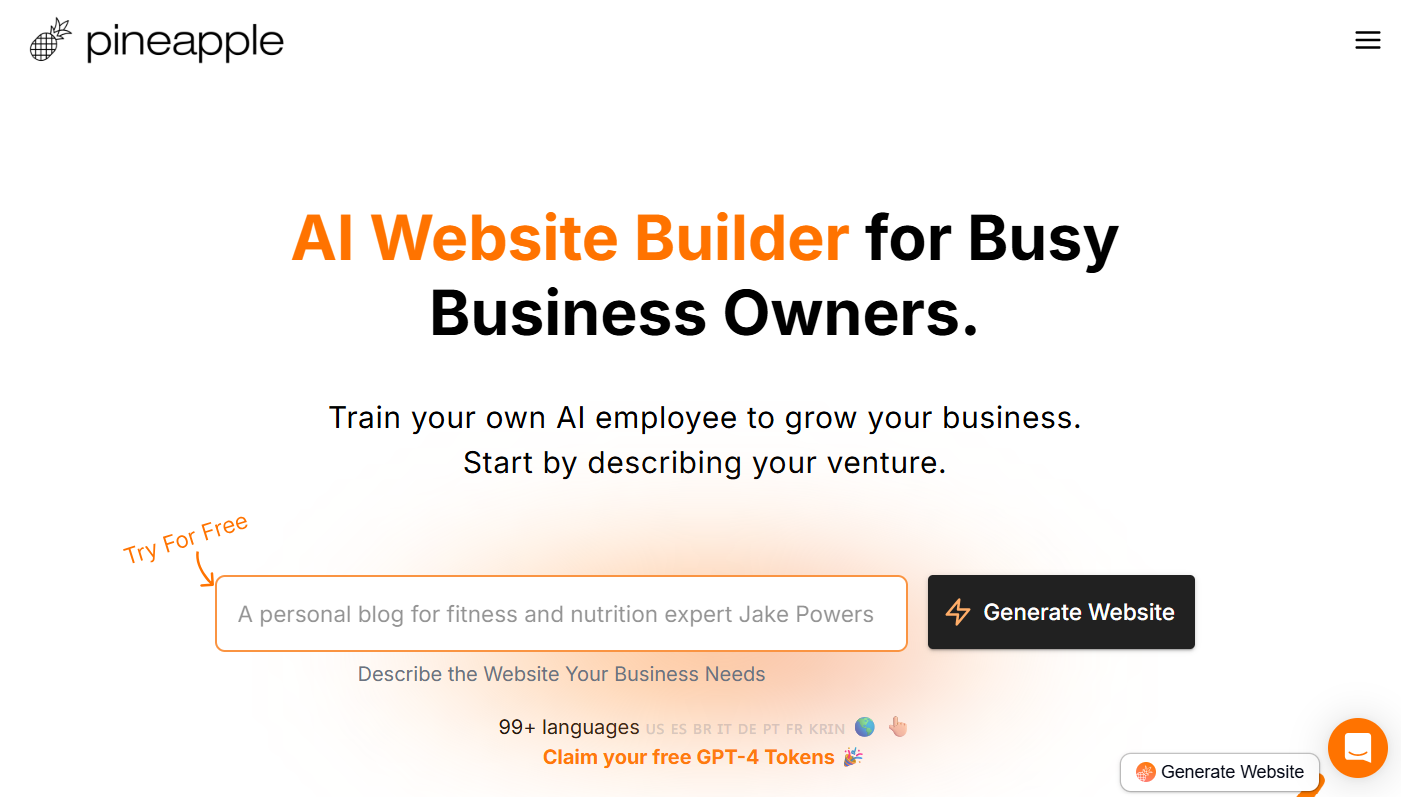
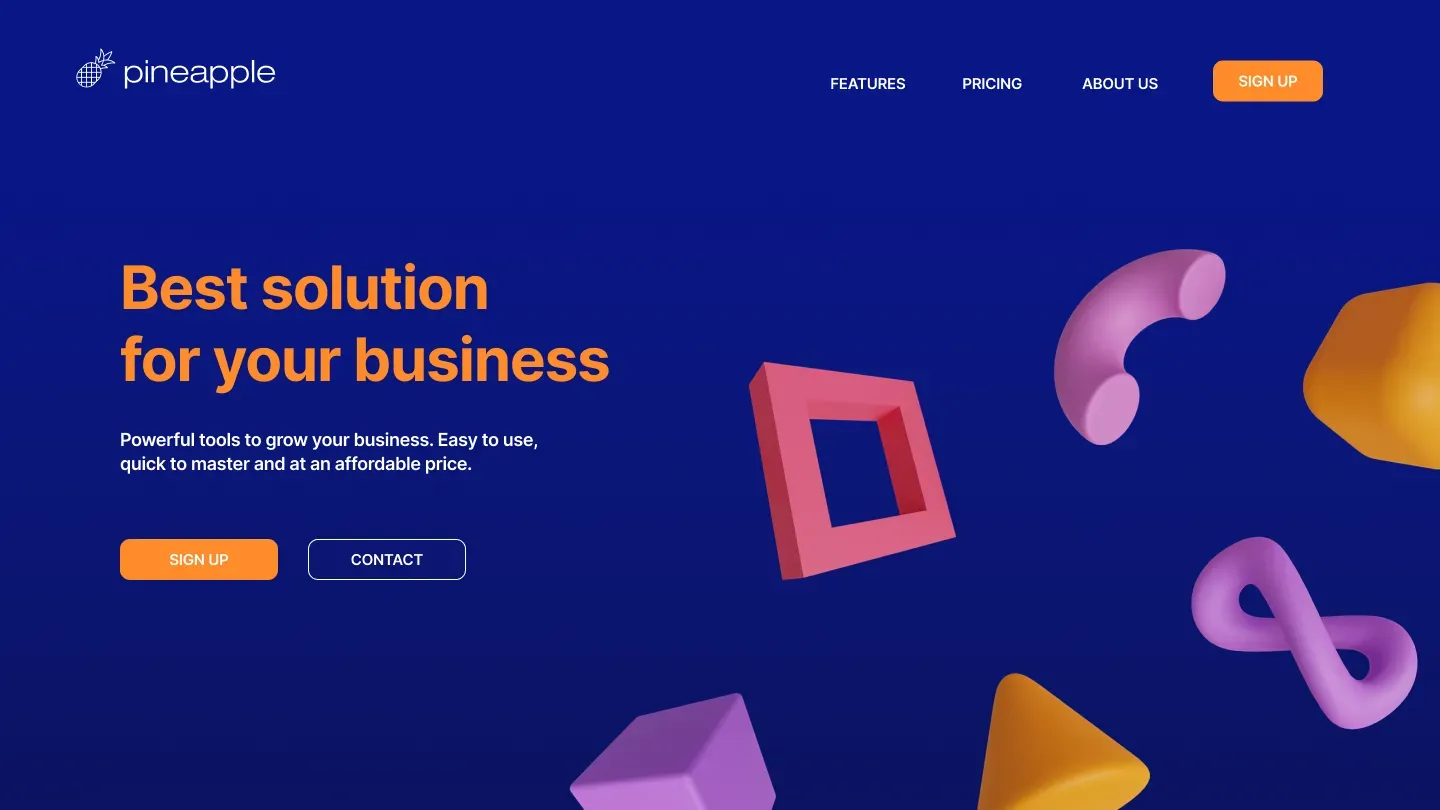
Pineapple Builder is best for people who want a clear and beginner-friendly AI website creation flow.
It is a strong fit for small business owners, consultants, freelancers, local service providers and
anyone who wants a website draft without starting from a blank template.
Beginners
It is a good starting point for users who know what kind of business they have, but do not know
what sections, copy or page structure a website should include.
Service Businesses
Pineapple Builder works well for service-based businesses that need a homepage, services,
benefits, testimonials, FAQ and contact call to action.
Simple Landing Pages
It can also be useful when you need a simple landing page for a product, offer, personal brand,
lead magnet or early business idea.
What Pineapple Builder Does Well
Pineapple Builder works best when the user needs a guided path from business idea to website draft.
The biggest advantage is that it reduces the number of decisions a beginner has to make at the start.
Instead of choosing a blank layout, writing every headline and deciding every section manually, the
user can begin with an AI-generated structure.
Simple starting workflow
Pineapple Builder is easy to understand because the user starts with a business idea instead of a
blank design canvas.
Good for website structure
It is useful for creating a logical website draft with sections such as services, benefits,
calls to action and supporting content.
Strong beginner fit
It is a good choice for people who want AI help without feeling like they are using a developer
tool or a complex design platform.
Pineapple Builder Pros and Cons
Pros
- Very beginner-friendly AI website builder experience.
- Good fit for small business websites and simple service pages.
- Helps users avoid starting from a blank template.
- Useful for creating an initial website structure quickly.
- Good first tool to test if you are new to AI website builders.
Cons
- The AI-generated copy should still be edited before publishing.
- Not the best choice for complex web apps or advanced MVPs.
- Design flexibility may not satisfy users who want full creative control.
- Businesses with advanced SEO needs may still need manual optimization.
- Best results require a clear and specific prompt.
Best Pineapple Builder Prompt to Start With
To get a better first website draft, do not write a vague prompt like “make me a website”.
Give the AI context about the business, target customer, services and conversion goal.
This prompt gives Pineapple Builder enough direction to create a practical website draft. After the
draft is generated, replace generic text with real service details, real customer benefits and a more
specific call to action.
Pineapple Builder Verdict
Pineapple Builder is the best first tool to test if your goal is a simple AI-generated website for
a small business. It is beginner-friendly, practical and easier to understand than more advanced
AI app builders.
It is not a replacement for final editing, real brand assets or SEO review. But as a fast way to
move from idea to first website draft, it is one of the strongest choices in this list.
Who Durable Is Best For
Durable is best for small businesses that need a website quickly and do not want to spend too much
time choosing templates, writing every section or building a page manually. It is especially strong
for local businesses where the website has one clear job: explain the service and get the visitor to
contact the business.
Local Service Companies
Durable is a strong fit for businesses such as cleaning companies, plumbers, electricians,
contractors, repair services, landscaping businesses and other service providers.
Lead Generation Websites
It works well when the website’s main goal is to generate calls, quote requests, booking inquiries
or contact form submissions.
Busy Business Owners
Durable is useful for people who want a website draft quickly and do not want to spend weeks
planning page structure, content and layout from scratch.
What Durable Does Well
Durable’s biggest strength is how directly it speaks to small business website needs. Many AI website
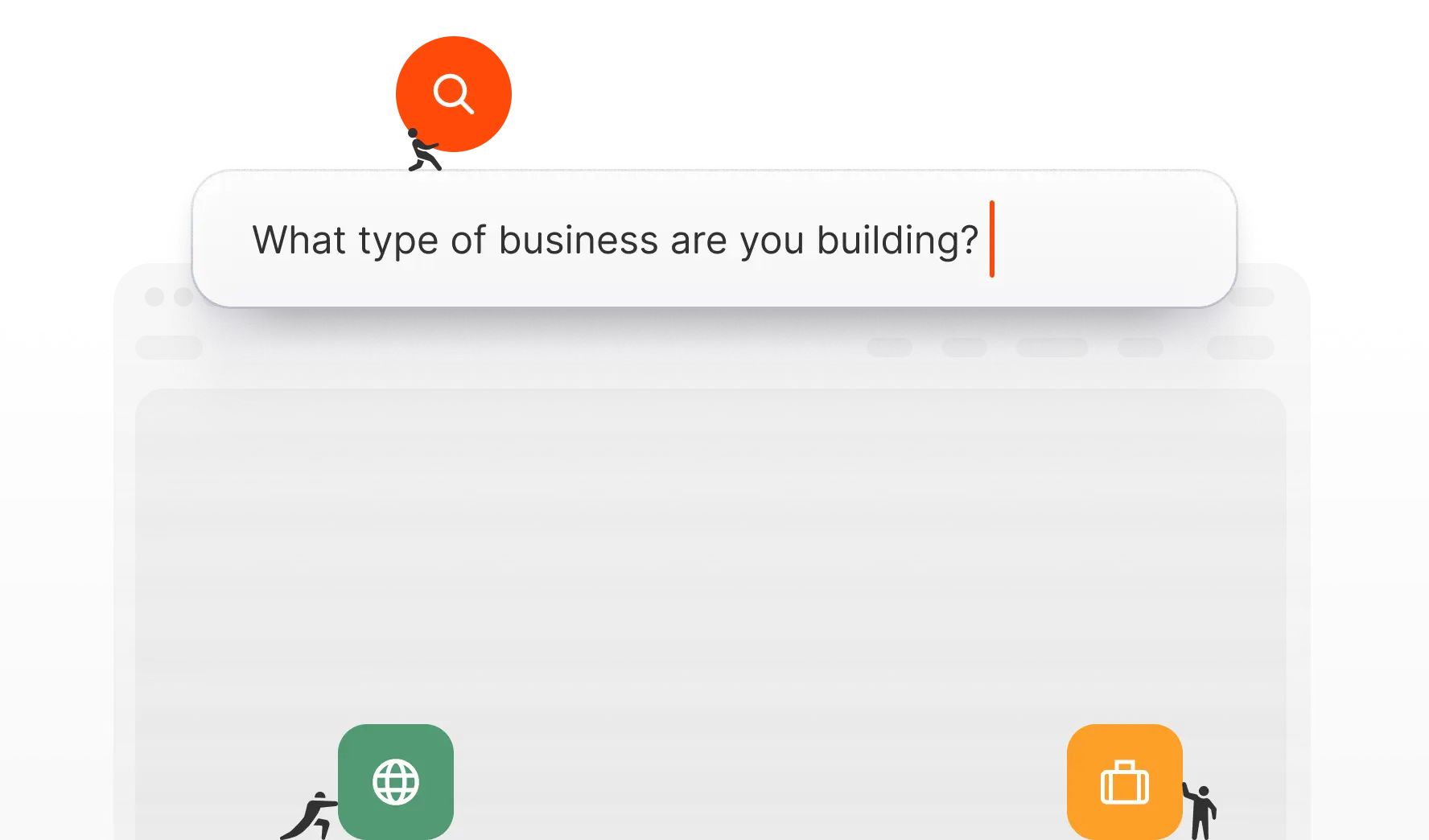
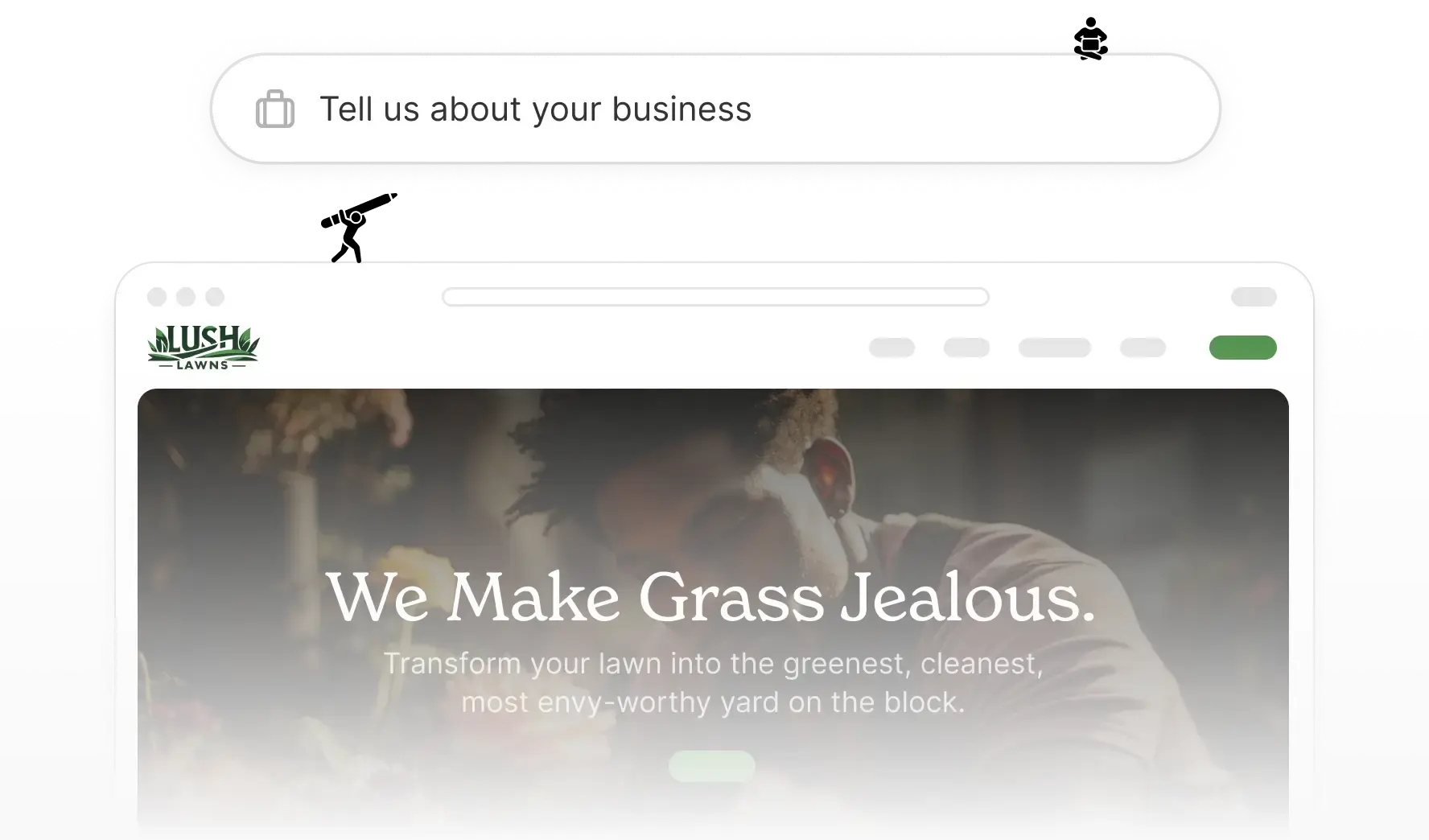
builders focus on the design demo. Durable focuses more on the practical path: answer a few questions,
generate the website and then improve the business copy and sections.
Small business focus
Durable is clearly built around the needs of small businesses that want a website quickly, not
around advanced design experimentation.
Fast website draft
It can help users move quickly from “I need a website” to a first draft with sections, copy and
a more complete structure.
Lead-focused structure
Durable is a good match for websites that need contact buttons, quote requests, service sections
and simple conversion paths.
Durable Pros and Cons
Pros
- Excellent fit for local service businesses.
- Fast AI website setup for non-technical users.
- Good option for lead generation websites.
- Practical website structure for real businesses.
- Useful for business owners who want speed and simplicity.
Cons
- May feel less flexible for users who want full design control.
- Not the best match for complex web apps or SaaS MVPs.
- AI-generated copy still needs review and editing.
- Advanced SEO work may require additional manual optimization.
- Placeholder link is used here until an affiliate link is added.
Best Durable Prompt to Start With
Durable works best when the prompt is practical and business-focused. Give it enough detail about the
service, target customer and desired action.
This type of prompt gives Durable the right context for a practical lead-generation website. After
generating the first draft, the business owner should add real service details, real proof, real
contact information and stronger local SEO content.
Durable vs Pineapple Builder
Durable and Pineapple Builder are the two strongest simple choices in this guide. The difference is
mainly the angle. Pineapple Builder is the better first test if you want the simplest overall AI
website builder experience. Durable is stronger if your website is clearly for a local service business
and the main goal is lead generation.
Choose Pineapple Builder for simplicity
Choose Pineapple Builder if you want the most beginner-friendly way to describe your business and
create a simple website draft.
Choose Durable for local leads
Choose Durable if your main goal is a practical service business website that explains services,
builds trust and encourages people to contact you.
Durable Verdict
Durable is one of the best AI website builders for local service businesses. It is practical,
beginner-friendly and focused on helping business owners get a useful website online quickly.
It is not the best option for complex web apps, advanced design systems or highly customized digital
products. But for service businesses that need a fast, clear and lead-focused website, Durable is
one of the strongest choices in this comparison.

Who Butternut AI Is Best For
Butternut AI is best for users who want speed. It is not the best match for someone who wants to spend
days carefully designing every section manually. It is a better fit for people who want AI to generate
a complete starting point that they can review, edit and improve.
Fast Website Drafts
Butternut AI is a good fit when you want to turn a short idea into a website draft quickly and
then improve the details later.
Simple Business Websites
It can be useful for simple business websites that need basic structure, page copy, service
sections and website features without complex setup.
Idea Testing
Butternut AI is useful when you want to test a business idea, service offer or small project
before investing in a fully custom website.
What Butternut AI Does Well
Butternut AI is strongest when the user’s priority is getting a complete website draft fast. It works
well as an AI-first website creation tool because the starting point is the prompt, not a blank design
canvas.
Fast prompt-based creation
Butternut AI is built for users who want to describe what they need and receive a generated
website draft quickly.
Useful feature direction
The platform is interesting because it is not only about generating a static page. It also points
toward useful website features such as SEO, content and interactive tools.
Good first draft tool
It can help users avoid the slowest part of website building: deciding what to put on the page
and how to organize the first version.
Butternut AI Pros and Cons
Pros
- Strong match for prompt-to-website search intent.
- Good option for fast website drafts.
- Useful for users testing a business idea or simple offer.
- Interesting website features beyond basic page generation.
- Good alternative to Pineapple Builder and Durable for speed-focused users.
Cons
- Generated copy and page structure still need manual review.
- May not be the best option for advanced design customization.
- Not as focused on startup landing pages as Mixo.
- Not the right choice for complex AI web apps compared with Lovable.
- Best results depend on writing a clear and specific prompt.
Best Butternut AI Prompt to Start With
Butternut AI works best when you write a prompt that explains what kind of website you need, who the
audience is and what action the visitor should take.
This prompt gives Butternut AI enough structure to create a practical first version. After that,
edit the copy to match the real business, add real images and improve the SEO details before publishing.
Butternut AI vs Pineapple Builder vs Durable
Butternut AI sits between Pineapple Builder and Durable in this comparison. Pineapple Builder is the
simplest overall first test for beginners. Durable is stronger for local service business websites.
Butternut AI is most interesting when the user wants the fastest prompt-to-website experience.
Choose Pineapple Builder for simplicity
Pineapple Builder is the better first choice when you want the simplest and most beginner-friendly
AI website builder experience.
Choose Durable for service businesses
Durable is a stronger fit when your website is clearly for a local or service-based business and
lead generation matters most.
Choose Butternut AI for speed
Butternut AI is a good choice when your main goal is to generate a complete starting point from
a short prompt as quickly as possible.
Butternut AI Verdict
Butternut AI is a strong option if you want a fast AI website builder that starts from a prompt.
It is especially useful for users who want a first website draft quickly and are willing to edit
the result before publishing.
It is not the best option for complex apps or highly custom design systems. But for speed-focused
website creation and prompt-to-website workflows, it deserves a place near the top of this list.

Who Mixo Is Best For
Mixo is best for people who want to launch quickly with one focused page. This makes it useful for
founders, creators, marketers and small teams that want to validate an idea before investing in a full
website, product build or custom design project.
Startup Founders
Mixo is a good fit for founders who need to test whether people are interested in an idea before
spending time and money building the full product.
Waitlist Pages
It works well when the main conversion goal is to collect email signups, early access requests
or pre-launch interest.
Simple Product Pages
Mixo is useful for a simple product, digital offer, early app idea, community, course, newsletter
or lightweight campaign page.
What Mixo Does Well
Mixo’s biggest strength is focus. It does not try to be the best tool for every type of website.
It is strongest when the page has one clear purpose: explain an idea and get the visitor to take
one action.
Fast landing page generation
Mixo is useful when you want to create a landing page quickly without planning every section from
scratch.
Good for validation
It is a strong choice when you want to collect signups, measure interest or test a product idea
before building the full version.
Simple conversion goal
Mixo works best when the page has one main action, such as joining a waitlist, signing up for
early access or requesting more information.
Mixo Pros and Cons
Pros
- Excellent for AI-generated landing pages.
- Strong fit for startup ideas and waitlists.
- Good for fast validation before building a full product.
- Simple and focused use case.
- Useful when the goal is collecting leads or email signups.
Cons
- Not the best choice for full multi-page business websites.
- Less suitable for local service businesses than Durable or Pineapple Builder.
- Not the right platform for complex AI web apps.
- Landing page copy still needs manual editing.
- Placeholder link is used here until an affiliate link is added.
Best Mixo Prompt to Start With
Mixo works best when your prompt explains one clear offer and one clear conversion goal. Avoid asking
for a huge website. Instead, focus on a landing page that explains one idea well.
This type of prompt gives Mixo the right direction. The page should be focused, conversion-driven
and built around one offer. After the first draft is generated, improve the headline, proof points
and call to action.
Mixo vs Pineapple Builder
Mixo and Pineapple Builder can both help users launch quickly, but they are not the same type of tool.
Pineapple Builder is better for a normal small business website. Mixo is better for a focused landing
page where the main goal is to validate an idea or collect signups.
Choose Pineapple Builder for websites
Choose Pineapple Builder if you need a more complete business website with services, trust
sections, calls to action and broader website structure.
Choose Mixo for landing pages
Choose Mixo if you need a one-page website, startup page, product validation page or waitlist
page with one clear conversion goal.
Mixo Verdict
Mixo is the best choice in this guide for AI-generated landing pages. It is focused, fast and useful
when the goal is to validate an idea or collect leads with a one-page website.
It is not the best option for a full local business website or complex web app. But for startup
ideas, waitlists and simple landing pages, Mixo is one of the most relevant tools in this list.

Who Lovable Is Best For
Lovable is best for users who want to build more than a normal website. It is most relevant when the
project needs interactive functionality, app-like structure or a prototype that behaves more like a
product than a simple landing page.
Startup Founders
Lovable is useful for founders who want to turn an app idea into a working prototype or early MVP
before hiring a full development team.
Product Builders
It is a better fit for people who think in terms of product screens, app logic, dashboards,
workflows and interactive user experiences.
Technical Creators
Lovable is more relevant for users who are comfortable with a more advanced building workflow
and want AI to help create something closer to software.
What Lovable Does Well
Lovable’s biggest strength is that it is not limited to a basic marketing page. It is more ambitious
than a traditional AI website builder, which makes it useful for people who want to create a digital
product, not just a homepage.
App-like project creation
Lovable is better suited to projects that need screens, flows, interactive elements and product
logic instead of only static website sections.
Useful for MVP thinking
It can help founders think through the first version of a product, including the interface,
user journey and core app structure.
More advanced than simple builders
For users who want more than a brochure website, Lovable gives a more product-oriented AI building
experience.
Lovable Pros and Cons
Pros
- Strong fit for web apps, MVPs and interactive prototypes.
- More advanced than basic AI website builders.
- Useful for startup founders and product builders.
- Good option when the project needs app-like functionality.
- Can help turn an idea into a more complete product direction.
Cons
- Not the simplest choice for a normal business website.
- May feel too advanced for non-technical beginners.
- Less focused on basic service websites than Pineapple Builder or Durable.
- Not as focused on simple landing pages as Mixo.
- Placeholder link is used here until an affiliate link is added.
Best Lovable Prompt to Start With
Lovable works best when the prompt describes a product or app idea, not only a normal static website.
Explain the user, the main action, the key screens and the first version of the product.
This prompt works better for Lovable than a generic “make a website” request. The more clearly you
describe the product workflow, the better the AI can create something that feels like a real app or
prototype.
Lovable vs Other AI Website Builders
Lovable should not be judged the same way as Pineapple Builder, Durable, Butternut AI or Mixo. Those
tools are better aligned with website creation. Lovable is better aligned with app creation.
Choose Pineapple or Durable for websites
If your goal is a standard business website, Pineapple Builder or Durable will usually be easier
to understand and more practical.
Choose Mixo for landing pages
If your goal is a waitlist, early-access page or product validation landing page, Mixo is usually
more focused.
Choose Lovable for MVPs
If your goal is an app-like product, SaaS prototype or interactive MVP, Lovable is the more
relevant tool to test.
Lovable Verdict
Lovable is not the best choice for a simple small business website, but it is one of the most
interesting tools in this list for AI-assisted app building and MVP creation.
If you want a static website, start with Pineapple Builder, Durable or Butternut AI. If you want
to create an app-like project from a prompt, Lovable becomes much more relevant.
Best AI Website Builder by Use Case
The best AI website builder depends on what you want to create. A simple service website, a startup
landing page and an app prototype all need different tools. Use the guide below to choose the right
platform based on the type of website or project you need.
Best for Small Business Websites
Choose Pineapple Builder if you want the simplest starting point for a small business website.
Choose Durable if your website is mainly for a local or service business and the goal is to generate leads.
Recommended tools: Pineapple Builder, Durable and Butternut AI.
Best for Service Businesses
For service businesses, the website needs to explain services, build trust and make it easy to request
a quote or contact the business. Durable is strong here, while Pineapple Builder is a simpler alternative.
Recommended tools: Durable and Pineapple Builder.
Best for Beginners
Beginners should avoid tools that feel like developer platforms unless they are building an app.
Pineapple Builder is the best first test because the workflow is easier to understand.
Recommended tools: Pineapple Builder, Durable and Butternut AI.
Best for Landing Pages
If you only need a one-page website for an idea, product, waitlist or simple offer, Mixo is the most
focused option. Pineapple Builder can also work if you want a broader website structure.
Recommended tools: Mixo and Pineapple Builder.
Best for Web Apps and MVPs
Lovable is the best fit when the goal is not a static website but an app-like product, prototype or MVP.
It is more advanced, but also more relevant for product builders.
Recommended tool: Lovable.
Best for Fast Website Drafts
If your main goal is to get a first version quickly, Butternut AI is worth testing. It is a good
prompt-to-website option when speed matters more than deep customization.
Recommended tools: Butternut AI and Pineapple Builder.
AI Website Prompts You Can Copy
The quality of the website you get from an AI website builder depends heavily on the prompt. A vague
prompt usually creates a generic website. A specific prompt gives the AI better context and usually
creates a stronger first draft.
Prompt for a Local Service Business
Best tools: Pineapple Builder, Durable, Butternut AI.
Prompt for a Contractor Website
Best tools: Durable, Pineapple Builder.
Prompt for a Restaurant Website
Best tools: Pineapple Builder, Durable.
Prompt for a Startup Landing Page
Best tools: Mixo, Lovable, Pineapple Builder.
Prompt for a Consultant Website
Best tools: Pineapple Builder, Butternut AI.
Prompt for a Web App MVP
Best tool: Lovable.
Are AI Website Builders Good for SEO?
AI website builders can help with SEO, but they do not automatically create a fully optimized website.
They are useful for generating a first draft, page sections and basic copy. The final SEO quality still
depends on how well you edit the content, structure the page and optimize the important details before publishing.
What AI Can Help With
- Creating a first page structure.
- Writing draft homepage copy.
- Generating service descriptions.
- Suggesting FAQ questions.
- Creating call-to-action ideas.
What You Still Need to Edit
- Meta titles and meta descriptions.
- Service keywords and page intent.
- Real business proof and testimonials.
- Internal links and supporting pages.
- Specific landing pages for important services.
What to Check Before Publishing
- Does every section have a clear purpose?
- Does the page explain the offer quickly?
- Is there a clear call to action?
- Does the page load well on mobile?
- Is the content specific, not generic?
SEO Tip
Treat the AI-generated website as a first draft. Before publishing, improve the headings, page title,
meta description, service copy, FAQ, internal links and calls to action. AI can speed up the process,
but the best results come from combining AI output with real business details and proper SEO review.
Related Guides to Improve Your AI-Generated Website
After you create the first website draft with an AI website builder, the next step is improving the copy,
landing page structure, SEO snippets and overall website quality. These related guides can help.
AI Prompts for Website Copywriting
Use AI to improve homepage copy, service sections, CTAs and website messaging.
AI Prompts for Landing Pages
Improve AI-generated landing pages with better structure, hooks and conversion sections.
AI Prompts for Meta Titles and Descriptions
Create better SEO snippets for AI-generated pages before publishing them.
WordPress SEO Checklist for Small Business Websites
Use this SEO checklist to review pages, speed, schema, content and technical basics.
FAQ: Best AI Website Builders for Small Businesses
These are the most common questions people ask before choosing an AI website builder for a small
business, landing page or AI-generated website project.
What is the best AI website builder for small businesses?
The best overall AI website builder for small businesses in this comparison is Pineapple Builder,
because it is simple, beginner-friendly and suitable for creating a website draft from a prompt.
Durable is also a strong choice for local service businesses that want a practical lead-focused
website.
Can AI build a complete website from a prompt?
Yes, many AI website builders can create a first website draft from a prompt. However, the result
should still be reviewed and edited before publishing. You should improve the copy, add real
business details, check SEO settings, replace generic images and make sure the website matches the
actual offer.
Which AI website builder is best for beginners?
Pineapple Builder is the best beginner-friendly option in this list. It is easier to understand than
more advanced AI app builders and is a good starting point for people who want to describe a business
and generate a simple website draft.
Which AI website builder is best for local service businesses?
Durable is one of the strongest choices for local service businesses because it is practical,
beginner-friendly and focused on helping small businesses create lead-generation websites quickly.
Pineapple Builder is also a strong option if you want a simpler overall website builder experience.
Which AI website builder is best for landing pages?
Mixo is the best option in this comparison for AI-generated landing pages, startup validation pages
and waitlist pages. It is more focused on one-page conversion pages than full multi-page business
websites.
Is Lovable an AI website builder?
Lovable can be used to create web projects, but it is better described as an AI app builder or AI
MVP builder than a simple website builder. It is more relevant for founders and builders who want
to create app-like projects, prototypes or SaaS MVPs.
Are AI website builders good for SEO?
AI website builders can help create SEO-friendly page structure, headings, draft copy and FAQ
sections. However, they do not automatically replace SEO work. You should still review meta titles,
meta descriptions, service keywords, page speed, internal links, schema and content quality before
publishing.
Can I use an AI website builder without coding?
Yes. Tools like Pineapple Builder, Durable, Butternut AI and Mixo are designed to help non-technical
users create website drafts without writing code. Lovable is more advanced and may feel closer to
app building, but the other tools are better suited to no-code website creation.
Should I publish the AI-generated website immediately?
No. The AI-generated version should be treated as a first draft. Before publishing, edit the copy,
add real images, check contact details, improve the calls to action, review SEO settings and test
the website on mobile.
Which tool should I test first?
Most small business users should test Pineapple Builder first because it is the simplest overall
option in this comparison. If your website is for a local service business, also test Durable. If
you want a fast prompt-to-website draft, test Butternut AI. If you need a landing page, test Mixo.
Conclusion: Which AI Website Builder Should You Use?
The best AI website builder depends on what you want to build. If you need a simple small business
website, Pineapple Builder is the best first tool to test. It is beginner-friendly,
practical and closely matches the idea of creating a website from a prompt.
If you run a local or service-based business and want a practical website that can help generate leads,
Durable is also a strong option. If your main goal is speed and you want a fast
prompt-to-website draft, Butternut AI is worth testing.
For one-page startup landing pages, product validation pages and waitlists, Mixo is the
most focused option. For app-like projects, SaaS prototypes and MVPs, Lovable is the
better fit, but it is not the simplest choice for a normal business website.
The smartest approach is to test one or two tools with the same prompt. Compare the generated structure,
copy, design and editing experience. Then choose the platform that gives you the best starting point for
your actual website goal.