Introduction
Retail leaders face mounting pressure to modernize operations, improve customer experiences, and maintain profitability in a rapidly evolving marketplace. Automation has emerged as a vital strategic lever, offering the promise of streamlined workflows, reduced errors, and new efficiencies across inventory management, checkout, customer service, supply chain, and reporting. However, successful automation in retail is not simply about adopting the latest technology—it requires a disciplined, framework-driven approach, careful selection of solutions, and awareness of specific risks and decision factors unique to the retail sector.
This in-depth automation solutions case study article is designed for retail business owners, executives, and operations managers who want more than generic success stories. Instead, you’ll find a clear, actionable guide to evaluating, planning, and implementing automation in retail, supported by practical frameworks and comparison tables. We’ll demystify the main types of retail automation, such as point of sale (POS), inventory management, and workflow automation, explaining not just what they do, but how they fit into a holistic modernization strategy.
To meet your business goals, you’ll need to analyze your organization’s readiness, weigh retail automation pros and cons, and avoid common pitfalls. That’s why this article covers essential facts—like the limitations and risks of automation, from data security to staff adaptation—and provides decision criteria to guide your next steps. We’ll outline frameworks for assessing automation opportunities and planning implementation, as well as a checklist for making informed choices about which solutions to pursue.
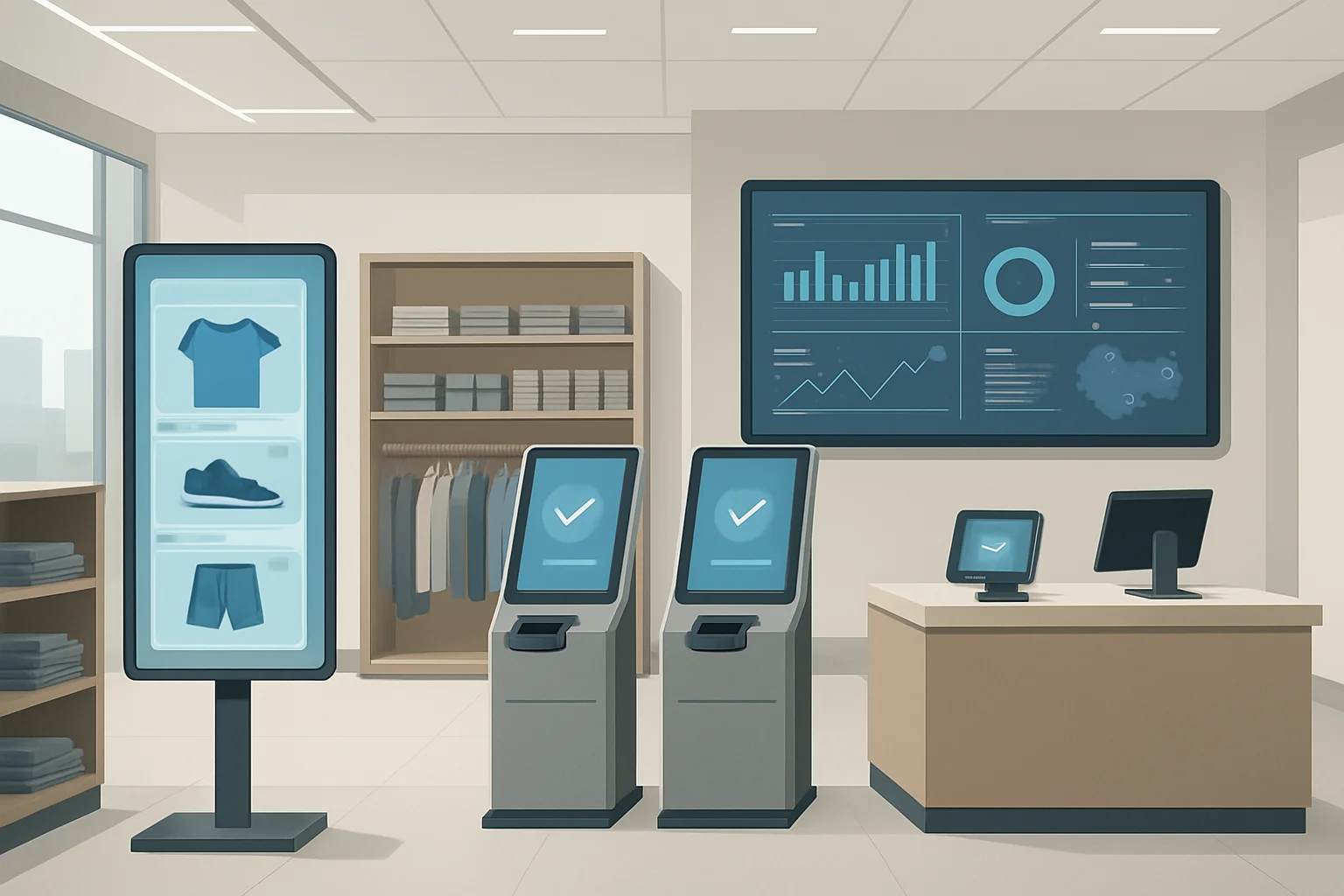
Retail automation refers to the use of technology-driven systems and software that handle repetitive or complex retail tasks with minimal human intervention. These solutions can range from self-checkout terminals and automated inventory tracking to AI-powered customer service chatbots and advanced supply chain analytics. By leveraging automation, retailers can free staff to focus on higher-value activities, respond faster to market trends, and minimize costly errors. However, automation is not a one-size-fits-all solution. Factors such as business scale, existing IT infrastructure, regulatory requirements, and workforce skills all influence the suitability and return on investment of various automation tools.
Implementing automation in retail should be viewed as a strategic transformation rather than a quick fix. It demands a comprehensive analysis of current workflows, stakeholder buy-in, robust change management, and a clear understanding of how technology aligns with business objectives. Common challenges include ensuring data privacy and security, integrating new systems with legacy platforms, managing change among employees, and controlling upfront and ongoing costs. Retailers should also be mindful of potential impacts on customer satisfaction, as poorly implemented automation can lead to frustration or alienation among shoppers.
Throughout this resource, you can expect:
- Clear definitions of key retail automation concepts and solution categories.
- Evaluation frameworks to help you diagnose your current processes and readiness for automation.
- A comparison table of leading automation solution types tailored for retail environments.
- Step-by-step procedures for planning, piloting, and scaling automation in your business.
- Analysis of common mistakes and practical measures to mitigate risk.
- A balanced look at automation’s pros, cons, and limitations—enabling you to make well-informed, context-specific decisions.
- A summary checklist and takeaway section you can use immediately in your next strategic planning meeting.
By the end of this article, you’ll have a grounded understanding of how automation can impact your retail business—both its promise and its pitfalls. You’ll be equipped with a reusable framework for automation implementation in retail, know the critical decision factors, and have the tools to avoid costly mistakes that often derail automation projects.
Whether you’re exploring automation for the first time or seeking to refine your approach, this guide is your practical roadmap. If you wish to explore more about automation and artificial intelligence in business, you may find additional insights at Automation & AI.
Ultimately, the goal is to help you move beyond hype and make strategic automation decisions that are tailored to your retail environment. By focusing on evidence-based frameworks and highlighting both opportunities and limitations, this article aims to provide clarity in an area often clouded by buzzwords and vendor promises. Whether your priority is reducing costs, enhancing customer engagement, or gaining operational agility, a thoughtful approach to automation can unlock significant advantages—if executed with care and insight.
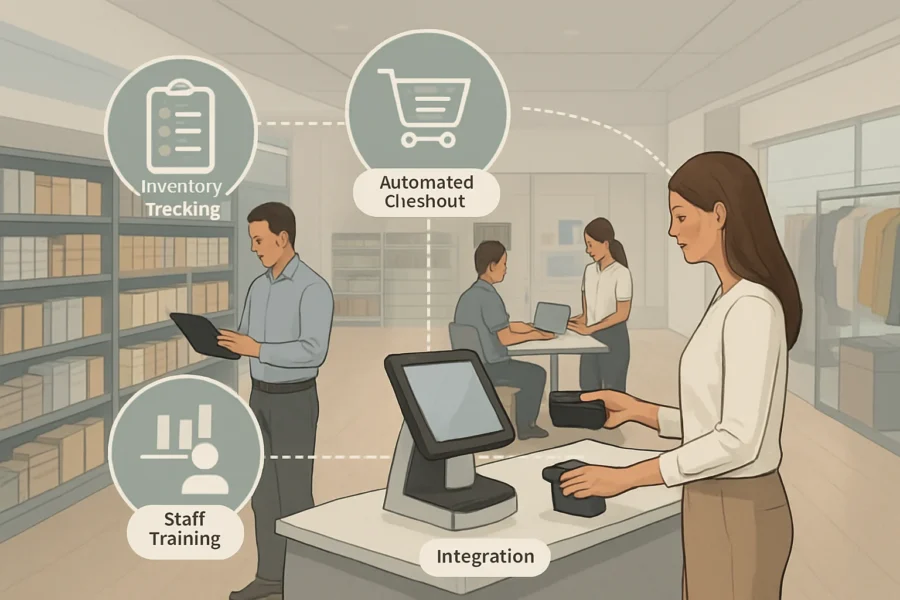
Section Overview Table
| Section | Primary Focus | Why It Matters |
|---|---|---|
| What Is Retail Automation? | Defines automation areas and terminology | Establishes a shared understanding among stakeholders |
| Frameworks for Evaluating Automation Readiness | Presents models to assess organizational preparedness | Helps avoid misalignment and readiness pitfalls |
| Comparison of Common Retail Automation Solutions | Compares solution categories (e.g., POS, inventory, workflow) | Facilitates informed selection based on business needs |
| Step-by-Step Automation Implementation Framework | Outlines practical steps for piloting and scaling | Guides structured, repeatable automation rollouts |
| Pros and Cons of Retail Automation | Balanced analysis of benefits and drawbacks | Supports realistic expectations and risk management |
| Common Mistakes and How to Avoid Them | Identifies frequent pitfalls and concrete solutions | Prevents costly errors during implementation |
| Practical Checklist for Automation Selection | Lists essential evaluation and decision points | Streamlines the solution selection process |
This structure is designed to give retail leaders at-a-glance clarity on the content’s flow and utility. The table summarizes each section’s role, helping users prioritize what to read based on their stage in the automation journey. By combining both a clickable table of contents and a descriptive overview, the article aims to save time and reduce information overload, ensuring that users can quickly identify resources relevant to their current challenges or interests. For more on retail automation technologies and AI, visit our Automation & AI resource.
Definitions
For a broader overview of business process automation and AI solutions, the Automation & AI page provides additional context.
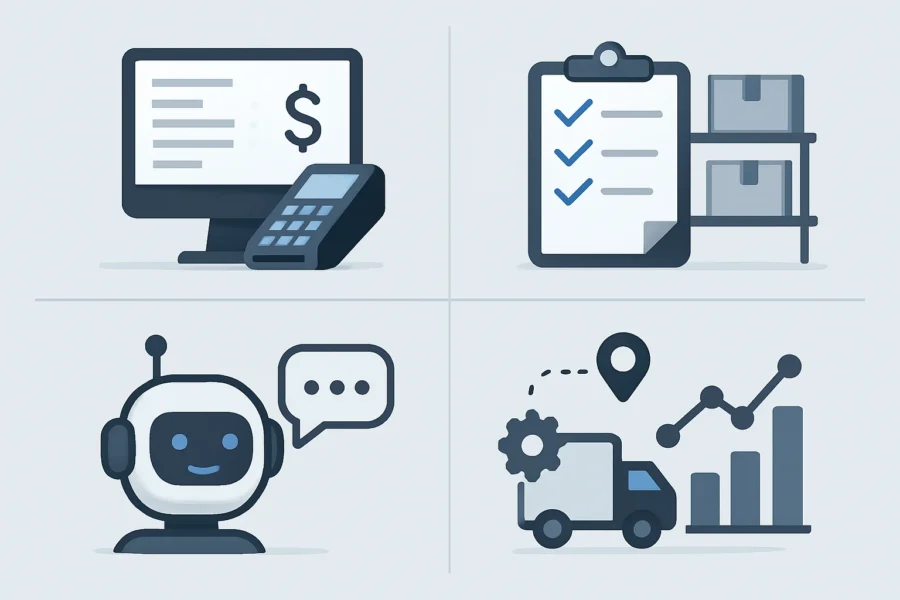
Clarity on key terms is essential for effective automation planning in retail. Below are the definitions and distinctions that retail decision-makers need to navigate the automation landscape with confidence. Understanding these concepts can help identify the most suitable technologies and strategies for specific business goals, and ensure seamless communication among stakeholders during planning and implementation.
Core Automation Terminology
- Automation: The use of technology to perform tasks with minimal human intervention. In retail, this spans both physical and digital processes, aiming to boost efficiency, accuracy, and scalability. Automation can address repetitive tasks, freeing up staff for higher-value work and reducing operational costs over time.
- Retail Automation: The application of automation within retail operations, including inventory tracking, order processing, checkout (point of sale), customer engagement, and reporting. Solutions range from self-checkout kiosks to automated inventory systems. Retail automation may also extend to personalized marketing and supply chain management, helping businesses respond rapidly to demand fluctuations.
- Point of Sale (POS): Systems that facilitate retail transactions. Modern POS solutions increasingly integrate automation features such as real-time inventory updates and automated receipt generation, reducing manual workload and errors. Some advanced POS platforms can also connect with loyalty programs and provide sales analytics, supporting data-driven decision-making.
- Workflow Automation: The orchestration and automation of multi-step business processes. For retail, this could mean automatically routing online orders to fulfillment, updating stock levels, and notifying customers—all without manual intervention. Workflow automation enhances consistency and reliability, minimizing delays and potential mistakes associated with manual handling.
- Integration: The process of connecting disparate systems (such as e-commerce, accounting, and inventory platforms) so that data flows seamlessly between them. Successful integration is a critical factor in retail automation, as siloed systems can undermine efficiency gains. Integration enables a unified view of operations, supporting real-time decision-making and better customer experiences.
- Pilot: A controlled, small-scale deployment of an automation solution used to evaluate its effectiveness, identify issues, and refine processes before full-scale implementation. Piloting is widely recommended as a risk mitigation step in retail automation projects. Pilots provide valuable feedback and measurable outcomes, informing whether and how to proceed with broader rollout.
Categories of Automation Solutions
Retail automation solutions can be grouped into three main categories, each with distinct characteristics and suitability depending on business needs. Choosing the appropriate type often depends on factors such as store size, budget, existing infrastructure, and strategic priorities. A thoughtful mix of these categories can unlock significant efficiencies and support scalable growth.
| Category | Description | Typical Examples |
|---|---|---|
| Software | Digital tools that streamline processes, such as inventory management, sales analytics, or customer relationship management (CRM). Software-based solutions are generally easier to deploy and update, and can often be integrated with existing platforms for enhanced functionality. | Cloud-based inventory systems, automated marketing platforms. |
| Hardware | Physical devices or equipment that automate in-store tasks. Hardware solutions typically require upfront investment and ongoing maintenance, but can significantly reduce manual labor for routine operations. | Self-checkout kiosks, RFID scanners, automated storage units. |
| Hybrid | Integrated solutions combining both hardware and software elements. Hybrid systems are designed to maximize automation benefits by connecting physical devices with digital platforms, enabling real-time data exchange and adaptive workflows. | Smart shelves with real-time monitoring, IoT-enabled POS systems. |
Further Reading
For a deeper dive into automation and AI concepts relevant to retail, consult the dedicated Automation & AI resource.
Decision Criteria for Retail Automation
Retail Automation Readiness: A Practical Checklist
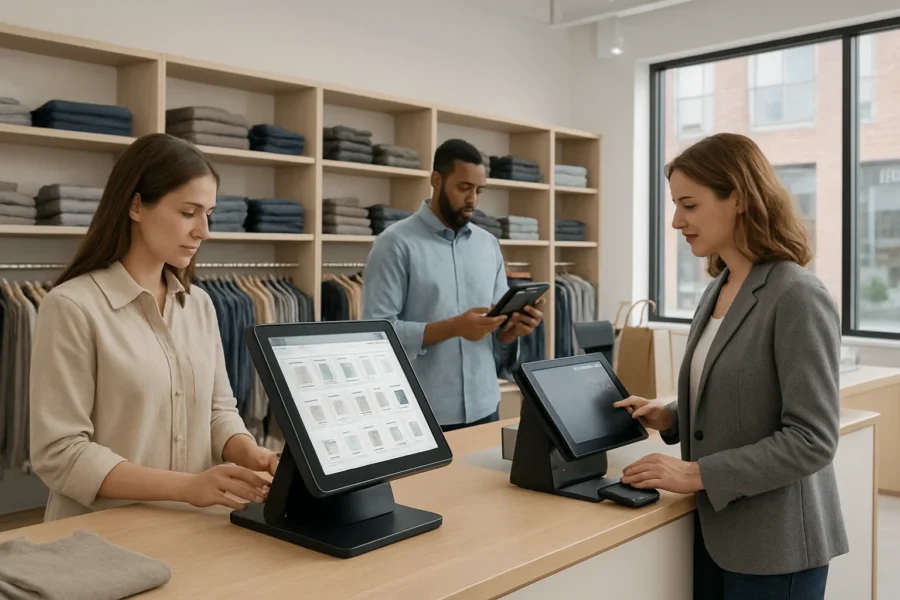
Before selecting or implementing an automation solution, retail leaders should systematically assess organizational readiness. Use this concise checklist to ensure all critical areas are considered:
- Business Goals: Is automation aligned with your core objectives, such as reducing operational costs, improving customer experience, or enabling omnichannel sales?
- Budget: What is your realistic budget for setup, integration, training, and ongoing maintenance? Factor in indirect costs such as change management.
- Staff Readiness: Are employees prepared for new workflows and responsibilities? Have you identified areas where upskilling or role changes will be necessary?
- Integration Requirements: Can the automation solution work seamlessly with your current POS, inventory, and reporting platforms? Are there technical barriers to data sharing or process alignment?
- Compliance and Security: Does the solution meet industry regulations and protect sensitive data, such as payment information or customer profiles?
- Scalability: Will the solution accommodate future growth, multi-location management, or evolving customer touchpoints?
Additionally, consider your organization’s culture and appetite for change. Assess whether leadership and frontline teams are open to process transformation and whether you have champions who can advocate for adoption. Evaluate readiness for pilot projects, and establish clear communication channels for feedback, as staff involvement is often critical to successful implementation. Finally, review your IT infrastructure for compatibility and flexibility, ensuring it can support both current and future automation needs.
Framework: Mapping Pain Points to Automation Benefits
An effective decision framework balances the costs and risks of change against measurable benefits. Start with a clear-eyed review of current operational pain points:
- Identify Bottlenecks: Where are errors, delays, or resource drains most frequent (e.g., stockouts, manual checkout, reporting lags)?
- Quantify Impact: Estimate the cost or lost opportunity of each pain point using available internal data.
- Map to Automation Capabilities: Identify which automation features (such as real-time inventory tracking or automated checkout) address these gaps directly.
- Score Solutions: Rate potential solutions by fit, ease of integration, projected return, and risk profile.
This structured approach helps retail decision-makers focus on solutions that create tangible value rather than following industry trends or vendor promises. Involving cross-functional stakeholders during this assessment can yield a more accurate understanding of pain points and priorities. Document findings and revisit them regularly to ensure alignment as business needs evolve and new automation technologies emerge.
Decision Criteria in Action
| Criterion | Weight | Solution A | Solution B |
|---|---|---|---|
| Integration with Existing Systems | High | ✔️ | ❌ |
| Data Security & Compliance | High | ✔️ | ✔️ |
| Staff Training Required | Medium | Moderate | Low |
| Scalability | Medium | ✔️ | ✔️ |
| Cost (Initial & Ongoing) | High | $$$ | $$ |
Use a matrix like this to visually compare shortlisted solutions based on your weighted priorities. This not only clarifies trade-offs but also supports transparent, evidence-based decision-making across teams. For even greater accuracy, consider supplementing the matrix with qualitative feedback from pilot users or focus groups, and regularly update your evaluation as vendors release new features or pricing models.

Comparison Table: Retail Automation Solutions
Choosing the right automation approach in retail depends on business size, complexity, and strategic goals. The table below compares five key automation categories—POS automation, inventory automation, customer service chatbots, supply chain automation, and reporting tools—against essential decision factors. This analysis helps retail leaders quickly identify which solutions align best with their operational needs and resources. Each automation category addresses unique pain points, with some options providing rapid efficiency gains while others require more extensive planning and technological investment. Understanding these differences is crucial for optimizing workflows, controlling costs, and supporting both short- and long-term business objectives.
| Automation Category | Core Features | Implementation Complexity | Integration Needs | Relative Cost | Best-Fit Scenarios |
|---|---|---|---|---|---|
| POS Automation | Automated checkout, digital receipts, loyalty integration, multi-channel sales tracking | Medium | Requires integration with payment processors, inventory systems, and CRM | Moderate | Physical stores seeking faster transactions, better sales data, and unified customer profiles |
| Inventory Automation | Real-time stock monitoring, automated reordering, low-stock alerts, multi-location tracking | Varies: Low (standalone) to High (multi-store or ERP integration) | Often needs connection to POS, e-commerce, and supplier databases | Moderate to High | Retailers with complex or multi-site inventory, high stock turnover, or shrinkage concerns |
| Customer Service Chatbots | Automated FAQs, order tracking, appointment booking, multilingual support | Low to Medium | May require CRM, website, and social media integration | Low | Online stores and omnichannel retailers aiming to reduce support workload and improve response times |
| Supply Chain Automation | Supplier order management, shipment tracking, demand forecasting, document automation | High | Strong links needed with suppliers, logistics partners, and ERP systems | High | Large or multi-brand retailers managing complex procurement or global supply networks |
| Reporting & Analytics Tools | Automated sales, inventory, and customer analytics, dashboard generation, predictive insights | Medium | Aggregates data from multiple retail systems (POS, inventory, e-commerce) | Moderate | Retailers prioritizing data-driven decisions and performance tracking |
How to Use This Table in Decision-Making
This comparison clarifies that not all automation categories offer the same benefits or implementation challenges. For example, POS and inventory automation often go hand in hand but may require more upfront integration compared to deploying a customer service chatbot. High-complexity solutions like supply chain automation are best suited for organizations with mature IT infrastructure and greater resources, while lighter tools like chatbots can deliver quick wins for customer interaction.
Retail leaders should map operational pain points to these categories, weigh integration and complexity against expected benefits, and pilot solutions in lower-risk areas before scaling. Additionally, consider the scalability of each approach as your business grows, and evaluate ongoing support requirements to ensure sustained value. For further guidance on aligning automation choices with your business strategy, see earlier sections on decision criteria and frameworks.
Illustrative Scenario: Retail Automation Rollout
Initial Context: Challenges and Objectives
A mid-sized retail store with two locations faces familiar pain points: inconsistent inventory tracking, slow manual checkouts, and rising labor costs. Management’s primary goals are to reduce errors, speed up transactions, and free staff for customer engagement—without disrupting daily operations or exceeding budget constraints.
After reviewing the decision criteria from earlier, leadership identifies inventory management and point of sale (POS) as priority areas. Key considerations include integration with existing systems, ease of staff adoption, compliance with data privacy, and scalability for future growth. The team also evaluates the store’s existing technology landscape, noting outdated scanners and fragmented software interfaces that contribute to inefficiencies. Leadership is mindful of balancing upfront investment with anticipated long-term cost savings, and seeks solutions that can be phased in with minimal downtime. They outline a change management plan to minimize resistance and ensure alignment across departments, recognizing that staff buy-in and clear communication will be critical for success.
Project Phases: From Planning to Rollout
-
Planning and Solution Selection
- Stakeholders map operational pain points to automation benefits, using the provided evaluation framework.
- A short list of automation vendors is created, focusing on those with proven retail integrations and transparent support policies.
- Decision-makers use a weighted scorecard to compare options, prioritizing total cost of ownership, training requirements, and compatibility with existing checkout and inventory systems.
-
Piloting and Testing
- A single store is selected for a pilot, implementing inventory automation and a new POS interface in parallel with legacy systems.
- KPIs such as transaction time, error rates, and staff satisfaction are tracked. The team holds weekly check-ins to gather feedback and identify integration issues.
-
Staff Training and Change Management
- All staff receive hands-on training, with clear documentation and support channels. Management addresses concerns about job roles and outlines new opportunities for customer-facing work.
- Feedback from frontline employees is incorporated to refine system workflows and reduce resistance.
-
Full Rollout and Optimization
- After pilot success, automation is deployed across both locations. Processes are standardized, and ongoing reviews ensure issues are addressed promptly.
- Leaders revisit the original decision criteria at each stage to confirm that objectives are being met and to identify new areas for automation.
Key Decision Points in Practice
- Readiness assessment highlights the importance of strong data infrastructure before automation.
- Piloting ensures that unforeseen technical challenges and staff adaptation issues can be managed at a small scale.
- Continuous measurement against clear KPIs supports data-driven decision-making throughout the process.
This scenario demonstrates the practical use of frameworks and criteria for automation implementation, emphasizing incremental change, stakeholder alignment, and risk mitigation—key factors for sustainable retail automation success.
Actionable How-To Steps
Successful retail automation is a structured process that mitigates risk and maximizes value. The following step-by-step framework integrates scenario insights and industry frameworks, providing a clear path from assessment to scaling. Each phase builds on the previous, ensuring issues are addressed early and benefits are realized incrementally. This approach supports smoother change management and helps teams adapt quickly to evolving technology and business needs.
-
Map Business Processes and Pain Points
Document your end-to-end retail operations, including inventory management, checkout, customer service, supply chain, and reporting. Identify bottlenecks, repetitive manual tasks, and areas where errors or delays impact customer experience or profitability. Engage cross-functional teams to ensure a complete view of operational challenges. Consider creating process flowcharts or heatmaps to visualize inefficiencies and quantify their impact, which can help prioritize areas for automation.
-
Identify Automation Opportunities and Set Measurable Goals
Match mapped pain points to automation categories such as POS, workflow automation, or inventory tracking. Use frameworks like the automation readiness checklist (business alignment, integration feasibility, resource availability) to prioritize opportunities. Define specific, measurable goals (e.g., reduce stockouts, increase transaction speed) and desired outcomes for each automation initiative. Establish baseline metrics to enable before-and-after comparison, and ensure goals are realistic, achievable, and directly linked to business value.
-
Evaluate and Shortlist Solutions Using Decision Criteria
Assess potential automation solutions against your established decision criteria, including integration capabilities, scalability, total cost of ownership, and ease of staff adoption. Use a comparison table to transparently score options. Involve key stakeholders from IT, operations, and front-line staff early in the review to surface practical concerns and requirements. Request product demos and references from vendors to gain deeper insight into real-world implementation challenges and support responsiveness.
-
Pilot and Gather Feedback
Implement the selected solution in a controlled environment or single location. Closely monitor for technical issues, process alignment, and staff adaptation challenges. Collect quantitative and qualitative feedback from users and affected departments. Document lessons learned and adjust configurations or processes as needed before full-scale rollout. Use pilot results to refine ROI projections and build a business case for broader adoption, reducing risk and increasing stakeholder buy-in.
-
Train Staff, Refine Processes, and Scale
Provide comprehensive training tailored to different staff roles and levels of technical comfort. Standardize updated workflows and clearly communicate new processes and escalation paths. Monitor ongoing performance against initial goals, using analytics and regular check-ins. Gradually expand automation to additional locations or departments, incorporating improvements from pilot feedback and ongoing measurement. Foster a culture of continuous improvement by encouraging staff to share insights and suggest further optimizations.
Key Considerations for Success
- Align automation efforts with strategic business priorities to avoid wasted investment.
- Plan for ongoing process refinement; automation is not a one-time project.
- Address common risks such as integration complexity, staff resistance, and data security early in the process.
- Use decision frameworks and evaluation matrices for transparent, data-driven solution selection.
Pros and Cons of Retail Automation
Key Advantages of Retail Automation
- Efficiency Gains: Automation streamlines repetitive tasks such as inventory tracking, checkout, and reporting. This reduces manual workload, minimizes errors, and allows staff to focus on higher-value activities, ultimately accelerating operations. Automated scheduling and replenishment can also help maintain optimal stock levels and reduce downtime for employees.
- Improved Accuracy: Automated systems reduce the risk of human error in areas like stock management and transaction processing. This leads to more reliable inventory data and fewer discrepancies at checkout. Enhanced accuracy contributes to better demand forecasting and helps prevent costly stockouts or overstock situations.
- Scalability: Automation enables retailers to handle growing transaction volumes and business complexity without proportionally increasing labor costs. Solutions such as workflow automation and integrated POS platforms can adapt as the business expands. This flexibility supports multi-location operations and helps businesses respond quickly to market changes or seasonal demand spikes.
- Consistent Customer Experience: Automated checkouts, digital signage, and customer service chatbots can provide uniform service and faster response times, contributing to overall satisfaction. Retailers can also use automation to personalize promotions and communications, enhancing engagement and loyalty.
- Data-Driven Insights: Automated reporting and analytics tools offer timely, actionable insights, enabling better decision-making and more targeted business strategies. Access to real-time data allows for quick identification of trends, operational bottlenecks, or emerging opportunities, supporting continuous improvement.
Limitations and Challenges
- Upfront Costs: Implementing retail automation typically involves significant initial investment in hardware, software, and integration services. For small and medium-sized businesses, this can be a substantial barrier. Budget constraints may limit the ability to adopt comprehensive solutions or upgrade legacy equipment.
- Integration Complexity: Many retailers operate with legacy systems. Integrating new automation solutions with existing infrastructure may require custom development and can disrupt operations during transition periods. Compatibility issues may lead to data silos, requiring extra resources for troubleshooting and support.
- Staff Adaptation: Employees may need retraining to work effectively with new automated systems. Resistance to change can impact adoption rates, especially if communication and training are insufficient. Effective change management and ongoing support are essential to help staff build confidence and maximize the benefits of automation.
- Ongoing Maintenance: Automated tools require regular updates, security patching, and technical support. Lack of in-house expertise can lead to reliance on external vendors and additional costs. Unaddressed maintenance needs may increase the risk of system downtime or data breaches.
- Potential for Over-Automation: Not all processes benefit equally from automation. Inappropriate or excessive automation can reduce personal interactions, which remain important for customer loyalty in many retail contexts. Maintaining a balance between efficiency and human touch is critical to customer satisfaction and brand reputation.
Balancing the Pros and Cons
The decision to automate should be based on a careful assessment of business needs, operational readiness, and the specific pain points identified earlier in this guide. Retail automation frameworks recommend piloting solutions in controlled environments before scaling, allowing time to address integration issues and staff adaptation. Regular evaluation of pilot outcomes can help identify where automation is most effective and where manual processes remain preferable.
Ultimately, while retail automation delivers measurable improvements in efficiency and accuracy, these benefits must be weighed against upfront investment, integration hurdles, and the ongoing need for staff engagement and process refinement. By applying structured decision criteria and following an incremental approach, retailers can maximize the advantages of automation while minimizing risks and unintended consequences. Ongoing feedback loops and flexibility in automation strategies further support successful adoption and long-term value creation.
Limitations of Automation Solutions in Retail
While automation offers significant advantages in retail, it is important to recognize its boundaries and the risks that persist even with robust planning. Understanding these limitations is essential for decision-makers to set realistic expectations and avoid common pitfalls during implementation.
Integration with Legacy Systems
One persistent challenge is integrating new automation solutions with existing legacy systems. Many retailers operate on established point-of-sale (POS) platforms, inventory databases, and custom software that may not natively connect with modern automation tools. Integration projects can introduce additional costs, require specialized technical expertise, and sometimes force compromises on the desired features. Incompatibility issues may delay rollout timelines or restrict the full value of automation investments.
Data Privacy and Security
Automation in retail often relies on customer data, transaction histories, and supply chain records. This increased data flow heightens the risk of privacy breaches and exposes sensitive business information to new vulnerabilities. Retailers must ensure that any automation initiative complies with relevant data protection laws and industry standards. Failure to address security risks can lead to regulatory penalties, loss of customer trust, and operational disruptions.
Staff Training and Cultural Adaptation
Automation does not eliminate the need for human oversight. Staff must adapt to new workflows, learn how to interact with automated systems, and sometimes shift to more analytical or supervisory roles. Insufficient training or lack of clear communication can lead to resistance, errors, and underutilization of new technologies. Leadership must actively manage change, provide ongoing support, and foster a culture that values continuous learning.
Vendor Lock-In and Cost Predictability
Automation solutions are often delivered as subscription-based services or as part of proprietary ecosystems. This can result in vendor lock-in, making it difficult to switch providers or integrate future technologies without significant additional investment. Long-term costs may be unpredictable, especially if pricing models change or new features are required. Retailers should scrutinize contract terms, evaluate open standards where possible, and plan for flexibility in their technology stack.
Summary Table: Key Limitations
| Limitation | Impact | Mitigation |
|---|---|---|
| Integration with Legacy Systems | Delays, cost overruns, limited functionality | Assess compatibility, allocate integration resources early |
| Data Privacy & Security | Risk of breaches, compliance penalties | Follow data protection best practices, audit providers |
| Staff Training & Adaptation | Low adoption, errors, morale issues | Invest in training, communicate changes clearly |
| Vendor Lock-In & Costs | Reduced flexibility, escalating expenses | Negotiate contracts, prioritize open standards |
Recognizing these limitations enables retail leaders to proactively address challenges and set the stage for sustainable, effective automation. A thoughtful approach—grounded in clear frameworks and practical planning—remains the best defense against common automation mistakes in retail.
Common Mistakes And Fixes
Even with robust frameworks and clear decision criteria, retail automation projects can stumble due to avoidable mistakes. Recognizing these pitfalls—and knowing how to address them—can make the difference between stalled initiatives and transformative results. Below are the most common missteps in retail automation, with targeted, actionable fixes for each.
1. Skipping the Process Mapping Phase
Mistake: Implementing automation tools before thoroughly documenting and analyzing current business processes. This often leads to automating inefficient workflows, missing improvement opportunities, or introducing technology that doesn’t fit business needs.
Fix: Begin every automation project with a detailed process mapping exercise. Involve frontline staff to identify pain points and process variations. Use these insights to target automation where it yields measurable value, ensuring solutions are tailored to real operational challenges.
2. Underestimating Integration Complexity
Mistake: Choosing automation solutions without evaluating how they will integrate with existing POS, inventory, or ERP systems. This can cause data silos, duplicate entry, and operational bottlenecks.
Fix: Assess integration requirements upfront. Work with IT or external consultants to map data flows and system dependencies. Favor solutions with open APIs and proven compatibility with your current technology stack. Plan for phased integration and allocate budget for technical support.
3. Neglecting Staff Training and Change Management
Mistake: Assuming staff will adapt to new systems automatically, or providing only minimal training. This leads to resistance, errors, and underutilization of automation investments.
Fix: Develop a structured training plan aligned with rollout phases. Communicate the goals and benefits of automation early and often. Offer hands-on support and feedback loops during pilot stages. Recognize and address staff concerns to build buy-in and confidence.
4. Setting Unclear Success Metrics
Mistake: Launching automation projects without defining what success looks like—whether in cost savings, error reduction, or customer experience improvements. This makes it difficult to measure ROI or make informed adjustments.
Fix: Establish clear, quantifiable goals for each automation initiative. Link these metrics to business outcomes (e.g., order accuracy, checkout speed, labor hours saved). Track progress during pilots and after rollout, and use data to drive continuous improvement.
5. Over-Automation Without Strategic Alignment
Mistake: Automating too many processes at once, or adopting technology because it’s trending rather than strategically justified. This can overwhelm staff, stretch budgets, and dilute focus.
Fix: Prioritize automation projects that align with core business objectives and deliver quick wins. Use a phased approach to scaling, and regularly review whether each automation effort supports broader business strategy. Be prepared to pause or adjust initiatives that do not show clear impact.
Summary Table: Mistakes and Practical Fixes
| Mistake | Fix |
|---|---|
| Skipping process mapping | Document and analyze workflows before automating |
| Poor integration planning | Assess system compatibility and plan phased integration |
| Insufficient staff training | Implement structured training and change management |
| Unclear success criteria | Set and track measurable automation goals |
| Over-automation | Align projects with strategy and scale gradually |
By proactively addressing these common mistakes, retail leaders can strengthen automation outcomes, reduce project risk, and ensure that technology investments deliver sustained value.
Key Takeaways
Explore more website case studies to see how technology transforms business operations in practice.
Retail Automation: What to Know at a Glance
- Automation in Retail Has a Broad Scope: Solutions commonly cover inventory management, point of sale (POS), customer service (such as chatbots or kiosks), supply chain optimization, and real-time reporting. Understanding the operational needs of your business is critical to matching the right solution. Additionally, automation can extend to workforce scheduling, personalized marketing, and fraud detection, all of which help streamline processes and improve decision-making. As automation tools evolve, retailers are finding new ways to enhance customer experiences and reduce manual workloads, making it important to stay informed about the latest advancements and their practical applications across various retail functions.
- Readiness Is the First Step: Use structured frameworks to assess business alignment, technical infrastructure, staff capabilities, and budget before committing to automation. Skipping this increases risk of misfit and wasted investment.
- Decision-Making Requires Clear Criteria: Establish measurable goals, integration requirements, compliance needs, and scalability options as part of your evaluation framework. Mapping pain points directly to automation benefits ensures solutions address real problems.
- Comparison Tools Save Time and Money: Utilize comparison tables to weigh the features, costs, and integration complexity of automation categories—such as POS, workflow automation, inventory tools, and customer service platforms. This structured approach prevents over-investment in unnecessary features.
- Phased Implementation Is Key: Effective projects start with process mapping, pilot programs, and staff training. Rolling out automation in stages—while collecting feedback—minimizes disruption and fosters staff buy-in.
- Pros and Cons Must Be Balanced: Automation can boost efficiency, accuracy, and scalability, but can also bring integration challenges, staff adaptation hurdles, and potential over-automation. Weighing both sides helps leaders set realistic expectations and plan risk mitigation.
- Common Mistakes Are Preventable: Avoid skipping process analysis, underestimating integration, neglecting staff training, lacking clear metrics, and over-automating. Use documented checklists and real-world frameworks to keep projects on track.
- Mitigate Limitations Proactively: Plan for legacy system integration, data security, vendor lock-in, and evolving costs. Regularly review solution performance and adapt as the retail environment changes.
- Continuous Improvement Drives Success: Automation is not a one-time fix. Ongoing measurement, feedback, and process refinement ensure solutions remain valuable as your business grows.
- Further Resources: For deeper guidance on retail automation strategies, visit Automation & AI.
Next Steps for Retail Leaders
- Review your current operations to identify high-impact automation opportunities.
- Apply a structured readiness and decision framework before investing.
- Pilot solutions, collect feedback, and scale based on measurable outcomes.
- Regularly revisit your automation strategy to stay aligned with business goals and industry changes.
FAQ
What are the main types of automation in retail?
Retail automation covers a wide spectrum of solutions designed to improve efficiency and accuracy. Key types include:
- Point of Sale (POS) automation: Streamlines checkout, payment, and receipts.
- Inventory management automation: Tracks stock levels, alerts for reordering, and reduces manual counting.
- Customer service automation: Chatbots, automated email responses, and self-service kiosks support shoppers 24/7.
- Supply chain automation: Automates order fulfillment, supplier communications, and logistics tracking.
- Reporting and analytics automation: Generates sales, inventory, and performance reports with minimal manual effort.
- Workflow automation: Connects different business systems and automates repetitive tasks, such as invoice processing or staff scheduling.
Additionally, retailers are increasingly adopting personalization automation, which leverages customer data to tailor promotions, product recommendations, and marketing communications in real time. Price optimization automation is another emerging area, using algorithms to adjust pricing dynamically based on demand, competition, and inventory levels. Some stores implement loss prevention automation, such as smart cameras and electronic article surveillance, to reduce theft and fraud. In physical locations, smart shelving and RFID tagging automate stock monitoring and replenishment, improving accuracy. Finally, human resource automation, including automated scheduling and digital onboarding, helps manage staffing needs efficiently. The right mix of automation depends on store size, product range, and customer expectations. Retailers should assess which areas offer the greatest potential for improved efficiency, customer satisfaction, and cost savings before investing in new technologies.
How can a retail business evaluate its readiness for automation?
Readiness evaluation involves a structured assessment of several key areas:
- Business goals clarity: Are the objectives for automation well-defined and measurable?
- Current process mapping: Has the business documented workflows and identified bottlenecks?
- Available resources: Is there sufficient budget, staff time, and IT support?
- Data quality: Are existing records (inventory, sales, customer) accurate and digital?
- Change management capacity: Is leadership prepared to drive adoption and support staff training?
Conducting a readiness checklist or gap analysis enables leaders to prioritize focus areas before investing in automation. It is also helpful to evaluate the organization’s technology infrastructure, including hardware, software, and network reliability, as outdated systems may limit integration or performance. Engage key stakeholders from different departments early to gather diverse perspectives on pain points and opportunities. Assess employee openness to change, as staff buy-in often determines the success of automation projects. Consider running small-scale pilot projects to test assumptions and gather feedback before full-scale implementation. By thoroughly assessing these areas, retail businesses can identify potential obstacles and plan for a smoother transition to automation, minimizing disruption and maximizing return on investment.
What frameworks can guide automation decision-making?
Retailers benefit from using established frameworks to make structured decisions:
- Fit-gap analysis: Compares current capabilities with desired outcomes to identify automation priorities.
- Weighted decision matrices: Scores potential solutions against criteria such as cost, scalability, integration, and support.
- Phased implementation model: Recommends piloting automation in one area, measuring results, and scaling based on feedback.
- Risk assessment grid: Evaluates potential risks (e.g., data security, staff disruption) and their likelihood and impact.
These frameworks enable transparent, repeatable evaluation and reduce reliance on intuition or vendor promises. In addition, some retailers use return on investment (ROI) analysis to project financial benefits versus costs, helping prioritize projects that offer the most value. Stakeholder mapping can clarify who will be impacted, ensuring all voices are considered. Adopting a structured decision-making process helps avoid bias, ensures alignment with business strategy, and provides a clear rationale for automation investments. Regularly revisiting frameworks as business conditions evolve ensures that automation continues to deliver benefits and adapts to new challenges.
What are the most common mistakes in retail automation projects?
Several missteps frequently undermine automation efforts:
- Skipping process mapping: Automating broken or undocumented workflows locks in inefficiencies.
- Neglecting integration: Overlooking how new tools connect with existing systems leads to data silos.
- Insufficient staff training: Employees unprepared for new systems face frustration and errors.
- Lack of clear metrics: Without measurable goals, it’s difficult to assess success or course-correct.
- Over-automation: Automating too much too quickly overwhelms teams and risks customer experience.
Other frequent mistakes include underestimating the ongoing maintenance and support required for automated systems, and failing to plan for updates or scaling as business needs change. Some retailers overlook the importance of involving end-users in the design and selection process, resulting in solutions that don’t fit real workflows. Ignoring regulatory requirements—such as data privacy laws—can also create compliance risks. To avoid these pitfalls, retailers should develop clear implementation plans, involve relevant stakeholders, and provide continuous support and training post-launch.
How can business owners mitigate risks in automation implementation?
Risk mitigation starts with proactive planning:
- Pilot programs: Start with limited-scope pilots to identify challenges before full rollout.
- Stakeholder involvement: Involve staff and managers early to build buy-in and surface concerns.
- Vendor due diligence: Select partners with proven retail experience and transparent support terms.
- Data security and compliance checks: Ensure solutions meet regulatory and privacy requirements.
- Continuous feedback loops: Regularly collect feedback from users and adjust processes as needed.
Additional best practices include establishing clear escalation procedures for issues, documenting all system changes, and keeping backup plans in place to maintain business continuity if automation fails. Regular training and refreshers help staff stay competent as systems evolve. Periodically reviewing automation performance against goals and industry benchmarks can reveal emerging risks or opportunities. Finally, maintaining open communication with vendors and internal IT ensures security patches and updates are applied promptly, reducing vulnerability to cyber threats.
What are the measurable benefits and limitations of automation solutions in retail?
Measurable benefits include:
- Faster transactions and reduced wait times at checkout.
- Lower inventory errors and shrinkage.
- Improved sales and inventory visibility via real-time reporting.
- Reduced manual workload for staff, enabling focus on customer service.
- Scalability of operations without proportional increase in headcount.
Limitations to consider:
- Upfront and ongoing costs can be significant, especially for smaller retailers.
- Integration with legacy systems may require custom development.
- Staff resistance or insufficient training can slow adoption.
- Potential data privacy and security vulnerabilities.
- Vendor lock-in if solutions are not interoperable.
Other measurable benefits can include more accurate demand forecasting, improved customer personalization, and easier compliance reporting. However, limitations may also involve dependency on reliable internet connectivity and challenges adapting standardized automation tools to unique business models. Balanced evaluation helps retailers maximize value while managing constraints.
Which decision criteria should retail leaders use when selecting automation solutions?
Effective selection is grounded in transparent, business-aligned criteria, such as:
- Alignment with strategic goals: Does the solution directly support business objectives?
- Integration capability: Will it connect smoothly with existing hardware and software?
- Usability and training: Is the learning curve reasonable for current staff?
- Total cost of ownership: Consider both upfront and recurring expenses.
- Vendor reputation and support: Are service, updates, and troubleshooting reliable?
- Scalability and flexibility: Can the solution adapt as business needs evolve?
- Compliance and data privacy: Does it meet necessary legal and industry standards?
Retail leaders may also consider factors like the solution’s track record in similar businesses, ease of customization, and availability of local support. Reviewing user reviews and case studies can provide additional insight into real-world performance. Applying these criteria within a structured decision matrix improves outcomes and ensures solutions are fit for purpose.
Further Reading
For more on automation and AI in retail, visit the Automation & AI resource page.
Conclusion
Retail automation is no longer reserved for industry giants or early adopters with deep pockets. As this automation solutions case study has shown, the path to successful implementation hinges on careful planning, transparent evaluation, and a willingness to adapt—not on chasing the latest technology trend. The frameworks, comparison tools, and decision checklists outlined throughout this guide provide structure, but their real value comes from tailoring them to your unique business context.
For retail leaders, the decision to automate should be treated as a strategic opportunity to strengthen your business, not simply to reduce costs or keep pace with competitors. The most effective automation projects emerge from a clear understanding of operational pain points and measurable goals. By mapping your current processes and involving stakeholders from the outset, you create a foundation for meaningful, sustainable improvements rather than short-lived fixes.
Equally important is the need to balance enthusiasm with a realistic assessment of your organization’s readiness. Automation can deliver significant efficiency, accuracy, and scalability gains, but only when it fits your workflows, integrates smoothly with existing systems, and has buy-in from staff. The risks—from integration setbacks to cultural resistance—are manageable with the frameworks and mitigation strategies discussed. A phased approach, starting with pilot programs and using clear metrics, allows you to build confidence, gather critical feedback, and scale up with reduced risk.
Your next step is to move from theory to practical action. Gather your leadership team and key stakeholders for a focused workshop. Start by reviewing your core business processes and identifying the specific pain points where automation could have the most impact. Use the decision criteria and comparison frameworks provided above to shortlist automation solutions that align with your goals, budget, and technical environment.
Once you have a prioritized shortlist, select a pilot project that is both meaningful and manageable—ideally, one that allows you to measure results and refine your approach before wider rollout. Throughout this process, maintain open communication with staff and provide training to ensure adoption. Plan to review pilot outcomes against your original objectives, and adjust both your implementation process and solution selection as needed.
Retail automation is a journey and not a one-off project. Continuous improvement—through regular measurement, feedback, and adaptation—ensures the benefits of automation grow over time. If you are ready to take the next step, consider leveraging specialist expertise or exploring solution portfolios tailored for retail. For further insights on integrating automation and AI in your business, visit our Automation & AI resource.
As you move forward, remember that successful automation projects often benefit from collaboration with technology partners who understand the retail sector’s challenges and regulatory environment. Involving IT, operations, and frontline staff early in the process can surface practical concerns and foster a sense of ownership, reducing resistance to change. It’s also wise to set up feedback loops—such as regular check-ins or surveys—to capture user experience and monitor key performance indicators over time. By embedding these practices into your automation strategy, you can ensure that improvements are sustained and aligned with evolving customer expectations and business objectives. Ultimately, retailers who approach automation with a combination of strategic planning, ongoing learning, and stakeholder engagement are best positioned to realize lasting value from their investment.