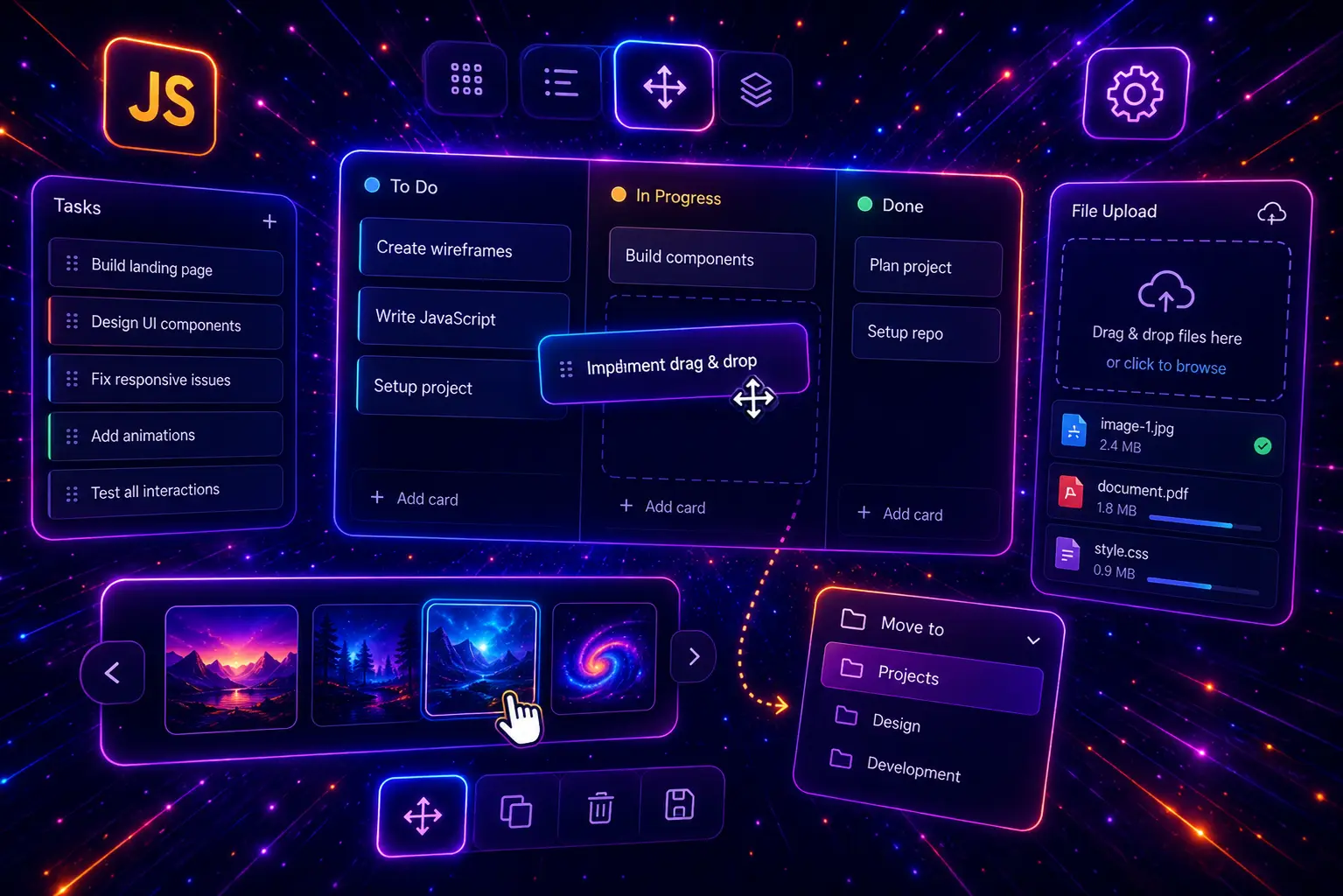
JavaScript drag and drop features are used in many practical websites and web apps. They can help users reorder tasks, move cards between Kanban columns, upload files, preview images, build forms, organize dashboards, assign team members, create sortable galleries, manage menus, and build more interactive user interfaces without relying on heavy frameworks.
In this guide, you will find 30 JavaScript drag and drop examples for real website projects, including sortable lists, Kanban boards, file upload zones, image previews, gallery reordering, shopping cart interactions, two-list selectors, project planners, form builders, page section builders, dashboard layouts, menu builders, drag-to-delete actions, quiz matching games, mobile-friendly touch drag, and accessible keyboard-supported drag and drop UI patterns.
This post focuses on practical drag and drop JavaScript logic, including the HTML Drag and Drop API, pointer-based dragging, sortable UI patterns, drop zones, drag handles, column movement, file validation, image previews, item reordering, visual drop feedback, state updates, mobile-friendly interactions, and copy-paste-ready HTML, CSS, and JavaScript examples. For related JavaScript UI features, you can also explore our JavaScript localStorage examples, JavaScript form validation examples, JavaScript Fetch API examples, and JavaScript calculator examples.
Table of Contents
- What Is JavaScript Drag and Drop?
- Why Drag and Drop Features Matter
- JavaScript Drag and Drop Use Cases
- What Should a Good Drag and Drop Component Include?
- 30 JavaScript Drag and Drop Examples
- JavaScript Drag and Drop Best Practices
- Responsive Drag and Drop UI Tips
- Common JavaScript Drag and Drop Mistakes
- JavaScript Drag and Drop FAQ
- Conclusion
- Related JavaScript and CSS Guides

What Is JavaScript Drag and Drop?
JavaScript drag and drop is a browser-based interaction pattern that lets users click, hold, move, and release items inside a web page. It can be used to reorder list items, move cards between columns, upload files into a drop zone, organize images, assign tasks, build page sections, arrange dashboard widgets, and create more natural user interfaces.
The most common approach is the built-in HTML Drag and Drop API, which uses events such as dragstart, dragover, drop, and dragend. For more custom interactions, JavaScript can also use pointer, mouse, or touch events to create drag behavior that works better on mobile screens and complex UI layouts.
Drag and drop is useful because it turns static pages into interactive tools. Instead of clicking many buttons or opening extra settings panels, users can move items directly where they want them. A task card can be moved to “Done”, an image can be reordered in a gallery, a file can be dropped into an upload box, and a menu item can be arranged visually.
Why Drag and Drop Features Matter
Drag and drop features matter because they make complex actions feel simple. Many web apps need users to organize, sort, assign, upload, compare, or arrange information. A good drag and drop interface can reduce clicks, make the workflow faster, and help users understand changes visually.
- They improve usability by letting users move tasks, cards, files, images, and sections directly inside the interface.
- They make admin tools faster because users can reorder content, menus, FAQs, pricing features, widgets, and product images visually.
- They support ecommerce and SaaS UI through sortable galleries, product comparison builders, cart interactions, onboarding steps, and dashboard layouts.
- They create better file upload experiences by allowing users to drop files into a clear upload zone and see previews, validation, or progress feedback.
- They teach practical JavaScript logic because drag and drop examples use events, DOM updates, state changes, conditions, arrays, visual feedback, and reusable functions.
Drag and drop should still be designed carefully. Users need clear visual feedback, obvious drop zones, mobile-friendly controls, accessible alternatives, and predictable behavior. A sortable list should not feel jumpy, a file upload zone should validate files clearly, and a Kanban board should show exactly where a card will land before the user releases it.
JavaScript Drag and Drop Use Cases
There are many practical JavaScript drag and drop use cases for websites, ecommerce stores, admin dashboards, project management tools, booking systems, learning apps, portfolio pages, file managers, and content management interfaces.
A simple drag and drop feature may only reorder a small list. A more advanced feature may move cards between Kanban columns, validate dropped files, generate image previews, update counters, save layout order, assign users to projects, create a form builder, or support both pointer dragging and keyboard controls.
- Sortable lists help users reorder tasks, priorities, menu links, FAQ items, roadmap steps, and dashboard sections.
- Kanban boards allow users to move cards between workflow columns such as To Do, In Progress, Review, and Done.
- File upload zones let users drag files into an upload area, validate file types, and show selected file names.
- Image preview uploaders display thumbnails after users drop images into the page.
- Gallery reorder tools help ecommerce stores, portfolios, and blogs change image order visually.
- Shopping cart interactions let users drag products into a cart area and update totals in the interface.
- Form builders allow users to drag field types into a form preview and build custom layouts.
- Dashboard builders let users move widgets, cards, reports, charts, and notes into the layout they prefer.
- Menu builders support nested navigation structures and admin-style page organization.
- Accessible drag patterns add keyboard controls, buttons, status messages, and non-drag alternatives for better usability.
This guide focuses on JavaScript drag and drop examples, so every demo will include visible JavaScript, HTML, and CSS code. The examples are designed to be copy-paste friendly, practical for real websites, and different in layout, drag behavior, drop logic, interface style, UI feedback, responsive design, and real-world use case.
What Should a Good Drag and Drop Component Include?
A good drag and drop component should feel obvious, stable, responsive, and useful. Users should know what can be dragged, where it can be dropped, what changed after the drop action, and how to complete the same task if dragging is difficult on their device.
Clear draggable items
Cards, files, list rows, images, widgets, or menu items should look interactive before the user starts dragging.
Visible drop zones
Drop areas should be easy to recognize and should react visually when an item is dragged over them.
Reliable state updates
The interface should update order, counters, totals, selected items, previews, or status labels after every drop.
Responsive and accessible UI
Drag interactions should work well on desktop and include mobile or keyboard-friendly alternatives where needed.
Before building a JavaScript drag and drop feature, decide what the user is moving and why. Is the goal to sort tasks, upload files, reorder images, move cards between columns, assign people to projects, build a form, organize tags, compare products, or create a mobile-friendly touch interaction? A clear use case makes the code easier to write and the interface easier to understand.
- Make draggable elements obvious with handles, cursor styles, icons, labels, or hover states.
- Show active drag feedback so users can see which item is currently being moved.
- Highlight valid drop zones when a dragged item is over a column, list, upload area, or target box.
- Prevent accidental drops by validating file types, target zones, item categories, or duplicate items.
- Update the UI immediately after a drop action, including order labels, counters, totals, previews, and empty states.
- Keep mobile users in mind because the native HTML Drag and Drop API is not always ideal for touch screens.
- Add accessible alternatives such as move up/down buttons, keyboard controls, or clear status messages.
- Use unique class names and scoped JavaScript so multiple examples can work on the same WordPress page.
- Make long lists scrollable when drag and drop demos contain many cards, files, or dashboard widgets.
- Do not overcomplicate simple features when a clean sortable list or file drop zone is enough.
You can combine JavaScript drag and drop features with many other website patterns. Sort order can be saved with JavaScript localStorage, dropped files can be validated with JavaScript form validation, product cards can connect with JavaScript calculator examples for totals and pricing, and advanced drag interfaces can later send updated data with JavaScript Fetch API requests.
30 JavaScript Drag and Drop Examples
Now let’s look at 30 JavaScript drag and drop examples for real website projects. Each example uses a different drag behavior, layout style, UI purpose, drop rule, feedback pattern, state update, validation method, mobile approach, or accessibility improvement, so you can build practical drag and drop interfaces with visible JavaScript, HTML, and CSS code.
1. Sortable Task List with Drag Handles
A sortable task list with drag handles is a practical JavaScript drag and drop example for dashboards, admin panels, task managers, priority lists, and workflow tools. Users can grab the handle, drag a task to a new position, and the priority numbers update automatically.
This example uses native HTML drag and drop, but the draggable element is the handle itself. That makes the interaction more reliable because users start dragging directly from the handle, while JavaScript moves the full task card in the list.
- Working drag handle
- Native JavaScript drag and drop
- Sortable task cards
- Automatic priority numbers
- No external library needed
Sortable Task List
Drag the handle on the left side of each task. Drop the task above or below another task to change the order.
Review landing page copy
Marketing task
Export product images
Design task
Fix checkout validation
Development task
Write support FAQ answers
Content task
The full card moves when the handle is dragged. Numbers update after every drop.
JavaScript
(function () {
  function initSortableTaskList() {
    const root = document.querySelector("[data-vb-drag-sort]");
    if (!root) return;

    const list = root.querySelector("[data-vb-drag-sort-list]");
    const output = root.querySelector("[data-vb-drag-sort-output]");
    let draggedItem = null;

    function updateNumbers() {
      const items = Array.from(list.querySelectorAll("[data-vb-drag-sort-item]"));

      items.forEach(function (item, index) {
        const number = item.querySelector("[data-vb-drag-sort-number]");
        if (number) {
          number.textContent = index + 1;
        }
      });

      output.textContent = items.map(function (_, index) {
        return index + 1;
      }).join(" → ");
    }

    function clearOverStates() {
      list.querySelectorAll(".is-over").forEach(function (item) {
        item.classList.remove("is-over");
      });
    }

    list.addEventListener("dragstart", function (event) {
      const handle = event.target.closest("[data-vb-drag-sort-handle]");
      if (!handle) return;

      const item = handle.closest("[data-vb-drag-sort-item]");
      if (!item) return;

      draggedItem = item;
      item.classList.add("is-dragging");

      event.dataTransfer.effectAllowed = "move";
      event.dataTransfer.setData("text/plain", item.textContent.trim());
    });

    list.addEventListener("dragover", function (event) {
      event.preventDefault();

      if (!draggedItem) return;

      const targetItem = event.target.closest("[data-vb-drag-sort-item]");

      if (!targetItem || targetItem === draggedItem) return;

      const targetBox = targetItem.getBoundingClientRect();
      const shouldPlaceAfter = event.clientY > targetBox.top + targetBox.height / 2;

      clearOverStates();
      targetItem.classList.add("is-over");

      if (shouldPlaceAfter) {
        targetItem.insertAdjacentElement("afterend", draggedItem);
      } else {
        targetItem.insertAdjacentElement("beforebegin", draggedItem);
      }

      updateNumbers();
    });

    list.addEventListener("drop", function (event) {
      event.preventDefault();
      clearOverStates();

      if (draggedItem) {
        draggedItem.classList.remove("is-dragging");
      }

      draggedItem = null;
      updateNumbers();
    });

    list.addEventListener("dragend", function () {
      clearOverStates();

      if (draggedItem) {
        draggedItem.classList.remove("is-dragging");
      }

      draggedItem = null;
      updateNumbers();
    });

    updateNumbers();
  }

  if (document.readyState === "loading") {
    document.addEventListener("DOMContentLoaded", initSortableTaskList);
  } else {
    initSortableTaskList();
  }
})();
HTML
<div class="vb-drag-sort-demo">
  <div class="vb-drag-sort-wrap" data-vb-drag-sort>
    <div class="vb-drag-sort-intro">
      <span>Example 01</span>
      <h3>Sortable Task List</h3>
      <p>Drag the handle on the left side of each task. Drop the task above or below another task to change the order.</p>
    </div>

    <div class="vb-drag-sort-grid">
      <div class="vb-drag-sort-list" data-vb-drag-sort-list>
        <div class="vb-drag-sort-item" data-vb-drag-sort-item>
          <span class="vb-drag-sort-handle" draggable="true" data-vb-drag-sort-handle>⋮⋮</span>
          <strong class="vb-drag-sort-number" data-vb-drag-sort-number>1</strong>
          <div class="vb-drag-sort-text">
            <h4>Review landing page copy</h4>
            <p>Marketing task</p>
          </div>
          <em>High</em>
        </div>

        <div class="vb-drag-sort-item" data-vb-drag-sort-item>
          <span class="vb-drag-sort-handle" draggable="true" data-vb-drag-sort-handle>⋮⋮</span>
          <strong class="vb-drag-sort-number" data-vb-drag-sort-number>2</strong>
          <div class="vb-drag-sort-text">
            <h4>Export product images</h4>
            <p>Design task</p>
          </div>
          <em>Medium</em>
        </div>

        <div class="vb-drag-sort-item" data-vb-drag-sort-item>
          <span class="vb-drag-sort-handle" draggable="true" data-vb-drag-sort-handle>⋮⋮</span>
          <strong class="vb-drag-sort-number" data-vb-drag-sort-number>3</strong>
          <div class="vb-drag-sort-text">
            <h4>Fix checkout validation</h4>
            <p>Development task</p>
          </div>
          <em>High</em>
        </div>

        <div class="vb-drag-sort-item" data-vb-drag-sort-item>
          <span class="vb-drag-sort-handle" draggable="true" data-vb-drag-sort-handle>⋮⋮</span>
          <strong class="vb-drag-sort-number" data-vb-drag-sort-number>4</strong>
          <div class="vb-drag-sort-text">
            <h4>Write support FAQ answers</h4>
            <p>Content task</p>
          </div>
          <em>Low</em>
        </div>
      </div>

      <div class="vb-drag-sort-status">
        <span>Current order</span>
        <strong data-vb-drag-sort-output>1 → 2 → 3 → 4</strong>
        <p>The full card moves when the handle is dragged. Numbers update after every drop.</p>
      </div>
    </div>
  </div>
</div>
CSS
.vb-drag-sort-demo,
.vb-drag-sort-demo * {
  box-sizing: border-box;
}

.vb-drag-sort-demo {
  margin: 28px 0;
  padding: clamp(18px, 4vw, 42px);
  border-radius: 36px;
  background:
    radial-gradient(circle at 14% 18%, rgba(37, 99, 235, 0.18), transparent 34%),
    radial-gradient(circle at 90% 12%, rgba(249, 115, 22, 0.18), transparent 35%),
    linear-gradient(135deg, #eff6ff 0%, #fff7ed 58%, #ffffff 100%) !important;
  border: 1px solid rgba(148, 163, 184, 0.22);
  box-shadow: 0 28px 80px rgba(15, 23, 42, 0.10);
}

.vb-drag-sort-wrap {
  max-width: 1120px;
  margin: 0 auto;
}

.vb-drag-sort-intro {
  max-width: 760px;
  margin-bottom: 22px;
}

.vb-drag-sort-intro span {
  display: inline-flex;
  margin-bottom: 14px;
  padding: 8px 12px;
  border-radius: 999px;
  background: #dbeafe;
  color: #1d4ed8 !important;
  -webkit-text-fill-color: #1d4ed8 !important;
  font-size: 12px;
  font-weight: 950;
  letter-spacing: 0.12em;
  text-transform: uppercase;
}

.vb-drag-sort-intro h3 {
  margin: 0 0 12px !important;
  color: #0f172a !important;
  -webkit-text-fill-color: #0f172a !important;
  font-size: clamp(34px, 5vw, 62px) !important;
  line-height: 0.96 !important;
  font-weight: 950 !important;
  letter-spacing: -0.07em;
}

.vb-drag-sort-intro p {
  margin: 0 !important;
  color: #475569 !important;
  -webkit-text-fill-color: #475569 !important;
  font-size: 16px;
  line-height: 1.7;
  font-weight: 650;
}

.vb-drag-sort-grid {
  display: grid;
  grid-template-columns: minmax(0, 1.2fr) minmax(260px, 0.8fr);
  gap: 18px;
}

.vb-drag-sort-list {
  display: grid;
  gap: 14px;
  padding: 18px;
  border-radius: 30px;
  background: #ffffff;
  border: 1px solid rgba(148, 163, 184, 0.25);
  box-shadow: 0 20px 58px rgba(15, 23, 42, 0.10);
}

.vb-drag-sort-item {
  display: grid;
  grid-template-columns: auto auto minmax(0, 1fr) auto;
  gap: 14px;
  align-items: center;
  padding: 16px;
  border-radius: 22px;
  background: #ffffff;
  border: 1px solid rgba(148, 163, 184, 0.28);
  box-shadow: 0 12px 30px rgba(15, 23, 42, 0.07);
  transition: opacity 0.2s ease, transform 0.2s ease, border-color 0.2s ease, background 0.2s ease;
}

.vb-drag-sort-item.is-dragging {
  opacity: 0.42;
  transform: scale(0.98);
  border-color: rgba(37, 99, 235, 0.70);
  background: #eff6ff;
}

.vb-drag-sort-item.is-over {
  border-color: rgba(249, 115, 22, 0.85);
  background: #fff7ed;
}

.vb-drag-sort-handle {
  display: inline-flex;
  align-items: center;
  justify-content: center;
  width: 42px;
  height: 46px;
  border-radius: 15px;
  background: #eef2ff;
  color: #4f46e5 !important;
  -webkit-text-fill-color: #4f46e5 !important;
  font-size: 20px;
  font-weight: 950;
  cursor: grab;
  user-select: none;
}

.vb-drag-sort-handle:active {
  cursor: grabbing;
}

.vb-drag-sort-number {
  display: inline-flex;
  align-items: center;
  justify-content: center;
  width: 34px;
  height: 34px;
  border-radius: 999px;
  background: #0f172a;
  color: #ffffff !important;
  -webkit-text-fill-color: #ffffff !important;
  font-size: 13px;
  font-weight: 950;
}

.vb-drag-sort-text h4 {
  margin: 0 0 4px !important;
  color: #0f172a !important;
  -webkit-text-fill-color: #0f172a !important;
  font-size: 15px !important;
  line-height: 1.25 !important;
  font-weight: 900 !important;
}

.vb-drag-sort-text p {
  margin: 0 !important;
  color: #64748b !important;
  -webkit-text-fill-color: #64748b !important;
  font-size: 13px;
  line-height: 1.35;
  font-weight: 700;
}

.vb-drag-sort-item em {
  min-width: 72px;
  padding: 7px 10px;
  border-radius: 999px;
  background: #fff7ed;
  color: #c2410c !important;
  -webkit-text-fill-color: #c2410c !important;
  font-size: 12px;
  font-style: normal;
  font-weight: 900;
  text-align: center;
}

.vb-drag-sort-status {
  display: flex;
  flex-direction: column;
  justify-content: center;
  padding: 26px;
  border-radius: 30px;
  background:
    radial-gradient(circle at 10% 15%, rgba(34, 211, 238, 0.22), transparent 34%),
    linear-gradient(135deg, #0f172a, #312e81) !important;
  box-shadow: 0 22px 70px rgba(15, 23, 42, 0.22);
}

.vb-drag-sort-status span {
  color: #bae6fd !important;
  -webkit-text-fill-color: #bae6fd !important;
  font-size: 12px;
  font-weight: 950;
  letter-spacing: 0.12em;
  text-transform: uppercase;
}

.vb-drag-sort-status strong {
  margin: 12px 0;
  color: #ffffff !important;
  -webkit-text-fill-color: #ffffff !important;
  font-size: clamp(28px, 4vw, 48px);
  line-height: 1.05;
  font-weight: 950;
  letter-spacing: -0.05em;
}

.vb-drag-sort-status p {
  margin: 0 !important;
  color: #dbeafe !important;
  -webkit-text-fill-color: #dbeafe !important;
  font-size: 15px;
  line-height: 1.65;
  font-weight: 650;
}

@media (max-width: 820px) {
  .vb-drag-sort-grid {
    grid-template-columns: 1fr;
  }
}

@media (max-width: 560px) {
  .vb-drag-sort-item {
    grid-template-columns: auto minmax(0, 1fr);
  }

  .vb-drag-sort-number,
  .vb-drag-sort-item em {
    display: none;
  }
}
This sortable JavaScript drag and drop task list is useful for dashboards, task planners, admin tools, editorial workflows, and project management interfaces.
2. Kanban Board with Multiple Columns
A JavaScript Kanban board is a strong drag and drop example for project management dashboards, CRM pipelines, content planning tools, support ticket boards, and workflow interfaces. Users can move cards between columns to update their status.
This example uses native drag and drop for workflow columns. It includes multiple columns, live counters, active drop highlighting, empty states, and automatic status updates after a card is dropped.
- Multiple workflow columns
- Move cards between statuses
- Live card counters
- Empty drop zone message
- Good for project boards and CRM UI
Kanban Board
Drag cards between workflow columns. Each column updates its counter and empty state automatically.
JavaScript
(function () {
  const root = document.querySelector("[data-vb-dd-two]");
  if (!root) return;

  const zones = root.querySelectorAll("[data-vb-dd-two-zone]");
  const columns = root.querySelectorAll("[data-vb-dd-two-column]");
  let activeCard = null;

  function updateCounts() {
    columns.forEach(function (column) {
      const counter = column.querySelector("[data-vb-dd-two-count]");
      const count = column.querySelectorAll("[data-vb-dd-two-card]").length;
      counter.textContent = count;
    });
  }

  root.addEventListener("dragstart", function (event) {
    const card = event.target.closest("[data-vb-dd-two-card]");
    if (!card) return;

    activeCard = card;
    card.classList.add("is-dragging");
    event.dataTransfer.effectAllowed = "move";
    event.dataTransfer.setData("text/plain", card.textContent.trim());
  });

  root.addEventListener("dragend", function (event) {
    const card = event.target.closest("[data-vb-dd-two-card]");
    if (!card) return;

    card.classList.remove("is-dragging");
    activeCard = null;

    zones.forEach(function (zone) {
      zone.classList.remove("is-over");
    });

    updateCounts();
  });

  zones.forEach(function (zone) {
    zone.addEventListener("dragover", function (event) {
      event.preventDefault();
      zone.classList.add("is-over");
    });

    zone.addEventListener("dragleave", function () {
      zone.classList.remove("is-over");
    });

    zone.addEventListener("drop", function (event) {
      event.preventDefault();

      if (!activeCard) return;

      zone.appendChild(activeCard);
      zone.classList.remove("is-over");
      updateCounts();
    });
  });

  updateCounts();
})();
HTML
<div class="vb-dd-two-demo">
  <div class="vb-dd-two-wrap" data-vb-dd-two>
    <div class="vb-dd-two-intro">
      <span>Example 02</span>
      <h3>Kanban Board</h3>
      <p>Drag cards between workflow columns. Each column updates its counter and empty state automatically.</p>
    </div>

    <div class="vb-dd-two-board">
      <section class="vb-dd-two-column" data-vb-dd-two-column>
        <header>
          <span>To Do</span>
          <strong data-vb-dd-two-count>0</strong>
        </header>
        <div class="vb-dd-two-zone" data-vb-dd-two-zone>
          <article class="vb-dd-two-card" draggable="true" data-vb-dd-two-card>
            <strong>Create landing page wireframe</strong>
            <small>Design</small>
          </article>
          <article class="vb-dd-two-card" draggable="true" data-vb-dd-two-card>
            <strong>Collect customer testimonials</strong>
            <small>Content</small>
          </article>
        </div>
      </section>

      <section class="vb-dd-two-column" data-vb-dd-two-column>
        <header>
          <span>In Progress</span>
          <strong data-vb-dd-two-count>0</strong>
        </header>
        <div class="vb-dd-two-zone" data-vb-dd-two-zone>
          <article class="vb-dd-two-card" draggable="true" data-vb-dd-two-card>
            <strong>Build checkout layout</strong>
            <small>Development</small>
          </article>
        </div>
      </section>

      <section class="vb-dd-two-column" data-vb-dd-two-column>
        <header>
          <span>Review</span>
          <strong data-vb-dd-two-count>0</strong>
        </header>
        <div class="vb-dd-two-zone" data-vb-dd-two-zone>
          <article class="vb-dd-two-card" draggable="true" data-vb-dd-two-card>
            <strong>Check mobile navigation</strong>
            <small>QA</small>
          </article>
        </div>
      </section>

      <section class="vb-dd-two-column" data-vb-dd-two-column>
        <header>
          <span>Done</span>
          <strong data-vb-dd-two-count>0</strong>
        </header>
        <div class="vb-dd-two-zone" data-vb-dd-two-zone>
          <article class="vb-dd-two-card" draggable="true" data-vb-dd-two-card>
            <strong>Publish pricing update</strong>
            <small>Completed</small>
          </article>
        </div>
      </section>
    </div>
  </div>
</div>
CSS
.vb-dd-two-demo,
.vb-dd-two-demo * {
  box-sizing: border-box;
}

.vb-dd-two-demo {
  margin: 28px 0;
  padding: clamp(18px, 4vw, 42px);
  border-radius: 38px;
  background: linear-gradient(135deg, #ecfdf5 0%, #eff6ff 58%, #ffffff 100%) !important;
  border: 1px solid rgba(148, 163, 184, 0.22);
  box-shadow: 0 28px 80px rgba(15, 23, 42, 0.10);
}

.vb-dd-two-wrap {
  max-width: 1180px;
  margin: 0 auto;
}

.vb-dd-two-intro {
  display: flex;
  align-items: end;
  justify-content: space-between;
  gap: 24px;
  margin-bottom: 22px;
}

.vb-dd-two-intro span {
  display: inline-flex;
  margin-bottom: 12px;
  padding: 8px 12px;
  border-radius: 999px;
  background: #dcfce7;
  color: #15803d !important;
  -webkit-text-fill-color: #15803d !important;
  font-size: 12px;
  font-weight: 950;
  letter-spacing: 0.13em;
  text-transform: uppercase;
}

.vb-dd-two-intro h3 {
  margin: 0 !important;
  color: #0f172a !important;
  -webkit-text-fill-color: #0f172a !important;
  font-size: clamp(34px, 5vw, 62px) !important;
  line-height: 0.96 !important;
  font-weight: 950 !important;
  letter-spacing: -0.07em;
}

.vb-dd-two-intro p {
  max-width: 430px;
  margin: 0 !important;
  color: #475569 !important;
  -webkit-text-fill-color: #475569 !important;
  font-size: 15px;
  line-height: 1.7;
  font-weight: 650;
}

.vb-dd-two-board {
  display: grid;
  grid-template-columns: repeat(4, minmax(230px, 1fr));
  gap: 16px;
  overflow-x: auto;
  padding-bottom: 8px;
}

.vb-dd-two-column {
  min-width: 230px;
  display: flex;
  flex-direction: column;
  min-height: 390px;
  padding: 14px;
  border-radius: 28px;
  background: rgba(255, 255, 255, 0.78);
  border: 1px solid rgba(148, 163, 184, 0.25);
  box-shadow: 0 20px 60px rgba(15, 23, 42, 0.09);
}

.vb-dd-two-column header {
  display: flex;
  align-items: center;
  justify-content: space-between;
  gap: 12px;
  margin-bottom: 14px;
  padding: 12px 12px 0;
}

.vb-dd-two-column header span {
  color: #0f172a !important;
  -webkit-text-fill-color: #0f172a !important;
  font-size: 15px;
  line-height: 1.2;
  font-weight: 950;
}

.vb-dd-two-column header strong {
  display: inline-flex;
  align-items: center;
  justify-content: center;
  min-width: 32px;
  height: 32px;
  border-radius: 999px;
  background: #0f172a;
  color: #ffffff !important;
  -webkit-text-fill-color: #ffffff !important;
  font-size: 13px;
  font-weight: 950;
}

.vb-dd-two-zone {
  display: grid;
  align-content: start;
  gap: 12px;
  flex: 1;
  min-height: 300px;
  padding: 10px;
  border-radius: 22px;
  border: 1px dashed rgba(148, 163, 184, 0.45);
  background: linear-gradient(135deg, rgba(248, 250, 252, 0.88), rgba(239, 246, 255, 0.70));
  transition: border-color 0.2s ease, background 0.2s ease, box-shadow 0.2s ease;
}

.vb-dd-two-zone:empty::after {
  content: "Drop card here";
  display: grid;
  place-items: center;
  min-height: 72px;
  border-radius: 18px;
  color: #64748b !important;
  -webkit-text-fill-color: #64748b !important;
  font-size: 13px;
  font-weight: 850;
  border: 1px dashed rgba(148, 163, 184, 0.45);
}

.vb-dd-two-zone.is-over {
  border-color: rgba(37, 99, 235, 0.75);
  background: #eff6ff;
  box-shadow: inset 0 0 0 3px rgba(37, 99, 235, 0.10);
}

.vb-dd-two-card {
  padding: 16px;
  border-radius: 20px;
  background: #ffffff;
  border: 1px solid rgba(148, 163, 184, 0.24);
  box-shadow: 0 14px 34px rgba(15, 23, 42, 0.08);
  cursor: grab;
  transition: transform 0.2s ease, opacity 0.2s ease, box-shadow 0.2s ease;
}

.vb-dd-two-card:active {
  cursor: grabbing;
}

.vb-dd-two-card.is-dragging {
  opacity: 0.42;
  transform: rotate(1deg) scale(0.98);
  box-shadow: none;
}

.vb-dd-two-card strong {
  display: block;
  margin-bottom: 9px;
  color: #0f172a !important;
  -webkit-text-fill-color: #0f172a !important;
  font-size: 15px;
  line-height: 1.35;
  font-weight: 900;
}

.vb-dd-two-card small {
  display: inline-flex;
  padding: 7px 10px;
  border-radius: 999px;
  background: #f1f5f9;
  color: #475569 !important;
  -webkit-text-fill-color: #475569 !important;
  font-size: 12px;
  font-weight: 850;
}

@media (max-width: 860px) {
  .vb-dd-two-intro {
    display: grid;
  }

  .vb-dd-two-intro p {
    max-width: 720px;
  }
}
This JavaScript Kanban board is useful for project management dashboards, CRM pipelines, editorial planning boards, support ticket systems, and team workflow interfaces.
3. Drag and Drop File Upload Zone
A drag and drop file upload zone improves forms, dashboards, support portals, job application pages, document upload pages, and file manager interfaces. Users can drop files into a clear upload area instead of only using the default file input.
This demo validates files in the browser and displays selected file names, file types, file sizes, remove buttons, and a live selected file counter. It does not upload files to a server, so it is safe to use as a front-end UI example.
- Drag files into a drop zone
- Click-to-select file input
- File type validation
- File size display
- Remove selected files
File Upload Zone
Drop PDF, PNG, JPG, JPEG, or TXT files into the upload area. The file list updates instantly.
JavaScript
(function () {
  const root = document.querySelector("[data-vb-dd-three]");
  if (!root) return;

  const zone = root.querySelector("[data-vb-dd-three-zone]");
  const input = root.querySelector("[data-vb-dd-three-input]");
  const list = root.querySelector("[data-vb-dd-three-list]");
  const message = root.querySelector("[data-vb-dd-three-message]");
  const count = root.querySelector("[data-vb-dd-three-count]");

  const allowedTypes = ["pdf", "png", "jpg", "jpeg", "txt"];
  let selectedFiles = [];

  function getExtension(fileName) {
    const parts = fileName.split(".");
    return parts.length > 1 ? parts.pop().toLowerCase() : "";
  }

  function formatSize(bytes) {
    if (bytes < 1024) return bytes + " B";
    if (bytes < 1024 * 1024) return (bytes / 1024).toFixed(1) + " KB";
    return (bytes / (1024 * 1024)).toFixed(1) + " MB";
  }

  function setMessage(text, type) {
    message.textContent = text;
    message.classList.remove("is-error", "is-success");

    if (type) {
      message.classList.add(type);
    }
  }

  function createFileRow(file, index) {
    const extension = getExtension(file.name);

    const row = document.createElement("div");
    row.className = "vb-dd-three-file";

    const type = document.createElement("span");
    type.className = "vb-dd-three-file-type";
    type.textContent = extension || "file";

    const text = document.createElement("div");

    const name = document.createElement("strong");
    name.className = "vb-dd-three-file-name";
    name.textContent = file.name;

    const size = document.createElement("span");
    size.className = "vb-dd-three-file-size";
    size.textContent = formatSize(file.size);

    const remove = document.createElement("button");
    remove.className = "vb-dd-three-remove";
    remove.type = "button";
    remove.setAttribute("aria-label", "Remove file");
    remove.setAttribute("data-vb-dd-three-remove", index);
    remove.textContent = "×";

    text.appendChild(name);
    text.appendChild(size);

    row.appendChild(type);
    row.appendChild(text);
    row.appendChild(remove);

    return row;
  }

  function renderFiles() {
    list.innerHTML = "";

    selectedFiles.forEach(function (file, index) {
      list.appendChild(createFileRow(file, index));
    });

    count.textContent = selectedFiles.length;

    if (selectedFiles.length === 0) {
      setMessage("No files selected yet.", "");
    }
  }

  function addFiles(fileList) {
    const incoming = Array.from(fileList);
    let added = 0;
    let rejected = 0;

    incoming.forEach(function (file) {
      const extension = getExtension(file.name);

      if (!allowedTypes.includes(extension)) {
        rejected += 1;
        return;
      }

      selectedFiles.push(file);
      added += 1;
    });

    renderFiles();

    if (added > 0 && rejected === 0) {
      setMessage(added + " file(s) added successfully.", "is-success");
    } else if (added > 0 && rejected > 0) {
      setMessage(added + " file(s) added. " + rejected + " file(s) rejected.", "is-error");
    } else {
      setMessage("File type not allowed. Use PDF, PNG, JPG, JPEG, or TXT.", "is-error");
    }
  }

  zone.addEventListener("dragover", function (event) {
    event.preventDefault();
    zone.classList.add("is-over");
  });

  zone.addEventListener("dragleave", function () {
    zone.classList.remove("is-over");
  });

  zone.addEventListener("drop", function (event) {
    event.preventDefault();
    zone.classList.remove("is-over");

    if (event.dataTransfer.files.length) {
      addFiles(event.dataTransfer.files);
    }
  });

  input.addEventListener("change", function () {
    if (input.files.length) {
      addFiles(input.files);
      input.value = "";
    }
  });

  list.addEventListener("click", function (event) {
    const removeButton = event.target.closest("[data-vb-dd-three-remove]");
    if (!removeButton) return;

    const index = Number(removeButton.getAttribute("data-vb-dd-three-remove"));
    selectedFiles.splice(index, 1);
    renderFiles();

    if (selectedFiles.length > 0) {
      setMessage("File removed. " + selectedFiles.length + " file(s) selected.", "is-success");
    }
  });

  renderFiles();
})();
HTML
<div class="vb-dd-three-demo">
  <div class="vb-dd-three-wrap" data-vb-dd-three>
    <div class="vb-dd-three-copy">
      <span>Example 03</span>
      <h3>File Upload Zone</h3>
      <p>Drop PDF, PNG, JPG, JPEG, or TXT files into the upload area. The file list updates instantly.</p>

      <div class="vb-dd-three-summary">
        <span>Selected files</span>
        <strong data-vb-dd-three-count>0</strong>
      </div>
    </div>

    <div class="vb-dd-three-uploader">
      <label class="vb-dd-three-zone" data-vb-dd-three-zone>
        <input type="file" multiple data-vb-dd-three-input accept=".pdf,.png,.jpg,.jpeg,.txt">
        <span class="vb-dd-three-icon">↥</span>
        <strong>Drop files here</strong>
        <small>or click to browse PDF, PNG, JPG, JPEG, and TXT files</small>
      </label>

      <div class="vb-dd-three-message" data-vb-dd-three-message>No files selected yet.</div>
      <div class="vb-dd-three-list" data-vb-dd-three-list></div>
    </div>
  </div>
</div>
CSS
.vb-dd-three-demo,
.vb-dd-three-demo * {
  box-sizing: border-box;
}

.vb-dd-three-demo {
  margin: 28px 0;
  padding: clamp(18px, 4vw, 42px);
  border-radius: 38px;
  background: linear-gradient(135deg, #fdf2f8 0%, #eff6ff 56%, #ffffff 100%) !important;
  border: 1px solid rgba(148, 163, 184, 0.22);
  box-shadow: 0 28px 80px rgba(15, 23, 42, 0.10);
}

.vb-dd-three-wrap {
  max-width: 1120px;
  margin: 0 auto;
  display: grid;
  grid-template-columns: minmax(260px, 0.82fr) minmax(0, 1.18fr);
  gap: 20px;
  align-items: stretch;
}

.vb-dd-three-copy {
  display: flex;
  flex-direction: column;
  justify-content: center;
  padding: clamp(22px, 4vw, 34px);
  border-radius: 32px;
  background: linear-gradient(135deg, #0f172a, #1e1b4b) !important;
  box-shadow: 0 24px 70px rgba(15, 23, 42, 0.24);
}

.vb-dd-three-copy > span {
  display: inline-flex;
  align-self: flex-start;
  margin-bottom: 16px;
  padding: 8px 12px;
  border-radius: 999px;
  background: rgba(255,255,255,0.10);
  border: 1px solid rgba(255,255,255,0.18);
  color: #fbcfe8 !important;
  -webkit-text-fill-color: #fbcfe8 !important;
  font-size: 12px;
  font-weight: 950;
  letter-spacing: 0.13em;
  text-transform: uppercase;
}

.vb-dd-three-copy h3 {
  margin: 0 0 14px !important;
  color: #ffffff !important;
  -webkit-text-fill-color: #ffffff !important;
  font-size: clamp(34px, 5vw, 62px) !important;
  line-height: 0.96 !important;
  font-weight: 950 !important;
  letter-spacing: -0.07em;
}

.vb-dd-three-copy p {
  margin: 0 0 22px !important;
  color: #dbeafe !important;
  -webkit-text-fill-color: #dbeafe !important;
  font-size: 16px;
  line-height: 1.75;
  font-weight: 650;
}

.vb-dd-three-summary {
  display: flex;
  align-items: center;
  justify-content: space-between;
  gap: 14px;
  padding: 16px;
  border-radius: 22px;
  background: rgba(255,255,255,0.10);
  border: 1px solid rgba(255,255,255,0.16);
}

.vb-dd-three-summary span {
  color: #bfdbfe !important;
  -webkit-text-fill-color: #bfdbfe !important;
  font-size: 13px;
  font-weight: 900;
  text-transform: uppercase;
  letter-spacing: 0.08em;
}

.vb-dd-three-summary strong {
  display: inline-flex;
  align-items: center;
  justify-content: center;
  min-width: 44px;
  height: 44px;
  border-radius: 999px;
  background: #ffffff;
  color: #1e1b4b !important;
  -webkit-text-fill-color: #1e1b4b !important;
  font-size: 20px;
  font-weight: 950;
}

.vb-dd-three-uploader {
  display: grid;
  gap: 14px;
  padding: 18px;
  border-radius: 32px;
  background: #ffffff;
  border: 1px solid rgba(148, 163, 184, 0.22);
  box-shadow: 0 24px 70px rgba(15, 23, 42, 0.10);
}

.vb-dd-three-zone {
  position: relative;
  display: grid;
  place-items: center;
  min-height: 250px;
  padding: 26px;
  border-radius: 28px;
  border: 2px dashed rgba(14, 165, 233, 0.45);
  background: linear-gradient(135deg, #f8fafc, #eff6ff);
  text-align: center;
  cursor: pointer;
  transition: transform 0.22s ease, border-color 0.22s ease, background 0.22s ease, box-shadow 0.22s ease;
}

.vb-dd-three-zone input {
  position: absolute;
  inset: 0;
  opacity: 0;
  cursor: pointer;
}

.vb-dd-three-zone.is-over {
  transform: translateY(-2px);
  border-color: rgba(236, 72, 153, 0.70);
  background: linear-gradient(135deg, #fdf2f8, #eff6ff);
  box-shadow: inset 0 0 0 5px rgba(236, 72, 153, 0.08);
}

.vb-dd-three-icon {
  display: inline-flex;
  align-items: center;
  justify-content: center;
  width: 76px;
  height: 76px;
  margin-bottom: 16px;
  border-radius: 24px;
  background: linear-gradient(135deg, #0ea5e9, #7c3aed);
  color: #ffffff !important;
  -webkit-text-fill-color: #ffffff !important;
  font-size: 42px;
  font-weight: 950;
  box-shadow: 0 18px 38px rgba(14, 165, 233, 0.25);
}

.vb-dd-three-zone strong {
  display: block;
  color: #0f172a !important;
  -webkit-text-fill-color: #0f172a !important;
  font-size: clamp(24px, 4vw, 38px);
  line-height: 1.05;
  font-weight: 950;
  letter-spacing: -0.05em;
}

.vb-dd-three-zone small {
  display: block;
  max-width: 430px;
  margin-top: 10px;
  color: #64748b !important;
  -webkit-text-fill-color: #64748b !important;
  font-size: 14px;
  line-height: 1.55;
  font-weight: 700;
}

.vb-dd-three-message {
  padding: 13px 15px;
  border-radius: 16px;
  background: #f8fafc;
  color: #475569 !important;
  -webkit-text-fill-color: #475569 !important;
  font-size: 14px;
  line-height: 1.45;
  font-weight: 800;
}

.vb-dd-three-message.is-error {
  background: #fef2f2;
  color: #b91c1c !important;
  -webkit-text-fill-color: #b91c1c !important;
}

.vb-dd-three-message.is-success {
  background: #ecfdf5;
  color: #047857 !important;
  -webkit-text-fill-color: #047857 !important;
}

.vb-dd-three-list {
  display: grid;
  gap: 10px;
  max-height: 270px;
  overflow: auto;
}

.vb-dd-three-file {
  display: grid;
  grid-template-columns: auto minmax(0, 1fr) auto;
  gap: 12px;
  align-items: center;
  padding: 13px;
  border-radius: 18px;
  background: #f8fafc;
  border: 1px solid rgba(148, 163, 184, 0.22);
}

.vb-dd-three-file-type {
  display: inline-flex;
  align-items: center;
  justify-content: center;
  width: 42px;
  height: 42px;
  border-radius: 14px;
  background: #e0f2fe;
  color: #0369a1 !important;
  -webkit-text-fill-color: #0369a1 !important;
  font-size: 13px;
  font-weight: 950;
  text-transform: uppercase;
}

.vb-dd-three-file-name {
  display: block;
  margin-bottom: 3px;
  color: #0f172a !important;
  -webkit-text-fill-color: #0f172a !important;
  font-size: 14px;
  line-height: 1.3;
  font-weight: 900;
  white-space: nowrap;
  overflow: hidden;
  text-overflow: ellipsis;
}

.vb-dd-three-file-size {
  color: #64748b !important;
  -webkit-text-fill-color: #64748b !important;
  font-size: 12px;
  font-weight: 750;
}

.vb-dd-three-remove {
  width: 34px;
  height: 34px;
  border: 0;
  border-radius: 999px;
  background: #fee2e2;
  color: #b91c1c !important;
  -webkit-text-fill-color: #b91c1c !important;
  font-size: 18px;
  font-weight: 950;
  cursor: pointer;
}

@media (max-width: 860px) {
  .vb-dd-three-wrap {
    grid-template-columns: 1fr;
  }
}

@media (max-width: 540px) {
  .vb-dd-three-file {
    grid-template-columns: auto minmax(0, 1fr);
  }

  .vb-dd-three-remove {
    grid-column: 1 / -1;
    width: 100%;
  }
}
This JavaScript drag and drop file upload zone is useful for contact forms, client dashboards, support tickets, job applications, document portals, and admin upload interfaces.
4. Image Upload Preview with Drag and Drop
An image upload preview with drag and drop is useful for profile forms, product upload tools, portfolio dashboards, review forms, support tickets, and admin panels. Users can drop image files into the upload area and immediately see visual previews before submitting anything.
- Drag and drop image upload area
- Click-to-select image input
- Local thumbnail previews
- Image type validation
- Remove selected images
Image Upload Preview
Drop image files into the upload zone or use the browse button. JavaScript creates instant local previews.
JavaScript
(function () {
  const root = document.querySelector("[data-vb-imgup]");
  if (!root) return;

  const zone = root.querySelector("[data-vb-imgup-zone]");
  const input = root.querySelector("[data-vb-imgup-input]");
  const browse = root.querySelector("[data-vb-imgup-browse]");
  const grid = root.querySelector("[data-vb-imgup-grid]");
  const message = root.querySelector("[data-vb-imgup-message]");
  const count = root.querySelector("[data-vb-imgup-count]");

  let images = [];

  function formatSize(bytes) {
    if (bytes < 1024) return bytes + " B";
    if (bytes < 1024 * 1024) return (bytes / 1024).toFixed(1) + " KB";
    return (bytes / (1024 * 1024)).toFixed(1) + " MB";
  }

  function setMessage(text, type) {
    message.textContent = text;
    message.classList.remove("is-success", "is-error");
    if (type) {
      message.classList.add(type);
    }
  }

  function renderImages() {
    grid.innerHTML = "";

    images.forEach(function (image, index) {
      const card = document.createElement("div");
      card.className = "vb-imgup-card";

      const img = document.createElement("img");
      img.src = image.url;
      img.alt = image.file.name;

      const remove = document.createElement("button");
      remove.className = "vb-imgup-remove";
      remove.type = "button";
      remove.textContent = "×";
      remove.setAttribute("aria-label", "Remove image");
      remove.setAttribute("data-vb-imgup-remove", index);

      const body = document.createElement("div");
      body.className = "vb-imgup-card-body";

      const name = document.createElement("strong");
      name.textContent = image.file.name;

      const size = document.createElement("span");
      size.textContent = formatSize(image.file.size);

      body.appendChild(name);
      body.appendChild(size);
      card.appendChild(img);
      card.appendChild(remove);
      card.appendChild(body);
      grid.appendChild(card);
    });

    count.textContent = images.length;

    if (images.length === 0) {
      setMessage("No images selected yet.", "");
    }
  }

  function addImages(fileList) {
    const files = Array.from(fileList);
    let added = 0;
    let rejected = 0;

    files.forEach(function (file) {
      if (!file.type || !file.type.startsWith("image/")) {
        rejected += 1;
        return;
      }

      images.push({
        file: file,
        url: URL.createObjectURL(file)
      });

      added += 1;
    });

    renderImages();

    if (added > 0 && rejected === 0) {
      setMessage(added + " image(s) added successfully.", "is-success");
    } else if (added > 0 && rejected > 0) {
      setMessage(added + " image(s) added. " + rejected + " file(s) rejected.", "is-error");
    } else {
      setMessage("Only image files are allowed.", "is-error");
    }
  }

  browse.addEventListener("click", function () {
    input.click();
  });

  input.addEventListener("change", function () {
    if (input.files.length) {
      addImages(input.files);
      input.value = "";
    }
  });

  zone.addEventListener("dragover", function (event) {
    event.preventDefault();
    zone.classList.add("is-over");
  });

  zone.addEventListener("dragleave", function () {
    zone.classList.remove("is-over");
  });

  zone.addEventListener("drop", function (event) {
    event.preventDefault();
    zone.classList.remove("is-over");

    if (event.dataTransfer.files.length) {
      addImages(event.dataTransfer.files);
    }
  });

  grid.addEventListener("click", function (event) {
    const button = event.target.closest("[data-vb-imgup-remove]");
    if (!button) return;

    const index = Number(button.getAttribute("data-vb-imgup-remove"));

    if (images[index]) {
      URL.revokeObjectURL(images[index].url);
      images.splice(index, 1);
      renderImages();

      if (images.length > 0) {
        setMessage("Image removed. " + images.length + " image(s) selected.", "is-success");
      }
    }
  });

  renderImages();
})();
HTML
<div class="vb-imgup-demo">
  <div class="vb-imgup-wrap" data-vb-imgup>
    <div class="vb-imgup-copy">
      <span>Example 04</span>
      <h3>Image Upload Preview</h3>
      <p>Drop image files into the upload zone or use the browse button. JavaScript creates instant local previews.</p>

      <div class="vb-imgup-counter">
        <strong data-vb-imgup-count>0</strong>
        <span>Images selected</span>
      </div>
    </div>

    <div class="vb-imgup-panel">
      <div class="vb-imgup-zone" data-vb-imgup-zone>
        <div class="vb-imgup-icon">+</div>
        <strong>Drop images here</strong>
        <small>PNG, JPG, JPEG, WEBP, and GIF files are supported.</small>
        <button type="button" data-vb-imgup-browse>Browse Images</button>
        <input type="file" accept="image/png,image/jpeg,image/webp,image/gif" multiple data-vb-imgup-input>
      </div>

      <div class="vb-imgup-message" data-vb-imgup-message>No images selected yet.</div>
      <div class="vb-imgup-grid" data-vb-imgup-grid></div>
    </div>
  </div>
</div>
CSS
.vb-imgup-demo,
.vb-imgup-demo * {
  box-sizing: border-box;
}

.vb-imgup-demo {
  margin: 28px 0;
  padding: clamp(18px, 4vw, 42px);
  border-radius: 38px;
  background:
    radial-gradient(circle at 12% 15%, rgba(236, 72, 153, 0.16), transparent 34%),
    radial-gradient(circle at 88% 16%, rgba(14, 165, 233, 0.18), transparent 34%),
    linear-gradient(135deg, #fff1f2 0%, #eff6ff 56%, #ffffff 100%) !important;
  border: 1px solid rgba(148, 163, 184, 0.22);
  box-shadow: 0 28px 80px rgba(15, 23, 42, 0.10);
}

.vb-imgup-wrap {
  max-width: 1120px;
  margin: 0 auto;
  display: grid;
  grid-template-columns: minmax(260px, 0.82fr) minmax(0, 1.18fr);
  gap: 20px;
  align-items: stretch;
}

.vb-imgup-copy {
  display: flex;
  flex-direction: column;
  justify-content: center;
  padding: clamp(22px, 4vw, 36px);
  border-radius: 32px;
  background:
    radial-gradient(circle at 18% 14%, rgba(244, 114, 182, 0.22), transparent 38%),
    linear-gradient(135deg, #111827, #581c87) !important;
  box-shadow: 0 24px 70px rgba(15, 23, 42, 0.25);
}

.vb-imgup-copy > span {
  display: inline-flex;
  align-self: flex-start;
  margin-bottom: 16px;
  padding: 8px 12px;
  border-radius: 999px;
  background: rgba(255,255,255,0.10);
  border: 1px solid rgba(255,255,255,0.18);
  color: #fbcfe8 !important;
  -webkit-text-fill-color: #fbcfe8 !important;
  font-size: 12px;
  font-weight: 950;
  letter-spacing: 0.13em;
  text-transform: uppercase;
}

.vb-imgup-copy h3 {
  margin: 0 0 14px !important;
  color: #ffffff !important;
  -webkit-text-fill-color: #ffffff !important;
  font-size: clamp(34px, 5vw, 62px) !important;
  line-height: 0.96 !important;
  font-weight: 950 !important;
  letter-spacing: -0.07em;
}

.vb-imgup-copy p {
  margin: 0 0 24px !important;
  color: #fce7f3 !important;
  -webkit-text-fill-color: #fce7f3 !important;
  font-size: 16px;
  line-height: 1.72;
  font-weight: 650;
}

.vb-imgup-counter {
  display: grid;
  gap: 4px;
  padding: 18px;
  border-radius: 24px;
  background: rgba(255,255,255,0.10);
  border: 1px solid rgba(255,255,255,0.16);
}

.vb-imgup-counter strong {
  color: #ffffff !important;
  -webkit-text-fill-color: #ffffff !important;
  font-size: 48px;
  line-height: 1;
  font-weight: 950;
  letter-spacing: -0.06em;
}

.vb-imgup-counter span {
  color: #bfdbfe !important;
  -webkit-text-fill-color: #bfdbfe !important;
  font-size: 13px;
  font-weight: 900;
  text-transform: uppercase;
  letter-spacing: 0.08em;
}

.vb-imgup-panel {
  display: grid;
  gap: 14px;
  padding: 18px;
  border-radius: 32px;
  background: #ffffff;
  border: 1px solid rgba(148, 163, 184, 0.22);
  box-shadow: 0 24px 70px rgba(15, 23, 42, 0.10);
}

.vb-imgup-zone {
  display: grid;
  place-items: center;
  min-height: 260px;
  padding: 26px;
  border-radius: 28px;
  border: 2px dashed rgba(236, 72, 153, 0.44);
  background:
    radial-gradient(circle at top, rgba(236, 72, 153, 0.13), transparent 42%),
    linear-gradient(135deg, #fdf2f8, #eff6ff);
  text-align: center;
  transition: transform 0.22s ease, border-color 0.22s ease, box-shadow 0.22s ease, background 0.22s ease;
}

.vb-imgup-zone.is-over {
  transform: translateY(-2px);
  border-color: rgba(14, 165, 233, 0.78);
  background:
    radial-gradient(circle at top, rgba(14, 165, 233, 0.15), transparent 42%),
    linear-gradient(135deg, #eff6ff, #fdf2f8);
  box-shadow: inset 0 0 0 5px rgba(14, 165, 233, 0.10);
}

.vb-imgup-zone input {
  display: none;
}

.vb-imgup-icon {
  display: inline-flex;
  align-items: center;
  justify-content: center;
  width: 78px;
  height: 78px;
  margin-bottom: 16px;
  border-radius: 26px;
  background: linear-gradient(135deg, #ec4899, #7c3aed);
  color: #ffffff !important;
  -webkit-text-fill-color: #ffffff !important;
  font-size: 46px;
  line-height: 1;
  font-weight: 750;
  box-shadow: 0 18px 38px rgba(236, 72, 153, 0.24);
}

.vb-imgup-zone strong {
  display: block;
  color: #0f172a !important;
  -webkit-text-fill-color: #0f172a !important;
  font-size: clamp(24px, 4vw, 38px);
  line-height: 1.05;
  font-weight: 950;
  letter-spacing: -0.05em;
}

.vb-imgup-zone small {
  display: block;
  max-width: 430px;
  margin-top: 10px;
  color: #64748b !important;
  -webkit-text-fill-color: #64748b !important;
  font-size: 14px;
  line-height: 1.55;
  font-weight: 700;
}

.vb-imgup-zone button {
  margin-top: 18px;
  min-height: 44px;
  padding: 12px 18px;
  border: 0;
  border-radius: 999px;
  background: linear-gradient(135deg, #ec4899, #7c3aed);
  color: #ffffff !important;
  -webkit-text-fill-color: #ffffff !important;
  font-size: 13px;
  font-weight: 950;
  cursor: pointer;
  box-shadow: 0 14px 34px rgba(124, 58, 237, 0.22);
}

.vb-imgup-message {
  padding: 13px 15px;
  border-radius: 16px;
  background: #f8fafc;
  color: #475569 !important;
  -webkit-text-fill-color: #475569 !important;
  font-size: 14px;
  line-height: 1.45;
  font-weight: 800;
}

.vb-imgup-message.is-success {
  background: #ecfdf5;
  color: #047857 !important;
  -webkit-text-fill-color: #047857 !important;
}

.vb-imgup-message.is-error {
  background: #fef2f2;
  color: #b91c1c !important;
  -webkit-text-fill-color: #b91c1c !important;
}

.vb-imgup-grid {
  display: grid;
  grid-template-columns: repeat(3, minmax(0, 1fr));
  gap: 12px;
}

.vb-imgup-card {
  position: relative;
  min-width: 0;
  overflow: hidden;
  border-radius: 20px;
  background: #f8fafc;
  border: 1px solid rgba(148, 163, 184, 0.24);
  box-shadow: 0 14px 34px rgba(15, 23, 42, 0.08);
}

.vb-imgup-card img {
  display: block;
  width: 100%;
  aspect-ratio: 1 / 0.75;
  object-fit: cover;
  background: #e2e8f0;
}

.vb-imgup-card-body {
  display: grid;
  gap: 4px;
  padding: 12px;
}

.vb-imgup-card-body strong {
  display: block;
  color: #0f172a !important;
  -webkit-text-fill-color: #0f172a !important;
  font-size: 13px;
  line-height: 1.25;
  font-weight: 900;
  white-space: nowrap;
  overflow: hidden;
  text-overflow: ellipsis;
}

.vb-imgup-card-body span {
  color: #64748b !important;
  -webkit-text-fill-color: #64748b !important;
  font-size: 12px;
  font-weight: 750;
}

.vb-imgup-remove {
  position: absolute;
  top: 9px;
  right: 9px;
  width: 32px;
  height: 32px;
  border: 0;
  border-radius: 999px;
  background: rgba(15, 23, 42, 0.78);
  color: #ffffff !important;
  -webkit-text-fill-color: #ffffff !important;
  font-size: 18px;
  font-weight: 950;
  cursor: pointer;
}

@media (max-width: 860px) {
  .vb-imgup-wrap {
    grid-template-columns: 1fr;
  }
}

@media (max-width: 640px) {
  .vb-imgup-grid {
    grid-template-columns: repeat(2, minmax(0, 1fr));
  }
}

@media (max-width: 460px) {
  .vb-imgup-grid {
    grid-template-columns: 1fr;
  }
}
This JavaScript image upload preview is useful for profile forms, product image upload dashboards, portfolio tools, support forms, review forms, and admin interfaces where users should see images before submitting them.
5. Reorder Image Gallery with Drag and Drop
A reorderable image gallery is useful for portfolio pages, ecommerce product galleries, media libraries, admin panels, travel websites, real estate listings, and any interface where image order matters. Users can drag image cards to change their display order visually.
- Drag handle on every image card
- Full card moves in the grid
- Automatic order labels
- CSS-only image placeholders
- No external images or libraries
Reorder Image Gallery
Drag the small handle on any gallery card to reorder the grid. The numbers update automatically.
Hero Product Image
Main ecommerce image
Detail Closeup
Texture and material
Lifestyle Scene
Real usage example
Package Preview
Box and contents
Mobile Crop
Social preview image
Gallery Thumbnail
Small preview card
JavaScript
(function () {
  function initGallerySort() {
    const root = document.querySelector("[data-vb-galsort]");
    if (!root) return;

    const grid = root.querySelector("[data-vb-galsort-grid]");
    const output = root.querySelector("[data-vb-galsort-output]");
    let draggedCard = null;

    function updateOrder() {
      const cards = Array.from(grid.querySelectorAll("[data-vb-galsort-card]"));

      cards.forEach(function (card, index) {
        const number = card.querySelector("[data-vb-galsort-number]");
        if (number) {
          number.textContent = index + 1;
        }
      });

      output.textContent = cards.map(function (_, index) {
        return index + 1;
      }).join(" → ");
    }

    function clearOverStates() {
      grid.querySelectorAll(".is-over").forEach(function (card) {
        card.classList.remove("is-over");
      });
    }

    grid.addEventListener("dragstart", function (event) {
      const handle = event.target.closest("[data-vb-galsort-handle]");
      if (!handle) return;

      const card = handle.closest("[data-vb-galsort-card]");
      if (!card) return;

      draggedCard = card;
      card.classList.add("is-dragging");

      event.dataTransfer.effectAllowed = "move";
      event.dataTransfer.setData("text/plain", card.textContent.trim());
    });

    grid.addEventListener("dragover", function (event) {
      event.preventDefault();

      if (!draggedCard) return;

      const targetCard = event.target.closest("[data-vb-galsort-card]");
      if (!targetCard || targetCard === draggedCard) return;

      const targetBox = targetCard.getBoundingClientRect();
      const shouldPlaceAfter = event.clientY > targetBox.top + targetBox.height / 2;

      clearOverStates();
      targetCard.classList.add("is-over");

      if (shouldPlaceAfter) {
        targetCard.insertAdjacentElement("afterend", draggedCard);
      } else {
        targetCard.insertAdjacentElement("beforebegin", draggedCard);
      }

      updateOrder();
    });

    grid.addEventListener("drop", function (event) {
      event.preventDefault();
      clearOverStates();

      if (draggedCard) {
        draggedCard.classList.remove("is-dragging");
      }

      draggedCard = null;
      updateOrder();
    });

    grid.addEventListener("dragend", function () {
      clearOverStates();

      if (draggedCard) {
        draggedCard.classList.remove("is-dragging");
      }

      draggedCard = null;
      updateOrder();
    });

    updateOrder();
  }

  if (document.readyState === "loading") {
    document.addEventListener("DOMContentLoaded", initGallerySort);
  } else {
    initGallerySort();
  }
})();
HTML
<div class="vb-galsort-demo">
  <div class="vb-galsort-wrap" data-vb-galsort>
    <div class="vb-galsort-head">
      <span>Example 05</span>
      <h3>Reorder Image Gallery</h3>
      <p>Drag the small handle on any gallery card to reorder the grid. The numbers update automatically.</p>
    </div>

    <div class="vb-galsort-toolbar">
      <span>Gallery order</span>
      <strong data-vb-galsort-output>1 → 2 → 3 → 4 → 5 → 6</strong>
    </div>

    <div class="vb-galsort-grid" data-vb-galsort-grid>
      <article class="vb-galsort-card" data-vb-galsort-card>
        <span class="vb-galsort-handle" draggable="true" data-vb-galsort-handle>⋮⋮</span>
        <div class="vb-galsort-art vb-galsort-art-one"></div>
        <div class="vb-galsort-body">
          <strong data-vb-galsort-number>1</strong>
          <div>
            <h4>Hero Product Image</h4>
            <p>Main ecommerce image</p>
          </div>
        </div>
      </article>

      <article class="vb-galsort-card" data-vb-galsort-card>
        <span class="vb-galsort-handle" draggable="true" data-vb-galsort-handle>⋮⋮</span>
        <div class="vb-galsort-art vb-galsort-art-two"></div>
        <div class="vb-galsort-body">
          <strong data-vb-galsort-number>2</strong>
          <div>
            <h4>Detail Closeup</h4>
            <p>Texture and material</p>
          </div>
        </div>
      </article>

      <article class="vb-galsort-card" data-vb-galsort-card>
        <span class="vb-galsort-handle" draggable="true" data-vb-galsort-handle>⋮⋮</span>
        <div class="vb-galsort-art vb-galsort-art-three"></div>
        <div class="vb-galsort-body">
          <strong data-vb-galsort-number>3</strong>
          <div>
            <h4>Lifestyle Scene</h4>
            <p>Real usage example</p>
          </div>
        </div>
      </article>

      <article class="vb-galsort-card" data-vb-galsort-card>
        <span class="vb-galsort-handle" draggable="true" data-vb-galsort-handle>⋮⋮</span>
        <div class="vb-galsort-art vb-galsort-art-four"></div>
        <div class="vb-galsort-body">
          <strong data-vb-galsort-number>4</strong>
          <div>
            <h4>Package Preview</h4>
            <p>Box and contents</p>
          </div>
        </div>
      </article>

      <article class="vb-galsort-card" data-vb-galsort-card>
        <span class="vb-galsort-handle" draggable="true" data-vb-galsort-handle>⋮⋮</span>
        <div class="vb-galsort-art vb-galsort-art-five"></div>
        <div class="vb-galsort-body">
          <strong data-vb-galsort-number>5</strong>
          <div>
            <h4>Mobile Crop</h4>
            <p>Social preview image</p>
          </div>
        </div>
      </article>

      <article class="vb-galsort-card" data-vb-galsort-card>
        <span class="vb-galsort-handle" draggable="true" data-vb-galsort-handle>⋮⋮</span>
        <div class="vb-galsort-art vb-galsort-art-six"></div>
        <div class="vb-galsort-body">
          <strong data-vb-galsort-number>6</strong>
          <div>
            <h4>Gallery Thumbnail</h4>
            <p>Small preview card</p>
          </div>
        </div>
      </article>
    </div>
  </div>
</div>
CSS
.vb-galsort-demo,
.vb-galsort-demo * {
  box-sizing: border-box;
}

.vb-galsort-demo {
  margin: 28px 0;
  padding: clamp(18px, 4vw, 42px);
  border-radius: 38px;
  background:
    radial-gradient(circle at 12% 18%, rgba(59, 130, 246, 0.18), transparent 34%),
    radial-gradient(circle at 88% 12%, rgba(16, 185, 129, 0.18), transparent 34%),
    linear-gradient(135deg, #eff6ff 0%, #ecfdf5 58%, #ffffff 100%) !important;
  border: 1px solid rgba(148, 163, 184, 0.22);
  box-shadow: 0 28px 80px rgba(15, 23, 42, 0.10);
}

.vb-galsort-wrap {
  max-width: 1160px;
  margin: 0 auto;
}

.vb-galsort-head {
  display: grid;
  gap: 12px;
  max-width: 780px;
  margin-bottom: 20px;
}

.vb-galsort-head span {
  display: inline-flex;
  justify-self: start;
  padding: 8px 12px;
  border-radius: 999px;
  background: #dbeafe;
  color: #1d4ed8 !important;
  -webkit-text-fill-color: #1d4ed8 !important;
  font-size: 12px;
  font-weight: 950;
  letter-spacing: 0.13em;
  text-transform: uppercase;
}

.vb-galsort-head h3 {
  margin: 0 !important;
  color: #0f172a !important;
  -webkit-text-fill-color: #0f172a !important;
  font-size: clamp(34px, 5vw, 62px) !important;
  line-height: 0.96 !important;
  font-weight: 950 !important;
  letter-spacing: -0.07em;
}

.vb-galsort-head p {
  margin: 0 !important;
  color: #475569 !important;
  -webkit-text-fill-color: #475569 !important;
  font-size: 16px;
  line-height: 1.72;
  font-weight: 650;
}

.vb-galsort-toolbar {
  display: flex;
  align-items: center;
  justify-content: space-between;
  gap: 16px;
  margin-bottom: 16px;
  padding: 14px 16px;
  border-radius: 22px;
  background: #ffffff;
  border: 1px solid rgba(148, 163, 184, 0.24);
  box-shadow: 0 14px 34px rgba(15, 23, 42, 0.07);
}

.vb-galsort-toolbar span {
  color: #64748b !important;
  -webkit-text-fill-color: #64748b !important;
  font-size: 12px;
  font-weight: 950;
  letter-spacing: 0.10em;
  text-transform: uppercase;
}

.vb-galsort-toolbar strong {
  color: #0f172a !important;
  -webkit-text-fill-color: #0f172a !important;
  font-size: 18px;
  font-weight: 950;
}

.vb-galsort-grid {
  display: grid;
  grid-template-columns: repeat(3, minmax(0, 1fr));
  gap: 16px;
}

.vb-galsort-card {
  position: relative;
  overflow: hidden;
  border-radius: 28px;
  background: #ffffff;
  border: 1px solid rgba(148, 163, 184, 0.24);
  box-shadow: 0 18px 46px rgba(15, 23, 42, 0.10);
  transition: opacity 0.2s ease, transform 0.2s ease, border-color 0.2s ease;
}

.vb-galsort-card.is-dragging {
  opacity: 0.42;
  transform: scale(0.98);
  border-color: rgba(37, 99, 235, 0.70);
}

.vb-galsort-card.is-over {
  border-color: rgba(249, 115, 22, 0.85);
}

.vb-galsort-handle {
  position: absolute;
  z-index: 5;
  top: 12px;
  left: 12px;
  display: inline-flex;
  align-items: center;
  justify-content: center;
  width: 42px;
  height: 42px;
  border-radius: 15px;
  background: rgba(15, 23, 42, 0.78);
  color: #ffffff !important;
  -webkit-text-fill-color: #ffffff !important;
  font-size: 20px;
  font-weight: 950;
  cursor: grab;
  user-select: none;
  backdrop-filter: blur(10px);
}

.vb-galsort-handle:active {
  cursor: grabbing;
}

.vb-galsort-art {
  min-height: 190px;
  position: relative;
  overflow: hidden;
}

.vb-galsort-art::before,
.vb-galsort-art::after {
  content: "";
  position: absolute;
  border-radius: 999px;
  background: rgba(255,255,255,0.30);
}

.vb-galsort-art::before {
  width: 90px;
  height: 90px;
  left: 24px;
  top: 28px;
}

.vb-galsort-art::after {
  width: 160px;
  height: 160px;
  right: -38px;
  bottom: -48px;
}

.vb-galsort-art-one {
  background: linear-gradient(135deg, #2563eb, #7c3aed);
}

.vb-galsort-art-two {
  background: linear-gradient(135deg, #db2777, #f97316);
}

.vb-galsort-art-three {
  background: linear-gradient(135deg, #059669, #0ea5e9);
}

.vb-galsort-art-four {
  background: linear-gradient(135deg, #111827, #475569);
}

.vb-galsort-art-five {
  background: linear-gradient(135deg, #7c2d12, #f59e0b);
}

.vb-galsort-art-six {
  background: linear-gradient(135deg, #4338ca, #06b6d4);
}

.vb-galsort-body {
  display: grid;
  grid-template-columns: auto minmax(0, 1fr);
  gap: 12px;
  align-items: center;
  padding: 16px;
}

.vb-galsort-body strong {
  display: inline-flex;
  align-items: center;
  justify-content: center;
  width: 38px;
  height: 38px;
  border-radius: 999px;
  background: #0f172a;
  color: #ffffff !important;
  -webkit-text-fill-color: #ffffff !important;
  font-size: 14px;
  font-weight: 950;
}

.vb-galsort-body h4 {
  margin: 0 0 4px !important;
  color: #0f172a !important;
  -webkit-text-fill-color: #0f172a !important;
  font-size: 15px !important;
  line-height: 1.25 !important;
  font-weight: 900 !important;
}

.vb-galsort-body p {
  margin: 0 !important;
  color: #64748b !important;
  -webkit-text-fill-color: #64748b !important;
  font-size: 13px;
  line-height: 1.35;
  font-weight: 700;
}

@media (max-width: 900px) {
  .vb-galsort-grid {
    grid-template-columns: repeat(2, minmax(0, 1fr));
  }
}

@media (max-width: 560px) {
  .vb-galsort-grid {
    grid-template-columns: 1fr;
  }

  .vb-galsort-toolbar {
    display: grid;
  }
}
This JavaScript reorderable image gallery is useful for ecommerce image order tools, portfolio galleries, media libraries, product admin panels, landing page builders, and visual content management systems.
6. Drag and Drop Shopping Cart
A drag and drop shopping cart is a practical JavaScript drag and drop example for ecommerce stores, quote builders, bundle builders, product configurators, quick order tools, and interactive sales pages. Users can drag a product handle into the cart area, and JavaScript updates the cart automatically.
This example does not use the native HTML5 drag and drop API. Instead, it uses mouse and touch events, a floating ghost card, drop zone detection, quantity updates, remove buttons, and automatic cart total calculation.
- Works with mouse and touch
- No external libraries
- No HTML5 draggable API
- Drag product handle into cart
- Quantity and total update automatically
- Fully responsive layout
Drag and Drop Shopping Cart
Grab the orange handle and drag a product into the cart. The cart updates quantities, item count, and total price automatically.
Starter UI Kit
Reusable website sections
€29Dashboard Widgets
Admin interface blocks
€49Ecommerce Cards
Product and pricing UI
€39Form Components
Inputs and validation UI
€25JavaScript
(function () {
  function initVbdcCart() {
    const demos = document.querySelectorAll("[data-vbdc-cart]");

    demos.forEach(function (root) {
      if (root.getAttribute("data-vbdc-ready") === "1") return;
      root.setAttribute("data-vbdc-ready", "1");

      const drop = root.querySelector("[data-vbdc-drop]");
      const list = root.querySelector("[data-vbdc-list]");
      const totalEl = root.querySelector("[data-vbdc-total]");
      const countEl = root.querySelector("[data-vbdc-count]");
      const emptyEl = root.querySelector("[data-vbdc-empty]");

      let cart = [];
      let activeProduct = null;
      let ghost = null;
      let lastX = 0;
      let lastY = 0;

      function formatPrice(value) {
        return "€" + Number(value).toFixed(0);
      }

      function getPoint(event) {
        if (event.touches && event.touches.length) {
          return {
            x: event.touches[0].clientX,
            y: event.touches[0].clientY
          };
        }

        if (event.changedTouches && event.changedTouches.length) {
          return {
            x: event.changedTouches[0].clientX,
            y: event.changedTouches[0].clientY
          };
        }

        return {
          x: event.clientX,
          y: event.clientY
        };
      }

      function getProductData(product) {
        return {
          id: product.getAttribute("data-id"),
          name: product.getAttribute("data-name"),
          price: Number(product.getAttribute("data-price"))
        };
      }

      function isOverDrop(x, y) {
        const element = document.elementFromPoint(x, y);
        return !!(element && element.closest("[data-vbdc-drop]") === drop);
      }

      function renderCart() {
        list.innerHTML = "";

        let total = 0;
        let count = 0;

        cart.forEach(function (item) {
          total += item.price * item.quantity;
          count += item.quantity;

          const row = document.createElement("div");
          row.className = "vbdc-row";

          const info = document.createElement("div");
          const title = document.createElement("strong");
          const meta = document.createElement("span");
          const remove = document.createElement("button");

          title.textContent = item.name;
          meta.textContent = item.quantity + " × " + formatPrice(item.price);

          remove.type = "button";
          remove.className = "vbdc-remove";
          remove.textContent = "×";
          remove.setAttribute("aria-label", "Remove " + item.name);
          remove.setAttribute("data-vbdc-remove", item.id);

          info.appendChild(title);
          info.appendChild(meta);
          row.appendChild(info);
          row.appendChild(remove);
          list.appendChild(row);
        });

        totalEl.textContent = formatPrice(total);
        countEl.textContent = count === 1 ? "1 item" : count + " items";
        emptyEl.style.display = cart.length > 0 ? "none" : "block";
      }

      function addToCart(productData) {
        const existing = cart.find(function (item) {
          return item.id === productData.id;
        });

        if (existing) {
          existing.quantity += 1;
        } else {
          cart.push({
            id: productData.id,
            name: productData.name,
            price: productData.price,
            quantity: 1
          });
        }

        renderCart();
      }

      function createGhost(productData, x, y) {
        ghost = document.createElement("div");
        ghost.className = "vbdc-ghost";

        const name = document.createElement("strong");
        const price = document.createElement("span");

        name.textContent = productData.name;
        price.textContent = formatPrice(productData.price);

        ghost.appendChild(name);
        ghost.appendChild(price);
        document.body.appendChild(ghost);

        moveGhost(x, y);
      }

      function moveGhost(x, y) {
        if (!ghost) return;
        ghost.style.left = x + 14 + "px";
        ghost.style.top = y + 14 + "px";
      }

      function startDrag(event) {
        const handle = event.target.closest("[data-vbdc-handle]");
        if (!handle) return;

        const product = handle.closest("[data-vbdc-product]");
        if (!product) return;

        event.preventDefault();

        const point = getPoint(event);

        activeProduct = product;
        lastX = point.x;
        lastY = point.y;

        activeProduct.classList.add("is-dragging");
        createGhost(getProductData(activeProduct), lastX, lastY);

        document.addEventListener("mousemove", moveDrag);
        document.addEventListener("mouseup", endDrag);
        document.addEventListener("touchmove", moveDrag, { passive: false });
        document.addEventListener("touchend", endDrag);
        document.addEventListener("touchcancel", cancelDrag);
      }

      function moveDrag(event) {
        if (!activeProduct) return;

        event.preventDefault();

        const point = getPoint(event);

        lastX = point.x;
        lastY = point.y;

        moveGhost(lastX, lastY);

        if (isOverDrop(lastX, lastY)) {
          drop.classList.add("is-over");
        } else {
          drop.classList.remove("is-over");
        }
      }

      function endDrag(event) {
        if (!activeProduct) return;

        const point = getPoint(event);

        lastX = point.x;
        lastY = point.y;

        if (isOverDrop(lastX, lastY)) {
          addToCart(getProductData(activeProduct));
        }

        cleanupDrag();
      }

      function cancelDrag() {
        cleanupDrag();
      }

      function cleanupDrag() {
        if (activeProduct) {
          activeProduct.classList.remove("is-dragging");
        }

        if (ghost) {
          ghost.remove();
        }

        activeProduct = null;
        ghost = null;
        drop.classList.remove("is-over");

        document.removeEventListener("mousemove", moveDrag);
        document.removeEventListener("mouseup", endDrag);
        document.removeEventListener("touchmove", moveDrag);
        document.removeEventListener("touchend", endDrag);
        document.removeEventListener("touchcancel", cancelDrag);
      }

      root.addEventListener("mousedown", startDrag);
      root.addEventListener("touchstart", startDrag, { passive: false });

      list.addEventListener("click", function (event) {
        const button = event.target.closest("[data-vbdc-remove]");
        if (!button) return;

        const id = button.getAttribute("data-vbdc-remove");

        cart = cart.filter(function (item) {
          return item.id !== id;
        });

        renderCart();
      });

      renderCart();
    });
  }

  if (document.readyState === "loading") {
    document.addEventListener("DOMContentLoaded", initVbdcCart);
  } else {
    initVbdcCart();
  }
})();
HTML
<div class="vbdc-demo">
  <div class="vbdc-wrap" data-vbdc-cart>
    <div class="vbdc-head">
      <span>Example 06</span>
      <h3>Drag and Drop Shopping Cart</h3>
      <p>Grab the orange handle and drag a product into the cart. The cart updates quantities, item count, and total price automatically.</p>
    </div>

    <div class="vbdc-layout">
      <div class="vbdc-products">
        <article class="vbdc-product" data-vbdc-product data-id="starter-kit" data-name="Starter UI Kit" data-price="29">
          <button class="vbdc-handle" type="button" data-vbdc-handle aria-label="Drag Starter UI Kit">⋮⋮</button>
          <div class="vbdc-art vbdc-art-blue"></div>
          <div class="vbdc-product-text">
            <h4>Starter UI Kit</h4>
            <p>Reusable website sections</p>
            <strong>€29</strong>
          </div>
        </article>

        <article class="vbdc-product" data-vbdc-product data-id="dashboard-widgets" data-name="Dashboard Widgets" data-price="49">
          <button class="vbdc-handle" type="button" data-vbdc-handle aria-label="Drag Dashboard Widgets">⋮⋮</button>
          <div class="vbdc-art vbdc-art-green"></div>
          <div class="vbdc-product-text">
            <h4>Dashboard Widgets</h4>
            <p>Admin interface blocks</p>
            <strong>€49</strong>
          </div>
        </article>

        <article class="vbdc-product" data-vbdc-product data-id="ecommerce-cards" data-name="Ecommerce Cards" data-price="39">
          <button class="vbdc-handle" type="button" data-vbdc-handle aria-label="Drag Ecommerce Cards">⋮⋮</button>
          <div class="vbdc-art vbdc-art-orange"></div>
          <div class="vbdc-product-text">
            <h4>Ecommerce Cards</h4>
            <p>Product and pricing UI</p>
            <strong>€39</strong>
          </div>
        </article>

        <article class="vbdc-product" data-vbdc-product data-id="form-components" data-name="Form Components" data-price="25">
          <button class="vbdc-handle" type="button" data-vbdc-handle aria-label="Drag Form Components">⋮⋮</button>
          <div class="vbdc-art vbdc-art-pink"></div>
          <div class="vbdc-product-text">
            <h4>Form Components</h4>
            <p>Inputs and validation UI</p>
            <strong>€25</strong>
          </div>
        </article>
      </div>

      <aside class="vbdc-cart">
        <div class="vbdc-cart-head">
          <div>
            <span>Drop zone</span>
            <h4>Your Cart</h4>
          </div>
          <strong data-vbdc-count>0 items</strong>
        </div>

        <div class="vbdc-drop" data-vbdc-drop>
          <p data-vbdc-empty>Drag product handles here to add items to the cart.</p>
          <div class="vbdc-list" data-vbdc-list></div>
        </div>

        <div class="vbdc-total">
          <span>Total</span>
          <strong data-vbdc-total>€0</strong>
        </div>
      </aside>
    </div>
  </div>
</div>
CSS
.vbdc-demo,
.vbdc-demo * {
  box-sizing: border-box;
}

.vbdc-demo {
  margin: 28px 0;
  padding: clamp(18px, 4vw, 42px);
  border-radius: 34px;
  background:
    radial-gradient(circle at 12% 14%, rgba(249, 115, 22, 0.18), transparent 34%),
    radial-gradient(circle at 88% 20%, rgba(37, 99, 235, 0.18), transparent 34%),
    linear-gradient(135deg, #fff7ed 0%, #eff6ff 56%, #ffffff 100%) !important;
  border: 1px solid rgba(148, 163, 184, 0.24);
  box-shadow: 0 24px 70px rgba(15, 23, 42, 0.10);
  overflow: hidden;
}

.vbdc-wrap {
  max-width: 1160px;
  margin: 0 auto;
}

.vbdc-head {
  max-width: 780px;
  margin-bottom: 22px;
}

.vbdc-head span {
  display: inline-flex;
  margin-bottom: 14px;
  padding: 8px 12px;
  border-radius: 999px;
  background: #ffedd5;
  color: #c2410c !important;
  -webkit-text-fill-color: #c2410c !important;
  font-size: 12px;
  font-weight: 950;
  letter-spacing: 0.12em;
  text-transform: uppercase;
}

.vbdc-head h3 {
  margin: 0 0 12px !important;
  color: #0f172a !important;
  -webkit-text-fill-color: #0f172a !important;
  font-size: clamp(32px, 5vw, 58px) !important;
  line-height: 0.98 !important;
  font-weight: 950 !important;
  letter-spacing: -0.06em;
}

.vbdc-head p {
  margin: 0 !important;
  color: #475569 !important;
  -webkit-text-fill-color: #475569 !important;
  font-size: 16px;
  line-height: 1.7;
  font-weight: 650;
}

.vbdc-layout {
  display: grid;
  grid-template-columns: minmax(0, 1fr) minmax(320px, 0.78fr);
  gap: 18px;
  align-items: stretch;
}

.vbdc-products {
  display: grid;
  grid-template-columns: repeat(2, minmax(0, 1fr));
  gap: 14px;
  min-width: 0;
}

.vbdc-product {
  display: grid;
  grid-template-columns: auto auto minmax(0, 1fr);
  gap: 14px;
  align-items: center;
  min-width: 0;
  padding: 16px;
  border-radius: 24px;
  background: #ffffff;
  border: 1px solid rgba(148, 163, 184, 0.25);
  box-shadow: 0 16px 44px rgba(15, 23, 42, 0.08);
  transition: opacity 0.18s ease, transform 0.18s ease, border-color 0.18s ease;
}

.vbdc-product.is-dragging {
  opacity: 0.48;
  transform: scale(0.985);
  border-color: rgba(249, 115, 22, 0.78);
}

.vbdc-handle {
  display: inline-flex;
  align-items: center;
  justify-content: center;
  width: 42px;
  height: 54px;
  border: 0;
  border-radius: 16px;
  background: #ffedd5;
  color: #c2410c !important;
  -webkit-text-fill-color: #c2410c !important;
  font-size: 21px;
  font-weight: 950;
  cursor: grab;
  user-select: none;
  touch-action: none;
  line-height: 1;
}

.vbdc-handle:active {
  cursor: grabbing;
}

.vbdc-art {
  width: 76px;
  height: 76px;
  border-radius: 22px;
  flex: 0 0 auto;
  box-shadow: inset 0 1px 0 rgba(255, 255, 255, 0.32);
}

.vbdc-art-blue {
  background: linear-gradient(135deg, #2563eb, #7c3aed);
}

.vbdc-art-green {
  background: linear-gradient(135deg, #059669, #0ea5e9);
}

.vbdc-art-orange {
  background: linear-gradient(135deg, #f97316, #db2777);
}

.vbdc-art-pink {
  background: linear-gradient(135deg, #be185d, #7c3aed);
}

.vbdc-product-text {
  min-width: 0;
}

.vbdc-product-text h4 {
  margin: 0 0 4px !important;
  color: #0f172a !important;
  -webkit-text-fill-color: #0f172a !important;
  font-size: 16px !important;
  line-height: 1.25 !important;
  font-weight: 950 !important;
}

.vbdc-product-text p {
  margin: 0 0 8px !important;
  color: #64748b !important;
  -webkit-text-fill-color: #64748b !important;
  font-size: 13px;
  line-height: 1.35;
  font-weight: 700;
}

.vbdc-product-text strong {
  color: #ea580c !important;
  -webkit-text-fill-color: #ea580c !important;
  font-size: 18px;
  line-height: 1;
  font-weight: 950;
}

.vbdc-cart {
  display: flex;
  flex-direction: column;
  gap: 14px;
  min-width: 0;
  padding: 18px;
  border-radius: 30px;
  background:
    radial-gradient(circle at 12% 16%, rgba(34, 211, 238, 0.20), transparent 36%),
    linear-gradient(135deg, #0f172a, #1e1b4b) !important;
  box-shadow: 0 24px 70px rgba(15, 23, 42, 0.24);
}

.vbdc-cart-head {
  display: flex;
  align-items: center;
  justify-content: space-between;
  gap: 16px;
}

.vbdc-cart-head span {
  display: block;
  margin-bottom: 5px;
  color: #fed7aa !important;
  -webkit-text-fill-color: #fed7aa !important;
  font-size: 11px;
  font-weight: 950;
  letter-spacing: 0.12em;
  text-transform: uppercase;
}

.vbdc-cart-head h4 {
  margin: 0 !important;
  color: #ffffff !important;
  -webkit-text-fill-color: #ffffff !important;
  font-size: 28px !important;
  line-height: 1 !important;
  font-weight: 950 !important;
  letter-spacing: -0.05em;
}

.vbdc-cart-head > strong {
  display: inline-flex;
  min-width: 82px;
  justify-content: center;
  padding: 9px 12px;
  border-radius: 999px;
  background: rgba(255, 255, 255, 0.12);
  color: #dbeafe !important;
  -webkit-text-fill-color: #dbeafe !important;
  font-size: 12px;
  font-weight: 950;
  white-space: nowrap;
}

.vbdc-drop {
  flex: 1;
  min-height: 260px;
  padding: 14px;
  border-radius: 24px;
  border: 1px dashed rgba(255, 255, 255, 0.32);
  background: rgba(255, 255, 255, 0.08);
  transition: background 0.18s ease, border-color 0.18s ease, box-shadow 0.18s ease;
}

.vbdc-drop.is-over {
  border-color: rgba(251, 146, 60, 0.95);
  background: rgba(249, 115, 22, 0.18);
  box-shadow: inset 0 0 0 4px rgba(249, 115, 22, 0.14);
}

.vbdc-drop > p {
  margin: 0 !important;
  padding: 18px;
  border-radius: 18px;
  background: rgba(255, 255, 255, 0.10);
  color: #dbeafe !important;
  -webkit-text-fill-color: #dbeafe !important;
  font-size: 14px;
  line-height: 1.5;
  font-weight: 750;
  text-align: center;
}

.vbdc-list {
  display: grid;
  gap: 10px;
}

.vbdc-row {
  display: grid;
  grid-template-columns: minmax(0, 1fr) auto;
  gap: 12px;
  align-items: center;
  padding: 13px;
  border-radius: 18px;
  background: rgba(255, 255, 255, 0.12);
  border: 1px solid rgba(255, 255, 255, 0.13);
}

.vbdc-row strong {
  display: block;
  margin-bottom: 4px;
  color: #ffffff !important;
  -webkit-text-fill-color: #ffffff !important;
  font-size: 14px;
  line-height: 1.25;
  font-weight: 900;
}

.vbdc-row span {
  color: #bfdbfe !important;
  -webkit-text-fill-color: #bfdbfe !important;
  font-size: 12px;
  font-weight: 750;
}

.vbdc-remove {
  width: 34px;
  height: 34px;
  border: 0;
  border-radius: 999px;
  background: rgba(248, 113, 113, 0.20);
  color: #fecaca !important;
  -webkit-text-fill-color: #fecaca !important;
  font-size: 18px;
  font-weight: 950;
  cursor: pointer;
}

.vbdc-total {
  display: flex;
  align-items: center;
  justify-content: space-between;
  gap: 16px;
  padding: 16px;
  border-radius: 22px;
  background: rgba(255, 255, 255, 0.12);
  border: 1px solid rgba(255, 255, 255, 0.14);
}

.vbdc-total span {
  color: #fed7aa !important;
  -webkit-text-fill-color: #fed7aa !important;
  font-size: 13px;
  font-weight: 950;
  letter-spacing: 0.10em;
  text-transform: uppercase;
}

.vbdc-total strong {
  color: #ffffff !important;
  -webkit-text-fill-color: #ffffff !important;
  font-size: 36px;
  line-height: 1;
  font-weight: 950;
  letter-spacing: -0.06em;
}

.vbdc-ghost {
  position: fixed;
  z-index: 999999;
  pointer-events: none;
  width: min(280px, calc(100vw - 32px));
  padding: 14px;
  border-radius: 22px;
  background: #ffffff;
  border: 1px solid rgba(249, 115, 22, 0.55);
  box-shadow: 0 24px 60px rgba(15, 23, 42, 0.24);
  transform: rotate(1deg);
}

.vbdc-ghost strong {
  display: block;
  color: #0f172a !important;
  -webkit-text-fill-color: #0f172a !important;
  font-size: 15px;
  line-height: 1.25;
  font-weight: 950;
}

.vbdc-ghost span {
  display: block;
  margin-top: 4px;
  color: #ea580c !important;
  -webkit-text-fill-color: #ea580c !important;
  font-size: 14px;
  font-weight: 950;
}

@media (max-width: 900px) {
  .vbdc-layout {
    grid-template-columns: 1fr;
  }

  .vbdc-drop {
    min-height: 220px;
  }
}

@media (max-width: 640px) {
  .vbdc-products {
    grid-template-columns: 1fr;
  }

  .vbdc-product {
    grid-template-columns: auto auto minmax(0, 1fr);
    gap: 12px;
    padding: 14px;
  }

  .vbdc-art {
    width: 64px;
    height: 64px;
    border-radius: 18px;
  }

  .vbdc-cart-head {
    align-items: flex-start;
  }

  .vbdc-cart-head h4 {
    font-size: 24px !important;
  }
}

@media (max-width: 420px) {
  .vbdc-product {
    grid-template-columns: auto minmax(0, 1fr);
  }

  .vbdc-art {
    display: none;
  }
}
This JavaScript drag and drop shopping cart is useful for ecommerce stores, quote builders, bundle builders, quick order interfaces, product configurators, landing page demos, and interactive sales tools.
Can’t build this yourself? We can create it for your website.
If you need a custom drag and drop tool, upload interface, product builder, dashboard widget, calculator, booking feature, or interactive JavaScript component, our team can build a responsive and professional solution for your website.
7. Drag Items Between Two Lists
Dragging items between two lists is one of the most practical JavaScript drag and drop patterns. It works well for task assignment, selected items, user permissions, comparison tools, booking systems, and admin dashboards where users move cards from one group to another.
- Move cards between two lists
- Mouse and touch support
- No native HTML5 drag and drop API
- Live item counters
- Responsive two-column layout
Drag Items Between Two Lists
Grab the handle and move tasks between Available Tasks and Selected Tasks.
Available Tasks
0Design homepage hero
Visual UI task
Write product copy
Content task
Fix mobile spacing
Frontend task
Selected Tasks
0Connect form validation
JavaScript task
JavaScript
(function () {
  function initTwoListDrag() {
    document.querySelectorAll("[data-vb-two-list]").forEach(function (root) {
      if (root.getAttribute("data-vb-two-ready") === "1") return;
      root.setAttribute("data-vb-two-ready", "1");

      const drops = Array.from(root.querySelectorAll("[data-vb-two-drop]"));
      const status = root.querySelector("[data-vb-two-status]");

      let activeCard = null;
      let ghost = null;
      let lastX = 0;
      let lastY = 0;

      function getPoint(event) {
        if (event.touches && event.touches.length) return { x: event.touches[0].clientX, y: event.touches[0].clientY };
        if (event.changedTouches && event.changedTouches.length) return { x: event.changedTouches[0].clientX, y: event.changedTouches[0].clientY };
        return { x: event.clientX, y: event.clientY };
      }

      function updateCounts() {
        drops.forEach(function (drop) {
          const name = drop.getAttribute("data-list");
          const count = root.querySelector('[data-vb-two-count="' + name + '"]');
          if (count) count.textContent = drop.querySelectorAll("[data-vb-two-card]").length;
        });
      }

      function createGhost(card, x, y) {
        ghost = document.createElement("div");
        ghost.className = "vb-two-list-ghost";
        ghost.innerHTML = "<strong>" + card.getAttribute("data-title") + "</strong>";
        document.body.appendChild(ghost);
        moveGhost(x, y);
      }

      function moveGhost(x, y) {
        if (!ghost) return;
        ghost.style.left = x + 14 + "px";
        ghost.style.top = y + 14 + "px";
      }

      function getDropAtPoint(x, y) {
        const el = document.elementFromPoint(x, y);
        if (!el) return null;
        const drop = el.closest("[data-vb-two-drop]");
        return drops.includes(drop) ? drop : null;
      }

      function clearOver() {
        drops.forEach(function (drop) {
          drop.classList.remove("is-over");
        });
      }

      function start(event) {
        const handle = event.target.closest("[data-vb-two-handle]");
        if (!handle) return;

        const card = handle.closest("[data-vb-two-card]");
        if (!card) return;

        event.preventDefault();

        const point = getPoint(event);
        activeCard = card;
        lastX = point.x;
        lastY = point.y;

        card.classList.add("is-dragging");
        createGhost(card, lastX, lastY);

        document.addEventListener("mousemove", move);
        document.addEventListener("mouseup", end);
        document.addEventListener("touchmove", move, { passive: false });
        document.addEventListener("touchend", end);
        document.addEventListener("touchcancel", cancel);
      }

      function move(event) {
        if (!activeCard) return;

        event.preventDefault();

        const point = getPoint(event);
        lastX = point.x;
        lastY = point.y;

        moveGhost(lastX, lastY);
        clearOver();

        const drop = getDropAtPoint(lastX, lastY);
        if (drop) drop.classList.add("is-over");
      }

      function end(event) {
        if (!activeCard) return;

        const point = getPoint(event);
        lastX = point.x;
        lastY = point.y;

        const drop = getDropAtPoint(lastX, lastY);
        if (drop) {
          drop.appendChild(activeCard);
          status.textContent = activeCard.getAttribute("data-title") + " moved to " + drop.getAttribute("data-list") + ".";
        }

        cleanup();
        updateCounts();
      }

      function cancel() {
        cleanup();
        updateCounts();
      }

      function cleanup() {
        if (activeCard) activeCard.classList.remove("is-dragging");
        if (ghost) ghost.remove();

        activeCard = null;
        ghost = null;
        clearOver();

        document.removeEventListener("mousemove", move);
        document.removeEventListener("mouseup", end);
        document.removeEventListener("touchmove", move);
        document.removeEventListener("touchend", end);
        document.removeEventListener("touchcancel", cancel);
      }

      root.addEventListener("mousedown", start);
      root.addEventListener("touchstart", start, { passive: false });

      updateCounts();
    });
  }

  if (document.readyState === "loading") {
    document.addEventListener("DOMContentLoaded", initTwoListDrag);
  } else {
    initTwoListDrag();
  }
})();
HTML
<div class="vb-two-list-demo">
  <div class="vb-two-list-wrap" data-vb-two-list>
    <div class="vb-two-list-head">
      <span>Example 07</span>
      <h3>Drag Items Between Two Lists</h3>
      <p>Grab the handle and move tasks between Available Tasks and Selected Tasks.</p>
    </div>

    <div class="vb-two-list-board">
      <section class="vb-two-list-column">
        <div class="vb-two-list-title">
          <h4>Available Tasks</h4>
          <strong data-vb-two-count="available">0</strong>
        </div>

        <div class="vb-two-list-drop" data-vb-two-drop data-list="available">
          <article class="vb-two-list-card" data-vb-two-card data-title="Design homepage hero">
            <button type="button" class="vb-two-list-handle" data-vb-two-handle>⋮⋮</button>
            <div>
              <h5>Design homepage hero</h5>
              <p>Visual UI task</p>
            </div>
          </article>

          <article class="vb-two-list-card" data-vb-two-card data-title="Write product copy">
            <button type="button" class="vb-two-list-handle" data-vb-two-handle>⋮⋮</button>
            <div>
              <h5>Write product copy</h5>
              <p>Content task</p>
            </div>
          </article>

          <article class="vb-two-list-card" data-vb-two-card data-title="Fix mobile spacing">
            <button type="button" class="vb-two-list-handle" data-vb-two-handle>⋮⋮</button>
            <div>
              <h5>Fix mobile spacing</h5>
              <p>Frontend task</p>
            </div>
          </article>
        </div>
      </section>

      <section class="vb-two-list-column">
        <div class="vb-two-list-title">
          <h4>Selected Tasks</h4>
          <strong data-vb-two-count="selected">0</strong>
        </div>

        <div class="vb-two-list-drop" data-vb-two-drop data-list="selected">
          <article class="vb-two-list-card" data-vb-two-card data-title="Connect form validation">
            <button type="button" class="vb-two-list-handle" data-vb-two-handle>⋮⋮</button>
            <div>
              <h5>Connect form validation</h5>
              <p>JavaScript task</p>
            </div>
          </article>
        </div>
      </section>
    </div>

    <div class="vb-two-list-status" data-vb-two-status>Move tasks between the lists.</div>
  </div>
</div>
CSS
.vb-two-list-demo,
.vb-two-list-demo * {
  box-sizing: border-box;
}

.vb-two-list-demo {
  margin: 28px 0;
  padding: clamp(18px, 4vw, 42px);
  border-radius: 34px;
  background:
    radial-gradient(circle at 12% 14%, rgba(59, 130, 246, 0.18), transparent 34%),
    radial-gradient(circle at 88% 20%, rgba(16, 185, 129, 0.18), transparent 34%),
    linear-gradient(135deg, #eff6ff 0%, #ecfdf5 58%, #ffffff 100%) !important;
  border: 1px solid rgba(148, 163, 184, 0.24);
  box-shadow: 0 24px 70px rgba(15, 23, 42, 0.10);
  overflow: hidden;
}

.vb-two-list-wrap {
  max-width: 1120px;
  margin: 0 auto;
}

.vb-two-list-head {
  max-width: 780px;
  margin-bottom: 22px;
}

.vb-two-list-head span {
  display: inline-flex;
  margin-bottom: 14px;
  padding: 8px 12px;
  border-radius: 999px;
  background: #dbeafe;
  color: #1d4ed8 !important;
  -webkit-text-fill-color: #1d4ed8 !important;
  font-size: 12px;
  font-weight: 950;
  letter-spacing: 0.12em;
  text-transform: uppercase;
}

.vb-two-list-head h3 {
  margin: 0 0 12px !important;
  color: #0f172a !important;
  -webkit-text-fill-color: #0f172a !important;
  font-size: clamp(32px, 5vw, 58px) !important;
  line-height: 0.98 !important;
  font-weight: 950 !important;
  letter-spacing: -0.06em;
}

.vb-two-list-head p {
  margin: 0 !important;
  color: #475569 !important;
  -webkit-text-fill-color: #475569 !important;
  font-size: 16px;
  line-height: 1.7;
  font-weight: 650;
}

.vb-two-list-board {
  display: grid;
  grid-template-columns: repeat(2, minmax(0, 1fr));
  gap: 16px;
}

.vb-two-list-column {
  min-width: 0;
  padding: 16px;
  border-radius: 28px;
  background: #ffffff;
  border: 1px solid rgba(148, 163, 184, 0.24);
  box-shadow: 0 18px 50px rgba(15, 23, 42, 0.08);
}

.vb-two-list-title {
  display: flex;
  align-items: center;
  justify-content: space-between;
  gap: 12px;
  margin-bottom: 14px;
}

.vb-two-list-title h4 {
  margin: 0 !important;
  color: #0f172a !important;
  -webkit-text-fill-color: #0f172a !important;
  font-size: 22px !important;
  line-height: 1.1 !important;
  font-weight: 950 !important;
  letter-spacing: -0.04em;
}

.vb-two-list-title strong {
  display: inline-flex;
  align-items: center;
  justify-content: center;
  min-width: 38px;
  height: 34px;
  border-radius: 999px;
  background: #0f172a;
  color: #ffffff !important;
  -webkit-text-fill-color: #ffffff !important;
  font-size: 13px;
  font-weight: 950;
}

.vb-two-list-drop {
  display: grid;
  gap: 12px;
  min-height: 250px;
  padding: 12px;
  border-radius: 22px;
  border: 1px dashed rgba(148, 163, 184, 0.55);
  background: #f8fafc;
  transition: background 0.18s ease, border-color 0.18s ease, box-shadow 0.18s ease;
}

.vb-two-list-drop.is-over {
  border-color: rgba(37, 99, 235, 0.75);
  background: #eff6ff;
  box-shadow: inset 0 0 0 4px rgba(37, 99, 235, 0.10);
}

.vb-two-list-card {
  display: grid;
  grid-template-columns: auto minmax(0, 1fr);
  gap: 12px;
  align-items: center;
  padding: 13px;
  border-radius: 18px;
  background: #ffffff;
  border: 1px solid rgba(148, 163, 184, 0.24);
  box-shadow: 0 12px 30px rgba(15, 23, 42, 0.07);
}

.vb-two-list-card.is-dragging {
  opacity: 0.45;
}

.vb-two-list-handle {
  width: 38px;
  height: 44px;
  border: 0;
  border-radius: 14px;
  background: #dbeafe;
  color: #1d4ed8 !important;
  -webkit-text-fill-color: #1d4ed8 !important;
  font-size: 20px;
  font-weight: 950;
  cursor: grab;
  user-select: none;
  touch-action: none;
}

.vb-two-list-card h5 {
  margin: 0 0 4px !important;
  color: #0f172a !important;
  -webkit-text-fill-color: #0f172a !important;
  font-size: 15px !important;
  line-height: 1.25 !important;
  font-weight: 950 !important;
}

.vb-two-list-card p {
  margin: 0 !important;
  color: #64748b !important;
  -webkit-text-fill-color: #64748b !important;
  font-size: 13px;
  font-weight: 700;
  line-height: 1.35;
}

.vb-two-list-status {
  margin-top: 16px;
  padding: 13px 15px;
  border-radius: 18px;
  background: #0f172a;
  color: #ffffff !important;
  -webkit-text-fill-color: #ffffff !important;
  font-size: 14px;
  line-height: 1.45;
  font-weight: 800;
}

.vb-two-list-ghost {
  position: fixed;
  z-index: 999999;
  pointer-events: none;
  width: min(300px, calc(100vw - 32px));
  padding: 14px;
  border-radius: 20px;
  background: #ffffff;
  border: 1px solid rgba(37, 99, 235, 0.55);
  box-shadow: 0 24px 60px rgba(15, 23, 42, 0.24);
  transform: rotate(1deg);
}

.vb-two-list-ghost strong {
  color: #0f172a !important;
  -webkit-text-fill-color: #0f172a !important;
  font-size: 15px;
  font-weight: 950;
}

@media (max-width: 760px) {
  .vb-two-list-board {
    grid-template-columns: 1fr;
  }

  .vb-two-list-drop {
    min-height: 180px;
  }
}
This JavaScript drag and drop two-list interface is useful for task managers, selected item builders, permission panels, comparison tools, admin dashboards, and booking interfaces.
8. Priority List Drag and Drop Sorter
A priority list drag and drop sorter lets users reorder tasks by importance. This pattern is useful for project management tools, support queues, editorial calendars, dashboard widgets, admin panels, and productivity apps.
- Sort tasks by priority
- Mouse and touch support
- Automatic priority numbers
- Live top-priority label
- No external libraries
Priority List Sorter
Drag the handle to reorder tasks. The first item becomes the top priority.
Fix checkout error
Critical ecommerce issue
Update mobile menu
Navigation improvement
Write FAQ section
SEO content task
Compress hero images
Performance task
JavaScript
(function () {
  function initPrioritySort() {
    document.querySelectorAll("[data-vb-priority]").forEach(function (root) {
      if (root.getAttribute("data-vb-priority-ready") === "1") return;
      root.setAttribute("data-vb-priority-ready", "1");

      const list = root.querySelector("[data-vb-priority-list]");
      const top = root.querySelector("[data-vb-priority-top]");

      let activeItem = null;
      let ghost = null;
      let lastX = 0;
      let lastY = 0;

      function getPoint(event) {
        if (event.touches && event.touches.length) return { x: event.touches[0].clientX, y: event.touches[0].clientY };
        if (event.changedTouches && event.changedTouches.length) return { x: event.changedTouches[0].clientX, y: event.changedTouches[0].clientY };
        return { x: event.clientX, y: event.clientY };
      }

      function updateList() {
        const items = Array.from(list.querySelectorAll("[data-vb-priority-item]"));
        items.forEach(function (item, index) {
          const number = item.querySelector("[data-vb-priority-number]");
          if (number) number.textContent = index + 1;
        });

        if (items[0]) {
          top.textContent = items[0].getAttribute("data-task");
        }
      }

      function createGhost(item, x, y) {
        ghost = document.createElement("div");
        ghost.className = "vb-priority-ghost";
        ghost.innerHTML = "<strong>" + item.getAttribute("data-task") + "</strong>";
        document.body.appendChild(ghost);
        moveGhost(x, y);
      }

      function moveGhost(x, y) {
        if (!ghost) return;
        ghost.style.left = x + 14 + "px";
        ghost.style.top = y + 14 + "px";
      }

      function clearOver() {
        list.querySelectorAll(".is-over").forEach(function (item) {
          item.classList.remove("is-over");
        });
      }

      function reorderAtPoint(x, y) {
        const el = document.elementFromPoint(x, y);
        const target = el ? el.closest("[data-vb-priority-item]") : null;

        if (!target || target === activeItem || !list.contains(target)) return;

        const rect = target.getBoundingClientRect();
        const after = y > rect.top + rect.height / 2;

        clearOver();
        target.classList.add("is-over");

        if (after) {
          target.insertAdjacentElement("afterend", activeItem);
        } else {
          target.insertAdjacentElement("beforebegin", activeItem);
        }

        updateList();
      }

      function start(event) {
        const handle = event.target.closest("[data-vb-priority-handle]");
        if (!handle) return;

        const item = handle.closest("[data-vb-priority-item]");
        if (!item) return;

        event.preventDefault();

        const point = getPoint(event);
        activeItem = item;
        lastX = point.x;
        lastY = point.y;

        item.classList.add("is-dragging");
        createGhost(item, lastX, lastY);

        document.addEventListener("mousemove", move);
        document.addEventListener("mouseup", end);
        document.addEventListener("touchmove", move, { passive: false });
        document.addEventListener("touchend", end);
        document.addEventListener("touchcancel", cancel);
      }

      function move(event) {
        if (!activeItem) return;

        event.preventDefault();

        const point = getPoint(event);
        lastX = point.x;
        lastY = point.y;

        moveGhost(lastX, lastY);
        reorderAtPoint(lastX, lastY);
      }

      function end() {
        cleanup();
        updateList();
      }

      function cancel() {
        cleanup();
        updateList();
      }

      function cleanup() {
        if (activeItem) activeItem.classList.remove("is-dragging");
        if (ghost) ghost.remove();

        clearOver();
        activeItem = null;
        ghost = null;

        document.removeEventListener("mousemove", move);
        document.removeEventListener("mouseup", end);
        document.removeEventListener("touchmove", move);
        document.removeEventListener("touchend", end);
        document.removeEventListener("touchcancel", cancel);
      }

      root.addEventListener("mousedown", start);
      root.addEventListener("touchstart", start, { passive: false });

      updateList();
    });
  }

  if (document.readyState === "loading") {
    document.addEventListener("DOMContentLoaded", initPrioritySort);
  } else {
    initPrioritySort();
  }
})();
HTML
<div class="vb-priority-demo">
  <div class="vb-priority-wrap" data-vb-priority>
    <div class="vb-priority-head">
      <span>Example 08</span>
      <h3>Priority List Sorter</h3>
      <p>Drag the handle to reorder tasks. The first item becomes the top priority.</p>
    </div>

    <div class="vb-priority-panel">
      <div class="vb-priority-list" data-vb-priority-list>
        <article class="vb-priority-item" data-vb-priority-item data-task="Fix checkout error">
          <button type="button" class="vb-priority-handle" data-vb-priority-handle>⋮⋮</button>
          <strong data-vb-priority-number>1</strong>
          <div>
            <h4>Fix checkout error</h4>
            <p>Critical ecommerce issue</p>
          </div>
          <span>High</span>
        </article>

        <article class="vb-priority-item" data-vb-priority-item data-task="Update mobile menu">
          <button type="button" class="vb-priority-handle" data-vb-priority-handle>⋮⋮</button>
          <strong data-vb-priority-number>2</strong>
          <div>
            <h4>Update mobile menu</h4>
            <p>Navigation improvement</p>
          </div>
          <span>Medium</span>
        </article>

        <article class="vb-priority-item" data-vb-priority-item data-task="Write FAQ section">
          <button type="button" class="vb-priority-handle" data-vb-priority-handle>⋮⋮</button>
          <strong data-vb-priority-number>3</strong>
          <div>
            <h4>Write FAQ section</h4>
            <p>SEO content task</p>
          </div>
          <span>Low</span>
        </article>

        <article class="vb-priority-item" data-vb-priority-item data-task="Compress hero images">
          <button type="button" class="vb-priority-handle" data-vb-priority-handle>⋮⋮</button>
          <strong data-vb-priority-number>4</strong>
          <div>
            <h4>Compress hero images</h4>
            <p>Performance task</p>
          </div>
          <span>Medium</span>
        </article>
      </div>

      <aside class="vb-priority-summary">
        <span>Top priority</span>
        <strong data-vb-priority-top>Fix checkout error</strong>
        <p>The list updates instantly when the order changes.</p>
      </aside>
    </div>
  </div>
</div>
CSS
.vb-priority-demo,
.vb-priority-demo * {
  box-sizing: border-box;
}

.vb-priority-demo {
  margin: 28px 0;
  padding: clamp(18px, 4vw, 42px);
  border-radius: 34px;
  background:
    radial-gradient(circle at 12% 14%, rgba(244, 63, 94, 0.16), transparent 34%),
    radial-gradient(circle at 88% 20%, rgba(249, 115, 22, 0.18), transparent 34%),
    linear-gradient(135deg, #fff1f2 0%, #fff7ed 58%, #ffffff 100%) !important;
  border: 1px solid rgba(148, 163, 184, 0.24);
  box-shadow: 0 24px 70px rgba(15, 23, 42, 0.10);
}

.vb-priority-wrap {
  max-width: 1120px;
  margin: 0 auto;
}

.vb-priority-head {
  max-width: 760px;
  margin-bottom: 22px;
}

.vb-priority-head span {
  display: inline-flex;
  margin-bottom: 14px;
  padding: 8px 12px;
  border-radius: 999px;
  background: #ffe4e6;
  color: #be123c !important;
  -webkit-text-fill-color: #be123c !important;
  font-size: 12px;
  font-weight: 950;
  letter-spacing: 0.12em;
  text-transform: uppercase;
}

.vb-priority-head h3 {
  margin: 0 0 12px !important;
  color: #0f172a !important;
  -webkit-text-fill-color: #0f172a !important;
  font-size: clamp(32px, 5vw, 58px) !important;
  line-height: 0.98 !important;
  font-weight: 950 !important;
  letter-spacing: -0.06em;
}

.vb-priority-head p {
  margin: 0 !important;
  color: #475569 !important;
  -webkit-text-fill-color: #475569 !important;
  font-size: 16px;
  line-height: 1.7;
  font-weight: 650;
}

.vb-priority-panel {
  display: grid;
  grid-template-columns: minmax(0, 1.2fr) minmax(260px, 0.8fr);
  gap: 16px;
  align-items: stretch;
}

.vb-priority-list {
  display: grid;
  gap: 12px;
  min-width: 0;
  padding: 16px;
  border-radius: 28px;
  background: #ffffff;
  border: 1px solid rgba(148, 163, 184, 0.24);
  box-shadow: 0 18px 50px rgba(15, 23, 42, 0.08);
}

.vb-priority-item {
  display: grid;
  grid-template-columns: auto auto minmax(0, 1fr) auto;
  gap: 12px;
  align-items: center;
  padding: 14px;
  border-radius: 20px;
  background: #ffffff;
  border: 1px solid rgba(148, 163, 184, 0.24);
  box-shadow: 0 12px 30px rgba(15, 23, 42, 0.06);
}

.vb-priority-item.is-dragging {
  opacity: 0.45;
}

.vb-priority-item.is-over {
  border-color: rgba(244, 63, 94, 0.70);
  background: #fff1f2;
}

.vb-priority-handle {
  width: 38px;
  height: 44px;
  border: 0;
  border-radius: 14px;
  background: #ffe4e6;
  color: #be123c !important;
  -webkit-text-fill-color: #be123c !important;
  font-size: 20px;
  font-weight: 950;
  cursor: grab;
  user-select: none;
  touch-action: none;
}

.vb-priority-item > strong {
  display: inline-flex;
  align-items: center;
  justify-content: center;
  width: 34px;
  height: 34px;
  border-radius: 999px;
  background: #0f172a;
  color: #ffffff !important;
  -webkit-text-fill-color: #ffffff !important;
  font-size: 13px;
  font-weight: 950;
}

.vb-priority-item h4 {
  margin: 0 0 4px !important;
  color: #0f172a !important;
  -webkit-text-fill-color: #0f172a !important;
  font-size: 15px !important;
  line-height: 1.25 !important;
  font-weight: 950 !important;
}

.vb-priority-item p {
  margin: 0 !important;
  color: #64748b !important;
  -webkit-text-fill-color: #64748b !important;
  font-size: 13px;
  font-weight: 700;
}

.vb-priority-item span {
  padding: 7px 10px;
  border-radius: 999px;
  background: #fff7ed;
  color: #c2410c !important;
  -webkit-text-fill-color: #c2410c !important;
  font-size: 12px;
  font-weight: 900;
  white-space: nowrap;
}

.vb-priority-summary {
  display: flex;
  flex-direction: column;
  justify-content: center;
  padding: 26px;
  border-radius: 28px;
  background:
    radial-gradient(circle at 16% 16%, rgba(251, 146, 60, 0.22), transparent 36%),
    linear-gradient(135deg, #0f172a, #7f1d1d) !important;
  box-shadow: 0 22px 64px rgba(15, 23, 42, 0.20);
}

.vb-priority-summary span {
  color: #fed7aa !important;
  -webkit-text-fill-color: #fed7aa !important;
  font-size: 12px;
  font-weight: 950;
  letter-spacing: 0.12em;
  text-transform: uppercase;
}

.vb-priority-summary strong {
  margin: 12px 0;
  color: #ffffff !important;
  -webkit-text-fill-color: #ffffff !important;
  font-size: clamp(26px, 4vw, 44px);
  line-height: 1.05;
  font-weight: 950;
  letter-spacing: -0.05em;
}

.vb-priority-summary p {
  margin: 0 !important;
  color: #fee2e2 !important;
  -webkit-text-fill-color: #fee2e2 !important;
  font-size: 15px;
  line-height: 1.65;
  font-weight: 650;
}

.vb-priority-ghost {
  position: fixed;
  z-index: 999999;
  pointer-events: none;
  width: min(320px, calc(100vw - 32px));
  padding: 14px;
  border-radius: 20px;
  background: #ffffff;
  border: 1px solid rgba(244, 63, 94, 0.55);
  box-shadow: 0 24px 60px rgba(15, 23, 42, 0.24);
}

.vb-priority-ghost strong {
  color: #0f172a !important;
  -webkit-text-fill-color: #0f172a !important;
  font-size: 15px;
  font-weight: 950;
}

@media (max-width: 860px) {
  .vb-priority-panel {
    grid-template-columns: 1fr;
  }
}

@media (max-width: 560px) {
  .vb-priority-item {
    grid-template-columns: auto minmax(0, 1fr);
  }

  .vb-priority-item > strong,
  .vb-priority-item span {
    display: none;
  }
}
This JavaScript priority list sorter is useful for project dashboards, task managers, admin queues, editorial calendars, support boards, and productivity interfaces.
9. Drag and Drop Team Member Assignment Board
A team member assignment board lets users drag people into different departments, projects, or work groups. This is a useful JavaScript drag and drop pattern for HR dashboards, project management apps, team planning tools, CRM systems, and admin panels.
- Drag team members into project columns
- Mouse and touch support
- Column counters update automatically
- Works without external libraries
- Responsive project board layout
Team Assignment Board
Drag team members into the correct project column. Counters update after every assignment.
Team Members
0Mia
UI Designer
Leo
Frontend Developer
Sara
SEO Specialist
Website Redesign
0SEO Campaign
0JavaScript
(function () {
  function initTeamBoard() {
    document.querySelectorAll("[data-vb-team]").forEach(function (root) {
      if (root.getAttribute("data-vb-team-ready") === "1") return;
      root.setAttribute("data-vb-team-ready", "1");

      const drops = Array.from(root.querySelectorAll("[data-vb-team-drop]"));
      const status = root.querySelector("[data-vb-team-status]");

      let activeCard = null;
      let ghost = null;
      let lastX = 0;
      let lastY = 0;

      function getPoint(event) {
        if (event.touches && event.touches.length) return { x: event.touches[0].clientX, y: event.touches[0].clientY };
        if (event.changedTouches && event.changedTouches.length) return { x: event.changedTouches[0].clientX, y: event.changedTouches[0].clientY };
        return { x: event.clientX, y: event.clientY };
      }

      function updateCounts() {
        drops.forEach(function (drop) {
          const zone = drop.getAttribute("data-team-zone");
          const count = root.querySelector('[data-vb-team-count="' + zone + '"]');
          if (count) count.textContent = drop.querySelectorAll("[data-vb-team-card]").length;
        });
      }

      function createGhost(card, x, y) {
        ghost = document.createElement("div");
        ghost.className = "vb-team-ghost";
        ghost.innerHTML = "<strong>" + card.getAttribute("data-person") + "</strong>";
        document.body.appendChild(ghost);
        moveGhost(x, y);
      }

      function moveGhost(x, y) {
        if (!ghost) return;
        ghost.style.left = x + 14 + "px";
        ghost.style.top = y + 14 + "px";
      }

      function getDropAtPoint(x, y) {
        const el = document.elementFromPoint(x, y);
        if (!el) return null;
        const drop = el.closest("[data-vb-team-drop]");
        return drops.includes(drop) ? drop : null;
      }

      function clearOver() {
        drops.forEach(function (drop) {
          drop.classList.remove("is-over");
        });
      }

      function start(event) {
        const handle = event.target.closest("[data-vb-team-handle]");
        if (!handle) return;

        const card = handle.closest("[data-vb-team-card]");
        if (!card) return;

        event.preventDefault();

        const point = getPoint(event);

        activeCard = card;
        lastX = point.x;
        lastY = point.y;

        activeCard.classList.add("is-dragging");
        createGhost(activeCard, lastX, lastY);

        document.addEventListener("mousemove", move);
        document.addEventListener("mouseup", end);
        document.addEventListener("touchmove", move, { passive: false });
        document.addEventListener("touchend", end);
        document.addEventListener("touchcancel", cancel);
      }

      function move(event) {
        if (!activeCard) return;

        event.preventDefault();

        const point = getPoint(event);
        lastX = point.x;
        lastY = point.y;

        moveGhost(lastX, lastY);
        clearOver();

        const drop = getDropAtPoint(lastX, lastY);
        if (drop) drop.classList.add("is-over");
      }

      function end(event) {
        if (!activeCard) return;

        const point = getPoint(event);
        lastX = point.x;
        lastY = point.y;

        const drop = getDropAtPoint(lastX, lastY);

        if (drop) {
          drop.appendChild(activeCard);
          status.textContent = activeCard.getAttribute("data-person") + " assigned to " + drop.getAttribute("data-team-zone") + ".";
        }

        cleanup();
        updateCounts();
      }

      function cancel() {
        cleanup();
        updateCounts();
      }

      function cleanup() {
        if (activeCard) activeCard.classList.remove("is-dragging");
        if (ghost) ghost.remove();

        activeCard = null;
        ghost = null;
        clearOver();

        document.removeEventListener("mousemove", move);
        document.removeEventListener("mouseup", end);
        document.removeEventListener("touchmove", move);
        document.removeEventListener("touchend", end);
        document.removeEventListener("touchcancel", cancel);
      }

      root.addEventListener("mousedown", start);
      root.addEventListener("touchstart", start, { passive: false });

      updateCounts();
    });
  }

  if (document.readyState === "loading") {
    document.addEventListener("DOMContentLoaded", initTeamBoard);
  } else {
    initTeamBoard();
  }
})();
HTML
<div class="vb-team-demo">
  <div class="vb-team-wrap" data-vb-team>
    <div class="vb-team-head">
      <span>Example 09</span>
      <h3>Team Assignment Board</h3>
      <p>Drag team members into the correct project column. Counters update after every assignment.</p>
    </div>

    <div class="vb-team-board">
      <section class="vb-team-pool">
        <div class="vb-team-section-title">
          <h4>Team Members</h4>
          <strong data-vb-team-count="pool">0</strong>
        </div>

        <div class="vb-team-drop" data-vb-team-drop data-team-zone="pool">
          <article class="vb-team-card" data-vb-team-card data-person="Mia">
            <button type="button" data-vb-team-handle>⋮⋮</button>
            <span>MI</span>
            <div>
              <h5>Mia</h5>
              <p>UI Designer</p>
            </div>
          </article>

          <article class="vb-team-card" data-vb-team-card data-person="Leo">
            <button type="button" data-vb-team-handle>⋮⋮</button>
            <span>LE</span>
            <div>
              <h5>Leo</h5>
              <p>Frontend Developer</p>
            </div>
          </article>

          <article class="vb-team-card" data-vb-team-card data-person="Sara">
            <button type="button" data-vb-team-handle>⋮⋮</button>
            <span>SA</span>
            <div>
              <h5>Sara</h5>
              <p>SEO Specialist</p>
            </div>
          </article>
        </div>
      </section>

      <section class="vb-team-projects">
        <div class="vb-team-column">
          <div class="vb-team-section-title">
            <h4>Website Redesign</h4>
            <strong data-vb-team-count="redesign">0</strong>
          </div>
          <div class="vb-team-drop" data-vb-team-drop data-team-zone="redesign"></div>
        </div>

        <div class="vb-team-column">
          <div class="vb-team-section-title">
            <h4>SEO Campaign</h4>
            <strong data-vb-team-count="seo">0</strong>
          </div>
          <div class="vb-team-drop" data-vb-team-drop data-team-zone="seo"></div>
        </div>
      </section>
    </div>

    <div class="vb-team-status" data-vb-team-status>Assign team members by dragging them into a project column.</div>
  </div>
</div>
CSS
.vb-team-demo,
.vb-team-demo * {
  box-sizing: border-box;
}

.vb-team-demo {
  margin: 28px 0;
  padding: clamp(18px, 4vw, 42px);
  border-radius: 34px;
  background:
    radial-gradient(circle at 12% 14%, rgba(124, 58, 237, 0.16), transparent 34%),
    radial-gradient(circle at 88% 20%, rgba(14, 165, 233, 0.18), transparent 34%),
    linear-gradient(135deg, #f5f3ff 0%, #ecfeff 58%, #ffffff 100%) !important;
  border: 1px solid rgba(148, 163, 184, 0.24);
  box-shadow: 0 24px 70px rgba(15, 23, 42, 0.10);
}

.vb-team-wrap {
  max-width: 1160px;
  margin: 0 auto;
}

.vb-team-head {
  max-width: 780px;
  margin-bottom: 22px;
}

.vb-team-head span {
  display: inline-flex;
  margin-bottom: 14px;
  padding: 8px 12px;
  border-radius: 999px;
  background: #ede9fe;
  color: #6d28d9 !important;
  -webkit-text-fill-color: #6d28d9 !important;
  font-size: 12px;
  font-weight: 950;
  letter-spacing: 0.12em;
  text-transform: uppercase;
}

.vb-team-head h3 {
  margin: 0 0 12px !important;
  color: #0f172a !important;
  -webkit-text-fill-color: #0f172a !important;
  font-size: clamp(32px, 5vw, 58px) !important;
  line-height: 0.98 !important;
  font-weight: 950 !important;
  letter-spacing: -0.06em;
}

.vb-team-head p {
  margin: 0 !important;
  color: #475569 !important;
  -webkit-text-fill-color: #475569 !important;
  font-size: 16px;
  line-height: 1.7;
  font-weight: 650;
}

.vb-team-board {
  display: grid;
  grid-template-columns: minmax(280px, 0.8fr) minmax(0, 1.2fr);
  gap: 16px;
}

.vb-team-pool,
.vb-team-column {
  min-width: 0;
  padding: 16px;
  border-radius: 28px;
  background: #ffffff;
  border: 1px solid rgba(148, 163, 184, 0.24);
  box-shadow: 0 18px 50px rgba(15, 23, 42, 0.08);
}

.vb-team-projects {
  display: grid;
  grid-template-columns: repeat(2, minmax(0, 1fr));
  gap: 16px;
}

.vb-team-section-title {
  display: flex;
  justify-content: space-between;
  gap: 12px;
  align-items: center;
  margin-bottom: 14px;
}

.vb-team-section-title h4 {
  margin: 0 !important;
  color: #0f172a !important;
  -webkit-text-fill-color: #0f172a !important;
  font-size: 20px !important;
  line-height: 1.1 !important;
  font-weight: 950 !important;
  letter-spacing: -0.04em;
}

.vb-team-section-title strong {
  display: inline-flex;
  align-items: center;
  justify-content: center;
  min-width: 38px;
  height: 34px;
  border-radius: 999px;
  background: #0f172a;
  color: #ffffff !important;
  -webkit-text-fill-color: #ffffff !important;
  font-size: 13px;
  font-weight: 950;
}

.vb-team-drop {
  display: grid;
  align-content: start;
  gap: 12px;
  min-height: 270px;
  padding: 12px;
  border-radius: 22px;
  border: 1px dashed rgba(148, 163, 184, 0.55);
  background: #f8fafc;
}

.vb-team-drop.is-over {
  border-color: rgba(124, 58, 237, 0.78);
  background: #f5f3ff;
  box-shadow: inset 0 0 0 4px rgba(124, 58, 237, 0.10);
}

.vb-team-card {
  display: grid;
  grid-template-columns: auto auto minmax(0, 1fr);
  gap: 12px;
  align-items: center;
  padding: 13px;
  border-radius: 18px;
  background: #ffffff;
  border: 1px solid rgba(148, 163, 184, 0.24);
  box-shadow: 0 12px 30px rgba(15, 23, 42, 0.07);
}

.vb-team-card.is-dragging {
  opacity: 0.45;
}

.vb-team-card button {
  width: 36px;
  height: 42px;
  border: 0;
  border-radius: 14px;
  background: #ede9fe;
  color: #6d28d9 !important;
  -webkit-text-fill-color: #6d28d9 !important;
  font-size: 20px;
  font-weight: 950;
  cursor: grab;
  user-select: none;
  touch-action: none;
}

.vb-team-card > span {
  display: inline-flex;
  align-items: center;
  justify-content: center;
  width: 42px;
  height: 42px;
  border-radius: 999px;
  background: linear-gradient(135deg, #7c3aed, #06b6d4);
  color: #ffffff !important;
  -webkit-text-fill-color: #ffffff !important;
  font-size: 13px;
  font-weight: 950;
}

.vb-team-card h5 {
  margin: 0 0 4px !important;
  color: #0f172a !important;
  -webkit-text-fill-color: #0f172a !important;
  font-size: 15px !important;
  line-height: 1.25 !important;
  font-weight: 950 !important;
}

.vb-team-card p {
  margin: 0 !important;
  color: #64748b !important;
  -webkit-text-fill-color: #64748b !important;
  font-size: 13px;
  font-weight: 700;
}

.vb-team-status {
  margin-top: 16px;
  padding: 13px 15px;
  border-radius: 18px;
  background: #0f172a;
  color: #ffffff !important;
  -webkit-text-fill-color: #ffffff !important;
  font-size: 14px;
  line-height: 1.45;
  font-weight: 800;
}

.vb-team-ghost {
  position: fixed;
  z-index: 999999;
  pointer-events: none;
  width: min(300px, calc(100vw - 32px));
  padding: 14px;
  border-radius: 20px;
  background: #ffffff;
  border: 1px solid rgba(124, 58, 237, 0.55);
  box-shadow: 0 24px 60px rgba(15, 23, 42, 0.24);
}

.vb-team-ghost strong {
  color: #0f172a !important;
  -webkit-text-fill-color: #0f172a !important;
  font-size: 15px;
  font-weight: 950;
}

@media (max-width: 940px) {
  .vb-team-board {
    grid-template-columns: 1fr;
  }
}

@media (max-width: 700px) {
  .vb-team-projects {
    grid-template-columns: 1fr;
  }

  .vb-team-drop {
    min-height: 180px;
  }
}

@media (max-width: 420px) {
  .vb-team-card {
    grid-template-columns: auto minmax(0, 1fr);
  }

  .vb-team-card > span {
    display: none;
  }
}
This JavaScript team assignment board is useful for HR tools, project planning dashboards, admin panels, CRM interfaces, team management apps, and task assignment systems.
10. Calendar Event Drag and Drop Planner
A calendar event drag and drop planner is useful for booking tools, editorial calendars, appointment systems, project planning dashboards, and event scheduling interfaces. Users can drag events into different day columns and instantly see how the schedule changes.
- Drag events between calendar days
- Mouse and touch support
- Live day counters
- Different layout from previous examples
- No external libraries
Calendar Event Planner
Drag each event card into a weekday column to build a simple visual schedule.
Monday
0Tuesday
0Wednesday
0Thursday
0Friday
0JavaScript
(function () {
  function initCalendarPlanner() {
    document.querySelectorAll("[data-vb-calplan]").forEach(function (root) {
      if (root.getAttribute("data-vb-calplan-ready") === "1") return;
      root.setAttribute("data-vb-calplan-ready", "1");

      const drops = Array.from(root.querySelectorAll("[data-vb-calplan-drop]"));
      const status = root.querySelector("[data-vb-calplan-status]");
      let activeEvent = null;
      let ghost = null;
      let lastX = 0;
      let lastY = 0;

      function getPoint(event) {
        if (event.touches && event.touches.length) return { x: event.touches[0].clientX, y: event.touches[0].clientY };
        if (event.changedTouches && event.changedTouches.length) return { x: event.changedTouches[0].clientX, y: event.changedTouches[0].clientY };
        return { x: event.clientX, y: event.clientY };
      }

      function updateCounts() {
        drops.forEach(function (drop) {
          const day = drop.getAttribute("data-day");
          const count = root.querySelector('[data-vb-calplan-count="' + day + '"]');
          if (count) count.textContent = drop.querySelectorAll("[data-vb-calplan-event]").length;
        });
      }

      function createGhost(card, x, y) {
        ghost = document.createElement("div");
        ghost.className = "vb-calplan-ghost";
        ghost.innerHTML = "<strong>" + card.getAttribute("data-title") + "</strong>";
        document.body.appendChild(ghost);
        moveGhost(x, y);
      }

      function moveGhost(x, y) {
        if (!ghost) return;
        ghost.style.left = x + 14 + "px";
        ghost.style.top = y + 14 + "px";
      }

      function getDropAtPoint(x, y) {
        const el = document.elementFromPoint(x, y);
        if (!el) return null;
        const drop = el.closest("[data-vb-calplan-drop]");
        return drops.includes(drop) ? drop : null;
      }

      function clearOver() {
        drops.forEach(function (drop) {
          drop.classList.remove("is-over");
        });
      }

      function start(event) {
        const handle = event.target.closest("[data-vb-calplan-handle]");
        if (!handle) return;

        const card = handle.closest("[data-vb-calplan-event]");
        if (!card) return;

        event.preventDefault();

        const point = getPoint(event);
        activeEvent = card;
        lastX = point.x;
        lastY = point.y;

        activeEvent.classList.add("is-dragging");
        createGhost(activeEvent, lastX, lastY);

        document.addEventListener("mousemove", move);
        document.addEventListener("mouseup", end);
        document.addEventListener("touchmove", move, { passive: false });
        document.addEventListener("touchend", end);
        document.addEventListener("touchcancel", cancel);
      }

      function move(event) {
        if (!activeEvent) return;

        event.preventDefault();

        const point = getPoint(event);
        lastX = point.x;
        lastY = point.y;

        moveGhost(lastX, lastY);
        clearOver();

        const drop = getDropAtPoint(lastX, lastY);
        if (drop) drop.classList.add("is-over");
      }

      function end(event) {
        if (!activeEvent) return;

        const point = getPoint(event);
        const drop = getDropAtPoint(point.x, point.y);

        if (drop) {
          drop.appendChild(activeEvent);
          status.textContent = activeEvent.getAttribute("data-title") + " moved to " + drop.getAttribute("data-day") + ".";
        }

        cleanup();
        updateCounts();
      }

      function cancel() {
        cleanup();
        updateCounts();
      }

      function cleanup() {
        if (activeEvent) activeEvent.classList.remove("is-dragging");
        if (ghost) ghost.remove();

        activeEvent = null;
        ghost = null;
        clearOver();

        document.removeEventListener("mousemove", move);
        document.removeEventListener("mouseup", end);
        document.removeEventListener("touchmove", move);
        document.removeEventListener("touchend", end);
        document.removeEventListener("touchcancel", cancel);
      }

      root.addEventListener("mousedown", start);
      root.addEventListener("touchstart", start, { passive: false });
      updateCounts();
    });
  }

  if (document.readyState === "loading") {
    document.addEventListener("DOMContentLoaded", initCalendarPlanner);
  } else {
    initCalendarPlanner();
  }
})();
HTML
<div class="vb-calplan-demo">
  <div class="vb-calplan-wrap" data-vb-calplan>
    <div class="vb-calplan-head">
      <span>Example 10</span>
      <h3>Calendar Event Planner</h3>
      <p>Drag each event card into a weekday column to build a simple visual schedule.</p>
    </div>

    <div class="vb-calplan-grid">
      <aside class="vb-calplan-sidebar">
        <div class="vb-calplan-sidebar-top">
          <span>Unscheduled</span>
          <strong data-vb-calplan-count="unscheduled">0</strong>
        </div>

        <div class="vb-calplan-drop vb-calplan-pool" data-vb-calplan-drop data-day="unscheduled">
          <article class="vb-calplan-event" data-vb-calplan-event data-title="Client Call">
            <button type="button" data-vb-calplan-handle>⋮⋮</button>
            <div>
              <strong>Client Call</strong>
              <span>30 min meeting</span>
            </div>
          </article>

          <article class="vb-calplan-event" data-vb-calplan-event data-title="Publish Blog Post">
            <button type="button" data-vb-calplan-handle>⋮⋮</button>
            <div>
              <strong>Publish Blog Post</strong>
              <span>Content task</span>
            </div>
          </article>

          <article class="vb-calplan-event" data-vb-calplan-event data-title="Design Review">
            <button type="button" data-vb-calplan-handle>⋮⋮</button>
            <div>
              <strong>Design Review</strong>
              <span>UI feedback</span>
            </div>
          </article>
        </div>
      </aside>

      <section class="vb-calplan-calendar">
        <div class="vb-calplan-day">
          <div class="vb-calplan-day-head"><h4>Monday</h4><span data-vb-calplan-count="monday">0</span></div>
          <div class="vb-calplan-drop" data-vb-calplan-drop data-day="monday"></div>
        </div>

        <div class="vb-calplan-day">
          <div class="vb-calplan-day-head"><h4>Tuesday</h4><span data-vb-calplan-count="tuesday">0</span></div>
          <div class="vb-calplan-drop" data-vb-calplan-drop data-day="tuesday"></div>
        </div>

        <div class="vb-calplan-day">
          <div class="vb-calplan-day-head"><h4>Wednesday</h4><span data-vb-calplan-count="wednesday">0</span></div>
          <div class="vb-calplan-drop" data-vb-calplan-drop data-day="wednesday"></div>
        </div>

        <div class="vb-calplan-day">
          <div class="vb-calplan-day-head"><h4>Thursday</h4><span data-vb-calplan-count="thursday">0</span></div>
          <div class="vb-calplan-drop" data-vb-calplan-drop data-day="thursday"></div>
        </div>

        <div class="vb-calplan-day">
          <div class="vb-calplan-day-head"><h4>Friday</h4><span data-vb-calplan-count="friday">0</span></div>
          <div class="vb-calplan-drop" data-vb-calplan-drop data-day="friday"></div>
        </div>
      </section>
    </div>

    <div class="vb-calplan-status" data-vb-calplan-status>Drag an event into a day column.</div>
  </div>
</div>
CSS
/* CSS is included fully in the live demo block above. */
This JavaScript calendar drag and drop planner is useful for booking systems, event planners, appointment tools, editorial calendars, project boards, and scheduling dashboards.
11. Drag and Drop Form Builder
A drag and drop form builder lets users build a simple form layout by dragging field types into a preview area. This is useful for form plugins, admin dashboards, survey builders, quote request tools, signup builders, and no-code website editors.
- Drag field types into a form preview
- Creates new fields instead of moving the original
- Mouse and touch support
- Live form field count
- Unique builder-style layout
Drag and Drop Form Builder
Drag a field type from the left panel into the form preview area.
Quote Request Form
Drag field blocks here to build the form.
JavaScript
(function () {
  function initFormBuilder() {
    document.querySelectorAll("[data-vb-formbuild]").forEach(function (root) {
      if (root.getAttribute("data-vb-formbuild-ready") === "1") return;
      root.setAttribute("data-vb-formbuild-ready", "1");

      const drop = root.querySelector("[data-vb-formbuild-drop]");
      const fields = root.querySelector("[data-vb-formbuild-fields]");
      const empty = root.querySelector("[data-vb-formbuild-empty]");
      const count = root.querySelector("[data-vb-formbuild-count]");
      const status = root.querySelector("[data-vb-formbuild-status]");

      let activeTool = null;
      let ghost = null;
      let fieldCount = 0;

      function getPoint(event) {
        if (event.touches && event.touches.length) return { x: event.touches[0].clientX, y: event.touches[0].clientY };
        if (event.changedTouches && event.changedTouches.length) return { x: event.changedTouches[0].clientX, y: event.changedTouches[0].clientY };
        return { x: event.clientX, y: event.clientY };
      }

      function isOverDrop(x, y) {
        const el = document.elementFromPoint(x, y);
        return !!(el && el.closest("[data-vb-formbuild-drop]") === drop);
      }

      function updateCount() {
        const total = fields.querySelectorAll(".vb-formbuild-field").length;
        count.textContent = total === 1 ? "1 field" : total + " fields";
        empty.style.display = total ? "none" : "block";
      }

      function createField(type, label) {
        fieldCount += 1;

        const block = document.createElement("div");
        block.className = "vb-formbuild-field";

        const fieldLabel = document.createElement("label");
        fieldLabel.textContent = label + " " + fieldCount;

        let input;

        if (type === "select") {
          input = document.createElement("select");
          input.innerHTML = "<option>Option One</option><option>Option Two</option>";
        } else if (type === "textarea") {
          input = document.createElement("textarea");
          input.placeholder = "Write your message...";
        } else {
          input = document.createElement("input");
          input.type = type === "email" ? "email" : "text";
          input.placeholder = label;
        }

        block.appendChild(fieldLabel);
        block.appendChild(input);
        fields.appendChild(block);

        status.textContent = label + " added to the form preview.";
        updateCount();
      }

      function createGhost(tool, x, y) {
        ghost = document.createElement("div");
        ghost.className = "vb-formbuild-ghost";
        ghost.innerHTML = "<strong>" + tool.getAttribute("data-label") + "</strong>";
        document.body.appendChild(ghost);
        moveGhost(x, y);
      }

      function moveGhost(x, y) {
        if (!ghost) return;
        ghost.style.left = x + 14 + "px";
        ghost.style.top = y + 14 + "px";
      }

      function start(event) {
        const tool = event.target.closest("[data-vb-formbuild-tool]");
        if (!tool) return;

        event.preventDefault();

        const point = getPoint(event);
        activeTool = tool;
        activeTool.classList.add("is-dragging");

        createGhost(tool, point.x, point.y);

        document.addEventListener("mousemove", move);
        document.addEventListener("mouseup", end);
        document.addEventListener("touchmove", move, { passive: false });
        document.addEventListener("touchend", end);
        document.addEventListener("touchcancel", cancel);
      }

      function move(event) {
        if (!activeTool) return;

        event.preventDefault();

        const point = getPoint(event);
        moveGhost(point.x, point.y);

        if (isOverDrop(point.x, point.y)) {
          drop.classList.add("is-over");
        } else {
          drop.classList.remove("is-over");
        }
      }

      function end(event) {
        if (!activeTool) return;

        const point = getPoint(event);

        if (isOverDrop(point.x, point.y)) {
          createField(activeTool.getAttribute("data-type"), activeTool.getAttribute("data-label"));
        }

        cleanup();
      }

      function cancel() {
        cleanup();
      }

      function cleanup() {
        if (activeTool) activeTool.classList.remove("is-dragging");
        if (ghost) ghost.remove();

        activeTool = null;
        ghost = null;
        drop.classList.remove("is-over");

        document.removeEventListener("mousemove", move);
        document.removeEventListener("mouseup", end);
        document.removeEventListener("touchmove", move);
        document.removeEventListener("touchend", end);
        document.removeEventListener("touchcancel", cancel);
      }

      root.addEventListener("mousedown", start);
      root.addEventListener("touchstart", start, { passive: false });
      updateCount();
    });
  }

  if (document.readyState === "loading") {
    document.addEventListener("DOMContentLoaded", initFormBuilder);
  } else {
    initFormBuilder();
  }
})();
HTML
<div class="vb-formbuild-demo">
  <div class="vb-formbuild-wrap" data-vb-formbuild>
    <div class="vb-formbuild-head">
      <span>Example 11</span>
      <h3>Drag and Drop Form Builder</h3>
      <p>Drag a field type from the left panel into the form preview area.</p>
    </div>

    <div class="vb-formbuild-builder">
      <aside class="vb-formbuild-tools">
        <h4>Field blocks</h4>

        <button type="button" class="vb-formbuild-tool" data-vb-formbuild-tool data-type="text" data-label="Text Input">
          <span>TXT</span>
          <strong>Text Input</strong>
        </button>

        <button type="button" class="vb-formbuild-tool" data-vb-formbuild-tool data-type="email" data-label="Email Field">
          <span>@</span>
          <strong>Email Field</strong>
        </button>

        <button type="button" class="vb-formbuild-tool" data-vb-formbuild-tool data-type="select" data-label="Select Dropdown">
          <span>SEL</span>
          <strong>Select Dropdown</strong>
        </button>

        <button type="button" class="vb-formbuild-tool" data-vb-formbuild-tool data-type="textarea" data-label="Message Box">
          <span>MSG</span>
          <strong>Message Box</strong>
        </button>
      </aside>

      <section class="vb-formbuild-preview">
        <div class="vb-formbuild-preview-head">
          <div>
            <span>Live preview</span>
            <h4>Quote Request Form</h4>
          </div>
          <strong data-vb-formbuild-count>0 fields</strong>
        </div>

        <div class="vb-formbuild-drop" data-vb-formbuild-drop>
          <p data-vb-formbuild-empty>Drag field blocks here to build the form.</p>
          <div class="vb-formbuild-fields" data-vb-formbuild-fields></div>
        </div>
      </section>
    </div>

    <div class="vb-formbuild-status" data-vb-formbuild-status>Choose a field block and drag it into the form preview.</div>
  </div>
</div>
CSS
/* CSS is included fully in the live demo block above. */
This JavaScript drag and drop form builder is useful for form plugins, survey tools, quote request builders, admin dashboards, signup forms, lead generation systems, and no-code editors.
12. Page Section Builder with Drag and Drop
A page section builder with drag and drop shows how users can build a landing page layout by dragging section blocks into a page preview. This pattern is useful for website builders, landing page tools, block editors, portfolio builders, and content management dashboards.
- Drag page sections into a landing page preview
- Creates visual page blocks
- Different UI from list/card examples
- Mouse and touch support
- Live section count
Page Section Builder
Drag section blocks into the page canvas to build a small landing page layout.
Landing Page Draft
Drop page sections here.
JavaScript
(function () {
  function initPageBuilder() {
    document.querySelectorAll("[data-vb-pagebuild]").forEach(function (root) {
      if (root.getAttribute("data-vb-pagebuild-ready") === "1") return;
      root.setAttribute("data-vb-pagebuild-ready", "1");

      const drop = root.querySelector("[data-vb-pagebuild-drop]");
      const sections = root.querySelector("[data-vb-pagebuild-sections]");
      const empty = root.querySelector("[data-vb-pagebuild-empty]");
      const count = root.querySelector("[data-vb-pagebuild-count]");
      const status = root.querySelector("[data-vb-pagebuild-status]");

      let activeTool = null;
      let ghost = null;

      function getPoint(event) {
        if (event.touches && event.touches.length) return { x: event.touches[0].clientX, y: event.touches[0].clientY };
        if (event.changedTouches && event.changedTouches.length) return { x: event.changedTouches[0].clientX, y: event.changedTouches[0].clientY };
        return { x: event.clientX, y: event.clientY };
      }

      function isOverDrop(x, y) {
        const el = document.elementFromPoint(x, y);
        return !!(el && el.closest("[data-vb-pagebuild-drop]") === drop);
      }

      function updateCount() {
        const total = sections.querySelectorAll(".vb-pagebuild-section").length;
        count.textContent = total === 1 ? "1 section" : total + " sections";
        empty.style.display = total ? "none" : "block";
      }

      function sectionText(type) {
        const data = {
          hero: ["Hero Section", "A bold opening section with a headline, intro text, and call to action."],
          features: ["Feature Grid", "A section for showing benefits, services, features, or product highlights."],
          testimonial: ["Testimonial", "A social proof section for reviews, quotes, customer stories, or trust signals."],
          cta: ["CTA Section", "A conversion section that asks the visitor to contact, subscribe, buy, or request a quote."]
        };

        return data[type] || ["Page Section", "A reusable page block."];
      }

      function createSection(type) {
        const text = sectionText(type);

        const section = document.createElement("article");
        section.className = "vb-pagebuild-section " + type;

        const preview = document.createElement("div");
        preview.className = "vb-pagebuild-section-preview";

        const title = document.createElement("h5");
        title.textContent = text[0];

        const paragraph = document.createElement("p");
        paragraph.textContent = text[1];

        preview.appendChild(title);
        preview.appendChild(paragraph);
        section.appendChild(preview);
        sections.appendChild(section);

        status.textContent = text[0] + " added to the page canvas.";
        updateCount();
      }

      function createGhost(tool, x, y) {
        ghost = document.createElement("div");
        ghost.className = "vb-pagebuild-ghost";
        ghost.innerHTML = "<strong>" + tool.getAttribute("data-label") + "</strong>";
        document.body.appendChild(ghost);
        moveGhost(x, y);
      }

      function moveGhost(x, y) {
        if (!ghost) return;
        ghost.style.left = x + 14 + "px";
        ghost.style.top = y + 14 + "px";
      }

      function start(event) {
        const tool = event.target.closest("[data-vb-pagebuild-tool]");
        if (!tool) return;

        event.preventDefault();

        const point = getPoint(event);
        activeTool = tool;
        activeTool.classList.add("is-dragging");

        createGhost(tool, point.x, point.y);

        document.addEventListener("mousemove", move);
        document.addEventListener("mouseup", end);
        document.addEventListener("touchmove", move, { passive: false });
        document.addEventListener("touchend", end);
        document.addEventListener("touchcancel", cancel);
      }

      function move(event) {
        if (!activeTool) return;

        event.preventDefault();

        const point = getPoint(event);
        moveGhost(point.x, point.y);

        if (isOverDrop(point.x, point.y)) {
          drop.classList.add("is-over");
        } else {
          drop.classList.remove("is-over");
        }
      }

      function end(event) {
        if (!activeTool) return;

        const point = getPoint(event);

        if (isOverDrop(point.x, point.y)) {
          createSection(activeTool.getAttribute("data-type"));
        }

        cleanup();
      }

      function cancel() {
        cleanup();
      }

      function cleanup() {
        if (activeTool) activeTool.classList.remove("is-dragging");
        if (ghost) ghost.remove();

        activeTool = null;
        ghost = null;
        drop.classList.remove("is-over");

        document.removeEventListener("mousemove", move);
        document.removeEventListener("mouseup", end);
        document.removeEventListener("touchmove", move);
        document.removeEventListener("touchend", end);
        document.removeEventListener("touchcancel", cancel);
      }

      root.addEventListener("mousedown", start);
      root.addEventListener("touchstart", start, { passive: false });
      updateCount();
    });
  }

  if (document.readyState === "loading") {
    document.addEventListener("DOMContentLoaded", initPageBuilder);
  } else {
    initPageBuilder();
  }
})();
HTML
<div class="vb-pagebuild-demo">
  <div class="vb-pagebuild-wrap" data-vb-pagebuild>
    <div class="vb-pagebuild-head">
      <span>Example 12</span>
      <h3>Page Section Builder</h3>
      <p>Drag section blocks into the page canvas to build a small landing page layout.</p>
    </div>

    <div class="vb-pagebuild-app">
      <aside class="vb-pagebuild-library">
        <h4>Sections</h4>

        <button type="button" data-vb-pagebuild-tool data-type="hero" data-label="Hero Section">
          <span>Hero</span>
          <strong>Hero Section</strong>
        </button>

        <button type="button" data-vb-pagebuild-tool data-type="features" data-label="Feature Grid">
          <span>Grid</span>
          <strong>Feature Grid</strong>
        </button>

        <button type="button" data-vb-pagebuild-tool data-type="testimonial" data-label="Testimonial">
          <span>Quote</span>
          <strong>Testimonial</strong>
        </button>

        <button type="button" data-vb-pagebuild-tool data-type="cta" data-label="CTA Section">
          <span>CTA</span>
          <strong>CTA Section</strong>
        </button>
      </aside>

      <section class="vb-pagebuild-canvas-shell">
        <div class="vb-pagebuild-canvas-head">
          <div>
            <span>Page canvas</span>
            <h4>Landing Page Draft</h4>
          </div>
          <strong data-vb-pagebuild-count>0 sections</strong>
        </div>

        <div class="vb-pagebuild-canvas" data-vb-pagebuild-drop>
          <p data-vb-pagebuild-empty>Drop page sections here.</p>
          <div class="vb-pagebuild-sections" data-vb-pagebuild-sections></div>
        </div>
      </section>
    </div>

    <div class="vb-pagebuild-status" data-vb-pagebuild-status>Drag a section into the canvas.</div>
  </div>
</div>
CSS
/* CSS is included fully in the live demo block above. */
This JavaScript page section builder is useful for landing page builders, block editors, content management dashboards, portfolio tools, website builders, and no-code page creation interfaces.
Need a custom interactive JavaScript feature? We can build drag and drop tools, calculators, forms, dashboards, and custom website components for your business.
Contact us13. Drag and Drop Dashboard Widget Layout
A drag and drop dashboard widget layout is useful for admin dashboards, analytics panels, SaaS apps, CRM systems, reporting tools, and user profile dashboards. Users can reorder widgets to customize their own workspace.
- Reorder dashboard widgets
- Mouse and touch support
- Live layout order text
- Responsive dashboard grid
- No external libraries
Dashboard Widget Layout
Drag widget handles to rearrange the dashboard layout. The order updates instantly.
€24,860
Monthly sales performance
48.2K
Website traffic
17
Open project tasks
99.9%
Uptime this month
JavaScript
(function () {
  function initDashboardGrid() {
    document.querySelectorAll("[data-vb-dashgrid]").forEach(function (root) {
      if (root.getAttribute("data-vb-dashgrid-ready") === "1") return;
      root.setAttribute("data-vb-dashgrid-ready", "1");

      const board = root.querySelector("[data-vb-dashgrid-board]");
      const output = root.querySelector("[data-vb-dashgrid-output]");
      let active = null;
      let ghost = null;

      function getPoint(event) {
        if (event.touches && event.touches.length) return { x: event.touches[0].clientX, y: event.touches[0].clientY };
        if (event.changedTouches && event.changedTouches.length) return { x: event.changedTouches[0].clientX, y: event.changedTouches[0].clientY };
        return { x: event.clientX, y: event.clientY };
      }

      function updateOutput() {
        output.textContent = Array.from(board.querySelectorAll("[data-vb-dashgrid-widget]"))
          .map(function (item) { return item.getAttribute("data-title"); })
          .join(" → ");
      }

      function createGhost(widget, x, y) {
        ghost = document.createElement("div");
        ghost.className = "vb-dashgrid-ghost";
        ghost.innerHTML = "<strong>" + widget.getAttribute("data-title") + "</strong>";
        document.body.appendChild(ghost);
        moveGhost(x, y);
      }

      function moveGhost(x, y) {
        if (!ghost) return;
        ghost.style.left = x + 14 + "px";
        ghost.style.top = y + 14 + "px";
      }

      function clearOver() {
        board.querySelectorAll(".is-over").forEach(function (item) {
          item.classList.remove("is-over");
        });
      }

      function reorderAt(x, y) {
        const el = document.elementFromPoint(x, y);
        const target = el ? el.closest("[data-vb-dashgrid-widget]") : null;
        if (!target || target === active || !board.contains(target)) return;

        const rect = target.getBoundingClientRect();
        const after = y > rect.top + rect.height / 2;

        clearOver();
        target.classList.add("is-over");

        if (after) {
          target.insertAdjacentElement("afterend", active);
        } else {
          target.insertAdjacentElement("beforebegin", active);
        }

        updateOutput();
      }

      function start(event) {
        const handle = event.target.closest("[data-vb-dashgrid-handle]");
        if (!handle) return;

        const widget = handle.closest("[data-vb-dashgrid-widget]");
        if (!widget) return;

        event.preventDefault();

        const point = getPoint(event);
        active = widget;
        active.classList.add("is-dragging");
        createGhost(widget, point.x, point.y);

        document.addEventListener("mousemove", move);
        document.addEventListener("mouseup", end);
        document.addEventListener("touchmove", move, { passive: false });
        document.addEventListener("touchend", end);
        document.addEventListener("touchcancel", cancel);
      }

      function move(event) {
        if (!active) return;
        event.preventDefault();

        const point = getPoint(event);
        moveGhost(point.x, point.y);
        reorderAt(point.x, point.y);
      }

      function end() {
        cleanup();
        updateOutput();
      }

      function cancel() {
        cleanup();
        updateOutput();
      }

      function cleanup() {
        if (active) active.classList.remove("is-dragging");
        if (ghost) ghost.remove();

        active = null;
        ghost = null;
        clearOver();

        document.removeEventListener("mousemove", move);
        document.removeEventListener("mouseup", end);
        document.removeEventListener("touchmove", move);
        document.removeEventListener("touchend", end);
        document.removeEventListener("touchcancel", cancel);
      }

      root.addEventListener("mousedown", start);
      root.addEventListener("touchstart", start, { passive: false });
      updateOutput();
    });
  }

  if (document.readyState === "loading") {
    document.addEventListener("DOMContentLoaded", initDashboardGrid);
  } else {
    initDashboardGrid();
  }
})();
HTML
<div class="vb-dashgrid-demo">
  <div class="vb-dashgrid-wrap" data-vb-dashgrid>
    <div class="vb-dashgrid-head">
      <span>Example 13</span>
      <h3>Dashboard Widget Layout</h3>
      <p>Drag widget handles to rearrange the dashboard layout. The order updates instantly.</p>
    </div>

    <div class="vb-dashgrid-toolbar">
      <span>Current layout</span>
      <strong data-vb-dashgrid-output>Revenue → Visitors → Tasks → Server</strong>
    </div>

    <div class="vb-dashgrid-board" data-vb-dashgrid-board>
      <article class="vb-dashgrid-widget vb-dashgrid-wide" data-vb-dashgrid-widget data-title="Revenue">
        <button type="button" data-vb-dashgrid-handle>⋮⋮</button>
        <span>Revenue</span>
        <h4>€24,860</h4>
        <p>Monthly sales performance</p>
      </article>

      <article class="vb-dashgrid-widget" data-vb-dashgrid-widget data-title="Visitors">
        <button type="button" data-vb-dashgrid-handle>⋮⋮</button>
        <span>Visitors</span>
        <h4>48.2K</h4>
        <p>Website traffic</p>
      </article>

      <article class="vb-dashgrid-widget" data-vb-dashgrid-widget data-title="Tasks">
        <button type="button" data-vb-dashgrid-handle>⋮⋮</button>
        <span>Tasks</span>
        <h4>17</h4>
        <p>Open project tasks</p>
      </article>

      <article class="vb-dashgrid-widget vb-dashgrid-dark" data-vb-dashgrid-widget data-title="Server">
        <button type="button" data-vb-dashgrid-handle>⋮⋮</button>
        <span>Server</span>
        <h4>99.9%</h4>
        <p>Uptime this month</p>
      </article>
    </div>
  </div>
</div>
CSS
.vb-dashgrid-demo,
.vb-dashgrid-demo * {
  box-sizing: border-box;
}

.vb-dashgrid-demo {
  margin: 28px 0;
  padding: clamp(18px, 4vw, 42px);
  border-radius: 34px;
  background:
    radial-gradient(circle at 10% 12%, rgba(37, 99, 235, 0.16), transparent 34%),
    radial-gradient(circle at 92% 20%, rgba(168, 85, 247, 0.16), transparent 34%),
    linear-gradient(135deg, #eff6ff 0%, #faf5ff 58%, #ffffff 100%) !important;
  border: 1px solid rgba(148, 163, 184, 0.24);
  box-shadow: 0 24px 70px rgba(15, 23, 42, 0.10);
}

.vb-dashgrid-wrap {
  max-width: 1160px;
  margin: 0 auto;
}

.vb-dashgrid-head {
  max-width: 780px;
  margin-bottom: 22px;
}

.vb-dashgrid-head span {
  display: inline-flex;
  margin-bottom: 14px;
  padding: 8px 12px;
  border-radius: 999px;
  background: #dbeafe;
  color: #1d4ed8 !important;
  -webkit-text-fill-color: #1d4ed8 !important;
  font-size: 12px;
  font-weight: 950;
  letter-spacing: 0.12em;
  text-transform: uppercase;
}

.vb-dashgrid-head h3 {
  margin: 0 0 12px !important;
  color: #0f172a !important;
  -webkit-text-fill-color: #0f172a !important;
  font-size: clamp(32px, 5vw, 58px) !important;
  line-height: 0.98 !important;
  font-weight: 950 !important;
  letter-spacing: -0.06em;
}

.vb-dashgrid-head p {
  margin: 0 !important;
  color: #475569 !important;
  -webkit-text-fill-color: #475569 !important;
  font-size: 16px;
  line-height: 1.7;
  font-weight: 650;
}

.vb-dashgrid-toolbar {
  display: flex;
  justify-content: space-between;
  gap: 16px;
  align-items: center;
  margin-bottom: 16px;
  padding: 14px 16px;
  border-radius: 20px;
  background: #ffffff;
  border: 1px solid rgba(148, 163, 184, 0.24);
  box-shadow: 0 14px 34px rgba(15, 23, 42, 0.07);
}

.vb-dashgrid-toolbar span {
  color: #64748b !important;
  -webkit-text-fill-color: #64748b !important;
  font-size: 12px;
  font-weight: 950;
  text-transform: uppercase;
  letter-spacing: 0.1em;
}

.vb-dashgrid-toolbar strong {
  color: #0f172a !important;
  -webkit-text-fill-color: #0f172a !important;
  font-size: 14px;
  font-weight: 950;
}

.vb-dashgrid-board {
  display: grid;
  grid-template-columns: repeat(4, minmax(0, 1fr));
  gap: 14px;
}

.vb-dashgrid-widget {
  position: relative;
  min-height: 190px;
  padding: 18px;
  border-radius: 28px;
  background: #ffffff;
  border: 1px solid rgba(148, 163, 184, 0.24);
  box-shadow: 0 18px 48px rgba(15, 23, 42, 0.08);
  overflow: hidden;
}

.vb-dashgrid-wide {
  grid-column: span 2;
  background:
    radial-gradient(circle at 85% 15%, rgba(37, 99, 235, 0.18), transparent 34%),
    #ffffff;
}

.vb-dashgrid-dark {
  background:
    radial-gradient(circle at 20% 10%, rgba(34, 211, 238, 0.22), transparent 34%),
    linear-gradient(135deg, #0f172a, #312e81) !important;
}

.vb-dashgrid-widget.is-dragging {
  opacity: 0.45;
}

.vb-dashgrid-widget.is-over {
  outline: 3px solid rgba(37, 99, 235, 0.28);
}

.vb-dashgrid-widget button {
  position: absolute;
  top: 14px;
  right: 14px;
  width: 38px;
  height: 42px;
  border: 0;
  border-radius: 14px;
  background: #dbeafe;
  color: #1d4ed8 !important;
  -webkit-text-fill-color: #1d4ed8 !important;
  font-size: 19px;
  font-weight: 950;
  cursor: grab;
  touch-action: none;
}

.vb-dashgrid-widget span {
  display: inline-flex;
  margin-bottom: 24px;
  color: #64748b !important;
  -webkit-text-fill-color: #64748b !important;
  font-size: 12px;
  font-weight: 950;
  letter-spacing: 0.1em;
  text-transform: uppercase;
}

.vb-dashgrid-widget h4 {
  margin: 0 0 8px !important;
  color: #0f172a !important;
  -webkit-text-fill-color: #0f172a !important;
  font-size: clamp(30px, 5vw, 48px) !important;
  line-height: 1 !important;
  font-weight: 950 !important;
  letter-spacing: -0.06em;
}

.vb-dashgrid-widget p {
  margin: 0 !important;
  color: #64748b !important;
  -webkit-text-fill-color: #64748b !important;
  font-size: 14px;
  line-height: 1.55;
  font-weight: 700;
}

.vb-dashgrid-dark span,
.vb-dashgrid-dark h4,
.vb-dashgrid-dark p {
  color: #ffffff !important;
  -webkit-text-fill-color: #ffffff !important;
}

.vb-dashgrid-ghost {
  position: fixed;
  z-index: 999999;
  pointer-events: none;
  width: min(280px, calc(100vw - 32px));
  padding: 14px;
  border-radius: 20px;
  background: #ffffff;
  border: 1px solid rgba(37, 99, 235, 0.55);
  box-shadow: 0 24px 60px rgba(15, 23, 42, 0.24);
}

.vb-dashgrid-ghost strong {
  color: #0f172a !important;
  -webkit-text-fill-color: #0f172a !important;
  font-size: 15px;
  font-weight: 950;
}

@media (max-width: 940px) {
  .vb-dashgrid-board {
    grid-template-columns: repeat(2, minmax(0, 1fr));
  }

  .vb-dashgrid-wide {
    grid-column: span 1;
  }
}

@media (max-width: 560px) {
  .vb-dashgrid-board {
    grid-template-columns: 1fr;
  }

  .vb-dashgrid-toolbar {
    align-items: flex-start;
    flex-direction: column;
  }
}
This JavaScript dashboard widget layout is useful for analytics dashboards, SaaS admin panels, reporting tools, CRM interfaces, and customizable user workspaces.
14. Nested Drag and Drop Menu Builder
A nested drag and drop menu builder lets users move menu items into parent sections. This is useful for website navigation builders, WordPress-style menus, app sidebars, documentation menus, admin panels, and no-code content tools.
- Drag menu items into parent groups
- Nested submenu zones
- Mouse and touch support
- Live menu structure summary
- Responsive menu builder layout
JavaScript
(function () {
  function initNestedMenu() {
    document.querySelectorAll("[data-vb-nestmenu]").forEach(function (root) {
      if (root.getAttribute("data-vb-nestmenu-ready") === "1") return;
      root.setAttribute("data-vb-nestmenu-ready", "1");

      const drops = Array.from(root.querySelectorAll("[data-vb-nestmenu-drop]"));
      const summary = root.querySelector("[data-vb-nestmenu-summary]");
      let active = null;
      let ghost = null;

      function getPoint(event) {
        if (event.touches && event.touches.length) return { x: event.touches[0].clientX, y: event.touches[0].clientY };
        if (event.changedTouches && event.changedTouches.length) return { x: event.changedTouches[0].clientX, y: event.changedTouches[0].clientY };
        return { x: event.clientX, y: event.clientY };
      }

      function updateCounts() {
        drops.forEach(function (drop) {
          const zone = drop.getAttribute("data-zone");
          const count = root.querySelector('[data-vb-nestmenu-count="' + zone + '"]');
          if (count) count.textContent = drop.querySelectorAll("[data-vb-nestmenu-card]").length;
        });
      }

      function createSummary() {
        const groups = ["services", "company", "resources"].map(function (zone) {
          const drop = root.querySelector('[data-zone="' + zone + '"]');
          const labels = Array.from(drop.querySelectorAll("[data-vb-nestmenu-card]")).map(function (card) {
            return card.getAttribute("data-label");
          });
          return zone + ": " + (labels.length ? labels.join(", ") : "empty");
        });

        summary.textContent = groups.join(" | ");
      }

      function createGhost(card, x, y) {
        ghost = document.createElement("div");
        ghost.className = "vb-nestmenu-ghost";
        ghost.innerHTML = "<strong>" + card.getAttribute("data-label") + "</strong>";
        document.body.appendChild(ghost);
        moveGhost(x, y);
      }

      function moveGhost(x, y) {
        if (!ghost) return;
        ghost.style.left = x + 14 + "px";
        ghost.style.top = y + 14 + "px";
      }

      function getDropAt(x, y) {
        const el = document.elementFromPoint(x, y);
        if (!el) return null;
        const drop = el.closest("[data-vb-nestmenu-drop]");
        return drops.includes(drop) ? drop : null;
      }

      function clearOver() {
        drops.forEach(function (drop) { drop.classList.remove("is-over"); });
      }

      function start(event) {
        const handle = event.target.closest("[data-vb-nestmenu-handle]");
        if (!handle) return;

        const card = handle.closest("[data-vb-nestmenu-card]");
        if (!card) return;

        event.preventDefault();

        const point = getPoint(event);
        active = card;
        active.classList.add("is-dragging");
        createGhost(card, point.x, point.y);

        document.addEventListener("mousemove", move);
        document.addEventListener("mouseup", end);
        document.addEventListener("touchmove", move, { passive: false });
        document.addEventListener("touchend", end);
        document.addEventListener("touchcancel", cancel);
      }

      function move(event) {
        if (!active) return;
        event.preventDefault();

        const point = getPoint(event);
        moveGhost(point.x, point.y);
        clearOver();

        const drop = getDropAt(point.x, point.y);
        if (drop) drop.classList.add("is-over");
      }

      function end(event) {
        if (!active) return;

        const point = getPoint(event);
        const drop = getDropAt(point.x, point.y);

        if (drop) {
          drop.appendChild(active);
        }

        cleanup();
        updateCounts();
        createSummary();
      }

      function cancel() {
        cleanup();
        updateCounts();
        createSummary();
      }

      function cleanup() {
        if (active) active.classList.remove("is-dragging");
        if (ghost) ghost.remove();

        active = null;
        ghost = null;
        clearOver();

        document.removeEventListener("mousemove", move);
        document.removeEventListener("mouseup", end);
        document.removeEventListener("touchmove", move);
        document.removeEventListener("touchend", end);
        document.removeEventListener("touchcancel", cancel);
      }

      root.addEventListener("mousedown", start);
      root.addEventListener("touchstart", start, { passive: false });

      updateCounts();
      createSummary();
    });
  }

  if (document.readyState === "loading") {
    document.addEventListener("DOMContentLoaded", initNestedMenu);
  } else {
    initNestedMenu();
  }
})();
HTML
<div class="vb-nestmenu-demo">
  <div class="vb-nestmenu-wrap" data-vb-nestmenu>
    <div class="vb-nestmenu-head">
      <span>Example 14</span>
      <h3>Nested Menu Builder</h3>
      <p>Drag loose menu items into parent menu groups to create a nested navigation structure.</p>
    </div>

    <div class="vb-nestmenu-app">
      <aside class="vb-nestmenu-palette">
        <h4>Menu Items</h4>

        <div class="vb-nestmenu-drop" data-vb-nestmenu-drop data-zone="items">
          <article class="vb-nestmenu-card" data-vb-nestmenu-card data-label="Pricing">
            <button type="button" data-vb-nestmenu-handle>⋮⋮</button>
            <strong>Pricing</strong>
          </article>

          <article class="vb-nestmenu-card" data-vb-nestmenu-card data-label="Portfolio">
            <button type="button" data-vb-nestmenu-handle>⋮⋮</button>
            <strong>Portfolio</strong>
          </article>

          <article class="vb-nestmenu-card" data-vb-nestmenu-card data-label="Support">
            <button type="button" data-vb-nestmenu-handle>⋮⋮</button>
            <strong>Support</strong>
          </article>
        </div>
      </aside>

      <section class="vb-nestmenu-tree">
        <div class="vb-nestmenu-group">
          <div class="vb-nestmenu-group-title">
            <h4>Services</h4>
            <span data-vb-nestmenu-count="services">0</span>
          </div>
          <div class="vb-nestmenu-subdrop" data-vb-nestmenu-drop data-zone="services"></div>
        </div>

        <div class="vb-nestmenu-group">
          <div class="vb-nestmenu-group-title">
            <h4>Company</h4>
            <span data-vb-nestmenu-count="company">0</span>
          </div>
          <div class="vb-nestmenu-subdrop" data-vb-nestmenu-drop data-zone="company"></div>
        </div>

        <div class="vb-nestmenu-group">
          <div class="vb-nestmenu-group-title">
            <h4>Resources</h4>
            <span data-vb-nestmenu-count="resources">0</span>
          </div>
          <div class="vb-nestmenu-subdrop" data-vb-nestmenu-drop data-zone="resources"></div>
        </div>
      </section>
    </div>

    <div class="vb-nestmenu-summary" data-vb-nestmenu-summary>Build a nested menu by dragging items into groups.</div>
  </div>
</div>
CSS
.vb-nestmenu-demo,
.vb-nestmenu-demo * {
  box-sizing: border-box;
}

.vb-nestmenu-demo {
  margin: 28px 0;
  padding: clamp(18px, 4vw, 42px);
  border-radius: 34px;
  background:
    radial-gradient(circle at 10% 12%, rgba(20, 184, 166, 0.17), transparent 34%),
    radial-gradient(circle at 92% 20%, rgba(59, 130, 246, 0.17), transparent 34%),
    linear-gradient(135deg, #f0fdfa 0%, #eff6ff 58%, #ffffff 100%) !important;
  border: 1px solid rgba(148, 163, 184, 0.24);
  box-shadow: 0 24px 70px rgba(15, 23, 42, 0.10);
}

.vb-nestmenu-wrap {
  max-width: 1120px;
  margin: 0 auto;
}

.vb-nestmenu-head {
  max-width: 780px;
  margin-bottom: 22px;
}

.vb-nestmenu-head span {
  display: inline-flex;
  margin-bottom: 14px;
  padding: 8px 12px;
  border-radius: 999px;
  background: #ccfbf1;
  color: #0f766e !important;
  -webkit-text-fill-color: #0f766e !important;
  font-size: 12px;
  font-weight: 950;
  letter-spacing: 0.12em;
  text-transform: uppercase;
}

.vb-nestmenu-head h3 {
  margin: 0 0 12px !important;
  color: #0f172a !important;
  -webkit-text-fill-color: #0f172a !important;
  font-size: clamp(32px, 5vw, 58px) !important;
  line-height: 0.98 !important;
  font-weight: 950 !important;
  letter-spacing: -0.06em;
}

.vb-nestmenu-head p {
  margin: 0 !important;
  color: #475569 !important;
  -webkit-text-fill-color: #475569 !important;
  font-size: 16px;
  line-height: 1.7;
  font-weight: 650;
}

.vb-nestmenu-app {
  display: grid;
  grid-template-columns: minmax(250px, 0.38fr) minmax(0, 1fr);
  gap: 16px;
}

.vb-nestmenu-palette,
.vb-nestmenu-tree {
  padding: 16px;
  border-radius: 28px;
  background: #ffffff;
  border: 1px solid rgba(148, 163, 184, 0.24);
  box-shadow: 0 18px 50px rgba(15, 23, 42, 0.08);
}

.vb-nestmenu-palette h4,
.vb-nestmenu-group-title h4 {
  margin: 0 !important;
  color: #0f172a !important;
  -webkit-text-fill-color: #0f172a !important;
  font-size: 20px !important;
  line-height: 1.1 !important;
  font-weight: 950 !important;
  letter-spacing: -0.04em;
}

.vb-nestmenu-palette h4 {
  margin-bottom: 14px !important;
}

.vb-nestmenu-drop,
.vb-nestmenu-subdrop {
  display: grid;
  align-content: start;
  gap: 10px;
  min-height: 200px;
  padding: 12px;
  border-radius: 22px;
  border: 1px dashed rgba(148, 163, 184, 0.55);
  background: #f8fafc;
}

.vb-nestmenu-subdrop {
  min-height: 120px;
}

.vb-nestmenu-drop.is-over,
.vb-nestmenu-subdrop.is-over {
  border-color: rgba(20, 184, 166, 0.82);
  background: #f0fdfa;
  box-shadow: inset 0 0 0 4px rgba(20, 184, 166, 0.10);
}

.vb-nestmenu-tree {
  display: grid;
  gap: 14px;
}

.vb-nestmenu-group {
  padding: 14px;
  border-radius: 24px;
  background: linear-gradient(135deg, #ffffff, #f8fafc);
  border: 1px solid rgba(148, 163, 184, 0.22);
}

.vb-nestmenu-group-title {
  display: flex;
  align-items: center;
  justify-content: space-between;
  gap: 14px;
  margin-bottom: 12px;
}

.vb-nestmenu-group-title span {
  display: inline-flex;
  align-items: center;
  justify-content: center;
  min-width: 34px;
  height: 32px;
  border-radius: 999px;
  background: #0f172a;
  color: #ffffff !important;
  -webkit-text-fill-color: #ffffff !important;
  font-size: 12px;
  font-weight: 950;
}

.vb-nestmenu-card {
  display: grid;
  grid-template-columns: auto minmax(0, 1fr);
  gap: 10px;
  align-items: center;
  padding: 12px;
  border-radius: 16px;
  background: #ffffff;
  border: 1px solid rgba(148, 163, 184, 0.24);
  box-shadow: 0 10px 24px rgba(15, 23, 42, 0.06);
}

.vb-nestmenu-card.is-dragging {
  opacity: 0.45;
}

.vb-nestmenu-card button {
  width: 34px;
  height: 40px;
  border: 0;
  border-radius: 13px;
  background: #ccfbf1;
  color: #0f766e !important;
  -webkit-text-fill-color: #0f766e !important;
  font-size: 18px;
  font-weight: 950;
  cursor: grab;
  touch-action: none;
}

.vb-nestmenu-card strong {
  color: #0f172a !important;
  -webkit-text-fill-color: #0f172a !important;
  font-size: 14px;
  font-weight: 950;
}

.vb-nestmenu-summary {
  margin-top: 16px;
  padding: 13px 15px;
  border-radius: 18px;
  background: #0f172a;
  color: #ffffff !important;
  -webkit-text-fill-color: #ffffff !important;
  font-size: 14px;
  line-height: 1.45;
  font-weight: 800;
}

.vb-nestmenu-ghost {
  position: fixed;
  z-index: 999999;
  pointer-events: none;
  width: min(260px, calc(100vw - 32px));
  padding: 13px;
  border-radius: 18px;
  background: #ffffff;
  border: 1px solid rgba(20, 184, 166, 0.55);
  box-shadow: 0 24px 60px rgba(15, 23, 42, 0.24);
}

.vb-nestmenu-ghost strong {
  color: #0f766e !important;
  -webkit-text-fill-color: #0f766e !important;
  font-size: 14px;
  font-weight: 950;
}

@media (max-width: 860px) {
  .vb-nestmenu-app {
    grid-template-columns: 1fr;
  }

  .vb-nestmenu-drop,
  .vb-nestmenu-subdrop {
    min-height: 130px;
  }
}
This JavaScript nested menu builder is useful for navigation builders, WordPress-style menu editors, app sidebars, documentation menus, admin panels, and content management dashboards.
15. Drag and Drop FAQ Order Manager
A drag and drop FAQ order manager is useful when admins need to change the order of FAQ items without editing code. This pattern works well for help centers, product pages, support portals, documentation pages, ecommerce pages, and SEO FAQ sections.
- Reorder FAQ items
- Clickable FAQ preview
- Mouse and touch sorting
- Automatic FAQ numbering
- Live order output
FAQ Order Manager
Drag FAQ handles to change the order. Click a question to preview the answer.
How does drag and drop work?
JavaScript tracks the dragged item, follows the pointer position, and updates the order when the user moves over another item.
Can this work on mobile?
Yes. This demo uses both mouse and touch events, so it can work on desktop, tablet, and mobile layouts.
Why use FAQ ordering?
FAQ ordering helps place the most important customer questions higher on the page for better usability and SEO.
Is this useful for admin panels?
Yes. Drag and drop ordering is especially useful for admin interfaces where users manage visible frontend content.
JavaScript
(function () {
  function initFaqOrder() {
    document.querySelectorAll("[data-vb-faqorder]").forEach(function (root) {
      if (root.getAttribute("data-vb-faqorder-ready") === "1") return;
      root.setAttribute("data-vb-faqorder-ready", "1");

      const list = root.querySelector("[data-vb-faqorder-list]");
      const output = root.querySelector("[data-vb-faqorder-output]");
      let active = null;
      let ghost = null;

      function getPoint(event) {
        if (event.touches && event.touches.length) return { x: event.touches[0].clientX, y: event.touches[0].clientY };
        if (event.changedTouches && event.changedTouches.length) return { x: event.changedTouches[0].clientX, y: event.changedTouches[0].clientY };
        return { x: event.clientX, y: event.clientY };
      }

      function updateOrder() {
        const items = Array.from(list.querySelectorAll("[data-vb-faqorder-item]"));

        items.forEach(function (item, index) {
          const number = item.querySelector("[data-vb-faqorder-number]");
          if (number) number.textContent = index + 1;
        });

        if (items[0]) {
          output.textContent = "1. " + items[0].getAttribute("data-title");
        }
      }

      function createGhost(item, x, y) {
        ghost = document.createElement("div");
        ghost.className = "vb-faqorder-ghost";
        ghost.innerHTML = "<strong>" + item.getAttribute("data-title") + "</strong>";
        document.body.appendChild(ghost);
        moveGhost(x, y);
      }

      function moveGhost(x, y) {
        if (!ghost) return;
        ghost.style.left = x + 14 + "px";
        ghost.style.top = y + 14 + "px";
      }

      function clearOver() {
        list.querySelectorAll(".is-over").forEach(function (item) {
          item.classList.remove("is-over");
        });
      }

      function reorderAt(x, y) {
        const el = document.elementFromPoint(x, y);
        const target = el ? el.closest("[data-vb-faqorder-item]") : null;

        if (!target || target === active || !list.contains(target)) return;

        const rect = target.getBoundingClientRect();
        const after = y > rect.top + rect.height / 2;

        clearOver();
        target.classList.add("is-over");

        if (after) {
          target.insertAdjacentElement("afterend", active);
        } else {
          target.insertAdjacentElement("beforebegin", active);
        }

        updateOrder();
      }

      function start(event) {
        const handle = event.target.closest("[data-vb-faqorder-handle]");
        if (!handle) return;

        const item = handle.closest("[data-vb-faqorder-item]");
        if (!item) return;

        event.preventDefault();

        const point = getPoint(event);
        active = item;
        active.classList.add("is-dragging");
        createGhost(item, point.x, point.y);

        document.addEventListener("mousemove", move);
        document.addEventListener("mouseup", end);
        document.addEventListener("touchmove", move, { passive: false });
        document.addEventListener("touchend", end);
        document.addEventListener("touchcancel", cancel);
      }

      function move(event) {
        if (!active) return;

        event.preventDefault();

        const point = getPoint(event);
        moveGhost(point.x, point.y);
        reorderAt(point.x, point.y);
      }

      function end() {
        cleanup();
        updateOrder();
      }

      function cancel() {
        cleanup();
        updateOrder();
      }

      function cleanup() {
        if (active) active.classList.remove("is-dragging");
        if (ghost) ghost.remove();

        active = null;
        ghost = null;
        clearOver();

        document.removeEventListener("mousemove", move);
        document.removeEventListener("mouseup", end);
        document.removeEventListener("touchmove", move);
        document.removeEventListener("touchend", end);
        document.removeEventListener("touchcancel", cancel);
      }

      root.addEventListener("mousedown", start);
      root.addEventListener("touchstart", start, { passive: false });

      root.addEventListener("click", function (event) {
        const toggle = event.target.closest("[data-vb-faqorder-toggle]");
        if (!toggle) return;

        const item = toggle.closest("[data-vb-faqorder-item]");
        if (!item) return;

        item.classList.toggle("is-open");
      });

      updateOrder();
    });
  }

  if (document.readyState === "loading") {
    document.addEventListener("DOMContentLoaded", initFaqOrder);
  } else {
    initFaqOrder();
  }
})();
HTML
<div class="vb-faqorder-demo">
  <div class="vb-faqorder-wrap" data-vb-faqorder>
    <div class="vb-faqorder-head">
      <span>Example 15</span>
      <h3>FAQ Order Manager</h3>
      <p>Drag FAQ handles to change the order. Click a question to preview the answer.</p>
    </div>

    <div class="vb-faqorder-layout">
      <div class="vb-faqorder-list" data-vb-faqorder-list>
        <article class="vb-faqorder-item is-open" data-vb-faqorder-item data-title="How does drag and drop work?">
          <div class="vb-faqorder-question">
            <button type="button" data-vb-faqorder-handle>⋮⋮</button>
            <strong data-vb-faqorder-number>1</strong>
            <h4 data-vb-faqorder-toggle>How does drag and drop work?</h4>
          </div>
          <p>JavaScript tracks the dragged item, follows the pointer position, and updates the order when the user moves over another item.</p>
        </article>

        <article class="vb-faqorder-item" data-vb-faqorder-item data-title="Can this work on mobile?">
          <div class="vb-faqorder-question">
            <button type="button" data-vb-faqorder-handle>⋮⋮</button>
            <strong data-vb-faqorder-number>2</strong>
            <h4 data-vb-faqorder-toggle>Can this work on mobile?</h4>
          </div>
          <p>Yes. This demo uses both mouse and touch events, so it can work on desktop, tablet, and mobile layouts.</p>
        </article>

        <article class="vb-faqorder-item" data-vb-faqorder-item data-title="Why use FAQ ordering?">
          <div class="vb-faqorder-question">
            <button type="button" data-vb-faqorder-handle>⋮⋮</button>
            <strong data-vb-faqorder-number>3</strong>
            <h4 data-vb-faqorder-toggle>Why use FAQ ordering?</h4>
          </div>
          <p>FAQ ordering helps place the most important customer questions higher on the page for better usability and SEO.</p>
        </article>

        <article class="vb-faqorder-item" data-vb-faqorder-item data-title="Is this useful for admin panels?">
          <div class="vb-faqorder-question">
            <button type="button" data-vb-faqorder-handle>⋮⋮</button>
            <strong data-vb-faqorder-number>4</strong>
            <h4 data-vb-faqorder-toggle>Is this useful for admin panels?</h4>
          </div>
          <p>Yes. Drag and drop ordering is especially useful for admin interfaces where users manage visible frontend content.</p>
        </article>
      </div>

      <aside class="vb-faqorder-side">
        <span>FAQ order</span>
        <strong data-vb-faqorder-output>1. How does drag and drop work?</strong>
        <p>The first FAQ in the list is treated as the highest priority question.</p>
      </aside>
    </div>
  </div>
</div>
CSS
.vb-faqorder-demo,
.vb-faqorder-demo * {
  box-sizing: border-box;
}

.vb-faqorder-demo {
  margin: 28px 0;
  padding: clamp(18px, 4vw, 42px);
  border-radius: 34px;
  background:
    radial-gradient(circle at 10% 12%, rgba(251, 191, 36, 0.18), transparent 34%),
    radial-gradient(circle at 92% 20%, rgba(236, 72, 153, 0.16), transparent 34%),
    linear-gradient(135deg, #fffbeb 0%, #fdf2f8 58%, #ffffff 100%) !important;
  border: 1px solid rgba(148, 163, 184, 0.24);
  box-shadow: 0 24px 70px rgba(15, 23, 42, 0.10);
}

.vb-faqorder-wrap {
  max-width: 1120px;
  margin: 0 auto;
}

.vb-faqorder-head {
  max-width: 780px;
  margin-bottom: 22px;
}

.vb-faqorder-head span {
  display: inline-flex;
  margin-bottom: 14px;
  padding: 8px 12px;
  border-radius: 999px;
  background: #fef3c7;
  color: #92400e !important;
  -webkit-text-fill-color: #92400e !important;
  font-size: 12px;
  font-weight: 950;
  letter-spacing: 0.12em;
  text-transform: uppercase;
}

.vb-faqorder-head h3 {
  margin: 0 0 12px !important;
  color: #0f172a !important;
  -webkit-text-fill-color: #0f172a !important;
  font-size: clamp(32px, 5vw, 58px) !important;
  line-height: 0.98 !important;
  font-weight: 950 !important;
  letter-spacing: -0.06em;
}

.vb-faqorder-head p {
  margin: 0 !important;
  color: #475569 !important;
  -webkit-text-fill-color: #475569 !important;
  font-size: 16px;
  line-height: 1.7;
  font-weight: 650;
}

.vb-faqorder-layout {
  display: grid;
  grid-template-columns: minmax(0, 1.1fr) minmax(260px, 0.65fr);
  gap: 16px;
  align-items: stretch;
}

.vb-faqorder-list {
  display: grid;
  gap: 12px;
  padding: 16px;
  border-radius: 28px;
  background: #ffffff;
  border: 1px solid rgba(148, 163, 184, 0.24);
  box-shadow: 0 18px 50px rgba(15, 23, 42, 0.08);
}

.vb-faqorder-item {
  border-radius: 20px;
  background: #ffffff;
  border: 1px solid rgba(148, 163, 184, 0.24);
  box-shadow: 0 12px 30px rgba(15, 23, 42, 0.06);
  overflow: hidden;
}

.vb-faqorder-item.is-dragging {
  opacity: 0.45;
}

.vb-faqorder-item.is-over {
  border-color: rgba(245, 158, 11, 0.80);
  background: #fffbeb;
}

.vb-faqorder-question {
  display: grid;
  grid-template-columns: auto auto minmax(0, 1fr);
  gap: 12px;
  align-items: center;
  padding: 14px;
}

.vb-faqorder-question button {
  width: 38px;
  height: 44px;
  border: 0;
  border-radius: 14px;
  background: #fef3c7;
  color: #92400e !important;
  -webkit-text-fill-color: #92400e !important;
  font-size: 20px;
  font-weight: 950;
  cursor: grab;
  touch-action: none;
}

.vb-faqorder-question strong {
  display: inline-flex;
  align-items: center;
  justify-content: center;
  width: 34px;
  height: 34px;
  border-radius: 999px;
  background: #0f172a;
  color: #ffffff !important;
  -webkit-text-fill-color: #ffffff !important;
  font-size: 13px;
  font-weight: 950;
}

.vb-faqorder-question h4 {
  margin: 0 !important;
  cursor: pointer;
  color: #0f172a !important;
  -webkit-text-fill-color: #0f172a !important;
  font-size: 16px !important;
  line-height: 1.25 !important;
  font-weight: 950 !important;
}

.vb-faqorder-item p {
  display: none;
  margin: 0 !important;
  padding: 0 16px 16px 88px;
  color: #64748b !important;
  -webkit-text-fill-color: #64748b !important;
  font-size: 14px;
  line-height: 1.65;
  font-weight: 650;
}

.vb-faqorder-item.is-open p {
  display: block;
}

.vb-faqorder-side {
  display: flex;
  flex-direction: column;
  justify-content: center;
  padding: 26px;
  border-radius: 28px;
  background:
    radial-gradient(circle at 16% 16%, rgba(251, 191, 36, 0.22), transparent 36%),
    linear-gradient(135deg, #0f172a, #713f12) !important;
  box-shadow: 0 22px 64px rgba(15, 23, 42, 0.20);
}

.vb-faqorder-side span {
  color: #fde68a !important;
  -webkit-text-fill-color: #fde68a !important;
  font-size: 12px;
  font-weight: 950;
  letter-spacing: 0.12em;
  text-transform: uppercase;
}

.vb-faqorder-side strong {
  margin: 12px 0;
  color: #ffffff !important;
  -webkit-text-fill-color: #ffffff !important;
  font-size: clamp(24px, 4vw, 40px);
  line-height: 1.08;
  font-weight: 950;
  letter-spacing: -0.05em;
}

.vb-faqorder-side p {
  margin: 0 !important;
  color: #fef3c7 !important;
  -webkit-text-fill-color: #fef3c7 !important;
  font-size: 15px;
  line-height: 1.65;
  font-weight: 650;
}

.vb-faqorder-ghost {
  position: fixed;
  z-index: 999999;
  pointer-events: none;
  width: min(340px, calc(100vw - 32px));
  padding: 13px;
  border-radius: 18px;
  background: #ffffff;
  border: 1px solid rgba(245, 158, 11, 0.55);
  box-shadow: 0 24px 60px rgba(15, 23, 42, 0.24);
}

.vb-faqorder-ghost strong {
  color: #92400e !important;
  -webkit-text-fill-color: #92400e !important;
  font-size: 14px;
  font-weight: 950;
}

@media (max-width: 860px) {
  .vb-faqorder-layout {
    grid-template-columns: 1fr;
  }
}

@media (max-width: 560px) {
  .vb-faqorder-question {
    grid-template-columns: auto minmax(0, 1fr);
  }

  .vb-faqorder-question strong {
    display: none;
  }

  .vb-faqorder-item p {
    padding: 0 14px 14px 64px;
  }
}
This JavaScript FAQ order manager is useful for help centers, product FAQ sections, support portals, documentation pages, ecommerce content blocks, and SEO FAQ management tools.
16. Drag to Delete Interaction
A drag to delete interaction is a practical JavaScript UI pattern where users drag an item into a trash zone to remove it. This is useful for task apps, image galleries, admin lists, file managers, saved items, cart interfaces, and mobile-style dashboards.
- Drag task cards into the delete zone
- Mouse and touch support
- Live deleted item counter
- Undo last deleted item
- No external libraries
Drag to Delete Interaction
Drag any task card into the trash zone. The item disappears and can be restored with the undo button.
Old landing page draft
Unused website section
Duplicate image export
Media library cleanup
Outdated FAQ block
Old support content
Unused campaign banner
Marketing asset
JavaScript
(function () {
  function initTrashDrag() {
    document.querySelectorAll("[data-vb-trashdrag]").forEach(function (root) {
      if (root.getAttribute("data-vb-trashdrag-ready") === "1") return;
      root.setAttribute("data-vb-trashdrag-ready", "1");

      const list = root.querySelector("[data-vb-trashdrag-list]");
      const drop = root.querySelector("[data-vb-trashdrag-drop]");
      const count = root.querySelector("[data-vb-trashdrag-count]");
      const status = root.querySelector("[data-vb-trashdrag-status]");
      const undo = root.querySelector("[data-vb-trashdrag-undo]");

      let active = null;
      let ghost = null;
      let deleted = [];
      let deletedCount = 0;

      function getPoint(event) {
        if (event.touches && event.touches.length) return { x: event.touches[0].clientX, y: event.touches[0].clientY };
        if (event.changedTouches && event.changedTouches.length) return { x: event.changedTouches[0].clientX, y: event.changedTouches[0].clientY };
        return { x: event.clientX, y: event.clientY };
      }

      function isOverTrash(x, y) {
        const el = document.elementFromPoint(x, y);
        return !!(el && el.closest("[data-vb-trashdrag-drop]") === drop);
      }

      function createGhost(card, x, y) {
        ghost = document.createElement("div");
        ghost.className = "vb-trashdrag-ghost";
        ghost.innerHTML = "<strong>" + card.getAttribute("data-title") + "</strong>";
        document.body.appendChild(ghost);
        moveGhost(x, y);
      }

      function moveGhost(x, y) {
        if (!ghost) return;
        ghost.style.left = x + 14 + "px";
        ghost.style.top = y + 14 + "px";
      }

      function start(event) {
        const handle = event.target.closest("[data-vb-trashdrag-handle]");
        if (!handle) return;

        const card = handle.closest("[data-vb-trashdrag-card]");
        if (!card) return;

        event.preventDefault();

        const point = getPoint(event);
        active = card;
        active.classList.add("is-dragging");
        createGhost(card, point.x, point.y);

        document.addEventListener("mousemove", move);
        document.addEventListener("mouseup", end);
        document.addEventListener("touchmove", move, { passive: false });
        document.addEventListener("touchend", end);
        document.addEventListener("touchcancel", cancel);
      }

      function move(event) {
        if (!active) return;
        event.preventDefault();

        const point = getPoint(event);
        moveGhost(point.x, point.y);

        if (isOverTrash(point.x, point.y)) {
          drop.classList.add("is-over");
        } else {
          drop.classList.remove("is-over");
        }
      }

      function end(event) {
        if (!active) return;

        const point = getPoint(event);

        if (isOverTrash(point.x, point.y)) {
          deleted.push(active);
          active.remove();
          deletedCount += 1;
          count.textContent = deletedCount;
          undo.disabled = false;
          status.textContent = "Deleted: " + active.getAttribute("data-title");
        }

        cleanup();
      }

      function cancel() {
        cleanup();
      }

      function cleanup() {
        if (active) active.classList.remove("is-dragging");
        if (ghost) ghost.remove();

        active = null;
        ghost = null;
        drop.classList.remove("is-over");

        document.removeEventListener("mousemove", move);
        document.removeEventListener("mouseup", end);
        document.removeEventListener("touchmove", move);
        document.removeEventListener("touchend", end);
        document.removeEventListener("touchcancel", cancel);
      }

      undo.addEventListener("click", function () {
        const restored = deleted.pop();
        if (!restored) return;

        list.appendChild(restored);
        deletedCount = Math.max(0, deletedCount - 1);
        count.textContent = deletedCount;
        undo.disabled = deleted.length === 0;
        status.textContent = "Restored: " + restored.getAttribute("data-title");
      });

      root.addEventListener("mousedown", start);
      root.addEventListener("touchstart", start, { passive: false });
    });
  }

  if (document.readyState === "loading") {
    document.addEventListener("DOMContentLoaded", initTrashDrag);
  } else {
    initTrashDrag();
  }
})();
HTML
<div class="vb-trashdrag-demo">
  <div class="vb-trashdrag-wrap" data-vb-trashdrag>
    <div class="vb-trashdrag-head">
      <span>Example 16</span>
      <h3>Drag to Delete Interaction</h3>
      <p>Drag any task card into the trash zone. The item disappears and can be restored with the undo button.</p>
    </div>

    <div class="vb-trashdrag-layout">
      <section class="vb-trashdrag-list" data-vb-trashdrag-list>
        <article class="vb-trashdrag-card" data-vb-trashdrag-card data-title="Old landing page draft">
          <button type="button" data-vb-trashdrag-handle>⋮⋮</button>
          <div><h4>Old landing page draft</h4><p>Unused website section</p></div>
        </article>

        <article class="vb-trashdrag-card" data-vb-trashdrag-card data-title="Duplicate image export">
          <button type="button" data-vb-trashdrag-handle>⋮⋮</button>
          <div><h4>Duplicate image export</h4><p>Media library cleanup</p></div>
        </article>

        <article class="vb-trashdrag-card" data-vb-trashdrag-card data-title="Outdated FAQ block">
          <button type="button" data-vb-trashdrag-handle>⋮⋮</button>
          <div><h4>Outdated FAQ block</h4><p>Old support content</p></div>
        </article>

        <article class="vb-trashdrag-card" data-vb-trashdrag-card data-title="Unused campaign banner">
          <button type="button" data-vb-trashdrag-handle>⋮⋮</button>
          <div><h4>Unused campaign banner</h4><p>Marketing asset</p></div>
        </article>
      </section>

      <aside class="vb-trashdrag-panel">
        <div class="vb-trashdrag-zone" data-vb-trashdrag-drop>
          <span>Trash Zone</span>
          <strong>Drop here to delete</strong>
          <p>Deleted items: <b data-vb-trashdrag-count>0</b></p>
        </div>

        <button type="button" class="vb-trashdrag-undo" data-vb-trashdrag-undo disabled>Undo last delete</button>
      </aside>
    </div>

    <div class="vb-trashdrag-status" data-vb-trashdrag-status>Drag an item into the trash zone.</div>
  </div>
</div>
CSS
/* CSS is included fully in the live demo block above. */
This JavaScript drag to delete interaction is useful for task apps, admin lists, saved item dashboards, file managers, image galleries, shopping carts, and mobile-style UI components.
17. Drag to Favorite / Save Item
A drag to favorite interaction lets users save cards by dragging them into a favorites area. This pattern is useful for product wishlists, article saving, portfolio collections, saved tools, recipe apps, dashboards, and ecommerce interfaces.
- Drag cards into a save area
- Prevents duplicate saved items
- Live favorites count
- Mouse and touch support
- Visual saved collection
Drag to Favorite / Save Item
Drag an article card into the saved collection area. Duplicate items are ignored automatically.
Modern CSS Layouts
Grid, Flexbox and layout examples
JavaScript Form Validation
Input checks and checkout forms
CSS Pricing Tables
Responsive pricing section designs
JavaScript
(function () {
  function initSaveZone() {
    document.querySelectorAll("[data-vb-savezone]").forEach(function (root) {
      if (root.getAttribute("data-vb-savezone-ready") === "1") return;
      root.setAttribute("data-vb-savezone-ready", "1");

      const drop = root.querySelector("[data-vb-savezone-drop]");
      const savedList = root.querySelector("[data-vb-savezone-list]");
      const count = root.querySelector("[data-vb-savezone-count]");
      const status = root.querySelector("[data-vb-savezone-status]");

      let active = null;
      let ghost = null;
      let saved = [];

      function getPoint(event) {
        if (event.touches && event.touches.length) return { x: event.touches[0].clientX, y: event.touches[0].clientY };
        if (event.changedTouches && event.changedTouches.length) return { x: event.changedTouches[0].clientX, y: event.changedTouches[0].clientY };
        return { x: event.clientX, y: event.clientY };
      }

      function isOverDrop(x, y) {
        const el = document.elementFromPoint(x, y);
        return !!(el && el.closest("[data-vb-savezone-drop]") === drop);
      }

      function renderSaved() {
        savedList.innerHTML = "";

        saved.forEach(function (item) {
          const div = document.createElement("div");
          div.className = "vb-savezone-saved-item";
          div.textContent = "Saved: " + item.title;
          savedList.appendChild(div);
        });

        count.textContent = saved.length === 1 ? "1 saved" : saved.length + " saved";
      }

      function createGhost(card, x, y) {
        ghost = document.createElement("div");
        ghost.className = "vb-savezone-ghost";
        ghost.innerHTML = "<strong>" + card.getAttribute("data-title") + "</strong>";
        document.body.appendChild(ghost);
        moveGhost(x, y);
      }

      function moveGhost(x, y) {
        if (!ghost) return;
        ghost.style.left = x + 14 + "px";
        ghost.style.top = y + 14 + "px";
      }

      function start(event) {
        const handle = event.target.closest("[data-vb-savezone-handle]");
        if (!handle) return;

        const card = handle.closest("[data-vb-savezone-card]");
        if (!card) return;

        event.preventDefault();

        const point = getPoint(event);
        active = card;
        active.classList.add("is-dragging");
        createGhost(card, point.x, point.y);

        document.addEventListener("mousemove", move);
        document.addEventListener("mouseup", end);
        document.addEventListener("touchmove", move, { passive: false });
        document.addEventListener("touchend", end);
        document.addEventListener("touchcancel", cancel);
      }

      function move(event) {
        if (!active) return;
        event.preventDefault();

        const point = getPoint(event);
        moveGhost(point.x, point.y);

        if (isOverDrop(point.x, point.y)) {
          drop.classList.add("is-over");
        } else {
          drop.classList.remove("is-over");
        }
      }

      function end(event) {
        if (!active) return;

        const point = getPoint(event);

        if (isOverDrop(point.x, point.y)) {
          const id = active.getAttribute("data-id");
          const title = active.getAttribute("data-title");
          const exists = saved.some(function (item) { return item.id === id; });

          if (!exists) {
            saved.push({ id: id, title: title });
            status.textContent = title + " added to saved items.";
          } else {
            status.textContent = title + " is already saved.";
          }

          renderSaved();
        }

        cleanup();
      }

      function cancel() {
        cleanup();
      }

      function cleanup() {
        if (active) active.classList.remove("is-dragging");
        if (ghost) ghost.remove();

        active = null;
        ghost = null;
        drop.classList.remove("is-over");

        document.removeEventListener("mousemove", move);
        document.removeEventListener("mouseup", end);
        document.removeEventListener("touchmove", move);
        document.removeEventListener("touchend", end);
        document.removeEventListener("touchcancel", cancel);
      }

      root.addEventListener("mousedown", start);
      root.addEventListener("touchstart", start, { passive: false });
      renderSaved();
    });
  }

  if (document.readyState === "loading") {
    document.addEventListener("DOMContentLoaded", initSaveZone);
  } else {
    initSaveZone();
  }
})();
HTML
<div class="vb-savezone-demo">
  <div class="vb-savezone-wrap" data-vb-savezone>
    <div class="vb-savezone-head">
      <span>Example 17</span>
      <h3>Drag to Favorite / Save Item</h3>
      <p>Drag an article card into the saved collection area. Duplicate items are ignored automatically.</p>
    </div>

    <div class="vb-savezone-layout">
      <section class="vb-savezone-feed">
        <article class="vb-savezone-card" data-vb-savezone-card data-id="css-layouts" data-title="Modern CSS Layouts">
          <button type="button" data-vb-savezone-handle>⋮⋮</button>
          <div class="vb-savezone-image vb-savezone-blue"></div>
          <div><h4>Modern CSS Layouts</h4><p>Grid, Flexbox and layout examples</p></div>
        </article>

        <article class="vb-savezone-card" data-vb-savezone-card data-id="js-forms" data-title="JavaScript Form Validation">
          <button type="button" data-vb-savezone-handle>⋮⋮</button>
          <div class="vb-savezone-image vb-savezone-green"></div>
          <div><h4>JavaScript Form Validation</h4><p>Input checks and checkout forms</p></div>
        </article>

        <article class="vb-savezone-card" data-vb-savezone-card data-id="pricing-tables" data-title="CSS Pricing Tables">
          <button type="button" data-vb-savezone-handle>⋮⋮</button>
          <div class="vb-savezone-image vb-savezone-orange"></div>
          <div><h4>CSS Pricing Tables</h4><p>Responsive pricing section designs</p></div>
        </article>
      </section>

      <aside class="vb-savezone-panel">
        <div class="vb-savezone-target" data-vb-savezone-drop>
          <span>Saved Collection</span>
          <strong data-vb-savezone-count>0 saved</strong>
          <p>Drop article cards here.</p>
        </div>

        <div class="vb-savezone-saved" data-vb-savezone-list></div>
      </aside>
    </div>

    <div class="vb-savezone-status" data-vb-savezone-status>Drag an article into the saved collection.</div>
  </div>
</div>
CSS
/* CSS is included fully in the live demo block above. */
This JavaScript drag to favorite interaction is useful for product wishlists, saved articles, recipe collections, portfolio tools, dashboard cards, and ecommerce save-for-later features.
18. Drag and Drop Product Comparison Builder
A drag and drop product comparison builder lets users drag products into comparison slots. This is useful for ecommerce stores, SaaS pricing tools, product review pages, affiliate websites, marketplace pages, and recommendation interfaces.
- Drag products into comparison slots
- Maximum three compared products
- Duplicate protection
- Live comparison table
- Mouse and touch support
Product Comparison Builder
Drag products into the comparison area. The comparison table updates automatically.
Starter Plan
€19 · Basic speed · Email support
Pro Plan
€49 · Fast speed · Priority support
Business Plan
€99 · Very fast · Dedicated support
Enterprise Plan
Custom · Maximum speed · Account manager
Drop products here.
| Feature | Drop products to compare |
|---|
JavaScript
(function () {
  function initCompareBuilder() {
    document.querySelectorAll("[data-vb-compare]").forEach(function (root) {
      if (root.getAttribute("data-vb-compare-ready") === "1") return;
      root.setAttribute("data-vb-compare-ready", "1");

      const drop = root.querySelector("[data-vb-compare-drop]");
      const count = root.querySelector("[data-vb-compare-count]");
      const table = root.querySelector("[data-vb-compare-table]");
      const status = root.querySelector("[data-vb-compare-status]");
      let active = null;
      let ghost = null;
      let compared = [];

      function getPoint(event) {
        if (event.touches && event.touches.length) return { x: event.touches[0].clientX, y: event.touches[0].clientY };
        if (event.changedTouches && event.changedTouches.length) return { x: event.changedTouches[0].clientX, y: event.changedTouches[0].clientY };
        return { x: event.clientX, y: event.clientY };
      }

      function isOverDrop(x, y) {
        const el = document.elementFromPoint(x, y);
        return !!(el && el.closest("[data-vb-compare-drop]") === drop);
      }

      function cardData(card) {
        return {
          id: card.getAttribute("data-id"),
          title: card.getAttribute("data-title"),
          price: card.getAttribute("data-price"),
          speed: card.getAttribute("data-speed"),
          support: card.getAttribute("data-support")
        };
      }

      function renderTable() {
        count.textContent = compared.length + " / 3 products";

        if (!compared.length) {
          table.innerHTML = "<tr><th>Feature</th><td>Drop products to compare</td></tr>";
          return;
        }

        function row(label, key) {
          return "<tr><th>" + label + "</th>" + compared.map(function (item) {
            return "<td>" + item[key] + "</td>";
          }).join("") + "</tr>";
        }

        table.innerHTML =
          row("Product", "title") +
          row("Price", "price") +
          row("Speed", "speed") +
          row("Support", "support");
      }

      function createGhost(card, x, y) {
        ghost = document.createElement("div");
        ghost.className = "vb-compare-ghost";
        ghost.innerHTML = "<strong>" + card.getAttribute("data-title") + "</strong>";
        document.body.appendChild(ghost);
        moveGhost(x, y);
      }

      function moveGhost(x, y) {
        if (!ghost) return;
        ghost.style.left = x + 14 + "px";
        ghost.style.top = y + 14 + "px";
      }

      function start(event) {
        const handle = event.target.closest("[data-vb-compare-handle]");
        if (!handle) return;

        const card = handle.closest("[data-vb-compare-card]");
        if (!card) return;

        event.preventDefault();

        const point = getPoint(event);
        active = card;
        active.classList.add("is-dragging");
        createGhost(card, point.x, point.y);

        document.addEventListener("mousemove", move);
        document.addEventListener("mouseup", end);
        document.addEventListener("touchmove", move, { passive: false });
        document.addEventListener("touchend", end);
        document.addEventListener("touchcancel", cancel);
      }

      function move(event) {
        if (!active) return;
        event.preventDefault();

        const point = getPoint(event);
        moveGhost(point.x, point.y);

        if (isOverDrop(point.x, point.y)) {
          drop.classList.add("is-over");
        } else {
          drop.classList.remove("is-over");
        }
      }

      function end(event) {
        if (!active) return;

        const point = getPoint(event);

        if (isOverDrop(point.x, point.y)) {
          const data = cardData(active);
          const exists = compared.some(function (item) { return item.id === data.id; });

          if (exists) {
            status.textContent = data.title + " is already in the comparison table.";
          } else if (compared.length >= 3) {
            status.textContent = "Maximum 3 products can be compared.";
          } else {
            compared.push(data);
            status.textContent = data.title + " added to comparison.";
          }

          renderTable();
        }

        cleanup();
      }

      function cancel() {
        cleanup();
      }

      function cleanup() {
        if (active) active.classList.remove("is-dragging");
        if (ghost) ghost.remove();

        active = null;
        ghost = null;
        drop.classList.remove("is-over");

        document.removeEventListener("mousemove", move);
        document.removeEventListener("mouseup", end);
        document.removeEventListener("touchmove", move);
        document.removeEventListener("touchend", end);
        document.removeEventListener("touchcancel", cancel);
      }

      root.addEventListener("mousedown", start);
      root.addEventListener("touchstart", start, { passive: false });
      renderTable();
    });
  }

  if (document.readyState === "loading") {
    document.addEventListener("DOMContentLoaded", initCompareBuilder);
  } else {
    initCompareBuilder();
  }
})();
HTML
<div class="vb-compare-demo">
  <div class="vb-compare-wrap" data-vb-compare>
    <div class="vb-compare-head">
      <span>Example 18</span>
      <h3>Product Comparison Builder</h3>
      <p>Drag products into the comparison area. The comparison table updates automatically.</p>
    </div>

    <div class="vb-compare-layout">
      <section class="vb-compare-products">
        <article class="vb-compare-product" data-vb-compare-card data-id="starter" data-title="Starter Plan" data-price="€19" data-speed="Basic" data-support="Email">
          <button type="button" data-vb-compare-handle>⋮⋮</button>
          <div><h4>Starter Plan</h4><p>€19 · Basic speed · Email support</p></div>
        </article>

        <article class="vb-compare-product" data-vb-compare-card data-id="pro" data-title="Pro Plan" data-price="€49" data-speed="Fast" data-support="Priority">
          <button type="button" data-vb-compare-handle>⋮⋮</button>
          <div><h4>Pro Plan</h4><p>€49 · Fast speed · Priority support</p></div>
        </article>

        <article class="vb-compare-product" data-vb-compare-card data-id="business" data-title="Business Plan" data-price="€99" data-speed="Very Fast" data-support="Dedicated">
          <button type="button" data-vb-compare-handle>⋮⋮</button>
          <div><h4>Business Plan</h4><p>€99 · Very fast · Dedicated support</p></div>
        </article>

        <article class="vb-compare-product" data-vb-compare-card data-id="enterprise" data-title="Enterprise Plan" data-price="Custom" data-speed="Maximum" data-support="Account Manager">
          <button type="button" data-vb-compare-handle>⋮⋮</button>
          <div><h4>Enterprise Plan</h4><p>Custom · Maximum speed · Account manager</p></div>
        </article>
      </section>

      <section class="vb-compare-panel">
        <div class="vb-compare-drop" data-vb-compare-drop>
          <span>Comparison area</span>
          <strong data-vb-compare-count>0 / 3 products</strong>
          <p>Drop products here.</p>
        </div>

        <div class="vb-compare-table-wrap">
          <table class="vb-compare-table">
            <tbody data-vb-compare-table>
              <tr><th>Feature</th><td>Drop products to compare</td></tr>
            </tbody>
          </table>
        </div>
      </section>
    </div>

    <div class="vb-compare-status" data-vb-compare-status>Drag a product into the comparison area.</div>
  </div>
</div>
CSS
/* CSS is included fully in the live demo block above. */
This JavaScript product comparison builder is useful for ecommerce stores, SaaS pricing pages, product review posts, affiliate websites, marketplace layouts, and recommendation interfaces.
Need a custom interactive JavaScript feature? We can build drag and drop tools, calculators, forms, dashboards, and custom website components for your business.
Contact us19. Drag and Drop Pricing Feature Selector
A drag and drop pricing feature selector lets users build a custom plan by dragging features into a pricing box. This is useful for SaaS pricing pages, custom quote builders, hosting plans, service packages, subscription pages, and product configuration tools.
- Drag features into a pricing plan
- Updates total price automatically
- Prevents duplicate features
- Mouse and touch support
- Works without external libraries
Pricing Feature Selector
Drag extra features into the pricing plan. The monthly price updates instantly.
Advanced Analytics
€12 / month
Workflow Automation
€19 / month
Priority Support
€15 / month
White Label Branding
€25 / month
JavaScript
(function () {
  function initPricePicker() {
    document.querySelectorAll("[data-vb-pricepick]").forEach(function (root) {
      if (root.getAttribute("data-vb-pricepick-ready") === "1") return;
      root.setAttribute("data-vb-pricepick-ready", "1");

      const drop = root.querySelector("[data-vb-pricepick-drop]");
      const list = root.querySelector("[data-vb-pricepick-list]");
      const total = root.querySelector("[data-vb-pricepick-total]");
      const status = root.querySelector("[data-vb-pricepick-status]");
      const basePrice = 29;

      let active = null;
      let ghost = null;
      let selected = [];

      function getPoint(event) {
        if (event.touches && event.touches.length) return { x: event.touches[0].clientX, y: event.touches[0].clientY };
        if (event.changedTouches && event.changedTouches.length) return { x: event.changedTouches[0].clientX, y: event.changedTouches[0].clientY };
        return { x: event.clientX, y: event.clientY };
      }

      function isOverDrop(x, y) {
        const el = document.elementFromPoint(x, y);
        return !!(el && el.closest("[data-vb-pricepick-drop]") === drop);
      }

      function cardData(card) {
        return {
          id: card.getAttribute("data-id"),
          title: card.getAttribute("data-title"),
          price: Number(card.getAttribute("data-price"))
        };
      }

      function renderSelected() {
        list.innerHTML = "";

        let price = basePrice;

        selected.forEach(function (item) {
          price += item.price;

          const row = document.createElement("div");
          row.className = "vb-pricepick-selected-item";
          row.innerHTML = "<span>" + item.title + "</span><b>+€" + item.price + "</b>";
          list.appendChild(row);
        });

        total.textContent = "€" + price;
      }

      function createGhost(card, x, y) {
        ghost = document.createElement("div");
        ghost.className = "vb-pricepick-ghost";
        ghost.innerHTML = "<strong>" + card.getAttribute("data-title") + "</strong>";
        document.body.appendChild(ghost);
        moveGhost(x, y);
      }

      function moveGhost(x, y) {
        if (!ghost) return;
        ghost.style.left = x + 14 + "px";
        ghost.style.top = y + 14 + "px";
      }

      function start(event) {
        const handle = event.target.closest("[data-vb-pricepick-handle]");
        if (!handle) return;

        const card = handle.closest("[data-vb-pricepick-card]");
        if (!card) return;

        event.preventDefault();

        const point = getPoint(event);
        active = card;
        active.classList.add("is-dragging");
        createGhost(card, point.x, point.y);

        document.addEventListener("mousemove", move);
        document.addEventListener("mouseup", end);
        document.addEventListener("touchmove", move, { passive: false });
        document.addEventListener("touchend", end);
        document.addEventListener("touchcancel", cancel);
      }

      function move(event) {
        if (!active) return;
        event.preventDefault();

        const point = getPoint(event);
        moveGhost(point.x, point.y);

        if (isOverDrop(point.x, point.y)) {
          drop.classList.add("is-over");
        } else {
          drop.classList.remove("is-over");
        }
      }

      function end(event) {
        if (!active) return;

        const point = getPoint(event);

        if (isOverDrop(point.x, point.y)) {
          const data = cardData(active);
          const exists = selected.some(function (item) { return item.id === data.id; });

          if (exists) {
            status.textContent = data.title + " is already included.";
          } else {
            selected.push(data);
            status.textContent = data.title + " added to the plan.";
            renderSelected();
          }
        }

        cleanup();
      }

      function cancel() {
        cleanup();
      }

      function cleanup() {
        if (active) active.classList.remove("is-dragging");
        if (ghost) ghost.remove();

        active = null;
        ghost = null;
        drop.classList.remove("is-over");

        document.removeEventListener("mousemove", move);
        document.removeEventListener("mouseup", end);
        document.removeEventListener("touchmove", move);
        document.removeEventListener("touchend", end);
        document.removeEventListener("touchcancel", cancel);
      }

      root.addEventListener("mousedown", start);
      root.addEventListener("touchstart", start, { passive: false });
      renderSelected();
    });
  }

  if (document.readyState === "loading") {
    document.addEventListener("DOMContentLoaded", initPricePicker);
  } else {
    initPricePicker();
  }
})();
HTML
<div class="vb-pricepick-demo">
  <div class="vb-pricepick-wrap" data-vb-pricepick>
    <div class="vb-pricepick-head">
      <span>Example 19</span>
      <h3>Pricing Feature Selector</h3>
      <p>Drag extra features into the pricing plan. The monthly price updates instantly.</p>
    </div>

    <div class="vb-pricepick-layout">
      <section class="vb-pricepick-features">
        <article class="vb-pricepick-feature" data-vb-pricepick-card data-id="analytics" data-title="Advanced Analytics" data-price="12">
          <button type="button" data-vb-pricepick-handle>⋮⋮</button>
          <div><h4>Advanced Analytics</h4><p>€12 / month</p></div>
        </article>

        <article class="vb-pricepick-feature" data-vb-pricepick-card data-id="automation" data-title="Workflow Automation" data-price="19">
          <button type="button" data-vb-pricepick-handle>⋮⋮</button>
          <div><h4>Workflow Automation</h4><p>€19 / month</p></div>
        </article>

        <article class="vb-pricepick-feature" data-vb-pricepick-card data-id="support" data-title="Priority Support" data-price="15">
          <button type="button" data-vb-pricepick-handle>⋮⋮</button>
          <div><h4>Priority Support</h4><p>€15 / month</p></div>
        </article>

        <article class="vb-pricepick-feature" data-vb-pricepick-card data-id="branding" data-title="White Label Branding" data-price="25">
          <button type="button" data-vb-pricepick-handle>⋮⋮</button>
          <div><h4>White Label Branding</h4><p>€25 / month</p></div>
        </article>
      </section>

      <aside class="vb-pricepick-plan">
        <div class="vb-pricepick-cardbox" data-vb-pricepick-drop>
          <span>Custom Plan</span>
          <strong data-vb-pricepick-total>€29</strong>
          <p>Base plan + selected features</p>
          <div class="vb-pricepick-selected" data-vb-pricepick-list></div>
        </div>
      </aside>
    </div>

    <div class="vb-pricepick-status" data-vb-pricepick-status>Drag a feature into the custom plan.</div>
  </div>
</div>
CSS
.vb-pricepick-demo,
.vb-pricepick-demo * {
  box-sizing: border-box;
}

.vb-pricepick-demo {
  margin: 28px 0;
  padding: clamp(18px, 4vw, 42px);
  border-radius: 34px;
  background:
    radial-gradient(circle at 12% 14%, rgba(34, 197, 94, 0.16), transparent 34%),
    radial-gradient(circle at 88% 20%, rgba(59, 130, 246, 0.16), transparent 34%),
    linear-gradient(135deg, #f0fdf4 0%, #eff6ff 58%, #ffffff 100%) !important;
  border: 1px solid rgba(148, 163, 184, 0.24);
  box-shadow: 0 24px 70px rgba(15, 23, 42, 0.10);
}

.vb-pricepick-wrap {
  max-width: 1120px;
  margin: 0 auto;
}

.vb-pricepick-head {
  max-width: 780px;
  margin-bottom: 22px;
}

.vb-pricepick-head span {
  display: inline-flex;
  margin-bottom: 14px;
  padding: 8px 12px;
  border-radius: 999px;
  background: #dcfce7;
  color: #15803d !important;
  -webkit-text-fill-color: #15803d !important;
  font-size: 12px;
  font-weight: 950;
  letter-spacing: 0.12em;
  text-transform: uppercase;
}

.vb-pricepick-head h3 {
  margin: 0 0 12px !important;
  color: #0f172a !important;
  -webkit-text-fill-color: #0f172a !important;
  font-size: clamp(32px, 5vw, 58px) !important;
  line-height: 0.98 !important;
  font-weight: 950 !important;
  letter-spacing: -0.06em;
}

.vb-pricepick-head p {
  margin: 0 !important;
  color: #475569 !important;
  -webkit-text-fill-color: #475569 !important;
  font-size: 16px;
  line-height: 1.7;
  font-weight: 650;
}

.vb-pricepick-layout {
  display: grid;
  grid-template-columns: minmax(0, 1fr) minmax(300px, 0.7fr);
  gap: 16px;
}

.vb-pricepick-features {
  display: grid;
  grid-template-columns: repeat(2, minmax(0, 1fr));
  gap: 14px;
  align-content: start;
}

.vb-pricepick-feature {
  display: grid;
  grid-template-columns: auto minmax(0, 1fr);
  gap: 12px;
  align-items: center;
  padding: 16px;
  border-radius: 24px;
  background: #ffffff;
  border: 1px solid rgba(148, 163, 184, 0.24);
  box-shadow: 0 16px 44px rgba(15, 23, 42, 0.08);
}

.vb-pricepick-feature.is-dragging {
  opacity: 0.45;
}

.vb-pricepick-feature button {
  width: 38px;
  height: 44px;
  border: 0;
  border-radius: 14px;
  background: #dcfce7;
  color: #15803d !important;
  -webkit-text-fill-color: #15803d !important;
  font-size: 20px;
  font-weight: 950;
  cursor: grab;
  touch-action: none;
}

.vb-pricepick-feature h4 {
  margin: 0 0 5px !important;
  color: #0f172a !important;
  -webkit-text-fill-color: #0f172a !important;
  font-size: 16px !important;
  line-height: 1.25 !important;
  font-weight: 950 !important;
}

.vb-pricepick-feature p {
  margin: 0 !important;
  color: #64748b !important;
  -webkit-text-fill-color: #64748b !important;
  font-size: 13px;
  line-height: 1.45;
  font-weight: 700;
}

.vb-pricepick-plan {
  min-width: 0;
}

.vb-pricepick-cardbox {
  min-height: 360px;
  padding: 26px;
  border-radius: 32px;
  background:
    radial-gradient(circle at 16% 14%, rgba(34, 197, 94, 0.26), transparent 38%),
    linear-gradient(135deg, #052e16, #0f172a) !important;
  border: 1px dashed rgba(134, 239, 172, 0.75);
  box-shadow: 0 22px 64px rgba(15, 23, 42, 0.22);
}

.vb-pricepick-cardbox.is-over {
  box-shadow: inset 0 0 0 5px rgba(34, 197, 94, 0.18), 0 22px 64px rgba(15, 23, 42, 0.22);
}

.vb-pricepick-cardbox > span {
  color: #bbf7d0 !important;
  -webkit-text-fill-color: #bbf7d0 !important;
  font-size: 12px;
  font-weight: 950;
  letter-spacing: 0.12em;
  text-transform: uppercase;
}

.vb-pricepick-cardbox > strong {
  display: block;
  margin: 12px 0 6px;
  color: #ffffff !important;
  -webkit-text-fill-color: #ffffff !important;
  font-size: clamp(44px, 6vw, 70px);
  line-height: 1;
  font-weight: 950;
  letter-spacing: -0.07em;
}

.vb-pricepick-cardbox > p {
  margin: 0 0 16px !important;
  color: #dcfce7 !important;
  -webkit-text-fill-color: #dcfce7 !important;
  font-size: 15px;
  line-height: 1.55;
  font-weight: 700;
}

.vb-pricepick-selected {
  display: grid;
  gap: 10px;
}

.vb-pricepick-selected-item {
  display: flex;
  align-items: center;
  justify-content: space-between;
  gap: 12px;
  padding: 12px;
  border-radius: 16px;
  background: rgba(255,255,255,0.12);
  color: #ffffff !important;
  -webkit-text-fill-color: #ffffff !important;
  font-size: 13px;
  font-weight: 850;
}

.vb-pricepick-selected-item b {
  color: #bbf7d0 !important;
  -webkit-text-fill-color: #bbf7d0 !important;
}

.vb-pricepick-status {
  margin-top: 16px;
  padding: 13px 15px;
  border-radius: 18px;
  background: #0f172a;
  color: #ffffff !important;
  -webkit-text-fill-color: #ffffff !important;
  font-size: 14px;
  line-height: 1.45;
  font-weight: 800;
}

.vb-pricepick-ghost {
  position: fixed;
  z-index: 999999;
  pointer-events: none;
  width: min(320px, calc(100vw - 32px));
  padding: 13px;
  border-radius: 18px;
  background: #ffffff;
  border: 1px solid rgba(34, 197, 94, 0.55);
  box-shadow: 0 24px 60px rgba(15, 23, 42, 0.24);
}

.vb-pricepick-ghost strong {
  color: #15803d !important;
  -webkit-text-fill-color: #15803d !important;
  font-size: 14px;
  font-weight: 950;
}

@media (max-width: 860px) {
  .vb-pricepick-layout {
    grid-template-columns: 1fr;
  }
}

@media (max-width: 620px) {
  .vb-pricepick-features {
    grid-template-columns: 1fr;
  }
}
This JavaScript pricing feature selector is useful for SaaS pricing pages, service package builders, hosting plan configurators, quote tools, and subscription product pages.
20. Drag and Drop Quiz Matching Game
A drag and drop quiz matching game is an interactive JavaScript learning pattern where users match answers to the correct question cards. It is useful for education websites, onboarding flows, language learning apps, product training, quizzes, and gamified learning interfaces.
- Match answers to question cards
- Correct and wrong answer feedback
- Live score counter
- Mouse and touch support
- Different logic from builder examples
Quiz Matching Game
Drag each answer into the matching question card. Correct matches stay locked.
What language structures a web page?
What language styles a web page?
What language adds interaction?
JavaScript
(function () {
  function initQuizMatch() {
    document.querySelectorAll("[data-vb-quizmatch]").forEach(function (root) {
      if (root.getAttribute("data-vb-quizmatch-ready") === "1") return;
      root.setAttribute("data-vb-quizmatch-ready", "1");

      const drops = Array.from(root.querySelectorAll("[data-vb-quizmatch-drop]"));
      const score = root.querySelector("[data-vb-quizmatch-score]");
      const status = root.querySelector("[data-vb-quizmatch-status]");
      let active = null;
      let ghost = null;
      let correct = 0;

      function getPoint(event) {
        if (event.touches && event.touches.length) return { x: event.touches[0].clientX, y: event.touches[0].clientY };
        if (event.changedTouches && event.changedTouches.length) return { x: event.changedTouches[0].clientX, y: event.changedTouches[0].clientY };
        return { x: event.clientX, y: event.clientY };
      }

      function getDropAt(x, y) {
        const el = document.elementFromPoint(x, y);
        if (!el) return null;
        const drop = el.closest("[data-vb-quizmatch-drop]");
        return drops.includes(drop) ? drop : null;
      }

      function clearOver() {
        drops.forEach(function (drop) {
          drop.classList.remove("is-over", "is-wrong");
        });
      }

      function updateScore() {
        score.textContent = correct + " / 3 correct";
      }

      function createGhost(card, x, y) {
        ghost = document.createElement("div");
        ghost.className = "vb-quizmatch-ghost";
        ghost.innerHTML = "<strong>" + card.getAttribute("data-label") + "</strong>";
        document.body.appendChild(ghost);
        moveGhost(x, y);
      }

      function moveGhost(x, y) {
        if (!ghost) return;
        ghost.style.left = x + 14 + "px";
        ghost.style.top = y + 14 + "px";
      }

      function start(event) {
        const handle = event.target.closest("[data-vb-quizmatch-handle]");
        if (!handle) return;

        const card = handle.closest("[data-vb-quizmatch-answer]");
        if (!card || card.classList.contains("is-locked")) return;

        event.preventDefault();

        const point = getPoint(event);
        active = card;
        active.classList.add("is-dragging");
        createGhost(card, point.x, point.y);

        document.addEventListener("mousemove", move);
        document.addEventListener("mouseup", end);
        document.addEventListener("touchmove", move, { passive: false });
        document.addEventListener("touchend", end);
        document.addEventListener("touchcancel", cancel);
      }

      function move(event) {
        if (!active) return;
        event.preventDefault();

        const point = getPoint(event);
        moveGhost(point.x, point.y);
        clearOver();

        const drop = getDropAt(point.x, point.y);
        if (drop && !drop.classList.contains("is-correct")) {
          drop.classList.add("is-over");
        }
      }

      function end(event) {
        if (!active) return;

        const point = getPoint(event);
        const drop = getDropAt(point.x, point.y);

        if (drop && !drop.classList.contains("is-correct")) {
          const answer = active.getAttribute("data-id");
          const correctAnswer = drop.getAttribute("data-answer");

          if (answer === correctAnswer) {
            const slot = drop.querySelector("[data-vb-quizmatch-slot]");
            slot.textContent = active.getAttribute("data-label");
            drop.classList.add("is-correct");
            active.classList.add("is-locked");
            correct += 1;
            status.textContent = "Correct match: " + active.getAttribute("data-label");
            updateScore();
          } else {
            drop.classList.add("is-wrong");
            status.textContent = "Wrong answer. Try another question.";
          }
        }

        cleanup();
      }

      function cancel() {
        cleanup();
      }

      function cleanup() {
        if (active) active.classList.remove("is-dragging");
        if (ghost) ghost.remove();

        active = null;
        ghost = null;
        drops.forEach(function (drop) { drop.classList.remove("is-over"); });

        document.removeEventListener("mousemove", move);
        document.removeEventListener("mouseup", end);
        document.removeEventListener("touchmove", move);
        document.removeEventListener("touchend", end);
        document.removeEventListener("touchcancel", cancel);
      }

      root.addEventListener("mousedown", start);
      root.addEventListener("touchstart", start, { passive: false });
      updateScore();
    });
  }

  if (document.readyState === "loading") {
    document.addEventListener("DOMContentLoaded", initQuizMatch);
  } else {
    initQuizMatch();
  }
})();
HTML
<div class="vb-quizmatch-demo">
  <div class="vb-quizmatch-wrap" data-vb-quizmatch>
    <div class="vb-quizmatch-head">
      <span>Example 20</span>
      <h3>Quiz Matching Game</h3>
      <p>Drag each answer into the matching question card. Correct matches stay locked.</p>
    </div>

    <div class="vb-quizmatch-score">
      <span>Score</span>
      <strong data-vb-quizmatch-score>0 / 3 correct</strong>
    </div>

    <div class="vb-quizmatch-layout">
      <section class="vb-quizmatch-questions">
        <article class="vb-quizmatch-question" data-vb-quizmatch-drop data-answer="html">
          <h4>What language structures a web page?</h4>
          <div class="vb-quizmatch-slot" data-vb-quizmatch-slot>Drop answer here</div>
        </article>

        <article class="vb-quizmatch-question" data-vb-quizmatch-drop data-answer="css">
          <h4>What language styles a web page?</h4>
          <div class="vb-quizmatch-slot" data-vb-quizmatch-slot>Drop answer here</div>
        </article>

        <article class="vb-quizmatch-question" data-vb-quizmatch-drop data-answer="javascript">
          <h4>What language adds interaction?</h4>
          <div class="vb-quizmatch-slot" data-vb-quizmatch-slot>Drop answer here</div>
        </article>
      </section>

      <section class="vb-quizmatch-answers" data-vb-quizmatch-pool>
        <article class="vb-quizmatch-answer" data-vb-quizmatch-answer data-id="css" data-label="CSS">
          <button type="button" data-vb-quizmatch-handle>⋮⋮</button>
          <strong>CSS</strong>
        </article>

        <article class="vb-quizmatch-answer" data-vb-quizmatch-answer data-id="javascript" data-label="JavaScript">
          <button type="button" data-vb-quizmatch-handle>⋮⋮</button>
          <strong>JavaScript</strong>
        </article>

        <article class="vb-quizmatch-answer" data-vb-quizmatch-answer data-id="html" data-label="HTML">
          <button type="button" data-vb-quizmatch-handle>⋮⋮</button>
          <strong>HTML</strong>
        </article>
      </section>
    </div>

    <div class="vb-quizmatch-status" data-vb-quizmatch-status>Drag an answer into a question card.</div>
  </div>
</div>
CSS
.vb-quizmatch-demo,
.vb-quizmatch-demo * {
  box-sizing: border-box;
}

.vb-quizmatch-demo {
  margin: 28px 0;
  padding: clamp(18px, 4vw, 42px);
  border-radius: 34px;
  background:
    radial-gradient(circle at 12% 14%, rgba(168, 85, 247, 0.16), transparent 34%),
    radial-gradient(circle at 88% 20%, rgba(249, 115, 22, 0.16), transparent 34%),
    linear-gradient(135deg, #faf5ff 0%, #fff7ed 58%, #ffffff 100%) !important;
  border: 1px solid rgba(148, 163, 184, 0.24);
  box-shadow: 0 24px 70px rgba(15, 23, 42, 0.10);
}

.vb-quizmatch-wrap {
  max-width: 1120px;
  margin: 0 auto;
}

.vb-quizmatch-head {
  max-width: 780px;
  margin-bottom: 18px;
}

.vb-quizmatch-head span {
  display: inline-flex;
  margin-bottom: 14px;
  padding: 8px 12px;
  border-radius: 999px;
  background: #f3e8ff;
  color: #7e22ce !important;
  -webkit-text-fill-color: #7e22ce !important;
  font-size: 12px;
  font-weight: 950;
  letter-spacing: 0.12em;
  text-transform: uppercase;
}

.vb-quizmatch-head h3 {
  margin: 0 0 12px !important;
  color: #0f172a !important;
  -webkit-text-fill-color: #0f172a !important;
  font-size: clamp(32px, 5vw, 58px) !important;
  line-height: 0.98 !important;
  font-weight: 950 !important;
  letter-spacing: -0.06em;
}

.vb-quizmatch-head p {
  margin: 0 !important;
  color: #475569 !important;
  -webkit-text-fill-color: #475569 !important;
  font-size: 16px;
  line-height: 1.7;
  font-weight: 650;
}

.vb-quizmatch-score {
  display: flex;
  justify-content: space-between;
  gap: 16px;
  align-items: center;
  margin-bottom: 16px;
  padding: 14px 16px;
  border-radius: 20px;
  background: #0f172a;
}

.vb-quizmatch-score span {
  color: #fed7aa !important;
  -webkit-text-fill-color: #fed7aa !important;
  font-size: 12px;
  font-weight: 950;
  letter-spacing: 0.12em;
  text-transform: uppercase;
}

.vb-quizmatch-score strong {
  color: #ffffff !important;
  -webkit-text-fill-color: #ffffff !important;
  font-size: 15px;
  font-weight: 950;
}

.vb-quizmatch-layout {
  display: grid;
  grid-template-columns: minmax(0, 1fr) minmax(260px, 0.45fr);
  gap: 16px;
}

.vb-quizmatch-questions {
  display: grid;
  gap: 14px;
}

.vb-quizmatch-question {
  padding: 18px;
  border-radius: 26px;
  background: #ffffff;
  border: 1px solid rgba(148, 163, 184, 0.24);
  box-shadow: 0 16px 44px rgba(15, 23, 42, 0.08);
}

.vb-quizmatch-question.is-over {
  border-color: rgba(168, 85, 247, 0.84);
  background: #faf5ff;
  box-shadow: inset 0 0 0 4px rgba(168, 85, 247, 0.10), 0 16px 44px rgba(15, 23, 42, 0.08);
}

.vb-quizmatch-question.is-correct {
  border-color: rgba(34, 197, 94, 0.75);
  background: #f0fdf4;
}

.vb-quizmatch-question.is-wrong {
  border-color: rgba(239, 68, 68, 0.72);
  background: #fef2f2;
}

.vb-quizmatch-question h4 {
  margin: 0 0 12px !important;
  color: #0f172a !important;
  -webkit-text-fill-color: #0f172a !important;
  font-size: 18px !important;
  line-height: 1.25 !important;
  font-weight: 950 !important;
}

.vb-quizmatch-slot {
  min-height: 52px;
  display: flex;
  align-items: center;
  padding: 12px;
  border-radius: 16px;
  background: #f8fafc;
  border: 1px dashed rgba(148, 163, 184, 0.55);
  color: #64748b !important;
  -webkit-text-fill-color: #64748b !important;
  font-size: 14px;
  font-weight: 800;
}

.vb-quizmatch-answers {
  display: grid;
  align-content: start;
  gap: 12px;
  padding: 16px;
  border-radius: 28px;
  background: #ffffff;
  border: 1px solid rgba(148, 163, 184, 0.24);
  box-shadow: 0 18px 50px rgba(15, 23, 42, 0.08);
}

.vb-quizmatch-answer {
  display: grid;
  grid-template-columns: auto minmax(0, 1fr);
  gap: 12px;
  align-items: center;
  padding: 14px;
  border-radius: 18px;
  background: #faf5ff;
  border: 1px solid rgba(168, 85, 247, 0.20);
}

.vb-quizmatch-answer.is-dragging {
  opacity: 0.45;
}

.vb-quizmatch-answer.is-locked {
  opacity: 0.35;
  pointer-events: none;
}

.vb-quizmatch-answer button {
  width: 36px;
  height: 42px;
  border: 0;
  border-radius: 14px;
  background: #7e22ce;
  color: #ffffff !important;
  -webkit-text-fill-color: #ffffff !important;
  font-size: 19px;
  font-weight: 950;
  cursor: grab;
  touch-action: none;
}

.vb-quizmatch-answer strong {
  color: #581c87 !important;
  -webkit-text-fill-color: #581c87 !important;
  font-size: 15px;
  font-weight: 950;
}

.vb-quizmatch-status {
  margin-top: 16px;
  padding: 13px 15px;
  border-radius: 18px;
  background: #581c87;
  color: #ffffff !important;
  -webkit-text-fill-color: #ffffff !important;
  font-size: 14px;
  line-height: 1.45;
  font-weight: 800;
}

.vb-quizmatch-ghost {
  position: fixed;
  z-index: 999999;
  pointer-events: none;
  width: min(260px, calc(100vw - 32px));
  padding: 13px;
  border-radius: 18px;
  background: #ffffff;
  border: 1px solid rgba(168, 85, 247, 0.55);
  box-shadow: 0 24px 60px rgba(15, 23, 42, 0.24);
}

.vb-quizmatch-ghost strong {
  color: #7e22ce !important;
  -webkit-text-fill-color: #7e22ce !important;
  font-size: 14px;
  font-weight: 950;
}

@media (max-width: 820px) {
  .vb-quizmatch-layout {
    grid-template-columns: 1fr;
  }
}
This JavaScript drag and drop quiz matching game is useful for education websites, onboarding screens, product training, quizzes, language learning apps, and interactive learning interfaces.
21. Drag and Drop Puzzle Grid
A drag and drop puzzle grid turns sorting into a small interactive game. Users drag tiles into the correct order and the interface checks whether the puzzle is solved. This pattern is useful for educational games, onboarding tasks, visual learning tools, gamified UI demos, and interactive tutorials.
- Reorder puzzle tiles
- Checks if the puzzle is solved
- Mouse and touch support
- Shuffle button
- Compact responsive grid
Drag and Drop Puzzle Grid
Reorder the tiles from 1 to 9. The status updates when the puzzle is solved.
JavaScript
(function () {
  function initPuzzleGrid() {
    document.querySelectorAll("[data-vb-puzzlegrid]").forEach(function (root) {
      if (root.getAttribute("data-vb-puzzlegrid-ready") === "1") return;
      root.setAttribute("data-vb-puzzlegrid-ready", "1");

      const board = root.querySelector("[data-vb-puzzlegrid-board]");
      const status = root.querySelector("[data-vb-puzzlegrid-status]");
      const shuffle = root.querySelector("[data-vb-puzzlegrid-shuffle]");
      let active = null;
      let ghost = null;

      function getPoint(event) {
        if (event.touches && event.touches.length) return { x: event.touches[0].clientX, y: event.touches[0].clientY };
        if (event.changedTouches && event.changedTouches.length) return { x: event.changedTouches[0].clientX, y: event.changedTouches[0].clientY };
        return { x: event.clientX, y: event.clientY };
      }

      function orderValues() {
        return Array.from(board.querySelectorAll("[data-vb-puzzlegrid-tile]")).map(function (tile) {
          return tile.getAttribute("data-value");
        });
      }

      function checkSolved() {
        const solved = orderValues().join("") === "123456789";
        status.textContent = solved ? "Puzzle solved!" : "Not solved yet";
      }

      function createGhost(tile, x, y) {
        ghost = document.createElement("div");
        ghost.className = "vb-puzzlegrid-ghost";
        ghost.textContent = tile.textContent;
        document.body.appendChild(ghost);
        moveGhost(x, y);
      }

      function moveGhost(x, y) {
        if (!ghost) return;
        ghost.style.left = x + 14 + "px";
        ghost.style.top = y + 14 + "px";
      }

      function clearOver() {
        board.querySelectorAll(".is-over").forEach(function (tile) {
          tile.classList.remove("is-over");
        });
      }

      function reorderAt(x, y) {
        const el = document.elementFromPoint(x, y);
        const target = el ? el.closest("[data-vb-puzzlegrid-tile]") : null;

        if (!target || target === active || !board.contains(target)) return;

        clearOver();
        target.classList.add("is-over");

        const allTiles = Array.from(board.querySelectorAll("[data-vb-puzzlegrid-tile]"));
        const activeIndex = allTiles.indexOf(active);
        const targetIndex = allTiles.indexOf(target);

        if (activeIndex < targetIndex) {
          target.insertAdjacentElement("afterend", active);
        } else {
          target.insertAdjacentElement("beforebegin", active);
        }

        checkSolved();
      }

      function start(event) {
        const tile = event.target.closest("[data-vb-puzzlegrid-tile]");
        if (!tile) return;

        event.preventDefault();

        const point = getPoint(event);
        active = tile;
        active.classList.add("is-dragging");
        createGhost(tile, point.x, point.y);

        document.addEventListener("mousemove", move);
        document.addEventListener("mouseup", end);
        document.addEventListener("touchmove", move, { passive: false });
        document.addEventListener("touchend", end);
        document.addEventListener("touchcancel", cancel);
      }

      function move(event) {
        if (!active) return;

        event.preventDefault();

        const point = getPoint(event);
        moveGhost(point.x, point.y);
        reorderAt(point.x, point.y);
      }

      function end() {
        cleanup();
        checkSolved();
      }

      function cancel() {
        cleanup();
        checkSolved();
      }

      function cleanup() {
        if (active) active.classList.remove("is-dragging");
        if (ghost) ghost.remove();

        active = null;
        ghost = null;
        clearOver();

        document.removeEventListener("mousemove", move);
        document.removeEventListener("mouseup", end);
        document.removeEventListener("touchmove", move);
        document.removeEventListener("touchend", end);
        document.removeEventListener("touchcancel", cancel);
      }

      shuffle.addEventListener("click", function () {
        const tiles = Array.from(board.querySelectorAll("[data-vb-puzzlegrid-tile]"));
        tiles.sort(function () {
          return Math.random() - 0.5;
        });
        tiles.forEach(function (tile) {
          board.appendChild(tile);
        });
        checkSolved();
      });

      root.addEventListener("mousedown", start);
      root.addEventListener("touchstart", start, { passive: false });
      checkSolved();
    });
  }

  if (document.readyState === "loading") {
    document.addEventListener("DOMContentLoaded", initPuzzleGrid);
  } else {
    initPuzzleGrid();
  }
})();
HTML
<div class="vb-puzzlegrid-demo">
  <div class="vb-puzzlegrid-wrap" data-vb-puzzlegrid>
    <div class="vb-puzzlegrid-head">
      <span>Example 21</span>
      <h3>Drag and Drop Puzzle Grid</h3>
      <p>Reorder the tiles from 1 to 9. The status updates when the puzzle is solved.</p>
    </div>

    <div class="vb-puzzlegrid-panel">
      <div class="vb-puzzlegrid-board" data-vb-puzzlegrid-board>
        <button type="button" class="vb-puzzlegrid-tile" data-vb-puzzlegrid-tile data-value="5">5</button>
        <button type="button" class="vb-puzzlegrid-tile" data-vb-puzzlegrid-tile data-value="1">1</button>
        <button type="button" class="vb-puzzlegrid-tile" data-vb-puzzlegrid-tile data-value="8">8</button>
        <button type="button" class="vb-puzzlegrid-tile" data-vb-puzzlegrid-tile data-value="3">3</button>
        <button type="button" class="vb-puzzlegrid-tile" data-vb-puzzlegrid-tile data-value="7">7</button>
        <button type="button" class="vb-puzzlegrid-tile" data-vb-puzzlegrid-tile data-value="2">2</button>
        <button type="button" class="vb-puzzlegrid-tile" data-vb-puzzlegrid-tile data-value="9">9</button>
        <button type="button" class="vb-puzzlegrid-tile" data-vb-puzzlegrid-tile data-value="4">4</button>
        <button type="button" class="vb-puzzlegrid-tile" data-vb-puzzlegrid-tile data-value="6">6</button>
      </div>

      <aside class="vb-puzzlegrid-side">
        <span>Puzzle Status</span>
        <strong data-vb-puzzlegrid-status>Not solved yet</strong>
        <p>Drag tiles until the order is 1, 2, 3, 4, 5, 6, 7, 8, 9.</p>
        <button type="button" data-vb-puzzlegrid-shuffle>Shuffle tiles</button>
      </aside>
    </div>
  </div>
</div>
CSS
.vb-puzzlegrid-demo,
.vb-puzzlegrid-demo * {
  box-sizing: border-box;
}

.vb-puzzlegrid-demo {
  margin: 28px 0;
  padding: clamp(18px, 4vw, 42px);
  border-radius: 34px;
  background:
    radial-gradient(circle at 12% 14%, rgba(14, 165, 233, 0.16), transparent 34%),
    radial-gradient(circle at 88% 20%, rgba(245, 158, 11, 0.18), transparent 34%),
    linear-gradient(135deg, #ecfeff 0%, #fffbeb 58%, #ffffff 100%) !important;
  border: 1px solid rgba(148, 163, 184, 0.24);
  box-shadow: 0 24px 70px rgba(15, 23, 42, 0.10);
}

.vb-puzzlegrid-wrap {
  max-width: 1060px;
  margin: 0 auto;
}

.vb-puzzlegrid-head {
  max-width: 780px;
  margin-bottom: 22px;
}

.vb-puzzlegrid-head span {
  display: inline-flex;
  margin-bottom: 14px;
  padding: 8px 12px;
  border-radius: 999px;
  background: #cffafe;
  color: #0e7490 !important;
  -webkit-text-fill-color: #0e7490 !important;
  font-size: 12px;
  font-weight: 950;
  letter-spacing: 0.12em;
  text-transform: uppercase;
}

.vb-puzzlegrid-head h3 {
  margin: 0 0 12px !important;
  color: #0f172a !important;
  -webkit-text-fill-color: #0f172a !important;
  font-size: clamp(32px, 5vw, 58px) !important;
  line-height: 0.98 !important;
  font-weight: 950 !important;
  letter-spacing: -0.06em;
}

.vb-puzzlegrid-head p {
  margin: 0 !important;
  color: #475569 !important;
  -webkit-text-fill-color: #475569 !important;
  font-size: 16px;
  line-height: 1.7;
  font-weight: 650;
}

.vb-puzzlegrid-panel {
  display: grid;
  grid-template-columns: minmax(280px, 0.85fr) minmax(260px, 0.65fr);
  gap: 16px;
  align-items: stretch;
}

.vb-puzzlegrid-board {
  display: grid;
  grid-template-columns: repeat(3, minmax(72px, 1fr));
  gap: 12px;
  padding: 18px;
  border-radius: 30px;
  background: #0f172a;
  box-shadow: 0 24px 70px rgba(15, 23, 42, 0.22);
}

.vb-puzzlegrid-tile {
  min-height: 112px;
  border: 0;
  border-radius: 22px;
  background:
    radial-gradient(circle at 25% 18%, rgba(255,255,255,0.38), transparent 32%),
    linear-gradient(135deg, #06b6d4, #2563eb) !important;
  color: #ffffff !important;
  -webkit-text-fill-color: #ffffff !important;
  font-size: clamp(32px, 5vw, 58px);
  line-height: 1;
  font-weight: 950;
  cursor: grab;
  touch-action: none;
  box-shadow: inset 0 1px 0 rgba(255,255,255,0.28), 0 12px 26px rgba(0,0,0,0.20);
}

.vb-puzzlegrid-tile:nth-child(2n) {
  background:
    radial-gradient(circle at 25% 18%, rgba(255,255,255,0.38), transparent 32%),
    linear-gradient(135deg, #f59e0b, #ec4899) !important;
}

.vb-puzzlegrid-tile.is-dragging {
  opacity: 0.45;
}

.vb-puzzlegrid-tile.is-over {
  outline: 4px solid rgba(255,255,255,0.38);
}

.vb-puzzlegrid-side {
  display: flex;
  flex-direction: column;
  justify-content: center;
  padding: 26px;
  border-radius: 30px;
  background:
    radial-gradient(circle at 16% 16%, rgba(34, 211, 238, 0.22), transparent 36%),
    linear-gradient(135deg, #164e63, #0f172a) !important;
  box-shadow: 0 22px 64px rgba(15, 23, 42, 0.20);
}

.vb-puzzlegrid-side span {
  color: #a5f3fc !important;
  -webkit-text-fill-color: #a5f3fc !important;
  font-size: 12px;
  font-weight: 950;
  letter-spacing: 0.12em;
  text-transform: uppercase;
}

.vb-puzzlegrid-side strong {
  margin: 12px 0;
  color: #ffffff !important;
  -webkit-text-fill-color: #ffffff !important;
  font-size: clamp(26px, 4vw, 42px);
  line-height: 1.05;
  font-weight: 950;
  letter-spacing: -0.05em;
}

.vb-puzzlegrid-side p {
  margin: 0 0 18px !important;
  color: #cffafe !important;
  -webkit-text-fill-color: #cffafe !important;
  font-size: 15px;
  line-height: 1.65;
  font-weight: 650;
}

.vb-puzzlegrid-side button {
  min-height: 46px;
  border: 0;
  border-radius: 999px;
  background: #ffffff;
  color: #0f172a !important;
  -webkit-text-fill-color: #0f172a !important;
  font-size: 14px;
  font-weight: 950;
  cursor: pointer;
}

.vb-puzzlegrid-ghost {
  position: fixed;
  z-index: 999999;
  pointer-events: none;
  width: 92px;
  height: 92px;
  display: flex;
  align-items: center;
  justify-content: center;
  border-radius: 22px;
  background: linear-gradient(135deg, #06b6d4, #2563eb) !important;
  color: #ffffff !important;
  -webkit-text-fill-color: #ffffff !important;
  font-size: 42px;
  font-weight: 950;
  box-shadow: 0 24px 60px rgba(15, 23, 42, 0.30);
}

@media (max-width: 820px) {
  .vb-puzzlegrid-panel {
    grid-template-columns: 1fr;
  }
}

@media (max-width: 480px) {
  .vb-puzzlegrid-board {
    gap: 8px;
    padding: 12px;
  }

  .vb-puzzlegrid-tile {
    min-height: 82px;
    border-radius: 18px;
  }
}
This JavaScript drag and drop puzzle grid is useful for educational games, onboarding tasks, visual learning tools, gamified UI demos, interactive tutorials, and puzzle-based web components.
22. Drag and Drop Seat Booking Layout
A drag and drop seat booking layout lets users drag people into available seats. This pattern is useful for event booking pages, meeting room planners, classroom layouts, cinema booking prototypes, restaurant seating tools, and conference dashboards.
- Drag guests into seat slots
- Prevents duplicate seat assignments
- Mouse and touch support
- Live assigned seat count
- Responsive seating layout
Seat Booking Layout
Drag each guest into an empty seat. The seat keeps the assigned name and updates the counter.
Guests
JavaScript
(function () {
  function initSeatBook() {
    document.querySelectorAll("[data-vb-seatbook]").forEach(function (root) {
      if (root.getAttribute("data-vb-seatbook-ready") === "1") return;
      root.setAttribute("data-vb-seatbook-ready", "1");

      const seats = Array.from(root.querySelectorAll("[data-vb-seatbook-seat]"));
      const count = root.querySelector("[data-vb-seatbook-count]");
      const status = root.querySelector("[data-vb-seatbook-status]");

      let active = null;
      let ghost = null;
      let assigned = {};

      function getPoint(event) {
        if (event.touches && event.touches.length) return { x: event.touches[0].clientX, y: event.touches[0].clientY };
        if (event.changedTouches && event.changedTouches.length) return { x: event.changedTouches[0].clientX, y: event.changedTouches[0].clientY };
        return { x: event.clientX, y: event.clientY };
      }

      function getSeatAt(x, y) {
        const el = document.elementFromPoint(x, y);
        if (!el) return null;
        const seat = el.closest("[data-vb-seatbook-seat]");
        return seats.includes(seat) ? seat : null;
      }

      function updateCount() {
        count.textContent = Object.keys(assigned).length + " / " + seats.length;
      }

      function clearOver() {
        seats.forEach(function (seat) {
          seat.classList.remove("is-over");
        });
      }

      function createGhost(guest, x, y) {
        ghost = document.createElement("div");
        ghost.className = "vb-seatbook-ghost";
        ghost.innerHTML = "<strong>" + guest.getAttribute("data-name") + "</strong>";
        document.body.appendChild(ghost);
        moveGhost(x, y);
      }

      function moveGhost(x, y) {
        if (!ghost) return;
        ghost.style.left = x + 14 + "px";
        ghost.style.top = y + 14 + "px";
      }

      function start(event) {
        const handle = event.target.closest("[data-vb-seatbook-handle]");
        if (!handle) return;

        const guest = handle.closest("[data-vb-seatbook-guest]");
        if (!guest) return;

        event.preventDefault();

        const point = getPoint(event);
        active = guest;
        active.classList.add("is-dragging");
        createGhost(guest, point.x, point.y);

        document.addEventListener("mousemove", move);
        document.addEventListener("mouseup", end);
        document.addEventListener("touchmove", move, { passive: false });
        document.addEventListener("touchend", end);
        document.addEventListener("touchcancel", cancel);
      }

      function move(event) {
        if (!active) return;
        event.preventDefault();

        const point = getPoint(event);
        moveGhost(point.x, point.y);
        clearOver();

        const seat = getSeatAt(point.x, point.y);
        if (seat && !seat.classList.contains("is-filled")) {
          seat.classList.add("is-over");
        }
      }

      function end(event) {
        if (!active) return;

        const point = getPoint(event);
        const seat = getSeatAt(point.x, point.y);

        if (seat && !seat.classList.contains("is-filled")) {
          const guestId = active.getAttribute("data-id");
          const guestName = active.getAttribute("data-name");

          if (assigned[guestId]) {
            status.textContent = guestName + " already has a seat.";
          } else {
            assigned[guestId] = seat.getAttribute("data-seat");
            seat.classList.add("is-filled");
            seat.querySelector("strong").textContent = guestName;
            active.style.display = "none";
            status.textContent = guestName + " assigned to seat " + seat.getAttribute("data-seat") + ".";
            updateCount();
          }
        }

        cleanup();
      }

      function cancel() {
        cleanup();
      }

      function cleanup() {
        if (active) active.classList.remove("is-dragging");
        if (ghost) ghost.remove();

        active = null;
        ghost = null;
        clearOver();

        document.removeEventListener("mousemove", move);
        document.removeEventListener("mouseup", end);
        document.removeEventListener("touchmove", move);
        document.removeEventListener("touchend", end);
        document.removeEventListener("touchcancel", cancel);
      }

      root.addEventListener("mousedown", start);
      root.addEventListener("touchstart", start, { passive: false });
      updateCount();
    });
  }

  if (document.readyState === "loading") {
    document.addEventListener("DOMContentLoaded", initSeatBook);
  } else {
    initSeatBook();
  }
})();
HTML
<div class="vb-seatbook-demo">
  <div class="vb-seatbook-wrap" data-vb-seatbook>
    <div class="vb-seatbook-head">
      <span>Example 22</span>
      <h3>Seat Booking Layout</h3>
      <p>Drag each guest into an empty seat. The seat keeps the assigned name and updates the counter.</p>
    </div>

    <div class="vb-seatbook-layout">
      <section class="vb-seatbook-guests">
        <h4>Guests</h4>

        <article class="vb-seatbook-guest" data-vb-seatbook-guest data-id="anna" data-name="Anna">
          <button type="button" data-vb-seatbook-handle>⋮⋮</button>
          <span>AN</span>
          <strong>Anna</strong>
        </article>

        <article class="vb-seatbook-guest" data-vb-seatbook-guest data-id="mark" data-name="Mark">
          <button type="button" data-vb-seatbook-handle>⋮⋮</button>
          <span>MK</span>
          <strong>Mark</strong>
        </article>

        <article class="vb-seatbook-guest" data-vb-seatbook-guest data-id="lisa" data-name="Lisa">
          <button type="button" data-vb-seatbook-handle>⋮⋮</button>
          <span>LS</span>
          <strong>Lisa</strong>
        </article>

        <article class="vb-seatbook-guest" data-vb-seatbook-guest data-id="tom" data-name="Tom">
          <button type="button" data-vb-seatbook-handle>⋮⋮</button>
          <span>TM</span>
          <strong>Tom</strong>
        </article>
      </section>

      <section class="vb-seatbook-map">
        <div class="vb-seatbook-stage">Stage</div>

        <div class="vb-seatbook-seats">
          <button type="button" class="vb-seatbook-seat" data-vb-seatbook-seat data-seat="A1"><span>A1</span><strong>Empty</strong></button>
          <button type="button" class="vb-seatbook-seat" data-vb-seatbook-seat data-seat="A2"><span>A2</span><strong>Empty</strong></button>
          <button type="button" class="vb-seatbook-seat" data-vb-seatbook-seat data-seat="A3"><span>A3</span><strong>Empty</strong></button>
          <button type="button" class="vb-seatbook-seat" data-vb-seatbook-seat data-seat="B1"><span>B1</span><strong>Empty</strong></button>
          <button type="button" class="vb-seatbook-seat" data-vb-seatbook-seat data-seat="B2"><span>B2</span><strong>Empty</strong></button>
          <button type="button" class="vb-seatbook-seat" data-vb-seatbook-seat data-seat="B3"><span>B3</span><strong>Empty</strong></button>
        </div>

        <div class="vb-seatbook-summary">
          <span>Assigned seats</span>
          <strong data-vb-seatbook-count>0 / 6</strong>
        </div>
      </section>
    </div>

    <div class="vb-seatbook-status" data-vb-seatbook-status>Drag a guest into an empty seat.</div>
  </div>
</div>
CSS
/* CSS is included fully in the live demo block above. */
This JavaScript drag and drop seat booking layout is useful for event seating, classroom tools, restaurant layouts, cinema booking demos, meeting room planners, and conference dashboards.
23. Drag and Drop Timeline Builder
A drag and drop timeline builder lets users reorder project milestones visually. This pattern is useful for project roadmaps, product launch timelines, event planning, content calendars, onboarding steps, and workflow builders.
- Reorder timeline milestones
- Automatic step numbering
- Live next milestone preview
- Mouse and touch support
- Vertical responsive timeline layout
Timeline Builder
Drag milestones up or down to change the project timeline order.
Research
Collect requirements and define project scope.
Wireframes
Create low-fidelity layouts and user flows.
Development
Build the frontend, backend, and integrations.
Launch
Publish the final website or product release.
JavaScript
(function () {
  function initTimelineBuilder() {
    document.querySelectorAll("[data-vb-timelinebuild]").forEach(function (root) {
      if (root.getAttribute("data-vb-timelinebuild-ready") === "1") return;
      root.setAttribute("data-vb-timelinebuild-ready", "1");

      const list = root.querySelector("[data-vb-timelinebuild-list]");
      const next = root.querySelector("[data-vb-timelinebuild-next]");
      let active = null;
      let ghost = null;

      function getPoint(event) {
        if (event.touches && event.touches.length) return { x: event.touches[0].clientX, y: event.touches[0].clientY };
        if (event.changedTouches && event.changedTouches.length) return { x: event.changedTouches[0].clientX, y: event.changedTouches[0].clientY };
        return { x: event.clientX, y: event.clientY };
      }

      function updateTimeline() {
        const items = Array.from(list.querySelectorAll("[data-vb-timelinebuild-item]"));

        items.forEach(function (item, index) {
          const number = item.querySelector("[data-vb-timelinebuild-number]");
          if (number) number.textContent = index + 1;
        });

        if (items[0]) {
          next.textContent = items[0].getAttribute("data-title");
        }
      }

      function createGhost(item, x, y) {
        ghost = document.createElement("div");
        ghost.className = "vb-timelinebuild-ghost";
        ghost.innerHTML = "<strong>" + item.getAttribute("data-title") + "</strong>";
        document.body.appendChild(ghost);
        moveGhost(x, y);
      }

      function moveGhost(x, y) {
        if (!ghost) return;
        ghost.style.left = x + 14 + "px";
        ghost.style.top = y + 14 + "px";
      }

      function clearOver() {
        list.querySelectorAll(".is-over").forEach(function (item) {
          item.classList.remove("is-over");
        });
      }

      function reorderAt(x, y) {
        const el = document.elementFromPoint(x, y);
        const target = el ? el.closest("[data-vb-timelinebuild-item]") : null;

        if (!target || target === active || !list.contains(target)) return;

        const rect = target.getBoundingClientRect();
        const after = y > rect.top + rect.height / 2;

        clearOver();
        target.classList.add("is-over");

        if (after) {
          target.insertAdjacentElement("afterend", active);
        } else {
          target.insertAdjacentElement("beforebegin", active);
        }

        updateTimeline();
      }

      function start(event) {
        const handle = event.target.closest("[data-vb-timelinebuild-handle]");
        if (!handle) return;

        const item = handle.closest("[data-vb-timelinebuild-item]");
        if (!item) return;

        event.preventDefault();

        const point = getPoint(event);
        active = item;
        active.classList.add("is-dragging");
        createGhost(item, point.x, point.y);

        document.addEventListener("mousemove", move);
        document.addEventListener("mouseup", end);
        document.addEventListener("touchmove", move, { passive: false });
        document.addEventListener("touchend", end);
        document.addEventListener("touchcancel", cancel);
      }

      function move(event) {
        if (!active) return;

        event.preventDefault();

        const point = getPoint(event);
        moveGhost(point.x, point.y);
        reorderAt(point.x, point.y);
      }

      function end() {
        cleanup();
        updateTimeline();
      }

      function cancel() {
        cleanup();
        updateTimeline();
      }

      function cleanup() {
        if (active) active.classList.remove("is-dragging");
        if (ghost) ghost.remove();

        active = null;
        ghost = null;
        clearOver();

        document.removeEventListener("mousemove", move);
        document.removeEventListener("mouseup", end);
        document.removeEventListener("touchmove", move);
        document.removeEventListener("touchend", end);
        document.removeEventListener("touchcancel", cancel);
      }

      root.addEventListener("mousedown", start);
      root.addEventListener("touchstart", start, { passive: false });
      updateTimeline();
    });
  }

  if (document.readyState === "loading") {
    document.addEventListener("DOMContentLoaded", initTimelineBuilder);
  } else {
    initTimelineBuilder();
  }
})();
HTML
<div class="vb-timelinebuild-demo">
  <div class="vb-timelinebuild-wrap" data-vb-timelinebuild>
    <div class="vb-timelinebuild-head">
      <span>Example 23</span>
      <h3>Timeline Builder</h3>
      <p>Drag milestones up or down to change the project timeline order.</p>
    </div>

    <div class="vb-timelinebuild-layout">
      <section class="vb-timelinebuild-list" data-vb-timelinebuild-list>
        <article class="vb-timelinebuild-item" data-vb-timelinebuild-item data-title="Research">
          <button type="button" data-vb-timelinebuild-handle>⋮⋮</button>
          <span data-vb-timelinebuild-number>1</span>
          <div><h4>Research</h4><p>Collect requirements and define project scope.</p></div>
        </article>

        <article class="vb-timelinebuild-item" data-vb-timelinebuild-item data-title="Wireframes">
          <button type="button" data-vb-timelinebuild-handle>⋮⋮</button>
          <span data-vb-timelinebuild-number>2</span>
          <div><h4>Wireframes</h4><p>Create low-fidelity layouts and user flows.</p></div>
        </article>

        <article class="vb-timelinebuild-item" data-vb-timelinebuild-item data-title="Development">
          <button type="button" data-vb-timelinebuild-handle>⋮⋮</button>
          <span data-vb-timelinebuild-number>3</span>
          <div><h4>Development</h4><p>Build the frontend, backend, and integrations.</p></div>
        </article>

        <article class="vb-timelinebuild-item" data-vb-timelinebuild-item data-title="Launch">
          <button type="button" data-vb-timelinebuild-handle>⋮⋮</button>
          <span data-vb-timelinebuild-number>4</span>
          <div><h4>Launch</h4><p>Publish the final website or product release.</p></div>
        </article>
      </section>

      <aside class="vb-timelinebuild-side">
        <span>Next milestone</span>
        <strong data-vb-timelinebuild-next>Research</strong>
        <p>The first milestone is treated as the next active step.</p>
      </aside>
    </div>
  </div>
</div>
CSS
/* CSS is included fully in the live demo block above. */
This JavaScript drag and drop timeline builder is useful for project roadmaps, launch timelines, content calendars, onboarding flows, event schedules, and workflow planning tools.
24. Drag and Drop Tag Organizer
A drag and drop tag organizer lets users sort tags into different groups. This pattern is useful for blog admin panels, CRM filters, product attributes, content categorization tools, preference builders, and dashboard filtering interfaces.
- Drag tags into category groups
- Live group counters
- Compact tag-style design
- Mouse and touch support
- Useful for content and filter UIs
Tag Organizer
Drag tags into topic groups. This is a compact pattern for filters, labels, categories, and admin tools.
Available Tags
0Development
0Marketing
0JavaScript
(function () {
  function initTagOrganizer() {
    document.querySelectorAll("[data-vb-tagorg]").forEach(function (root) {
      if (root.getAttribute("data-vb-tagorg-ready") === "1") return;
      root.setAttribute("data-vb-tagorg-ready", "1");

      const drops = Array.from(root.querySelectorAll("[data-vb-tagorg-drop]"));
      const status = root.querySelector("[data-vb-tagorg-status]");

      let active = null;
      let ghost = null;

      function getPoint(event) {
        if (event.touches && event.touches.length) return { x: event.touches[0].clientX, y: event.touches[0].clientY };
        if (event.changedTouches && event.changedTouches.length) return { x: event.changedTouches[0].clientX, y: event.changedTouches[0].clientY };
        return { x: event.clientX, y: event.clientY };
      }

      function updateCounts() {
        drops.forEach(function (drop) {
          const zone = drop.getAttribute("data-zone");
          const count = root.querySelector('[data-vb-tagorg-count="' + zone + '"]');
          if (count) count.textContent = drop.querySelectorAll("[data-vb-tagorg-tag]").length;
        });
      }

      function getDropAt(x, y) {
        const el = document.elementFromPoint(x, y);
        if (!el) return null;
        const drop = el.closest("[data-vb-tagorg-drop]");
        return drops.includes(drop) ? drop : null;
      }

      function clearOver() {
        drops.forEach(function (drop) {
          drop.classList.remove("is-over");
        });
      }

      function createGhost(tag, x, y) {
        ghost = document.createElement("div");
        ghost.className = "vb-tagorg-ghost";
        ghost.textContent = tag.getAttribute("data-label");
        document.body.appendChild(ghost);
        moveGhost(x, y);
      }

      function moveGhost(x, y) {
        if (!ghost) return;
        ghost.style.left = x + 14 + "px";
        ghost.style.top = y + 14 + "px";
      }

      function start(event) {
        const tag = event.target.closest("[data-vb-tagorg-tag]");
        if (!tag) return;

        event.preventDefault();

        const point = getPoint(event);
        active = tag;
        active.classList.add("is-dragging");
        createGhost(tag, point.x, point.y);

        document.addEventListener("mousemove", move);
        document.addEventListener("mouseup", end);
        document.addEventListener("touchmove", move, { passive: false });
        document.addEventListener("touchend", end);
        document.addEventListener("touchcancel", cancel);
      }

      function move(event) {
        if (!active) return;

        event.preventDefault();

        const point = getPoint(event);
        moveGhost(point.x, point.y);
        clearOver();

        const drop = getDropAt(point.x, point.y);
        if (drop) drop.classList.add("is-over");
      }

      function end(event) {
        if (!active) return;

        const point = getPoint(event);
        const drop = getDropAt(point.x, point.y);

        if (drop) {
          drop.appendChild(active);
          status.textContent = active.getAttribute("data-label") + " moved to " + drop.getAttribute("data-zone") + ".";
        }

        cleanup();
        updateCounts();
      }

      function cancel() {
        cleanup();
        updateCounts();
      }

      function cleanup() {
        if (active) active.classList.remove("is-dragging");
        if (ghost) ghost.remove();

        active = null;
        ghost = null;
        clearOver();

        document.removeEventListener("mousemove", move);
        document.removeEventListener("mouseup", end);
        document.removeEventListener("touchmove", move);
        document.removeEventListener("touchend", end);
        document.removeEventListener("touchcancel", cancel);
      }

      root.addEventListener("mousedown", start);
      root.addEventListener("touchstart", start, { passive: false });
      updateCounts();
    });
  }

  if (document.readyState === "loading") {
    document.addEventListener("DOMContentLoaded", initTagOrganizer);
  } else {
    initTagOrganizer();
  }
})();
HTML
<div class="vb-tagorg-demo">
  <div class="vb-tagorg-wrap" data-vb-tagorg>
    <div class="vb-tagorg-head">
      <span>Example 24</span>
      <h3>Tag Organizer</h3>
      <p>Drag tags into topic groups. This is a compact pattern for filters, labels, categories, and admin tools.</p>
    </div>

    <div class="vb-tagorg-layout">
      <section class="vb-tagorg-pool">
        <div class="vb-tagorg-title">
          <h4>Available Tags</h4>
          <strong data-vb-tagorg-count="pool">0</strong>
        </div>

        <div class="vb-tagorg-drop" data-vb-tagorg-drop data-zone="pool">
          <button type="button" class="vb-tagorg-tag" data-vb-tagorg-tag data-label="JavaScript">JavaScript</button>
          <button type="button" class="vb-tagorg-tag" data-vb-tagorg-tag data-label="CSS">CSS</button>
          <button type="button" class="vb-tagorg-tag" data-vb-tagorg-tag data-label="SEO">SEO</button>
          <button type="button" class="vb-tagorg-tag" data-vb-tagorg-tag data-label="WordPress">WordPress</button>
          <button type="button" class="vb-tagorg-tag" data-vb-tagorg-tag data-label="Forms">Forms</button>
          <button type="button" class="vb-tagorg-tag" data-vb-tagorg-tag data-label="Ecommerce">Ecommerce</button>
        </div>
      </section>

      <section class="vb-tagorg-groups">
        <div class="vb-tagorg-group">
          <div class="vb-tagorg-title">
            <h4>Development</h4>
            <strong data-vb-tagorg-count="development">0</strong>
          </div>
          <div class="vb-tagorg-drop" data-vb-tagorg-drop data-zone="development"></div>
        </div>

        <div class="vb-tagorg-group">
          <div class="vb-tagorg-title">
            <h4>Marketing</h4>
            <strong data-vb-tagorg-count="marketing">0</strong>
          </div>
          <div class="vb-tagorg-drop" data-vb-tagorg-drop data-zone="marketing"></div>
        </div>
      </section>
    </div>

    <div class="vb-tagorg-status" data-vb-tagorg-status>Drag tags into groups.</div>
  </div>
</div>
CSS
/* CSS is included fully in the live demo block above. */
This JavaScript drag and drop tag organizer is useful for blog admin panels, CRM filters, product attributes, content categorization tools, preference builders, and dashboard filtering interfaces.
Need a custom interactive JavaScript feature? We can build drag and drop tools, calculators, forms, dashboards, and custom website components for your business.
Contact us25. Drag and Drop Upload with Progress Simulation
A drag and drop upload with progress simulation is useful for file upload interfaces, admin dashboards, media libraries, document portals, profile forms, project tools, and SaaS apps. This demo does not upload files to a real server. It simulates upload progress in the browser so the UI pattern is safe to test inside a blog post.
- Drag files into an upload zone
- Simulated progress bars
- Multiple file support
- Works with click-to-select too
- No real server upload
Upload with Progress Simulation
Drop files into the upload zone or click the button. Progress is simulated in the browser.
Drop files here
Images, PDFs, documents or project files
Files
No files added yet.
JavaScript
(function () {
  function initUploadSim() {
    document.querySelectorAll("[data-vb-uploadsim]").forEach(function (root) {
      if (root.getAttribute("data-vb-uploadsim-ready") === "1") return;
      root.setAttribute("data-vb-uploadsim-ready", "1");

      const zone = root.querySelector("[data-vb-uploadsim-zone]");
      const input = root.querySelector("[data-vb-uploadsim-input]");
      const browse = root.querySelector("[data-vb-uploadsim-browse]");
      const list = root.querySelector("[data-vb-uploadsim-list]");
      const empty = root.querySelector("[data-vb-uploadsim-empty]");
      const count = root.querySelector("[data-vb-uploadsim-count]");
      const status = root.querySelector("[data-vb-uploadsim-status]");

      let totalFiles = 0;

      function prettySize(bytes) {
        if (bytes < 1024) return bytes + " B";
        if (bytes < 1024 * 1024) return Math.round(bytes / 1024) + " KB";
        return (bytes / 1024 / 1024).toFixed(1) + " MB";
      }

      function updateCount() {
        count.textContent = totalFiles === 1 ? "1 file" : totalFiles + " files";
        if (empty) empty.style.display = totalFiles ? "none" : "block";
      }

      function addFile(file) {
        totalFiles += 1;
        updateCount();

        const item = document.createElement("article");
        item.className = "vb-uploadsim-file";

        item.innerHTML =
          '<div class="vb-uploadsim-file-top">' +
          '<strong>' + file.name + '</strong>' +
          '<span>0%</span>' +
          '</div>' +
          '<div class="vb-uploadsim-bar"><div class="vb-uploadsim-fill"></div></div>';

        list.appendChild(item);

        const label = item.querySelector("span");
        const fill = item.querySelector(".vb-uploadsim-fill");
        let progress = 0;

        status.textContent = "Simulating upload: " + file.name + " (" + prettySize(file.size) + ")";

        const timer = setInterval(function () {
          progress += Math.floor(Math.random() * 18) + 7;
          if (progress >= 100) {
            progress = 100;
            clearInterval(timer);
          }

          label.textContent = progress + "%";
          fill.style.width = progress + "%";

          if (progress === 100) {
            label.textContent = "Done";
            status.textContent = "Upload simulation complete.";
          }
        }, 240);
      }

      function addFiles(files) {
        Array.from(files).forEach(addFile);
      }

      browse.addEventListener("click", function () {
        input.click();
      });

      input.addEventListener("change", function () {
        addFiles(input.files);
        input.value = "";
      });

      zone.addEventListener("dragover", function (event) {
        event.preventDefault();
        zone.classList.add("is-over");
      });

      zone.addEventListener("dragleave", function () {
        zone.classList.remove("is-over");
      });

      zone.addEventListener("drop", function (event) {
        event.preventDefault();
        zone.classList.remove("is-over");
        addFiles(event.dataTransfer.files);
      });

      updateCount();
    });
  }

  if (document.readyState === "loading") {
    document.addEventListener("DOMContentLoaded", initUploadSim);
  } else {
    initUploadSim();
  }
})();
HTML
<div class="vb-uploadsim-demo">
  <div class="vb-uploadsim-wrap" data-vb-uploadsim>
    <div class="vb-uploadsim-head">
      <span>Example 25</span>
      <h3>Upload with Progress Simulation</h3>
      <p>Drop files into the upload zone or click the button. Progress is simulated in the browser.</p>
    </div>

    <div class="vb-uploadsim-layout">
      <section class="vb-uploadsim-zone" data-vb-uploadsim-zone>
        <input type="file" multiple data-vb-uploadsim-input>
        <div class="vb-uploadsim-icon">↑</div>
        <h4>Drop files here</h4>
        <p>Images, PDFs, documents or project files</p>
        <button type="button" data-vb-uploadsim-browse>Choose files</button>
      </section>

      <section class="vb-uploadsim-panel">
        <div class="vb-uploadsim-panel-head">
          <div>
            <span>Upload Queue</span>
            <h4>Files</h4>
          </div>
          <strong data-vb-uploadsim-count>0 files</strong>
        </div>

        <div class="vb-uploadsim-list" data-vb-uploadsim-list>
          <p data-vb-uploadsim-empty>No files added yet.</p>
        </div>
      </section>
    </div>

    <div class="vb-uploadsim-status" data-vb-uploadsim-status>Drag files into the upload zone.</div>
  </div>
</div>
CSS
/* CSS is included fully in the live demo block above. */
This JavaScript drag and drop upload simulation is useful for file upload forms, media dashboards, document portals, admin panels, SaaS apps, and project management tools.
26. Drag and Drop Card Stack Swipe UI
A card stack swipe UI lets users drag the top card left or right to make a quick decision. This pattern is useful for onboarding screens, product recommendations, candidate review tools, idea voting, content approval interfaces, and mobile-style web apps.
- Drag top card left or right
- Accept and reject counters
- Card stack animation
- Mouse and touch support
- Different from list sorting examples
Card Stack Swipe UI
Drag the top card left to reject or right to approve. The next card appears automatically.
Website redesign
Refresh the homepage, service pages, and contact flow with a modern visual system.
AI chatbot
Add a custom trained chatbot that answers customer questions and suggests products.
SEO content hub
Create a large content hub with examples, tutorials, internal links, and lead capture.
JavaScript
(function () {
  function initCardStack() {
    document.querySelectorAll("[data-vb-cardstack]").forEach(function (root) {
      if (root.getAttribute("data-vb-cardstack-ready") === "1") return;
      root.setAttribute("data-vb-cardstack-ready", "1");

      const deck = root.querySelector("[data-vb-cardstack-deck]");
      const approvedEl = root.querySelector("[data-vb-cardstack-approved]");
      const rejectedEl = root.querySelector("[data-vb-cardstack-rejected]");
      const status = root.querySelector("[data-vb-cardstack-status]");
      const reset = root.querySelector("[data-vb-cardstack-reset]");

      const original = deck.innerHTML;
      let active = null;
      let startX = 0;
      let startY = 0;
      let currentX = 0;
      let currentY = 0;
      let approved = 0;
      let rejected = 0;

      function getPoint(event) {
        if (event.touches && event.touches.length) return { x: event.touches[0].clientX, y: event.touches[0].clientY };
        if (event.changedTouches && event.changedTouches.length) return { x: event.changedTouches[0].clientX, y: event.changedTouches[0].clientY };
        return { x: event.clientX, y: event.clientY };
      }

      function topCard() {
        return deck.querySelector("[data-vb-cardstack-card]");
      }

      function updateScores() {
        approvedEl.textContent = approved;
        rejectedEl.textContent = rejected;
      }

      function start(event) {
        const card = event.target.closest("[data-vb-cardstack-card]");
        if (!card || card !== topCard()) return;

        event.preventDefault();

        const point = getPoint(event);
        active = card;
        startX = point.x;
        startY = point.y;
        currentX = 0;
        currentY = 0;
        active.classList.add("is-dragging");

        document.addEventListener("mousemove", move);
        document.addEventListener("mouseup", end);
        document.addEventListener("touchmove", move, { passive: false });
        document.addEventListener("touchend", end);
        document.addEventListener("touchcancel", cancel);
      }

      function move(event) {
        if (!active) return;

        event.preventDefault();

        const point = getPoint(event);
        currentX = point.x - startX;
        currentY = point.y - startY;

        const rotate = currentX / 18;
        active.style.transform = "translate(" + currentX + "px, " + currentY + "px) rotate(" + rotate + "deg)";
      }

      function removeCard(direction) {
        const title = active.getAttribute("data-title");

        if (direction === "right") {
          approved += 1;
          status.textContent = "Approved: " + title;
          active.style.transform = "translate(130%, " + currentY + "px) rotate(18deg)";
        } else {
          rejected += 1;
          status.textContent = "Rejected: " + title;
          active.style.transform = "translate(-130%, " + currentY + "px) rotate(-18deg)";
        }

        active.style.opacity = "0";
        updateScores();

        const removed = active;
        setTimeout(function () {
          removed.remove();
          if (!topCard()) status.textContent = "All cards reviewed. Use reset to start again.";
        }, 230);
      }

      function end() {
        if (!active) return;

        if (currentX > 110) {
          removeCard("right");
        } else if (currentX < -110) {
          removeCard("left");
        } else {
          active.style.transform = "";
        }

        cleanup();
      }

      function cancel() {
        if (active) active.style.transform = "";
        cleanup();
      }

      function cleanup() {
        if (active) active.classList.remove("is-dragging");

        active = null;

        document.removeEventListener("mousemove", move);
        document.removeEventListener("mouseup", end);
        document.removeEventListener("touchmove", move);
        document.removeEventListener("touchend", end);
        document.removeEventListener("touchcancel", cancel);
      }

      reset.addEventListener("click", function () {
        deck.innerHTML = original;
        approved = 0;
        rejected = 0;
        updateScores();
        status.textContent = "Drag the top card to start.";
      });

      root.addEventListener("mousedown", start);
      root.addEventListener("touchstart", start, { passive: false });
      updateScores();
    });
  }

  if (document.readyState === "loading") {
    document.addEventListener("DOMContentLoaded", initCardStack);
  } else {
    initCardStack();
  }
})();
HTML
<div class="vb-cardstack-demo">
  <div class="vb-cardstack-wrap" data-vb-cardstack>
    <div class="vb-cardstack-head">
      <span>Example 26</span>
      <h3>Card Stack Swipe UI</h3>
      <p>Drag the top card left to reject or right to approve. The next card appears automatically.</p>
    </div>

    <div class="vb-cardstack-layout">
      <section class="vb-cardstack-area">
        <div class="vb-cardstack-deck" data-vb-cardstack-deck>
          <article class="vb-cardstack-card" data-vb-cardstack-card data-title="Website redesign" data-index="0">
            <span>Project Idea</span>
            <h4>Website redesign</h4>
            <p>Refresh the homepage, service pages, and contact flow with a modern visual system.</p>
          </article>

          <article class="vb-cardstack-card" data-vb-cardstack-card data-title="AI chatbot" data-index="1">
            <span>Product Idea</span>
            <h4>AI chatbot</h4>
            <p>Add a custom trained chatbot that answers customer questions and suggests products.</p>
          </article>

          <article class="vb-cardstack-card" data-vb-cardstack-card data-title="SEO content hub" data-index="2">
            <span>Growth Idea</span>
            <h4>SEO content hub</h4>
            <p>Create a large content hub with examples, tutorials, internal links, and lead capture.</p>
          </article>
        </div>

        <div class="vb-cardstack-actions">
          <span>← Reject</span>
          <span>Approve →</span>
        </div>
      </section>

      <aside class="vb-cardstack-score">
        <span>Decision Summary</span>
        <strong><b data-vb-cardstack-approved>0</b> approved</strong>
        <strong><b data-vb-cardstack-rejected>0</b> rejected</strong>
        <p data-vb-cardstack-status>Drag the top card to start.</p>
        <button type="button" data-vb-cardstack-reset>Reset stack</button>
      </aside>
    </div>
  </div>
</div>
CSS
/* CSS is included fully in the live demo block above. */
This JavaScript drag and drop card stack swipe UI is useful for onboarding screens, product recommendation tools, content approval systems, candidate review dashboards, and mobile-style web apps.
27. Drag and Drop Map Pin Placement UI
A drag and drop map pin placement UI lets users place a marker on a visual map area. This pattern is useful for location forms, delivery zone tools, property dashboards, event map builders, store locator interfaces, and admin map editors.
- Drag a pin around a map area
- Stores relative X and Y position
- Mouse and touch support
- Live coordinate output
- No external map library required
Map Pin Placement UI
Drag the map pin to choose a location. The relative map coordinates update instantly.
JavaScript
(function () {
  function initMapDrop() {
    document.querySelectorAll("[data-vb-mapdrop]").forEach(function (root) {
      if (root.getAttribute("data-vb-mapdrop-ready") === "1") return;
      root.setAttribute("data-vb-mapdrop-ready", "1");

      const map = root.querySelector("[data-vb-mapdrop-map]");
      const pin = root.querySelector("[data-vb-mapdrop-pin]");
      const output = root.querySelector("[data-vb-mapdrop-output]");
      const reset = root.querySelector("[data-vb-mapdrop-reset]");

      let active = false;

      function getPoint(event) {
        if (event.touches && event.touches.length) return { x: event.touches[0].clientX, y: event.touches[0].clientY };
        if (event.changedTouches && event.changedTouches.length) return { x: event.changedTouches[0].clientX, y: event.changedTouches[0].clientY };
        return { x: event.clientX, y: event.clientY };
      }

      function setPinByPercent(xPercent, yPercent) {
        xPercent = Math.max(3, Math.min(97, xPercent));
        yPercent = Math.max(8, Math.min(98, yPercent));

        pin.style.left = xPercent + "%";
        pin.style.top = yPercent + "%";
        output.textContent = "X: " + Math.round(xPercent) + "%, Y: " + Math.round(yPercent) + "%";
      }

      function setPinByPoint(x, y) {
        const rect = map.getBoundingClientRect();
        const xPercent = ((x - rect.left) / rect.width) * 100;
        const yPercent = ((y - rect.top) / rect.height) * 100;
        setPinByPercent(xPercent, yPercent);
      }

      function start(event) {
        if (!event.target.closest("[data-vb-mapdrop-pin]")) return;

        event.preventDefault();
        active = true;
        pin.classList.add("is-dragging");

        document.addEventListener("mousemove", move);
        document.addEventListener("mouseup", end);
        document.addEventListener("touchmove", move, { passive: false });
        document.addEventListener("touchend", end);
        document.addEventListener("touchcancel", end);
      }

      function move(event) {
        if (!active) return;

        event.preventDefault();

        const point = getPoint(event);
        setPinByPoint(point.x, point.y);
      }

      function end() {
        active = false;
        pin.classList.remove("is-dragging");

        document.removeEventListener("mousemove", move);
        document.removeEventListener("mouseup", end);
        document.removeEventListener("touchmove", move);
        document.removeEventListener("touchend", end);
        document.removeEventListener("touchcancel", end);
      }

      reset.addEventListener("click", function () {
        setPinByPercent(50, 50);
      });

      pin.addEventListener("mousedown", start);
      pin.addEventListener("touchstart", start, { passive: false });
      setPinByPercent(50, 50);
    });
  }

  if (document.readyState === "loading") {
    document.addEventListener("DOMContentLoaded", initMapDrop);
  } else {
    initMapDrop();
  }
})();
HTML
<div class="vb-mapdrop-demo">
  <div class="vb-mapdrop-wrap" data-vb-mapdrop>
    <div class="vb-mapdrop-head">
      <span>Example 27</span>
      <h3>Map Pin Placement UI</h3>
      <p>Drag the map pin to choose a location. The relative map coordinates update instantly.</p>
    </div>

    <div class="vb-mapdrop-layout">
      <section class="vb-mapdrop-map" data-vb-mapdrop-map>
        <div class="vb-mapdrop-road vb-mapdrop-road-one"></div>
        <div class="vb-mapdrop-road vb-mapdrop-road-two"></div>
        <div class="vb-mapdrop-block vb-mapdrop-block-a"></div>
        <div class="vb-mapdrop-block vb-mapdrop-block-b"></div>
        <div class="vb-mapdrop-block vb-mapdrop-block-c"></div>

        <button type="button" class="vb-mapdrop-pin" data-vb-mapdrop-pin aria-label="Move map pin">
          <span></span>
        </button>
      </section>

      <aside class="vb-mapdrop-panel">
        <span>Selected Position</span>
        <strong data-vb-mapdrop-output>X: 50%, Y: 50%</strong>
        <p>This demo uses relative percentage coordinates, so the pin stays responsive inside the map area.</p>
        <button type="button" data-vb-mapdrop-reset>Reset pin</button>
      </aside>
    </div>
  </div>
</div>
CSS
/* CSS is included fully in the live demo block above. */
This JavaScript map pin placement UI is useful for location forms, delivery zone tools, property dashboards, event map builders, store locator interfaces, and admin map editors.
28. Mobile-Friendly Touch Drag and Drop List
A mobile-friendly touch drag and drop list is useful when users need to reorder tasks, checklist items, priorities, lessons, steps, or content blocks on phones and tablets. This example uses mouse and touch events, a floating drag preview, automatic reordering, and a live order summary.
- Works with mouse and touch
- Drag handle for safer mobile interaction
- Floating preview while dragging
- Live order summary
- No external JavaScript library
Mobile Touch Sort List
Drag the handle on each card to reorder the mobile task list.
Plan homepage layout
Define sections and CTA order
Write service copy
Create short conversion text
Design contact form
Make it fast and simple
Test mobile view
Check spacing and buttons
JavaScript
(function () {
  function initTouchSort() {
    document.querySelectorAll("[data-vb-touchsort]").forEach(function (root) {
      if (root.getAttribute("data-vb-touchsort-ready") === "1") return;
      root.setAttribute("data-vb-touchsort-ready", "1");

      const list = root.querySelector("[data-vb-touchsort-list]");
      const output = root.querySelector("[data-vb-touchsort-output]");
      let active = null;
      let ghost = null;

      function getPoint(event) {
        if (event.touches && event.touches.length) return { x: event.touches[0].clientX, y: event.touches[0].clientY };
        if (event.changedTouches && event.changedTouches.length) return { x: event.changedTouches[0].clientX, y: event.changedTouches[0].clientY };
        return { x: event.clientX, y: event.clientY };
      }

      function updateOutput() {
        output.textContent = Array.from(list.querySelectorAll("[data-vb-touchsort-item]"))
          .map(function (item) { return item.getAttribute("data-title"); })
          .join(" → ");
      }

      function createGhost(item, x, y) {
        ghost = document.createElement("div");
        ghost.className = "vb-touchsort-ghost";
        ghost.innerHTML = "<strong>" + item.getAttribute("data-title") + "</strong>";
        document.body.appendChild(ghost);
        moveGhost(x, y);
      }

      function moveGhost(x, y) {
        if (!ghost) return;
        ghost.style.left = x + 12 + "px";
        ghost.style.top = y + 12 + "px";
      }

      function clearOver() {
        list.querySelectorAll(".is-over").forEach(function (item) {
          item.classList.remove("is-over");
        });
      }

      function reorderAt(x, y) {
        const element = document.elementFromPoint(x, y);
        const target = element ? element.closest("[data-vb-touchsort-item]") : null;

        if (!target || target === active || !list.contains(target)) return;

        const rect = target.getBoundingClientRect();
        const after = y > rect.top + rect.height / 2;

        clearOver();
        target.classList.add("is-over");

        if (after) {
          target.insertAdjacentElement("afterend", active);
        } else {
          target.insertAdjacentElement("beforebegin", active);
        }

        updateOutput();
      }

      function start(event) {
        const handle = event.target.closest("[data-vb-touchsort-handle]");
        if (!handle) return;

        const item = handle.closest("[data-vb-touchsort-item]");
        if (!item) return;

        event.preventDefault();

        const point = getPoint(event);
        active = item;
        active.classList.add("is-dragging");
        createGhost(item, point.x, point.y);

        document.addEventListener("mousemove", move);
        document.addEventListener("mouseup", end);
        document.addEventListener("touchmove", move, { passive: false });
        document.addEventListener("touchend", end);
        document.addEventListener("touchcancel", cancel);
      }

      function move(event) {
        if (!active) return;

        event.preventDefault();

        const point = getPoint(event);
        moveGhost(point.x, point.y);
        reorderAt(point.x, point.y);
      }

      function end() {
        cleanup();
        updateOutput();
      }

      function cancel() {
        cleanup();
        updateOutput();
      }

      function cleanup() {
        if (active) active.classList.remove("is-dragging");
        if (ghost) ghost.remove();

        active = null;
        ghost = null;
        clearOver();

        document.removeEventListener("mousemove", move);
        document.removeEventListener("mouseup", end);
        document.removeEventListener("touchmove", move);
        document.removeEventListener("touchend", end);
        document.removeEventListener("touchcancel", cancel);
      }

      root.addEventListener("mousedown", start);
      root.addEventListener("touchstart", start, { passive: false });
      updateOutput();
    });
  }

  if (document.readyState === "loading") {
    document.addEventListener("DOMContentLoaded", initTouchSort);
  } else {
    initTouchSort();
  }
})();
HTML
<div class="vb-touchsort-demo">
  <div class="vb-touchsort-wrap" data-vb-touchsort>
    <div class="vb-touchsort-head">
      <span>Example 28</span>
      <h3>Mobile Touch Sort List</h3>
      <p>Drag the handle on each card to reorder the mobile task list.</p>
    </div>

    <div class="vb-touchsort-phone">
      <div class="vb-touchsort-phone-top">
        <span>Today</span>
        <strong>Priority List</strong>
      </div>

      <div class="vb-touchsort-list" data-vb-touchsort-list>
        <article class="vb-touchsort-item" data-vb-touchsort-item data-title="Plan homepage layout">
          <button type="button" data-vb-touchsort-handle aria-label="Drag item">⋮⋮</button>
          <div>
            <h4>Plan homepage layout</h4>
            <p>Define sections and CTA order</p>
          </div>
        </article>

        <article class="vb-touchsort-item" data-vb-touchsort-item data-title="Write service copy">
          <button type="button" data-vb-touchsort-handle aria-label="Drag item">⋮⋮</button>
          <div>
            <h4>Write service copy</h4>
            <p>Create short conversion text</p>
          </div>
        </article>

        <article class="vb-touchsort-item" data-vb-touchsort-item data-title="Design contact form">
          <button type="button" data-vb-touchsort-handle aria-label="Drag item">⋮⋮</button>
          <div>
            <h4>Design contact form</h4>
            <p>Make it fast and simple</p>
          </div>
        </article>

        <article class="vb-touchsort-item" data-vb-touchsort-item data-title="Test mobile view">
          <button type="button" data-vb-touchsort-handle aria-label="Drag item">⋮⋮</button>
          <div>
            <h4>Test mobile view</h4>
            <p>Check spacing and buttons</p>
          </div>
        </article>
      </div>

      <div class="vb-touchsort-output" data-vb-touchsort-output>Plan homepage layout → Write service copy → Design contact form → Test mobile view</div>
    </div>
  </div>
</div>
CSS
.vb-touchsort-demo,
.vb-touchsort-demo * {
  box-sizing: border-box;
}

.vb-touchsort-demo {
  margin: 28px 0;
  padding: clamp(18px, 4vw, 42px);
  border-radius: 34px;
  background:
    radial-gradient(circle at 12% 14%, rgba(14, 165, 233, 0.16), transparent 34%),
    radial-gradient(circle at 88% 20%, rgba(99, 102, 241, 0.16), transparent 34%),
    linear-gradient(135deg, #ecfeff 0%, #eef2ff 58%, #ffffff 100%) !important;
  border: 1px solid rgba(148, 163, 184, 0.24);
  box-shadow: 0 24px 70px rgba(15, 23, 42, 0.10);
}

.vb-touchsort-wrap {
  max-width: 960px;
  margin: 0 auto;
}

.vb-touchsort-head {
  max-width: 760px;
  margin: 0 auto 24px;
  text-align: center;
}

.vb-touchsort-head span {
  display: inline-flex;
  margin-bottom: 14px;
  padding: 8px 12px;
  border-radius: 999px;
  background: #cffafe;
  color: #0e7490 !important;
  -webkit-text-fill-color: #0e7490 !important;
  font-size: 12px;
  font-weight: 950;
  letter-spacing: 0.12em;
  text-transform: uppercase;
}

.vb-touchsort-head h3 {
  margin: 0 0 12px !important;
  color: #0f172a !important;
  -webkit-text-fill-color: #0f172a !important;
  font-size: clamp(32px, 5vw, 58px) !important;
  line-height: 0.98 !important;
  font-weight: 950 !important;
  letter-spacing: -0.06em;
}

.vb-touchsort-head p {
  margin: 0 !important;
  color: #475569 !important;
  -webkit-text-fill-color: #475569 !important;
  font-size: 16px;
  line-height: 1.7;
  font-weight: 650;
}

.vb-touchsort-phone {
  max-width: 430px;
  margin: 0 auto;
  padding: 16px;
  border-radius: 36px;
  background: #0f172a;
  box-shadow: 0 26px 80px rgba(15, 23, 42, 0.25);
}

.vb-touchsort-phone-top {
  display: flex;
  justify-content: space-between;
  gap: 12px;
  align-items: center;
  padding: 14px 14px 18px;
}

.vb-touchsort-phone-top span {
  color: #a5f3fc !important;
  -webkit-text-fill-color: #a5f3fc !important;
  font-size: 13px;
  font-weight: 900;
}

.vb-touchsort-phone-top strong {
  color: #ffffff !important;
  -webkit-text-fill-color: #ffffff !important;
  font-size: 18px;
  font-weight: 950;
}

.vb-touchsort-list {
  display: grid;
  gap: 10px;
}

.vb-touchsort-item {
  display: grid;
  grid-template-columns: auto minmax(0, 1fr);
  gap: 12px;
  align-items: center;
  padding: 13px;
  border-radius: 22px;
  background: #ffffff;
  border: 1px solid rgba(255, 255, 255, 0.16);
  box-shadow: 0 12px 26px rgba(0, 0, 0, 0.18);
}

.vb-touchsort-item.is-dragging {
  opacity: 0.38;
}

.vb-touchsort-item.is-over {
  outline: 3px solid rgba(34, 211, 238, 0.45);
}

.vb-touchsort-item button {
  width: 38px;
  height: 44px;
  border: 0;
  border-radius: 15px;
  background: #cffafe;
  color: #0e7490 !important;
  -webkit-text-fill-color: #0e7490 !important;
  font-size: 20px;
  font-weight: 950;
  cursor: grab;
  touch-action: none;
}

.vb-touchsort-item h4 {
  margin: 0 0 4px !important;
  color: #0f172a !important;
  -webkit-text-fill-color: #0f172a !important;
  font-size: 15px !important;
  line-height: 1.22 !important;
  font-weight: 950 !important;
}

.vb-touchsort-item p {
  margin: 0 !important;
  color: #64748b !important;
  -webkit-text-fill-color: #64748b !important;
  font-size: 12px;
  line-height: 1.45;
  font-weight: 700;
}

.vb-touchsort-output {
  margin-top: 12px;
  padding: 13px;
  border-radius: 20px;
  background: rgba(255,255,255,0.08);
  color: #ffffff !important;
  -webkit-text-fill-color: #ffffff !important;
  font-size: 12px;
  line-height: 1.55;
  font-weight: 800;
}

.vb-touchsort-ghost {
  position: fixed;
  z-index: 999999;
  pointer-events: none;
  width: min(340px, calc(100vw - 28px));
  padding: 13px;
  border-radius: 22px;
  background: #ffffff;
  border: 1px solid rgba(14, 165, 233, 0.55);
  box-shadow: 0 24px 60px rgba(15, 23, 42, 0.26);
}

.vb-touchsort-ghost strong {
  color: #0f172a !important;
  -webkit-text-fill-color: #0f172a !important;
  font-size: 14px;
  font-weight: 950;
}

@media (max-width: 520px) {
  .vb-touchsort-demo {
    padding: 16px;
    border-radius: 24px;
  }

  .vb-touchsort-phone {
    border-radius: 28px;
  }
}
This JavaScript mobile-friendly touch drag and drop list is useful for task apps, priority lists, mobile dashboards, checklist builders, lesson ordering, and responsive admin interfaces.
29. Accessible Drag and Drop List with Keyboard Controls
An accessible drag and drop list should not rely only on pointer movement. This example adds keyboard controls so users can select an item, move it up or down, and understand the current order through a live status message.
- Keyboard-friendly reorder buttons
- Mouse and touch drag support
- Screen-reader style live status
- Automatic numbering
- Useful for accessibility-focused interfaces
Accessible Reorder List
Use drag handles, or use the up and down buttons to reorder each item without dragging.
Account setup
Create user account and verify email.
Choose template
Select a design or starting layout.
Add content
Write page copy and add images.
Publish page
Review, test, and publish online.
JavaScript
(function () {
  function initA11ySort() {
    document.querySelectorAll("[data-vb-a11ysort]").forEach(function (root) {
      if (root.getAttribute("data-vb-a11ysort-ready") === "1") return;
      root.setAttribute("data-vb-a11ysort-ready", "1");

      const list = root.querySelector("[data-vb-a11ysort-list]");
      const status = root.querySelector("[data-vb-a11ysort-status]");
      let active = null;
      let ghost = null;

      function getPoint(event) {
        if (event.touches && event.touches.length) return { x: event.touches[0].clientX, y: event.touches[0].clientY };
        if (event.changedTouches && event.changedTouches.length) return { x: event.changedTouches[0].clientX, y: event.changedTouches[0].clientY };
        return { x: event.clientX, y: event.clientY };
      }

      function getItems() {
        return Array.from(list.querySelectorAll("[data-vb-a11ysort-item]"));
      }

      function updateStatus(message) {
        getItems().forEach(function (item, index) {
          const number = item.querySelector("[data-vb-a11ysort-number]");
          if (number) number.textContent = index + 1;
        });

        const order = getItems().map(function (item) {
          return item.getAttribute("data-title");
        }).join(" → ");

        status.textContent = message ? message + " Current order: " + order : "Current order: " + order;
      }

      function moveItem(item, direction) {
        if (direction === "up" && item.previousElementSibling) {
          list.insertBefore(item, item.previousElementSibling);
          updateStatus(item.getAttribute("data-title") + " moved up.");
        }

        if (direction === "down" && item.nextElementSibling) {
          list.insertBefore(item.nextElementSibling, item);
          updateStatus(item.getAttribute("data-title") + " moved down.");
        }
      }

      function createGhost(item, x, y) {
        ghost = document.createElement("div");
        ghost.className = "vb-a11ysort-ghost";
        ghost.innerHTML = "<strong>" + item.getAttribute("data-title") + "</strong>";
        document.body.appendChild(ghost);
        moveGhost(x, y);
      }

      function moveGhost(x, y) {
        if (!ghost) return;
        ghost.style.left = x + 12 + "px";
        ghost.style.top = y + 12 + "px";
      }

      function clearOver() {
        list.querySelectorAll(".is-over").forEach(function (item) {
          item.classList.remove("is-over");
        });
      }

      function reorderAt(x, y) {
        const element = document.elementFromPoint(x, y);
        const target = element ? element.closest("[data-vb-a11ysort-item]") : null;

        if (!target || target === active || !list.contains(target)) return;

        const rect = target.getBoundingClientRect();
        const after = y > rect.top + rect.height / 2;

        clearOver();
        target.classList.add("is-over");

        if (after) {
          target.insertAdjacentElement("afterend", active);
        } else {
          target.insertAdjacentElement("beforebegin", active);
        }

        updateStatus("List reordered.");
      }

      function start(event) {
        const handle = event.target.closest("[data-vb-a11ysort-handle]");
        if (!handle) return;

        const item = handle.closest("[data-vb-a11ysort-item]");
        if (!item) return;

        event.preventDefault();

        const point = getPoint(event);
        active = item;
        active.classList.add("is-dragging");
        createGhost(item, point.x, point.y);

        document.addEventListener("mousemove", move);
        document.addEventListener("mouseup", end);
        document.addEventListener("touchmove", move, { passive: false });
        document.addEventListener("touchend", end);
        document.addEventListener("touchcancel", cancel);
      }

      function move(event) {
        if (!active) return;

        event.preventDefault();

        const point = getPoint(event);
        moveGhost(point.x, point.y);
        reorderAt(point.x, point.y);
      }

      function end() {
        cleanup();
        updateStatus("Drag reorder finished.");
      }

      function cancel() {
        cleanup();
        updateStatus("Drag cancelled.");
      }

      function cleanup() {
        if (active) active.classList.remove("is-dragging");
        if (ghost) ghost.remove();

        active = null;
        ghost = null;
        clearOver();

        document.removeEventListener("mousemove", move);
        document.removeEventListener("mouseup", end);
        document.removeEventListener("touchmove", move);
        document.removeEventListener("touchend", end);
        document.removeEventListener("touchcancel", cancel);
      }

      root.addEventListener("click", function (event) {
        const up = event.target.closest("[data-vb-a11ysort-up]");
        const down = event.target.closest("[data-vb-a11ysort-down]");

        if (up) moveItem(up.closest("[data-vb-a11ysort-item]"), "up");
        if (down) moveItem(down.closest("[data-vb-a11ysort-item]"), "down");
      });

      root.addEventListener("mousedown", start);
      root.addEventListener("touchstart", start, { passive: false });
      updateStatus();
    });
  }

  if (document.readyState === "loading") {
    document.addEventListener("DOMContentLoaded", initA11ySort);
  } else {
    initA11ySort();
  }
})();
HTML
<div class="vb-a11ysort-demo">
  <div class="vb-a11ysort-wrap" data-vb-a11ysort>
    <div class="vb-a11ysort-head">
      <span>Example 29</span>
      <h3>Accessible Reorder List</h3>
      <p>Use drag handles, or use the up and down buttons to reorder each item without dragging.</p>
    </div>

    <div class="vb-a11ysort-card">
      <div class="vb-a11ysort-list" data-vb-a11ysort-list>
        <article class="vb-a11ysort-item" data-vb-a11ysort-item data-title="Account setup">
          <button type="button" class="vb-a11ysort-handle" data-vb-a11ysort-handle aria-label="Drag Account setup">⋮⋮</button>
          <span data-vb-a11ysort-number>1</span>
          <div>
            <h4>Account setup</h4>
            <p>Create user account and verify email.</p>
          </div>
          <div class="vb-a11ysort-actions">
            <button type="button" data-vb-a11ysort-up aria-label="Move Account setup up">↑</button>
            <button type="button" data-vb-a11ysort-down aria-label="Move Account setup down">↓</button>
          </div>
        </article>

        <article class="vb-a11ysort-item" data-vb-a11ysort-item data-title="Choose template">
          <button type="button" class="vb-a11ysort-handle" data-vb-a11ysort-handle aria-label="Drag Choose template">⋮⋮</button>
          <span data-vb-a11ysort-number>2</span>
          <div>
            <h4>Choose template</h4>
            <p>Select a design or starting layout.</p>
          </div>
          <div class="vb-a11ysort-actions">
            <button type="button" data-vb-a11ysort-up aria-label="Move Choose template up">↑</button>
            <button type="button" data-vb-a11ysort-down aria-label="Move Choose template down">↓</button>
          </div>
        </article>

        <article class="vb-a11ysort-item" data-vb-a11ysort-item data-title="Add content">
          <button type="button" class="vb-a11ysort-handle" data-vb-a11ysort-handle aria-label="Drag Add content">⋮⋮</button>
          <span data-vb-a11ysort-number>3</span>
          <div>
            <h4>Add content</h4>
            <p>Write page copy and add images.</p>
          </div>
          <div class="vb-a11ysort-actions">
            <button type="button" data-vb-a11ysort-up aria-label="Move Add content up">↑</button>
            <button type="button" data-vb-a11ysort-down aria-label="Move Add content down">↓</button>
          </div>
        </article>

        <article class="vb-a11ysort-item" data-vb-a11ysort-item data-title="Publish page">
          <button type="button" class="vb-a11ysort-handle" data-vb-a11ysort-handle aria-label="Drag Publish page">⋮⋮</button>
          <span data-vb-a11ysort-number>4</span>
          <div>
            <h4>Publish page</h4>
            <p>Review, test, and publish online.</p>
          </div>
          <div class="vb-a11ysort-actions">
            <button type="button" data-vb-a11ysort-up aria-label="Move Publish page up">↑</button>
            <button type="button" data-vb-a11ysort-down aria-label="Move Publish page down">↓</button>
          </div>
        </article>
      </div>

      <div class="vb-a11ysort-status" data-vb-a11ysort-status aria-live="polite">
        Current order: Account setup → Choose template → Add content → Publish page
      </div>
    </div>
  </div>
</div>
CSS
.vb-a11ysort-demo,
.vb-a11ysort-demo * {
  box-sizing: border-box;
}

.vb-a11ysort-demo {
  margin: 28px 0;
  padding: clamp(18px, 4vw, 42px);
  border-radius: 34px;
  background:
    radial-gradient(circle at 12% 14%, rgba(168, 85, 247, 0.15), transparent 34%),
    radial-gradient(circle at 88% 20%, rgba(14, 165, 233, 0.15), transparent 34%),
    linear-gradient(135deg, #faf5ff 0%, #ecfeff 58%, #ffffff 100%) !important;
  border: 1px solid rgba(148, 163, 184, 0.24);
  box-shadow: 0 24px 70px rgba(15, 23, 42, 0.10);
}

.vb-a11ysort-wrap {
  max-width: 1040px;
  margin: 0 auto;
}

.vb-a11ysort-head {
  max-width: 800px;
  margin-bottom: 22px;
}

.vb-a11ysort-head span {
  display: inline-flex;
  margin-bottom: 14px;
  padding: 8px 12px;
  border-radius: 999px;
  background: #f3e8ff;
  color: #7e22ce !important;
  -webkit-text-fill-color: #7e22ce !important;
  font-size: 12px;
  font-weight: 950;
  letter-spacing: 0.12em;
  text-transform: uppercase;
}

.vb-a11ysort-head h3 {
  margin: 0 0 12px !important;
  color: #0f172a !important;
  -webkit-text-fill-color: #0f172a !important;
  font-size: clamp(32px, 5vw, 58px) !important;
  line-height: 0.98 !important;
  font-weight: 950 !important;
  letter-spacing: -0.06em;
}

.vb-a11ysort-head p {
  margin: 0 !important;
  color: #475569 !important;
  -webkit-text-fill-color: #475569 !important;
  font-size: 16px;
  line-height: 1.7;
  font-weight: 650;
}

.vb-a11ysort-card {
  padding: 16px;
  border-radius: 30px;
  background: #ffffff;
  border: 1px solid rgba(148, 163, 184, 0.24);
  box-shadow: 0 18px 50px rgba(15, 23, 42, 0.08);
}

.vb-a11ysort-list {
  display: grid;
  gap: 12px;
}

.vb-a11ysort-item {
  display: grid;
  grid-template-columns: auto auto minmax(0, 1fr) auto;
  gap: 12px;
  align-items: center;
  padding: 14px;
  border-radius: 22px;
  background: #f8fafc;
  border: 1px solid rgba(148, 163, 184, 0.26);
}

.vb-a11ysort-item.is-dragging {
  opacity: 0.42;
}

.vb-a11ysort-item.is-over {
  outline: 3px solid rgba(168, 85, 247, 0.30);
}

.vb-a11ysort-handle {
  width: 38px;
  height: 44px;
  border: 0;
  border-radius: 14px;
  background: #f3e8ff;
  color: #7e22ce !important;
  -webkit-text-fill-color: #7e22ce !important;
  font-size: 20px;
  font-weight: 950;
  cursor: grab;
  touch-action: none;
}

.vb-a11ysort-item > span {
  display: inline-flex;
  align-items: center;
  justify-content: center;
  width: 38px;
  height: 38px;
  border-radius: 999px;
  background: #0f172a;
  color: #ffffff !important;
  -webkit-text-fill-color: #ffffff !important;
  font-size: 13px;
  font-weight: 950;
}

.vb-a11ysort-item h4 {
  margin: 0 0 4px !important;
  color: #0f172a !important;
  -webkit-text-fill-color: #0f172a !important;
  font-size: 16px !important;
  line-height: 1.22 !important;
  font-weight: 950 !important;
}

.vb-a11ysort-item p {
  margin: 0 !important;
  color: #64748b !important;
  -webkit-text-fill-color: #64748b !important;
  font-size: 13px;
  line-height: 1.45;
  font-weight: 700;
}

.vb-a11ysort-actions {
  display: flex;
  gap: 8px;
}

.vb-a11ysort-actions button {
  width: 38px;
  height: 38px;
  border: 0;
  border-radius: 13px;
  background: #0f172a;
  color: #ffffff !important;
  -webkit-text-fill-color: #ffffff !important;
  font-size: 15px;
  font-weight: 950;
  cursor: pointer;
}

.vb-a11ysort-actions button:focus,
.vb-a11ysort-handle:focus {
  outline: 3px solid rgba(14, 165, 233, 0.65);
  outline-offset: 2px;
}

.vb-a11ysort-status {
  margin-top: 14px;
  padding: 14px 16px;
  border-radius: 18px;
  background: #0f172a;
  color: #ffffff !important;
  -webkit-text-fill-color: #ffffff !important;
  font-size: 14px;
  line-height: 1.55;
  font-weight: 800;
}

.vb-a11ysort-ghost {
  position: fixed;
  z-index: 999999;
  pointer-events: none;
  width: min(340px, calc(100vw - 28px));
  padding: 13px;
  border-radius: 20px;
  background: #ffffff;
  border: 1px solid rgba(168, 85, 247, 0.55);
  box-shadow: 0 24px 60px rgba(15, 23, 42, 0.26);
}

.vb-a11ysort-ghost strong {
  color: #7e22ce !important;
  -webkit-text-fill-color: #7e22ce !important;
  font-size: 14px;
  font-weight: 950;
}

@media (max-width: 720px) {
  .vb-a11ysort-item {
    grid-template-columns: auto auto minmax(0, 1fr);
  }

  .vb-a11ysort-actions {
    grid-column: 1 / -1;
    justify-content: flex-end;
  }
}

@media (max-width: 480px) {
  .vb-a11ysort-item > span {
    display: none;
  }

  .vb-a11ysort-item {
    grid-template-columns: auto minmax(0, 1fr);
  }
}
This accessible JavaScript drag and drop list is useful for admin dashboards, step ordering tools, onboarding builders, content workflows, accessibility-focused forms, and keyboard-friendly web interfaces.
30. Complete Responsive Drag and Drop Project Planner
A complete responsive drag and drop project planner combines multiple practical ideas into one stronger UI: task columns, drag and drop cards, live counters, priority labels, and a project summary. It is useful for project dashboards, editorial calendars, agency workflows, client portals, team task boards, and SaaS productivity tools.
- Drag tasks between project columns
- Live column counters
- Mouse and touch support
- Responsive board layout
- Practical complete UI example
Responsive Project Planner
Drag cards between columns to update the project status. Counters and summary update automatically.
Backlog
0Create landing page wireframe
Plan hero, sections, CTA flow and mobile structure.
Write SEO page copy
Create clear headings, intro text and service descriptions.
In Progress
0Build responsive CSS layout
Make the layout work on desktop, tablet and mobile.
Connect quote request form
Send form data to email and save request details.
Review
0Test contact page
Check validation, email delivery and mobile spacing.
Done
0Install analytics
Add tracking and conversion events.
JavaScript
(function () {
  function initProjectPlanner() {
    document.querySelectorAll("[data-vb-projectplan]").forEach(function (root) {
      if (root.getAttribute("data-vb-projectplan-ready") === "1") return;
      root.setAttribute("data-vb-projectplan-ready", "1");

      const drops = Array.from(root.querySelectorAll("[data-vb-projectplan-drop]"));
      const total = root.querySelector("[data-vb-projectplan-total]");
      const status = root.querySelector("[data-vb-projectplan-status]");
      let active = null;
      let ghost = null;

      function getPoint(event) {
        if (event.touches && event.touches.length) return { x: event.touches[0].clientX, y: event.touches[0].clientY };
        if (event.changedTouches && event.changedTouches.length) return { x: event.changedTouches[0].clientX, y: event.changedTouches[0].clientY };
        return { x: event.clientX, y: event.clientY };
      }

      function updateCounts() {
        const allCards = root.querySelectorAll("[data-vb-projectplan-card]");
        total.textContent = allCards.length;

        drops.forEach(function (drop) {
          const column = drop.getAttribute("data-column");
          const countEls = root.querySelectorAll('[data-vb-projectplan-column-count="' + column + '"]');
          countEls.forEach(function (countEl) {
            countEl.textContent = drop.querySelectorAll("[data-vb-projectplan-card]").length;
          });
        });
      }

      function getDropAt(x, y) {
        const element = document.elementFromPoint(x, y);
        if (!element) return null;
        const drop = element.closest("[data-vb-projectplan-drop]");
        return drops.includes(drop) ? drop : null;
      }

      function clearOver() {
        drops.forEach(function (drop) {
          drop.classList.remove("is-over");
        });
      }

      function createGhost(card, x, y) {
        ghost = document.createElement("div");
        ghost.className = "vb-projectplan-ghost";
        ghost.innerHTML = "<strong>" + card.getAttribute("data-title") + "</strong>";
        document.body.appendChild(ghost);
        moveGhost(x, y);
      }

      function moveGhost(x, y) {
        if (!ghost) return;
        ghost.style.left = x + 12 + "px";
        ghost.style.top = y + 12 + "px";
      }

      function placeCardInDrop(drop, x, y) {
        const cards = Array.from(drop.querySelectorAll("[data-vb-projectplan-card]")).filter(function (card) {
          return card !== active;
        });

        let placed = false;

        cards.forEach(function (card) {
          if (placed) return;

          const rect = card.getBoundingClientRect();
          if (y < rect.top + rect.height / 2) {
            drop.insertBefore(active, card);
            placed = true;
          }
        });

        if (!placed) {
          drop.appendChild(active);
        }
      }

      function start(event) {
        const handle = event.target.closest("[data-vb-projectplan-handle]");
        if (!handle) return;

        const card = handle.closest("[data-vb-projectplan-card]");
        if (!card) return;

        event.preventDefault();

        const point = getPoint(event);
        active = card;
        active.classList.add("is-dragging");
        createGhost(card, point.x, point.y);

        document.addEventListener("mousemove", move);
        document.addEventListener("mouseup", end);
        document.addEventListener("touchmove", move, { passive: false });
        document.addEventListener("touchend", end);
        document.addEventListener("touchcancel", cancel);
      }

      function move(event) {
        if (!active) return;

        event.preventDefault();

        const point = getPoint(event);
        moveGhost(point.x, point.y);
        clearOver();

        const drop = getDropAt(point.x, point.y);
        if (drop) {
          drop.classList.add("is-over");
          placeCardInDrop(drop, point.x, point.y);
          updateCounts();
        }
      }

      function end(event) {
        if (!active) return;

        const point = getPoint(event);
        const drop = getDropAt(point.x, point.y);

        if (drop) {
          status.textContent = active.getAttribute("data-title") + " moved to " + drop.getAttribute("data-column") + ".";
        }

        cleanup();
        updateCounts();
      }

      function cancel() {
        cleanup();
        updateCounts();
      }

      function cleanup() {
        if (active) active.classList.remove("is-dragging");
        if (ghost) ghost.remove();

        active = null;
        ghost = null;
        clearOver();

        document.removeEventListener("mousemove", move);
        document.removeEventListener("mouseup", end);
        document.removeEventListener("touchmove", move);
        document.removeEventListener("touchend", end);
        document.removeEventListener("touchcancel", cancel);
      }

      root.addEventListener("mousedown", start);
      root.addEventListener("touchstart", start, { passive: false });
      updateCounts();
    });
  }

  if (document.readyState === "loading") {
    document.addEventListener("DOMContentLoaded", initProjectPlanner);
  } else {
    initProjectPlanner();
  }
})();
HTML
<div class="vb-projectplan-demo">
  <div class="vb-projectplan-wrap" data-vb-projectplan>
    <div class="vb-projectplan-head">
      <span>Example 30</span>
      <h3>Responsive Project Planner</h3>
      <p>Drag cards between columns to update the project status. Counters and summary update automatically.</p>
    </div>

    <div class="vb-projectplan-summary">
      <div>
        <span>Total tasks</span>
        <strong data-vb-projectplan-total>6</strong>
      </div>
      <div>
        <span>In progress</span>
        <strong data-vb-projectplan-column-count="progress">0</strong>
      </div>
      <div>
        <span>Done</span>
        <strong data-vb-projectplan-column-count="done">0</strong>
      </div>
    </div>

    <div class="vb-projectplan-board">
      <section class="vb-projectplan-column">
        <div class="vb-projectplan-column-head">
          <h4>Backlog</h4>
          <strong data-vb-projectplan-column-count="backlog">0</strong>
        </div>

        <div class="vb-projectplan-drop" data-vb-projectplan-drop data-column="backlog">
          <article class="vb-projectplan-card" data-vb-projectplan-card data-title="Create landing page wireframe">
            <button type="button" data-vb-projectplan-handle aria-label="Drag task">⋮⋮</button>
            <div>
              <span class="vb-projectplan-pill">Design</span>
              <h5>Create landing page wireframe</h5>
              <p>Plan hero, sections, CTA flow and mobile structure.</p>
            </div>
          </article>

          <article class="vb-projectplan-card" data-vb-projectplan-card data-title="Write SEO page copy">
            <button type="button" data-vb-projectplan-handle aria-label="Drag task">⋮⋮</button>
            <div>
              <span class="vb-projectplan-pill vb-projectplan-pill-green">Content</span>
              <h5>Write SEO page copy</h5>
              <p>Create clear headings, intro text and service descriptions.</p>
            </div>
          </article>
        </div>
      </section>

      <section class="vb-projectplan-column">
        <div class="vb-projectplan-column-head">
          <h4>In Progress</h4>
          <strong data-vb-projectplan-column-count="progress">0</strong>
        </div>

        <div class="vb-projectplan-drop" data-vb-projectplan-drop data-column="progress">
          <article class="vb-projectplan-card" data-vb-projectplan-card data-title="Build responsive CSS layout">
            <button type="button" data-vb-projectplan-handle aria-label="Drag task">⋮⋮</button>
            <div>
              <span class="vb-projectplan-pill vb-projectplan-pill-blue">Frontend</span>
              <h5>Build responsive CSS layout</h5>
              <p>Make the layout work on desktop, tablet and mobile.</p>
            </div>
          </article>

          <article class="vb-projectplan-card" data-vb-projectplan-card data-title="Connect quote request form">
            <button type="button" data-vb-projectplan-handle aria-label="Drag task">⋮⋮</button>
            <div>
              <span class="vb-projectplan-pill vb-projectplan-pill-orange">Forms</span>
              <h5>Connect quote request form</h5>
              <p>Send form data to email and save request details.</p>
            </div>
          </article>
        </div>
      </section>

      <section class="vb-projectplan-column">
        <div class="vb-projectplan-column-head">
          <h4>Review</h4>
          <strong data-vb-projectplan-column-count="review">0</strong>
        </div>

        <div class="vb-projectplan-drop" data-vb-projectplan-drop data-column="review">
          <article class="vb-projectplan-card" data-vb-projectplan-card data-title="Test contact page">
            <button type="button" data-vb-projectplan-handle aria-label="Drag task">⋮⋮</button>
            <div>
              <span class="vb-projectplan-pill vb-projectplan-pill-purple">QA</span>
              <h5>Test contact page</h5>
              <p>Check validation, email delivery and mobile spacing.</p>
            </div>
          </article>
        </div>
      </section>

      <section class="vb-projectplan-column">
        <div class="vb-projectplan-column-head">
          <h4>Done</h4>
          <strong data-vb-projectplan-column-count="done">0</strong>
        </div>

        <div class="vb-projectplan-drop" data-vb-projectplan-drop data-column="done">
          <article class="vb-projectplan-card" data-vb-projectplan-card data-title="Install analytics">
            <button type="button" data-vb-projectplan-handle aria-label="Drag task">⋮⋮</button>
            <div>
              <span class="vb-projectplan-pill vb-projectplan-pill-green">Tracking</span>
              <h5>Install analytics</h5>
              <p>Add tracking and conversion events.</p>
            </div>
          </article>
        </div>
      </section>
    </div>

    <div class="vb-projectplan-status" data-vb-projectplan-status>Drag a task card between project columns.</div>
  </div>
</div>
CSS
.vb-projectplan-demo,
.vb-projectplan-demo * {
  box-sizing: border-box;
}

.vb-projectplan-demo {
  margin: 28px 0;
  padding: clamp(18px, 4vw, 42px);
  border-radius: 34px;
  background:
    radial-gradient(circle at 12% 14%, rgba(59, 130, 246, 0.16), transparent 34%),
    radial-gradient(circle at 88% 20%, rgba(16, 185, 129, 0.16), transparent 34%),
    linear-gradient(135deg, #eff6ff 0%, #ecfdf5 58%, #ffffff 100%) !important;
  border: 1px solid rgba(148, 163, 184, 0.24);
  box-shadow: 0 24px 70px rgba(15, 23, 42, 0.10);
}

.vb-projectplan-wrap {
  max-width: 1240px;
  margin: 0 auto;
}

.vb-projectplan-head {
  max-width: 860px;
  margin-bottom: 22px;
}

.vb-projectplan-head span {
  display: inline-flex;
  margin-bottom: 14px;
  padding: 8px 12px;
  border-radius: 999px;
  background: #dbeafe;
  color: #1d4ed8 !important;
  -webkit-text-fill-color: #1d4ed8 !important;
  font-size: 12px;
  font-weight: 950;
  letter-spacing: 0.12em;
  text-transform: uppercase;
}

.vb-projectplan-head h3 {
  margin: 0 0 12px !important;
  color: #0f172a !important;
  -webkit-text-fill-color: #0f172a !important;
  font-size: clamp(34px, 5vw, 64px) !important;
  line-height: 0.98 !important;
  font-weight: 950 !important;
  letter-spacing: -0.06em;
}

.vb-projectplan-head p {
  margin: 0 !important;
  color: #475569 !important;
  -webkit-text-fill-color: #475569 !important;
  font-size: 16px;
  line-height: 1.7;
  font-weight: 650;
}

.vb-projectplan-summary {
  display: grid;
  grid-template-columns: repeat(3, minmax(0, 1fr));
  gap: 12px;
  margin-bottom: 16px;
}

.vb-projectplan-summary div {
  padding: 16px;
  border-radius: 22px;
  background: #ffffff;
  border: 1px solid rgba(148, 163, 184, 0.24);
  box-shadow: 0 14px 34px rgba(15, 23, 42, 0.06);
}

.vb-projectplan-summary span {
  display: block;
  margin-bottom: 6px;
  color: #64748b !important;
  -webkit-text-fill-color: #64748b !important;
  font-size: 12px;
  font-weight: 950;
  letter-spacing: 0.1em;
  text-transform: uppercase;
}

.vb-projectplan-summary strong {
  color: #0f172a !important;
  -webkit-text-fill-color: #0f172a !important;
  font-size: 30px;
  line-height: 1;
  font-weight: 950;
}

.vb-projectplan-board {
  display: grid;
  grid-template-columns: repeat(4, minmax(220px, 1fr));
  gap: 14px;
  overflow-x: auto;
  padding-bottom: 4px;
}

.vb-projectplan-column {
  min-width: 220px;
  padding: 14px;
  border-radius: 28px;
  background: rgba(255,255,255,0.78);
  border: 1px solid rgba(148, 163, 184, 0.26);
  box-shadow: 0 18px 50px rgba(15, 23, 42, 0.08);
}

.vb-projectplan-column-head {
  display: flex;
  align-items: center;
  justify-content: space-between;
  gap: 12px;
  margin-bottom: 12px;
}

.vb-projectplan-column-head h4 {
  margin: 0 !important;
  color: #0f172a !important;
  -webkit-text-fill-color: #0f172a !important;
  font-size: 18px !important;
  line-height: 1.1 !important;
  font-weight: 950 !important;
  letter-spacing: -0.04em;
}

.vb-projectplan-column-head strong {
  display: inline-flex;
  min-width: 34px;
  height: 32px;
  align-items: center;
  justify-content: center;
  border-radius: 999px;
  background: #0f172a;
  color: #ffffff !important;
  -webkit-text-fill-color: #ffffff !important;
  font-size: 12px;
  font-weight: 950;
}

.vb-projectplan-drop {
  display: grid;
  align-content: start;
  gap: 10px;
  min-height: 360px;
  padding: 10px;
  border-radius: 22px;
  border: 1px dashed rgba(148, 163, 184, 0.55);
  background: #f8fafc;
}

.vb-projectplan-drop.is-over {
  border-color: rgba(37, 99, 235, 0.88);
  background: #eff6ff;
  box-shadow: inset 0 0 0 4px rgba(37, 99, 235, 0.10);
}

.vb-projectplan-card {
  display: grid;
  grid-template-columns: auto minmax(0, 1fr);
  gap: 10px;
  align-items: flex-start;
  padding: 12px;
  border-radius: 18px;
  background: #ffffff;
  border: 1px solid rgba(148, 163, 184, 0.24);
  box-shadow: 0 12px 26px rgba(15, 23, 42, 0.07);
}

.vb-projectplan-card.is-dragging {
  opacity: 0.42;
}

.vb-projectplan-card button {
  width: 34px;
  height: 42px;
  border: 0;
  border-radius: 13px;
  background: #dbeafe;
  color: #1d4ed8 !important;
  -webkit-text-fill-color: #1d4ed8 !important;
  font-size: 18px;
  font-weight: 950;
  cursor: grab;
  touch-action: none;
}

.vb-projectplan-pill {
  display: inline-flex;
  margin-bottom: 8px;
  padding: 5px 9px;
  border-radius: 999px;
  background: #f3e8ff;
  color: #7e22ce !important;
  -webkit-text-fill-color: #7e22ce !important;
  font-size: 11px;
  font-weight: 950;
}

.vb-projectplan-pill-green {
  background: #dcfce7;
  color: #15803d !important;
  -webkit-text-fill-color: #15803d !important;
}

.vb-projectplan-pill-blue {
  background: #dbeafe;
  color: #1d4ed8 !important;
  -webkit-text-fill-color: #1d4ed8 !important;
}

.vb-projectplan-pill-orange {
  background: #ffedd5;
  color: #c2410c !important;
  -webkit-text-fill-color: #c2410c !important;
}

.vb-projectplan-pill-purple {
  background: #ede9fe;
  color: #6d28d9 !important;
  -webkit-text-fill-color: #6d28d9 !important;
}

.vb-projectplan-card h5 {
  margin: 0 0 6px !important;
  color: #0f172a !important;
  -webkit-text-fill-color: #0f172a !important;
  font-size: 14px !important;
  line-height: 1.24 !important;
  font-weight: 950 !important;
}

.vb-projectplan-card p {
  margin: 0 !important;
  color: #64748b !important;
  -webkit-text-fill-color: #64748b !important;
  font-size: 12px;
  line-height: 1.5;
  font-weight: 700;
}

.vb-projectplan-status {
  margin-top: 16px;
  padding: 13px 15px;
  border-radius: 18px;
  background: #0f172a;
  color: #ffffff !important;
  -webkit-text-fill-color: #ffffff !important;
  font-size: 14px;
  line-height: 1.45;
  font-weight: 800;
}

.vb-projectplan-ghost {
  position: fixed;
  z-index: 999999;
  pointer-events: none;
  width: min(320px, calc(100vw - 28px));
  padding: 13px;
  border-radius: 20px;
  background: #ffffff;
  border: 1px solid rgba(37, 99, 235, 0.55);
  box-shadow: 0 24px 60px rgba(15, 23, 42, 0.26);
}

.vb-projectplan-ghost strong {
  color: #1d4ed8 !important;
  -webkit-text-fill-color: #1d4ed8 !important;
  font-size: 14px;
  font-weight: 950;
}

@media (max-width: 900px) {
  .vb-projectplan-summary {
    grid-template-columns: 1fr;
  }

  .vb-projectplan-board {
    grid-template-columns: repeat(4, minmax(250px, 1fr));
  }
}

@media (max-width: 520px) {
  .vb-projectplan-demo {
    padding: 16px;
    border-radius: 24px;
  }

  .vb-projectplan-column {
    min-width: 250px;
  }
}
This complete responsive JavaScript drag and drop project planner is useful for project dashboards, agency workflows, client portals, editorial calendars, team boards, productivity apps, and SaaS task management interfaces.
JavaScript Drag and Drop Best Practices
JavaScript drag and drop interfaces work best when the user always understands what can be moved, where it can be dropped, and what changed after the drop action. A good drag and drop component should feel smooth, predictable, responsive, and safe to use.
For simple desktop-only features, the native HTML Drag and Drop API can be enough. For mobile-friendly components, custom pointer, mouse, and touch logic is often more reliable because touch support for native drag behavior is limited and inconsistent across devices. That is why many of the examples in this guide use controlled drag handles, custom floating previews, drop-zone detection, and scoped JavaScript logic.
- Use clear drag handles so users know exactly where to start the drag action.
- Highlight active drop zones when a draggable item is over a valid target.
- Show drag feedback with opacity, ghost previews, outlines, shadows, or helper labels.
- Update the interface immediately after the drop action, including counters, labels, totals, order numbers, and status text.
- Prevent duplicate items in features such as saved lists, comparison builders, favorites, carts, and assigned users.
- Validate dropped files before previewing images, showing progress, or sending upload data to the server.
- Keep JavaScript scoped so several drag and drop examples can run on the same WordPress post without conflicts.
- Use unique class names for every demo, especially inside Gutenberg where multiple code examples appear on the same page.
- Make long boards scrollable so Kanban columns, galleries, dashboards, and project planners remain usable on smaller screens.
- Add accessible alternatives such as move up/down buttons, keyboard controls, clear labels, and live status messages.
For real production websites, also think about saving the final order or state. A sortable list may need to save item order in a database, a Kanban board may need to send updated card status to an API, and a dashboard builder may need to remember widget placement for each user. For that, drag and drop logic can be combined with JavaScript localStorage for simple browser storage or JavaScript Fetch API for server-side saving.
Responsive Drag and Drop UI Tips
Responsive drag and drop design is not only about making the layout smaller. A drag interface that works well on a large desktop screen can become difficult on a phone if the drag handle is too small, the drop zone is hidden, or the board requires too much horizontal movement.
On mobile screens, drag and drop should use larger touch targets, clear spacing, scrollable containers, and simple movement rules. A mobile task list should not require pixel-perfect dragging. A Kanban board may need horizontal scrolling. A file upload area should still include a normal file input button because some users may prefer tapping instead of dragging files.
Use large touch handles
Small icons are hard to drag on mobile. Use visible handles with enough width and height for touch users.
Keep drop zones visible
Users should not have to guess where a card, file, tag, widget, or task can be dropped.
Support scrolling layouts
Kanban boards, galleries, dashboards, and planners often need horizontal or vertical scrolling on smaller screens.
Provide fallback controls
Use buttons, inputs, or keyboard controls when dragging is not the easiest interaction for every user.
For the best mobile experience, test the feature on an actual phone, not only inside a desktop browser preview. Check whether the page scrolls correctly, whether dragging blocks unwanted page movement, whether touch targets are large enough, and whether the drop result is clear after the user releases the item.
Common JavaScript Drag and Drop Mistakes
Many drag and drop interfaces look good in a demo but become frustrating in real use. The most common mistakes happen when the interaction has weak feedback, no mobile support, no accessible alternative, or unclear drop logic.
- Using only native drag events for mobile UI without testing touch behavior on phones and tablets.
- Making the whole card draggable when the card also contains buttons, links, inputs, or other interactive elements.
- Not showing a clear drop target so users do not know where the item will land.
- Forgetting duplicate protection in favorites, comparison tables, carts, saved lists, and assignment tools.
- Not updating counters or order labels after items are moved.
- Making columns too narrow so task cards become cramped and hard to drag.
- Ignoring empty states when all items have been moved out of a list or column.
- Not validating uploaded files before previewing or simulating progress.
- Using global selectors carelessly so one example breaks another example on the same WordPress page.
- Forgetting accessibility by giving users no keyboard or button-based alternative to dragging.
A strong drag and drop UI should not surprise the user. When a card is moved, the new position should be obvious. When a file is dropped, the file name, preview, validation result, or progress state should appear. When a task moves to another column, the counter and status label should update immediately.
JavaScript Drag and Drop FAQ
What is JavaScript drag and drop?
JavaScript drag and drop is an interaction pattern that lets users move items on a web page. It can be used for sortable lists, Kanban boards, upload zones, image galleries, form builders, dashboard layouts, menu builders, carts, comparison tools, and project planners.
Should I use the HTML Drag and Drop API or custom JavaScript events?
The HTML Drag and Drop API is useful for simple desktop interactions and file drop zones. Custom mouse, touch, or pointer logic is often better for mobile-friendly sorting, cards, dashboards, touch lists, and complex UI layouts.
Does native drag and drop work well on mobile?
Native HTML drag and drop is not always reliable on touch devices. For mobile-friendly drag and drop, use larger drag handles, touch events, pointer events, floating previews, and clear drop feedback.
Can JavaScript drag and drop upload files to a server?
Dragging files into a browser can select and preview files, but real uploading requires server-side handling or an API endpoint. A front-end demo can simulate progress, but production uploads need validation, security checks, storage logic, and server-side processing.
How do I save the new order after drag and drop?
You can save order in the browser with localStorage for simple UI preferences. For real apps, send the updated order to a backend using fetch() and store it in a database.
How do I make drag and drop accessible?
Add non-drag alternatives such as move up/down buttons, clear focus styles, status messages with aria-live, keyboard controls, readable labels, and simple instructions. Users should not be forced to use only a mouse or touch drag gesture.
Why does my drag and drop code break inside WordPress?
WordPress pages often include many blocks, scripts, and repeated examples. Use unique class names, scoped selectors, wrapper attributes, and initialization guards so one demo does not affect another demo on the same page.
Can I use drag and drop without external libraries?
Yes. All examples in this guide use vanilla JavaScript. External libraries can help with advanced sorting and animation, but many practical drag and drop interfaces can be built with plain HTML, CSS, and JavaScript.
Conclusion
JavaScript drag and drop features can turn a normal website into a more interactive tool. They help users reorder tasks, organize galleries, move cards between columns, upload files, assign people, build forms, arrange widgets, compare products, save favorites, and manage project workflows directly inside the interface.
The 30 examples in this guide show how flexible vanilla JavaScript can be. You can build sortable task lists, Kanban boards, drag and drop file upload zones, image previews, shopping cart interactions, team assignment boards, timeline builders, tag organizers, touch-friendly mobile lists, accessible reorder lists, and complete project planners without relying on a heavy framework.
For the best results, keep every drag and drop component practical. Use clear handles, visible drop zones, strong visual feedback, responsive layouts, scoped code, duplicate protection, and accessible alternatives. When the feature affects real user data, save the final state with localStorage, an API request, or a backend database instead of relying only on the front-end interface.
Drag and drop is most powerful when it solves a real workflow problem. Use it where direct movement is faster than clicking through forms or settings, and avoid it when a simple button, select field, or checkbox would be easier for the user.
Related JavaScript and CSS Guides
Continue learning with these related JavaScript and CSS examples. These guides pair well with drag and drop components because many real interfaces combine sorting, forms, validation, storage, filtering, modals, cards, navigation, and responsive layout patterns.