


Introduction
Salesforce describes that AI shopping assistants are virtual agents that act as online shoppers' personal concierges, helping them easily browse, compare, and purchase products.
Small ecommerce businesses now rely on AI shopping assistants to deliver the personalized, efficient, and multilingual experiences customers expect. But with limited resources and technical expertise, knowing which AI features truly matter for growth—not just hype—can be the key to higher conversions and customer satisfaction. This guide cuts through generic advice, focusing on essential AI shopping assistant features for ecommerce that address the unique needs and constraints of small online stores. Today’s customers expect instant answers, tailored suggestions, and seamless navigation, even from niche or boutique retailers. Without the right AI tools, small businesses risk falling behind larger competitors that can invest more heavily in custom solutions and advanced analytics.
Here, you’ll find a clear, evidence-backed framework to help you identify and prioritize the features that actually drive sales—like AI product recommendations, contextual product search, upsell prompts, seamless multilingual support, and real-time chatbots. We’ll show how platforms such as NextlerAI make these capabilities accessible for WordPress and WooCommerce sites, and why ease of integration and management is critical for small teams. The guide also addresses common technology pain points, such as budget constraints, limited IT support, and the need for tools that don’t disrupt site performance or customer trust.
By the end of this article, you’ll know how to select and implement the right mix of AI features, avoid common mistakes like poor integration or intrusive upselling, and measure the real impact on your store’s product discovery and customer experience. You’ll also access a practical comparison of leading solutions and a checklist for cost-effective deployment—empowering you to make confident, data-driven decisions for your ecommerce business. Whether you’re new to AI or seeking to optimize existing systems, this resource is designed for actionable steps and measurable results.

What Makes an AI Shopping Assistant Essential for Small Ecommerce?
According to BigCommerce, These assistants integrate with ecommerce platforms to handle tasks like placing orders, checking delivery status, or adding items to a shopping list.
AI Shopping Assistant: More Than a Chatbot
An AI shopping assistant is a virtual agent that guides online shoppers through product discovery, selection, and purchasing using real-time conversation and data-driven personalization. Unlike basic chatbots—which only respond to preset queries—AI assistants analyze user intent, recommend products, answer detailed questions, and adapt responses to individual preferences and behaviors.
These assistants leverage advanced machine learning and natural language processing to understand complex inquiries and context, enabling them to provide nuanced guidance throughout the shopping journey. They can recall previous interactions, recognize patterns in user behavior, and learn from ongoing data, allowing for continuous improvement in accuracy and relevance. This makes them valuable not just for answering questions, but for proactively assisting customers in ways that mimic the attentiveness of an in-store associate.
- Personalization engines: AI assistants use purchase history, browsing behavior, and contextual data to deliver tailored product recommendations.
- Conversational commerce: These systems support natural language interactions for product search, upsell prompts, and cross-selling, making the process more intuitive than static menus or search bars.
- Action facilitation: Unlike static help widgets, AI assistants can add products to carts, check order status, and even process returns directly within the chat interface.
Why Small Ecommerce Sites Need AI Assistants
For small online stores, resource constraints are a constant challenge. Hiring dedicated support or sales staff is often not feasible. Here, AI shopping assistants address three core needs:
They enable small teams to deliver responsive support around the clock, even outside traditional business hours. This helps mitigate the risk of losing customers who expect immediate assistance. Moreover, AI can rapidly surface relevant product information and handle routine inquiries, ensuring that human staff can focus on complex or high-value customer interactions. As customer expectations continue to rise—shaped by experiences with large online retailers—AI assistants provide small businesses with a practical way to keep pace and compete effectively.
- Maximizing limited resources: AI assistants provide scalable support without additional headcount, handling multiple customer conversations simultaneously and freeing staff for high-value tasks.
- Boosting conversions: With fewer visitors than large competitors, every interaction must count. AI-powered product search and recommendations help customers quickly find relevant items, reducing drop-off and increasing completed purchases.
- Meeting rising expectations: Shoppers now expect instant, accurate answers and personalized guidance—standards set by major marketplaces. AI assistants help small businesses match these standards without massive investment.
Essential Features vs. Nice-to-Haves
Small ecommerce sites benefit most from features that directly impact product discovery, conversion, and customer satisfaction. Not every advanced capability is necessary or cost-effective at the outset. Key essential features include:
Choosing the right mix of features ensures a balance between customer experience and operational simplicity. Prioritizing core functions such as intelligent product search and tailored recommendations leads to more tangible business outcomes, while avoiding feature overload that could complicate setup and maintenance. As the business grows, additional tools—like advanced analytics or sentiment analysis—can be considered if they directly support strategic goals.
- AI product recommendations: Personalized suggestions based on browsing and purchase data.
- AI product search: Contextual, natural-language search that understands synonyms and customer intent.
- AI upsell prompts: Smart, non-intrusive suggestions for higher-value or complementary products at checkout or in cart.
- AI ecommerce chatbot functions: Real-time answers to FAQs, policies, and product details, reducing manual support load.
- Multi-language AI assistant: Language detection and translation, expanding reach and accessibility for a broader customer base.
Features like sentiment analysis, advanced analytics dashboards, or voice-based shopping may be valuable for larger operations but are secondary for most small ecommerce businesses—especially where simplicity and low maintenance are priorities.
Distinguishing Platform Capabilities: The Example of NextlerAI
Platform choice matters. For instance, NextlerAI for WordPress and WooCommerce offers:
Successful implementation depends on how seamlessly the AI assistant integrates with existing store infrastructure and workflows. Native integration reduces setup friction and ensures that product, order, and customer data flow smoothly between systems. This is especially important for small business owners who may lack technical resources, as it minimizes the need for custom development and ongoing IT management. Choosing a solution that is purpose-built for the ecommerce platform in use results in faster deployment and a more consistent customer experience.
- Contextual product search: AI parses queries in real time and connects shoppers to specific items in the store catalog.
- Personalized suggestions: Recommendations adapt based on what users have viewed or purchased.
- Real-time FAQ handling: The assistant draws on store data, policies, and product specs to answer customer questions instantly.
- Native integration: NextlerAI links directly with WooCommerce product data and WordPress settings, minimizing setup complexity and ongoing management.
This focus on core capabilities enables small ecommerce teams to implement AI assistants that make a measurable difference in both user experience and business results—without unnecessary overhead or technical hurdles.
Feature Comparison: Leading AI Shopping Assistant Platforms
Salsify highlights the benefit to Offer AI-powered search tools or chatbots that instantly guide shoppers to the right products.
When comparing platforms, the WordPress Schema Markup Guide can help ensure your AI assistant integrates cleanly with structured data for better SEO.
Choosing an AI shopping assistant for a small ecommerce site requires a focused review of core features that directly influence product discovery, conversion, and operational simplicity. Below, a detailed table compares leading AI shopping assistant platforms (including NextlerAI) on capabilities that matter most for small business ecommerce.
| Feature | NextlerAI (WordPress/Woo) | Platform B | Platform C |
|---|---|---|---|
| AI Product Search | Contextual, SKU-aware, leverages store data | Keyword-based, limited context | AI-powered, pattern recognition |
| Personalized Recommendations | Behavior-driven, real-time suggestions | Basic, rule-based | Dynamic, cross-session learning |
| Upsell/Cross-Sell Prompts | Native with smart triggers | Manual setup needed | Automated prompts, less configurable |
| Multi-Language Support | Yes, auto-detection for major languages | Limited (2-3 languages) | Wide, requires manual translation |
| FAQ Automation | Real-time, syncs with site content | Static FAQ, not AI-driven | AI-powered, but needs training |
| Integration Ease | 1-click plugin for WordPress/WooCommerce | Requires API integration | Plugin available, setup complexity varies |
| Management Overhead | Minimal, dashboard-driven | Medium, ongoing tuning | High, frequent manual updates |
Beyond the core features listed above, several differentiators can impact both short-term adoption and long-term value for small ecommerce businesses. For example, NextlerAI’s contextual AI search is designed to understand the nuances of customer queries by analyzing SKU-level data, which allows it to surface highly relevant products even in niche catalogs. Competitors relying on keyword-based search may miss these subtleties, potentially reducing conversion rates if customers struggle to find what they need. Personalized recommendations and upsell prompts also play a critical role in average order value. Real-time, behavior-driven suggestions (as offered by NextlerAI) are more effective than static or rule-based systems, enabling the assistant to adapt to browsing patterns on the fly. In contrast, platforms that require manual configuration for recommendations or cross-sells can increase staff workload and slow response to changing inventory or customer preferences.
Multi-language support is another essential consideration for ecommerce sites targeting diverse or international audiences. Automatic language detection can remove friction for shoppers, while solutions that demand manual translation might limit scalability. Similarly, real-time FAQ automation ensures shoppers get immediate, accurate answers drawn from current site content, whereas static or non-AI FAQs risk becoming outdated. Integration ease is particularly important for small teams with limited technical resources; a one-click plugin minimizes the need for custom development or complex API connections, letting businesses focus on growth rather than maintenance. Finally, management overhead can add hidden costs: platforms with dashboard-driven management and automatic data synchronization—such as NextlerAI—help small operations avoid the pitfalls of frequent manual updates and technical troubleshooting, streamlining daily workflows and supporting sustainable expansion. For more details on capabilities and integration, consult the official NextlerAI documentation or compare leading solutions as outlined in industry resources (InsiderOne, BlueConic).
Interpreting the Comparison for Small Business Use
Small ecommerce sites must weigh not just feature breadth, but practical fit and sustainability. NextlerAI stands out for its direct WordPress/WooCommerce integration, contextual AI product search, and multi-language support designed for minimal management. These advantages reduce technical hurdles and support international growth without extensive configuration or ongoing manual work. Platforms requiring API integration or frequent manual updates may suit larger teams, but introduce complexity and maintenance burdens for smaller operations.
Addressing Core Ecommerce Needs with AI Assistants
Core features—such as behavioral recommendations, AI product search, and upsell prompts—directly correlate with better product discovery and higher conversion rates, according to market evidence. For small businesses, the ability to automate FAQ responses and adapt language dynamically further supports customer engagement and satisfaction. Choosing a platform that synchronizes with store data (as with NextlerAI) ensures recommendations and search results are always up to date, limiting the risk of irrelevant or outdated suggestions.
Implementation Considerations
Beyond headline features, small businesses should assess:
- Integration pathway: Can the assistant be deployed as a plugin or does it require custom development?
- Management workflow: Does the system update itself with new products, FAQs, and languages, or does it demand ongoing manual input?
- Scalability: Will the assistant remain efficient as the product catalog or customer base grows?
- Localization: Is the multi-language support truly automatic, or dependent on manual translation uploads?
Small ecommerce teams benefit most from assistants that minimize manual setup and adapt to changes in product inventory or customer behavior. NextlerAI’s capabilities, particularly its real-time synchronization and minimal management overhead, are designed with these needs in mind. For further integration details, see the official NextlerAI for WordPress/WooCommerce documentation.
Actionable Steps: Implementing Essential AI Features
To further streamline AI integration, review these ChatGPT prompts for WordPress websites for inspiration on content and automation tasks.
Consider professional AI automation services to accelerate deployment and integration.
Ongoing website updates and feature development are critical for integrating and optimizing AI shopping assistant tools.
-
Map Your Business Priorities and Platform
Start by auditing your ecommerce operations and identifying specific customer touchpoints where AI can add value. Use your platform’s analytics to discover friction points—such as high cart abandonment during checkout or frequent product search drop-off. Document your technical stack (for example, WordPress + WooCommerce) and note any integrations or plugins already in place. This groundwork ensures you choose AI features that solve real business bottlenecks rather than generic add-ons. Involving key stakeholders, such as customer service and marketing teams, can help uncover hidden pain points and opportunities for automation. Also, check for any regulatory or privacy requirements that could affect AI integration, ensuring compliance from the outset.
-
Match AI Features to Critical Customer Journeys
Pinpoint which AI capabilities directly enhance your customers’ most important journeys. For example, if shoppers often struggle to find products, prioritize AI-powered search and contextual product recommendations. If international visitors are common, multi-language support moves higher on your list. For stores with complex catalogs, AI-driven FAQ and product comparison tools should be shortlisted. Create a decision matrix that aligns these features with measurable business goals such as reduced support queries or higher conversion rates. Supplement this with user journey mapping to visualize where AI interventions can remove friction or drive engagement. Consider both high-impact quick wins and longer-term features that may require more advanced integration. Referencing case studies or real-world AI automation examples can help forecast potential benefits and set realistic expectations.
-
Shortlist and Compare Platforms Using Non-Negotiable Criteria
Evaluate AI assistant platforms for compatibility with your ecommerce stack. Focus on seamless integration (such as NextlerAI’s plug-and-play approach for WordPress/WooCommerce), transparent pricing, and responsive technical support. Review actual implementation mechanisms—does the tool use native WooCommerce product data for search and recommendations, or rely on external syncing? Check that multi-language support offers both automatic detection and manual override. Document your findings in a simple table to support team decision-making and avoid feature gaps. In addition, look for platforms that provide clear documentation, active user communities, and a track record of regular updates. Consider scalability—does the platform support your anticipated growth, or will you need to switch as your catalog or visitor volume increases?
-
Plan a Pilot Launch with Iterative Feedback
Deploy your selected AI assistant in a limited pilot, focusing on a single feature or customer journey. For instance, launch AI product recommendations on your bestseller category only. Monitor user interactions, conversion rates, and support ticket volumes. Request structured feedback from both staff and customers via surveys or site pop-ups. Use this data to refine assistant logic, adjust upsell prompt frequency, and identify edge cases—such as ambiguous product queries or language mix-ups. Iterate quickly to resolve issues before wider rollout. Establish clear success criteria for the pilot, such as a minimum improvement in click-through or a measurable drop in repetitive support queries. Schedule regular check-ins to review pilot data and capture qualitative insights from frontline staff. Document lessons learned to inform a smoother, more effective full-scale implementation.
-
Establish Maintenance and Ongoing Review Cycles
After full deployment, schedule regular performance reviews. Analyze metrics like recommendation click-through, abandoned cart recovery, and FAQ resolution rates. Update your product data and language models as your inventory expands or business priorities shift. Small businesses should document changes and maintain a direct line with the platform’s support team for troubleshooting. For guidance on issue resolution, see Troubleshooting Common AI Assistant Issues in WordPress & WooCommerce. This ensures your AI assistant continues to align with evolving customer needs and technical requirements. Proactively schedule AI feature and security updates to minimize downtime and maintain compliance. Encourage ongoing staff training to keep internal teams comfortable with new features and aware of how to escalate issues as they arise. Periodically revisit your business priorities to identify new opportunities for AI-driven improvements.
Further Implementation Resources
- Automation & AI: Practical automation solutions for small ecommerce sites.
- Website Updates, Improvements and New Feature Development: Support for ongoing AI assistant enhancements.
- AI Automation Examples for Small Businesses: Real-world deployment scenarios and tips.
Data Table: Feature Adoption and Business Impact
Adoption and Impact of Key AI Shopping Assistant Features
Small ecommerce sites are increasingly adopting AI shopping assistant features to address limited resources and boost conversions. The table below consolidates available, source-backed data on adoption rates and reported business outcomes for core features. Where sources do not provide numeric details, a qualitative summary is included to help decision-makers understand current trends and practical implications.
While comprehensive, quantitative adoption data is limited, industry sources highlight a growing trend toward integrating AI features even among smaller retailers. Factors such as the availability of plug-and-play solutions, lower setup costs, and compatibility with popular ecommerce platforms are accelerating uptake. However, implementation success often hinges on the ability of small businesses to manage data quality and ensure a seamless customer experience. Early adopters report that investment in AI tools is most effective when paired with clear goals, such as improving conversion rates or reducing manual support workload, and when staff receive adequate training to leverage the technology’s full potential.
| Feature | Prevalence Among Small Ecommerce Sites | Reported Business Impact | Source |
|---|---|---|---|
| AI Product Recommendations | Widely adopted by small ecommerce platforms, often through third-party plugins or built-in assistant modules. | Consistent reports of increased conversion rates and higher average order value when recommendations are contextually personalized, but no universal percentage uplift is published for small businesses. Reduces manual merchandising workload. |
insiderone.com, bigcommerce.com |
| AI Product Search | Rapidly growing adoption, especially on platforms like WooCommerce and Shopify as integration becomes easier. | Enables faster product discovery, reduces bounce rates, and supports customers with complex queries. Small sites benefit most when search is tied to real-time inventory and user behavior. Quantitative conversion lift is not published for small ecommerce. | insiderone.com, bigcommerce.com |
| AI Upsell/Cross-Sell Prompts | Implemented by a minority of small shops, often as part of larger assistant platforms rather than standalone tools. | When used contextually (not intrusively), upsell prompts drive measurable increases in order size. Poorly timed prompts can harm customer satisfaction. No small business-specific statistics disclosed. | bigcommerce.com |
| AI Ecommerce Chatbot / Conversational Support | Common among small stores aiming to reduce support workload. Adoption is accelerated by solutions like NextlerAI with native WooCommerce integration. | Reported reduction in repetitive support requests and improved customer self-service. No precise reduction percentages for small ecommerce contexts are published. | insiderone.com, bigcommerce.com |
| Multi-Language AI Assistant | Less prevalent, but adoption is rising in regions serving cross-border shoppers or multilingual communities. Still not standard on most small ecommerce sites. | Enables access to new markets and can increase satisfaction among non-English speaking customers. Impact on sales is context-dependent and not quantified for small businesses in available sources. | bigcommerce.com |
| Real-Time FAQ and Knowledgebase Handling | Frequently bundled with chatbots. Adoption depends on integration ease and accuracy of AI responses. | Reduces simple support tickets and helps maintain customer trust. Success depends on regularly updated product data and clear escalation paths. | insiderone.com |
Interpreting the Data: Decision Framework for Small Businesses
Given the lack of precise, public adoption metrics for each feature, small ecommerce owners should prioritize features based on their immediate business needs, technical readiness, and integration ecosystem. Source-backed evidence shows the greatest impact comes from contextual recommendations and AI-powered search, while multi-language support opens new revenue streams in multilingual markets. Platforms like NextlerAI, with their focus on seamless integration and real-time data handling, are designed to lower adoption barriers for resource-constrained teams. When reviewing options, weigh the necessity of each feature against your store’s customer demographics, product range, and the ability to maintain accurate data for the assistant to leverage.
Common Mistakes and How to Fix Them
If you encounter technical challenges, refer to the Troubleshooting Common AI Assistant Issues in WordPress & WooCommerce guide for step-by-step solutions.
Generic Product Recommendations: Data and Training Pitfalls
One frequent mistake is deploying AI shopping assistants that deliver generic product recommendations. This usually stems from limited or poorly mapped product data, inadequate training on customer behavior, or failing to connect real-time store inventory to the assistant. As a result, users receive irrelevant or repetitive suggestions, undermining trust and conversion potential. Additionally, generic recommendations can overlook seasonal trends or customer preferences, further reducing engagement. Over time, this can negatively impact repeat business and customer loyalty, as shoppers may feel the AI does not “understand” their needs.
How to fix it: Audit your product database for completeness and structure. Ensure each item is tagged with attributes the AI can use (category, brand, usage, price range). Connect historical customer data where privacy-compliant. Iteratively test recommendations against real user queries and continuously refine the model’s data mapping. For WordPress/WooCommerce, confirm your assistant (such as NextlerAI) has direct, permissioned access to your product catalog and customer segments. Regularly update training datasets to reflect new products and evolving customer behaviors, and consider leveraging external product feeds to further enrich recommendations.
Intrusive Upselling: Balancing Conversion and Experience
Many small ecommerce sites configure their AI upsell prompts too aggressively, interrupting user flows or pushing irrelevant add-ons. This can frustrate shoppers, increase abandonment, and create negative sentiment around the brand.
How to fix it: Use behavior-triggered upsell logic that only activates when customers show purchase intent or dwell on related products. Test messaging frequency and placement through user feedback cycles. Limit prompts to high-relevance, value-adding suggestions. Employ A/B testing to find the right balance between conversion lift and user satisfaction. Document changes and monitor analytics for spike in bounce rates post-implementation.
Overlooking Multi-language and Accessibility Needs
Small ecommerce businesses often overlook the need for multi-language support and accessibility. This limits audience reach, excludes non-English speakers, and may put the site at compliance risk in certain markets. AI assistants without these features miss out on a significant portion of potential customers.
How to fix it: Prioritize multi-language capabilities when selecting an AI assistant. For WordPress/WooCommerce, confirm compatibility with popular translation plugins or integrated language models. Test all conversational flows for screen reader and keyboard navigation compatibility. Segment analytics by language and accessibility usage to identify gaps and opportunities for improvement.
Insufficient Store Data Integration
Another critical mistake is partial or delayed integration with store data. If the assistant cannot access up-to-date pricing, inventory, or customer-specific information, it may deliver outdated advice or incomplete product options. This erodes credibility and can lead to customer complaints.
How to fix it: Map data flows carefully during integration. Use native APIs or trusted connectors to keep product and inventory information constantly synced. For WooCommerce, verify that the assistant’s permissions are scoped appropriately to access necessary data fields—never more or less. Schedule regular integration health checks, especially after updates to your ecommerce platform or plugins.
Concrete Remediation: Testing and Ongoing Optimization
Small businesses sometimes set and forget their AI shopping assistant, missing out on iterative improvements. Without ongoing user testing and feedback collection, issues persist and the assistant’s value plateaus.
How to fix it: Establish a regular review cycle involving both team members and real users. Use session recordings, chat logs, and conversion analytics to spot friction points. Update training data or configuration based on findings. Document all changes, and consider periodic expert audits. For common troubleshooting in WordPress and WooCommerce environments, refer to published resources such as this troubleshooting guide for actionable, platform-specific solutions.
Visual Summary: Essential Features at a Glance
To complement your AI assistant’s feature showcase, consider using modern CSS pricing tables to clearly present product options and value.
Features Mapped to Business Outcomes
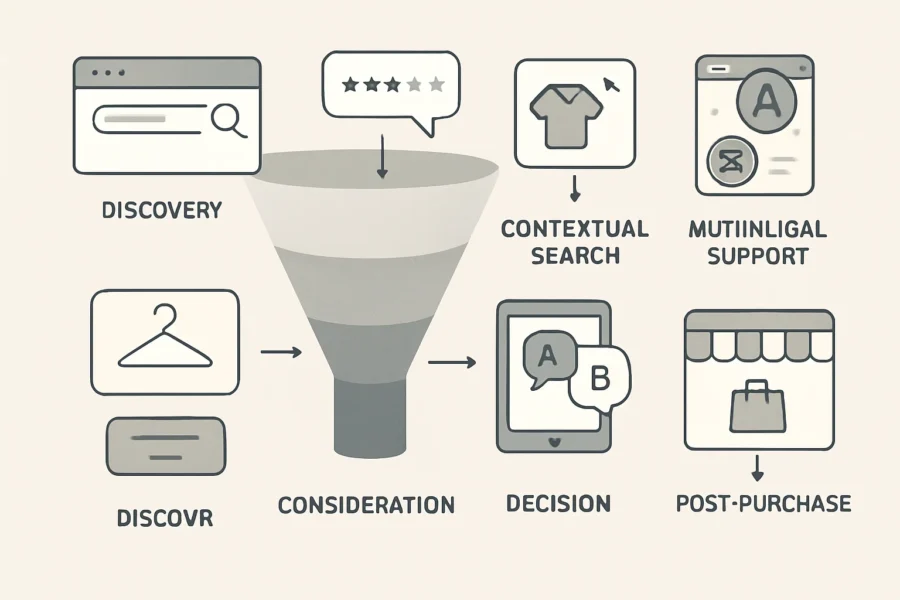
Not every AI shopping assistant feature delivers the same value at every stage of the buyer journey. The diagram below illustrates how each essential capability—like AI product recommendations, contextual product search, upsell prompts, AI ecommerce chatbots, and multi-language AI assistants—links to specific business goals for small ecommerce sites. These include improved product discovery, higher conversion rates, increased order value, and expanded reach to multilingual audiences.
| Feature | Primary Business Outcome | Supporting Buyer Journey Stage |
|---|---|---|
| AI Product Recommendations | Boosts conversion by personalizing offers based on real-time data | Product discovery, consideration |
| AI Product Search | Enables fast, relevant results to reduce drop-off | Awareness, early research |
| AI Upsell Prompts | Increases average order value when contextually triggered | Decision, checkout |
| AI Ecommerce Chatbot | Delivers instant support and answers to FAQs | Throughout journey |
| Multi-language AI Assistant | Expands reach, reduces friction for non-native speakers | All stages, especially first contact |
| Integration with Store Data (e.g., NextlerAI) | Ensures recommendations and answers are accurate and up to date | Product discovery, support, checkout |
Connecting Features to the Buyer Journey
For small ecommerce owners, the most effective AI assistants are those that align features with real customer needs at each stage of the journey. For example, contextual product search and multi-language support remove barriers during the first visit; personalized recommendations and FAQ automation help during product comparison; and timely, non-intrusive upsell prompts increase order value at checkout without disrupting user experience.
Mapping features to buyer journey stages enables store owners to identify where customers most frequently encounter friction. For instance, while AI product search addresses early-stage needs by surfacing relevant options quickly, chatbots are valuable throughout the journey by providing immediate responses to product or policy queries. Multi-language assistants further enhance accessibility, making the store more inclusive and approachable to a global audience. By considering the specific demands of each stage—such as the need for clarity during consideration or reassurance at checkout—store owners can deploy features that work in concert, reducing abandonment rates and fostering trust. This approach also helps small businesses allocate limited resources toward the most impactful technology investments, ensuring that every feature actively supports a measurable business goal.
Visual Diagram: AI Assistant Features in the Ecommerce Funnel

- Discovery: AI product search, multi-language support
- Consideration: Contextual recommendations, product comparison, FAQ chatbot
- Decision: Upsell prompts, real-time support
- Post-purchase: Automated order tracking, feedback collection via chatbot
Implementation Nuances for Small Ecommerce
Integrating these features is most impactful when they’re mapped to the store’s actual data and workflows. Platforms like NextlerAI, purpose-built for WordPress and WooCommerce, minimize manual configuration by syncing directly with product catalogs and customer data, which reduces technical barriers and ongoing management. Prioritizing features that require little technical intervention but deliver tangible business outcomes—such as multi-language support or contextual recommendations—can accelerate ROI for resource-limited teams.
It is also important for small ecommerce operators to consider scalability and ease of maintenance when selecting and implementing AI features. Leveraging solutions that offer automatic updates and require minimal manual input ensures the assistant remains accurate as product catalogs grow or inventory changes. Additionally, integrating features that offer analytics helps store owners track which stages and features drive the most value, allowing for continuous optimization. Considering privacy and data security is essential, especially when assistants access sensitive customer or order data; selecting tools with robust compliance protocols reduces operational risk. Ultimately, a phased rollout—starting with core features like search and chat, then layering on advanced options—can help small teams adapt without overwhelming resources or customers.
Checklist for Aligning Features and Business Goals
- Identify which buyer journey stages are causing friction or drop-off.
- Map available AI features to those pain points using the visual summary above.
- Prioritize features offering the highest impact with the lowest integration overhead.
- Ensure chosen solutions (e.g., NextlerAI) natively support your ecommerce stack and data sources.
- Monitor business KPIs (conversion, order value, language coverage) post-implementation to validate outcomes.
Checklist: Selecting and Implementing Your AI Shopping Assistant
Step 1: Tie AI Assistant Selection to Clear Ecommerce Goals
Begin by clarifying what you want your AI shopping assistant to achieve. This could mean increasing product discovery for niche items, reducing cart abandonment, or improving support in multiple languages. Align these objectives with gaps in your current customer journey to ensure your investment addresses real commercial needs. Consider whether your primary goal is to drive more conversions, improve customer satisfaction, or streamline support operations. Setting specific, measurable targets—such as reducing average time to find a product or increasing upsell rates—will help you evaluate the assistant’s impact post-implementation and guide ongoing optimization.
Step 2: List Features Based on Actual Customer Pain Points
Document specific issues your shoppers encounter—such as struggling to find products, confusion about options, or language barriers. Translate these into non-negotiable features, for example, AI product search for complex catalogs or personalized recommendations that adapt to browsing behavior. Avoid generic requirements and focus on features proven to impact your customer base. Use customer support tickets, site analytics, and direct feedback to identify recurring friction points. Prioritize features that address high-impact issues, such as intelligent filtering for large inventories or proactive assistance during checkout, to ensure the assistant delivers tangible benefits.
Step 3: Assess Platform Compatibility and Integration
Check the technical prerequisites for integrating the assistant with your store. For WordPress or WooCommerce, shortlist solutions like NextlerAI that natively connect with your product catalog and order system, minimizing the need for custom development. Confirm the assistant can access live inventory, user accounts, and order status for real-time support. Review whether your other plugins, themes, or checkout systems might conflict with the assistant’s operation. Evaluate the quality of vendor documentation and support resources to ensure your team can manage updates or resolve issues efficiently. Consider future scalability—will the assistant accommodate catalog growth or new business channels without major rework?
Step 4: Verify Personalization and Multi-Language Capabilities
Ensure the assistant can segment customers and tailor suggestions dynamically, not just display static upsell prompts. For international or multilingual audiences, confirm support for all relevant languages—including UI, product data, and conversational flows. Test how the assistant handles language switching mid-session and whether custom translations are editable without code changes. Check if the assistant leverages customer history or behavior for deeper personalization, such as remembering preferences across sessions. If your store operates in regions with nuanced dialects or unique shopping habits, verify the AI can adapt responses accordingly and maintain accuracy in recommendations.
Step 5: Pilot-Test in Real Customer Journeys
Before rolling out sitewide, deploy the assistant on a limited product range or test store. Track how it responds to actual customer queries, especially for complex searches and multi-language interactions. Gather feedback on clarity, intrusiveness, and technical glitches. Adjust configurations based on this input—especially thresholds for upsell prompts and fallback options for unanswered questions. Use analytics to monitor user engagement and identify drop-off points. Include a diverse group of test users to surface edge cases, ensuring the assistant performs well for both new and returning customers. Document lessons learned to inform a smoother sitewide launch.
Implementation Checklist
- Map business objectives directly to measurable AI assistant outcomes.
- Prioritize features by matching each to a documented customer pain point.
- Vet candidates for native integration with your ecommerce platform and minimal required maintenance.
- Test personalization logic with real catalog data and multiple user profiles.
- Validate end-to-end multi-language support, including product details and automated replies.
- Run staged pilots and collect feedback before enabling across your full product set.
- Monitor assistant impact on search, cart, and conversion metrics post-launch; iterate on feature use and configuration.
- Prepare troubleshooting resources—see common AI assistant issues in WordPress & WooCommerce for practical steps.
- Schedule periodic reviews to update assistant responses, product mappings, and language resources as your store evolves.
Decision-Making Notes
Many small ecommerce businesses overlook the complexity of integrating AI with fragmented product data or underestimate the need for fine-tuned configuration. Favor platforms with a track record of WordPress/WooCommerce compatibility and clear documentation on data syncing and customization. For stores with seasonal or fast-changing catalogs, prioritize assistants that update in real time and support admin-driven overrides. Additionally, factor in the vendor’s update policy and responsiveness to security issues, as ongoing maintenance is vital for long-term success. Engage stakeholders—including marketing, IT, and customer service—early in the process to ensure the assistant aligns with broader business strategies and operational workflows.

Decision Criteria: How to Choose the Right Assistant
Integration with Your Ecommerce Platform
Verify native compatibility with your current ecommerce stack before evaluating features. For WordPress and WooCommerce, prioritize assistants like NextlerAI that offer direct plugin installation, access to store product data, and seamless synchronization with existing checkout flows. Shopify and BigCommerce users should confirm API support and the ability to map assistant actions to their storefront workflows. Deep integration reduces manual setup and avoids ongoing maintenance conflicts, making it crucial for small teams with limited technical resources. Additionally, consider how well the assistant supports updates to your store, such as inventory changes or new product launches, to maintain a consistent customer experience without manual intervention.
Ease of Setup and Ongoing Management
Assess whether the assistant provides guided onboarding, low-code configuration, and clear documentation. Solutions designed for small ecommerce, such as those with plugin-based deployment, minimize disruptions during setup. Look for assistants that allow you to adjust AI product recommendations, upsell prompts, and multi-language support through a dashboard rather than code changes. Ongoing management should not require dedicated technical staff; routine updates, troubleshooting, and content adjustments must be accessible to non-developers. Consider platforms with robust troubleshooting resources if your store is built on WordPress or WooCommerce. Evaluate whether the assistant offers automated updates and self-service help centers, which can reduce downtime and empower your team to resolve common issues independently.
Feature Set Versus Business Needs
Map available features—such as AI product search, contextual recommendations, real-time FAQ handling, and multi-language support—against your specific sales funnel and customer base. For example, if you serve international customers, multi-language AI assistant capability is essential; if product discovery is a bottleneck, prioritize advanced AI product search and conversational discovery. Avoid over-investing in features unlikely to provide measurable benefit for your current scale. Focus on assistants that allow granular feature activation, so you can tailor the experience as your business evolves. It’s also important to assess the scalability of each feature, ensuring that your chosen assistant can grow with you and adapt to seasonal spikes or expansion into new product lines.
Vendor Support, Documentation, and Community
Evaluate the provider’s support model and documentation depth. Access to active support channels, up-to-date user guides, and a responsive user community can resolve issues quickly, helping avoid prolonged outages that impact sales. For platforms like WordPress, community-driven solutions often fill gaps in vendor support. Review how frequently documentation is updated, especially after major platform or plugin changes, to ensure long-term stability and compatibility. Look for providers who offer multiple support tiers or dedicated account managers if your business anticipates rapid growth or has unique integration requirements.
Total Cost of Ownership for Small Businesses
Calculate total cost by considering not just licensing or subscription fees, but also the time required for integration, staff training, and ongoing management. Some assistants charge based on usage or number of interactions, which can scale quickly as your store grows. Tools with transparent pricing and predictable upgrade paths are preferable for small ecommerce sites with tight budgets. Assess whether the assistant’s automation features (such as FAQ handling or AI product recommendations) demonstrably reduce support costs or increase conversion rates to justify the investment. Also, take into account hidden expenses such as additional plugin dependencies, payment processing changes, or periodic renewal fees that may affect your long-term budget.
Comparing and Shortlisting AI Shopping Assistants
- Start by filtering options that natively integrate with your ecommerce platform and can be set up without advanced technical skills.
- Shortlist based on feature alignment: prioritize platforms that offer tailored recommendations, AI product search, upsell prompts, and multi-language support if needed.
- Request demo access or trial periods to validate ease of setup and feature usability.
- Contact support before purchase to test responsiveness and clarity.
- Review support forums and documentation update history for signs of active maintenance.
- Model expected costs over 12–24 months, factoring in growth and potential changes in sales volume or product catalog size.
- Gather feedback from other small business users or online communities to identify potential challenges or benefits in real-world scenarios.
Illustrative Scenario: Deploying AI Assistant Features in a Small Ecommerce Store
For more real-world inspiration, browse our website development portfolio to see small ecommerce sites that benefited from advanced AI features.
Scenario Overview: Local Apparel Shop Faces Growth Hurdles
A local online apparel shop, running on WordPress and WooCommerce, notices an uptick in abandoned carts and repetitive customer queries about sizing and product availability. With limited staff, the owner wants to boost conversions and streamline support without adding headcount or costly custom development.
Step 1: Needs Assessment—Mapping Pain Points to AI Capabilities
First, the owner analyzes store analytics and support tickets. Patterns emerge: shoppers struggle to find relevant products, especially in new arrivals, and often abandon carts when they cannot get quick answers about fit or shipping. The owner prioritizes resolving these friction points with automation that feels personal, not generic.
- Key discovery: Most support questions fall into repeatable categories (size, stock, returns).
- Product discovery is inconsistent: Site search yields too many irrelevant results, frustrating visitors.
Step 2: Feature Selection—Aligning Needs to AI Functions
The owner consults current best practices and platforms. Essential requirements are identified:
- AI product recommendations: Personalized suggestions tailored to browsing behavior.
- AI-powered product search: Contextual, typo-tolerant search for faster product discovery.
- Upsell prompts: Relevant, non-intrusive suggestions at checkout.
- Real-time FAQ automation: Automated, conversational replies to common questions.
- Multi-language support: Ability to serve both English and local-language customers.
Integration simplicity and minimal ongoing management are set as non-negotiables, given the owner’s limited technical resources.
Step 3: Shortlisting—Evaluating Platform Fit and Practicality
The owner screens several AI assistant options, using criteria such as native WooCommerce compatibility, ease of setup, and depth of feature customization. Solutions requiring extensive data migration or custom coding are deprioritized in favor of plugins with direct store integration and guided onboarding flows.
NextlerAI Assistant is shortlisted due to its direct WordPress/WooCommerce integration, contextual product search, FAQ automation, and multi-language readiness, as described in its official documentation. The owner reviews user interface demos and checks for available support channels.
Step 4: Piloting NextlerAI Assistant—Implementation Details
With staging site access, the owner deploys NextlerAI Assistant. Initial steps include:
- Connecting the plugin to the WooCommerce product catalog, enabling up-to-date inventory and attribute access.
- Configuring personalized recommendation logic (e.g., ‘customers also bought’ and browsing history triggers).
- Setting up FAQ templates for sizing, returns, and delivery queries, mapped to real product data.
- Activating language packs to test English and the shop’s secondary language.
During the two-week pilot, the owner observes workflow impacts: product search is more accurate, and shoppers receive instant answers to common questions—reducing staff intervention. Checkout upsell prompts are tuned to appear only when relevant, based on cart contents and previous purchases.
No attempt is made to measure conversion rate changes at this pilot stage, as the focus is operational fit and customer experience smoothness.
Step 5: Measuring Impact and Refinement
The owner uses built-in plugin analytics to monitor FAQ usage, search result accuracy, and multi-language session rates. Feedback from a small group of regular customers highlights improved product discovery, especially in search and cross-sell recommendations. Manual review of support tickets confirms a reduction in repetitive queries.
Early lessons include the importance of ongoing FAQ updates and the need to adjust recommendation algorithms for niche apparel categories. The owner notes that intrusive upselling is avoided by restricting prompts to relevant contexts, based on prior user feedback.
Lessons Learned for Similar Businesses
- Thorough needs mapping prevents overbuying features that do not address core pain points.
- Integration depth and ease matter as much as feature breadth—choose platforms aligned with your existing tech stack.
- Continuous feedback loops—combining analytics with direct customer input—are vital to refine assistant behavior and avoid common pitfalls.
- Multi-language support expands addressable market, but requires careful QA to ensure translation accuracy.
- Prioritize assistants with guided onboarding and accessible support for smooth, low-risk adoption.
For a practical overview of deploying NextlerAI Assistant on WordPress/WooCommerce, see this detailed product page.
For authoritative background, consult AI Shopping Assistants: Drive Ecommerce Conversions & Scale.
For authoritative background, consult Best AI Assistants for Ecommerce and Shopify Stores in 2026.
For authoritative background, consult Shopping Assistant explained.

FAQ
What features are essential in an AI shopping assistant for small ecommerce?
Small ecommerce sites require AI assistants with contextual product search, personalized recommendations, upsell and cross-sell prompts, automated FAQ handling, and multi-language support. These features directly address conversion, discovery, and service needs without excessive overhead. Prioritizing ease of integration and low maintenance is especially important, since small teams often lack dedicated technical resources. Further, robust analytics and reporting tools help merchants understand customer behavior and refine their product offerings. The ability to customize responses and recommendations to reflect brand voice or unique inventory is also valuable, ensuring the assistant aligns with business goals. Finally, built-in compliance with privacy standards, such as GDPR, can help small businesses avoid regulatory pitfalls while providing a secure customer experience.
How do AI assistants improve product discovery and conversions?
AI assistants use behavioral data and store catalogs to guide customers toward relevant products in real time. Contextual search and tailored recommendations surface items that match user intent, reducing friction. Upsell prompts that reference cart contents or browsing patterns drive higher average order values. Automated responses to product questions minimize drop-off during purchase, directly supporting higher conversion rates. Additionally, AI can identify patterns in customer queries and highlight trending or seasonal products, further optimizing discovery. The assistant’s ability to deliver instant, accurate responses also helps build customer confidence, encouraging them to complete their transactions.
How can a small business implement AI shopping assistants cost-effectively?
To control costs, small businesses should select AI assistants offering turnkey plugins or prebuilt integrations for their ecommerce platform (such as WordPress/WooCommerce). Limiting initial deployment to core features—like search, recommendations, and FAQ—reduces complexity and shortens setup time. Many platforms use usage-based pricing, so monitoring feature adoption and scaling gradually helps maintain budget alignment. Leveraging free trials or entry-level plans can allow testing before committing to long-term contracts. Investing in solutions with clear documentation and community support can lower the learning curve and reduce the need for outside technical help, ensuring the AI assistant delivers value without exceeding budget constraints.
What are the main risks and mistakes in deploying AI assistants?
Common pitfalls include using generic recommendation models that ignore store-specific data, failing to map AI outputs to the product catalog, neglecting multi-language capabilities in diverse markets, and configuring intrusive upsell logic. Over-automation can alienate customers if not balanced with human support. Insufficient ongoing testing may leave errors unresolved, especially after catalog updates or plugin changes. Small businesses should also be cautious about data privacy, as improper handling of customer information can lead to compliance issues. Regularly reviewing assistant performance and soliciting user feedback helps identify areas for improvement and prevent negative impacts on the shopping experience.
How do I compare AI shopping assistant platforms?
Effective comparison focuses on integration depth (with platforms like WooCommerce), data mapping flexibility, real-time analytics, multi-language handling, and vendor support responsiveness. Reviewing case studies and requesting live demos helps assess ease of use. For small sites, prioritize platforms that minimize manual setup and offer transparent pricing, as these factors affect both short-term ROI and long-term scalability. Also, consider the platform’s update frequency and security practices, as these will affect ongoing reliability. Checking for customer support channels, such as live chat or email, is important for resolving potential issues quickly. Community forums and documentation quality can further ease onboarding for smaller teams.
What limitations should small businesses consider?
Small ecommerce sites often face challenges with fragmented product data, limited technical support, and resource constraints for AI training or ongoing tuning. Some assistants may not support niche catalog structures or advanced language localization. It’s essential to verify that the chosen platform aligns with site complexity and to plan for periodic review as catalogs or customer segments evolve. AI models may also require periodic retraining to remain accurate, and third-party integrations can introduce compatibility issues during platform updates. Evaluating scalability and the potential need for manual intervention can help anticipate and mitigate operational bottlenecks.
How does multi-language support impact ecommerce sales?
Enabling multi-language interaction increases accessibility for international customers and unlocks new market segments. Research cited in the article indicates this feature remains rare, yet it’s a significant differentiator for small stores serving diverse audiences. AI assistants that dynamically switch context and accurately translate product details can reduce abandonment and build trust with non-native speakers. Additionally, effective multi-language support can improve SEO in international markets, helping attract a broader audience. Ensuring accurate translations and cultural relevance in automated responses is crucial to avoid misunderstandings or negative impressions that could impact conversion rates.
How do assistants like NextlerAI integrate with WordPress and WooCommerce?
NextlerAI offers direct plugin integration for WordPress and WooCommerce, mapping product data and customer interactions without custom development. Features such as contextual product search, personalized suggestions, and real-time FAQ are accessible from the admin dashboard. The assistant updates automatically with catalog changes and supports configuration for multi-language output via WordPress settings. This seamless integration minimizes setup time and technical hurdles, enabling small businesses to quickly deploy AI-powered features. Compatibility with common themes and plugins further streamlines the process, while ongoing updates ensure continued alignment with platform changes and security requirements.
Conclusion
Identifying and prioritizing essential AI shopping assistant features is a strategic decision that directly shapes your store’s customer experience and conversion potential. The feature mapping and decision frameworks presented here support small ecommerce owners in moving decisively from theory to practice, minimizing trial-and-error and resource waste.
With market evidence showing that assistants like NextlerAI combine integration simplicity with advanced contextual search and multilingual support, it becomes clear that the real differentiator for small stores is not feature quantity, but precise alignment with actual store workflows, technical capacity, and customer language needs. Rather than adopting every available capability, the most successful sites continuously validate which features measurably improve product discovery and reduce buyer friction in their unique environment.
It’s also important to remember that AI assistant effectiveness is not static. Customer expectations, product offerings, and technological capabilities evolve over time. Regularly reviewing feature performance—through customer feedback, analytics, and A/B testing—ensures your assistant remains relevant and impactful. Engage staff in the evaluation process, as frontline employees often spot usability gaps or recurring queries that technology alone may overlook. Additionally, consider how AI assistants can support accessibility, such as voice input or screen reader compatibility, to broaden your customer base and comply with best practices.
As a practical next action, choose one high-impact feature—such as contextual product recommendations or real-time FAQ automation—and pilot it on a core product or category page. Closely monitor both customer interactions and conversion metrics for tangible change. Use this data to inform the next iteration, expanding only when clear benefits are confirmed and management overhead remains sustainable.
If you encounter technical barriers or integration challenges with your AI assistant, reference our troubleshooting guide for WordPress & WooCommerce for actionable solutions. For more specialized support—including custom feature mapping or multilingual validation—consider requesting a tailored support or troubleshooting quote to address your store’s unique requirements.